Box Odoo Integration v.17
The tool to automatically synchronize Odoo attachments with Box files in both ways
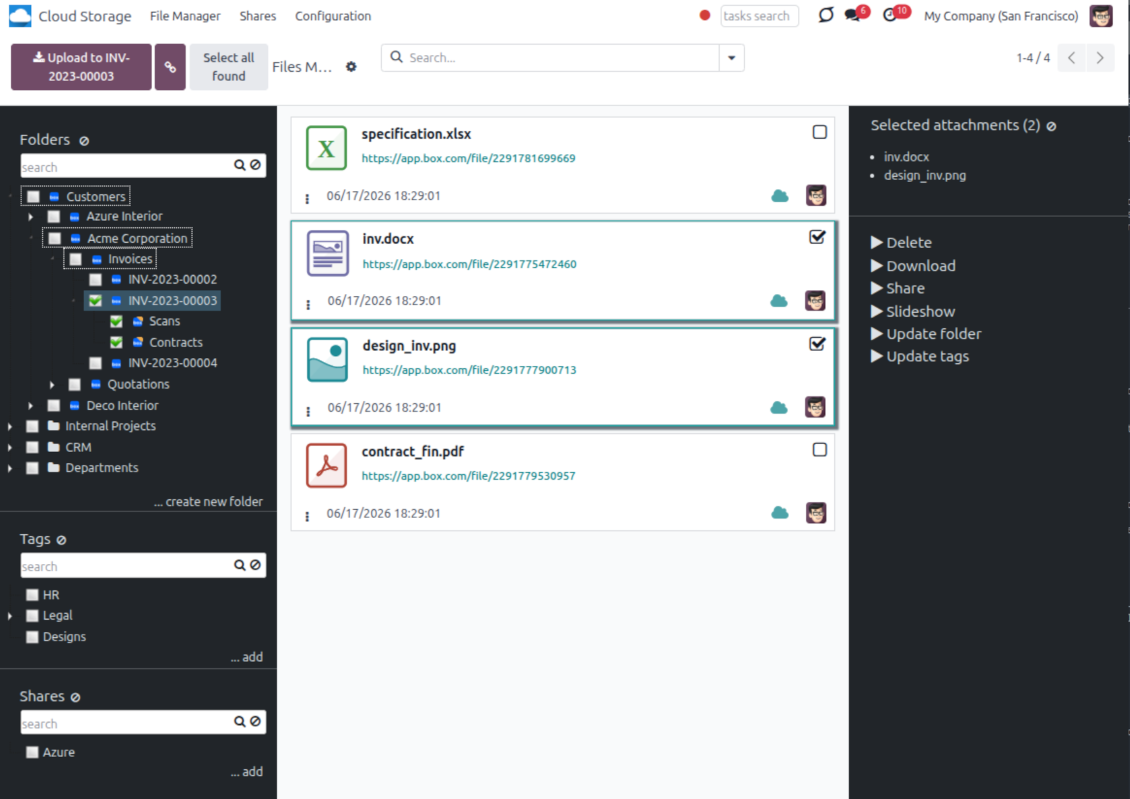
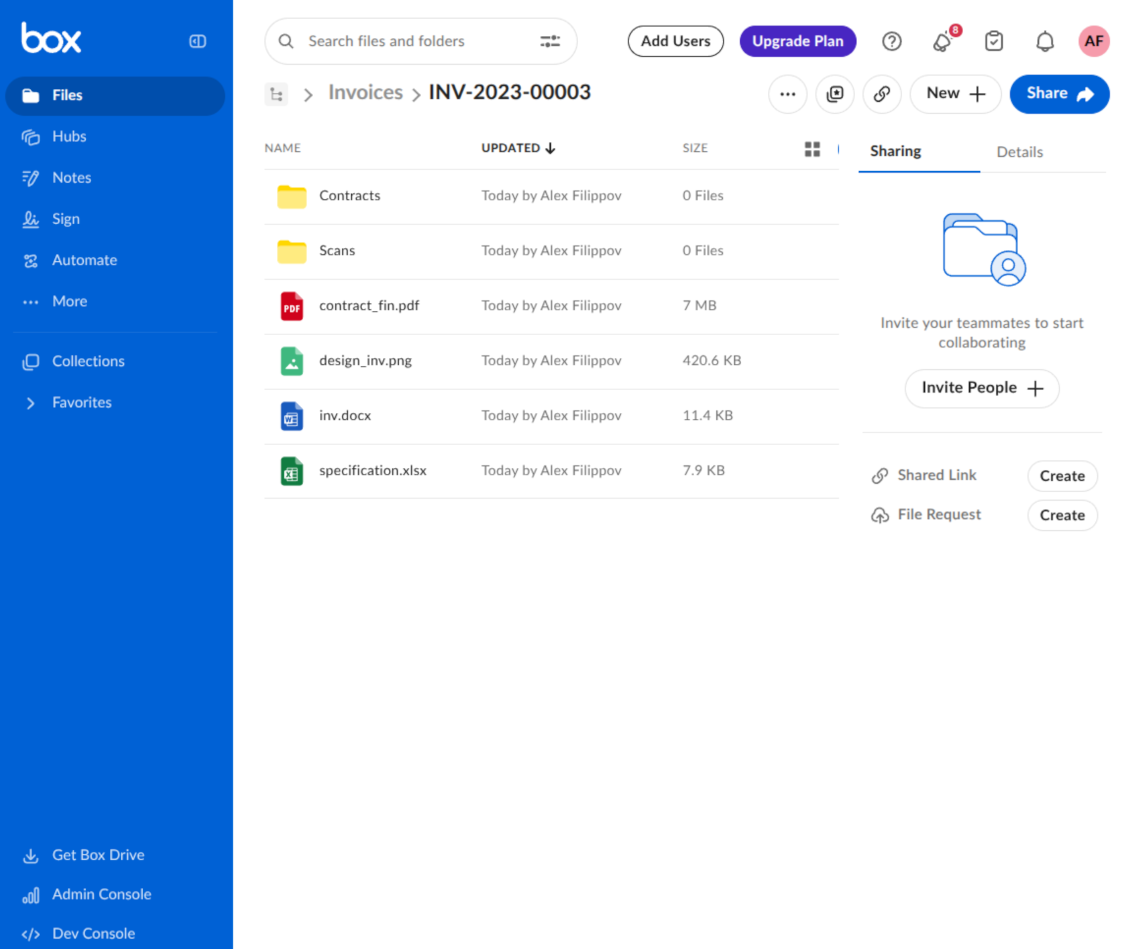
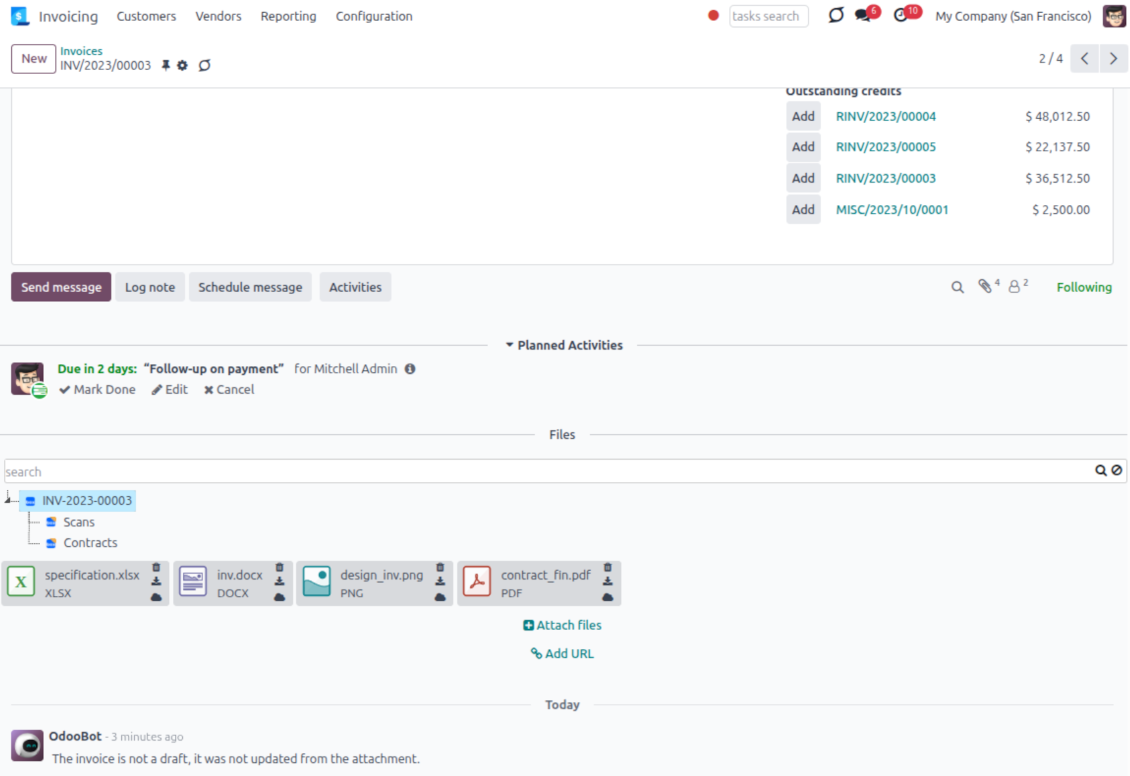
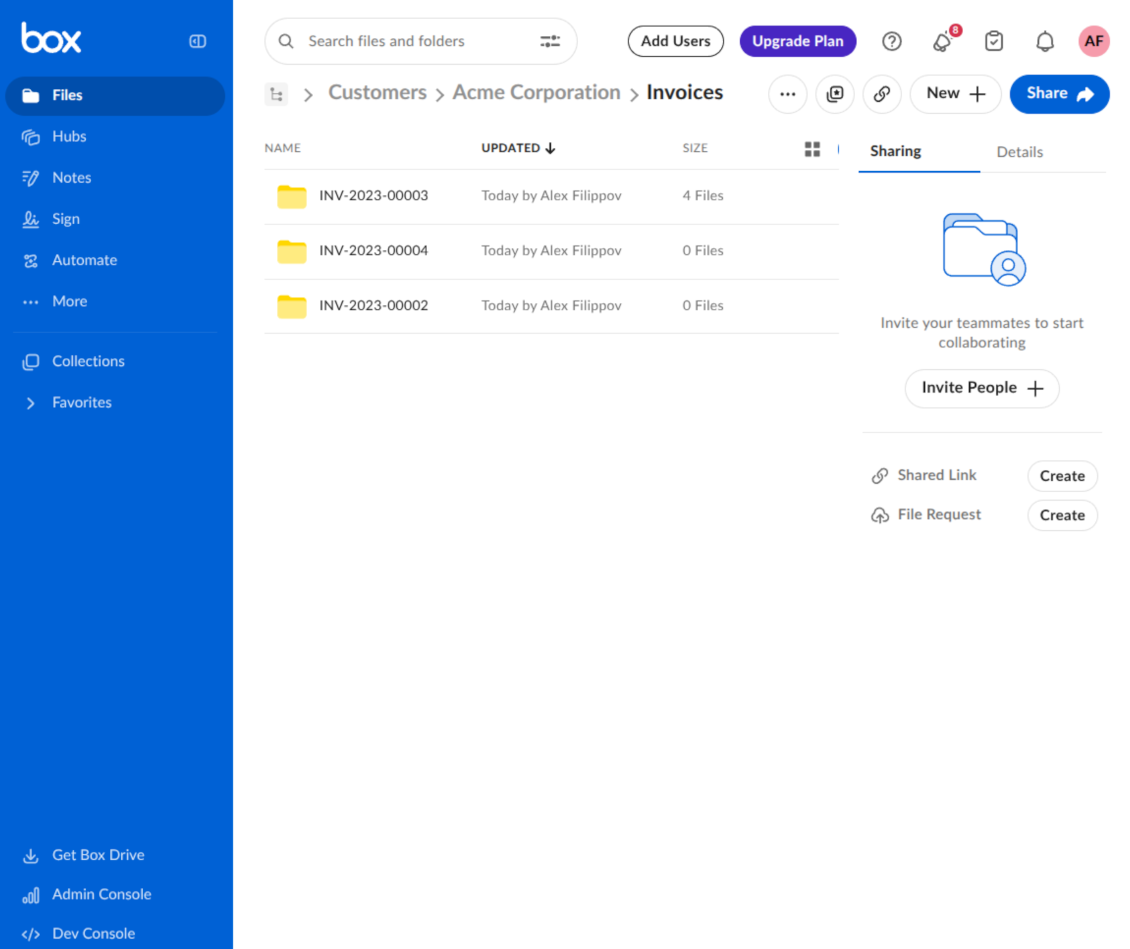
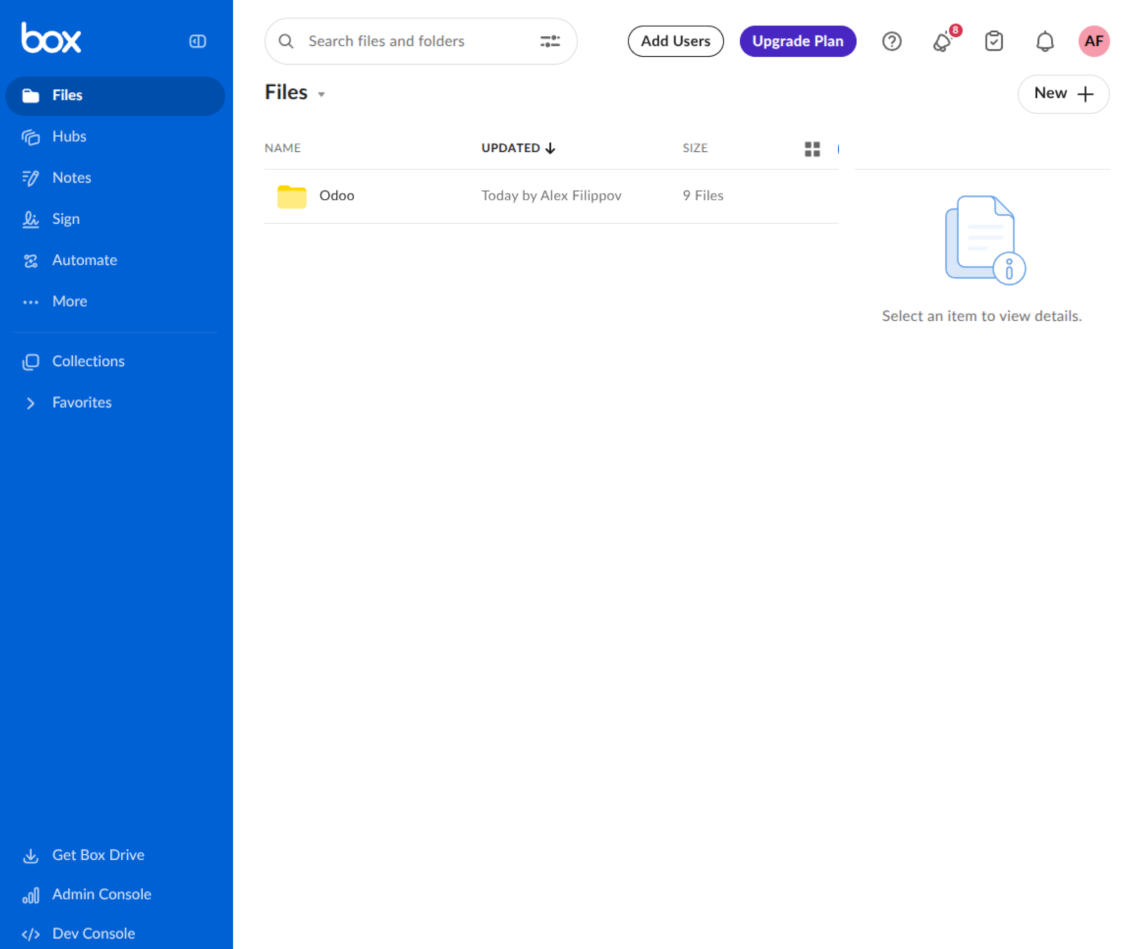
This is the tool to integrate Box features with Odoo folders and files. The app automatically stores Odoo attachments and directories in Box and provides instant access to them through Box web links.
Automatic folders' structure
Decide which Odoo document types should have their own folders trees and synchronize those to Box
Automatic regular sync
Rely on auto-synchronization between Odoo and Box based on scheduled jobs. No manual interaction is required
Bilateral sync
Odoo sends attachments to Box and retrieves files from there. Binary content is kept in clouds, while Odoo provides direct access to synced items
Cloud synchronization history
Control Box sync logs right in Odoo. Export and share those in case of any issues. Be notified of any client disconnections
File manager interface
Manage synced folders and attachments from a single Odoo view. Comfortably navigate by directories. Search, download, upload, and move files
Attachment box
Organize files of any Odoo object in a set of subfolders. Instantly access folders and files in the attachment box and in Box
How synchronization works
Automatic two-sided sync
- Configure sync for one or multiple Box accounts
- Integration is based on scheduled jobs and is fully automatized. The app regularly checks changes in Odoo and Box and runs sync operations
- Synchronization is bilateral. Updates in Odoo are reflected in Box (direct sync); changes in Box modify Odoo folders and attachments (backward sync)
- Cloud connection with Box might be reset. In this way, the app assumes getting all items back to Odoo (reverse sync)
Queue-based synchronization
- Once in 15 minutes, the app examines updates in Odoo and Box to prepare a synchronization queue
- Folders' checks follow the First-In-First-Out (FIFO) principle. Directories that have not been examined for the longest are processed first
- If the app faces sync failures, it will retry operations afterward. Sync queue processing is not stopped by non-blocking failures
Odoo attachments for Box: direct sync
- Direct sync prepares the folders' hierarchy and uploads Odoo attachments to Box
- Folder and file renames or moves keep stable Box IDs, so synced Odoo records stay linked to the same cloud item
- Uploaded attachments become URL records in Odoo, while binary content is stored in Box
Box files and folders for Odoo: backward sync
- Backward sync checks whether files or subfolders are added to Box folders. If so, the app creates URL attachments/subdirectories inside linked Odoo directories
- Updates in Box are reflected in Odoo, including moves and renames based on stable Box item IDs
- In case of conflicts, direct sync changes are in general considered more important than backward updates
Box URLs
Box provides internal web links for files and folders, for example links of the type https://app.box.com/file/[ID] and https://app.box.com/folder/[ID]. Such links are stable, but only Box users with access rights to the related item can open them.
By default, the connector uses those internal Box links. It is the safest and fastest option, since the synchronization does not have to create shared links for every synced item.
If shared links are enabled, Odoo will try to generate Box shared URLs for files and folders. Be cautious with this option: although the links are hardly known by external users, they might become available as a result of some user actions. Besides, shared link generation is slower and might make the synchronization process longer.
設定とインストールのヒント: Box Odoo Integration Odoo v.17
Python dependency
The tool depends on the external library 'box_sdk_gen'. Install this library for your Odoo server through the command:
pip3 install boxsdkConfiguration and log in
- Turn on the option 'Box Sync' (cloud Storage > Configuration > Configuration). The optional add-on Box Odoo Integration is required
- Create or open a Box developer account and go to the Box Developer Console: https://app.box.com/developers/console
- Create a Custom App and choose OAuth 2.0 (Authorization Code Grant) as the authentication method
- Add the redirect URI as [YOURODOOSITENAME]/box_token (e.g. https://faotools.com/box_token). A valid SSL certificate (https) is required
- Grant the app access to read and write files and folders. Avoid assigning unrelated permissions
- Go to Odoo Cloud Storage > Configuration > Cloud Clients and press 'Create'
- As a reference, introduce any name which would be clear to all users
- As a Cloud client, choose 'Box'
- As a Root folder name, enter a title that will be used as the parent Box directory for all synced folders. For example, 'Odoo' or 'OdooERP'
- Copy Box Client ID to the field 'Client ID'
- Copy Box Client Secret to the field 'Client Secret'
- Insert previously generated redirect URL
- Press 'Confirm'. Odoo redirects you to the Box login page. Check in the system, agree with all conditions, and grant all permissions asked
- After login, Box redirects you back to Odoo. Box - Odoo synchronization is ready to be done
- Apply the newly created cloud client to folder rules and/or manual folders which should be synced to that Box account
- Await the sync scheduled job to be started. For testing purposes only: trigger integration manually from Cloud Storage > Configuration > Configuration > the button 'Launch sync'.
Create a new Box developer app

Copy Box OAuth credentials

Configure the Box cloud client in Odoo

Grant Odoo access to Box

に関するよくある質問 Box Odoo Integration Odoo v.17
同期フィールドはどこに保存されますか?Odooとクラウドに重複しますか?
本アプリは、添付のバイナリ内容が Odoo サーバーではなく Cloud Client に保管されることを前提とします。そのため、Odoo 上の該当添付は URL タイプになり、添付ボックスまたは Cloud Client からいつでもアクセスできます。
セットアップ後は同期が完全に自動のため、手動操作は不要です。同期する Odoo のドキュメントタイプを決め、それぞれに関連モデルを設定してください(顧客、販売オーダまたは購買オーダ、タスク、プロジェクトなど)。
同じ文書タイプに複数のフォルダを持てますか?例えば社内プロジェクトと顧客プロジェクトです。
はい。それぞれにルールを用意し、その後フィルタを適用します。例: プロジェクトの種類。
文書を確実に割り当てられるよう、フィルタは互いに排他的にしてください。例: 「顧客だが仕入先ではない」「仕入先だが顧客ではない」。そうしないと、特定文書のフォルダがモデル間を行き来します。
同期をリアルタイムにできますか?
いいえ。リアルタイム同期を避ける確かな理由があります:
パフォーマンスの問題。同期がリアルタイムだと、ファイルアップロードのたびに読み込み画面が出ます。
競合の問題。2 人のユーザーが同時に項目を変更すると、解決できない状況になり得ます。定期ジョブなら後から直せますが、リアルタイムではキューとして保存する必要があり、ユーザーにとってさらに分かりにくくなります。
機能上の問題。特に項目の名前変更と再構成です。逆方向同期ではディレクトリ論理に厳密に依存し、毎回 100% の項目を確認します。更新のたびに行うと毎秒数千リクエストになります。行わなければ変更は失われます。
クラウドの既定フォルダ名を変更できますか?
任意のドキュメントタイプについて、モデルのディレクトリ(販売オーダ、案件、仕入先など)に独自の名前を付けられます。
オブジェクトのフォルダ(SO-001、John Smith など)では、このドキュメントタイプの表示名を組み立てる Odoo のメソッドに依存します。ただし名前式を定義すれば変更できます。Odoo メールテンプレートと全く同じ構文を使います。
同期ジョブの頻度を変更できますか?
いいえ。バージョン 15 以降、スケジュール済ジョブは変更しないでください。最も安定して速い接続のため 15 分ごとに実行するよう最適化されています。
Odoo サーバーのタイムアウトを少なくとも 15 分(900 秒)に設定してください。
同期を一時停止する場合は、対象の cloud client フォームで行ってください。
添付をいくつかのクラウドクライアントと同期できますか
はい、バージョン 15 以降は複数接続を設定できます。一部のフォルダをある cloud client に、他を別のクライアントに同期できます。
同じフォルダを複数の cloud storages に同時同期することはできません。
クラウドでは専用エディタ(OnlyOffice、Office 365 など)を使っています。ファイルはそのエディタで開きますか?
はい、cloud client の設定によります。
Cloud Storage Solutionアプリだけが必要ですか?
バージョン 15 以降、アプリは単独で添付をフォルダ整理し、ファイルマネージャー画面を提供できます。
ただしクラウドクライアントとの接続が目的なら、関連するオプションアプリを 少なくとも 1 つインストールする必要があります。
フォルダルールを変えるとどうなりますか?
フォルダ規則が変わると、フォルダ一覧も変わります。規則の条件に合わなくなったフォルダは削除されます。ファイルが同期済みなら、逆同期で Odoo に戻し、Cloud Client から削除します。
文書オブジェクトがフォルダ規則の条件に合わない場合、そのフォルダは作られません。後で条件に合えば、関連フォルダが生成されます。
英語以外のアプリ・サイト文言は AI 支援で作成され、 公式の Odoo 翻訳に揃えています。誤りを見つけたら、 翻訳の正確さについてチケットを送る 修正します。
Odoo デモデータベース(ライブプレビュー)
このアプリでは無料の個別デモデータベースをご用意できる場合があります。
ご連絡に電話番号やクレジットカードは不要です。30 秒以内の短いメール登録だけです。
ご依頼に応じて個別のライブプレビューデータベースを用意します。約2週間、テストや前提の確認ができます。
不具合報告
不具合や一貫しない動作があれば、遠慮なくご連絡ください。購入から60日以内の修正を保証し、その後もツール改善に力を入れています。
ご連絡に電話番号やクレジットカードは不要です。30 秒以内の短いメール登録だけです。
リクエストにはできるだけ多くの詳細を含めてください:スクリーンショット、Odoo サーバーログ、問題の再現手順の完全な説明など。通常、問題の作業計画の作成(不具合が確認された場合)または実施すべき内容の案内(それ以外)には数営業日かかります。
公開の機能リクエストとモジュールのアイデア(無償開発)
ツール改善への意欲は強く、フィードバックには感謝します。要件が広く役立ち、効率よく実装できる場合、チームは To-do リストに加えます。
このような To-do リストは定期的に処理され、追加料金は発生しません。期限や最終デザインは約束できませんが、投資とリスクなしで望む機能を得る良い方法になることがあります。
ご連絡に電話番号やクレジットカードは不要です。30 秒以内の短いメール登録だけです。


The tool to build a deep and structured knowledge base for internal and external use. Knowledge System. KMS. Wiki-like revisions.
398€
The tool to set up KPI targets and control their fulfillment by periods. KPI dashboards. Dashboard designer. KPI charts

The tool for time-based service management from booking appointments to sales and reviews
398€
The tool to manage your Odoo from your favorite AI chats through MCP. Claude. Any MCP-supporting AI.

The tool to flexibly structure Odoo attachments in folders and synchronize directories with cloud clients: Google Drive, OneDrive/SharePoint, Nextcloud/ownCloud, Dropbox, Amazon S3, Box, and NAS. DMS. File Manager. Document management system
398€
The tool to automatically synchronize Odoo attachments with OneDrive files in both ways
487€
The tool to automatically synchronize Odoo attachments with Google Drive files in both ways
487€
The tool to automatically synchronize Odoo attachments with ownCloud/Nextcloud files in both ways
487€