Box Odoo Integration v.17
The tool to automatically synchronize Odoo attachments with Box files in both ways
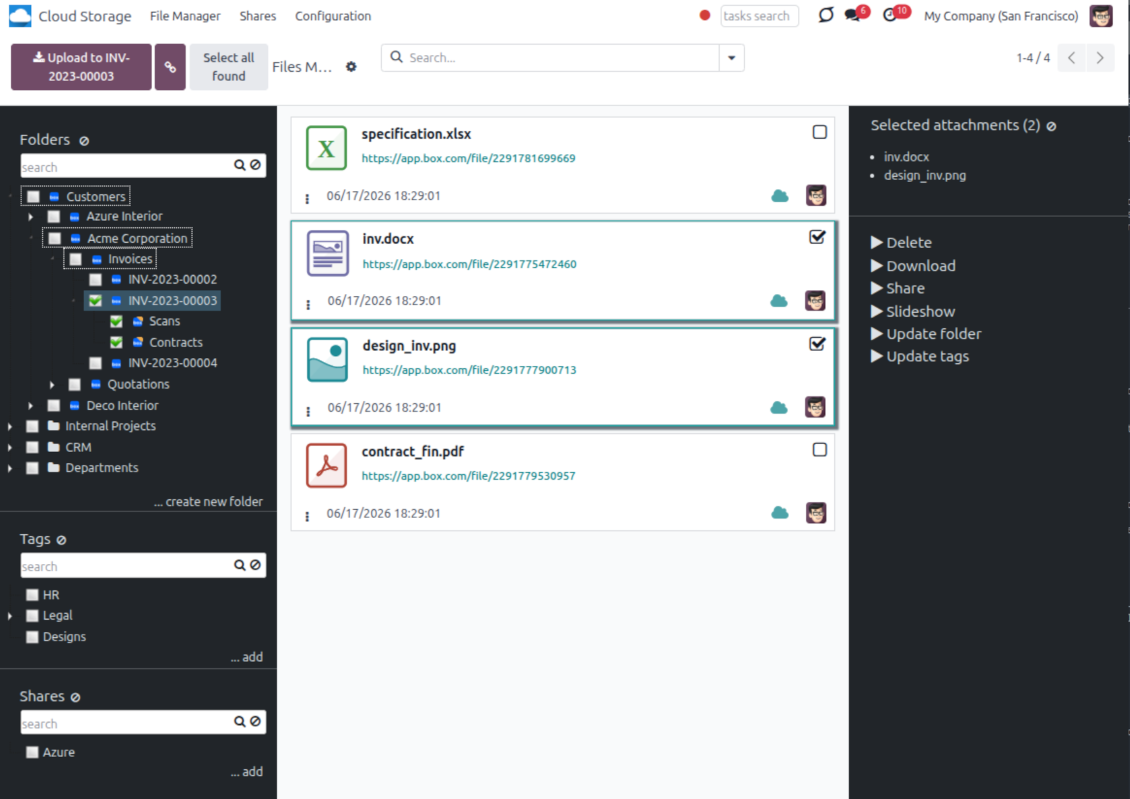
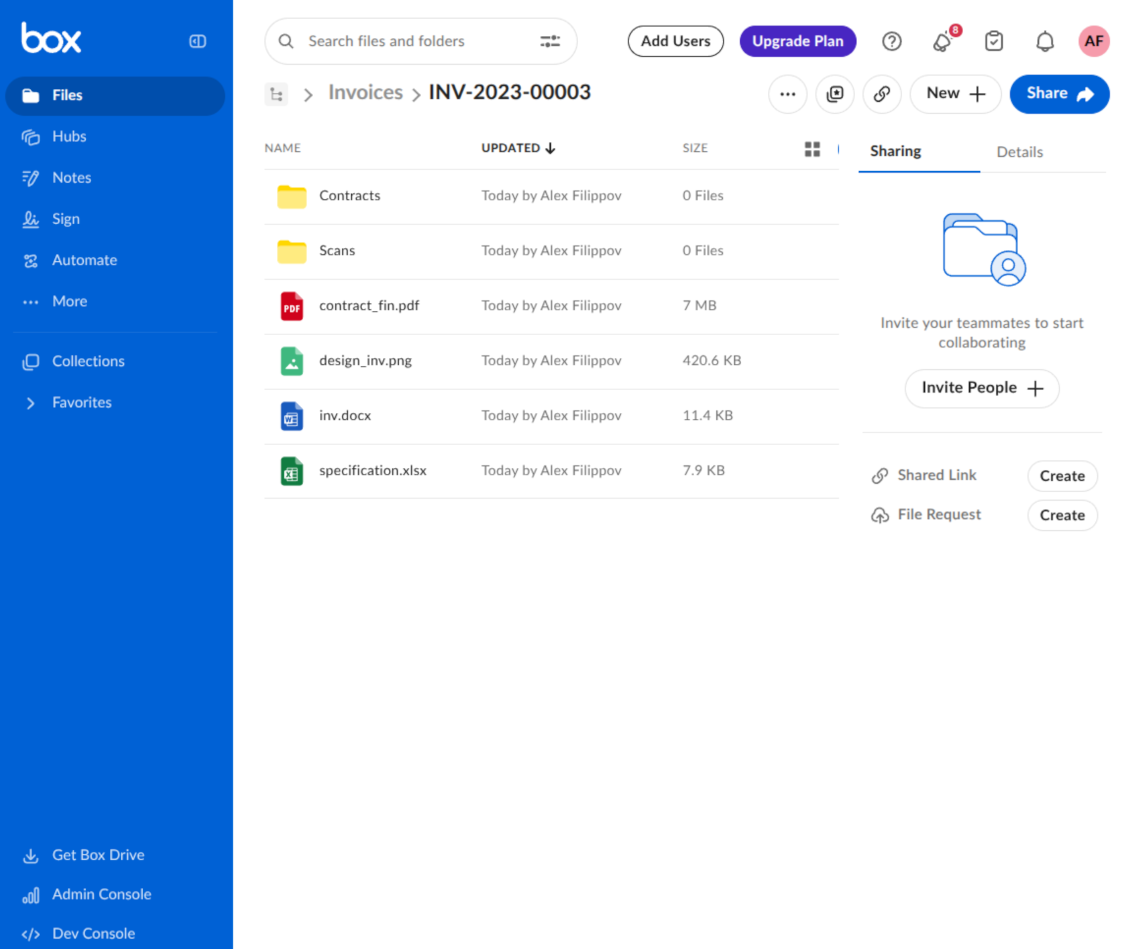
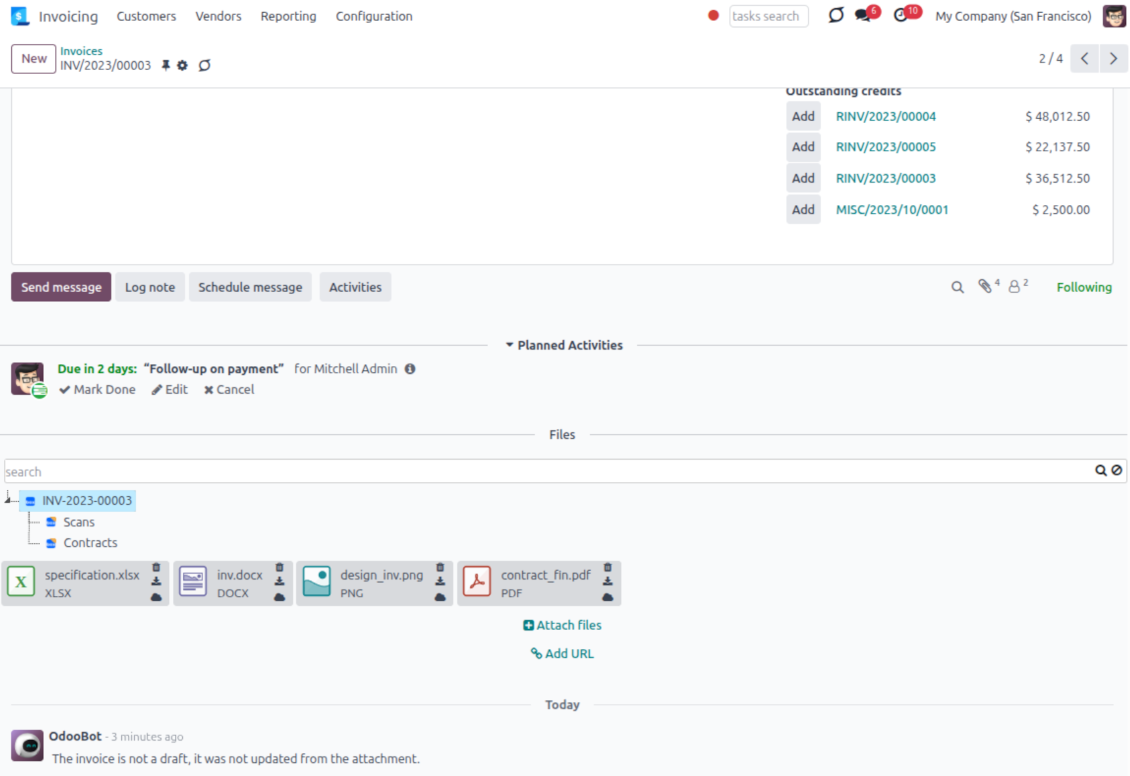
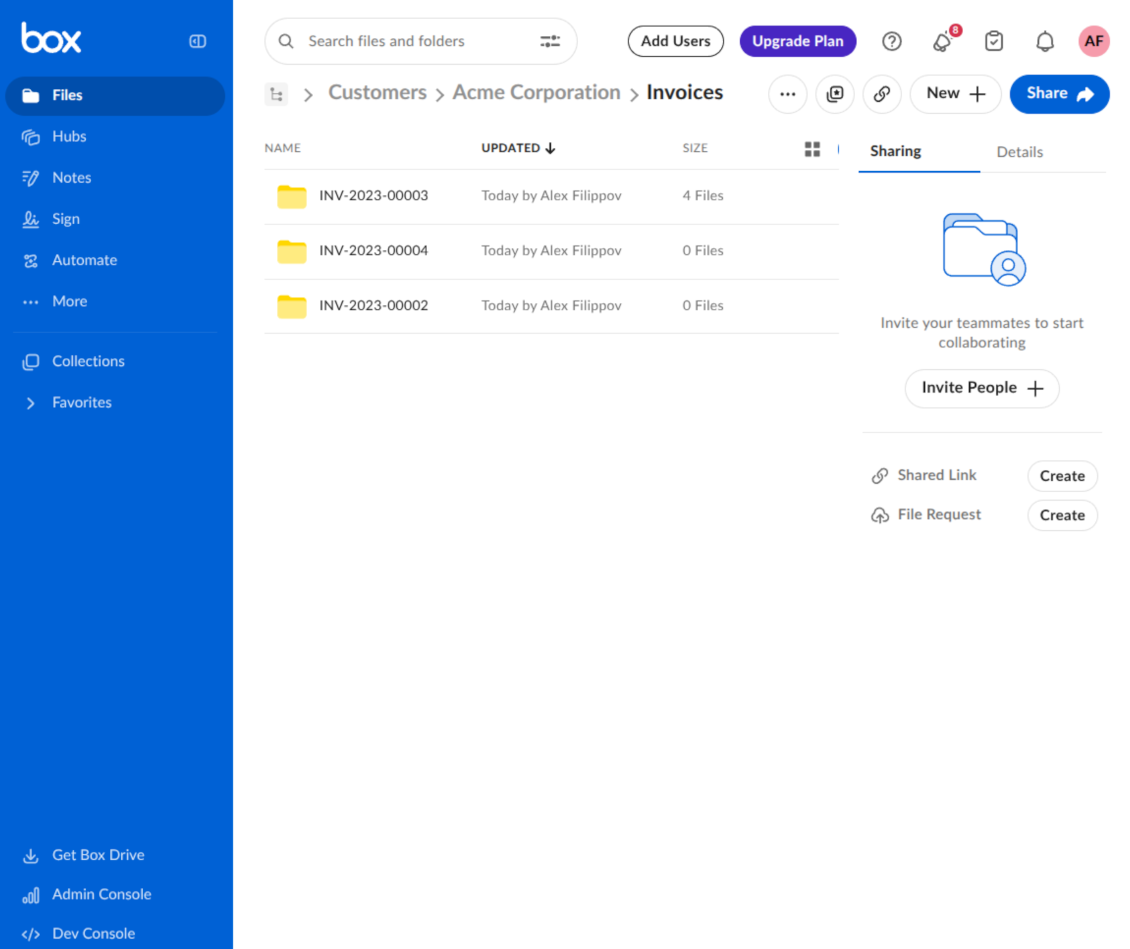
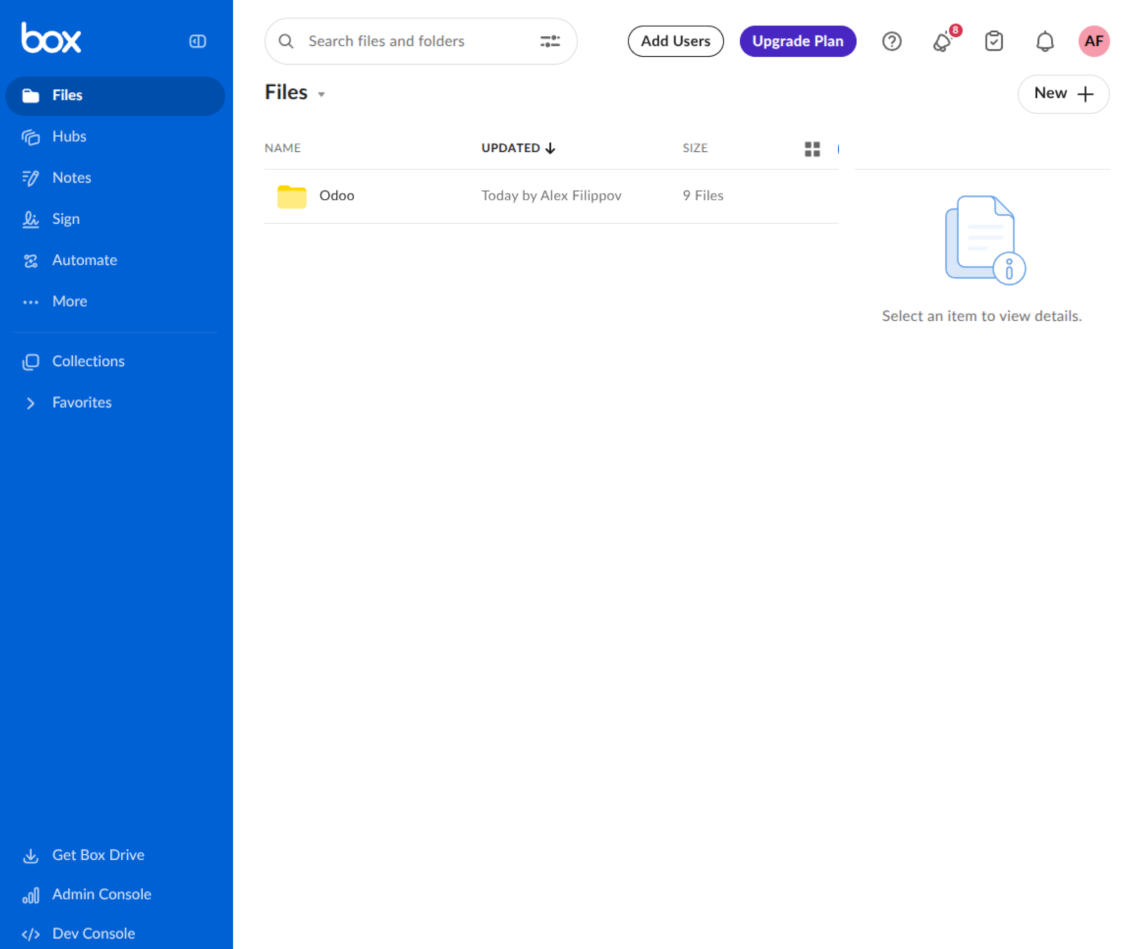
This is the tool to integrate Box features with Odoo folders and files. The app automatically stores Odoo attachments and directories in Box and provides instant access to them through Box web links.
Automatic folders' structure
Decide which Odoo document types should have their own folders trees and synchronize those to Box
Automatic regular sync
Rely on auto-synchronization between Odoo and Box based on scheduled jobs. No manual interaction is required
Bilateral sync
Odoo sends attachments to Box and retrieves files from there. Binary content is kept in clouds, while Odoo provides direct access to synced items
Cloud synchronization history
Control Box sync logs right in Odoo. Export and share those in case of any issues. Be notified of any client disconnections
File manager interface
Manage synced folders and attachments from a single Odoo view. Comfortably navigate by directories. Search, download, upload, and move files
Attachment box
Organize files of any Odoo object in a set of subfolders. Instantly access folders and files in the attachment box and in Box
How synchronization works
Automatic two-sided sync
- Configure sync for one or multiple Box accounts
- Integration is based on scheduled jobs and is fully automatized. The app regularly checks changes in Odoo and Box and runs sync operations
- Synchronization is bilateral. Updates in Odoo are reflected in Box (direct sync); changes in Box modify Odoo folders and attachments (backward sync)
- Cloud connection with Box might be reset. In this way, the app assumes getting all items back to Odoo (reverse sync)
Queue-based synchronization
- Once in 15 minutes, the app examines updates in Odoo and Box to prepare a synchronization queue
- Folders' checks follow the First-In-First-Out (FIFO) principle. Directories that have not been examined for the longest are processed first
- If the app faces sync failures, it will retry operations afterward. Sync queue processing is not stopped by non-blocking failures
Odoo attachments for Box: direct sync
- Direct sync prepares the folders' hierarchy and uploads Odoo attachments to Box
- Folder and file renames or moves keep stable Box IDs, so synced Odoo records stay linked to the same cloud item
- Uploaded attachments become URL records in Odoo, while binary content is stored in Box
Box files and folders for Odoo: backward sync
- Backward sync checks whether files or subfolders are added to Box folders. If so, the app creates URL attachments/subdirectories inside linked Odoo directories
- Updates in Box are reflected in Odoo, including moves and renames based on stable Box item IDs
- In case of conflicts, direct sync changes are in general considered more important than backward updates
Box URLs
Box provides internal web links for files and folders, for example links of the type https://app.box.com/file/[ID] and https://app.box.com/folder/[ID]. Such links are stable, but only Box users with access rights to the related item can open them.
By default, the connector uses those internal Box links. It is the safest and fastest option, since the synchronization does not have to create shared links for every synced item.
If shared links are enabled, Odoo will try to generate Box shared URLs for files and folders. Be cautious with this option: although the links are hardly known by external users, they might become available as a result of some user actions. Besides, shared link generation is slower and might make the synchronization process longer.
Konfigurations- og installationstips til Box Odoo Integration Odoo v.17
Python dependency
The tool depends on the external library 'box_sdk_gen'. Install this library for your Odoo server through the command:
pip3 install boxsdkConfiguration and log in
- Turn on the option 'Box Sync' (cloud Storage > Configuration > Configuration). The optional add-on Box Odoo Integration is required
- Create or open a Box developer account and go to the Box Developer Console: https://app.box.com/developers/console
- Create a Custom App and choose OAuth 2.0 (Authorization Code Grant) as the authentication method
- Add the redirect URI as [YOURODOOSITENAME]/box_token (e.g. https://faotools.com/box_token). A valid SSL certificate (https) is required
- Grant the app access to read and write files and folders. Avoid assigning unrelated permissions
- Go to Odoo Cloud Storage > Configuration > Cloud Clients and press 'Create'
- As a reference, introduce any name which would be clear to all users
- As a Cloud client, choose 'Box'
- As a Root folder name, enter a title that will be used as the parent Box directory for all synced folders. For example, 'Odoo' or 'OdooERP'
- Copy Box Client ID to the field 'Client ID'
- Copy Box Client Secret to the field 'Client Secret'
- Insert previously generated redirect URL
- Press 'Confirm'. Odoo redirects you to the Box login page. Check in the system, agree with all conditions, and grant all permissions asked
- After login, Box redirects you back to Odoo. Box - Odoo synchronization is ready to be done
- Apply the newly created cloud client to folder rules and/or manual folders which should be synced to that Box account
- Await the sync scheduled job to be started. For testing purposes only: trigger integration manually from Cloud Storage > Configuration > Configuration > the button 'Launch sync'.
Create a new Box developer app

Copy Box OAuth credentials

Configure the Box cloud client in Odoo

Grant Odoo access to Box

Ofte stillede spørgsmål om Box Odoo Integration Odoo v.17
Hvor gemmes synkroniserede filer? Duplikeres de i Odoo og i clouds?
Appen antager, at den binære indhold af vedhæftninger gemmes i Cloud Client i stedet for på Odoo-serveren. Sådanne vedhæftninger i Odoo bliver af typen URL, og du kan når som helst åbne dem fra vedhæftningsfeltet eller fra Cloud Client.
Efter opsætningen kræves ingen manuelle handlinger: synkroniseringen er fuldt automatisk. Beslut, hvilke Odoo-dokumenttyper der skal synkroniseres, og opret en relateret model for hver (kunder, salgs- eller indkøbsordrer, opgaver, projekter osv.).
Kan jeg have flere mapper til samme dokumenttype? For eksempel interne projekter og kundeprojekter?
Ja, det kan du. Opret en regel til hver og anvend filtre: for eksempel efter projekttype.
Gør filtrene indbyrdes udelukkende, så et dokument kan tildeles entydigt. For eksempel: «kunde men ikke leverandør», «leverandør men ikke kunde». Ellers hopper dokumentmappen fra én model til en anden.
Er det muligt at gøre synkroniseringen realtids?
Nej. Vi har stærke grunde til at undgå realtidssynk:
Ydeevne. Ved realtidssynk giver hver filupload en indlæsningsskærm.
Konflikter. Hvis 2 brugere ændrer et element samtidig, kan det blive uløseligt. Med almindelige job kan vi rette bagefter; i realtid skulle der bruges en kø, endnu mere vildledende.
Funktionalitet. Især omdøbning og omstrukturering. Den baglæns synk bygger strengt på kataloglogikken og tjekker 100 % af elementerne ved hver synk. Efter hver opdatering ville det være tusindvis af anmodninger i sekundet. Ellers ville ændringer gå tabt.
Kan jeg ændre mappernes standardnavne i clouds?
Du kan give modelmapperne (salgsordrer, muligheder, leverandører osv.) dit eget navn for enhver dokumenttype.
For objektmapper (SO-001, John Smith osv.) bruger værktøjet Odoos metode til visningsnavn. Du kan ændre det med et navneudtryk. Syntaksen er den samme som i Odoo e-mailskabeloner.
Kan jeg ændre hyppigheden af synkroniseringsjob?
Nej, fra version 15 bør du ikke ændre planlagte job. De er optimeret til at køre hvert 15. minut for den mest stabile og hurtige forbindelse.
Odoo-serverens timeouts skal være mindst 15 minutter (900 sekunder).
Hvis du skal stoppe synken et stykke tid, så gør det på formularen for den pågældende cloud-klient.
Kan jeg synkronisere vedhæftninger til flere cloud-klienter
Ja, fra version 15 kan du oprette flere forbindelser. På den måde kan nogle mapper synkroniseres til én cloud-klient og andre til en anden.
Bemærk, at det på ingen måde er muligt at synkronisere den samme mappe til flere cloudlagre samtidig.
Vi bruger en særlig editor i vores clouds (f.eks. OnlyOffice, Office 365). Ville filer åbnes i den editor?
Ja, afhængigt af din cloud-klients konfiguration.
Behøver jeg kun appen Cloud Storage Solution?
Fra version 15 kan appen bruges alene til at strukturere vedhæftninger i mapper og give en filhåndteringsgrænseflade.
Hvis målet er forbindelse til én af cloud-klienterne, skal mindst én valgfri klientapp installeres.
Hvad sker der, når jeg ændrer en mappe-regel?
Når en mappe-regel ændres, ændres mappelisten også. Matcher en mappe ikke længere betingelserne, fjernes den. Er filerne synkroniseret, returnerer den baglæns synk dem til Odoo og sletter dem fra Cloud Client.
Matcher dokumentets objekt ikke en mappe-regel, oprettes mappen ikke. Matcher det senere, genereres den relaterede mappe.
App- og webstedstekster på andre sprog end engelsk er AI-assisterede og afstemt med officielle Odoo-oversættelser. Hvis du opdager en fejl, send en sag om oversættelseskorrekthed så retter vi det.
Odoo-demodatabaser (livedemoer)
Til denne app kan vi tilbyde en gratis personlig demodatabase.
Du behøver hverken telefonnummer eller kreditkort for at kontakte os. Det er nok med en kort e-mailtilmelding, der tager under 30 sekunder.
På din anmodning forbereder vi en individuel live-forhåndsvisningsdatabase, hvor du i ca. to uger kan teste og tjekke antagelser.
Fejlrapportering
Hvis du støder på fejl eller inkonsistent adfærd, så kontakt os. Vi garanterer rettelser inden 60 dage efter køb og forbedrer værktøjerne også bagefter.
Du behøver hverken telefonnummer eller kreditkort for at kontakte os. Det er nok med en kort e-mailtilmelding, der tager under 30 sekunder.
Medtag så mange detaljer som muligt: skærmbilleder, Odoo-serverlogs og en fuld beskrivelse af, hvordan problemet genskabes. Det tager som regel nogle hverdage at lave en arbejdsplan (hvis fejlen bekræftes) eller retningslinjer (ellers).
Offentlige funktionsønsker og modulidéer (gratis udvikling)
Vi er stærkt motiverede til at forbedre vores værktøjer og taknemmelige for al feedback. Hvis kravene er til offentlig nytte og kan implementeres effektivt, tager teamet dem med på opgavelisten.
En sådan opgaveliste behandles regelmæssigt og indebærer ingen ekstra gebyrer. Selvom vi ikke kan love frister og endeligt design, kan det være en god måde at få ønskede funktioner uden investeringer og risici.
Du behøver hverken telefonnummer eller kreditkort for at kontakte os. Det er nok med en kort e-mailtilmelding, der tager under 30 sekunder.


The tool to build a deep and structured knowledge base for internal and external use. Knowledge System. KMS. Wiki-like revisions.
398€
The tool to set up KPI targets and control their fulfillment by periods. KPI dashboards. Dashboard designer. KPI charts

The tool for time-based service management from booking appointments to sales and reviews
398€
The tool to manage your Odoo from your favorite AI chats through MCP. Claude. Any MCP-supporting AI.

The tool to flexibly structure Odoo attachments in folders and synchronize directories with cloud clients: Google Drive, OneDrive/SharePoint, Nextcloud/ownCloud, Dropbox, Amazon S3, Box, and NAS. DMS. File Manager. Document management system
398€
The tool to automatically synchronize Odoo attachments with OneDrive files in both ways
487€
The tool to automatically synchronize Odoo attachments with Google Drive files in both ways
487€
The tool to automatically synchronize Odoo attachments with ownCloud/Nextcloud files in both ways
487€