Box Odoo Integration v.17
The tool to automatically synchronize Odoo attachments with Box files in both ways
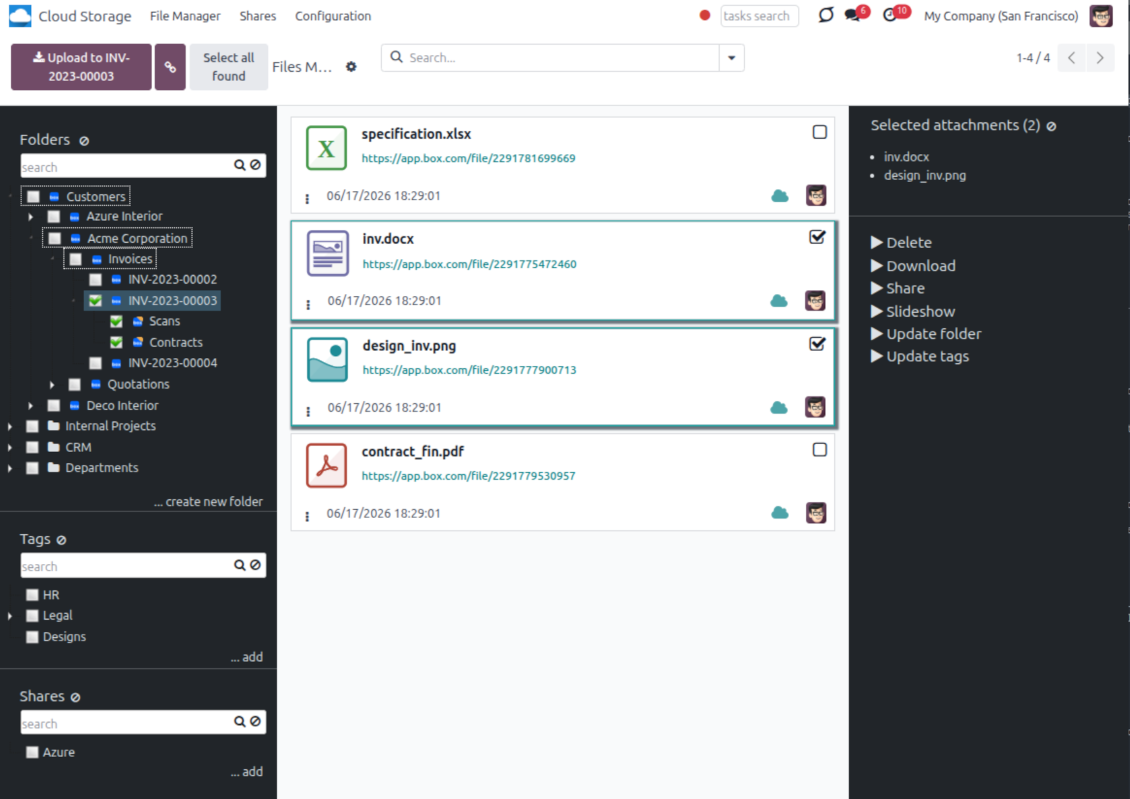
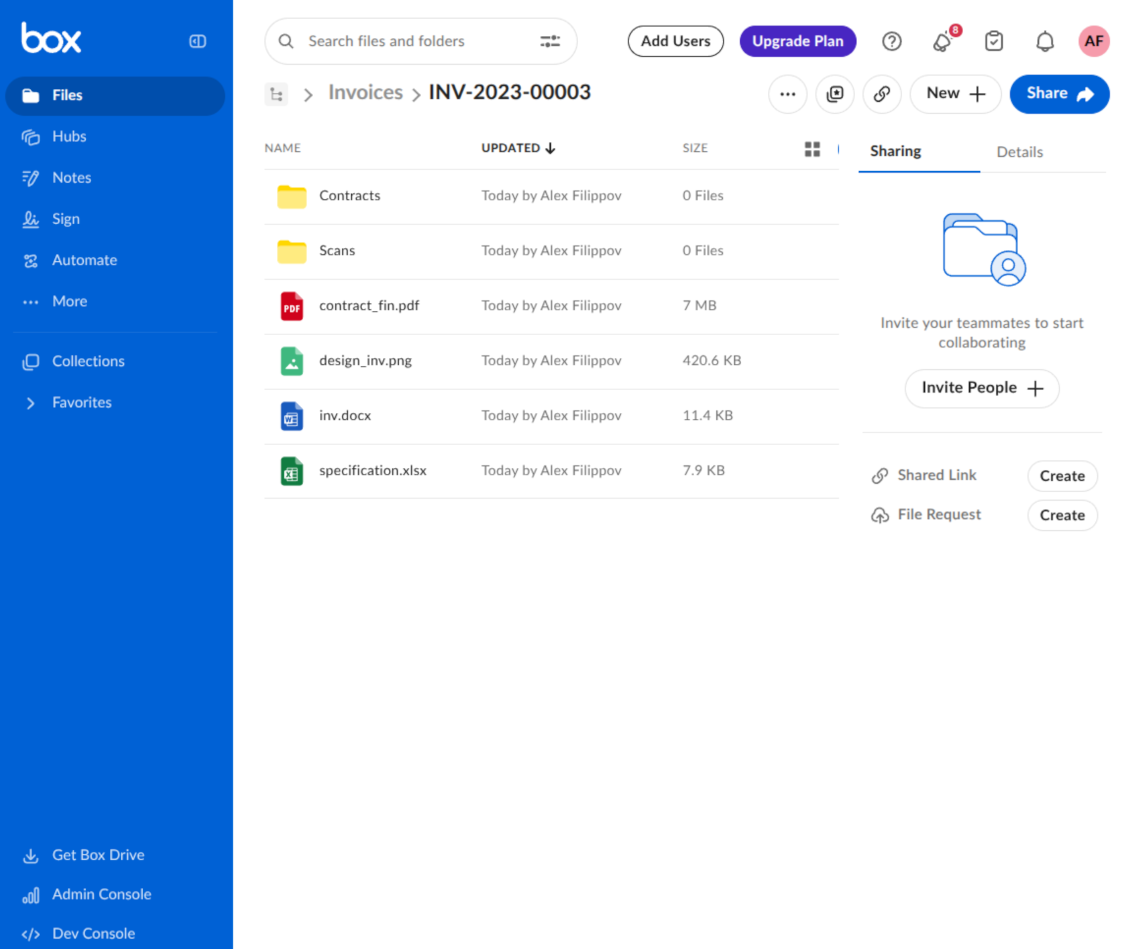
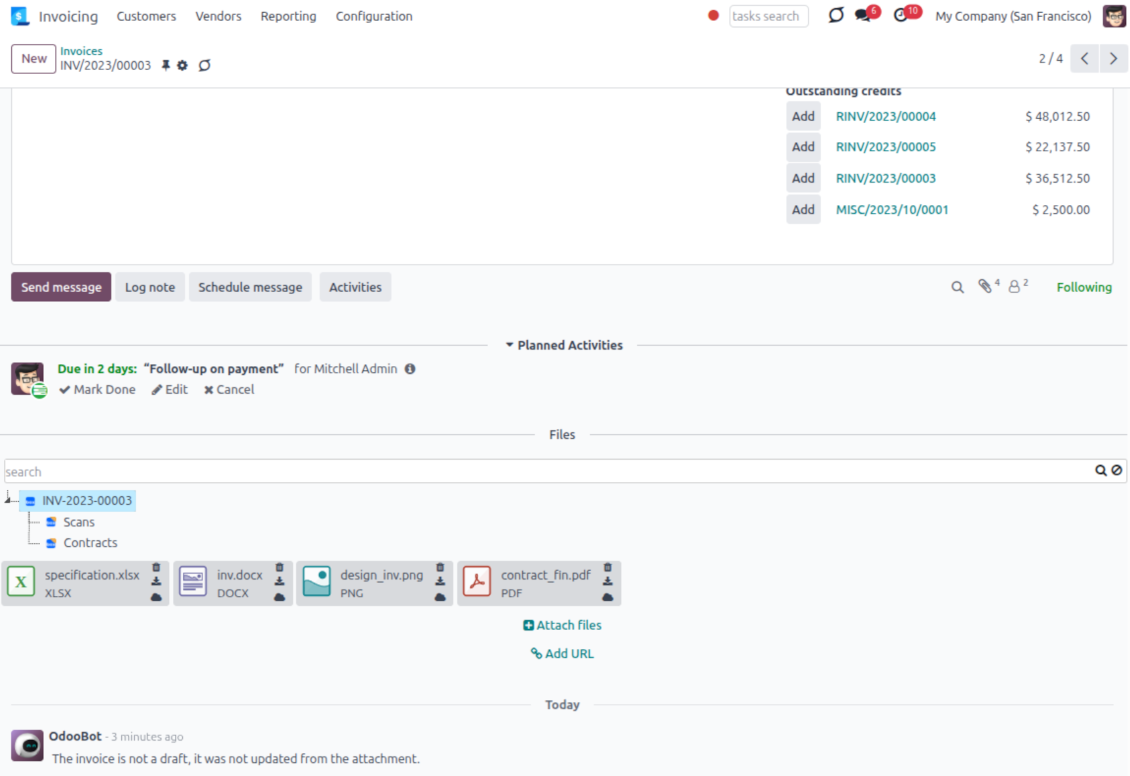
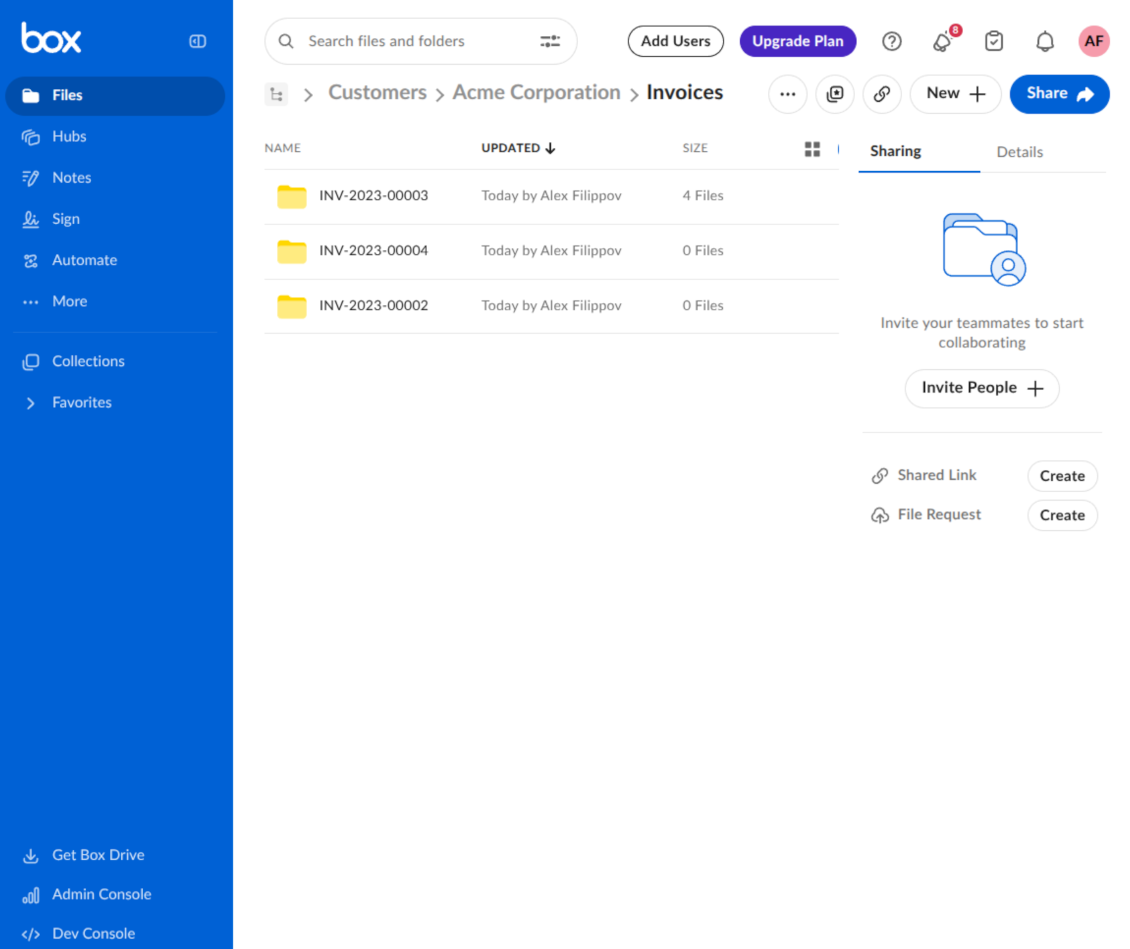
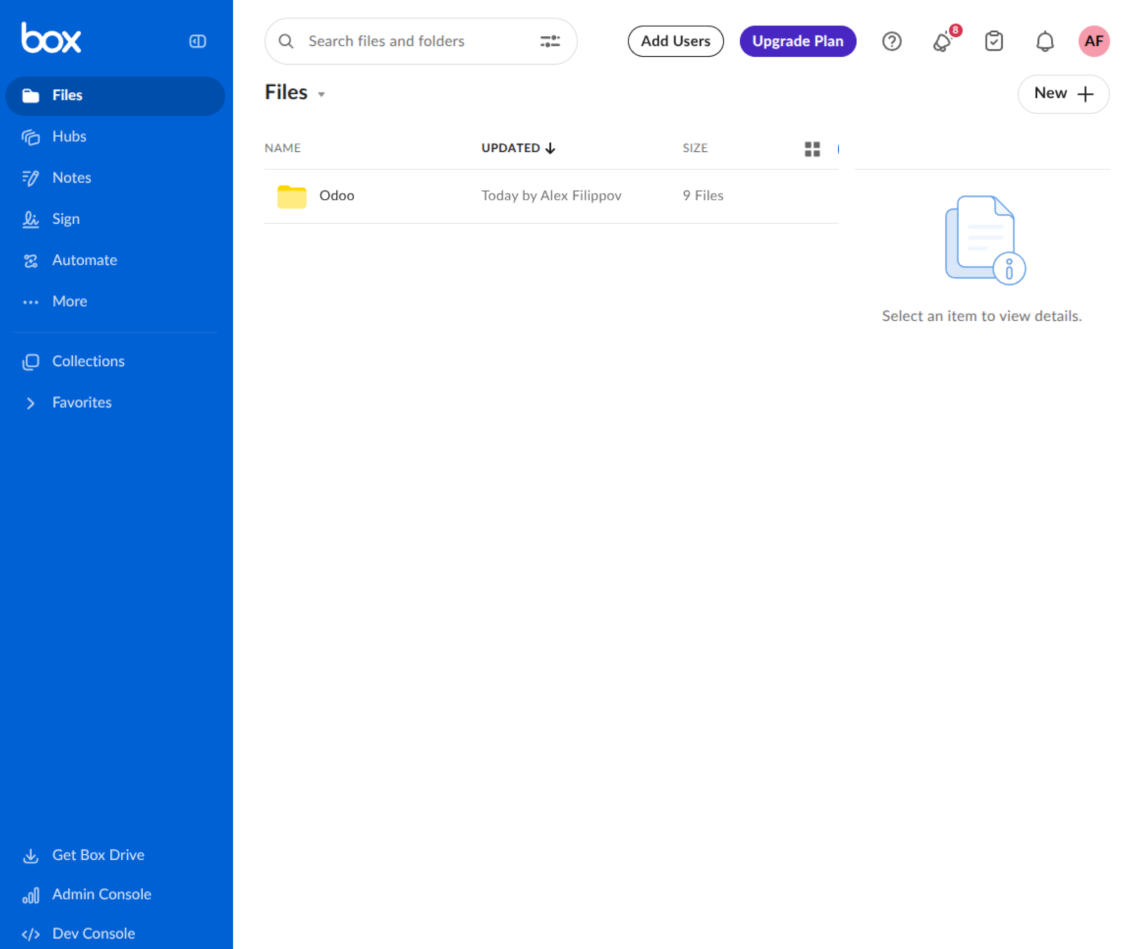
This is the tool to integrate Box features with Odoo folders and files. The app automatically stores Odoo attachments and directories in Box and provides instant access to them through Box web links.
Automatic folders' structure
Decide which Odoo document types should have their own folders trees and synchronize those to Box
Automatic regular sync
Rely on auto-synchronization between Odoo and Box based on scheduled jobs. No manual interaction is required
Bilateral sync
Odoo sends attachments to Box and retrieves files from there. Binary content is kept in clouds, while Odoo provides direct access to synced items
Cloud synchronization history
Control Box sync logs right in Odoo. Export and share those in case of any issues. Be notified of any client disconnections
File manager interface
Manage synced folders and attachments from a single Odoo view. Comfortably navigate by directories. Search, download, upload, and move files
Attachment box
Organize files of any Odoo object in a set of subfolders. Instantly access folders and files in the attachment box and in Box
How synchronization works
Automatic two-sided sync
- Configure sync for one or multiple Box accounts
- Integration is based on scheduled jobs and is fully automatized. The app regularly checks changes in Odoo and Box and runs sync operations
- Synchronization is bilateral. Updates in Odoo are reflected in Box (direct sync); changes in Box modify Odoo folders and attachments (backward sync)
- Cloud connection with Box might be reset. In this way, the app assumes getting all items back to Odoo (reverse sync)
Queue-based synchronization
- Once in 15 minutes, the app examines updates in Odoo and Box to prepare a synchronization queue
- Folders' checks follow the First-In-First-Out (FIFO) principle. Directories that have not been examined for the longest are processed first
- If the app faces sync failures, it will retry operations afterward. Sync queue processing is not stopped by non-blocking failures
Odoo attachments for Box: direct sync
- Direct sync prepares the folders' hierarchy and uploads Odoo attachments to Box
- Folder and file renames or moves keep stable Box IDs, so synced Odoo records stay linked to the same cloud item
- Uploaded attachments become URL records in Odoo, while binary content is stored in Box
Box files and folders for Odoo: backward sync
- Backward sync checks whether files or subfolders are added to Box folders. If so, the app creates URL attachments/subdirectories inside linked Odoo directories
- Updates in Box are reflected in Odoo, including moves and renames based on stable Box item IDs
- In case of conflicts, direct sync changes are in general considered more important than backward updates
Box URLs
Box provides internal web links for files and folders, for example links of the type https://app.box.com/file/[ID] and https://app.box.com/folder/[ID]. Such links are stable, but only Box users with access rights to the related item can open them.
By default, the connector uses those internal Box links. It is the safest and fastest option, since the synchronization does not have to create shared links for every synced item.
If shared links are enabled, Odoo will try to generate Box shared URLs for files and folders. Be cautious with this option: although the links are hardly known by external users, they might become available as a result of some user actions. Besides, shared link generation is slower and might make the synchronization process longer.
Савети за конфигурацију и инсталацију за Box Odoo Integration Odoo v.17
Python dependency
The tool depends on the external library 'box_sdk_gen'. Install this library for your Odoo server through the command:
pip3 install boxsdkConfiguration and log in
- Turn on the option 'Box Sync' (cloud Storage > Configuration > Configuration). The optional add-on Box Odoo Integration is required
- Create or open a Box developer account and go to the Box Developer Console: https://app.box.com/developers/console
- Create a Custom App and choose OAuth 2.0 (Authorization Code Grant) as the authentication method
- Add the redirect URI as [YOURODOOSITENAME]/box_token (e.g. https://faotools.com/box_token). A valid SSL certificate (https) is required
- Grant the app access to read and write files and folders. Avoid assigning unrelated permissions
- Go to Odoo Cloud Storage > Configuration > Cloud Clients and press 'Create'
- As a reference, introduce any name which would be clear to all users
- As a Cloud client, choose 'Box'
- As a Root folder name, enter a title that will be used as the parent Box directory for all synced folders. For example, 'Odoo' or 'OdooERP'
- Copy Box Client ID to the field 'Client ID'
- Copy Box Client Secret to the field 'Client Secret'
- Insert previously generated redirect URL
- Press 'Confirm'. Odoo redirects you to the Box login page. Check in the system, agree with all conditions, and grant all permissions asked
- After login, Box redirects you back to Odoo. Box - Odoo synchronization is ready to be done
- Apply the newly created cloud client to folder rules and/or manual folders which should be synced to that Box account
- Await the sync scheduled job to be started. For testing purposes only: trigger integration manually from Cloud Storage > Configuration > Configuration > the button 'Launch sync'.
Create a new Box developer app

Copy Box OAuth credentials

Configure the Box cloud client in Odoo

Grant Odoo access to Box

Често постављана питања о Box Odoo Integration Odoo v.17
Где се чувају синхронизована поља? Да ли се дуплирају у Odoo и clouds?
Апликација претпоставља да се бинарни садржај прилога чува у Cloud Client уместо на Odoo серверу. Такви прилози у Odoo постају типа URL и можете им приступити у било ком тренутку из поља прилога или из Cloud Client.
Након подешавања нису потребне ручне радње, јер је синхронизација потпуно аутоматска. Одлучите које типове Odoo докумената треба синхронизовати и подесите повезани модел за сваки од њих (купци, налози за продају или набавку, задаци, пројекти итд.).
Могу ли имати неколико фасцикли за исти тип документа? На пример, интерни пројекти и пројекти купаца?
Да, можете. У ту сврху припремите правило за сваки, а затим примените филтере: на пример по типу пројекта.
Покушајте да филтери буду међусобно искључиви како би се документ могао једнозначно доделити. На пример, „купац али не добављач“, „добављач али не купац“. Иначе би фасцикла одређеног документа скакала с једног модела на други.
Да ли је могуће да синхронизација буде у реалном времену?
Не. Имамо озбиљне разлоге да избегавамо синхронизацију у реалном времену:
Проблеми перформанси. Ако је синхронизација у реалном времену, свако отпремање датотеке ће приказати екран учитавања.
Проблеми сукоба. Ако 2 корисника истовремено измене ставку, то може довести до нерешених ситуација. Код редовних послова то можемо исправити накнадно, а у реалном времену морали бисмо то чувати као ред, што би кориснике још више збуњивало.
Проблеми функционалности. Посебно преименовање и реструктурирање ставки. У повратној синхронизацији алат се строго ослања на логику директоријума и при свакој синхронизацији проверава се 100% ставки. Ако се то ради после сваког ажурирања, биће хиљаде захтева у секунди. Ако не: измене би биле изгубљене.
Могу ли да променим подразумевана имена фасцикли у облацима?
Можете да доделите сопствени назив директоријумима модела (налози продаје, прилике, добављачи итд.) за било који тип документа.
За фасцикле објеката (SO-001, John Smith итд.) алат се ослања на Odoo метод за састављање приказаног назива тог типа документа. То можете променити дефинисањем израза назива. Користи се тачна синтакса Odoo шаблона имејла.
Могу ли да променим учесталост послова синхронизације?
Не, од верзије 15 не треба да мењате заказане послове. Оптимизовани су да се покрећу сваких 15 минута како би веза била најстабилнија и најбржа.
Проверите да су временска ограничења Odoo сервера постављена на најмање 15 минута (900 секунди).
Ако треба привремено да зауставите синхронизацију, урадите то на формулару одређеног cloud client.
Могу ли да синхронизујем прилоге са неколико cloud клијената
Да, од верзије 15 можете подесити више веза. Тако се неке фасцикле синхронизују са једним cloud client-ом, а друге са другим.
Имајте у виду да исту фасциклу није могуће истовремено синхронизовати са више cloud storages.
У нашим облацима користимо посебан уређивач (нпр. OnlyOffice, Office 365 итд.). Да ли би се датотеке отварале у том уређивачу?
Да, у зависности од конфигурације cloud client.
Да ли ми треба само апликација Cloud Storage Solution?
Од верзије 15 апликација се може користити самостално за слагање прилога у фасцикле и интерфејс менаџера датотека.
Међутим, ако је циљ веза са једним од облачних клијената, треба инсталирати бар једну опциону апликацију клијента.
Шта се дешава када променим правило фасцикле?
Када се правило фасцикле промени, мења се и списак фасцикли. Ако фасцикла више не испуњава услове правила, уклања се. Ако су датотеке синхронизоване, обрнута синхронизација враћа их у Odoo и брише из Cloud Client.
Ако објекат документа не испуњава услове правила фасцикле, њена фасцикла неће бити направљена. Ако их касније испуни, повезана фасцикла биће генерисана.
Текстови апликације и сајта на језицима осим енглеског рађени су уз помоћ ВИ и усклађени са званичним Odoo преводима. Ако уочите грешку, пошаљите тикет о исправности превода и исправићемо.
Odoo демонстрационе базе (прегледи уживо)
За ову апликацију можемо обезбедити бесплатну персонализовану демо базу.
Да нас контактирате није потребан број телефона ни кредитна картица. Довољна је кратка регистрација е-поштом која не траје више од 30 секунди.
На ваш захтев припремићемо појединачну базу за преглед уживо, где можете око две недеље радити тестове и проверавати претпоставке.
Пријављивање грешака
Ако наиђете на грешке или недоследно понашање, слободно нас контактирајте. Гарантујемо исправке у року од 60 дана од куповине и веома смо заинтересовани да унапређујемо алате и после тог периода.
Да нас контактирате није потребан број телефона ни кредитна картица. Довољна је кратка регистрација е-поштом која не траје више од 30 секунди.
У захтев укључите што више детаља: снимке екрана, дневнике Odoo сервера, пун опис како поновити проблем и тако даље. Обично треба неколико радних дана да се припреми радни план (ако је грешка потврђена) или смернице шта треба урадити (у супротном).
Јавни захтеви за функције и идеје модула (бесплатан развој)
Снажно смо мотивисани да побољшамо своје алате и били бисмо захвални на свакој повратној информацији. Ако су ваши захтеви од јавне користи и могу се ефикасно спровести, тим ће их укључити у нашу листу задатака.
Таква листа задатака се обрађује редовно и не подразумева додатне накнаде. Иако не можемо обећати рокове и коначан дизајн, то може бити добар начин да добијете жељене функције без улагања и ризика.
Да нас контактирате није потребан број телефона ни кредитна картица. Довољна је кратка регистрација е-поштом која не траје више од 30 секунди.


The tool to build a deep and structured knowledge base for internal and external use. Knowledge System. KMS. Wiki-like revisions.
398€
The tool to set up KPI targets and control their fulfillment by periods. KPI dashboards. Dashboard designer. KPI charts

The tool for time-based service management from booking appointments to sales and reviews
398€
The tool to manage your Odoo from your favorite AI chats through MCP. Claude. Any MCP-supporting AI.

The tool to flexibly structure Odoo attachments in folders and synchronize directories with cloud clients: Google Drive, OneDrive/SharePoint, Nextcloud/ownCloud, Dropbox, Amazon S3, Box, and NAS. DMS. File Manager. Document management system
398€
The tool to automatically synchronize Odoo attachments with OneDrive files in both ways
487€
The tool to automatically synchronize Odoo attachments with Google Drive files in both ways
487€
The tool to automatically synchronize Odoo attachments with ownCloud/Nextcloud files in both ways
487€