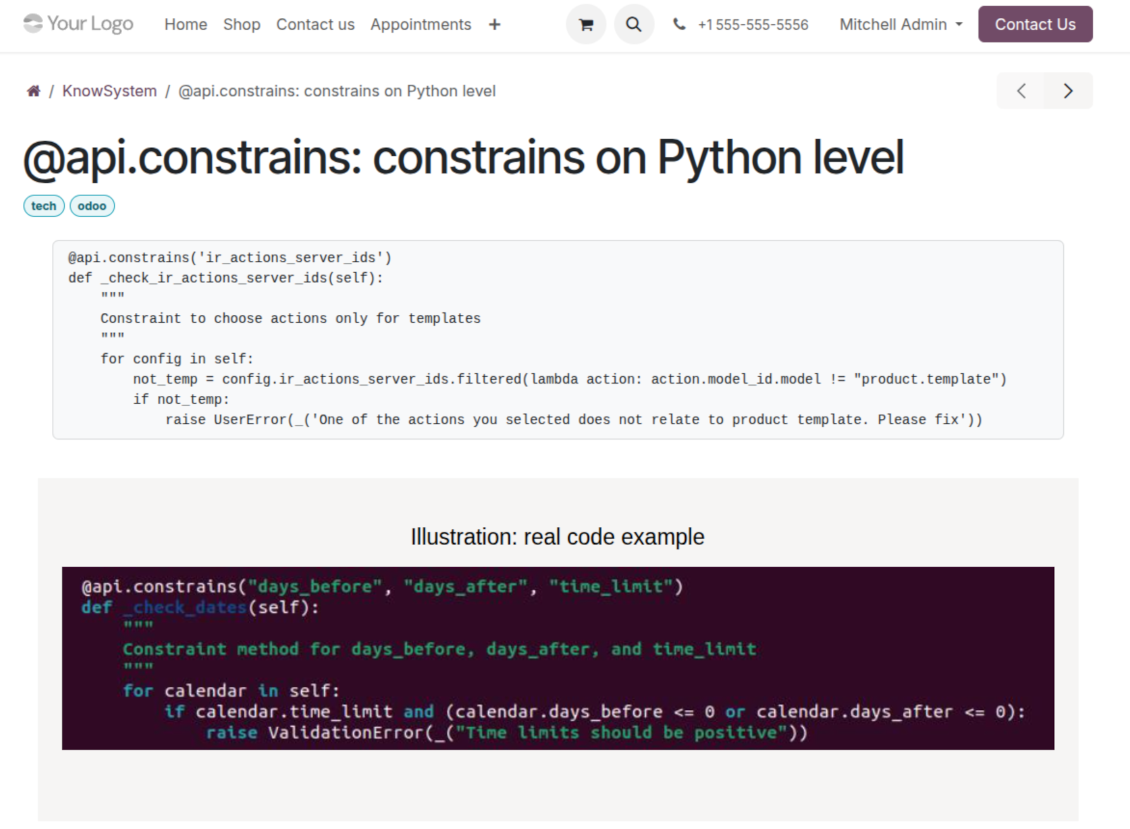
Singkatnya
KnowSystem: Knowledge Base System adalah aplikasi Odoo 18 Alat Tambahan. The tool to build a deep and structured knowledge base for internal and external use. Knowledge System. KMS. Wiki-like revisions.
KnowSystem turns scattered company know-how into one structured, searchable knowledge base for your team, your partners, and your customers. Capture articles with drag-and-drop building blocks, organize them by sections, tags, and types, and reuse them anywhere in Odoo - messages, activities, helpdesk, projects, or product pages. Every change is versioned wiki-style, so improving knowledge is always safer than breaking it.
Cocok untuk
Helpdesk & support
Record every solved ticket once, then reuse it for faster agent replies and round-the-clock customer self-service.
Sales & CRM
Give salespeople instant answers on products, offers, and frequent customer questions right where they work.
HR & onboarding
Turn policies, guidelines, and training into structured knowledge and step-by-step learning tours.
IT & technical teams
Keep manuals, configurations, and runbooks one search away for the whole company.
Project management
Preserve solutions, tools, and lessons learned so your teams never reinvent the wheel.
Marketing & documentation
Build a polished online library and product documentation your audience can actually find and read.
Siap mengevaluasi?
Mulai dengan permintaan demo gratis atau beli di Odoo Apps Store.
Database demo personal gratis. Tidak perlu nomor telepon atau kartu kredit. Pembaruan seumur hidup dan dukungan ahli gratis selama versi mayor Odoo.
Mengapa tim memilihnya
Manfaat utama sebelum masuk ke detail
Capture knowledge
Write professional-looking articles with drag-and-drop building blocks, the HTML editor, or raw code - and reuse ready-made templates for uniform styles.
Organize and find
Structure everything by a hierarchy of sections, a tree of tags, and knowledge types. Filter, sort, and run mass actions on hundreds of articles from one screen.
Put it to work
Surface the right article inside any Odoo document, cite it in messages and activities, run guided learning tours, and answer product FAQs - then print or share in a click.
Wiki-like revisions
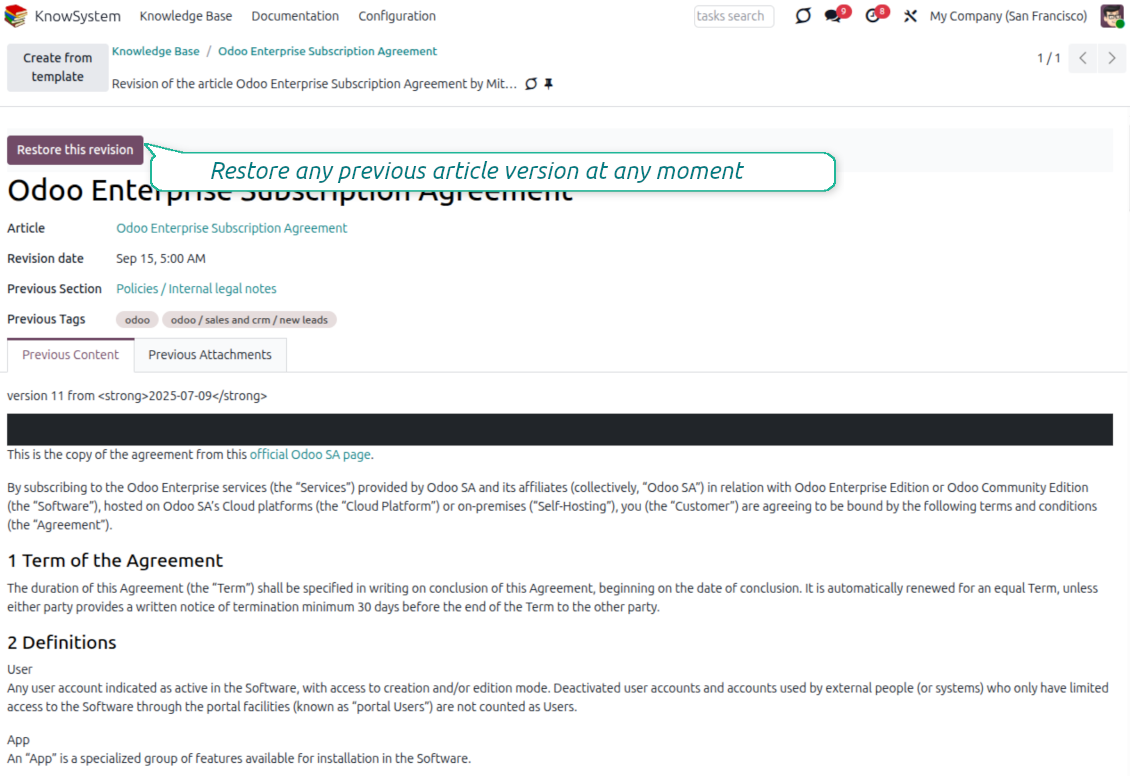
Every change is versioned. If a teammate breaks an article, restore the right version in two clicks - breaking becomes harder than restoring.
Portal & public base
Give each partner a personal knowledge portal, or publish a self-service knowledge base for any website visitor - access controlled by tags and publishing.
Documentation builder
Combine articles into advanced website documentation with automatic table of contents and instant search - reusable across versions, manuals, and guidelines.
Analytics that keep it alive
Track views, likes, dislikes, contributors, and messaging usage. See what your team relies on and keep content fresh and trusted.
Secure by design
Control who sees what with granular access for staff, partners, and the public - governed by user groups, tags, and website publishing.
Fits any team
One universal tool for helpdesk, sales, HR, IT, legal, marketing, and projects - configurable to any goal and any combination of Odoo apps.
Umpan balik Odoo Apps Store
Apa kata pelanggan tentang aplikasi
Best knowledge base system for Odoo!
Excellent app and exceptional after-sales support.
Really well thought-out product and one of the best features is the contextual help by means of the tags. Really a game changer for us.
Keep up the great work FaOtools!
Magnus
Outstanding app! Tremendous value for money, an absolute must have!
One of the features sorely lacking from Odoo has been a robust Wiki/documentation system. Using third party platforms is a massive headache: yet another system to maintain, users get distracted switching back-and-forth, and errors get made. Then you have to worry about training, additional logins, etc.
KnowSystem feels like a native/core app, is very well-polished, and extremely fast. It's accessible from any screen, and the search results are instant (none of the latency inherent with most apps).The interface is elegant yet powerful, with robust access control, rich editing features, and version control. It's simple to revert to previous entries, view audit trails, etc. It's very intuitive for anyone familiar with Odoo; onboarding takes just a few minutes. The user guides are excellent.
This is invaluable for any organisation with a lot of documented information, SOPs, ISO compliance, or similar. If you're using eLearning, it's great for creating a help system / reminders. For example, noting key takeaways or specific instructions. The user can be in MRP, Sales, or any other function, and instantly lookup a guide. Since it overlays whichever screen you're in, it doesn't interrupt the workflow.
This dramatically increases efficiency, minimises questions, and helps keep everyone on the same page.
Oh, and customer service is excellent, faOtools stands behind their product. Thank you!
nico.valentino@gmx.net
KnowSystem is excellent - OdooTools offer great support, are very helpful and responsive
Our company needed the ability to add a Knowledge Base to our Odoo portal website for our customers to access article content on a membership-only basis. KnowSystem provided this and much more, along with ability to add search by section, set permissions to allow only certain partners access to articles by tag etc. OdooTools have been very helpful and implemented several features we suggested including automatic redirect upon login, customisable filters and a social sharing capability on articles. Overall a great app by a great company, something that massively adds to Odoo's capabilities and is something that everyone could benefit from using.
Chris Mann
Very functional application and responsive support
Our company produces medical laser equipment and we use KnowSystem to streamline the knowledge base of our company. Convenient search system and classification of content, as well as access rules for groups and even for individual users.
Svetlana
Great app and professional team
The app is great the the team is very professional in both response timing and problem solving.
Highly recommended.
Marco from ALO.zone.
Marco Carboni
Excellent system
Excellent system.
Gordon
A great tool from some very nice developers!
KnowSystem is a great tool and a game changer for us. Finally a place to put all our company know-how. I highly recommend it. And also important to us: We got great support from FaOtools too. A rare thing in this busy world. thx!
Eisberger
Excellent app and support.
Great app and a very helpfull support. Openess to improve their products is outstanding.
Lucas Huber
Siap mengevaluasi?
Mulai dengan permintaan demo gratis atau beli di Odoo Apps Store.
Database demo personal gratis. Tidak perlu nomor telepon atau kartu kredit. Pembaruan seumur hidup dan dukungan ahli gratis selama versi mayor Odoo.
Navigation
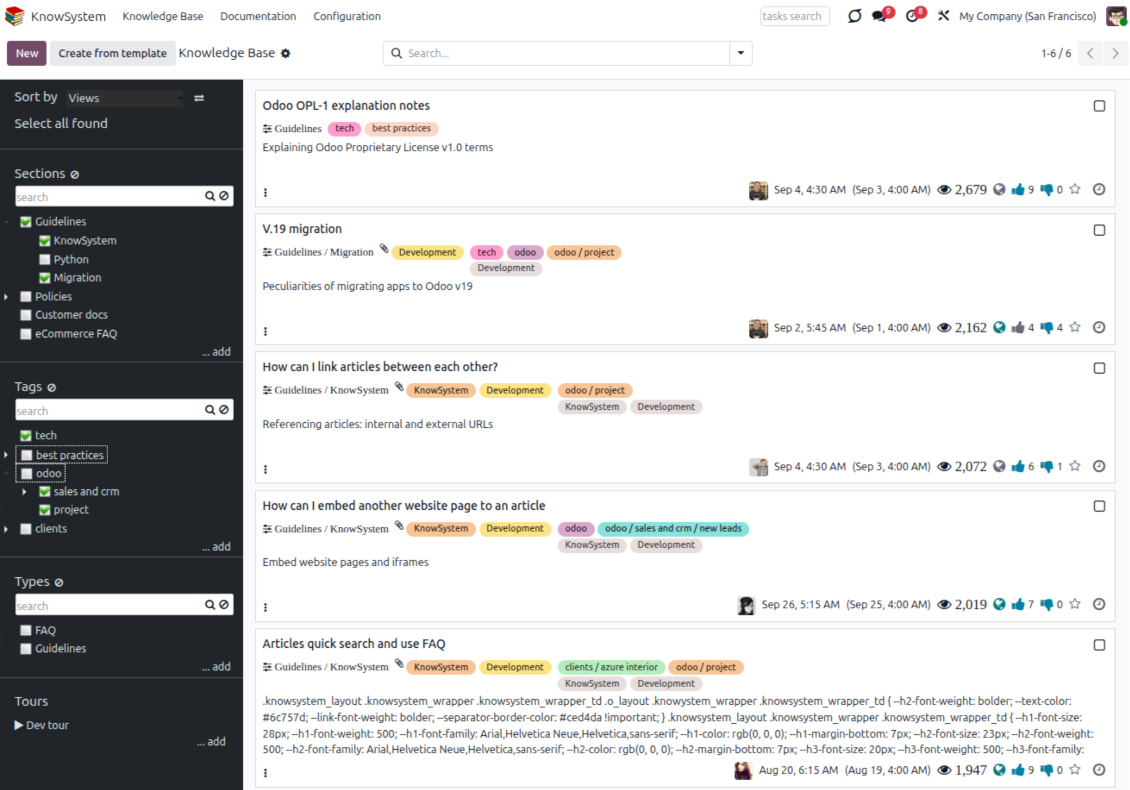
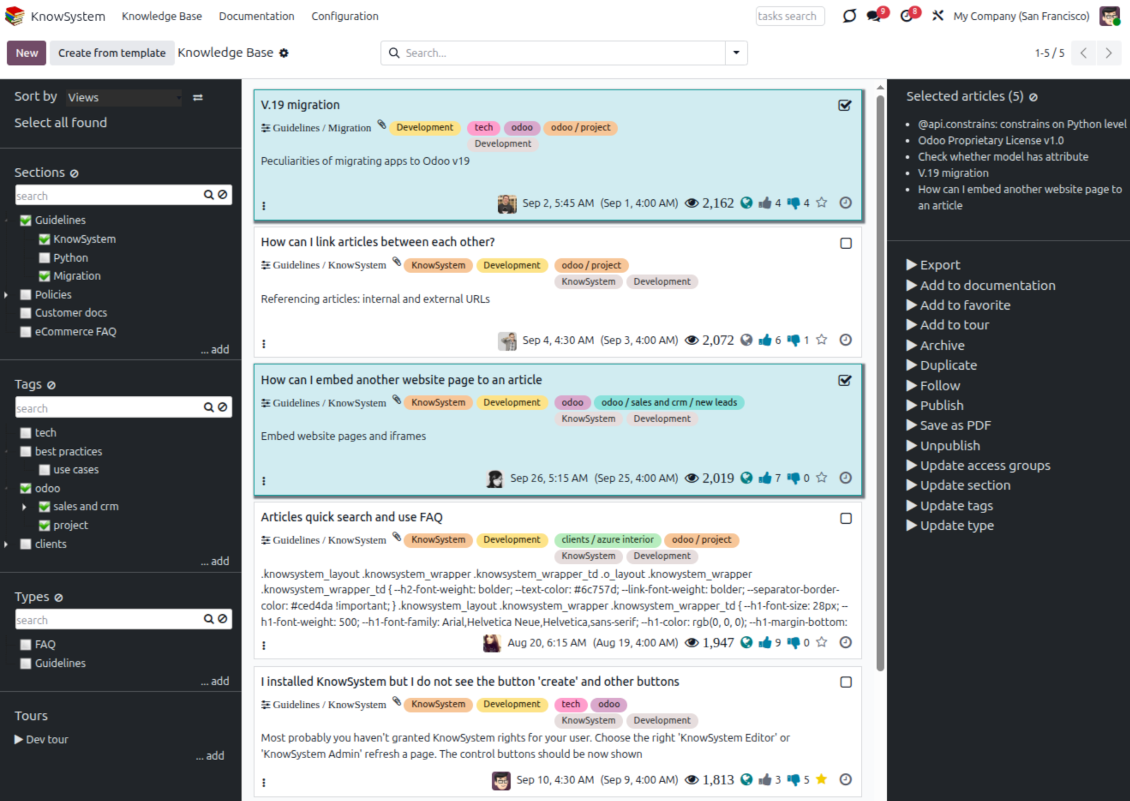
Find, filter, and bulk-edit articles from one screen
Structure and navigate
- Build a hierarchy of knowledge sections to switch between areas instantly, however large the base grows.
- Define a tree of tags for quick navigation and deeper, cross-cutting structuring.
- Introduce a knowledge typology to distinguish kinds of articles in a single click.
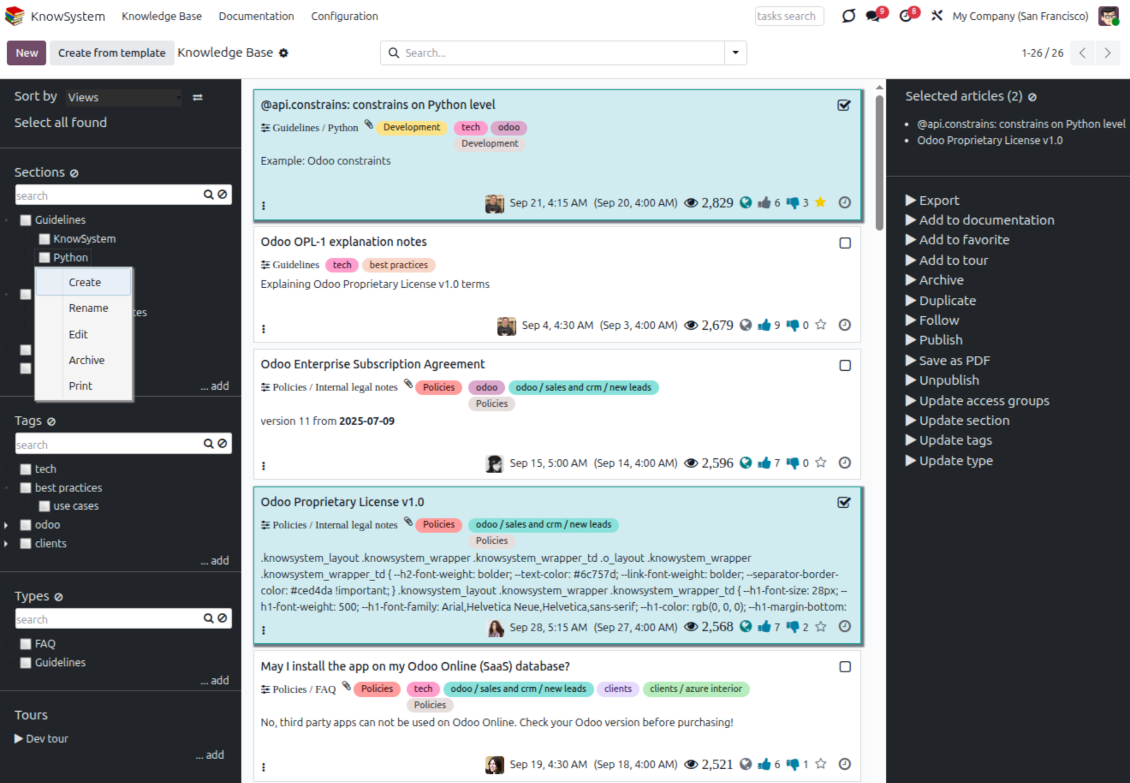
- Create, update, and reorder tags, sections, and types right inside KnowSystem - and print every article under a chosen tag or section.
- Search sections and tags instantly on the navigation panel.
Select, sort, and act in bulk
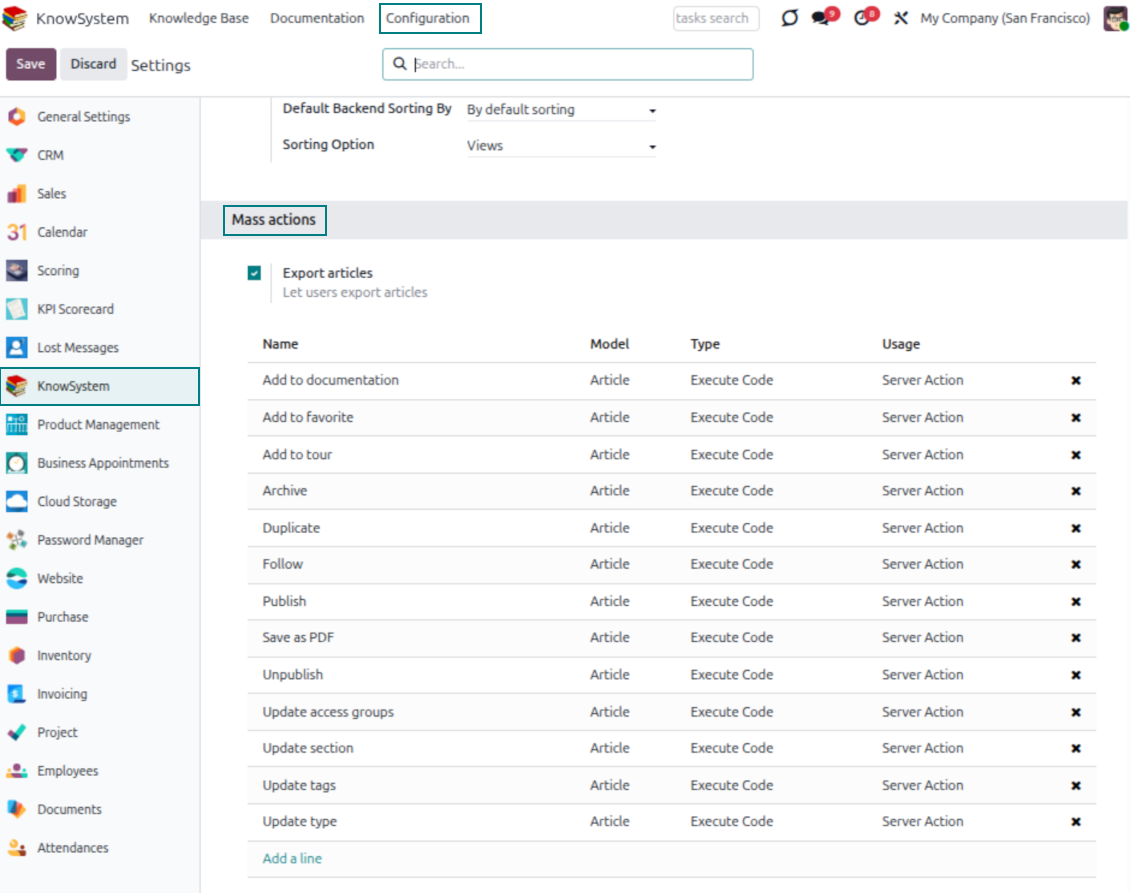
- Sort articles by views, score of likes, title, author, section, and create or write dates.
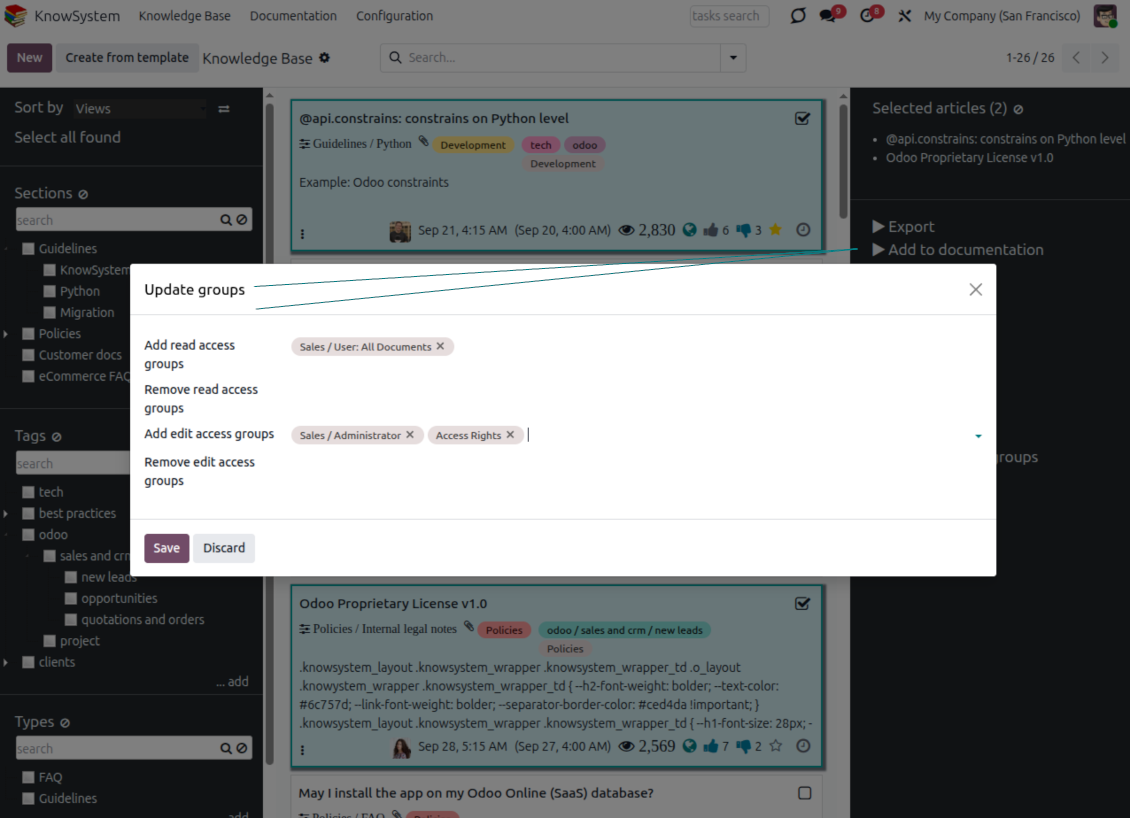
- Pick articles step by step - the selection is not cleared by a new search or when you open a record - then run mass actions on everything you chose.
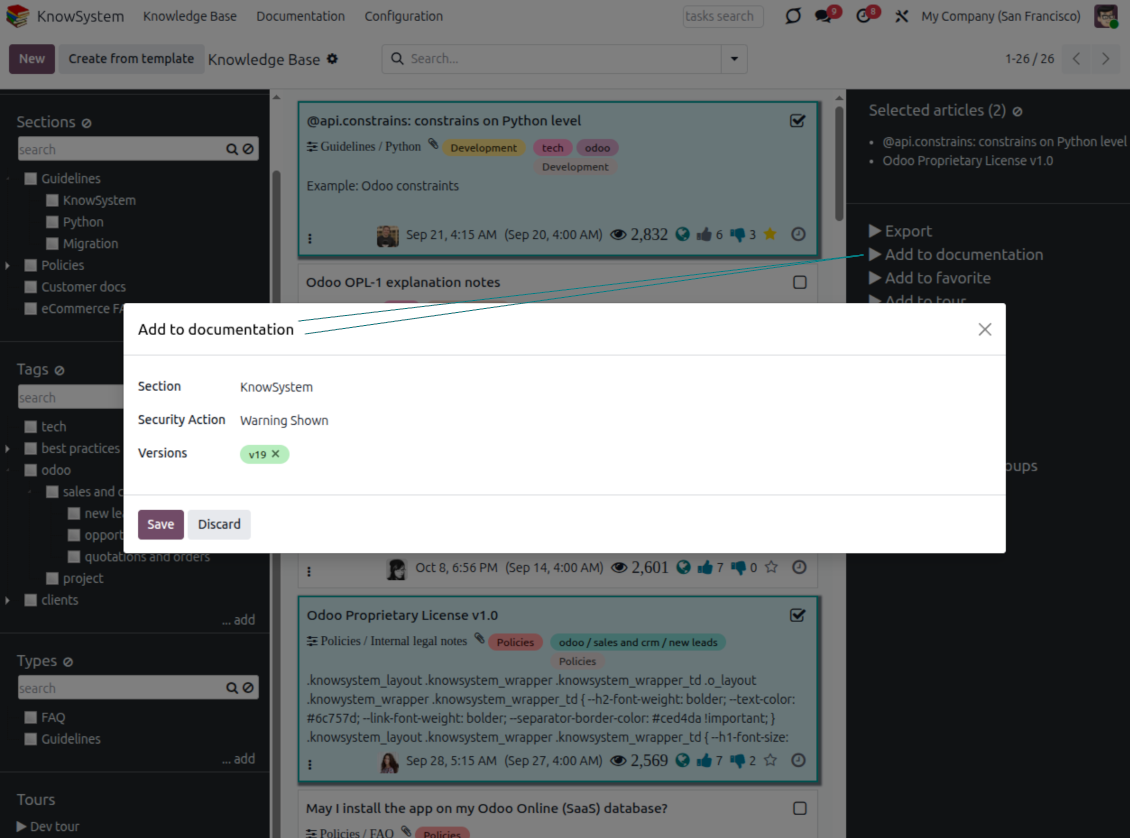
- Update knowledge in batch: assign a new section (including by dragging articles onto the navigation panel), add or remove tags, print many articles as one PDF, follow/unfollow discussions, publish/unpublish, export to Excel, archive or restore, add to learning tours and documentation, mark as favorite, and duplicate.
Article editors
Write professional articles your way
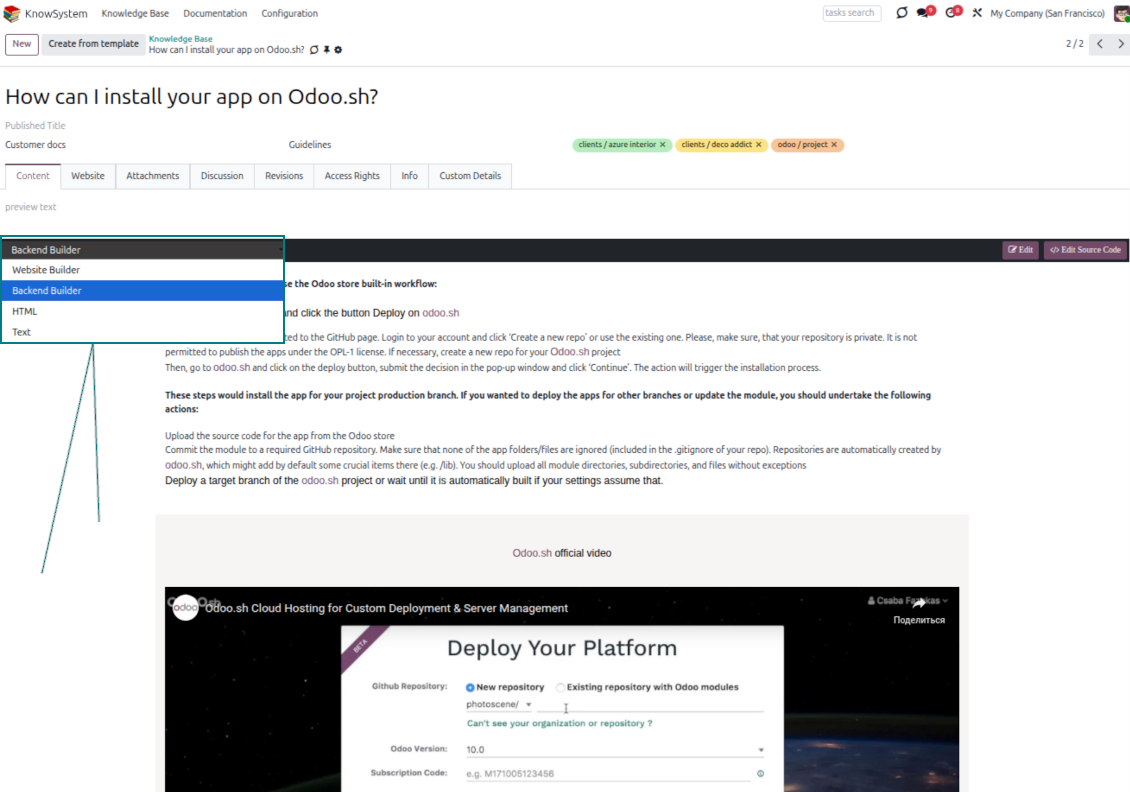
Five editors, one article model
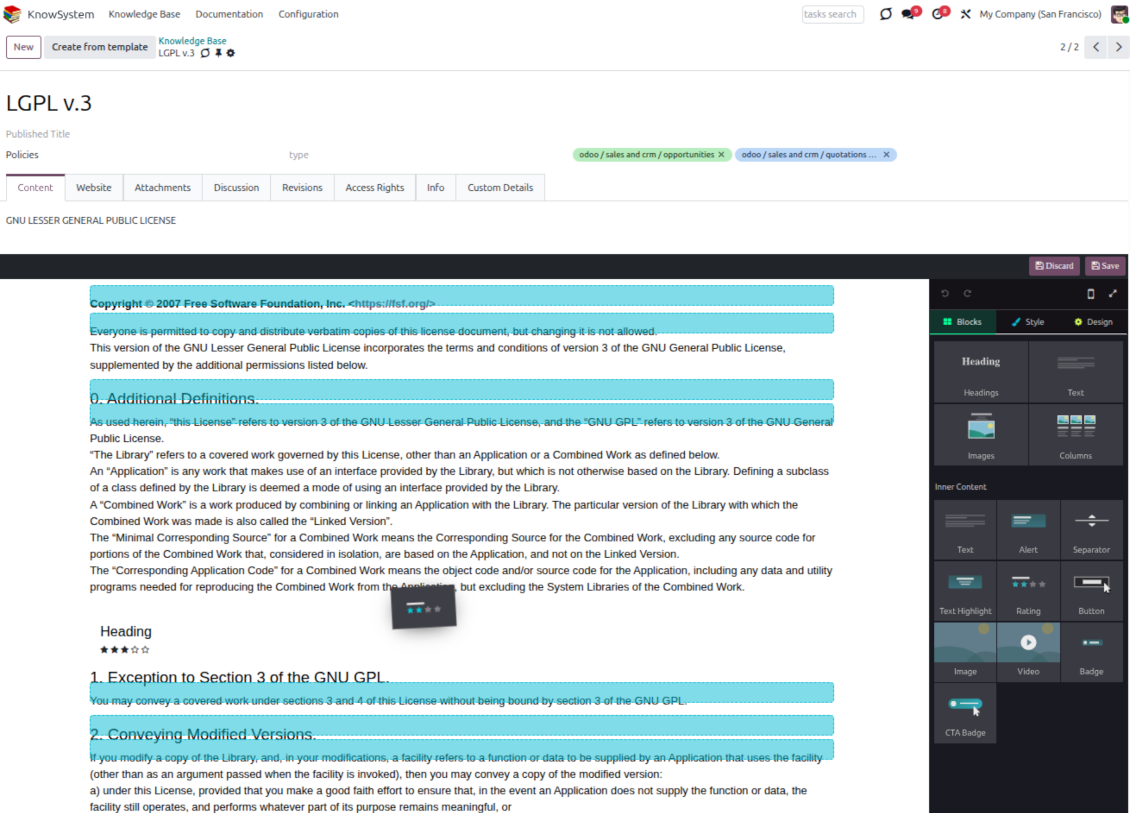
- Backend building blocks - drag and drop to compose professional articles right in the Odoo backend. The editor relies on strict HTML that stays compatible with printing and messaging layouts; reorder blocks and adjust their width, height, and styles.
- Website builder - apply advanced styles, snippets, animations, and widgets via Odoo's built-in website editor. Ideal for nice-looking portal pages; avoid it for internal or printed articles, as advanced styles often contradict print and composer layouts.
- Plain text - keep certain articles as simple text for unlimited compatibility with printouts and emails, and copy their content to the clipboard for quick sharing.
- Standard HTML editor - the familiar Odoo editor with its built-in slash commands for quick inline pieces.
- Raw HTML - switch to the code editor at any moment to add any tags and styles, including Bootstrap-ready elements and iframes.
Templates for speed and consistency
- Reusable templates - prepare dedicated knowledge templates for recurring article types such as procedures, FAQs, or release notes, so contributors never start from a blank page.
- Save any article as a template - turn an existing, well-structured article into a reusable template in one click and grow your own library over time.
- Faster, consistent authoring - start new articles from a template to save time and keep a uniform structure and look across the entire knowledge base.
- Right editor for each page - switch an article's editor type whenever the content calls for it, so every page uses the most suitable tool without re-creating it.
Use anywhere
Surface the right article in documents, chats, and tours
Knowledge inside any Odoo document
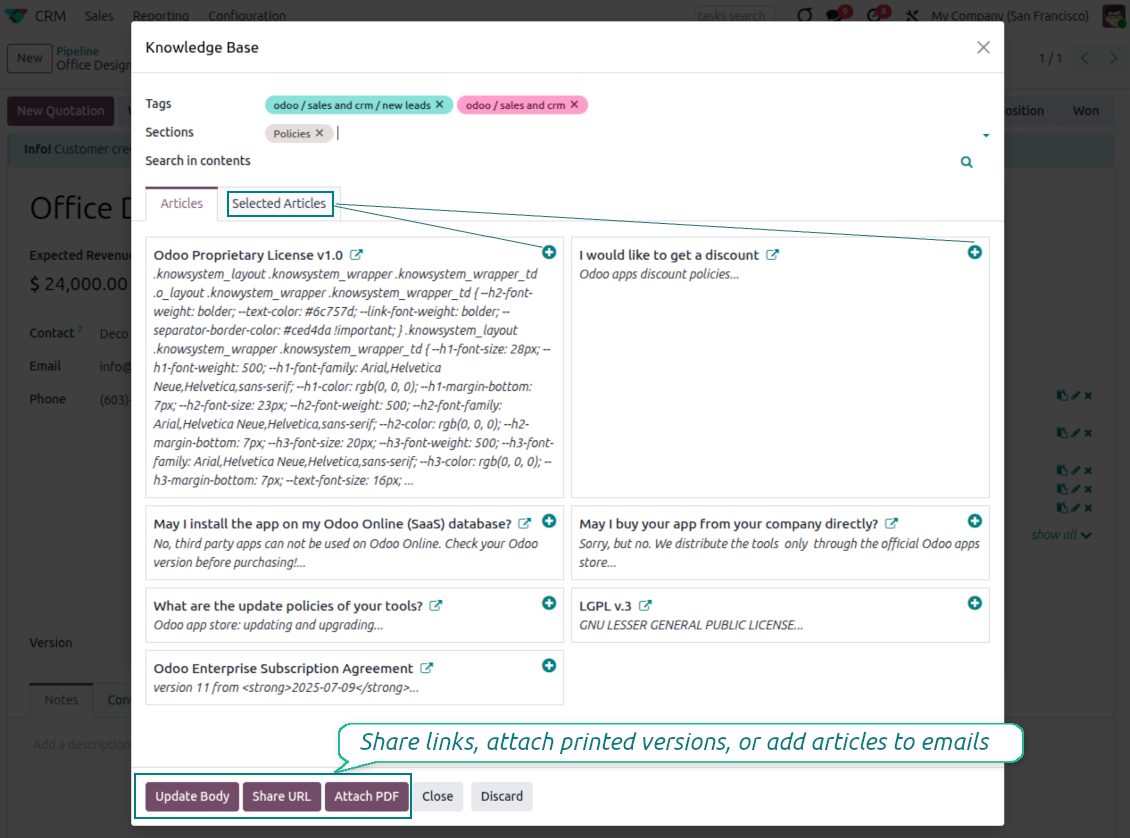
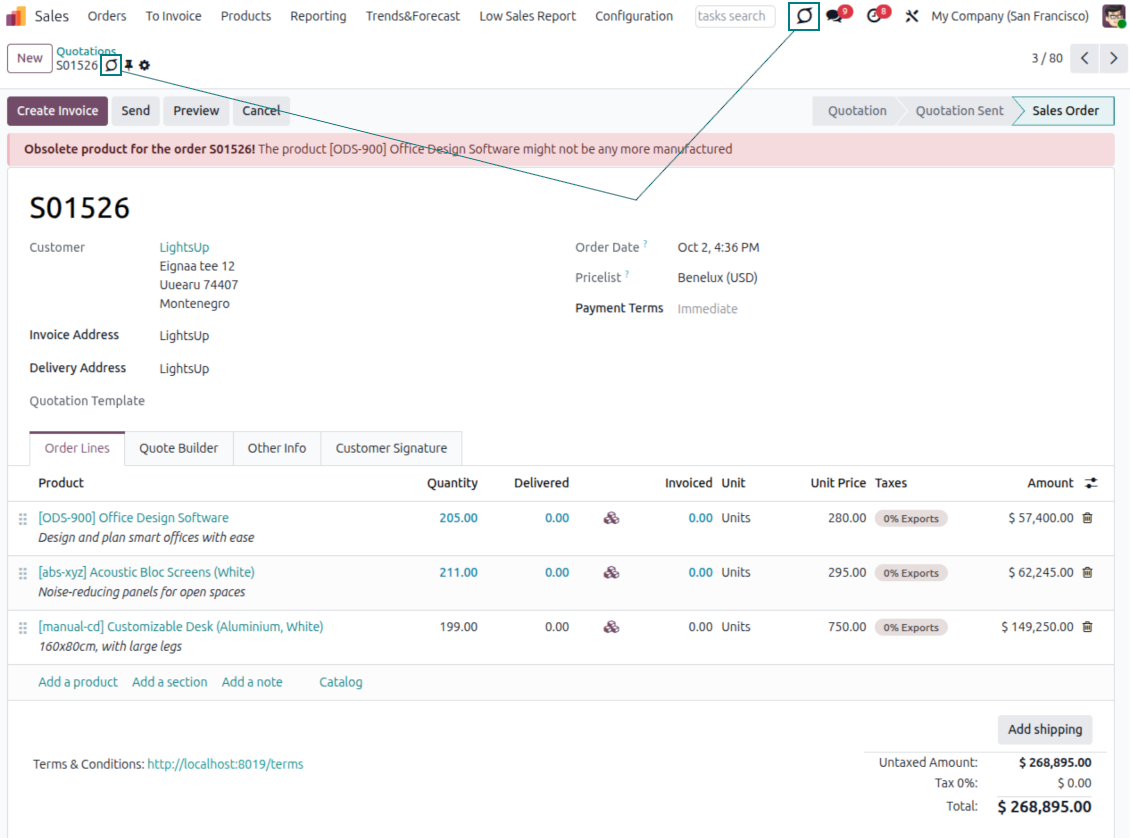
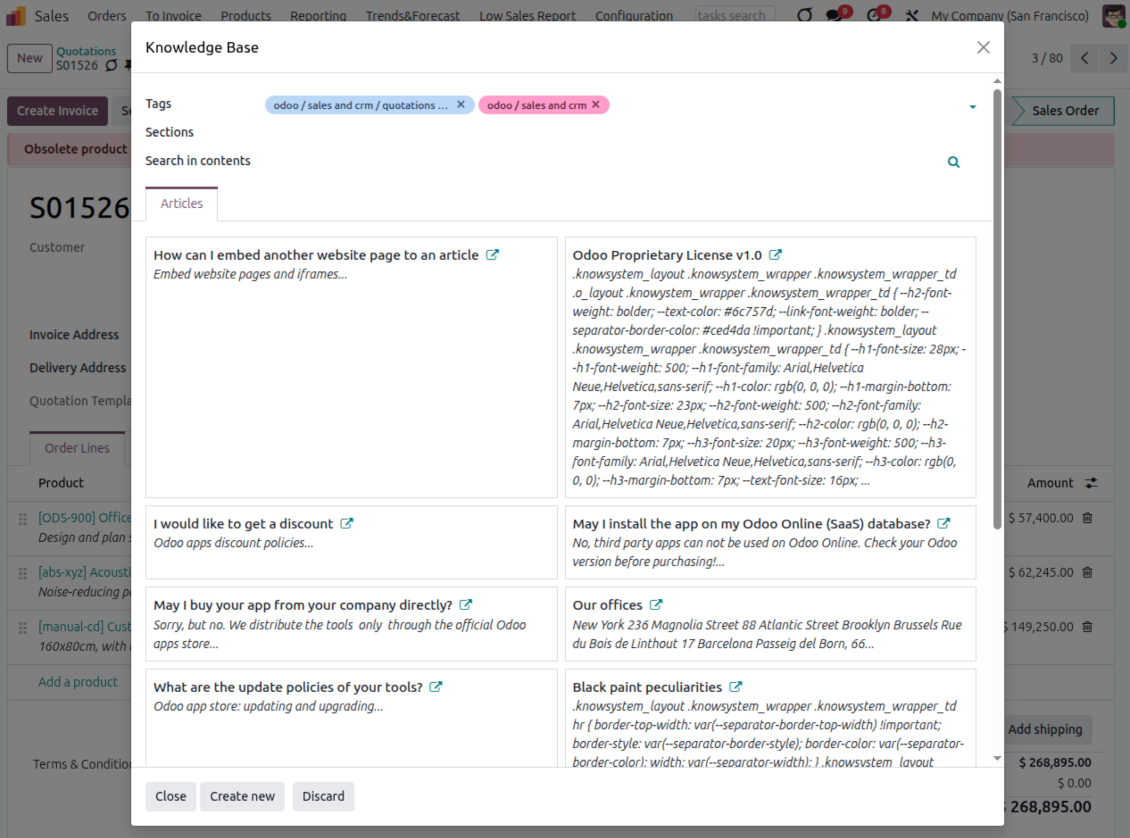
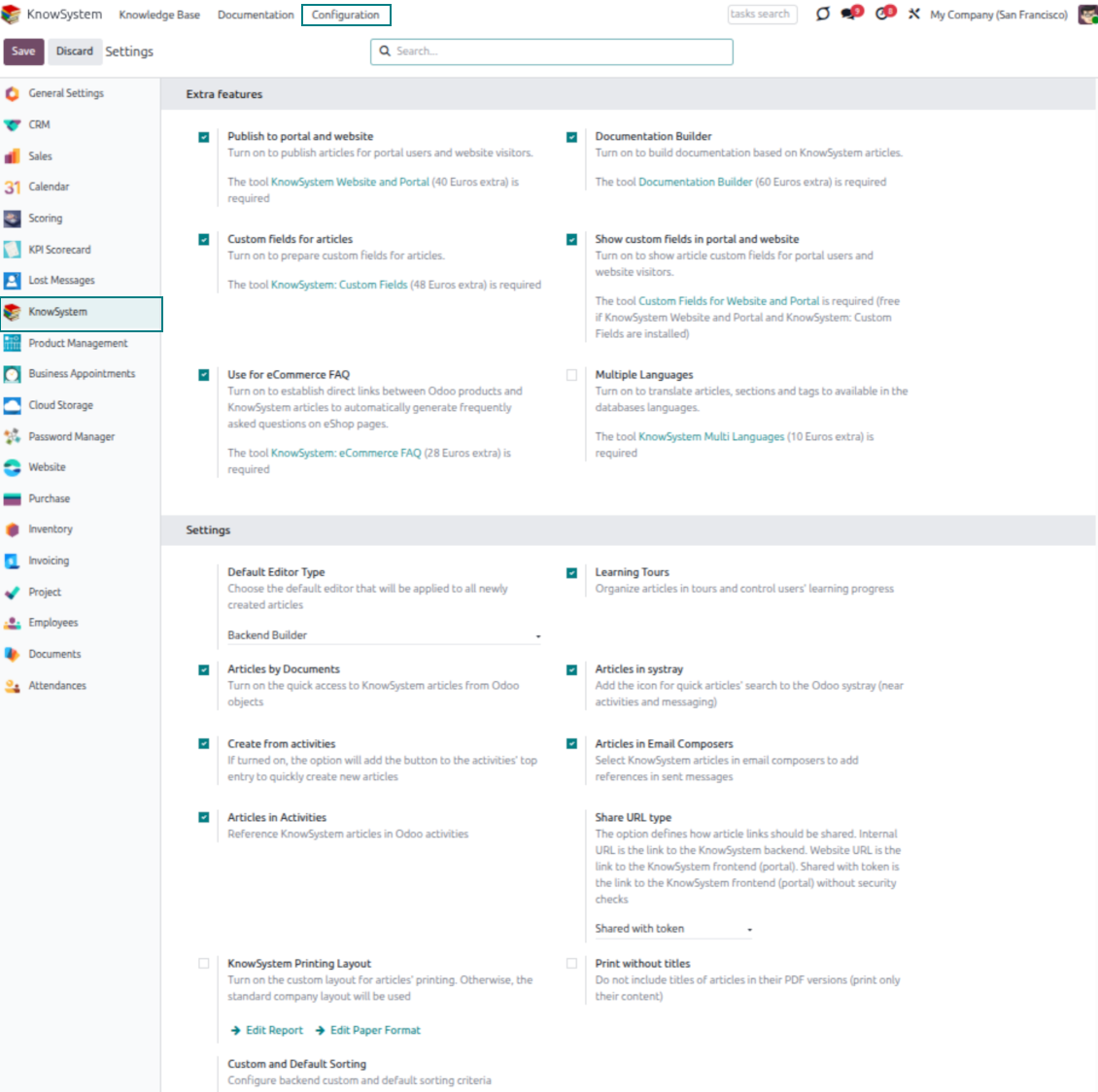
- Turn on 'Articles by Documents' to add a quick knowledge entry to any Odoo form view.
- Search by tags, section, or content for a quick overview, and read article content without leaving the record.
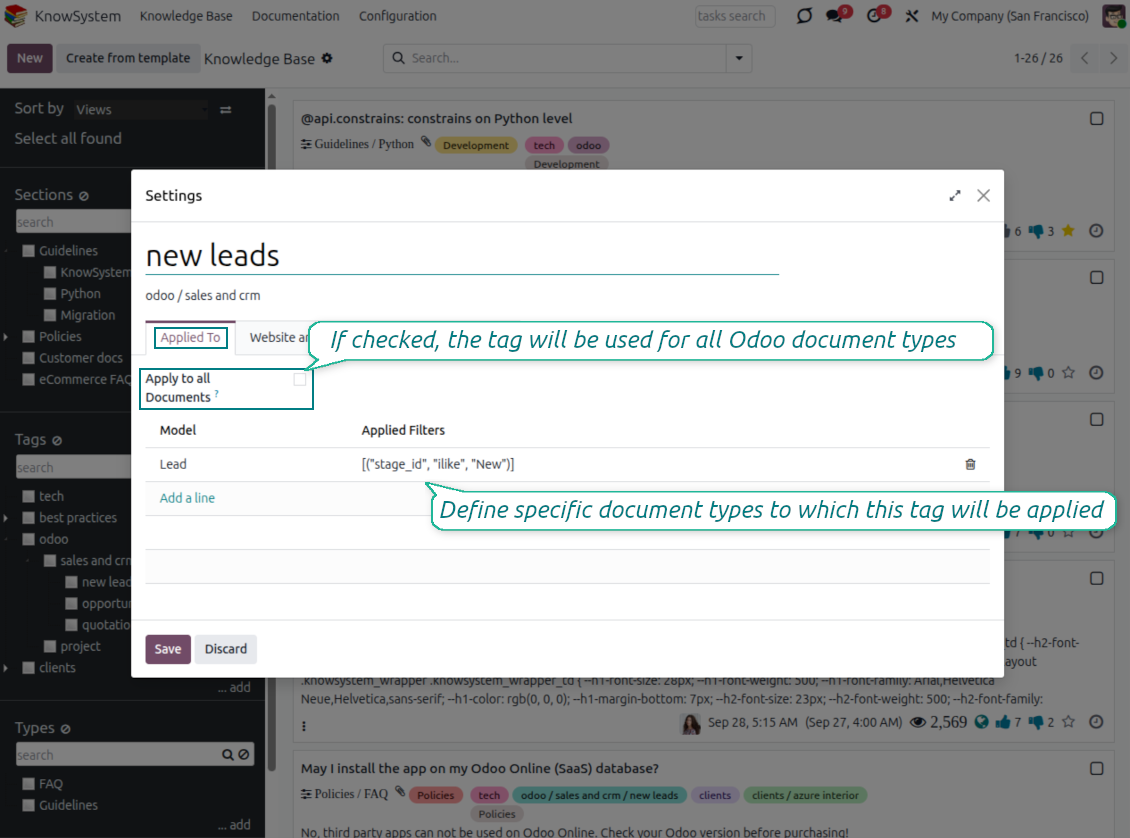
- Link tags to document types so the right articles appear by default - e.g. assign helpdesk tickets the tag 'odoo/helpdesk' and it is pre-filled on every ticket.
- Turn on 'KnowSystem in systray' to reach the base from anywhere in Odoo, whatever screen you are on.
Apply knowledge in communication
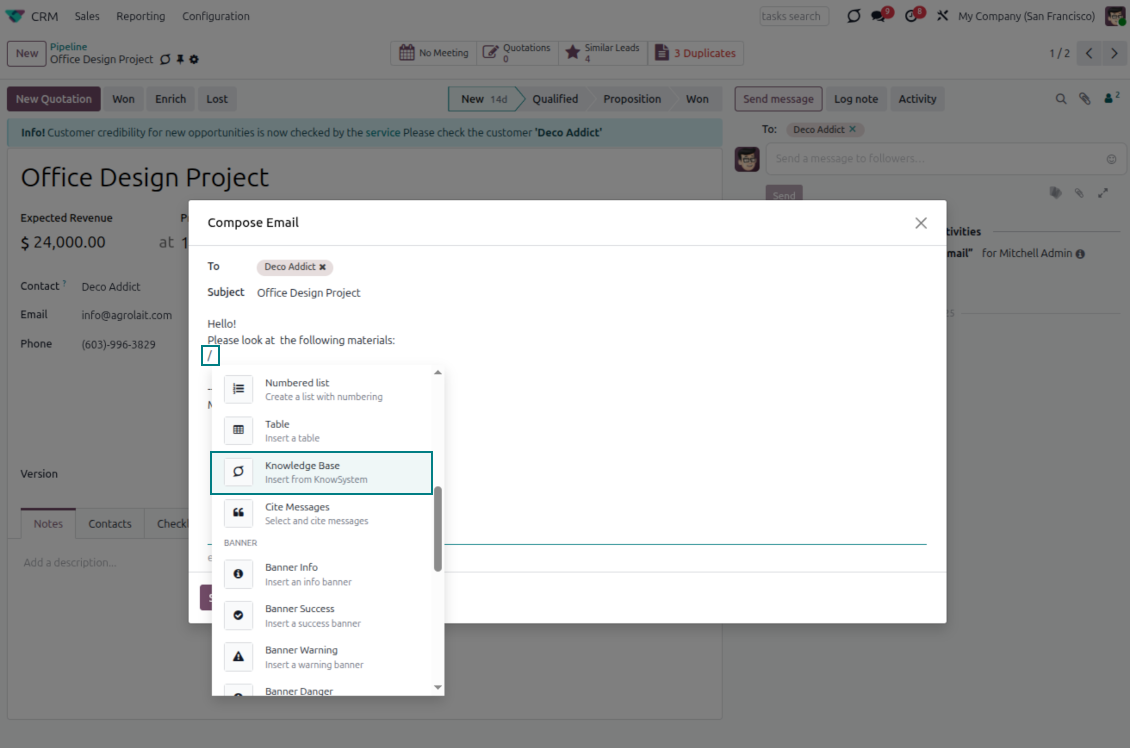
- Turn on 'Articles in Email Composers' to reference or cite knowledge in Odoo messages.
- See articles related to the current discussion and insert them with the editor command '/' > KnowSystem; the content is appended to the message.
- Attach a PDF version of the referenced article(s) automatically.
- Share links with colleagues or partners as backend, website/portal, or tokenized portal URLs.
- Turn on 'Articles in Activities' to insert articles or their links into Odoo activities.
Guided learning tours
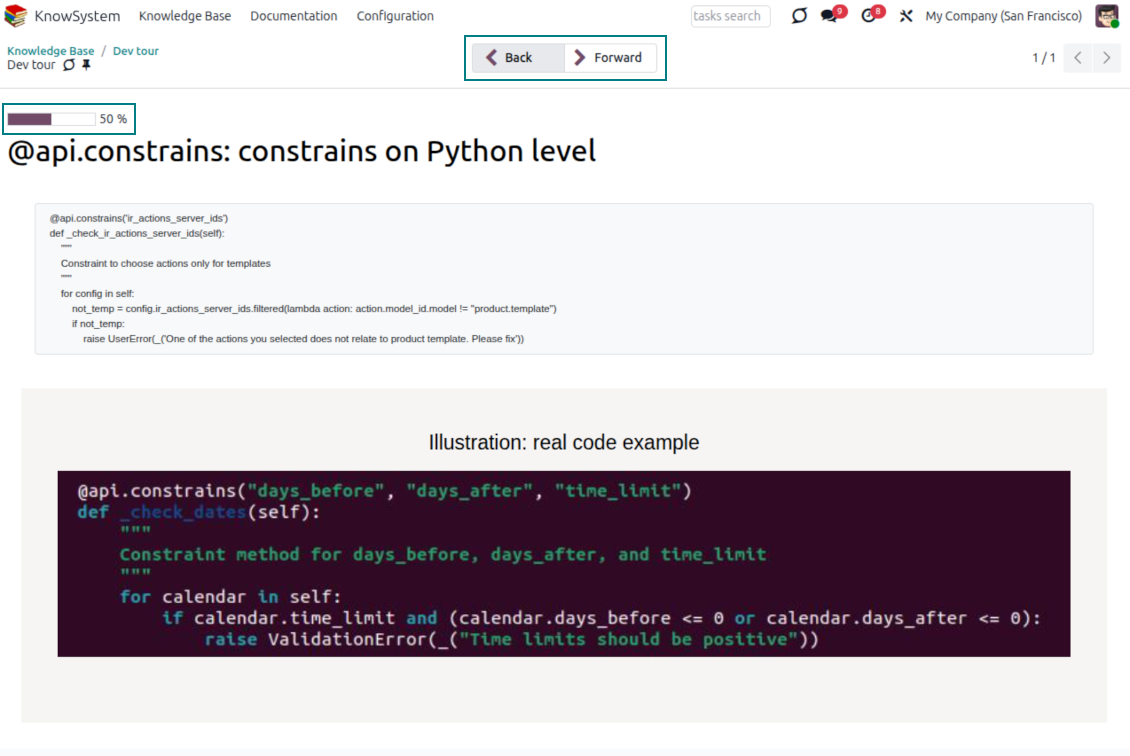
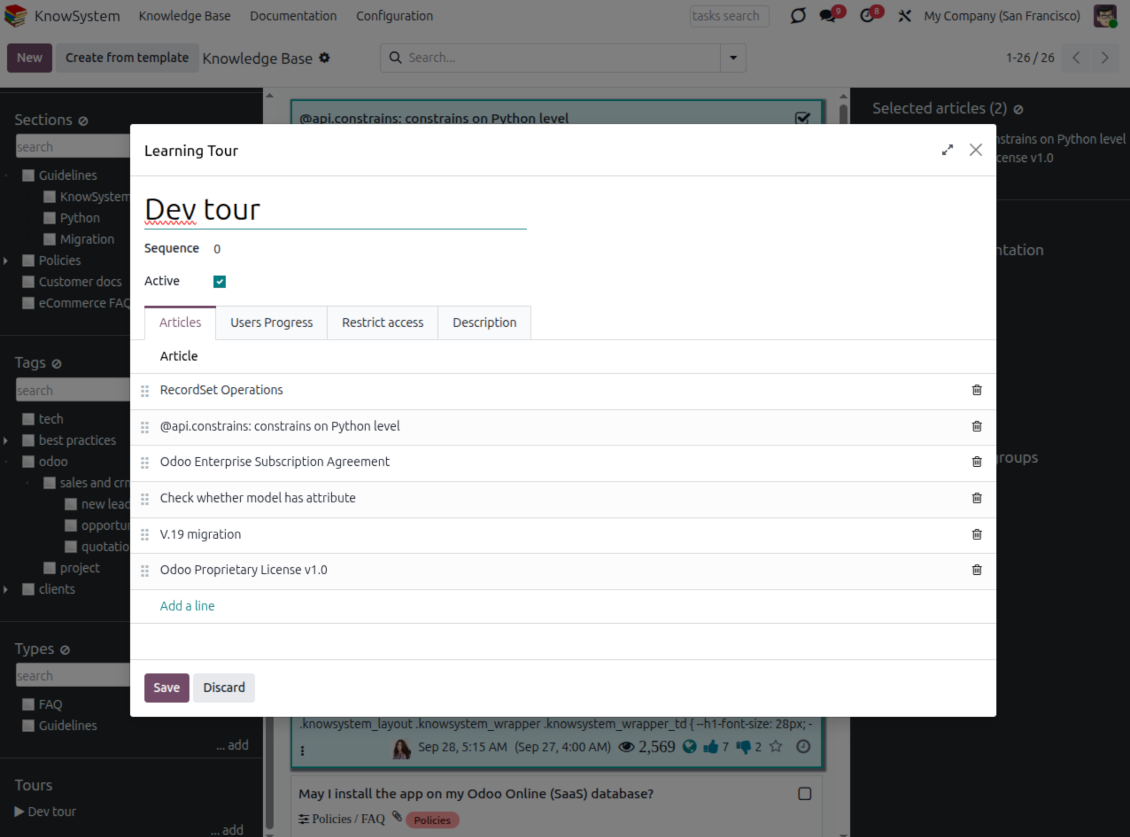
- Turn on 'Tours' to combine articles into an ordered sequence of learning steps.
- Launch a tour in a dedicated interface to study step by step, and share it with everyone or specific user groups.
- Track employees' progress through your instructions and guidelines.
Share and publish
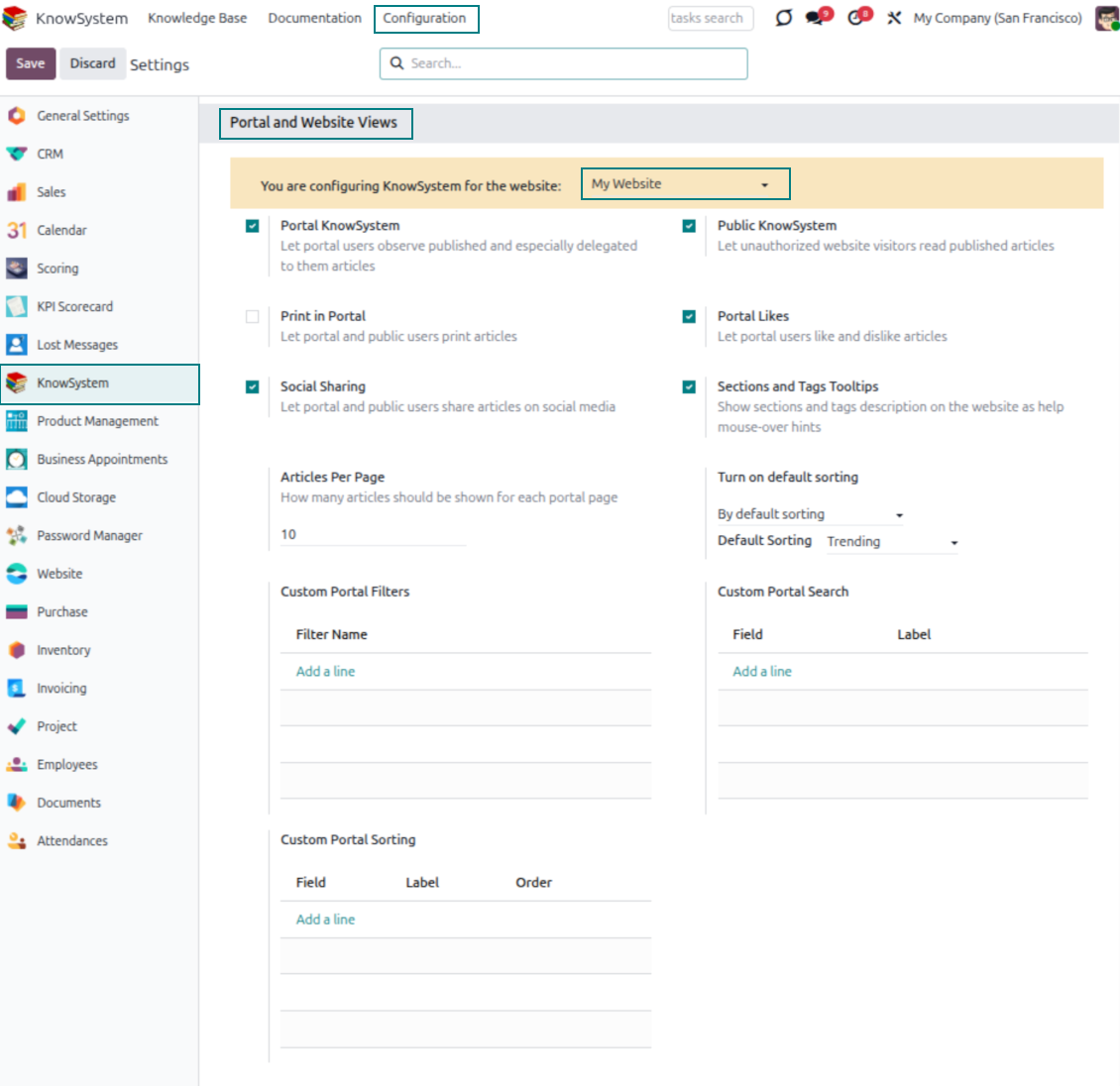
- 'Portal KnowSystem' shares knowledge with external partners; 'Public KnowSystem' opens it to website visitors.
- Configure KnowSystem tags or publish articles to control exactly what is shared.
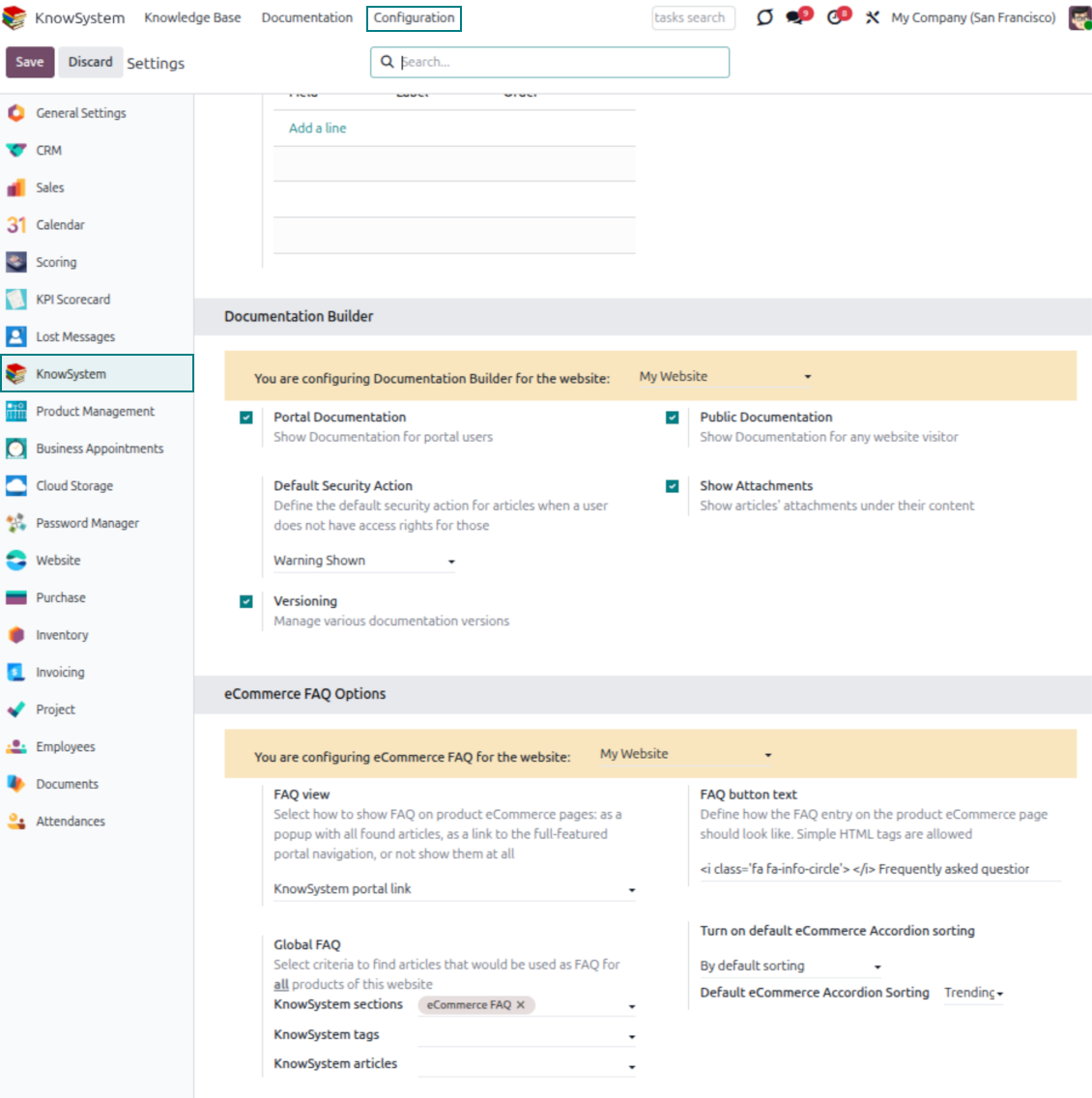
- Combine articles into advanced documentation; 'Portal Documentation' and 'Public Documentation' decide who can read it.
Siap mengevaluasi?
Mulai dengan permintaan demo gratis atau beli di Odoo Apps Store.
Database demo personal gratis. Tidak perlu nomor telepon atau kartu kredit. Pembaruan seumur hidup dan dukungan ahli gratis selama versi mayor Odoo.
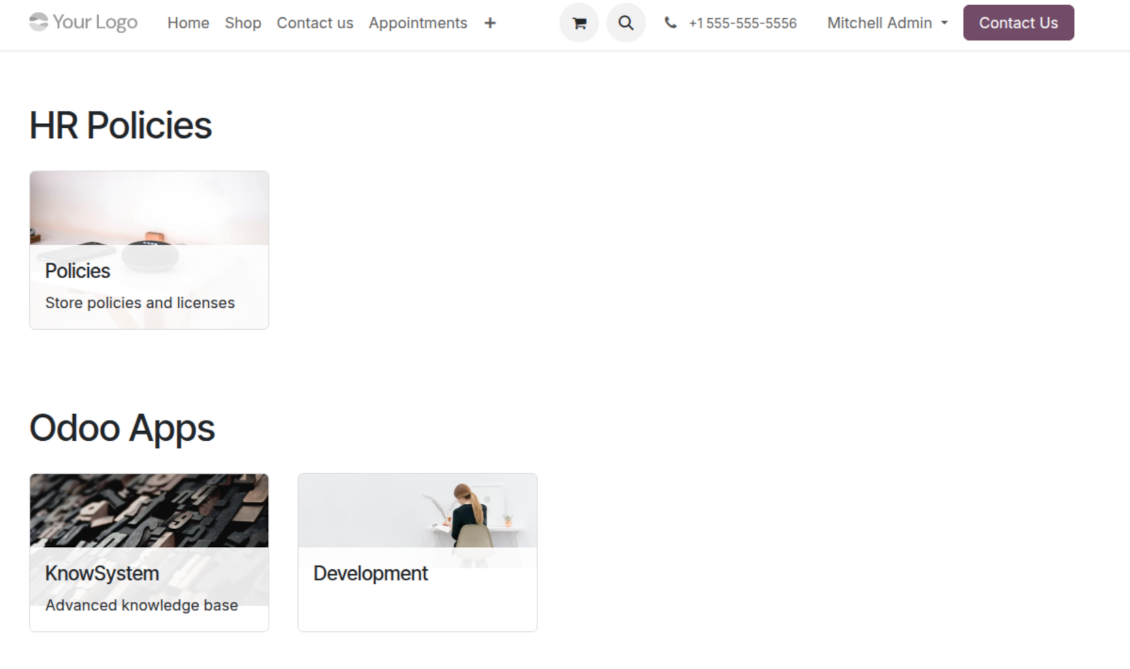
Documentation
Turn articles into searchable website documentation
Create and structure
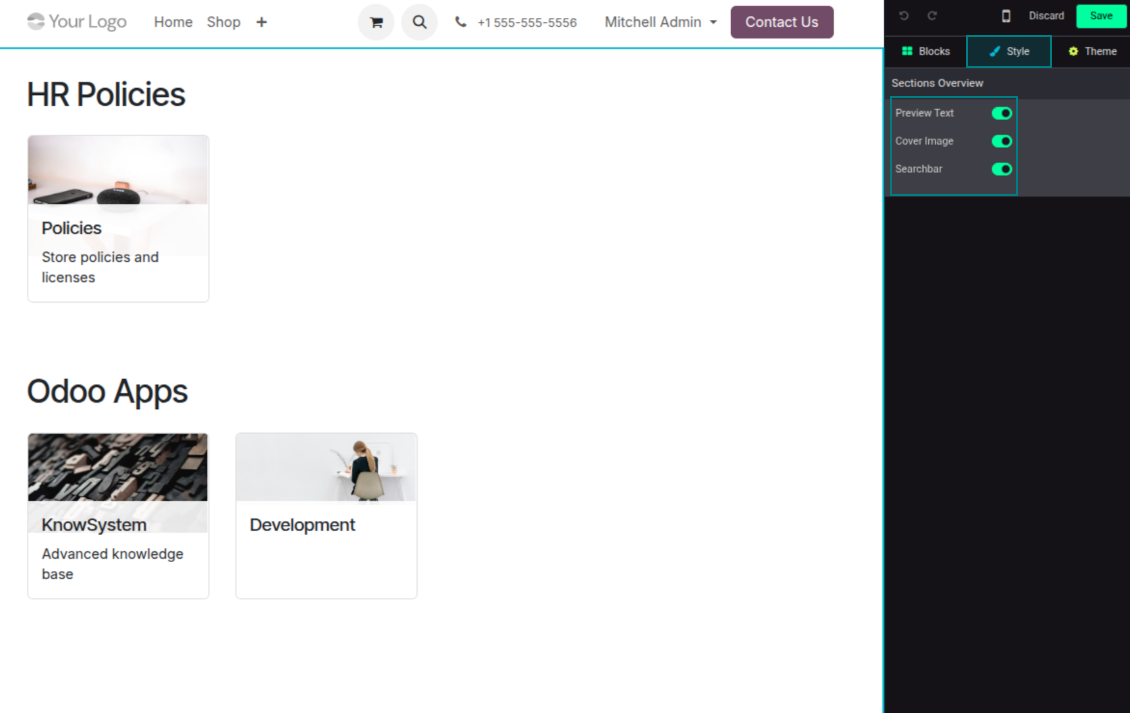
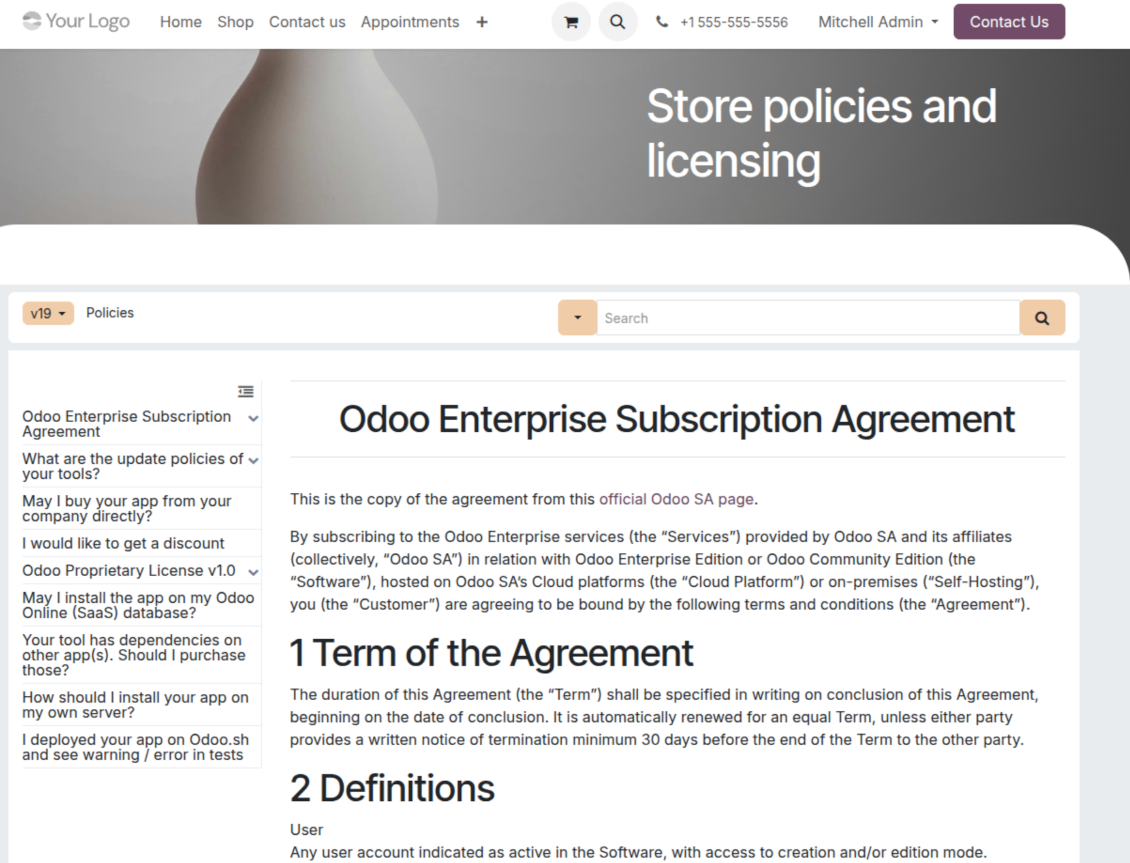
- Combine articles into advanced documentation that covers a whole business, organizational, or functional aspect.
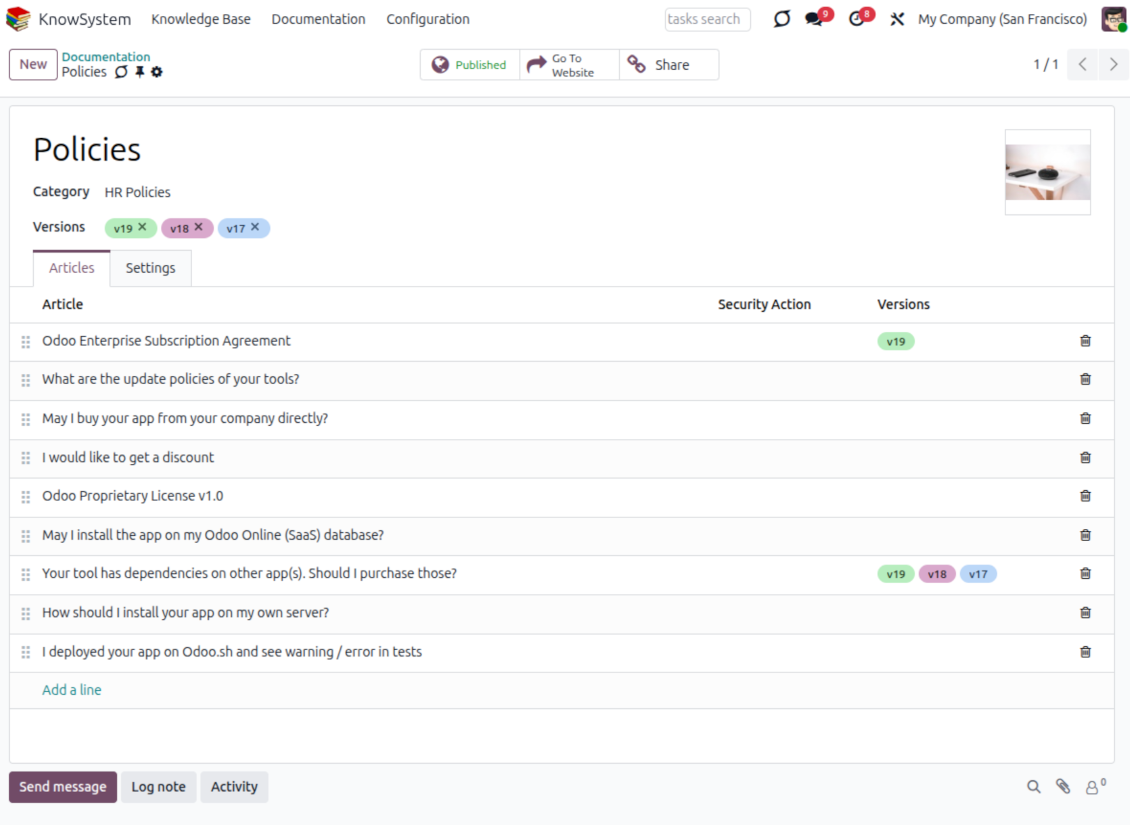
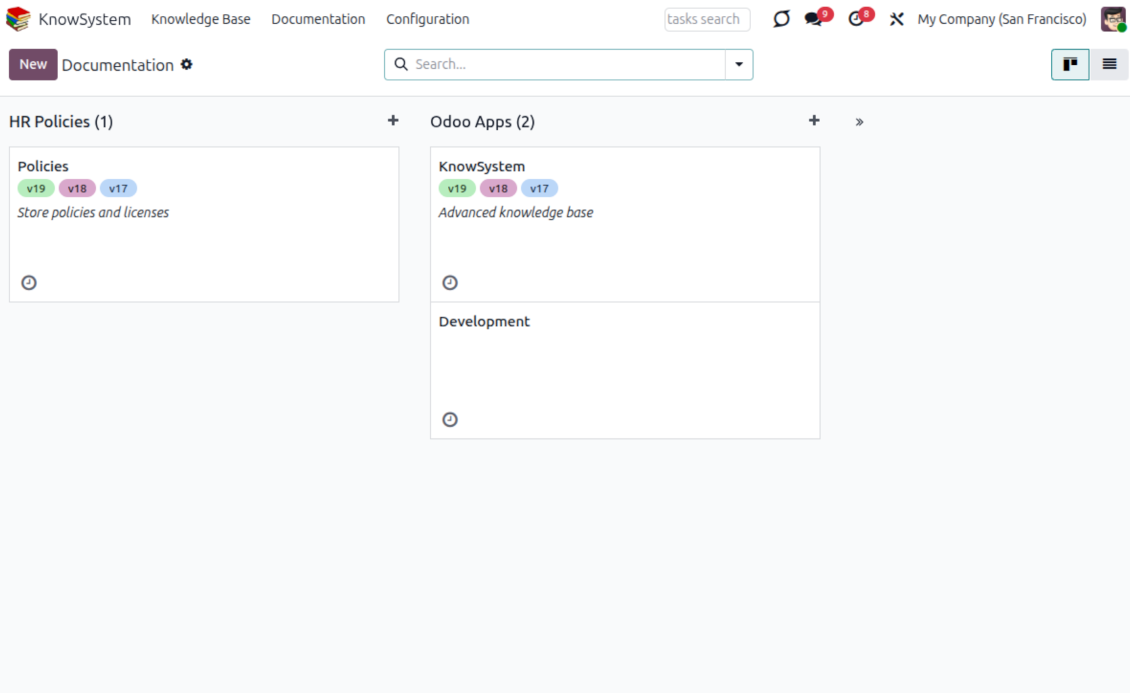
- Create a section simply by selecting and ordering articles - KnowSystem generates the website page automatically.
- Reuse the same article across several documentation sections.
- Build an unlimited number of documentation pages, structured by categories.
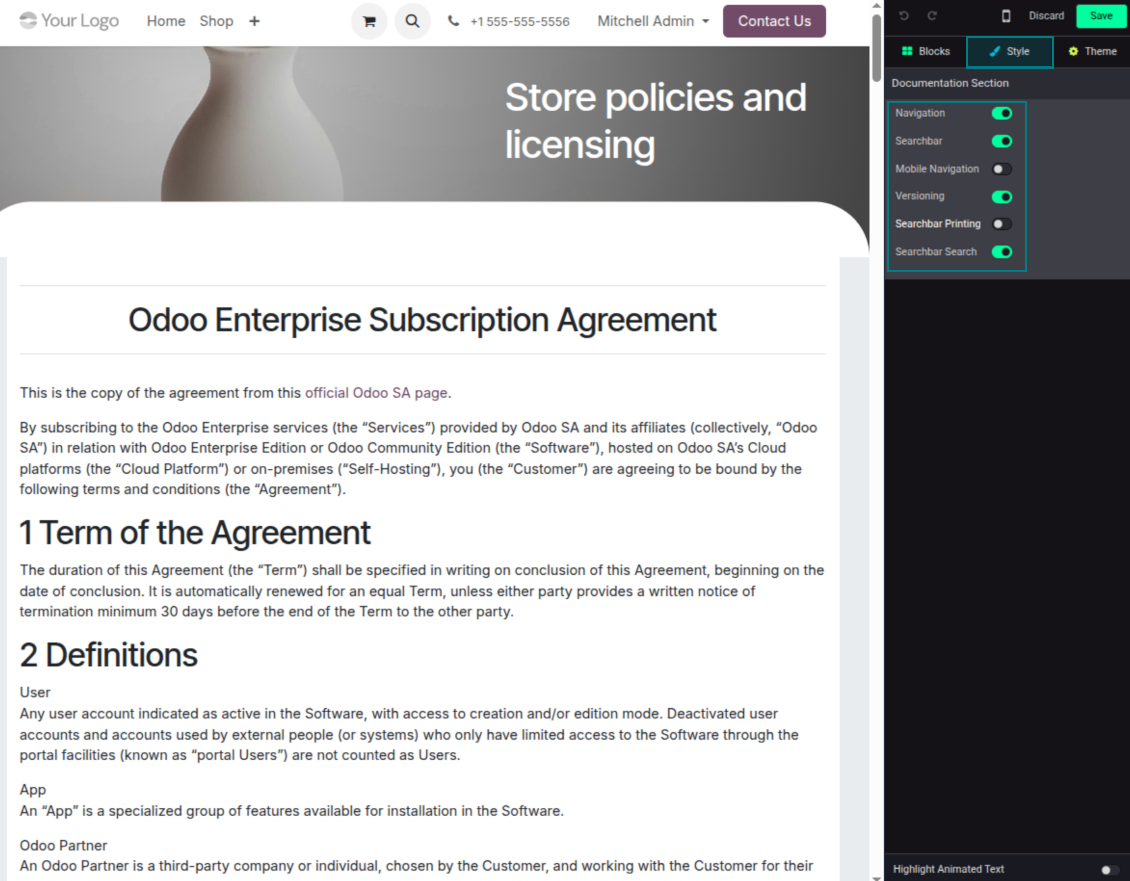
- Customize each page: toggle the search bar and table of contents, and add or remove preview images and texts.
Share, navigate, and version
- Publish documentation for everyone, or assign KnowSystem tags to grant access to chosen Odoo partners.
- Decide what happens when a reader lacks access to an included article: ignore the restriction, hide that piece, or show a security warning.
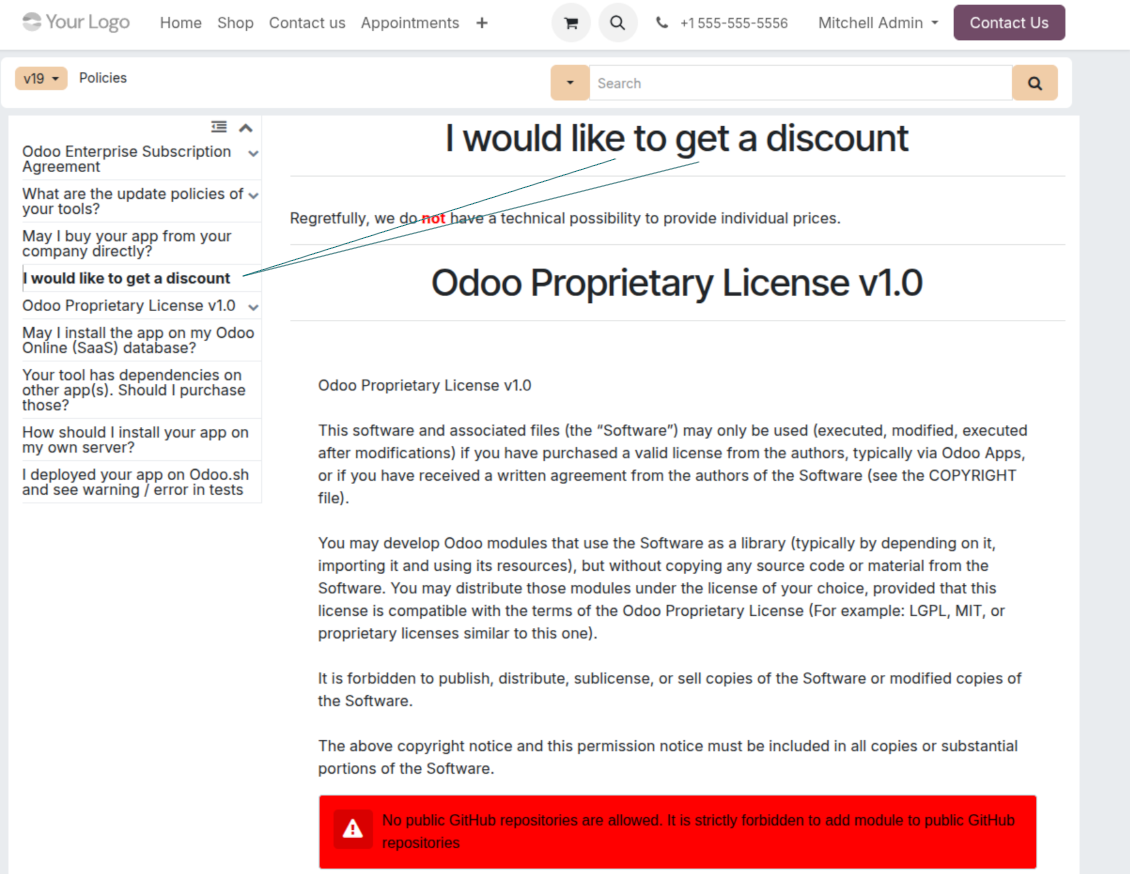
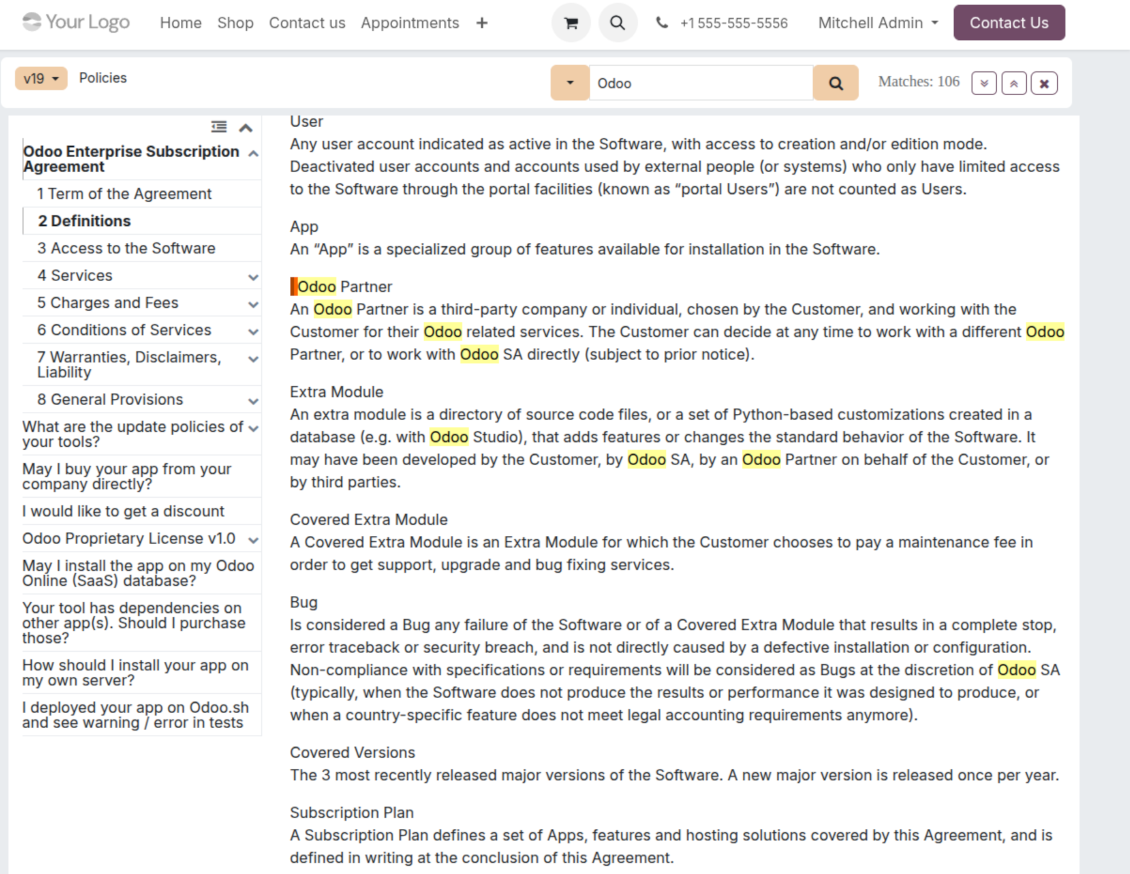
- Show an automatic table of contents, built from the headers of the included articles, for fast navigation.
- Enable search across the whole text or only headers, with case-sensitive or insensitive keywords.
- Apply versioning to avoid double work on specifications, user manuals, and software guidelines.
Portal & public
Share with partners or publish to everyone
Knowledge in the Odoo partner portal
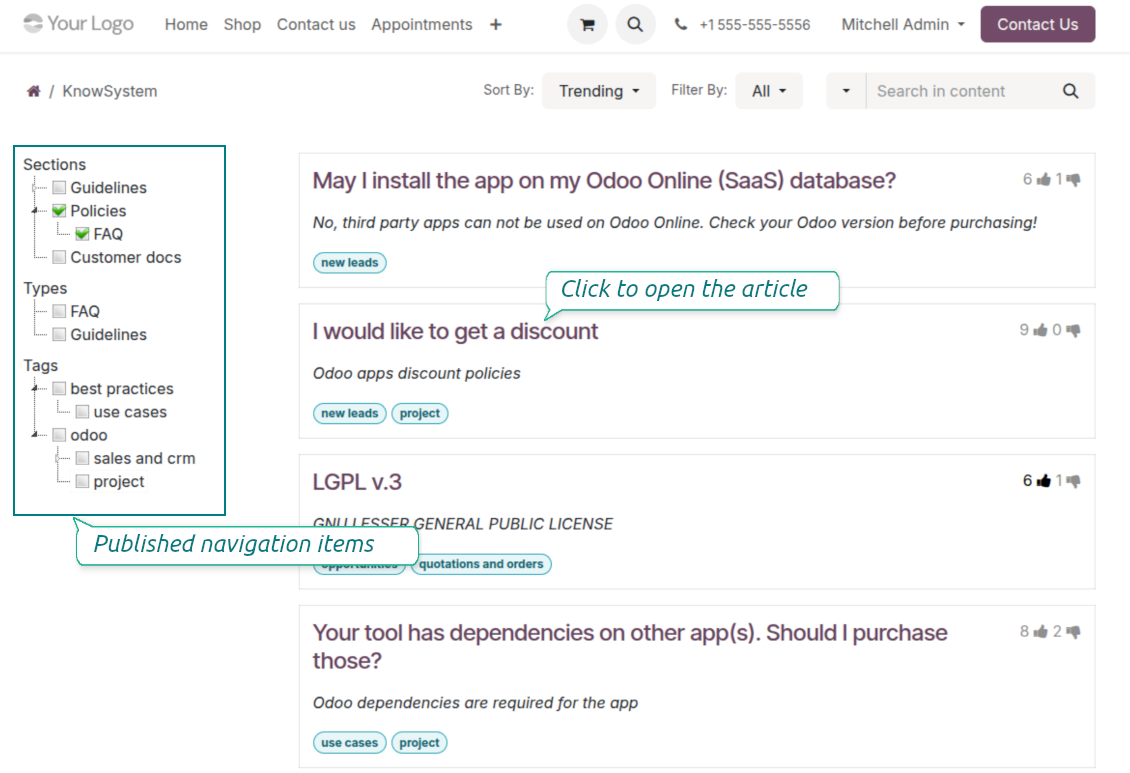
- Turn on 'Portal KnowSystem' to give each Odoo partner a personal web portal built from the articles you choose to share.
- Design an article for one specific company, or reuse the same knowledge experience across many clients.
- Articles reach a portal user when they are (a) published, or (b) carry user-related tags.
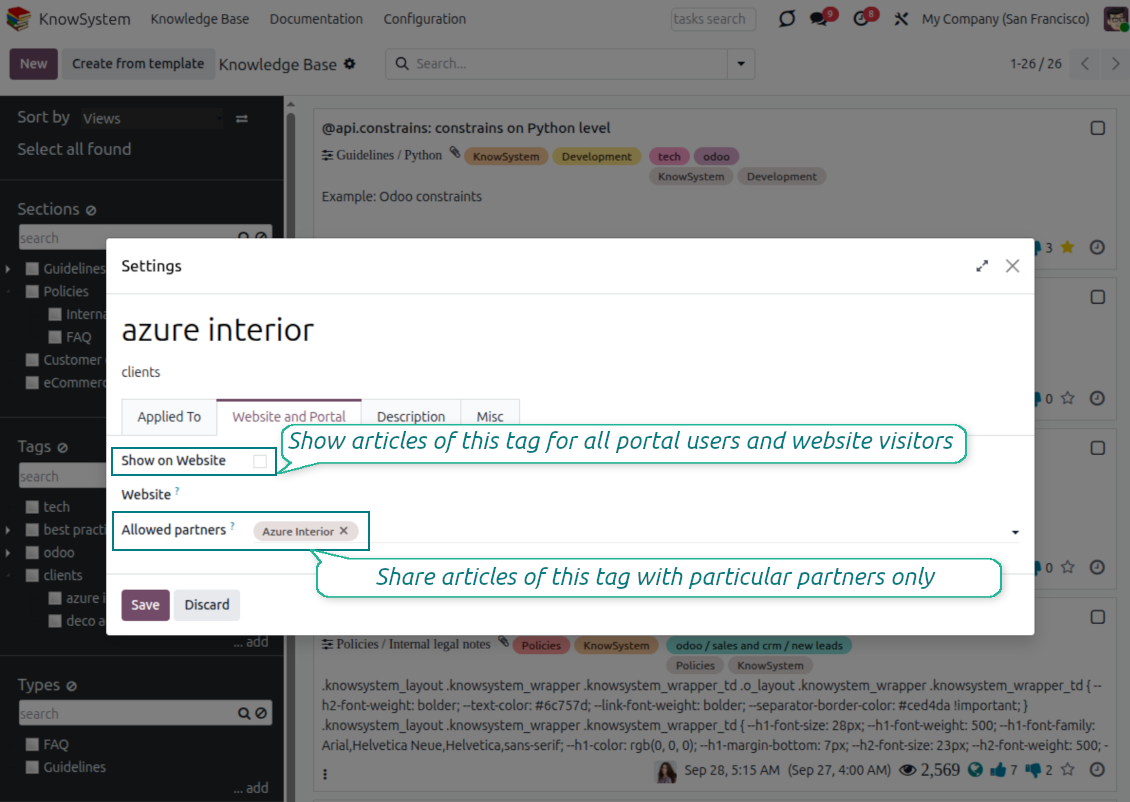
- Assign a tag to a partner in two ways: fill 'KnowSystem tags' on the partner form, or define 'Allowed partners' on the tag.
- Optionally allow partners to print articles, like them, and share.
Public self-service knowledge base
- Turn on 'Public KnowSystem' to open knowledge to unauthenticated website visitors for true self-service.
- Only published articles are shown - publish via the 'Publish' mass action or the 'Visible on current website' checkbox.
- Publish tags and article types too so they appear in the portal; sections show only once they contain visible articles.
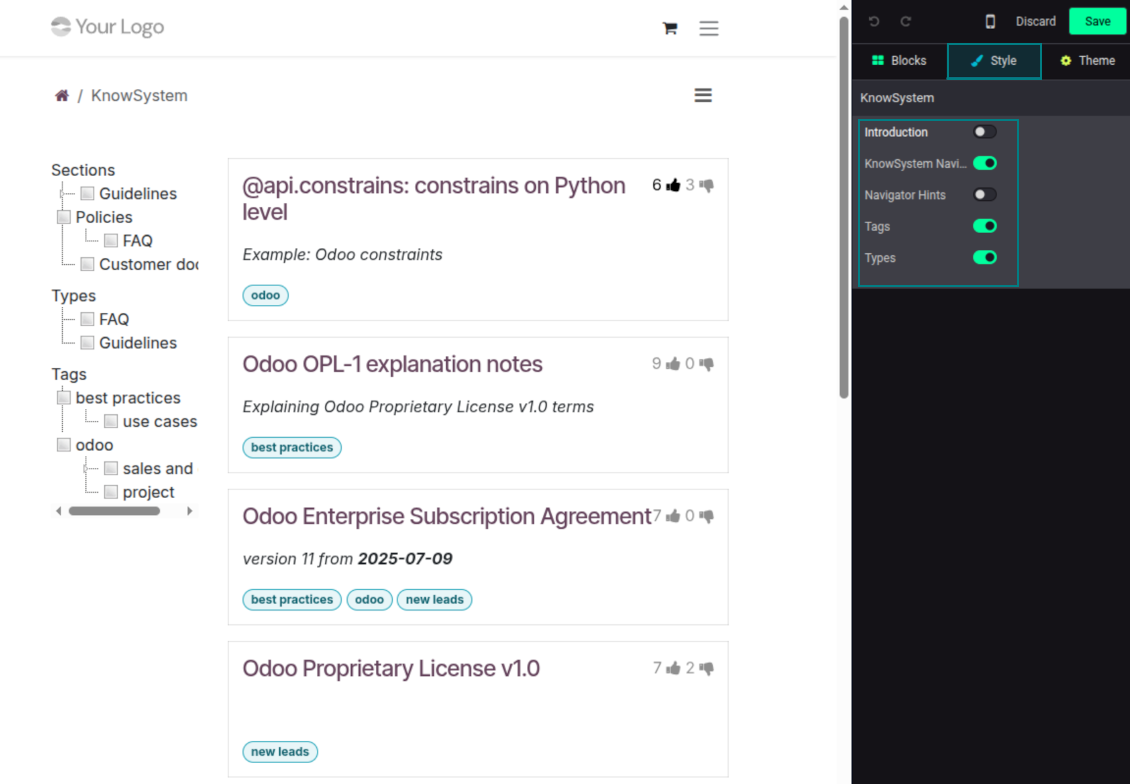
- Customize the portal: show or hide navigation by tags and types (or the whole navigation), add an introduction and navigation hints, and set section tooltips.
Collaboration
Versioned, social, and multi-lingual knowledge
Teamwork and use
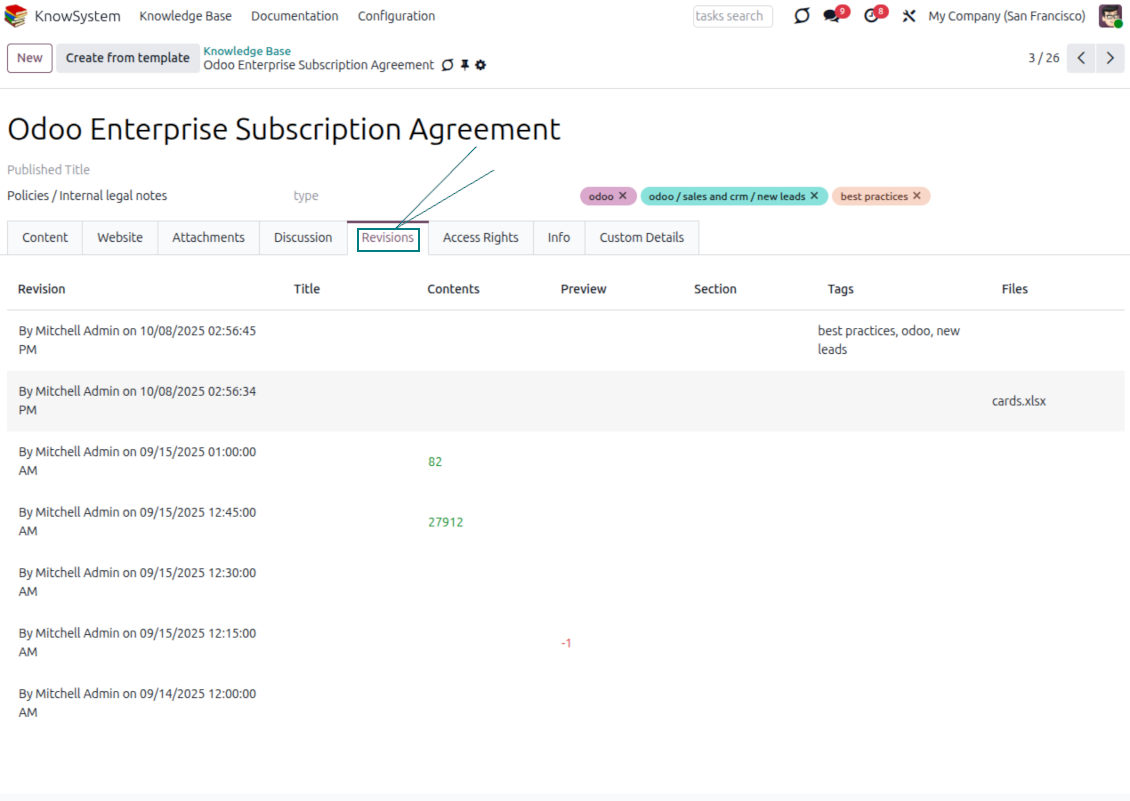
- The full history of article revisions is kept in Odoo, wiki-style. If a user breaks something, it takes just 2 clicks to recover the right version.
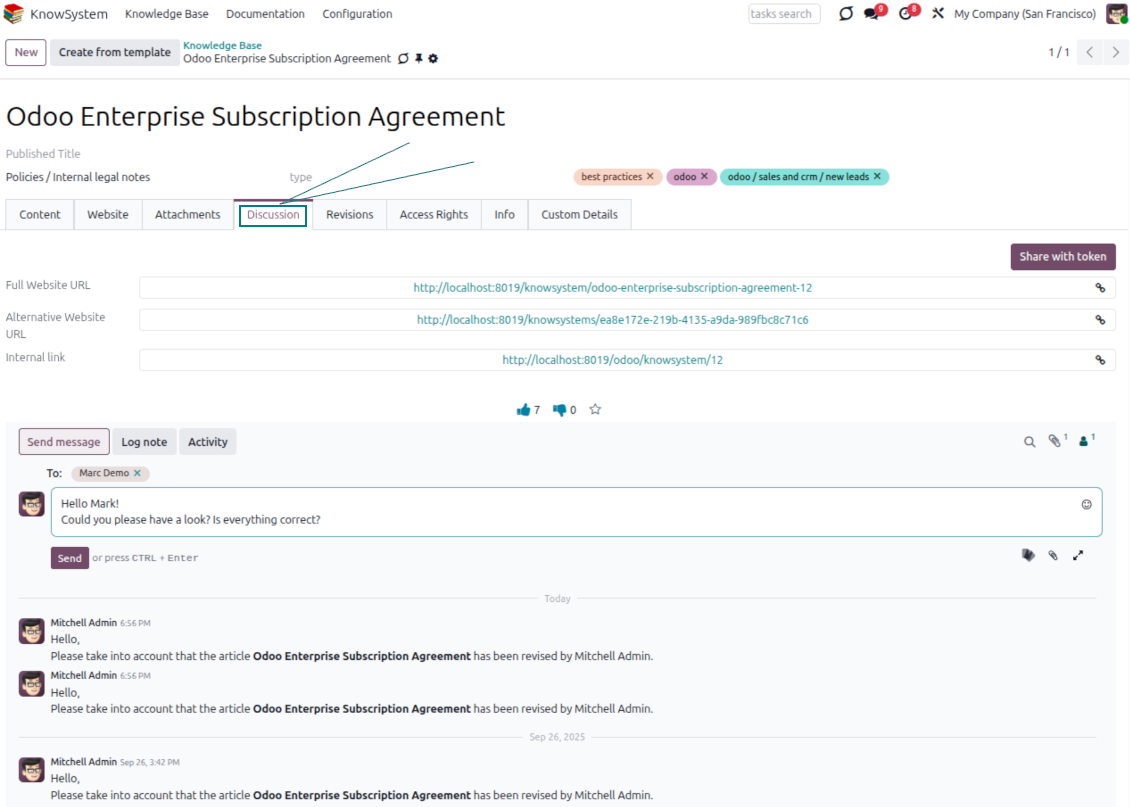
- Users take part in article discussions and subscribe to updates.
- Share tokenized articles with any contact.
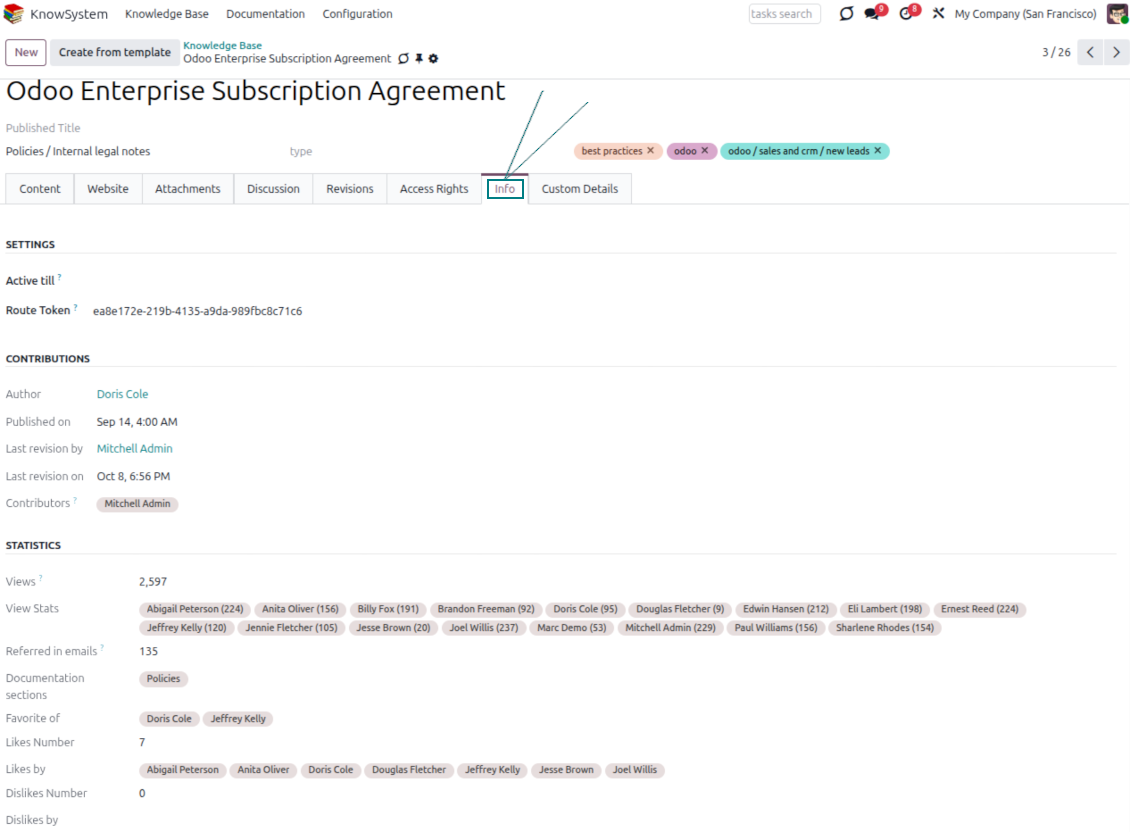
- Track statistics per article: contributors, views, likes and dislikes, how often it is used in messaging, and who marked it as favorite.
- Set activities to keep the base improving, and auto-archive articles after a chosen date.
Multi-lingual knowledge
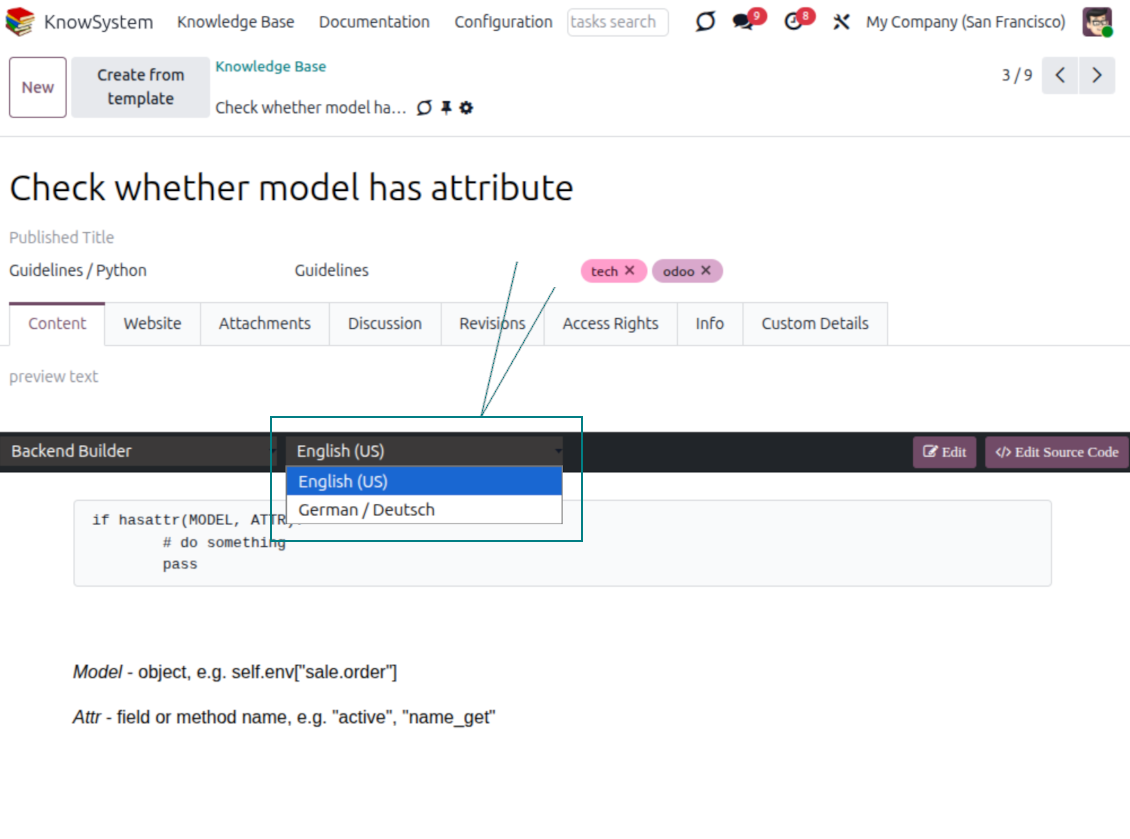
- Translate articles into every language installed in Odoo, so users read and edit in the language of their choice.
- Avoid double work with 'Copy from another translation' - but be sure you really need a multi-lingual regime, since every article must then be kept up to date in all languages.
- Switch the language right in the backend editor to review or update any translation.
eCommerce FAQ
Add a product FAQ and docs to every eShop page
Show knowledge on product pages
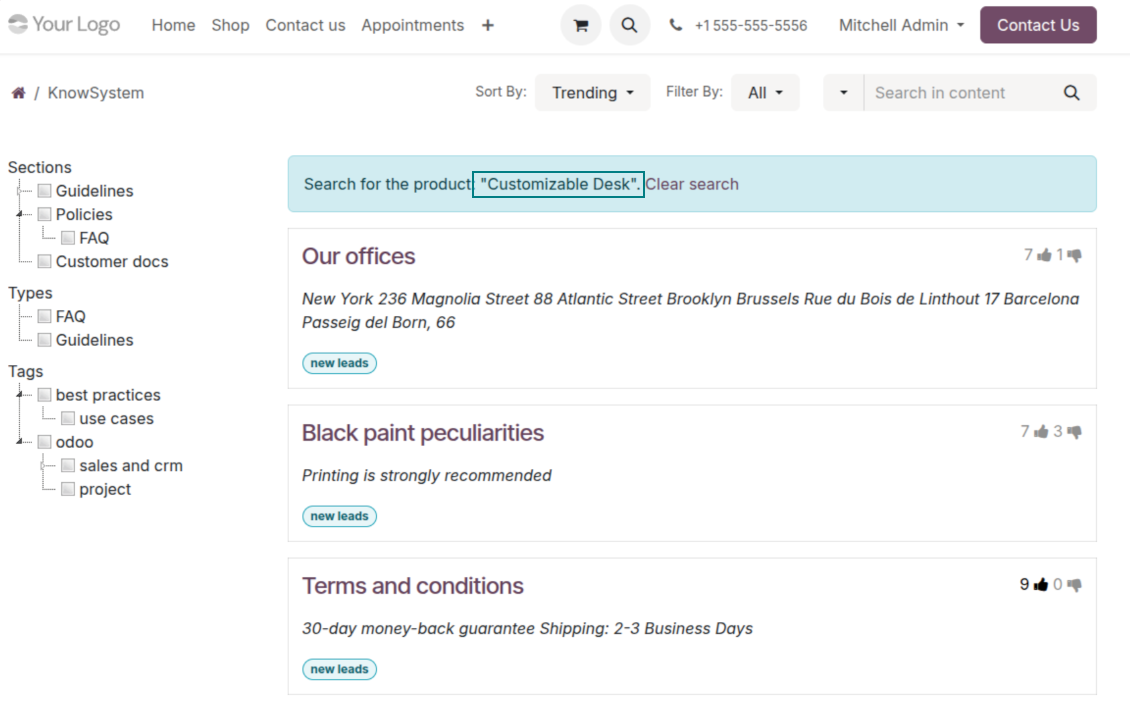
- Adds a product knowledge entry to all eCommerce product pages out of the box.
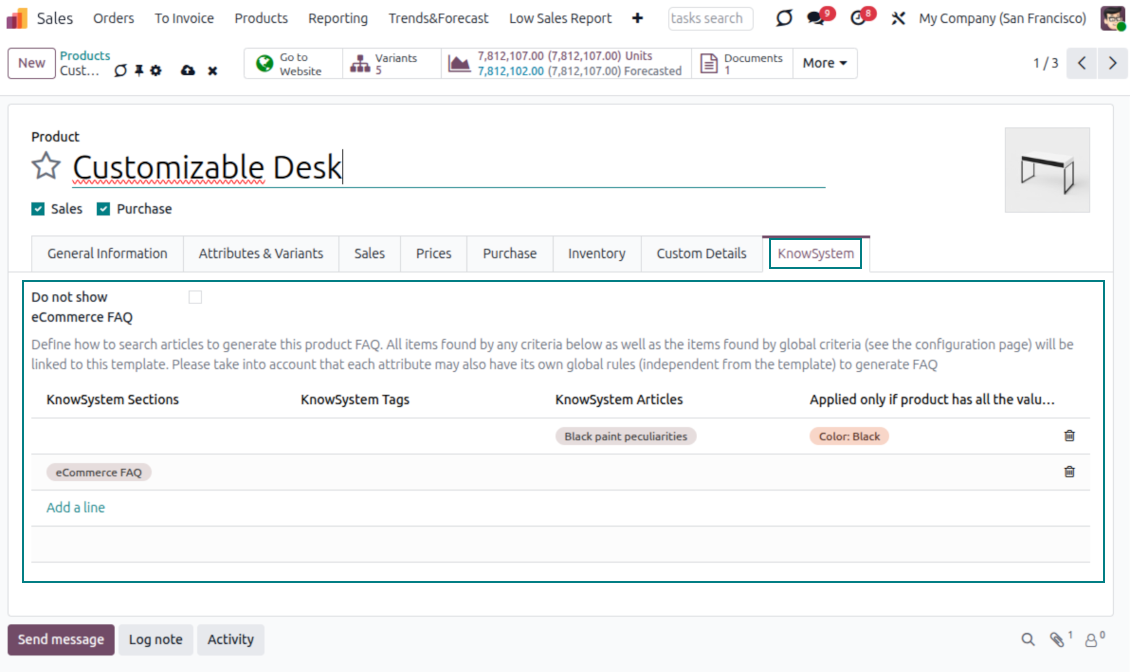
- Hide it for specific templates (the setting 'Do not show eCommerce FAQ') or for an entire eShop on a website (the option 'FAQ view' - 'Do not show').
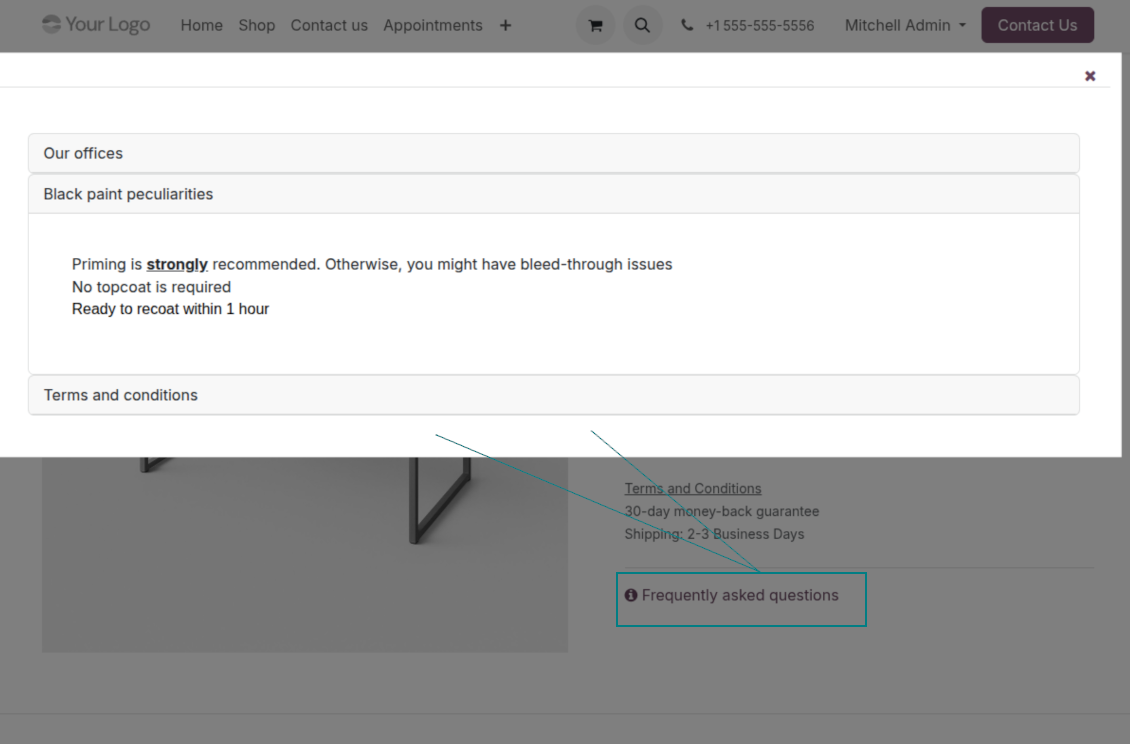
- Set your own button title ('FAQ button text'); the default is ' Frequently asked questions', but you can change it to anything, e.g. 'Product docs' or 'Instructions' - simple HTML tags are allowed.
- Choose 'KnowSystem portal link' for the 'FAQ view' to send shoppers to the full navigation, restricted to articles linked to the current product.
- Or choose 'Popup accordion' to open all matching articles in a popup, so shoppers stay on the product page.
Match the right FAQ to the right product
- Link product templates to KnowSystem; show articles for specific sets of attribute values and hide them for others - e.g. different FAQs for steel and aluminum tables.
- Define knowledge for Odoo attributes or attribute values regardless of the actual product - for instance, complementary documentation for every variant that has 'legs' or 'custom legs'.
- Apply global settings per website to keep the same FAQ basis across all items sold there.
- Target KnowSystem sections, tags, or specific articles on each layer. A knowledge piece is selected if it satisfies any of the criteria; for sections and tags, child nodes are taken into account too.
- Articles appear only if a user can access them, so website visitors see only published ones.
Use cases
Built for helpdesk, sales, HR, IT, and beyond
KnowSystem is a universal knowledge management tool that adapts to any business goal and any set of Odoo apps - helpdesk, sales, marketing, IT, HR, legal, and projects. Typical use cases:
- Helpdesk - once a challenge is solved, record its solution in KnowSystem for repeated use by co-workers and self-service by clients.
- Sales & CRM - a salesperson helper for product information, current offers, and frequently asked customer questions.
- Project management - keep and easily retrieve knowledge of existing solutions, tools, hints, and experiments.
- HR - prepare instructions, guidelines, learning tours, training, and any codified knowledge of routine in your company.
- Marketing - organize an online library of product use cases, expert knowledge, and well-structured documentation.
- Legal - systematize policies and contract/approval management, and keep a full classifier of trademarks and licenses.
- Information technology - share easy-to-reach manuals and configuration guidelines, one search away.
Custom fields
Add your own article attributes - no code
Add fields without code
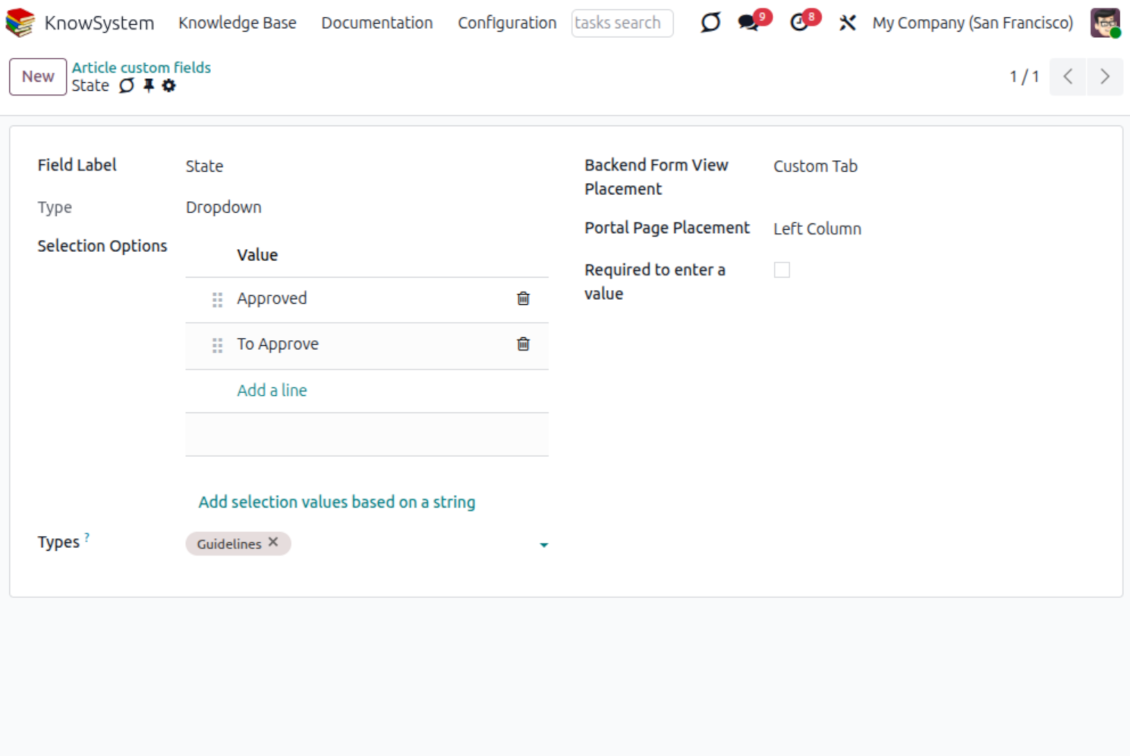
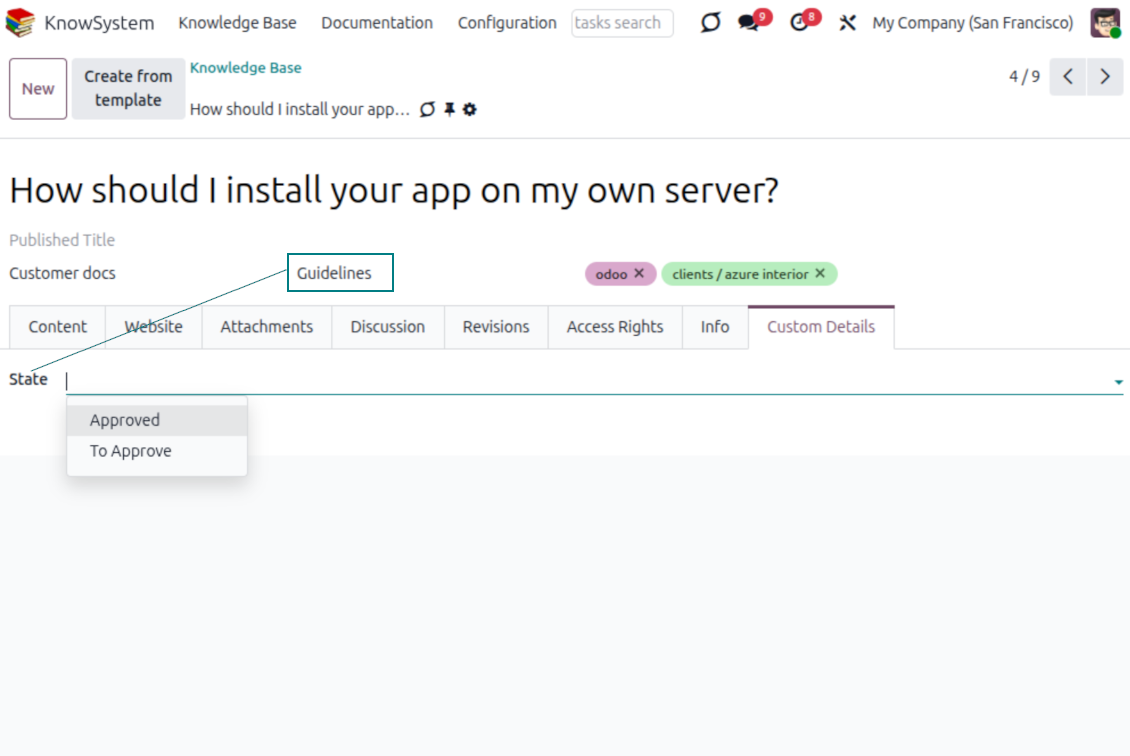
- No technical knowledge required - add a field and enter details to show a new property for articles.
- Choose from a full range of types: single-line text (char), plain text, rich (HTML) text, integer or float numbers, drop-down selection with your own options, checkbox (boolean), date or date-and-time, file upload (binary), and a reference to another Odoo record such as a sale order or contact (many2one).
- Pick the field's interface position from a closed list of options.
- Mark a field required to force users to enter a value.
Tailor by type, share, and secure
- Use article types to show properties only for the right articles - 'user guidelines' and 'technical specifications' can carry completely different attributes.
- Works in both the KnowSystem backend and the knowledge share portal.
- Custom fields can be imported and exported.
- Only KnowSystem administrators may create custom fields.
Security
Granular access for staff, partners, and the public
How access works
- Security for internal users and for portal/public users is handled separately.
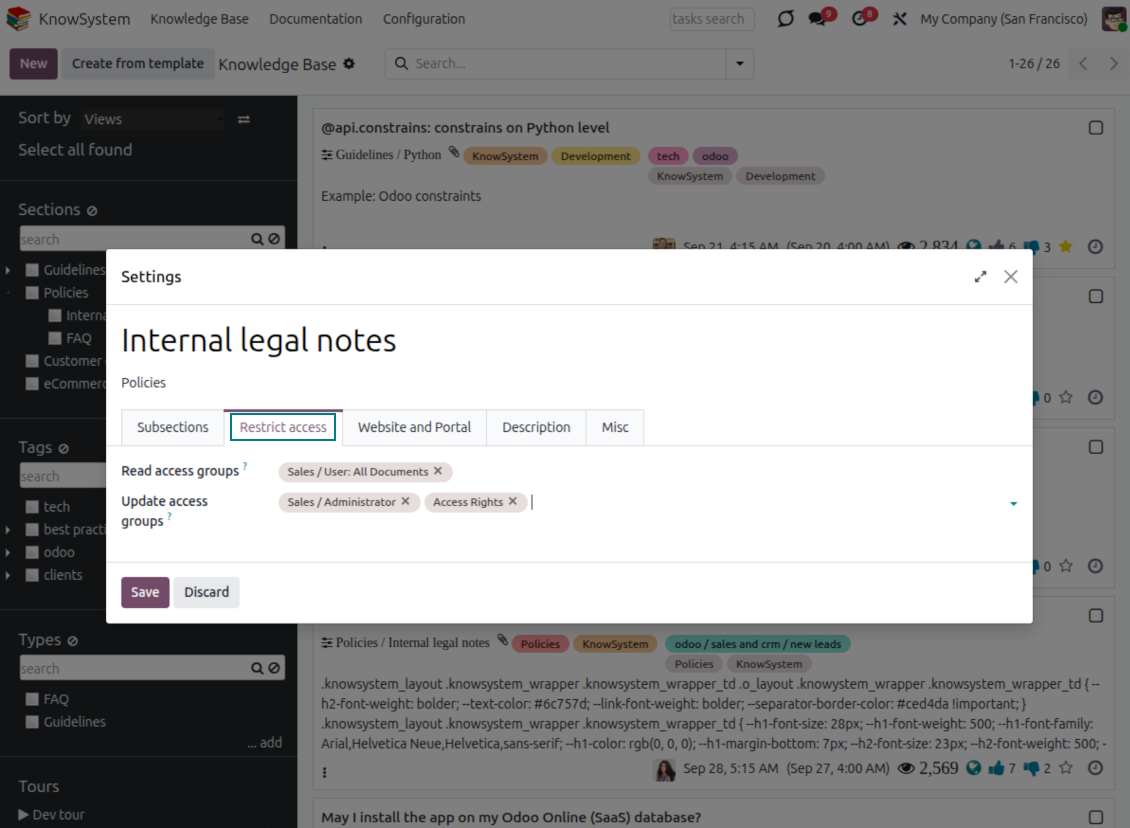
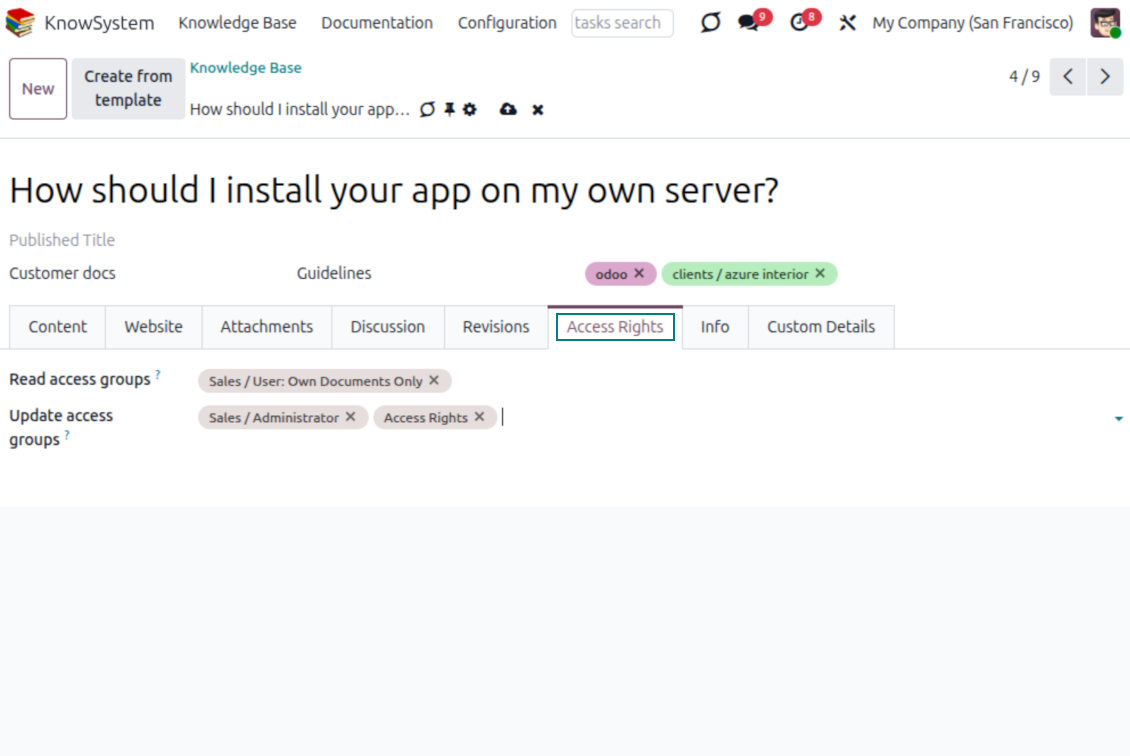
- For company employees: KnowSystem honors the user groups defined per article, section, and tour (the 'Restrict to' tab on those forms). If that field is empty, the record is 'global' and every internal user may read it.
- For portal / public users: access depends on tags and on whether an article is website-published. A tag's 'Allowed partners' grants portal users access to articles carrying that tag; published pages are open to any visitor.
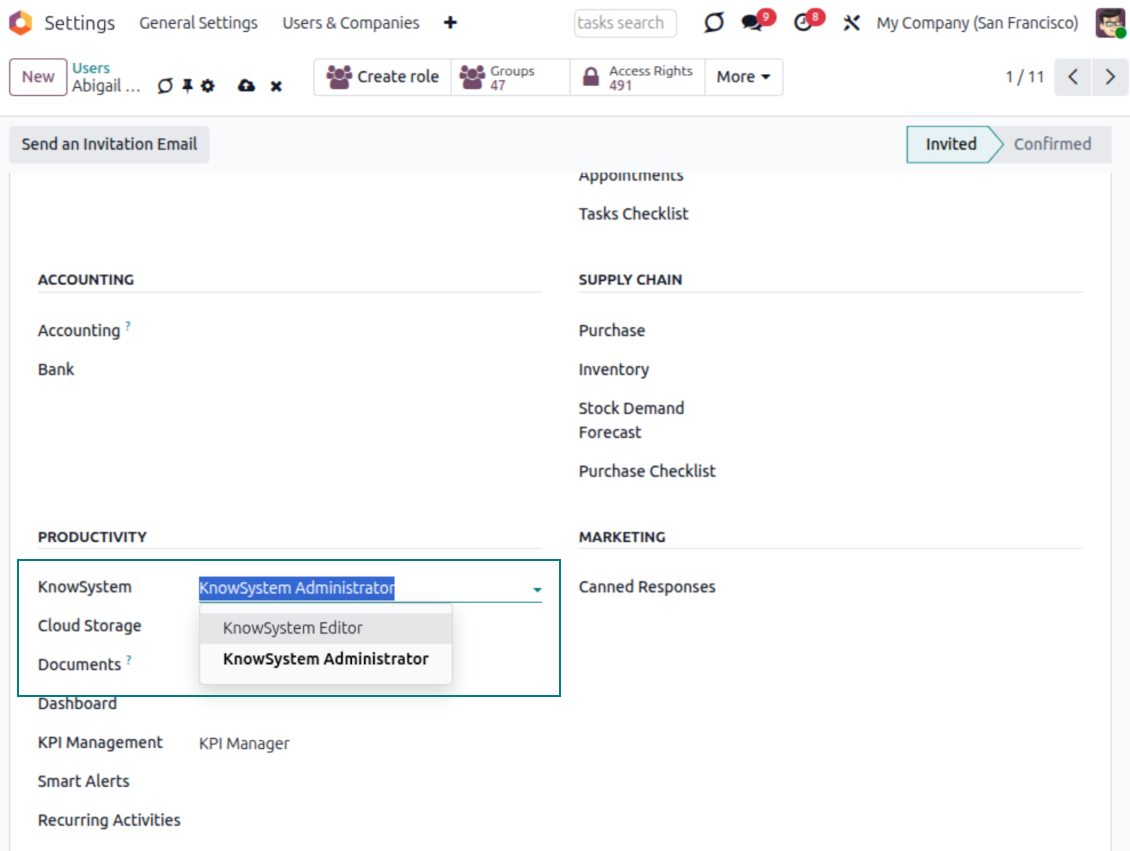
- Administration belongs to two roles - KnowSystem Editor and KnowSystem Administrator. A user must belong to one of them to create and edit articles.
- A user can always access an article they authored, regardless of further restrictions.
- Section rights consider the section and all its parents - no access to 'sales' means no access to 'sales/crm', even if 'crm' is open to the user's group.
Access rights at a glance
Odoo user |
KnowSystem Editor |
KnowSystem Admin |
Portal user |
Public user |
|
| Articles | read related to their user groups and sections | read, create, edit, archive related to their user groups and sections | read, create, edit, delete any | read published articles and articles related to partner-related tags | read published articles |
| Sections | read related to their user groups | read, create, edit, archive related to their user groups and sections | read, create, edit, delete any | read published ones | read published ones |
| Tags | read any | read, create, edit, archive any | read, create, edit, delete any | read published ones | read published ones |
| Article Types | read any | read any | read, create, edit, delete any | read published ones | read published ones |
| Tours | read related to their user groups | read, create, edit, delete related to their user groups | read, create, edit, delete any | no access | no access |
| Misc | may like/dislike, add to favorites, print, take part in discussions | may configure options | may like/dislike an article |
Siap mengevaluasi?
Mulai dengan permintaan demo gratis atau beli di Odoo Apps Store.
Database demo personal gratis. Tidak perlu nomor telepon atau kartu kredit. Pembaruan seumur hidup dan dukungan ahli gratis selama versi mayor Odoo.
Pertanyaan umum tentang KnowSystem: Knowledge Base System Odoo v.18
Saya tidak melihat perbedaan apa pun antara teks revisi.
Revisi mencatat bukan hanya perubahan teks, tetapi juga pembaruan gaya (secara teknis, saat Anda mengubah kode sumber HTML artikel). Beberapa mungkin tidak jelas sekilas (mis. ukuran font satu kata yang diubah). Yang lain bisa drastis. Namun, setiap rangkaian tindakan Edit > Ubah apa pun di artikel > Simpan akan menghasilkan revisi baru.
Bisakah saya menambahkan video YouTube/ Vimeo / Dailymotion / Youku di artikel?
Ya, video dari layanan itu dapat disematkan ke artikel dari antarmuka administrasi Odoo dan pembangun situs. Tambah blok dengan gambar > tekan gambar > pilih ‘Video’ > masukkan URL materi.
Perhatikan: video semacam itu disertakan sebagai iframe, dan sebagian browser dapat memblokir pemutaran sampai pengguna mengizinkannya secara eksplisit.
Bagaimana membuat bagian terlihat di situs web?
Di KnowSystem, suatu bagian terlihat di situs jika dipublikasikan dan berisi setidaknya satu artikel. Meski ada subbagian, bagian itu tidak terlihat jika di bagian itu sendiri tidak ada satu artikel pun. Ini menghindari bagian kosong dan membuat portal KnowSystem mudah dinavigasi. Agar bagian tampil di situs, tambahkan satu artikel pengantar atau umum yang menjelaskan atau mencantumkan secara singkat artikel di subbagian.
Bagaimana membagikan artikel untuk rekanan eksternal?
Klik kanan tag apa pun di panel navigasi kiri - Buat
Temukan kolom 'Allowed partners'. Misalnya 'clients - azure interior' untuk memberi akses rekanan 'Azure Interior'. Bisa sebaliknya: tetapkan tag KnowSystem langsung di formulir rekanan
Lalu buka artikel yang diperlukan (atau lakukan sama dengan tindakan 'Mass update' untuk beberapa catatan):
Jika dipublikasikan: batalkan publikasi jika Anda tidak ingin tersedia bagi semua pengguna portal dan pengunjung publik
Tetapkan tag yang baru dibuat (pada contoh ini 'clients - azure interior')
Sekarang:
Semua pengguna portal terkait rekanan komersial 'Azure Interior' memiliki akses ke artikel bertag 'Azure Interior'
Tidak ada pengguna portal lain (jika tag berbeda tidak ditetapkan) yang memiliki akses ke artikel tersebut
Pengguna internal tidak terpengaruh dan melihat artikel menurut logika 'access to' artikel dan seksi.
Bisakah kita menambahkan tombol pilih bahasa untuk isi artikel?
Tombol 'translate' sengaja tidak ditambahkan ke isi artikel oleh add-on opsional 'KnowSystem: Multi Languages'. Alasannya: kode HTML sangat sulit diterjemahkan di pop-up sederhana yang dipakai tombol itu. Teks yang perlu diterjemahkan sangat sedikit, sementara bagian HTML banyak (dan bisa rusak oleh penerjemah).
Karena itu, untuk membuat artikel dalam bahasa tertentu, masuklah sebagai pengguna bahasa itu. Bisa pengguna lain, atau ubah sementara preferensi pengguna saat ini. Setelah itu setiap pembaruan isi artikel dilakukan dalam bahasa tersebut.
Anda juga dapat memakai tombol 'Copy from another translation' di bawah isi artikel untuk kapan saja mengambil konten dari bahasa lain (berguna jika artikel sangat diubah di salah satu bahasa).
Bagaimana menyematkan halaman situs lain ke artikel
Untuk itu Anda dapat memakai iframe. Alihkan artikel ke editor kode HTML mentah dan sisipkan, misalnya, <iframe src="https://faotools.com/" style="width:100%;min-height:600px;"> </iframe>.
Saya memasang KnowSystem tetapi tidak melihat tombol 'create' dan tombol lain
Kemungkinan Anda belum memberi hak KnowSystem kepada pengguna. Pilih hak 'KnowSystem Editor' atau 'KnowSystem Admin' lalu muat ulang halaman. Tombol kontrol sekarang akan tampil.
Bolehkah saya menampilkan tur pembelajaran tertentu hanya untuk pengguna terpilih?
Ya, dengan menerapkan grup pengguna (mis. 'Sales Manager') yang harus melihat tur ini. Jika pengguna termasuk grup itu, ia melihat tur. Jika tidak, tur tidak ditampilkan. Cara kerjanya sama seperti hak keamanan artikel dan seksi KnowSystem.
Perhatikan bahwa jika tur tidak punya grup yang ditetapkan, ia bersifat 'global' dan terlihat oleh semua orang.
Bagaimana mengubah footer dan header saat mencetak artikel?
Header dan footer PDF artikel diambil dari tata letak perusahaan. Lihat Settings > General Settings > bagian Business Documents. Di sana Anda menentukan templat perusahaan untuk semua jenis dokumen, termasuk faktur, pesanan penjualan, dll., dan juga artikel. Pendekatan Odoo ini menganggap footer dan header sebagai gaya umum perusahaan, bukan atribut pencetakan tertentu.
Bagaimana menautkan artikel satu sama lain?
Setiap artikel punya URL internal (backend) dan situs (jika opsi 'KnowSystem: Website and Portal' terpasang). Klik tombol 'Info' di formulir artikel untuk mengetahui alamat situs catatan ini. Anda dapat menyisipkan yang mana pun ke isi artikel sebagai tautan.
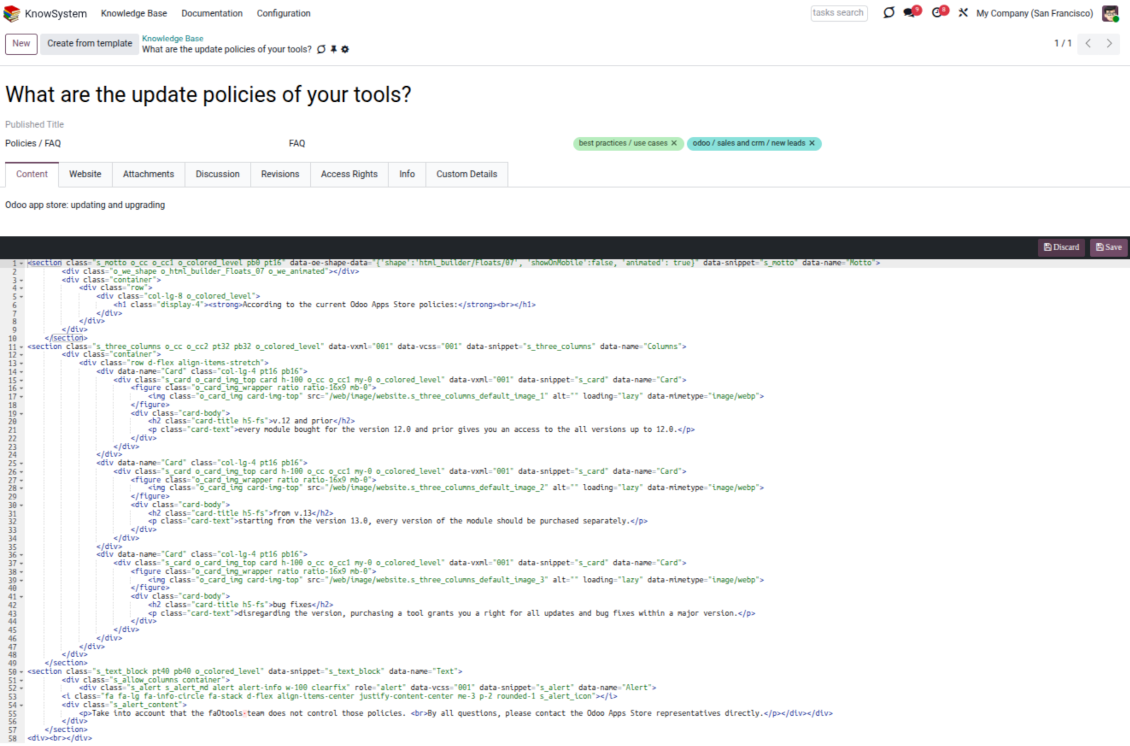
Bolehkah saya mengubah kode sumber HTML sebuah artikel?
Ya: aktifkan debug assets (di layar ringkasan pengaturan) lalu kembali ke artikel saat ini. Di mode sunting Anda akan melihat ikon khusus '</>'. Klik untuk melihat dan menyunting HTML serta gaya.
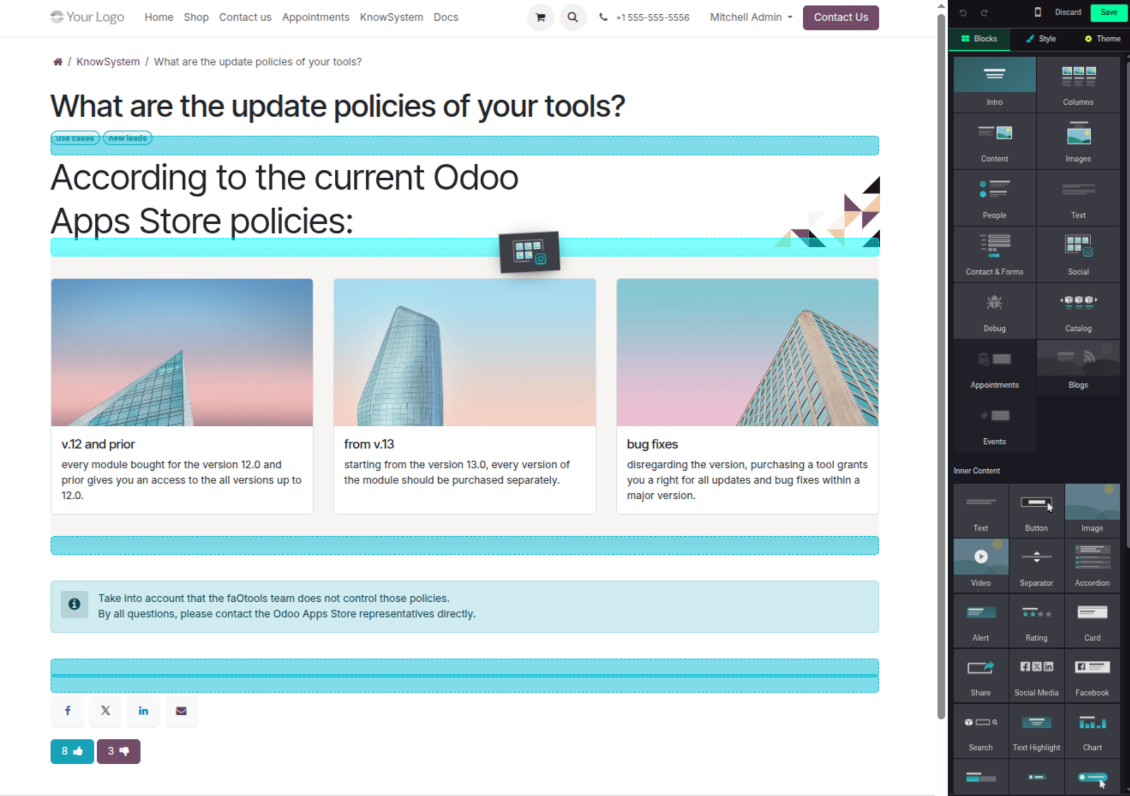
Apa kebijakan pembaruan alat Anda?
Menurut kebijakan Odoo Apps Store saat ini:
- Setiap modul yang dibeli untuk versi 12.0 dan sebelumnya memberi akses ke semua versi hingga 12.0.
- Mulai versi 13.0, setiap versi modul harus dibeli terpisah.
- Terlepas dari versi, pembelian memberi hak atas semua pembaruan dan perbaikan bug dalam versi mayor.
Perhatikan bahwa tim faOtools tidak mengontrol kebijakan tersebut. Untuk pertanyaan, hubungi langsung perwakilan Odoo Apps Store.
Bagaimana memasang aplikasi Anda di Odoo.sh?
Pendekatan paling langsung adalah memakai alur bawaan toko Odoo:
1. Buka halaman modul dan klik tombol Deploy on odoo.sh
2. Setelah itu Anda akan diarahkan ke halaman GitHub. Masuk ke akun, lalu klik 'Create a new repo' atau pakai yang sudah ada. Pastikan repositori bersifat privat. Tidak diizinkan memublikasikan aplikasi di bawah lisensi OPL-1. Jika perlu, buat repo baru untuk proyek Odoo.sh
3. Lalu buka odoo.sh dan klik tombol Deploy. Di jendela pop-up, kirim keputusan dan klik 'Continue.' Tindakan ini memicu proses pemasangan.
Langkah ini akan memasang aplikasi di cabang produksi proyek. Jika ingin men-deploy aplikasi ke cabang lain atau memperbarui modul, lakukan tindakan berikut:
1. Unggah kode sumber aplikasi dari toko Odoo
2. Commit modul ke repositori GitHub yang diperlukan. Pastikan tidak ada folder/file aplikasi yang diabaikan (yaitu tidak ada di .gitignore repo). Repositori dibuat otomatis oleh odoo.sh dan secara default dapat berisi item penting (mis., /lib). Unggah semua direktori, subdirektori, dan file modul tanpa kecuali
3. Deploy cabang target proyek odoo.sh atau, jika pengaturan Anda mengasumsikan itu, tunggu hingga dibangun otomatis.
Bagaimana memasang aplikasi Anda di server saya sendiri?
2. Mulai ulang server Odoo;
3. Aktifkan mode pengembang (pengaturan teknis);
4. Perbarui daftar aplikasi (menu aplikasi);
5. Temukan aplikasi dan tekan 'Activate'/'Install';
6. Ikuti panduan di halaman aplikasi jika ada.
Saya melihat aplikasi Anda punya add-on tambahan. Boleh beli belakangan?
Ya, tentu. Pada saat yang sama Odoo otomatis menambahkan semua dependensi ke keranjang, jadi Anda harus mengecualikan alat yang sudah dibeli agar tidak membayar dua kali.
Saya men-deploy aplikasi Anda di Odoo.sh dan melihat peringatan/kesalahan di tes
Peringatan merah/oranye tidak memengaruhi fitur aplikasi. Sayangnya, modul kami kadang tidak lulus uji otomatis standar karena uji itu mengasumsikan perilaku yang bertentangan dengan tujuan aplikasi. Misalnya kami mengubah penghitungan harga, sementara uji modul Odoo standar membandingkan harga akhir dengan algoritma standar.
Pertama-tama, periksa fitur basis data yang diterapkan. Apakah semuanya berjalan benar?
Jika Anda masih menganggap peringatan memengaruhi fitur nyata, hubungi kami dan kirim log instalasi lengkap serta daftar lengkap modul yang diterapkan (termasuk inti dan pihak ketiga).
Bolehkah saya membeli aplikasi langsung dari perusahaan Anda?
Tidak, kami hanya mendistribusikan alat melalui toko aplikasi Odoo resmi.
Saya ingin mendapat diskon
Sayangnya, kami tidak punya sarana teknis untuk memberi harga individual.
Bolehkah saya memasang aplikasi di database Odoo Online (SaaS) saya?
Tidak, aplikasi pihak ketiga tidak dapat dipakai di Odoo Online. Sayangnya Odoo SaaS memblokir kemungkinan itu.
Alat Anda bergantung pada aplikasi lain. Haruskah saya membelinya?
Ya, alat memerlukan semua modul yang ditandai di dependensi agar bekerja dengan benar. Harga di halaman aplikasi sudah mencakup semua dependensi yang diperlukan.
Berapa harga modul dalam dolar AS? Mengapa berubah?
Harga modul kami ditetapkan dalam euro. Toko Odoo mengonversi harga ke mata uang lain menurut kurs internalnya. Jadi harga dalam dolar AS dapat berubah saat kurs diperbarui.
Teks aplikasi dan situs dalam bahasa selain Inggris dibantu AI dan diselaraskan dengan terjemahan resmi Odoo. Jika Anda melihat kesalahan, kirim tiket kebenaran terjemahan dan kami akan memperbaikinya.
Database demonstrasi Odoo (pratinjau langsung)
Untuk aplikasi ini, kami dapat menyediakan database demo personal gratis.
Anda tidak perlu nomor telepon atau kartu kredit untuk menghubungi kami. Cukup pendaftaran email singkat yang tidak lebih dari 30 detik.
Atas permintaan Anda, kami siapkan database pratinjau langsung individu, tempat Anda dapat menguji dan memeriksa asumsi selama sekitar dua minggu.
Pelaporan bug
Jika Anda menemukan bug atau perilaku tidak konsisten, jangan ragu menghubungi kami. Kami jamin perbaikan dalam 60 hari setelah pembelian dan tetap ingin meningkatkan alat setelah periode itu.
Anda tidak perlu nomor telepon atau kartu kredit untuk menghubungi kami. Cukup pendaftaran email singkat yang tidak lebih dari 30 detik.
Sertakan sebanyak mungkin detail dalam permintaan: tangkapan layar, log server Odoo, deskripsi lengkap cara mereproduksi masalah, dan sebagainya. Biasanya butuh beberapa hari kerja untuk menyiapkan rencana kerja (jika bug dikonfirmasi) atau memberi panduan apa yang harus dilakukan (jika tidak).
Permintaan fitur publik dan ide modul (pengembangan gratis)
Kami sangat termotivasi untuk meningkatkan alat kami dan berterima kasih atas masukan apa pun. Jika kebutuhan Anda bermanfaat bagi publik dan dapat diimplementasikan secara efisien, tim akan memasukkannya ke daftar tugas kami.
Daftar tugas semacam ini diproses secara berkala dan tidak dikenai biaya tambahan. Meski kami tidak dapat menjanjikan tenggat dan desain akhir, ini bisa jadi cara baik untuk mendapatkan fitur yang diinginkan tanpa investasi dan risiko.
Anda tidak perlu nomor telepon atau kartu kredit untuk menghubungi kami. Cukup pendaftaran email singkat yang tidak lebih dari 30 detik.
18.0.1.3.29
- The issue of Late Activities listing articles that have no overdue activity for the selected user has been fixed.
18.0.1.3.27
- The issue of autovacuum failure has been fixed.
18.0.1.3.25
- Masalah tag bawaan dari penyusun email dan formulir aktivitas telah diperbaiki.
18.0.1.3.24
- Masalah palet warna yang tidak muncul di editor HTML telah diselesaikan.
18.0.1.3.23
- Masalah klik ganda yang diperlukan untuk menghapus artikel terpilih telah diperbaiki.
18.0.1.3.22
- Masalah beralih antar artikel dengan jenis editor berbeda telah diperbaiki.
18.0.1.3.21
- Hak edit untuk bagian/artikel sekarang mencakup hak baca objek tersebut.
- Masalah penghitung suka yang tidak terbarui telah diperbaiki.
18.0.1.3.20
- Fitur untuk mencari kata kunci yang dipisah tag tebal atau miring telah ditambahkan.
18.0.1.3.19
- Masalah kesalahan akses saat membuka wizard pencarian artikel untuk pengguna biasa telah diperbaiki.
18.0.1.3.18
- Tampilan Kanban disesuaikan dengan prinsip XML baru Odoo 18.
- Pita Archived untuk catatan tidak aktif ditambahkan ke tampilan Kanban dan formulir artikel, serta tampilan formulir bagian dan tag.
18.0.1.3.17
- Tampilan situs artikel dan dokumentasi dioptimalkan untuk layar kecil.
18.0.1.3.16
- Aplikasi disesuaikan dengan pembaruan Odoo 18 terbaru pada plugin editor web.
18.0.1.3.15
- Tombol terjemahan berlebih untuk artikel "Text" telah dihapus.
18.0.1.3.14
- Ketidakmampuan menyimpan dan menyalin teks dengan benar telah diperbaiki.
18.0.1.3.13
- Aplikasi dipublikasikan ke versi 18.
17.0.1.3.13
- Tampilan aktivitas default untuk artikel KnowSystem sekarang Kanban.
17.0.1.3.12
- Masalah sanitasi berlebih pada artikel KnowSystem setelah mengirim pesan composer telah diperbaiki.
17.0.1.3.11
- Masalah pengalih bahasa pada pencarian artikel cepat telah diperbaiki.
17.0.1.3.10
- Pencarian hanya di judul kini dapat dilakukan di backend.
- Tombol untuk membuka artikel yang ditemukan di tab baru dari dialog popup telah diperbaiki.
17.0.1.3.9
- Fitur seret-dan-lepas untuk memperbarui massal artikel diperkenalkan: tambah tag, perbarui bagian, dan tambahkan ke tur pembelajaran.
- Fitur membuka artikel yang ditemukan di tab baru ditambahkan.
- Induk terpilih pada pohon navigasi disorot dengan benar.
17.0.1.3.8
- Tampilan Kanban artikel KnowSystem disesuaikan dengan pendekatan terbaru Odoo v.17.
- Hierarki navigasi telah dioptimalkan.
17.0.1.3.7
- Kriteria pengurutan bawaan navigasi artikel di backend kini dapat dikonfigurasi di halaman aplikasi.

Alat untuk menata lampiran Odoo secara fleksibel dalam folder dan menyinkronkan direktori dengan klien cloud: Google Drive, OneDrive/SharePoint, Nextcloud/ownCloud, Dropbox, Amazon S3, Box, dan NAS. DMS. Manajer Berkas. Sistem manajemen dokumen
398€
The tool to automatically synchronize Odoo attachments with OneDrive files in both ways
487€
The tool to automatically synchronize Odoo attachments with Google Drive files in both ways
487€

The tool to set up KPI targets and control their fulfillment by periods. KPI dashboards. Dashboard designer. KPI charts

The tool for time-based service management from booking appointments to sales and reviews
398€
The tool to manage your Odoo from your favorite AI chats through MCP. Claude. Any MCP-supporting AI.

The tool to translate URL addresses of Odoo website pages
38€
The tool to combine different Odoo events in a few configurable super calendars