简要
KnowSystem: Knowledge Base System 是 Odoo 18 其他工具 应用。The tool to build a deep and structured knowledge base for internal and external use. Knowledge System. KMS. Wiki-like revisions.
KnowSystem turns scattered company know-how into one structured, searchable knowledge base for your team, your partners, and your customers. Capture articles with drag-and-drop building blocks, organize them by sections, tags, and types, and reuse them anywhere in Odoo - messages, activities, helpdesk, projects, or product pages. Every change is versioned wiki-style, so improving knowledge is always safer than breaking it.
适合
Helpdesk & support
Record every solved ticket once, then reuse it for faster agent replies and round-the-clock customer self-service.
Sales & CRM
Give salespeople instant answers on products, offers, and frequent customer questions right where they work.
HR & onboarding
Turn policies, guidelines, and training into structured knowledge and step-by-step learning tours.
IT & technical teams
Keep manuals, configurations, and runbooks one search away for the whole company.
Project management
Preserve solutions, tools, and lessons learned so your teams never reinvent the wheel.
Marketing & documentation
Build a polished online library and product documentation your audience can actually find and read.
准备好评估了吗?
从免费演示申请开始,或在 Odoo Apps Store 购买。
免费个性化演示数据库。无需电话或信用卡。在所购 Odoo 主要版本期内提供终身免费更新和专家支持。
团队为何选择它
深入细节前的关键益处
Capture knowledge
Write professional-looking articles with drag-and-drop building blocks, the HTML editor, or raw code - and reuse ready-made templates for uniform styles.
Organize and find
Structure everything by a hierarchy of sections, a tree of tags, and knowledge types. Filter, sort, and run mass actions on hundreds of articles from one screen.
Put it to work
Surface the right article inside any Odoo document, cite it in messages and activities, run guided learning tours, and answer product FAQs - then print or share in a click.
Wiki-like revisions
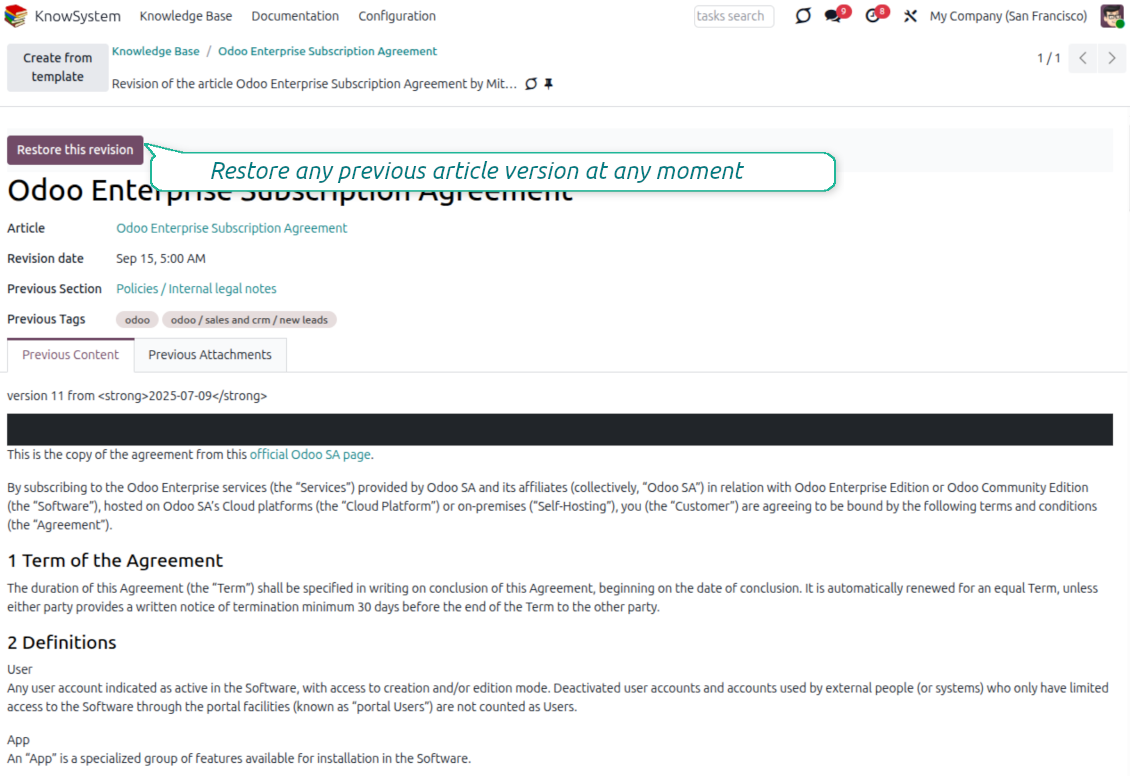
Every change is versioned. If a teammate breaks an article, restore the right version in two clicks - breaking becomes harder than restoring.
Portal & public base
Give each partner a personal knowledge portal, or publish a self-service knowledge base for any website visitor - access controlled by tags and publishing.
Documentation builder
Combine articles into advanced website documentation with automatic table of contents and instant search - reusable across versions, manuals, and guidelines.
Analytics that keep it alive
Track views, likes, dislikes, contributors, and messaging usage. See what your team relies on and keep content fresh and trusted.
Secure by design
Control who sees what with granular access for staff, partners, and the public - governed by user groups, tags, and website publishing.
Fits any team
One universal tool for helpdesk, sales, HR, IT, legal, marketing, and projects - configurable to any goal and any combination of Odoo apps.
Odoo Apps Store 反馈
客户对该应用的评价
Best knowledge base system for Odoo!
Excellent app and exceptional after-sales support.
Really well thought-out product and one of the best features is the contextual help by means of the tags. Really a game changer for us.
Keep up the great work FaOtools!
Magnus
Outstanding app! Tremendous value for money, an absolute must have!
One of the features sorely lacking from Odoo has been a robust Wiki/documentation system. Using third party platforms is a massive headache: yet another system to maintain, users get distracted switching back-and-forth, and errors get made. Then you have to worry about training, additional logins, etc.
KnowSystem feels like a native/core app, is very well-polished, and extremely fast. It's accessible from any screen, and the search results are instant (none of the latency inherent with most apps).The interface is elegant yet powerful, with robust access control, rich editing features, and version control. It's simple to revert to previous entries, view audit trails, etc. It's very intuitive for anyone familiar with Odoo; onboarding takes just a few minutes. The user guides are excellent.
This is invaluable for any organisation with a lot of documented information, SOPs, ISO compliance, or similar. If you're using eLearning, it's great for creating a help system / reminders. For example, noting key takeaways or specific instructions. The user can be in MRP, Sales, or any other function, and instantly lookup a guide. Since it overlays whichever screen you're in, it doesn't interrupt the workflow.
This dramatically increases efficiency, minimises questions, and helps keep everyone on the same page.
Oh, and customer service is excellent, faOtools stands behind their product. Thank you!
nico.valentino@gmx.net
KnowSystem is excellent - OdooTools offer great support, are very helpful and responsive
Our company needed the ability to add a Knowledge Base to our Odoo portal website for our customers to access article content on a membership-only basis. KnowSystem provided this and much more, along with ability to add search by section, set permissions to allow only certain partners access to articles by tag etc. OdooTools have been very helpful and implemented several features we suggested including automatic redirect upon login, customisable filters and a social sharing capability on articles. Overall a great app by a great company, something that massively adds to Odoo's capabilities and is something that everyone could benefit from using.
Chris Mann
Very functional application and responsive support
Our company produces medical laser equipment and we use KnowSystem to streamline the knowledge base of our company. Convenient search system and classification of content, as well as access rules for groups and even for individual users.
Svetlana
Great app and professional team
The app is great the the team is very professional in both response timing and problem solving.
Highly recommended.
Marco from ALO.zone.
Marco Carboni
Excellent system
Excellent system.
Gordon
A great tool from some very nice developers!
KnowSystem is a great tool and a game changer for us. Finally a place to put all our company know-how. I highly recommend it. And also important to us: We got great support from FaOtools too. A rare thing in this busy world. thx!
Eisberger
Excellent app and support.
Great app and a very helpfull support. Openess to improve their products is outstanding.
Lucas Huber
准备好评估了吗?
从免费演示申请开始,或在 Odoo Apps Store 购买。
免费个性化演示数据库。无需电话或信用卡。在所购 Odoo 主要版本期内提供终身免费更新和专家支持。
Navigation
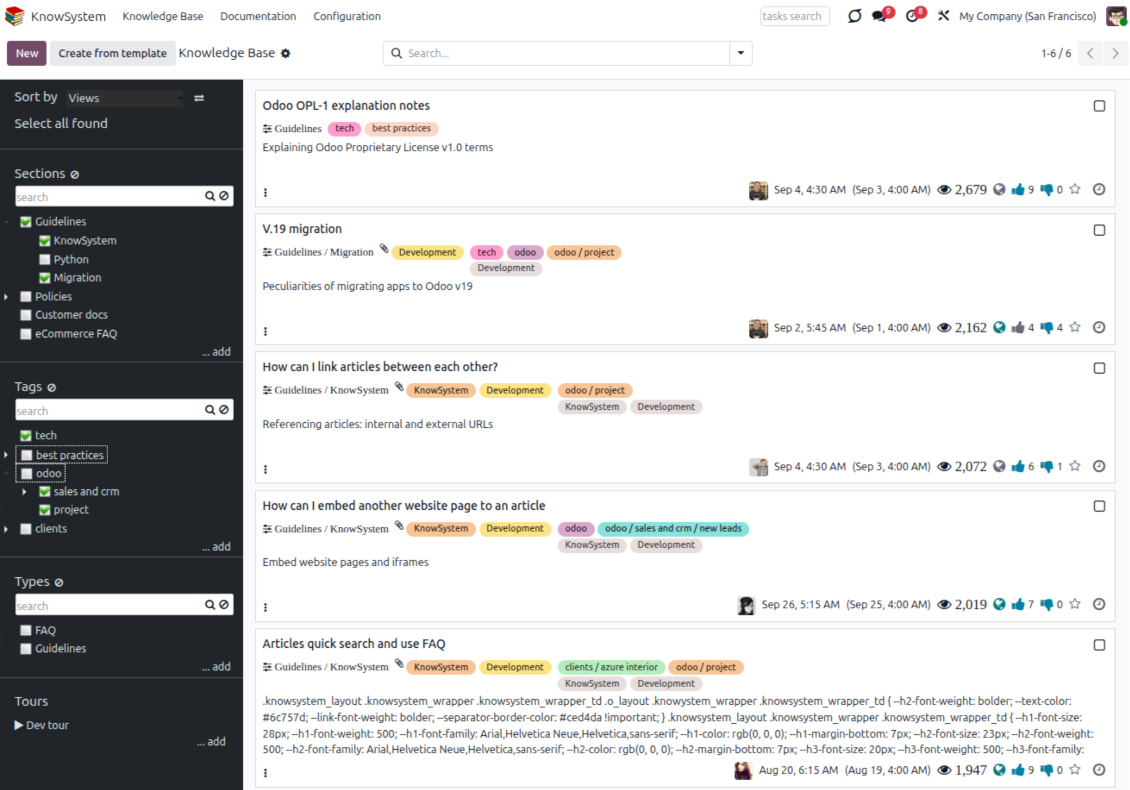
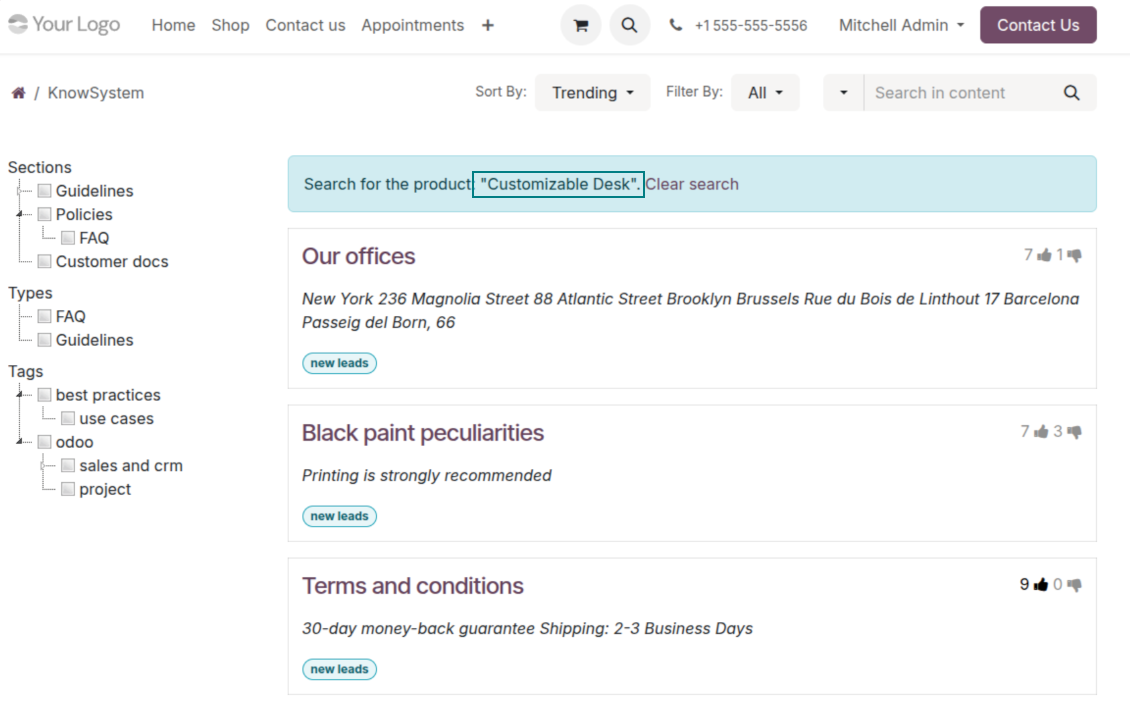
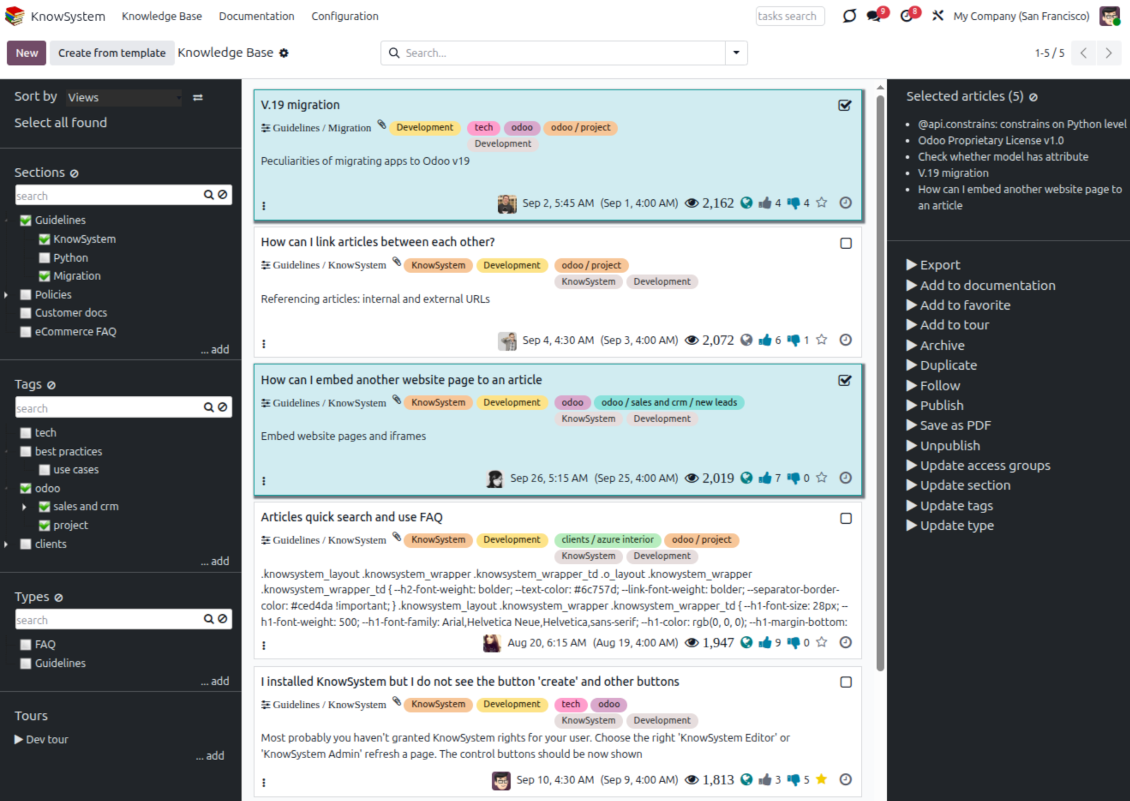
Find, filter, and bulk-edit articles from one screen
Structure and navigate
- Build a hierarchy of knowledge sections to switch between areas instantly, however large the base grows.
- Define a tree of tags for quick navigation and deeper, cross-cutting structuring.
- Introduce a knowledge typology to distinguish kinds of articles in a single click.
- Create, update, and reorder tags, sections, and types right inside KnowSystem - and print every article under a chosen tag or section.
- Search sections and tags instantly on the navigation panel.
Select, sort, and act in bulk
- Sort articles by views, score of likes, title, author, section, and create or write dates.
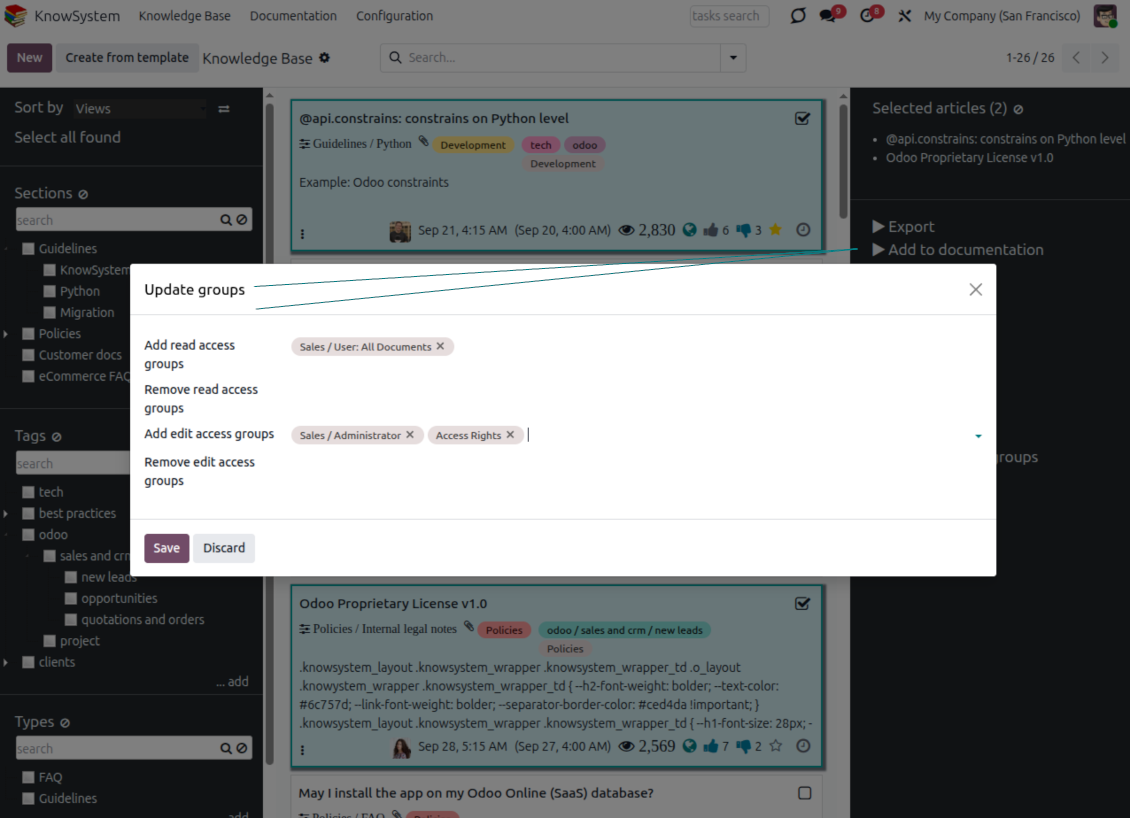
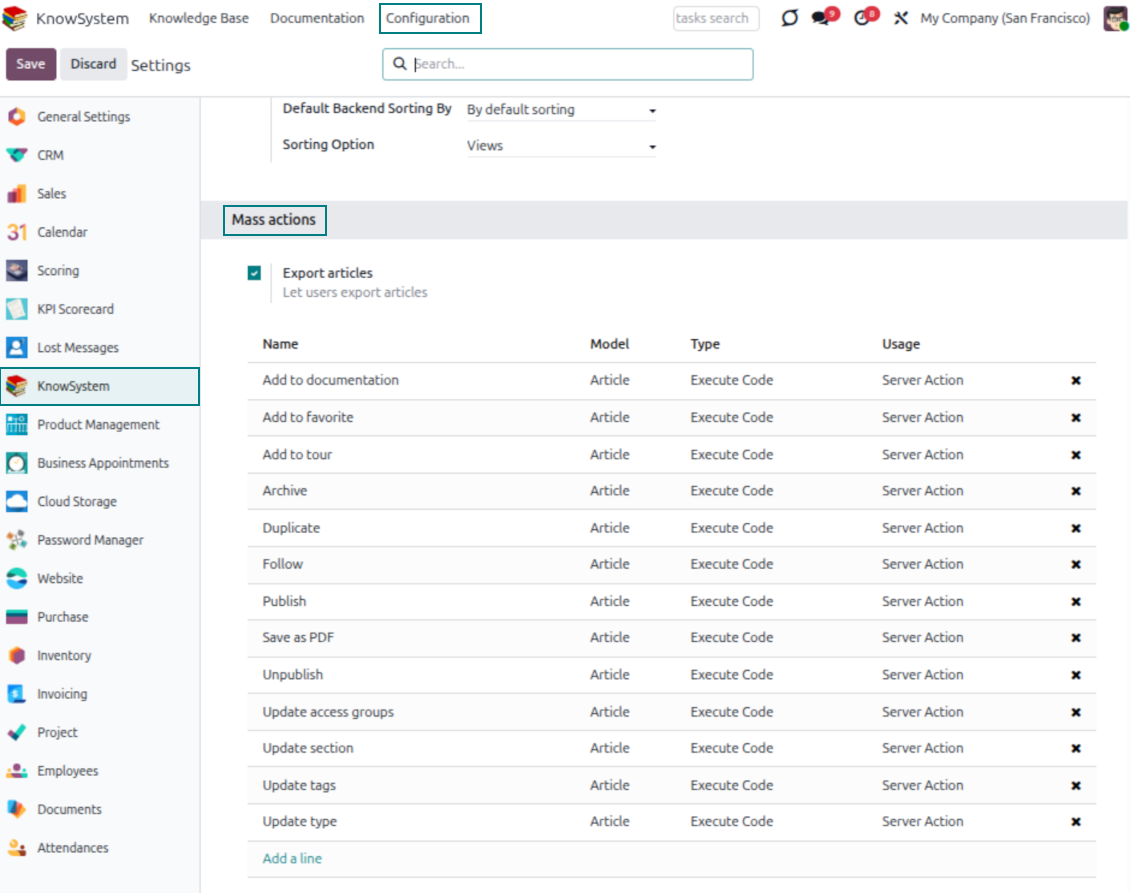
- Pick articles step by step - the selection is not cleared by a new search or when you open a record - then run mass actions on everything you chose.
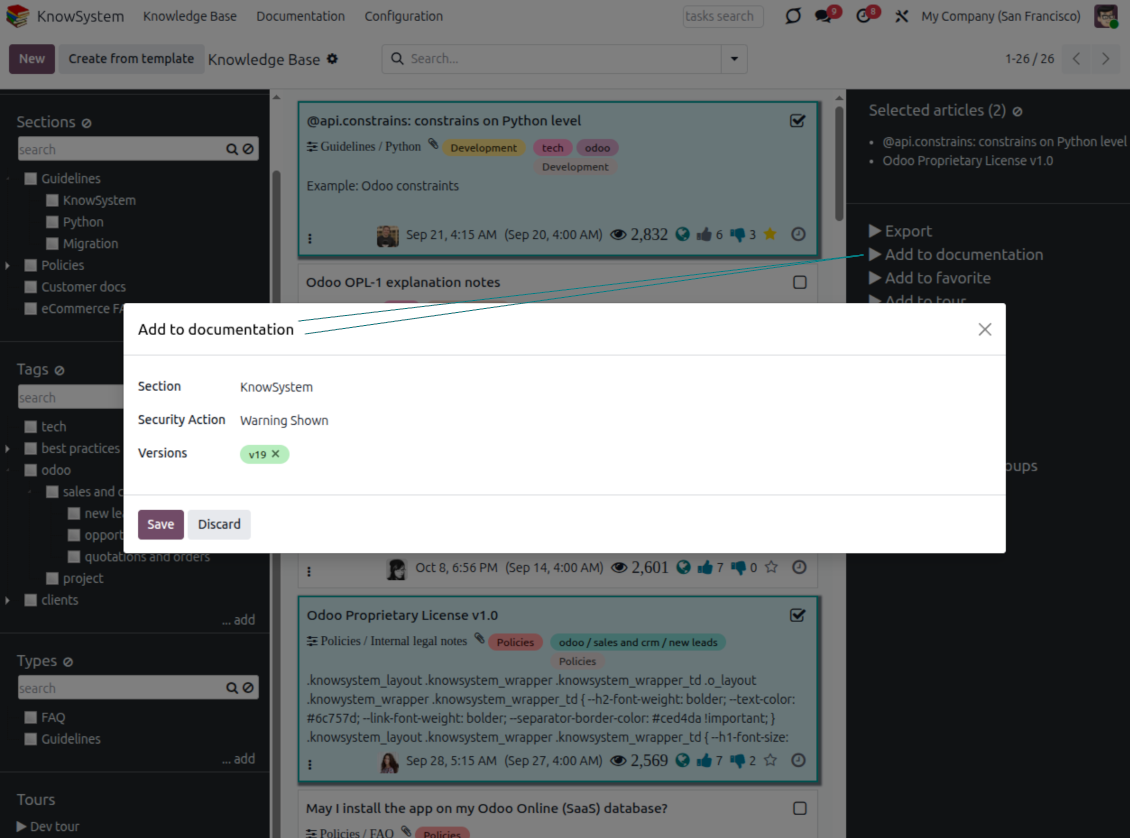
- Update knowledge in batch: assign a new section (including by dragging articles onto the navigation panel), add or remove tags, print many articles as one PDF, follow/unfollow discussions, publish/unpublish, export to Excel, archive or restore, add to learning tours and documentation, mark as favorite, and duplicate.
Article editors
Write professional articles your way
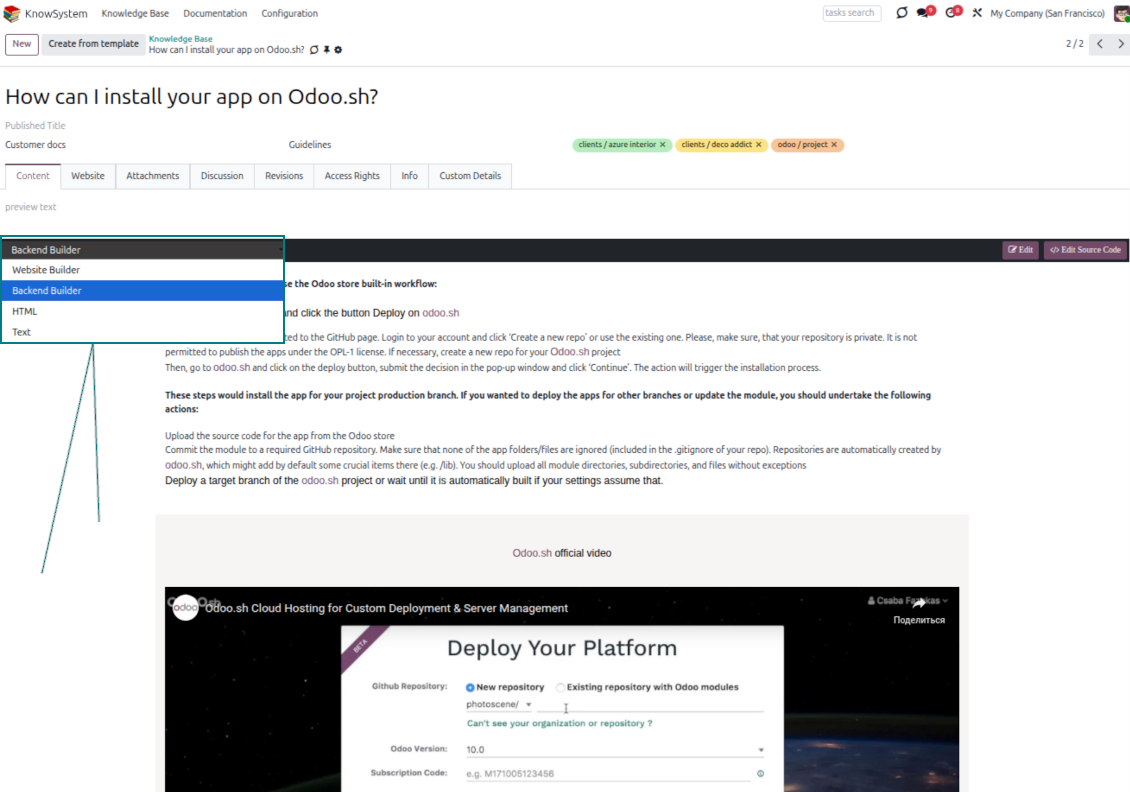
Five editors, one article model
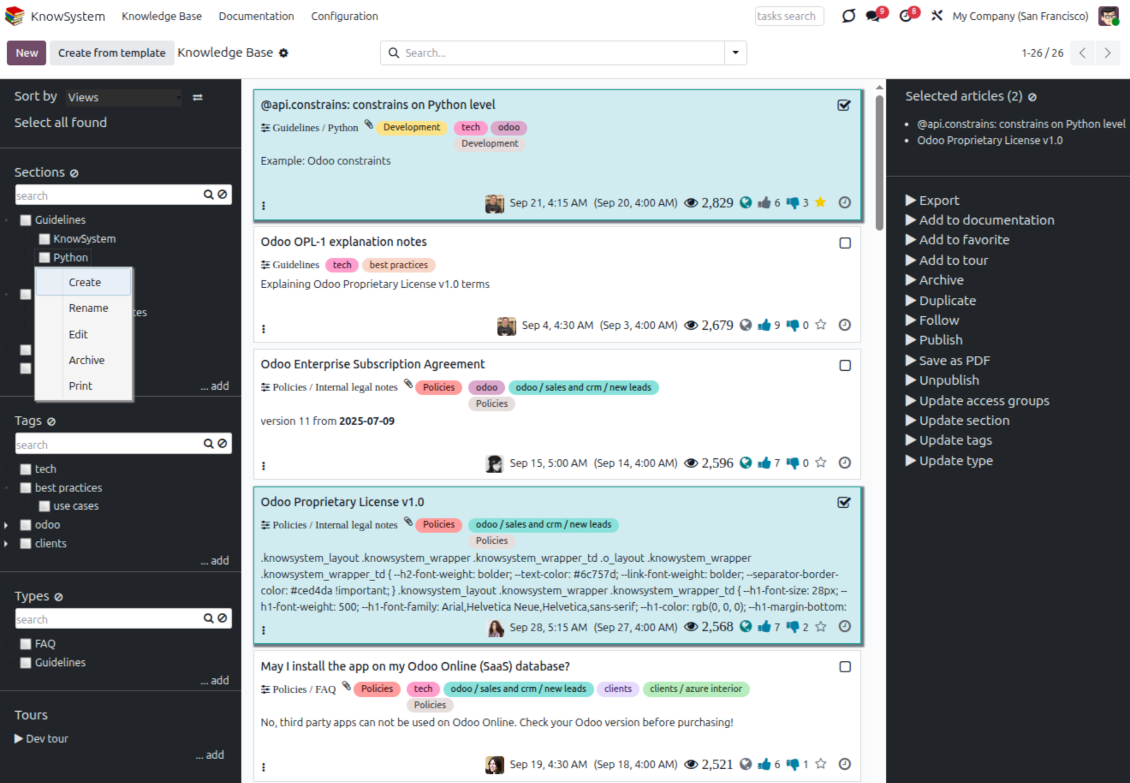
- Backend building blocks - drag and drop to compose professional articles right in the Odoo backend. The editor relies on strict HTML that stays compatible with printing and messaging layouts; reorder blocks and adjust their width, height, and styles.
- Website builder - apply advanced styles, snippets, animations, and widgets via Odoo's built-in website editor. Ideal for nice-looking portal pages; avoid it for internal or printed articles, as advanced styles often contradict print and composer layouts.
- Plain text - keep certain articles as simple text for unlimited compatibility with printouts and emails, and copy their content to the clipboard for quick sharing.
- Standard HTML editor - the familiar Odoo editor with its built-in slash commands for quick inline pieces.
- Raw HTML - switch to the code editor at any moment to add any tags and styles, including Bootstrap-ready elements and iframes.
Templates for speed and consistency
- Reusable templates - prepare dedicated knowledge templates for recurring article types such as procedures, FAQs, or release notes, so contributors never start from a blank page.
- Save any article as a template - turn an existing, well-structured article into a reusable template in one click and grow your own library over time.
- Faster, consistent authoring - start new articles from a template to save time and keep a uniform structure and look across the entire knowledge base.
- Right editor for each page - switch an article's editor type whenever the content calls for it, so every page uses the most suitable tool without re-creating it.
Use anywhere
Surface the right article in documents, chats, and tours
Knowledge inside any Odoo document
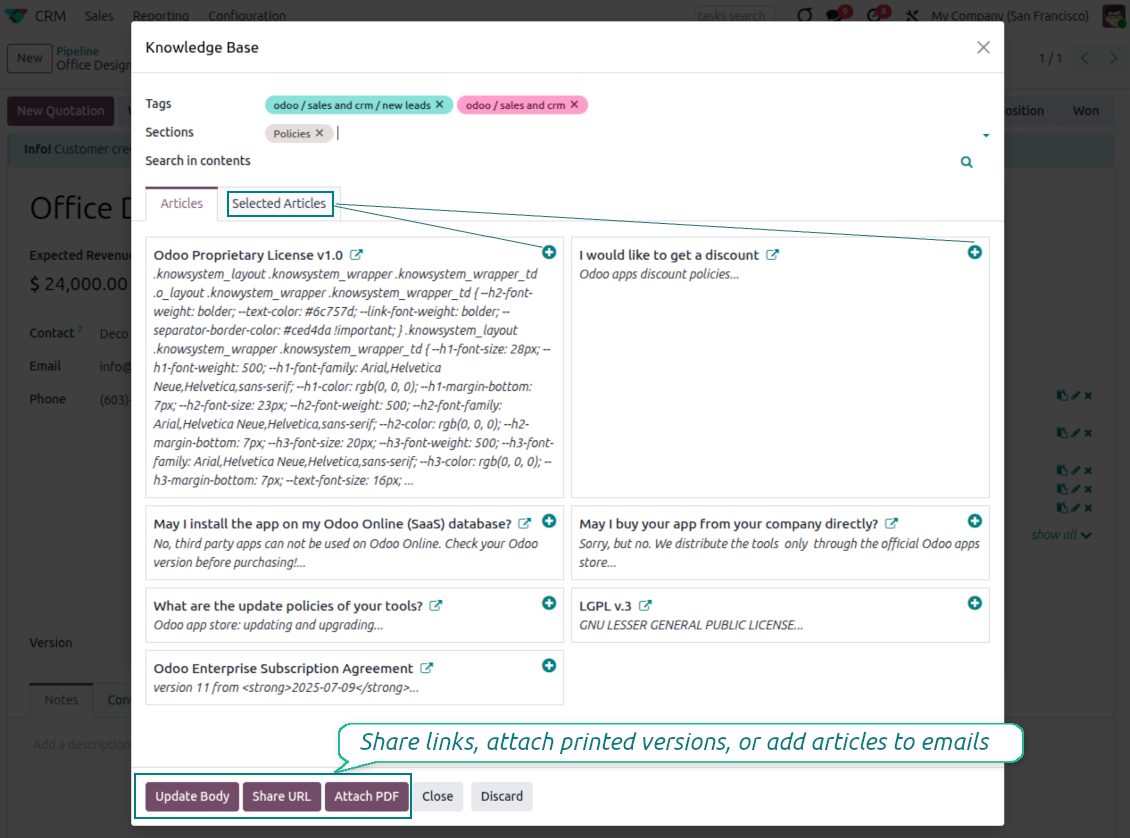
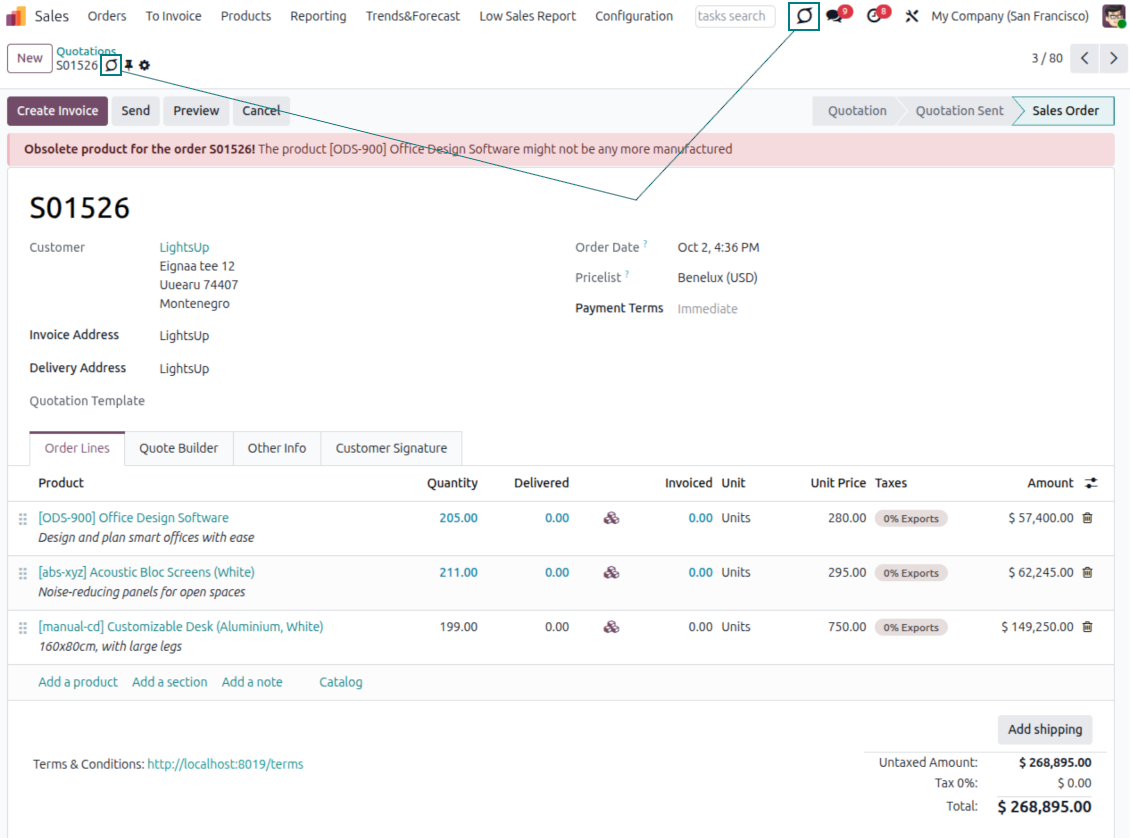
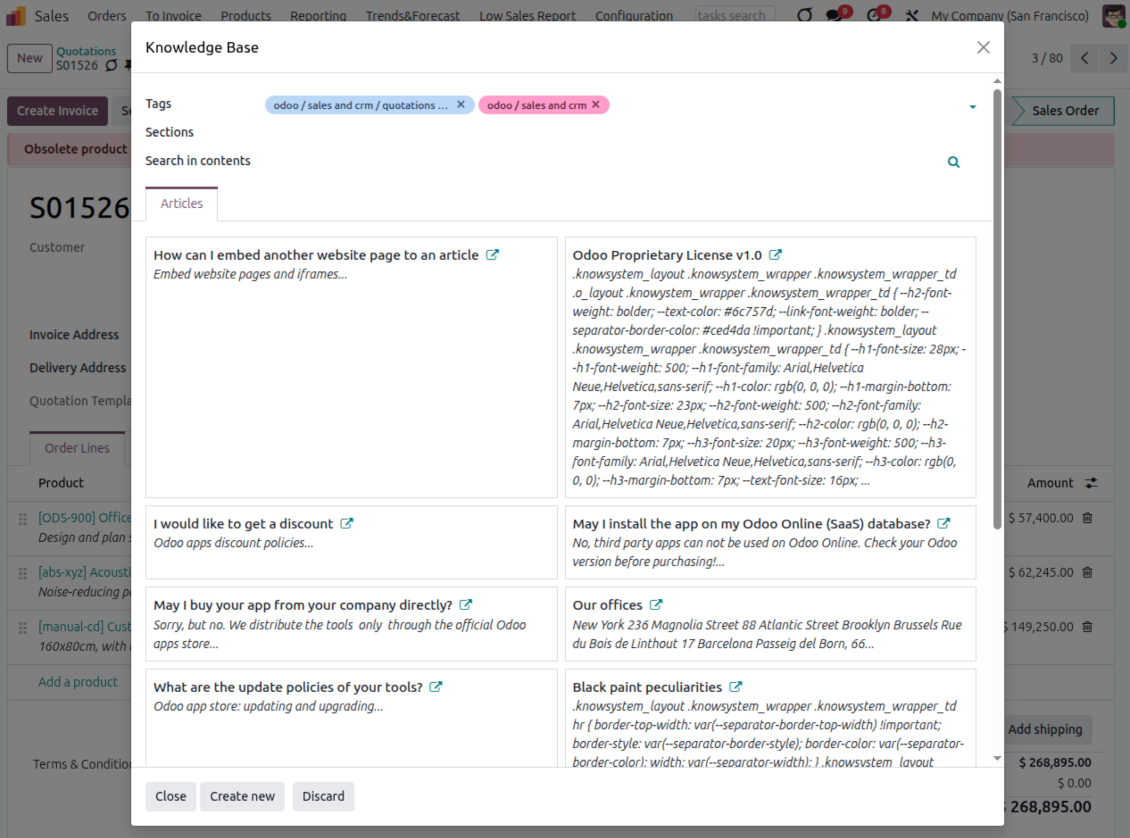
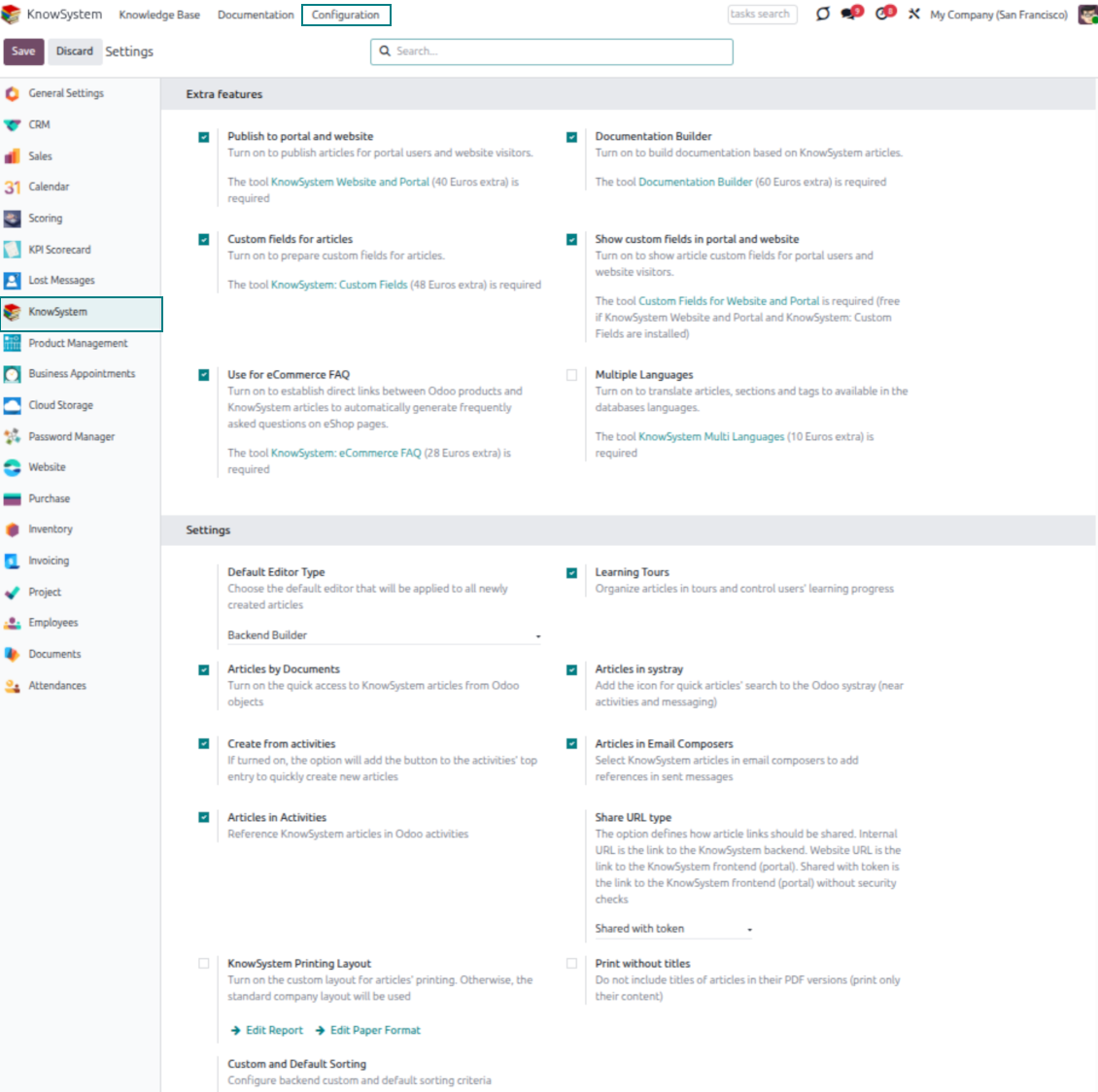
- Turn on 'Articles by Documents' to add a quick knowledge entry to any Odoo form view.
- Search by tags, section, or content for a quick overview, and read article content without leaving the record.
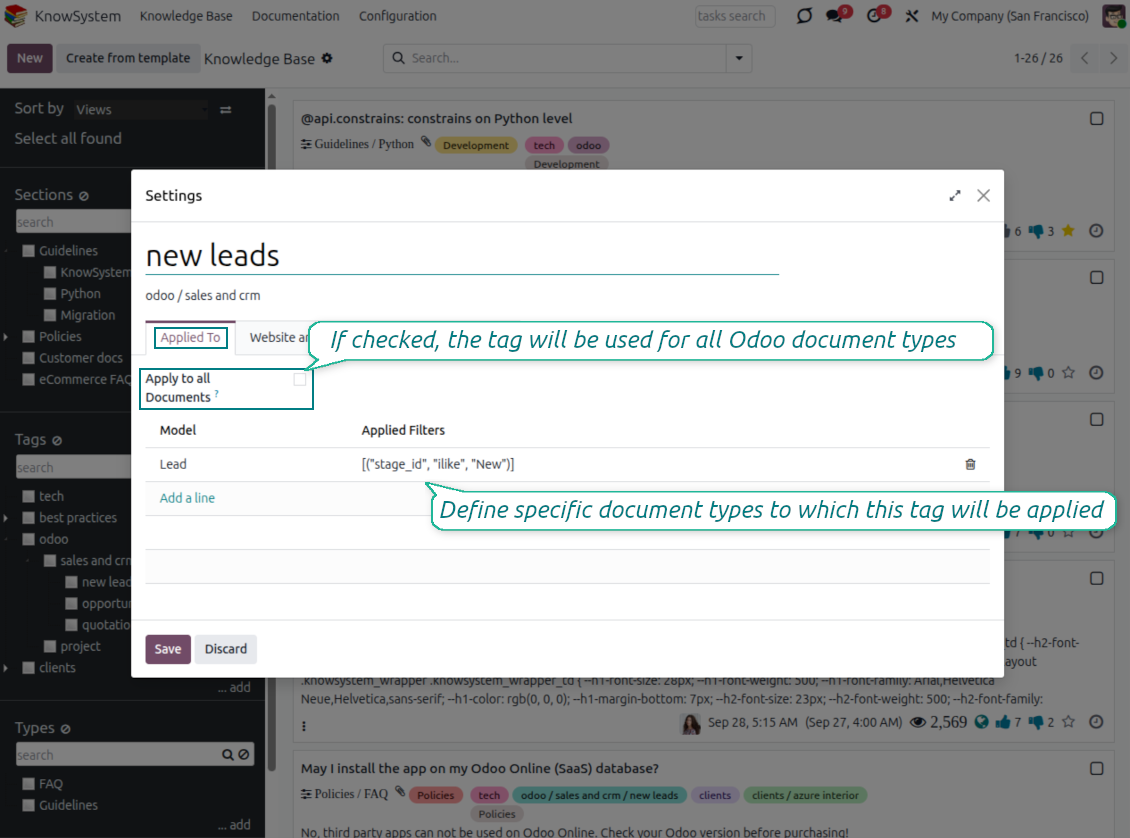
- Link tags to document types so the right articles appear by default - e.g. assign helpdesk tickets the tag 'odoo/helpdesk' and it is pre-filled on every ticket.
- Turn on 'KnowSystem in systray' to reach the base from anywhere in Odoo, whatever screen you are on.
Apply knowledge in communication
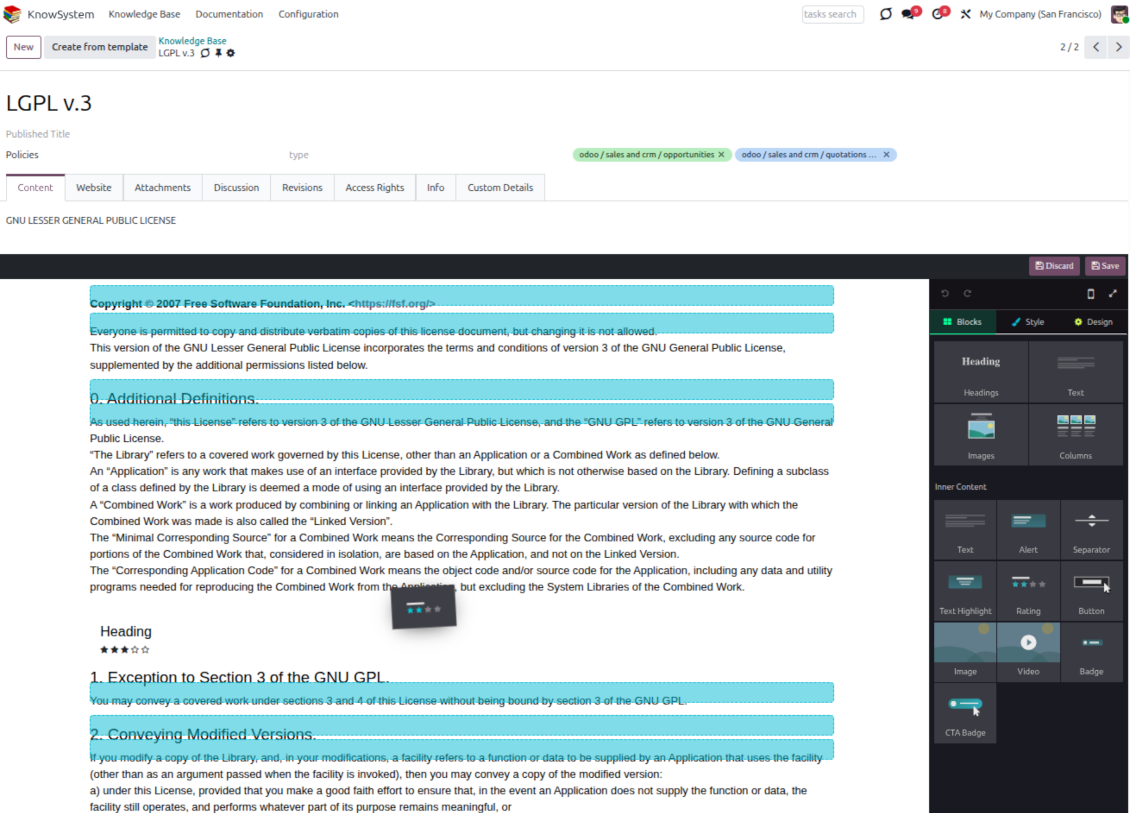
- Turn on 'Articles in Email Composers' to reference or cite knowledge in Odoo messages.
- See articles related to the current discussion and insert them with the editor command '/' > KnowSystem; the content is appended to the message.
- Attach a PDF version of the referenced article(s) automatically.
- Share links with colleagues or partners as backend, website/portal, or tokenized portal URLs.
- Turn on 'Articles in Activities' to insert articles or their links into Odoo activities.
Guided learning tours
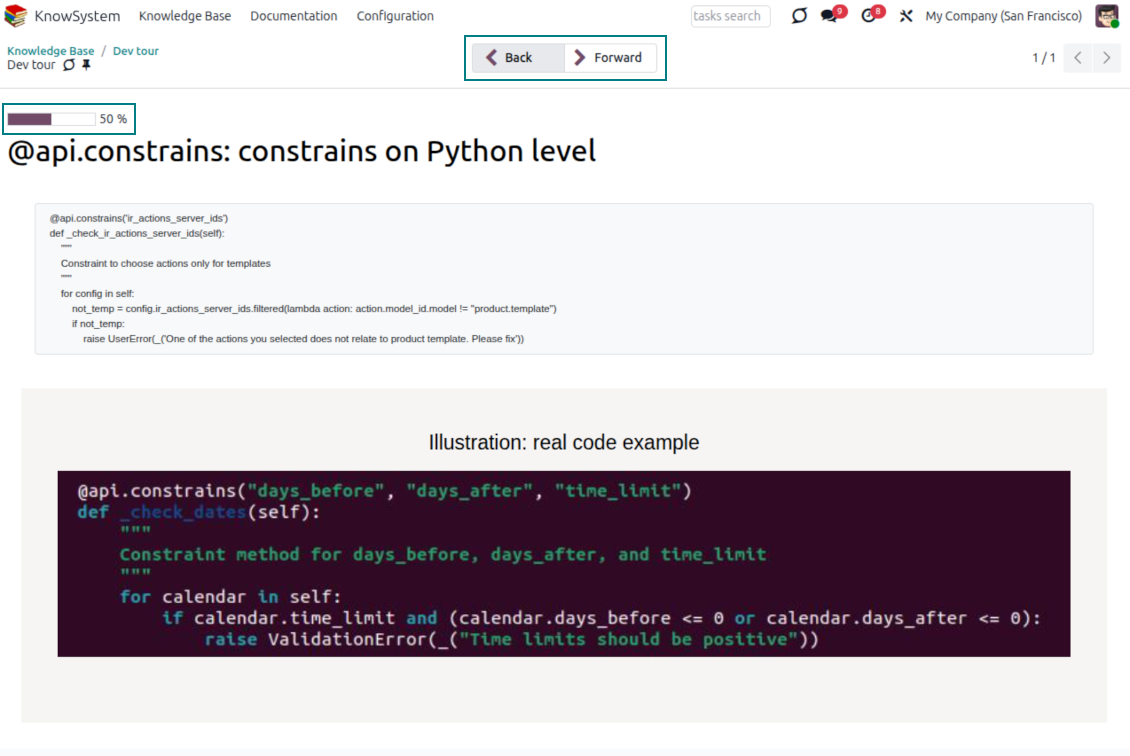
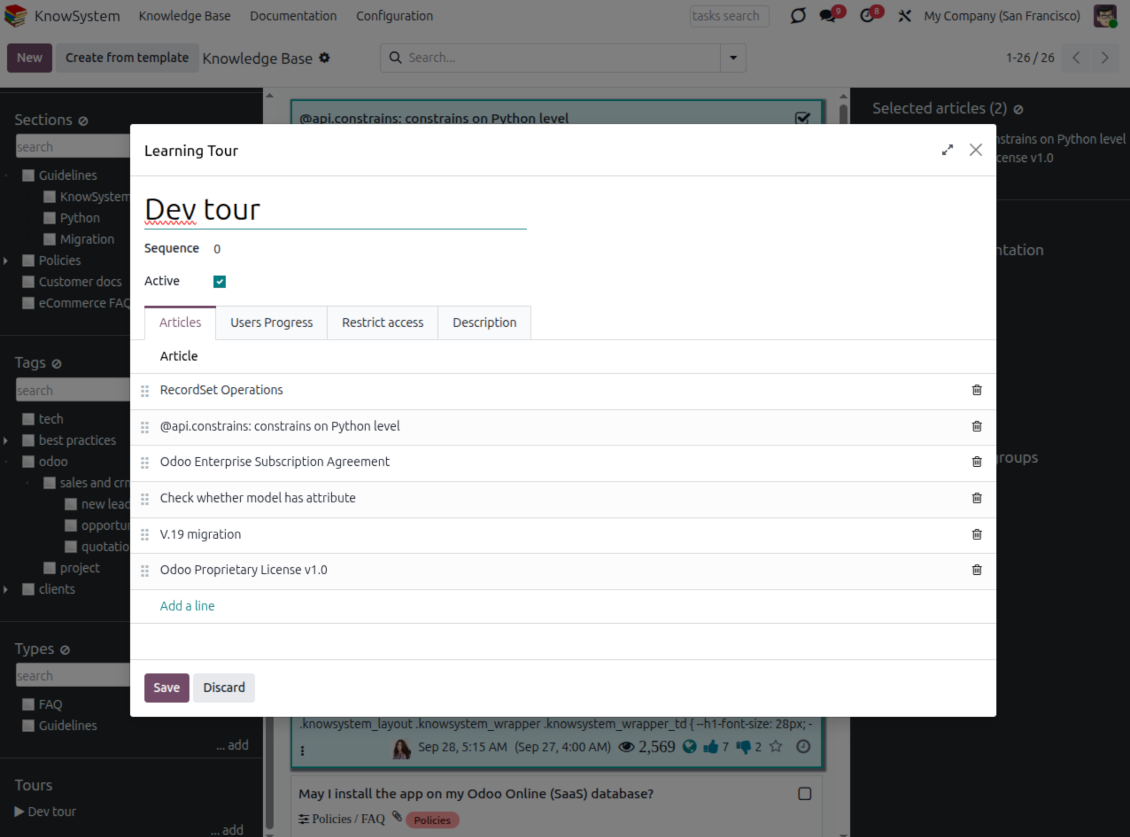
- Turn on 'Tours' to combine articles into an ordered sequence of learning steps.
- Launch a tour in a dedicated interface to study step by step, and share it with everyone or specific user groups.
- Track employees' progress through your instructions and guidelines.
Share and publish
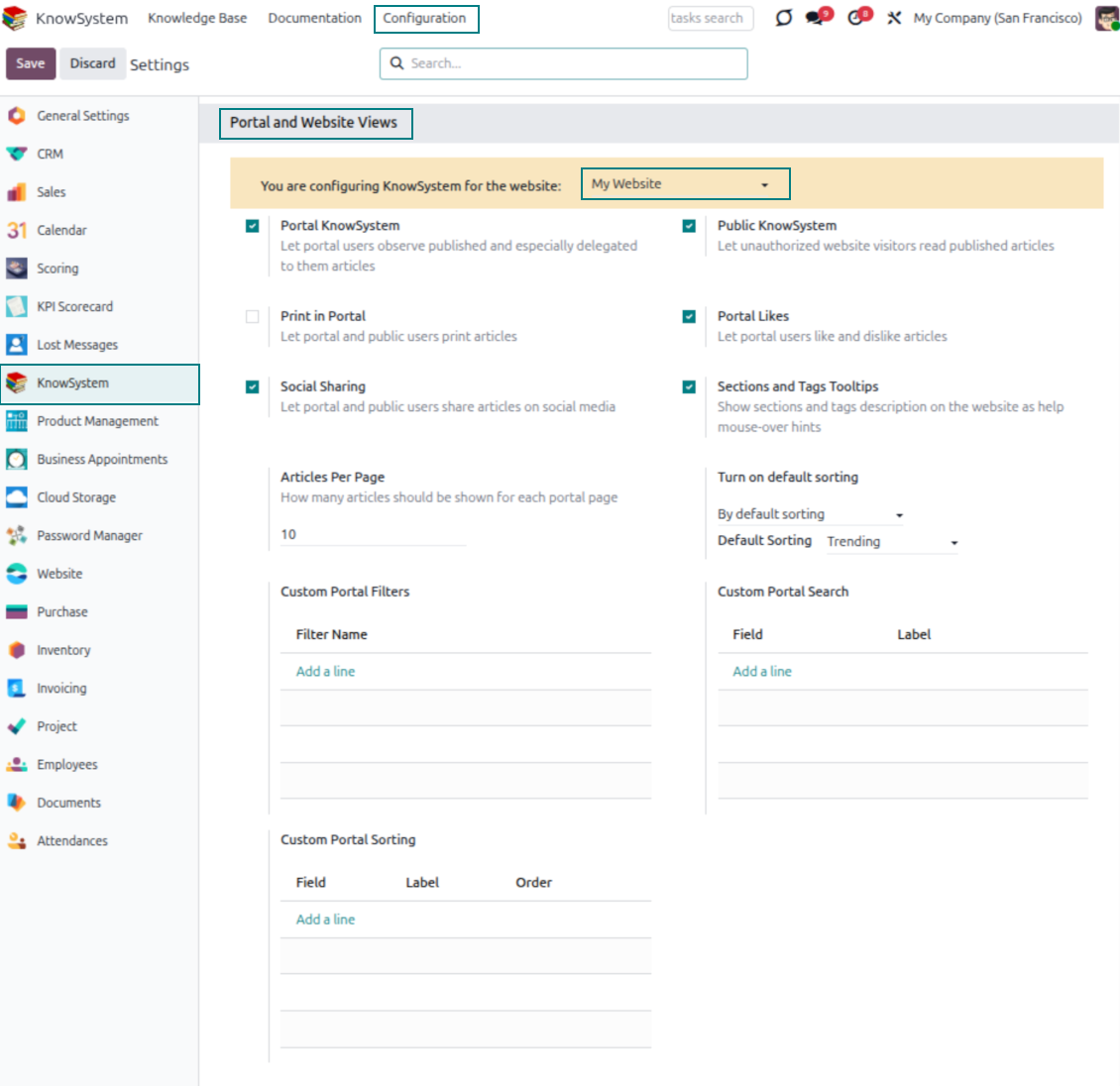
- 'Portal KnowSystem' shares knowledge with external partners; 'Public KnowSystem' opens it to website visitors.
- Configure KnowSystem tags or publish articles to control exactly what is shared.
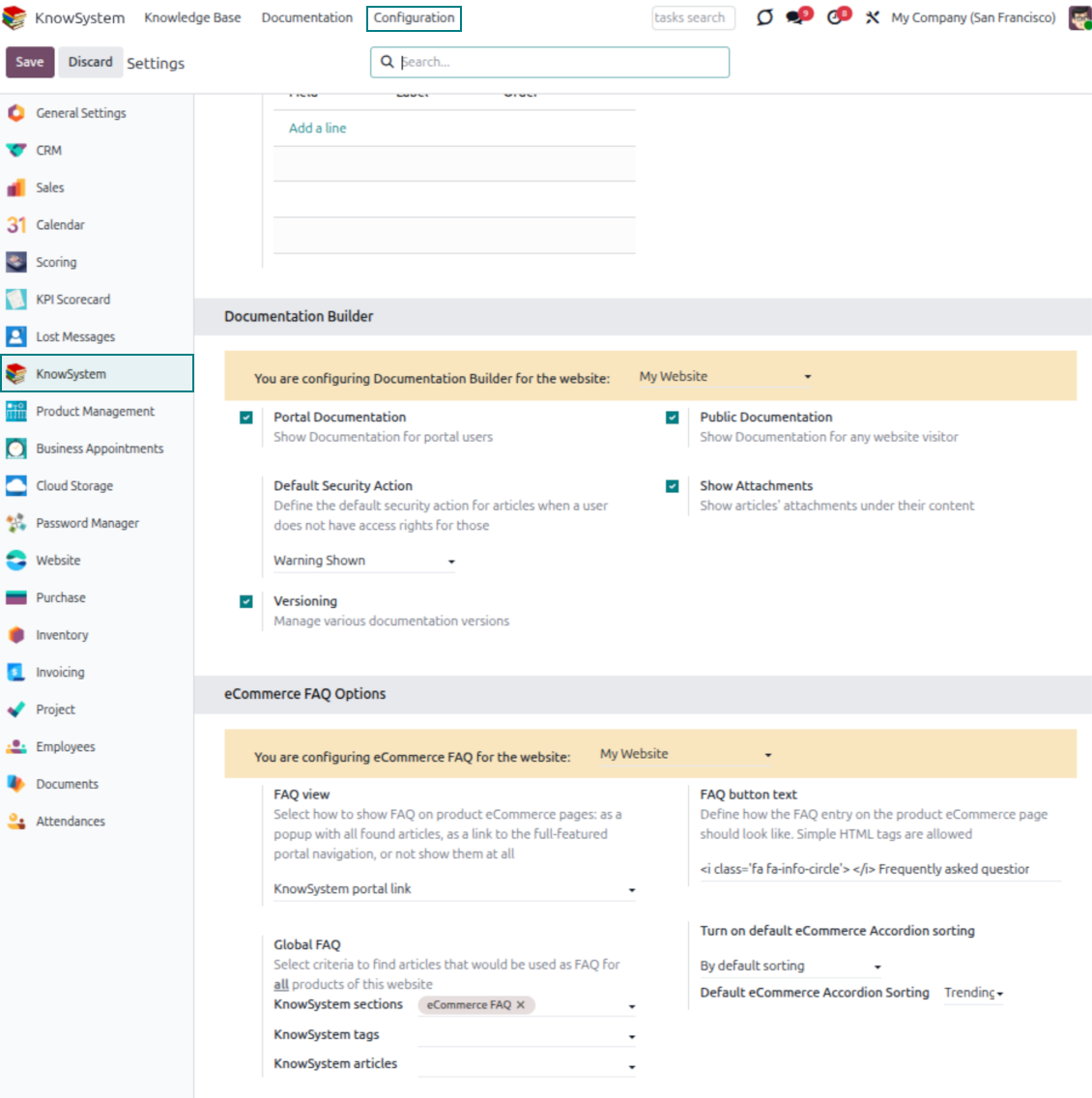
- Combine articles into advanced documentation; 'Portal Documentation' and 'Public Documentation' decide who can read it.
准备好评估了吗?
从免费演示申请开始,或在 Odoo Apps Store 购买。
免费个性化演示数据库。无需电话或信用卡。在所购 Odoo 主要版本期内提供终身免费更新和专家支持。
Documentation
Turn articles into searchable website documentation
Create and structure
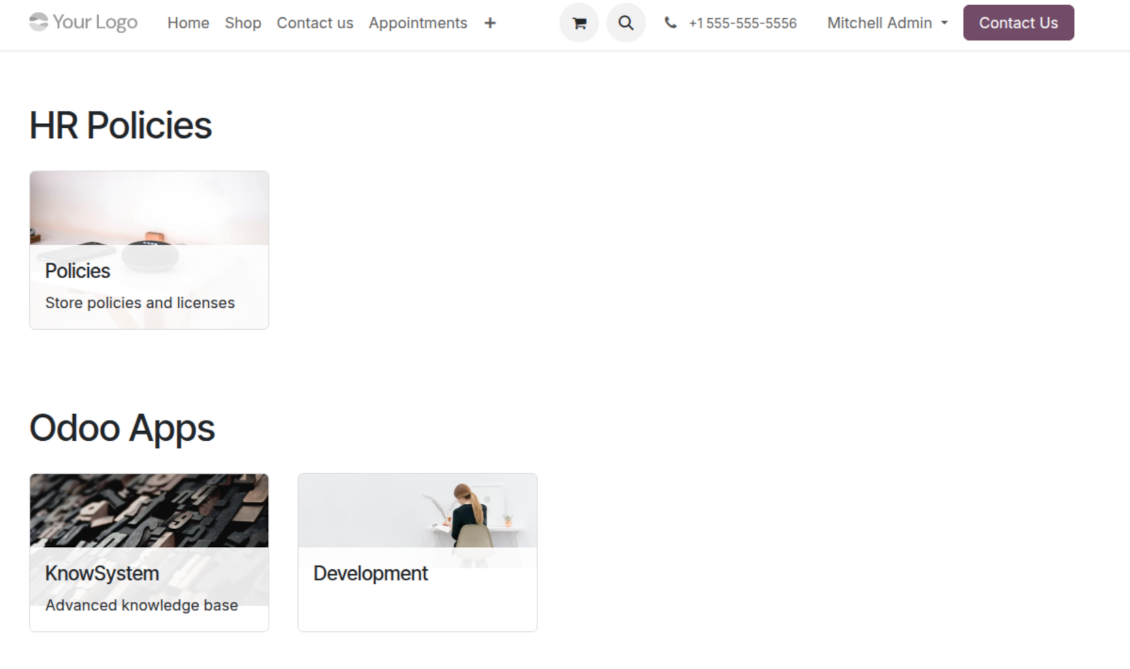
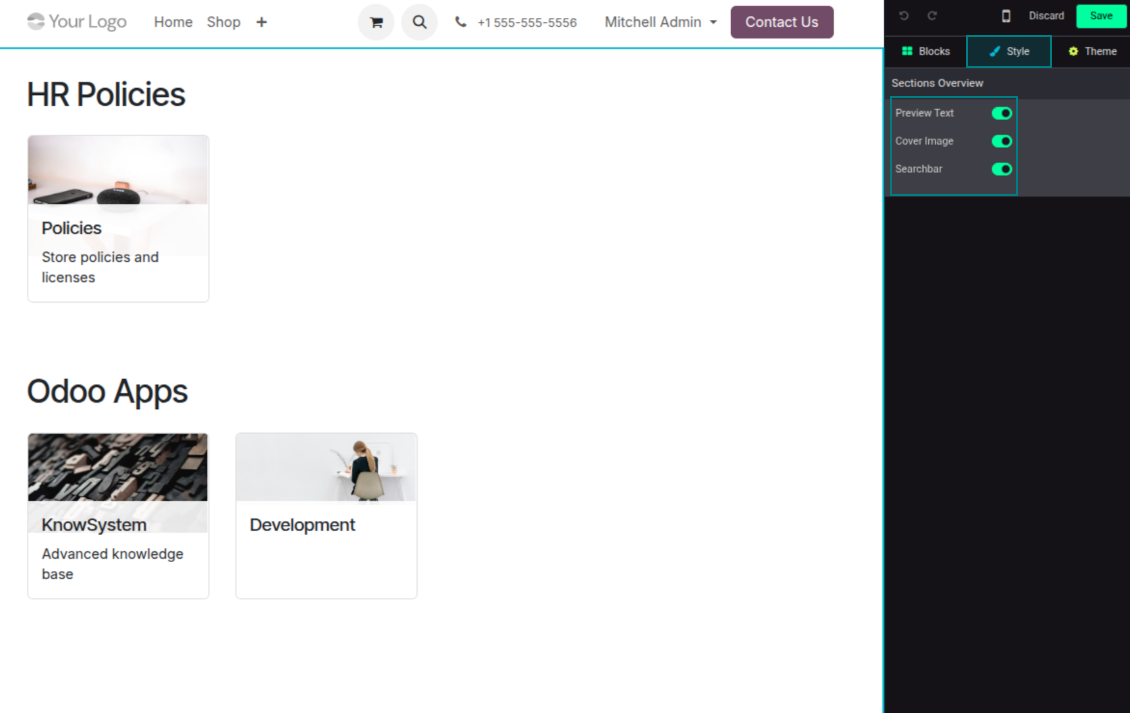
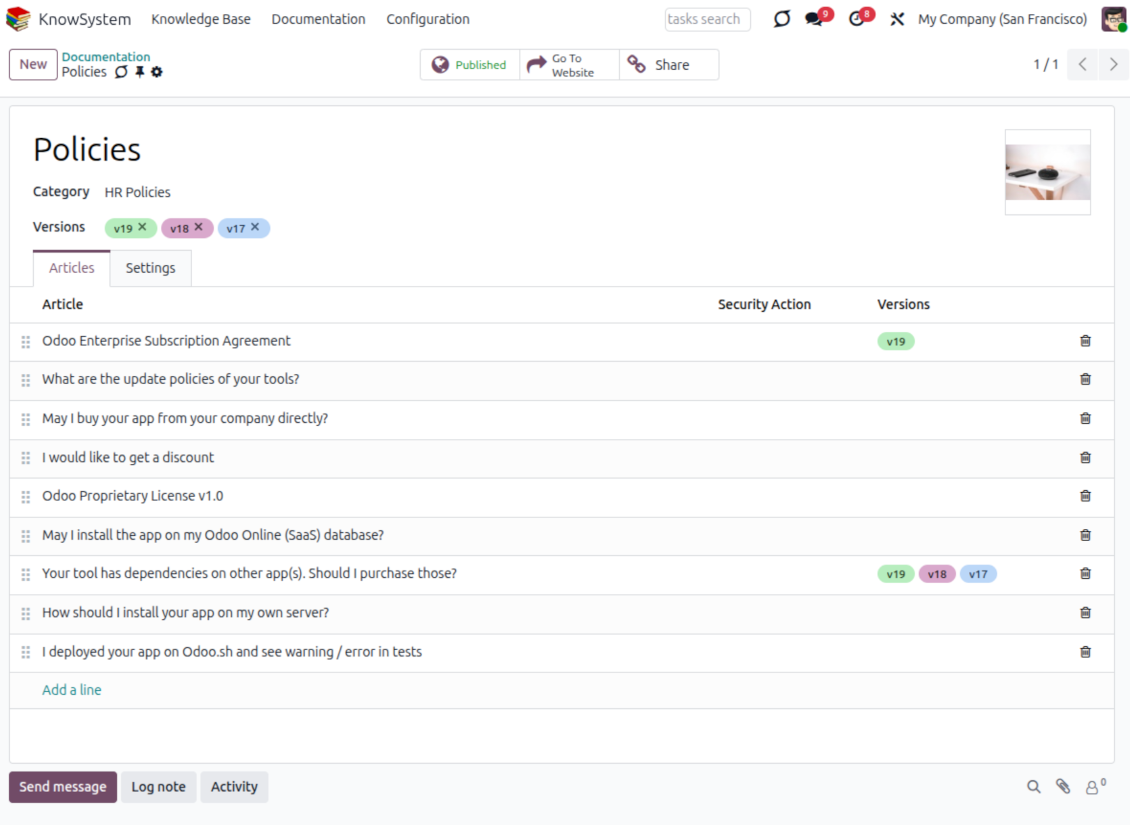
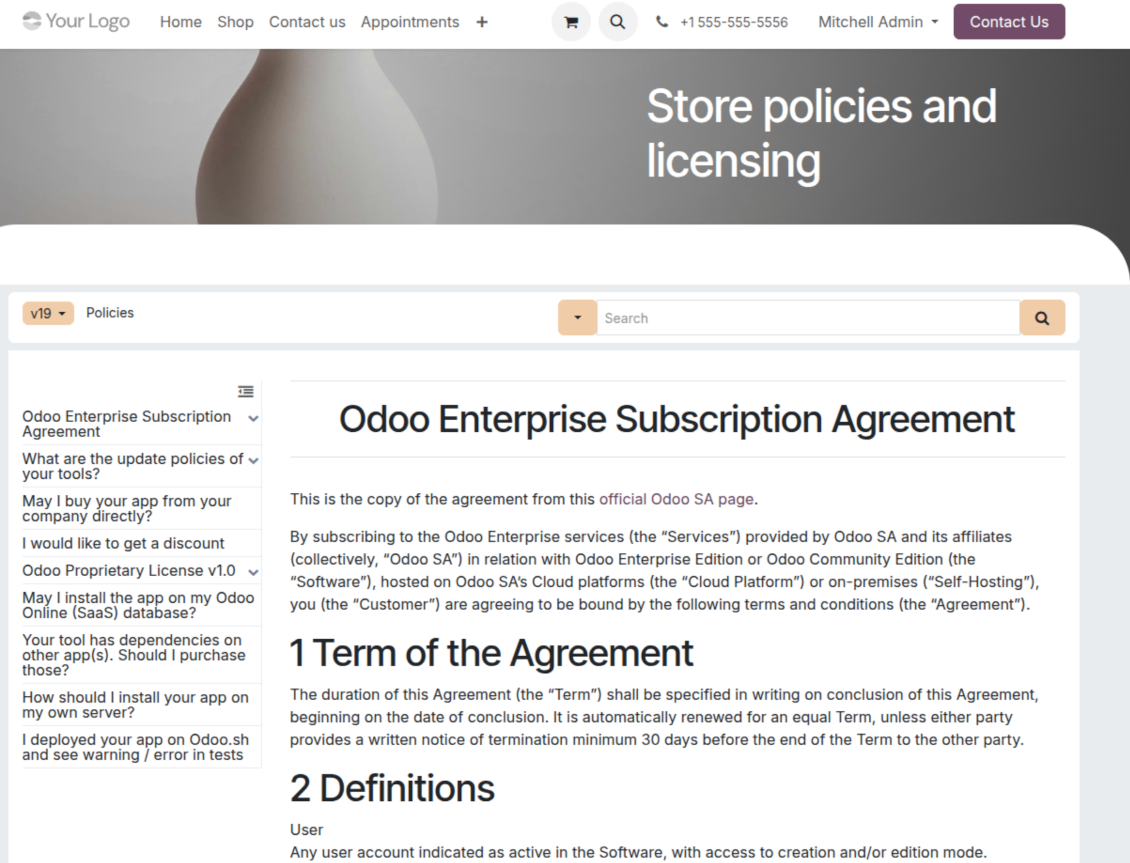
- Combine articles into advanced documentation that covers a whole business, organizational, or functional aspect.
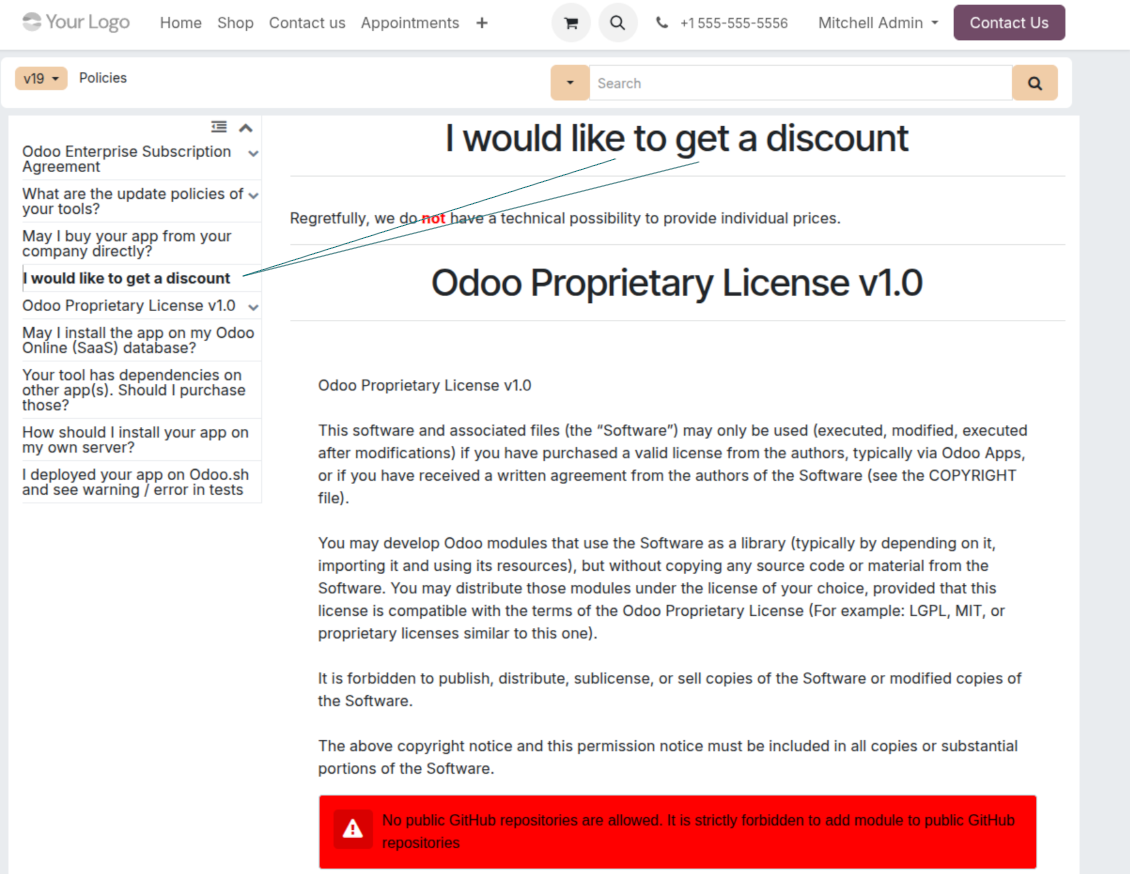
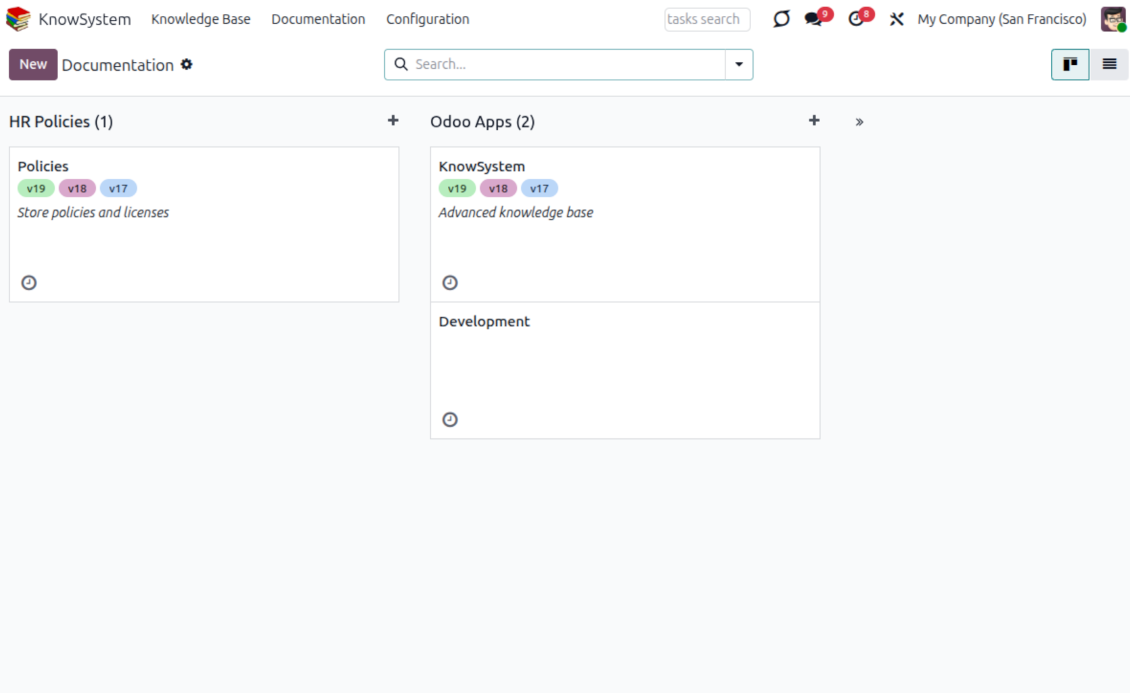
- Create a section simply by selecting and ordering articles - KnowSystem generates the website page automatically.
- Reuse the same article across several documentation sections.
- Build an unlimited number of documentation pages, structured by categories.
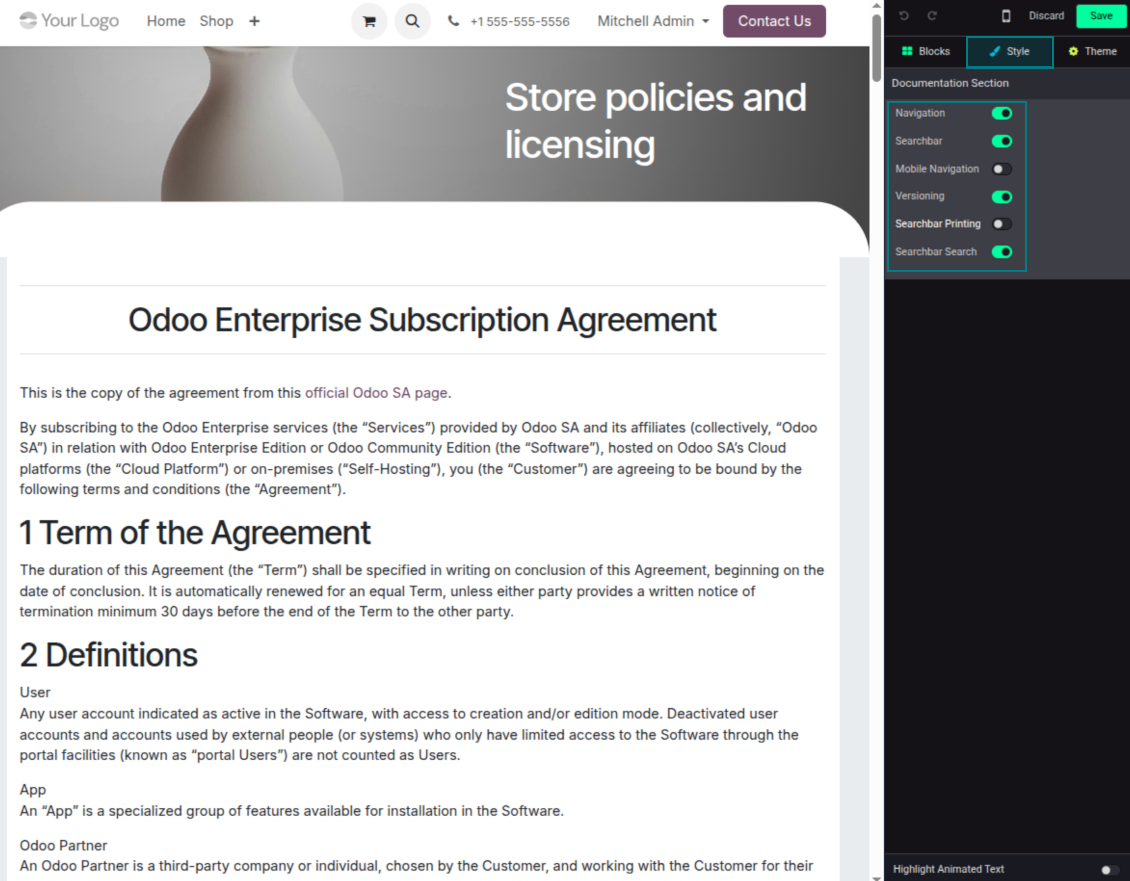
- Customize each page: toggle the search bar and table of contents, and add or remove preview images and texts.
Share, navigate, and version
- Publish documentation for everyone, or assign KnowSystem tags to grant access to chosen Odoo partners.
- Decide what happens when a reader lacks access to an included article: ignore the restriction, hide that piece, or show a security warning.
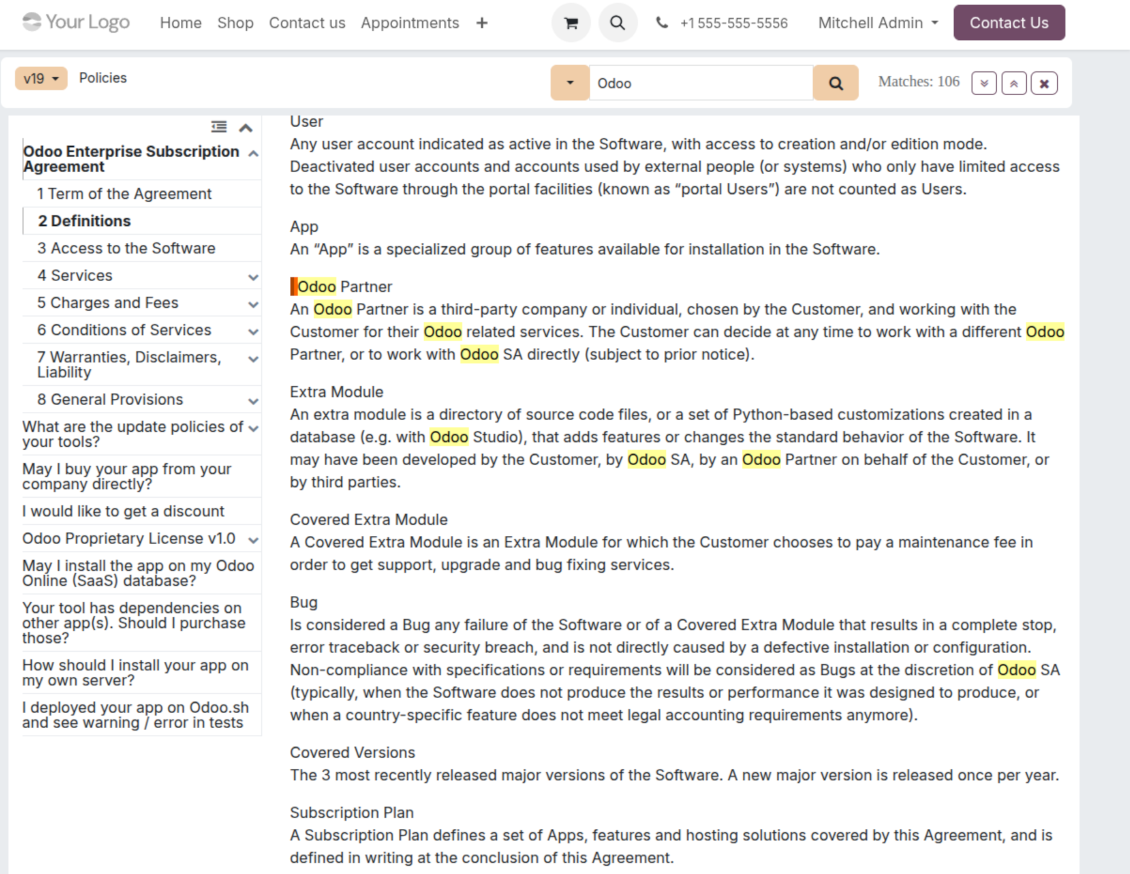
- Show an automatic table of contents, built from the headers of the included articles, for fast navigation.
- Enable search across the whole text or only headers, with case-sensitive or insensitive keywords.
- Apply versioning to avoid double work on specifications, user manuals, and software guidelines.
Portal & public
Share with partners or publish to everyone
Knowledge in the Odoo partner portal
- Turn on 'Portal KnowSystem' to give each Odoo partner a personal web portal built from the articles you choose to share.
- Design an article for one specific company, or reuse the same knowledge experience across many clients.
- Articles reach a portal user when they are (a) published, or (b) carry user-related tags.
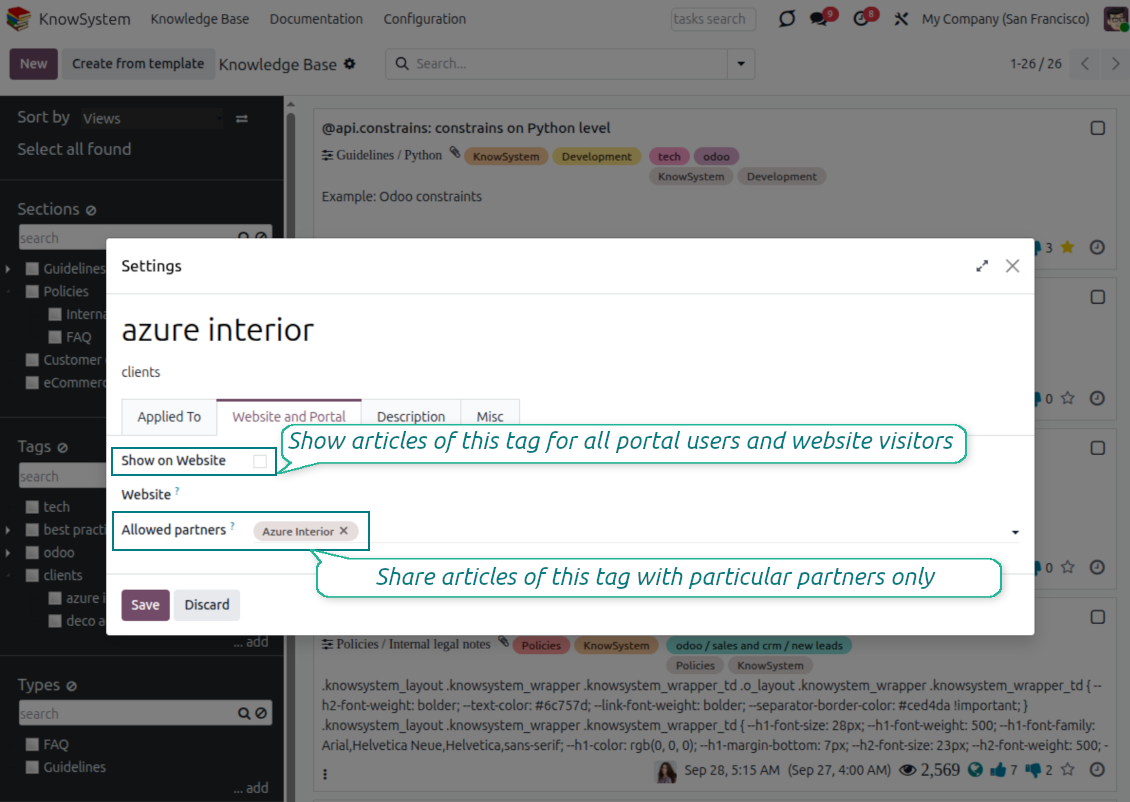
- Assign a tag to a partner in two ways: fill 'KnowSystem tags' on the partner form, or define 'Allowed partners' on the tag.
- Optionally allow partners to print articles, like them, and share.
Public self-service knowledge base
- Turn on 'Public KnowSystem' to open knowledge to unauthenticated website visitors for true self-service.
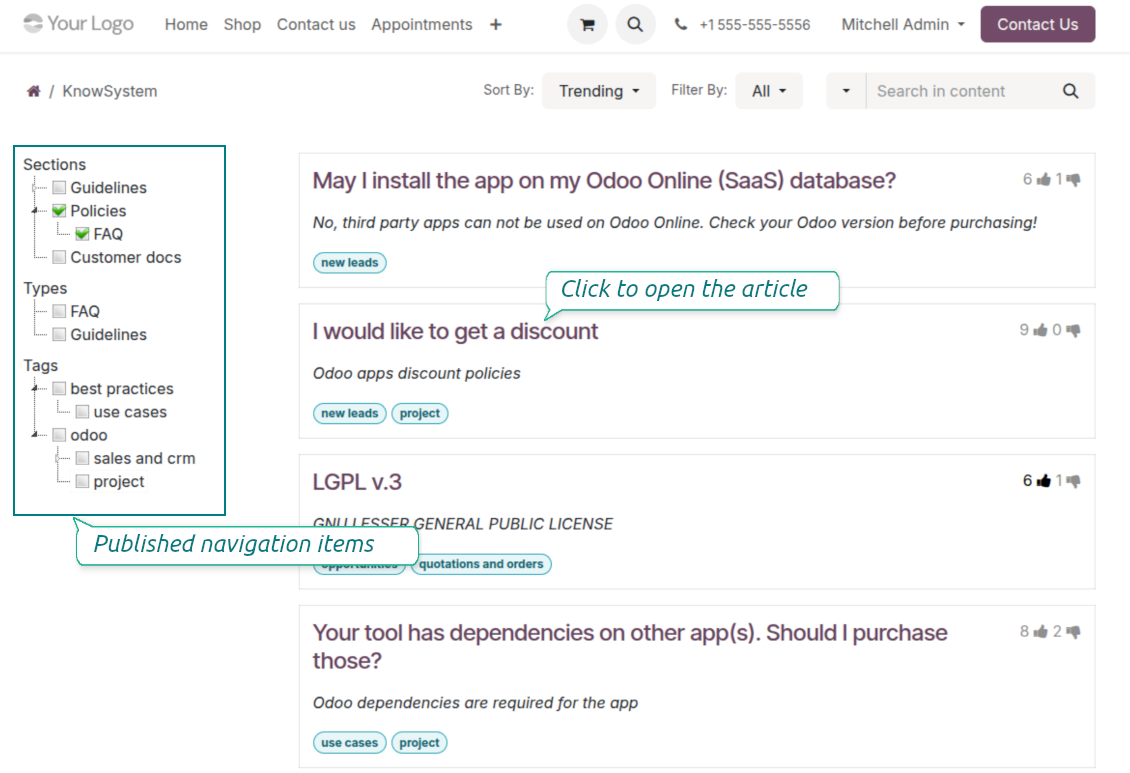
- Only published articles are shown - publish via the 'Publish' mass action or the 'Visible on current website' checkbox.
- Publish tags and article types too so they appear in the portal; sections show only once they contain visible articles.
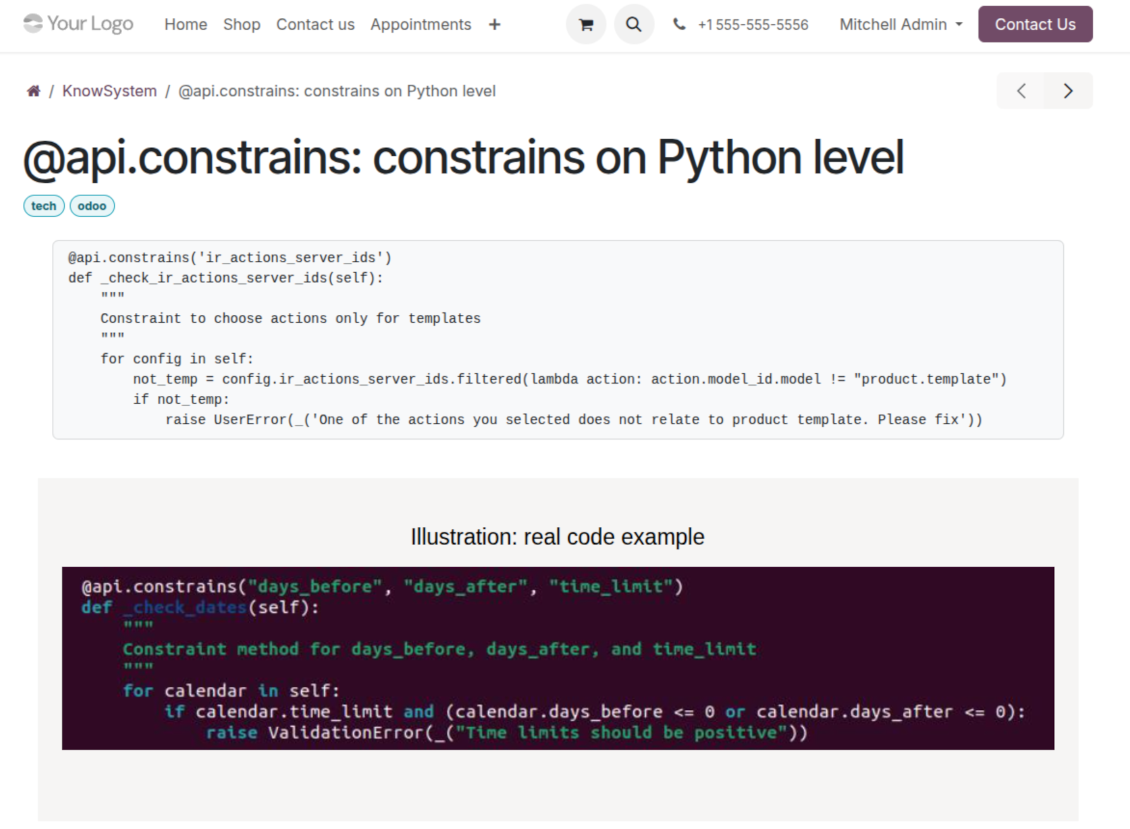
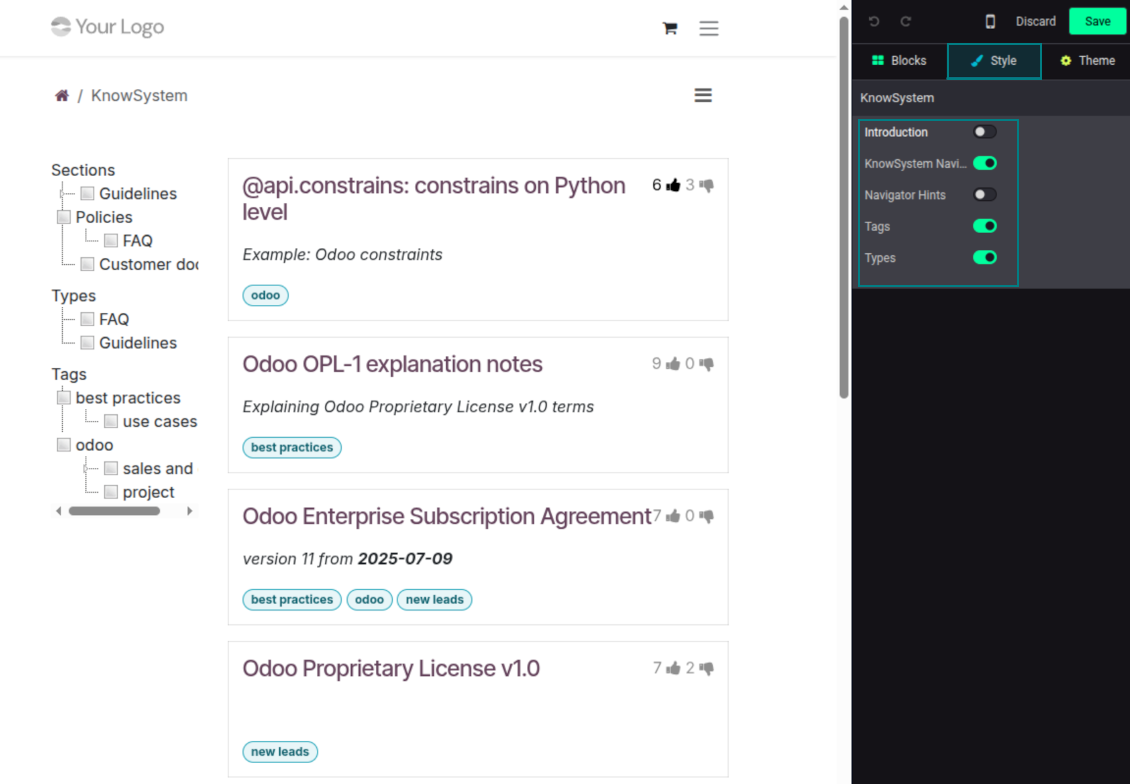
- Customize the portal: show or hide navigation by tags and types (or the whole navigation), add an introduction and navigation hints, and set section tooltips.
Collaboration
Versioned, social, and multi-lingual knowledge
Teamwork and use
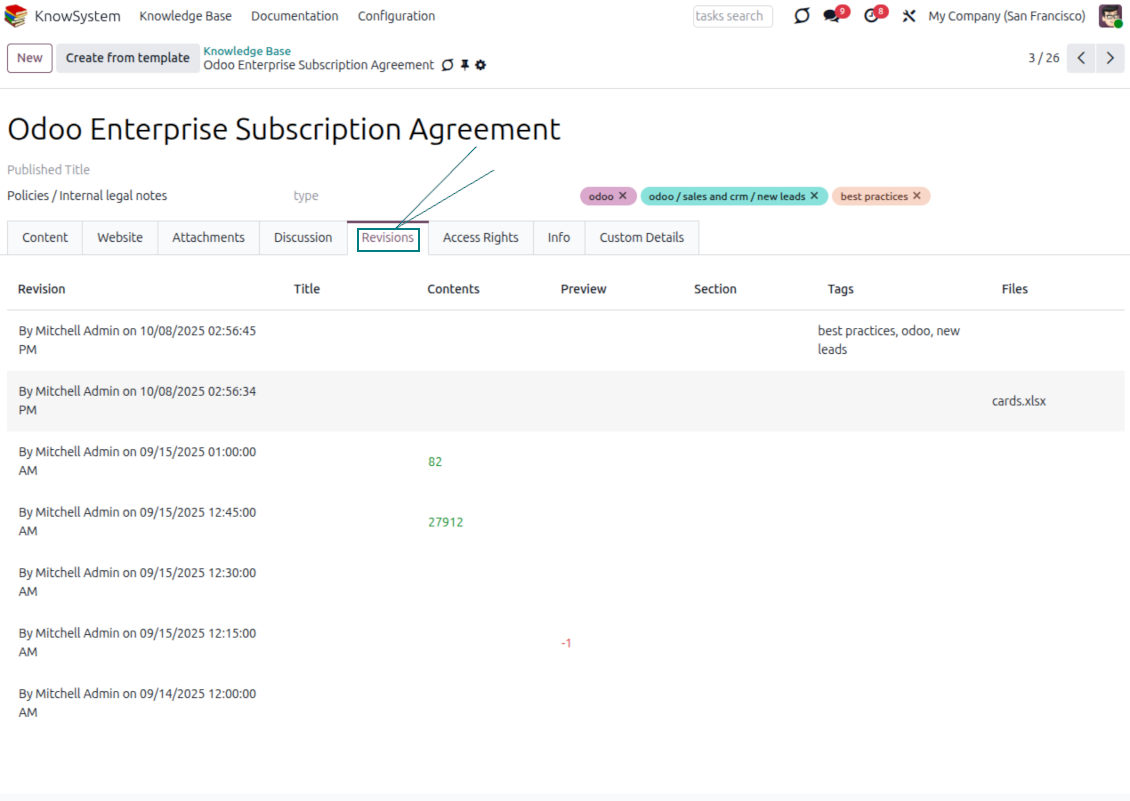
- The full history of article revisions is kept in Odoo, wiki-style. If a user breaks something, it takes just 2 clicks to recover the right version.
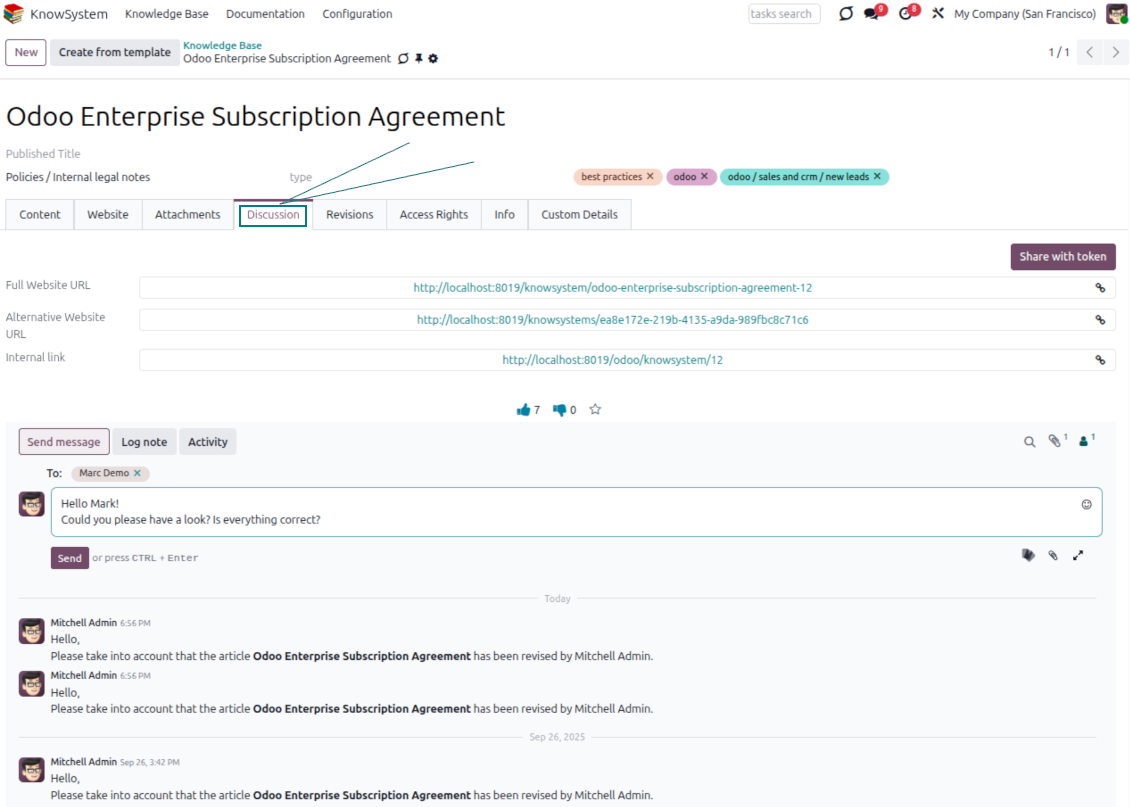
- Users take part in article discussions and subscribe to updates.
- Share tokenized articles with any contact.
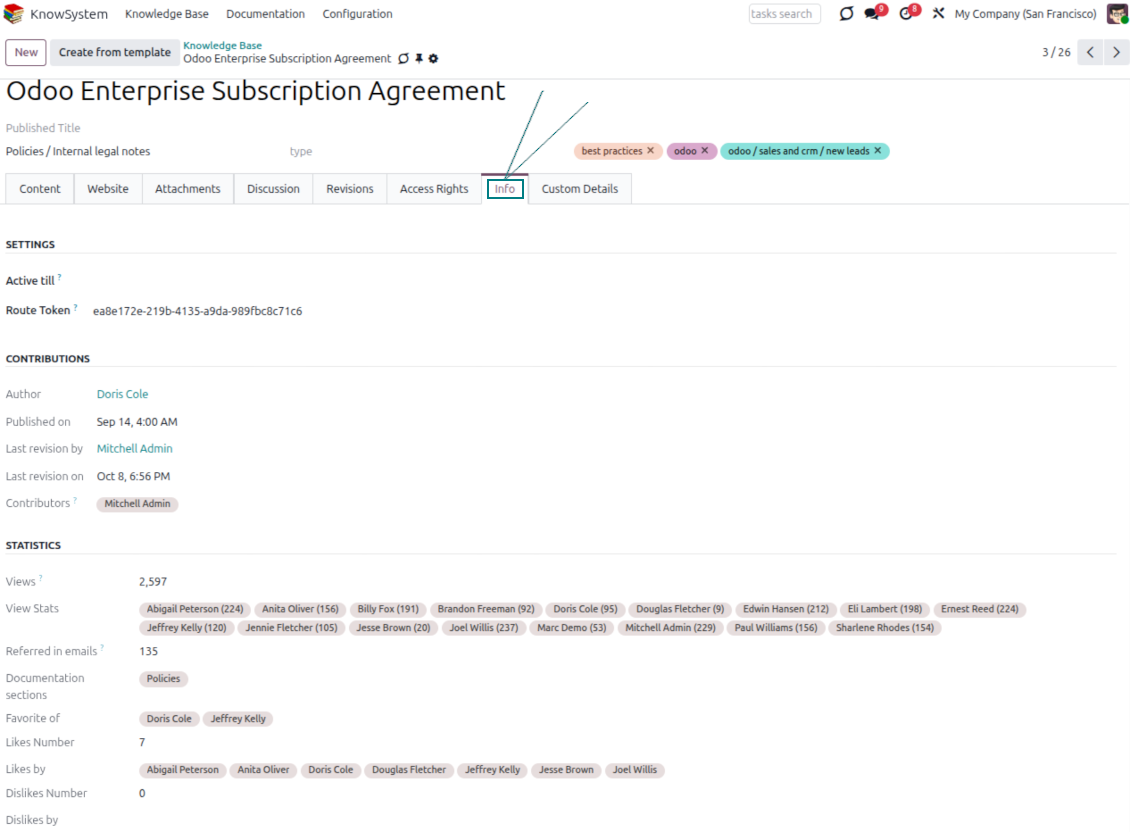
- Track statistics per article: contributors, views, likes and dislikes, how often it is used in messaging, and who marked it as favorite.
- Set activities to keep the base improving, and auto-archive articles after a chosen date.
Multi-lingual knowledge
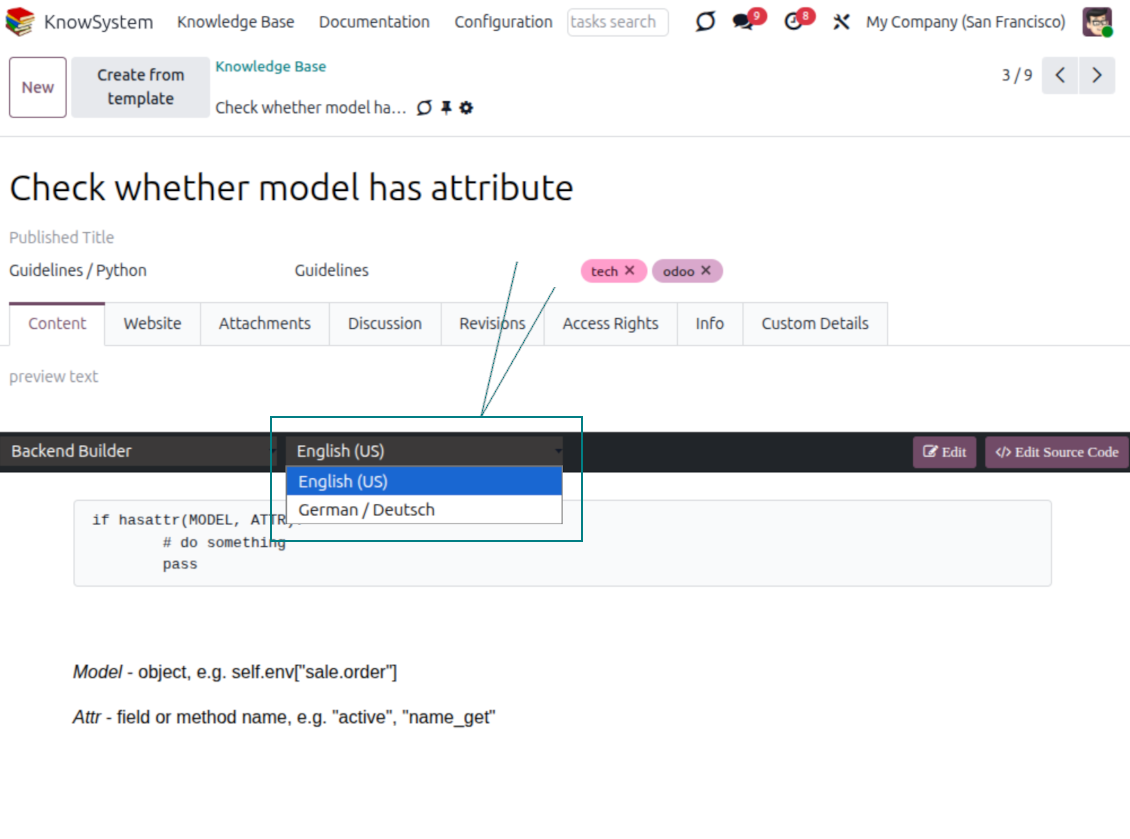
- Translate articles into every language installed in Odoo, so users read and edit in the language of their choice.
- Avoid double work with 'Copy from another translation' - but be sure you really need a multi-lingual regime, since every article must then be kept up to date in all languages.
- Switch the language right in the backend editor to review or update any translation.
eCommerce FAQ
Add a product FAQ and docs to every eShop page
Show knowledge on product pages
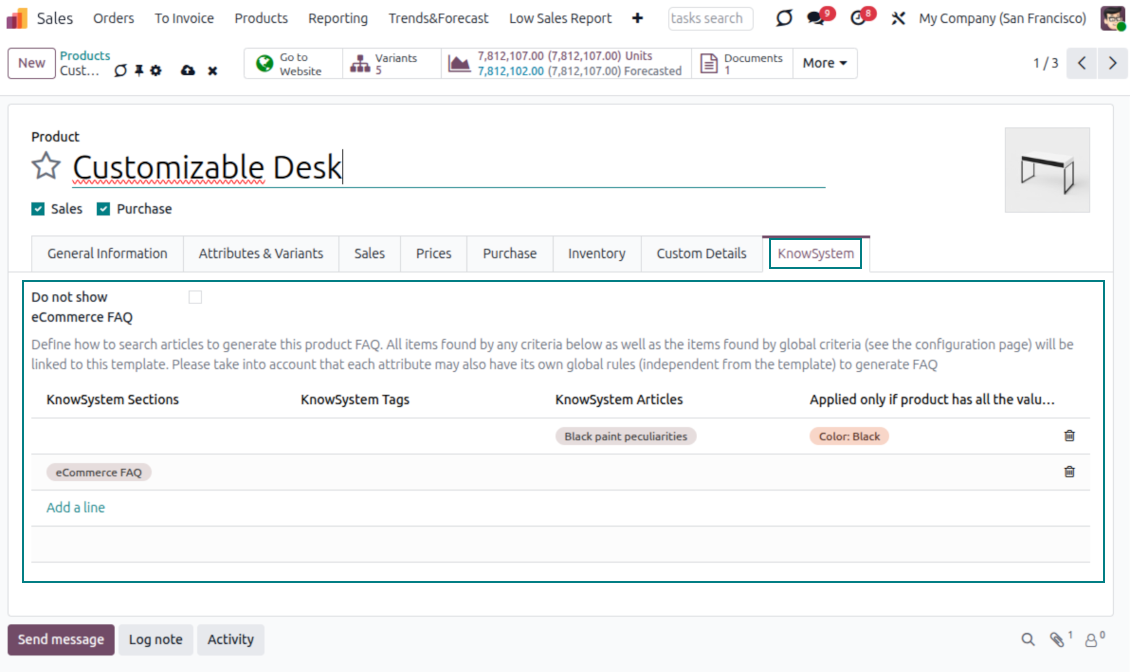
- Adds a product knowledge entry to all eCommerce product pages out of the box.
- Hide it for specific templates (the setting 'Do not show eCommerce FAQ') or for an entire eShop on a website (the option 'FAQ view' - 'Do not show').
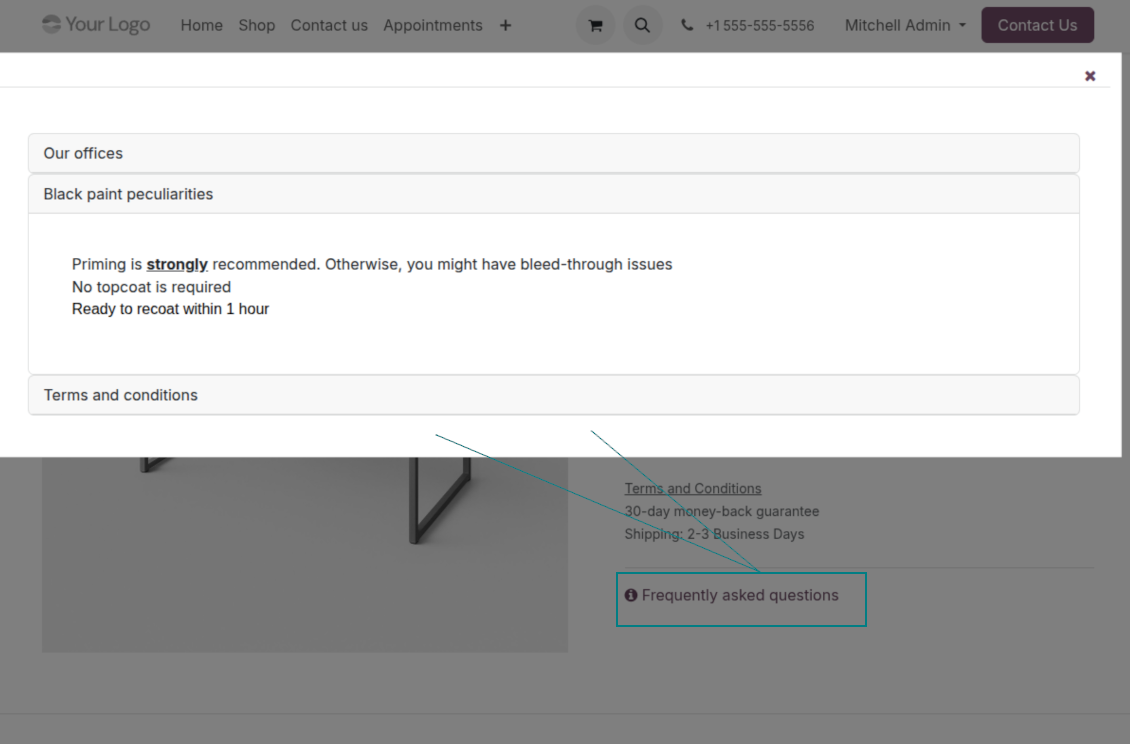
- Set your own button title ('FAQ button text'); the default is ' Frequently asked questions', but you can change it to anything, e.g. 'Product docs' or 'Instructions' - simple HTML tags are allowed.
- Choose 'KnowSystem portal link' for the 'FAQ view' to send shoppers to the full navigation, restricted to articles linked to the current product.
- Or choose 'Popup accordion' to open all matching articles in a popup, so shoppers stay on the product page.
Match the right FAQ to the right product
- Link product templates to KnowSystem; show articles for specific sets of attribute values and hide them for others - e.g. different FAQs for steel and aluminum tables.
- Define knowledge for Odoo attributes or attribute values regardless of the actual product - for instance, complementary documentation for every variant that has 'legs' or 'custom legs'.
- Apply global settings per website to keep the same FAQ basis across all items sold there.
- Target KnowSystem sections, tags, or specific articles on each layer. A knowledge piece is selected if it satisfies any of the criteria; for sections and tags, child nodes are taken into account too.
- Articles appear only if a user can access them, so website visitors see only published ones.
Use cases
Built for helpdesk, sales, HR, IT, and beyond
KnowSystem is a universal knowledge management tool that adapts to any business goal and any set of Odoo apps - helpdesk, sales, marketing, IT, HR, legal, and projects. Typical use cases:
- Helpdesk - once a challenge is solved, record its solution in KnowSystem for repeated use by co-workers and self-service by clients.
- Sales & CRM - a salesperson helper for product information, current offers, and frequently asked customer questions.
- Project management - keep and easily retrieve knowledge of existing solutions, tools, hints, and experiments.
- HR - prepare instructions, guidelines, learning tours, training, and any codified knowledge of routine in your company.
- Marketing - organize an online library of product use cases, expert knowledge, and well-structured documentation.
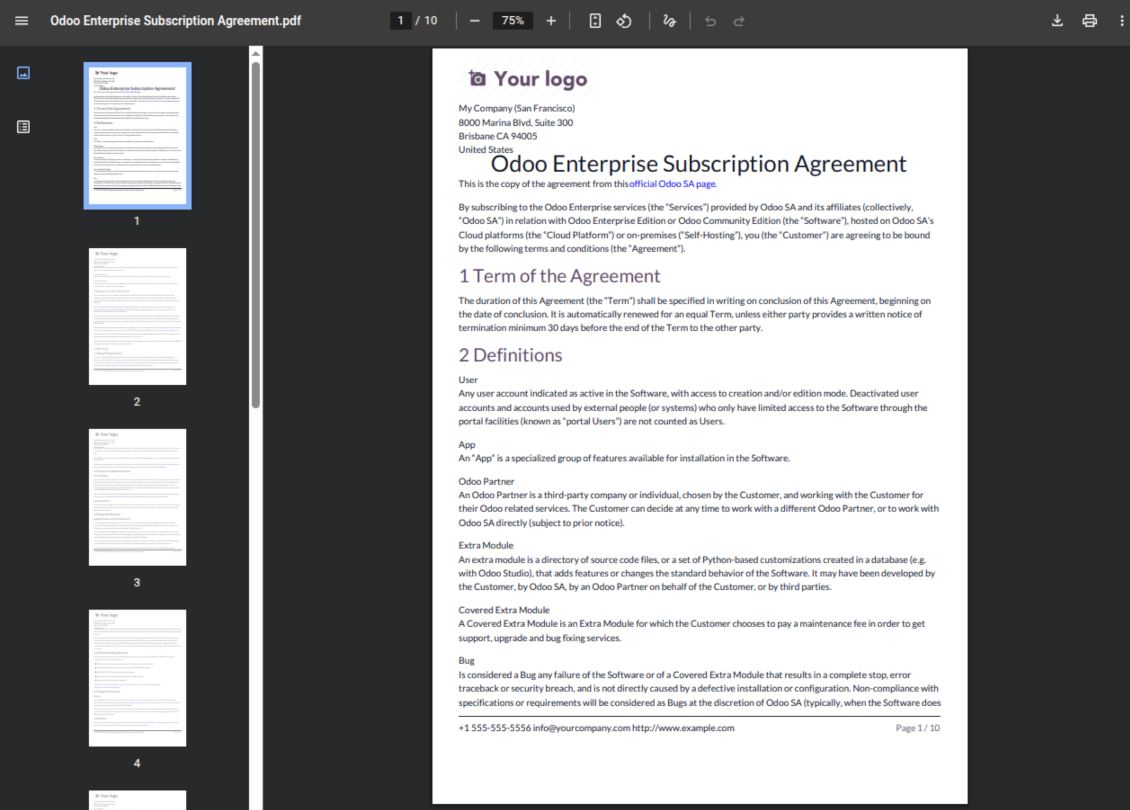
- Legal - systematize policies and contract/approval management, and keep a full classifier of trademarks and licenses.
- Information technology - share easy-to-reach manuals and configuration guidelines, one search away.
Custom fields
Add your own article attributes - no code
Add fields without code
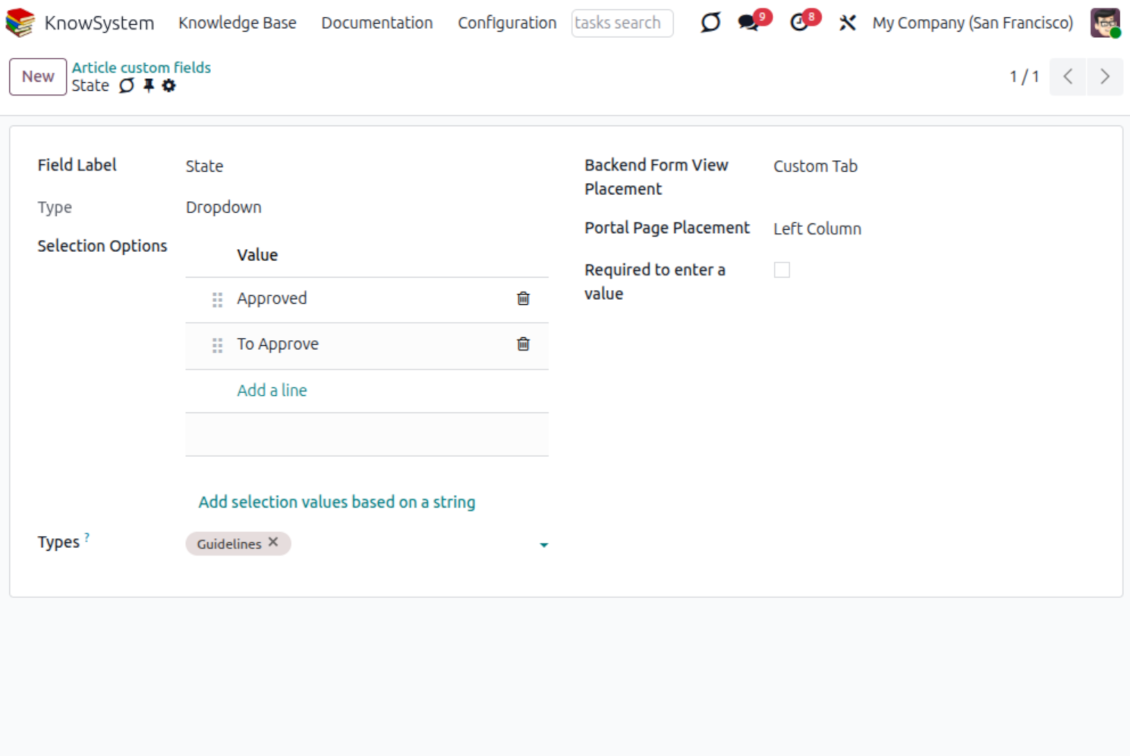
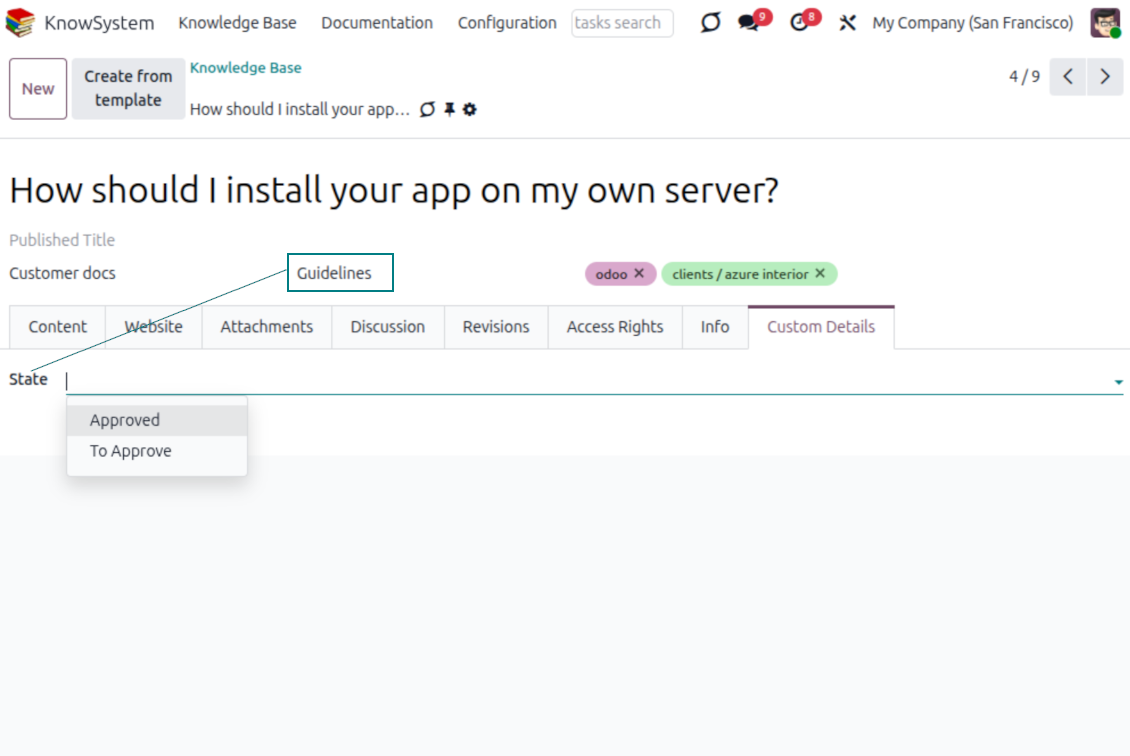
- No technical knowledge required - add a field and enter details to show a new property for articles.
- Choose from a full range of types: single-line text (char), plain text, rich (HTML) text, integer or float numbers, drop-down selection with your own options, checkbox (boolean), date or date-and-time, file upload (binary), and a reference to another Odoo record such as a sale order or contact (many2one).
- Pick the field's interface position from a closed list of options.
- Mark a field required to force users to enter a value.
Tailor by type, share, and secure
- Use article types to show properties only for the right articles - 'user guidelines' and 'technical specifications' can carry completely different attributes.
- Works in both the KnowSystem backend and the knowledge share portal.
- Custom fields can be imported and exported.
- Only KnowSystem administrators may create custom fields.
Security
Granular access for staff, partners, and the public
How access works
- Security for internal users and for portal/public users is handled separately.
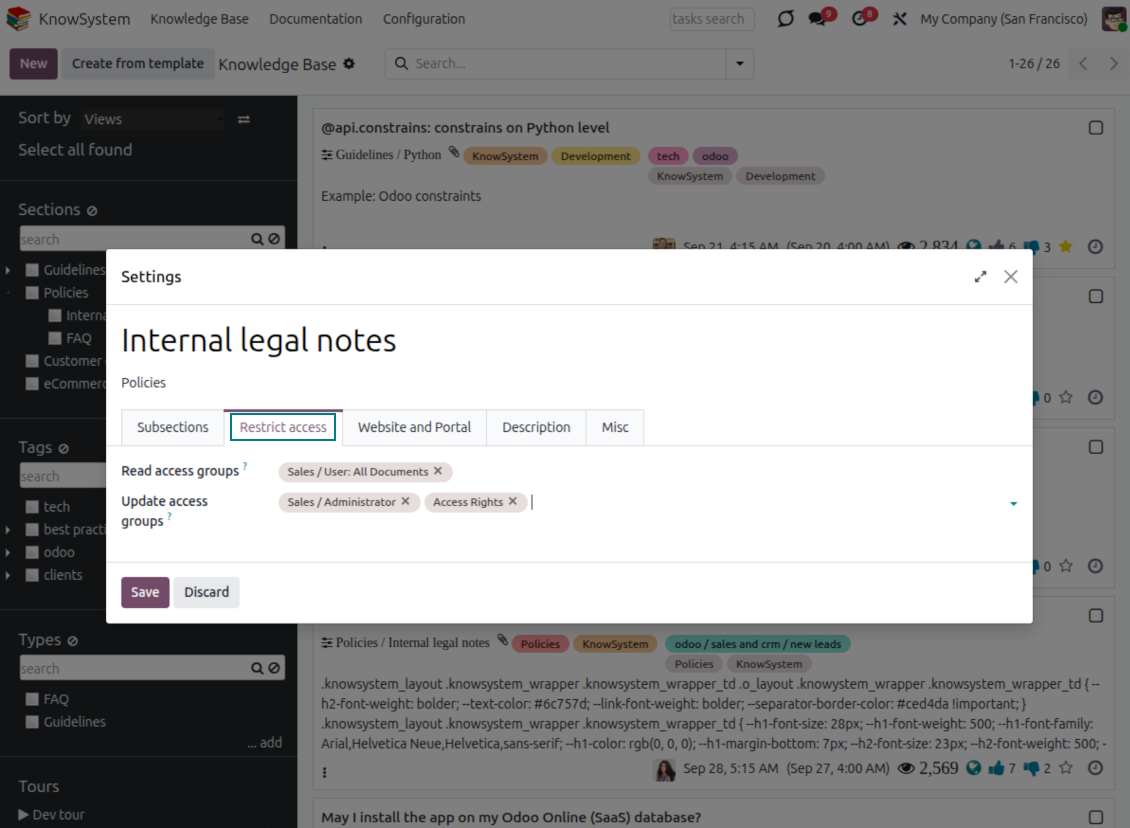
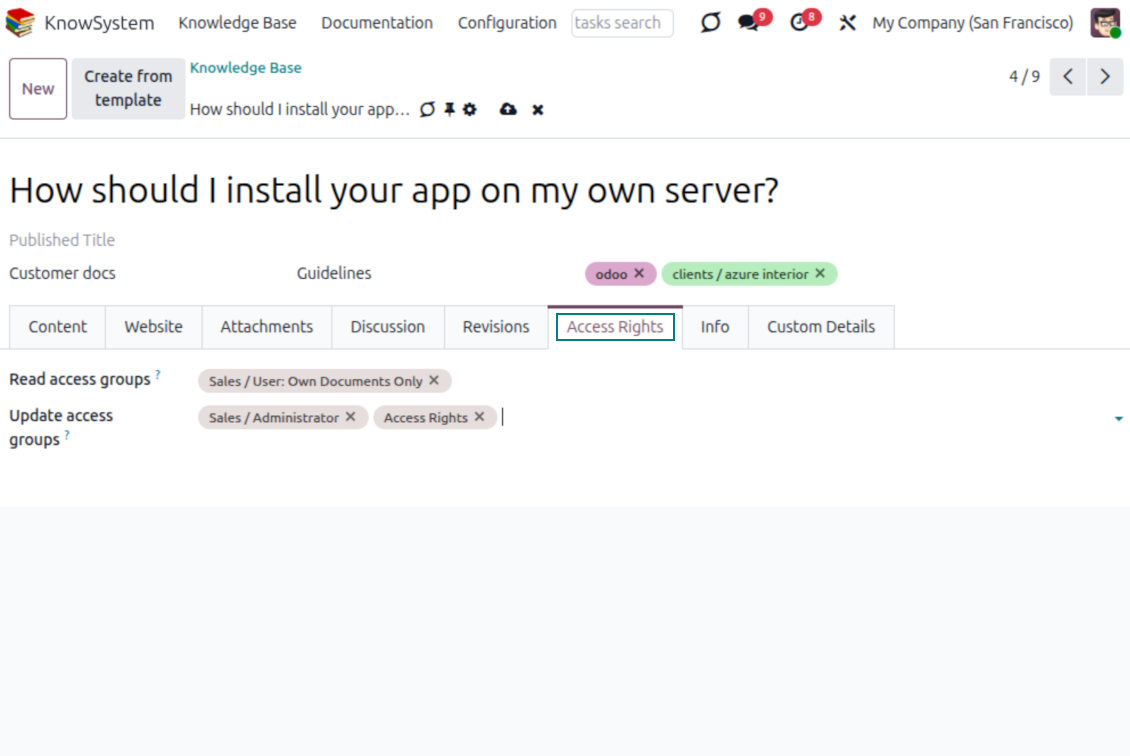
- For company employees: KnowSystem honors the user groups defined per article, section, and tour (the 'Restrict to' tab on those forms). If that field is empty, the record is 'global' and every internal user may read it.
- For portal / public users: access depends on tags and on whether an article is website-published. A tag's 'Allowed partners' grants portal users access to articles carrying that tag; published pages are open to any visitor.
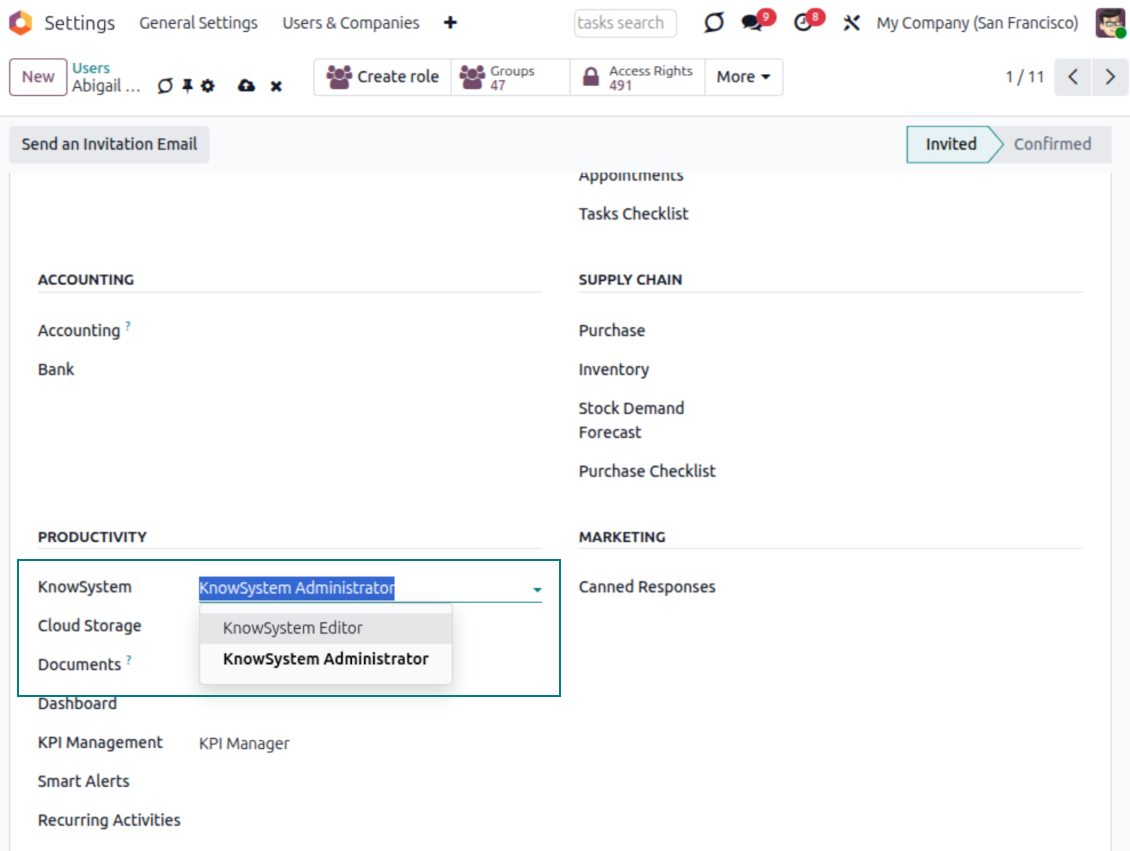
- Administration belongs to two roles - KnowSystem Editor and KnowSystem Administrator. A user must belong to one of them to create and edit articles.
- A user can always access an article they authored, regardless of further restrictions.
- Section rights consider the section and all its parents - no access to 'sales' means no access to 'sales/crm', even if 'crm' is open to the user's group.
Access rights at a glance
Odoo user |
KnowSystem Editor |
KnowSystem Admin |
Portal user |
Public user |
|
| Articles | read related to their user groups and sections | read, create, edit, archive related to their user groups and sections | read, create, edit, delete any | read published articles and articles related to partner-related tags | read published articles |
| Sections | read related to their user groups | read, create, edit, archive related to their user groups and sections | read, create, edit, delete any | read published ones | read published ones |
| Tags | read any | read, create, edit, archive any | read, create, edit, delete any | read published ones | read published ones |
| Article Types | read any | read any | read, create, edit, delete any | read published ones | read published ones |
| Tours | read related to their user groups | read, create, edit, delete related to their user groups | read, create, edit, delete any | no access | no access |
| Misc | may like/dislike, add to favorites, print, take part in discussions | may configure options | may like/dislike an article |
准备好评估了吗?
从免费演示申请开始,或在 Odoo Apps Store 购买。
免费个性化演示数据库。无需电话或信用卡。在所购 Odoo 主要版本期内提供终身免费更新和专家支持。
相关常见问题 KnowSystem: Knowledge Base System Odoo v.18
我看不出各修订文本之间有任何差别。
修订不仅记录文本更改,也记录样式更新(技术上即更改文章的 HTML 源代码时)。有些乍看并不明显(例如单个词的字号变化)。有些可能很大。但任何“编辑 > 更改文章中的任何内容 > 保存”操作都会产生新修订。
可以在文章中加入 YouTube/ Vimeo / Dailymotion / Youku 视频吗?
可以。可从 Odoo 后台和网站构建器把这些服务的视频嵌入文章。添加带图片的构建块 > 点击图片 > 选择 ‘Video’ > 输入所需媒体的 URL。
请注意:此类视频以 iframe 嵌入,部分浏览器会拦截播放,直到用户明确允许。
如何让某个栏目在网站上可见?
在 KnowSystem 中,分区须已发布且至少包含一篇文章,才会在网站上可见。即使有子分区,若分区本身没有一篇文章,也不会显示。这样可避免空分区,让 KnowSystem 门户更易浏览。若要在网站上显示该分区,可添加一篇简介或总览文章,简要描述或列出子分区中的文章。
如何向外部合作伙伴共享文章?
在左侧导航面板的任意标签上右键单击 - 创建
找到字段“Allowed partners”。例如用 'clients - azure interior' 为合作伙伴 'Azure Interior' 设置访问。也可以反过来:直接在合作伙伴表单上分配 KnowSystem 标签
然后打开所需文章(或多个记录时用操作“Mass update”同样处理):
若已发布:若不希望对所有门户用户和公开访客开放,请取消发布
分配新创建的标签(示例中为 'clients - azure interior')
现在:
与商业合作伙伴 'Azure Interior' 相关的所有门户用户均可访问带标签 'Azure Interior' 的文章
其他门户用户(若未分配其他标签)无法访问这些文章
内部用户不受影响,仍按文章和分区的“access to”逻辑查看文章。
可以为文章正文添加语言选择按钮吗?
可选插件 'KnowSystem: Multi Languages' 故意不在文章正文加入 'translate' 按钮。原因是该按钮所用的简单弹窗很难翻译 HTML。可译文字很少,HTML 片段却很多(翻译过程还可能把它们弄坏)。
因此,要用某种语言撰写文章,请以该语言的用户登录。可以是另一用户,也可以临时更改当前用户的偏好。之后对正文的任何更新都会使用该用户语言。
还可以使用正文下方的 'Copy from another translation' 按钮,随时从另一种语言取回文章内容(某语言有大幅更新时很有用)。
如何把另一个网站页面嵌入文章
为此可以使用 iframe。将文章切换到原始 HTML 代码编辑器,并插入例如 <iframe src="https://faotools.com/" style="width:100%;min-height:600px;"> </iframe>.
我安装了 KnowSystem,但看不到“create”按钮和其他按钮
很可能尚未为用户授予 KnowSystem 权限。请选择权限“KnowSystem Editor”或“KnowSystem Admin”并刷新页面。控制按钮应会显示。
我可以只向所选用户显示特定学习导览吗?
可以,通过应用应看到此导览的用户组(例如 'Sales Manager')。属于该组则看到导览;否则不显示。工作方式与 KnowSystem 文章和分区的安全权限相同。
请注意:未分配用户组的导览是“全局”的,会对所有人显示。
打印文章时如何更改页脚和页眉?
文章 PDF 的页眉和页脚取自公司版式。请查看 Settings > General Settings > 部分 Business Documents。在此定义用于发票、销售订单等所有单据类型以及文章的公司模板。这种 Odoo 做法把页脚和页眉视为公司通用样式,而不是某次打印的属性。
如何把文章互相链接?
每篇文章都有内部(backend)和网站 URLs(若已安装选项 'KnowSystem: Website and Portal')。点击文章表单上的 'Info' 按钮即可得知该记录的网站地址。可将任一地址作为超链接插入正文。
我可以更改文章的 HTML 源代码吗?
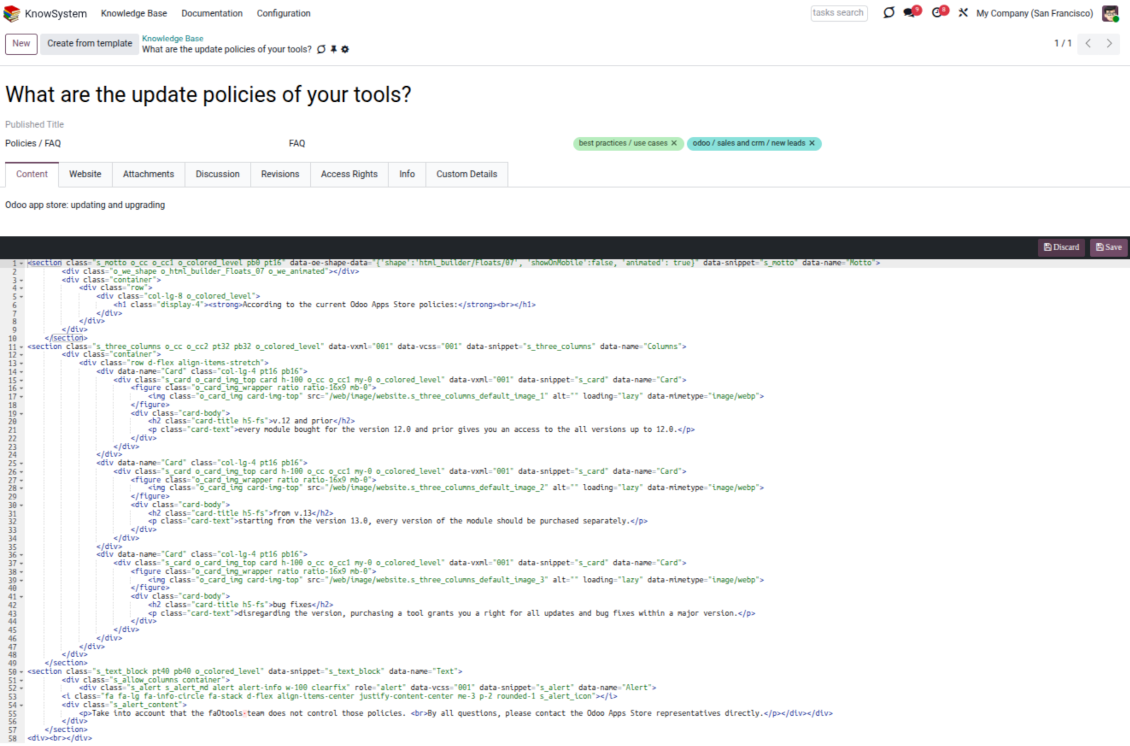
可以。请在设置总览屏幕打开 debug assets,再回到当前文章。编辑模式中会看到特殊图标 '</>'。点击即可查看并编辑 HTML 和样式。
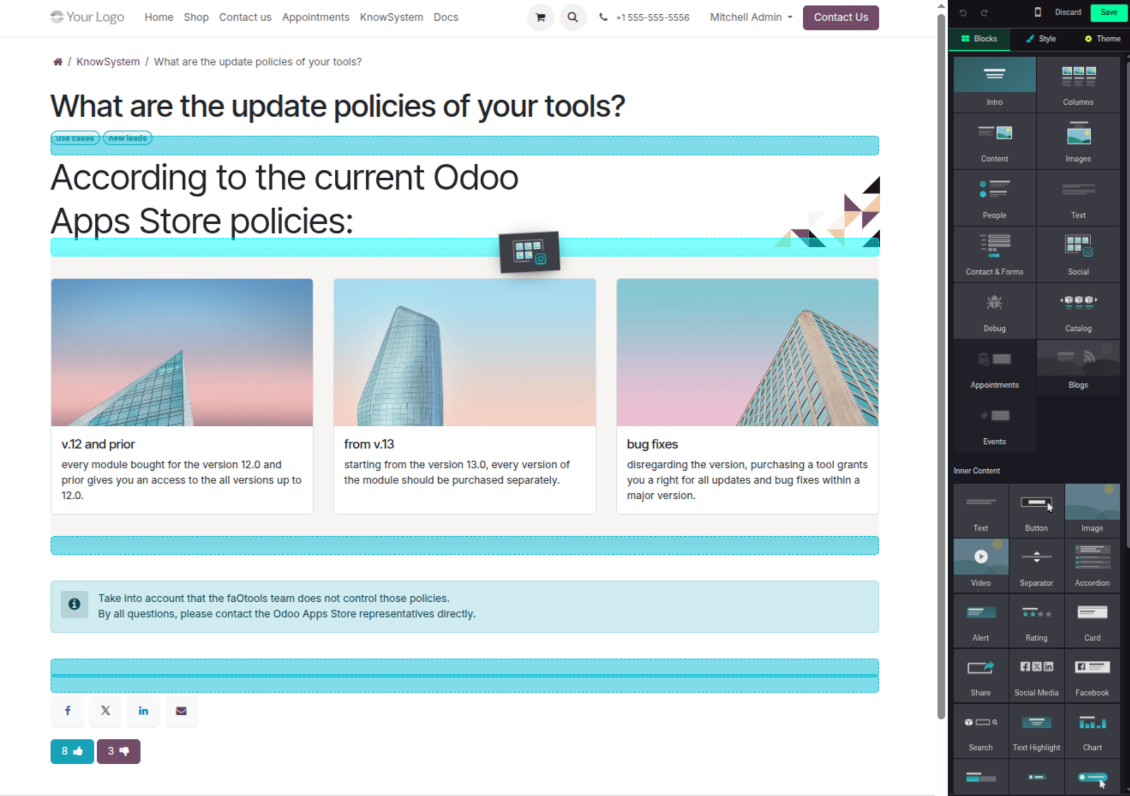
您的工具的更新政策是什么?
根据当前 Odoo Apps Store 政策:
- 为 12.0 及更早版本购买的每个模块,均可使用直至 12.0 的所有版本。
- 从 13.0 起,每个模块版本需单独购买。
- 无论版本如何,购买工具即获得该主版本内的 全部更新和缺陷修复权利。
请注意,faOtools 团队不控制这些政策。如有疑问,请直接联系 Odoo Apps Store 代表。
如何在 Odoo.sh 上安装您的应用?
最直接的做法是使用 Odoo 商店的内置流程:
1. 打开模块页面并点击 Deploy on odoo.sh 按钮
2. 之后会跳转到 GitHub 页面。登录帐户,然后点击 'Create a new repo' 或使用现有仓库。请确保仓库为私有。不得以 OPL-1 许可公开发布应用。如有需要,为 Odoo.sh 项目新建 repo
3. 然后转到 odoo.sh 并点击 Deploy 按钮。在弹出窗口中提交决定并点击 'Continue.' 这将触发安装过程。
这些步骤会将应用安装到项目的生产分支。若要部署到其他分支或更新模块,请执行以下操作:
1. 从 Odoo 商店上传应用的源代码
2. 将模块提交到所需的 GitHub 仓库。确保没有任何应用文件夹/文件被忽略(即未列入 repo 的 .gitignore)。仓库由 odoo.sh 自动创建,默认可能包含关键项(例如 /lib)。应上传模块的全部目录、子目录和文件,不得遗漏
3. 部署 odoo.sh 项目的目标分支,或在设置如此假定时 等待其自动构建。
应如何在自己的服务器上安装您的应用?
2. 重新启动 Odoo 服务器;
3. 打开开发者模式(技术设置);
4. 更新应用列表(应用菜单);
5. 找到应用并点击“Activate”/“Install”;
6. 如应用页面有指南,请按指南操作。
我注意到您的应用有额外附加模块。可以之后再购买吗?
可以。同时 Odoo 会自动把所有依赖加入购物车,因此应排除已购买的工具以免重复付款。
我在 Odoo.sh 上部署了您的应用,测试中出现警告/错误
红/橙色警告不影响应用功能。遗憾的是,标准自动测试有时假定与本应用目标冲突的行为,因此我们的模块会未通过。例如我们改了价格计算,而标准 Odoo 模块测试把最终价格与标准算法比较。
请先检查已部署数据库的功能。是否都正常?
若仍认为该警告影响真实功能,请联系我们并转发完整安装日志以及已部署模块的完整清单(含核心与第三方)。
我可以直接向贵公司购买应用吗?
不,我们只通过 官方 Odoo 应用商店.
希望获得折扣
很遗憾,我们没有技术手段 提供单独报价。
我可以在 Odoo Online (SaaS) 数据库上安装该应用吗?
不能,第三方应用无法在 Odoo Online 上使用。遗憾的是 Odoo SaaS 会阻止这种可能。
您的工具依赖其他应用。我需要购买那些应用吗?
是的,工具需要依赖中列出的全部模块才能正常工作。应用页上的价格已包含所有必要依赖。
该模块的美元价格是多少?为什么变了?
我们的模块价格以欧元标价。Odoo 商店按内部汇率换成其他货币。因此美元价格可能随汇率更新而变化。
非英语的应用和网站措辞由 AI 辅助 并与官方 Odoo 翻译对齐。若发现错误, 发送翻译正确性工单 我们会修好。
Odoo 演示数据库(在线预览)
对于此应用,我们可能提供免费个性化演示数据库。
联系我们无需电话号码或信用卡。只需完成不超过 30 秒的简短电子邮件注册。
按您的申请,我们将准备独立的在线预览数据库,约两周内可进行任意测试并核验假设。
缺陷反馈
如遇缺陷或不一致行为,请随时联系我们。我们保证在购买后 60 天内提供修复,并在此期限后仍积极改进工具。
联系我们无需电话号码或信用卡。只需完成不超过 30 秒的简短电子邮件注册。
请在请求中尽可能提供详细信息:截图、Odoo 服务器日志、完整的问题复现说明等。通常需要几个工作日来准备问题的工作计划(若确认是缺陷)或提供应采取的指引(否则)。
公开功能请求与模块构想(免费开发)
我们非常希望改进工具,并感谢任何反馈。若您的需求具有普遍价值且能高效实现,团队会将其列入待办清单。
此类待办清单会定期处理,不产生额外费用。虽然我们无法承诺截止日期和最终设计,但这可能是在无投入、无风险的情况下获得所需功能的好办法。
联系我们无需电话号码或信用卡。只需完成不超过 30 秒的简短电子邮件注册。
18.0.1.3.29
- The issue of Late Activities listing articles that have no overdue activity for the selected user has been fixed.
18.0.1.3.27
- The issue of autovacuum failure has been fixed.
18.0.1.3.25
- 已修复来自邮件撰写器和活动表单的默认标签问题。
18.0.1.3.24
- HTML 编辑器中调色板不显示的问题已解决。
18.0.1.3.23
- 已修复移除所选文章需要双击的问题。
18.0.1.3.22
- 已修复在不同编辑器类型的文章之间切换的问题。
18.0.1.3.21
- 分区/文章的编辑权限现在包含对这些对象的读取权限。
- 已修复未更新的点赞计数器问题。
18.0.1.3.20
- 已添加搜索由粗体或斜体标签分隔的关键字的功能。
18.0.1.3.19
- 已修复普通用户打开文章搜索向导时的访问错误。
18.0.1.3.18
- Kanban 视图已适配新的 Odoo 18 XML 原则。
- 已为文章的 Kanban 和表单视图以及章节与标签的表单视图添加非活动记录的 Archived 功能条。
18.0.1.3.17
- 已针对小屏幕优化文章与文档的网站视图。
18.0.1.3.16
- 应用已适配网页编辑器插件的近期 Odoo 18 更新。
18.0.1.3.15
- 已去掉 "Text" 文章上多余的翻译按钮。
18.0.1.3.14
- 已修复无法正确保存和复制文本的问题。
18.0.1.3.13
- 该应用已发布到版本 18。
17.0.1.3.13
- KnowSystem 文章的默认活动视图现在是 Kanban。
17.0.1.3.12
- 已修复发送 composer 消息后对 KnowSystem 文章过度净化的问题。
17.0.1.3.11
- 快速文章搜索的语言切换器问题已修复。
17.0.1.3.10
- 现在可在后台仅搜索标题。
- 已修复从弹出对话框在新标签页打开找到的文章的按钮。
17.0.1.3.9
- 已引入拖放以批量更新文章:添加标签、更新章节,以及加入学习导览。
- 已添加在新标签页中打开找到的文章的功能。
- 导航树中所选父级现已正确高亮。
17.0.1.3.8
- KnowSystem 文章的 Kanban 视图已适配最新的 Odoo v.17 做法。
- 已优化导航层级。
17.0.1.3.7
- 文章后台导航的默认排序条件现在可在应用页面上配置。

用于将 Odoo 附件灵活归入文件夹并将目录与云客户端同步的工具:Google Drive、OneDrive/SharePoint、Nextcloud/ownCloud、Dropbox、Amazon S3、Box 和 NAS。DMS。文件管理器。文档管理系统
398€
The tool to automatically synchronize Odoo attachments with OneDrive files in both ways
487€
The tool to automatically synchronize Odoo attachments with Google Drive files in both ways
487€

The tool to set up KPI targets and control their fulfillment by periods. KPI dashboards. Dashboard designer. KPI charts

The tool for time-based service management from booking appointments to sales and reviews
398€
The tool to manage your Odoo from your favorite AI chats through MCP. Claude. Any MCP-supporting AI.

The tool to translate URL addresses of Odoo website pages
38€
The tool to combine different Odoo events in a few configurable super calendars