En resumen
KnowSystem: Knowledge Base System es una aplicación Odoo 18 de Herramientas extra. The tool to build a deep and structured knowledge base for internal and external use. Knowledge System. KMS. Wiki-like revisions.
KnowSystem turns scattered company know-how into one structured, searchable knowledge base for your team, your partners, and your customers. Capture articles with drag-and-drop building blocks, organize them by sections, tags, and types, and reuse them anywhere in Odoo - messages, activities, helpdesk, projects, or product pages. Every change is versioned wiki-style, so improving knowledge is always safer than breaking it.
Ideal para
Helpdesk & support
Record every solved ticket once, then reuse it for faster agent replies and round-the-clock customer self-service.
Sales & CRM
Give salespeople instant answers on products, offers, and frequent customer questions right where they work.
HR & onboarding
Turn policies, guidelines, and training into structured knowledge and step-by-step learning tours.
IT & technical teams
Keep manuals, configurations, and runbooks one search away for the whole company.
Project management
Preserve solutions, tools, and lessons learned so your teams never reinvent the wheel.
Marketing & documentation
Build a polished online library and product documentation your audience can actually find and read.
Listo para evaluar?
Empiece con una solicitud de demo gratuita o compre en el Odoo Apps Store.
Base de demostración personalizada gratuita. No se requiere teléfono ni tarjeta. Actualizaciones gratuitas de por vida y soporte experto dentro de la versión mayor de Odoo.
Por qué los equipos lo eligen
Ventajas clave antes de entrar en detalle
Capture knowledge
Write professional-looking articles with drag-and-drop building blocks, the HTML editor, or raw code - and reuse ready-made templates for uniform styles.
Organize and find
Structure everything by a hierarchy of sections, a tree of tags, and knowledge types. Filter, sort, and run mass actions on hundreds of articles from one screen.
Put it to work
Surface the right article inside any Odoo document, cite it in messages and activities, run guided learning tours, and answer product FAQs - then print or share in a click.
Wiki-like revisions
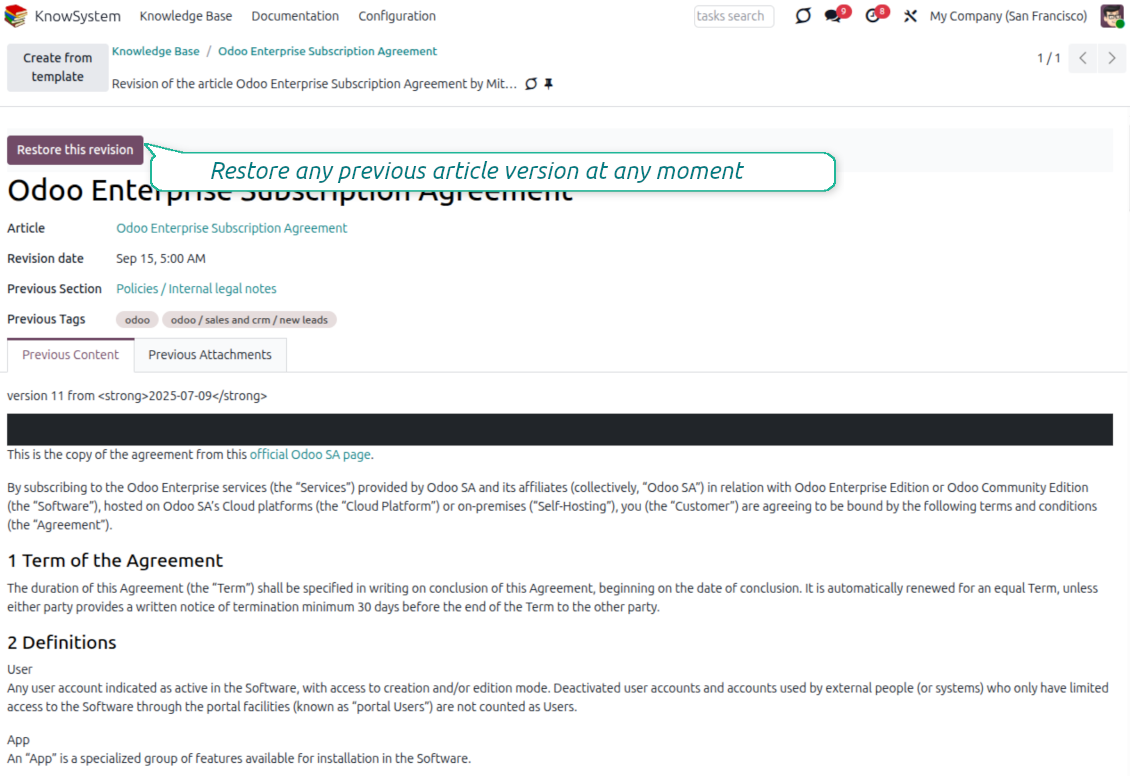
Every change is versioned. If a teammate breaks an article, restore the right version in two clicks - breaking becomes harder than restoring.
Portal & public base
Give each partner a personal knowledge portal, or publish a self-service knowledge base for any website visitor - access controlled by tags and publishing.
Documentation builder
Combine articles into advanced website documentation with automatic table of contents and instant search - reusable across versions, manuals, and guidelines.
Analytics that keep it alive
Track views, likes, dislikes, contributors, and messaging usage. See what your team relies on and keep content fresh and trusted.
Secure by design
Control who sees what with granular access for staff, partners, and the public - governed by user groups, tags, and website publishing.
Fits any team
One universal tool for helpdesk, sales, HR, IT, legal, marketing, and projects - configurable to any goal and any combination of Odoo apps.
Opiniones del Odoo Apps Store
Lo que dicen los clientes de la aplicación
Best knowledge base system for Odoo!
Excellent app and exceptional after-sales support.
Really well thought-out product and one of the best features is the contextual help by means of the tags. Really a game changer for us.
Keep up the great work FaOtools!
Magnus
Outstanding app! Tremendous value for money, an absolute must have!
One of the features sorely lacking from Odoo has been a robust Wiki/documentation system. Using third party platforms is a massive headache: yet another system to maintain, users get distracted switching back-and-forth, and errors get made. Then you have to worry about training, additional logins, etc.
KnowSystem feels like a native/core app, is very well-polished, and extremely fast. It's accessible from any screen, and the search results are instant (none of the latency inherent with most apps).The interface is elegant yet powerful, with robust access control, rich editing features, and version control. It's simple to revert to previous entries, view audit trails, etc. It's very intuitive for anyone familiar with Odoo; onboarding takes just a few minutes. The user guides are excellent.
This is invaluable for any organisation with a lot of documented information, SOPs, ISO compliance, or similar. If you're using eLearning, it's great for creating a help system / reminders. For example, noting key takeaways or specific instructions. The user can be in MRP, Sales, or any other function, and instantly lookup a guide. Since it overlays whichever screen you're in, it doesn't interrupt the workflow.
This dramatically increases efficiency, minimises questions, and helps keep everyone on the same page.
Oh, and customer service is excellent, faOtools stands behind their product. Thank you!
nico.valentino@gmx.net
KnowSystem is excellent - OdooTools offer great support, are very helpful and responsive
Our company needed the ability to add a Knowledge Base to our Odoo portal website for our customers to access article content on a membership-only basis. KnowSystem provided this and much more, along with ability to add search by section, set permissions to allow only certain partners access to articles by tag etc. OdooTools have been very helpful and implemented several features we suggested including automatic redirect upon login, customisable filters and a social sharing capability on articles. Overall a great app by a great company, something that massively adds to Odoo's capabilities and is something that everyone could benefit from using.
Chris Mann
Very functional application and responsive support
Our company produces medical laser equipment and we use KnowSystem to streamline the knowledge base of our company. Convenient search system and classification of content, as well as access rules for groups and even for individual users.
Svetlana
Great app and professional team
The app is great the the team is very professional in both response timing and problem solving.
Highly recommended.
Marco from ALO.zone.
Marco Carboni
Excellent system
Excellent system.
Gordon
A great tool from some very nice developers!
KnowSystem is a great tool and a game changer for us. Finally a place to put all our company know-how. I highly recommend it. And also important to us: We got great support from FaOtools too. A rare thing in this busy world. thx!
Eisberger
Excellent app and support.
Great app and a very helpfull support. Openess to improve their products is outstanding.
Lucas Huber
Listo para evaluar?
Empiece con una solicitud de demo gratuita o compre en el Odoo Apps Store.
Base de demostración personalizada gratuita. No se requiere teléfono ni tarjeta. Actualizaciones gratuitas de por vida y soporte experto dentro de la versión mayor de Odoo.
Navigation
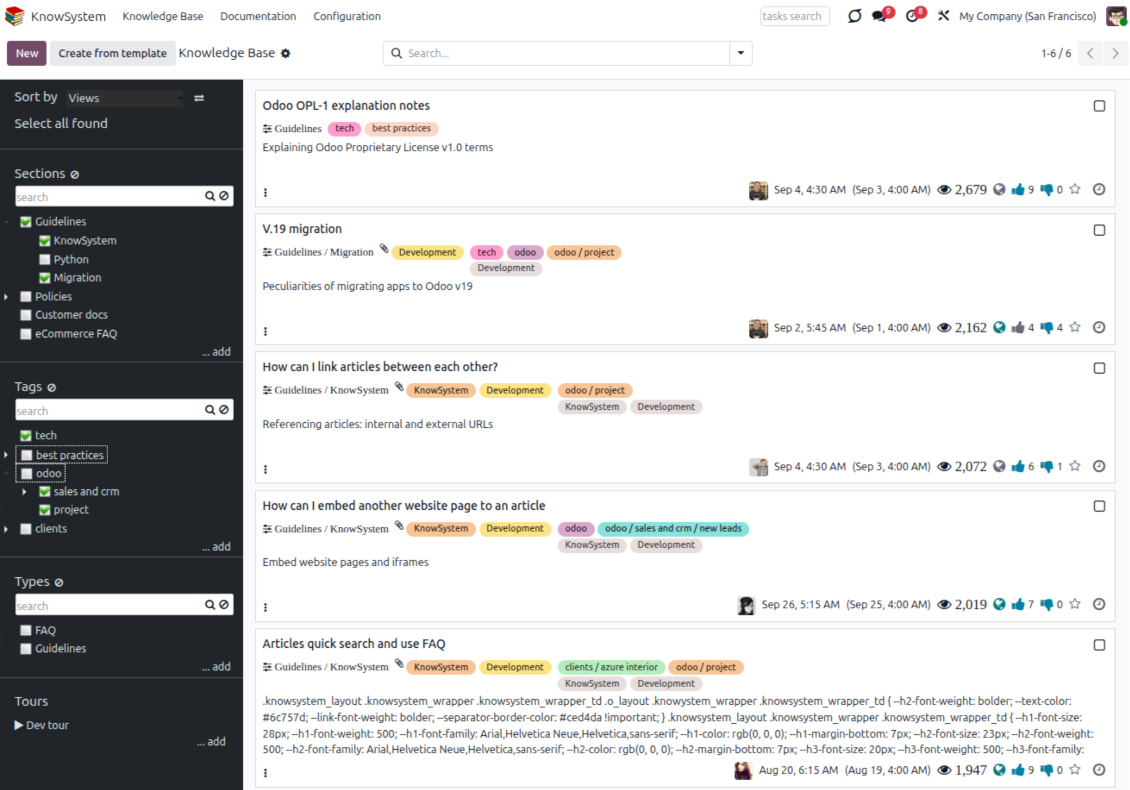
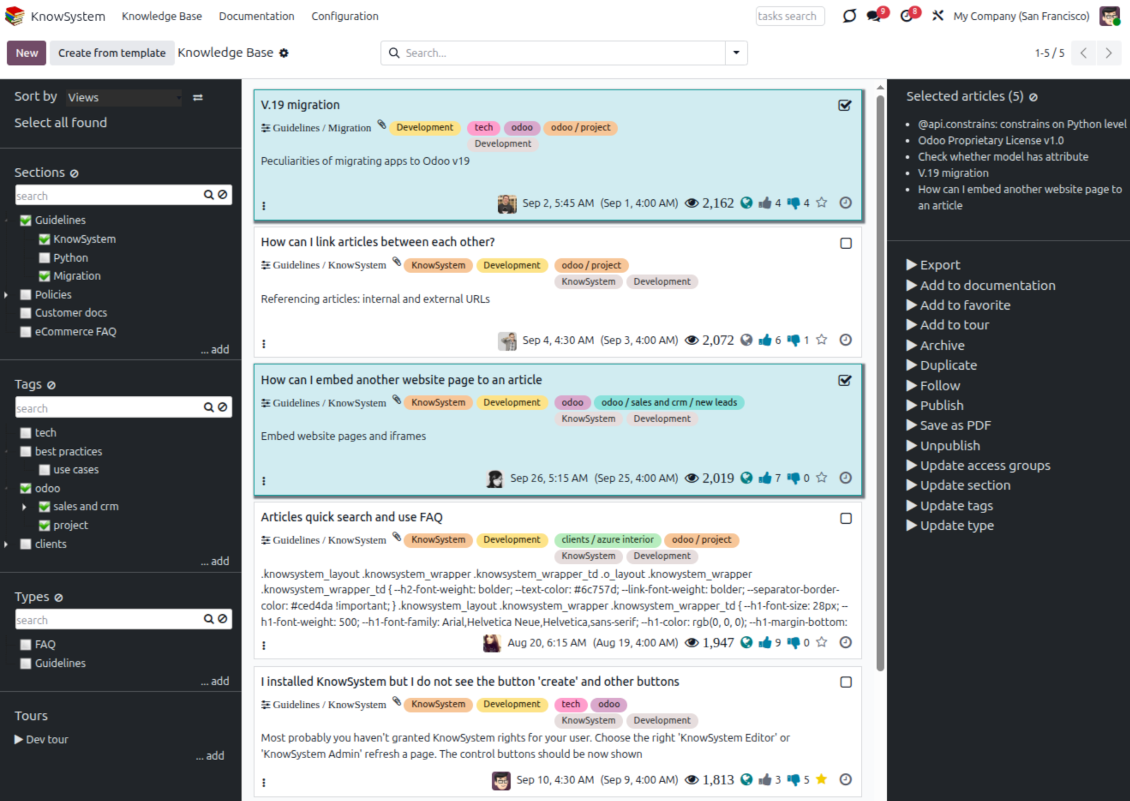
Find, filter, and bulk-edit articles from one screen
Structure and navigate
- Build a hierarchy of knowledge sections to switch between areas instantly, however large the base grows.
- Define a tree of tags for quick navigation and deeper, cross-cutting structuring.
- Introduce a knowledge typology to distinguish kinds of articles in a single click.
- Create, update, and reorder tags, sections, and types right inside KnowSystem - and print every article under a chosen tag or section.
- Search sections and tags instantly on the navigation panel.
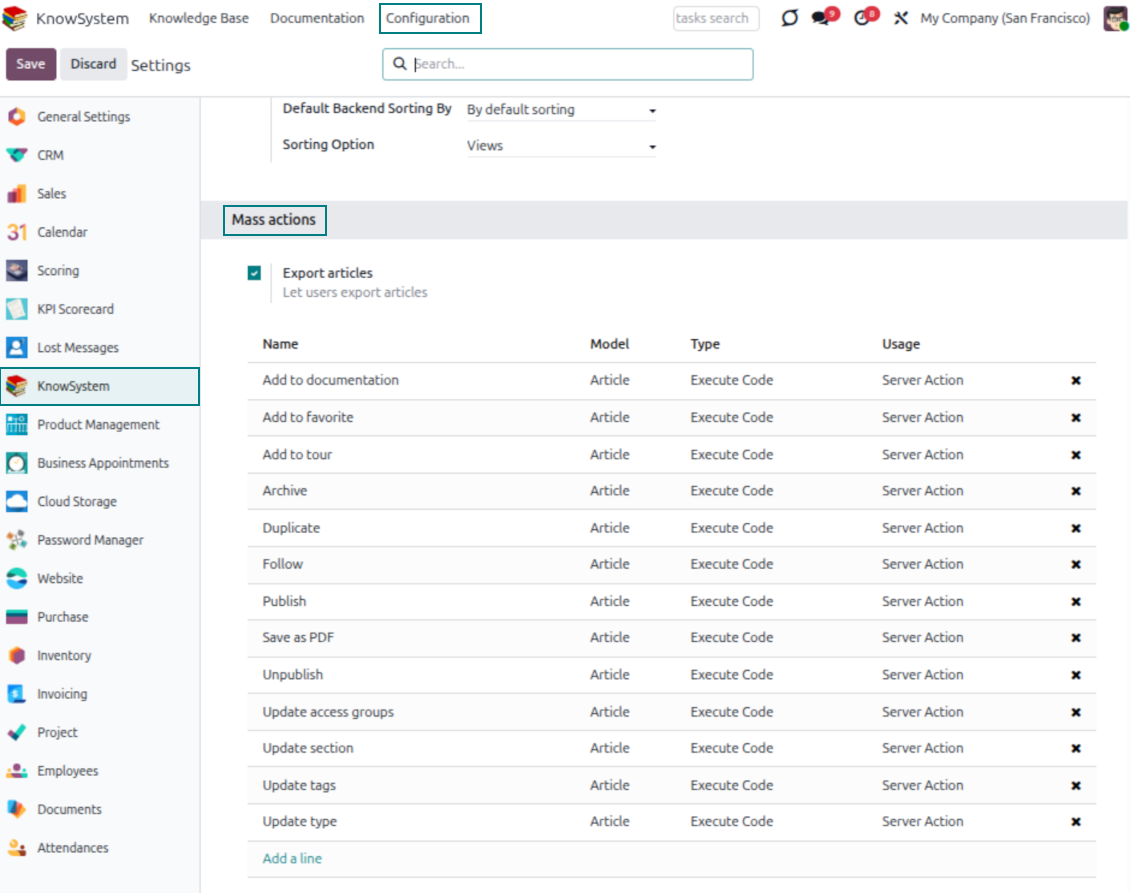
Select, sort, and act in bulk
- Sort articles by views, score of likes, title, author, section, and create or write dates.
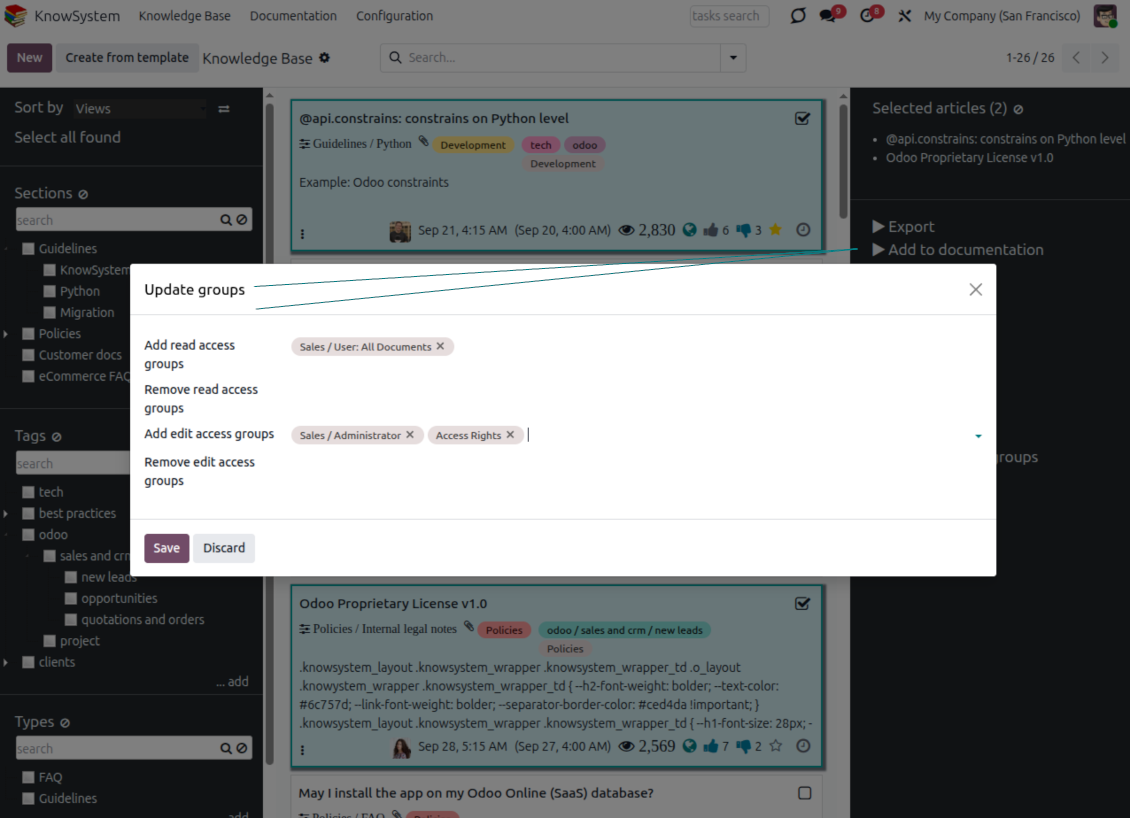
- Pick articles step by step - the selection is not cleared by a new search or when you open a record - then run mass actions on everything you chose.
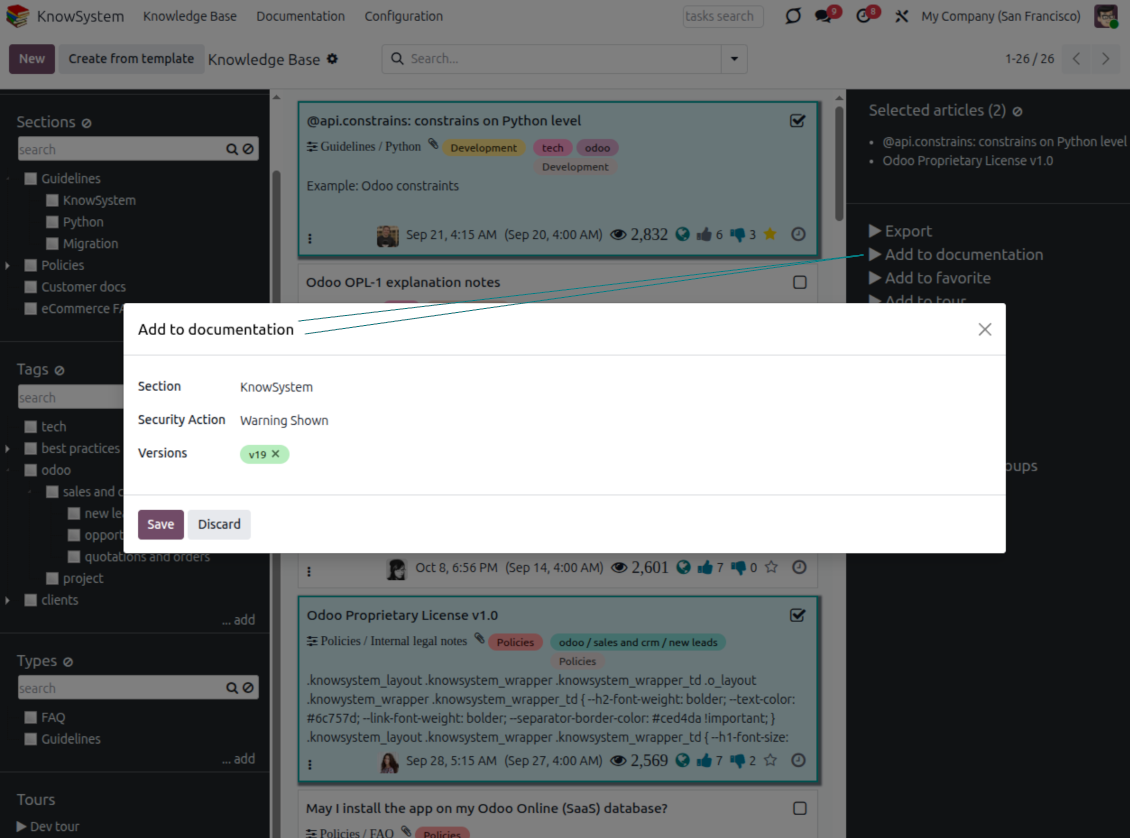
- Update knowledge in batch: assign a new section (including by dragging articles onto the navigation panel), add or remove tags, print many articles as one PDF, follow/unfollow discussions, publish/unpublish, export to Excel, archive or restore, add to learning tours and documentation, mark as favorite, and duplicate.
Article editors
Write professional articles your way
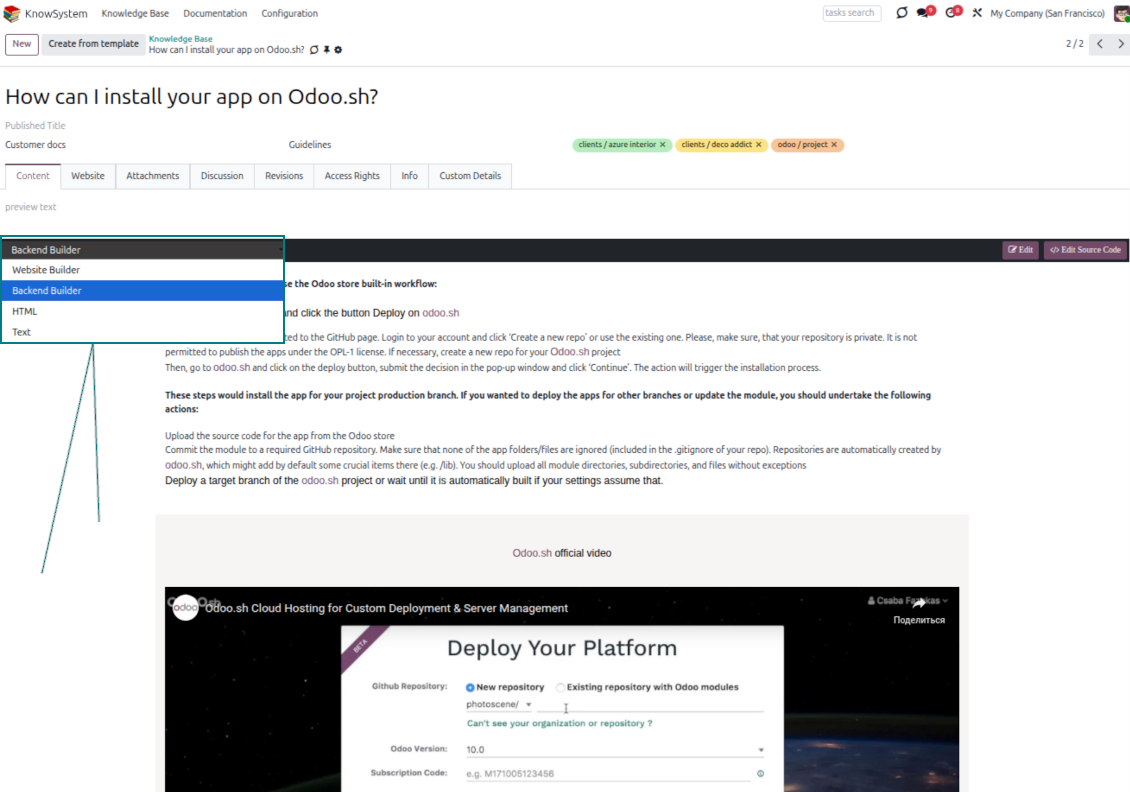
Five editors, one article model
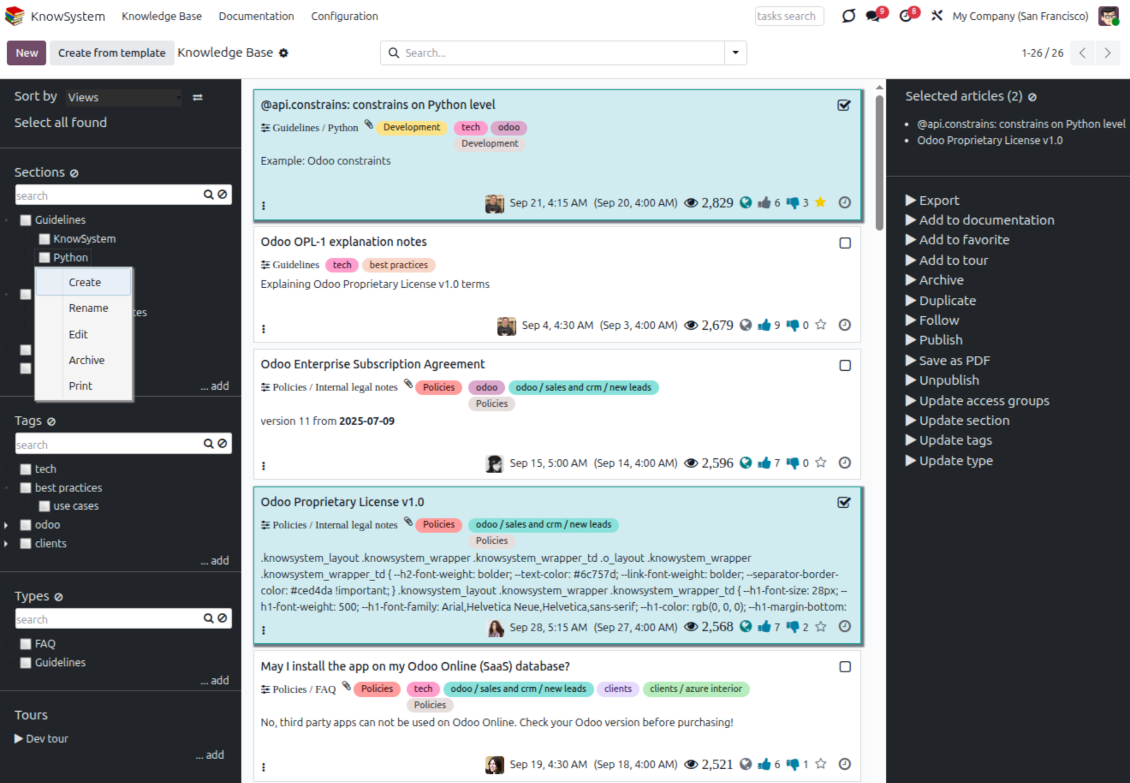
- Backend building blocks - drag and drop to compose professional articles right in the Odoo backend. The editor relies on strict HTML that stays compatible with printing and messaging layouts; reorder blocks and adjust their width, height, and styles.
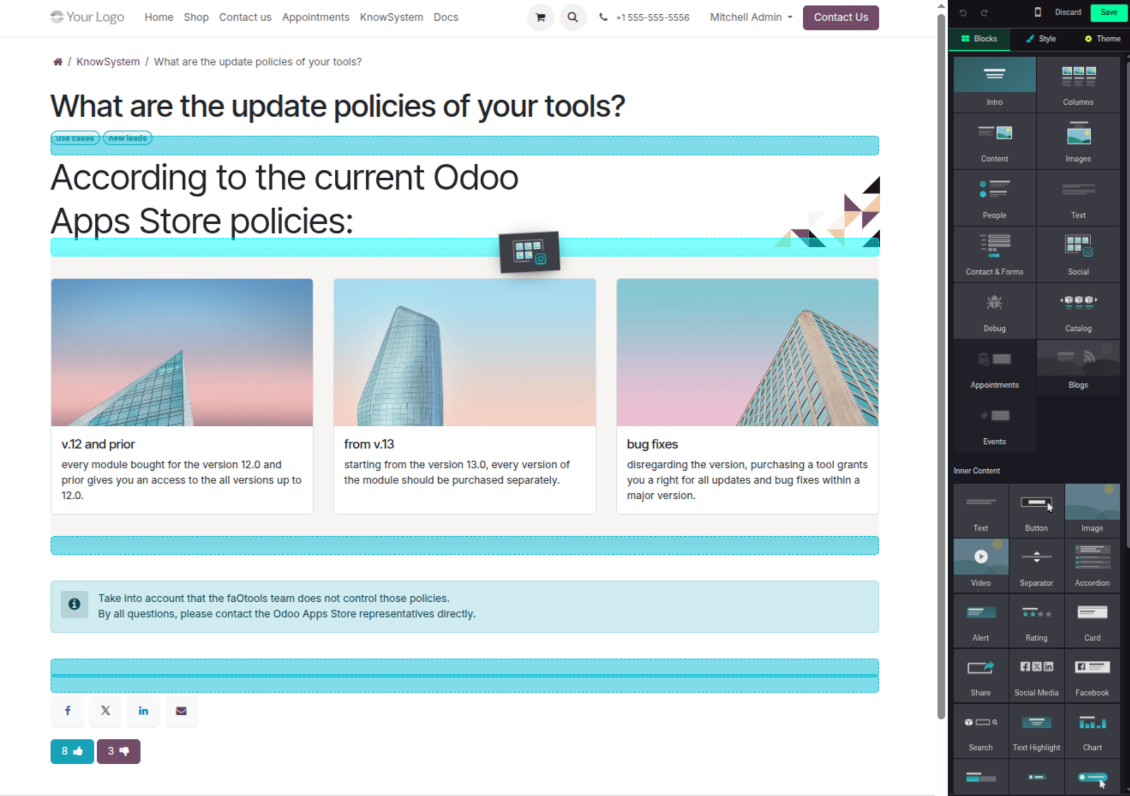
- Website builder - apply advanced styles, snippets, animations, and widgets via Odoo's built-in website editor. Ideal for nice-looking portal pages; avoid it for internal or printed articles, as advanced styles often contradict print and composer layouts.
- Plain text - keep certain articles as simple text for unlimited compatibility with printouts and emails, and copy their content to the clipboard for quick sharing.
- Standard HTML editor - the familiar Odoo editor with its built-in slash commands for quick inline pieces.
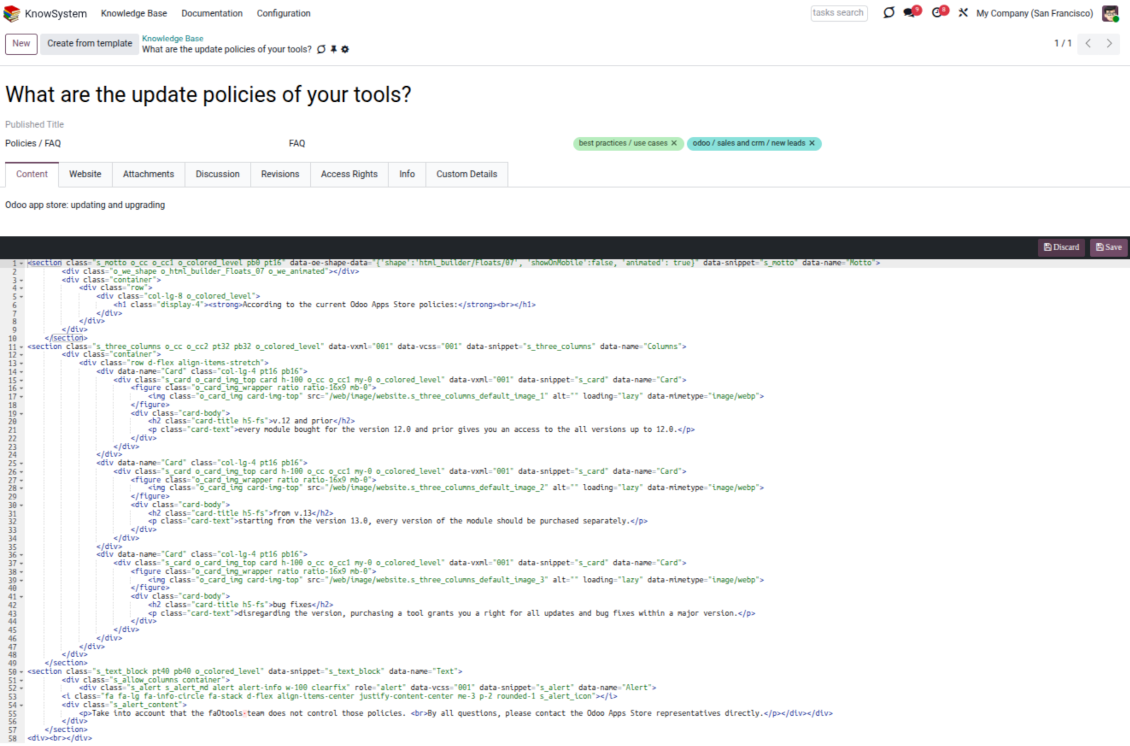
- Raw HTML - switch to the code editor at any moment to add any tags and styles, including Bootstrap-ready elements and iframes.
Templates for speed and consistency
- Reusable templates - prepare dedicated knowledge templates for recurring article types such as procedures, FAQs, or release notes, so contributors never start from a blank page.
- Save any article as a template - turn an existing, well-structured article into a reusable template in one click and grow your own library over time.
- Faster, consistent authoring - start new articles from a template to save time and keep a uniform structure and look across the entire knowledge base.
- Right editor for each page - switch an article's editor type whenever the content calls for it, so every page uses the most suitable tool without re-creating it.
Use anywhere
Surface the right article in documents, chats, and tours
Knowledge inside any Odoo document
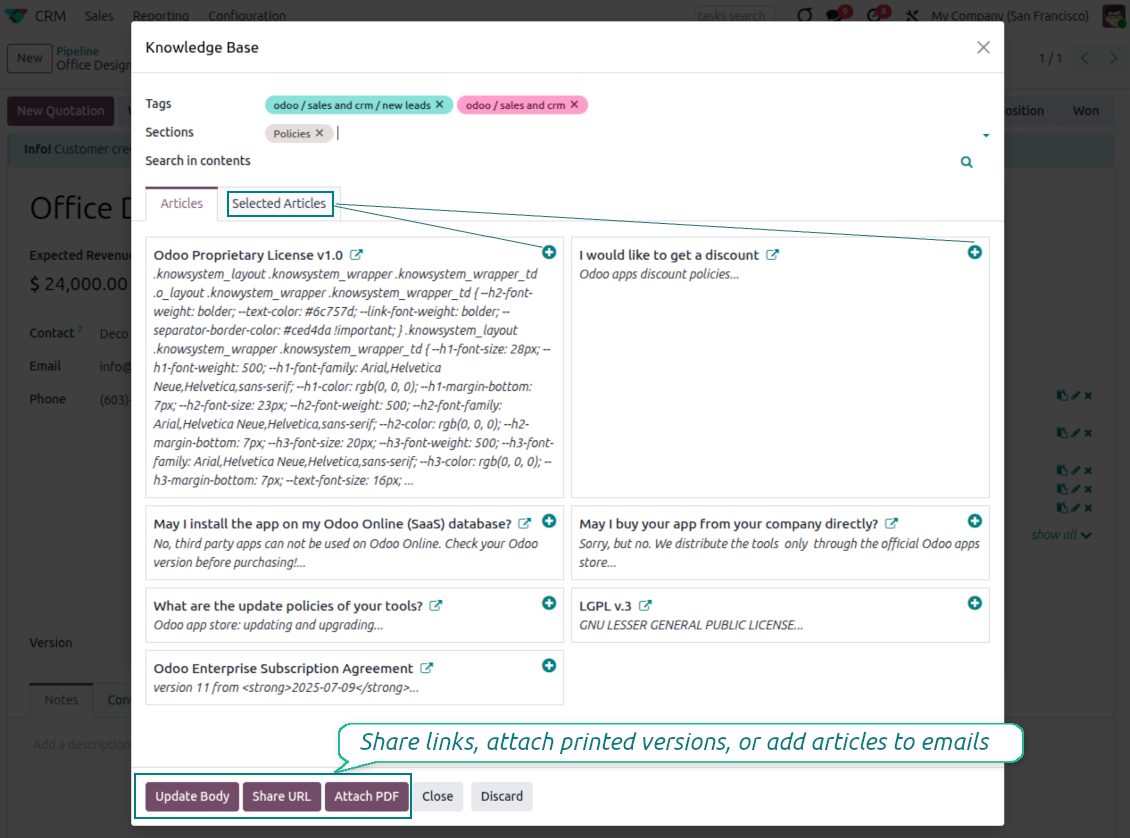
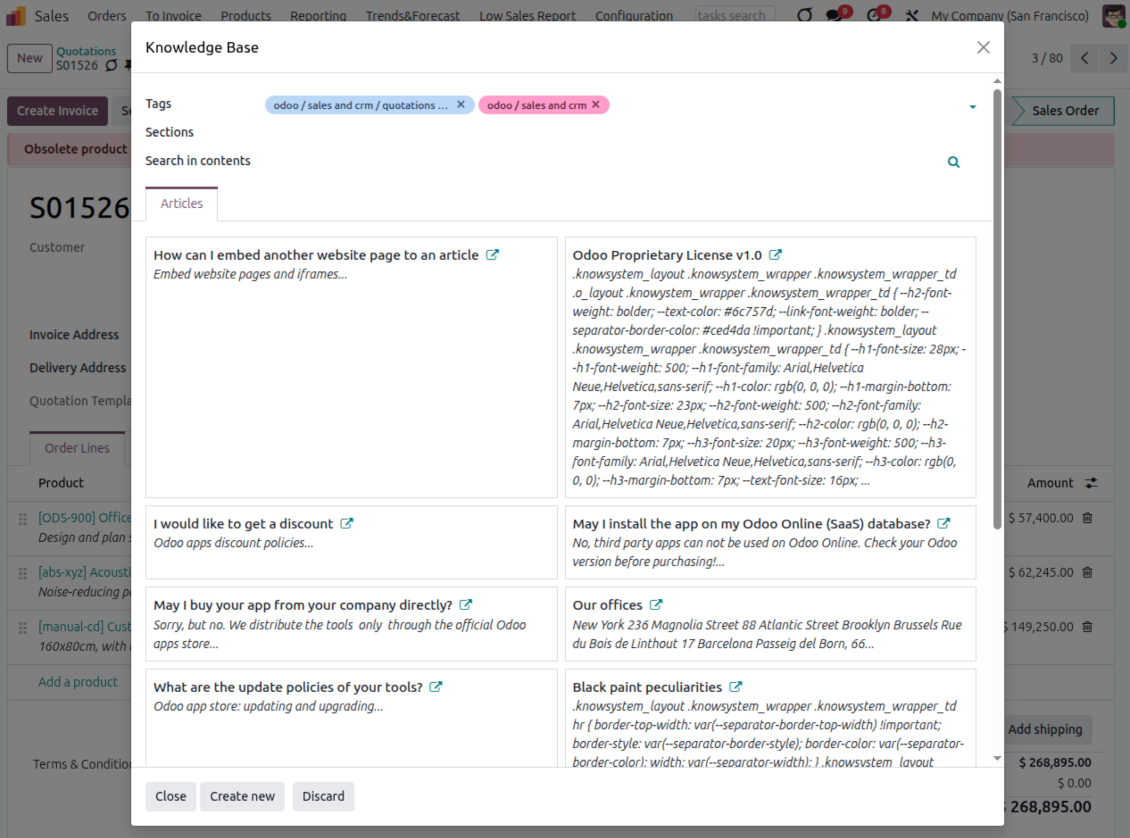
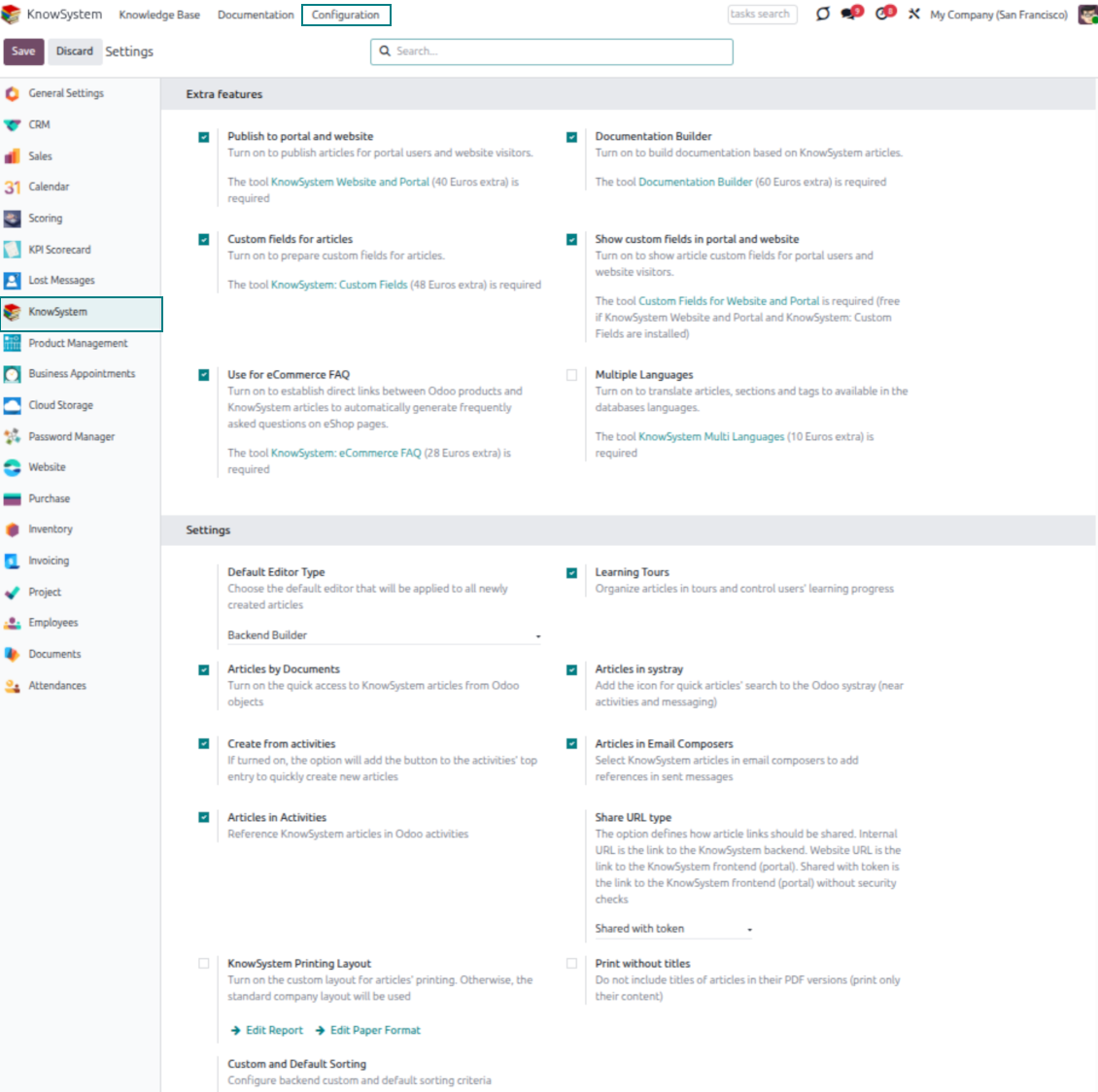
- Turn on 'Articles by Documents' to add a quick knowledge entry to any Odoo form view.
- Search by tags, section, or content for a quick overview, and read article content without leaving the record.
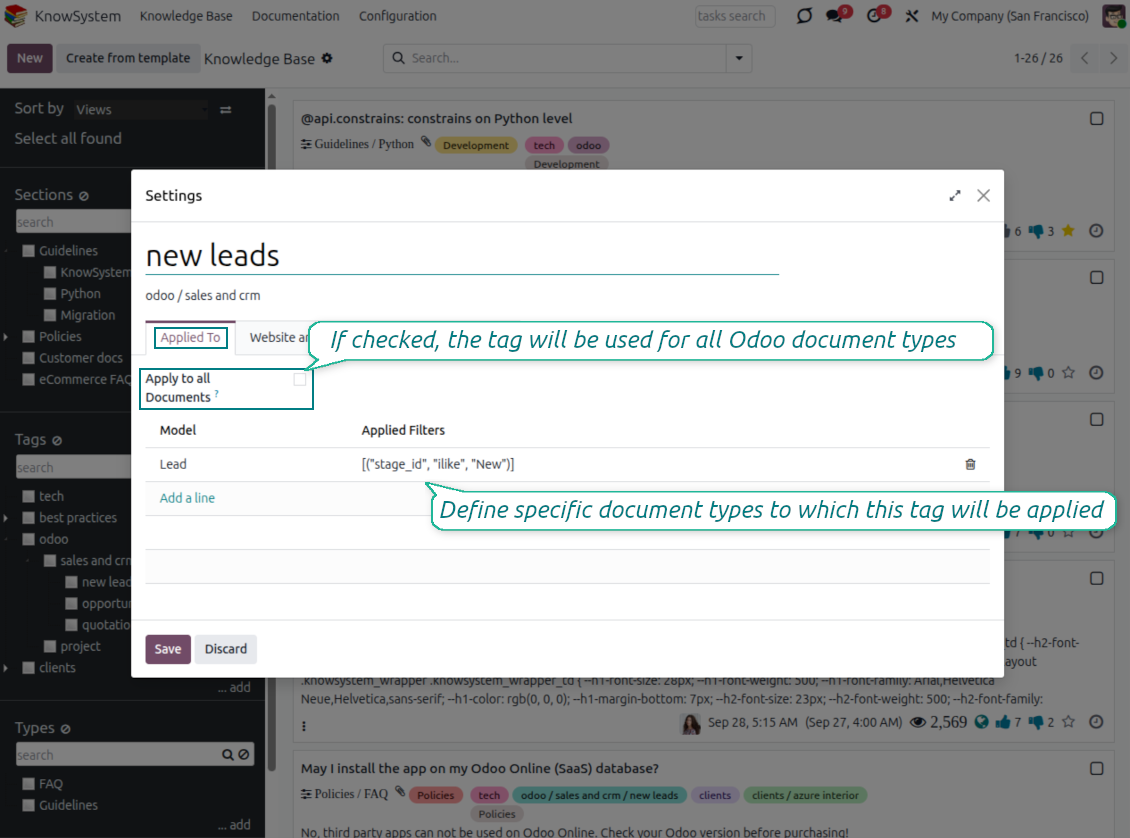
- Link tags to document types so the right articles appear by default - e.g. assign helpdesk tickets the tag 'odoo/helpdesk' and it is pre-filled on every ticket.
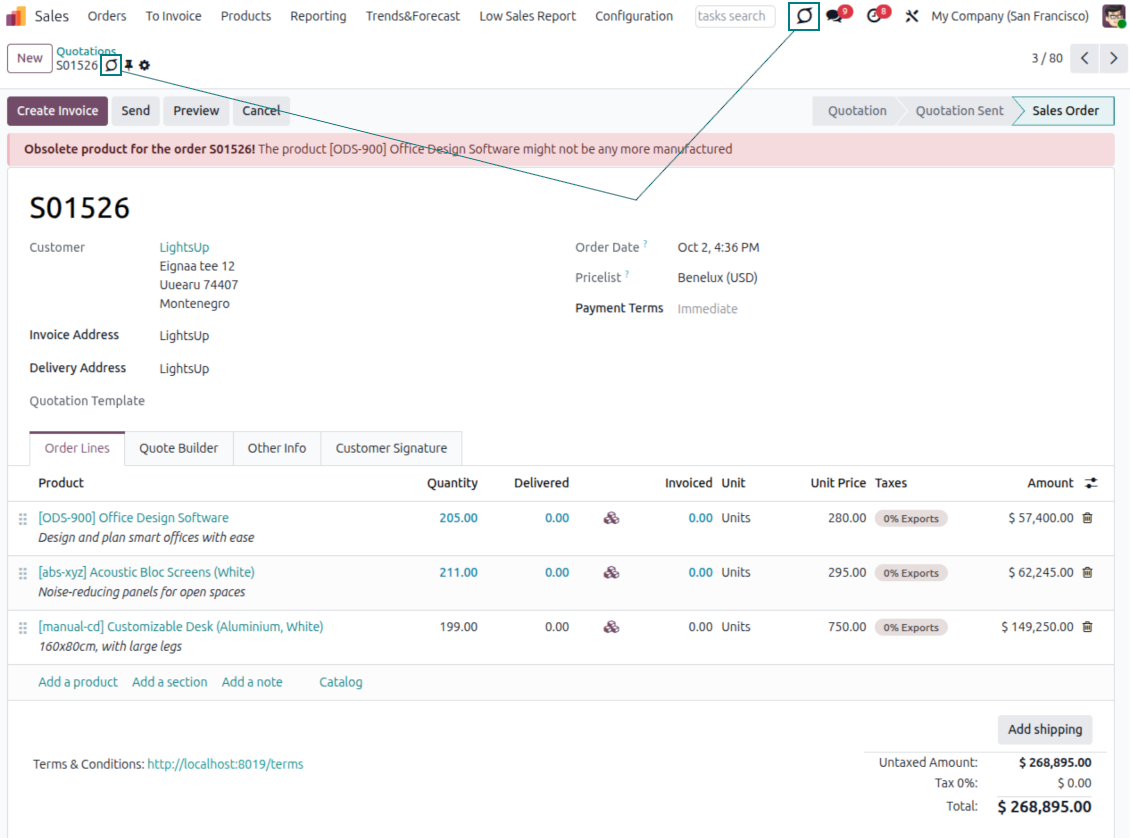
- Turn on 'KnowSystem in systray' to reach the base from anywhere in Odoo, whatever screen you are on.
Apply knowledge in communication
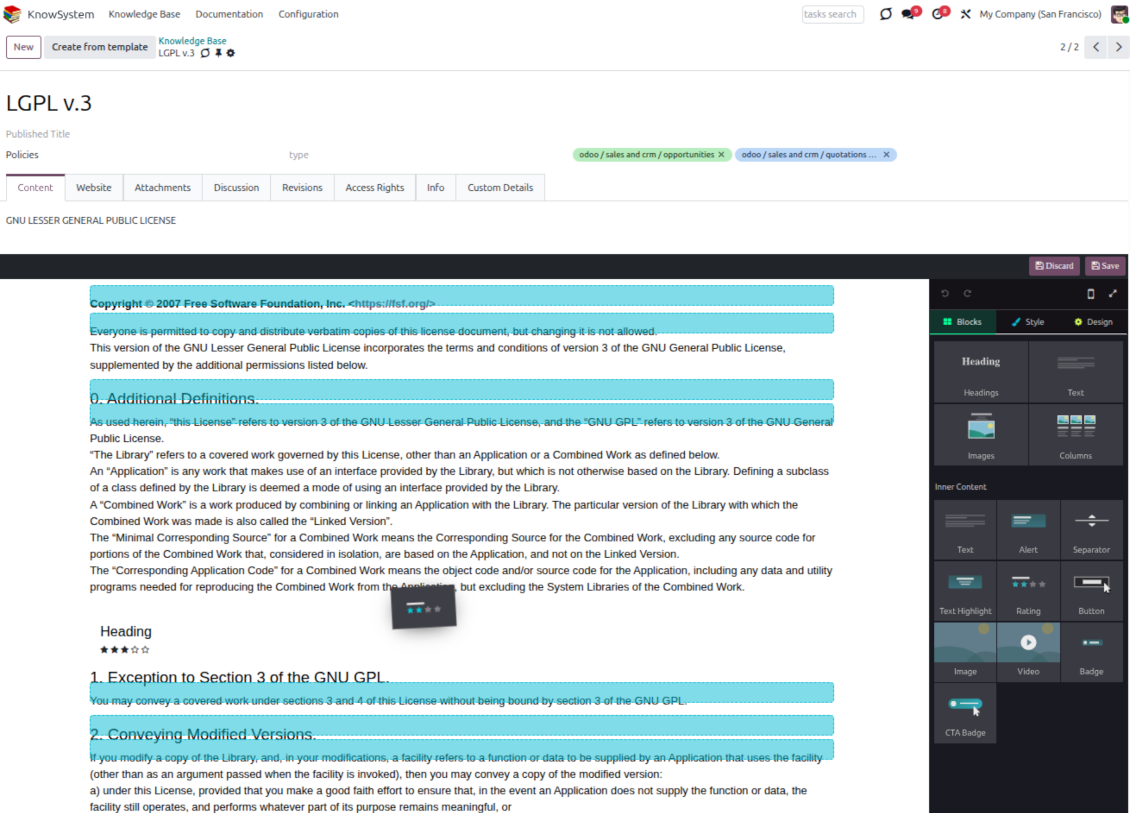
- Turn on 'Articles in Email Composers' to reference or cite knowledge in Odoo messages.
- See articles related to the current discussion and insert them with the editor command '/' > KnowSystem; the content is appended to the message.
- Attach a PDF version of the referenced article(s) automatically.
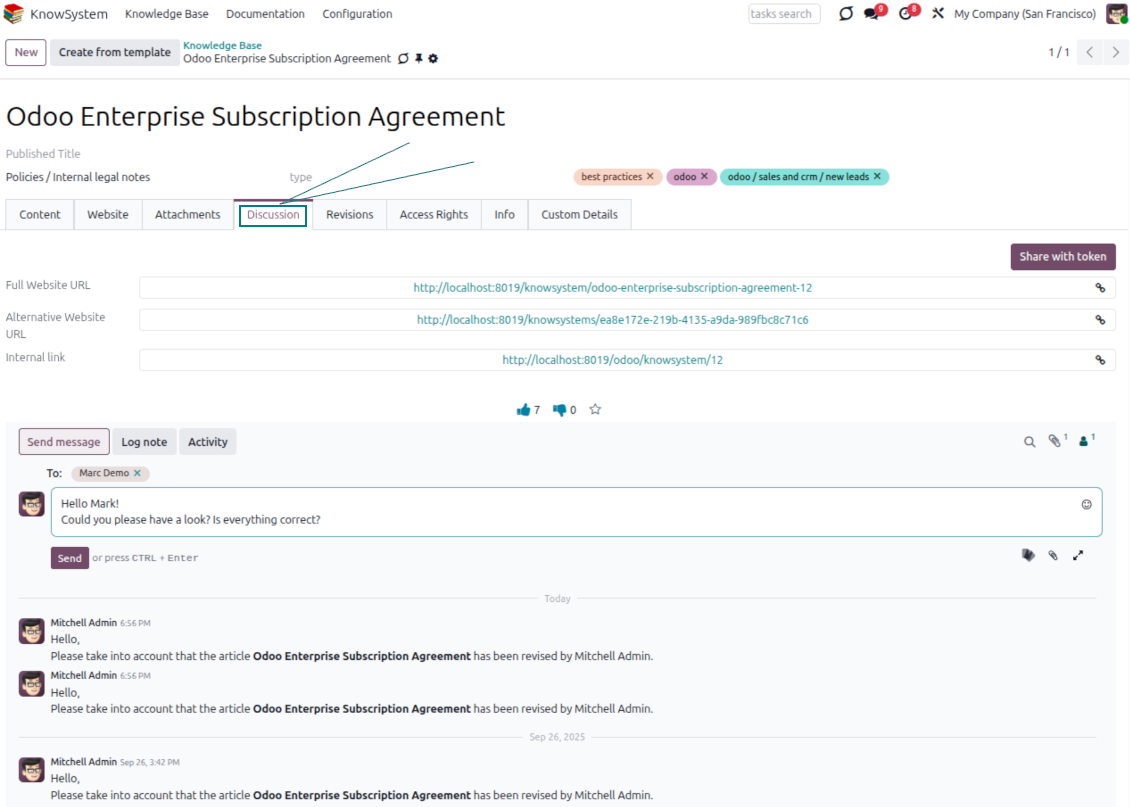
- Share links with colleagues or partners as backend, website/portal, or tokenized portal URLs.
- Turn on 'Articles in Activities' to insert articles or their links into Odoo activities.
Guided learning tours
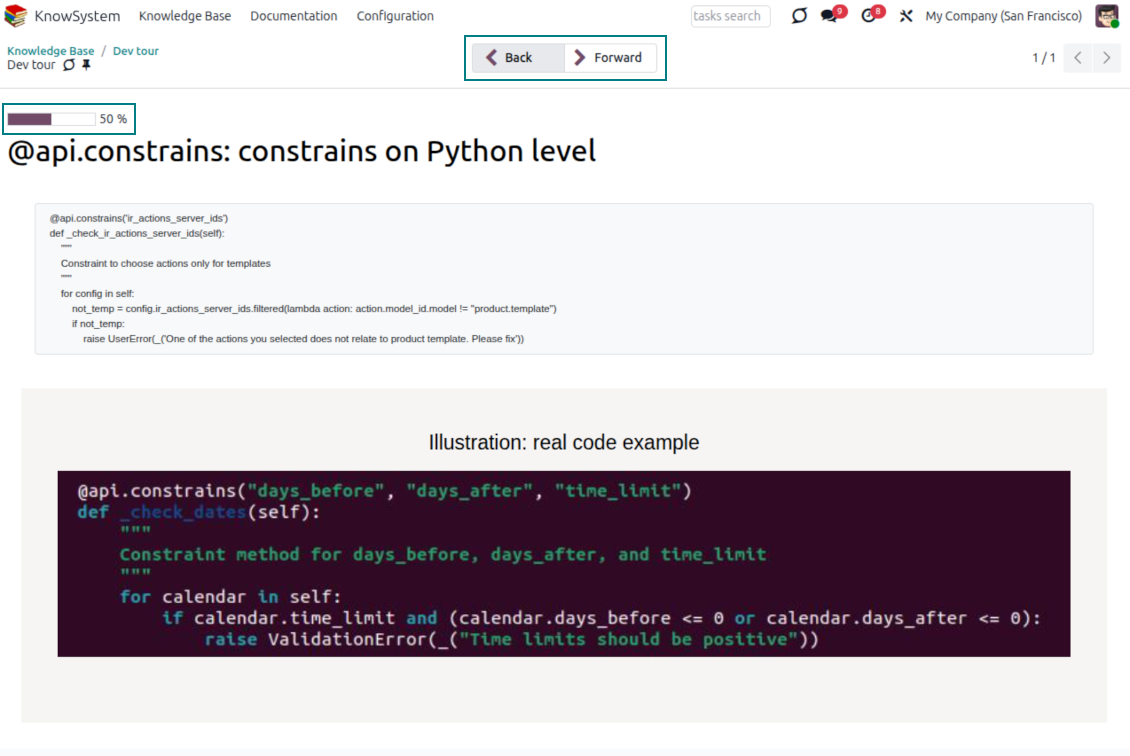
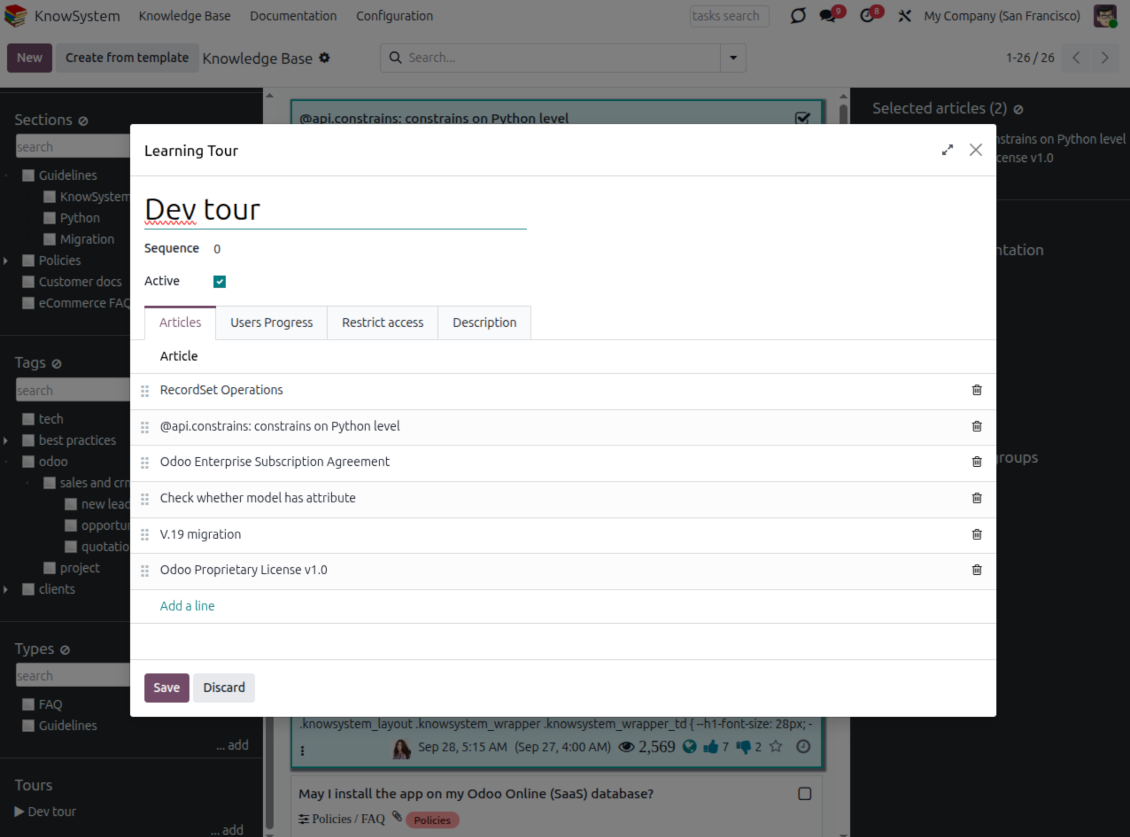
- Turn on 'Tours' to combine articles into an ordered sequence of learning steps.
- Launch a tour in a dedicated interface to study step by step, and share it with everyone or specific user groups.
- Track employees' progress through your instructions and guidelines.
Share and publish
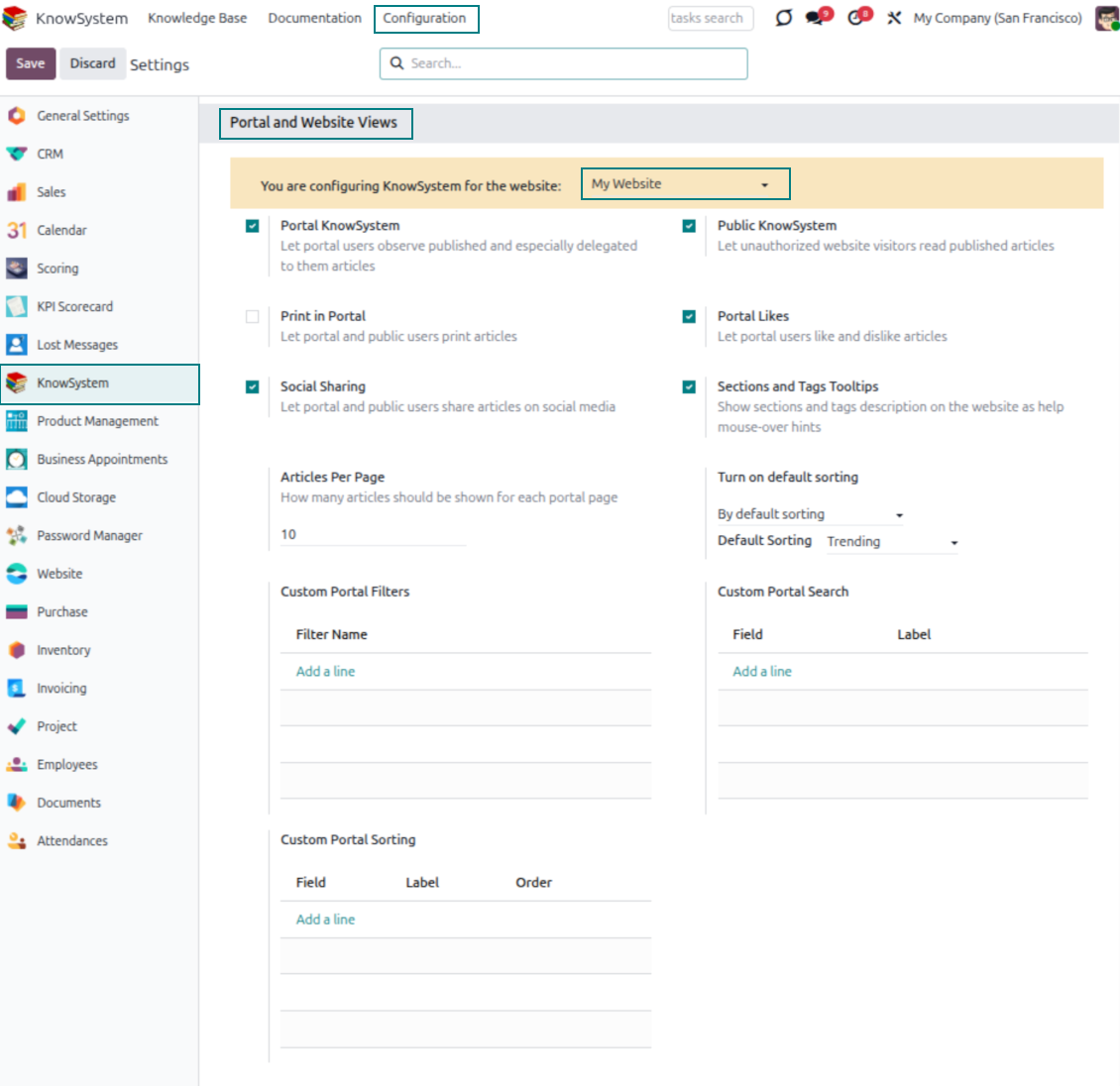
- 'Portal KnowSystem' shares knowledge with external partners; 'Public KnowSystem' opens it to website visitors.
- Configure KnowSystem tags or publish articles to control exactly what is shared.
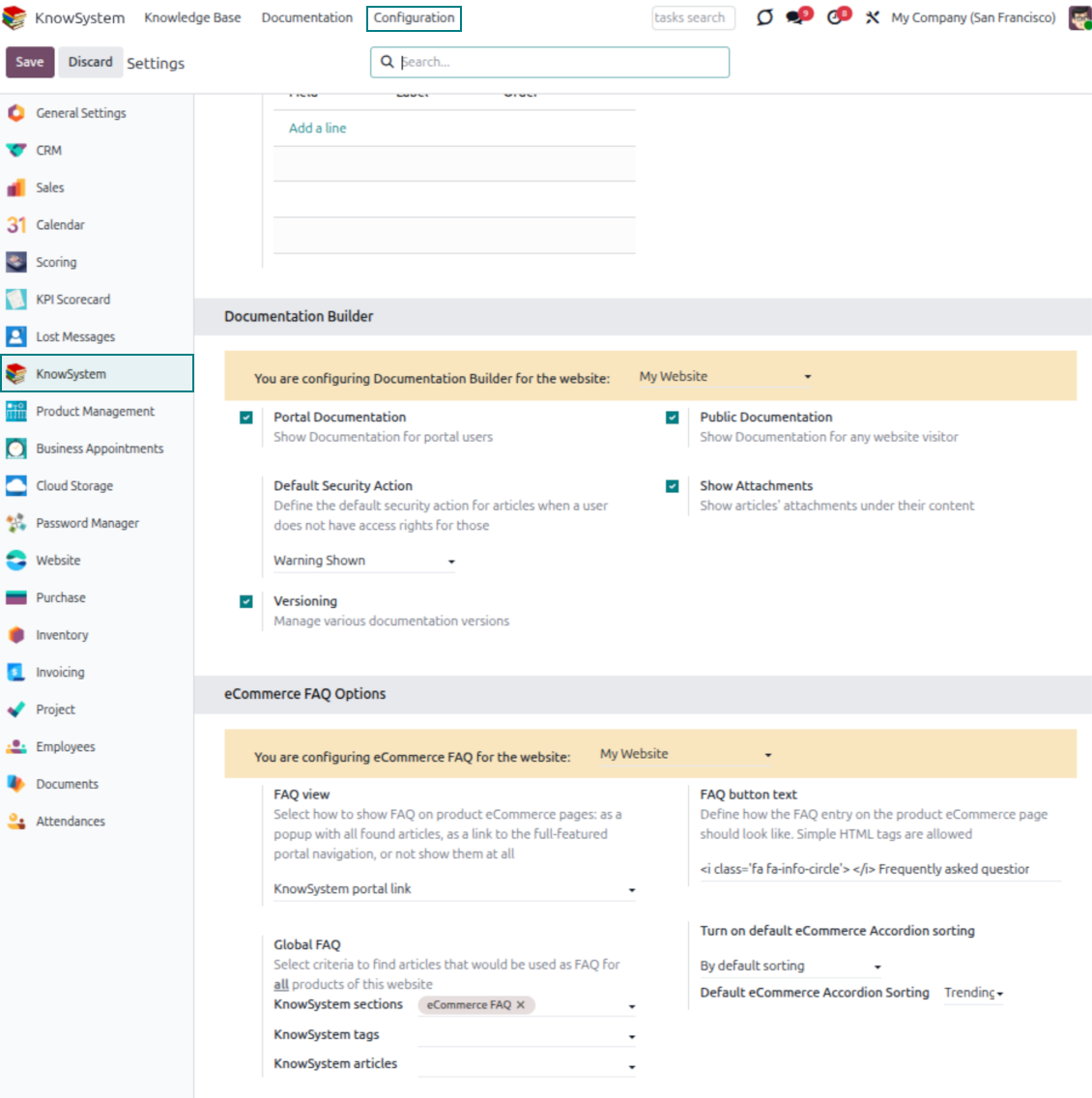
- Combine articles into advanced documentation; 'Portal Documentation' and 'Public Documentation' decide who can read it.
Listo para evaluar?
Empiece con una solicitud de demo gratuita o compre en el Odoo Apps Store.
Base de demostración personalizada gratuita. No se requiere teléfono ni tarjeta. Actualizaciones gratuitas de por vida y soporte experto dentro de la versión mayor de Odoo.
Documentation
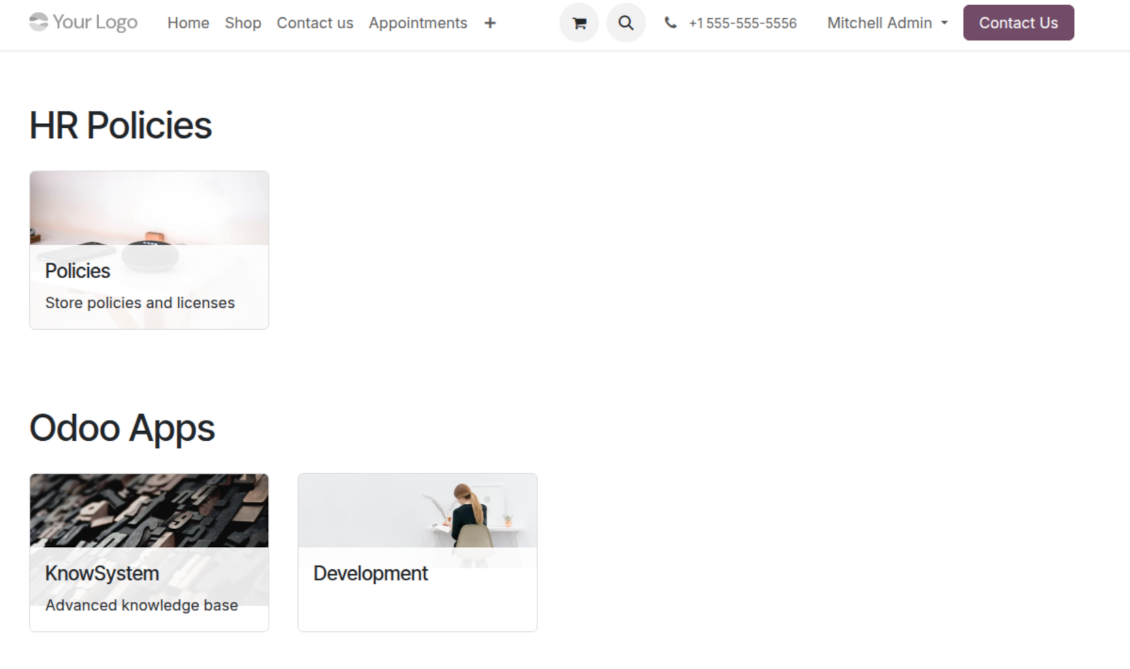
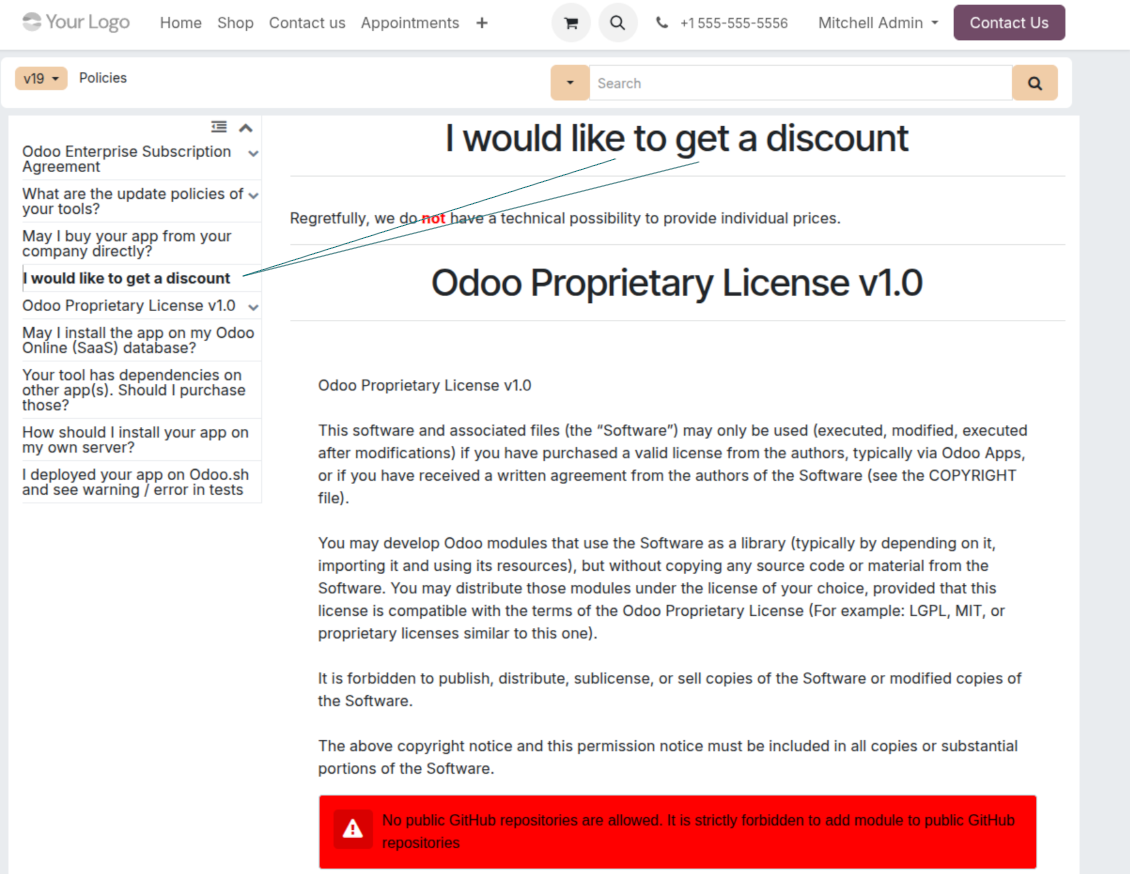
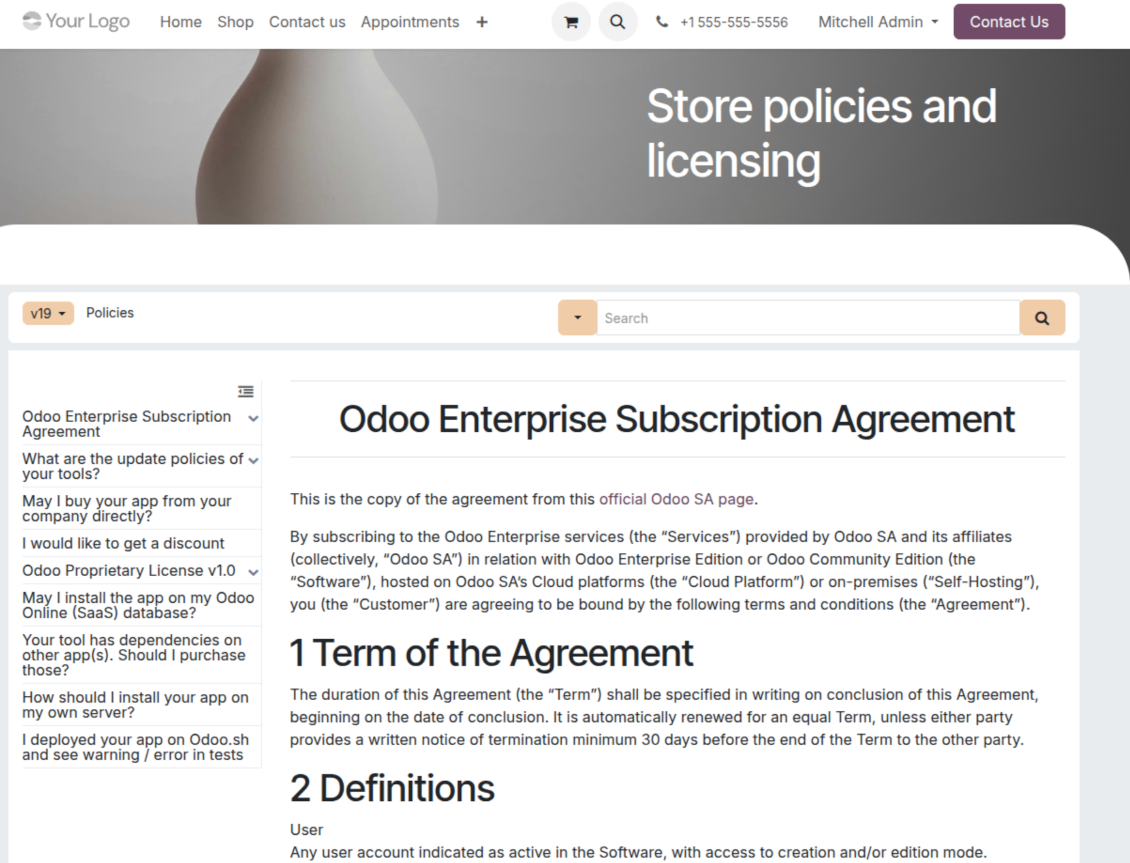
Turn articles into searchable website documentation
Create and structure
- Combine articles into advanced documentation that covers a whole business, organizational, or functional aspect.
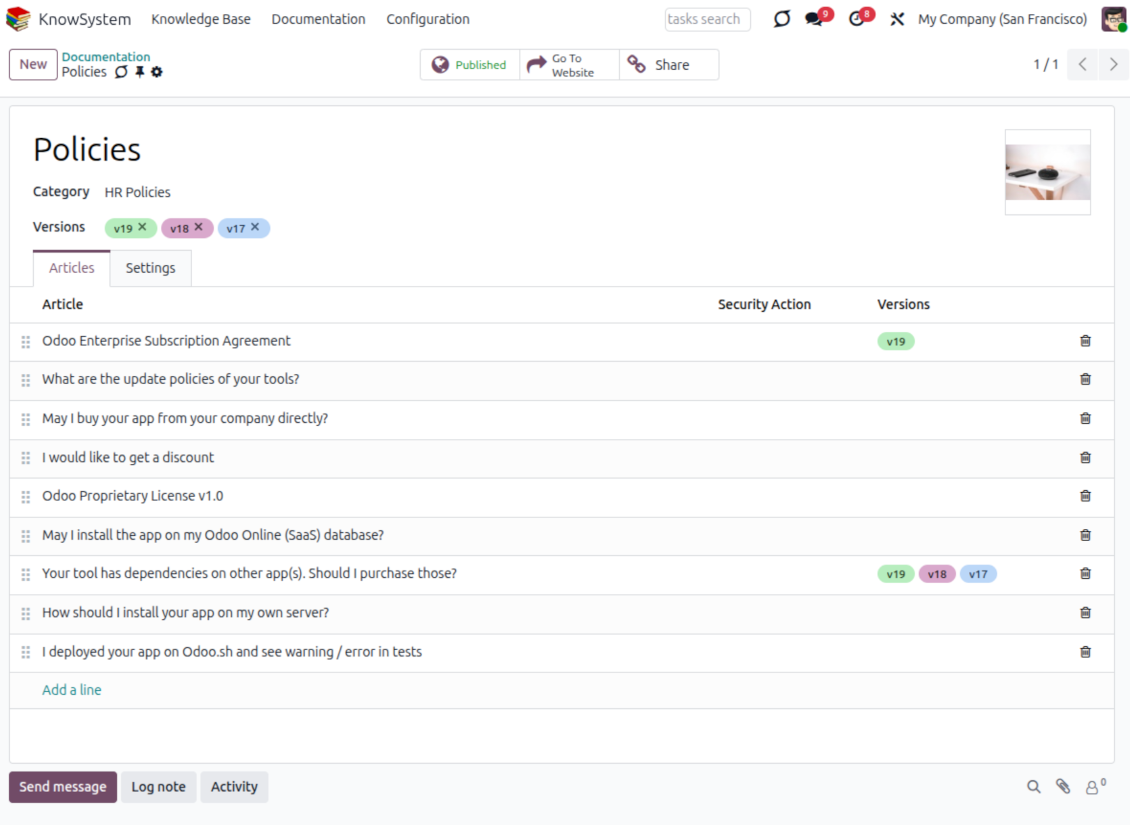
- Create a section simply by selecting and ordering articles - KnowSystem generates the website page automatically.
- Reuse the same article across several documentation sections.
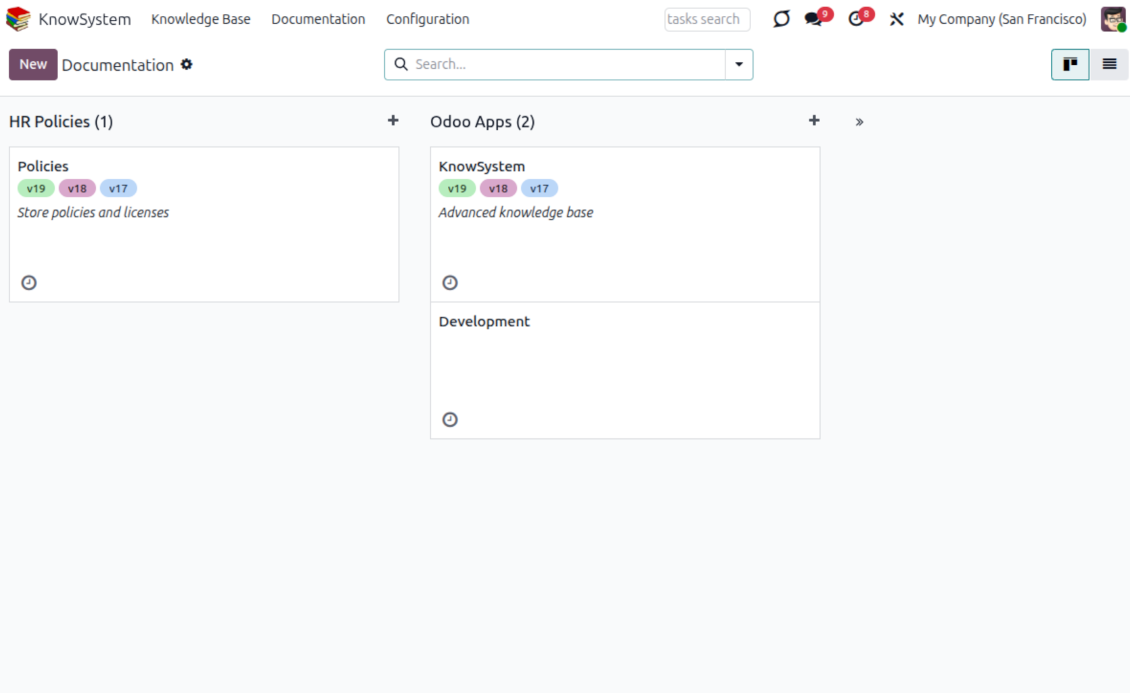
- Build an unlimited number of documentation pages, structured by categories.
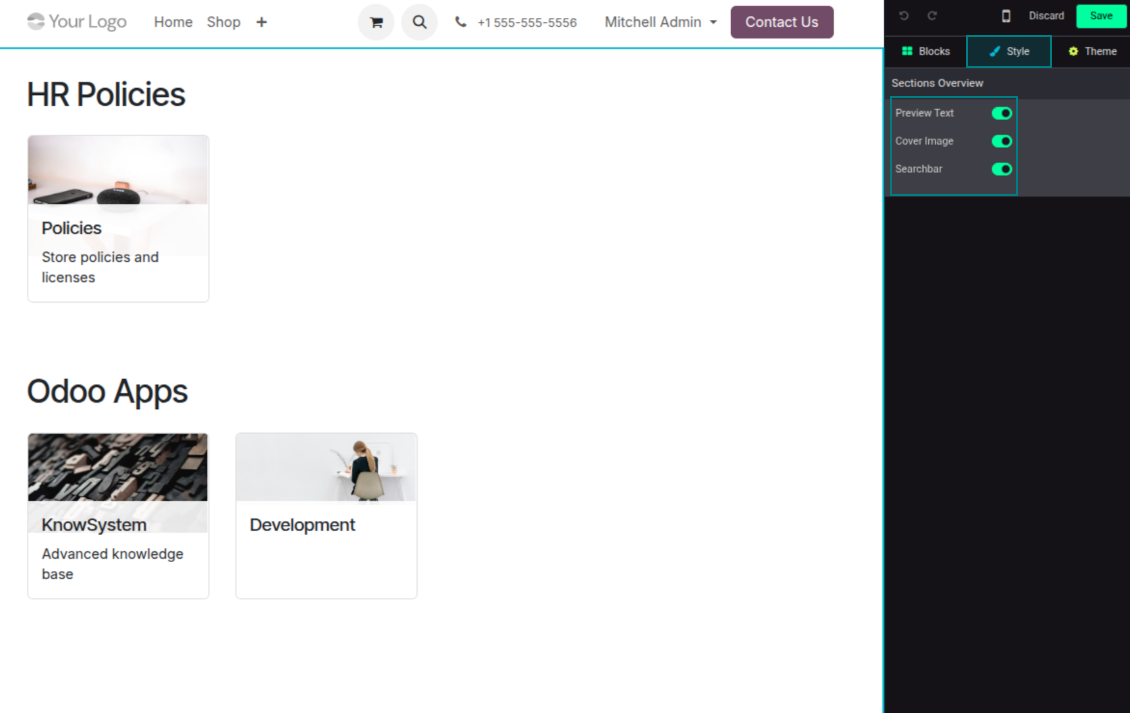
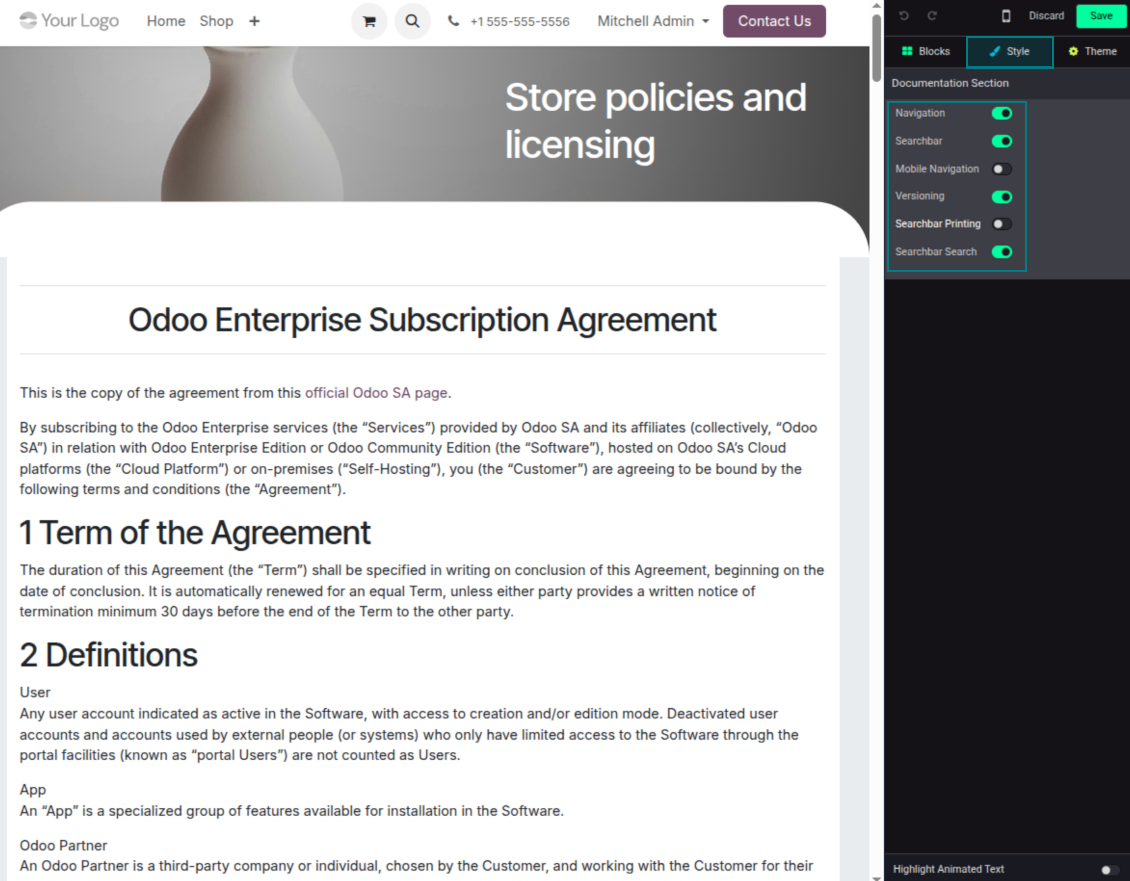
- Customize each page: toggle the search bar and table of contents, and add or remove preview images and texts.
Share, navigate, and version
- Publish documentation for everyone, or assign KnowSystem tags to grant access to chosen Odoo partners.
- Decide what happens when a reader lacks access to an included article: ignore the restriction, hide that piece, or show a security warning.
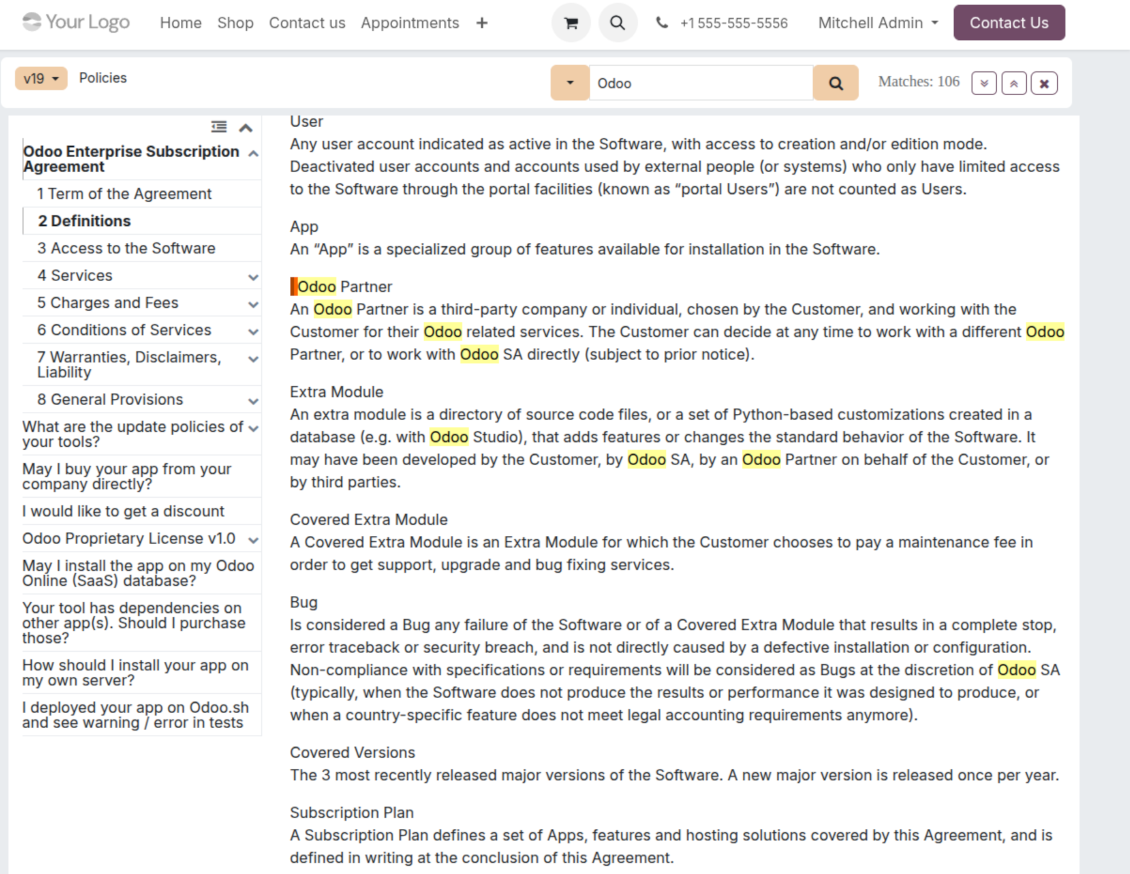
- Show an automatic table of contents, built from the headers of the included articles, for fast navigation.
- Enable search across the whole text or only headers, with case-sensitive or insensitive keywords.
- Apply versioning to avoid double work on specifications, user manuals, and software guidelines.
Portal & public
Share with partners or publish to everyone
Knowledge in the Odoo partner portal
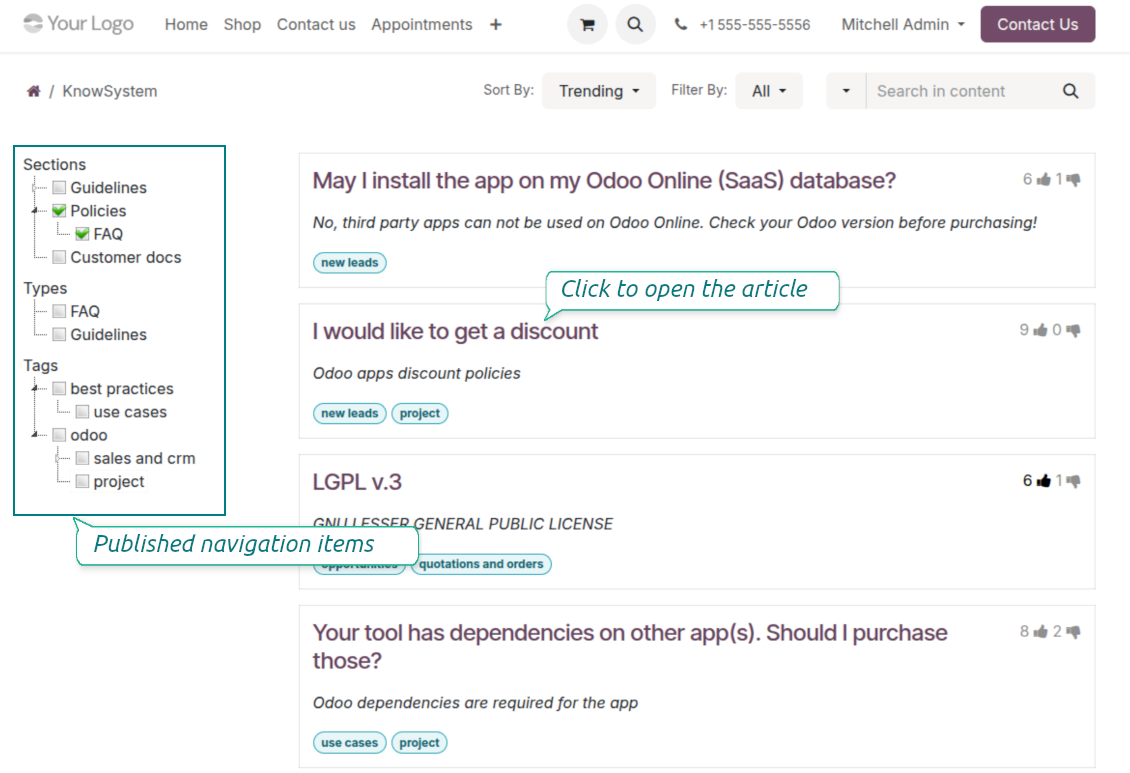
- Turn on 'Portal KnowSystem' to give each Odoo partner a personal web portal built from the articles you choose to share.
- Design an article for one specific company, or reuse the same knowledge experience across many clients.
- Articles reach a portal user when they are (a) published, or (b) carry user-related tags.
- Assign a tag to a partner in two ways: fill 'KnowSystem tags' on the partner form, or define 'Allowed partners' on the tag.
- Optionally allow partners to print articles, like them, and share.
Public self-service knowledge base
- Turn on 'Public KnowSystem' to open knowledge to unauthenticated website visitors for true self-service.
- Only published articles are shown - publish via the 'Publish' mass action or the 'Visible on current website' checkbox.
- Publish tags and article types too so they appear in the portal; sections show only once they contain visible articles.
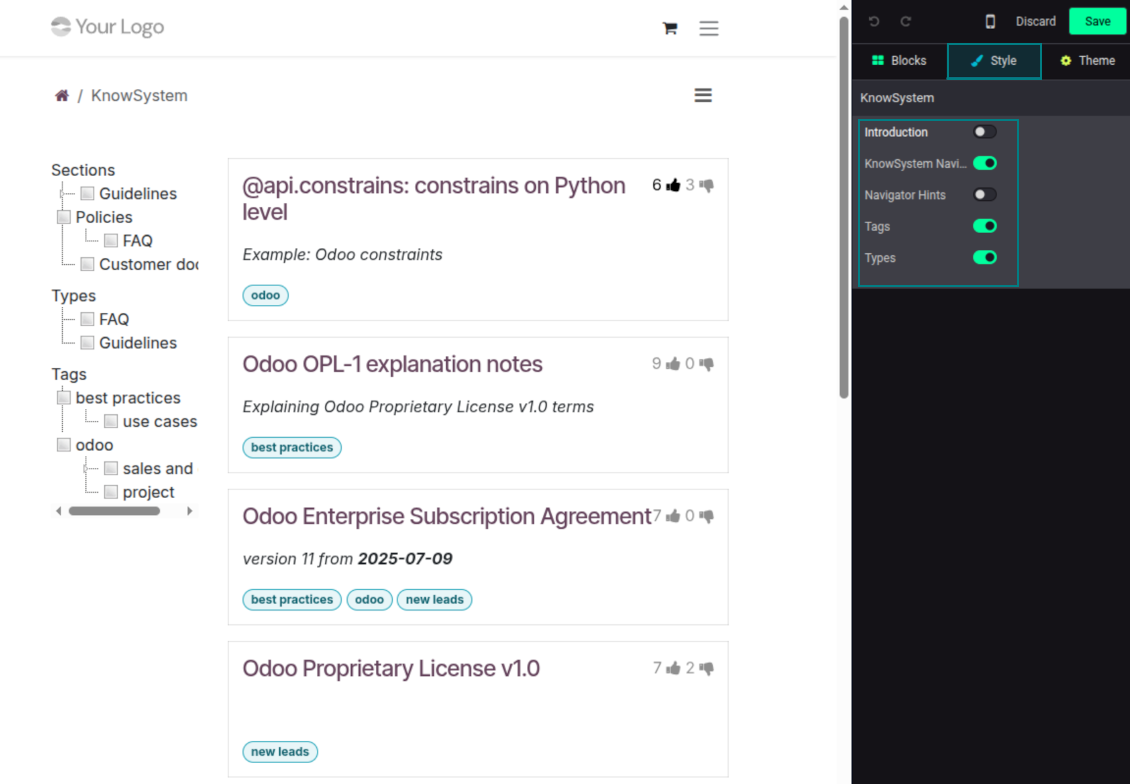
- Customize the portal: show or hide navigation by tags and types (or the whole navigation), add an introduction and navigation hints, and set section tooltips.
Collaboration
Versioned, social, and multi-lingual knowledge
Teamwork and use
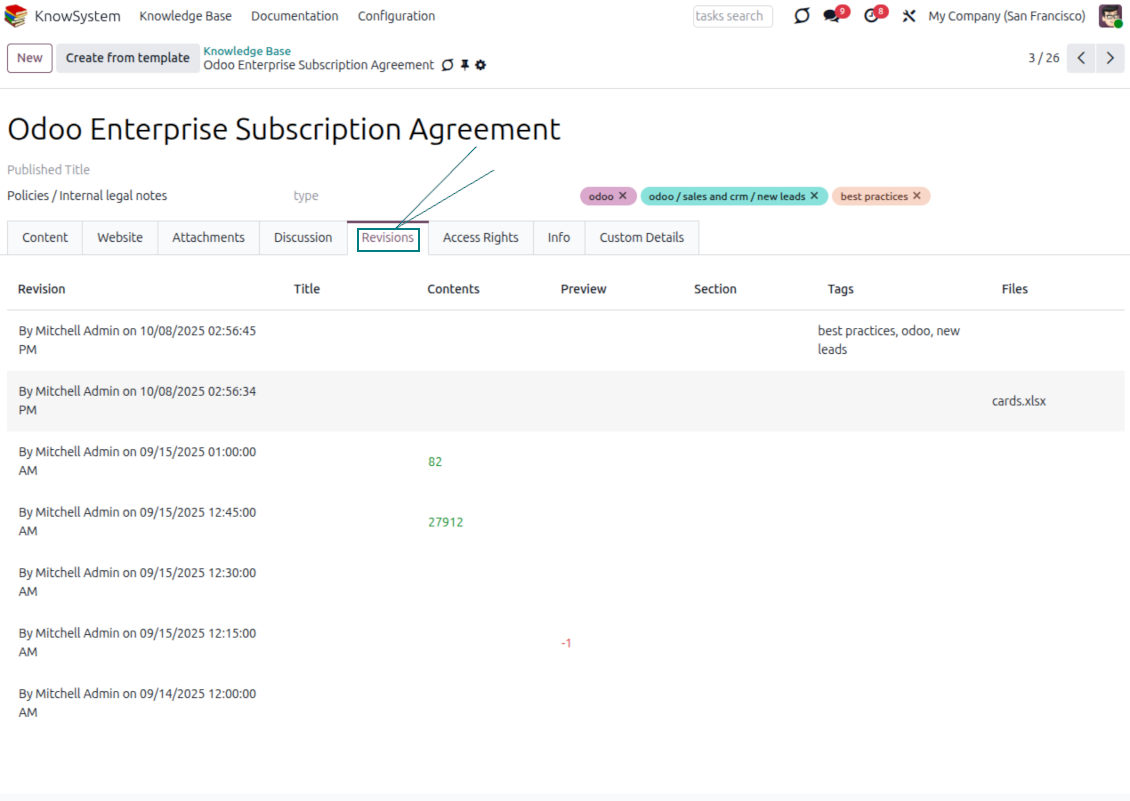
- The full history of article revisions is kept in Odoo, wiki-style. If a user breaks something, it takes just 2 clicks to recover the right version.
- Users take part in article discussions and subscribe to updates.
- Share tokenized articles with any contact.
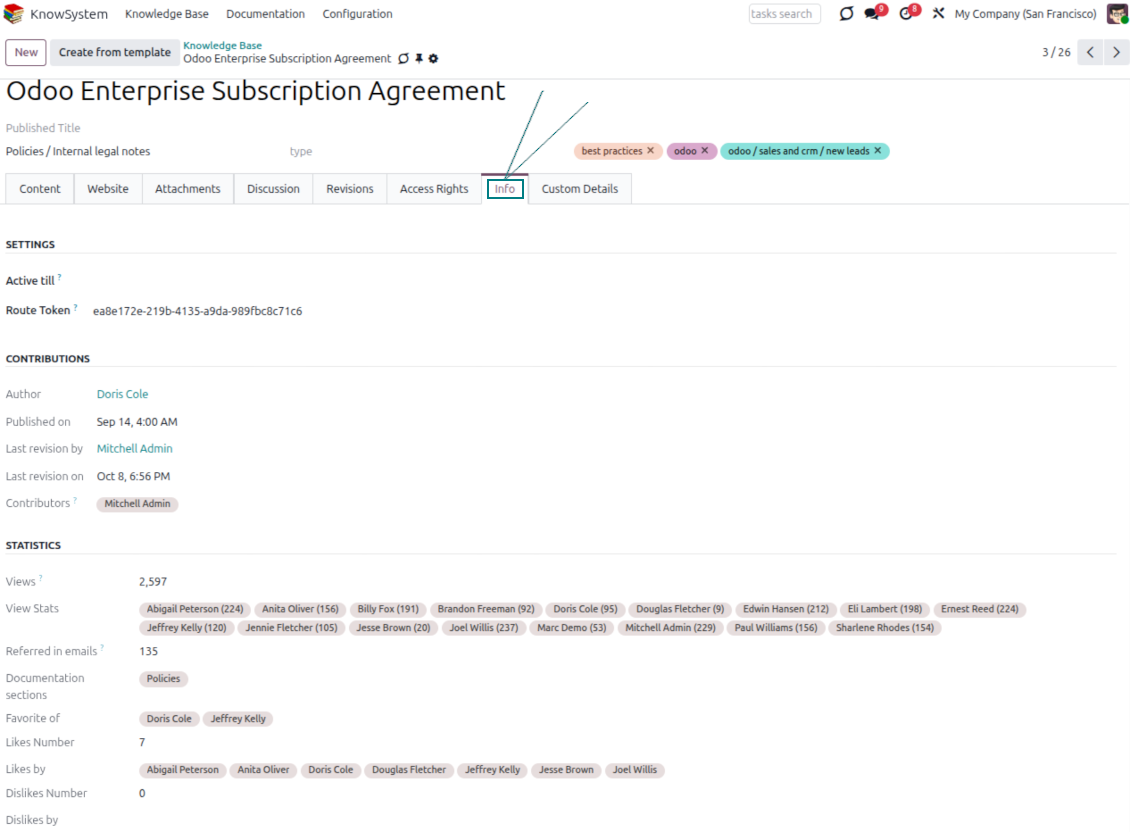
- Track statistics per article: contributors, views, likes and dislikes, how often it is used in messaging, and who marked it as favorite.
- Set activities to keep the base improving, and auto-archive articles after a chosen date.
Multi-lingual knowledge
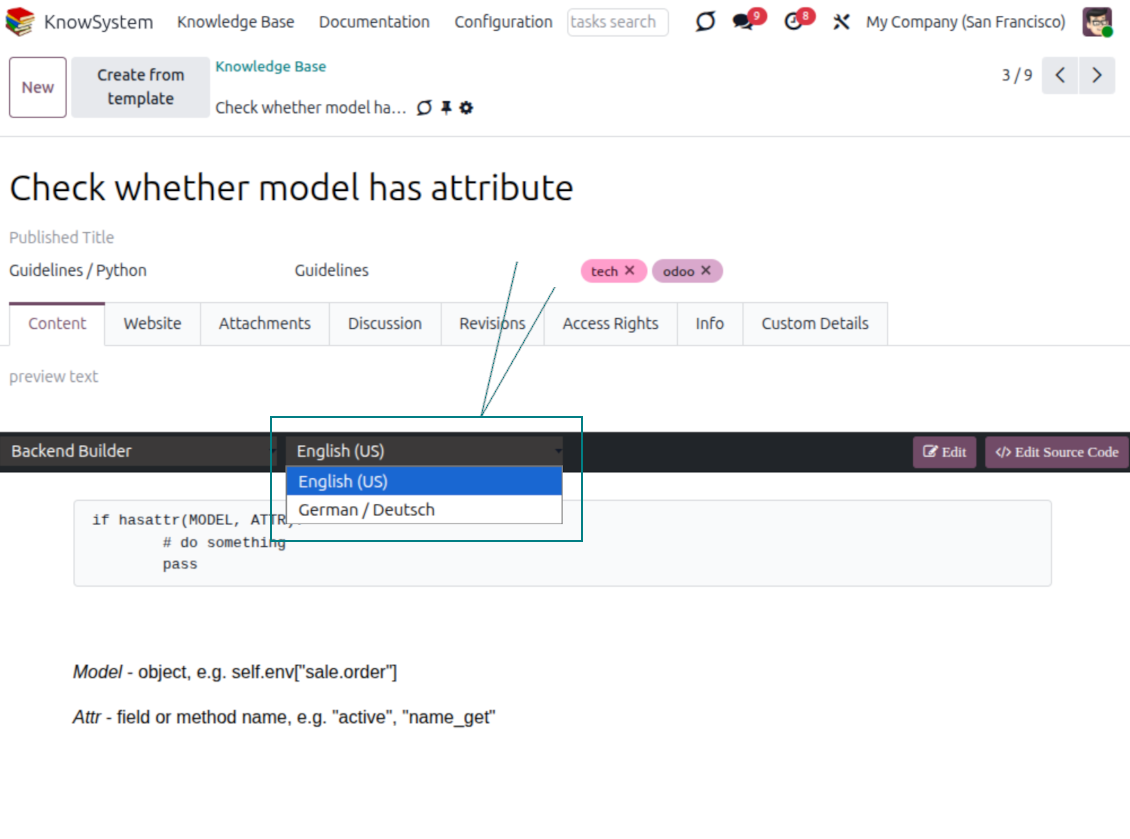
- Translate articles into every language installed in Odoo, so users read and edit in the language of their choice.
- Avoid double work with 'Copy from another translation' - but be sure you really need a multi-lingual regime, since every article must then be kept up to date in all languages.
- Switch the language right in the backend editor to review or update any translation.
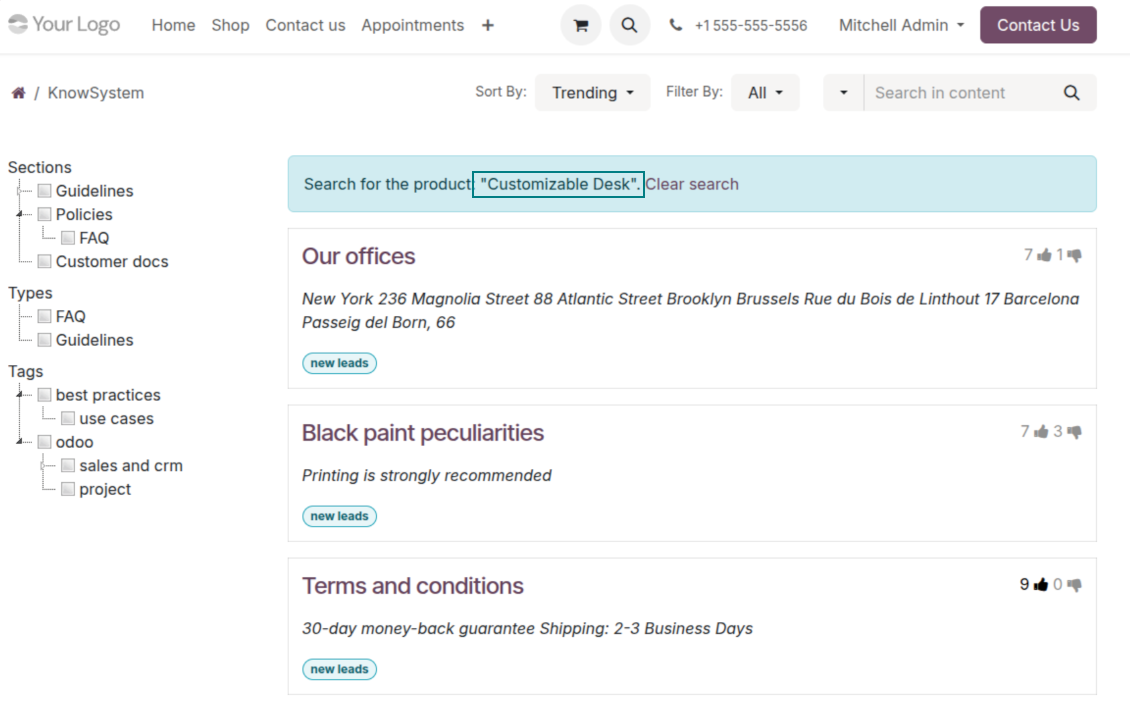
eCommerce FAQ
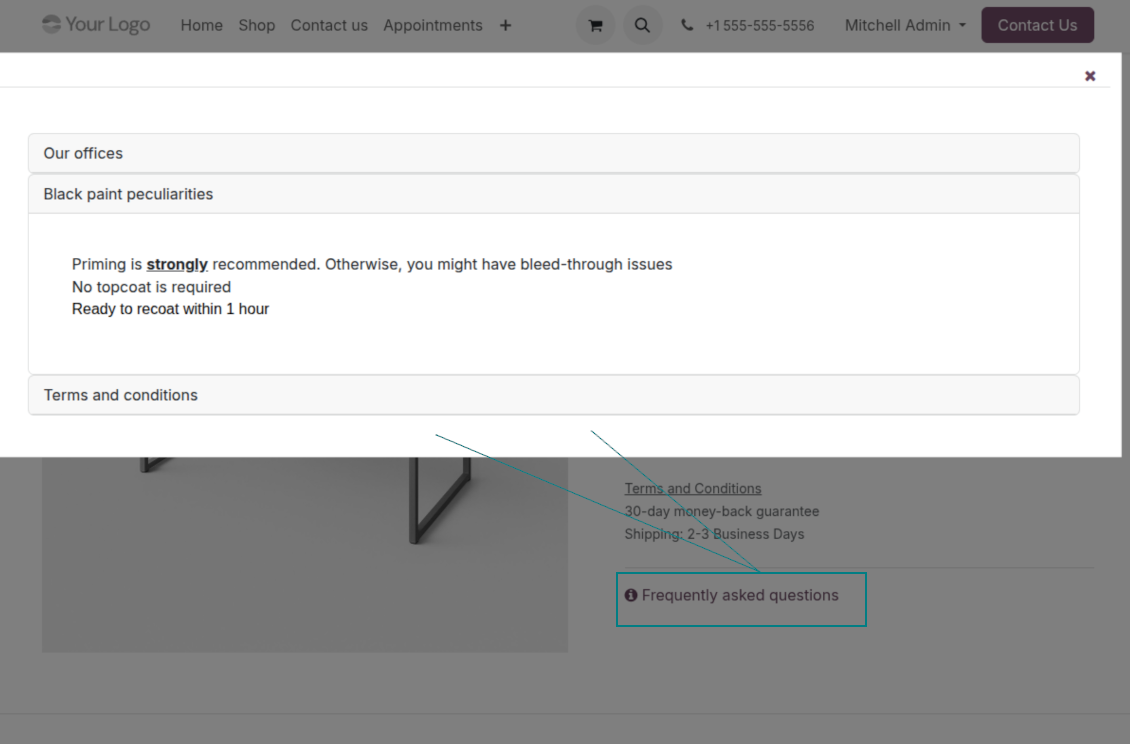
Add a product FAQ and docs to every eShop page
Show knowledge on product pages
- Adds a product knowledge entry to all eCommerce product pages out of the box.
- Hide it for specific templates (the setting 'Do not show eCommerce FAQ') or for an entire eShop on a website (the option 'FAQ view' - 'Do not show').
- Set your own button title ('FAQ button text'); the default is ' Frequently asked questions', but you can change it to anything, e.g. 'Product docs' or 'Instructions' - simple HTML tags are allowed.
- Choose 'KnowSystem portal link' for the 'FAQ view' to send shoppers to the full navigation, restricted to articles linked to the current product.
- Or choose 'Popup accordion' to open all matching articles in a popup, so shoppers stay on the product page.
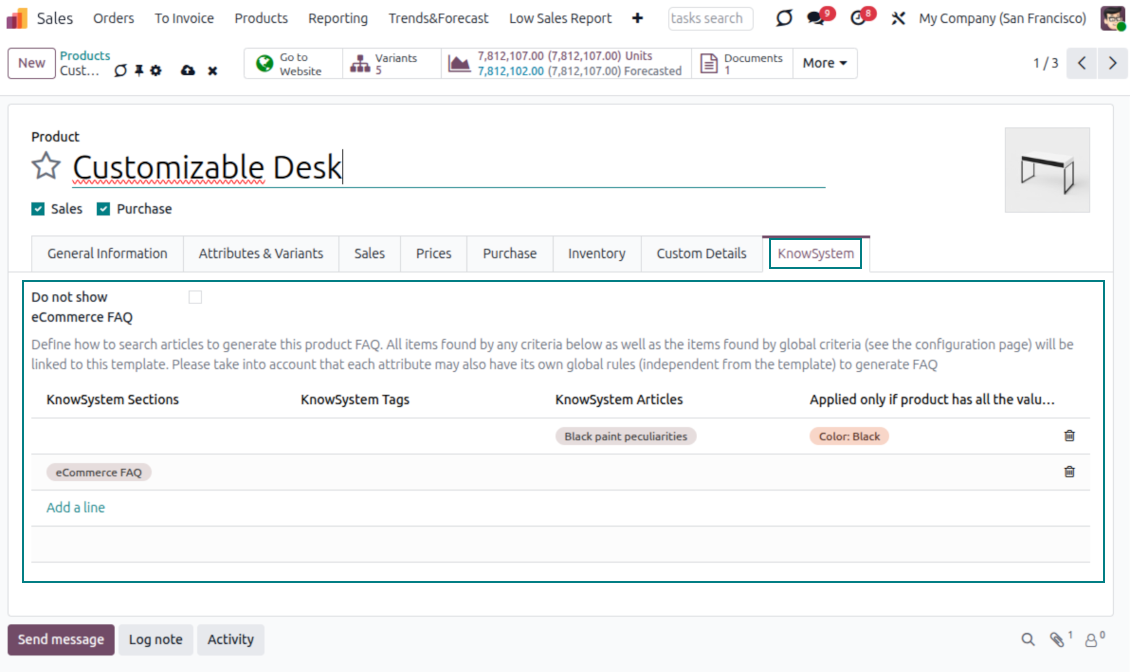
Match the right FAQ to the right product
- Link product templates to KnowSystem; show articles for specific sets of attribute values and hide them for others - e.g. different FAQs for steel and aluminum tables.
- Define knowledge for Odoo attributes or attribute values regardless of the actual product - for instance, complementary documentation for every variant that has 'legs' or 'custom legs'.
- Apply global settings per website to keep the same FAQ basis across all items sold there.
- Target KnowSystem sections, tags, or specific articles on each layer. A knowledge piece is selected if it satisfies any of the criteria; for sections and tags, child nodes are taken into account too.
- Articles appear only if a user can access them, so website visitors see only published ones.
Use cases
Built for helpdesk, sales, HR, IT, and beyond
KnowSystem is a universal knowledge management tool that adapts to any business goal and any set of Odoo apps - helpdesk, sales, marketing, IT, HR, legal, and projects. Typical use cases:
- Helpdesk - once a challenge is solved, record its solution in KnowSystem for repeated use by co-workers and self-service by clients.
- Sales & CRM - a salesperson helper for product information, current offers, and frequently asked customer questions.
- Project management - keep and easily retrieve knowledge of existing solutions, tools, hints, and experiments.
- HR - prepare instructions, guidelines, learning tours, training, and any codified knowledge of routine in your company.
- Marketing - organize an online library of product use cases, expert knowledge, and well-structured documentation.
- Legal - systematize policies and contract/approval management, and keep a full classifier of trademarks and licenses.
- Information technology - share easy-to-reach manuals and configuration guidelines, one search away.
Custom fields
Add your own article attributes - no code
Add fields without code
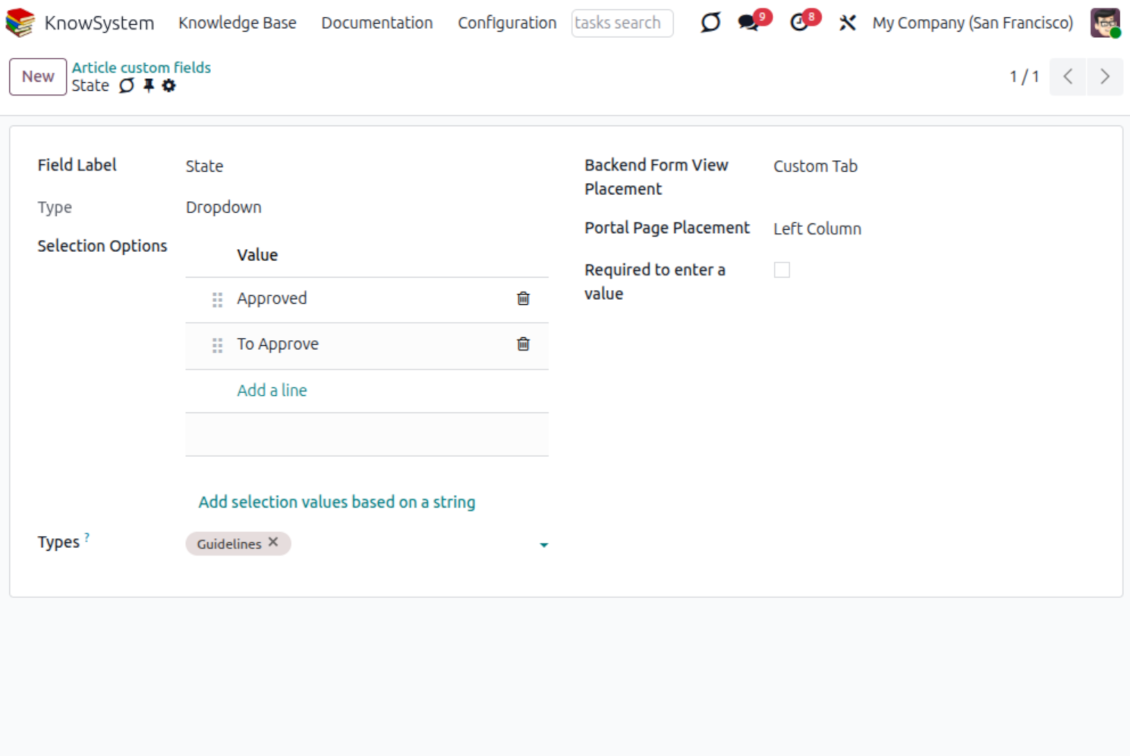
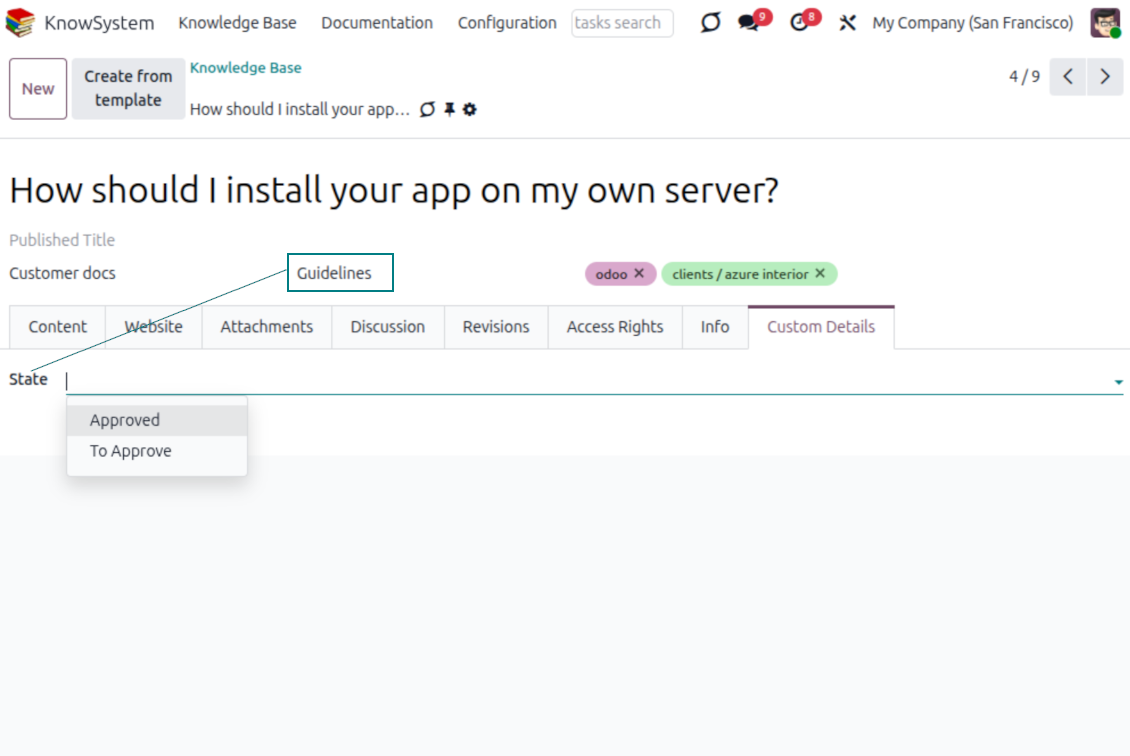
- No technical knowledge required - add a field and enter details to show a new property for articles.
- Choose from a full range of types: single-line text (char), plain text, rich (HTML) text, integer or float numbers, drop-down selection with your own options, checkbox (boolean), date or date-and-time, file upload (binary), and a reference to another Odoo record such as a sale order or contact (many2one).
- Pick the field's interface position from a closed list of options.
- Mark a field required to force users to enter a value.
Tailor by type, share, and secure
- Use article types to show properties only for the right articles - 'user guidelines' and 'technical specifications' can carry completely different attributes.
- Works in both the KnowSystem backend and the knowledge share portal.
- Custom fields can be imported and exported.
- Only KnowSystem administrators may create custom fields.
Security
Granular access for staff, partners, and the public
How access works
- Security for internal users and for portal/public users is handled separately.
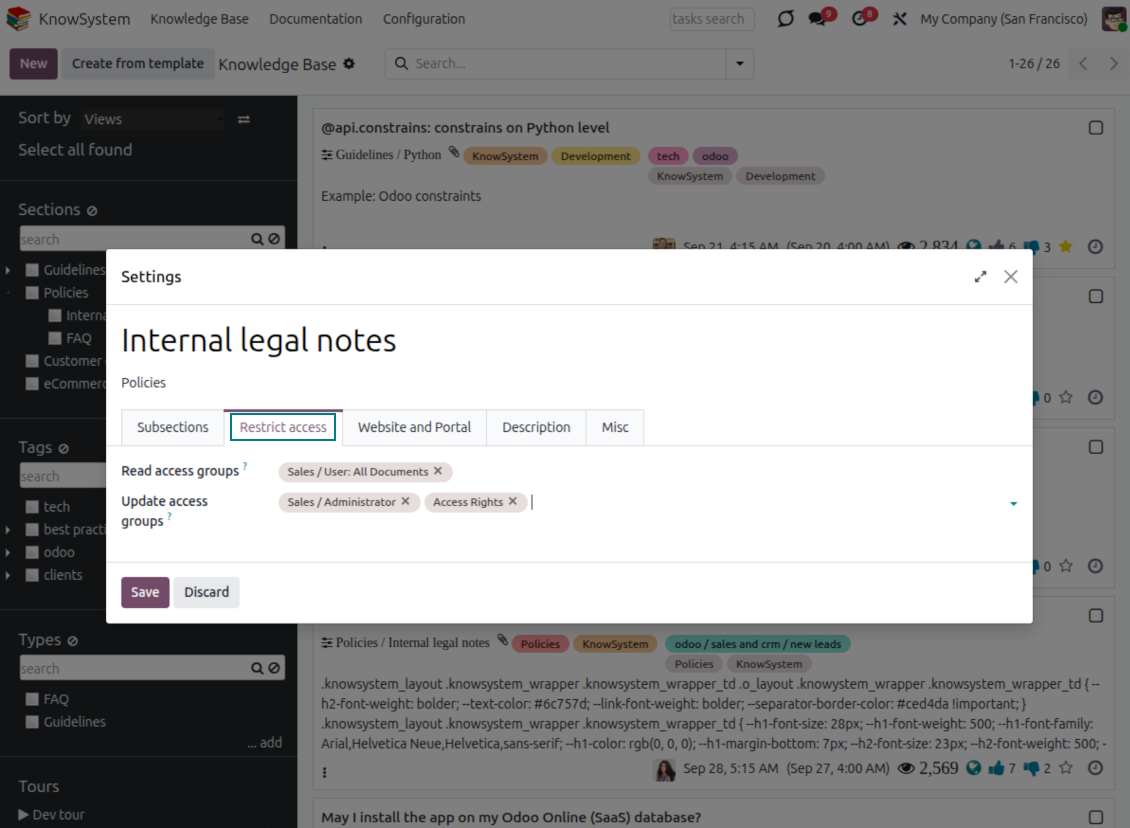
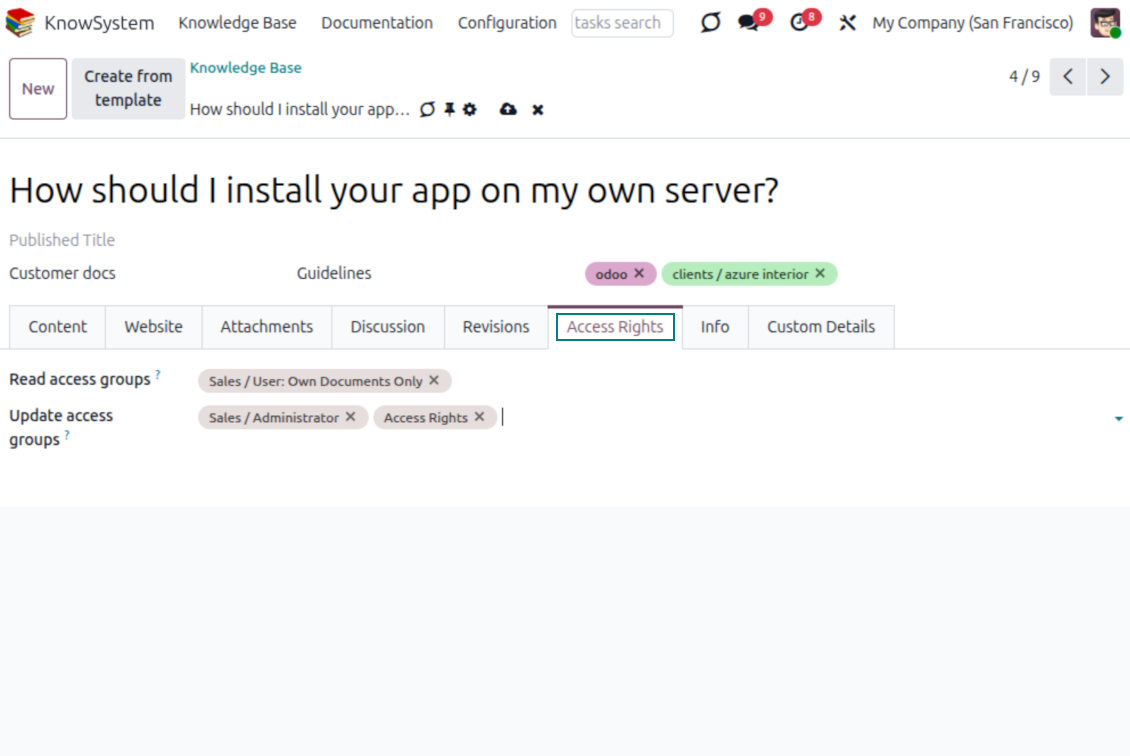
- For company employees: KnowSystem honors the user groups defined per article, section, and tour (the 'Restrict to' tab on those forms). If that field is empty, the record is 'global' and every internal user may read it.
- For portal / public users: access depends on tags and on whether an article is website-published. A tag's 'Allowed partners' grants portal users access to articles carrying that tag; published pages are open to any visitor.
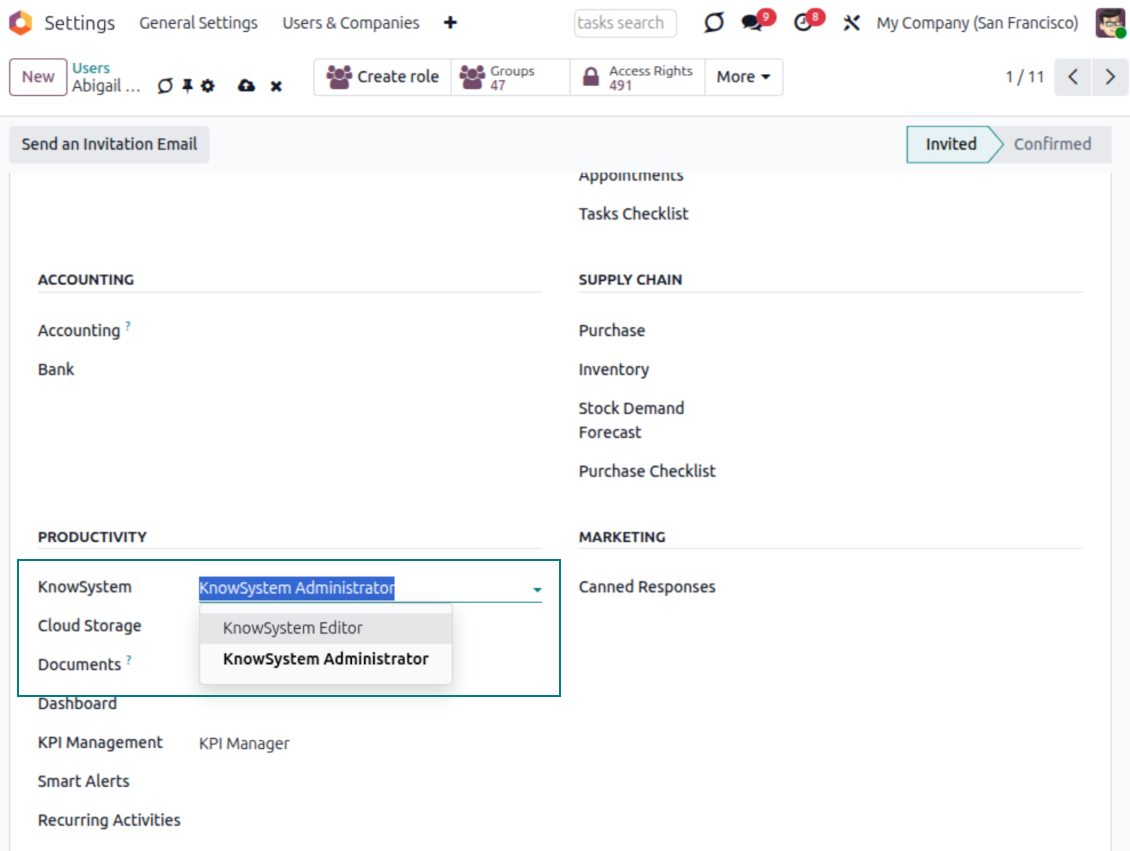
- Administration belongs to two roles - KnowSystem Editor and KnowSystem Administrator. A user must belong to one of them to create and edit articles.
- A user can always access an article they authored, regardless of further restrictions.
- Section rights consider the section and all its parents - no access to 'sales' means no access to 'sales/crm', even if 'crm' is open to the user's group.
Access rights at a glance
Odoo user |
KnowSystem Editor |
KnowSystem Admin |
Portal user |
Public user |
|
| Articles | read related to their user groups and sections | read, create, edit, archive related to their user groups and sections | read, create, edit, delete any | read published articles and articles related to partner-related tags | read published articles |
| Sections | read related to their user groups | read, create, edit, archive related to their user groups and sections | read, create, edit, delete any | read published ones | read published ones |
| Tags | read any | read, create, edit, archive any | read, create, edit, delete any | read published ones | read published ones |
| Article Types | read any | read any | read, create, edit, delete any | read published ones | read published ones |
| Tours | read related to their user groups | read, create, edit, delete related to their user groups | read, create, edit, delete any | no access | no access |
| Misc | may like/dislike, add to favorites, print, take part in discussions | may configure options | may like/dislike an article |
Listo para evaluar?
Empiece con una solicitud de demo gratuita o compre en el Odoo Apps Store.
Base de demostración personalizada gratuita. No se requiere teléfono ni tarjeta. Actualizaciones gratuitas de por vida y soporte experto dentro de la versión mayor de Odoo.
Preguntas frecuentes sobre KnowSystem: Knowledge Base System Odoo v.18
No veo ninguna diferencia entre los textos de las revisiones.
Las revisiones registran no solo cambios de texto, sino también cualquier actualización de estilos (técnicamente, cuando cambia el código fuente HTML de un artículo). Algunas no se aprecian a primera vista (p. ej. el tamaño de fuente de una sola palabra). Otras pueden ser drásticas. Sin embargo, cualquier secuencia Edit > cambiar algo en un artículo > Save da lugar a una nueva revisión.
¿Puedo añadir un vídeo de YouTube/ Vimeo / Dailymotion / Youku en un artículo?
Sí, puede incrustar vídeos de esos servicios en artículos desde el backend de Odoo y desde el creador de sitios. Para ello añada un bloque con una imagen > pulse la imagen > seleccione ‘Vídeo’ > introduzca la URL del medio.
Tenga en cuenta: esos vídeos se incluyen como iframes, y algunos navegadores pueden bloquear la reproducción hasta que el usuario lo permita explícitamente.
¿Cómo hacer visible una sección en el sitio web?
En KnowSystem, una sección se hace visible en un sitio web si está publicada y contiene al menos un artículo. Aunque tenga subsecciones, no se verá si no hay ningún artículo en la propia sección. Así se evitan secciones vacías y el portal KnowSystem resulta claro y fácil de recorrer. Para que la sección se muestre en el sitio, añada un artículo introductorio o general que describa o enumere brevemente los artículos de las subsecciones.
¿Cómo puedo compartir un artículo con un contacto externo?
Clic derecho en cualquier etiqueta del panel de navegación izquierdo - Create
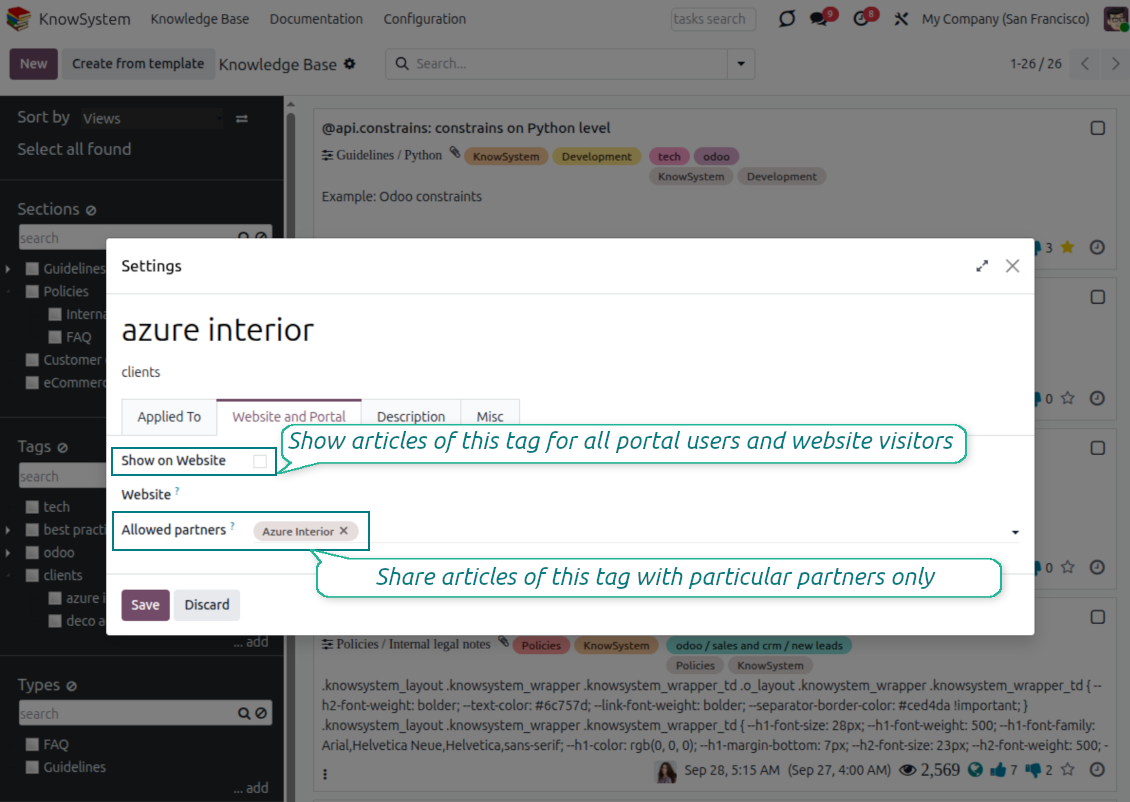
Busque el campo 'Allowed partners'. Por ejemplo 'clients - azure interior' para dar acceso al contacto 'Azure Interior'. También puede hacer lo contrario: asignar etiquetas KnowSystem en el formulario del contacto
Vaya ahora al artículo necesario (o haga lo mismo con la acción 'Mass update' para varios registros):
Si está publicado: despublíquelo si no quiere que esté disponible para todos los usuarios del portal y visitantes públicos
Asigne la etiqueta recién creada (en el ejemplo es 'clients - azure interior')
Ahora:
Todos los usuarios del portal vinculados al contacto comercial 'Azure Interior' tienen acceso a los artículos con la etiqueta 'Azure Interior'
Ningún otro usuario del portal (si no se asigna otra etiqueta) tiene acceso a esos artículos
Los usuarios internos no se ven afectados y observan los artículos según la lógica 'access to' de artículos y secciones.
¿Podemos añadir el botón de selección de idioma para el cuerpo del artículo?
El botón 'translate' no se añade al cuerpo del artículo a propósito por el complemento opcional 'KnowSystem: Multi Languages'. El HTML es muy difícil de traducir en el cuerpo emergente simple que asume el botón. Habría muy poco texto que traducir y muchas partes HTML (que el traductor también podría romper).
Por eso, para redactar un artículo en un idioma concreto, inicie sesión con un usuario de ese idioma. Puede ser otro usuario, o puede cambiar temporalmente las preferencias del usuario actual. Después, cualquier actualización del cuerpo del artículo se hará en ese idioma.
También puede usar el botón 'Copy from another translation' bajo el cuerpo del artículo, que permite obtener en cualquier momento el contenido desde otro idioma (útil si el artículo se ha actualizado de forma importante en uno de los idiomas).
Cómo incrustar otra página web en un artículo
Para ello puede usar iframes. Pase el artículo al editor de código HTML en bruto e inserte, por ejemplo, <iframe src="https://faotools.com/" style="width:100%;min-height:600px;"> </iframe>.
He instalado KnowSystem, pero no veo el botón 'create' ni los demás botones
Lo más probable es que no haya concedido derechos de KnowSystem a su usuario. Elija el rol 'KnowSystem Editor' o 'KnowSystem Admin' y actualice la página. Los botones de control deberían mostrarse.
¿Puedo mostrar un recorrido de aprendizaje concreto solo a usuarios elegidos?
Sí, aplicando un grupo de usuarios (p. ej. 'Sales Manager') que deba seguir este recorrido. Si el usuario pertenece a ese grupo, verá el recorrido. Si no, no se mostrará. Funciona igual que los derechos de seguridad de los artículos y secciones de KnowSystem.
Tenga en cuenta que si un recorrido no tiene grupos asignados, es 'global' y visible para todos.
¿Cómo cambio el pie y la cabecera al imprimir artículos?
La cabecera y el pie de los PDF de artículos se toman de los diseños de la compañía. Consulte Settings > General Settings > la sección Business Documents. Ahí define la plantilla de compañía que se usa para todos los tipos de documento, incluidas facturas, pedidos de venta, etc., y también para los artículos. Este enfoque de Odoo trata pie y cabecera como estilo general de la compañía, no como atributo de impresiones concretas.
¿Cómo puedo enlazar artículos entre sí?
Cada artículo tiene URL internas (backend) y de sitio web (si está instalada la opción 'KnowSystem: Website and Portal'). Pulse el botón 'Info' en el formulario del artículo para ver las direcciones web de este registro. Puede insertar cualquiera en el cuerpo del artículo como hipervínculo.
¿Puedo cambiar el código fuente HTML de un artículo?
Sí: active debug assets (en la pantalla de resumen de ajustes) y vuelva al artículo actual. En modo edición verá el icono '</>'. Púlselo para ver y editar el HTML y los estilos.
Cuales son las políticas de actualización de sus herramientas?
Según las políticas actuales de Odoo Apps Store:
- Cada módulo comprado para la versión 12.0 o anterior da acceso a todas las versiones hasta 12.0.
- A partir de la version 13.0, cada version del módulo se compra por separado.
- Sea cual sea la version, la compra da derecho a todas las actualizaciones y correcciones dentro de una version mayor.
El equipo de faOtools no controla esas políticas. Para cualquier duda, contacte directamente con los representantes de Odoo Apps Store.
Cómo instalo su aplicación en Odoo.sh?
La via mas directa es el flujo integrado de la tienda Odoo:
1. Abra la página del módulo y pulse Deploy on odoo.sh
2. Será redirigido a GitHub. Inicie sesión y pulse Create a new repo o use uno existente. El repositorio debe ser privado. No esta permitido publicar las apps con licencia OPL-1. Cree un repo nuevo para el proyecto Odoo.sh si hace falta
3. Luego, en odoo.sh, pulse Deploy, confirme y pulse Continue. Se inicia la instalación.
Estos pasos instalan la app en la rama de producción. Para otras ramas o para actualizar:
1. Descargue el código fuente de la tienda Odoo
2. Haga commit del módulo en el repositorio GitHub. Ninguna carpeta/archivo de la app debe estar en .gitignore. Los repos creados por odoo.sh a veces ignoran rutas importantes (p. ej. /lib). Suba todos los directorios y archivos del módulo
3. Despliegue la rama destino del proyecto odoo.sh o espere la compilacion automática si asi esta configurado.
Cómo instalo su aplicación en mi propio servidor?
2. Reinicie el servidor Odoo;
3. Active el modo desarrollador (ajustes tecnicos);
4. Actualice la lista de aplicaciones (menú Aplicaciones);
5. Encuentre la app y pulse Activate/Install;
6. Siga las pautas de la página de la app si existen.
Su app tiene complementos extra. Puedo comprarlos después?
Si. Odoo anade automáticamente las dependencias al carrito: excluya las herramientas ya compradas para no pagar dos veces.
Desplegue su app en Odoo.sh y veo un aviso/error en las pruebas
Un aviso rojo/naranja no afecta a las funciones de la app. A veces nuestros módulos no pasan las pruebas automáticas estándar porque estas asumen un comportamiento que choca con los objetivos de la app. Por ejemplo, cambiamos el cálculo del precio y las pruebas de Odoo comparan el precio final con el algoritmo estándar.
Compruebe primero las funciones de la base desplegada. Funciona todo correctamente?
Si aun cree que el aviso afecta a funciones reales, contactenos y envíe los registros completos de instalación y la lista completa de módulos desplegados (nucleo y de terceros).
Puedo comprar su aplicación directamente a su empresa?
No, solo distribuimos las herramientas a través de la tienda oficial de aplicaciones Odoo.
Quiero un descuento
Lamentablemente, no tenemos medios tecnicos para ofrecer precios individuales.
Puedo instalar la app en mi base Odoo Online (SaaS)?
No, las apps de terceros no se pueden usar en Odoo Online. Odoo SaaS bloquea esa posibilidad.
Su herramienta depende de otras apps. Debo comprarlas?
Si, la herramienta necesita todos los módulos marcados como dependencias. El precio de la página de la app ya las incluye.
Cual es el precio del módulo en dolares estadounidenses? Por que cambio?
El precio de nuestros módulos esta en euros. La tienda Odoo convierte a otras monedas según su tipo de cambio interno. Por eso el precio en dolares estadounidenses puede cambiar cuando se actualiza el tipo.
La redacción de la aplicación y el sitio web en idiomas distintos del inglés cuenta con asistencia de IA y se ajusta a las traducciones oficiales de Odoo. Si detecta un error, enviar un ticket de traducción y lo corregiremos.
Bases de datos de demostración de Odoo (vistas previas)
Para esta aplicación, podemos proporcionar una base de datos de demostración personalizada gratuita.
No necesita un número de teléfono ni una tarjeta de crédito para contactarnos. Sólo debes pasar un breve registro por correo electrónico, que no lleva más de 30 segundos.
A petición suya, preparamos una base de datos de vista previa individual en la que puede realizar cualquier prueba y comprobar sus hipótesis durante unas dos semanas.
Notificación de errores
Si encuentra errores o comportamiento inconsistente, no dude en contactarnos. Garantizamos proporcionar correcciones dentro de los 60 días posteriores a la compra y estamos muy interesados en mejorar nuestras herramientas incluso después de este período.
No necesita un número de teléfono ni una tarjeta de crédito para contactarnos. Sólo debes pasar un breve registro por correo electrónico, que no lleva más de 30 segundos.
Incluya tantos detalles como sea posible en su solicitud: capturas de pantalla, registros del servidor Odoo, una descripción completa de como reproducir el problema, etc. Por lo general, se necesitan varios días laborables para preparar un plan de trabajo para un problema (si se confirma un error) o proporcionarle indicaciones sobre lo que se debe hacer (en caso contrario).
Solicitudes de funciones públicas e ideas de módulos (desarrollo gratuito)
Estamos muy motivados para mejorar nuestras herramientas y agradeceríamos cualquier comentario. Si sus requisitos son de uso público y podrían implementarse de manera eficiente, el equipo los incluirá en nuestra lista de tareas pendientes.
Esta lista de tareas pendientes se procesa periódicamente y no implica cargos adicionales. Aunque no podemos prometer plazos ni diseño final, podría ser una buena manera de conseguir las funciones deseadas sin inversiones ni riesgos.
No necesita un número de teléfono ni una tarjeta de crédito para contactarnos. Sólo debes pasar un breve registro por correo electrónico, que no lleva más de 30 segundos.
18.0.1.3.29
- The issue of Late Activities listing articles that have no overdue activity for the selected user has been fixed.
18.0.1.3.27
- The issue of autovacuum failure has been fixed.
18.0.1.3.25
- Se han corregido las etiquetas por defecto del compositor de correo y de formularios de actividad.
18.0.1.3.24
- La paleta de color vuelve a aparecer en el editor HTML.
18.0.1.3.23
- Ya no hace falta doble clic para quitar los artículos seleccionados.
18.0.1.3.22
- Se ha corregido cambiar entre artículos con distintos tipos de editor.
18.0.1.3.21
- Los derechos de edición de secciones/artículos implican lectura.
- Se han corregido los contadores de likes que no se actualizaban.
18.0.1.3.20
- La búsqueda encuentra palabras separadas por etiquetas de negrita o cursiva.
18.0.1.3.19
- Se ha corregido el error de acceso del asistente de búsqueda de artículos para usuarios normales.
18.0.1.3.18
- Las vistas Kanban se adaptan a los principios XML de Odoo 18.
- La cinta Archived se anade a Kanban y formularios de artículos y a formularios de secciones y etiquetas.
18.0.1.3.17
- La vista web de artículos y documentación esta optimizada para pantallas pequeñas.
18.0.1.3.16
- La app se adapta a las actualizaciones de Odoo 18 en plugins del editor web.
18.0.1.3.15
- Se quita el botón de traducción sobrante de artículos "Text".
18.0.1.3.14
- Se ha corregido no poder guardar y copiar texto bien.
18.0.1.3.13
- La aplicación se ha publicado para la versión 18.
17.0.1.3.13
- La vista de actividad por defecto de artículos KnowSystem es Kanban.
17.0.1.3.12
- Se ha corregido el saneado excesivo de artículos KnowSystem tras enviar un mensaje del compositor.
17.0.1.3.11
- Se ha corregido el selector de idioma de la búsqueda rápida de artículos.
17.0.1.3.10
- En el backend se puede buscar solo en títulos.
- Se ha corregido el botón para abrir el artículo hallado en una pestaña nueva desde el diálogo.
17.0.1.3.9
- Arrastrar y soltar actualiza artículos en masa: etiqueta, sección y tour de aprendizaje.
- Se puede abrir el artículo hallado en una pestaña nueva.
- El padre seleccionado de los árboles de navegación se resalta bien.
17.0.1.3.8
- La vista Kanban de artículos KnowSystem se adapta a Odoo v.17.
- Las jerarquías de navegación están optimizadas.
17.0.1.3.7
- El criterio de ordenación por defecto de artículos en backend se configura en la página de la app.

La herramienta para organizar adjuntos de Odoo en carpetas y sincronizar con Google Drive, OneDrive/SharePoint, Nextcloud/ownCloud, Dropbox, Amazon S3, Box y NAS. Gestor de archivos. DMS
398€
The tool to automatically synchronize Odoo attachments with OneDrive files in both ways
487€
The tool to automatically synchronize Odoo attachments with Google Drive files in both ways
487€

The tool to set up KPI targets and control their fulfillment by periods. KPI dashboards. Dashboard designer. KPI charts

The tool for time-based service management from booking appointments to sales and reviews
398€
The tool to manage your Odoo from your favorite AI chats through MCP. Claude. Any MCP-supporting AI.

The tool to combine different Odoo events in a few configurable super calendars

The tool to translate URL addresses of Odoo website pages
38€