Вкратце
KnowSystem: Knowledge Base System - приложение Odoo 18 (Дополнительные инструменты). The tool to build a deep and structured knowledge base for internal and external use. Knowledge System. KMS. Wiki-like revisions.
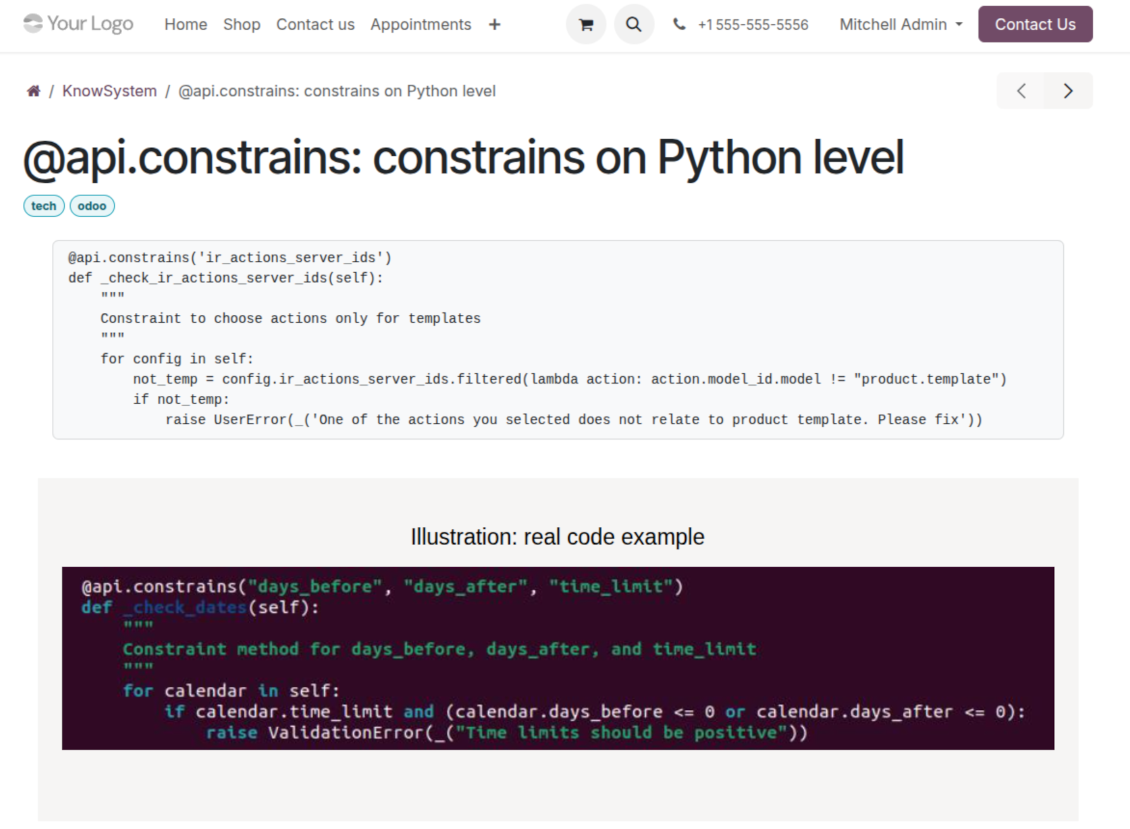
KnowSystem turns scattered company know-how into one structured, searchable knowledge base for your team, your partners, and your customers. Capture articles with drag-and-drop building blocks, organize them by sections, tags, and types, and reuse them anywhere in Odoo - messages, activities, helpdesk, projects, or product pages. Every change is versioned wiki-style, so improving knowledge is always safer than breaking it.
Идеально для
Helpdesk & support
Record every solved ticket once, then reuse it for faster agent replies and round-the-clock customer self-service.
Sales & CRM
Give salespeople instant answers on products, offers, and frequent customer questions right where they work.
HR & onboarding
Turn policies, guidelines, and training into structured knowledge and step-by-step learning tours.
IT & technical teams
Keep manuals, configurations, and runbooks one search away for the whole company.
Project management
Preserve solutions, tools, and lessons learned so your teams never reinvent the wheel.
Marketing & documentation
Build a polished online library and product documentation your audience can actually find and read.
Готовы оценить?
Начните с бесплатного запроса демо базы или купите в Odoo Apps Store.
Бесплатная персонализированная демонстрационная база. Номер телефона и банковская карта не требуются. Бесплатные обновления и экспертная поддержка в течение всего срока основной версии Odoo.
Почему команды выбирают его
Главные преимущества до подробностей
Capture knowledge
Write professional-looking articles with drag-and-drop building blocks, the HTML editor, or raw code - and reuse ready-made templates for uniform styles.
Organize and find
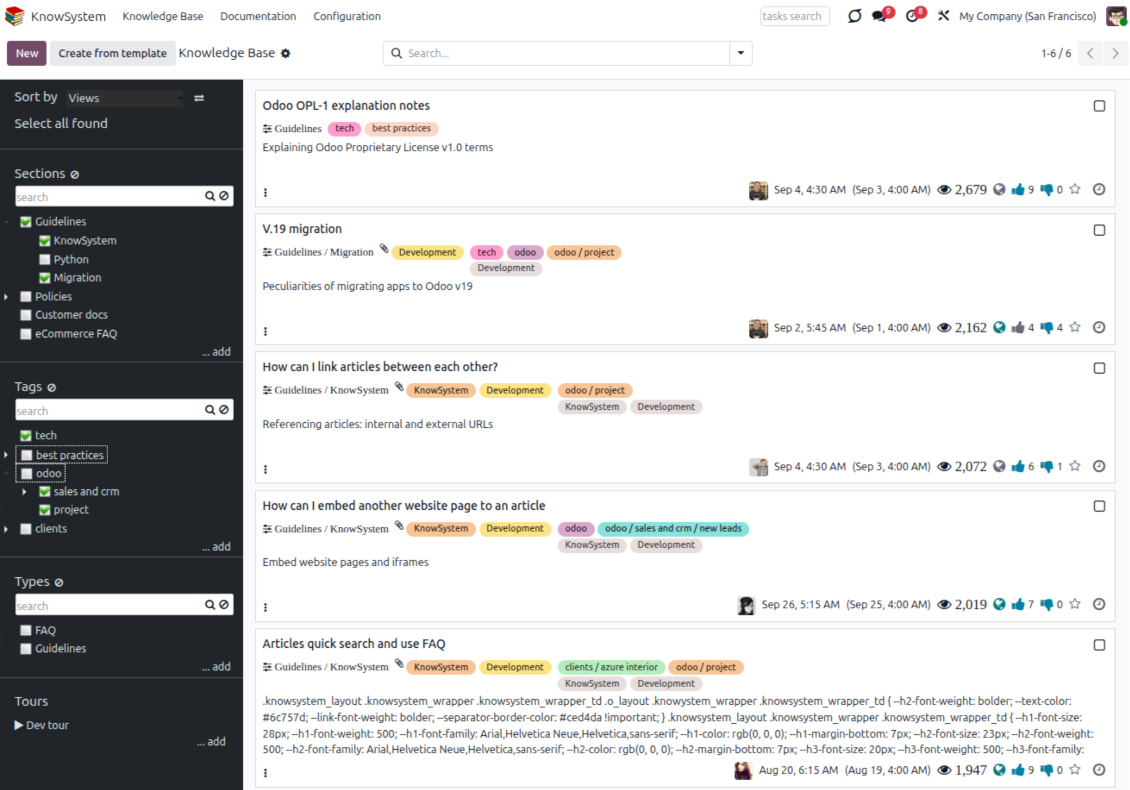
Structure everything by a hierarchy of sections, a tree of tags, and knowledge types. Filter, sort, and run mass actions on hundreds of articles from one screen.
Put it to work
Surface the right article inside any Odoo document, cite it in messages and activities, run guided learning tours, and answer product FAQs - then print or share in a click.
Wiki-like revisions
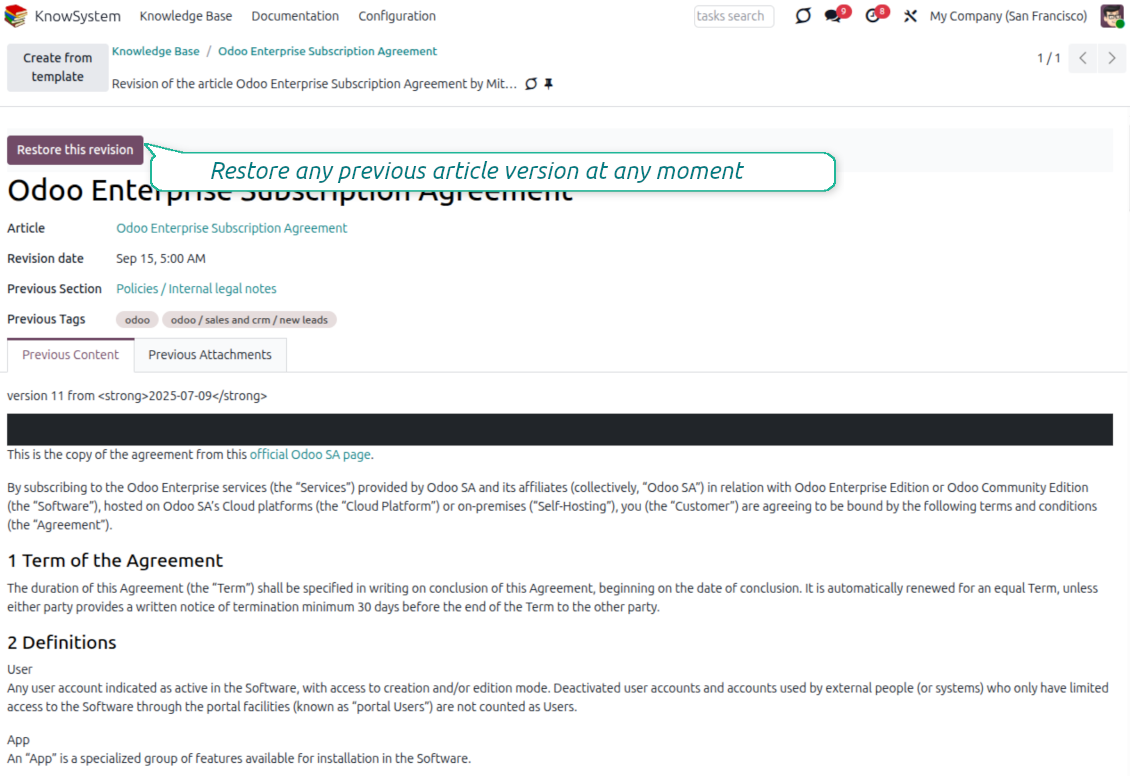
Every change is versioned. If a teammate breaks an article, restore the right version in two clicks - breaking becomes harder than restoring.
Portal & public base
Give each partner a personal knowledge portal, or publish a self-service knowledge base for any website visitor - access controlled by tags and publishing.
Documentation builder
Combine articles into advanced website documentation with automatic table of contents and instant search - reusable across versions, manuals, and guidelines.
Analytics that keep it alive
Track views, likes, dislikes, contributors, and messaging usage. See what your team relies on and keep content fresh and trusted.
Secure by design
Control who sees what with granular access for staff, partners, and the public - governed by user groups, tags, and website publishing.
Fits any team
One universal tool for helpdesk, sales, HR, IT, legal, marketing, and projects - configurable to any goal and any combination of Odoo apps.
Отзывы из Odoo Apps Store
Что говорят клиенты о приложении
Best knowledge base system for Odoo!
Excellent app and exceptional after-sales support.
Really well thought-out product and one of the best features is the contextual help by means of the tags. Really a game changer for us.
Keep up the great work FaOtools!
Magnus
Outstanding app! Tremendous value for money, an absolute must have!
One of the features sorely lacking from Odoo has been a robust Wiki/documentation system. Using third party platforms is a massive headache: yet another system to maintain, users get distracted switching back-and-forth, and errors get made. Then you have to worry about training, additional logins, etc.
KnowSystem feels like a native/core app, is very well-polished, and extremely fast. It's accessible from any screen, and the search results are instant (none of the latency inherent with most apps).The interface is elegant yet powerful, with robust access control, rich editing features, and version control. It's simple to revert to previous entries, view audit trails, etc. It's very intuitive for anyone familiar with Odoo; onboarding takes just a few minutes. The user guides are excellent.
This is invaluable for any organisation with a lot of documented information, SOPs, ISO compliance, or similar. If you're using eLearning, it's great for creating a help system / reminders. For example, noting key takeaways or specific instructions. The user can be in MRP, Sales, or any other function, and instantly lookup a guide. Since it overlays whichever screen you're in, it doesn't interrupt the workflow.
This dramatically increases efficiency, minimises questions, and helps keep everyone on the same page.
Oh, and customer service is excellent, faOtools stands behind their product. Thank you!
nico.valentino@gmx.net
KnowSystem is excellent - OdooTools offer great support, are very helpful and responsive
Our company needed the ability to add a Knowledge Base to our Odoo portal website for our customers to access article content on a membership-only basis. KnowSystem provided this and much more, along with ability to add search by section, set permissions to allow only certain partners access to articles by tag etc. OdooTools have been very helpful and implemented several features we suggested including automatic redirect upon login, customisable filters and a social sharing capability on articles. Overall a great app by a great company, something that massively adds to Odoo's capabilities and is something that everyone could benefit from using.
Chris Mann
Very functional application and responsive support
Our company produces medical laser equipment and we use KnowSystem to streamline the knowledge base of our company. Convenient search system and classification of content, as well as access rules for groups and even for individual users.
Svetlana
Great app and professional team
The app is great the the team is very professional in both response timing and problem solving.
Highly recommended.
Marco from ALO.zone.
Marco Carboni
Excellent system
Excellent system.
Gordon
A great tool from some very nice developers!
KnowSystem is a great tool and a game changer for us. Finally a place to put all our company know-how. I highly recommend it. And also important to us: We got great support from FaOtools too. A rare thing in this busy world. thx!
Eisberger
Excellent app and support.
Great app and a very helpfull support. Openess to improve their products is outstanding.
Lucas Huber
Готовы оценить?
Начните с бесплатного запроса демо базы или купите в Odoo Apps Store.
Бесплатная персонализированная демонстрационная база. Номер телефона и банковская карта не требуются. Бесплатные обновления и экспертная поддержка в течение всего срока основной версии Odoo.
Navigation
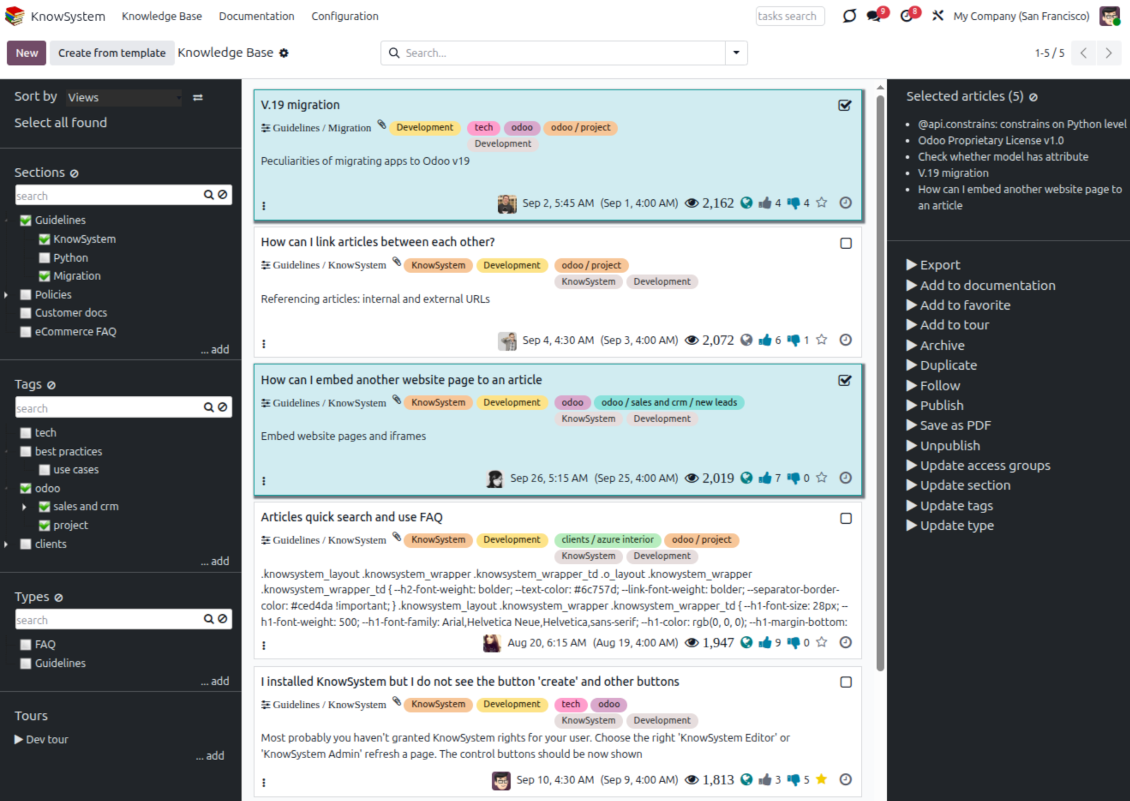
Find, filter, and bulk-edit articles from one screen
Structure and navigate
- Build a hierarchy of knowledge sections to switch between areas instantly, however large the base grows.
- Define a tree of tags for quick navigation and deeper, cross-cutting structuring.
- Introduce a knowledge typology to distinguish kinds of articles in a single click.
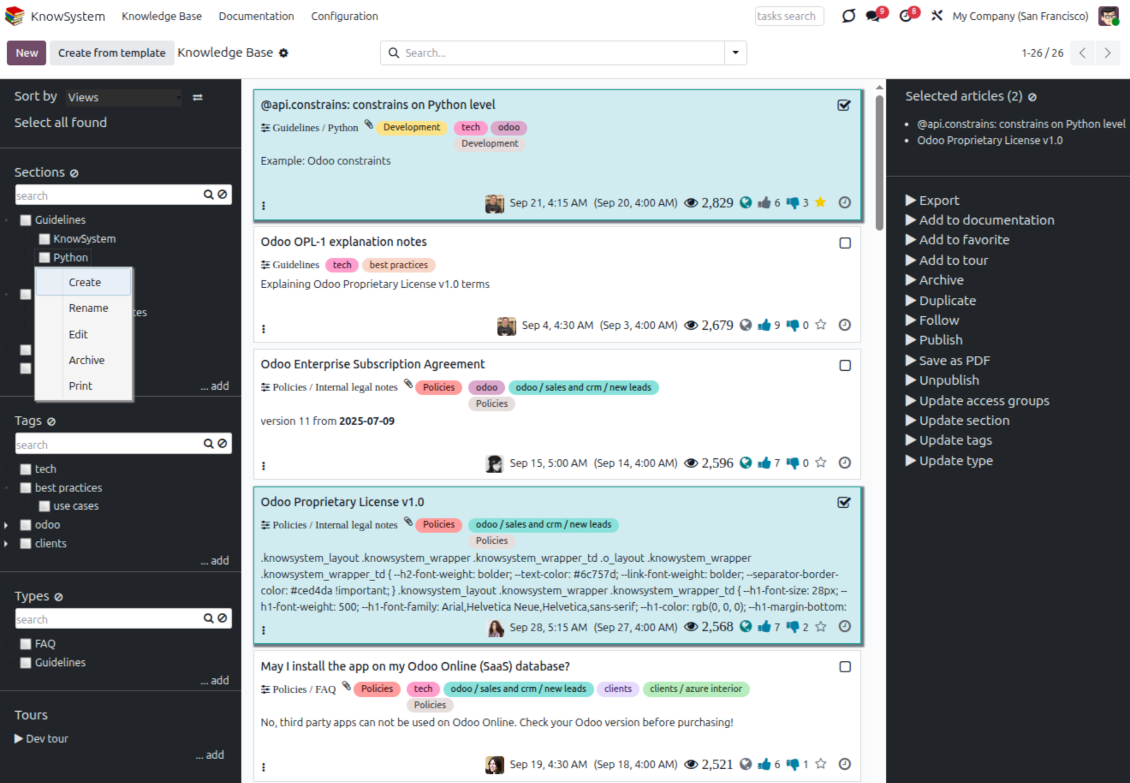
- Create, update, and reorder tags, sections, and types right inside KnowSystem - and print every article under a chosen tag or section.
- Search sections and tags instantly on the navigation panel.
Select, sort, and act in bulk
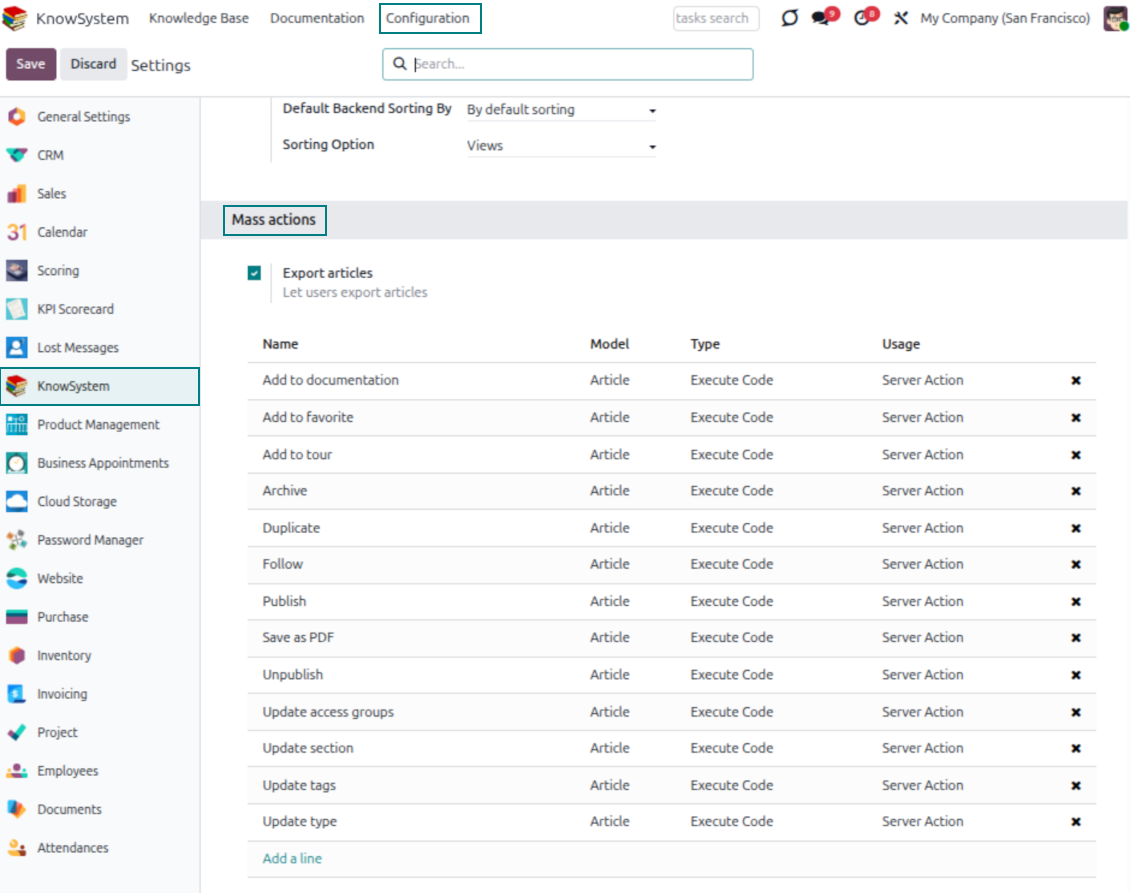
- Sort articles by views, score of likes, title, author, section, and create or write dates.
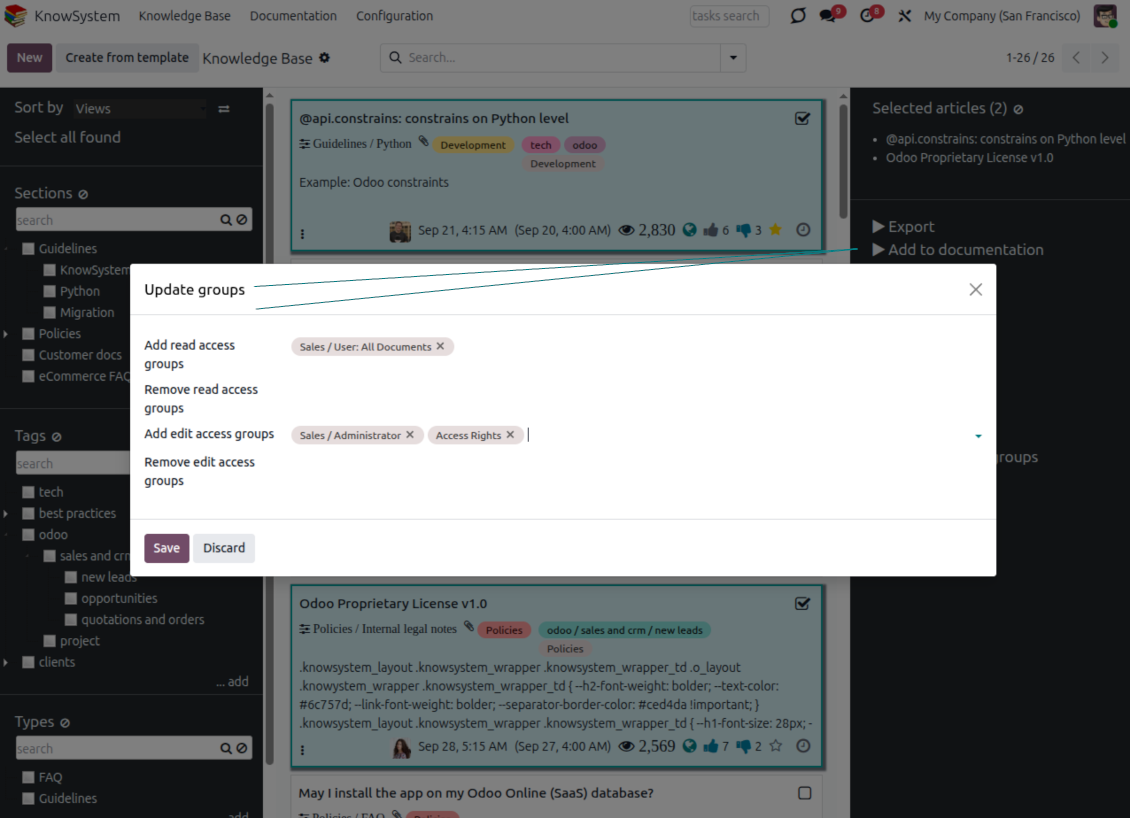
- Pick articles step by step - the selection is not cleared by a new search or when you open a record - then run mass actions on everything you chose.
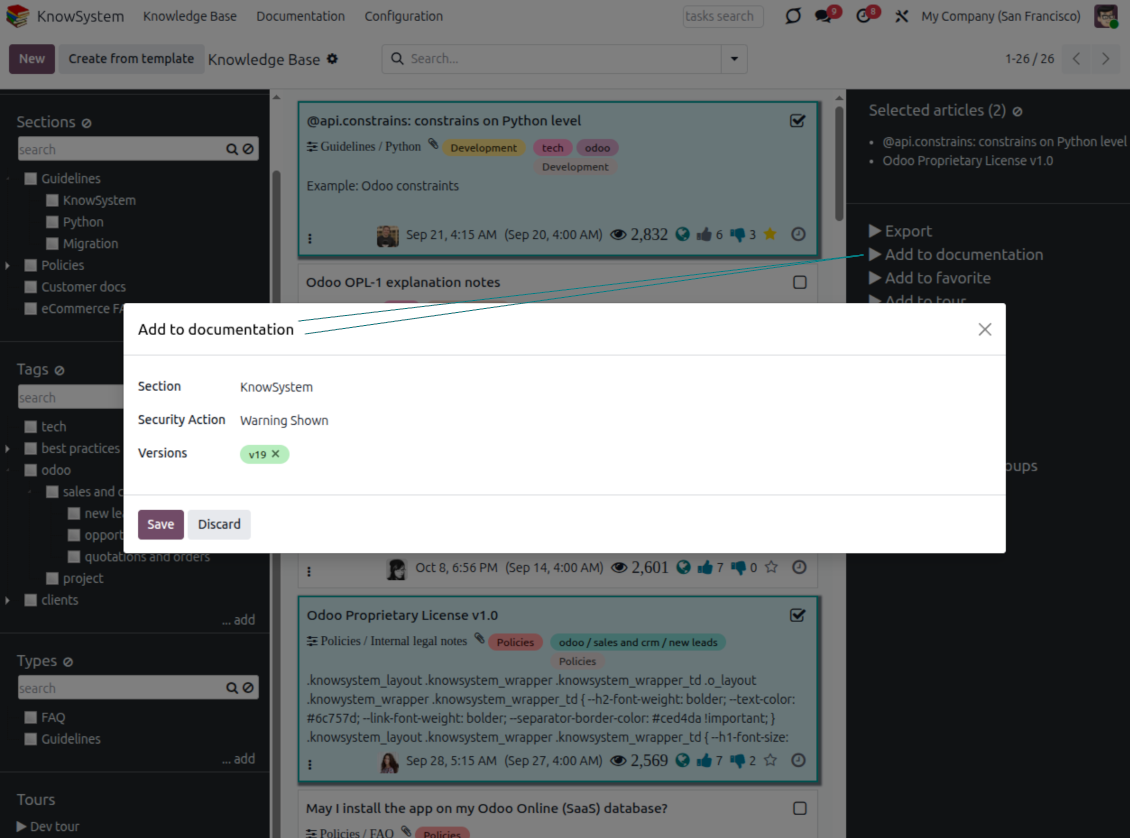
- Update knowledge in batch: assign a new section (including by dragging articles onto the navigation panel), add or remove tags, print many articles as one PDF, follow/unfollow discussions, publish/unpublish, export to Excel, archive or restore, add to learning tours and documentation, mark as favorite, and duplicate.
Article editors
Write professional articles your way
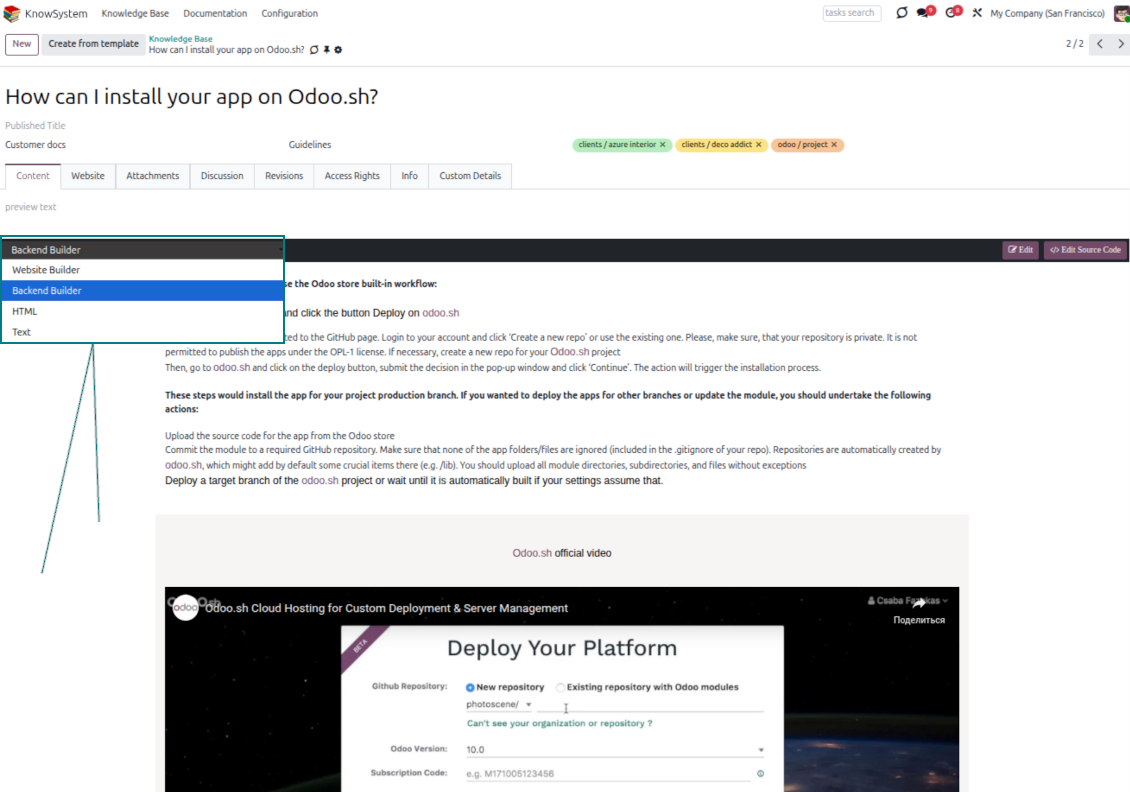
Five editors, one article model
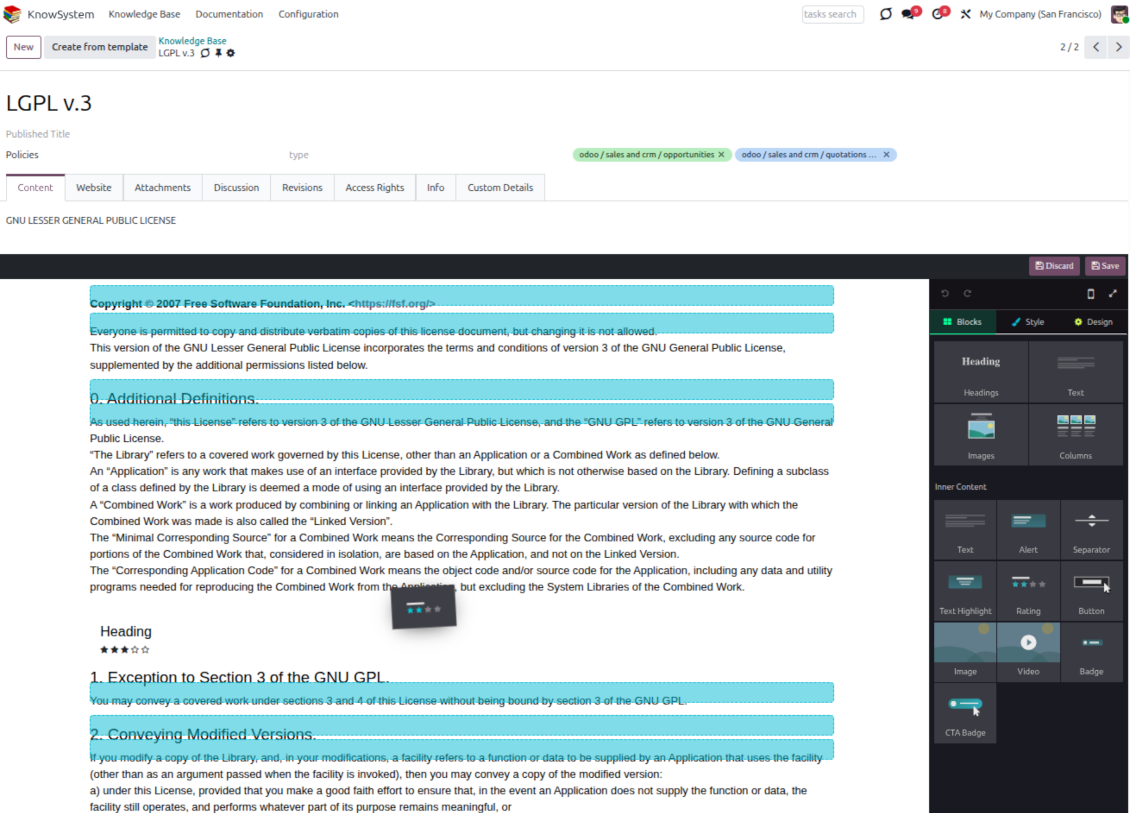
- Backend building blocks - drag and drop to compose professional articles right in the Odoo backend. The editor relies on strict HTML that stays compatible with printing and messaging layouts; reorder blocks and adjust their width, height, and styles.
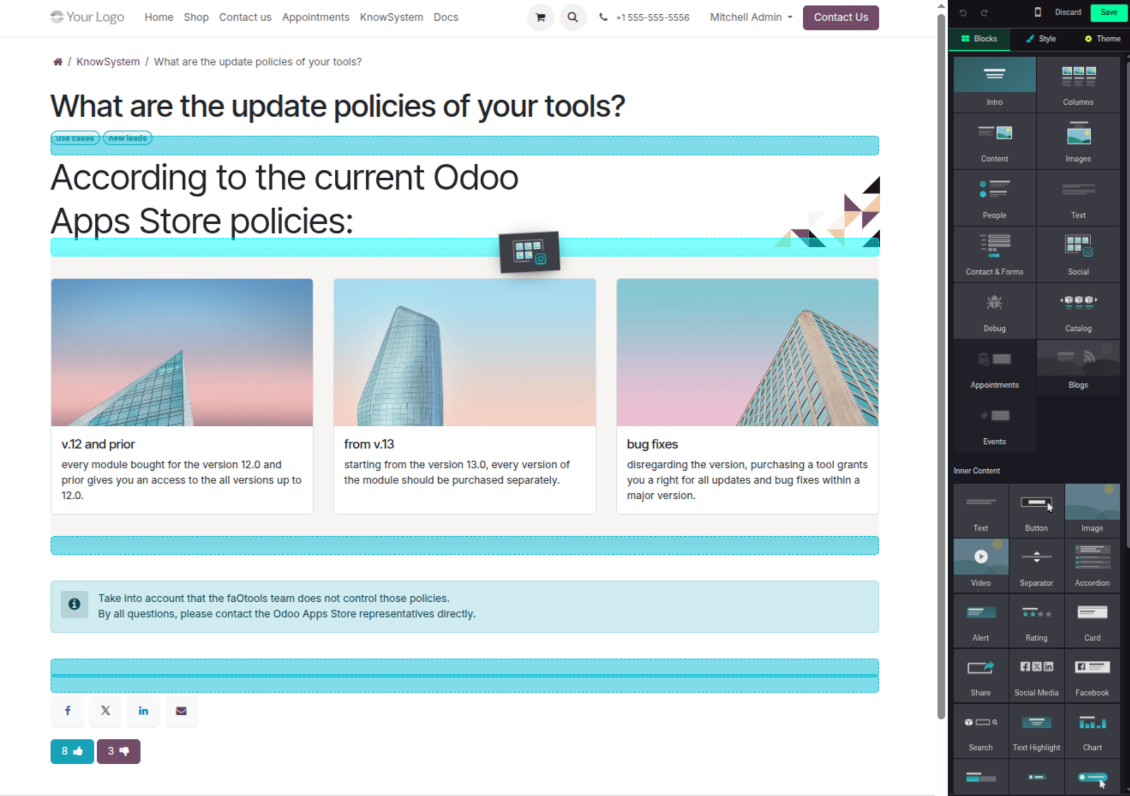
- Website builder - apply advanced styles, snippets, animations, and widgets via Odoo's built-in website editor. Ideal for nice-looking portal pages; avoid it for internal or printed articles, as advanced styles often contradict print and composer layouts.
- Plain text - keep certain articles as simple text for unlimited compatibility with printouts and emails, and copy their content to the clipboard for quick sharing.
- Standard HTML editor - the familiar Odoo editor with its built-in slash commands for quick inline pieces.
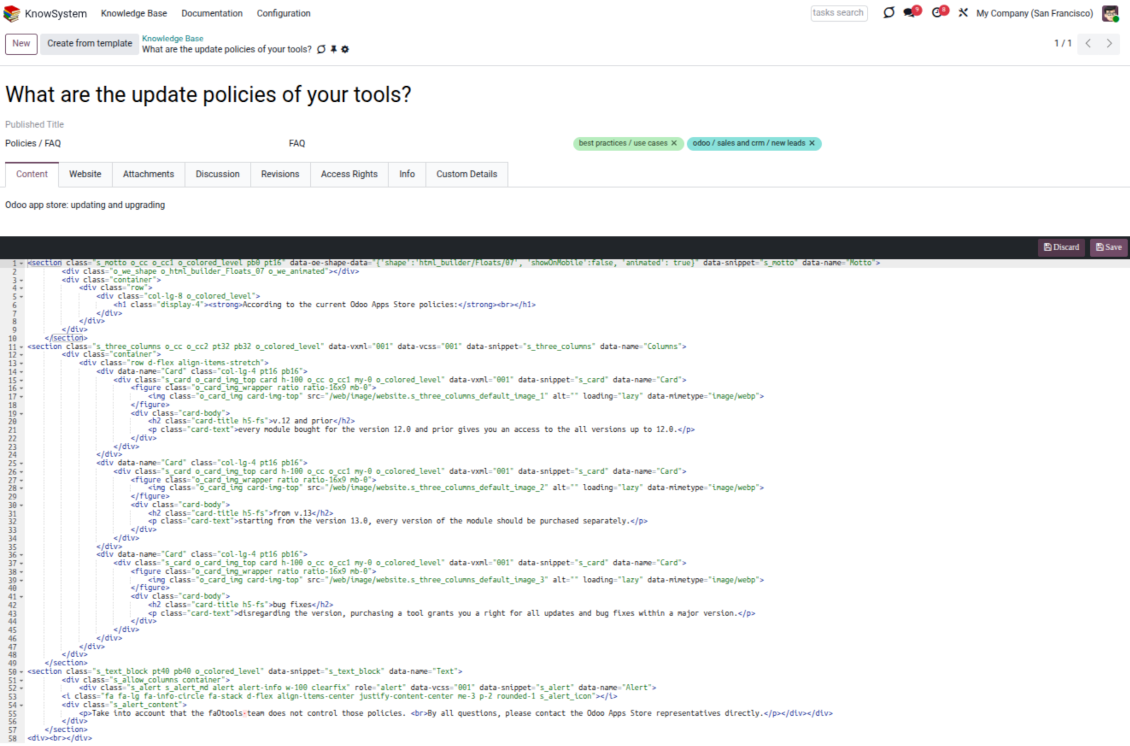
- Raw HTML - switch to the code editor at any moment to add any tags and styles, including Bootstrap-ready elements and iframes.
Templates for speed and consistency
- Reusable templates - prepare dedicated knowledge templates for recurring article types such as procedures, FAQs, or release notes, so contributors never start from a blank page.
- Save any article as a template - turn an existing, well-structured article into a reusable template in one click and grow your own library over time.
- Faster, consistent authoring - start new articles from a template to save time and keep a uniform structure and look across the entire knowledge base.
- Right editor for each page - switch an article's editor type whenever the content calls for it, so every page uses the most suitable tool without re-creating it.
Use anywhere
Surface the right article in documents, chats, and tours
Knowledge inside any Odoo document
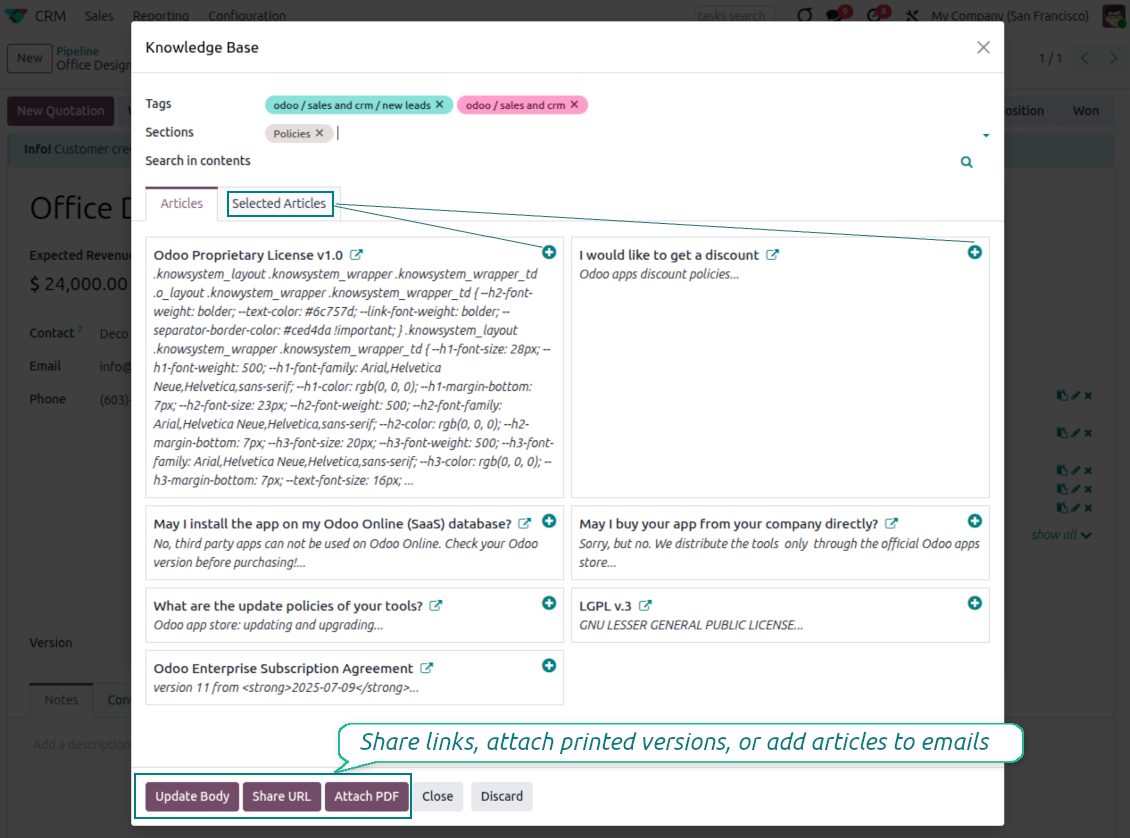
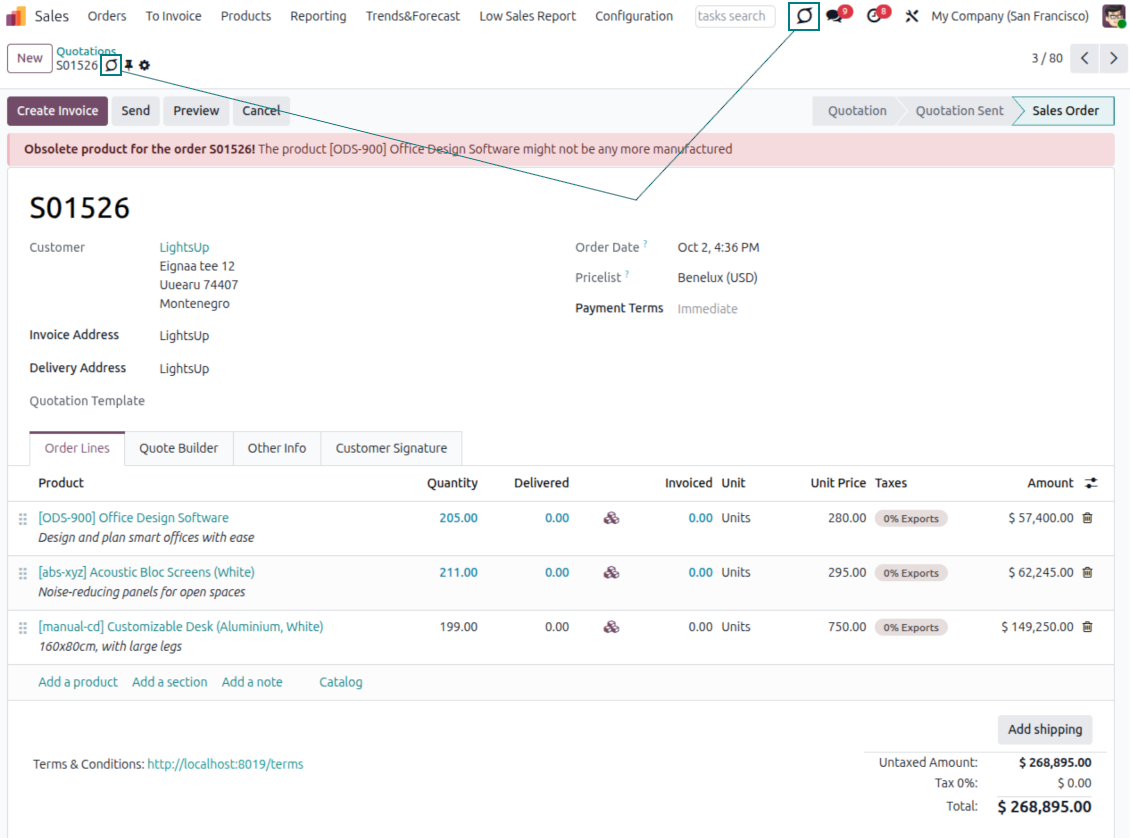
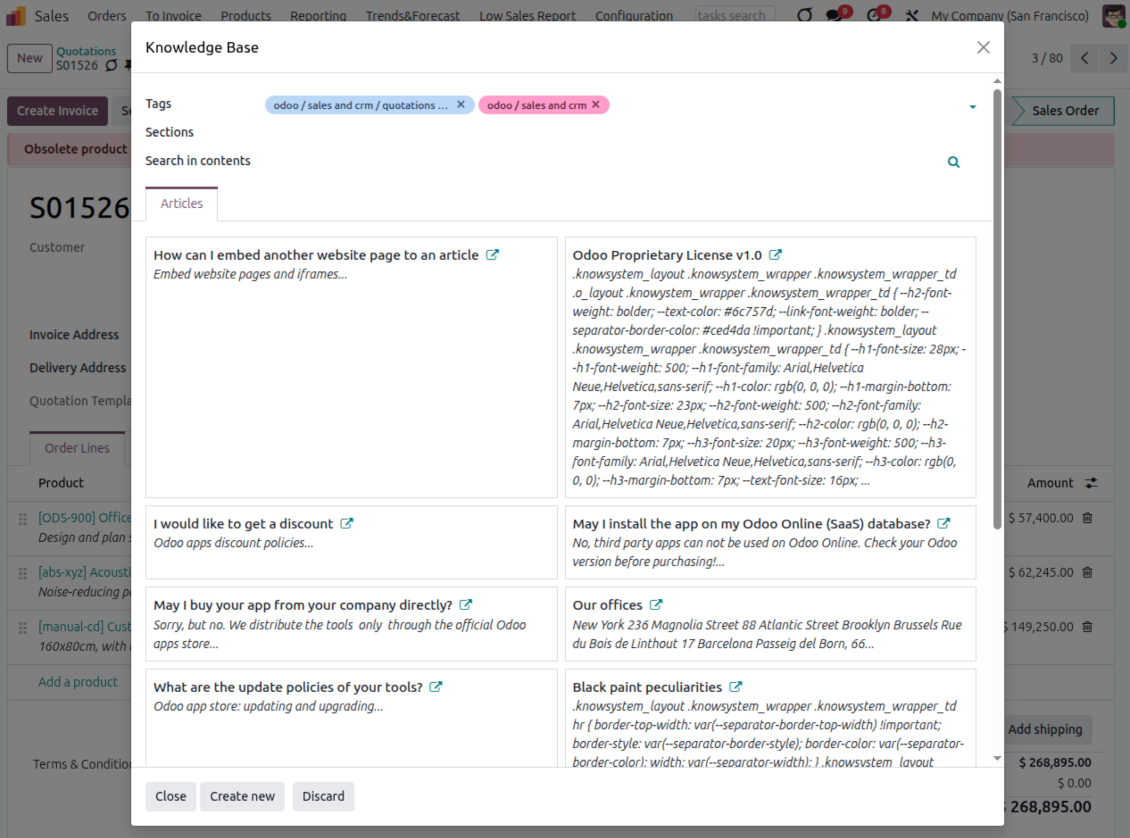
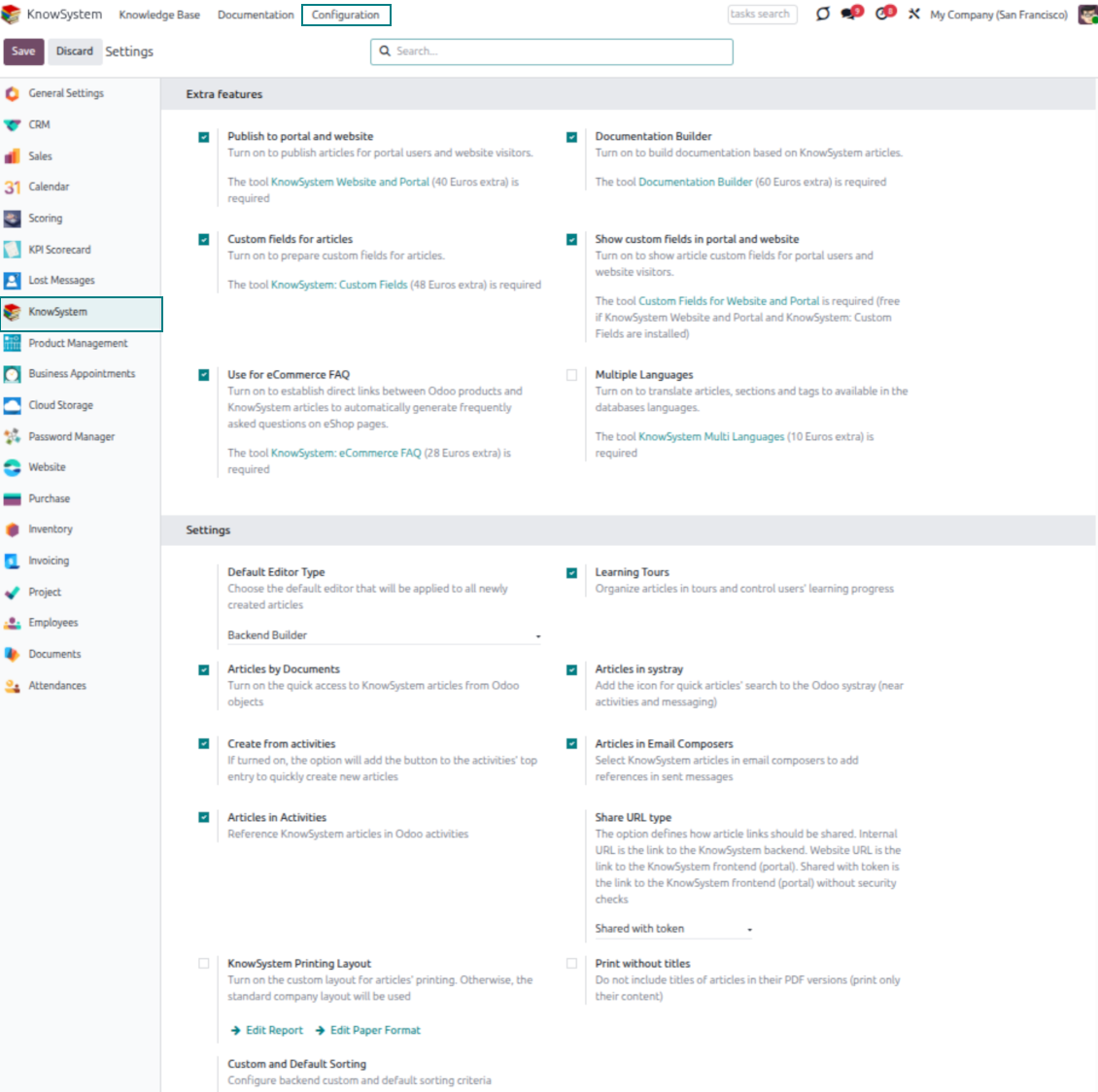
- Turn on 'Articles by Documents' to add a quick knowledge entry to any Odoo form view.
- Search by tags, section, or content for a quick overview, and read article content without leaving the record.
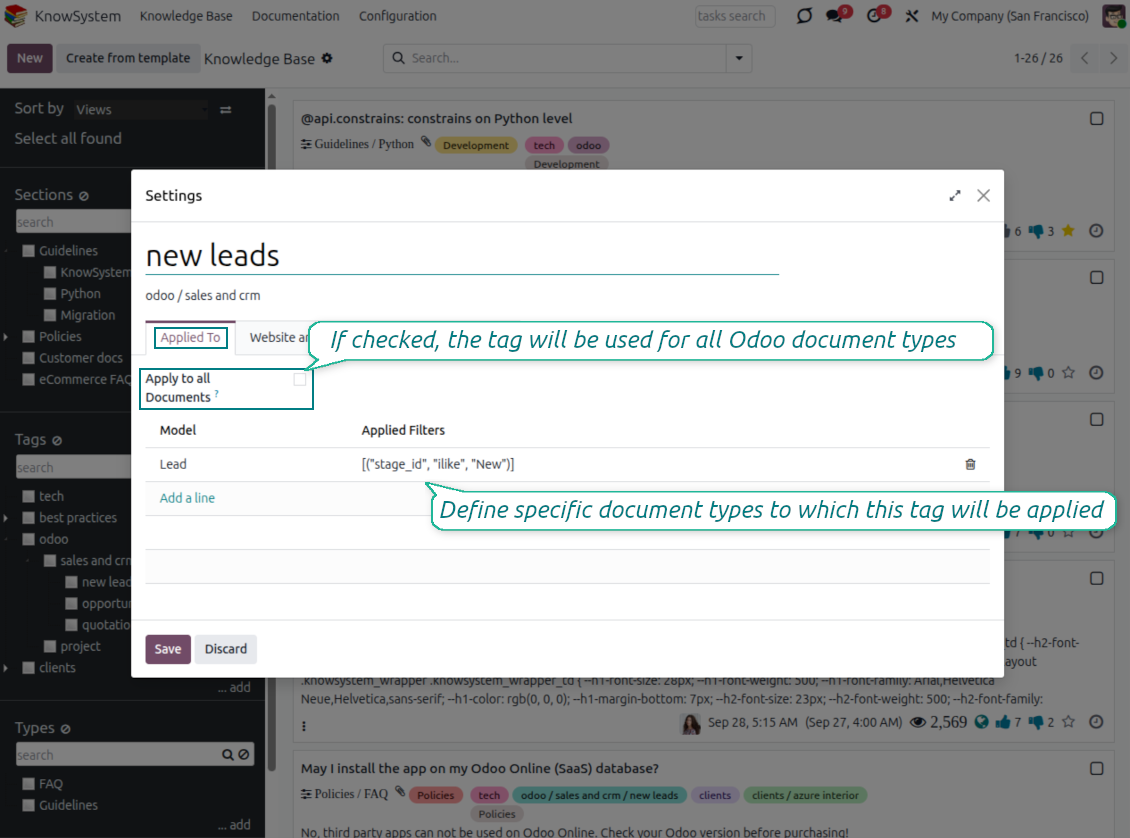
- Link tags to document types so the right articles appear by default - e.g. assign helpdesk tickets the tag 'odoo/helpdesk' and it is pre-filled on every ticket.
- Turn on 'KnowSystem in systray' to reach the base from anywhere in Odoo, whatever screen you are on.
Apply knowledge in communication
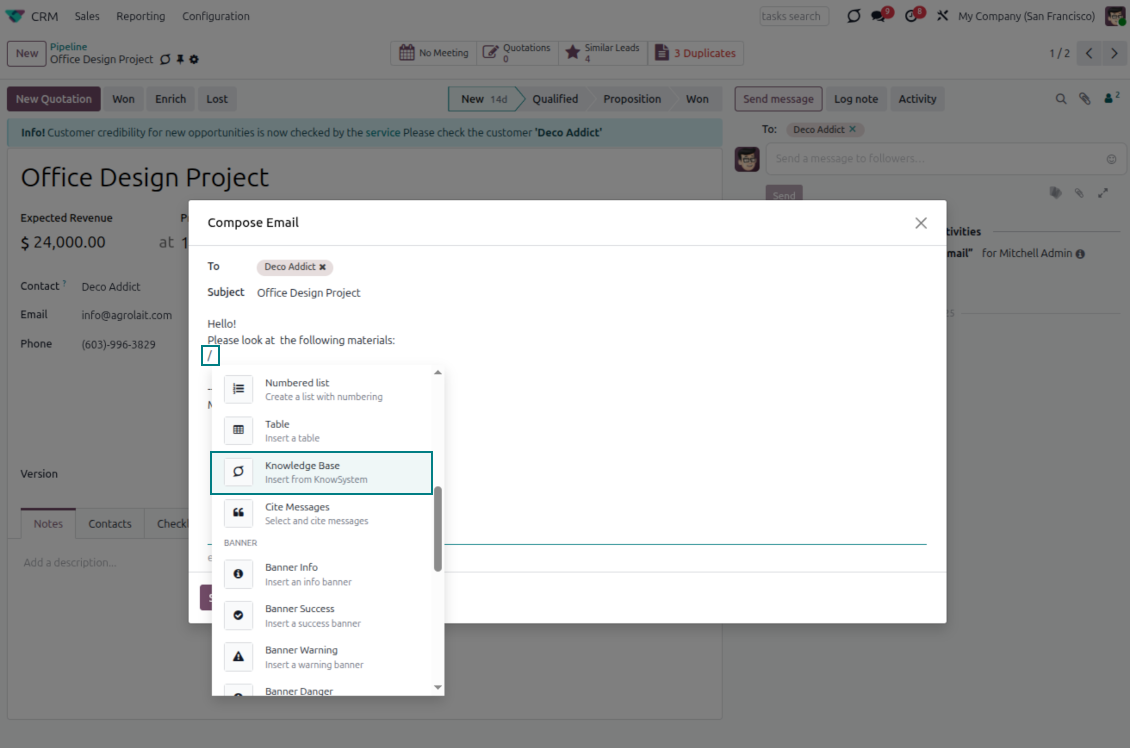
- Turn on 'Articles in Email Composers' to reference or cite knowledge in Odoo messages.
- See articles related to the current discussion and insert them with the editor command '/' > KnowSystem; the content is appended to the message.
- Attach a PDF version of the referenced article(s) automatically.
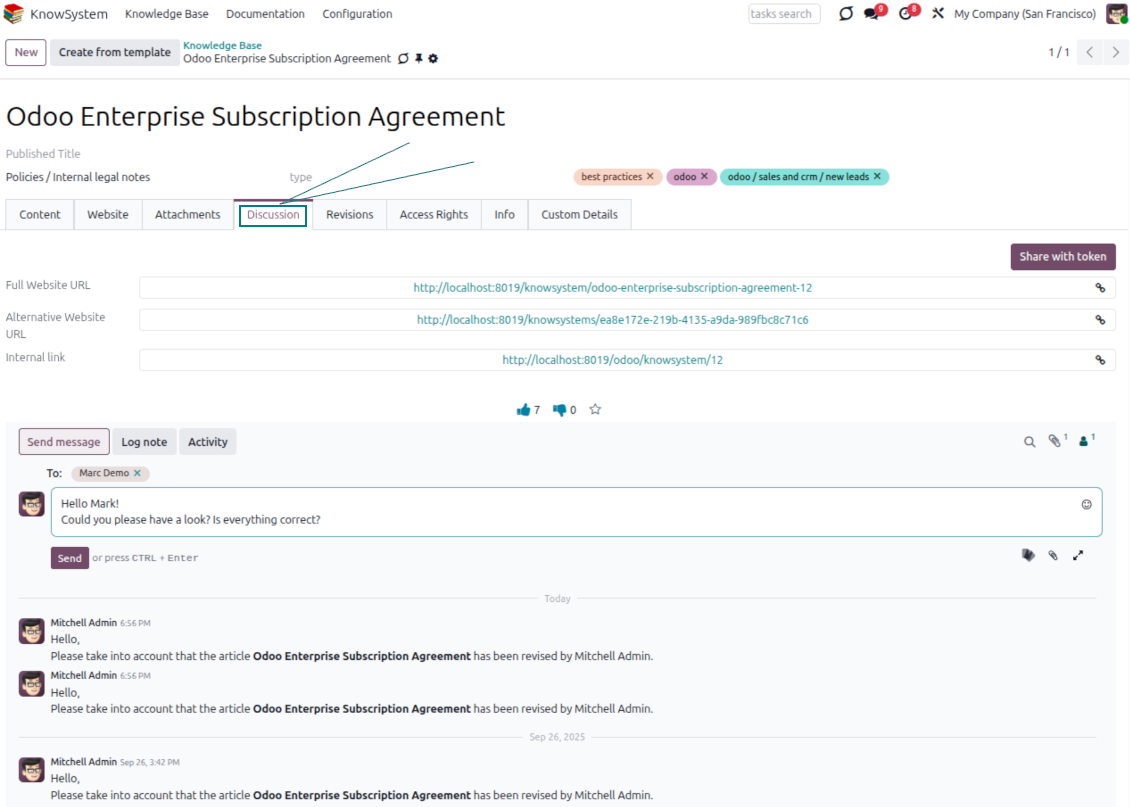
- Share links with colleagues or partners as backend, website/portal, or tokenized portal URLs.
- Turn on 'Articles in Activities' to insert articles or their links into Odoo activities.
Guided learning tours
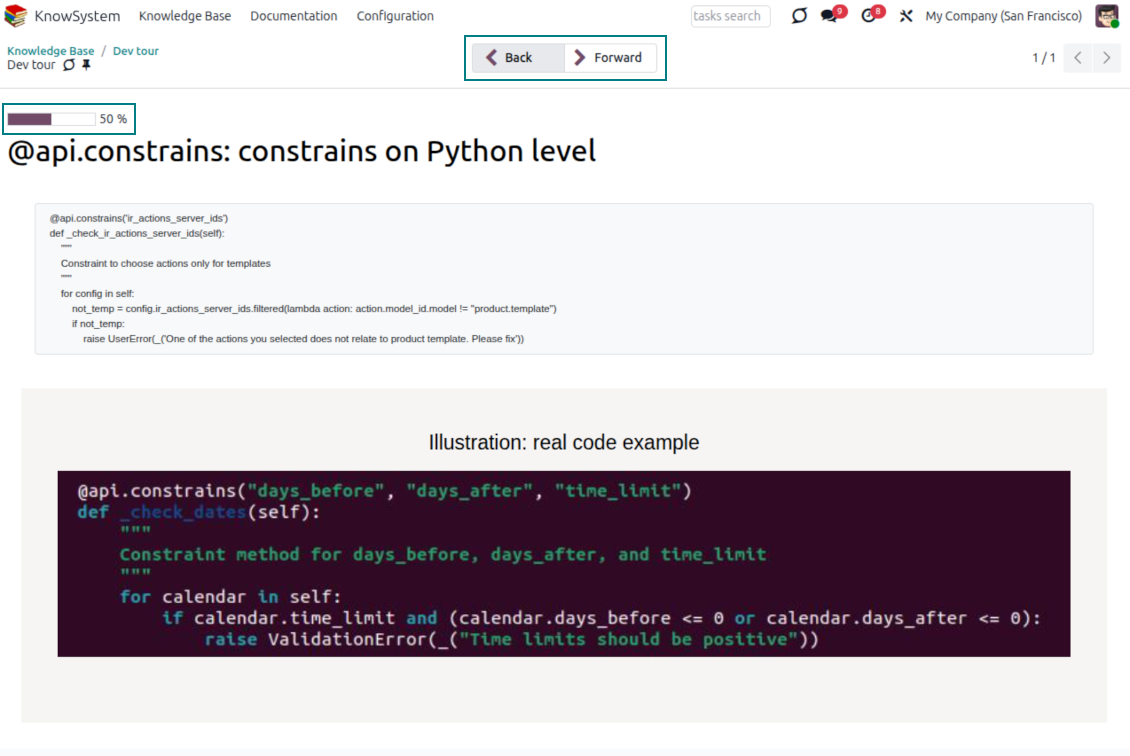
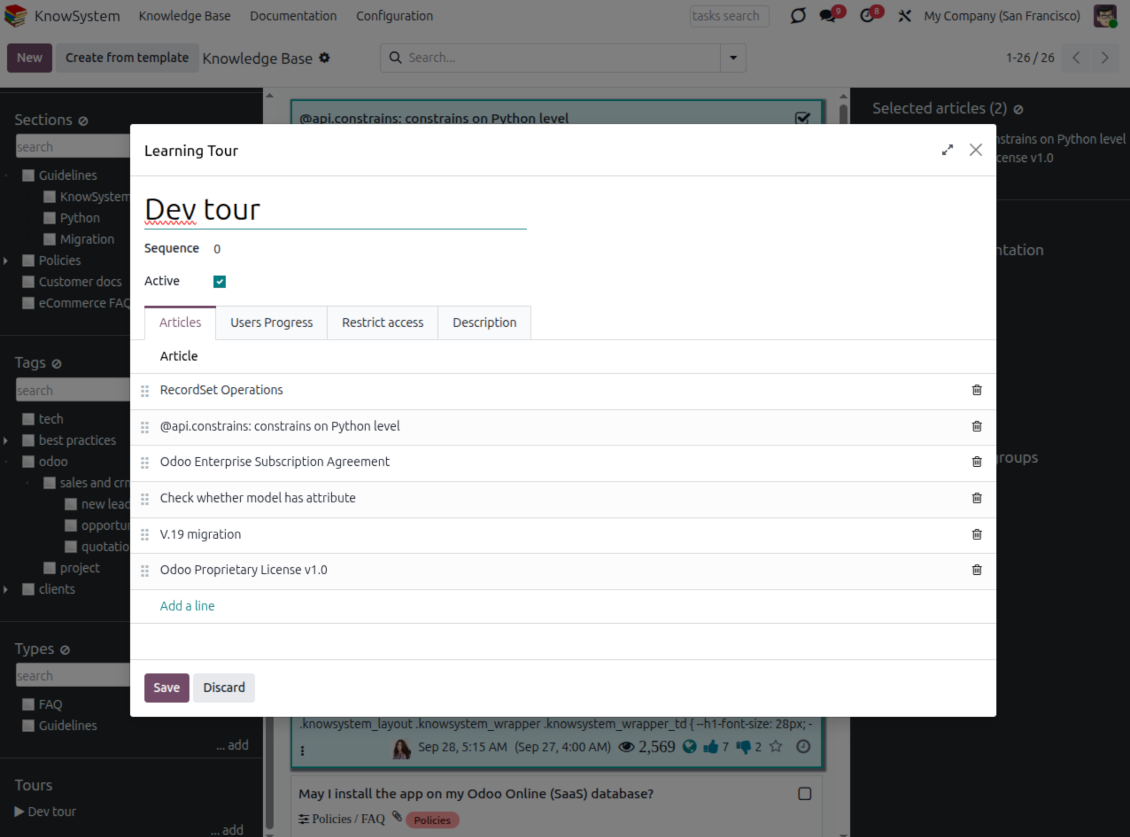
- Turn on 'Tours' to combine articles into an ordered sequence of learning steps.
- Launch a tour in a dedicated interface to study step by step, and share it with everyone or specific user groups.
- Track employees' progress through your instructions and guidelines.
Share and publish
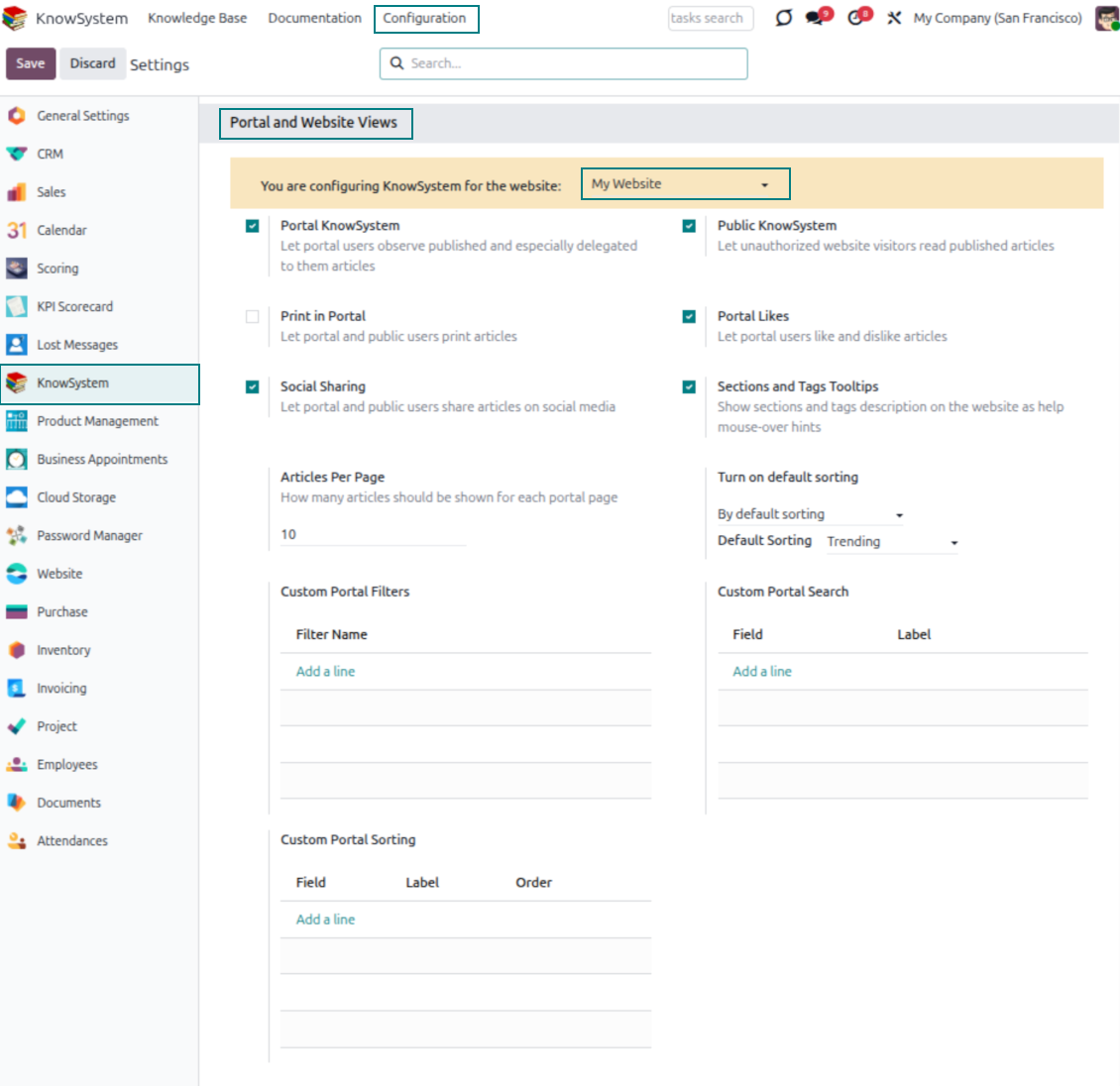
- 'Portal KnowSystem' shares knowledge with external partners; 'Public KnowSystem' opens it to website visitors.
- Configure KnowSystem tags or publish articles to control exactly what is shared.
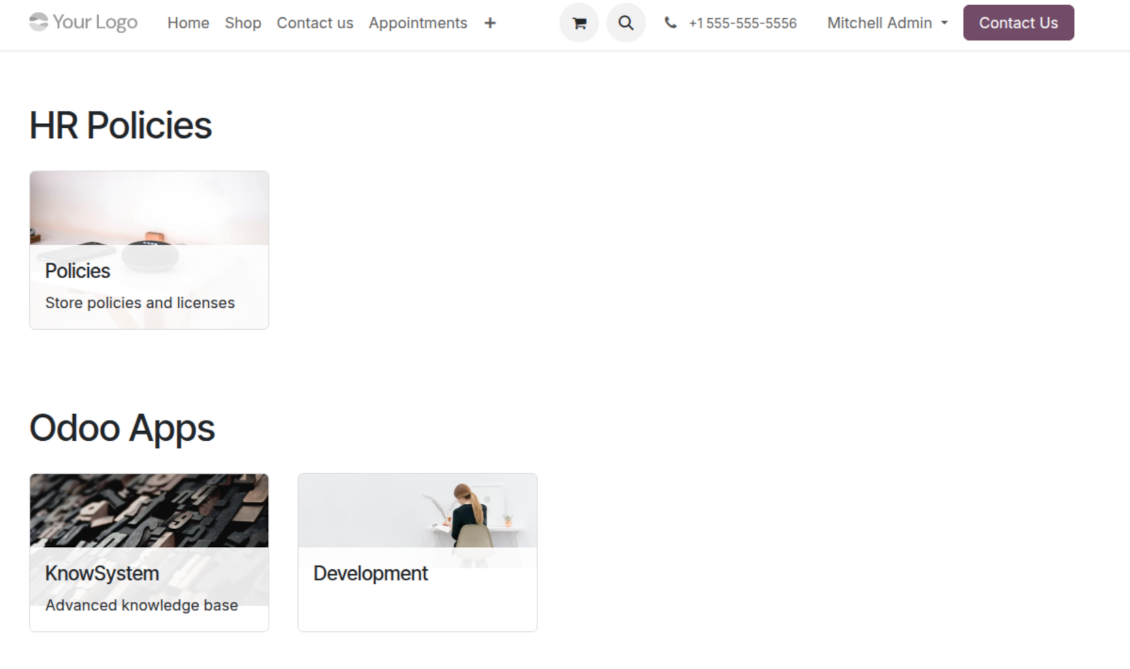
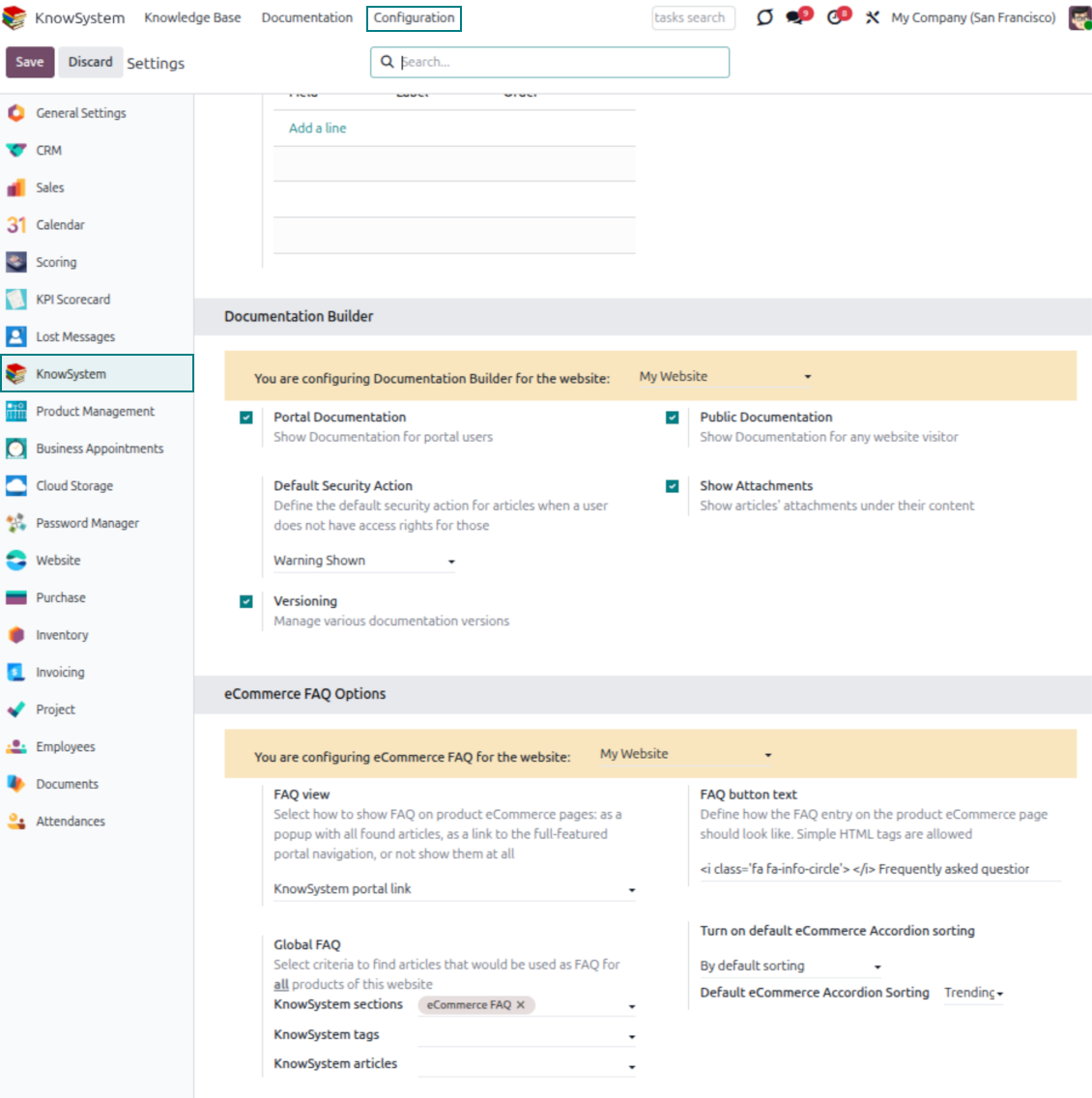
- Combine articles into advanced documentation; 'Portal Documentation' and 'Public Documentation' decide who can read it.
Готовы оценить?
Начните с бесплатного запроса демо базы или купите в Odoo Apps Store.
Бесплатная персонализированная демонстрационная база. Номер телефона и банковская карта не требуются. Бесплатные обновления и экспертная поддержка в течение всего срока основной версии Odoo.
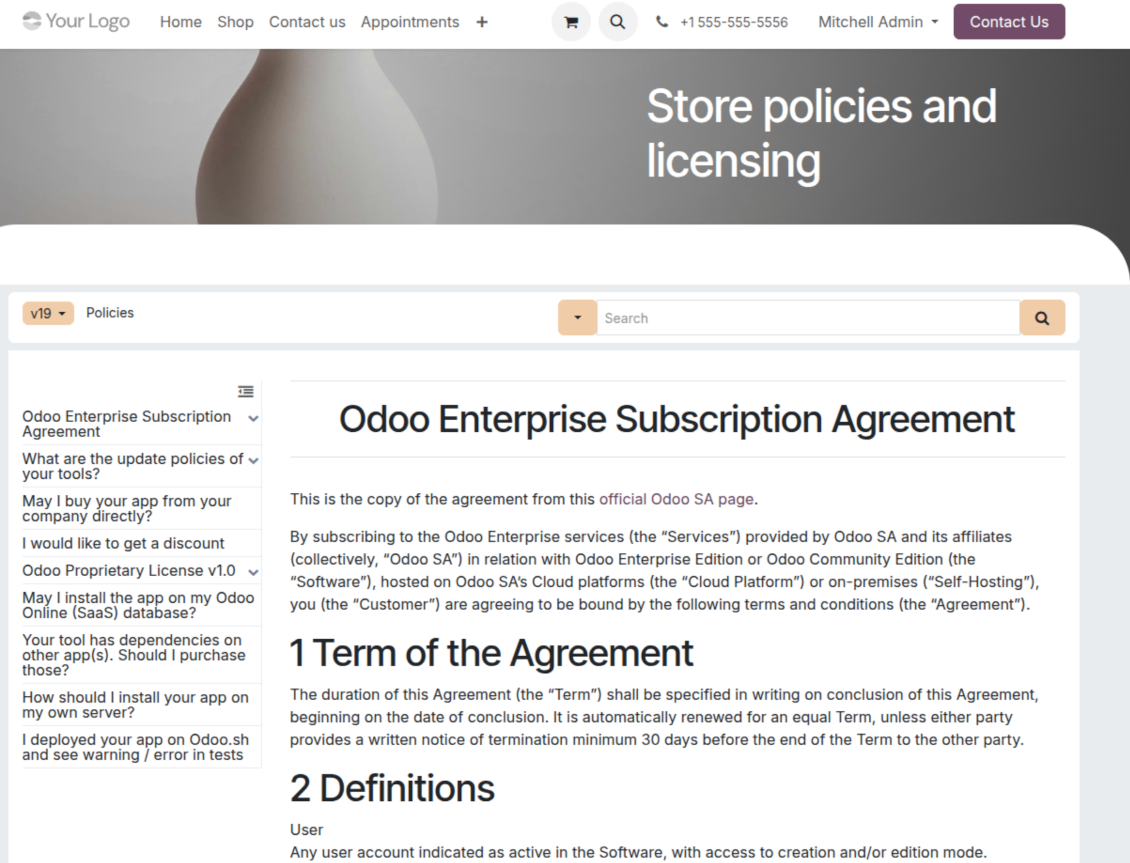
Documentation
Turn articles into searchable website documentation
Create and structure
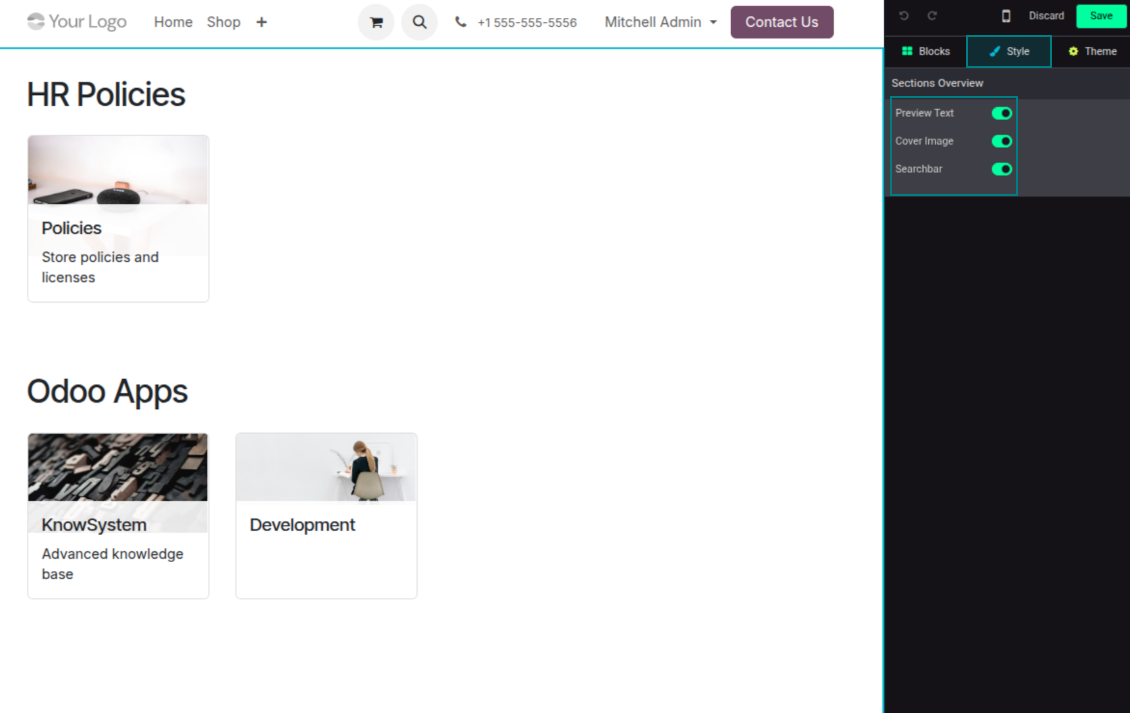
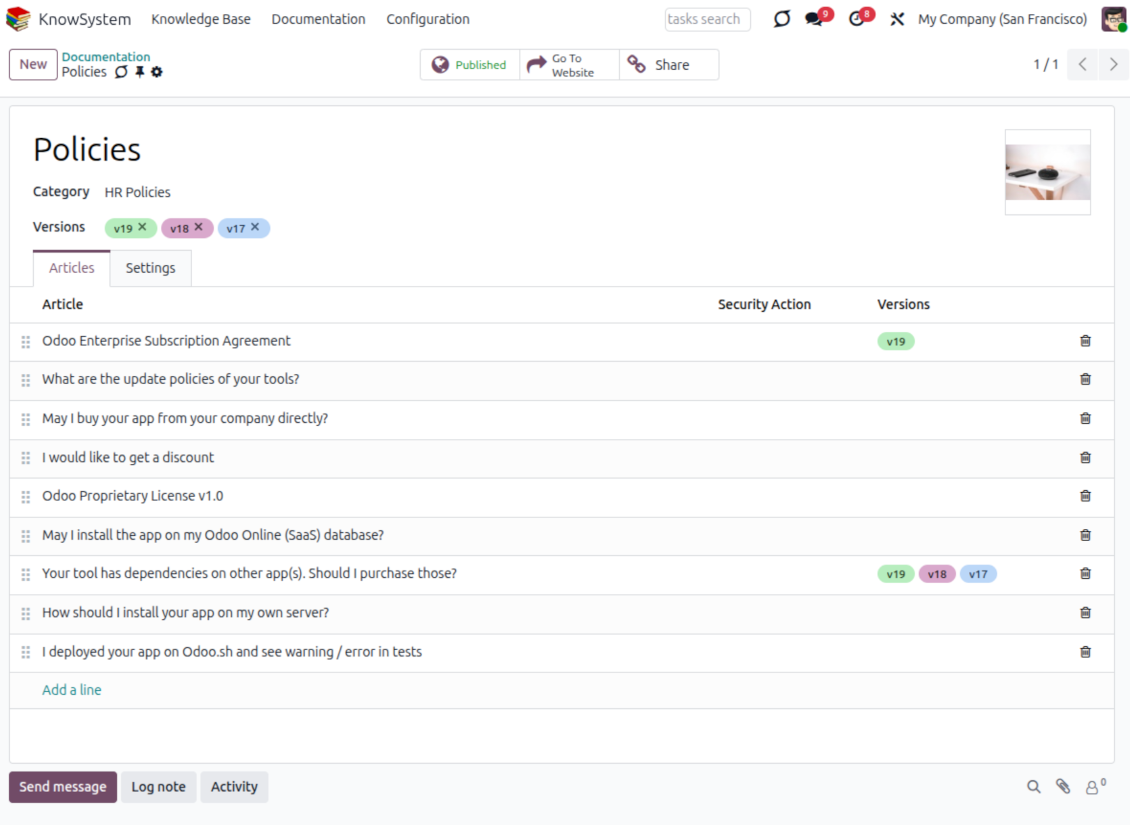
- Combine articles into advanced documentation that covers a whole business, organizational, or functional aspect.
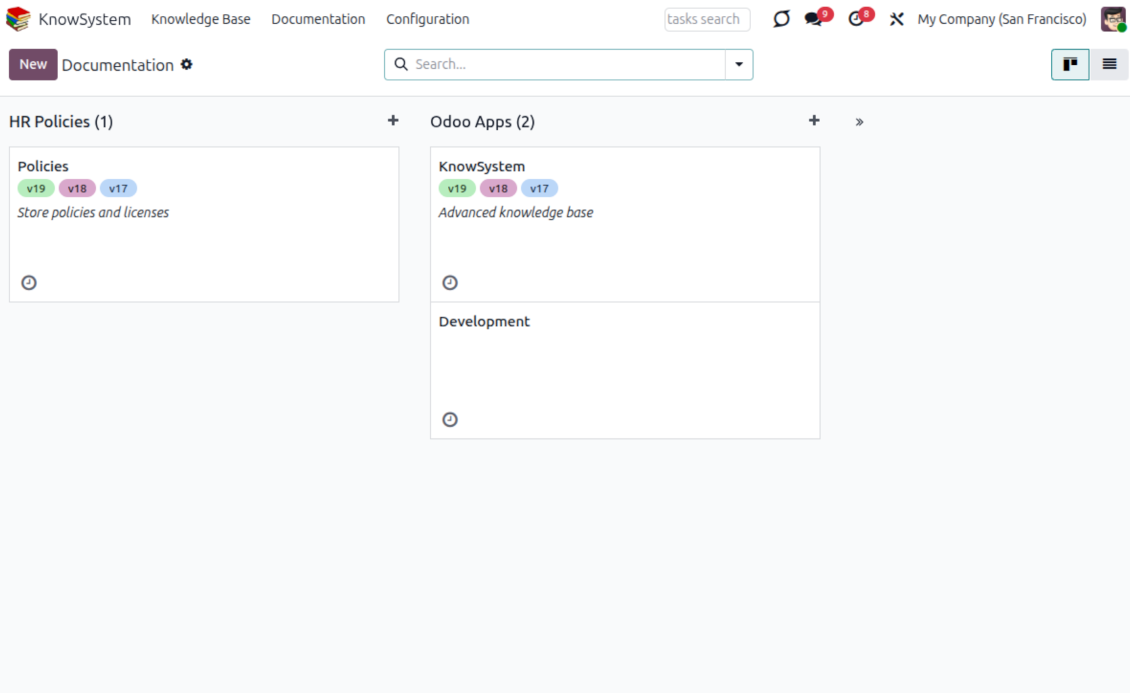
- Create a section simply by selecting and ordering articles - KnowSystem generates the website page automatically.
- Reuse the same article across several documentation sections.
- Build an unlimited number of documentation pages, structured by categories.
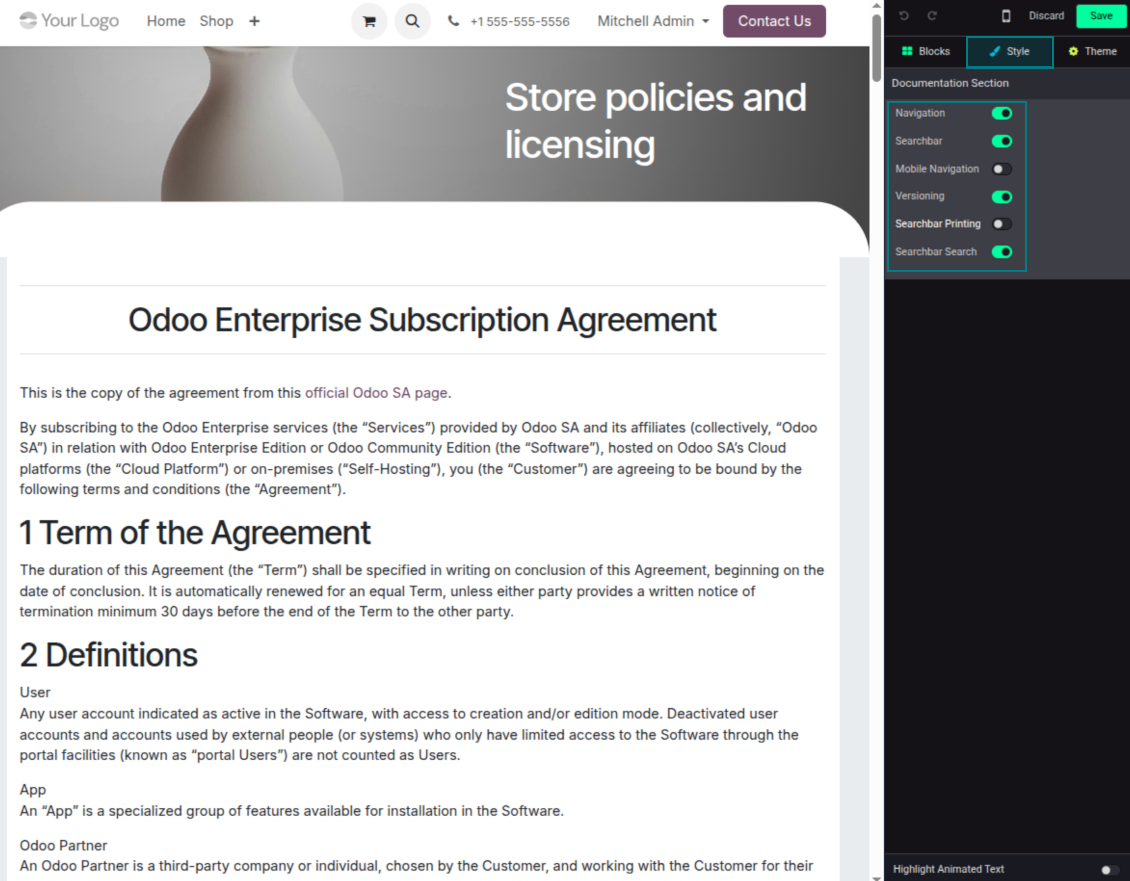
- Customize each page: toggle the search bar and table of contents, and add or remove preview images and texts.
Share, navigate, and version
- Publish documentation for everyone, or assign KnowSystem tags to grant access to chosen Odoo partners.
- Decide what happens when a reader lacks access to an included article: ignore the restriction, hide that piece, or show a security warning.
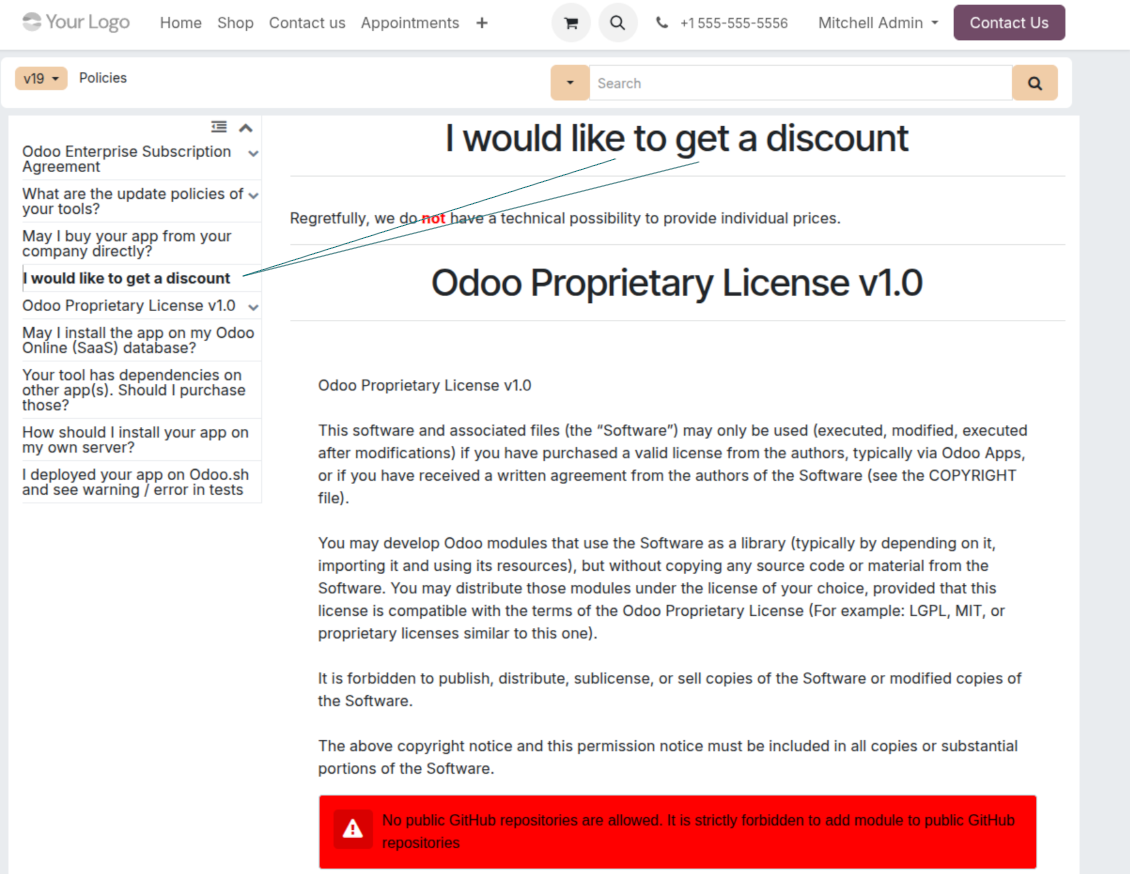
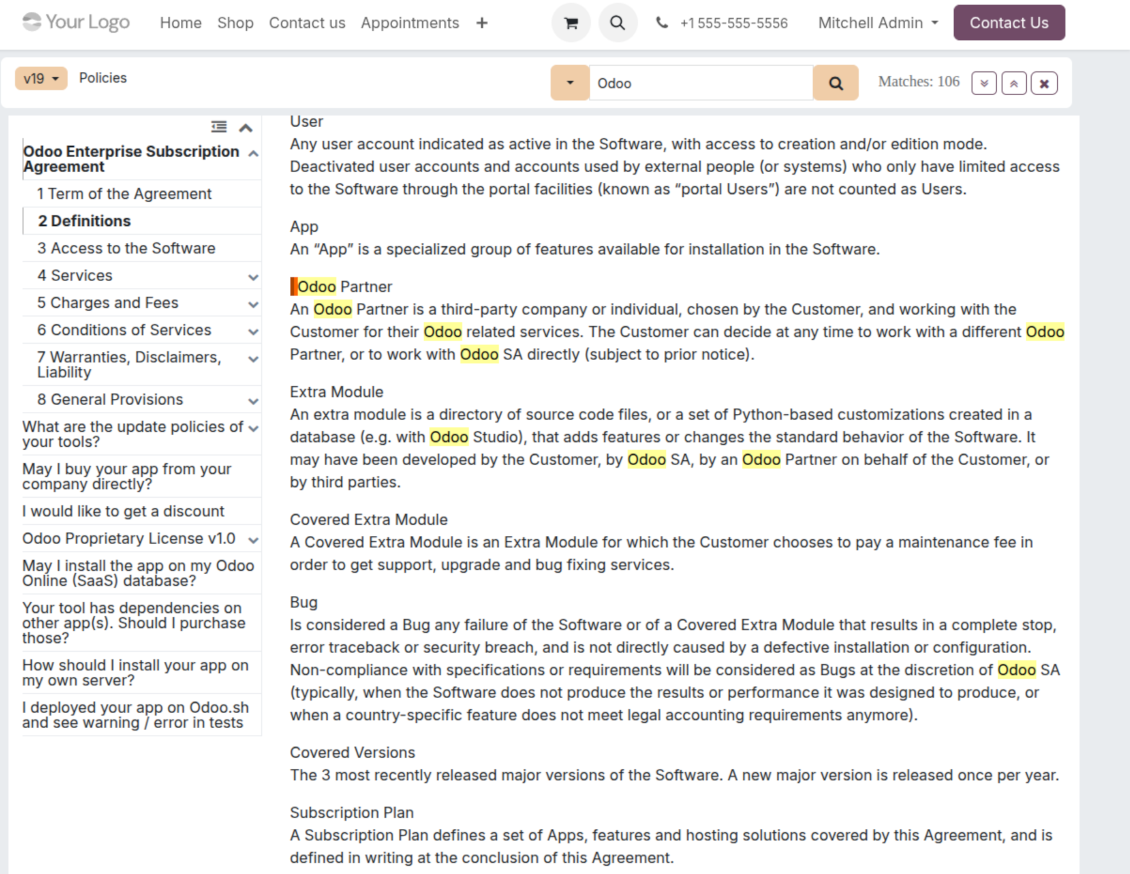
- Show an automatic table of contents, built from the headers of the included articles, for fast navigation.
- Enable search across the whole text or only headers, with case-sensitive or insensitive keywords.
- Apply versioning to avoid double work on specifications, user manuals, and software guidelines.
Portal & public
Share with partners or publish to everyone
Knowledge in the Odoo partner portal
- Turn on 'Portal KnowSystem' to give each Odoo partner a personal web portal built from the articles you choose to share.
- Design an article for one specific company, or reuse the same knowledge experience across many clients.
- Articles reach a portal user when they are (a) published, or (b) carry user-related tags.
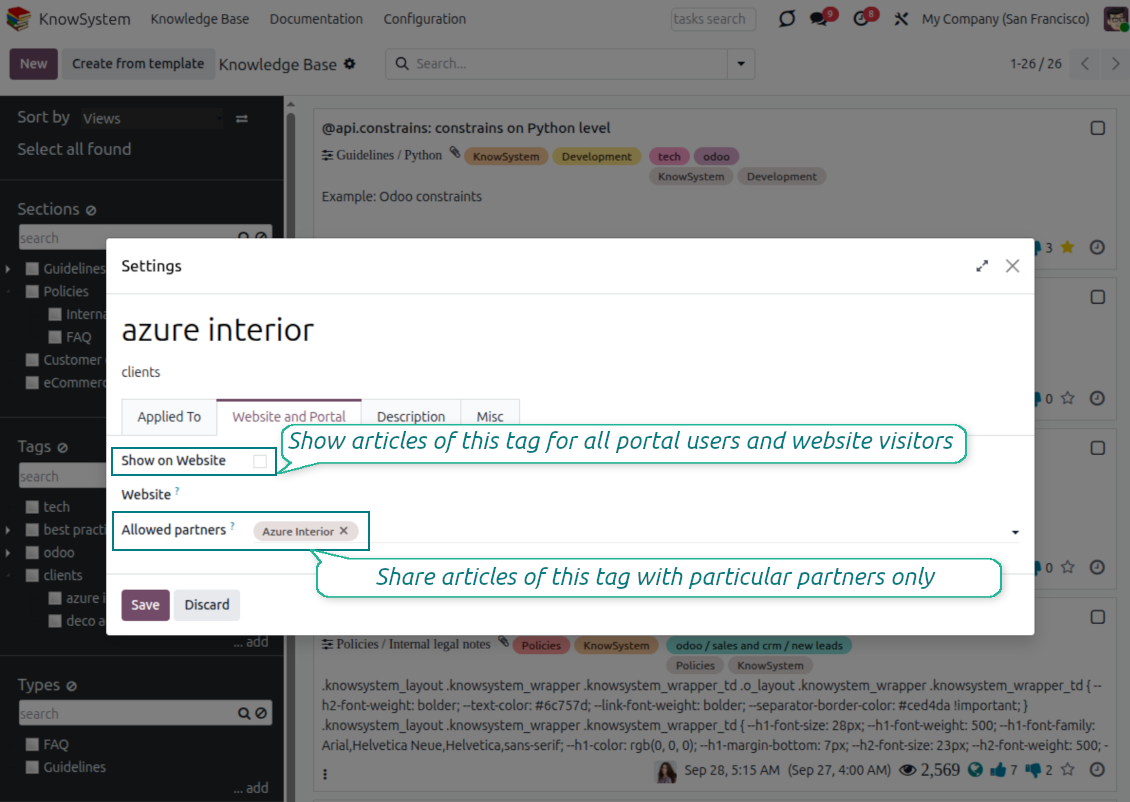
- Assign a tag to a partner in two ways: fill 'KnowSystem tags' on the partner form, or define 'Allowed partners' on the tag.
- Optionally allow partners to print articles, like them, and share.
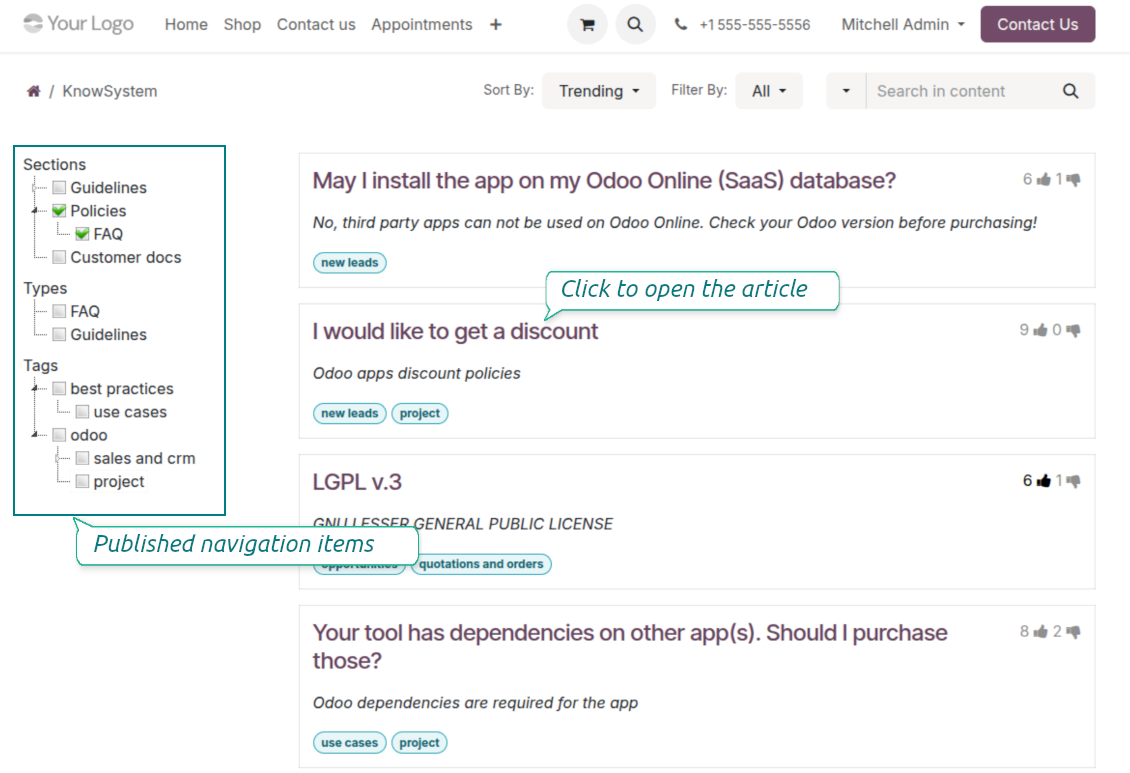
Public self-service knowledge base
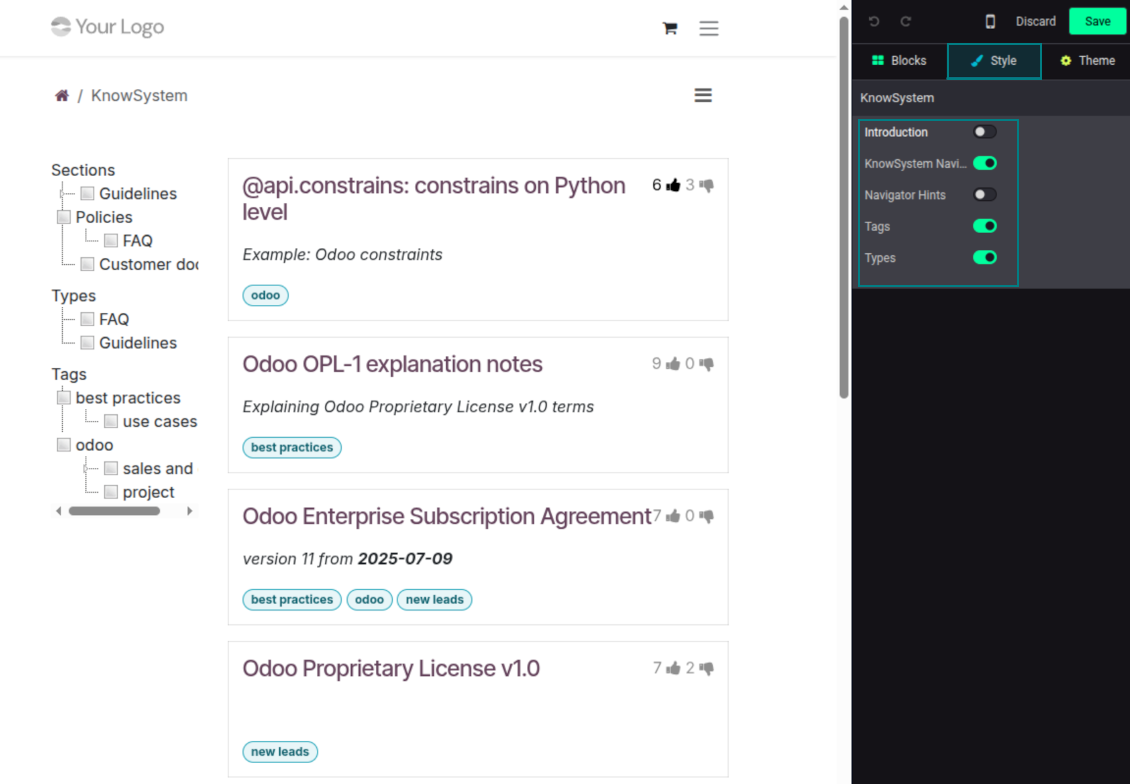
- Turn on 'Public KnowSystem' to open knowledge to unauthenticated website visitors for true self-service.
- Only published articles are shown - publish via the 'Publish' mass action or the 'Visible on current website' checkbox.
- Publish tags and article types too so they appear in the portal; sections show only once they contain visible articles.
- Customize the portal: show or hide navigation by tags and types (or the whole navigation), add an introduction and navigation hints, and set section tooltips.
Collaboration
Versioned, social, and multi-lingual knowledge
Teamwork and use
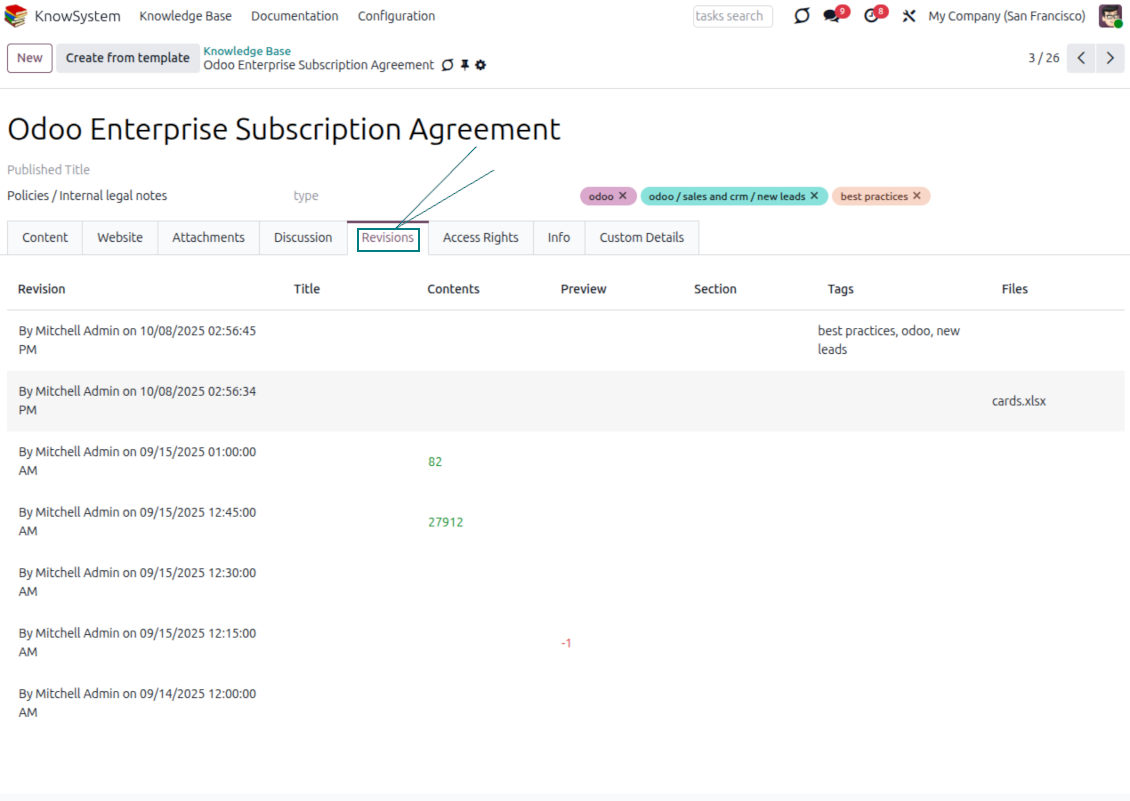
- The full history of article revisions is kept in Odoo, wiki-style. If a user breaks something, it takes just 2 clicks to recover the right version.
- Users take part in article discussions and subscribe to updates.
- Share tokenized articles with any contact.
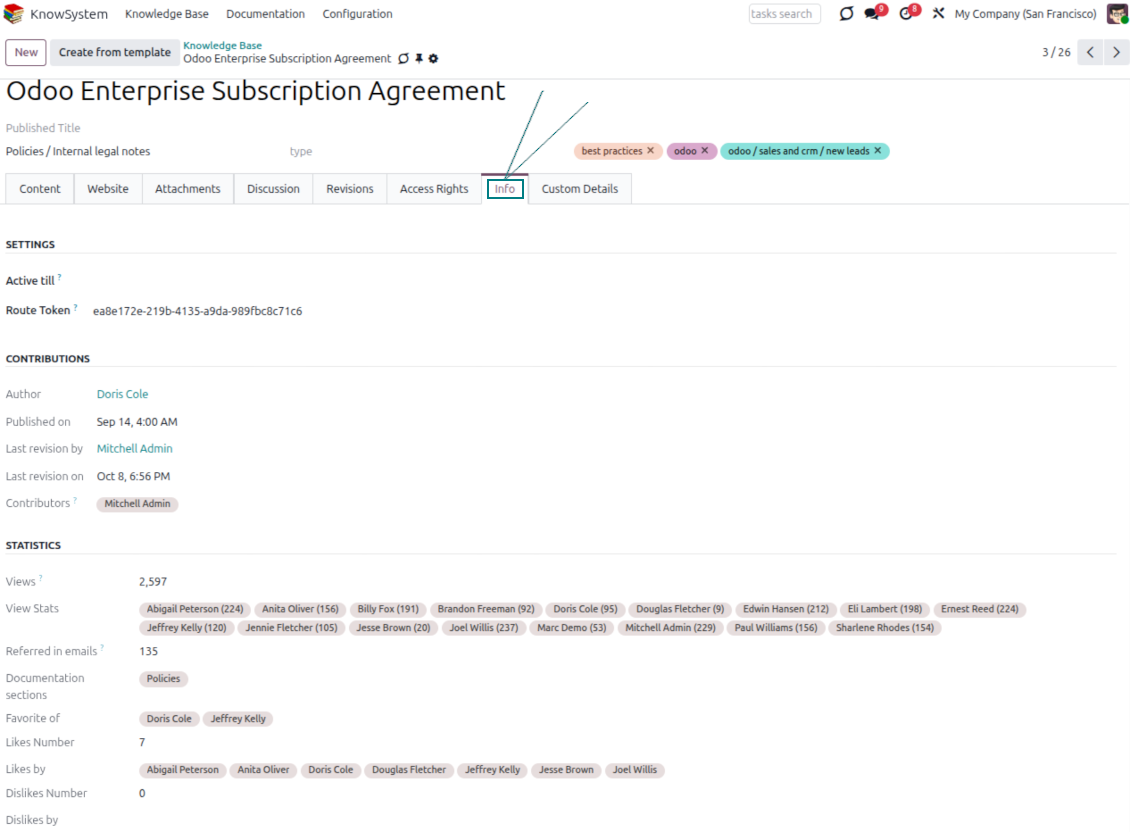
- Track statistics per article: contributors, views, likes and dislikes, how often it is used in messaging, and who marked it as favorite.
- Set activities to keep the base improving, and auto-archive articles after a chosen date.
Multi-lingual knowledge
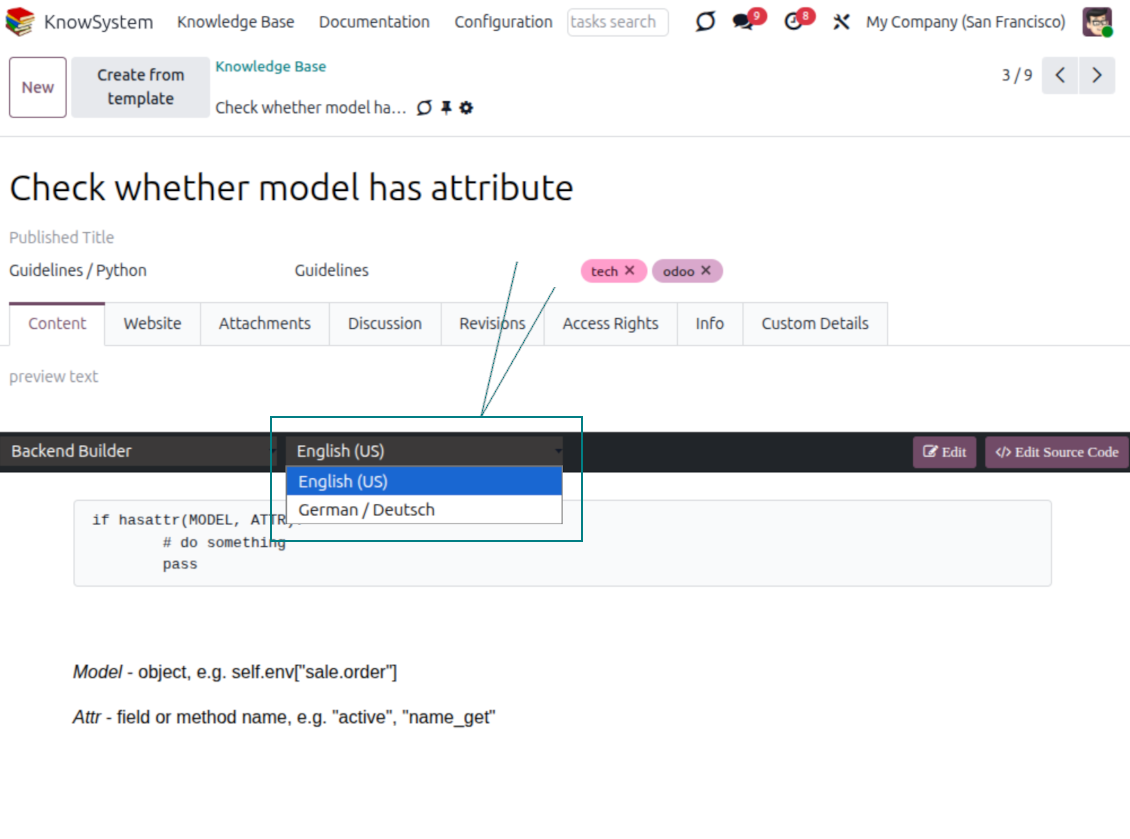
- Translate articles into every language installed in Odoo, so users read and edit in the language of their choice.
- Avoid double work with 'Copy from another translation' - but be sure you really need a multi-lingual regime, since every article must then be kept up to date in all languages.
- Switch the language right in the backend editor to review or update any translation.
eCommerce FAQ
Add a product FAQ and docs to every eShop page
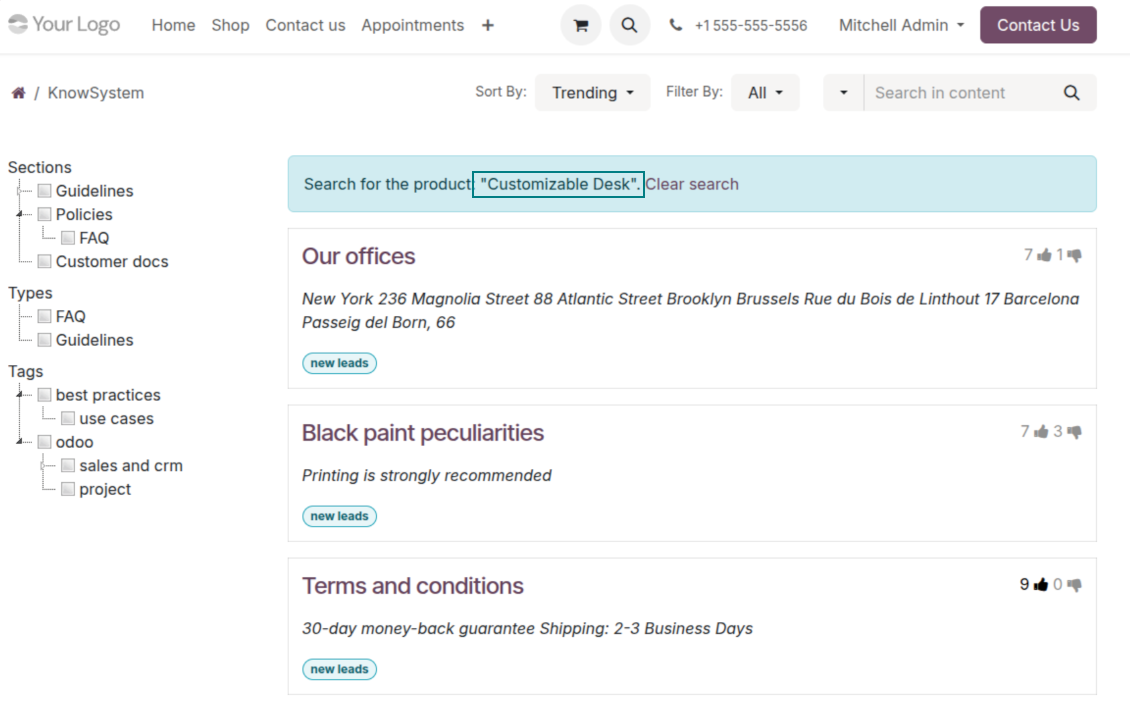
Show knowledge on product pages
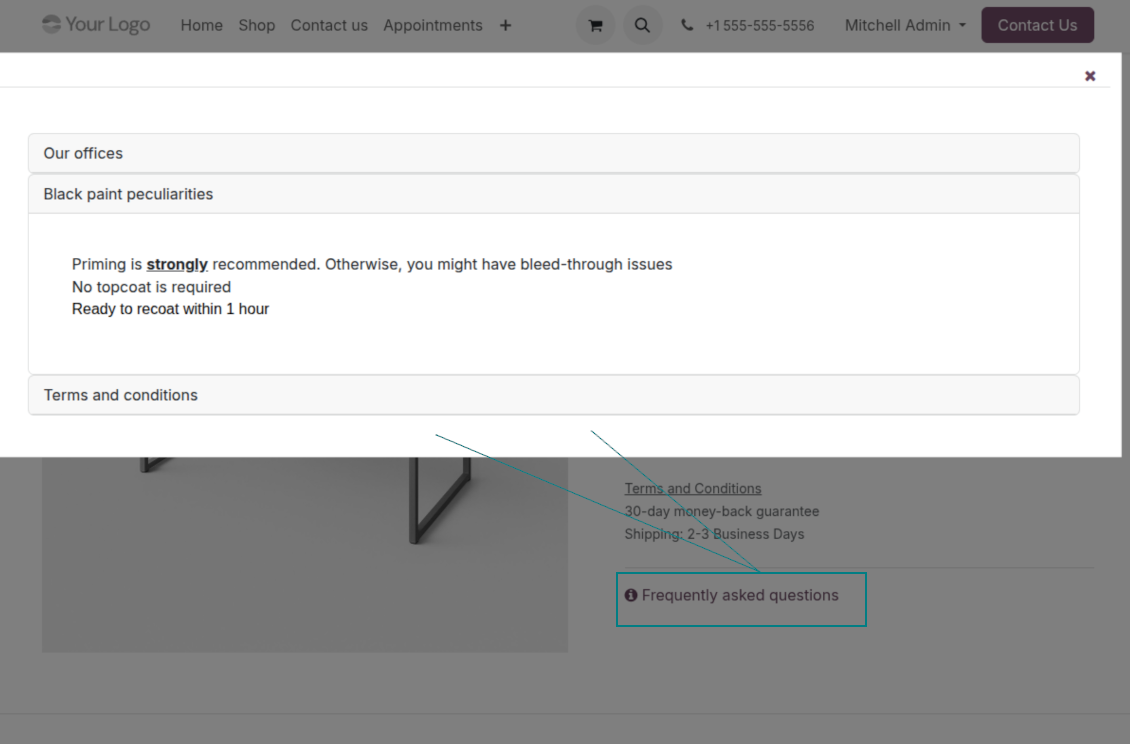
- Adds a product knowledge entry to all eCommerce product pages out of the box.
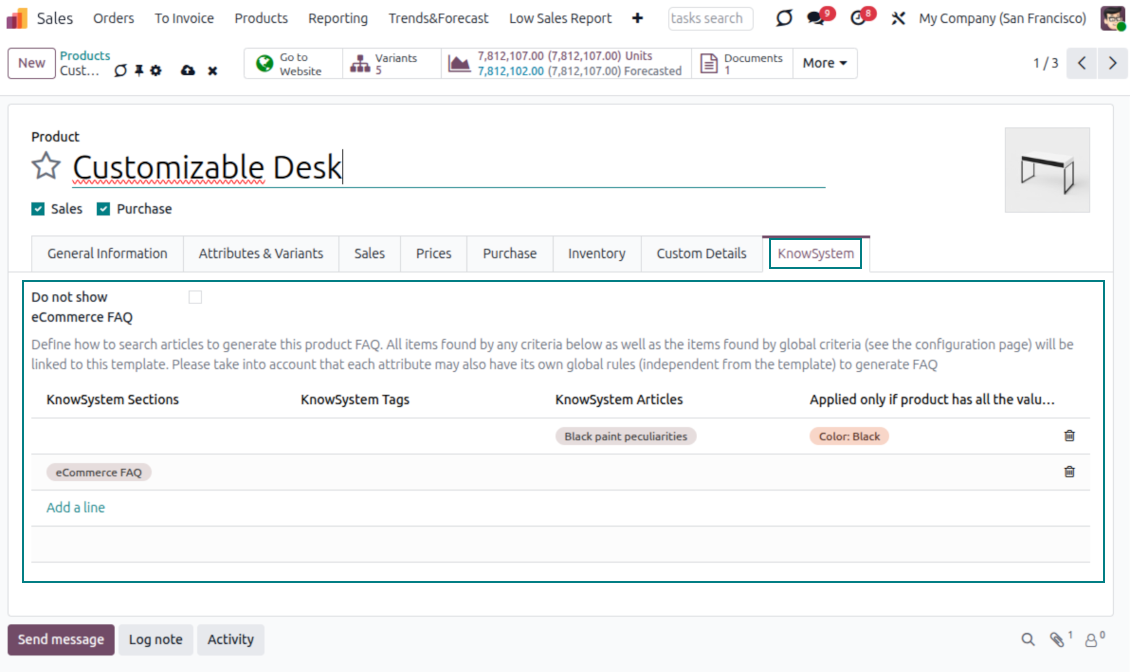
- Hide it for specific templates (the setting 'Do not show eCommerce FAQ') or for an entire eShop on a website (the option 'FAQ view' - 'Do not show').
- Set your own button title ('FAQ button text'); the default is ' Frequently asked questions', but you can change it to anything, e.g. 'Product docs' or 'Instructions' - simple HTML tags are allowed.
- Choose 'KnowSystem portal link' for the 'FAQ view' to send shoppers to the full navigation, restricted to articles linked to the current product.
- Or choose 'Popup accordion' to open all matching articles in a popup, so shoppers stay on the product page.
Match the right FAQ to the right product
- Link product templates to KnowSystem; show articles for specific sets of attribute values and hide them for others - e.g. different FAQs for steel and aluminum tables.
- Define knowledge for Odoo attributes or attribute values regardless of the actual product - for instance, complementary documentation for every variant that has 'legs' or 'custom legs'.
- Apply global settings per website to keep the same FAQ basis across all items sold there.
- Target KnowSystem sections, tags, or specific articles on each layer. A knowledge piece is selected if it satisfies any of the criteria; for sections and tags, child nodes are taken into account too.
- Articles appear only if a user can access them, so website visitors see only published ones.
Use cases
Built for helpdesk, sales, HR, IT, and beyond
KnowSystem is a universal knowledge management tool that adapts to any business goal and any set of Odoo apps - helpdesk, sales, marketing, IT, HR, legal, and projects. Typical use cases:
- Helpdesk - once a challenge is solved, record its solution in KnowSystem for repeated use by co-workers and self-service by clients.
- Sales & CRM - a salesperson helper for product information, current offers, and frequently asked customer questions.
- Project management - keep and easily retrieve knowledge of existing solutions, tools, hints, and experiments.
- HR - prepare instructions, guidelines, learning tours, training, and any codified knowledge of routine in your company.
- Marketing - organize an online library of product use cases, expert knowledge, and well-structured documentation.
- Legal - systematize policies and contract/approval management, and keep a full classifier of trademarks and licenses.
- Information technology - share easy-to-reach manuals and configuration guidelines, one search away.
Custom fields
Add your own article attributes - no code
Add fields without code
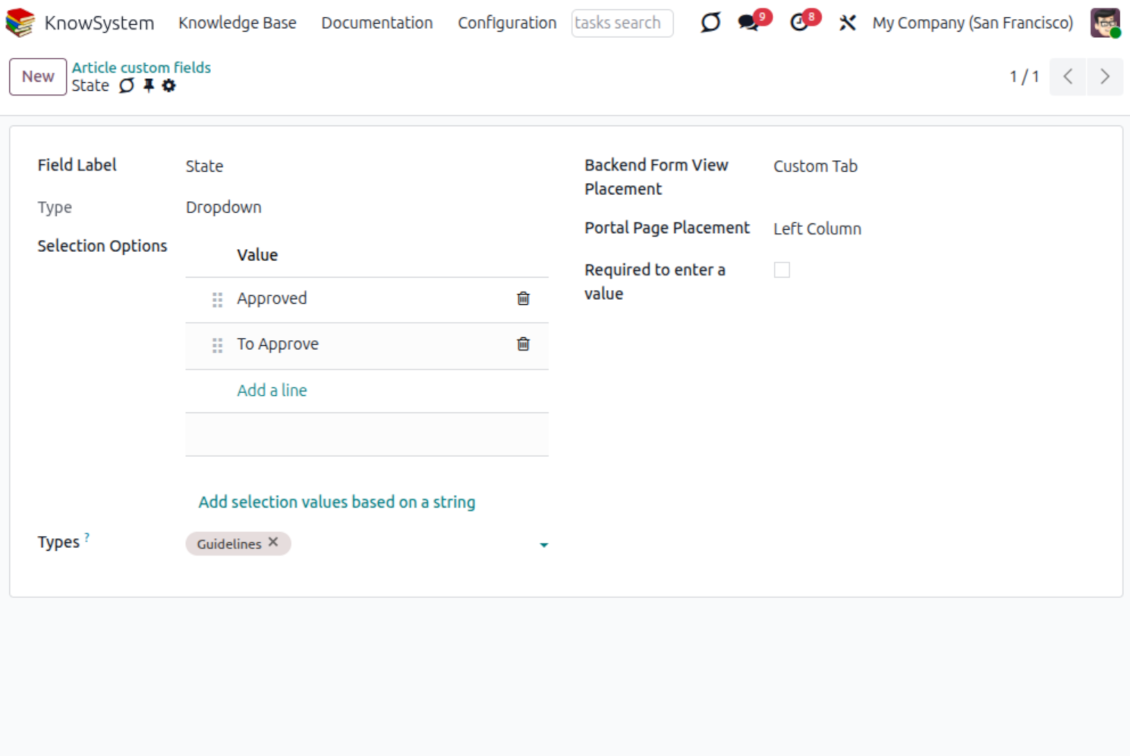
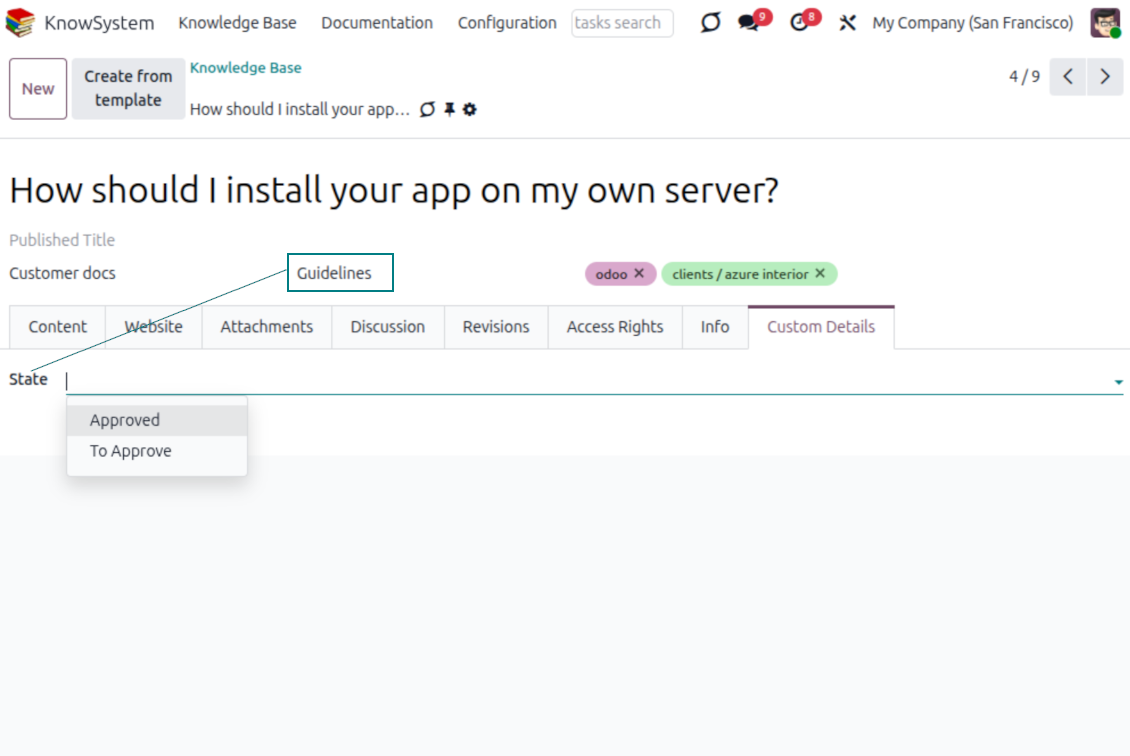
- No technical knowledge required - add a field and enter details to show a new property for articles.
- Choose from a full range of types: single-line text (char), plain text, rich (HTML) text, integer or float numbers, drop-down selection with your own options, checkbox (boolean), date or date-and-time, file upload (binary), and a reference to another Odoo record such as a sale order or contact (many2one).
- Pick the field's interface position from a closed list of options.
- Mark a field required to force users to enter a value.
Tailor by type, share, and secure
- Use article types to show properties only for the right articles - 'user guidelines' and 'technical specifications' can carry completely different attributes.
- Works in both the KnowSystem backend and the knowledge share portal.
- Custom fields can be imported and exported.
- Only KnowSystem administrators may create custom fields.
Security
Granular access for staff, partners, and the public
How access works
- Security for internal users and for portal/public users is handled separately.
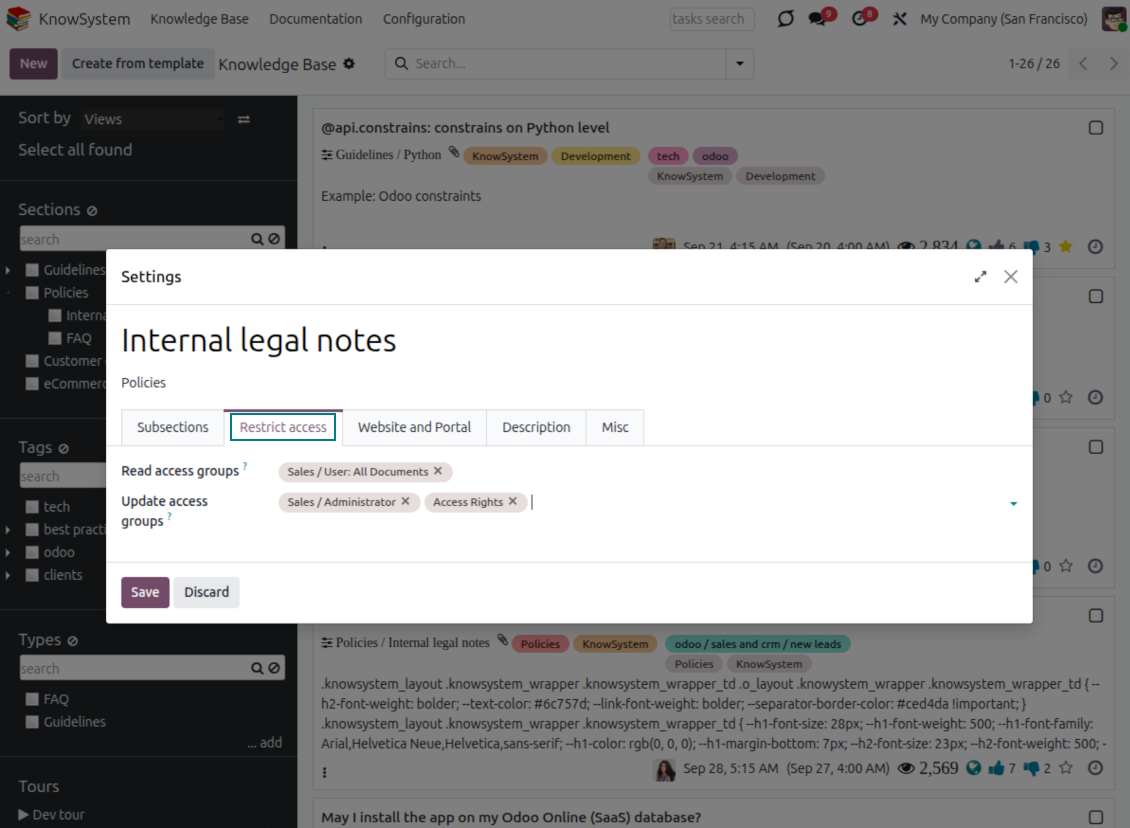
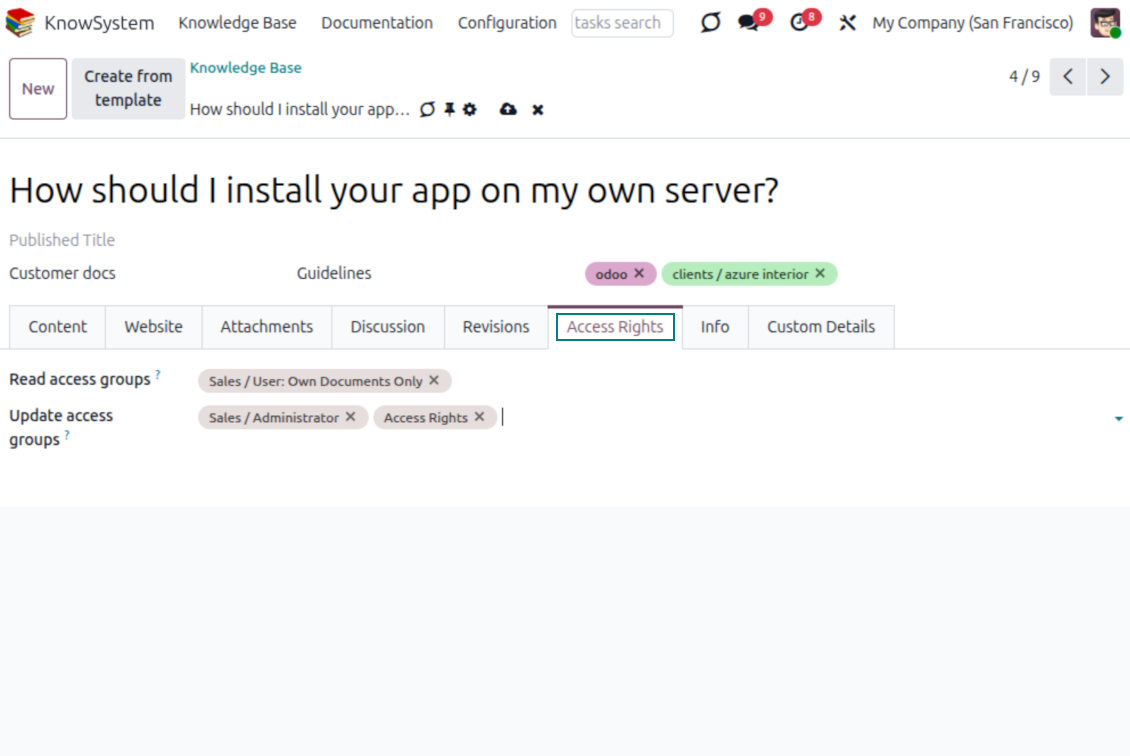
- For company employees: KnowSystem honors the user groups defined per article, section, and tour (the 'Restrict to' tab on those forms). If that field is empty, the record is 'global' and every internal user may read it.
- For portal / public users: access depends on tags and on whether an article is website-published. A tag's 'Allowed partners' grants portal users access to articles carrying that tag; published pages are open to any visitor.
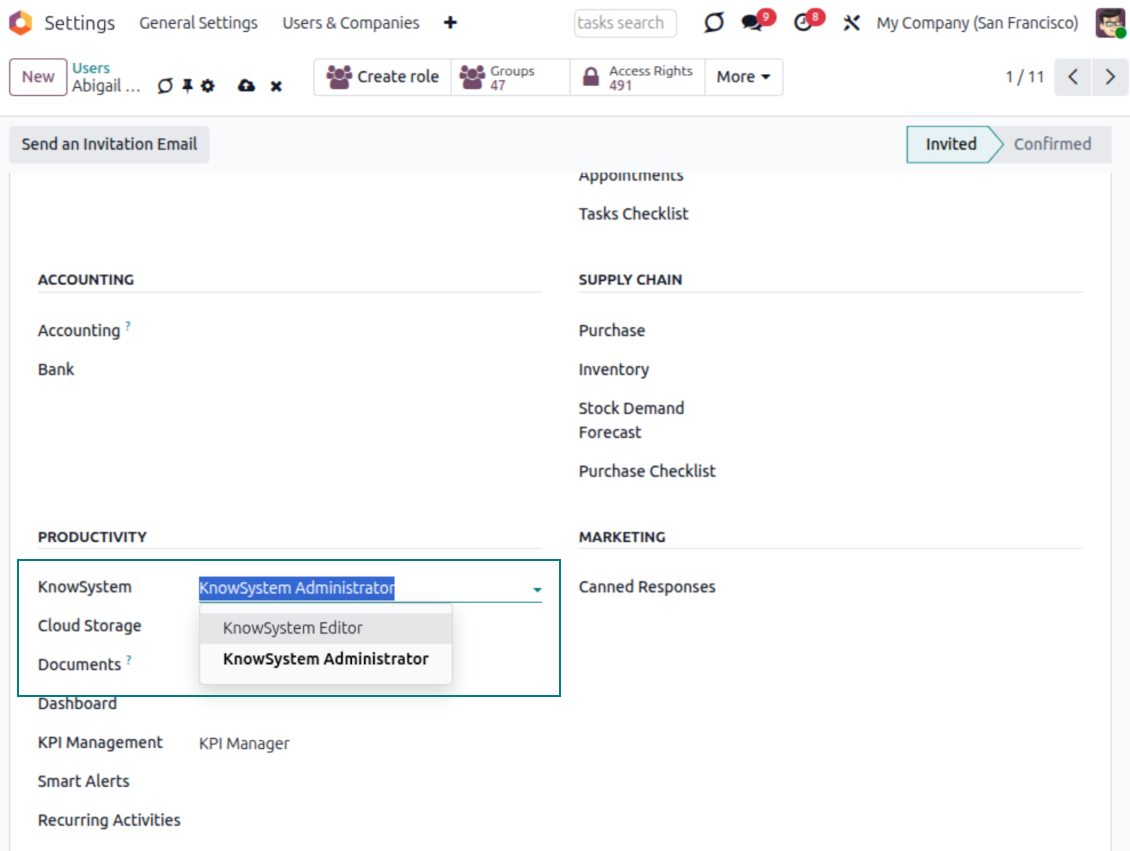
- Administration belongs to two roles - KnowSystem Editor and KnowSystem Administrator. A user must belong to one of them to create and edit articles.
- A user can always access an article they authored, regardless of further restrictions.
- Section rights consider the section and all its parents - no access to 'sales' means no access to 'sales/crm', even if 'crm' is open to the user's group.
Access rights at a glance
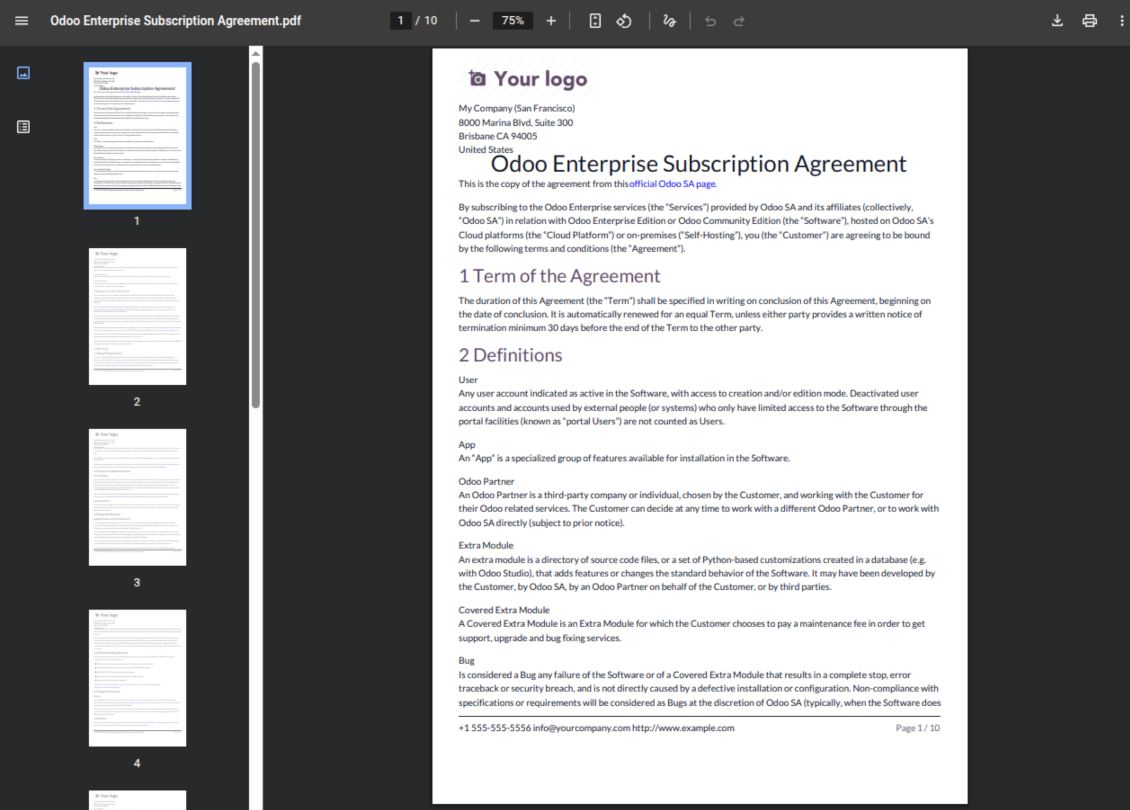
Odoo user |
KnowSystem Editor |
KnowSystem Admin |
Portal user |
Public user |
|
| Articles | read related to their user groups and sections | read, create, edit, archive related to their user groups and sections | read, create, edit, delete any | read published articles and articles related to partner-related tags | read published articles |
| Sections | read related to their user groups | read, create, edit, archive related to their user groups and sections | read, create, edit, delete any | read published ones | read published ones |
| Tags | read any | read, create, edit, archive any | read, create, edit, delete any | read published ones | read published ones |
| Article Types | read any | read any | read, create, edit, delete any | read published ones | read published ones |
| Tours | read related to their user groups | read, create, edit, delete related to their user groups | read, create, edit, delete any | no access | no access |
| Misc | may like/dislike, add to favorites, print, take part in discussions | may configure options | may like/dislike an article |
Готовы оценить?
Начните с бесплатного запроса демо базы или купите в Odoo Apps Store.
Бесплатная персонализированная демонстрационная база. Номер телефона и банковская карта не требуются. Бесплатные обновления и экспертная поддержка в течение всего срока основной версии Odoo.
Часто задаваемые вопросы о KnowSystem: Knowledge Base System Odoo v.18
Я не вижу разницы между текстами ревизий.
Ревизии фиксируют не только правки текста, но и любые изменения стилей (технически — когда вы меняете HTML-исходный код статьи). Часть из них с первого взгляда незаметна (например, измененный размер шрифта одного слова). Другие могут быть радикальными. Однако любая цепочка Edit > любое изменение в статье > Save создаёт новую ревизию.
Можно ли добавить видео YouTube/ Vimeo / Dailymotion / Youku в статью?
Да, видео с этих сервисов можно встроить в статьи и из backend Odoo, и из конструктора сайта. Для этого добавьте любой блок с изображением > нажмите на изображение > выберите ‘Video’ > введите URL нужного медиа.
Учтите: такие видео вставляются как iframe, и некоторые браузеры могут блокировать воспроизведение, пока пользователь явно не разрешит его.
Как сделать раздел видимым на сайте?
В KnowSystem раздел виден на сайте, если он опубликован и содержит хотя бы одну статью. Даже при наличии подразделов раздел не отображается, пока в нем самом нет ни одной статьи. Так сделано, чтобы не показывать пустые разделы и чтобы портал KnowSystem выглядел понятно и удобно. Чтобы раздел появился на сайте, добавьте одну вводную или общую статью, которая кратко описывает или перечисляет статьи в подразделах.
Как предоставить статью внешнему партнеру?
Щелкните правой кнопкой любой тег на левой панели навигации - Create
Найдите поле 'Allowed partners'. Например, 'clients - azure interior', чтобы открыть доступ партнеру 'Azure Interior'. Можно и наоборот: назначить теги KnowSystem прямо в карточке партнёра
Затем откройте нужную статью (или сделайте то же действие 'Mass update' для нескольких записей):
Если она опубликована: снимите публикацию, если не хотите открывать ее всем пользователям портала и публичным посетителям
Назначьте только что созданный тег (в примере это 'clients - azure interior')
Теперь:
Все пользователи портала, связанные с коммерческим партнером 'Azure Interior', имеют доступ к статьям с тегом 'Azure Interior'
Другие пользователи портала (если не назначен другой тег) доступа к этим статьям не имеют
Внутренние пользователи не затрагиваются и видят статьи по логике 'access to' статей и разделов.
Можно ли добавить кнопку выбора языка для тела статьи?
Кнопка 'translate' намеренно не добавляется в тело статьи дополнительным модулем 'KnowSystem: Multi Languages'. Причина: HTML очень трудно переводить в простом всплывающем окне этой кнопки. Текста для перевода почти нет, а HTML-фрагментов много (переводчик может их еще и сломать).
Поэтому, чтобы вести статью на определенном языке, войдите под пользователем с этим языком. Это может быть другой пользователь, либо временно смените язык в своих настройках. После этого любые правки тела статьи будут на языке этого пользователя.
Также под телом статьи есть кнопка 'Copy from another translation': в любой момент можно взять содержимое статьи с другого языка (удобно, если статью существенно обновили на одном из языков).
Как встроить другую веб-страницу в статью
Для этого можно использовать iframe. Переключите статью в редактор исходного HTML и вставьте, например, <iframe src="https://faotools.com/" style="width:100%;min-height:600px;"> </iframe>.
Я установил KnowSystem, но не вижу кнопку 'create' и другие кнопки
Скорее всего, вы не выдали своему пользователю права KnowSystem. Выберите нужную роль 'KnowSystem Editor' или 'KnowSystem Admin' и обновите страницу. Кнопки управления должны появиться.
Можно ли показать конкретный обучающий тур только выбранным пользователям?
Да, назначив группу пользователей (например 'Sales Manager'), которая должна пройти этот тур. Если пользователь входит в группу, он увидит тур. Если нет, тур не показывается. Это работает так же, как права доступа к статьям и разделам KnowSystem.
Учтите: если у тура нет назначенных групп, он считается 'global' и виден всем.
Как изменить колонтитул и шапку при печати статей?
Колонтитул и шапка PDF статей берутся из макетов компании. Откройте Settings > General Settings > раздел Business Documents. Там задаётся шаблон компании для всех типов документов, включая счета, заказы на продажу и статьи. Такой подход Odoo считает колонтитул и шапку общим стилем компании, а не свойством отдельных печатных форм.
Как связать статьи друг с другом?
У каждой статьи есть внутренний (backend) и сайт-URL (если установлено дополнение 'KnowSystem: Website and Portal'). Нажмите кнопку 'Info' в карточке статьи, чтобы узнать веб-адреса записи. Любой из них можно вставить в тело статьи как гиперссылку.
Можно ли изменить HTML-исходный код статьи?
Да: включите debug assets (на экране обзора настроек) и вернитесь к текущей статье. В режиме правки появится значок '</>'. Нажмите его, чтобы просмотреть и править HTML и стили.
Какова политика обновлений ваших инструментов?
По текущим правилам Odoo Apps Store:
- Модуль, купленный для версии 12.0 и ниже, даёт доступ ко всем версиям до 12.0 включительно.
- С версии 13.0 каждую версию модуля нужно покупать отдельно.
- Независимо от версии покупка даёт право на все обновления и исправления в рамках этой мажорной версии.
Команда faOtools эти правила не задаёт. Вопросы направляйте напрямую представителям Odoo Apps Store.
Как установить приложение на Odoo.sh?
Самый прямой способ - встроенный сценарий магазина Odoo:
1. Откройте страницу модуля и нажмите Deploy on odoo.sh
2. Вас перенаправит на GitHub. Войдите в аккаунт и нажмите Create a new repo или выберите существующий. Репозиторий должен быть закрытым: публиковать приложения по лицензии OPL-1 нельзя. При необходимости создайте новый репозиторий для проекта Odoo.sh
3. Затем в odoo.sh нажмите Deploy, подтвердите решение и нажмите Continue. Так запустится установка.
Эти шаги ставят приложение на production-ветку проекта. Для других веток или обновления модуля:
1. Скачайте исходный код из магазина Odoo
2. Закоммитьте модуль в нужный репозиторий GitHub. Ни одна папка или файл приложения не должны попасть в .gitignore. Репозитории, которые создаёт odoo.sh, по умолчанию могут игнорировать важные пути (например /lib). Загрузите все каталоги и файлы модуля без исключений
3. Разверните целевую ветку проекта odoo.sh или дождитесь автоматической сборки, если так настроено.
Как установить приложение на свой сервер?
2. Перезапустите сервер Odoo;
3. Включите режим разработчика (технические настройки);
4. Обновите список приложений (меню приложений);
5. Найдите приложение и нажмите Activate/Install;
6. Следуйте рекомендациям на странице приложения, если они есть.
У приложения есть дополнительные модули. Можно купить их позже?
Да. При этом Odoo сам кладёт все зависимости в корзину: исключите уже купленные инструменты, чтобы не заплатить дважды.
Я развернул приложение на Odoo.sh и вижу предупреждение или ошибку в тестах
Odoo Красное или оранжевое предупреждение не влияет на функции приложения. Иногда наши модули не проходят стандартные автотесты, потому что те ждут поведение, которое противоречит целям приложения. Например, мы меняем расчёт цены, а тесты ядра сравнивают итог со стандартным алгоритмом.
Сначала проверьте саму развёрнутую базу: всё ли работает?
Если всё же считаете, что предупреждение ломает функции, напишите нам и пришлите полные логи установки и полный список установленных модулей (ядро и сторонние).
Можно ли купить приложение напрямую у вас?
Нет, мы распространяем инструменты только через официальный магазин приложений Odoo.
Я хочу получить скидку
К сожалению, у нас нет технической возможности давать индивидуальные цены.
Можно ли поставить приложение на базу Odoo Online (SaaS)?
Нет, сторонние приложения нельзя использовать на Odoo Online. Odoo SaaS это блокирует.
У инструмента есть зависимости. Нужно ли их покупать?
Да, для корректной работы нужны все модули из зависимостей. Цена на странице приложения уже включает необходимые зависимости.
Какова цена модуля в долларах США? Почему она меняется?
Цены на наши модули заданы в евро. Магазин Odoo пересчитывает их в другие валюты по своему внутреннему курсу. Поэтому цена в долларах США может меняться при обновлении курса.
Тексты приложения и веб-сайта на языках, отличных от английского, переведены с помощью ИИ и согласованы с официальными переводами Odoo. Если вы заметили ошибку, отправьте тикет о переводе и мы исправим его.
Демонстрационные базы данных Odoo (предпросмотр)
Для этого приложения мы можем предоставить бесплатную персонализированную демонстрационную базу данных.
Чтобы связаться с нами, вам не нужен номер телефона или кредитная карта. Вам нужно всего лишь пройти короткую регистрацию по электронной почте, которая займет не более 30 секунд.
По вашему запросу мы подготовим отдельную демо базу для предпросмотра, где примерно две недели вы сможете проводить любые тесты и проверять свои предположения.
Отправка отчетов об ошибках
Если вы столкнулись с ошибками или непоследовательным поведением, не стесняйтесь обращаться к нам. Мы гарантируем предоставление исправлений в течение 60 дней с момента покупки и очень заинтересованы в улучшении наших инструментов даже по истечении этого периода.
Чтобы связаться с нами, вам не нужен номер телефона или кредитная карта. Вам нужно всего лишь пройти короткую регистрацию по электронной почте, которая займет не более 30 секунд.
Укажите в запросе как можно больше сведений: снимки экрана, журналы сервера Odoo, полное описание воспроизведения проблемы и так далее. Обычно подготовка рабочего плана по проблеме (если ошибка подтверждена) или рекомендаций по необходимым действиям (в противном случае) занимает несколько рабочих дней.
Запросы на публичные функции и идей модулей (бесплатная разработка)
Мы очень заинтересованы в улучшении наших инструментов и будем благодарны за любые отзывы. Если ваши требования общедоступны и могут быть эффективно реализованы, команда включит их в наш список дел.
Такой список дел обрабатывается регулярно и не предполагает дополнительных комиссий. Хотя мы не можем обещать сроки и окончательный дизайн, это может быть хорошим способом получить желаемые функции без вложений и рисков.
Чтобы связаться с нами, вам не нужен номер телефона или кредитная карта. Вам нужно всего лишь пройти короткую регистрацию по электронной почте, которая займет не более 30 секунд.
18.0.1.3.29
- The issue of Late Activities listing articles that have no overdue activity for the selected user has been fixed.
18.0.1.3.27
- The issue of autovacuum failure has been fixed.
18.0.1.3.25
- Исправлены теги по умолчанию из композера писем и форм активностей.
18.0.1.3.24
- Палитра цветов снова появляется в HTML-редакторе.
18.0.1.3.23
- Исправлено удаление выбранных статей: больше не нужен двойной щелчок.
18.0.1.3.22
- Исправлено переключение между статьями с разными типами редактора.
18.0.1.3.21
- Права на изменение разделов и статей включают права на чтение.
- Исправлено обновление счетчиков лайков.
18.0.1.3.20
- Поиск находит слова, разбитые тегами жирного или курсива.
18.0.1.3.19
- Исправлена ошибка доступа у обычных пользователей в мастере поиска статей.
18.0.1.3.18
- Представления Kanban приведены к XML-принципам Odoo 18.
- Лента Archived добавлена на Kanban и формы статей и на формы разделов и тегов.
18.0.1.3.17
- Сайтовое представление статей и документации оптимизировано для узких экранов.
18.0.1.3.16
- Приложение приведено к обновлениям плагинов веб-редактора Odoo 18.
18.0.1.3.15
- Лишняя кнопка перевода у статей "Text" убрана.
18.0.1.3.14
- Исправлено сохранение и копирование текста.
18.0.1.3.13
- Приложение опубликовано для версии 18.
17.0.1.3.13
- Вид активности по умолчанию для статей KnowSystem — Kanban.
17.0.1.3.12
- Исправлена лишняя санация статей KnowSystem после отправки сообщения из композера.
17.0.1.3.11
- Исправлен переключатель языка быстрого поиска статей.
17.0.1.3.10
- В бэкенде можно искать только по заголовкам.
- Исправлена кнопка открытия найденной статьи в новой вкладке из диалога.
17.0.1.3.9
- Перетаскиванием можно массово обновить статьи: добавить тег, сменить раздел, добавить в учебный тур.
- Найденную статью можно открыть в новой вкладке.
- Выбранный родитель в деревьях навигации подсвечивается верно.
17.0.1.3.8
- Kanban статей KnowSystem приведен к подходам Odoo v.17.
- Оптимизированы иерархии навигации.
17.0.1.3.7
- Критерий сортировки статей в бэкенде настраивается на странице приложения.

Инструмент, чтобы раскладывать вложения Odoo по папкам и синхронизировать каталоги с Google Drive, OneDrive/SharePoint, Nextcloud/ownCloud, Dropbox, Amazon S3, Box и NAS. Файловый менеджер. DMS
398€
The tool to automatically synchronize Odoo attachments with OneDrive files in both ways
487€
The tool to automatically synchronize Odoo attachments with Google Drive files in both ways
487€

The tool to set up KPI targets and control their fulfillment by periods. KPI dashboards. Dashboard designer. KPI charts

The tool for time-based service management from booking appointments to sales and reviews
398€
The tool to manage your Odoo from your favorite AI chats through MCP. Claude. Any MCP-supporting AI.

The tool to combine different Odoo events in a few configurable super calendars

The tool to translate URL addresses of Odoo website pages
38€