Em resumo
KnowSystem: Knowledge Base System e uma aplicacao Odoo 18 de Ferramentas adicionais. The tool to build a deep and structured knowledge base for internal and external use. Knowledge System. KMS. Wiki-like revisions.
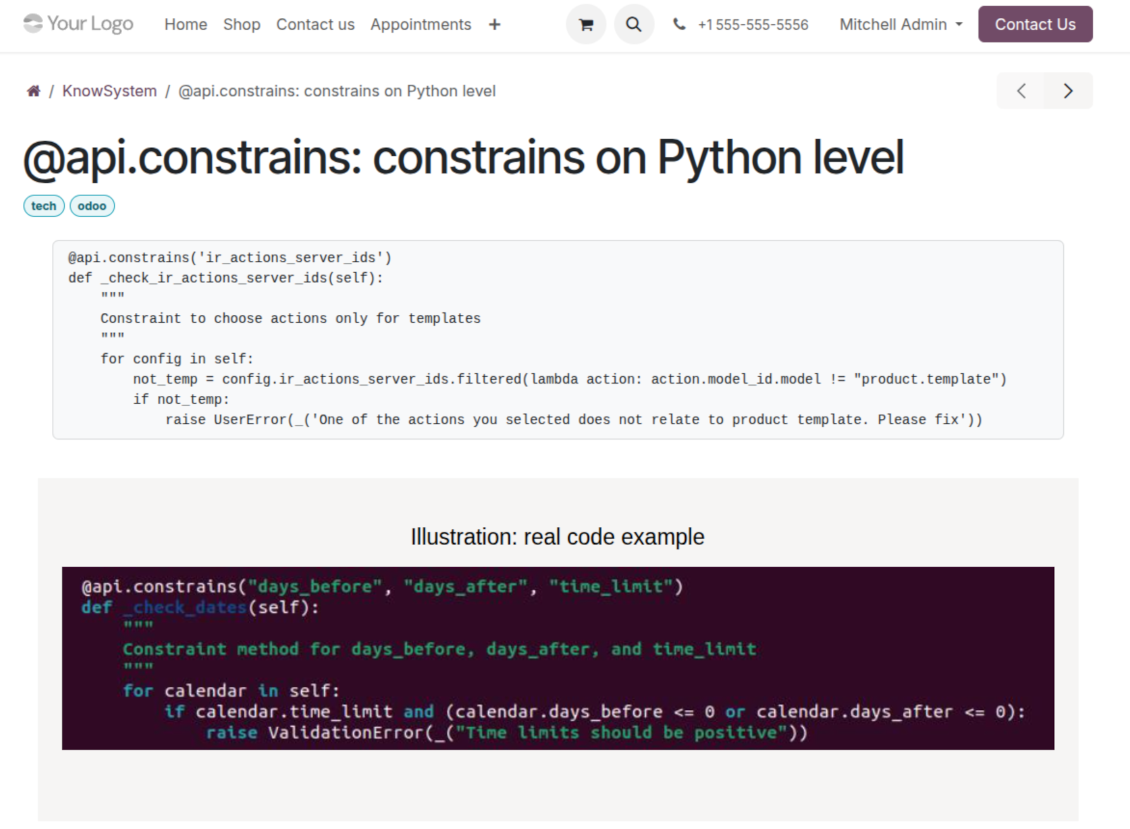
KnowSystem turns scattered company know-how into one structured, searchable knowledge base for your team, your partners, and your customers. Capture articles with drag-and-drop building blocks, organize them by sections, tags, and types, and reuse them anywhere in Odoo - messages, activities, helpdesk, projects, or product pages. Every change is versioned wiki-style, so improving knowledge is always safer than breaking it.
Ideal para
Helpdesk & support
Record every solved ticket once, then reuse it for faster agent replies and round-the-clock customer self-service.
Sales & CRM
Give salespeople instant answers on products, offers, and frequent customer questions right where they work.
HR & onboarding
Turn policies, guidelines, and training into structured knowledge and step-by-step learning tours.
IT & technical teams
Keep manuals, configurations, and runbooks one search away for the whole company.
Project management
Preserve solutions, tools, and lessons learned so your teams never reinvent the wheel.
Marketing & documentation
Build a polished online library and product documentation your audience can actually find and read.
Pronto para avaliar?
Comece com um pedido de demo gratuito ou compre na Odoo Apps Store.
Base de demonstração personalizada gratuita. Sem telefone nem cartão. Atualizações gratuitas vitalícias e apoio especializado na versão major do Odoo.
Porque as equipas o escolhem
Principais vantagens antes dos detalhes
Capture knowledge
Write professional-looking articles with drag-and-drop building blocks, the HTML editor, or raw code - and reuse ready-made templates for uniform styles.
Organize and find
Structure everything by a hierarchy of sections, a tree of tags, and knowledge types. Filter, sort, and run mass actions on hundreds of articles from one screen.
Put it to work
Surface the right article inside any Odoo document, cite it in messages and activities, run guided learning tours, and answer product FAQs - then print or share in a click.
Wiki-like revisions
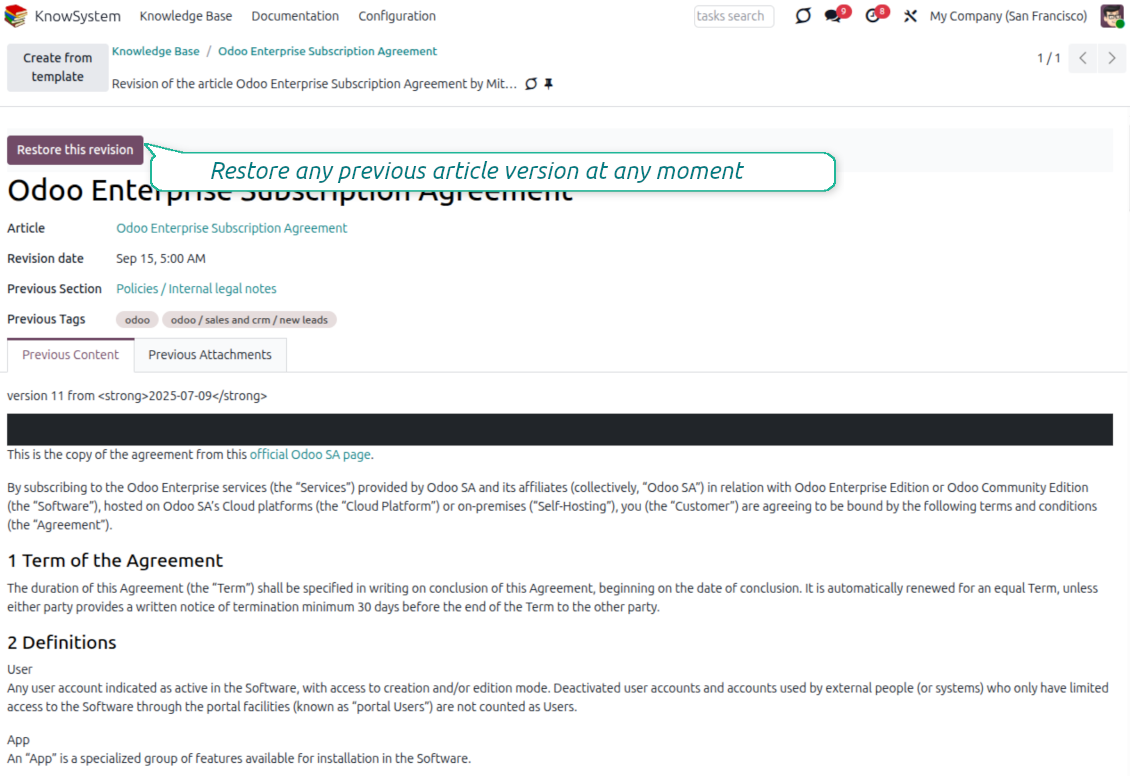
Every change is versioned. If a teammate breaks an article, restore the right version in two clicks - breaking becomes harder than restoring.
Portal & public base
Give each partner a personal knowledge portal, or publish a self-service knowledge base for any website visitor - access controlled by tags and publishing.
Documentation builder
Combine articles into advanced website documentation with automatic table of contents and instant search - reusable across versions, manuals, and guidelines.
Analytics that keep it alive
Track views, likes, dislikes, contributors, and messaging usage. See what your team relies on and keep content fresh and trusted.
Secure by design
Control who sees what with granular access for staff, partners, and the public - governed by user groups, tags, and website publishing.
Fits any team
One universal tool for helpdesk, sales, HR, IT, legal, marketing, and projects - configurable to any goal and any combination of Odoo apps.
Opiniões da Odoo Apps Store
O que os clientes dizem da aplicação
Best knowledge base system for Odoo!
Excellent app and exceptional after-sales support.
Really well thought-out product and one of the best features is the contextual help by means of the tags. Really a game changer for us.
Keep up the great work FaOtools!
Magnus
Outstanding app! Tremendous value for money, an absolute must have!
One of the features sorely lacking from Odoo has been a robust Wiki/documentation system. Using third party platforms is a massive headache: yet another system to maintain, users get distracted switching back-and-forth, and errors get made. Then you have to worry about training, additional logins, etc.
KnowSystem feels like a native/core app, is very well-polished, and extremely fast. It's accessible from any screen, and the search results are instant (none of the latency inherent with most apps).The interface is elegant yet powerful, with robust access control, rich editing features, and version control. It's simple to revert to previous entries, view audit trails, etc. It's very intuitive for anyone familiar with Odoo; onboarding takes just a few minutes. The user guides are excellent.
This is invaluable for any organisation with a lot of documented information, SOPs, ISO compliance, or similar. If you're using eLearning, it's great for creating a help system / reminders. For example, noting key takeaways or specific instructions. The user can be in MRP, Sales, or any other function, and instantly lookup a guide. Since it overlays whichever screen you're in, it doesn't interrupt the workflow.
This dramatically increases efficiency, minimises questions, and helps keep everyone on the same page.
Oh, and customer service is excellent, faOtools stands behind their product. Thank you!
nico.valentino@gmx.net
KnowSystem is excellent - OdooTools offer great support, are very helpful and responsive
Our company needed the ability to add a Knowledge Base to our Odoo portal website for our customers to access article content on a membership-only basis. KnowSystem provided this and much more, along with ability to add search by section, set permissions to allow only certain partners access to articles by tag etc. OdooTools have been very helpful and implemented several features we suggested including automatic redirect upon login, customisable filters and a social sharing capability on articles. Overall a great app by a great company, something that massively adds to Odoo's capabilities and is something that everyone could benefit from using.
Chris Mann
Very functional application and responsive support
Our company produces medical laser equipment and we use KnowSystem to streamline the knowledge base of our company. Convenient search system and classification of content, as well as access rules for groups and even for individual users.
Svetlana
Great app and professional team
The app is great the the team is very professional in both response timing and problem solving.
Highly recommended.
Marco from ALO.zone.
Marco Carboni
Excellent system
Excellent system.
Gordon
A great tool from some very nice developers!
KnowSystem is a great tool and a game changer for us. Finally a place to put all our company know-how. I highly recommend it. And also important to us: We got great support from FaOtools too. A rare thing in this busy world. thx!
Eisberger
Excellent app and support.
Great app and a very helpfull support. Openess to improve their products is outstanding.
Lucas Huber
Pronto para avaliar?
Comece com um pedido de demo gratuito ou compre na Odoo Apps Store.
Base de demonstração personalizada gratuita. Sem telefone nem cartão. Atualizações gratuitas vitalícias e apoio especializado na versão major do Odoo.
Navigation
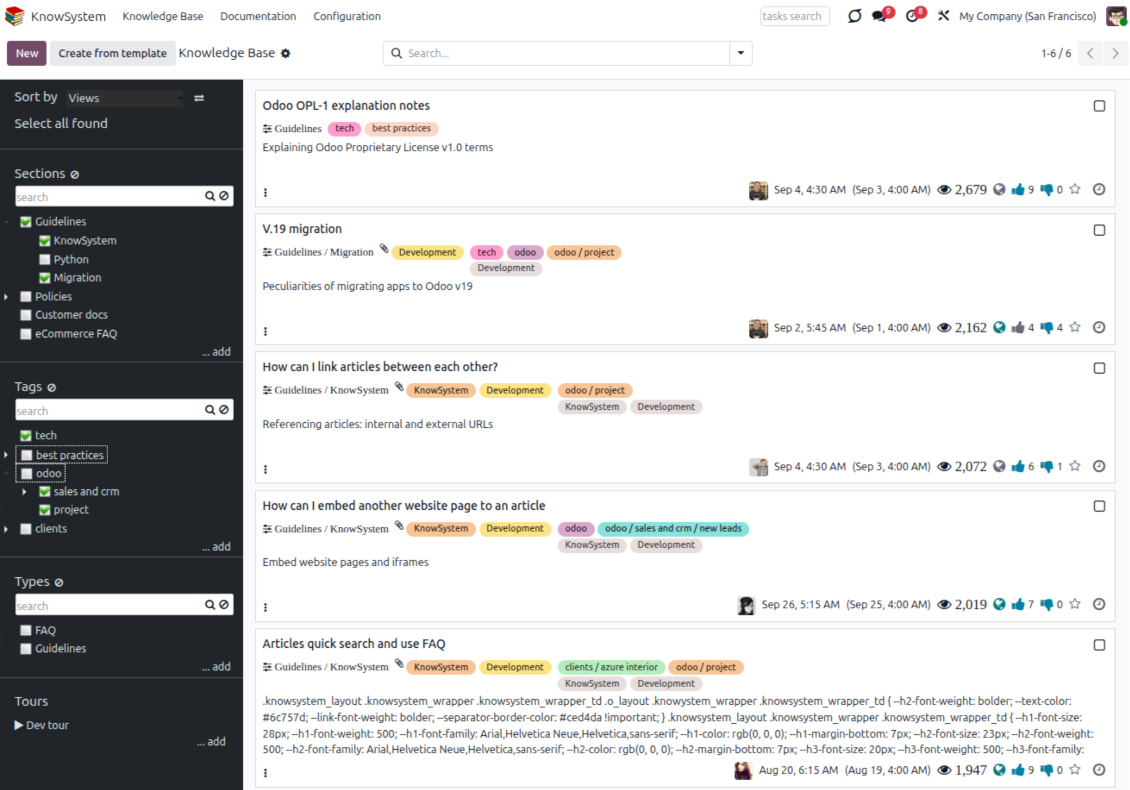
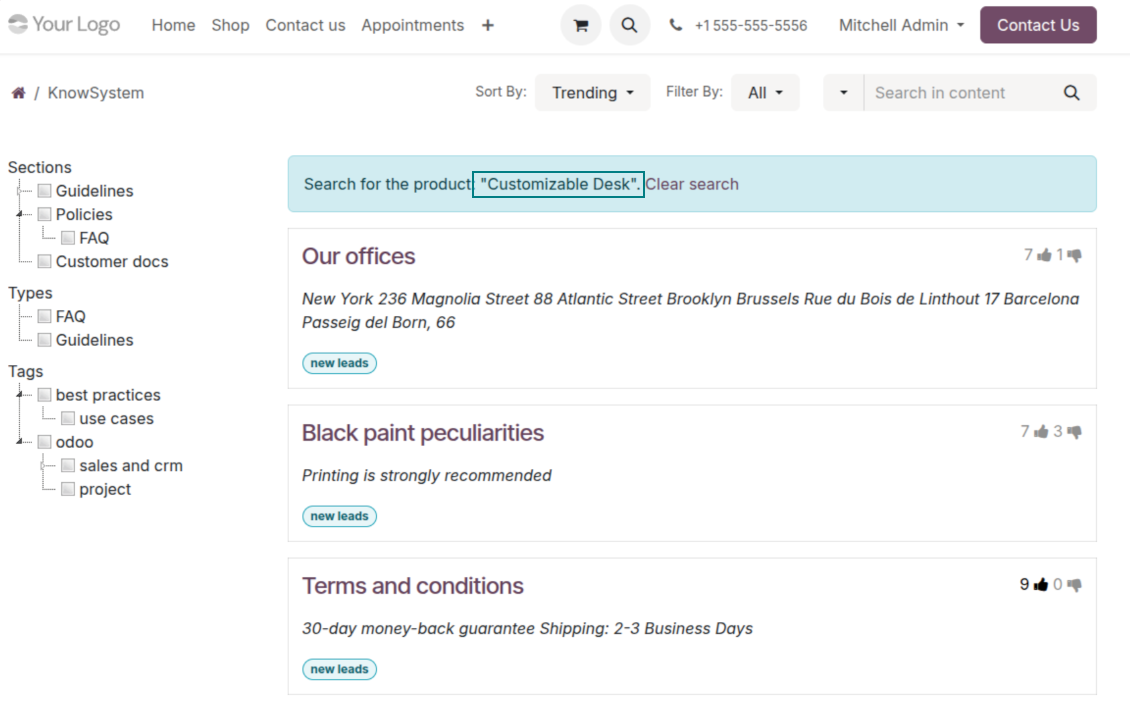
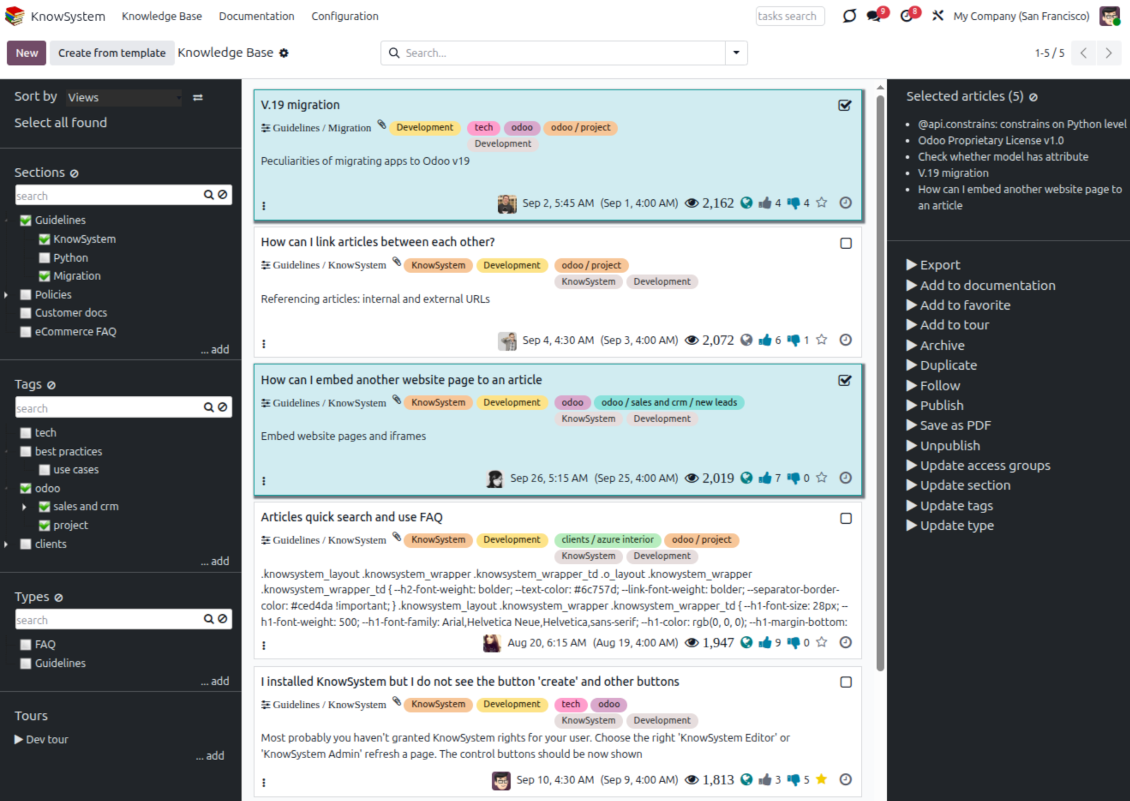
Find, filter, and bulk-edit articles from one screen
Structure and navigate
- Build a hierarchy of knowledge sections to switch between areas instantly, however large the base grows.
- Define a tree of tags for quick navigation and deeper, cross-cutting structuring.
- Introduce a knowledge typology to distinguish kinds of articles in a single click.
- Create, update, and reorder tags, sections, and types right inside KnowSystem - and print every article under a chosen tag or section.
- Search sections and tags instantly on the navigation panel.
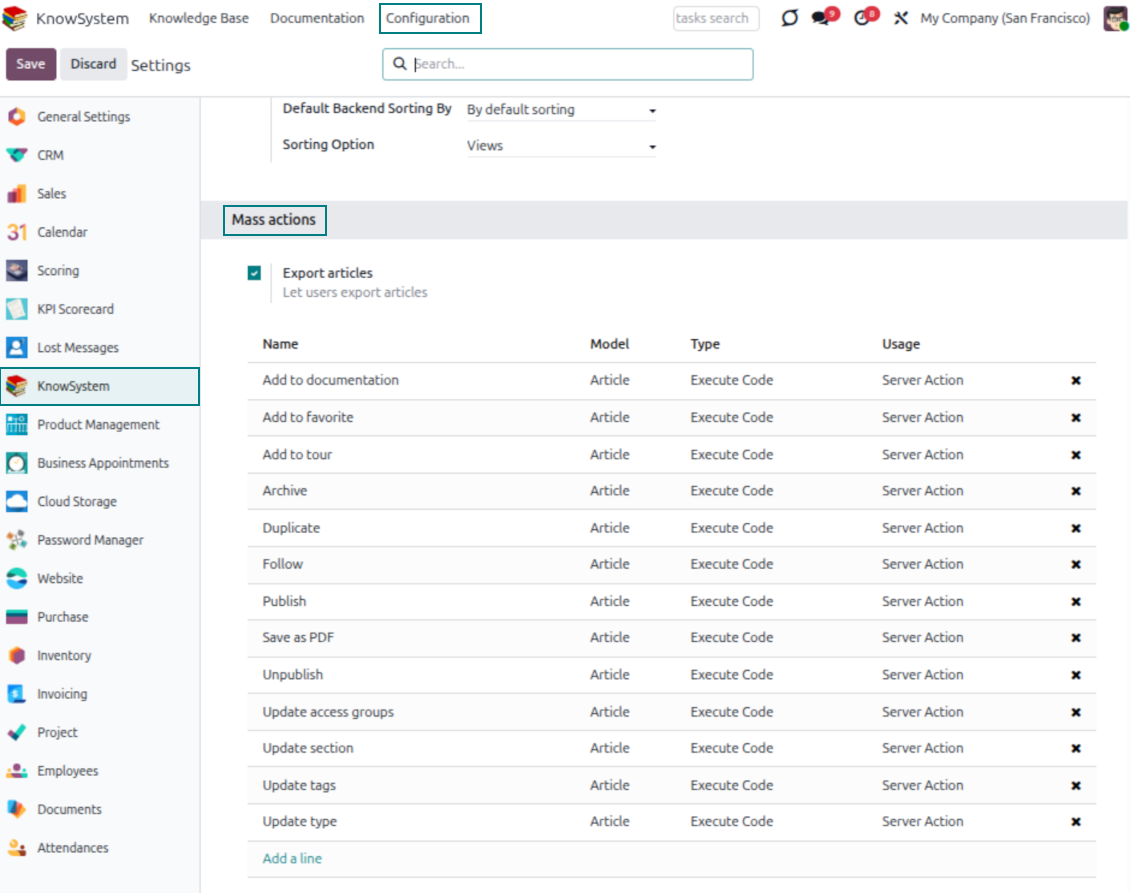
Select, sort, and act in bulk
- Sort articles by views, score of likes, title, author, section, and create or write dates.
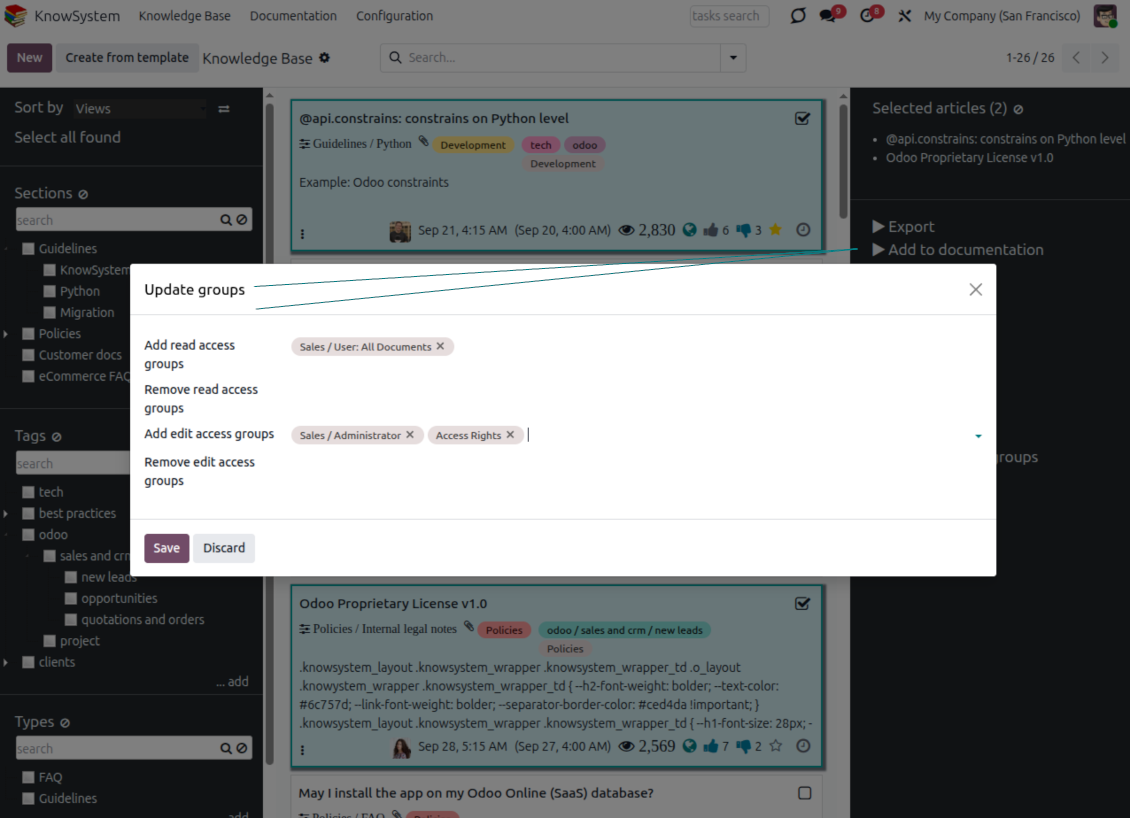
- Pick articles step by step - the selection is not cleared by a new search or when you open a record - then run mass actions on everything you chose.
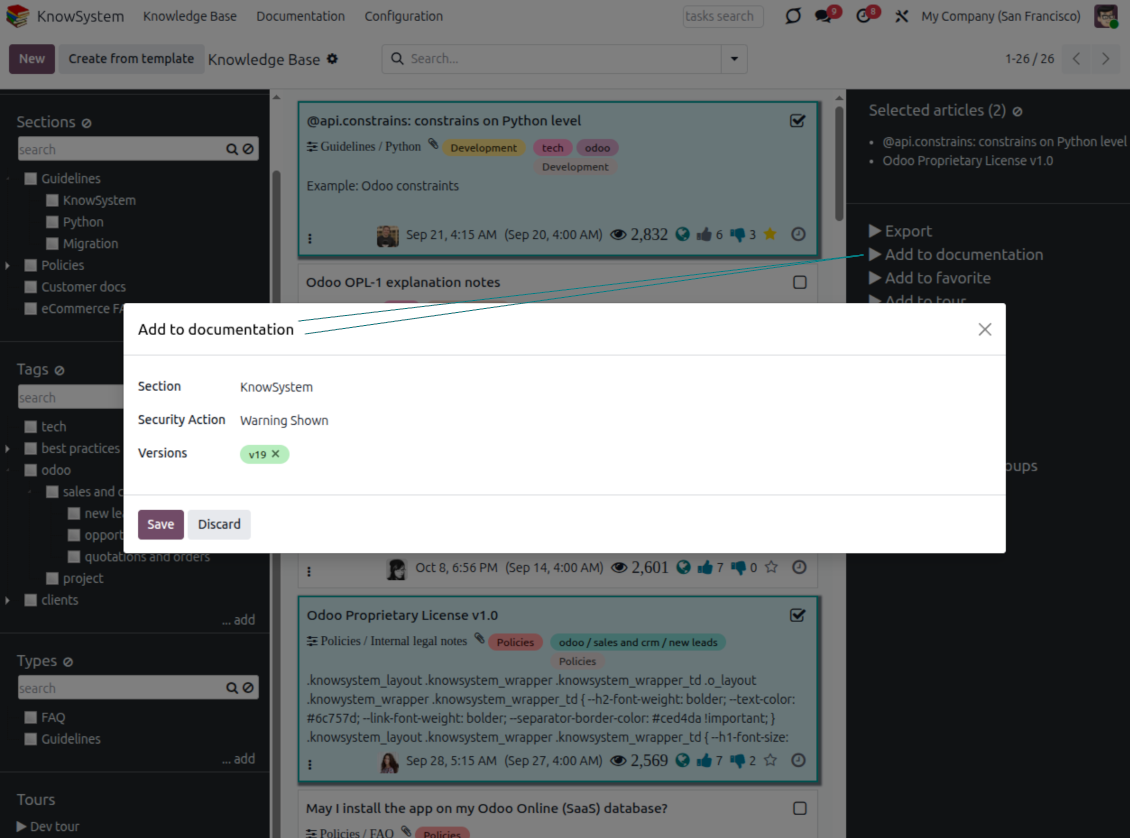
- Update knowledge in batch: assign a new section (including by dragging articles onto the navigation panel), add or remove tags, print many articles as one PDF, follow/unfollow discussions, publish/unpublish, export to Excel, archive or restore, add to learning tours and documentation, mark as favorite, and duplicate.
Article editors
Write professional articles your way
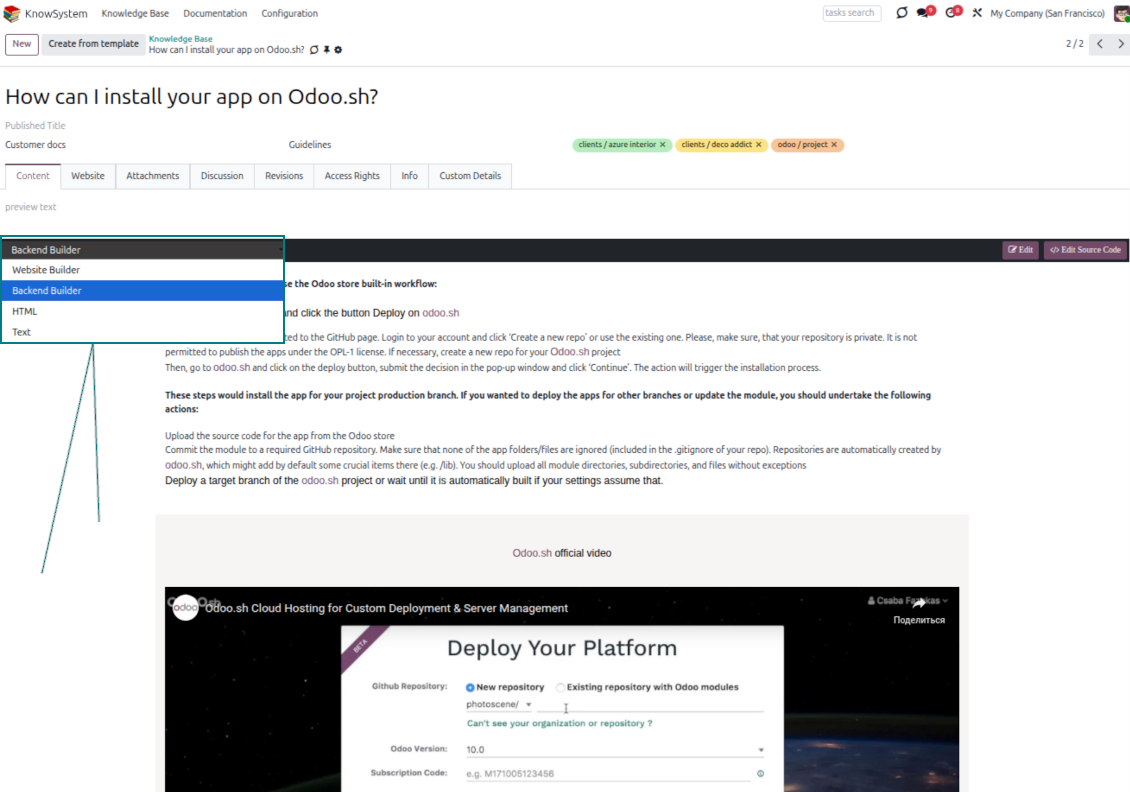
Five editors, one article model
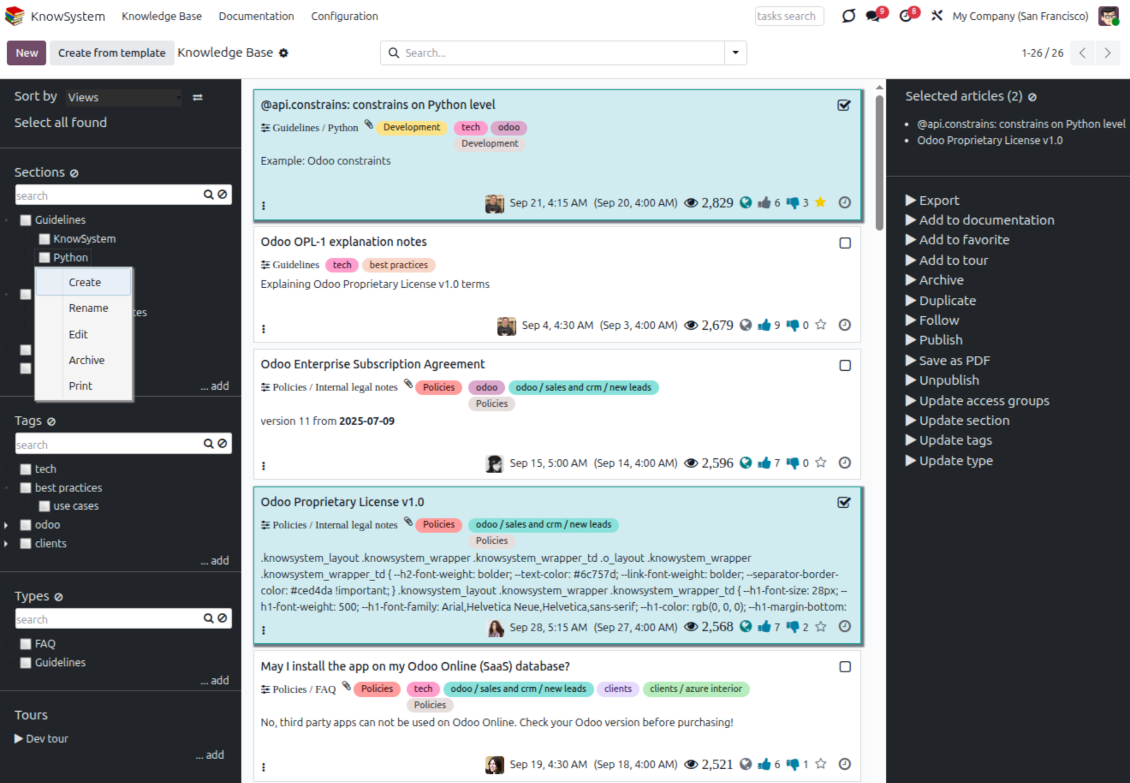
- Backend building blocks - drag and drop to compose professional articles right in the Odoo backend. The editor relies on strict HTML that stays compatible with printing and messaging layouts; reorder blocks and adjust their width, height, and styles.
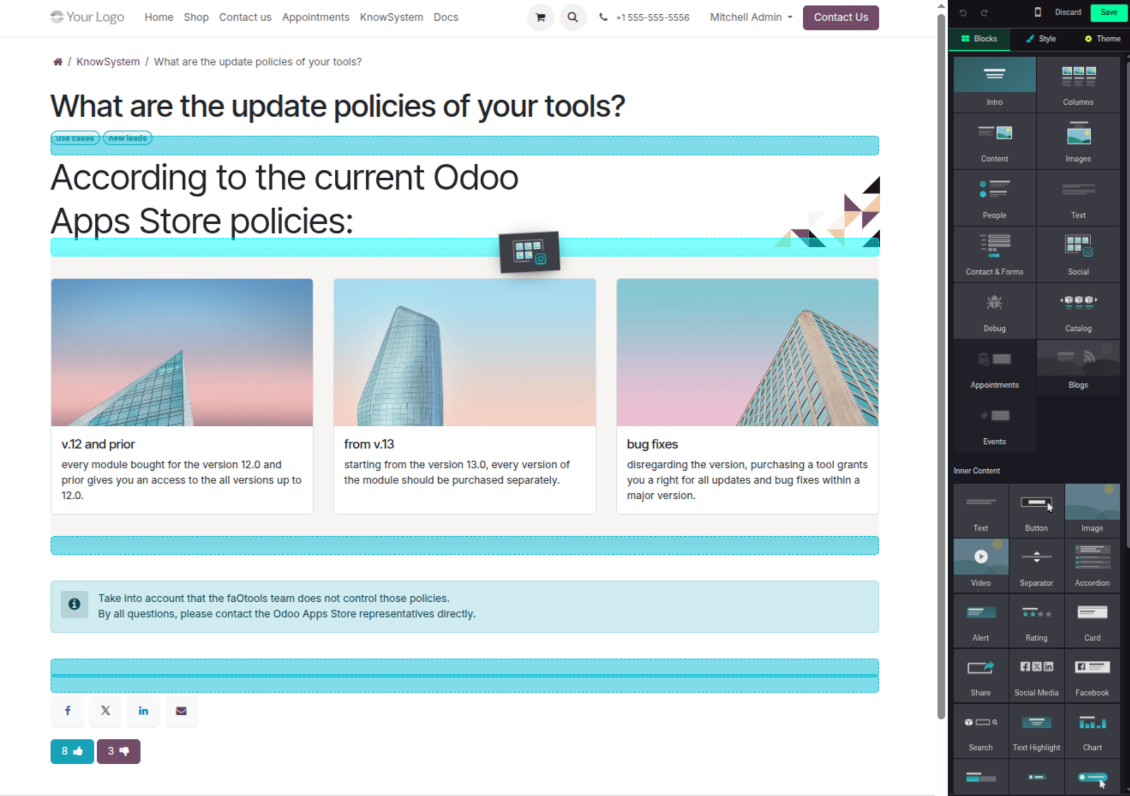
- Website builder - apply advanced styles, snippets, animations, and widgets via Odoo's built-in website editor. Ideal for nice-looking portal pages; avoid it for internal or printed articles, as advanced styles often contradict print and composer layouts.
- Plain text - keep certain articles as simple text for unlimited compatibility with printouts and emails, and copy their content to the clipboard for quick sharing.
- Standard HTML editor - the familiar Odoo editor with its built-in slash commands for quick inline pieces.
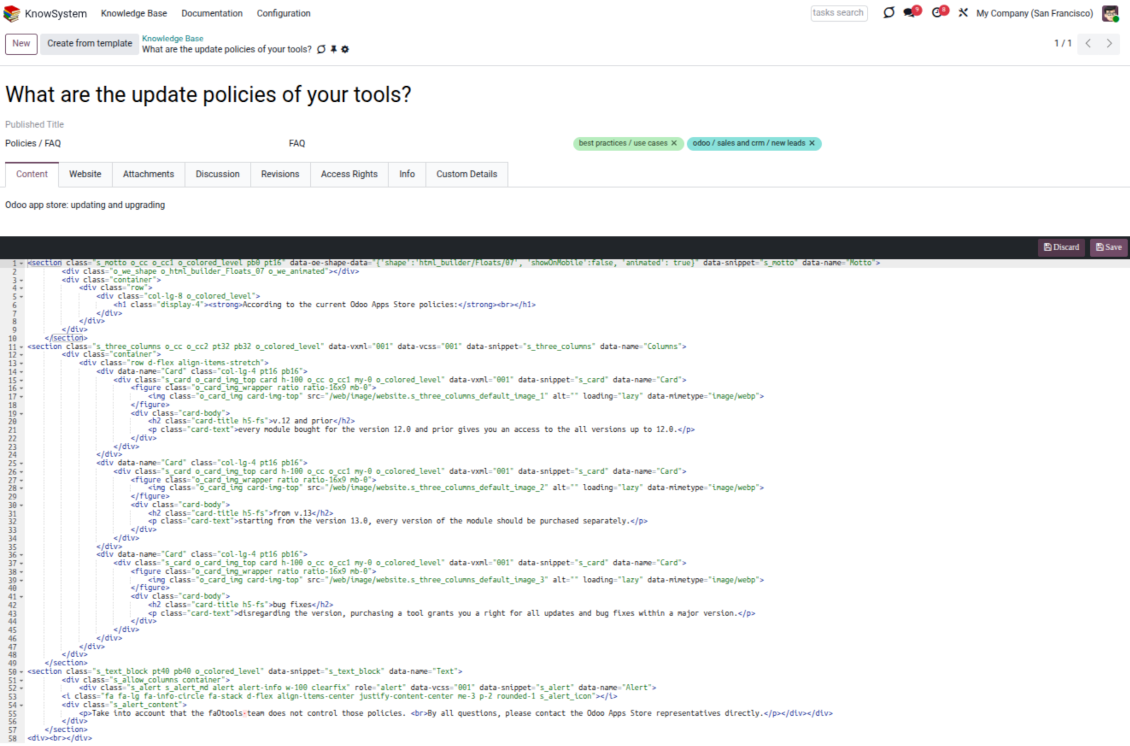
- Raw HTML - switch to the code editor at any moment to add any tags and styles, including Bootstrap-ready elements and iframes.
Templates for speed and consistency
- Reusable templates - prepare dedicated knowledge templates for recurring article types such as procedures, FAQs, or release notes, so contributors never start from a blank page.
- Save any article as a template - turn an existing, well-structured article into a reusable template in one click and grow your own library over time.
- Faster, consistent authoring - start new articles from a template to save time and keep a uniform structure and look across the entire knowledge base.
- Right editor for each page - switch an article's editor type whenever the content calls for it, so every page uses the most suitable tool without re-creating it.
Use anywhere
Surface the right article in documents, chats, and tours
Knowledge inside any Odoo document
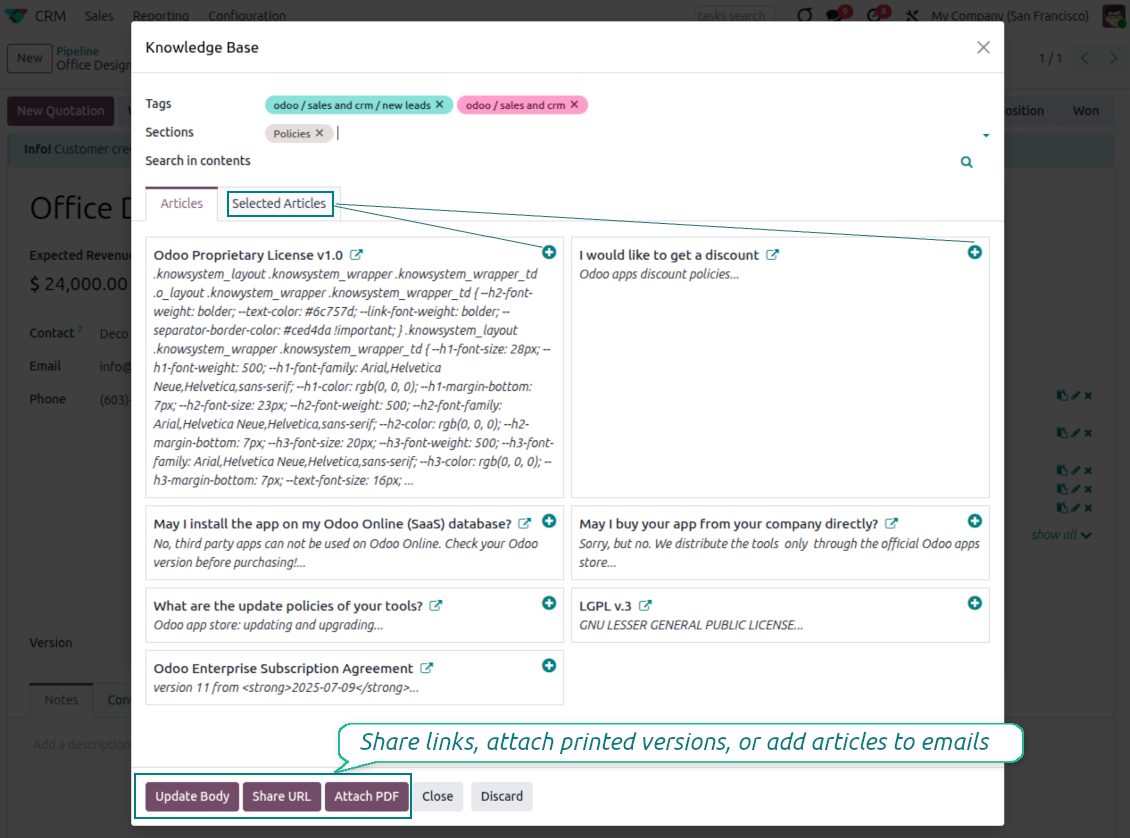
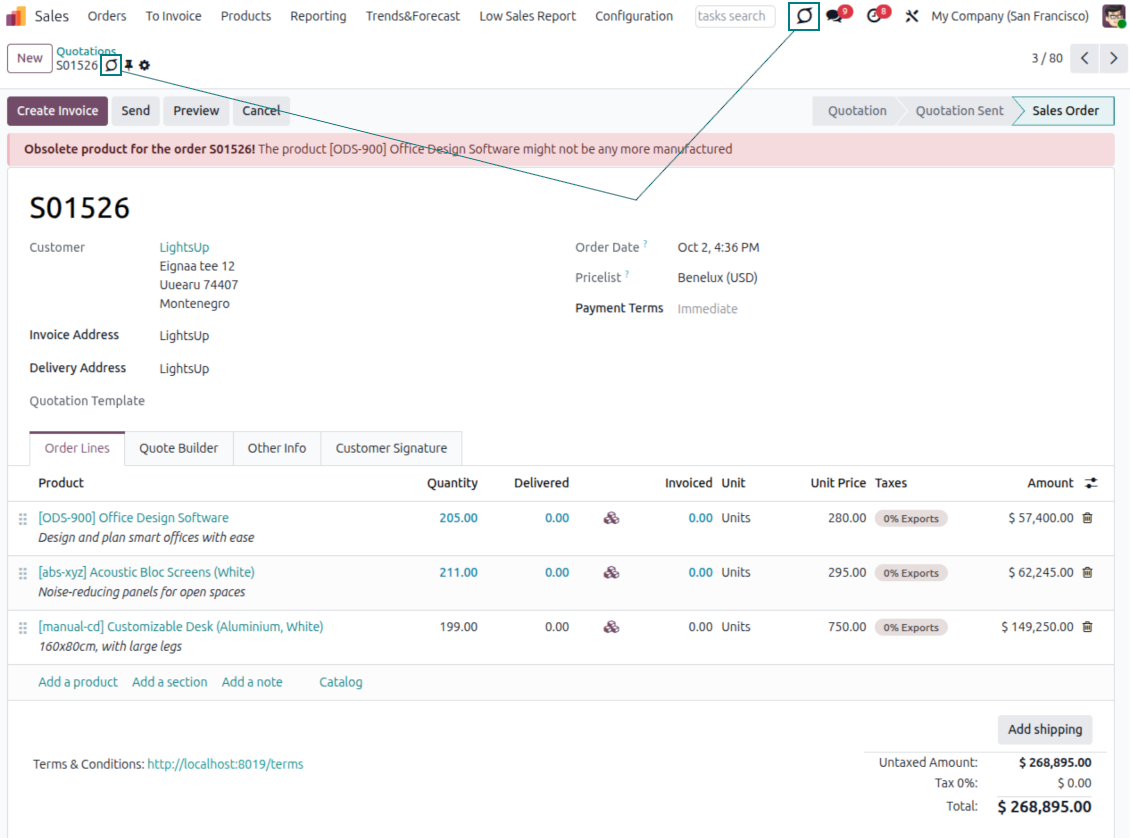
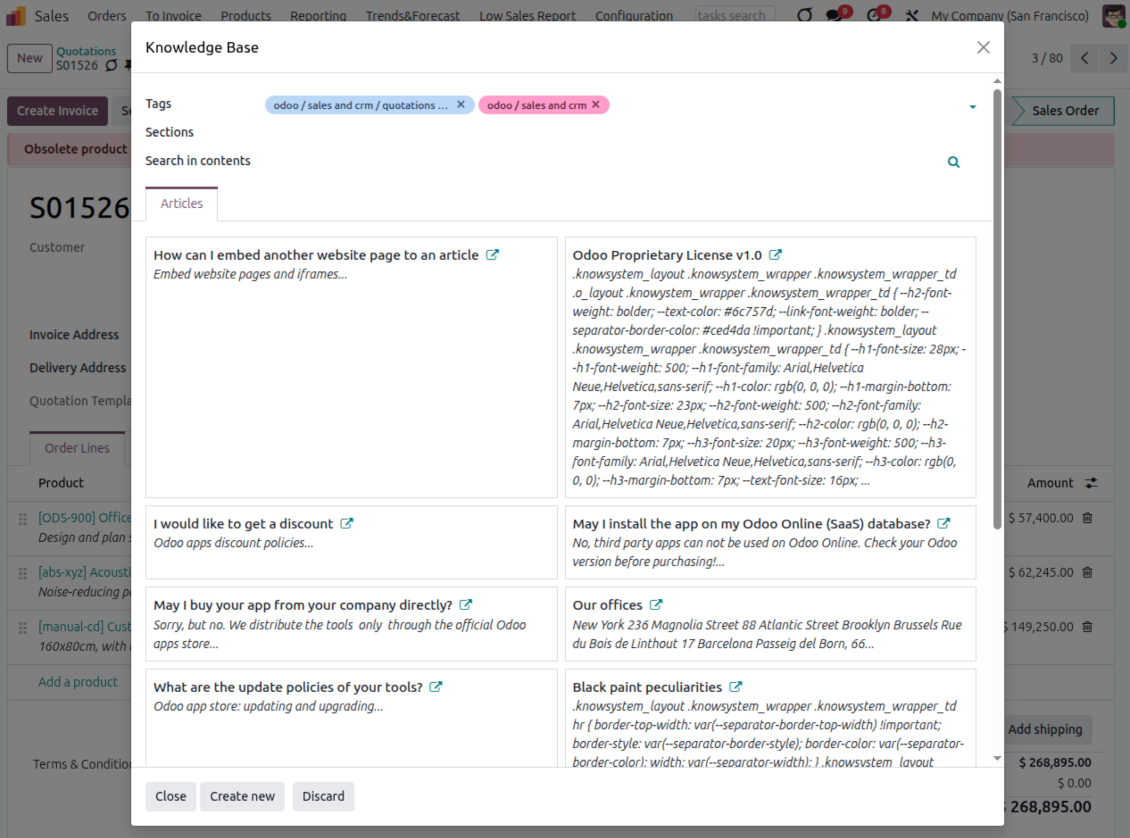
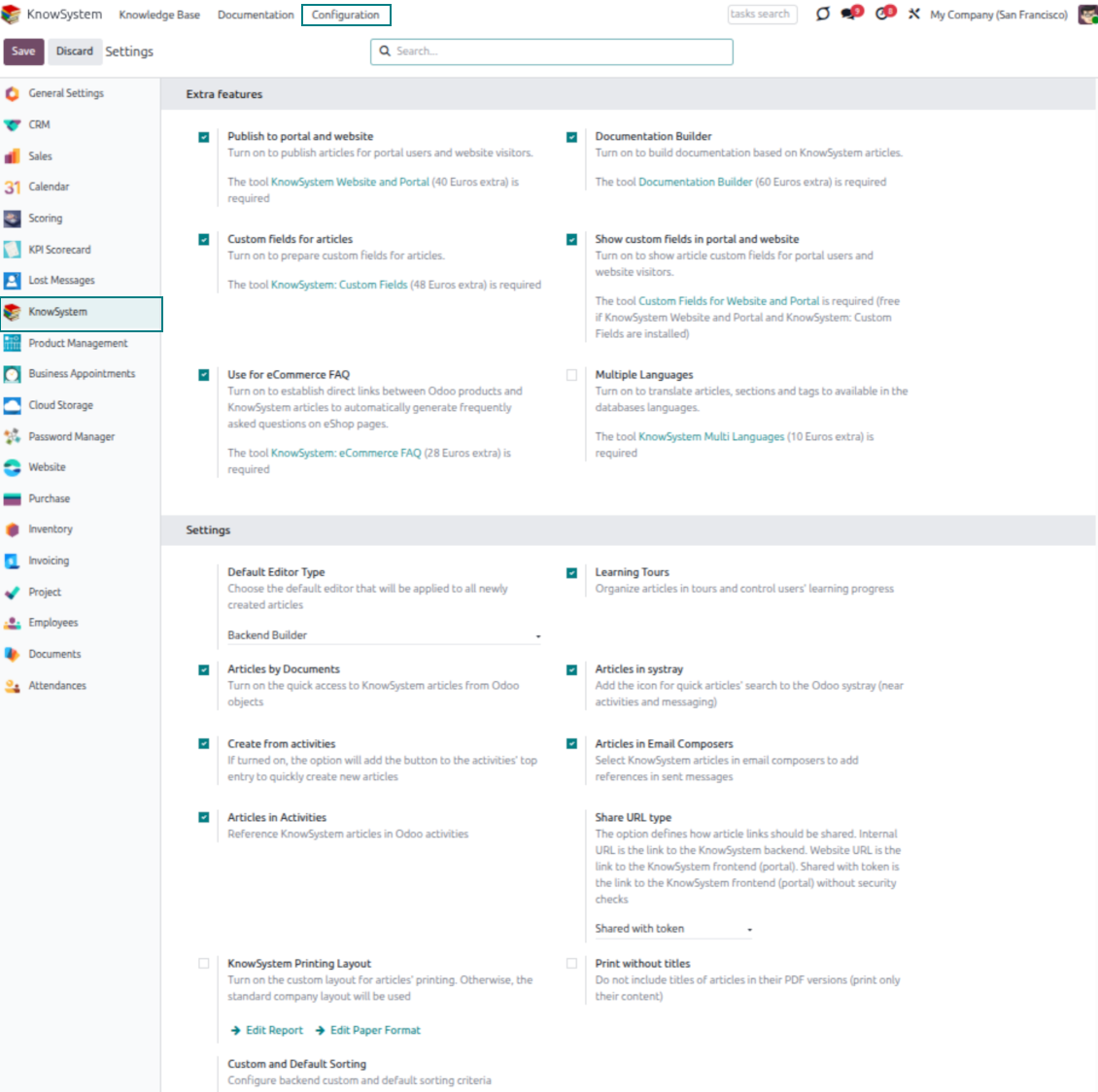
- Turn on 'Articles by Documents' to add a quick knowledge entry to any Odoo form view.
- Search by tags, section, or content for a quick overview, and read article content without leaving the record.
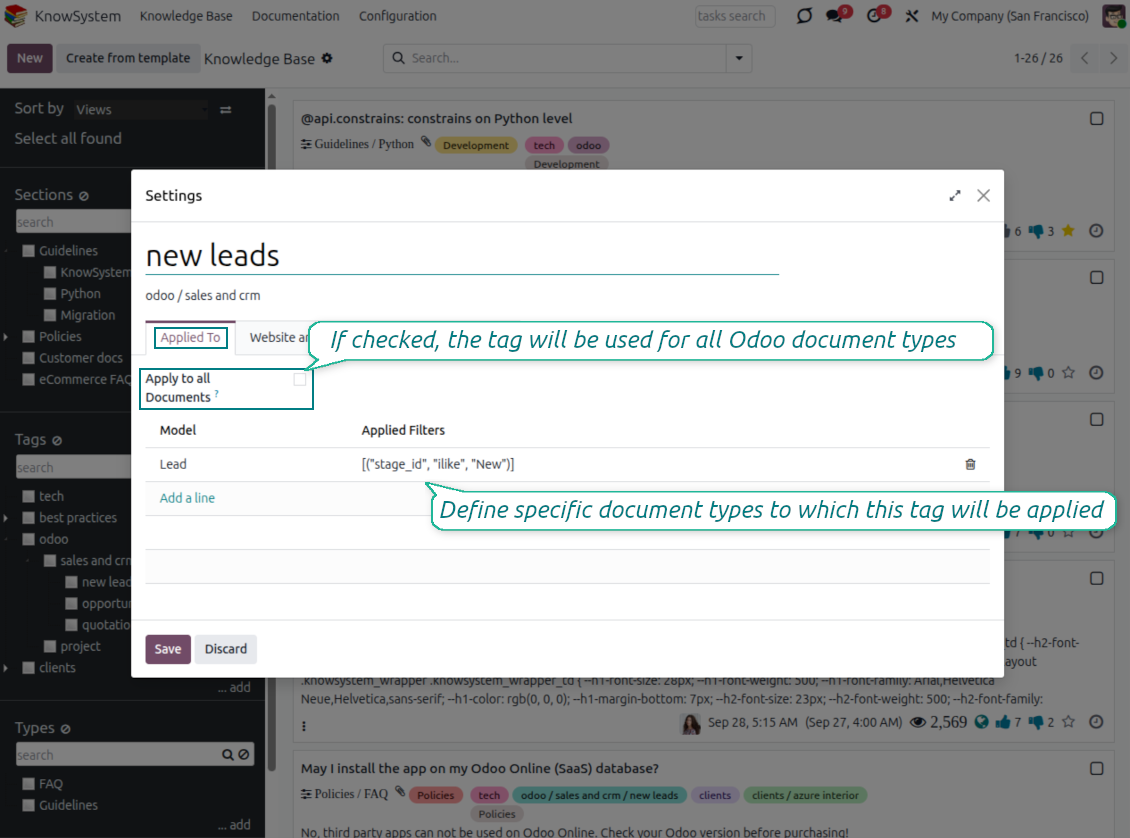
- Link tags to document types so the right articles appear by default - e.g. assign helpdesk tickets the tag 'odoo/helpdesk' and it is pre-filled on every ticket.
- Turn on 'KnowSystem in systray' to reach the base from anywhere in Odoo, whatever screen you are on.
Apply knowledge in communication
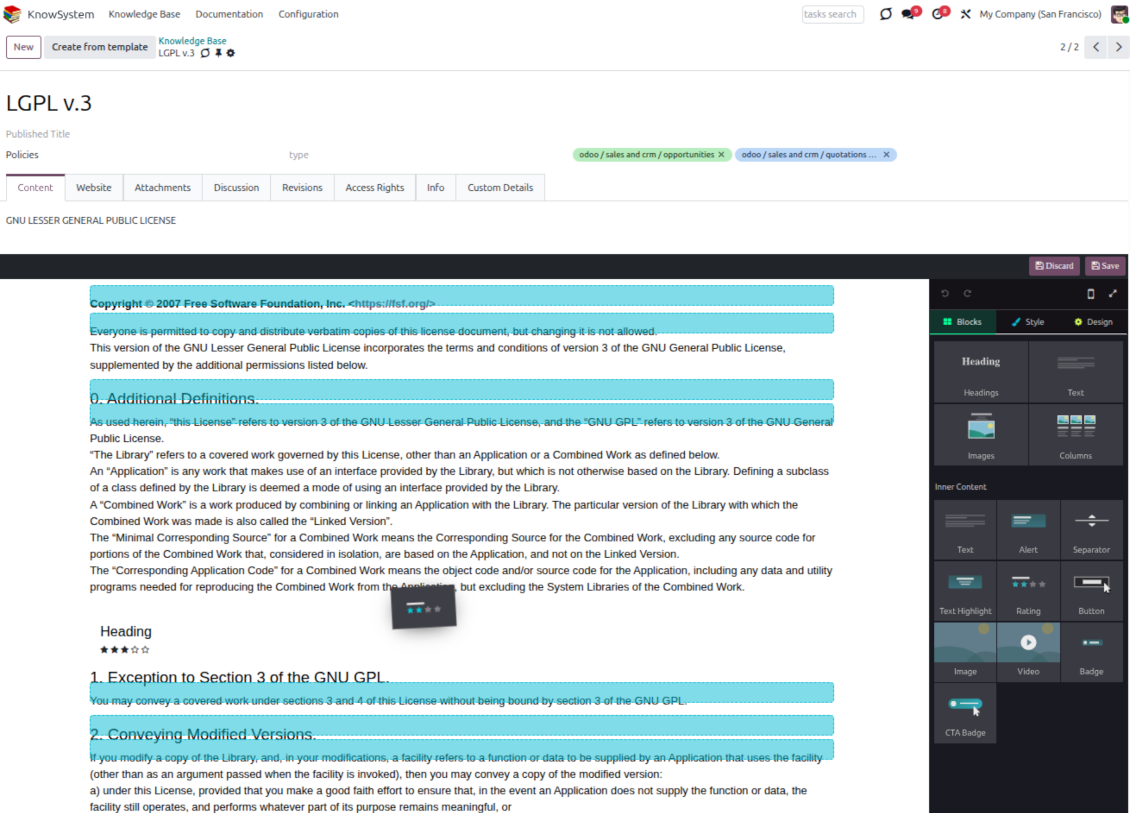
- Turn on 'Articles in Email Composers' to reference or cite knowledge in Odoo messages.
- See articles related to the current discussion and insert them with the editor command '/' > KnowSystem; the content is appended to the message.
- Attach a PDF version of the referenced article(s) automatically.
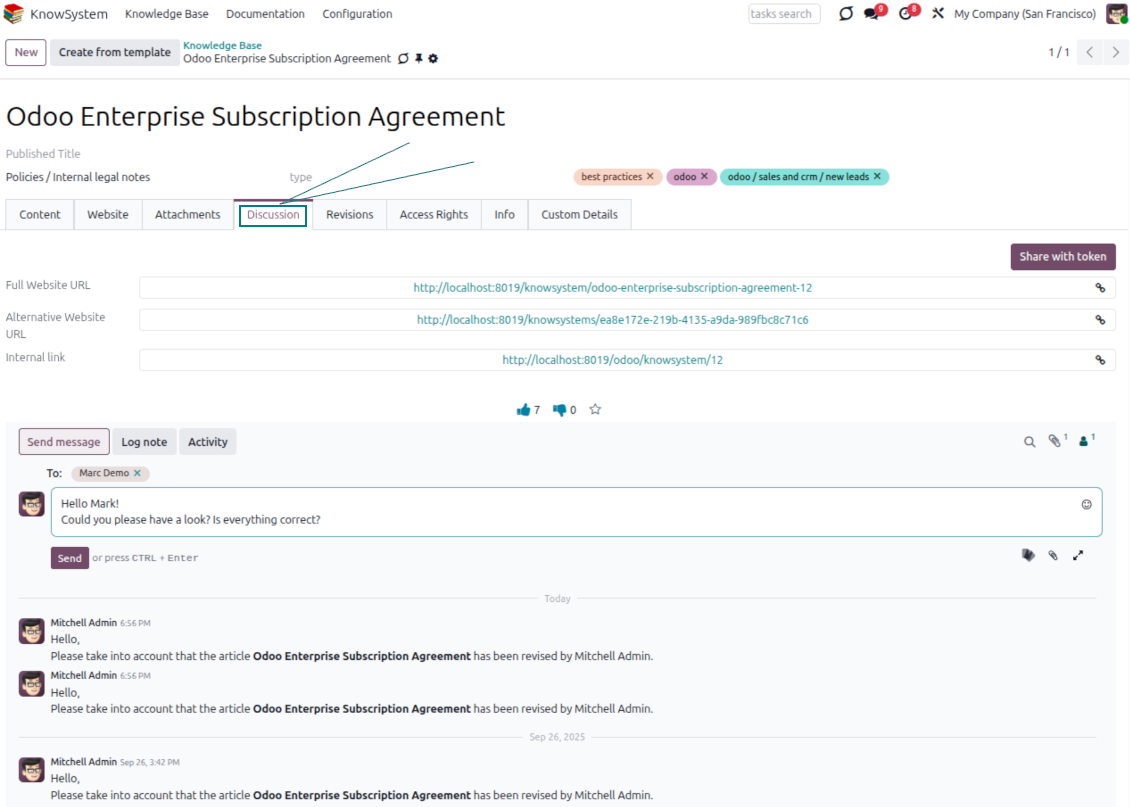
- Share links with colleagues or partners as backend, website/portal, or tokenized portal URLs.
- Turn on 'Articles in Activities' to insert articles or their links into Odoo activities.
Guided learning tours
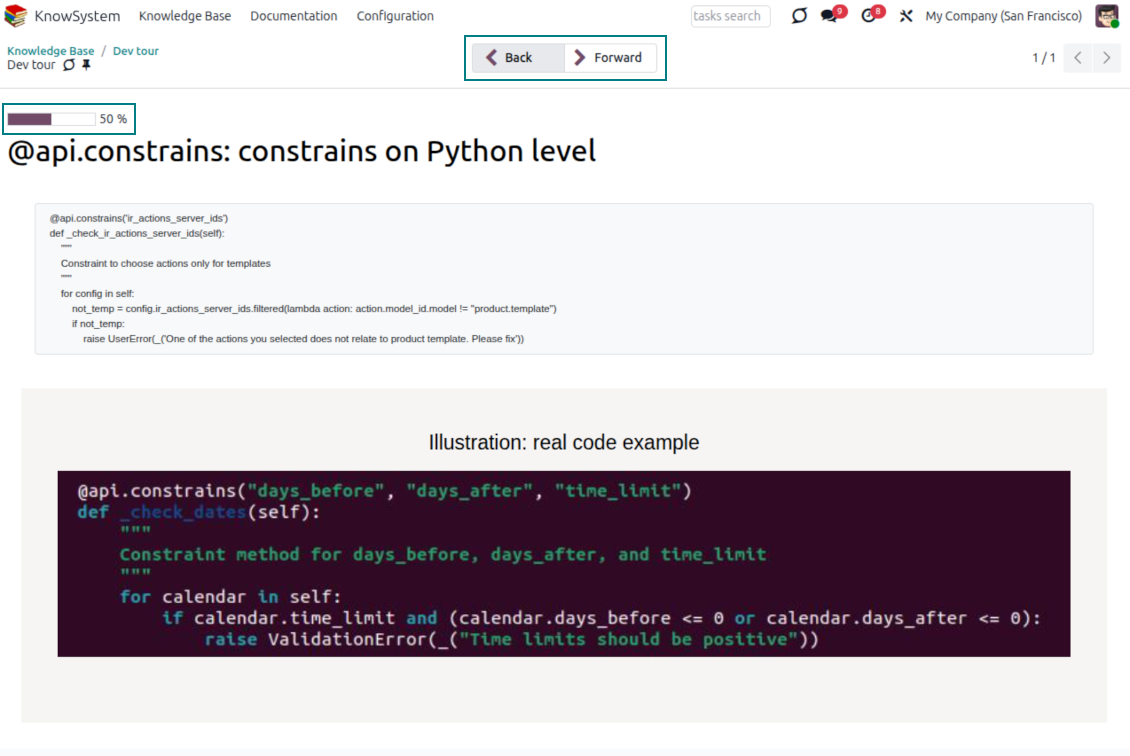
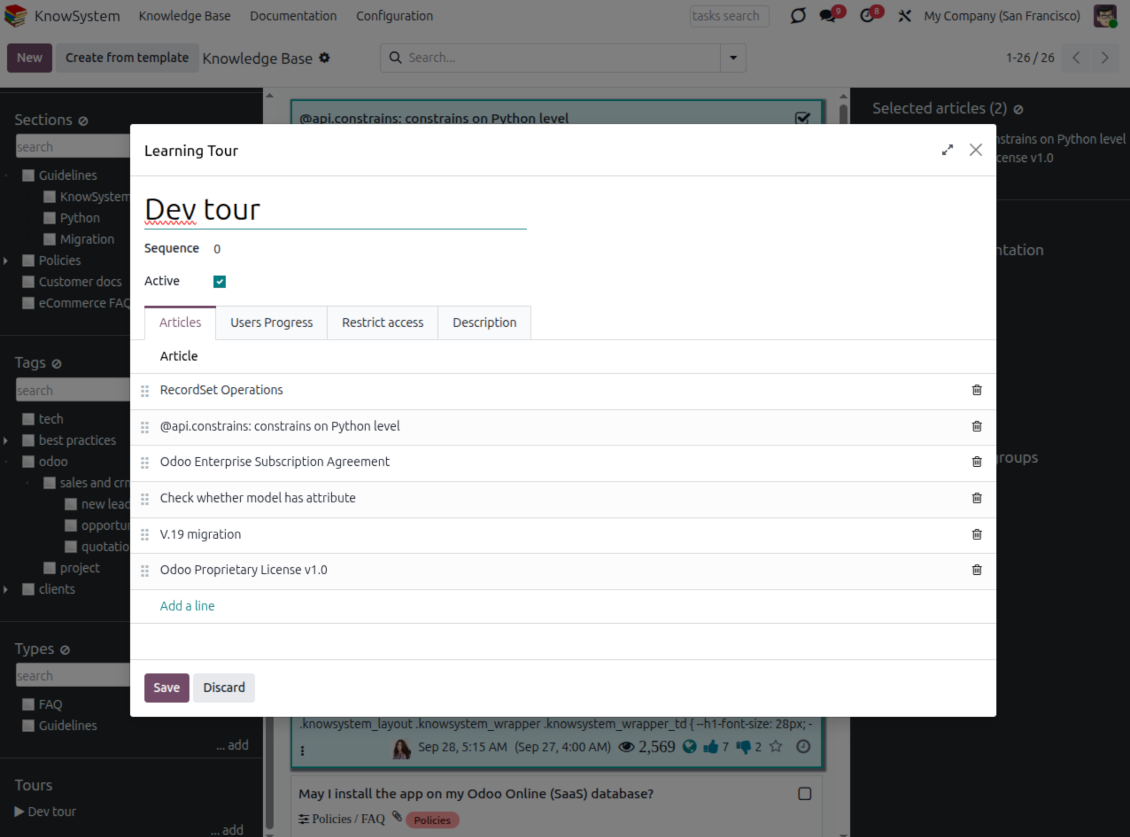
- Turn on 'Tours' to combine articles into an ordered sequence of learning steps.
- Launch a tour in a dedicated interface to study step by step, and share it with everyone or specific user groups.
- Track employees' progress through your instructions and guidelines.
Share and publish
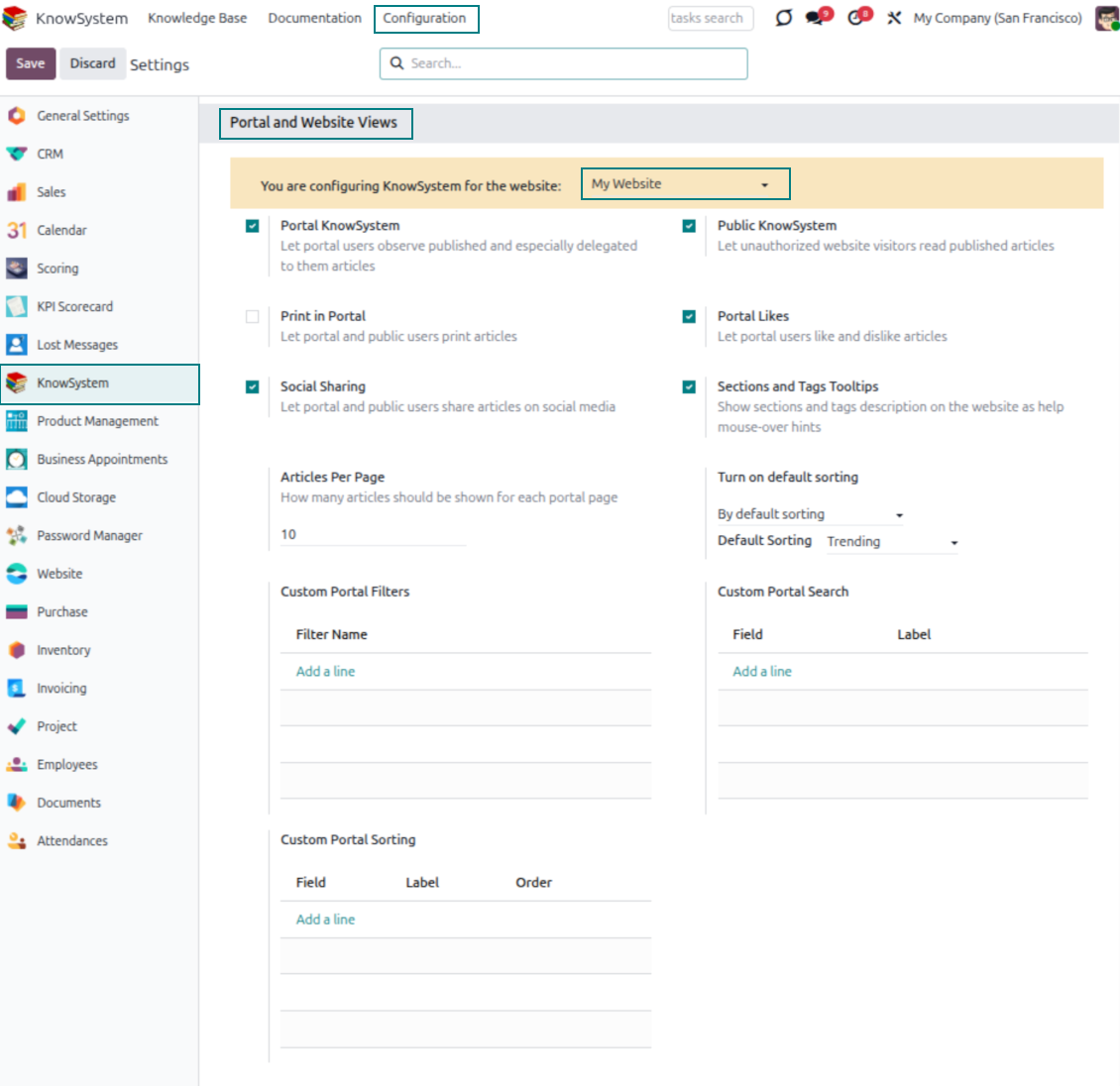
- 'Portal KnowSystem' shares knowledge with external partners; 'Public KnowSystem' opens it to website visitors.
- Configure KnowSystem tags or publish articles to control exactly what is shared.
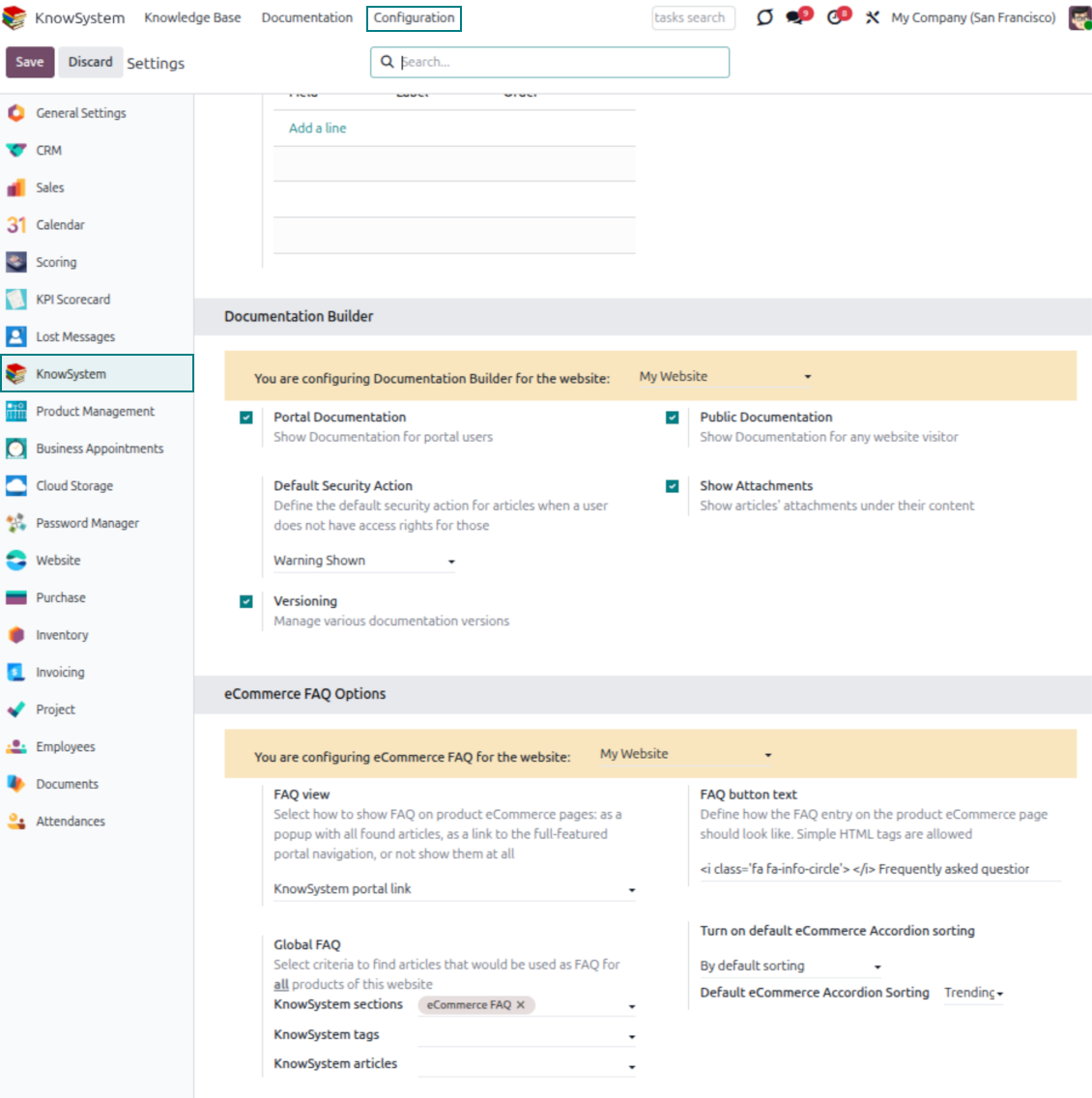
- Combine articles into advanced documentation; 'Portal Documentation' and 'Public Documentation' decide who can read it.
Pronto para avaliar?
Comece com um pedido de demo gratuito ou compre na Odoo Apps Store.
Base de demonstração personalizada gratuita. Sem telefone nem cartão. Atualizações gratuitas vitalícias e apoio especializado na versão major do Odoo.
Documentation
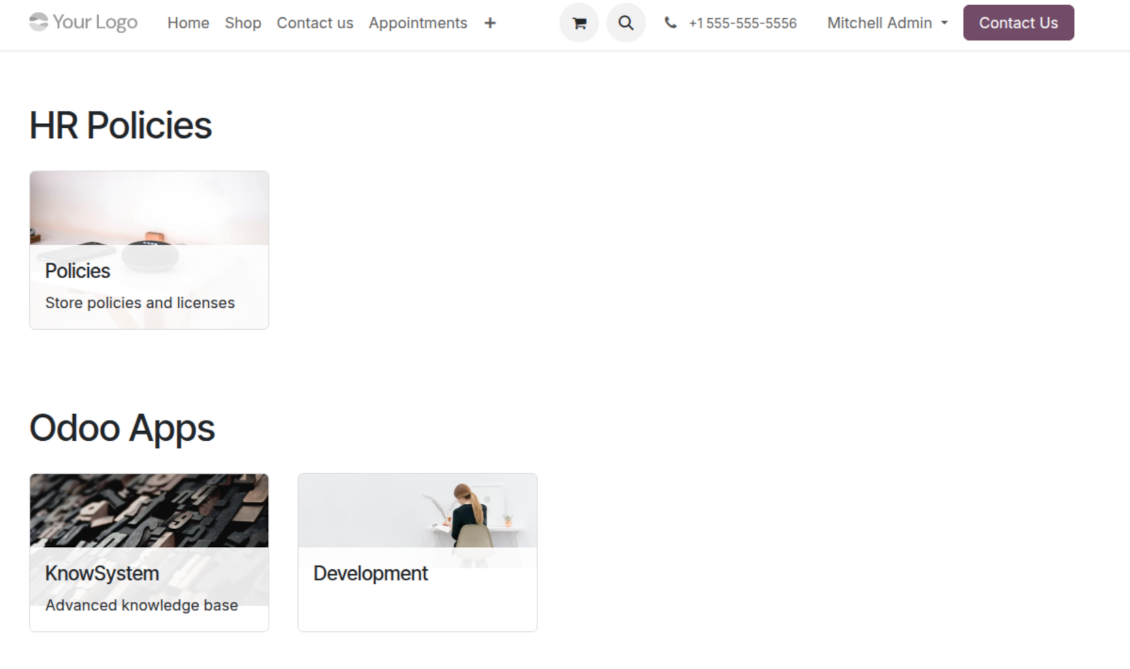
Turn articles into searchable website documentation
Create and structure
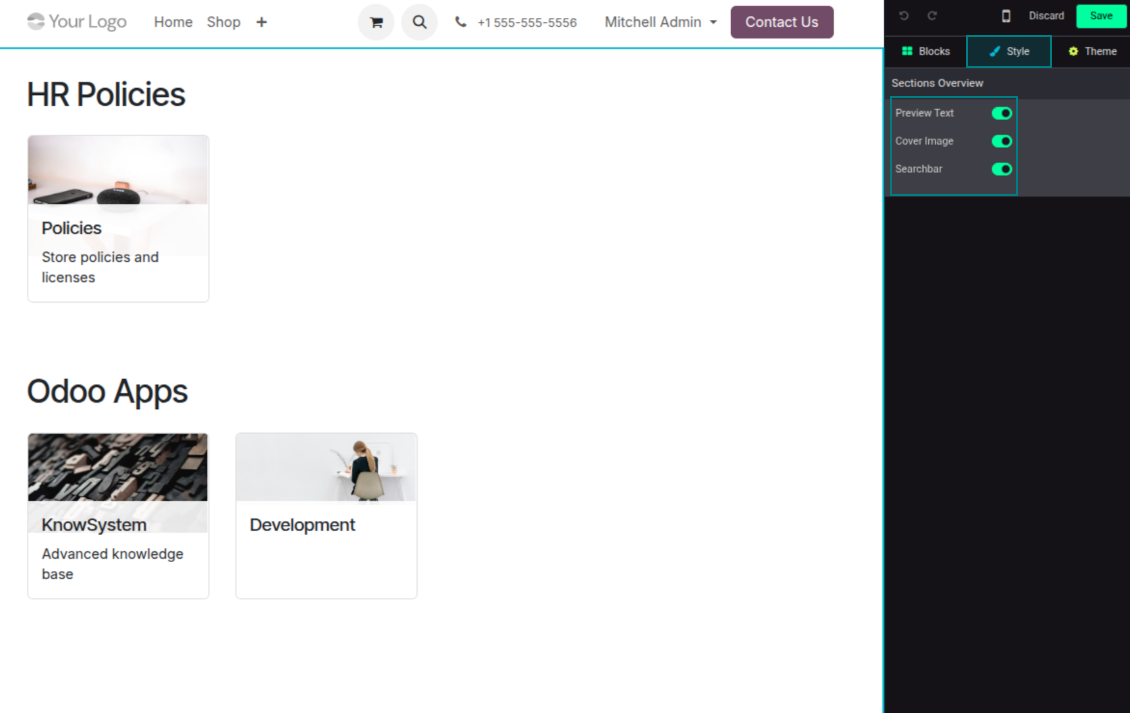
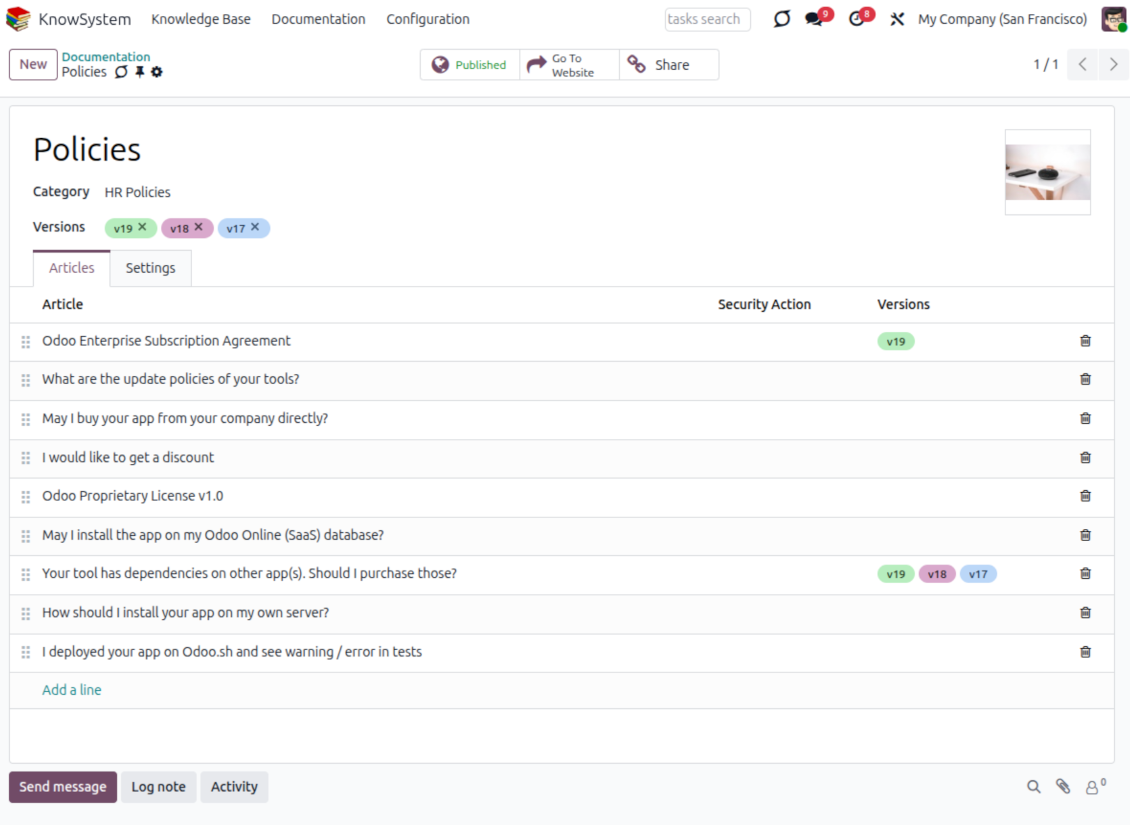
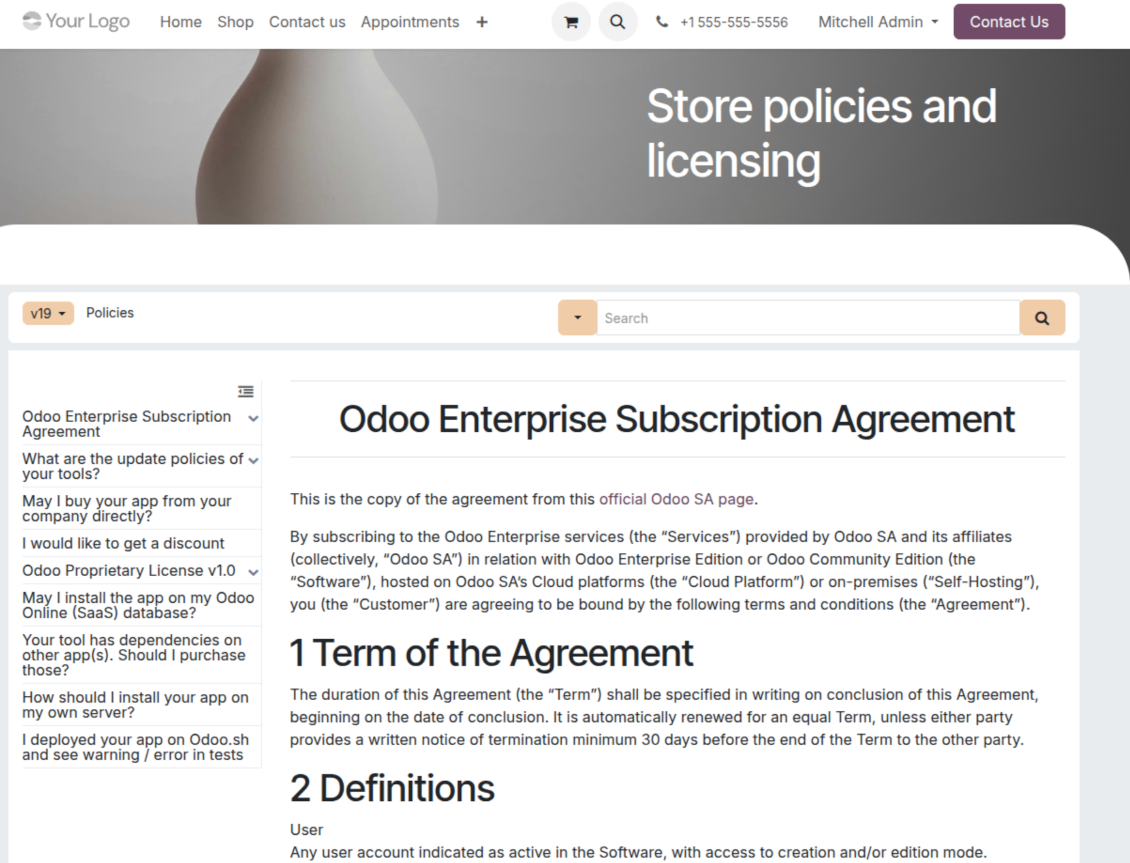
- Combine articles into advanced documentation that covers a whole business, organizational, or functional aspect.
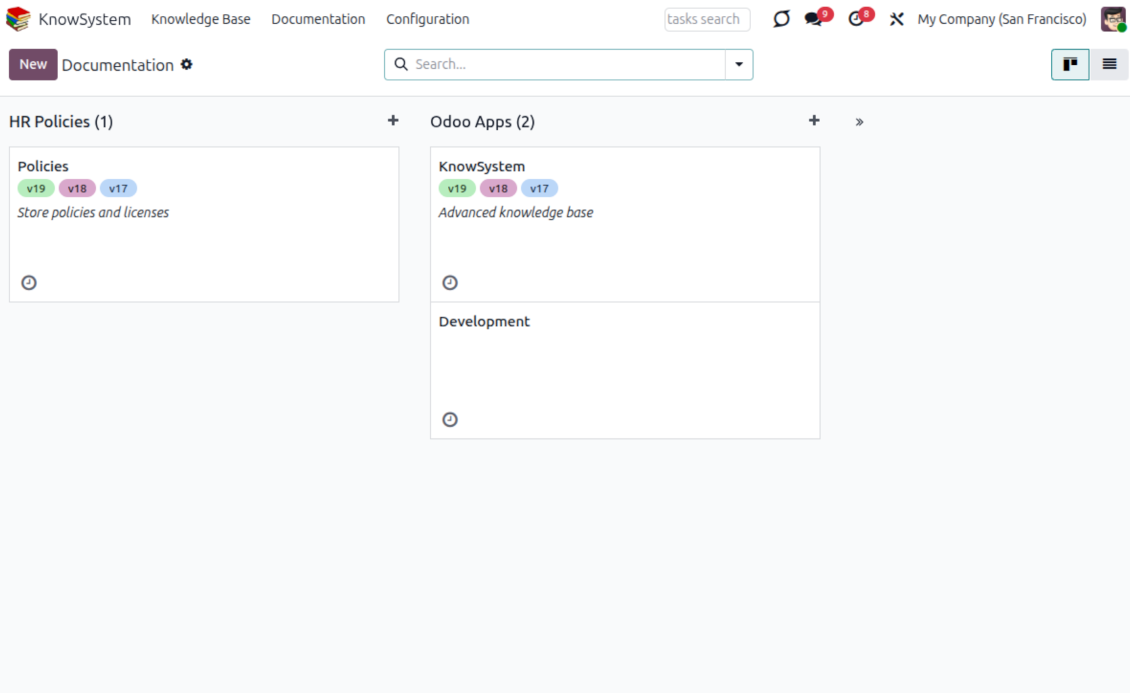
- Create a section simply by selecting and ordering articles - KnowSystem generates the website page automatically.
- Reuse the same article across several documentation sections.
- Build an unlimited number of documentation pages, structured by categories.
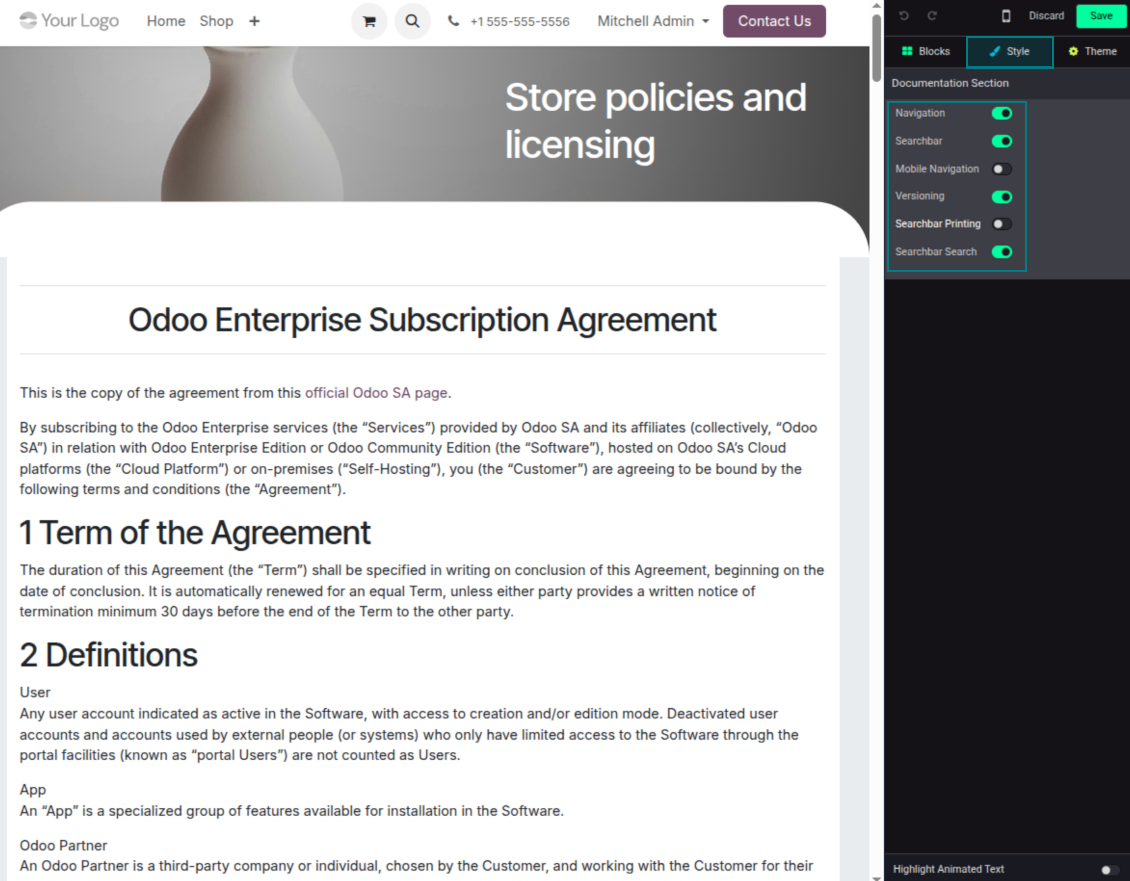
- Customize each page: toggle the search bar and table of contents, and add or remove preview images and texts.
Share, navigate, and version
- Publish documentation for everyone, or assign KnowSystem tags to grant access to chosen Odoo partners.
- Decide what happens when a reader lacks access to an included article: ignore the restriction, hide that piece, or show a security warning.
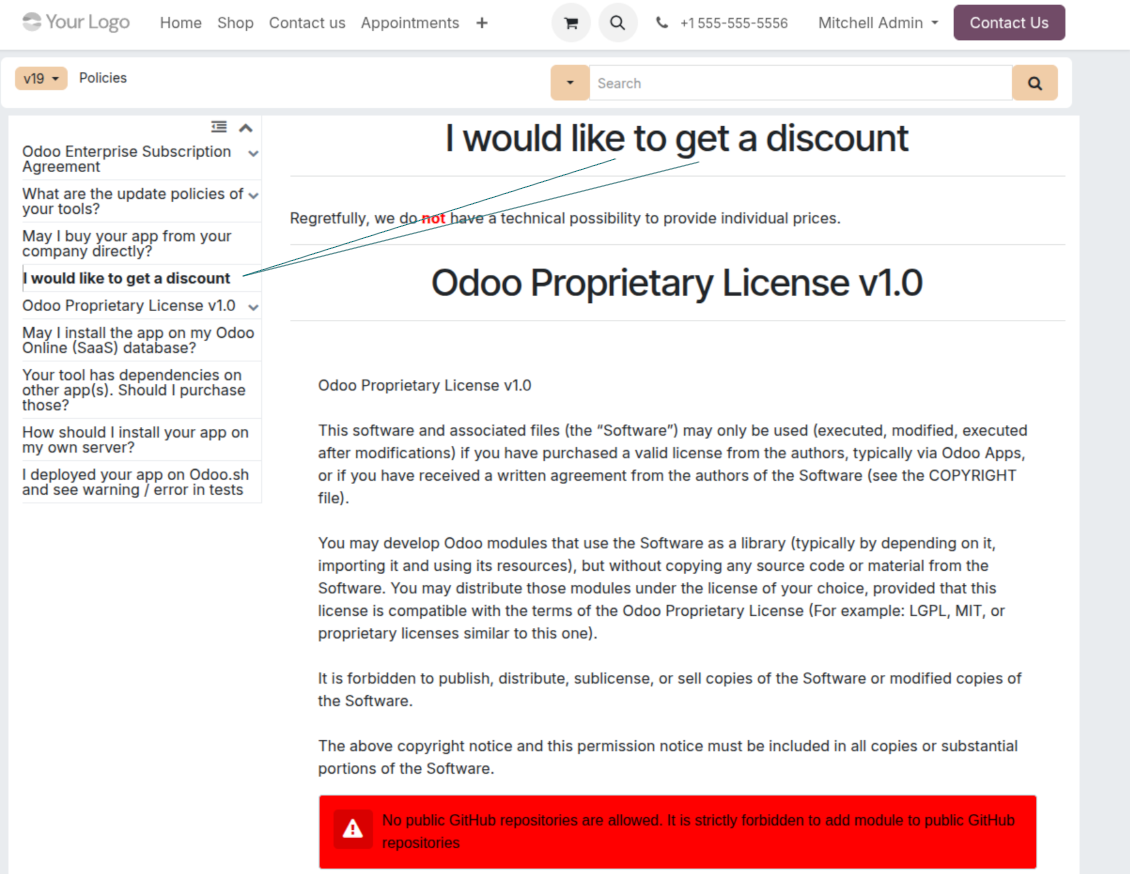
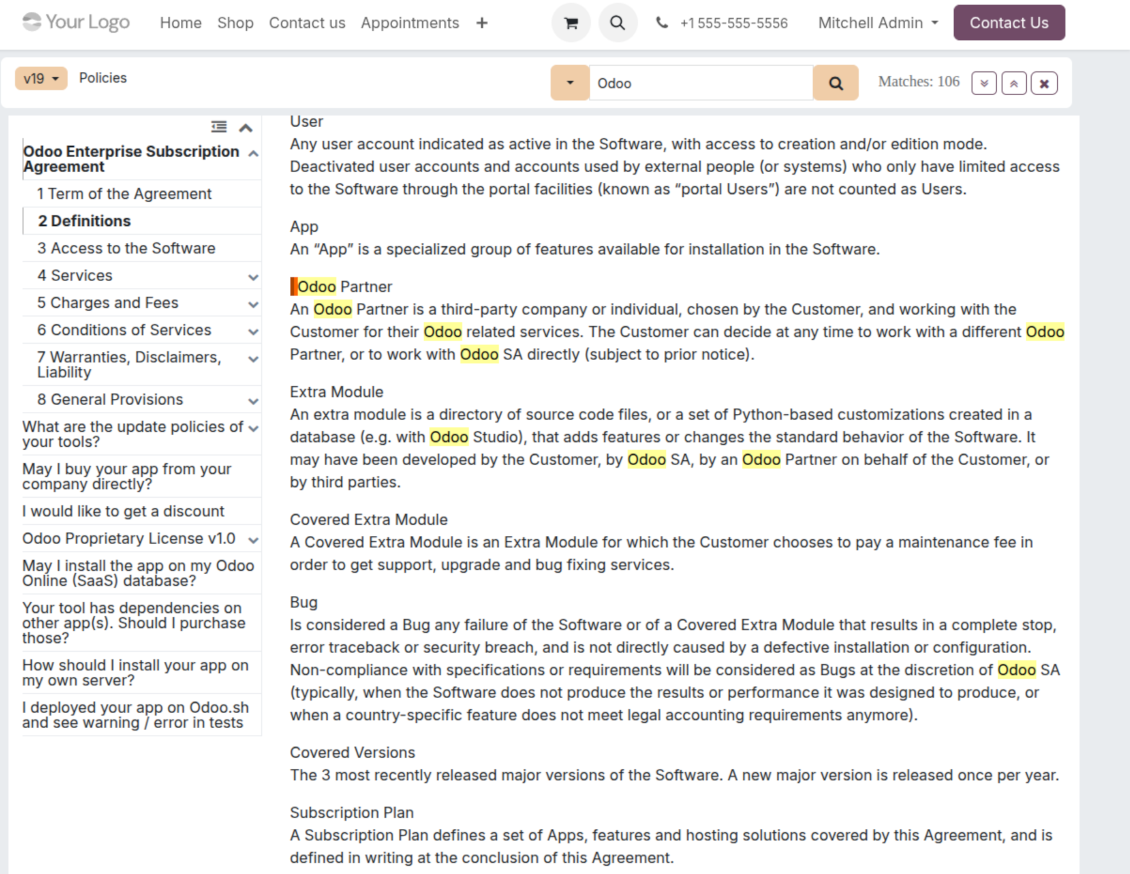
- Show an automatic table of contents, built from the headers of the included articles, for fast navigation.
- Enable search across the whole text or only headers, with case-sensitive or insensitive keywords.
- Apply versioning to avoid double work on specifications, user manuals, and software guidelines.
Portal & public
Share with partners or publish to everyone
Knowledge in the Odoo partner portal
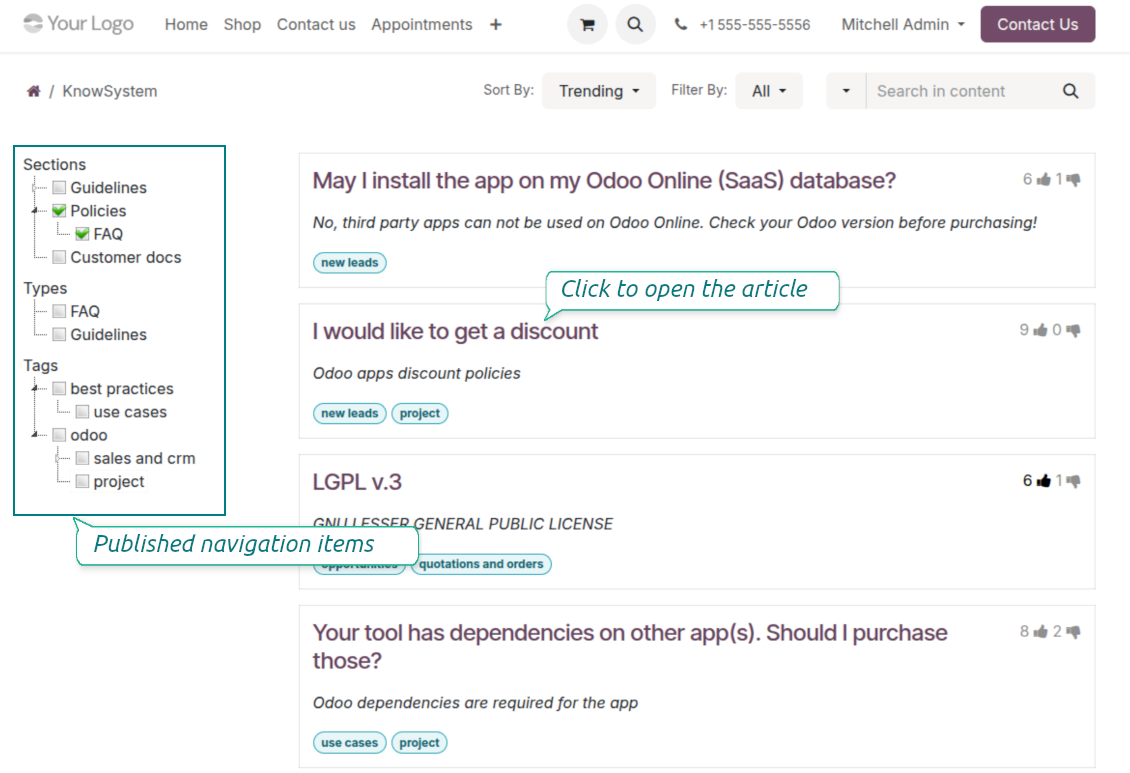
- Turn on 'Portal KnowSystem' to give each Odoo partner a personal web portal built from the articles you choose to share.
- Design an article for one specific company, or reuse the same knowledge experience across many clients.
- Articles reach a portal user when they are (a) published, or (b) carry user-related tags.
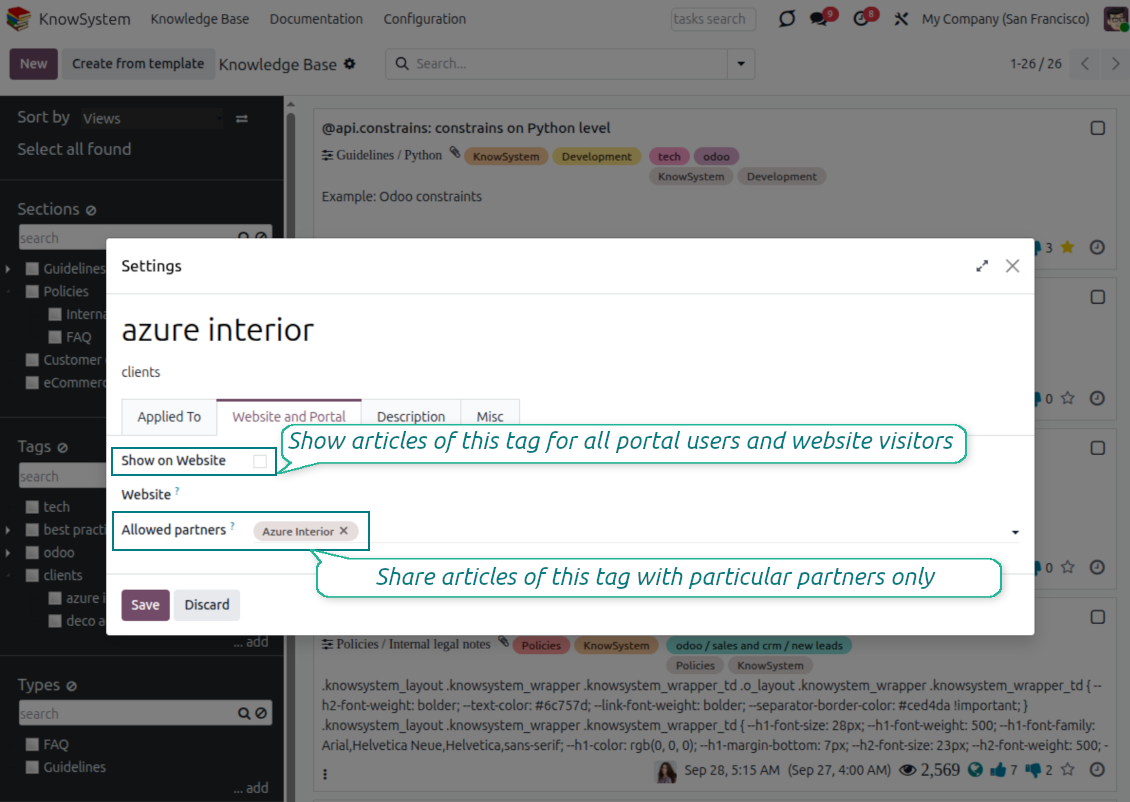
- Assign a tag to a partner in two ways: fill 'KnowSystem tags' on the partner form, or define 'Allowed partners' on the tag.
- Optionally allow partners to print articles, like them, and share.
Public self-service knowledge base
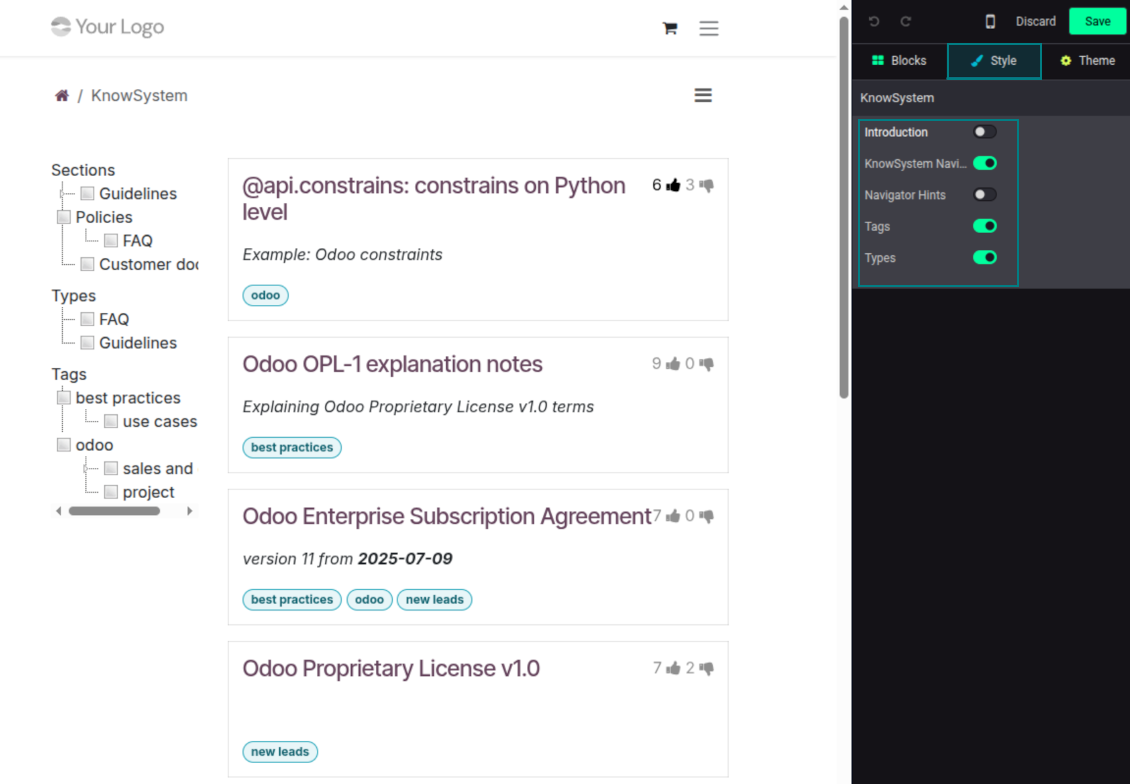
- Turn on 'Public KnowSystem' to open knowledge to unauthenticated website visitors for true self-service.
- Only published articles are shown - publish via the 'Publish' mass action or the 'Visible on current website' checkbox.
- Publish tags and article types too so they appear in the portal; sections show only once they contain visible articles.
- Customize the portal: show or hide navigation by tags and types (or the whole navigation), add an introduction and navigation hints, and set section tooltips.
Collaboration
Versioned, social, and multi-lingual knowledge
Teamwork and use
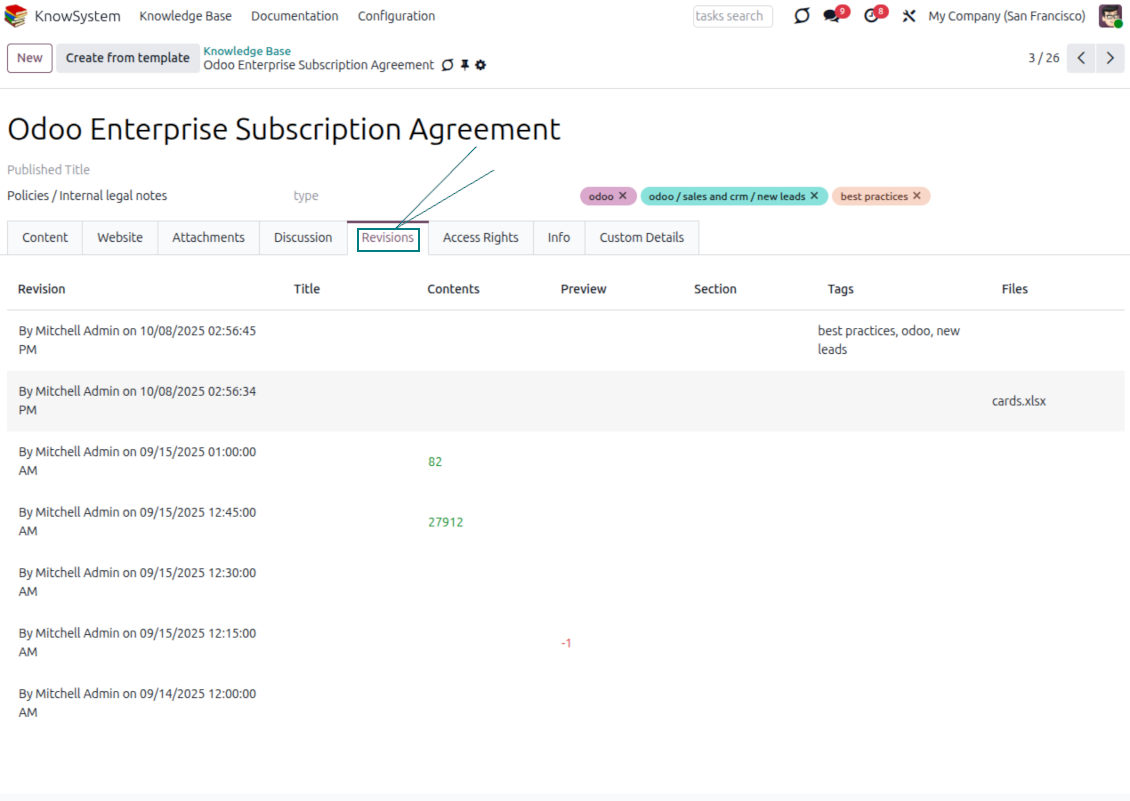
- The full history of article revisions is kept in Odoo, wiki-style. If a user breaks something, it takes just 2 clicks to recover the right version.
- Users take part in article discussions and subscribe to updates.
- Share tokenized articles with any contact.
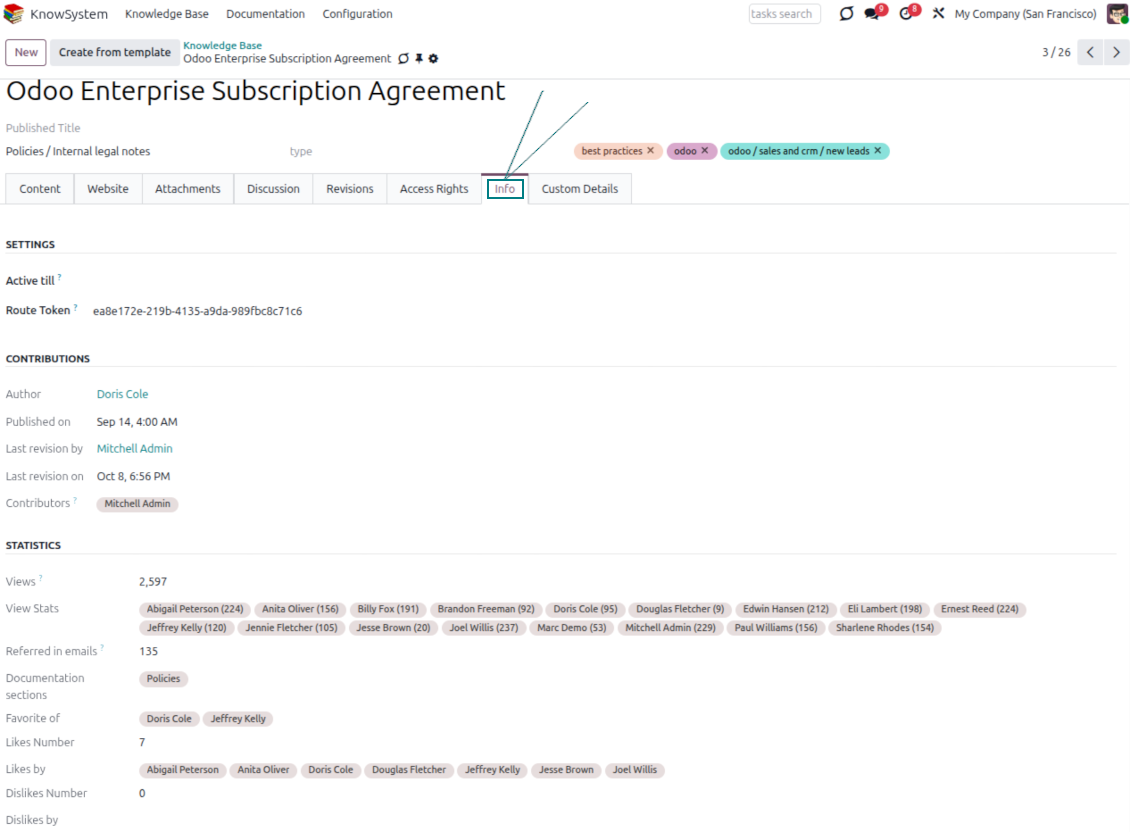
- Track statistics per article: contributors, views, likes and dislikes, how often it is used in messaging, and who marked it as favorite.
- Set activities to keep the base improving, and auto-archive articles after a chosen date.
Multi-lingual knowledge
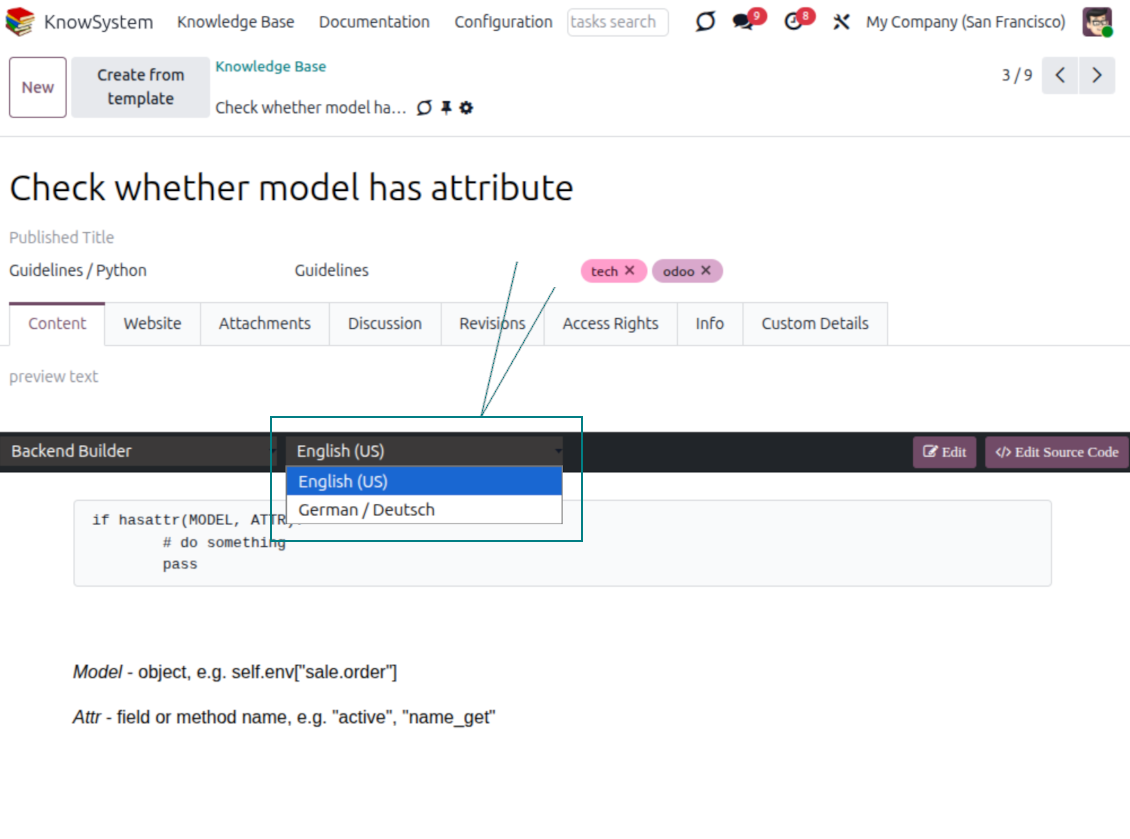
- Translate articles into every language installed in Odoo, so users read and edit in the language of their choice.
- Avoid double work with 'Copy from another translation' - but be sure you really need a multi-lingual regime, since every article must then be kept up to date in all languages.
- Switch the language right in the backend editor to review or update any translation.
eCommerce FAQ
Add a product FAQ and docs to every eShop page
Show knowledge on product pages
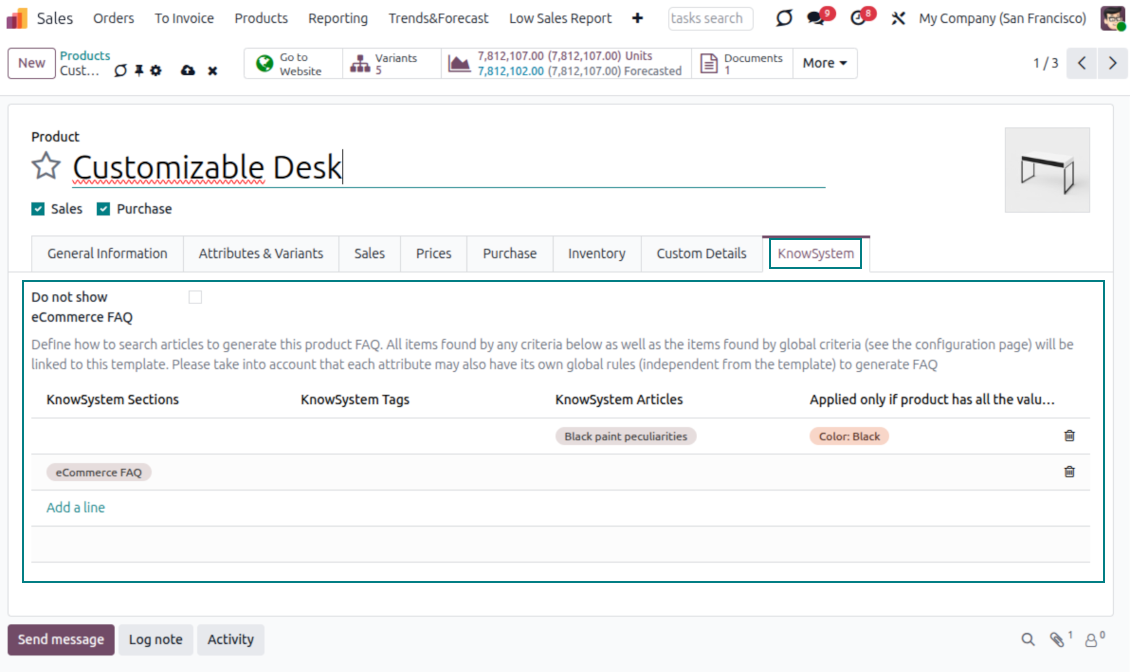
- Adds a product knowledge entry to all eCommerce product pages out of the box.
- Hide it for specific templates (the setting 'Do not show eCommerce FAQ') or for an entire eShop on a website (the option 'FAQ view' - 'Do not show').
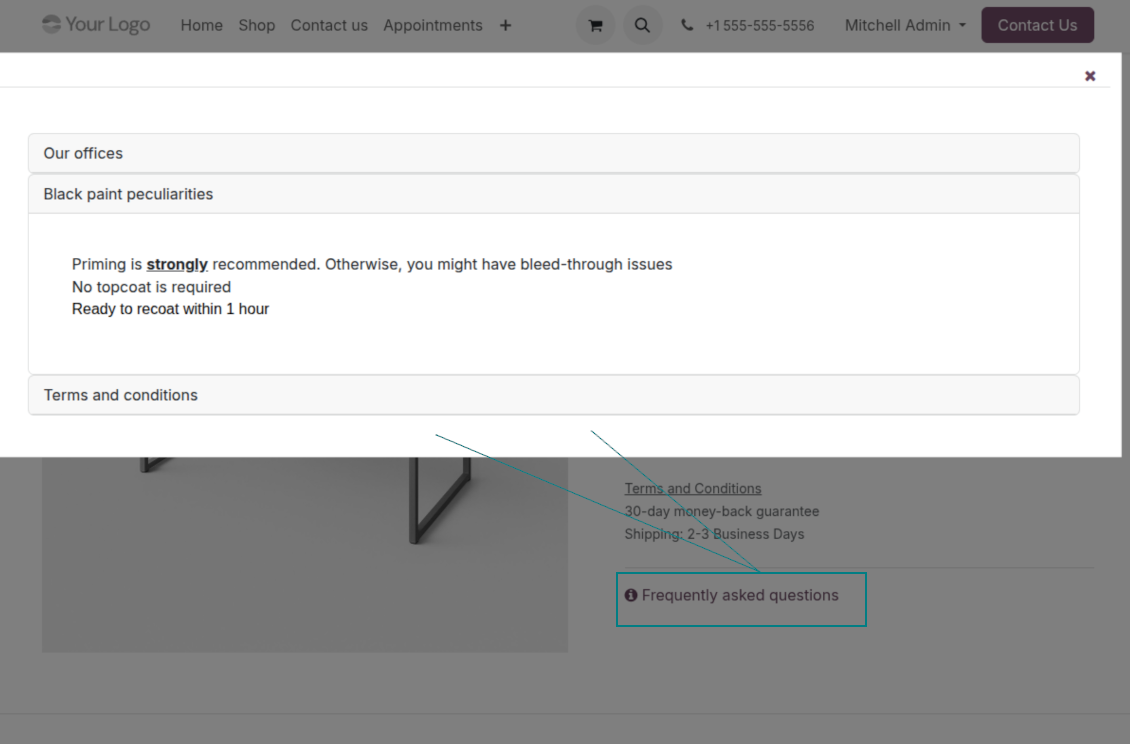
- Set your own button title ('FAQ button text'); the default is ' Frequently asked questions', but you can change it to anything, e.g. 'Product docs' or 'Instructions' - simple HTML tags are allowed.
- Choose 'KnowSystem portal link' for the 'FAQ view' to send shoppers to the full navigation, restricted to articles linked to the current product.
- Or choose 'Popup accordion' to open all matching articles in a popup, so shoppers stay on the product page.
Match the right FAQ to the right product
- Link product templates to KnowSystem; show articles for specific sets of attribute values and hide them for others - e.g. different FAQs for steel and aluminum tables.
- Define knowledge for Odoo attributes or attribute values regardless of the actual product - for instance, complementary documentation for every variant that has 'legs' or 'custom legs'.
- Apply global settings per website to keep the same FAQ basis across all items sold there.
- Target KnowSystem sections, tags, or specific articles on each layer. A knowledge piece is selected if it satisfies any of the criteria; for sections and tags, child nodes are taken into account too.
- Articles appear only if a user can access them, so website visitors see only published ones.
Use cases
Built for helpdesk, sales, HR, IT, and beyond
KnowSystem is a universal knowledge management tool that adapts to any business goal and any set of Odoo apps - helpdesk, sales, marketing, IT, HR, legal, and projects. Typical use cases:
- Helpdesk - once a challenge is solved, record its solution in KnowSystem for repeated use by co-workers and self-service by clients.
- Sales & CRM - a salesperson helper for product information, current offers, and frequently asked customer questions.
- Project management - keep and easily retrieve knowledge of existing solutions, tools, hints, and experiments.
- HR - prepare instructions, guidelines, learning tours, training, and any codified knowledge of routine in your company.
- Marketing - organize an online library of product use cases, expert knowledge, and well-structured documentation.
- Legal - systematize policies and contract/approval management, and keep a full classifier of trademarks and licenses.
- Information technology - share easy-to-reach manuals and configuration guidelines, one search away.
Custom fields
Add your own article attributes - no code
Add fields without code
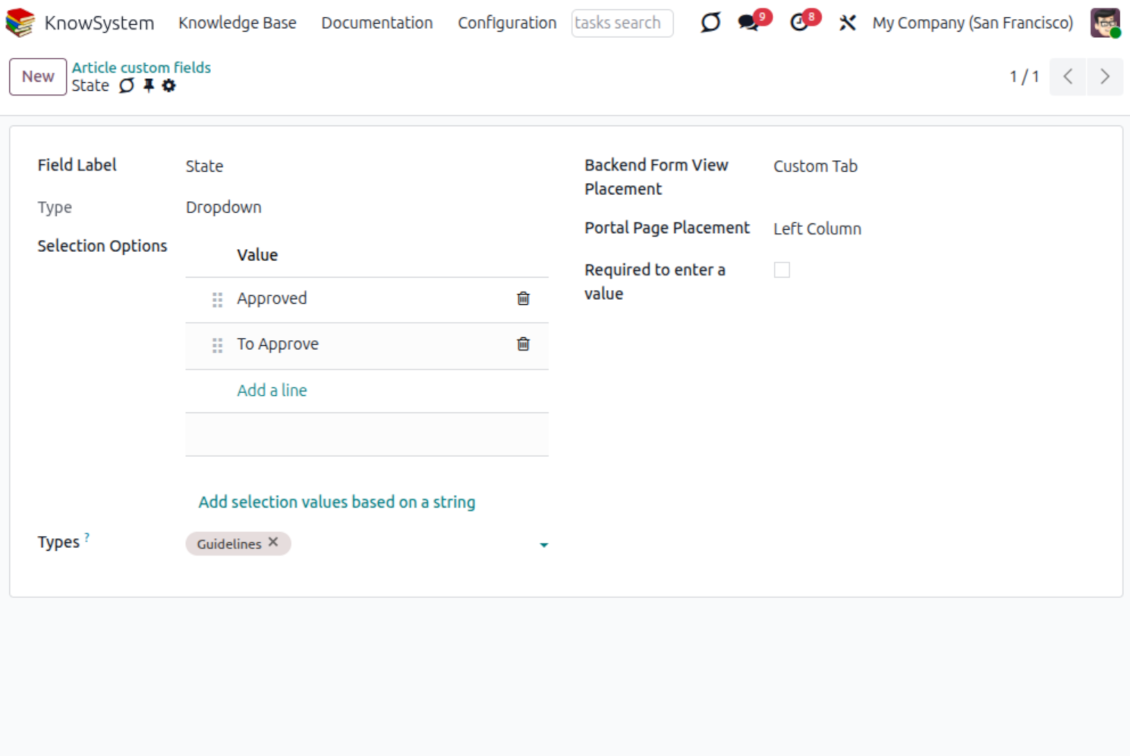
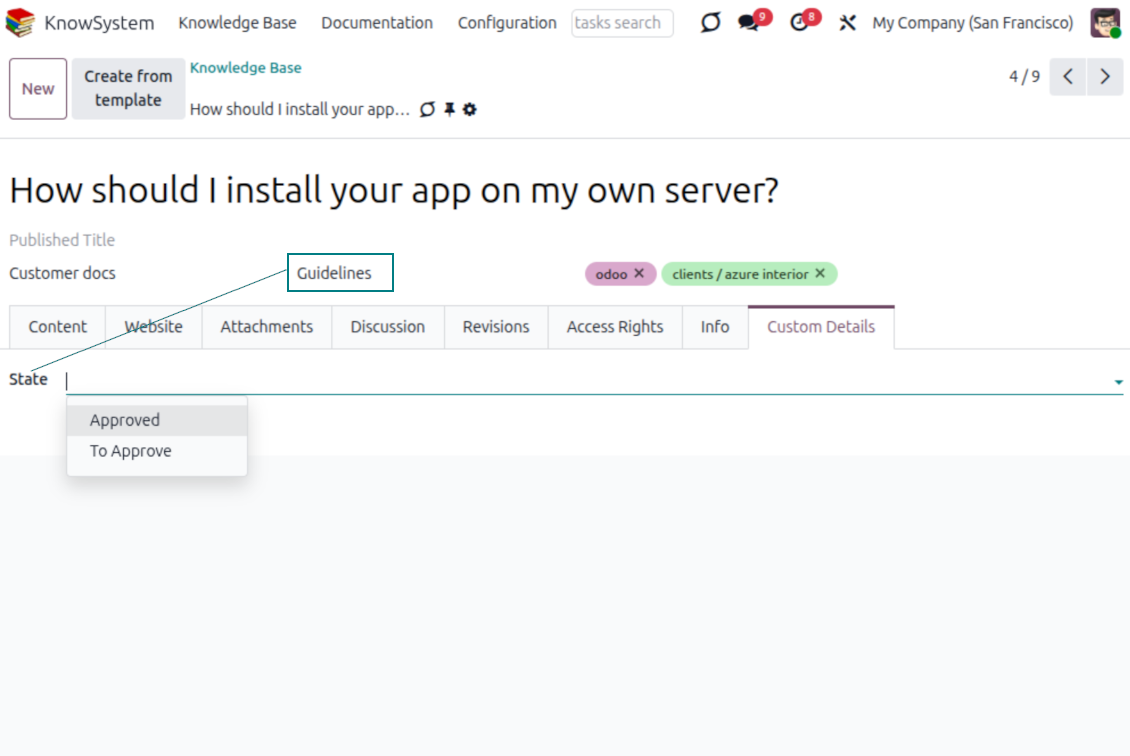
- No technical knowledge required - add a field and enter details to show a new property for articles.
- Choose from a full range of types: single-line text (char), plain text, rich (HTML) text, integer or float numbers, drop-down selection with your own options, checkbox (boolean), date or date-and-time, file upload (binary), and a reference to another Odoo record such as a sale order or contact (many2one).
- Pick the field's interface position from a closed list of options.
- Mark a field required to force users to enter a value.
Tailor by type, share, and secure
- Use article types to show properties only for the right articles - 'user guidelines' and 'technical specifications' can carry completely different attributes.
- Works in both the KnowSystem backend and the knowledge share portal.
- Custom fields can be imported and exported.
- Only KnowSystem administrators may create custom fields.
Security
Granular access for staff, partners, and the public
How access works
- Security for internal users and for portal/public users is handled separately.
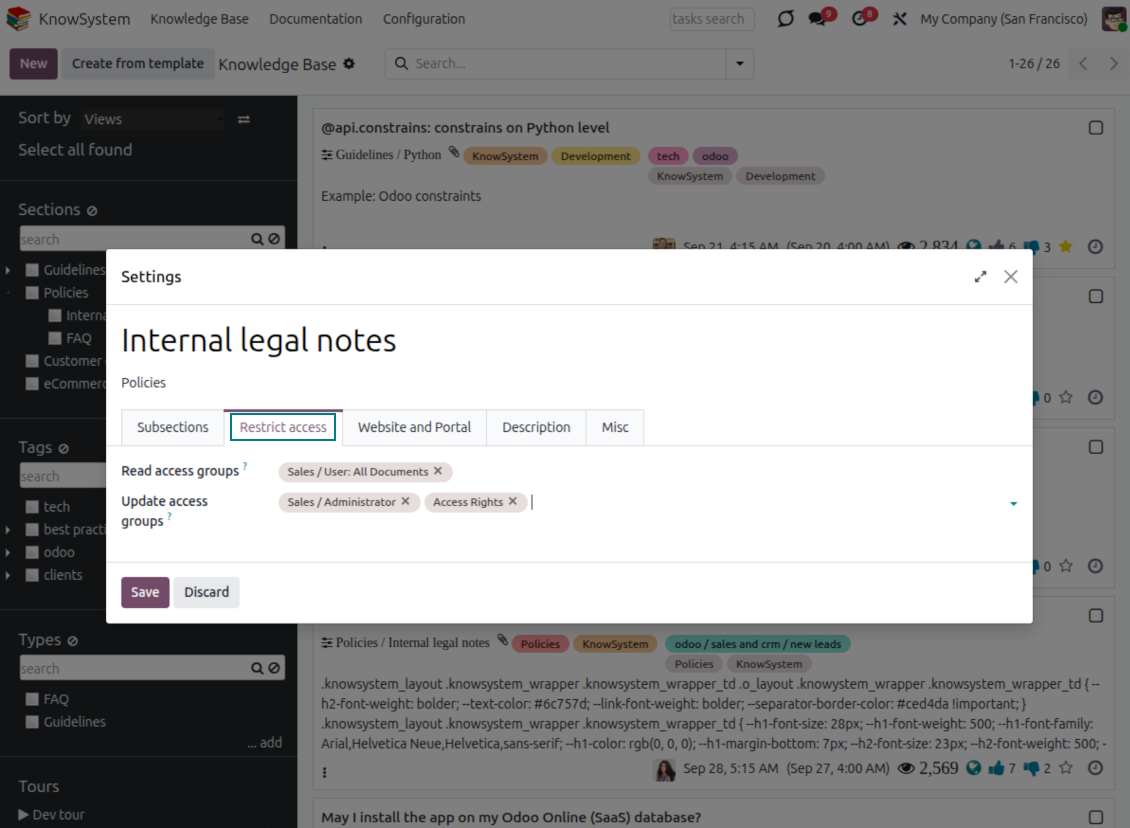
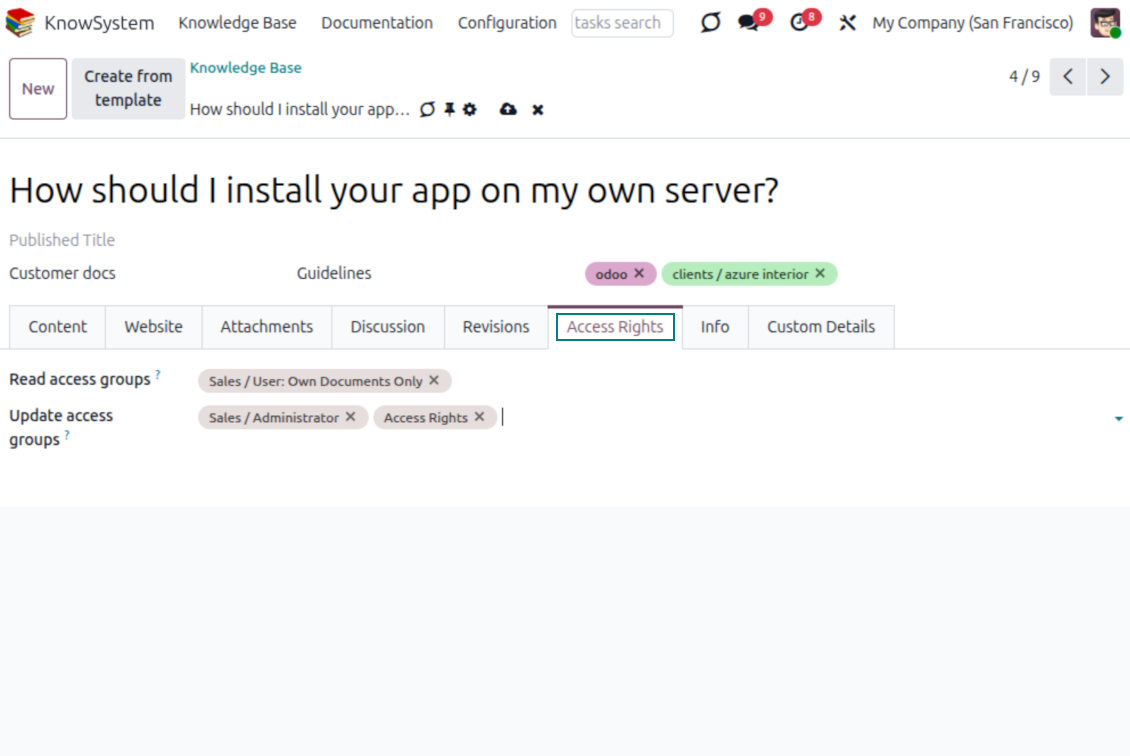
- For company employees: KnowSystem honors the user groups defined per article, section, and tour (the 'Restrict to' tab on those forms). If that field is empty, the record is 'global' and every internal user may read it.
- For portal / public users: access depends on tags and on whether an article is website-published. A tag's 'Allowed partners' grants portal users access to articles carrying that tag; published pages are open to any visitor.
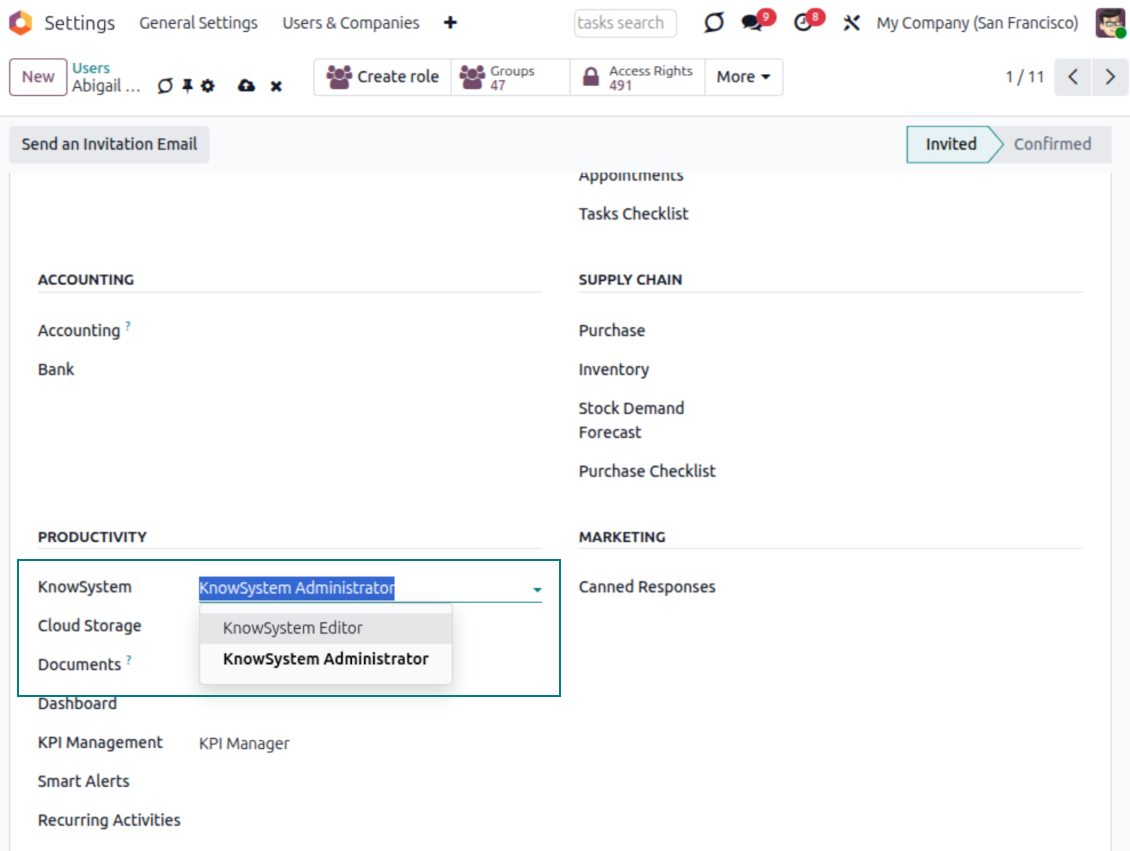
- Administration belongs to two roles - KnowSystem Editor and KnowSystem Administrator. A user must belong to one of them to create and edit articles.
- A user can always access an article they authored, regardless of further restrictions.
- Section rights consider the section and all its parents - no access to 'sales' means no access to 'sales/crm', even if 'crm' is open to the user's group.
Access rights at a glance
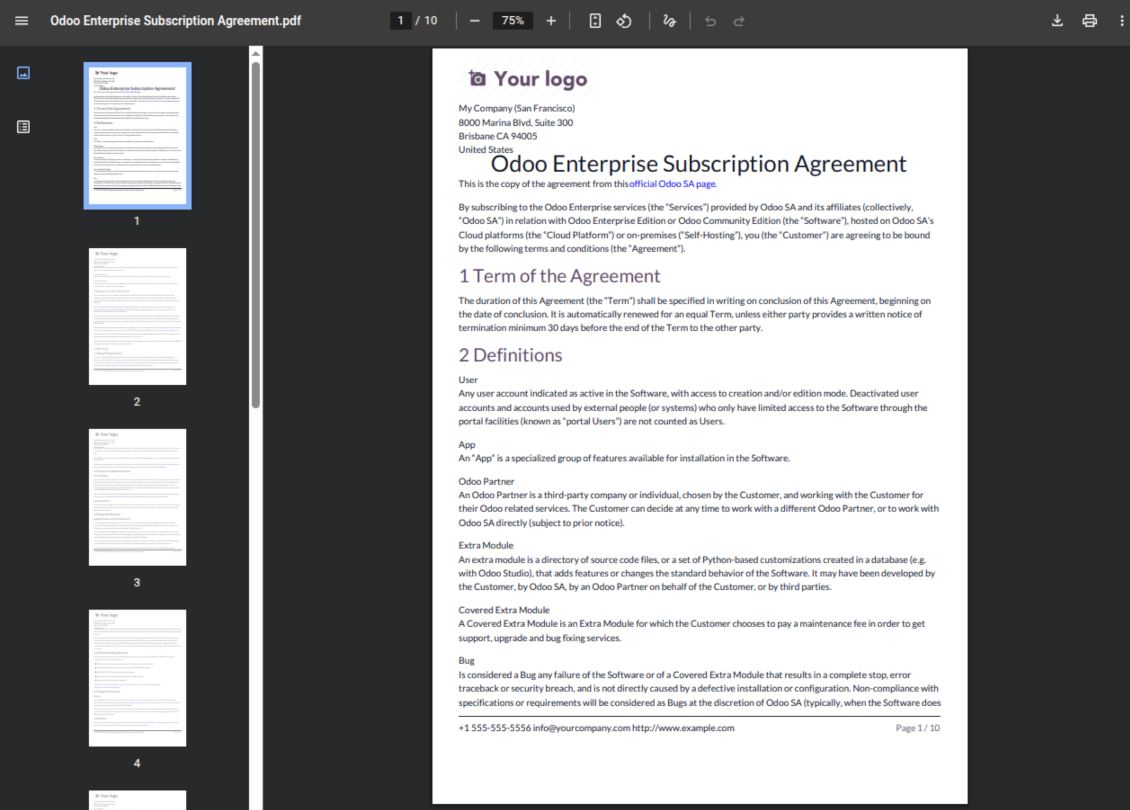
Odoo user |
KnowSystem Editor |
KnowSystem Admin |
Portal user |
Public user |
|
| Articles | read related to their user groups and sections | read, create, edit, archive related to their user groups and sections | read, create, edit, delete any | read published articles and articles related to partner-related tags | read published articles |
| Sections | read related to their user groups | read, create, edit, archive related to their user groups and sections | read, create, edit, delete any | read published ones | read published ones |
| Tags | read any | read, create, edit, archive any | read, create, edit, delete any | read published ones | read published ones |
| Article Types | read any | read any | read, create, edit, delete any | read published ones | read published ones |
| Tours | read related to their user groups | read, create, edit, delete related to their user groups | read, create, edit, delete any | no access | no access |
| Misc | may like/dislike, add to favorites, print, take part in discussions | may configure options | may like/dislike an article |
Pronto para avaliar?
Comece com um pedido de demo gratuito ou compre na Odoo Apps Store.
Base de demonstração personalizada gratuita. Sem telefone nem cartão. Atualizações gratuitas vitalícias e apoio especializado na versão major do Odoo.
Perguntas frequentes sobre KnowSystem: Knowledge Base System Odoo v.18
Não vejo qualquer diferença entre os textos das revisões.
As revisões registam não só alterações de texto, mas também quaisquer atualizações de estilos (tecnicamente, quando altera o código-fonte HTML de um artigo). Algumas não são claras à primeira vista (p. ex. o tamanho de letra de uma única palavra). Outras podem ser drásticas. Contudo, qualquer sequência Edit > alterar algo num artigo > Save resulta numa nova revisão.
Posso adicionar um vídeo YouTube/ Vimeo / Dailymotion / Youku num artigo?
Sim, pode incorporar vídeos desses serviços nos artigos a partir do backend Odoo e do construtor de websites. Para isso adicione um bloco com uma imagem > prima a imagem > selecione ‘Vídeo’ > indique o URL do média.
Tenha em conta: esses vídeos são incluídos como iframes, e alguns browsers podem bloquear a reprodução até o utilizador o autorizar explicitamente.
Como tornar uma secção visível no website?
No KnowSystem, uma secção fica visível num website se estiver publicada e contiver pelo menos um artigo. Mesmo com subsecções, não fica visível se não houver um único artigo na própria secção. Isto evita secções vazias e torna o portal KnowSystem apelativo e fácil de navegar. Para a secção aparecer no website, adicione um artigo introdutório ou geral que descreva ou liste brevemente os artigos das subsecções.
Como posso partilhar um artigo com um parceiro externo?
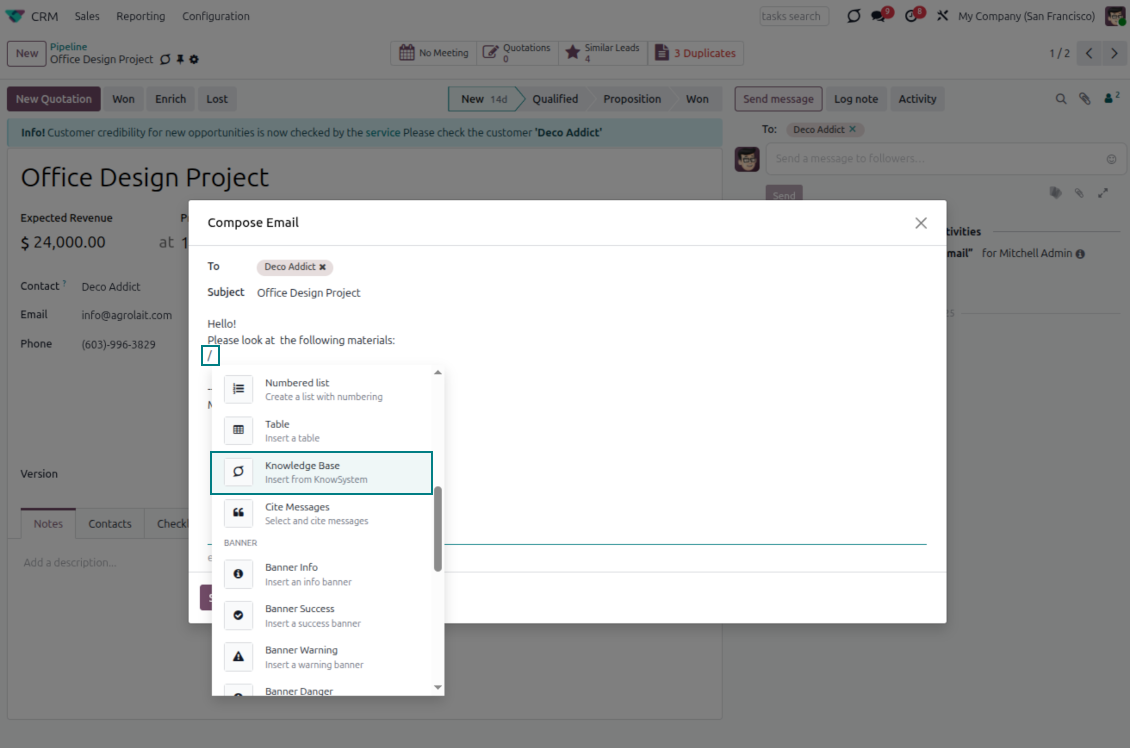
Clique com o botão direito em qualquer etiqueta no painel de navegação esquerdo - Create
Encontre o campo 'Allowed partners'. Por exemplo 'clients - azure interior' para configurar o acesso do parceiro 'Azure Interior'. Pode fazer o contrário: atribuir etiquetas KnowSystem no formulário do parceiro
Agora abra o artigo pretendido (ou faça o mesmo com a ação 'Mass update' para vários registos):
Se estiver publicado: cancele a publicação se não quiser disponibilizá-lo a todos os utilizadores do portal e visitantes públicos
Atribua a etiqueta recém-criada (no exemplo é 'clients - azure interior')
Agora:
Todos os utilizadores do portal ligados ao parceiro comercial 'Azure Interior' têm acesso aos artigos com a etiqueta 'Azure Interior'
Nenhum outro utilizador do portal (se não for atribuída outra etiqueta) tem acesso a esses artigos
Os utilizadores internos não são afetados e veem os artigos segundo a lógica 'access to' de artigos e secções.
Podemos adicionar o botão de seleção de idioma para o corpo do artigo?
O botão 'translate' não é adicionado ao corpo do artigo de propósito pelo extra opcional 'KnowSystem: Multi Languages'. O HTML é muito difícil de traduzir no corpo simples do popup previsto pelo botão. Haveria muito pouco texto para traduzir e muitas partes HTML (que o tradutor também poderia partir).
Por isso, para criar um artigo numa determinada língua, inicie sessão com um utilizador dessa língua. Pode ser outro utilizador, ou altere temporariamente as preferências do utilizador atual. Depois, qualquer atualização do corpo do artigo será nessa língua.
Também pode usar o botão 'Copy from another translation' sob o corpo do artigo, que permite obter a qualquer momento o conteúdo a partir de outra língua (útil se o artigo foi atualizado significativamente numa das línguas).
Como incorporar outra página web num artigo
Para isso pode usar iframes. Mude o artigo para o editor de código HTML em bruto e insira, por exemplo, <iframe src="https://faotools.com/" style="width:100%;min-height:600px;"> </iframe>.
Instalei o KnowSystem, mas não vejo o botão 'create' nem os outros botões
Muito provavelmente não concedeu direitos KnowSystem ao seu utilizador. Escolha o perfil 'KnowSystem Editor' ou 'KnowSystem Admin' e atualize a página. Os botões de controlo devem aparecer.
Posso mostrar um percurso de aprendizagem específico só a utilizadores escolhidos?
Sim, aplicando um grupo de utilizadores (p. ex. 'Sales Manager') que deve seguir este percurso. Se o utilizador pertencer a este grupo, vê o percurso. Caso contrário, o percurso não é mostrado. Funciona da mesma forma que os direitos de segurança dos artigos e secções KnowSystem.
Tenha em conta que, se um percurso não tiver grupos atribuídos, é 'global' e fica visível para todos.
Como altero o rodapé e o cabeçalho ao imprimir artigos?
O cabeçalho e o rodapé dos PDF dos artigos vêm dos layouts da empresa. Consulte Settings > General Settings > a secção Business Documents. Aí define o modelo da empresa usado para todos os tipos de documento, incluindo faturas, encomendas de venda, etc., e também para os artigos. Esta abordagem Odoo assume que rodapé e cabeçalho são um estilo geral da empresa, não um atributo de impressões específicas.
Como posso ligar artigos entre si?
Cada artigo tem URL internas (backend) e de website (se a opção 'KnowSystem: Website and Portal' estiver instalada). Clique no botão 'Info' no formulário do artigo para saber os endereços web deste registo. Pode inserir qualquer um no corpo do artigo como hiperligação.
Posso alterar o código-fonte HTML de um artigo?
Sim: ative os debug assets (no ecrã de resumo das definições) e volte ao artigo atual. No modo de edição verá o ícone '</>'. Clique nele para ver e editar o HTML e os estilos.
Quais sao as políticas de atualização das vossas ferramentas?
Segundo as políticas atuais da Odoo Apps Store:
- Cada módulo comprado para a versao 12.0 ou anterior da acesso a todas as versões ate 12.0.
- A partir da versao 13.0, cada versao do módulo deve ser comprada em separado.
- Independentemente da versao, a compra da direito a todas as atualizações e correcoes dentro de uma versao major.
A equipa faOtools nao controla essas políticas. Para questões, contacte diretamente os representantes da Odoo Apps Store.
Como posso instalar a aplicacao no Odoo.sh?
A forma mais direta e usar o fluxo da loja Odoo:
1. Abra a página do módulo e clique em Deploy on odoo.sh
2. Será redirecionado para o GitHub. Inicie sessão e clique em Create a new repo ou use um existente. O repositorio deve ser privado. Nao e permitido publicar as apps com licença OPL-1. Se necessário, crie um repo novo para o projeto Odoo.sh
3. Depois, no odoo.sh, clique em Deploy, confirme e clique em Continue. A instalação começa.
Estes passos instalam a app no ramo de produção. Para outros ramos ou para atualizar:
1. Transferir o código-fonte da loja Odoo
2. Fazer commit do módulo no repositorio GitHub. Nenhuma pasta/arquivo da app deve estar no .gitignore. Os repos criados pelo odoo.sh podem ignorar caminhos importantes (p. ex. /lib). Envie todos os diretórios e arquivos do módulo
3. Fazer deploy do ramo alvo do projeto odoo.sh ou esperar pela compilacao automática se as definições o assumirem.
Como devo instalar a aplicacao no meu próprio servidor?
2. Reinicie o servidor Odoo;
3. Ative o modo programador (definições técnicas);
4. Atualize a lista de aplicações (menu Aplicações);
5. Encontre a app e clique em Activate/Install;
6. Siga as indicações na página da app, se existirem.
A app tem extras. Posso compra-los mais tarde?
Sim. O Odoo adiciona automaticamente as dependências ao carrinho: exclua as ferramentas ja compradas para nao pagar duas vezes.
Instalei a app no Odoo.sh e vejo um aviso/erro nos testes
Um aviso vermelho/laranja nao afeta as funções da app. Por vezes os nossos módulos nao passam os testes automáticos padrão, porque estes assumem um comportamento que conflitua com os objetivos da app. Por exemplo, alteramos o cálculo do preço e os testes Odoo comparam o preço final com o algoritmo padrão.
Primeiro, verifique as funções da base implantada. Esta tudo a funcionar?
Se ainda achar que o aviso afeta funções reais, contacte-nos e envie os registos completos de instalação e a lista completa de módulos implantados (nucleo e de terceiros).
Posso comprar a aplicacao diretamente junto de vos?
Nao, so distribuimos as ferramentas através da loja oficial de aplicações Odoo.
Gostaria de ter um desconto
Infelizmente, nao temos meios tecnicos para oferecer preços individuais.
Posso instalar a app na minha base Odoo Online (SaaS)?
Nao, as apps de terceiros nao podem ser usadas no Odoo Online. O Odoo SaaS bloqueia essa possibilidade.
A ferramenta depende de outras apps. Devo compra-las?
Sim, a ferramenta precisa de todos os módulos assinalados nas dependências. O preço na página da app ja as inclui.
Qual e o preço do módulo em dolares americanos? Porque mudou?
O preço dos nossos módulos e definido em euros. A loja Odoo converte para outras moedas segundo a taxa interna. Assim, o preço em dolares americanos pode mudar quando a taxa e atualizada.
Os textos da aplicação e do site em idiomas diferentes do inglês são assistidos por IA e estão alinhados com as traduções oficiais do Odoo. Se detetar um erro, enviar um pedido de tradução e nos corrigimos.
Bases de dados de demonstração Odoo (pré-visualizações)
Para esta aplicação, podemos fornecer uma base de dados de demonstração personalizada gratuita.
Não precisa de um número de telefone ou cartão de crédito para entrar em contacto connosco. Deve apenas passar por um breve registo de e-mail, que não demora mais de 30 segundos.
A seu pedido, preparamos uma base de dados de pré-visualização individual onde pode fazer qualquer teste e validar as suas hipóteses durante cerca de duas semanas.
Comunicação de erros
Se encontrar bugs ou comportamento inconsistente, não hesite em nos contactar. Garantimos o fornecimento de correções em até 60 dias após a compra e estamos intensamente interessados em melhorar nossas ferramentas mesmo após esse período.
Não precisa de um número de telefone ou cartão de crédito para entrar em contacto connosco. Deve apenas passar por um breve registo de e-mail, que não demora mais de 30 segundos.
Inclua o máximo de detalhes possível no seu pedido: capturas de ecrã, registos do servidor Odoo, uma descrição completa de como reproduzir o problema, entre outros. Normalmente, sao necessários alguns dias úteis para preparar um plano de trabalho para um problema (se for confirmado um erro) ou fornecer orientacoes sobre o que deve ser feito (caso contrário).
Pedidos de recursos públicos e ideias de módulos (desenvolvimento gratuito)
Estamos fortemente motivados para melhorar as nossas ferramentas e ficaríamos gratos por qualquer feedback. Se os seus requisitos forem de utilização pública e puderem ser implementados de forma eficiente, a equipa irá incluí-los na nossa lista de tarefas.
Esta lista de tarefas é processada regularmente e não envolve taxas extra. Embora não possamos prometer prazos e design final, pode ser uma boa forma de obter as características desejadas sem investimentos e riscos.
Não precisa de um número de telefone ou cartão de crédito para entrar em contacto connosco. Deve apenas passar por um breve registo de e-mail, que não demora mais de 30 segundos.
18.0.1.3.29
- The issue of Late Activities listing articles that have no overdue activity for the selected user has been fixed.
18.0.1.3.27
- The issue of autovacuum failure has been fixed.
18.0.1.3.25
- Foram corrigidas as etiquetas predefinidas do compositor de email e dos formularios de atividade.
18.0.1.3.24
- A paleta de cores volta a aparecer no editor HTML.
18.0.1.3.23
- Ja nao e preciso duplo clique para remover os artigos selecionados.
18.0.1.3.22
- Foi corrigida a mudança entre artigos com tipos de editor diferentes.
18.0.1.3.21
- Os direitos de edição de secções/artigos implicam leitura.
- Foram corrigidos os contadores de gostos que nao atualizavam.
18.0.1.3.20
- A pesquisa encontra palavras separadas por etiquetas de negrito ou italico.
18.0.1.3.19
- Foi corrigido o erro de acesso do assistente de pesquisa de artigos para usuarios comuns.
18.0.1.3.18
- As vistas Kanban adaptam-se aos principios XML do Odoo 18.
- A faixa Archived e adicionada ao Kanban e formularios de artigos e aos formularios de secções e etiquetas.
18.0.1.3.17
- A vista do site de artigos e documentação foi otimizada para ecrã pequenos.
18.0.1.3.16
- A app adapta-se as atualizações Odoo 18 dos plugins do editor web.
18.0.1.3.15
- O botão de tradução a mais dos artigos "Text" e removido.
18.0.1.3.14
- Foi corrigida a impossibilidade de guardar e copiar texto corretamente.
18.0.1.3.13
- A aplicacao foi publicada para a versao 18.
17.0.1.3.13
- A vista de atividade predefinida dos artigos KnowSystem e Kanban.
17.0.1.3.12
- Foi corrigida a sanitizacao excessiva de artigos KnowSystem após enviar uma mensagem do compositor.
17.0.1.3.11
- Foi corrigido o seletor de idioma da pesquisa rápida de artigos.
17.0.1.3.10
- No backend ja e possível pesquisar so nos títulos.
- Foi corrigido o botão para abrir o artigo encontrado num novo separador a partir do diálogo.
17.0.1.3.9
- Arrastar e largar atualiza artigos em massa: etiqueta, secção e tour de aprendizagem.
- Pode abrir-se o artigo encontrado num novo separador.
- O pai selecionado das árvores de navegação e destacado corretamente.
17.0.1.3.8
- A vista Kanban dos artigos KnowSystem adapta-se ao Odoo v.17.
- As hierarquias de navegação foram otimizadas.
17.0.1.3.7
- O critério de ordenação predefinido da navegação de artigos no backend configura-se na página da app.

A ferramenta para estruturar anexos Odoo em pastas e sincronizar com Google Drive, OneDrive/SharePoint, Nextcloud/ownCloud, Dropbox, Amazon S3, Box e NAS. Gestor de arquivos. DMS
398€
The tool to automatically synchronize Odoo attachments with OneDrive files in both ways
487€
The tool to automatically synchronize Odoo attachments with Google Drive files in both ways
487€

The tool to set up KPI targets and control their fulfillment by periods. KPI dashboards. Dashboard designer. KPI charts

The tool for time-based service management from booking appointments to sales and reviews
398€
The tool to manage your Odoo from your favorite AI chats through MCP. Claude. Any MCP-supporting AI.

The tool to combine different Odoo events in a few configurable super calendars

The tool to translate URL addresses of Odoo website pages
38€