Накратко
KnowSystem: Knowledge Base System е Odoo 18 Допълнителни инструменти приложение. The tool to build a deep and structured knowledge base for internal and external use. Knowledge System. KMS. Wiki-like revisions.
KnowSystem turns scattered company know-how into one structured, searchable knowledge base for your team, your partners, and your customers. Capture articles with drag-and-drop building blocks, organize them by sections, tags, and types, and reuse them anywhere in Odoo - messages, activities, helpdesk, projects, or product pages. Every change is versioned wiki-style, so improving knowledge is always safer than breaking it.
Идеално за
Helpdesk & support
Record every solved ticket once, then reuse it for faster agent replies and round-the-clock customer self-service.
Sales & CRM
Give salespeople instant answers on products, offers, and frequent customer questions right where they work.
HR & onboarding
Turn policies, guidelines, and training into structured knowledge and step-by-step learning tours.
IT & technical teams
Keep manuals, configurations, and runbooks one search away for the whole company.
Project management
Preserve solutions, tools, and lessons learned so your teams never reinvent the wheel.
Marketing & documentation
Build a polished online library and product documentation your audience can actually find and read.
Готови за оценка?
Започнете с безплатна заявка за демо или покупка в Odoo Apps Store.
Безплатна персонализирана демо база. Не се изисква телефонен номер или кредитна карта. Безплатни доживотни обновления и експертна поддръжка в рамките на основната версия на Odoo.
Защо екипите го избират
Ключови ползи преди подробностите
Capture knowledge
Write professional-looking articles with drag-and-drop building blocks, the HTML editor, or raw code - and reuse ready-made templates for uniform styles.
Organize and find
Structure everything by a hierarchy of sections, a tree of tags, and knowledge types. Filter, sort, and run mass actions on hundreds of articles from one screen.
Put it to work
Surface the right article inside any Odoo document, cite it in messages and activities, run guided learning tours, and answer product FAQs - then print or share in a click.
Wiki-like revisions
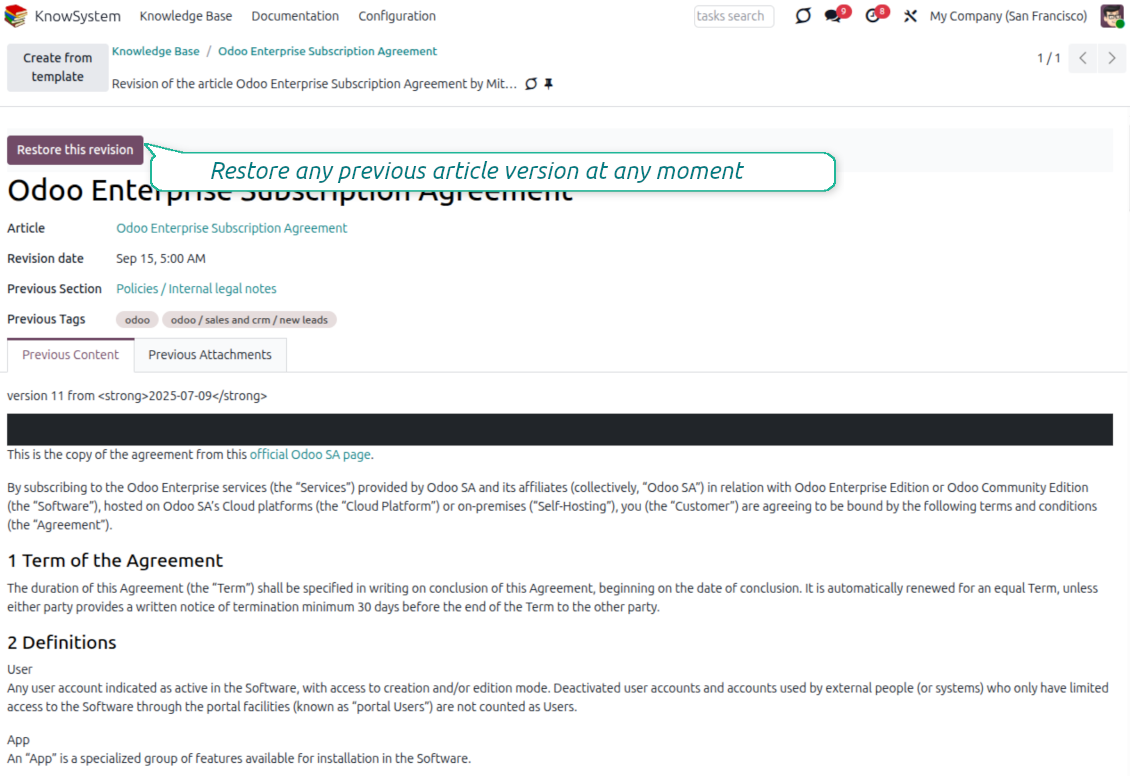
Every change is versioned. If a teammate breaks an article, restore the right version in two clicks - breaking becomes harder than restoring.
Portal & public base
Give each partner a personal knowledge portal, or publish a self-service knowledge base for any website visitor - access controlled by tags and publishing.
Documentation builder
Combine articles into advanced website documentation with automatic table of contents and instant search - reusable across versions, manuals, and guidelines.
Analytics that keep it alive
Track views, likes, dislikes, contributors, and messaging usage. See what your team relies on and keep content fresh and trusted.
Secure by design
Control who sees what with granular access for staff, partners, and the public - governed by user groups, tags, and website publishing.
Fits any team
One universal tool for helpdesk, sales, HR, IT, legal, marketing, and projects - configurable to any goal and any combination of Odoo apps.
Отзиви от Odoo Apps Store
Какво казват клиентите за приложението
Best knowledge base system for Odoo!
Excellent app and exceptional after-sales support.
Really well thought-out product and one of the best features is the contextual help by means of the tags. Really a game changer for us.
Keep up the great work FaOtools!
Magnus
Outstanding app! Tremendous value for money, an absolute must have!
One of the features sorely lacking from Odoo has been a robust Wiki/documentation system. Using third party platforms is a massive headache: yet another system to maintain, users get distracted switching back-and-forth, and errors get made. Then you have to worry about training, additional logins, etc.
KnowSystem feels like a native/core app, is very well-polished, and extremely fast. It's accessible from any screen, and the search results are instant (none of the latency inherent with most apps).The interface is elegant yet powerful, with robust access control, rich editing features, and version control. It's simple to revert to previous entries, view audit trails, etc. It's very intuitive for anyone familiar with Odoo; onboarding takes just a few minutes. The user guides are excellent.
This is invaluable for any organisation with a lot of documented information, SOPs, ISO compliance, or similar. If you're using eLearning, it's great for creating a help system / reminders. For example, noting key takeaways or specific instructions. The user can be in MRP, Sales, or any other function, and instantly lookup a guide. Since it overlays whichever screen you're in, it doesn't interrupt the workflow.
This dramatically increases efficiency, minimises questions, and helps keep everyone on the same page.
Oh, and customer service is excellent, faOtools stands behind their product. Thank you!
nico.valentino@gmx.net
KnowSystem is excellent - OdooTools offer great support, are very helpful and responsive
Our company needed the ability to add a Knowledge Base to our Odoo portal website for our customers to access article content on a membership-only basis. KnowSystem provided this and much more, along with ability to add search by section, set permissions to allow only certain partners access to articles by tag etc. OdooTools have been very helpful and implemented several features we suggested including automatic redirect upon login, customisable filters and a social sharing capability on articles. Overall a great app by a great company, something that massively adds to Odoo's capabilities and is something that everyone could benefit from using.
Chris Mann
Very functional application and responsive support
Our company produces medical laser equipment and we use KnowSystem to streamline the knowledge base of our company. Convenient search system and classification of content, as well as access rules for groups and even for individual users.
Svetlana
Great app and professional team
The app is great the the team is very professional in both response timing and problem solving.
Highly recommended.
Marco from ALO.zone.
Marco Carboni
Excellent system
Excellent system.
Gordon
A great tool from some very nice developers!
KnowSystem is a great tool and a game changer for us. Finally a place to put all our company know-how. I highly recommend it. And also important to us: We got great support from FaOtools too. A rare thing in this busy world. thx!
Eisberger
Excellent app and support.
Great app and a very helpfull support. Openess to improve their products is outstanding.
Lucas Huber
Готови за оценка?
Започнете с безплатна заявка за демо или покупка в Odoo Apps Store.
Безплатна персонализирана демо база. Не се изисква телефонен номер или кредитна карта. Безплатни доживотни обновления и експертна поддръжка в рамките на основната версия на Odoo.
Navigation
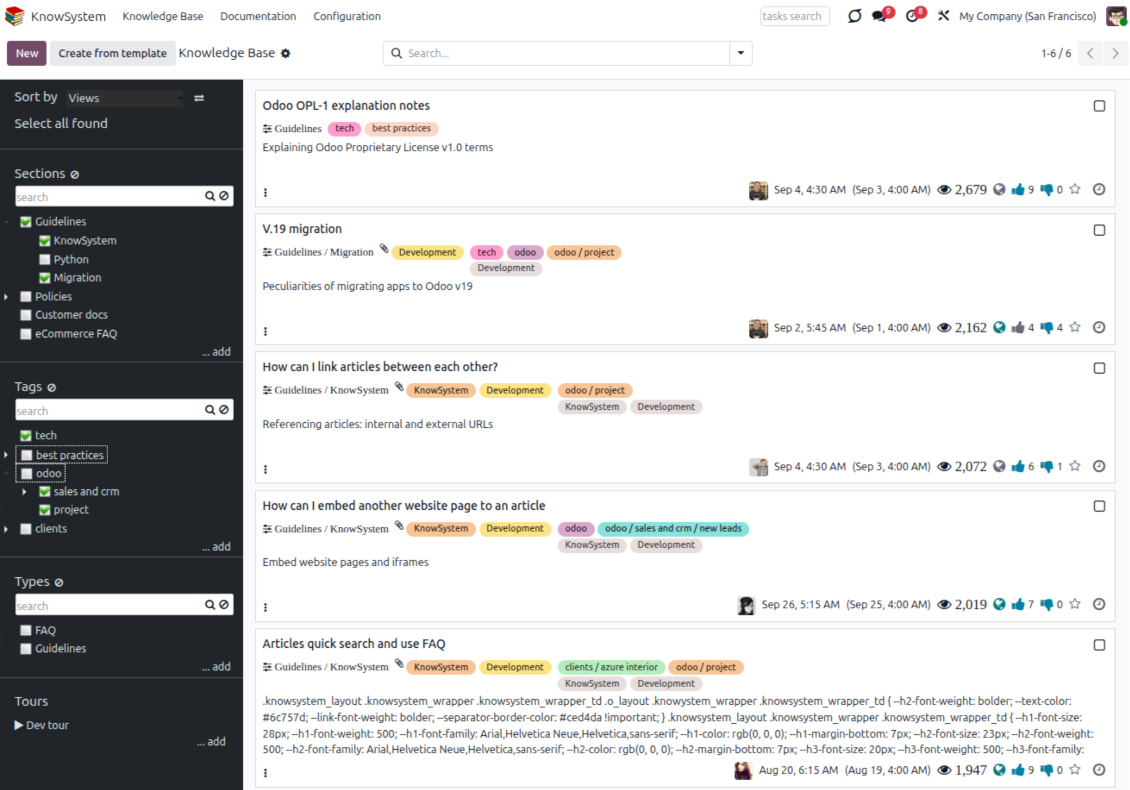
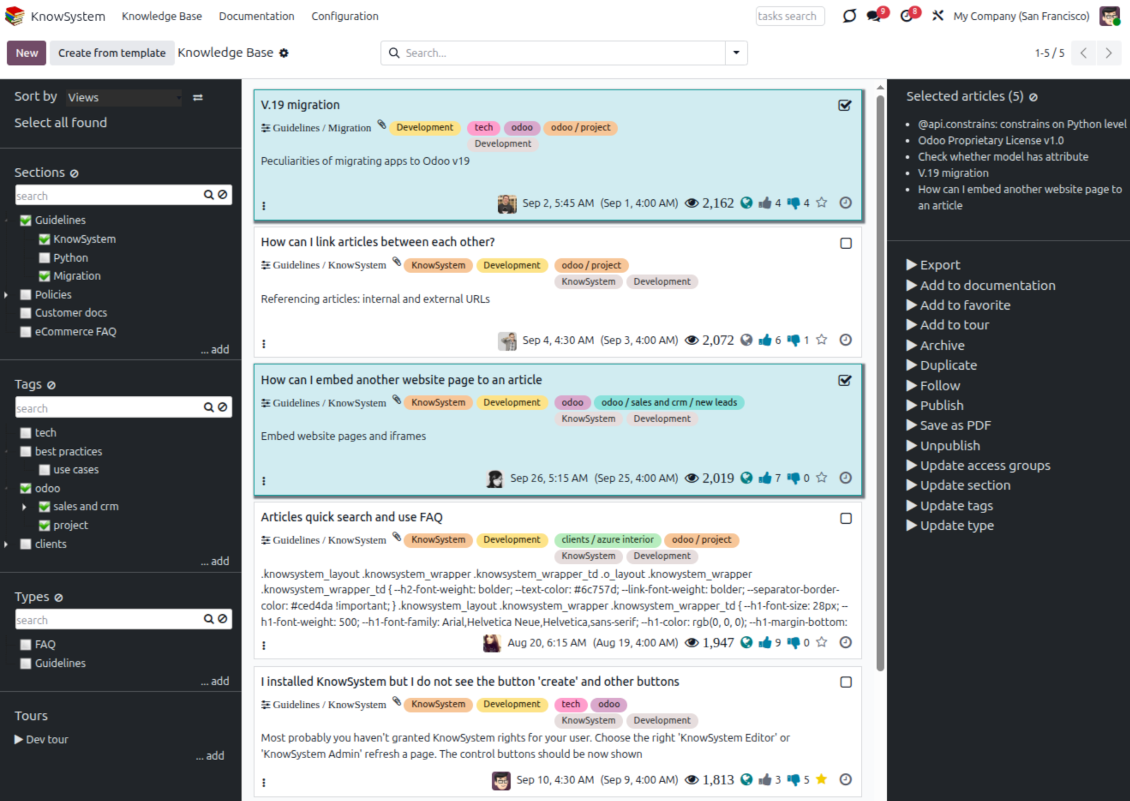
Find, filter, and bulk-edit articles from one screen
Structure and navigate
- Build a hierarchy of knowledge sections to switch between areas instantly, however large the base grows.
- Define a tree of tags for quick navigation and deeper, cross-cutting structuring.
- Introduce a knowledge typology to distinguish kinds of articles in a single click.
- Create, update, and reorder tags, sections, and types right inside KnowSystem - and print every article under a chosen tag or section.
- Search sections and tags instantly on the navigation panel.
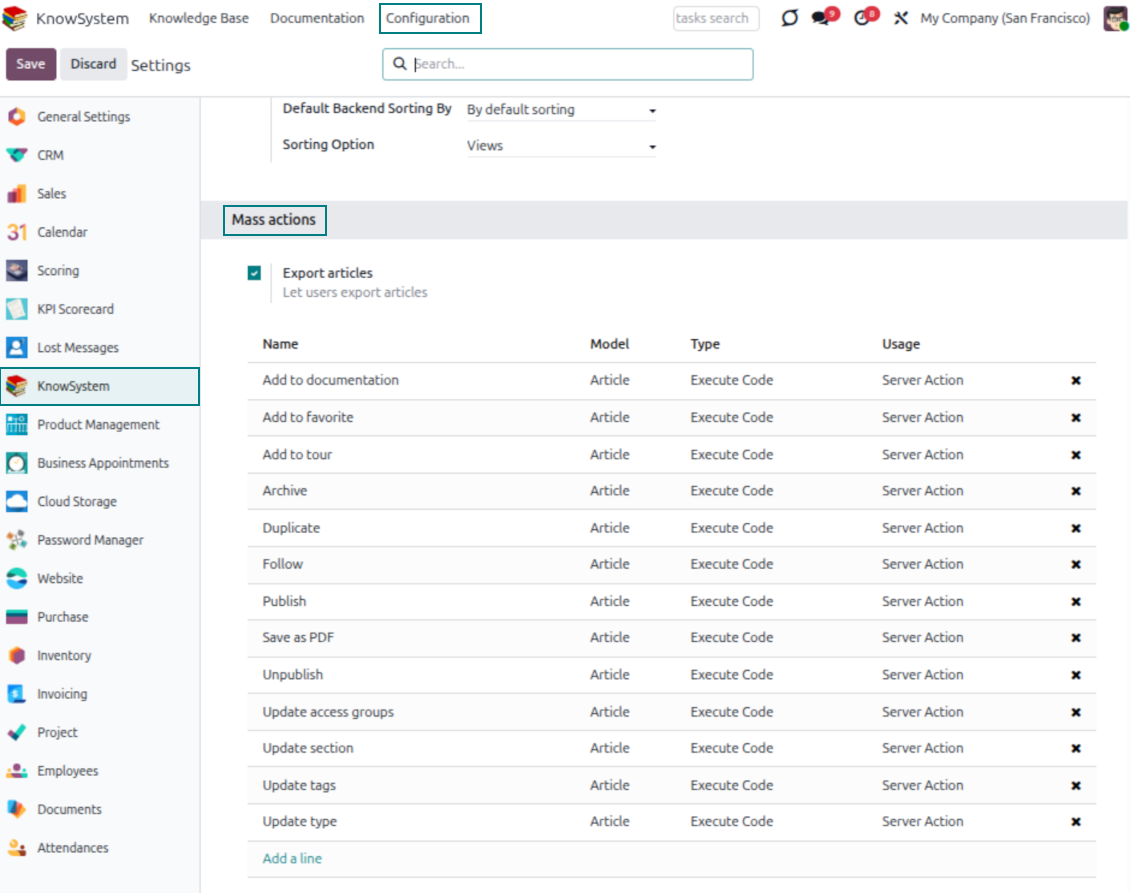
Select, sort, and act in bulk
- Sort articles by views, score of likes, title, author, section, and create or write dates.
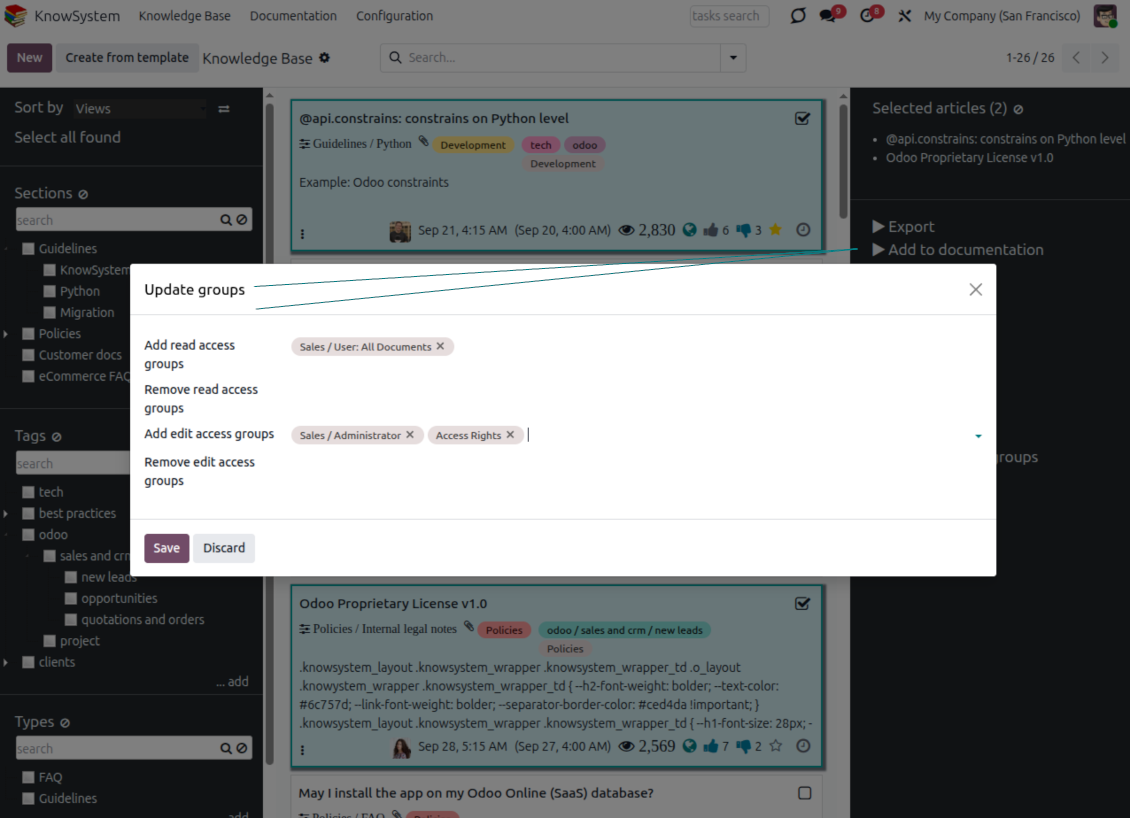
- Pick articles step by step - the selection is not cleared by a new search or when you open a record - then run mass actions on everything you chose.
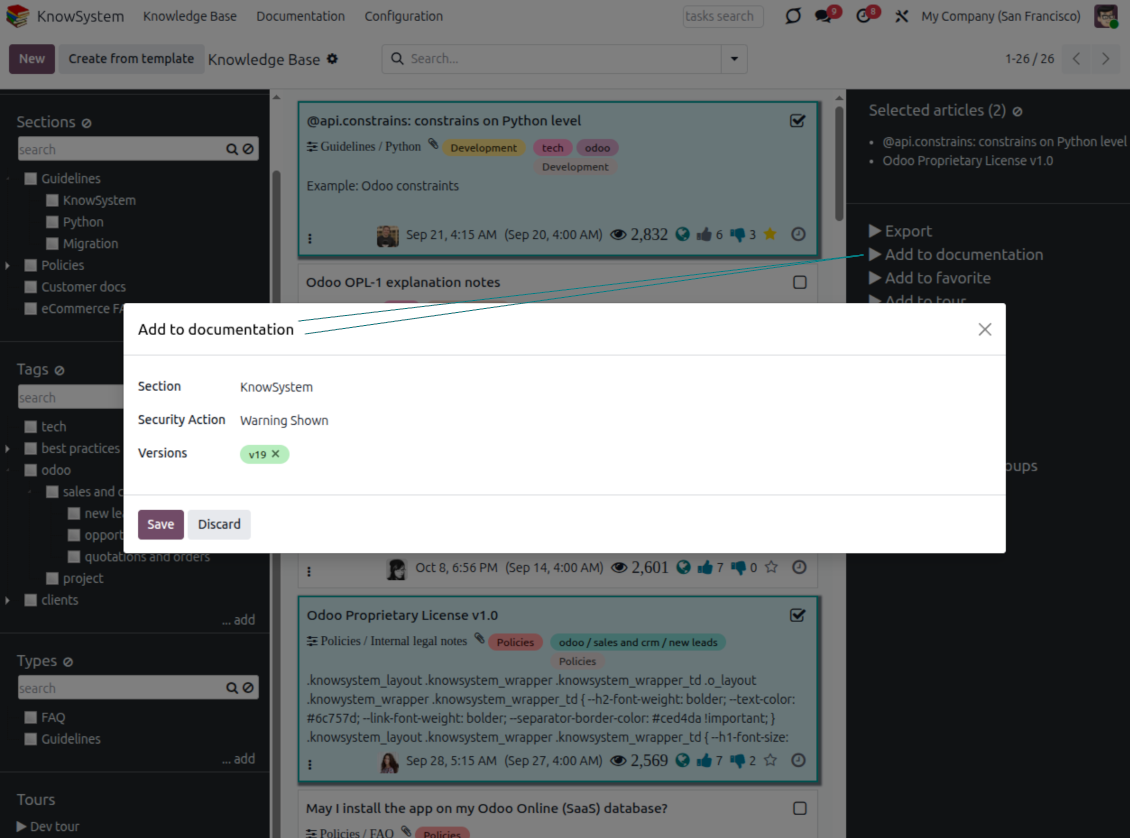
- Update knowledge in batch: assign a new section (including by dragging articles onto the navigation panel), add or remove tags, print many articles as one PDF, follow/unfollow discussions, publish/unpublish, export to Excel, archive or restore, add to learning tours and documentation, mark as favorite, and duplicate.
Article editors
Write professional articles your way
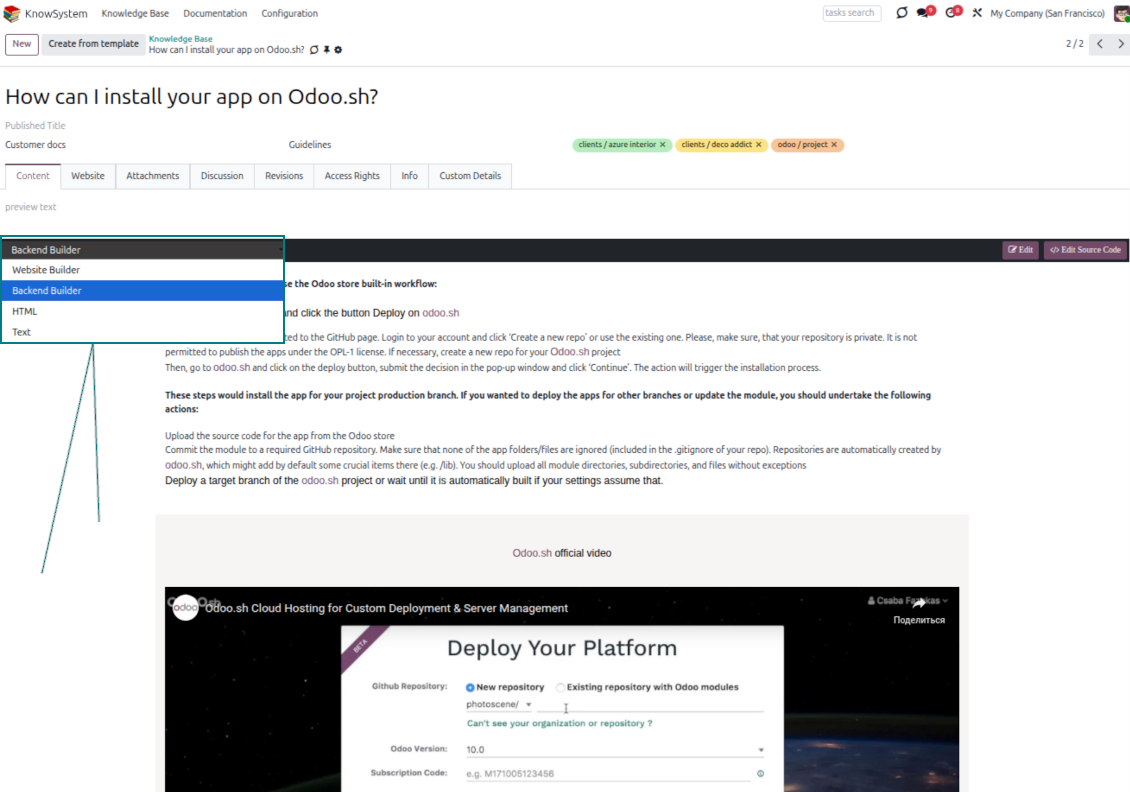
Five editors, one article model
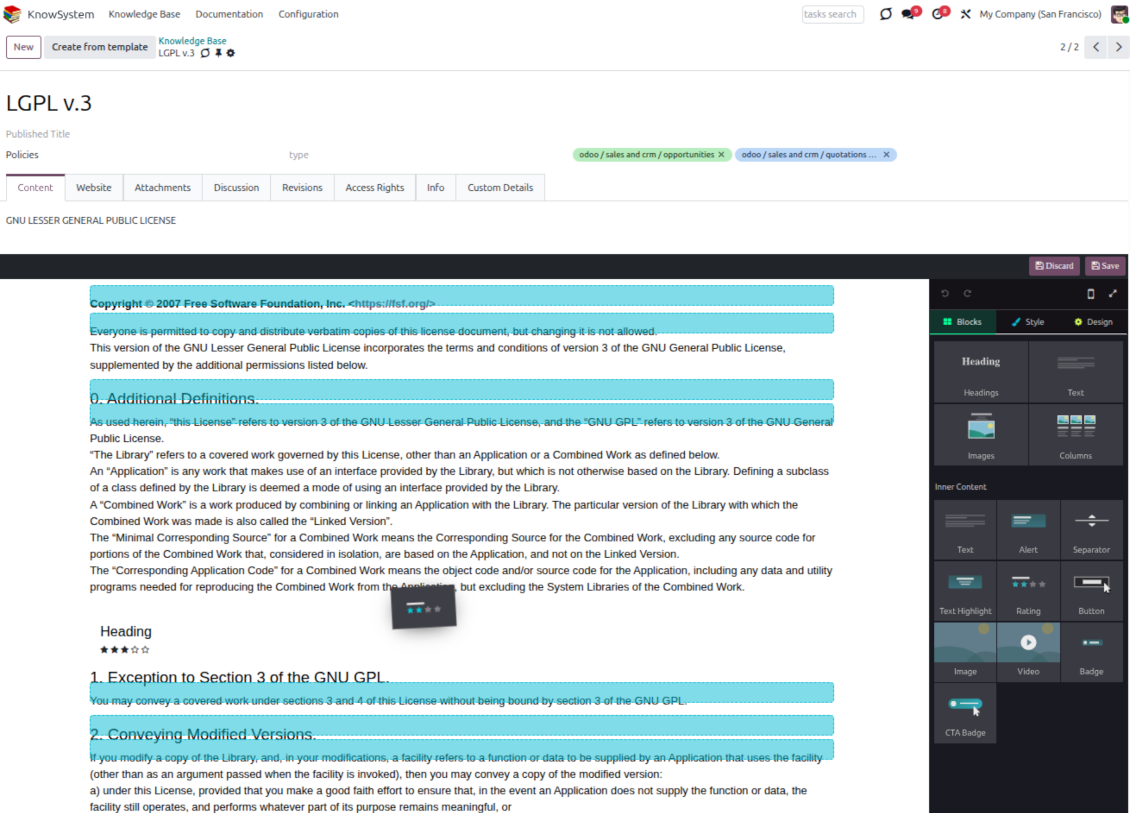
- Backend building blocks - drag and drop to compose professional articles right in the Odoo backend. The editor relies on strict HTML that stays compatible with printing and messaging layouts; reorder blocks and adjust their width, height, and styles.
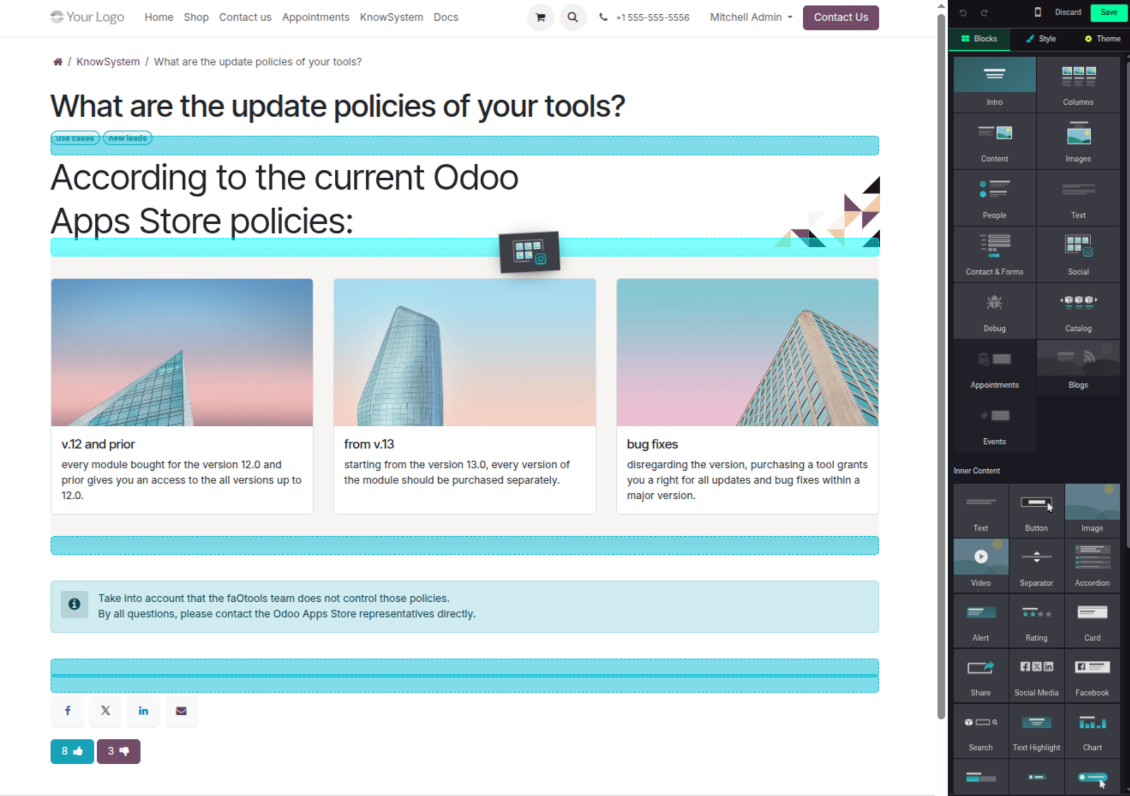
- Website builder - apply advanced styles, snippets, animations, and widgets via Odoo's built-in website editor. Ideal for nice-looking portal pages; avoid it for internal or printed articles, as advanced styles often contradict print and composer layouts.
- Plain text - keep certain articles as simple text for unlimited compatibility with printouts and emails, and copy their content to the clipboard for quick sharing.
- Standard HTML editor - the familiar Odoo editor with its built-in slash commands for quick inline pieces.
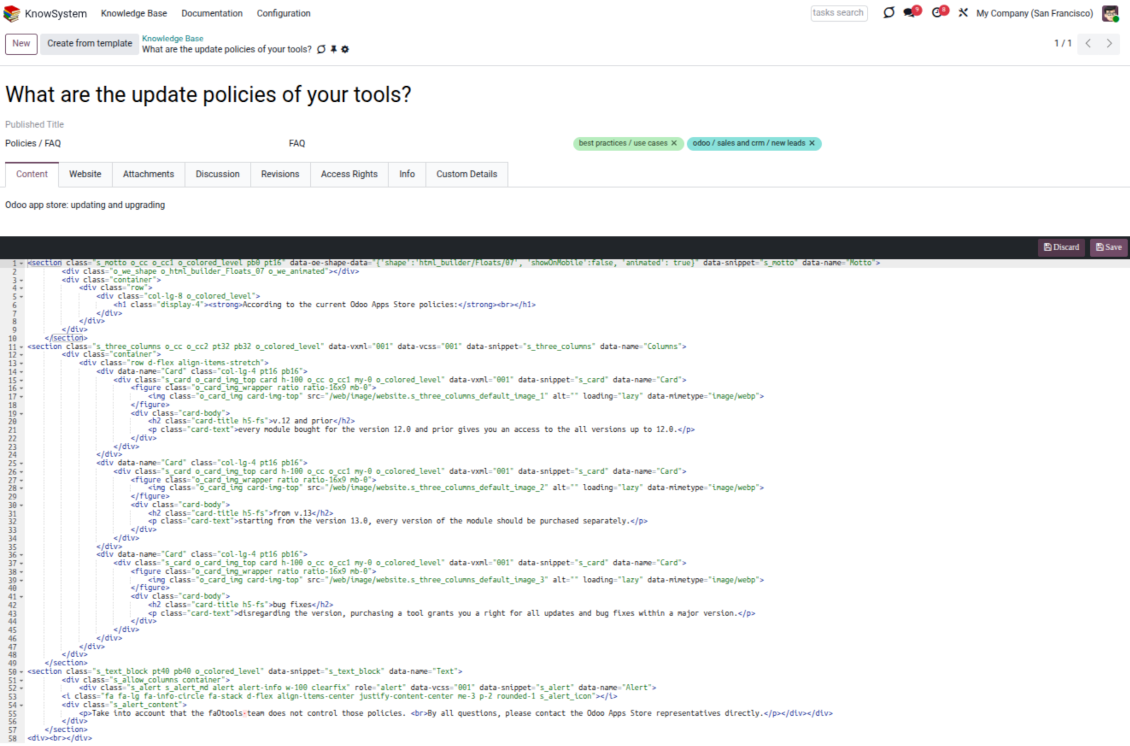
- Raw HTML - switch to the code editor at any moment to add any tags and styles, including Bootstrap-ready elements and iframes.
Templates for speed and consistency
- Reusable templates - prepare dedicated knowledge templates for recurring article types such as procedures, FAQs, or release notes, so contributors never start from a blank page.
- Save any article as a template - turn an existing, well-structured article into a reusable template in one click and grow your own library over time.
- Faster, consistent authoring - start new articles from a template to save time and keep a uniform structure and look across the entire knowledge base.
- Right editor for each page - switch an article's editor type whenever the content calls for it, so every page uses the most suitable tool without re-creating it.
Use anywhere
Surface the right article in documents, chats, and tours
Knowledge inside any Odoo document
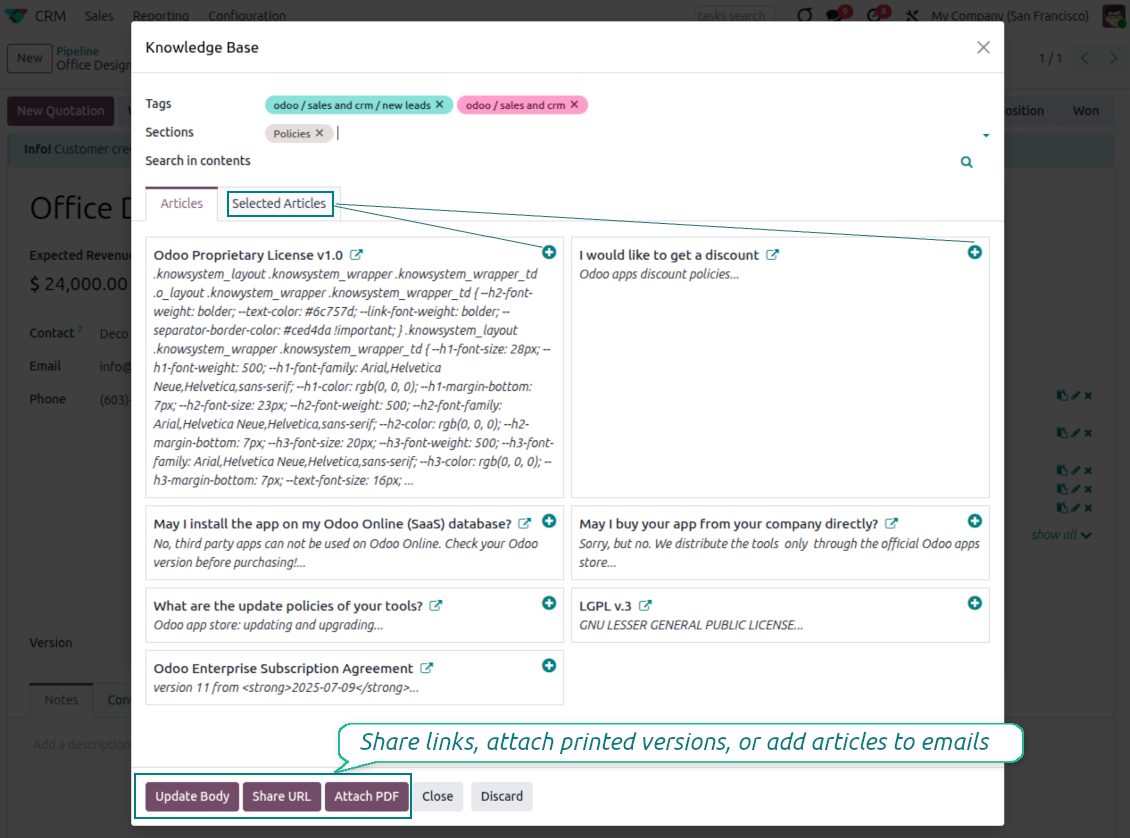
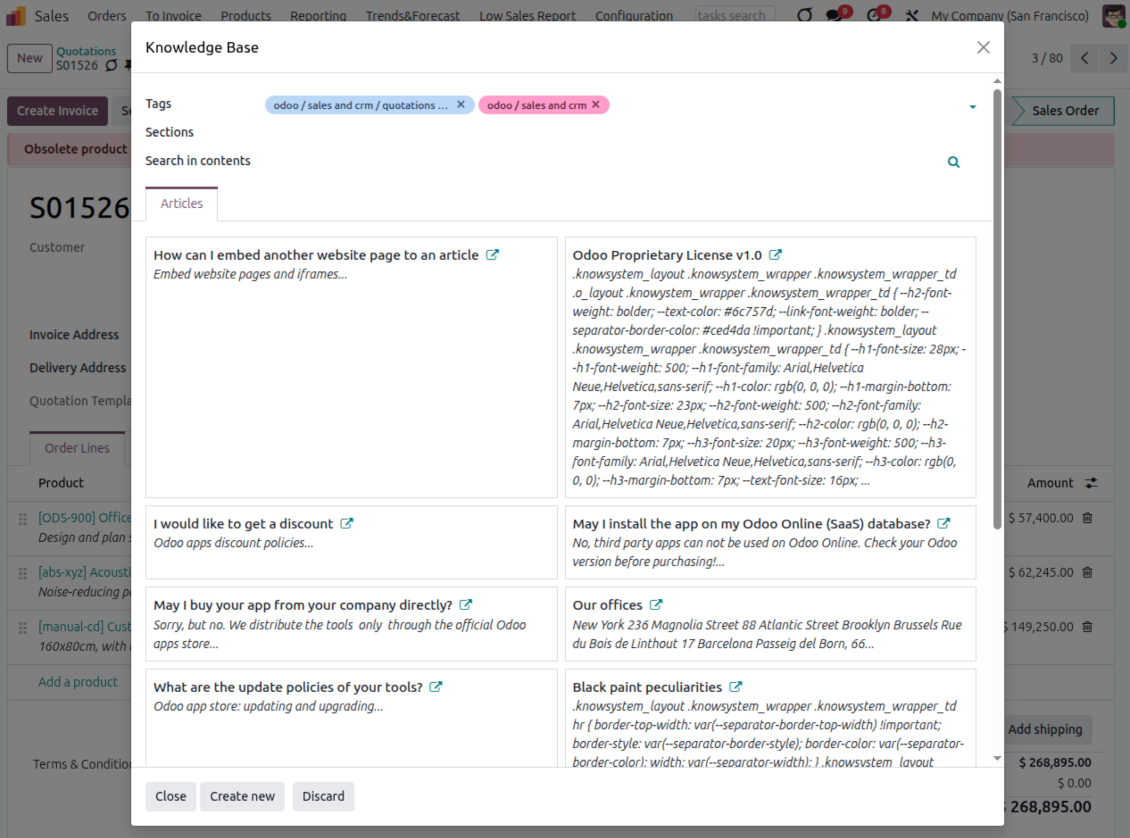
- Turn on 'Articles by Documents' to add a quick knowledge entry to any Odoo form view.
- Search by tags, section, or content for a quick overview, and read article content without leaving the record.
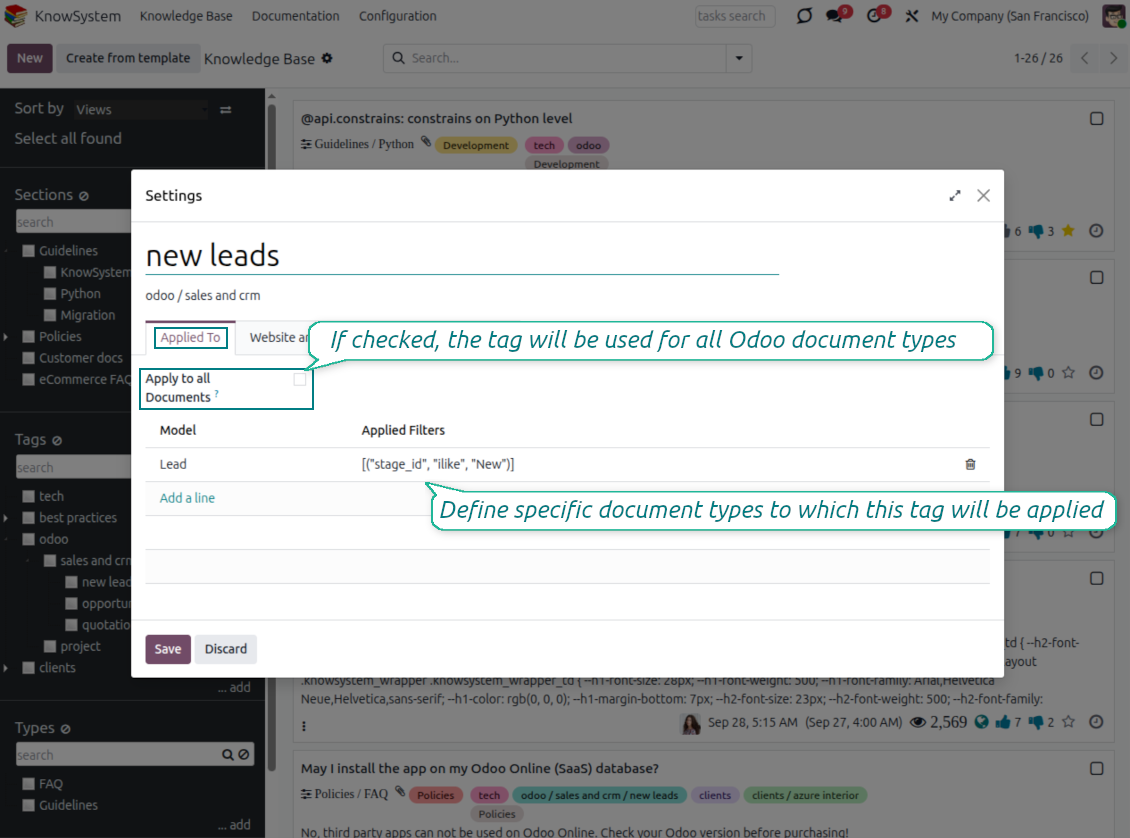
- Link tags to document types so the right articles appear by default - e.g. assign helpdesk tickets the tag 'odoo/helpdesk' and it is pre-filled on every ticket.
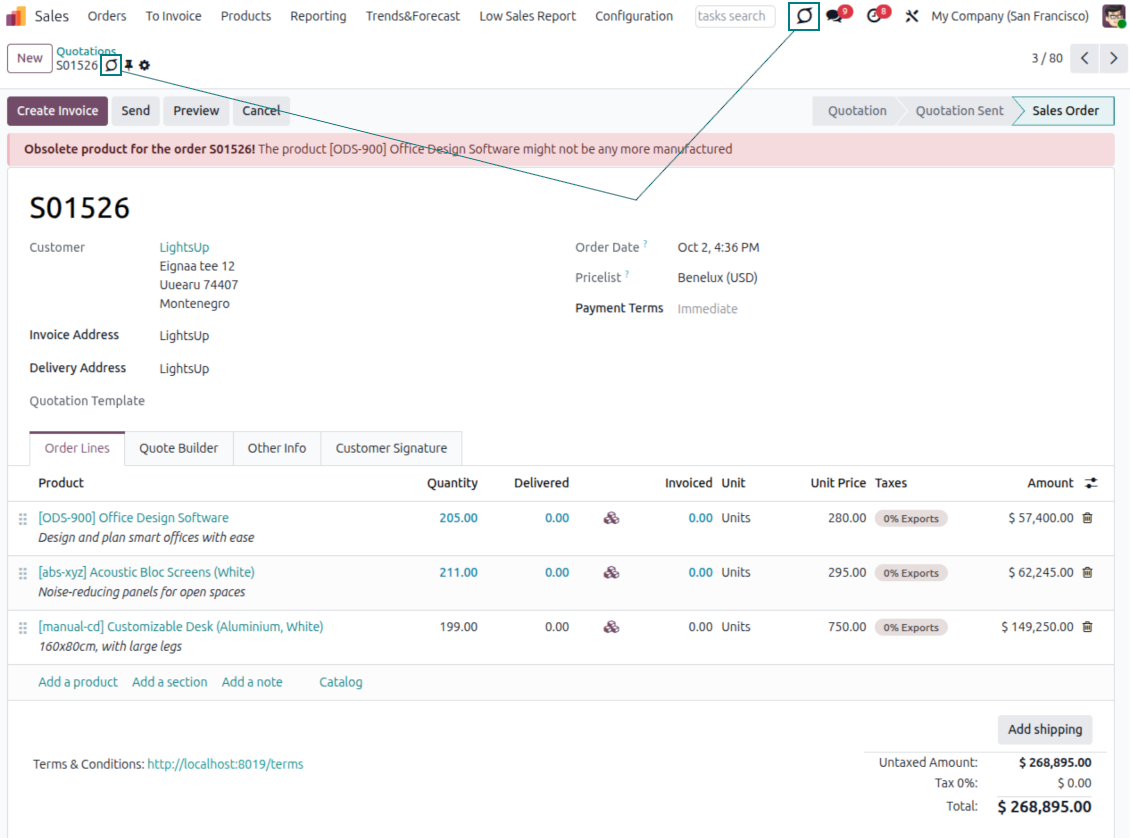
- Turn on 'KnowSystem in systray' to reach the base from anywhere in Odoo, whatever screen you are on.
Apply knowledge in communication
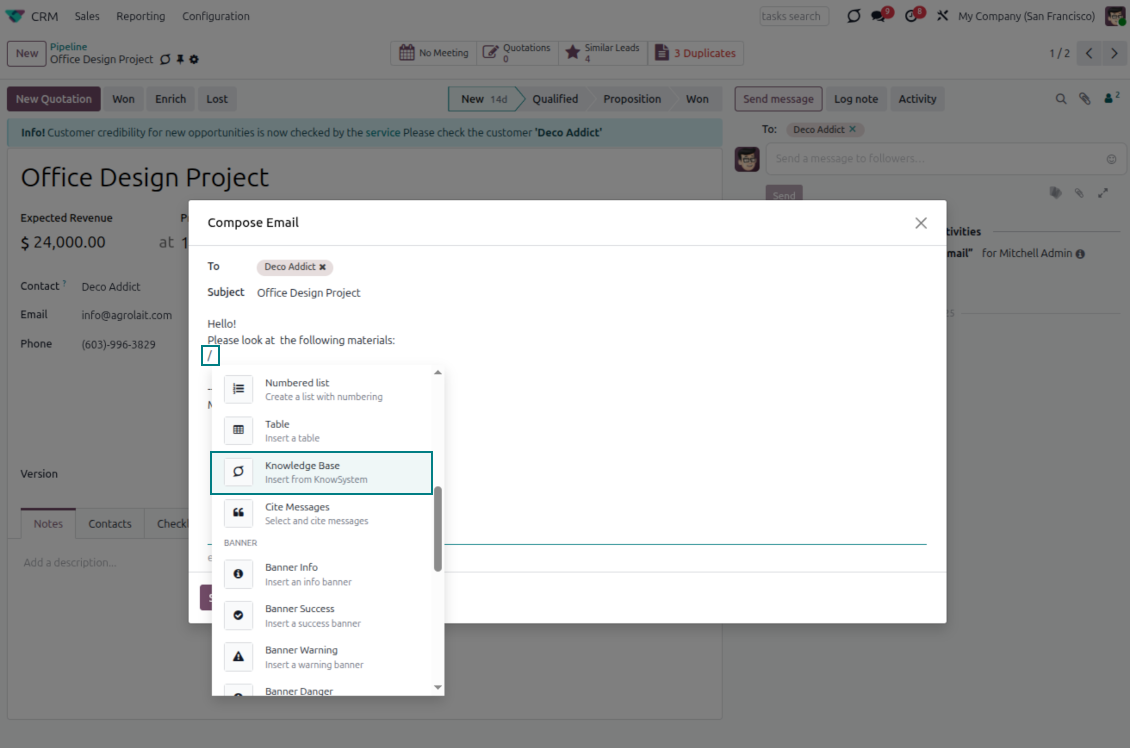
- Turn on 'Articles in Email Composers' to reference or cite knowledge in Odoo messages.
- See articles related to the current discussion and insert them with the editor command '/' > KnowSystem; the content is appended to the message.
- Attach a PDF version of the referenced article(s) automatically.
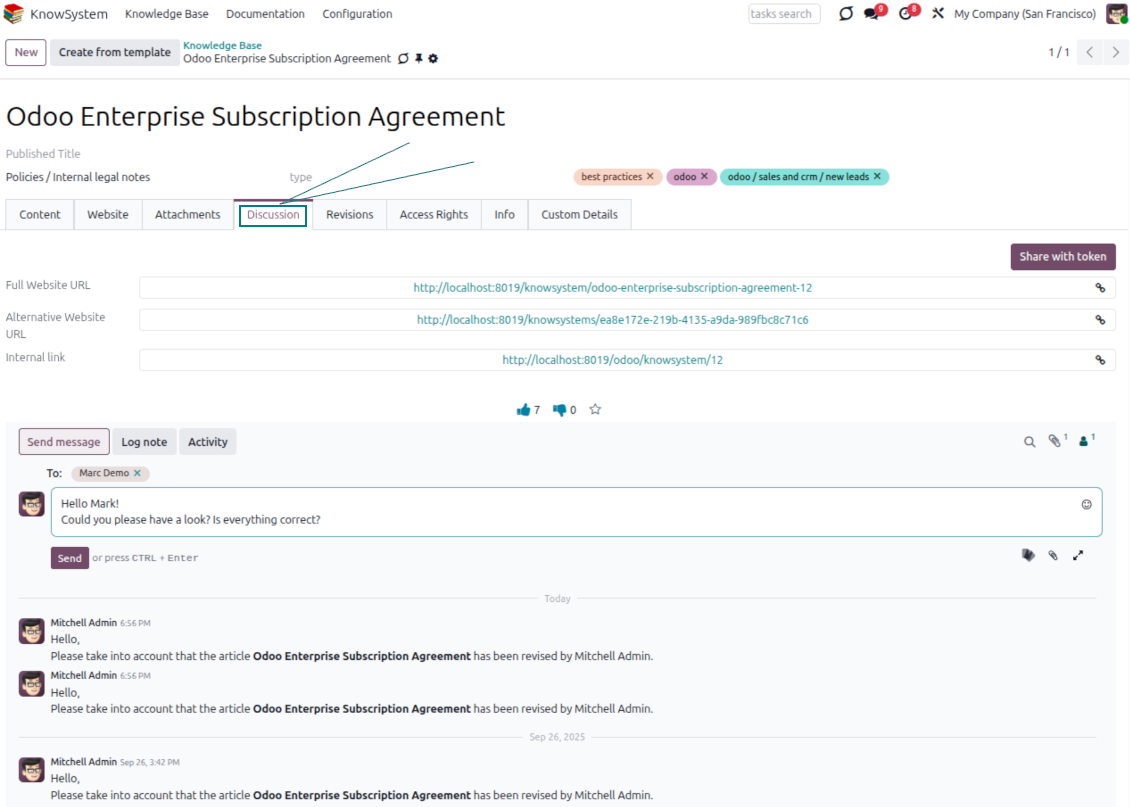
- Share links with colleagues or partners as backend, website/portal, or tokenized portal URLs.
- Turn on 'Articles in Activities' to insert articles or their links into Odoo activities.
Guided learning tours
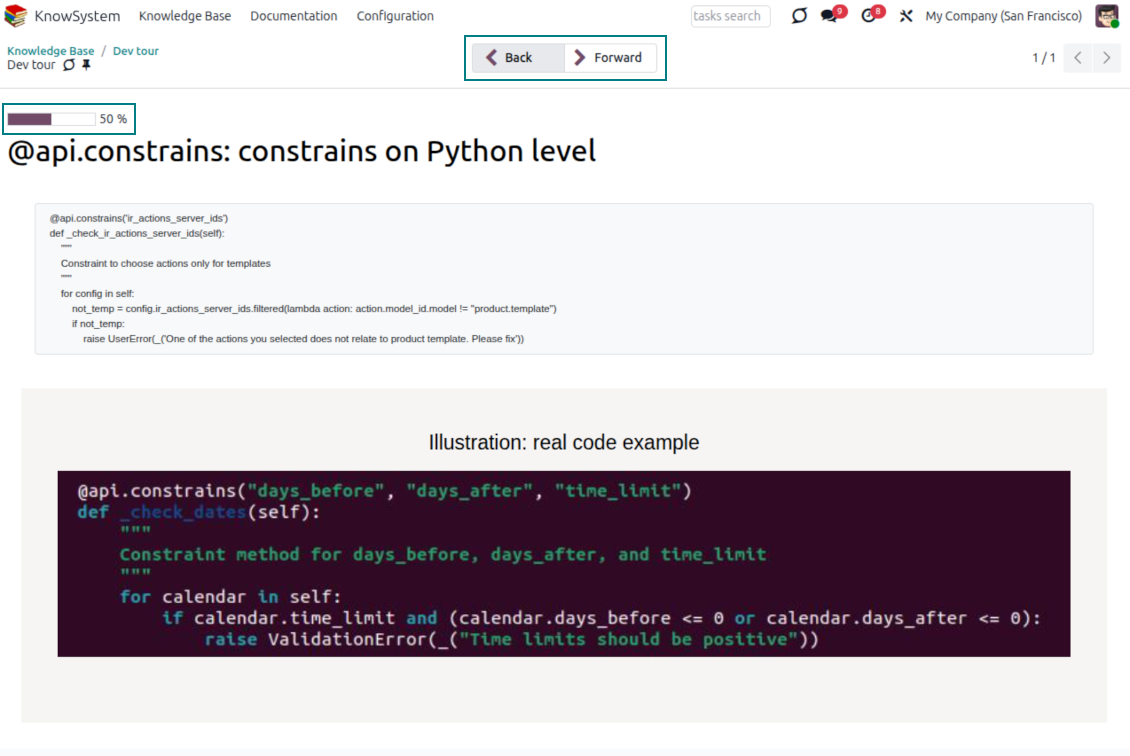
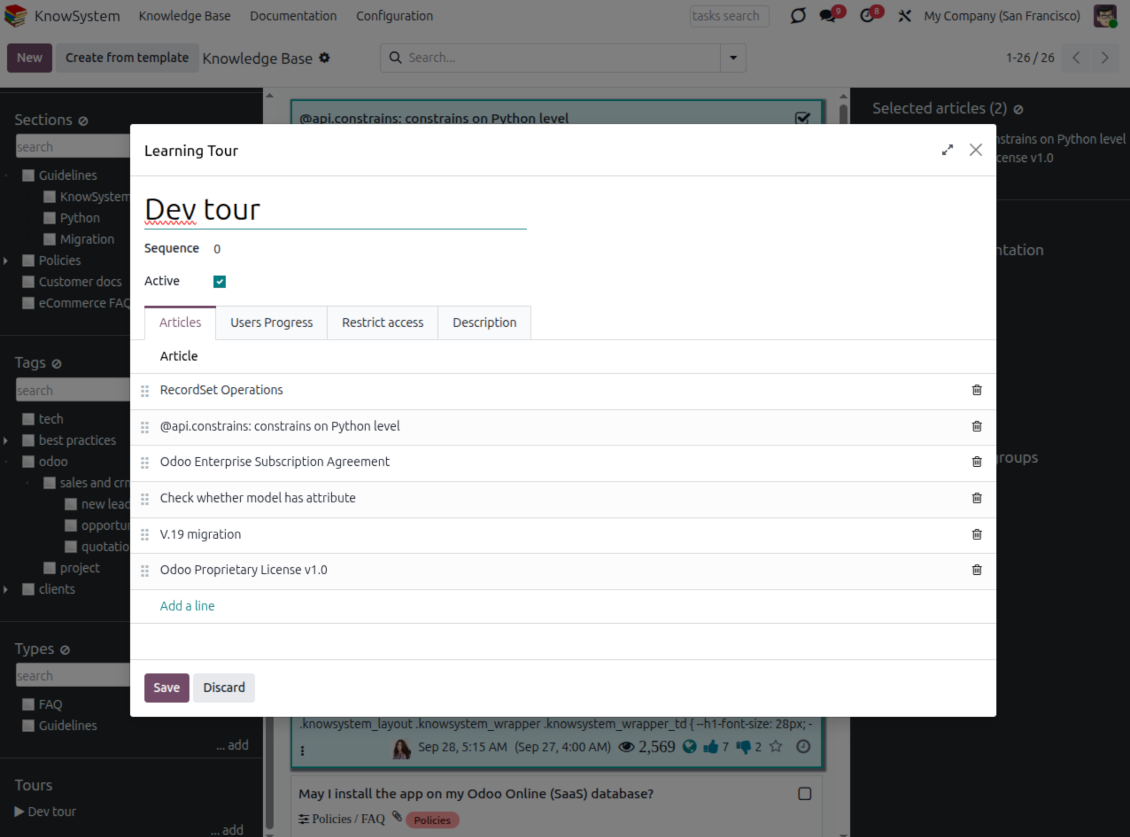
- Turn on 'Tours' to combine articles into an ordered sequence of learning steps.
- Launch a tour in a dedicated interface to study step by step, and share it with everyone or specific user groups.
- Track employees' progress through your instructions and guidelines.
Share and publish
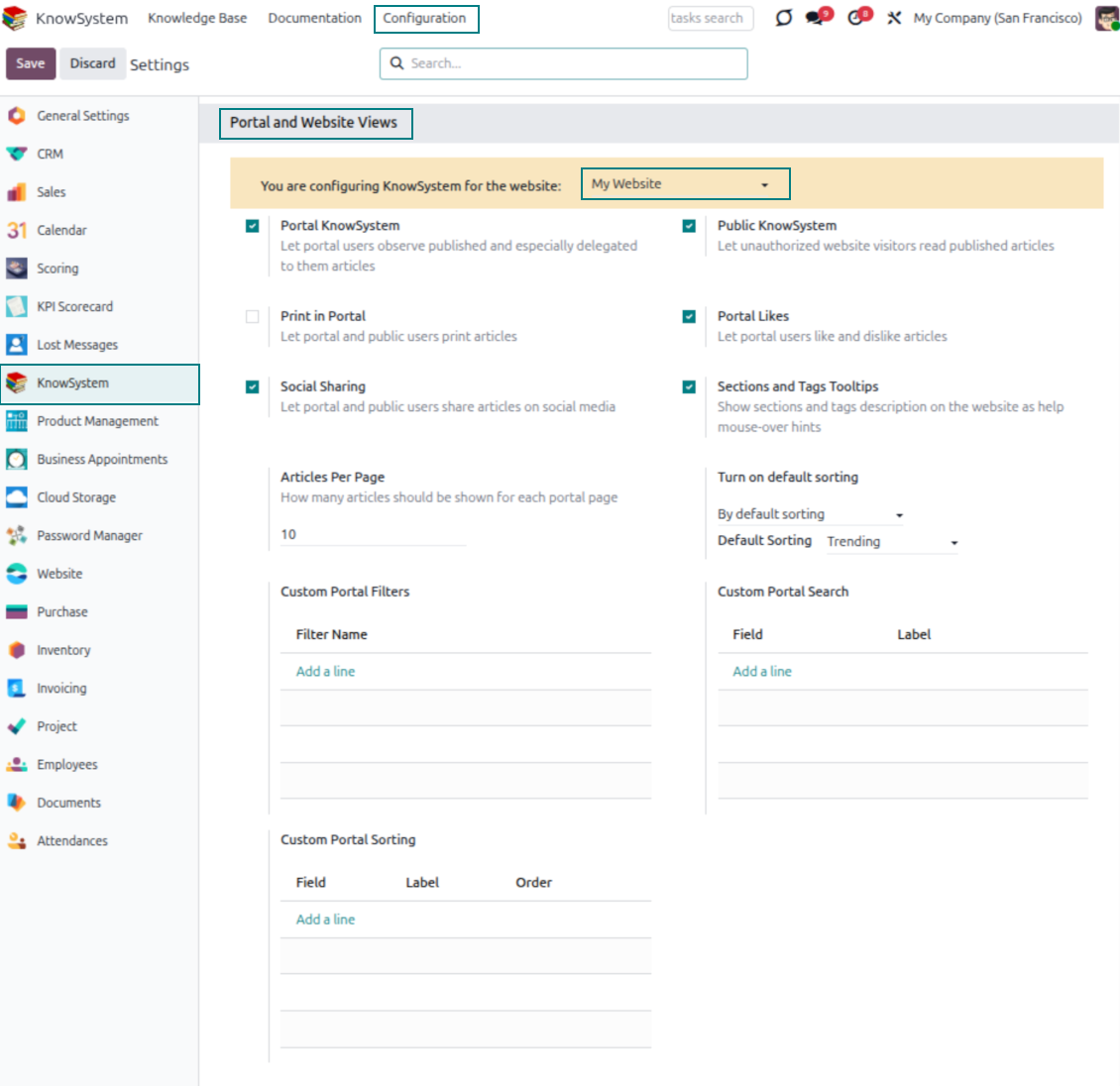
- 'Portal KnowSystem' shares knowledge with external partners; 'Public KnowSystem' opens it to website visitors.
- Configure KnowSystem tags or publish articles to control exactly what is shared.
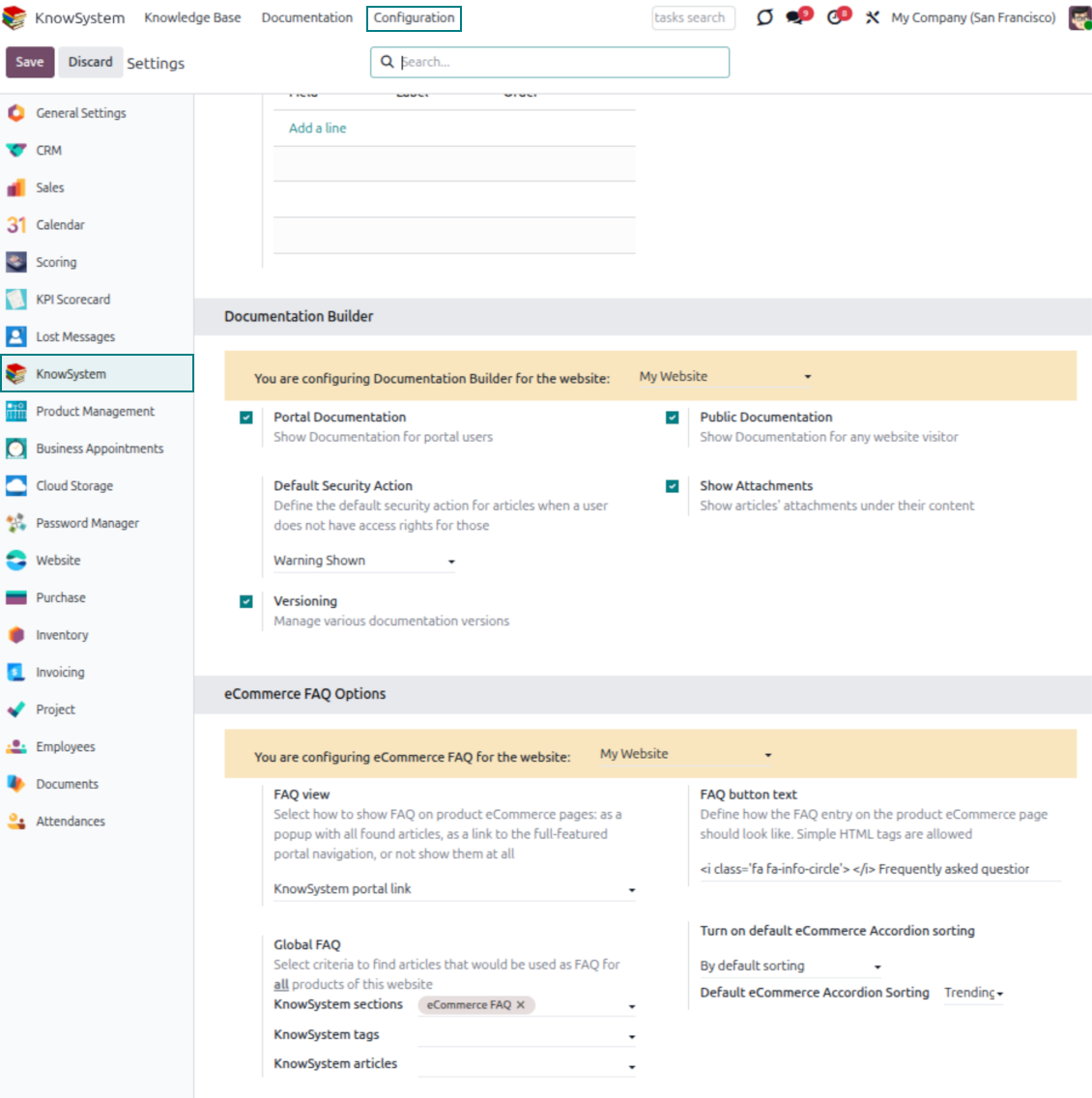
- Combine articles into advanced documentation; 'Portal Documentation' and 'Public Documentation' decide who can read it.
Готови за оценка?
Започнете с безплатна заявка за демо или покупка в Odoo Apps Store.
Безплатна персонализирана демо база. Не се изисква телефонен номер или кредитна карта. Безплатни доживотни обновления и експертна поддръжка в рамките на основната версия на Odoo.
Documentation
Turn articles into searchable website documentation
Create and structure
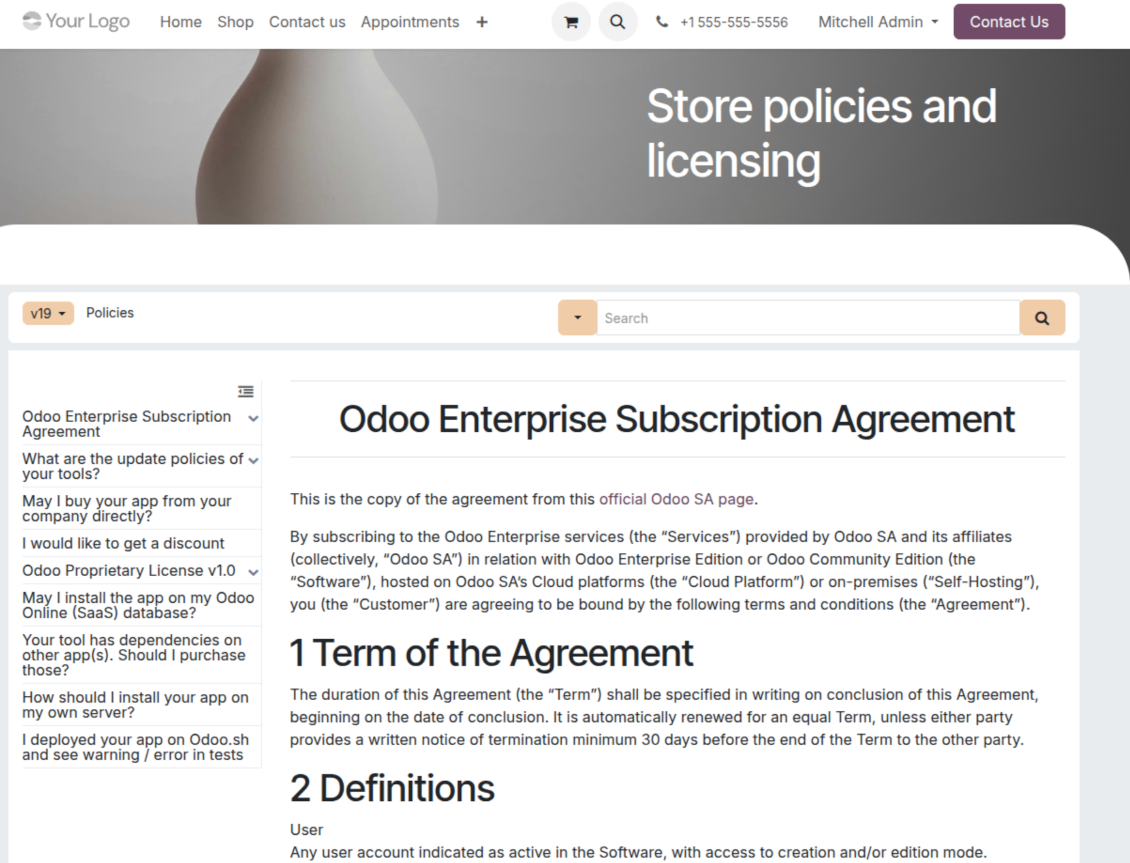
- Combine articles into advanced documentation that covers a whole business, organizational, or functional aspect.
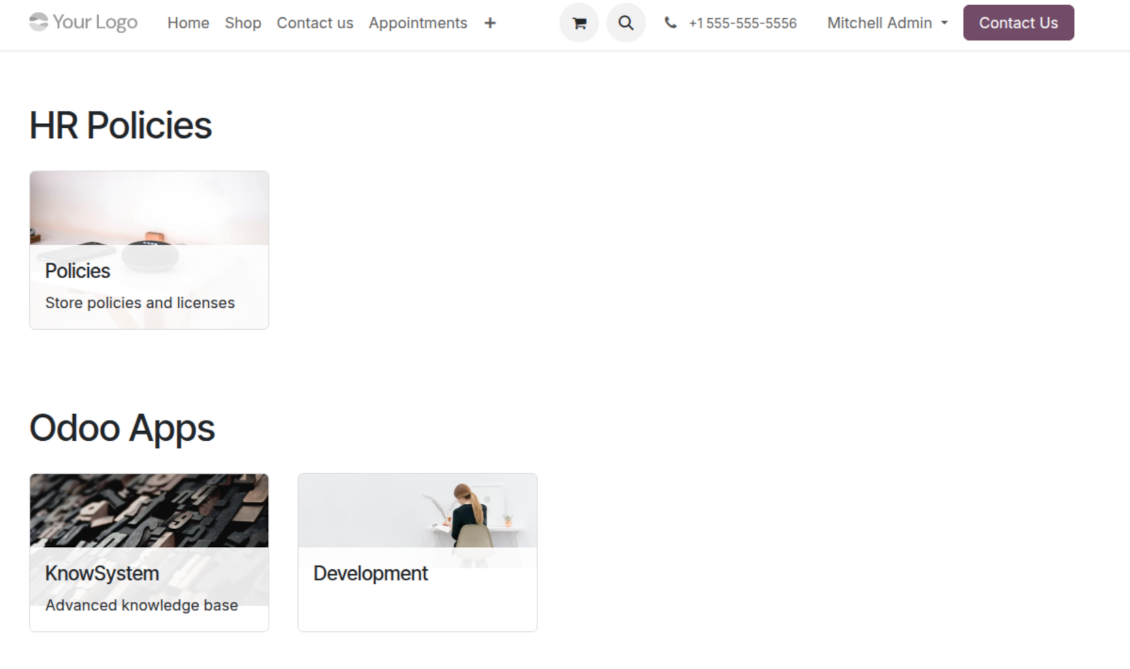
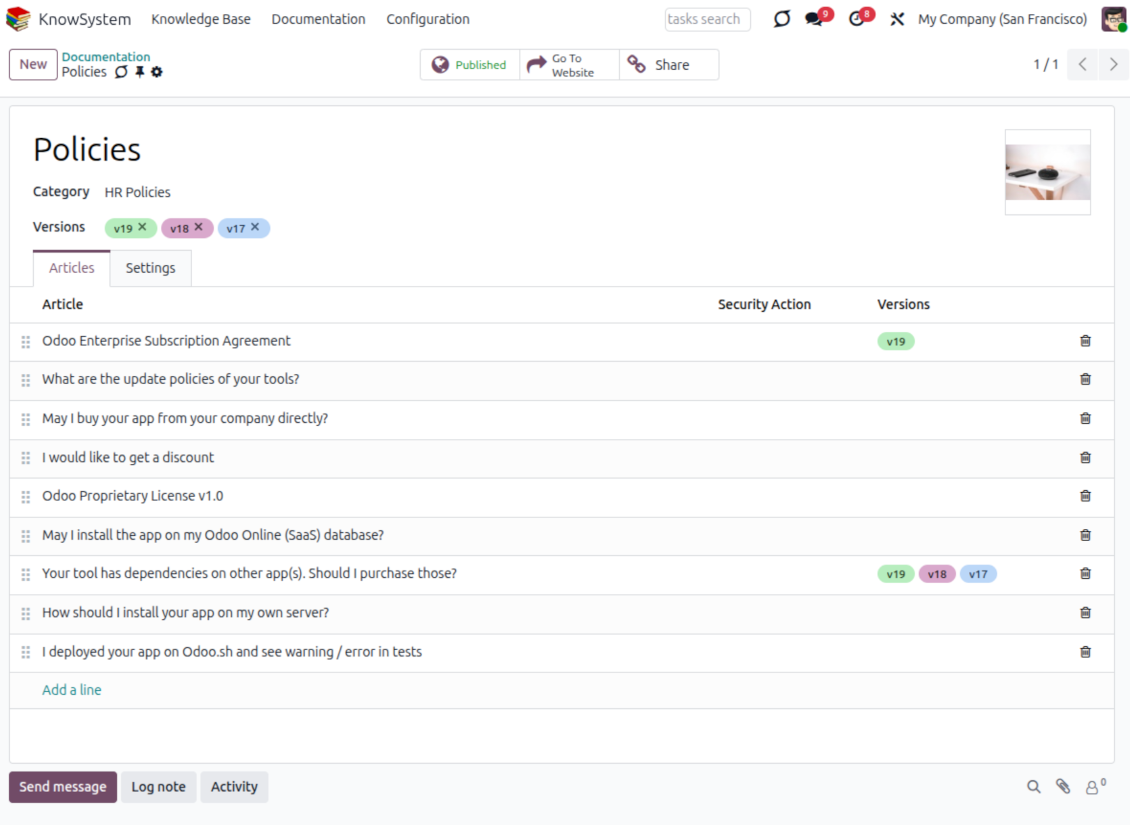
- Create a section simply by selecting and ordering articles - KnowSystem generates the website page automatically.
- Reuse the same article across several documentation sections.
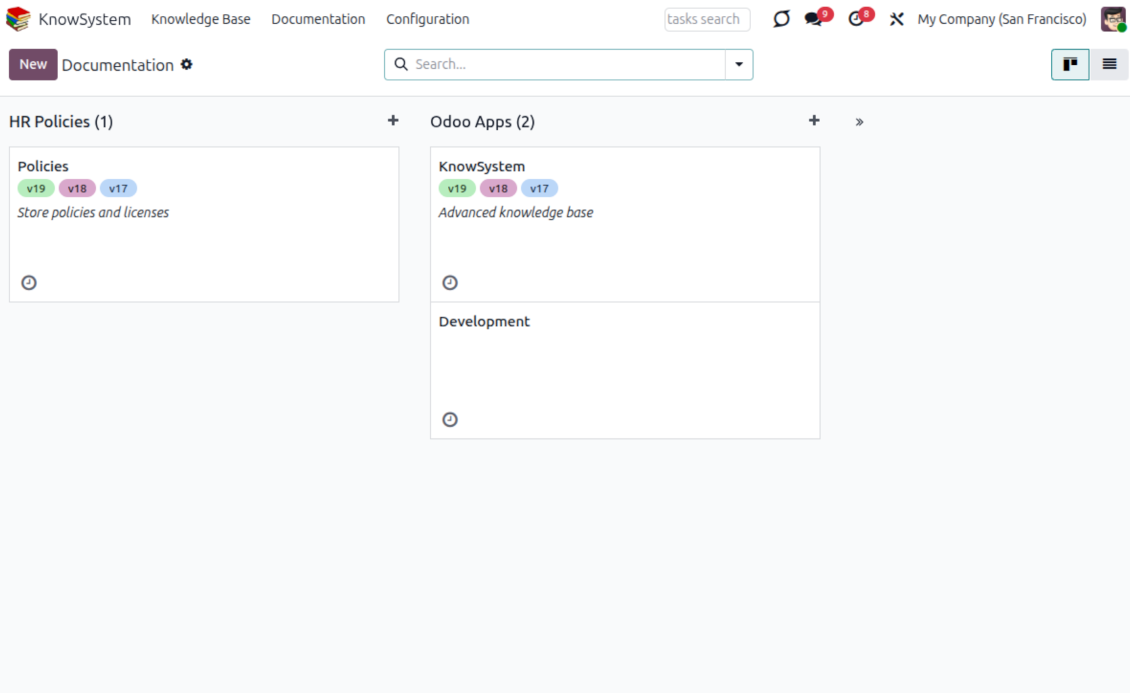
- Build an unlimited number of documentation pages, structured by categories.
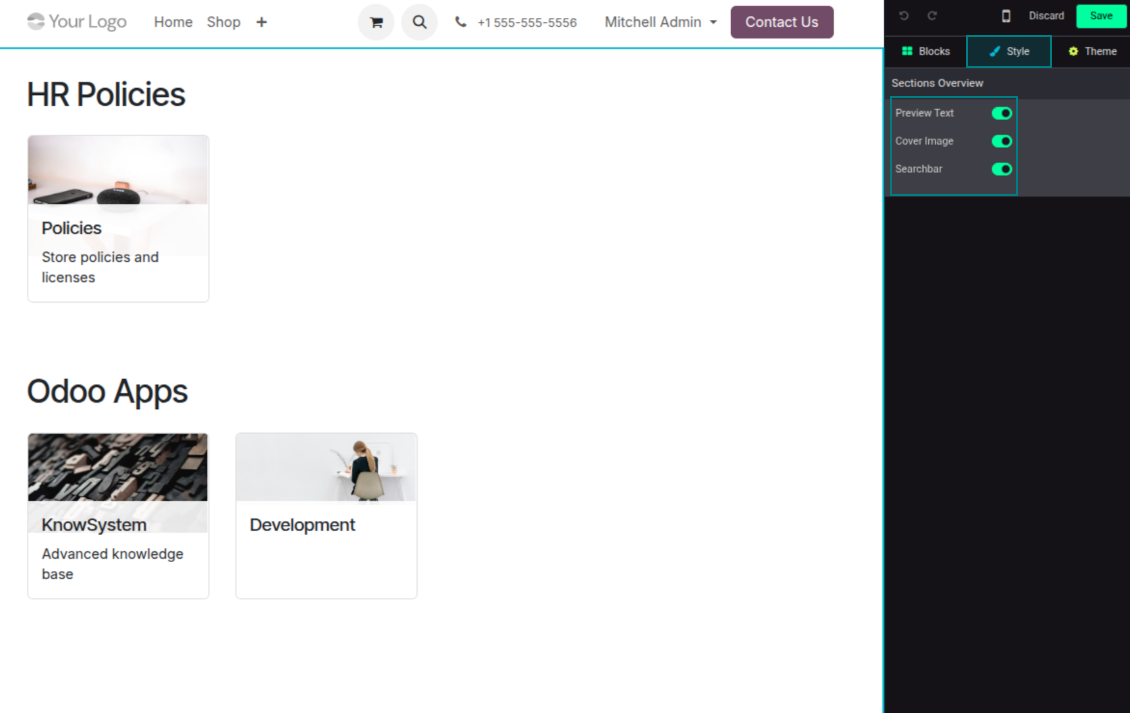
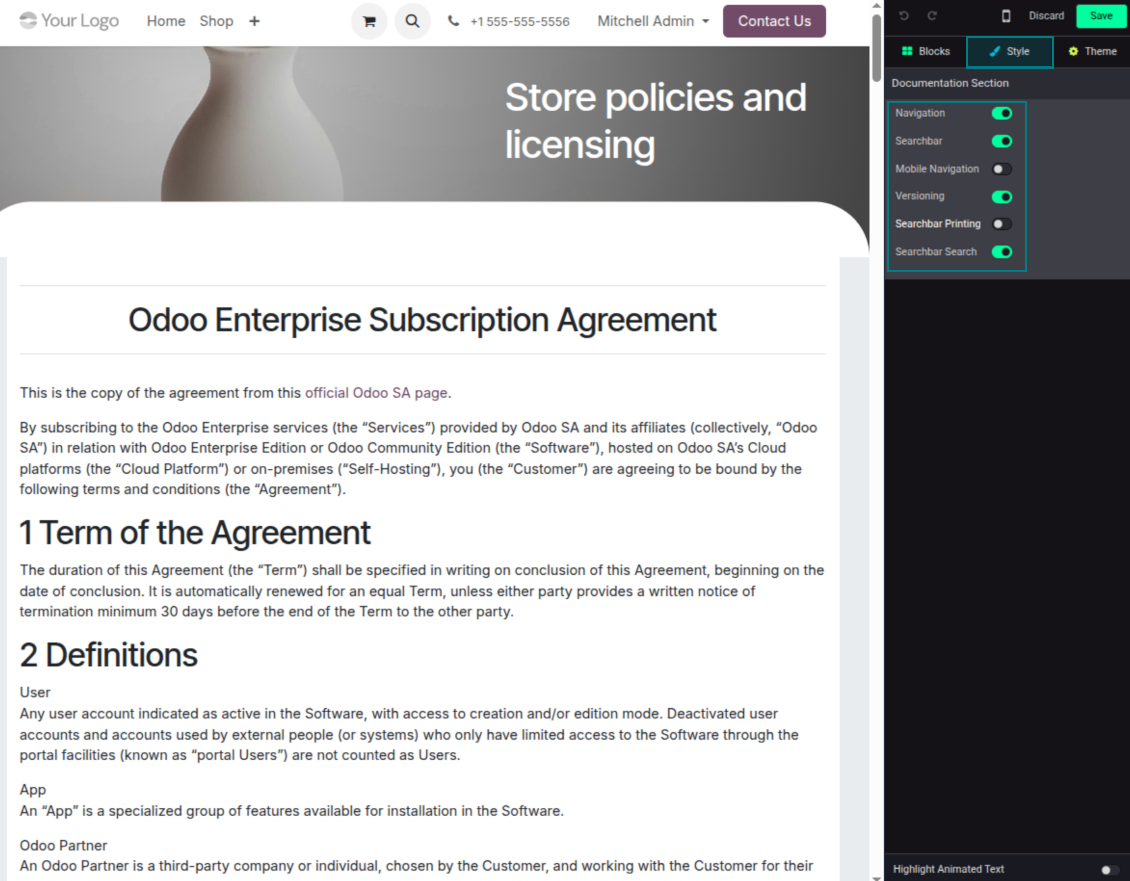
- Customize each page: toggle the search bar and table of contents, and add or remove preview images and texts.
Share, navigate, and version
- Publish documentation for everyone, or assign KnowSystem tags to grant access to chosen Odoo partners.
- Decide what happens when a reader lacks access to an included article: ignore the restriction, hide that piece, or show a security warning.
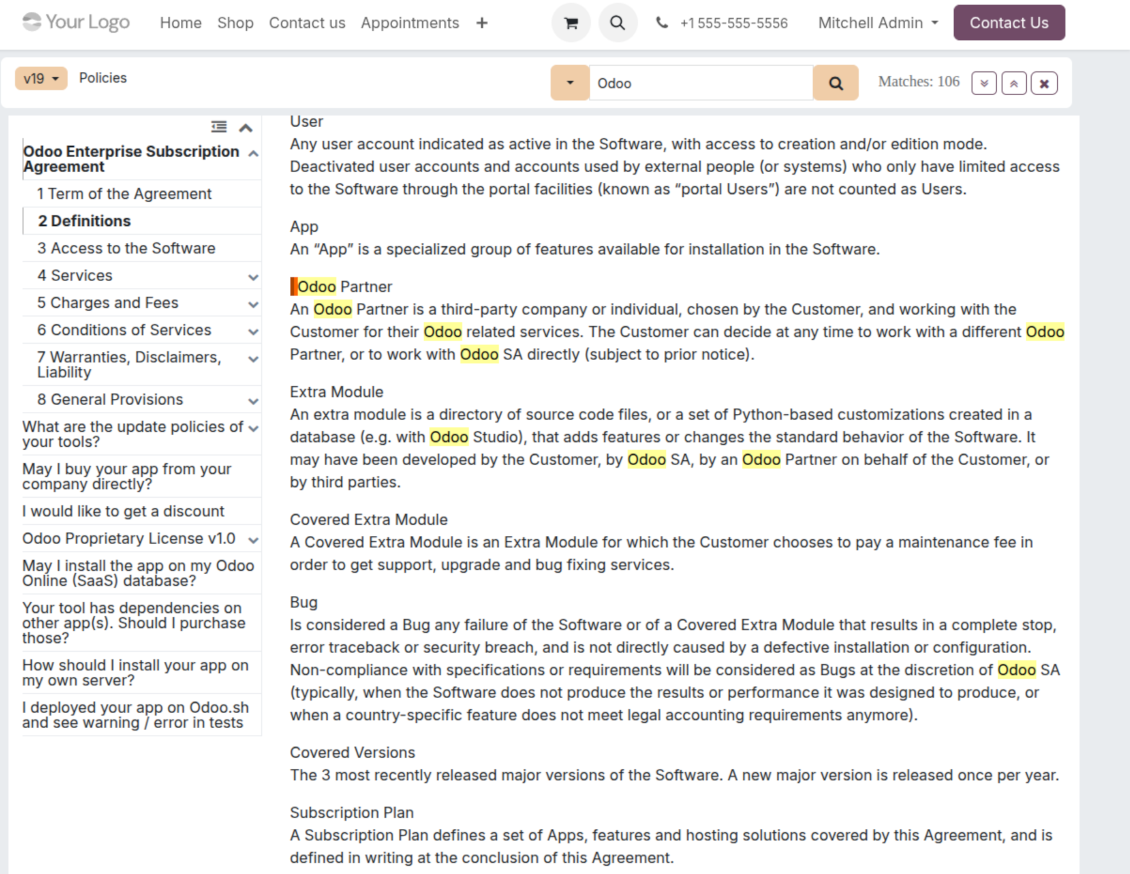
- Show an automatic table of contents, built from the headers of the included articles, for fast navigation.
- Enable search across the whole text or only headers, with case-sensitive or insensitive keywords.
- Apply versioning to avoid double work on specifications, user manuals, and software guidelines.
Portal & public
Share with partners or publish to everyone
Knowledge in the Odoo partner portal
- Turn on 'Portal KnowSystem' to give each Odoo partner a personal web portal built from the articles you choose to share.
- Design an article for one specific company, or reuse the same knowledge experience across many clients.
- Articles reach a portal user when they are (a) published, or (b) carry user-related tags.
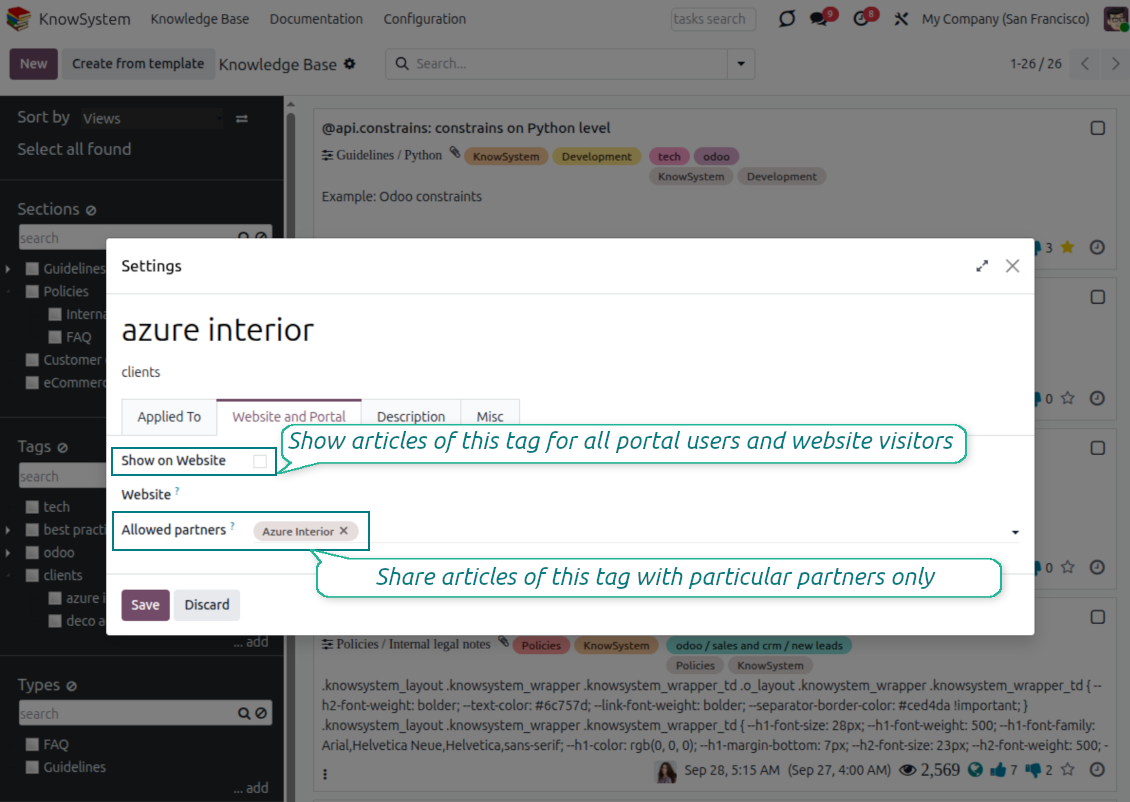
- Assign a tag to a partner in two ways: fill 'KnowSystem tags' on the partner form, or define 'Allowed partners' on the tag.
- Optionally allow partners to print articles, like them, and share.
Public self-service knowledge base
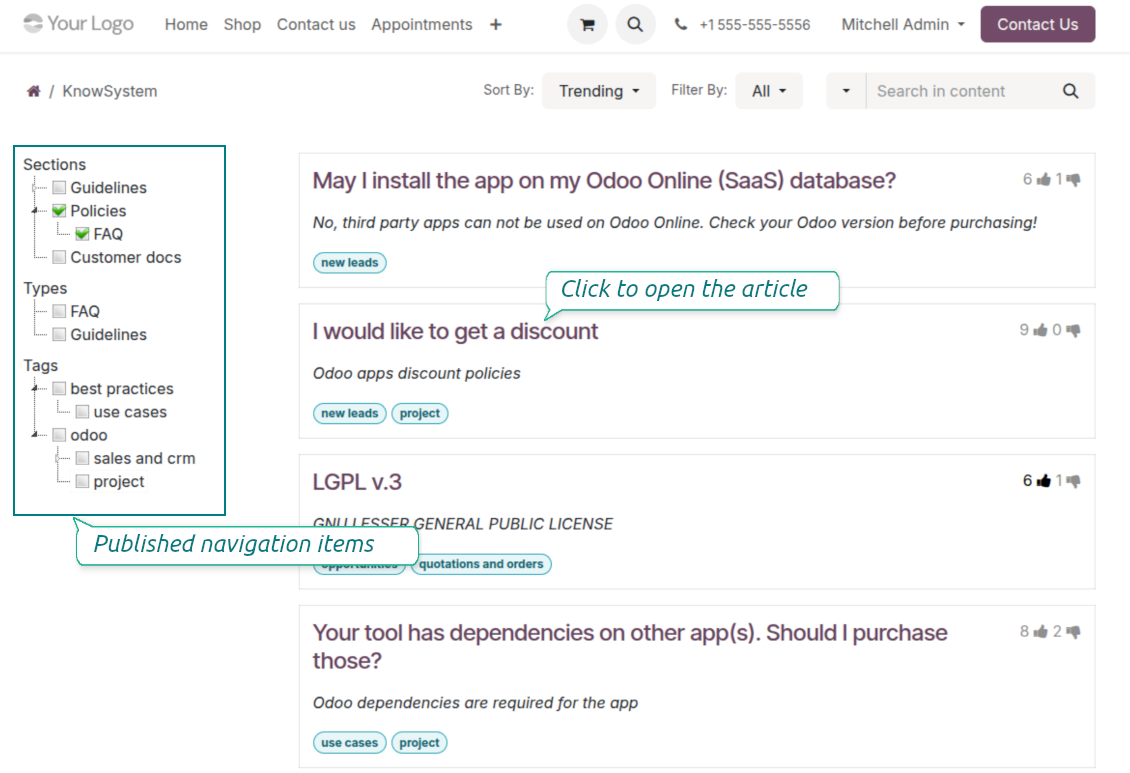
- Turn on 'Public KnowSystem' to open knowledge to unauthenticated website visitors for true self-service.
- Only published articles are shown - publish via the 'Publish' mass action or the 'Visible on current website' checkbox.
- Publish tags and article types too so they appear in the portal; sections show only once they contain visible articles.
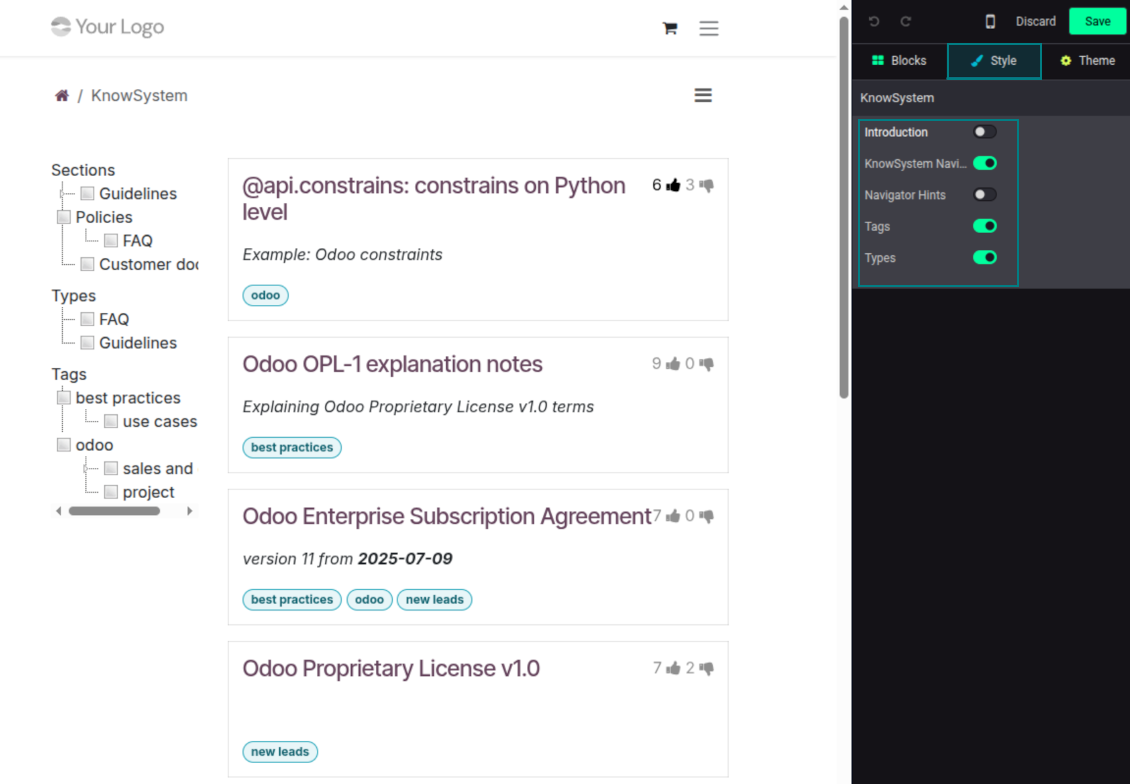
- Customize the portal: show or hide navigation by tags and types (or the whole navigation), add an introduction and navigation hints, and set section tooltips.
Collaboration
Versioned, social, and multi-lingual knowledge
Teamwork and use
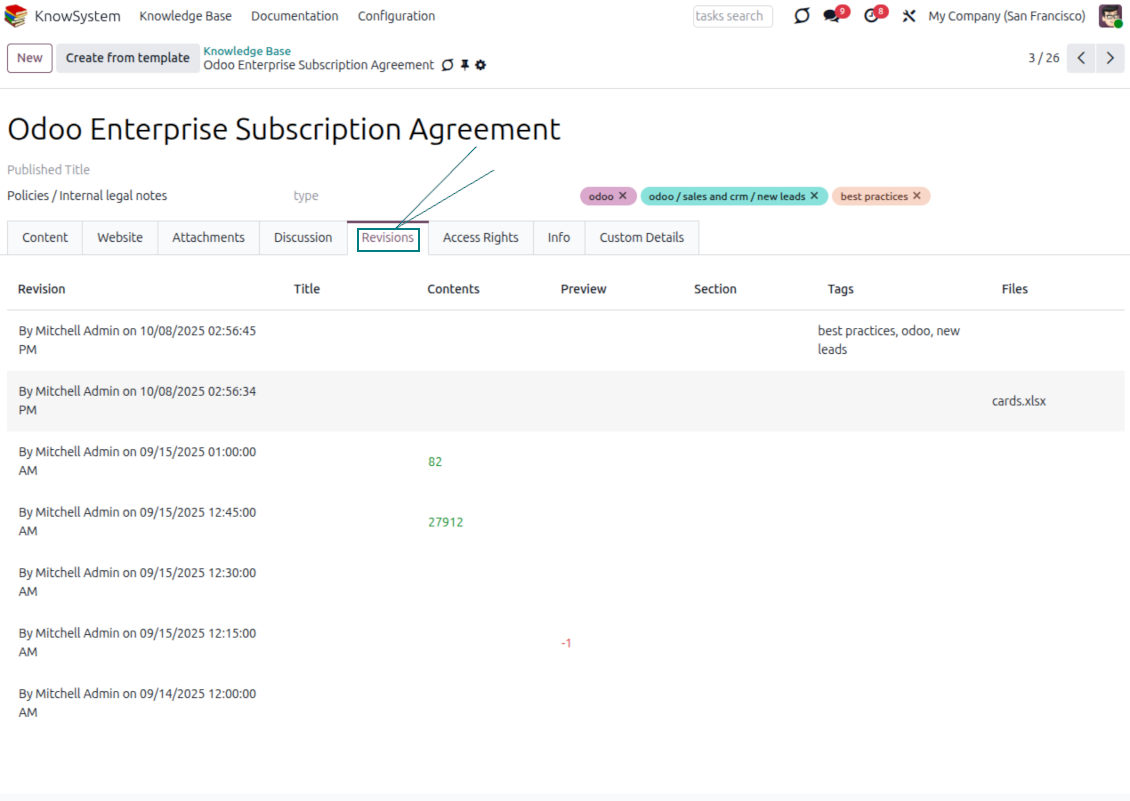
- The full history of article revisions is kept in Odoo, wiki-style. If a user breaks something, it takes just 2 clicks to recover the right version.
- Users take part in article discussions and subscribe to updates.
- Share tokenized articles with any contact.
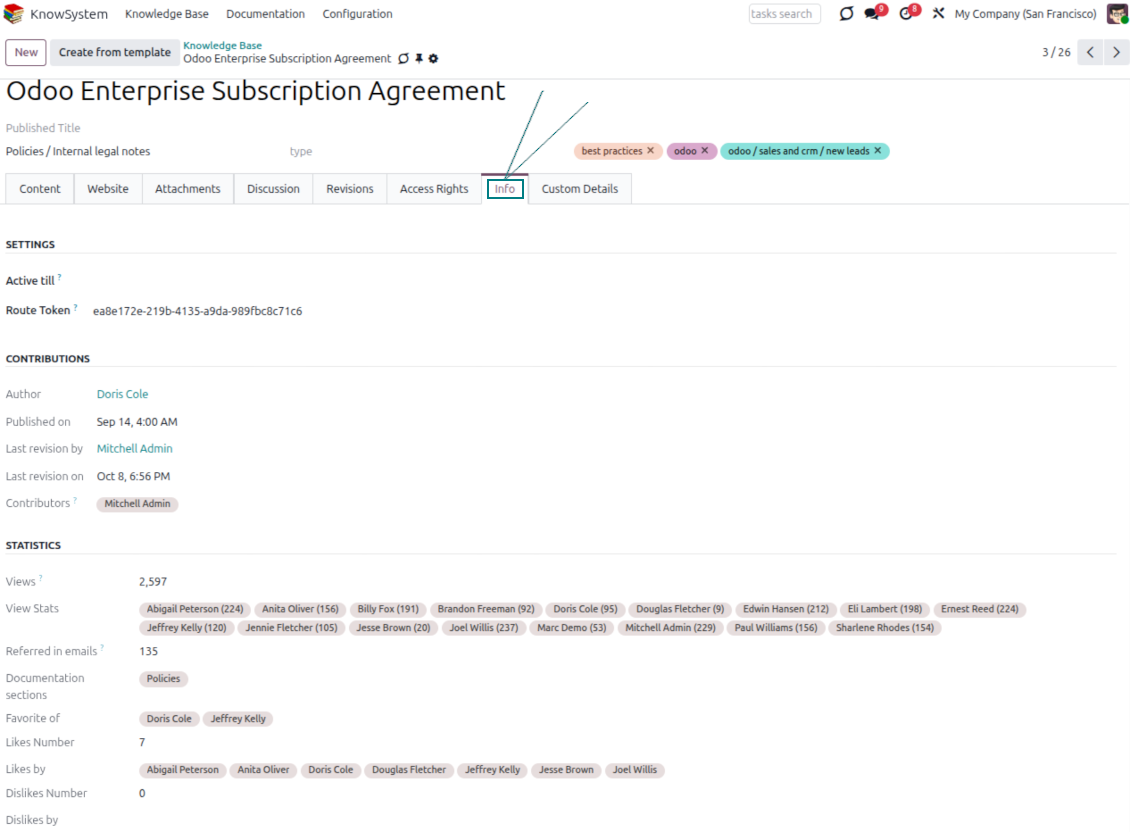
- Track statistics per article: contributors, views, likes and dislikes, how often it is used in messaging, and who marked it as favorite.
- Set activities to keep the base improving, and auto-archive articles after a chosen date.
Multi-lingual knowledge
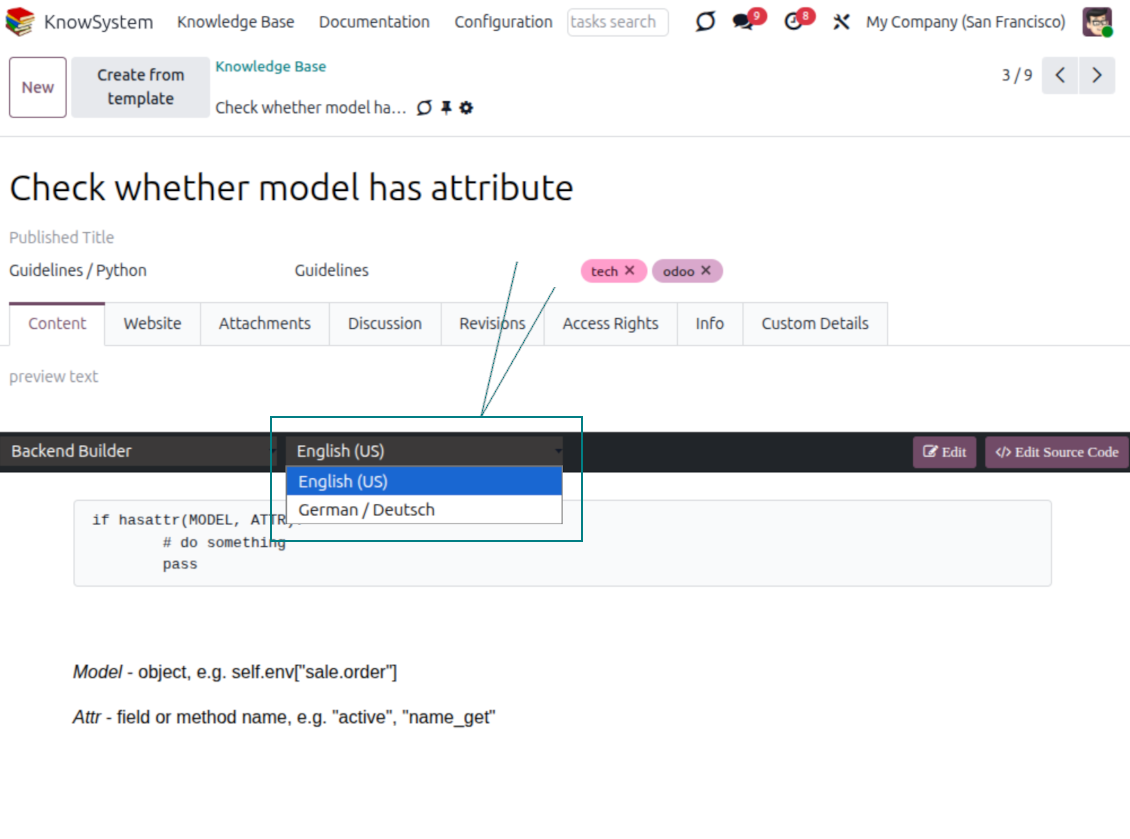
- Translate articles into every language installed in Odoo, so users read and edit in the language of their choice.
- Avoid double work with 'Copy from another translation' - but be sure you really need a multi-lingual regime, since every article must then be kept up to date in all languages.
- Switch the language right in the backend editor to review or update any translation.
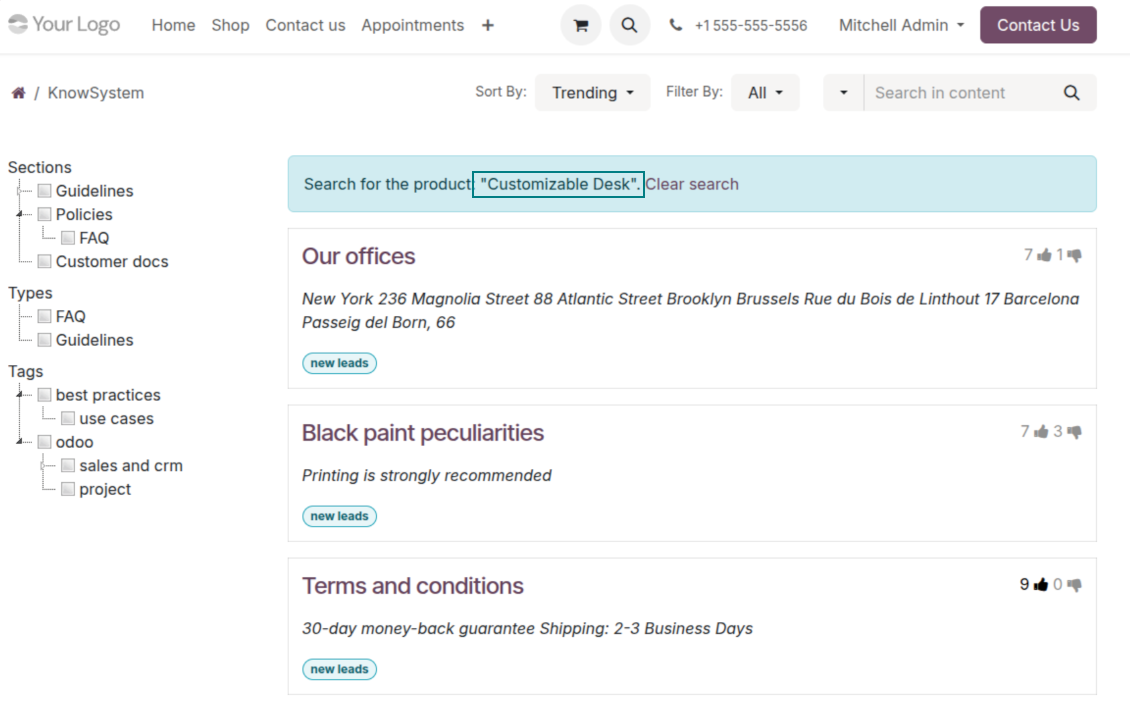
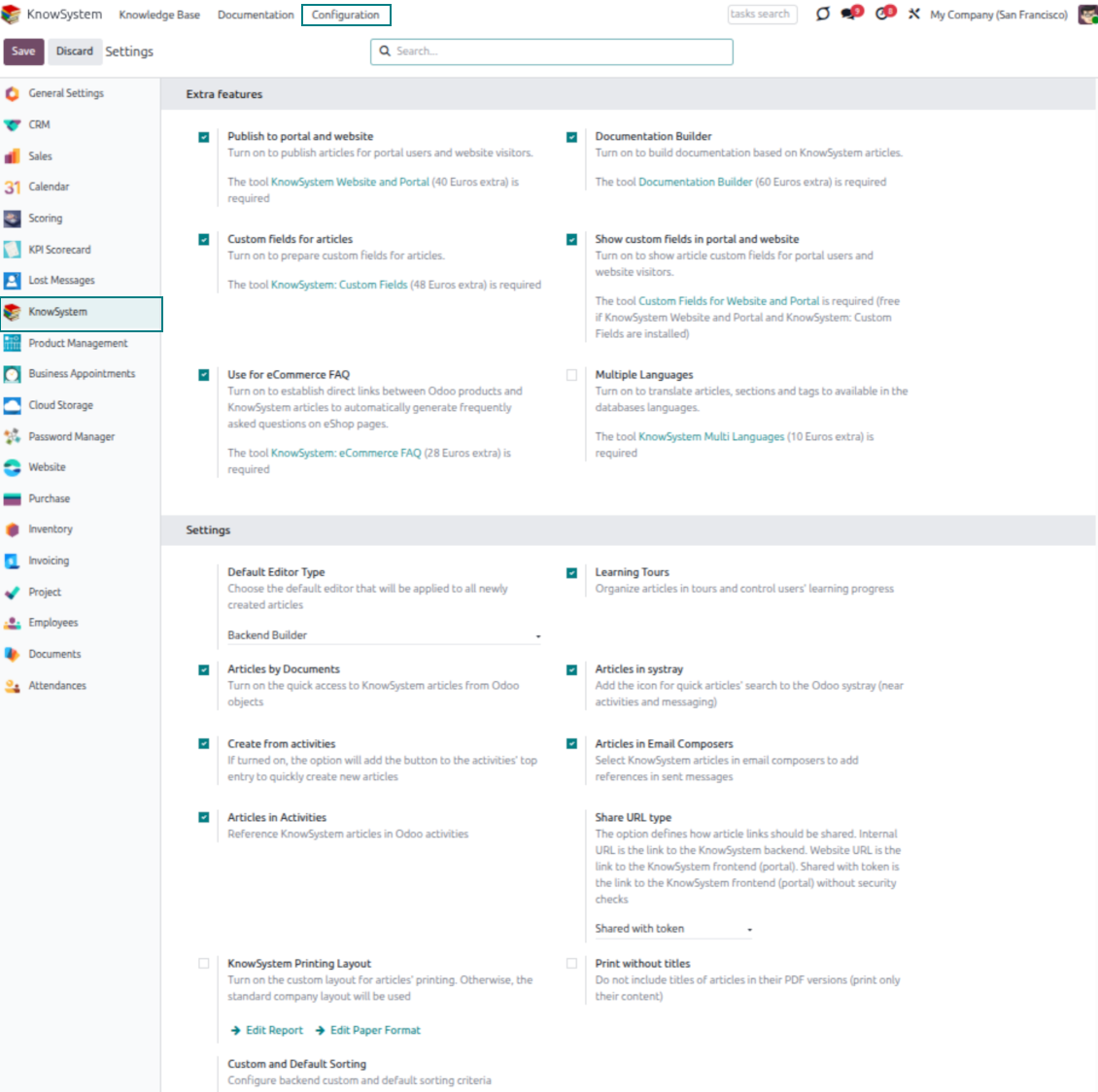
eCommerce FAQ
Add a product FAQ and docs to every eShop page
Show knowledge on product pages
- Adds a product knowledge entry to all eCommerce product pages out of the box.
- Hide it for specific templates (the setting 'Do not show eCommerce FAQ') or for an entire eShop on a website (the option 'FAQ view' - 'Do not show').
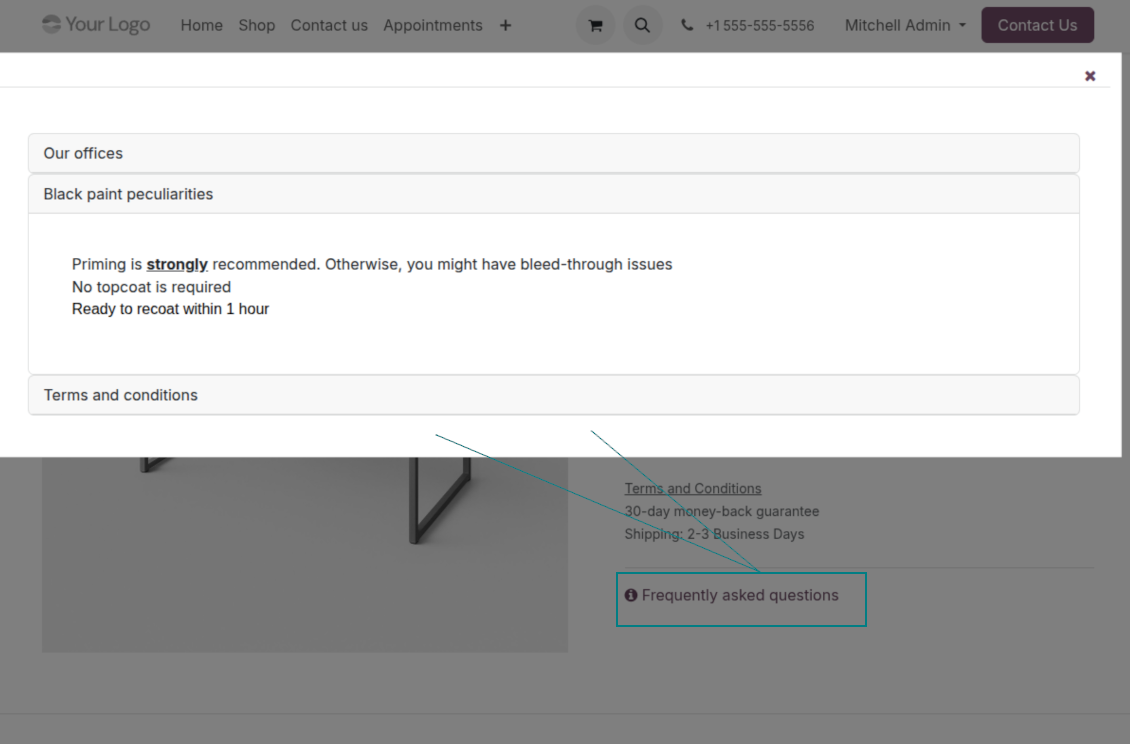
- Set your own button title ('FAQ button text'); the default is ' Frequently asked questions', but you can change it to anything, e.g. 'Product docs' or 'Instructions' - simple HTML tags are allowed.
- Choose 'KnowSystem portal link' for the 'FAQ view' to send shoppers to the full navigation, restricted to articles linked to the current product.
- Or choose 'Popup accordion' to open all matching articles in a popup, so shoppers stay on the product page.
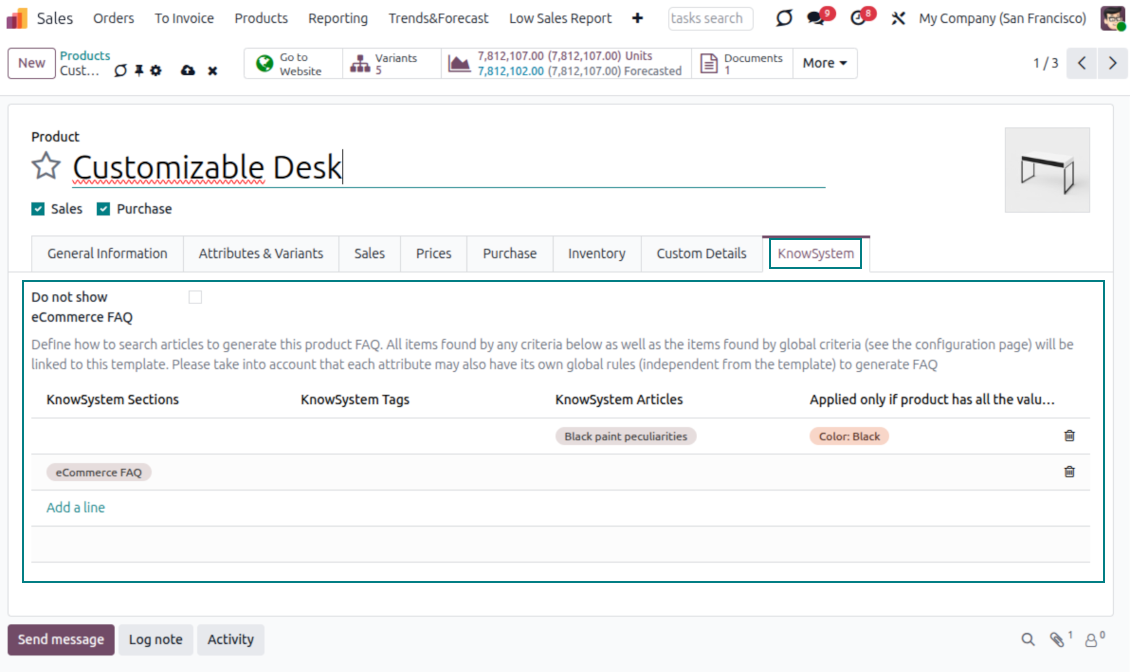
Match the right FAQ to the right product
- Link product templates to KnowSystem; show articles for specific sets of attribute values and hide them for others - e.g. different FAQs for steel and aluminum tables.
- Define knowledge for Odoo attributes or attribute values regardless of the actual product - for instance, complementary documentation for every variant that has 'legs' or 'custom legs'.
- Apply global settings per website to keep the same FAQ basis across all items sold there.
- Target KnowSystem sections, tags, or specific articles on each layer. A knowledge piece is selected if it satisfies any of the criteria; for sections and tags, child nodes are taken into account too.
- Articles appear only if a user can access them, so website visitors see only published ones.
Use cases
Built for helpdesk, sales, HR, IT, and beyond
KnowSystem is a universal knowledge management tool that adapts to any business goal and any set of Odoo apps - helpdesk, sales, marketing, IT, HR, legal, and projects. Typical use cases:
- Helpdesk - once a challenge is solved, record its solution in KnowSystem for repeated use by co-workers and self-service by clients.
- Sales & CRM - a salesperson helper for product information, current offers, and frequently asked customer questions.
- Project management - keep and easily retrieve knowledge of existing solutions, tools, hints, and experiments.
- HR - prepare instructions, guidelines, learning tours, training, and any codified knowledge of routine in your company.
- Marketing - organize an online library of product use cases, expert knowledge, and well-structured documentation.
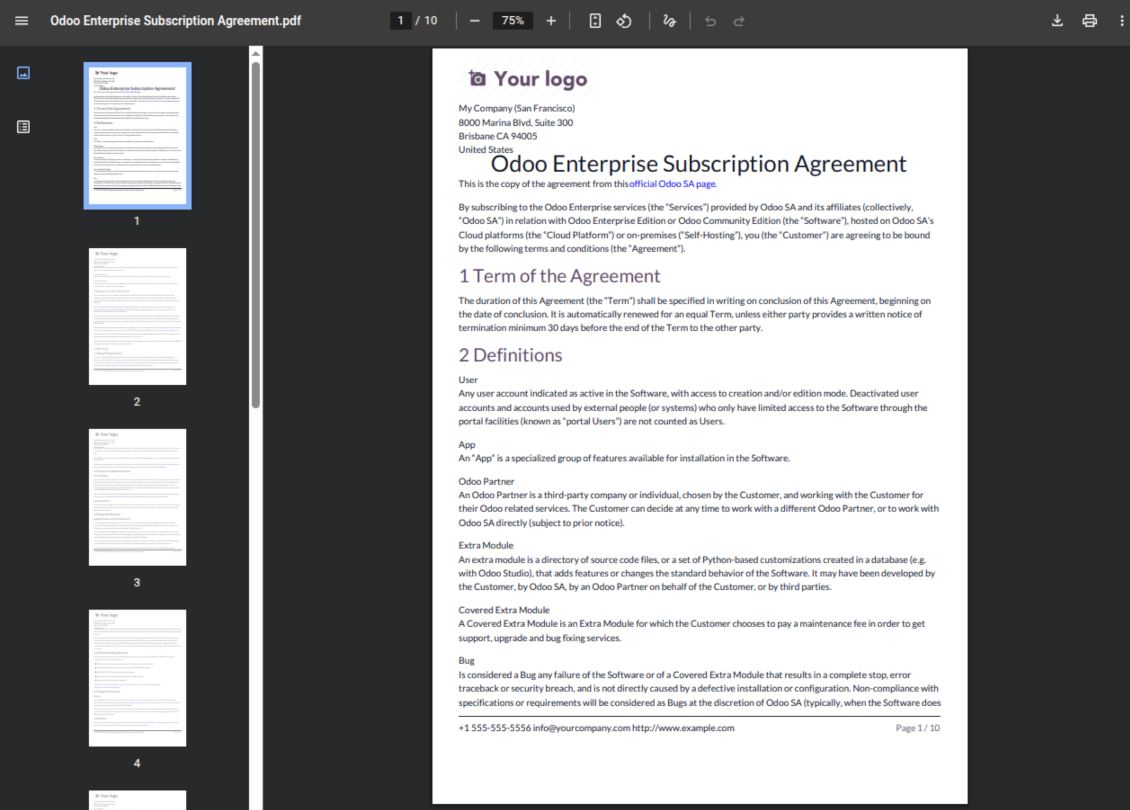
- Legal - systematize policies and contract/approval management, and keep a full classifier of trademarks and licenses.
- Information technology - share easy-to-reach manuals and configuration guidelines, one search away.
Custom fields
Add your own article attributes - no code
Add fields without code
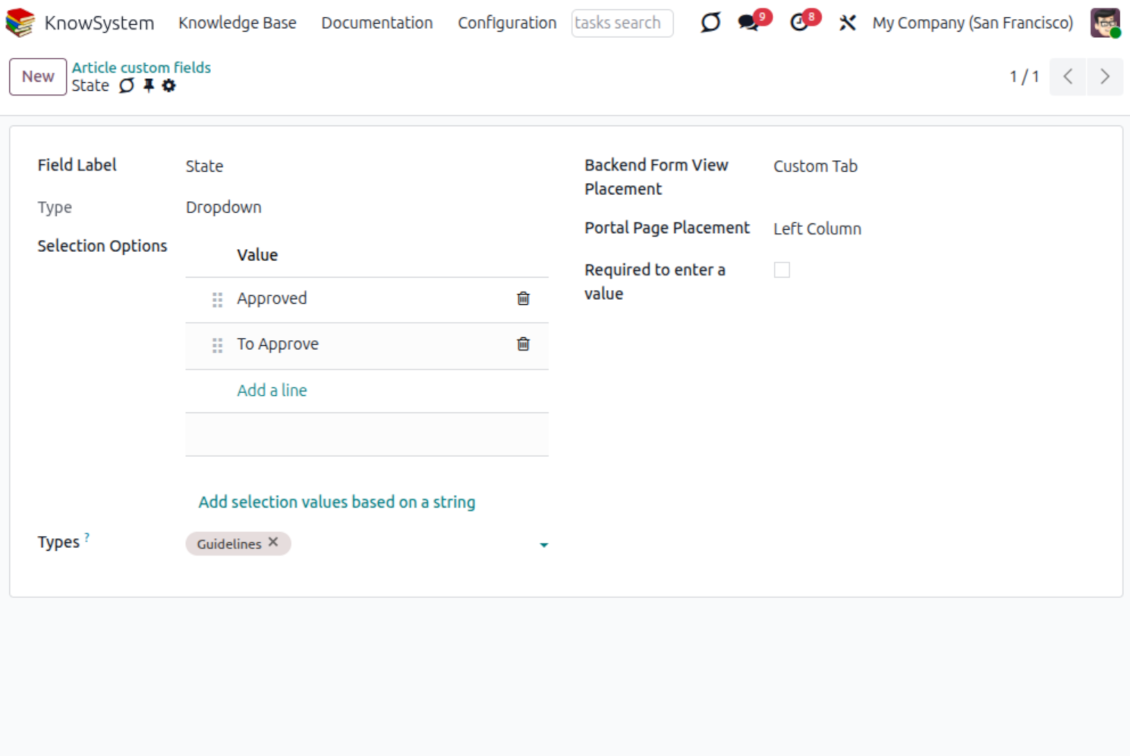
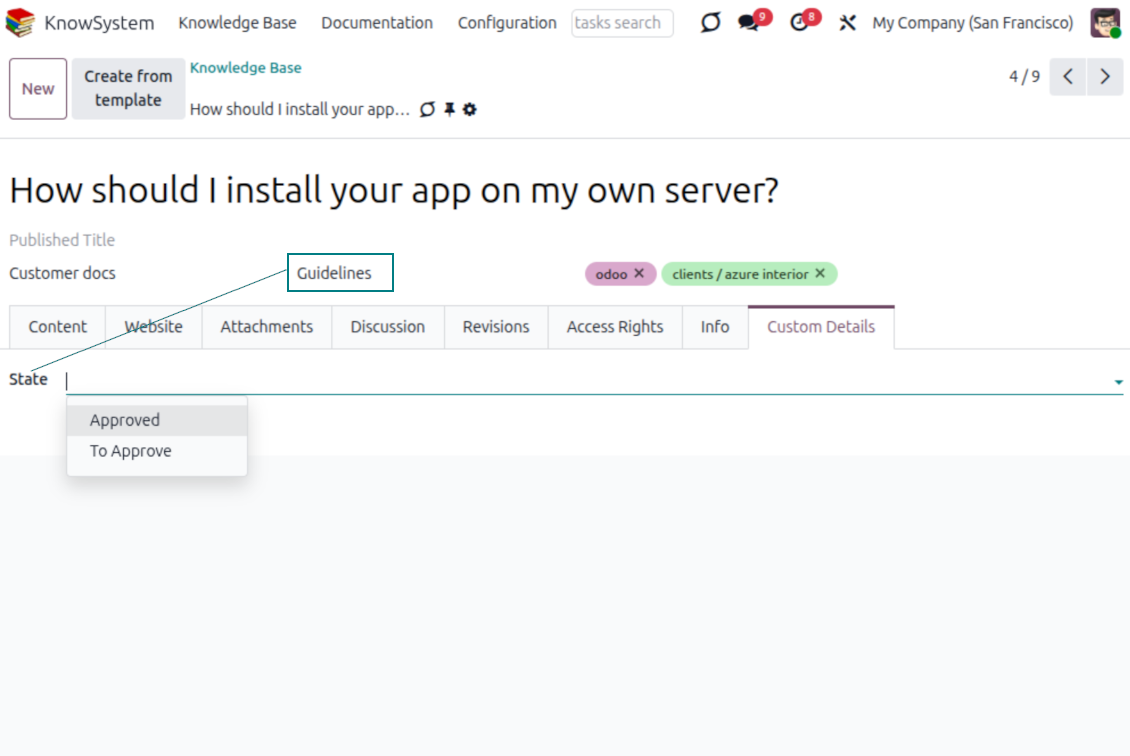
- No technical knowledge required - add a field and enter details to show a new property for articles.
- Choose from a full range of types: single-line text (char), plain text, rich (HTML) text, integer or float numbers, drop-down selection with your own options, checkbox (boolean), date or date-and-time, file upload (binary), and a reference to another Odoo record such as a sale order or contact (many2one).
- Pick the field's interface position from a closed list of options.
- Mark a field required to force users to enter a value.
Tailor by type, share, and secure
- Use article types to show properties only for the right articles - 'user guidelines' and 'technical specifications' can carry completely different attributes.
- Works in both the KnowSystem backend and the knowledge share portal.
- Custom fields can be imported and exported.
- Only KnowSystem administrators may create custom fields.
Security
Granular access for staff, partners, and the public
How access works
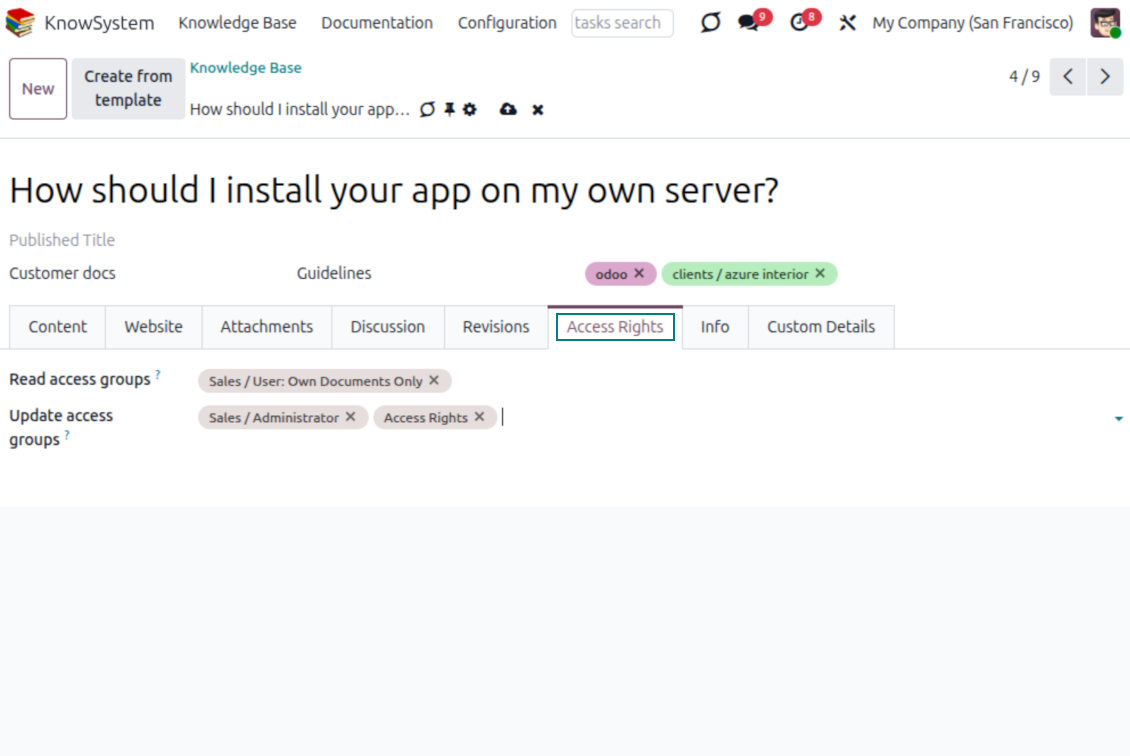
- Security for internal users and for portal/public users is handled separately.
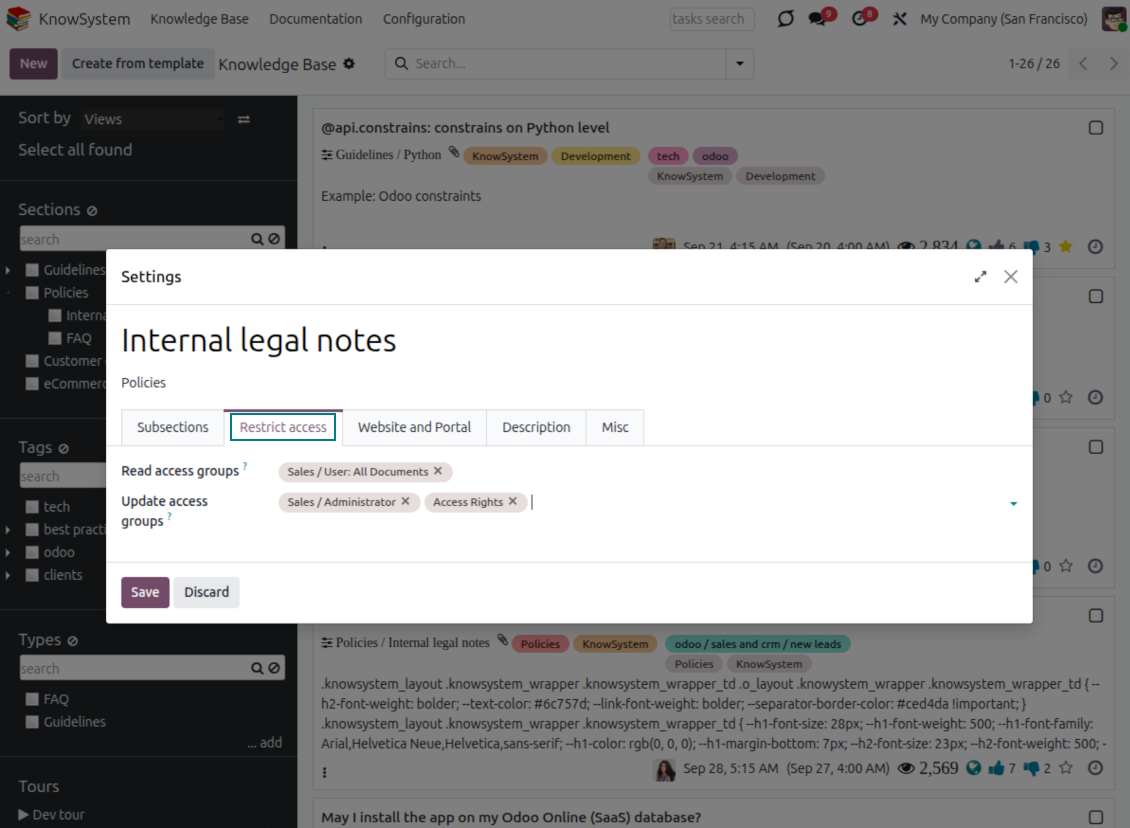
- For company employees: KnowSystem honors the user groups defined per article, section, and tour (the 'Restrict to' tab on those forms). If that field is empty, the record is 'global' and every internal user may read it.
- For portal / public users: access depends on tags and on whether an article is website-published. A tag's 'Allowed partners' grants portal users access to articles carrying that tag; published pages are open to any visitor.
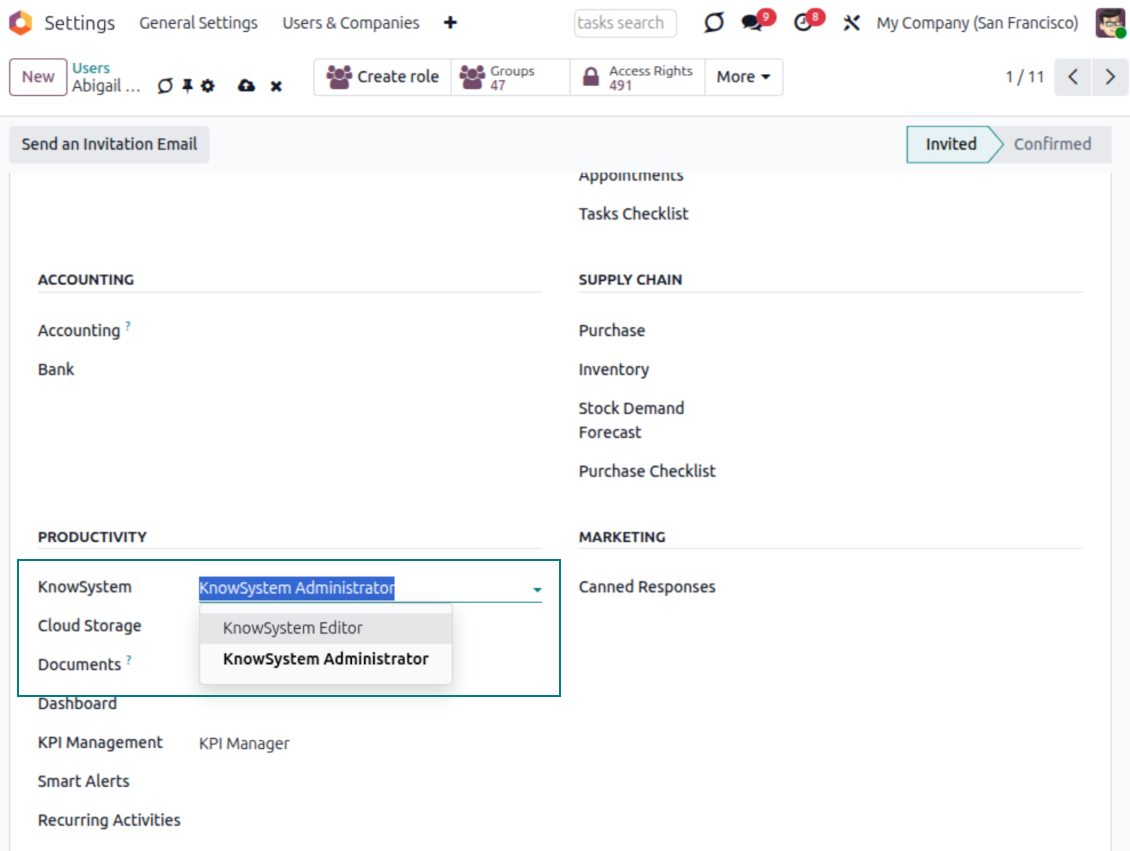
- Administration belongs to two roles - KnowSystem Editor and KnowSystem Administrator. A user must belong to one of them to create and edit articles.
- A user can always access an article they authored, regardless of further restrictions.
- Section rights consider the section and all its parents - no access to 'sales' means no access to 'sales/crm', even if 'crm' is open to the user's group.
Access rights at a glance
Odoo user |
KnowSystem Editor |
KnowSystem Admin |
Portal user |
Public user |
|
| Articles | read related to their user groups and sections | read, create, edit, archive related to their user groups and sections | read, create, edit, delete any | read published articles and articles related to partner-related tags | read published articles |
| Sections | read related to their user groups | read, create, edit, archive related to their user groups and sections | read, create, edit, delete any | read published ones | read published ones |
| Tags | read any | read, create, edit, archive any | read, create, edit, delete any | read published ones | read published ones |
| Article Types | read any | read any | read, create, edit, delete any | read published ones | read published ones |
| Tours | read related to their user groups | read, create, edit, delete related to their user groups | read, create, edit, delete any | no access | no access |
| Misc | may like/dislike, add to favorites, print, take part in discussions | may configure options | may like/dislike an article |
Готови за оценка?
Започнете с безплатна заявка за демо или покупка в Odoo Apps Store.
Безплатна персонализирана демо база. Не се изисква телефонен номер или кредитна карта. Безплатни доживотни обновления и експертна поддръжка в рамките на основната версия на Odoo.
Често задавани въпроси за KnowSystem: Knowledge Base System Odoo v.18
Не виждам никаква разлика между текстовете на редакциите.
Ревизиите записват не само текстови промени, но и обновявания на стилове (технически, когато променяте HTML изходния код на статия). Някои може да не са ясни от пръв поглед (напр. променен размер на шрифта на една дума). Други може да са драстични. Все пак всяка поредица Редактиране > Промяна на нещо в статия > Запис води до нова ревизия.
Мога ли да добавя видео от YouTube/ Vimeo / Dailymotion / Youku в статия?
Да, видео от тези услуги може да се вгради в статии и от администрацията на Odoo, и от конструктора на сайта. Добавете блок със снимка > натиснете изображението > изберете ‘Video’ > въведете URL на медията.
Имайте предвид: такива видеа се включват като iframe и някои браузъри могат да блокират възпроизвеждането, докато потребителят го разреши изрично.
Как да направя раздел видим на уебсайта?
В KnowSystem даден раздел е видим на уебсайт, ако е публикуван и съдържа поне една статия. Дори с подраздели няма да е видим, ако в самия раздел няма нито една статия. Така се избягват празни раздели и порталът KnowSystem остава прегледен. За да се покаже разделът на сайта, добавете уводна или обща статия, която накратко описва или изброява статиите в подразделите.
Как да споделя статия с външен партньор?
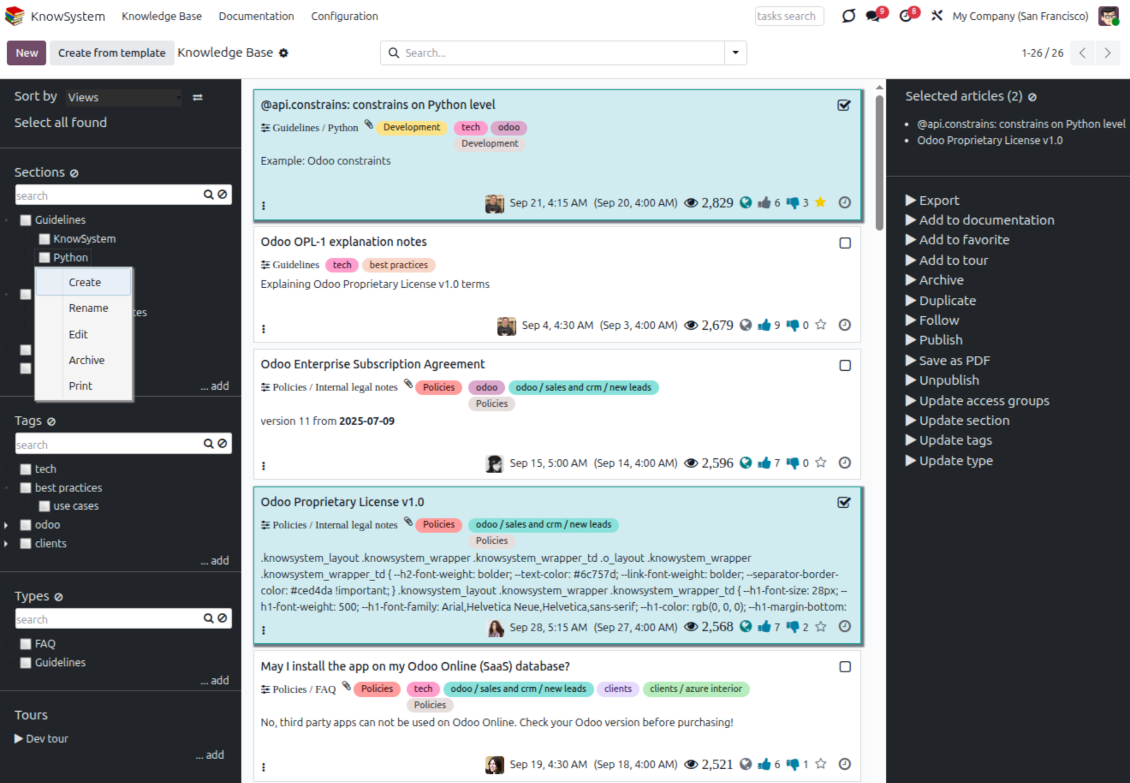
Десен клик върху който и да е етикет в левия навигационен панел - Създаване
Намерете полето „Allowed partners“. Например 'clients - azure interior', за да дадете достъп на партньора 'Azure Interior'. Може и обратното: да зададете етикети KnowSystem направо във формуляра на партньора
Сега отворете нужната статия (или същото с действието „Mass update“ за няколко записа):
Ако е публикувана: отменете публикуването, ако не искате да е достъпна за всички потребители на портала и публичните посетители
Задайте новосъздадения етикет (в примера е 'clients - azure interior')
Сега:
Всички потребители на портала, свързани с търговския партньор 'Azure Interior', имат достъп до статиите с етикет 'Azure Interior'
Никой друг потребител на портала (ако няма друг етикет) няма достъп до тези статии
Вътрешните потребители не се влияят и виждат статиите според логиката „access to“ на статии и раздели.
Можем ли да добавим бутон за избор на език към тялото на статията?
Бутонът 'translate' не се добавя нарочно в тялото на статията от допълнението 'KnowSystem: Multi Languages'. Причината е, че HTML кодът е много труден за превод в простия изскачащ прозорец на бутона. Текстът за превод би бил малко, а HTML частите много (преводачът може и да ги счупи).
Затова, за да създадете статия на даден език, влезте като потребител с този език. Може да е друг потребител или временно да смените предпочитанията на текущия. След това всички промени в тялото на статията са на този език.
Също можете да ползвате бутона 'Copy from another translation' под тялото на статията, за да вземете по всяко време съдържанието от друг език (удобно, ако статията е съществено обновена на един език).
Как да вградя друга страница от уебсайт в статия
За тази цел можете да използвате iframe. Превключете статията към редактора за суров HTML код и вмъкнете например <iframe src="https://faotools.com/" style="width:100%;min-height:600px;"> </iframe>.
Инсталирах KnowSystem, но не виждам бутона „create“ и други бутони
Най-вероятно не сте дали права KnowSystem на потребителя. Изберете правото „KnowSystem Editor“ или „KnowSystem Admin“ и опреснете страницата. Бутоните за управление трябва да се покажат.
Мога ли да покажа конкретна обучителна обиколка само на избрани потребители?
Да, като приложите потребителска група (напр. 'Sales Manager'), която трябва да види този тур. Ако потребителят е в групата, ще види тура. Ако не — няма да се покаже. Работи както правата за сигурност на статии и раздели в KnowSystem.
Имайте предвид, че ако един тур няма зададени групи, той е „глобален“ и се вижда от всички.
Как да променя долния и горния колонтитул при печат на статии?
Горният и долният колонтитул на PDF на статиите се вземат от оформленията на фирмата. Вижте Settings > General Settings > раздела Business Documents. Там задавате фирмения шаблон за всички типове документи, включително фактури, поръчки за продажба и статии. Такъв подход на Odoo приема колонтитулите за общ фирмен стил, не за свойство на конкретни печатни форми.
Как да свържа статиите една с друга?
Всяка статия има вътрешни (backend) и уеб URLs (ако е инсталирана опцията 'KnowSystem: Website and Portal'). Щракнете бутона 'Info' във формуляра на статията, за да видите уеб адресите на този запис. Можете да вмъкнете който и да е в тялото на статията като хипервръзка.
Мога ли да променя HTML изходния код на статия?
Да: включете debug assets (на екрана с преглед на настройките) и се върнете към текущата статия. В режим на редакция ще видите специалната икона '</>'. Щракнете, за да разгледате и редактирате HTML и стиловете.
Какви са политиките за обновяване на вашите инструменти?
Според действащите правила на Odoo Apps Store:
- Всеки модул, купен за версия 12.0 и по-стара, дава достъп до всички версии до 12.0.
- От версия 13.0 всяка версия на модула се купува отделно.
- Независимо от версията покупката дава право на всички обновления и поправки в рамките на основната версия.
Имайте предвид, че екипът на faOtools не контролира тези правила. За въпроси се обръщайте директно към представителите на Odoo Apps Store.
Как да инсталирам вашето приложение в Odoo.sh?
Най-прекият подход е да използвате вградения работен поток на магазина Odoo:
1. Отворете страницата на модула и щракнете бутона Deploy on odoo.sh
2. След това ще бъдете пренасочени към страницата на GitHub. Влезте в профила си, след което щракнете 'Create a new repo' или използвайте съществуващо. Уверете се, че хранилището е частно. Не е позволено публикуването на приложения под лиценз OPL-1. Ако е нужно, създайте ново repo за проекта Odoo.sh
3. След това отидете в odoo.sh и щракнете бутона Deploy. В изскачащия прозорец потвърдете решението и щракнете 'Continue.' Това стартира инсталацията.
Тези стъпки ще инсталират приложението в продукционния клон на проекта. Ако искате да разположите приложенията в други клонове или да обновите модула, направете следното:
1. Качете изходния код на приложението от магазина Odoo
2. Направете commit на модула в необходимото GitHub хранилище. Уверете се, че никой папки/файлове на приложението не се игнорират (т.е. не са в .gitignore на repo). Хранилищата се създават автоматично от odoo.sh и по подразбиране може да включват важни елементи (напр. /lib). Качете всички директории, поддиректории и файлове на модула без изключения
3. Разположете целевия клон на проекта odoo.sh или, ако настройките предполагат това, изчакайте да се изгради автоматично.
Как да инсталирам вашето приложение на собствен сървър?
2. Рестартирайте сървъра на Odoo;
3. Включете режим за разработчици (технически настройки);
4. Обновете списъка с приложения (менюто с приложения);
5. Намерете приложението и натиснете „Activate“/„Install“;
6. Следвайте указанията на страницата на приложението, ако има такива.
Забелязах, че приложението ви има допълнителни добавки. Мога ли да ги купя по-късно?
Да, разбира се. Едновременно Odoo автоматично добавя всички зависимости в количката, затова трябва да изключите вече купените инструменти, за да избегнете двойно плащане.
Инсталирах приложението ви в Odoo.sh и в тестовете виждам предупреждение/грешка
Червено/оранжево предупреждение не влияе на функциите на приложението. За съжаление понякога модулите ни не минават стандартните автоматични тестове, защото те очакват поведение в конфликт с целите на приложението. Например променяме изчислението на цената, а тестовете на стандартния модул Odoo сравняват крайната цена със стандартен алгоритъм.
Първо проверете функциите на разгънатата база. Всичко работи ли коректно?
Ако все пак смятате, че предупреждението влияе на реални функции, свържете се с нас и изпратете пълните регистрационни файлове от инсталацията и пълния списък на разгънатите модули (включително ядро и трети страни).
Мога ли да купя приложението директно от вашата фирма?
Не, разпространяваме инструментите само чрез официалния магазин за приложения Odoo.
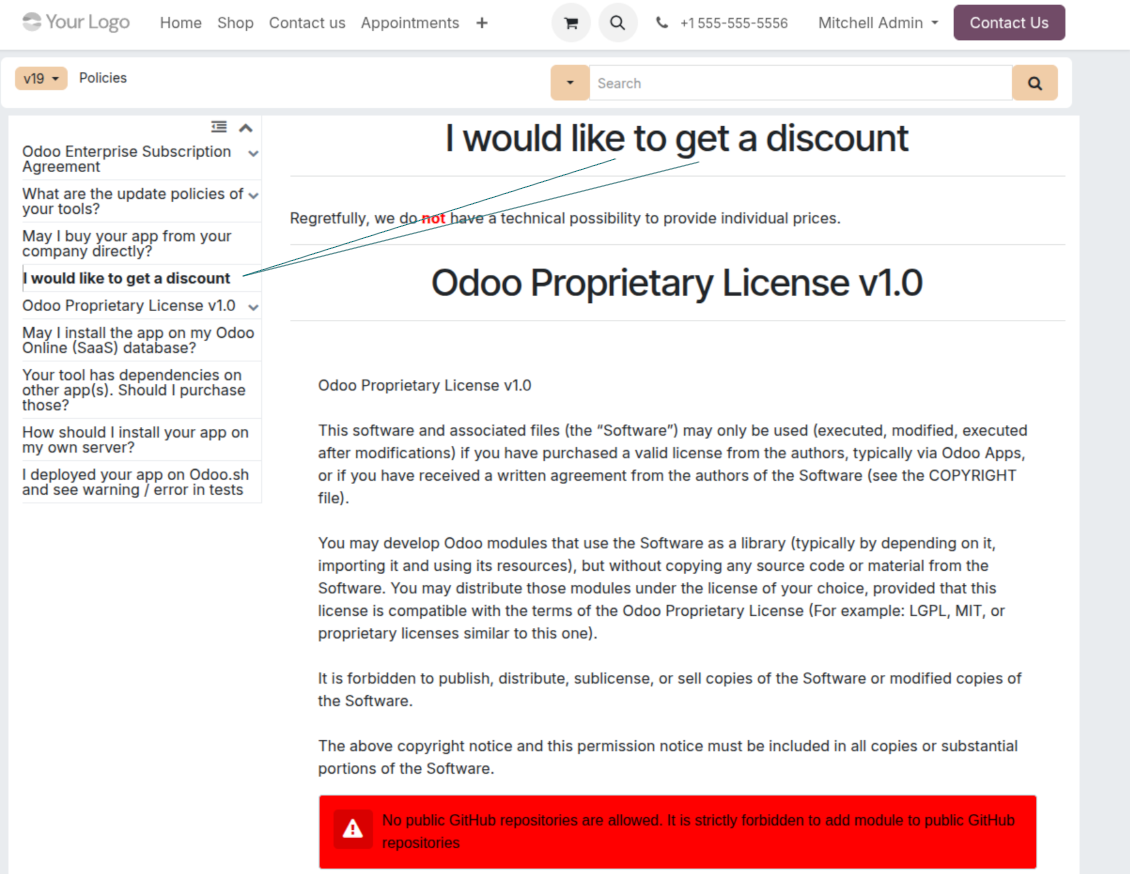
Бих искал да получа отстъпка
За съжаление нямаме техническа възможност да предложим индивидуални цени.
Мога ли да инсталирам приложението в моята база Odoo Online (SaaS)?
Не, приложения на трети страни не могат да се ползват в Odoo Online. За съжаление Odoo SaaS блокира тази възможност.
Вашият инструмент зависи от други приложения. Трябва ли да ги купя?
Да, инструментът изисква всички модули, посочени в зависимостите, за да работи правилно. Цената на страницата на приложението вече включва всички необходими зависимости.
Каква е цената на модула в щатски долари? Защо се промени?
Цената на нашите модули е в евро. Магазинът Odoo превалутира цените по вътрешния си курс. Затова цената в щатски долари може да се промени при обновяване на курса.
Текстовете на приложението и уебсайта на езици, различни от английски, са с помощта на ИИ и са съгласувани с официалните преводи на Odoo. Ако забележите грешка, изпратете тикет за коректност на преводите и ще го поправим.
Демонстрационни бази Odoo (прегледи наживо)
За това приложение можем да предоставим безплатна персонализирана демо база.
За да се свържете с нас не са нужни телефонен номер или кредитна карта. Достатъчна е кратка регистрация по имейл, която не отнема повече от 30 секунди.
По ваше искане ще подготвим индивидуална база за преглед наживо, където около две седмици можете да правите тестове и да проверявате предположения.
Докладване на грешки
Ако срещнете грешки или непоследователно поведение, свържете се с нас. Гарантираме поправки до 60 дни от покупката и сме силно заинтересовани да подобряваме инструментите и след този срок.
За да се свържете с нас не са нужни телефонен номер или кредитна карта. Достатъчна е кратка регистрация по имейл, която не отнема повече от 30 секунди.
Включете възможно най-много подробности в заявката: екранни снимки, дневници на Odoo сървъра, пълно описание как да възпроизведете проблема и т.н. Обикновено са нужни няколко работни дни, за да се подготви работен план (ако грешката е потвърдена) или насоки какво да се направи (в противен случай).
Публични заявки за функции и идеи за модули (безплатна разработка)
Силно сме мотивирани да подобряваме инструментите си и ще сме благодарни за всяка обратна връзка. Ако изискванията ви са от обществена полза и могат да се реализират ефективно, екипът ще ги включи в нашия списък със задачи.
Такъв списък със задачи се обработва редовно и не предполага допълнителни такси. Макар да не можем да обещаем срокове и окончателен дизайн, това може да е добър начин да получите желаните функции без инвестиции и рискове.
За да се свържете с нас не са нужни телефонен номер или кредитна карта. Достатъчна е кратка регистрация по имейл, която не отнема повече от 30 секунди.
18.0.1.3.29
- The issue of Late Activities listing articles that have no overdue activity for the selected user has been fixed.
18.0.1.3.27
- The issue of autovacuum failure has been fixed.
18.0.1.3.25
- Отстранен е проблемът с етикетите по подразбиране от съставителя на имейл и формулярите за дейности.
18.0.1.3.24
- Проблемът с непоявяването на цветовата палитра в HTML редактора е решен.
18.0.1.3.23
- Проблемът с двойното щракване, необходимо за премахване на избрани статии, е коригиран.
18.0.1.3.22
- Проблемът с превключването между статии с различни типове редактор е коригиран.
18.0.1.3.21
- Правата за редакция на раздели/статии вече включват права за четене.
- Отстранени са неактуализираните броячи на харесвания.
18.0.1.3.20
- Добавена е функция за търсене на ключови думи, разделени от етикети за получер или курсив.
18.0.1.3.19
- Проблемът с грешка за достъп при отваряне на съветника за търсене на статии за обикновени потребители е коригиран.
18.0.1.3.18
- Kanban изгледите са адаптирани към новите XML принципи на Odoo 18.
- Лентата Archived за неактивни записи е добавена към Kanban и формулярните изгледи на статии, както и формулярите на секции и етикети.
18.0.1.3.17
- Уеб изгледът на статии и документация е оптимизиран за малки екрани.
18.0.1.3.16
- Приложението е адаптирано към скорошните Odoo 18 обновления на приставките на уеб редактора.
18.0.1.3.15
- Излишният бутон за превод на статии "Text" е премахнат.
18.0.1.3.14
- Поправена е невъзможността текстът да се записва и копира правилно.
18.0.1.3.13
- Приложението е публикувано за версия 18.
17.0.1.3.13
- Изгледът за дейности по подразбиране за статиите на KnowSystem вече е Kanban.
17.0.1.3.12
- Проблемът с прекомерно изчистване на KnowSystem статии след изпращане на съобщение от composer е коригиран.
17.0.1.3.11
- Проблемът с превключвателя на език при бързото търсене на статии е отстранен.
17.0.1.3.10
- Търсене само в заглавията вече е възможно в backend.
- Поправен е бутонът за отваряне на намерената статия в нов раздел от изскачащ диалог.
17.0.1.3.9
- Въведено е влачене и пускане за масово обновяване на статии: добавяне на етикет, обновяване на раздел и добавяне към учебен тур.
- Добавена е функция за отваряне на намерената статия в нов раздел.
- Избраният родител на навигационните дървета се осветява правилно.
17.0.1.3.8
- Kanban изгледът на KnowSystem статии е адаптиран към най-новите подходи на Odoo v.17.
- Навигационните йерархии са оптимизирани.
17.0.1.3.7
- Критерият за сортиране по подразбиране на навигацията на статиите в бекенда вече се настройва на страницата на приложението.

Инструмент за гъвкаво подреждане на прикачените файлове на Odoo в папки и синхронизация на директории с облачни клиенти: Google Drive, OneDrive/SharePoint, Nextcloud/ownCloud, Dropbox, Amazon S3, Box и NAS. DMS. Файлов мениджър. Система за управление на документи
398€
The tool to automatically synchronize Odoo attachments with OneDrive files in both ways
487€
The tool to automatically synchronize Odoo attachments with Google Drive files in both ways
487€

The tool to set up KPI targets and control their fulfillment by periods. KPI dashboards. Dashboard designer. KPI charts

The tool for time-based service management from booking appointments to sales and reviews
398€
The tool to manage your Odoo from your favorite AI chats through MCP. Claude. Any MCP-supporting AI.

The tool to translate URL addresses of Odoo website pages
38€
The tool to combine different Odoo events in a few configurable super calendars