Kısa
KnowSystem: Knowledge Base System bir Odoo 18 (Ek Araçlar) uygulamasıdır. The tool to build a deep and structured knowledge base for internal and external use. Knowledge System. KMS. Wiki-like revisions.
KnowSystem turns scattered company know-how into one structured, searchable knowledge base for your team, your partners, and your customers. Capture articles with drag-and-drop building blocks, organize them by sections, tags, and types, and reuse them anywhere in Odoo - messages, activities, helpdesk, projects, or product pages. Every change is versioned wiki-style, so improving knowledge is always safer than breaking it.
Kusursuz
Helpdesk & support
Record every solved ticket once, then reuse it for faster agent replies and round-the-clock customer self-service.
Sales & CRM
Give salespeople instant answers on products, offers, and frequent customer questions right where they work.
HR & onboarding
Turn policies, guidelines, and training into structured knowledge and step-by-step learning tours.
IT & technical teams
Keep manuals, configurations, and runbooks one search away for the whole company.
Project management
Preserve solutions, tools, and lessons learned so your teams never reinvent the wheel.
Marketing & documentation
Build a polished online library and product documentation your audience can actually find and read.
Değerlendirmeye hazır mısınız?
Ücretsiz bir demo talebiyle başlayın veya Odoo Apps Store'dan satın alın.
Ücretsiz kişiselleştirilmiş demo veritabanı. Telefon veya kredi kartı gerekmez. Ana Odoo sürümü içinde ücretsiz ömür boyu güncellemeler ve uzman destek.
Ekipler neden bunu seçer
Ayrıntılara dalmadan önce temel faydalar
Capture knowledge
Write professional-looking articles with drag-and-drop building blocks, the HTML editor, or raw code - and reuse ready-made templates for uniform styles.
Organize and find
Structure everything by a hierarchy of sections, a tree of tags, and knowledge types. Filter, sort, and run mass actions on hundreds of articles from one screen.
Put it to work
Surface the right article inside any Odoo document, cite it in messages and activities, run guided learning tours, and answer product FAQs - then print or share in a click.
Wiki-like revisions
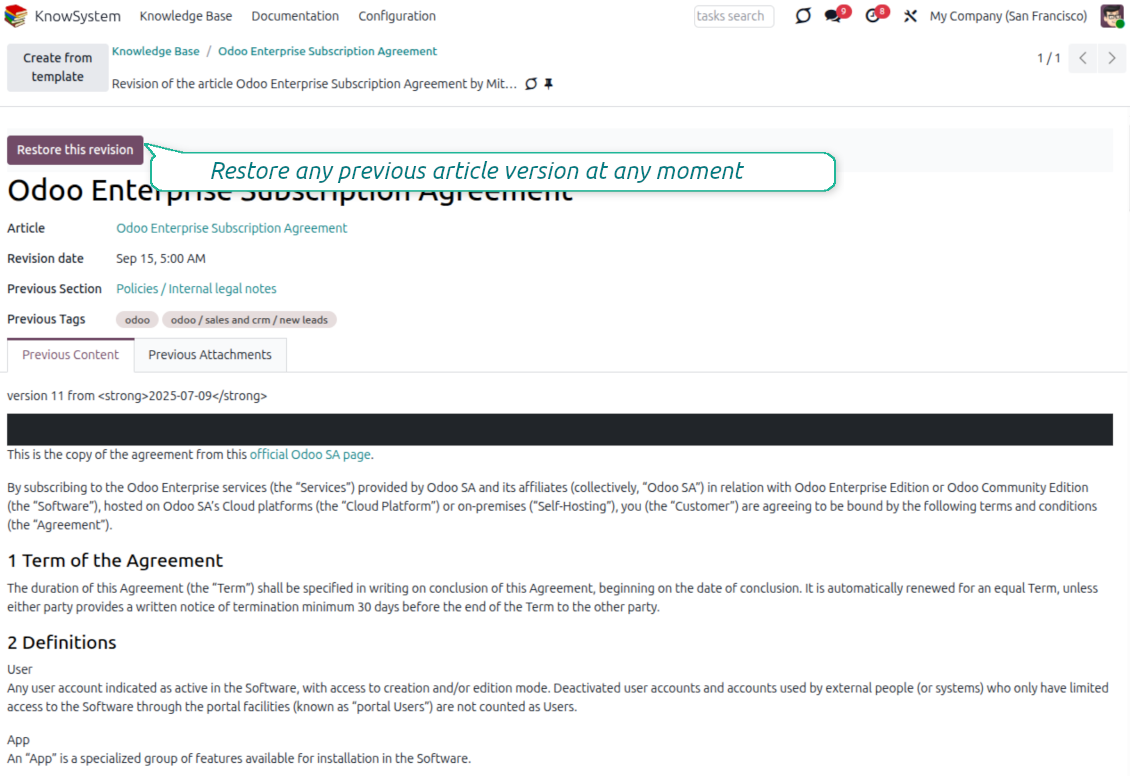
Every change is versioned. If a teammate breaks an article, restore the right version in two clicks - breaking becomes harder than restoring.
Portal & public base
Give each partner a personal knowledge portal, or publish a self-service knowledge base for any website visitor - access controlled by tags and publishing.
Documentation builder
Combine articles into advanced website documentation with automatic table of contents and instant search - reusable across versions, manuals, and guidelines.
Analytics that keep it alive
Track views, likes, dislikes, contributors, and messaging usage. See what your team relies on and keep content fresh and trusted.
Secure by design
Control who sees what with granular access for staff, partners, and the public - governed by user groups, tags, and website publishing.
Fits any team
One universal tool for helpdesk, sales, HR, IT, legal, marketing, and projects - configurable to any goal and any combination of Odoo apps.
Odoo Apps Store geri bildirimi
Müşteriler uygulama hakkında ne diyor
Best knowledge base system for Odoo!
Excellent app and exceptional after-sales support.
Really well thought-out product and one of the best features is the contextual help by means of the tags. Really a game changer for us.
Keep up the great work FaOtools!
Magnus
Outstanding app! Tremendous value for money, an absolute must have!
One of the features sorely lacking from Odoo has been a robust Wiki/documentation system. Using third party platforms is a massive headache: yet another system to maintain, users get distracted switching back-and-forth, and errors get made. Then you have to worry about training, additional logins, etc.
KnowSystem feels like a native/core app, is very well-polished, and extremely fast. It's accessible from any screen, and the search results are instant (none of the latency inherent with most apps).The interface is elegant yet powerful, with robust access control, rich editing features, and version control. It's simple to revert to previous entries, view audit trails, etc. It's very intuitive for anyone familiar with Odoo; onboarding takes just a few minutes. The user guides are excellent.
This is invaluable for any organisation with a lot of documented information, SOPs, ISO compliance, or similar. If you're using eLearning, it's great for creating a help system / reminders. For example, noting key takeaways or specific instructions. The user can be in MRP, Sales, or any other function, and instantly lookup a guide. Since it overlays whichever screen you're in, it doesn't interrupt the workflow.
This dramatically increases efficiency, minimises questions, and helps keep everyone on the same page.
Oh, and customer service is excellent, faOtools stands behind their product. Thank you!
nico.valentino@gmx.net
KnowSystem is excellent - OdooTools offer great support, are very helpful and responsive
Our company needed the ability to add a Knowledge Base to our Odoo portal website for our customers to access article content on a membership-only basis. KnowSystem provided this and much more, along with ability to add search by section, set permissions to allow only certain partners access to articles by tag etc. OdooTools have been very helpful and implemented several features we suggested including automatic redirect upon login, customisable filters and a social sharing capability on articles. Overall a great app by a great company, something that massively adds to Odoo's capabilities and is something that everyone could benefit from using.
Chris Mann
Very functional application and responsive support
Our company produces medical laser equipment and we use KnowSystem to streamline the knowledge base of our company. Convenient search system and classification of content, as well as access rules for groups and even for individual users.
Svetlana
Great app and professional team
The app is great the the team is very professional in both response timing and problem solving.
Highly recommended.
Marco from ALO.zone.
Marco Carboni
Excellent system
Excellent system.
Gordon
A great tool from some very nice developers!
KnowSystem is a great tool and a game changer for us. Finally a place to put all our company know-how. I highly recommend it. And also important to us: We got great support from FaOtools too. A rare thing in this busy world. thx!
Eisberger
Excellent app and support.
Great app and a very helpfull support. Openess to improve their products is outstanding.
Lucas Huber
Değerlendirmeye hazır mısınız?
Ücretsiz bir demo talebiyle başlayın veya Odoo Apps Store'dan satın alın.
Ücretsiz kişiselleştirilmiş demo veritabanı. Telefon veya kredi kartı gerekmez. Ana Odoo sürümü içinde ücretsiz ömür boyu güncellemeler ve uzman destek.
Navigation
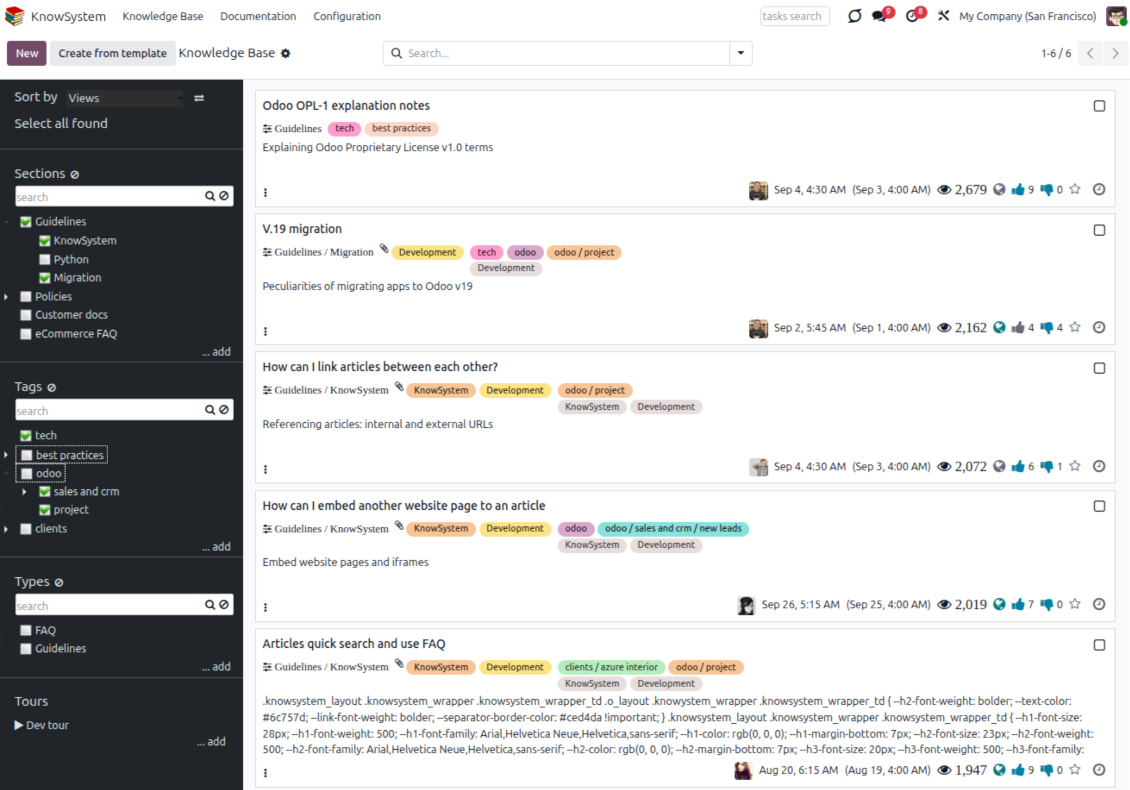
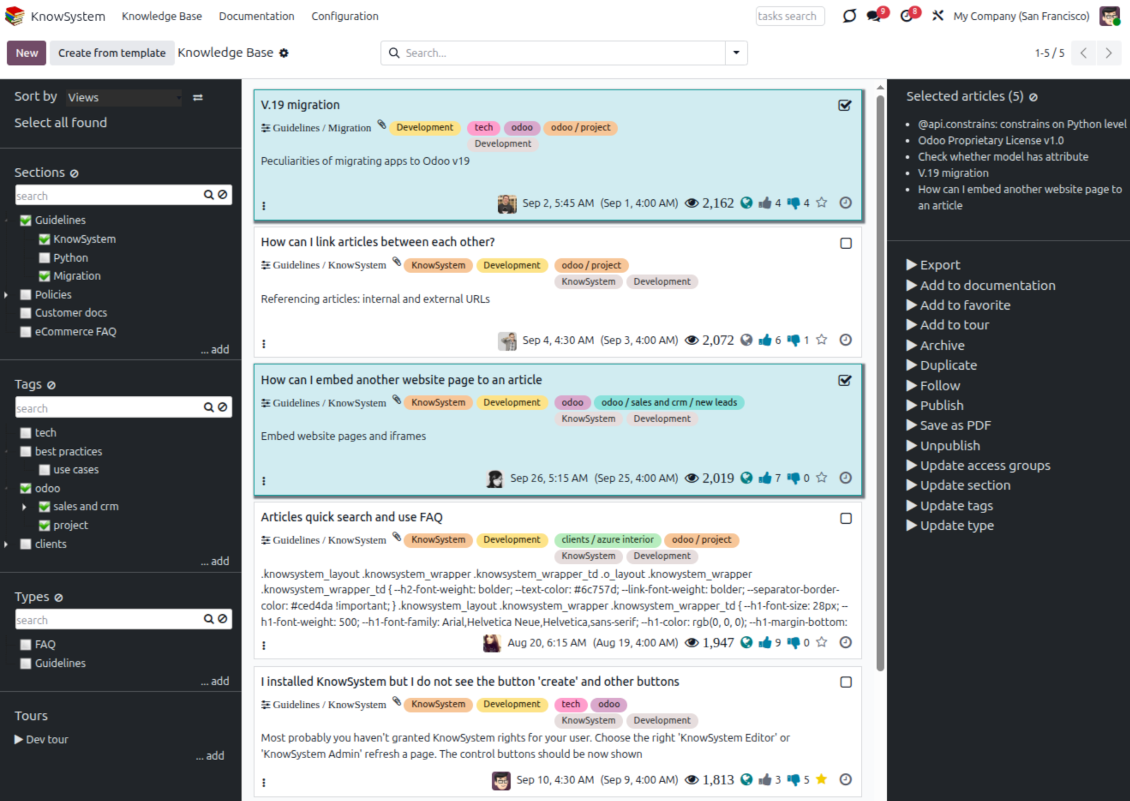
Find, filter, and bulk-edit articles from one screen
Structure and navigate
- Build a hierarchy of knowledge sections to switch between areas instantly, however large the base grows.
- Define a tree of tags for quick navigation and deeper, cross-cutting structuring.
- Introduce a knowledge typology to distinguish kinds of articles in a single click.
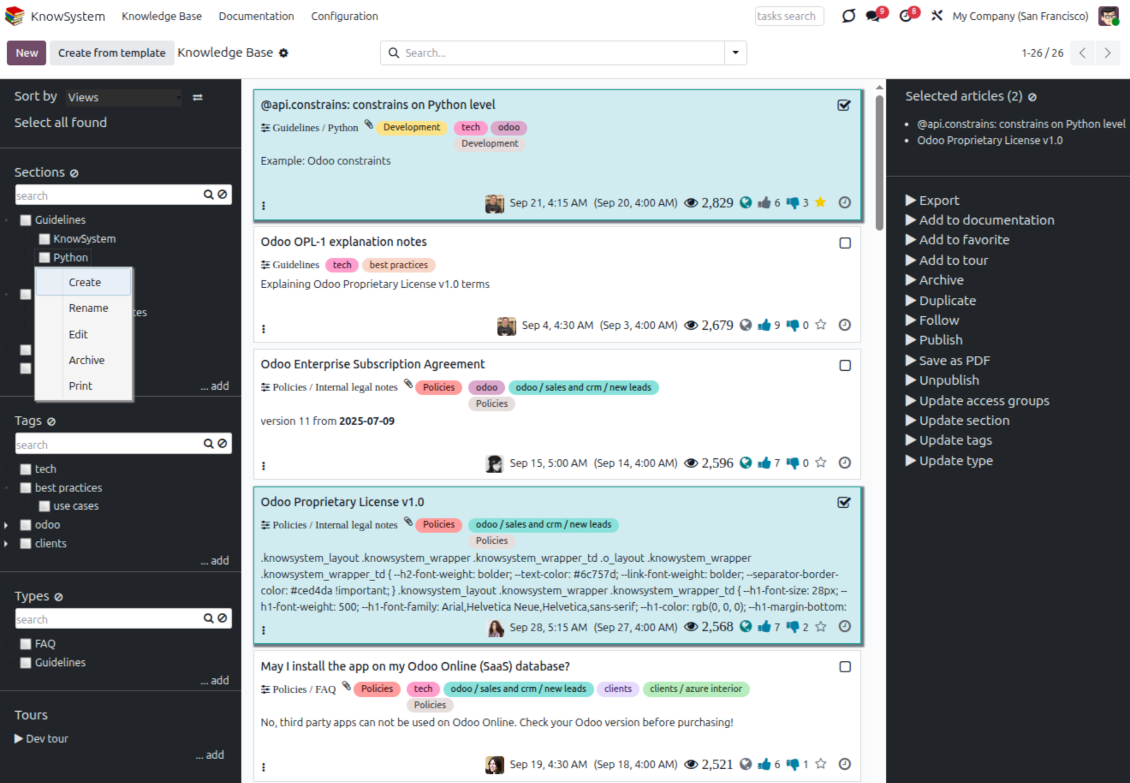
- Create, update, and reorder tags, sections, and types right inside KnowSystem - and print every article under a chosen tag or section.
- Search sections and tags instantly on the navigation panel.
Select, sort, and act in bulk
- Sort articles by views, score of likes, title, author, section, and create or write dates.
- Pick articles step by step - the selection is not cleared by a new search or when you open a record - then run mass actions on everything you chose.
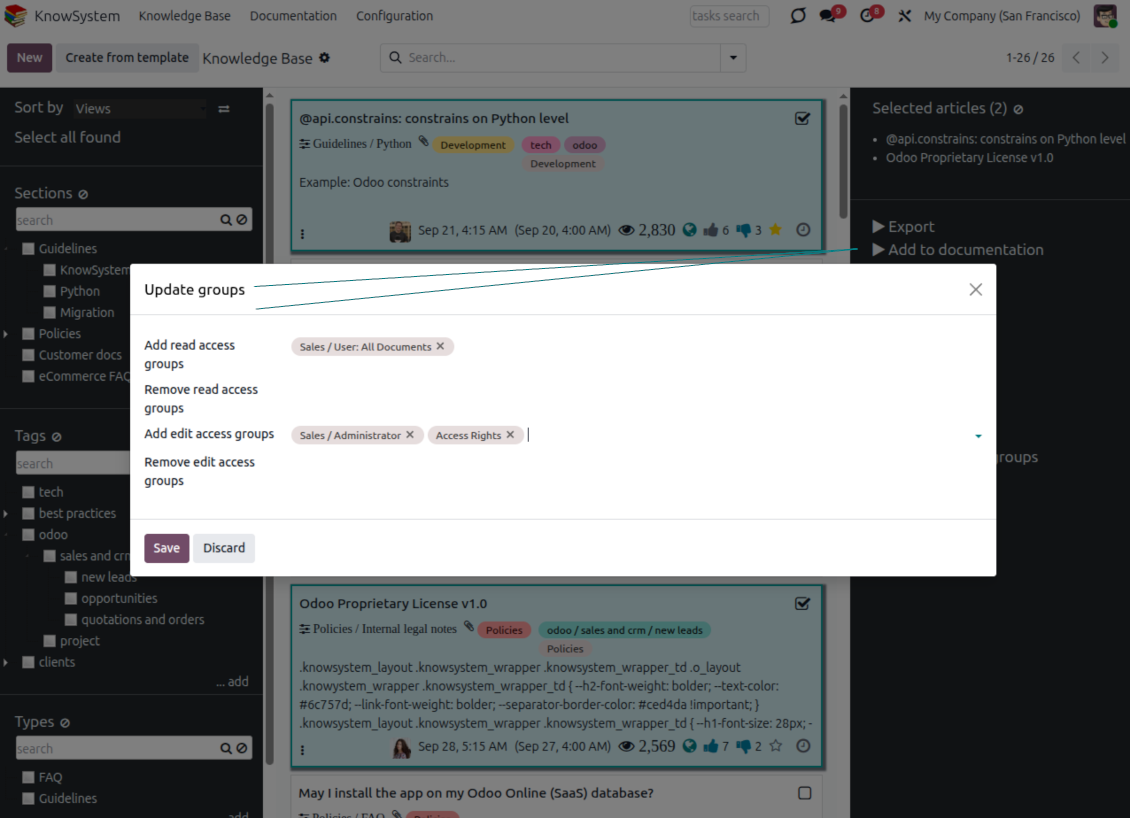
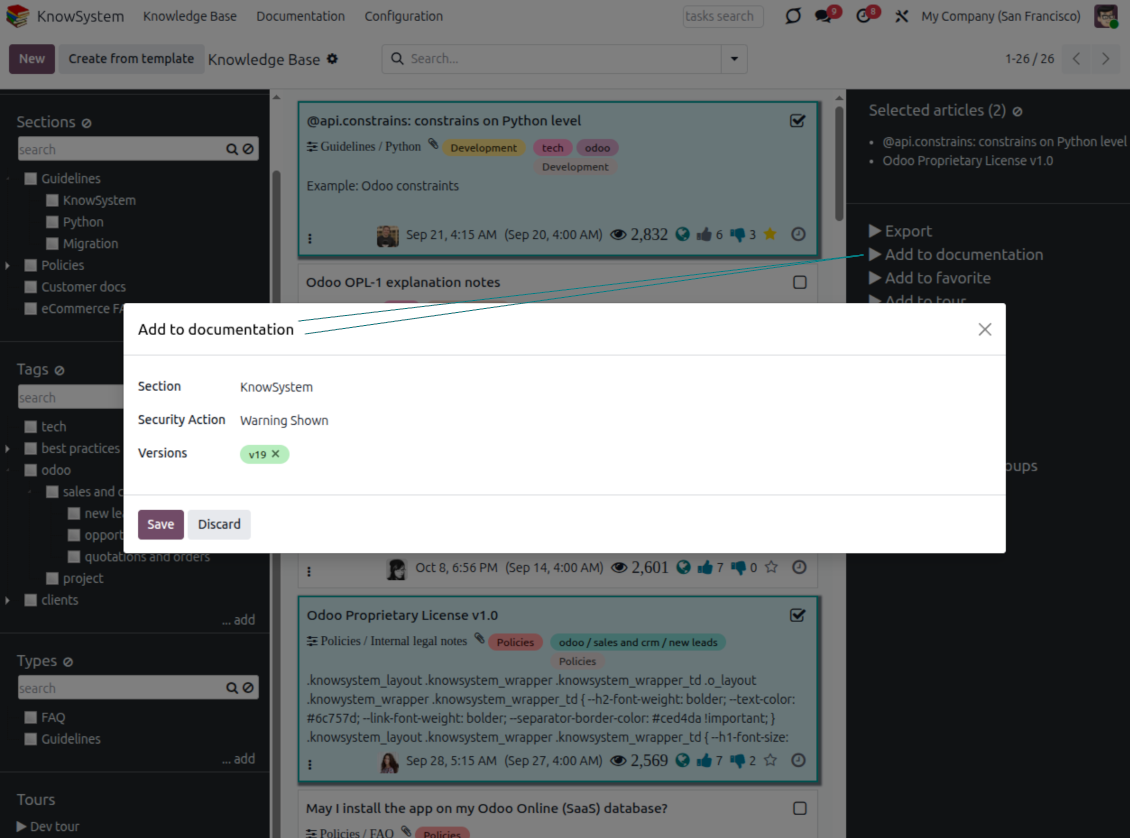
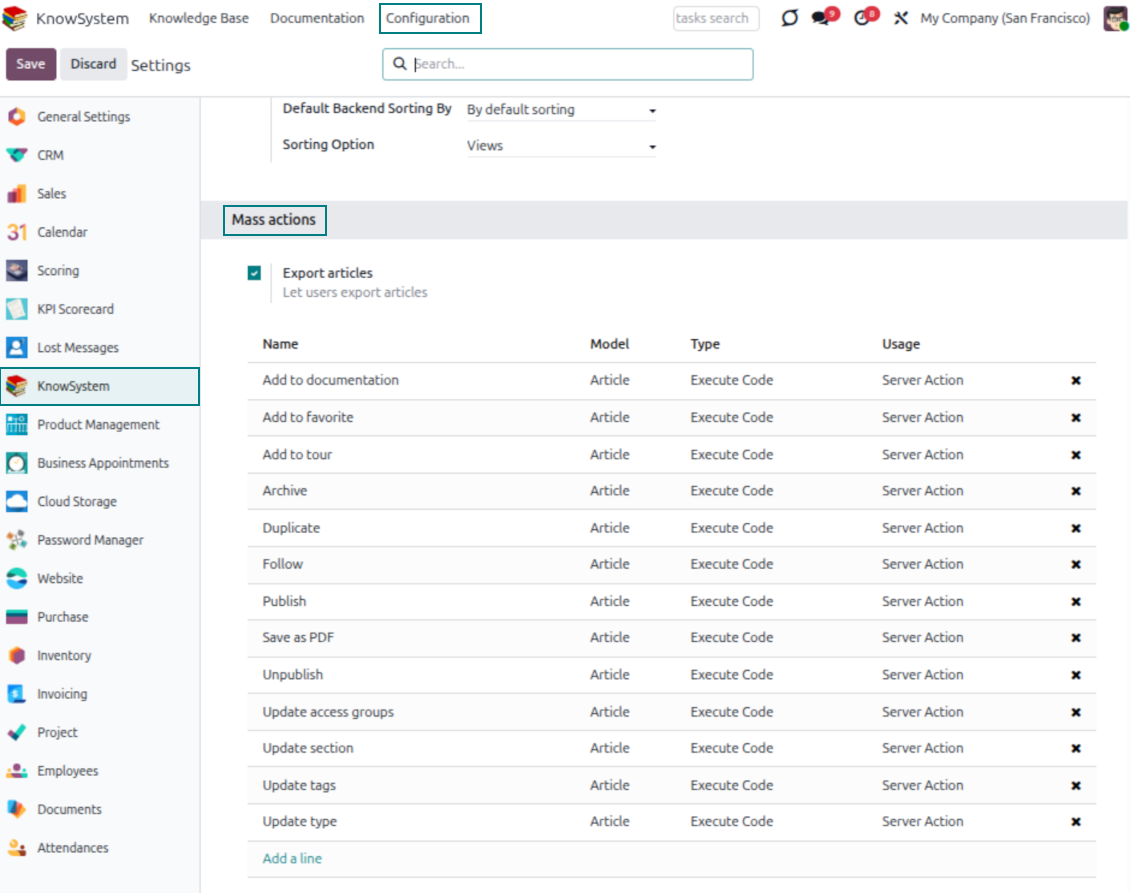
- Update knowledge in batch: assign a new section (including by dragging articles onto the navigation panel), add or remove tags, print many articles as one PDF, follow/unfollow discussions, publish/unpublish, export to Excel, archive or restore, add to learning tours and documentation, mark as favorite, and duplicate.
Article editors
Write professional articles your way
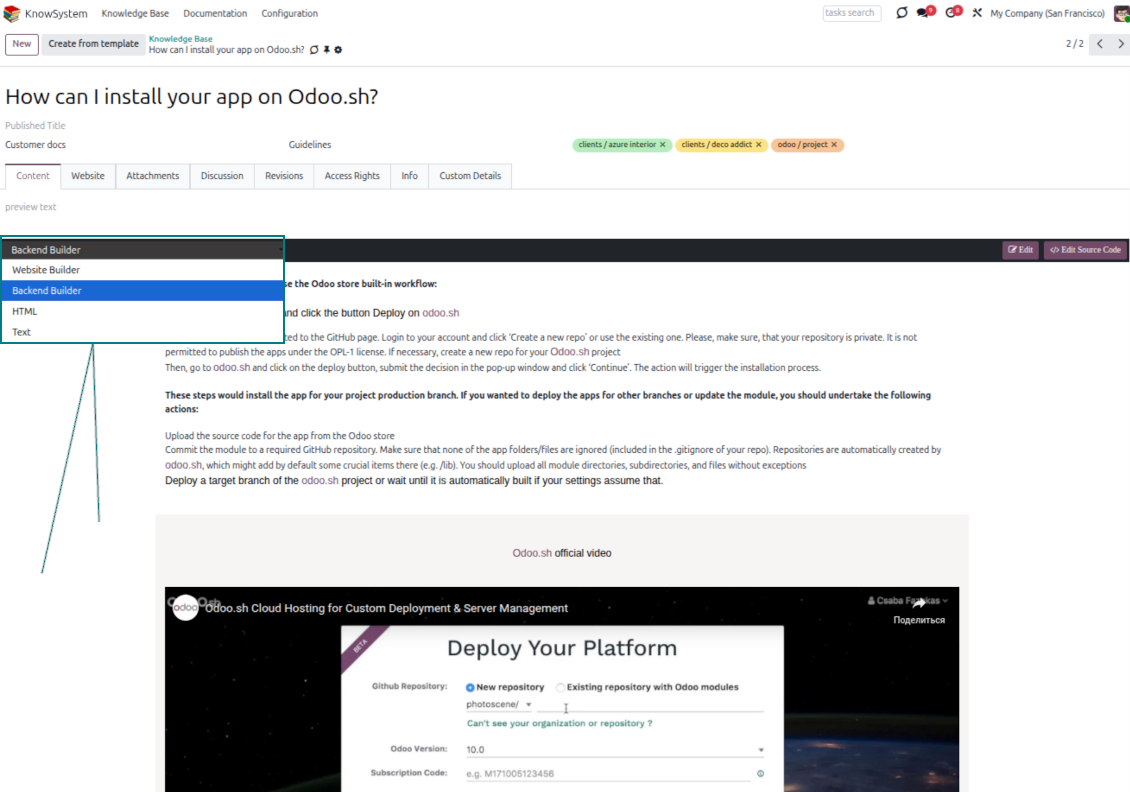
Five editors, one article model
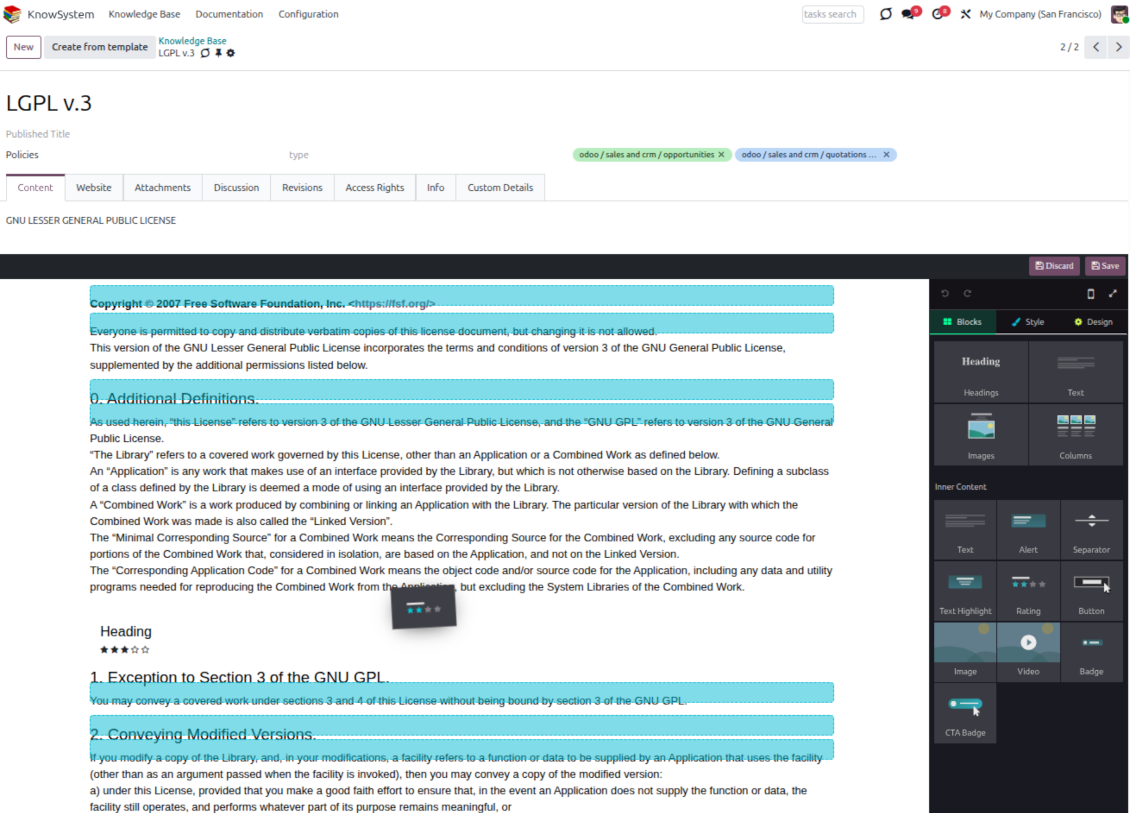
- Backend building blocks - drag and drop to compose professional articles right in the Odoo backend. The editor relies on strict HTML that stays compatible with printing and messaging layouts; reorder blocks and adjust their width, height, and styles.
- Website builder - apply advanced styles, snippets, animations, and widgets via Odoo's built-in website editor. Ideal for nice-looking portal pages; avoid it for internal or printed articles, as advanced styles often contradict print and composer layouts.
- Plain text - keep certain articles as simple text for unlimited compatibility with printouts and emails, and copy their content to the clipboard for quick sharing.
- Standard HTML editor - the familiar Odoo editor with its built-in slash commands for quick inline pieces.
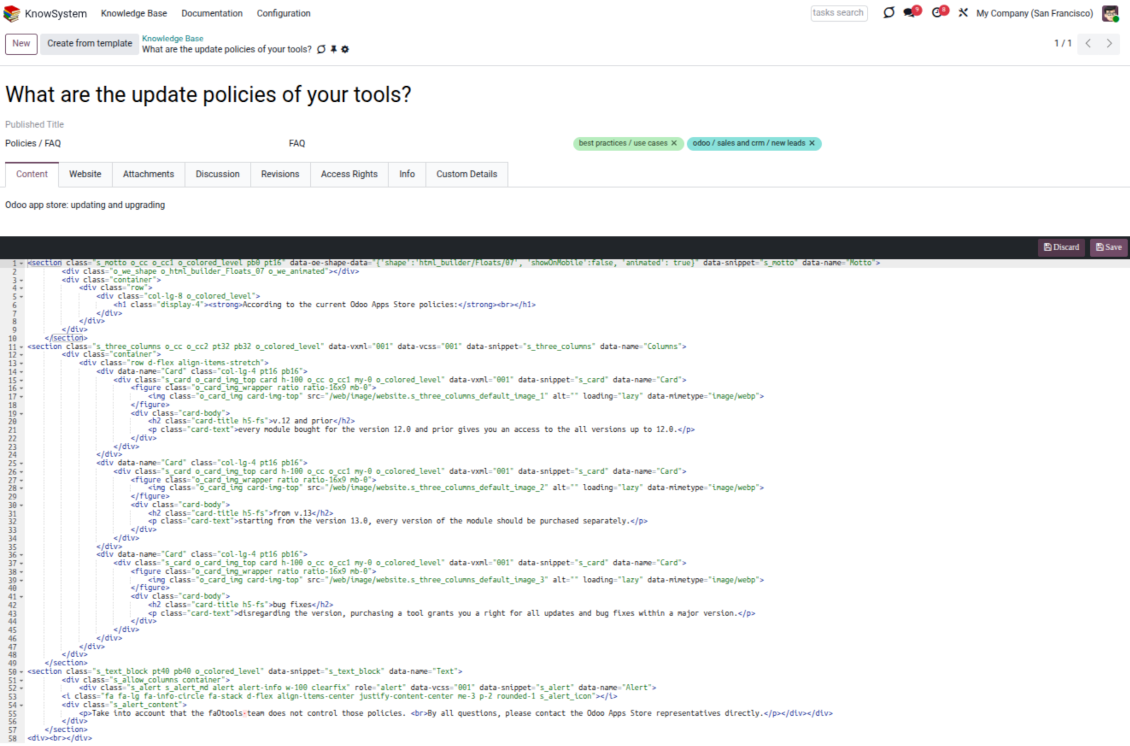
- Raw HTML - switch to the code editor at any moment to add any tags and styles, including Bootstrap-ready elements and iframes.
Templates for speed and consistency
- Reusable templates - prepare dedicated knowledge templates for recurring article types such as procedures, FAQs, or release notes, so contributors never start from a blank page.
- Save any article as a template - turn an existing, well-structured article into a reusable template in one click and grow your own library over time.
- Faster, consistent authoring - start new articles from a template to save time and keep a uniform structure and look across the entire knowledge base.
- Right editor for each page - switch an article's editor type whenever the content calls for it, so every page uses the most suitable tool without re-creating it.
Use anywhere
Surface the right article in documents, chats, and tours
Knowledge inside any Odoo document
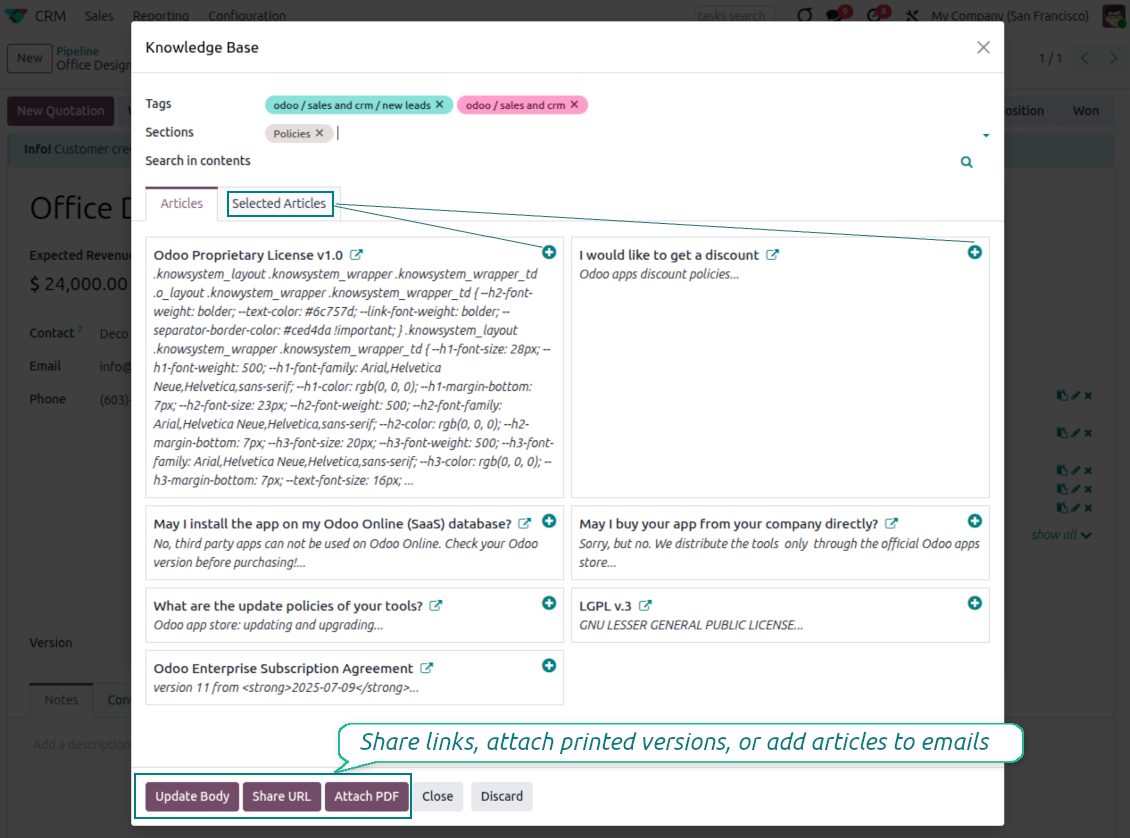
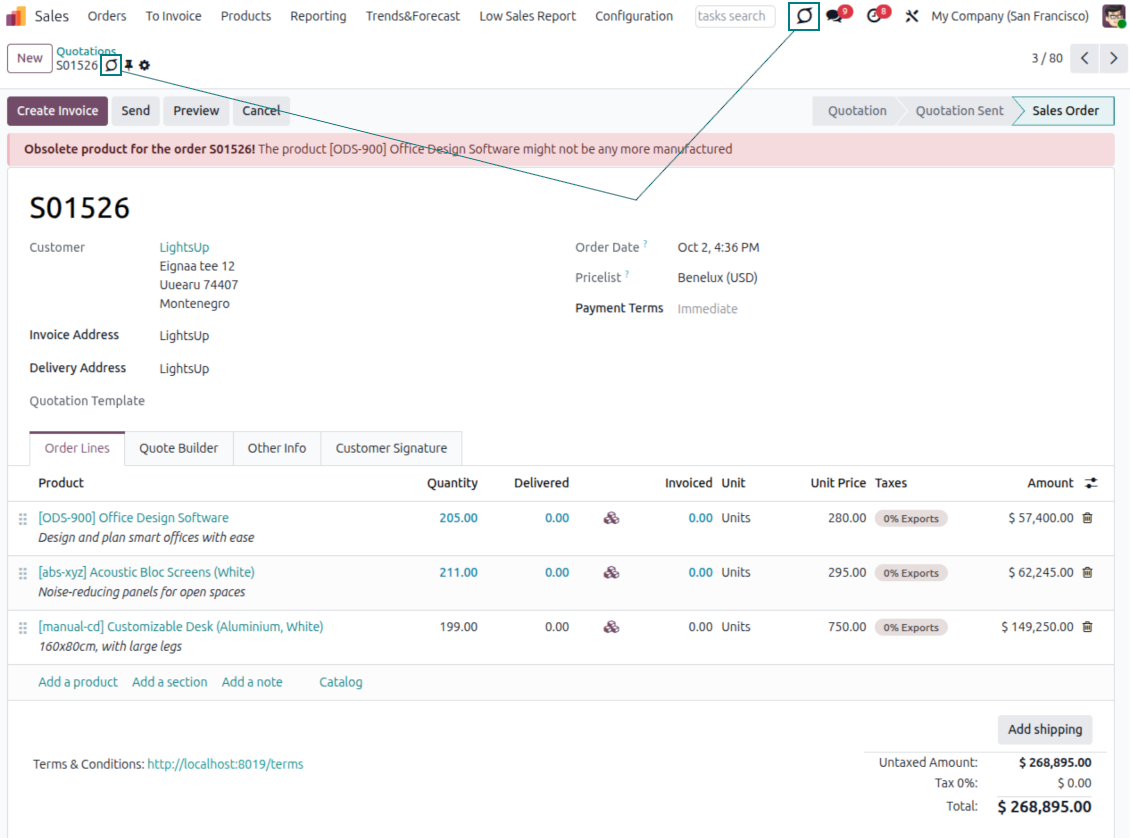
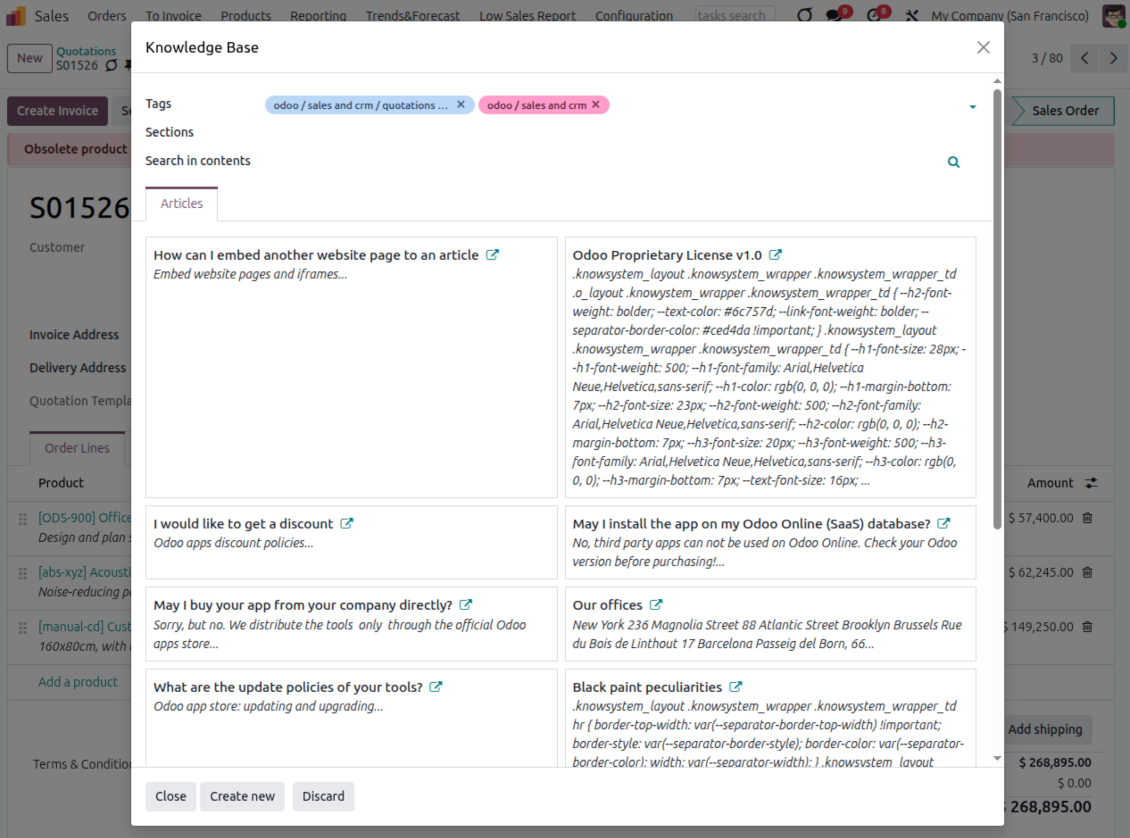
- Turn on 'Articles by Documents' to add a quick knowledge entry to any Odoo form view.
- Search by tags, section, or content for a quick overview, and read article content without leaving the record.
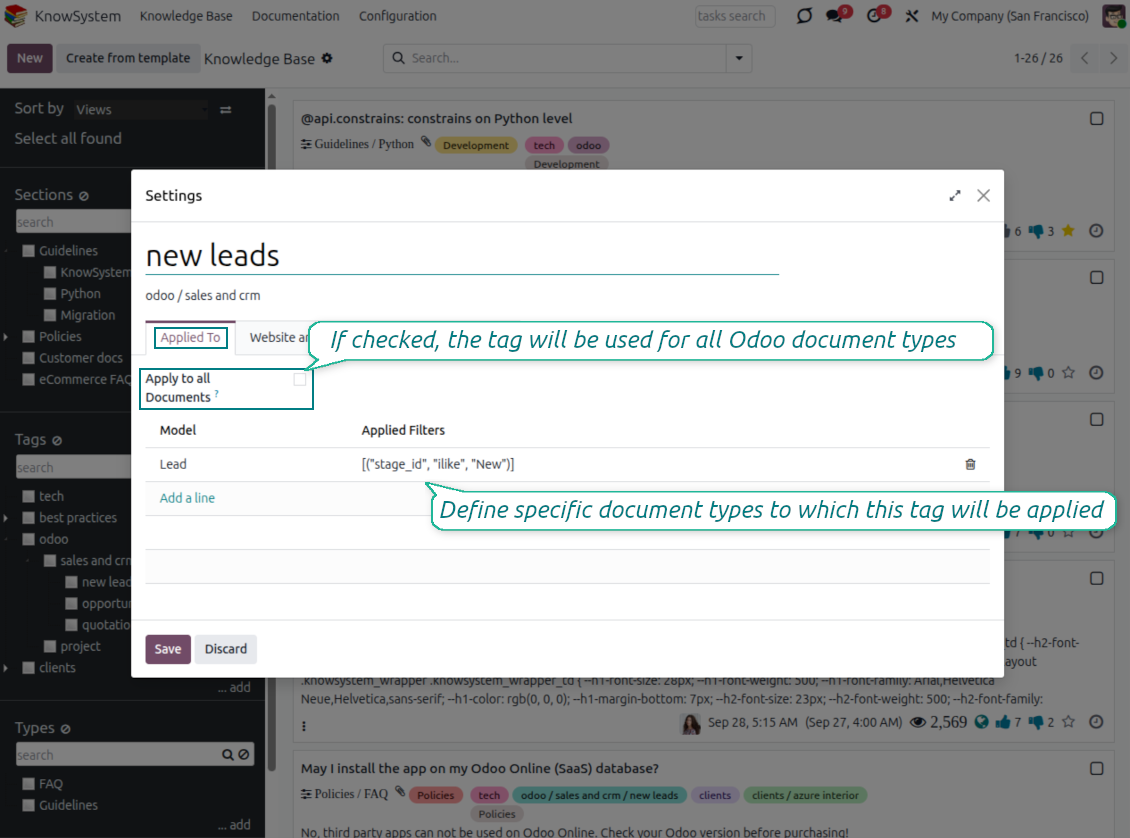
- Link tags to document types so the right articles appear by default - e.g. assign helpdesk tickets the tag 'odoo/helpdesk' and it is pre-filled on every ticket.
- Turn on 'KnowSystem in systray' to reach the base from anywhere in Odoo, whatever screen you are on.
Apply knowledge in communication
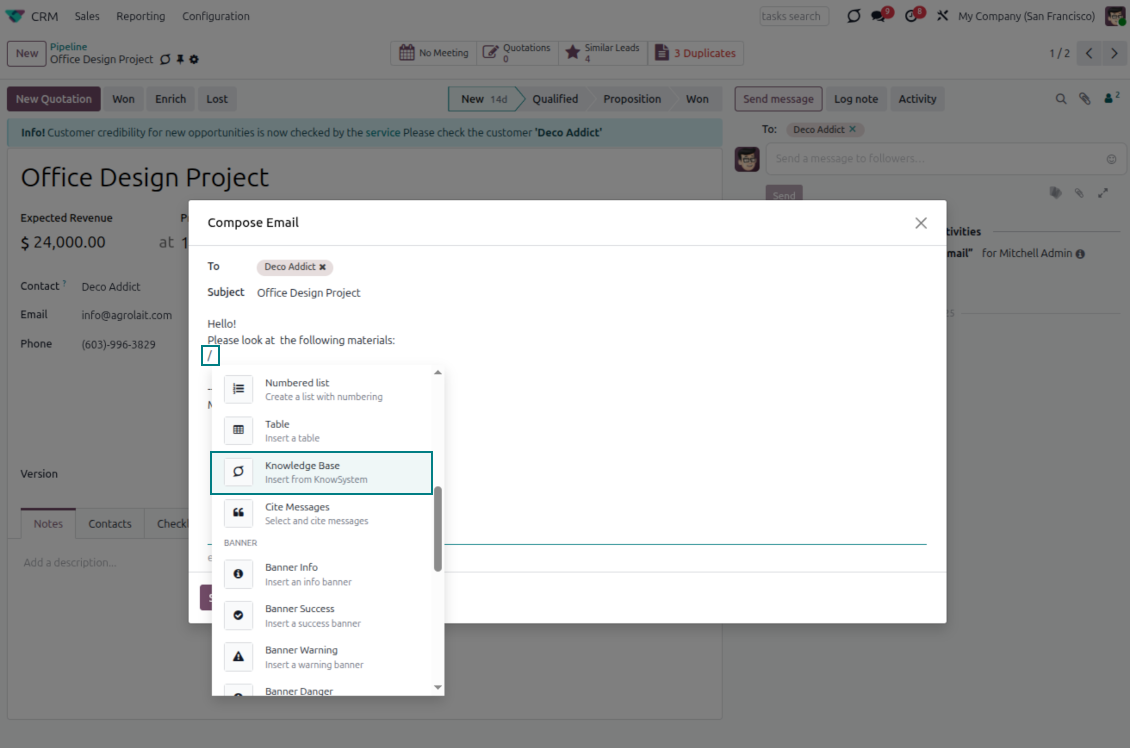
- Turn on 'Articles in Email Composers' to reference or cite knowledge in Odoo messages.
- See articles related to the current discussion and insert them with the editor command '/' > KnowSystem; the content is appended to the message.
- Attach a PDF version of the referenced article(s) automatically.
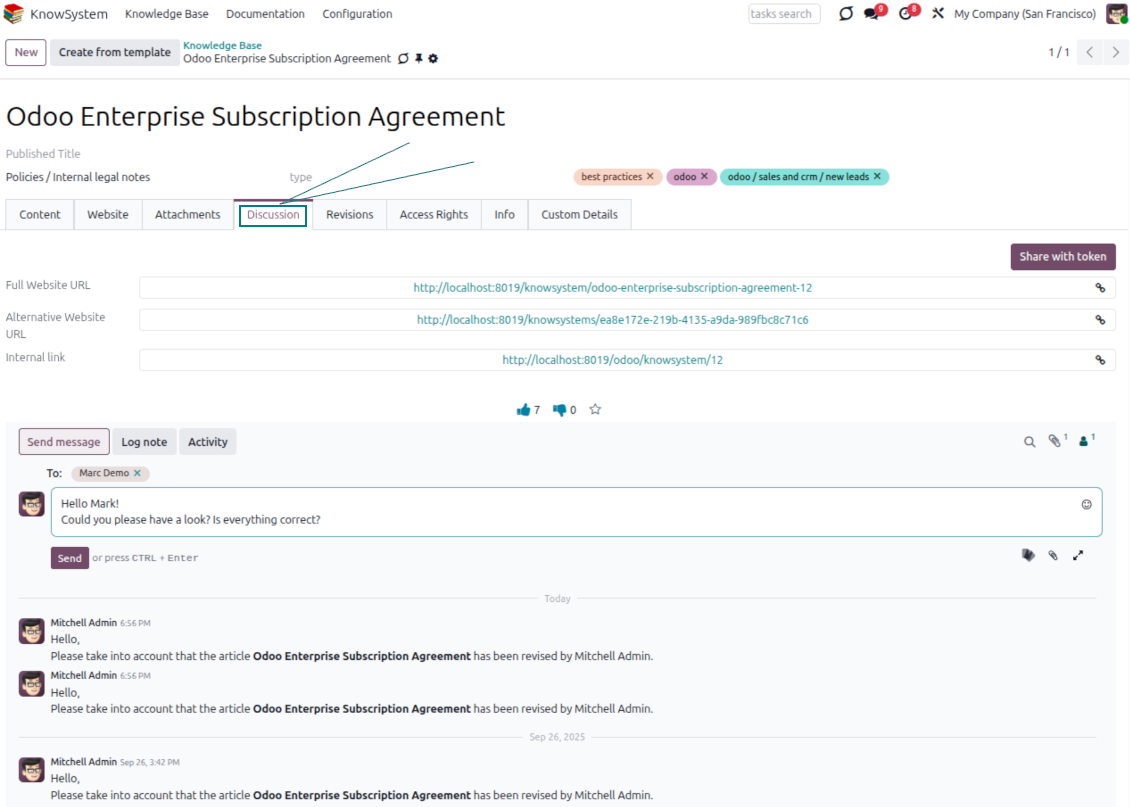
- Share links with colleagues or partners as backend, website/portal, or tokenized portal URLs.
- Turn on 'Articles in Activities' to insert articles or their links into Odoo activities.
Guided learning tours
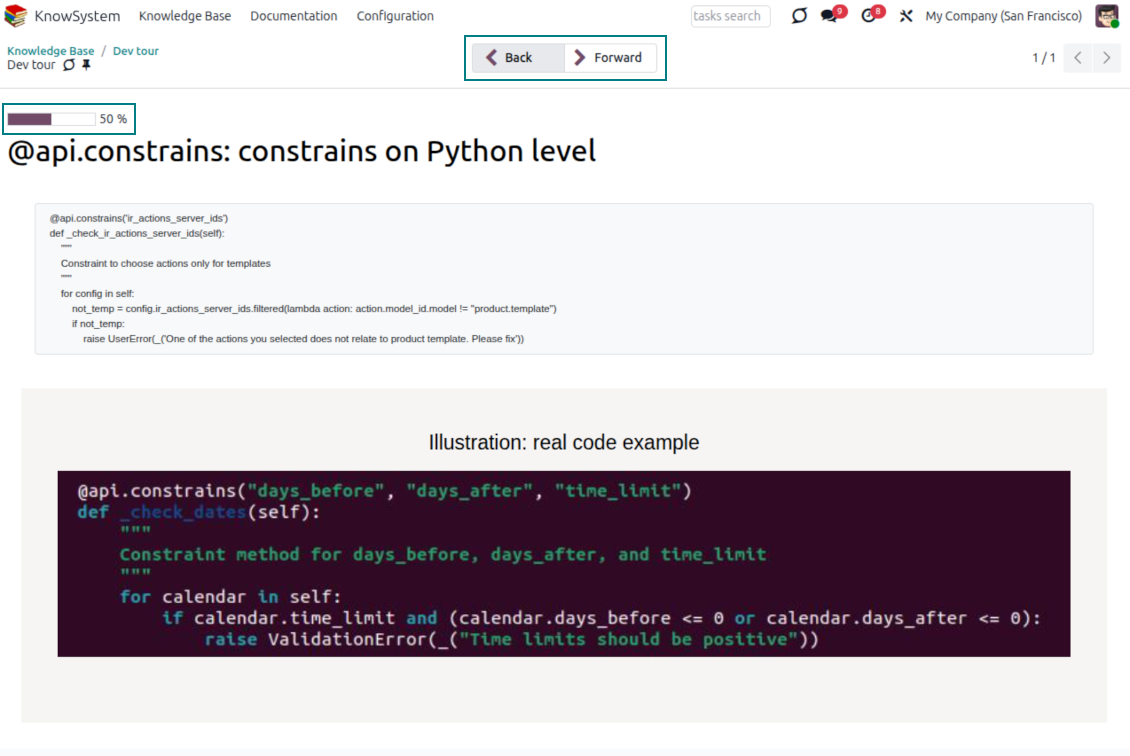
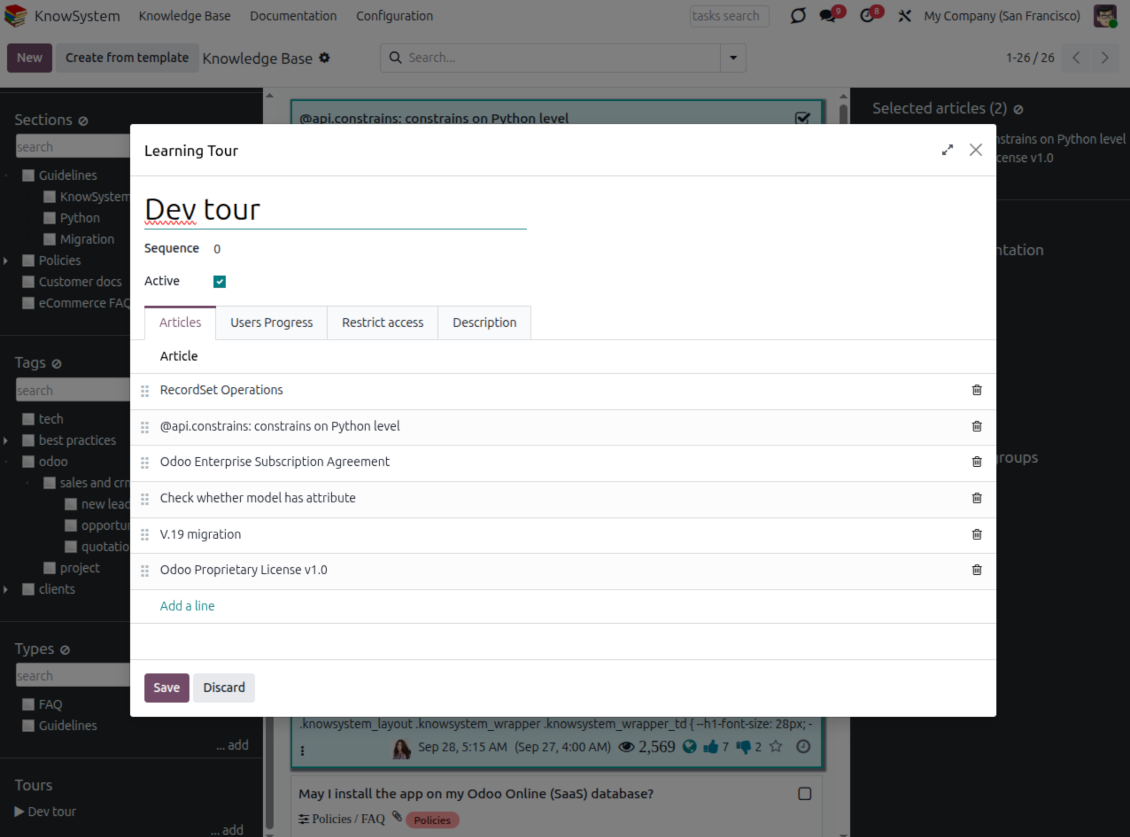
- Turn on 'Tours' to combine articles into an ordered sequence of learning steps.
- Launch a tour in a dedicated interface to study step by step, and share it with everyone or specific user groups.
- Track employees' progress through your instructions and guidelines.
Share and publish
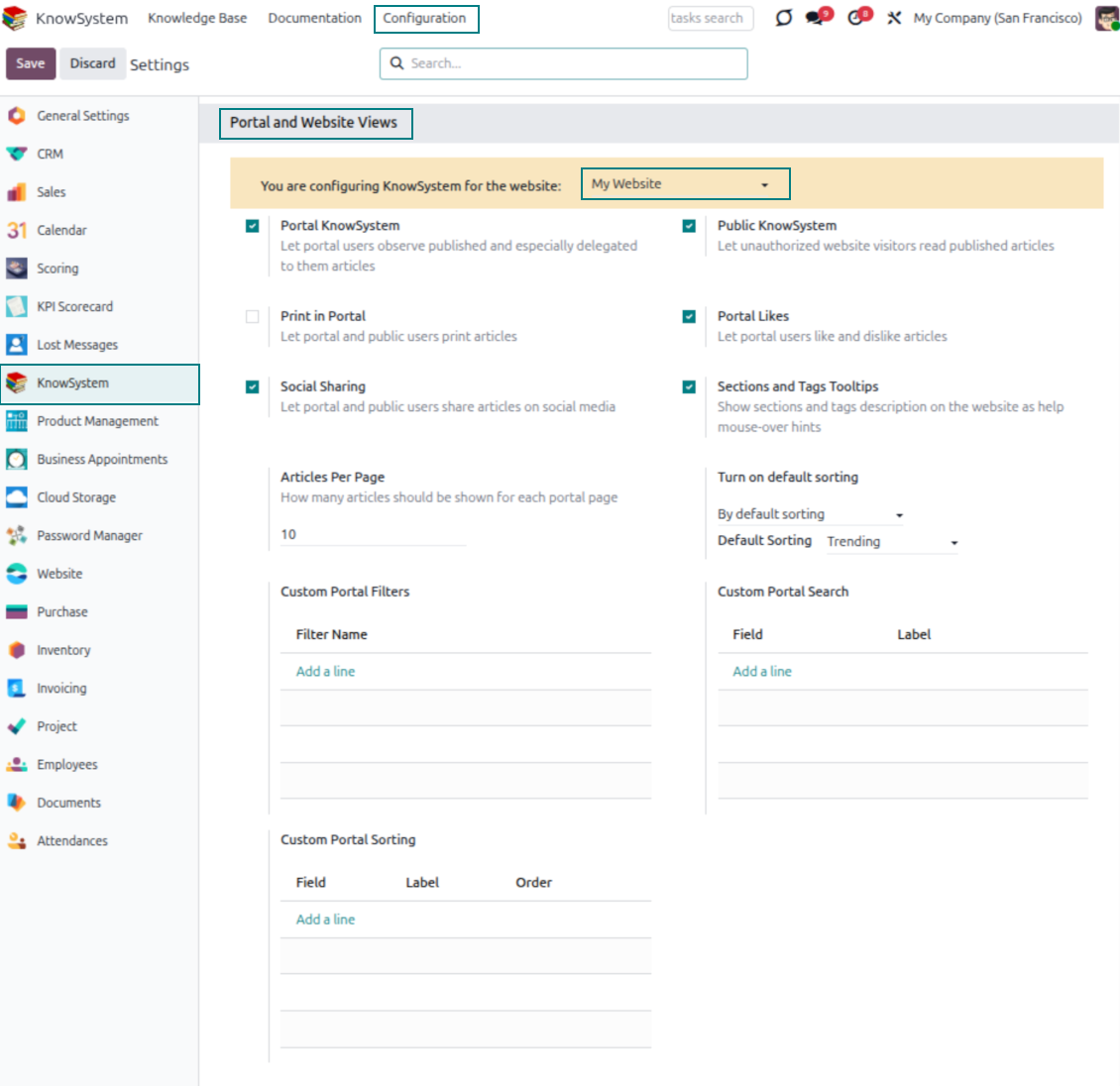
- 'Portal KnowSystem' shares knowledge with external partners; 'Public KnowSystem' opens it to website visitors.
- Configure KnowSystem tags or publish articles to control exactly what is shared.
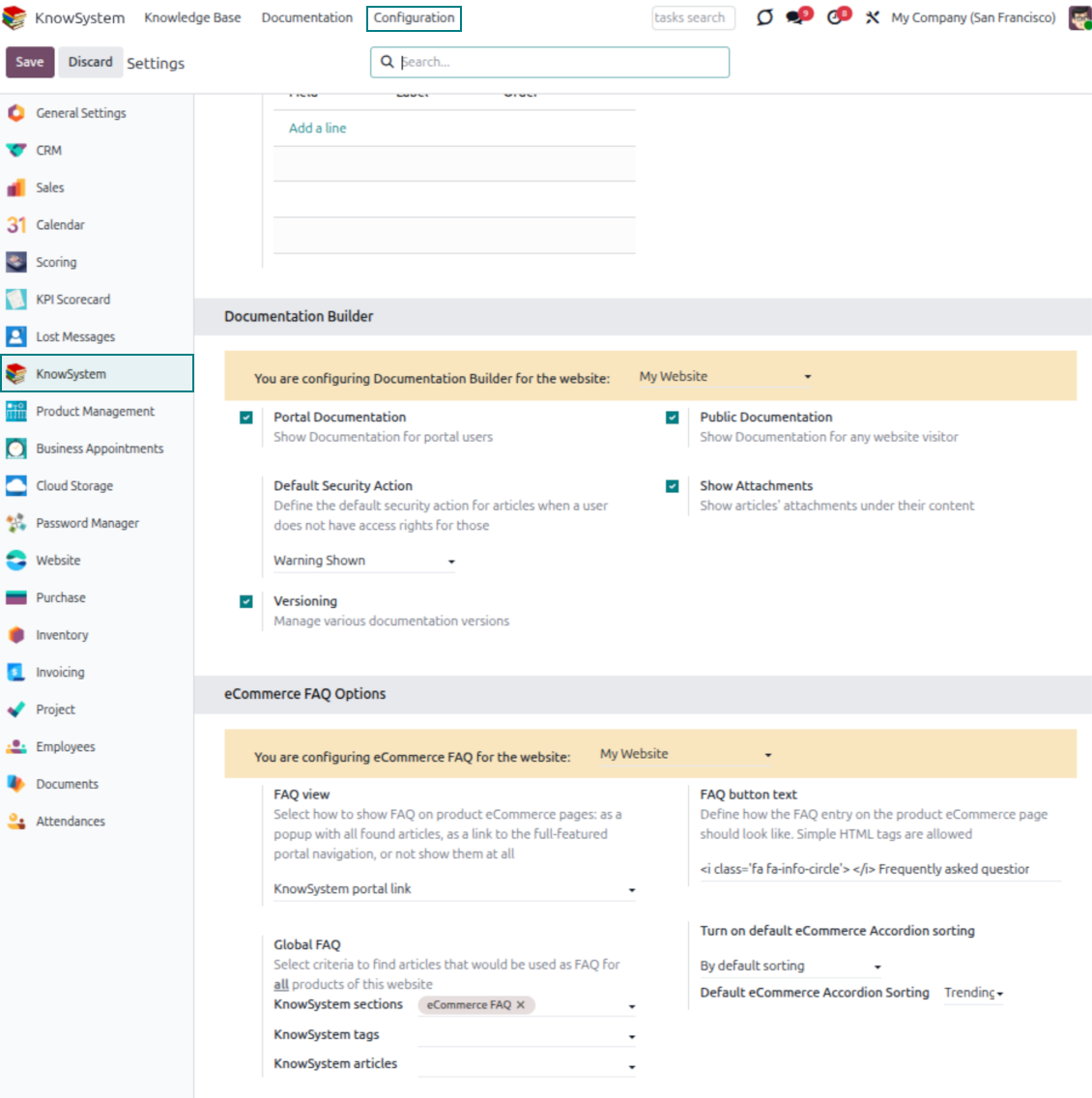
- Combine articles into advanced documentation; 'Portal Documentation' and 'Public Documentation' decide who can read it.
Değerlendirmeye hazır mısınız?
Ücretsiz bir demo talebiyle başlayın veya Odoo Apps Store'dan satın alın.
Ücretsiz kişiselleştirilmiş demo veritabanı. Telefon veya kredi kartı gerekmez. Ana Odoo sürümü içinde ücretsiz ömür boyu güncellemeler ve uzman destek.
Documentation
Turn articles into searchable website documentation
Create and structure
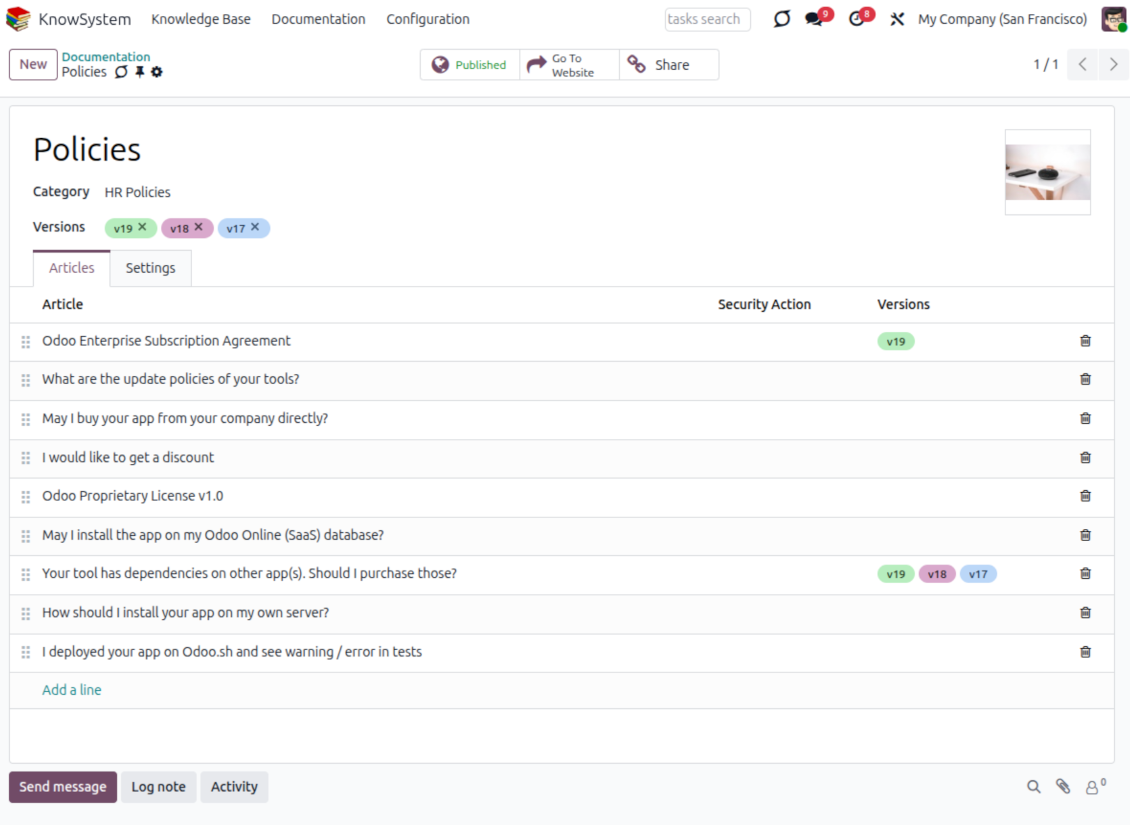
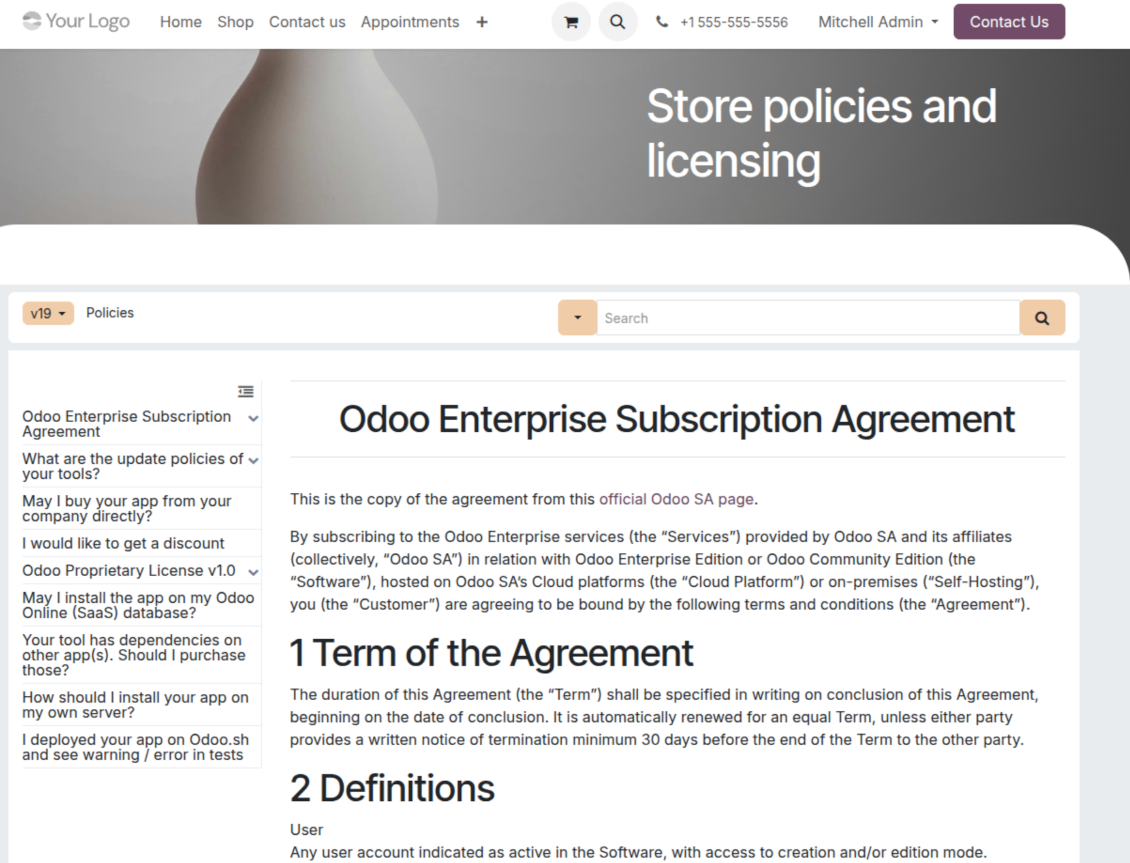
- Combine articles into advanced documentation that covers a whole business, organizational, or functional aspect.
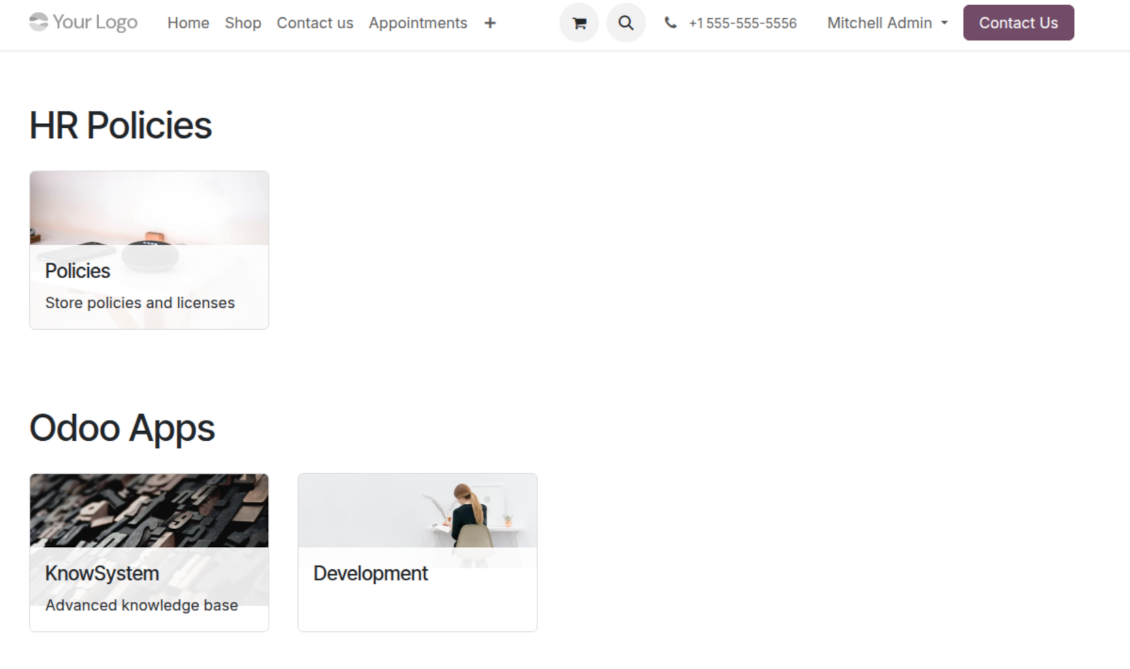
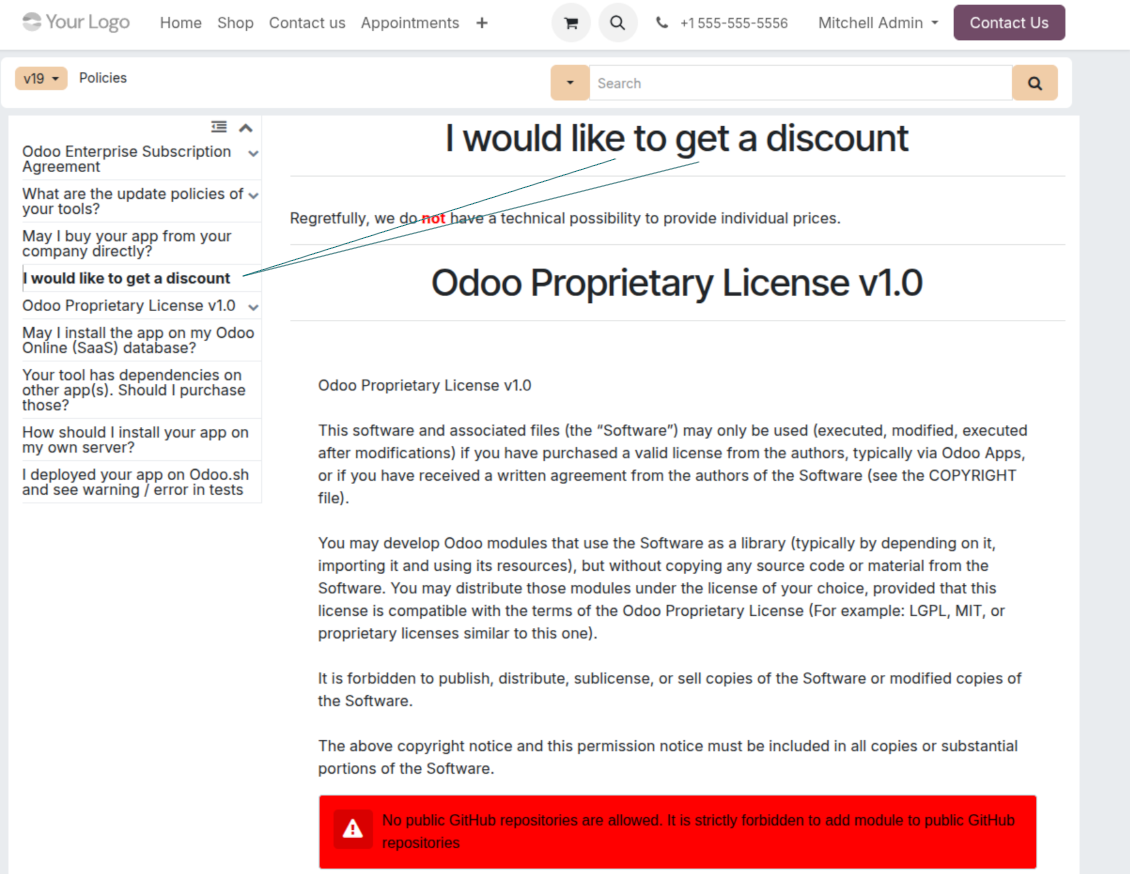
- Create a section simply by selecting and ordering articles - KnowSystem generates the website page automatically.
- Reuse the same article across several documentation sections.
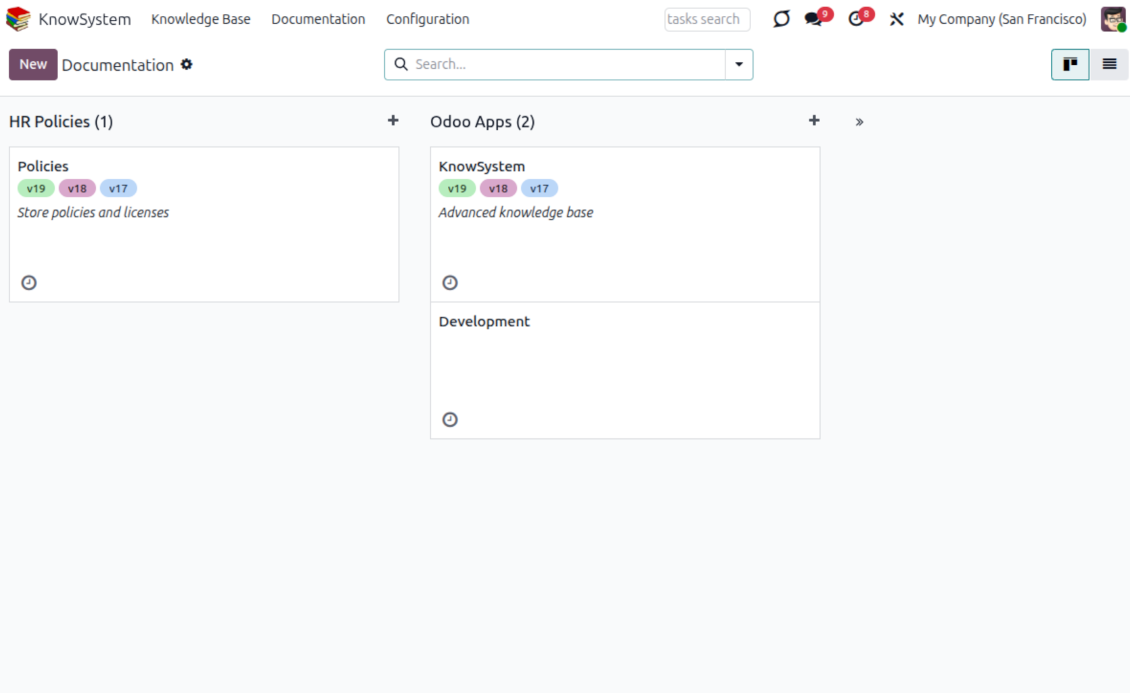
- Build an unlimited number of documentation pages, structured by categories.
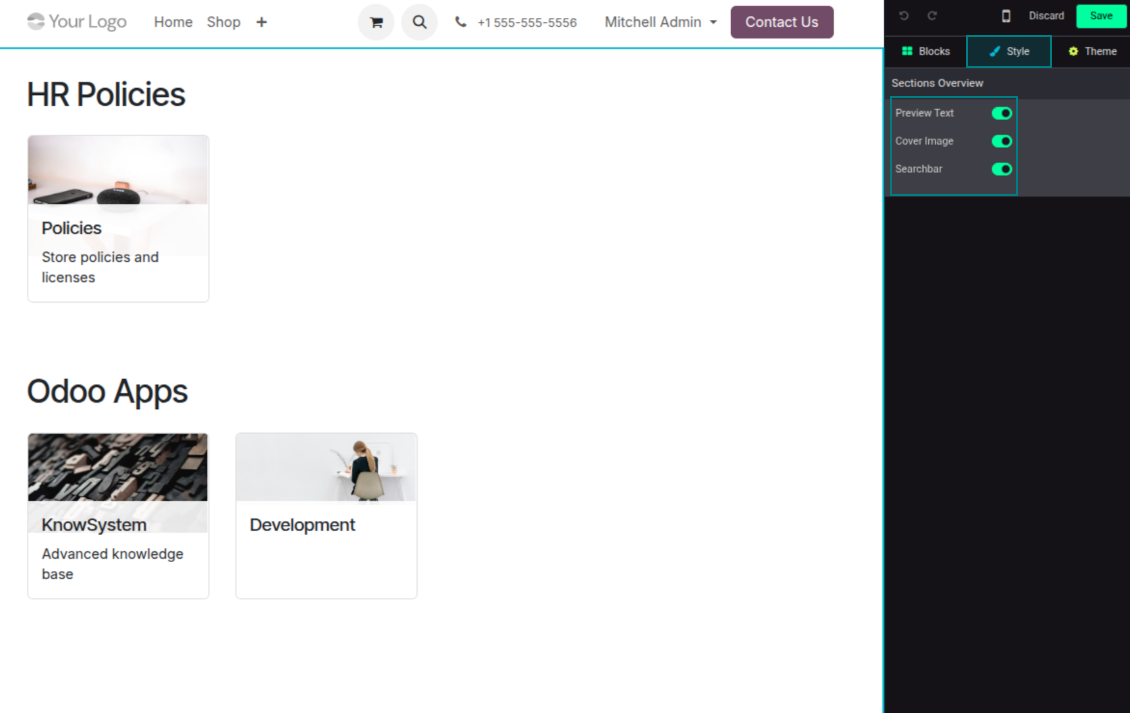
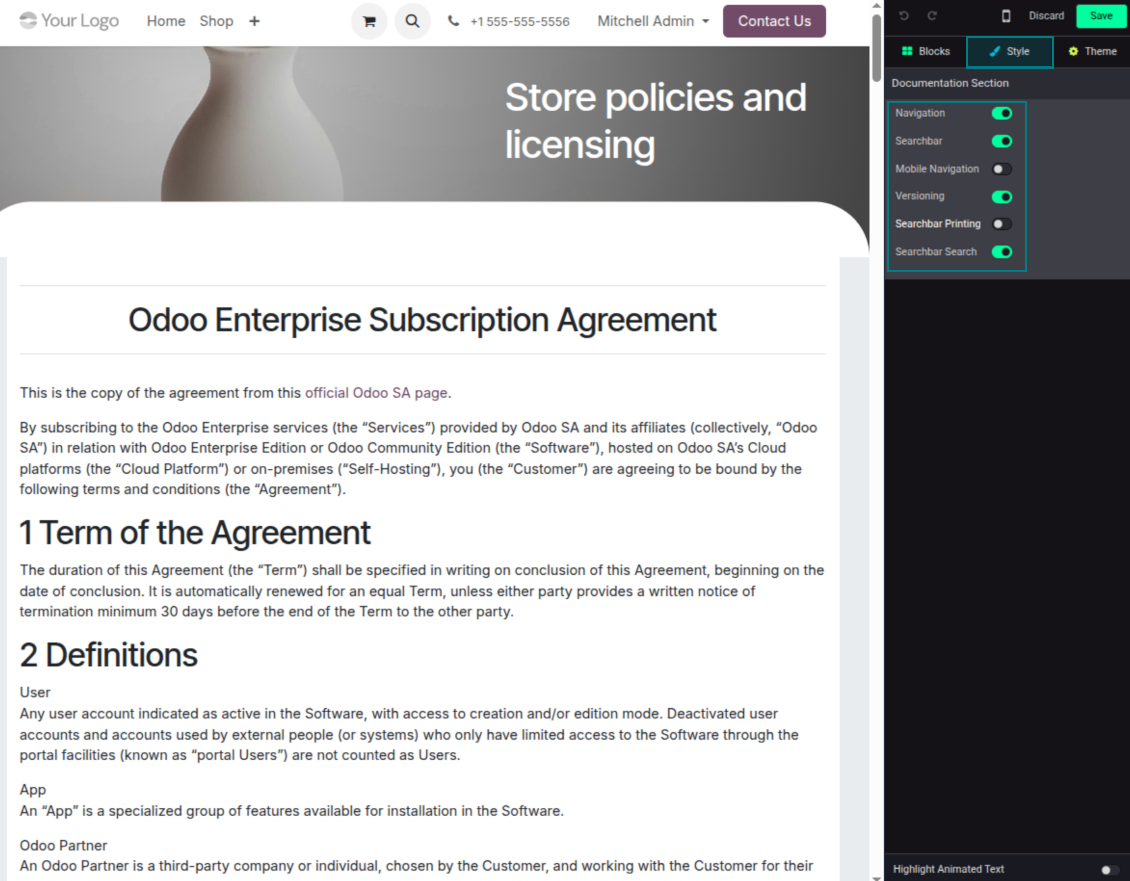
- Customize each page: toggle the search bar and table of contents, and add or remove preview images and texts.
Share, navigate, and version
- Publish documentation for everyone, or assign KnowSystem tags to grant access to chosen Odoo partners.
- Decide what happens when a reader lacks access to an included article: ignore the restriction, hide that piece, or show a security warning.
- Show an automatic table of contents, built from the headers of the included articles, for fast navigation.
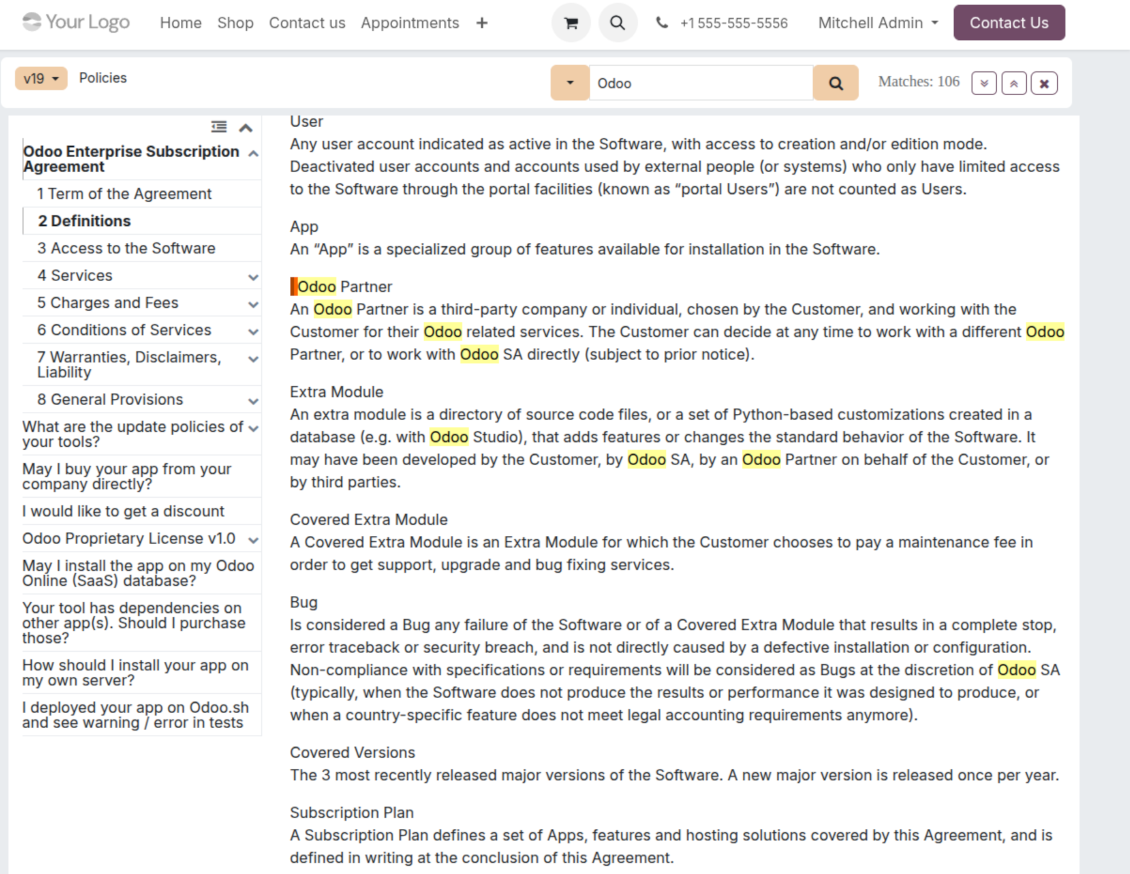
- Enable search across the whole text or only headers, with case-sensitive or insensitive keywords.
- Apply versioning to avoid double work on specifications, user manuals, and software guidelines.
Portal & public
Share with partners or publish to everyone
Knowledge in the Odoo partner portal
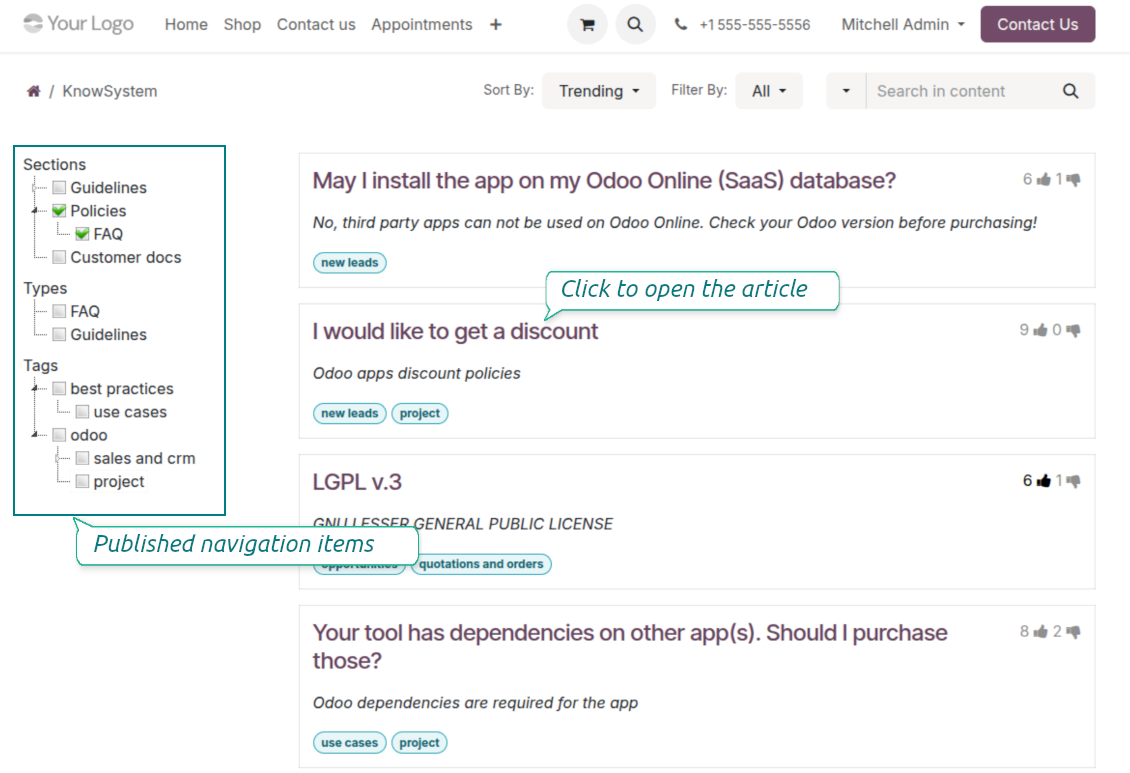
- Turn on 'Portal KnowSystem' to give each Odoo partner a personal web portal built from the articles you choose to share.
- Design an article for one specific company, or reuse the same knowledge experience across many clients.
- Articles reach a portal user when they are (a) published, or (b) carry user-related tags.
- Assign a tag to a partner in two ways: fill 'KnowSystem tags' on the partner form, or define 'Allowed partners' on the tag.
- Optionally allow partners to print articles, like them, and share.
Public self-service knowledge base
- Turn on 'Public KnowSystem' to open knowledge to unauthenticated website visitors for true self-service.
- Only published articles are shown - publish via the 'Publish' mass action or the 'Visible on current website' checkbox.
- Publish tags and article types too so they appear in the portal; sections show only once they contain visible articles.
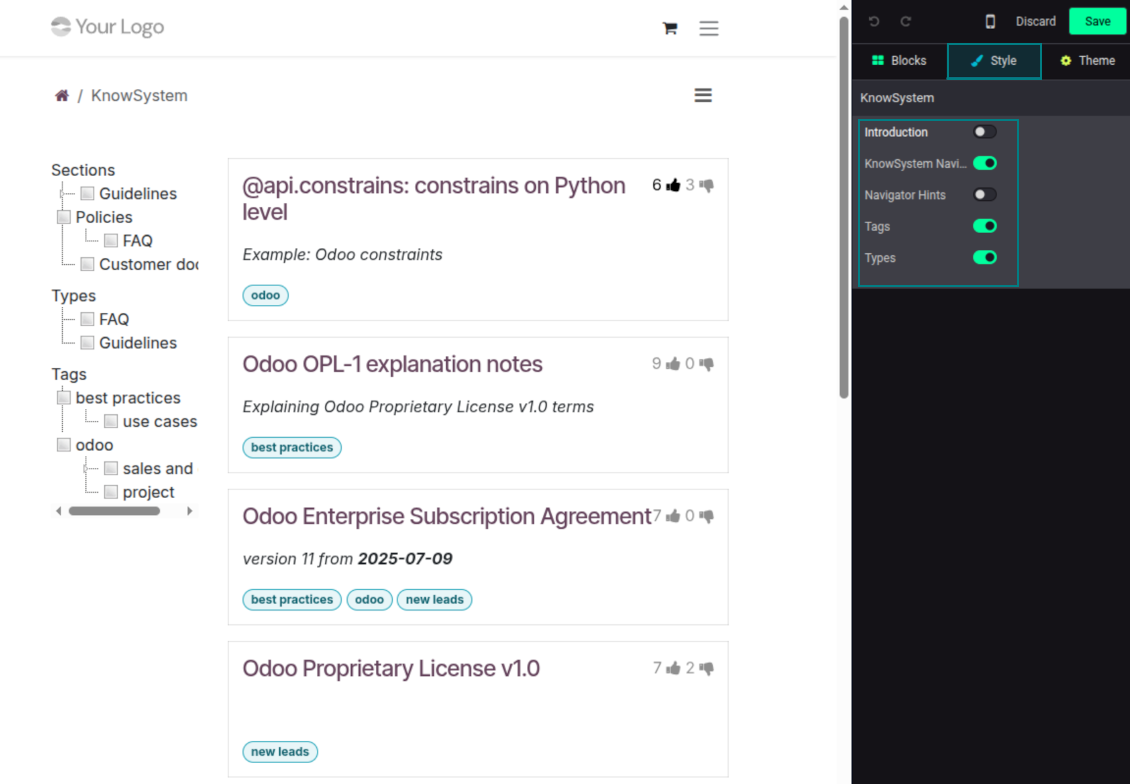
- Customize the portal: show or hide navigation by tags and types (or the whole navigation), add an introduction and navigation hints, and set section tooltips.
Collaboration
Versioned, social, and multi-lingual knowledge
Teamwork and use
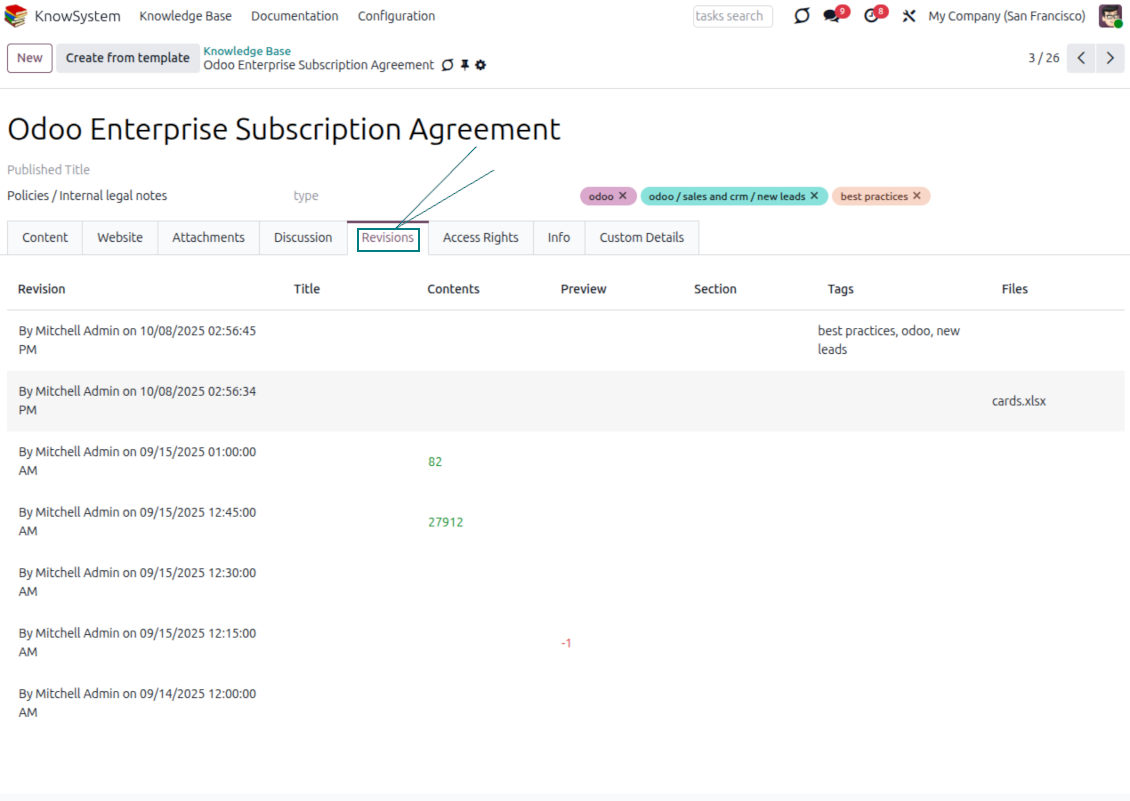
- The full history of article revisions is kept in Odoo, wiki-style. If a user breaks something, it takes just 2 clicks to recover the right version.
- Users take part in article discussions and subscribe to updates.
- Share tokenized articles with any contact.
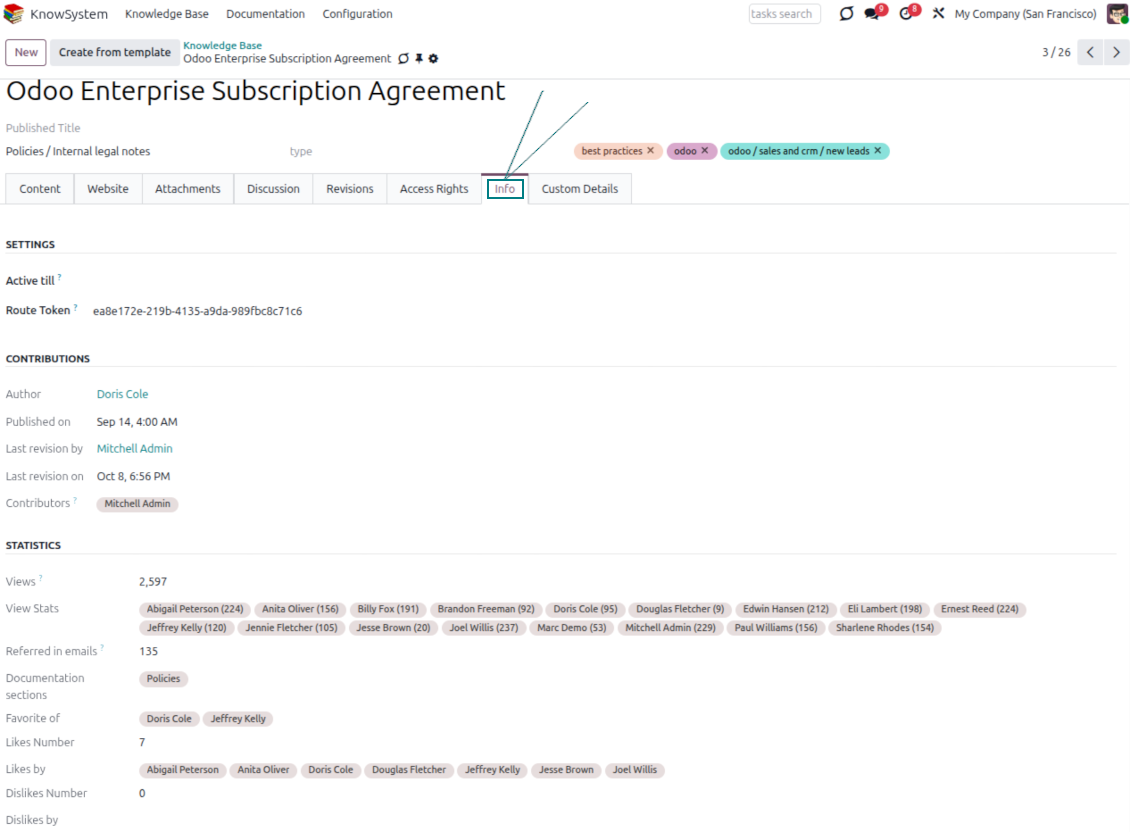
- Track statistics per article: contributors, views, likes and dislikes, how often it is used in messaging, and who marked it as favorite.
- Set activities to keep the base improving, and auto-archive articles after a chosen date.
Multi-lingual knowledge
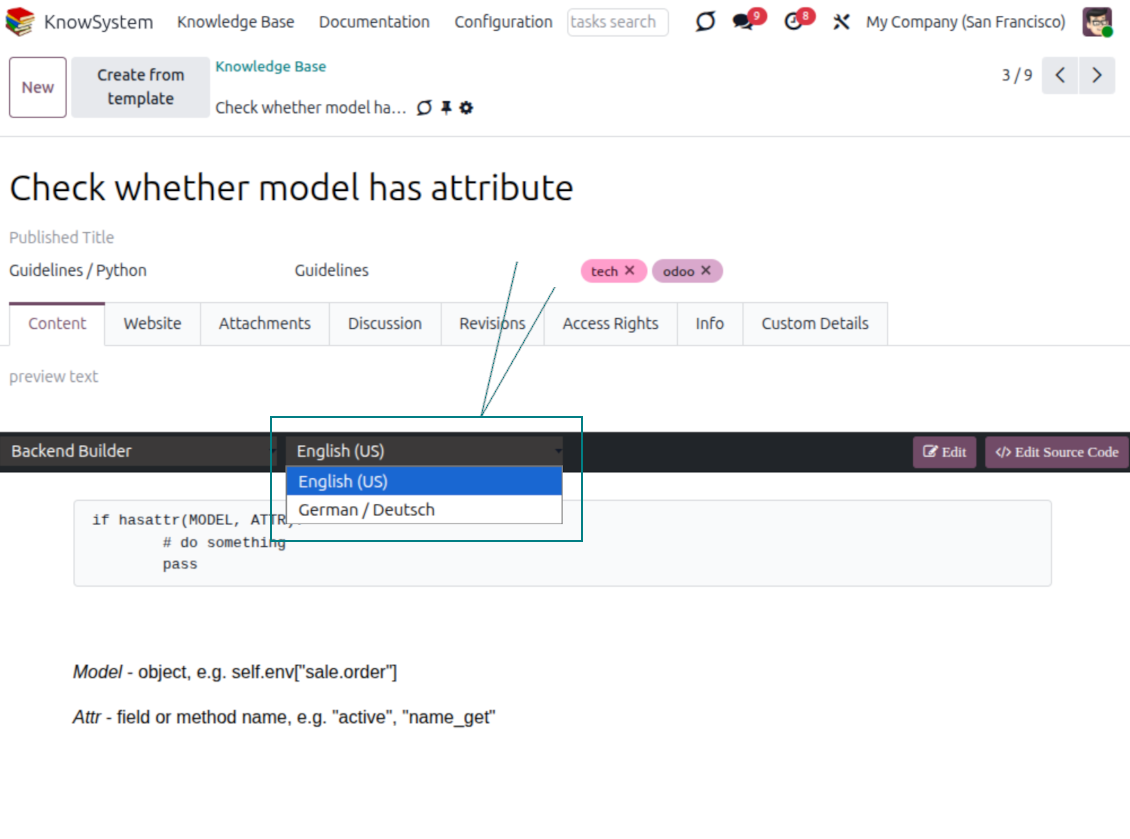
- Translate articles into every language installed in Odoo, so users read and edit in the language of their choice.
- Avoid double work with 'Copy from another translation' - but be sure you really need a multi-lingual regime, since every article must then be kept up to date in all languages.
- Switch the language right in the backend editor to review or update any translation.
eCommerce FAQ
Add a product FAQ and docs to every eShop page
Show knowledge on product pages
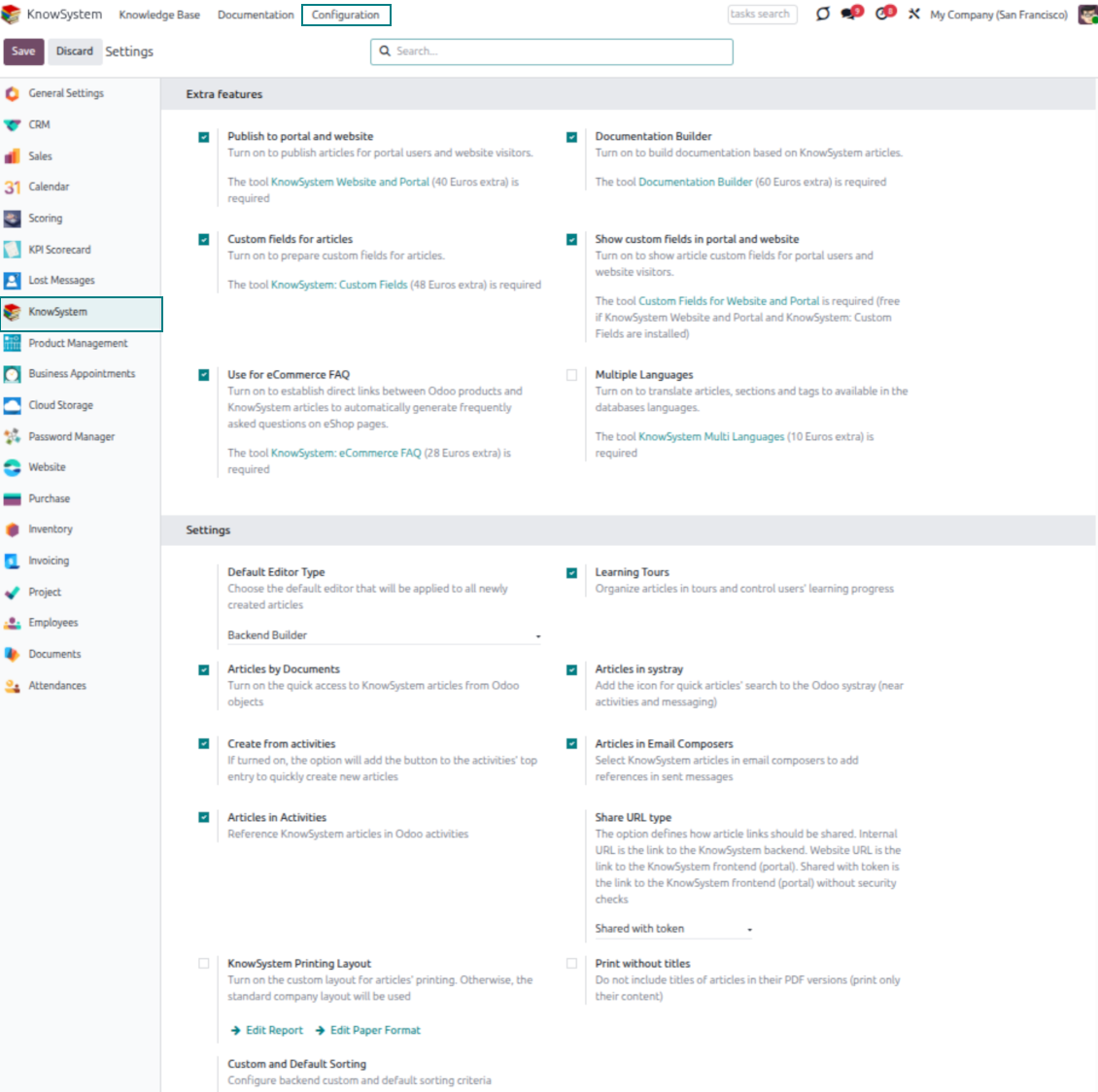
- Adds a product knowledge entry to all eCommerce product pages out of the box.
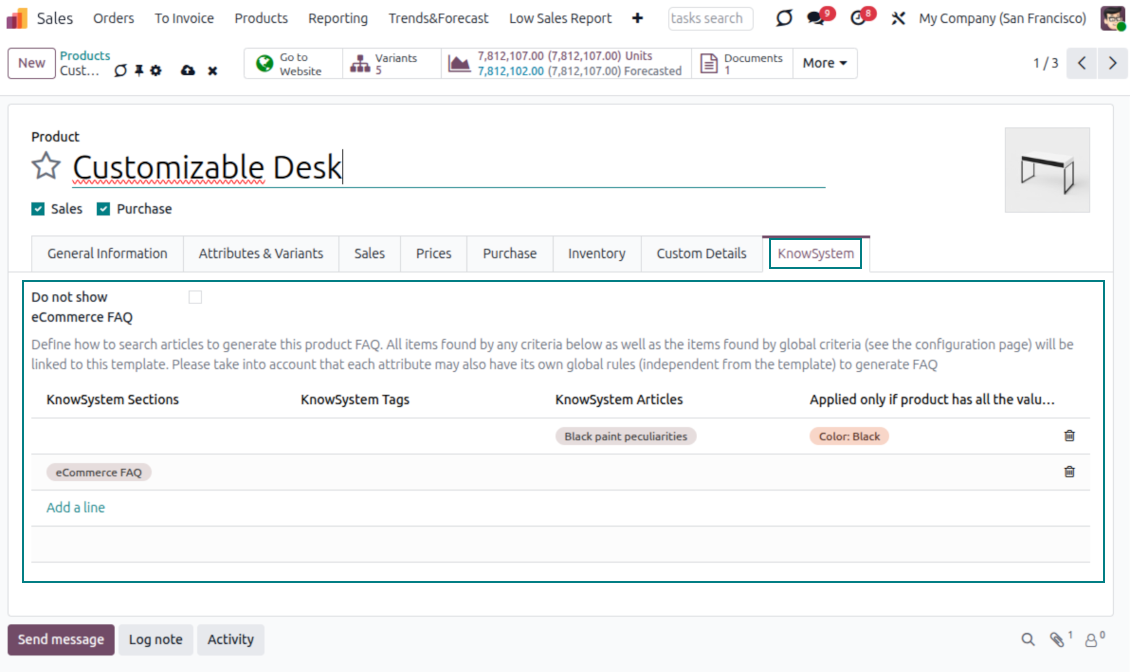
- Hide it for specific templates (the setting 'Do not show eCommerce FAQ') or for an entire eShop on a website (the option 'FAQ view' - 'Do not show').
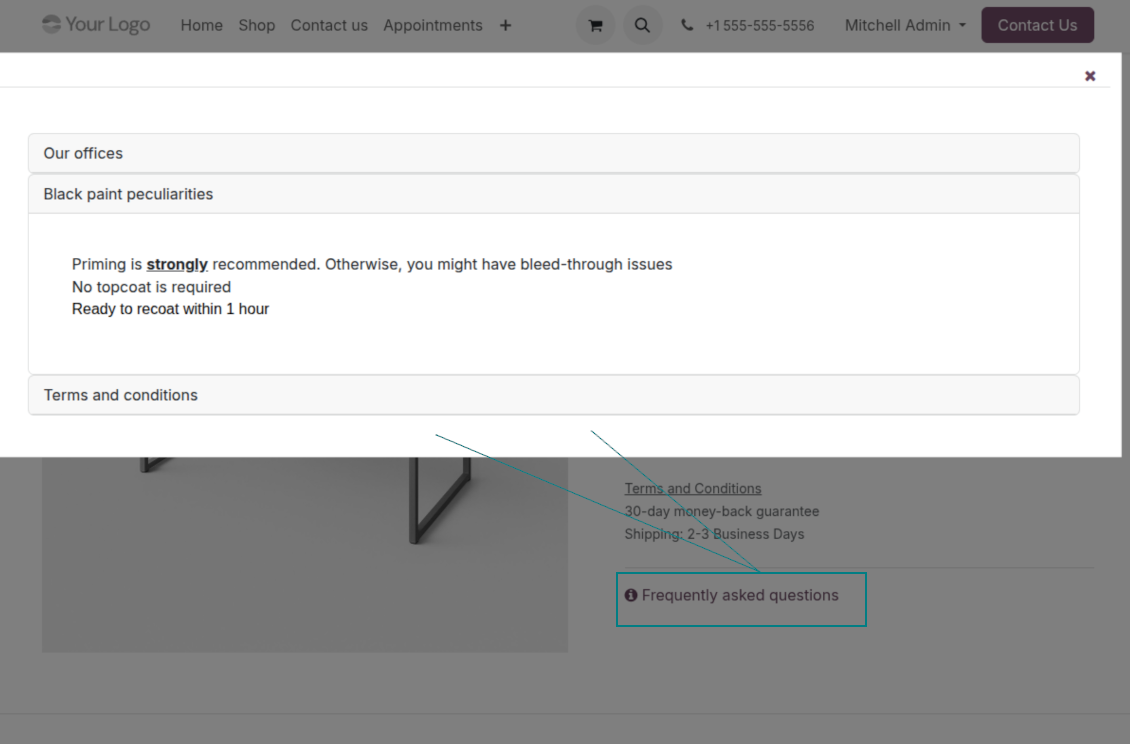
- Set your own button title ('FAQ button text'); the default is ' Frequently asked questions', but you can change it to anything, e.g. 'Product docs' or 'Instructions' - simple HTML tags are allowed.
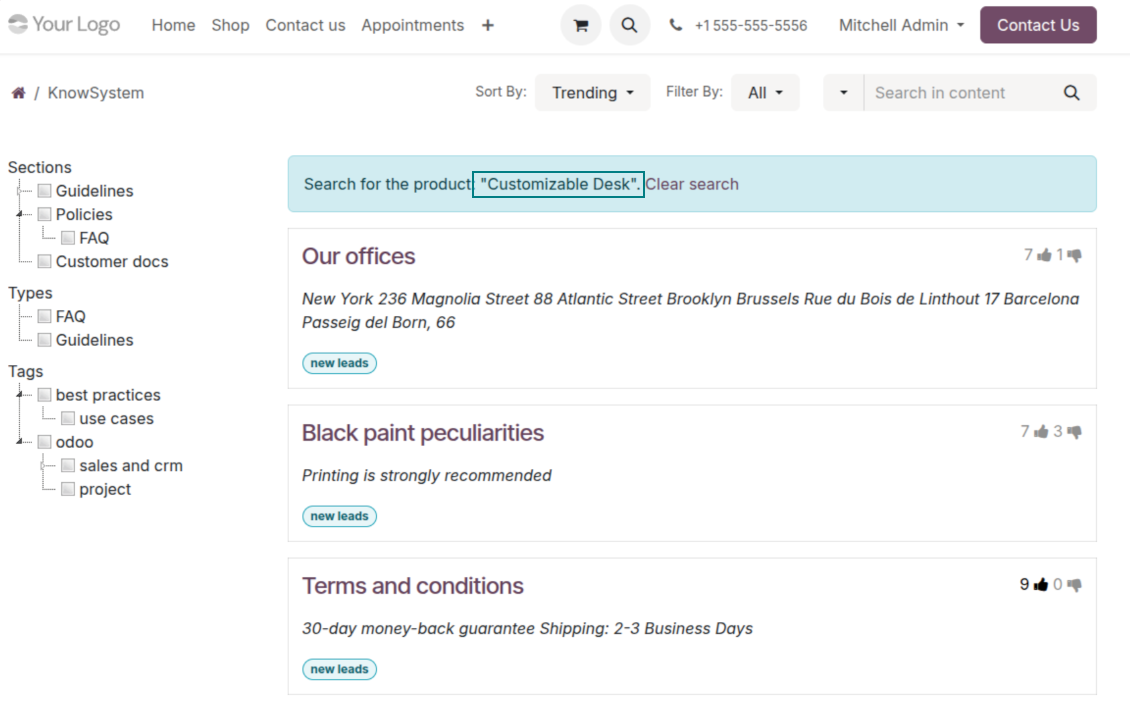
- Choose 'KnowSystem portal link' for the 'FAQ view' to send shoppers to the full navigation, restricted to articles linked to the current product.
- Or choose 'Popup accordion' to open all matching articles in a popup, so shoppers stay on the product page.
Match the right FAQ to the right product
- Link product templates to KnowSystem; show articles for specific sets of attribute values and hide them for others - e.g. different FAQs for steel and aluminum tables.
- Define knowledge for Odoo attributes or attribute values regardless of the actual product - for instance, complementary documentation for every variant that has 'legs' or 'custom legs'.
- Apply global settings per website to keep the same FAQ basis across all items sold there.
- Target KnowSystem sections, tags, or specific articles on each layer. A knowledge piece is selected if it satisfies any of the criteria; for sections and tags, child nodes are taken into account too.
- Articles appear only if a user can access them, so website visitors see only published ones.
Use cases
Built for helpdesk, sales, HR, IT, and beyond
KnowSystem is a universal knowledge management tool that adapts to any business goal and any set of Odoo apps - helpdesk, sales, marketing, IT, HR, legal, and projects. Typical use cases:
- Helpdesk - once a challenge is solved, record its solution in KnowSystem for repeated use by co-workers and self-service by clients.
- Sales & CRM - a salesperson helper for product information, current offers, and frequently asked customer questions.
- Project management - keep and easily retrieve knowledge of existing solutions, tools, hints, and experiments.
- HR - prepare instructions, guidelines, learning tours, training, and any codified knowledge of routine in your company.
- Marketing - organize an online library of product use cases, expert knowledge, and well-structured documentation.
- Legal - systematize policies and contract/approval management, and keep a full classifier of trademarks and licenses.
- Information technology - share easy-to-reach manuals and configuration guidelines, one search away.
Custom fields
Add your own article attributes - no code
Add fields without code
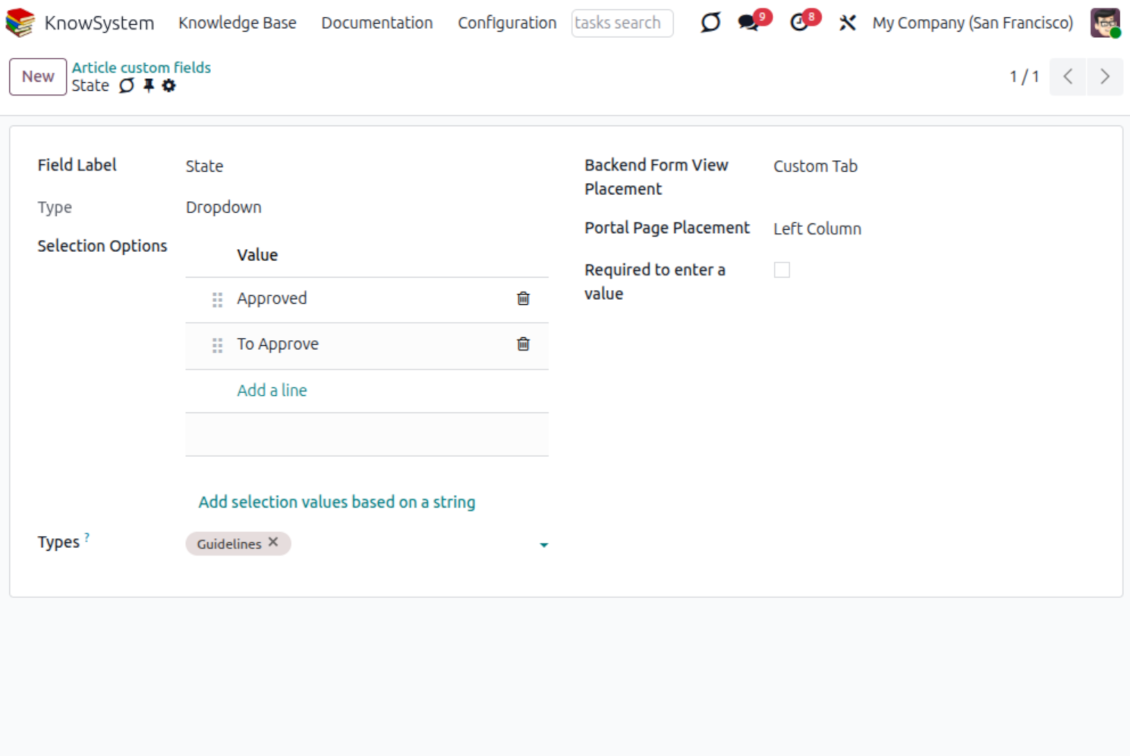
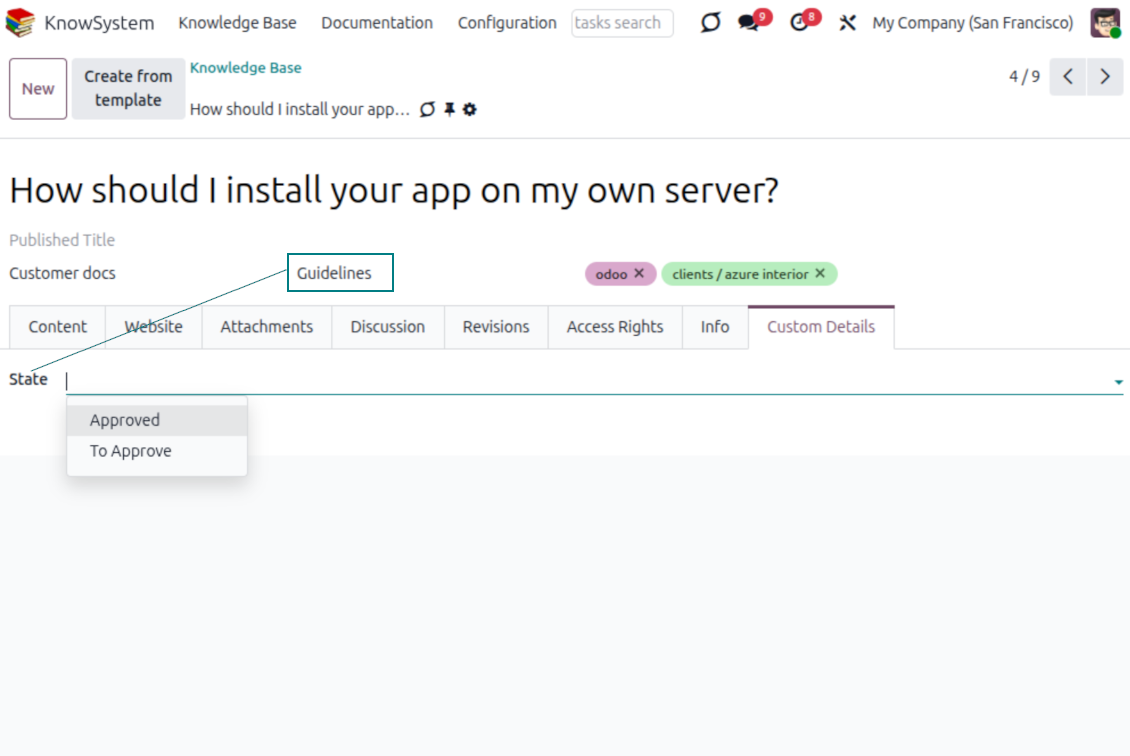
- No technical knowledge required - add a field and enter details to show a new property for articles.
- Choose from a full range of types: single-line text (char), plain text, rich (HTML) text, integer or float numbers, drop-down selection with your own options, checkbox (boolean), date or date-and-time, file upload (binary), and a reference to another Odoo record such as a sale order or contact (many2one).
- Pick the field's interface position from a closed list of options.
- Mark a field required to force users to enter a value.
Tailor by type, share, and secure
- Use article types to show properties only for the right articles - 'user guidelines' and 'technical specifications' can carry completely different attributes.
- Works in both the KnowSystem backend and the knowledge share portal.
- Custom fields can be imported and exported.
- Only KnowSystem administrators may create custom fields.
Security
Granular access for staff, partners, and the public
How access works
- Security for internal users and for portal/public users is handled separately.
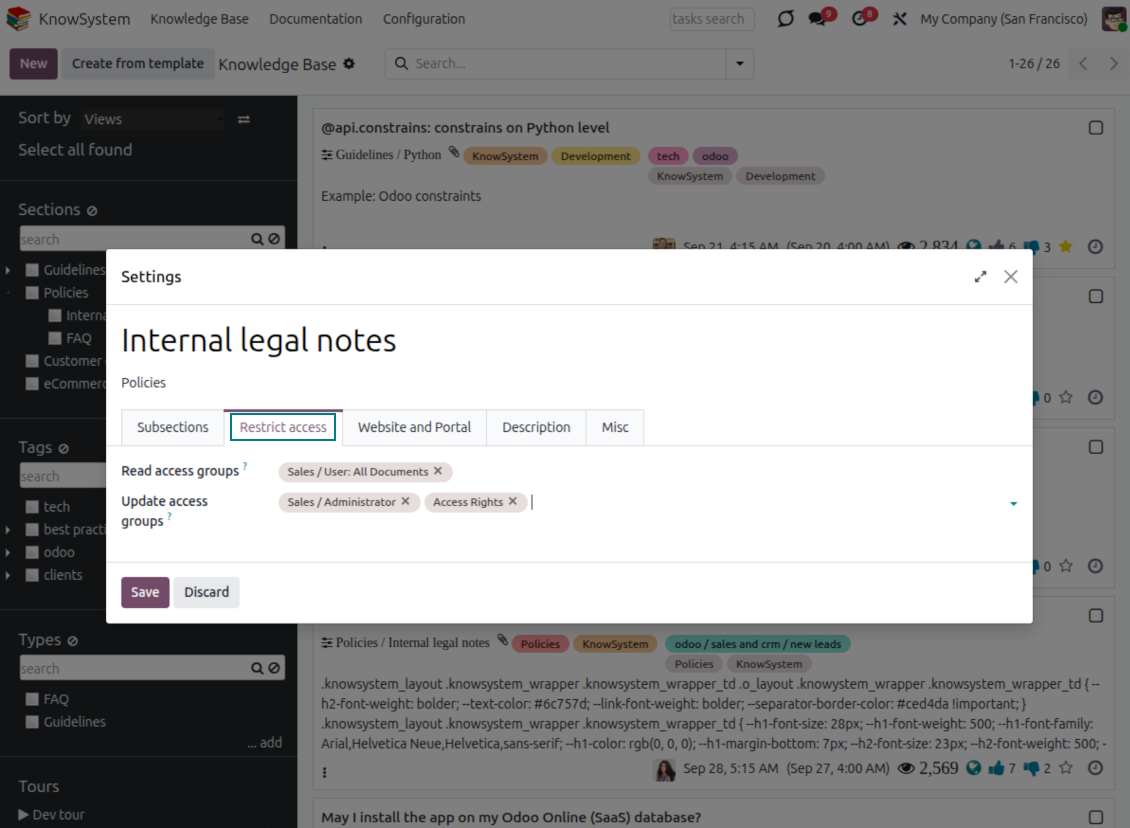
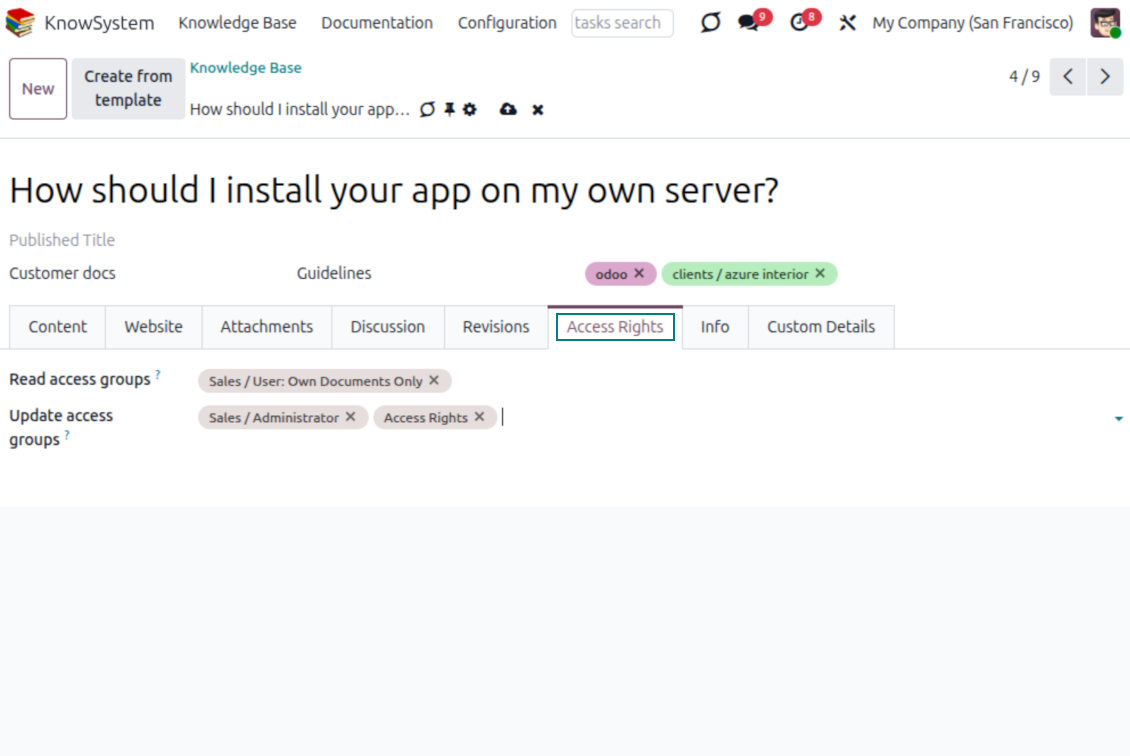
- For company employees: KnowSystem honors the user groups defined per article, section, and tour (the 'Restrict to' tab on those forms). If that field is empty, the record is 'global' and every internal user may read it.
- For portal / public users: access depends on tags and on whether an article is website-published. A tag's 'Allowed partners' grants portal users access to articles carrying that tag; published pages are open to any visitor.
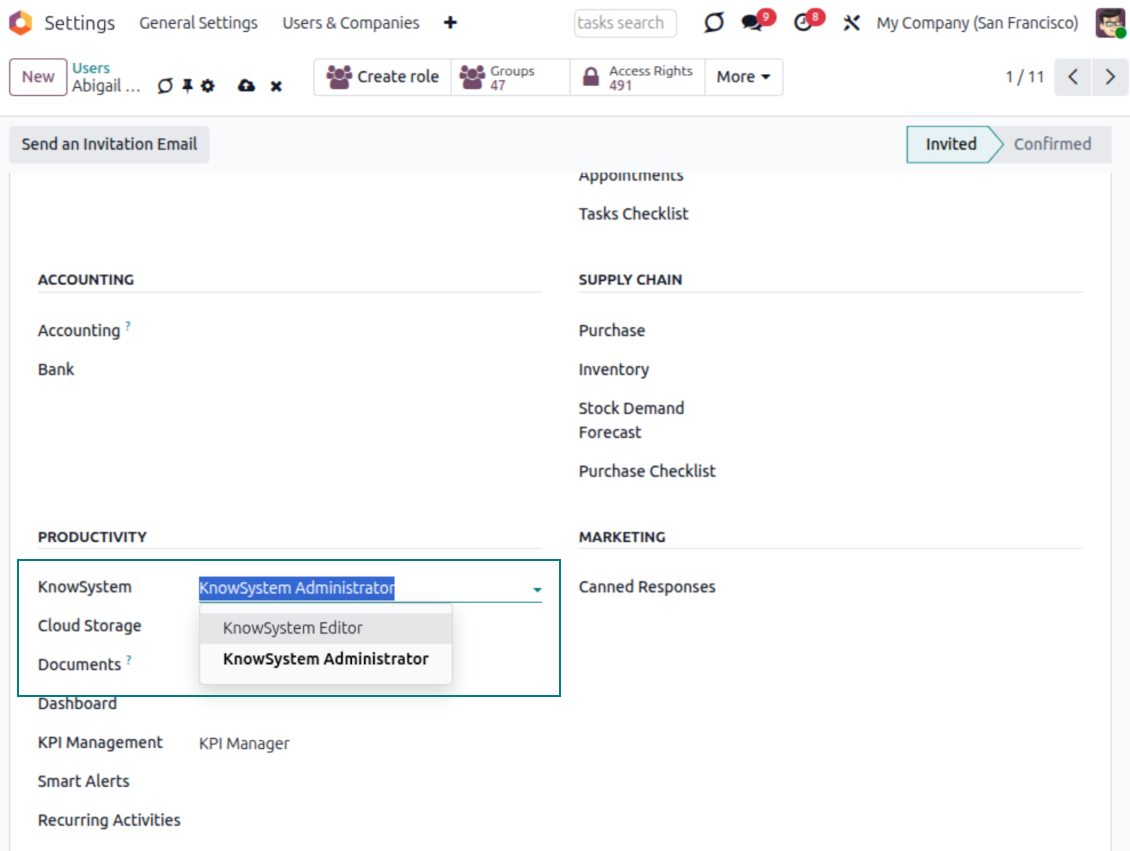
- Administration belongs to two roles - KnowSystem Editor and KnowSystem Administrator. A user must belong to one of them to create and edit articles.
- A user can always access an article they authored, regardless of further restrictions.
- Section rights consider the section and all its parents - no access to 'sales' means no access to 'sales/crm', even if 'crm' is open to the user's group.
Access rights at a glance
Odoo user |
KnowSystem Editor |
KnowSystem Admin |
Portal user |
Public user |
|
| Articles | read related to their user groups and sections | read, create, edit, archive related to their user groups and sections | read, create, edit, delete any | read published articles and articles related to partner-related tags | read published articles |
| Sections | read related to their user groups | read, create, edit, archive related to their user groups and sections | read, create, edit, delete any | read published ones | read published ones |
| Tags | read any | read, create, edit, archive any | read, create, edit, delete any | read published ones | read published ones |
| Article Types | read any | read any | read, create, edit, delete any | read published ones | read published ones |
| Tours | read related to their user groups | read, create, edit, delete related to their user groups | read, create, edit, delete any | no access | no access |
| Misc | may like/dislike, add to favorites, print, take part in discussions | may configure options | may like/dislike an article |
Değerlendirmeye hazır mısınız?
Ücretsiz bir demo talebiyle başlayın veya Odoo Apps Store'dan satın alın.
Ücretsiz kişiselleştirilmiş demo veritabanı. Telefon veya kredi kartı gerekmez. Ana Odoo sürümü içinde ücretsiz ömür boyu güncellemeler ve uzman destek.
Hakkında sık sorulan sorular KnowSystem: Knowledge Base System Odoo v.18
Revizyonların metinleri arasında bir fark göremiyorum.
Revizyonlar yalnızca metin değişikliklerini değil, stillerdeki her güncellemeyi de kaydeder (teknik olarak bir makalenin HTML kaynak kodunu değiştirdiğinizde). Bazıları ilk bakışta belirsiz olabilir (ör. tek bir sözcüğün punto boyutu). Diğerleri köklü olabilir. Yine de Edit > makalede herhangi bir şey değiştir > Save dizisi yeni bir revizyon oluşturur.
Bir makaleye YouTube/ Vimeo / Dailymotion / Youku videosu ekleyebilir miyim?
Evet, bu servislerden videoyu hem Odoo backend hem website builder üzerinden makalelere gömebilirsiniz. Bunun için resimli bir yapı taşı ekleyin > resme basın > ‘Video’ seçin > gereken medyanın URL'sini girin.
Dikkat: bu videolar iframe olarak eklenir ve bazı tarayıcılar kullanıcı açıkça izin verene kadar oynatmayı engelleyebilir.
Bir bölümü websitesinde nasıl görünür yaparım?
KnowSystem'de bir bölüm, yayımlanmışsa ve en az bir makale içeriyorsa websitesinde görünür. Alt bölümleri olsa bile, bölümün kendi içinde tek bir makale yoksa görünmez. Böylece boş bölümler önlenir ve KnowSystem portalı düzenli ve gezinmesi kolay kalır. Bölümün sitede görünmesi için alt bölümlerdeki makaleleri kısaca anlatan veya listeleyen giriş niteliğinde bir makale ekleyebilirsiniz.
Harici bir iş ortağıyla makaleyi nasıl paylaşırım?
Sol gezinme panelindeki herhangi bir etikete sağ tıklayın - Create
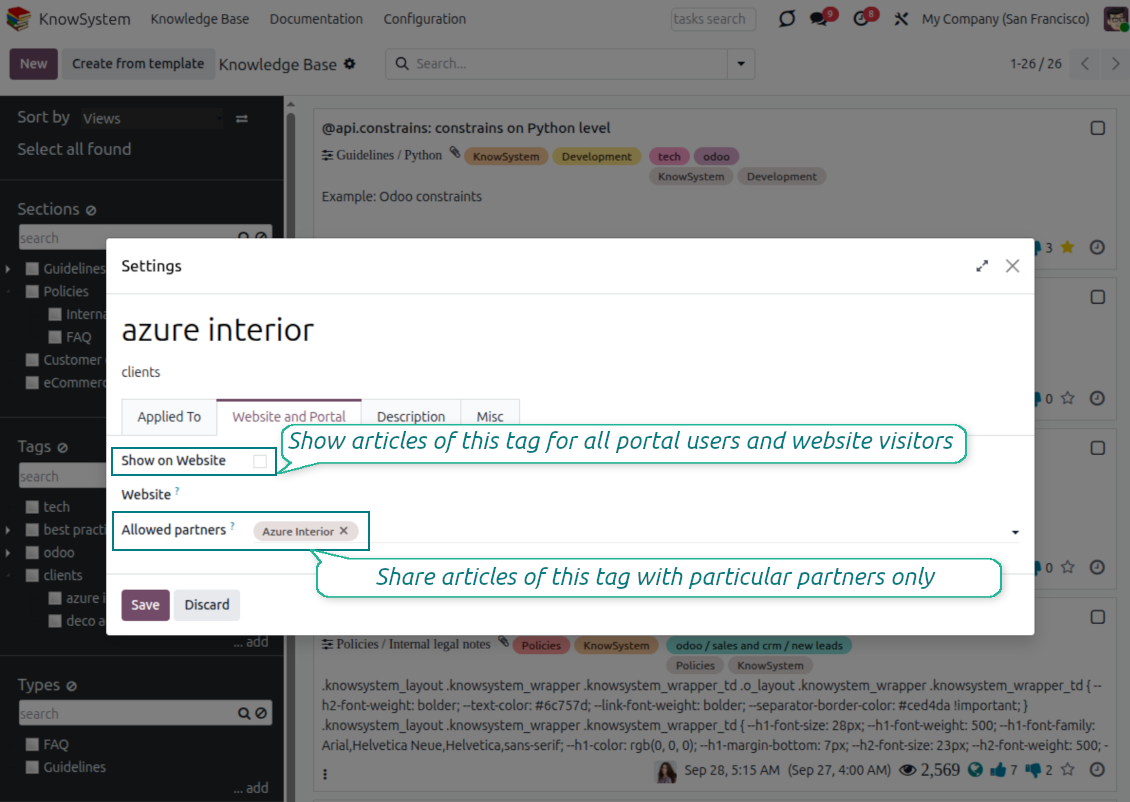
'Allowed partners' alanını bulun. Örneğin partner 'Azure Interior' için erişim vermek üzere 'clients - azure interior'. Tersini de yapabilirsiniz: KnowSystem etiketlerini partner formunda atayın
Ardından gerekli makaleye gidin (veya birden fazla kayıt için aynı işlemi 'Mass update' ile yapın):
Yayımlanmışsa: tüm portal kullanıcıları ve genel ziyaretçiler için açık olmasını istemiyorsanız yayından kaldırın
Yeni oluşturulan etiketi atayın (örnekte 'clients - azure interior')
Şimdi:
Ticari partner 'Azure Interior' ile ilişkili tüm portal kullanıcıları, 'Azure Interior' etiketli makalelere erişir
Başka etiket atanmamışsa diğer portal kullanıcılarının bu makalelere erişimi yoktur
İç kullanıcılar etkilenmez ve makaleleri, makale ve bölümlerin 'access to' mantığına göre görür.
Makale gövdesi için dil seçim düğmesi ekleyebilir miyiz?
İsteğe bağlı eklenti 'KnowSystem: Multi Languages', 'translate' düğmesini makale gövdesine bilerek eklemez. Nedeni: HTML'yi bu düğmenin varsaydığı basit açılır pencerede çevirmek çok zordur. Çevrilecek metin çok az, HTML parçaları çok olur (çevirmen bunları da bozabilir).
Bu yüzden belirli bir dilde makale oluşturmak için o dildeki kullanıcıyla oturum açmalısınız. Farklı bir kullanıcı olabilir veya geçerli kullanıcı tercihlerinizi geçici değiştirebilirsiniz. Bundan sonra makale gövdesindeki güncellemeler o kullanıcı dilinde yapılır.
Ayrıca makale gövdesinin altındaki 'Copy from another translation' düğmesiyle istediğiniz anda içeriği başka dilden alabilirsiniz (makale dillerden birinde önemli ölçüde güncellendiyse yararlıdır).
Bir makaleye başka bir web sayfasını nasıl gömerim
Bunun için iframe kullanabilirsiniz. Makaleyi ham HTML kod düzenleyicisine alın ve örneğin <iframe src="https://faotools.com/" style="width:100%;min-height:600px;"> </iframe> ekleyin.
KnowSystem'i kurdum ama 'create' düğmesini ve diğer düğmeleri görmüyorum
Büyük olasılıkla kullanıcınıza KnowSystem haklarını vermediniz. 'KnowSystem Editor' veya 'KnowSystem Admin' hakkını seçip sayfayı yenileyin. Denetim düğmeleri artık görünmelidir.
Belirli bir öğrenme türünü yalnızca seçilen kullanıcılara gösterebilir miyim?
Evet, bu turu görmesi gereken bir kullanıcı grubu atayarak (ör. 'Sales Manager'). Kullanıcı bu gruptaysa turu görür; değilse tur gösterilmez. KnowSystem makale ve bölümlerinin güvenlik haklarıyla aynı şekilde çalışır.
Tura atanmış grup yoksa 'global' olur ve herkese görünür.
Makaleleri yazdırırken altbilgi ve üstbilgiyi nasıl değiştiririm?
Makale PDF'lerinin üstbilgi ve altbilgisi şirket düzenlerinden alınır. Settings > General Settings > Business Documents bölümüne bakın. Burada faturalar, satış siparişleri vb. dahil tüm belge türleri ve makaleler için kullanılan şirket şablonunu tanımlarsınız. Bu Odoo yaklaşımı altbilgi ve üstbilgiyi belirli çıktıların özelliği değil, genel şirket stili sayar.
Makaleleri birbirine nasıl bağlarım?
Her makalenin dahili (backend) ve website URL'leri vardır ('KnowSystem: Website and Portal' seçeneği kuruluysa). Bu kaydın web adreslerini görmek için makale formundaki 'Info' düğmesine tıklayın. Herhangi birini makale gövdesine köprü olarak ekleyebilirsiniz.
Bir makalenin HTML kaynak kodunu değiştirebilir miyim?
Evet: ayarlar genel bakış ekranında debug varlıklarını açın ve geçerli makaleye dönün. Düzenleme kipinde özel '</>' simgesini görürsünüz. HTML ve stilleri incelemek ve düzenlemek için bu simgeye tıklayın.
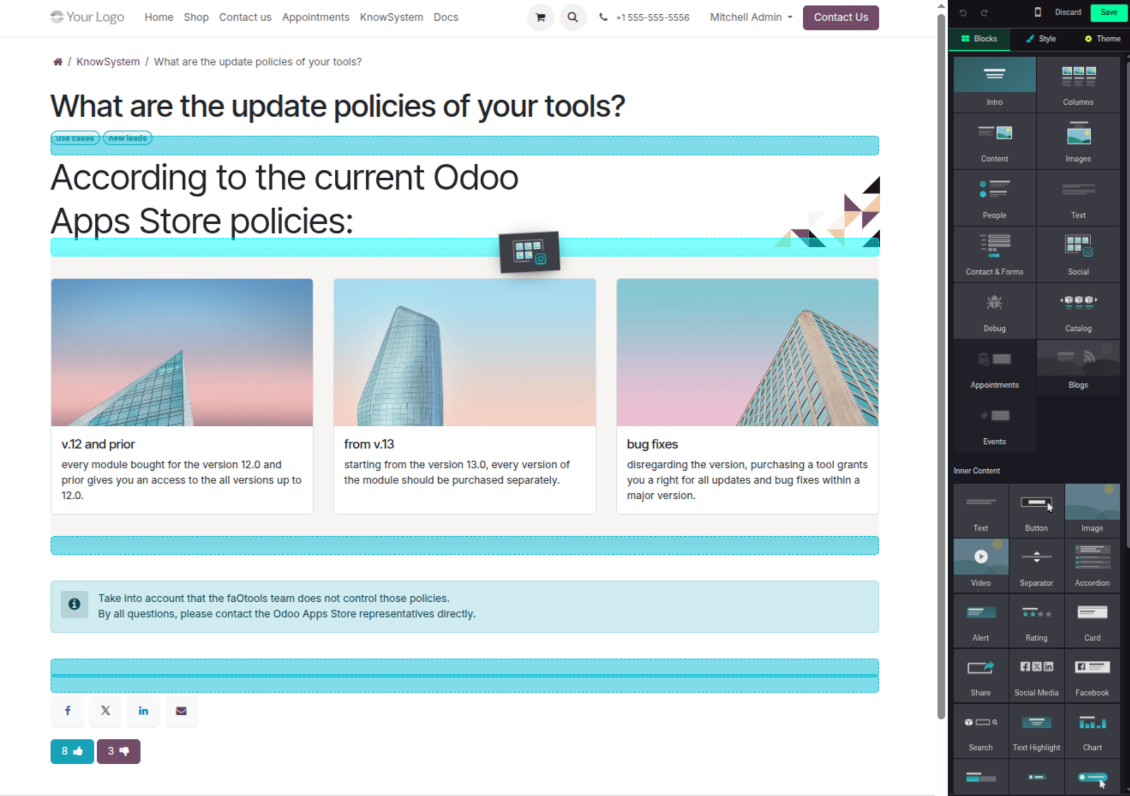
Araclarinizin güncelleme politikalari nedir?
Güncel Odoo Apps Store politikalarina göre:
- 12.0 ve önceki sürüm için alinan her modül, 12.0'a kadar tum surumlere erişim verir.
- 13.0 surumunden itibaren her modül sürümü ayri satin alinmalidir.
- Surumden bagimsiz olarak satin alma, o ana sürüm içindeki tum güncelleme ve hata duzeltmelerine hak verir.
faOtools ekibi bu politikalari kontrol etmez. Sorulariniz için doğrudan Odoo Apps Store temsilcilerine ulasin.
Uygulamanizi Odoo.sh üzerine nasil kurarim?
En doğrudan yaklasim, Odoo magazasinin yerlesik is akisidir:
1. Modül sayfasini acin ve Deploy on odoo.sh düğmesine tiklayin
2. GitHub sayfasina yonlendirilirsiniz. Hesabiniza giriş yapin, ardindan Create a new repo'ya tiklayin veya mevcut birini kullanin. Depo özel olmalidir. OPL-1 lisansli uygulamalarin yayimlanmasi yasaktir. Gerekirse Odoo.sh projeniz için yeni bir depo oluşturun
3. Ardindan odoo.sh'e gidin, Deploy'a tiklayin, karari onaylayin ve Continue'ya tiklayin. Kurulum başlar.
Bu adimlar uygulamayi projenin production dalina kurar. Diğer dallar veya modül guncellemesi için:
1. Kaynak kodu Odoo magazasindan indirin
2. Modulu gerekli GitHub deposuna commit edin. Hiçbir uygulama klasörü/dosyasi .gitignore'da olmamalidir. odoo.sh'in oluşturduğu depolar varsayilan olarak önemli yollari (örneğin /lib) yok sayabilir. Tum modül dizinlerini ve dosyalarini istisnasiz yükleyin
3. odoo.sh projesinin hedef dalini deploy edin veya ayarlariniz otomatik derlemeyi ongoruyorsa bekleyin.
Uygulamayi kendi sunucuma nasil kurarim?
2. Odoo sunucusunu yeniden baslatin;
3. Gelistirici modunu acin (teknik ayarlar);
4. Uygulama listesini güncelleyin (Uygulamalar menusu);
5. Uygulamayi bulun ve Activate/Install düğmesine basin;
6. Varsa uygulama sayfasindaki yonergeyi izleyin.
Uygulamanizin ek eklentileri var. Sonradan alabilir miyim?
Evet. Odoo tum bagimliliklari sepete otomatik ekler: çift odemeyi onlemek için daha önce satin alinan araclari cikarin.
Uygulamayi Odoo.sh üzerine kurdum ve testlerde uyari/hata goruyorum
Kirmizi/turuncu uyari uygulamanin özelliklerini etkilemez. Bazen modüllerimiz standart otomatik testleri gecemez, çünkü bunlar uygulamamizin amaclarina aykiri davranis bekler. Örneğin fiyati farkli hesaplariz, Odoo testleri ise nihai fiyati standart algoritmayla karsilastirir.
Önce dagitilan veritabaninin özelliklerini kontrol edin. Her sey doğru calisiyor mu?
Uyarinin gerçek özellikleri etkiledigini dusunuyorsaniz bize yazin; tam kurulum günlüklerini ve dagitilan modüllerin tam listesini (çekirdek ve üçüncü taraf) gönderin.
Uygulamanizi doğrudan sizden satin alabilir miyim?
Hayir, araclari yalnizca resmi Odoo uygulama magazasi üzerinden dagitiyoruz.
Indirim almak istiyorum
Ne yazik ki bireysel fiyat sunacak teknik imkanimiz yok.
Uygulamayi Odoo Online (SaaS) veritabanima kurabilir miyim?
Hayir, üçüncü taraf uygulamalar Odoo Online'da kullanilamaz. Odoo SaaS bunu engeller.
Aracinizin başka uygulamalara bagimliligi var. Onlari da almali miyim?
Evet, aracimizin doğru calismasi için bagimliliklarda isaretlenen tum modullere ihtiyaci vardir. Uygulama sayfasindaki fiyat bu bagimliliklari zaten içerir.
Modulun ABD dolari fiyati nedir? Neden değişti?
Modullerimizin fiyati euro cinsinden belirlenir. Odoo magazasi fiyatlari kendi ic kuruna göre diğer para birimlerine çevirir. Bu yüzden ABD dolari fiyati kur guncellendiginde degisebilir.
İngilizce dışındaki dillerdeki uygulama ve web sitesi metinleri yapay zeka desteklidir ve resmi Odoo çevirileriyle hizalanır. Bir hata görürseniz, çeviri doğruluğu bileti gönderin ve düzeltiriz.
Odoo demo veritabanları (canlı önizlemeler)
Bu uygulama için ücretsiz kişiselleştirilmiş bir demo veritabanı sağlayabiliriz.
Bize yazmak için telefon veya kredi kartı gerekmez. Yalnızca 30 saniyeyi aşmayan kısa e-posta kaydı yeter.
İsteğiniz üzerine yaklaşık iki hafta boyunca test yapabileceğiniz ve varsayımları kontrol edebileceğiniz bireysel bir canlı önizleme veritabanı hazırlarız.
Hata bildirimi
Hata veya tutarsız davranış görürseniz bize yazın. Satın alımdan sonra 60 gün içinde düzeltme garantisi veririz; bu süreden sonra da araçları geliştirmeye devam ederiz.
Bize yazmak için telefon veya kredi kartı gerekmez. Yalnızca 30 saniyeyi aşmayan kısa e-posta kaydı yeter.
İstekte mümkün olduğunca ayrıntı verin: ekran görüntüleri, Odoo sunucu günlükleri, sorunu nasıl yeniden üreteceğinizin tam açıklaması. Genellikle birkaç iş günü içinde (hata doğrulanırsa) çalışma planı veya (değilse) yönergeler hazırlanır.
Genel özellik talepleri ve modül fikirleri (ücretsiz geliştirme)
Araçlarımızı geliştirmeye güçlü şekilde motiveyiz ve her geri bildirime minnettarız. Gereksinimleriniz kamuya yararlıysa ve verimli uygulanabilirse ekip bunları yapılacaklar listesine alır.
Böyle bir yapılacaklar listesi düzenli işlenir ve ek ücret varsaymaz. Son tarihler ve nihai tasarım sözü veremesek de istenen özellikleri yatırım ve risk olmadan almanın iyi bir yolu olabilir.
Bize yazmak için telefon veya kredi kartı gerekmez. Yalnızca 30 saniyeyi aşmayan kısa e-posta kaydı yeter.
18.0.1.3.29
- The issue of Late Activities listing articles that have no overdue activity for the selected user has been fixed.
18.0.1.3.27
- The issue of autovacuum failure has been fixed.
18.0.1.3.25
- şu sorun default etiketler kaynak e-posta composer ve activity formlar düzeltildi.
18.0.1.3.24
- HTML düzenleyicide renk paletinin görünmemesi sorunu giderildi.
18.0.1.3.23
- Seçili makaleleri kaldırmak için gereken çift tıklama sorunu düzeltildi.
18.0.1.3.22
- Farklı düzenleyici türündeki makaleler arasında geçiş sorunu düzeltildi.
18.0.1.3.21
- Bölüm/makale düzenleme hakları artık bu nesneler için okuma haklarını da içerir.
- Güncellenmeyen beğeni sayaçları sorunu düzeltildi.
18.0.1.3.20
- Kalın veya italik etiketlerle ayrılmış anahtar sözcükleri arama özelliği eklendi.
18.0.1.3.19
- Sıradan kullanıcılar için makale arama sihirbazı açılırken oluşan erişim hatası düzeltildi.
18.0.1.3.18
- Kanban görünümleri yeni Odoo 18 XML ilkelerine uyarlandı.
- Pasif kayıtlar için arşiv şeridi, makale Kanban ve form görünümlerine ve bölüm ile etiket form görünümlerine eklendi.
18.0.1.3.17
- Makalelerin ve belgelemenin website görünümü küçük ekranlar için iyileştirildi.
18.0.1.3.16
- Uygulama, web düzenleyici eklentilerindeki son Odoo 18 güncellemelerine uyarlandı.
18.0.1.3.15
- "Text" makalelerindeki fazla çeviri düğmesi kaldırıldı.
18.0.1.3.14
- Metnin doğru kaydedilememesi ve kopyalanamaması düzeltildi.
18.0.1.3.13
- Uygulama 18 sürümüne yayınlandı.
17.0.1.3.13
- default activity görünüm için KnowSystem makaleler now is kanban.
17.0.1.3.12
- Composer mesajı gönderildikten sonra KnowSystem makalelerinin aşırı temizlenmesi sorunu düzeltildi.
17.0.1.3.11
- Hızlı makale aramasının dil değiştiricisi sorunu düzeltildi.
17.0.1.3.10
- Yalnızca başlıklarda arama artık backend'de mümkün.
- Açılır pencereden bulunan makaleyi yeni sekmede açma düğmesi düzeltildi.
17.0.1.3.9
- Makaleleri toplu güncellemek için sürükle-bırak özellikleri eklendi: etiket ekleme, bölüm güncelleme ve öğrenme turuna ekleme.
- özellik aç found makale içinde yeni tab eklendi.
- Gezinti ağaçlarında seçilen üst öğe doğru şekilde vurgulanır.
17.0.1.3.8
- KnowSystem makalelerinin Kanban görünümü en yeni Odoo v.17 yaklaşımlarına uyarlandı.
- Gezinti hiyerarşileri iyileştirildi.
17.0.1.3.7
- Makalelerin backend gezintisi için varsayılan sıralama ölçütü artık uygulamanın sayfasında yapılandırılabilir.

Odoo eklerini klasörlerde esnek yapılandıran ve dizinleri bulut istemcileriyle senkronize eden araç: Google Drive, OneDrive/SharePoint, Nextcloud/ownCloud, Dropbox, Amazon S3, Box ve NAS. DMS. Dosya Yöneticisi. Belge yönetim sistemi
398€
The tool to automatically synchronize Odoo attachments with OneDrive files in both ways
487€
The tool to automatically synchronize Odoo attachments with Google Drive files in both ways
487€

The tool to set up KPI targets and control their fulfillment by periods. KPI dashboards. Dashboard designer. KPI charts

The tool for time-based service management from booking appointments to sales and reviews
398€
The tool to manage your Odoo from your favorite AI chats through MCP. Claude. Any MCP-supporting AI.

The tool to combine different Odoo events in a few configurable super calendars

The tool to translate URL addresses of Odoo website pages
38€