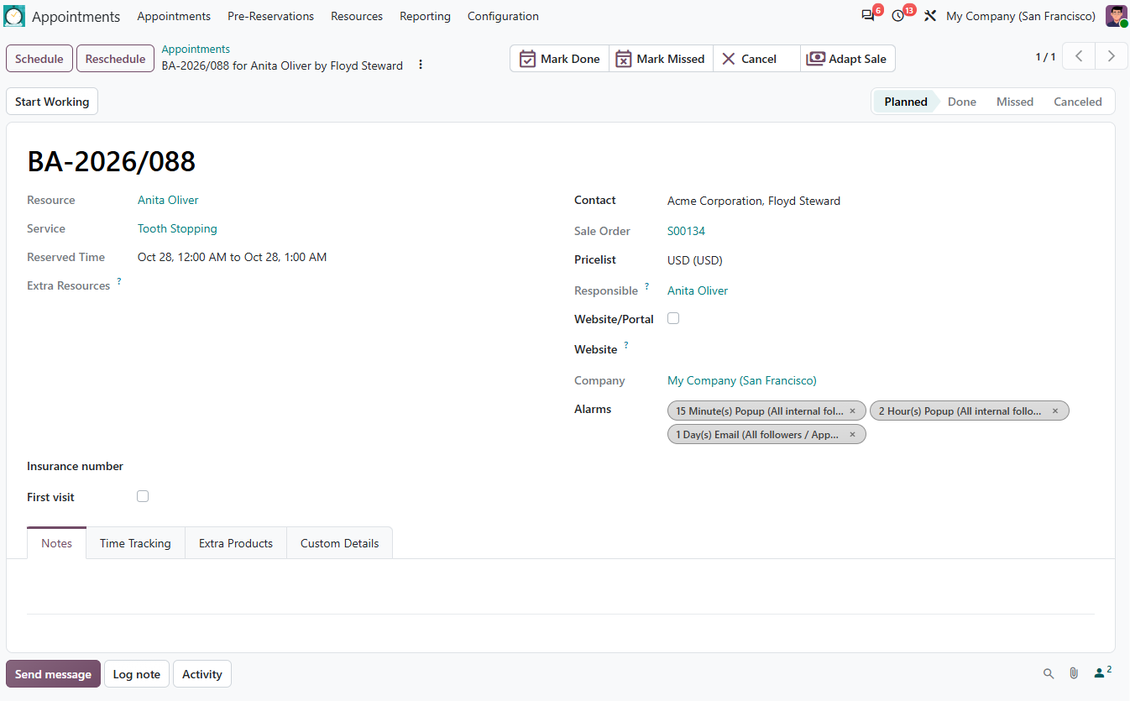
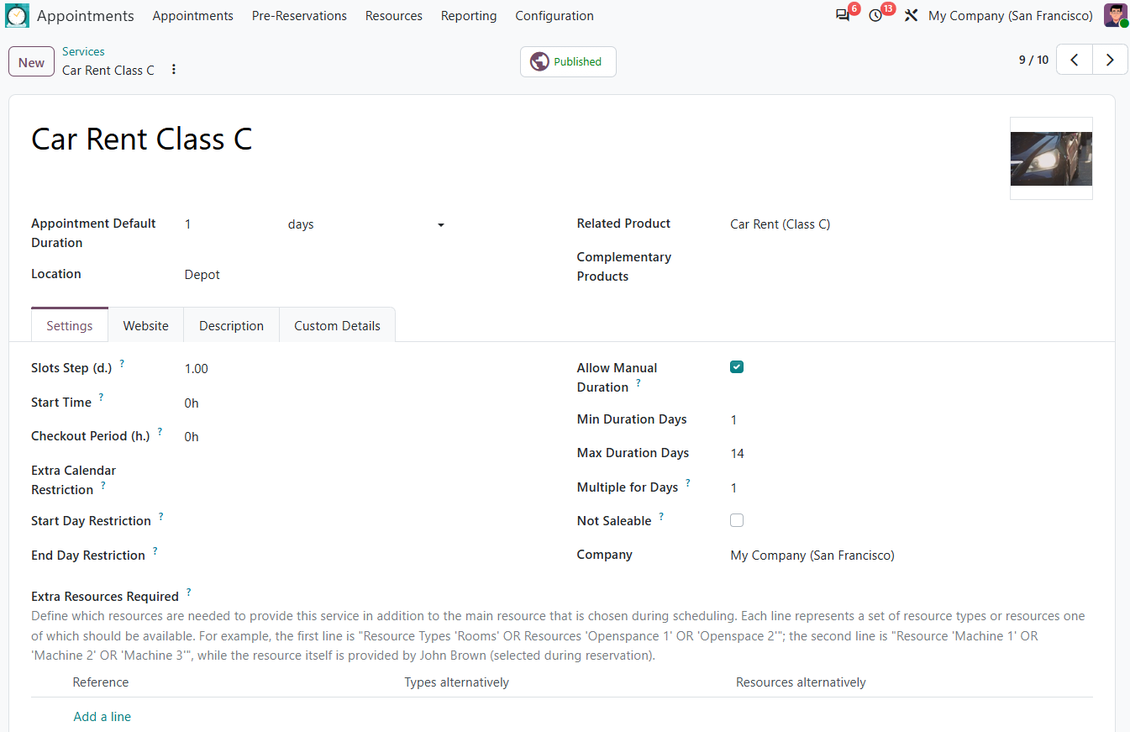
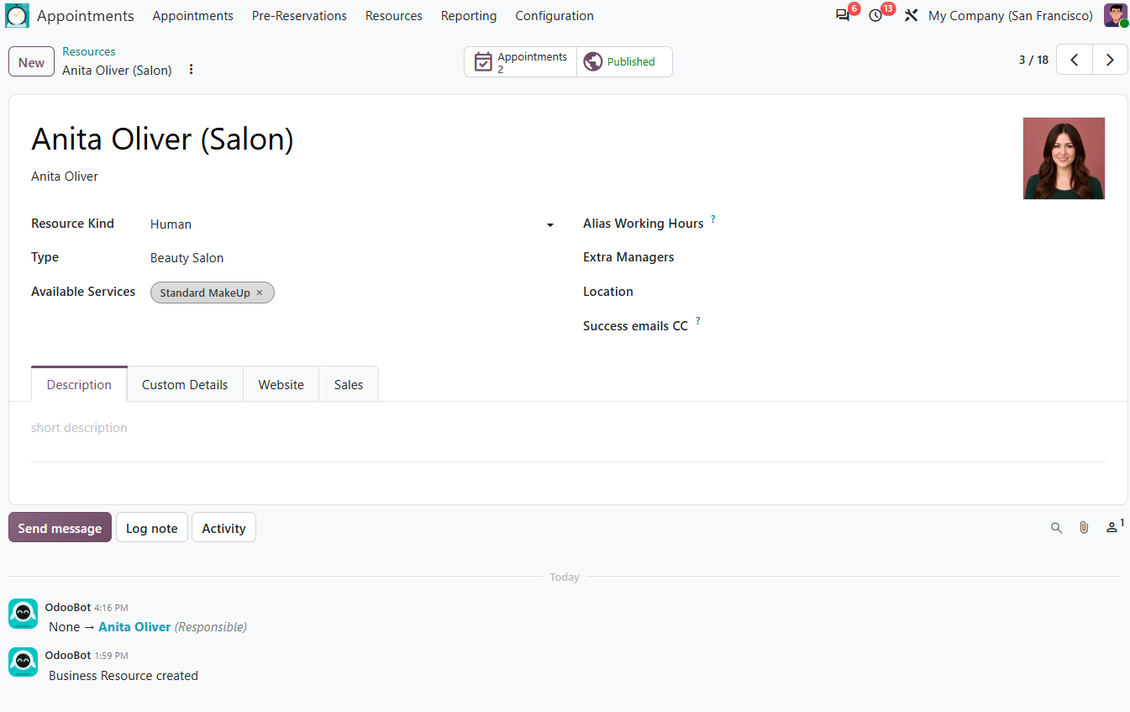
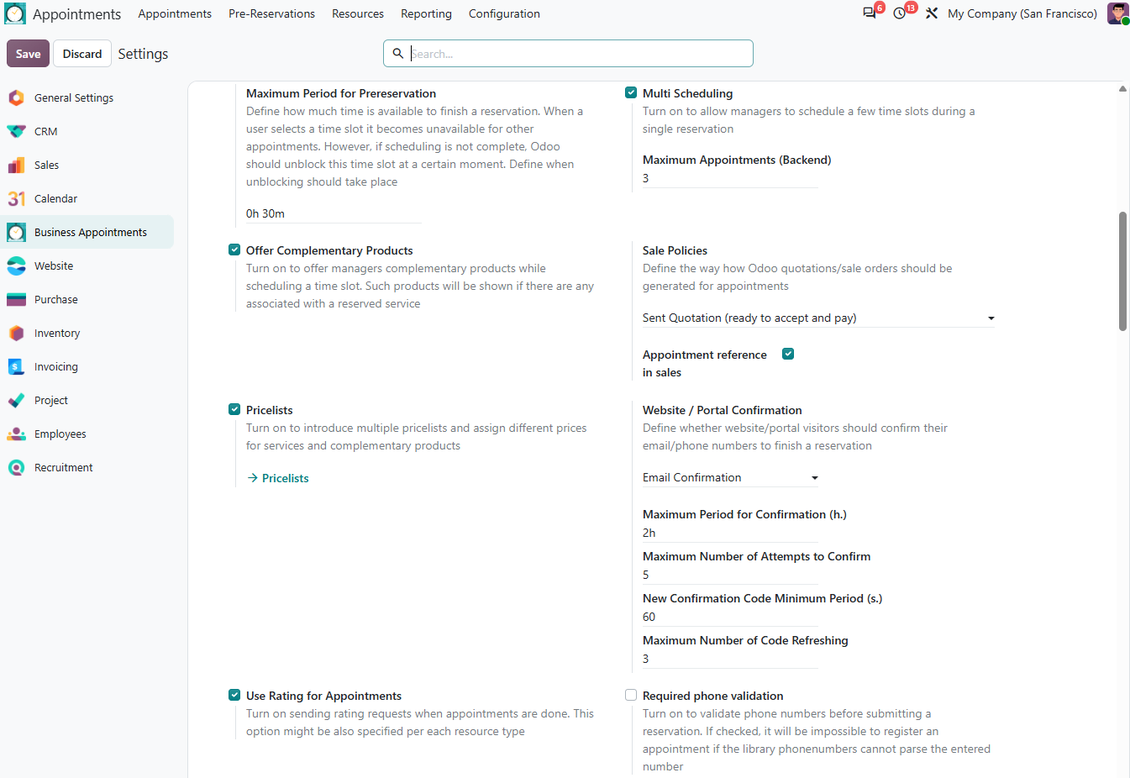
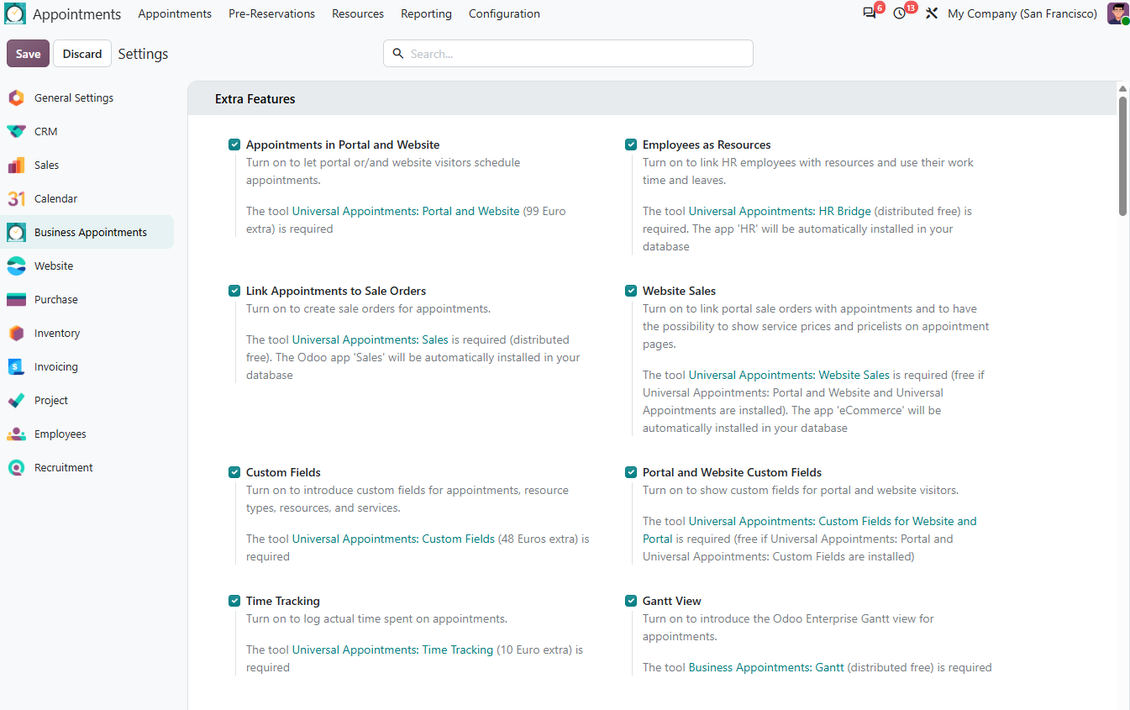
In Short
Universal Appointments and Time Reservations is an Odoo 20 Extra Tools app. The tool for time-based service management from booking appointments to sales and reviews.
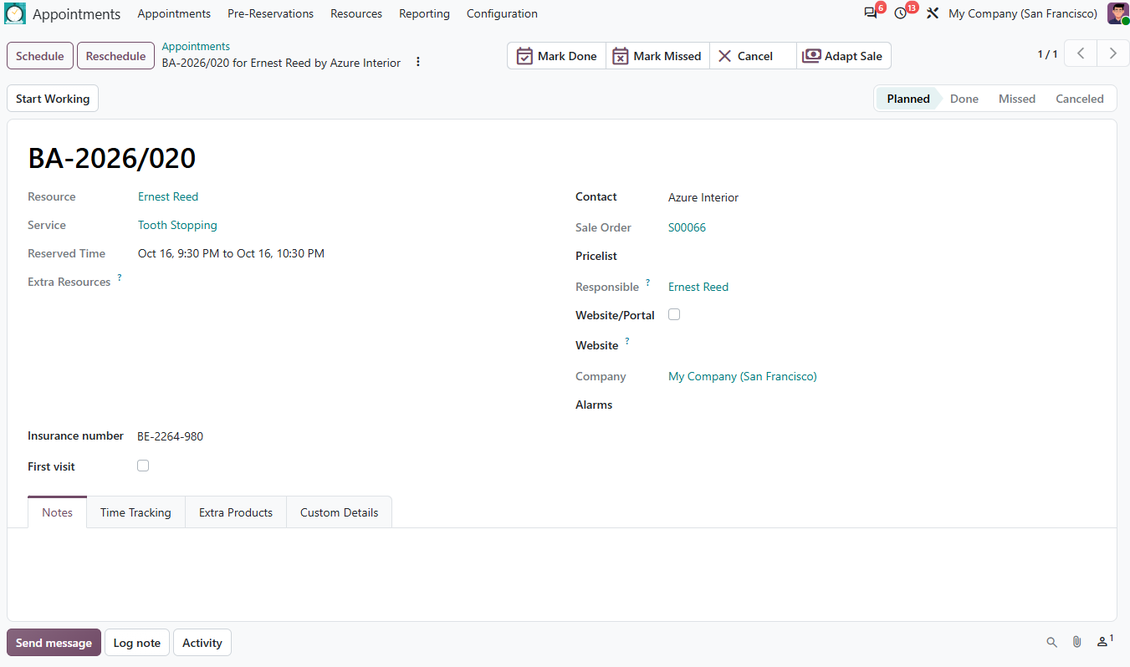
Universal Appointments and Time Reservations turns Odoo into a flexible service booking platform for internal teams, portal users, and website visitors. It helps you schedule conflict-free appointments, reserve specialists, equipment, rooms, or vehicles, control service fulfillment, collect reviews, and connect bookings with sales when the optional sales extensions are installed.
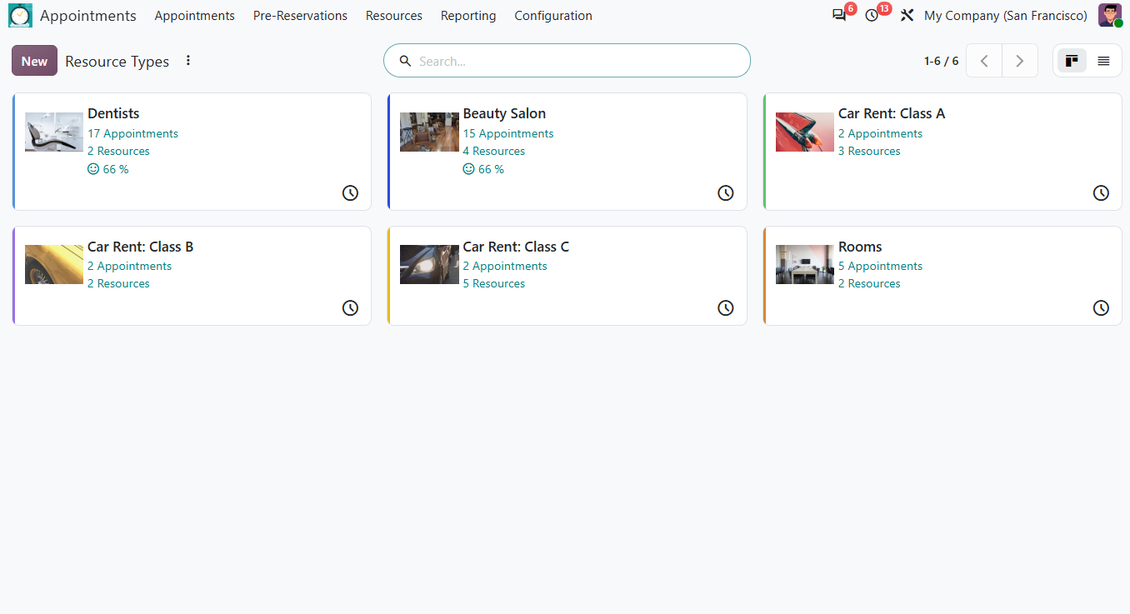
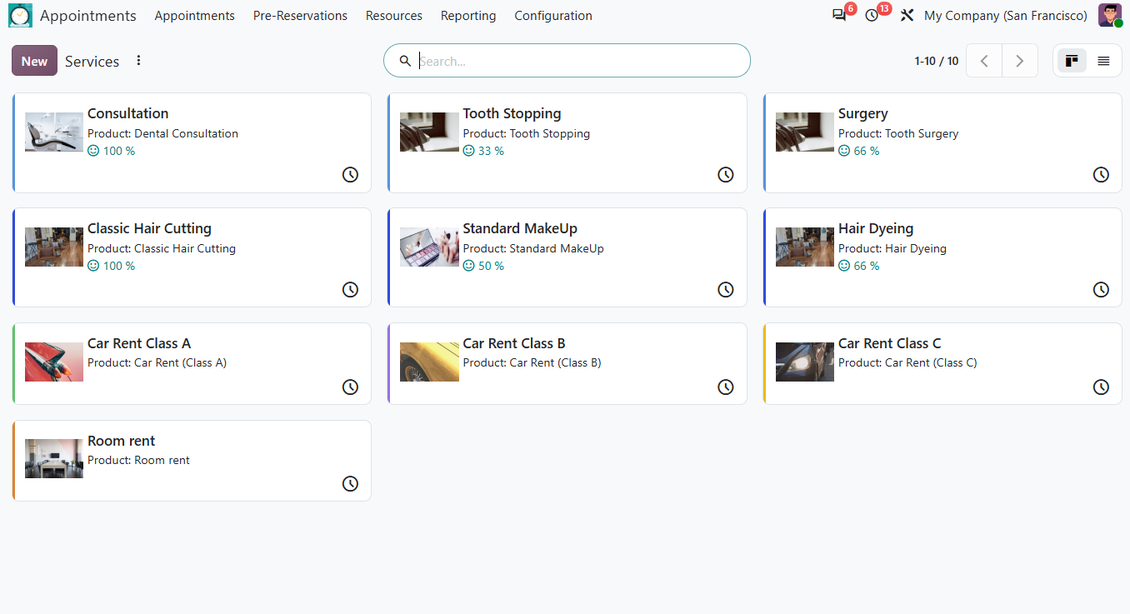
The app is built around three practical layers: resource types, resources, and services. That structure lets one Odoo database support many appointment businesses at once, from clinics and salons to rentals, lessons, consulting, repairs, and field services. You decide whether resources are chosen manually or allocated automatically, whether duration is fixed or selected by the customer, and which booking restrictions protect your capacity.
With the optional extensions, the same reservation logic can expand into website self-booking, portal management, sale orders, online prices, custom booking details, employee-based resources, time tracking, and Enterprise Gantt planning.
Perfect for
Clinics and Healthcare
Book doctors, dentists, treatment rooms, diagnostics, and follow-up visits while protecting calendars from double booking.
Salons and Personal Services
Let clients choose services, specialists, time slots, and add-on products for beauty salons, barbers, spas, and wellness studios.
Rental Businesses
Reserve cars, rooms, equipment, facilities, and other assets with working calendars, day-based duration, checkout buffers, and resource allocation.
Consulting and Legal Services
Schedule consultations, paid sessions, meetings, and repeat visits with flexible durations, responsible managers, portal communication, and optional sales links.
Lessons and Training
Organize lessons, workshops, language classes, tutoring, and coaching sessions across teachers, rooms, time zones, and service calendars.
Repair and Field Services
Plan repair jobs, on-site visits, diagnostics, maintenance, and service fulfillment with optional time tracking and quotation control.
Ready to evaluate?
Start with a free demo request or purchase in the Odoo Apps Store.
Free personalized demo database. No phone number or credit card required. Free life-time updates and expert support within the major Odoo version.
Why teams choose it
Key benefits before you dive into the details
Conflict-Free Time Slots
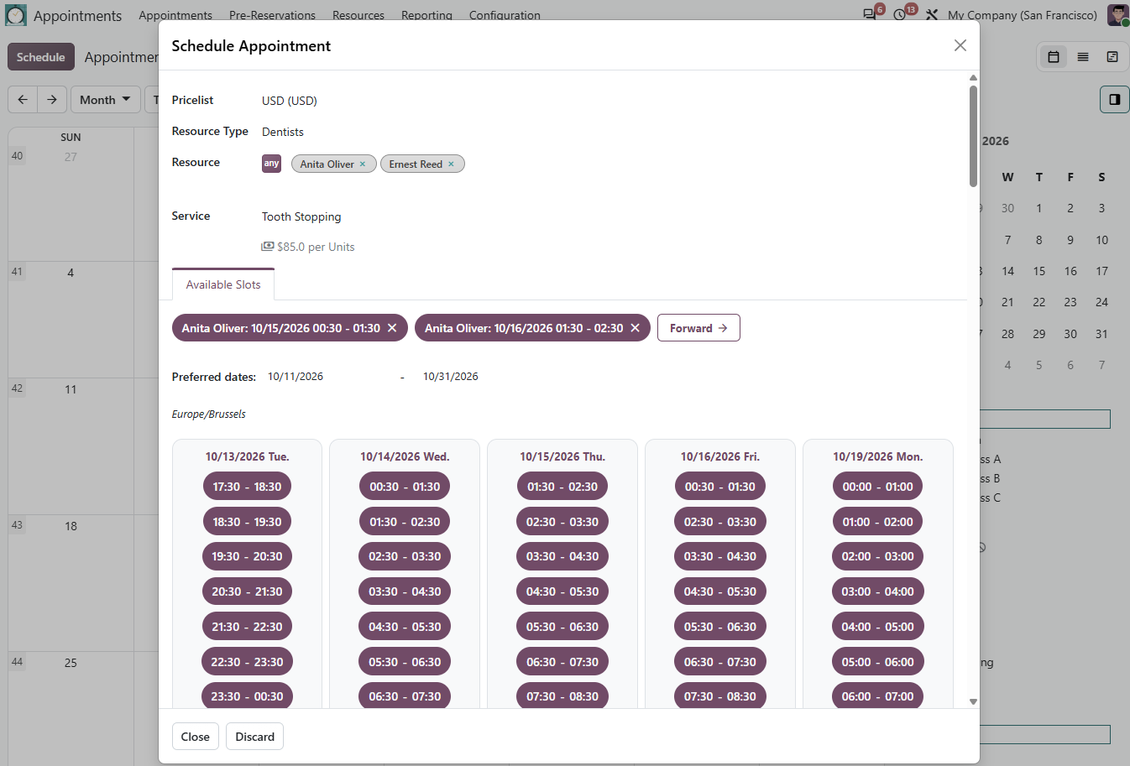
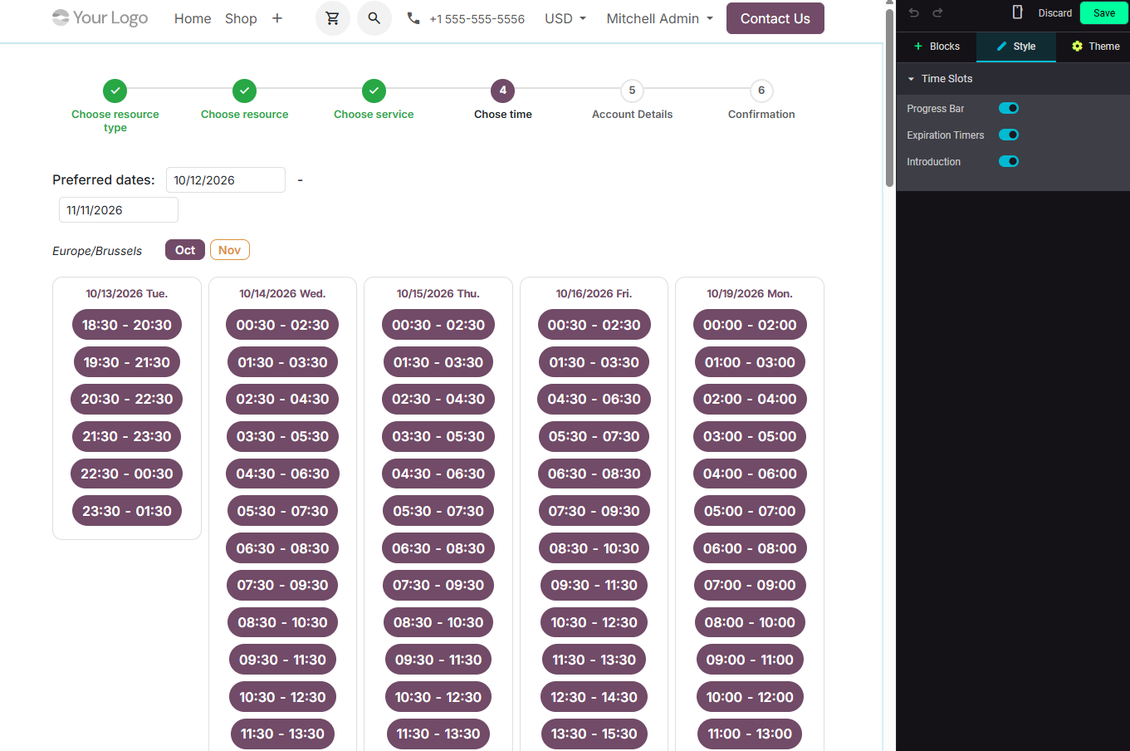
Generate available slots from resource calendars, service duration rules, leaves, extra resources, and booking limits, so managers do not guess availability manually.
Flexible Service Model
Model appointment businesses through resource types, resources, and services: specialists, rooms, equipment, rentals, consultations, lessons, repairs, and more.
Guided Backend Scheduling
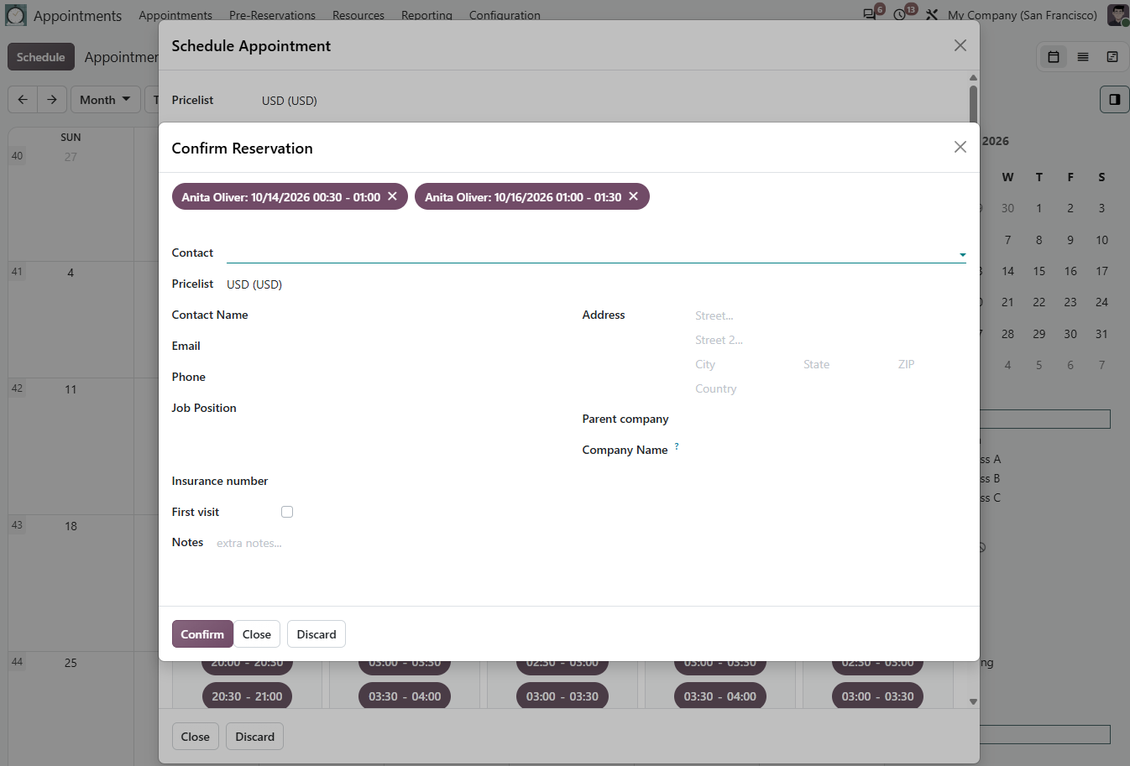
Let managers create, reschedule, and review reservations from a focused calendar workflow that checks viable resources, services, and time slots.
Website and Portal Booking
With the website extension, customers can book online, confirm contact details, manage portal reservations, and move safely through a multi-step flow.
Sales and Upselling
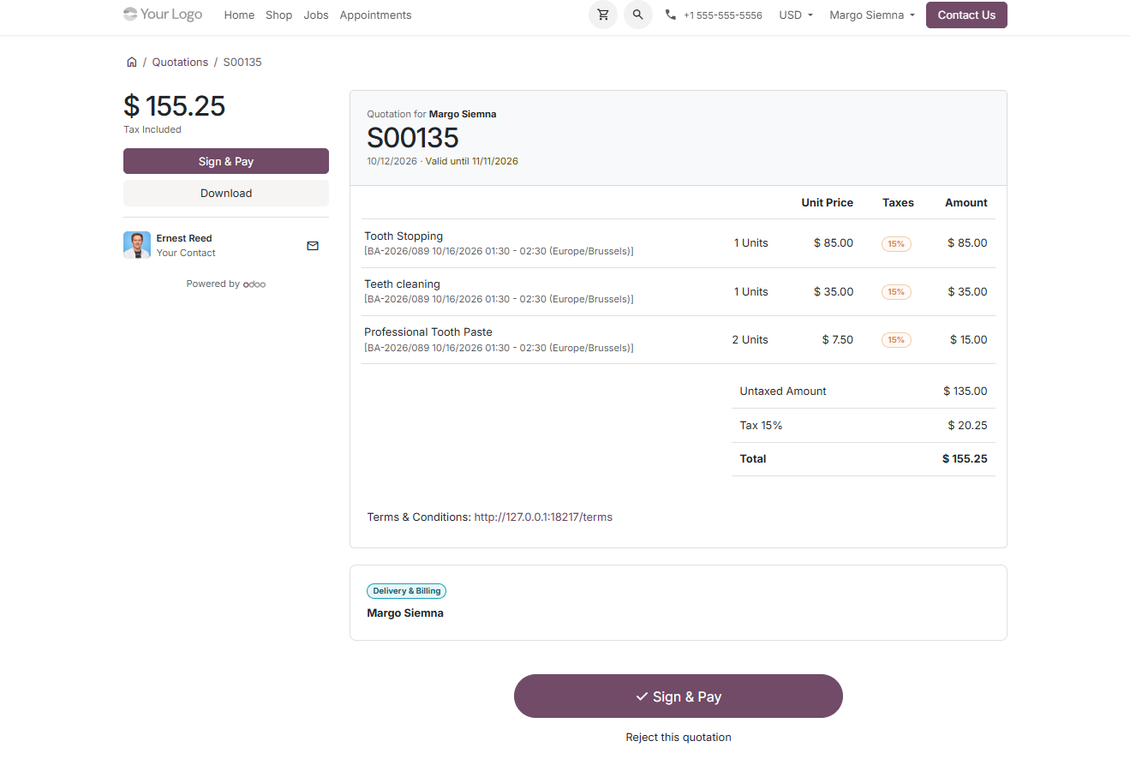
Optional sales apps connect bookings with quotations, price lists, prepayment, online prices, and complementary products offered during reservation.
Control and Improvement
Use reminders, access rights, printable vouchers, ratings, analytics, optional time tracking, employee resources, custom fields, and Gantt planning.
Odoo Apps Store feedback
What customers say about the app
Comprehensive and well thought booking app
The app allows backend user to do some simple configuration to make the booking app able to fit in our different business models.
Very good support and also there is module enhancement from time to time with great usability improvements of more use cases.
kwchan@mtsoln.com
Just great App and the best support you can imagine
Dear Olga and Alex
Thank you so much for this function which makes the tool perfect!
I've already installed it and tested it -- it works exactly the way the customers need it
This really makes your Appointment App the best tool available for Odoo :-)
I would also like to thank you for understanding my wishes and for taking care of them. That's exactly why I will choose and recommend faotools the nex time again.
Tom Lanbacher, Clixmedia GmbH
Ready to evaluate?
Start with a free demo request or purchase in the Odoo Apps Store.
Free personalized demo database. No phone number or credit card required. Free life-time updates and expert support within the major Odoo version.
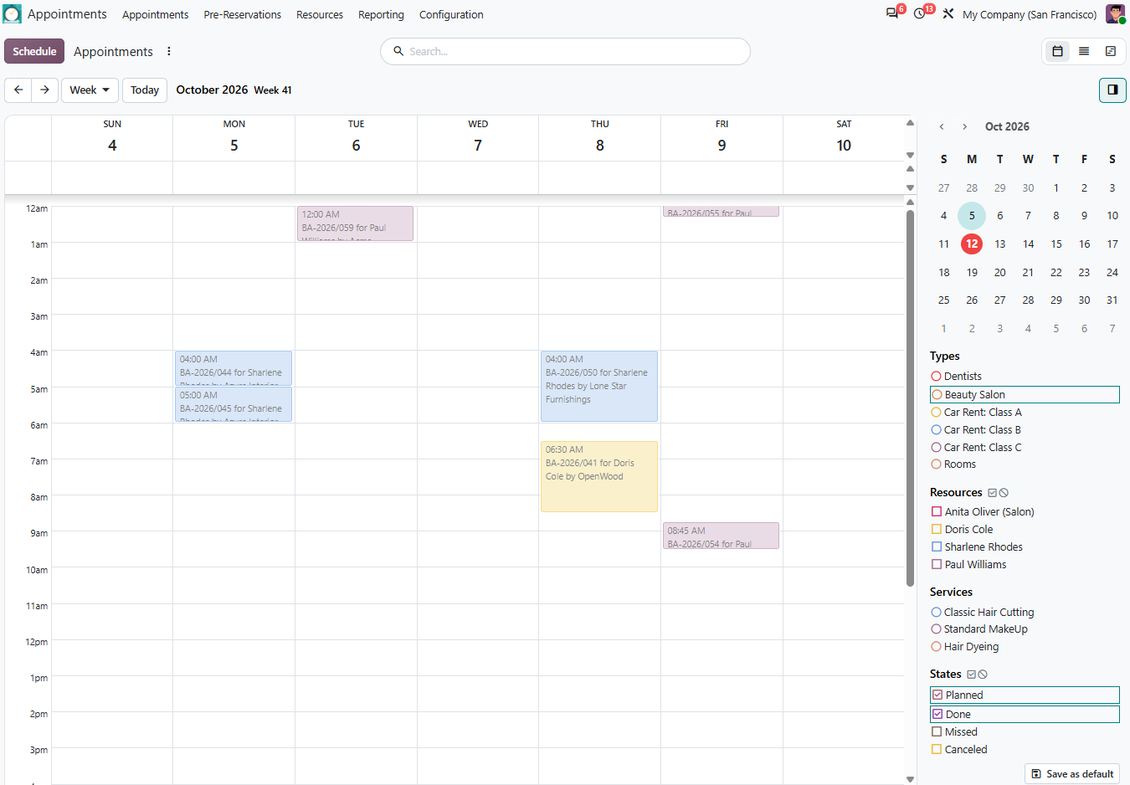
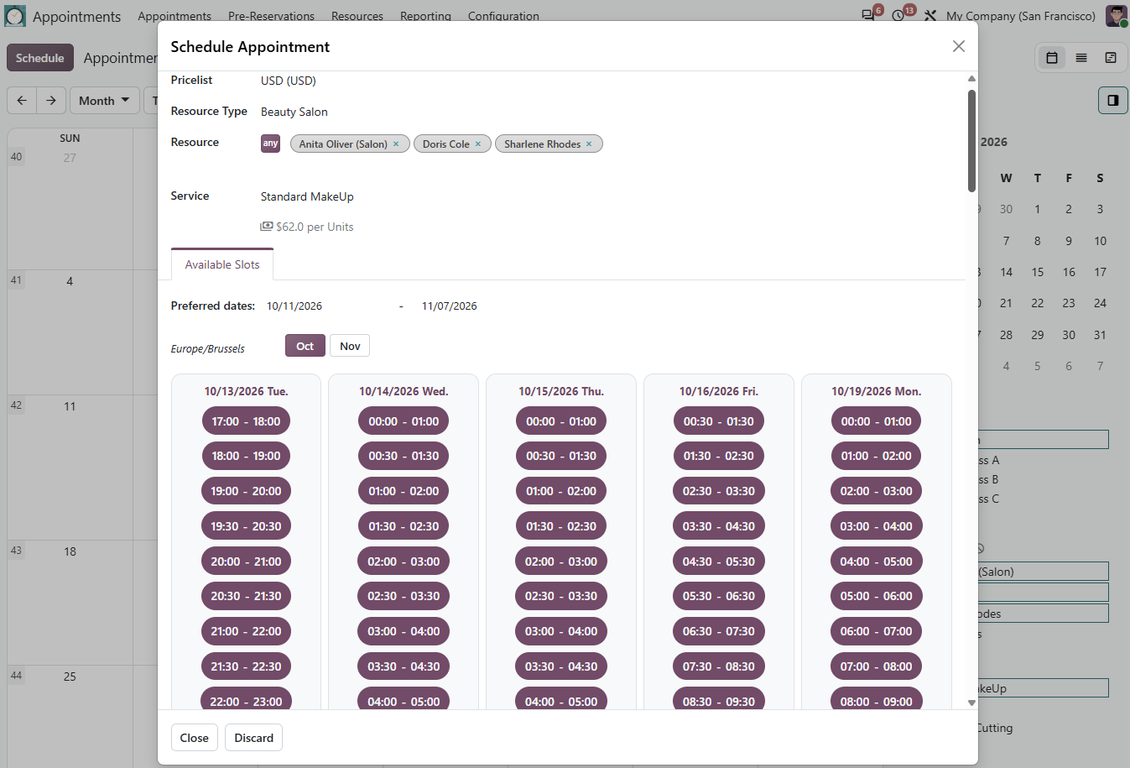
Conflict-free backend scheduling
Guide managers from calendar selection to a valid reservation without manual availability checks.
Availability Engine
- Generates vacant slots from resource calendars, leaves, service duration, time step, rounding, checkout periods, and extra service calendars.
- Blocks already reserved and pre-reserved periods, so the same specialist, room, car, or equipment cannot be booked twice.
- Supports fixed duration, manual duration, minimum and maximum duration rules, multipliers, and day-based or hour-based services.
- Handles multi-timezone booking by using the browser timezone or one configured timezone for all appointments.
Manager Workflow
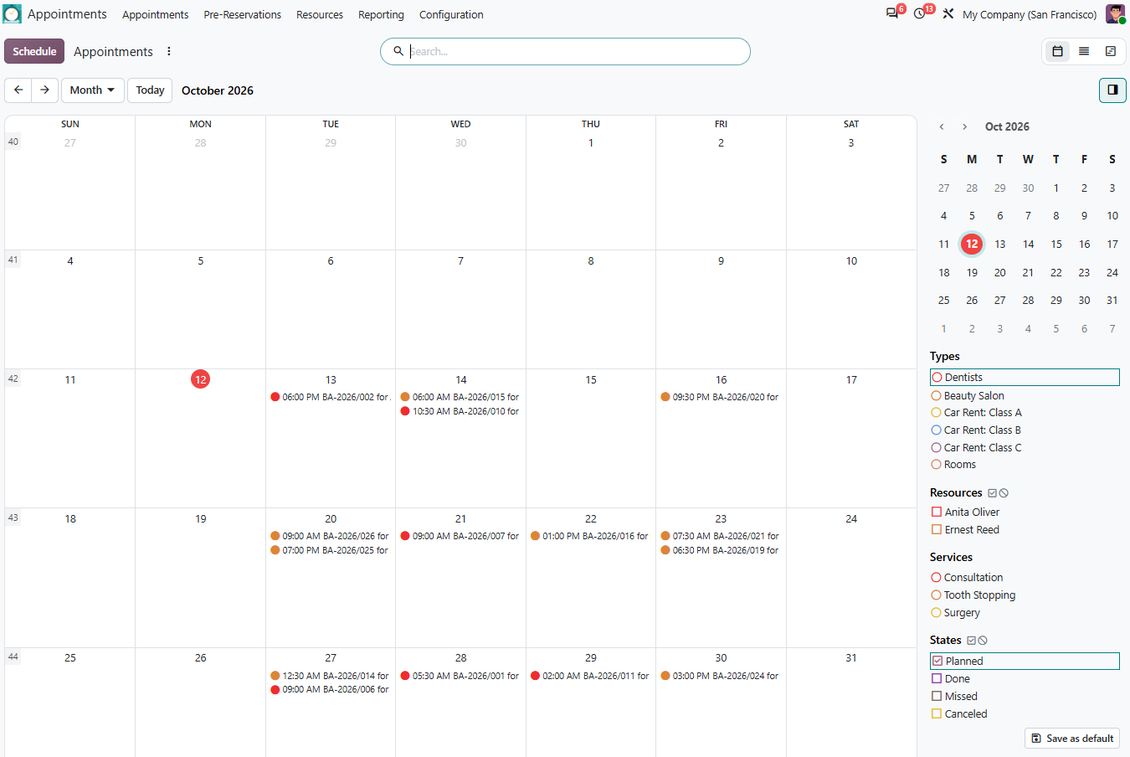
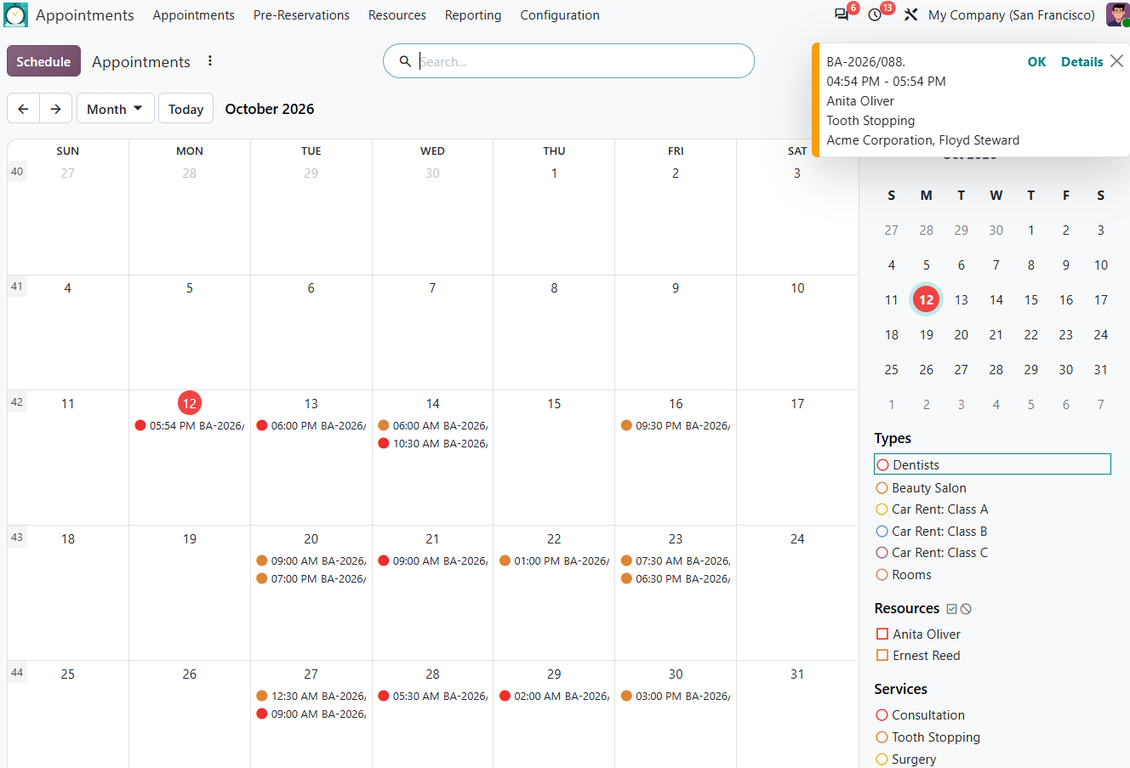
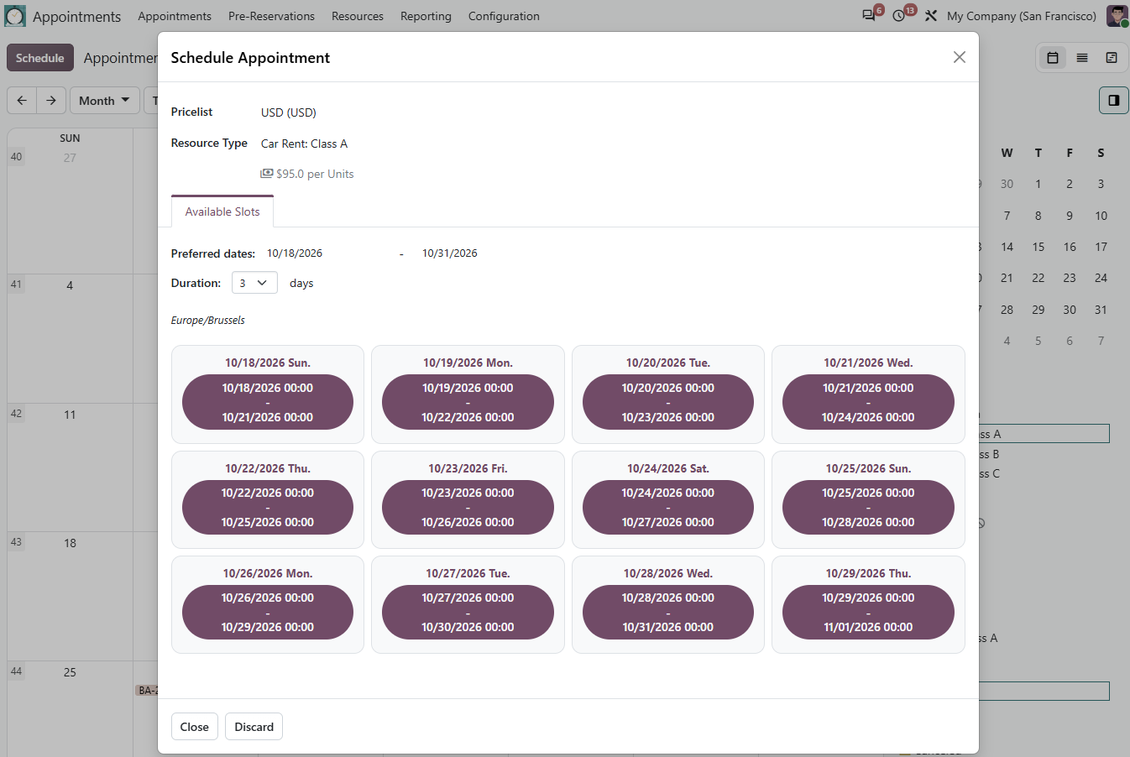
- Start scheduling directly from the calendar: selected dates become the search range for possible appointment slots.
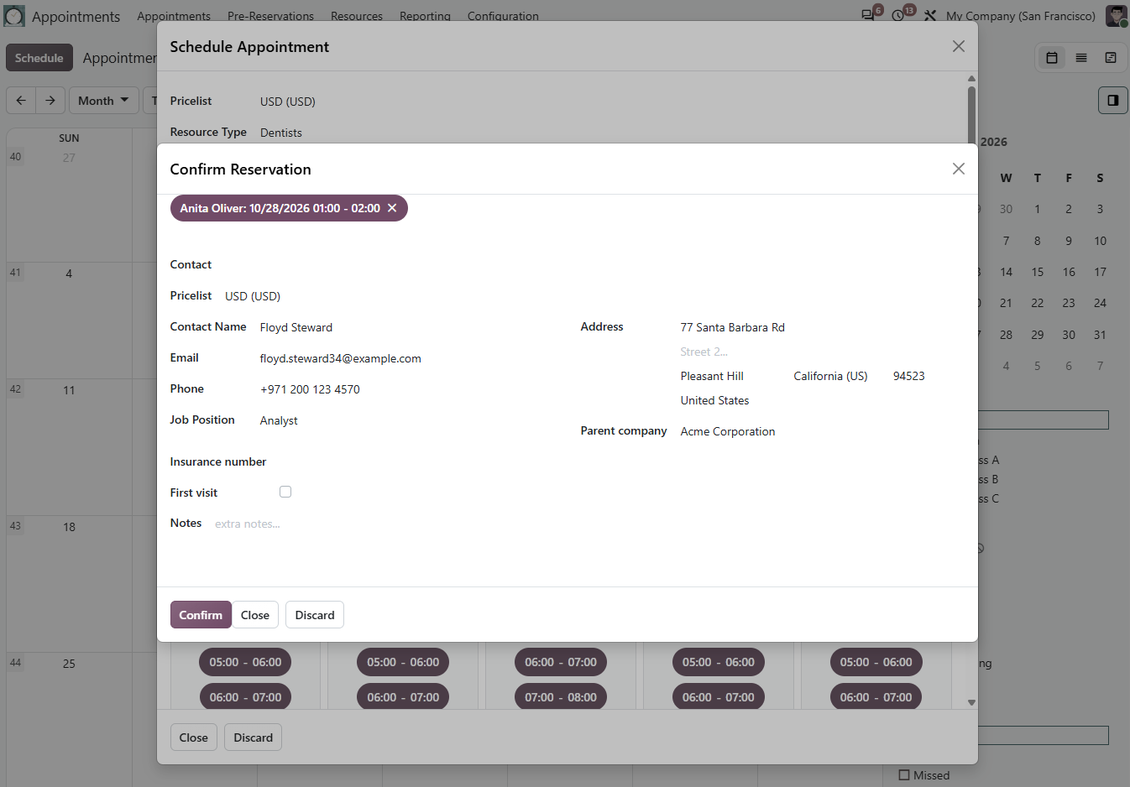
- The wizard restricts resource types, resources, and services to viable options before the manager confirms a reservation.
- Create one appointment or several appointments at once when multi-scheduling is enabled.
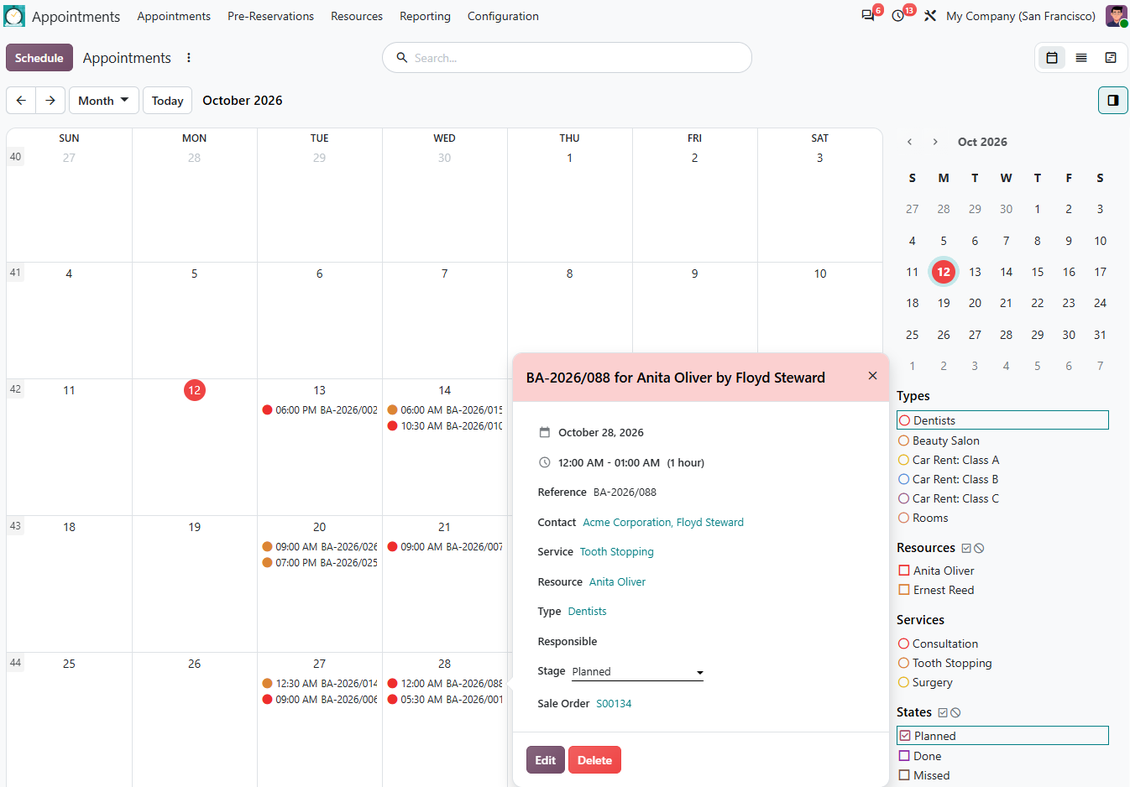
- Reschedule from the calendar with the same availability checks instead of dragging appointments into impossible periods.
Website and portal self-booking
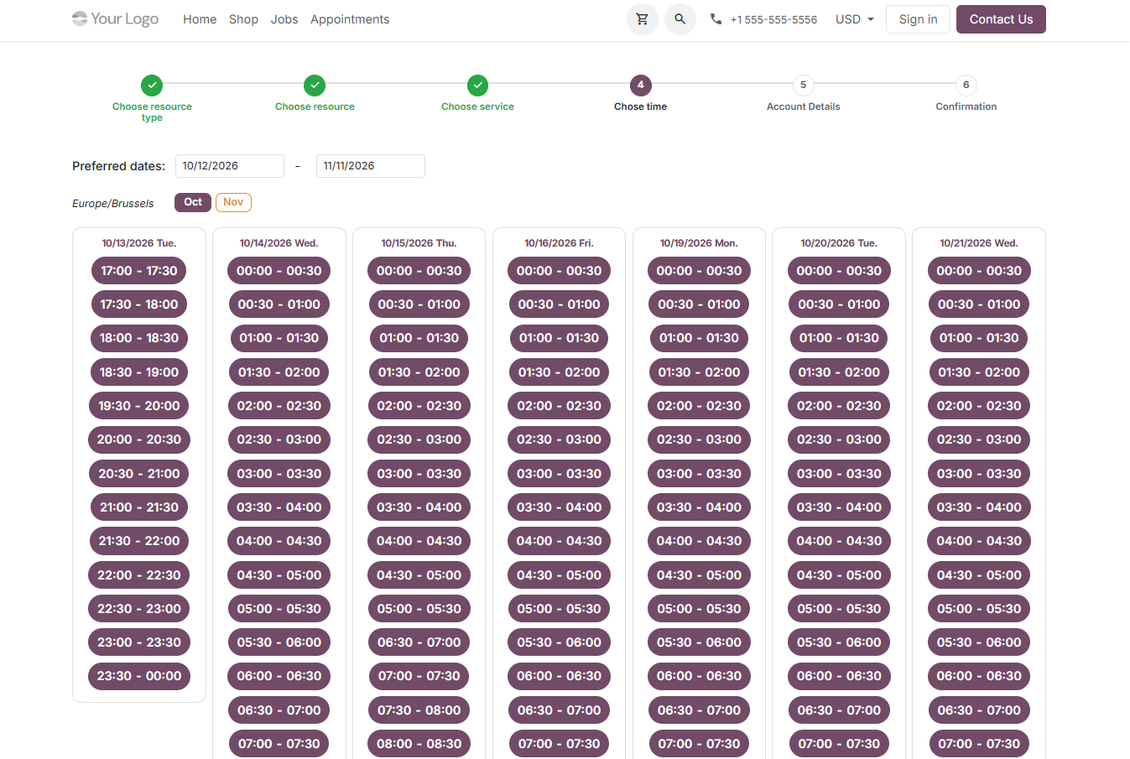
Let customers reserve services online while Odoo protects capacity and guides them through confirmation.
Guided Online Checkout
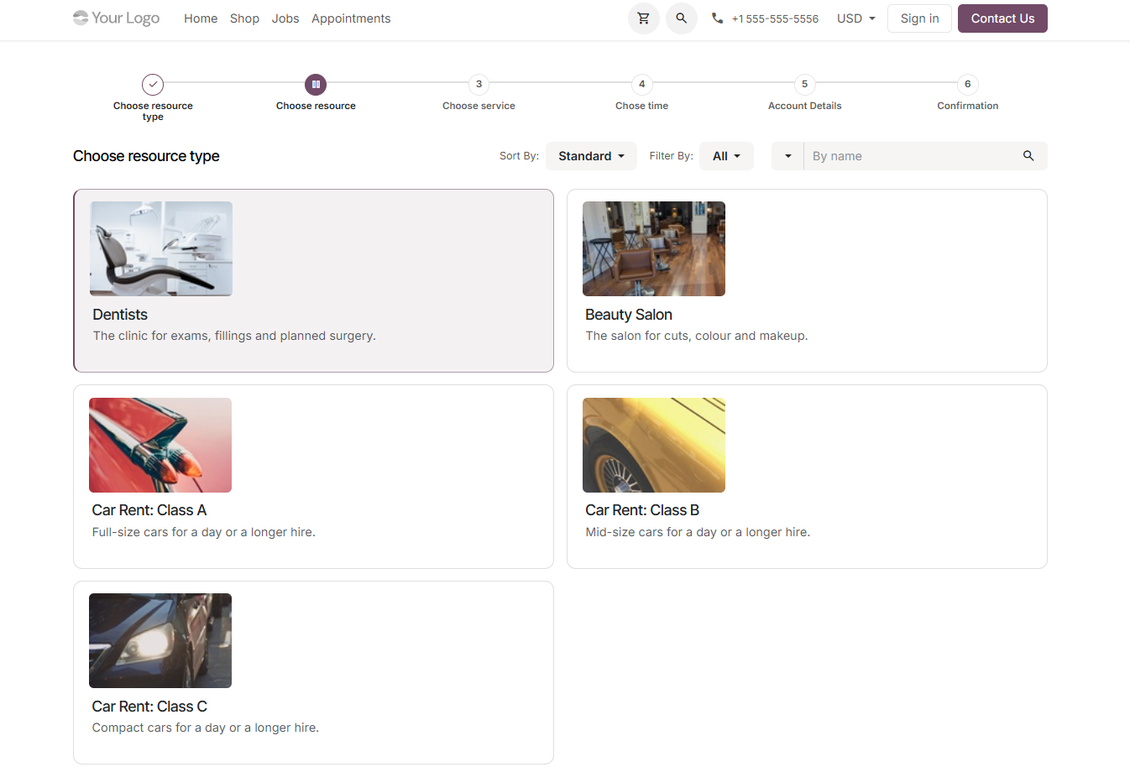
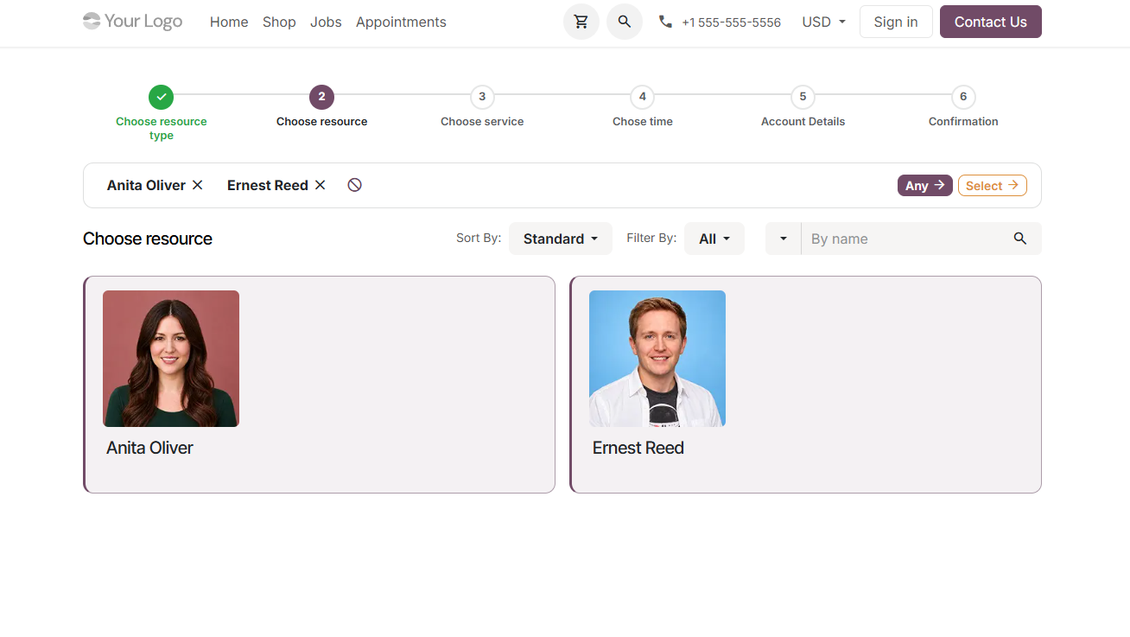
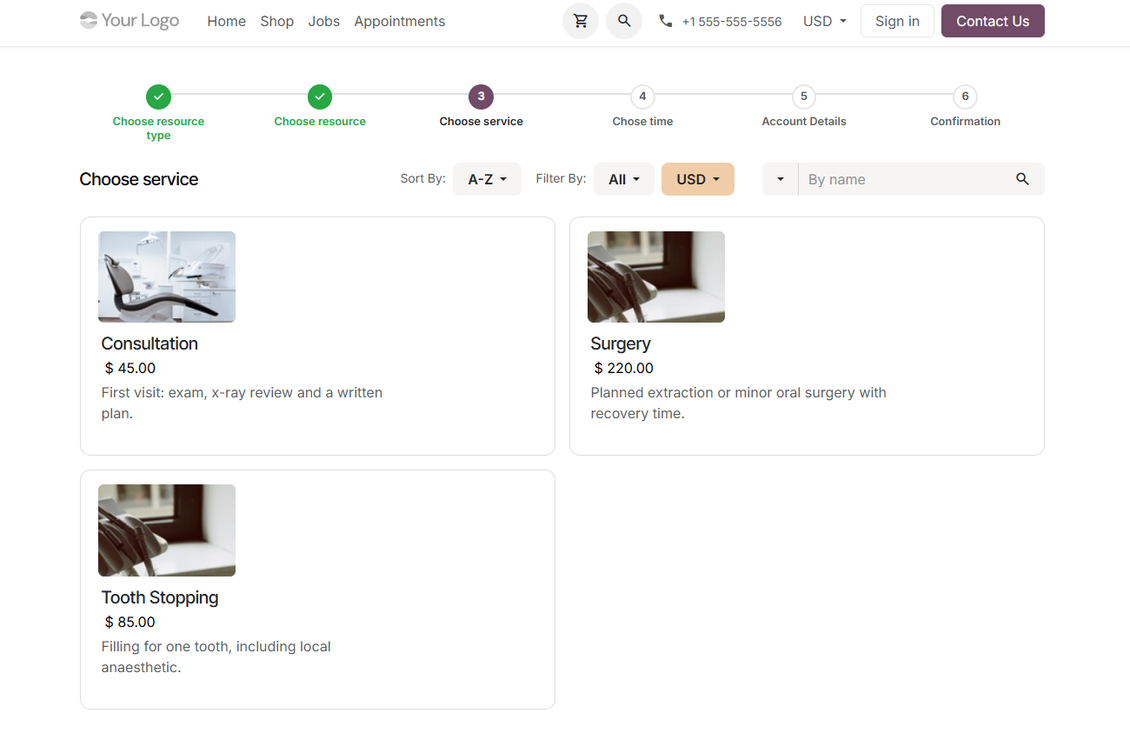
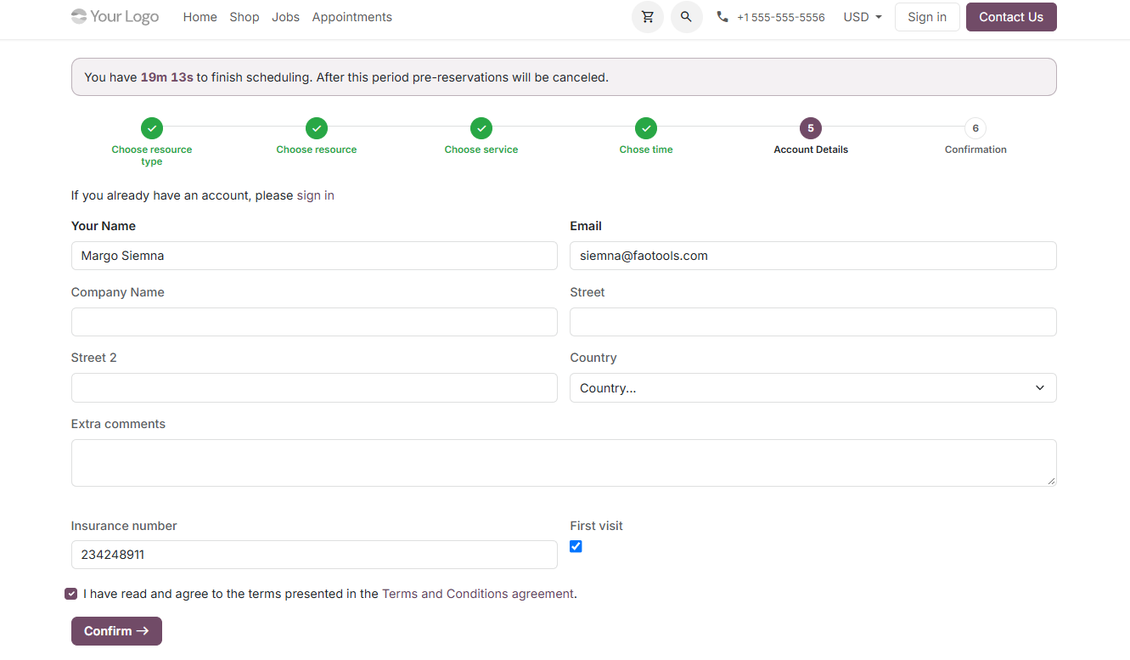
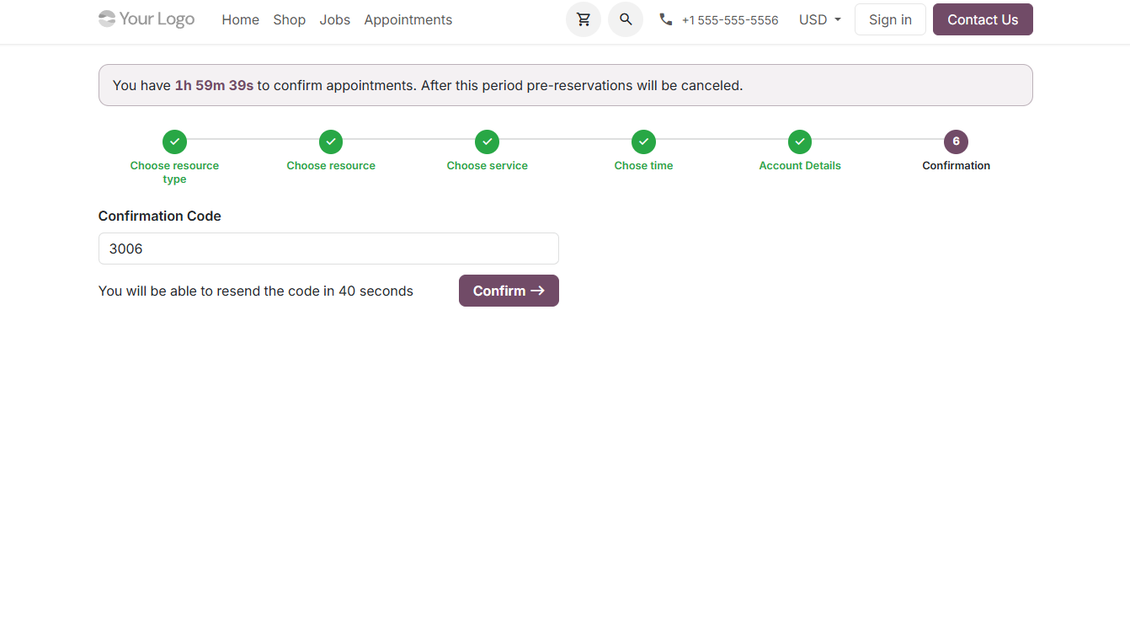
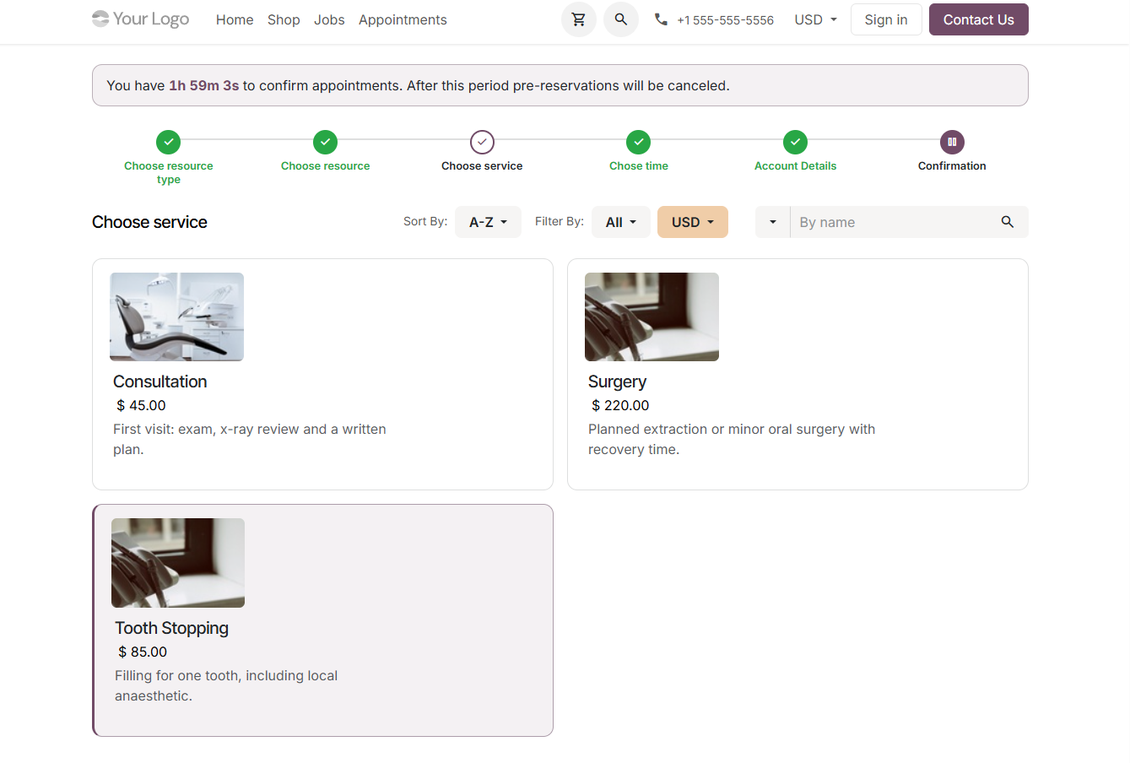
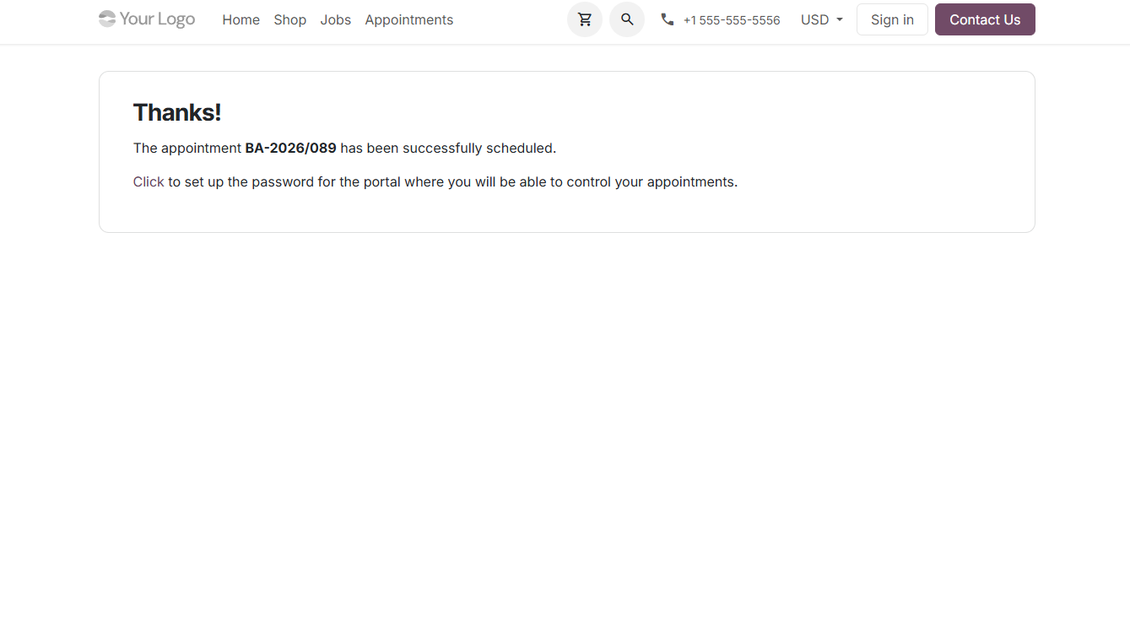
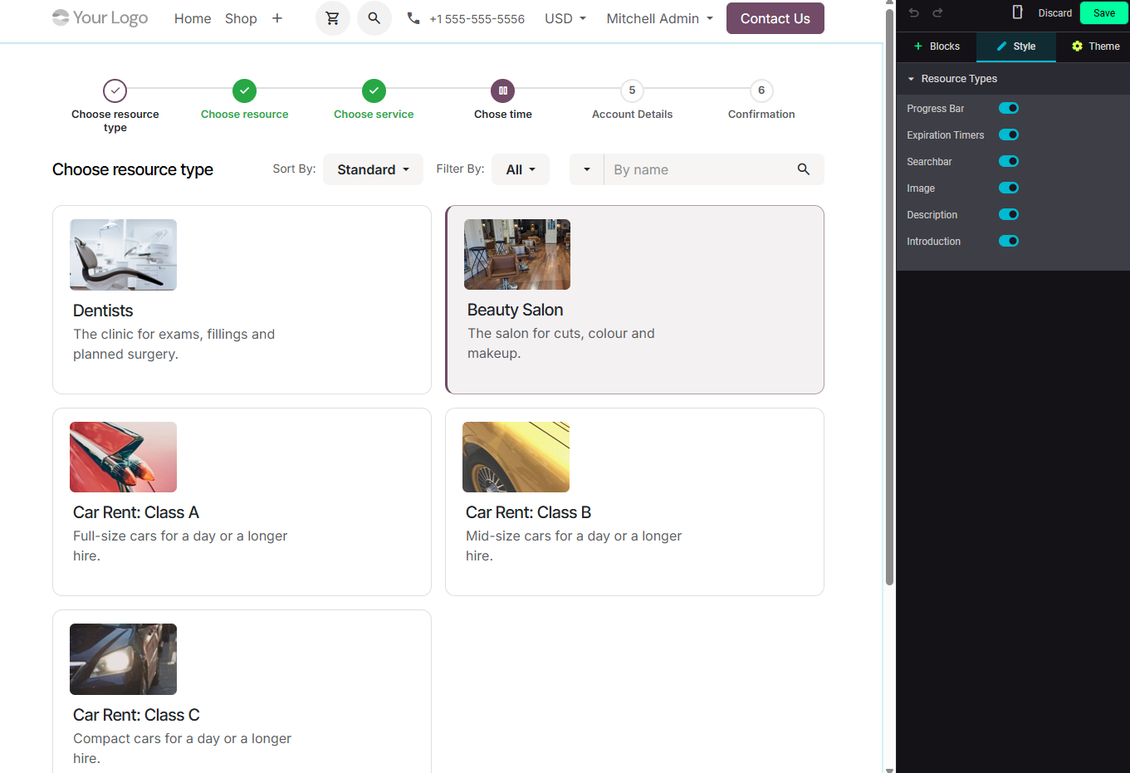
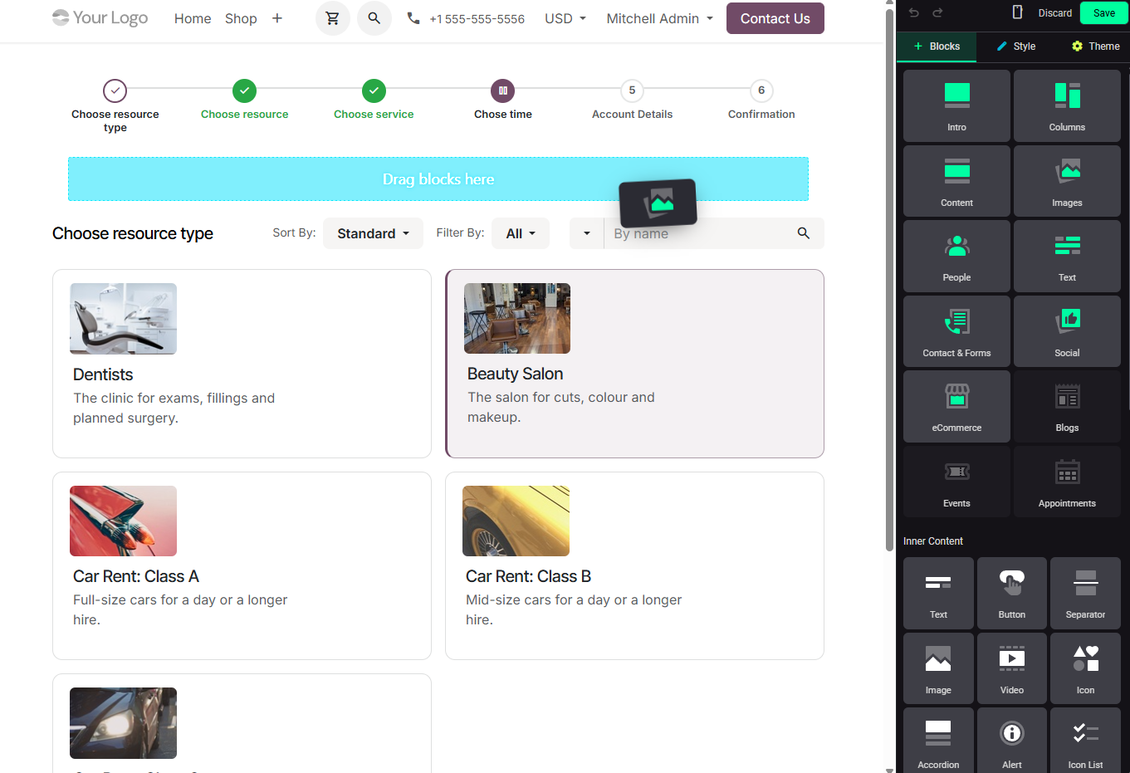
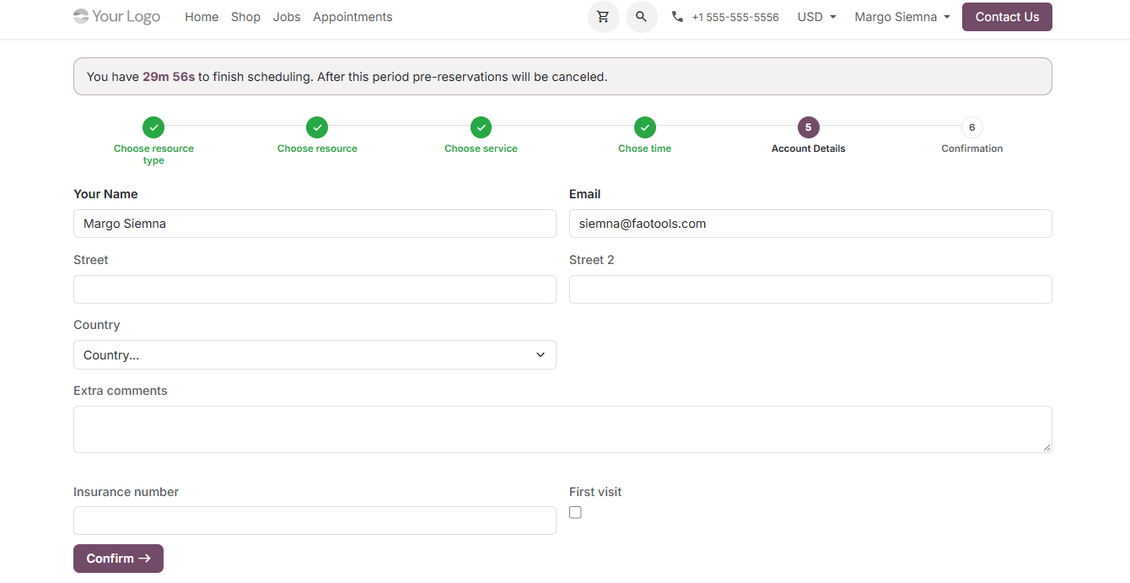
- Customers move through resource type, resource, service, time slot, contact details, confirmation, and success steps.
- Unneeded steps are skipped automatically when there is only one published option or when automatic resource allocation is used.
- Time slots recalculate when users change dates, timezone, resources, service, or manual duration.
- A progress bar lets users safely move backward and forward without losing the booking context.
Portal and Confirmation Control
- Pre-reservations temporarily block the selected slot until the customer confirms or the configured timer cancels it.
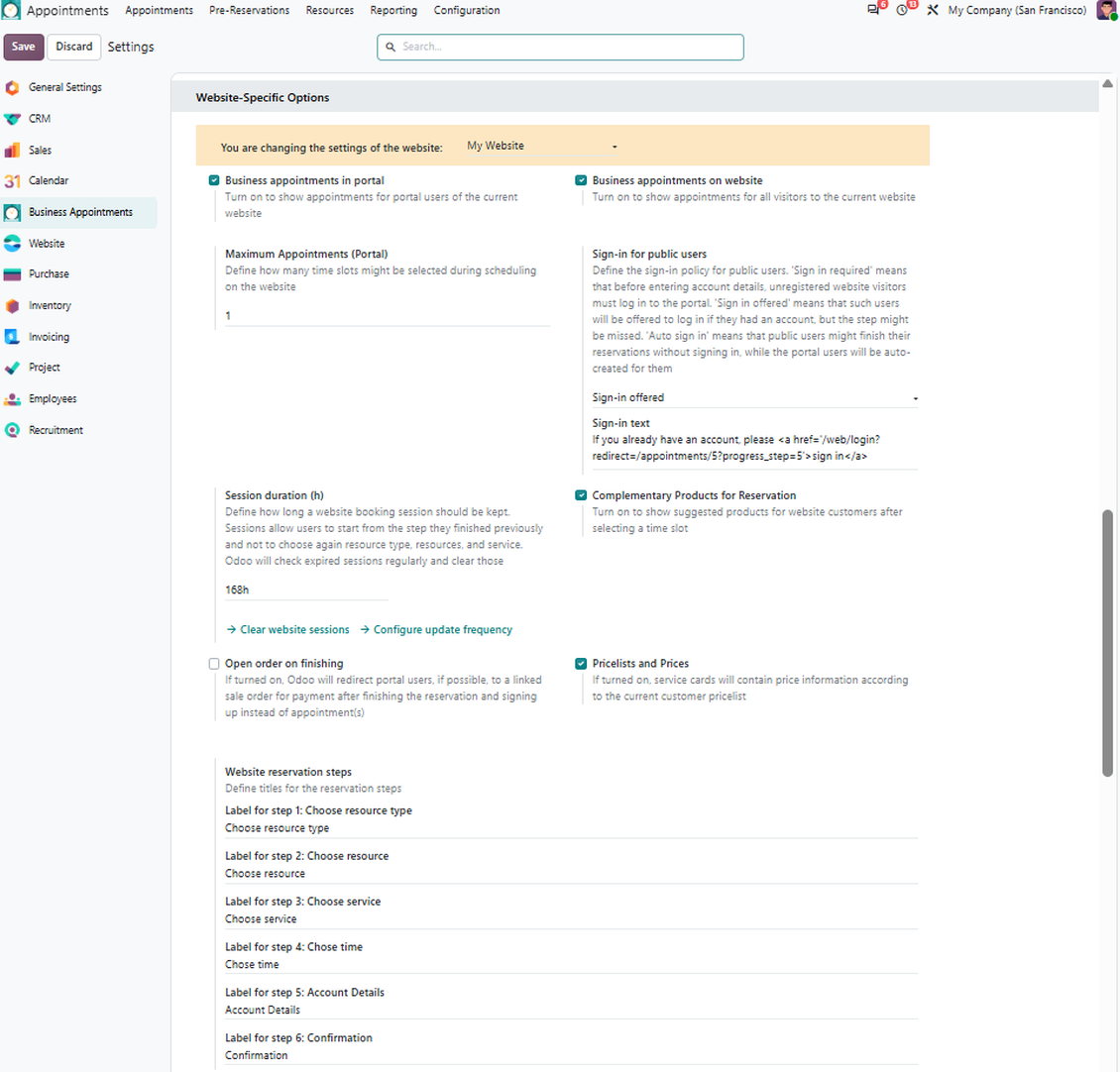
- Public visitors may be asked to sign in, invited to create a portal account, or allowed to enter contact details directly.
- Optional email or SMS code confirmation helps validate contact data before the appointment is finalized.
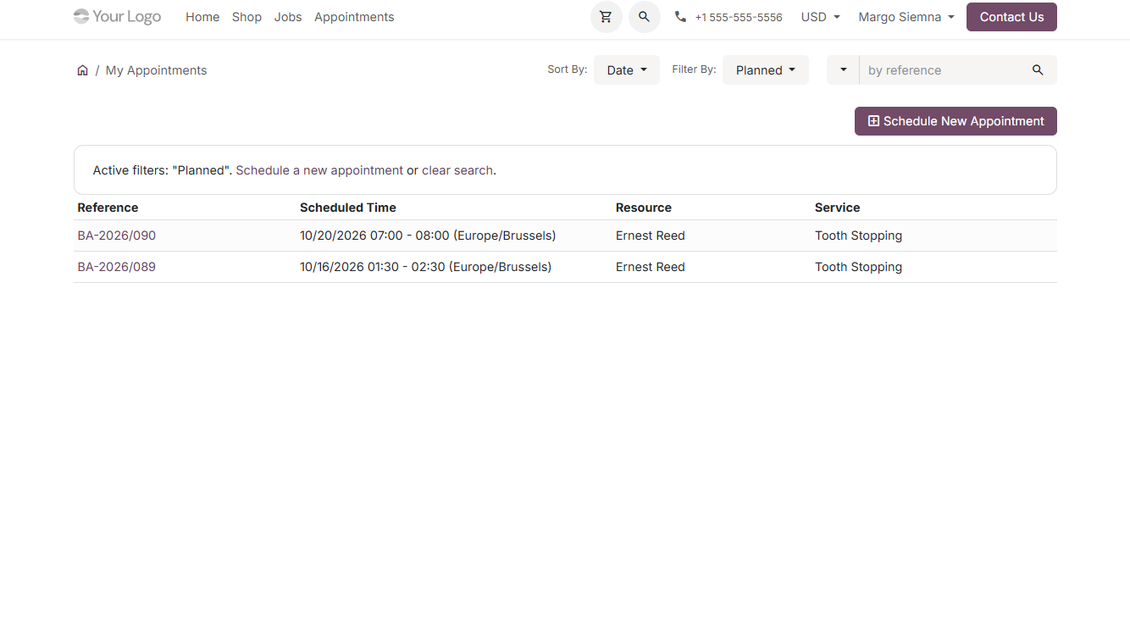
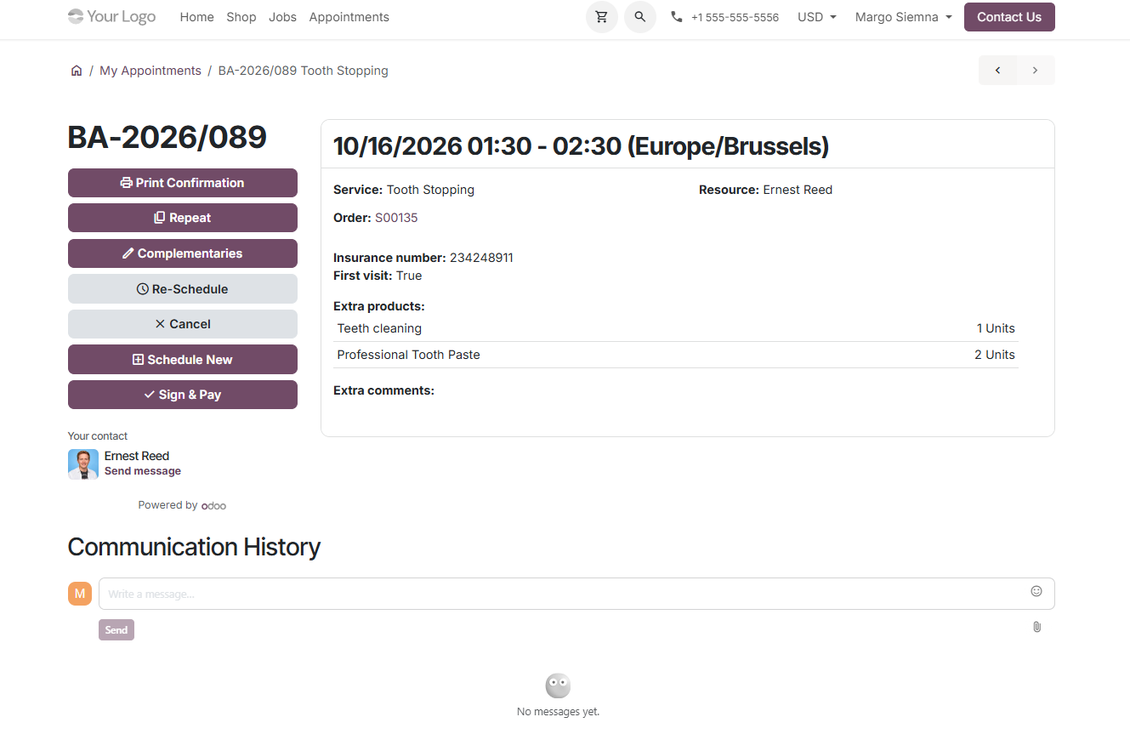
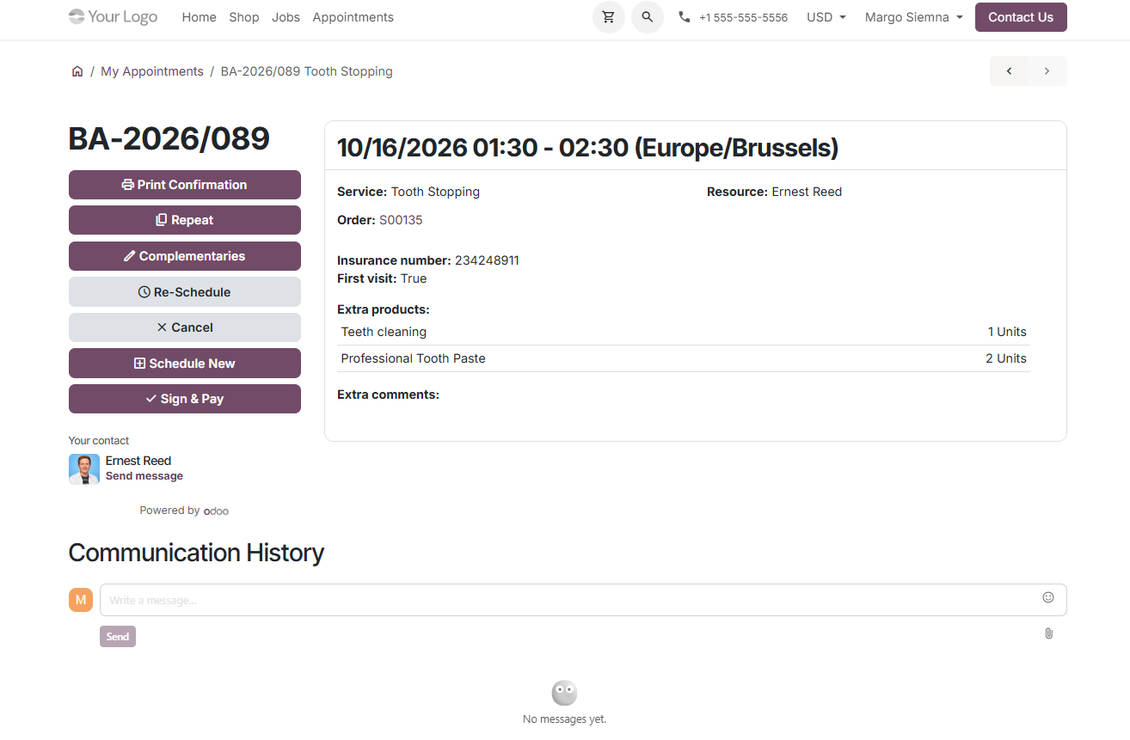
- Portal users can view, repeat, reschedule, cancel, discuss, and print their reservations from standard Odoo portal pages.
Ready to evaluate?
Start with a free demo request or purchase in the Odoo Apps Store.
Free personalized demo database. No phone number or credit card required. Free life-time updates and expert support within the major Odoo version.
Service management structure
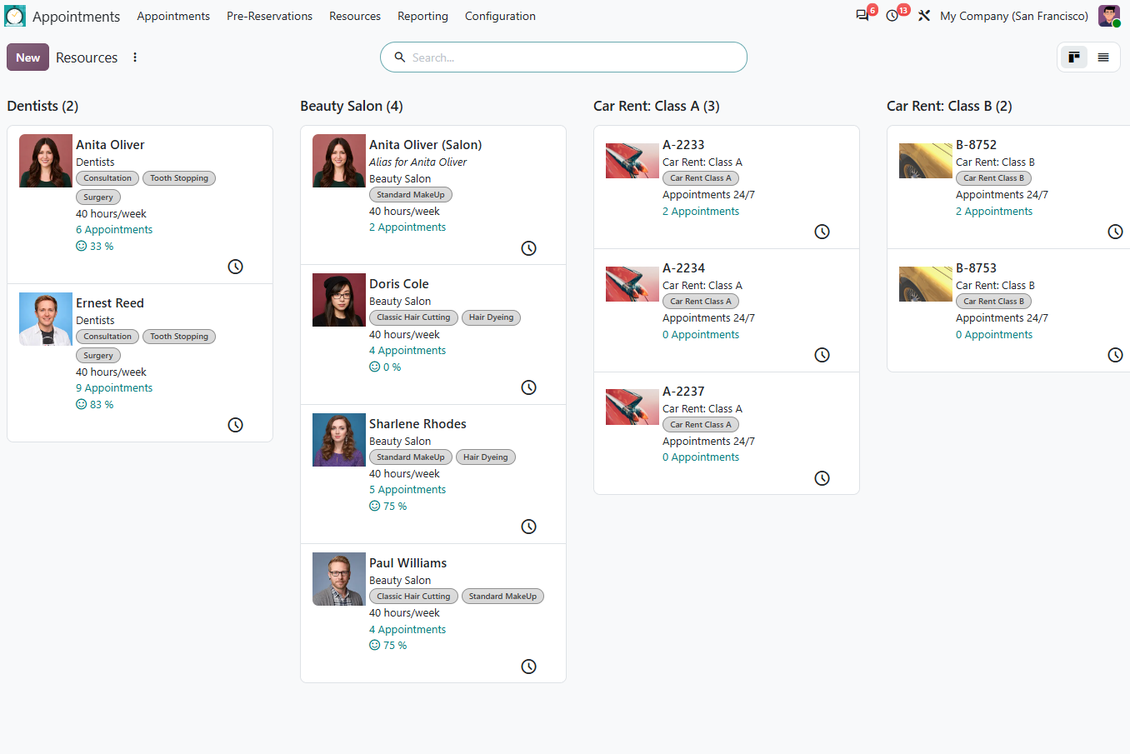
Reflect many service businesses through resource types, resources, and services instead of forcing one booking model.
Business Layers
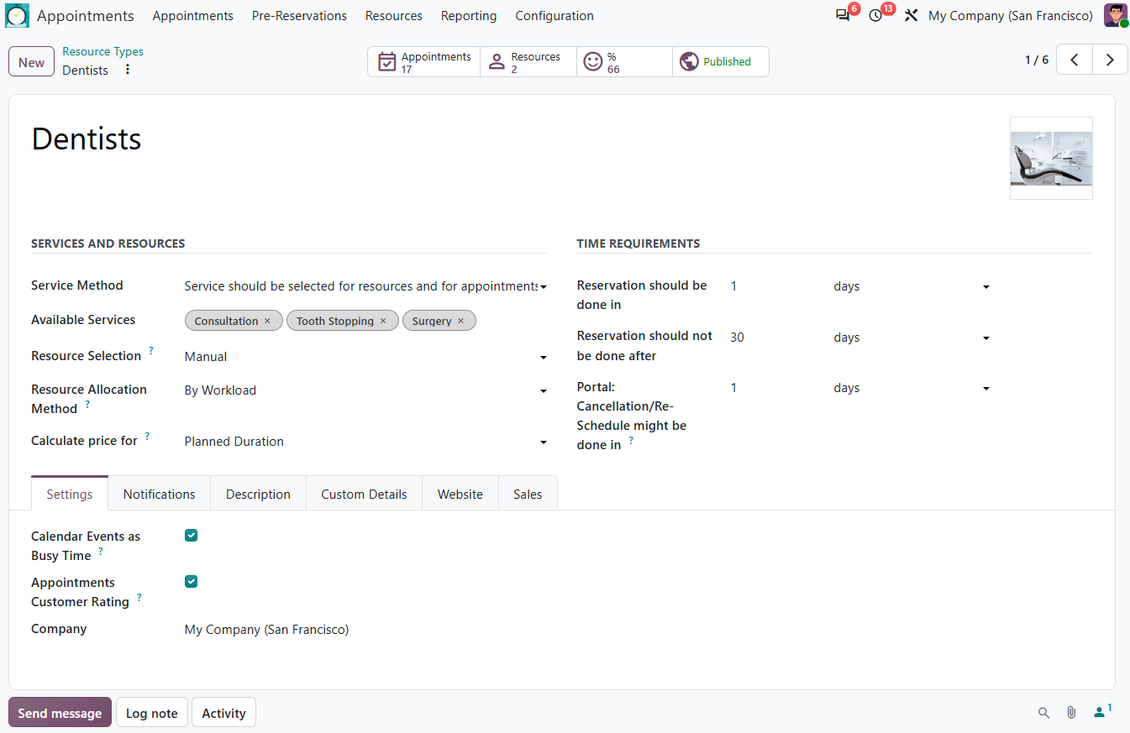
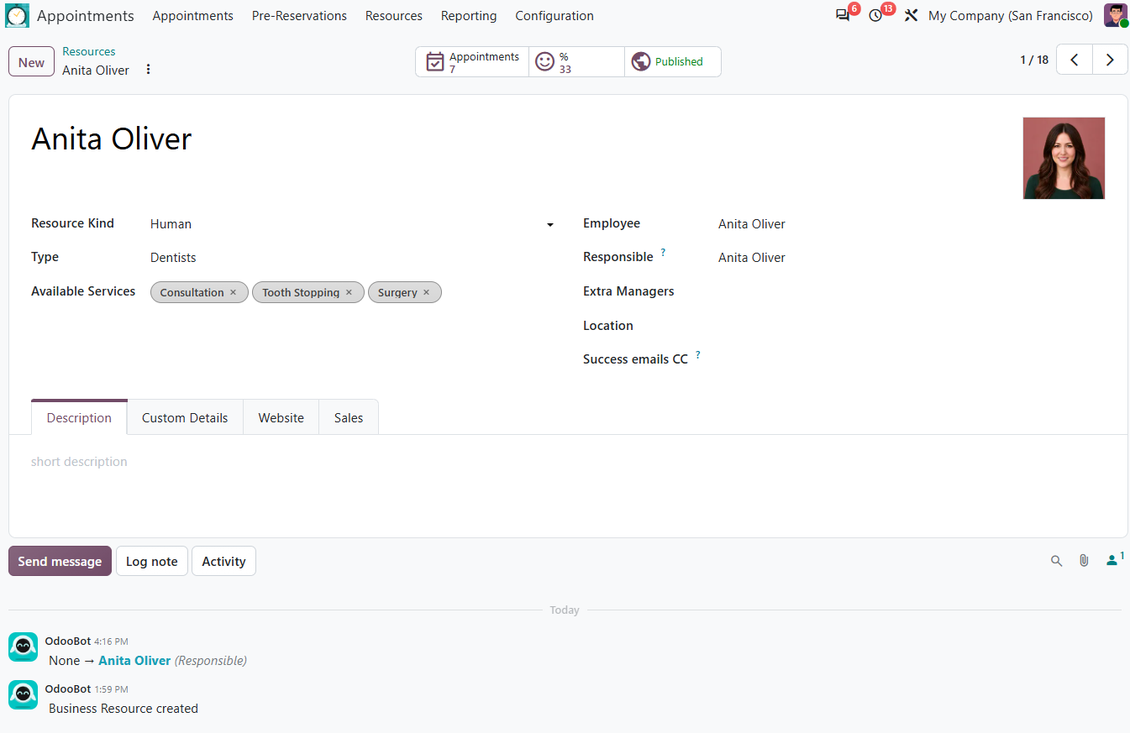
- Resource types describe appointment businesses or resource groups, such as dentistry, beauty salon, conference rooms, or car classes.
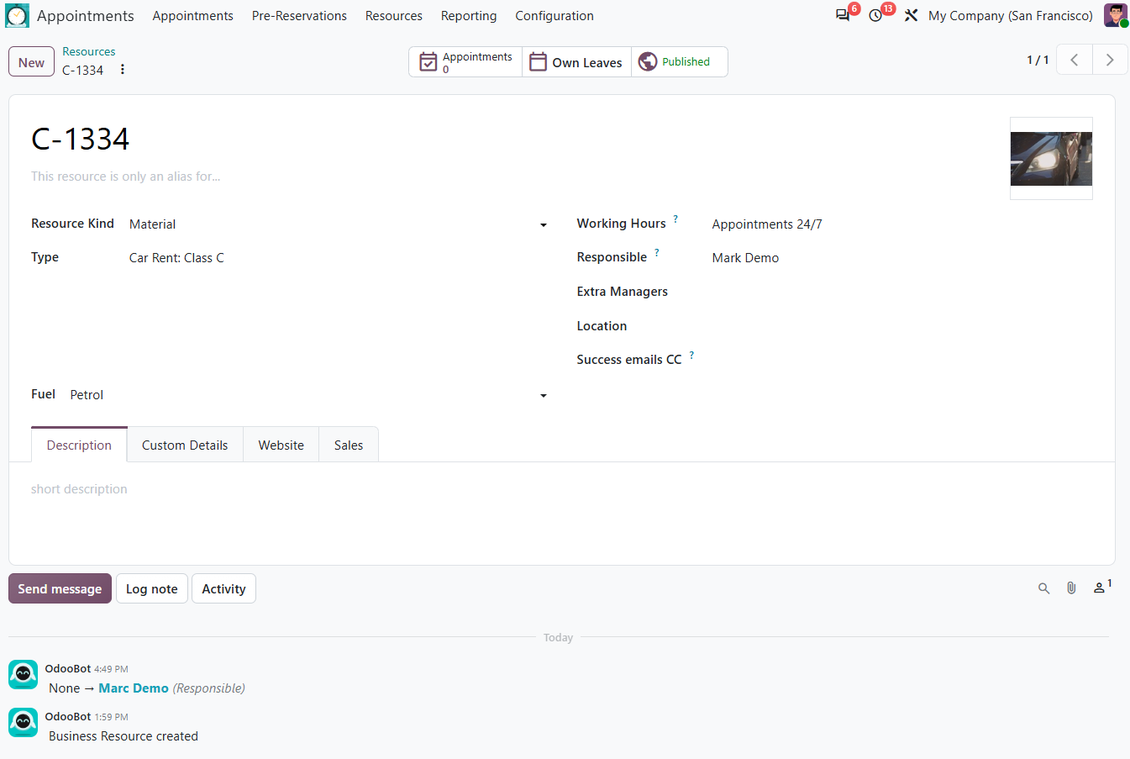
- Resources are the calendars to reserve: employees, specialists, rooms, vehicles, equipment, or facilities.
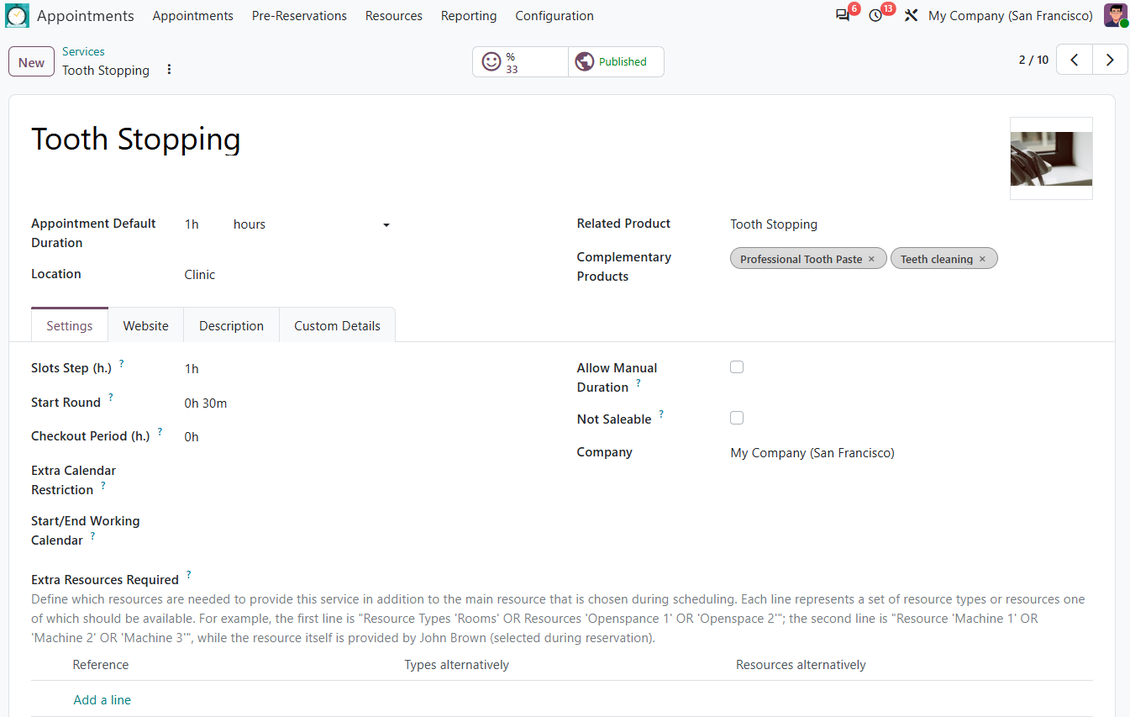
- Services define what is booked, how long it lasts, when it can start, which resources it needs, and which products may be suggested.
Fits Simple and Complex Flows
- Use all three layers for complex operations, or keep a single option at each layer for a simple appointment flow.
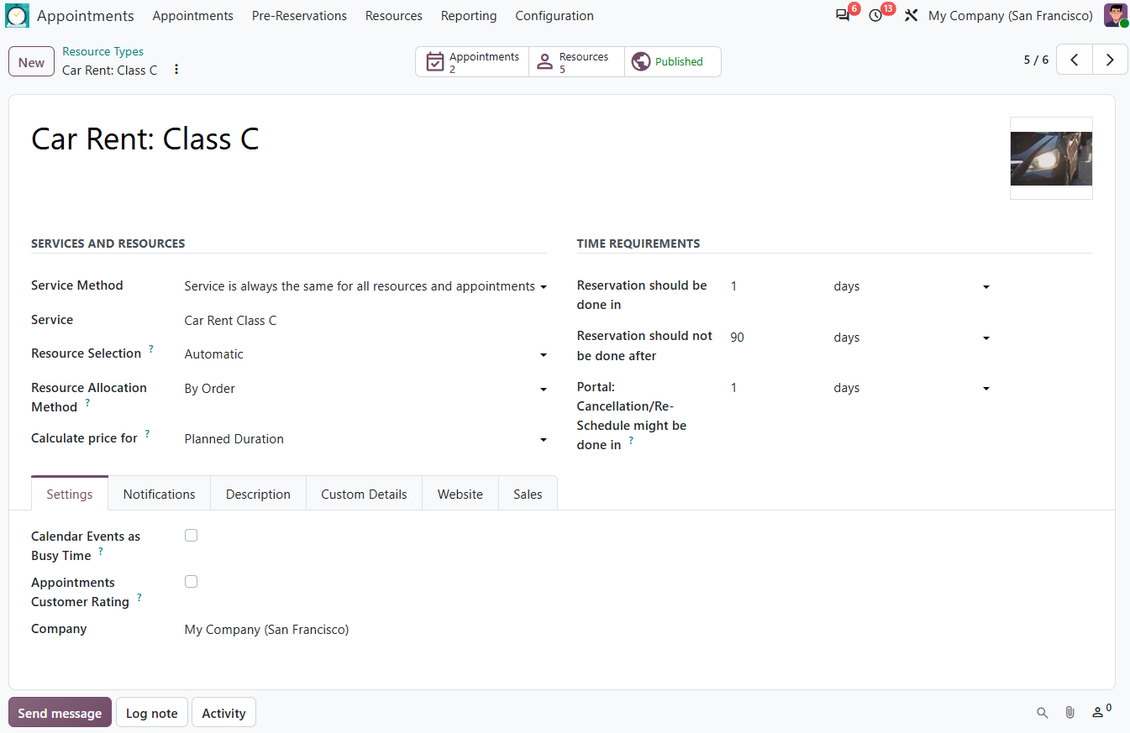
- Let customers pick a specific resource, choose several possible resources, or rely on automatic allocation rules.
- Configure appointment limits, cancellation and rescheduling windows, service calendars, pricing behavior, and website publishing per business case.
Sell, price, and upsell services
Turn appointments into quotations or sale orders and offer complementary products when the customer is ready to buy.
Appointment Sales
- Link reservations with Odoo quotations or sale orders using sent, confirmed, draft, or manual sales workflows.
- Recalculate service, quantity, and complementary lines from appointment details while the linked order is still editable.
- Use per-planned-duration, per-unit, or optional tracked-duration pricing depending on how the service should be invoiced.
- Apply Odoo pricelists for currencies, discounts, promotions, and customer-specific sales conditions.
Complementaries and Online Payment
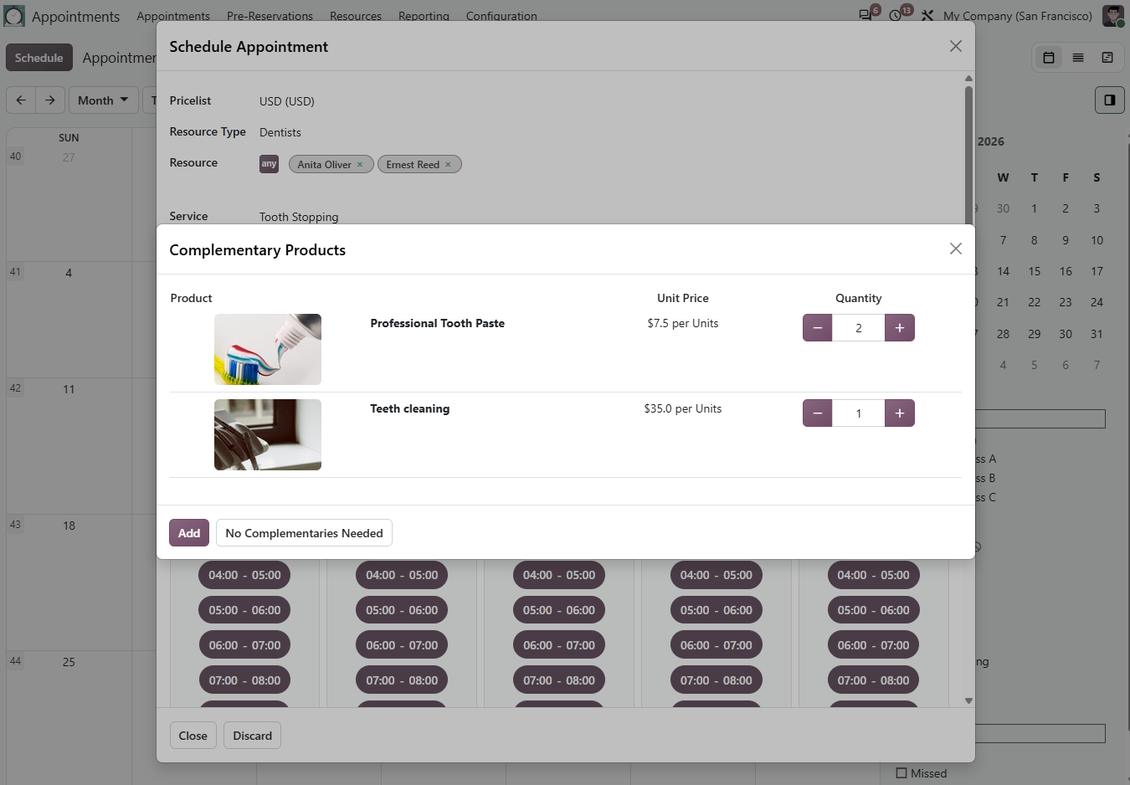
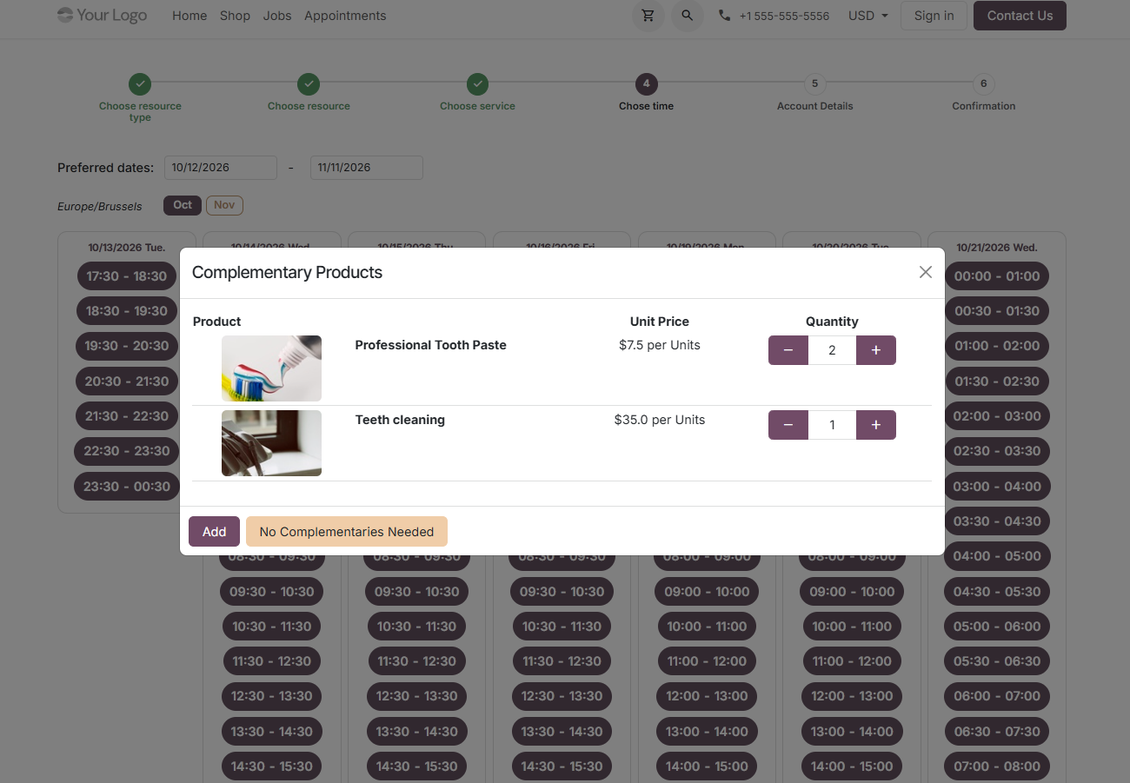
- Suggest accessories or complementary products right after a manager reserves a time slot.
- Let customers skip or accept suggested products, then add chosen items to the generated quotation or sale order.
- With website sales, show prices online, redirect to the order after booking, and support Odoo's standard sign and pay flow.
- Configure unpaid auto-sent website reservations to be canceled after a defined payment period.
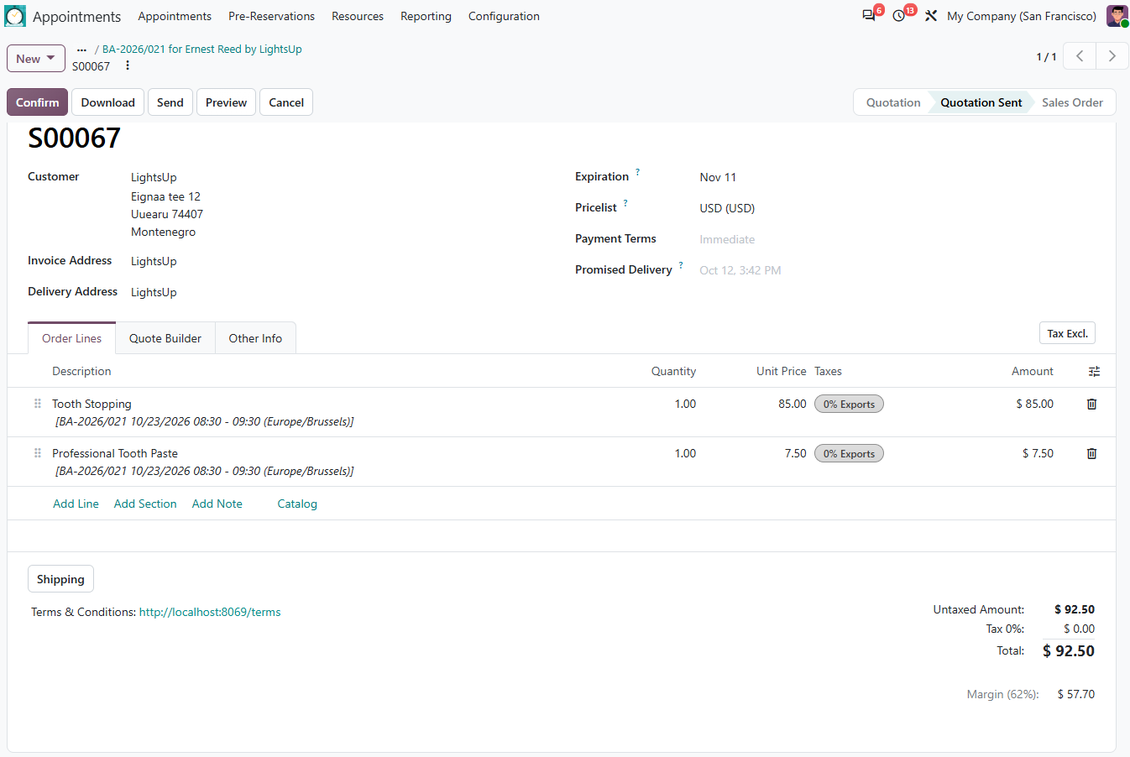
Flexible appointment configuration
Shape duration, allocation, service calendars, and multi-resource rules around the way your business really works.
Duration and Time Rules
- Configure rigid service duration or let managers and customers select duration manually within defined limits.
- Use hour-based or day-based services, slot steps, rounding, checkout buffers, and start or end restrictions.
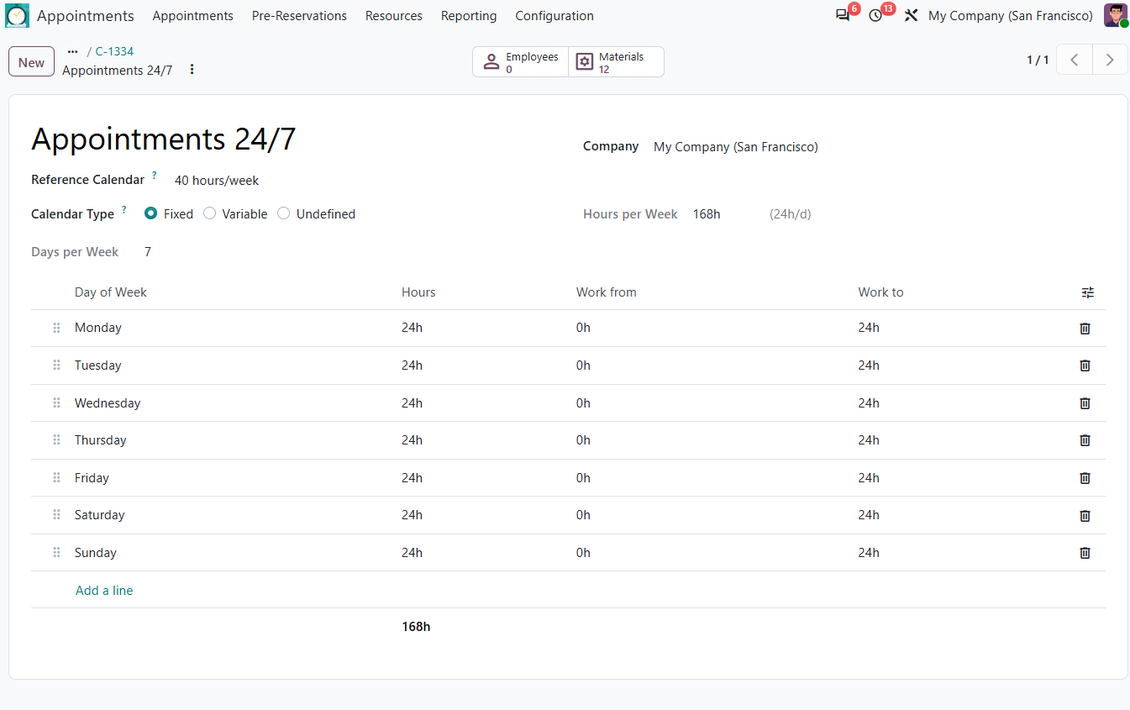
- Add service-specific working calendars when the service is available only inside a narrower time window than the resource itself.
- Control booking, cancellation, and rescheduling windows per resource type.
Resource Allocation
- Let customers choose a specific resource, choose among several resources, or accept automatic assignment.
- Allocate automatically by workload, appointment count, or priority order depending on your operational logic.
- Require extra resources for a service, such as a specialist plus a room or equipment, and block booking if any required line is unavailable.
- Use aliases when the same real resource works in several businesses, so one booking blocks availability everywhere it matters.
Ready to evaluate?
Start with a free demo request or purchase in the Odoo Apps Store.
Free personalized demo database. No phone number or credit card required. Free life-time updates and expert support within the major Odoo version.
Operational control and add-ons
Keep reservations visible, traceable, and extensible with reminders, reviews, reports, vouchers, and companion apps.
Service Follow-up
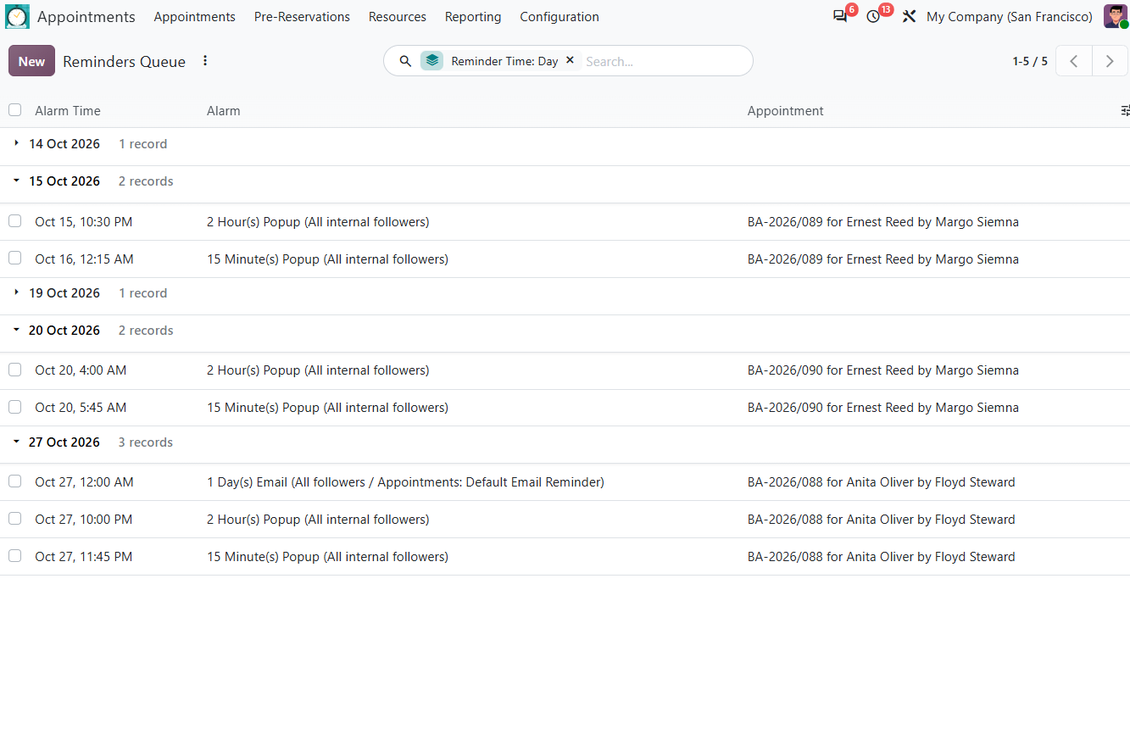
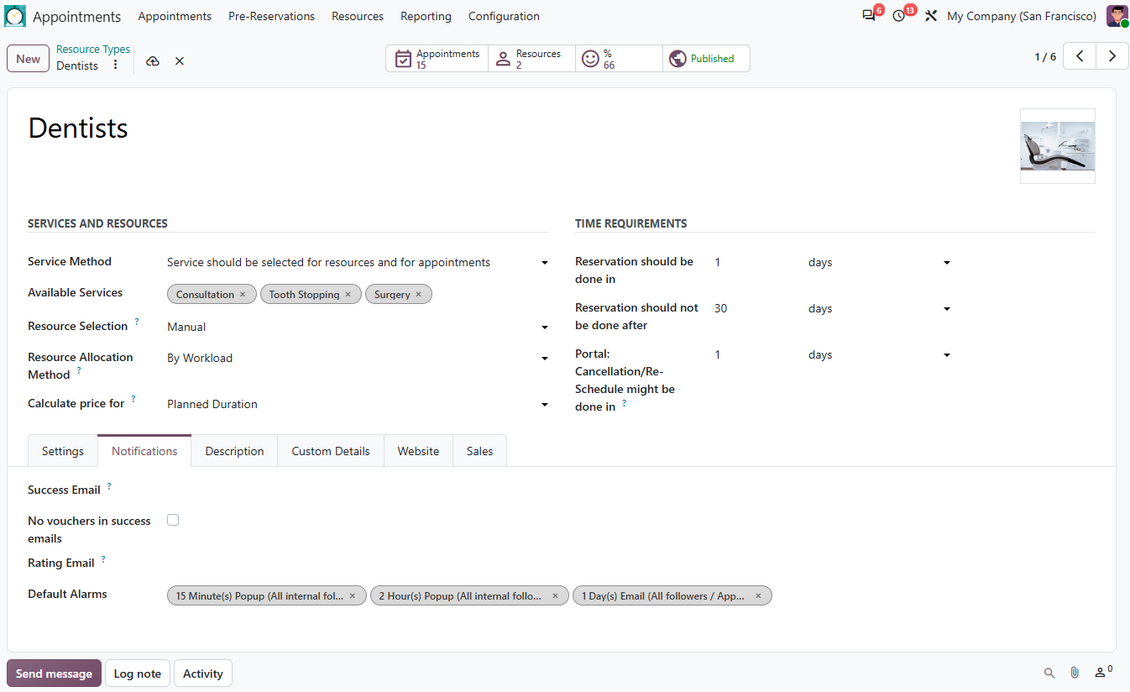
- Configure appointment reminders as backend popups, emails, or SMS messages with templates and timing rules.
- Apply default alarms per resource type or choose reminders on a specific appointment.
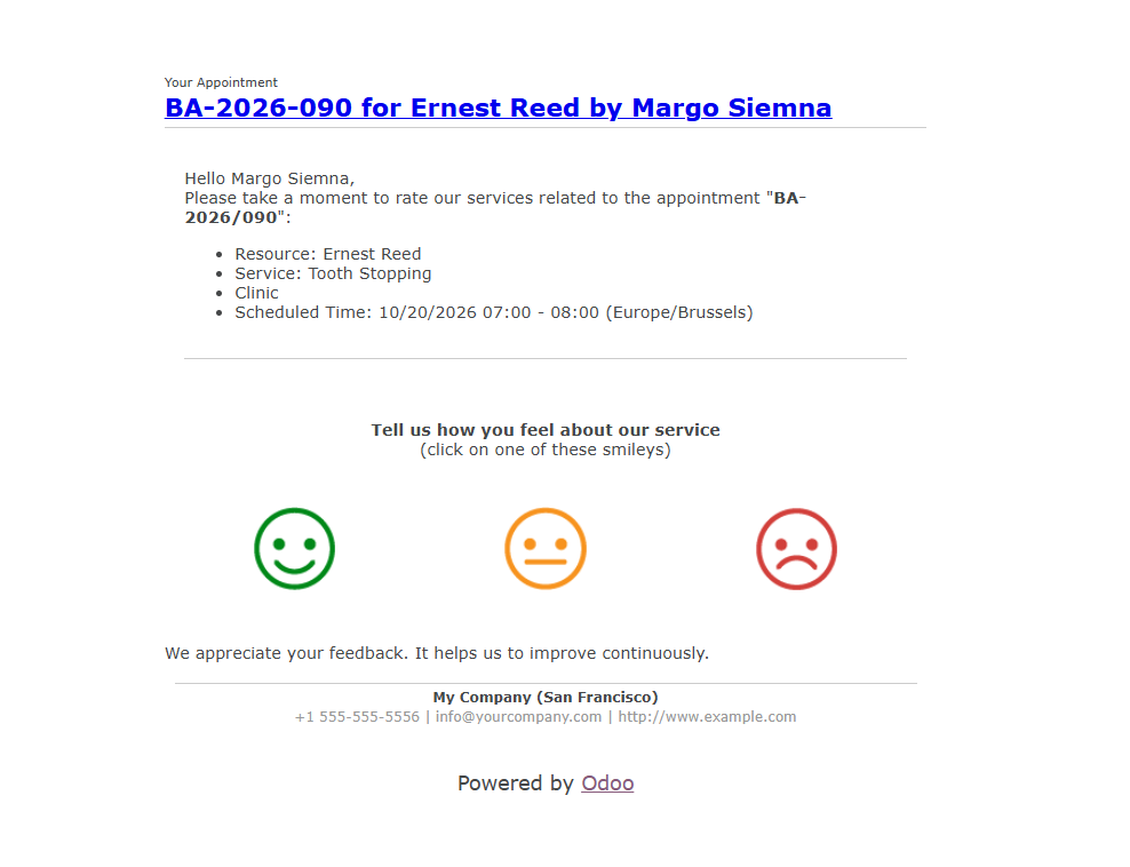
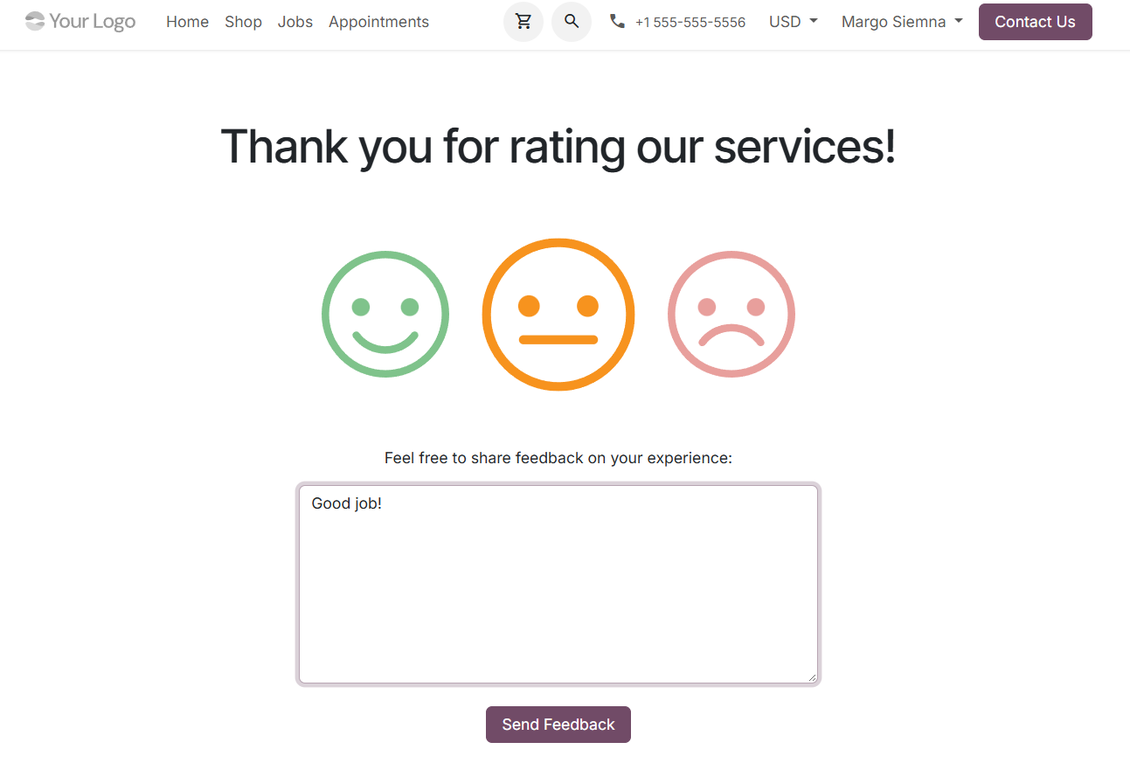
- Request customer feedback automatically when a reservation is done and analyze ratings by resource type, resource, or service.
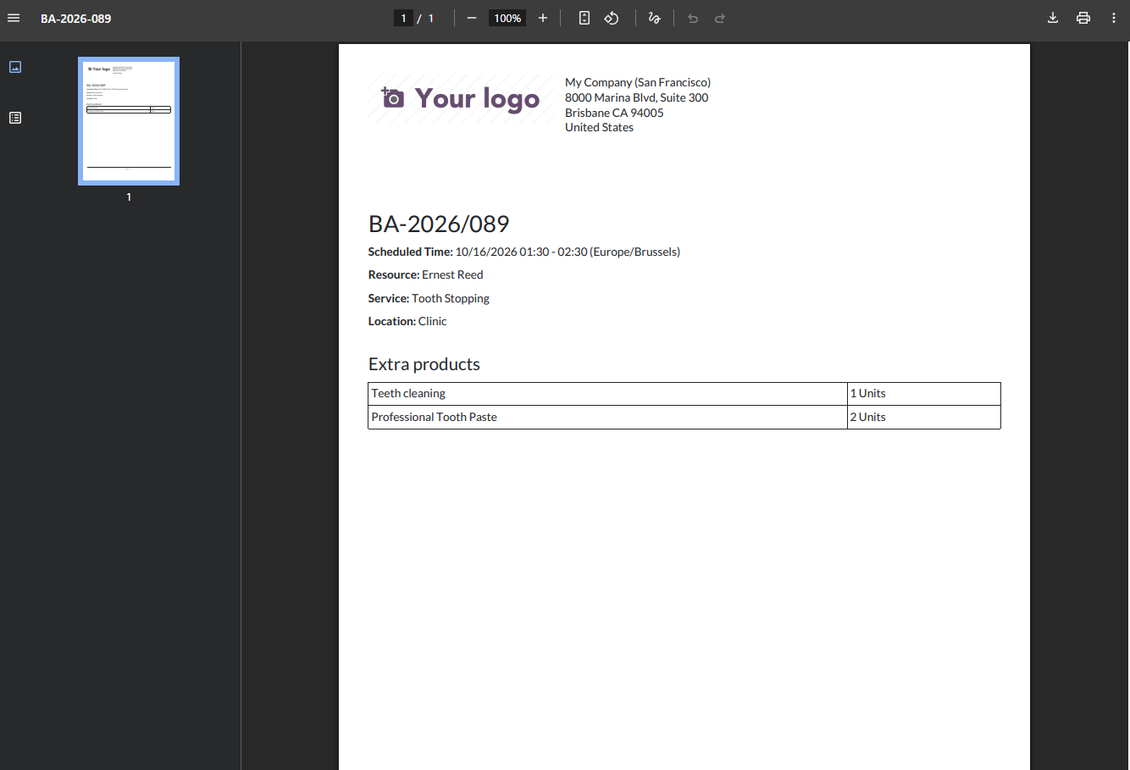
- Generate printable appointment confirmations that can work as vouchers and attach to confirmation emails.
Reporting and Companion Apps
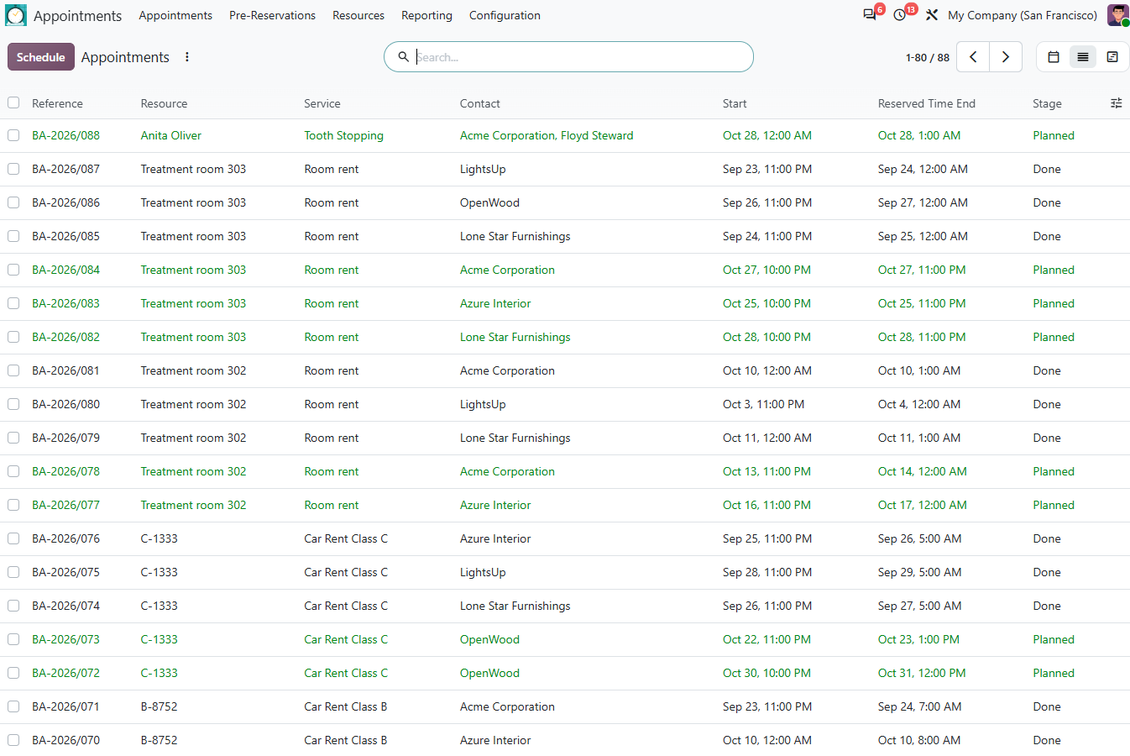
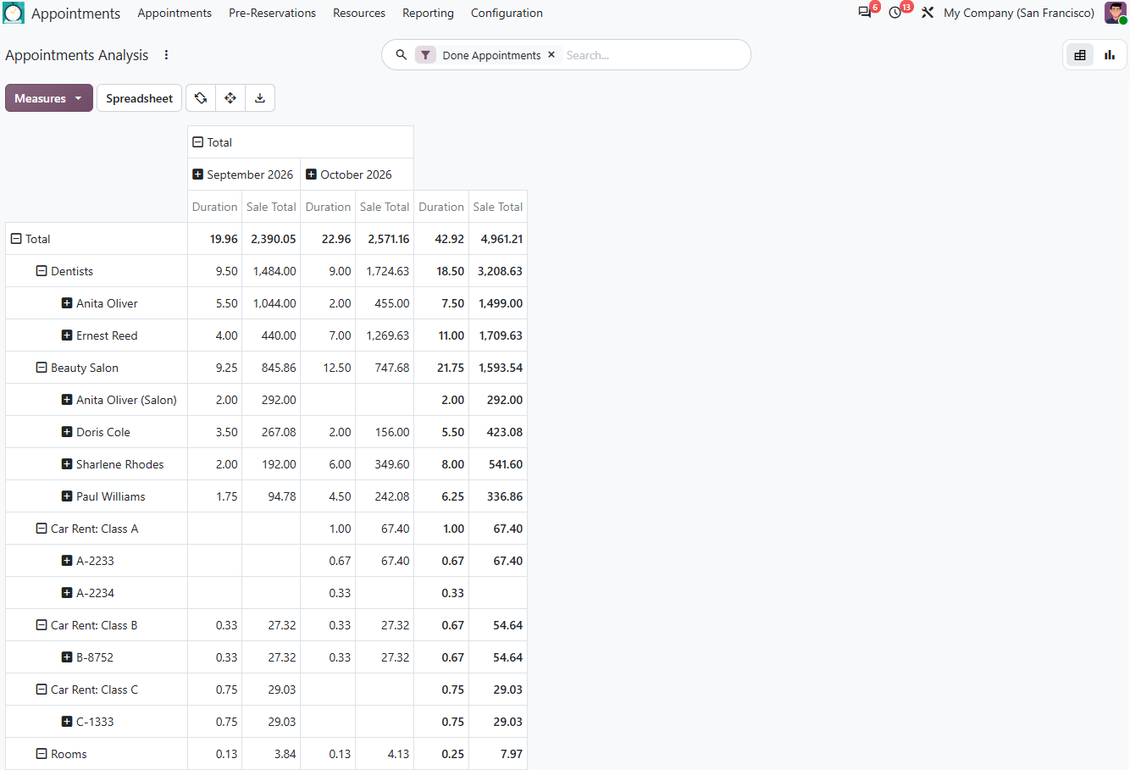
- Analyze appointments in pivot and graph views, with automatic numbering through the related Odoo sequence.
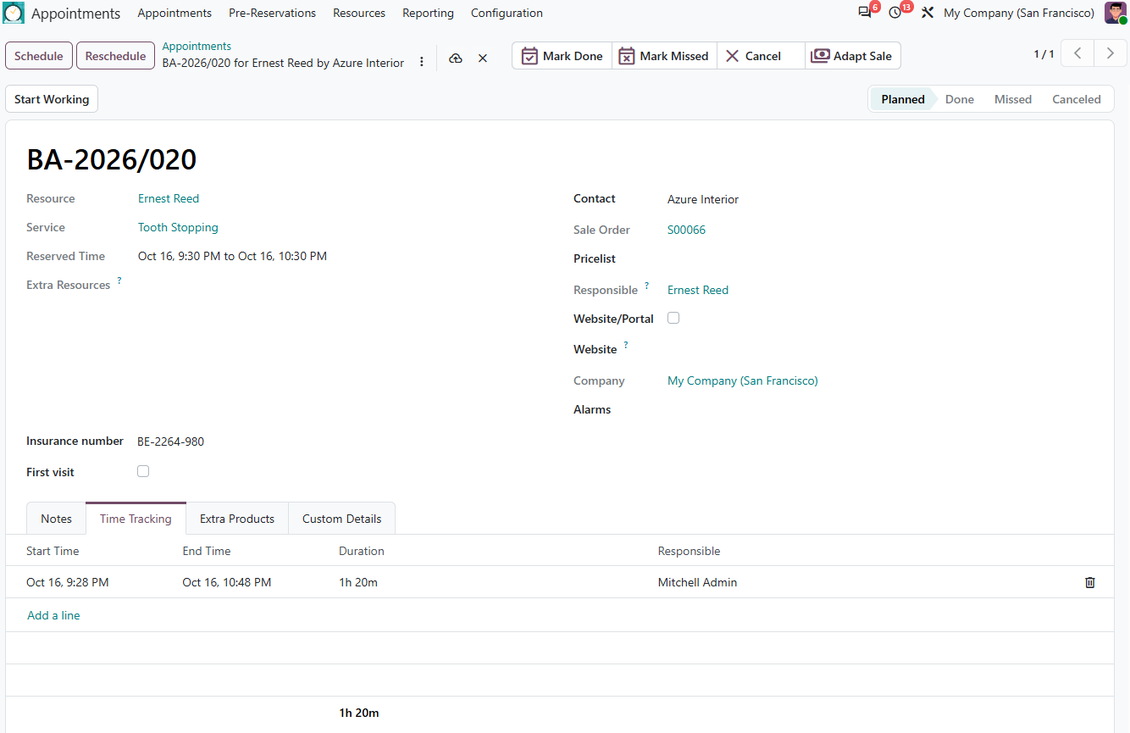
- Track real time spent on service provision with the Time Tracking extension.
- Use Odoo employees as appointment resources with the HR Bridge extension.
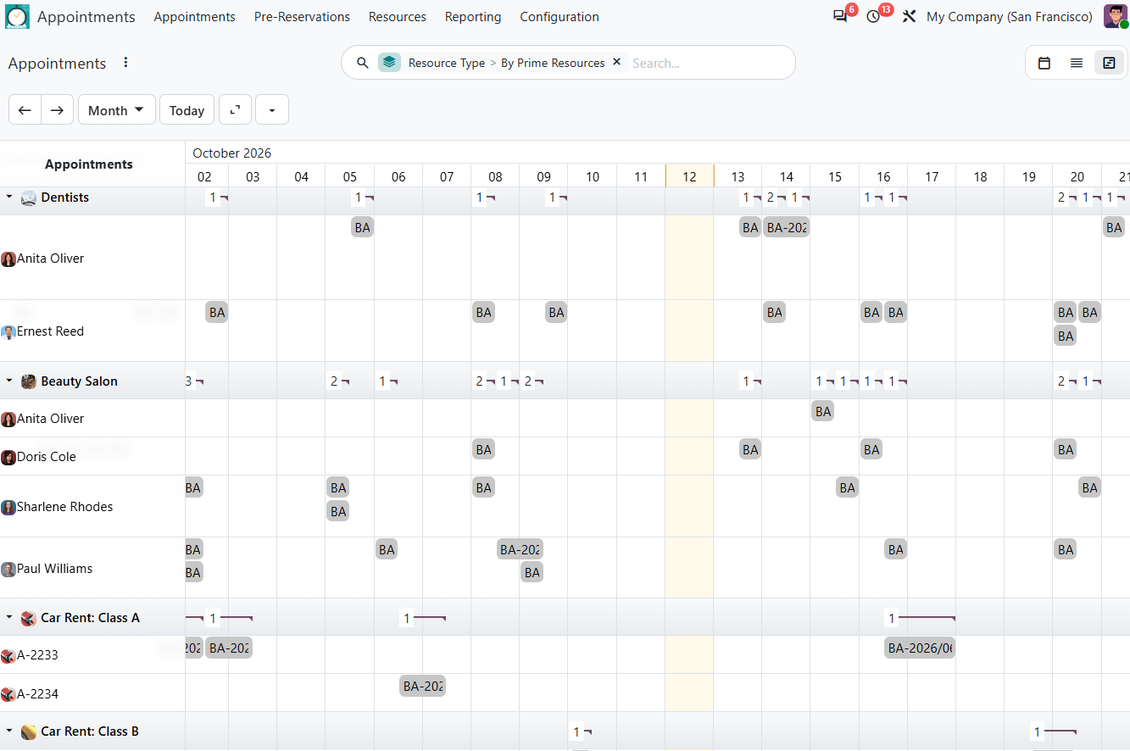
- Review workload on the Odoo Enterprise Gantt view with the Gantt extension.
Secure appointment access
Protect service data with dedicated backend roles and separate website/portal publication rules.
Backend Rights
- Use dedicated appointment groups for administrators and users who should work only with their own resources.
- Appointment administrators manage settings and appointment-related objects for their allowed companies.
- Own-resource users can read service structure and work with appointments only for resources they manage or resources without a manager.
Website and Portal Visibility
- Website and portal access is managed separately from backend appointment manager permissions.
- Resource types, resources, and services must be website-published before external visitors can select them.
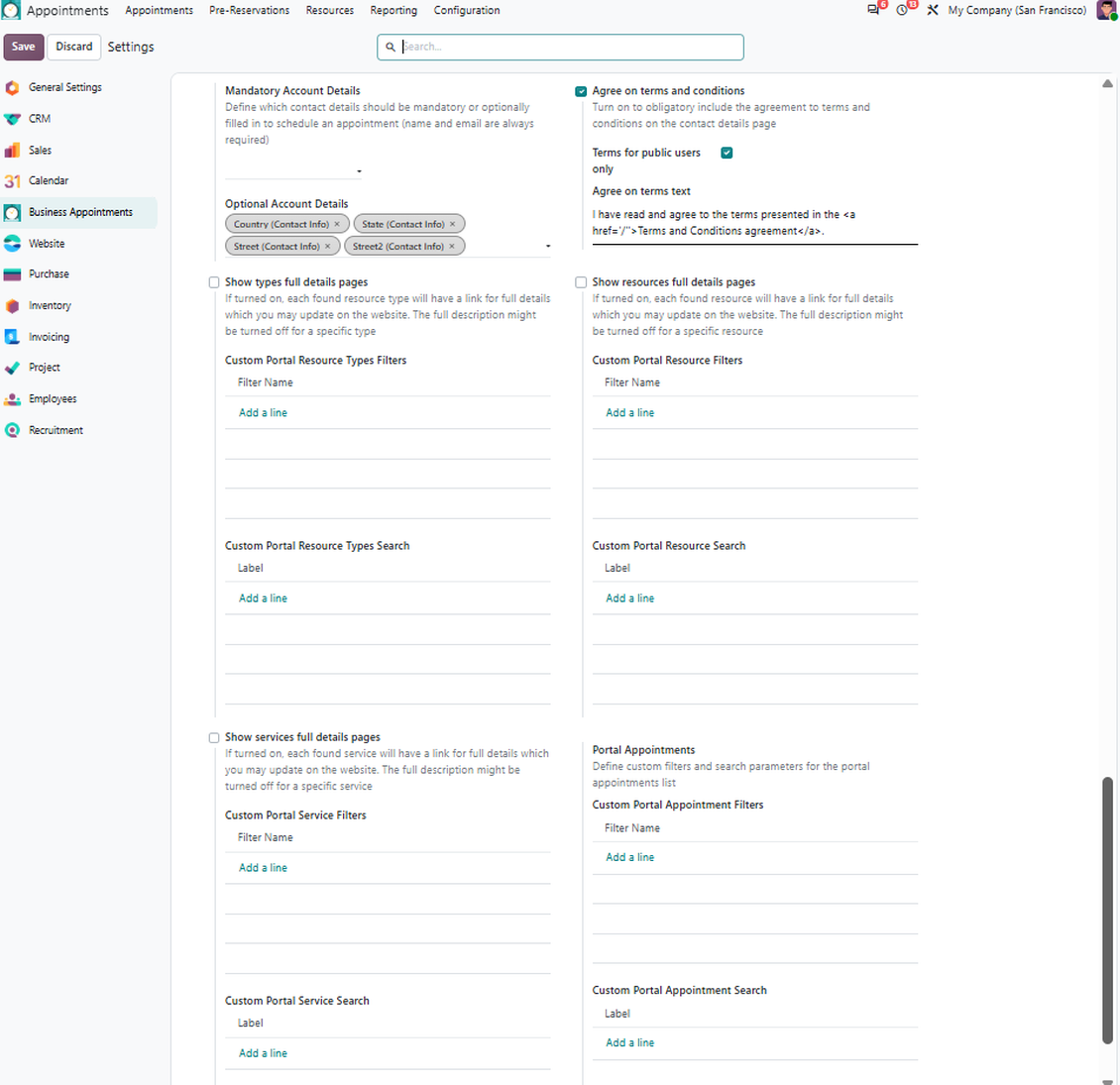
- Public website booking and portal booking can be enabled independently, so you can open self-service only to the audience you need.
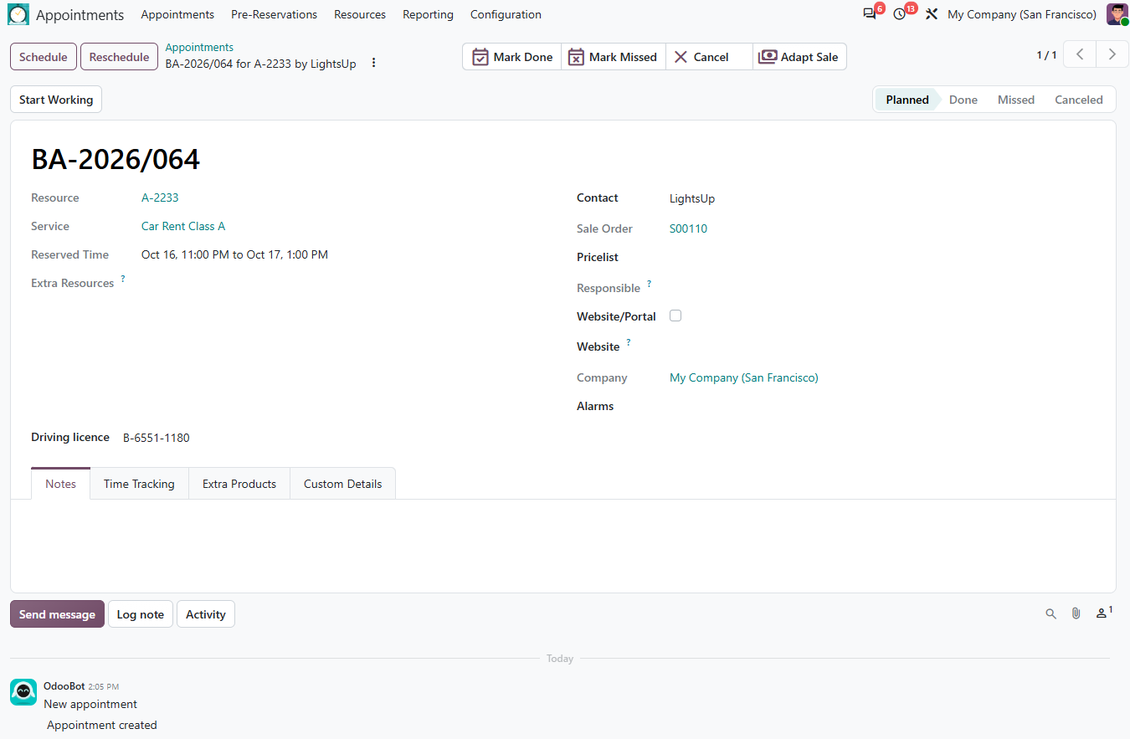
Custom booking details
Capture the extra appointment, service, resource, and website data your business needs without custom development.
Backend Custom Fields
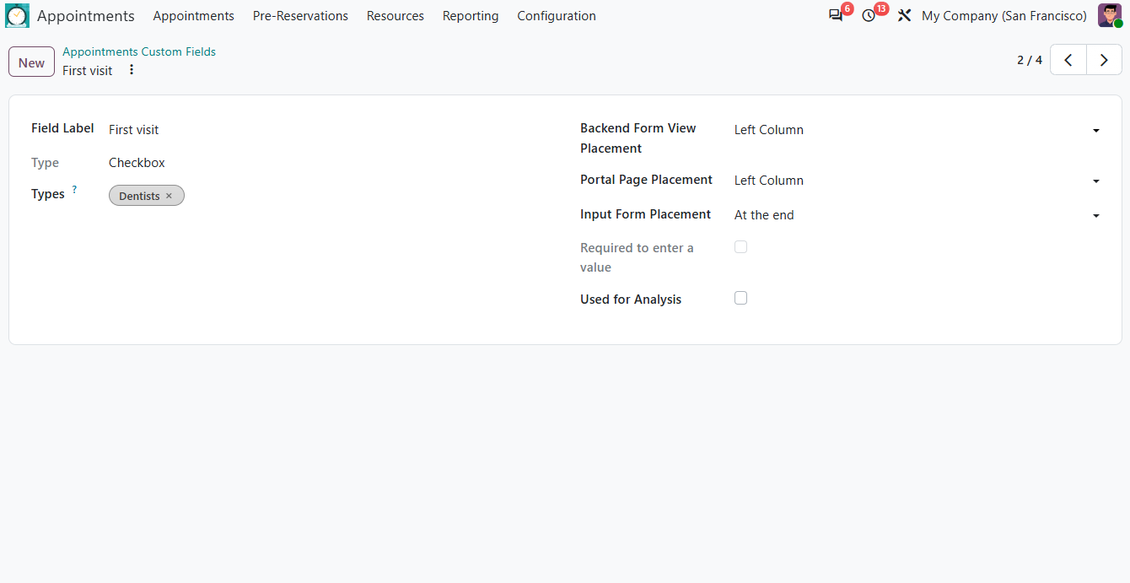
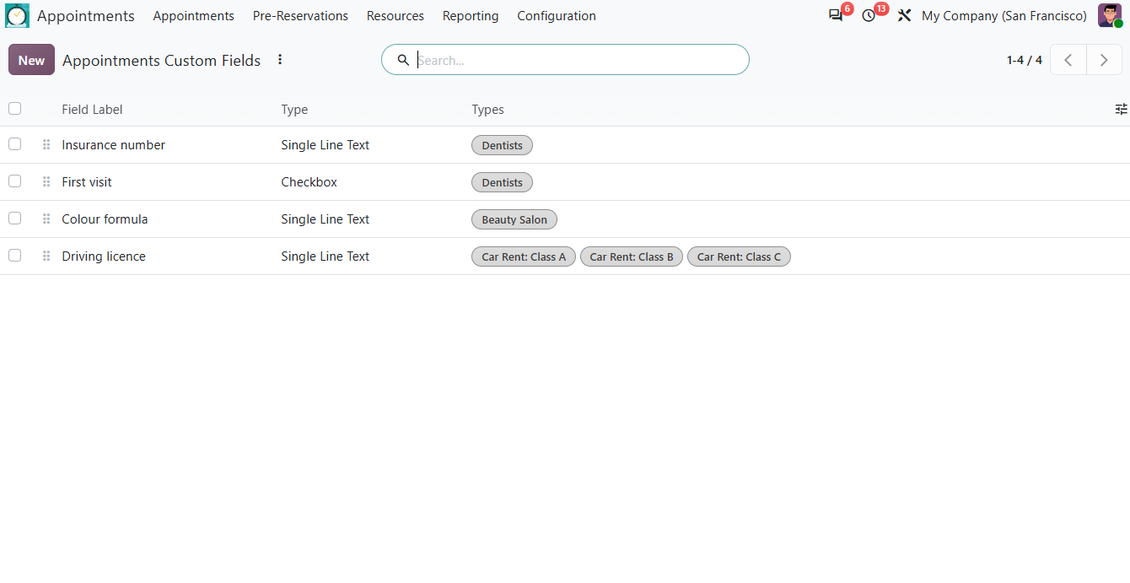
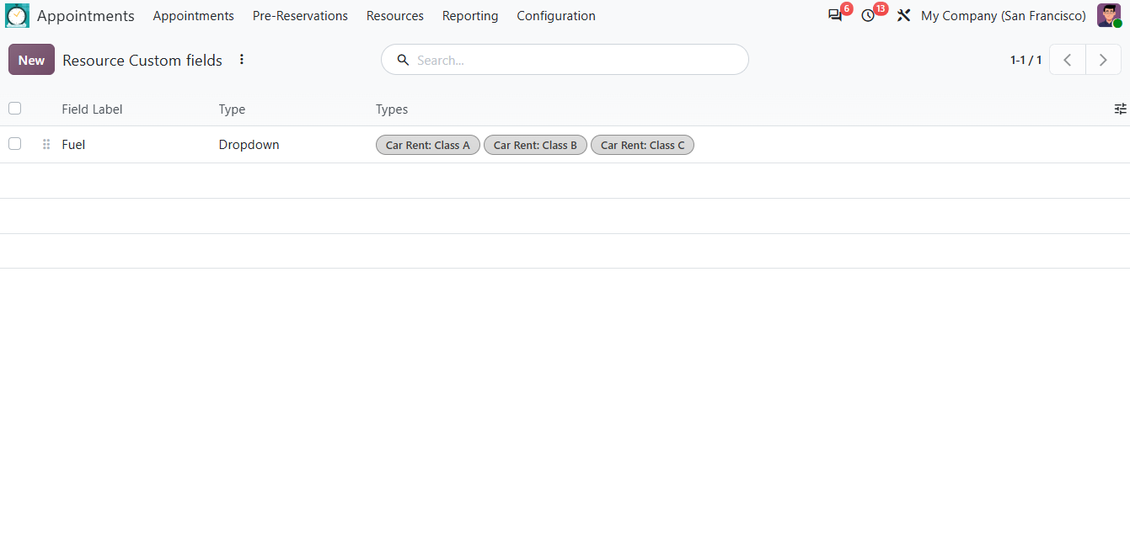
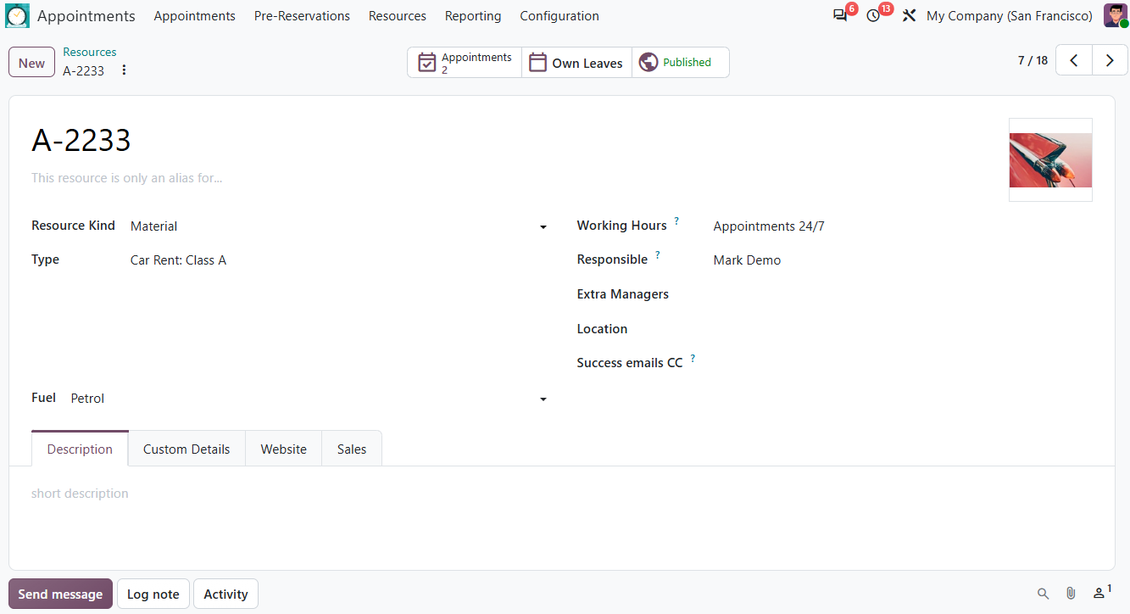
- Add custom fields for appointments, resource types, resources, and appointment services without technical knowledge.
- Use text, HTML, numbers, selections, booleans, dates, files, date-times, and many2one references to other Odoo records.
- Place custom fields in configured interface positions and keep different details for different resource types.
Website and Portal Fields
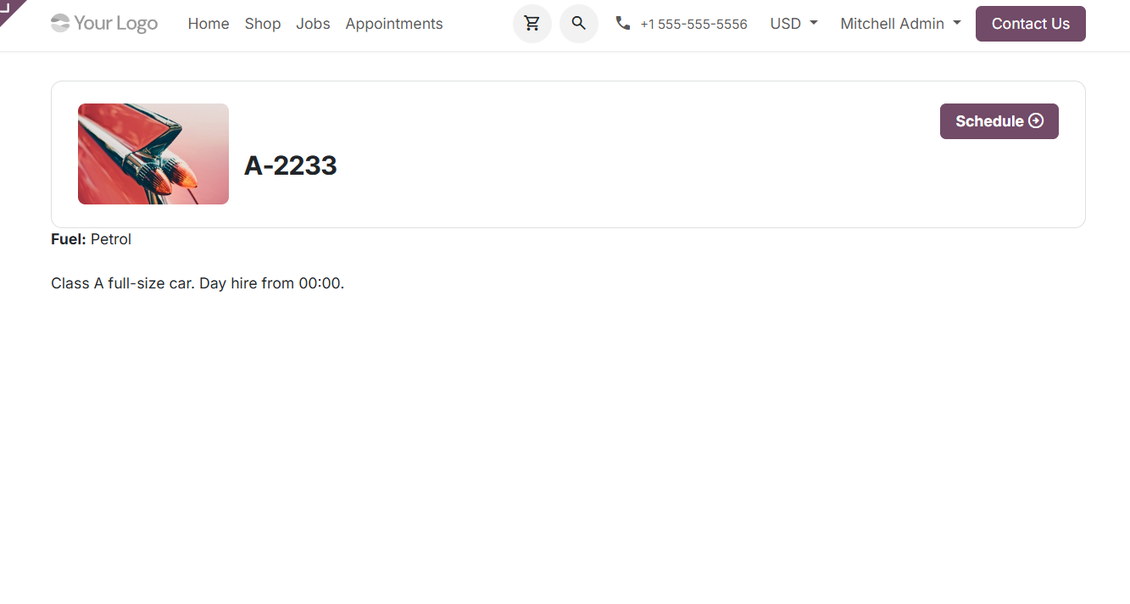
- Show custom resource type, resource, and service details on website and portal pages with the frontend extension.
- Ask customers to provide custom appointment details during website checkout.
- Make required customer inputs part of the booking flow, so managers receive the needed context before service delivery.
Ready to evaluate?
Start with a free demo request or purchase in the Odoo Apps Store.
Free personalized demo database. No phone number or credit card required. Free life-time updates and expert support within the major Odoo version.
Configuration and Installation Tips for Universal Appointments and Time Reservations Odoo v.20
Python dependency
The tool depends on the external Python library 'phonenumbers'. Install this library for your Odoo server through the command:
pip3 install phonenumbersFrequently Asked Questions about Universal Appointments and Time Reservations Odoo v.20
What is an appointment voucher? How can I change it?
The appointment has its own pdf attachment (voucher). This attachment is generated automatically based on Odoo web templates. With certain technical skills or with a help of any Odoo partner/vendor, it is possible to modify that template (as it is done per Odoo quotations, invoices, etc). By default, it uses the standard company layout introduced within the app.
Is it possible to reserve a few services/resources simultaneously during a single booking?
In the backend, it is possible to turn on the ‘Multi scheduling’ option, then the manager will be able to make several bookings for a customer for different services/resources and choose several time slots. In the portal, there is the ‘Multi scheduling’ option. It allows the customer to book one service/resource, but for several time slots. To book more than one service/resource, the customer should do several bookings.
Which sort of notifications would/may appointments managers receive?
For managers/specialists, you may configure subscriptions per resource type and resources. For example, notifications regarding new appointments are linked to the email subtype 'New appointments and recovering'. Besides, the app allows to set up reminders to alarm involved parties. Have a look at the appointments app > Configurations > Reminders.
Do customers have email and printing confirmation for a booking?
As soon as all steps are done, a customer receives a confirmation email and he/she is redirected to the success page by default (a pdf with a voucher is attached to such email). On the success page, it is possible to print the voucher as well.
What is a pre-reservation on the stage 'Waiting for confirmation'?
When a client starts reserving service and chooses a time slot, it becomes unavailable for other users and pre-reservation occurs. In order to make it available again, you need to set the maximum time for the reservation. After this time, if the client didn't complete the reservation, the time slot will be available again.
To set the time for pre-reservation:
1. Open the Appointments app
2. Go to Configuration>Configuration
3. In the 'Maximum Period for Pre-Reservation' set the time
If we have several branches, can we divide the resources by them?
The resource division might be configured differently. One approach is to rely upon Odoo multi companies. As you create resources types/resources/services, you can optionally specify the company they relate to. Or you can make them ‘global’, related to all companies. Thus, the set of resource types/resources/services may be different for each company.
It is also possible, to set the appointments process differently on different websites/branches. Just choose the website to show particular resource type/resources/services. These branches may even be connected to completely different spheres, for example, one site may be used to book English lessons and the second one to book the time in a gym.
Even without assigning different companies or websites, it is possible to set up appointments for different spheres of your business. The app is designed in such a way, that you can on your own decide which step to relate to your businesses. For example, you can consider one resource type as a dentist clinic in the city center and the second one as surgical dentistry in a residential area. This way, using resource types, you will be able to manage different branches and divide the resources by them even without a multi-companies environment.
Is it possible to firstly select service and then resource?
Can a user make an appointment without creating an account?
Yes, a user can create an appointment without creating an account, but only for the first time. As a person makes an appointment, his email is reserved in the base and cannot be used again. So for further registrations, or for existing contacts, it is necessary to log in, in order to make an appointment.
A user can sign up either from confirmation email or right in Odoo. Invitation link is short-lived, so if a user missed the opportunity, he/she would have to reset a password afterwards or ask for your help.
How can I change the language of the success emails?
To change the language of an email template:
1. Make sure, that you have the target languages installed in your Odoo.
2. Then, turn on the developer mode and go to Technical > Templates
3. There, find the template 'Appoints: Success Email'
4. Start editing the template, and click on the language icon in the top right corner of the article's template.
5. You will see the article's body in all system languages. Manually translate the target language email, but don't delete the code. Save the result.
After that, you also need to change the contact's language to the preferred one (can be changed on the contact's card in the field 'Language'). Then, such contacts will receive the email in this language.
If a person makes an appointment for the first time on your website, then, by default, the opened site's language will be assigned to them. And the confirmation email in that language will be sent.
What does the field 'Start Round' on the service card stand for?
The field 'Start round' rounds the time to this number, to avoid cases, when the time doesn't look good. For example, if now the time is 9:48 and I should book a service no later than a day before it, then the first available time tomorrow will be 9:48, which is not a good time. But, if you choose to round for an hour (01:00), then the available time will be 10:00.
To see some more options and examples of the way to round the time ('Help'), hover over the field's title.
I don't like appearance of generated emails / SMS
You are welcome to customize those. Please find templates under the menus Configuration > Notifications > Email Templates and SMS Templates.
Besides, you may apply different templates for different resource types. Have a look at any resource type > Notifications.
I do not need all steps during website checkout. May I exclude / hide some?
The tool already does it automatically for you:
if there is a single published resource type, the first step would not be shown;
if resource allocation method is automatic or there is a single published resource, the second step would be missed;
if there is a single published service for chosen resource type / resources, then the third step would be missed.
The only step which should be configured is the confirmation page: you may turn it on /off on the configuration page.
How to change appointment reference number?
What are the update policies of your tools?
According to the current Odoo Apps Store policies:
- Every module bought for version 12.0 and prior gives you access to all versions up to 12.0.
- Starting from version 13.0, every module version should be purchased separately.
- Disregarding the version, purchasing a tool grants you a right to all updates and bug fixes within a major version.
Please note that the faOtools team does not control those policies. For all questions, please contact the Odoo Apps Store representatives directly.
How can I install your app on Odoo.sh?
The most straightforward approach is to use the Odoo store's built-in workflow:
1. Open the module's page and click the button Deploy on odoo.sh
2. After that, you will be redirected to the GitHub page. Log in to your account, then click 'Create a new repo' or use an existing one. Please ensure your repository is private. It is not permitted to publish the apps under the OPL-1 license. If necessary, create a new repo for your Odoo.sh project
3. Then, go to odoo.sh and click the Deploy button. In the pop-up window, submit the decision and click 'Continue.' This action will trigger the installation process.
These steps will install the app for your project's production branch. If you want to deploy the apps for other branches or update the module, you should undertake the following actions:
1. Upload the source code for the app from the Odoo store
2. Commit the module to a required GitHub repository. Ensure none of the app folders/files are ignored (i.e., not included in your repo's .gitignore). Repositories are automatically created by odoo.sh and may include some crucial items by default (e.g., /lib). You should upload all module directories, subdirectories, and files without exceptions
3. Deploy a target branch of the odoo.sh project or, if your settings assume that, wait until it is automatically built.
How should I install your app on my own server?
2. Re-start the Odoo server;
3. Turn on developer mode (technical settings);
4. Update the apps' list (the apps' menu);
5. Find the app and push the button 'Activate'/'Install';
6. Follow the guidelines on the app's page if those exist.
I noticed that your app has extra add-ons. May I purchase them afterwards?
Yes, sure. Simultaneously, Odoo automatically adds all dependencies to a cart, so you should exclude previously purchased tools to avoid double payment.
I deployed your app on Odoo.sh and see warning/error in tests
A red/orange warning does not influence the app's features. Regretfully, sometimes our modules do not pass standard automatic tests since the latter assume behavior that conflicts with our app's goals. For example, we change the price calculation, while the standard Odoo module tests compare the final price to a standard algorithm.
So, first of all, please check the deployed database features. Does everything work correctly?
If you still assume that the warning influences real features, please contact us and forward full installation logs and the full list of deployed modules (including core and third-party ones).
May I buy your app from your company directly?
No, we only distribute the tools through the official Odoo apps store.
I would like to get a discount
Regretfully, we do not have the technical means to provide individual prices.
May I install the app on my Odoo Online (SaaS) database?
No, third-party apps can not be used on Odoo Online. Unfortunately, Odoo SaaS blocks such a possibility.
Your tool has dependencies on other app(s). Should I purchase those?
Yes, our tool requires all modules marked in dependencies to work correctly. The price marked on the app page already includes all necessary dependencies.
What is the price for the module in US Dollars? Why did it change?
The price for our modules is set in euros. The Odoo store converts prices to other currencies according to its internal exchange rate. Thus, the price in US Dollars may change when the exchange rate is updated.
Odoo demonstration databases (live previews)
For this app, we might provide a free personalized demo database.
You do not need a phone number or credit card to contact us. You should only pass a short email sign-up, which does not take more than 30 seconds.
By your request, we will prepare an individual live preview database, where you can apply any tests and check assumptions for about two weeks.
Bug reporting
If you encounter bugs or inconsistent behavior, do not hesitate to contact us. We guarantee to provide fixes within 60 days of purchase and are intensely interested in improving our tools even after this period.
You do not need a phone number or credit card to contact us. You should only pass a short email sign-up, which does not take more than 30 seconds.
Please include as many details as possible in your request: screenshots, Odoo server logs, a full description of how to reproduce your problem, and so on. Usually, it takes a few business days to prepare a working plan for an issue (if a bug is confirmed) or provide you with guidelines on what should be done (otherwise).
Public features requests and module ideas (free development)
We are strongly motivated to improve our tools and would be grateful for any feedback. If your requirements are of public use and might be efficiently implemented, the team will include those in our to-do list.
Such a to-do list is processed regularly and does not assume extra fees. Although we cannot promise deadlines and final design, it might be a good way to get desired features without investments and risks.
You do not need a phone number or credit card to contact us. You should only pass a short email sign-up, which does not take more than 30 seconds.
20.0.1.3.33
- The app is published to version 20.
19.0.1.3.33
- The issue of icon buttons breaking the resource type kanban page in some languages has been fixed.
- Translations for all shipped languages have been completed.
19.0.1.3.32
- The time slots selector has been modernized.
- The issue of leftover English website labels after a restyle has been fixed.
19.0.1.3.31
- The demo data for this app has been added.
19.0.1.3.30
- The AI-assisted translations for 25 languages have been introduced.
19.0.1.3.29
- The issue with reserving unpublished extra resources has been fixed.
19.0.1.3.28
- The app is published to version 19.
18.0.1.3.28
- The constraint on negative checkout time has been added.
18.0.1.3.27
- The issue with the untranslated warnings has been fixed.
18.0.1.3.26
- The issue with not assigning kanban colors for resources and services is fixed.
18.0.1.3.25
- The issue with selected dates in formats other than Latin has been fixed.
18.0.1.3.24
- The kanban views are adapted to the new Odoo 18 XML principles.
- The archived ribbon for inactive records is added to kanban and form views of resource types, resources, and services.
18.0.1.3.23
- Popup notifications are optimized.
18.0.1.3.22
- The app is published to version 18.
17.0.1.3.22
- The issue with duplicated extra resources for appointments is fixed.
17.0.1.3.21
- The default activity view for resource types, resources, and services now is kanban.
17.0.1.3.20
- Intersection conflict checks are restructured and optimized.
17.0.1.3.19
- The feature to add extra working hours for alias resources is added. Such shifts will restrict time slots in addition to the main resource calendar.
17.0.1.3.18
- The rating calculation is fixed for resources and services.

The tool to flexibly structure Odoo attachments in folders and synchronize directories with cloud clients: Google Drive, OneDrive/SharePoint, Nextcloud/ownCloud, Dropbox, Amazon S3, Box, and NAS. DMS. File Manager. Document management system
398€
The tool to automatically synchronize Odoo attachments with OneDrive files in both ways
487€
The tool to automatically synchronize Odoo attachments with Google Drive files in both ways
487€

The tool to build a deep and structured knowledge base for internal and external use. Knowledge System. KMS. Wiki-like revisions.
398€
The tool to set up KPI targets and control their fulfillment by periods. KPI dashboards. Dashboard designer. KPI charts

The tool to manage your Odoo from your favorite AI chats through MCP. Claude. Any MCP-supporting AI.

The tool to translate URL addresses of Odoo website pages
38€
The tool to combine different Odoo events in a few configurable super calendars