In Short
Universal Appointments: Portal and Website is an Odoo 19 Website app. The extension to the Universal Appointments app to schedule appointments on the Odoo website and in the Odoo portal. Online appointments. Online Bookings.
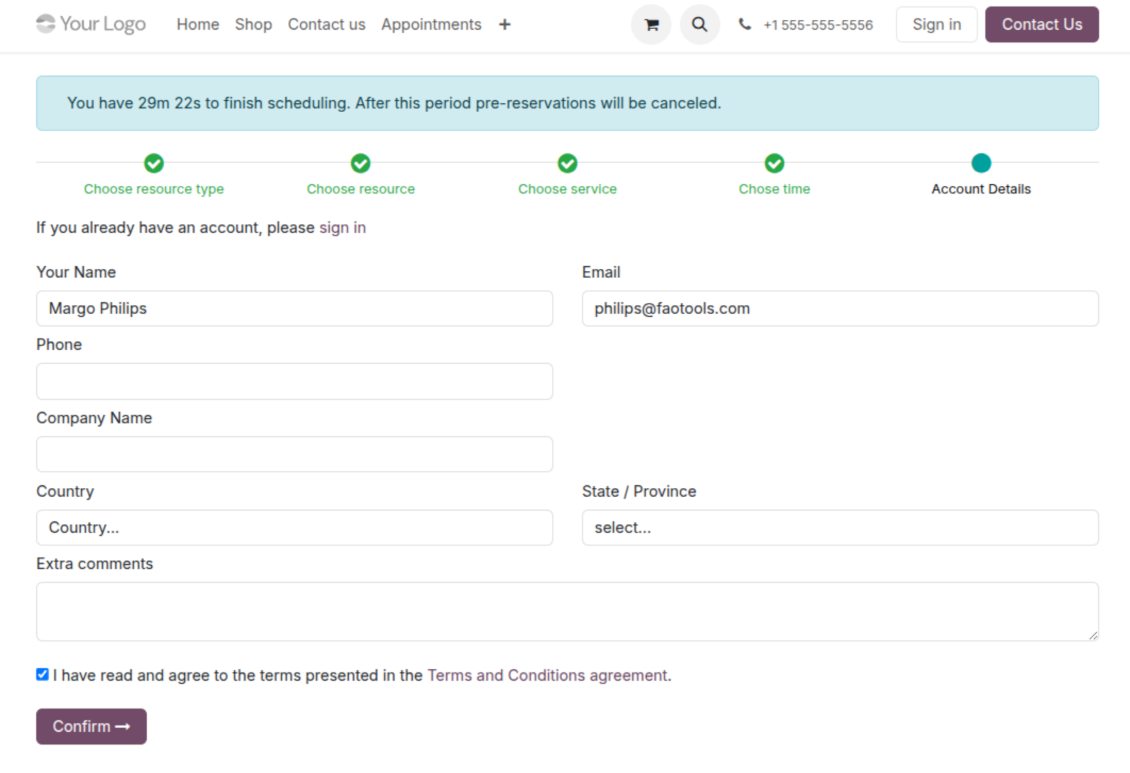
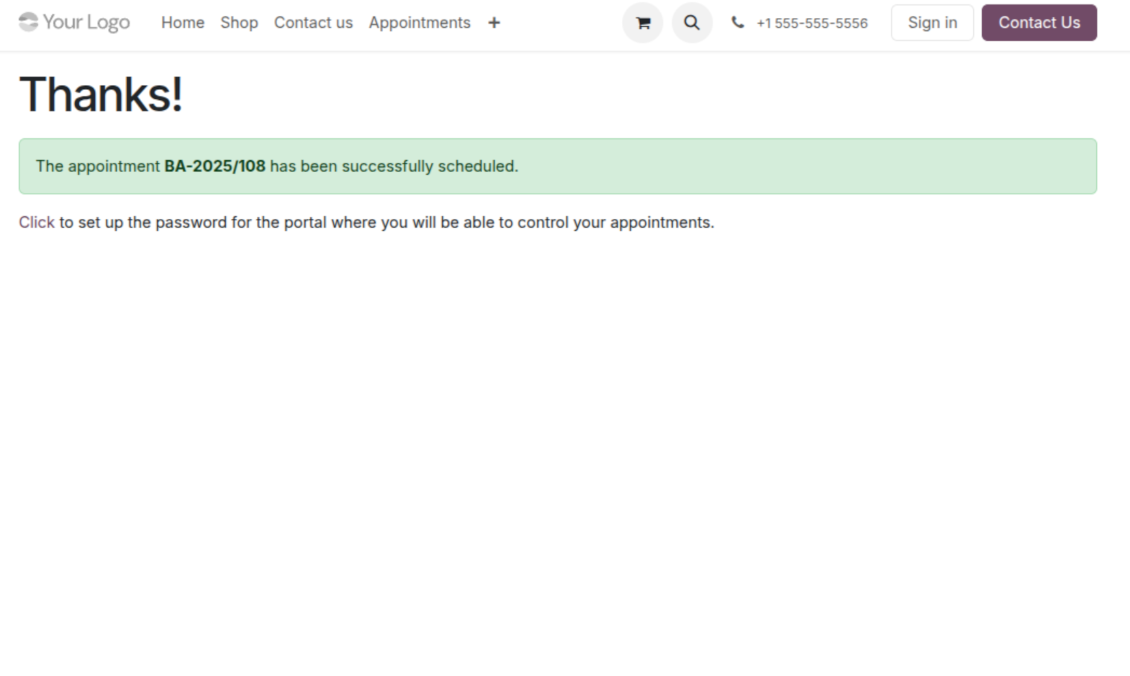
Universal Appointments: Portal and Website adds customer self-service booking to the Universal Appointments engine. Website visitors and portal users can select published resource types, resources, services, and available time slots while Odoo keeps the same capacity rules used by backend scheduling.
The extension also gives you control over booking pages, contact details, confirmation timers, progress steps, portal reservation pages, and customer communication around planned and completed appointments.
Why teams choose it
Key benefits before you dive into the details
Online Reservations
Let website visitors and portal customers book appointments through a guided multi-step flow powered by the same availability rules as backend scheduling.
Configurable Pages
Control visible steps, introduction blocks, labels, timers, sorting, filters, contact fields, terms agreement, and full details pages per website.
Safe Confirmation
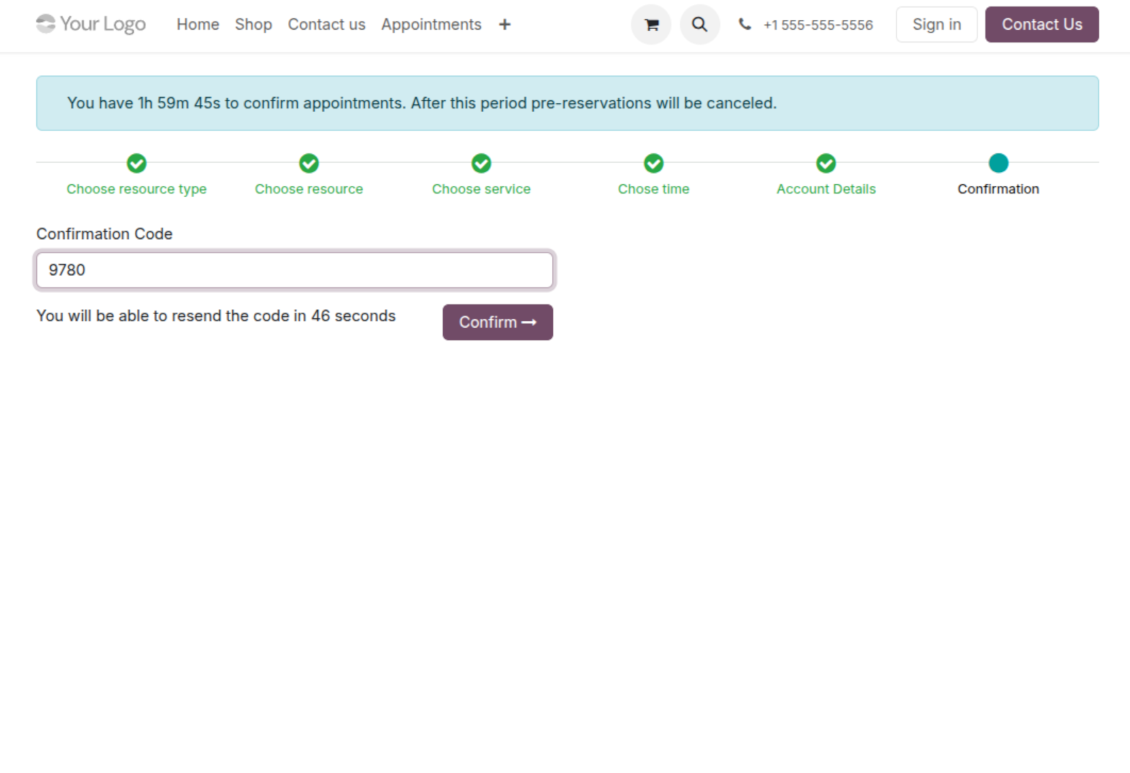
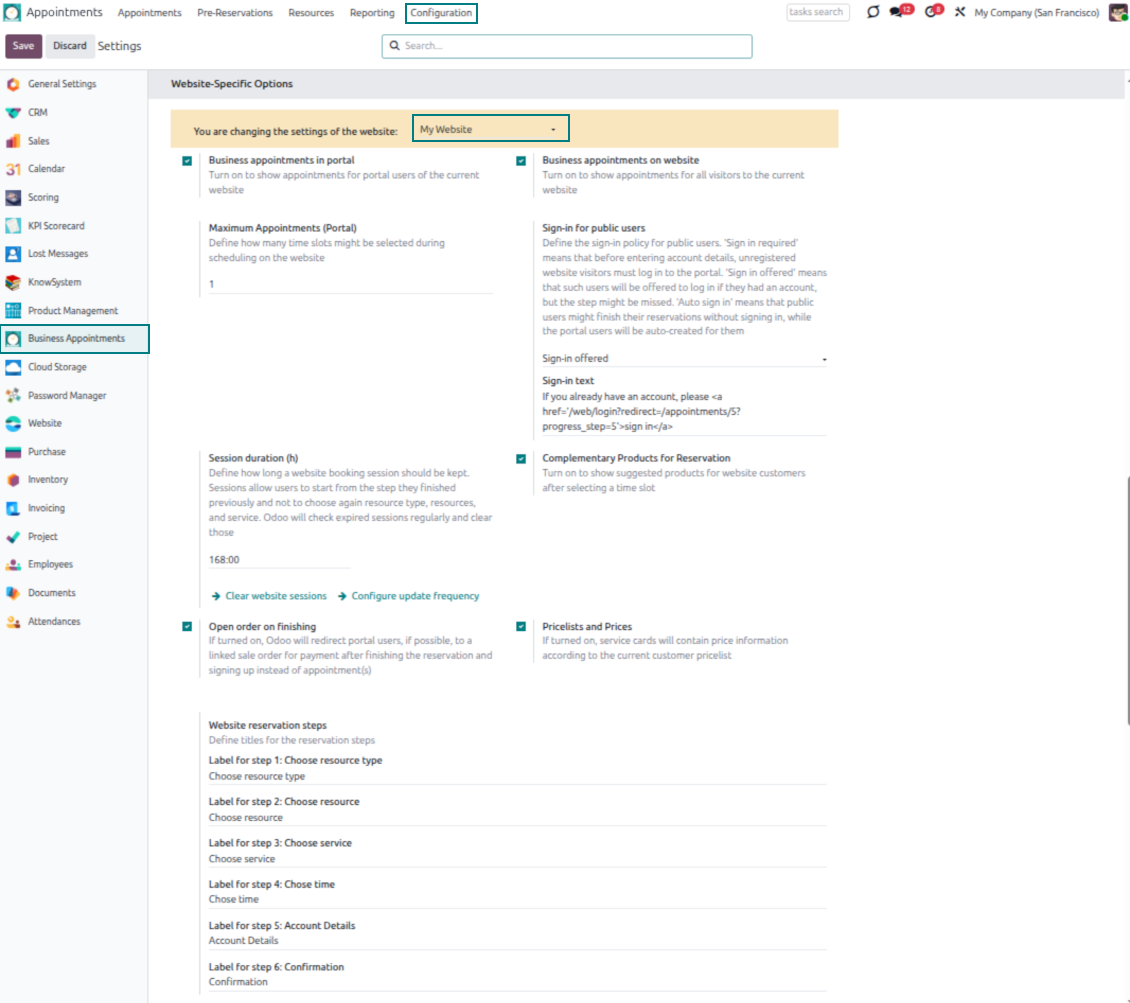
Use pre-reservation timers, optional sign-in, configurable contact details, and optional email or SMS code confirmation before final booking.
Portal Control
Customers can review planned and completed appointments, repeat bookings, reschedule or cancel allowed reservations, chat, and print vouchers.
Ready to evaluate?
Start with a free demo request or purchase in the Odoo Apps Store.
Free personalized demo. No phone number or credit card required. Free life-time updates and expert support within the major Odoo version.
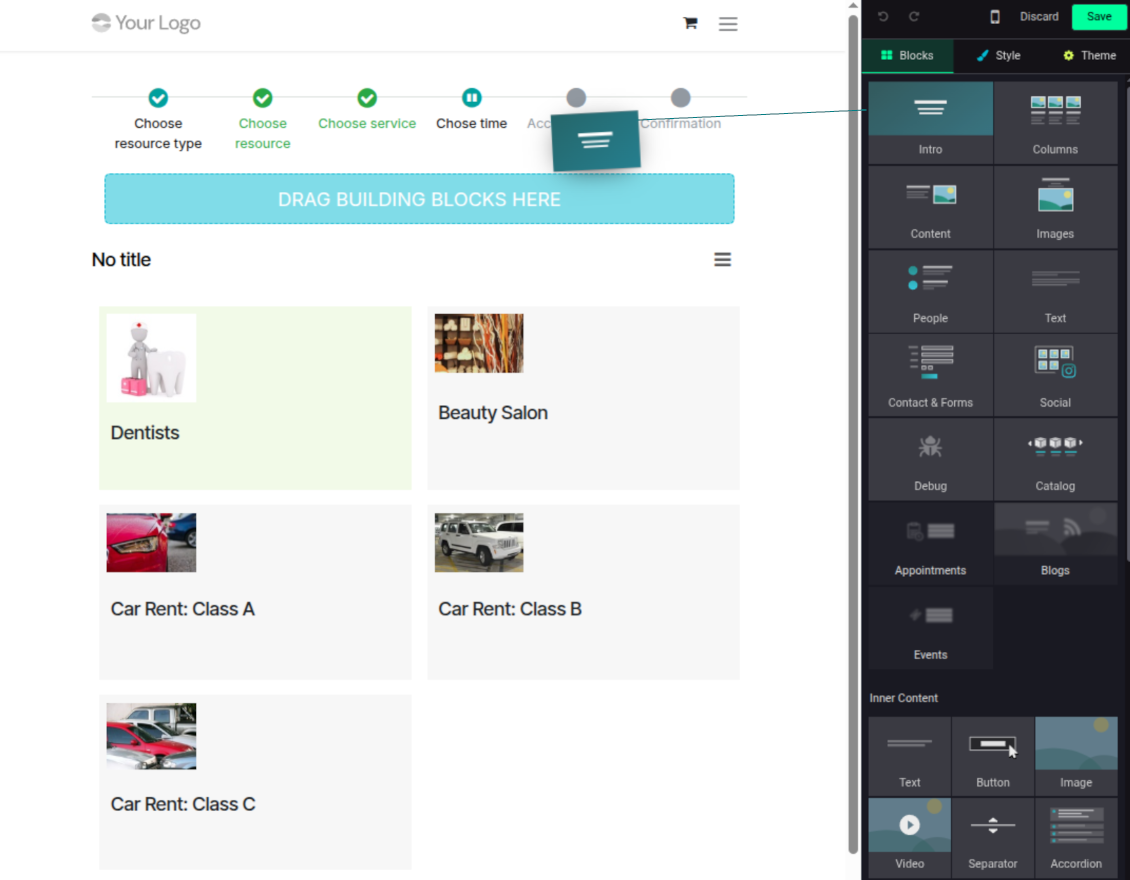
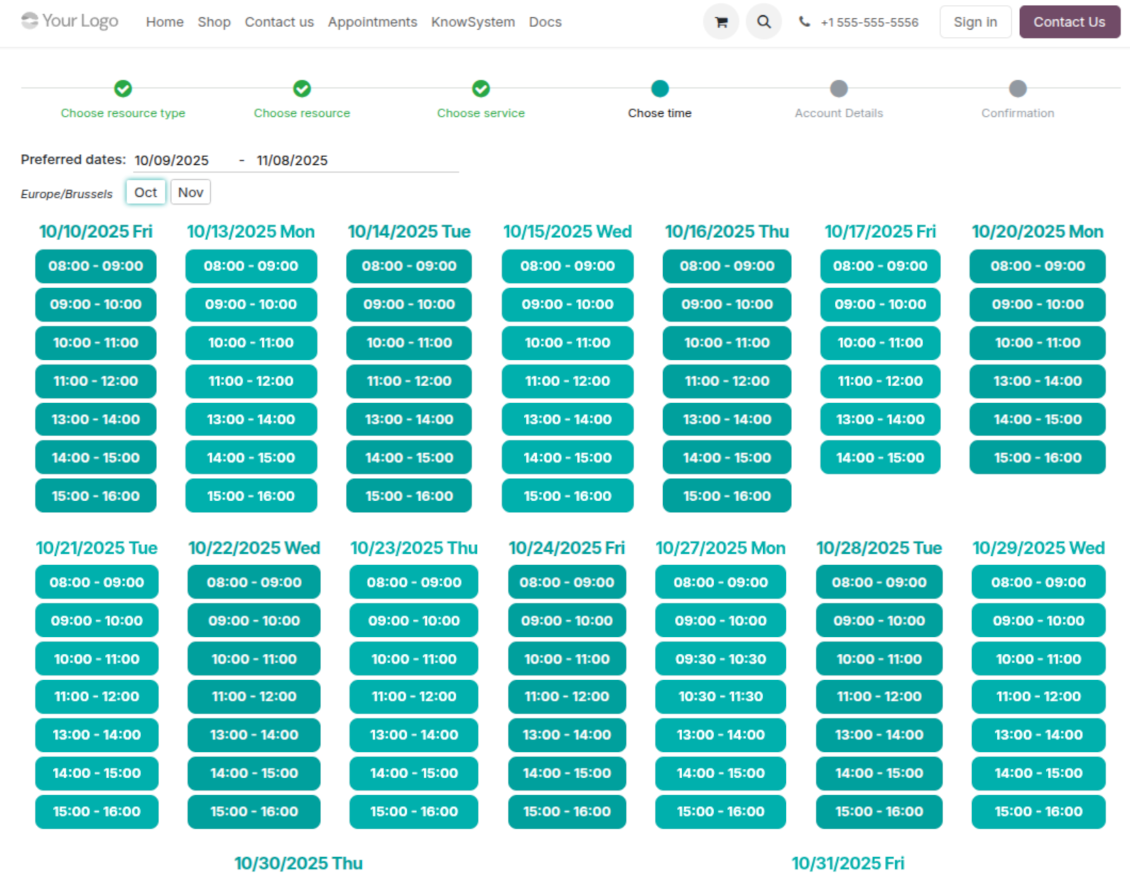
Guided website booking flow
Publish resources and services online, then let customers reserve real available slots with confirmation safeguards.
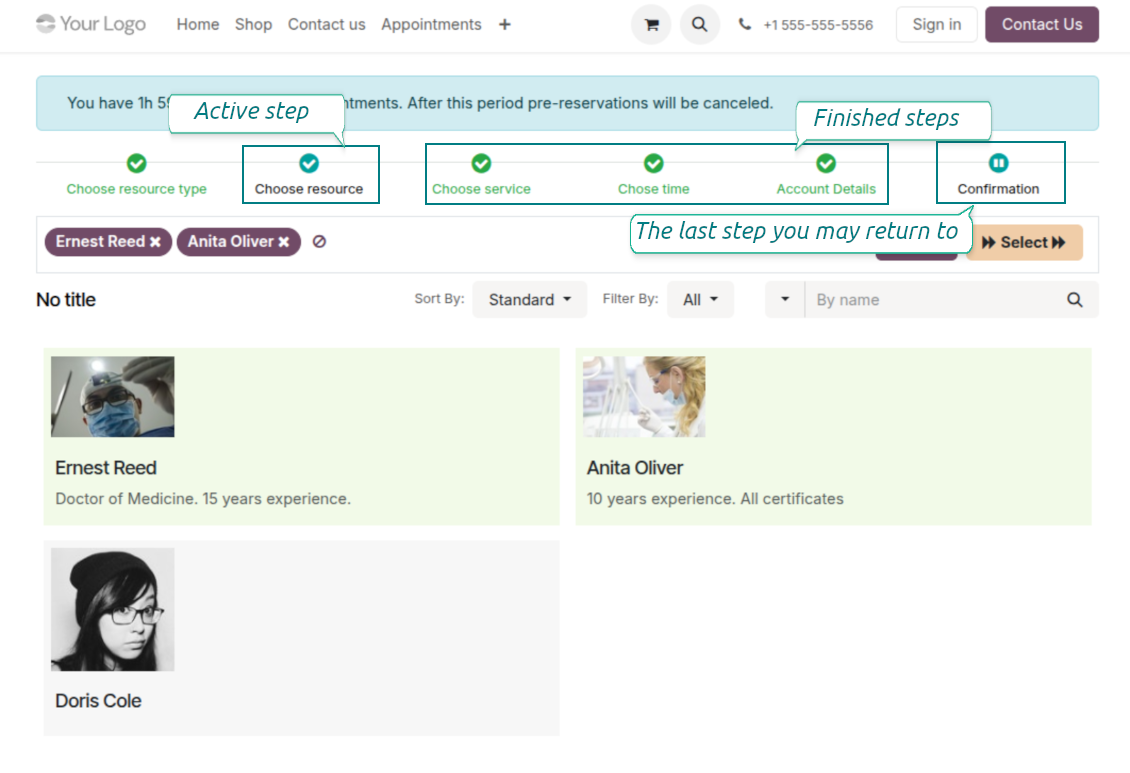
Smart Step-by-Step Choice
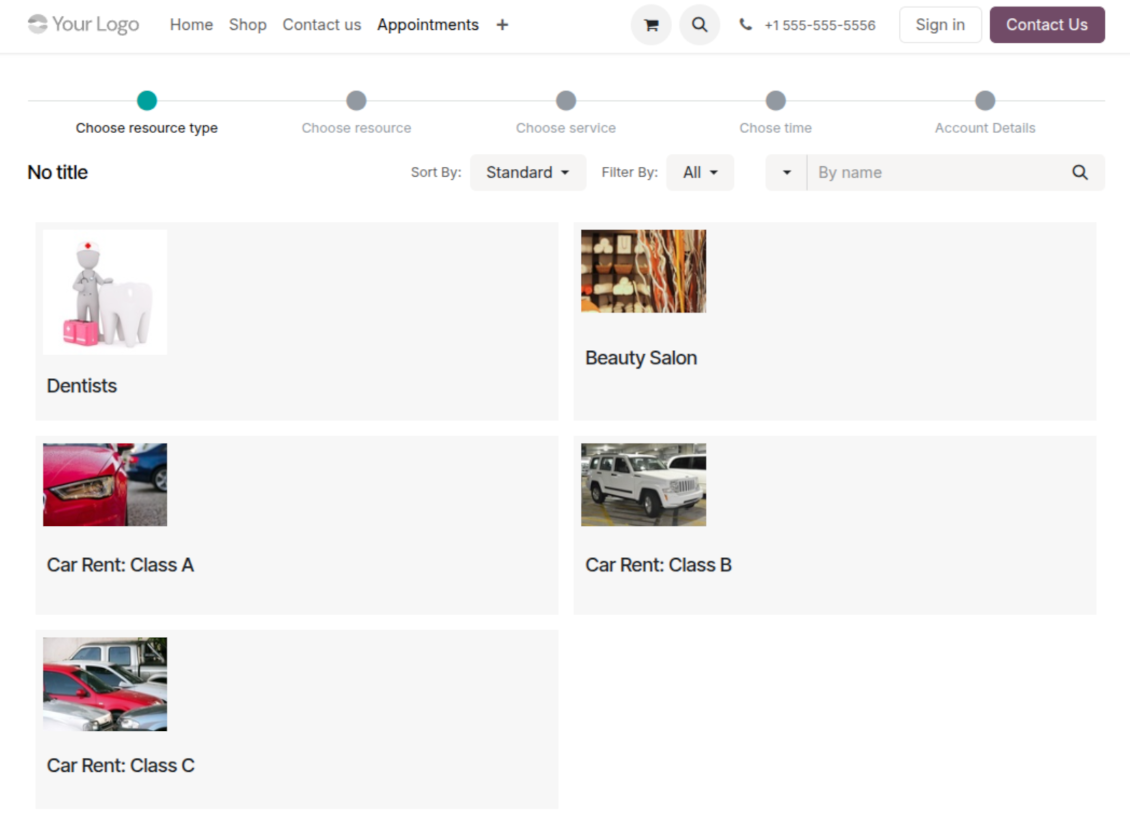
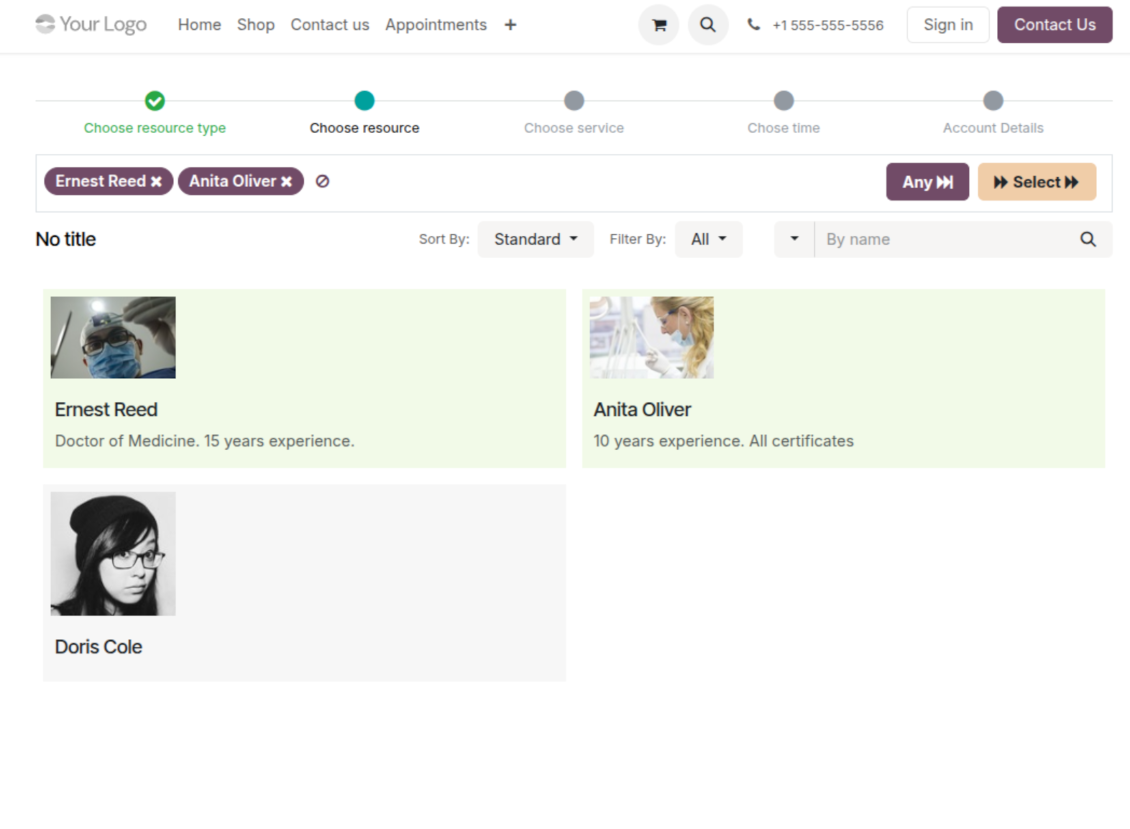
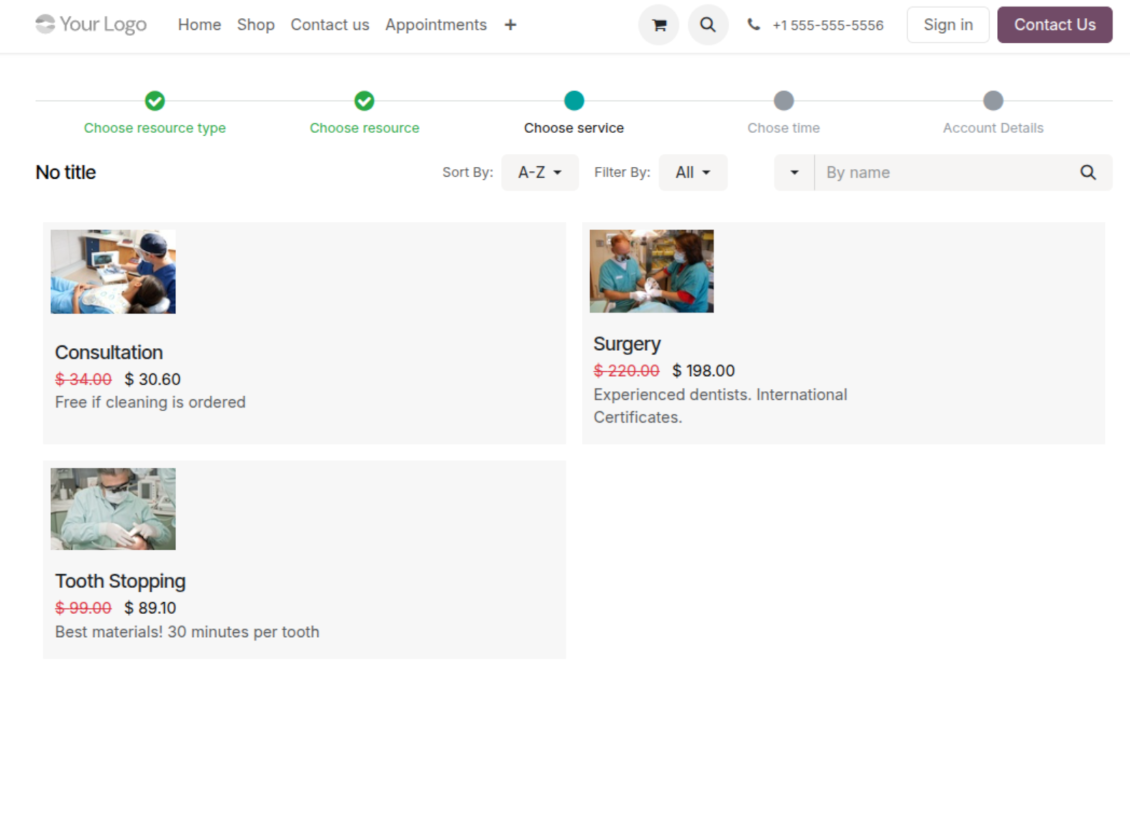
- Customers select a published resource type, resource, service, and time slot only where a real choice exists.
- Steps are skipped when a single option is available or automatic allocation removes the need to choose a resource.
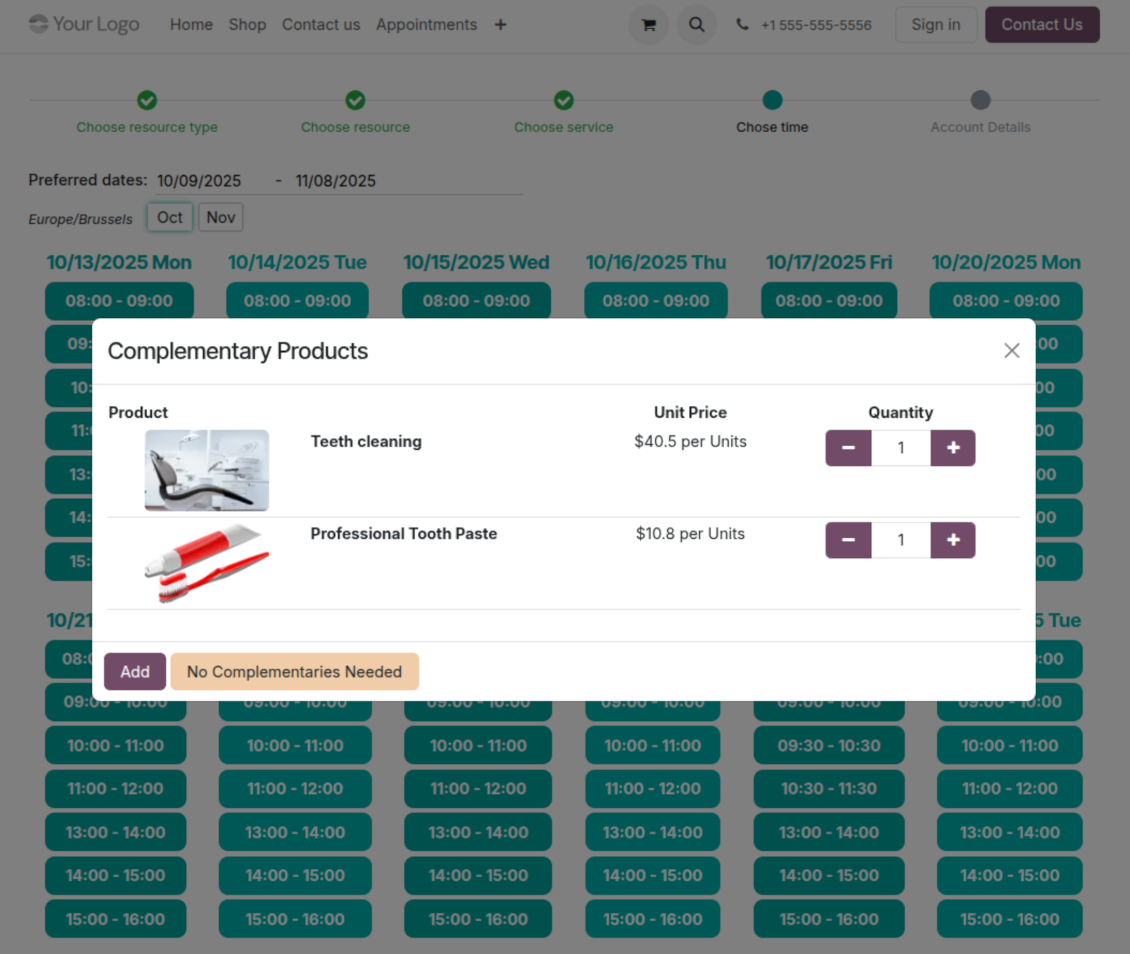
- Slot search reacts to time range, timezone, selected resources, service settings, and manual duration rules.
Protected Confirmation
- The selected slot is pre-reserved so another visitor cannot take it during checkout.
- Ask public visitors to sign in, invite them to create a portal account, or let them continue with contact details.
- Optionally require an email or mobile confirmation code and cancel the pre-reservation if the timer expires.
Configurable appointment pages
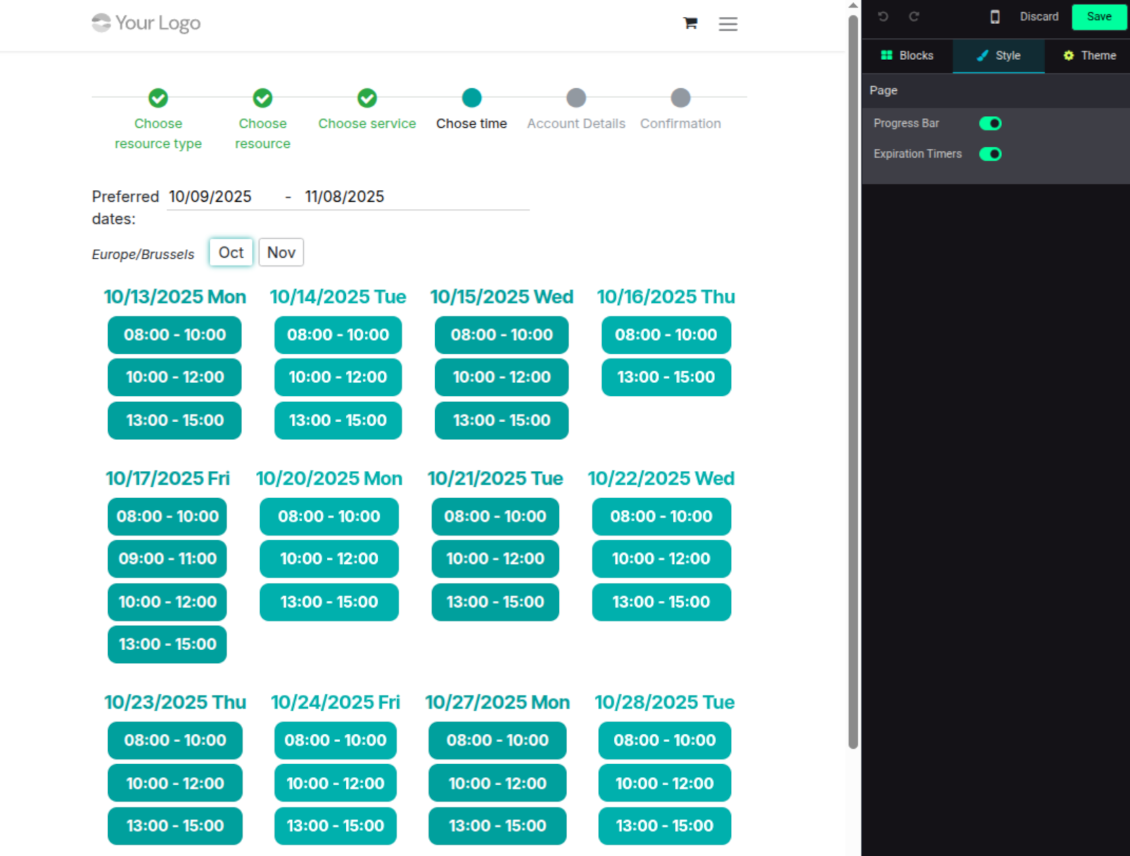
Adapt the booking interface per website without changing the scheduling logic underneath.
Customer-Facing Layout
- Show or hide progress bars, timers, introductions, short descriptions, images, and links to full detail pages.
- Rename progress steps and add your own welcome texts through website-specific settings.
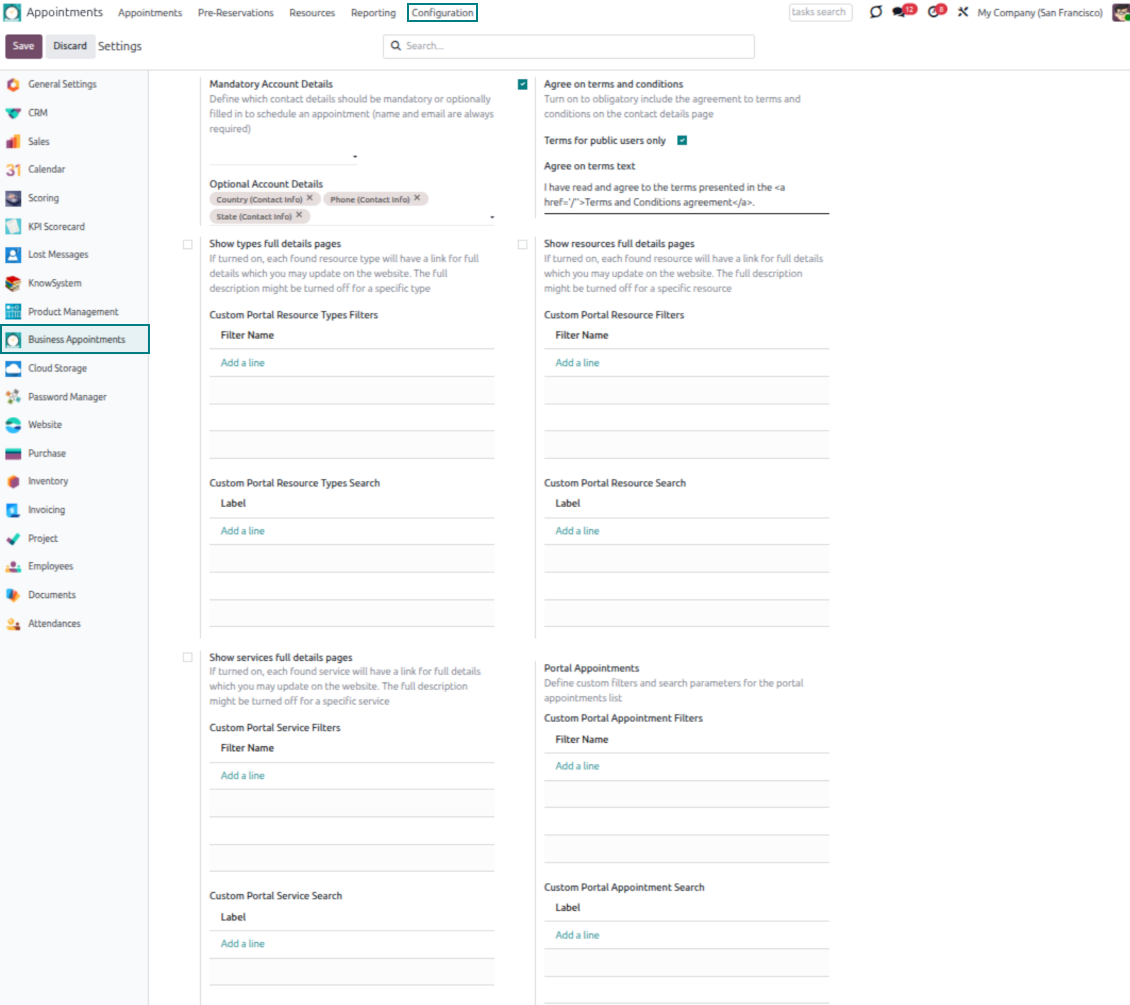
- Build full details pages for resource types, resources, and services with Odoo's standard website builder.
Booking Rules on the Page
- Choose which contact fields are requested from public and portal users.
- Define filters and sorting for resource type, resource, and service steps.
- Add your own terms and conditions agreement text and link for booking checkout.
Portal control of reservations
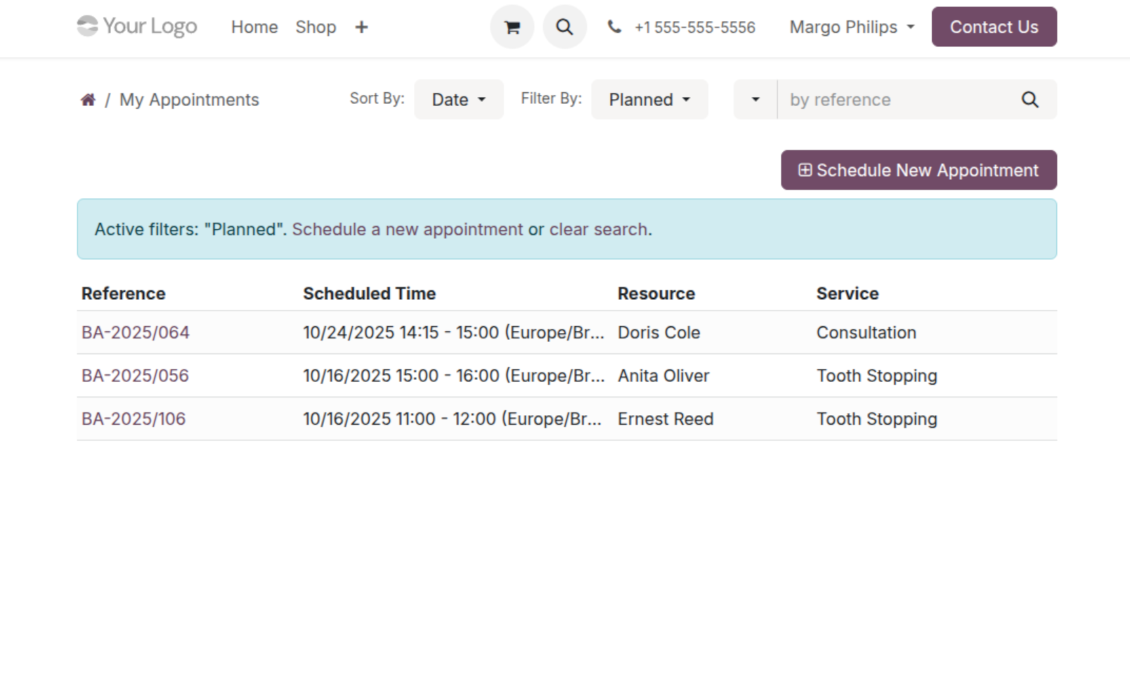
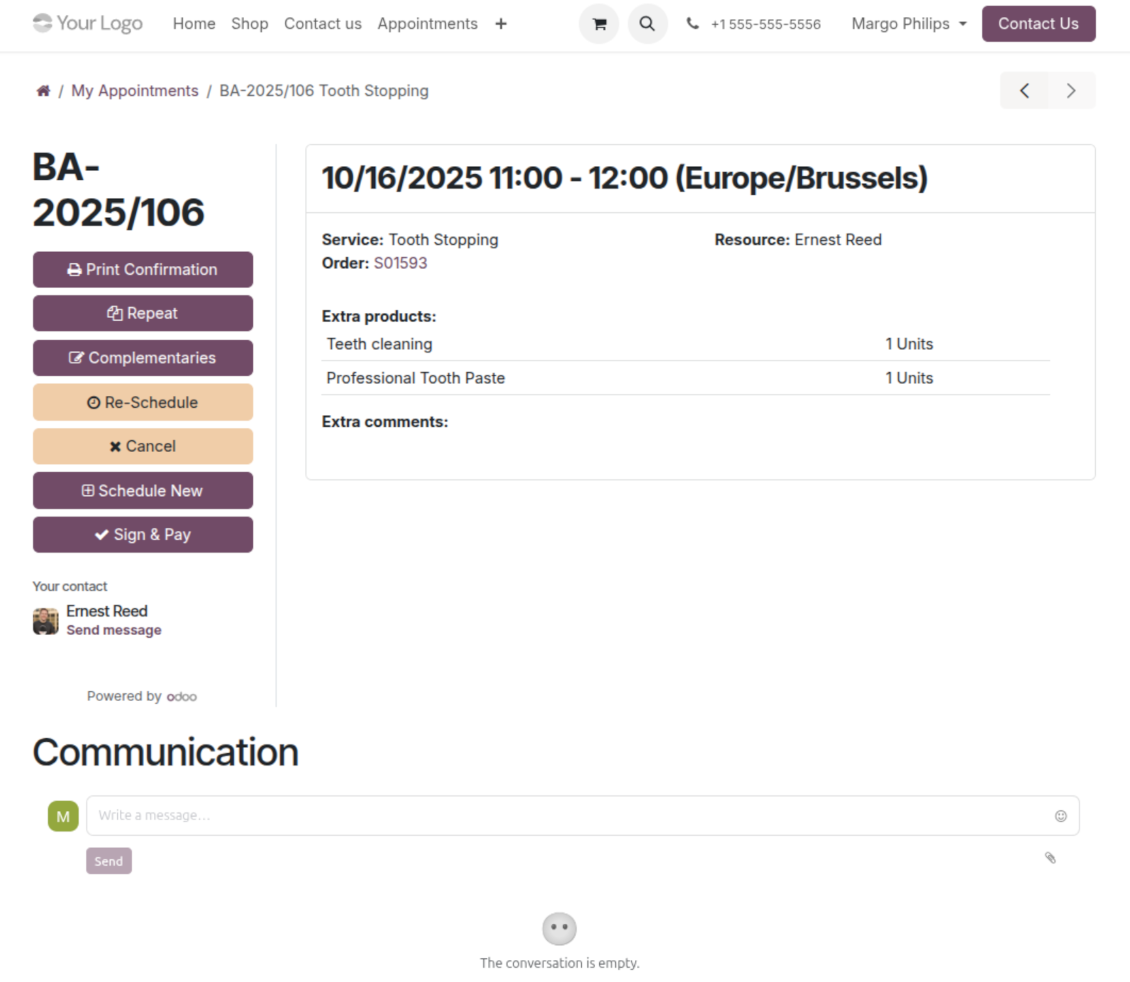
Give customers a familiar Odoo portal space to manage planned and completed appointments.
Customer Self-Service
- Portal users see planned and completed appointments in their Odoo portal account.
- Customers can open full reservation details, repeat bookings, and schedule new appointments from the portal.
- Allowed users can cancel or reschedule planned appointments according to configured resource-type rules.
Reservation Communication
- Each appointment page includes chatter for communication with the resource manager and followers.
- Customers can print an appointment voucher or confirmation from the portal page.
- Linked sale orders remain available through standard Odoo portal sales entries when sales extensions are installed.
Ready to evaluate?
Start with a free demo request or purchase in the Odoo Apps Store.
Free personalized demo. No phone number or credit card required. Free life-time updates and expert support within the major Odoo version.
Odoo demonstration databases (live previews)
For this app, we might provide a free personalized demo database.
You do not need a phone number or credit card to contact us. You should only pass a short email sign-up, which does not take more than 30 seconds.
By your request, we will prepare an individual live preview database, where you can apply any tests and check assumptions for about two weeks.
Bug reporting
If you encounter bugs or inconsistent behavior, do not hesitate to contact us. We guarantee to provide fixes within 60 days of purchase and are intensely interested in improving our tools even after this period.
You do not need a phone number or credit card to contact us. You should only pass a short email sign-up, which does not take more than 30 seconds.
Please include as many details as possible in your request: screenshots, Odoo server logs, a full description of how to reproduce your problem, and so on. Usually, it takes a few business days to prepare a working plan for an issue (if a bug is confirmed) or provide you with guidelines on what should be done (otherwise).
Public features requests and module ideas (free development)
We are strongly motivated to improve our tools and would be grateful for any feedback. If your requirements are of public use and might be efficiently implemented, the team will include those in our to-do list.
Such a to-do list is processed regularly and does not assume extra fees. Although we cannot promise deadlines and final design, it might be a good way to get desired features without investments and risks.
You do not need a phone number or credit card to contact us. You should only pass a short email sign-up, which does not take more than 30 seconds.
19.0.1.1.21
- The issue with the state selection has been fixed.
19.0.1.1.20
- The app is published to version 19.
18.0.1.1.20
- The issue with duplicated warnings has been fixed.
18.0.1.1.19
- The issue with the untranslated warnings has been fixed.
18.0.1.1.18
- The app is published to version 18.
17.0.1.1.18
- The search for resource types, resources, and services is fixed.
17.0.1.1.17
- The issue with importing the slug method is fixed.
17.0.1.1.16
- The appointment-finishing algorithm is optimized to avoid concurrent updates.
17.0.1.1.15
- The access to custom filters under public and portal users is fixed.
17.0.1.1.13
- The issue with incorrect images' appearance in portal chatters is fixed.

The tool to flexibly structure Odoo attachments in folders and synchronize directories with cloud clients: Google Drive, OneDrive/SharePoint, Nextcloud/ownCloud, Dropbox, Amazon S3, Box, and NAS. DMS. File Manager. Document management system
398€
The tool to automatically synchronize Odoo attachments with OneDrive files in both ways
487€
The tool to automatically synchronize Odoo attachments with Google Drive files in both ways
487€

The tool to build a deep and structured knowledge base for internal and external use. Knowledge System. KMS. Wiki-like revisions.

The tool to set up KPI targets and control their fulfillment by periods. KPI dashboards. Dashboard designer. KPI charts

The tool to manage your Odoo from your favorite AI chats through MCP. Claude. Any MCP-supporting AI.
198€
The tool for time-based service management from booking appointments to sales and reviews

The tool to translate URL addresses of Odoo website pages