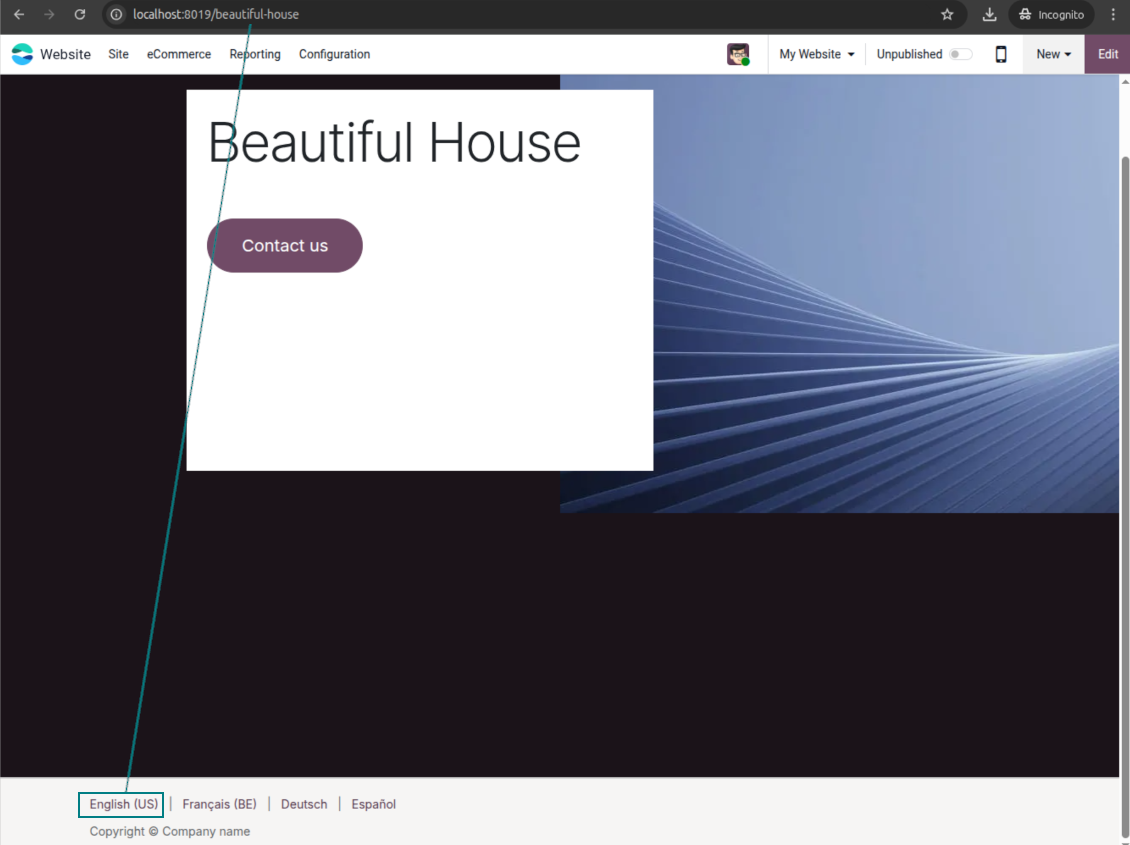
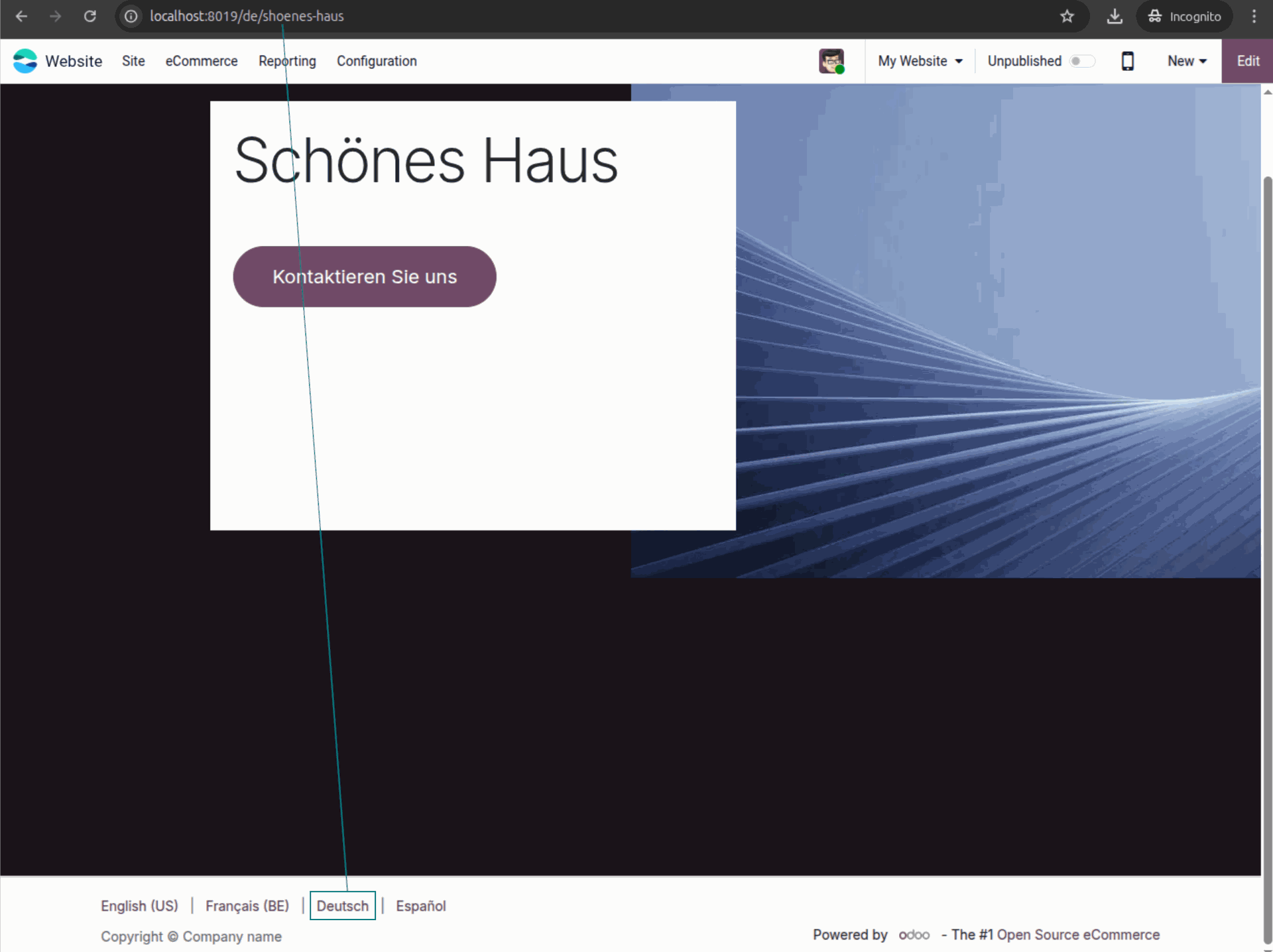
In Short
URL Transliterations for Website Pages is an Odoo 19 Website app. The tool to translate URL addresses of Odoo website pages.
Important scope: URL Transliterations for Website Pages is designed for Odoo custom website pages (static pages available under Website > Site > Pages). It is not advertised as a universal transliteration tool for every dynamic Odoo website route.
If your Odoo website works in several languages, one generic custom page address is rarely enough. The app lets you create clean, readable, language-specific URLs for those custom Odoo website pages directly from page properties.
Define transliterated addresses only for the languages you need, keep the default URL as a fallback, and optionally add localized custom page links to the sitemap. Visitors get familiar page addresses in their language, while your SEO team gets predictable URLs for multilingual custom website content.
Perfect for
Multilingual custom pages
Teams that publish custom Odoo website pages in several languages and want each audience to see readable, native-looking page URLs instead of one generic address.
SEO and localization agencies
Consultants who need predictable per-language addresses, sitemap-ready localized URLs, and controlled routing for customer websites built with Odoo custom pages.
International portals and shops
Businesses that use custom Odoo website pages for regional landing pages, support information, or online-store content and need language-specific links that visitors can understand and trust.
Ready to evaluate?
Start with a free demo request or purchase in the Odoo Apps Store.
Free personalized demo. No phone number or credit card required. Free life-time updates and expert support within the major Odoo version.
Why teams choose it
Key benefits of the app
Custom page URL transliteration
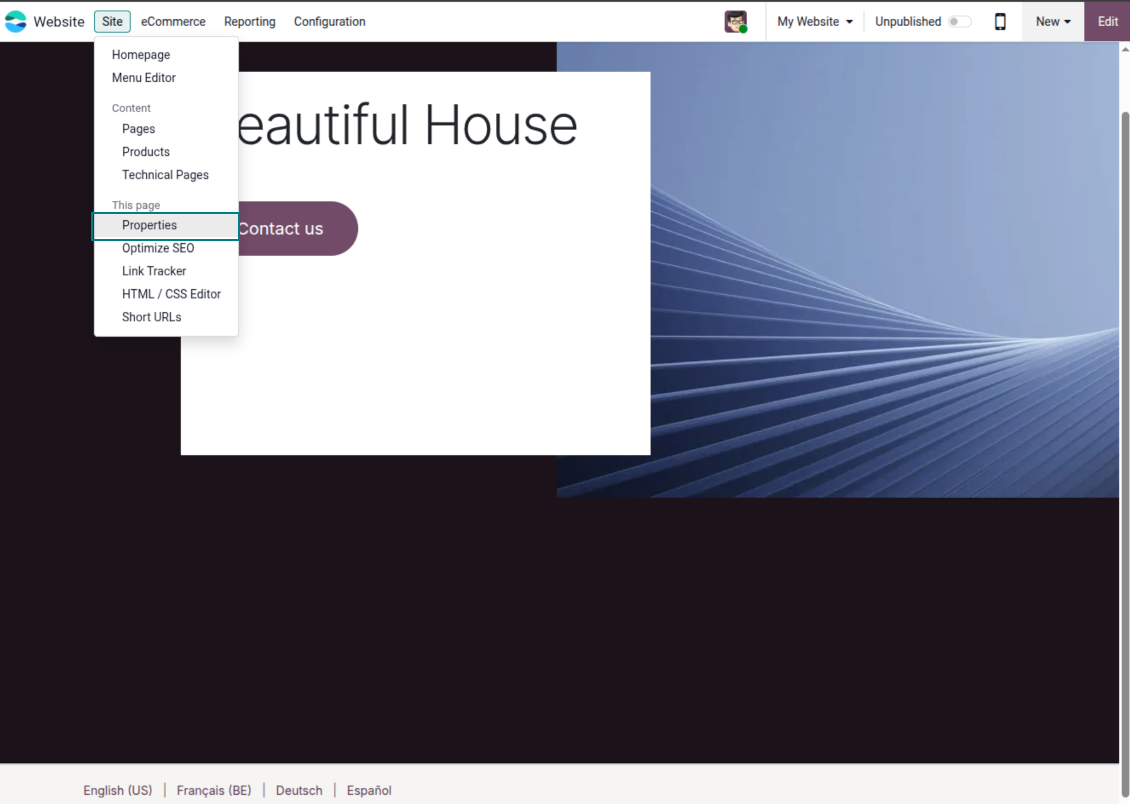
The app works with Odoo custom website pages. For those pages, open Site > This page > Properties, use the URL Transliterations tab, and define the localized address for the selected language.
Own links for installed languages
Create custom website page addresses for any installed Odoo language without translating every language at once. If a custom page has no transliteration for a visitor's language, Odoo keeps the default page URL available.
Language-aware visitor routing
The address of a custom page adapts when a visitor opens that page or switches website language. One custom page can keep a default link and use native-looking French or German URL paths for localized visitors.
SEO-friendly local URLs
Use readable, language-specific URLs for custom website pages so visitors and search engines understand the page destination faster. The app helps turn generic custom page links into localized, SEO-conscious addresses.
Optional sitemap inclusion
When a custom page should be indexed in several localized URL forms, enable Add transliterations to sitemap. Odoo can then enumerate transliterated custom page links together with the original page URL.
Controlled redirects
Choose whether URL transliteration redirects should use temporary or permanent redirects. This keeps localized custom page routing predictable while letting you align redirect behavior with your SEO and rollout strategy.
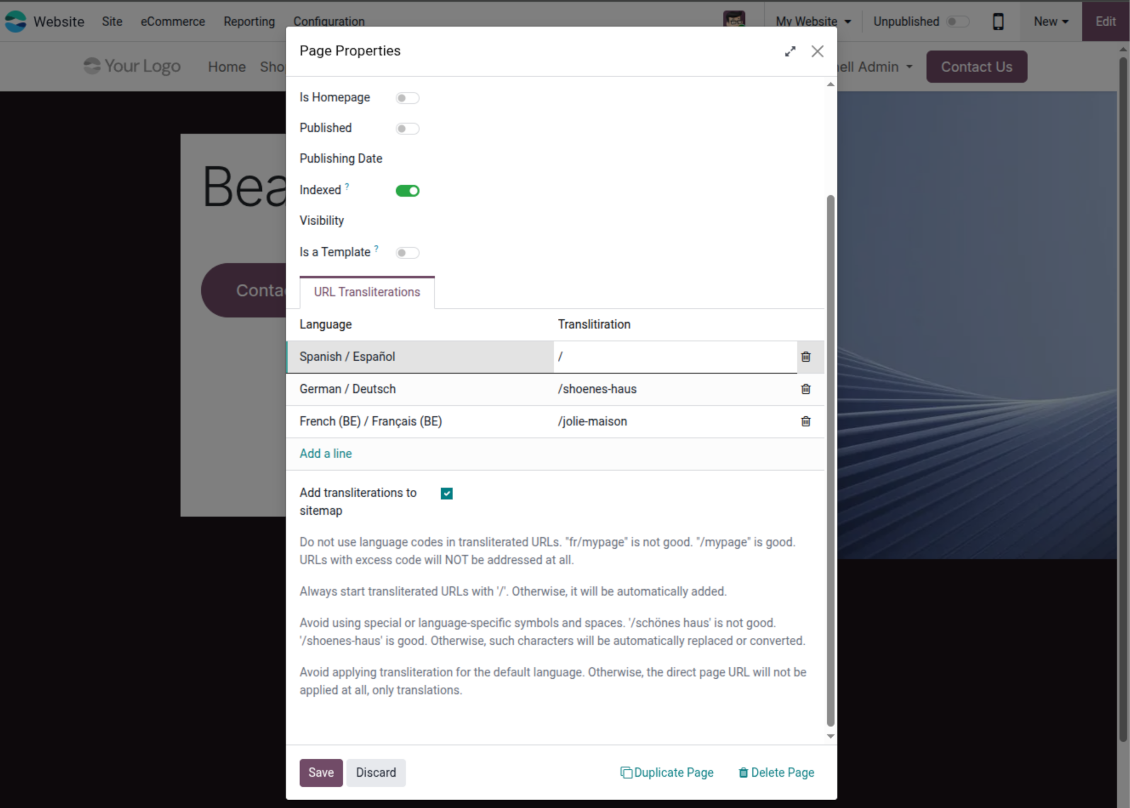
URLs translation requirements
Keep every translated URL clean
- Start with a slash. Transliterated URLs should begin with /. If a user omits it, the app adds the slash after the value is inserted.
- Use URL-safe text. Avoid spaces, special symbols, and language-specific characters in the URL path. For example, use /shoenes-haus instead of a phrase with spaces or accented characters.
- Review the final result. The app can replace or convert invalid symbols, but every public page address should still be checked before publication.
Prevent duplicate or broken routing
- Do not type language codes into the custom URL. Codes such as /fr/, /de/, or /fr_FR/ are reserved for Odoo language routing and are added automatically when needed.
- Keep addresses unique. The app warns about duplicate transliterations across pages and duplicate translations for the same page and language.
- Avoid hidden conflicts. A transliterated URL should not match the default URL of another page, because page URLs are exact addresses that Odoo and browsers use to choose the correct content.
Ready to evaluate?
Start with a free demo request or purchase in the Odoo Apps Store.
Free personalized demo. No phone number or credit card required. Free life-time updates and expert support within the major Odoo version.
Odoo demonstration databases (live previews)
For this app, we might provide a free personalized demo database.
You do not need a phone number or credit card to contact us. You should only pass a short email sign-up, which does not take more than 30 seconds.
By your request, we will prepare an individual live preview database, where you can apply any tests and check assumptions for about two weeks.
Bug reporting
If you encounter bugs or inconsistent behavior, do not hesitate to contact us. We guarantee to provide fixes within 60 days of purchase and are intensely interested in improving our tools even after this period.
You do not need a phone number or credit card to contact us. You should only pass a short email sign-up, which does not take more than 30 seconds.
Please include as many details as possible in your request: screenshots, Odoo server logs, a full description of how to reproduce your problem, and so on. Usually, it takes a few business days to prepare a working plan for an issue (if a bug is confirmed) or provide you with guidelines on what should be done (otherwise).
Public features requests and module ideas (free development)
We are strongly motivated to improve our tools and would be grateful for any feedback. If your requirements are of public use and might be efficiently implemented, the team will include those in our to-do list.
Such a to-do list is processed regularly and does not assume extra fees. Although we cannot promise deadlines and final design, it might be a good way to get desired features without investments and risks.
You do not need a phone number or credit card to contact us. You should only pass a short email sign-up, which does not take more than 30 seconds.

The tool to flexibly structure Odoo attachments in folders and synchronize directories with cloud clients: Google Drive, OneDrive/SharePoint, Nextcloud/ownCloud, Dropbox, Amazon S3, Box, and NAS. DMS. File Manager. Document management system
398€
The tool to automatically synchronize Odoo attachments with OneDrive files in both ways
487€
The tool to automatically synchronize Odoo attachments with Google Drive files in both ways
487€

The tool to build a deep and structured knowledge base for internal and external use. Knowledge System. KMS. Wiki-like revisions.

The tool to set up KPI targets and control their fulfillment by periods. KPI dashboards. Dashboard designer. KPI charts

The tool to manage your Odoo from your favorite AI chats through MCP. Claude. Any MCP-supporting AI.
198€
The tool for time-based service management from booking appointments to sales and reviews
