Box Odoo Integration v.18
The tool to automatically synchronize Odoo attachments with Box files in both ways
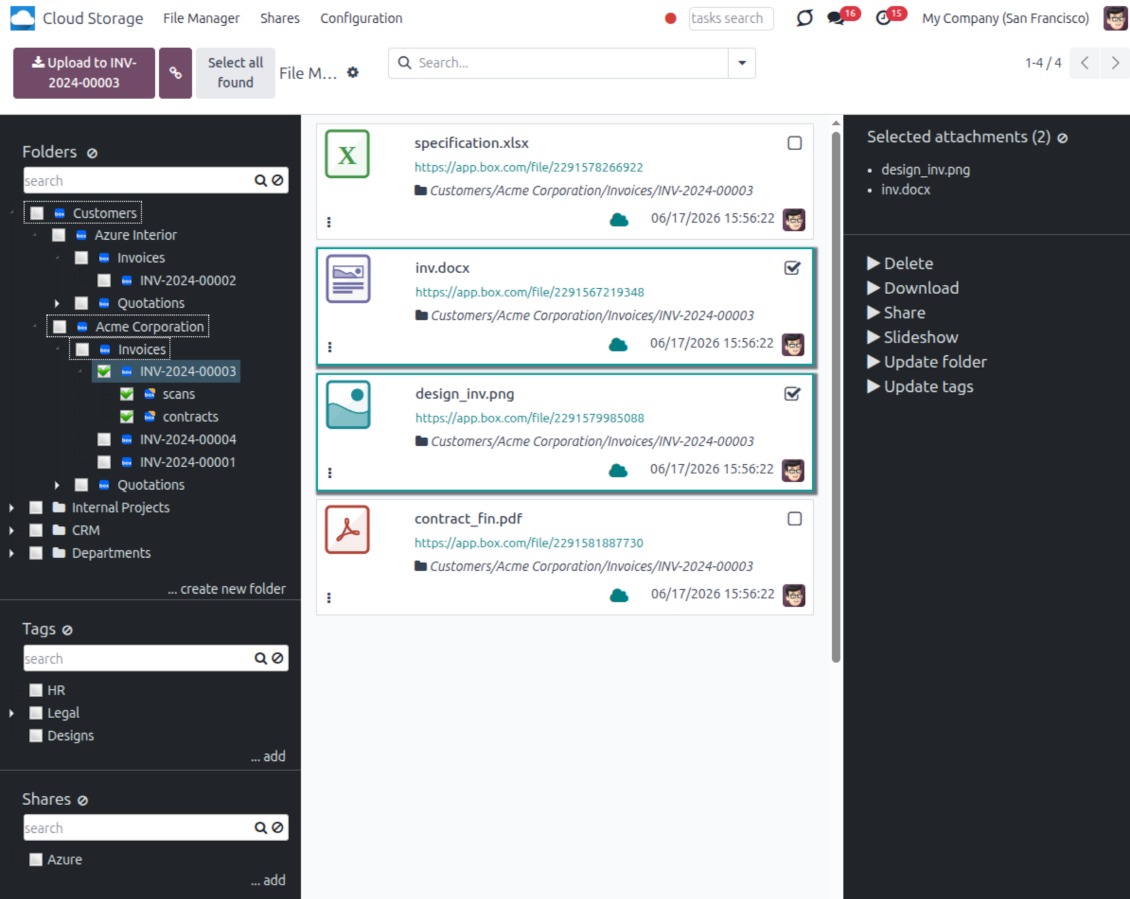
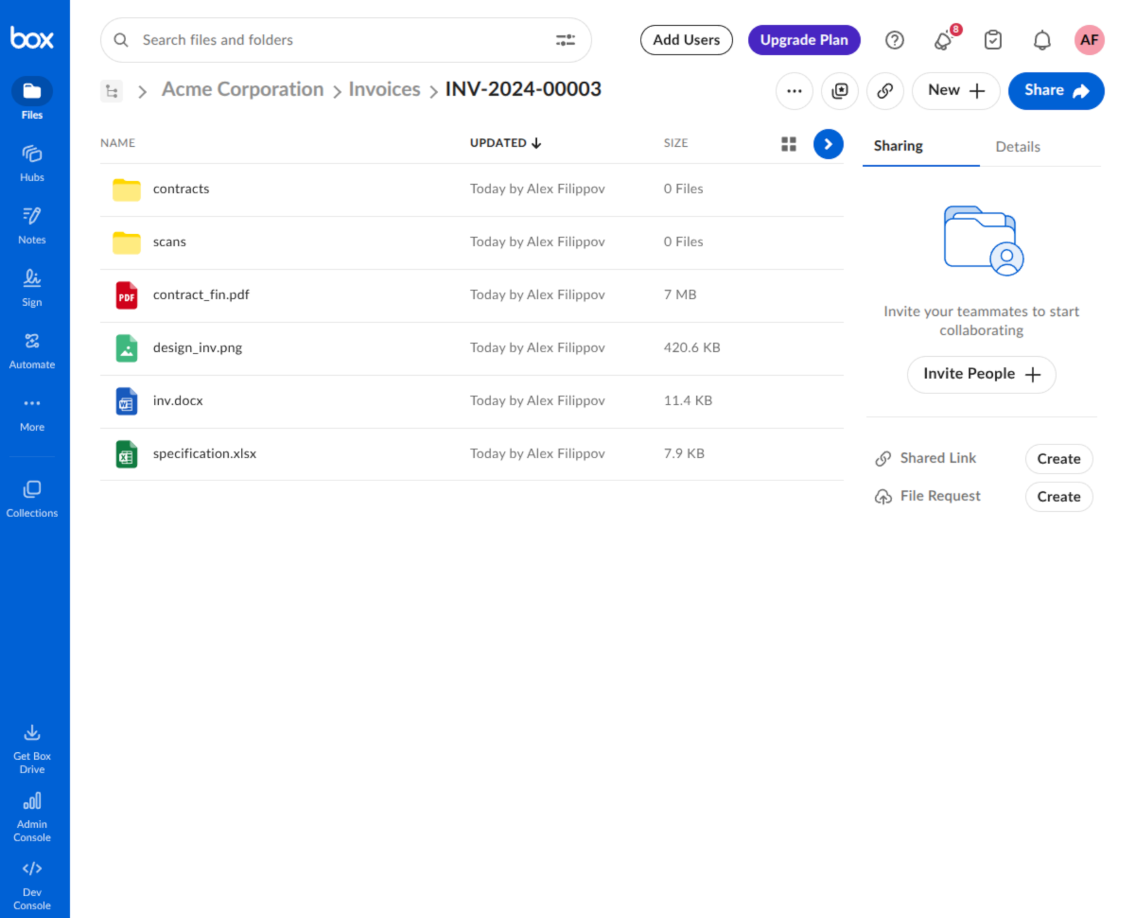
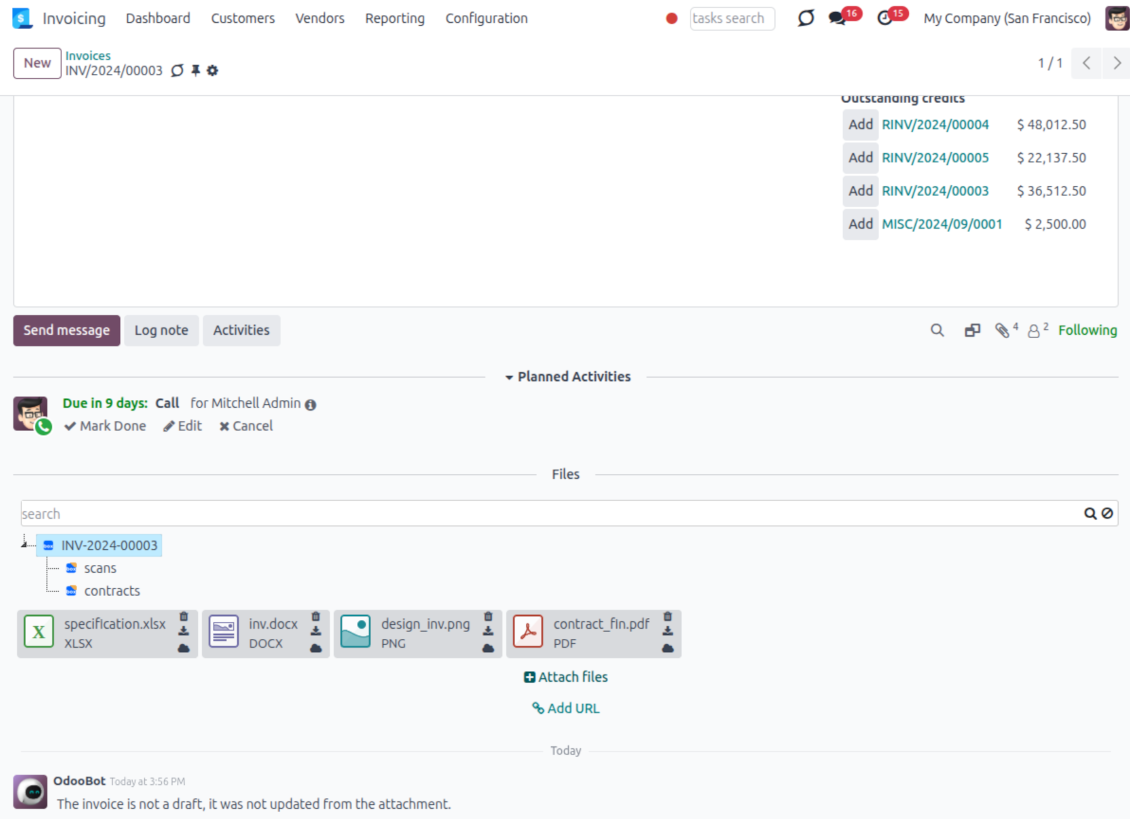
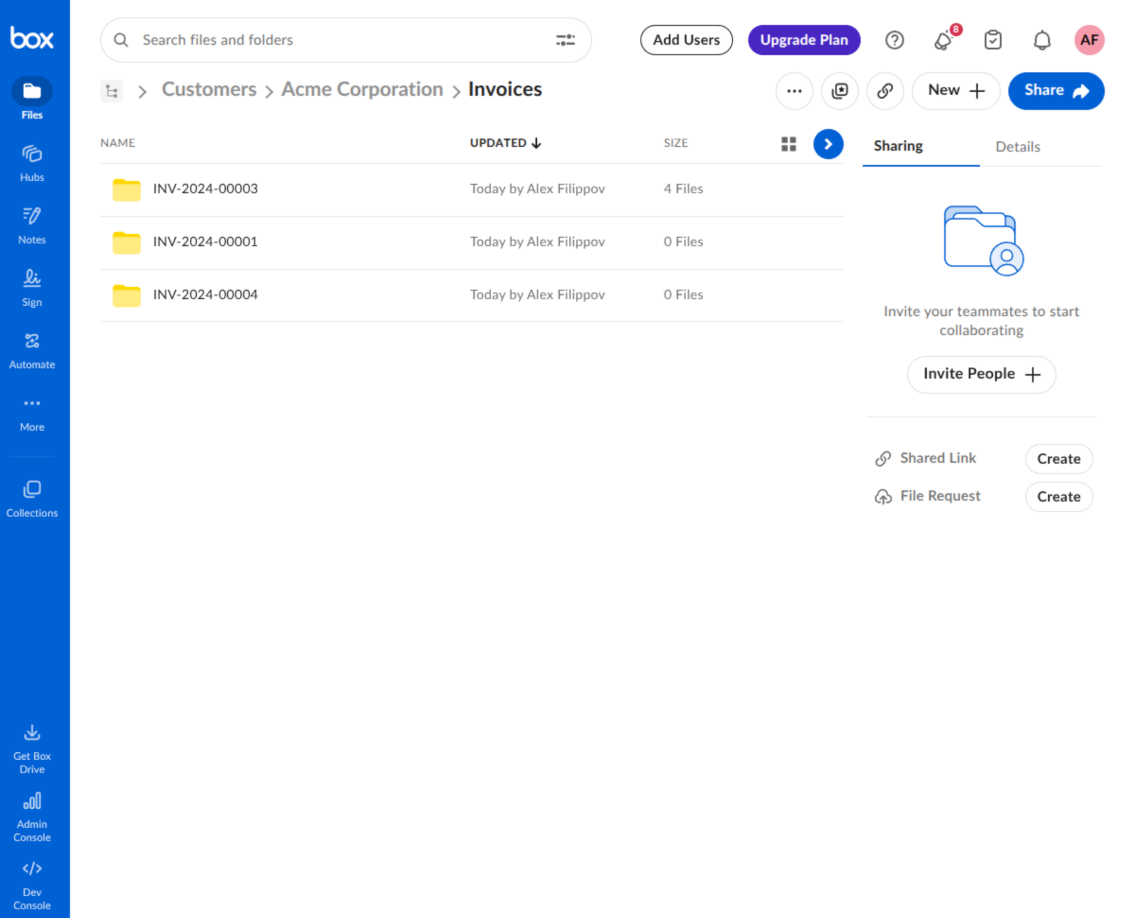
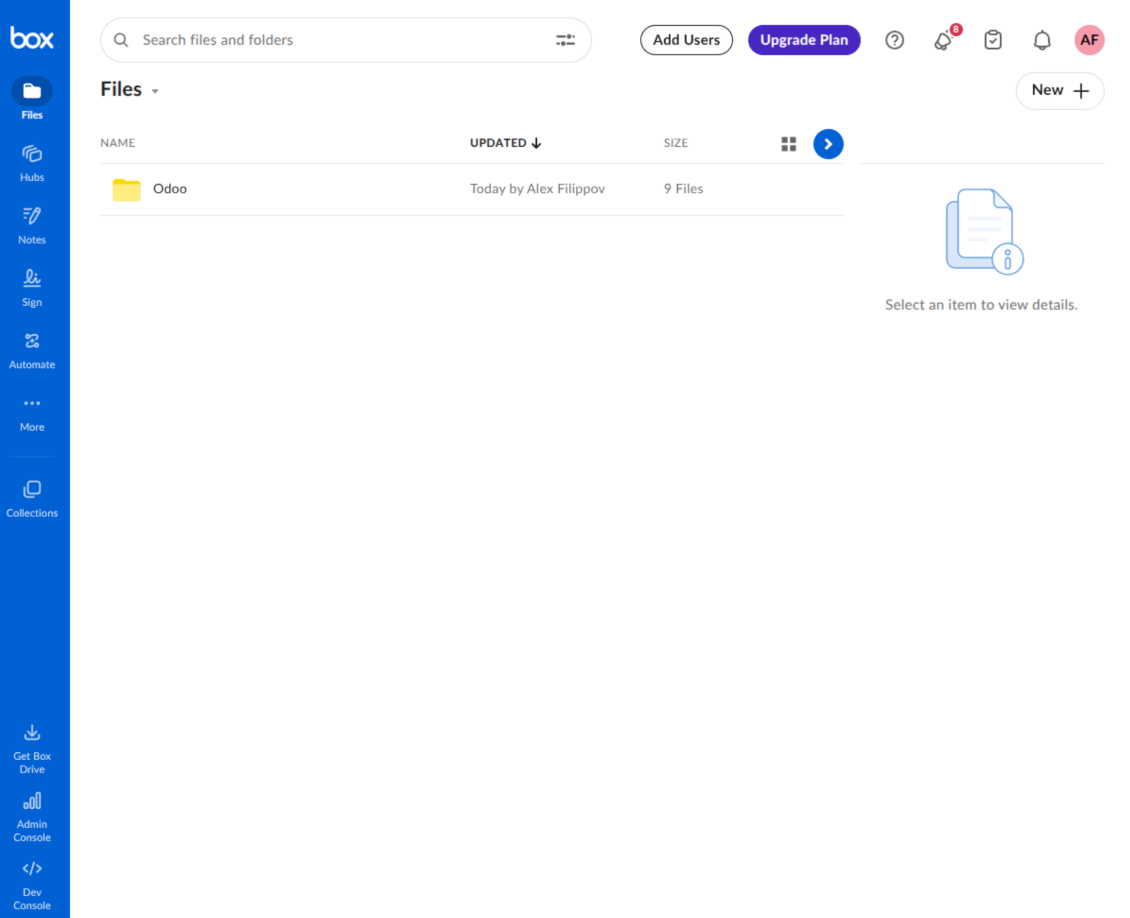
This is the tool to integrate Box features with Odoo folders and files. The app automatically stores Odoo attachments and directories in Box and provides instant access to them through Box web links.
Automatic folders' structure
Decide which Odoo document types should have their own folders trees and synchronize those to Box
Automatic regular sync
Rely on auto-synchronization between Odoo and Box based on scheduled jobs. No manual interaction is required
Bilateral sync
Odoo sends attachments to Box and retrieves files from there. Binary content is kept in clouds, while Odoo provides direct access to synced items
Cloud synchronization history
Control Box sync logs right in Odoo. Export and share those in case of any issues. Be notified of any client disconnections
File manager interface
Manage synced folders and attachments from a single Odoo view. Comfortably navigate by directories. Search, download, upload, and move files
Attachment box
Organize files of any Odoo object in a set of subfolders. Instantly access folders and files in the attachment box and in Box
How synchronization works
Automatic two-sided sync
- Configure sync for one or multiple Box accounts
- Integration is based on scheduled jobs and is fully automatized. The app regularly checks changes in Odoo and Box and runs sync operations
- Synchronization is bilateral. Updates in Odoo are reflected in Box (direct sync); changes in Box modify Odoo folders and attachments (backward sync)
- Cloud connection with Box might be reset. In this way, the app assumes getting all items back to Odoo (reverse sync)
Queue-based synchronization
- Once in 15 minutes, the app examines updates in Odoo and Box to prepare a synchronization queue
- Folders' checks follow the First-In-First-Out (FIFO) principle. Directories that have not been examined for the longest are processed first
- If the app faces sync failures, it will retry operations afterward. Sync queue processing is not stopped by non-blocking failures
Odoo attachments for Box: direct sync
- Direct sync prepares the folders' hierarchy and uploads Odoo attachments to Box
- Folder and file renames or moves keep stable Box IDs, so synced Odoo records stay linked to the same cloud item
- Uploaded attachments become URL records in Odoo, while binary content is stored in Box
Box files and folders for Odoo: backward sync
- Backward sync checks whether files or subfolders are added to Box folders. If so, the app creates URL attachments/subdirectories inside linked Odoo directories
- Updates in Box are reflected in Odoo, including moves and renames based on stable Box item IDs
- In case of conflicts, direct sync changes are in general considered more important than backward updates
Box URLs
Box provides internal web links for files and folders, for example links of the type https://app.box.com/file/[ID] and https://app.box.com/folder/[ID]. Such links are stable, but only Box users with access rights to the related item can open them.
By default, the connector uses those internal Box links. It is the safest and fastest option, since the synchronization does not have to create shared links for every synced item.
If shared links are enabled, Odoo will try to generate Box shared URLs for files and folders. Be cautious with this option: although the links are hardly known by external users, they might become available as a result of some user actions. Besides, shared link generation is slower and might make the synchronization process longer.
Savjeti za konfiguraciju i instalaciju za Box Odoo Integration Odoo v.18
Python dependency
The tool depends on the external library 'box_sdk_gen'. Install this library for your Odoo server through the command:
pip3 install boxsdkConfiguration and log in
- Turn on the option 'Box Sync' (cloud Storage > Configuration > Configuration). The optional add-on Box Odoo Integration is required
- Create or open a Box developer account and go to the Box Developer Console: https://app.box.com/developers/console
- Create a Custom App and choose OAuth 2.0 (Authorization Code Grant) as the authentication method
- Add the redirect URI as [YOURODOOSITENAME]/box_token (e.g. https://faotools.com/box_token). A valid SSL certificate (https) is required
- Grant the app access to read and write files and folders. Avoid assigning unrelated permissions
- Go to Odoo Cloud Storage > Configuration > Cloud Clients and press 'Create'
- As a reference, introduce any name which would be clear to all users
- As a Cloud client, choose 'Box'
- As a Root folder name, enter a title that will be used as the parent Box directory for all synced folders. For example, 'Odoo' or 'OdooERP'
- Copy Box Client ID to the field 'Client ID'
- Copy Box Client Secret to the field 'Client Secret'
- Insert previously generated redirect URL
- Press 'Confirm'. Odoo redirects you to the Box login page. Check in the system, agree with all conditions, and grant all permissions asked
- After login, Box redirects you back to Odoo. Box - Odoo synchronization is ready to be done
- Apply the newly created cloud client to folder rules and/or manual folders which should be synced to that Box account
- Await the sync scheduled job to be started. For testing purposes only: trigger integration manually from Cloud Storage > Configuration > Configuration > the button 'Launch sync'.
Create a new Box developer app

Copy Box OAuth credentials

Configure the Box cloud client in Odoo

Grant Odoo access to Box

Često postavljana pitanja o Box Odoo Integration Odoo v.18
Gdje se pohranjuju sinkronizirana polja? Jesu li duplicirana u Odoo i oblake?
Aplikacija pretpostavlja da se binarni sadržaj privitaka čuva u Cloud Clientu umjesto na Odoo poslužitelju. Takvi privici u Odoo postaju tipa URL i možete im bilo kada pristupiti iz okvira privitaka ili iz Cloud Clienta.
Nakon postavljanja nisu potrebne ručne radnje jer je sinkronizacija potpuno automatska. Odlučite koje vrste Odoo dokumenata treba sinkronizirati i postavite povezani model za svaku od njih (klijenti, prodajni ili nabavni nalozi, zadaci, projekti itd.).
Mogu li imati nekoliko mapa za isti tip dokumenta? Na primjer, interni projekti i projekti kupaca?
Da, možete. U tu svrhu pripremite pravilo za svaki, a zatim primijenite filtre: na primjer prema vrsti projekta.
Pokušajte filtre učiniti međusobno isključivima kako bi se dokument mogao jednoznačno dodijeliti. Npr. „klijent, ali ne dobavljač“, „dobavljač, ali ne klijent“. Inače će mapa određenog dokumenta skakati s jednog modela na drugi.
Je li moguće sinkronizaciju učiniti u stvarnom vremenu?
Ne. Imamo ozbiljne razloge da izbjegavamo sinkronizaciju u stvarnom vremenu:
Problemi performansi. Ako je sinkronizacija u stvarnom vremenu, svako učitavanje datoteke rezultirat će zaslonom učitavanja.
Problemi sukoba. Ako 2 korisnika istodobno promijene stavku, to može dovesti do neriješenih situacija. Kod redovitih poslova to možemo popraviti naknadno, a u stvarnom vremenu morali bismo to spremiti kao red, što bi korisnike još više zbunitilo.
Problemi funkcionalnosti. Posebno preimenovanje i restrukturiranje stavki. U povratnoj sinkronizaciji alat se strogo oslanja na logiku direktorija i pri svakoj sinkronizaciji provjerava se 100% stavki. Ako se to radi nakon svake promjene, bit će tisuće zahtjeva u sekundi. Ako ne: promjene bi se izgubile.
Mogu li mijenjati zadana imena mapa u oblacima?
Možete dodijeliti vlastiti naziv direktorijima modela (prodajni nalozi, prilike, dobavljači itd.) za bilo koji tip dokumenta.
Za mape objekata (SO-001, John Smith itd.) alat se oslanja na Odoo metodu za sastavljanje prikaznog naziva tog tipa dokumenta. To možete promijeniti definiranjem izraza naziva. Koristi se točna sintaksa Odoo e-mail predložaka.
Mogu li mijenjati učestalost poslova sinkronizacije?
Ne, od verzije 15 ne biste trebali mijenjati zakazane poslove. Optimizirani su da se pokreću svakih 15 minuta kako bi veza bila najstabilnija i najbrža.
Pobrinite se da su vremenska ograničenja Odoo poslužitelja postavljena na najmanje 15 minuta (900 sekundi).
Ako trebate na neko vrijeme zaustaviti sinkronizaciju, učinite to na formi određenog cloud clienta.
Mogu li sinkronizirati privitke s nekoliko cloud klijenata
Da, od verzije 15 možete postaviti više veza. Tako neke mape sinkronizirate s jednim cloud clientom, a druge s drugim.
Imajte na umu da istu mapu nije moguće istodobno sinkronizirati s više cloud storages.
U našim cloudovima koristimo poseban uređivač (npr. OnlyOffice, Office 365 itd.). Bi li se datoteke otvarale u tom uređivaču?
Da, ovisno o konfiguraciji cloud clienta.
Trebam li samo aplikaciju Cloud Storage Solution?
Od verzije 15 aplikacija se može koristiti samostalno za slaganje privitaka u mape i sučelje upravitelja datoteka.
Međutim, ako je cilj veza s jednim od klijenata oblaka, treba instalirati barem jednu opcionalnu aplikaciju klijenta.
Što se dogodi kad promijenim pravilo mape?
Kad se pravilo mape promijeni, mijenja se i popis mapa. Ako mapa više ne zadovoljava uvjete pravila, uklanja se. Ako su datoteke sinkronizirane, obrnuta sinkronizacija vraća ih u Odoo i briše iz Cloud Client.
Ako objekt dokumenta ne zadovoljava uvjete pravila mape, njegova se mapa neće stvoriti. Ako ih kasnije zadovolji, povezana mapa bit će izrađena.
Mogu li zadržati samo izravnu sinkronizaciju ili isključiti sinkronizaciju iz oblaka?
Da. Na klijentu oblaka otvorite stranicu Postavke i uključite Isključi sinkronizaciju iz oblaka.
Sinkronizacija ostaje jednosmjerna. Promjene napravljene u Odoo i dalje se šalju u pohranu u oblaku. Datoteke i mape koje se u pohrani u oblaku stvore, preimenuju ili obrišu ne pojavljuju se u Odoo, a tamo obrisane mape se ne obnavljaju.
Ponovno isključite opciju da se nakupljene promjene, uključujući brisanja, primijene pri sljedećoj sinkronizaciji.
Ova je postavka dostupna od verzije 18. Odspajanje, poništavanje ili deaktivacija klijenta i dalje pokreće obrnutu sinkronizaciju, osim ako isključite i nju.
Tekstovi aplikacije i web stranice na jezicima osim engleskog izrađeni su uz pomoć UI i usklađeni sa službenim Odoo prijevodima. Ako uočite pogrešku, pošaljite prijavu o ispravnosti prijevoda i ispravit ćemo.
Odoo demonstracijske baze (pregledi uživo)
Za ovu aplikaciju možemo osigurati besplatnu personaliziranu demo bazu.
Za kontakt nije potreban broj telefona ni kreditna kartica. Potrebna je samo kratka prijava e-poštom koja ne traje više od 30 sekundi.
Na vaš zahtjev pripremit ćemo individualnu bazu za pregled uživo, gdje možete oko dva tjedna provoditi testove i provjeravati pretpostavke.
Prijava grešaka
Ako naiđete na greške ili nedosljedno ponašanje, slobodno nas kontaktirajte. Jamčimo ispravke unutar 60 dana od kupnje i i dalje želimo unapređivati alate nakon tog razdoblja.
Za kontakt nije potreban broj telefona ni kreditna kartica. Potrebna je samo kratka prijava e-poštom koja ne traje više od 30 sekundi.
U zahtjev uključite što više pojedinosti: snimke zaslona, zapisnike Odoo poslužitelja, potpuni opis kako reproducirati problem i slično. Obično treba nekoliko radnih dana za pripremu radnog plana (ako je greška potvrđena) ili smjernica što učiniti (inače).
Javni zahtjevi za značajke i ideje modula (besplatan razvoj)
Snažno smo motivirani poboljšati svoje alate i zahvalni smo na svakoj povratnoj informaciji. Ako su vaši zahtjevi od javne koristi i mogu se učinkovito provesti, tim će ih uvrstiti na naš popis zadataka.
Takav popis zadataka obrađuje se redovito i ne podrazumijeva dodatne naknade. Iako ne možemo obećati rokove i konačni dizajn, to može biti dobar način da dobijete željene značajke bez ulaganja i rizika.
Za kontakt nije potreban broj telefona ni kreditna kartica. Potrebna je samo kratka prijava e-poštom koja ne traje više od 30 sekundi.


The tool to build a deep and structured knowledge base for internal and external use. Knowledge System. KMS. Wiki-like revisions.
398€
The tool to set up KPI targets and control their fulfillment by periods. KPI dashboards. Dashboard designer. KPI charts

The tool for time-based service management from booking appointments to sales and reviews
398€
The tool to manage your Odoo from your favorite AI chats through MCP. Claude. Any MCP-supporting AI.

Alat za fleksibilno strukturiranje Odoo privitaka u mapama i sinkronizaciju direktorija s cloud klijentima: Google Drive, OneDrive/SharePoint, Nextcloud/ownCloud, Dropbox, Amazon S3, Box i NAS. DMS. Upravitelj datotekama. Sustav za upravljanje dokumentima
398€
The tool to automatically synchronize Odoo attachments with OneDrive files in both ways
487€
The tool to automatically synchronize Odoo attachments with Google Drive files in both ways
487€
The tool to automatically synchronize Odoo attachments with ownCloud/Nextcloud files in both ways
487€