Box Odoo Integration v.18
The tool to automatically synchronize Odoo attachments with Box files in both ways
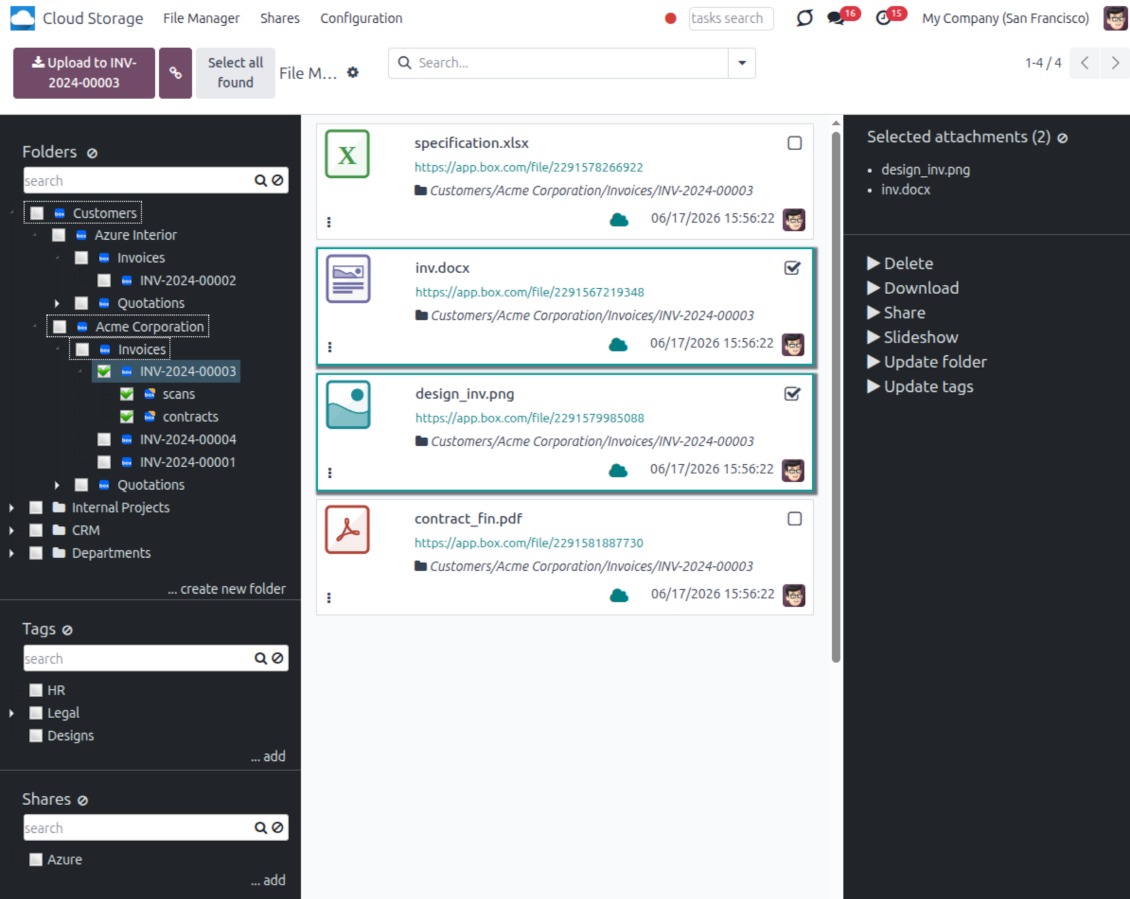
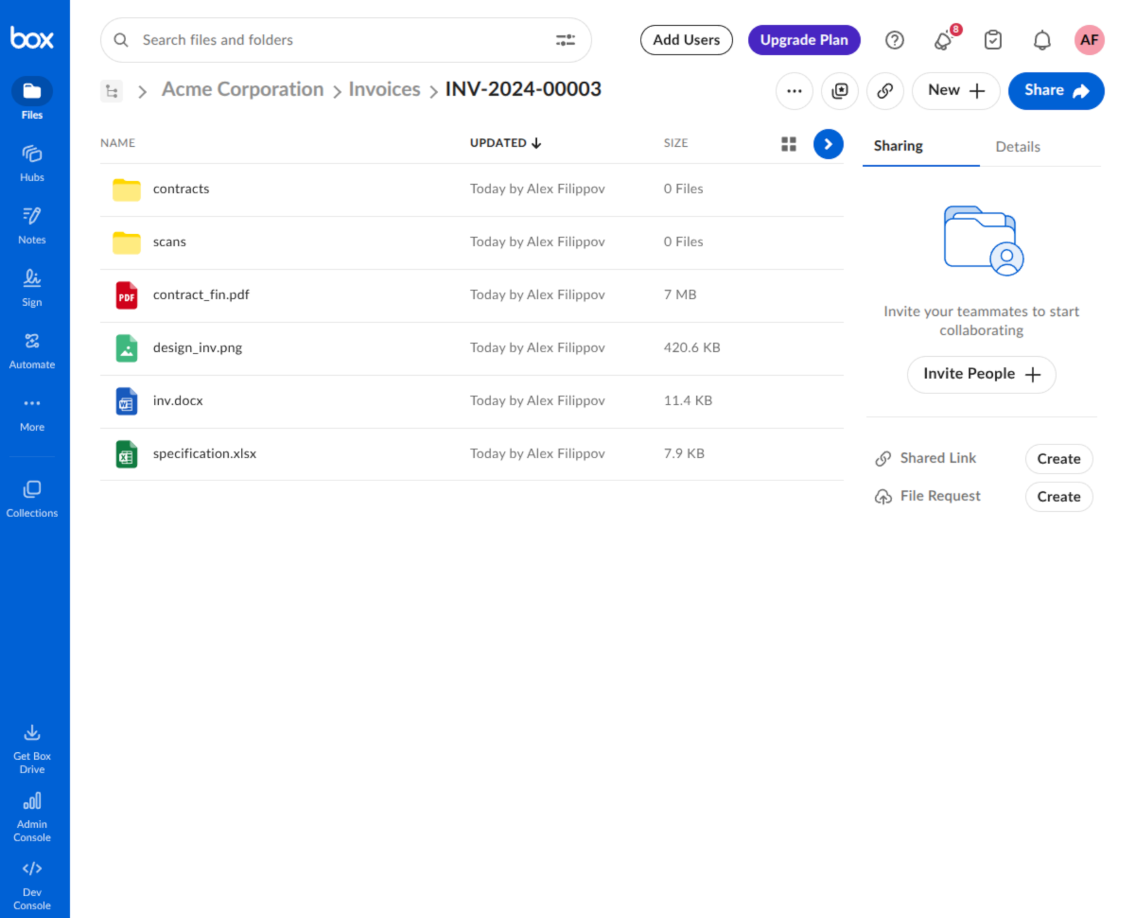
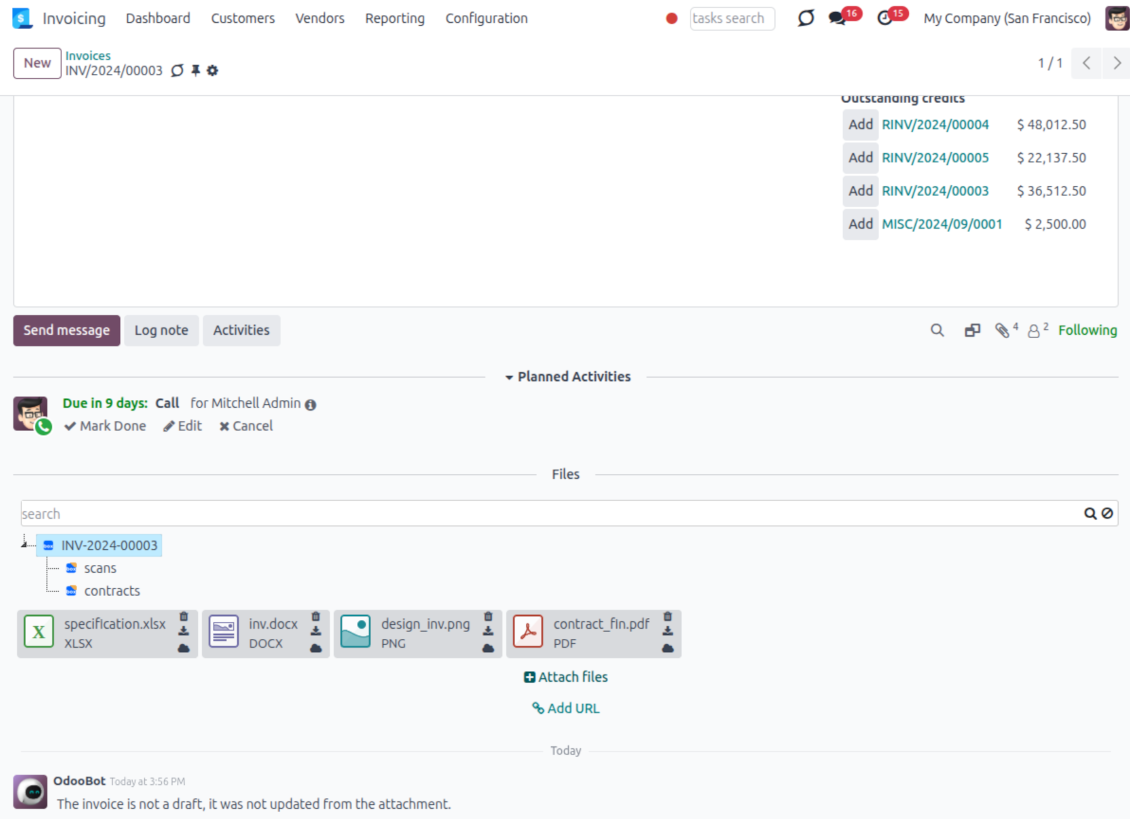
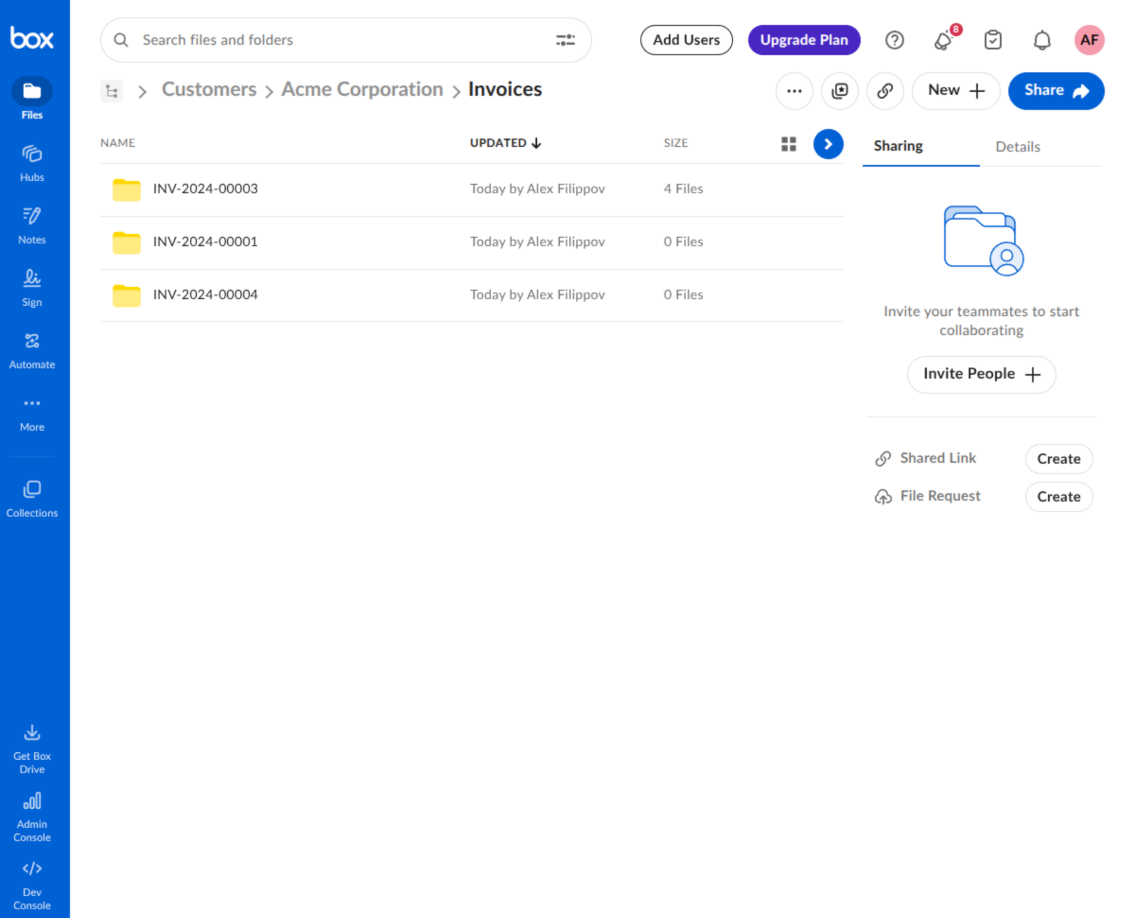
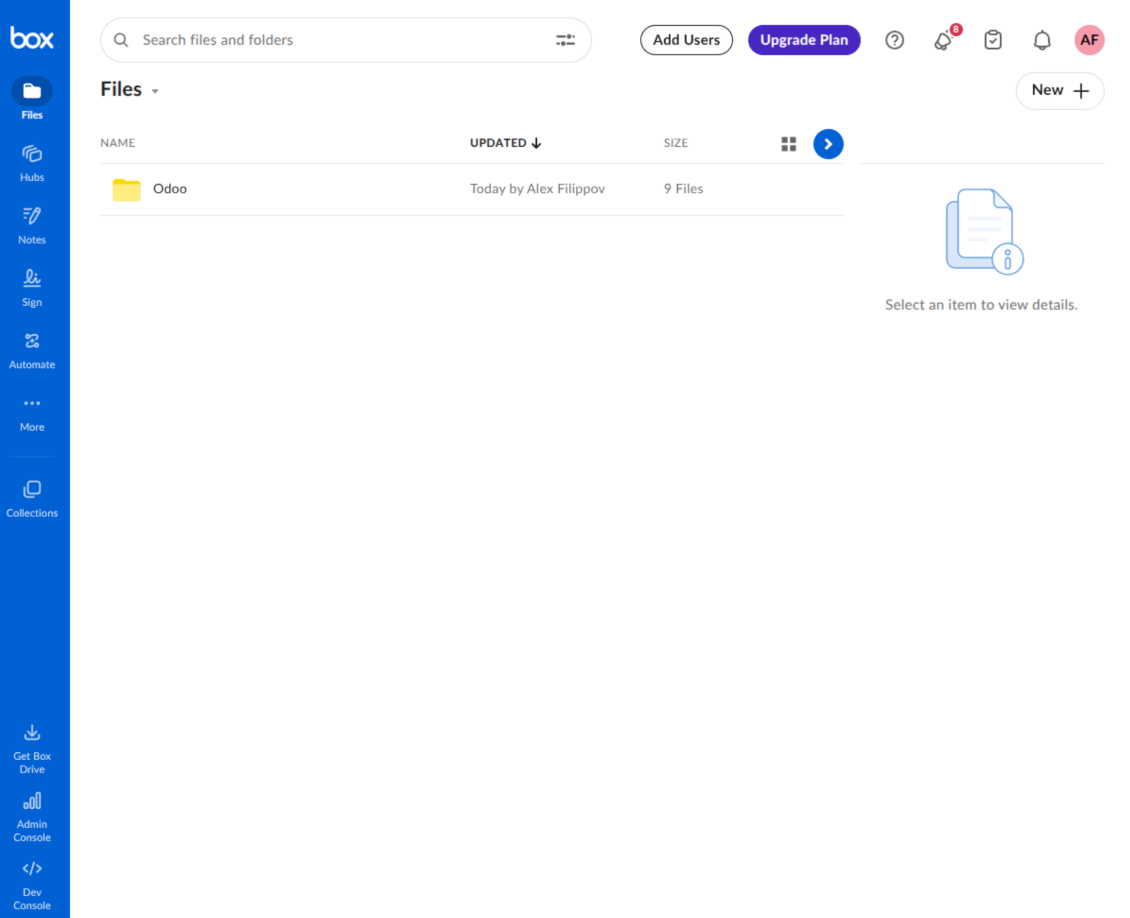
This is the tool to integrate Box features with Odoo folders and files. The app automatically stores Odoo attachments and directories in Box and provides instant access to them through Box web links.
Automatic folders' structure
Decide which Odoo document types should have their own folders trees and synchronize those to Box
Automatic regular sync
Rely on auto-synchronization between Odoo and Box based on scheduled jobs. No manual interaction is required
Bilateral sync
Odoo sends attachments to Box and retrieves files from there. Binary content is kept in clouds, while Odoo provides direct access to synced items
Cloud synchronization history
Control Box sync logs right in Odoo. Export and share those in case of any issues. Be notified of any client disconnections
File manager interface
Manage synced folders and attachments from a single Odoo view. Comfortably navigate by directories. Search, download, upload, and move files
Attachment box
Organize files of any Odoo object in a set of subfolders. Instantly access folders and files in the attachment box and in Box
How synchronization works
Automatic two-sided sync
- Configure sync for one or multiple Box accounts
- Integration is based on scheduled jobs and is fully automatized. The app regularly checks changes in Odoo and Box and runs sync operations
- Synchronization is bilateral. Updates in Odoo are reflected in Box (direct sync); changes in Box modify Odoo folders and attachments (backward sync)
- Cloud connection with Box might be reset. In this way, the app assumes getting all items back to Odoo (reverse sync)
Queue-based synchronization
- Once in 15 minutes, the app examines updates in Odoo and Box to prepare a synchronization queue
- Folders' checks follow the First-In-First-Out (FIFO) principle. Directories that have not been examined for the longest are processed first
- If the app faces sync failures, it will retry operations afterward. Sync queue processing is not stopped by non-blocking failures
Odoo attachments for Box: direct sync
- Direct sync prepares the folders' hierarchy and uploads Odoo attachments to Box
- Folder and file renames or moves keep stable Box IDs, so synced Odoo records stay linked to the same cloud item
- Uploaded attachments become URL records in Odoo, while binary content is stored in Box
Box files and folders for Odoo: backward sync
- Backward sync checks whether files or subfolders are added to Box folders. If so, the app creates URL attachments/subdirectories inside linked Odoo directories
- Updates in Box are reflected in Odoo, including moves and renames based on stable Box item IDs
- In case of conflicts, direct sync changes are in general considered more important than backward updates
Box URLs
Box provides internal web links for files and folders, for example links of the type https://app.box.com/file/[ID] and https://app.box.com/folder/[ID]. Such links are stable, but only Box users with access rights to the related item can open them.
By default, the connector uses those internal Box links. It is the safest and fastest option, since the synchronization does not have to create shared links for every synced item.
If shared links are enabled, Odoo will try to generate Box shared URLs for files and folders. Be cautious with this option: although the links are hardly known by external users, they might become available as a result of some user actions. Besides, shared link generation is slower and might make the synchronization process longer.
Seadistamise ja paigaldamise näpunäited Box Odoo Integration Odoo v.18
Python dependency
The tool depends on the external library 'box_sdk_gen'. Install this library for your Odoo server through the command:
pip3 install boxsdkConfiguration and log in
- Turn on the option 'Box Sync' (cloud Storage > Configuration > Configuration). The optional add-on Box Odoo Integration is required
- Create or open a Box developer account and go to the Box Developer Console: https://app.box.com/developers/console
- Create a Custom App and choose OAuth 2.0 (Authorization Code Grant) as the authentication method
- Add the redirect URI as [YOURODOOSITENAME]/box_token (e.g. https://faotools.com/box_token). A valid SSL certificate (https) is required
- Grant the app access to read and write files and folders. Avoid assigning unrelated permissions
- Go to Odoo Cloud Storage > Configuration > Cloud Clients and press 'Create'
- As a reference, introduce any name which would be clear to all users
- As a Cloud client, choose 'Box'
- As a Root folder name, enter a title that will be used as the parent Box directory for all synced folders. For example, 'Odoo' or 'OdooERP'
- Copy Box Client ID to the field 'Client ID'
- Copy Box Client Secret to the field 'Client Secret'
- Insert previously generated redirect URL
- Press 'Confirm'. Odoo redirects you to the Box login page. Check in the system, agree with all conditions, and grant all permissions asked
- After login, Box redirects you back to Odoo. Box - Odoo synchronization is ready to be done
- Apply the newly created cloud client to folder rules and/or manual folders which should be synced to that Box account
- Await the sync scheduled job to be started. For testing purposes only: trigger integration manually from Cloud Storage > Configuration > Configuration > the button 'Launch sync'.
Create a new Box developer app

Copy Box OAuth credentials

Configure the Box cloud client in Odoo

Grant Odoo access to Box

Korduma kippuvad küsimused Box Odoo Integration Odoo v.18
Kuhu sünkroonitud väljad salvestatakse? Kas need dubleeritakse Odoo-sse ja pilvedesse?
Rakendus eeldab, et manuste binaarsisu hoitakse Cloud Clientis, mitte Odoo serveris. Seega muutuvad sellised manused Odoos URL-tüüpi manusteks ning neile pääseb igal ajal ligi kas manuste kastist või Cloud Clientist.
Pärast seadistamist pole käsitsi toiminguid vaja, sest sünkroonimine on täielikult automaatne. Otsustage, milliseid Odoo dokumenditüüpe sünkroonida, ja seadistage igaühe jaoks seotud mudel (kliendid, müügi- või ostutellimused, ülesanded, projektid jne).
Kas saan samale dokumenditüübile mitu kausta? Näiteks siseprojektid ja kliendiprojektid?
Jah, saate. Selleks valmistage igaühele reegel ja seejärel rakendage filtrid: näiteks projekti tüübi järgi.
Püüdke teha filtrid vastastikku välistavateks, et dokument saaks üheselt määratud. Näiteks „klient, kuid mitte tarnija“, „tarnija, kuid mitte klient“. Muidu hüppab konkreetse dokumendi kaust ühelt mudelilt teisele.
Kas sünkroonimist saab teha reaalajas?
Ei. Meil on tugevad põhjused vältida reaalajas sünkroonimist:
Jõudlusprobleemid. Kui sünkroonimine oleks reaalajas, tööks iga faili üleslaadimine kaasa laadimisekraani.
Konfliktiprobleemid. Kui 2 kasutajat muudavad üksust korraga, võib tekkida lahendamata olukordi. Regulaarsete tööde korral saame selle hiljem parandada; reaalajas tuleks see salvestada järjekorrana, mis ajaks kasutajaid veelgi rohkem.
Funktsionaalsuse probleemid. Eelkõige üksuste ümbernimetamine ja ümberkorraldamine. Tagasisünkroonimisel tuginetakse rangelt kataloogiloogikale ning iga sünkroonimise ajal kontrollitakse 100% üksustest. Kui seda teha pärast iga uuendust, oleks tuhandeid päringuid sekundis. Kui mitte: muudatused läheksid kaduma.
Kas ma saan pilvedes kaustade vaike nimesid muuta?
Saate mudelite kataloogidele (müügitellimused, võimalused, tarnijad jne) anda oma nime mis tahes dokumenditüübi jaoks.
Objektide kaustade (SO-001, John Smith jne) puhul tuginetakse Odoo meetodile selle dokumenditüübi kuvanime koostamiseks. Seda saab muuta nimeavaldist määrates. Kasutatakse täpselt Odoo e-kirja mallide süntaksit.
Kas ma saan sünkroonimistööde sagedust muuta?
Ei, alates versioonist 15 ei tohiks ajastatud töid muuta. Need on optimeeritud käima iga 15 minuti järel, et tagada stabiilseim ja kiireim ühendus.
Veenduge, et Odoo serveri ajalõpud oleksid vähemalt 15 minutit (900 sekundit).
Kui peate sünkroonimise ajutiselt peatama, tehke seda konkreetse cloud client vormil.
Kas ma saan manuseid sünkroonida mõne pilve kliendiga
Jah, alates versioonist 15 saate seadistada mitu ühendust. Nii saate mõned kaustad sünkroonida ühe cloud clientiga ja teised teisega.
Arvestage, et sama kausta ei saa korraga sünkroonida mitme cloud storage’iga.
Kasutame pilvedes spetsiaalset redaktorit (nt OnlyOffice, Office 365 jne). Kas failid avataks selles redaktoris?
Jah, olenevalt teie cloud client seadistusest.
Kas mul on vaja ainult rakendust Cloud Storage Solution?
Alates versioonist 15 saab rakendust kasutada eraldiseisvalt manuste kaustadesse korraldamiseks ja failihalduri liideseks.
Kui eesmärk on ühendus mõne pilvekliendiga, tuleb paigaldada vähemalt üks valikuline kliendiga seotud rakendus.
Mis juhtub, kui muudan kaustareeglit?
Kui kaustareegel muutub, muutub ka kaustade loend. Kui kaust ei vasta enam reeglite tingimustele, eemaldatakse see. Kui failid olid sünkroonitud, toob vastassünkroon need Odoosse tagasi ja kustutab Cloud Clientist.
Kui dokumendi objekt ei vasta kaustareegli tingimustele, selle kausta ei looda. Kui see hiljem vastab, luuakse seotud kaust.
Kas saan jätta ainult otsese sünkroonimise või lülitada välja sünkroonimise pilvest?
Jah. Avage pilvekliendil leht Seaded ja lülitage sisse Lülita välja sünkroonimine pilvest.
Sünkroonimine jääb ühesuunaliseks. Odoos tehtud muudatused saadetakse endiselt pilvesalvestusse. Pilvesalvestuses loodud, ümber nimetatud või kustutatud failid ja kaustad ei kajastu Odoos ning seal kustutatud kaustu ei taastata.
Lülitage valik uuesti välja, et kogunenud muudatused, sealhulgas kustutused, rakenduksid järgmisel sünkroonimisel.
See säte on saadaval alates versioonist 18. Kliendi lahtiühendamine, lähtestamine või väljalülitamine käivitab endiselt pöördsünkroonimise, kui te ei lülita ka seda välja.
Rakenduse ja veebilehe sõnastus muudes keeltes kui inglise on tehisintellekti abil ja kooskõlas ametlike Odoo tõlgetega. Kui märkate viga, saatke pilet tõlgete õigsuse kohta ja parandame selle.
Odoo demonstratsiooniandmebaasid (otse eelvaated)
Selle rakenduse jaoks võime pakkuda tasuta personaliseeritud demoandmebaasi.
Meiega ühenduse võtmiseks pole telefoninumbrit ega krediitkaarti vaja. Piisab lühikesest e-posti registreerimisest, mis ei kesta üle 30 sekundi.
Teie taotlusel valmistame individuaalse otse eelvaate andmebaasi, kus saate umbes kaks nädalat teha teste ja kontrollida eeldusi.
Vigadest teatamine
Kui kohtate vigu või ebajärjekindlat käitumist, võtke julgelt ühendust. Tagame parandused 60 päeva jooksul ostust ja oleme huvitatud tööriistade täiustamisest ka pärast seda perioodi.
Meiega ühenduse võtmiseks pole telefoninumbrit ega krediitkaarti vaja. Piisab lühikesest e-posti registreerimisest, mis ei kesta üle 30 sekundi.
Lisage taotlusse võimalikult palju üksikasju: kuvatõmmised, Odoo serveri logid, täielik kirjeldus probleemi taasesitamiseks jne. Tavaliselt kulub mõni tööpäev, et koostada tööplaan (kui viga kinnitatakse) või anda juhised, mida teha (muul juhul).
Avalikud funktsioonisoovid ja mooduliideed (tasuta arendus)
Oleme tugevalt motiveeritud oma tööriistu parandama ja oleme tänulikud iga tagasiside eest. Kui teie nõuded on üldkasulikud ja neid saab tõhusalt ellu viia, lisab meeskond need meie ülesannete loendisse.
Sellist ülesannete loendit töödeldakse regulaarselt ja lisatasusid ei kaasne. Kuigi me ei saa lubada tähtaegu ega lõplikku kujundust, võib see olla hea viis soovitud funktsioonide saamiseks ilma investeeringute ja riskideta.
Meiega ühenduse võtmiseks pole telefoninumbrit ega krediitkaarti vaja. Piisab lühikesest e-posti registreerimisest, mis ei kesta üle 30 sekundi.


The tool to build a deep and structured knowledge base for internal and external use. Knowledge System. KMS. Wiki-like revisions.
398€
The tool to set up KPI targets and control their fulfillment by periods. KPI dashboards. Dashboard designer. KPI charts

The tool for time-based service management from booking appointments to sales and reviews
398€
The tool to manage your Odoo from your favorite AI chats through MCP. Claude. Any MCP-supporting AI.

Tööriist Odoo manuste paindlikuks kaustadesse paigutamiseks ja kataloogide sünkroonimiseks pilveklientidega: Google Drive, OneDrive/SharePoint, Nextcloud/ownCloud, Dropbox, Amazon S3, Box ja NAS. DMS. Failihaldur. Dokumendihaldussüsteem
398€
The tool to automatically synchronize Odoo attachments with OneDrive files in both ways
487€
The tool to automatically synchronize Odoo attachments with Google Drive files in both ways
487€
The tool to automatically synchronize Odoo attachments with ownCloud/Nextcloud files in both ways
487€