Box Odoo Integration v.18
The tool to automatically synchronize Odoo attachments with Box files in both ways
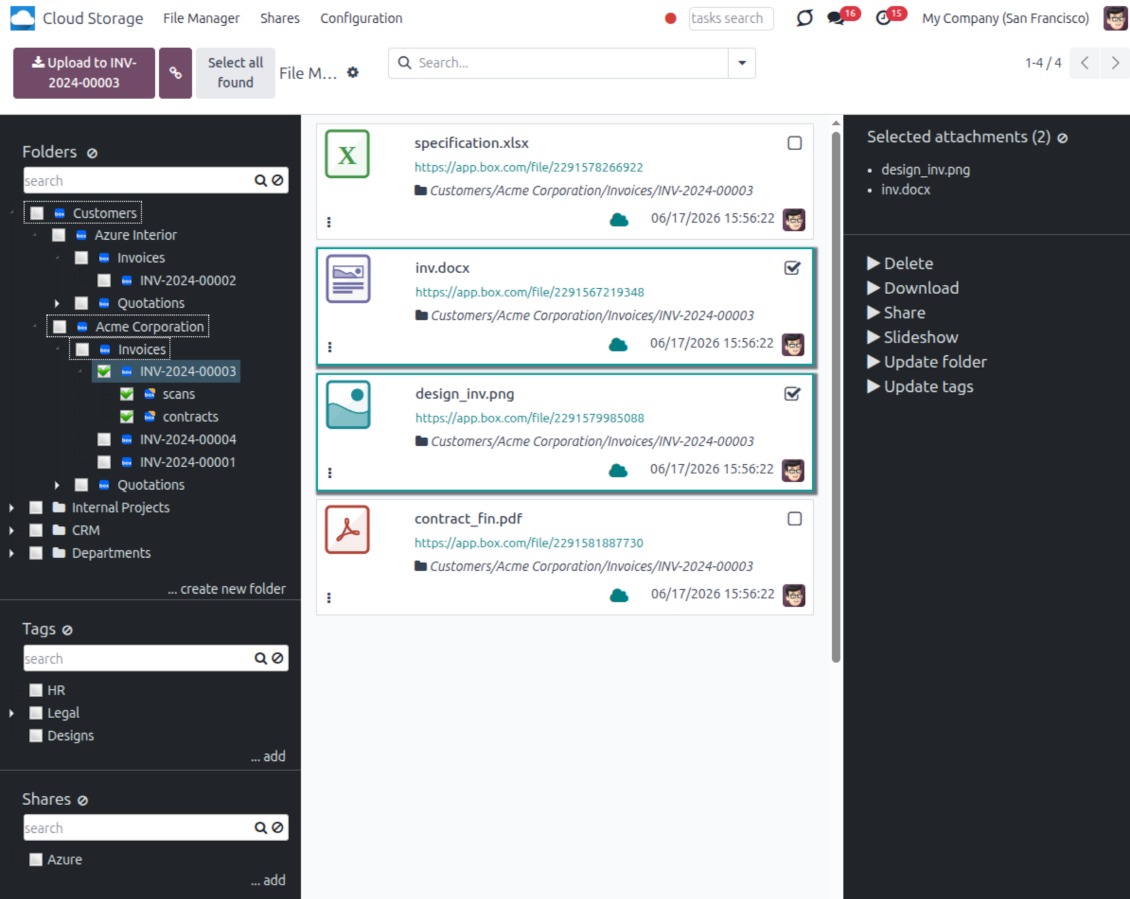
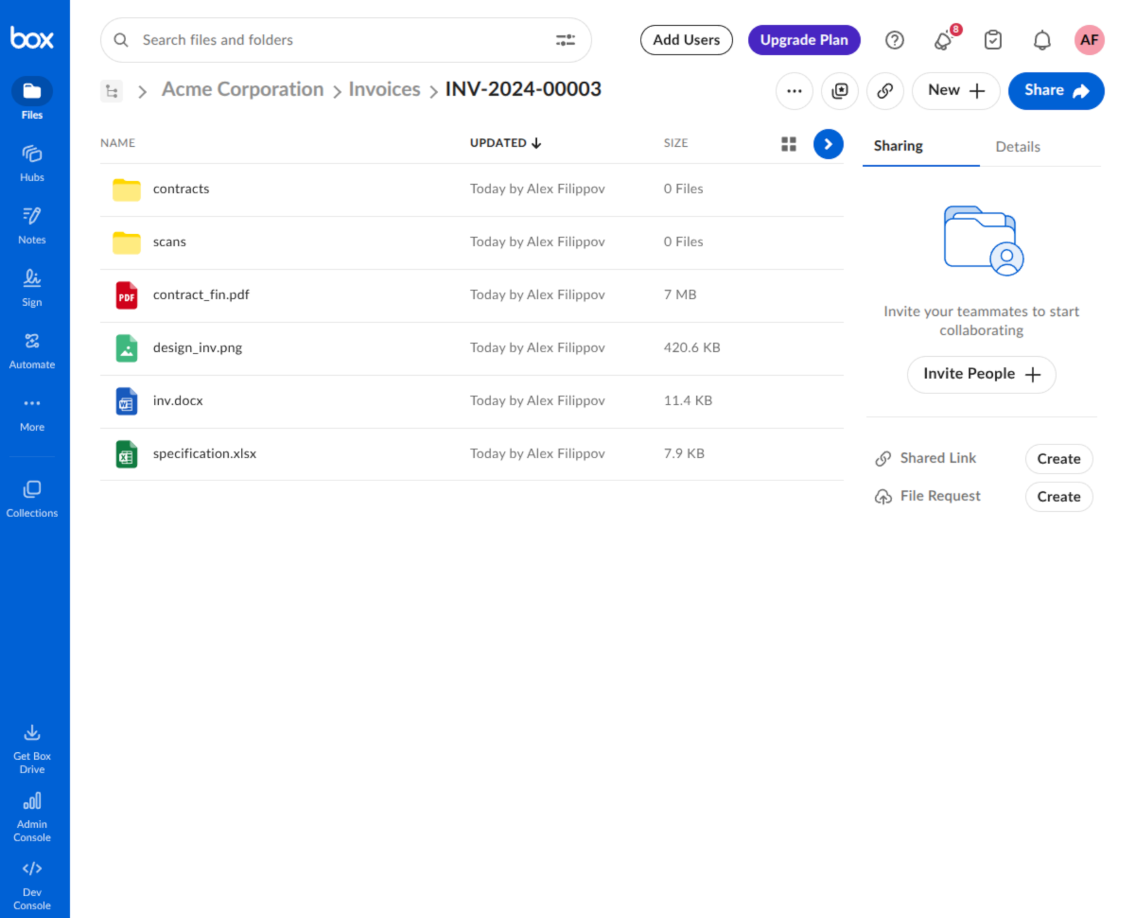
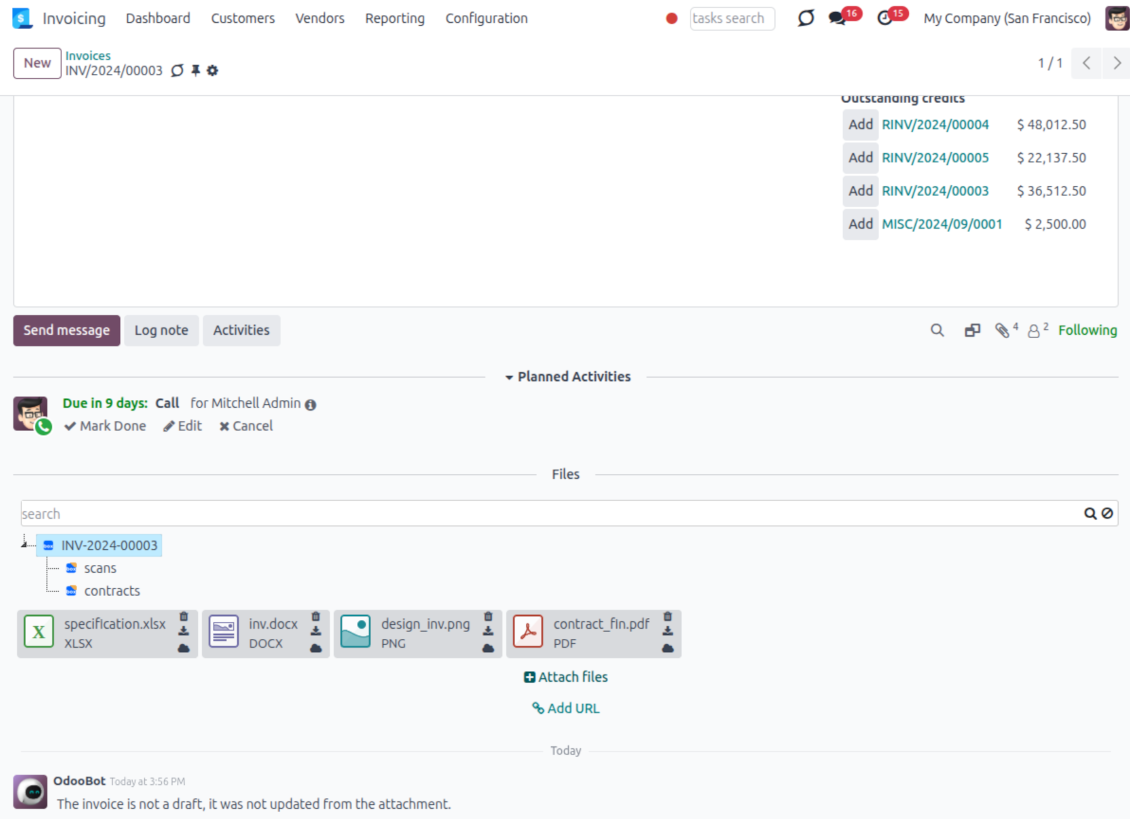
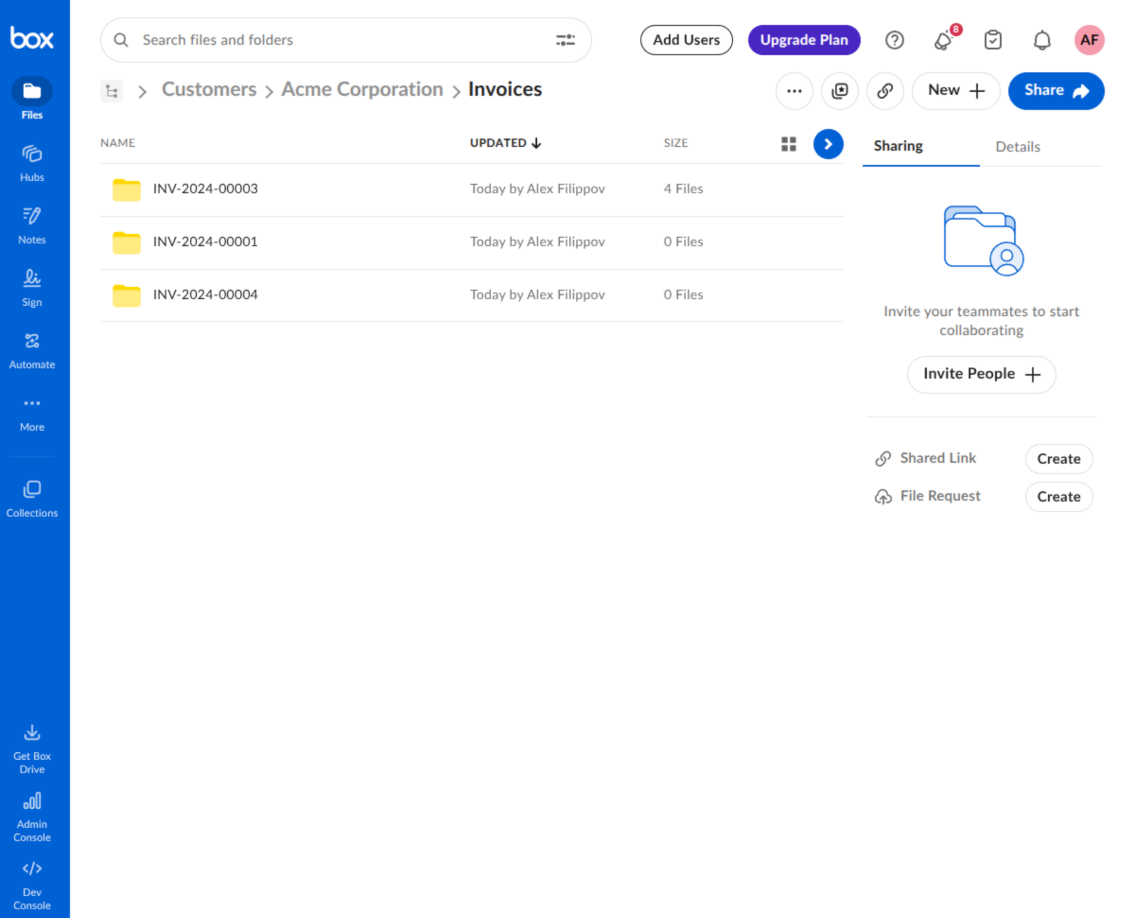
This is the tool to integrate Box features with Odoo folders and files. The app automatically stores Odoo attachments and directories in Box and provides instant access to them through Box web links.
Automatic folders' structure
Decide which Odoo document types should have their own folders trees and synchronize those to Box
Automatic regular sync
Rely on auto-synchronization between Odoo and Box based on scheduled jobs. No manual interaction is required
Bilateral sync
Odoo sends attachments to Box and retrieves files from there. Binary content is kept in clouds, while Odoo provides direct access to synced items
Cloud synchronization history
Control Box sync logs right in Odoo. Export and share those in case of any issues. Be notified of any client disconnections
File manager interface
Manage synced folders and attachments from a single Odoo view. Comfortably navigate by directories. Search, download, upload, and move files
Attachment box
Organize files of any Odoo object in a set of subfolders. Instantly access folders and files in the attachment box and in Box
How synchronization works
Automatic two-sided sync
- Configure sync for one or multiple Box accounts
- Integration is based on scheduled jobs and is fully automatized. The app regularly checks changes in Odoo and Box and runs sync operations
- Synchronization is bilateral. Updates in Odoo are reflected in Box (direct sync); changes in Box modify Odoo folders and attachments (backward sync)
- Cloud connection with Box might be reset. In this way, the app assumes getting all items back to Odoo (reverse sync)
Queue-based synchronization
- Once in 15 minutes, the app examines updates in Odoo and Box to prepare a synchronization queue
- Folders' checks follow the First-In-First-Out (FIFO) principle. Directories that have not been examined for the longest are processed first
- If the app faces sync failures, it will retry operations afterward. Sync queue processing is not stopped by non-blocking failures
Odoo attachments for Box: direct sync
- Direct sync prepares the folders' hierarchy and uploads Odoo attachments to Box
- Folder and file renames or moves keep stable Box IDs, so synced Odoo records stay linked to the same cloud item
- Uploaded attachments become URL records in Odoo, while binary content is stored in Box
Box files and folders for Odoo: backward sync
- Backward sync checks whether files or subfolders are added to Box folders. If so, the app creates URL attachments/subdirectories inside linked Odoo directories
- Updates in Box are reflected in Odoo, including moves and renames based on stable Box item IDs
- In case of conflicts, direct sync changes are in general considered more important than backward updates
Box URLs
Box provides internal web links for files and folders, for example links of the type https://app.box.com/file/[ID] and https://app.box.com/folder/[ID]. Such links are stable, but only Box users with access rights to the related item can open them.
By default, the connector uses those internal Box links. It is the safest and fastest option, since the synchronization does not have to create shared links for every synced item.
If shared links are enabled, Odoo will try to generate Box shared URLs for files and folders. Be cautious with this option: although the links are hardly known by external users, they might become available as a result of some user actions. Besides, shared link generation is slower and might make the synchronization process longer.
Configuratie- en installatietips voor Box Odoo Integration Odoo v.18
Python dependency
The tool depends on the external library 'box_sdk_gen'. Install this library for your Odoo server through the command:
pip3 install boxsdkConfiguration and log in
- Turn on the option 'Box Sync' (cloud Storage > Configuration > Configuration). The optional add-on Box Odoo Integration is required
- Create or open a Box developer account and go to the Box Developer Console: https://app.box.com/developers/console
- Create a Custom App and choose OAuth 2.0 (Authorization Code Grant) as the authentication method
- Add the redirect URI as [YOURODOOSITENAME]/box_token (e.g. https://faotools.com/box_token). A valid SSL certificate (https) is required
- Grant the app access to read and write files and folders. Avoid assigning unrelated permissions
- Go to Odoo Cloud Storage > Configuration > Cloud Clients and press 'Create'
- As a reference, introduce any name which would be clear to all users
- As a Cloud client, choose 'Box'
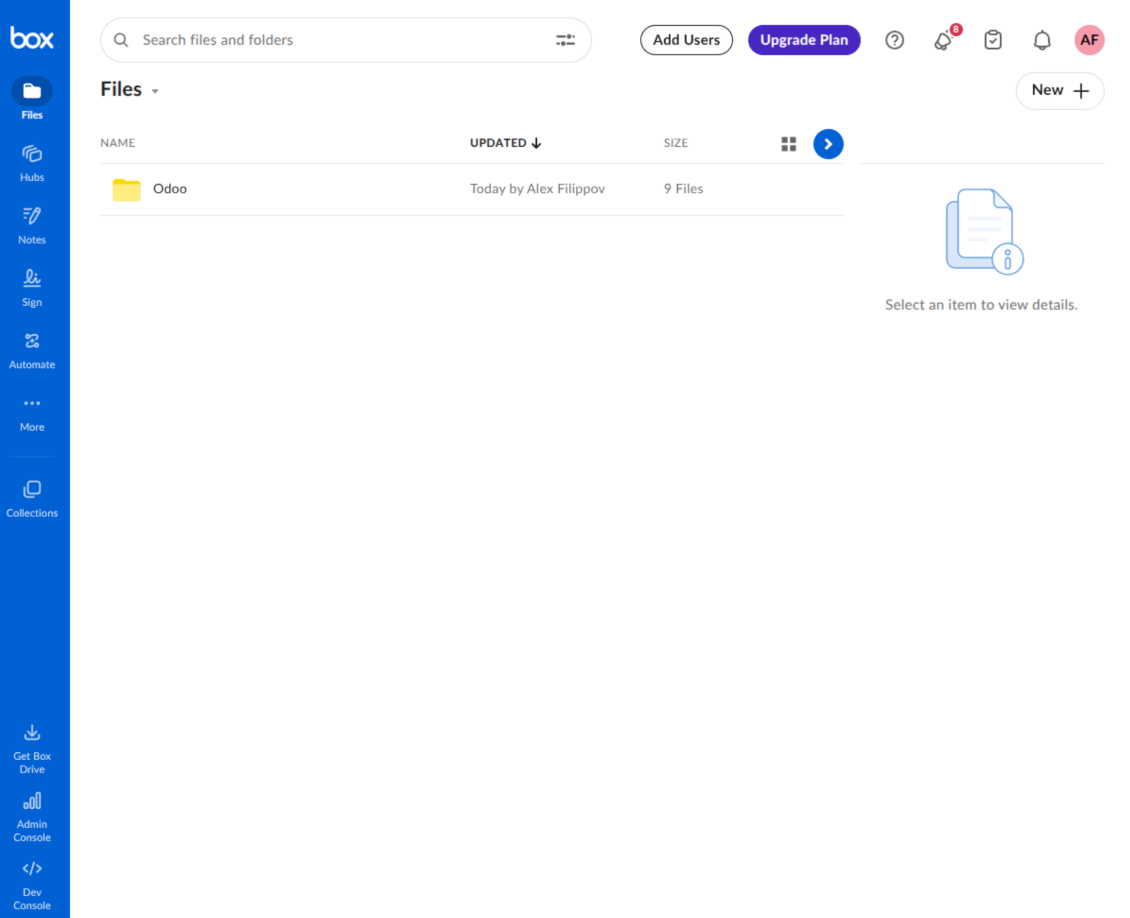
- As a Root folder name, enter a title that will be used as the parent Box directory for all synced folders. For example, 'Odoo' or 'OdooERP'
- Copy Box Client ID to the field 'Client ID'
- Copy Box Client Secret to the field 'Client Secret'
- Insert previously generated redirect URL
- Press 'Confirm'. Odoo redirects you to the Box login page. Check in the system, agree with all conditions, and grant all permissions asked
- After login, Box redirects you back to Odoo. Box - Odoo synchronization is ready to be done
- Apply the newly created cloud client to folder rules and/or manual folders which should be synced to that Box account
- Await the sync scheduled job to be started. For testing purposes only: trigger integration manually from Cloud Storage > Configuration > Configuration > the button 'Launch sync'.
Create a new Box developer app

Copy Box OAuth credentials

Configure the Box cloud client in Odoo

Grant Odoo access to Box

Veelgestelde vragen over Box Odoo Integration Odoo v.18
Waar worden gesynchroniseerde bestanden bewaard? Worden ze gedupliceerd in Odoo en in de clouds?
De app gaat ervan uit dat de binaire inhoud van bijlagen in de Cloud Client blijft, niet op de Odoo-server. Zulke bijlagen worden in Odoo van het type URL en u kunt ze altijd openen vanuit het bijlagevak of vanuit de Cloud Client.
Na de setup zijn geen handmatige acties nodig: de synchronisatie is volledig automatisch. Bepaal welke Odoo-documenttypen gesynchroniseerd moeten worden en stel per type een gerelateerd model in (klanten, verkoop- of inkooporders, taken, projecten, enz.).
Kan ik meerdere mappen hebben voor hetzelfde documenttype? Bijvoorbeeld interne projecten en klantprojecten?
Ja, dat kan. Maak daarvoor per geval een regel en pas filters toe: bijvoorbeeld op projecttype.
Maak de filters onderling uitsluitend, zodat een document eenduidig wordt toegewezen. Bijvoorbeeld: «klant maar geen leverancier», «leverancier maar geen klant». Anders springt de documentmap van het ene model naar het andere.
Is realtime synchronisatie mogelijk?
Nee. We hebben sterke redenen om realtime sync te vermijden:
Prestaties. Bij realtime sync geeft elke bestandsupload een laadscherm.
Conflicten. Als 2 gebruikers tegelijk een item wijzigen, kan dat onoplosbaar worden. Bij gewone taken kunnen we het later herstellen; bij realtime zou een wachtrij nodig zijn, nog verwarrender.
Functionaliteit. Vooral hernoemen en herstructureren. De terug-sync steunt strikt op de mappenlogica en controleert bij elke sync 100 % van de items. Na elke update zouden dat duizenden verzoeken per seconde zijn. Zo niet, dan gaan wijzigingen verloren.
Kan ik de standaardmapnamen in de clouds wijzigen?
U kunt uw eigen naam geven aan modelmappen (verkooporders, kansen, leveranciers, enz.) voor elk documenttype.
Voor objectmappen (SO-001, John Smith, enz.) gebruikt de tool de Odoo-methode voor de weergavenaam. U kunt dat wijzigen met een naamexpressie. De syntaxis is die van Odoo-e-mailsjablonen.
Kan ik de frequentie van synchronisatietaken wijzigen?
Nee, vanaf versie 15 moet u geplande taken niet wijzigen. Ze zijn geoptimaliseerd om elke 15 minuten te lopen voor de meest stabiele en snelle verbinding.
De timeouts van de Odoo-server moeten minstens 15 minuten (900 seconden) zijn.
Om de sync even te stoppen, doet u dat op het formulier van de betreffende cloudclient.
Kan ik bijlagen synchroniseren naar meerdere cloudclients
Ja, vanaf versie 15 kunt u meerdere verbindingen instellen. Zo synchroniseert u sommige mappen naar de ene cloudclient en andere naar een andere.
Houd er rekening mee dat dezelfde map nooit tegelijk naar meerdere cloudopslagen kan worden gesynchroniseerd.
We gebruiken een speciale editor in onze clouds (bijv. OnlyOffice, Office 365, enz.). Worden bestanden in die editor geopend?
Ja, afhankelijk van de configuratie van uw cloudclient.
Heb ik alleen de Cloud Storage Solution-app nodig?
Vanaf versie 15 kan de app alleen worden gebruikt om bijlagen in mappen te structureren en een bestandsbeheerinterface te bieden.
Als u een verbinding met een van de cloudclients wilt, moet u minstens één optionele client-app installeren.
Wat gebeurt er als ik een mapregel wijzig?
Als een mapregel wijzigt, wijzigt ook de mappenlijst. Past een map niet meer bij de voorwaarden, dan wordt ze verwijderd. Waren de bestanden al gesynchroniseerd, dan brengt de terug-sync ze terug naar Odoo en verwijdert ze uit de Cloud Client.
Past het documentobject niet bij een mapregel, dan wordt de map niet aangemaakt. Past het later wel, dan wordt de bijbehorende map gegenereerd.
Kan ik alleen de directe synchronisatie houden of de synchronisatie vanuit de cloud uitschakelen?
Ja. Open op de cloudclient de pagina Instellingen en schakel Synchronisatie vanuit de cloud uitschakelen in.
De synchronisatie blijft eenrichting. Wijzigingen in Odoo worden nog steeds naar de cloudopslag gestuurd. Bestanden en mappen die in de cloudopslag worden gemaakt, hernoemd of verwijderd, verschijnen niet in Odoo, en daar verwijderde mappen worden niet hersteld.
Schakel de optie weer uit om die opgebouwde wijzigingen, inclusief verwijderingen, bij de volgende synchronisatie toe te passen.
Deze instelling is beschikbaar vanaf versie 18. Het ontkoppelen, resetten of deactiveren van de client voert nog steeds de omgekeerde synchronisatie uit, tenzij u die ook uitschakelt.
De teksten van de app en website in andere talen dan het Engels zijn met AI ondersteund en afgestemd op de officiële Odoo-vertalingen. Als u een fout ziet, een vertaalticket sturen en we corrigeren het.
Odoo-demodatabases (voorbeelden)
Voor deze app kunnen we een gratis gepersonaliseerde demodatabase aanbieden.
U heeft geen telefoonnummer of creditcard nodig om contact met ons op te nemen. U hoeft slechts een korte e-mailaanmelding door te geven, die niet langer dan 30 seconden duurt.
Op verzoek richten wij een eigen voorbeelddatabase in waarin u ongeveer twee weken lang naar wens kunt testen en aannames kunt controleren.
Fouten melden
Als u bugs of inconsistent gedrag tegenkomt, aarzel dan niet om contact met ons op te nemen. We garanderen dat we binnen 60 dagen na aankoop oplossingen bieden en zijn zeer geïnteresseerd in het verbeteren van onze tools, zelfs na deze periode.
U heeft geen telefoonnummer of creditcard nodig om contact met ons op te nemen. U hoeft slechts een korte e-mailaanmelding door te geven, die niet langer dan 30 seconden duurt.
Vermeld zo veel mogelijk details in uw verzoek: schermafbeeldingen, Odoo-serverlogboeken, een volledige beschrijving om uw probleem te reproduceren enzovoort. Gewoonlijk kost het enkele werkdagen om een werkplan voor een probleem op te stellen (als een bug is bevestigd) of u richtlijnen te geven over wat er moet gebeuren (anders).
Aanvragen voor openbare functies en module-ideeën (gratis ontwikkeling)
We zijn sterk gemotiveerd om onze tools te verbeteren en zijn dankbaar voor alle feedback. Als uw vereisten van openbaar nut zijn en efficiënt kunnen worden geïmplementeerd, zal het team deze opnemen in onze takenlijst.
Zo'n to-dolijst wordt regelmatig verwerkt en er zijn geen extra kosten aan verbonden. Hoewel we geen deadlines en definitief ontwerp kunnen beloven, kan het een goede manier zijn om de gewenste functies te verkrijgen zonder investeringen en risico's.
U heeft geen telefoonnummer of creditcard nodig om contact met ons op te nemen. U hoeft slechts een korte e-mailaanmelding door te geven, die niet langer dan 30 seconden duurt.


The tool to build a deep and structured knowledge base for internal and external use. Knowledge System. KMS. Wiki-like revisions.
398€
The tool to set up KPI targets and control their fulfillment by periods. KPI dashboards. Dashboard designer. KPI charts

The tool for time-based service management from booking appointments to sales and reviews
398€
The tool to manage your Odoo from your favorite AI chats through MCP. Claude. Any MCP-supporting AI.

De tool om Odoo-bijlagen in mappen te structureren en te synchroniseren met Google Drive, OneDrive/SharePoint, Nextcloud/ownCloud, Dropbox, Amazon S3, Box en NAS. Bestandsbeheer. DMS
398€
The tool to automatically synchronize Odoo attachments with OneDrive files in both ways
487€
The tool to automatically synchronize Odoo attachments with Google Drive files in both ways
487€
The tool to automatically synchronize Odoo attachments with ownCloud/Nextcloud files in both ways
487€