Odoo Website Typo and Error Reporter v.18
The tool to empower your visitors to highlight text and report problems directly from Odoo's website
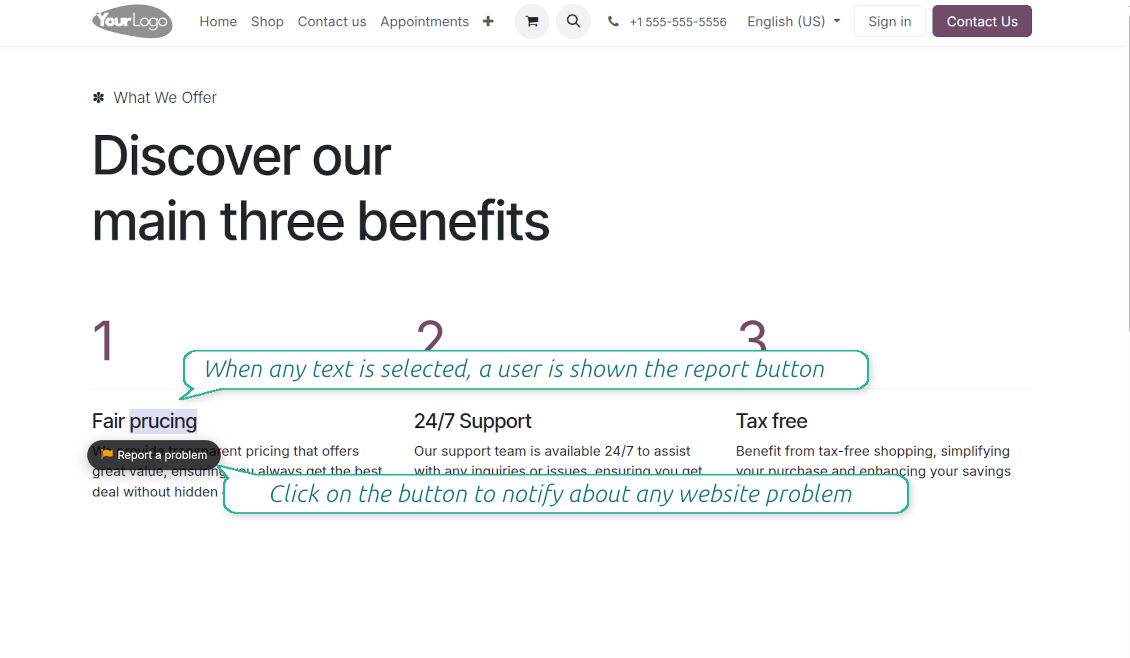
Even the most carefully designed websites can have typos, broken elements, or formatting issues. The Website Typo Reporter app provides an intuitive, front-end interface that lets users notify your team of any mistakes on your Odoo website.
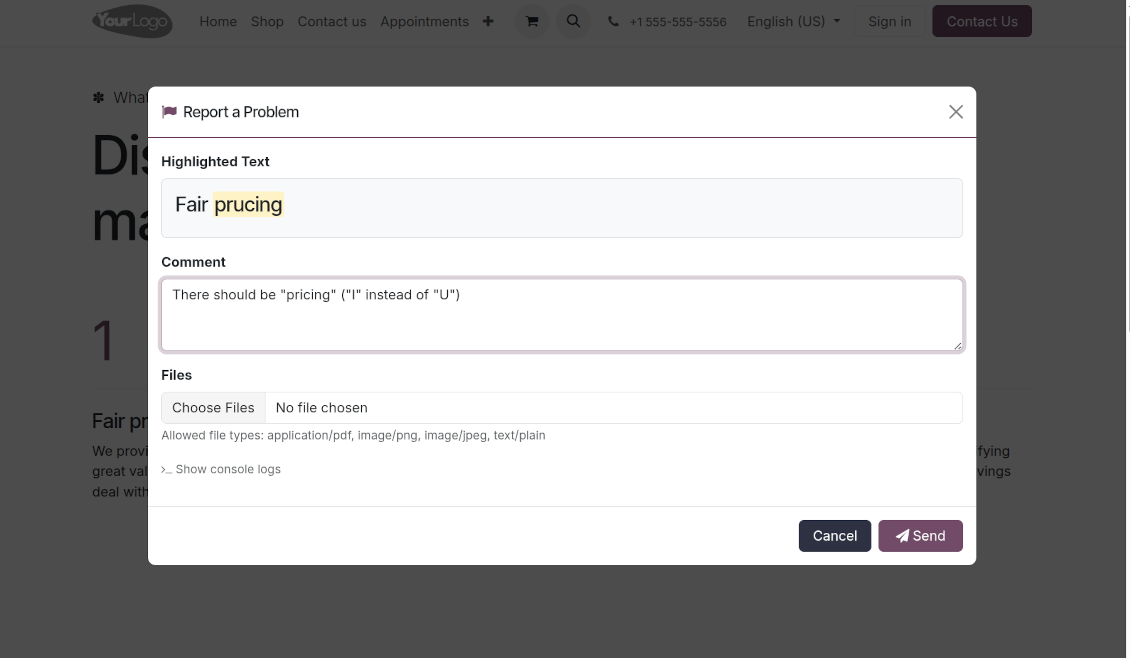
When a user selects text on the page and clicks a dedicated "Report a problem" button (or simply Ctrl+Enter for desktops), a sleek modal dialog opens. This instantly generates a comprehensive error report, capturing crucial technical context to help your developers and content managers fix the issue quickly.
Simple Correction Workflow
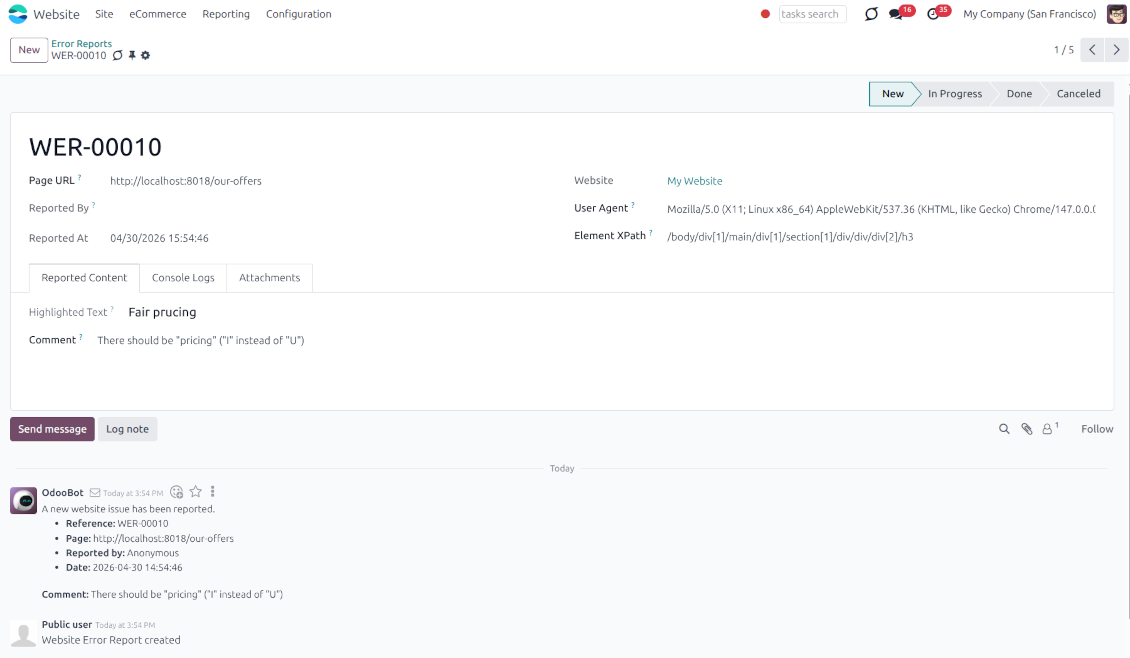
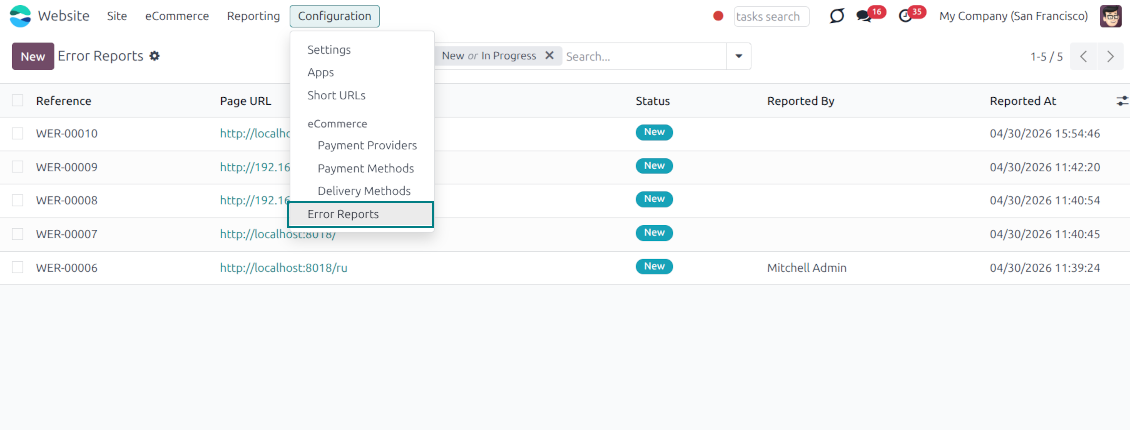
Every reported issue automatically creates a "Website Error Report" record in your backend. Website Designers can receive instant notifications and follow a simple built-in workflow to discuss, track, and resolve issues seamlessly
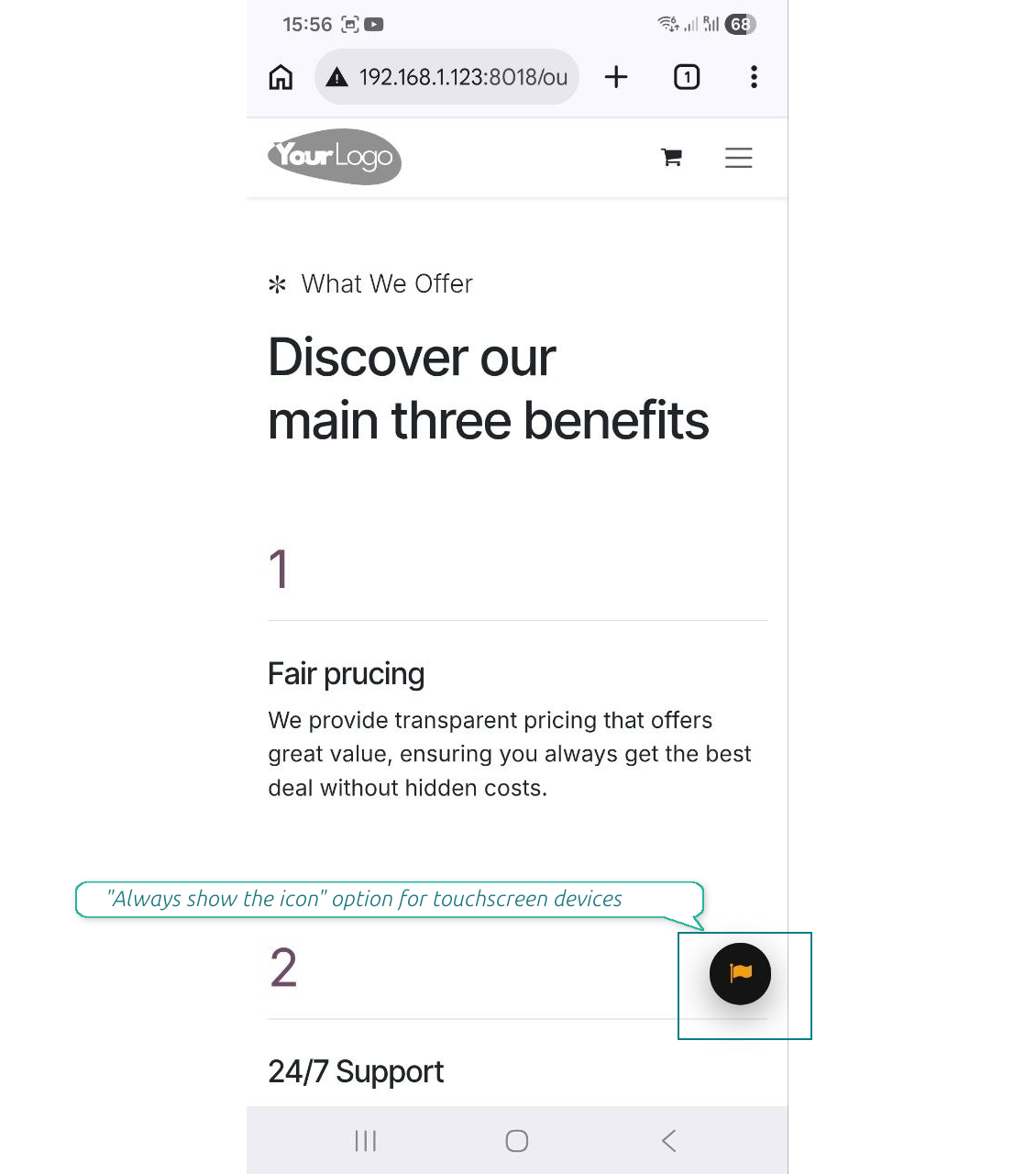
Flawless Touchscreen Support
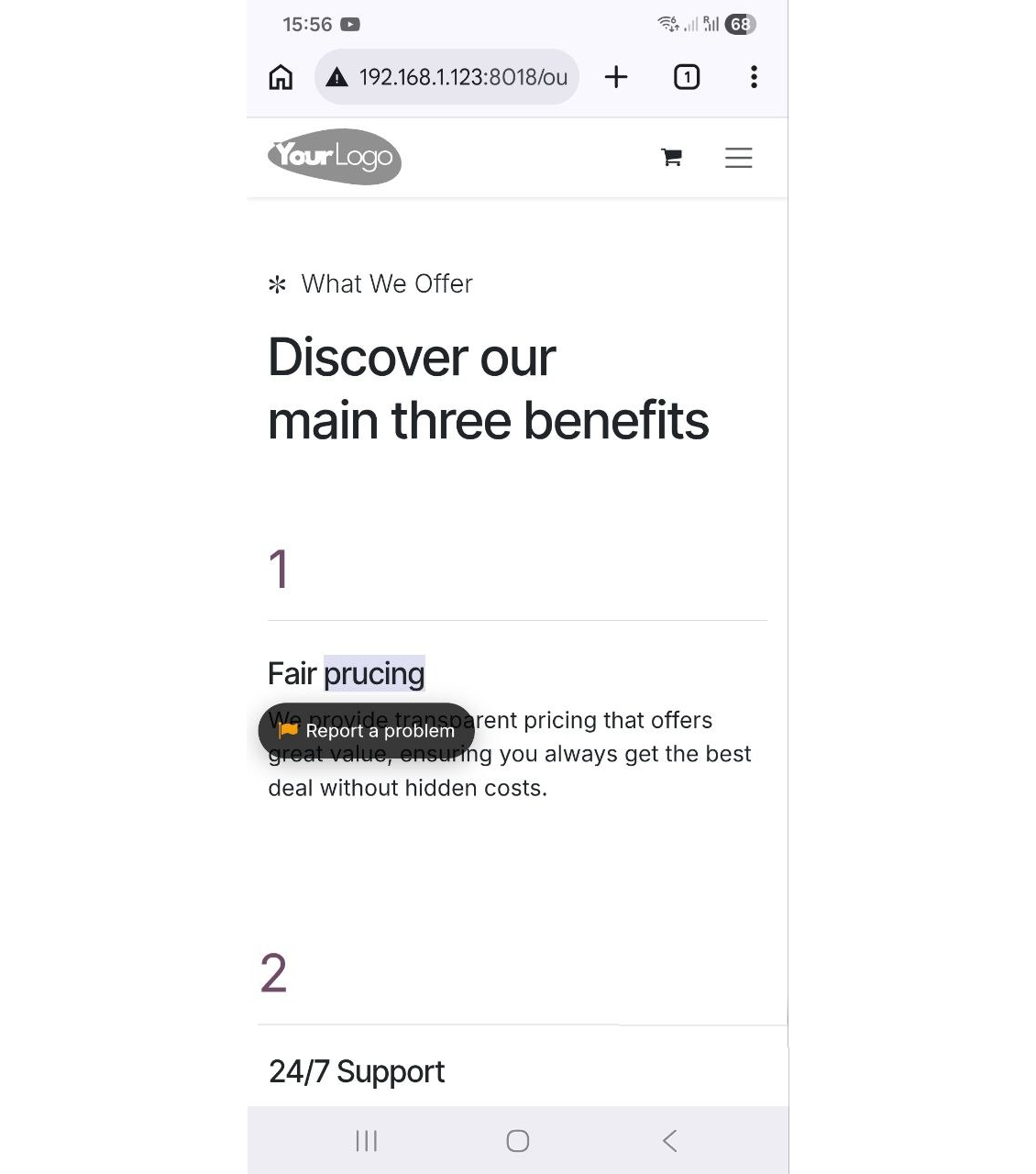
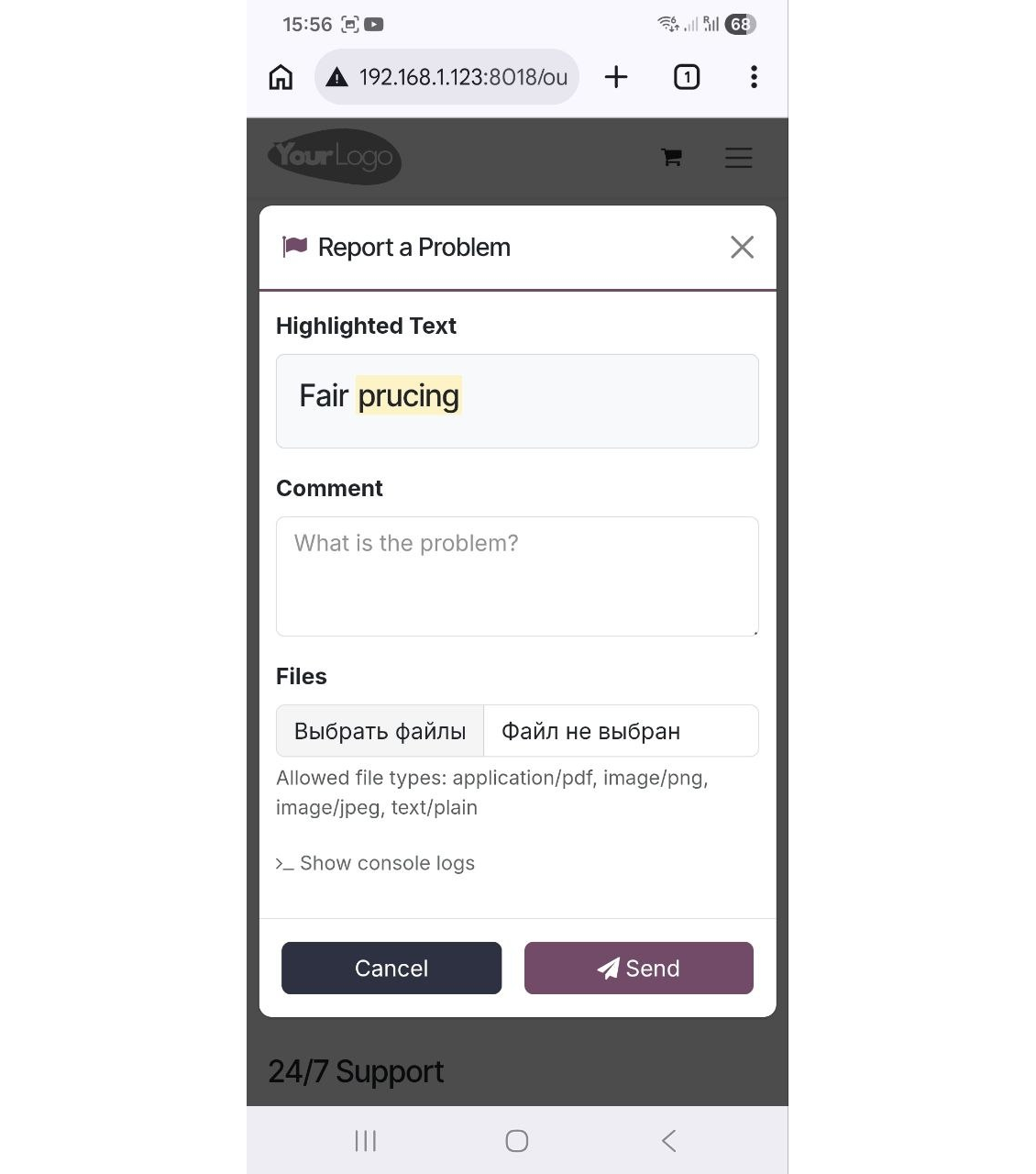
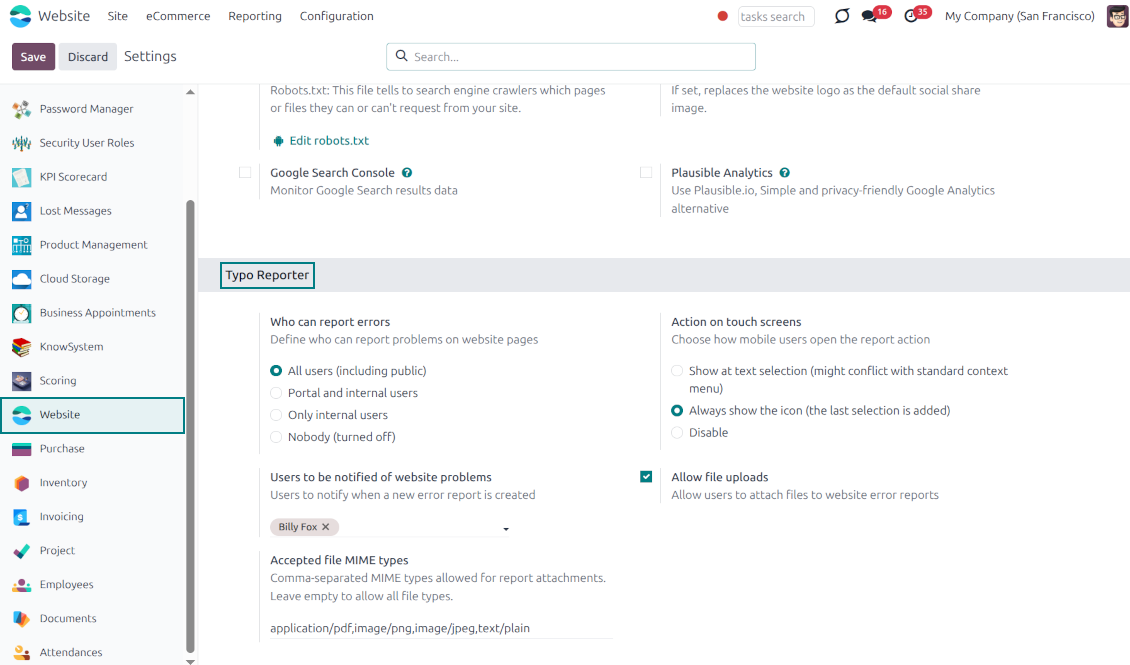
The reporter is optimized for adaptive devices. The mobile trigger can display a simple floating button only when text is highlighted, or act as a persistent button that stays on the screen
Configurable visibility and security
Configure exactly who can report issues: internal users, portal users, or even public visitors. Regardless of who sends the reports, they will be visible only to the "Website Editor" user group
Built-in Spam Protection
If the reporter is enabled for public (unauthenticated) users, the app fully supports both the standard Odoo Google reCAPTCHA and Cloudflare Turnstile to prevent bot submissions and spam
Comprehensive Diagnostic Data
Stop asking users which browser they use. Every report automatically captures and attaches vital debugging context behind the scenes: user-agent info, browser console logs, and technical page context
Allow or Disallow Attachments
Allow users to upload file attachments (e.g., screenshots) and optionally configure acceptable MIME types.
How it works
-
A user spots a mistake and highlights the text
-
They tap the floating action button "Report a problem" (alternatively, on desktop, press Ctrl+Enter)
-
A pop-up modal appears, allowing them to add a comment or attach a file (optional)
-
Upon submission, the app bundles the selected text, HTML, console logs, and user-agent information and sends it directly to the Odoo backend
-
Website Designers get notifications, decide, and start the investigation process ("In Progress" reports)
-
Website Designers analyze the provided details, auto gathered user agent info (details about the user's browser, operating system, and device), browser console logs (Recent log, warning, and error outputs from the browser console are buffered and added directly to the report), technical page context (the module automatically adds the page URL, precise XPath of the highlighted element, the meaningful parent element's HTML, and the exact timestamp).
-
If necessary, the website is updated or fixed
-
After the investigation and processing, the report is moved to "Done" or "Canceled".
Lời ứng dụng và trang web ở ngôn ngữ khác tiếng Anh được hỗ trợ bởi AI và khớp với bản dịch Odoo chính thức. Nếu bạn thấy sai, gửi phiếu hỗ trợ về đúng bản dịch và chúng tôi sẽ sửa.
Cơ sở trình diễn Odoo (xem trước trực tiếp)
Với ứng dụng này, chúng tôi có thể cung cấp cơ sở demo cá nhân miễn phí.
Bạn không cần số điện thoại hay thẻ tín dụng để liên hệ. Chỉ cần đăng ký email ngắn, không quá 30 giây.
Theo yêu cầu, chúng tôi sẽ chuẩn bị cơ sở xem trước trực tiếp riêng, nơi bạn có thể thử nghiệm và kiểm tra giả định khoảng hai tuần.
Báo lỗi
Nếu gặp lỗi hoặc hành vi không nhất quán, hãy liên hệ. Chúng tôi cam kết sửa trong 60 ngày kể từ khi mua và vẫn muốn cải thiện công cụ sau giai đoạn đó.
Bạn không cần số điện thoại hay thẻ tín dụng để liên hệ. Chỉ cần đăng ký email ngắn, không quá 30 giây.
Hãy nêu càng nhiều chi tiết càng tốt trong yêu cầu: ảnh chụp màn hình, nhật ký máy chủ Odoo, mô tả đầy đủ cách tái hiện sự cố, v.v. Thường mất vài ngày làm việc để chuẩn bị kế hoạch xử lý (nếu xác nhận lỗi) hoặc hướng dẫn việc cần làm (nếu không).
Yêu cầu tính năng công khai và ý tưởng module (phát triển miễn phí)
Chúng tôi rất muốn cải thiện công cụ và biết ơn mọi phản hồi. Nếu yêu cầu của bạn hữu ích cho mọi người và có thể triển khai hiệu quả, nhóm sẽ đưa vào danh sách việc cần làm.
Danh sách việc cần làm như vậy được xử lý đều đặn và không phát sinh phí thêm. Dù chúng tôi không hứa hạn chót và thiết kế cuối, đây có thể là cách tốt để có tính năng mong muốn mà không đầu tư và rủi ro.
Bạn không cần số điện thoại hay thẻ tín dụng để liên hệ. Chỉ cần đăng ký email ngắn, không quá 30 giây.

Công cụ sắp xếp linh hoạt tệp đính kèm Odoo vào thư mục và đồng bộ thư mục với máy khách đám mây: Google Drive, OneDrive/SharePoint, Nextcloud/ownCloud, Dropbox, Amazon S3, Box và NAS. DMS. Trình quản lý tệp. Hệ thống quản lý tài liệu
398€
The tool to automatically synchronize Odoo attachments with OneDrive files in both ways
487€
The tool to automatically synchronize Odoo attachments with Google Drive files in both ways
487€

The tool to build a deep and structured knowledge base for internal and external use. Knowledge System. KMS. Wiki-like revisions.
398€
The tool to set up KPI targets and control their fulfillment by periods. KPI dashboards. Dashboard designer. KPI charts

The tool for time-based service management from booking appointments to sales and reviews
398€
The tool to manage your Odoo from your favorite AI chats through MCP. Claude. Any MCP-supporting AI.

The tool to translate URL addresses of Odoo website pages
38€