Odoo Website Typo and Error Reporter v.18
The tool to empower your visitors to highlight text and report problems directly from Odoo's website
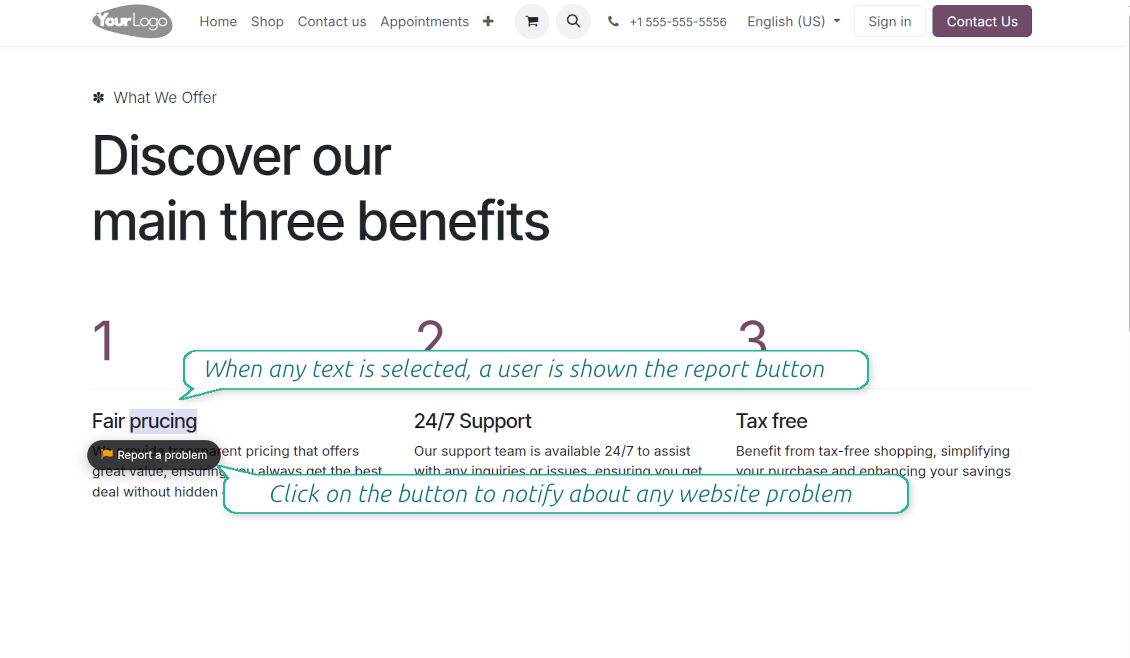
Even the most carefully designed websites can have typos, broken elements, or formatting issues. The Website Typo Reporter app provides an intuitive, front-end interface that lets users notify your team of any mistakes on your Odoo website.
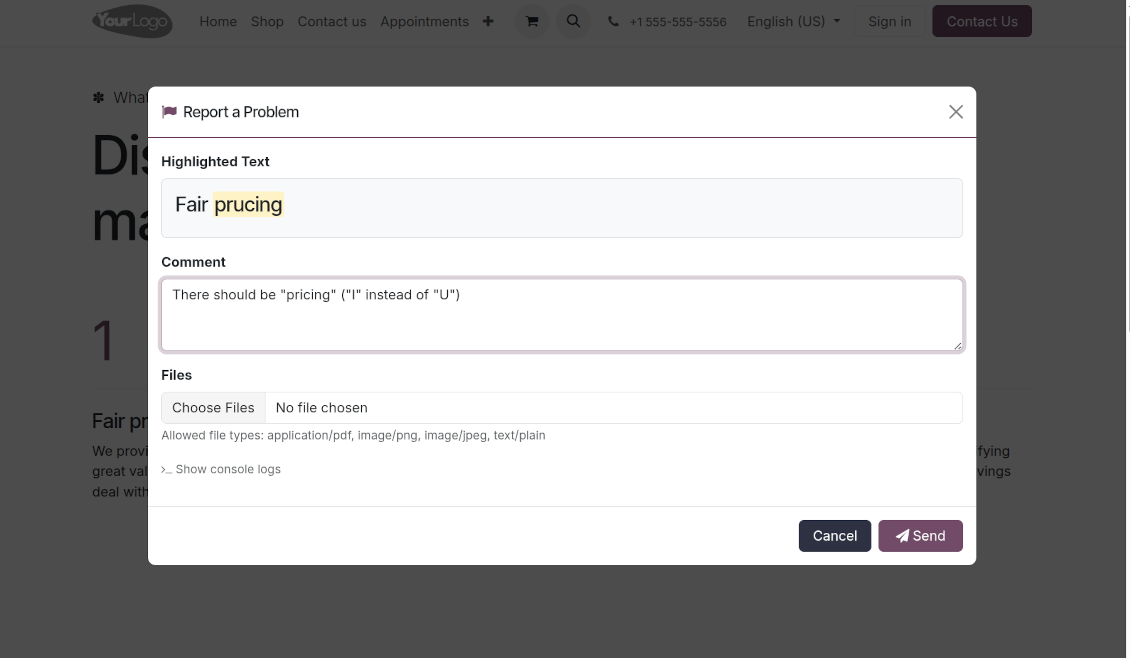
When a user selects text on the page and clicks a dedicated "Report a problem" button (or simply Ctrl+Enter for desktops), a sleek modal dialog opens. This instantly generates a comprehensive error report, capturing crucial technical context to help your developers and content managers fix the issue quickly.
Simple Correction Workflow
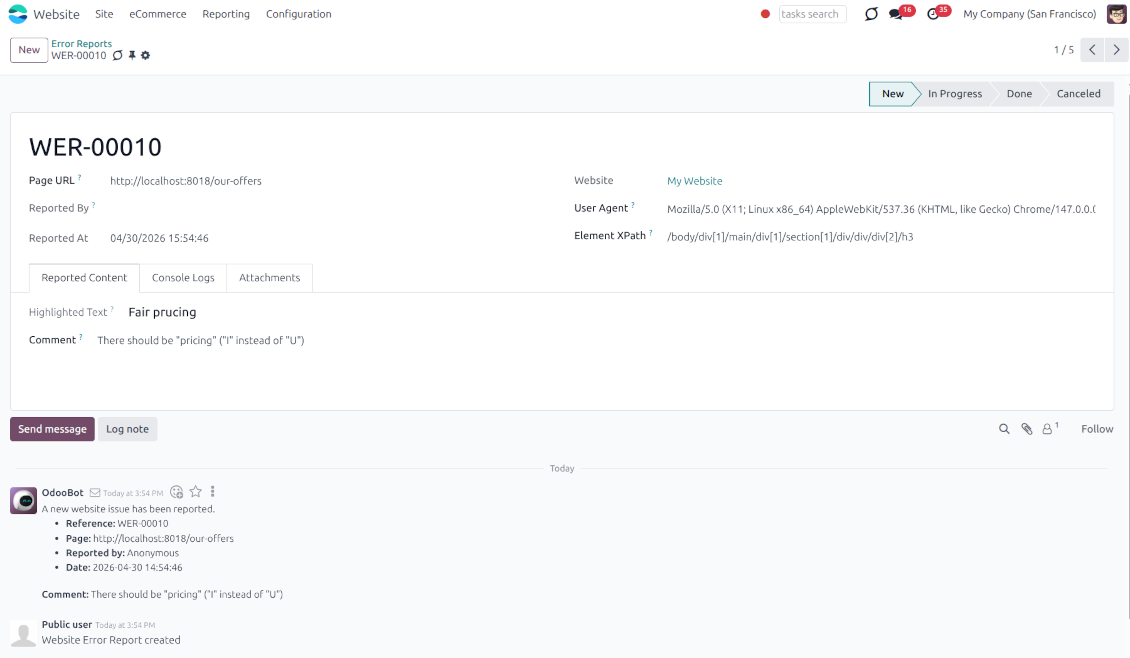
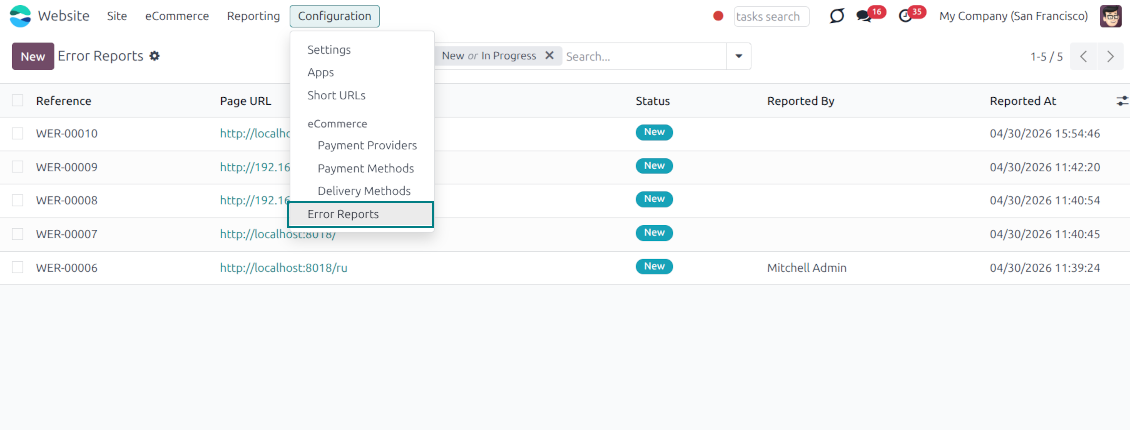
Every reported issue automatically creates a "Website Error Report" record in your backend. Website Designers can receive instant notifications and follow a simple built-in workflow to discuss, track, and resolve issues seamlessly
Flawless Touchscreen Support
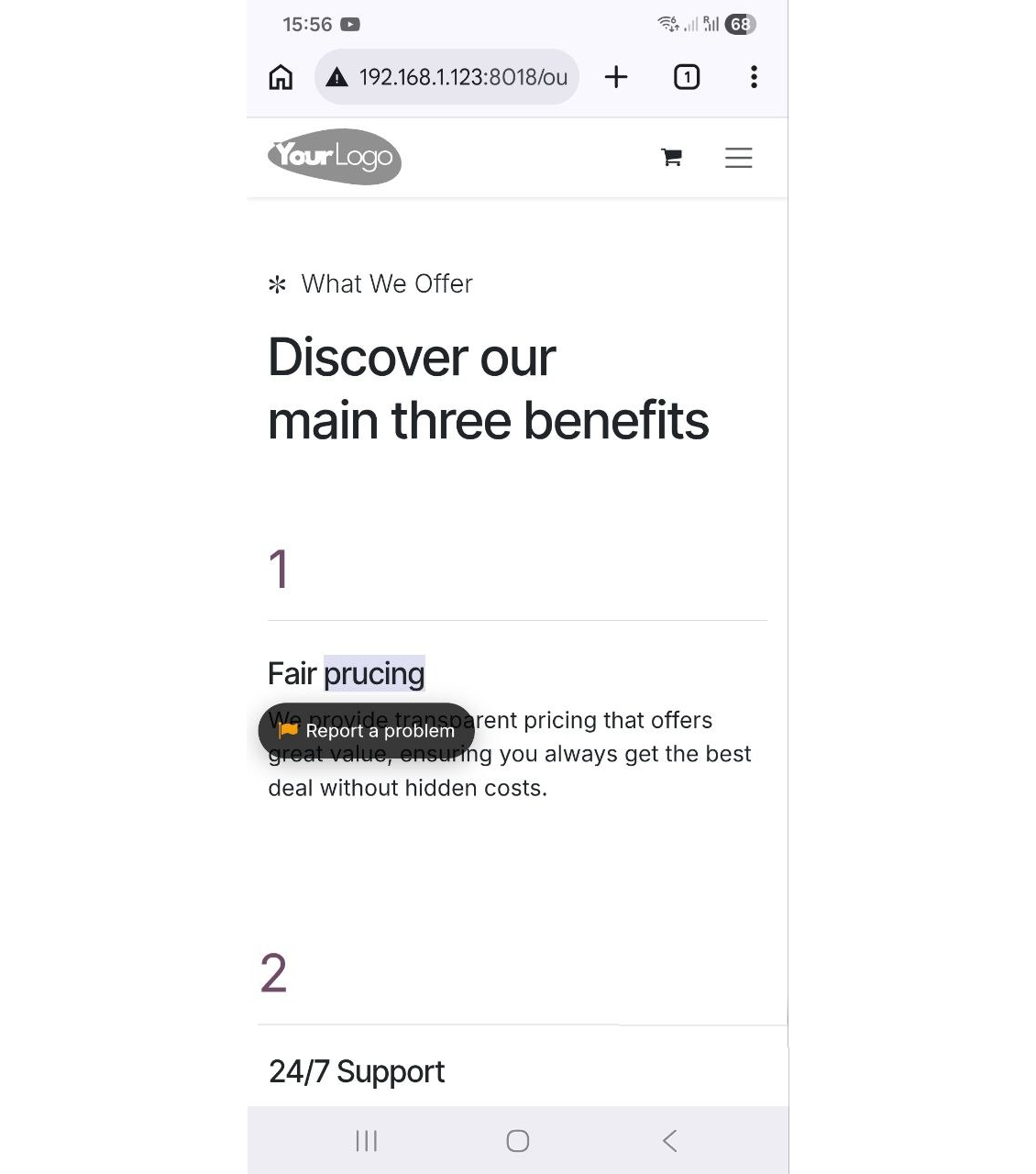
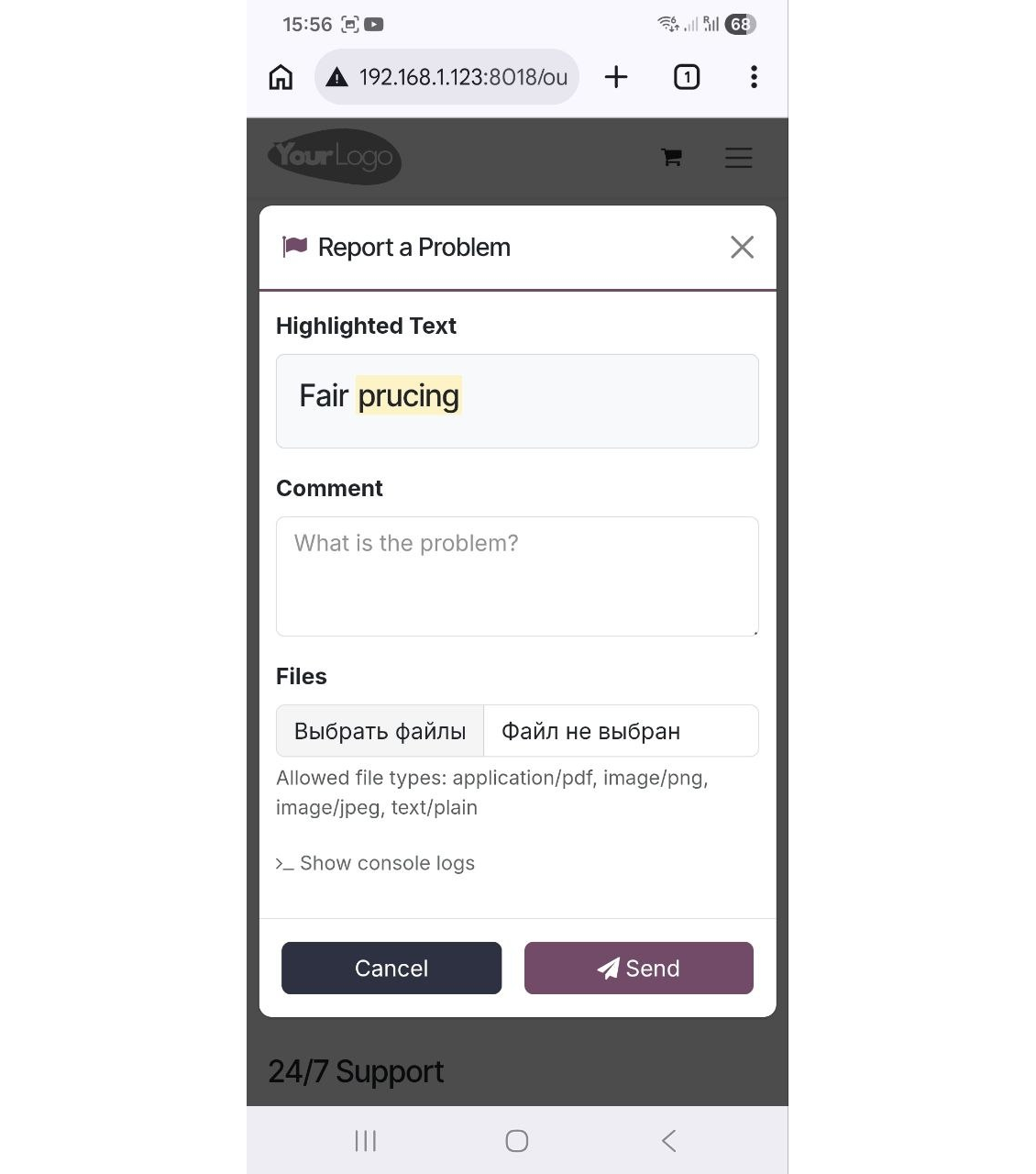
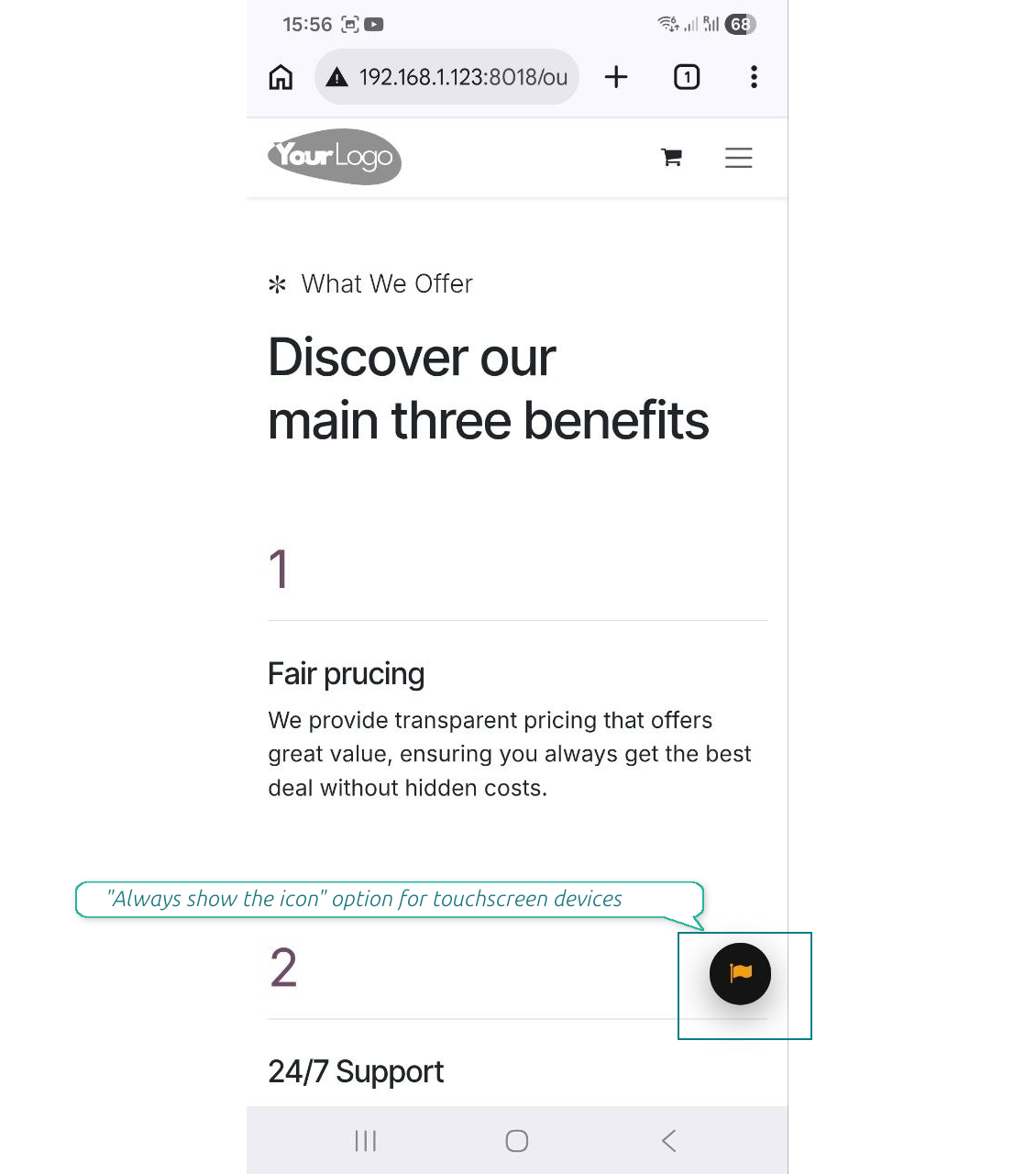
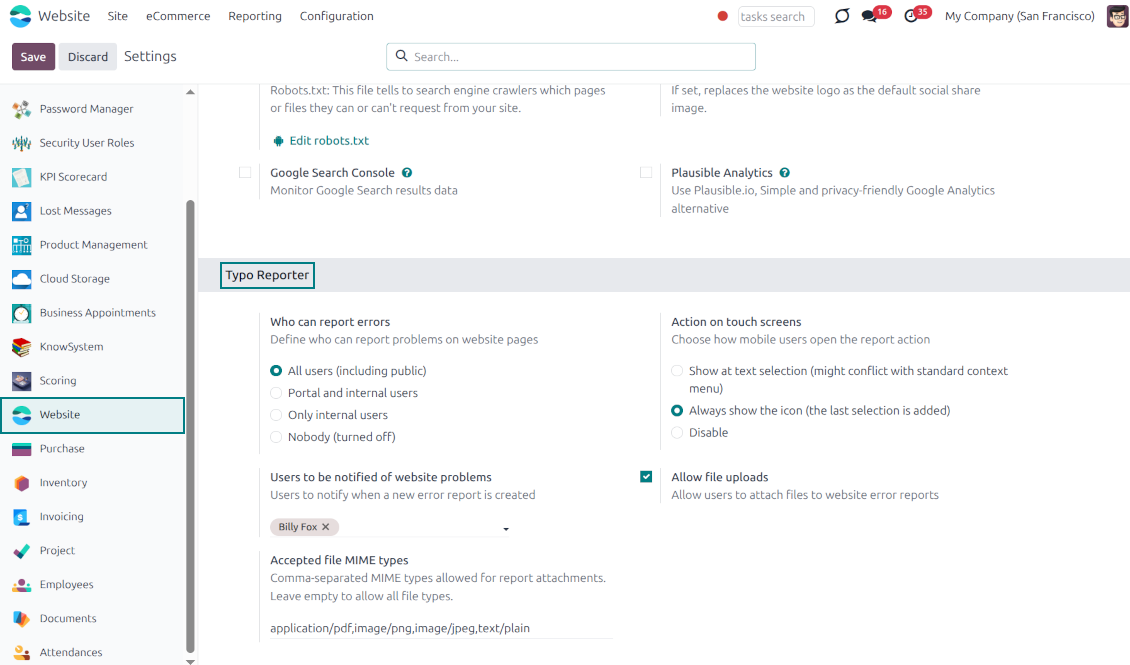
The reporter is optimized for adaptive devices. The mobile trigger can display a simple floating button only when text is highlighted, or act as a persistent button that stays on the screen
Configurable visibility and security
Configure exactly who can report issues: internal users, portal users, or even public visitors. Regardless of who sends the reports, they will be visible only to the "Website Editor" user group
Built-in Spam Protection
If the reporter is enabled for public (unauthenticated) users, the app fully supports both the standard Odoo Google reCAPTCHA and Cloudflare Turnstile to prevent bot submissions and spam
Comprehensive Diagnostic Data
Stop asking users which browser they use. Every report automatically captures and attaches vital debugging context behind the scenes: user-agent info, browser console logs, and technical page context
Allow or Disallow Attachments
Allow users to upload file attachments (e.g., screenshots) and optionally configure acceptable MIME types.
How it works
-
A user spots a mistake and highlights the text
-
They tap the floating action button "Report a problem" (alternatively, on desktop, press Ctrl+Enter)
-
A pop-up modal appears, allowing them to add a comment or attach a file (optional)
-
Upon submission, the app bundles the selected text, HTML, console logs, and user-agent information and sends it directly to the Odoo backend
-
Website Designers get notifications, decide, and start the investigation process ("In Progress" reports)
-
Website Designers analyze the provided details, auto gathered user agent info (details about the user's browser, operating system, and device), browser console logs (Recent log, warning, and error outputs from the browser console are buffered and added directly to the report), technical page context (the module automatically adds the page URL, precise XPath of the highlighted element, the meaningful parent element's HTML, and the exact timestamp).
-
If necessary, the website is updated or fixed
-
After the investigation and processing, the report is moved to "Done" or "Canceled".
Die Texte der App und Website in anderen Sprachen als Englisch werden KI-gestützt erstellt und an die offiziellen Odoo-Übersetzungen angeglichen. Wenn Sie einen Fehler entdecken, ein Uebersetzungs-Ticket senden und wir korrigieren es.
Odoo-Demo-Datenbanken (Vorschauen)
Für diese App können wir eine kostenlose personalisierte Demo-Datenbank bereitstellen.
Sie benötigen keine Telefonnummer oder Kreditkarte, um mit uns Kontakt aufzunehmen. Sie sollten nur eine kurze E-Mail-Anmeldung durchführen, die nicht länger als 30 Sekunden dauert.
Auf Anfrage richten wir eine eigene Vorschau-Datenbank ein, in der Sie rund zwei Wochen lang beliebig testen und Ihre Annahmen prüfen können.
Fehlermeldung
Wenn Sie auf Fehler oder inkonsistentes Verhalten stoßen, zögern Sie nicht, uns zu kontaktieren. Wir garantieren eine Reparatur innerhalb von 60 Tagen nach dem Kauf und sind auch nach diesem Zeitraum stark daran interessiert, unsere Werkzeuge zu verbessern.
Sie benötigen keine Telefonnummer oder Kreditkarte, um mit uns Kontakt aufzunehmen. Sie sollten nur eine kurze E-Mail-Anmeldung durchführen, die nicht länger als 30 Sekunden dauert.
Bitte nehmen Sie moglichst viele Details in Ihre Anfrage auf: Screenshots, Odoo-Serverprotokolle, eine vollständige Beschreibung zur Reproduktion Ihres Problems usw. Normalerweise dauert es einige Werktage, einen Arbeitsplan fur ein Problem zu erstellen (wenn ein Fehler bestätigt wird) oder Ihnen Hinweise zum weiteren Vorgehen zu geben (andernfalls).
Öffentliche Funktionsanfragen und Modulideen (kostenlose Entwicklung)
Wir sind stark motiviert, unsere Tools zu verbessern und wären für jedes Feedback dankbar. Wenn Ihre Anforderungen von öffentlichem Nutzen sind und effizient umgesetzt werden könnten, nimmt das Team diese in unsere To-Do-Liste auf.
Eine solche To-Do-Liste wird regelmäßig bearbeitet und erfordert keine zusätzlichen Gebühren. Obwohl wir keine Fristen und keinen endgültigen Entwurf versprechen können, könnte dies eine gute Möglichkeit sein, die gewünschten Funktionen ohne Investitionen und Risiken zu erhalten.
Sie benötigen keine Telefonnummer oder Kreditkarte, um mit uns Kontakt aufzunehmen. Sie sollten nur eine kurze E-Mail-Anmeldung durchführen, die nicht länger als 30 Sekunden dauert.

Das Werkzeug, um Odoo-Anhänge in Ordnern zu strukturieren und mit Google Drive, OneDrive/SharePoint, Nextcloud/ownCloud, Dropbox, Amazon S3, Box und NAS zu synchronisieren. Dateimanager. DMS
398€
The tool to automatically synchronize Odoo attachments with OneDrive files in both ways
487€
The tool to automatically synchronize Odoo attachments with Google Drive files in both ways
487€

The tool to build a deep and structured knowledge base for internal and external use. Knowledge System. KMS. Wiki-like revisions.
398€
The tool to set up KPI targets and control their fulfillment by periods. KPI dashboards. Dashboard designer. KPI charts

The tool for time-based service management from booking appointments to sales and reviews
398€
The tool to manage your Odoo from your favorite AI chats through MCP. Claude. Any MCP-supporting AI.

The tool to combine different Odoo events in a few configurable super calendars