Odoo Website Typo and Error Reporter v.18
The tool to empower your visitors to highlight text and report problems directly from Odoo's website
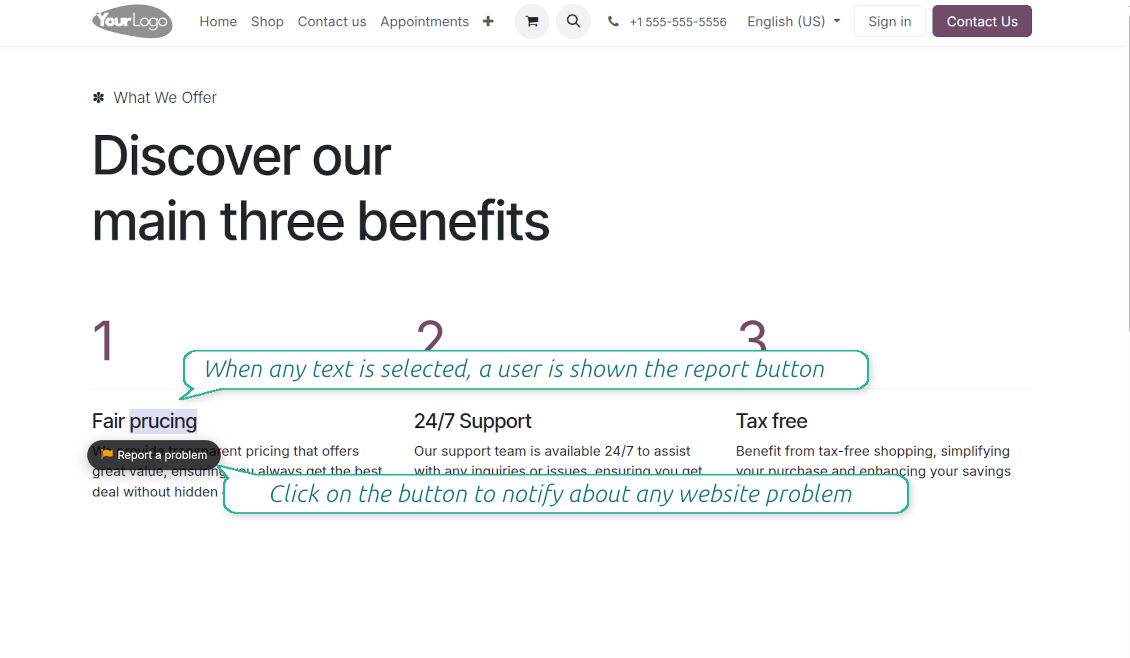
Even the most carefully designed websites can have typos, broken elements, or formatting issues. The Website Typo Reporter app provides an intuitive, front-end interface that lets users notify your team of any mistakes on your Odoo website.
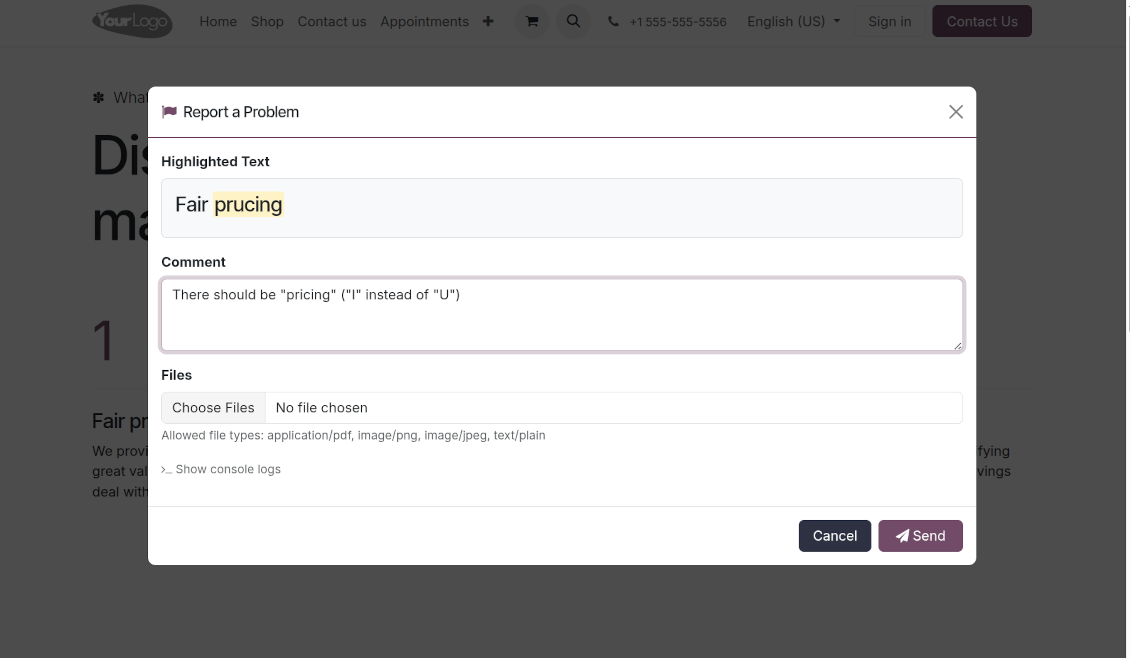
When a user selects text on the page and clicks a dedicated "Report a problem" button (or simply Ctrl+Enter for desktops), a sleek modal dialog opens. This instantly generates a comprehensive error report, capturing crucial technical context to help your developers and content managers fix the issue quickly.
Simple Correction Workflow
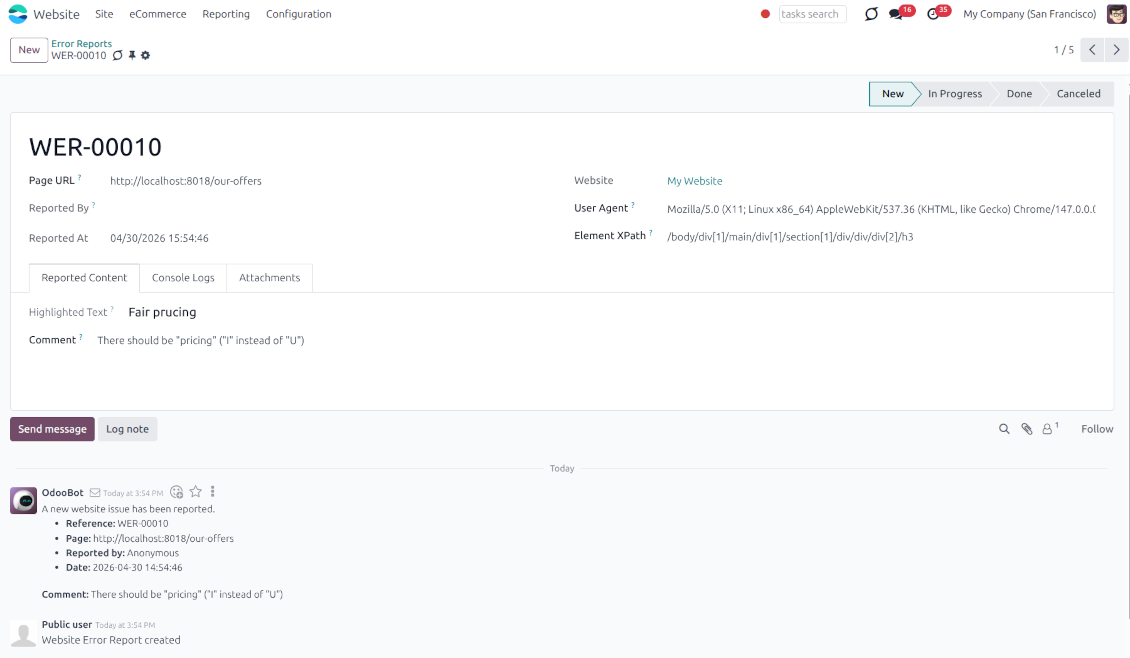
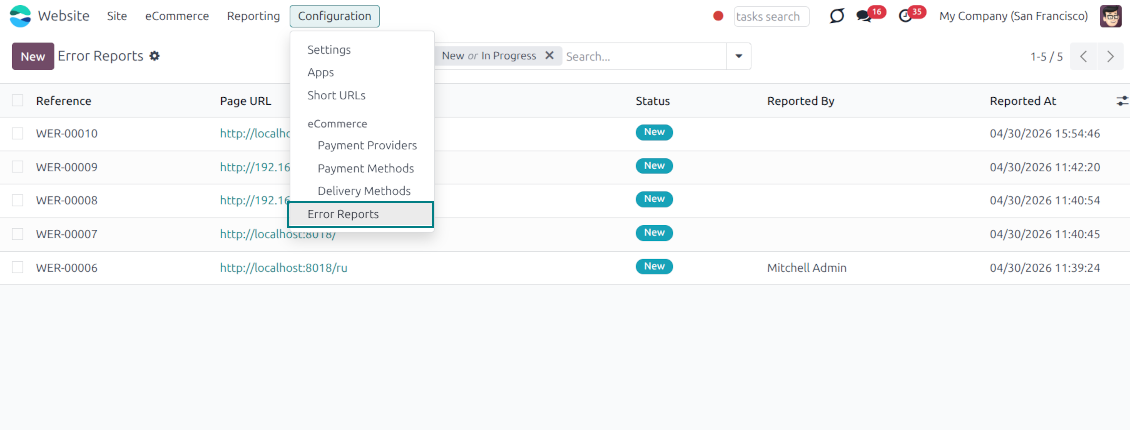
Every reported issue automatically creates a "Website Error Report" record in your backend. Website Designers can receive instant notifications and follow a simple built-in workflow to discuss, track, and resolve issues seamlessly
Flawless Touchscreen Support
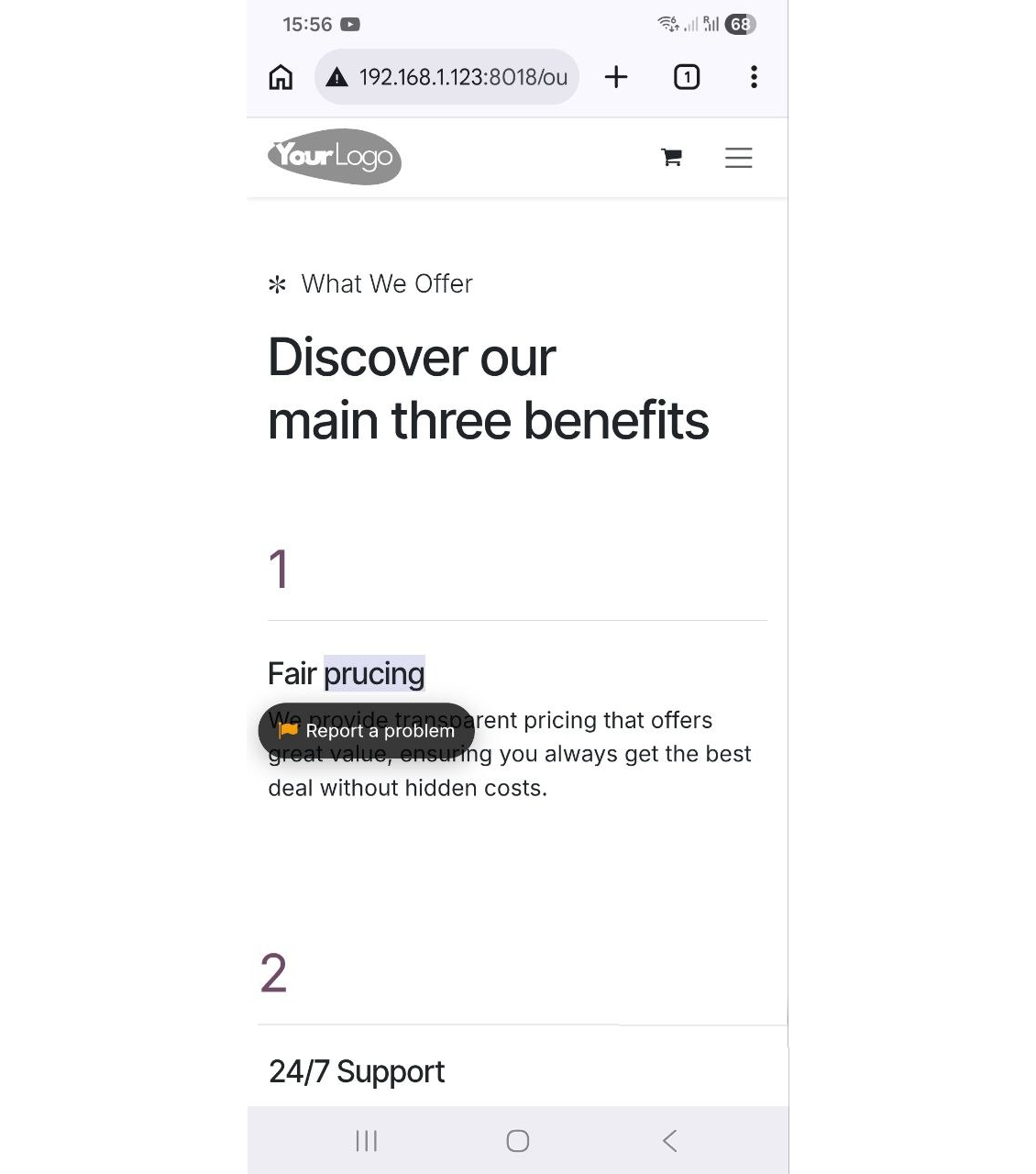
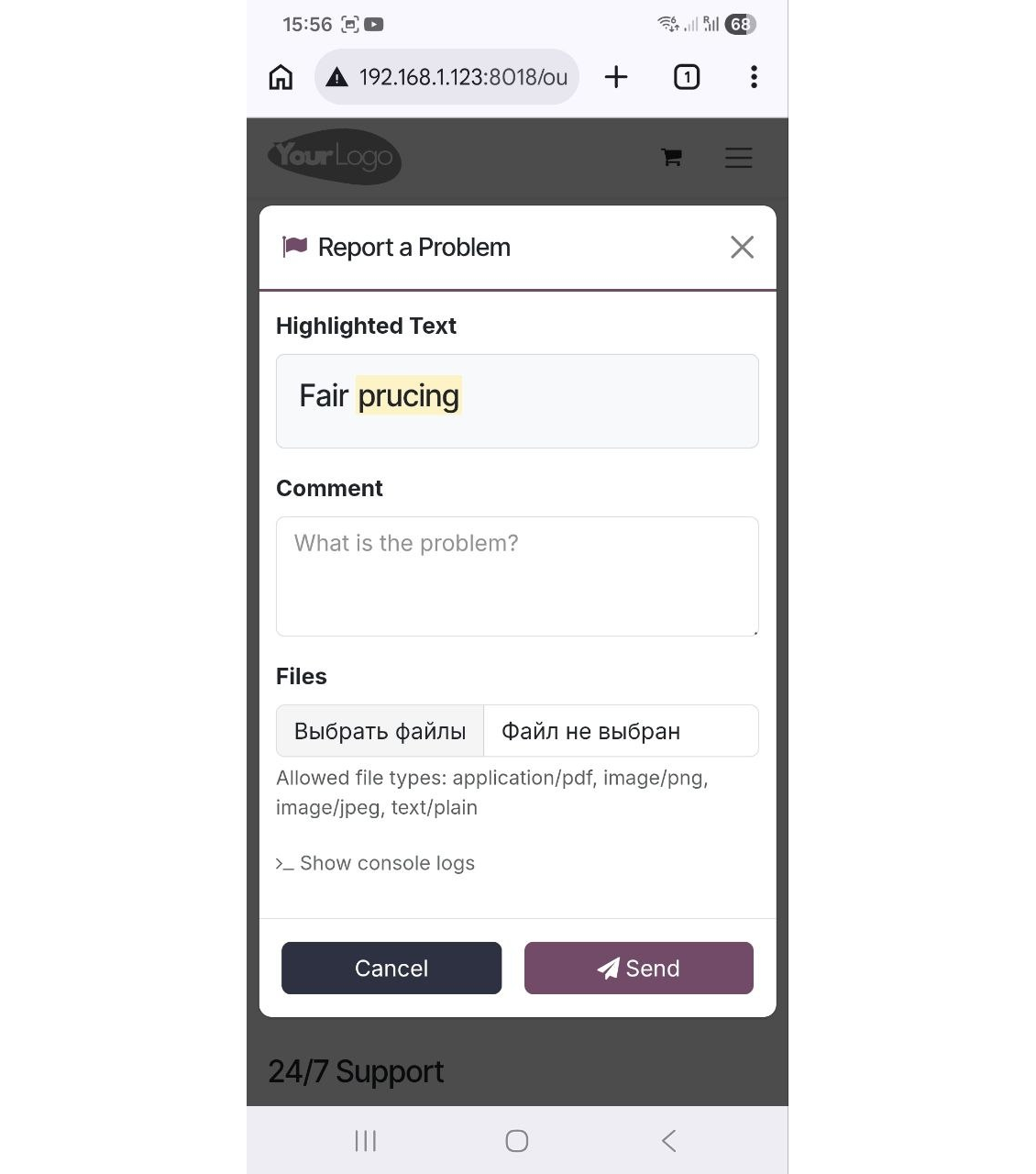
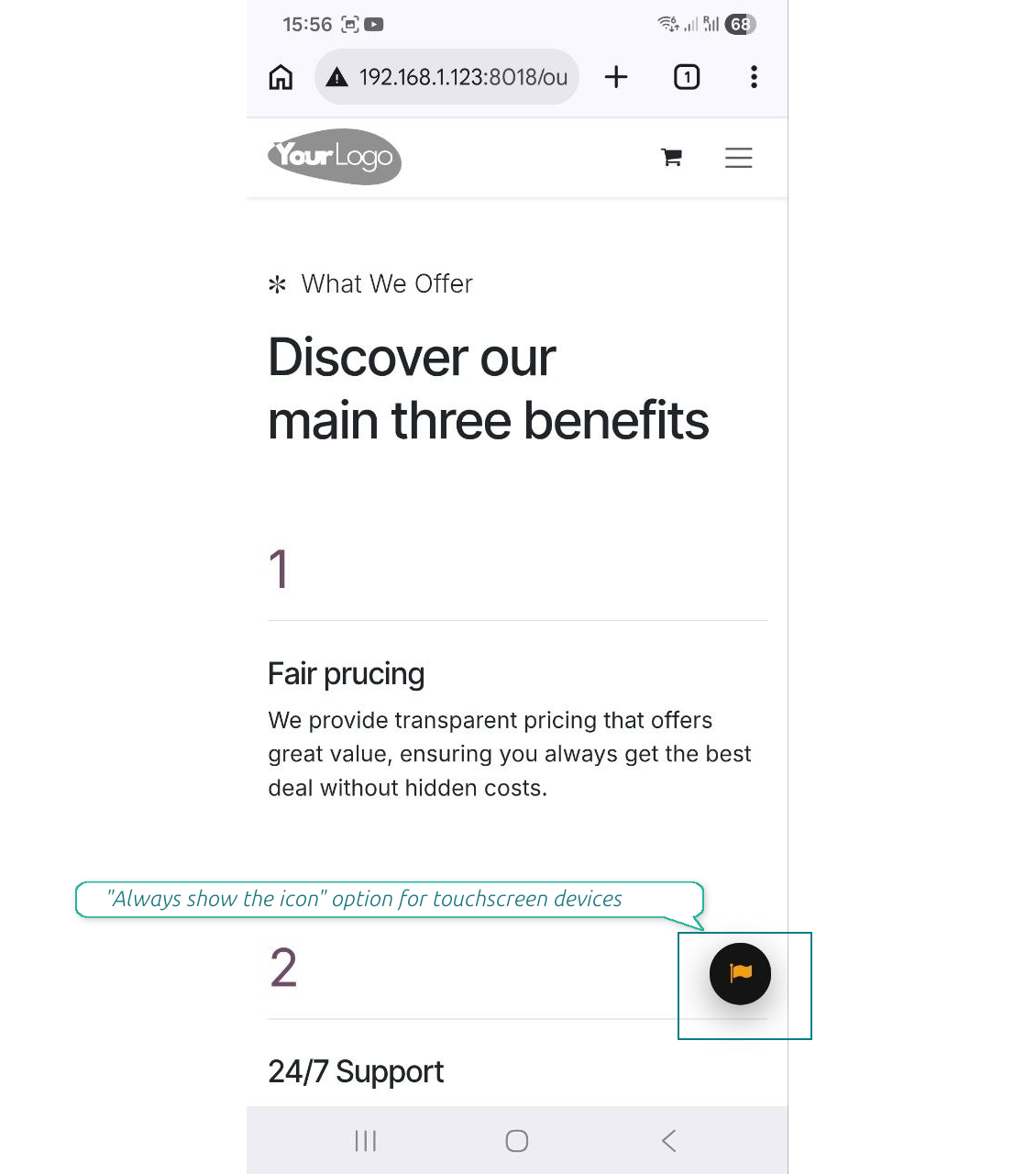
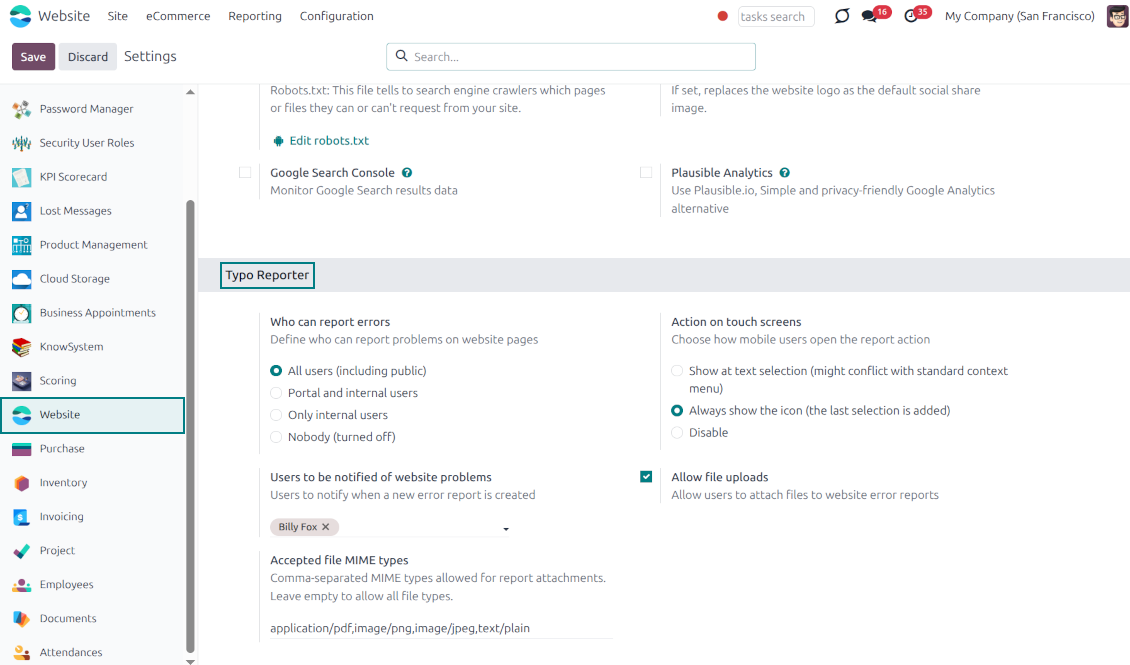
The reporter is optimized for adaptive devices. The mobile trigger can display a simple floating button only when text is highlighted, or act as a persistent button that stays on the screen
Configurable visibility and security
Configure exactly who can report issues: internal users, portal users, or even public visitors. Regardless of who sends the reports, they will be visible only to the "Website Editor" user group
Built-in Spam Protection
If the reporter is enabled for public (unauthenticated) users, the app fully supports both the standard Odoo Google reCAPTCHA and Cloudflare Turnstile to prevent bot submissions and spam
Comprehensive Diagnostic Data
Stop asking users which browser they use. Every report automatically captures and attaches vital debugging context behind the scenes: user-agent info, browser console logs, and technical page context
Allow or Disallow Attachments
Allow users to upload file attachments (e.g., screenshots) and optionally configure acceptable MIME types.
How it works
-
A user spots a mistake and highlights the text
-
They tap the floating action button "Report a problem" (alternatively, on desktop, press Ctrl+Enter)
-
A pop-up modal appears, allowing them to add a comment or attach a file (optional)
-
Upon submission, the app bundles the selected text, HTML, console logs, and user-agent information and sends it directly to the Odoo backend
-
Website Designers get notifications, decide, and start the investigation process ("In Progress" reports)
-
Website Designers analyze the provided details, auto gathered user agent info (details about the user's browser, operating system, and device), browser console logs (Recent log, warning, and error outputs from the browser console are buffered and added directly to the report), technical page context (the module automatically adds the page URL, precise XPath of the highlighted element, the meaningful parent element's HTML, and the exact timestamp).
-
If necessary, the website is updated or fixed
-
After the investigation and processing, the report is moved to "Done" or "Canceled".
De teksten van de app en website in andere talen dan het Engels zijn met AI ondersteund en afgestemd op de officiële Odoo-vertalingen. Als u een fout ziet, een vertaalticket sturen en we corrigeren het.
Odoo-demodatabases (voorbeelden)
Voor deze app kunnen we een gratis gepersonaliseerde demodatabase aanbieden.
U heeft geen telefoonnummer of creditcard nodig om contact met ons op te nemen. U hoeft slechts een korte e-mailaanmelding door te geven, die niet langer dan 30 seconden duurt.
Op verzoek richten wij een eigen voorbeelddatabase in waarin u ongeveer twee weken lang naar wens kunt testen en aannames kunt controleren.
Fouten melden
Als u bugs of inconsistent gedrag tegenkomt, aarzel dan niet om contact met ons op te nemen. We garanderen dat we binnen 60 dagen na aankoop oplossingen bieden en zijn zeer geïnteresseerd in het verbeteren van onze tools, zelfs na deze periode.
U heeft geen telefoonnummer of creditcard nodig om contact met ons op te nemen. U hoeft slechts een korte e-mailaanmelding door te geven, die niet langer dan 30 seconden duurt.
Vermeld zo veel mogelijk details in uw verzoek: schermafbeeldingen, Odoo-serverlogboeken, een volledige beschrijving om uw probleem te reproduceren enzovoort. Gewoonlijk kost het enkele werkdagen om een werkplan voor een probleem op te stellen (als een bug is bevestigd) of u richtlijnen te geven over wat er moet gebeuren (anders).
Aanvragen voor openbare functies en module-ideeën (gratis ontwikkeling)
We zijn sterk gemotiveerd om onze tools te verbeteren en zijn dankbaar voor alle feedback. Als uw vereisten van openbaar nut zijn en efficiënt kunnen worden geïmplementeerd, zal het team deze opnemen in onze takenlijst.
Zo'n to-dolijst wordt regelmatig verwerkt en er zijn geen extra kosten aan verbonden. Hoewel we geen deadlines en definitief ontwerp kunnen beloven, kan het een goede manier zijn om de gewenste functies te verkrijgen zonder investeringen en risico's.
U heeft geen telefoonnummer of creditcard nodig om contact met ons op te nemen. U hoeft slechts een korte e-mailaanmelding door te geven, die niet langer dan 30 seconden duurt.

De tool om Odoo-bijlagen in mappen te structureren en te synchroniseren met Google Drive, OneDrive/SharePoint, Nextcloud/ownCloud, Dropbox, Amazon S3, Box en NAS. Bestandsbeheer. DMS
398€
The tool to automatically synchronize Odoo attachments with OneDrive files in both ways
487€
The tool to automatically synchronize Odoo attachments with Google Drive files in both ways
487€

The tool to build a deep and structured knowledge base for internal and external use. Knowledge System. KMS. Wiki-like revisions.
398€
The tool to set up KPI targets and control their fulfillment by periods. KPI dashboards. Dashboard designer. KPI charts

The tool for time-based service management from booking appointments to sales and reviews
398€
The tool to manage your Odoo from your favorite AI chats through MCP. Claude. Any MCP-supporting AI.

The tool to translate URL addresses of Odoo website pages
38€