In Short
Box Odoo Integration is an Odoo 19 Document Management app. The tool to automatically synchronize Odoo attachments with Box files in both ways.
Box Odoo Integration connects Cloud Storage Solutions with Box cloud storage. It synchronizes Odoo folders and attachments with Box in both directions, replaces synced binaries with URL attachments in Odoo, and gives users quick access to Box files from Odoo records and the File Manager.
Perfect for
Box-based document teams
Keep Box as the storage layer while Odoo remains the business workspace for files and folders.
Structured Box folders
Generate Box folder trees from Odoo objects, folder rules, and manual folders without changing user routines.
Fast Box access
Open synchronized Box items from Odoo while preserving Odoo record context, search, and file manager navigation.
Why teams choose it
Key benefits before you dive into the details
Box as file storage
Keep Odoo business context while synchronized binaries live in Box as files and folders.
Odoo-driven folder trees
Generate Box directories from Odoo folder rules, manual folders, and record-related attachment boxes.
Two-way synchronization
Push Odoo attachments to Box and bring Box-side files or folders back into Odoo as linked items.
Odoo File Manager
Browse, upload, move, tag, download, and search Box-synced attachments from Odoo.
Box web links
Open synchronized Box files and folders from Odoo when users need to continue work in the Box interface.
Queue and logs
Monitor Box sync jobs, retries, and client state from Cloud Storage logs in Odoo.
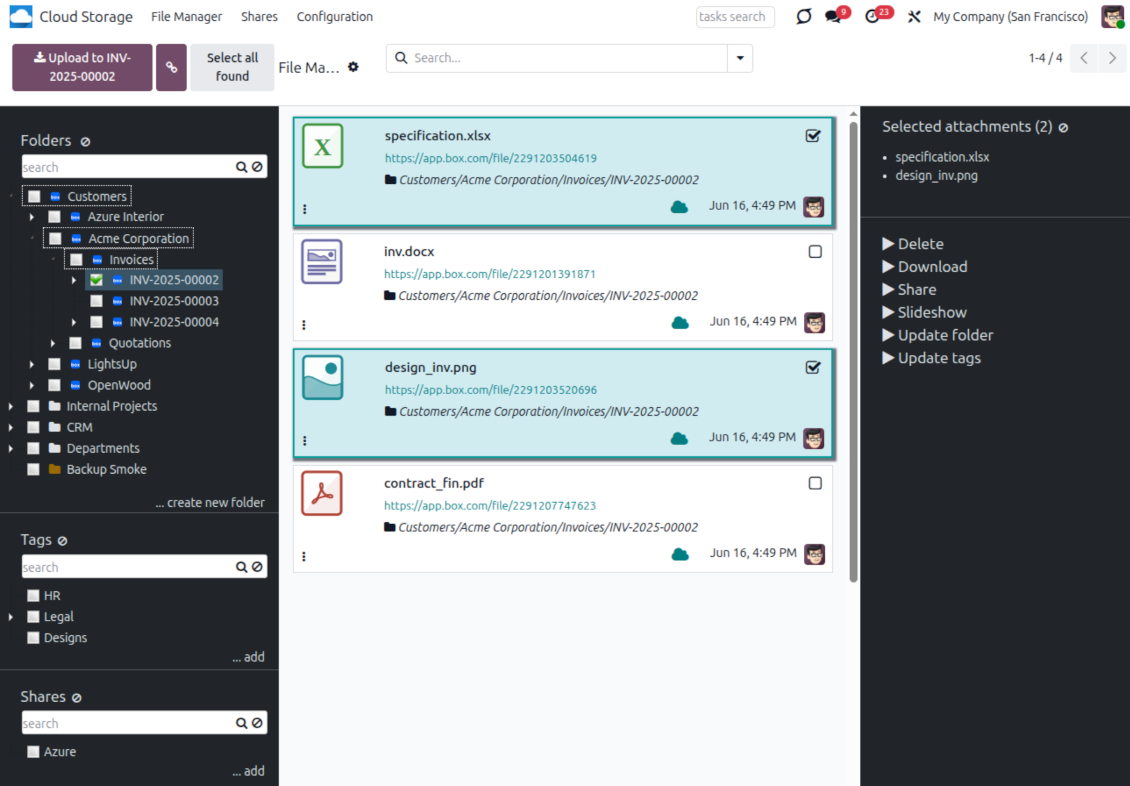
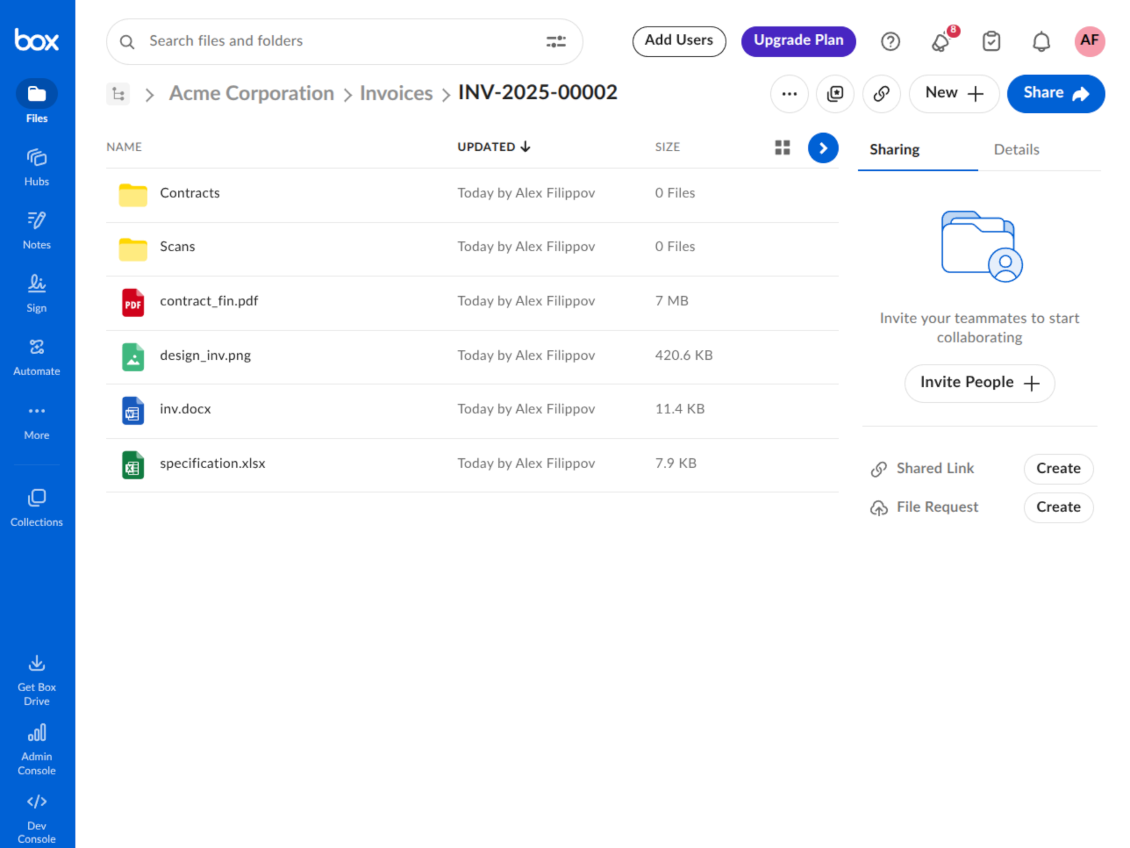
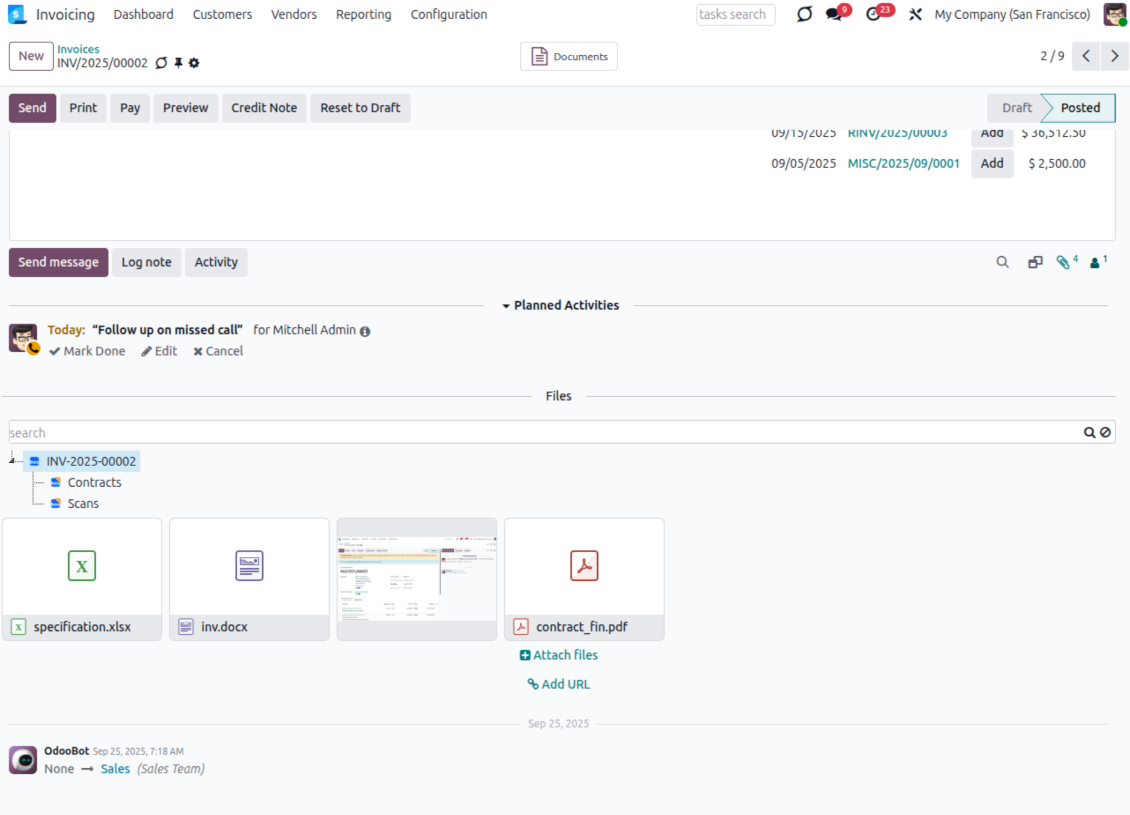
How Box Synchronization Works
Scheduled jobs keep Odoo folders and Box folders aligned in both directions.
Odoo to Box
- Direct sync creates Box folders from Odoo folder rules and manual directories.
- Odoo attachments are uploaded to Box and replaced with URL attachments in Odoo.
- Folder and file changes are queued and processed by scheduled synchronization jobs.
Box to Odoo
- Backward sync creates Odoo URL attachments and subfolders for new Box items.
- Cloud-side moves, updates, and deletions are reflected in linked Odoo folders where possible.
- Reverse sync can bring files back to Odoo when a Box connection is reset or changed.
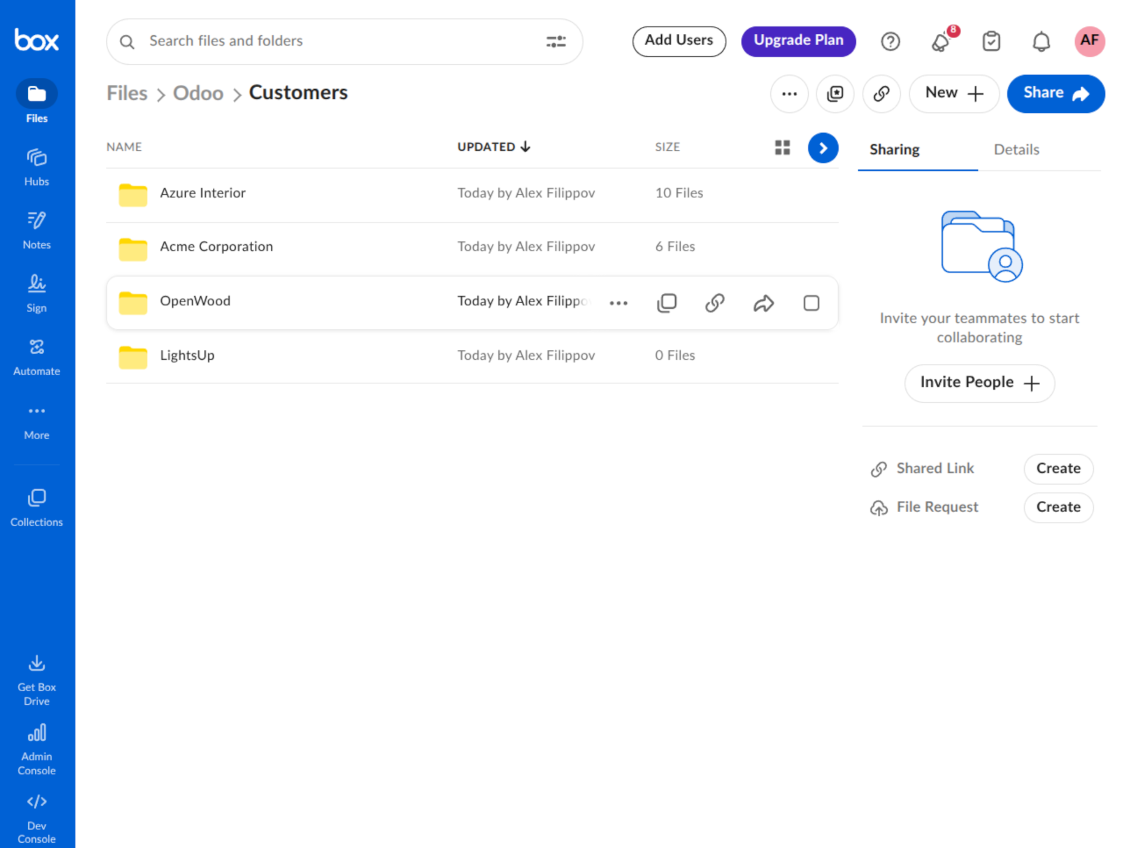
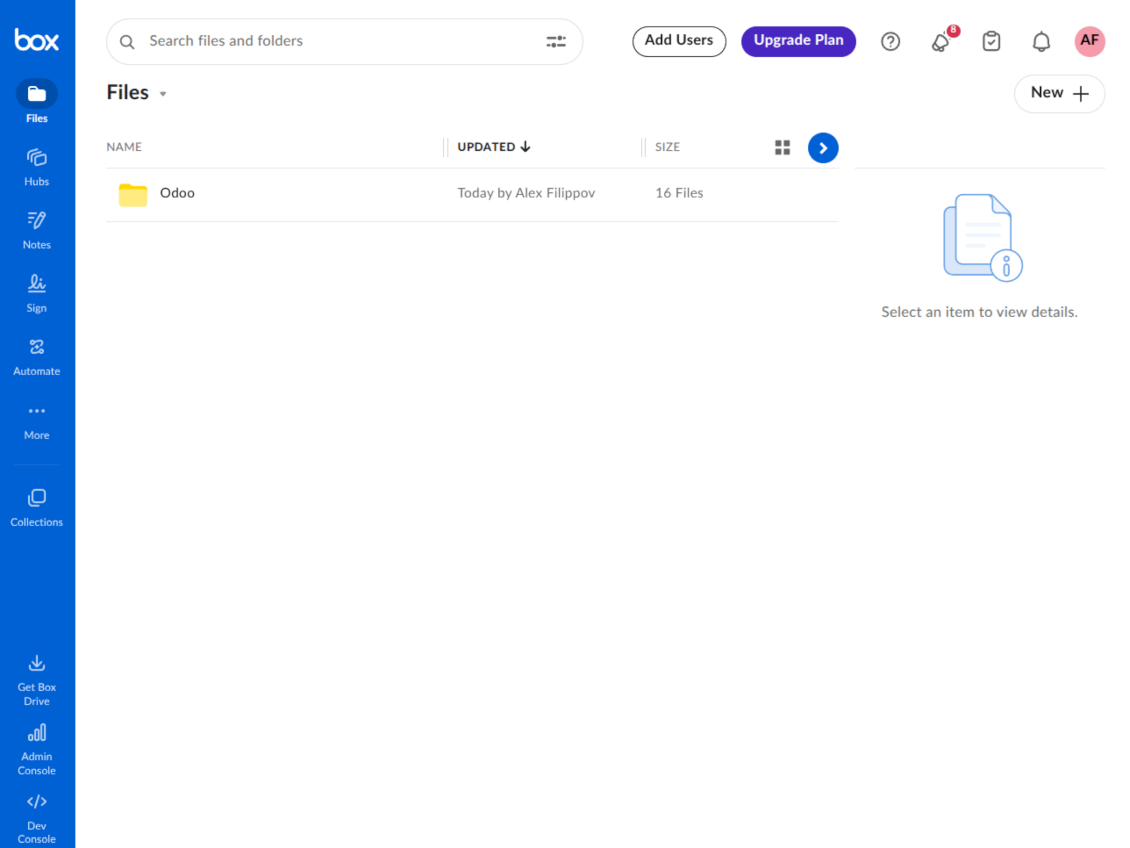
Box URLs
Open synchronized Box files and folders from Odoo whenever users need the Box interface.
Direct access from Odoo
- Synced Odoo attachments become URL records that point users to the corresponding Box file.
- Users can open linked Box folders from the File Manager and attachment box.
- Odoo keeps the record, folder, and tag context even when the file itself is stored in Box.
Box permissions stay in Box
- The extension synchronizes links and files; Box-side access policies remain managed in Box.
- Odoo administrators manage sync scope, logs, and connections from Cloud Storage settings.
- This separation keeps Odoo document navigation clean while preserving the company Box governance model.
Ready to evaluate?
Start with a free demo request or purchase in the Odoo Apps Store.
Free personalized demo database. No phone number or credit card required. Free life-time updates and expert support within the major Odoo version.
Configuration and Installation Tips for Box Odoo Integration Odoo v.19
Python dependency
The tool depends on the external library 'box_sdk_gen'. Install this library for your Odoo server through the command:
pip3 install boxsdkConfiguration and log in
- Turn on the option 'Box Sync' (cloud Storage > Configuration > Configuration). The optional add-on Box Odoo Integration is required
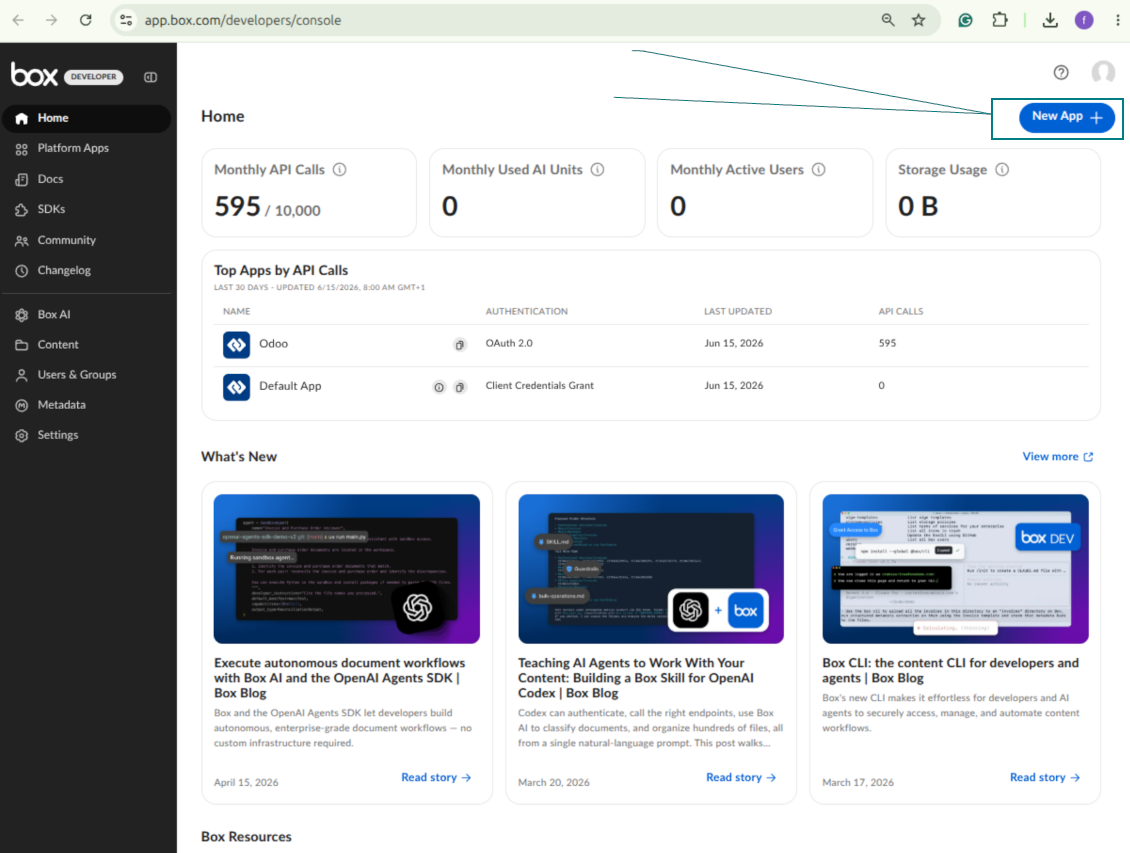
- Create or open a Box developer account and go to the Box Developer Console: https://app.box.com/developers/console
- Create a Custom App and choose OAuth 2.0 (Authorization Code Grant) as the authentication method
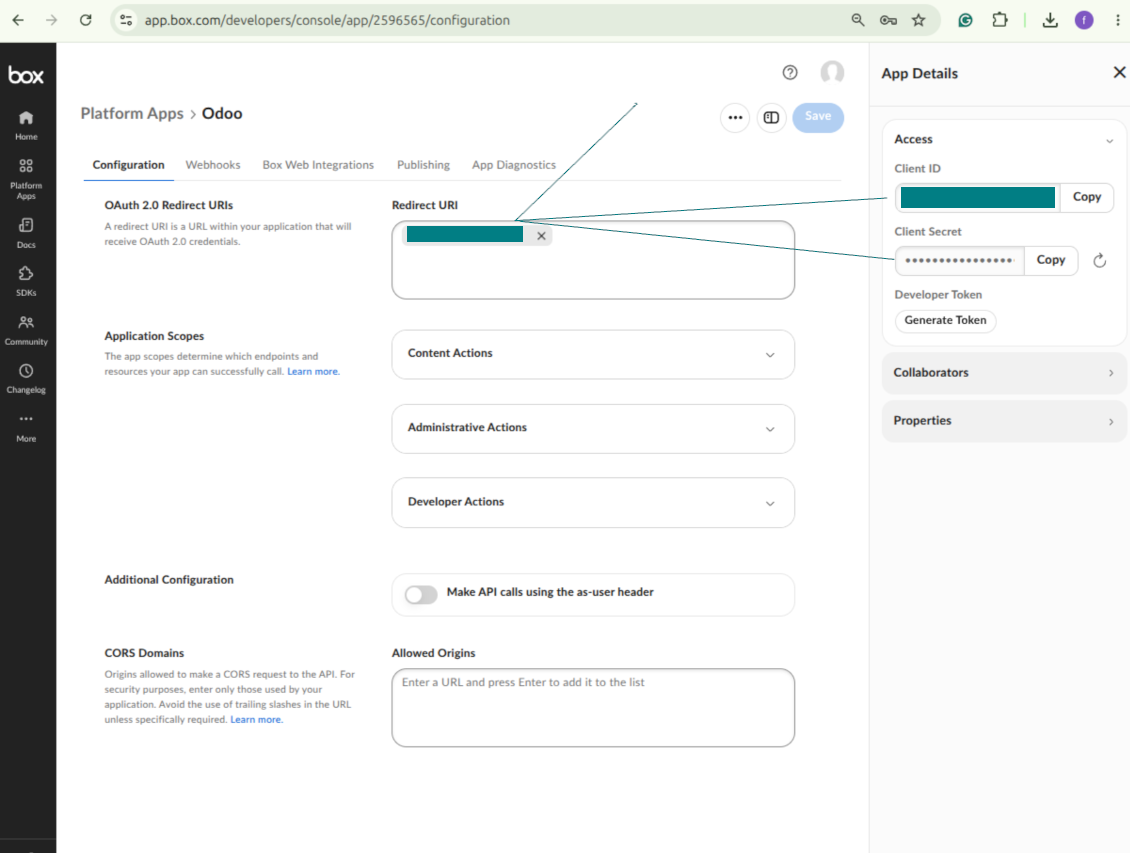
- Add the redirect URI as [YOURODOOSITENAME]/box_token (e.g. https://faotools.com/box_token). A valid SSL certificate (https) is required
- Grant the app access to read and write files and folders. Avoid assigning unrelated permissions
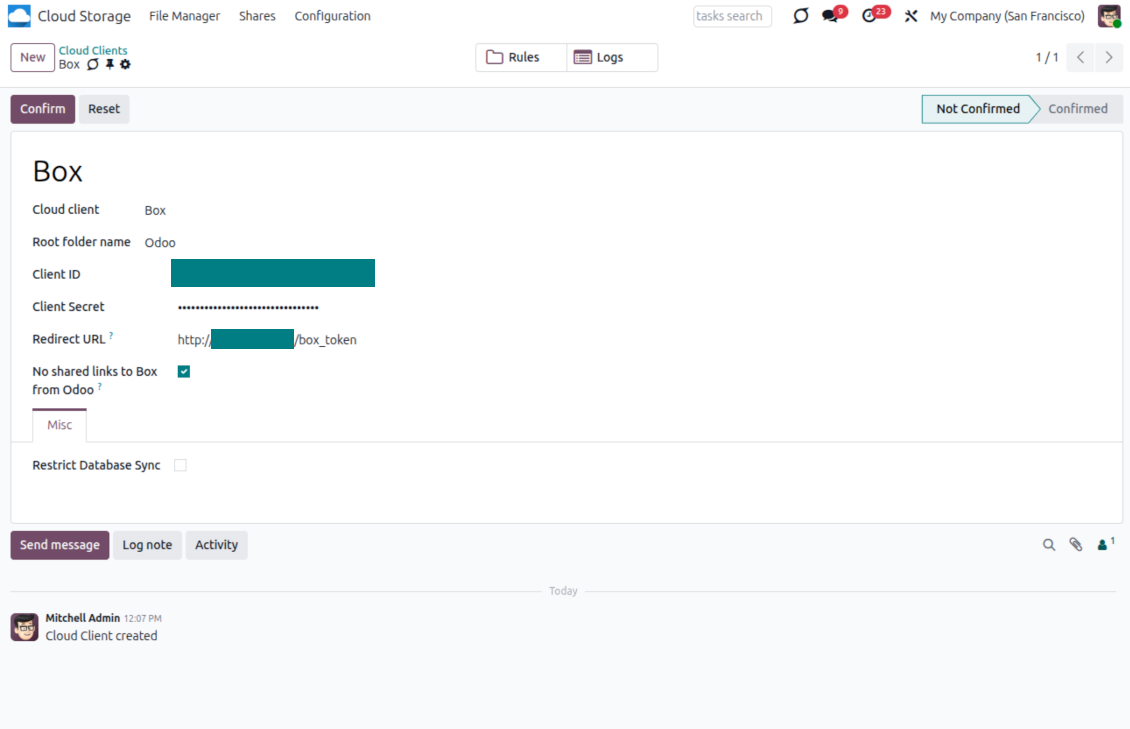
- Go to Odoo Cloud Storage > Configuration > Cloud Clients and press 'Create'
- As a reference, introduce any name which would be clear to all users
- As a Cloud client, choose 'Box'
- As a Root folder name, enter a title that will be used as the parent Box directory for all synced folders. For example, 'Odoo' or 'OdooERP'
- Copy Box Client ID to the field 'Client ID'
- Copy Box Client Secret to the field 'Client Secret'
- Insert previously generated redirect URL
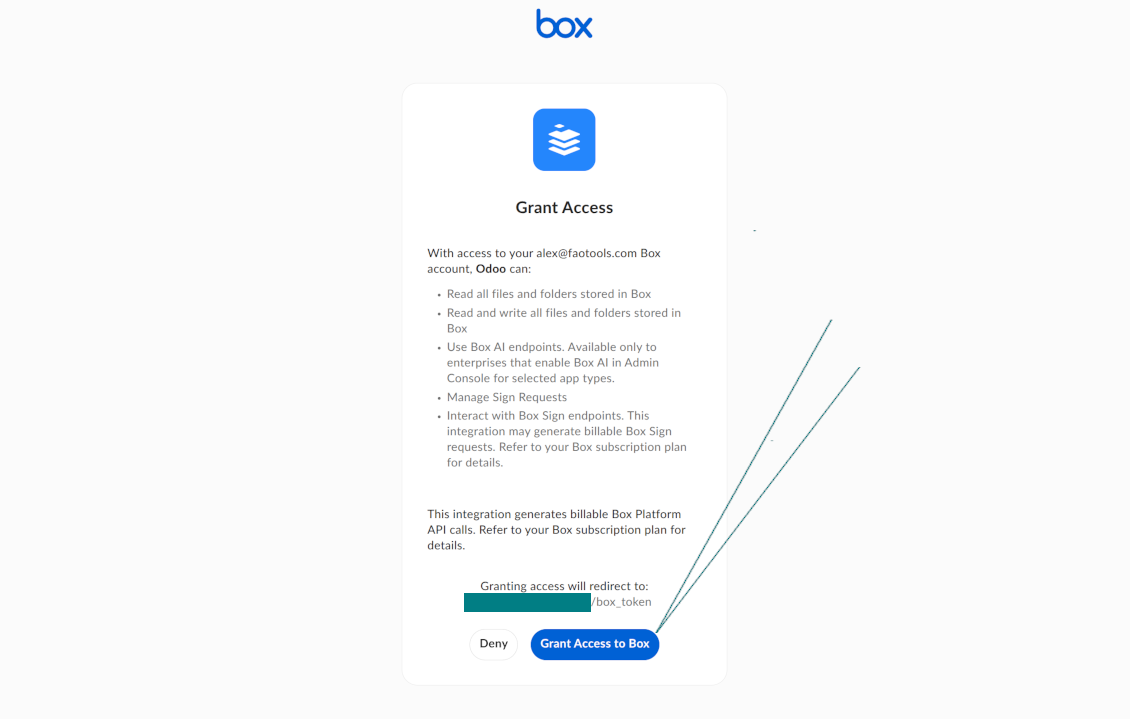
- Press 'Confirm'. Odoo redirects you to the Box login page. Check in the system, agree with all conditions, and grant all permissions asked
- After login, Box redirects you back to Odoo. Box - Odoo synchronization is ready to be done
- Apply the newly created cloud client to folder rules and/or manual folders which should be synced to that Box account
- Await the sync scheduled job to be started. For testing purposes only: trigger integration manually from Cloud Storage > Configuration > Configuration > the button 'Launch sync'.
Create a new Box developer app
Copy Box OAuth credentials
Configure the Box cloud client in Odoo
Grant Odoo access to Box
Frequently Asked Questions about Box Odoo Integration Odoo v.19
Where would be synced fields stored? Are they duplicated to Odoo and clouds?
The app assumes that the binary content of attachments is kept in Cloud Client instead of the Odoo server. So, such attachments in Odoo become of the URL type, and you may any time access them either from the attachments box or from the Cloud Client.
After the setup, no manual actions are required, as the synchronization is fully automatic. Just decide which Odoo document types should be synced and set up a related model to sync for each of those (Customers, Sale or Purchase Orders, Tasks, Projects, etc.).
Can I have a few folders for the the same document type? For example, internal projects and customer projects?
Yes, you can. To that goal, prepare a rule for each, and then those apply filters: for example by type of a project.
Try to make filters self-exclusive in order a document can be definitely assigned. For instance, 'customer but not supplier', 'supplier but not customer'. Otherwise, a specific document folder would jump from one model to another.
Is it possible to make synchronization real-time?
No. We have strong reasons to avoid real time sync:
Performance issues. In case a sync is real time, each file upload will result in the loading screen.
Conflict issues. If 2 users simultaneously change an item, it might lead to unresolved situations. In case of regular jobs we can fix it afterwards, while in case of real time we would need to save it as some queue, and it will be even more misleading for users.
Functionality issues. In particular, renaming and restructuring of items. In the backward sync the tool strictly relies upon directories' logic, and during each sync 100% of items are checked. In case it is done after each update, it will be thousands of requests per second. If not: changes would be lost.
May I change default folders' name in clouds?
You may assign your name for models' directories (sale orders, opportunities, suppliers, etc.) for any document type.
For objects' folders (SO-001, John Smith, etc.), the tool relies upon the Odoo method to construct a display name for this document type. However, you can change that by defining the name expression. The exact syntax for Odoo email templates is used.
May I change frequency of sync jobs?
No, starting from version 15, you should not change scheduled jobs. They are optimized to run every 15 minutes to guarantee the most stable and quick connection.
Ensure that your Odoo server timeouts are set for at least 15 minutes (900 seconds).
If you need to stop sync for a while, do that on a particular cloud client form.
May I sync attachments to a few cloud clients
Yes, starting from version 15, you can set up multiple connections. In this way, it is possible to sync some folders to one cloud client and others - to another.
Take into account that it is not any way possible to sync the same folder for a few cloud storages simultaneously.
We use a special editor in our clouds (e.g. OnlyOffice, Office 365, etc.). Would files be opened in that editor?
Yes, depending on your cloud client configuration.
Do I need only the Cloud Storage Solution app?
Starting from version 15, the app might be used stand-alone to structure attachments in folders and to provide a file manager interface.
However, if your goal is to establish a connection with one of its cloud clients, you would need at least one optional client-related app to be installed.
What happens when I change a folder rule?
When a folder rule changes, the list of folders also changes. So, if a folder no longer matches the conditions of the folder rules - it is removed. If the files have been synced, the reversed sync returns them to Odoo and deletes them from the Cloud Client.
If a document's object doesn't match the conditions of a folder rule, then its folder will not be created. However, if it matches the conditions later, the related folder will be generated.
Can I keep only the direct sync, or turn off the backward sync?
Yes. On the cloud client, open the Settings page and turn on Turn off the backward sync.
The sync stays one-way. Changes made in Odoo are still pushed to the cloud storage. Files and folders created, renamed, or deleted in the cloud storage are not reflected in Odoo, and folders deleted there are not restored.
Turn the option off again to apply those accumulated changes, including deletions, on the next sync.
This setting is available from version 18. Unlinking, resetting, or deactivating the client still runs the reverse sync, unless you also turn that off.
Odoo demonstration databases (live previews)
For this app, we might provide a free personalized demo database.
You do not need a phone number or credit card to contact us. You should only pass a short email sign-up, which does not take more than 30 seconds.
By your request, we will prepare an individual live preview database, where you can apply any tests and check assumptions for about two weeks.
Bug reporting
If you encounter bugs or inconsistent behavior, do not hesitate to contact us. We guarantee to provide fixes within 60 days of purchase and are intensely interested in improving our tools even after this period.
You do not need a phone number or credit card to contact us. You should only pass a short email sign-up, which does not take more than 30 seconds.
Please include as many details as possible in your request: screenshots, Odoo server logs, a full description of how to reproduce your problem, and so on. Usually, it takes a few business days to prepare a working plan for an issue (if a bug is confirmed) or provide you with guidelines on what should be done (otherwise).
Public features requests and module ideas (free development)
We are strongly motivated to improve our tools and would be grateful for any feedback. If your requirements are of public use and might be efficiently implemented, the team will include those in our to-do list.
Such a to-do list is processed regularly and does not assume extra fees. Although we cannot promise deadlines and final design, it might be a good way to get desired features without investments and risks.
You do not need a phone number or credit card to contact us. You should only pass a short email sign-up, which does not take more than 30 seconds.


The tool to build a deep and structured knowledge base for internal and external use. Knowledge System. KMS. Wiki-like revisions.
398€
The tool to set up KPI targets and control their fulfillment by periods. KPI dashboards. Dashboard designer. KPI charts

The tool for time-based service management from booking appointments to sales and reviews
398€
The tool to manage your Odoo from your favorite AI chats through MCP. Claude. Any MCP-supporting AI.

The tool to flexibly structure Odoo attachments in folders and synchronize directories with cloud clients: Google Drive, OneDrive/SharePoint, Nextcloud/ownCloud, Dropbox, Amazon S3, Box, and NAS. DMS. File Manager. Document management system
398€
The tool to automatically synchronize Odoo attachments with OneDrive files in both ways
487€
The tool to automatically synchronize Odoo attachments with Google Drive files in both ways
487€
The tool to automatically synchronize Odoo attachments with ownCloud/Nextcloud files in both ways
487€