Odoo Website Typo and Error Reporter v.17
The tool to empower your visitors to highlight text and report problems directly from Odoo's website
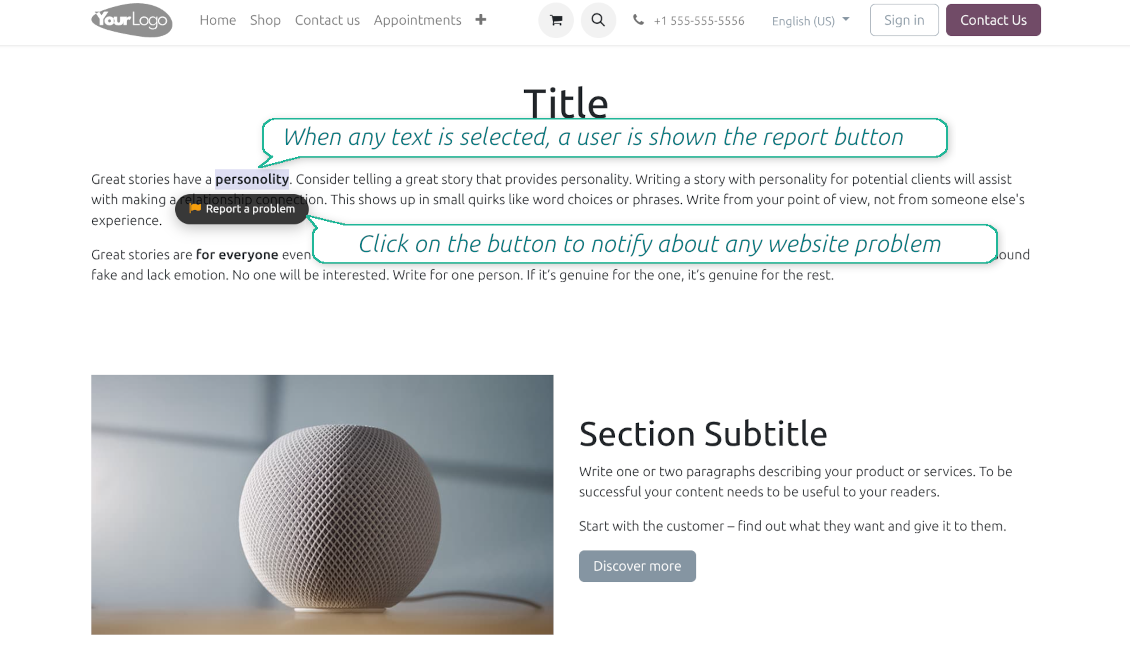
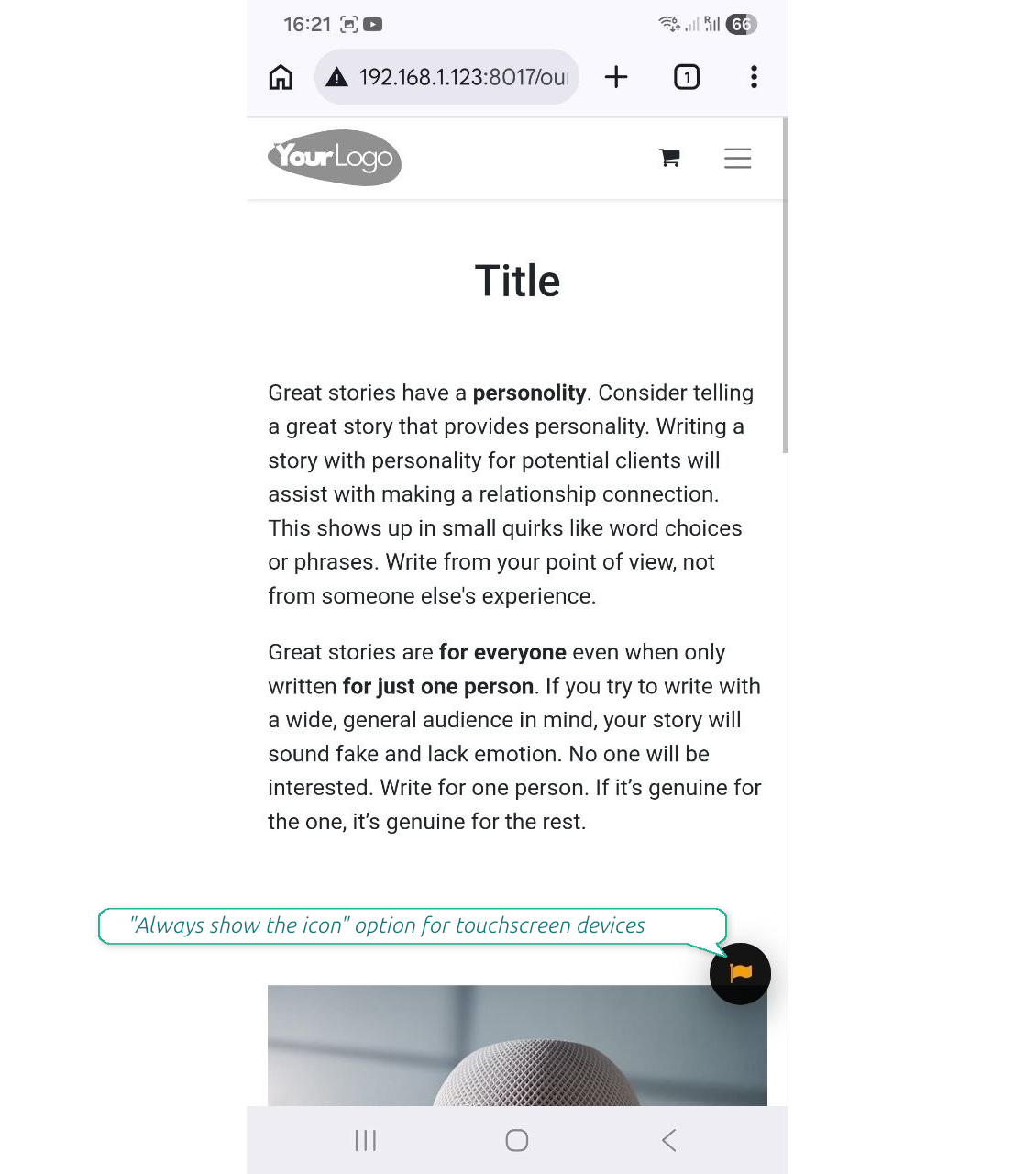
Even the most carefully designed websites can have typos, broken elements, or formatting issues. The Website Typo Reporter app provides an intuitive, front-end interface that lets users notify your team of any mistakes on your Odoo website.
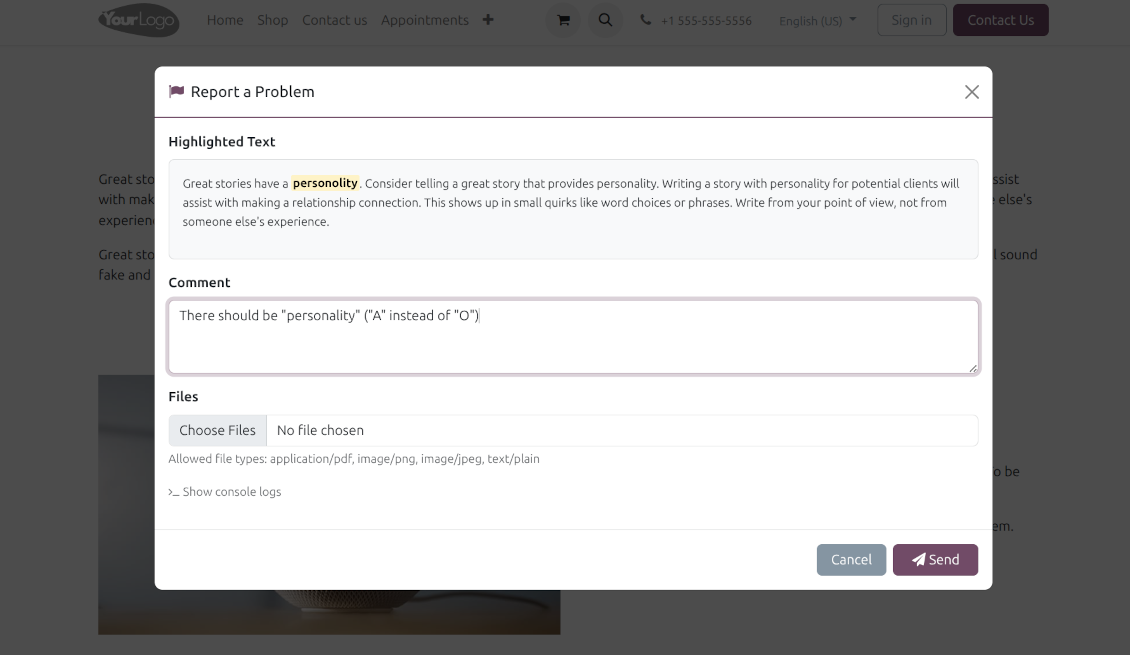
When a user selects text on the page and clicks a dedicated "Report a problem" button (or simply Ctrl+Enter for desktops), a sleek modal dialog opens. This instantly generates a comprehensive error report, capturing crucial technical context to help your developers and content managers fix the issue quickly.
Simple Correction Workflow
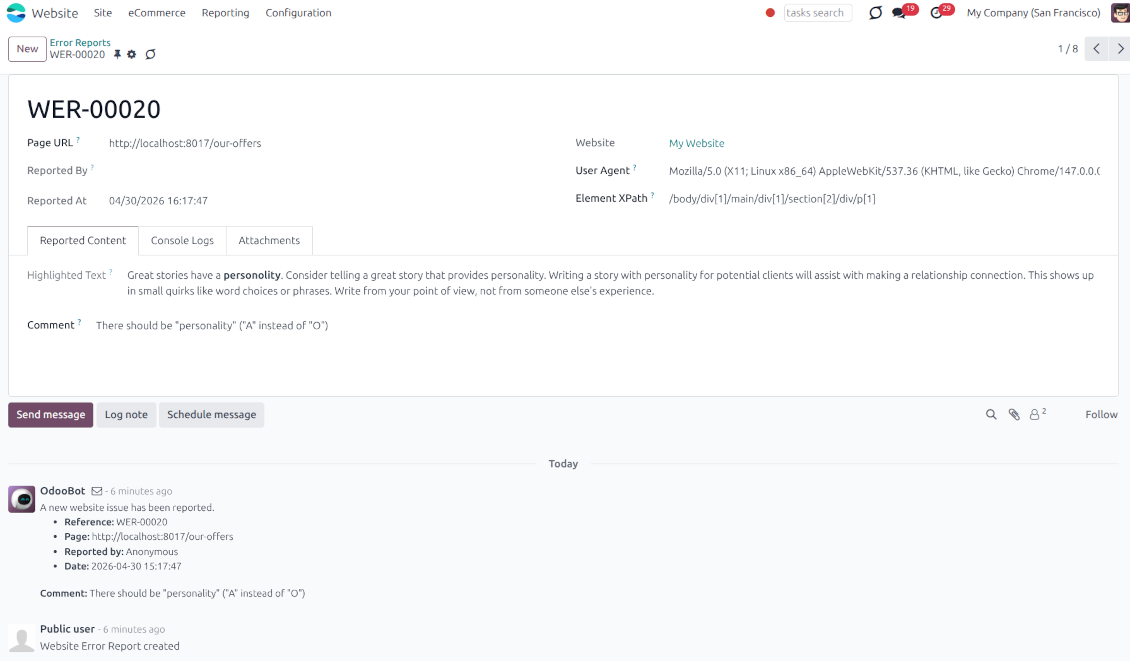
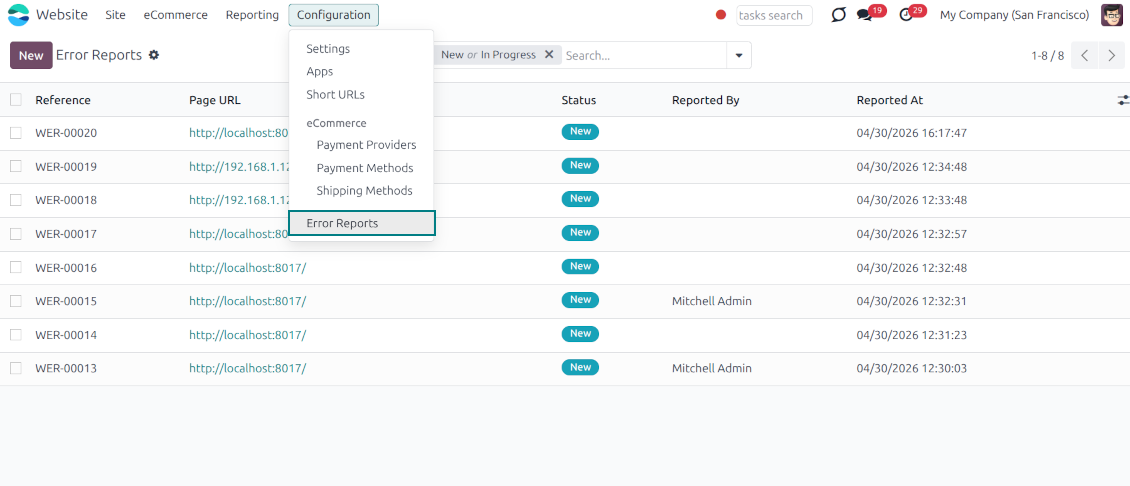
Every reported issue automatically creates a "Website Error Report" record in your backend. Website Designers can receive instant notifications and follow a simple built-in workflow to discuss, track, and resolve issues seamlessly
Flawless Touchscreen Support
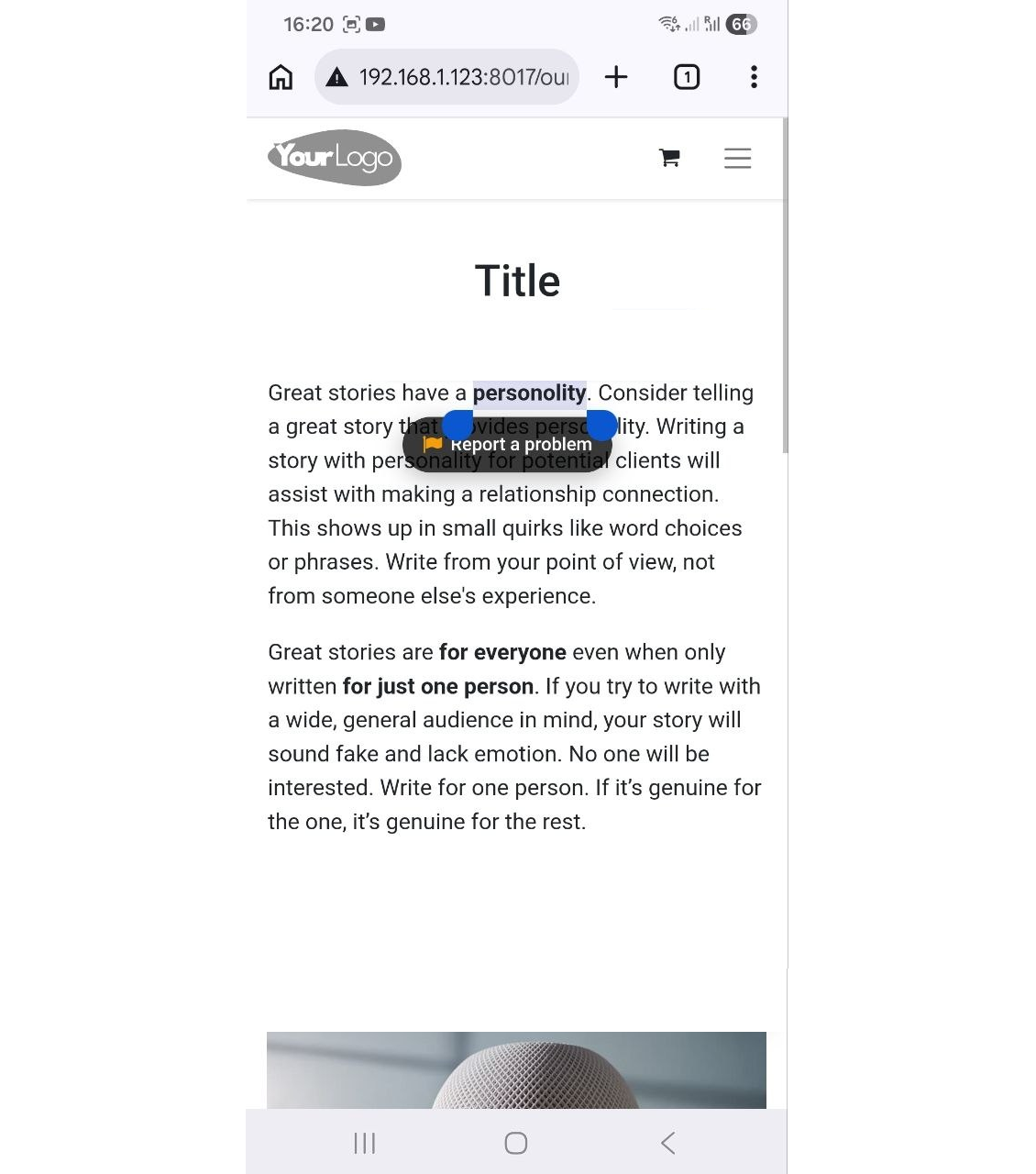
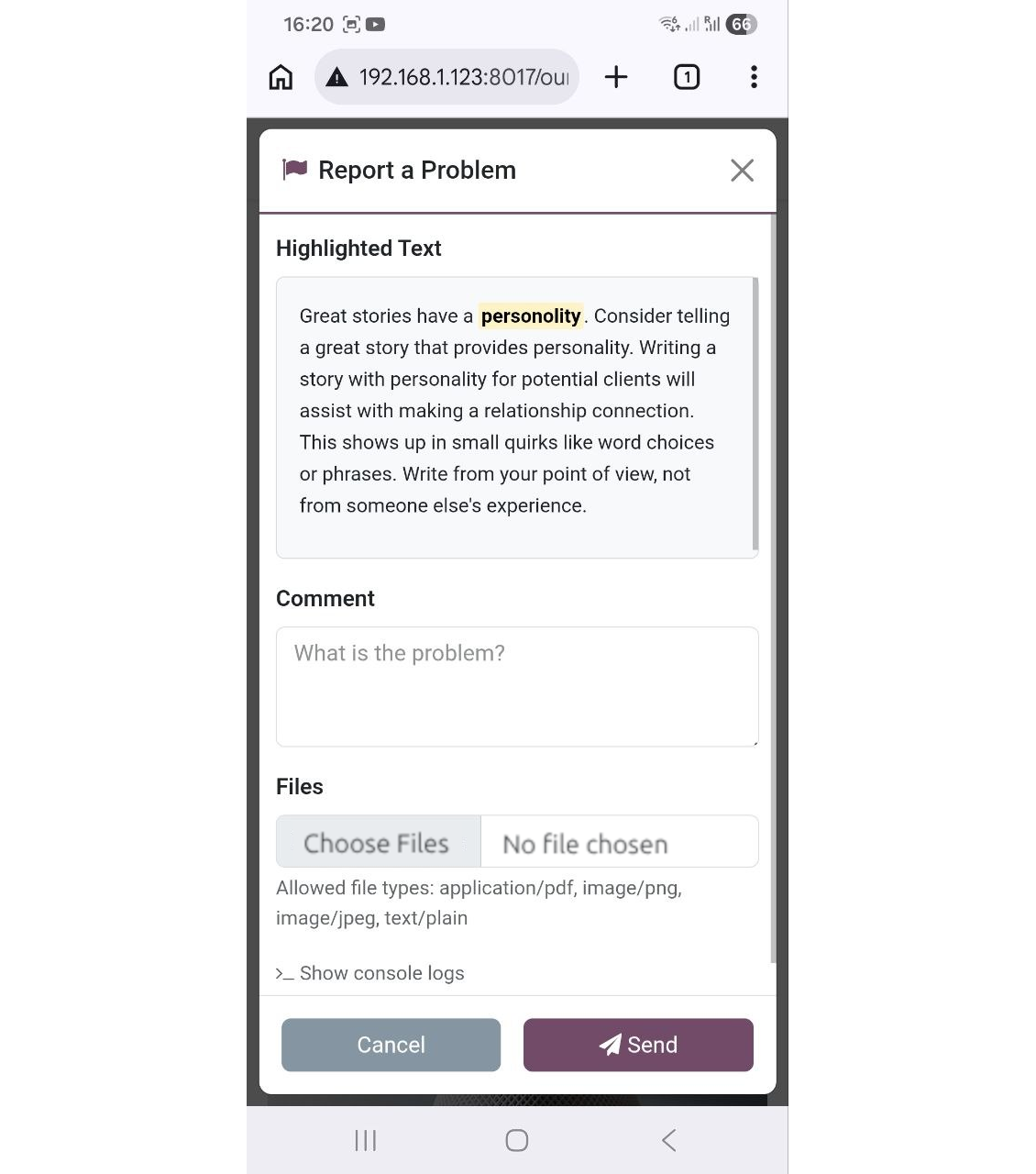
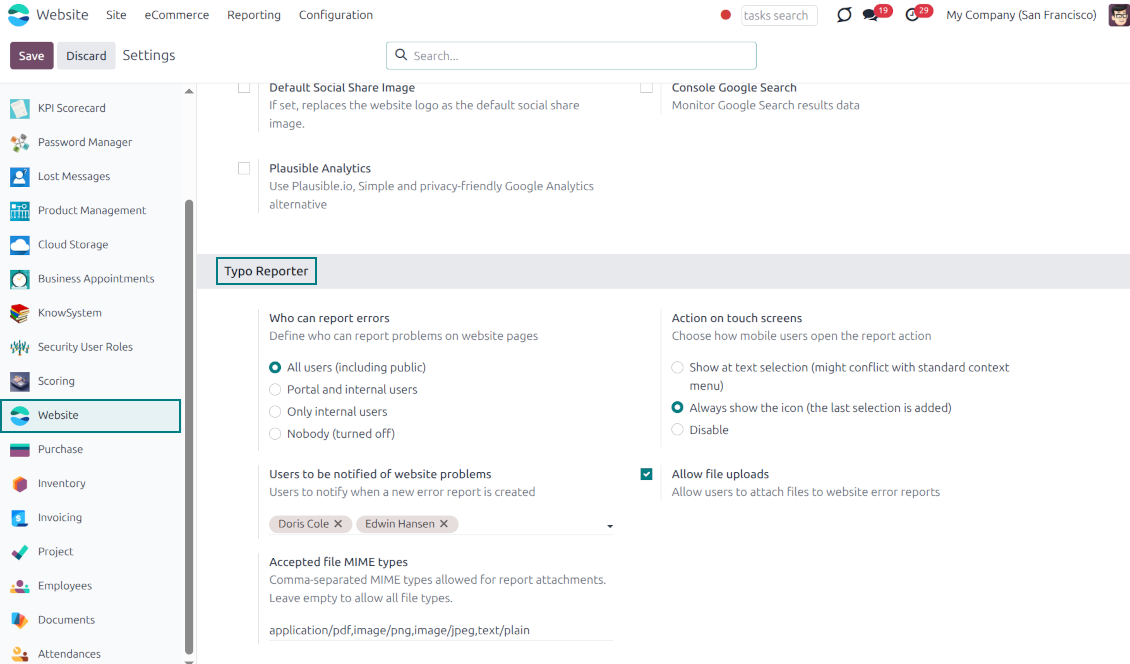
The reporter is optimized for adaptive devices. The mobile trigger can display a simple floating button only when text is highlighted, or act as a persistent button that stays on the screen
Configurable visibility and security
Configure exactly who can report issues: internal users, portal users, or even public visitors. Regardless of who sends the reports, they will be visible only to the "Website Editor" user group
Built-in Spam Protection
If the reporter is enabled for public (unauthenticated) users, the app fully supports both the standard Odoo Google reCAPTCHA and Cloudflare Turnstile to prevent bot submissions and spam
Comprehensive Diagnostic Data
Stop asking users which browser they use. Every report automatically captures and attaches vital debugging context behind the scenes: user-agent info, browser console logs, and technical page context
Allow or Disallow Attachments
Allow users to upload file attachments (e.g., screenshots) and optionally configure acceptable MIME types.
How it works
-
A user spots a mistake and highlights the text
-
They tap the floating action button "Report a problem" (alternatively, on desktop, press Ctrl+Enter)
-
A pop-up modal appears, allowing them to add a comment or attach a file (optional)
-
Upon submission, the app bundles the selected text, HTML, console logs, and user-agent information and sends it directly to the Odoo backend
-
Website Designers get notifications, decide, and start the investigation process ("In Progress" reports)
-
Website Designers analyze the provided details, auto gathered user agent info (details about the user's browser, operating system, and device), browser console logs (Recent log, warning, and error outputs from the browser console are buffered and added directly to the report), technical page context (the module automatically adds the page URL, precise XPath of the highlighted element, the meaningful parent element's HTML, and the exact timestamp).
-
If necessary, the website is updated or fixed
-
After the investigation and processing, the report is moved to "Done" or "Canceled".
Textele aplicației și ale site-ului în alte limbi decât engleza sunt asistate de IA și aliniate cu traducerile oficiale Odoo. Dacă observați o greșeală, trimiteți un tichet de corectitudine a traducerilor și o vom corectă.
Baze de demonstrație Odoo (previzualizări live)
Pentru această aplicație putem oferi o bază demo personalizată gratuită.
Nu aveți nevoie de număr de telefon sau card de credit pentru a ne contacta. Este suficientă o înscriere scurtă prin e-mail, care nu durează mai mult de 30 de secunde.
La cererea dvs. pregătim o bază individuală de previzualizare live, unde puteți aplică teste și verifica ipoteze timp de aproximativ două săptămâni.
Raportarea erorilor
Dacă întâmpinați erori sau comportament inconsecvent, nu ezitați să ne contactați. Garantăm corecturi în 60 de zile de la cumpărare și suntem interesați să îmbunătățim instrumentele și după această perioadă.
Nu aveți nevoie de număr de telefon sau card de credit pentru a ne contacta. Este suficientă o înscriere scurtă prin e-mail, care nu durează mai mult de 30 de secunde.
Includeți cât mai multe detalii în cerere: capturi de ecran, jurnalele serverului Odoo, o descriere completă a reproducerii problemei și așa mai departe. De obicei, durează câteva zile lucrătoare pentru a pregăti un plan de lucru (dacă un defect este confirmat) sau pentru a vă oferi indicații despre ce trebuie făcut (în caz contrar).
Cereri publice de funcții și idei de module (dezvoltare gratuită)
Suntem puternic motivați să ne îmbunătățim instrumentele și am fi recunoscători pentru orice feedback. Dacă cerințele dvs. sunt de interes public și pot fi implementate eficient, echipa le va include în lista noastră de sarcini.
O astfel de listă de sarcini este prelucrată regulat și nu presupune taxe suplimentare. Deși nu putem promite termene și un design final, poate fi o cale bună de a obține funcțiile dorite fără investiții și riscuri.
Nu aveți nevoie de număr de telefon sau card de credit pentru a ne contacta. Este suficientă o înscriere scurtă prin e-mail, care nu durează mai mult de 30 de secunde.

The tool to flexibly structure Odoo attachments in folders and synchronize directories with cloud clients: Google Drive, OneDrive/SharePoint, Nextcloud/ownCloud, Dropbox, Amazon S3, Box, and NAS. DMS. File Manager. Document management system
398€
The tool to automatically synchronize Odoo attachments with OneDrive files in both ways
487€
The tool to automatically synchronize Odoo attachments with Google Drive files in both ways
487€

The tool to build a deep and structured knowledge base for internal and external use. Knowledge System. KMS. Wiki-like revisions.
398€
The tool to set up KPI targets and control their fulfillment by periods. KPI dashboards. Dashboard designer. KPI charts

The tool for time-based service management from booking appointments to sales and reviews
398€
The tool to manage your Odoo from your favorite AI chats through MCP. Claude. Any MCP-supporting AI.

The tool to combine different Odoo events in a few configurable super calendars