Odoo Website Typo and Error Reporter v.17
The tool to empower your visitors to highlight text and report problems directly from Odoo's website
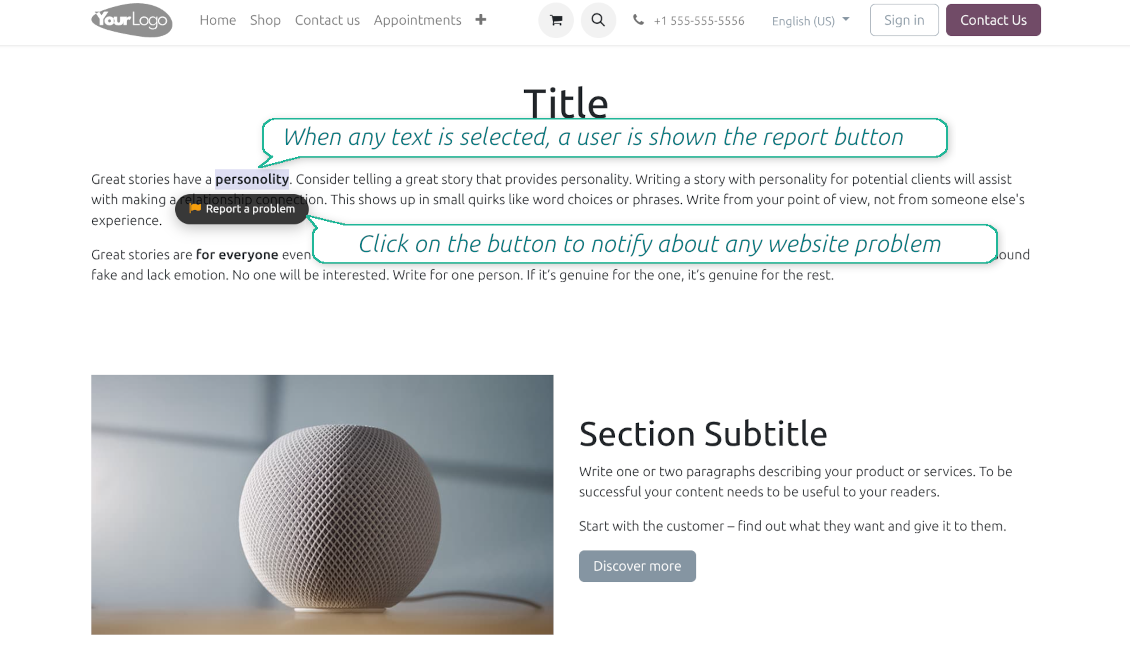
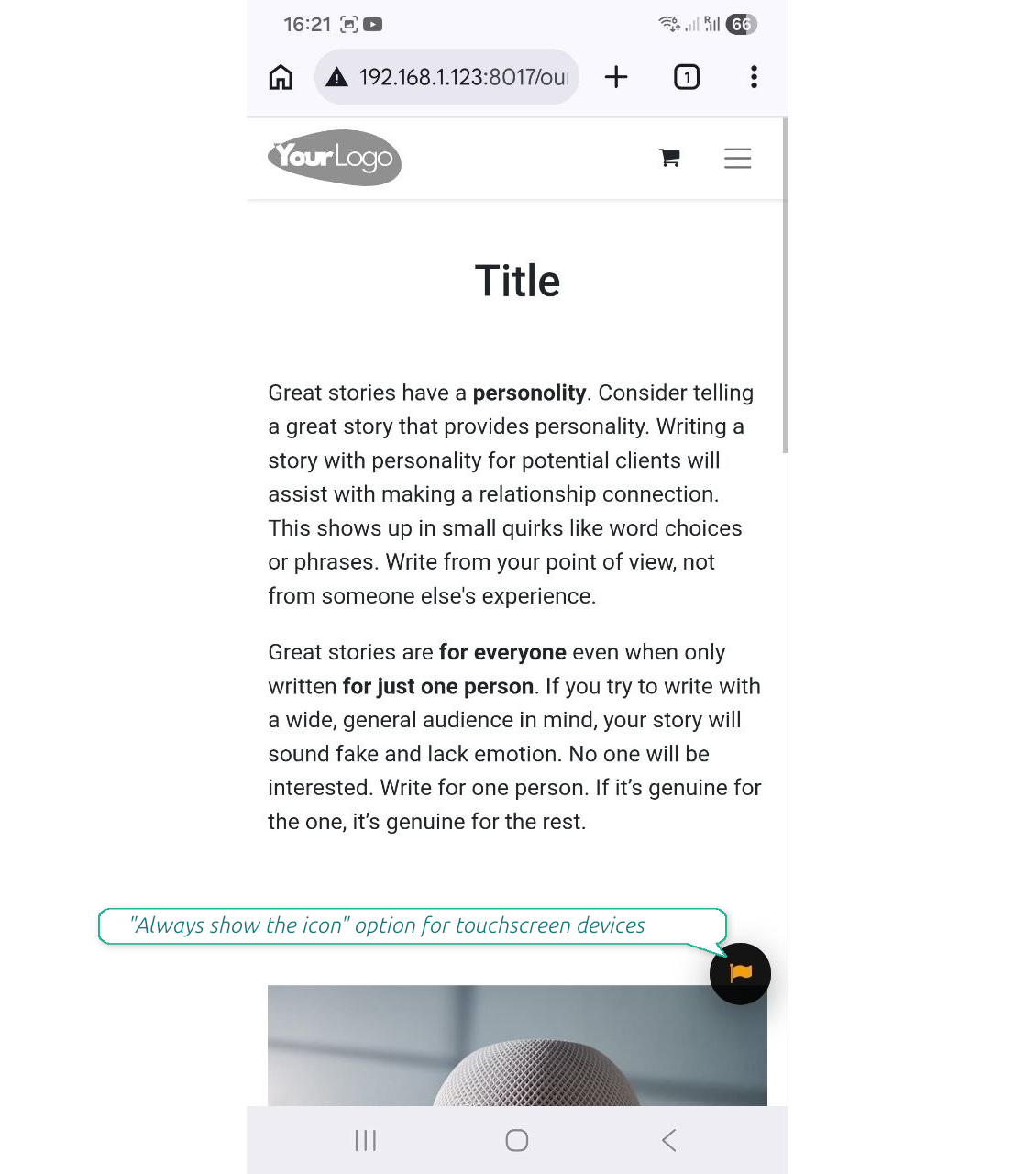
Even the most carefully designed websites can have typos, broken elements, or formatting issues. The Website Typo Reporter app provides an intuitive, front-end interface that lets users notify your team of any mistakes on your Odoo website.
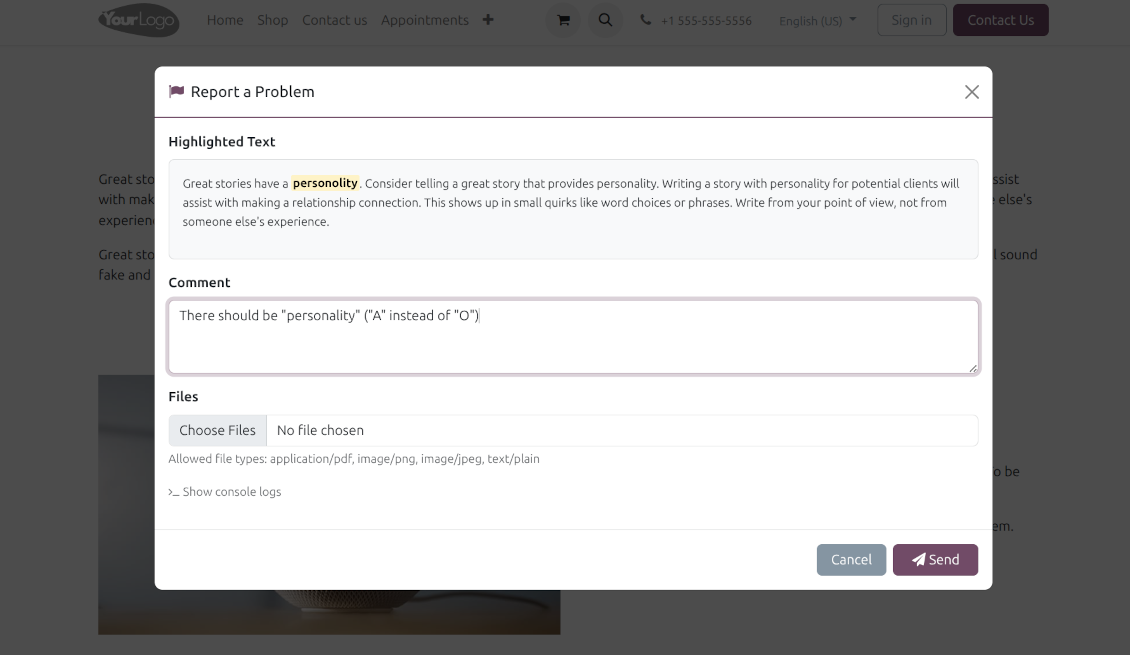
When a user selects text on the page and clicks a dedicated "Report a problem" button (or simply Ctrl+Enter for desktops), a sleek modal dialog opens. This instantly generates a comprehensive error report, capturing crucial technical context to help your developers and content managers fix the issue quickly.
Simple Correction Workflow
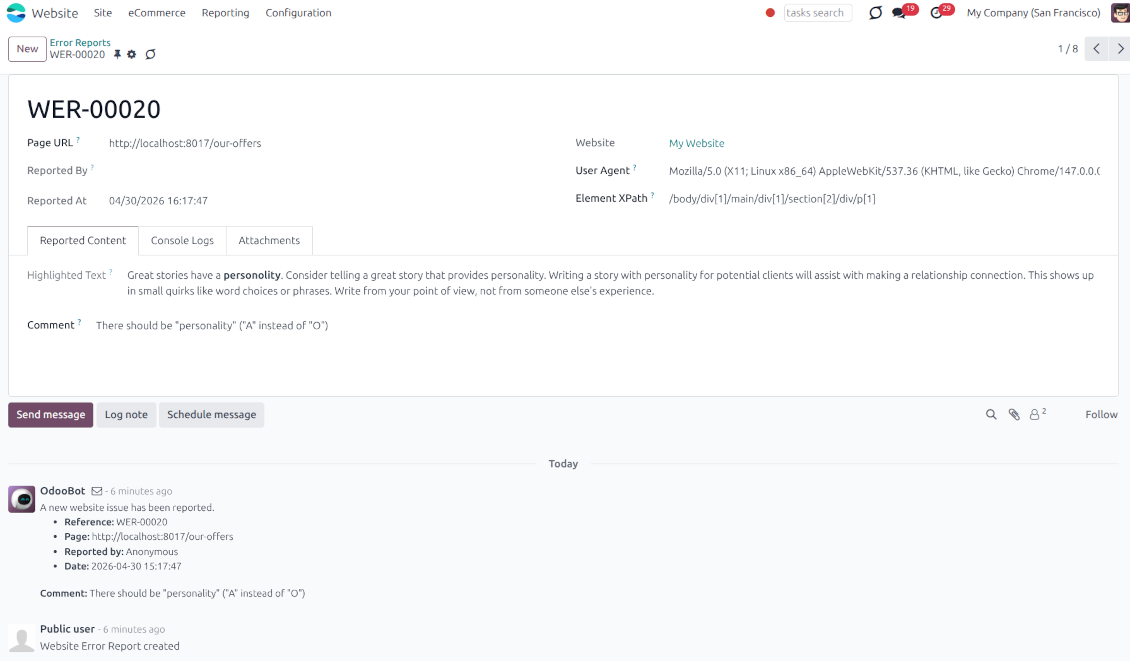
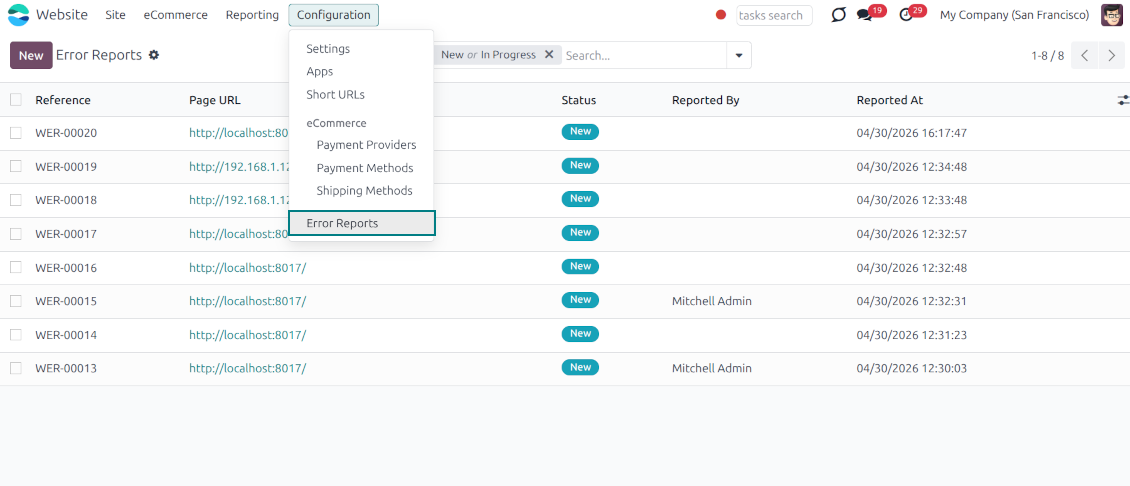
Every reported issue automatically creates a "Website Error Report" record in your backend. Website Designers can receive instant notifications and follow a simple built-in workflow to discuss, track, and resolve issues seamlessly
Flawless Touchscreen Support
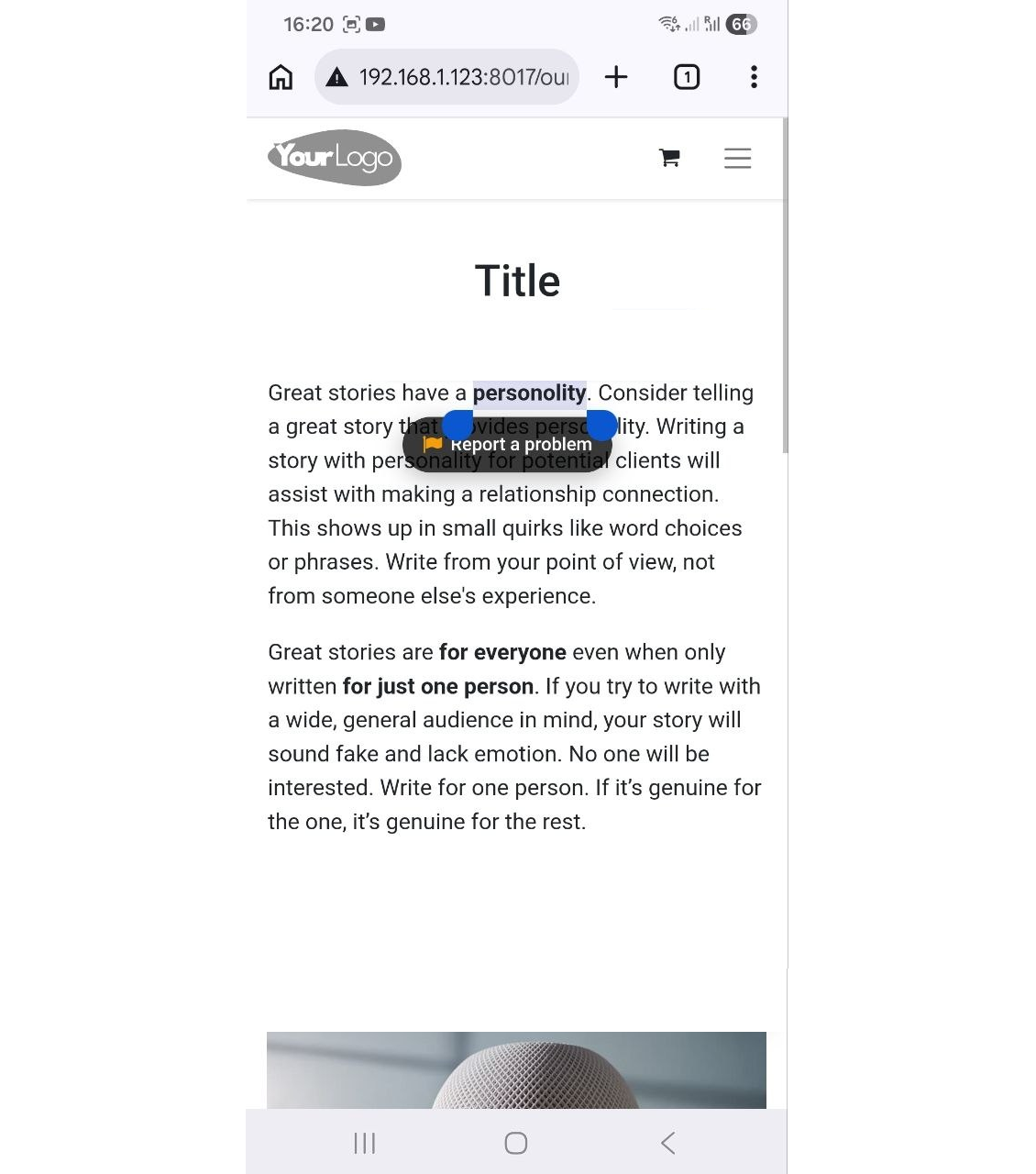
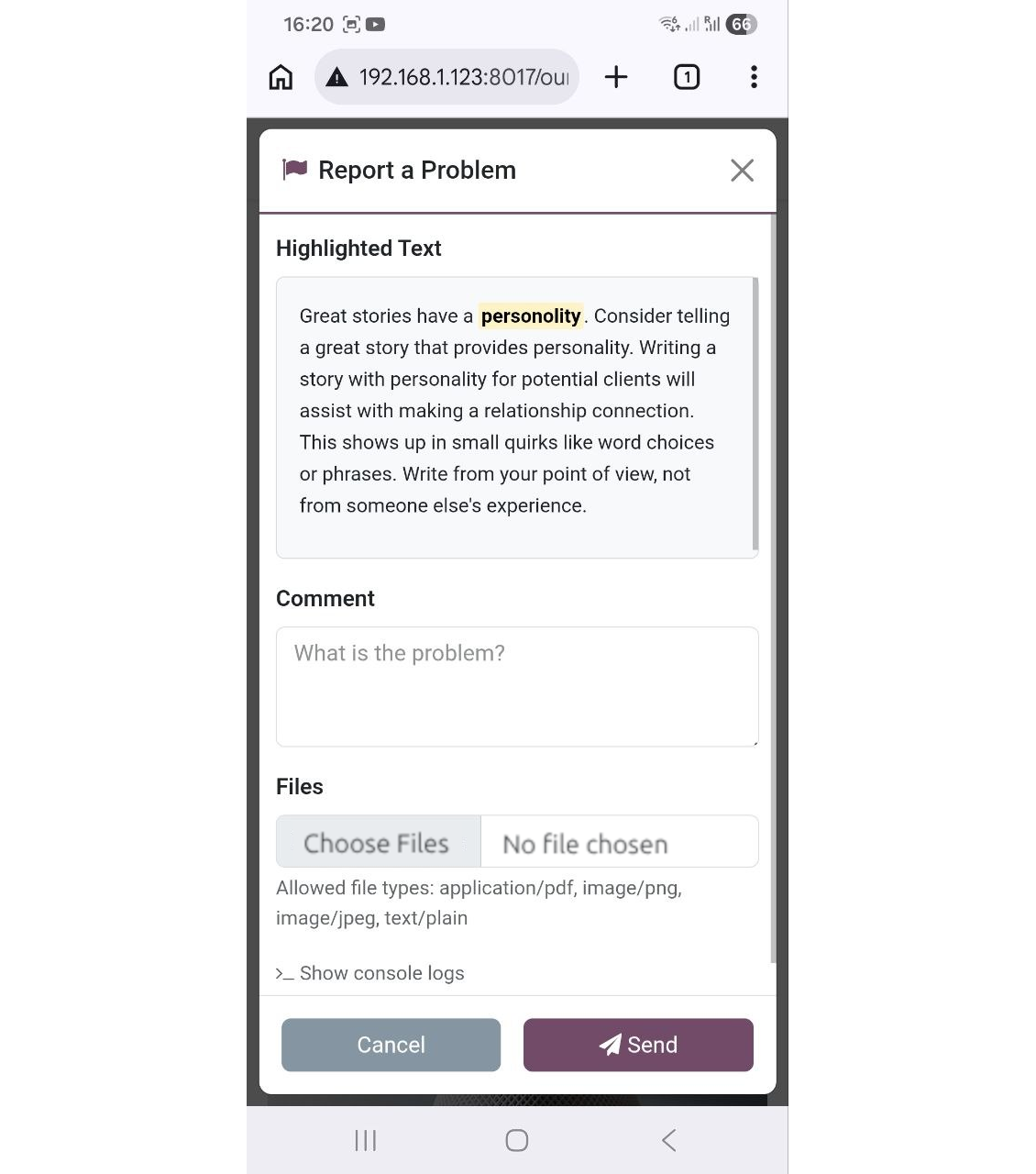
The reporter is optimized for adaptive devices. The mobile trigger can display a simple floating button only when text is highlighted, or act as a persistent button that stays on the screen
Configurable visibility and security
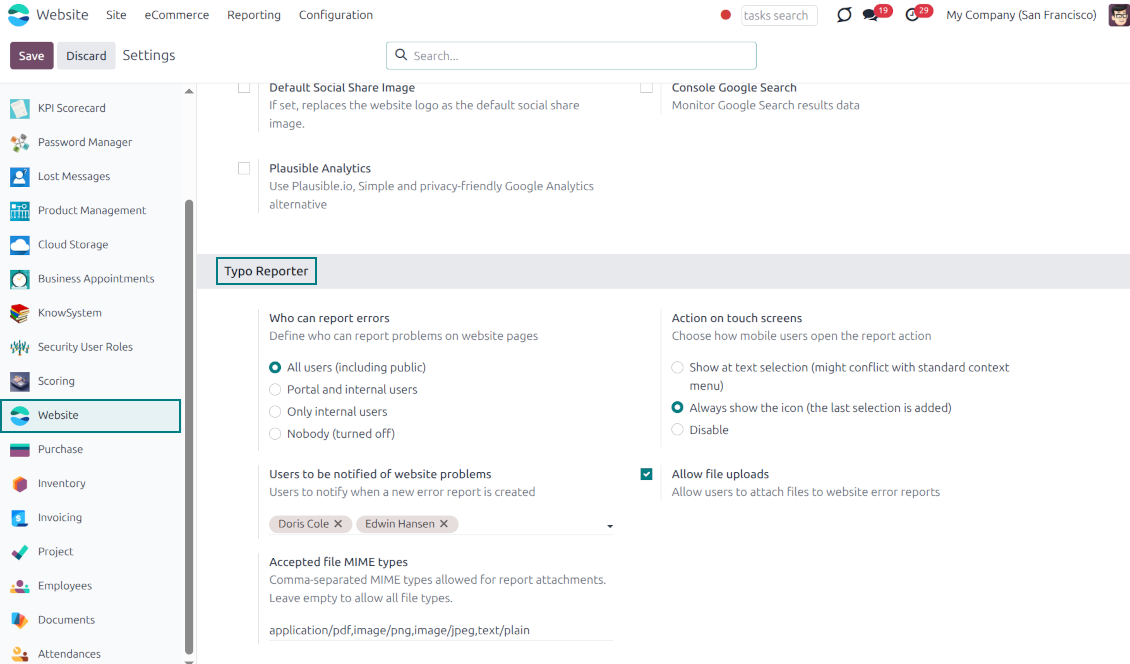
Configure exactly who can report issues: internal users, portal users, or even public visitors. Regardless of who sends the reports, they will be visible only to the "Website Editor" user group
Built-in Spam Protection
If the reporter is enabled for public (unauthenticated) users, the app fully supports both the standard Odoo Google reCAPTCHA and Cloudflare Turnstile to prevent bot submissions and spam
Comprehensive Diagnostic Data
Stop asking users which browser they use. Every report automatically captures and attaches vital debugging context behind the scenes: user-agent info, browser console logs, and technical page context
Allow or Disallow Attachments
Allow users to upload file attachments (e.g., screenshots) and optionally configure acceptable MIME types.
How it works
-
A user spots a mistake and highlights the text
-
They tap the floating action button "Report a problem" (alternatively, on desktop, press Ctrl+Enter)
-
A pop-up modal appears, allowing them to add a comment or attach a file (optional)
-
Upon submission, the app bundles the selected text, HTML, console logs, and user-agent information and sends it directly to the Odoo backend
-
Website Designers get notifications, decide, and start the investigation process ("In Progress" reports)
-
Website Designers analyze the provided details, auto gathered user agent info (details about the user's browser, operating system, and device), browser console logs (Recent log, warning, and error outputs from the browser console are buffered and added directly to the report), technical page context (the module automatically adds the page URL, precise XPath of the highlighted element, the meaningful parent element's HTML, and the exact timestamp).
-
If necessary, the website is updated or fixed
-
After the investigation and processing, the report is moved to "Done" or "Canceled".
Os textos da aplicação e do site em idiomas diferentes do inglês são assistidos por IA e estão alinhados com as traduções oficiais do Odoo. Se detetar um erro, enviar um pedido de tradução e nos corrigimos.
Bases de dados de demonstração Odoo (pré-visualizações)
Para esta aplicação, podemos fornecer uma base de dados de demonstração personalizada gratuita.
Não precisa de um número de telefone ou cartão de crédito para entrar em contacto connosco. Deve apenas passar por um breve registo de e-mail, que não demora mais de 30 segundos.
A seu pedido, preparamos uma base de dados de pré-visualização individual onde pode fazer qualquer teste e validar as suas hipóteses durante cerca de duas semanas.
Comunicação de erros
Se encontrar bugs ou comportamento inconsistente, não hesite em nos contactar. Garantimos o fornecimento de correções em até 60 dias após a compra e estamos intensamente interessados em melhorar nossas ferramentas mesmo após esse período.
Não precisa de um número de telefone ou cartão de crédito para entrar em contacto connosco. Deve apenas passar por um breve registo de e-mail, que não demora mais de 30 segundos.
Inclua o máximo de detalhes possível no seu pedido: capturas de ecrã, registos do servidor Odoo, uma descrição completa de como reproduzir o problema, entre outros. Normalmente, sao necessários alguns dias úteis para preparar um plano de trabalho para um problema (se for confirmado um erro) ou fornecer orientacoes sobre o que deve ser feito (caso contrário).
Pedidos de recursos públicos e ideias de módulos (desenvolvimento gratuito)
Estamos fortemente motivados para melhorar as nossas ferramentas e ficaríamos gratos por qualquer feedback. Se os seus requisitos forem de utilização pública e puderem ser implementados de forma eficiente, a equipa irá incluí-los na nossa lista de tarefas.
Esta lista de tarefas é processada regularmente e não envolve taxas extra. Embora não possamos prometer prazos e design final, pode ser uma boa forma de obter as características desejadas sem investimentos e riscos.
Não precisa de um número de telefone ou cartão de crédito para entrar em contacto connosco. Deve apenas passar por um breve registo de e-mail, que não demora mais de 30 segundos.

The tool to flexibly structure Odoo attachments in folders and synchronize directories with cloud clients: Google Drive, OneDrive/SharePoint, Nextcloud/ownCloud, Dropbox, Amazon S3, Box, and NAS. DMS. File Manager. Document management system
398€
The tool to automatically synchronize Odoo attachments with OneDrive files in both ways
487€
The tool to automatically synchronize Odoo attachments with Google Drive files in both ways
487€

The tool to build a deep and structured knowledge base for internal and external use. Knowledge System. KMS. Wiki-like revisions.
398€
The tool to set up KPI targets and control their fulfillment by periods. KPI dashboards. Dashboard designer. KPI charts

The tool for time-based service management from booking appointments to sales and reviews
398€
The tool to manage your Odoo from your favorite AI chats through MCP. Claude. Any MCP-supporting AI.

The tool to combine different Odoo events in a few configurable super calendars