Odoo Website Typo and Error Reporter v.17
The tool to empower your visitors to highlight text and report problems directly from Odoo's website
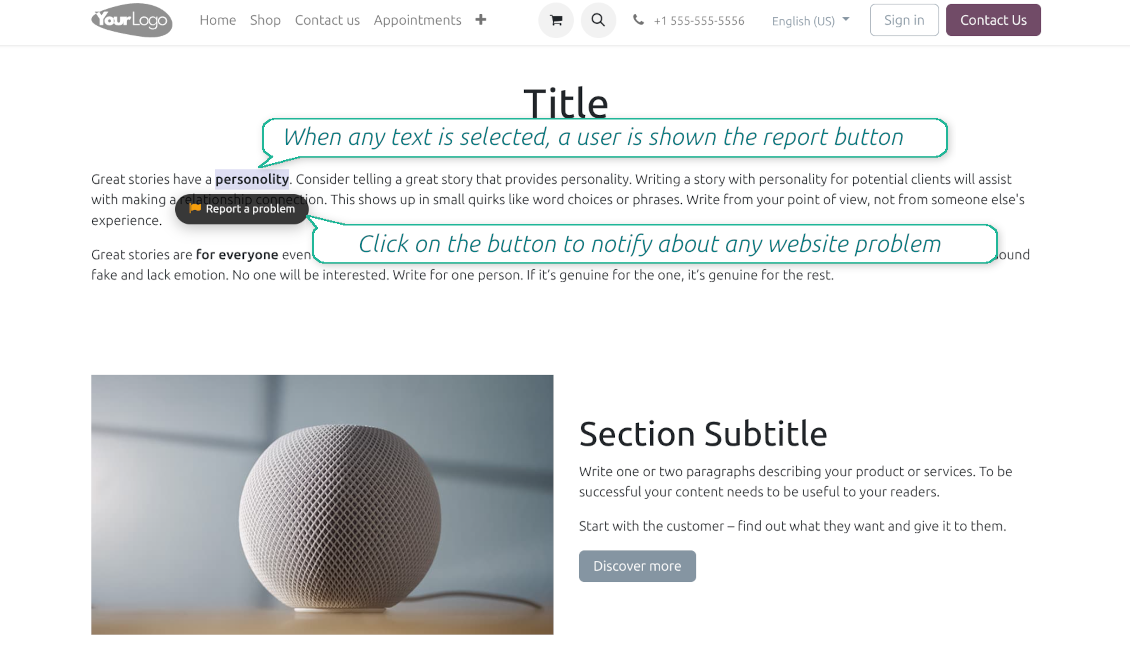
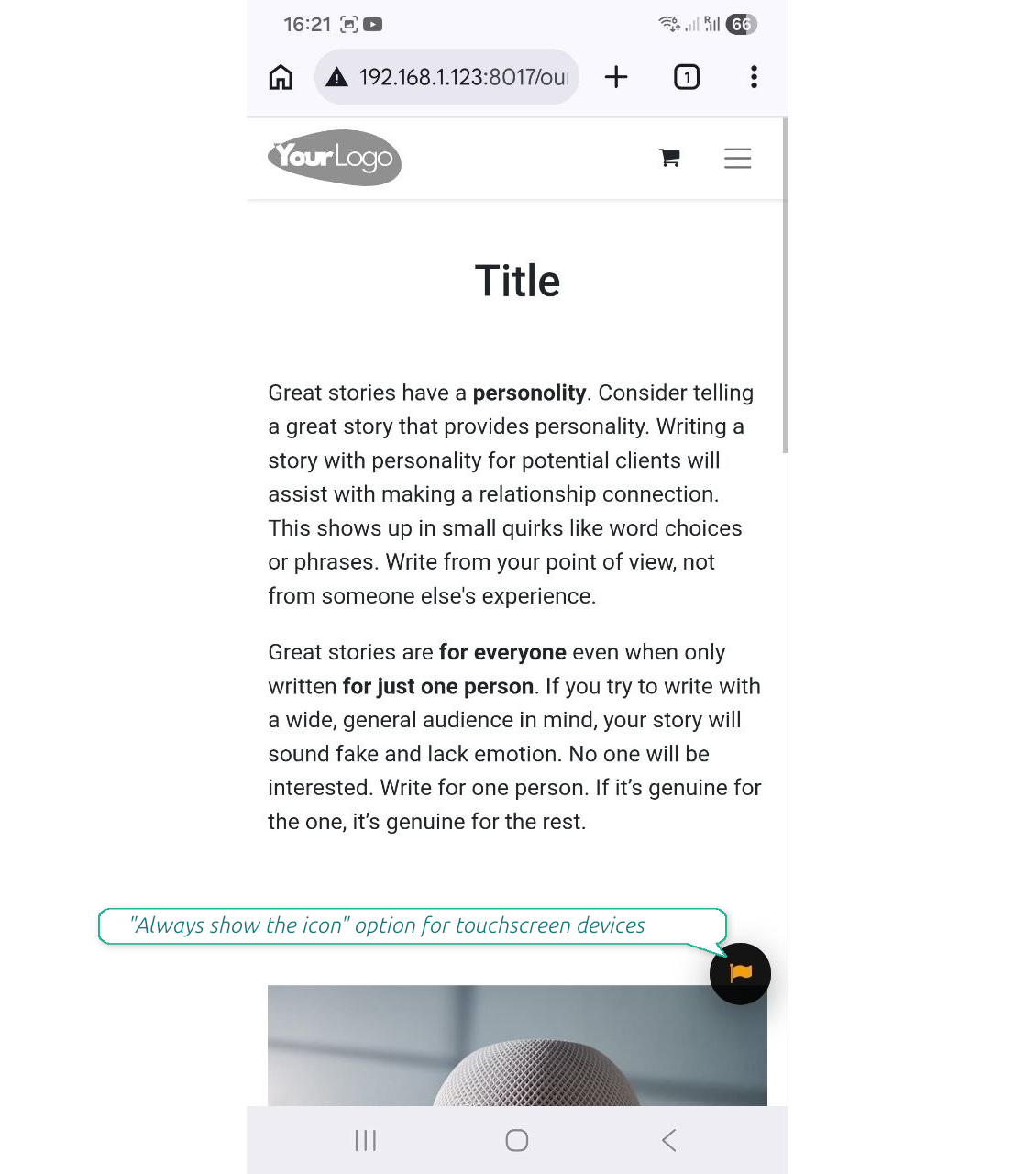
Even the most carefully designed websites can have typos, broken elements, or formatting issues. The Website Typo Reporter app provides an intuitive, front-end interface that lets users notify your team of any mistakes on your Odoo website.
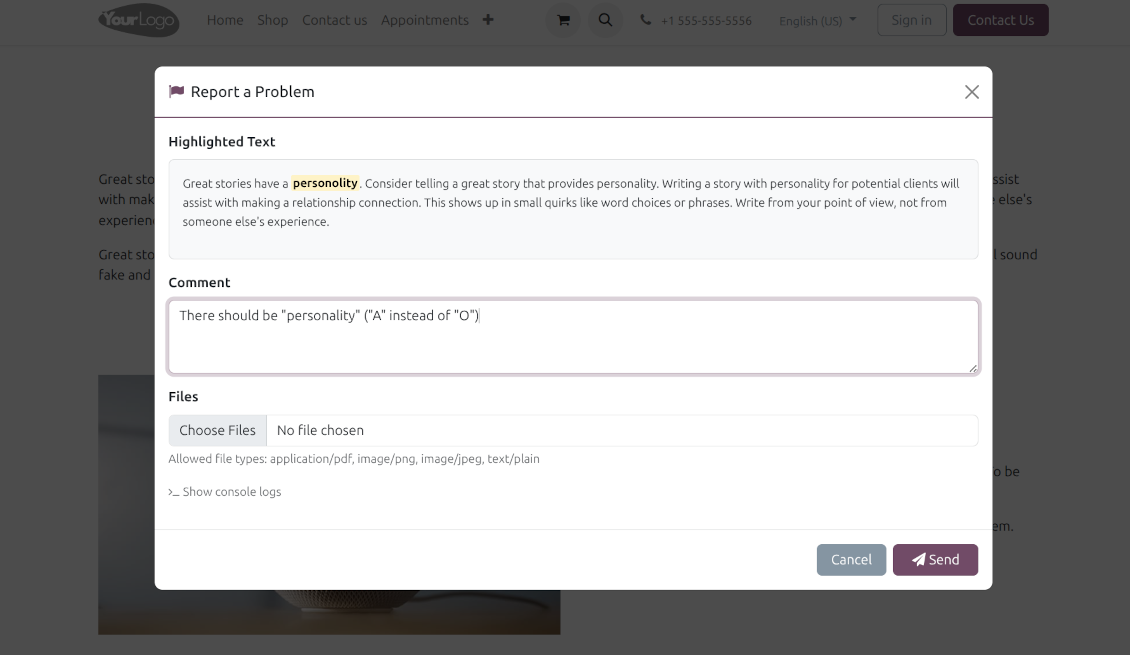
When a user selects text on the page and clicks a dedicated "Report a problem" button (or simply Ctrl+Enter for desktops), a sleek modal dialog opens. This instantly generates a comprehensive error report, capturing crucial technical context to help your developers and content managers fix the issue quickly.
Simple Correction Workflow
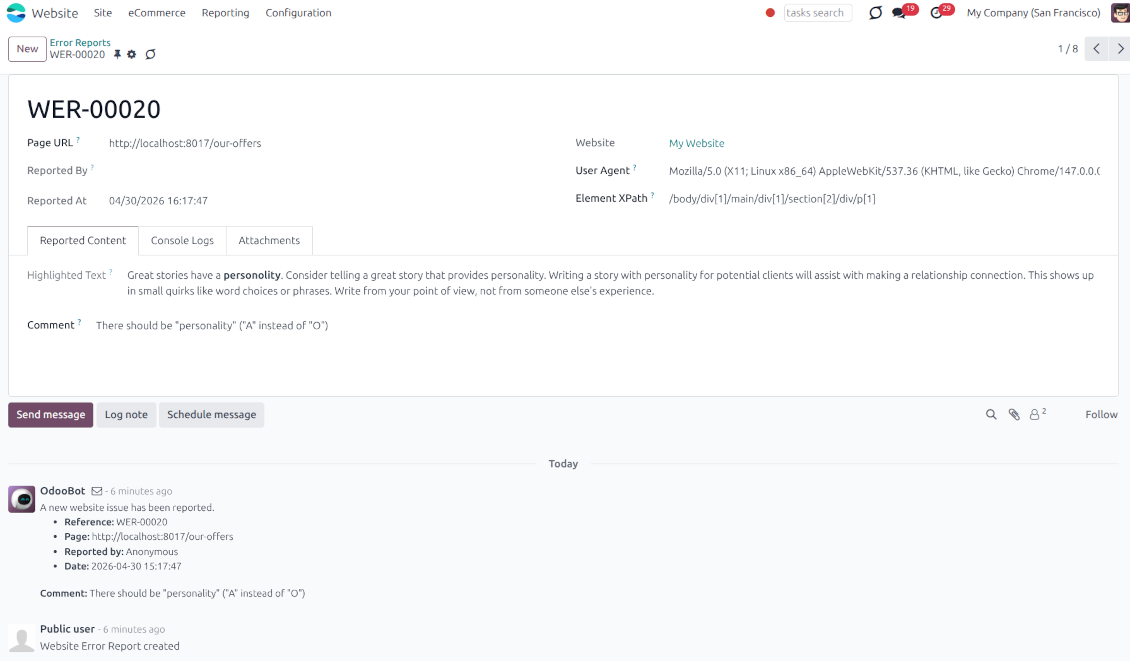
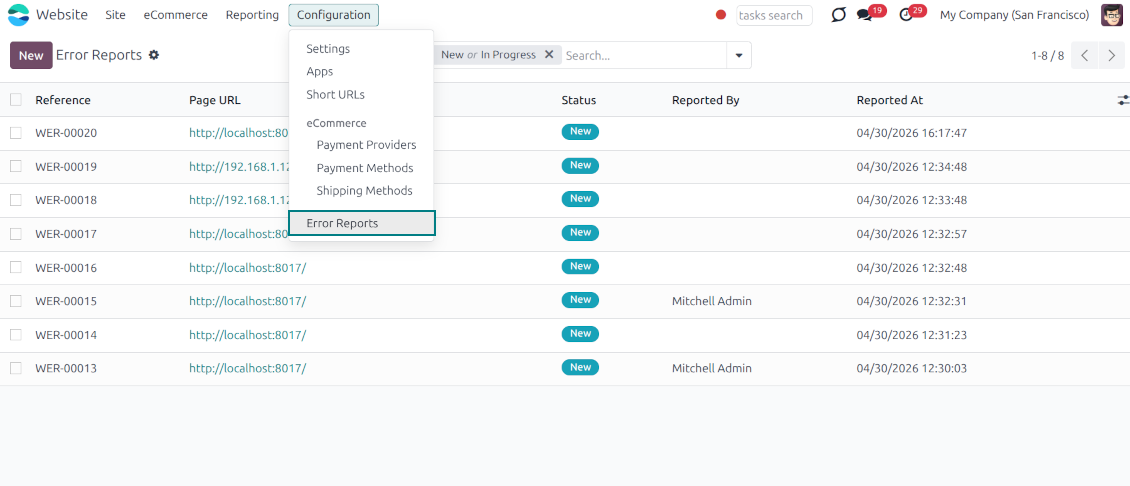
Every reported issue automatically creates a "Website Error Report" record in your backend. Website Designers can receive instant notifications and follow a simple built-in workflow to discuss, track, and resolve issues seamlessly
Flawless Touchscreen Support
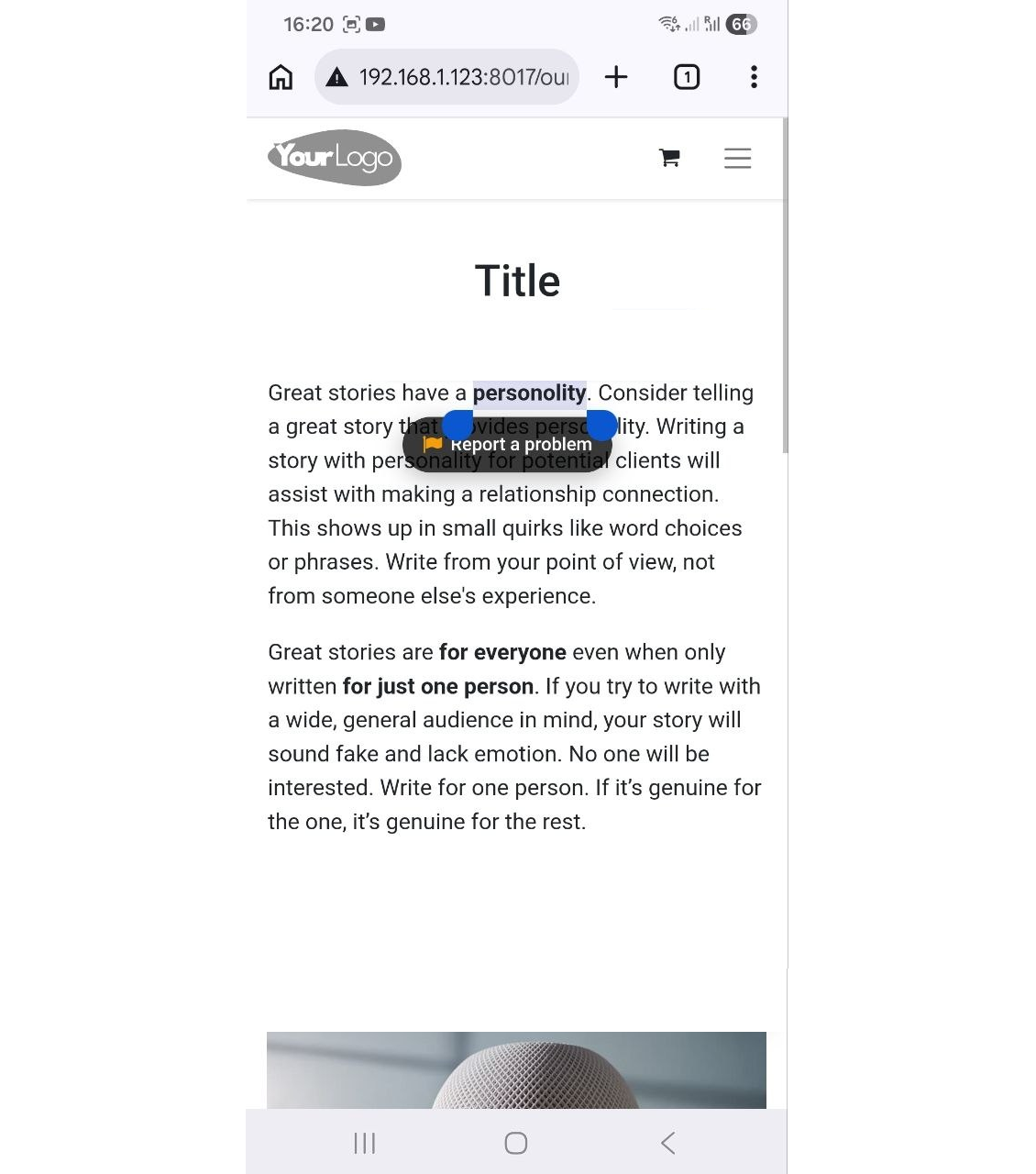
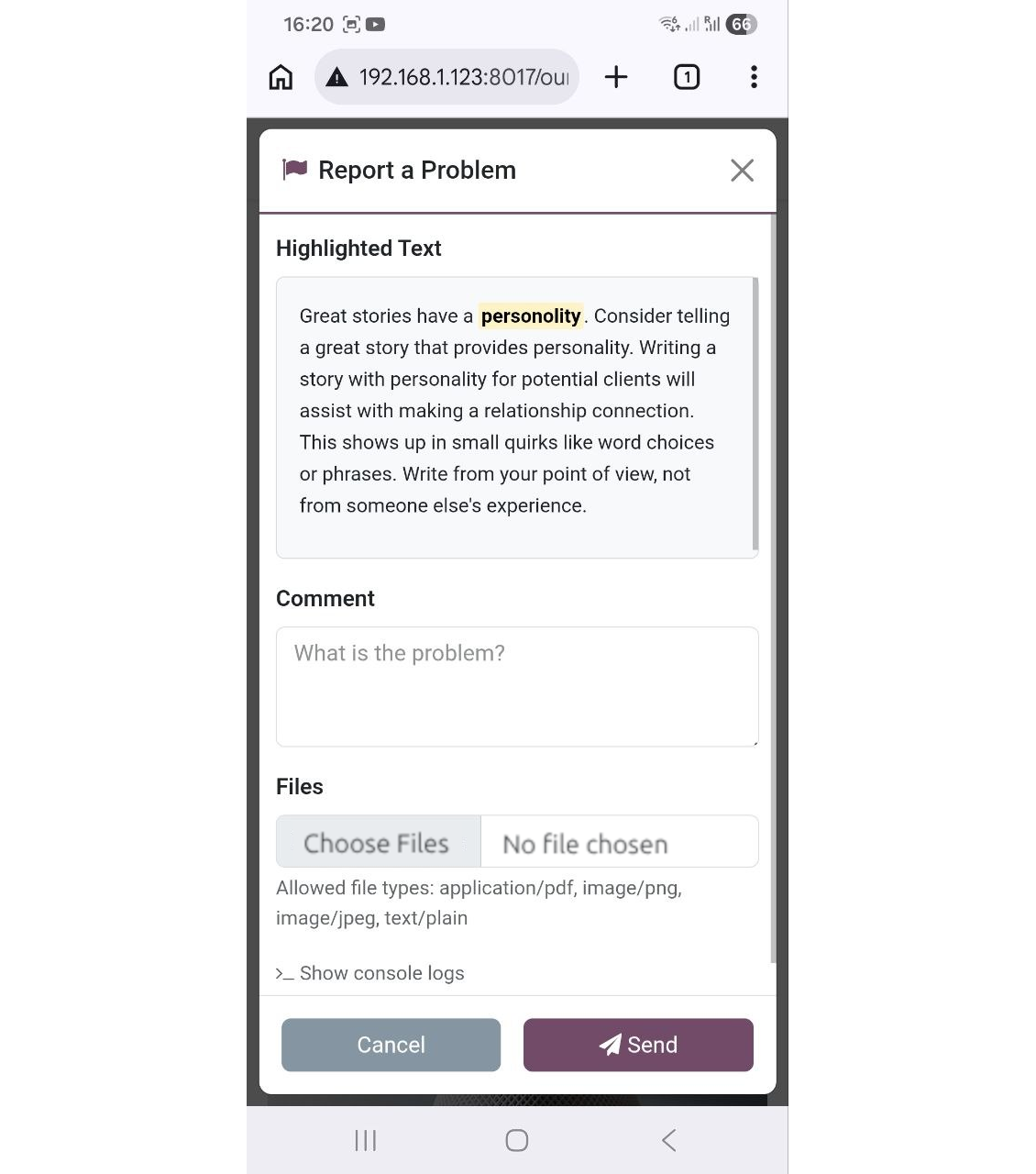
The reporter is optimized for adaptive devices. The mobile trigger can display a simple floating button only when text is highlighted, or act as a persistent button that stays on the screen
Configurable visibility and security
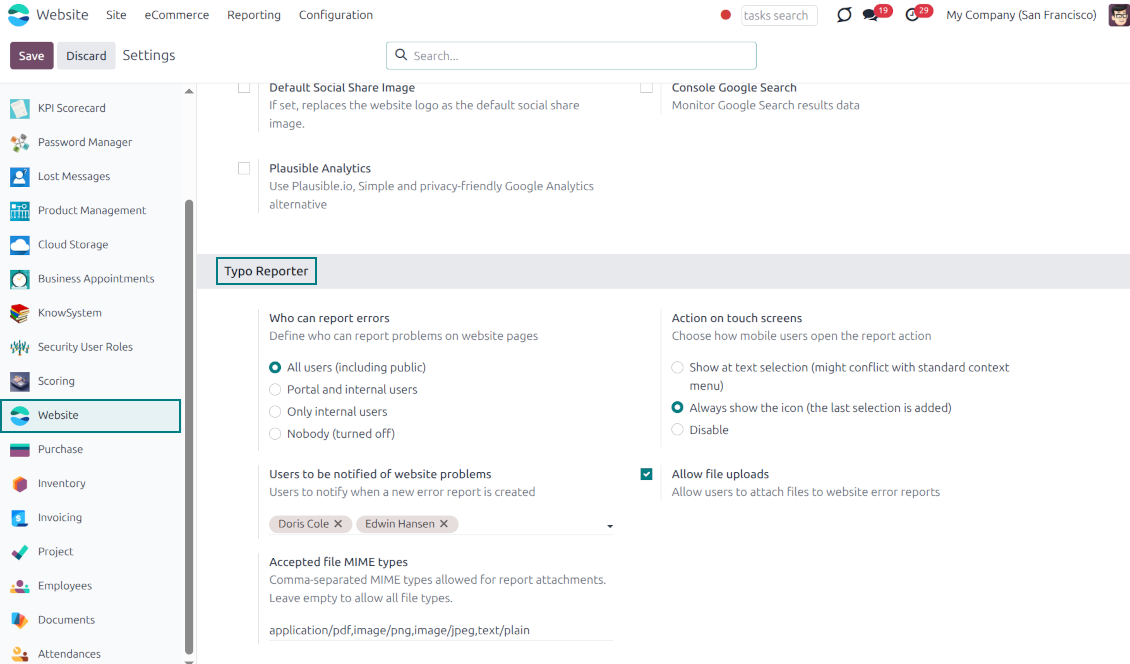
Configure exactly who can report issues: internal users, portal users, or even public visitors. Regardless of who sends the reports, they will be visible only to the "Website Editor" user group
Built-in Spam Protection
If the reporter is enabled for public (unauthenticated) users, the app fully supports both the standard Odoo Google reCAPTCHA and Cloudflare Turnstile to prevent bot submissions and spam
Comprehensive Diagnostic Data
Stop asking users which browser they use. Every report automatically captures and attaches vital debugging context behind the scenes: user-agent info, browser console logs, and technical page context
Allow or Disallow Attachments
Allow users to upload file attachments (e.g., screenshots) and optionally configure acceptable MIME types.
How it works
-
A user spots a mistake and highlights the text
-
They tap the floating action button "Report a problem" (alternatively, on desktop, press Ctrl+Enter)
-
A pop-up modal appears, allowing them to add a comment or attach a file (optional)
-
Upon submission, the app bundles the selected text, HTML, console logs, and user-agent information and sends it directly to the Odoo backend
-
Website Designers get notifications, decide, and start the investigation process ("In Progress" reports)
-
Website Designers analyze the provided details, auto gathered user agent info (details about the user's browser, operating system, and device), browser console logs (Recent log, warning, and error outputs from the browser console are buffered and added directly to the report), technical page context (the module automatically adds the page URL, precise XPath of the highlighted element, the meaningful parent element's HTML, and the exact timestamp).
-
If necessary, the website is updated or fixed
-
After the investigation and processing, the report is moved to "Done" or "Canceled".
تتم صياغة نصوص التطبيق والموقع الإلكتروني باللغات غير الإنجليزية بمساعدة الذكاء الاصطناعي وبما يتوافق مع ترجمات Odoo الرسمية. إذا لاحظت خطأ، أرسل تذكرة تصحيح الترجمة وسنقوم بتصحيحه.
قواعد بيانات Odoo التجريبية (معاينات)
قد نوفر لهذا التطبيق قاعدة بيانات تجريبية مخصصة مجانية.
لا تحتاج إلى رقم هاتف أو بطاقة ائتمان للاتصال بنا. يجب عليك فقط اجتياز عملية تسجيل قصيرة عبر البريد الإلكتروني, والتي لا تستغرق أكثر من 30 ثانية.
بناءً على طلبك، نُعِدّ قاعدة بيانات معاينة خاصة بك، يمكنك خلالها إجراء أي اختبارات والتحقق من افتراضاتك لمدة أسبوعين تقريبًا.
الإبلاغ عن الأخطاء
إذا واجهت أخطاء أو سلوكًا غير متسق, فلا تتردد في الاتصال بنا. نحن نضمن تقديم الإصلاحات خلال 60 يومًا من الشراء ونهتم بشدة بتحسين أدواتنا حتى بعد هذه الفترة.
لا تحتاج إلى رقم هاتف أو بطاقة ائتمان للاتصال بنا. يجب عليك فقط اجتياز عملية تسجيل قصيرة عبر البريد الإلكتروني, والتي لا تستغرق أكثر من 30 ثانية.
يرجى تضمين أكبر قدر ممكن من التفاصيل في طلبك: لقطات الشاشة وسجلات خادم Odoo ووصف كامل لكيفية إعادة إنتاج المشكلة وما الى ذلك. عادة ما يستغرق إعداد خطة عمل للمشكلة بضعة أيام عمل (اذا تأكد وجود خطا) او تزويدك بارشادات حول ما ينبغي فعله (في الحالات الأخرى).
طلبات الميزات العامة وأفكار الوحدات (تطوير مجاني)
لدينا دوافع قوية لتحسين أدواتنا وسنكون ممتنين لأي تعليقات. إذا كانت متطلباتك ذات استخدام عام ويمكن تنفيذها بكفاءة, فسيقوم الفريق بإدراج تلك المتطلبات في قائمة المهام الخاصة بنا.
تتم معالجة قائمة المهام هذه بانتظام ولا يتم فرض رسوم إضافية. على الرغم من أننا لا نستطيع أن نعد بالمواعيد النهائية والتصميم النهائي, إلا أنها قد تكون طريقة جيدة للحصول على الميزات المطلوبة دون استثمارات ومخاطر.
لا تحتاج إلى رقم هاتف أو بطاقة ائتمان للاتصال بنا. يجب عليك فقط اجتياز عملية تسجيل قصيرة عبر البريد الإلكتروني, والتي لا تستغرق أكثر من 30 ثانية.

The tool to flexibly structure Odoo attachments in folders and synchronize directories with cloud clients: Google Drive, OneDrive/SharePoint, Nextcloud/ownCloud, Dropbox, Amazon S3, Box, and NAS. DMS. File Manager. Document management system
398€
The tool to automatically synchronize Odoo attachments with OneDrive files in both ways
487€
The tool to automatically synchronize Odoo attachments with Google Drive files in both ways
487€

The tool to build a deep and structured knowledge base for internal and external use. Knowledge System. KMS. Wiki-like revisions.
398€
The tool to set up KPI targets and control their fulfillment by periods. KPI dashboards. Dashboard designer. KPI charts

The tool for time-based service management from booking appointments to sales and reviews
398€
The tool to manage your Odoo from your favorite AI chats through MCP. Claude. Any MCP-supporting AI.

The tool to combine different Odoo events in a few configurable super calendars