KnowSystem: Knowledge Base System v.16
The tool to build a deep and structured knowledge base for internal and external use. Knowledge System. KMS. Wiki-like revisions.
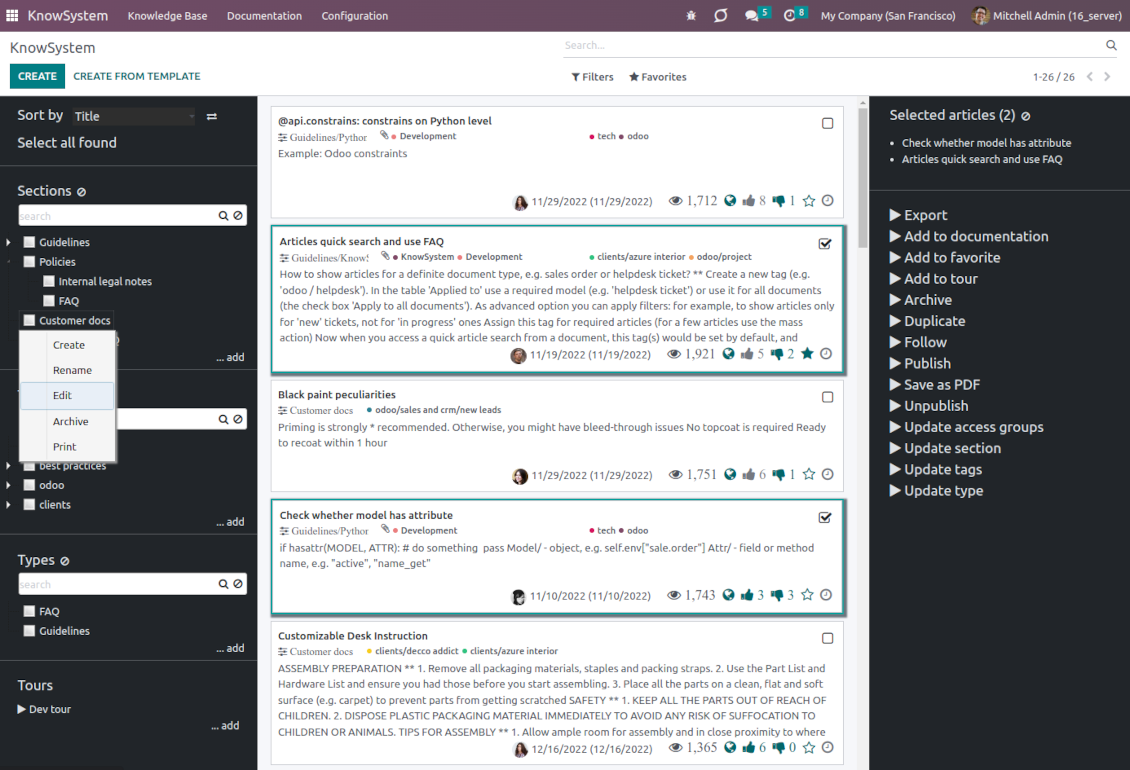
This is a full-featured Odoo knowledge management tool to be used in any industry and by any firm. The app serves to accumulate, curate, utilize, and share organizational knowledge within your company and outside it.
- a core of knowledge management. It might be used stand-alone as a complete internal knowledge base system. Cijena je 398€.
- an optional module, which lets you publish articles to the website, share them with portal users, and use the website builder to update articles. The features assumed by this add-on are marked by the icon . Cijena je 40€.
- an optional extension to KnowSystem: Website and Portal to design website documentation pages based on knowledge base articles. The features assumed by this add-on are marked by the icon . Read the full description on the related page. Cijena je 60€.
- an optional module, which lets you add and show custom fields for articles (backend). The features assumed by this add-on are marked by the icon . Cijena je 48€.
- an optional free module, which shows custom fields on website and portal pages (frontend). The features assumed by this add-on are also marked by the icon .
- an optional extension to KnowSystem: Website and Portal to prepare FAQ/documentation for Odoo eCommerce product pages. The features assumed by this add-on are marked by the icon . Read the full description on the related page. Cijena je 28€.
- an optional module, which lets you translate articles, sections, and tags to installed in Odoo languages. The features assumed by this add-on are marked by the icon . Cijena je 10€.
Record and keep knowledge
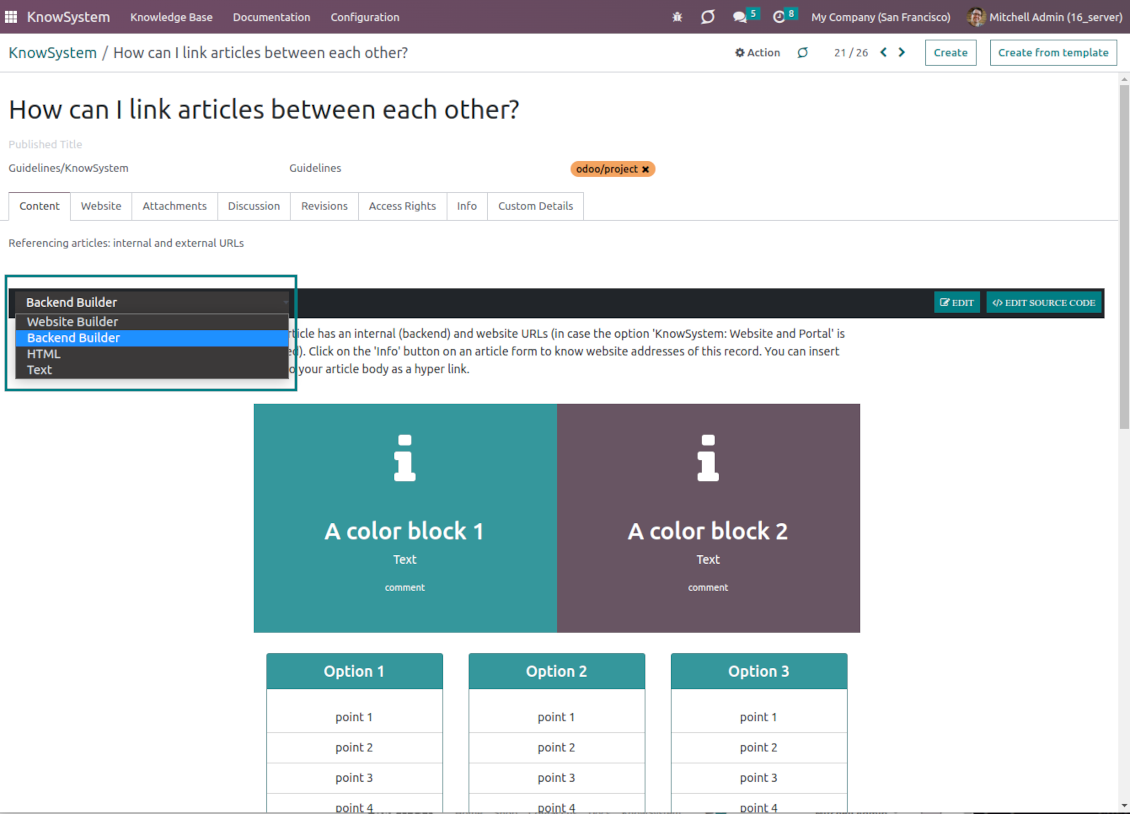
Drag and drop building blocks of the backend or website editors to construct professional-looking articles. Use simple text or HTML editors. Switch to the raw code when needed. Create and use knowledge templates.
Single view KMS navigation
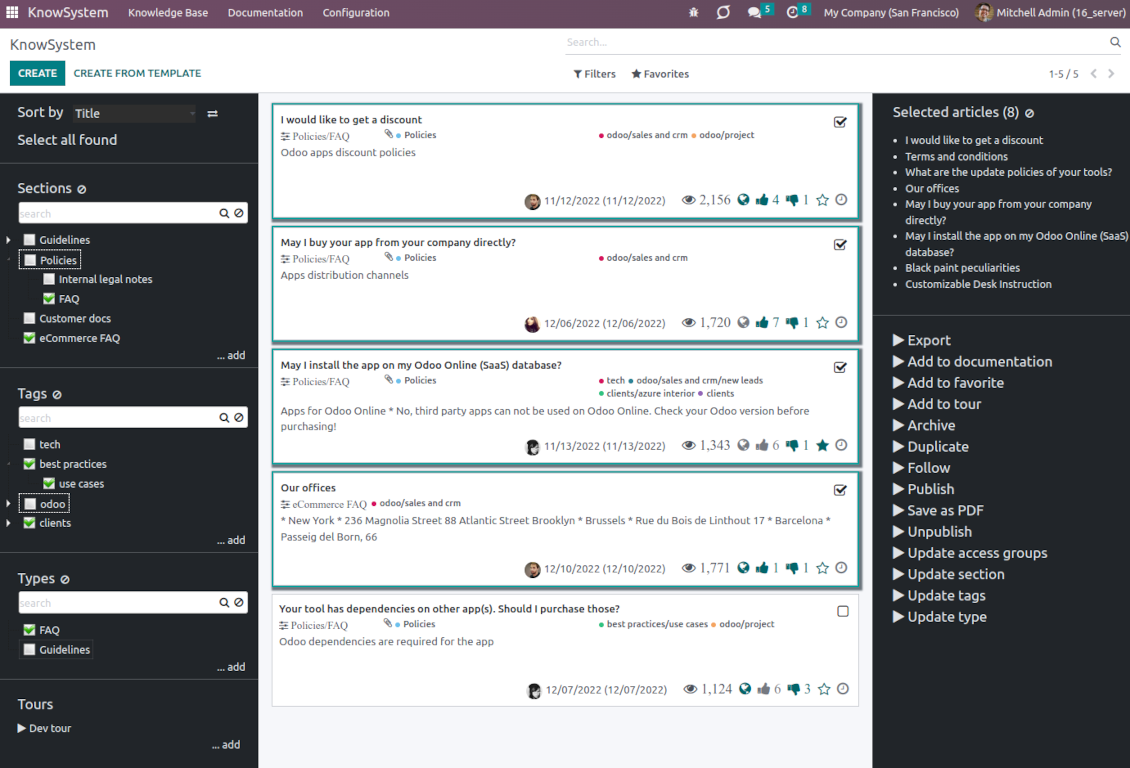
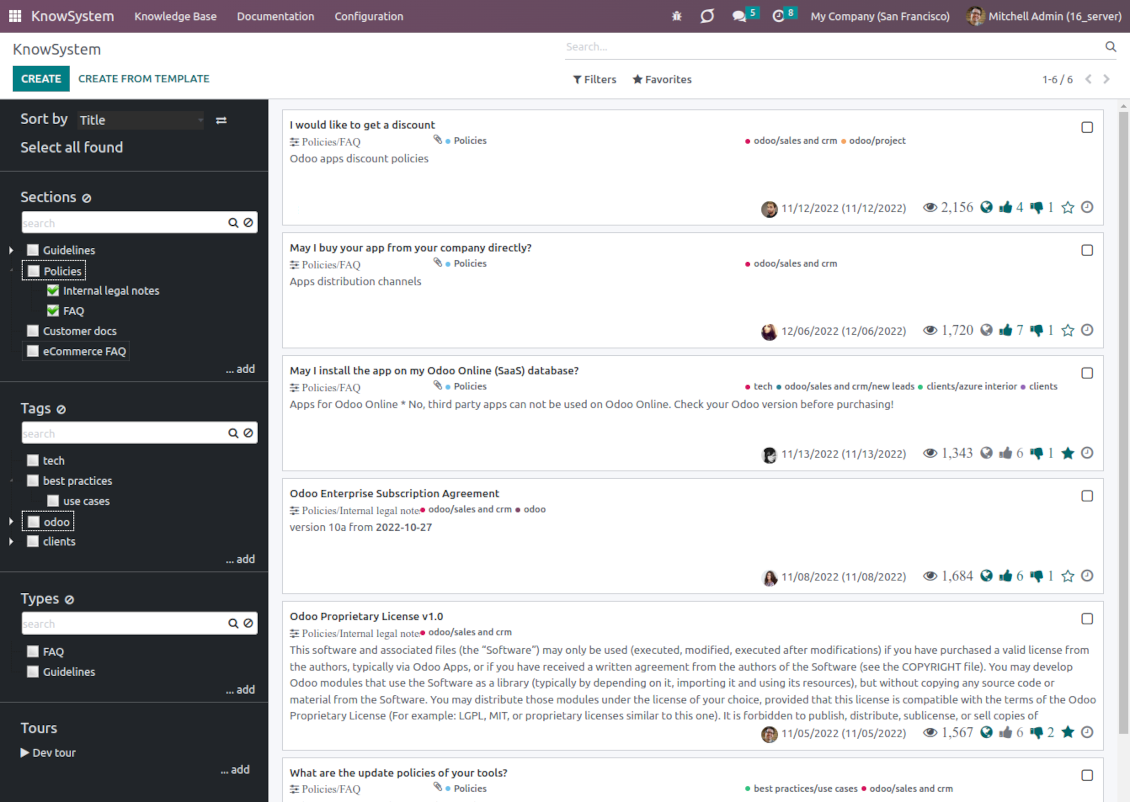
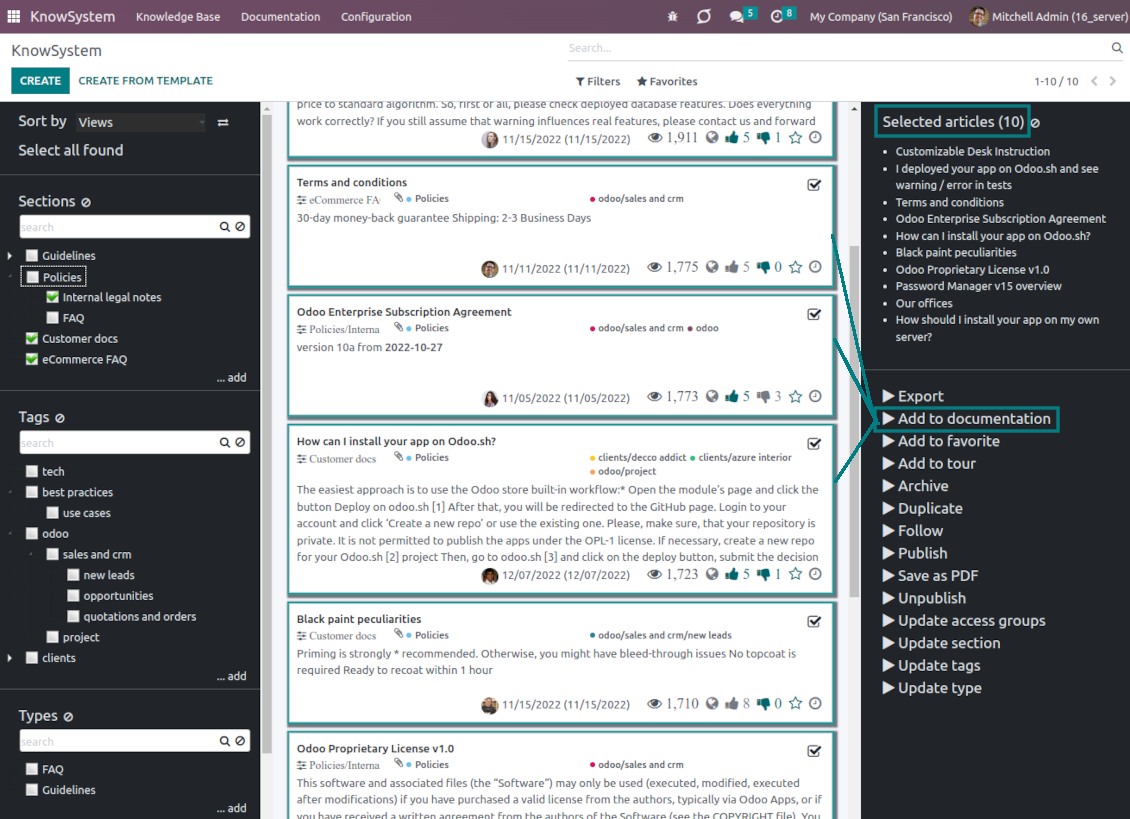
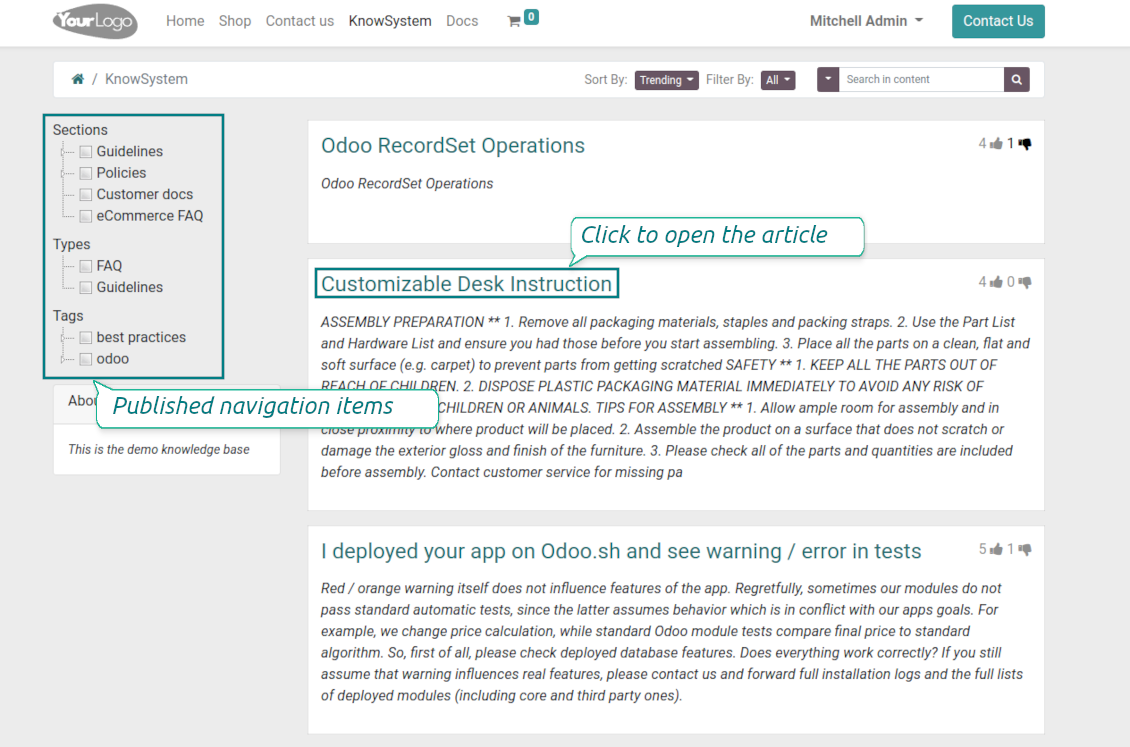
Filter articles by the hierarchy of sections, by the tree of tags, or by knowledge types. Select articles step by step and proceed with mass actions. Sort and search in seconds
Get benefit of knowledge
Instantly access the knowledge base from any Odoo documents. Reference articles in messages and activities. Organize learning tours. Prepare instructions, guidelines, or eCommerce FAQs. Print or share knowledge
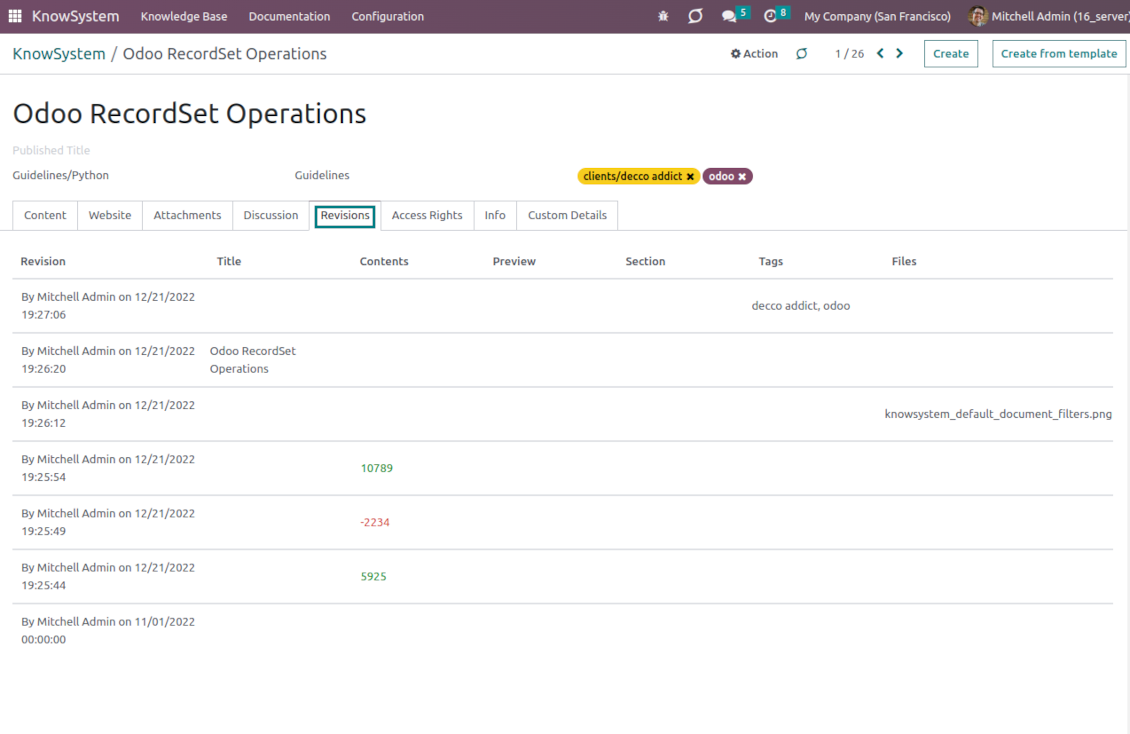
Wiki-like revisions
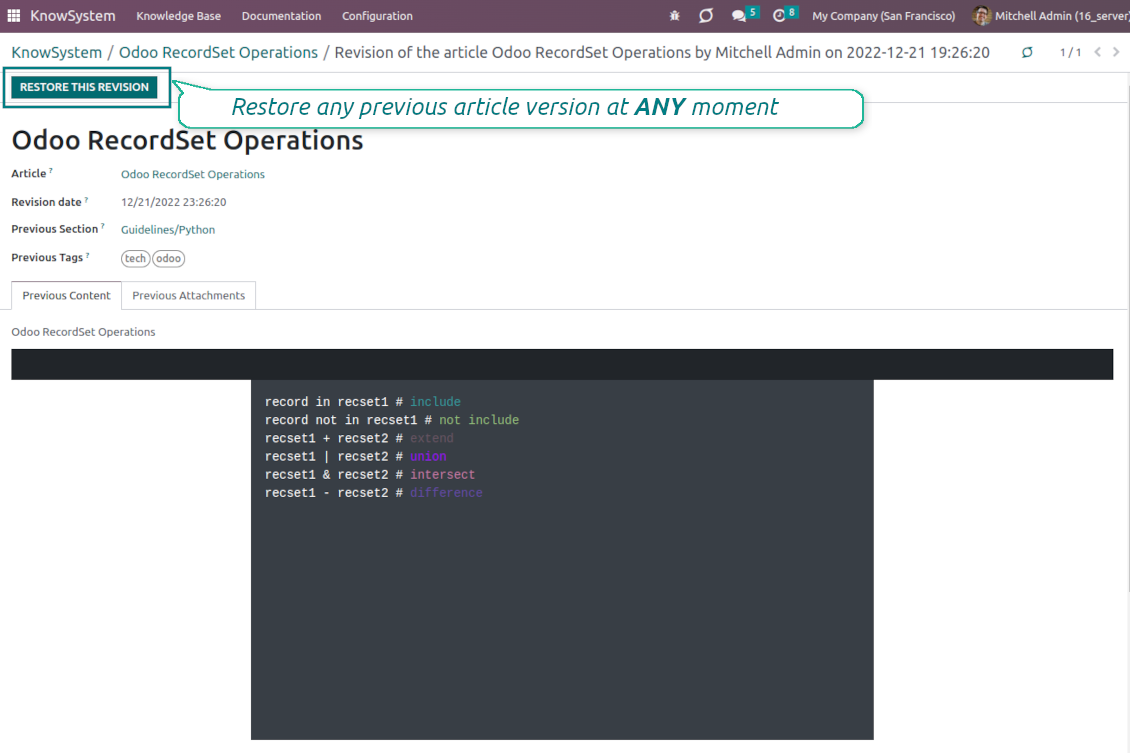
Restore any article version at any moment: the app keeps the history of knowledge updates. Breaking becomes harder than restoring
Portal or public knowledge base
Share articles with your partners or publish knowledge for any website visitor
Website documentation builder
Combine organizational knowledge into advanced documentation with comfortable navigation and search
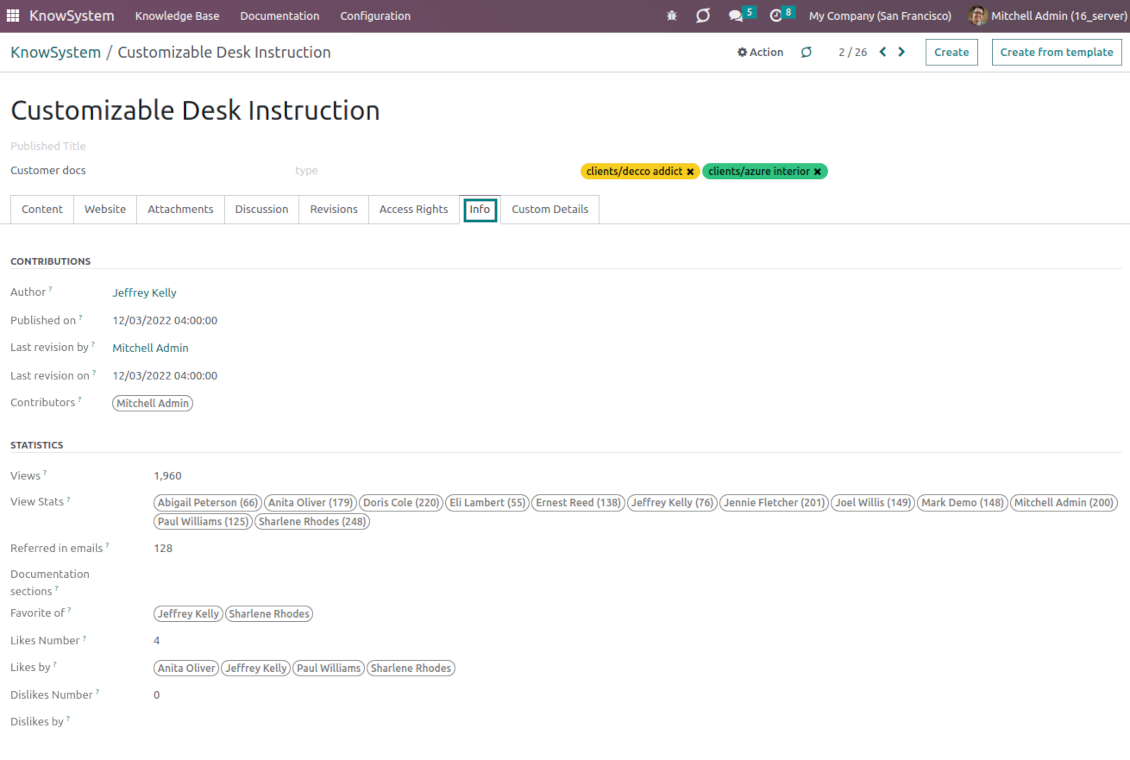
Knowledge system statistics
Control views of articles, likes, dislikes, and contributions. Motivate discussions
Applied in any functional area
Use the app for any knowledge management business goal and for any set of Odoo apps.
Best knowledge base system for Odoo!
Excellent app and exceptional after-sales support.
Really well thought-out product and one of the best features is the contextual help by means of the tags. Really a game changer for us.
Keep up the great work FaOtools!
Outstanding app! Tremendous value for money, an absolute must have!
One of the features sorely lacking from Odoo has been a robust Wiki/documentation system. Using third party platforms is a massive headache: yet another system to maintain, users get distracted switching back-and-forth, and errors get made. Then you have to worry about training, additional logins, etc.
KnowSystem feels like a native/core app, is very well-polished, and extremely fast. It's accessible from any screen, and the search results are instant (none of the latency inherent with most apps).The interface is elegant yet powerful, with robust access control, rich editing features, and version control. It's simple to revert to previous entries, view audit trails, etc. It's very intuitive for anyone familiar with Odoo; onboarding takes just a few minutes. The user guides are excellent.
This is invaluable for any organisation with a lot of documented information, SOPs, ISO compliance, or similar. If you're using eLearning, it's great for creating a help system / reminders. For example, noting key takeaways or specific instructions. The user can be in MRP, Sales, or any other function, and instantly lookup a guide. Since it overlays whichever screen you're in, it doesn't interrupt the workflow.
This dramatically increases efficiency, minimises questions, and helps keep everyone on the same page.
Oh, and customer service is excellent, faOtools stands behind their product. Thank you!
KnowSystem is excellent - OdooTools offer great support, are very helpful and responsive
Our company needed the ability to add a Knowledge Base to our Odoo portal website for our customers to access article content on a membership-only basis. KnowSystem provided this and much more, along with ability to add search by section, set permissions to allow only certain partners access to articles by tag etc. OdooTools have been very helpful and implemented several features we suggested including automatic redirect upon login, customisable filters and a social sharing capability on articles. Overall a great app by a great company, something that massively adds to Odoo's capabilities and is something that everyone could benefit from using.
Very functional application and responsive support
Our company produces medical laser equipment and we use KnowSystem to streamline the knowledge base of our company. Convenient search system and classification of content, as well as access rules for groups and even for individual users.
Great app and professional team
The app is great the the team is very professional in both response timing and problem solving.
Highly recommended.
Marco from ALO.zone.
Excellent system
Excellent system.
A great tool from some very nice developers!
KnowSystem is a great tool and a game changer for us. Finally a place to put all our company know-how. I highly recommend it. And also important to us: We got great support from FaOtools too. A rare thing in this busy world. thx!
Excellent app and support.
Great app and a very helpfull support. Openess to improve their products is outstanding.
Single-view knowledge navigation
-
Prepare the hierarchy of knowledge sections to instantly switch between knowledge areas
-
Define the tree of tags for quick navigation and deeper knowledge structuring
-
Introduce knowledge base typology to distinguish kinds of articles in a single click
-
Create, update, and reorder tags, sections, or types right from the KnowSystem interface. Print all articles related to a certain tag or a section
-
Instantly search KMS sections and tags right on the navigation panel
-
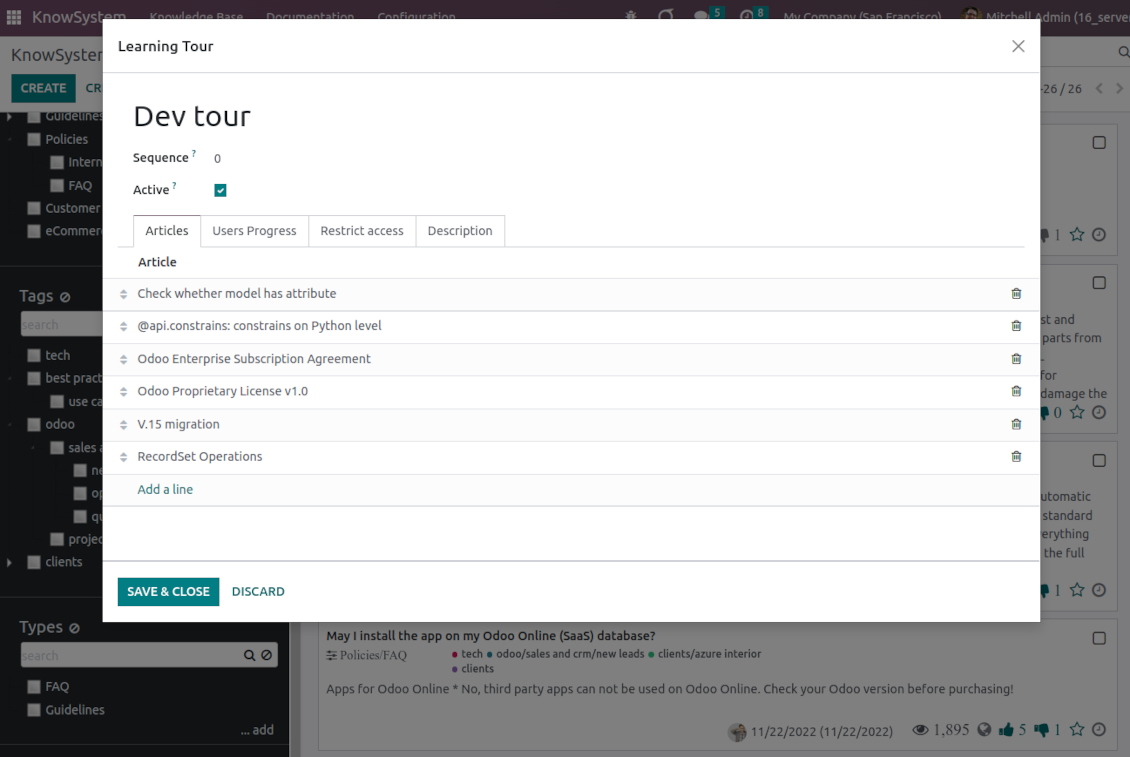
Manage and launch learning tours
-
Sort knowledge articles by views, a score of likes, title, author, section, and create and write dates
-
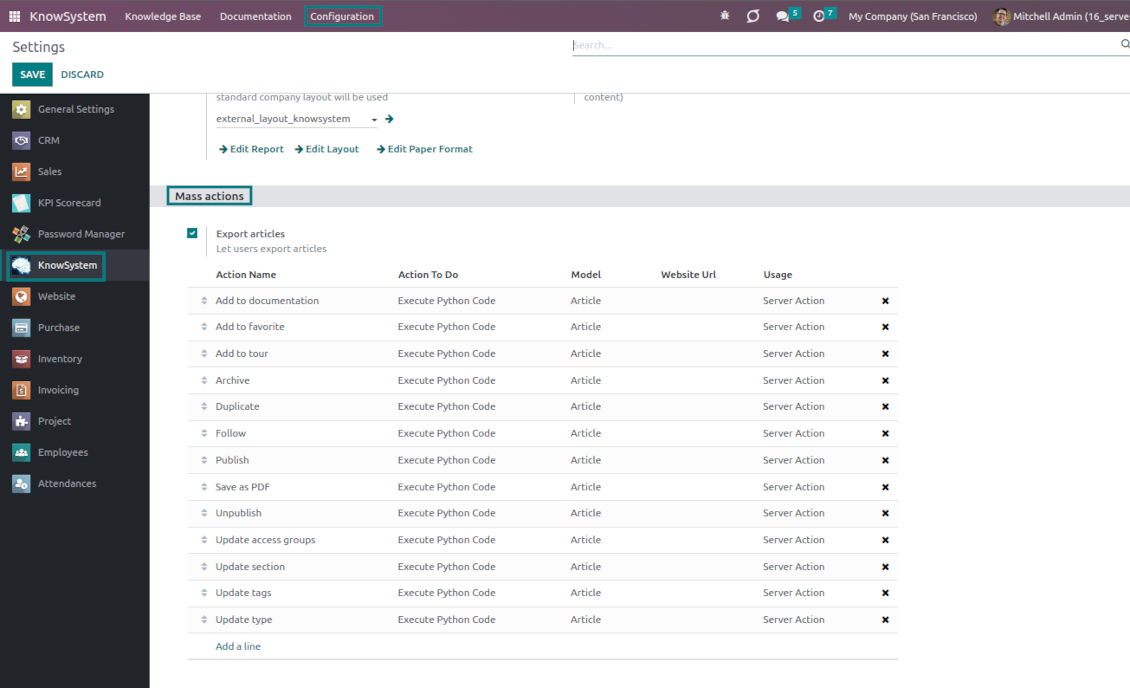
Pick articles up step by step: the selection is not cleared with a new search or when you opened a record. Proceed mass action(s) for all chosen items
-
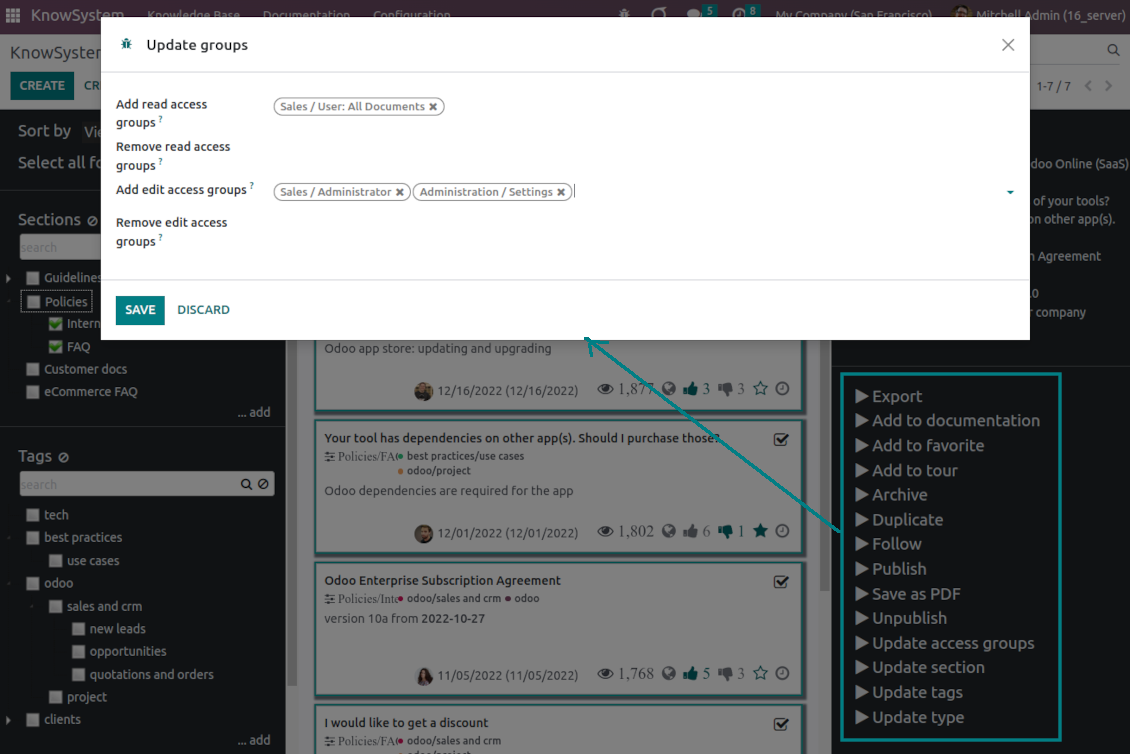
Update knowledge in batch: assign new section, change or remove tags, print multiple articles as a single PDF, follow/unfollow discussions, publish/unpublish articles, export articles to an Excel table, archive or restore items, add articles to learning tours and documentations, mark knowledge records as favorite, duplicate articles.
Fast, comfortable, and professional knowledge recording
Safe backend editor
-
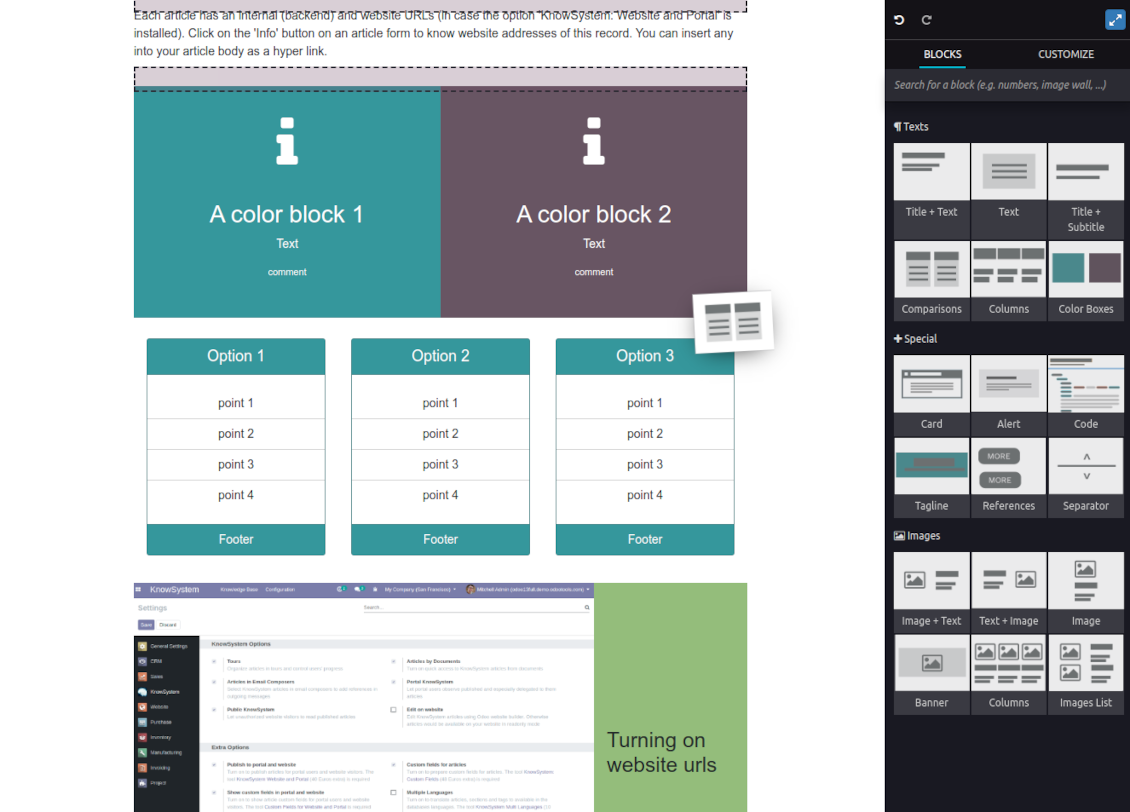
Drag and drop building blocks to write a new article right in the Odoo backend interface. The process is simple while the result is professional looking
-
Edit blocks styles, re-order Knowledge elements, change the width and height of items
-
KnowSystem editor relies upon strict HTML structures which are in most cases compatible with printing and messaging layouts
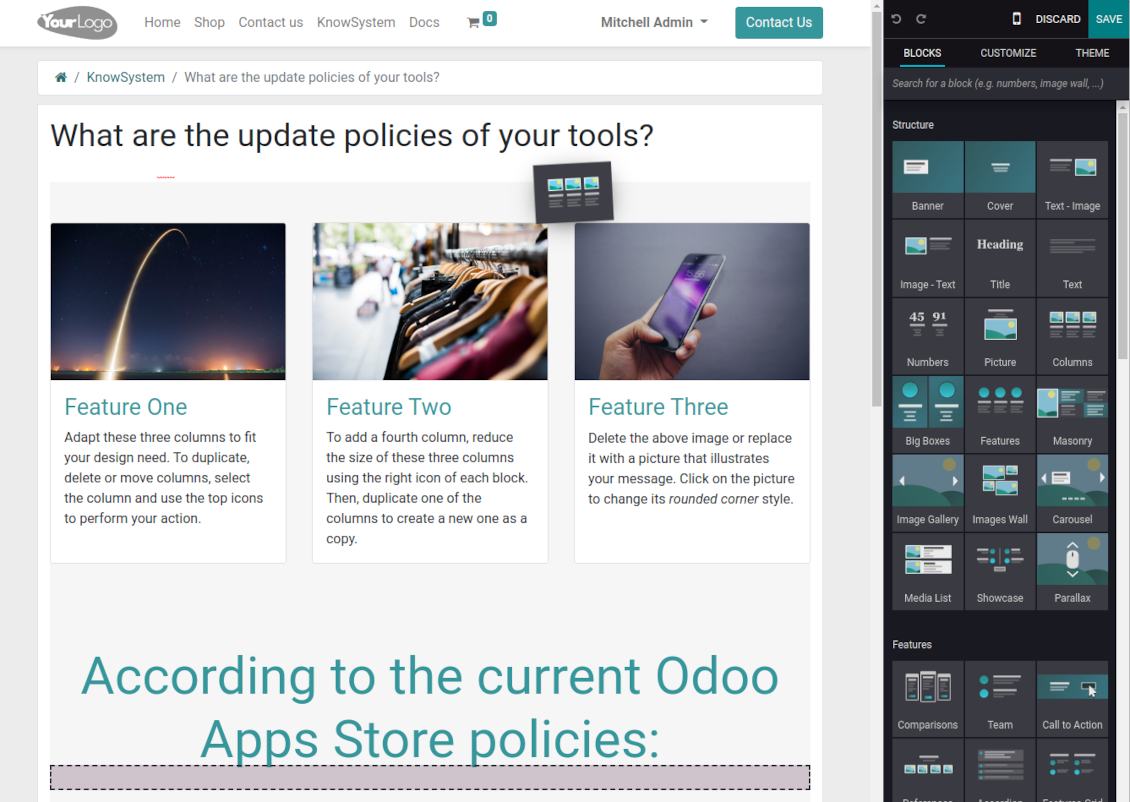
Advanced website builder
-
Apply advanced styles and complex widgets by using Odoo's built-in website editor
-
Exploit Odoo website know-how: numerous snippets and animations, style templates, and options
-
Rely upon the website editor to prepare nice-looking portal knowledge pages. Avoid using that for internal or printing purposes: advanced styles often contradict printing and composer layouts
Simple text articles
-
Make certain articles as simple texts with unlimited compatibility with printings and emails
-
Copy knowledge texts to a clipboard for quick sharing
Standard HTML editor
-
Use the familiar Odoo HTML editor to prepare inline knowledge pieces
-
Get the benefit of the Odoo editor's built-in commands
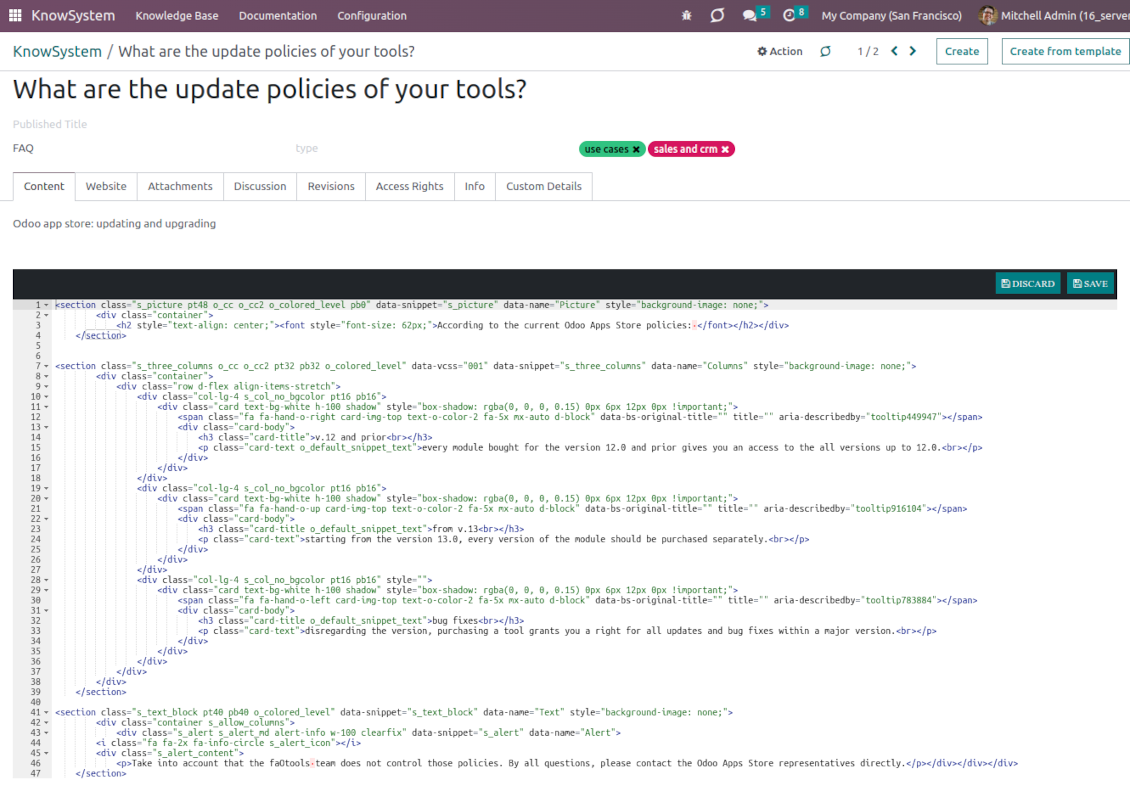
Raw HTML interface
-
At any moment switch to the raw code editor to update the articles' HTML
-
Introduce any HTML tags and styles, including Bootstrap-ready elements and iframes
Knowledge templates
-
Prepare new knowledge templates or save any existing article as a template
-
Use templates to create new articles to save time or keep uniform styles.
Get benefit from your knowledge
Knowledge system for any Odoo document
-
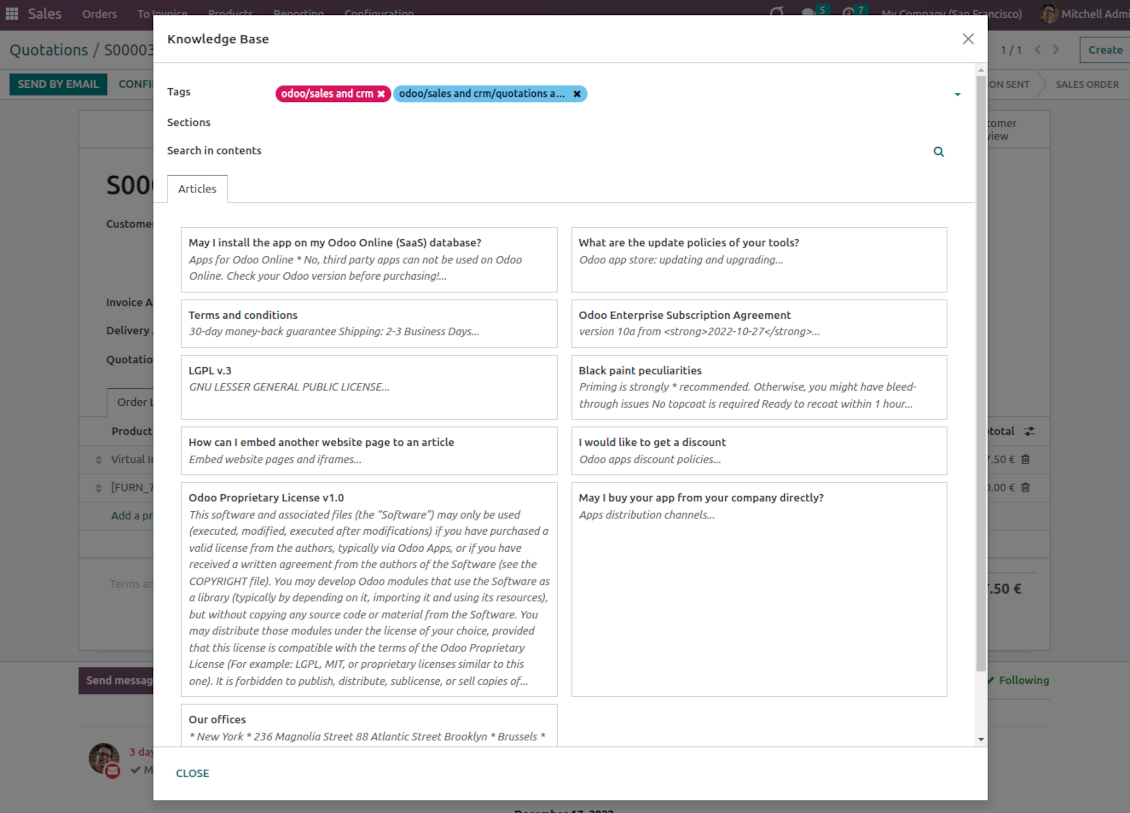
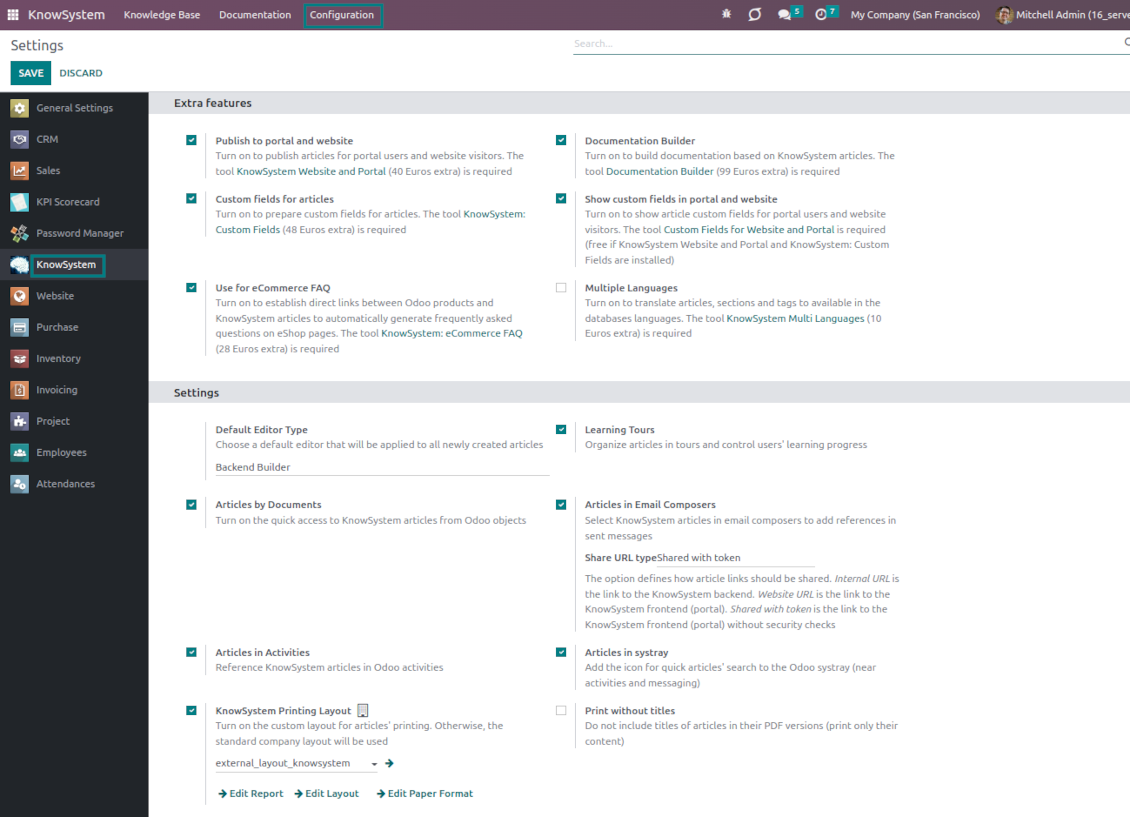
Turn on the setting 'Articles by Documents' to add a quick entry for the Knowledge base from any Odoo form view
-
Search articles by tags, section, or content in a few clicks for a quick overview
-
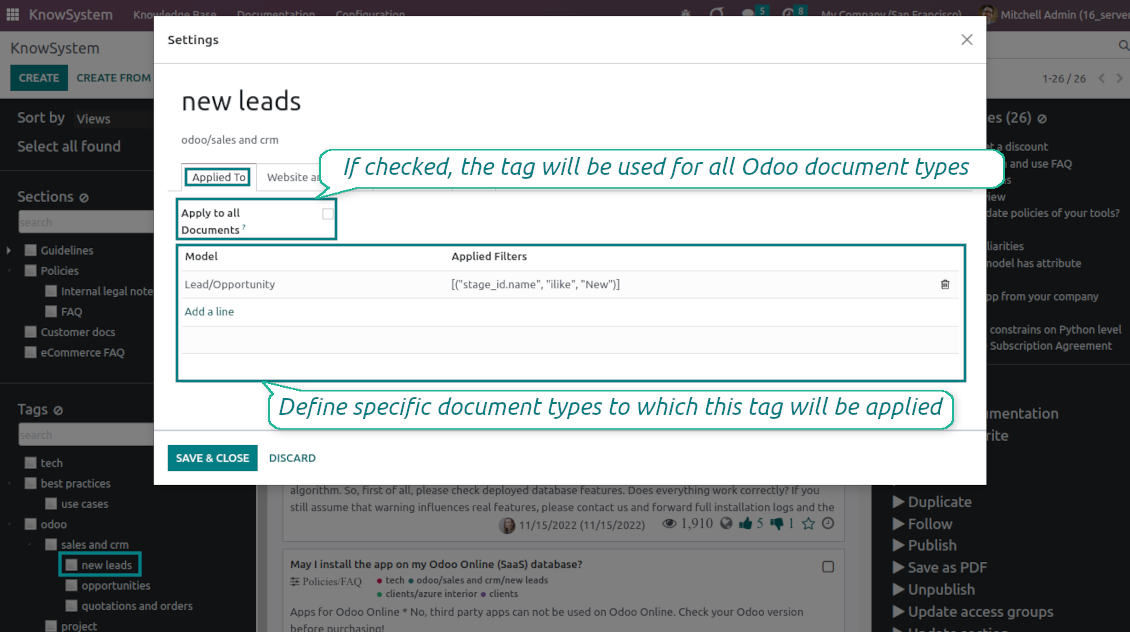
Link knowledge tags with Odoo document types to simplify the search of articles. For example, assign helpdesk tickets to the tag 'odoo/helpdesk': the latter would be entered by default for support requests objects
-
Observe article content right from any Odoo object: there is no need to always switch to the KnowSystem advanced interface
-
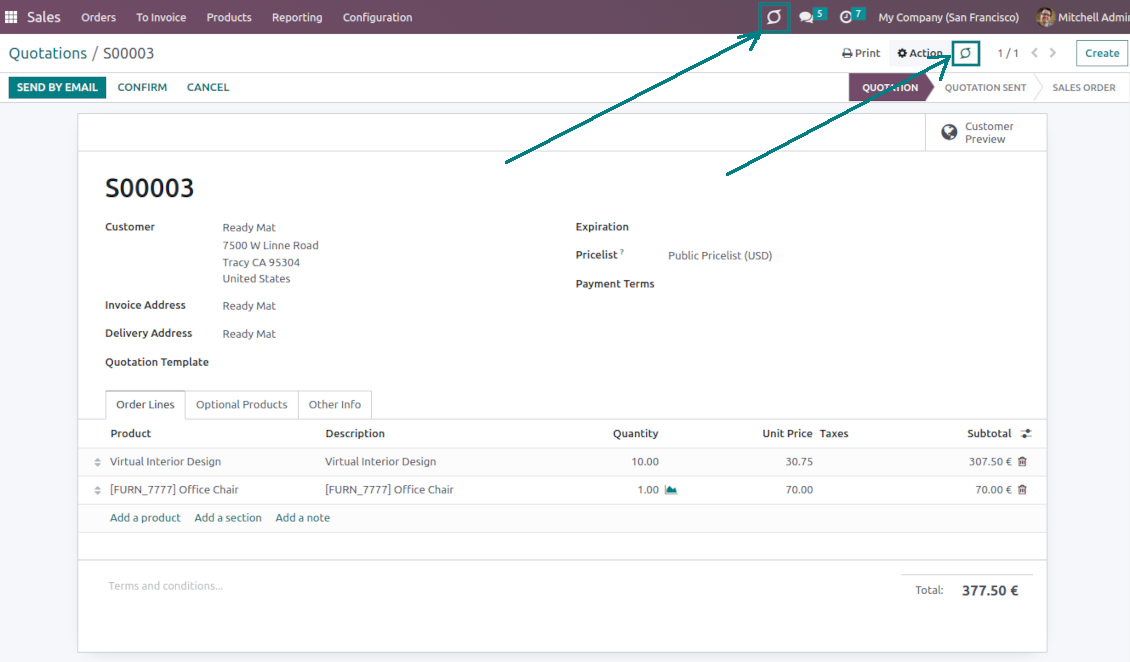
Turn on also the option 'KnowSystem in systray' to access knowledge from the Odoo systray disregarding the active interface
Apply knowledge in communication
-
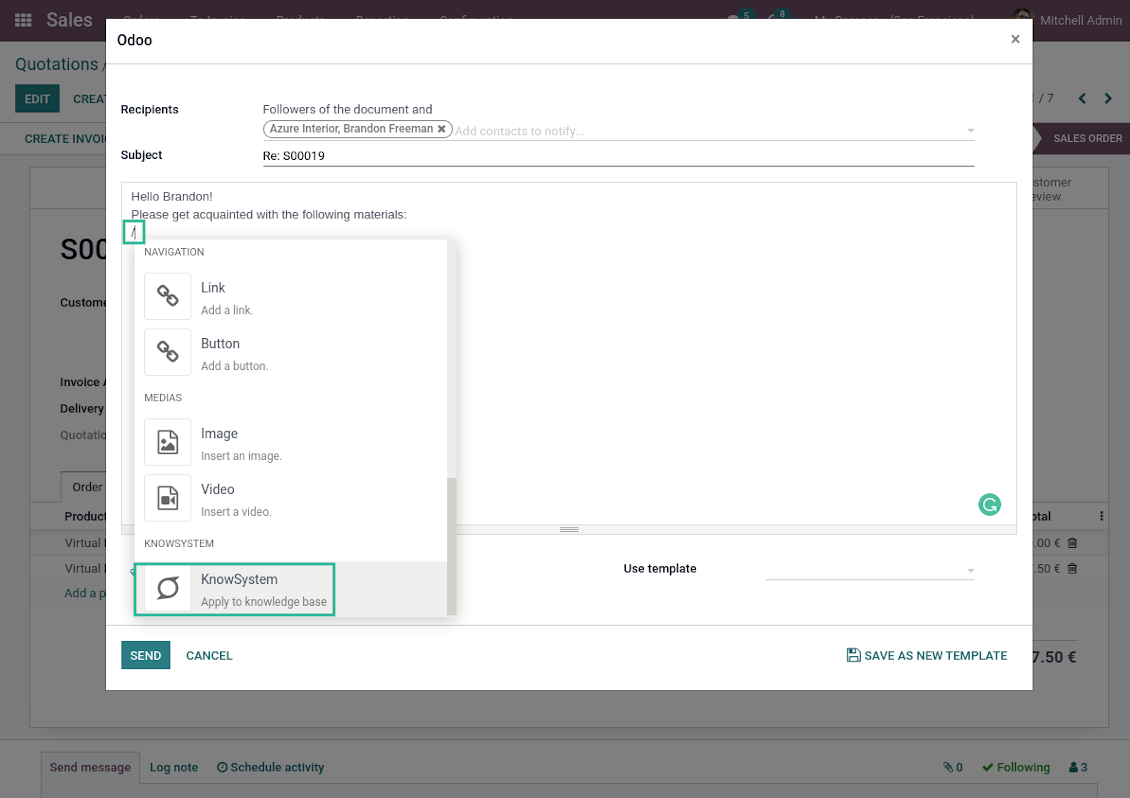
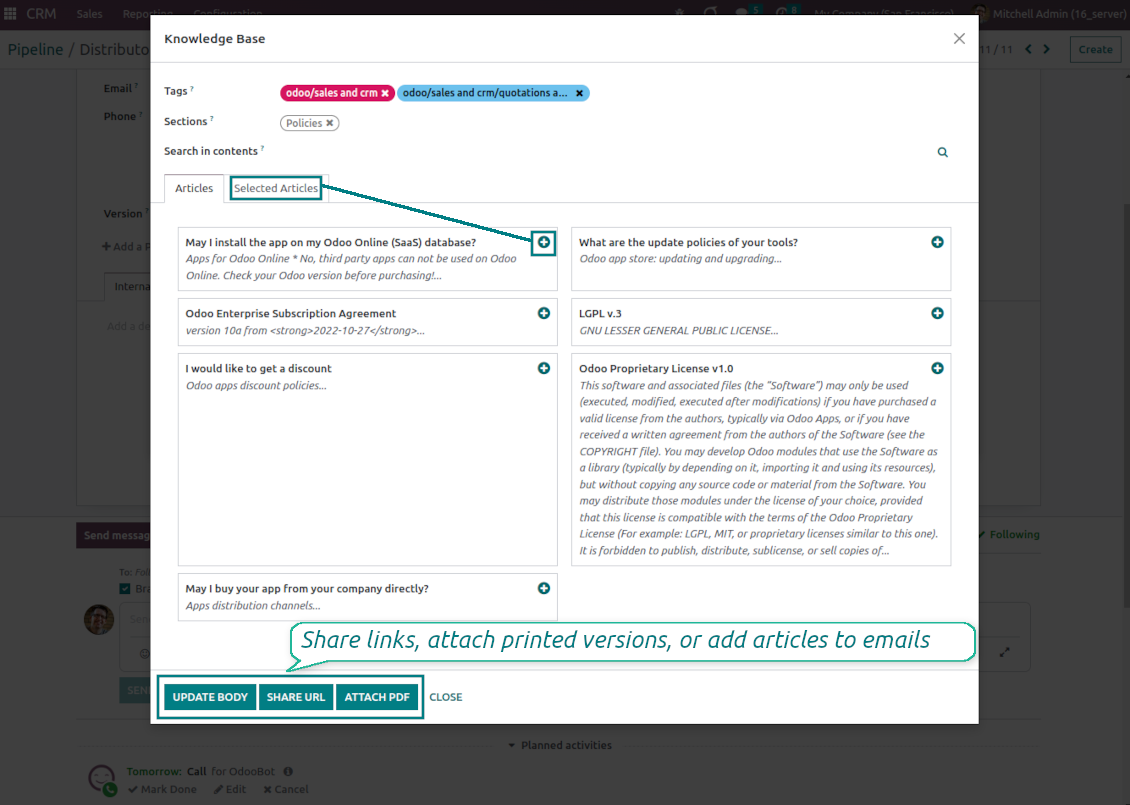
Turn on the option 'Articles in Email Composers' to let users reference or cite Knowledge records in Odoo messages
-
Quickly observe articles related to a current document discussion. Instantly reference those by applying the Odoo editor command '/' > KnowSystem
-
Update message body with knowledge content (it would be added to the end of a current message)
-
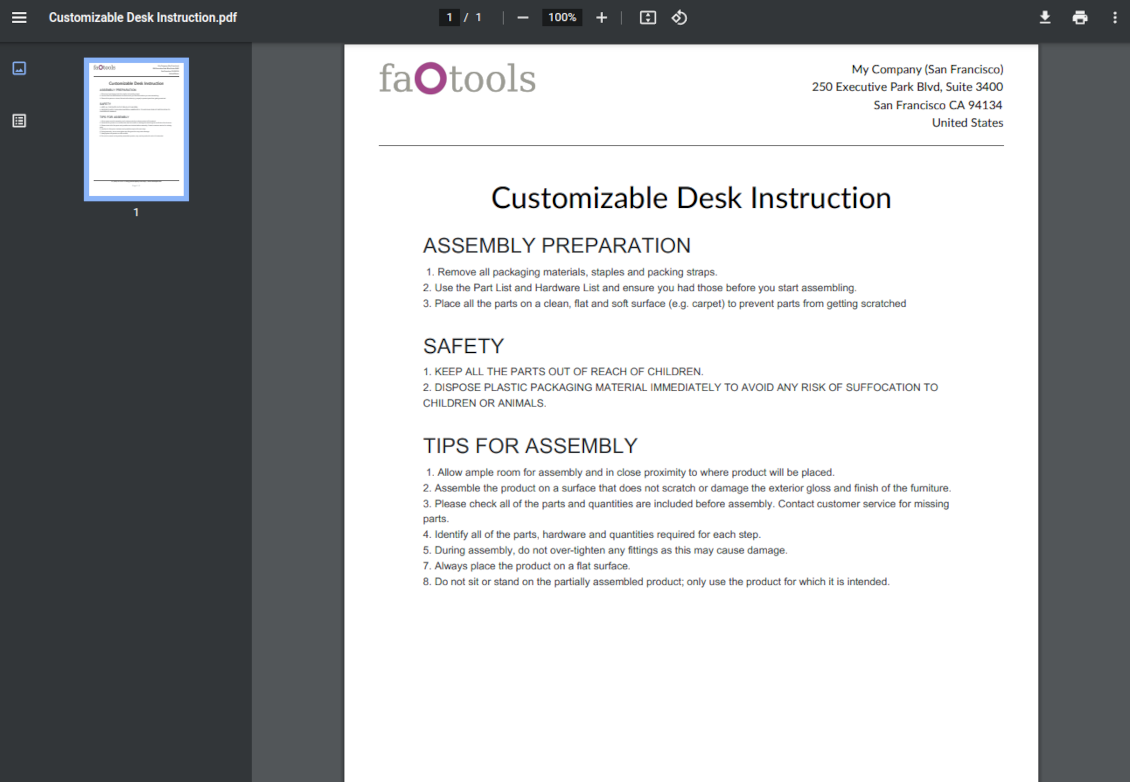
Attach a PDF version of referenced article or articles
-
Share knowledge links with your colleagues or partners. Configure the app to send backend, website/portal, or tokenized Odoo portal URLs
-
Turn on the setting 'Articles in Activities' to insert articles or their links also to Odoo activities
Organize learning tours
-
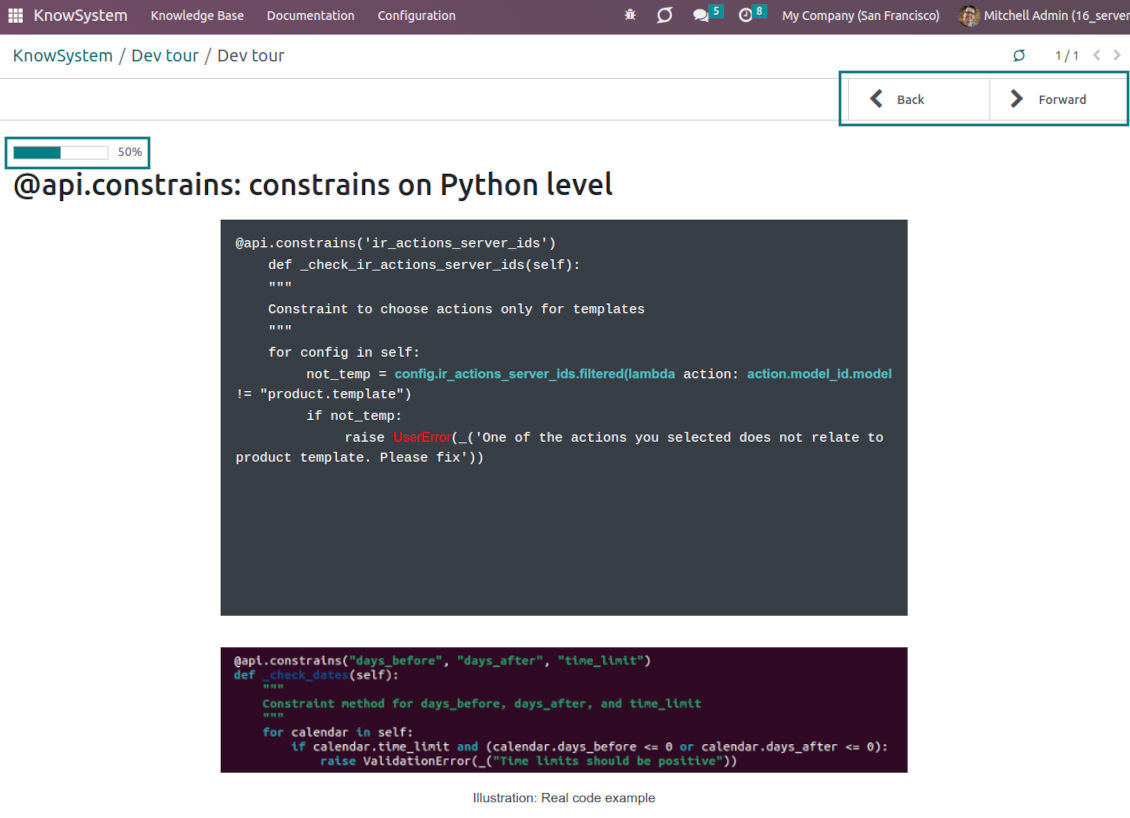
Turn on the option 'Tours' to be able to combine articles in a sequence of learning steps
-
Add any knowledge to a tour in any order
-
Launch a tour to follow certain steps of study one by one in the special interface
-
Share learning tours with everybody or specific user groups. Control employees' progress in getting familiar with instructions and guidelines
Share and publish knowledge
-
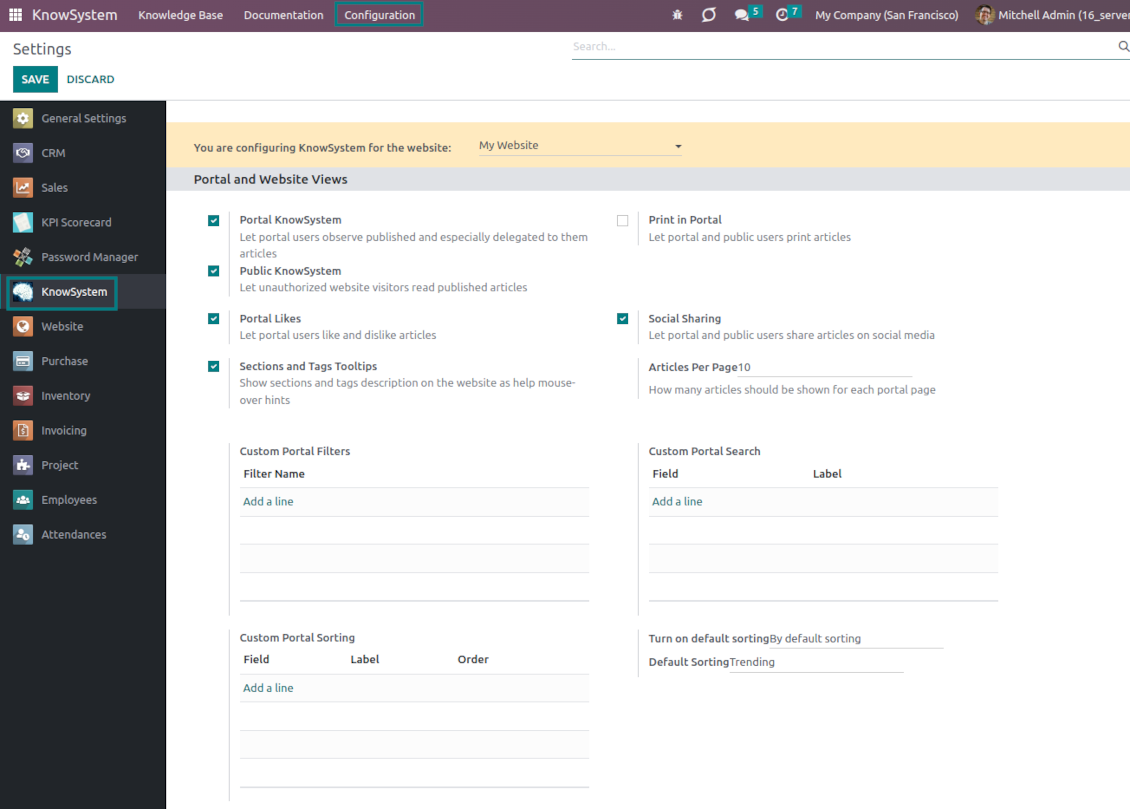
Turn on the setting 'Portal KnowSystem' to give KnowSystem access to external partners, and 'Public KnowSystem' - to website visitors
-
Configure KnowSystem tags or publish articles to share knowledge content
-
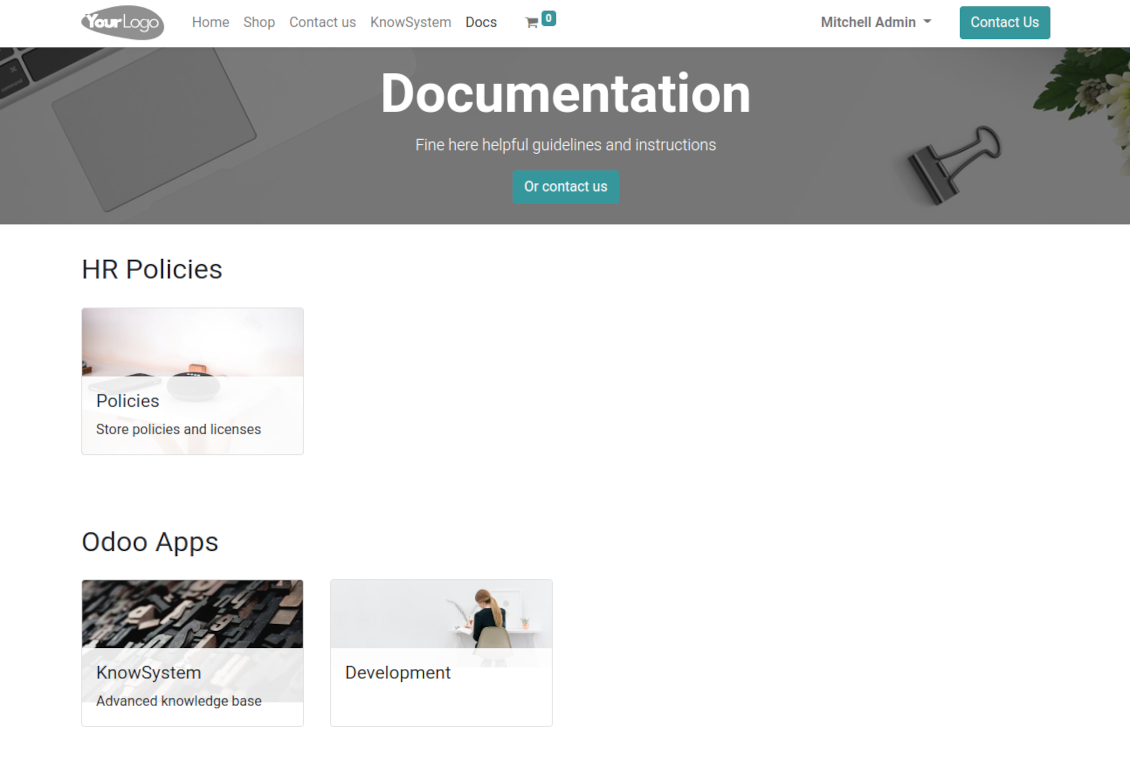
Combine articles in advanced documentation to cover a certain aspect of organizational or functional knowledge
-
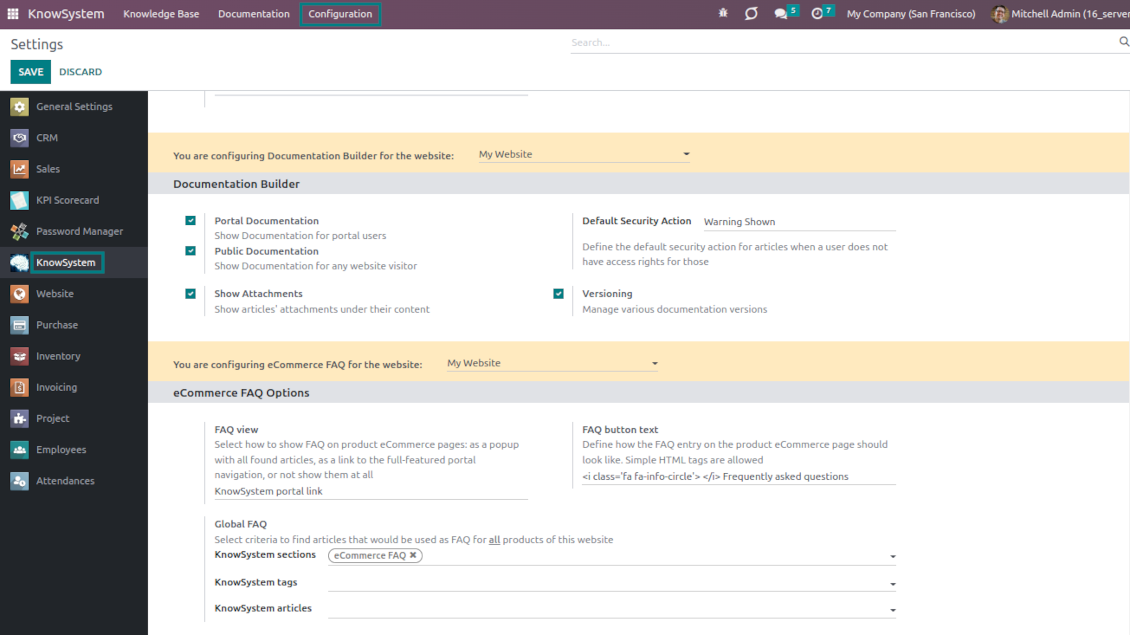
Turn on the option 'Portal Documentation' and 'Public Documentation' to make that documentation available for portal and public users respectively.
Website documentation builder
-
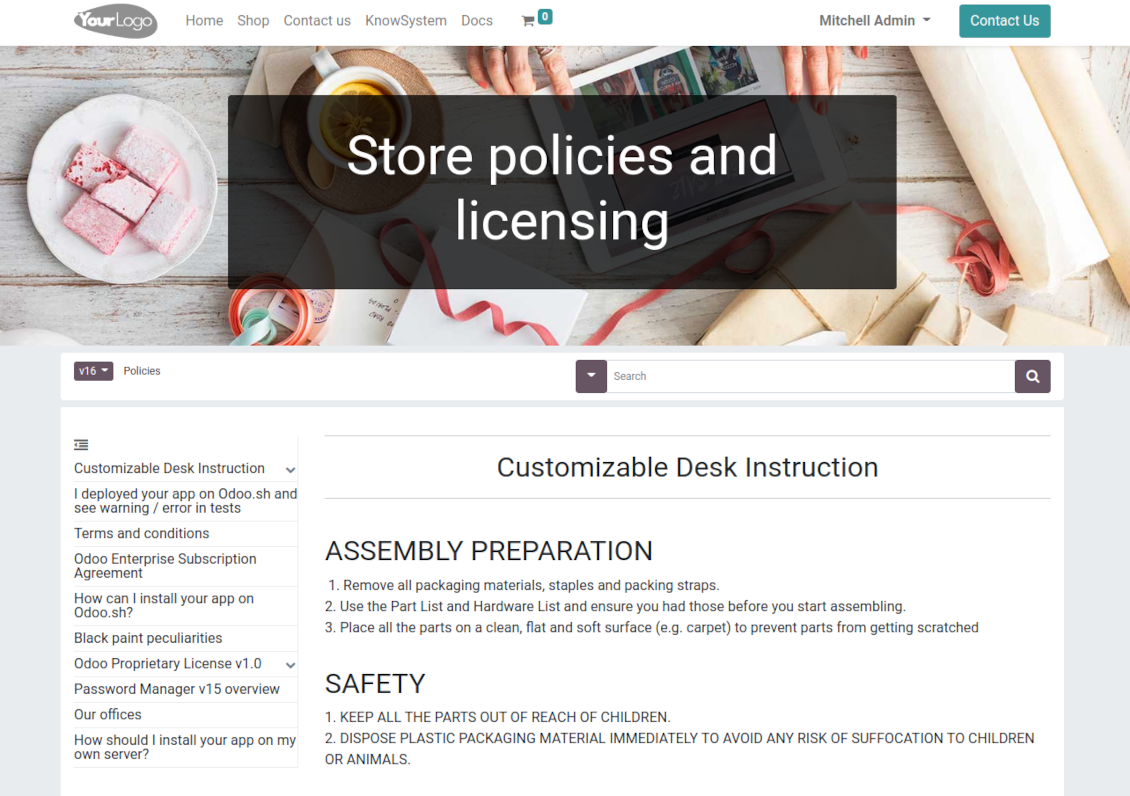
Combine articles into advanced documentation sections to cover a certain business, organizational, or functional aspect
-
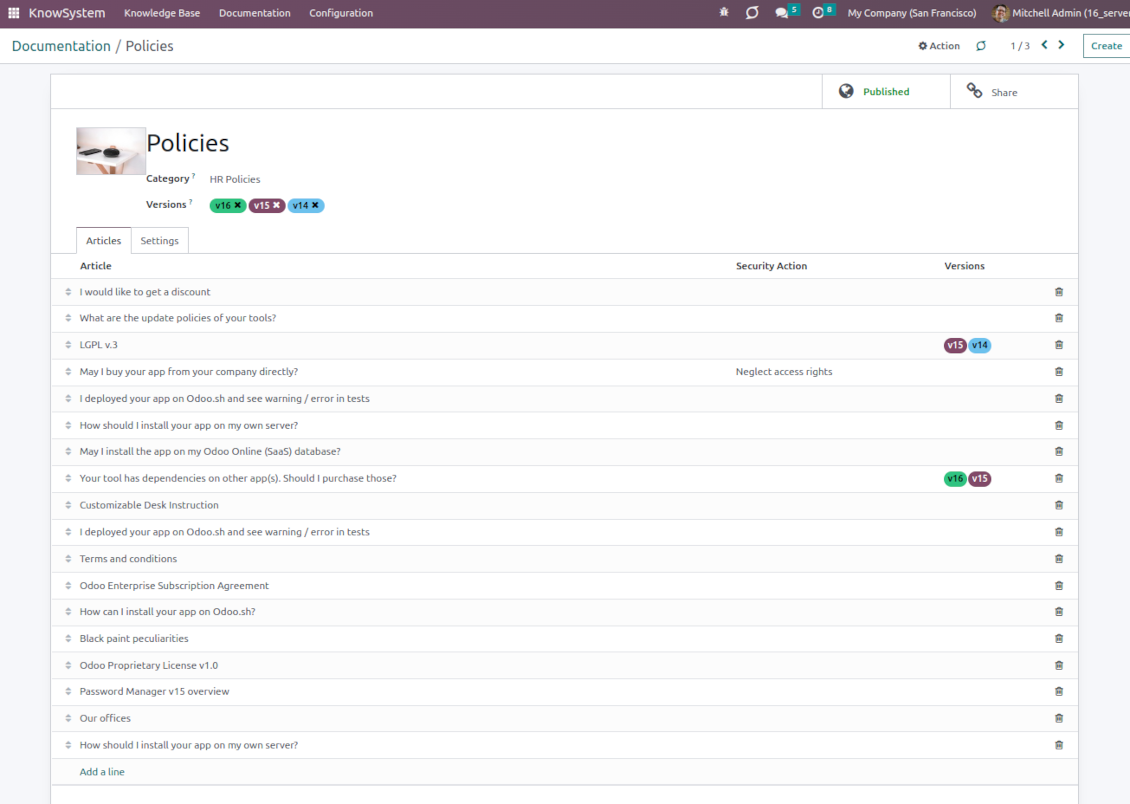
To create a new documentation section just select and order KnowSystem articles. The app would generate a website page automatically
-
Each KMS article might be used several times for different documentation sections
-
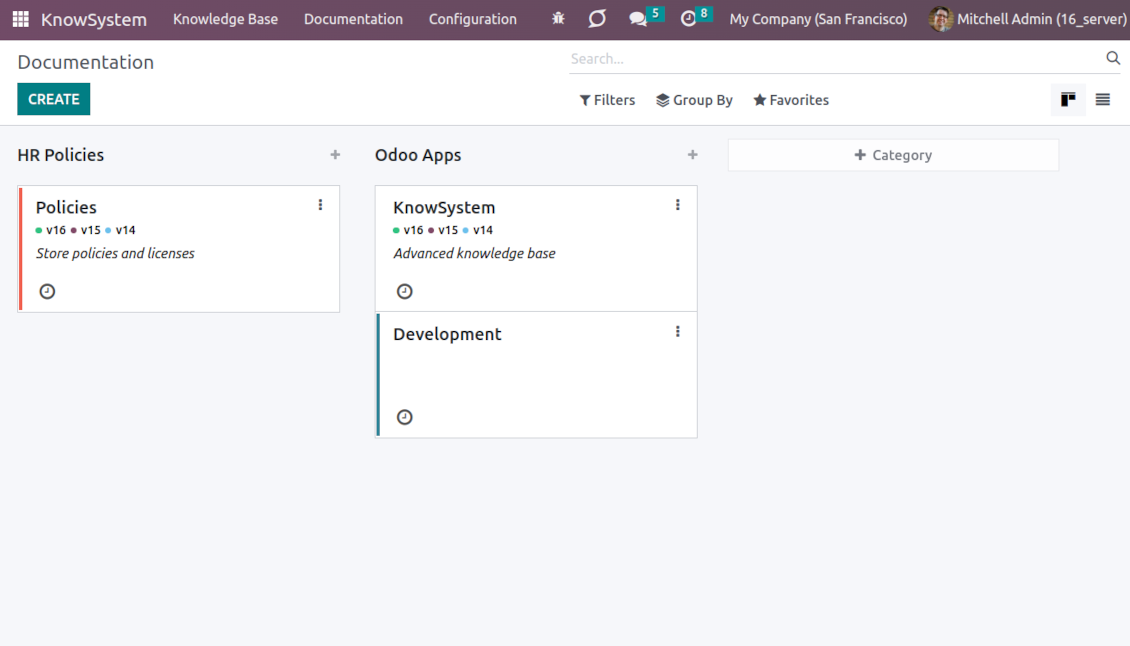
The tool allows preparing an unlimited number of documentation pages structured by categories
-
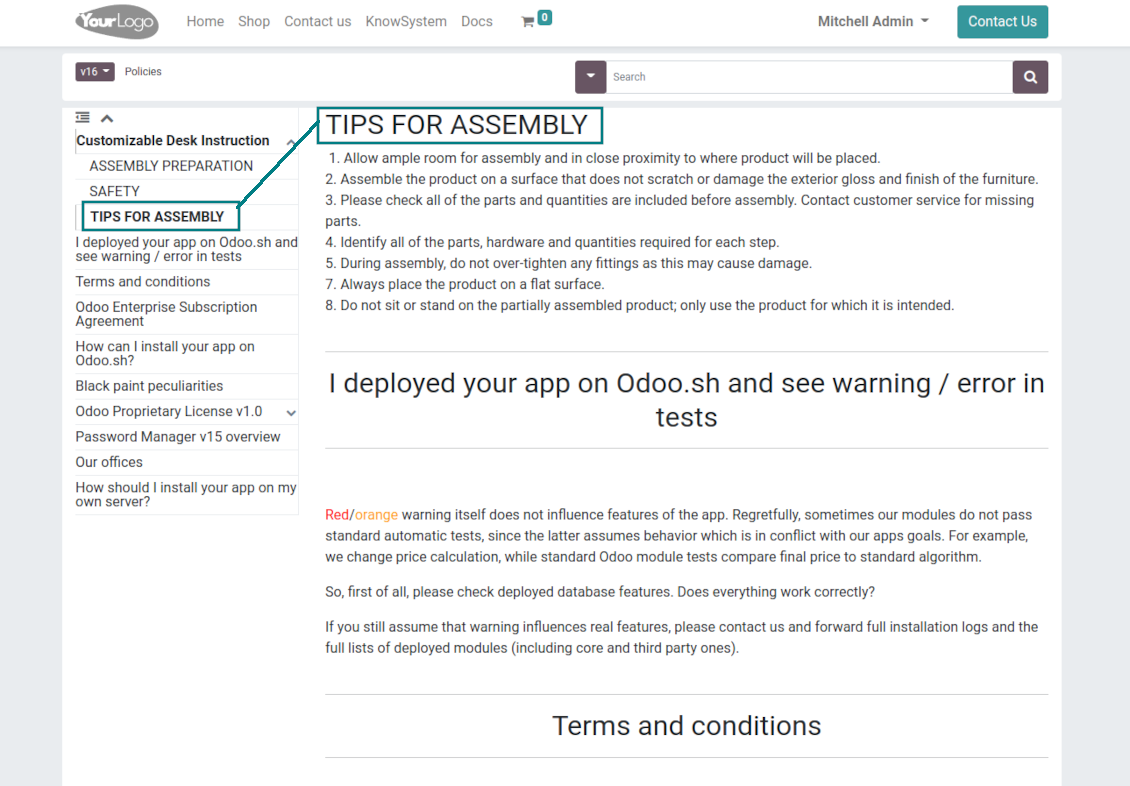
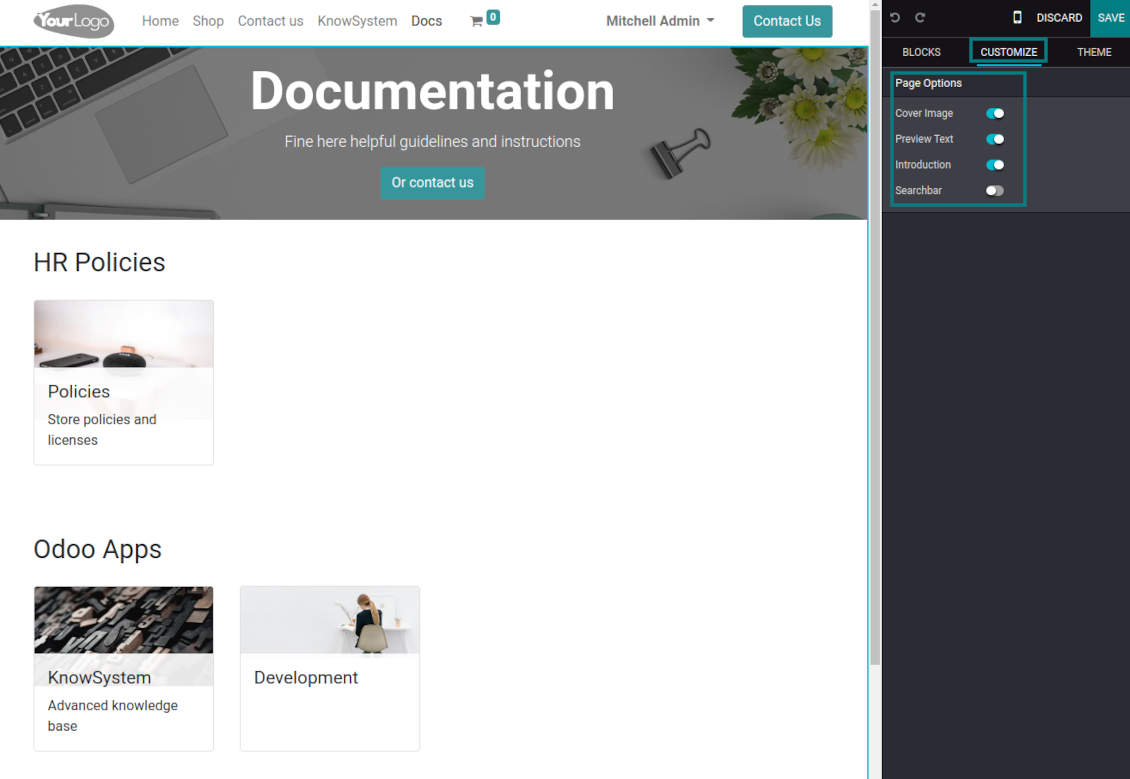
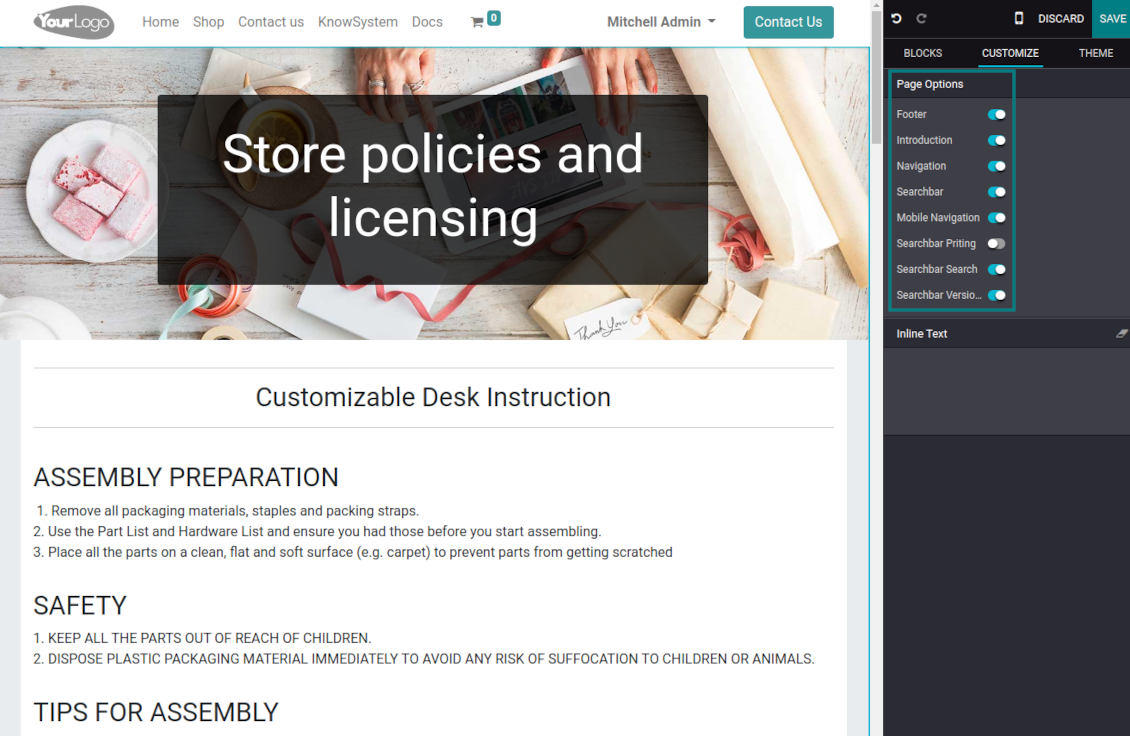
Flexibly customize documentation pages: show or hide introductions and footers, turn on/off the search bar and table of contents, add or remove preview images and texts
-
The app lets flexibly share documentation categories and sections. Publish required documents to make them available for everybody, assign KnowSystem tags - to grant access to chosen Odoo partners
-
Depending on user rights documentation might look different. Define what to do if a documentation user does not have access to included articles: to neglect restrictions, not show that knowledge pieces, or show a security warning
-
Optionally show a table of contents for comfortable and quick navigation. The table of contents is constructed automatically according to the headers of included articles
-
Turn on the search bar for documentation. It is possible to find matches in a whole text or only in headers, to make keywords case-sensitive or insensitive
-
Apply versioning for documentation to avoid double work in preparing specifications, user manuals, or software guidelines.
Partner knowledge base portal and public knowledge system
Knowledge in the Odoo portal
-
KnowSystem lets organize a web portal personally for each Odoo partner by selecting articles to be shared. To that end turn on the option 'Portal KnowSystem'
-
Design an article specially for a definite company, or use the same knowledge experience among multiple clients
-
Knowledge articles are available for portal users if: (a) those articles are published; (b) those articles have user-related tags
-
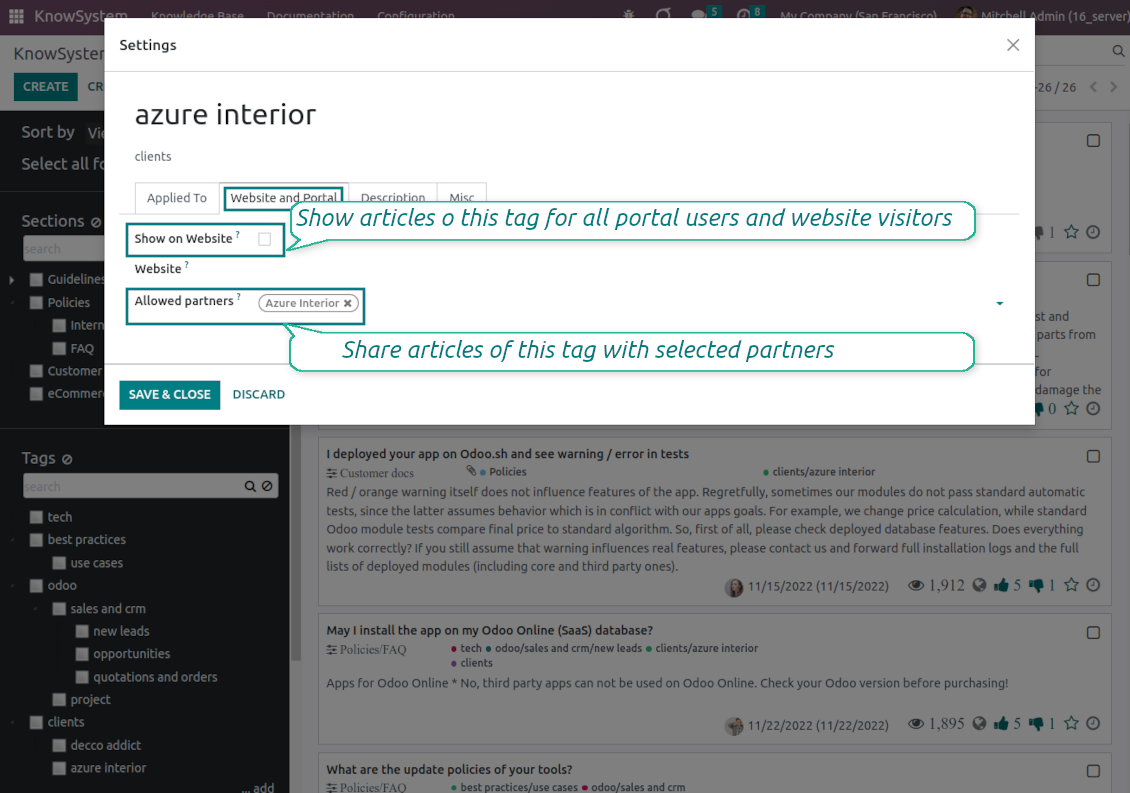
To assign a KnowSystem tag for a partner do one of the following: (a) go to a partner form and enter the field 'KnowSystem tags'; (b) on a tag form define 'Allowed partners'
-
Optionally allow partners to print knowledge pieces, like, and share articles
Public KMS
-
To make self-service possible: make your knowledge base available also for unauthenticated users. To that goal, turn on the option 'Public KnowSystem'
-
Only articles which are published will be available for website visitors
-
To publish specific knowledge parts: apply the mass action 'Publish' or tick the checkbox 'Visible on current website' on an article form
-
To show tags and article types in the portal and website do not forget to publish them. Knowledge sections will be shown only if they have articles for observation
-
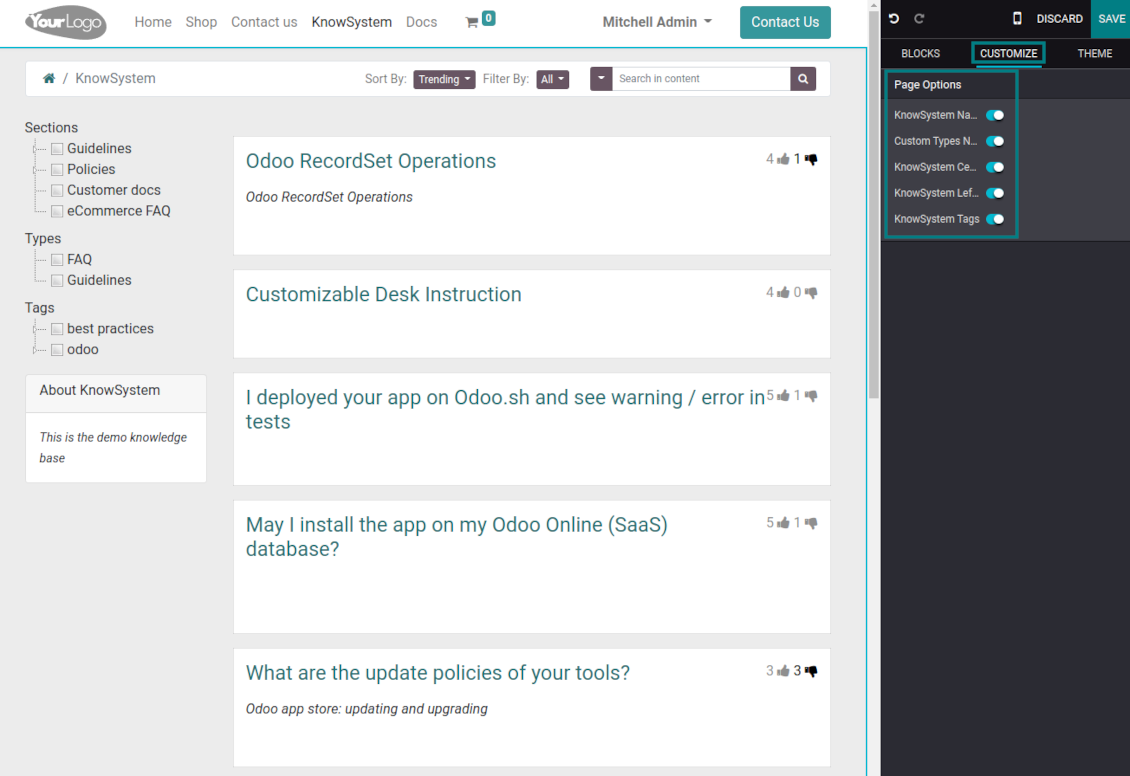
Customize the knowledge portal: hide/show the navigation by tags and types or the whole navigation, prepare introduction or navigation hints, and add section tooltips.
Interactive and evolving knowledge base
Teamwork and use
-
The history of article revisions is kept in Odoo in a similar way it's done in Wikipedia. If one of the Odoo users breaks something, it takes 2 clicks to recover a proper knowledge version
-
Users might take part in article discussions and subscribe to updates
-
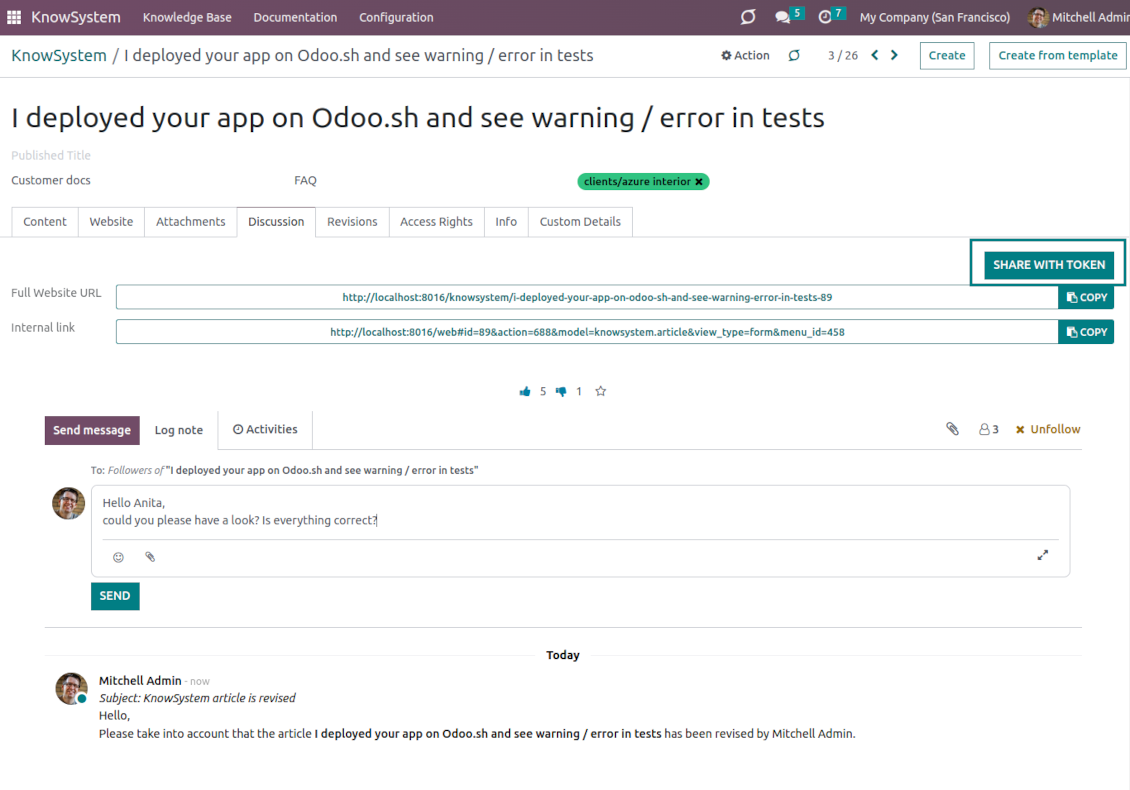
Share tokenized articles with any contacts
-
Control statistics by articles: contributors, number of views, likes, and dislikes, how frequently they are used in messaging, who marks them as favorite
-
Set activities to improve the knowledge base. Configure articles to be auto-archived after a particular date
Multi-lingual knowledge
-
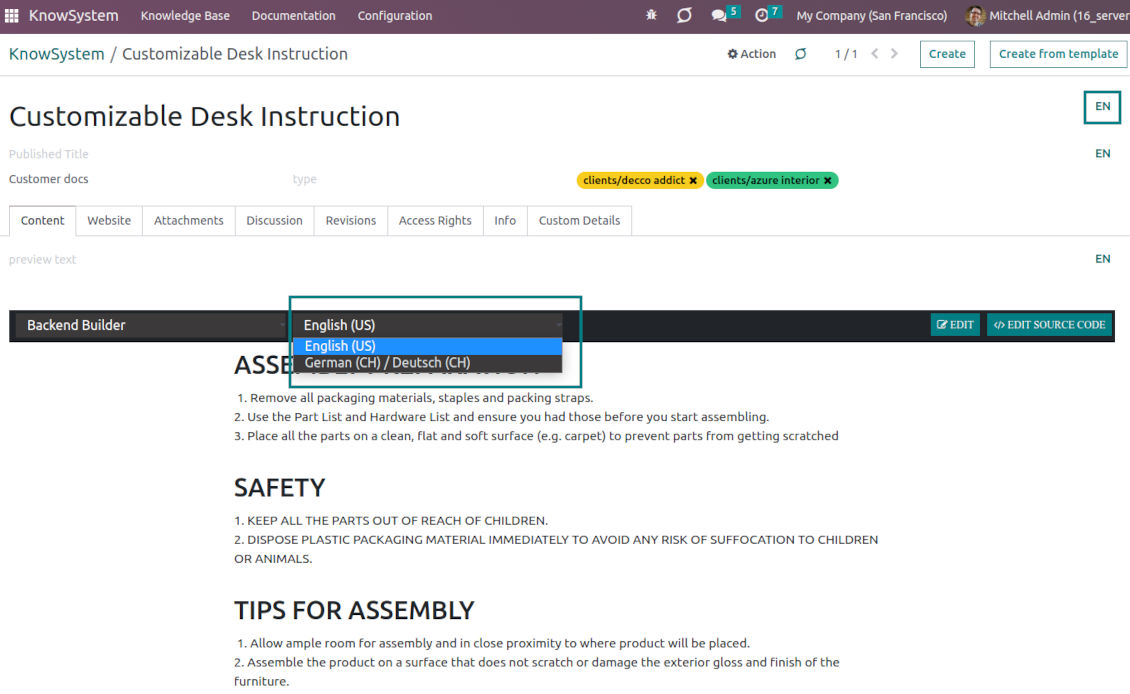
KnowSystem lets you translate articles in the languages installed in Odoo. In this way, users might read and edit articles in a language of their preferences
-
To avoid double work, article content might be copied from another language (the button 'Copy from another translation' under the article content). Simultaneously, make sure you actually require a multi-lingual regime: all articles should be anyway kept updated in all Odoo languages
-
To observe or update knowledge translation, you may switch the language right in the backend editor.
Design eCommerce FAQ or documentation
-
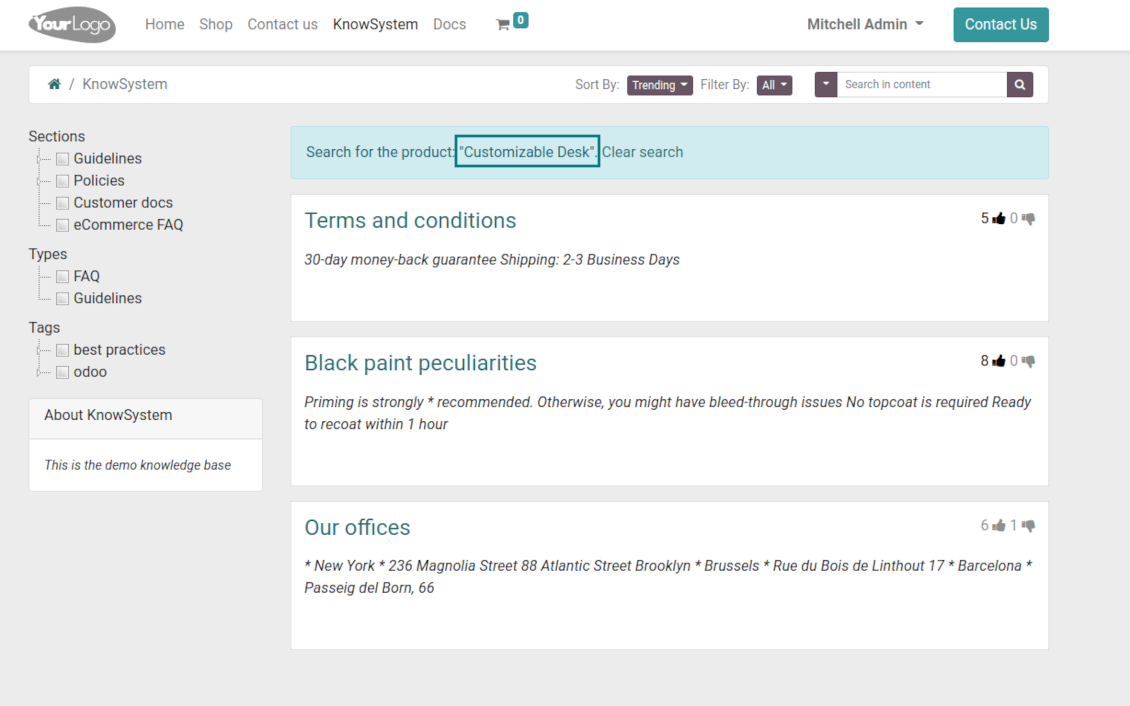
The tools allow adding the product knowledge entry to all eCommerce product pages
-
Optionally hide that for specific templates (the setting 'Do not show eCommerce FAQ') or for the whole eShop on a particular website (the configuration option 'FAQ view' - 'Do not show')
-
Introduce your own title for the button (the website setting 'FAQ button text'). By default, it is ' Frequently asked questions'. But you can change that to any, e.g. 'Product docs' or 'Instructions'. Simple HTML tags are allowed for that goal
-
Show product knowledge as a link to the main knowledge portal interface (choose 'KnowSystem portal link' for the option 'FAQ view'). In this way, when clicked users are redirected to the full KnowSystem navigation but are restricted by articles linked to the current product
-
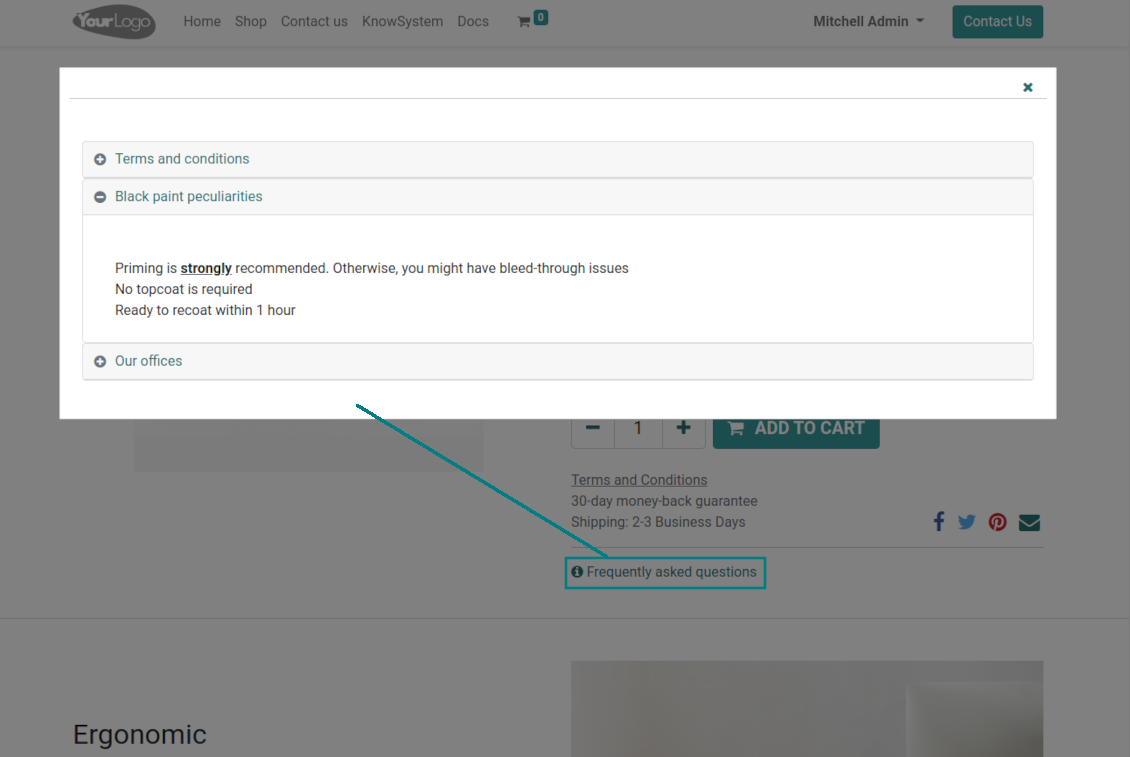
Alternatively, the tool allows triggering a popup with all found articles accordion (choose 'Popup accordion' for the option 'FAQ view'). Thus, users are able to check articles without leaving a product e-Shop page
-
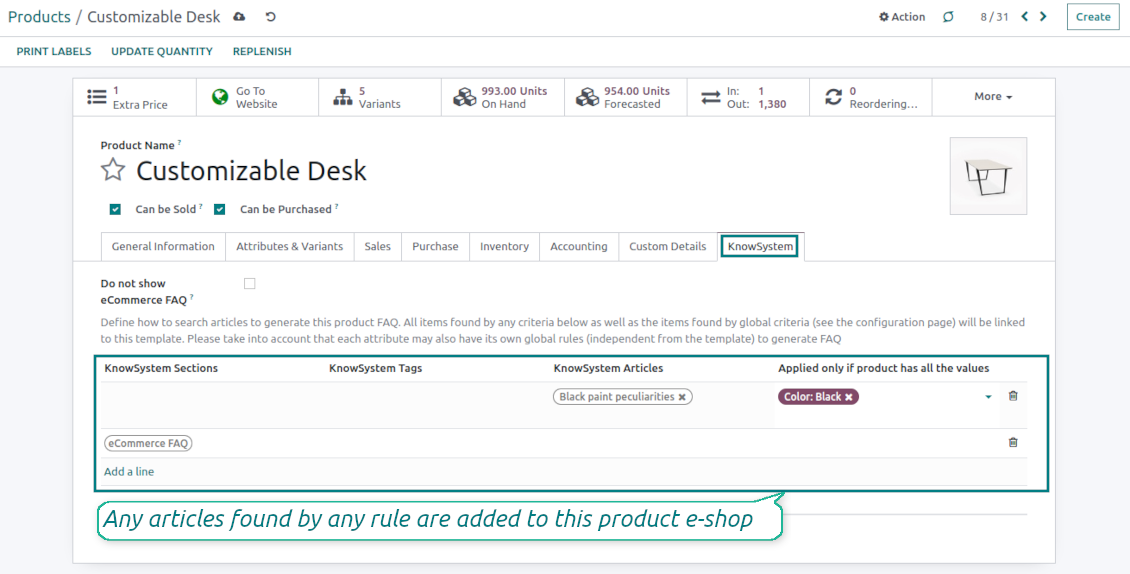
Establish links between product templates and KnowSystem to cumulate Odoo eShop knowledge. Show articles for specific sets of attribute values and hide them for others. For example, to have different FAQs for steel and aluminum tables
-
Define its own knowledge for Odoo attributes or attribute values disregarding actual products. For instance, complementary documentation for all variants that have 'legs' or 'custom legs'
-
Apply global settings of how to find articles for all eCommerce product pages. In this way, the app lets have the same FAQs basis for all sold items on a particular website
-
It is possible to define KnowSystem sections, tags, or specific articles on each layer. A knowledge piece would be selected if it satisfies any of the criteria. For sections and tags, child nodes would be also taken into account
-
Articles are shown on product pages only if a user can access those articles. Thus, website visitors would see only published ones.
Any business and functional area
KnowSystem is a universal knowledge management tool that might be configured to any business goal and any set of Odoo apps: helpdesk, marketing, IT, HR, project management, and so on and so on. Typical use cases are:
-
Helpdesk - once faced a challenge, its solution might be recorded in KnowSystem for repeated usage by co-workers and for self-service by clients
-
Sales and CRM - salesperson helper to find information about products and offers, frequently asked customer questions
-
Project management - to keep and easily retrieve knowledge of existing solutions, tools, hints, and experiments
-
HR - to prepare instructions, guidelines, learning tours and training, and any codified knowledge of routine in your company
-
Marketing - to organize Odoo's online library of product use cases, expert knowledge, and well-structured documentation
-
Legal issues - systematize your policies, contract/approval management, keep the full classifier of trademarks, licenses
-
Informational technologies - share easy-reached manuals and configuration guidelines.
Custom knowledge system attributes
-
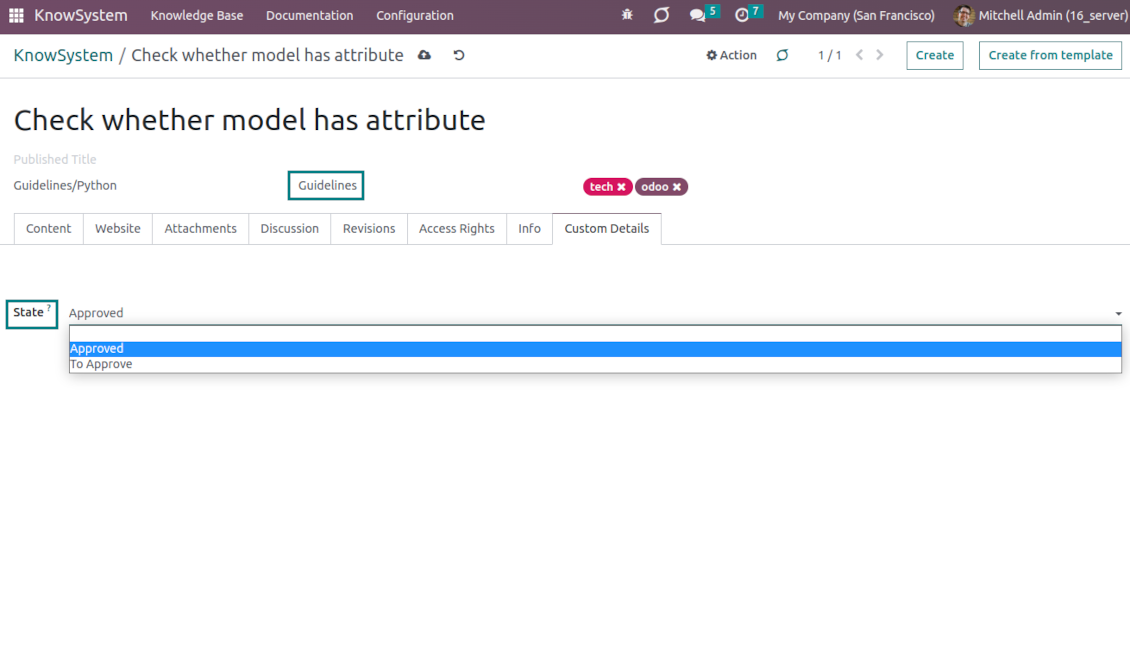
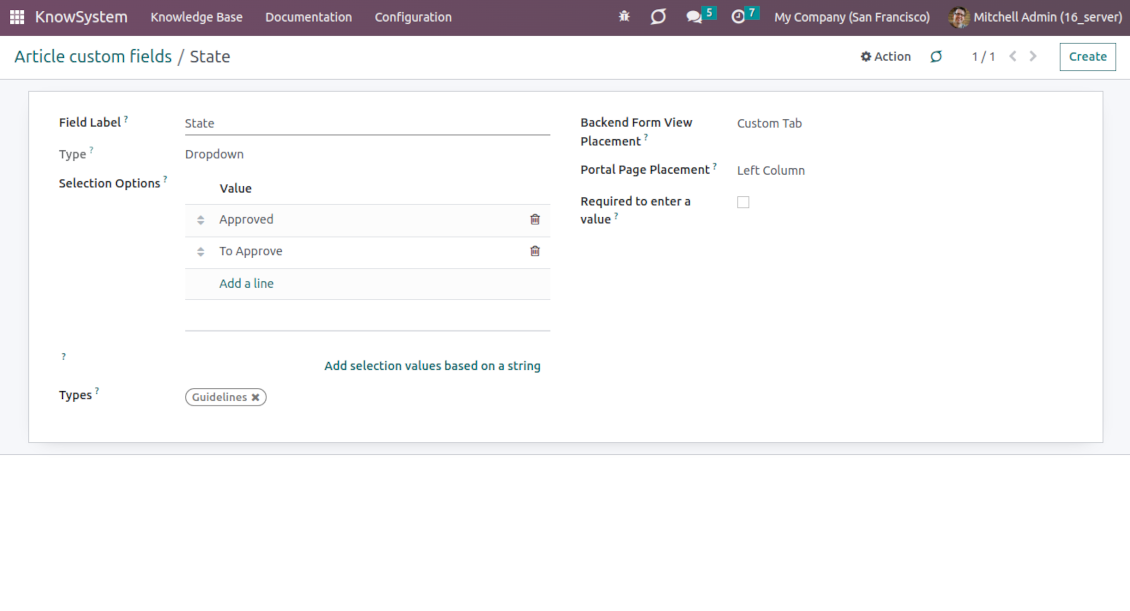
Custom attributes creation does not require any technical knowledge. In order to show a new property for knowledge base articles, just add a new field and enter details
-
It is possible to add custom fields of the following types: single-line text (char), simple text without formatting (text), rich text (HTML-formatted text), integer or float numbers, drop-down choice with your own options (selection), checkbox (boolean), date or date and time, binary (a file to upload), reference to another Odoo document (e.g. for sale order, contact; many2one)
-
The tool lets you comfortably select an interface position of a custom field from a closed list of options
-
Distinguish knowledge articles by type in order to show properties only for suitable ones. Thus, the set of attributes for 'user guidelines' and 'technical specifications' might be different
-
Mark a custom field required to force users to enter values
-
The app might work for both the KnowSystem backend and the knowledge share portal
-
Custom knowledge system fields might be imported and exported
-
The rights to create custom fields belong only to KnowSystem administrators.
Secured and shared knowledge
-
Security for internal and for portal/public users differs
-
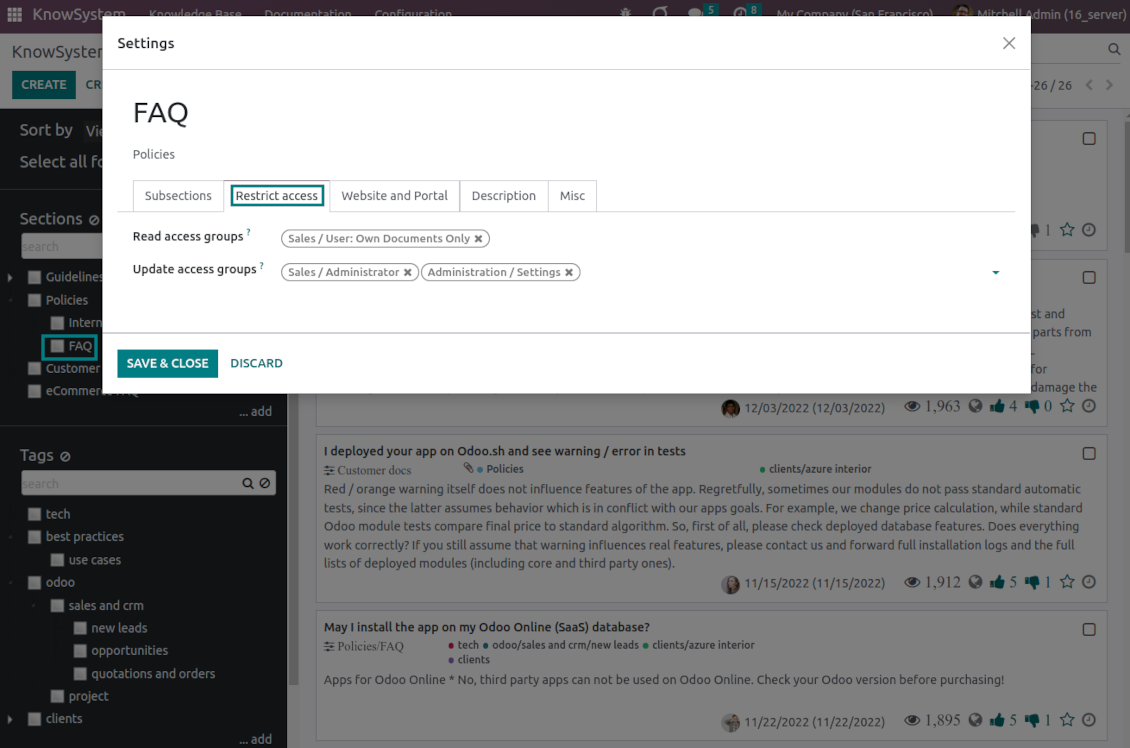
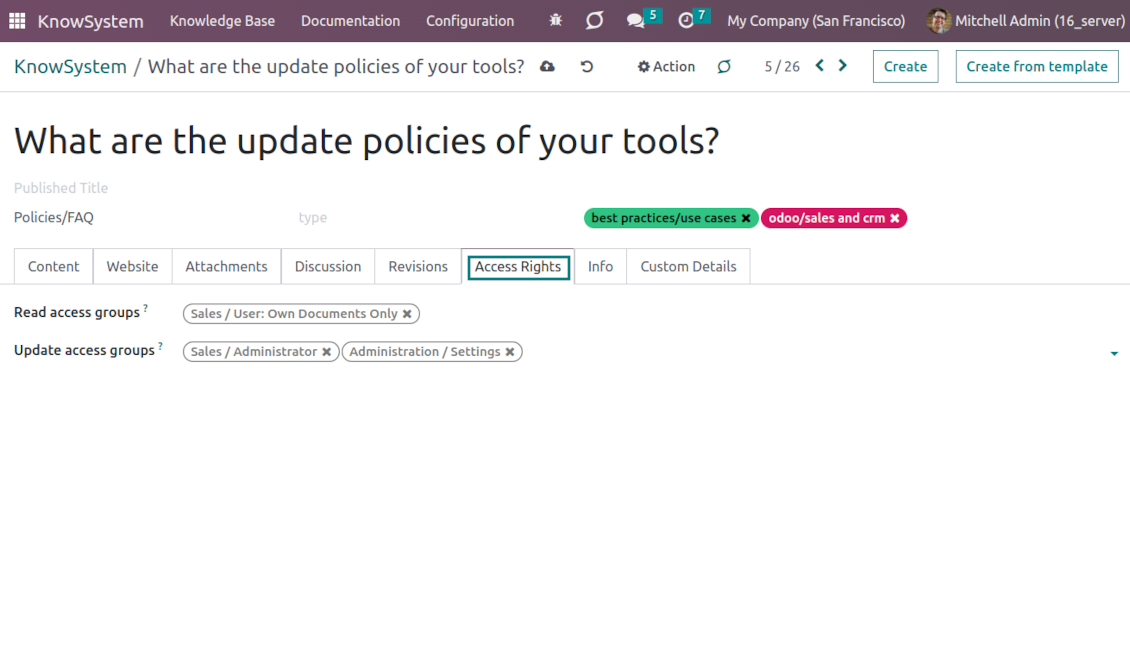
For the company employees: KnowSystem considers user groups which are defined per articles, sections, and tours. Look at the tab 'Restrict to' on forms of those objects. If that field is not defined, a document is considered 'global' and each internal user may read it
-
For portal / public users: KnowSystem takes into account tags and whether an article is website-published. A knowledge tag has a field 'Allowed partners', which may grant access to portal users for articles with this tag. Website-published pages are available for any external visitor
-
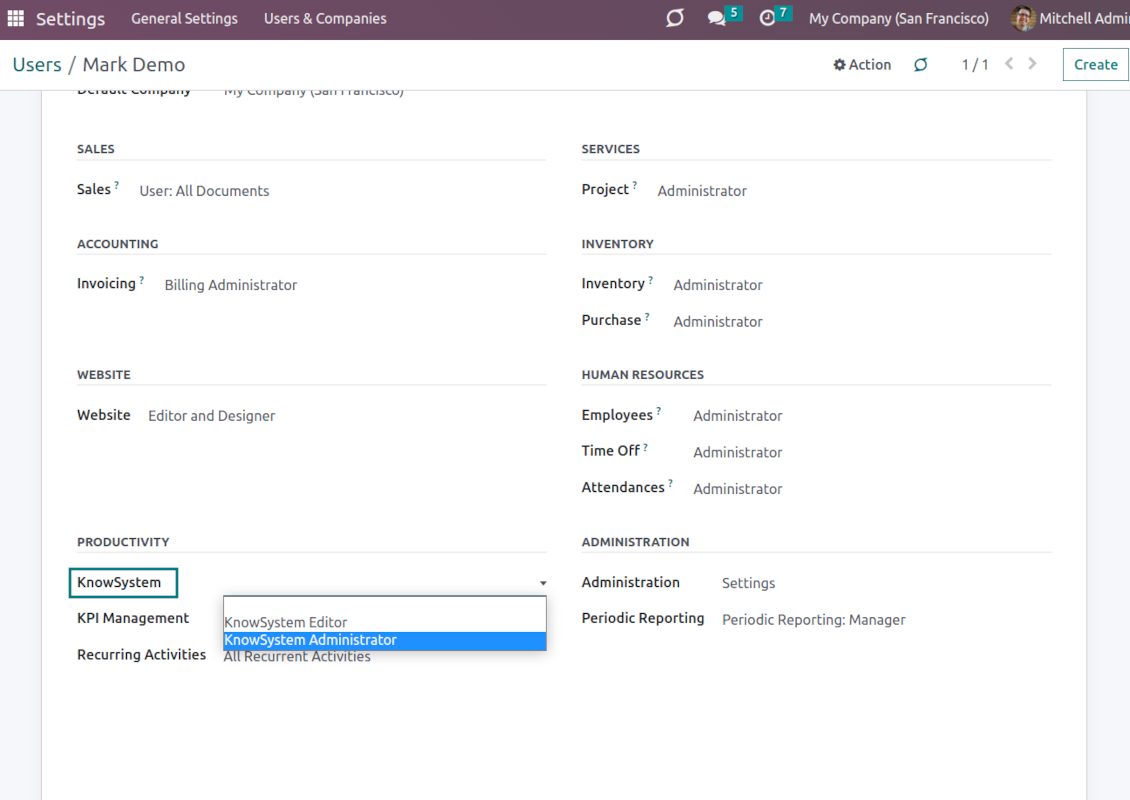
Rights to administrate the Odoo knowledge management system belongs to 2 user roles: KnowSystem Editor and KnowSystem Administrator. If you want a user to create and edit articles, a user should belong to one of those groups
-
Odoo users always may access an article if he/she is an author of that article disregarding further restrictions
-
Rights for a knowledge section are defined not only according to this section but also according to all its parents. For example, if a user can't access 'sales', he/she would not be able to access 'sales/crm' disregarding whether 'crm' is available for his/her user group.
|
|
Odoo user |
KnowSystem Editor |
KnowSystem Admin |
Portal user |
Public user |
| Articles | read related to his/her user groups and sections | read, create, edit, archive related to his/her user groups and sections | read, create, edit, delete any | read published articles and articles related to partner-related tags | read published articles |
| Sections | read related to his/her user groups | read, create, edit, archive related to his/her user groups and sections | read, create, edit, delete any | read published ones | read published ones |
| Tags | read any | read, create, edit, archive any | read, create, edit, delete any | read published ones | read published ones |
| Article Types | read any | read any | read, create, edit, delete any | read published ones | read published ones |
| Tours | read related to his/her user groups | read, create, edit, delete related to his/her user groups | read, create, edit, delete any | no access | no access |
| Misc | may like/dislike, add to favorites, print, take part in discussions | may configure options | may like/dislike an article |
|
Često postavljana pitanja o KnowSystem: Knowledge Base System Odoo v.16
Ne vidim nikakvu razliku između tekstova revizija.
Revizije bilježe ne samo tekstualne promjene, nego i ažuriranja stilova (tehnički, kada promijenite HTML izvorni kod članka). Neke možda nisu jasne na prvi pogled (npr. promijenjena veličina fonta jedne riječi). Druge mogu biti drastične. Ipak, bilo koji niz radnji Uredi > Promijeni bilo što u članku > Spremi stvara novu reviziju.
Mogu li u članak dodati YouTube/ Vimeo / Dailymotion / Youku video?
Da, video s tih usluga možete ugraditi u članke i iz Odoo pozadine i iz graditelja web-mjesta. Dodajte bilo koji blok sa slikom > pritisnite sliku > odaberite ‘Video’ > unesite URL medija.
Imajte na umu: takvi se videozapisi uključuju kao iframe, a neki preglednici mogu blokirati reprodukciju dok korisnik to izričito ne dopusti.
Kako učiniti odjeljak vidljivim na web-mjestu?
U KnowSystemu je odjeljak vidljiv na web-stranici ako je objavljen i sadrži barem jedan članak. Čak i s pododjeljcima neće biti vidljiv ako u samom odjeljku nema nijednog članka. Tako se izbjegavaju prazni odjeljci i KnowSystem portal ostaje pregledan. Da se odjeljak prikaže na stranici, dodajte uvodni ili opći članak koji ukratko opisuje ili nabraja članke u pododjeljcima.
Kako mogu podijeliti članak s vanjskim partnerom?
Desni klik na bilo koju oznaku na lijevom navigacijskom panelu - Stvori
Pronađite polje „Allowed partners“. Npr. 'clients - azure interior' za pristup partneru 'Azure Interior'. Možete i obrnuto: dodijeliti KnowSystem oznake izravno na formi partnera
Sada idite na potrebni članak (ili isto napravite radnjom „Mass update“ za više zapisa):
Ako je objavljen: poništite objavu ako ne želite da bude dostupan svim portal korisnicima i javnim posjetiteljima
Dodijelite novo stvorenu oznaku (u primjeru je to 'clients - azure interior')
Sada:
Svi portal korisnici povezani s komercijalnim partnerom 'Azure Interior' imaju pristup člancima s oznakom 'Azure Interior'
Nijedan drugi portal korisnik (ako nije dodijeljena druga oznaka) nema pristup tim člancima
Interni korisnici nisu pogođeni i članke vide prema logici „access to“ članaka i odjeljaka.
Možemo li dodati gumb za odabir jezika na tijelo članka?
Gumb 'translate' dodatak 'KnowSystem: Multi Languages' namjerno ne dodaje u tijelo članka. Razlog: HTML je vrlo teško prevesti u jednostavnom skočnom prozoru koji gumb pretpostavlja. Teksta za prijevod bilo bi malo, a HTML dijelova puno (prevoditelj ih može i pokvariti).
Zato se pretpostavlja da za članak na određenom jeziku trebate prijaviti se kao korisnik tog jezika. Može biti drugi korisnik ili privremeno promijenite postavke trenutačnog korisnika. Nakon toga sve izmjene tijela članka bit će na tom jeziku.
Također možete koristiti gumb 'Copy from another translation' ispod tijela članka i u svakom trenutku preuzeti sadržaj s drugog jezika (korisno ako je članak znatno ažuriran na jednom jeziku).
Kako mogu ugraditi drugu web-stranicu u članak
U tu svrhu možete koristiti iframe. Prebacite članak u uređivač sirovog HTML koda i umetnite, na primjer, <iframe src="https://faotools.com/" style="width:100%;min-height:600px;"> </iframe>.
Instalirao sam KnowSystem, ali ne vidim gumb „create“ i ostale gumbe
Najvjerojatnije niste dodijelili KnowSystem prava svom korisniku. Odaberite pravo „KnowSystem Editor“ ili „KnowSystem Admin“ i osvježite stranicu. Kontrole bi sada trebale biti prikazane.
Mogu li prikazati određenu turu učenja samo odabranim korisnicima?
Da, primjenom korisničke grupe (npr. 'Sales Manager') koja treba proći ovaj vodič. Ako korisnik pripada toj grupi, vidjet će vodič. Ako ne, vodič se ne prikazuje. Radi isto kao sigurnosna prava za KnowSystem članke i odjeljke.
Imajte na umu da ako vodič nema dodijeljene grupe, 'globalan' je i vidljiv svima.
Kako promijeniti podnožje i zaglavlje prilikom ispisa članaka?
Zaglavlje i podnožje PDF-ova članaka uzimaju se prema izgledima tvrtke. Pogledajte Settings > General Settings > odjeljak Business Documents. Tu definirate predložak tvrtke za sve vrste dokumenata, uključujući račune, prodajne naloge itd., i za članke. Takav Odoo pristup smatra podnožje i zaglavlje općim stilom tvrtke, ne svojstvom pojedinih ispisa.
Kako mogu povezati članke međusobno?
Svaki članak ima interne (backend) i web URLs (ako je instalirana opcija 'KnowSystem: Website and Portal'). Kliknite gumb 'Info' na obrascu članka da saznate web adrese ovog zapisa. Bilo koju možete umetnuti u tijelo članka kao hipervezu.
Mogu li mijenjati HTML izvorni kod članka?
Da: uključite debug assets (na zaslonu pregleda postavki) i vratite se na trenutačni članak. U načinu uređivanja vidjet ćete posebnu ikonu '</>'. Kliknite je da biste pregledali i uredili HTML i stilove.
Koje su politike ažuriranja vaših alata?
Prema važećim pravilima Odoo Apps Store:
- Svaki modul kupljen za verziju 12.0 i stariju daje pristup svim verzijama do 12.0.
- Od verzije 13.0 svaku verziju modula treba kupiti zasebno.
- Bez obzira na verziju, kupnja daje pravo na sva ažuriranja i ispravke unutar glavne verzije.
Imajte na umu da tim faOtools ne kontrolira ta pravila. Za pitanja obratite se izravno predstavnicima Odoo Apps Store.
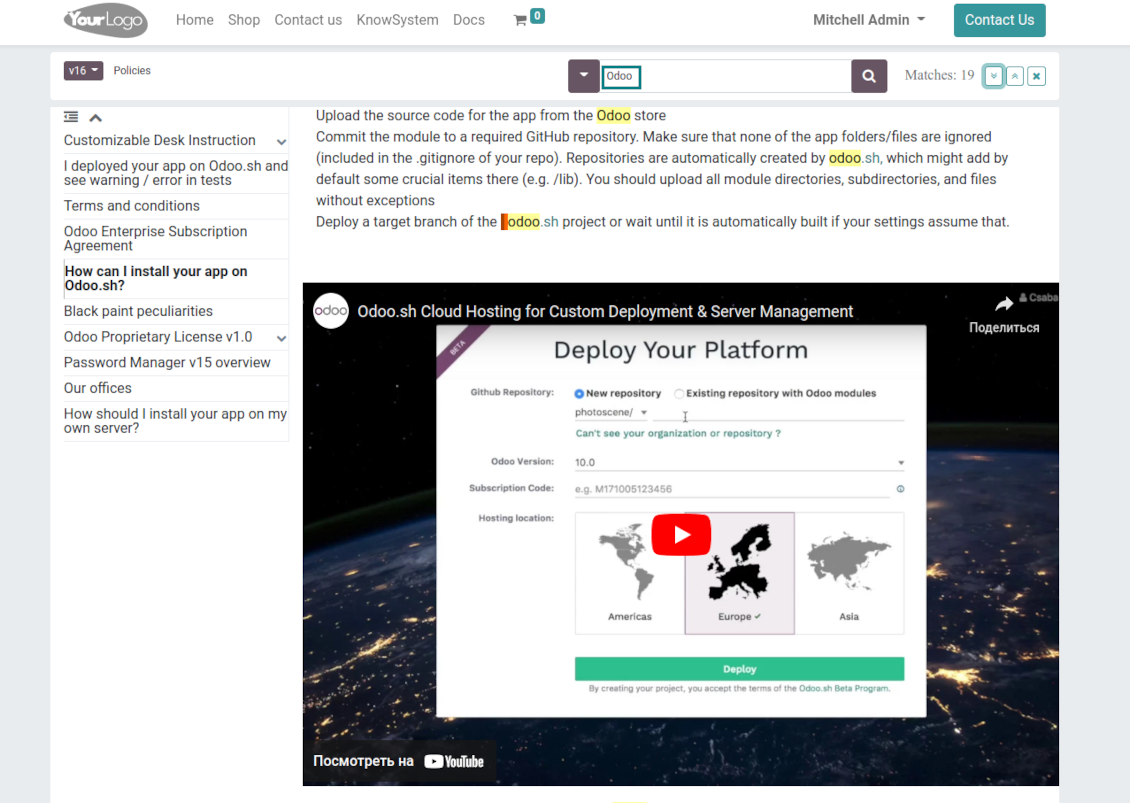
Kako mogu instalirati vašu aplikaciju na Odoo.sh?
Najizravniji je pristup koristiti ugrađeni tijek rada Odoo trgovine:
1. Otvorite stranicu modula i kliknite gumb Deploy on odoo.sh
2. Nakon toga bit ćete preusmjereni na GitHub stranicu. Prijavite se na račun, zatim kliknite 'Create a new repo' ili upotrijebite postojeći. Provjerite da je spremište privatno. Nije dopušteno objavljivati aplikacije pod licencijom OPL-1. Ako treba, stvorite novi repo za Odoo.sh projekt
3. Zatim idite na odoo.sh i kliknite gumb Deploy. U skočnom prozoru potvrdite odluku i kliknite 'Continue.' Time se pokreće instalacija.
Ovi koraci instalirat će aplikaciju na produkcijsku granu projekta. Ako želite postaviti aplikacije na druge grane ili ažurirati modul, poduzmite sljedeće:
1. Prenesite izvorni kod aplikacije iz Odoo trgovine
2. Napravite commit modula u potrebni GitHub repozitorij. Provjerite da nijedna mapa/datoteka aplikacije nije ignorirana (tj. nije u .gitignore repozitorija). Repozitorije automatski stvara odoo.sh i po zadanim postavkama mogu sadržavati važne stavke (npr. /lib). Prenesite sve direktorije, poddirektorije i datoteke modula bez iznimaka
3. Postavite ciljnu granu odoo.sh projekta ili, ako to pretpostavljaju postavke, pričekajte dok se automatski izgradi.
Kako trebam instalirati vašu aplikaciju na vlastiti poslužitelj?
2. Ponovno pokrenite Odoo poslužitelj;
3. Uključite način za razvoj (tehničke postavke);
4. Ažurirajte popis aplikacija (izbornik aplikacija);
5. Pronađite aplikaciju i pritisnite „Activate“/„Install“;
6. Slijedite smjernice na stranici aplikacije ako postoje.
Primijetio sam da vaša aplikacija ima dodatne dodatke. Mogu li ih kupiti naknadno?
Da, naravno. Istodobno Odoo automatski dodaje sve ovisnosti u košaricu, pa prethodno kupljene alate treba isključiti da ne platite dvaput.
Postavio sam vašu aplikaciju na Odoo.sh i u testovima vidim upozorenje/pogrešku
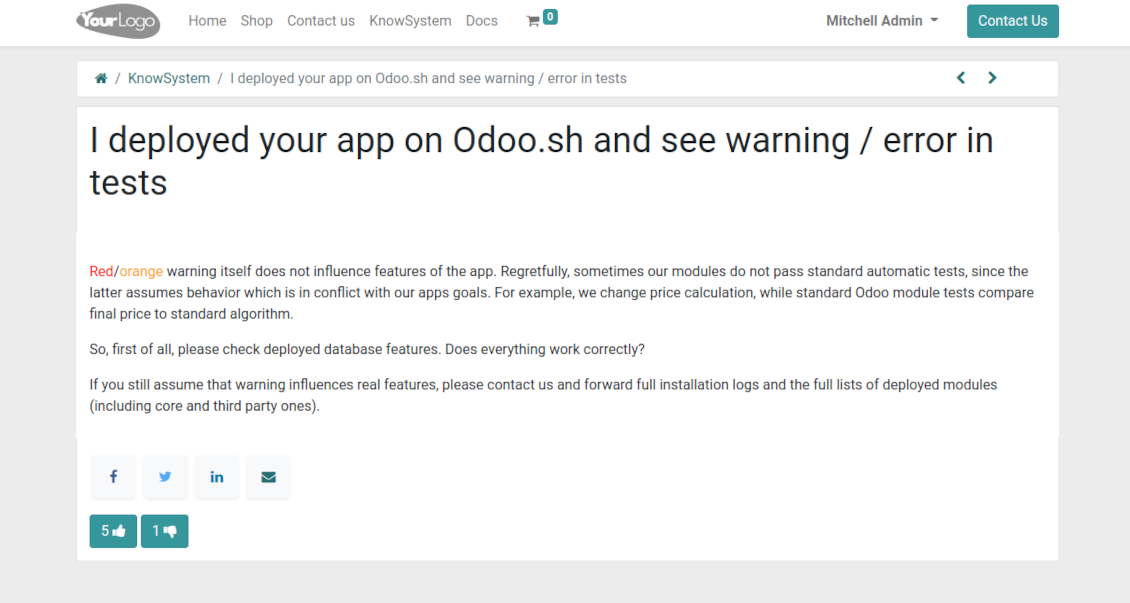
Crveno/narančasto upozorenje ne utječe na značajke aplikacije. Nažalost, naši moduli ponekad ne prođu standardne automatske testove jer oni pretpostavljaju ponašanje koje je u sukobu s ciljevima aplikacije. Npr. mijenjamo izračun cijene, a testovi standardnog Odoo modula uspoređuju konačnu cijenu sa standardnim algoritmom.
Prije svega provjerite značajke postavljene baze. Radi li sve ispravno?
Ako i dalje smatrate da upozorenje utječe na stvarne značajke, javite nam i pošaljite potpune zapisnike instalacije i potpuni popis postavljenih modula (uključujući jezgru i treće strane).
Mogu li kupiti aplikaciju izravno od vaše tvrtke?
Ne, alate distribuiramo samo preko službene trgovine aplikacija Odoo.
Želio bih dobiti popust
Nažalost, nemamo tehničkih sredstava za individualne cijene.
Mogu li instalirati aplikaciju u svoju bazu Odoo Online (SaaS)?
Ne, aplikacije trećih strana ne mogu se koristiti na Odoo Online. Nažalost Odoo SaaS to blokira.
Vaš alat ovisi o drugim aplikacijama. Trebam li ih kupiti?
Da, alatu su potrebni svi moduli navedeni u ovisnostima da bi ispravno radio. Cijena na stranici aplikacije već uključuje sve potrebne ovisnosti.
Koja je cijena modula u američkim dolarima? Zašto se promijenila?
Cijena naših modula je u eurima. Odoo trgovina pretvara cijene u druge valute prema internom tečaju. Stoga se cijena u američkim dolarima može promijeniti kad se tečaj ažurira.
Tekstovi aplikacije i web stranice na jezicima osim engleskog izrađeni su uz pomoć UI i usklađeni sa službenim Odoo prijevodima. Ako uočite pogrešku, pošaljite prijavu o ispravnosti prijevoda i ispravit ćemo.
Odoo demonstracijske baze (pregledi uživo)
Za ovu aplikaciju možemo osigurati besplatnu personaliziranu demo bazu.
Za kontakt nije potreban broj telefona ni kreditna kartica. Potrebna je samo kratka prijava e-poštom koja ne traje više od 30 sekundi.
Na vaš zahtjev pripremit ćemo individualnu bazu za pregled uživo, gdje možete oko dva tjedna provoditi testove i provjeravati pretpostavke.
Prijava grešaka
Ako naiđete na greške ili nedosljedno ponašanje, slobodno nas kontaktirajte. Jamčimo ispravke unutar 60 dana od kupnje i i dalje želimo unapređivati alate nakon tog razdoblja.
Za kontakt nije potreban broj telefona ni kreditna kartica. Potrebna je samo kratka prijava e-poštom koja ne traje više od 30 sekundi.
U zahtjev uključite što više pojedinosti: snimke zaslona, zapisnike Odoo poslužitelja, potpuni opis kako reproducirati problem i slično. Obično treba nekoliko radnih dana za pripremu radnog plana (ako je greška potvrđena) ili smjernica što učiniti (inače).
Javni zahtjevi za značajke i ideje modula (besplatan razvoj)
Snažno smo motivirani poboljšati svoje alate i zahvalni smo na svakoj povratnoj informaciji. Ako su vaši zahtjevi od javne koristi i mogu se učinkovito provesti, tim će ih uvrstiti na naš popis zadataka.
Takav popis zadataka obrađuje se redovito i ne podrazumijeva dodatne naknade. Iako ne možemo obećati rokove i konačni dizajn, to može biti dobar način da dobijete željene značajke bez ulaganja i rizika.
Za kontakt nije potreban broj telefona ni kreditna kartica. Potrebna je samo kratka prijava e-poštom koja ne traje više od 30 sekundi.
16.0.1.3.18
- The issue of Late Activities listing articles that have no overdue activity for the selected user has been fixed.
16.0.1.3.17
- The issue of autovacuum failure has been fixed.
16.0.1.3.16
- The Save/Discard buttons are optimized to recover the values corretly.
16.0.1.3.15
- The edit rights for sections/articles now imply the read rights for those objects.
16.0.1.3.14
- The feature to search keywords divided by bold or italic tags has been added.
16.0.1.3.13
- The issue with printing empty articles has been fixed.
16.0.1.3.12
- The issue with the access error when opening the articles search wizard for ordinary users has been fixed.
16.0.1.3.11
- The website view of articles and documentation is optimized for small screens.
16.0.1.3.10
- The issue with excess sanitizing KnowSystem articles after sending a composer message is fixed.
16.0.1.3.9
- Search only in titles is now possible in the backend.
- The button to open a found article in a new tab from a popup dialog is fixed.
16.0.1.3.8
- The feature to open the found article in a new tab is added.
16.0.1.3.7
- The default sorting criteria for articles' backend navigation is now configurable on the app's page.

The tool to flexibly structure Odoo attachments in folders and synchronize directories with cloud clients: Google Drive, OneDrive/SharePoint, Nextcloud/ownCloud, and Dropbox. DMS. File Manager. Document management system
398€
The tool to automatically synchronize Odoo attachments with OneDrive files in both ways
487€
The tool to automatically synchronize Odoo attachments with Google Drive files in both ways
487€

The tool to set up KPI targets and control their fulfillment by periods. KPI dashboards. Dashboard designer. KPI charts

The tool for time-based service management from booking appointments to sales and reviews
398€
Alat za upravljanje Odoo iz omiljenih AI chatova putem MCP. Claude. Bilo koji AI koji podržava MCP.

The tool to translate URL addresses of Odoo website pages
38€
The tool to combine different Odoo events in a few configurable super calendars