Universal Appointments and Time Reservations v.17
The tool for time-based service management from booking appointments to sales and reviews
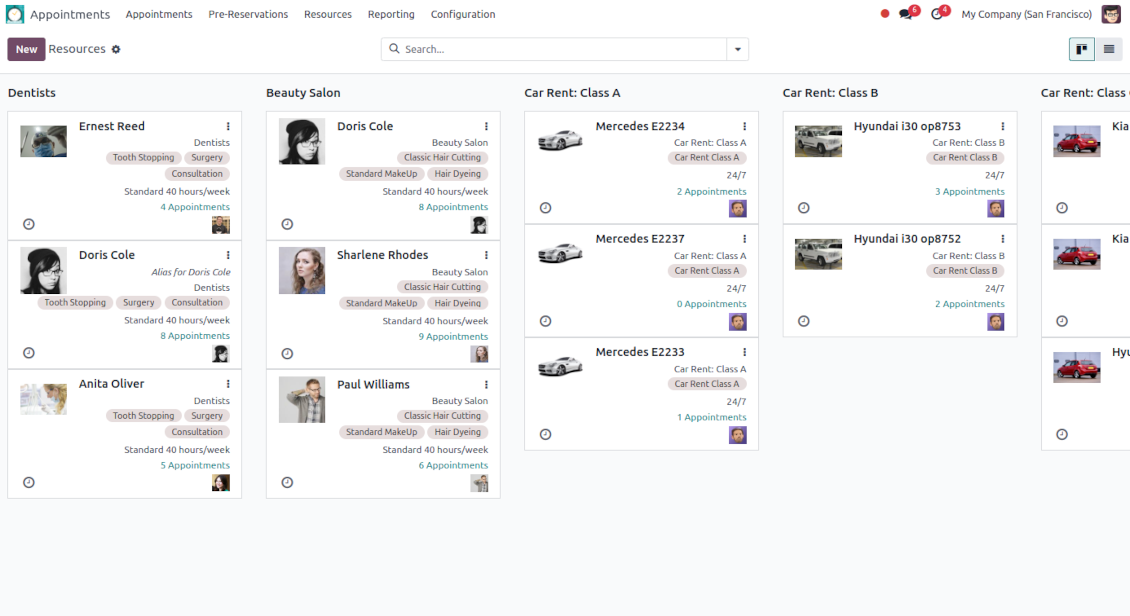
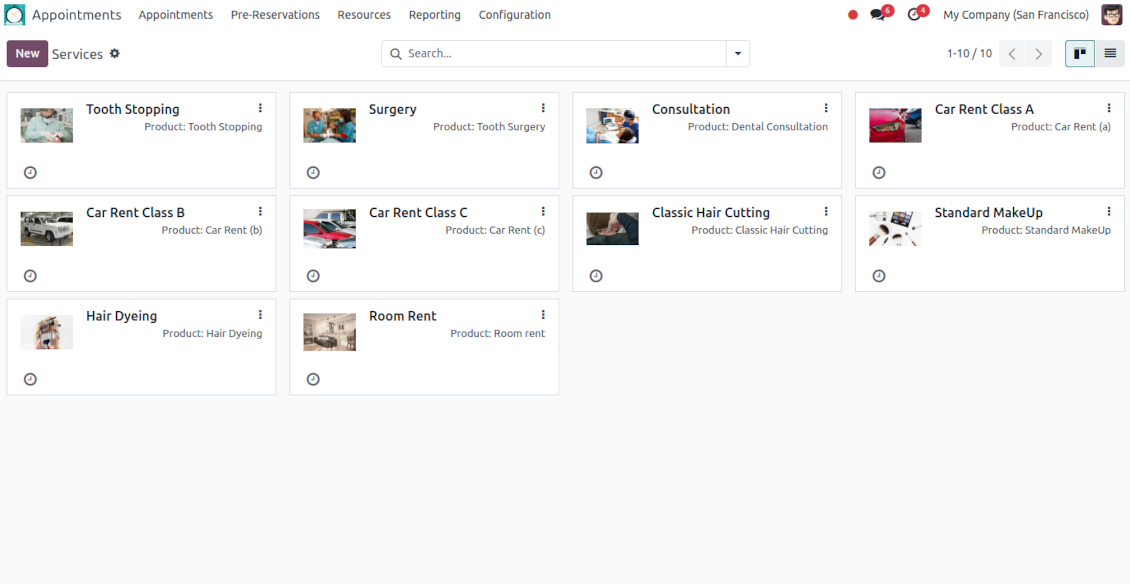
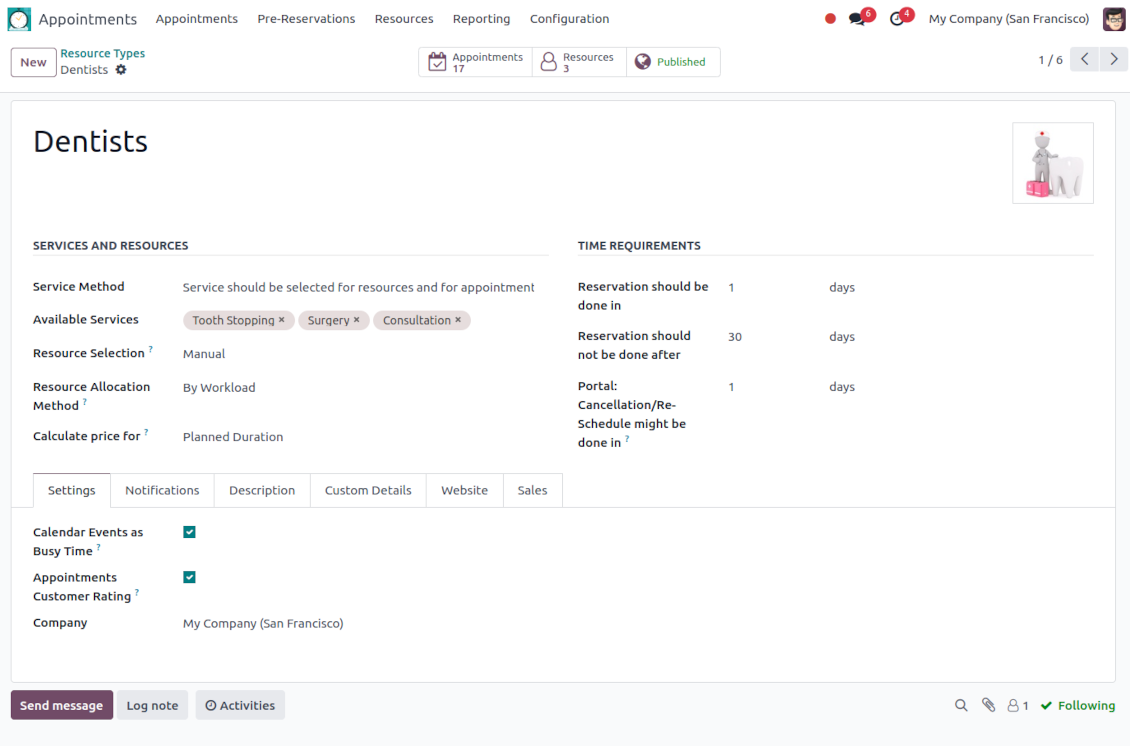
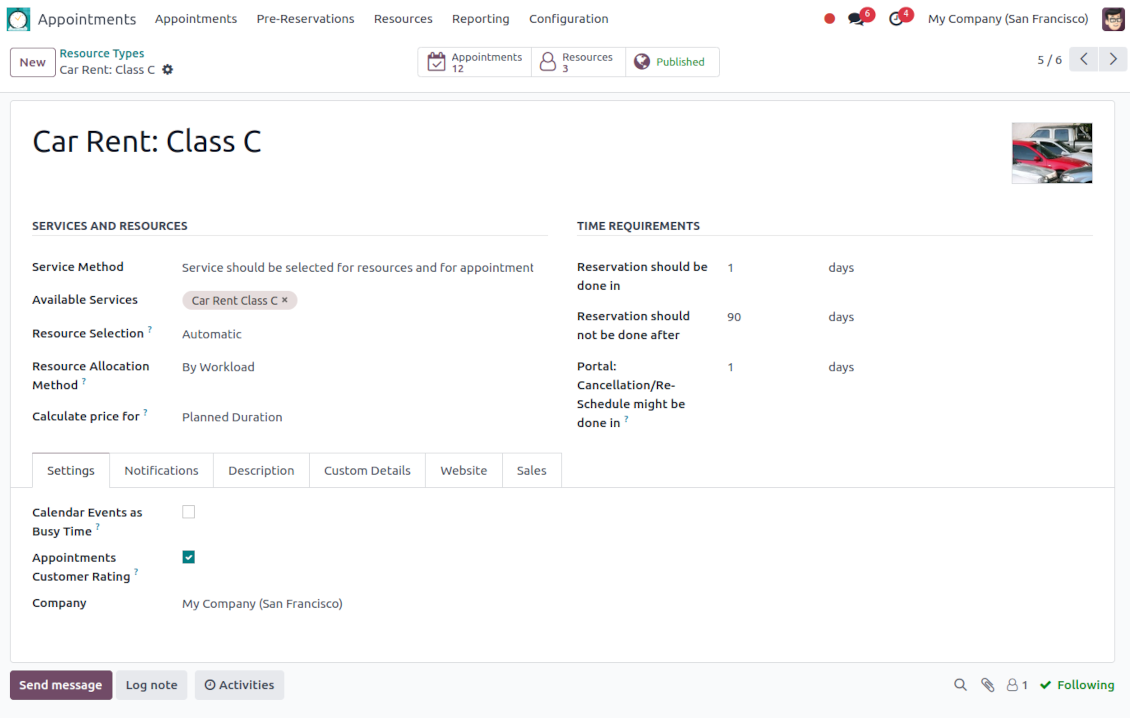
This is an Odoo full-featured app to administrate, control, and improve service management workflow. The tool lets you organize flawless time reservations, control fulfillment, evaluate customer satisfaction, sale and upsell goods in almost any industry. With all options installed, the tool represents a structured e-shop for your services.
Flexible module setup allows you to reflect specifics of your business or even multiple businesses: automate resources distribution or let select those; have predefined appointment duration or let choose it manually; show or hide prices; apply booking restrictions or grant full freedom. Apply your own settings to automate the provision of your services.
- the core app to manage bookings. It might be used stand-alone for internal control of appointments and scheduling by phone, for example. Цената му е 398€.
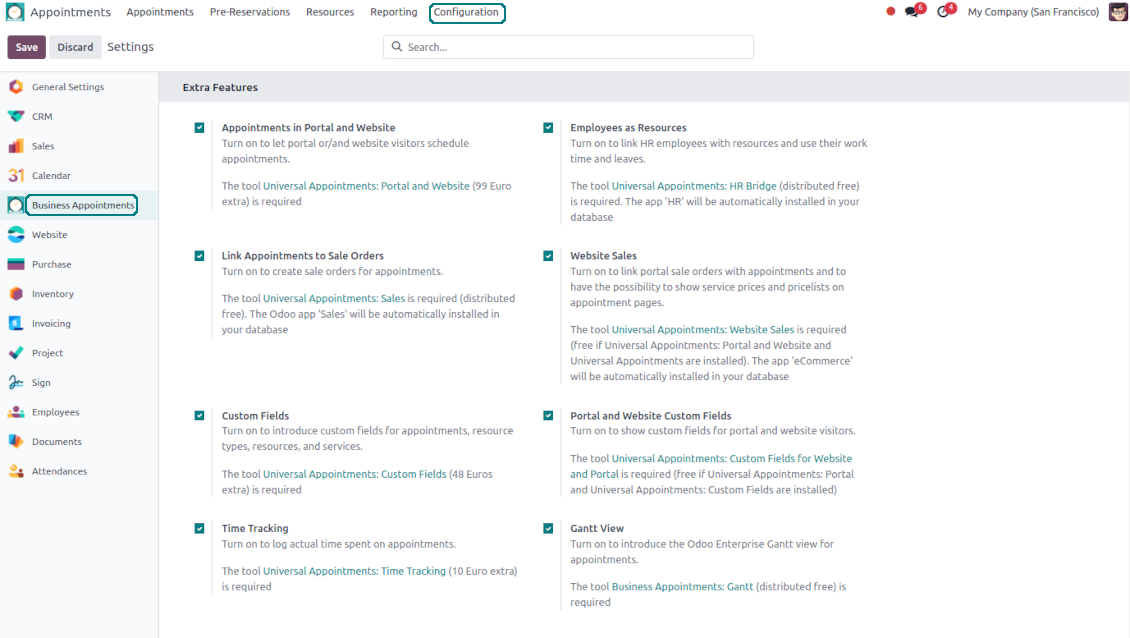
- the optional module that introduces the website booking process and lets external users schedule appointments and control reservations in the portal. The features assumed by this add-on are marked by the icon . Цената му е 98€.
- the optional free module to introduce service pricing information and to link appointments with sales. The features assumed by this add-on are marked by the icon
- the optional free module to include service price lists and prices in the reservation checkout process. The features assumed by this add-on are marked by 2 icons simultaneously: and
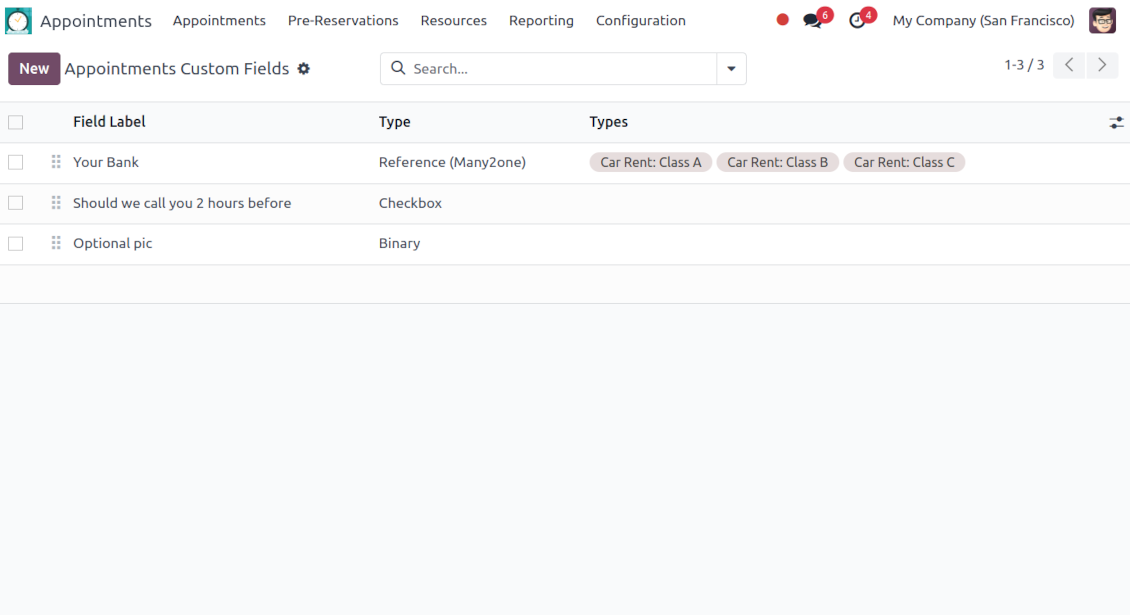
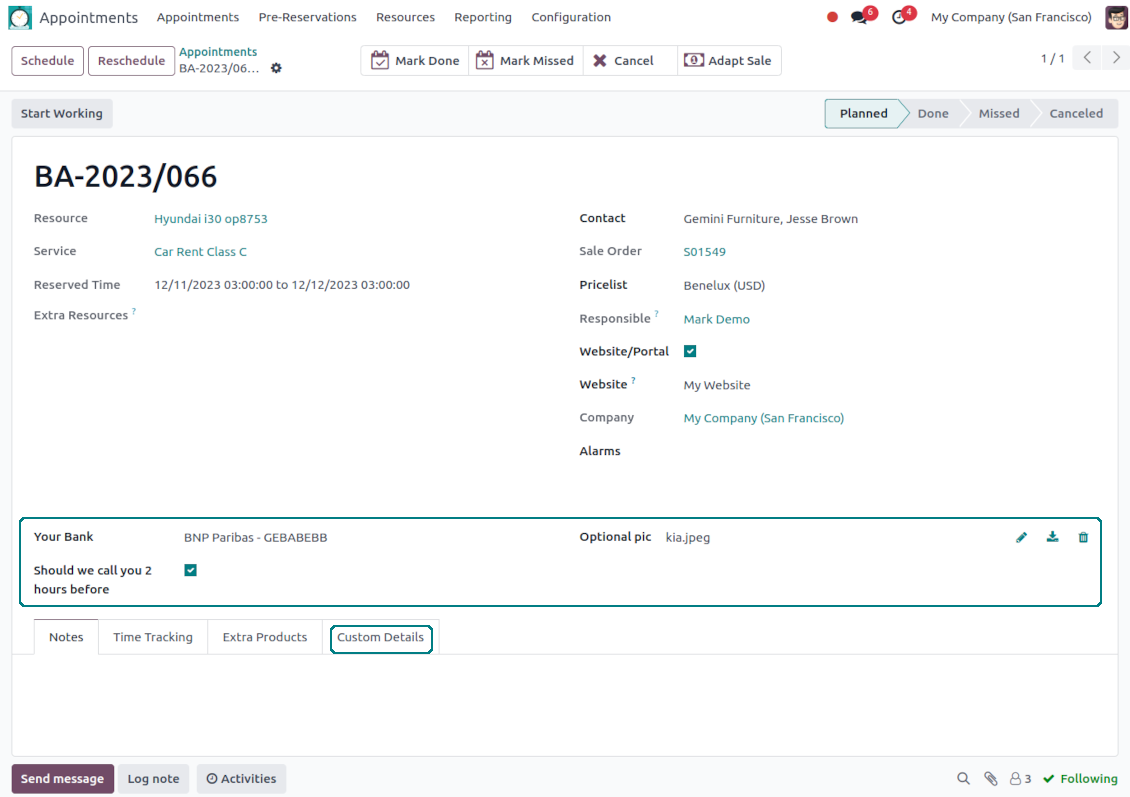
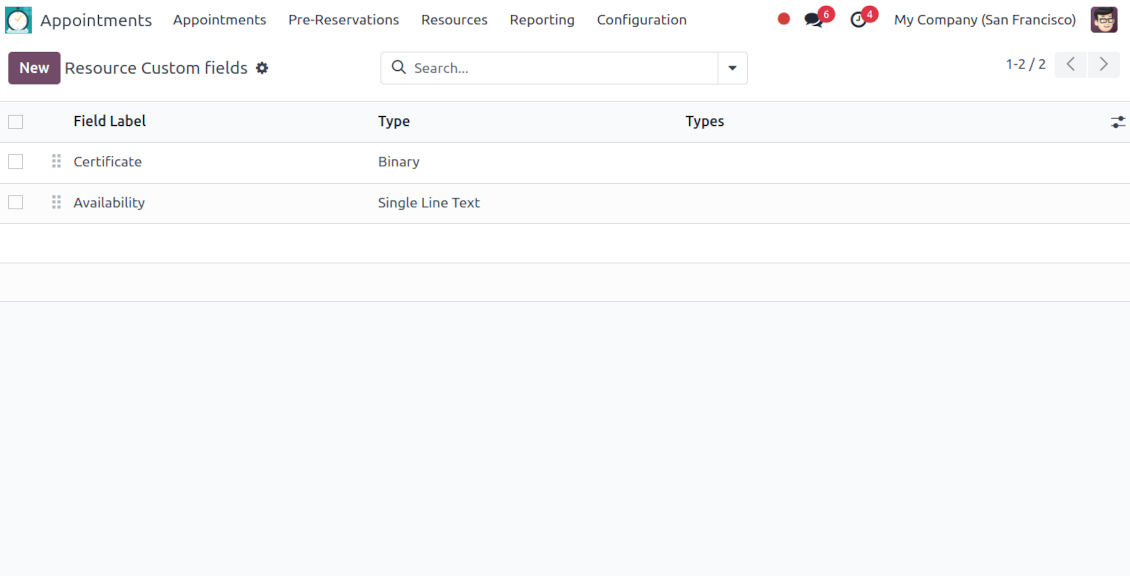
- the optional module that lets you add and show custom fields for appointments and related objects. The features assumed by this add-on are marked by the icon . Цената му е 48€.
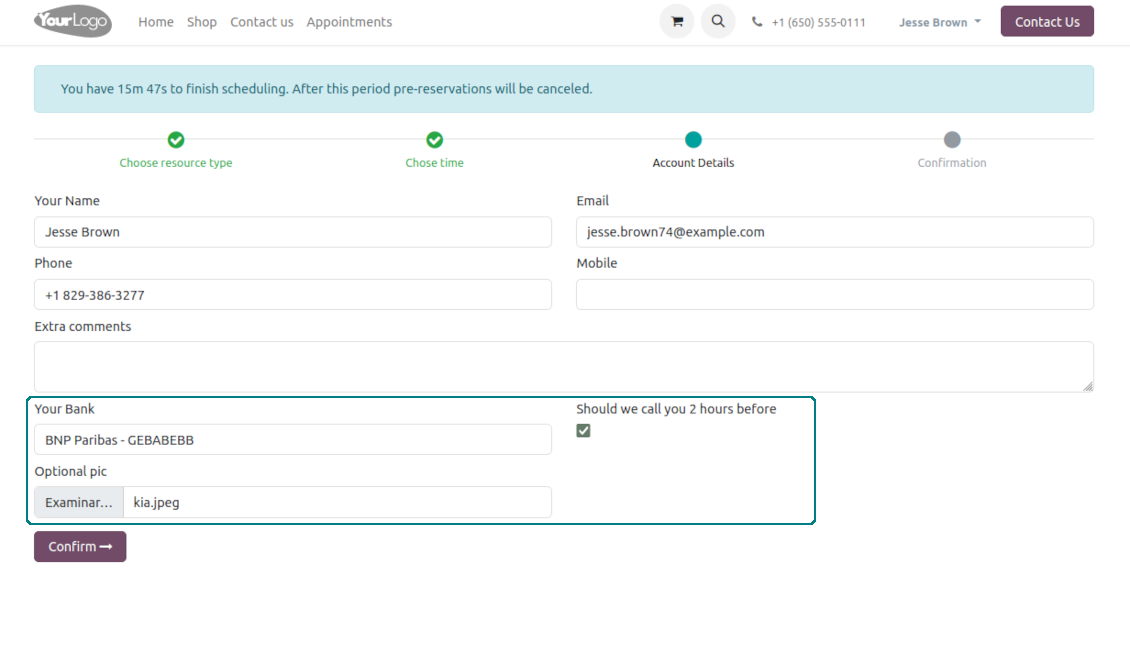
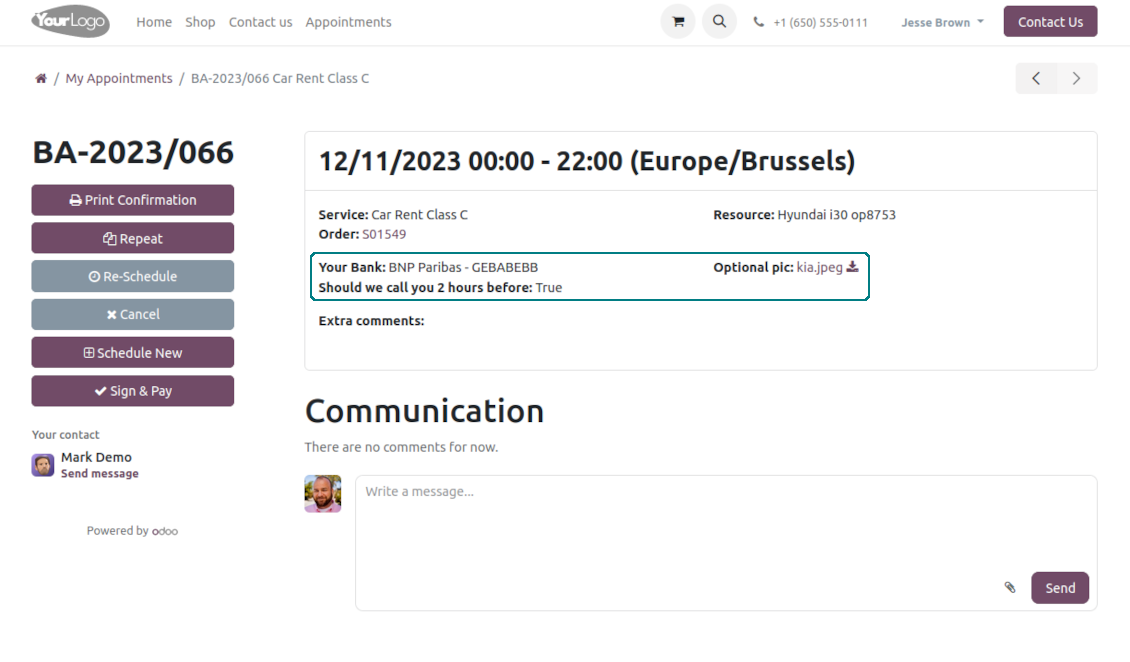
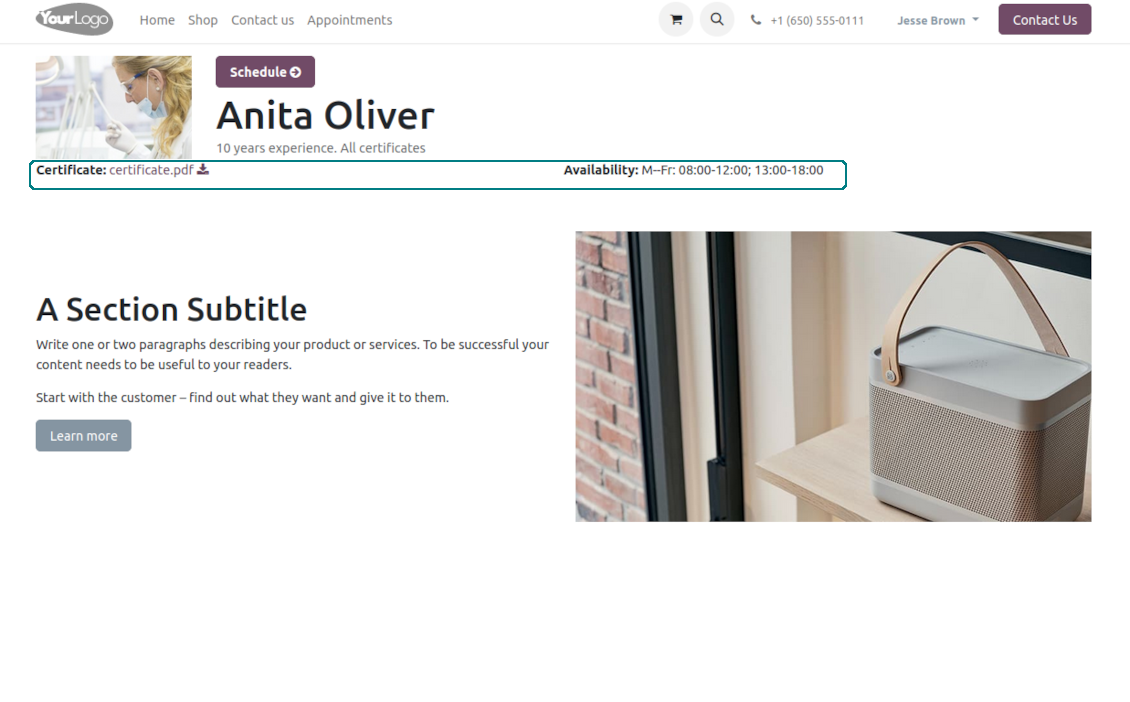
- the optional free module that shows custom fields on website and portal pages (frontend). The features assumed by this add-on are marked by 2 icons simultaneously: and
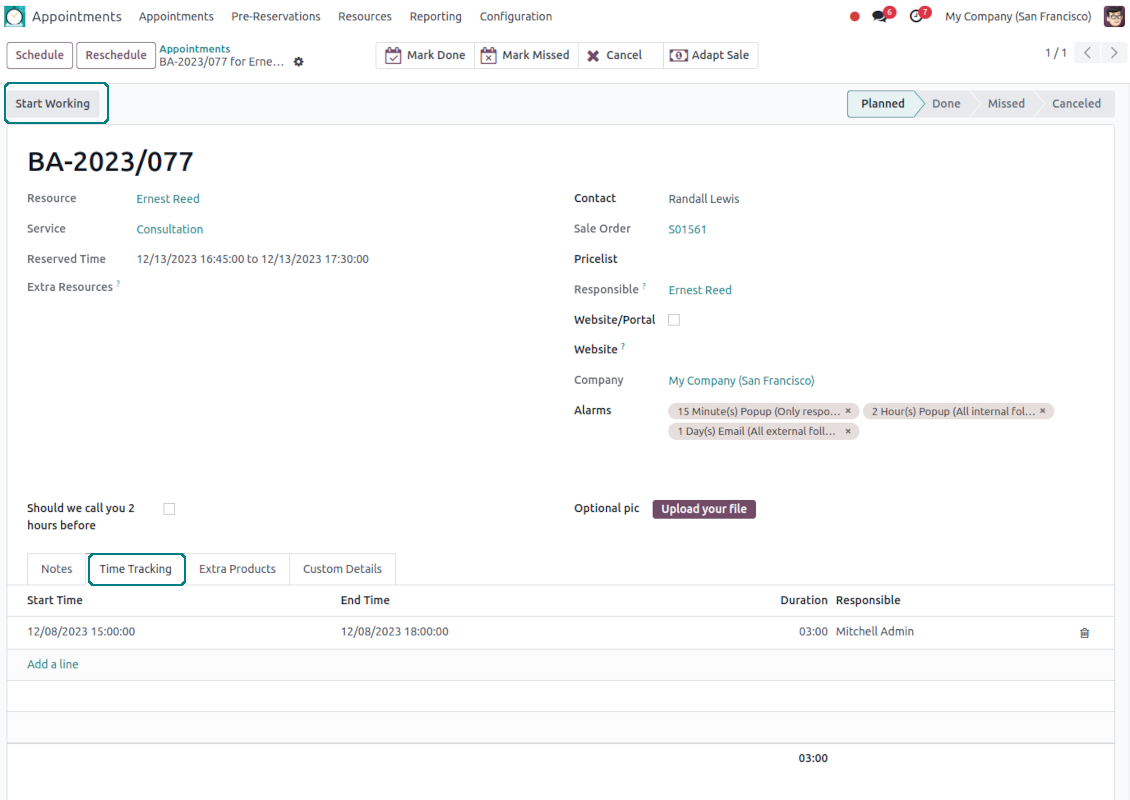
- the optional module that allows tracking time spent on each appointment. The features assumed by this add-on are marked by the icon . Цената му е 10€.
- the optional free module that allows considering employees as appointment resources. The features assumed by this add-on are marked by the icon
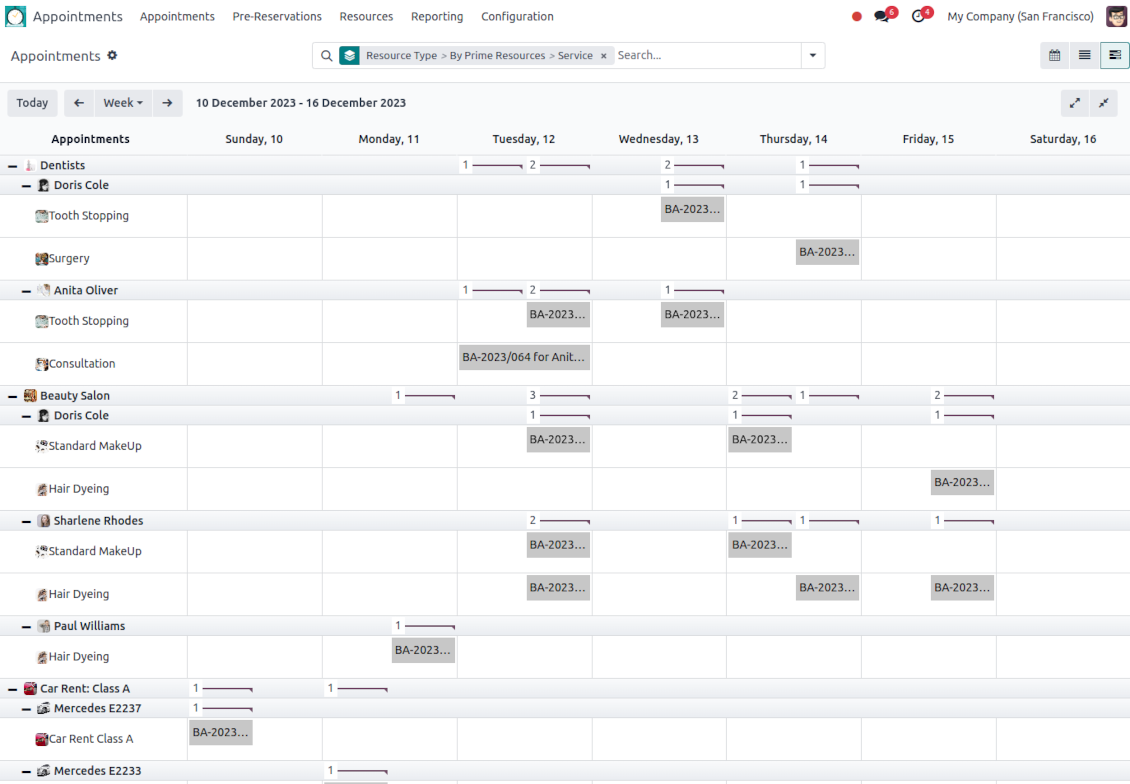
- the optional free extension that introduces the Odoo Enterprise Gantt view for appointments. The features assumed by this add-on are marked by the icon
Smart time slots
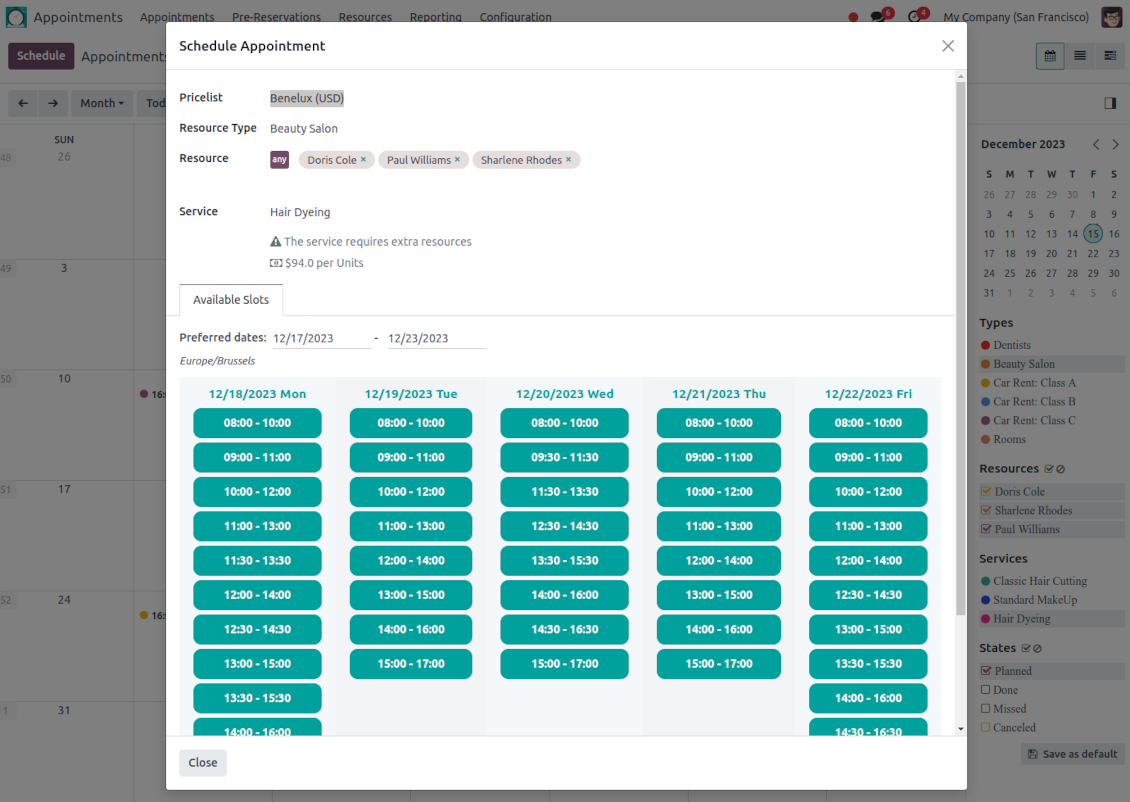
Vacant slots for appointments are automatically generated based on working calendars, service peculiarities, and specifics of managed businesses
Universal reservations
Set up the structure of resources and services to reflect your company's workflows. Assign specialists and equipment manually or automatically. Flexibly manage appointment duration rules
Comfortable scheduling without conflicts
The appointment scheduler allows making a new reservation in a few clicks. It is quick and simple but with full control over potential intersections
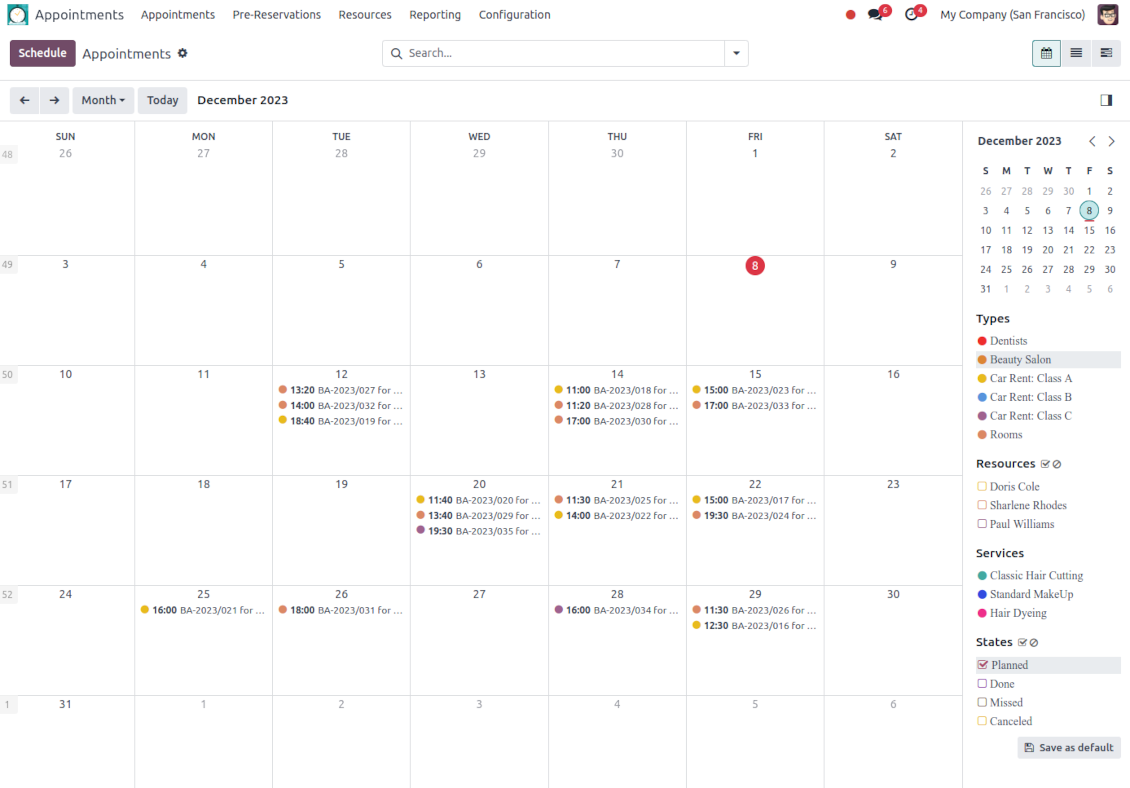
Innovative appointments calendar
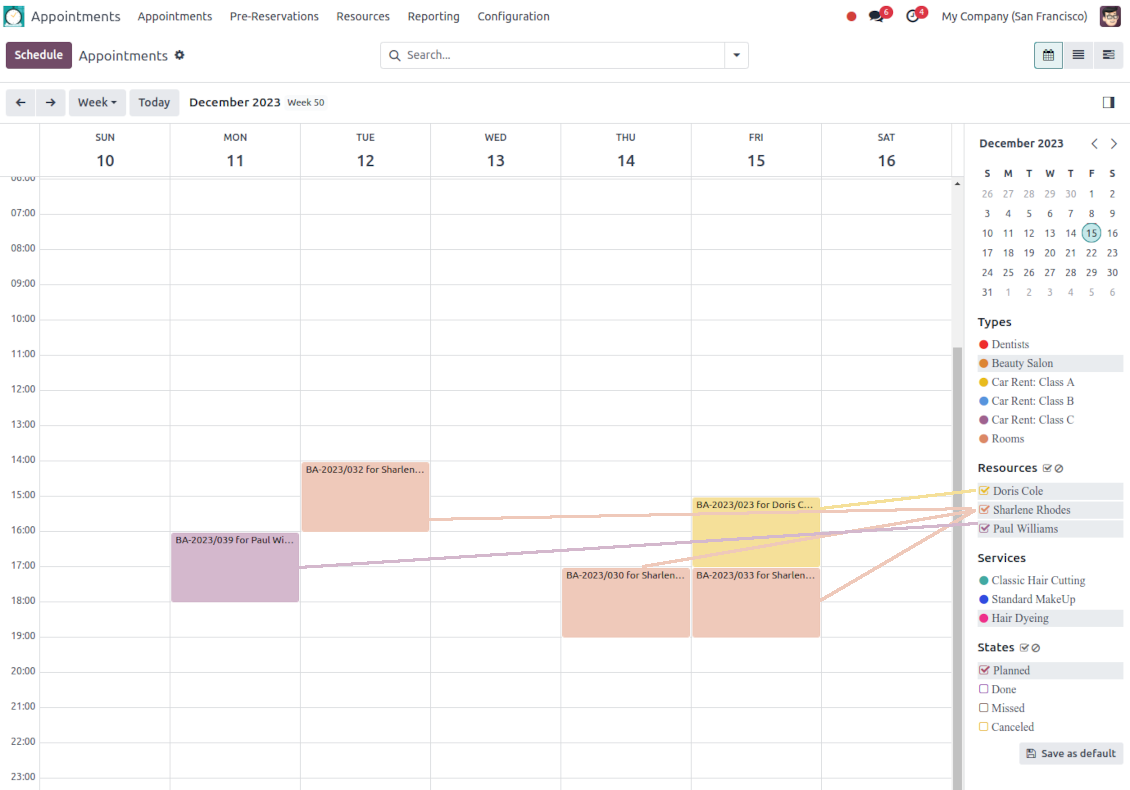
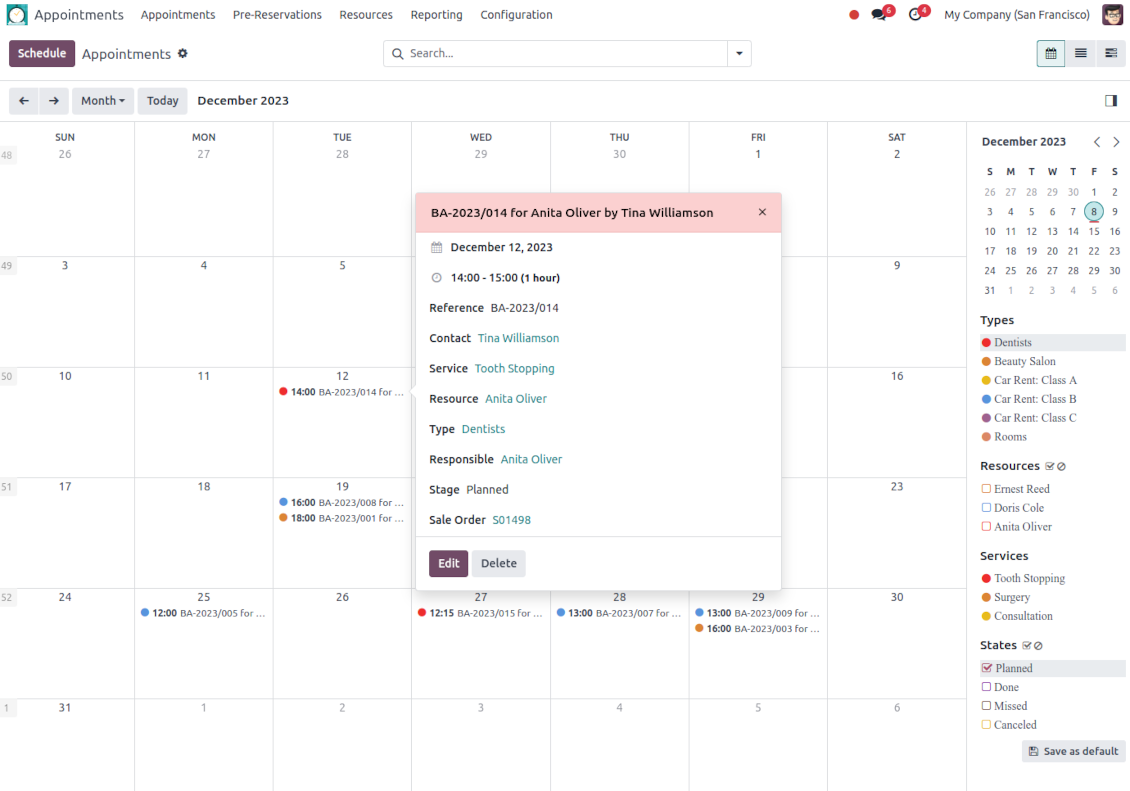
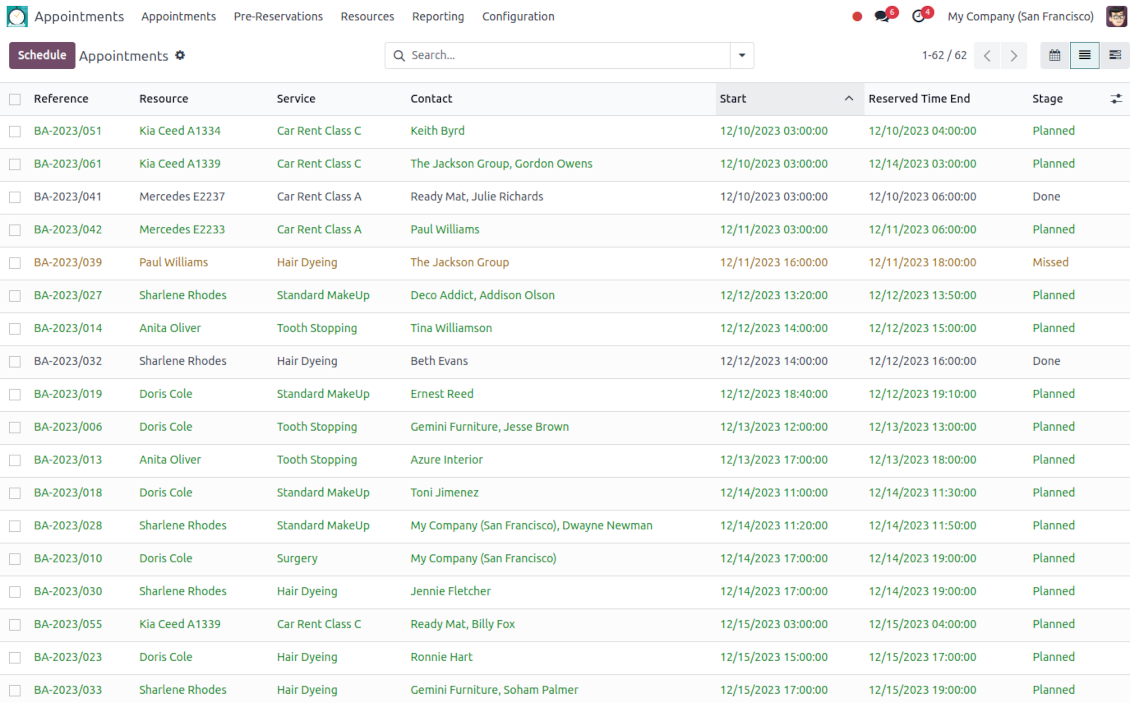
Users administrate reservations from the single calendar view: with quick filtering by appointment details and instant access to required information
Clear website bookings
Let portal partners and website visitors schedule an appointment through the configurable multi-step process of checkout and confirmation
Sell and upsell services
Link bookings with Odoo sale orders and price lists. Boost revenues by upselling accessories
Customer satisfaction and reports
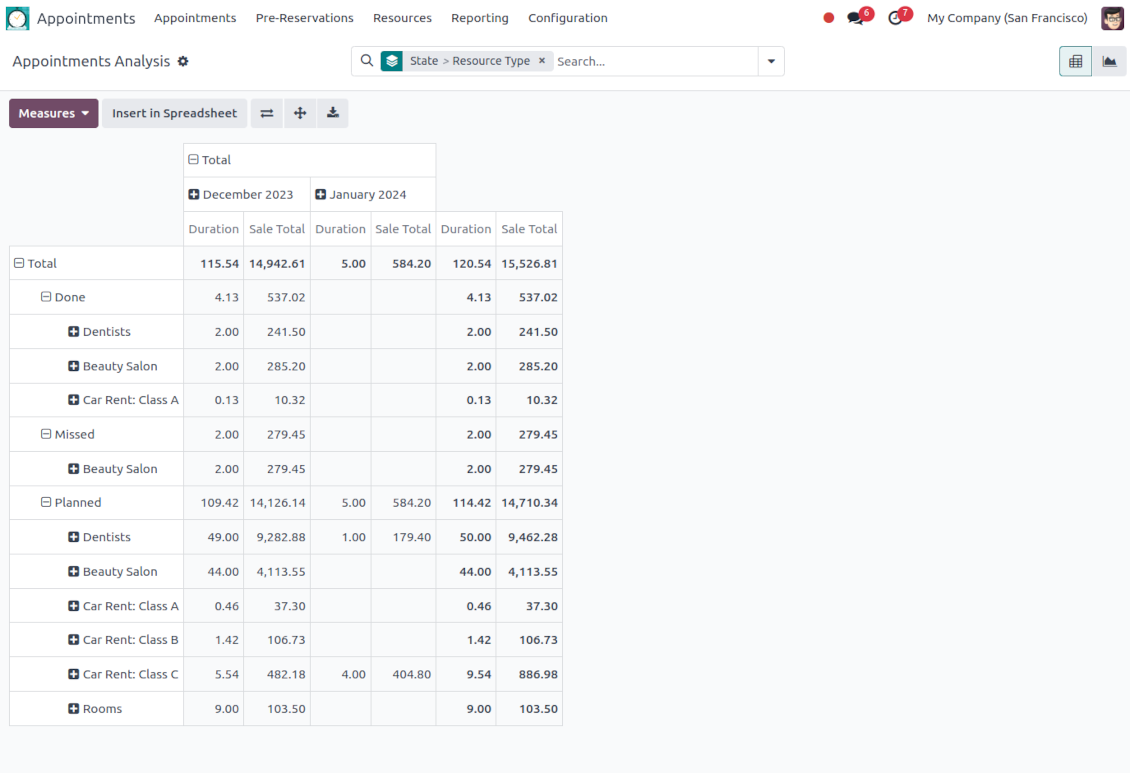
Automatically request client reviews. Analyze appointments by planned and tracked duration, generated revenue
Customizable website and portal pages
Turn on/off optional layout elements. Introduce your own titles and welcome texts. Exclude booking steps
Compatible with Odoo standard features
The app is configurable for multi companies and for multi-website environments. Appointment resources might be linked with employees, while reservations - with Odoo quotations
Custom details and reminders
Apply popup alarms, add success emails, and prepare SMS reminders. Introduce custom fields for reservations, resource types, resources, and services.
Comprehensive and well thought booking app
The app allows backend user to do some simple configuration to make the booking app able to fit in our different business models.
Very good support and also there is module enhancement from time to time with great usability improvements of more use cases.
Just great App and the best support you can imagine
Dear Olga and Alex
Thank you so much for this function which makes the tool perfect!
I've already installed it and tested it -- it works exactly the way the customers need it
This really makes your Appointment App the best tool available for Odoo :-)
I would also like to thank you for understanding my wishes and for taking care of them. That's exactly why I will choose and recommend faotools the nex time again.
Innovative backend scheduling
Auto time slots generation
-
Slots are generated according to resource business calendars. Each resource has its own working time and leaves: it is impossible to schedule an appointment when an employee or equipment is absent
-
The algorithm is based on the service settings: duration, time step, rounding, checkout period, and extra calendar restrictions. You can flexibly configure the appearance and final choice of time slots
-
The app lets plan specific business activities both of predefined duration or of the one entered manually
-
For each service, it is possible to define extra resources required to provide that. The busyness of those resources is also taken into account
-
Per each resource type, define when an appointment might be scheduled. For example, time slots are available not later than 2 days before, and not earlier than 30 days before. Similar rules are applicable for re-scheduling and cancellations
-
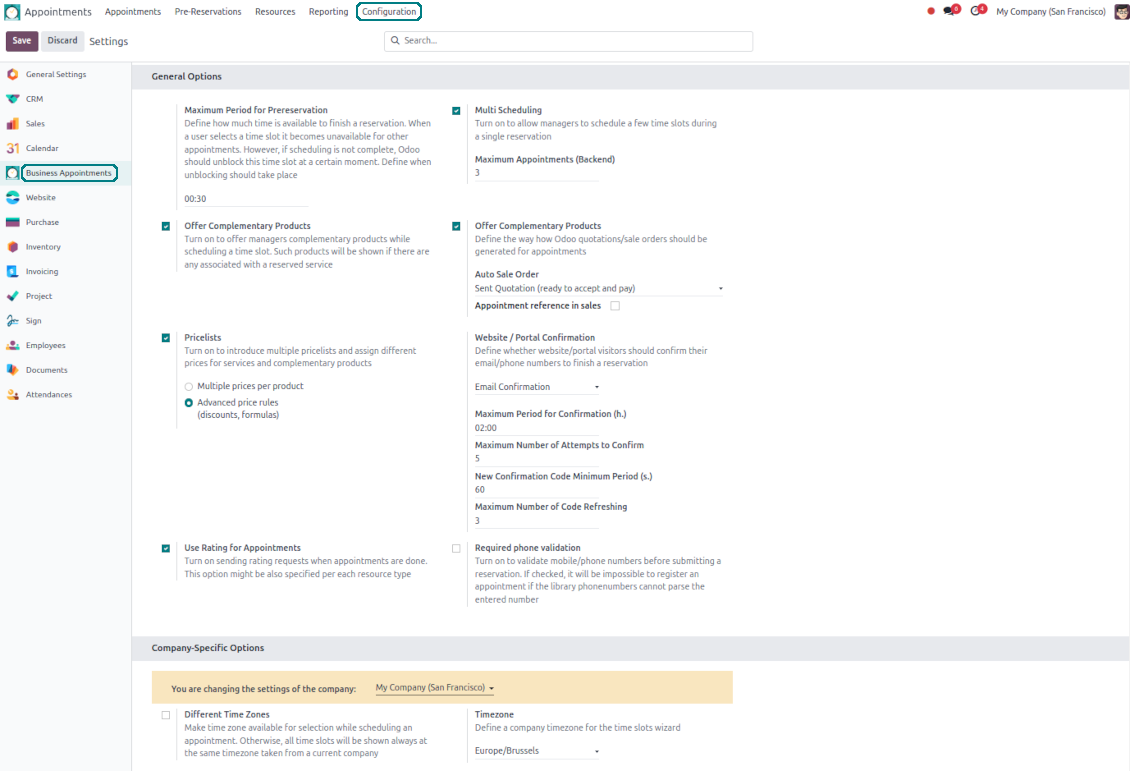
Reserved time slots are not available for other bookings. Even not yet-confirmed appointments (pre-reservations) temporarily block target slots. Pre-reservation will be canceled if not done within a specified period (you may change this limit on the configuration page)
-
If the resource type is configured for that, the app will also consider simple meetings of responsible-for-resources users as busy time slots
-
The tool is also perfect for multi-timezone appointments. Either let users choose the time zone by themselves (default is the OS browser timezone), or set the same timezone for all cases
Smart Odoo reservations
-
No appointment might be entered manually, but it should be selected among available slots and according to the principles you set up
-
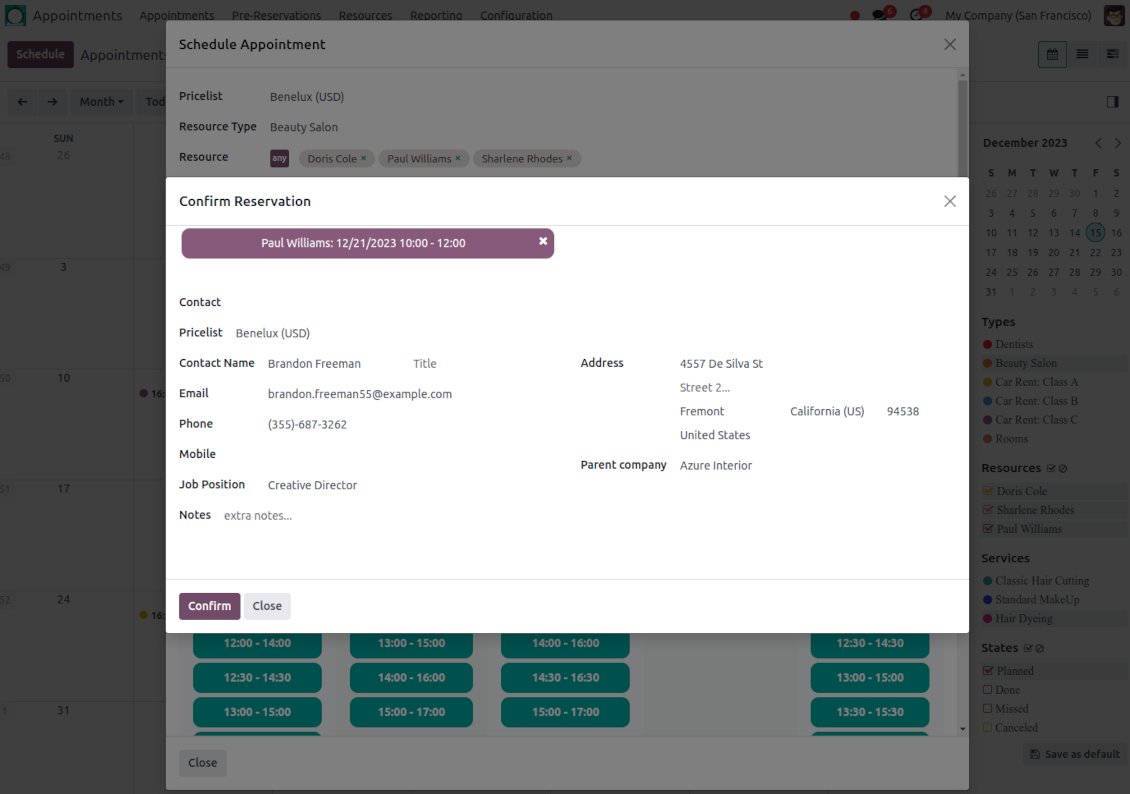
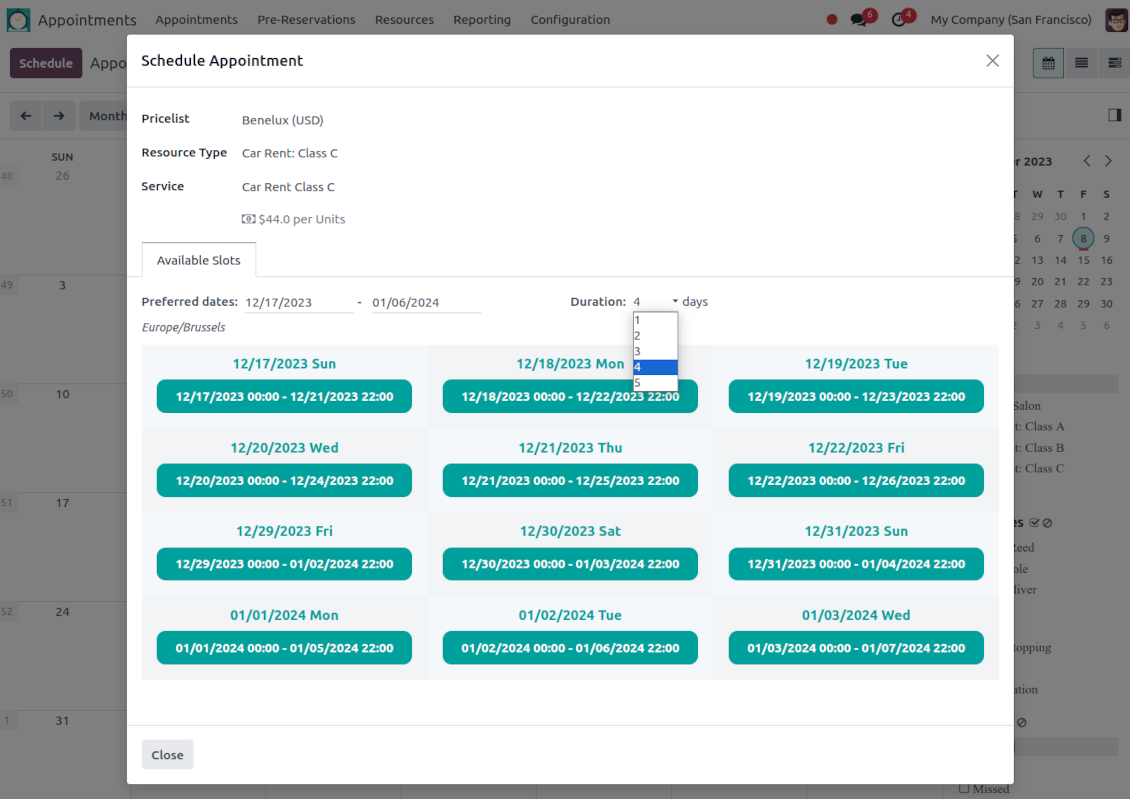
To start new scheduling pick up a required time period on the calendar: the wizard will be automatically initiated. Chosen dates are used as the time range for slots
-
In the wizard, you can change which resource type, resource, and service should be scheduled. The tool automatically checks and restricts viable options
-
As soon as wizard details are filled up, the tool will generate and show time slots. A manager should merely select the desired one
-
When a slot is selected, the app automatically adds chosen type and service, allocates a proper resource, and assigns reservation responsible
-
Slot selection also means that the period is pre-reserved and can not be used for other bookings
-
Afterward, the only thing left is to enter client details or choose an existing customer
-
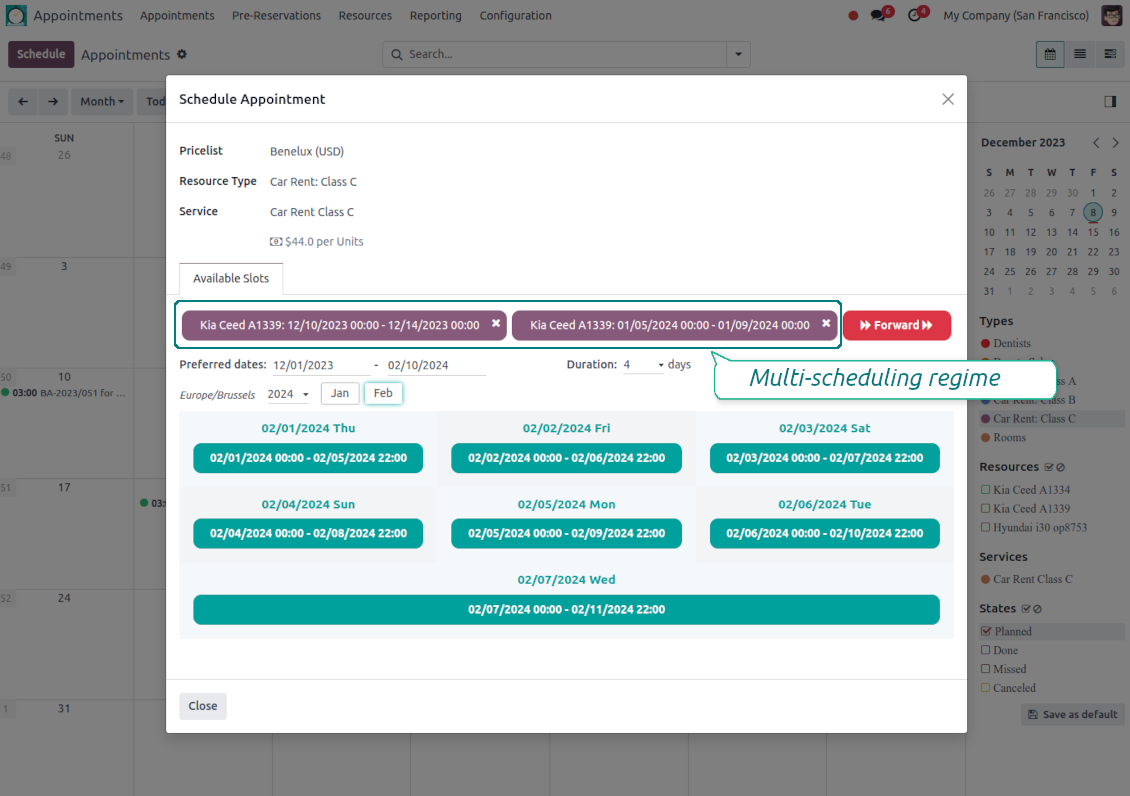
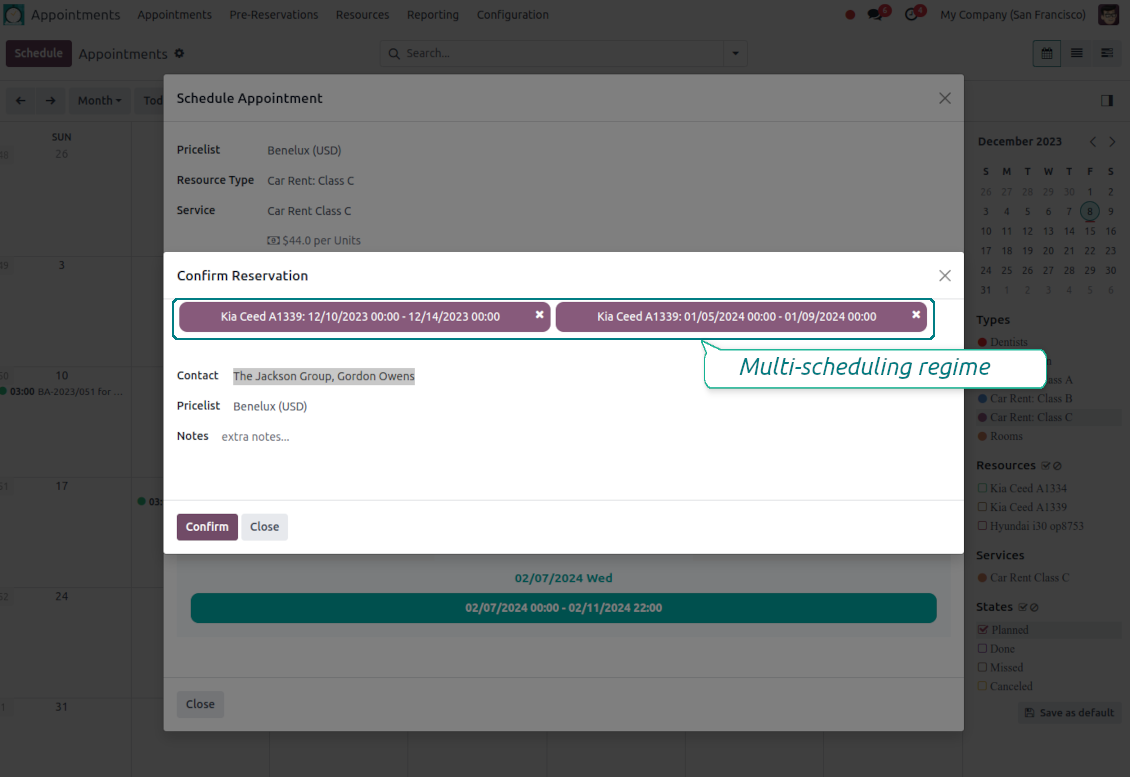
If needed, let managers schedule a few appointments simultaneously (regulated by the special setting on the configuration page). For a single or a few resource types/resources/services
-
From the appointments calendar, you may also re-schedule reservations. To that end just drag and drop an event, and the tool will prepare possible time slots. The principles of calculating availability are the same as for simple scheduling.
Universal website bookings
-
Scheduling an appointment through the Odoo portal and website is organized as the multi-steps checkout process
-
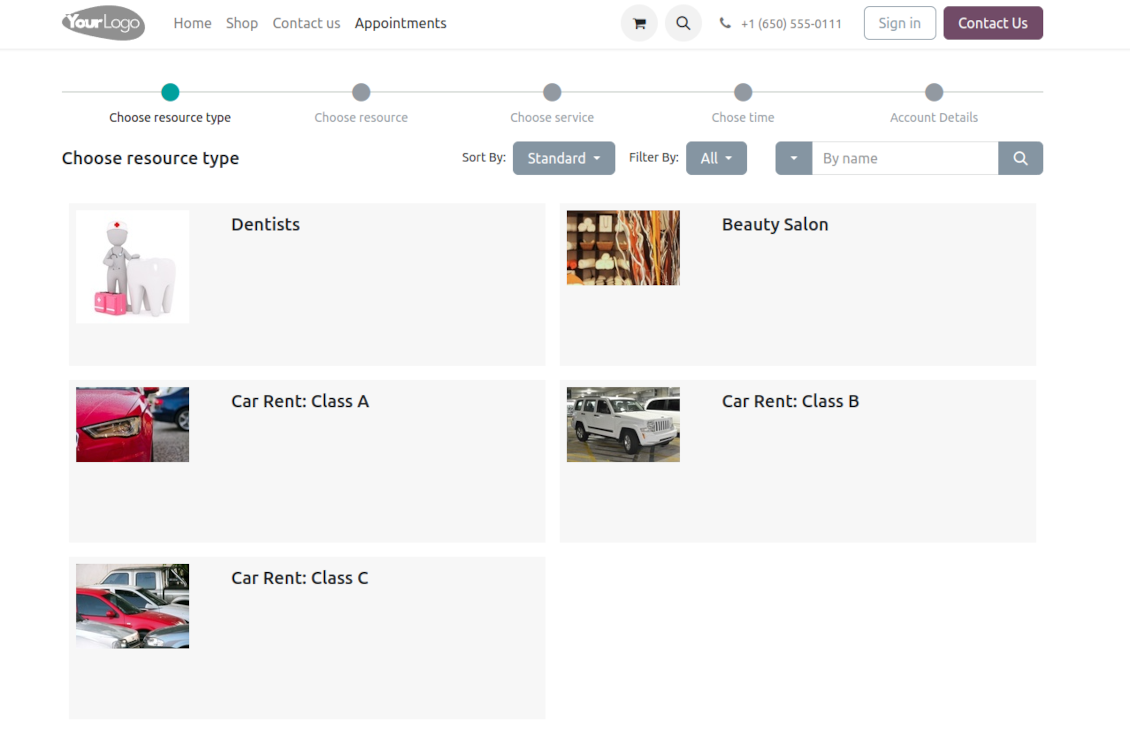
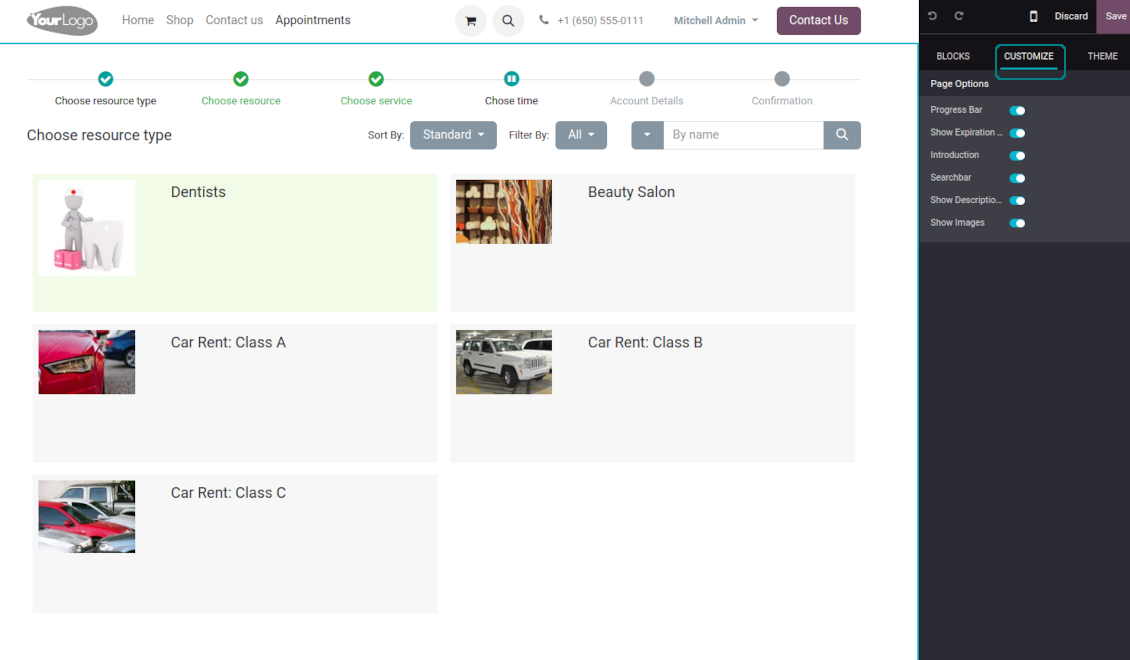
A customer searches among resource types and selects a required one. For example, "Beauty salon" or "Class C Cars". The step will not be shown if there is a single published resource type for this website
-
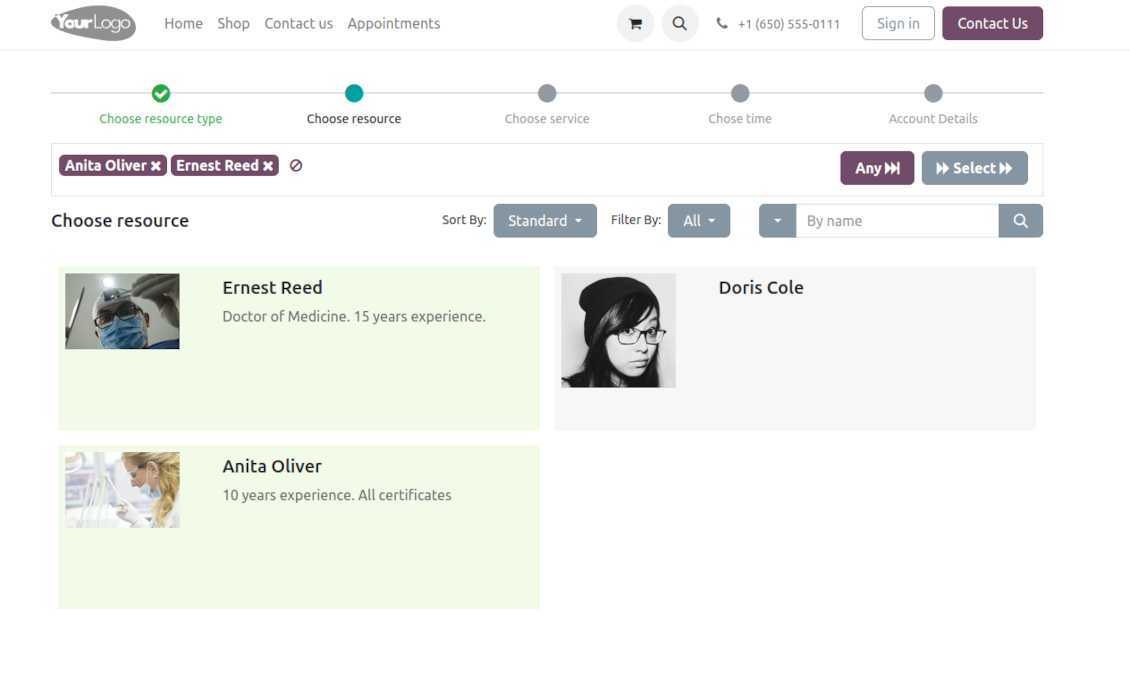
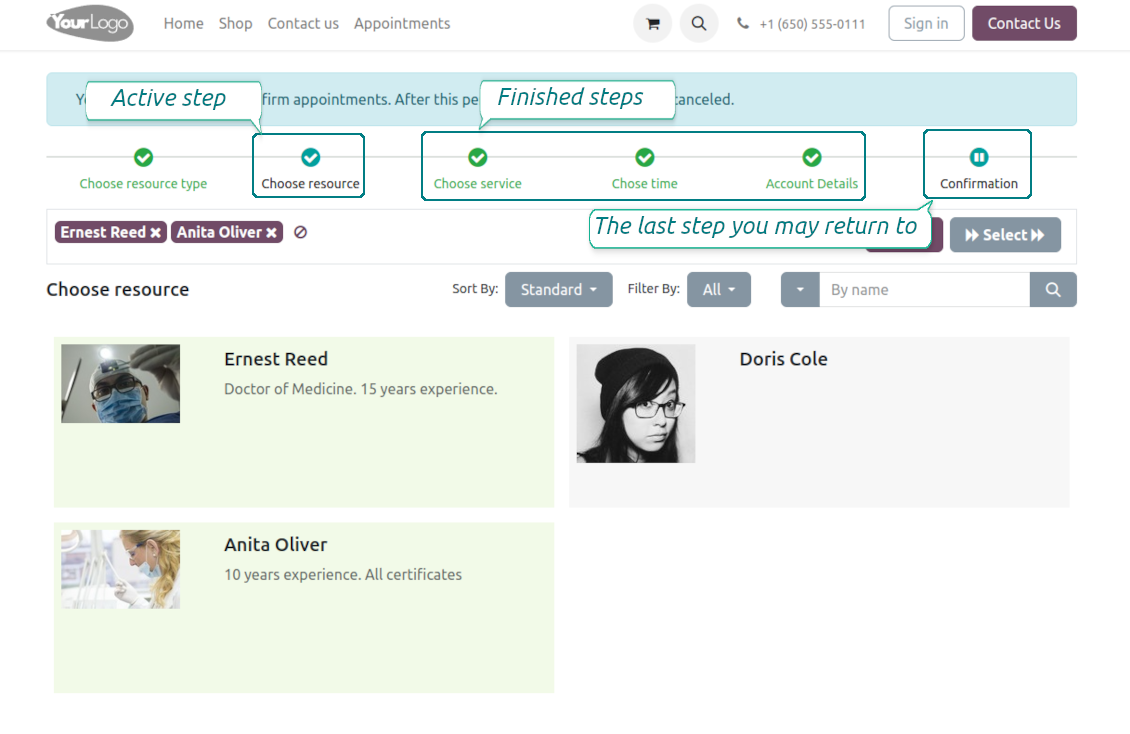
A customer navigates over resources available for this type and chooses one, a few, or applies any (all). For example, "Hair Dresser John Brown" or "Opel Astra 1234". The step is missed in case there is a single published resource, or the chosen resource type assumes automatic allocation
-
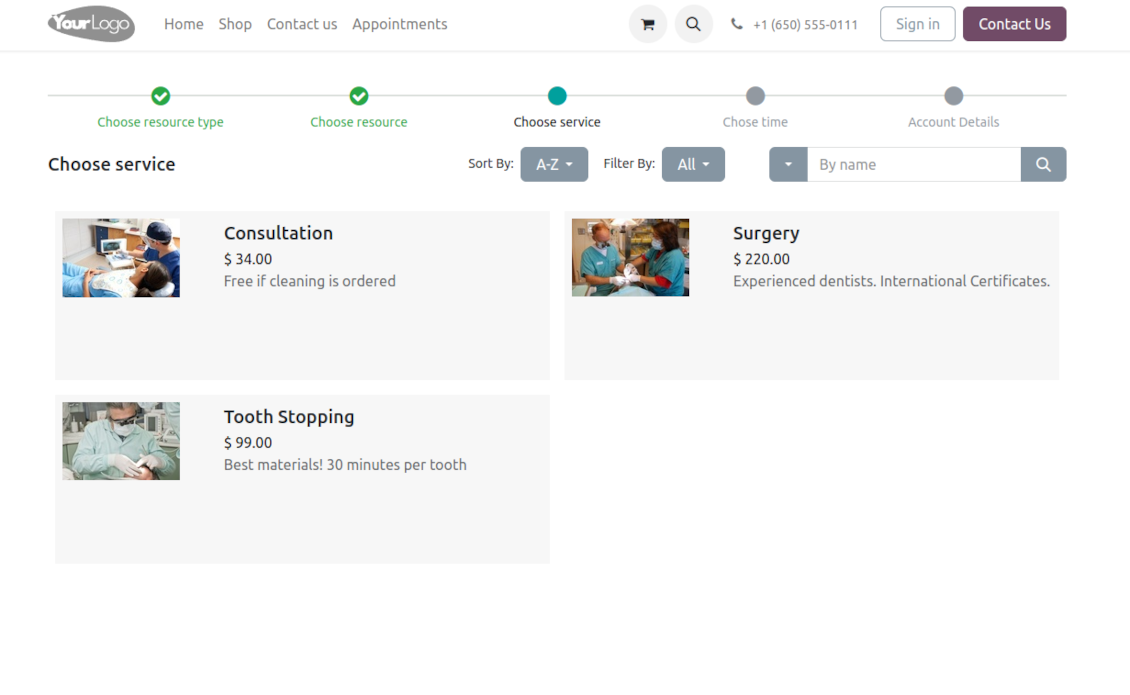
A customer chooses the desired service provided by selected resources. For example, "Classic Hair Cutting" or "Car Rent Class C". Clients would not be asked to choose a service if there is only one published on this website
-
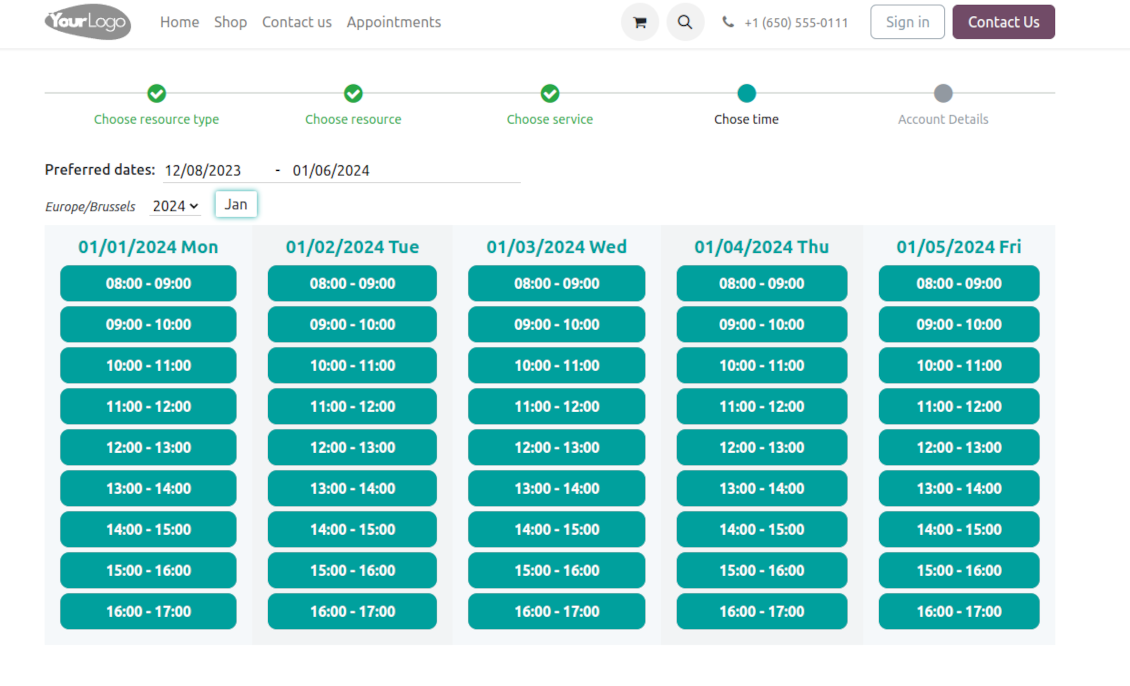
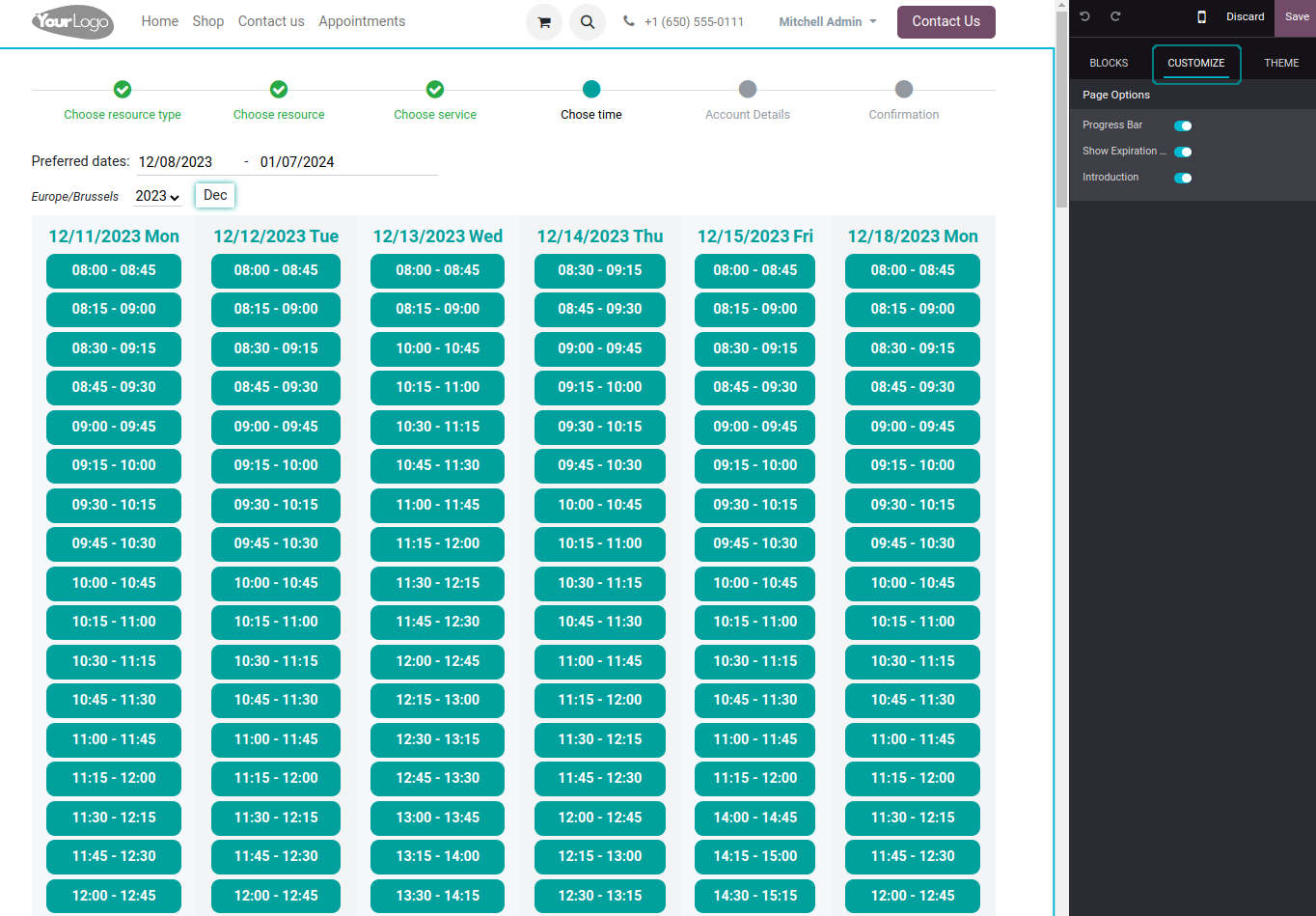
A customer is shown available time slots. The interface lets adopt time frames for search, change the time zone, and insert duration (for services with manual duration). Each action results in slots' recalculation. Website visitors might be optionally allowed to book a few time slots for a chosen service
-
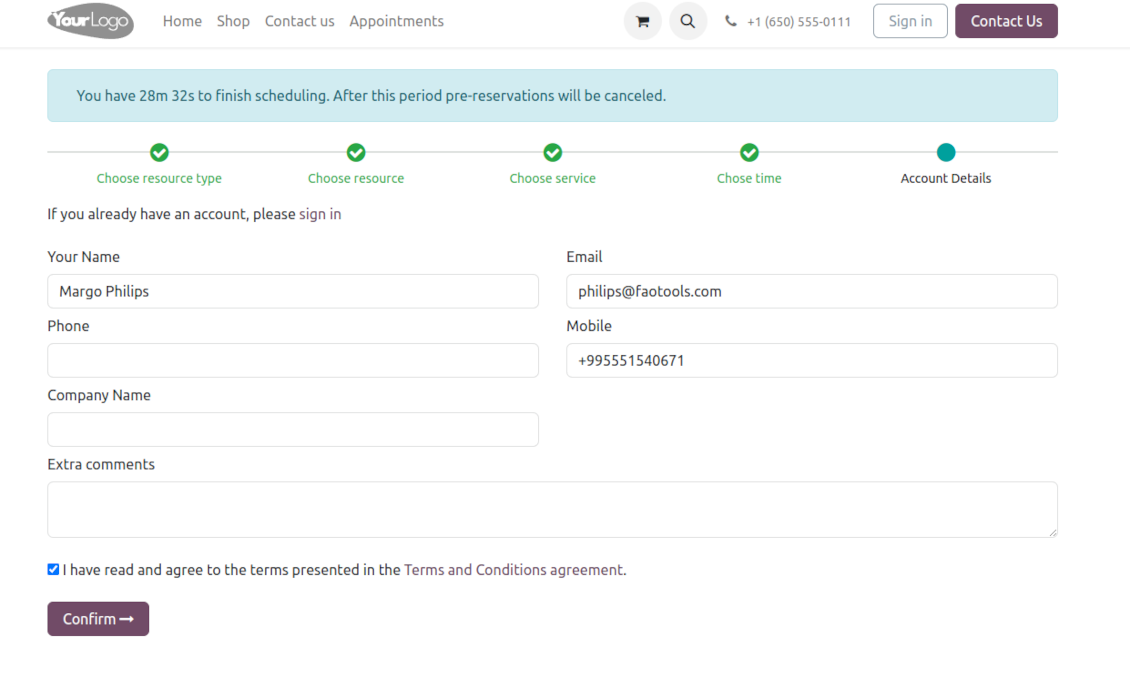
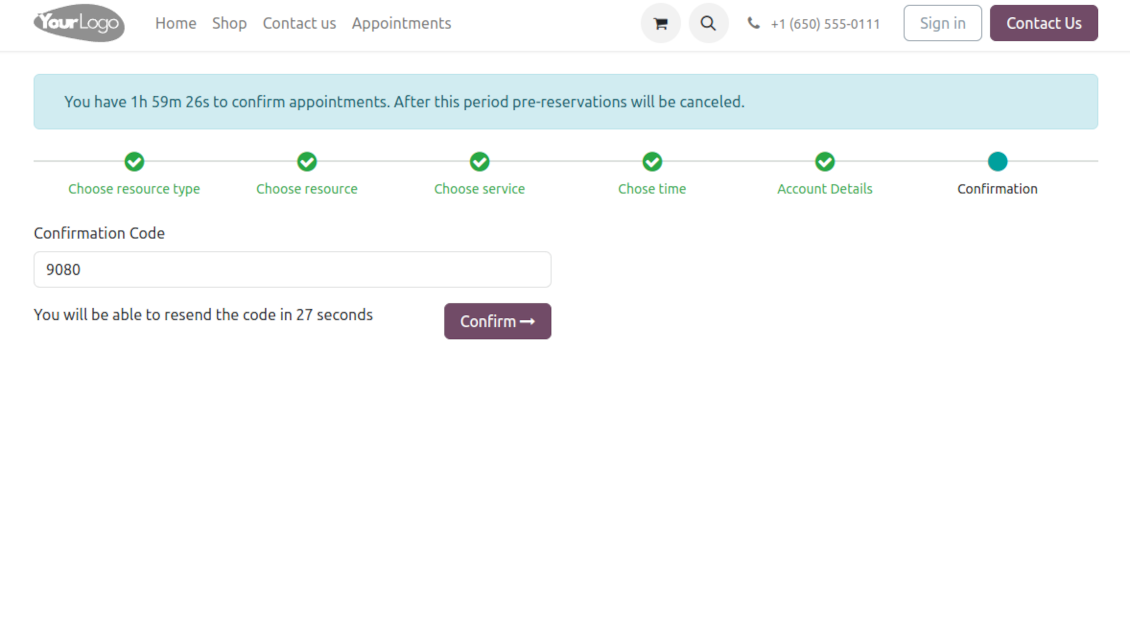
A time slot selection is required and might be not missed. As soon as pre-reservation is done, nobody else can book the same slot. Simultaneously, clients have limited time to make confirmation after which pre-reservation will be canceled (the exact time is up to you)
-
After pre-reservation appears, you may force the public (not logged-in users) to sign in, only offer to do so, or just let them add their details
-
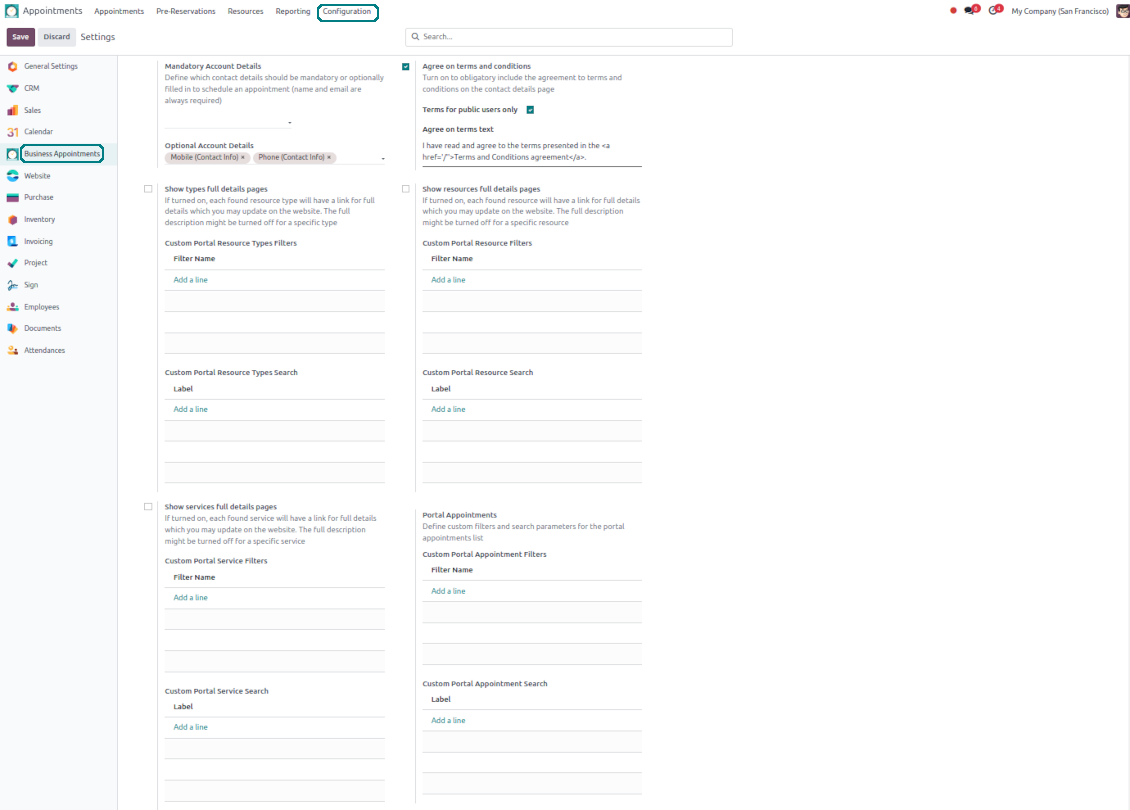
A customer should enter contact details, a set of which might be configured per website. By default required ones are name and email. Previously registered (portal) users would have fields auto-populated. Optionally add here a checkbox to agree with the terms and conditions
-
Optionally ask customers to confirm their email or mobile number. If the confirmation option is turned on, website visitors will be obliged to insert received codes. In case a correct code is not introduced in time (set up on the configuration page), appointments will be canceled. If you selected SMS confirmation (the feature depends on Odoo SMS IAP) but your balance is not sufficient, a confirmation code would be forwarded by email
-
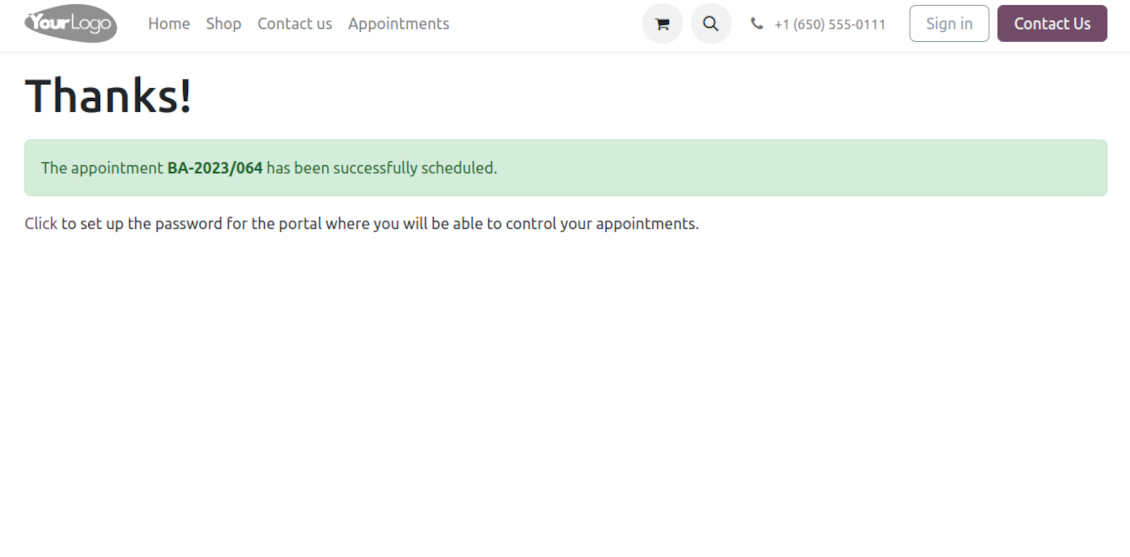
As soon as all steps are done, a customer receives a confirmation email and is redirected to the success page/new appointments(s) page. For not yet registered users, Odoo will offer to enter the password for the Odoo portal
-
Optionally configure success redirection to a created sale order, so a customer may sign/pay that right after finishing the reservation (based on the Odoo standard sales workflow)
-
Optionally set up automatic canceling of website/portal appointments that are not paid within the specified period. To that goal, go to a resource type form, and find the setting 'Possible Canceling' on the tab 'Sales'. The feature works only for auto-sent sale orders. In this way, you may force clients to prepay reservations
-
During the whole process, customers might see the progress bar (if you have not purposefully turned it off). The progress bar lets safely return to any previous step.
Configurable appointment pages
-
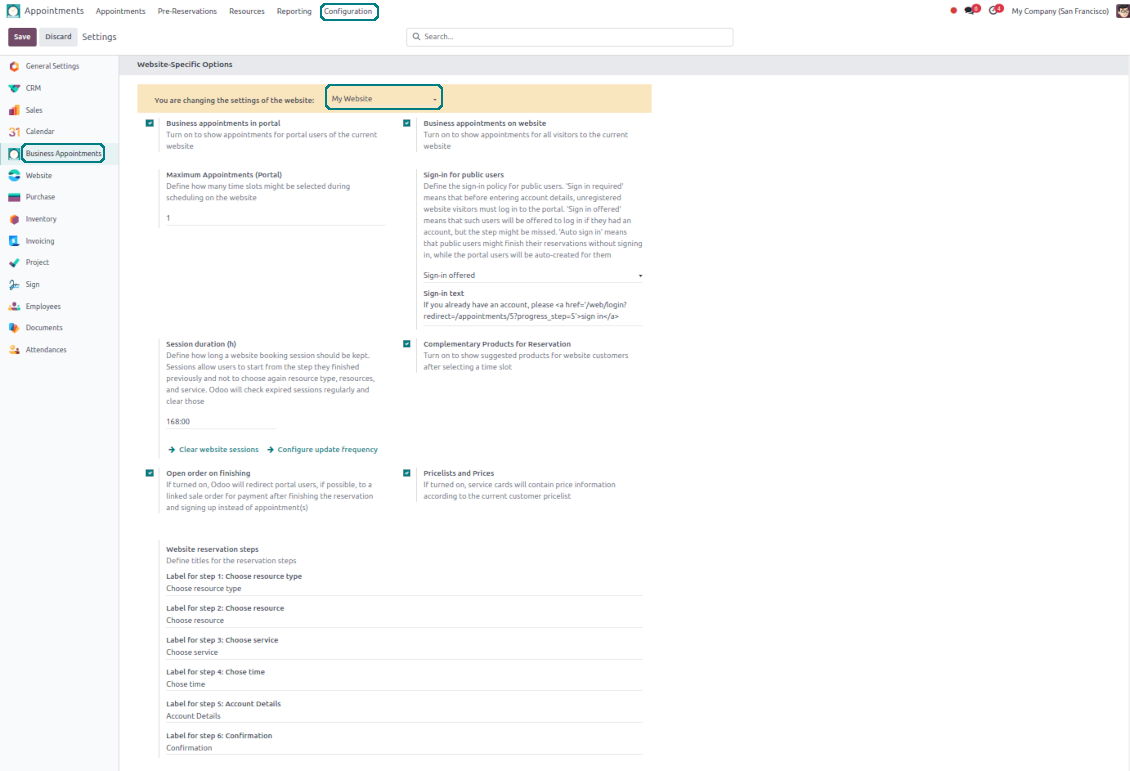
Show/hide the progress bar. Introduce your own names for progress steps
-
Show/hide introduction blocks, images, and short descriptions for resource types, resources, and services
-
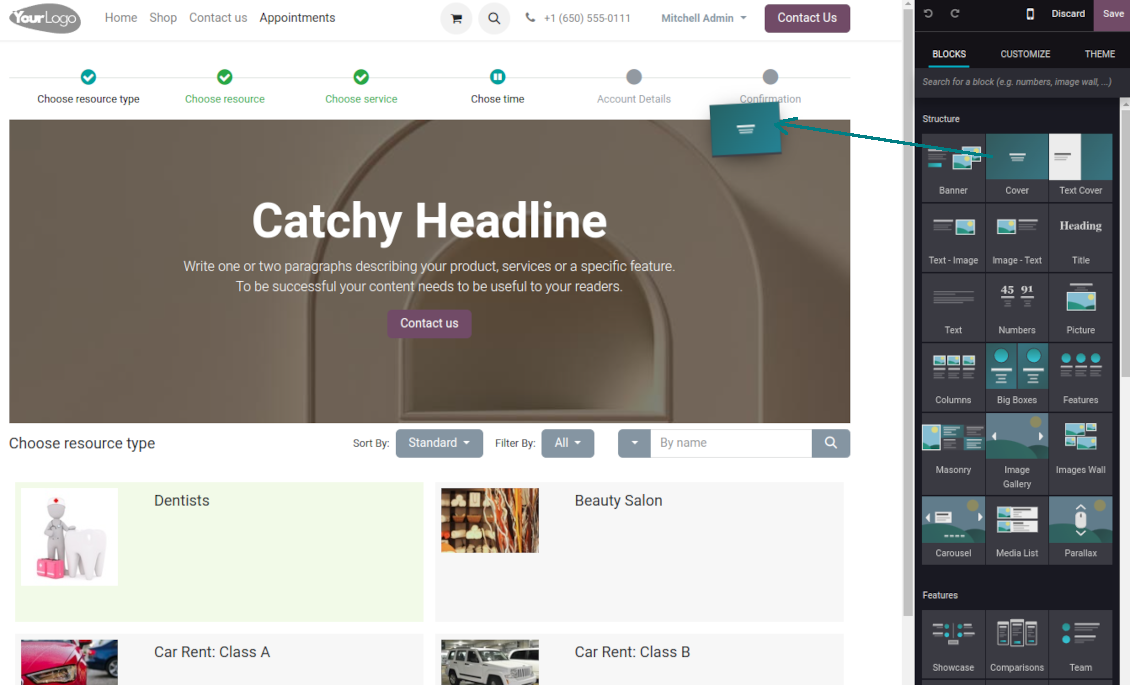
Prepare your own full details pages for resource types, resources, and services using Odoo's standard website builder. Show/hide links for those pages
-
Show/hide pre-reservation and confirmation timers
-
Choose the contact details fields required to be entered. Define custom fields that should be entered for appointments
-
Define filters and sorting criteria for resource types, resources, and service pages
-
Show/hide the agreement with terms and conditions for portal/public users. Introduce your own text and link for that agreement
-
Show/hide prices
Portal control of reservations
-
Customers may control their appointments right in the Odoo portal
-
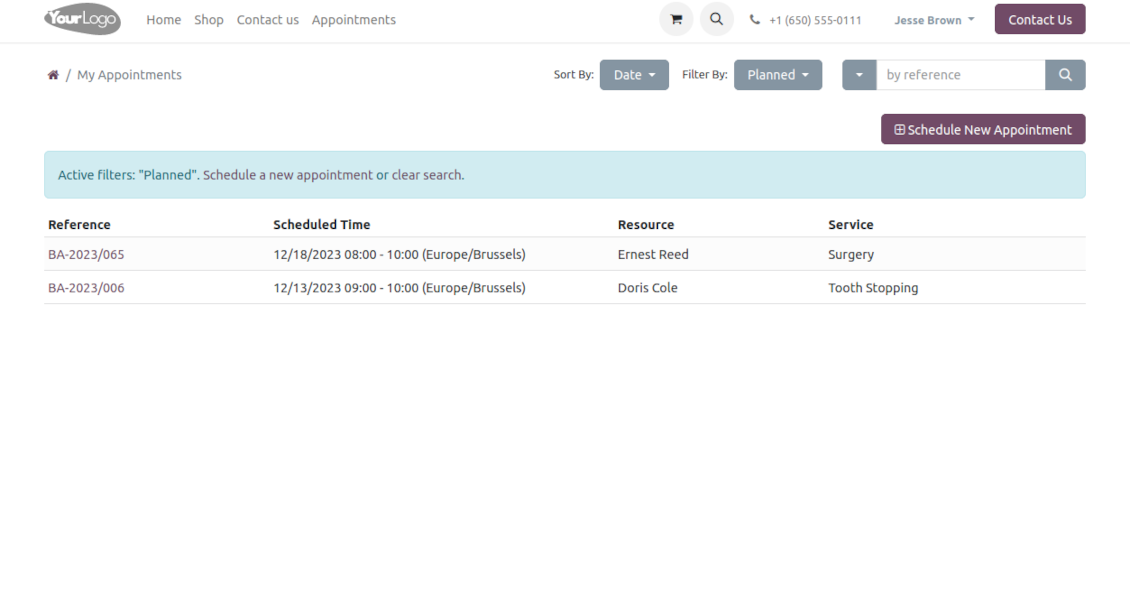
Portal users observe the list of planned and done appointments and may check any of those
-
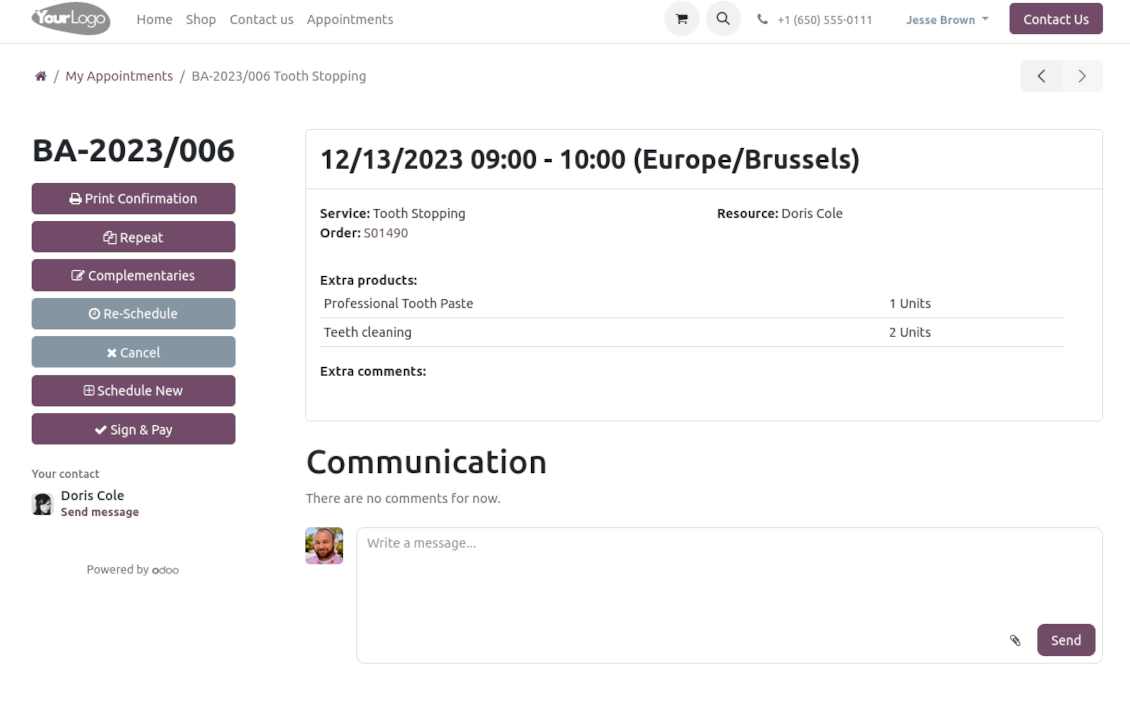
The Odoo portal allows you to schedule new or repeat existing reservations, cancel or re-schedule planned ones
-
Each appointment has a chatterbox that allows direct communication with the resource manager and other followers
-
From the portal appointment page, users can also print a voucher, so reservation confirmation
-
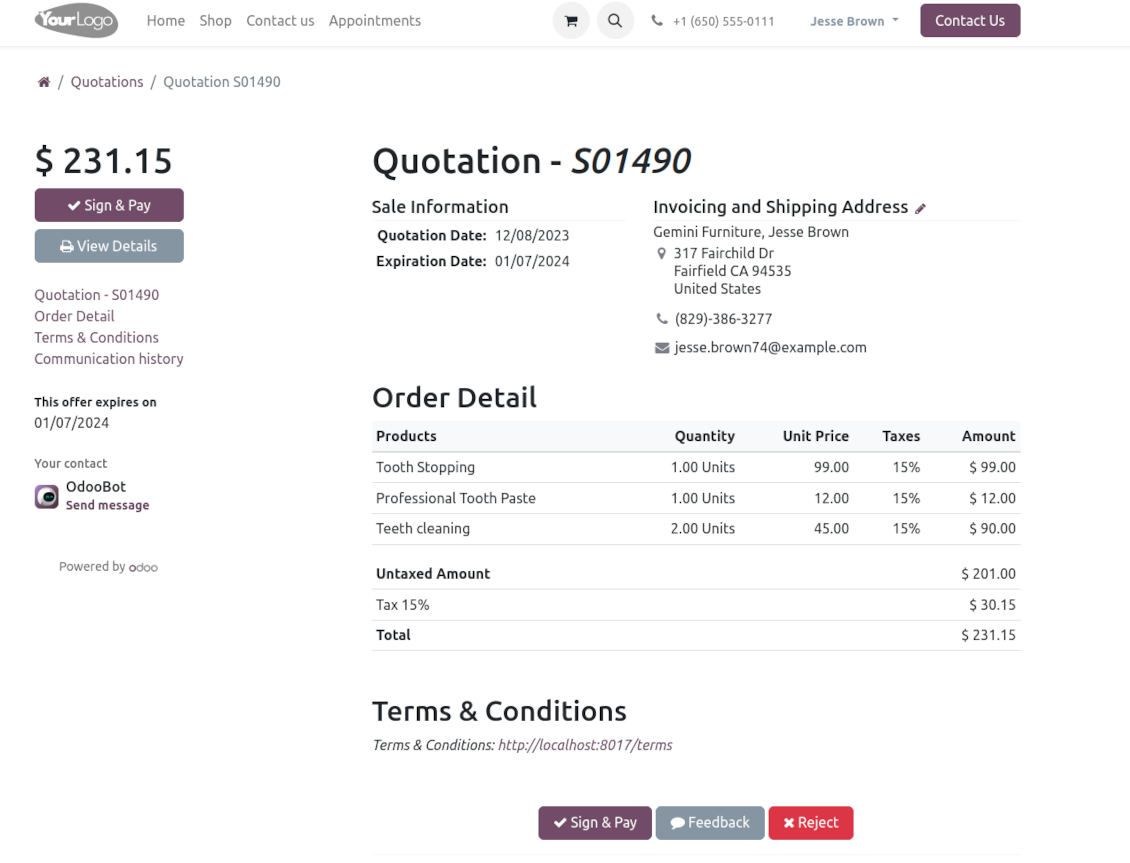
If an appointment has a linked sale order (sent, confirmed, or done) it would be also available through the standard Odoo portal entries 'Quotations' and 'Sale Orders', and right from the reservation page
-
Based on the Odoo standard sales functionality, customers may also sign and pay orders linked to their reservations.
Structured service management
Resource types
-
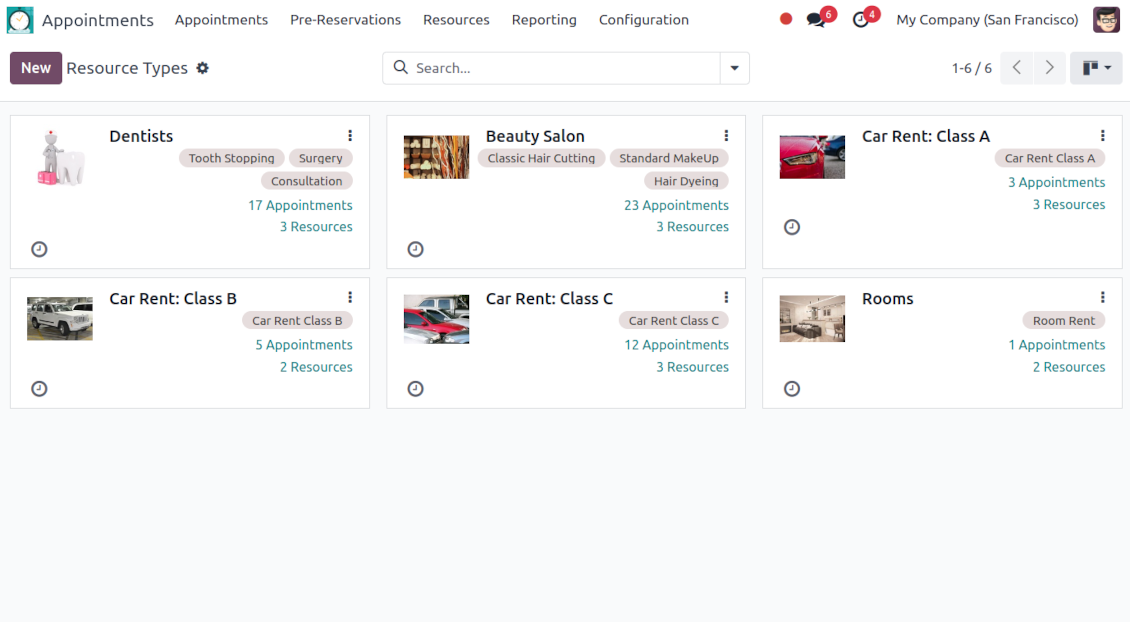
Resource types might be particular businesses you manage. For example, 'beauty salon', 'dentistry', or just 'hairdressers'
-
Another approach is to consider a resource type as a group of particular resources. For instance, 'class B cars' and 'class C cars' for rental business
-
Resource types contain main settings of how to organize service provision: how to allocate resources, how to calculate appointment total price, what are time restrictions, which services are possible, etc.
Resources
-
A resource in many service businesses assume certain specialists: For example, 'Dentist John Brown', 'Hairdresser Anna Green'
-
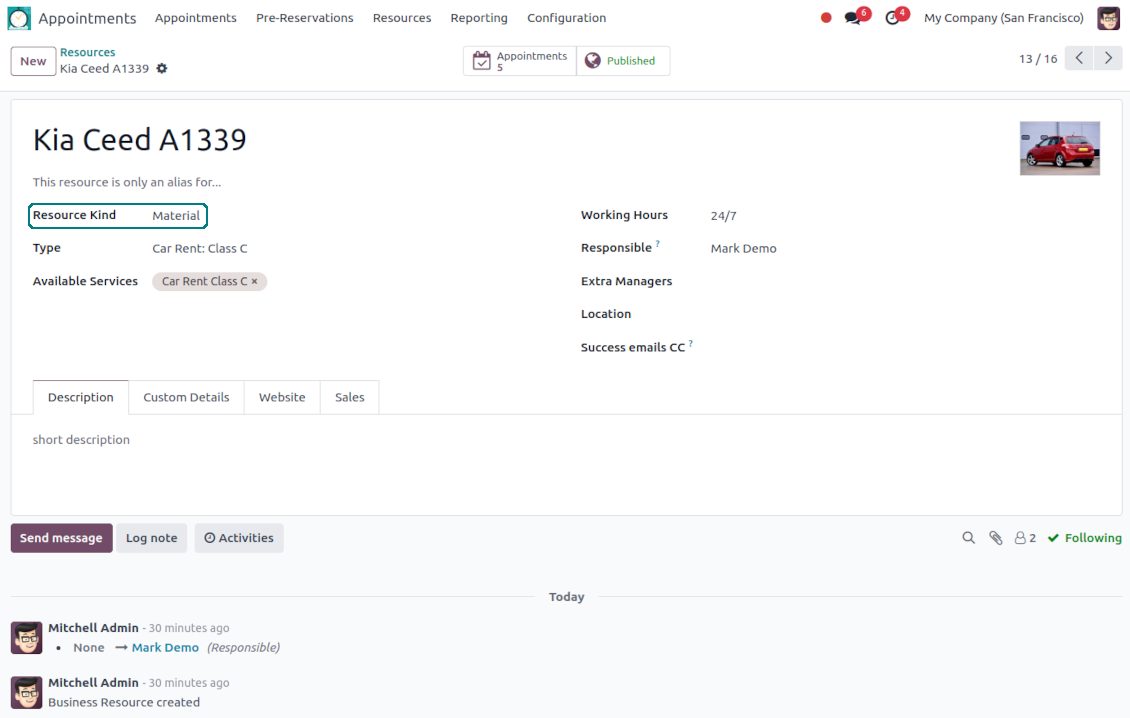
In other companies, it might be particular equipment or facility. For instance, 'Mercedes A1231', 'Room 12'
-
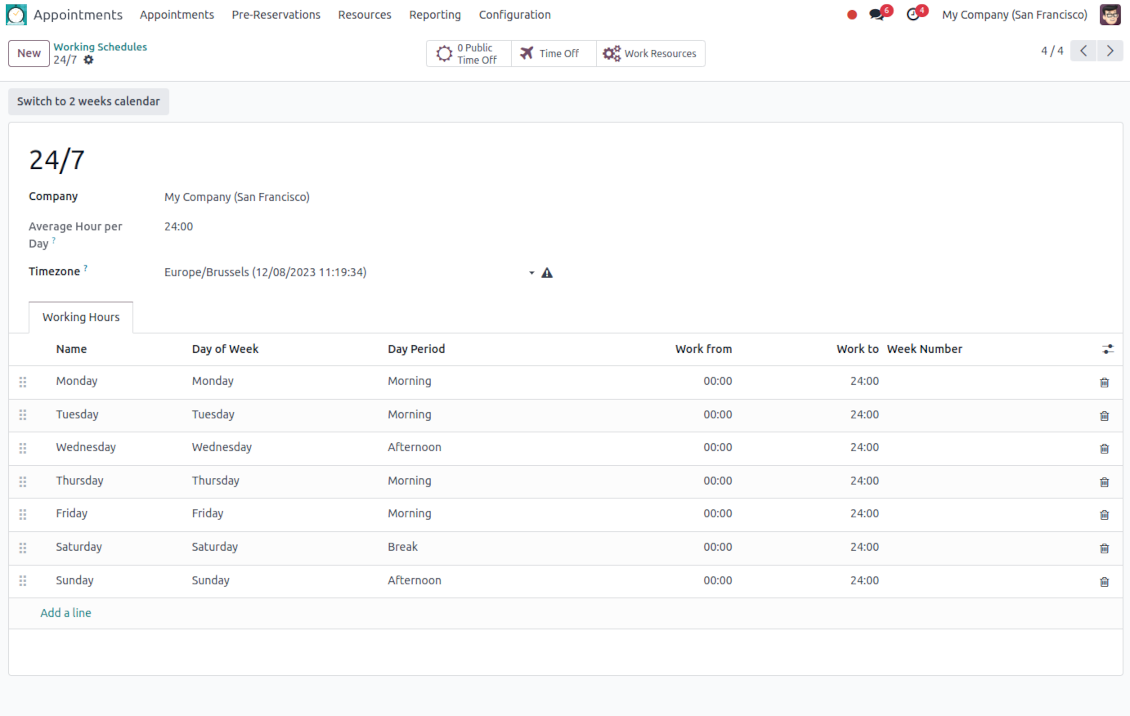
Resources are the Odoo object which working calendar you are planning. Thus, they define available days, timetables and time-offs, responsible users, etc.
Services
-
An appointment service defines what actually should be done. For instance, 'consultation', 'tooth surgery', 'classic hair cutting', 'car class C rent'
-
Services are not equal to Odoo products, but they are linked to each other to manage pricing details
-
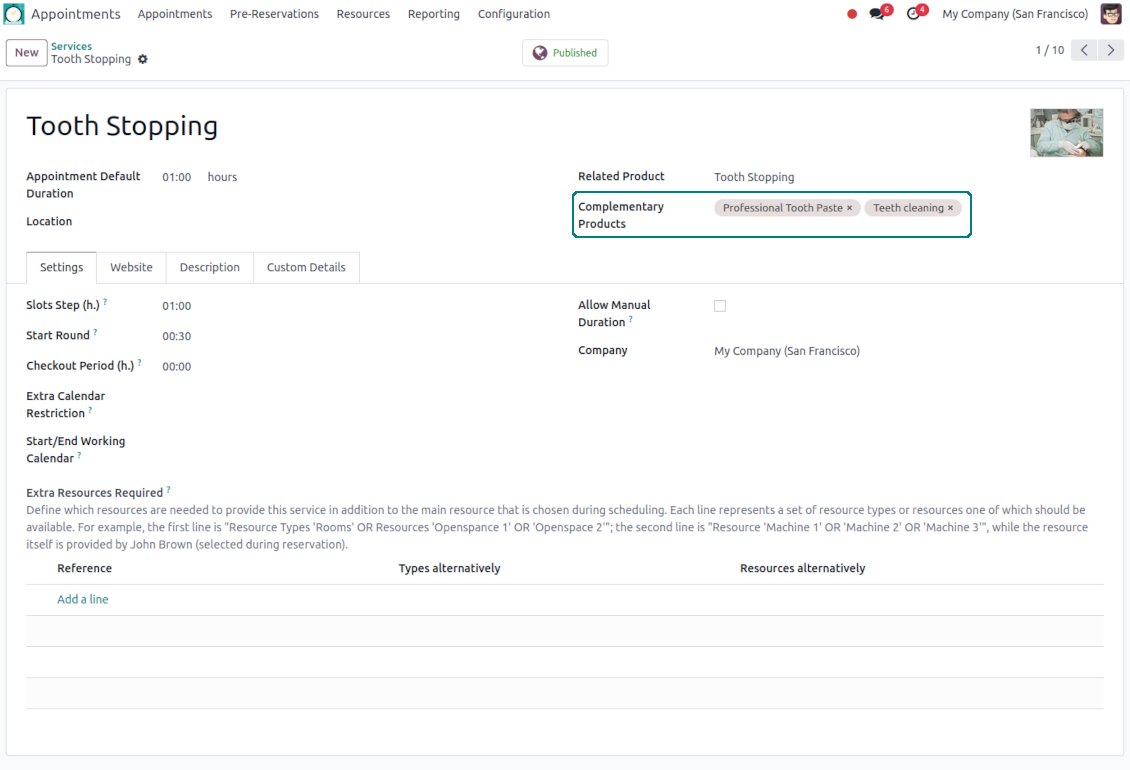
Services regulate time settings of appointments (how long should it take, when it can be started, what is the time step, extra restrictions and extra services needed), which goods might be suggested as complementaries
3 layers to reflect specifics
-
The decision of what to consider resource types, resources, and services is completely up to you. Such an approach lets reflect almost any service business
-
The tool does not force you to have multiple instances for each layer. In simple cases, there might be just a single representative for each step. For example, Lawyers - Attorney Chris Black - Consultation
-
If there is a single option, the app would reflect that by simplifying appointment scheduling. So, steps without actual choice are auto-missed.
Sale and upsell services
Sale orders and appointments
-
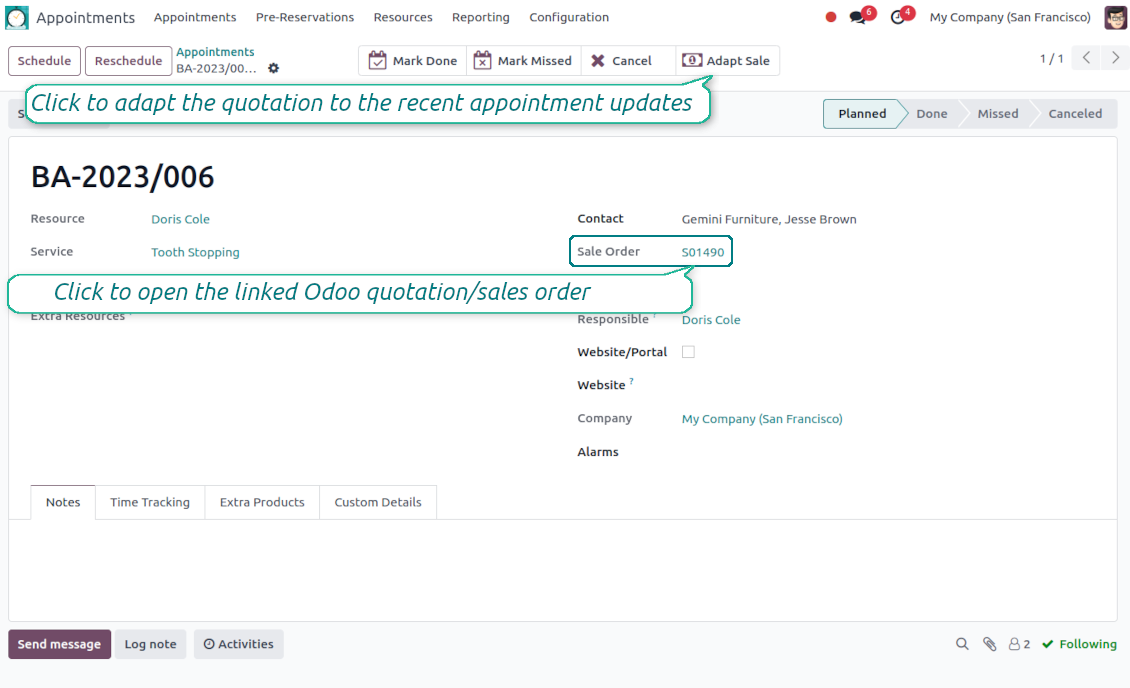
The app lets you link appointments and sale orders. You have 4 configuration options
-
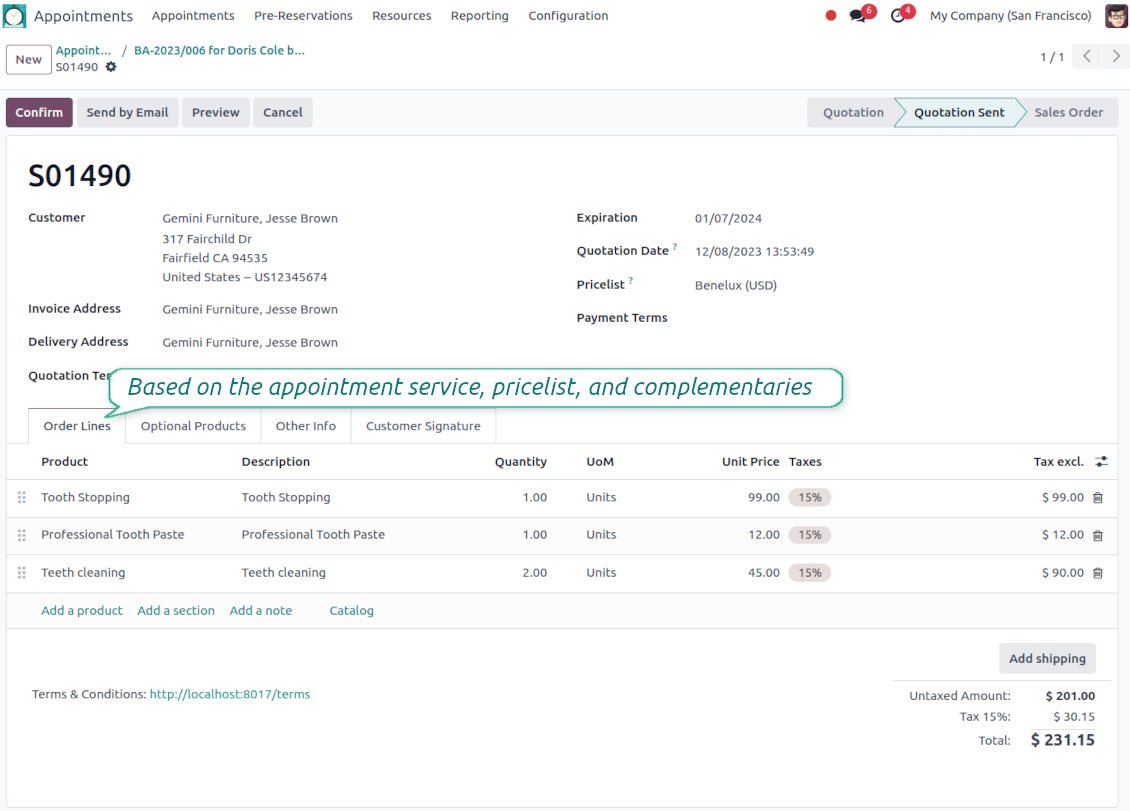
Sent sale orders: if chosen, a sent quotation would be prepared based on the appointment. This way, a portal user will be able to sign and pay such a quotation. The method is suitable in case your service is standard, and you accept customer approval/online payment
-
Automatically confirmed sale orders: if chosen, a sale order would be created as soon as an appointment is scheduled. The method is suitable in case your service is standard, and final sale positions and details would hardly be changed during that appointment. For example, fixed-price hair cutting
-
Draft sale orders: if chosen, only a quotation would be generated. In such a way you would be more flexible in updating an order during service provision or beforehand. For example, if you want to add extra complementaries during a visit or to grant clients individual discounts
-
Manual sale orders: if chosen, managers would have to create quotations while providing service. The method might be applicable when most of the sale lines become clear only during the visit itself. For example, a mobile phone repair business assumes initial diagnostics and only after that offers the price
-
Until an appointment sale order is not confirmed, you would be also able to update that right from a reservation form. Both service, quantity, and complementary products are re-calculated in that case
Service pricing
-
The tool lets you configure pricing method per each resource type
-
Per planned duration: if chosen, Odoo quotations would be created based on initial reservation plans. For example, it might be suitable for car rental or massage
-
Per units: if chosen, sale orders consider appointments for the same price disregarding their duration. For example, standard haircutting or tire mounting is invoiced the same disregarding how much time they take
-
Per tracked (real) duration: when you want to invoice actual time spent on service provision. For example, the approach might be suitable for consultation or legal services
-
Prices are price list dependent. It means, that a manager might select individual conditions during scheduling. In such a way, it is possible to apply various currencies, discounts, promos
-
The latter feature is also applicable to website/portal users. In case there are a few to-select price lists, users would be able to choose the most suitable (e.g. in the correct currency). For the portal users, their partner price list is selected by default
Complementaries and upselling
-
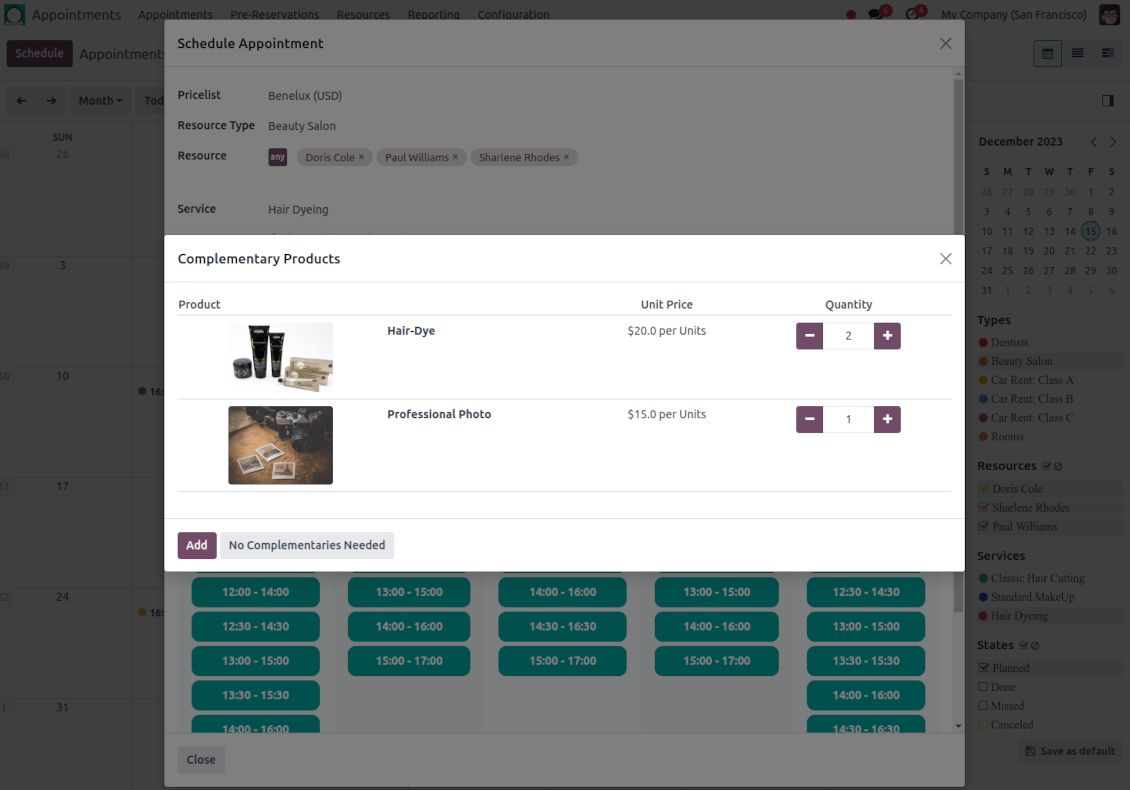
When a client finishes scheduling, it seems a good moment to increase a bill by offering complementary products. The tool aims to help you with that
-
Odoo will show the popup with suggested products for backend managers immediately after reserving a time slot
-
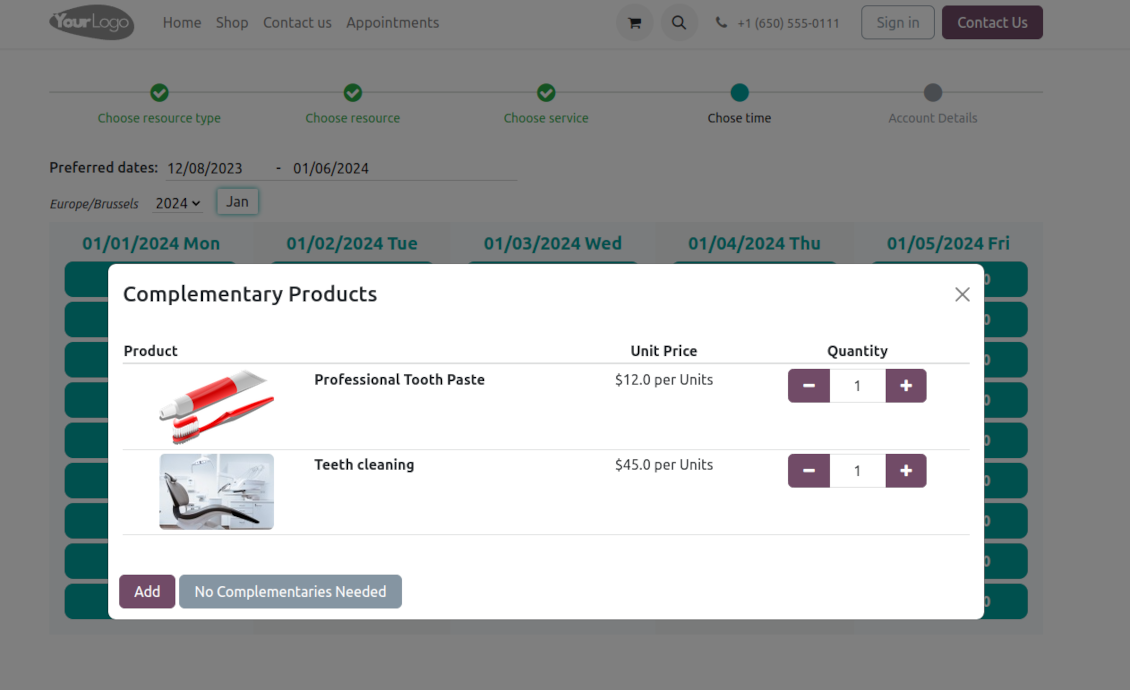
Website visitors/portal customers will see an accessories dialog also when they select the time for reservation
-
The popup allows both adding one or a few complementaries or merely missing the step if suggested products are not required
-
The feature is turned on/off on the configuration page: for the backend in general and for each website. The popup will be shown only in case there are complementaries defined for a booked service.
Flexible configuration and automatization
Service time settings
-
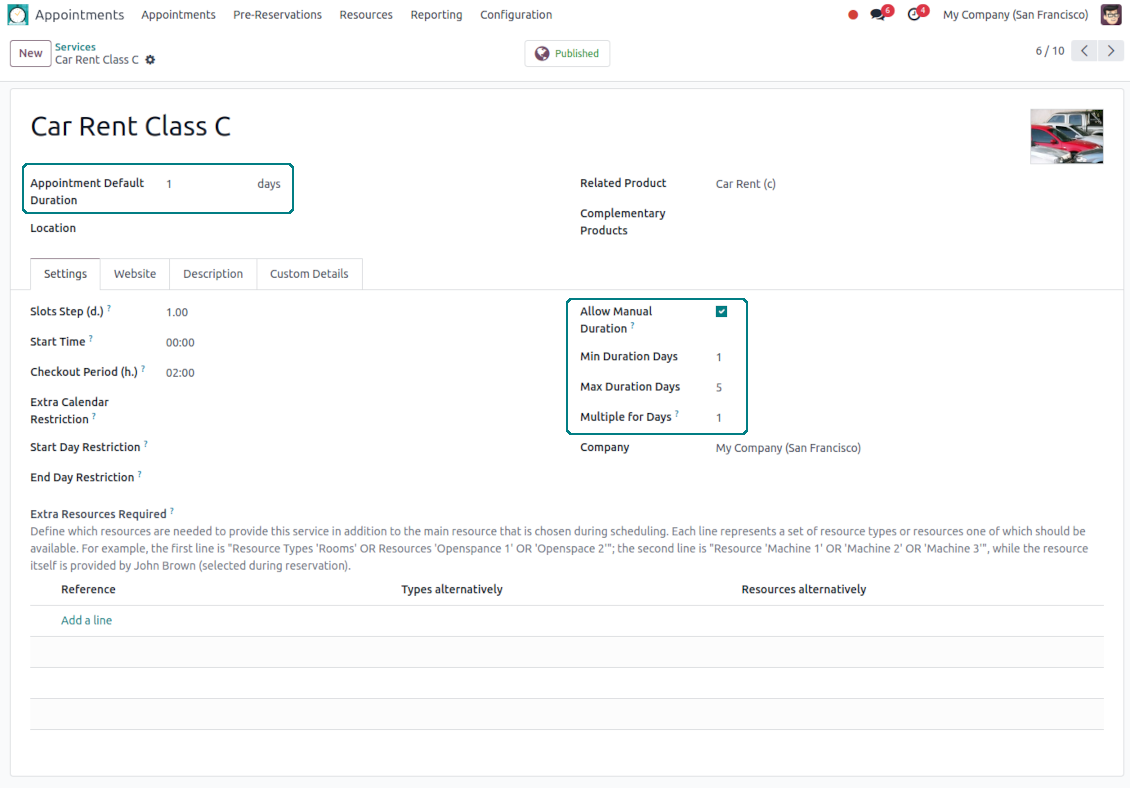
It is possible to configure the service to have a rigid duration (for example, standard hairdressing always lasts an hour) or let clients/managers select that manually (for example car rental might take from a day or 60 days)
-
Duration is defined either in hours (for example, it might be suitable for consulting or repair) or in days (for example, applicable for equipment or room rent, conference translator services)
-
For the manual duration, it is possible to apply restrictions: the maximum/minimum order and the multiplier. For instance, you can simply apply the rule: a service should last not less than an hour, not more than 8 hours, but the duration should be always multiplied by 30 minutes (1:20 is not possible, while 01:00 and 01:30 are fine)
-
The app allows configuring the rule to round time slots start. Sometimes applied restrictions might result in a calculated start you do not like. For example, an hour-long service start at 12:23 is hardly good. To solve the problem you can simply set up rounding for an hour (other available options are 5, 10, 30 minutes; 2 hours; midnight, or midday tomorrow)
-
Together with duration, 'Slots step' defines the frequency of available time periods, including whether it is possible to have overlapping periods. When the chosen duration is equal to the slots step, there would be no intersections: 12:00-13:00; 13:00-14:00 for the duration and the slots step set as an hour. When the duration is bigger than the slots step, periods would be intersected: 12:00-13:00; 12:30-13:30; 13:00-14:00 for the duration of one hour and the slots step 30 minutes. Finally, if the duration is smaller than the slots step, there would be breaks between the periods: 12:00-13:00; 13:30-14:30 for the duration of one hour, and the slots step 90 minutes
-
The checkout period is the setting that might give resources to finish service until the next one is started. For example, to have a cleanup after room rental, assign manual duration in days with the rounding 14:00 and with the checkout period 2 hours. Then, the potential time slot for a customer would be 01/08 14:00 - 03/08 12:00, while the resource would be anyway registered for the whole period 01/08 14:00 - 03/08 14:00
-
If there are certain restrictions on the service in addition to the resource timetable, introduce the 'Extra service calendar'. For example, although your beach is open 24/7, sunbed rental is available only from 08:00 to 17:00. Thus, you can define its own service working time
-
Sometimes it might be necessary to define when the service provision cannot be started or finished. To that goal, the app allows defining restrictions.
For daily services, the settings Start/End Day Restriction may be used. They let configure weekdays or specific dates when start/finish is impossible. For example, accepting/discharging patients is not fine on weekends and holidays but indoor treatment is possible. So, for the service 'Indoor treatment' block Saturdays and Sundays using the named setting.
For hourly services, distinguish the Start/End Working Calendar. This option assumes that this service may be started or finished only within predefined shifts. For example, although products are available for rent 24/7, your shop works from 10 am to 6 pm. With the setting, you may set up 10:00-20:00 and 11:00-21:00 shifts but block 09:00-19:00 and 18:00-23:00
Resource allocation
-
When there are a few resources of the same type, the challenge of how to distribute appointments among those arises. There are 2 general approaches introduced by the app
-
Manual allocation - applied when each resource is unique, and you prefer to give clients a right to select among those. For example, a customer would like to be consulted by a certain doctor or to be serviced by a definite hairdresser. Manual allocation does not force a client to select resources. This is the right, which might be simply missed by explicitly choosing "any" or a few resources
-
Automatic allocation - applied when all resources are considered equally good for clients. For example, a customer would hardly compare Opel Astra 1234 vs. Opel Astra 1235. Automatic allocation is configured per each resource type depending on your business specifics
-
Automatic distribution by resource workload lets assign appointments according to the total planned duration of all open appointments. For example, it might be fair in a beauty salon to equally spread tasks
-
Automatic allocation by appointment number does not take into account real duration, but only absolute quantity. For example, it might be suitable for tire mounting where the price is set up not per duration but per units
-
Automatic distribution by order means that each resource has its own priority, and allocation is done on a queue basis. Thus, the resource with the highest priority will be always chosen until it has available slots for the target moment. After that, the second-important resource is under consideration until it is also occupied, and so on. For example, such an approach might work for facilities booking or car rental
Resource aliases and extra service resources
-
When a service requires multiple resources then it is possible to assign special service rules. The app lets configure as many extra resources involved as it is needed
-
Each service extra resource rule assumes either resource types or resources that alternatively are required for the service. For example, either any resource of the type 'Rooms' OR the resource 'Hall 1' OR the resource 'Openspace'
-
If there are a few rules, to reserve service at least a single resource in each line should be available. Thus, the number of extra appointment resources will equal the number of service rules. If some of the lines cannot result in a real resource, a service cannot be reserved. Please take into account that alias resources cannot be extra resources: their prime resources will be used instead
-
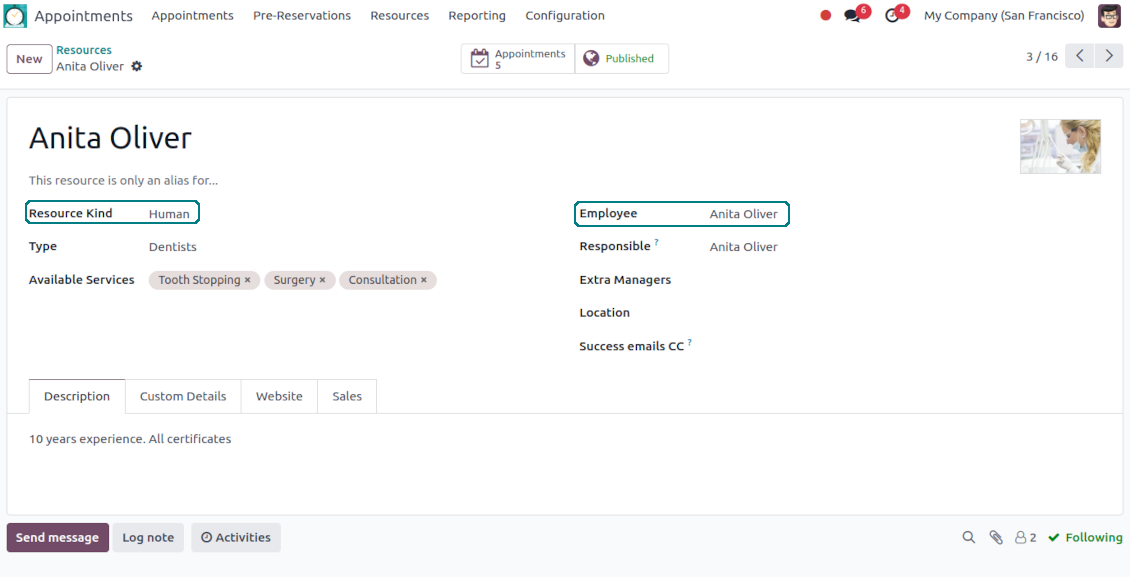
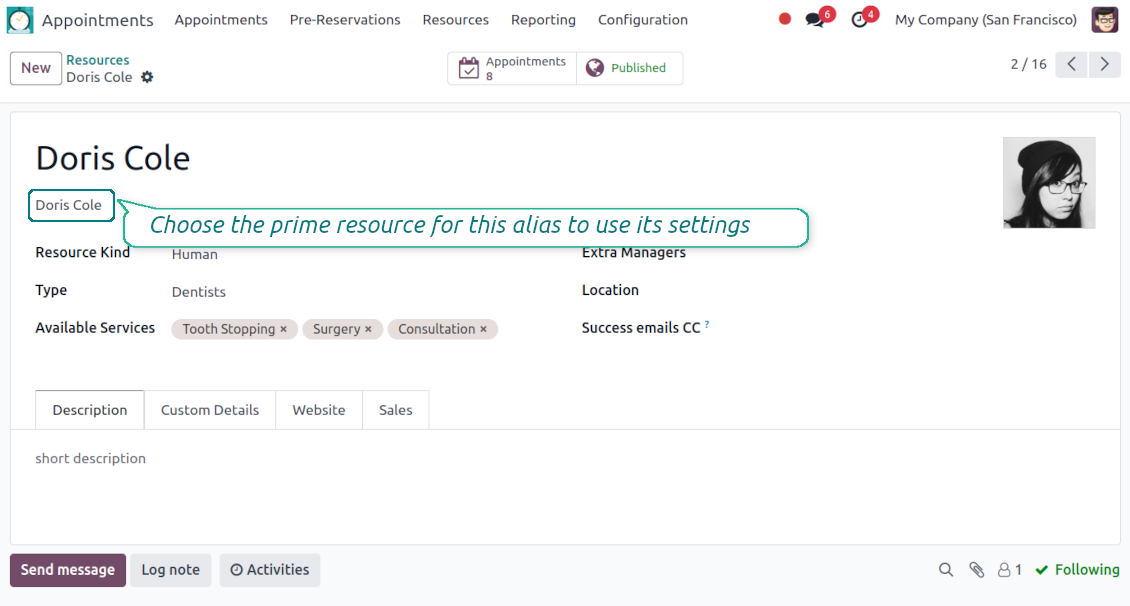
When a resource is involved in a few business activities (so, relates to different resource types and has different services), use resource aliases. A resource alias is a resource that does not have its own working calendar and its own responsible user. Instead of that, it uses the prime resource settings. For example, Anita Oliver can be both a hairdresser and a dental consultant. Then, you should create the prime resource 'Anita Oliver' (the type 'Beauty salon'), and the alias resource 'Anita Oliver' (the type 'Dentistry') with the prime 'Anita Oliver, Beauty Salon'. In this way, she can be reserved both for the 'hair dressing' service and for the 'Dental consultation', but the busyness in one sphere will block availability in the other
-
Alias resources have their own configuration, including description, image, sale settings, etc. So, the only differences from the normal resources are a working calendar and a responsible user, which are taken from their prime resource.
Complementary features
Configurable reminders
-
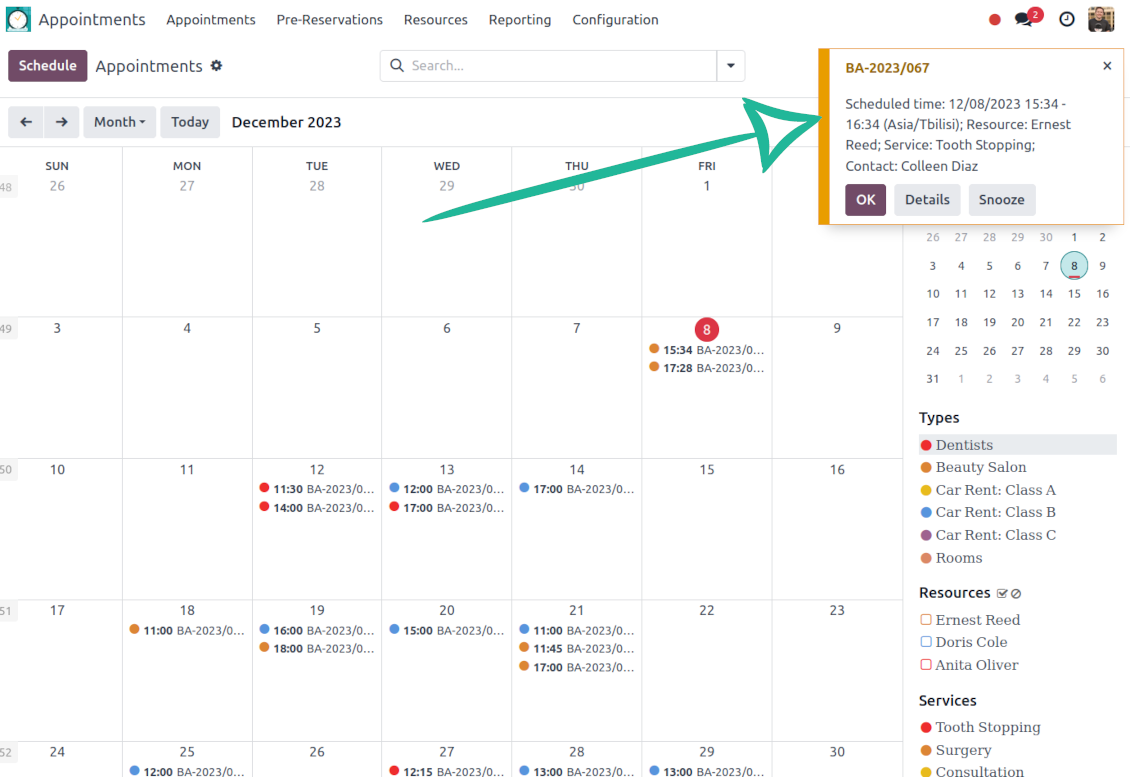
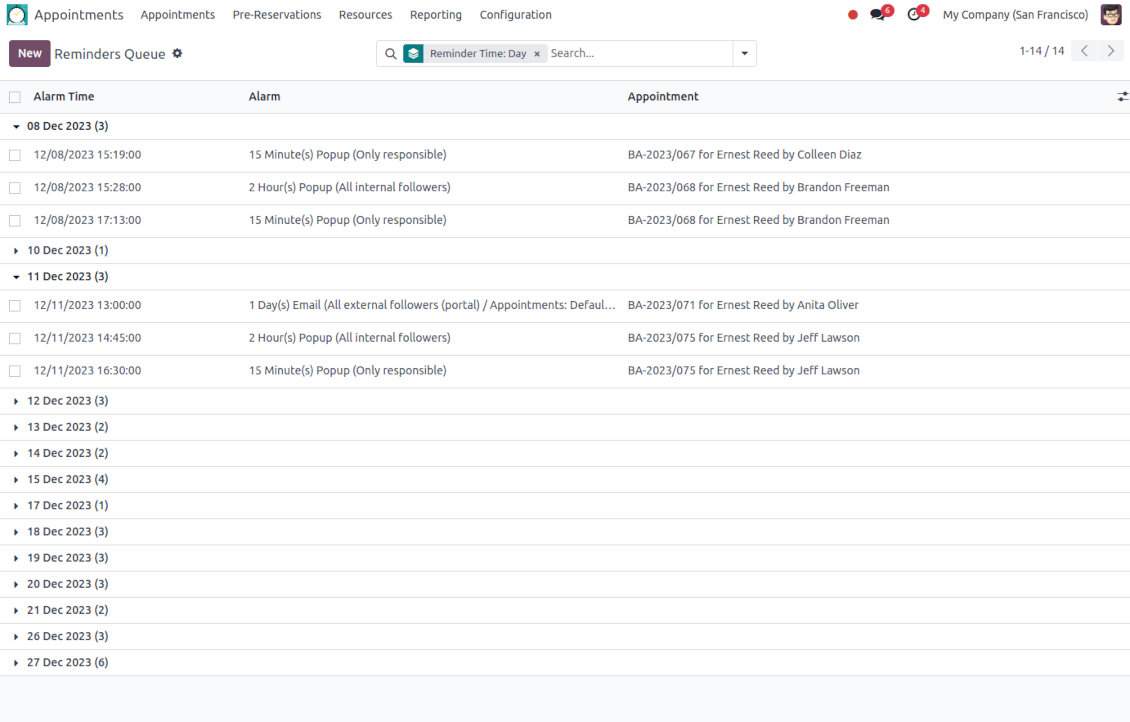
The app allows preparing of 3 types of appointment alerts: pop-ups, emails, and SMS. You can quickly create those through the special configuration menu entry. SMS reminders are sent using the Odoo SMS server (make sure that you have sufficient balance for Odoo SMS IAP)
-
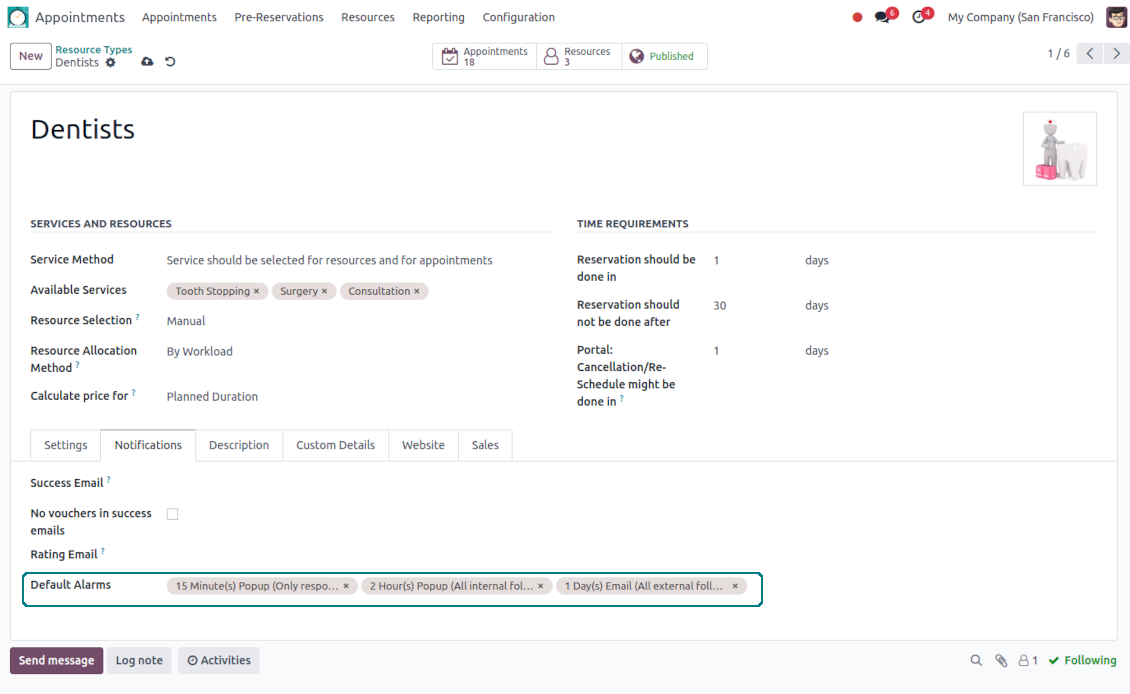
Select default alarms for each resource type. Such alarms will be automatically applied to all new appointments of this type. Otherwise, you may choose those for specific appointments
-
Define who should be notified: a responsible manager, external followers (clients), internal followers, or all followers. Popup alarms are available only for backend users
-
Specify a period for alert: it is possible to apply a time range in days, hours, or minutes. For instance, 2 days before the scheduled date
-
For SMS and email alarms, you should also assign a template that is rendered based on appointment details.
Misc
-
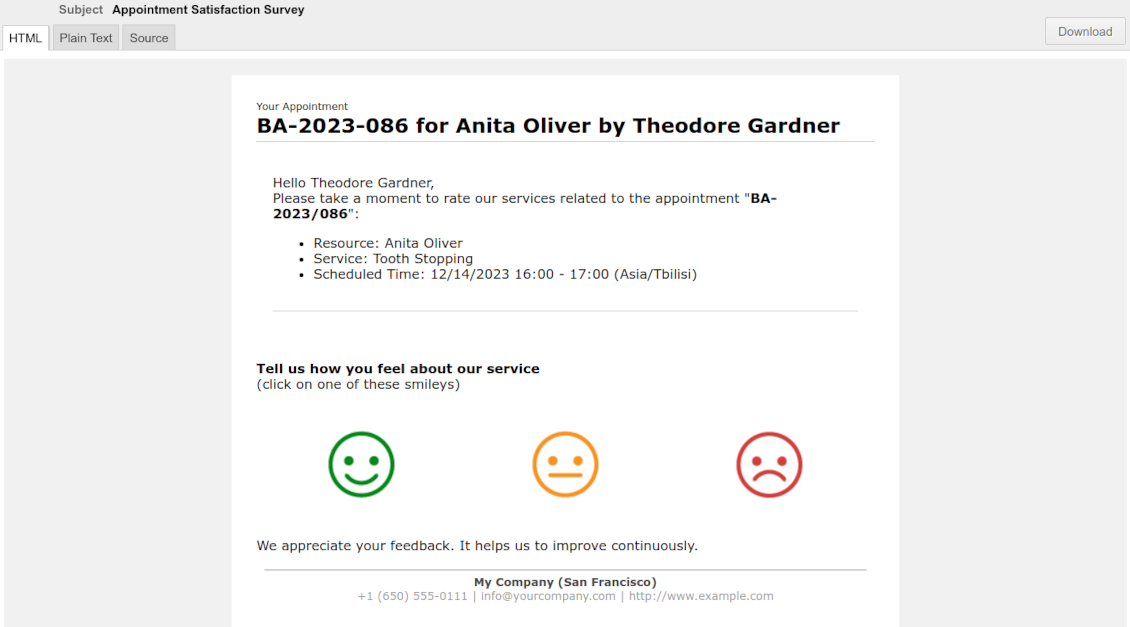
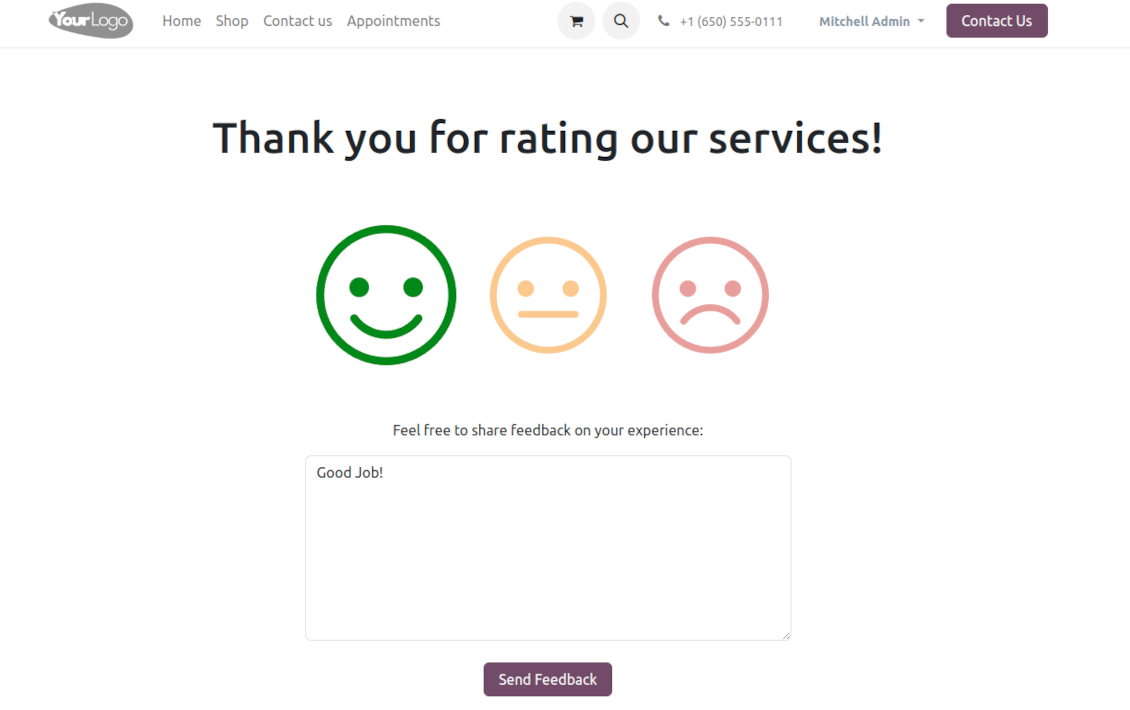
Optionally configure automatic requests for a customer review when an appointment is done. Clients should select among 3 simple "smiles": satisfied, not satisfied, and highly dissatisfied. The final rating is calculated for resource types, resources, and services
-
The tool has its own report view, where you can analyze appointments on pivot and graph views
-
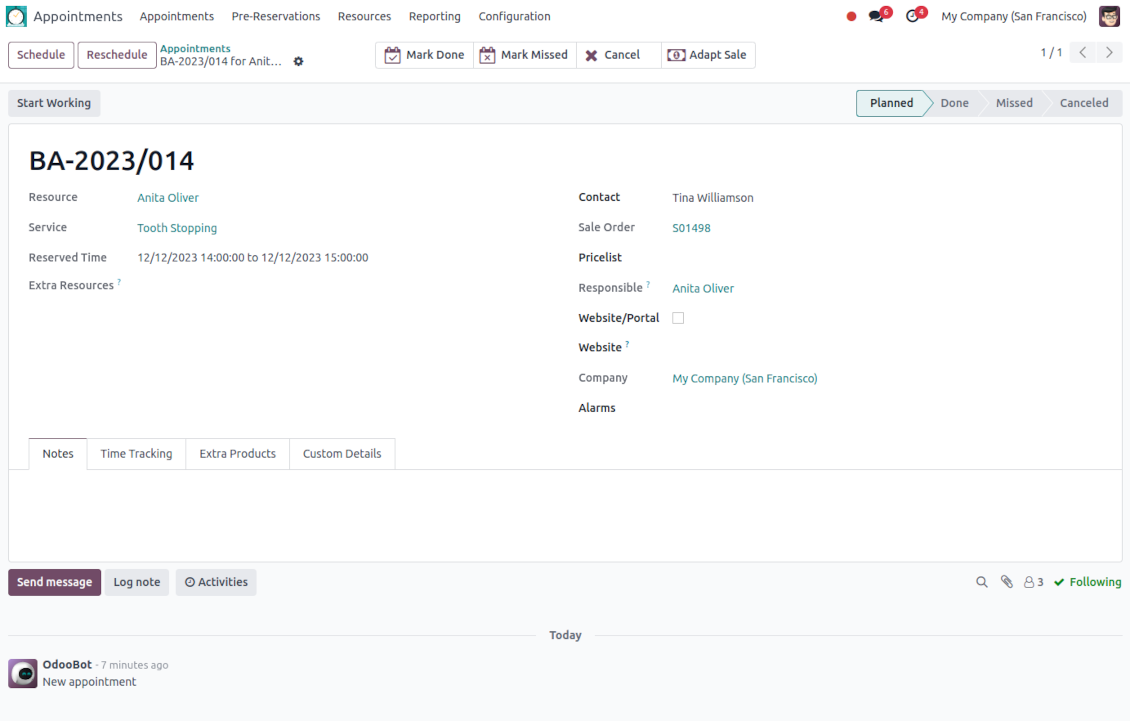
Appointments have automatic numbering. You may change its logic (suffix, prefix, step, etc.) by configuring the related Odoo sequence
-
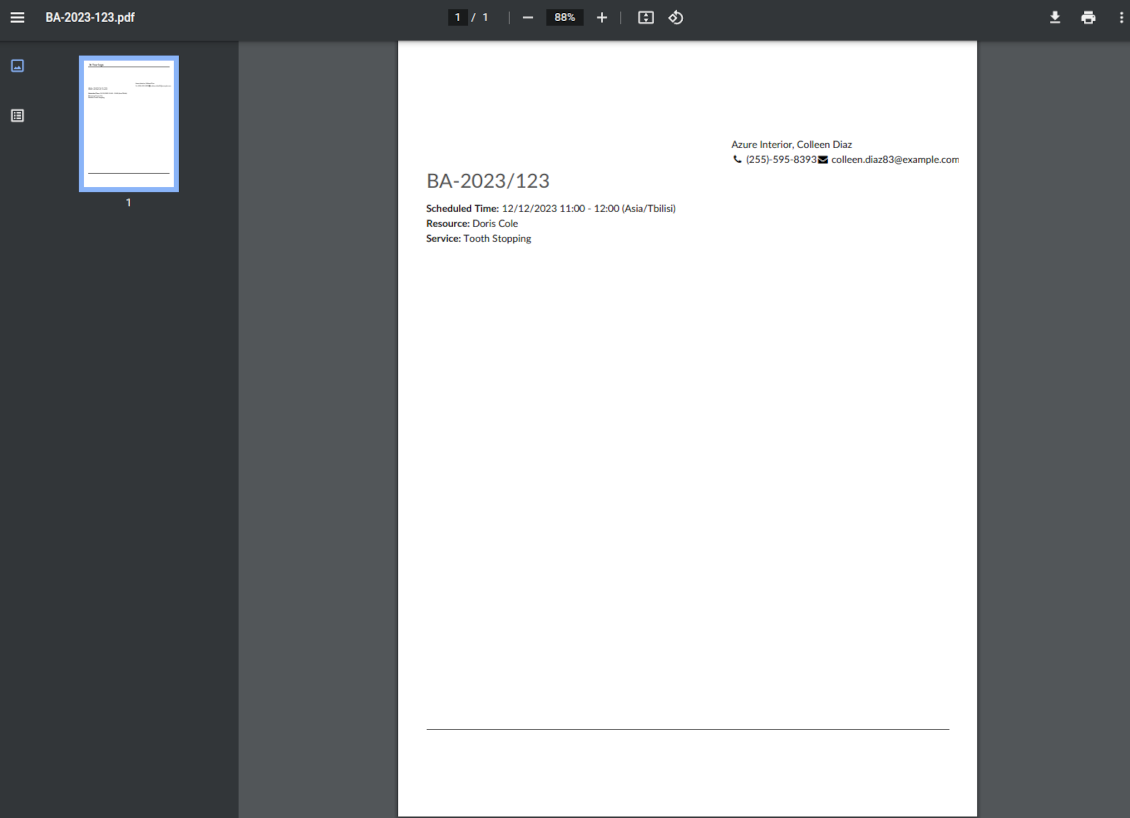
Each appointment has a printing version that might be generated in the backend and optionally in the portal, and which is attached to all appointment confirmation emails. The printing version relies upon standard Odoo layouts and might be also used as a service voucher.
Optional add-ons features
-
The app allows appointment managers to track time spent on providing service. This "real" time might be used not only for statistics but also to calculate the total appointment price.
-
The tool lets link resources and employees to automatically apply working calendars of the latter for appointments of this resource
-
Appointments might be shown on the special Odoo Enterprise Gantt view for instant resources workload observation.
Secured appointments
-
The tool introduces its own user rights system to make sure business data is secured. For the backend users, there are 2 groups that are allowed to work with appointments: "Appointments: Only Own" and "Appointments: Administrator"
-
Appointments admins are allowed to manage all settings and update any appointment-related objects of their company(s)
-
The 'only own' group has limitations and its users have rights: (a) only to read resource types and services; (b) to observe only resources, in which they are responsible managers or which do not have such managers at all; (c) to create and to update appointments related to resources which they can observe
-
Portal and website security is managed independently
-
Resource types, resources, and services should be website published in order to become available for selection for both public and portal visitors
-
Any website visitor might schedule an appointment and access resources/services without registration if you turned the option "Business appointments on website"
-
Portal users have the same rights even if the latter option is not turned on, but you switched the option "Business appointments in portal".
Custom fields
-
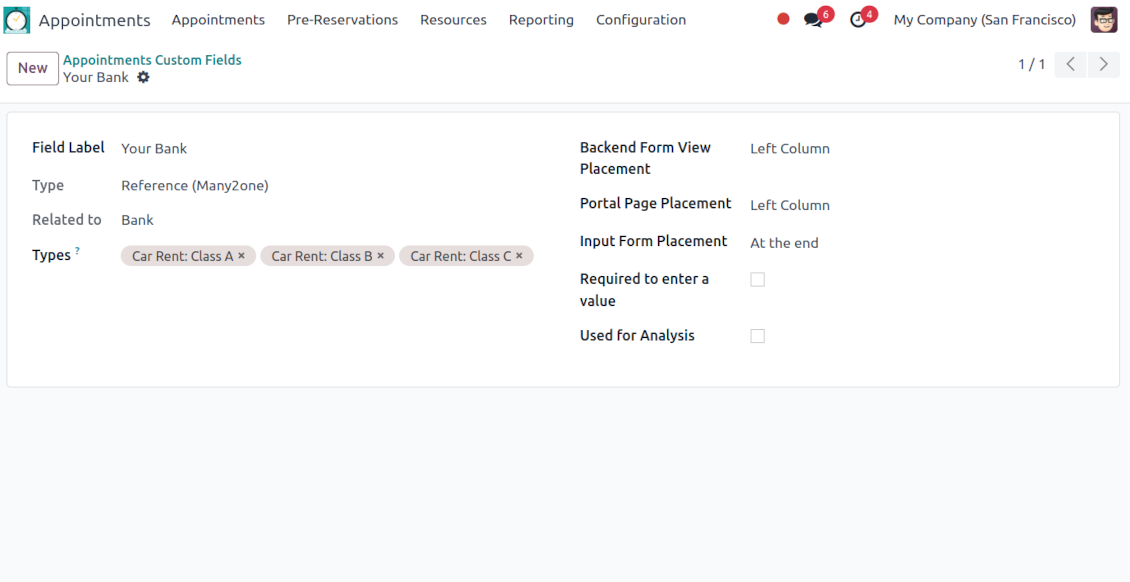
Custom attributes creation does not require any technical knowledge. In order to show a new property, just add a new field and enter the details
-
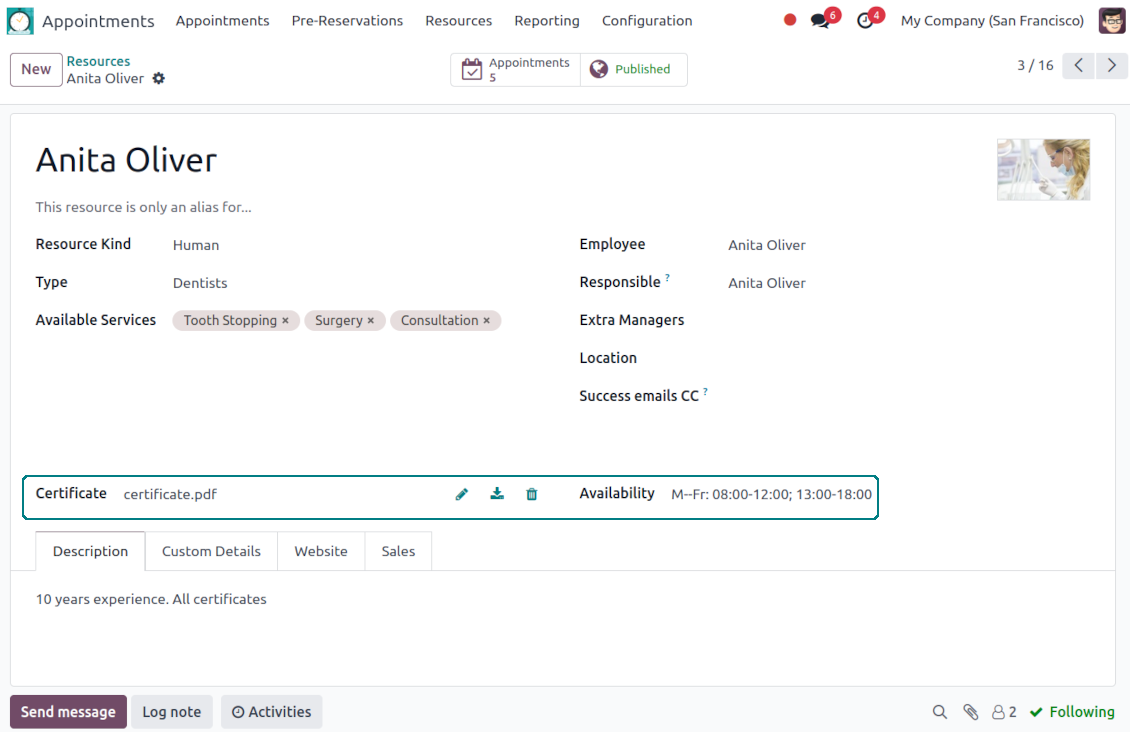
The tool lets prepare new fields for resource types, resources, services, and reservations
-
It is possible to add custom fields of the following types: single-line text (char), simple text without formatting (text), rich text (HTML-formatted text), integer or float numbers, drop-down choice with your own options (selection), checkbox (boolean), date or date and time, binary (a file to upload), reference to another Odoo document (e.g. for sale order, contact; many2one)
-
The tool lets you comfortably select an interface position of a custom field from a closed list of options. Optionally you may select also portal/website position to make properties visible to public users
-
For the website booking process, it is possible to force users to select custom appointment details
-
Have different resource fields depending on resource type (for example, dentists' details differ from cars' details).
Съвети за конфигурация и инсталация за Universal Appointments and Time Reservations Odoo v.17
Python dependency
The tool depends on the external Python library 'phonenumbers'. Install this library for your Odoo server through the command:
pip3 install phonenumbersЧесто задавани въпроси за Universal Appointments and Time Reservations Odoo v.17
Какво е ваучер за среща? Как мога да го променя?
Записът има собствено pdf приложение (ваучер). То се генерира автоматично по уеб шаблони на Odoo. С технически умения или с помощта на партньор/доставчик на Odoo шаблонът може да се промени (както при оферти, фактури и т.н. в Odoo). По подразбиране се използва стандартният фирмен макет, въведен в приложението.
Могат ли няколко услуги/ресурси да се резервират едновременно в една резервация?
В бекенда можете да включите опцията ‘Multi scheduling’, за да може мениджърът да направи няколко резервации за клиент за различни услуги/ресурси и да избере няколко часови слота. В портала има опцията ‘Multi scheduling’. Клиентът резервира една услуга/ресурс, но за няколко слота. За повече услуги/ресурси трябва няколко резервации.
Какви известия биха/могат да получават мениджърите на срещи?
За мениджъри/специалисти можете да настройте абонаменти по тип ресурс и ресурси. Например известията за нови срещи са свързани с имейл подтипа 'New appointments and recovering'. Освен това приложението позволява напомняния за участниците. Вижте приложението за срещи > Configurations > Reminders.
Имат ли клиентите потвърждение по имейл и печат за резервация?
След като всички стъпки са готови, клиентът получава имейл за потвърждение и по подразбиране се пренасочва към страницата за успех (към имейла е прикачен pdf с ваучер). На страницата за успех ваучерът също може да се отпечата.
Какво е предварителна резервация на етапа „Waiting for confirmation“?
Когато клиент започне да резервира услуга и избере времеви слот, слотът става недостъпен за другите и възниква предварителна резервация. За да е отново свободен, задайте максималното време за резервация. След него, ако клиентът не е завършил резервацията, слотът отново ще е наличен.
За задаване на времето за предварителна резервация:
1. Отворете приложението Appointments
2. Отидете на Конфигурация>Конфигурация
3. В 'Maximum Period for Pre-Reservation' задайте времето
Ако имаме няколко клона, можем ли да разделим ресурсите по тях?
Разпределението на ресурси може да се конфигурира по различен начин. Един подход е мултикомпаниите в Odoo. При създаване на типове ресурси/ресурси/услуги можете по желание да посочите компанията. Или да ги направите ‘global’ за всички компании. Така наборът може да е различен във всяка компания.
Можете и да зададете процеса на записвания различно на различни уебсайтове/клонове. Изберете сайта, който показва даден тип ресурс/ресурси/услуги. Клоновете може да са в съвсем различни сфери, например един сайт за уроци по английски, а вторият за час във фитнес.
Дори без различни компании или сайтове можете да настройте записвания за различни сфери на бизнеса. Приложението ви позволява сами да решите коя стъпка към кои дейности принадлежи. Например един тип ресурс като дентална клиника в центъра и втори като хирургична дентална медицина в жилищен район. Така чрез типове ресурс управлявате клонове и делите ресурси и без мултикомпании.
Възможно ли е първо да избера услуга, а след това ресурс?
Може ли потребител да запази среща без акаунт?
Да, потребител може да създаде среща без профил, но само първия път. Когато насрочи среща, имейлът му се резервира в базата и не може да се ползва отново. За следващи регистрации или за съществуващи контакти е нужно влизане, за да се насрочи среща.
Потребителят може да се регистрира от имейла за потвърждение или направо в Odoo. Връзката за покана е краткотрайна; ако пропусне възможността, после трябва да нулира парола или да поиска вашата помощ.
Как да променя езика на имейлите за успех?
За да промените езика на шаблон за имейл:
1. Уверете се, че целевите езици са инсталирани във вашия Odoo.
2. След това включете режима за разработчици и отворете Технически > Шаблони
3. Там намерете шаблона 'Appoints: Success Email'
4. Започнете редактирането на шаблона и щракнете върху иконата за език в горния десен ъгъл на шаблона на статията.
5. Ще видите тялото на статията на всички системни езици. Преведете ръчно имейла на целевия език, но не изтривайте кода. Запазете резултата.
След това сменете и езика на контакта на предпочитания (в картата на контакта, поле 'Език'). Тогава тези контакти ще получават имейла на този език.
Ако човек запише час за първи път в сайта ви, по подразбиране му се присвоява езикът на отворения сайт. Имейлът за потвърждение се изпраща на този език.
Какво означава полето „Start Round“ на картата на услугата?
Полето 'Start round' закръгля часа до това число, за да няма неподходящи часове. Например, ако сега е 9:48 и услугата трябва да се резервира най-късно ден по-рано, първият свободен час утре ще е 9:48 — неудачен. Ако закръглите към час (01:00), свободният час ще е 10:00.
Още опции и примери за закръгляне ('Help') ще видите, ако задържите курсора върху заглавието на полето.
Не харесвам вида на генерираните имейли / SMS
Можете да ги персонализирате. Шаблоните са в менютата Конфигурация > Известия > Имейл шаблони и SMS шаблони.
Освен това за различни типове ресурси можете да приложите различни шаблони. Вижте който и да е тип ресурс > Известия.
Не ми трябват всички стъпки при плащане от уебсайта. Мога ли да изключа / скрия някои?
Инструментът вече го прави автоматично:
ако има само един публикуван тип ресурс, първата стъпка не се показва;
ако методът за разпределение на ресурси е автоматичен или има само един публикуван ресурс, втората стъпка се пропуска;
ако за избрания тип ресурс / ресурси има само една публикувана услуга, третата стъпка се пропуска.
Единствената стъпка за настройка е страницата за потвърждение: може да я включите /изключите на страницата за конфигурация.
Как да променя референтния номер на срещата?
Какви са политиките за обновяване на вашите инструменти?
Според действащите правила на Odoo Apps Store:
- Всеки модул, купен за версия 12.0 и по-стара, дава достъп до всички версии до 12.0.
- От версия 13.0 всяка версия на модула се купува отделно.
- Независимо от версията покупката дава право на всички обновления и поправки в рамките на основната версия.
Имайте предвид, че екипът на faOtools не контролира тези правила. За въпроси се обръщайте директно към представителите на Odoo Apps Store.
Как да инсталирам вашето приложение в Odoo.sh?
Най-прекият подход е да използвате вградения работен поток на магазина Odoo:
1. Отворете страницата на модула и щракнете бутона Deploy on odoo.sh
2. След това ще бъдете пренасочени към страницата на GitHub. Влезте в профила си, след което щракнете 'Create a new repo' или използвайте съществуващо. Уверете се, че хранилището е частно. Не е позволено публикуването на приложения под лиценз OPL-1. Ако е нужно, създайте ново repo за проекта Odoo.sh
3. След това отидете в odoo.sh и щракнете бутона Deploy. В изскачащия прозорец потвърдете решението и щракнете 'Continue.' Това стартира инсталацията.
Тези стъпки ще инсталират приложението в продукционния клон на проекта. Ако искате да разположите приложенията в други клонове или да обновите модула, направете следното:
1. Качете изходния код на приложението от магазина Odoo
2. Направете commit на модула в необходимото GitHub хранилище. Уверете се, че никой папки/файлове на приложението не се игнорират (т.е. не са в .gitignore на repo). Хранилищата се създават автоматично от odoo.sh и по подразбиране може да включват важни елементи (напр. /lib). Качете всички директории, поддиректории и файлове на модула без изключения
3. Разположете целевия клон на проекта odoo.sh или, ако настройките предполагат това, изчакайте да се изгради автоматично.
Как да инсталирам вашето приложение на собствен сървър?
2. Рестартирайте сървъра на Odoo;
3. Включете режим за разработчици (технически настройки);
4. Обновете списъка с приложения (менюто с приложения);
5. Намерете приложението и натиснете „Activate“/„Install“;
6. Следвайте указанията на страницата на приложението, ако има такива.
Забелязах, че приложението ви има допълнителни добавки. Мога ли да ги купя по-късно?
Да, разбира се. Едновременно Odoo автоматично добавя всички зависимости в количката, затова трябва да изключите вече купените инструменти, за да избегнете двойно плащане.
Инсталирах приложението ви в Odoo.sh и в тестовете виждам предупреждение/грешка
Червено/оранжево предупреждение не влияе на функциите на приложението. За съжаление понякога модулите ни не минават стандартните автоматични тестове, защото те очакват поведение в конфликт с целите на приложението. Например променяме изчислението на цената, а тестовете на стандартния модул Odoo сравняват крайната цена със стандартен алгоритъм.
Първо проверете функциите на разгънатата база. Всичко работи ли коректно?
Ако все пак смятате, че предупреждението влияе на реални функции, свържете се с нас и изпратете пълните регистрационни файлове от инсталацията и пълния списък на разгънатите модули (включително ядро и трети страни).
Мога ли да купя приложението директно от вашата фирма?
Не, разпространяваме инструментите само чрез официалния магазин за приложения Odoo.
Бих искал да получа отстъпка
За съжаление нямаме техническа възможност да предложим индивидуални цени.
Мога ли да инсталирам приложението в моята база Odoo Online (SaaS)?
Не, приложения на трети страни не могат да се ползват в Odoo Online. За съжаление Odoo SaaS блокира тази възможност.
Вашият инструмент зависи от други приложения. Трябва ли да ги купя?
Да, инструментът изисква всички модули, посочени в зависимостите, за да работи правилно. Цената на страницата на приложението вече включва всички необходими зависимости.
Каква е цената на модула в щатски долари? Защо се промени?
Цената на нашите модули е в евро. Магазинът Odoo превалутира цените по вътрешния си курс. Затова цената в щатски долари може да се промени при обновяване на курса.
Текстовете на приложението и уебсайта на езици, различни от английски, са с помощта на ИИ и са съгласувани с официалните преводи на Odoo. Ако забележите грешка, изпратете тикет за коректност на преводите и ще го поправим.
Демонстрационни бази Odoo (прегледи наживо)
За това приложение можем да предоставим безплатна персонализирана демо база.
За да се свържете с нас не са нужни телефонен номер или кредитна карта. Достатъчна е кратка регистрация по имейл, която не отнема повече от 30 секунди.
По ваше искане ще подготвим индивидуална база за преглед наживо, където около две седмици можете да правите тестове и да проверявате предположения.
Докладване на грешки
Ако срещнете грешки или непоследователно поведение, свържете се с нас. Гарантираме поправки до 60 дни от покупката и сме силно заинтересовани да подобряваме инструментите и след този срок.
За да се свържете с нас не са нужни телефонен номер или кредитна карта. Достатъчна е кратка регистрация по имейл, която не отнема повече от 30 секунди.
Включете възможно най-много подробности в заявката: екранни снимки, дневници на Odoo сървъра, пълно описание как да възпроизведете проблема и т.н. Обикновено са нужни няколко работни дни, за да се подготви работен план (ако грешката е потвърдена) или насоки какво да се направи (в противен случай).
Публични заявки за функции и идеи за модули (безплатна разработка)
Силно сме мотивирани да подобряваме инструментите си и ще сме благодарни за всяка обратна връзка. Ако изискванията ви са от обществена полза и могат да се реализират ефективно, екипът ще ги включи в нашия списък със задачи.
Такъв списък със задачи се обработва редовно и не предполага допълнителни такси. Макар да не можем да обещаем срокове и окончателен дизайн, това може да е добър начин да получите желаните функции без инвестиции и рискове.
За да се свържете с нас не са нужни телефонен номер или кредитна карта. Достатъчна е кратка регистрация по имейл, която не отнема повече от 30 секунди.
17.0.1.3.26
- The constraint on negative checkout time has been added.
17.0.1.3.25
- The issue with the untranslated warnings has been fixed.
17.0.1.3.24
- The issue with selected dates in formats other than Latin has been fixed.
17.0.1.3.22
- Проблемът с дублирани допълнителни ресурси за срещи е коригиран.
17.0.1.3.21
- Изгледът за дейности по подразбиране за типове ресурси, ресурси и услуги вече е Kanban.
17.0.1.3.20
- Проверките за конфликт на пресичане са преструктурирани и оптимизирани.
17.0.1.3.19
- Добавена е функция за допълнителни работни часове към ресурси-псевдоними. Тези смени ограничават времевите слотове заедно с основния календар на ресурса.
17.0.1.3.18
- Изчисляването на рейтинга е коригирано за ресурси и услуги.

The tool to flexibly structure Odoo attachments in folders and synchronize directories with cloud clients: Google Drive, OneDrive/SharePoint, Nextcloud/ownCloud, Dropbox, Amazon S3, Box, and NAS. DMS. File Manager. Document management system
398€
The tool to automatically synchronize Odoo attachments with OneDrive files in both ways
487€
The tool to automatically synchronize Odoo attachments with Google Drive files in both ways
487€

The tool to build a deep and structured knowledge base for internal and external use. Knowledge System. KMS. Wiki-like revisions.
398€
The tool to set up KPI targets and control their fulfillment by periods. KPI dashboards. Dashboard designer. KPI charts

The tool to manage your Odoo from your favorite AI chats through MCP. Claude. Any MCP-supporting AI.

The tool to translate URL addresses of Odoo website pages
38€
The tool to combine different Odoo events in a few configurable super calendars