In Short
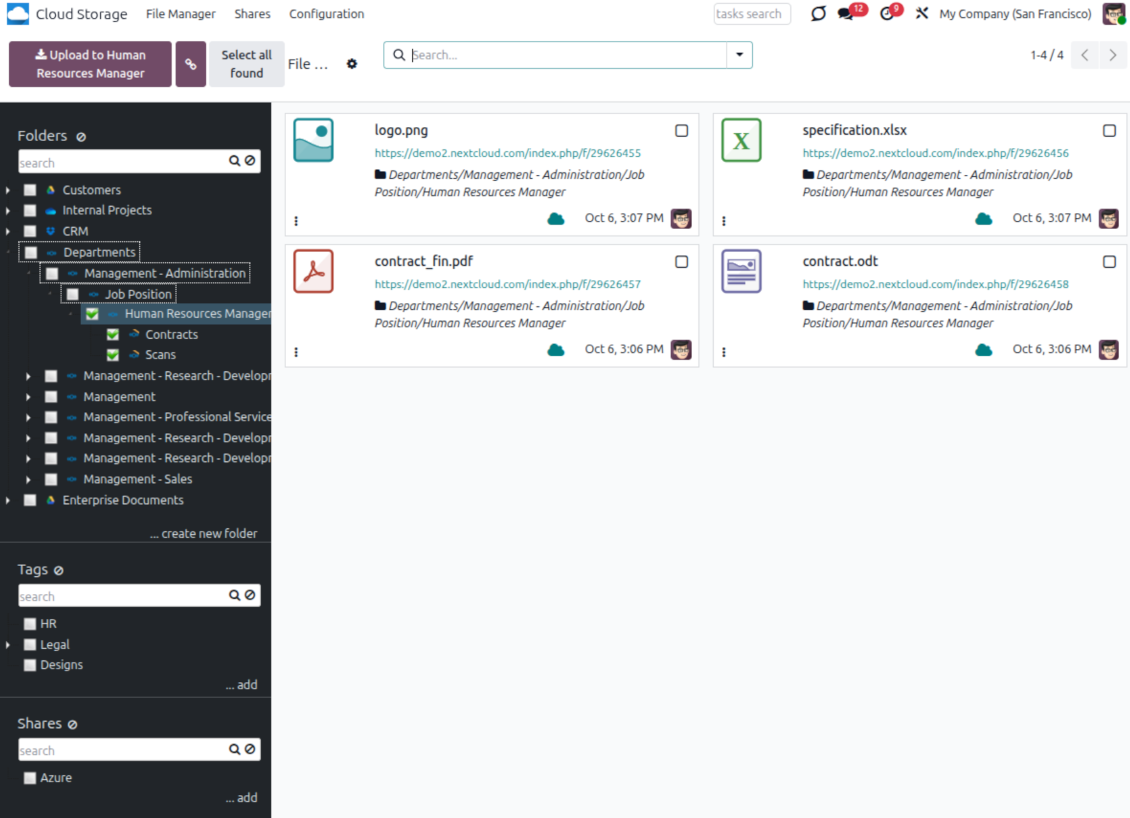
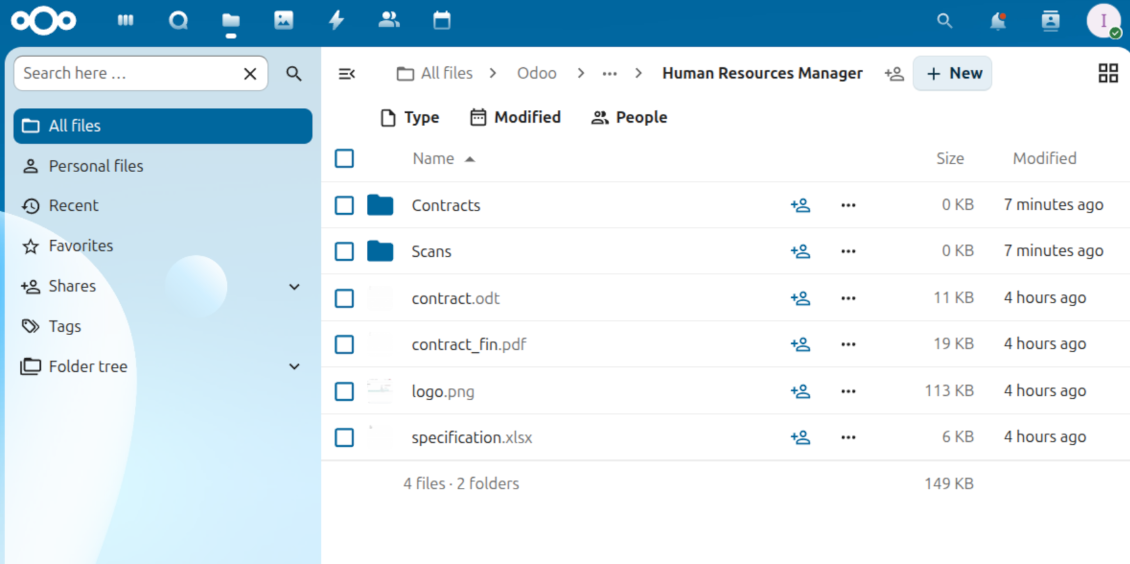
ownCloud / Nextcloud Odoo Integration is an Odoo 19 Document Management app. The tool to automatically synchronize Odoo attachments with ownCloud/Nextcloud files in both ways.
ownCloud / Nextcloud Odoo Integration connects Cloud Storage Solutions with self-hosted ownCloud and Nextcloud instances. Odoo folders and attachments are synchronized in both directions, while users keep direct access from Odoo through internal or optional public cloud links.
Perfect for
Self-hosted cloud teams
Synchronize Odoo documents with your own Nextcloud or ownCloud server instead of a public SaaS drive.
Controlled file access
Use internal links by default and switch to public URLs only when the business workflow requires shareable cloud links.
Automated document sync
Keep Odoo folders and cloud folders aligned through scheduled direct, backward, and reverse synchronization.
Ready to evaluate?
Start with a free demo request or purchase in the Odoo Apps Store.
Free personalized demo. No phone number or credit card required. Free life-time updates and expert support within the major Odoo version.
Why teams choose it
Key benefits before you dive into the details
Self-hosted storage
Synchronize Odoo files with your own Nextcloud or ownCloud instance while Cloud Storage Solutions manages the Odoo side.
Automatic folders
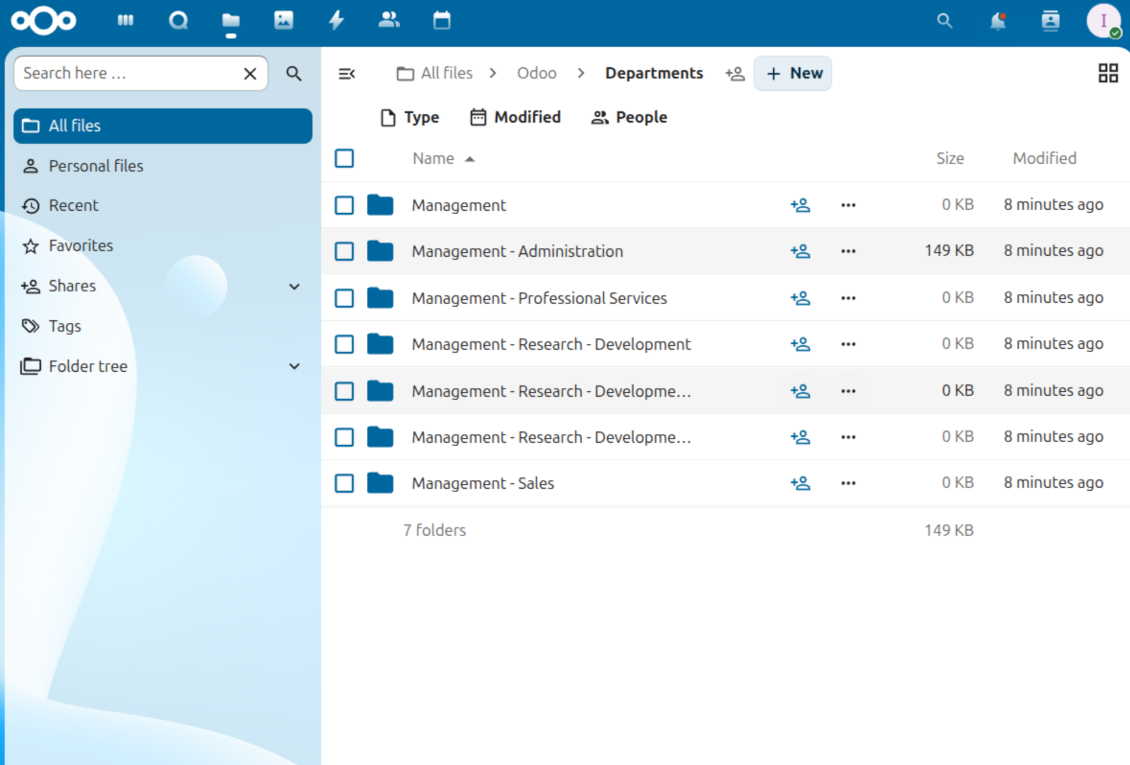
Generate Odoo folders from rules and create matching directories in Nextcloud or ownCloud during scheduled sync.
Bilateral sync
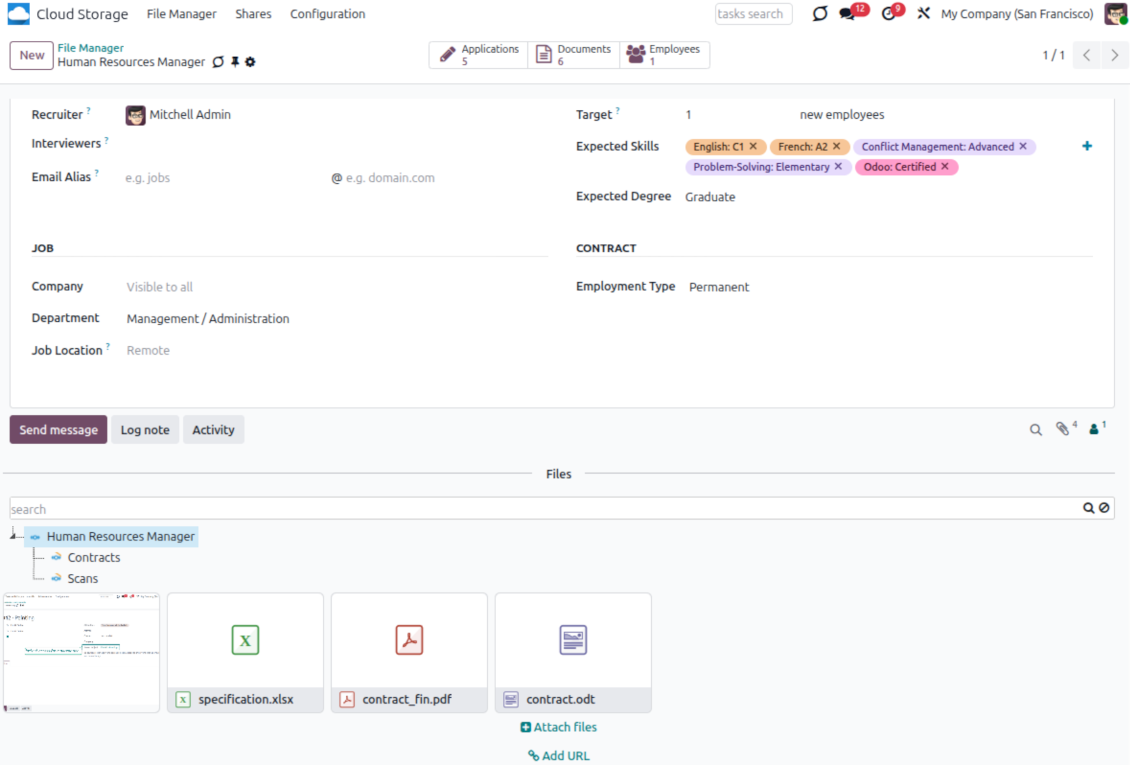
Odoo sends attachments to the cloud and retrieves new or changed cloud files back as linked Odoo attachments.
Odoo File Manager
Browse, search, download, upload, move, and tag synced files from the Odoo File Manager interface.
Internal or public URLs
Use secure internal links by default or enable public cloud URLs when external access is part of the workflow.
Logs and recovery
Track sync operations in Odoo, reconnect after token changes, and reverse files back to Odoo when needed.
Odoo Store feedback
What customers say about the app
Very good product
A perfect solution to integrate Owncloud with Odoo. We sync a high volume of objects across multiple Odoo models, which works seamless and stable. For us it is the perfect solution to have an external DMS instead of the Odoo native attachment handling, which also enables us to interchange files between systems in our best-of-breed setup.
The team behind this module is extremely professional and responsive. They helped us on a few occasions and provided clear answers and prompt support when required, and they even went out of their way to assist us with another requirement we had. Cannot recommend the product and team highly enough, try this if you're in the market to connect Odoo with an external document solution.
Frank Vogler
Works according to specs
I have used this app with Odoo 12 and Nextcloud 16 and it works as specified. Odoo Tools offers very responsive support which is really helpful. Of course 5 stars...!
NXD-Audio
This is Awesome
I have used Cloud Sync on Next/Own Cloud and works really great.
Humberto
How ownCloud / Nextcloud Synchronization Works
Scheduled direct, backward, and reverse sync keeps Odoo and your private cloud aligned.
Odoo to ownCloud / Nextcloud
- Direct sync creates the matching cloud folder hierarchy and uploads Odoo attachments.
- Synced binaries are replaced by URL attachments in Odoo to reduce server file storage.
- Folder and attachment changes are queued and processed by scheduled jobs.
ownCloud / Nextcloud to Odoo
- Backward sync creates Odoo URL attachments and subfolders for new cloud items.
- Moves, updates, and deletions in the cloud are reflected in linked Odoo folders where possible.
- Reverse sync brings files back to Odoo when a connection is reset or moved to another client.
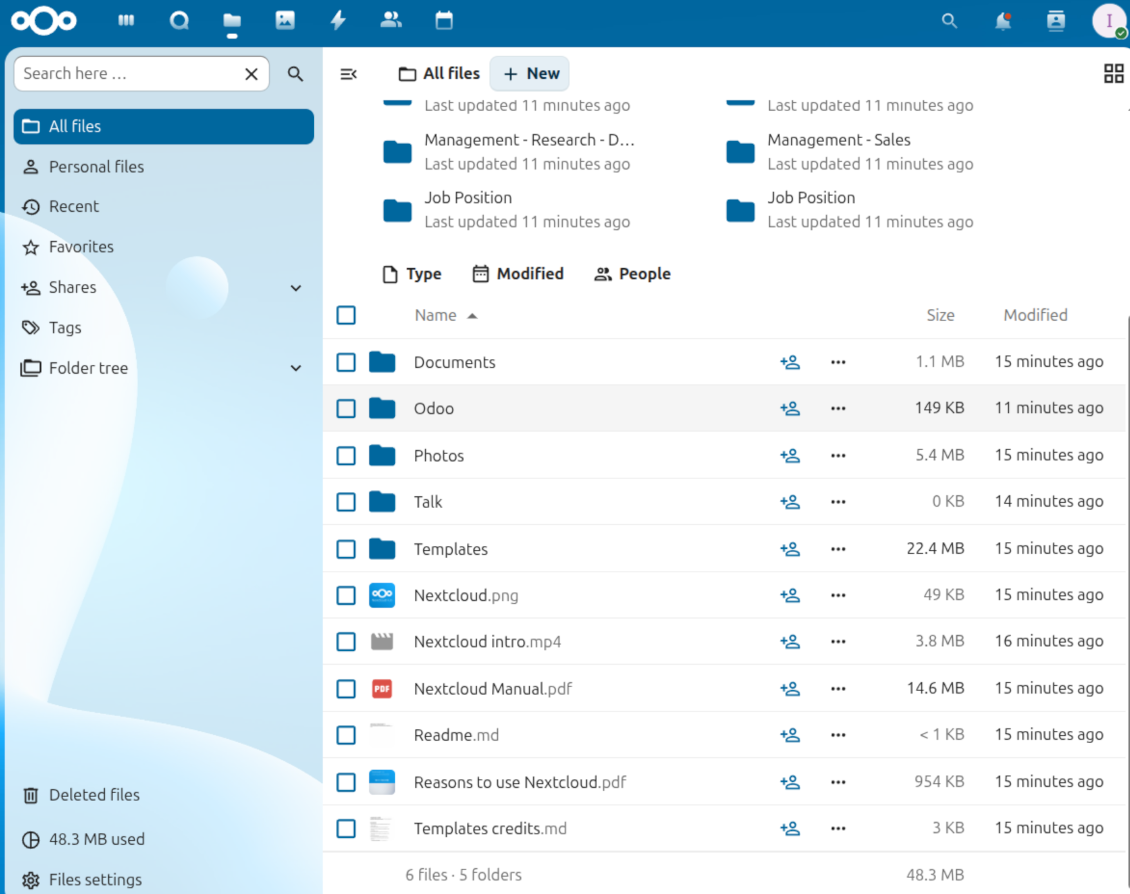
Internal and Public ownCloud / Nextcloud URLs
Choose whether Odoo links stay protected inside your cloud or become shareable public links.
Internal links by default
- Odoo can point users to ownCloud or Nextcloud files without exposing them publicly.
- Access is then controlled by the cloud account and permissions configured in your private storage.
- This mode is the safer default for internal document management and regulated teams.
Optional public URLs
- Enable public URLs when external users need cloud links without a private cloud login.
- Use this mode deliberately for workflows where cloud-side sharing is expected.
- Odoo still keeps the document context, folder structure, and file manager navigation.
Ready to evaluate?
Start with a free demo request or purchase in the Odoo Apps Store.
Free personalized demo. No phone number or credit card required. Free life-time updates and expert support within the major Odoo version.
Configuration and Installation Tips for ownCloud / Nextcloud Odoo Integration Odoo v.19
Configuration and log in
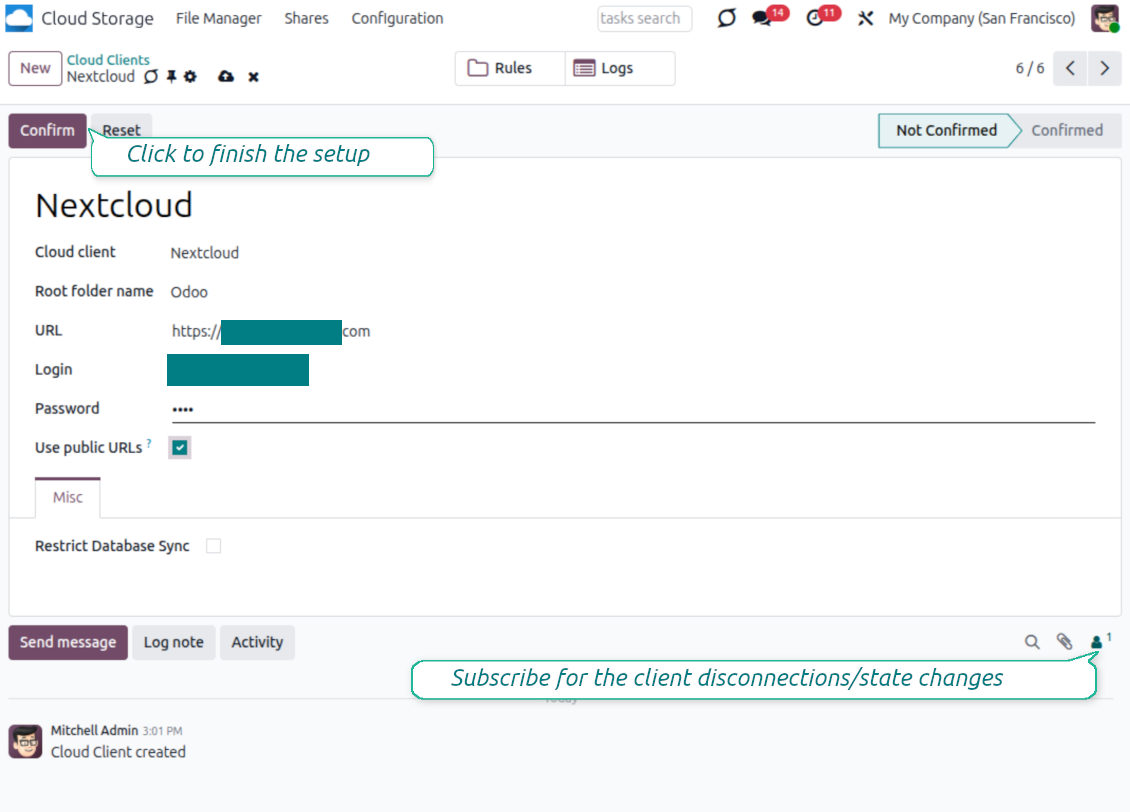
- Turn on the option 'ownCloud/Nextcloud Sync' (cloud Storage > Configuration > Configuration). The optional add-on ownCloud/Nextcloud Odoo Integration is required
- Go to Odoo Cloud Storage > Configuration > Cloud Clients press 'Create'
- As a reference, introduce any name which would be clear to all users
- As a Cloud client, choose 'Nextcloud' or 'ownCloud' depending on the software you are using
- As a Root folder name, enter a title that will be used as the parent directory for all synced folders. For example, 'Odoo' or 'OdooERP'
- Enter your ownCloud/Nextcloud full URL
- Select an ownCloud/Nextcloud user, which has full rights to read, create, write and delete files and folders within a root directory
- Enter the login and password of this user to the fields 'Login' and 'Password'
- Choose whether you would like to apply public or internal URLs (see below)
- Press 'Confirm'. Odoo synchronization is ready to be done
- Apply the newly created cloud client to folder rules and/or manual folders which should be synced to that Nextcloud or ownCloud instance
- Await the sync scheduled job to be started. For testing purposes only: trigger integration manually from Cloud Storage > Configuration > Configuration > the button 'Launch sync'.
Watch also the configuration video
Enter ownCloud/Nextcloud credentials
Odoo demonstration databases (live previews)
For this app, we might provide a free personalized demo database.
You do not need a phone number or credit card to contact us. You should only pass a short email sign-up, which does not take more than 30 seconds.
By your request, we will prepare an individual live preview database, where you can apply any tests and check assumptions for about two weeks.
Bug reporting
If you encounter bugs or inconsistent behavior, do not hesitate to contact us. We guarantee to provide fixes within 60 days of purchase and are intensely interested in improving our tools even after this period.
You do not need a phone number or credit card to contact us. You should only pass a short email sign-up, which does not take more than 30 seconds.
Please include as many details as possible in your request: screenshots, Odoo server logs, a full description of how to reproduce your problem, and so on. Usually, it takes a few business days to prepare a working plan for an issue (if a bug is confirmed) or provide you with guidelines on what should be done (otherwise).
Public features requests and module ideas (free development)
We are strongly motivated to improve our tools and would be grateful for any feedback. If your requirements are of public use and might be efficiently implemented, the team will include those in our to-do list.
Such a to-do list is processed regularly and does not assume extra fees. Although we cannot promise deadlines and final design, it might be a good way to get desired features without investments and risks.
You do not need a phone number or credit card to contact us. You should only pass a short email sign-up, which does not take more than 30 seconds.
19.0.1.19
- The pyocclient Python package is replaced with direct WebDAV requests.
19.0.1.1.8
- The extra layer to check the existing parent has been added.
19.0.1.1.7
- The feature to neutralize cloud clients for backups has been added.
19.0.1.1.6
- The app is published to version 19.
18.0.1.1.6
- The issues with uploading large files to Nextcloud have been fixed.
18.0.1.1.5
- The authentication to ownCloud has been fixed.
- The API method to make backups has been added.
18.0.1.1.4
- The issue with non-selected cloud client is fixed.
18.0.1.1.3
- The app is published to version 18.


The tool to build a deep and structured knowledge base for internal and external use. Knowledge System. KMS. Wiki-like revisions.

The tool to set up KPI targets and control their fulfillment by periods. KPI dashboards. Dashboard designer. KPI charts

The tool to manage your Odoo from your favorite AI chats through MCP. Claude. Any MCP-supporting AI.
198€
The tool for time-based service management from booking appointments to sales and reviews

The tool to flexibly structure Odoo attachments in folders and synchronize directories with cloud clients: Google Drive, OneDrive/SharePoint, Nextcloud/ownCloud, Dropbox, Amazon S3, Box, and NAS. DMS. File Manager. Document management system
398€
The tool to automatically synchronize Odoo attachments with OneDrive files in both ways
487€
The tool to automatically synchronize Odoo attachments with Google Drive files in both ways
487€
The tool to automatically synchronize Odoo attachments with DropBox files in both ways
487€