In Short
Password Manager: Custom Fields is an Odoo 19 Extra Tools app. The extension to Password Manager to create custom fields.
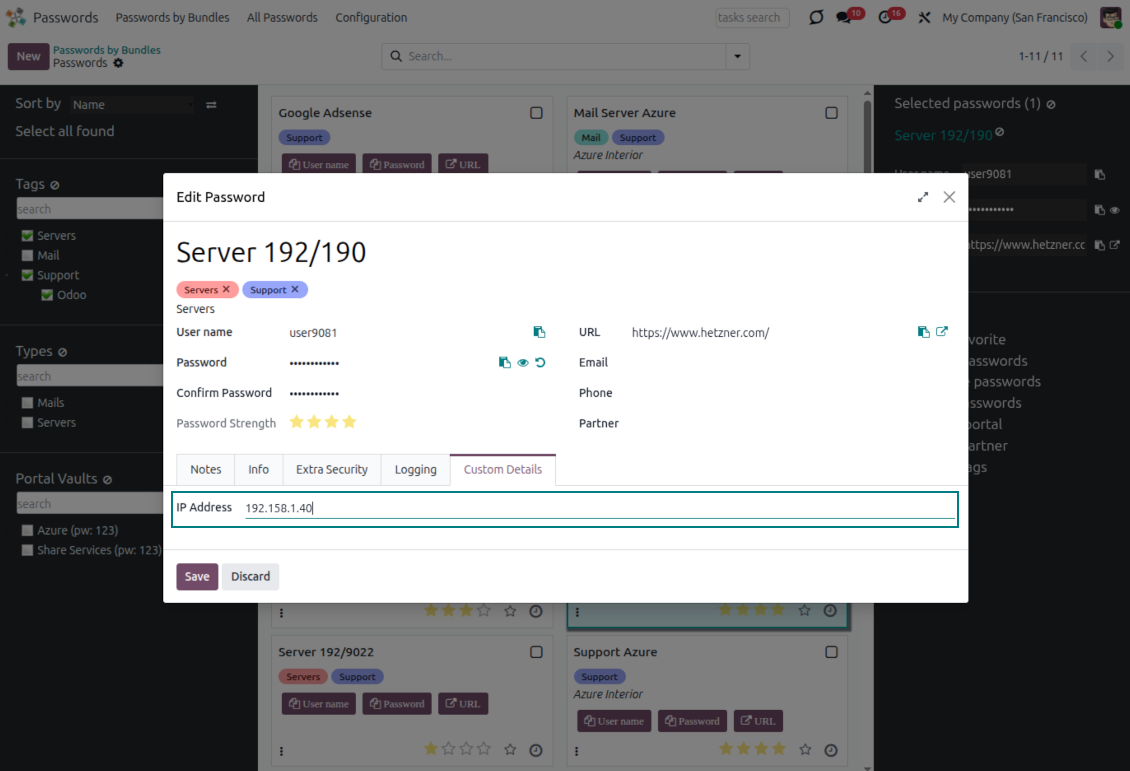
Password Manager: Custom Fields lets you add the extra properties your credential vault really needs - environment, owner, expiry date, related Odoo record, or any internal classifier - without a single line of code. The attributes appear right inside the password form, and you can show them only for the password types where they belong. Read the full description on the Password Manager core module page.
Perfect for
Structured credential vaults
Replace scattered notes with reliable password attributes your team can fill, review, import, and export.
Typed password catalogs
Classify credentials by type - servers, email accounts, apps - and surface only the fields that matter for each type.
Controlled, no-code input
Make key attributes mandatory and place them exactly where users expect - no development, and upgrade-safe.
Why teams choose it
Key benefits of the app
Add fields without code
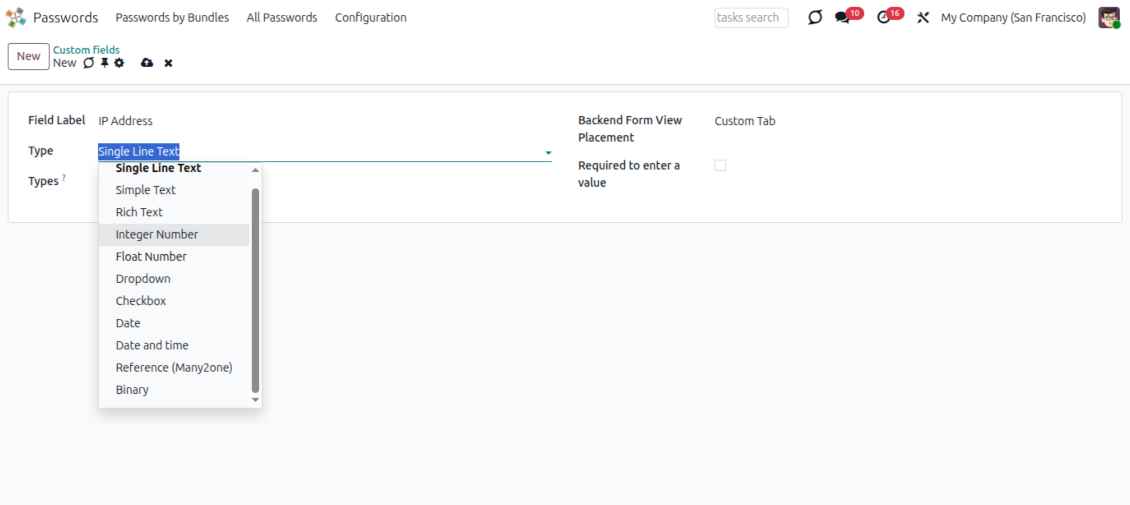
Create new password attributes from the interface: enter the field details, choose the type, and make the value required when a credential process depends on it.
Many field types
Use single or multi-line text, rich HTML, integers, floats, selections with your own options, checkboxes, dates, files, and many2one references to Odoo records.
Controlled placement
Place each attribute where users expect it in the password form: the left column, the right column, or after the notes.
Type-scoped fields
Show an attribute only for the password types you choose, or leave it visible for all - so servers, email accounts, and apps each carry the metadata that fits.
Organized password types
Classify credentials with a hierarchical password typology and navigate the vault by type, keeping large password bundles structured.
Upgrade-safe by design
Custom fields survive major Odoo upgrades: restart on the latest code and your attributes and views are ready, with no redevelopment.
Odoo demonstration databases (live previews)
For this app, we might provide a free personalized demo database.
You do not need a phone number or credit card to contact us. You should only pass a short email sign-up, which does not take more than 30 seconds.
By your request, we will prepare an individual live preview database, where you can apply any tests and check assumptions for about two weeks.
Bug reporting
If you encounter bugs or inconsistent behavior, do not hesitate to contact us. We guarantee to provide fixes within 60 days of purchase and are intensely interested in improving our tools even after this period.
You do not need a phone number or credit card to contact us. You should only pass a short email sign-up, which does not take more than 30 seconds.
Please include as many details as possible in your request: screenshots, Odoo server logs, a full description of how to reproduce your problem, and so on. Usually, it takes a few business days to prepare a working plan for an issue (if a bug is confirmed) or provide you with guidelines on what should be done (otherwise).
Public features requests and module ideas (free development)
We are strongly motivated to improve our tools and would be grateful for any feedback. If your requirements are of public use and might be efficiently implemented, the team will include those in our to-do list.
Such a to-do list is processed regularly and does not assume extra fees. Although we cannot promise deadlines and final design, it might be a good way to get desired features without investments and risks.
You do not need a phone number or credit card to contact us. You should only pass a short email sign-up, which does not take more than 30 seconds.

The tool to flexibly structure Odoo attachments in folders and synchronize directories with cloud clients: Google Drive, OneDrive/SharePoint, Nextcloud/ownCloud, Dropbox, Amazon S3, Box, and NAS. DMS. File Manager. Document management system
398€
The tool to automatically synchronize Odoo attachments with OneDrive files in both ways
487€
The tool to automatically synchronize Odoo attachments with Google Drive files in both ways
487€

The tool to build a deep and structured knowledge base for internal and external use. Knowledge System. KMS. Wiki-like revisions.

The tool to set up KPI targets and control their fulfillment by periods. KPI dashboards. Dashboard designer. KPI charts

The tool to manage your Odoo from your favorite AI chats through MCP. Claude. Any MCP-supporting AI.
198€
The tool for time-based service management from booking appointments to sales and reviews

The tool to translate URL addresses of Odoo website pages