ownCloud / Nextcloud Odoo Integration v.15
The tool to automatically synchronize Odoo attachments with ownCloud / Nextcloud files in both ways
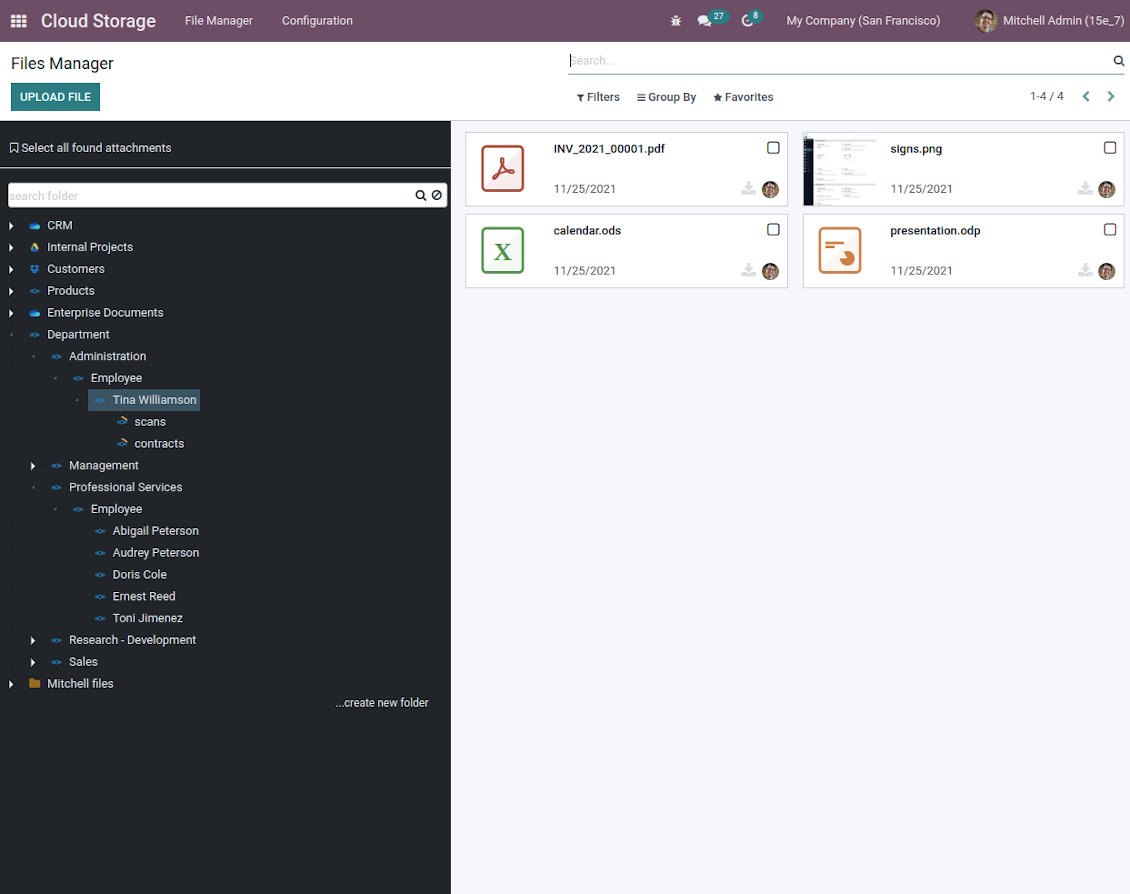
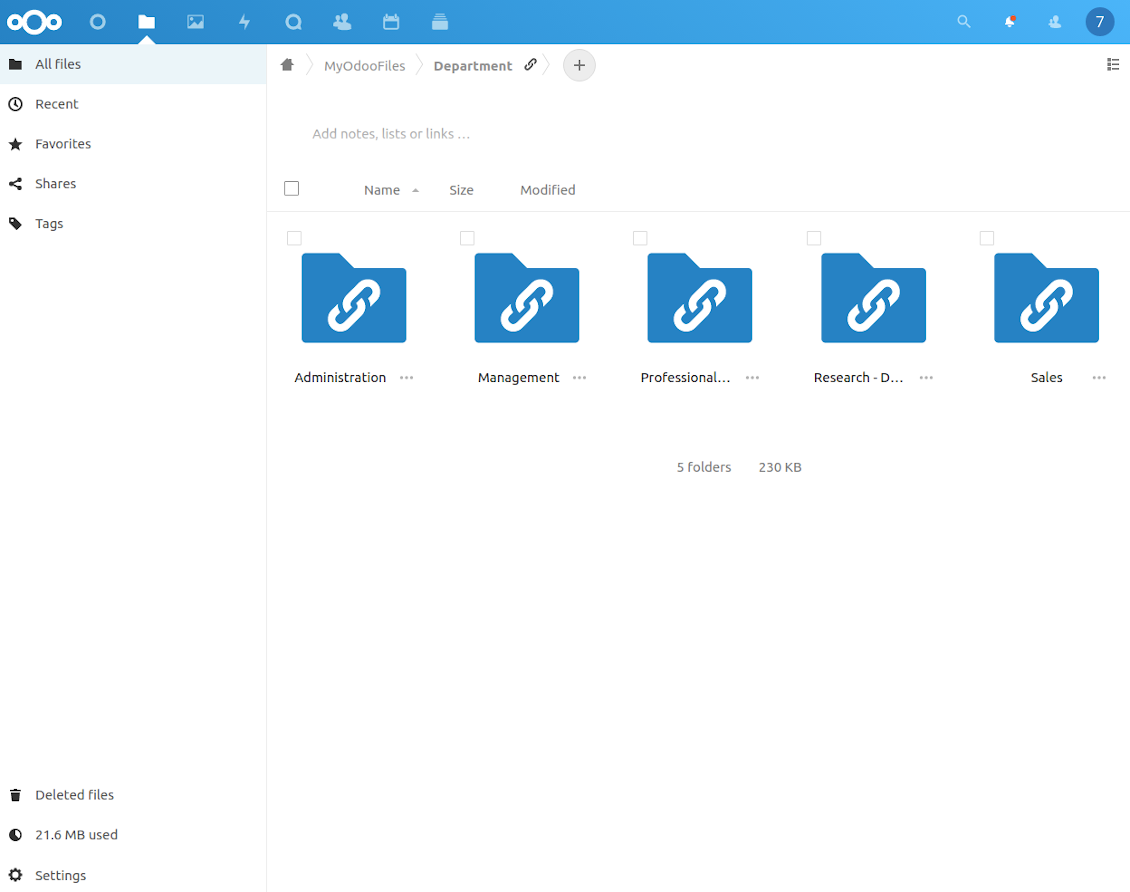
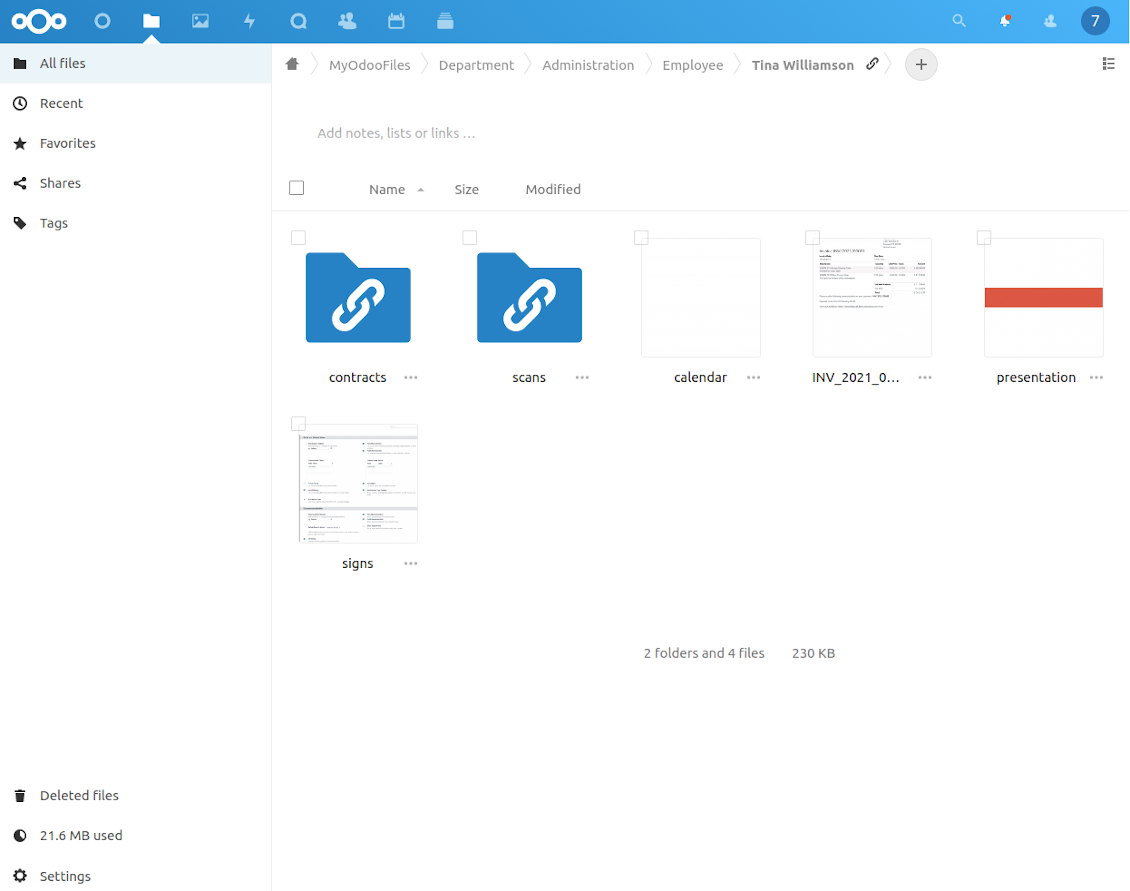
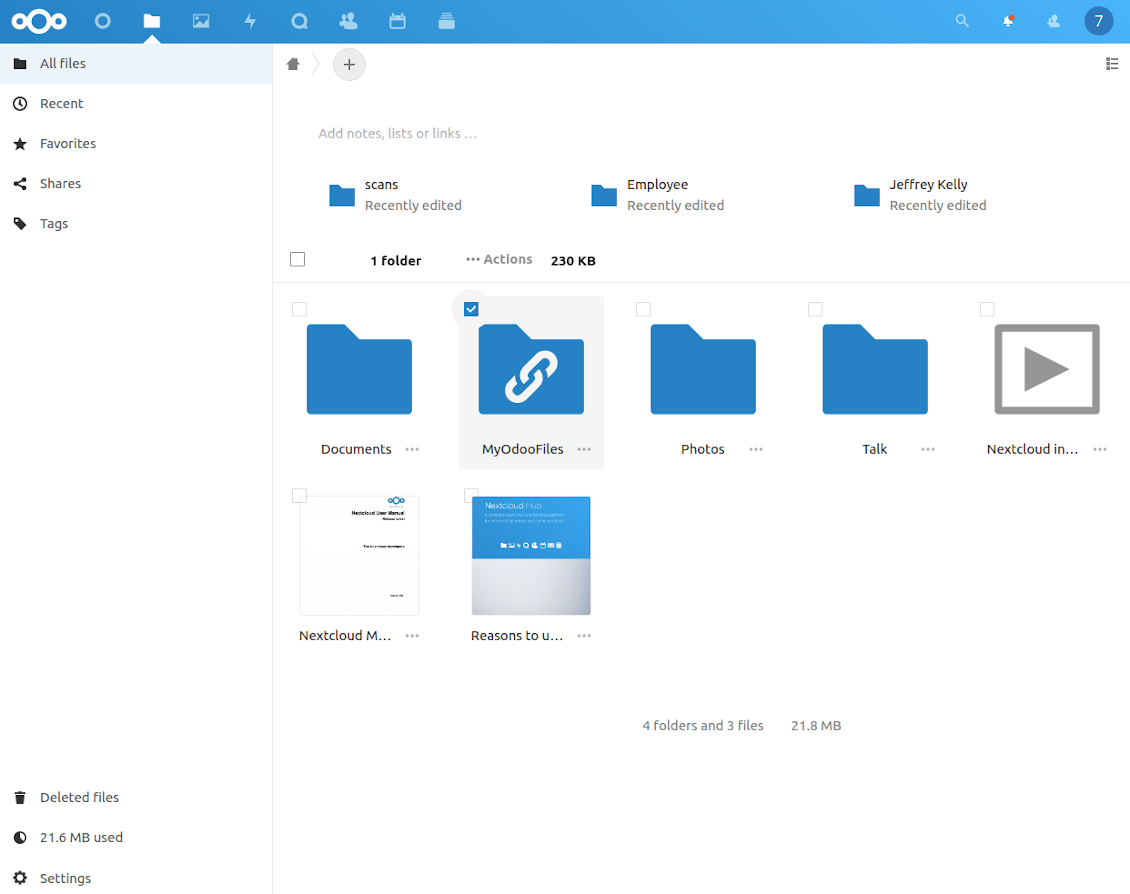
This is the tool to integrate Nextcloud / ownCloud features with Odoo folders and files. The app automatically stores Odoo attachments and directories in ownCloud/Nextcloud and provides instant access to them via web links.
Automatic folders' structure
Decide which Odoo document types should have their own folders trees and synchronize those to ownCloud/Nextcloud
Automatic regular sync
Rely on auto-synchronization between Odoo and ownCloud / Nextcloud based on scheduled jobs. No manual interaction is required
Bilateral sync
Odoo sends attachments to ownCloud / Nextcloud and retrieves files from there. Binary content is kept in clouds, while Odoo provides direct access to synced items
Cloud synchronization history
Control ownCloud / Nextcloud sync logs right in Odoo. Export and share those in case of any issues. Be notified of any client disconnections
File manager interface
Manage synced folders and attachments from a single Odoo view. Comfortably navigate by directories. Search and download files one by one or in batch. Upload and move attachments to folders
Attachment box
Organize files of any Odoo object in a set of subfolders. Instantly access folders and files in the attachment box and in ownCloud / Nextcloud.
Very good product
A perfect solution to integrate Owncloud with Odoo. We sync a high volume of objects across multiple Odoo models, which works seamless and stable. For us it is the perfect solution to have an external DMS instead of the Odoo native attachment handling, which also enables us to interchange files between systems in our best-of-breed setup.
The team behind this module is extremely professional and responsive. They helped us on a few occasions and provided clear answers and prompt support when required, and they even went out of their way to assist us with another requirement we had. Cannot recommend the product and team highly enough, try this if you're in the market to connect Odoo with an external document solution.
Works according to specs
I have used this app with Odoo 12 and Nextcloud 16 and it works as specified. Odoo Tools offers very responsive support which is really helpful. Of course 5 stars...!
This is Awesome
I have used Cloud Sync on Next/Own Cloud and works really great.
How synchronization works
Automatic two-sided sync
-
Configure sync for one or multiple ownCloud / Nextcloud instances
-
Integration is based on scheduled jobs and is fully automatized. The app regularly checks changes in systems and runs sync operations
-
Synchronization is bilateral. Updates in Odoo are reflected in ownCloud / Nextcloud (direct sync); changes in ownCloud / Nextcloud modify Odoo folders and attachments (backward sync)
-
Cloud connection with ownCloud / Nextcloud might be reset. In this way, the app assumes getting back all items back to Odoo (reverse sync)
-
Odoo folders and attachments might be re-attached to a new cloud client from ownCloud / Nextcloud. Hence, items would be first taken back to Odoo (reverse sync) and then put to new cloud storage (direct sync)
Queue-based synchronization
-
Once in 15 minutes, the app examines updates in Odoo and ownCloud / Nextcloud to prepare a synchronization queue
-
Folders' checks follow the First-In-First-Out (FIFO) principle. So, directories that have not been examined for the longest will be processed first
-
Once in 15 minutes, the sync queue is run by the special scheduled job. Firstly, the most important (blocking) tasks would be done
-
Control planned jobs and their fulfillment in the special Odoo logs interface (Cloud Storage > Configuration > Sync Logs). Subscribe for particular cloud clients notifications
-
If the app faces sync failures, it will re-try operations afterward. Sync queue processing would not be stopped if there are items not blocked by such failures
Odoo attachments for ownCloud / Nextcloud: direct sync
-
Direct sync prepares the folders' hierarchy and uploads Odoo attachments for ownCloud / Nextcloud
-
Direct sync checks whether attachments are added or deleted for synced directories. If so, they would be created or removed in ownCloud / Nextcloud. In particular, it means that any file added to a folder-related Odoo object (e.g. Quotation), would be automatically moved to a linked cloud client
-
Direct sync makes all synced Odoo attachments change their type to a link (URL), while binary content is removed with one of the next Odoo cleaners. So, no actual files would be stored on your Odoo server
-
Direct sync checks whether a new folder is added. Disregarding whether it is done manually or automatically, the app would generate a peer directory in ownCloud / Nextcloud
-
Direct sync checks whether there are any updates in folders. If so, such changes are reflected in ownCloud / Nextcloud
ownCloud / Nextcloud files and folders for Odoo: backward sync
-
Backward sync checks whether any files or subfolders are added to ownCloud / Nextcloud folders. If so, the app would create URL attachments/subdirectories inside linked Odoo directories (and hence Odoo objects if any)
-
Backward sync checks whether there are any updates in folders or attachments. Such updates would be then reflected in Odoo
-
Backward sync checks whether any files are deleted/moved in an ownCloud / Nextcloud document folder. If so, a linked Odoo attachment would be also unlinked or moved
-
If you deleted an ownCloud / Nextcloud folder related to a folder rule / Odoo object, their child files would be deleted as well. Thus, Odoo would remove related attachments. The folders, however, will be recovered with a direct sync
-
In case of conflicts, direct sync changes are in general considered more important than backward updates.
Resetting or changing ownCloud / Nextcloud: reverse sync
-
In case you decided to reset the connection with ownCloud / Nextcloud, files would be moved back to Odoo
-
In case you decided to change the cloud client of a folder rule or a folder, files would be first taken back to Odoo, and then direct sync for a new client would be done
-
Reverse sync operations are prioritized to direct and backward sync operations
-
Not all items can be correctly reversed to Odoo due to cloud client peculiarities. For example, there are documents that may exist only in cloud storage environments. The app would try to convert such documents, but in some cases, it would require manual interactions.
Internal and public URLs
By default links from Odoo to ownCloud / Nextcloud are internal: only authorized users may access them. Optionally make links public (the setting 'Use Public URLs'). Then, URLs would be 'shared', and everybody would access items by a direct link.
Be cautious if you decide to use shared (public) URLs. Although the links would be hardly known by external users, there is a slight chance that they become available as a result of some user actions. Besides, sharing link generation is not fast and might make the synchronization slower.
配置与安装提示: ownCloud / Nextcloud Odoo Integration Odoo v.15
Configuration and log in
- Turn on the option 'onwCloud / Nextcloud Sync' (cloud Storage > Configuration > Configuration). The optional add-on ownCloud / Nextcloud Odoo Integration is required
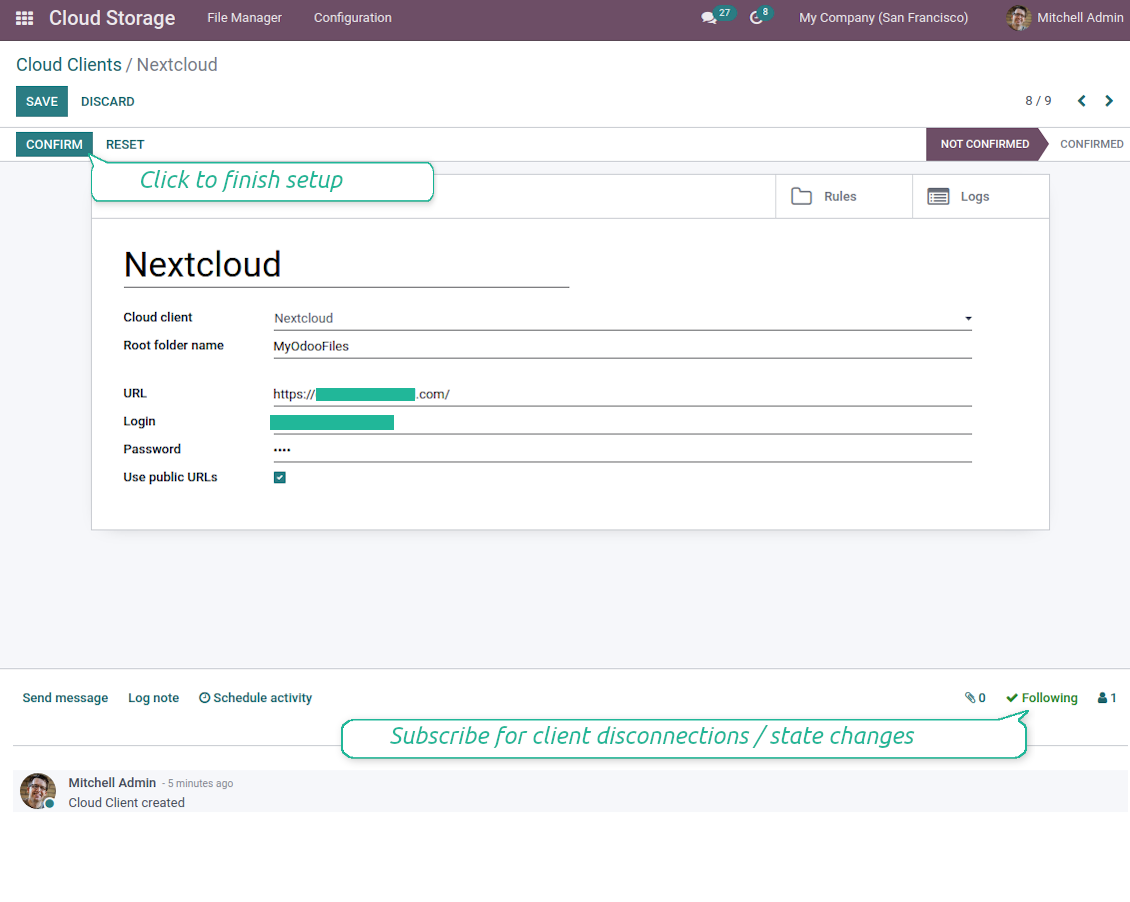
- Go to Odoo Cloud Storage > Configuration > Cloud Clients press 'Create'
- As a reference introduce any name which would be clear to all users
- As a Cloud client choose 'Nextcloud' or 'ownCloud' depending on the software you are using
- As a Root folder name enter a title which would be users as the parent directory for all synced folders. For example, 'Odoo' or 'OdooERP'
- Enter your ownCloud / Nextcloud full URL
- Select an ownCloud / Nextcloud user, which has full rights to read, create, write and delete files and folders within a root directory
- Enter login and password of this user to the fields 'Login' and 'Password'
- Choose whether you would like to apply public or internal URLs (see below)
- Press 'Confirm'. Odoo synchronization is ready to be done
- Apply the newly created cloud client to folder rules and/or manual folders which should be synced to that Nextcloud or ownCloud instance
- Await the sync scheduled job to be started. For testing purposes only: trigger integration manually from Cloud Storage > Configuration > Configuration > the button 'Launch sync'.
Watch also the configuration video
Enter OwnCloud / NextCloud credentials
相关常见问题 ownCloud / Nextcloud Odoo Integration Odoo v.15
同步字段存储在哪里?会复制到 Odoo 和云端吗?
本应用假定附件的二进制内容保存在 Cloud Client 中,而不是 Odoo 服务器上。因此,Odoo 中的此类附件变为 URL 类型,您可随时从附件框或 Cloud Client 访问它们。
设置完成后无需手动操作,同步完全自动。只需决定要同步哪些 Odoo 单据类型,并为每一种设置关联模型(客户、销售或采购订单、任务、项目等)。
同一单据类型可以有多个文件夹吗?例如内部项目和客户项目?
可以。请为每一种准备规则,然后应用筛选:例如按项目类型。
尽量让筛选互斥,以便单据能被明确归类。例如“是客户但不是供应商”、“是供应商但不是客户”。否则某个单据文件夹会在模型之间跳动。
如果要同步的对象很多,例如 10000 个,可以吗?
可以,不过当需要同步的文件夹/附件很多时,过程可能较慢。同时,客户曾报告同步 >1 万合作伙伴和约 5 千产品变体的环境,过程仍可接受。
需要强调的几点:
- 同步的设计保证任何项目都会被同步且不会丢失,尽管可能不快。先进先出队列以及每个作业的提交可保证这一点。
- 对象数量可以按逻辑限制。模型配置可限制过时项目的同步(例如同步已归档合作伙伴或两年前的订单没有意义)。
可以将同步做成实时的吗?
不可以。我们有充分理由避免实时同步:
性能问题。若同步是实时的,每次上传文件都会出现加载屏幕。
冲突问题。若 2 位用户同时更改一项,可能出现无法解决的情况。定期作业可以事后修复;实时同步则必须存成队列,对用户更加费解。
功能问题。尤其是重命名和调整结构。反向同步严格依赖目录逻辑,每次同步都会检查 100% 的项目。若每次更新都做,将是每秒数千次请求。若不做:更改会丢失。
我可以更改云中默认文件夹的名称吗?
可为任何单据类型给模型目录(销售订单、商机、供应商等)指定自己的名称。
对象文件夹(SO-001、John Smith 等)依赖 Odoo 为该单据类型构造显示名称的方法。不过可通过定义名称表达式来更改。使用的正是 Odoo 电子邮件模板的语法。
我可以更改同步作业的频率吗?
不可以。从版本 15 起不应再改计划作业。它们已优化为每 15 分钟运行,以保证最稳定、最快的连接。
请确保 Odoo 服务器超时至少为 15 分钟(900 秒)。
若需暂时停止同步,请在相应的 cloud client 表单上进行。
我可以将附件同步到几个云客户端吗
可以,从版本 15 起可设置多个连接。这样一部分文件夹同步到一个 cloud client,另一部分同步到另一个。
请注意,同一文件夹无法同时同步到多个 cloud storages。
我们在云中使用专用编辑器(例如 OnlyOffice、Office 365 等)。文件会在该编辑器中打开吗?
可以,取决于您的 cloud client 配置。
我是否只需要Cloud Storage Solution应用?
从版本 15 起,应用可单独用来把附件按文件夹整理,并提供文件管理器界面。
不过,若要与某个云客户端建立连接,则需要 至少安装一个可选的客户端相关应用。
更改文件夹规则时会发生什么?
文件夹规则一变,文件夹列表也会变。不再符合规则条件的文件夹会被移除。若文件已同步,反向同步会将其退回 Odoo 并从 Cloud Client 删除。
若文档对象不符合文件夹规则的条件,则不会创建其文件夹。之后若符合条件,将生成相关文件夹。
我可以用连接器更新 OwnCloud 标签吗?
不可以。标签不同步。我们曾考虑过此功能,但因若干原因决定不引入:
连接器库不支持获取或更新 ownCloud 标签
Odoo 附件没有“tags”属性,也不清楚这些标签何时会分配给用户。
由于应用提供双向同步,同步时可能出现难以解决的严重冲突。
您的工具的更新政策是什么?
根据当前 Odoo Apps Store 政策:
- 为 12.0 及更早版本购买的每个模块,均可使用直至 12.0 的所有版本。
- 从 13.0 起,每个模块版本需单独购买。
- 无论版本如何,购买工具即获得该主版本内的 全部更新和缺陷修复权利。
请注意,faOtools 团队不控制这些政策。如有疑问,请直接联系 Odoo Apps Store 代表。
如何在 Odoo.sh 上安装您的应用?
最直接的做法是使用 Odoo 商店的内置流程:
1. 打开模块页面并点击 Deploy on odoo.sh 按钮
2. 之后会跳转到 GitHub 页面。登录帐户,然后点击 'Create a new repo' 或使用现有仓库。请确保仓库为私有。不得以 OPL-1 许可公开发布应用。如有需要,为 Odoo.sh 项目新建 repo
3. 然后转到 odoo.sh 并点击 Deploy 按钮。在弹出窗口中提交决定并点击 'Continue.' 这将触发安装过程。
这些步骤会将应用安装到项目的生产分支。若要部署到其他分支或更新模块,请执行以下操作:
1. 从 Odoo 商店上传应用的源代码
2. 将模块提交到所需的 GitHub 仓库。确保没有任何应用文件夹/文件被忽略(即未列入 repo 的 .gitignore)。仓库由 odoo.sh 自动创建,默认可能包含关键项(例如 /lib)。应上传模块的全部目录、子目录和文件,不得遗漏
3. 部署 odoo.sh 项目的目标分支,或在设置如此假定时 等待其自动构建。
应如何在自己的服务器上安装您的应用?
2. 重新启动 Odoo 服务器;
3. 打开开发者模式(技术设置);
4. 更新应用列表(应用菜单);
5. 找到应用并点击“Activate”/“Install”;
6. 如应用页面有指南,请按指南操作。
我注意到您的应用有额外附加模块。可以之后再购买吗?
可以。同时 Odoo 会自动把所有依赖加入购物车,因此应排除已购买的工具以免重复付款。
我在 Odoo.sh 上部署了您的应用,测试中出现警告/错误
红/橙色警告不影响应用功能。遗憾的是,标准自动测试有时假定与本应用目标冲突的行为,因此我们的模块会未通过。例如我们改了价格计算,而标准 Odoo 模块测试把最终价格与标准算法比较。
请先检查已部署数据库的功能。是否都正常?
若仍认为该警告影响真实功能,请联系我们并转发完整安装日志以及已部署模块的完整清单(含核心与第三方)。
我可以直接向贵公司购买应用吗?
不,我们只通过 官方 Odoo 应用商店.
希望获得折扣
很遗憾,我们没有技术手段 提供单独报价。
我可以在 Odoo Online (SaaS) 数据库上安装该应用吗?
不能,第三方应用无法在 Odoo Online 上使用。遗憾的是 Odoo SaaS 会阻止这种可能。
您的工具依赖其他应用。我需要购买那些应用吗?
是的,工具需要依赖中列出的全部模块才能正常工作。应用页上的价格已包含所有必要依赖。
该模块的美元价格是多少?为什么变了?
我们的模块价格以欧元标价。Odoo 商店按内部汇率换成其他货币。因此美元价格可能随汇率更新而变化。
非英语的应用和网站措辞由 AI 辅助 并与官方 Odoo 翻译对齐。若发现错误, 发送翻译正确性工单 我们会修好。
缺陷反馈
如遇缺陷或不一致行为,请随时联系我们。我们保证在购买后 60 天内提供修复,并在此期限后仍积极改进工具。
联系我们无需电话号码或信用卡。只需完成不超过 30 秒的简短电子邮件注册。
请在请求中尽可能提供详细信息:截图、Odoo 服务器日志、完整的问题复现说明等。通常需要几个工作日来准备问题的工作计划(若确认是缺陷)或提供应采取的指引(否则)。
公开功能请求与模块构想(免费开发)
我们非常希望改进工具,并感谢任何反馈。若您的需求具有普遍价值且能高效实现,团队会将其列入待办清单。
此类待办清单会定期处理,不产生额外费用。虽然我们无法承诺截止日期和最终设计,但这可能是在无投入、无风险的情况下获得所需功能的好办法。
联系我们无需电话号码或信用卡。只需完成不超过 30 秒的简短电子邮件注册。





通过 MCP 从常用 AI 聊天管理 Odoo 的工具。Claude。任何支持 MCP 的 AI。

用于将 Odoo 附件灵活归入文件夹并将目录与云客户端同步的工具:Google Drive、OneDrive/SharePoint、Nextcloud/ownCloud、Dropbox、Amazon S3、Box 和 NAS。DMS。文件管理器。文档管理系统
398€


用于将 Odoo 附件与 NAS 方案自动双向同步的工具。Synology、QNAP、TrueNAS 以及任何支持 WebDav 的 NAS
487€