Messages: Schedule Send Option v.15
The tool to schedule Odoo messages to be delivered at a later time not immediately
Universal scheduling
Plan messages for any Odoo documents that have a chatter: sale orders, opportunities, contacts, RFQs, etc.
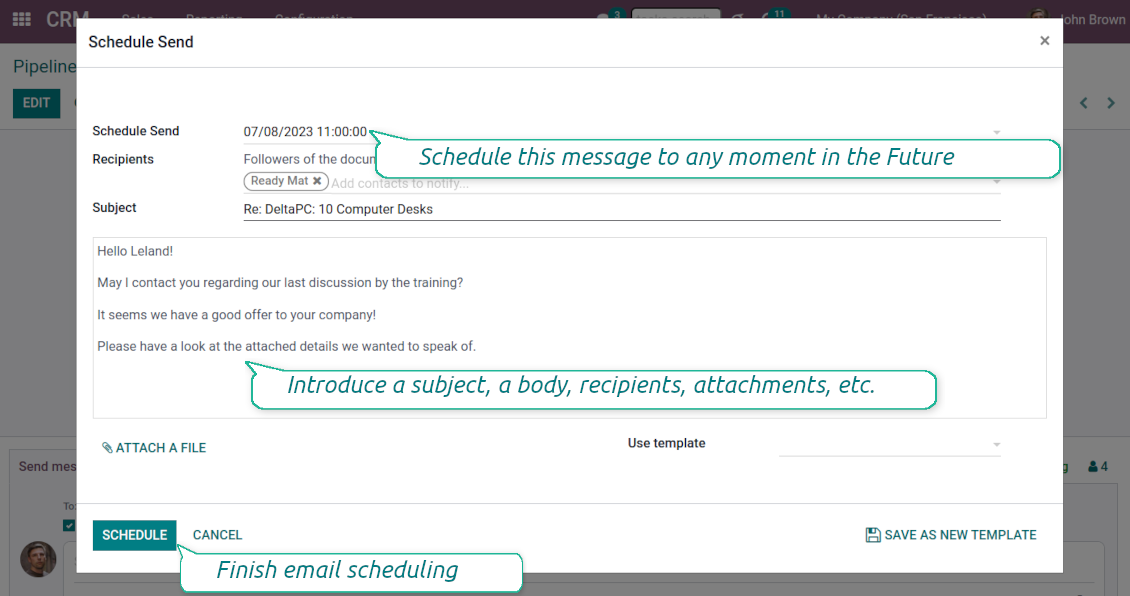
Schedule any message for any recipients for any date and any time in the Future. The feature is pretty much the same as you might be used to in your favorite email clients
Comfortable planning
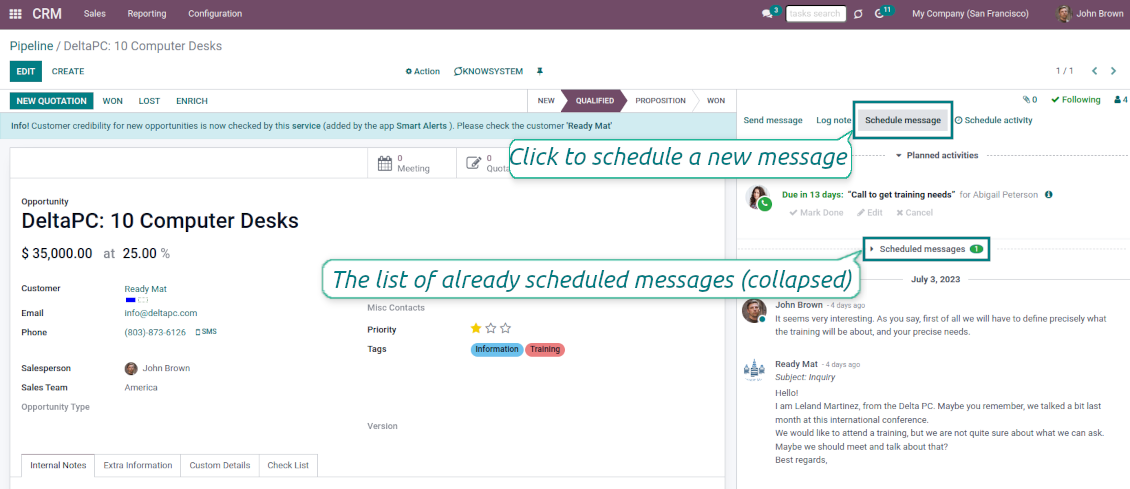
Add postponed messages in a similar way you compose standard Odoo mails. To start planning just push the button 'Schedule messages' and write a new email.
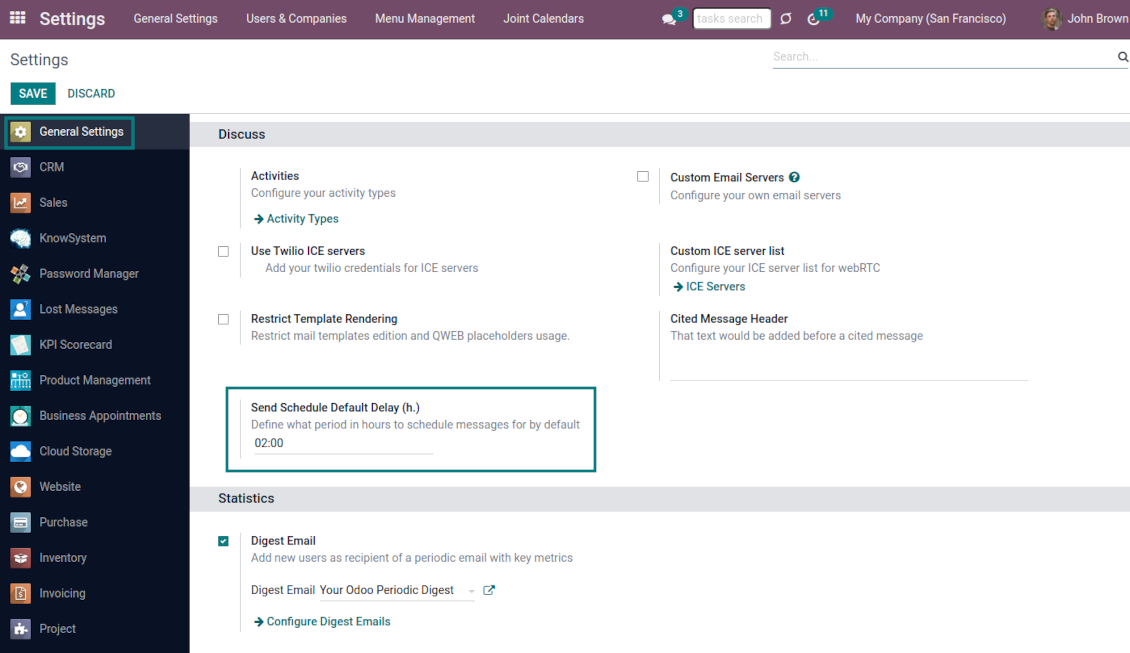
Define also the default delay in hours on the configuration page, so a planned time is pre-filled when a user schedules a new message
Update or undo at any moment
Update scheduled messages any time prior to actual delivery. Edit a subject, a body, attachments, and recipients.
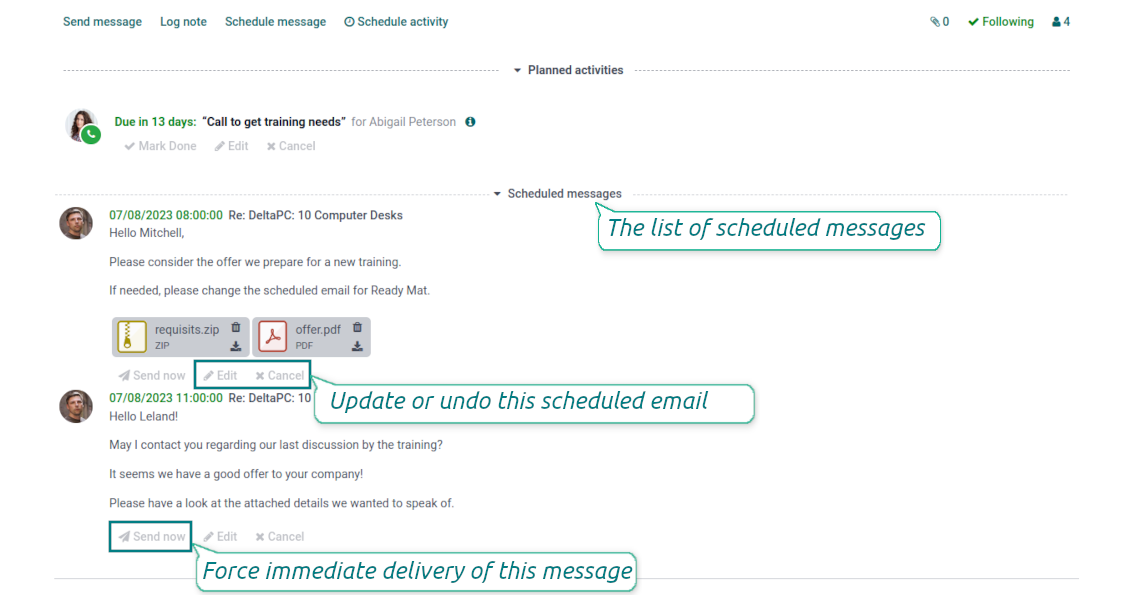
Whenever you want, cancel sending or re-plan delivery to a more appropriate moment.
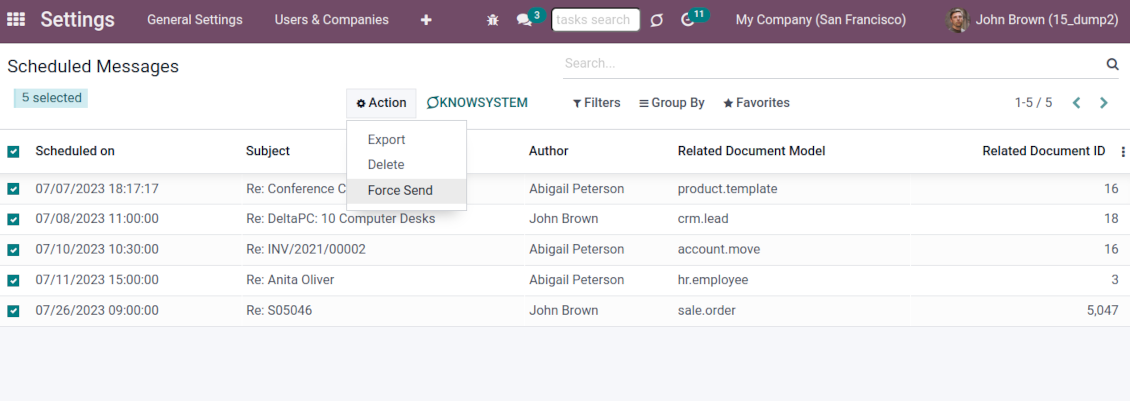
Force scheduled messages to be sent immediately if you decide so
Full control of delayed mails
Control delayed emails right in Odoo chatters. The list is fully available for managing before a planned time in a linked object thread.
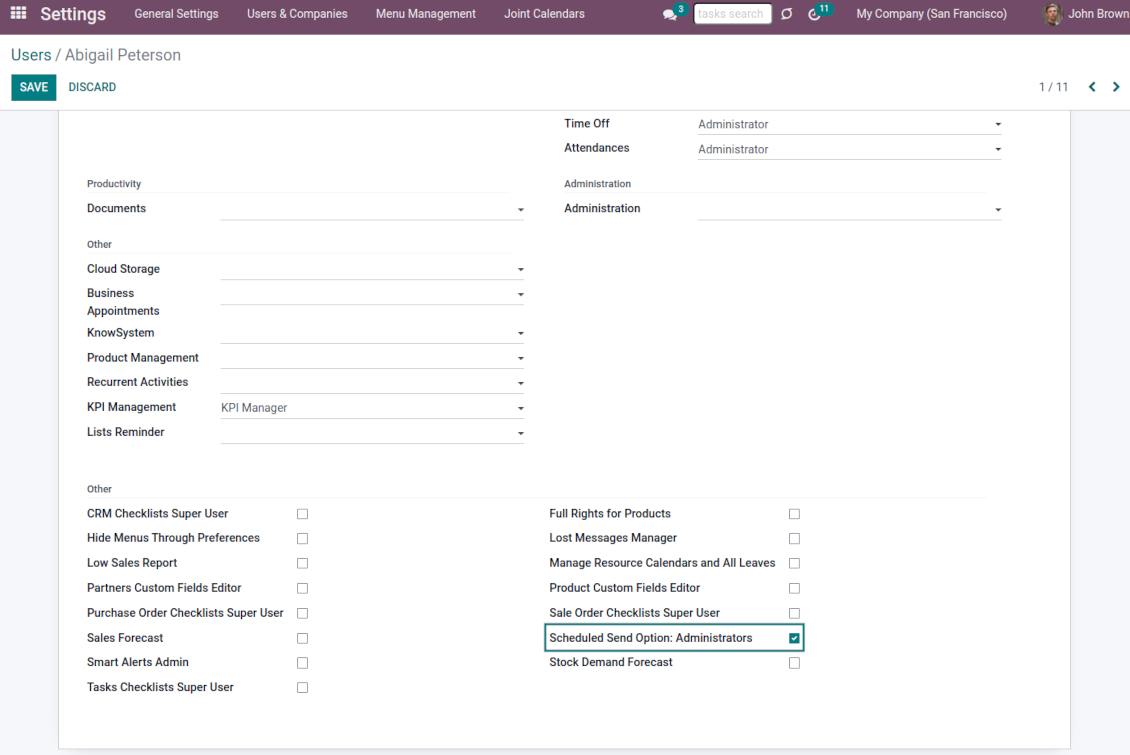
All scheduled messages are also combined under the menu Settings > Technical > Discuss > Schedule Send (the developer mode and the right 'Scheduled Send Option: Administrators' are needed)
Auto sending
Delayed messages are checked regularly and sent automatically based on the Odoo cron job.
Configure delivery time and frequency through the technical settings > Automation > Scheduled Actions > 'Send scheduled messages'
Like standard Odoo messages
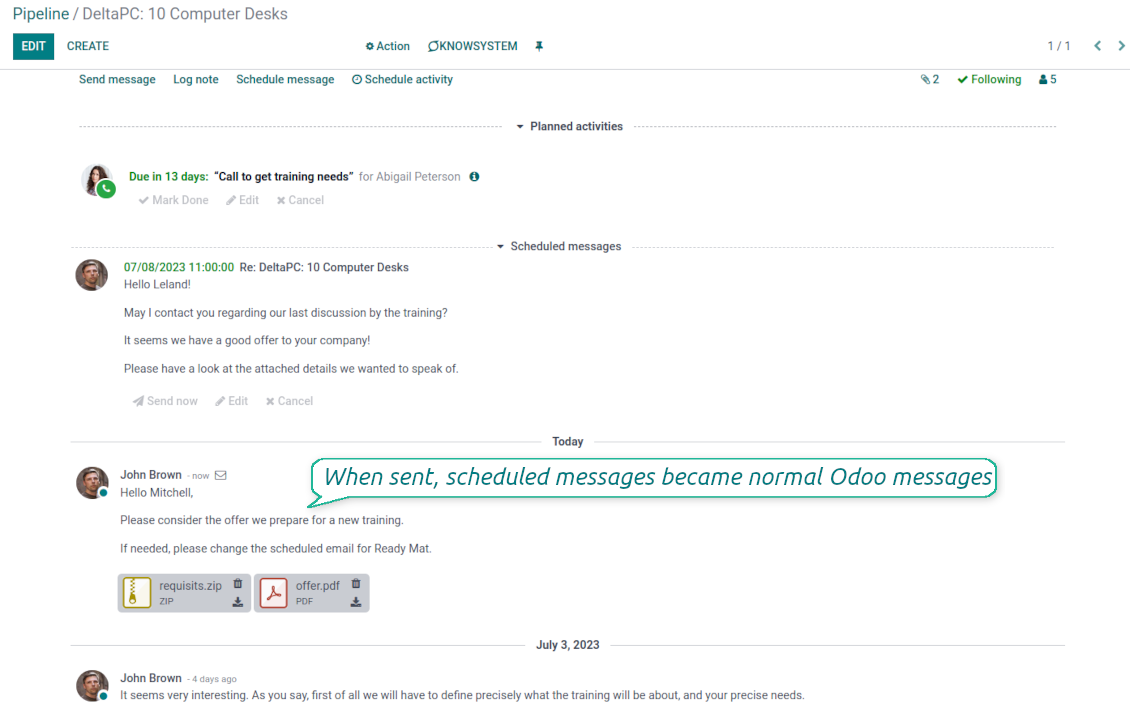
When sent, scheduled emails become normal Odoo messages linked to a target object thread.
Recipients will never know that a message was planned in advance and has not been just sent
Secure schedule
To add, edit, or manage a scheduled message, a user should have the right to edit a linked object.
Users with the right 'Scheduled Send Option: Administrators' might read, edit, or cancel any messages.
To see a list of document planned mails, a user should have read rights to a target Odoo document.
Teks aplikasi dan situs dalam bahasa selain Inggris dibantu AI dan diselaraskan dengan terjemahan resmi Odoo. Jika Anda melihat kesalahan, kirim tiket kebenaran terjemahan dan kami akan memperbaikinya.
Pelaporan bug
Jika Anda menemukan bug atau perilaku tidak konsisten, jangan ragu menghubungi kami. Kami jamin perbaikan dalam 60 hari setelah pembelian dan tetap ingin meningkatkan alat setelah periode itu.
Anda tidak perlu nomor telepon atau kartu kredit untuk menghubungi kami. Cukup pendaftaran email singkat yang tidak lebih dari 30 detik.
Sertakan sebanyak mungkin detail dalam permintaan: tangkapan layar, log server Odoo, deskripsi lengkap cara mereproduksi masalah, dan sebagainya. Biasanya butuh beberapa hari kerja untuk menyiapkan rencana kerja (jika bug dikonfirmasi) atau memberi panduan apa yang harus dilakukan (jika tidak).
Permintaan fitur publik dan ide modul (pengembangan gratis)
Kami sangat termotivasi untuk meningkatkan alat kami dan berterima kasih atas masukan apa pun. Jika kebutuhan Anda bermanfaat bagi publik dan dapat diimplementasikan secara efisien, tim akan memasukkannya ke daftar tugas kami.
Daftar tugas semacam ini diproses secara berkala dan tidak dikenai biaya tambahan. Meski kami tidak dapat menjanjikan tenggat dan desain akhir, ini bisa jadi cara baik untuk mendapatkan fitur yang diinginkan tanpa investasi dan risiko.
Anda tidak perlu nomor telepon atau kartu kredit untuk menghubungi kami. Cukup pendaftaran email singkat yang tidak lebih dari 30 detik.

Alat untuk menata lampiran Odoo secara fleksibel dalam folder dan menyinkronkan direktori dengan klien cloud: Google Drive, OneDrive/SharePoint, Nextcloud/ownCloud, Dropbox, Amazon S3, Box, dan NAS. DMS. Manajer Berkas. Sistem manajemen dokumen
398€
Alat untuk menyimpan kata sandi dengan aman di Odoo untuk penggunaan bersama. Brankas bersama

Alat untuk membangun basis pengetahuan yang dalam dan terstruktur untuk penggunaan internal dan eksternal. Knowledge System. KMS. Revisi seperti wiki.
398€
Alat untuk menyinkronkan lampiran Odoo secara otomatis dengan file OneDrive secara dua arah
487€
Alat untuk menetapkan target KPI dan mengontrol pemenuhannya per periode. Dasbor KPI. Perancang dasbor. Grafik KPI

Alat manajemen layanan berbasis waktu dari pemesanan janji hingga penjualan dan ulasan
398€
Alat untuk menyinkronkan lampiran Odoo secara otomatis dengan file Google Drive secara dua arah
487€
