Messages: Schedule Send Option v.15
The tool to schedule Odoo messages to be delivered at a later time not immediately
Universal scheduling
Plan messages for any Odoo documents that have a chatter: sale orders, opportunities, contacts, RFQs, etc.
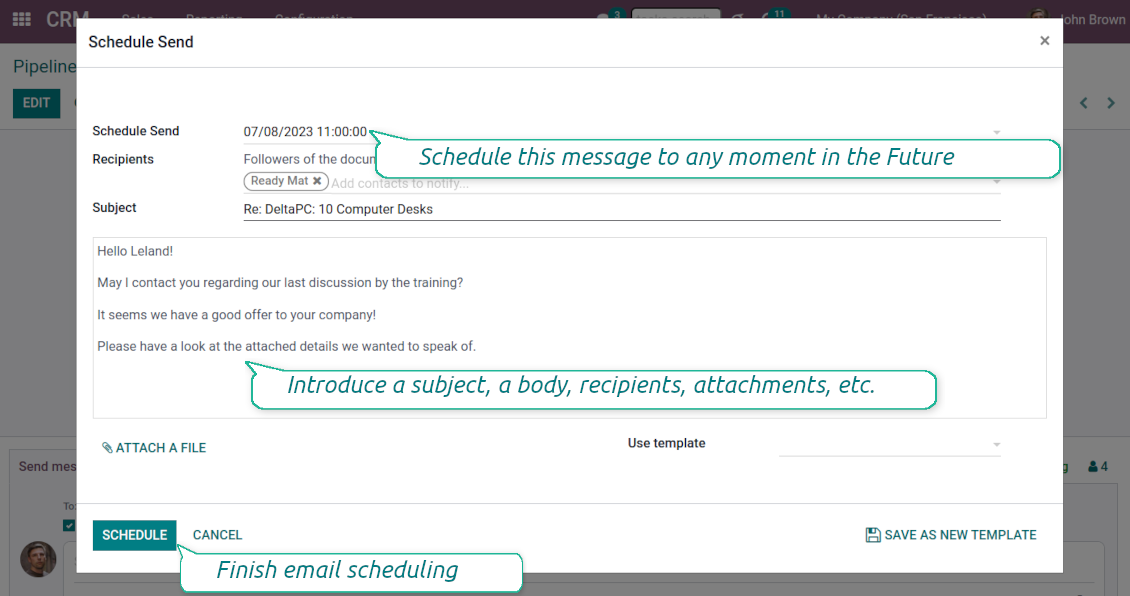
Schedule any message for any recipients for any date and any time in the Future. The feature is pretty much the same as you might be used to in your favorite email clients
Comfortable planning
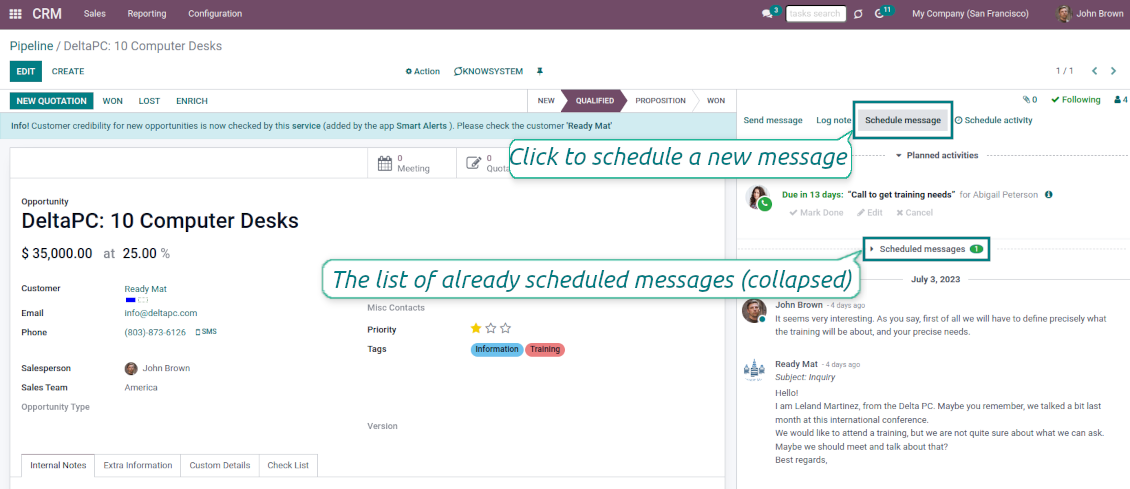
Add postponed messages in a similar way you compose standard Odoo mails. To start planning just push the button 'Schedule messages' and write a new email.
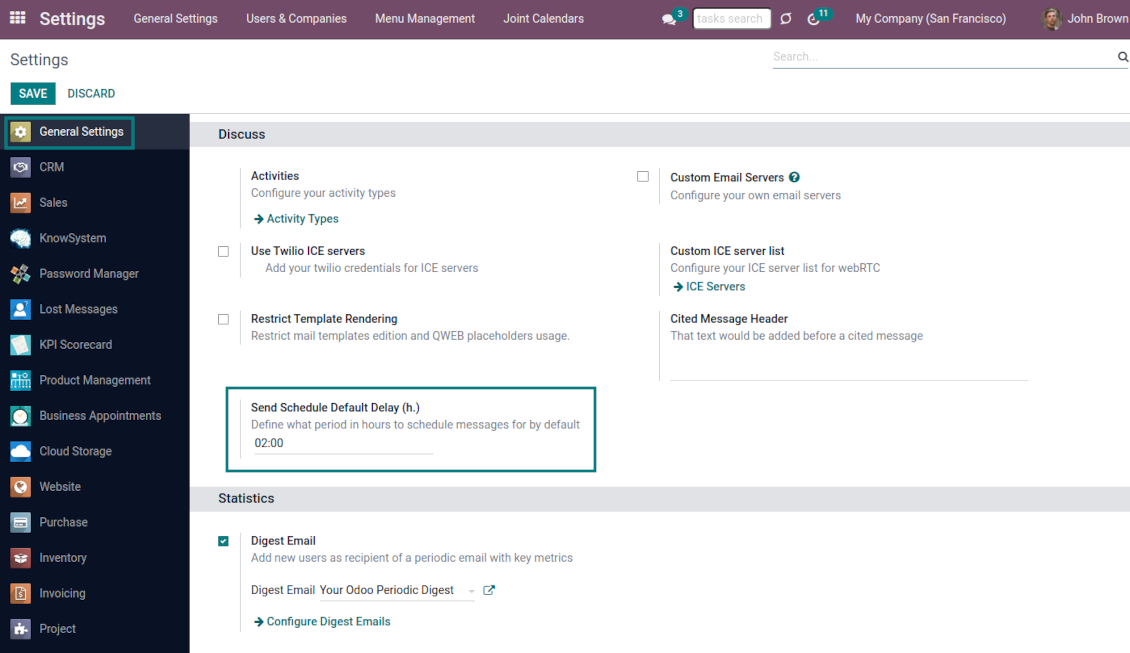
Define also the default delay in hours on the configuration page, so a planned time is pre-filled when a user schedules a new message
Update or undo at any moment
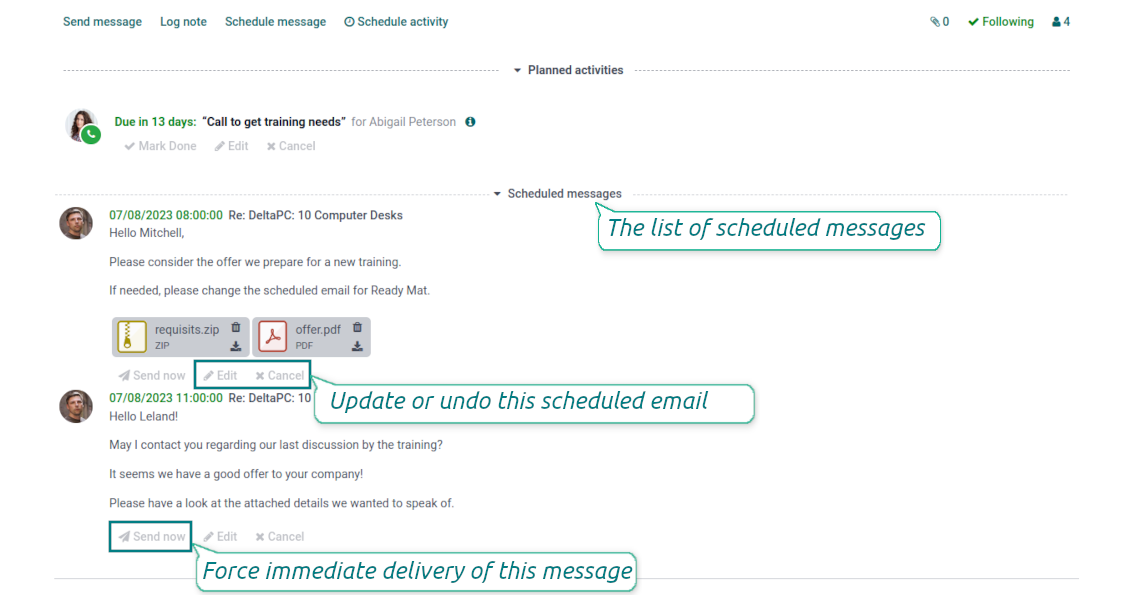
Update scheduled messages any time prior to actual delivery. Edit a subject, a body, attachments, and recipients.
Whenever you want, cancel sending or re-plan delivery to a more appropriate moment.
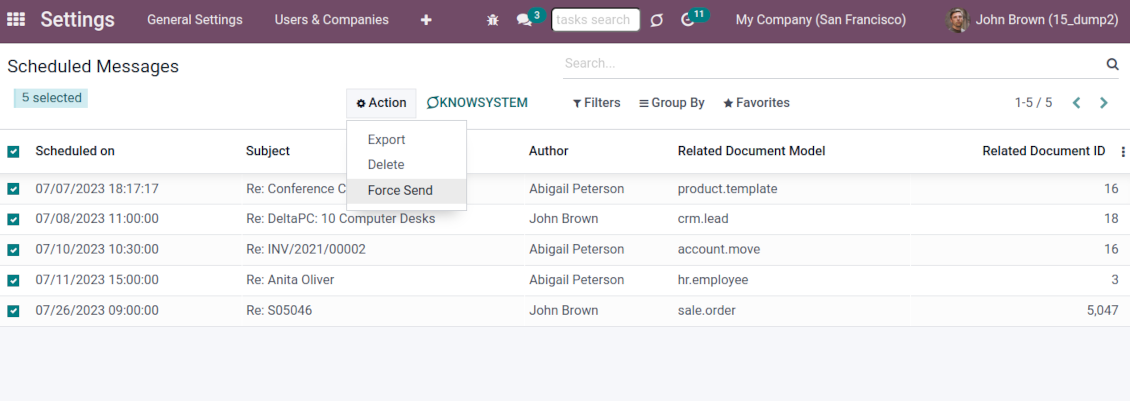
Force scheduled messages to be sent immediately if you decide so
Full control of delayed mails
Control delayed emails right in Odoo chatters. The list is fully available for managing before a planned time in a linked object thread.
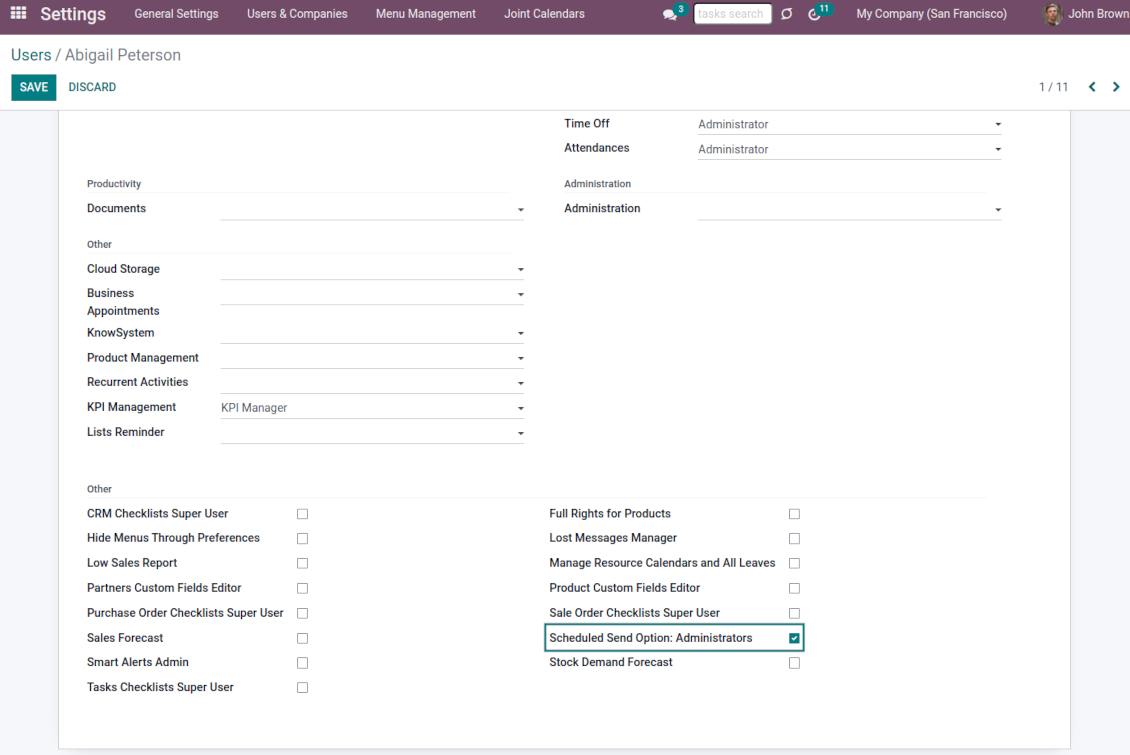
All scheduled messages are also combined under the menu Settings > Technical > Discuss > Schedule Send (the developer mode and the right 'Scheduled Send Option: Administrators' are needed)
Auto sending
Delayed messages are checked regularly and sent automatically based on the Odoo cron job.
Configure delivery time and frequency through the technical settings > Automation > Scheduled Actions > 'Send scheduled messages'
Like standard Odoo messages
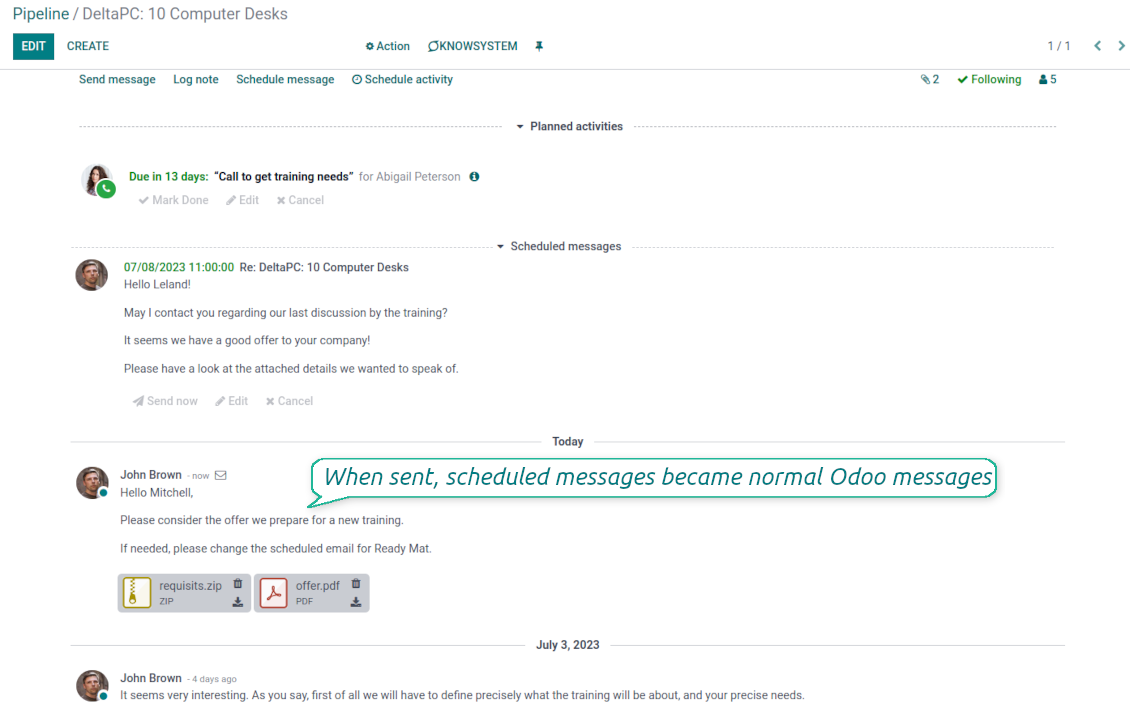
When sent, scheduled emails become normal Odoo messages linked to a target object thread.
Recipients will never know that a message was planned in advance and has not been just sent
Secure schedule
To add, edit, or manage a scheduled message, a user should have the right to edit a linked object.
Users with the right 'Scheduled Send Option: Administrators' might read, edit, or cancel any messages.
To see a list of document planned mails, a user should have read rights to a target Odoo document.
Тексты приложения и веб-сайта на языках, отличных от английского, переведены с помощью ИИ и согласованы с официальными переводами Odoo. Если вы заметили ошибку, отправьте тикет о переводе и мы исправим его.
Отправка отчетов об ошибках
Если вы столкнулись с ошибками или непоследовательным поведением, не стесняйтесь обращаться к нам. Мы гарантируем предоставление исправлений в течение 60 дней с момента покупки и очень заинтересованы в улучшении наших инструментов даже по истечении этого периода.
Чтобы связаться с нами, вам не нужен номер телефона или кредитная карта. Вам нужно всего лишь пройти короткую регистрацию по электронной почте, которая займет не более 30 секунд.
Укажите в запросе как можно больше сведений: снимки экрана, журналы сервера Odoo, полное описание воспроизведения проблемы и так далее. Обычно подготовка рабочего плана по проблеме (если ошибка подтверждена) или рекомендаций по необходимым действиям (в противном случае) занимает несколько рабочих дней.
Запросы на публичные функции и идей модулей (бесплатная разработка)
Мы очень заинтересованы в улучшении наших инструментов и будем благодарны за любые отзывы. Если ваши требования общедоступны и могут быть эффективно реализованы, команда включит их в наш список дел.
Такой список дел обрабатывается регулярно и не предполагает дополнительных комиссий. Хотя мы не можем обещать сроки и окончательный дизайн, это может быть хорошим способом получить желаемые функции без вложений и рисков.
Чтобы связаться с нами, вам не нужен номер телефона или кредитная карта. Вам нужно всего лишь пройти короткую регистрацию по электронной почте, которая займет не более 30 секунд.

Инструмент, чтобы раскладывать вложения Odoo по папкам и синхронизировать каталоги с Google Drive, OneDrive/SharePoint, Nextcloud/ownCloud, Dropbox, Amazon S3, Box и NAS. Файловый менеджер. DMS
398€
Инструмент, чтобы безопасно хранить пароли в Odoo для совместной работы. Общие хранилища

Инструмент, чтобы строить глубокую базу знаний для своих и внешних. Knowledge System. KMS. Правки как в вики
398€
Инструмент для двусторонней синхронизации вложений Odoo с OneDrive
487€
Инструмент, чтобы задавать цели KPI и контролировать выполнение по периодам. Дашборды KPI. Конструктор. Графики

Инструмент для услуг по записи: от бронирования до продаж и отзывов
398€
Инструмент для двусторонней синхронизации вложений Odoo с Google Drive
487€
