Messages: Schedule Send Option v.15
The tool to schedule Odoo messages to be delivered at a later time not immediately
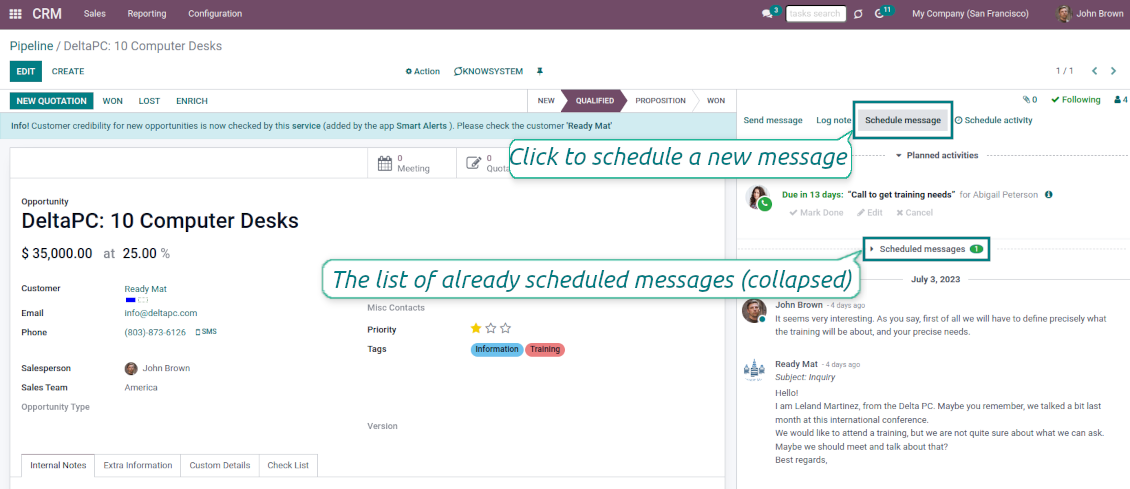
Universal scheduling
Plan messages for any Odoo documents that have a chatter: sale orders, opportunities, contacts, RFQs, etc.
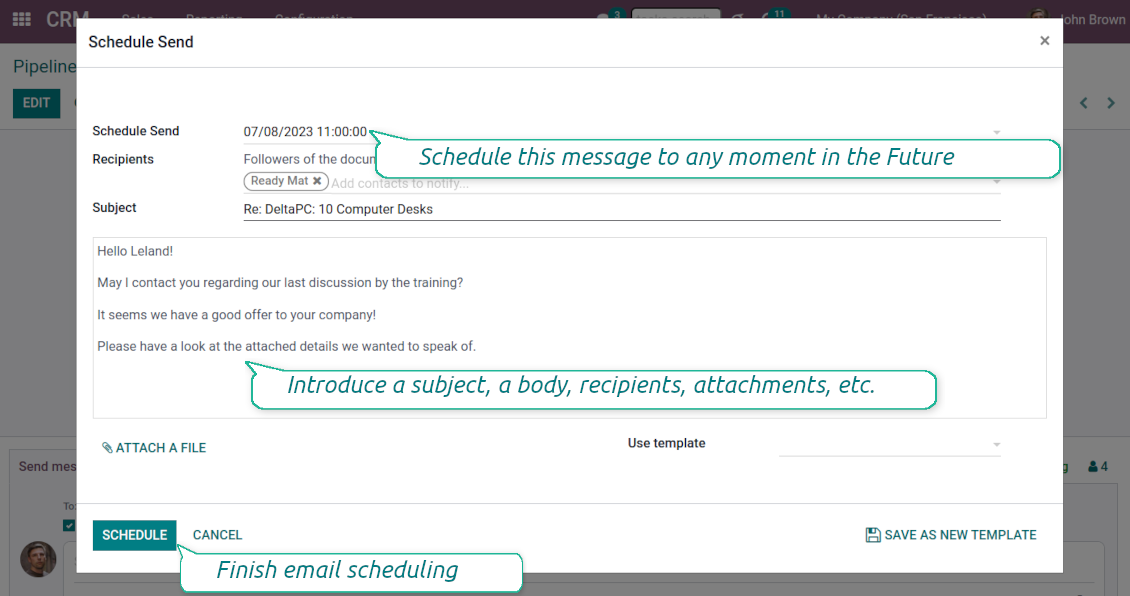
Schedule any message for any recipients for any date and any time in the Future. The feature is pretty much the same as you might be used to in your favorite email clients
Comfortable planning
Add postponed messages in a similar way you compose standard Odoo mails. To start planning just push the button 'Schedule messages' and write a new email.
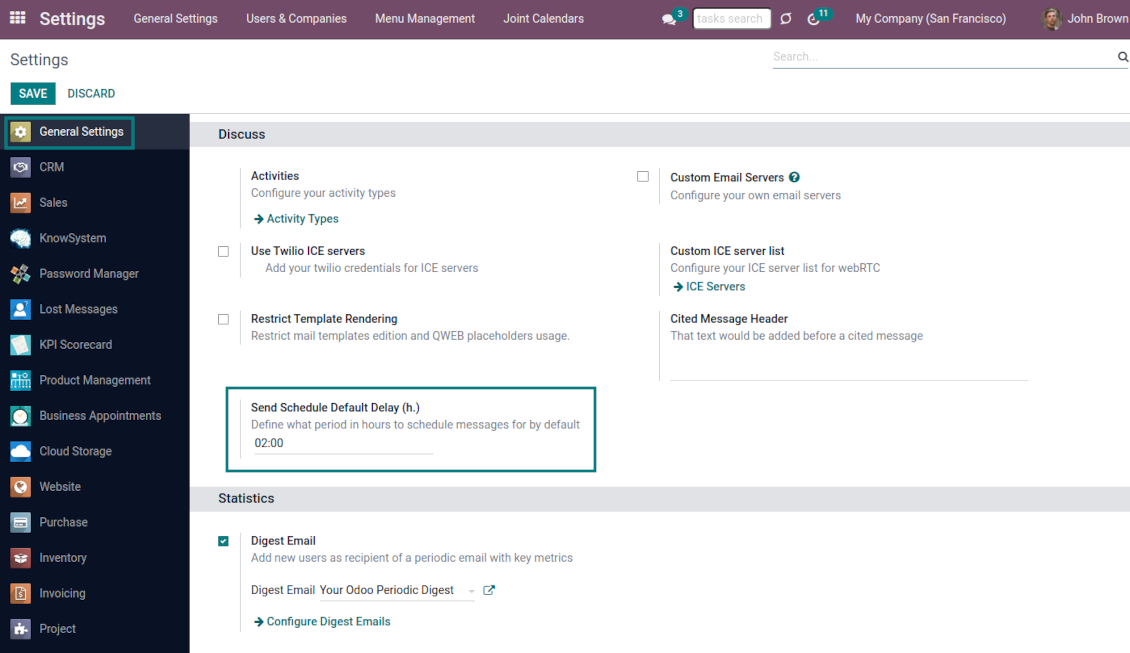
Define also the default delay in hours on the configuration page, so a planned time is pre-filled when a user schedules a new message
Update or undo at any moment
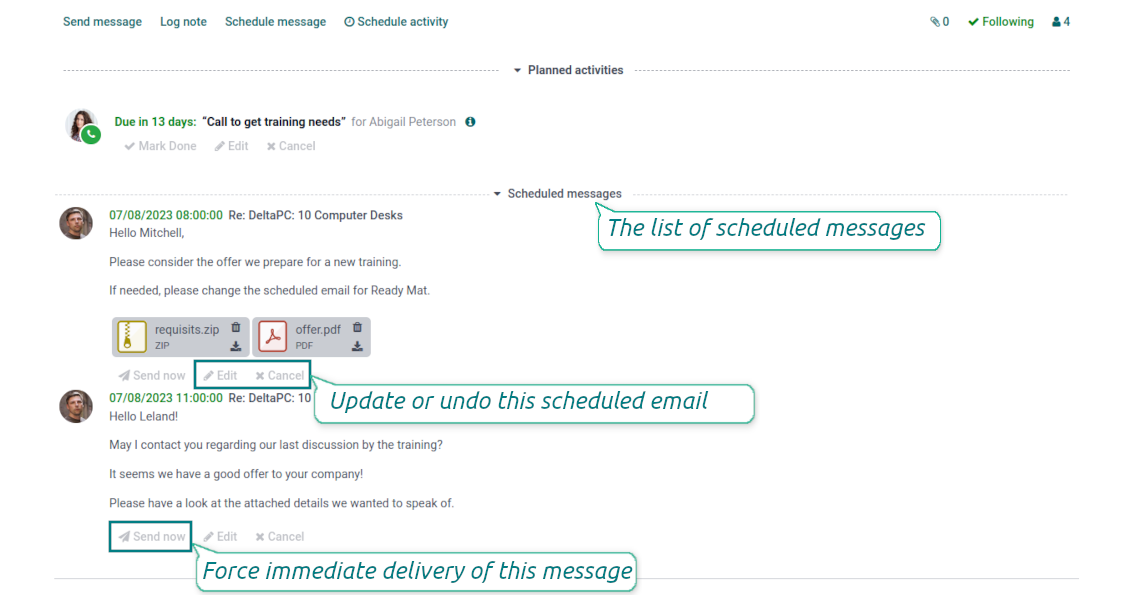
Update scheduled messages any time prior to actual delivery. Edit a subject, a body, attachments, and recipients.
Whenever you want, cancel sending or re-plan delivery to a more appropriate moment.
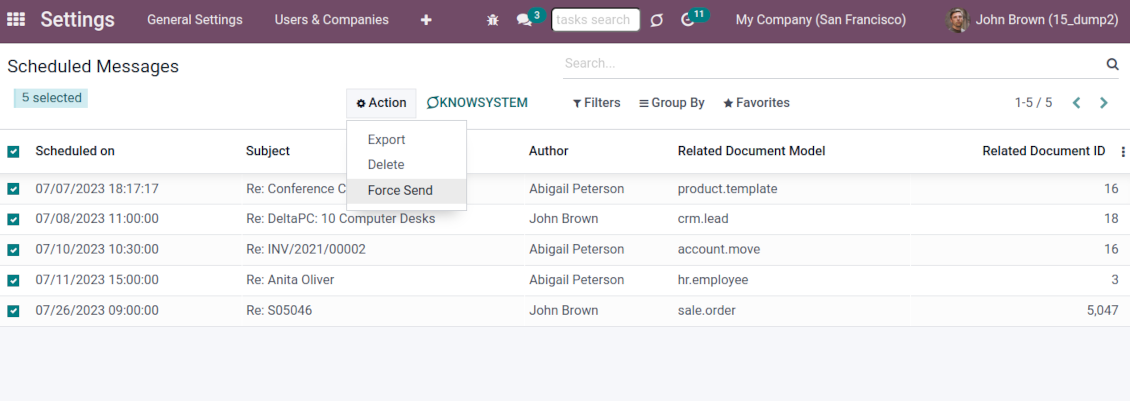
Force scheduled messages to be sent immediately if you decide so
Full control of delayed mails
Control delayed emails right in Odoo chatters. The list is fully available for managing before a planned time in a linked object thread.
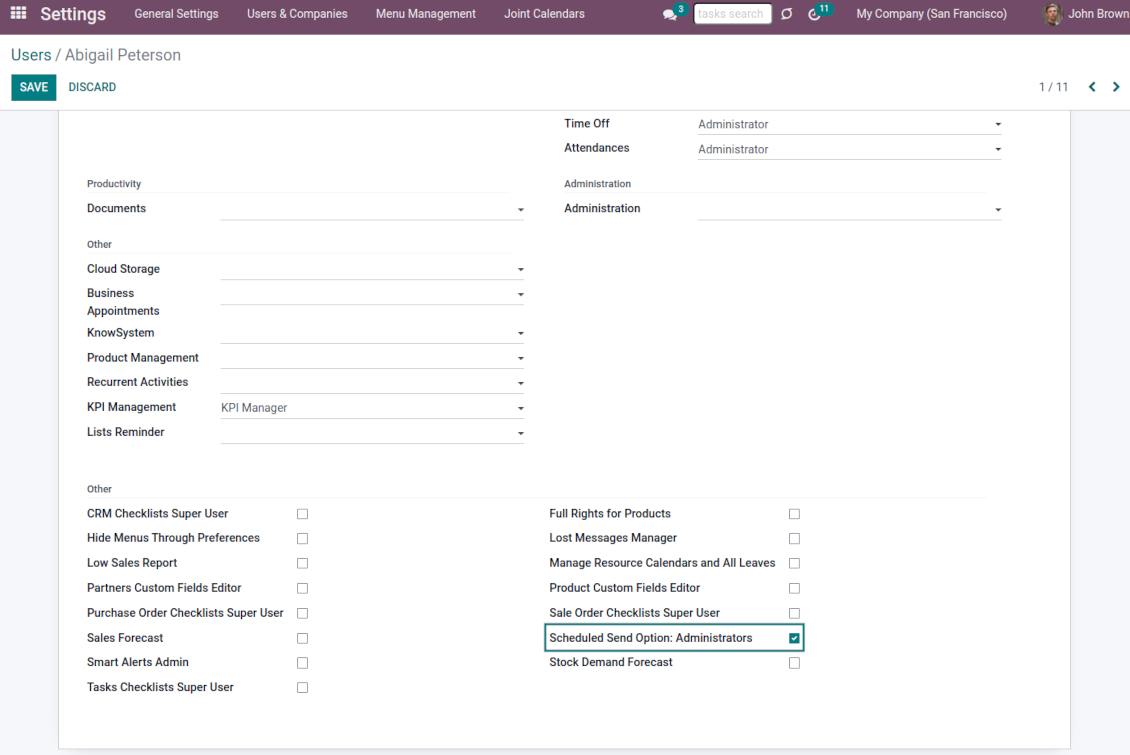
All scheduled messages are also combined under the menu Settings > Technical > Discuss > Schedule Send (the developer mode and the right 'Scheduled Send Option: Administrators' are needed)
Auto sending
Delayed messages are checked regularly and sent automatically based on the Odoo cron job.
Configure delivery time and frequency through the technical settings > Automation > Scheduled Actions > 'Send scheduled messages'
Like standard Odoo messages
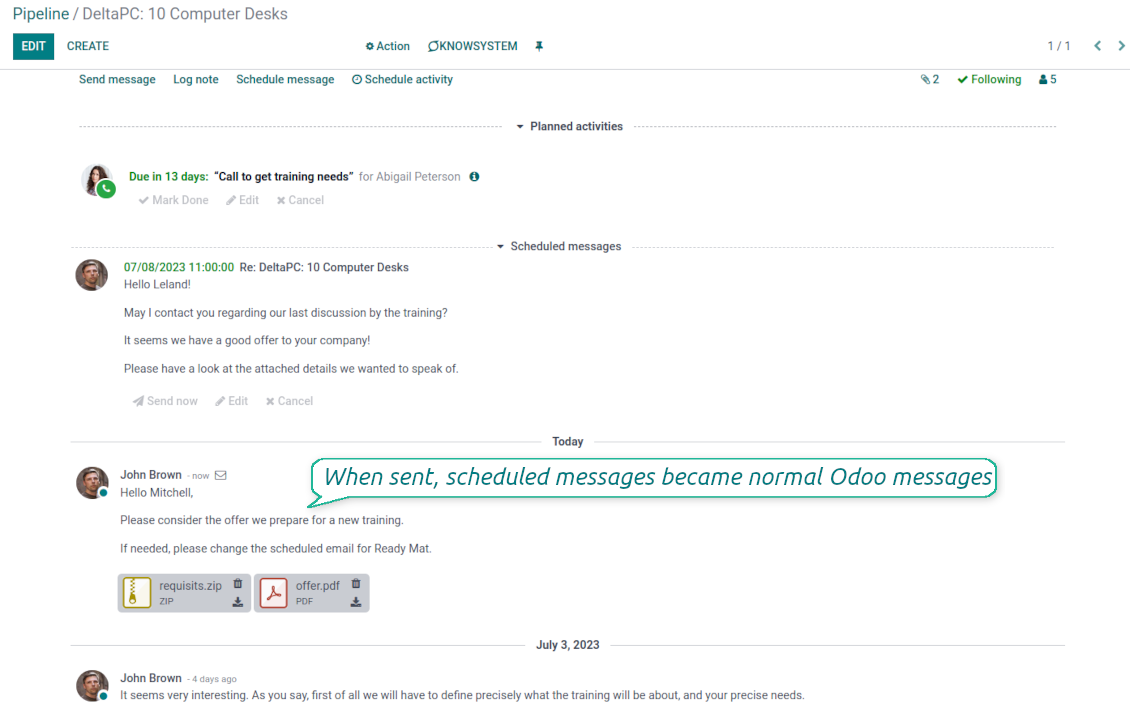
When sent, scheduled emails become normal Odoo messages linked to a target object thread.
Recipients will never know that a message was planned in advance and has not been just sent
Secure schedule
To add, edit, or manage a scheduled message, a user should have the right to edit a linked object.
Users with the right 'Scheduled Send Option: Administrators' might read, edit, or cancel any messages.
To see a list of document planned mails, a user should have read rights to a target Odoo document.
I testi dell'app e del sito web in lingue diverse dall'inglese sono realizzati con l'assistenza dell'IA e allineati alle traduzioni ufficiali di Odoo. Se noti un errore, invia un ticket di traduzione e lo correggeremo.
Segnalazione degli errori
Se riscontri bug o comportamenti incoerenti, non esitare a contattarci. Garantiamo di fornire soluzioni entro 60 giorni dall'acquisto e siamo fortemente interessati a migliorare i nostri strumenti anche dopo questo periodo.
Non hai bisogno di un numero di telefono o di una carta di credito per contattarci. Dovresti solo effettuare una breve registrazione via e-mail, che non richiede più di 30 secondi.
Includi nella richiesta il maggior numero possibile di dettagli: schermate, registri del server Odoo, una descrizione completa di come riprodurre il problema e così via. In genere sono necessari alcuni giorni lavorativi per preparare un piano operativo relativo a un problema (se viene confermato un bug) o fornire indicazioni su cosa fare (in caso contrario).
Richieste di funzionalità pubbliche e idee per moduli (sviluppo gratuito)
Siamo fortemente motivati a migliorare i nostri strumenti e saremmo grati per qualsiasi feedback. Se le tue esigenze sono di uso pubblico e possono essere implementate in modo efficiente, il team le includerà nella nostra lista di cose da fare.
Tale elenco di cose da fare viene elaborato regolarmente e non prevede costi aggiuntivi. Sebbene non possiamo garantire scadenze e progettazione finale, potrebbe essere un buon modo per ottenere le funzionalità desiderate senza investimenti e rischi.
Non hai bisogno di un numero di telefono o di una carta di credito per contattarci. Dovresti solo effettuare una breve registrazione via e-mail, che non richiede più di 30 secondi.

Lo strumento per strutturare gli allegati Odoo in cartelle e sincronizzare con Google Drive, OneDrive/SharePoint, Nextcloud/ownCloud, Dropbox, Amazon S3, Box e NAS. Gestione file. DMS
398€
Lo strumento per conservare le password in Odoo in modo sicuro e condiviso. Vault

Lo strumento per una knowledge base strutturata, interna ed esterna. KMS. Revisioni tipo wiki
398€
Lo strumento per sincronizzare gli allegati Odoo con OneDrive in entrambi i sensi
487€
Lo strumento per impostare target KPI e controllarne il raggiungimento per periodo. Dashboard. Grafici

Lo strumento per sincronizzare gli allegati Odoo con Google Drive in entrambi i sensi
487€
Lo strumento per servizi su appuntamento, dalla prenotazione a vendite e recensioni
398€
