KnowSystem: Knowledge Base System v.15
The tool to build deep and structured knowledge base for internal and external use. Knowledge System. KMS. Wiki-like revisions
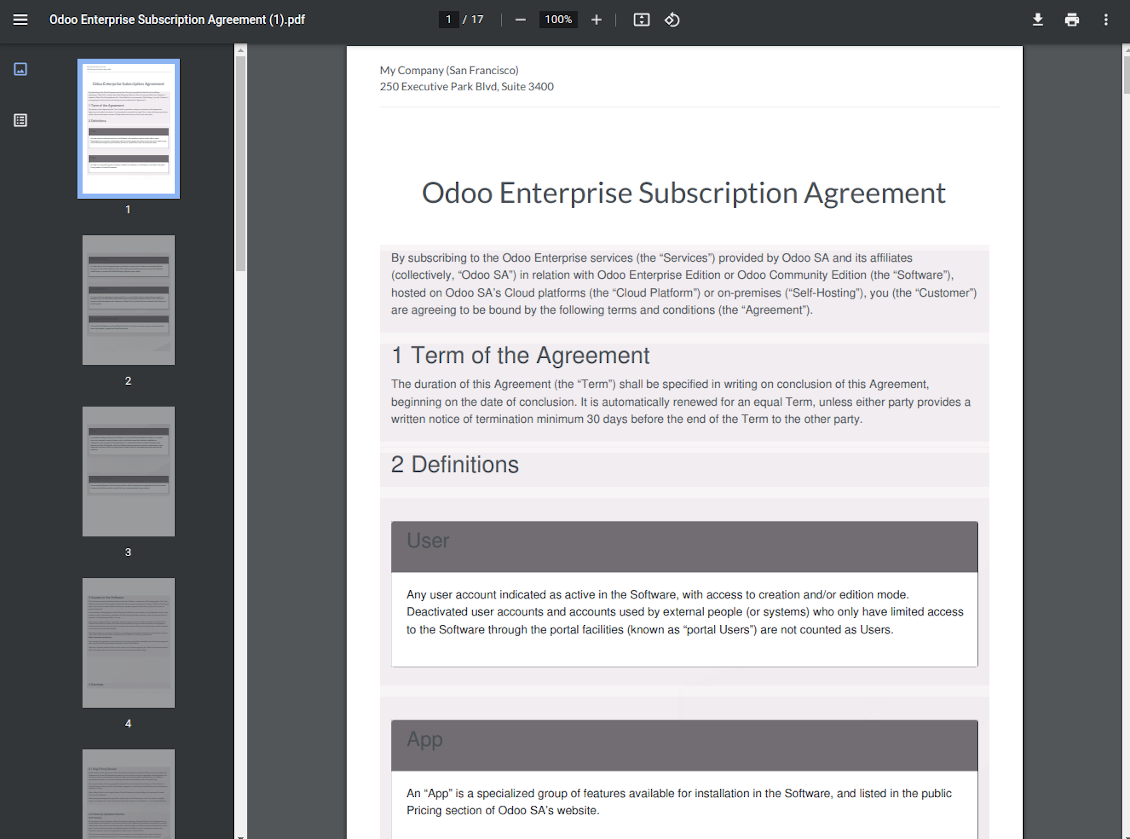
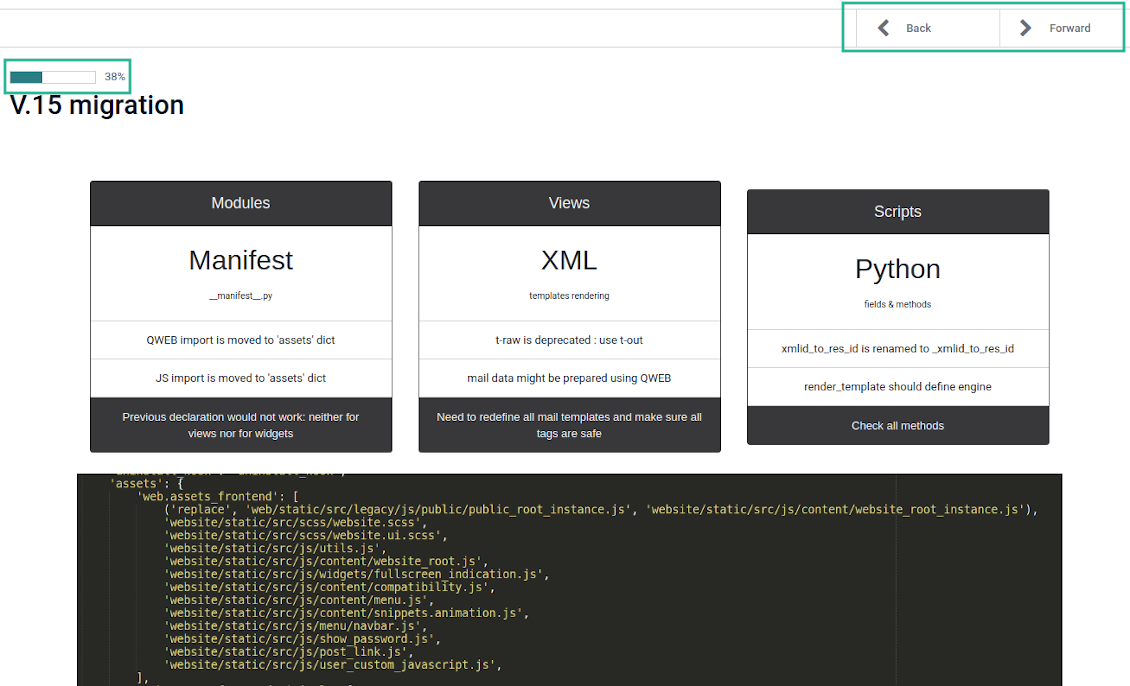
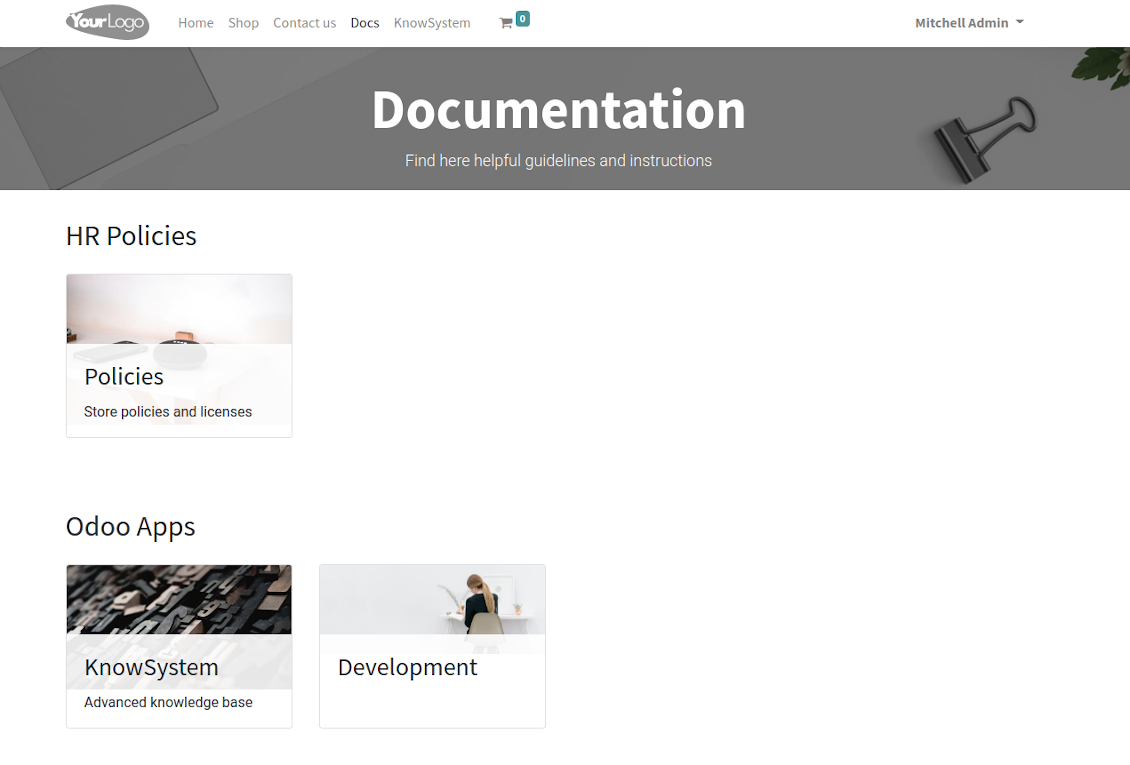
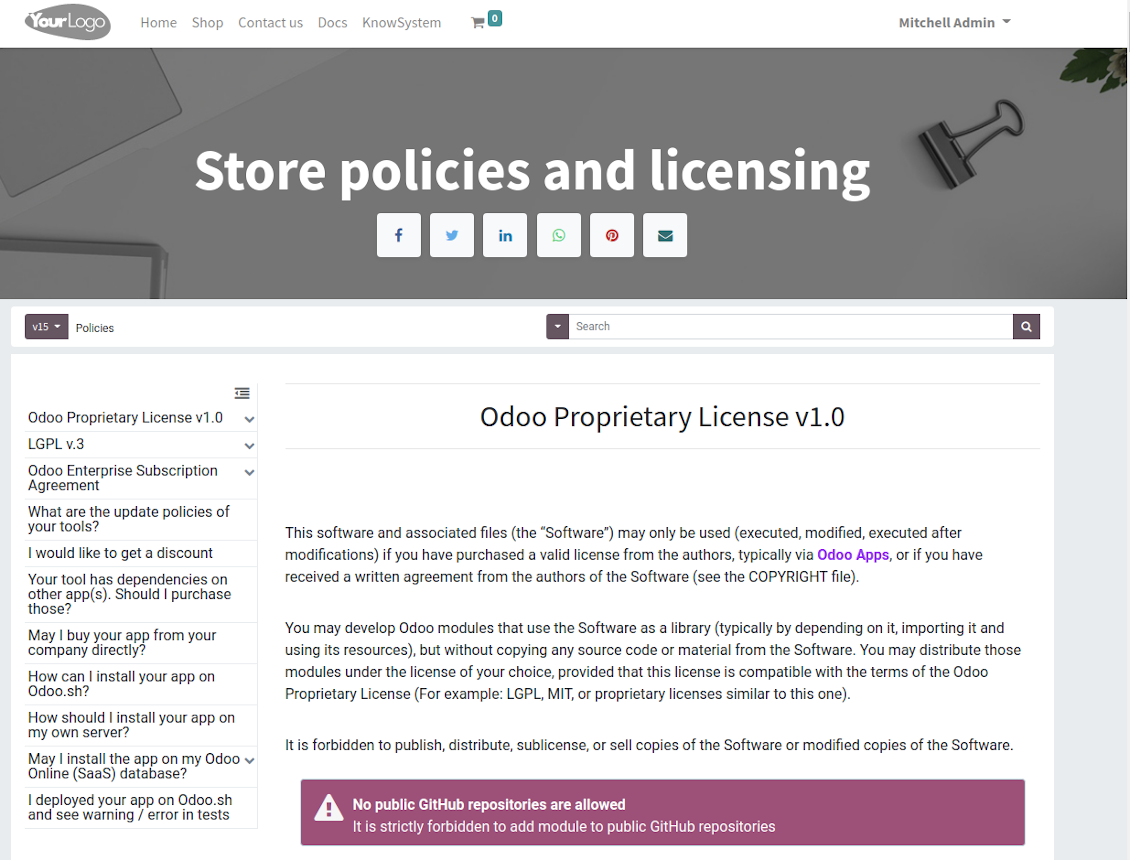
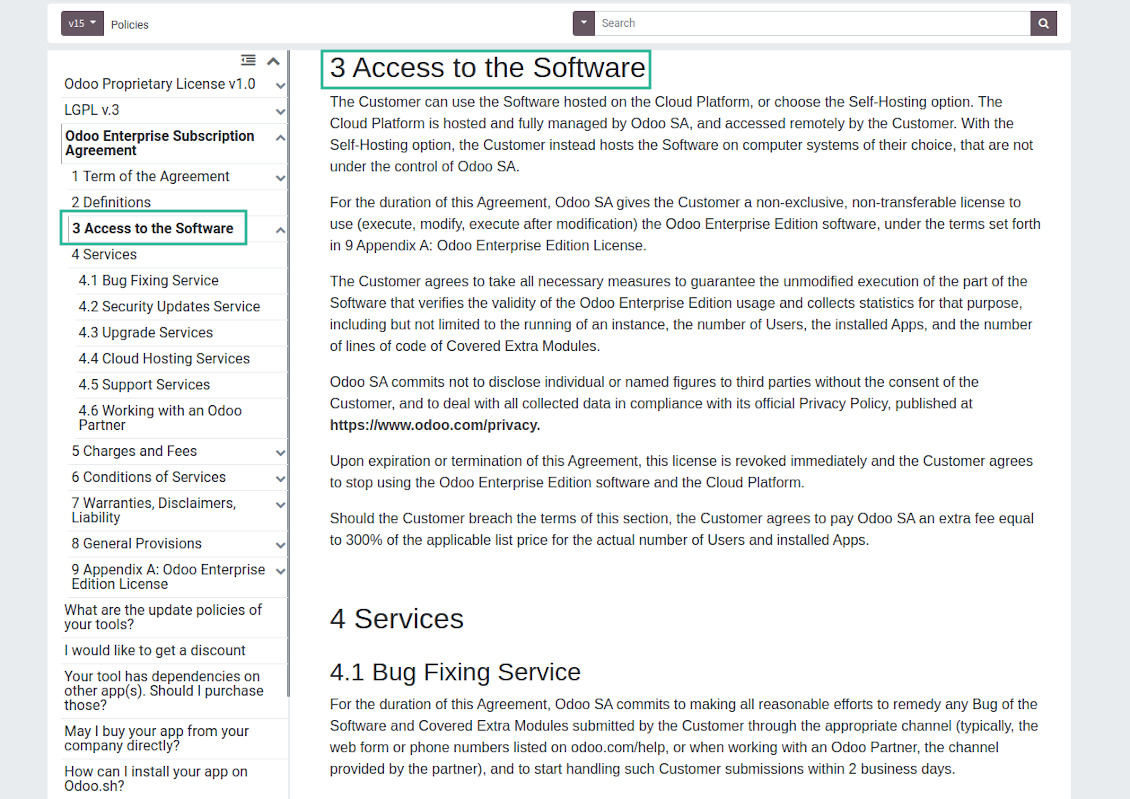
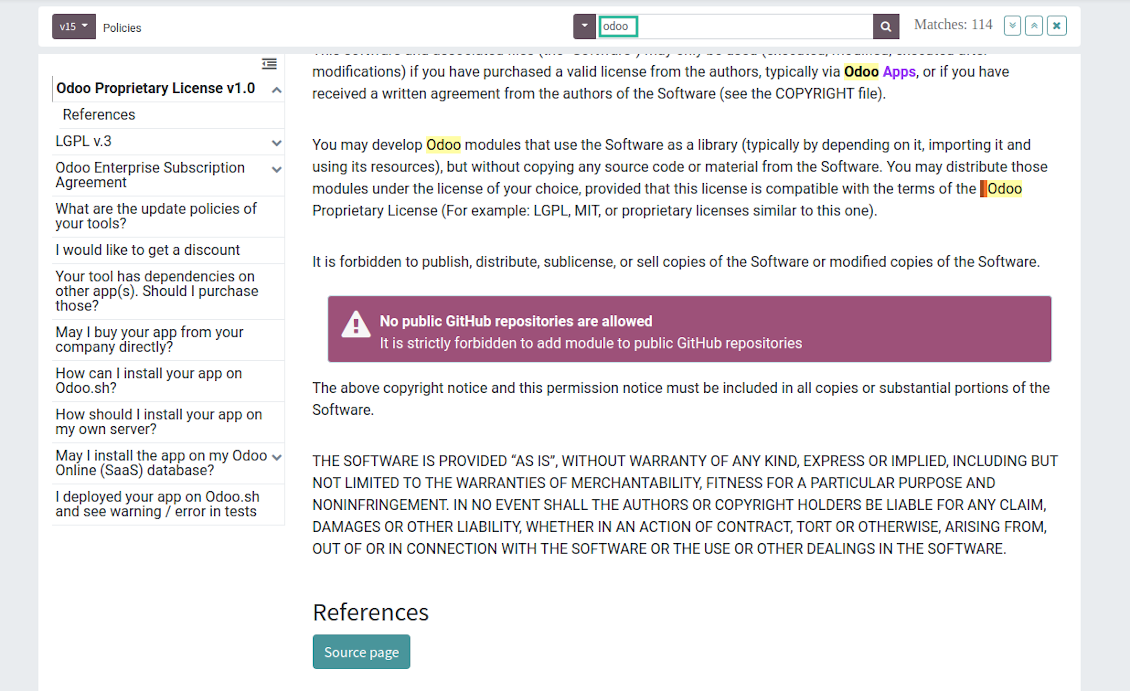
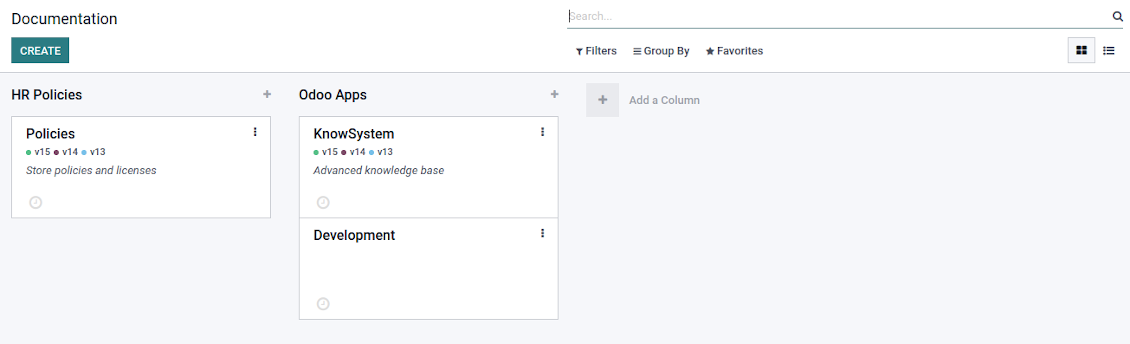
This is a full-featured Odoo knowledge management tool to be used in any industry and by any firm. The app serves to accumulate, curate, utilize, and share organizational knowledge within your company and outside it.
- a core of knowledge management. It might be used stand-alone as a complete internal knowledge base system. Dess pris är 398€.
- an optional module, which let you publish articles to website, share them with portal users, and use website builder to update articles. The features assumed by this add-on are marked by the icon . Dess pris är 40€.
- an optional extension to KnowSystem: Website and Portal to design website documentation pages based on knowledge base articles. The features assumed by this add-on are marked by the icon . Read the full description on the related page. Dess pris är 60€.
- an optional module, which let you add and show custom fields for articles (backend). The features assumed by this add-on are marked by the icon . Dess pris är 48€.
- an optional free module, which shows custom fields on website and portal pages (frontend). The features assumed by this add-on are also marked by the icon .
- an optional extension to KnowSystem: Website and Portal to prepare FAQ/documentation for Odoo eCommerce product pages. The features assumed by this add-on are marked by the icon . Read the full description on the related page. Dess pris är 28€.
- an optional module, which let you translate articles, sections and tags for installed in Odoo languages. The features assumed by this add-on are marked by the icon . Dess pris är 10€.
Fast and comfortable knowledge recording
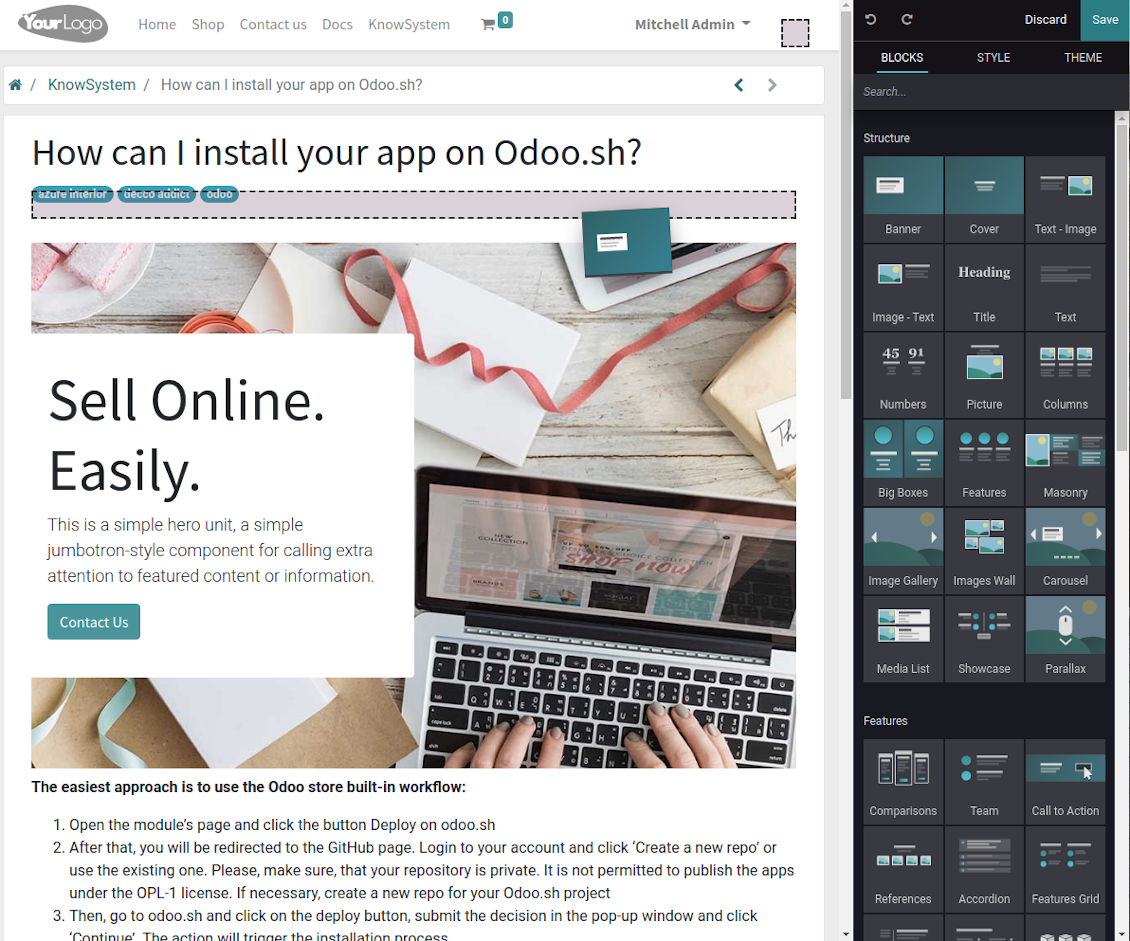
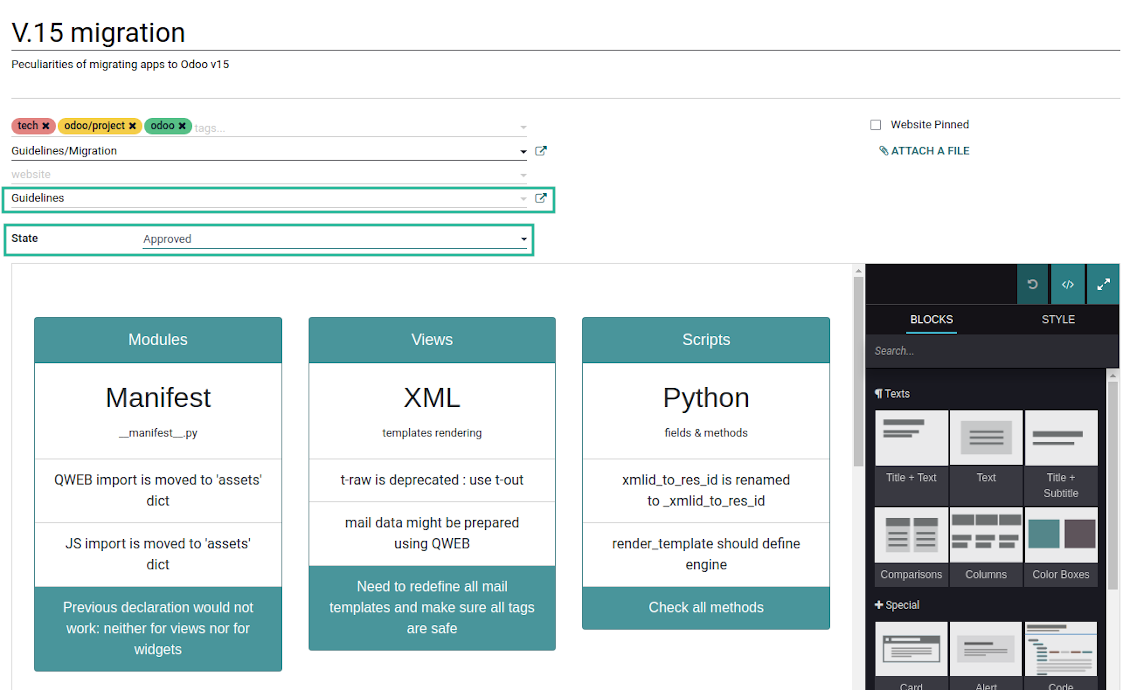
Drag and drop building blocks of the backend or website editors to construct professional-looking articles. Create and use knowledge templates. Switch to raw code editor if needed
Single view KMS navigation
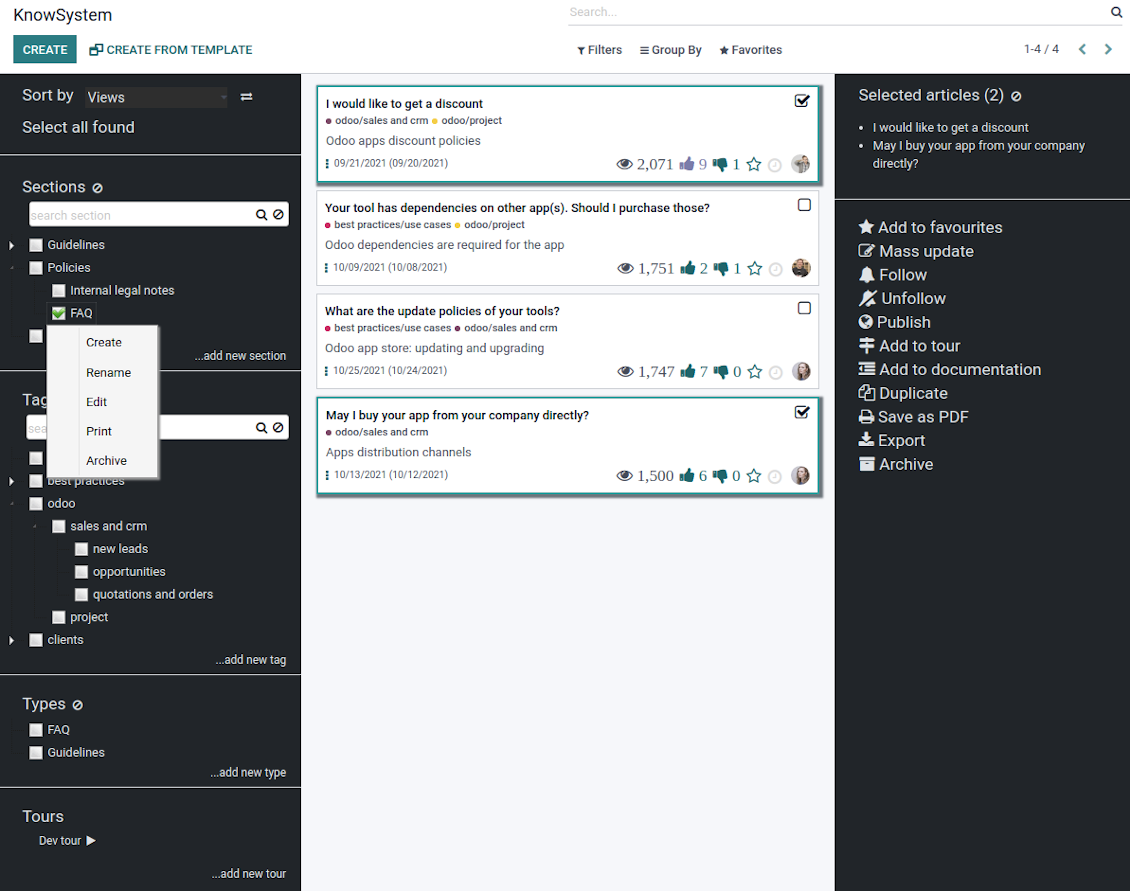
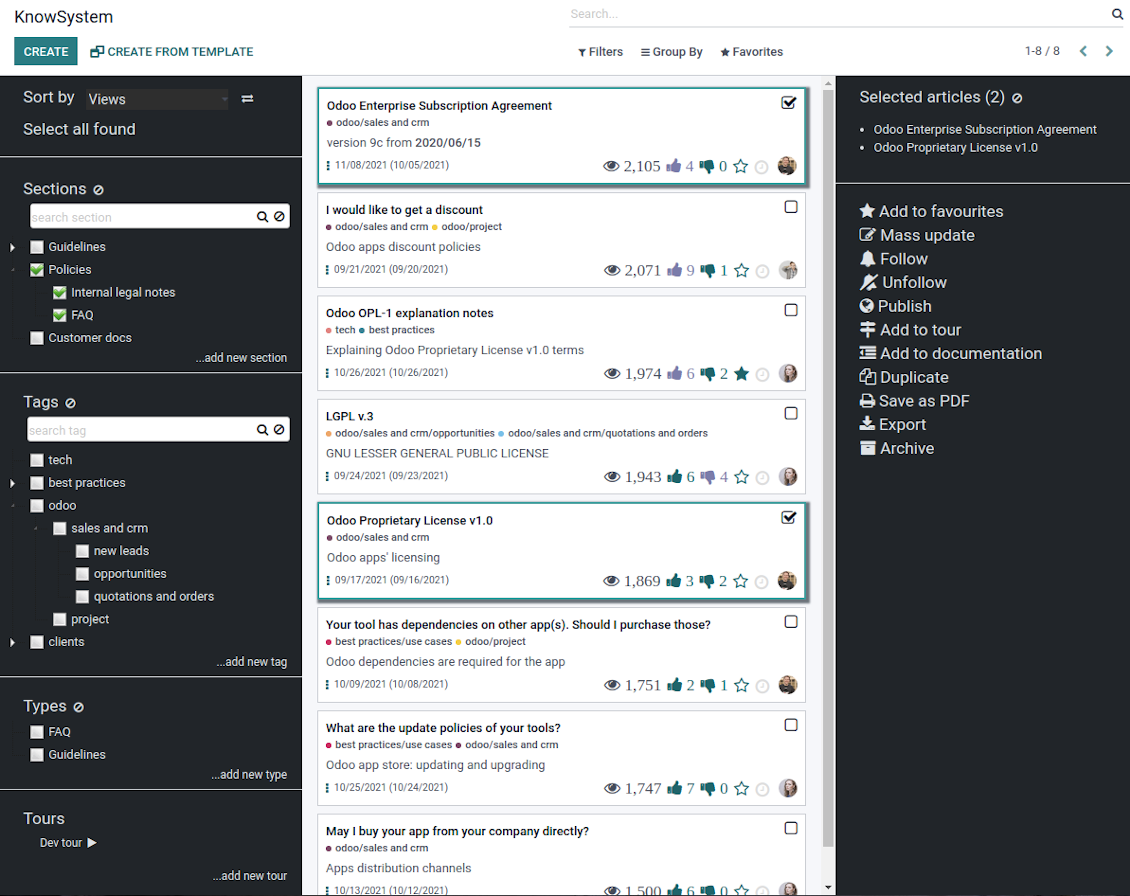
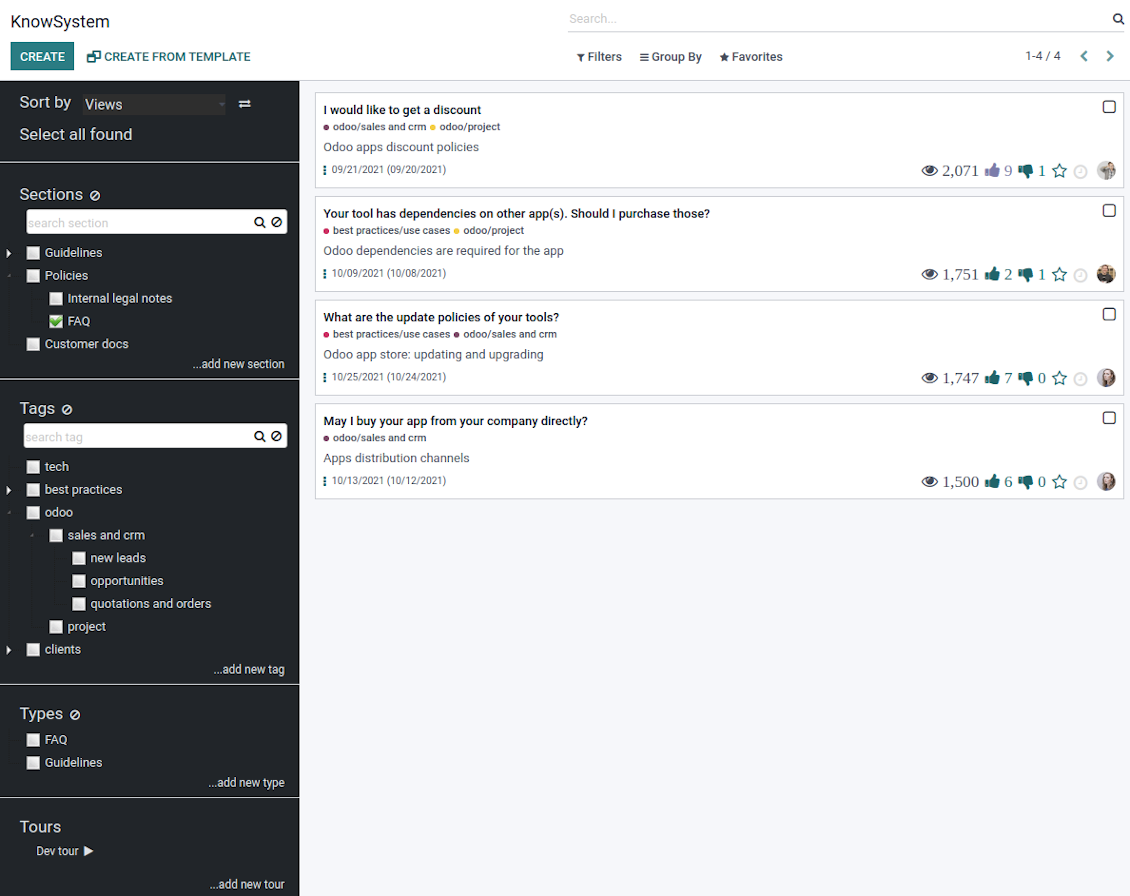
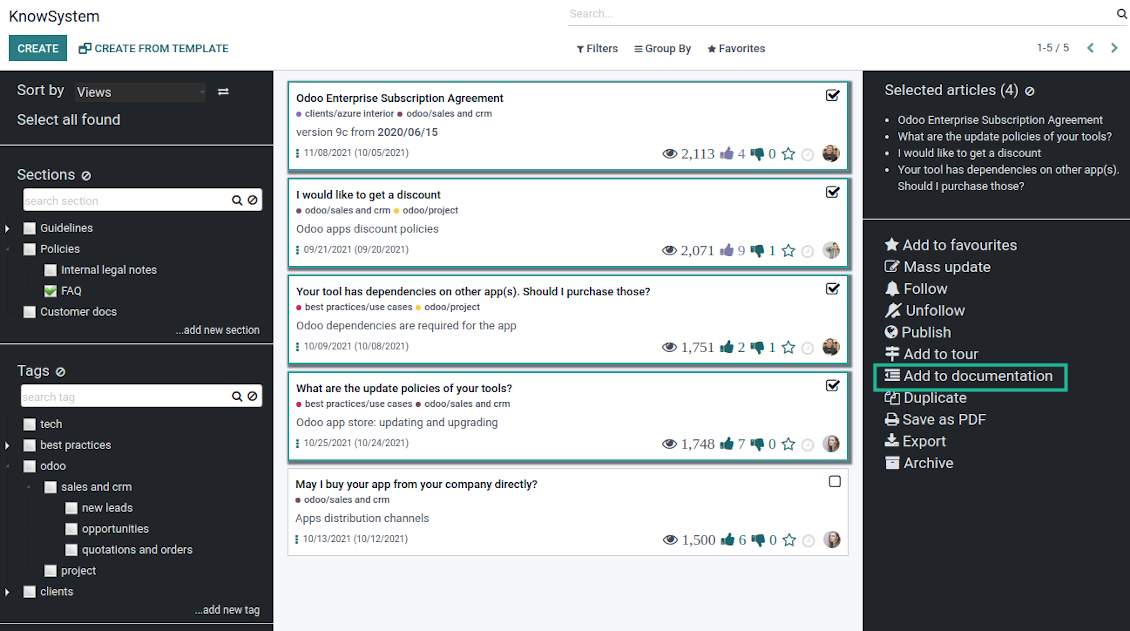
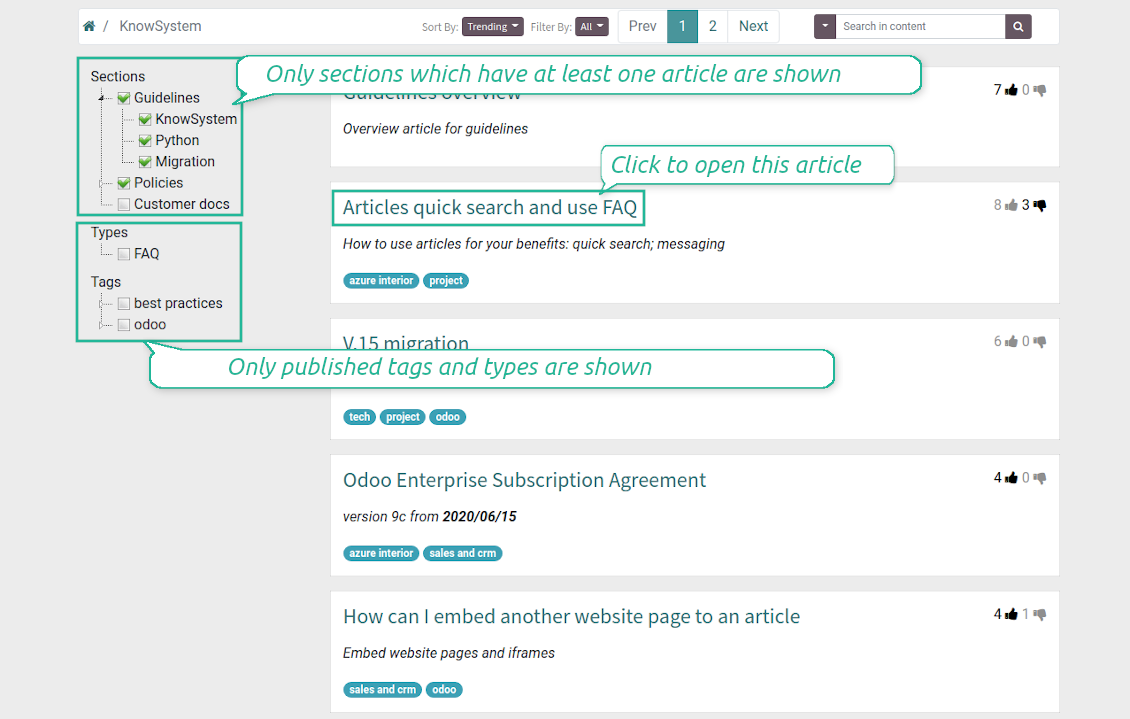
Filter articles by the hierarchy of sections, by the tree of tags, or by knowledge types. Select articles step by step and proceed with mass actions. Sort and search in seconds
Get benefit of knowledge
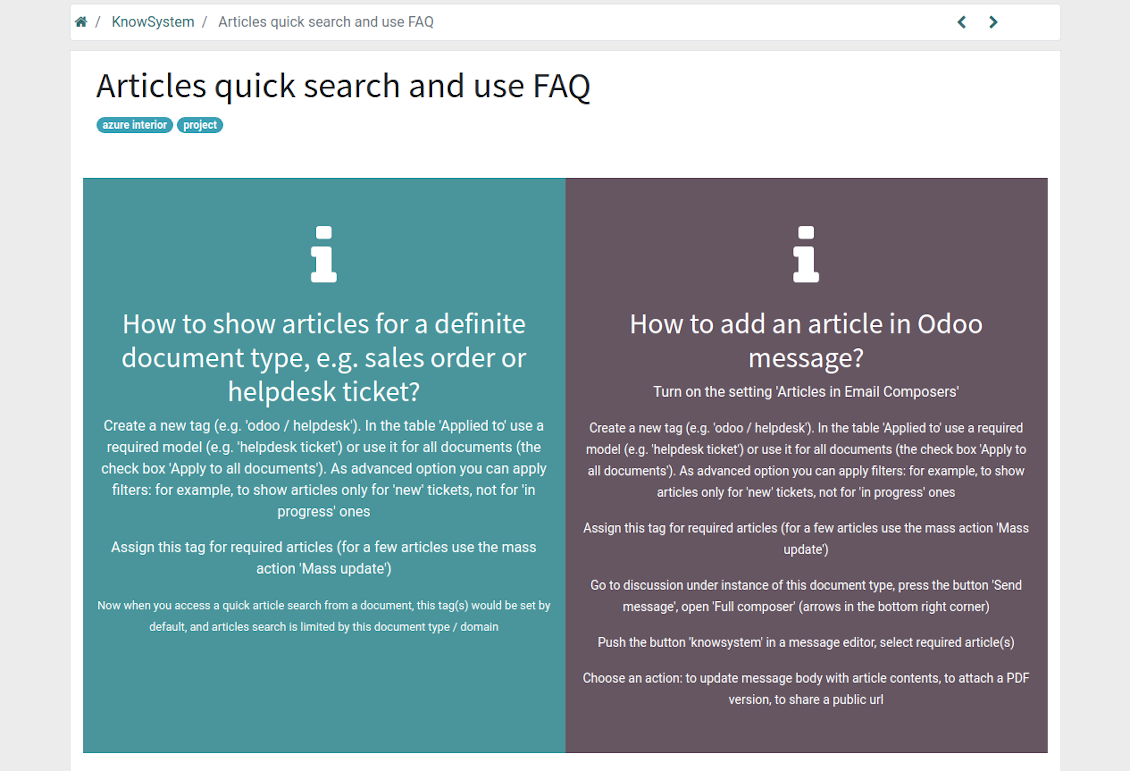
Instantly access knowledge base from any Odoo documents. Reference articles in messages and activities. Organize learning tours. Prepare instructions, guidelines, or eCommerce FAQs. Print or share knowledge
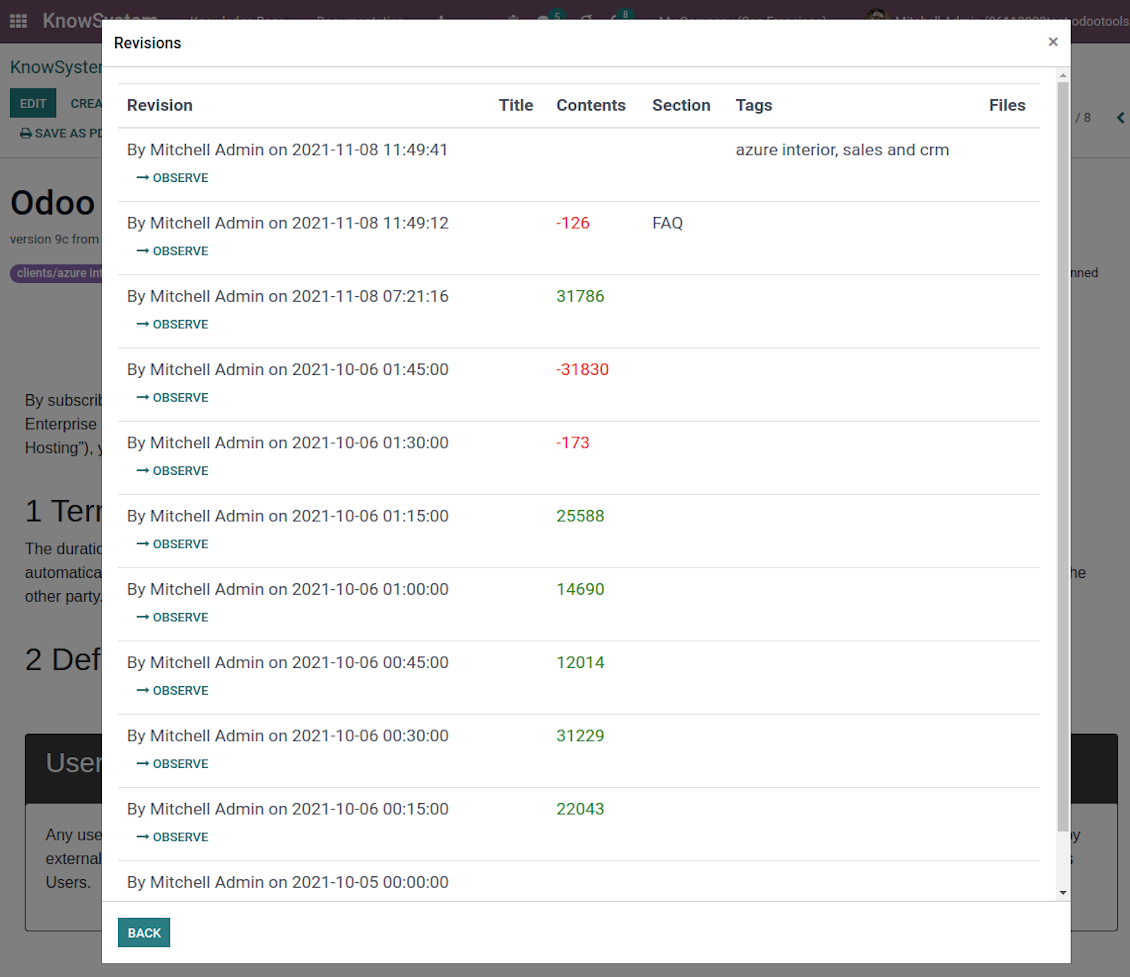
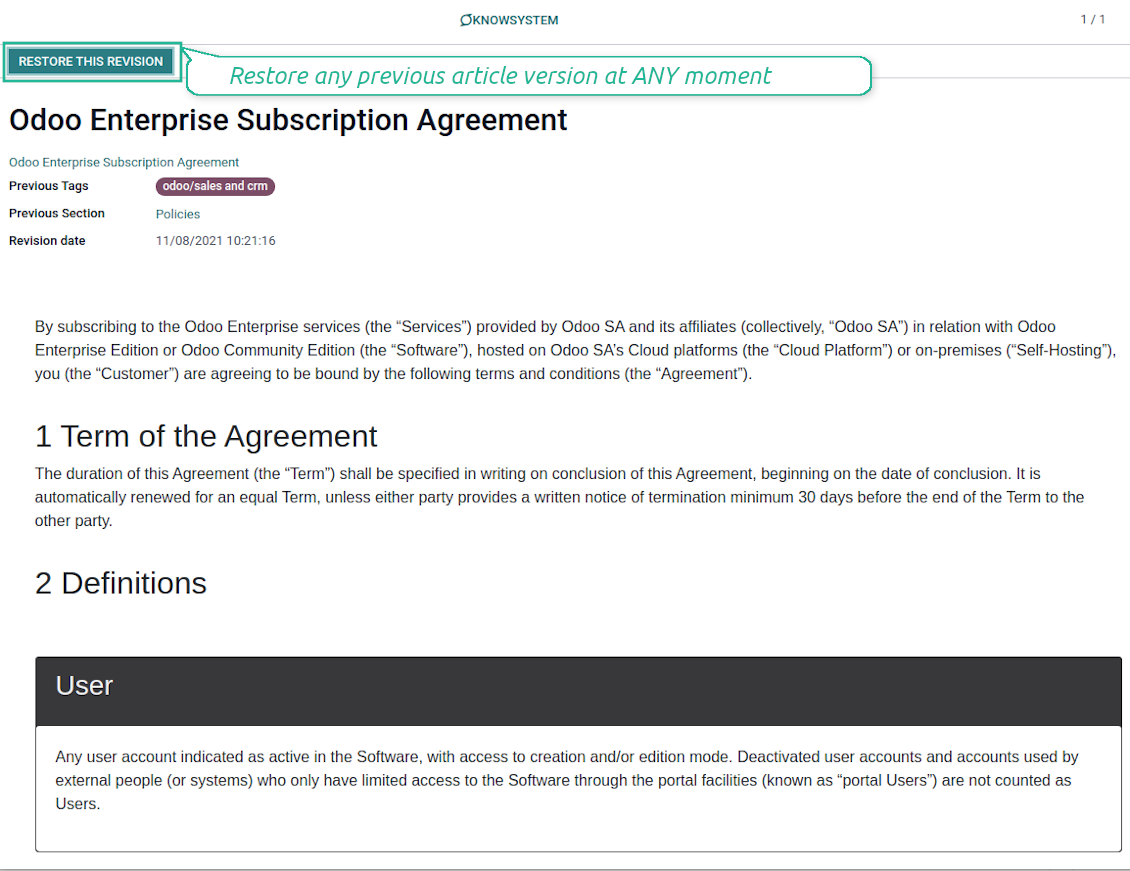
Wiki-like revisions
Restore any article version at any moment: the app keeps the history of knowledge updates. Breaking becomes harder than restoring
Portal or public knowledge base
Share articles with your partners or publish knowledge for any website visitor
Website documentation builder
Combine organizational knowledge into advanced documentation with comfortable navigation and search
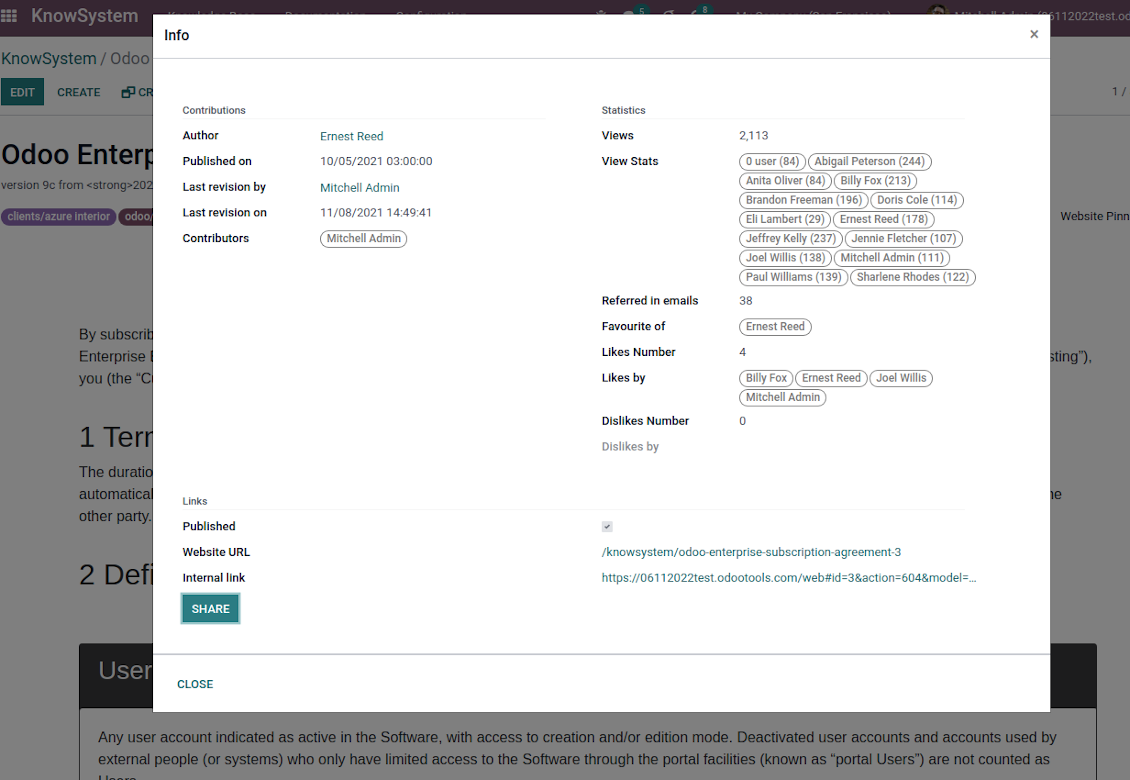
Knowledge system statistics
Control views of articles, likes, dislikes, contributions. Motivate discussions
Applied in any functional area
Use the app for any knowledge management business goal and for any set of Odoo apps.
Best knowledge base system for Odoo!
Excellent app and exceptional after-sales support.
Really well thought-out product and one of the best features is the contextual help by means of the tags. Really a game changer for us.
Keep up the great work FaOtools!
Outstanding app! Tremendous value for money, an absolute must have!
One of the features sorely lacking from Odoo has been a robust Wiki/documentation system. Using third party platforms is a massive headache: yet another system to maintain, users get distracted switching back-and-forth, and errors get made. Then you have to worry about training, additional logins, etc.
KnowSystem feels like a native/core app, is very well-polished, and extremely fast. It's accessible from any screen, and the search results are instant (none of the latency inherent with most apps).The interface is elegant yet powerful, with robust access control, rich editing features, and version control. It's simple to revert to previous entries, view audit trails, etc. It's very intuitive for anyone familiar with Odoo; onboarding takes just a few minutes. The user guides are excellent.
This is invaluable for any organisation with a lot of documented information, SOPs, ISO compliance, or similar. If you're using eLearning, it's great for creating a help system / reminders. For example, noting key takeaways or specific instructions. The user can be in MRP, Sales, or any other function, and instantly lookup a guide. Since it overlays whichever screen you're in, it doesn't interrupt the workflow.
This dramatically increases efficiency, minimises questions, and helps keep everyone on the same page.
Oh, and customer service is excellent, faOtools stands behind their product. Thank you!
KnowSystem is excellent - OdooTools offer great support, are very helpful and responsive
Our company needed the ability to add a Knowledge Base to our Odoo portal website for our customers to access article content on a membership-only basis. KnowSystem provided this and much more, along with ability to add search by section, set permissions to allow only certain partners access to articles by tag etc. OdooTools have been very helpful and implemented several features we suggested including automatic redirect upon login, customisable filters and a social sharing capability on articles. Overall a great app by a great company, something that massively adds to Odoo's capabilities and is something that everyone could benefit from using.
Very functional application and responsive support
Our company produces medical laser equipment and we use KnowSystem to streamline the knowledge base of our company. Convenient search system and classification of content, as well as access rules for groups and even for individual users.
Great app and professional team
The app is great the the team is very professional in both response timing and problem solving.
Highly recommended.
Marco from ALO.zone.
Excellent system
Excellent system.
A great tool from some very nice developers!
KnowSystem is a great tool and a game changer for us. Finally a place to put all our company know-how. I highly recommend it. And also important to us: We got great support from FaOtools too. A rare thing in this busy world. thx!
Excellent app and support.
Great app and a very helpfull support. Openess to improve their products is outstanding.
Single-view knowledge navigation
-
Prepare the hierarchy of knowledge sections to instantly switch between knowledge areas
-
Define the tree of tags for quick navigation and deeper knowledge structuring
-
Introduce knowledge base typology to distinguish kinds of articles in a single click
-
Create, update, and reorder tags, sections, or types right from the KnowSystem interface. Print all articles related to a certain tag or a section
-
Instantly search KMS sections and tags right on the navigation panel
-
Manage and launch learning tours
-
Sort knowledge articles by views, a score of likes, title, author, section, create and write dates
-
Pick articles up step by step: the selection is not cleared with a new search or when you opened a record. Proceed mass action(s) for all chosen items
-
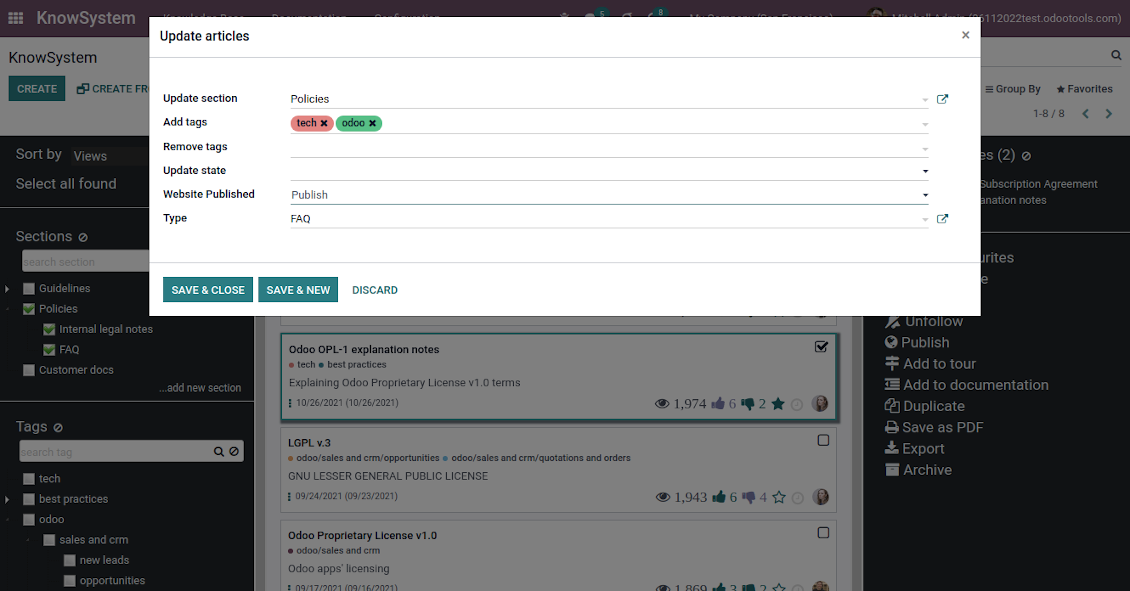
Update knowledge in batch: assign new section, change or remove tags, print multiple articles as a single PDF, follow/unfollow discussions, publish/unpublish articles, export articles to an Excel table, archive or restore items, add articles to learning tours and documentations, mark knowledge records as favorite, duplicate articles
Fast, comfortable, and professional knowledge recording
Safe backend editor
-
Drag and drop building blocks to write a new article right in the Odoo backend interface. The process is simple while the result is professional looking
-
Edit blocks styles, re-order Knowledge elements, change the width and height of items
-
KnowSystem editor relies upon strict HTML structures which are in the most cases compatible with printing and messaging layouts
Advanced website builder
-
Apply advanced styles and complex widgets by using the Odoo's built-in website editor
-
Exploit Odoo website know-hows: numerous snippets and animations, style templates, and options
-
Rely upon the website editor to prepare nice-looking portal knowledge pages. Avoid using that for internal or printing purposes: advanced styles often contradict printing and composer layouts
Raw HTML interface
-
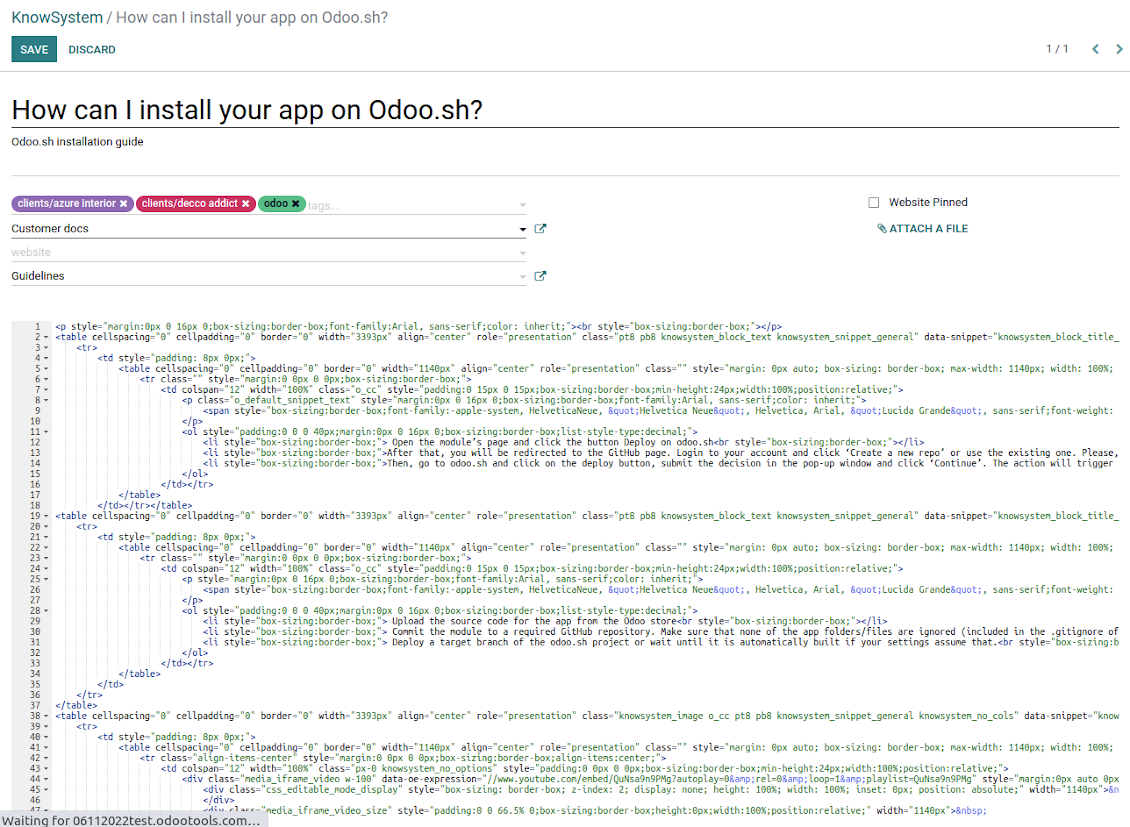
At any moment switch to raw code view to update articles' HTML
-
Optionally replace the backend editor with the XML editor to rely fully on the website builder and edit only raw code in the backed
-
Introduce any HTML tags and styles, including Bootstrap ready elements and iframes
Knowledge templates
-
Prepare new knowledge templates or save any existing article as a template
-
Use templates to create new articles to save time or keep uniform styles
Get benefit from your knowledge
Knowledge system for any Odoo document
-
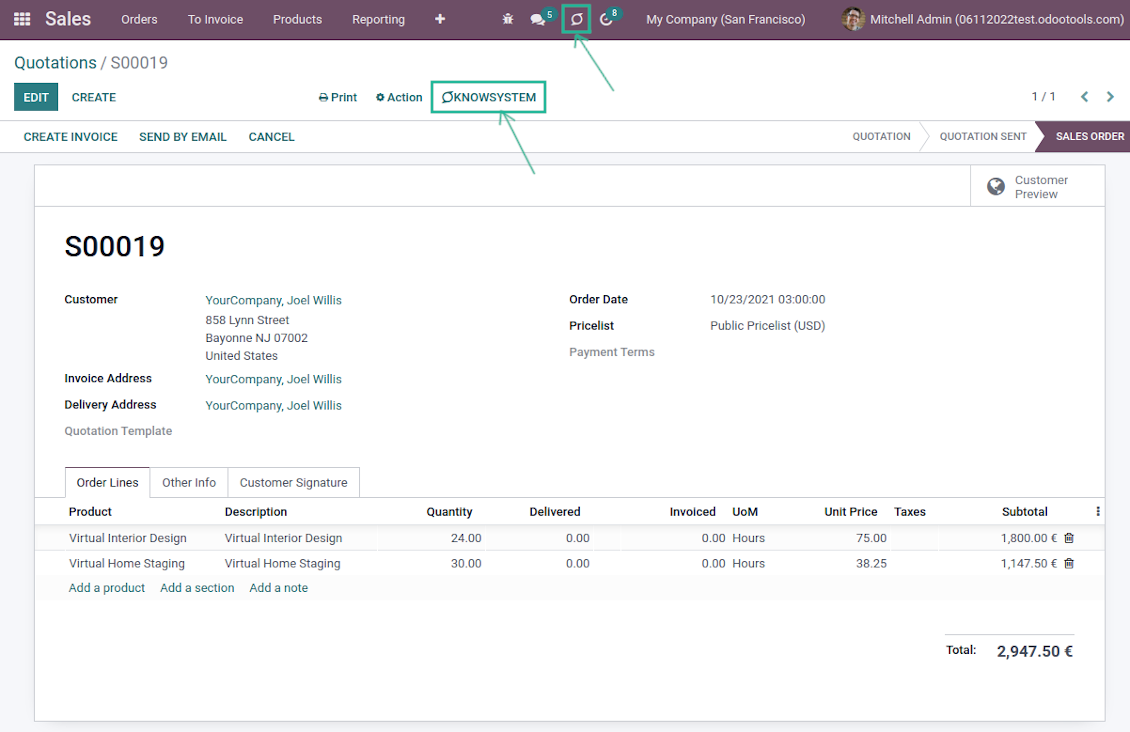
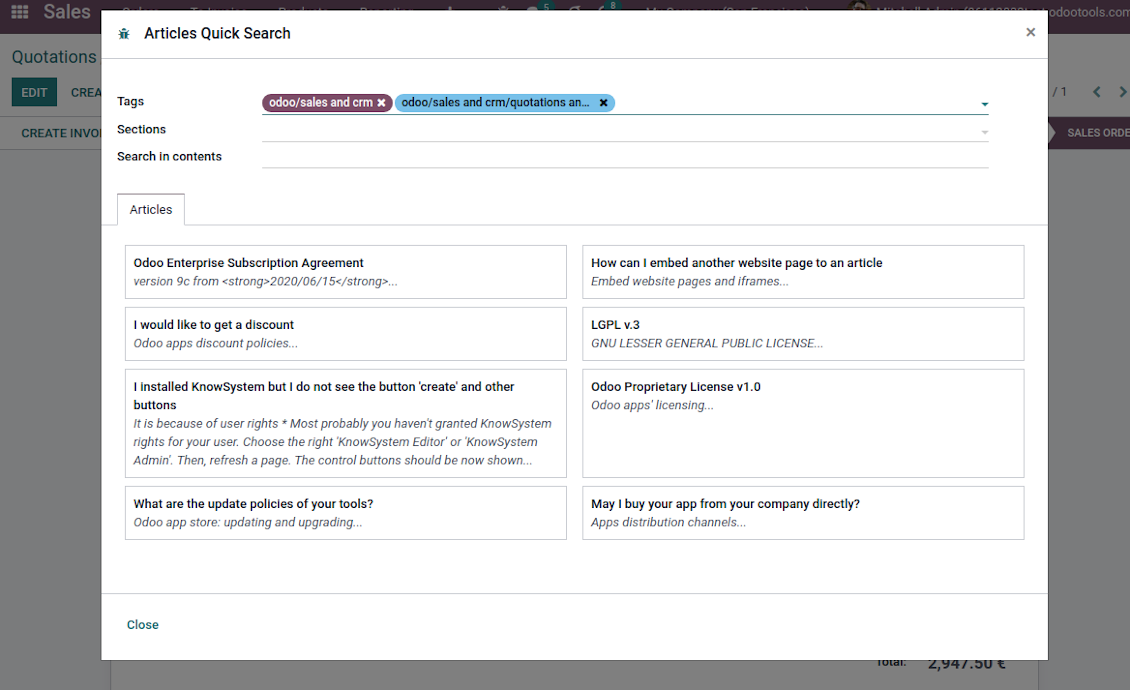
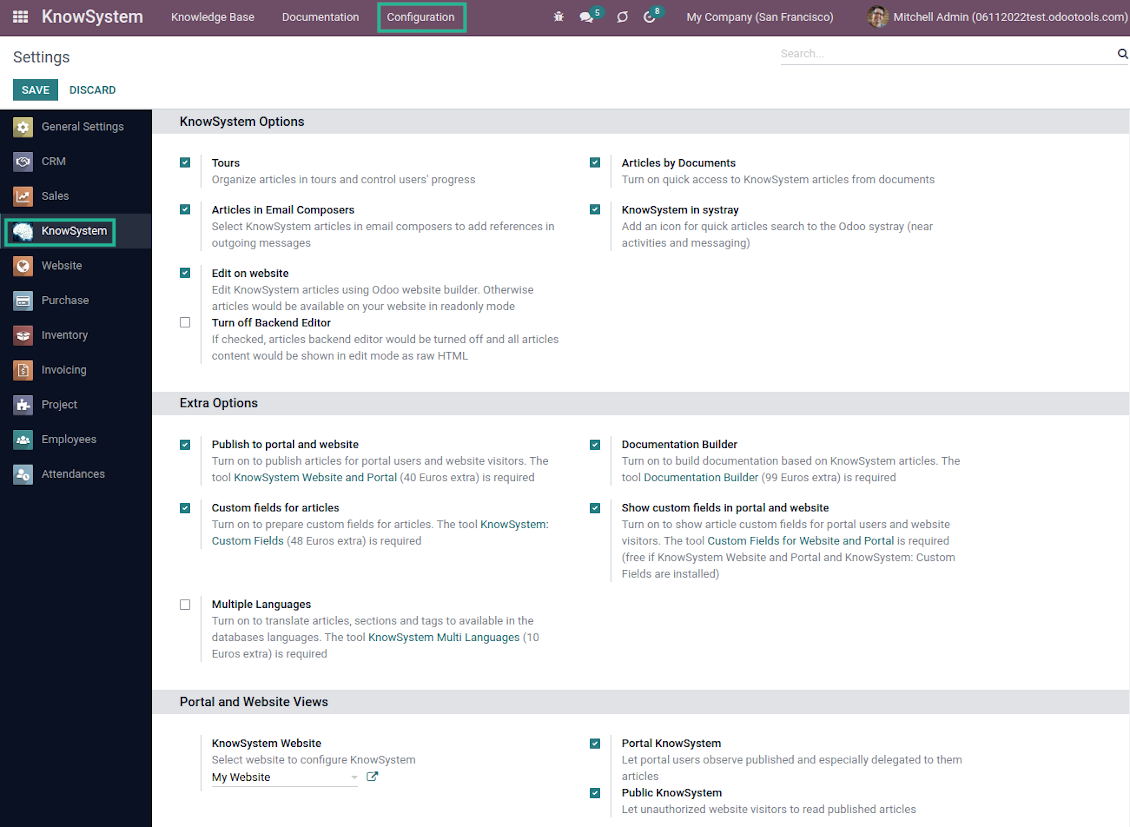
Turn on the setting 'Articles by Documents' to add the quick entry for Knowledge base from any Odoo form view
-
Search articles by tags, section, or content in a few clicks for a quick overview
-
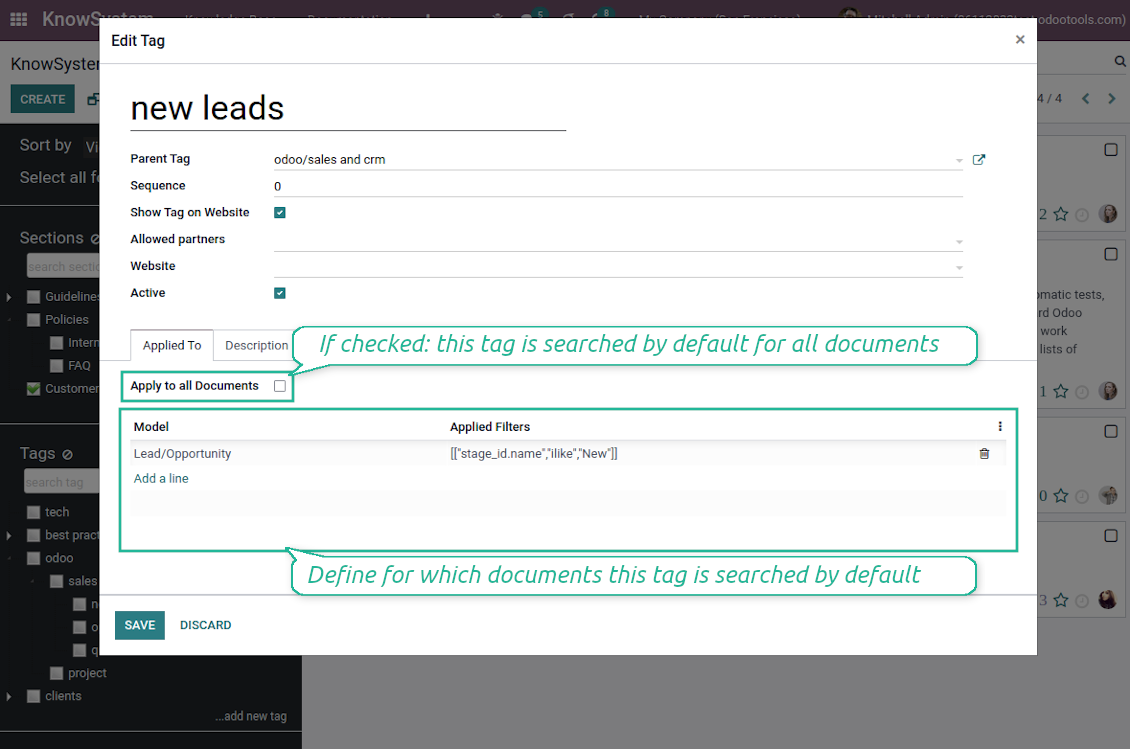
Link knowledge tags with Odoo document types to simplify the search of articles. For example, assign helpdesk tickets to the tag 'odoo/helpdesk': the latter would be entered by default for support requests objects
-
Observe article content right from any Odoo object: there is no need to always switch to the KnowSystem advanced interface
-
Turn on also the option 'KnowSystem in systray' to access knowledge from the Odoo systray disregarding the active interface
Apply knowledge in communication
-
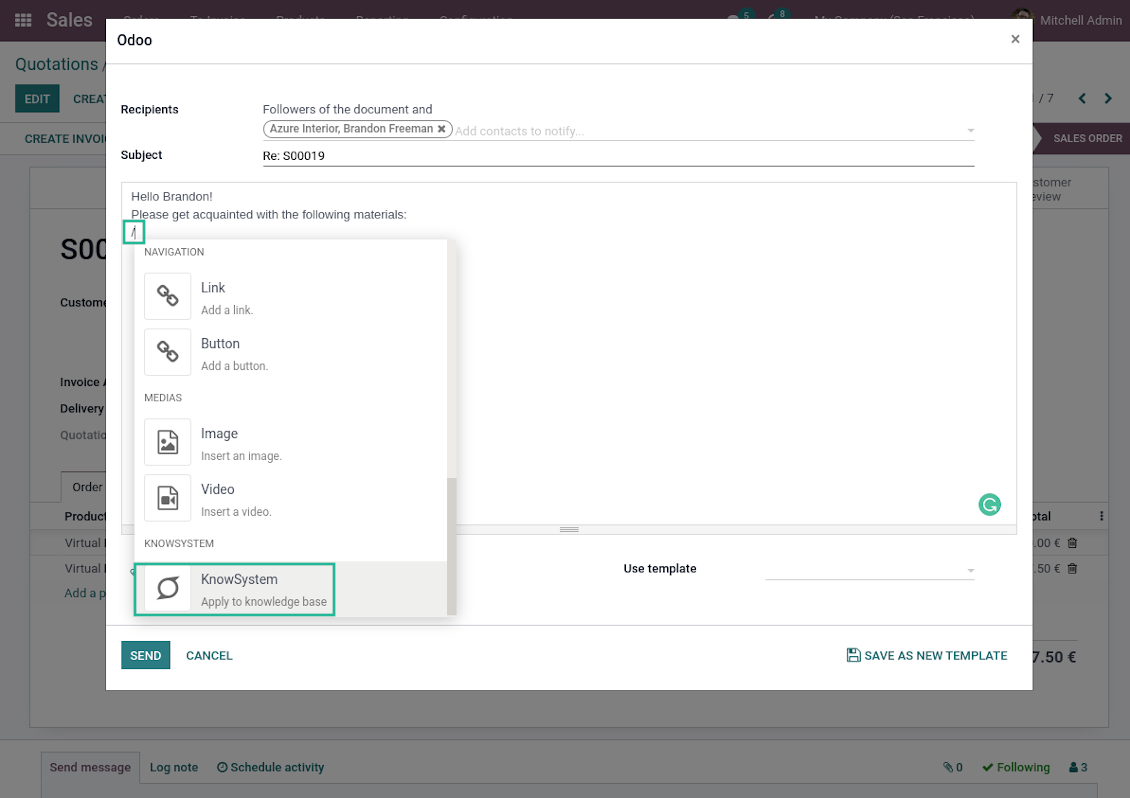
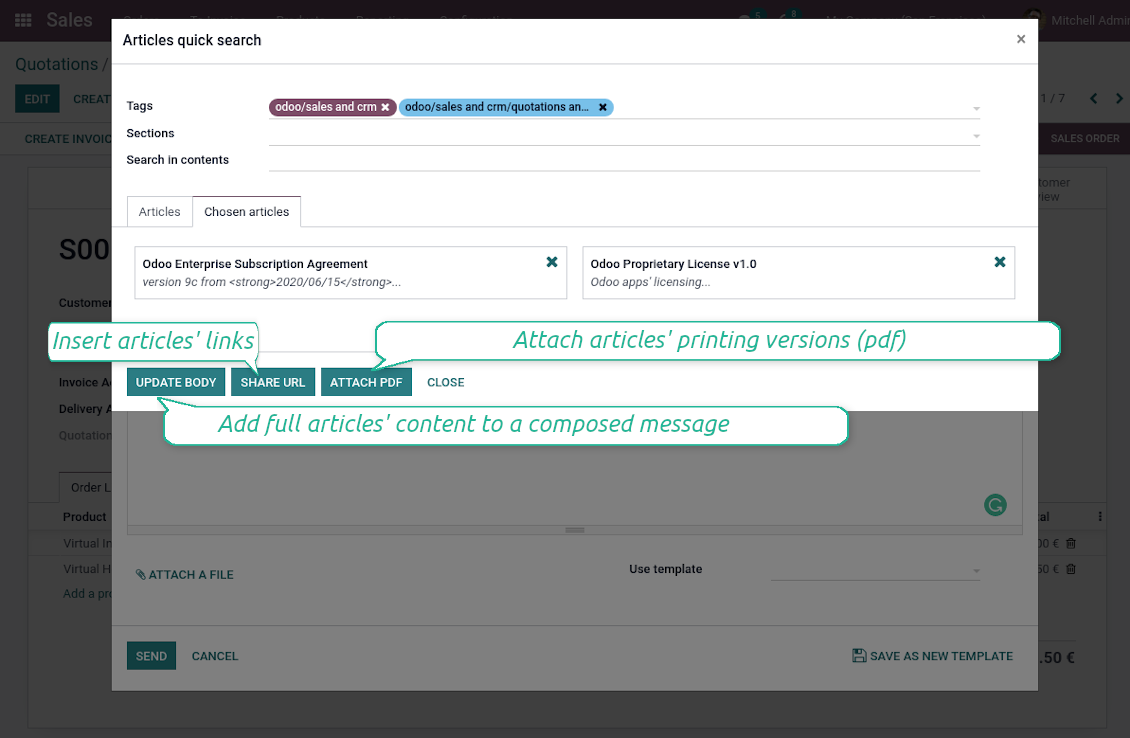
Turn on the option 'Articles in Email Composers' to let users reference or cite Knowledge records in Odoo messages
-
Quickly observe articles related to a current document discussion. Instantly reference those by applying the Odoo editor command '/' > KnowSystem
-
Update message body with knowledge content (it would be added to the end of a current message)
-
Attach a PDF version of referenced article or articles
-
Share knowledge links with your colleagues or partners. Configure the app to send backend, website/portal, or tokenized Odoo portal URLs
-
Turn on the setting 'Articles in Activities' to insert articles or their links also to Odoo activities
Organize learning tours
-
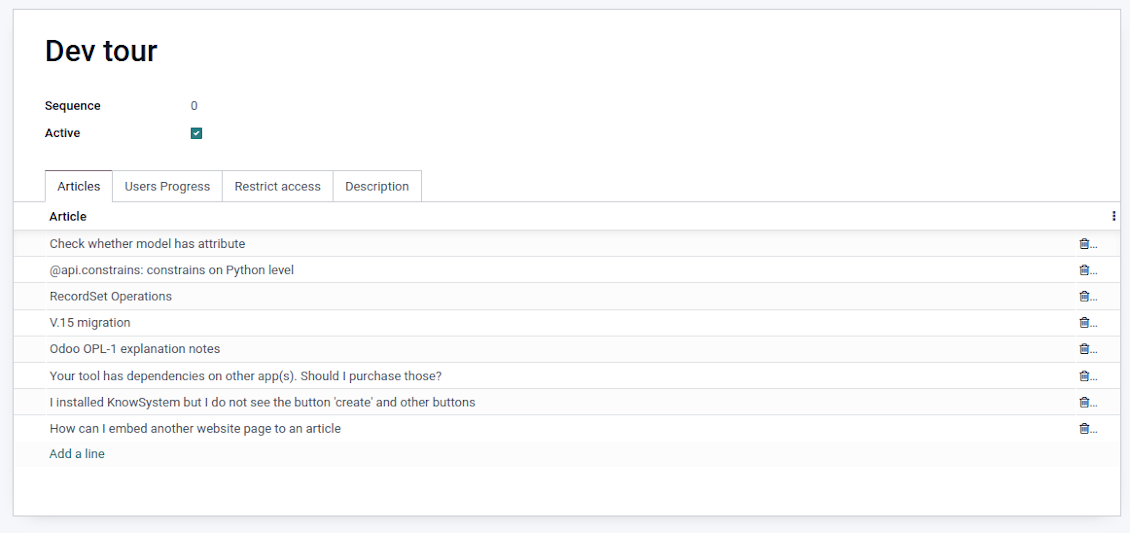
Turn on the option 'Tours' to be able to combine articles in a sequence of learning steps
-
Add any knowledge to a tour in any order
-
Launch a tour to follow certain steps of study one by one in the special interface
-
Share learning tours with everybody or specific user groups. Control employees' progress in getting familiar with instructions and guidelines
Share and publish knowledge
-
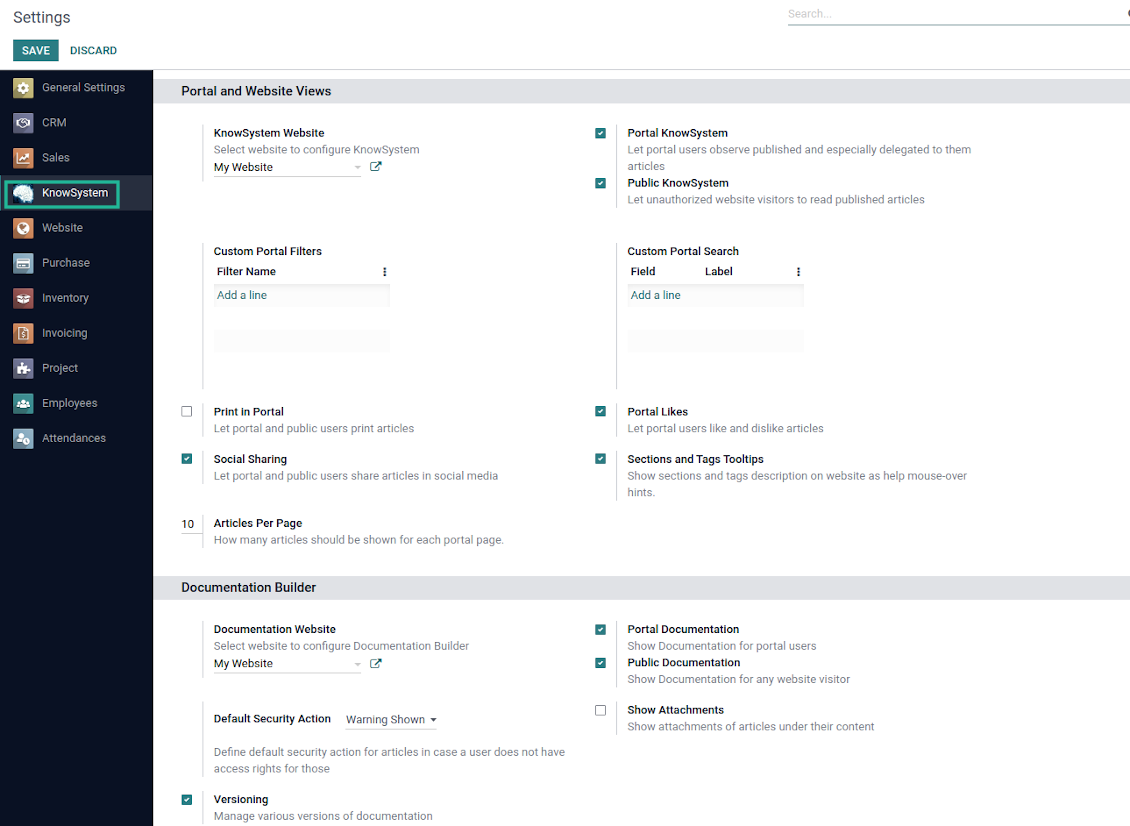
Turn on the setting 'Portal KnowSystem' to give KnowSystem access to external partners, and 'Public KnowSystem' - to website visitors
-
Configure KnowSystem tags or publish articles to share knowledge content
-
Combine articles in advanced documentation to cover a certain aspect of organizational or functional knowledge
-
Turn on the option 'Portal Documentation' and 'Public Documentation' to make that documentation available for portal and public users respectively.
Website documentation builder
-
Combine articles into advanced documentation sections to cover a certain business, organizational, or functional aspect
-
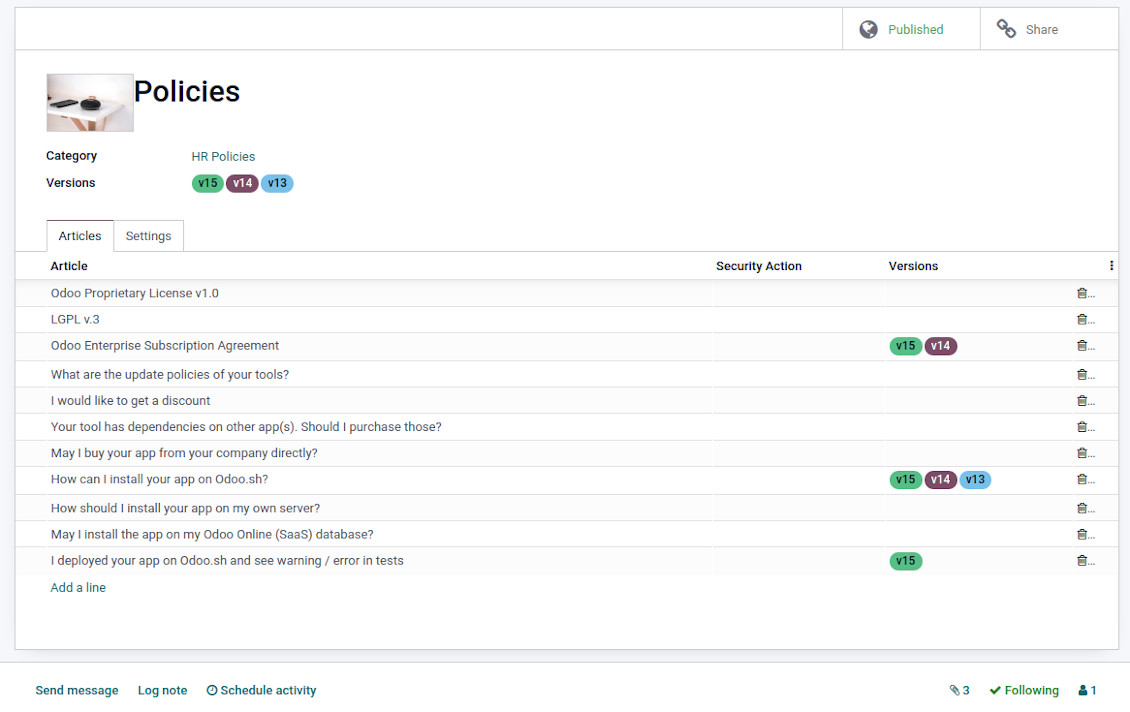
To create a new documentation section just select and order KnowSystem articles. The app would generate a website page automatically
-
Each KMS article might be used several times for different documentation sections
-
The tool allows preparing an unlimited number of documentation pages structured by categories
-
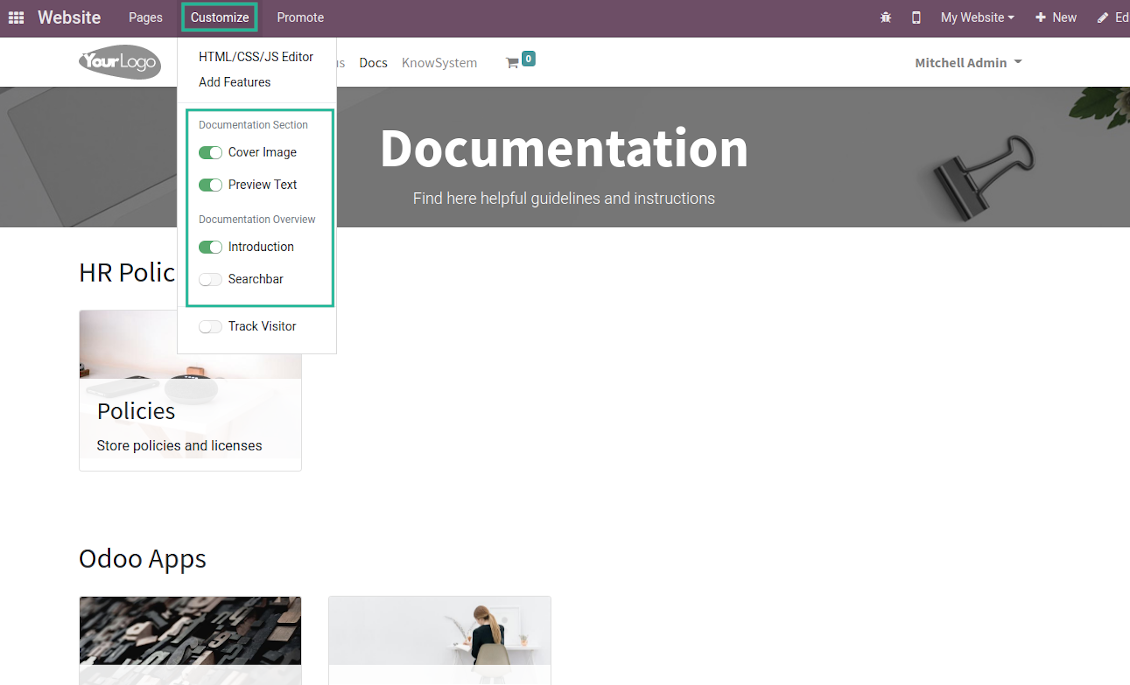
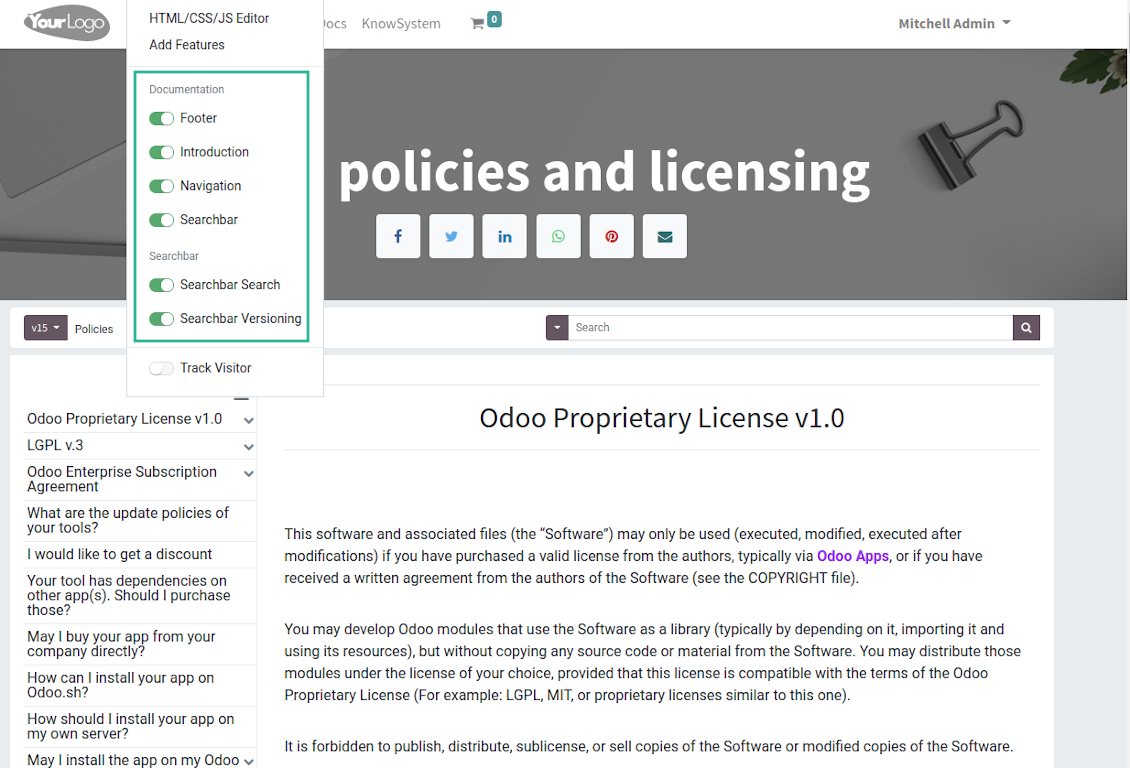
Flexibly customize documentation pages: show or hide introductions and footers, turn on/off the search bar and table of contents, add or remove preview images and texts
-
The app lets flexibly share documentation categories and sections. Publish required documents to make them available for everybody, assign KnowSystem tags - to grant access to chosen Odoo partners
-
Depending on user rights documentation might look different. Define what to do if a documentation user does not have access to included articles: to neglect restrictions, not show that knowledge pieces, or show a security warning
-
Optionally show a table of contents for comfortable and quick navigation. The table of contents is constructed automatically according to the headers of included articles
-
Turn on the search bar for documentation. It is possible to find matches in a whole text or only in headers, to make keywords case sensitive or insensitive
-
Apply versioning for documentation to avoid double work in preparing specifications, user manuals, or software guidelines.
Partner knowledge base portal and public knowledge system
Knowledge in Odoo portal
-
KnowSystem lets organize a web portal personally for each Odoo partner by selecting articles to be shared. To that end turn on the option 'Portal KnowSystem'
-
Design an article specially for a definite company, or use the same knowledge experience among multiple clients
-
Knowledge articles are available for portal users if: (a) the articles are published; (b) the articles have user-related tags
-
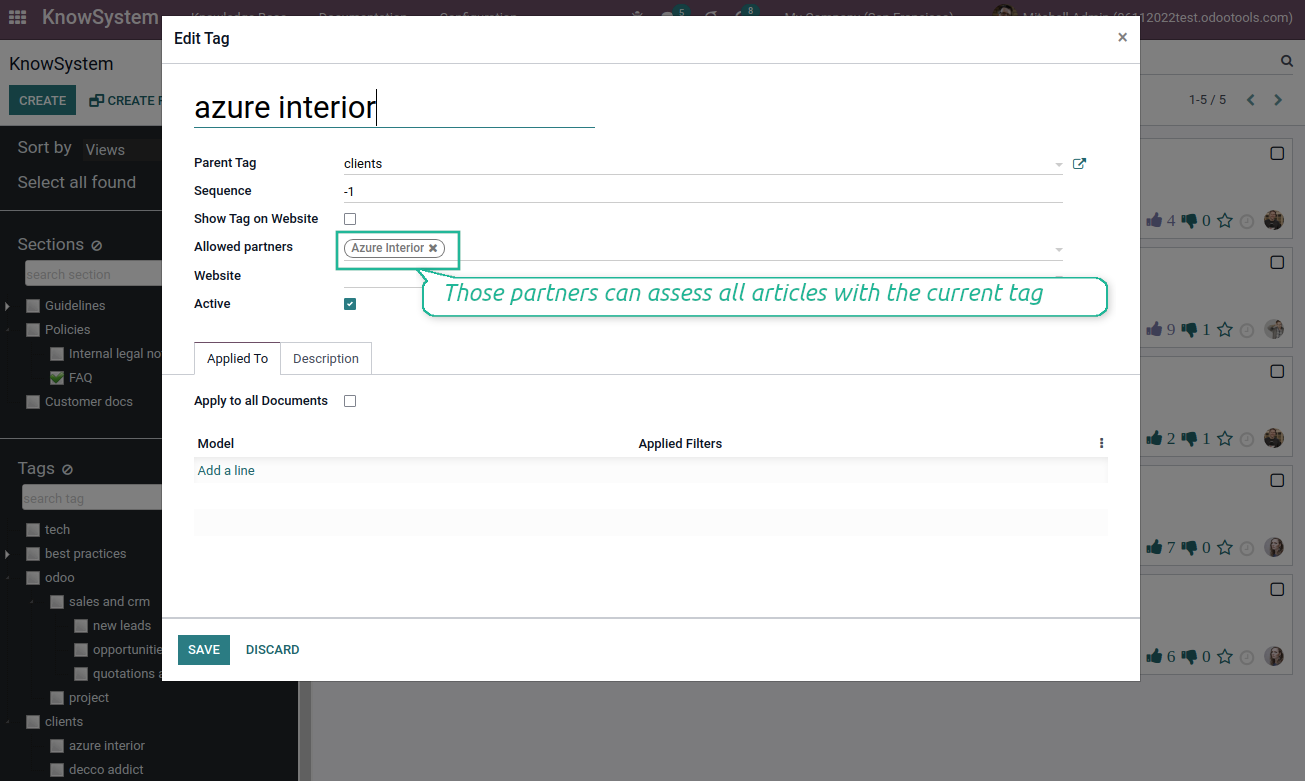
To assign a KnowSystem tag for a partner do one of the following: (a) go to a partner form and enter the field 'KnowSystem tags'; (b) on a tag form define 'Allowed partners'
-
Optionally allow partners to print knowledge pieces, like or share articles
Public KMS
-
To make self-service possible: make your knowledge base available also for unauthenticated users. To that end turn on the option 'Public KnowSystem'
-
Only articles which are published would be available for visitors
-
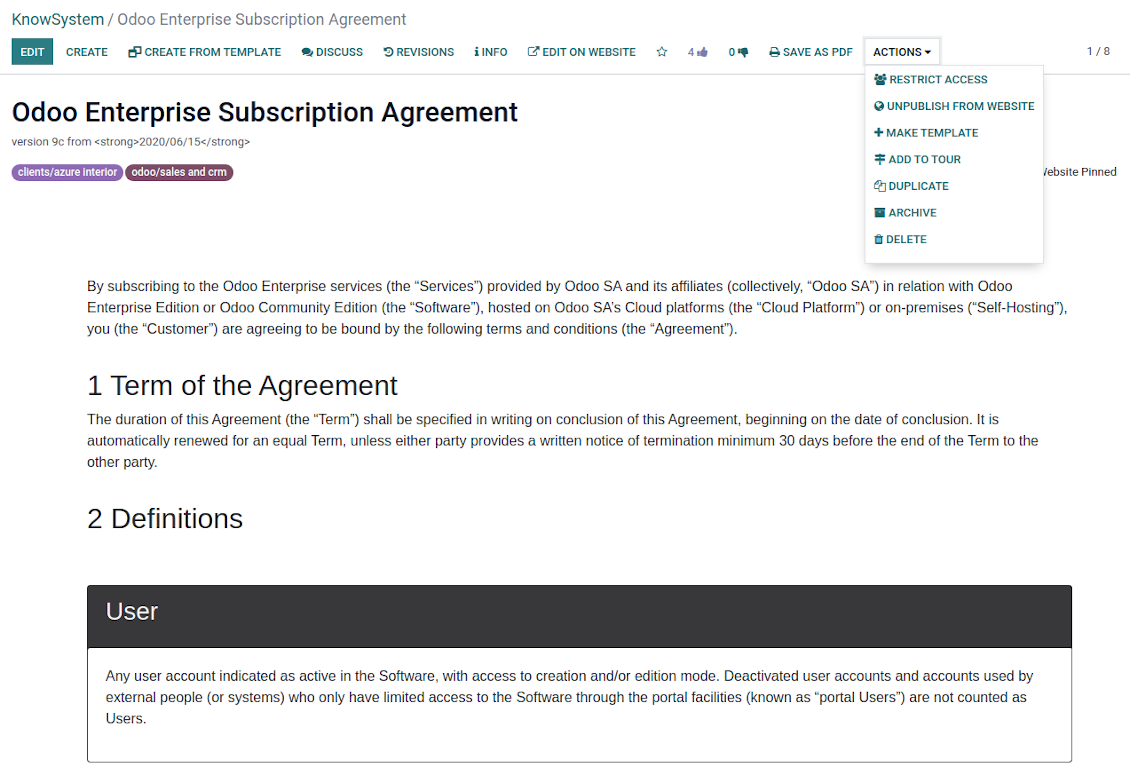
To publish specific knowledge parts: apply the mass action 'Publish' or push the button 'Actions > Publish on website' on an article form
-
To show tags and article types in the portal and website do not forget to publish them. Knowledge sections would be shown only if they have articles for observation
-
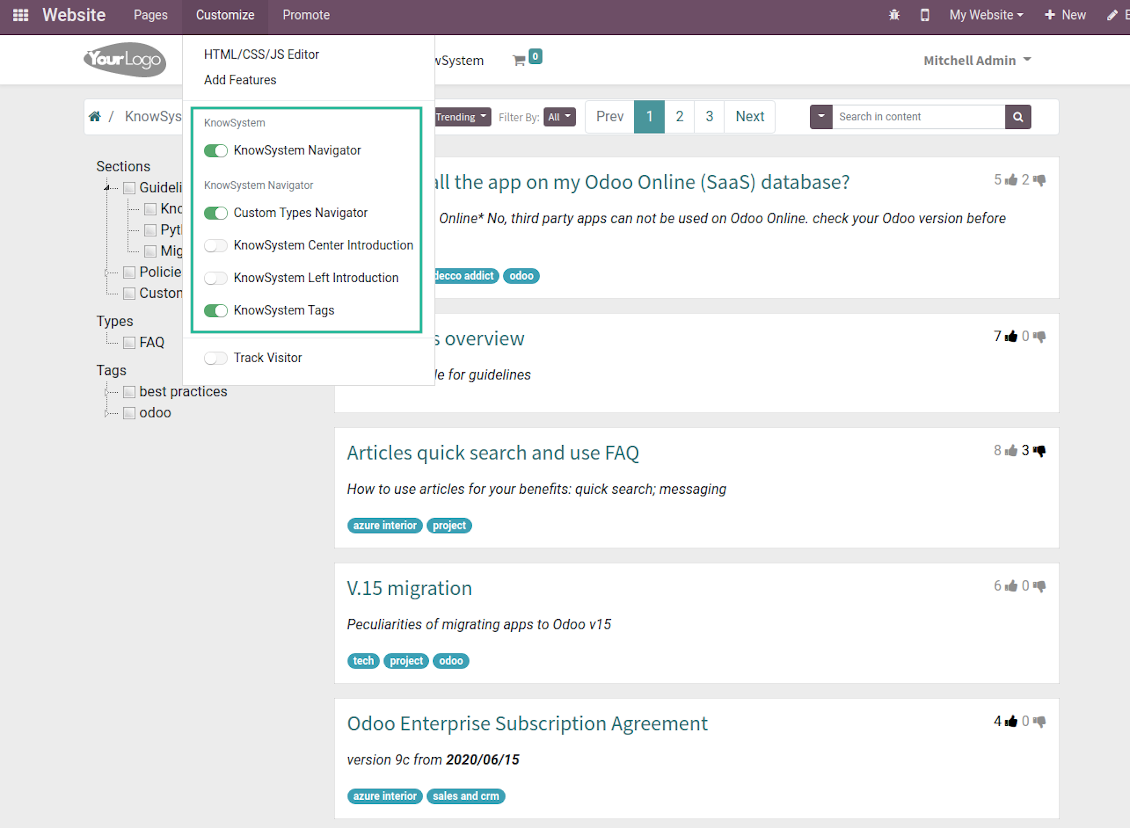
Customize the knowledge portal: hide/show the navigation by tags and types or the whole navigation, prepare introduction or navigation hints, and add section tooltips.
Interactive and evolving knowledge base
Teamwork and use
-
The history of article revisions is kept in Odoo in a similar way it's done in Wikipedia. If one of the Odoo users breaks something, it takes 2 clicks to recover a proper knowledge version
-
Users might take part in article discussions and be subscribed for updates
-
Control statistics by articles: contributors, number of views, likes, and dislikes, how frequently they are used in messaging, who marks them as favorite
-
Set activities to improve the knowledge base
Multi-lingual knowledge
-
KnowSystem lets you translate articles in the languages installed in Odoo. In such a way users might read and edit articles in a language of their preferences
-
To avoid double work, article content might be copied from another language (the button 'Copy from another translation' under the article content). Simultaneously, make sure you actually require multi-lingual regime: all articles should be anyway kept updated in all Odoo languages
-
To update knowledge translation you should change your user preferences to a required language. Then, go to an article and introduce changes as usual.
Design eCommerce FAQ or documentation
-
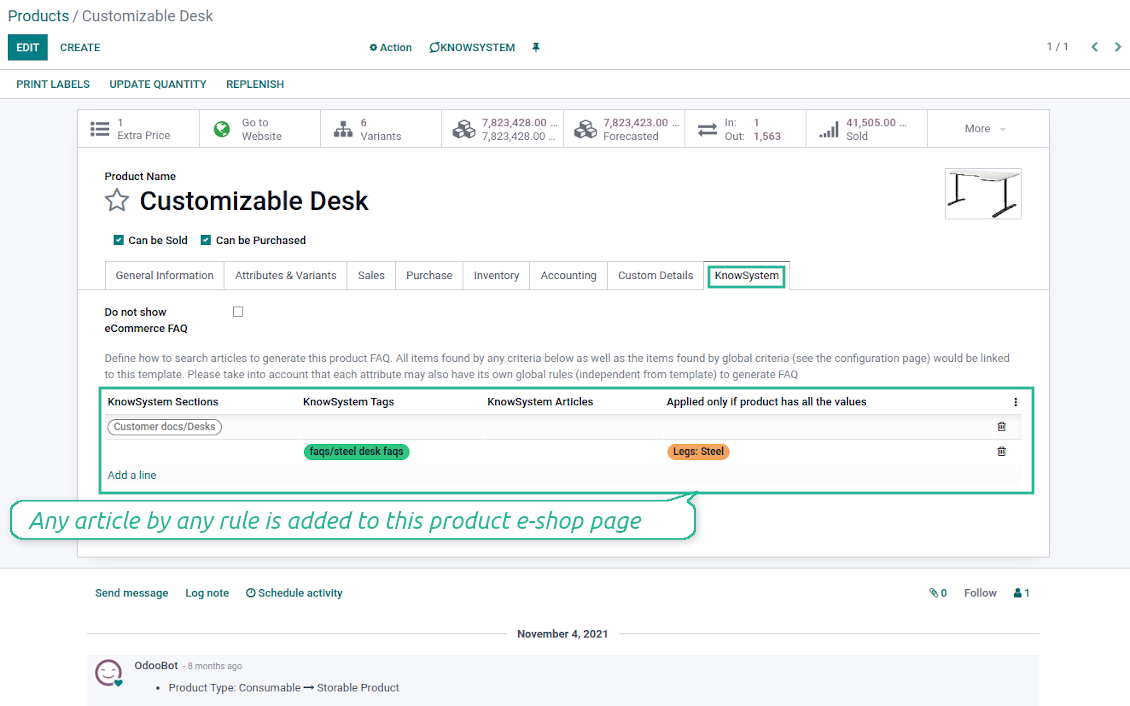
The tools allow adding the product knowledge entry to all eCommerce product pages
-
Optionally hide that for specific templates (the setting 'Do not show eCommerce FAQ') or for the whole eShop on a particular website (the configuration option 'FAQ view' - 'Do not show')
-
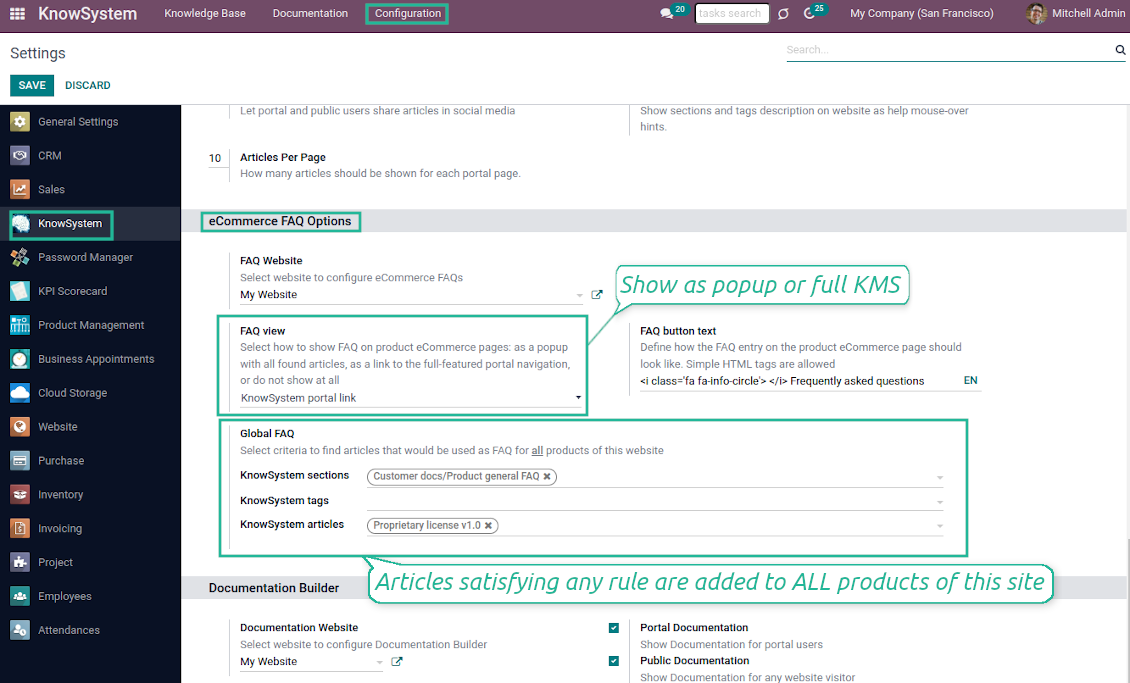
Introduce your own title for the button (the website setting 'FAQ button text'). By default, it is ' Frequently asked questions'. But you can change that to any, e.g. 'Product docs' or 'Instructions'. Simple HTML tags are allowed for that goal
-
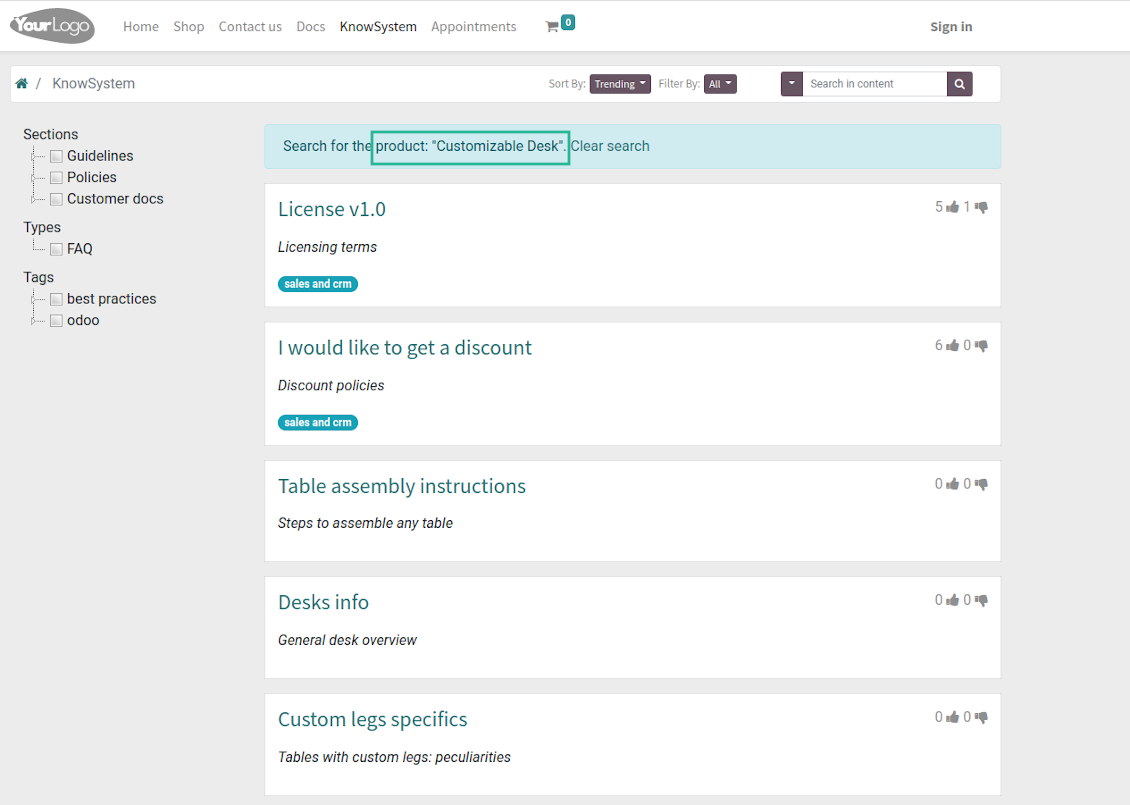
Show product knowledge as a link to the main knowledge portal interface (choose 'KnowSystem portal link' for the option 'FAQ view'). In this way, when clicked users are redirected to the full KnowSystem navigation but are restricted by articles linked to the current product
-
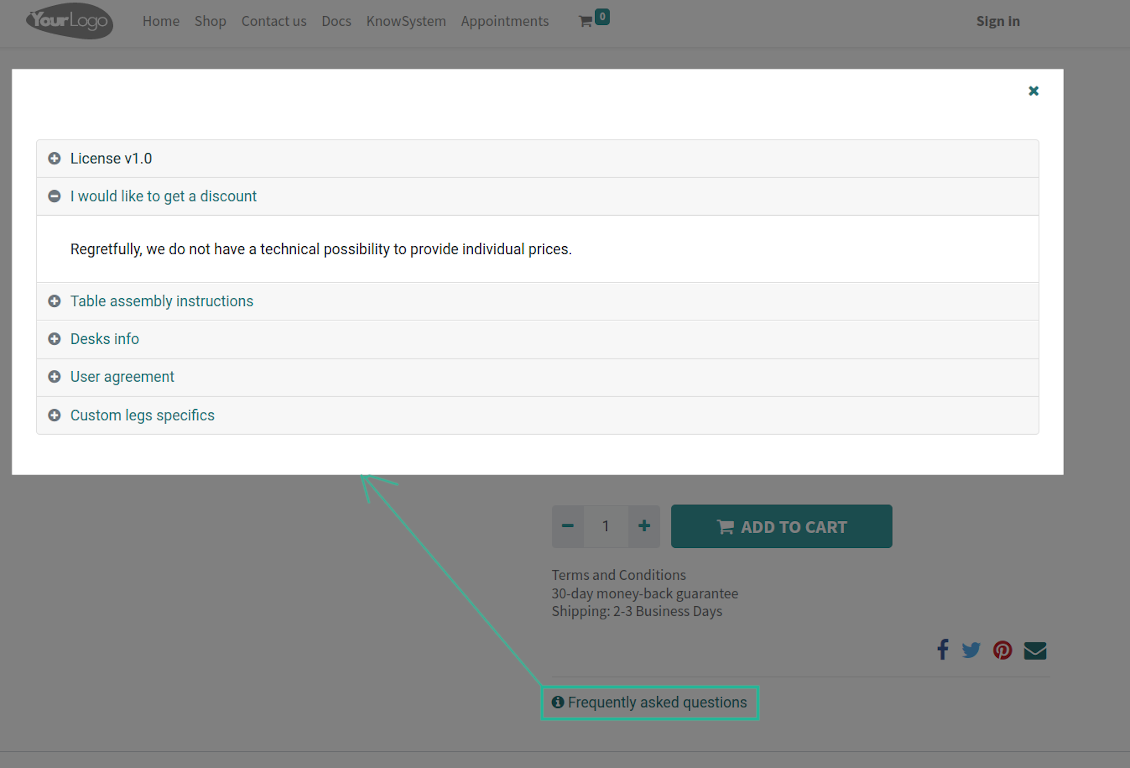
Alternatively, the tool allows triggering a popup with all found articles accordion (choose 'Popup accordion' for the option 'FAQ view'). Thus, users are able to check articles without leaving a product e-Shop page
-
Establish links between product templates and KnowSystem to cumulate Odoo eShop knowledge. Show articles for specific sets of attribute values and hide them for others. For example, to have different FAQs for steel and aluminum tables
-
Define its own knowledge for Odoo attributes or attribute values disregarding actual products. For instance, complementary documentation for all variants that have 'legs' or 'custom legs'
-
Apply global settings of how to find articles for all eCommerce product pages. In this way, the app lets have the same FAQs basis for all sold items on a particular website
-
It is possible to define KnowSystem sections, tags, or specific articles on each layer. A knowledge piece would be selected if it satisfies any of the criteria. For sections and tags, child nodes would be also taken into account
-
Articles are shown on product pages only if a user can access those articles. Thus, website visitors would see only published ones.
Any business and functional area
KnowSystem is a universal knowledge management tool that might be configured to any business goal and any set of Odoo apps: helpdesk, marketing, IT, HR, project management, so on and so on. Typical use cases are:
-
Helpdesk - once faced a challenge, its solution might be recorded in KnowSystem for repeated usage by co-workers and for self-service by clients
-
Sales and CRM - salesperson helper to find information about products and offers, frequently asked customer questions
-
Project management - to keep and easily retrieve knowledge of existing solutions, tools, hints, and experiments
-
HR - to prepare instructions, guidelines, learning tours and training, and any codified knowledge of routine in your company
-
Marketing - to organize Odoo's online library of product use cases, expert knowledge, and well-structured documentation
-
Legal issues - systematize your policies, contract/approval management, keep the full classifier of trademarks, licenses
-
Informational technologies - share easy-reached manuals and configuration guidelines.
Custom knowledge system attributes
-
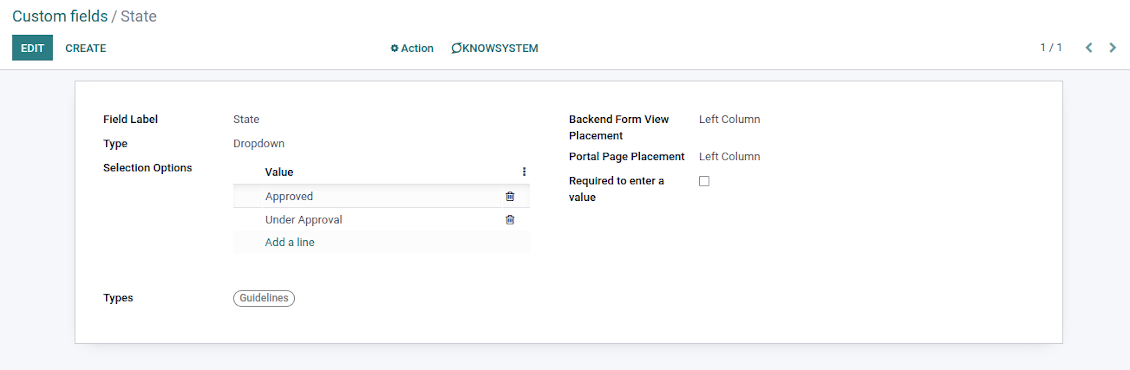
Custom attributes' creation does not require any technical knowledge. In order to show a new property for knowledge base articles, just add a new field and enter details
-
It is possible to add custom fields of the following types: single-line text (char), simple text without formatting (text), rich text (HTML-formatted text), integer or float numbers, drop-down choice with your own options (selection), checkbox (boolean), date or date and time, binary (a file to upload), reference to another Odoo document (e.g. for sale order, contact; many2one)
-
The tool lets you comfortably select an interface position of a custom field from a closed list of options
-
Distinguish knowledge articles by types in order to show properties only for suitable ones. Thus set of attributes for 'user guidelines' and 'technical specifications' might be different
-
Mark a custom field required to force users to enter values
-
The app might work for both the KnowSystem backend and the knowledge share portal
-
Custom knowledge system fields might be imported and exported
-
The rights to create custom fields belong only to KnowSystem administrators.
Secured and shared knowledge
-
Security for internal and for portal/public users differs
-
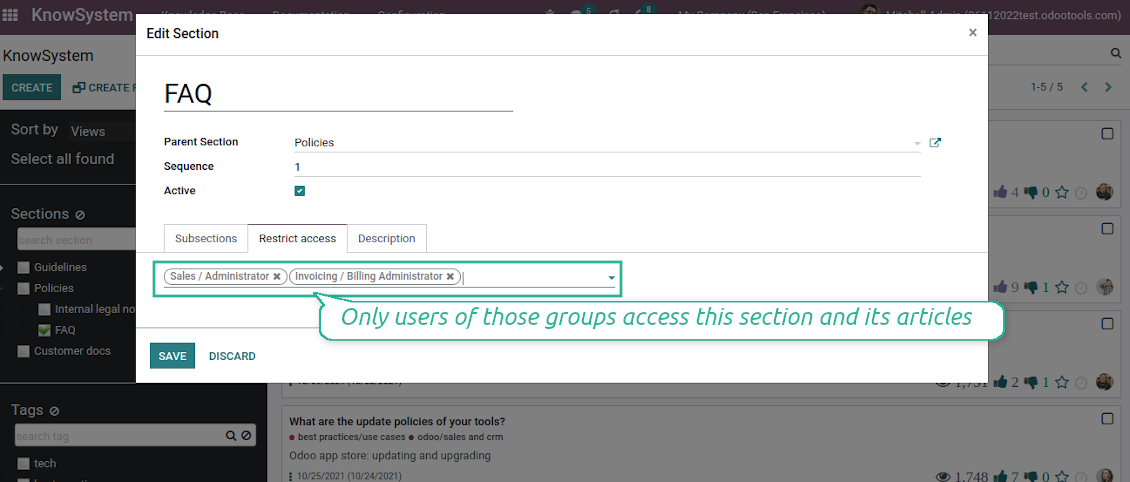
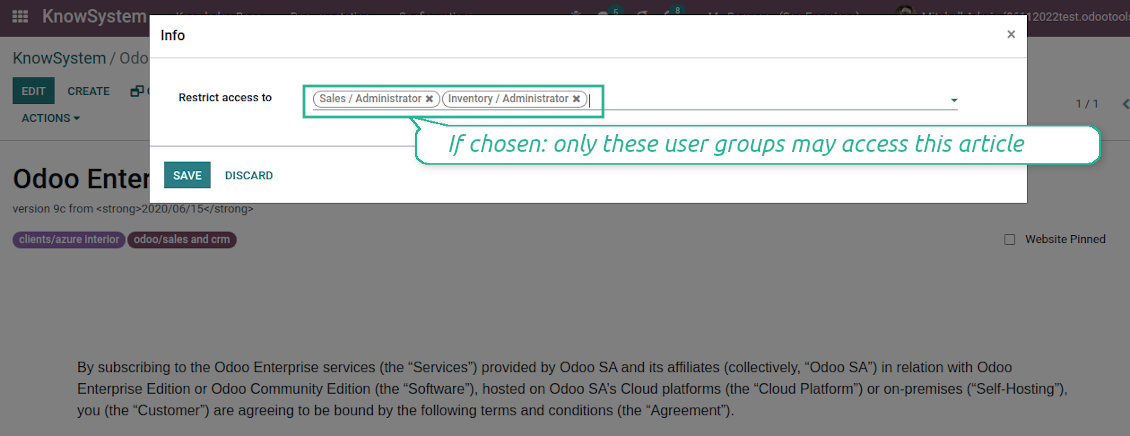
For the company employees: KnowSystem considers user groups which are defined per articles, sections, and tours. Look at the tab 'Restrict to' on forms of those objects. If that field is not defined, a document is considered 'global' and each internal user may read it
-
For portal / public users: KnowSystem takes into account tags and whether an article is website-published. A knowledge tag has a field 'Allowed partners', which may grant access to portal users for articles with this tag. Website published pages are available for any external visitor
-
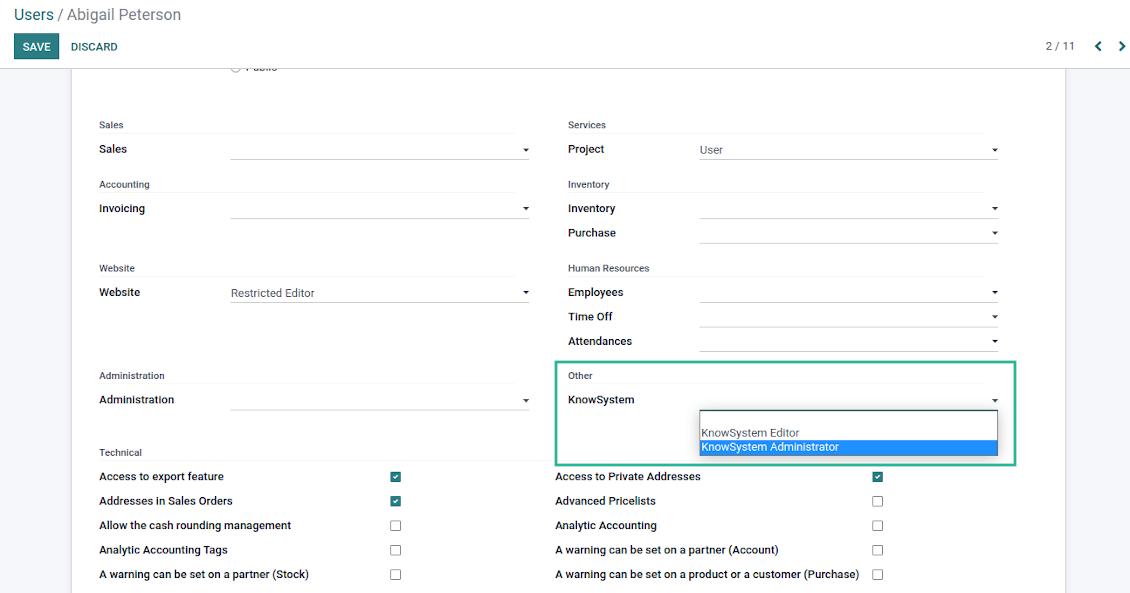
Rights to administrate Odoo knowledge management system belongs to 2 user roles: KnowSystem Editor and KnowSystem Administrator. If you want a user to create and edit articles, a user should belong to one of those groups
-
Odoo users always may access an article if he/she is an author of that article disregarding further restrictions
-
Rights for a knowledge section are defined not only according to this section but also according to all its parents. For example, if a user can't access 'sales', he/she would not be able to access 'sales/crm' disregarding whether 'crm' is available for his/her user group.
|
|
Odoo user |
KnowSystem Editor |
KnowSystem Admin |
Portal user |
Public user |
| Articles | read related to his/her user groups and sections | read, create, edit, archive related to his/her user groups and sections | read, create, edit, delete any | read published articles and articles related to partner-related tags | read published articles |
| Sections | read related to his/her user groups | read, create, edit, archive related to his/her user groups and sections | read, create, edit, delete any | read all sections of available articles | read all sections of published articles |
| Tags | read any | read, create, edit, archive any | read, create, edit, delete any | read published ones | read published ones |
| Article Types | read any | read any | read, create, edit, delete any | read published ones | read published ones |
| Tours | read related to his/her user groups | read, create, edit, delete related to his/her user groups | read, create, edit, delete any | no access | no access |
| Misc | may like/dislike, add to favorites, print, take part in discussions | may configure options | may like/dislike an article |
|
Vanliga frågor om KnowSystem: Knowledge Base System Odoo v.15
Jag ser ingen skillnad mellan revisionernas texter.
Revisioner registrerar inte bara textändringar utan även alla stiluppdateringar (tekniskt när du ändrar HTML-källkoden för en artikel). Vissa syns inte vid första anblicken (t.ex. ändrad teckenstorlek på ett enda ord). Andra kan vara stora. Varje kedja Edit > ändra något i en artikel > Save ger dock en ny revision.
Kan jag lägga till en YouTube-/ Vimeo- / Dailymotion- / Youku-video i en artikel?
Ja, du kan bädda in video från de tjänsterna i artiklar både från Odoo-backend och webbplatsbyggaren. Lägg till ett byggblock med en bild > tryck på bilden > välj ‘Video’ > ange URL:en till mediet.
Observera: sådana videor inkluderas som iframes, och vissa webbläsare kan blockera uppspelning tills användaren uttryckligen tillåter det.
Hur gör jag ett avsnitt synligt på hemsidan?
I KnowSystem blir ett avsnitt synligt på en webbplats om det är publicerat och innehåller minst en artikel. Även med underavsnitt syns det inte om det inte finns en enda artikel i avsnittet självt. Det undviker tomma avsnitt och gör KnowSystem-portalen överskådlig. Vill du visa avsnittet på webbplatsen kan du lägga till en inledande eller allmän artikel som kort beskriver eller listar artiklarna i underavsnitten.
Hur delar jag en artikel med en extern partner?
Högerklicka på valfri etikett i den vänstra navigeringspanelen - Create
Hitta fältet 'Allowed partners'. Till exempel 'clients - azure interior' för att ge partnern 'Azure Interior' åtkomst. Du kan göra tvärtom: tilldela KnowSystem-etiketter direkt på partnerformuläret
Gå sedan till önskad artikel (eller gör samma sak med åtgärden 'Mass update' för flera poster):
Om den är publicerad: avpublicera den om du inte vill att den ska vara tillgänglig för alla portalanvändare och offentliga besökare
Tilldela den nyss skapade etiketten (i exemplet är det 'clients - azure interior')
Nu:
Alla portalanvändare kopplade till den kommersiella partnern 'Azure Interior' har åtkomst till artiklarna med etiketten 'Azure Interior'
Inga andra portalanvändare (om ingen annan etikett är tilldelad) har åtkomst till de artiklarna
Interna användare påverkas inte och ser artiklar enligt logiken 'access to' för artiklar och avsnitt.
Kan vi lägga till språkvalsknappen för artikelns brödtext?
Knappen 'translate' läggs medvetet inte till i artikelns brödtext av tillägget 'KnowSystem: Multi Languages'. HTML är mycket svårt att översätta i den enkla popup som knappen förutsätter. Det skulle bli väldigt lite text att översätta och många HTML-delar (som översättaren dessutom kan förstöra).
Därför ska du, för att göra en artikel på ett visst språk, logga in som en användare med det språket. Det kan vara en annan användare, eller så ändrar du tillfälligt den aktuella användarens inställningar. Därefter görs alla uppdateringar av artikelns brödtext på det användarspråket.
Du kan också använda knappen 'Copy from another translation' under artikelns brödtext för att när som helst hämta innehållet från ett annat språk (användbart om artikeln uppdaterats kraftigt på ett av språken).
Hur bäddar jag in en annan webbsida i en artikel
För det kan du använda iframes. Växla artikeln till den råa HTML-kodredigeraren och infoga till exempel <iframe src="https://faotools.com/" style="width:100%;min-height:600px;"> </iframe>.
Jag har installerat KnowSystem men ser inte knappen 'create' och andra knappar
Du har troligen inte gett användaren KnowSystem-rättigheter. Välj rättigheten 'KnowSystem Editor' eller 'KnowSystem Admin' och uppdatera sidan. Kontrollknapparna bör nu visas.
Kan jag visa en specifik lärandeguide bara för utvalda användare?
Ja, genom att tilldela en användargrupp (t.ex. 'Sales Manager') som ska gå rundturen. Tillhör användaren gruppen visas rundturen. Annars visas den inte. Det fungerar på samma sätt som behörigheter för KnowSystem-artiklar och -avsnitt.
Tänk på att en rundtur utan tilldelade grupper är 'global' och syns för alla.
Hur ändrar jag sidfot och sidhuvud när jag skriver ut artiklar?
Sidhuvud och sidfot för artikel-PDF:er hämtas från företagets layouter. Titta på Settings > General Settings > avsnittet Business Documents. Där anger du företagets mall som används för alla dokumenttyper, inklusive fakturor, säljorder m.m., och även för artiklar. Detta Odoo-sätt ser sidfot och sidhuvud som en allmän företagsstil, inte som ett attribut för specifika utskrifter.
Hur länkar jag artiklar till varandra?
Varje artikel har interna (backend-) och webbplats-URL:er (om alternativet 'KnowSystem: Website and Portal' är installerat). Klicka på knappen 'Info' på artikelformuläret för att se webbadresserna för den här posten. Du kan infoga vilken som helst i artikelns brödtext som en hyperlänk.
Kan jag ändra HTML-källkoden för en artikel?
Ja: slå på debug-resurserna (på översiktsskärmen för inställningar) och gå tillbaka till den aktuella artikeln. I redigeringsläget ser du specialikonen '</>'. Klicka på den för att granska och redigera HTML och stilar.
Vilka uppdateringsregler gäller for era verktyg?
Enligt de aktuella reglerna for Odoo Apps Store:
- Varje modul kop for version 12.0 eller tidigare ger tillgang till alla versioner upp till 12.0.
- Från och med version 13.0 måste varje modulversion kopas separat.
- Oavsett version ger kopet rätt till alla uppdateringar och felrättningar inom en huvudversion.
faOtools-teamet styr inte dessa regler. Vid frågor, kontakta representanterna for Odoo Apps Store direkt.
Hur installerar jag er app pa Odoo.sh?
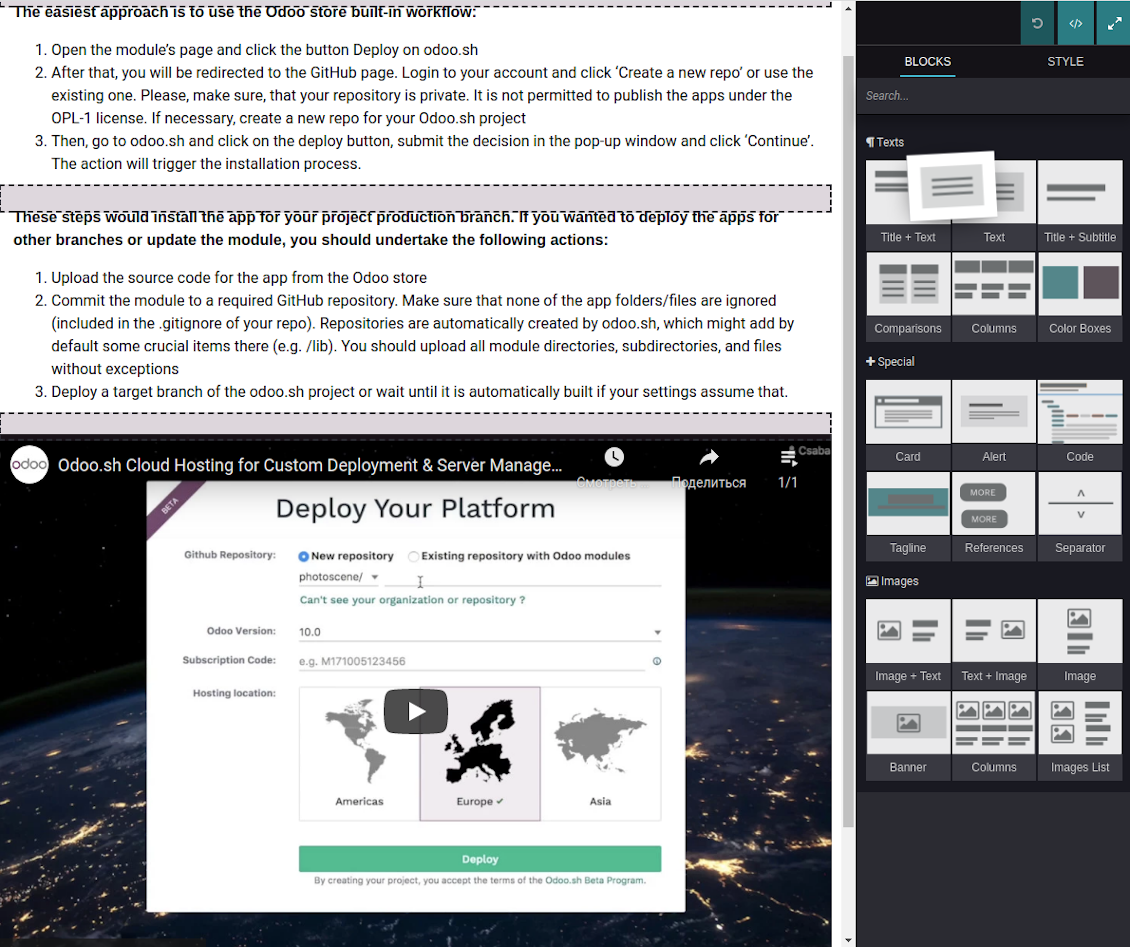
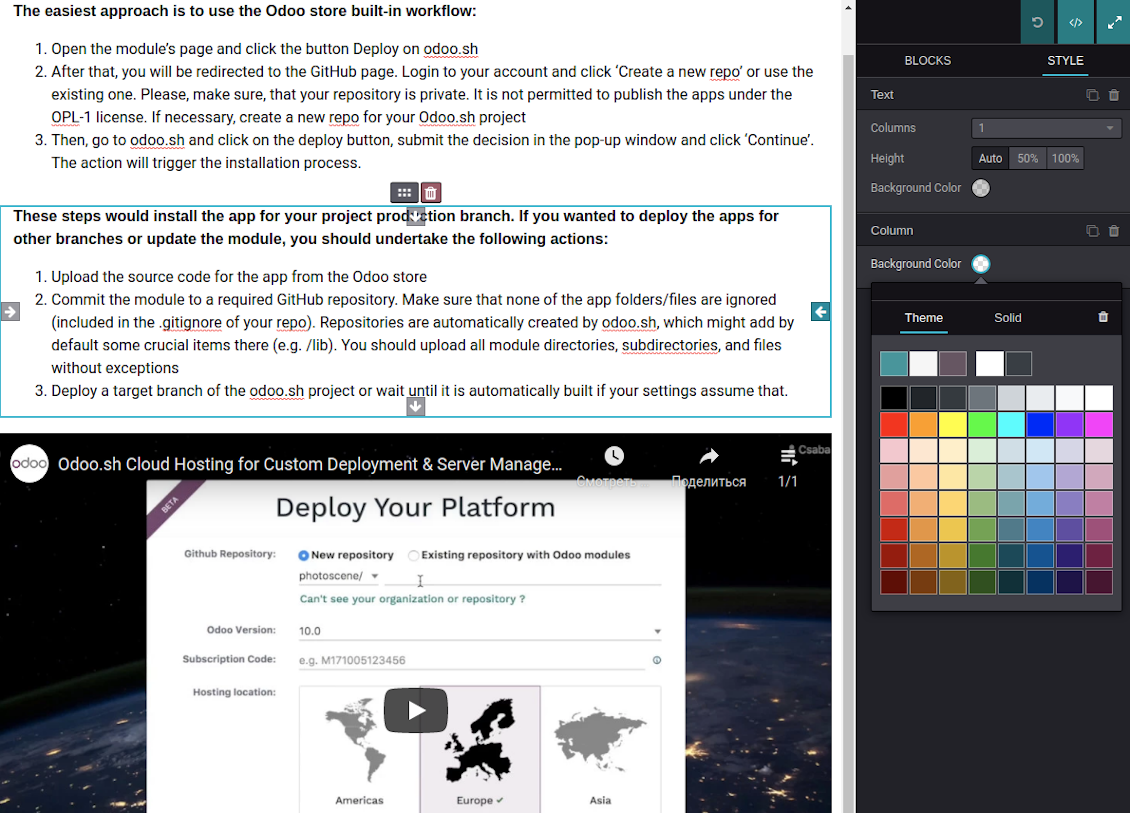
Det mest direkta sättet ar Odoo-butikens inbyggda flöde:
1. Öppna modulens sida och klicka pa Deploy on odoo.sh
2. Du omdirigeras till GitHub. Logga in och klicka pa Create a new repo eller använd ett befintligt. Repot måste vara privat. Appar under OPL-1 far inte publiceras. Skapa vid behov ett nytt repo for Odoo.sh-projektet
3. Ga sedan till odoo.sh, klicka pa Deploy, bekräfta och klicka pa Continue. Installationen startar.
Stegen installerar appen pa production-grenen. For andra grenar eller uppdatering:
1. Ladda ner kallkoden från Odoo-butiken
2. Committa modulen till GitHub-repot. Ingen app-mapp/fil far sta i .gitignore. Repon som odoo.sh skapar kan ignorera viktiga sokvagar (t.ex. /lib). Ladda upp alla modulmappar och filer
3. Deploya malgrenen i odoo.sh-projektet eller vänta pa den automatiska builden om inställningarna anger det.
Hur installerar jag er app pa min egen server?
2. Starta om Odoo-servern;
3. Sla pa utvecklarlaget (tekniska inställningar);
4. Uppdatera applistan (Appar-menyn);
5. Hitta appen och klicka pa Activate/Install;
6. Följ anvisningarna pa appsidan om det finns någon.
Er app har extra tillägg. Kan jag kopa dem senare?
Ja. Odoo lägger automatiskt alla beroenden i varukorgen: uteslut redan kopta verktyg sa att du inte betalar tva gånger.
Jag deployade er app pa Odoo.sh och ser en varning/ett fel i testerna
En rod/orange varning påverkar inte appens funktioner. Ibland klarar vara moduler inte de vanliga automatiska testerna, eftersom de förväntar ett beteende som strider mot appens mal. Vi ändrar till exempel prisberakningen, medan Odoo-testerna jämför slutpriset med standardalgoritmen.
Kontrollera först funktionerna i den deployade databasen. Fungerar allt?
Om du ändå tror att varningen påverkar verkliga funktioner, kontakta oss och skicka de fullständiga installationsloggarna och den fullständiga listan över deployade moduler (karn och tredje part).
Kan jag kopa er app direkt av er?
Nej, vi distribuerar verktygen endast via den officiella Odoo-appbutiken.
Jag vill ha rabatt
Tyvärr har vi inte tekniska möjligheter att erbjuda individuella priser.
Kan jag installera appen pa min Odoo Online (SaaS)-databas?
Nej, tredjepartsappar kan inte användas pa Odoo Online. Odoo SaaS blockerar den möjligheten.
Ert verktyg beror pa andra appar. Behöver jag kopa dem?
Ja, verktyget behöver alla moduler som anges som beroenden. Priset pa appsidan inkluderar redan dessa beroenden.
Vad kostar modulen i amerikanska dollar? Varför andrades det?
Priset for vara moduler anges i euro. Odoo-butiken konverterar till andra valutor enligt sin interna vaxelkurs. Därför kan priset i amerikanska dollar andras nar kursen uppdateras.
App- och webbplatsformuleringar på andra språk än engelska är AI-assisterade och anpassade till officiella Odoo-översättningar. Om du upptäcker ett fel, skicka ett ärende om översättningskorrekthet så åtgärdar vi det.
Felrapportering
Om du stöter på fel eller inkonsekvent beteende, kontakta oss. Vi garanterar rättningar inom 60 dagar efter köpet och vill förbättra verktygen även efter det.
Du behöver varken telefonnummer eller kreditkort för att kontakta oss. Det räcker med en kort e-postregistrering som tar högst 30 sekunder.
Ta med så många detaljer som möjligt: skärmbilder, Odoo-serverloggar och en fullständig beskrivning av hur problemet återskapas. Det tar vanligtvis några arbetsdagar att ta fram en arbetsplan (om felet bekräftas) eller riktlinjer (annars).
Offentliga funktionsönskemål och modulidéer (gratis utveckling)
Vi är starkt motiverade att förbättra våra verktyg och tackar för all feedback. Om kraven är av allmänt intresse och kan implementeras effektivt tar teamet med dem i att-göra-listan.
En sådan att göra-lista behandlas regelbundet och innebär inga extraavgifter. Även om vi inte kan lova tidsfrister och slutlig design kan det vara ett bra sätt att få önskade funktioner utan investeringar och risker.
Du behöver varken telefonnummer eller kreditkort för att kontakta oss. Det räcker med en kort e-postregistrering som tar högst 30 sekunder.

Verktyget som strukturerar Odoo-bilagor i mappar och synkar kataloger med molnklienter: Google Drive, OneDrive/SharePoint, Nextcloud/ownCloud, Dropbox, Amazon S3, Box och NAS. DMS. Filhanterare. Dokumenthantering
398€
Verktyget för att automatiskt synkronisera Odoo bilagor med OneDrive filer i båda ways
487€
Verktyget för att automatiskt synkronisera Odoo bilagor med Google Drive filer i båda ways
487€
Verktyget för att förvara lösenord säkert i Odoo för delad användning. Delade valv

Verktyget för att sätta KPI-mål och kontrollera uppfyllandet per period. KPI-instrumentpaneler. Instrumentpanelsdesigner. KPI-diagram

Verktyget för tidsbaserad tjänstehantering från bokning till försäljning och recensioner
398€
Verktyget för att styra Odoo från dina AI-chattar via MCP. Claude. Valfri AI med MCP.

Verktyget för att translate URL adresser av Odoo webbplats pages
38€
Verktyget för att slå ihop olika Odoo-händelser i några konfigurerbara superkalendrar