KnowSystem: Knowledge Base System v.14
The tool to build deep and structured knowledge base for internal and external use. Knowledge System. KMS
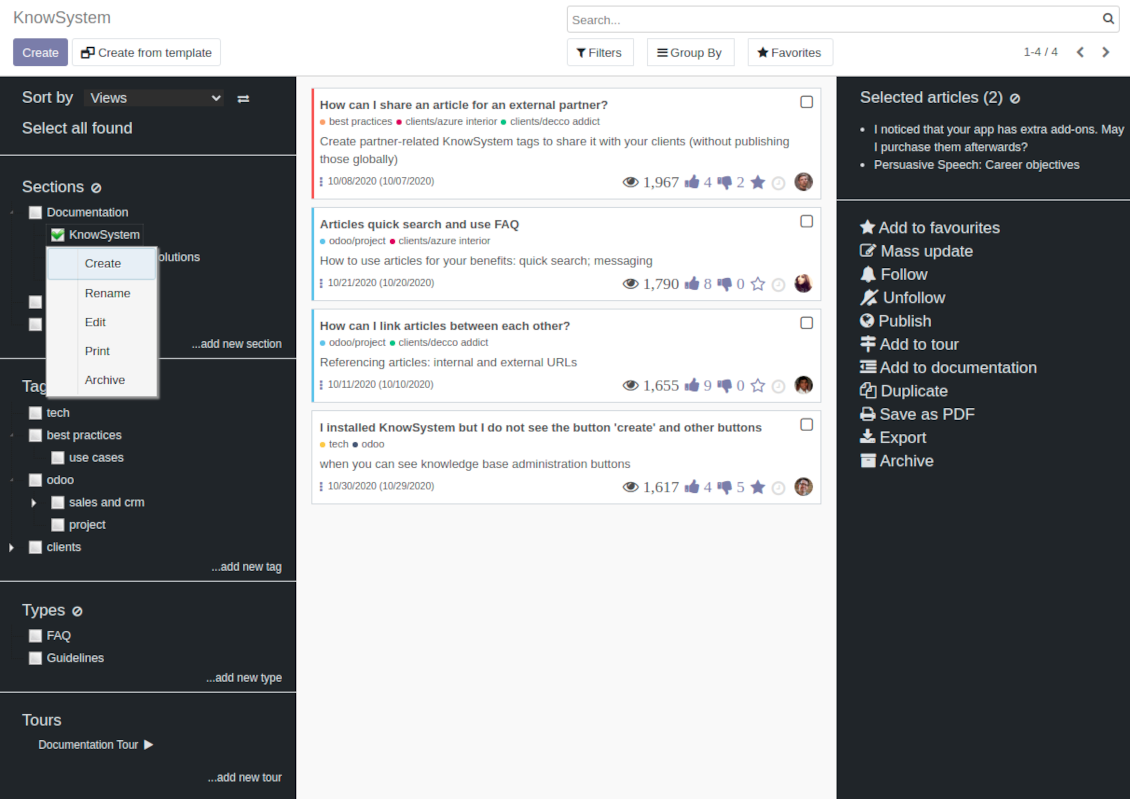
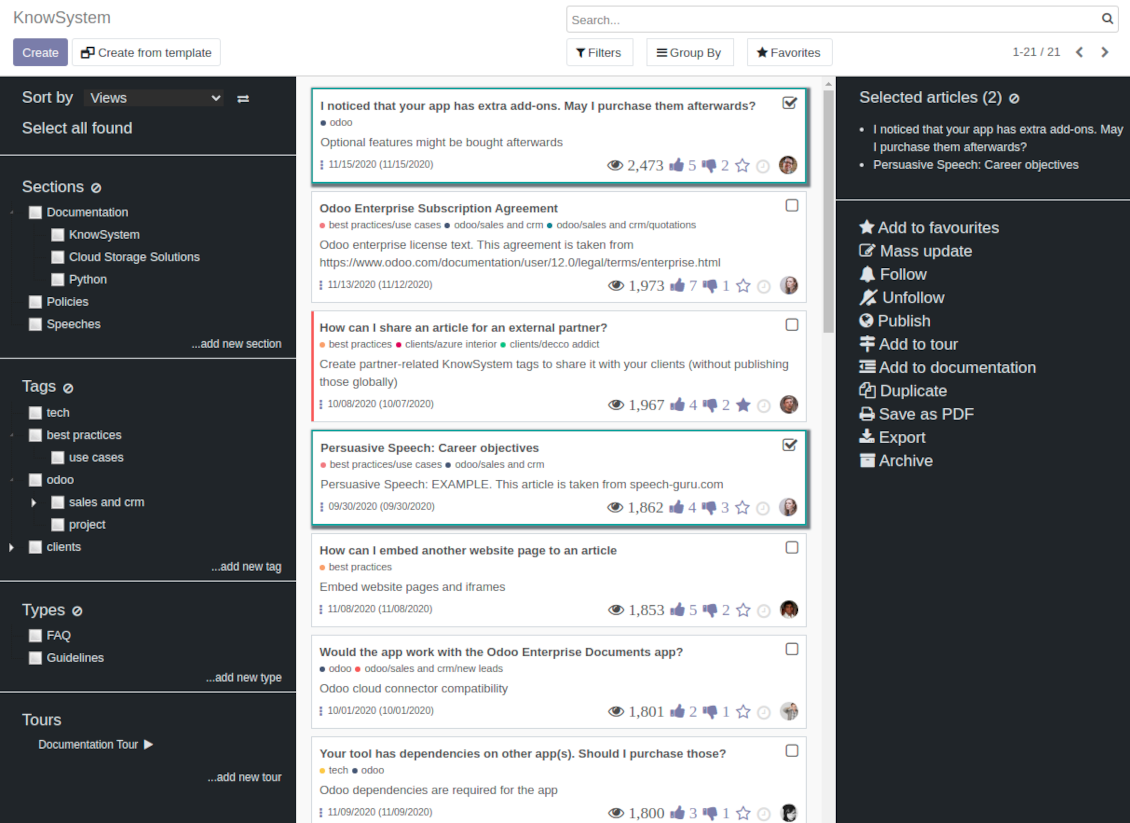
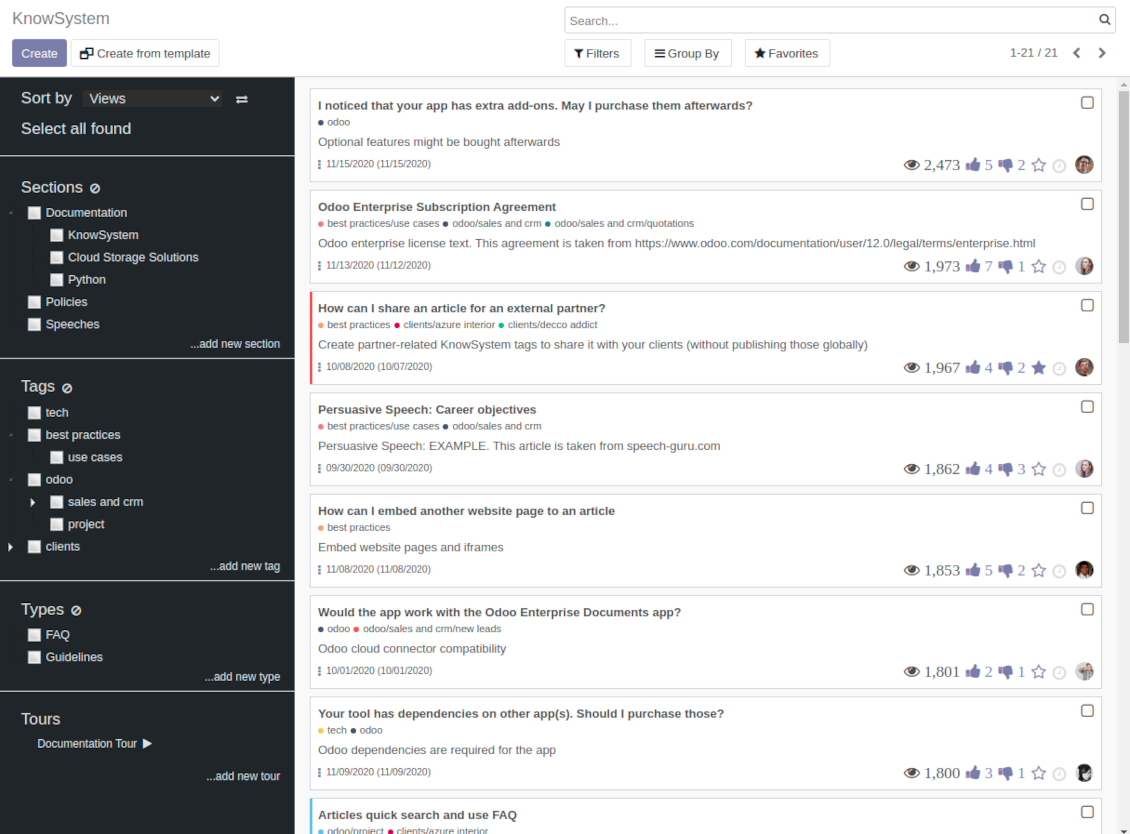
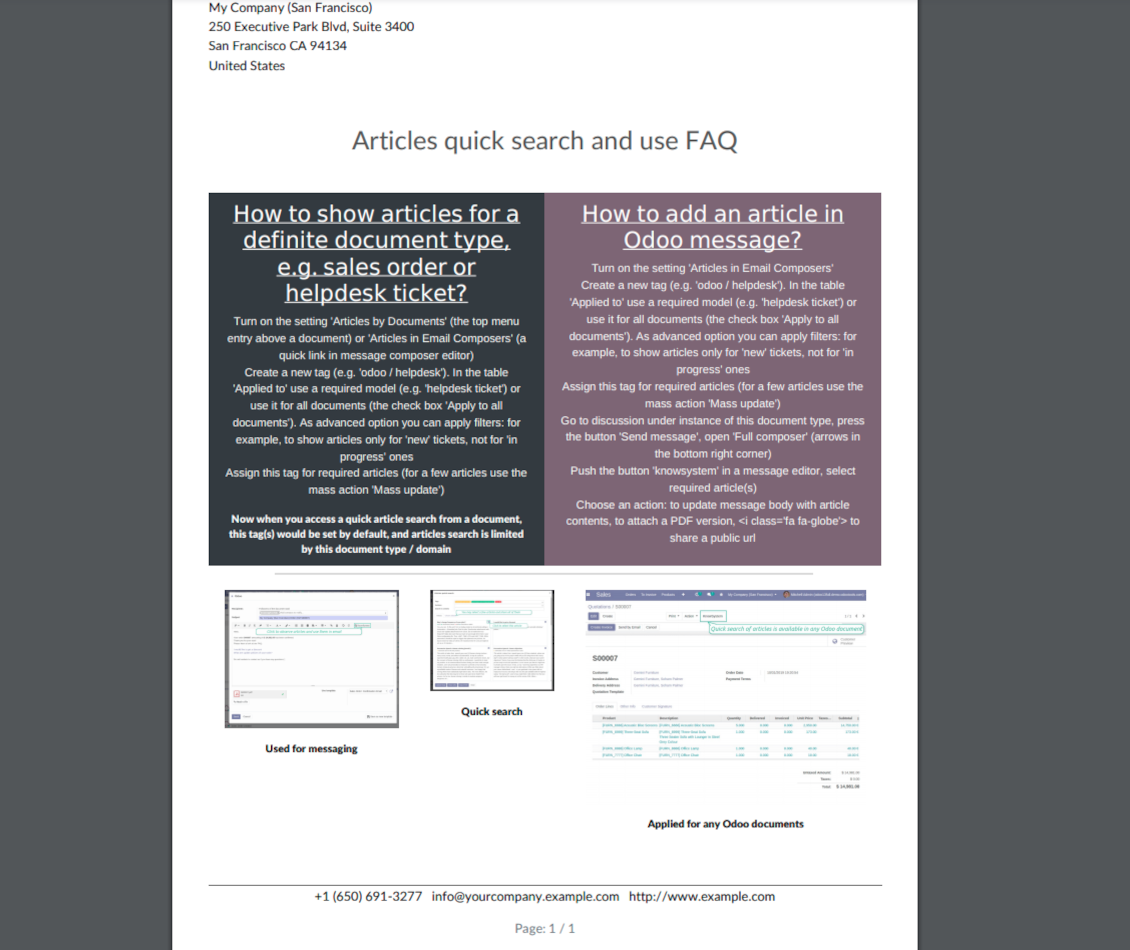
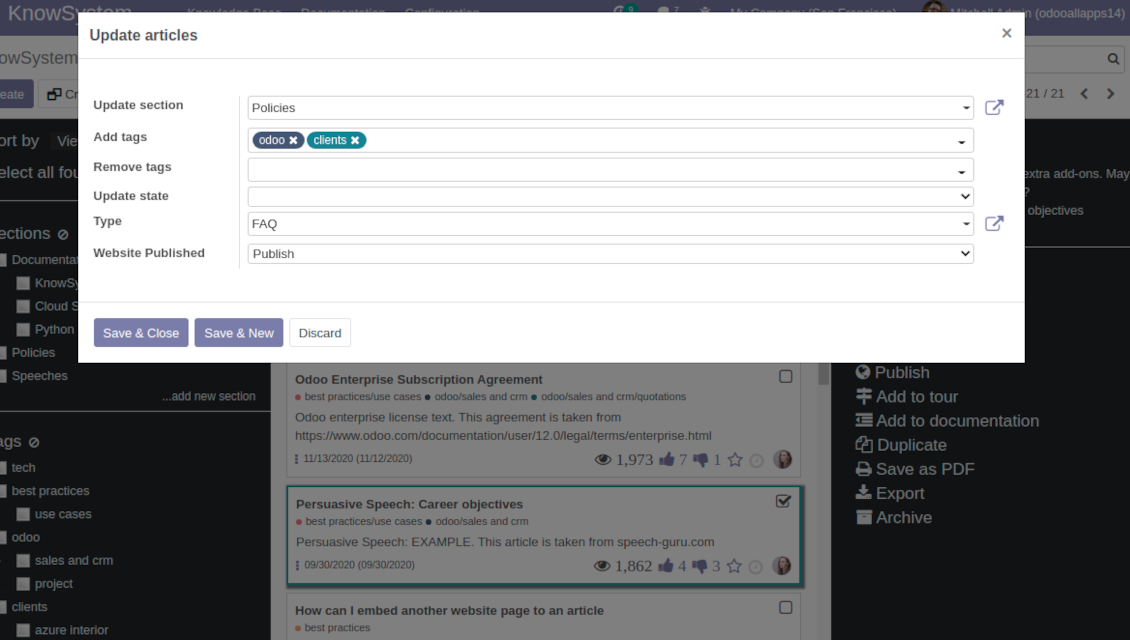
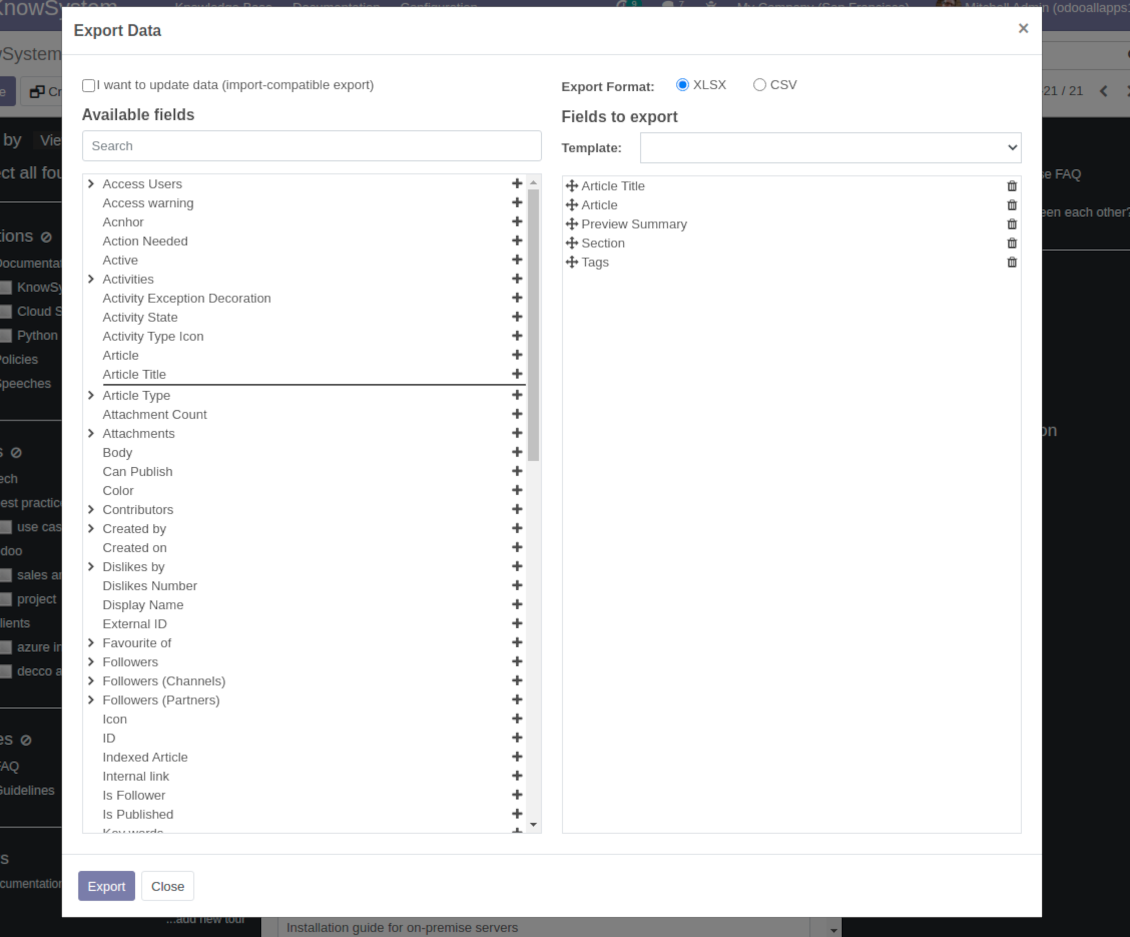
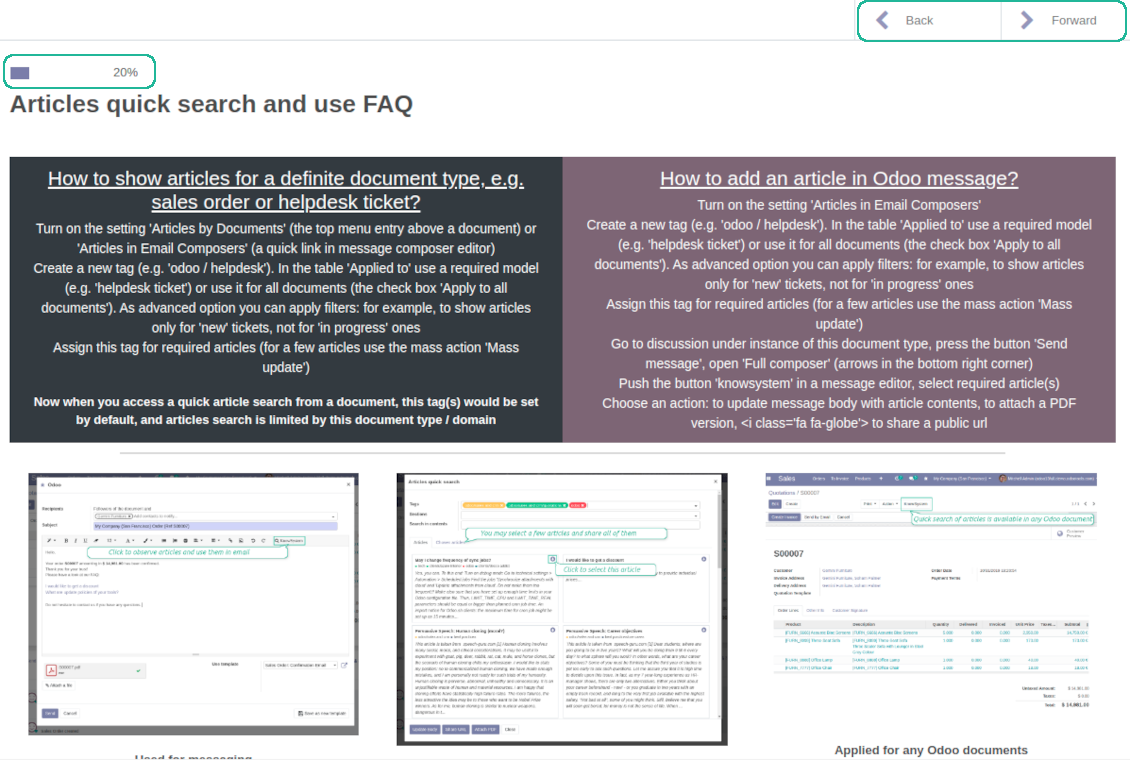
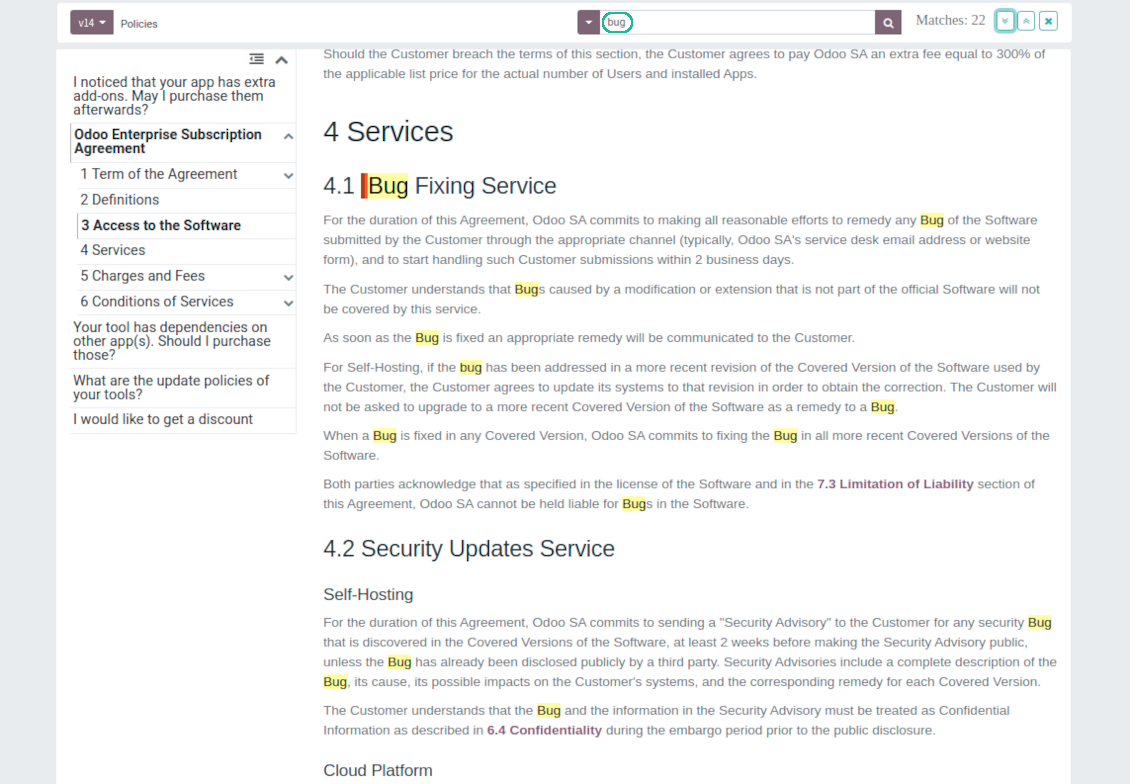
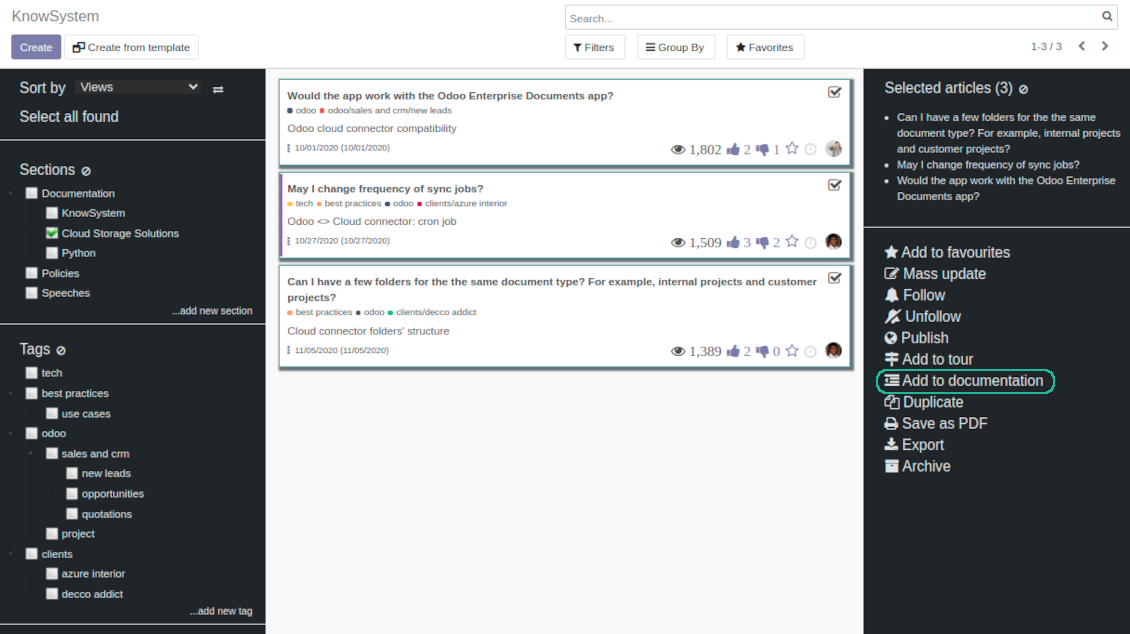
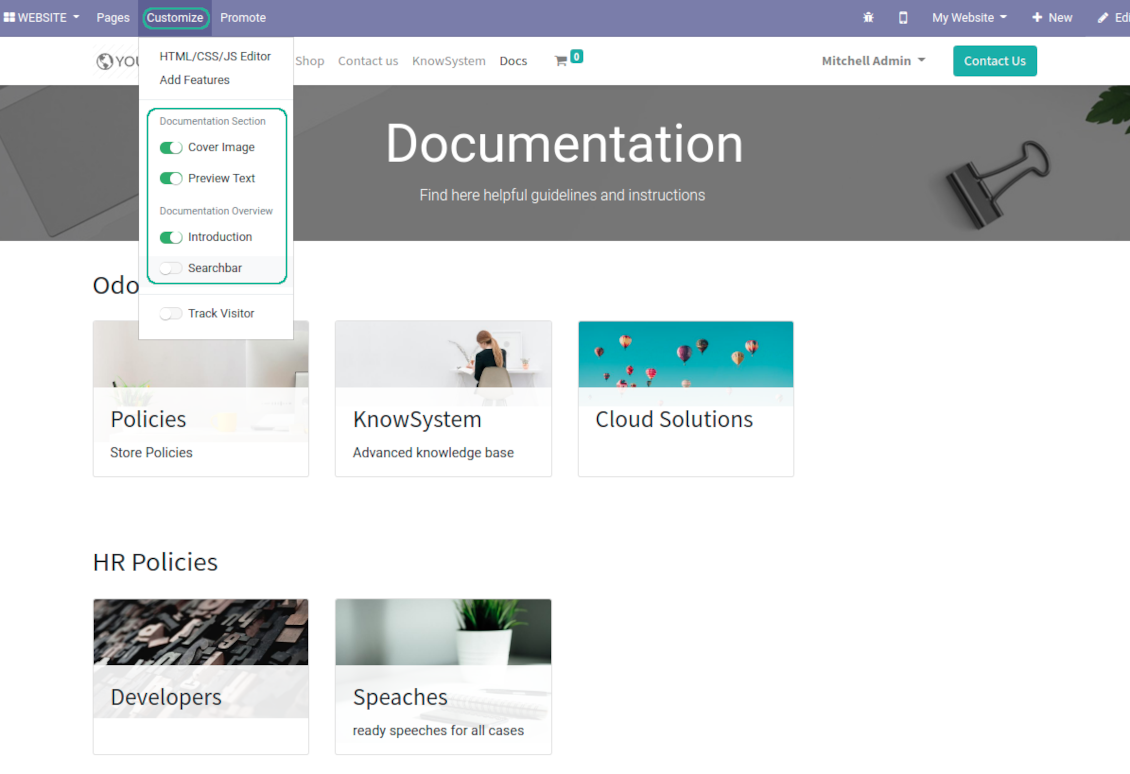
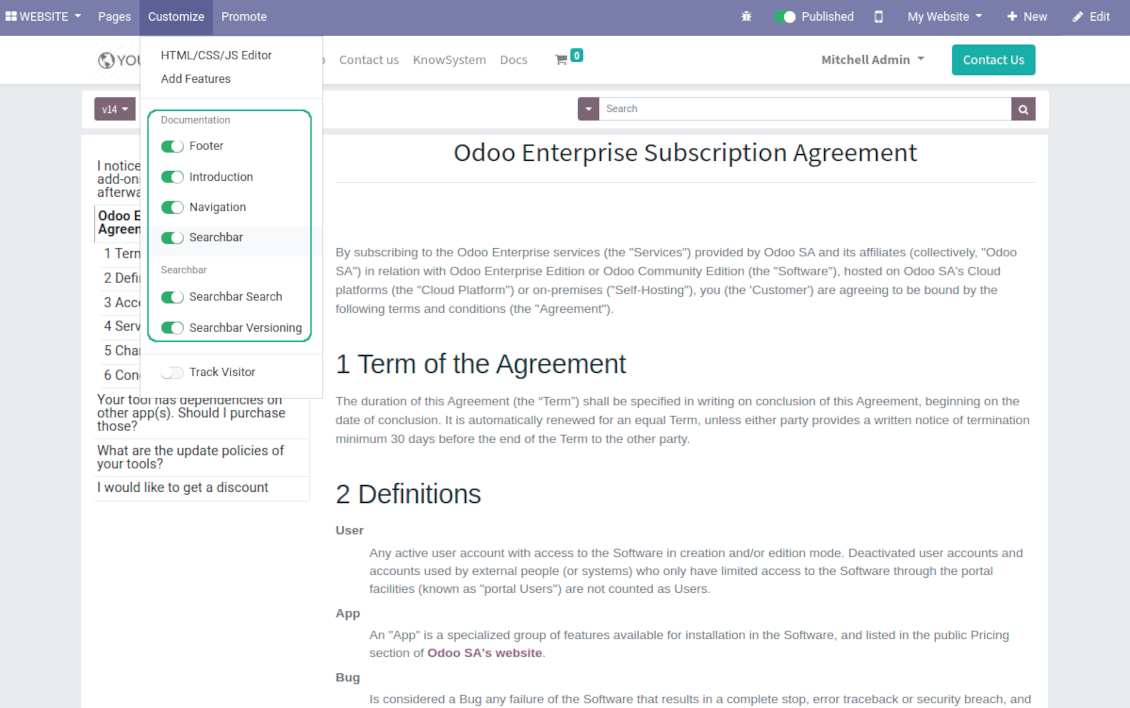
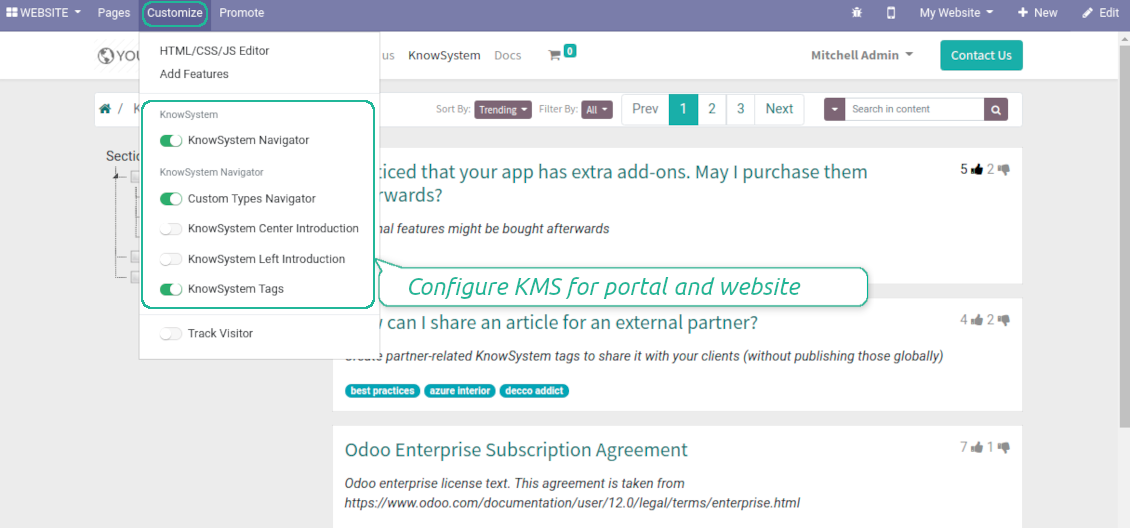
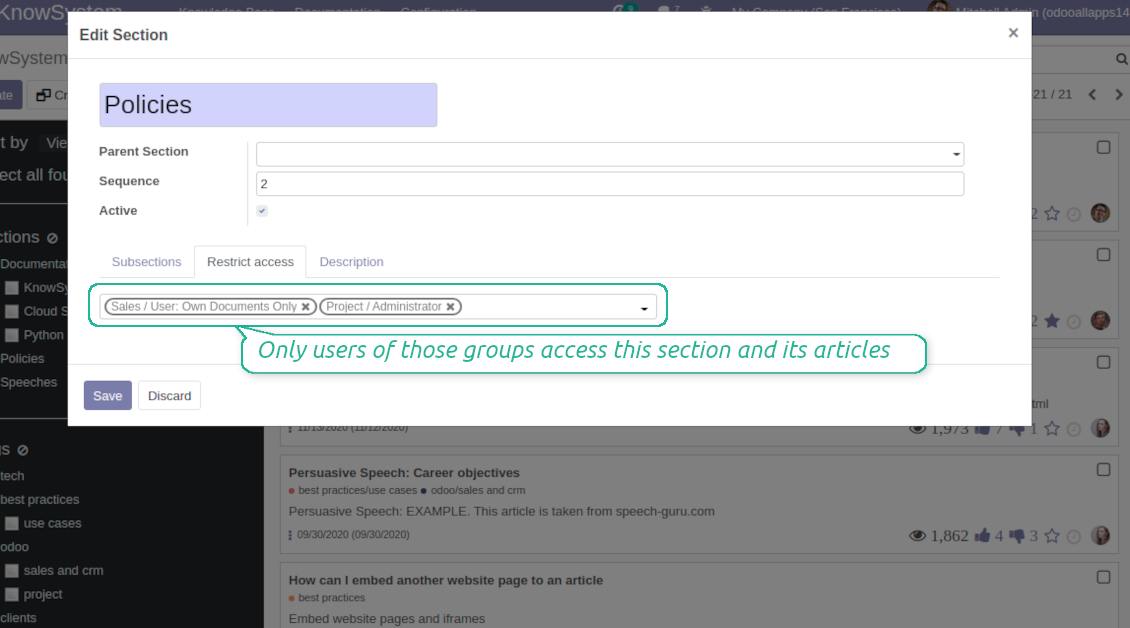
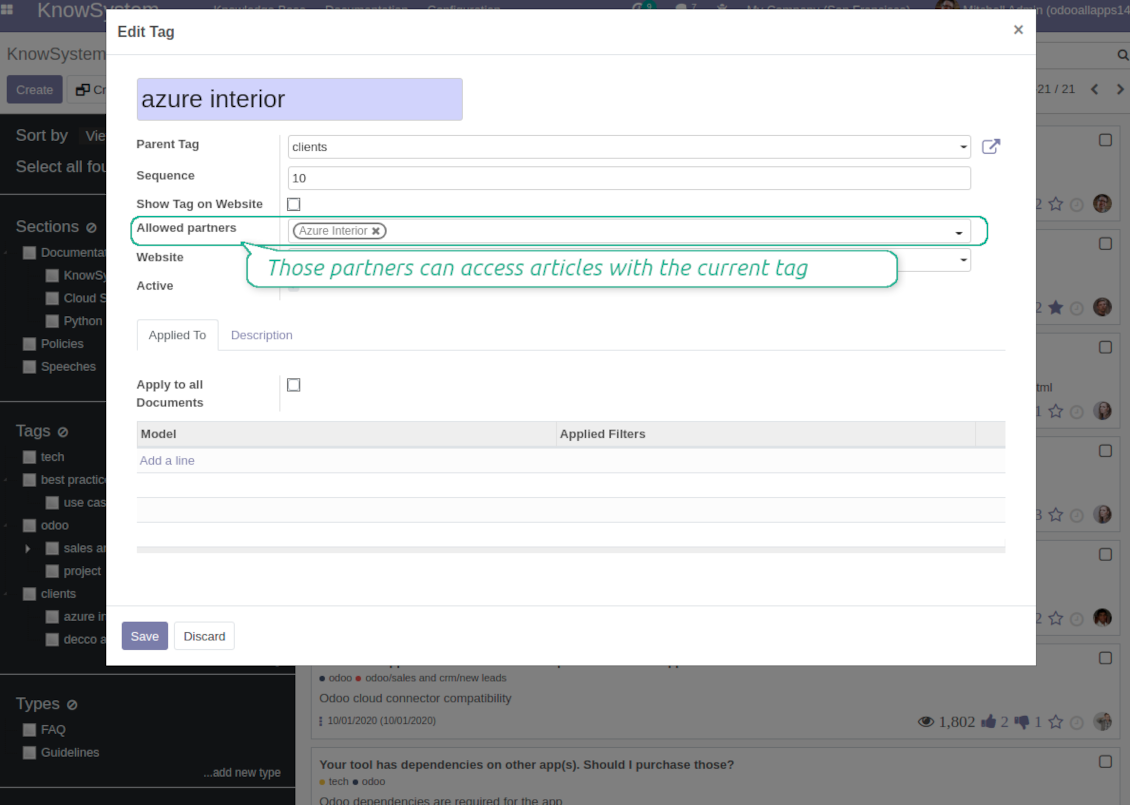
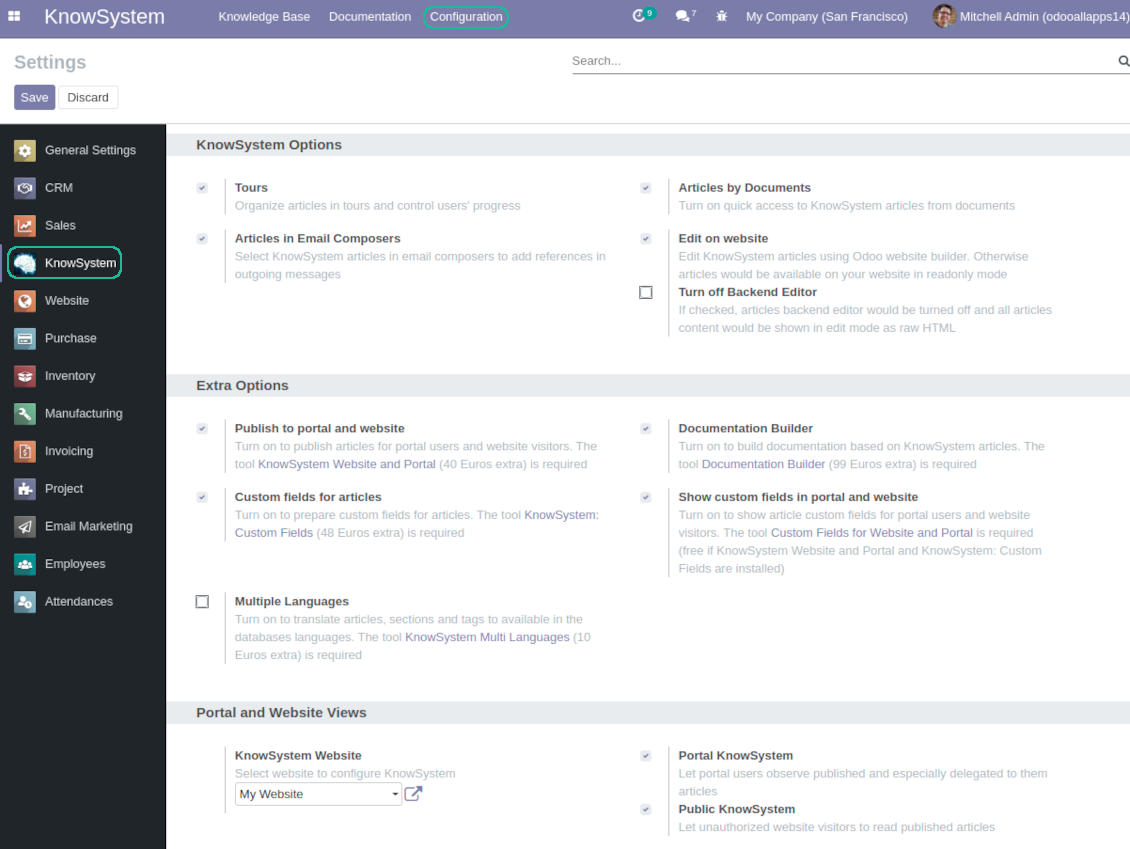
This is a full-featured Odoo knowledge management tool to be used in any industry and by any firm. The app serves to accumulate, to curate, to utilize, and to share organizational knowledge within your company and outside it.
- a core of knowledge management. It might be used stand-alone as a complete internal knowledge base system. 価格は 398€.
- an optional module, which let you publish articles to website, share them with portal users, and use website builder to update articles. The features assumed by this add-on are marked by the icon . 価格は 40€.
- an optional extension to KnowSystem: Website and Portal to design website documentation pages based on knowledge base articles. The features assumed by this add-on are marked by the icon . Read the full description on the related page. 価格は 60€.
- an optional module, which let you add and show custom fields for articles (backend). The features assumed by this add-on are marked by the icon . 価格は 48€.
- an optional free module, which shows custom fields on website and portal pages (frontend). The features assumed by this add-on are also marked by the icon .
- an optional module, which let you translate articles, sections and tags for installed in Odoo languages. The features assumed by this add-on are marked by the icon . 価格は 10€.
Fast and comfortable knowledge recording
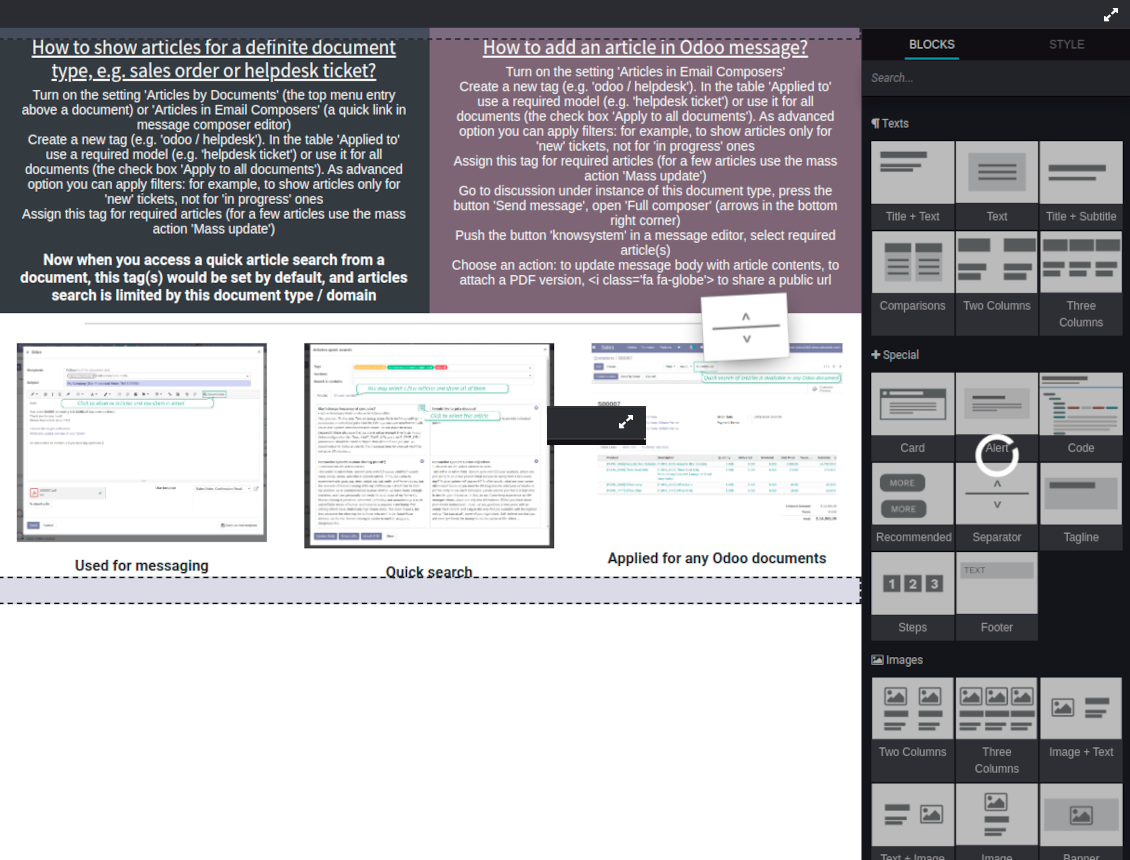
Drag and drop building blocks of the backend or website editors to construct professional looking articles. Create and use knowledge templates. Switch to raw code editor if needed
Single view KMS navigation
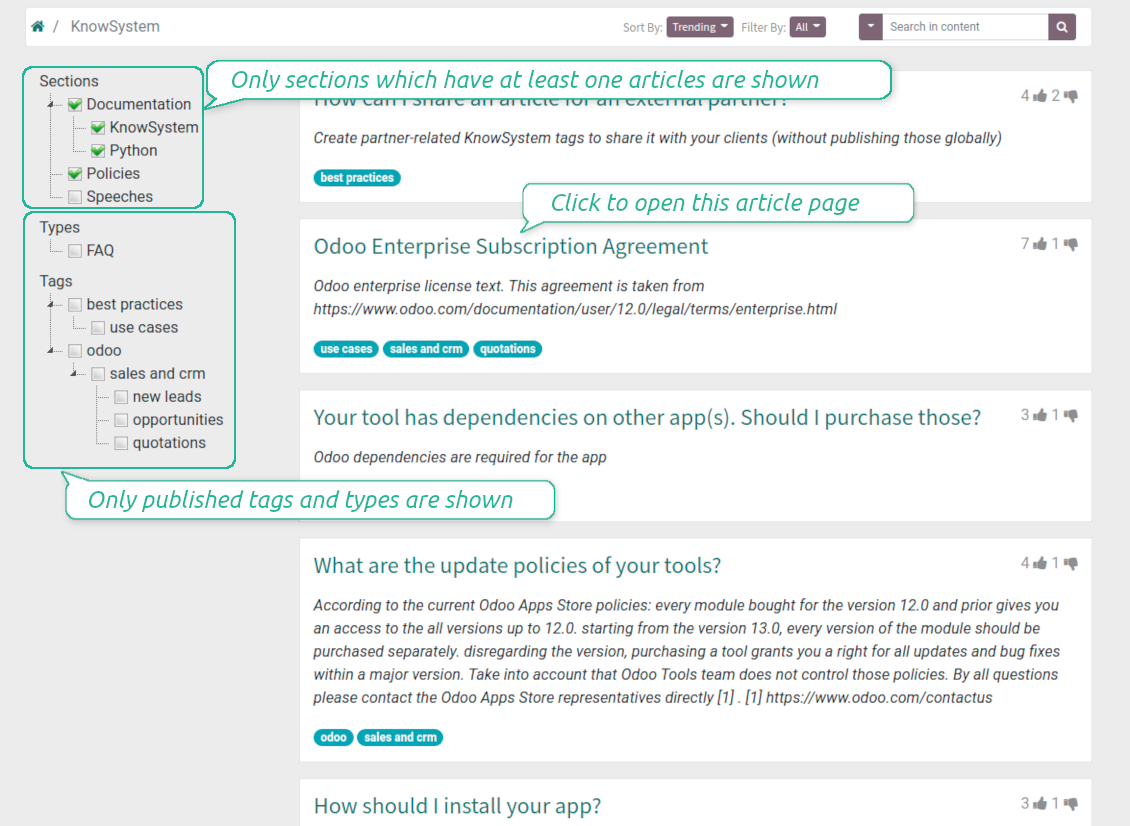
Filter articles by hierarchy of sections, by tree of tags, or by knowledge types. Select articles step by step and proceed mass actions. Sort and search in seconds
Get benefit of knowledge
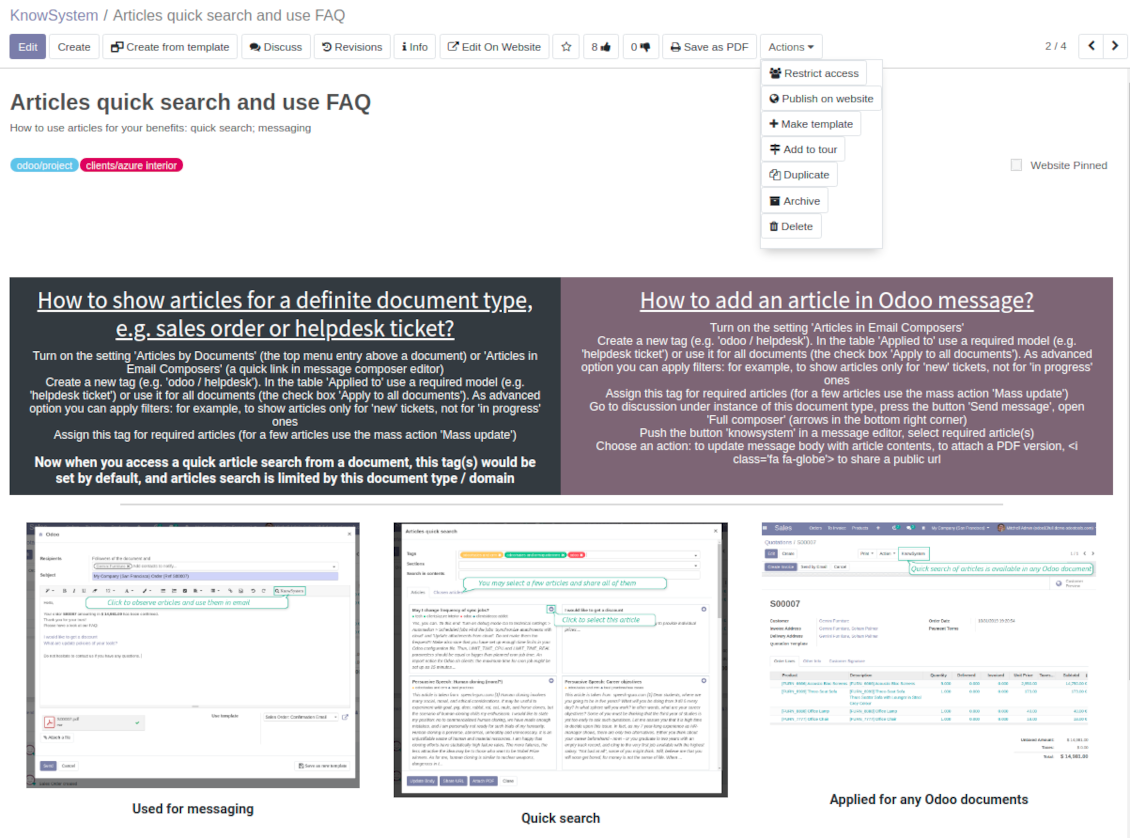
Instantly access knowledge base from any Odoo documents. Reference articles in messages. Organize learning tours. Print or share knowledge. Prepare instructions, guidelines, FAQs
Wiki-like revisions
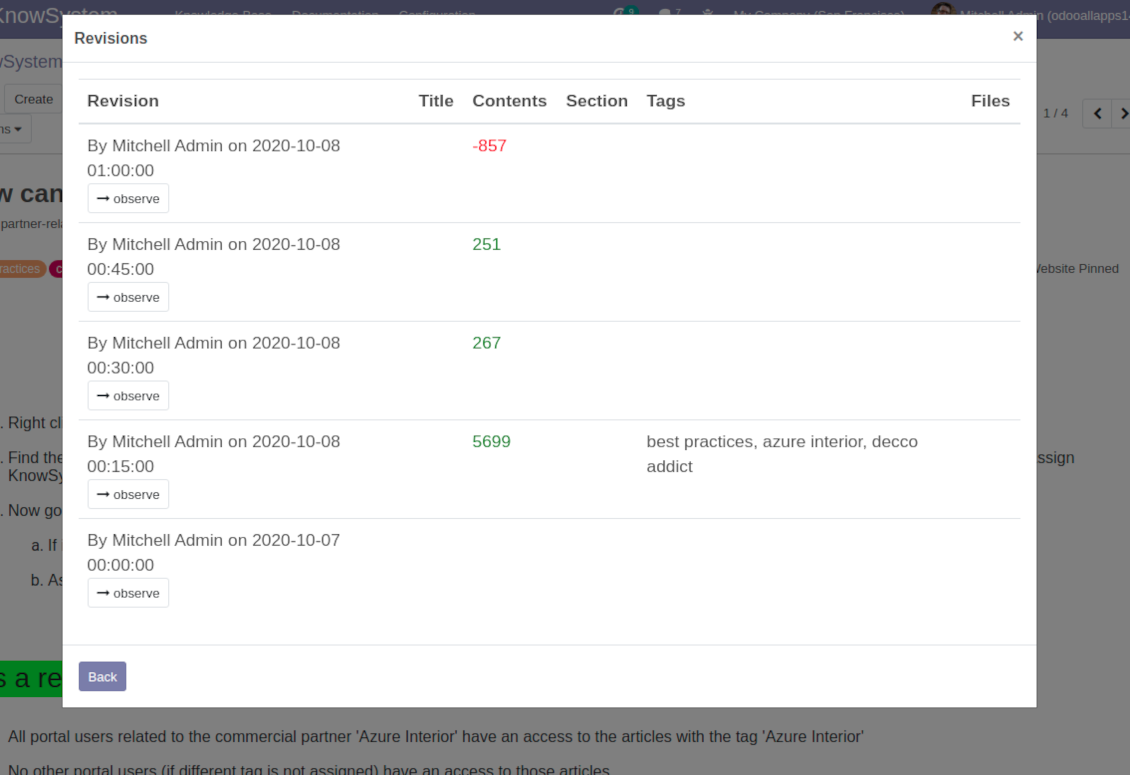
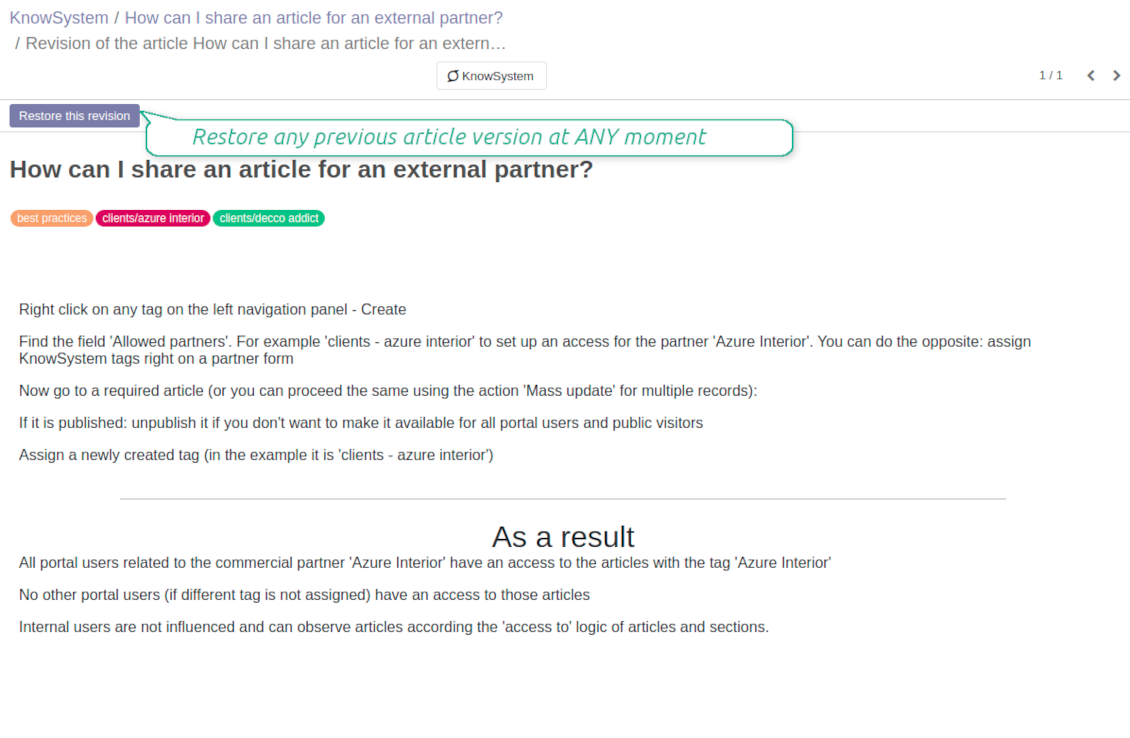
Restore any article version at any moment: the app keeps history of knowledge updates. Breaking becomes harder than restoring
Portal or public knowledge base
Share articles with your partners or publish knowledge for any website visitor
Website documentation builder
Combine organizational knowledge into advanced documentation with comfortable navigation and search
Knowledge system statistics
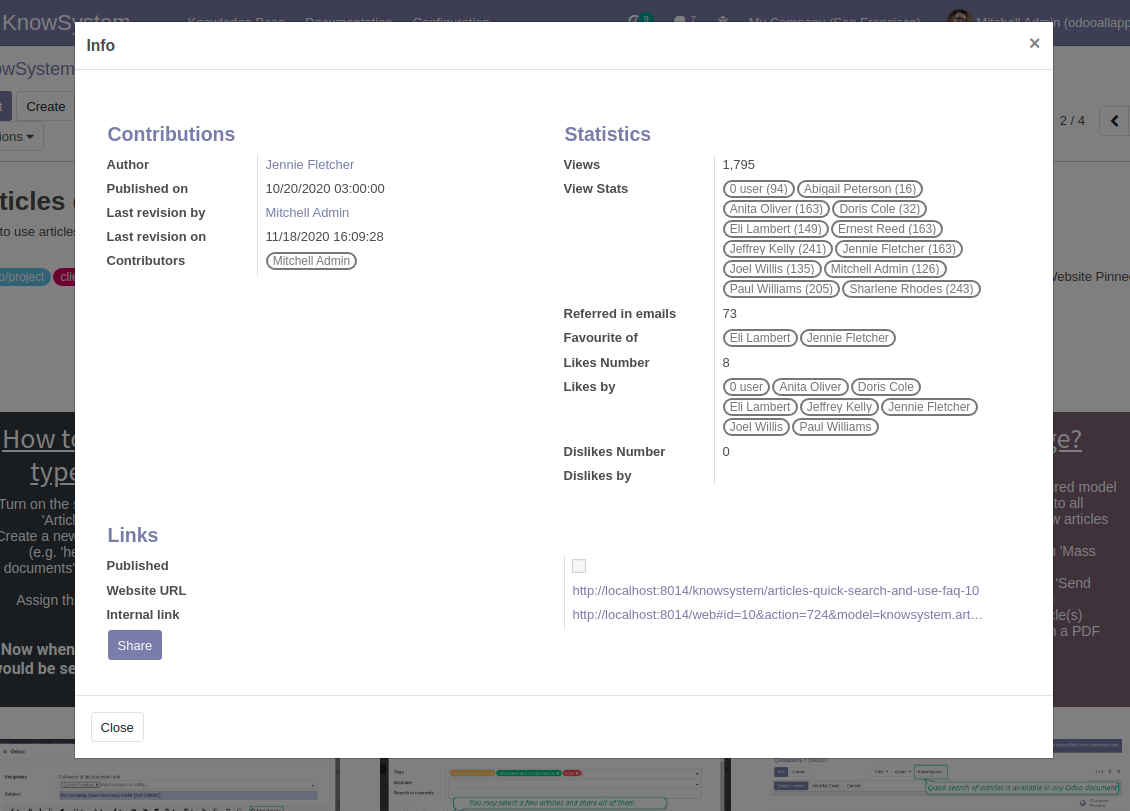
Control views of articles, likes and dislikes, contributions. Motivate discussions
Applied in any functional area
Use the app for any knowledge management business goal and for any set of Odoo apps.
Best knowledge base system for Odoo!
Excellent app and exceptional after-sales support.
Really well thought-out product and one of the best features is the contextual help by means of the tags. Really a game changer for us.
Keep up the great work FaOtools!
Outstanding app! Tremendous value for money, an absolute must have!
One of the features sorely lacking from Odoo has been a robust Wiki/documentation system. Using third party platforms is a massive headache: yet another system to maintain, users get distracted switching back-and-forth, and errors get made. Then you have to worry about training, additional logins, etc.
KnowSystem feels like a native/core app, is very well-polished, and extremely fast. It's accessible from any screen, and the search results are instant (none of the latency inherent with most apps).The interface is elegant yet powerful, with robust access control, rich editing features, and version control. It's simple to revert to previous entries, view audit trails, etc. It's very intuitive for anyone familiar with Odoo; onboarding takes just a few minutes. The user guides are excellent.
This is invaluable for any organisation with a lot of documented information, SOPs, ISO compliance, or similar. If you're using eLearning, it's great for creating a help system / reminders. For example, noting key takeaways or specific instructions. The user can be in MRP, Sales, or any other function, and instantly lookup a guide. Since it overlays whichever screen you're in, it doesn't interrupt the workflow.
This dramatically increases efficiency, minimises questions, and helps keep everyone on the same page.
Oh, and customer service is excellent, faOtools stands behind their product. Thank you!
KnowSystem is excellent - OdooTools offer great support, are very helpful and responsive
Our company needed the ability to add a Knowledge Base to our Odoo portal website for our customers to access article content on a membership-only basis. KnowSystem provided this and much more, along with ability to add search by section, set permissions to allow only certain partners access to articles by tag etc. OdooTools have been very helpful and implemented several features we suggested including automatic redirect upon login, customisable filters and a social sharing capability on articles. Overall a great app by a great company, something that massively adds to Odoo's capabilities and is something that everyone could benefit from using.
Very functional application and responsive support
Our company produces medical laser equipment and we use KnowSystem to streamline the knowledge base of our company. Convenient search system and classification of content, as well as access rules for groups and even for individual users.
Great app and professional team
The app is great the the team is very professional in both response timing and problem solving.
Highly recommended.
Marco from ALO.zone.
Excellent system
Excellent system.
A great tool from some very nice developers!
KnowSystem is a great tool and a game changer for us. Finally a place to put all our company know-how. I highly recommend it. And also important to us: We got great support from FaOtools too. A rare thing in this busy world. thx!
Excellent app and support.
Great app and a very helpfull support. Openess to improve their products is outstanding.
Single-view knowledge navigation
-
Prepare hierarchy of knowledge sections to instantly switch between knowledge areas
-
Define tree of tags for quick navigation and deeper knowledge structuring
-
Introduce knowledge base typology to distinguish kinds of articles in a single click
-
Create, update, and reorder tags, sections, or types right from the KnowSystem interface. Print all articles related to a certain tag or a section
-
Manage and launch learning tours
-
Sort knowledge articles by views, score of likes, title, author, section, create and write dates
-
Pick articles up step by step: the selection is not cleared with a new search or when you opened a record. Proceed mass action(s) for all chosen items
-
Update knowledge in batch: assign new section, change or remove tags, print multiple articles as a single PDF, follow / unfollow discussions, publish / unpublish articles, export articles to an Excel table, archive or restore items, add articles to learning tours and documentations, mark knowledge records as favorite, duplicate articles
Fast, comfortable, and professional knowledge recording
Safe backend editor
-
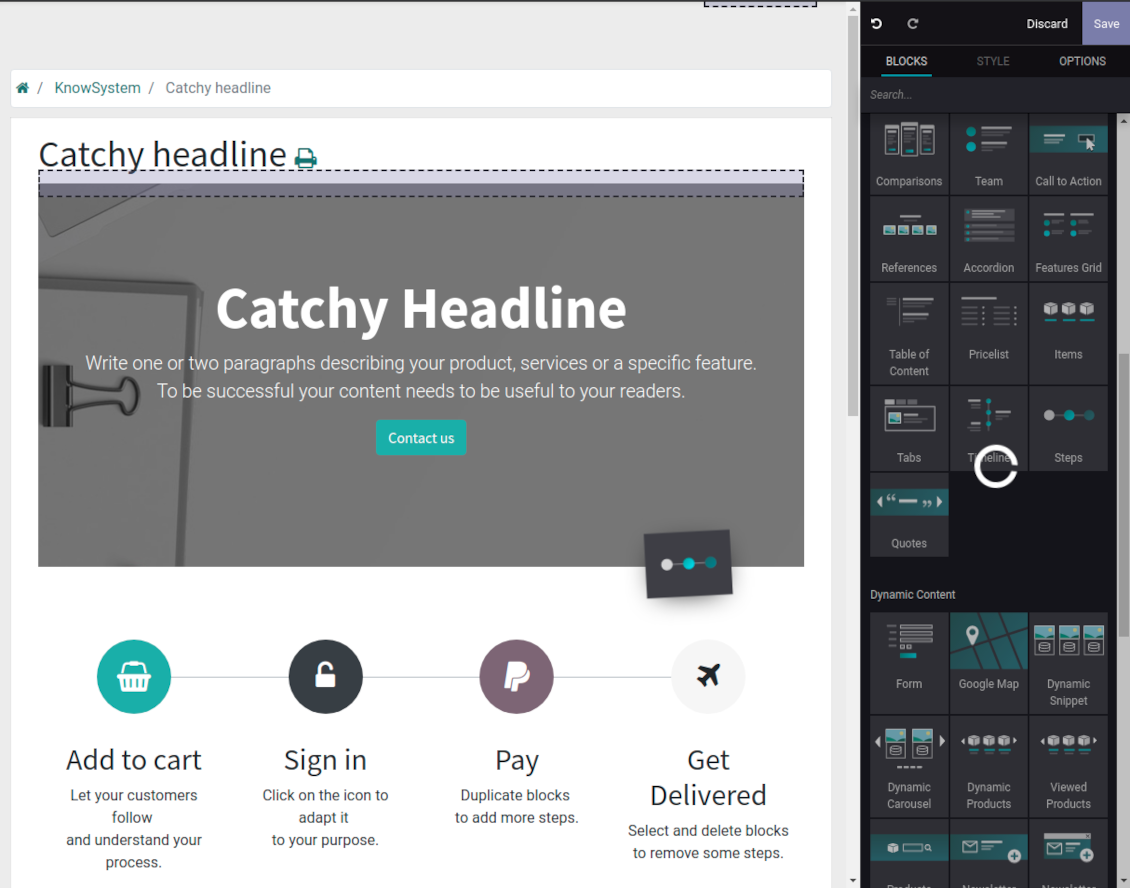
Drag and drop building blocks to write a new article right in the Odoo backend interface. The process is simple while the result is professional looking
-
Edit blocks styles, re-order Knowledge elements, change width and height of items
-
KnowSystem editor relies upon strict HTML structures which are in the most cases compatible with printing and messaging layouts
Advanced website builder
-
Apply advanced styles and complex widgets by using Odoo built-in website editor
-
Exploit Odoo website know-hows: numerous snippets and animations, style templates and options
-
Rely upon website editor to prepare nice-looking portal knowledge pages. Avoid using that for internal or printing purposes: advanced styles often contradict printing and composer layouts
Raw HTML interface
-
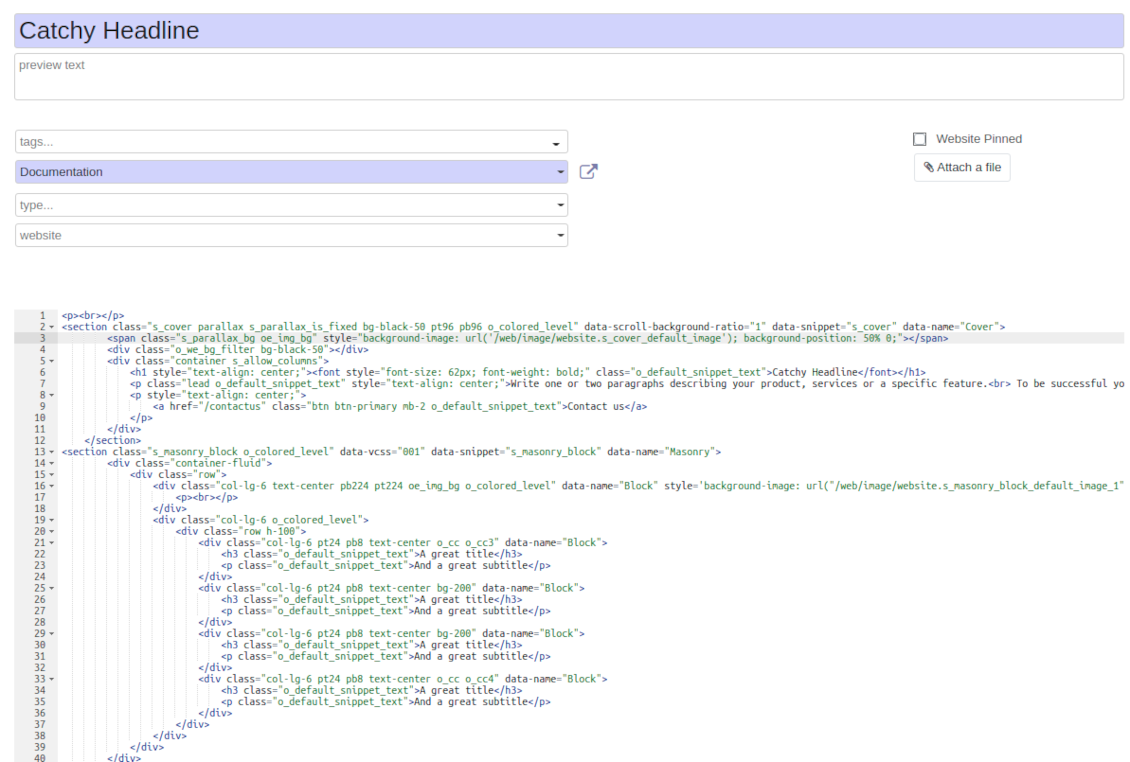
At any moment switch to raw code view to update articles HTML
-
Optionally replace the backend editor with XML editor to rely fully on the website builder and edit only raw code in the backed
-
Introduce any HTML tags and styles, including bootstrap ready elements and iframes
Knowledge templates
-
Prepare new knowledge templates or save any existing article as a template
-
Use templates to create new articles to save time or keep uniform styles
Get benefit from your knowledge
Knowledge system for any Odoo document
-
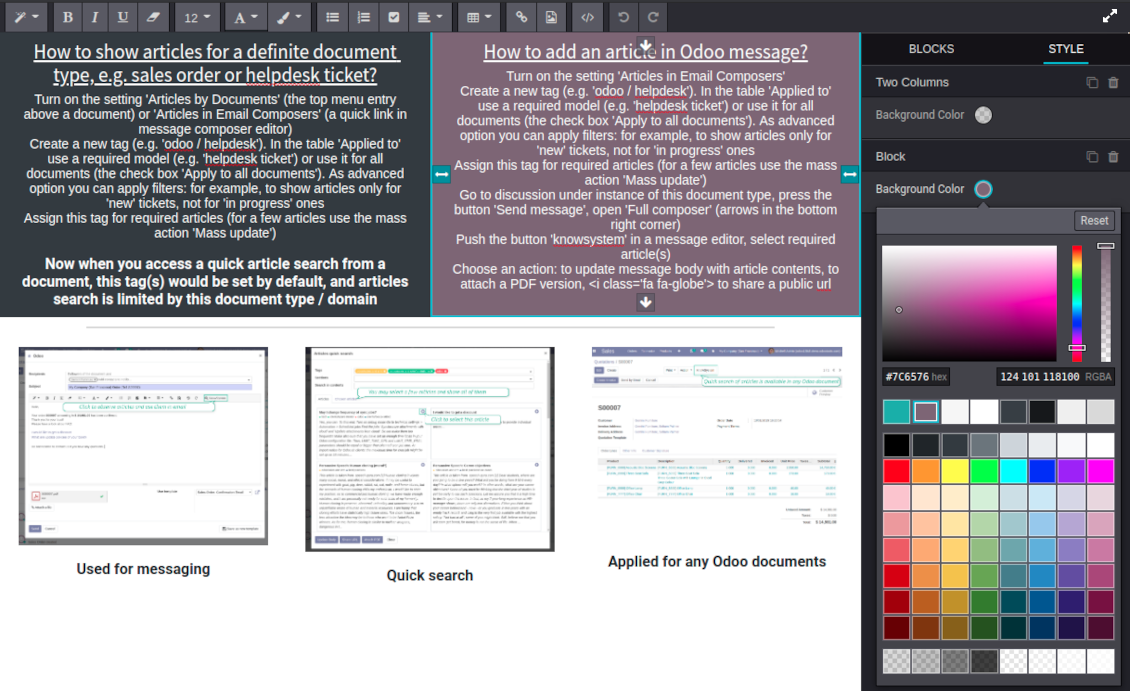
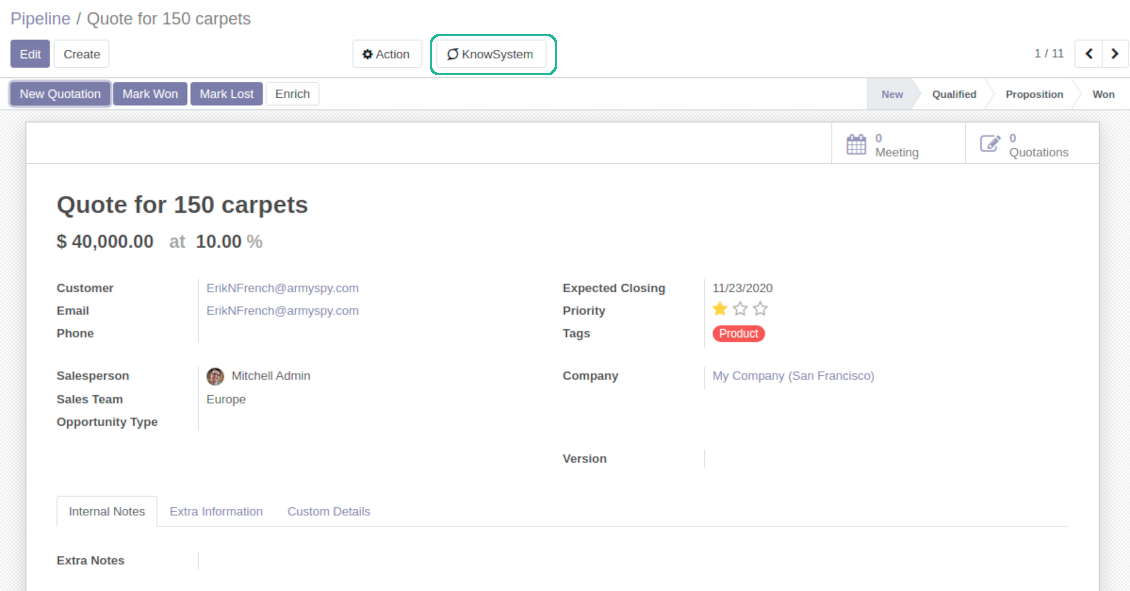
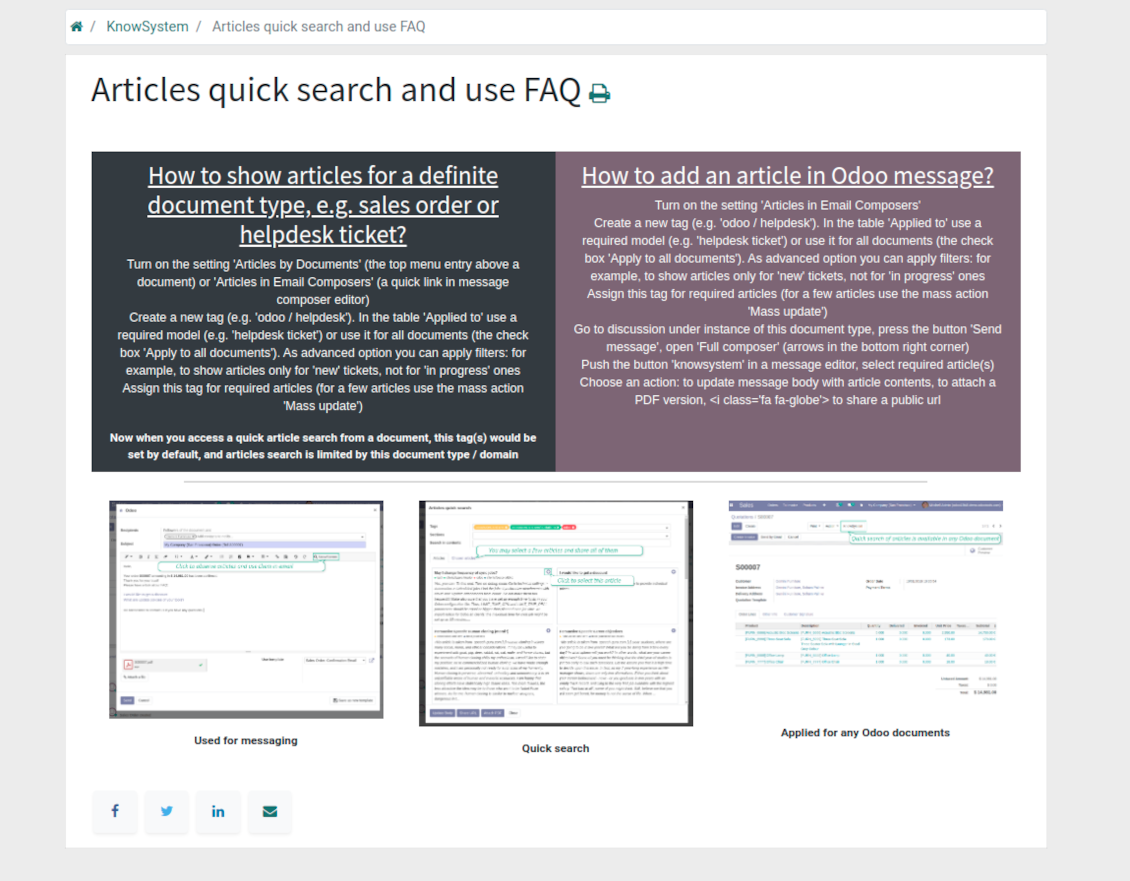
Turn on the setting 'Articles by Documents' to add the quick entry for Knowledge base from any Odoo form view
-
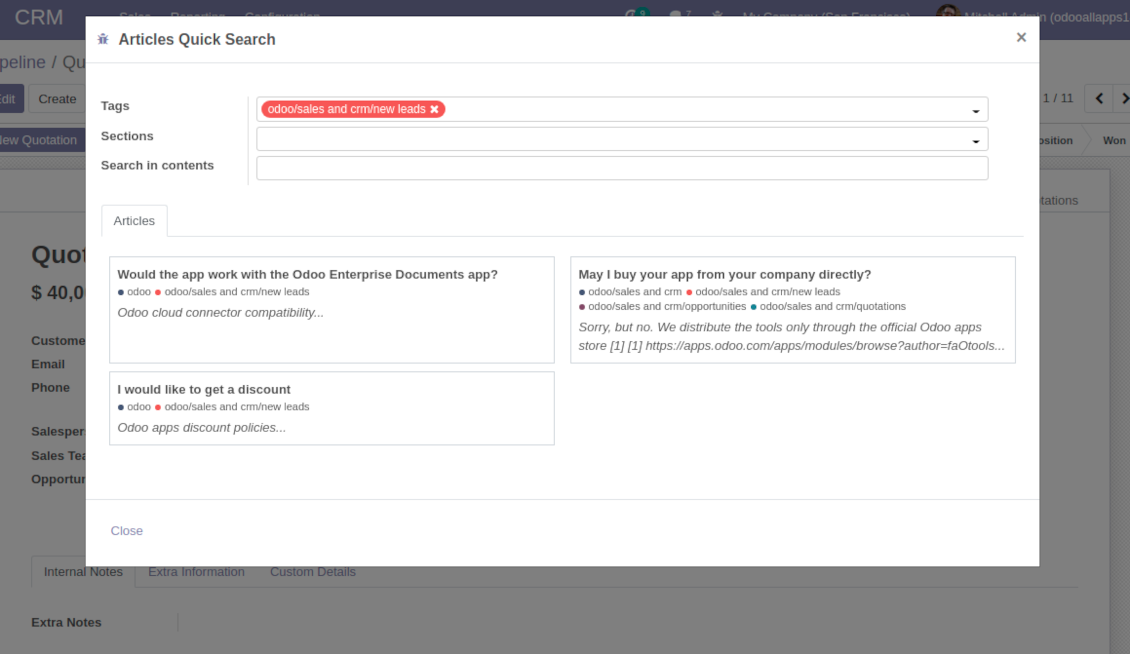
Search articles by tags, section, or content in a few clicks for a quick overview
-
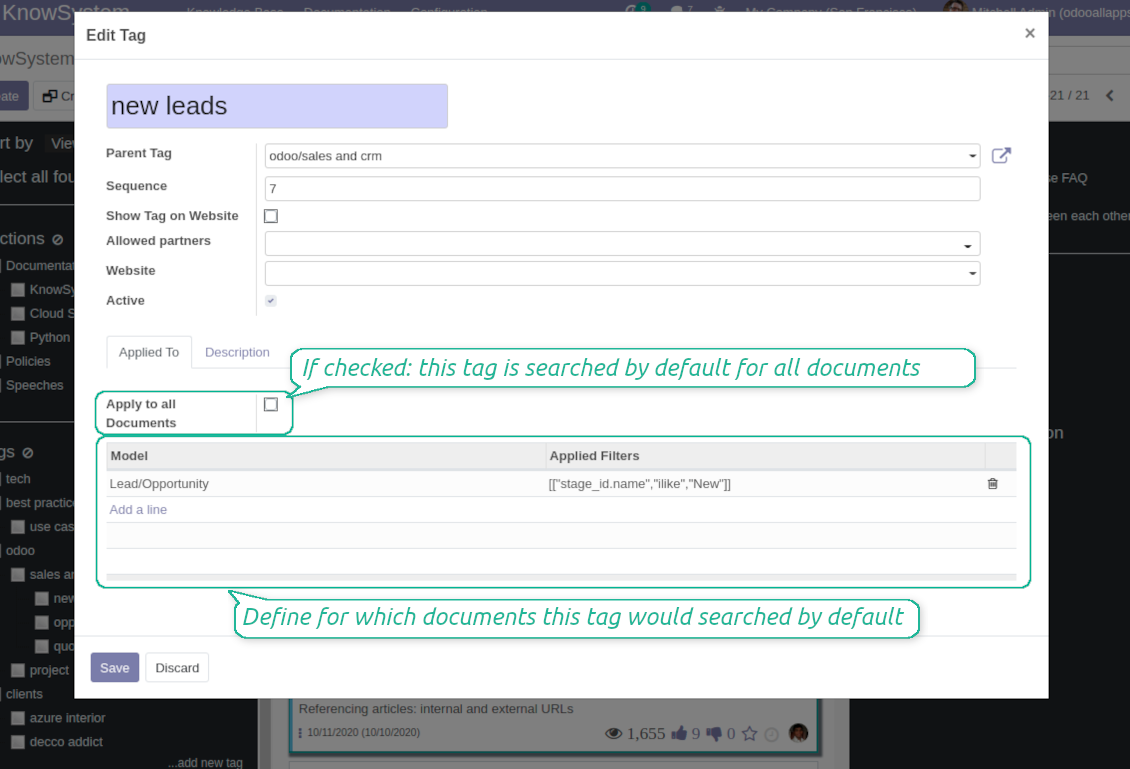
Link knowledge tags with Odoo document types to simplify search of articles. For example, assign helpdesk tickets to the tag 'odoo / helpdesk': the latter would be entered by default for support requests objects
-
Observe article content right from any Odoo object: there is no need to always switch to the KnowSystem advanced interface
Apply to knowledge in communication
-
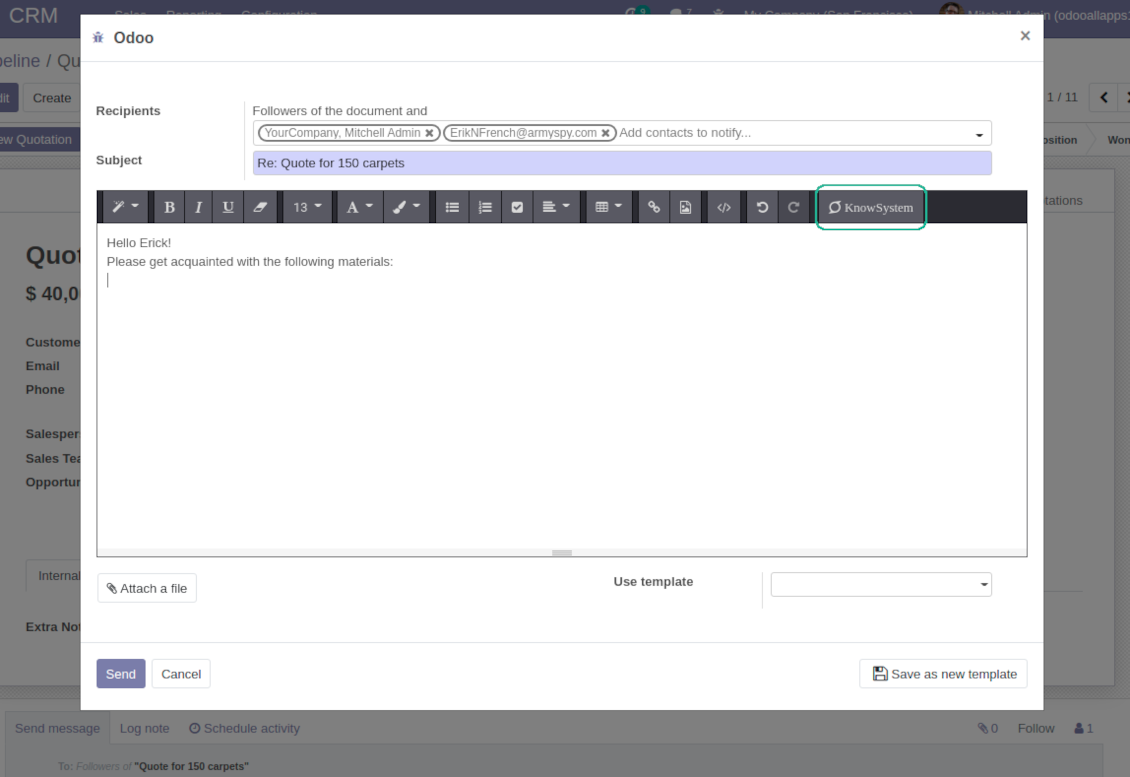
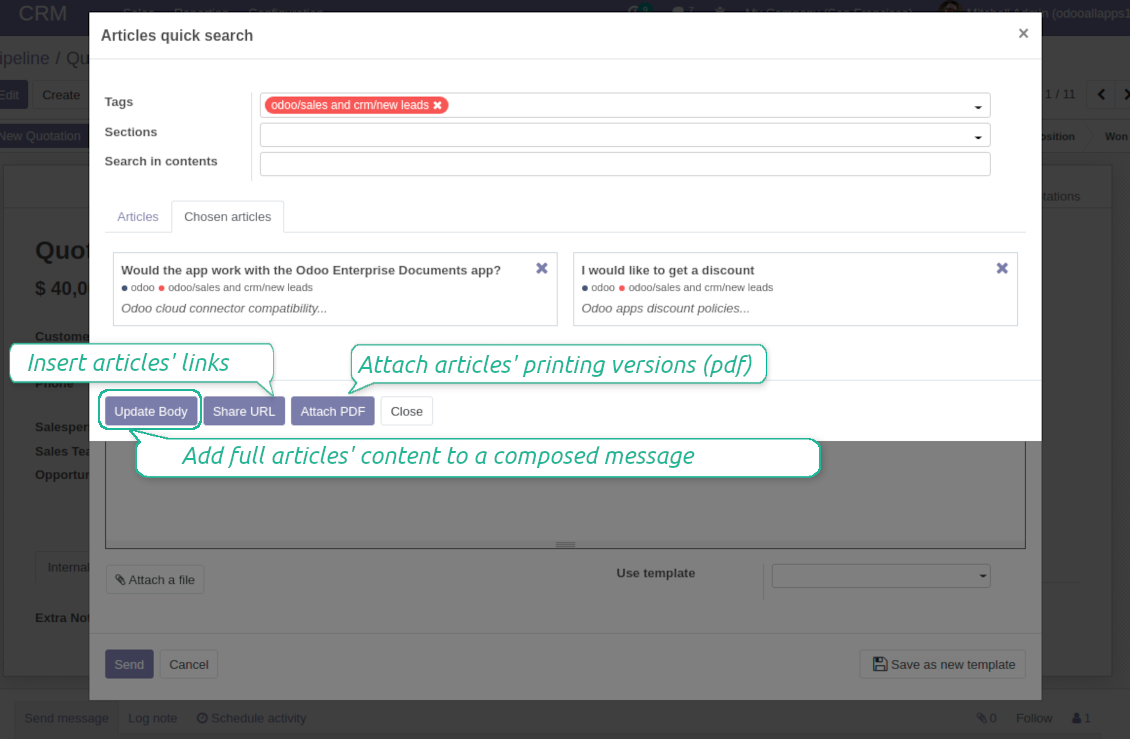
Turn on the option 'Articles in Email Composers' to let users reference or cite Knowledge records in Odoo messages
-
Quickly observe articles related to a current document discussion. Instantly reference one or a few ones
-
Update message body with knowledge content (it would be added to the end of a current message)
-
Attach a PDF version of referenced article or articles
-
Share a public knowledge link with your colleagues or partners
Organize learning tours
-
Turn on the option 'Tours' to be able to combine articles in a sequence of learning steps
-
Add any knowledge to a tour in any order
-
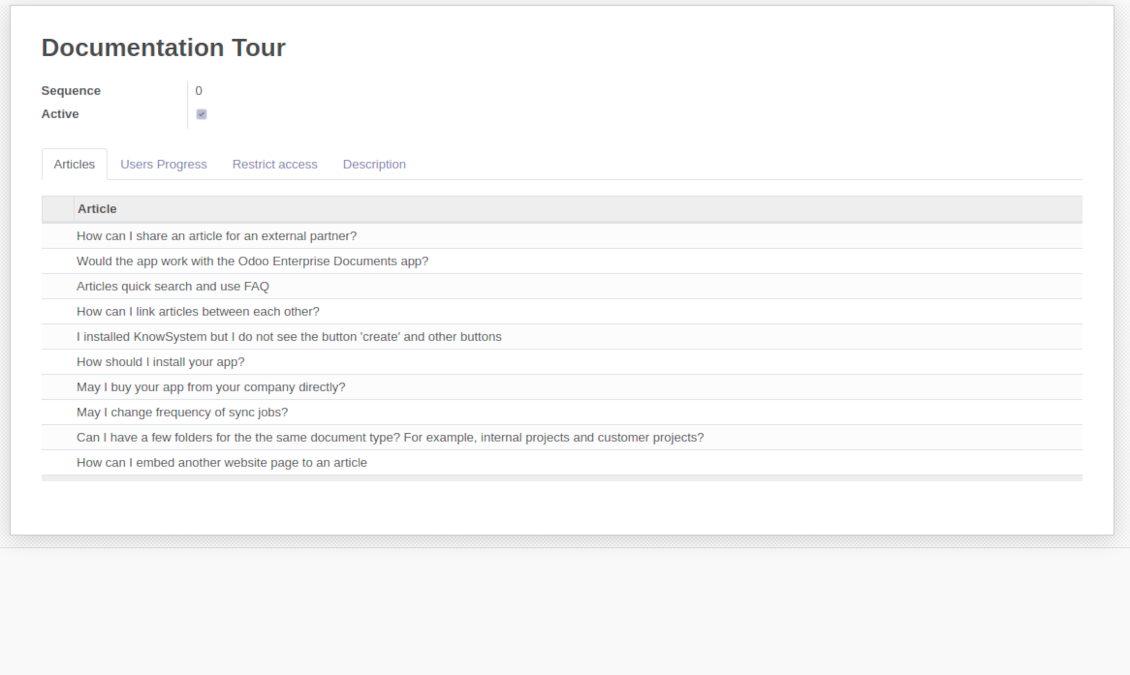
Launch a tour to follow certain steps of study one by one in the special interface
-
Share learning tours with everybody or specific user groups. Control employees' progress in getting familiar with instructions and guidelines
Share and publish knowledge
-
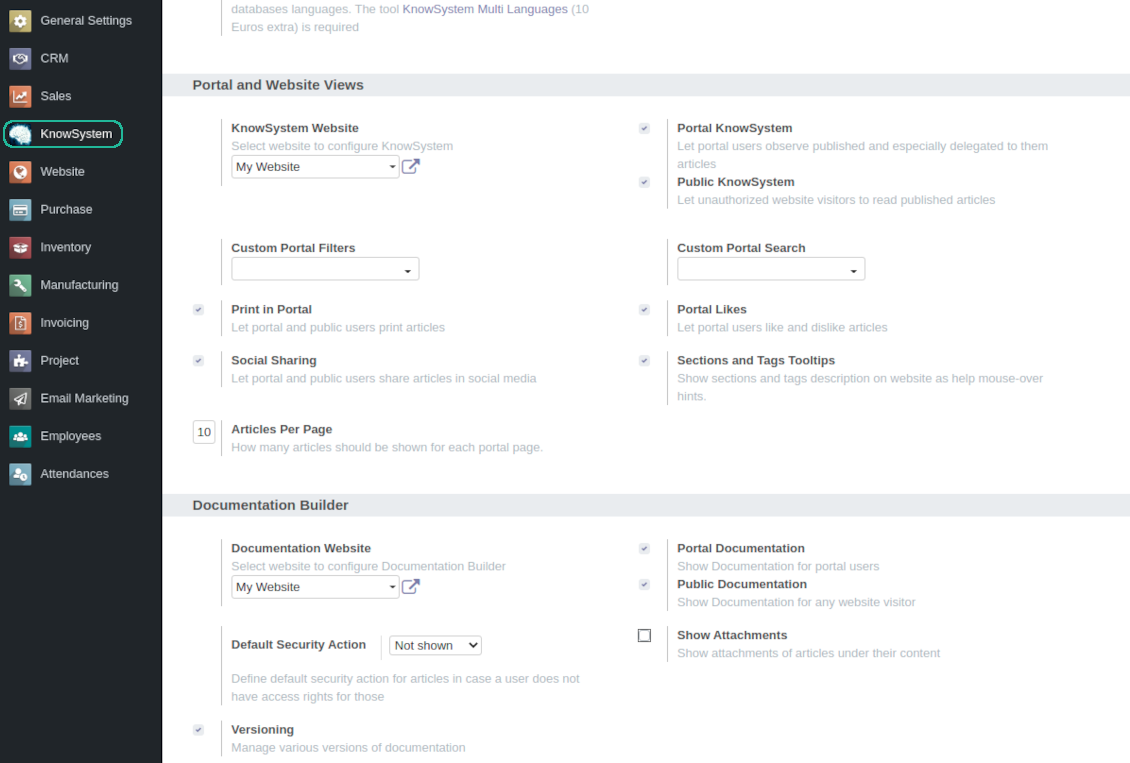
Turn on the setting 'Portal KnowSystem' to give KnowSystem access for external partners, 'Public KnowSystem' - for website visitors
-
Configure KnowSystem tags or publish articles to share knowledge content
-
Combine articles in advanced documentation to cover certain aspect of organizational or functional knowledge
-
Turn on the option 'Portal Documentation' and 'Public Documentation' to make that documentation available for portal and public users respectively.
Website documentation builder
-
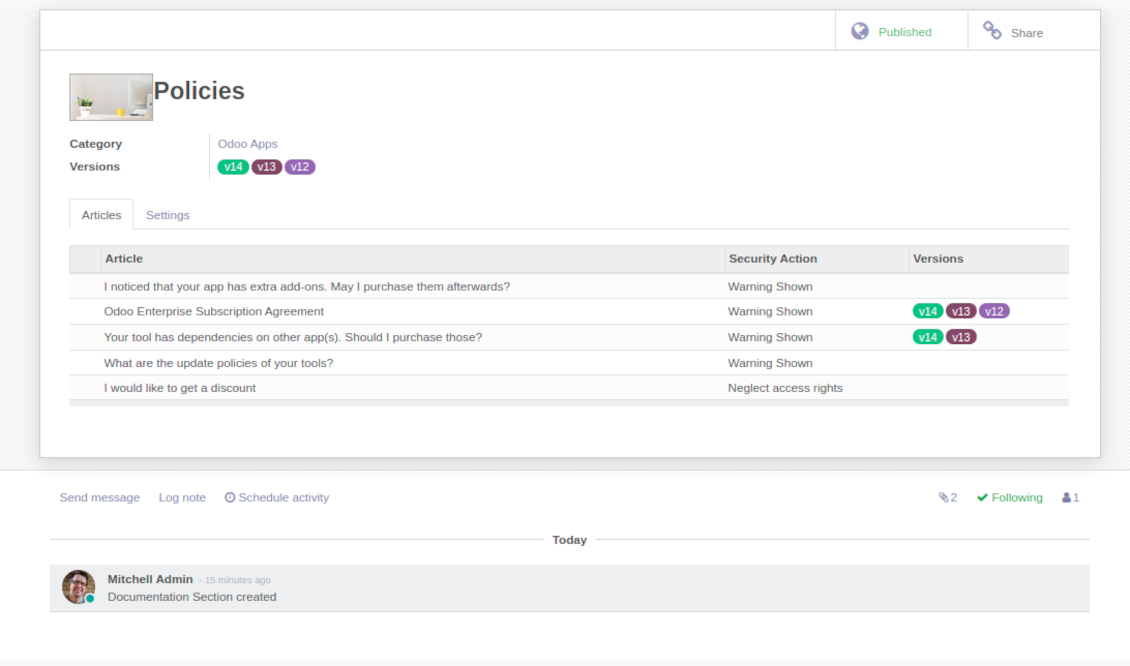
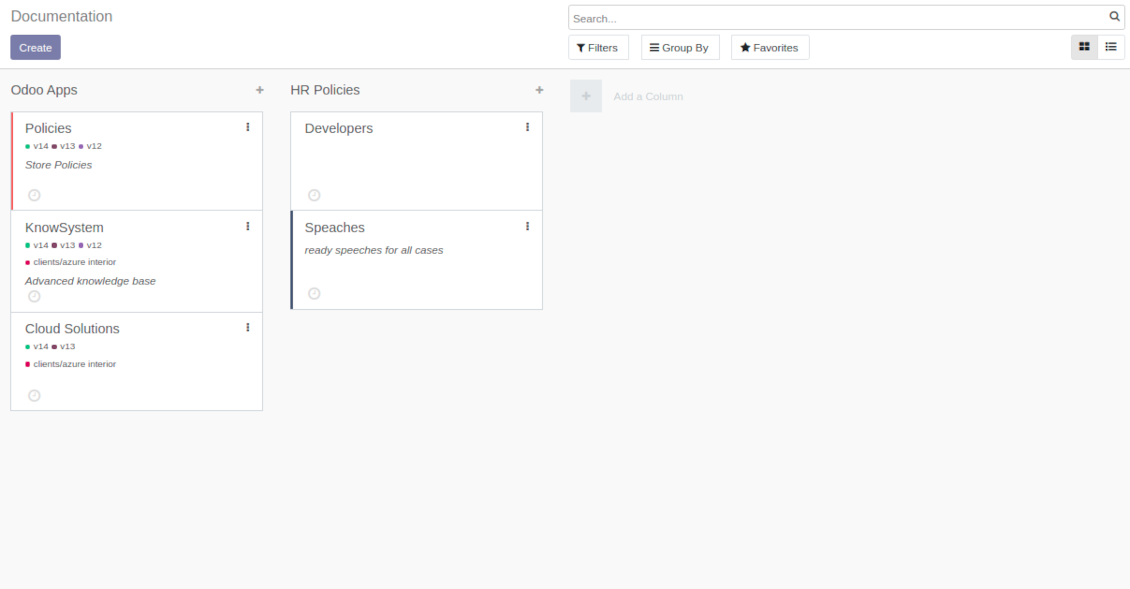
Combine articles into advanced documentation sections to cover a certain business, organizational, or functional aspect
-
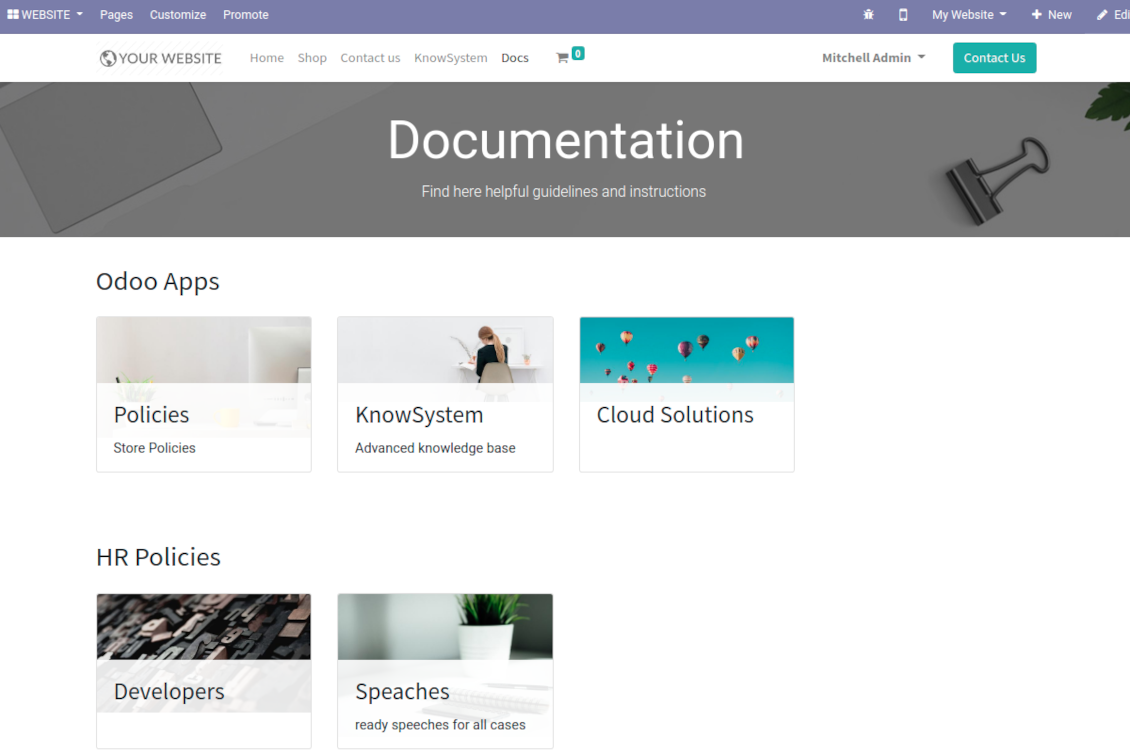
To create a new documentation section just select and order KnowSystem articles. The app would generate a website page automatically
-
Each KMS article might be used several times for different documentations
-
The tool allows preparing an unlimited number of documentation pages structured by categories
-
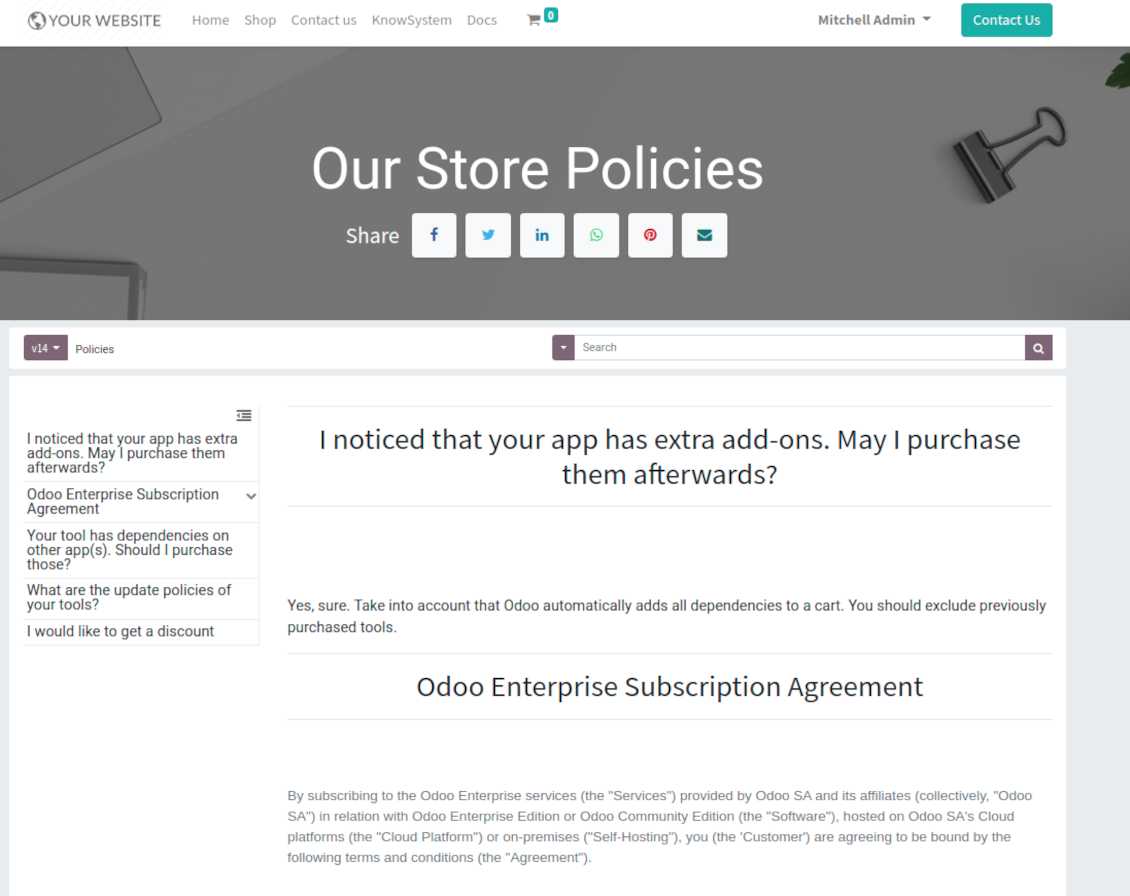
Flexibly customize documentation pages: show or hide introductions and footers, turn on/off search bar and table of contents, add or remove preview images and texts
-
The app let flexibly share documentation categories and sections. Publish required documents to make them available for everybody, assign KnowSystem tags - to grant an access for chosen Odoo partners
-
Depending on user rights documentation might look different. Define what to do if a documentation user does not have access for included articles: to neglect restrictions, not to show that knowledge pieces, or to show a security warning
-
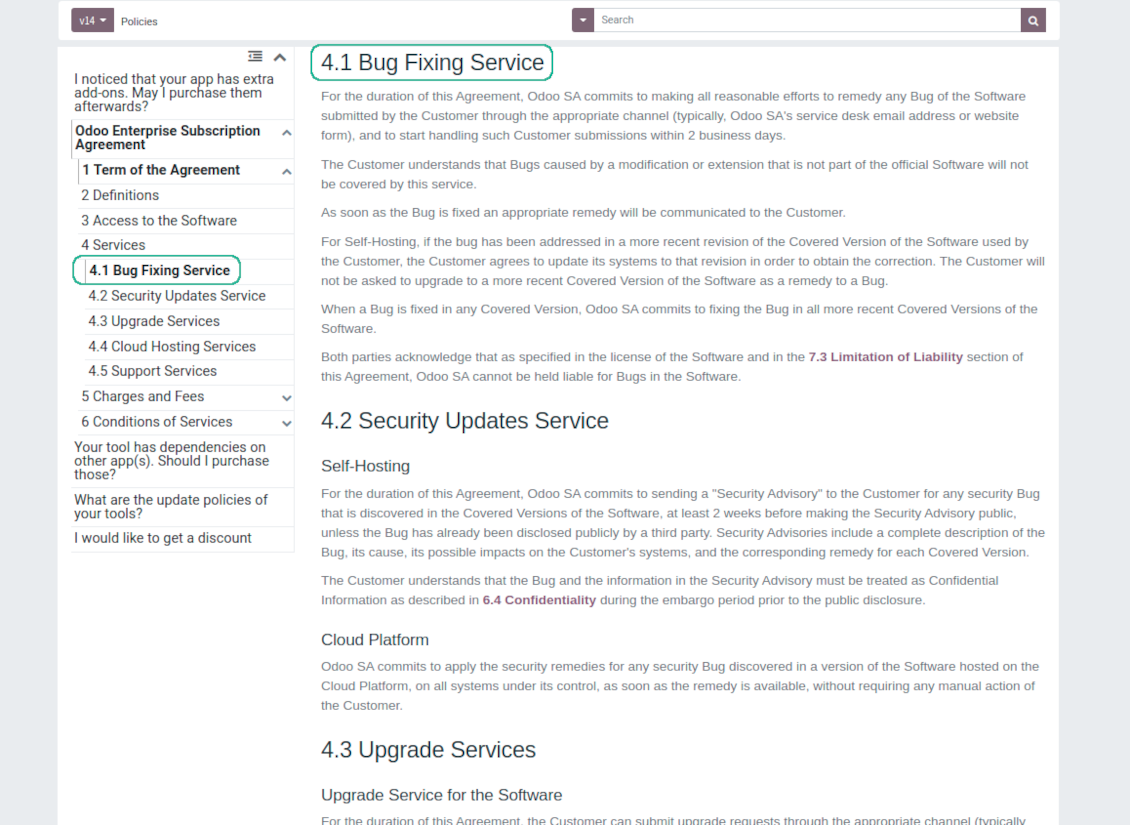
Optionally show table of contents for comfortable and quick navigation. Table of contents is constructed automatically according to headers of included articles
-
Turn on the search bar for documentation. It is possible to find matches in a whole text or only in headers, to make key words case sensitive or insensitive.
-
Apply versioning for documentation to avoid double work in preparing specifications, user manuals or software guidelines.
Partner knowledge base portal and public knowledge system
Knowledge in Odoo portal
-
KnowSystem let organize a web portal personally for each Odoo partner by selecting articles to be shared. To that end turn on the option 'Portal KnowSystem'
-
Design an article especially for a definite company, or use the same knowledge experience among multiple clients
-
Knowledge articles are available for portal users if: (a) the articles are published; (b) the articles have user-related tags
-
To assign a KnowSystem tag for a partner do one of the following: (a) go to a partner form and enter the field 'KnowSystem tags'; (b) on a tag form define 'Allowed partners'
-
Optionally allow partners to print knowledge pieces, like or share articles
Public KMS
-
To make self service possible: make your knowledge base available also for unauthenticated users. To that end turn on the option 'Public KnowSystem'
-
Only articles which are published would be available for visitors
-
To publish specific knowledge parts: apply the mass action 'Publish' or push the button 'Actions > Publish on website' on an article form
-
To show tags and article types in portal and website do not forget to publish them. Knowledge sections would be shown only if they have articles for observation
-
Customize the knowledge portal: hide/show the navigation by tags and types or the whole navigation, prepare introduction or navigation hints, add section tooltips.
Interactive and evolving knowledge base
Team work and use
-
The history of articles revisions is kept in Odoo in a similar way it's done in Wikipedia. If one of user breaks something, it takes 2 clicks to recover a proper knowledge version
-
Users might take part in article discussions and be subscribed for updates
-
Control statistics by articles: contributors, number of views, likes and dislikes, how frequently they are used in messaging, who mark them as favorite
-
Set activities to improve knowledge base
Multi lingual knowledge
-
KnowSystem let you translate articles to installed in Odoo languages. In such a way users might read and edit articles in a language from their preferences
-
To avoid double work, article content might be copied from another language (the button 'Copy from another translation' under the article content). Simultaneously, make sure you actually require multi lingual regime: all articles should be anyway kept updated in all Odoo languages
-
To update knowledge translation you should change your user preferences to a required language. Then, go to an article and introduce changes as usual.
Any business and functional area
KnowSystem is a universal knowledge management tool which might be configured to any business goal and any set of Odoo apps: for helpdesk, marketing, IT, HR, project management, so on and so on. Typical use cases are:
-
Helpdesk - once faced a challenge, its solution might be recorded in KnowSystem for repeated usage by co-workers and for self-service by clients
-
Sales and CRM - salesperson helper to find information about products, offers, frequently asked customer questions
-
Project management - to keep and easily retrieve knowledge of existing solutions, tools, hints, and experiments
-
HR - to prepare instructions, guidelines, learning tours and trainings, and any codified knowledge of routine in your company
-
Marketing - to organize Odoo online library of product use cases, expert knowledge and well structured documentation
-
Legal issues - systematize your policies, contract and approval managements, keep the full classifier of trademarks, licenses
-
Informational technologies - share easy-reached manuals and configuration guidelines.
Custom knowledge system attributes
-
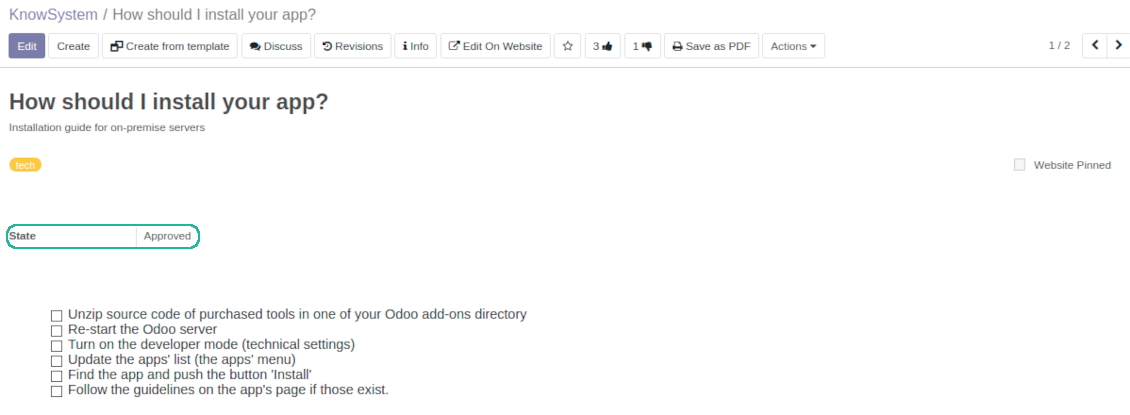
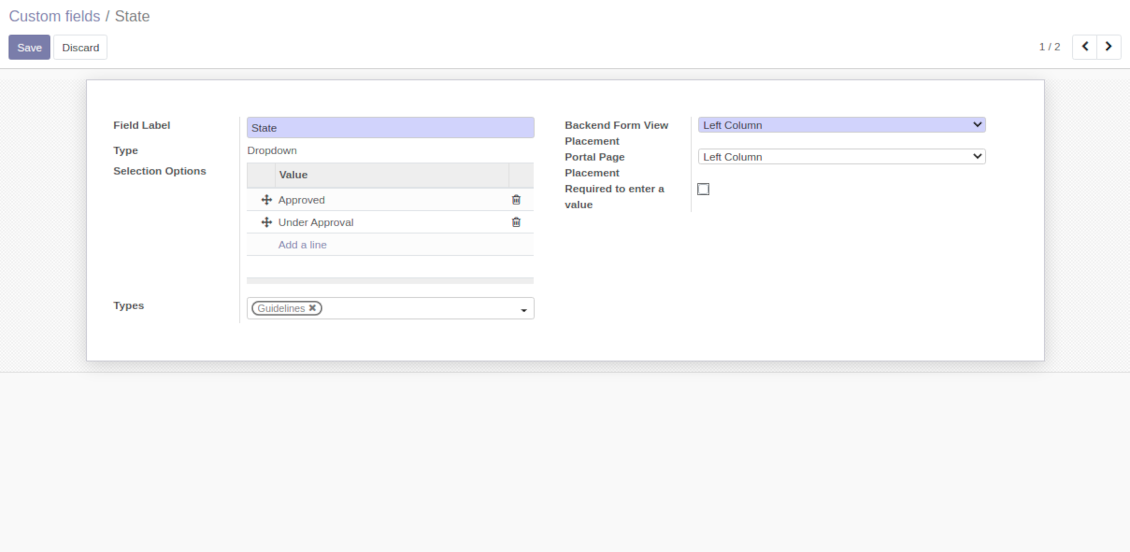
Custom attributes' creation does not require any technical knowledge. In order to show a new property for knowledge base articles, just add a new field and enter details
-
It is possible to add custom fields of the following types: single line text (char), simple text without formatting (text), rich text (HTML-formatted text), integer or float numbers, drop-down choice with your own options (selection), checkbox (boolean), date or date and time, binary (a file to upload), reference to another Odoo document (e.g. for a sale order, contact; many2one)
-
The tool let you comfortably select an interface position of a custom field from a closed list of options
-
Distinguish knowledge articles by types in order to show properties only for suitable ones. Thus set of attributes for 'user guidelines' and 'technical specifications' might be different
-
Mark a custom field required to force users enter values
-
The app might work for both KnowSystem backend and knowledge share portal
-
Custom knowledge system fields might be imported and exported
-
The rights to create custom fields belong only to KnowSystem administrators.
Secured and shared knowledge
-
Security for internal and for portal/public users differs
-
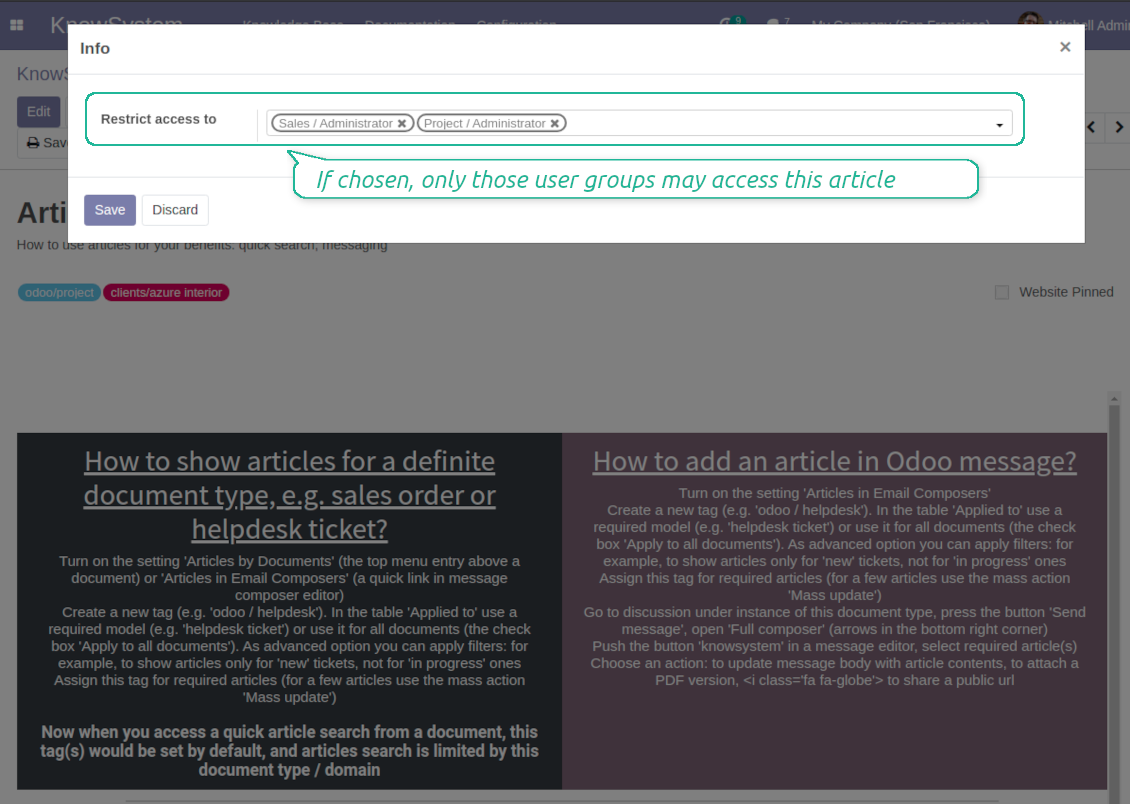
For the company employees: KnowSystem considers user groups which are defined per articles, sections and tours. Look at the tab 'Restrict to' on forms of those objects. If that field is not defined, a document is considered 'global' and each internal user may read it
-
For portal / public users: KnowSystem takes into account tags and whether an article is website published. A knowledge tag has a field 'Allowed partners', which may grant an access to portal users for articles with this tag. Website published pages are available for any external visitor
-
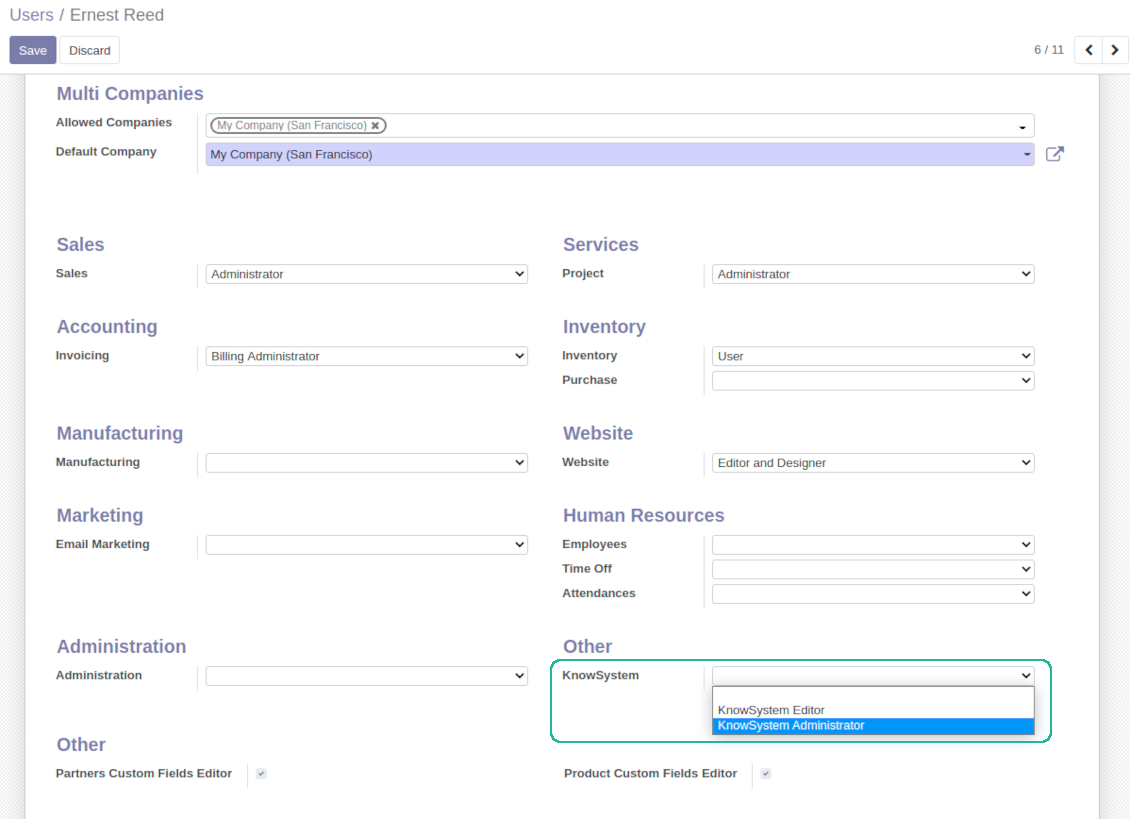
Rights to administrate Odoo knowledge management system belongs to 2 user roles: KnowSystem Editor and KnowSystem Administrator. If you want a user to create and edit articles, a user should belong to one of those groups
-
Odoo user always may access an article if he/she is an author of that article disregarding further restrictions
-
Rights for a knowledge section is defined not only according to this section but also according to all its parents. For example, if a user can't access 'sales', he/she would not be able to access 'sales / crm' disregarding whether 'crm' is available for his/her user group.
|
|
Odoo user |
KnowSystem Editor |
KnowSystem Admin |
Portal user |
Public user |
| Articles | read related to his/her user groups and sections | read, create, edit, archive related to his/her user groups and sections | read, create, edit, delete any | read published articles and articles related to partner-related tags | read published articles |
| Sections | read related to his/her user groups | read, create, edit, archive related to his/her user groups and sections | read, create, edit, delete any | read all sections of available articles | read all sections of published articles |
| Tags | read any | read, create, edit, archive any | read, create, edit, delete any | read published ones | read published ones |
| Article Types | read any | read any | read, create, edit, delete any | read published ones | read published ones |
| Tours | read related to his/her user groups | read, create, edit, delete related to his/her user groups | read, create, edit, delete any | no access | no access |
| Misc | may like / dislike, add to favourites, print, take part in discussions | may configure options | may like / dislike an article |
|
に関するよくある質問 KnowSystem: Knowledge Base System Odoo v.14
改訂のテキストに違いが見えません。
リビジョンはテキスト変更だけでなく、スタイルの更新も記録します(技術的には記事の HTML ソースコードを変更したとき)。一見わかりにくいものもあります(例: 単語一つのフォントサイズ変更)。大幅なものもあります。ただし、編集 > 記事内の何かを変更 > 保存という一連の操作は必ず新しいリビジョンになります。
記事に YouTube/ Vimeo / Dailymotion / Youku の動画を追加できますか?
はい。それらのサービスの動画は、Odoo バックエンドとウェブサイトビルダーの両方から記事に埋め込めます。画像付きブロックを追加 > 画像を押す > ‘Video’ を選択 > 対象メディアの URL を入力します。
ご注意: こうした動画は iframe として埋め込まれ、一部のブラウザはユーザーが明示的に許可するまで再生をブロックすることがあります。
セクションをウェブサイトに表示するには?
KnowSystem では、セクションは公開済みで記事が少なくとも 1 件あるとウェブサイトに表示されます。サブセクションがあっても、セクション自体に記事が 1 件もなければ表示されません。空のセクションを避け、KnowSystem ポータルを見やすくするためです。サイトに表示するには、サブセクションの記事を短く説明または列挙する導入・概要記事を 1 件追加してください。
外部の取引先に記事を共有するには?
左のナビゲーションパネルの任意のタグを右クリック - 作成
項目「Allowed partners」を探します。例: 取引先 'Azure Interior' にアクセスを付けるなら 'clients - azure interior'。逆に、取引先フォーム上で KnowSystem タグを割り当てることもできます
次に対象の記事を開きます(複数レコードならアクション「Mass update」でも同様です):
公開済みなら: すべてのポータルユーザーと一般訪問者に見せたくない場合は非公開にします
作成したタグを割り当てます(例では 'clients - azure interior')
これで:
取引先 'Azure Interior' に関連するすべてのポータルユーザーは、タグ 'Azure Interior' の記事にアクセスできます
他のポータルユーザー(別タグが付いていない場合)はそれらの記事にアクセスできません
内部ユーザーは影響を受けず、記事とセクションの「access to」ロジックに従って記事を閲覧します。
記事本文に言語選択ボタンを追加できますか?
オプションアドオン 'KnowSystem: Multi Languages' は、意図して記事本文に 'translate' ボタンを付けません。ボタンが想定する単純なポップアップでは HTML を翻訳しにくいためです。訳すべきテキストはごく少なく、HTML 部分が多く(翻訳者によって壊れることもあります)。
そのため、特定言語の記事を作るには、その言語のユーザーでログインします。別ユーザーでも、現在のユーザー設定を一時変更しても構いません。以降、本文の更新はそのユーザー言語で行われます。
本文の下のボタン 'Copy from another translation' で、いつでも別言語の記事内容を取得できます(ある言語で大きく更新された場合に便利)。
別のウェブサイトページを記事に埋め込む方法
そのために iframe を使えます。記事を生の HTML コードエディタに切り替えて、例えば次を挿入してください。 <iframe src="https://faotools.com/" style="width:100%;min-height:600px;"> </iframe>.
KnowSystem をインストールしましたが「create」ボタンや他のボタンが見えません
ユーザーに KnowSystem の権限が付いていない可能性が高いです。「KnowSystem Editor」または「KnowSystem Admin」を選び、ページを更新してください。操作ボタンが表示されます。
特定の学習ツアーを選んだユーザーだけに表示できますか?
はい。このツアーを見せるユーザーグループ(例: 'Sales Manager')を適用します。所属していれば表示され、そうでなければ表示されません。KnowSystem の記事とセクションのセキュリティ権限と同じ仕組みです。
グループが割り当てられていないツアーは「グローバル」で、全員に表示されます。
記事を印刷するときのフッターとヘッダーはどう変更しますか?
記事 PDF のヘッダーとフッターは会社レイアウトに従います。Settings > General Settings > セクション Business Documents を見てください。そこで請求書、販売オーダなど全文書種別と記事に使う会社テンプレートを定義します。この Odoo の考え方では、フッターとヘッダーは個別印刷の属性ではなく会社全体のスタイルです。
記事同士はどうリンクしますか?
各記事には内部(backend)とウェブサイトの URLs があります(オプション 'KnowSystem: Website and Portal' がインストールされている場合)。記事フォームの 'Info' ボタンをクリックすると、このレコードのウェブサイトアドレスがわかります。いずれかを本文にハイパーリンクとして挿入できます。
記事のHTMLソースコードを変更できますか?
はい。設定概要画面で debug assets をオンにし、現在の記事に戻ってください。編集モードで '</>' アイコンが表示されます。クリックして HTML とスタイルを確認・編集します。
ツールの更新ポリシーは何ですか?
現行の Odoo Apps Store ポリシーによると:
- バージョン 12.0 以前向けに購入したモジュールは、12.0 までの全バージョンにアクセスできます。
- バージョン 13.0 以降、各モジュールバージョンは個別に購入します。
- バージョンに関係なく、購入するとメジャーバージョン内の すべての更新と不具合修正の権利が得られます。
faOtools チームはこれらのポリシーを管理していません。ご質問は Odoo Apps Store の担当者へ直接お問い合わせください。
アプリを Odoo.sh にインストールする方法は?
最も単純な方法は、Odooストア組み込みのワークフローを使うことです:
1. モジュールのページを開き、Deploy on odoo.sh ボタンをクリックします。
2. その後 GitHub ページにリダイレクトされます。アカウントにログインし、'Create a new repo' をクリックするか既存のものを使います。リポジトリはプライベートにしてください。OPL-1 ライセンスのアプリを公開することは許可されていません。必要なら Odoo.sh プロジェクト用に新しい repo を作成します。
3. 次に odoo.sh に行き、Deploy ボタンをクリックします。ポップアップで決定を送信し、'Continue.' をクリックします。これでインストールが始まります。
これらの手順でプロジェクトの本番ブランチにアプリがインストールされます。他のブランチにデプロイする、またはモジュールを更新する場合は、次の操作を行います:
1. Odooストアからアプリのソースコードをアップロードします。
2. モジュールを必要な GitHub リポジトリにコミットします。アプリのフォルダ/ファイルが無視されていないこと(repo の .gitignore に含まれていないこと)を確認してください。リポジトリは odoo.sh が自動作成し、既定で重要な項目(例: /lib)が含まれることがあります。モジュールのディレクトリ、サブディレクトリ、ファイルを例外なくすべてアップロードしてください。
3. odoo.sh プロジェクトの対象ブランチを Deploy するか、 設定がそうなっている場合は自動ビルドされるまで待ちます。
自分のサーバーにアプリをインストールするには?
2. Odoo サーバーを再起動します;
3. 開発者モードをオンにします(技術設定);
4. アプリ一覧を更新します(アプリメニュー);
5. アプリを見つけて「Activate」/「Install」を押します;
6. アプリページにガイドラインがあれば従ってください。
アプリに追加アドオンがあるのに気づきました。後から購入できますか?
はい、もちろんです。同時に Odoo は依存関係をすべてカートに自動追加するので、二重払いを避けるには既に購入したツールを除外してください。
アプリを Odoo.sh にデプロイしたらテストで警告/エラーが出ます
赤/オレンジの警告はアプリの機能に影響しません。残念ながら、標準の自動テストがアプリの目的と衝突する動作を想定するため、モジュールが通らないことがあります。たとえば価格計算を変える一方、標準 Odoo モジュールのテストは最終価格を標準アルゴリズムと比較します。
まず、デプロイ済みデータベースの機能を確認してください。すべて正しく動いていますか?
それでも警告が実機能に影響すると考える場合はご連絡のうえ、インストールログ一式とデプロイ済みモジュールの全一覧(コアおよびサードパーティ含む)を送ってください。
アプリを御社から直接購入できますか?
いいえ、ツールは 公式の Odoo アプリストア.
割引をいただきたいです
残念ながら、個別価格を提示する技術的手段が ありません。
Odoo Online (SaaS)データベースにアプリをインストールできますか?
いいえ、サードパーティアプリは Odoo Online では使えません。残念ながら Odoo SaaS がその可能性をブロックします。
ツールは他のアプリに依存しています。それらも購入すべきですか?
はい、ツールが正しく動くには依存関係に記されたすべてのモジュールが必要です。アプリページの価格には必要な依存関係がすでに含まれています。
モジュールの米ドル価格はいくらですか?なぜ変わりましたか?
モジュールの価格はユーロ建てです。Odoo ストアは内部為替レートで他通貨に換算します。そのため為替が更新されると米ドル価格が変わることがあります。
英語以外のアプリ・サイト文言は AI 支援で作成され、 公式の Odoo 翻訳に揃えています。誤りを見つけたら、 翻訳の正確さについてチケットを送る 修正します。
不具合報告
不具合や一貫しない動作があれば、遠慮なくご連絡ください。購入から60日以内の修正を保証し、その後もツール改善に力を入れています。
ご連絡に電話番号やクレジットカードは不要です。30 秒以内の短いメール登録だけです。
リクエストにはできるだけ多くの詳細を含めてください:スクリーンショット、Odoo サーバーログ、問題の再現手順の完全な説明など。通常、問題の作業計画の作成(不具合が確認された場合)または実施すべき内容の案内(それ以外)には数営業日かかります。
公開の機能リクエストとモジュールのアイデア(無償開発)
ツール改善への意欲は強く、フィードバックには感謝します。要件が広く役立ち、効率よく実装できる場合、チームは To-do リストに加えます。
このような To-do リストは定期的に処理され、追加料金は発生しません。期限や最終デザインは約束できませんが、投資とリスクなしで望む機能を得る良い方法になることがあります。
ご連絡に電話番号やクレジットカードは不要です。30 秒以内の短いメール登録だけです。

Odoo の添付ファイルをフォルダに柔軟に整理し、Google Drive、OneDrive/SharePoint、Nextcloud/ownCloud、Dropbox、Amazon S3、Box、NAS とディレクトリを同期するツール。DMS。ファイルマネージャー。文書管理システム
398€





お気に入りの AI チャットから MCP 経由で Odoo を管理するツール。Claude。MCP 対応の任意の AI。

