Universal Appointments and Time Reservations v.14
The tool for time-based service management from booking appointment to sale and reviews
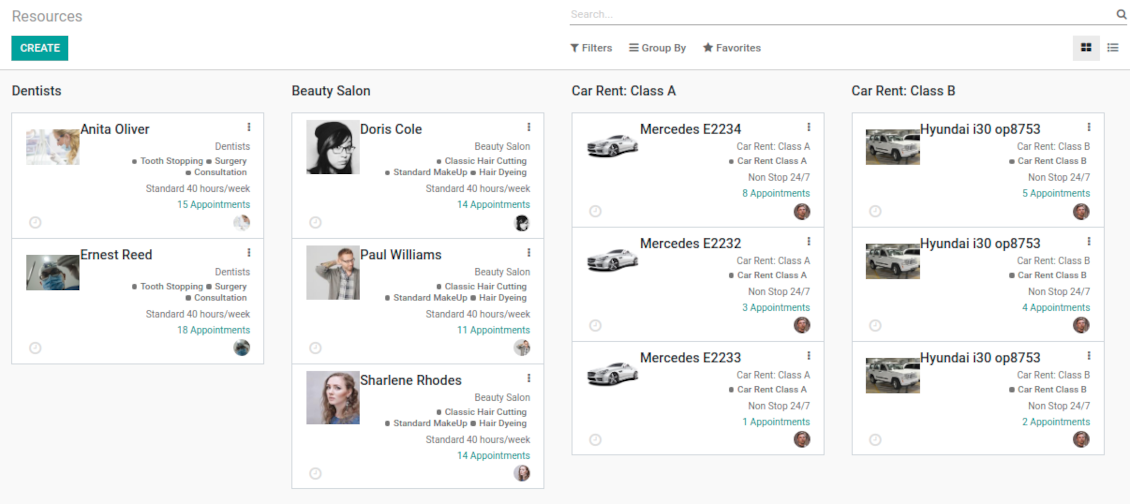
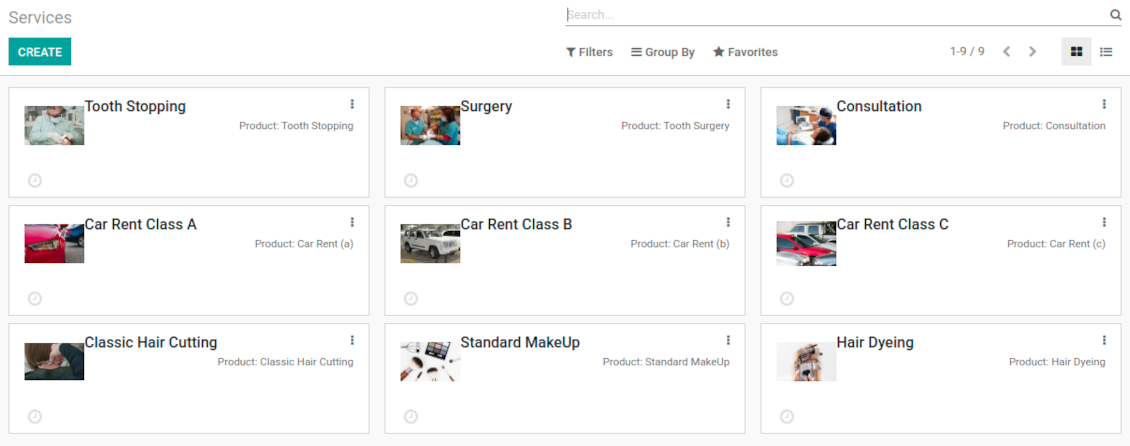
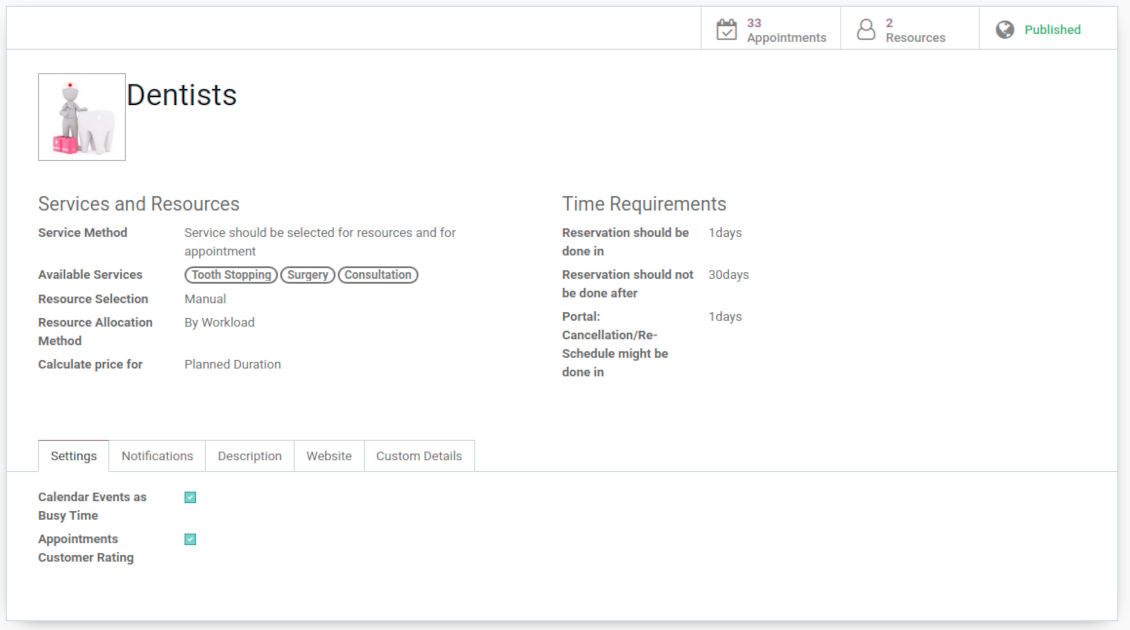
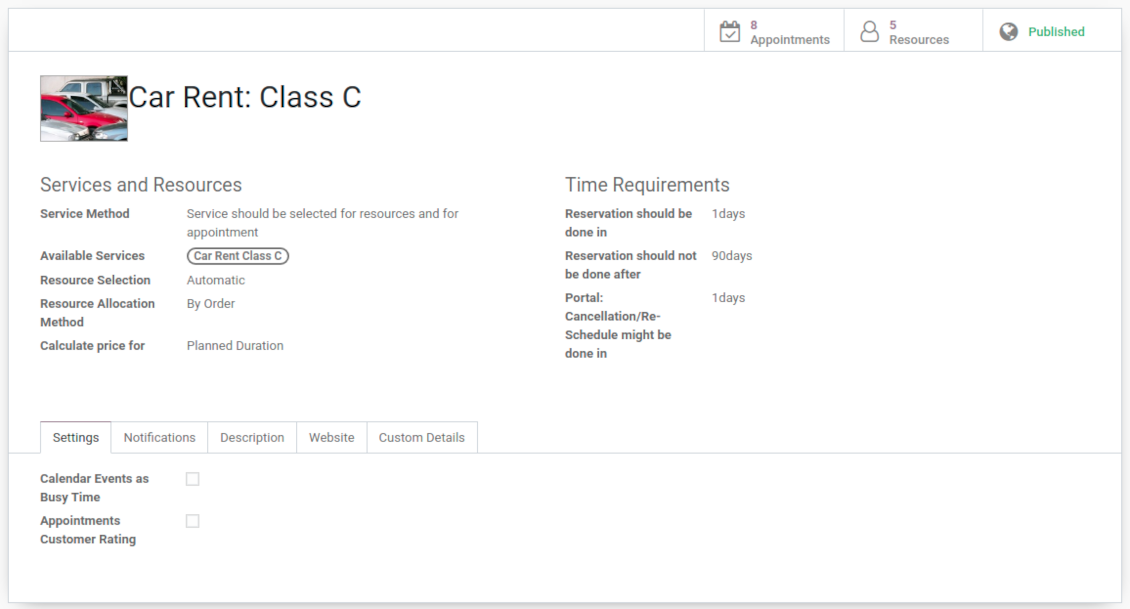

This is an Odoo full-featured app to administrate, to control, and to improve service management workflow. The tool let you organize flawless time reservations, control fulfillment, evaluate customer satisfaction, sale and upsell goods in almost any industry. With all options installed the tool represents structured e-shop for your services.
Flexible module setup allows to reflect specifics of your business or even multiple businesses: automate resources distribution or let select those; have predefined appointment duration or let choose it manually; show or hide prices; apply booking restrictions or grant full freedom. Apply own settings to automate provision of your services.
- a core app to manage bookings. It might be used stand-alone for internal control of appointments and scheduling by phone, for example. Sen hinta on 398€.
- an optional module which introduces website booking process and let external users to schedule appointments and control reservations in portal. The features assumed by this add-on are marked by the icon . Sen hinta on 98€.
- an optional free module to introduce service pricing information and to link appointment with sales. The features assumed by this add-on are marked by the icon
- an optional free module to include service price lists and prices into reservation checkout process. The features assumed by this add-on are marked by 2 icons simultaneously: and
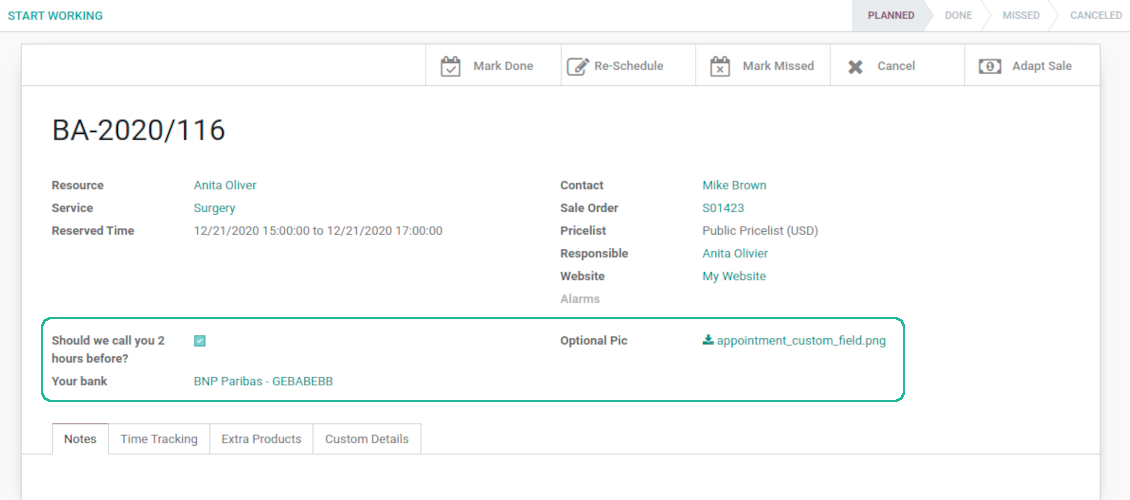
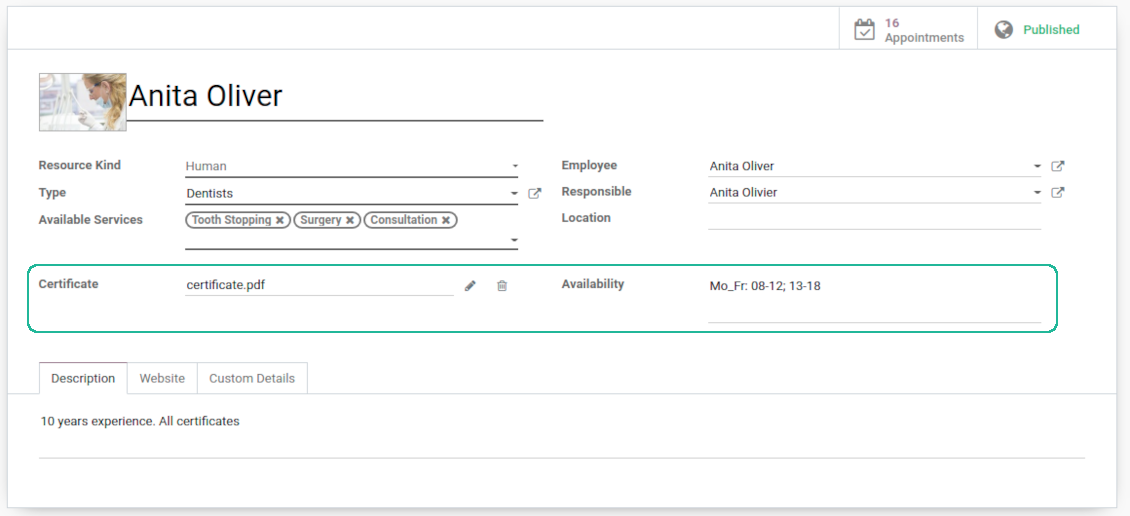
- an optional module which let you add and show custom fields for appointments and related objects. The features assumed by this add-on are marked by the icon . Sen hinta on 48€.
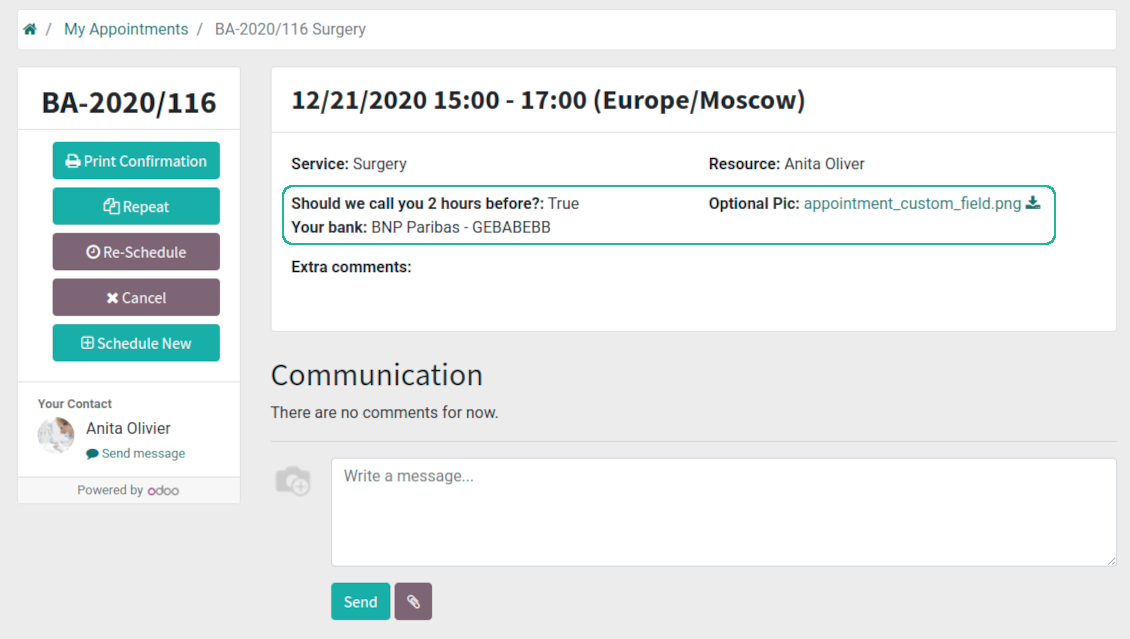
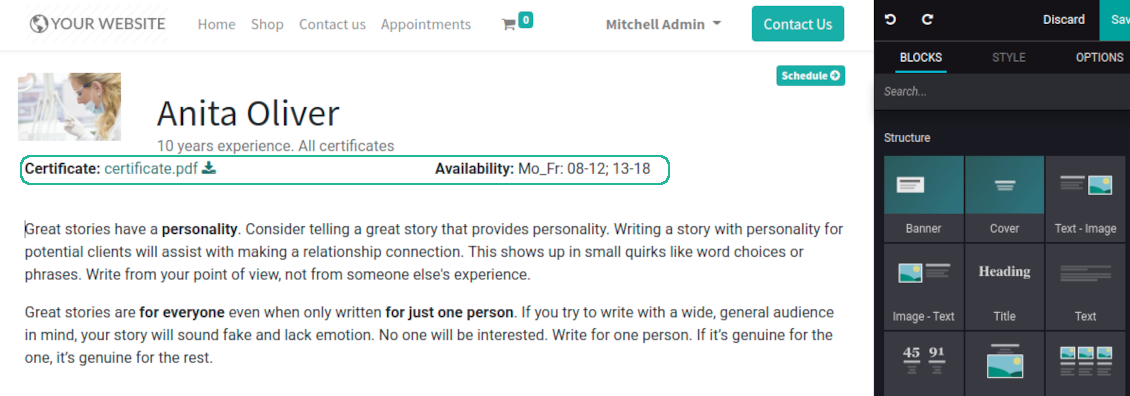
- an optional free module which shows custom fields on website and portal pages (frontend). The features assumed by this add-on are marked by 2 icons simultaneously: and
- an optional module which allows to track time spent on each appointment. The features assumed by this add-on are marked by the icon . Sen hinta on 10€.
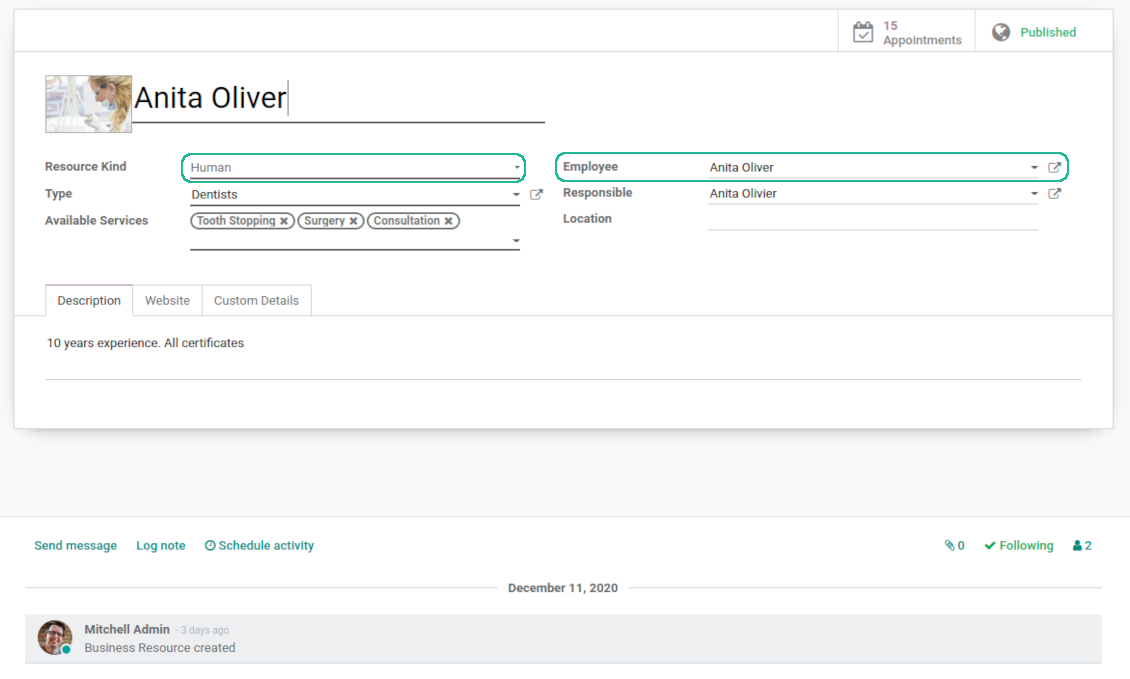
- an optional free module which allows to consider employees as appointment resources. The features assumed by this add-on are marked by the icon
Smart time slots
Vacant slots for appointments are automatically generated based on working calendars, service peculiarities, and specifics of managed businesses
Universal reservations
Set up the structure of resources and services to reflect your company work flows. Assign specialist and equipments manually or automatically. Flexibly manage appointment duration rules
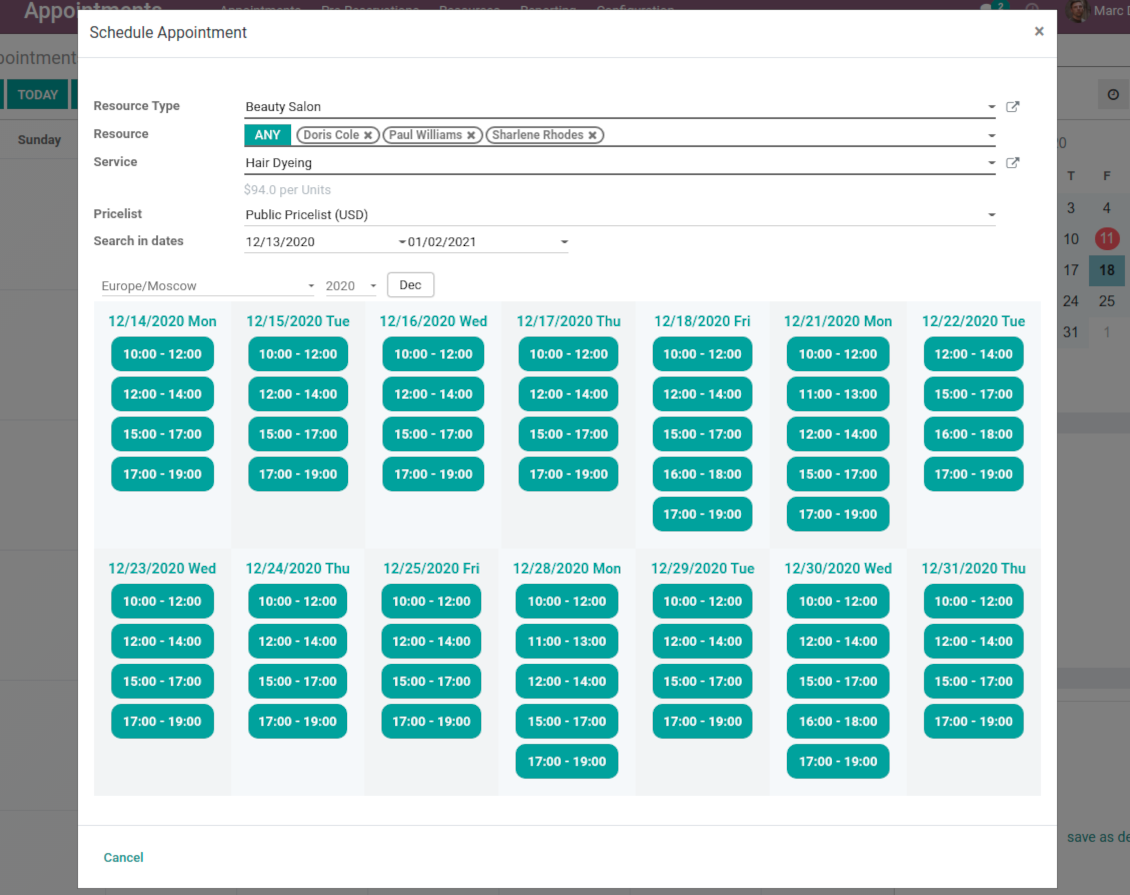
Comfortable scheduling without conflicts
The appointments scheduler allows to make a new reservation in a few clicks. It is quick and simple but with full control over potential intersections
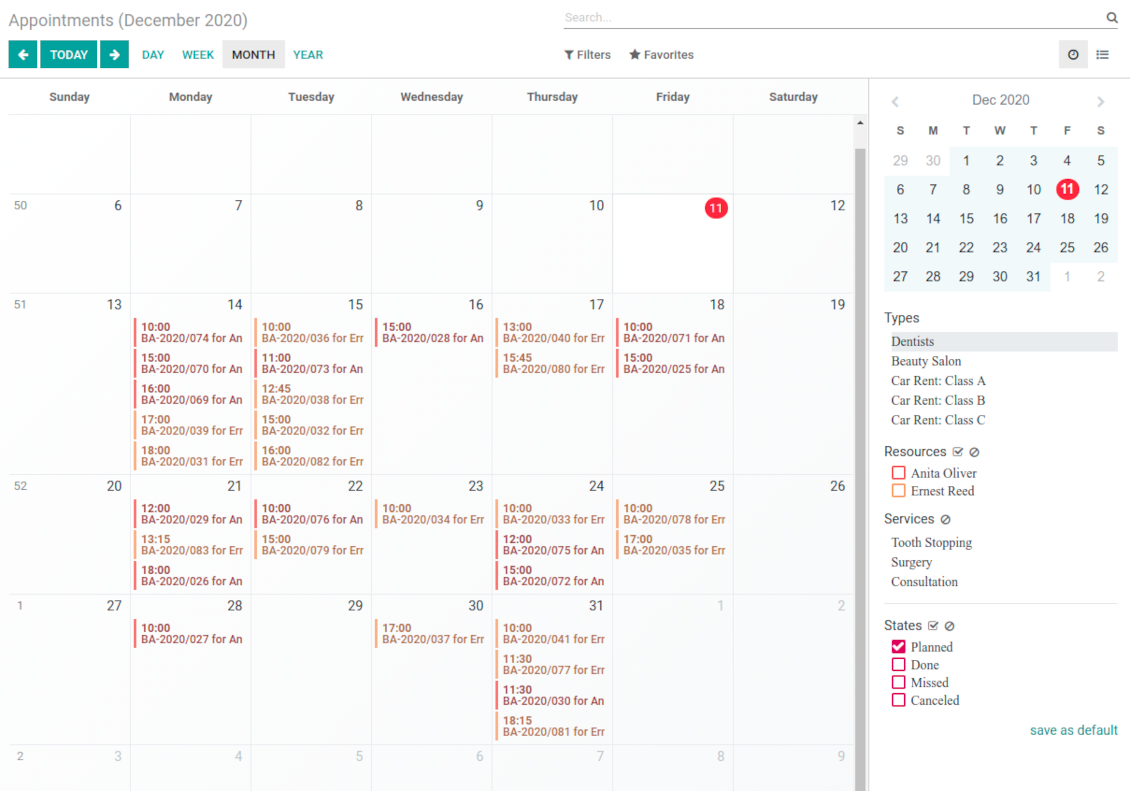
Innovative appointments calendar
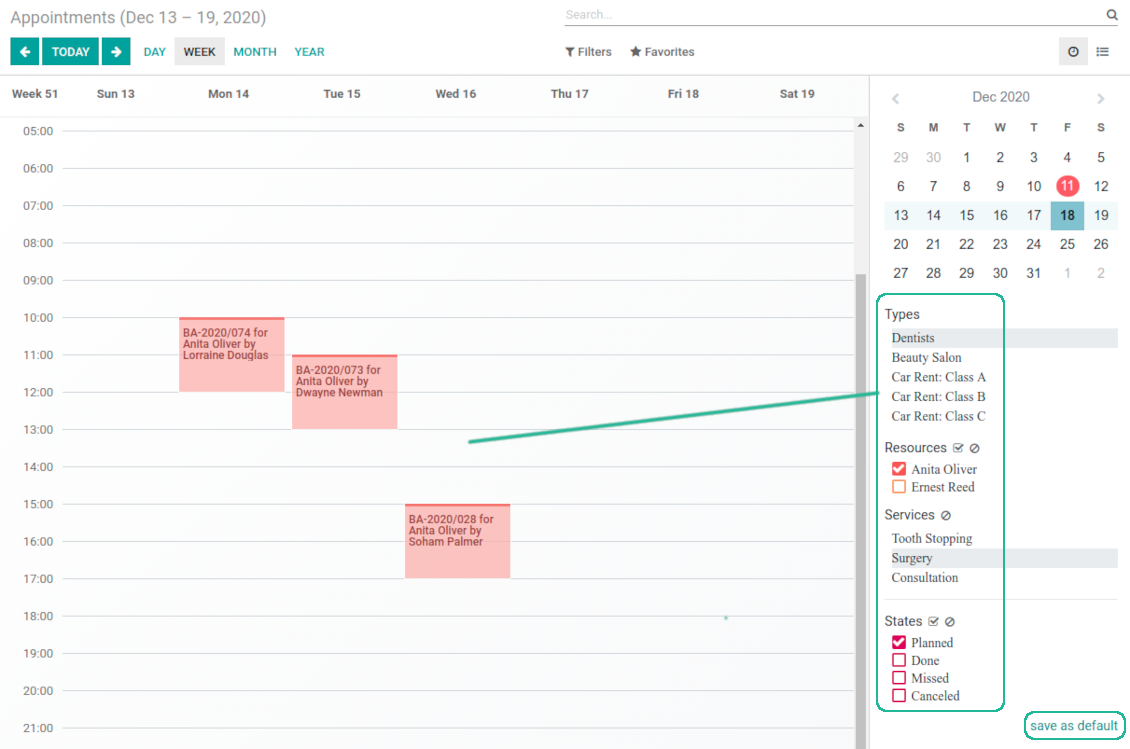
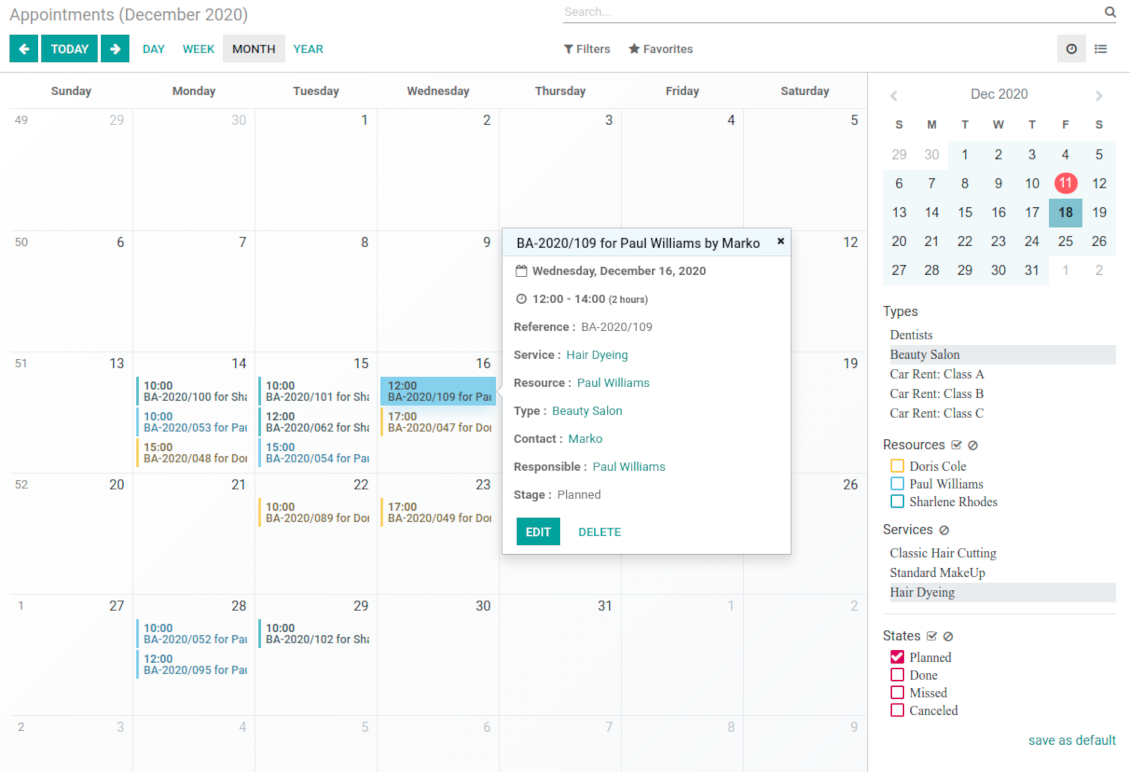
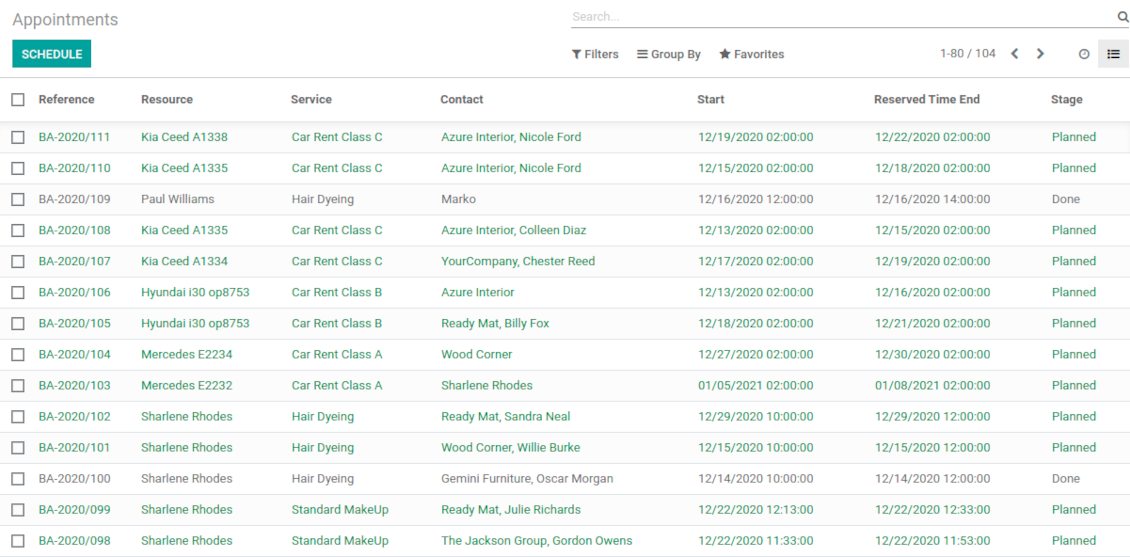
Users administrate reservations from the single calendar view: with quick filtering by appointment details and an instant access for required information
Clear website bookings
Let portal partners and website visitors to schedule an appointment through configurable multi-step process of checkout and confirmation
Sell and upsell services
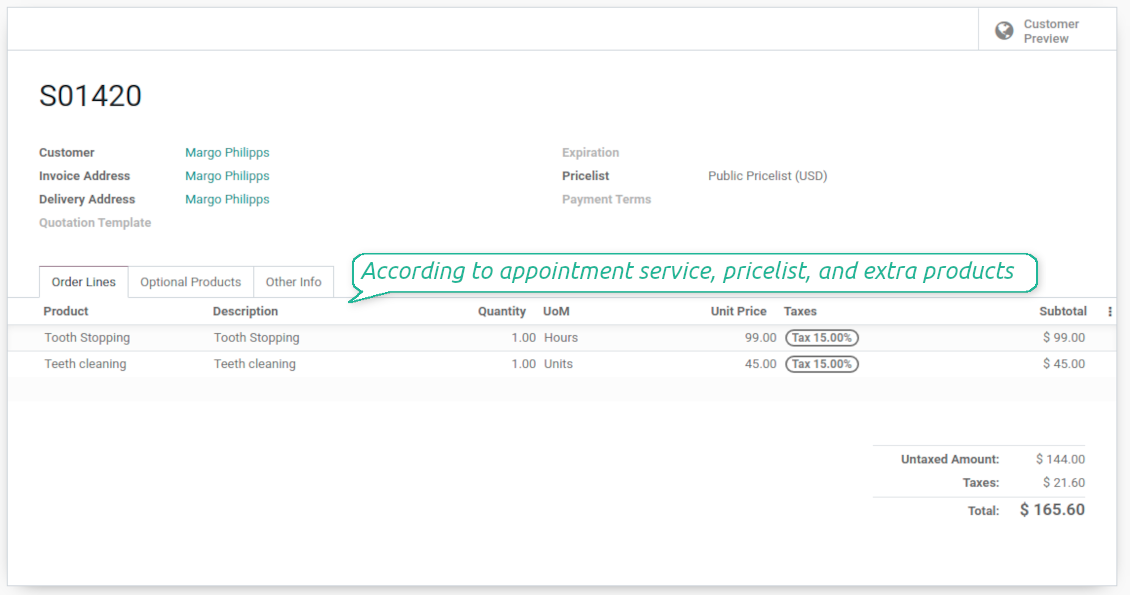
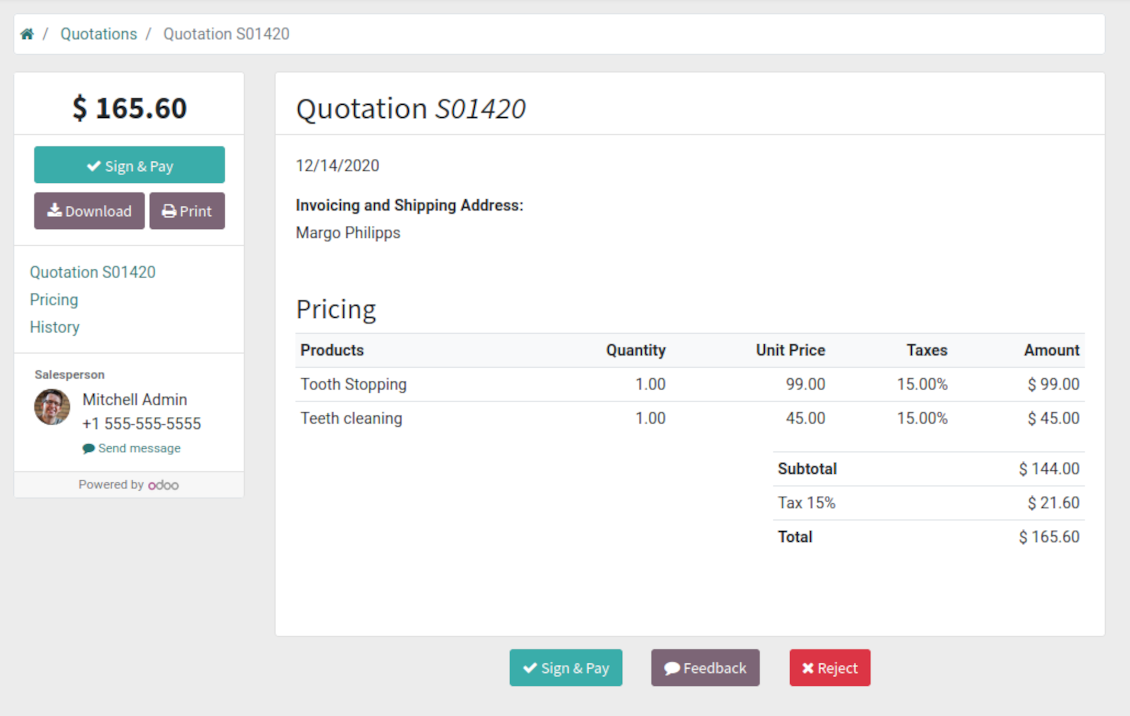
Link bookings with Odoo sale orders and price lists. Boost revenues by upselling accessories
Customer satisfaction and reports
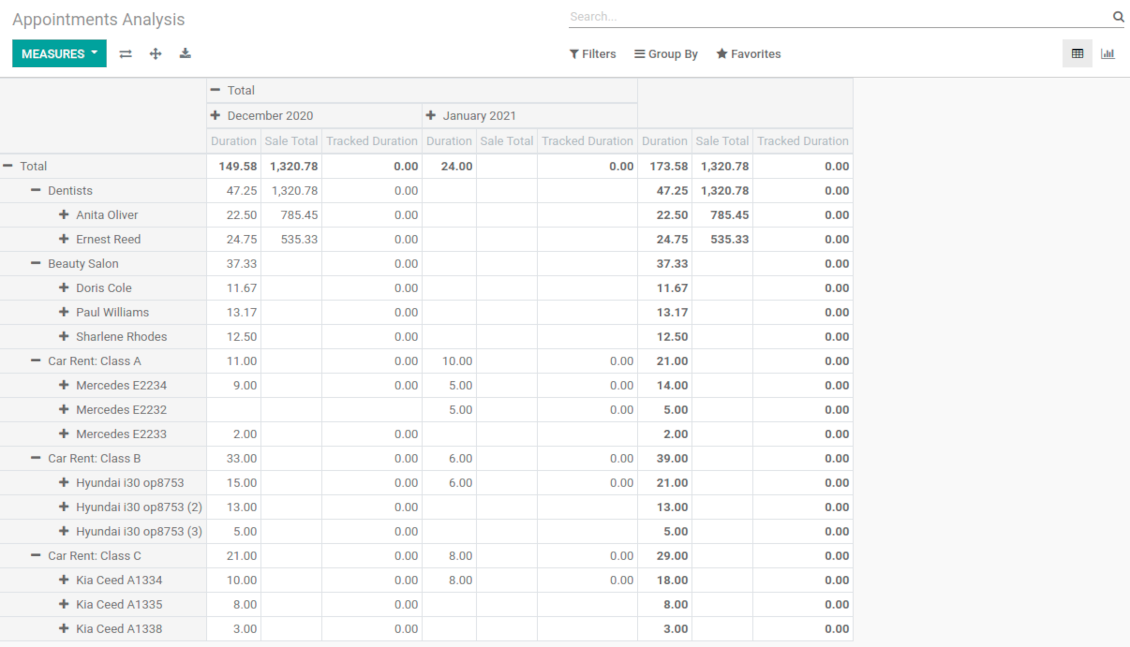
Automatically request client reviews. Analyze appointments by planned and tracked duration, generated revenue
Customizable website and portal pages
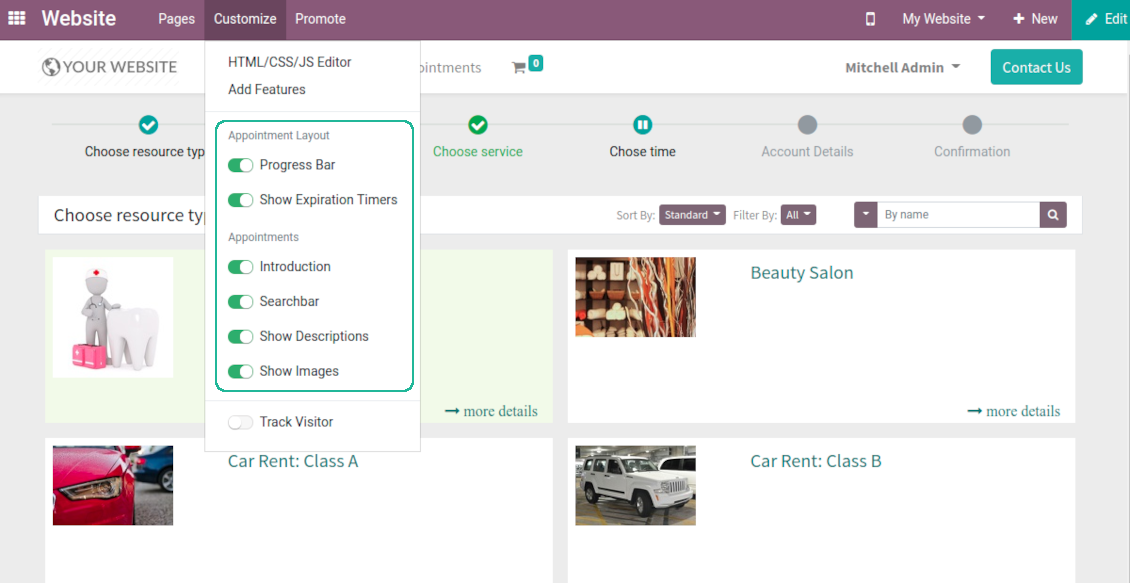
Turn on/off optional layout elements. Introduce own titles and welcome texts. Exclude booking steps
Compatible with Odoo standard features
The app is configurable for multi companies and for multi website environments. Appointment resources might be linked with employees, while reservations - with Odoo quotations
Custom details and reminders
Apply popup alarms, add success emails and SMS reminders. Introduce custom fields for reservations, resource types, resources, and services.
Comprehensive and well thought booking app
The app allows backend user to do some simple configuration to make the booking app able to fit in our different business models.
Very good support and also there is module enhancement from time to time with great usability improvements of more use cases.
Just great App and the best support you can imagine
Dear Olga and Alex
Thank you so much for this function which makes the tool perfect!
I've already installed it and tested it -- it works exactly the way the customers need it
This really makes your Appointment App the best tool available for Odoo :-)
I would also like to thank you for understanding my wishes and for taking care of them. That's exactly why I will choose and recommend faotools the nex time again.
Innovative backend scheduling
Auto time slots generation
-
Slots are generated according to configured resource business calendars. Each resource has an own calendar and time offs: it is impossible to schedule appointment for non-working time. If configured, the app would also consider simple meetings of resource responsible users as busy for time slots
-
The algorithm takes into account service duration. Available time slots have duration depending on a chosen service or one entered manually
-
Per each resource type define when appointment might be scheduled. For example, time slot is available not later than 2 days before, and not earlier than 30 days before. Similar rules are applicable for re-scheduling and cancellations
-
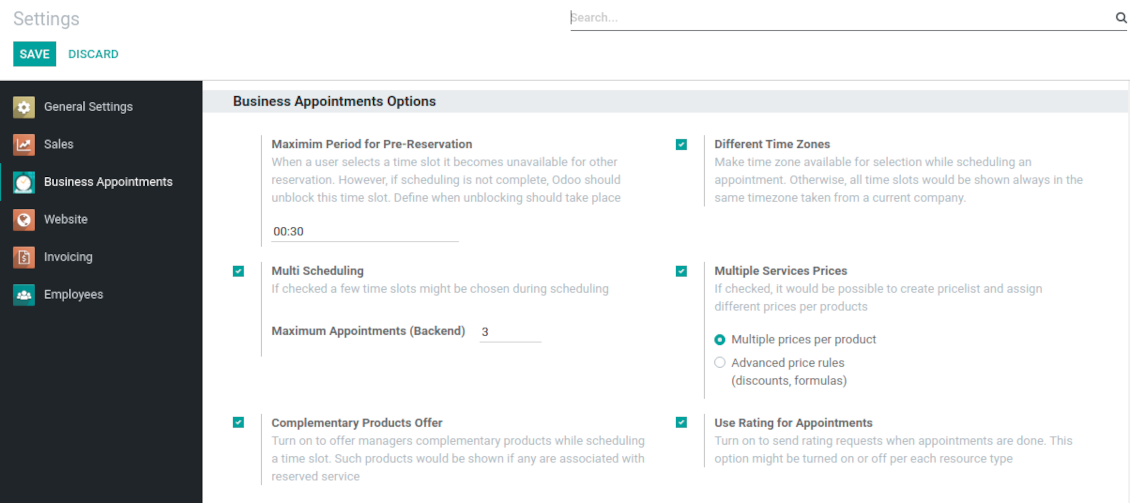
Reserved time slots are not available for other bookings. Even not yet confirmed appointments (pre-reservations) temporarily block target slots. Pre-reservation would be canceled if not done within a specified period (you may change this limit on the configuration page)
-
The tool is also perfect for multi timezone appointments. Either let users choose time zone by themselves (default is a browser tz), or set the same timezone for all cases
Smart Odoo reservations
-
No appointment might be entered manually, but it should be selected among available slots and according to the principles you set up
-
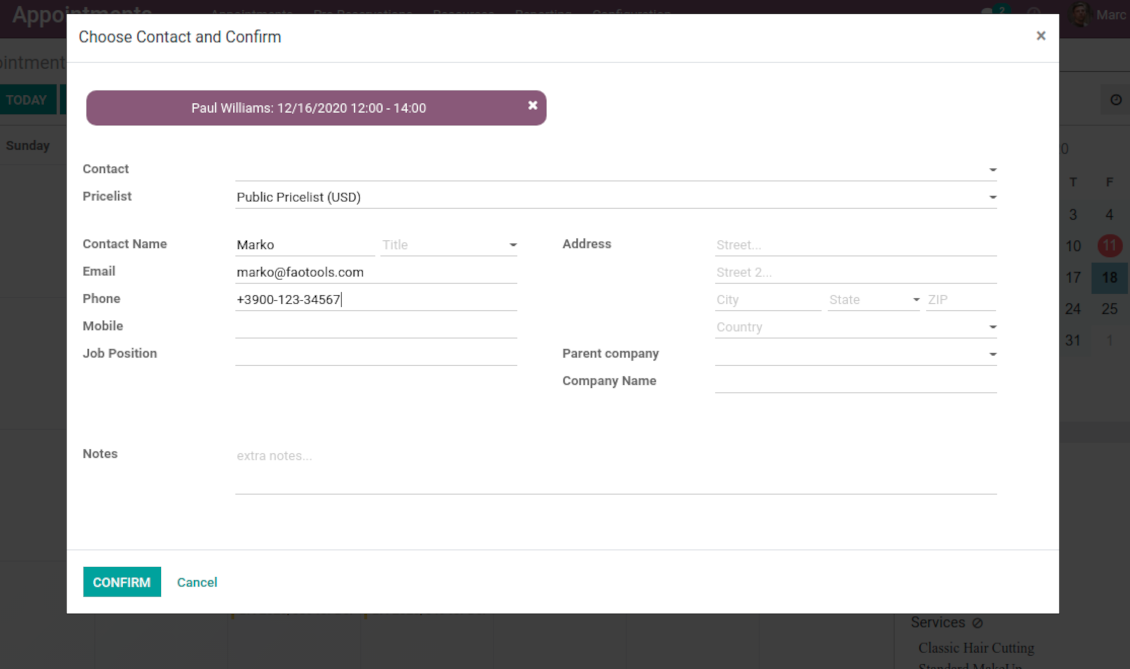
To start new scheduling pick up a required time period on calendar - the wizard would be automatically initiated. Chosen dates are used as time range for slots
-
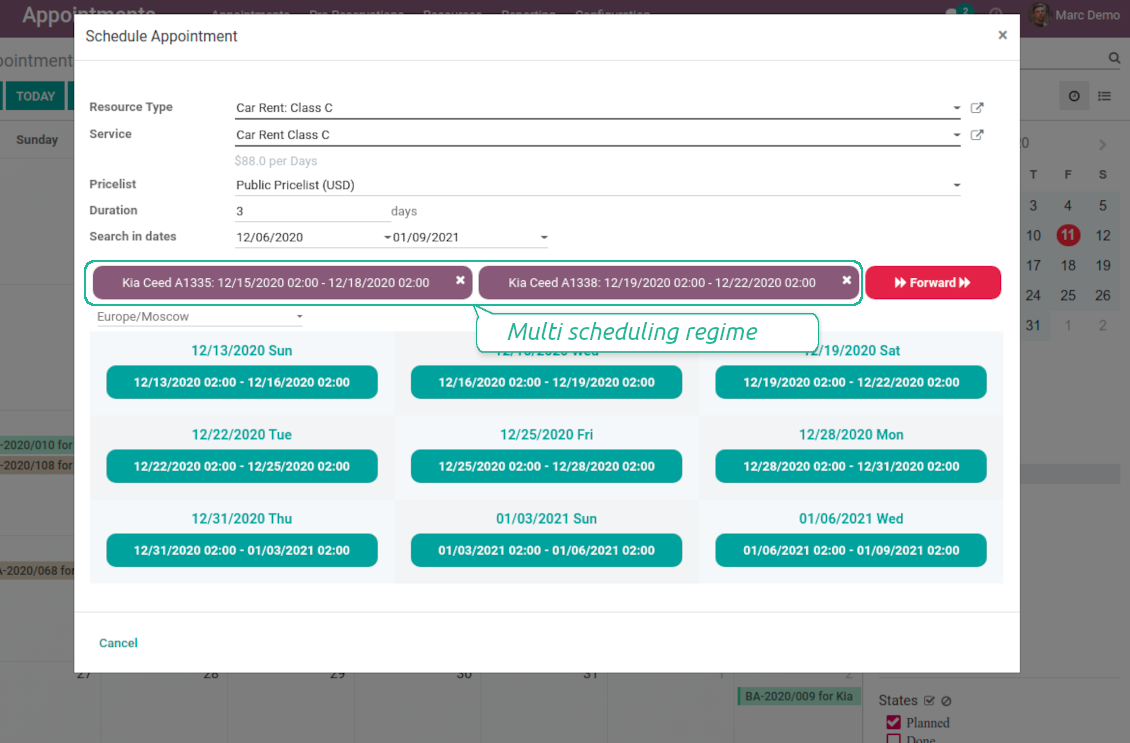
In the wizard you can change which resource type, resource, service should be scheduled. The tool automatically checks and restricts viable options
-
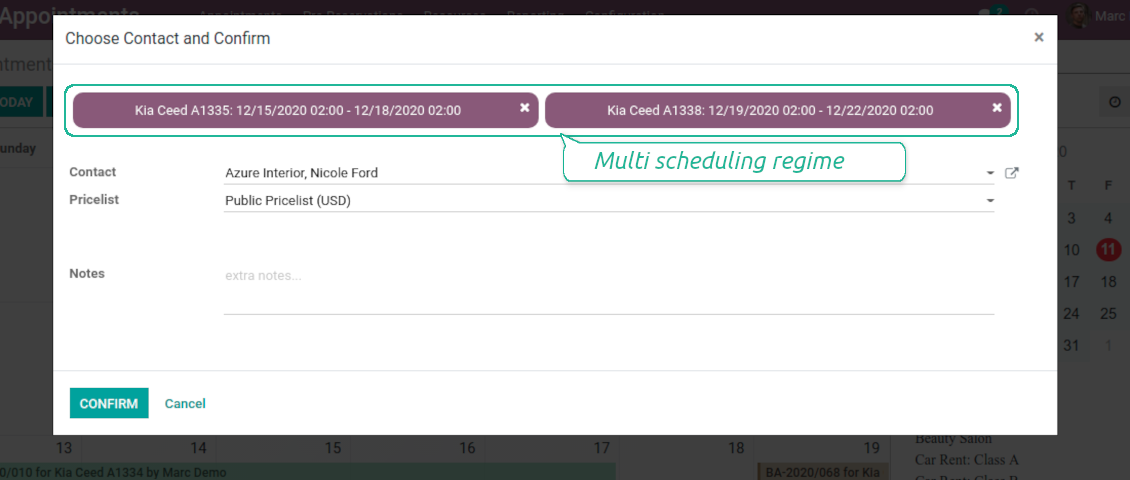
As soon as wizard details are filled up, the tool would generate and show time slots. A manager should merely select a desired one. Selection means that this slot is pre-reserved and can not be used for other bookings. You may even let schedule a few appointments simultaneously (regulated by the special setting on the configuration page)
-
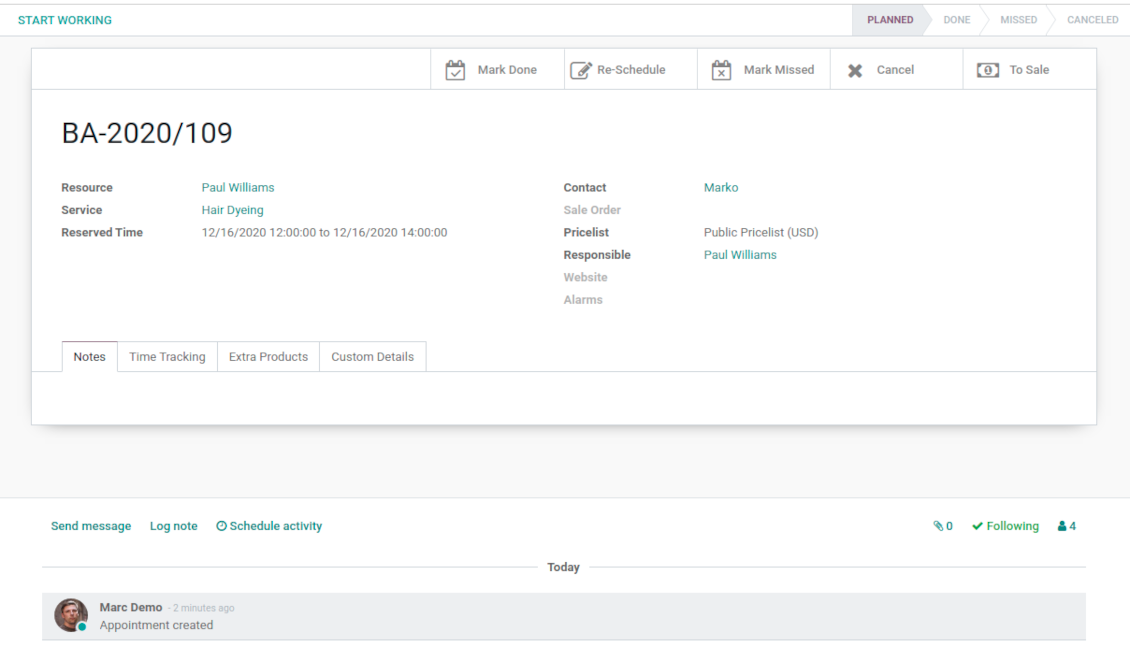
Afterwards, the only thing left is to enter client details
-
From the appointments calendar you may also re-schedule reservations. To that end just drag and drop an event, and the tool would prepare possible time slots.
Universal website bookings
-
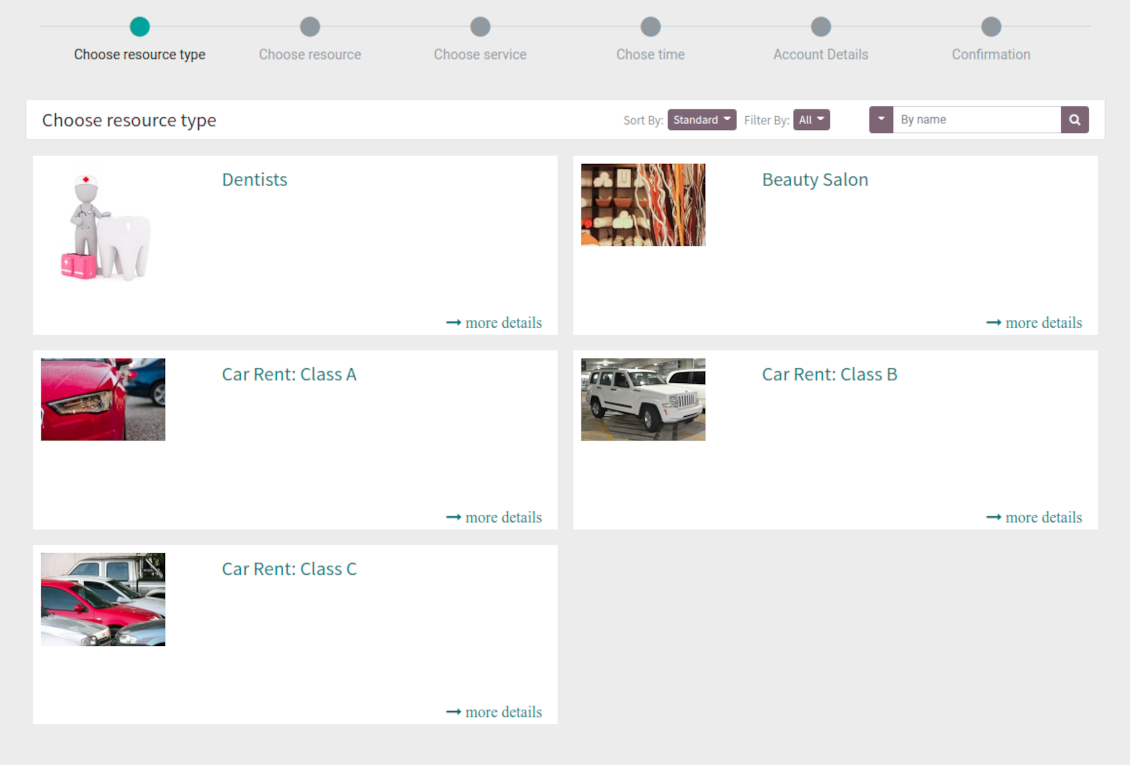
Scheduling an appointment through Odoo portal and website is organized as multi steps checkout process
-
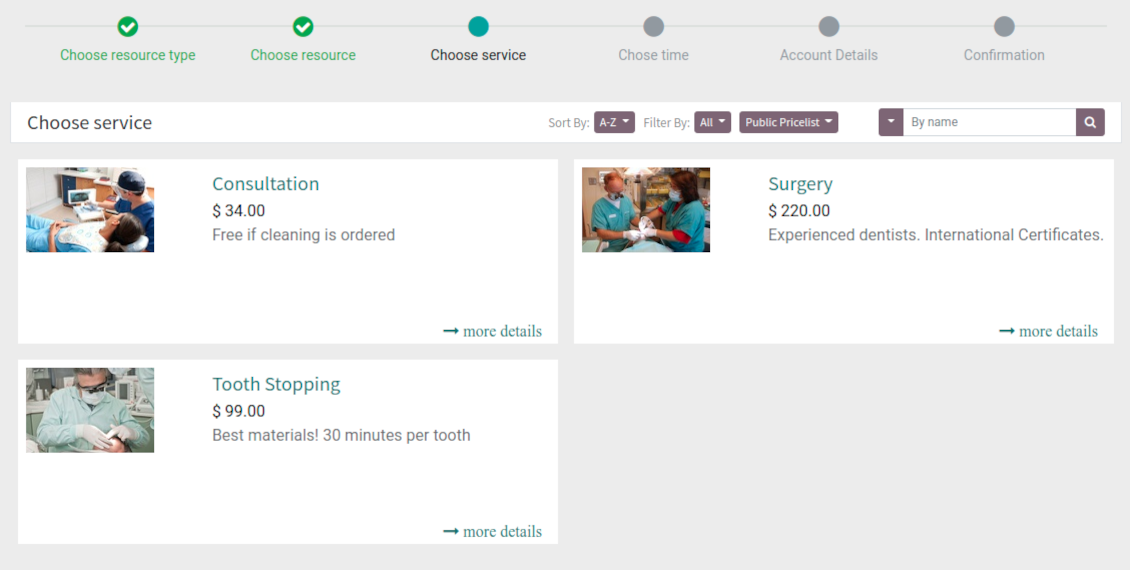
A customer searches among resource types and selects a required one. For example, "Beauty salon" or "Class C Cars". The step would not be shown if there is a single published resource type for this website
-
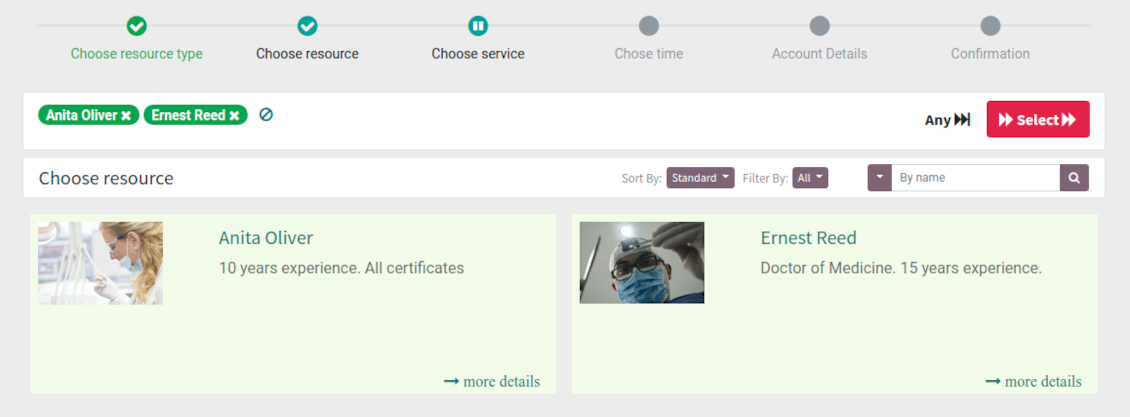
A customer navigates over available for this type resources and chooses one, a few, or apply any (all). For example, "Hair Dresser John Brown" or "Opel Astra 1234". The step is missed in case there is a single published resource, or a chosen resource type assumes automatic allocation
-
A customer chooses a desired service among provided by selected resources. For example, "Classic Hair Cutting" or "Car Rent Class C". Clients would not be asked to choose a service, if there is only one published for this website
-
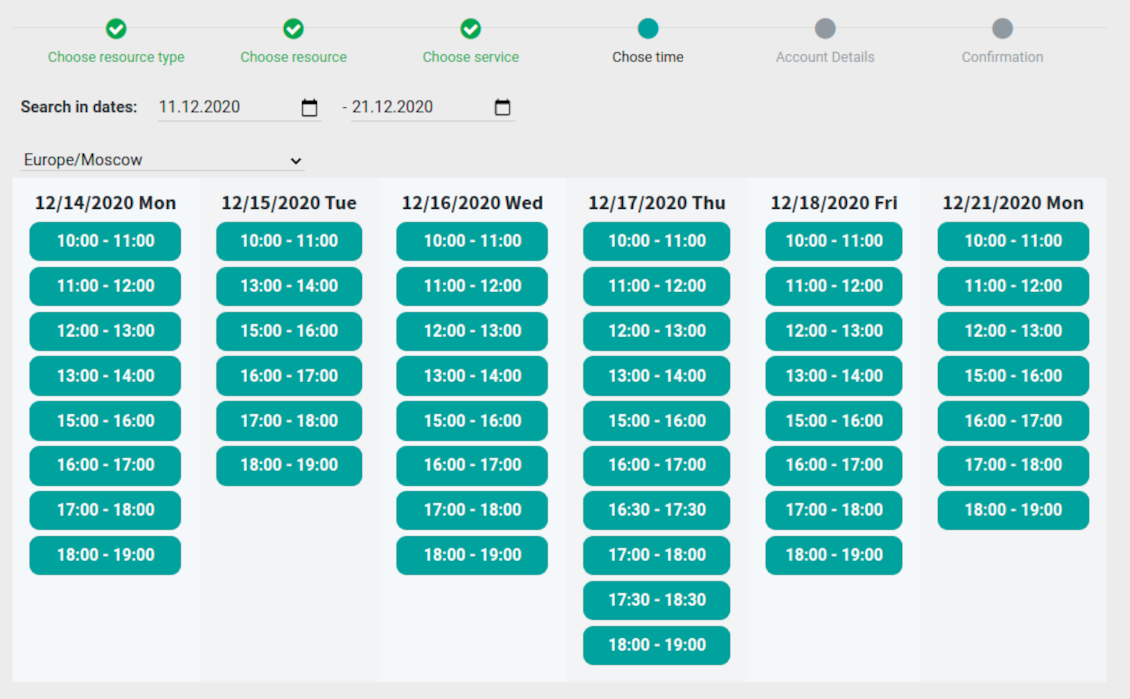
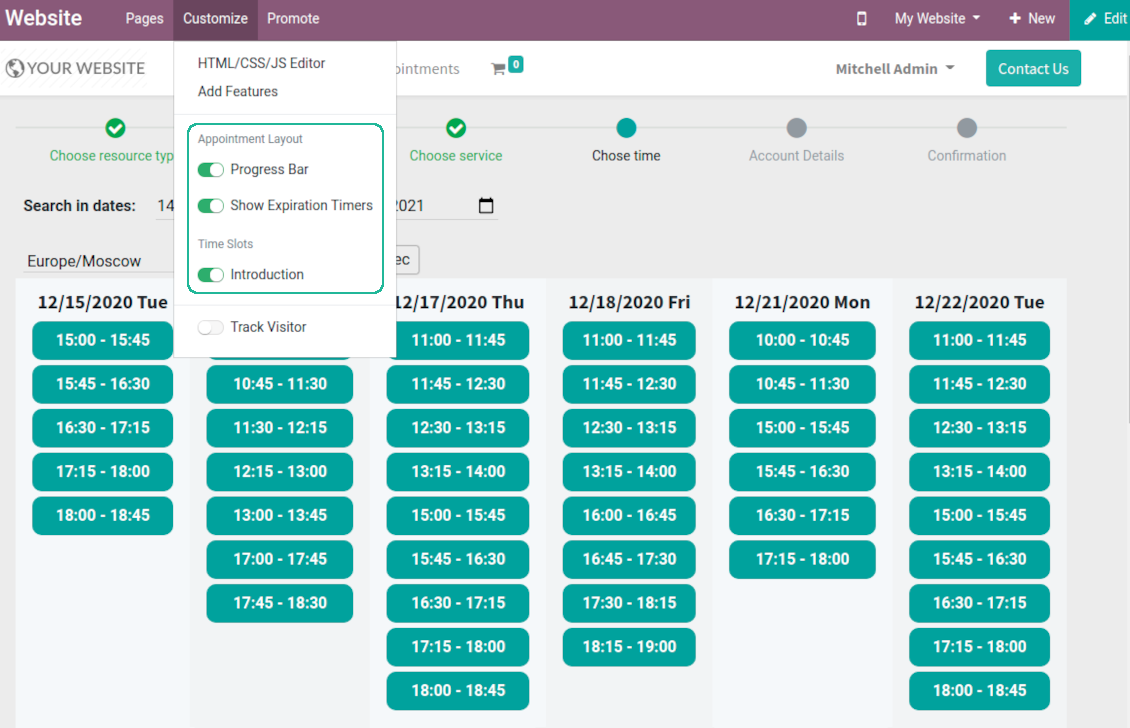
A customer is shown available time slots. The interface let adopt time frames for search, change time zone, insert duration (for services with manual duration). Each action results in slots recalculation. Website visitors might be optionally allowed to book a few time slots for a chosen service
-
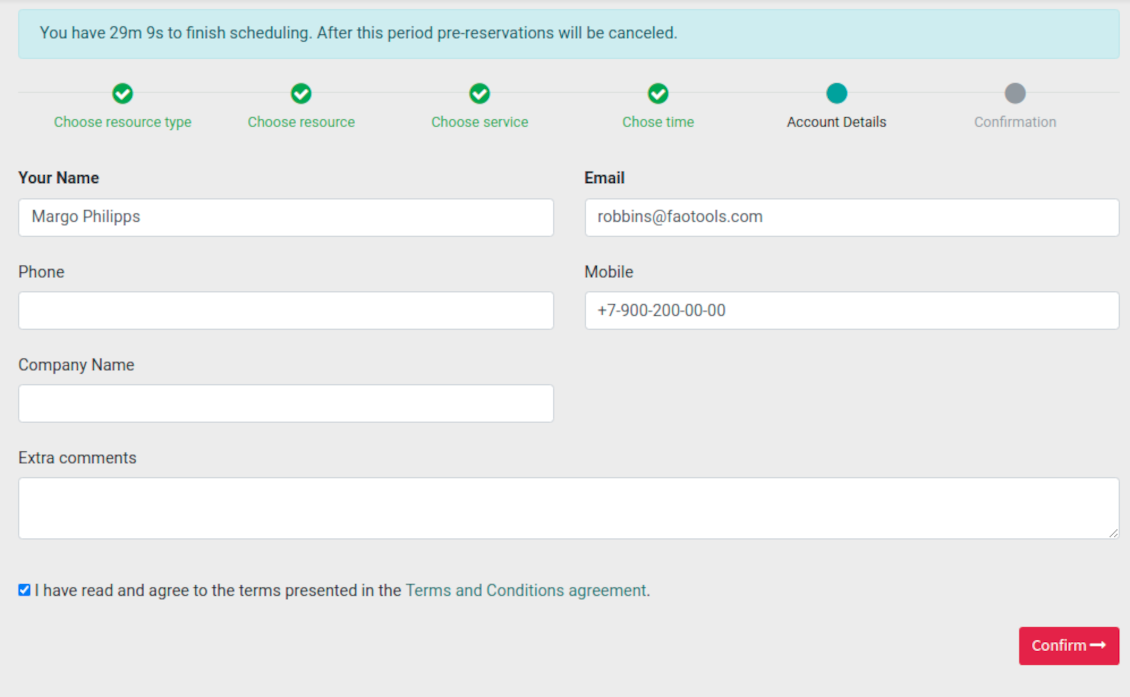
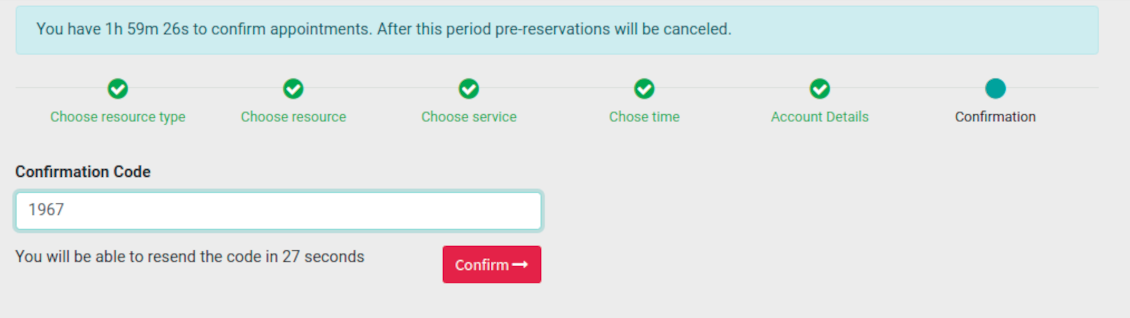
Slots selection is required and might be not missed. As soon as pre-reservation is done, nobody else can book the same slot. Simultaneously, clients have limited time to make confirmation after which pre-reservation would be canceled (the exact time is up to you)
-
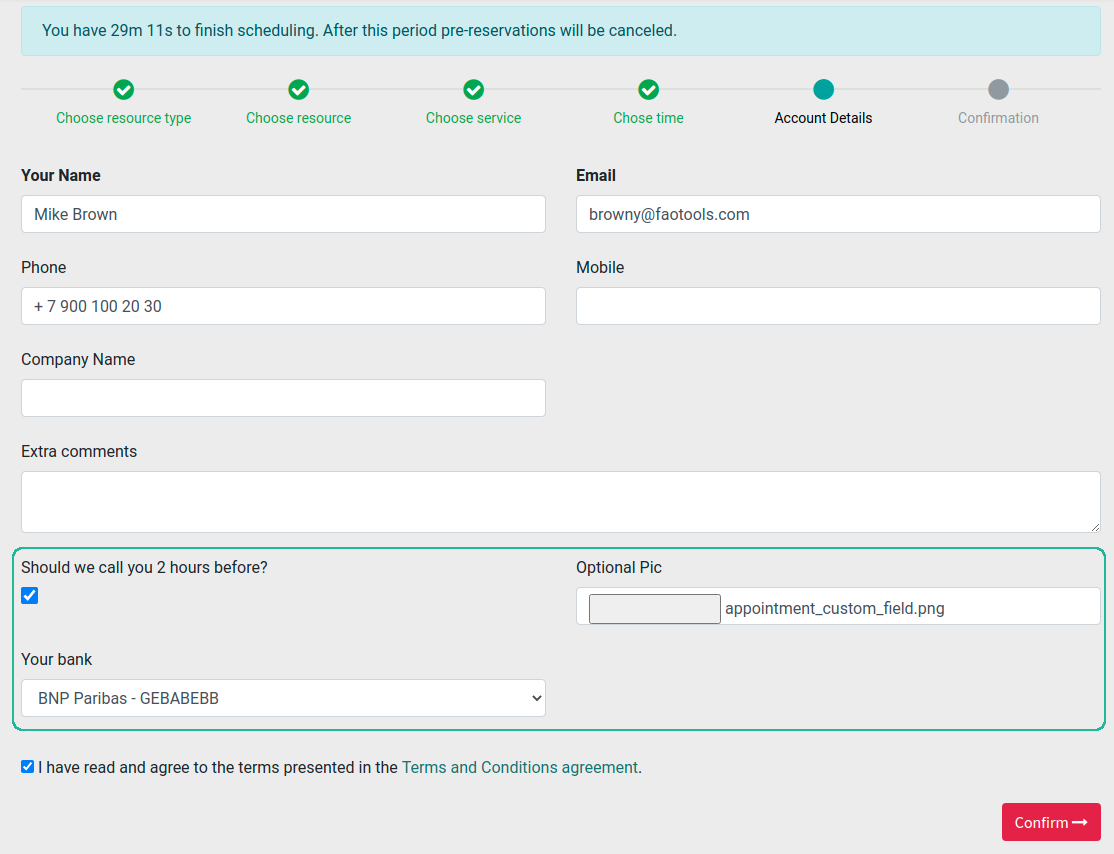
A customer should enter contact details, set of which might be configured per website. By default required ones are name and email. Previously registered (portal) users would have fields auto populated. Optionally add here a checkbox to agree with terms and conditions
-
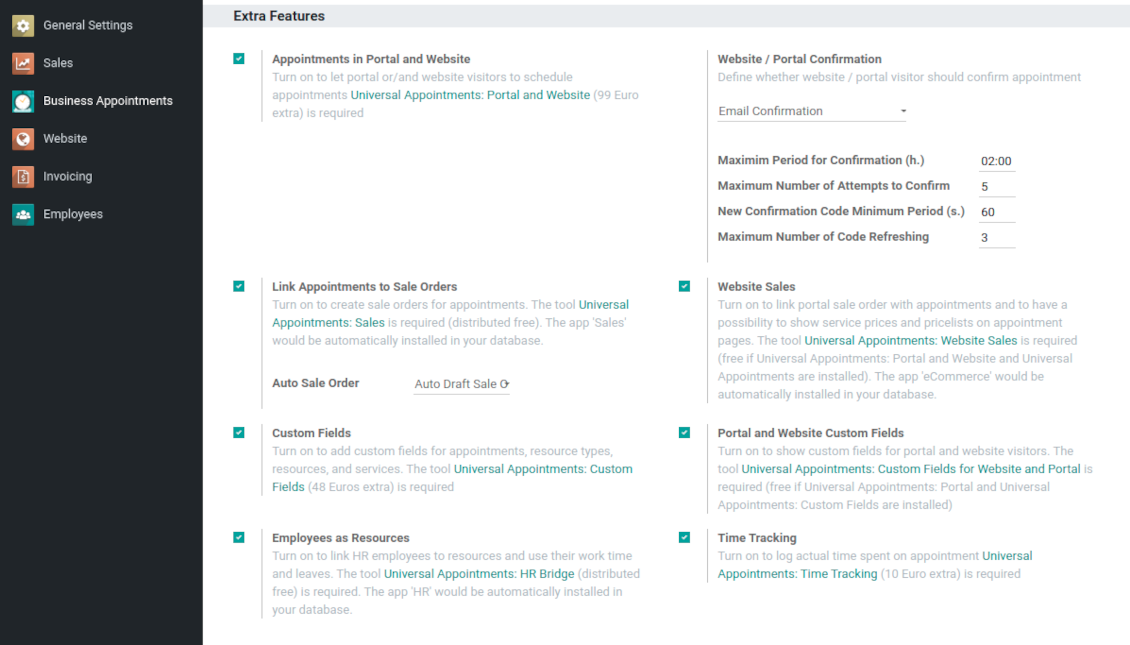
Optionally ask customers to confirm email / mobile or phone number. If confirmation option is turned on, website visitors would be obliged to insert received codes. In case a correct code is not introduced in time (set up on the configuration page), appointments would be canceled. If you selected SMS confirmation (depends on Odoo SMS IAP), but you balance is not sufficient, a confirmation code would be forwarded by email
-
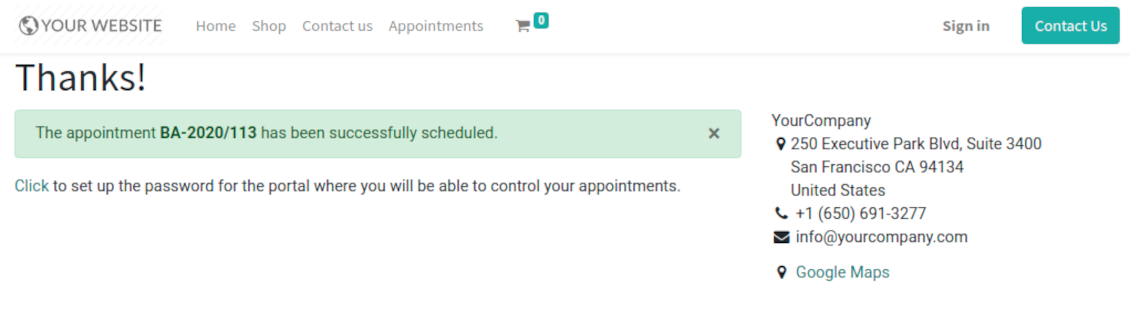
As soon as all steps are done, a customer receives a confirmation email and is redirected to the success page. For not yet registered users, Odoo would offer to enter the password for Odoo portal
-
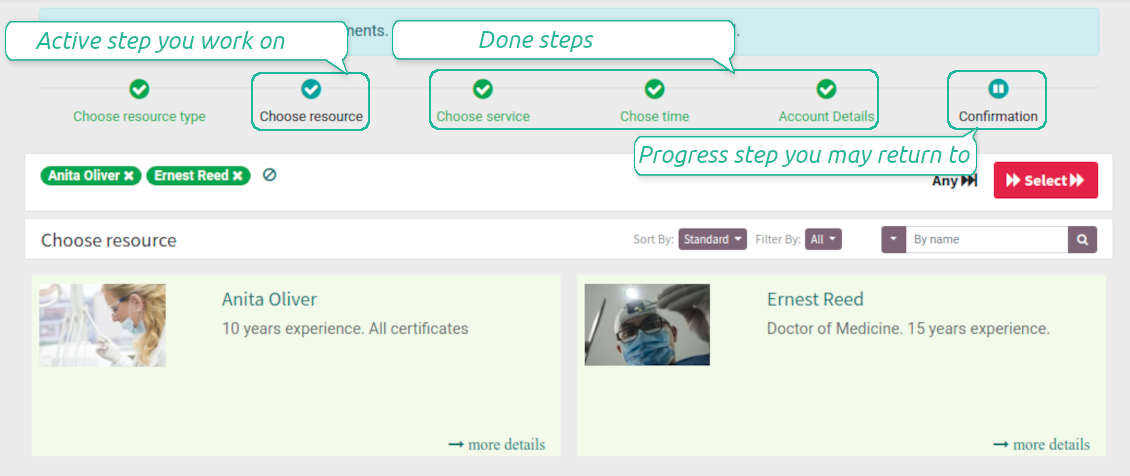
During the whole process customers might see the progress bar (if you have not purposefully turned it off). Progress bar let safely return to any previous step.
Configurable appointment pages
-
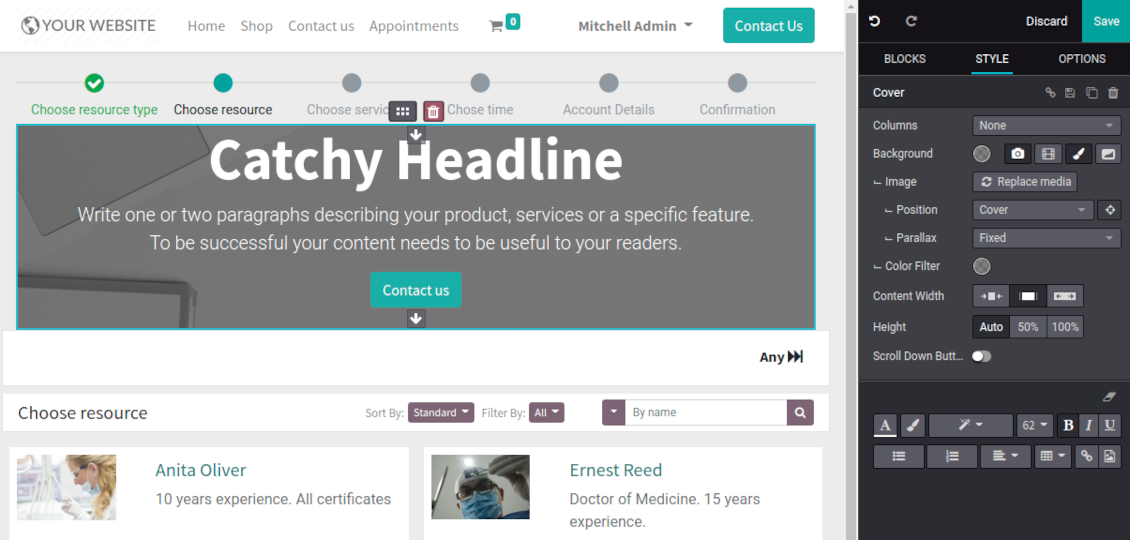
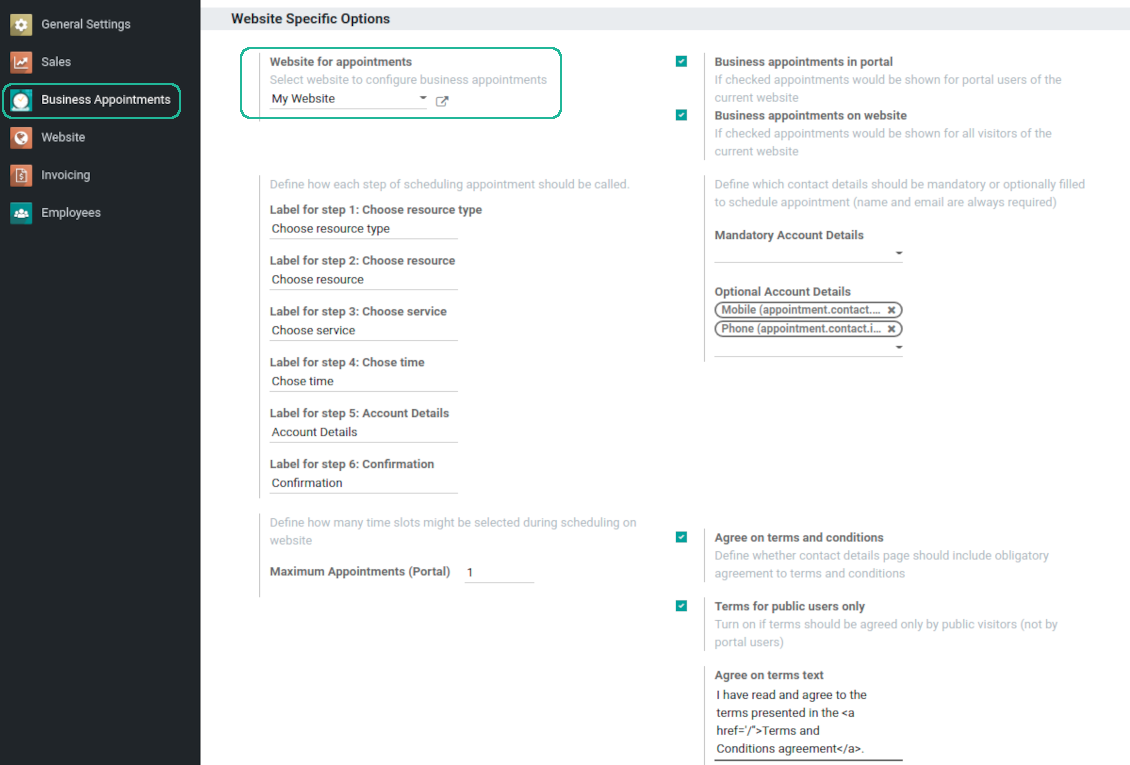
Show / hide progress bar. Introduce your own names for progress steps
-
Show / hide introduction block, images, short description for resource types, resources, and services
-
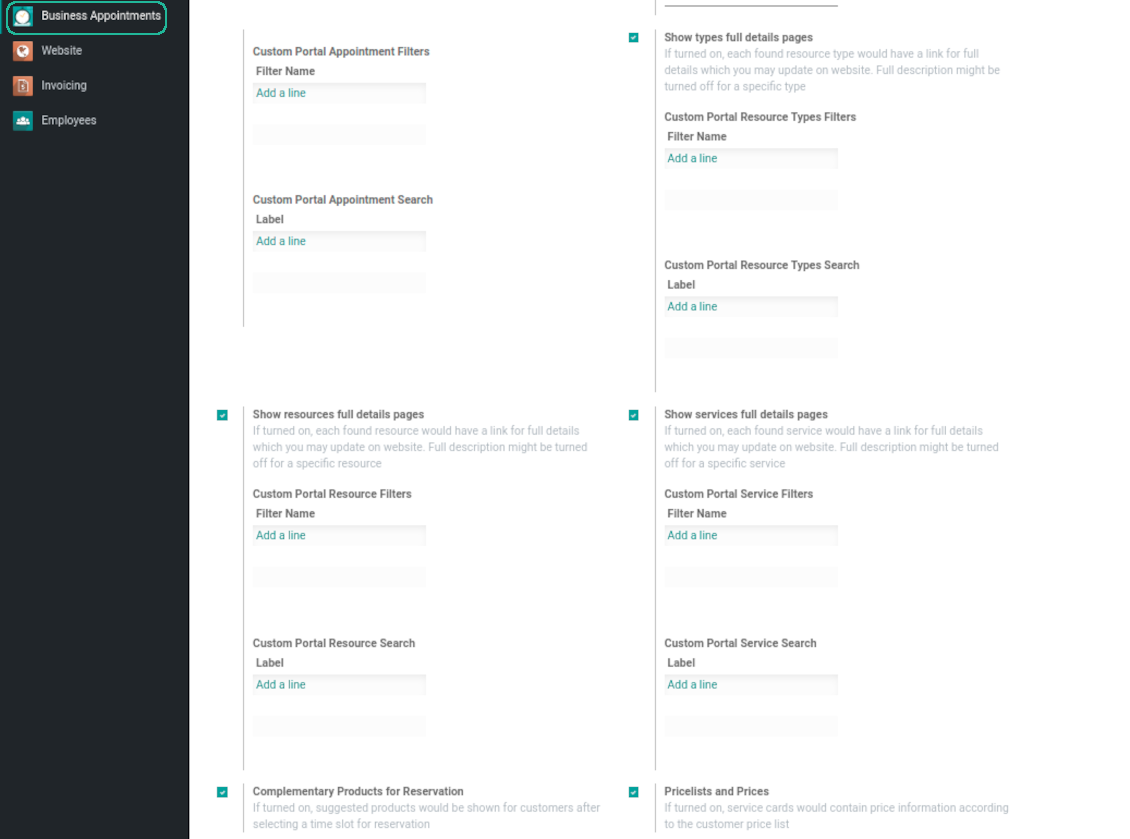
Prepare own full details pages for resource types, resources, and service using Odoo standard website builder. Show / hide links for those pages
-
Show / hide pre-reservation and confirmation timers
-
Choose contact details fields required to be entered. Define fields which should be entered for appointments
-
Define filters and sorting criteria for resource types, resources, and service pages
-
Show / hide agreement with terms and conditions for portal / public users. Introduce your own text and link for that agreement
-
Show / hide prices
Portal control of reservations
-
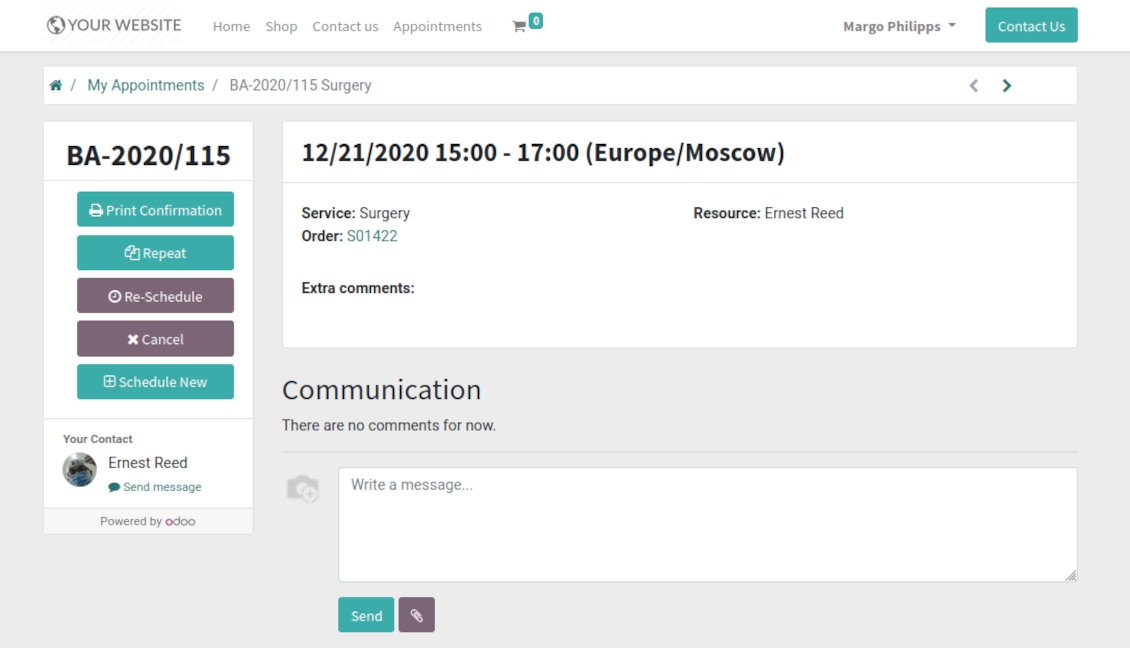
Customers may control their appointments right in the Odoo portal
-
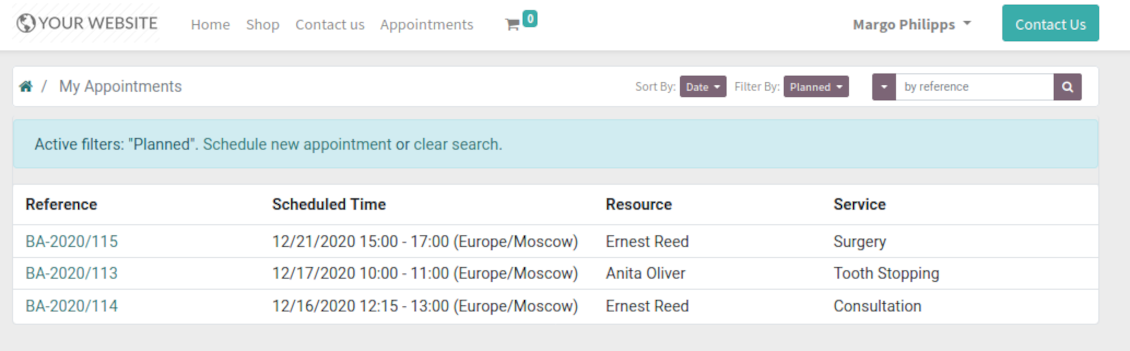
Portal users observe the list of planned and done appointments, and may check any of those
-
The Odoo portal allows to schedule new or repeat existing reservation, cancel or re-schedule planned ones
-
Each appointment has chatter box which allows direct communication with resource manager and other followers
-
If an appointment has a linked sale order (sent, confirmed or done) it would be also available through the standard Odoo portal entries 'Quotations' and 'Sale Orders'.
Structured service management
Resource types
-
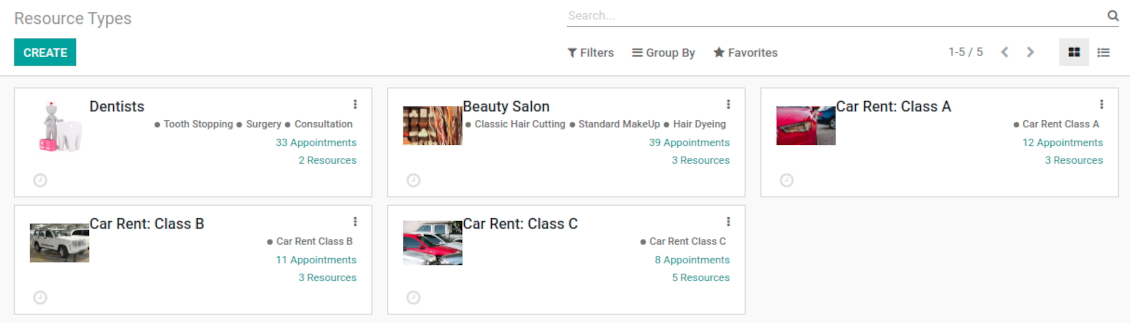
Resource types might be particular businesses you manage. For example, 'beauty salon', 'dentistry', or just 'hairdressers'
-
Another approach is to consider a resource type as a group of particular resources. For instance, 'class B cars' and 'class C cars' for rental business
-
Resource types contain main settings of how to organize service provision: how to allocate resources, how to calculate appointment total price, what are time restrictions, which services are possible, etc.
Resources
-
A resource in many service businesses assume certain specialists: For example, 'Dentist John Brown', 'Hairdresser Anna Green'
-
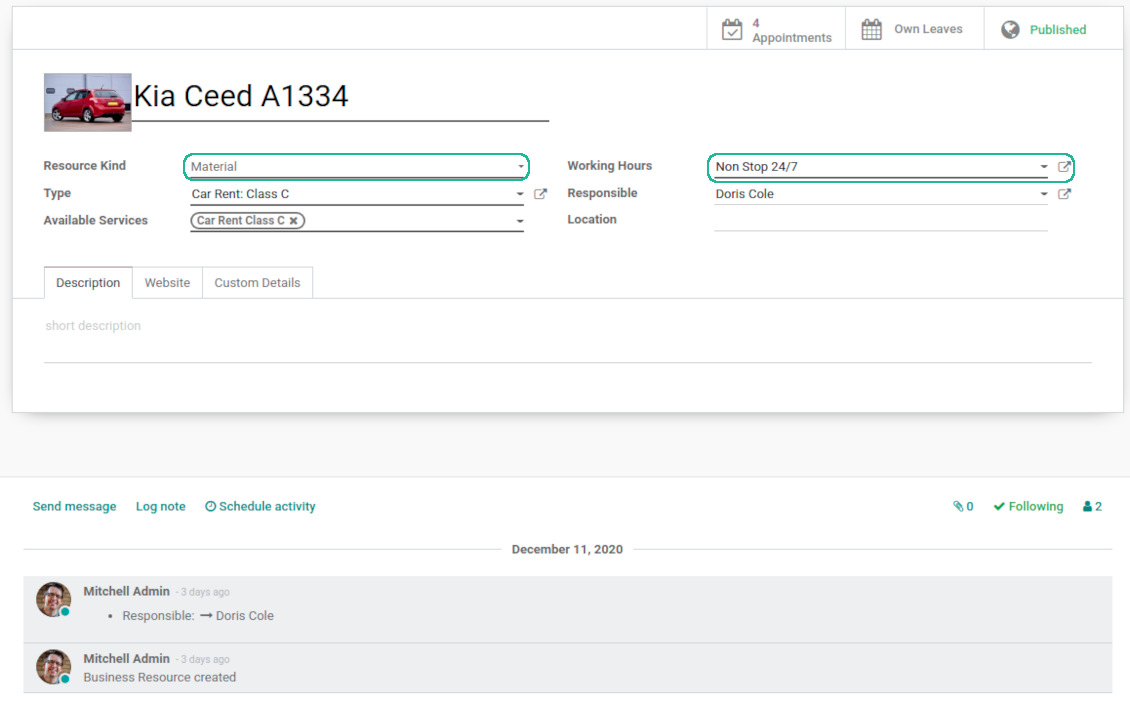
In other companies it might be a particular equipment or facility. For instance, 'Mercedes A1231', 'Room 12'
-
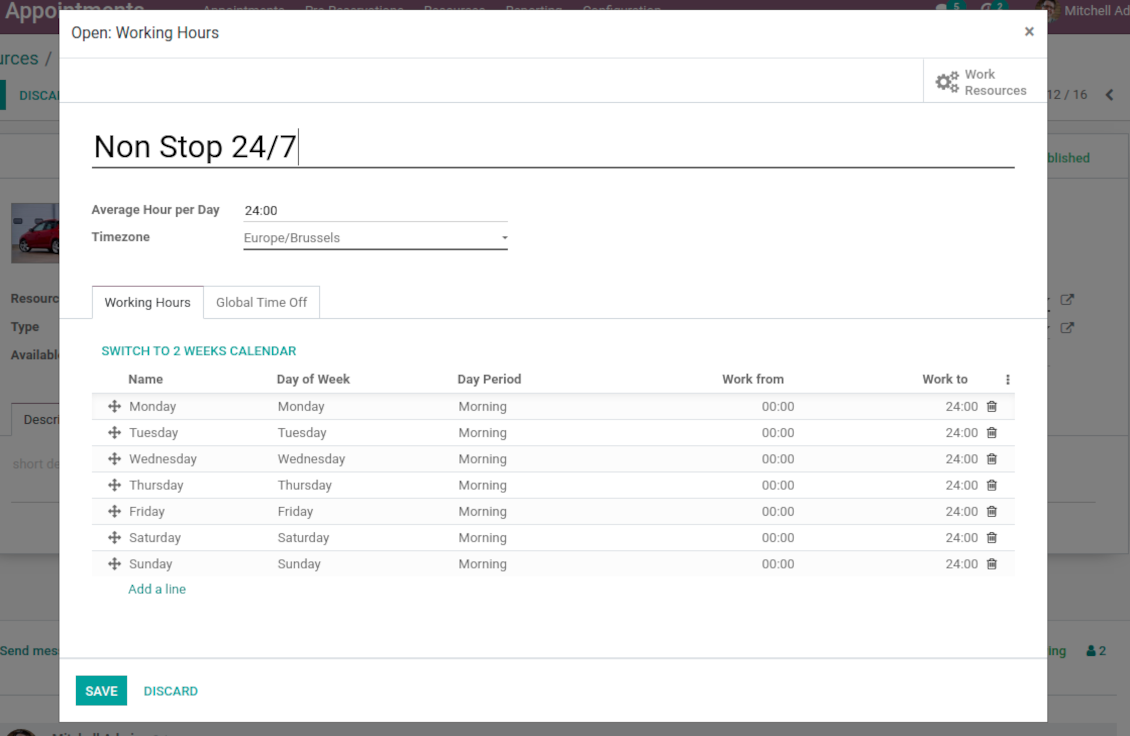
Resources are the Odoo object which working calender you are planning. Thus, they define available days, timetable and time offs, responsible users, etc.
Services
-
An appointment service defines what actually should be done. For instance, 'consultation', 'tooth surgery', 'classic hair cutting', 'car class C rent'
-
Services are not equal to Odoo products, but they are linked between each other to manage pricing details
-
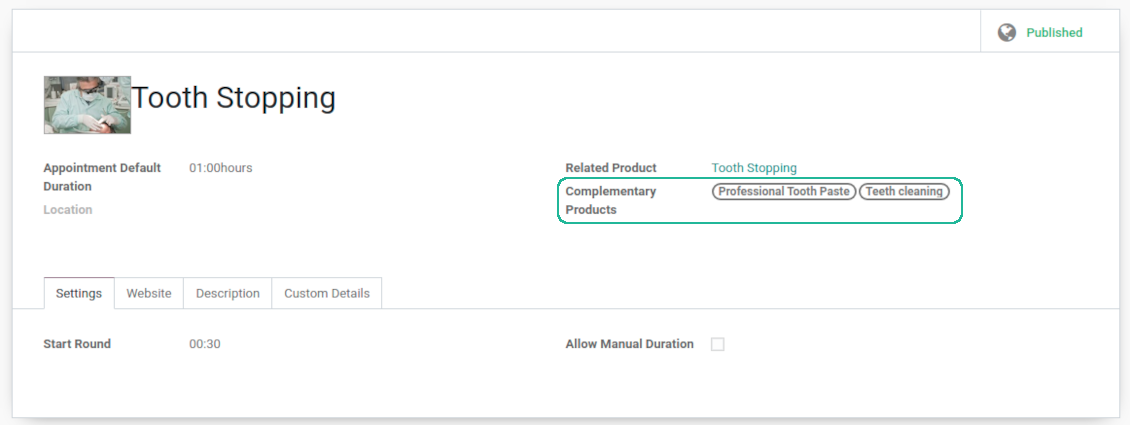
Services regulate time settings of appointments (how long should it take and when it can be started), which goods might be suggested as complementaries
3 layers to reflect specifics
-
The decision what to consider resource types, resources, and services is completely up to you. Such approach let reflect almost any service business
-
The tool does not force you to have multiple instances for each layer. In simple cases, there might be just a single representative for each step. For example, Lawyers - Attorney Chris Black - Consultation
-
If there is a single option, the app would reflect that by simplifying appointment scheduling. So, steps without actual choice are auto missed.
Sale and upsell services
Sale orders and appointments
-
The app let you link appointments and sale orders. You have 3 configuration options
-
Automatically confirmed sale orders: if chosen, a sale order would be created as soon as appointment is scheduled. The method is suitable in case your service is standard, and final sale positions and details would hardly be changed during appointment. For example, fixed-price hair cutting
-
Draft sale orders: if chosen, only a quotation would be generated. In such a way you would be more flexible in updating an order during service provision or beforehand. For example, if you want to add extra complementaries during a visit or to grant clients individual discounts
-
Manual sale orders: if chosen, managers would have to create quotations while providing service. The method might be applicable when most of sale lines become clear only during the visit itself. For example, mobile phone repair business assumes initial diagnostics and only after that offering the price
-
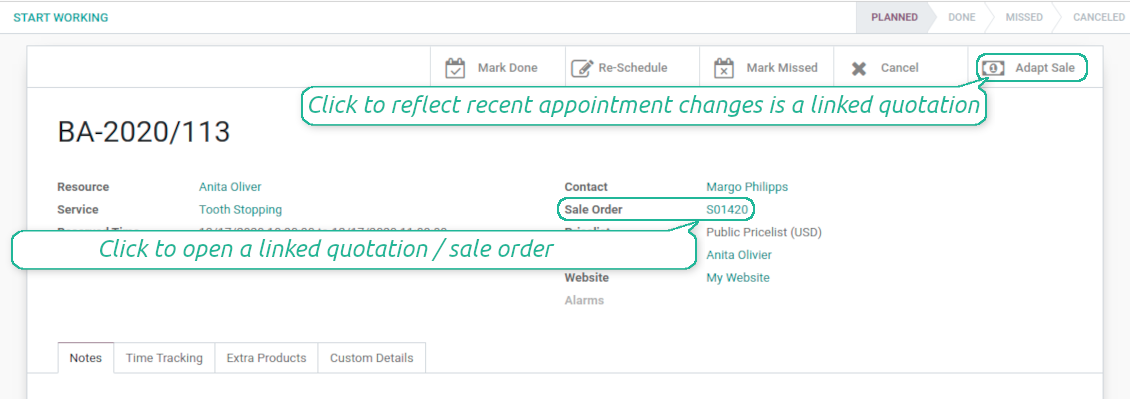
Until an appointment sale order is not confirmed, you would be also able to update that right from a reservation form. Both service, quantity and complementary products are re-calculated in that case
Service pricing
-
The tool let you configure pricing method per each resource type
-
Per planned duration: if chosen, Odoo quotations would be created based on initial reservation plans. For example, it might be suitable for car rent or massage
-
Per units: if chosen, sale orders consider appointments for the same price disregarding their duration. For example, standard haircutting or tire mounting are invoiced the same disregarding how much time they take
-
Per tracked (real) duration: when you want to invoice actual time spent on service provision. For example, the approach might be suitable for consultation or legal services
-
Prices are price list dependent. It means, that a manager might select individual conditions during scheduling. In such a way, it is possible to apply various currencies, discounts, promos
-
The latter feature is also applicable for website / portal users. In case there are a few to-select price lists, users would be able to choose the most suitable (e.g. in a correct currency). For portal user, their partner price list is selected by default
Complementaries and upselling
-
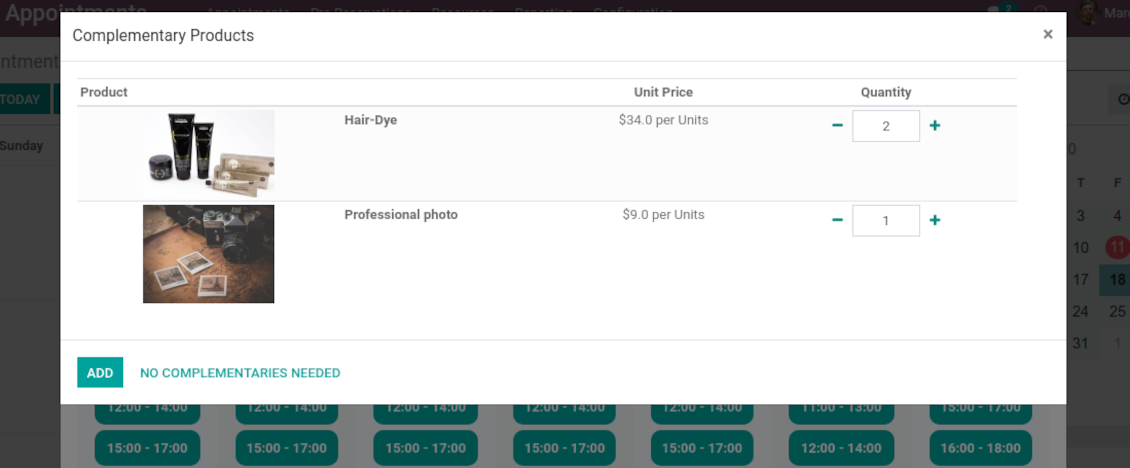
When a client finishes scheduling, it seems a good moment to increase a bill by offering complementary products. The tool aims to help you in that
-
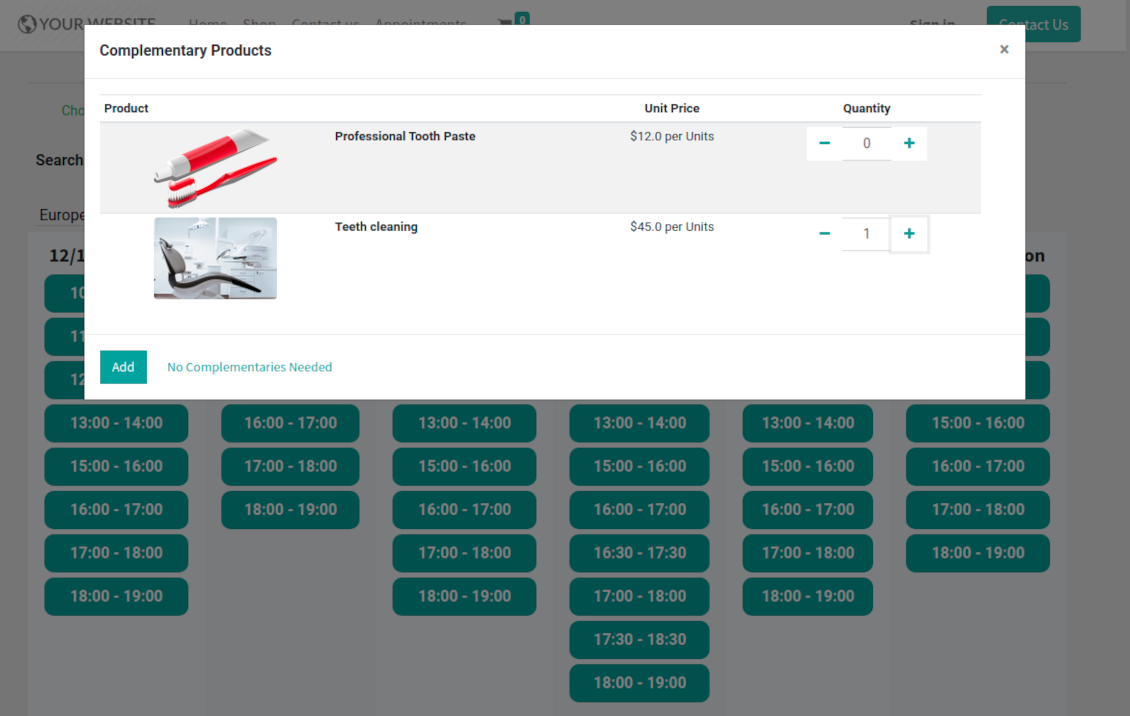
Odoo would show popup wist suggested products for backend managers immediately after reserving a time slot
-
Website visitors / portal customers would see accessories dialog also when they select time for reservation
-
The popup allows both adding one / a few of complementaries or merely miss the step if suggested products are not required
-
The feature is turned on/off on the configuration page: for backend and for each website. Popup would be shown only in case there are complementaries defined for a booked service
Flexible configuration: universal appointment application
Resource allocation
-
In case of a few resources of the same type, the challenge how to distribute appointments among those arises. There are 2 general approaches introduced by the app
-
Manual allocation - applied when each resource is unique, and you prefer to give clients a right to select among those. For example, customer would like to be consulted by a certain doctor, or to be serviced by a definite hairdresser. Manual allocation does not ask a client to select resource as obligation. This is the right, which might be simply missed by explicitly choosing "any" or a few of resources
-
Automatic allocation - applied when all resources are considered equally good for clients. For example, customer would hardly compare Opel Astra 1234 vs. Opel Astra 1235. Automatic allocation is configured per each resource type depending on your business specifics
-
Automatic distribution by resource workload let assign appointments according to the total planned duration of all open appointments. For example, it might be fair in beauty salon to equally spread tasks
-
Automatic allocation by appointments number does not take into account real duration, but only absolute quantity. For example, it might be suitable for tire mounting where price is set up not per duration but per units
-
Automatic distribution by order means that each resource has own priority, and allocation is done on a queue basis. Thus, the resource with the highest priority would be always chosen until it has available slots for the target moment. After that, the second-important resource is under consideration until it is also occupied, and so on. For example, such approach might work for facilities booking or car rental
Service duration
-
Duration is applied per each service individually according to the set of rules
-
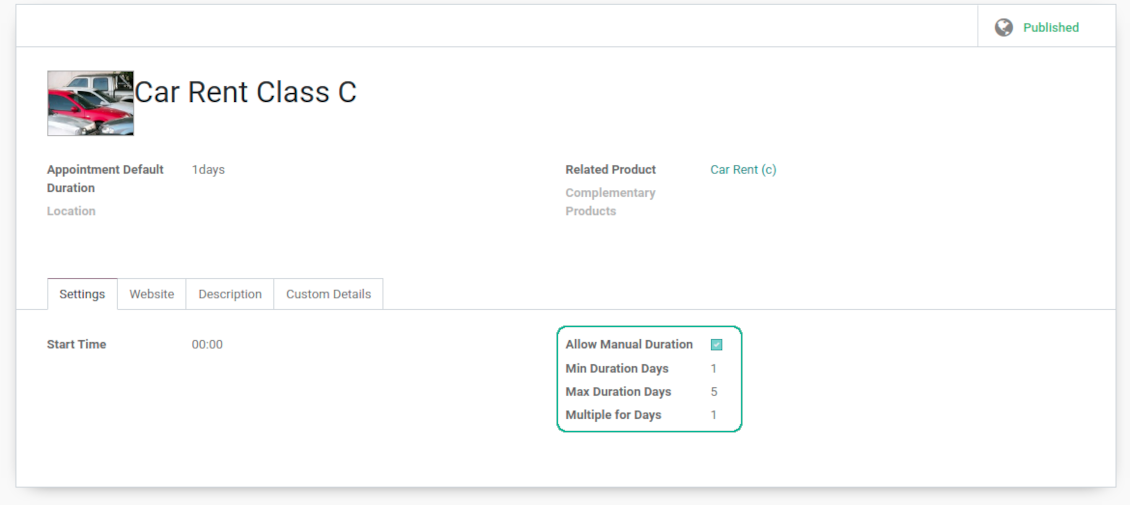
It is possible both to have rigid duration for service (for example, standard hairdressing always lasts an hour) or let clients / managers select that manually (for example car rental might take from a day or 60 days)
-
Duration is defined either in hours (for example, it might be suitable for consulting, repair) or in days (for example, applicable for equipment or room rent, conference translator services)
-
For manual duration it is possible to apply restrictions: what is the maximum/minimum order, what should be the multiplier. For instance, you can simply apply the rule: a service should last not less than an hour, not more than 8 hours, but duration should be always multiplied for 30 minutes (1:20 is not possible, while 01:00 and 01:30 are fine)
-
The app also allows to define the rule to round time slots start. Sometimes applied restrictions might result in calculated start you do not like. For example, for an hour-long service start at 12:23 is hardly good. To solve the problem you can simply set up rounding for an hour (other available options are 5, 10, 30 minutes; 2 hours; midnight or midday tomorrow)
Configurable reminders
-
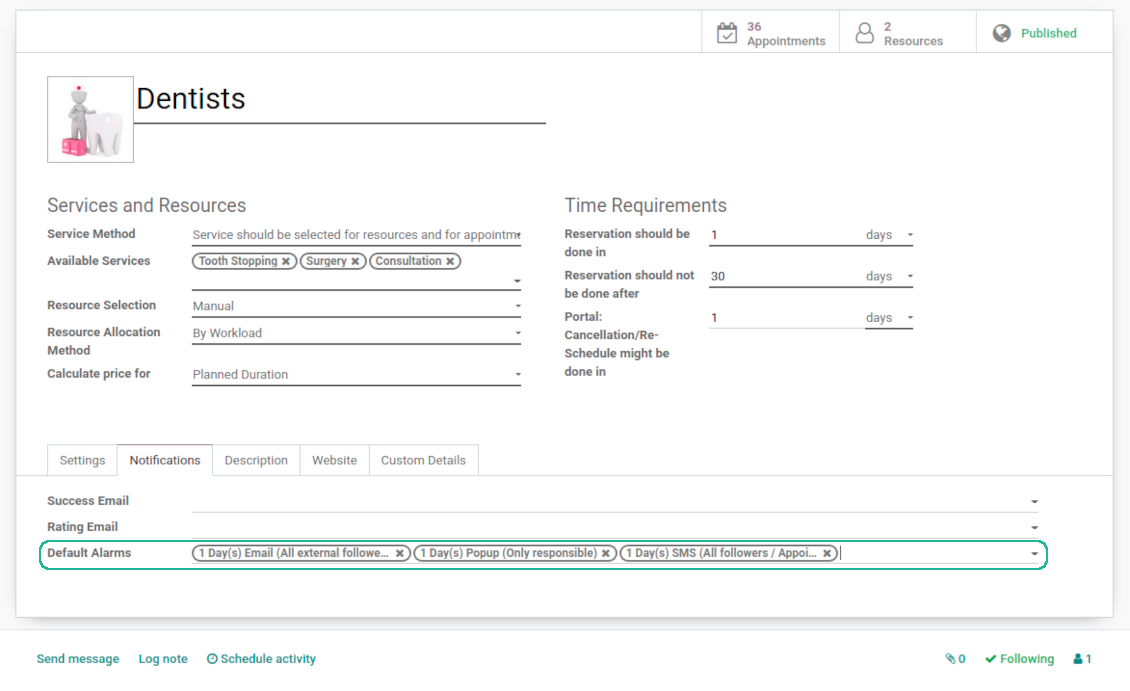
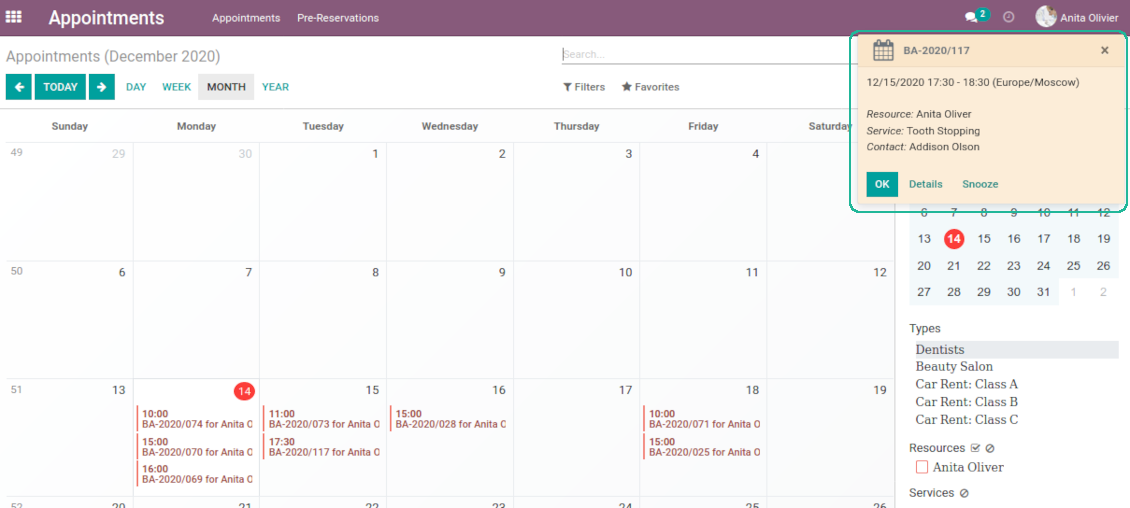
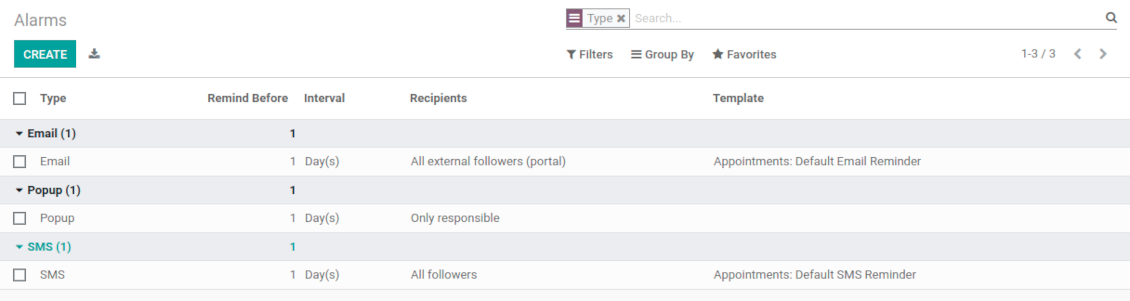
The app allows to prepare 3 types of appointment alerts: pop-ups, emails, and SMS. You can quickly create those trough the special configuration menu entry. SMS reminders are sent using the Odoo SMS server (make sure that you have sufficient balance for Odoo SMS IAP)
-
Select default alarms for each resource type. Such alarms would be automatically applied to all new appointments of this type. Otherwise, you may choose those for specific appointments
-
Define whom not notify: a responsible manager, external followers (clients), internal followers, or all followers. Popup alarms are available only for backend users
-
Specify a period for alert: it is possible to apply time range in days, hours, or minutes. For instance, 2 days before scheduled date
-
For SMS and email alarms you should also assign a template which is rendered based on appointment details
Misc options
-
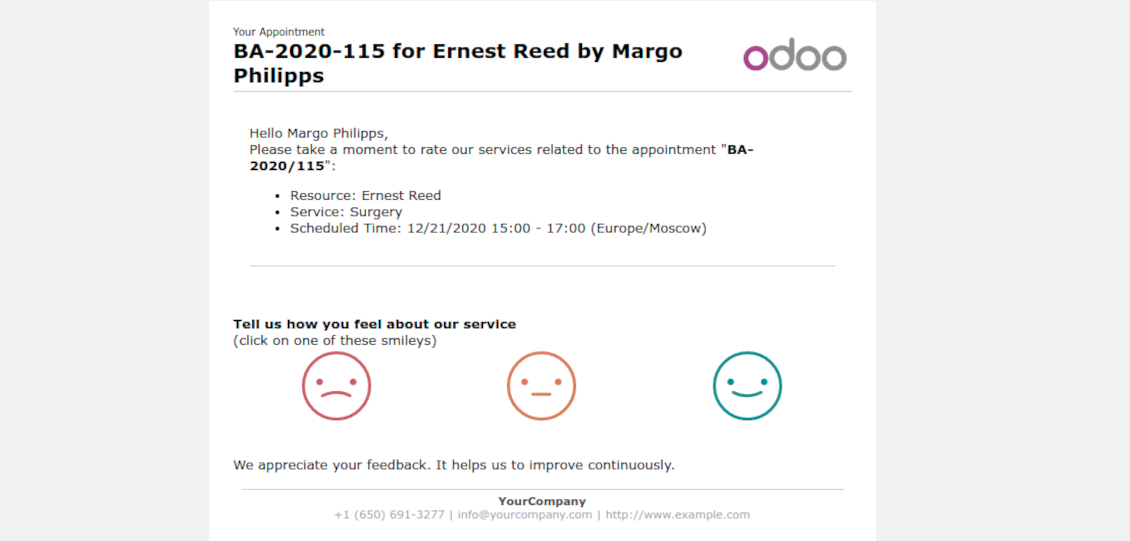
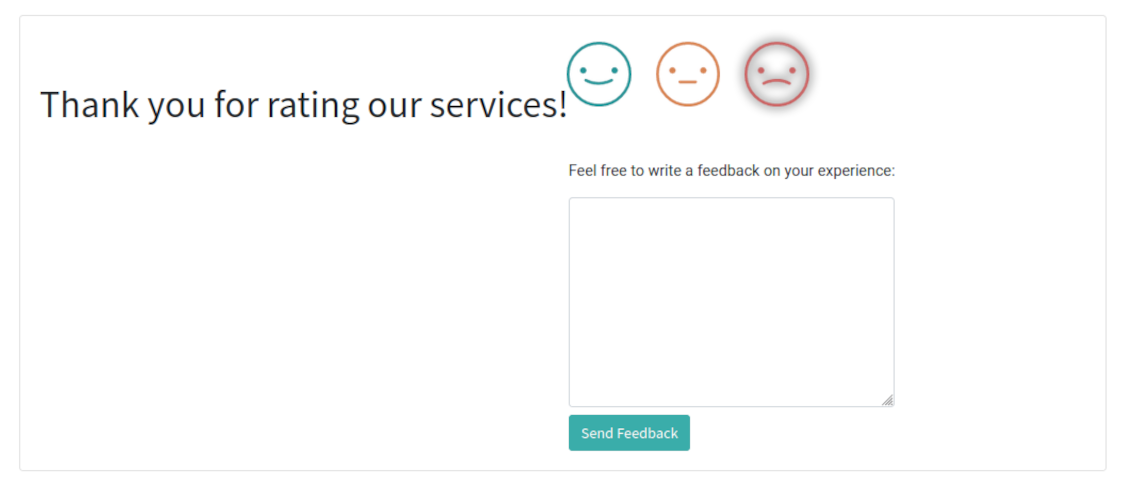
Optionally configure automatic requests for a customer review when appointment is done. Clients should select among 3 simple "smiles": satisfied, not satisfied, highly dissatisfied. Final rating is calculated for resource types, resources, and services
-
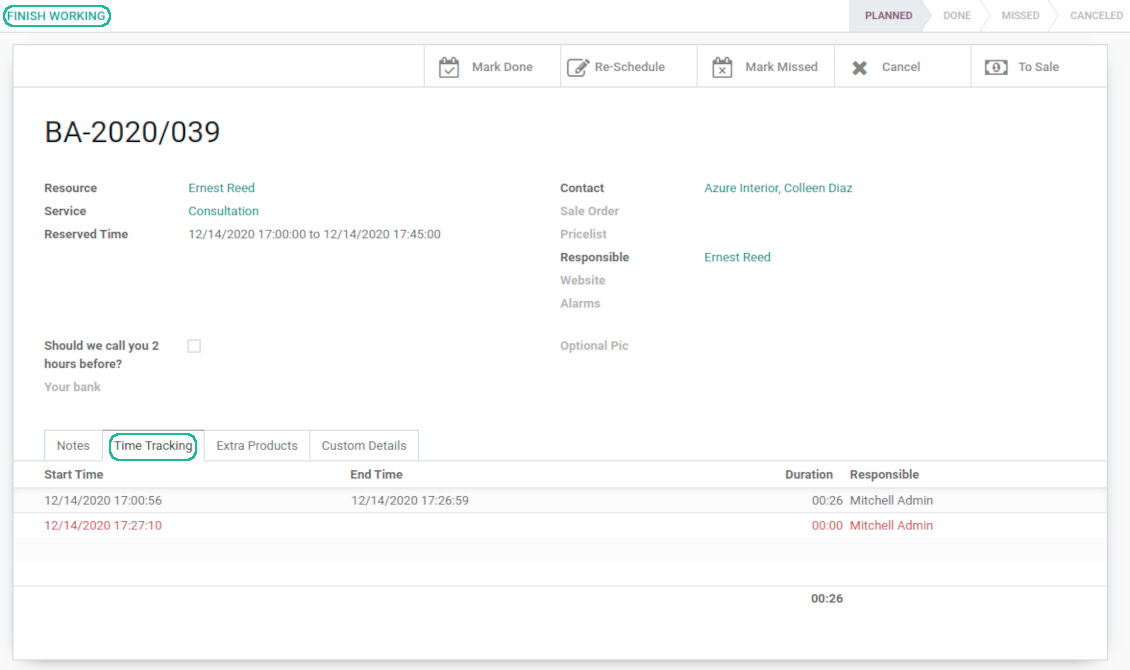
The app allows appointment managers to track time spent on providing service. This "real" time might be used not only for statistics, but also to calculate total appointment price.
-
The tool let link resources and employees to automatically apply working calendars of the latter for appointments of this resource
-
The tool has an own report view, where you can analyze appointments on pivot and graph views
-
Appointments have automatic numbering. You may change its logic (suffix, prefix, step, etc.) through configuring the related Odoo sequence
-
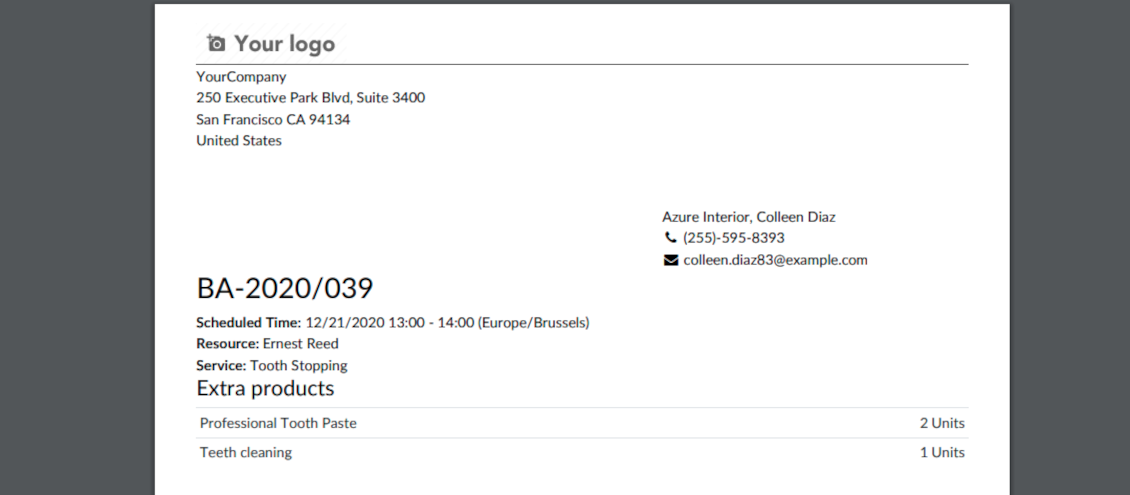
Each appointment has a printing version which might be generated in backend and optionally in portal, and which is attached to all appointment confirmation emails. The printing version relies upon standard Odoo layouts, and might be also used as a service voucher.
Secured appointments
-
The tool introduces an own user rights system to make sure business data is secured. For backend users there are 2 groups which are allowed to work with appointments: "Appointments: Only Own" and "Appointments: Administrator"
-
Appointments admins are allowed to manage all settings and update any appointment-related objects of their company(s)
-
The 'only own' group has limitations and its users has rights: (a) only to read resource types and services; (b) to observe only resources, in which they are responsible managers or which do not have such managers at all; (c) to create and to update appointments related to resources which they can observe
-
Portal and website security is managed independently
-
Resource types, resources, and services should be website published in order to become available for selection for both public and portal visitors
-
Any website visitor might schedule appointment and access resources / services without registration if you turned the option "Business appointments on website"
-
Portal users have the same rights even if the latter option is not turned on, but you switched the option "Business appointments in portal".
Custom fields
-
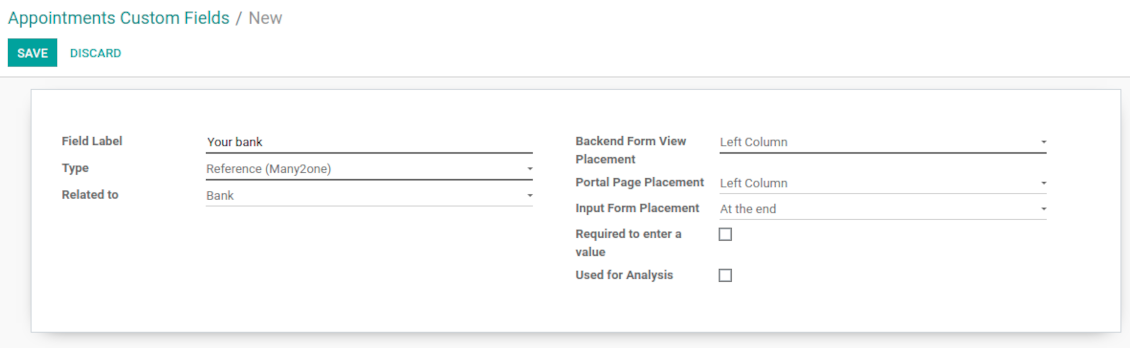
Custom attributes' creation does not require any technical knowledge. In order to show a new property, just add a new field and enter details
-
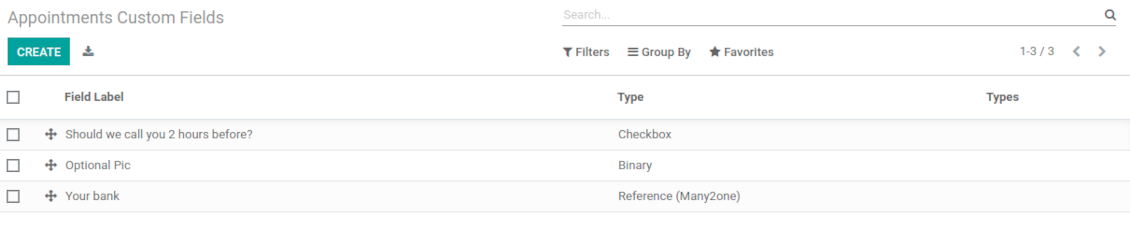
The tool let prepare new fields for resource types, resources, services, and reservations
-
It is possible to add custom fields of the following types: single line text (char), simple text without formatting (text), rich text (HTML-formatted text), integer or float numbers, drop-down choice with your own options (selection), checkbox (boolean), date or date and time, binary (a file to upload), reference to another Odoo document (e.g. for a sale order, contact; many2one)
-
The tool let you comfortably select an interface position of a custom field from a closed list of options. Optionally you may select also portal / website position to make properties visible for public users
-
For website booking process it is possible to force users select custom appointment details
-
Have different resource fields depending on resource type (for example, dentists details differ from car details).
Määritys- ja asennusvinkkejä: Universal Appointments and Time Reservations Odoo v.14
Python dependency
The tool depends on the external Python library 'phonenumbers'. Install this library for your Odoo server through the command:
pip3 install phonenumbersUsein kysytyt kysymykset aiheesta Universal Appointments and Time Reservations Odoo v.14
Mikä on ajanvarauksen tosite? Miten sen voi vaihtaa?
Ajanvarauksella on oma pdf-liite (tosite). Liite luodaan automaattisesti Odoon verkkosivumalleista. Tietyilla teknisilla taidoilla tai minkä tahansa Odoo-kumppanin/toimittajan avulla mallia voi muuttaa (kuten Odoon tarjouksille, laskuille jne.). Oletuksena se käyttää sovelluksessa esiteltya yrityksen vakioasettelua.
Voiko yhdessä varauksessa varata useita palveluita/resursseja yhtä aikaa?
Taustajärjestelmässä voi kytkeä päälle valinnan ‘Multi scheduling’; tällöin esimies voi tehdä asiakkaalle useita varauksia eri palveluihin/resursseihin ja valita useita aikavälejä. Portaalissa on valinta ‘Multi scheduling’. Sen avulla asiakas varaa yhden palvelun/resurssin, mutta useille aikaväleille. Useamman palvelun/resurssin varaamiseksi asiakkaan tulee tehdä useita varauksia.
Millaisia ilmoituksia ajanvarausten esimiehet saavat?
Esimiehille/asiantuntijoille voit määrittää tilaukset resurssityypin ja resurssien mukaan. Esimerkiksi ilmoitukset uusista tapaamisista on sidottu sähköpostin alatyyppiin 'New appointments and recovering'. Lisäksi sovellus antaa asettaa muistutuksia osapuolten hälyttämiseksi. Katso Appointments-sovellus > Asetukset > Muistutukset.
Saavatko asiakkaat sähköposti- ja tulostusvahvistuksen varauksesta?
Kun kaikki vaiheet on tehty, asiakas saa vahvistussahkopostin ja hant ohjataan oletuksena onnistumissivulle (sahkopostiin on liitetty pdf, jossa on tosite). Onnistumissivulla tositteen voi myös tulostaa.
Mikä on ennakkovaraus vaiheessa 'Waiting for confirmation'?
Kun asiakas aloittaa palvelun varauksen ja valitsee ajan, se muuttuu muilta käyttäjiltä pois ja ennakkovaraus syntyy. Jotta se vapautuu, aseta varauksen enimmäisaika. Jos asiakas ei tässä ajassa viimeistele varausta, aika on taas vapaana.
Ennakkovarauksen ajan asettaminen:
1. Avaa Appointments-sovellus
2. Siirry kohtaan Asetukset>Asetukset
3. Kentassa 'Maximum Period for Pre-Reservation' aseta aika
Jos meillä on useita toimipisteita, voimmeko jakaa resurssit niiden mukaan?
Resurssien jako voidaan asettaa eri tavoin. Yksi tapa on Odoon moniyritys. Kun luot resurssityyppeja/resursseja/palveluita, voit valinnaisesti maarittaa yrityksen. Tai tehdä niistä ‘global’, kaikkiin yrityksiin liittyvia. Silloin joukko voi erota yrityksittain.
Ajanvarausprosessin voi asettaa eri verkkosivuilla/toimipisteissa eri tavalla. Valitse sivusto, joka näyttää tietyn resurssityypin/resurssit/palvelut. Toimipisteet voivat liittya eri aloihin: yksi sivu englannin tunneille, toinen kuntosalin aikaan.
Ilman eri yrityksiä tai sivustoja voi silti asettaa ajanvarauksia eri liiketoiminta-alueille. Sovellus on suunniteltu niin, että päätät itse, mikä vaihe liittyy mihinkin. Esimerkiksi yksi resurssityyppi keskustan hammasklinikka ja toinen kirurginen hammashoito asuinalueella. Näin resurssityypeillä hallitset toimipisteita ja jaat resurssit ilman moniyritysta.
Voiko ensin valita palvelun ja sitten resurssin?
Voiko käyttäjä varata ajan ilman tilia?
Kyllä, käyttäjä voi luoda ajanvarauksen ilman tilia, mutta vain ensimmäisellä kerralla. Kun henkilö varaa, sähköposti varataan kantaan eikä sitä voi käyttää uudelleen. Seuraaviin rekisterointeihin tai olemassa oleviin yhteystietoihin on kirjauduttava, jotta voi varata.
Käyttäjä voi rekisteroitya vahvistussahkopostista tai suoraan Odoossa. Kutsulinkki on lyhytikainen: jos tilaisuus menee ohi, salasana on nollattava myöhemmin tai pyydettava apuanne.
Miten vaihdan onnistumissahkopostien kielen?
Sahkopostimallin kielen vaihtaminen:
1. Varmista, että kohdekielet on asennettu Odooseenne.
2. Kytke sitten kehittajatligaan ja siirry Tekninen > Mallit
3. Etsi malli 'Appoints: Success Email'
4. Ala muokata mallia ja napsauta kielikuvaketta artikkelin mallin oikeassa ylakulmassa.
5. Näet artikkelin rungon kaikilla jarjestelman kielillä. Käännä kohdekielen viesti käsin, mutta ala poista koodia. Tallenna tulos.
Vaihda sen jälkeen myös yhteystiedon kieli (yhteystiedon kortilla, kenttä 'Kieli'). Nämä yhteystiedot saavat viestin tällä kielella.
Jos henkilö varaa ensimmaista kertaa verkkosivullanne, hanelle annetaan oletuksena avatun sivuston kieli. Vahvistussahkoposti lähetetään sillä kielella.
Mitä kenttä 'Start Round' palvelukortilla tarkoittaa?
Kenttä 'Start round' pyoristaa ajan tähän lukuun, jottei synny huonolta nayttavia aikoja. Jos kello on nyt 9:48 ja palvelu pitää varata viimeistaan päivää ennen, huomisen ensimmäinen aika on 9:48, mikä ei ole hyvä. Jos pyoristat tuntiin (01:00), vapaana on 10:00.
Lisaasetuksia ja esimerkkeja pyoristyksesta ('Ohje') näkee viemalla osoittimen kentän otsikon päälle.
En pidä luotujen sahkopostien / SMS-viestien ulkoasusta
Voit muokata niitä vapaasti. Mallit löytyvät valikoista Asetukset > Ilmoitukset > Sähköpostimallit ja SMS-mallit.
Lisäksi eri resurssityypeille voi käyttää eri malleja. Katso mitä tahansa resurssityyppiä > Ilmoitukset.
En tarvitse kaikkia vaiheita varattaessa verkkosivulla. Voinko jättää / piilottaa osan?
Työkalu tekee sen jo automaattisesti:
jos julkaistuja resurssityyppeja on vain yksi, ensimmaista vaihetta ei näytetä;
jos resurssin kohdistus on automaattinen tai julkaistuja resursseja on vain yksi, toinen vaihe jaetaan väliin;
jos valitulle resurssityypille / resursseille on vain yksi julkaistu palvelu, kolmas vaihe jaetaan väliin.
Ainoa määritettava vaihe on vahvistussivu: sen voi kytkea päälle /pois asetussivulla.
Miten vaihdan ajanvarauksen viitenumeron?
Mitkä ovat tyokalujenne paivityskaytannot?
Odoo Apps Storen nykyisten kaytantojen mukaan:
- Versiolle 12.0 tai aiemmalle ostettu moduuli antaa pääsy kaikkiin versioihin 12.0 asti.
- Versiosta 13.0 alkaen jokainen moduuliversio ostetaan erikseen.
- Versiosta riippumatta osto antaa oikeuden kaikkiin paivityksiin ja korjauksiin paaversiossa.
faOtools-tiimi ei hallitse näitä kaytantoja. Kysymykset osoitetaan suoraan Odoo Apps Storen edustajille.
Miten asennan sovelluksen Odoo.sh-palveluun?
Suorin tapa on Odoo-kaupan sisaanrakennettu työnkulku:
1. Avaa moduulin sivu ja napsauta Deploy on odoo.sh
2. Sinut ohjataan GitHubiin. Kirjaudu sisään ja napsauta Create a new repo tai käytä olemassa olevaa. Repositorion on oltava yksityinen. OPL-1-lisenssin sovelluksia ei saa julkaista. Luo tarvittaessa uusi repo Odoo.sh-projektia varten
3. Siirry sitten odoo.sh:iin, napsauta Deploy, vahvista ja napsauta Continue. Asennus kaynnistyy.
Nämä vaiheet asentavat sovelluksen production-haaraan. Muille haaroille tai paivitykseen:
1. Lataa lahdekoodi Odoo-kaupasta
2. Commitoi moduuli GitHub-repositorioon. Mikään sovelluskansio/-tiedosto ei saa olla .gitignore-tiedostossa. odoo.sh:n luomat repositoriot voivat oletuksena ohittaa tarkeita polkuja (esim. /lib). Lataa kaikki moduulin hakemistot ja tiedostot
3. Deployaa odoo.sh-projektin kohdehaara tai odota automaattista koontia, jos asetukset niin maarittavat.
Miten asennan sovelluksen omalle palvelimelleni?
2. Käynnistä Odoo-palvelin uudelleen;
3. Ota kehittajatila kayttoon (tekniset asetukset);
4. Päivitä sovellusluettelo (Sovellukset-valikko);
5. Etsi sovellus ja paina Activate/Install;
6. Noudata sovellussivun ohjeita, jos niitä on.
Sovelluksella on lisaosia. Voinko ostaa ne myöhemmin?
Kyllä. Odoo lisää kaikki riippuvuudet ostoskoriin automaattisesti: jätä pois jo ostetut työkalut, jottet maksa kahdesti.
Asensin sovelluksen Odoo.sh-palveluun ja näin varoituksen/virheen testeissa
Punainen/oranssi varoitus ei vaikuta sovelluksen ominaisuuksiin. Joskus moduulimme eivät lapaise vakioautomaattitesteja, koska ne olettavat kayttaytymisen, joka on ristiriidassa sovelluksen tavoitteiden kanssa. Muutamme esimerkiksi hinnanlaskentaa, kun Odoo-testit vertaavat loppuhintaa vakioalgoritmiin.
Tarkista ensin kayttoon otetun tietokannan ominaisuudet. Toimiiko kaikki?
Jos oletat silti, että varoitus vaikuttaa todellisiin ominaisuuksiin, ota yhteyttä ja lähetä täydet asennuslokit sekä täydellinen luettelo kayttoon otetuista moduuleista (ydin ja kolmannet osapuolet).
Voinko ostaa sovelluksen suoraan teilta?
Ei, jaamme työkalut vain virallisen Odoo-sovelluskaupan kautta.
Haluan alennuksen
Valitettavasti meillä ei ole teknisia keinoja tarjota yksilöllisiä hintoja.
Voinko asentaa sovelluksen Odoo Online (SaaS) -tietokantaani?
Ei, kolmannen osapuolen sovelluksia ei voi käyttää Odoo Online -palvelussa. Odoo SaaS estää sen.
Tyokalulla on riippuvuuksia. Pitääko ne ostaa?
Kyllä, työkalu tarvitsee kaikki riippuvuuksissa merkittyt moduulit. Sovellussivun hinta sisältää jo nämä riippuvuudet.
Mikä on moduulin hinta Yhdysvaltain dollareina? Miksi se muuttui?
Moduuliemme hinta on euroissa. Odoo-kauppa muuntaa hinnat muihin valuuttoihin sisaisen kurssinsa mukaan. Siksi Yhdysvaltain dollarin hinta voi muuttua, kun kurssi paivittyy.
Sovellus- ja sivustotekstit muilla kielillä kuin englanniksi on tehty tekoälyn tuella ja linjattu virallisiin Odoo-käännöksiin. Jos huomaat virheen, lähetä käännösten oikeellisuutta koskeva tiketti niin korjaamme sen.
Virheiden ilmoittaminen
Jos kohtaat virheitä tai epäjohdonmukaista toimintaa, ota yhteyttä. Korjaamme 60 päivän kuluessa ostosta ja kehitämme työkaluja sen jälkeenkin.
Yhteydenottoon ei tarvita puhelinnumeroa eikä luottokorttia. Riittää lyhyt sähköpostirekisteröinti, joka kestää alle 30 sekuntia.
Liitä pyyntöön mahdollisimman paljon tietoja: kuvakaappaukset, Odoo-palvelinlokit ja täysi kuvaus ongelman toistamisesta. Työsuunnitelma (jos virhe vahvistetaan) tai ohjeet (muuten) valmistuvat yleensä muutamassa arkipäivässä.
Julkiset ominaisuuspyynnöt ja moduliehdotukset (ilmainen kehitys)
Olemme vahvasti motivoituneita kehittämään työkalujamme ja kiitollisia kaikesta palautteesta. Jos vaatimuksesi palvelevat yleisesti ja ne voidaan toteuttaa tehokkaasti, tiimi lisää ne tehtävälistaan.
Tällainen tehtävälista käsitellään säännöllisesti eikä siihen sisälly lisämaksuja. Emme voi luvata määräaikoja ja lopullista suunnittelua, mutta se voi olla hyvä tapa saada toivottuja ominaisuuksia ilman investointeja ja riskejä.
Yhteydenottoon ei tarvita puhelinnumeroa eikä luottokorttia. Riittää lyhyt sähköpostirekisteröinti, joka kestää alle 30 sekuntia.

Työkalu, jolla Odoo-liitteet järjestetään kansioihin ja hakemistot synkronoidaan pilviasiakkaisiin: Google Drive, OneDrive/SharePoint, Nextcloud/ownCloud, Dropbox, Amazon S3, Box ja NAS. DMS. Tiedostonhallinta. Asiakirjahallinta
398€
Työkalu: automaattisesti synkronoi Odoo liitteet kanssa OneDrive tiedostot ssa molemmat ways
487€
Työkalu: automaattisesti synkronoi Odoo liitteet kanssa Google Drive tiedostot ssa molemmat ways
487€
Työkalu salasanojen turvalliseen säilytykseen Odoossa jaettuun käyttöön. Jaetut holvit

Työkalu syvän ja jäsennellyn tietopankin rakentamiseen sisäiseen ja ulkoiseen käyttöön. Knowledge System. KMS. Wiki-tyyliset versiot.
398€
Työkalu KPI-tavoitteiden asettamiseen ja täyttymisen seurantaan jaksoittain. KPI-koontinäytöt. Koontinäytön suunnittelija. KPI-kaaviot

Työkalu Odoon hallintaan suosikki-AI-chateista MCP:n kautta. Claude. Mikä tahansa MCP-tekoäly.

Työkalu erilaisten Odoo-tapahtumien yhdistämiseen muutamaan määritettävään superkalenteriin

Työkalu: translate URL osoitteet Odoo verkkosivusto pages
38€