Contacts Color Coding v.17
Partner color coding to score contacts and make rational decisions in any business area. Color codes. Customer scoring
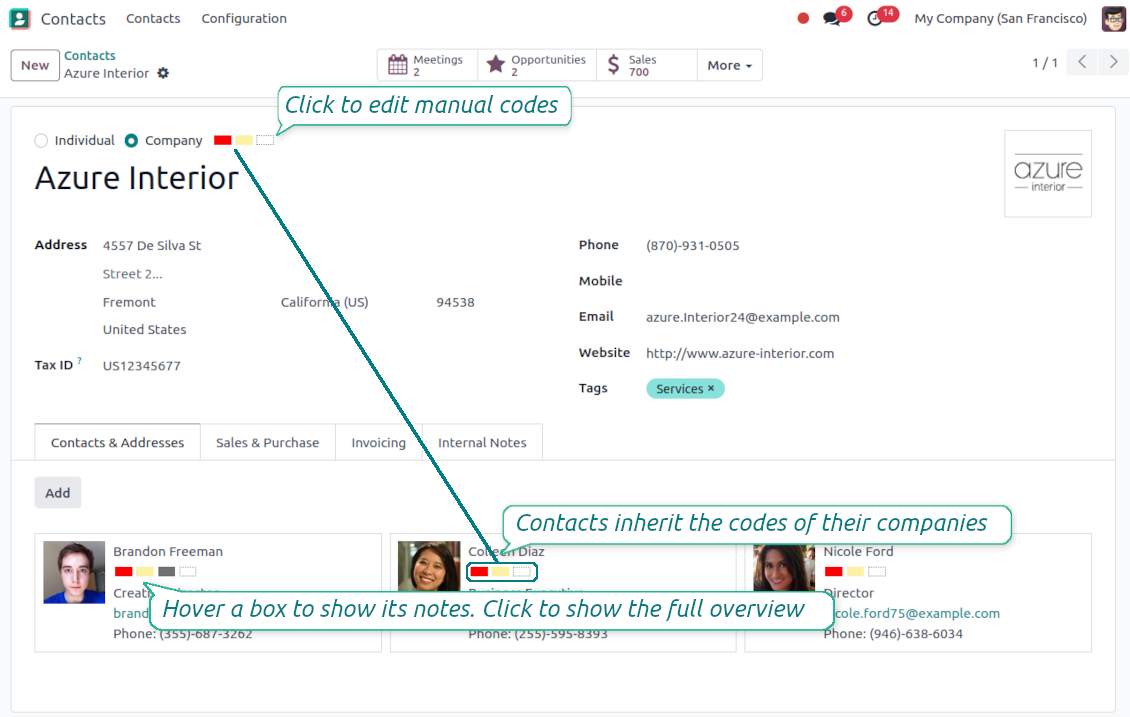
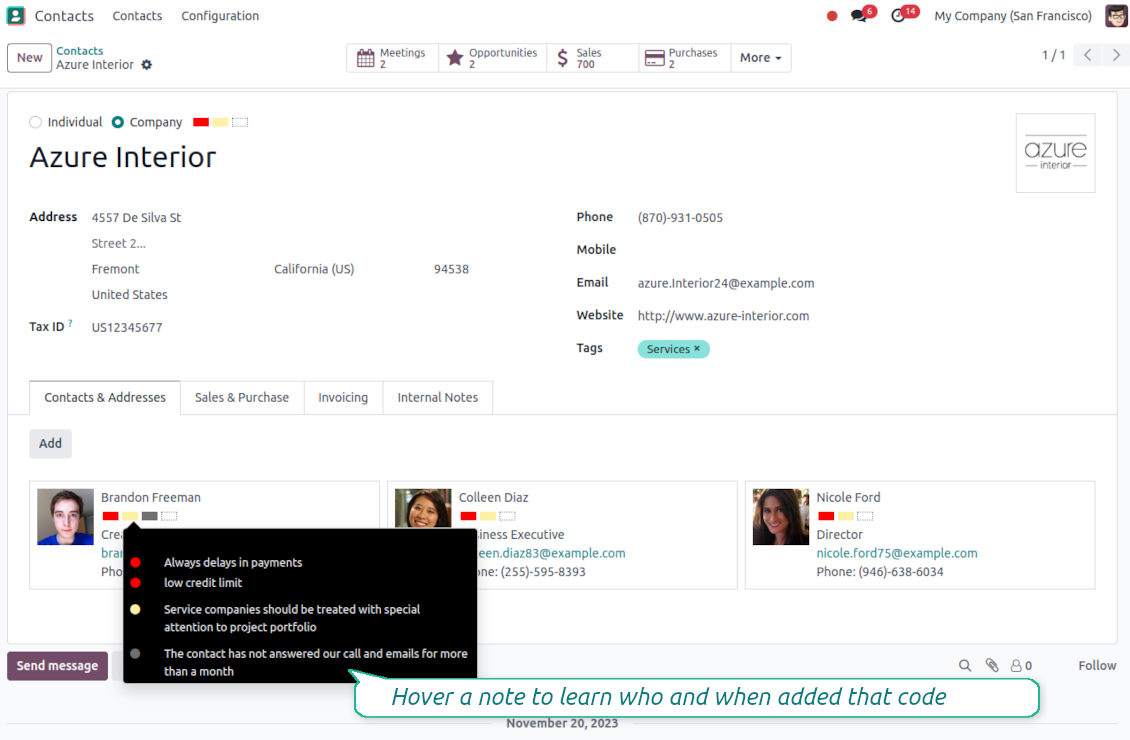
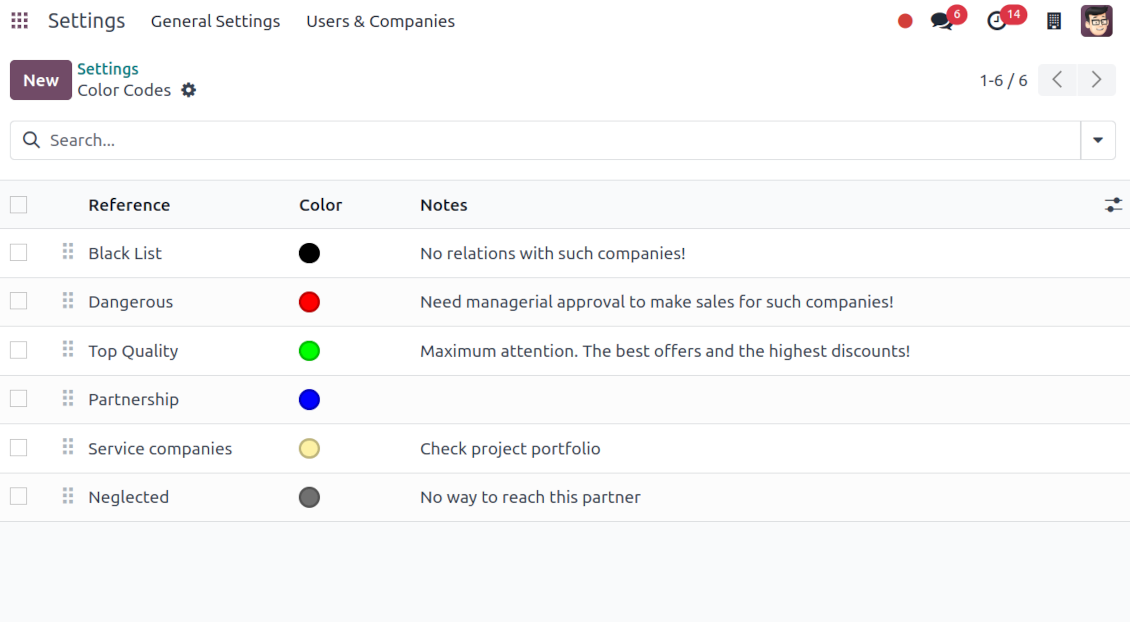
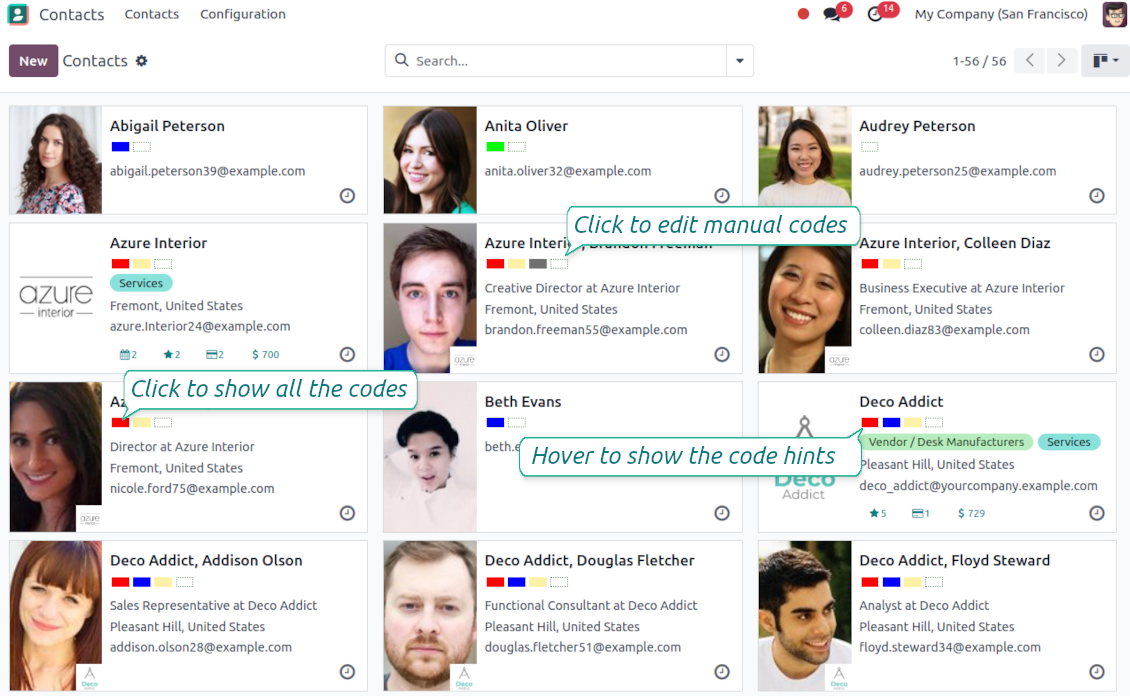
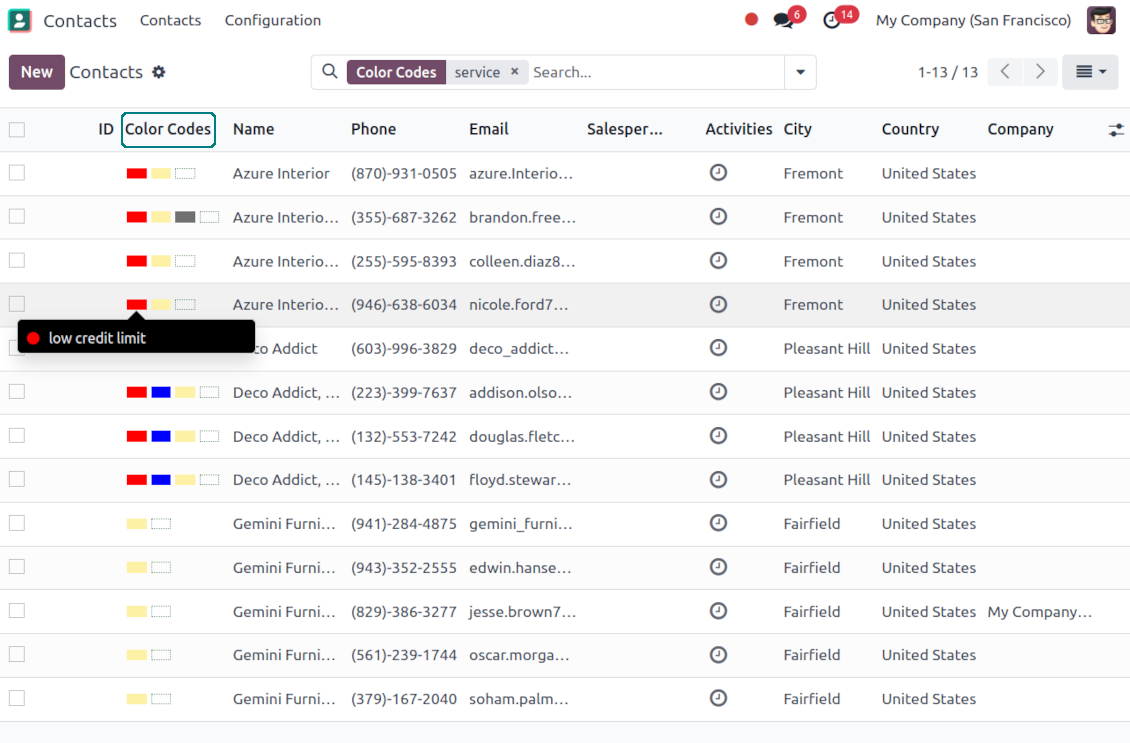
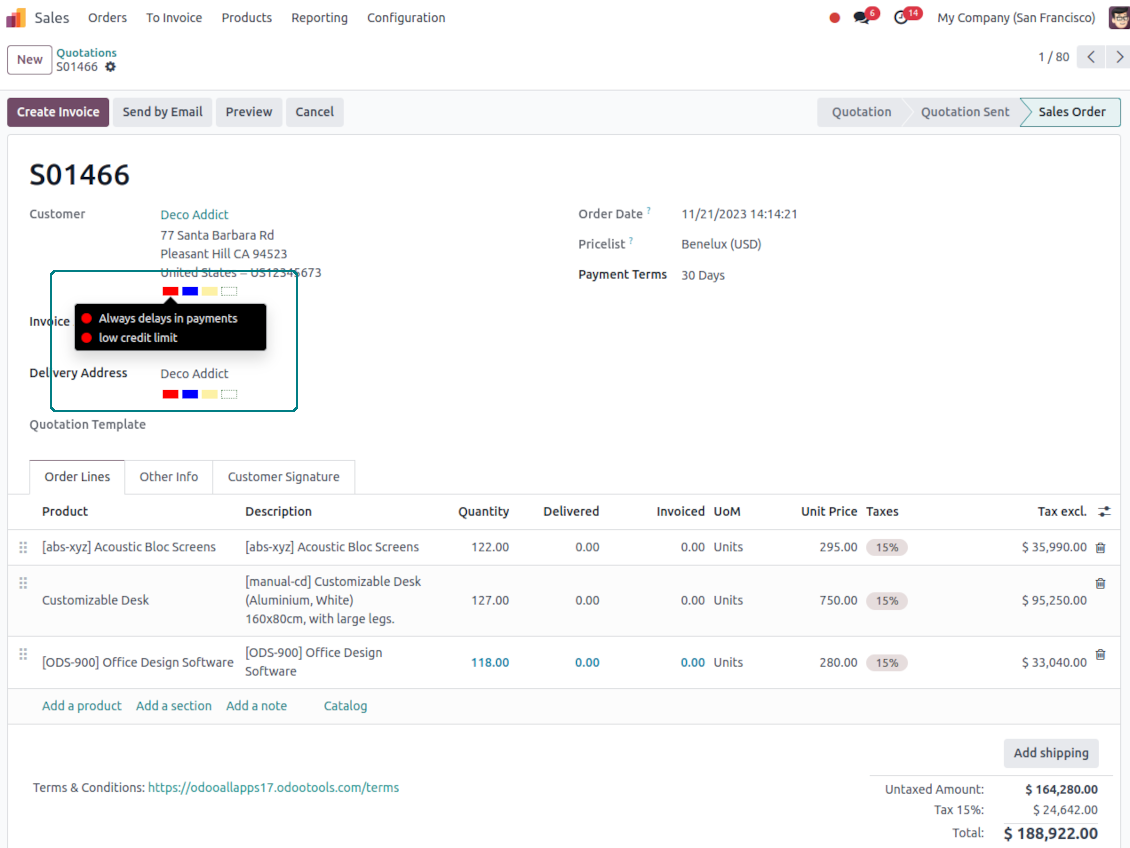
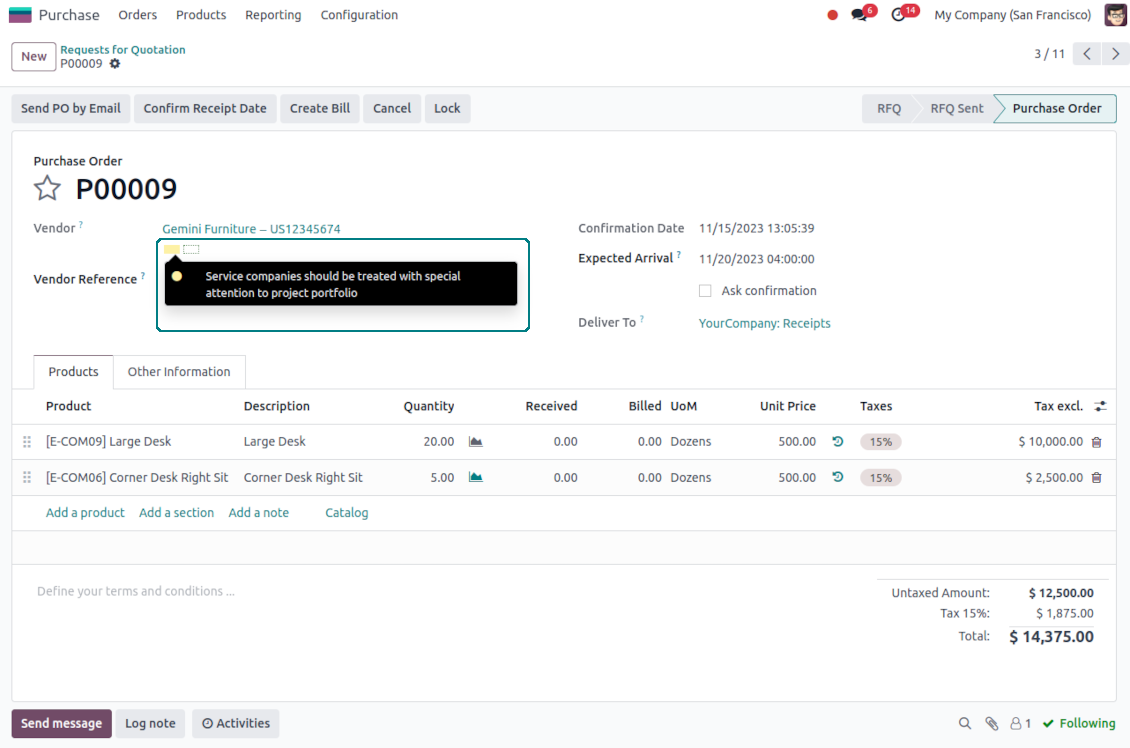
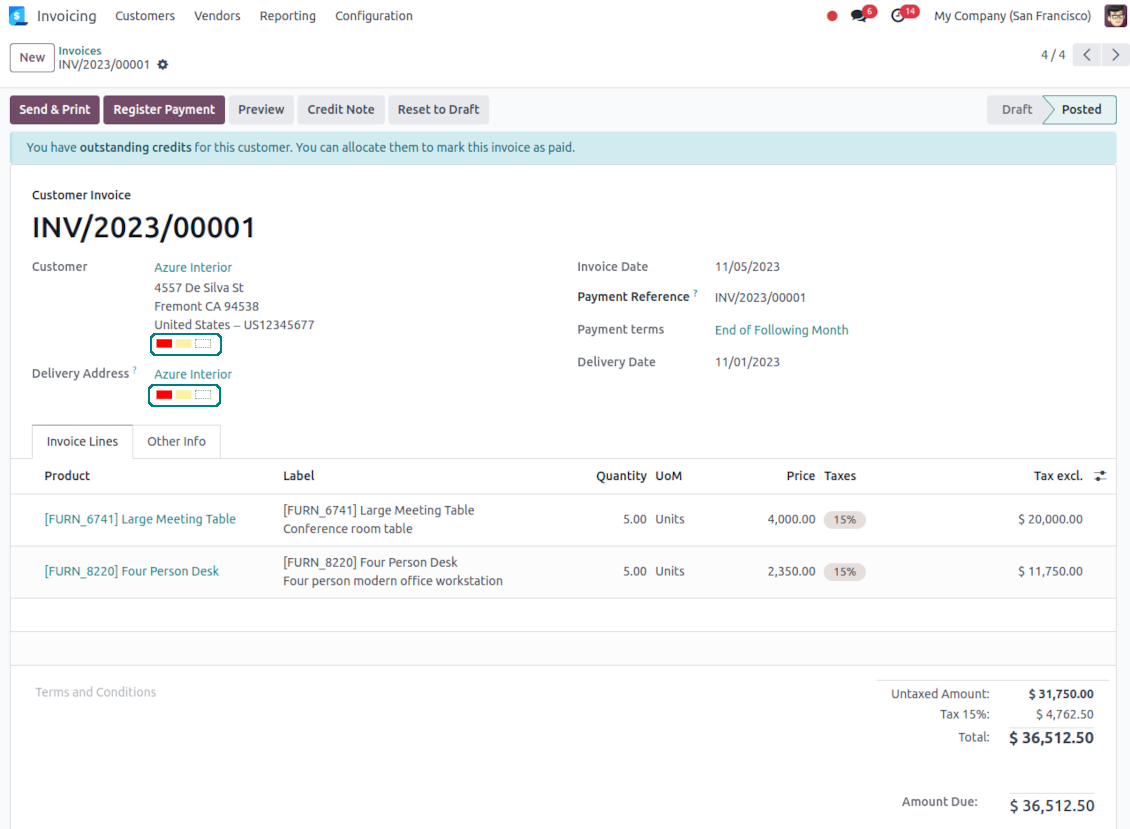
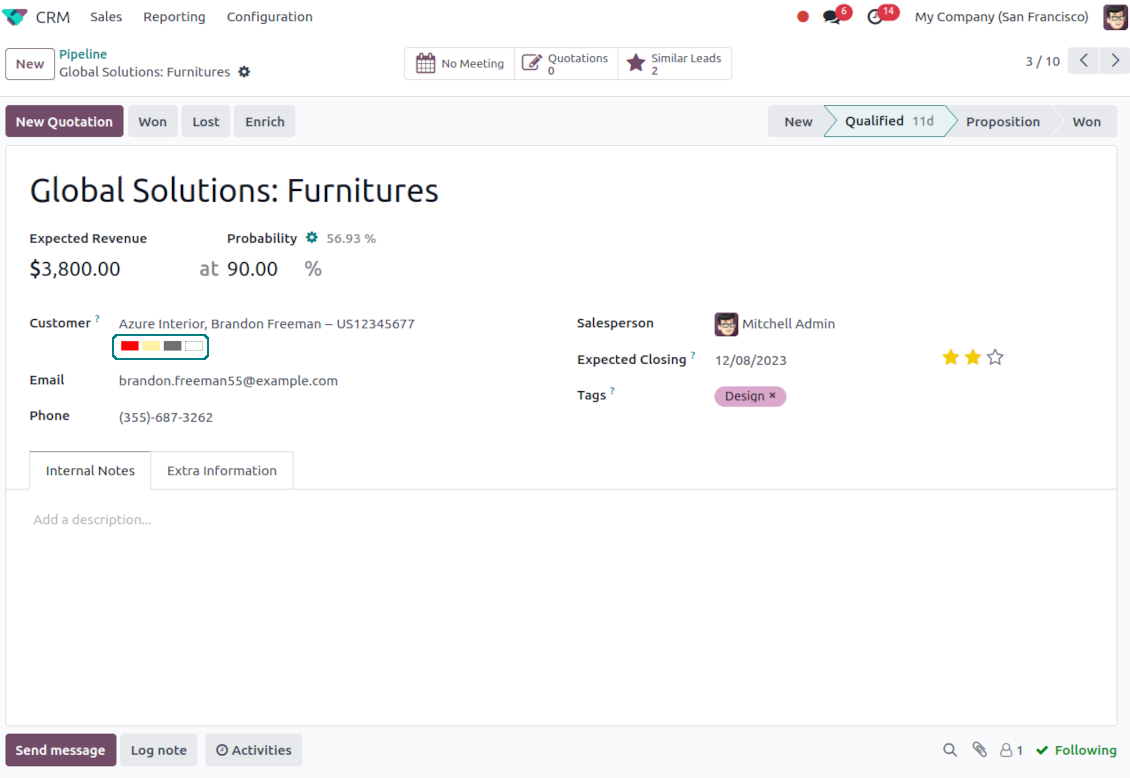
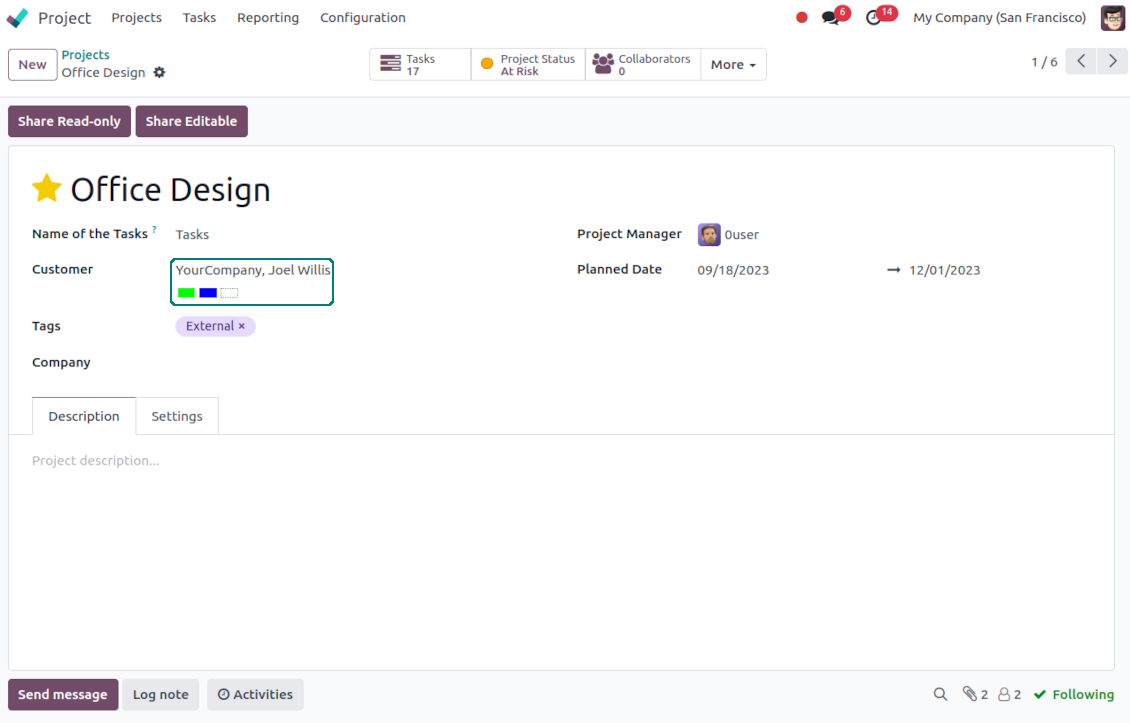
Has your company ever lost money because a manager forgot some important details about a partner? With this tool, it will hardly happen again. This Odoo app introduces a system of highly available and efficiently manageable color codes for Odoo partners.
Instant access to partner color codes
Color codes are on all standard Odoo partner views: form, kanban, and tree. Scoring works for any contact kind: companies, individuals or addresses, customers, or suppliers. Partners might be also searched by a code name and color notes
Partner scoring for any business area
Color codes are available on each form where an Odoo contact is referenced: sales orders, opportunities, invoices, tasks, requests for quotation, and so on. That depends only on the set of installed Odoo apps
Automatic coding or/and manual administration
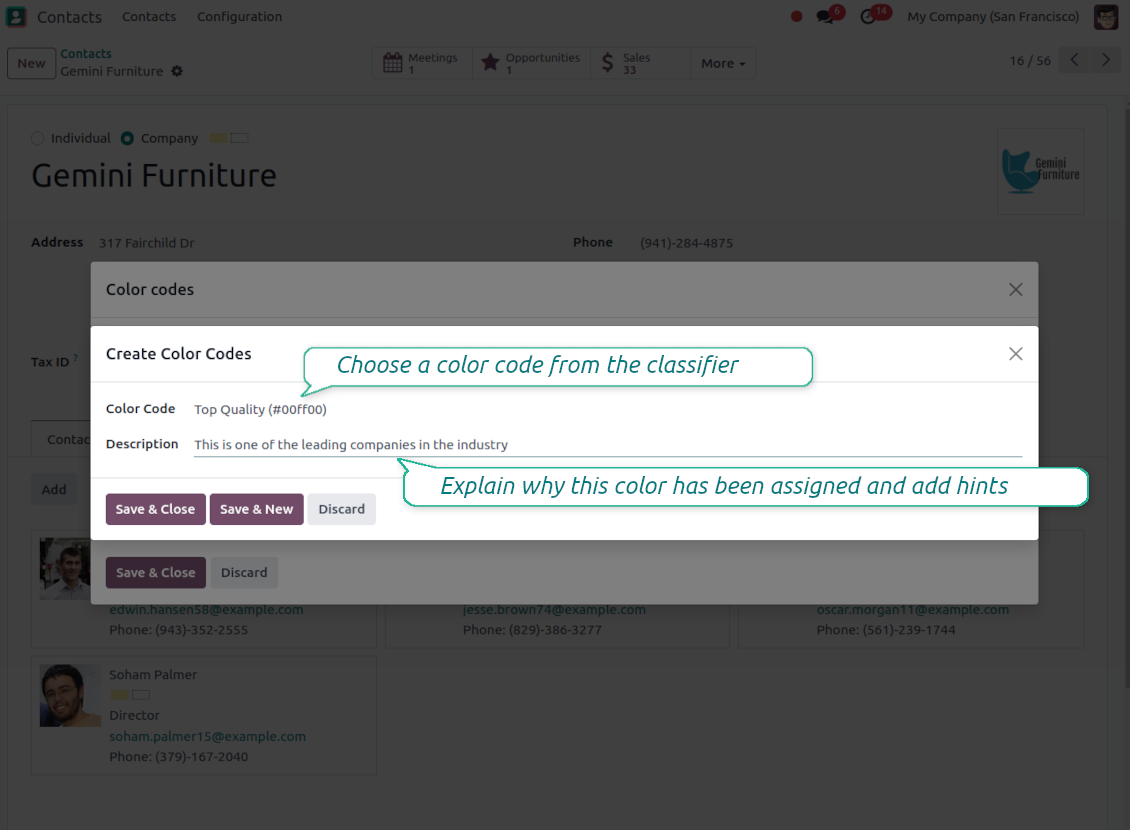
Color codes might be updated manually or/and they might be assigned automatically based on the special rules
Efficient codes management
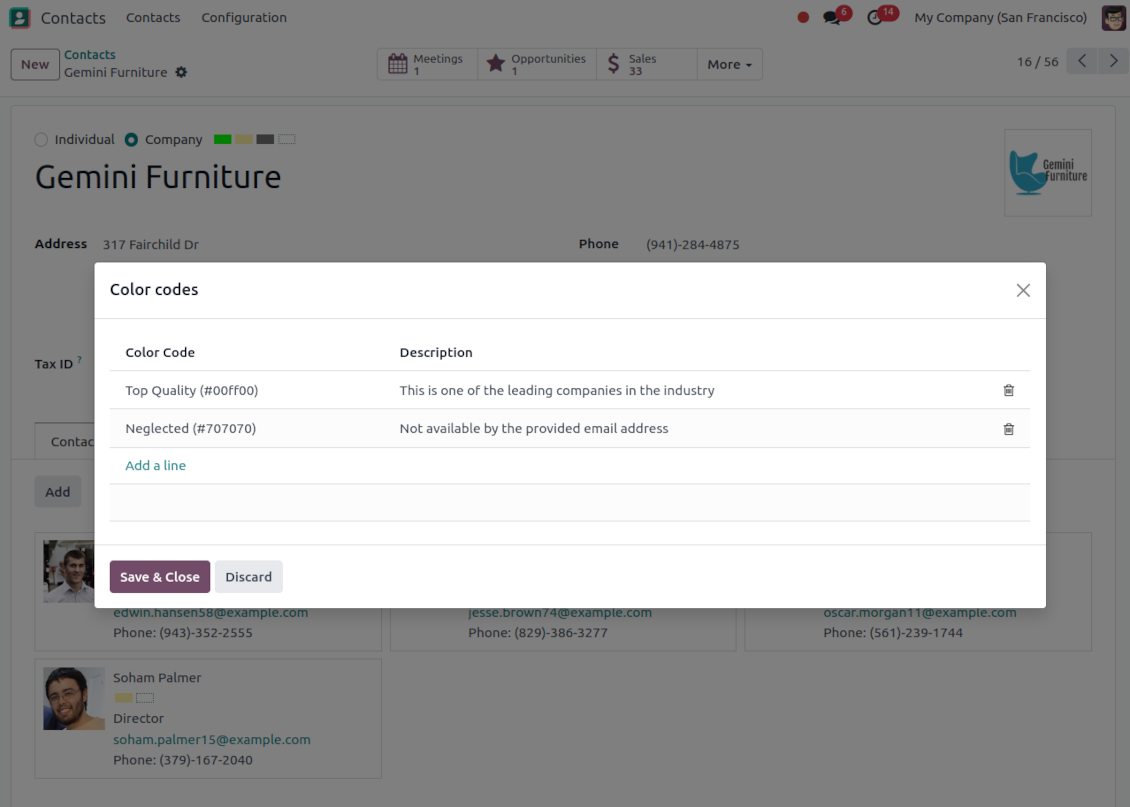
Click on any color box to observe full code details. Hover - for quick tool tips. Push on a dotted box - to edit manual codes. From any interface!
As many color codes as needed
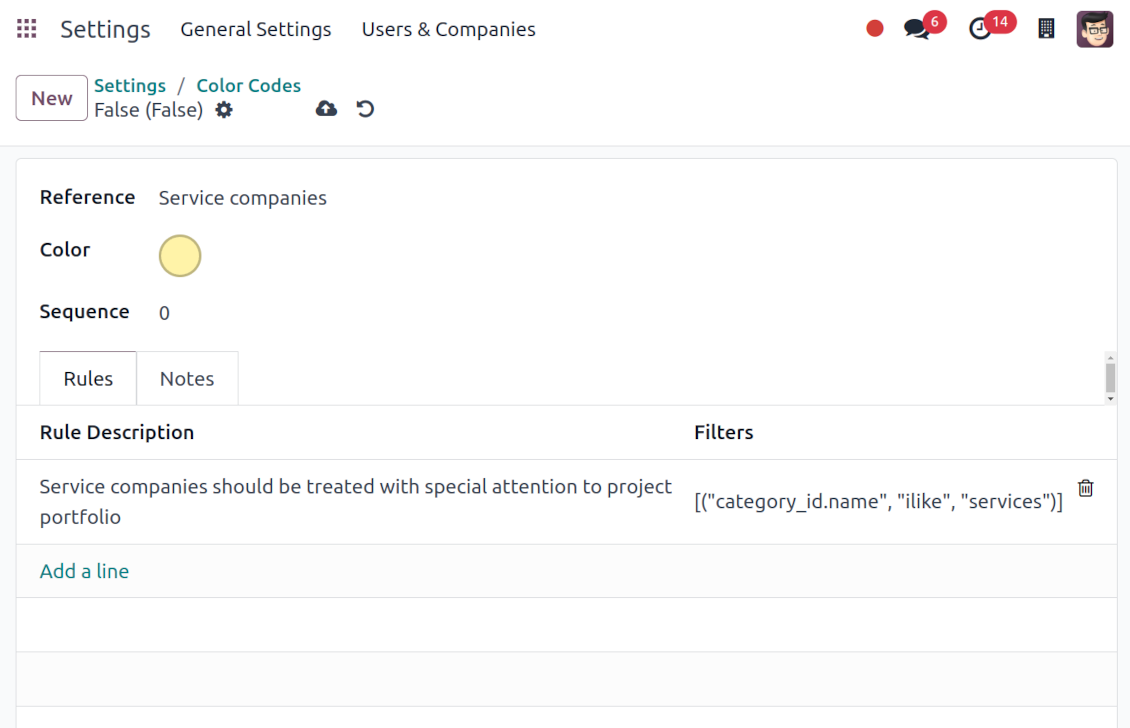
Prepare your own classifier of contact codes through the General Settings - 'Contacts Color Codes'. Apply any color. Have as many notes for the same code as you wish. Introduce business rules for all scenarios
Inherited color codes
Color codes take into account relations between Odoo partners. A contact always inherits color codes from a parent company and may have its own color notes, both manual and automatic.
Automatic color codes
-
Automatic color codes do not assume any user involvement. Configure rules once, and all matched contacts will receive configured color codes
-
Use automatic color codes in case you can strictly describe which partners receive those color codes
-
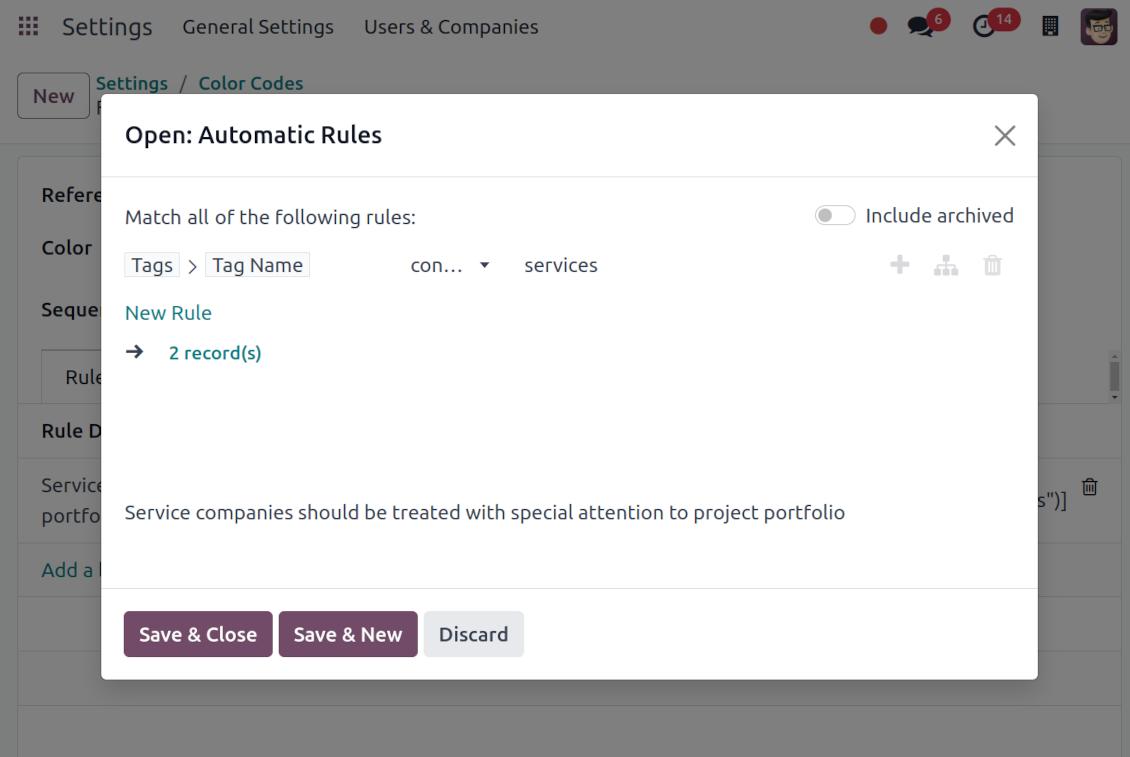
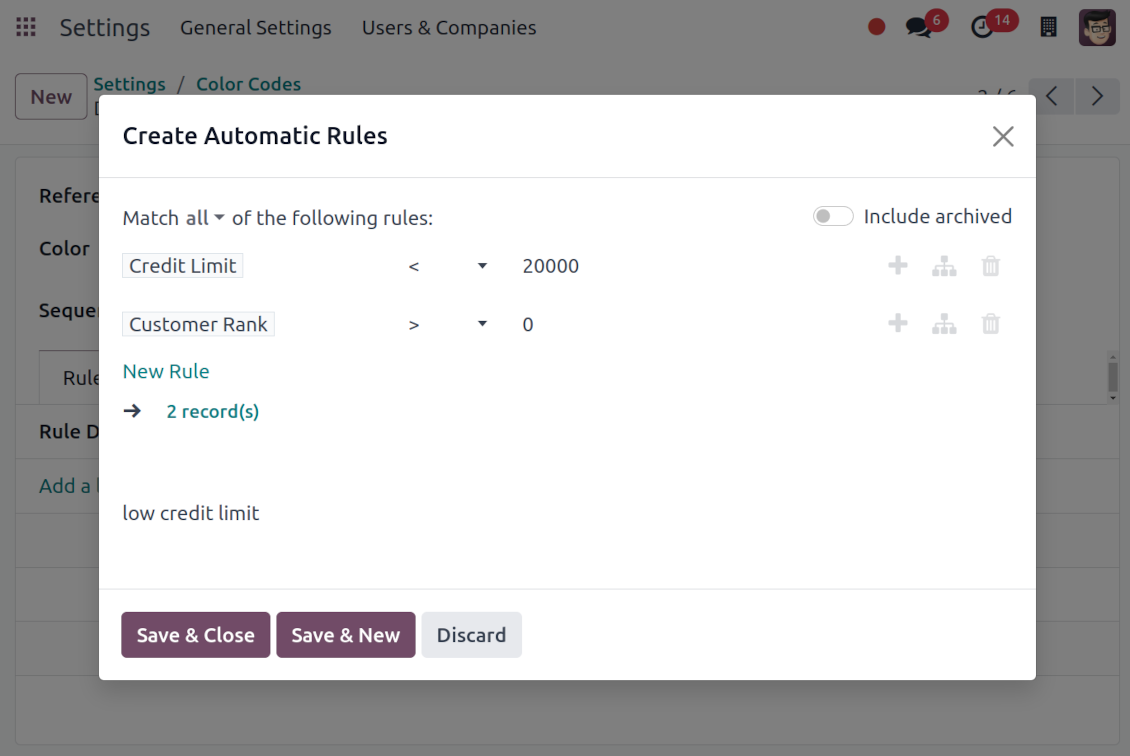
Define a rule as a set of criteria a contact should satisfy. You may use any partner field in the same way you define a search filter in Odoo
-
There might be as many criteria combined by 'any' or 'all' operators as you like
-
For a single color code, you may have an unlimited number of automatic rules. Matching any of those rules would lead to this color code assignment
-
Automatic rules are applied in real-time. As soon as you configured a new one, open/reload any form and check contact color codes
-
Automatic scoring rules might be applied to almost any business scenario
-
Typical use case: A contact already has some sort of manual tag. For example, the 'Danger!' tag should lead to the red color code
-
Typical use case: All contacts with set 'Blacklist' field should be assigned the black color code
-
Typical use case: Customers with a low credit limit (e.g. with less than $2000) receive the orange color code
-
Typical use case: Mark gray contacts without mobile and phone entered
-
Typical use case: Define color codes based on a country or a region, based on the 'Degree of trust you have in this debtor', or based on your own custom field.
Flexible codes classifier
-
Have as many color codes as you like. They may relate to any business facet. For example, introduce 'Black List', 'Not trusted', 'Strategic partners', 'Low credit limit', etc.
-
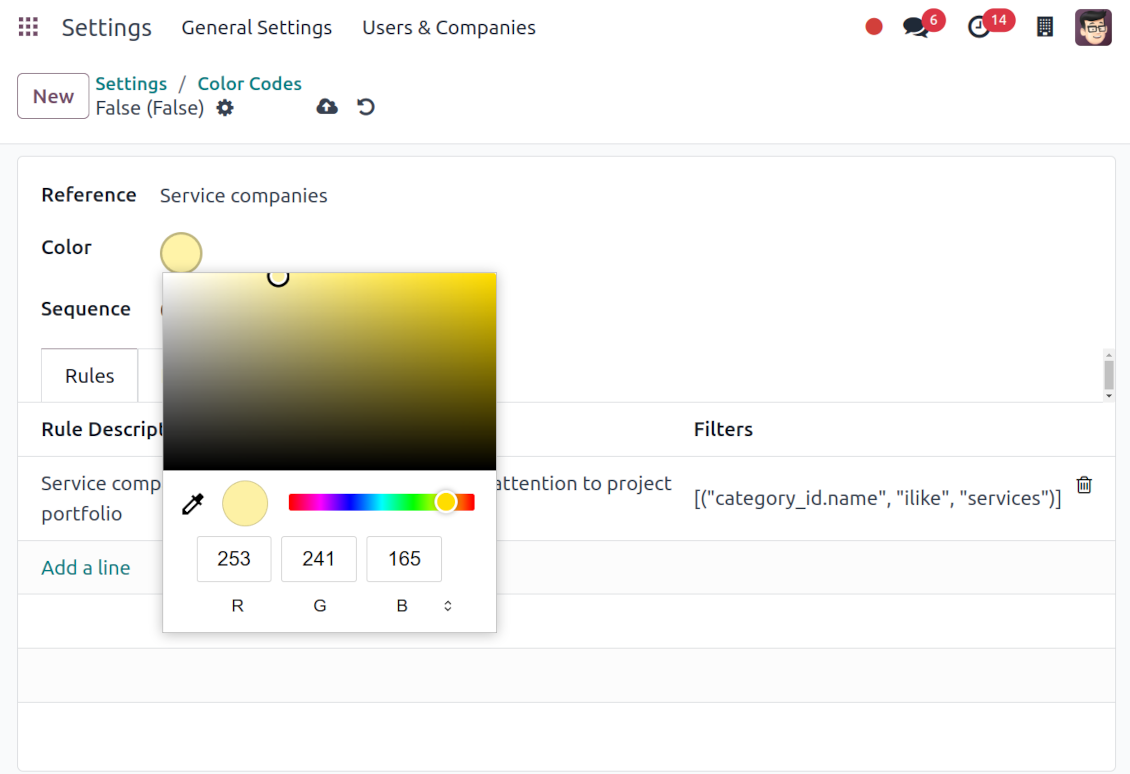
Apply any color shade for your code
-
Each color code may have a few notes. For example, 'John Brown' is black-listed since (a) his parent company has a huge debt; (b) he is not available by phone and mobile; (c) he has the tag 'potential fraud' assigned by a financial security officer
-
As soon as you installed the tool, Odoo would prepare a few default color codes. You may simply update or delete those codes to reflect your own color codes' logic
-
To configure the codes classifier go to the Odoo General Settings and find the section 'Contact Color Codes'.
Pertanyaan umum tentang Contacts Color Coding Odoo v.17
Apa kebijakan pembaruan alat Anda?
Menurut kebijakan Odoo Apps Store saat ini:
- Setiap modul yang dibeli untuk versi 12.0 dan sebelumnya memberi akses ke semua versi hingga 12.0.
- Mulai versi 13.0, setiap versi modul harus dibeli terpisah.
- Terlepas dari versi, pembelian memberi hak atas semua pembaruan dan perbaikan bug dalam versi mayor.
Perhatikan bahwa tim faOtools tidak mengontrol kebijakan tersebut. Untuk pertanyaan, hubungi langsung perwakilan Odoo Apps Store.
Bagaimana memasang aplikasi Anda di Odoo.sh?
Pendekatan paling langsung adalah memakai alur bawaan toko Odoo:
1. Buka halaman modul dan klik tombol Deploy on odoo.sh
2. Setelah itu Anda akan diarahkan ke halaman GitHub. Masuk ke akun, lalu klik 'Create a new repo' atau pakai yang sudah ada. Pastikan repositori bersifat privat. Tidak diizinkan memublikasikan aplikasi di bawah lisensi OPL-1. Jika perlu, buat repo baru untuk proyek Odoo.sh
3. Lalu buka odoo.sh dan klik tombol Deploy. Di jendela pop-up, kirim keputusan dan klik 'Continue.' Tindakan ini memicu proses pemasangan.
Langkah ini akan memasang aplikasi di cabang produksi proyek. Jika ingin men-deploy aplikasi ke cabang lain atau memperbarui modul, lakukan tindakan berikut:
1. Unggah kode sumber aplikasi dari toko Odoo
2. Commit modul ke repositori GitHub yang diperlukan. Pastikan tidak ada folder/file aplikasi yang diabaikan (yaitu tidak ada di .gitignore repo). Repositori dibuat otomatis oleh odoo.sh dan secara default dapat berisi item penting (mis., /lib). Unggah semua direktori, subdirektori, dan file modul tanpa kecuali
3. Deploy cabang target proyek odoo.sh atau, jika pengaturan Anda mengasumsikan itu, tunggu hingga dibangun otomatis.
Bagaimana memasang aplikasi Anda di server saya sendiri?
2. Mulai ulang server Odoo;
3. Aktifkan mode pengembang (pengaturan teknis);
4. Perbarui daftar aplikasi (menu aplikasi);
5. Temukan aplikasi dan tekan 'Activate'/'Install';
6. Ikuti panduan di halaman aplikasi jika ada.
Saya melihat aplikasi Anda punya add-on tambahan. Boleh beli belakangan?
Ya, tentu. Pada saat yang sama Odoo otomatis menambahkan semua dependensi ke keranjang, jadi Anda harus mengecualikan alat yang sudah dibeli agar tidak membayar dua kali.
Saya men-deploy aplikasi Anda di Odoo.sh dan melihat peringatan/kesalahan di tes
Peringatan merah/oranye tidak memengaruhi fitur aplikasi. Sayangnya, modul kami kadang tidak lulus uji otomatis standar karena uji itu mengasumsikan perilaku yang bertentangan dengan tujuan aplikasi. Misalnya kami mengubah penghitungan harga, sementara uji modul Odoo standar membandingkan harga akhir dengan algoritma standar.
Pertama-tama, periksa fitur basis data yang diterapkan. Apakah semuanya berjalan benar?
Jika Anda masih menganggap peringatan memengaruhi fitur nyata, hubungi kami dan kirim log instalasi lengkap serta daftar lengkap modul yang diterapkan (termasuk inti dan pihak ketiga).
Bolehkah saya membeli aplikasi langsung dari perusahaan Anda?
Tidak, kami hanya mendistribusikan alat melalui toko aplikasi Odoo resmi.
Saya ingin mendapat diskon
Sayangnya, kami tidak punya sarana teknis untuk memberi harga individual.
Bolehkah saya memasang aplikasi di database Odoo Online (SaaS) saya?
Tidak, aplikasi pihak ketiga tidak dapat dipakai di Odoo Online. Sayangnya Odoo SaaS memblokir kemungkinan itu.
Alat Anda bergantung pada aplikasi lain. Haruskah saya membelinya?
Ya, alat memerlukan semua modul yang ditandai di dependensi agar bekerja dengan benar. Harga di halaman aplikasi sudah mencakup semua dependensi yang diperlukan.
Berapa harga modul dalam dolar AS? Mengapa berubah?
Harga modul kami ditetapkan dalam euro. Toko Odoo mengonversi harga ke mata uang lain menurut kurs internalnya. Jadi harga dalam dolar AS dapat berubah saat kurs diperbarui.
Teks aplikasi dan situs dalam bahasa selain Inggris dibantu AI dan diselaraskan dengan terjemahan resmi Odoo. Jika Anda melihat kesalahan, kirim tiket kebenaran terjemahan dan kami akan memperbaikinya.
Database demonstrasi Odoo (pratinjau langsung)
Untuk aplikasi ini, kami dapat menyediakan database demo personal gratis.
Anda tidak perlu nomor telepon atau kartu kredit untuk menghubungi kami. Cukup pendaftaran email singkat yang tidak lebih dari 30 detik.
Atas permintaan Anda, kami siapkan database pratinjau langsung individu, tempat Anda dapat menguji dan memeriksa asumsi selama sekitar dua minggu.
Pelaporan bug
Jika Anda menemukan bug atau perilaku tidak konsisten, jangan ragu menghubungi kami. Kami jamin perbaikan dalam 60 hari setelah pembelian dan tetap ingin meningkatkan alat setelah periode itu.
Anda tidak perlu nomor telepon atau kartu kredit untuk menghubungi kami. Cukup pendaftaran email singkat yang tidak lebih dari 30 detik.
Sertakan sebanyak mungkin detail dalam permintaan: tangkapan layar, log server Odoo, deskripsi lengkap cara mereproduksi masalah, dan sebagainya. Biasanya butuh beberapa hari kerja untuk menyiapkan rencana kerja (jika bug dikonfirmasi) atau memberi panduan apa yang harus dilakukan (jika tidak).
Permintaan fitur publik dan ide modul (pengembangan gratis)
Kami sangat termotivasi untuk meningkatkan alat kami dan berterima kasih atas masukan apa pun. Jika kebutuhan Anda bermanfaat bagi publik dan dapat diimplementasikan secara efisien, tim akan memasukkannya ke daftar tugas kami.
Daftar tugas semacam ini diproses secara berkala dan tidak dikenai biaya tambahan. Meski kami tidak dapat menjanjikan tenggat dan desain akhir, ini bisa jadi cara baik untuk mendapatkan fitur yang diinginkan tanpa investasi dan risiko.
Anda tidak perlu nomor telepon atau kartu kredit untuk menghubungi kami. Cukup pendaftaran email singkat yang tidak lebih dari 30 detik.

The tool to flexibly structure Odoo attachments in folders and synchronize directories with cloud clients: Google Drive, OneDrive/SharePoint, Nextcloud/ownCloud, Dropbox, Amazon S3, Box, and NAS. DMS. File Manager. Document management system
398€

The tool to build a deep and structured knowledge base for internal and external use. Knowledge System. KMS. Wiki-like revisions.
398€
The tool to automatically synchronize Odoo attachments with OneDrive files in both ways
487€
The tool to set up KPI targets and control their fulfillment by periods. KPI dashboards. Dashboard designer. KPI charts

The tool for time-based service management from booking appointments to sales and reviews
398€
The tool to automatically synchronize Odoo attachments with Google Drive files in both ways
487€
The tool combines users in roles and simplifies security group assigning. Access group management. Users mass updating

The tool to plan, share and control employees shifts in a form of weekly timetables. Work schedule. Work shift calendar
98€