KnowSystem: Knowledge Base System v.14
The tool to build deep and structured knowledge base for internal and external use. Knowledge System. KMS
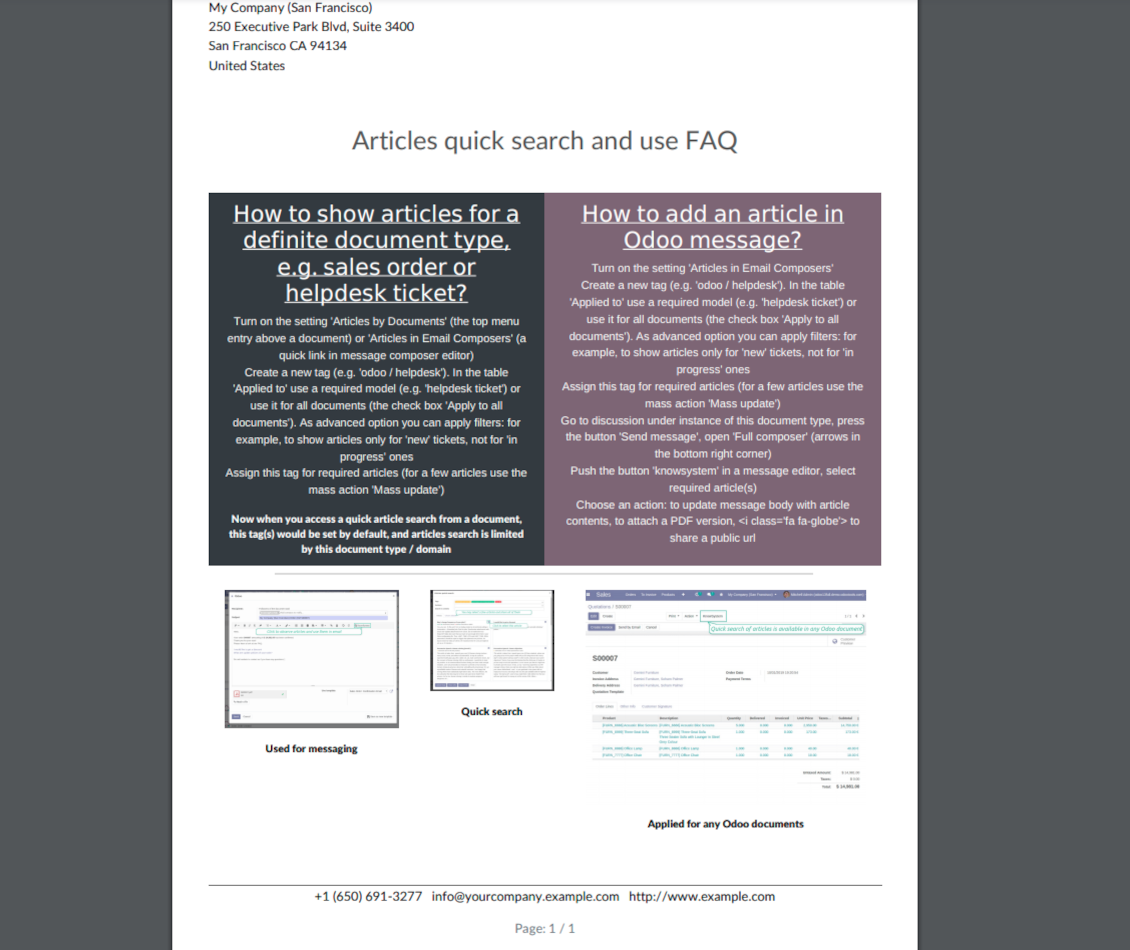
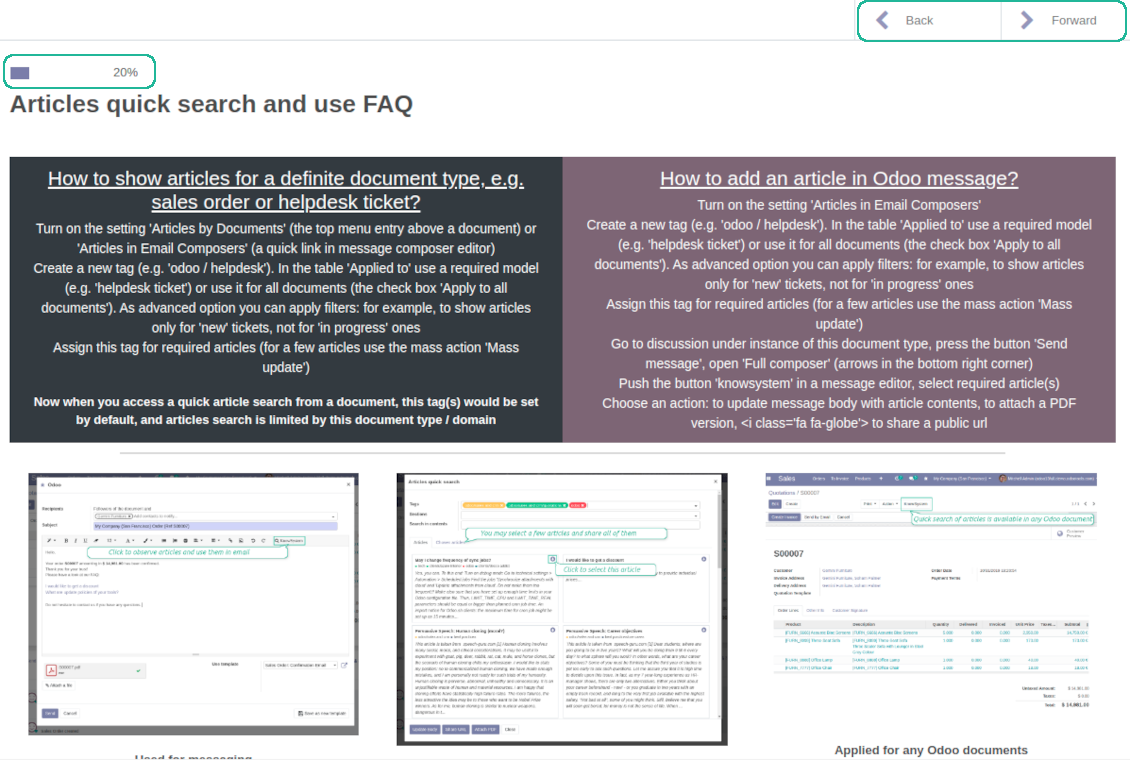
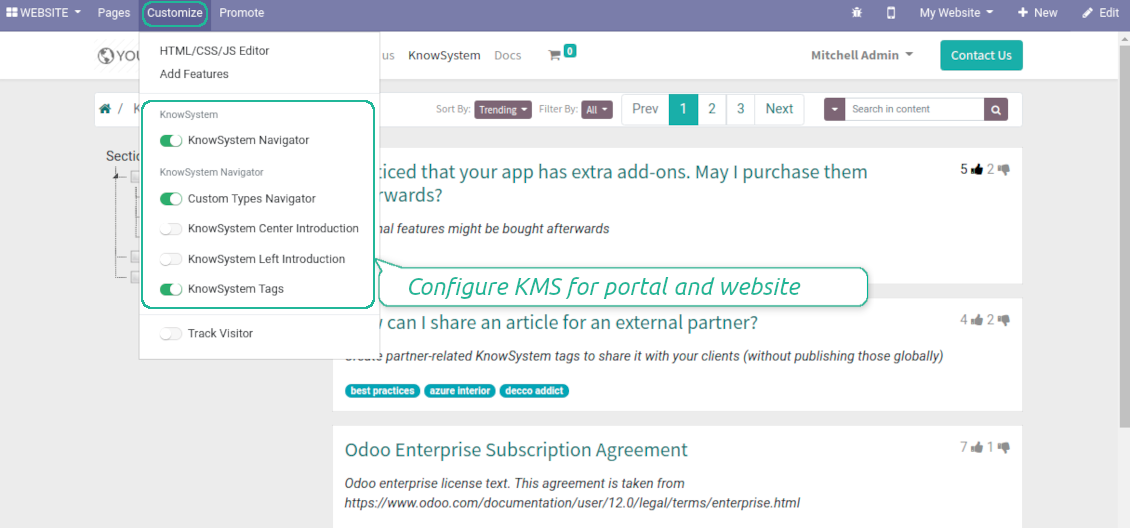
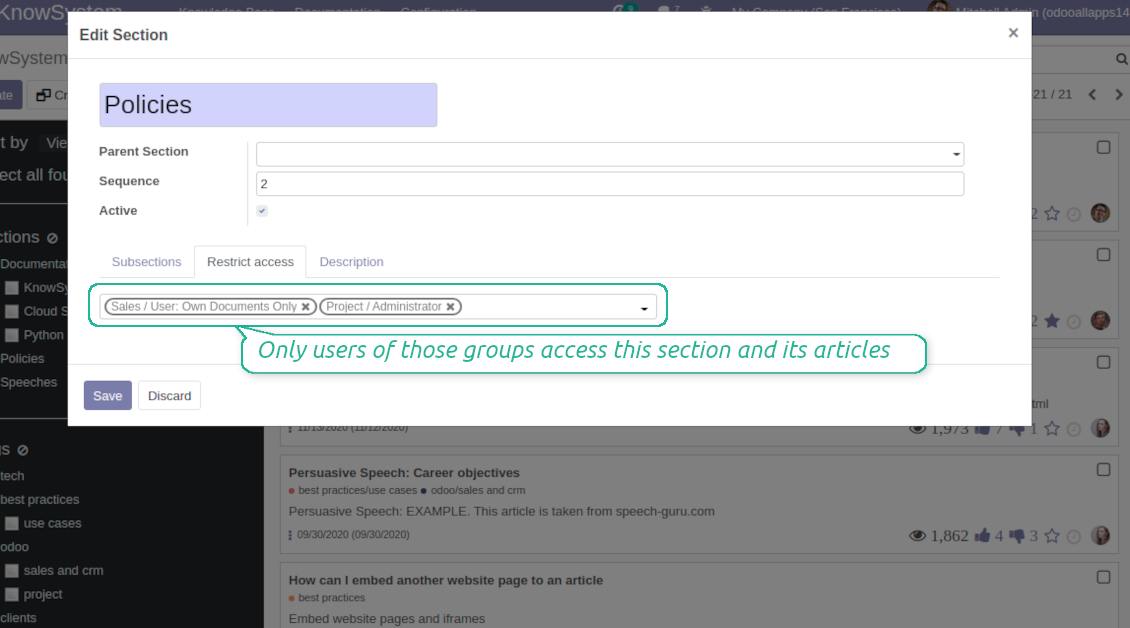
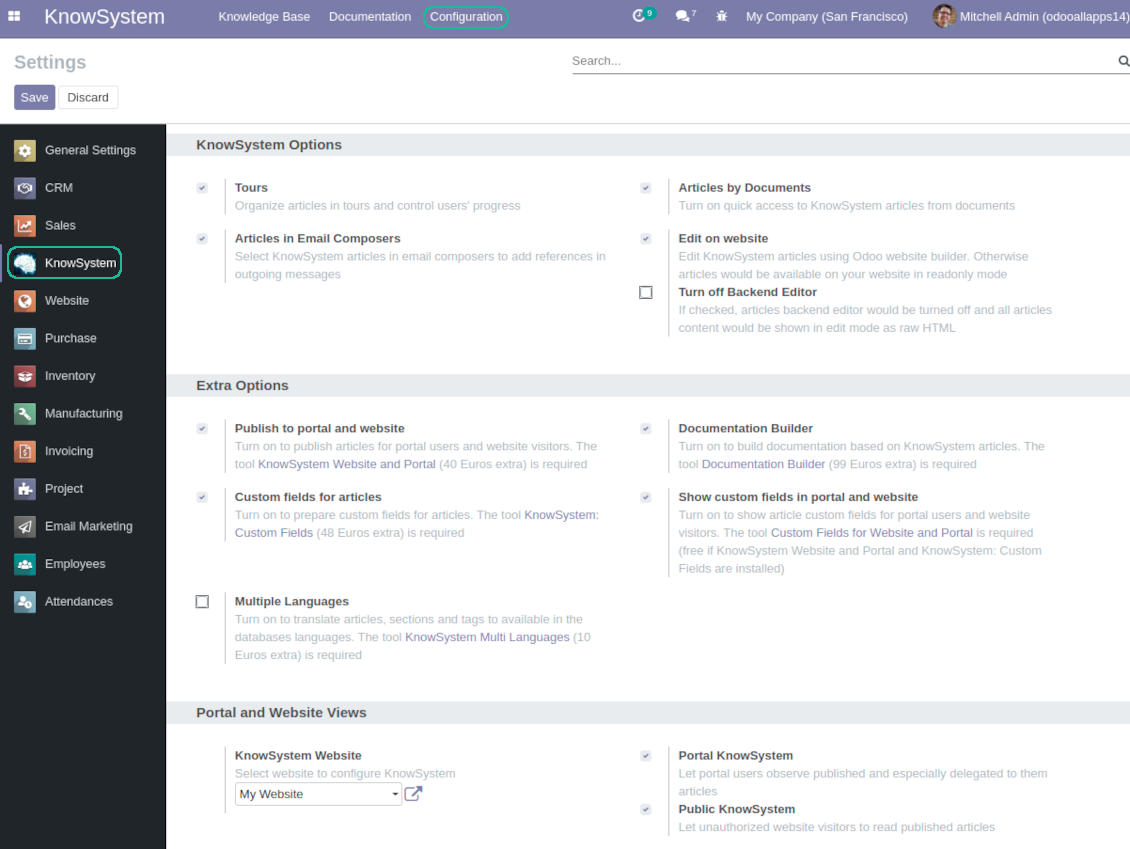
This is a full-featured Odoo knowledge management tool to be used in any industry and by any firm. The app serves to accumulate, to curate, to utilize, and to share organizational knowledge within your company and outside it.
- a core of knowledge management. It might be used stand-alone as a complete internal knowledge base system. Sen hinta on 398€.
- an optional module, which let you publish articles to website, share them with portal users, and use website builder to update articles. The features assumed by this add-on are marked by the icon . Sen hinta on 40€.
- an optional extension to KnowSystem: Website and Portal to design website documentation pages based on knowledge base articles. The features assumed by this add-on are marked by the icon . Read the full description on the related page. Sen hinta on 60€.
- an optional module, which let you add and show custom fields for articles (backend). The features assumed by this add-on are marked by the icon . Sen hinta on 48€.
- an optional free module, which shows custom fields on website and portal pages (frontend). The features assumed by this add-on are also marked by the icon .
- an optional module, which let you translate articles, sections and tags for installed in Odoo languages. The features assumed by this add-on are marked by the icon . Sen hinta on 10€.
Fast and comfortable knowledge recording
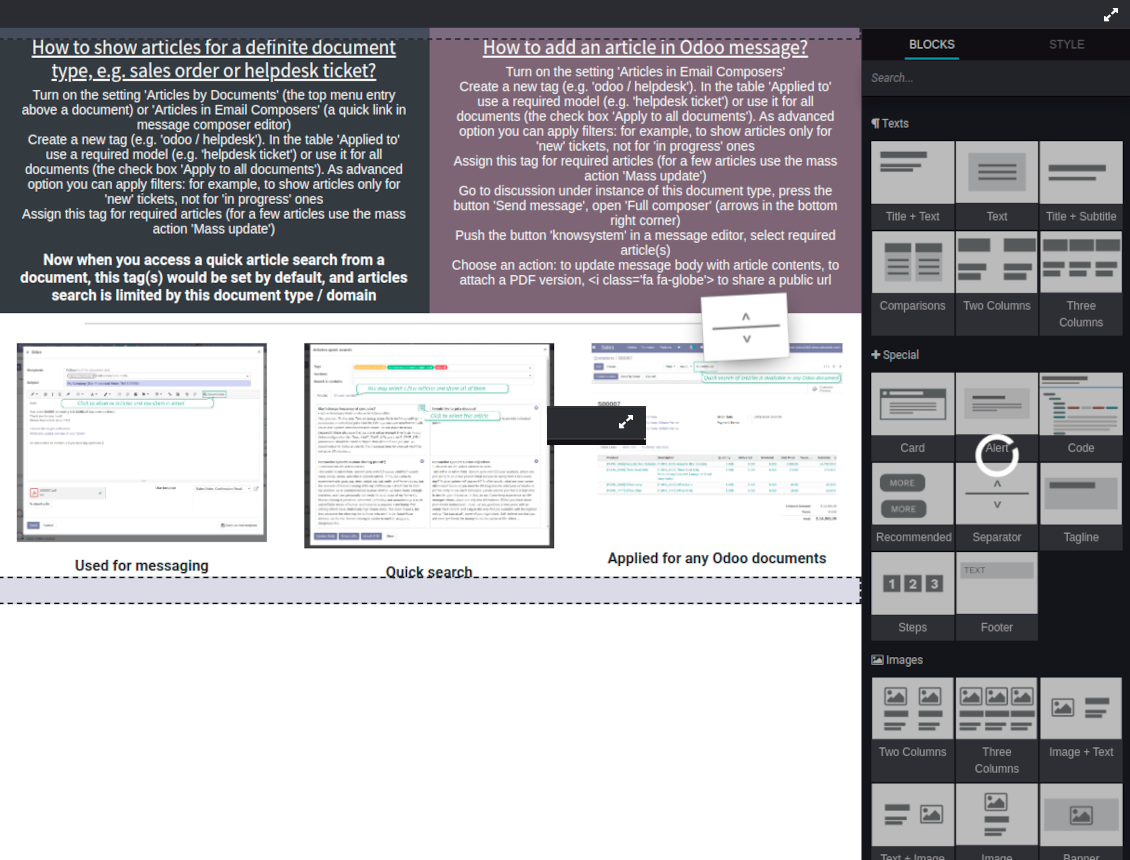
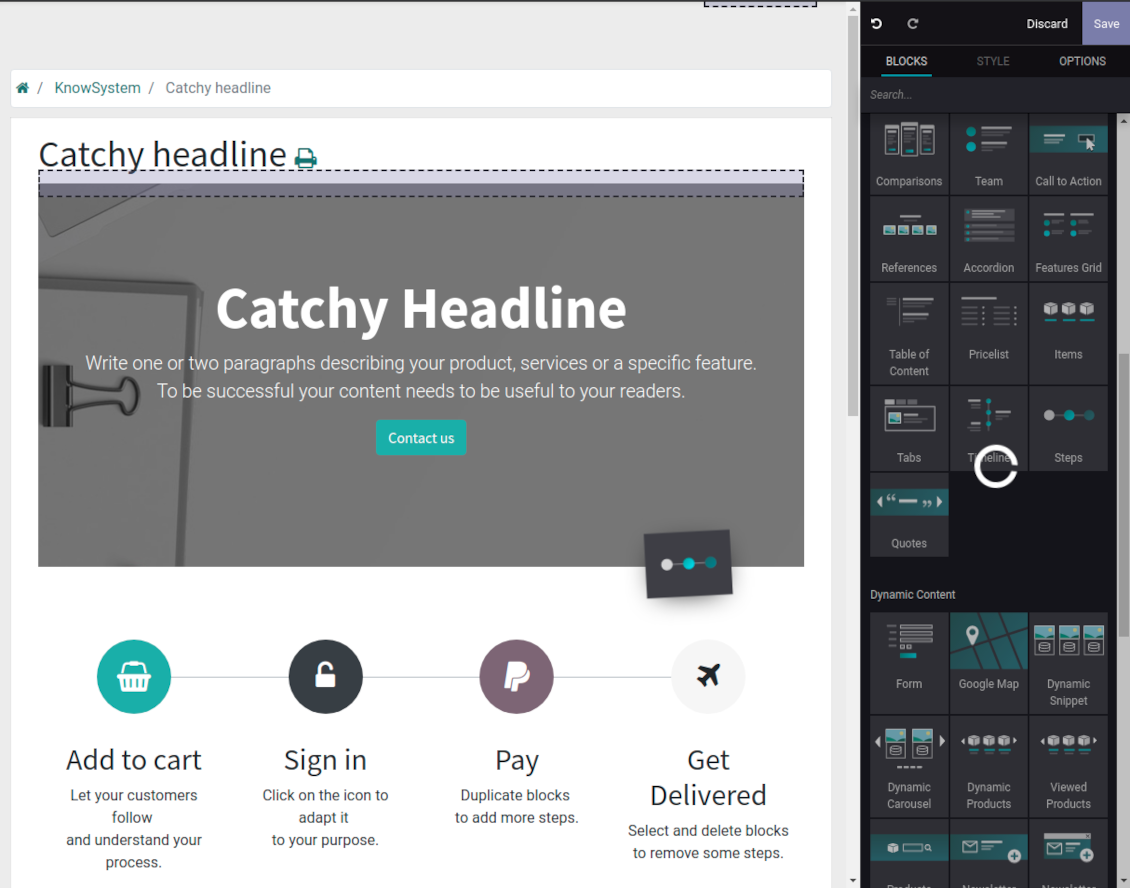
Drag and drop building blocks of the backend or website editors to construct professional looking articles. Create and use knowledge templates. Switch to raw code editor if needed
Single view KMS navigation
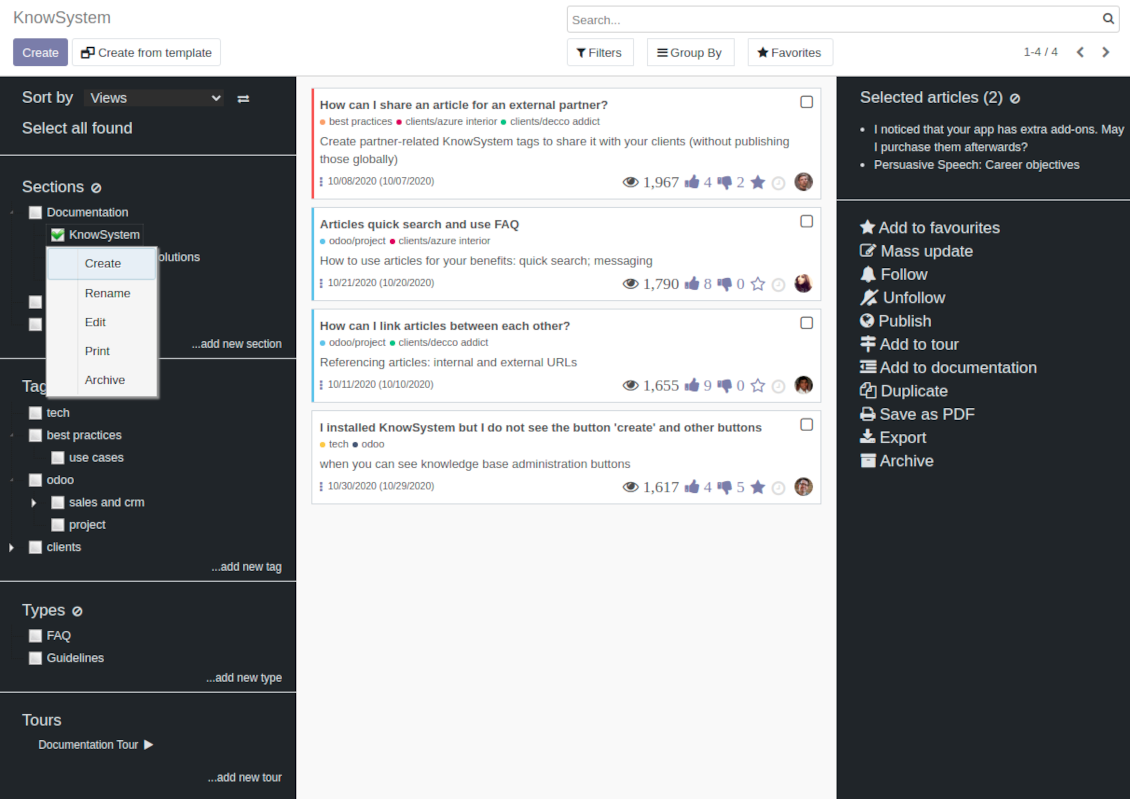
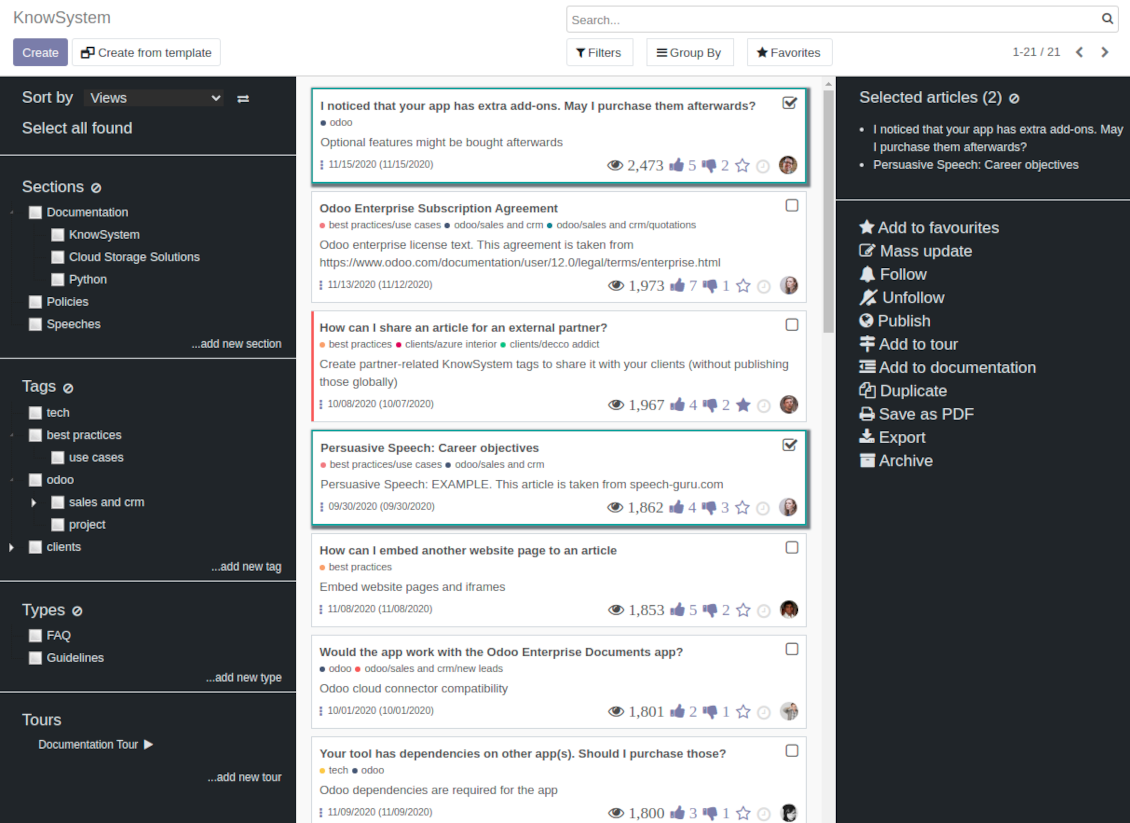
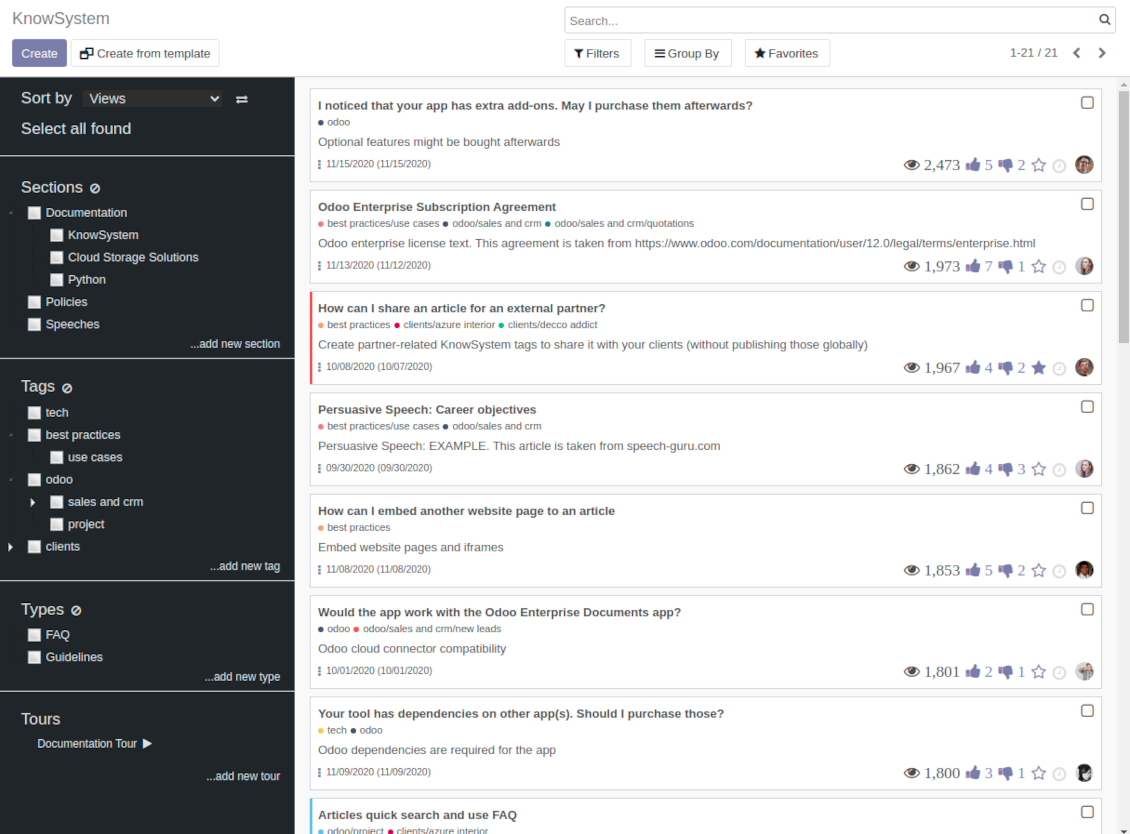
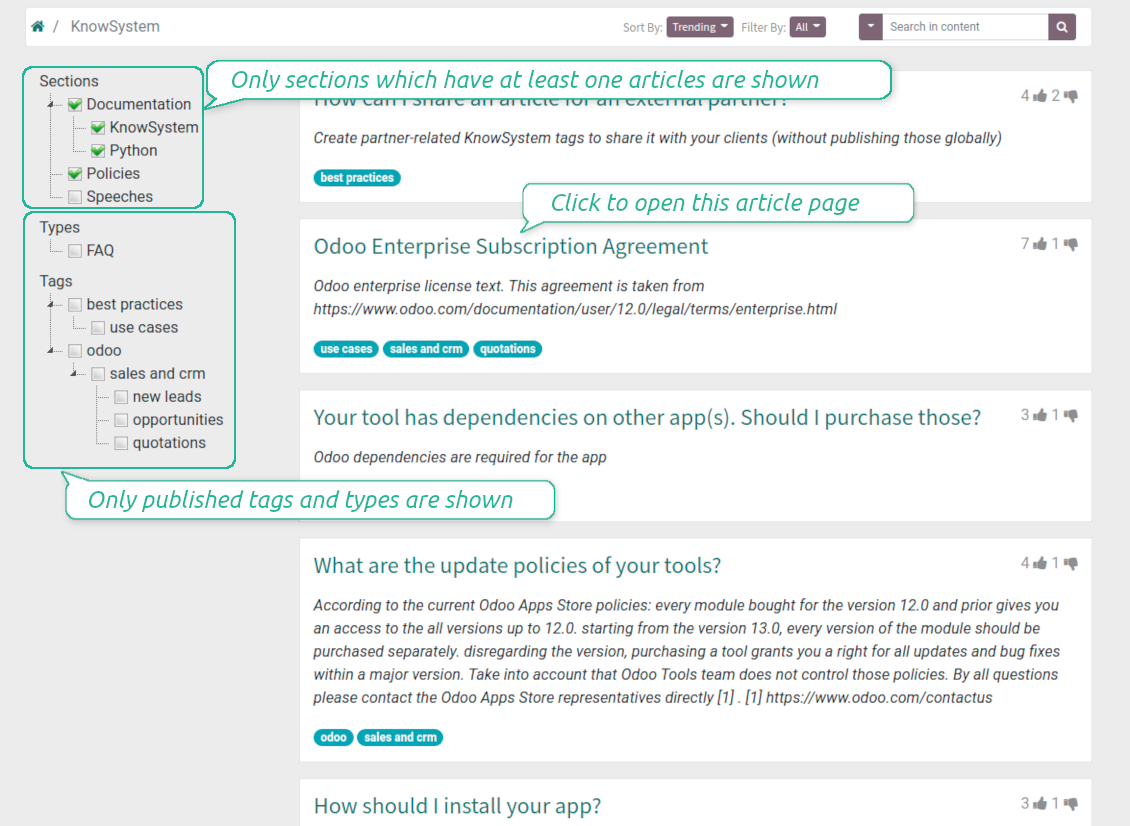
Filter articles by hierarchy of sections, by tree of tags, or by knowledge types. Select articles step by step and proceed mass actions. Sort and search in seconds
Get benefit of knowledge
Instantly access knowledge base from any Odoo documents. Reference articles in messages. Organize learning tours. Print or share knowledge. Prepare instructions, guidelines, FAQs
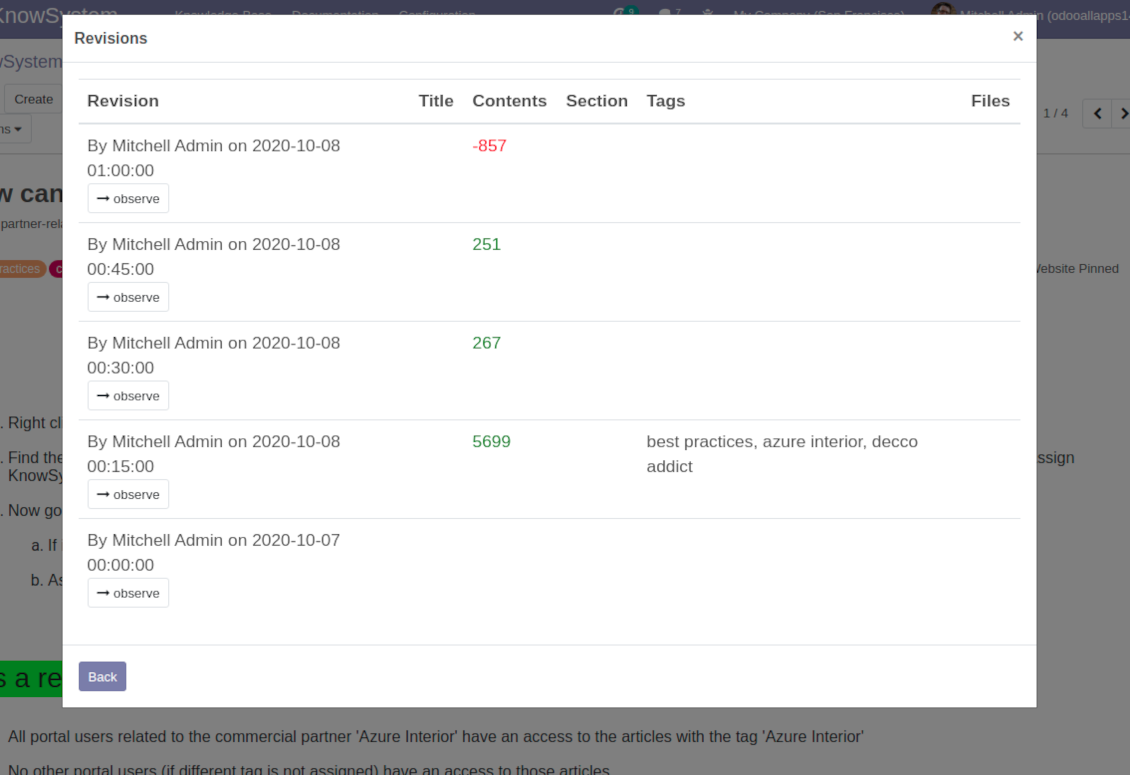
Wiki-like revisions
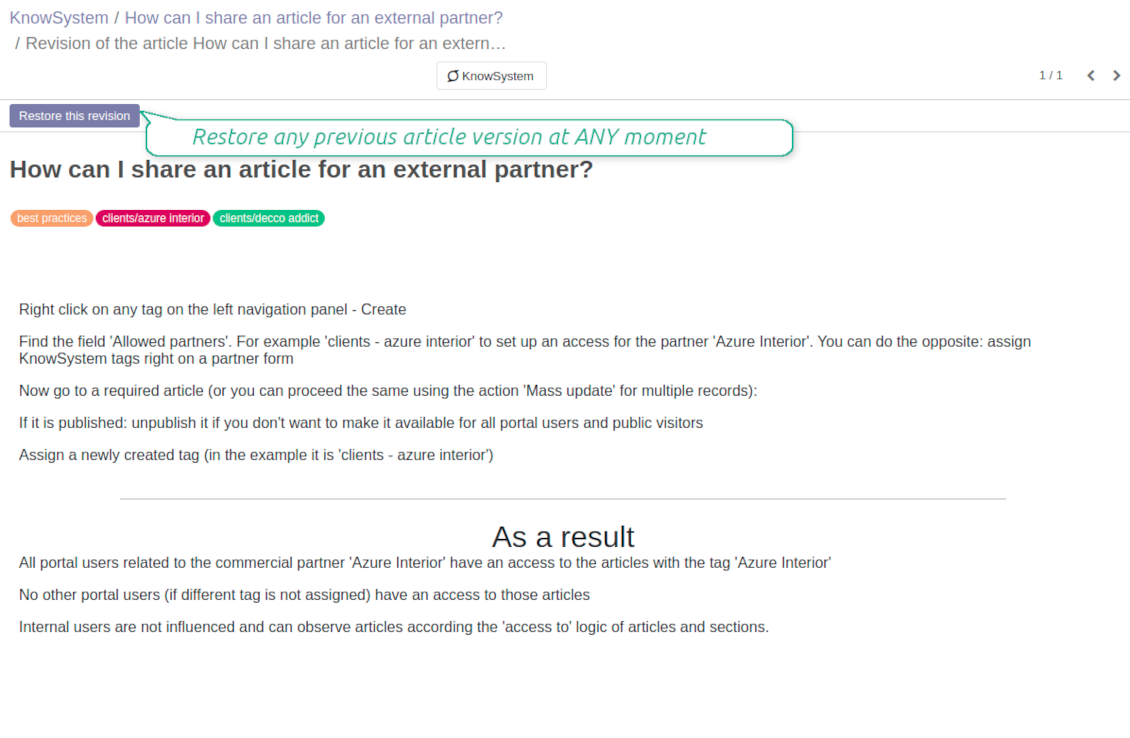
Restore any article version at any moment: the app keeps history of knowledge updates. Breaking becomes harder than restoring
Portal or public knowledge base
Share articles with your partners or publish knowledge for any website visitor
Website documentation builder
Combine organizational knowledge into advanced documentation with comfortable navigation and search
Knowledge system statistics
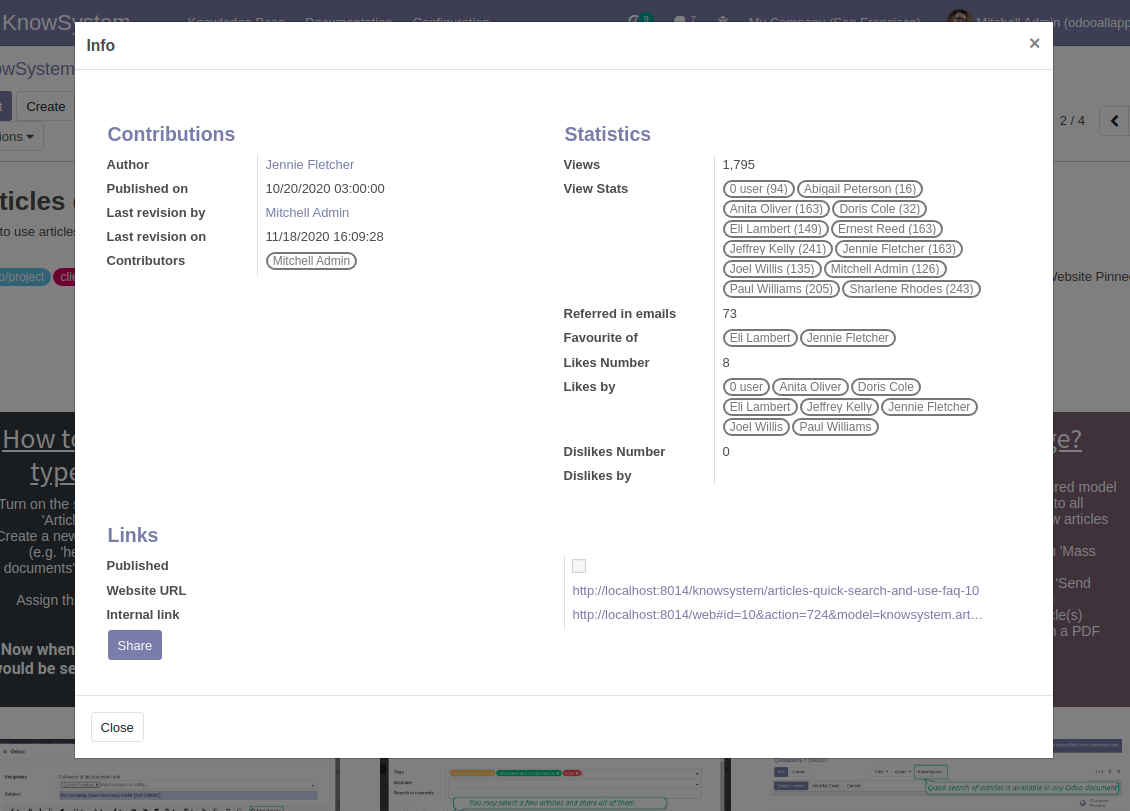
Control views of articles, likes and dislikes, contributions. Motivate discussions
Applied in any functional area
Use the app for any knowledge management business goal and for any set of Odoo apps.
Best knowledge base system for Odoo!
Excellent app and exceptional after-sales support.
Really well thought-out product and one of the best features is the contextual help by means of the tags. Really a game changer for us.
Keep up the great work FaOtools!
Outstanding app! Tremendous value for money, an absolute must have!
One of the features sorely lacking from Odoo has been a robust Wiki/documentation system. Using third party platforms is a massive headache: yet another system to maintain, users get distracted switching back-and-forth, and errors get made. Then you have to worry about training, additional logins, etc.
KnowSystem feels like a native/core app, is very well-polished, and extremely fast. It's accessible from any screen, and the search results are instant (none of the latency inherent with most apps).The interface is elegant yet powerful, with robust access control, rich editing features, and version control. It's simple to revert to previous entries, view audit trails, etc. It's very intuitive for anyone familiar with Odoo; onboarding takes just a few minutes. The user guides are excellent.
This is invaluable for any organisation with a lot of documented information, SOPs, ISO compliance, or similar. If you're using eLearning, it's great for creating a help system / reminders. For example, noting key takeaways or specific instructions. The user can be in MRP, Sales, or any other function, and instantly lookup a guide. Since it overlays whichever screen you're in, it doesn't interrupt the workflow.
This dramatically increases efficiency, minimises questions, and helps keep everyone on the same page.
Oh, and customer service is excellent, faOtools stands behind their product. Thank you!
KnowSystem is excellent - OdooTools offer great support, are very helpful and responsive
Our company needed the ability to add a Knowledge Base to our Odoo portal website for our customers to access article content on a membership-only basis. KnowSystem provided this and much more, along with ability to add search by section, set permissions to allow only certain partners access to articles by tag etc. OdooTools have been very helpful and implemented several features we suggested including automatic redirect upon login, customisable filters and a social sharing capability on articles. Overall a great app by a great company, something that massively adds to Odoo's capabilities and is something that everyone could benefit from using.
Very functional application and responsive support
Our company produces medical laser equipment and we use KnowSystem to streamline the knowledge base of our company. Convenient search system and classification of content, as well as access rules for groups and even for individual users.
Great app and professional team
The app is great the the team is very professional in both response timing and problem solving.
Highly recommended.
Marco from ALO.zone.
Excellent system
Excellent system.
A great tool from some very nice developers!
KnowSystem is a great tool and a game changer for us. Finally a place to put all our company know-how. I highly recommend it. And also important to us: We got great support from FaOtools too. A rare thing in this busy world. thx!
Excellent app and support.
Great app and a very helpfull support. Openess to improve their products is outstanding.
Single-view knowledge navigation
-
Prepare hierarchy of knowledge sections to instantly switch between knowledge areas
-
Define tree of tags for quick navigation and deeper knowledge structuring
-
Introduce knowledge base typology to distinguish kinds of articles in a single click
-
Create, update, and reorder tags, sections, or types right from the KnowSystem interface. Print all articles related to a certain tag or a section
-
Manage and launch learning tours
-
Sort knowledge articles by views, score of likes, title, author, section, create and write dates
-
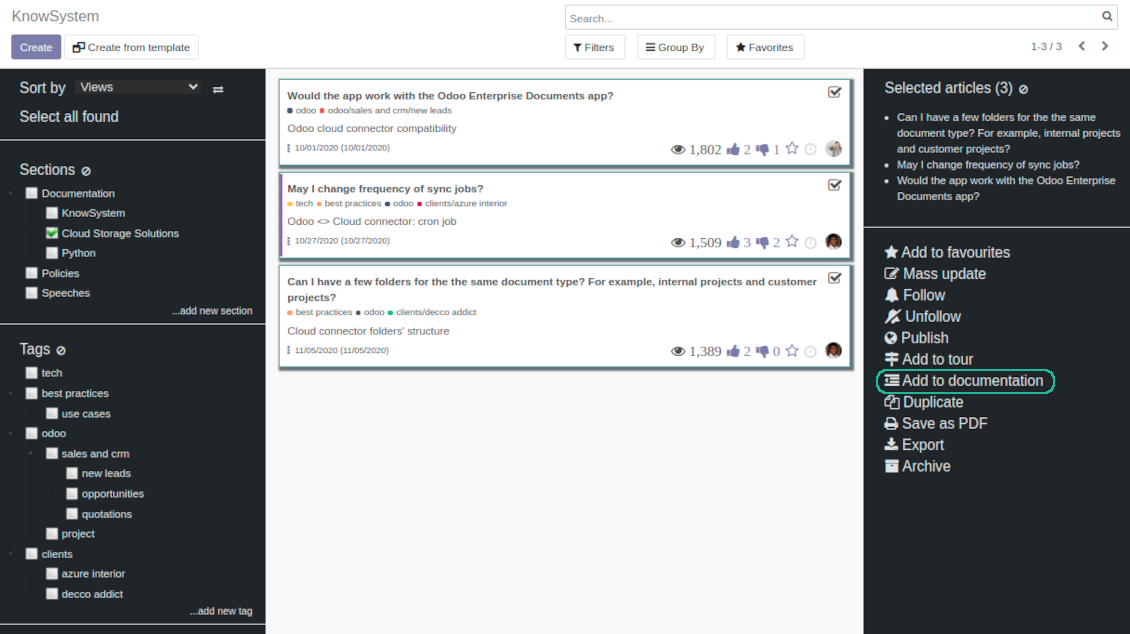
Pick articles up step by step: the selection is not cleared with a new search or when you opened a record. Proceed mass action(s) for all chosen items
-
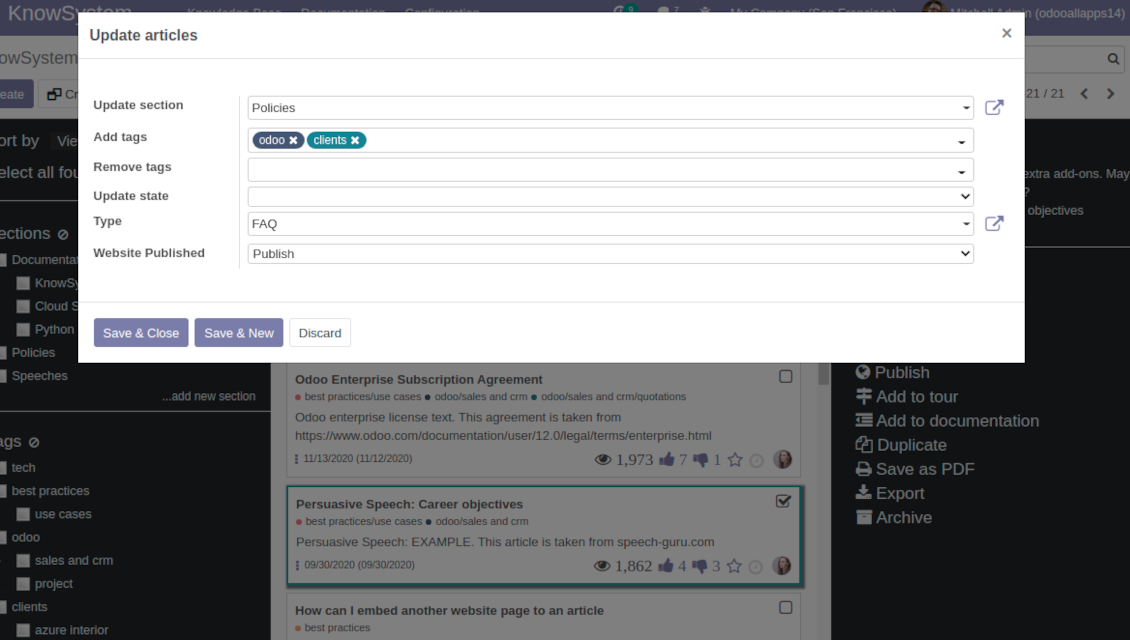
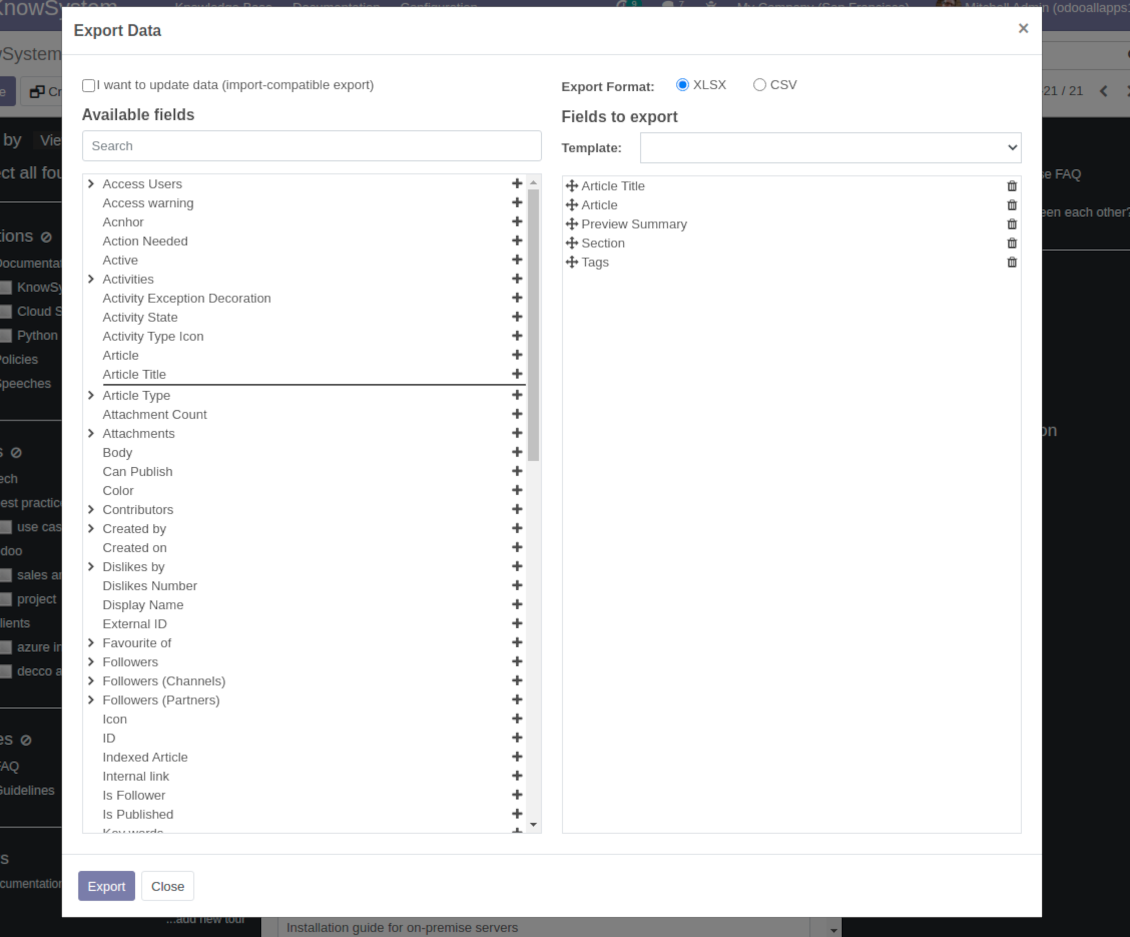
Update knowledge in batch: assign new section, change or remove tags, print multiple articles as a single PDF, follow / unfollow discussions, publish / unpublish articles, export articles to an Excel table, archive or restore items, add articles to learning tours and documentations, mark knowledge records as favorite, duplicate articles
Fast, comfortable, and professional knowledge recording
Safe backend editor
-
Drag and drop building blocks to write a new article right in the Odoo backend interface. The process is simple while the result is professional looking
-
Edit blocks styles, re-order Knowledge elements, change width and height of items
-
KnowSystem editor relies upon strict HTML structures which are in the most cases compatible with printing and messaging layouts
Advanced website builder
-
Apply advanced styles and complex widgets by using Odoo built-in website editor
-
Exploit Odoo website know-hows: numerous snippets and animations, style templates and options
-
Rely upon website editor to prepare nice-looking portal knowledge pages. Avoid using that for internal or printing purposes: advanced styles often contradict printing and composer layouts
Raw HTML interface
-
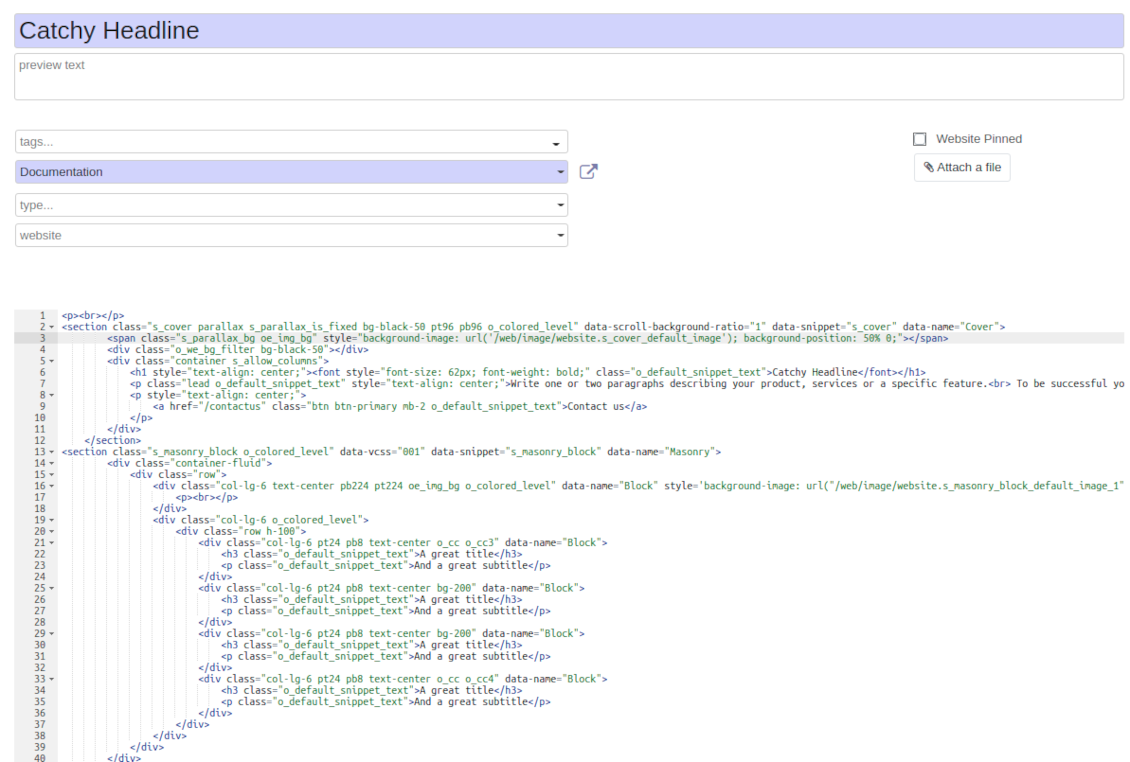
At any moment switch to raw code view to update articles HTML
-
Optionally replace the backend editor with XML editor to rely fully on the website builder and edit only raw code in the backed
-
Introduce any HTML tags and styles, including bootstrap ready elements and iframes
Knowledge templates
-
Prepare new knowledge templates or save any existing article as a template
-
Use templates to create new articles to save time or keep uniform styles
Get benefit from your knowledge
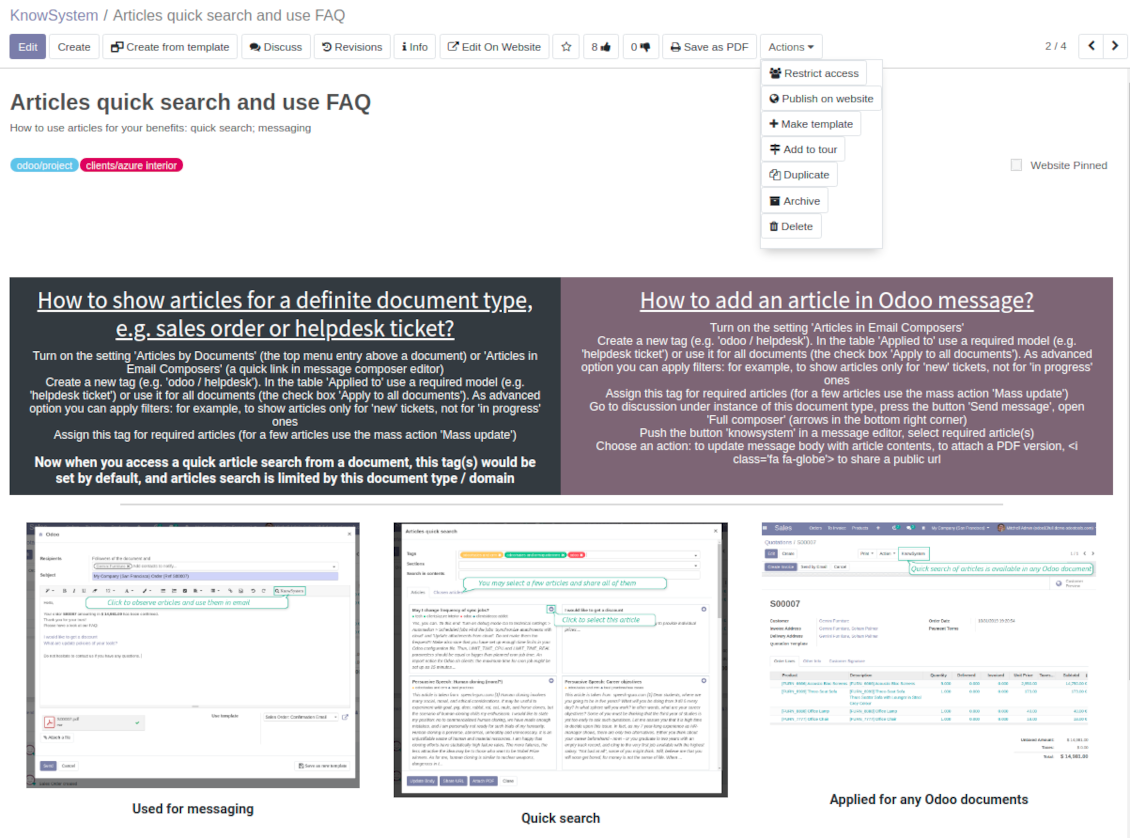
Knowledge system for any Odoo document
-
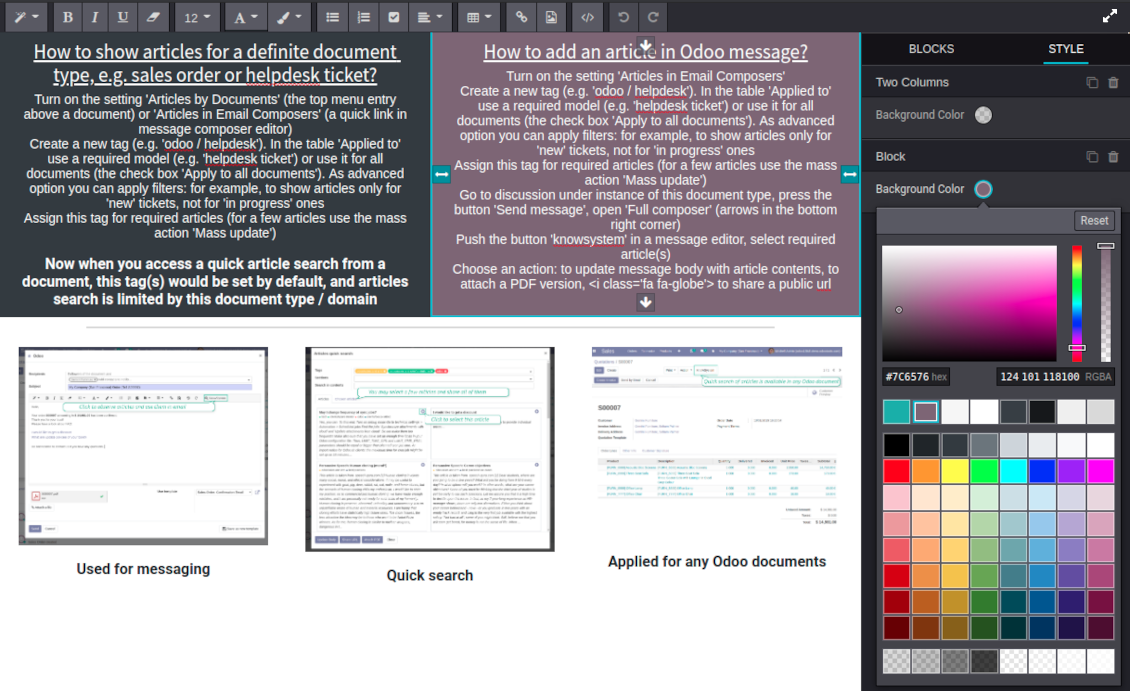
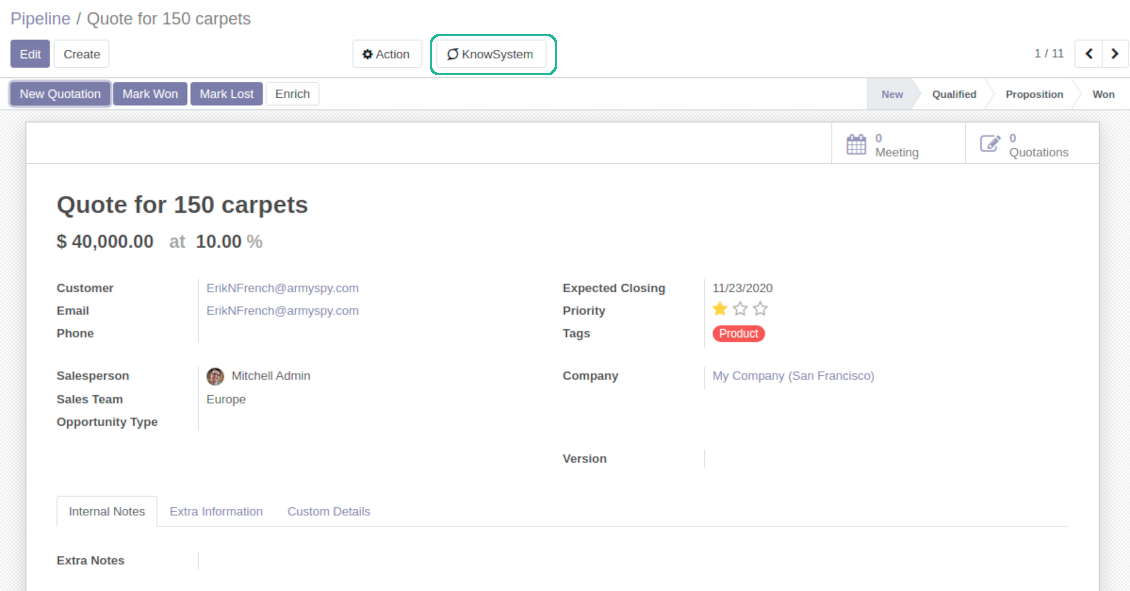
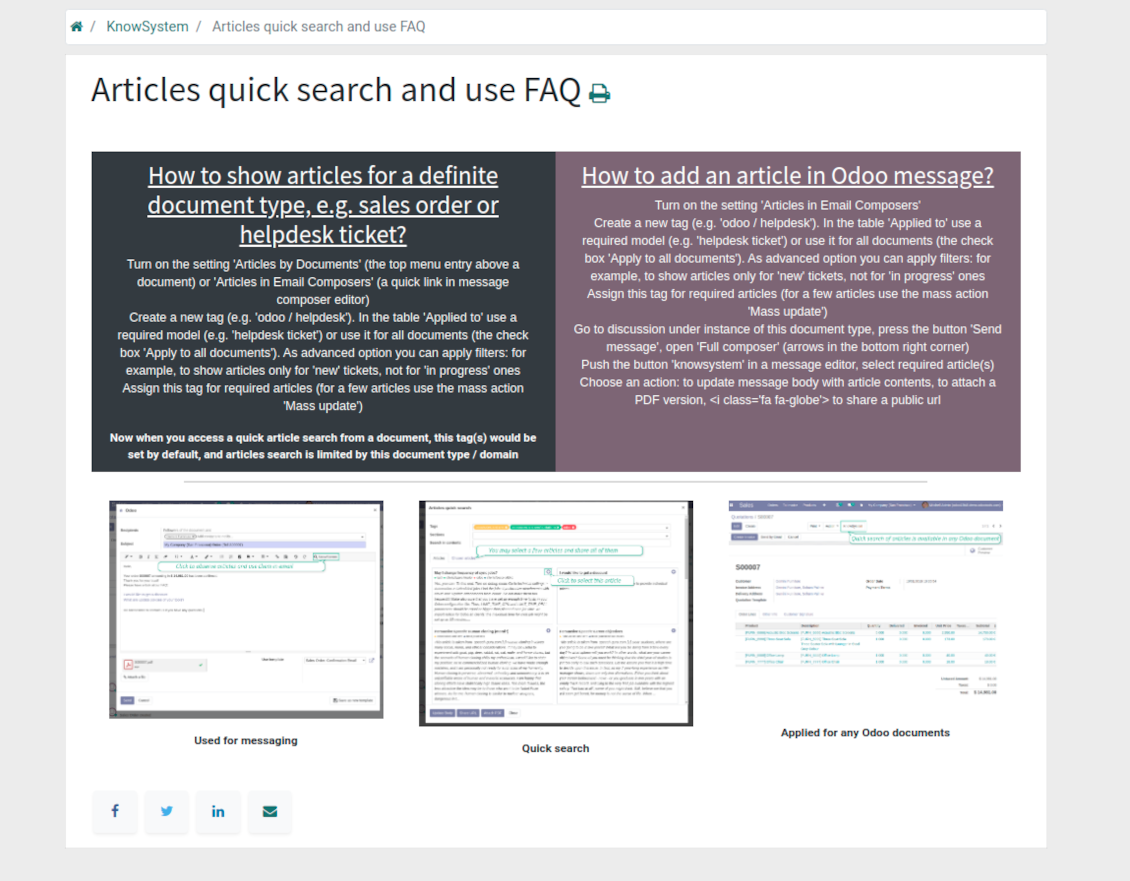
Turn on the setting 'Articles by Documents' to add the quick entry for Knowledge base from any Odoo form view
-
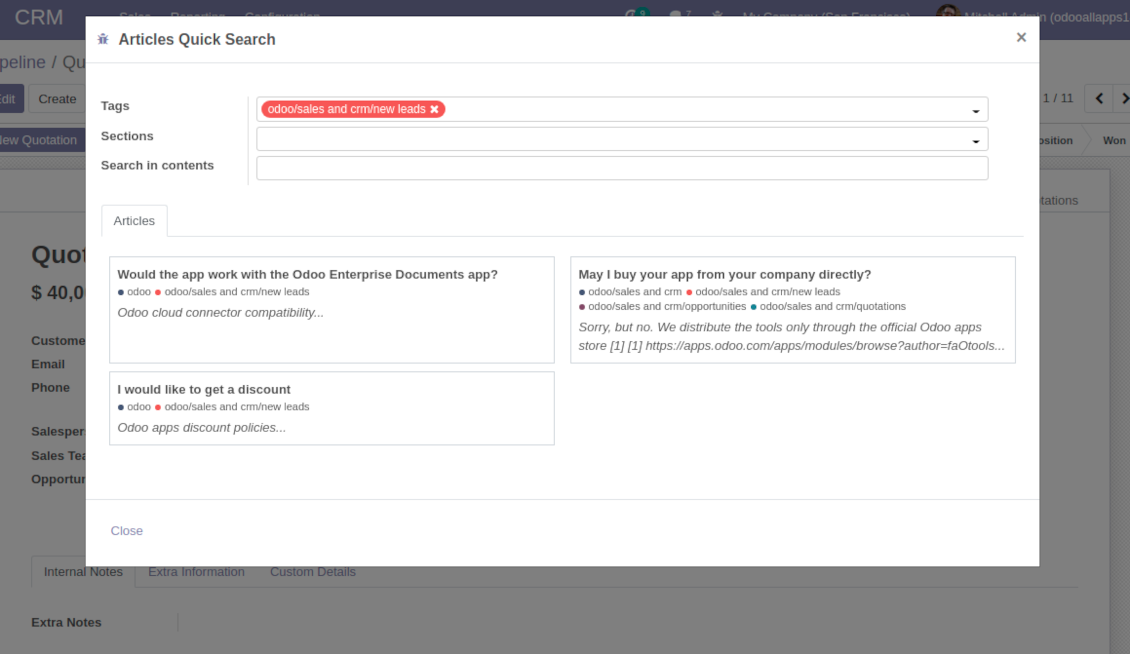
Search articles by tags, section, or content in a few clicks for a quick overview
-
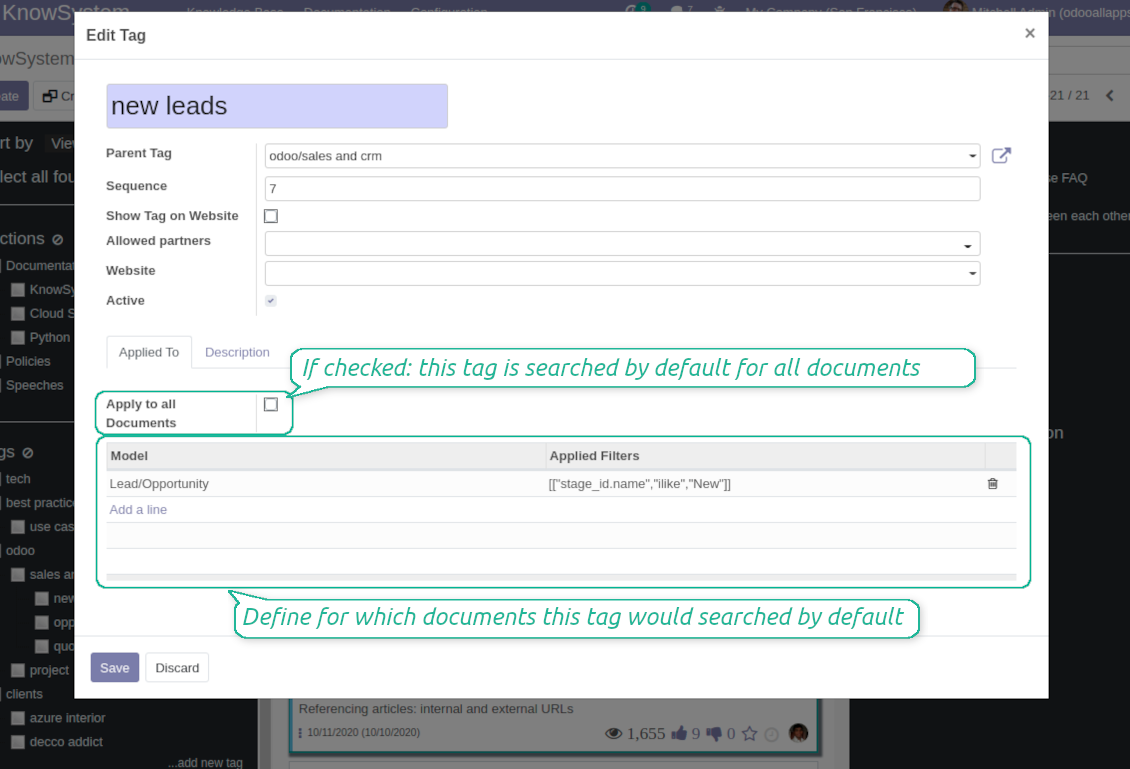
Link knowledge tags with Odoo document types to simplify search of articles. For example, assign helpdesk tickets to the tag 'odoo / helpdesk': the latter would be entered by default for support requests objects
-
Observe article content right from any Odoo object: there is no need to always switch to the KnowSystem advanced interface
Apply to knowledge in communication
-
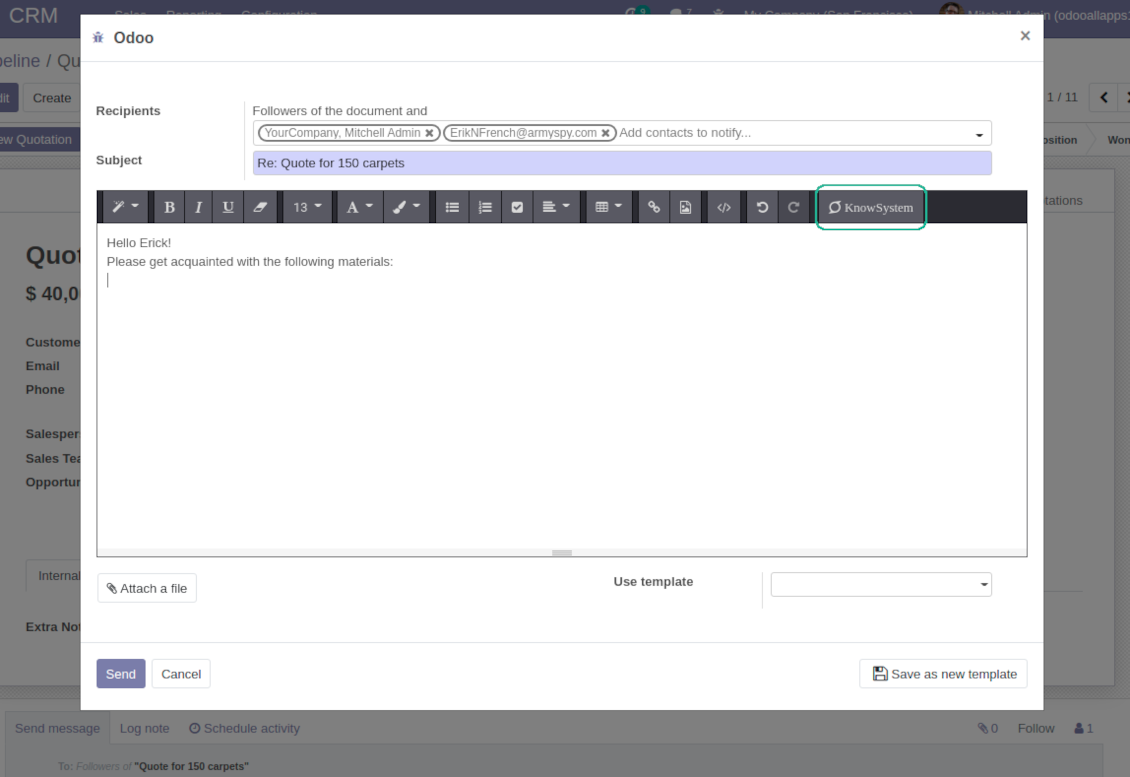
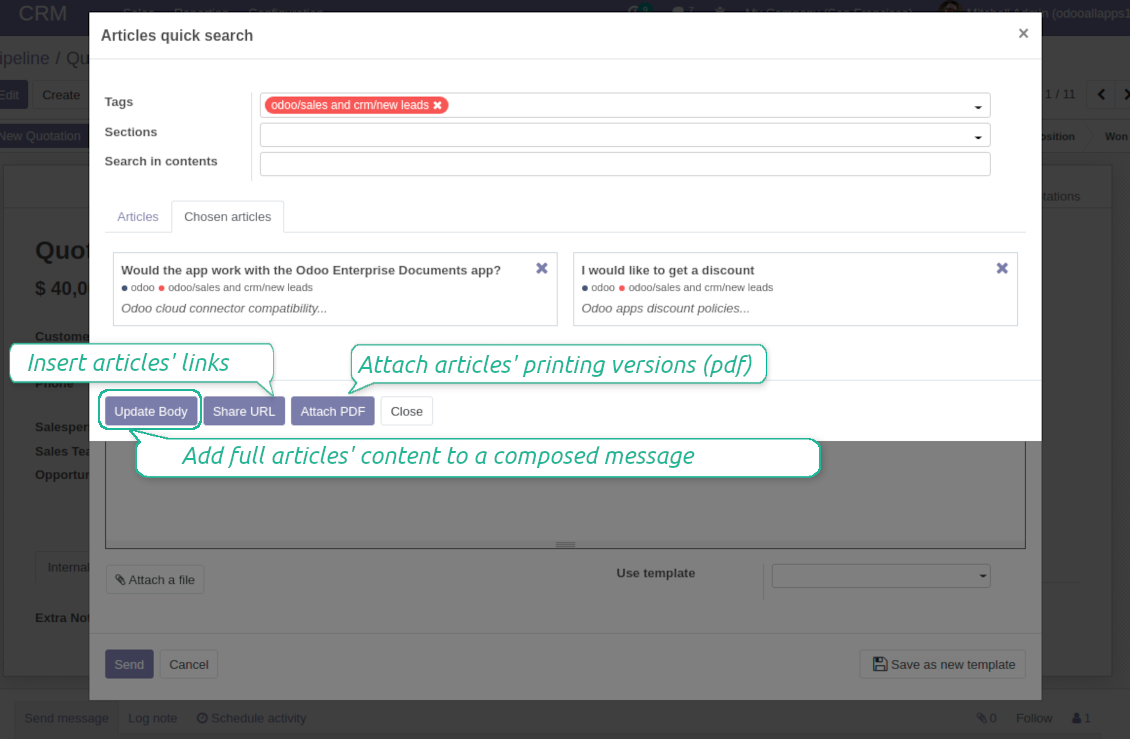
Turn on the option 'Articles in Email Composers' to let users reference or cite Knowledge records in Odoo messages
-
Quickly observe articles related to a current document discussion. Instantly reference one or a few ones
-
Update message body with knowledge content (it would be added to the end of a current message)
-
Attach a PDF version of referenced article or articles
-
Share a public knowledge link with your colleagues or partners
Organize learning tours
-
Turn on the option 'Tours' to be able to combine articles in a sequence of learning steps
-
Add any knowledge to a tour in any order
-
Launch a tour to follow certain steps of study one by one in the special interface
-
Share learning tours with everybody or specific user groups. Control employees' progress in getting familiar with instructions and guidelines
Share and publish knowledge
-
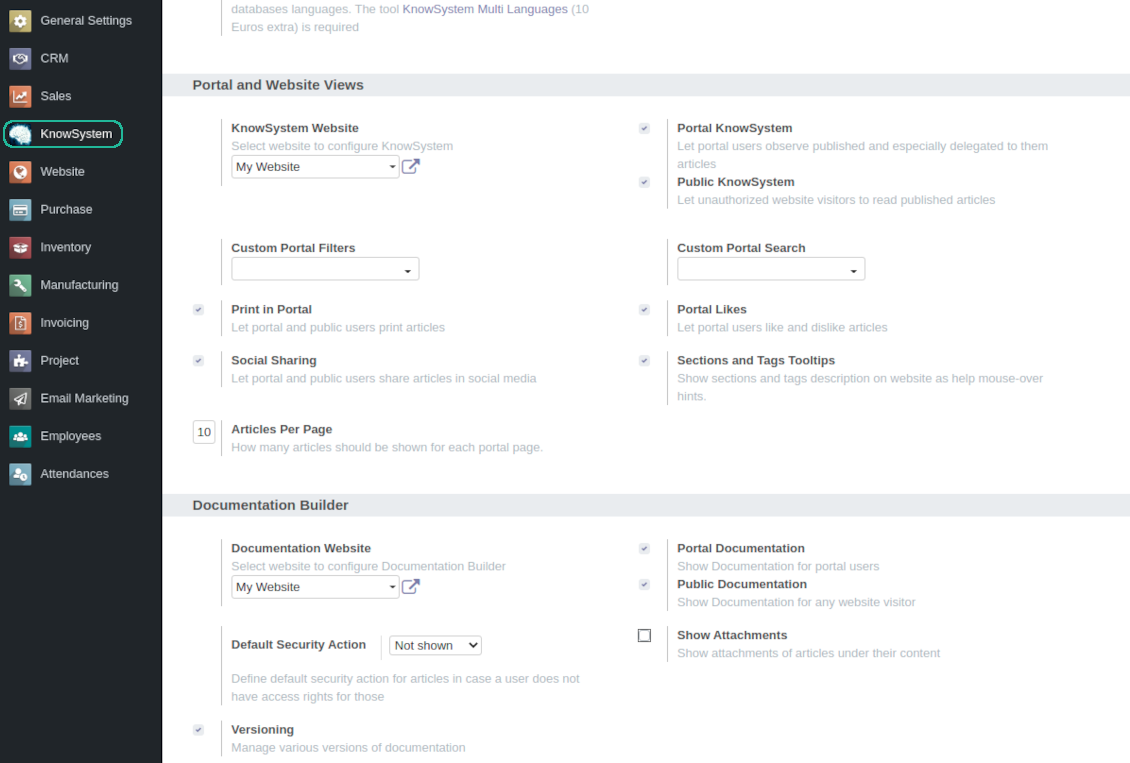
Turn on the setting 'Portal KnowSystem' to give KnowSystem access for external partners, 'Public KnowSystem' - for website visitors
-
Configure KnowSystem tags or publish articles to share knowledge content
-
Combine articles in advanced documentation to cover certain aspect of organizational or functional knowledge
-
Turn on the option 'Portal Documentation' and 'Public Documentation' to make that documentation available for portal and public users respectively.
Website documentation builder
-
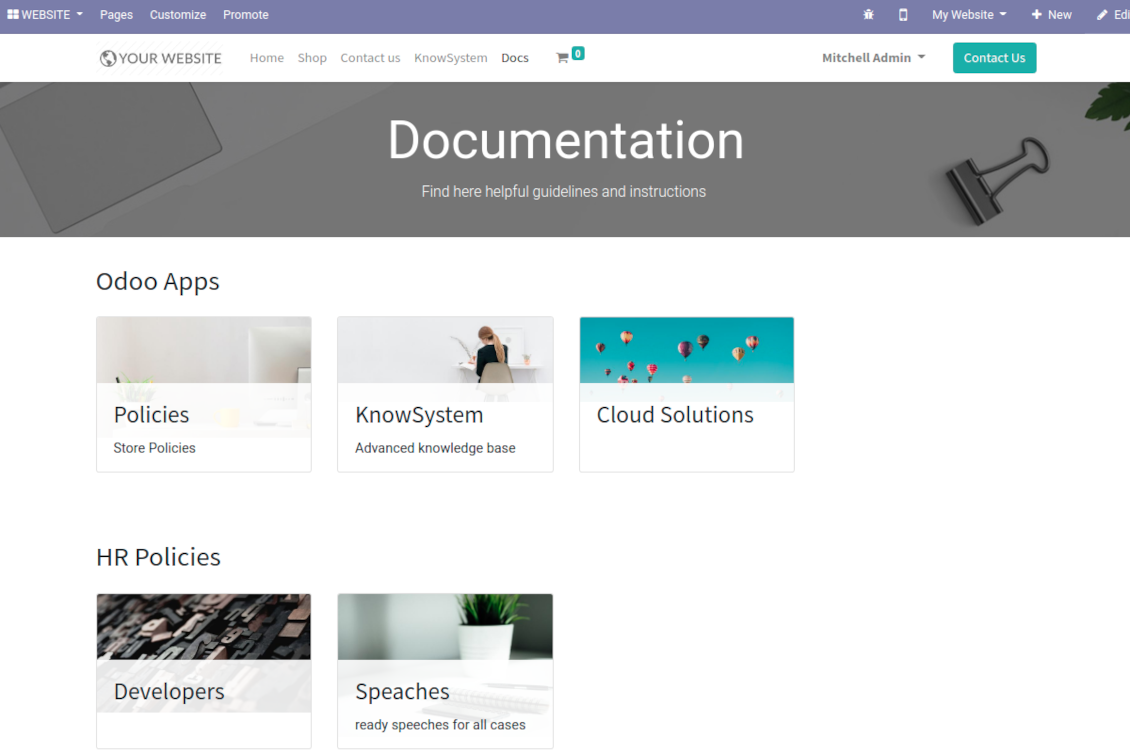
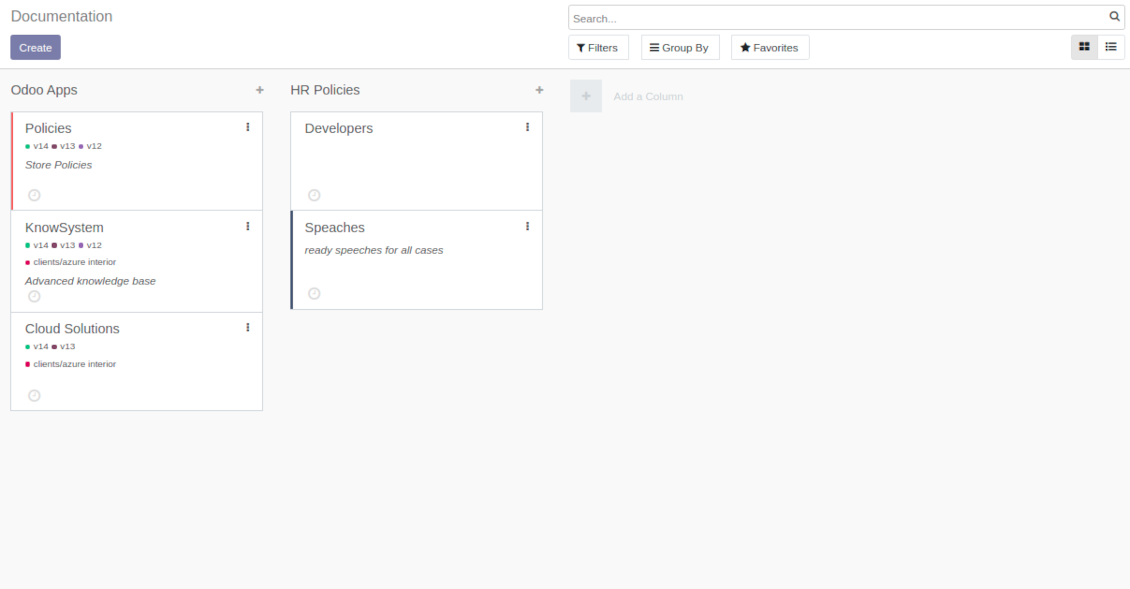
Combine articles into advanced documentation sections to cover a certain business, organizational, or functional aspect
-
To create a new documentation section just select and order KnowSystem articles. The app would generate a website page automatically
-
Each KMS article might be used several times for different documentations
-
The tool allows preparing an unlimited number of documentation pages structured by categories
-
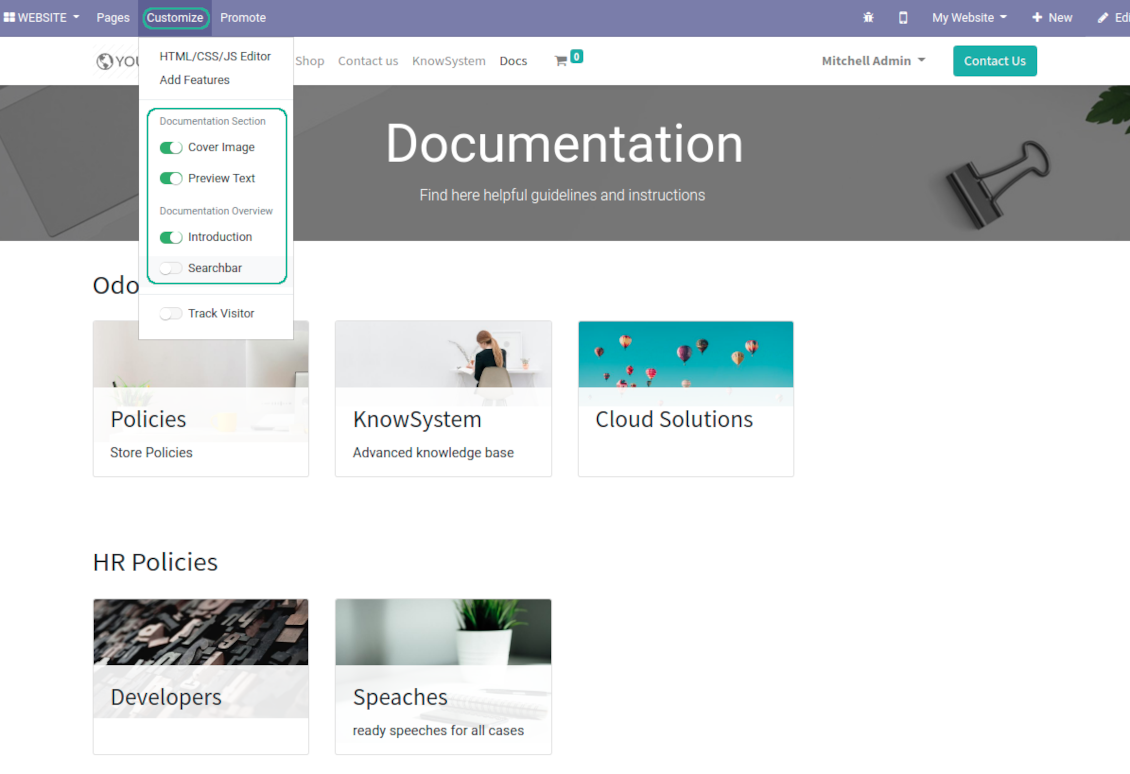
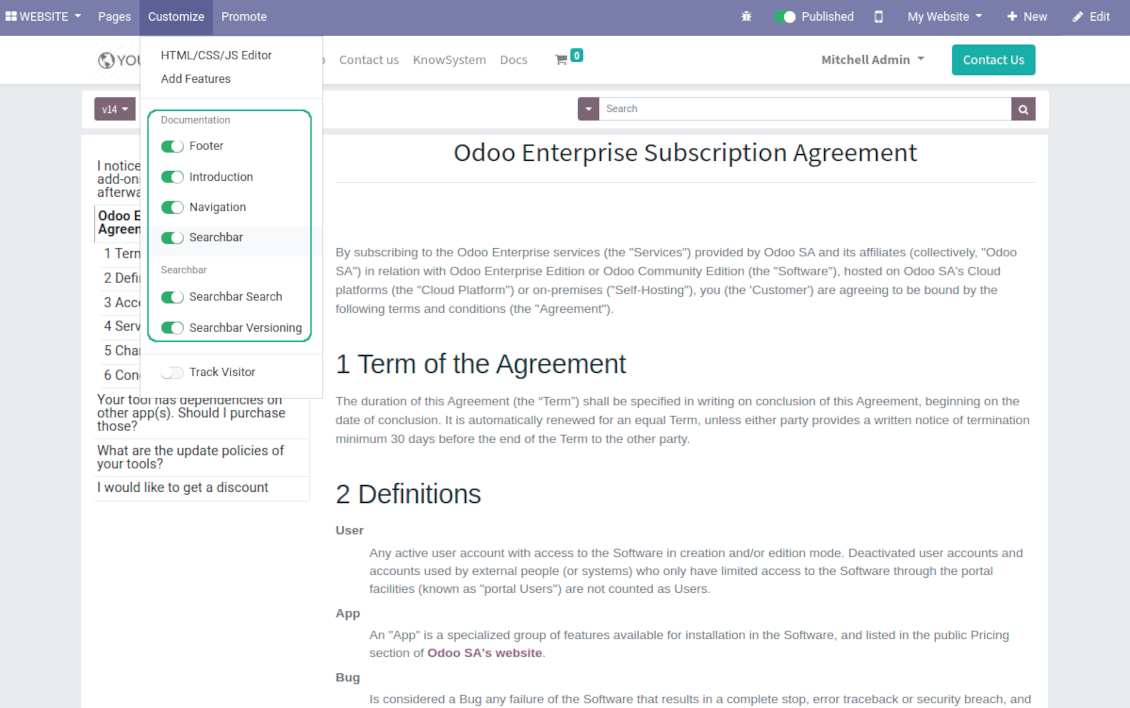
Flexibly customize documentation pages: show or hide introductions and footers, turn on/off search bar and table of contents, add or remove preview images and texts
-
The app let flexibly share documentation categories and sections. Publish required documents to make them available for everybody, assign KnowSystem tags - to grant an access for chosen Odoo partners
-
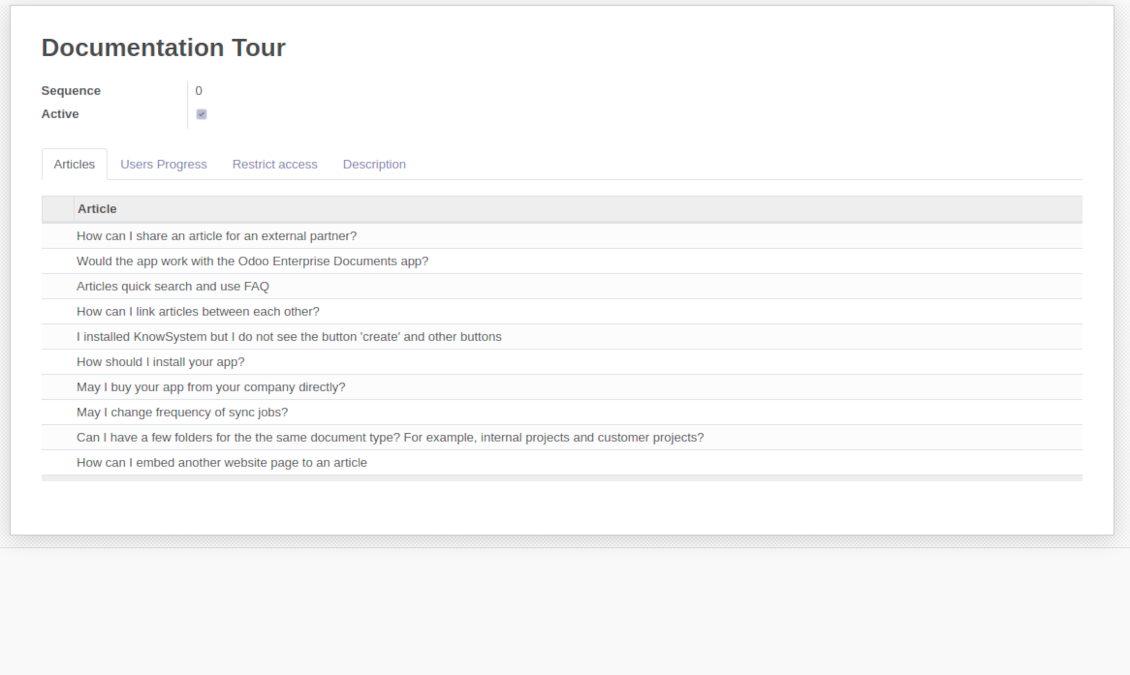
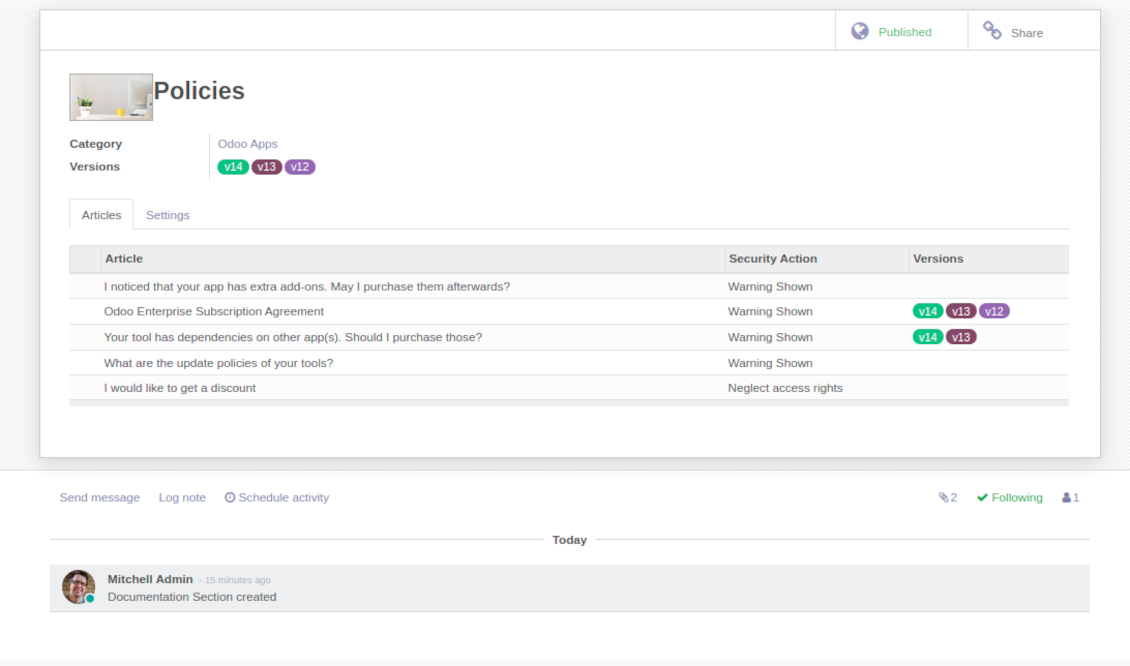
Depending on user rights documentation might look different. Define what to do if a documentation user does not have access for included articles: to neglect restrictions, not to show that knowledge pieces, or to show a security warning
-
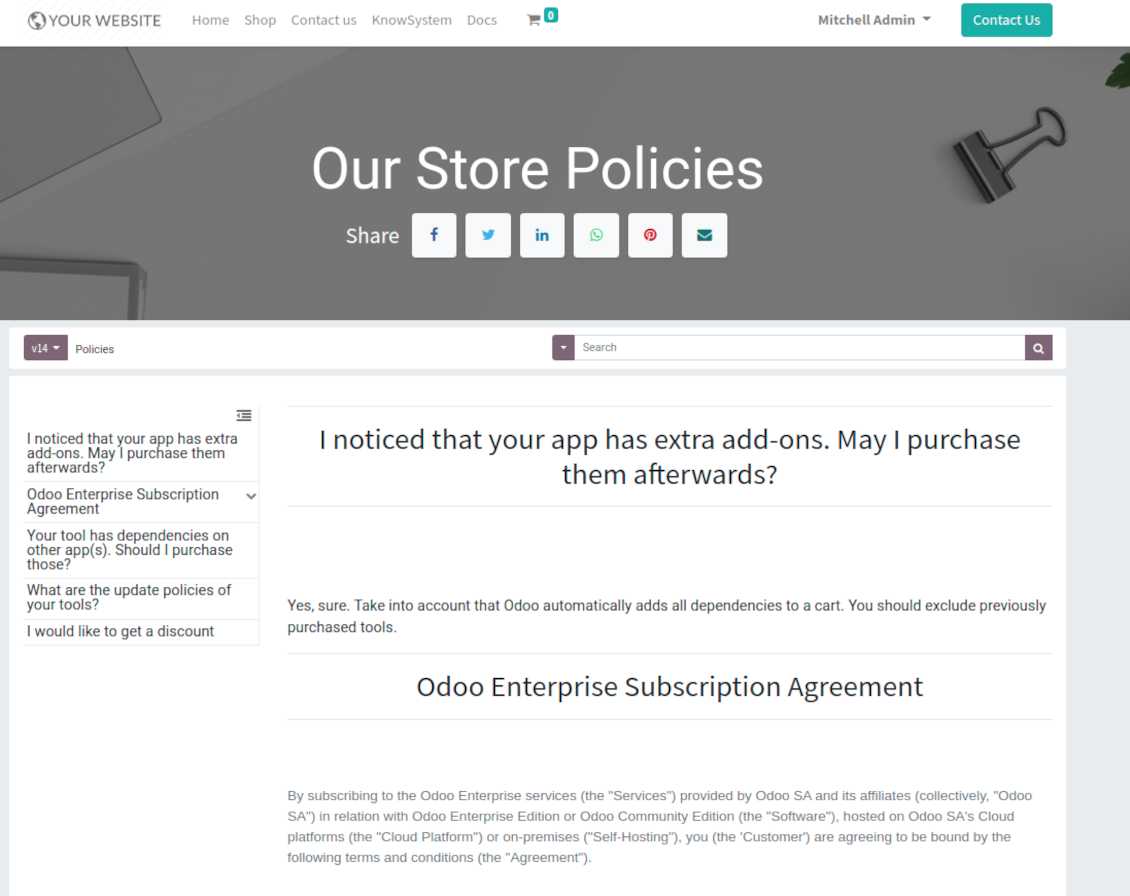
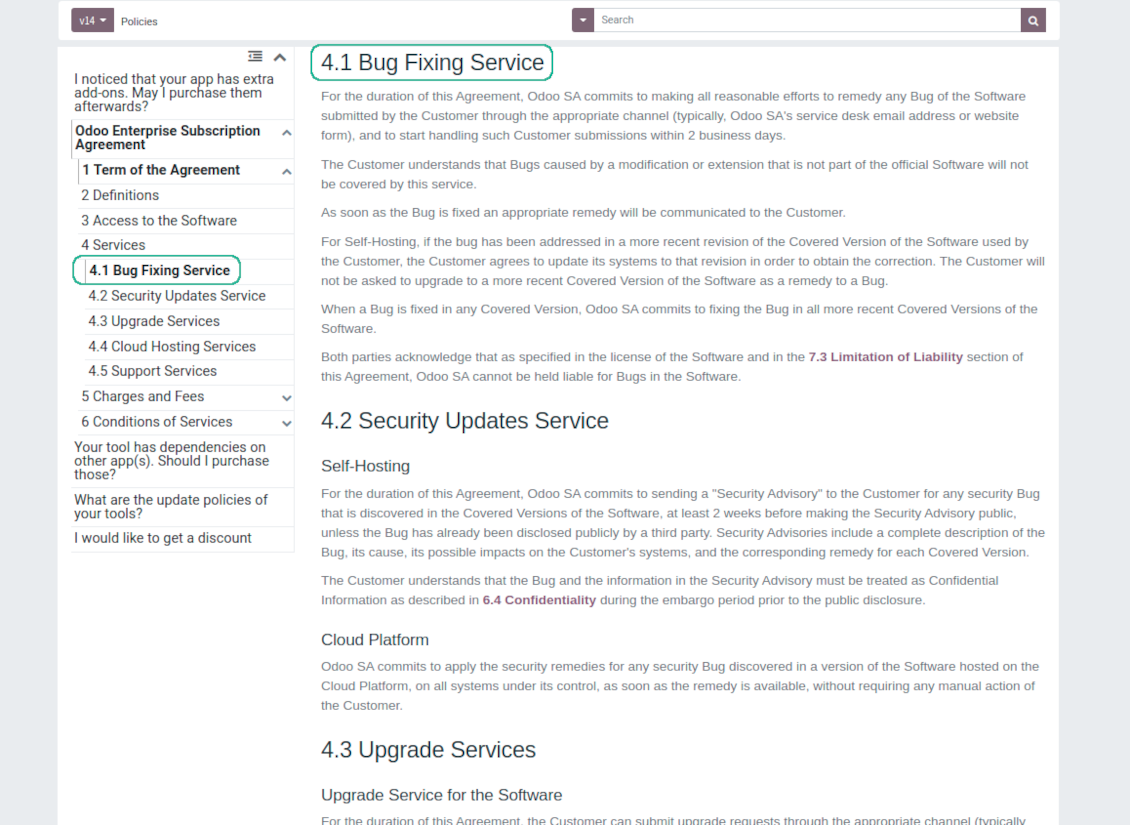
Optionally show table of contents for comfortable and quick navigation. Table of contents is constructed automatically according to headers of included articles
-
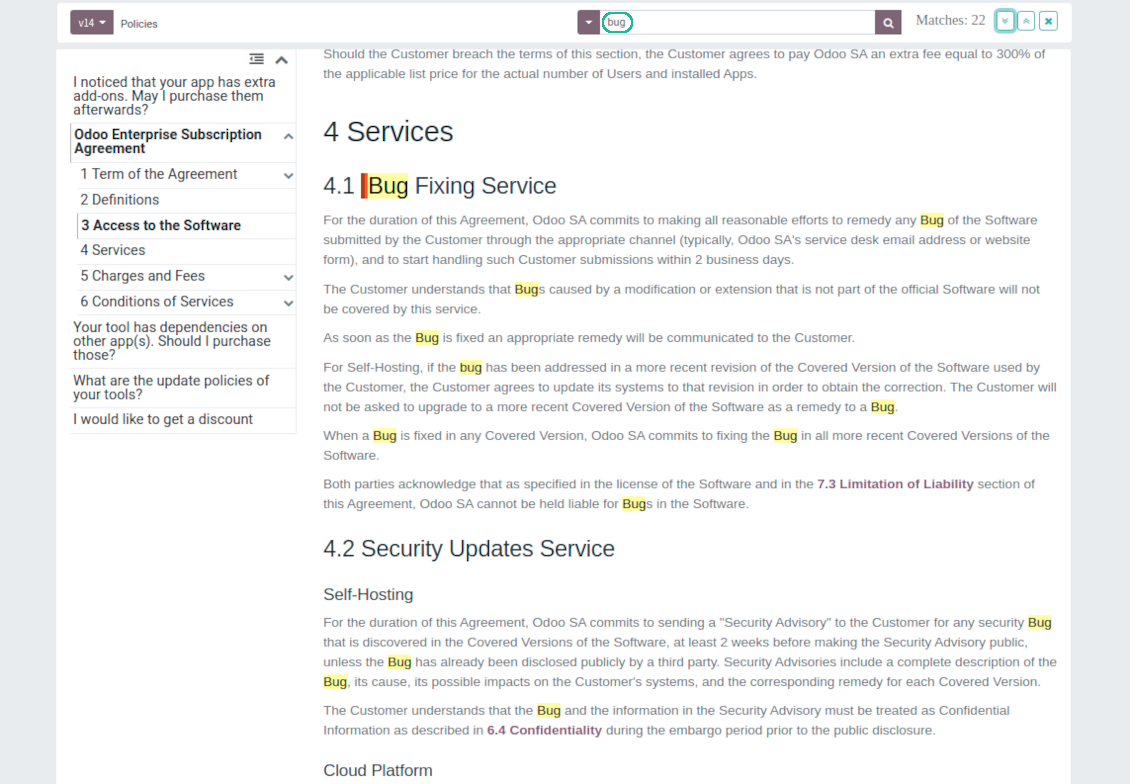
Turn on the search bar for documentation. It is possible to find matches in a whole text or only in headers, to make key words case sensitive or insensitive.
-
Apply versioning for documentation to avoid double work in preparing specifications, user manuals or software guidelines.
Partner knowledge base portal and public knowledge system
Knowledge in Odoo portal
-
KnowSystem let organize a web portal personally for each Odoo partner by selecting articles to be shared. To that end turn on the option 'Portal KnowSystem'
-
Design an article especially for a definite company, or use the same knowledge experience among multiple clients
-
Knowledge articles are available for portal users if: (a) the articles are published; (b) the articles have user-related tags
-
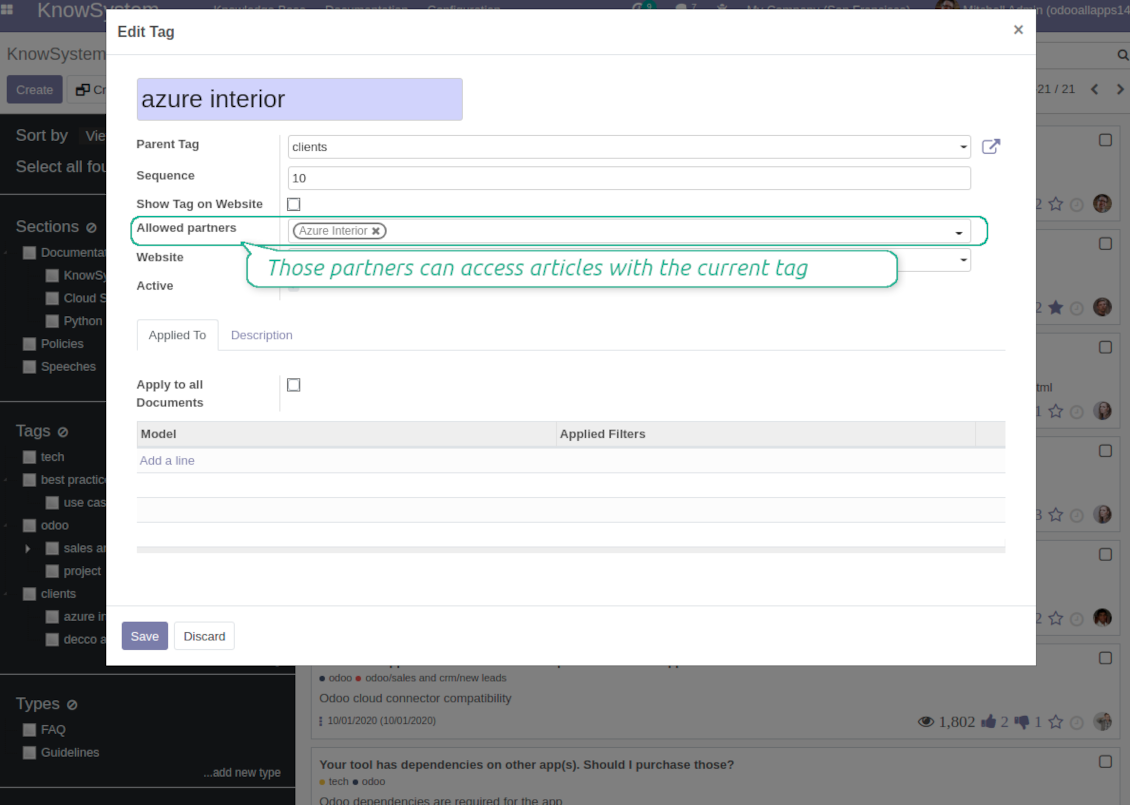
To assign a KnowSystem tag for a partner do one of the following: (a) go to a partner form and enter the field 'KnowSystem tags'; (b) on a tag form define 'Allowed partners'
-
Optionally allow partners to print knowledge pieces, like or share articles
Public KMS
-
To make self service possible: make your knowledge base available also for unauthenticated users. To that end turn on the option 'Public KnowSystem'
-
Only articles which are published would be available for visitors
-
To publish specific knowledge parts: apply the mass action 'Publish' or push the button 'Actions > Publish on website' on an article form
-
To show tags and article types in portal and website do not forget to publish them. Knowledge sections would be shown only if they have articles for observation
-
Customize the knowledge portal: hide/show the navigation by tags and types or the whole navigation, prepare introduction or navigation hints, add section tooltips.
Interactive and evolving knowledge base
Team work and use
-
The history of articles revisions is kept in Odoo in a similar way it's done in Wikipedia. If one of user breaks something, it takes 2 clicks to recover a proper knowledge version
-
Users might take part in article discussions and be subscribed for updates
-
Control statistics by articles: contributors, number of views, likes and dislikes, how frequently they are used in messaging, who mark them as favorite
-
Set activities to improve knowledge base
Multi lingual knowledge
-
KnowSystem let you translate articles to installed in Odoo languages. In such a way users might read and edit articles in a language from their preferences
-
To avoid double work, article content might be copied from another language (the button 'Copy from another translation' under the article content). Simultaneously, make sure you actually require multi lingual regime: all articles should be anyway kept updated in all Odoo languages
-
To update knowledge translation you should change your user preferences to a required language. Then, go to an article and introduce changes as usual.
Any business and functional area
KnowSystem is a universal knowledge management tool which might be configured to any business goal and any set of Odoo apps: for helpdesk, marketing, IT, HR, project management, so on and so on. Typical use cases are:
-
Helpdesk - once faced a challenge, its solution might be recorded in KnowSystem for repeated usage by co-workers and for self-service by clients
-
Sales and CRM - salesperson helper to find information about products, offers, frequently asked customer questions
-
Project management - to keep and easily retrieve knowledge of existing solutions, tools, hints, and experiments
-
HR - to prepare instructions, guidelines, learning tours and trainings, and any codified knowledge of routine in your company
-
Marketing - to organize Odoo online library of product use cases, expert knowledge and well structured documentation
-
Legal issues - systematize your policies, contract and approval managements, keep the full classifier of trademarks, licenses
-
Informational technologies - share easy-reached manuals and configuration guidelines.
Custom knowledge system attributes
-
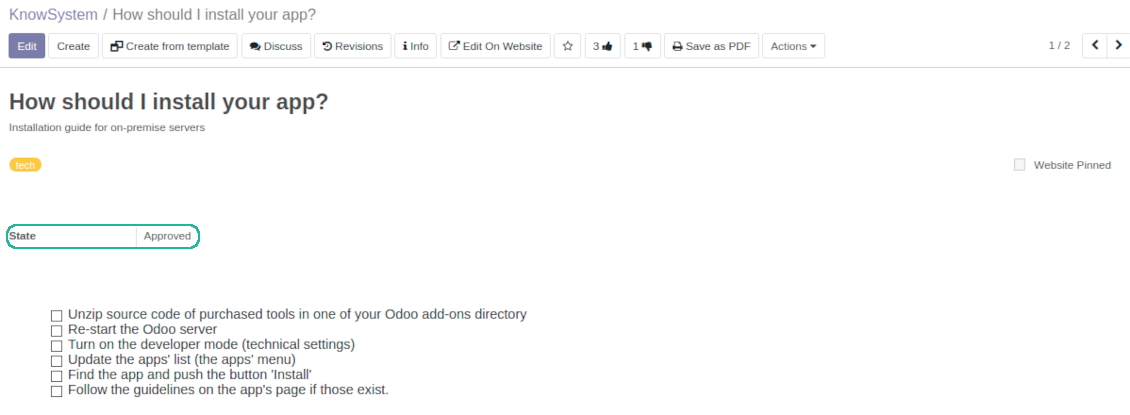
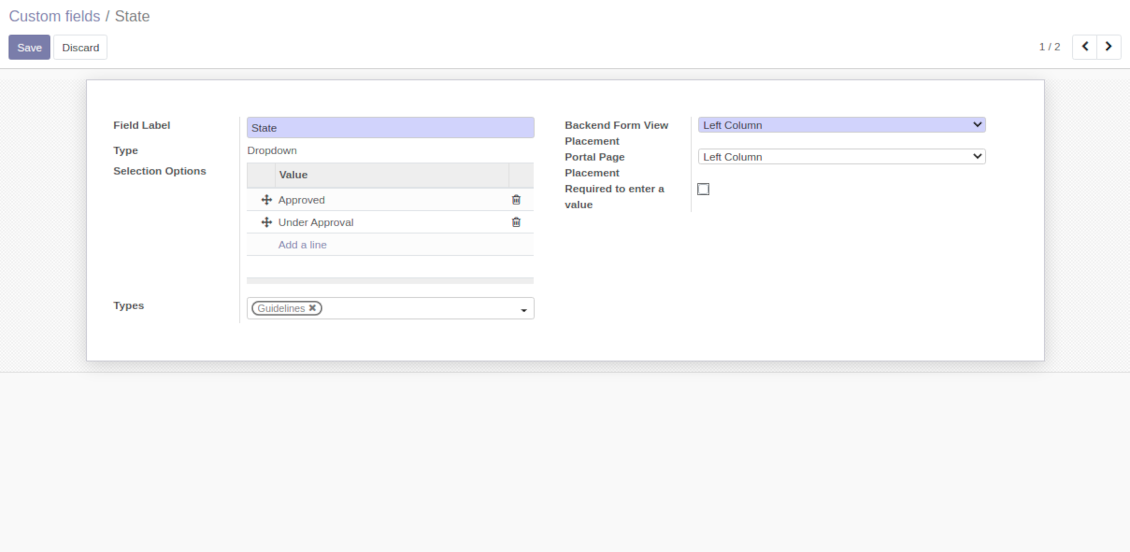
Custom attributes' creation does not require any technical knowledge. In order to show a new property for knowledge base articles, just add a new field and enter details
-
It is possible to add custom fields of the following types: single line text (char), simple text without formatting (text), rich text (HTML-formatted text), integer or float numbers, drop-down choice with your own options (selection), checkbox (boolean), date or date and time, binary (a file to upload), reference to another Odoo document (e.g. for a sale order, contact; many2one)
-
The tool let you comfortably select an interface position of a custom field from a closed list of options
-
Distinguish knowledge articles by types in order to show properties only for suitable ones. Thus set of attributes for 'user guidelines' and 'technical specifications' might be different
-
Mark a custom field required to force users enter values
-
The app might work for both KnowSystem backend and knowledge share portal
-
Custom knowledge system fields might be imported and exported
-
The rights to create custom fields belong only to KnowSystem administrators.
Secured and shared knowledge
-
Security for internal and for portal/public users differs
-
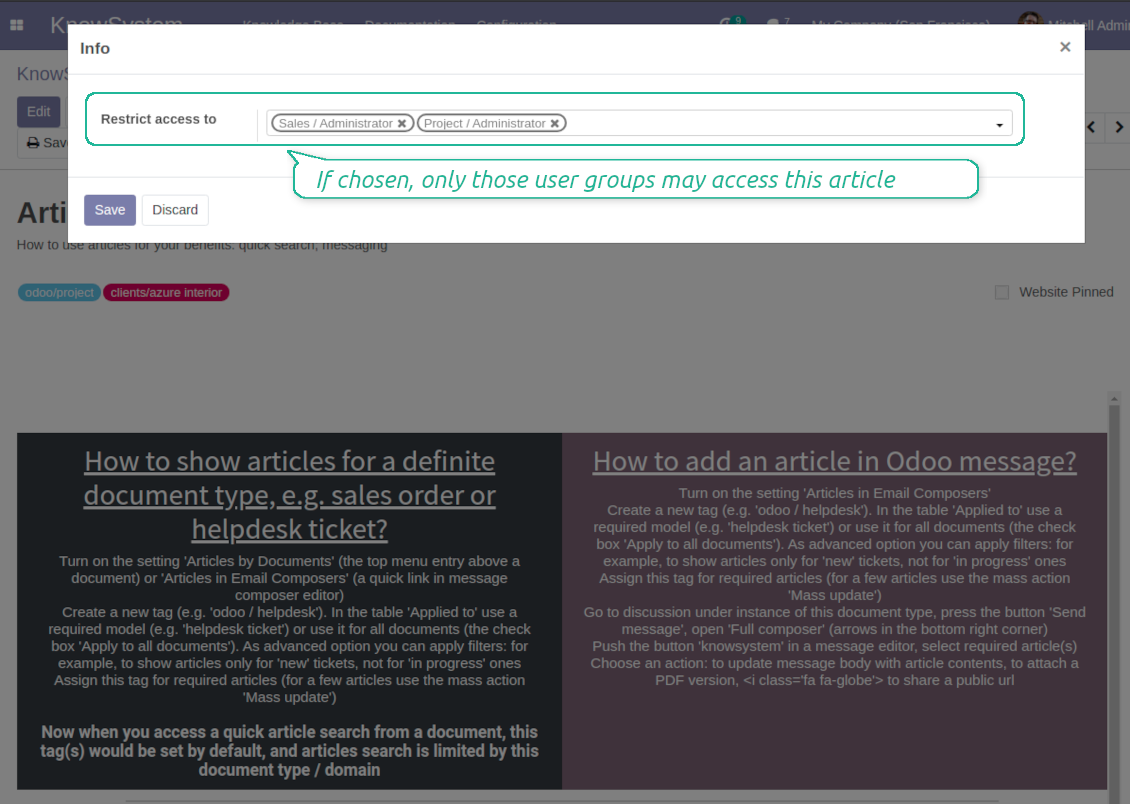
For the company employees: KnowSystem considers user groups which are defined per articles, sections and tours. Look at the tab 'Restrict to' on forms of those objects. If that field is not defined, a document is considered 'global' and each internal user may read it
-
For portal / public users: KnowSystem takes into account tags and whether an article is website published. A knowledge tag has a field 'Allowed partners', which may grant an access to portal users for articles with this tag. Website published pages are available for any external visitor
-
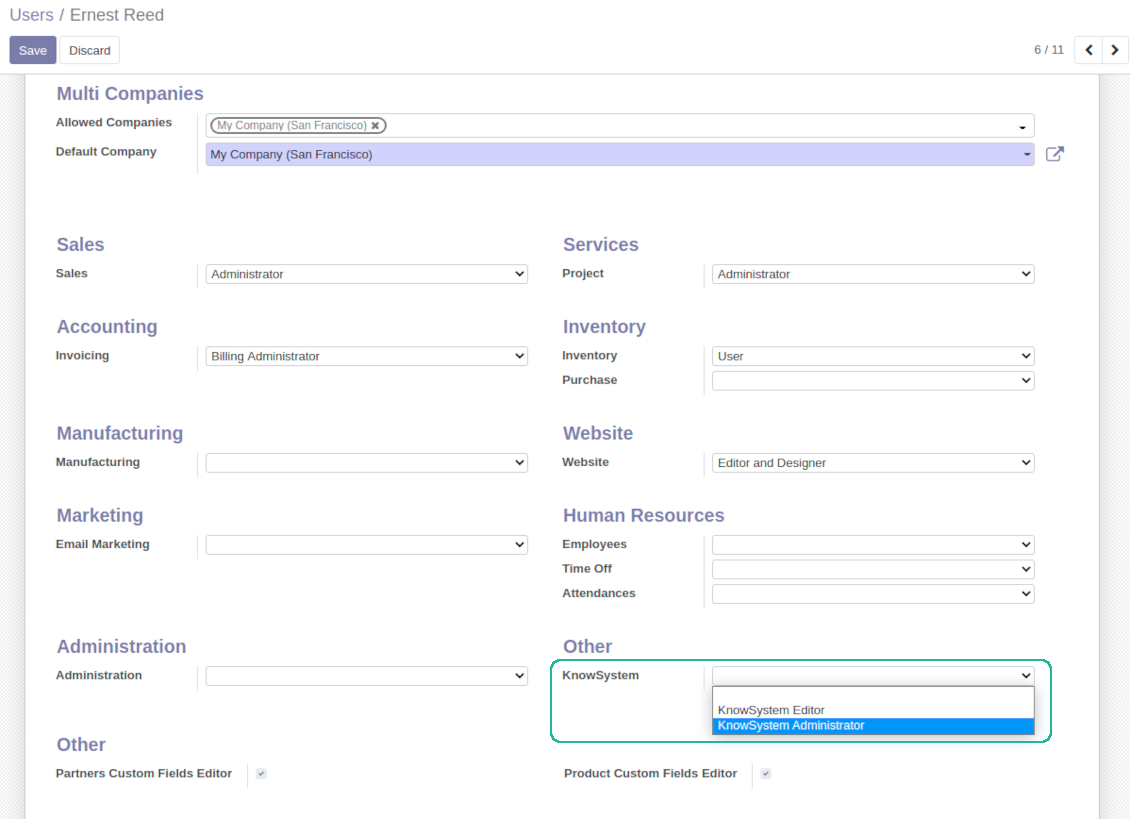
Rights to administrate Odoo knowledge management system belongs to 2 user roles: KnowSystem Editor and KnowSystem Administrator. If you want a user to create and edit articles, a user should belong to one of those groups
-
Odoo user always may access an article if he/she is an author of that article disregarding further restrictions
-
Rights for a knowledge section is defined not only according to this section but also according to all its parents. For example, if a user can't access 'sales', he/she would not be able to access 'sales / crm' disregarding whether 'crm' is available for his/her user group.
|
|
Odoo user |
KnowSystem Editor |
KnowSystem Admin |
Portal user |
Public user |
| Articles | read related to his/her user groups and sections | read, create, edit, archive related to his/her user groups and sections | read, create, edit, delete any | read published articles and articles related to partner-related tags | read published articles |
| Sections | read related to his/her user groups | read, create, edit, archive related to his/her user groups and sections | read, create, edit, delete any | read all sections of available articles | read all sections of published articles |
| Tags | read any | read, create, edit, archive any | read, create, edit, delete any | read published ones | read published ones |
| Article Types | read any | read any | read, create, edit, delete any | read published ones | read published ones |
| Tours | read related to his/her user groups | read, create, edit, delete related to his/her user groups | read, create, edit, delete any | no access | no access |
| Misc | may like / dislike, add to favourites, print, take part in discussions | may configure options | may like / dislike an article |
|
Usein kysytyt kysymykset aiheesta KnowSystem: Knowledge Base System Odoo v.14
En näe eroa versioiden teksteissä.
Versiot tallentavat paitsi tekstimuutokset myös kaikki tyylipäivitykset (teknisesti kun muutat artikkelin HTML-lähdekoodia). Osa ei näy ensi silmäyksellä (esim. yhden sanan fonttikoko). Toiset voivat olla rajuja. Silti mikä tahansa ketju Edit > muuta jotain artikkelissa > Save luo uuden version.
Voinko lisätä artikkeliin YouTube-/ Vimeo- / Dailymotion- / Youku-videon?
Kyllä, näiden palveluiden videon voi upottaa artikkeleihin sekä Odoo-backendistä että sivuston rakentimesta. Lisää kuvaa sisältävä rakennuslohko > paina kuvaa > valitse ‘Video’ > anna median URL.
Huomaa: tällaiset videot sisällytetään iframeina, ja jotkin selaimet voivat estää toiston, kunnes käyttäjä sen nimenomaan sallii.
Miten saan osion näkymään verkkosivulla?
KnowSystemissä osio näkyy verkkosivulla, jos se on julkaistu ja sisältää vähintään yhden artikkelin. Vaikka sillä olisi alioksia, se ei näy, jos osiossa itsessään ei ole yhtään artikkelia. Näin vältetään tyhjät osiot ja KnowSystem-portaali pysyy selkeänä. Jos haluat osion näkyvän sivustolla, lisää yksi johdanto- tai yleisartikkeli, joka kuvaa tai luettelee lyhyesti aliosten artikkelit.
Miten jaan artikkelin ulkoiselle kumppanille?
Napsauta hiiren kakkospainikkeella mitä tahansa tunnistetta vasemmassa siirtymispaneelissa - Create
Etsi kenttä 'Allowed partners'. Esimerkiksi 'clients - azure interior' antaa pääsyn partnerille 'Azure Interior'. Voit tehdä päinvastoin: määritä KnowSystem-tunnisteet suoraan partnerilomakkeella
Siirry sitten haluttuun artikkeliin (tai tee sama toiminnolla 'Mass update' useille tietueille):
Jos se on julkaistu: peru julkaisu, ellet halua sen olevan kaikkien portaalin käyttäjien ja julkisten kävijöiden saatavilla
Määritä juuri luotu tunniste (esimerkissä se on 'clients - azure interior')
Nyt:
Kaikilla kaupalliseen partneriin 'Azure Interior' liittyvillä portaalin käyttäjillä on pääsy artikkeleihin, joissa on tunniste 'Azure Interior'
Muilla portaalin käyttäjillä (jos eri tunnistetta ei ole määritetty) ei ole pääsyä näihin artikkeleihin
Sisäisiin käyttäjiin tämä ei vaikuta; he näkevät artikkelit artikkeleiden ja osioiden 'access to' -logiikan mukaan.
Voimmeko lisätä kielenvalintapainikkeen artikkelin runkoon?
Painiketta 'translate' ei lisätä tarkoituksella artikkelin runkoon valinnaisella lisäosalla 'KnowSystem: Multi Languages'. HTML:ää on hyvin vaikea kääntää painikkeen olettamassa yksinkertaisessa ponnahdusikkunassa. Käännettävää tekstiä olisi hyvin vähän ja HTML-osia paljon (jotka kääntäjä voi myös rikkoa).
Siksi tietynkielisen artikkelin tekemiseksi kirjaudu sisään kyseisen kielen käyttäjänä. Se voi olla eri käyttäjä, tai voit tilapäisesti vaihtaa nykyisen käyttäjän asetuksia. Sen jälkeen artikkelin rungon päivitykset tehdään kyseisellä käyttäjäkielellä.
Voit myös käyttää painiketta 'Copy from another translation' artikkelin rungon alla ja hakea sisällön toisesta kielestä milloin tahansa (hyödyllistä, jos artikkelia on päivitetty merkittävästi yhdellä kielellä).
Miten upotan toisen verkkosivun artikkeliin
Sitä varten voit käyttää iframeja. Vaihda artikkeli raakaan HTML-koodieditoriin ja lisää esimerkiksi <iframe src="https://faotools.com/" style="width:100%;min-height:600px;"> </iframe>.
Asensin KnowSystemin, mutta en näe 'create'-painiketta enkä muita painikkeita
Todennäköisesti et ole myöntänyt käyttäjällesi KnowSystem-oikeuksia. Valitse oikeus 'KnowSystem Editor' tai 'KnowSystem Admin' ja päivitä sivu. Hallintapainikkeiden pitäisi nyt näkyä.
Voinko näyttää tietyn oppimiskierroksen vain valituille käyttäjille?
Kyllä, määrittämällä käyttäjäryhmän (esim. 'Sales Manager'), jonka tulee nähdä tämä kiertue. Jos käyttäjä kuuluu ryhmään, hän näkee kiertueen. Muuten kiertuetta ei näytetä. Se toimii samalla tavalla kuin KnowSystem-artikkelien ja -osioiden käyttöoikeudet.
Huomaa, että jos kiertueella ei ole määritettyjä ryhmiä, se on 'global' ja näkyy kaikille.
Miten muutan alatunnisteen ja ylätunnisteen tulostaessani artikkeleita?
Artikkelien PDF-ylä- ja alatunnisteet otetaan yrityksen asetteluista. Katso Settings > General Settings > kohta Business Documents. Siellä määrität yrityksen mallin, jota käytetään kaikille asiakirjatyypeille, mukaan lukien laskut, myyntitilaukset jne., sekä artikkeleille. Tämä Odoo-lähestymistapa pitää alatunnistetta ja ylätunnistetta yrityksen yleisenä tyylinä, ei yksittäisten tulosteiden ominaisuutena.
Miten linkitän artikkelit toisiinsa?
Jokaisella artikkelilla on sisäiset (backend) ja verkkosivun URL-osoitteet (jos lisäosa 'KnowSystem: Website and Portal' on asennettu). Napsauta artikkelilomakkeen 'Info'-painiketta nähdäksesi tämän tietueen verkko-osoitteet. Voit lisätä minkä tahansa niistä artikkelin runkoon hyperlinkiksi.
Voinko muuttaa artikkelin HTML-lähdekoodia?
Kyllä: kytke debug-resurssit päälle (asetusten yleisnäkymässä) ja palaa nykyiseen artikkeliin. Muokkaustilassa näet erikoiskuvakkeen '</>'. Napsauta sitä tarkastellaksesi ja muokataksesi HTML:ää ja tyylejä.
Mitkä ovat tyokalujenne paivityskaytannot?
Odoo Apps Storen nykyisten kaytantojen mukaan:
- Versiolle 12.0 tai aiemmalle ostettu moduuli antaa pääsy kaikkiin versioihin 12.0 asti.
- Versiosta 13.0 alkaen jokainen moduuliversio ostetaan erikseen.
- Versiosta riippumatta osto antaa oikeuden kaikkiin paivityksiin ja korjauksiin paaversiossa.
faOtools-tiimi ei hallitse näitä kaytantoja. Kysymykset osoitetaan suoraan Odoo Apps Storen edustajille.
Miten asennan sovelluksen Odoo.sh-palveluun?
Suorin tapa on Odoo-kaupan sisaanrakennettu työnkulku:
1. Avaa moduulin sivu ja napsauta Deploy on odoo.sh
2. Sinut ohjataan GitHubiin. Kirjaudu sisään ja napsauta Create a new repo tai käytä olemassa olevaa. Repositorion on oltava yksityinen. OPL-1-lisenssin sovelluksia ei saa julkaista. Luo tarvittaessa uusi repo Odoo.sh-projektia varten
3. Siirry sitten odoo.sh:iin, napsauta Deploy, vahvista ja napsauta Continue. Asennus kaynnistyy.
Nämä vaiheet asentavat sovelluksen production-haaraan. Muille haaroille tai paivitykseen:
1. Lataa lahdekoodi Odoo-kaupasta
2. Commitoi moduuli GitHub-repositorioon. Mikään sovelluskansio/-tiedosto ei saa olla .gitignore-tiedostossa. odoo.sh:n luomat repositoriot voivat oletuksena ohittaa tarkeita polkuja (esim. /lib). Lataa kaikki moduulin hakemistot ja tiedostot
3. Deployaa odoo.sh-projektin kohdehaara tai odota automaattista koontia, jos asetukset niin maarittavat.
Miten asennan sovelluksen omalle palvelimelleni?
2. Käynnistä Odoo-palvelin uudelleen;
3. Ota kehittajatila kayttoon (tekniset asetukset);
4. Päivitä sovellusluettelo (Sovellukset-valikko);
5. Etsi sovellus ja paina Activate/Install;
6. Noudata sovellussivun ohjeita, jos niitä on.
Sovelluksella on lisaosia. Voinko ostaa ne myöhemmin?
Kyllä. Odoo lisää kaikki riippuvuudet ostoskoriin automaattisesti: jätä pois jo ostetut työkalut, jottet maksa kahdesti.
Asensin sovelluksen Odoo.sh-palveluun ja näin varoituksen/virheen testeissa
Punainen/oranssi varoitus ei vaikuta sovelluksen ominaisuuksiin. Joskus moduulimme eivät lapaise vakioautomaattitesteja, koska ne olettavat kayttaytymisen, joka on ristiriidassa sovelluksen tavoitteiden kanssa. Muutamme esimerkiksi hinnanlaskentaa, kun Odoo-testit vertaavat loppuhintaa vakioalgoritmiin.
Tarkista ensin kayttoon otetun tietokannan ominaisuudet. Toimiiko kaikki?
Jos oletat silti, että varoitus vaikuttaa todellisiin ominaisuuksiin, ota yhteyttä ja lähetä täydet asennuslokit sekä täydellinen luettelo kayttoon otetuista moduuleista (ydin ja kolmannet osapuolet).
Voinko ostaa sovelluksen suoraan teilta?
Ei, jaamme työkalut vain virallisen Odoo-sovelluskaupan kautta.
Haluan alennuksen
Valitettavasti meillä ei ole teknisia keinoja tarjota yksilöllisiä hintoja.
Voinko asentaa sovelluksen Odoo Online (SaaS) -tietokantaani?
Ei, kolmannen osapuolen sovelluksia ei voi käyttää Odoo Online -palvelussa. Odoo SaaS estää sen.
Tyokalulla on riippuvuuksia. Pitääko ne ostaa?
Kyllä, työkalu tarvitsee kaikki riippuvuuksissa merkittyt moduulit. Sovellussivun hinta sisältää jo nämä riippuvuudet.
Mikä on moduulin hinta Yhdysvaltain dollareina? Miksi se muuttui?
Moduuliemme hinta on euroissa. Odoo-kauppa muuntaa hinnat muihin valuuttoihin sisaisen kurssinsa mukaan. Siksi Yhdysvaltain dollarin hinta voi muuttua, kun kurssi paivittyy.
Sovellus- ja sivustotekstit muilla kielillä kuin englanniksi on tehty tekoälyn tuella ja linjattu virallisiin Odoo-käännöksiin. Jos huomaat virheen, lähetä käännösten oikeellisuutta koskeva tiketti niin korjaamme sen.
Virheiden ilmoittaminen
Jos kohtaat virheitä tai epäjohdonmukaista toimintaa, ota yhteyttä. Korjaamme 60 päivän kuluessa ostosta ja kehitämme työkaluja sen jälkeenkin.
Yhteydenottoon ei tarvita puhelinnumeroa eikä luottokorttia. Riittää lyhyt sähköpostirekisteröinti, joka kestää alle 30 sekuntia.
Liitä pyyntöön mahdollisimman paljon tietoja: kuvakaappaukset, Odoo-palvelinlokit ja täysi kuvaus ongelman toistamisesta. Työsuunnitelma (jos virhe vahvistetaan) tai ohjeet (muuten) valmistuvat yleensä muutamassa arkipäivässä.
Julkiset ominaisuuspyynnöt ja moduliehdotukset (ilmainen kehitys)
Olemme vahvasti motivoituneita kehittämään työkalujamme ja kiitollisia kaikesta palautteesta. Jos vaatimuksesi palvelevat yleisesti ja ne voidaan toteuttaa tehokkaasti, tiimi lisää ne tehtävälistaan.
Tällainen tehtävälista käsitellään säännöllisesti eikä siihen sisälly lisämaksuja. Emme voi luvata määräaikoja ja lopullista suunnittelua, mutta se voi olla hyvä tapa saada toivottuja ominaisuuksia ilman investointeja ja riskejä.
Yhteydenottoon ei tarvita puhelinnumeroa eikä luottokorttia. Riittää lyhyt sähköpostirekisteröinti, joka kestää alle 30 sekuntia.

Työkalu, jolla Odoo-liitteet järjestetään kansioihin ja hakemistot synkronoidaan pilviasiakkaisiin: Google Drive, OneDrive/SharePoint, Nextcloud/ownCloud, Dropbox, Amazon S3, Box ja NAS. DMS. Tiedostonhallinta. Asiakirjahallinta
398€
Työkalu: automaattisesti synkronoi Odoo liitteet kanssa OneDrive tiedostot ssa molemmat ways
487€
Työkalu: automaattisesti synkronoi Odoo liitteet kanssa Google Drive tiedostot ssa molemmat ways
487€
Työkalu salasanojen turvalliseen säilytykseen Odoossa jaettuun käyttöön. Jaetut holvit

Työkalu KPI-tavoitteiden asettamiseen ja täyttymisen seurantaan jaksoittain. KPI-koontinäytöt. Koontinäytön suunnittelija. KPI-kaaviot

Työkalu aikaperusteiseen palvelunhallintaan varauksista myyntiin ja arvosteluihin
398€
Työkalu Odoon hallintaan suosikki-AI-chateista MCP:n kautta. Claude. Mikä tahansa MCP-tekoäly.

Työkalu: translate URL osoitteet Odoo verkkosivusto pages
38€
Työkalu erilaisten Odoo-tapahtumien yhdistämiseen muutamaan määritettävään superkalenteriin