Universal Appointments: Portal and Website v.18
The extension to the Universal Appointments app to schedule appointments on the Odoo website and in the Odoo portal. Online appointments. Online Bookings
Clear website bookings
Let portal partners and website visitors schedule an appointment through the configurable multi-step process of checkout and confirmation
Full-service management details
Publish resource types, resources, and services details in the portal and website
Customizable website and portal pages
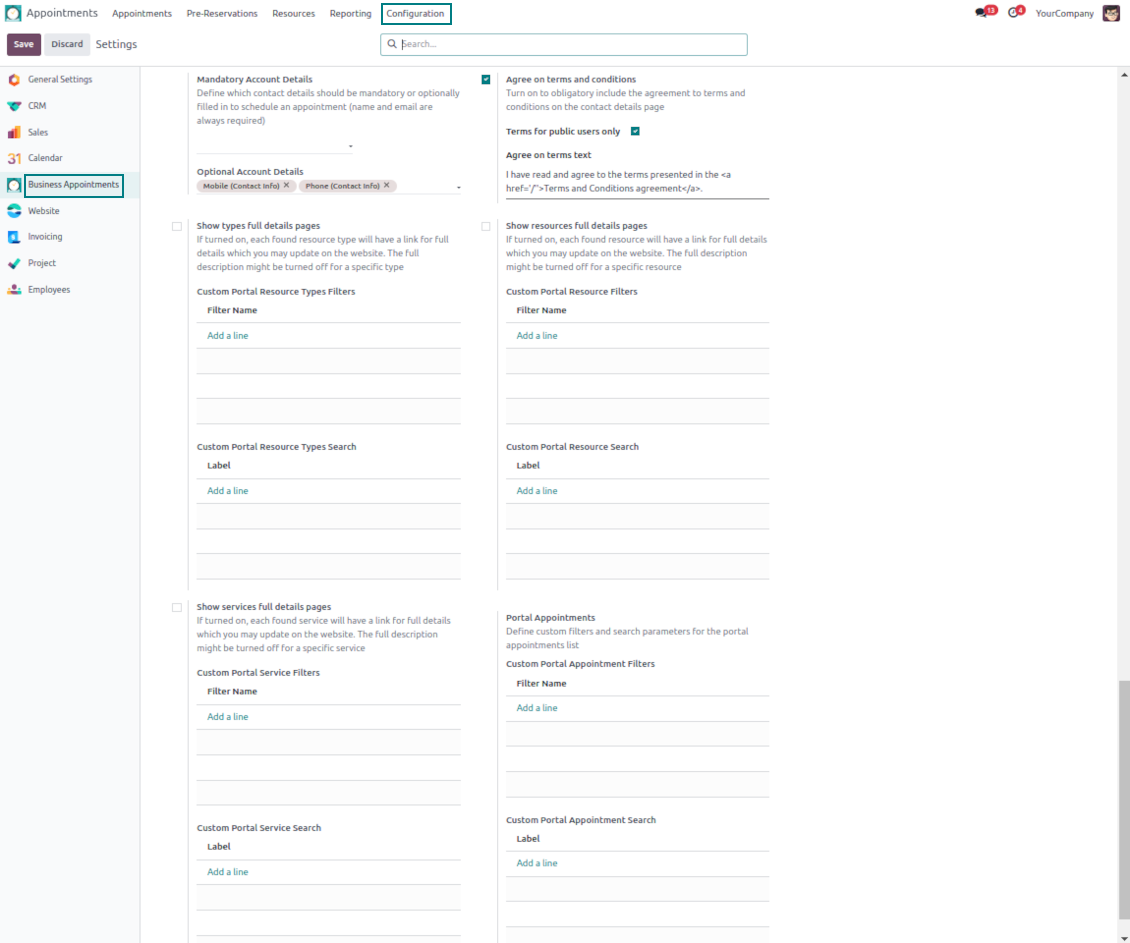
Turn on/off optional layout elements. Introduce your own titles and welcome texts. Exclude booking steps
Portal control over reservations
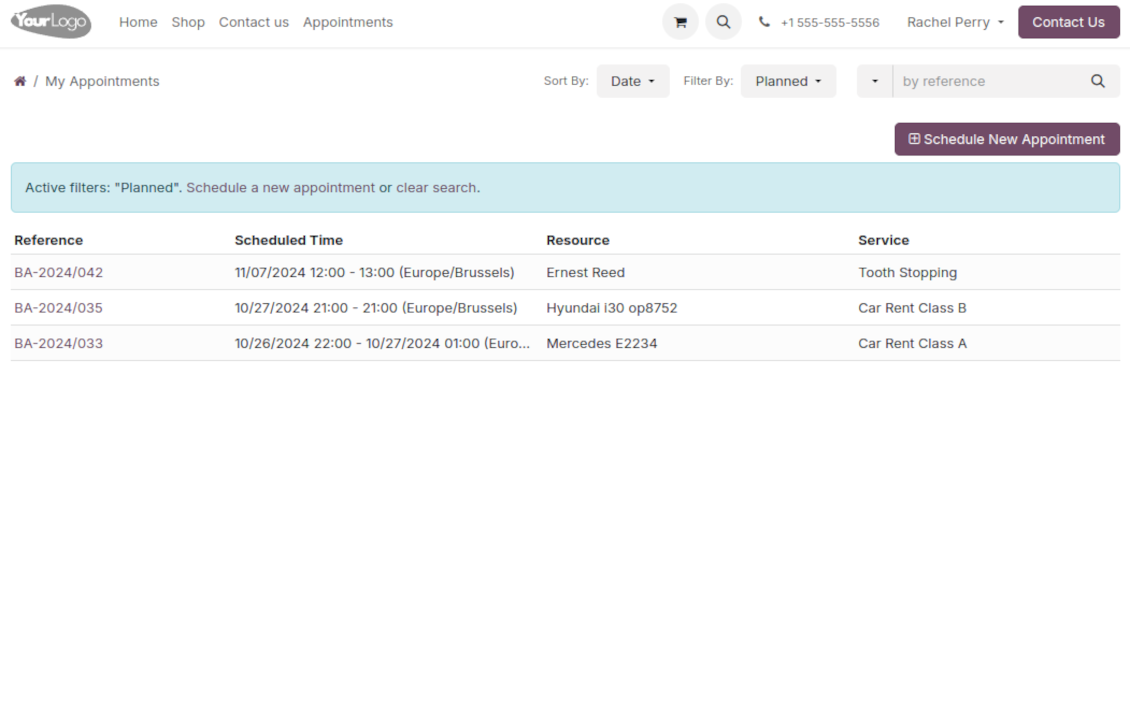
Allow portal users to control planned and made reservations.
Universal website bookings
-
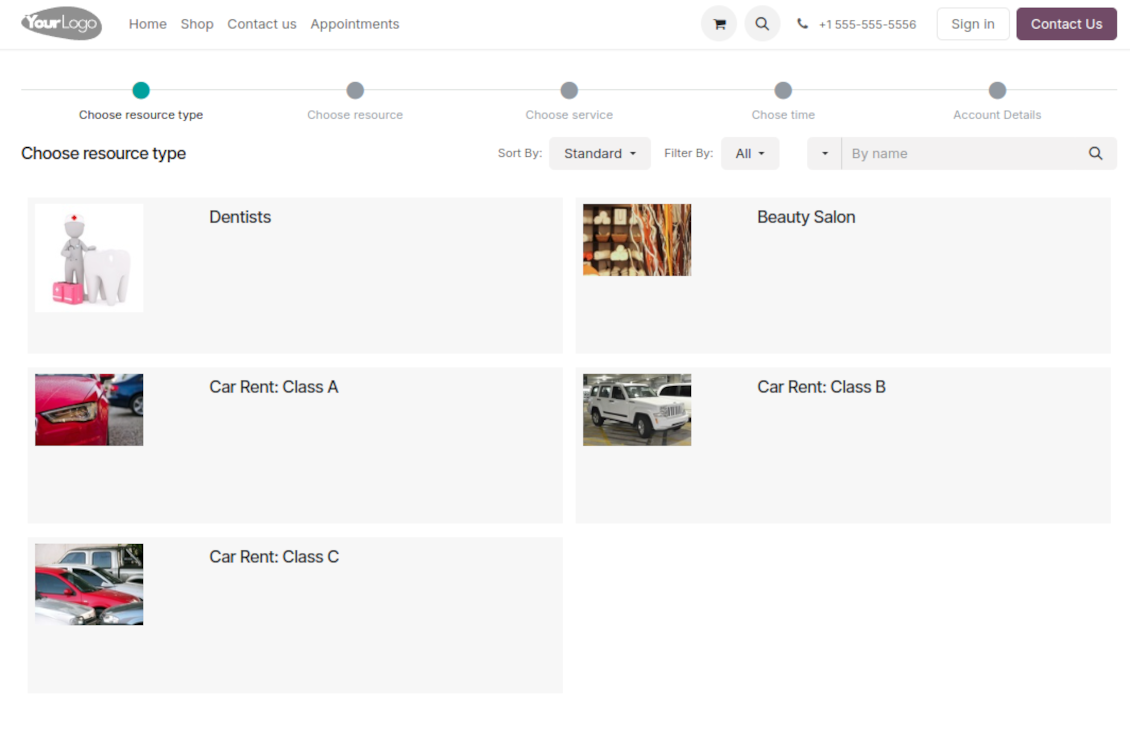
Making a reservation through the Odoo portal/website represents the multi-step checkout process
-
It starts with selecting a resource type. For example, "Beauty salon" or "Class A Cars". The step might be missed if there is a single published resource type for a current website
-
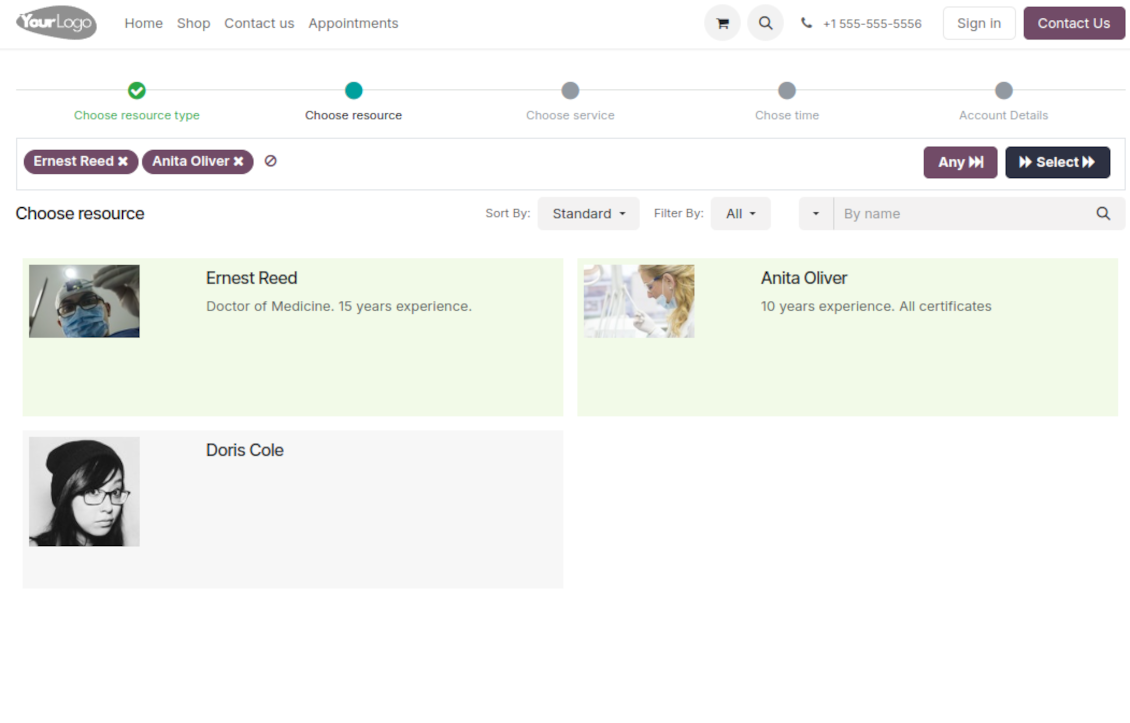
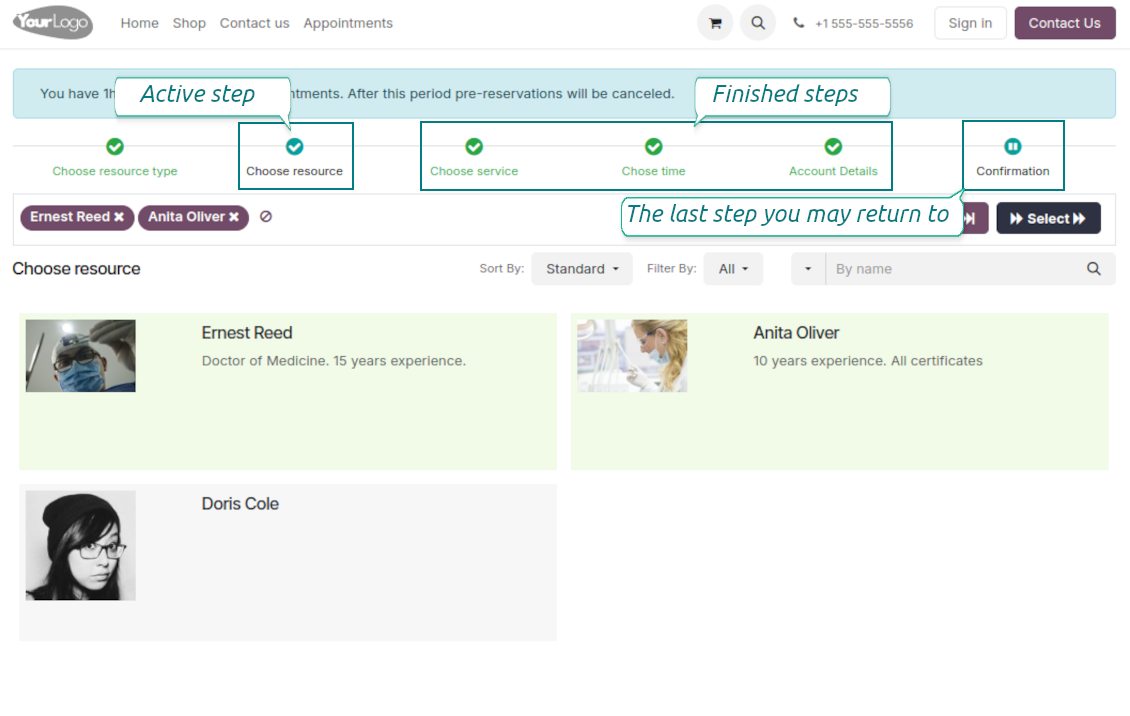
Then, a client navigates over resources of the chosen type to pick one, a few, or applies any (all). For example, "Hair Dresser John Brown" or "Tesla 1234". The step will be missed if there is a single published resource, or when the chosen resource type assumes automatic allocation
-
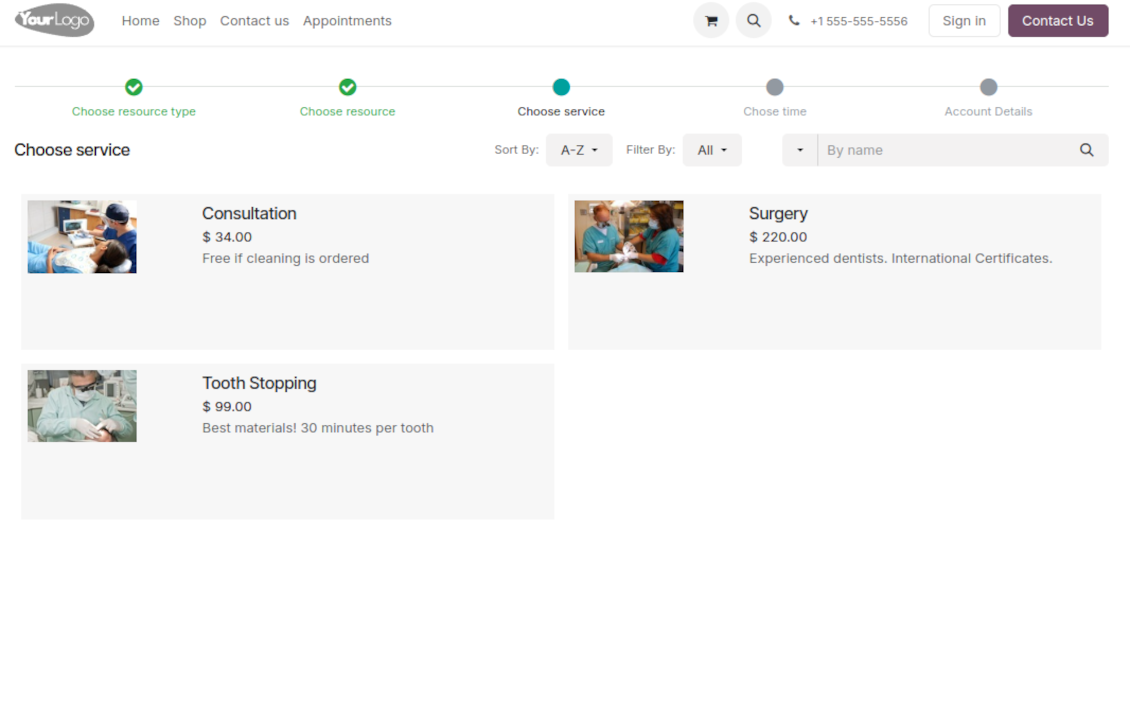
Afterward, a client chooses the desired service related to the selected resources. For example, "Makeup" or "Car Rent Class A". Users will not be forced to choose a service if there is a single published on this website for this resource
-
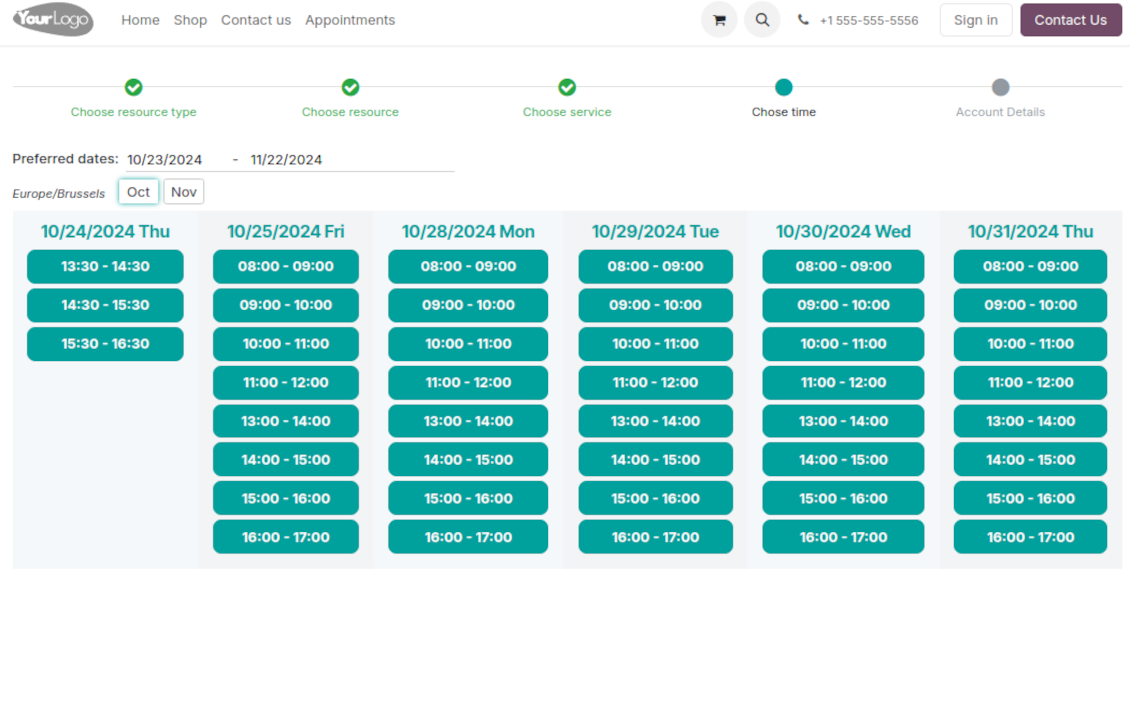
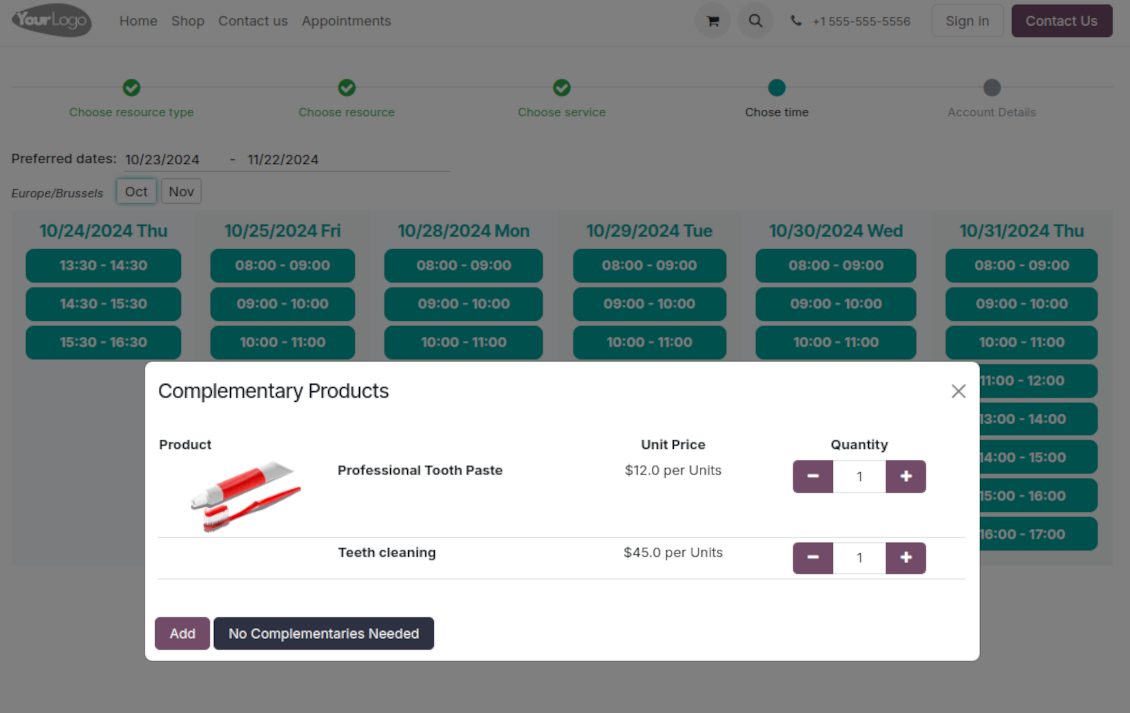
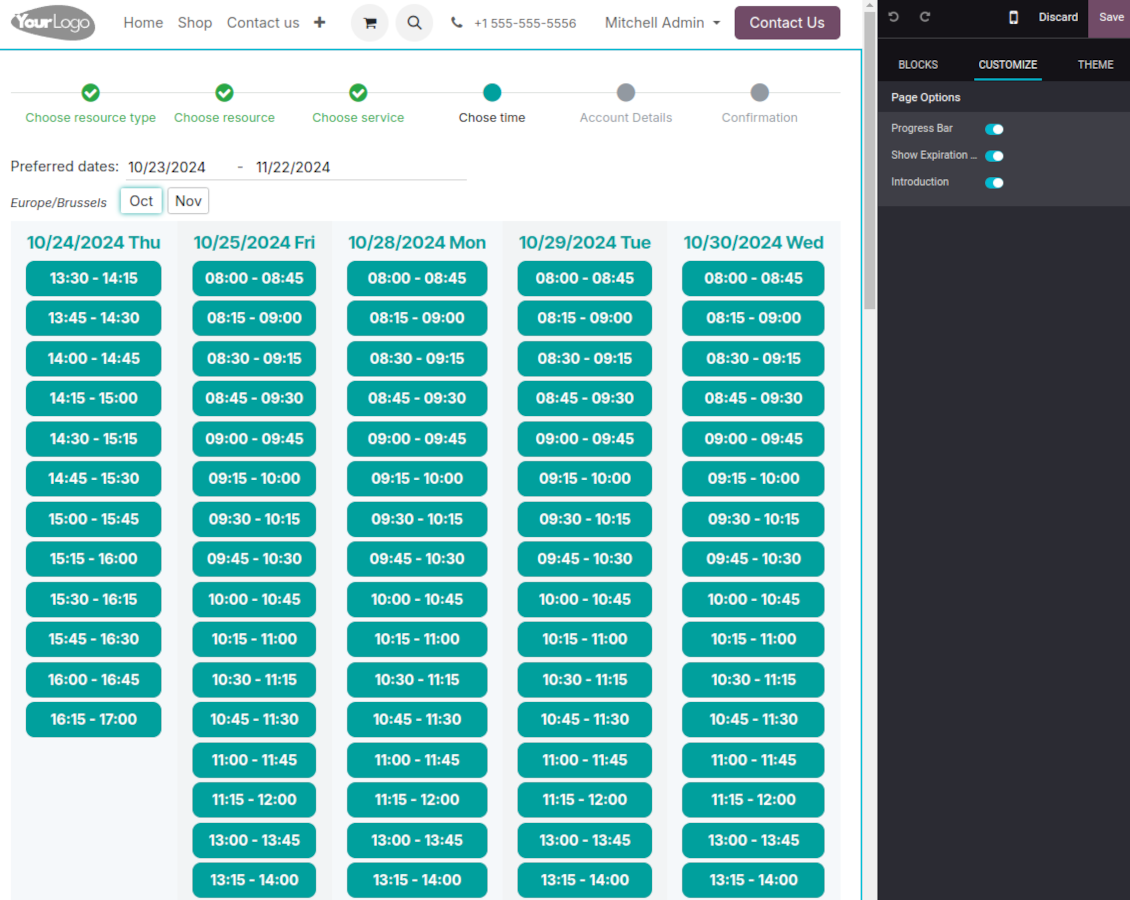
Now a client is shown available time slots. The interface allows adopting time frames of search, changing the time zone, and choosing duration (for the services with manual duration). Each action results in slots' recalculation. Website visitors might be optionally allowed to book a few time slots for a chosen service (the multi-scheduling option)
-
A time slot selection is required and can be not missed. As soon as prereservation is done, nobody else can book the same time period. Users have limited time to make confirmation after which prereservation will be canceled (the exact time is configurable)
-
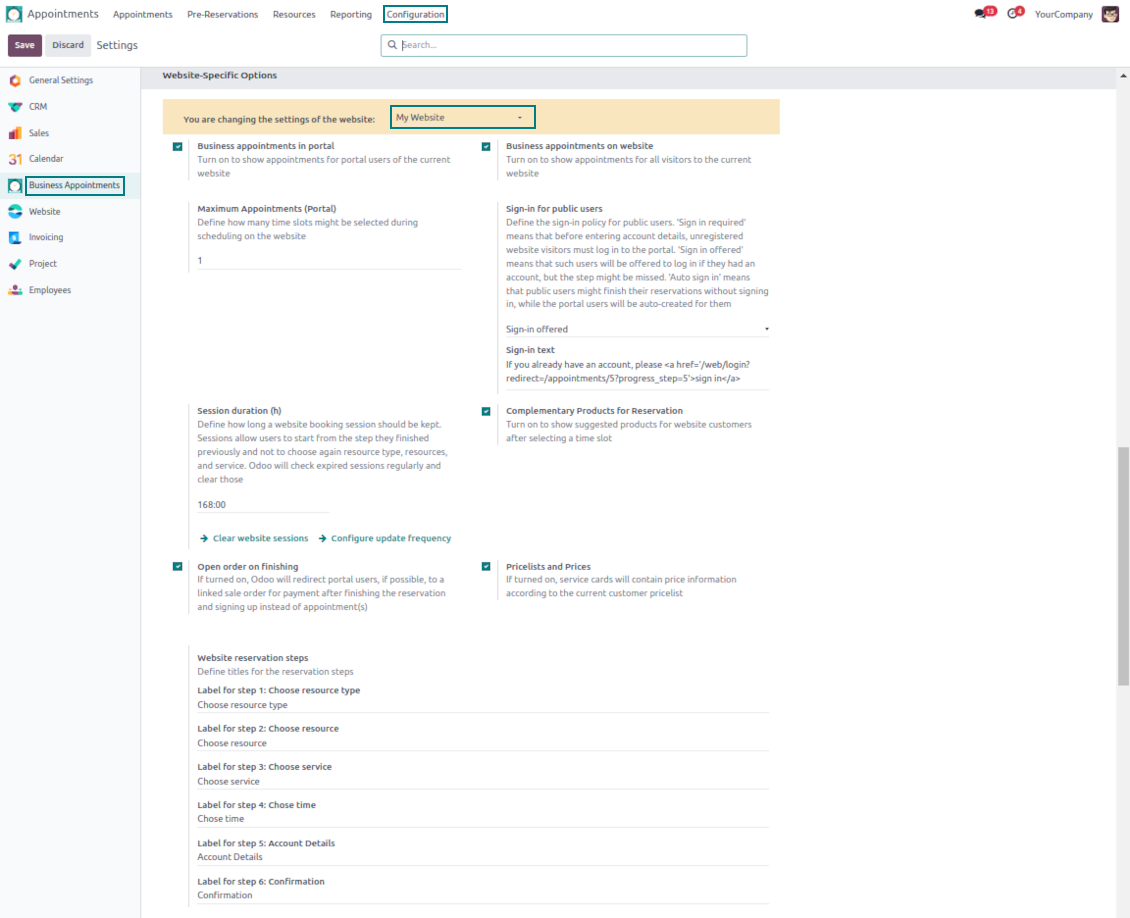
As the time slot is pre-reserved, optionally force the public (not logged-in users) to sign in, only offer to do so, or just let them enter their details
-
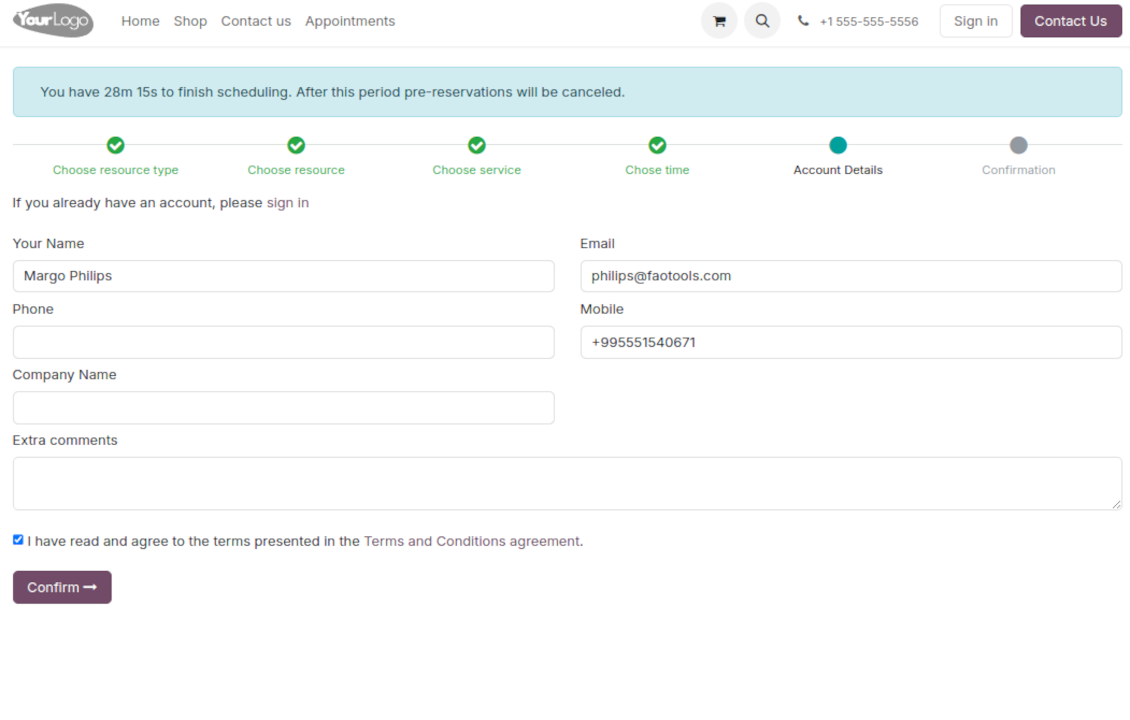
Then, a client should introduce his/her contact details, a set of which might be changed per website. By default, the required ones are name and email. Portal (already registered) users would have those fields auto-populated. Optionally place here a checkbox to agree with the terms and conditions
-
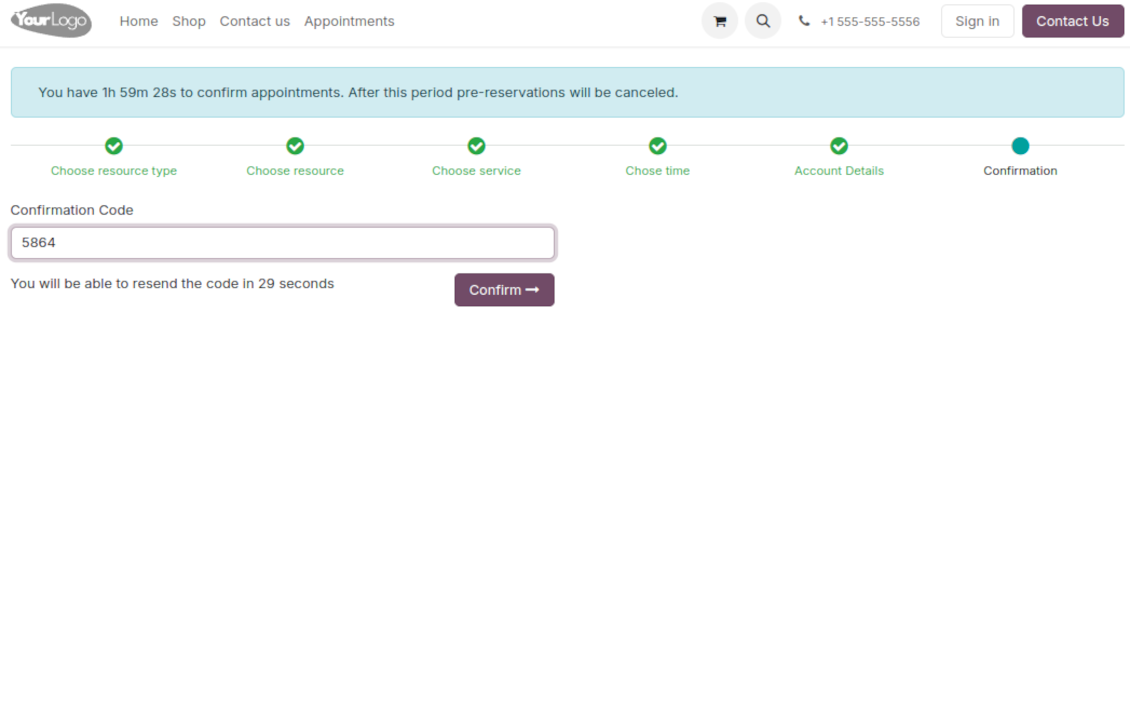
Optionally ask clients to confirm their email or mobile number. If the confirmation option is turned on, users would be obliged to insert received codes. In case a correct code is not introduced in time (the timer is set up on the configuration page), appointments would be canceled. If you selected SMS confirmation (the feature depends on Odoo SMS IAP) but your balance is not sufficient, a confirmation code would be forwarded by email
-
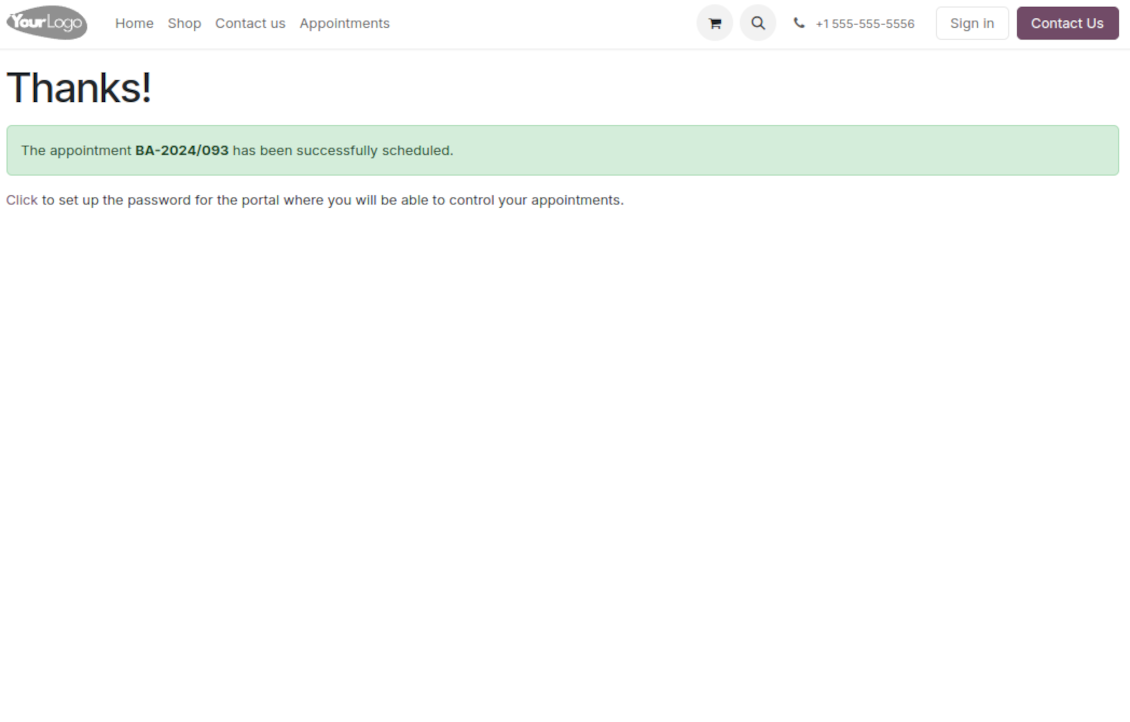
As soon as all steps are done, a client receives a confirmation email and is redirected to the success page/new appointments(s) page. For not yet-registered users, the app offers to enter the password for the Odoo portal
-
During the whole process, a client sees the progress bar (if you have not purposefully turned it off). The progress bar lets safely return to any previous step and back.
Configurable appointment pages
-
Show/hide the progress bar. Introduce your own titles for progress steps
-
Show/hide introduction blocks, images, and short descriptions for resource types, resources, and services
-
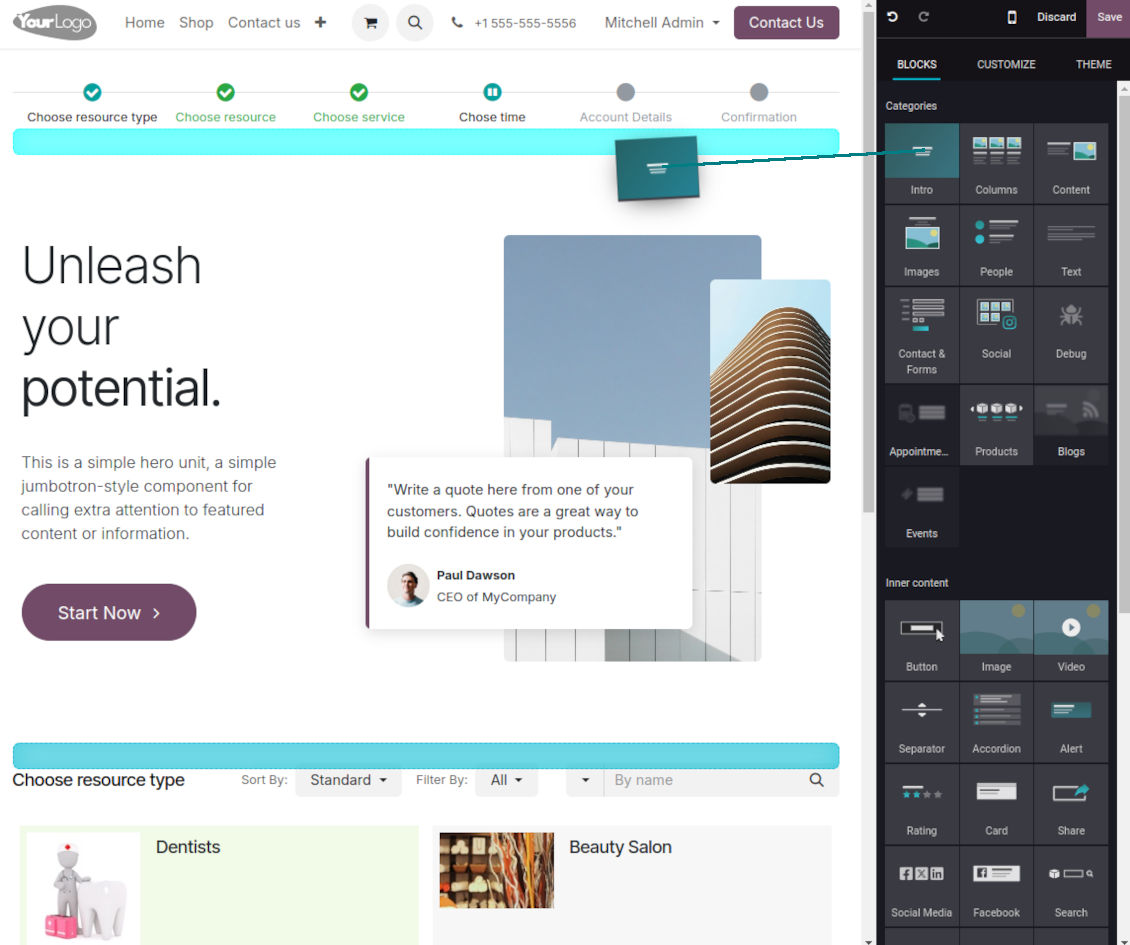
Prepare your own Odoo website full details pages for resource types, resources, and services using Odoo's standard website builder. Show/hide links for those pages
-
Show/hide timers for pre-reservation and confirmation
-
Define filters and sortings for resource types, resources, and service steps
-
Show/hide the terms and conditions link for portal/public users with your own text.
Portal control of reservations
-
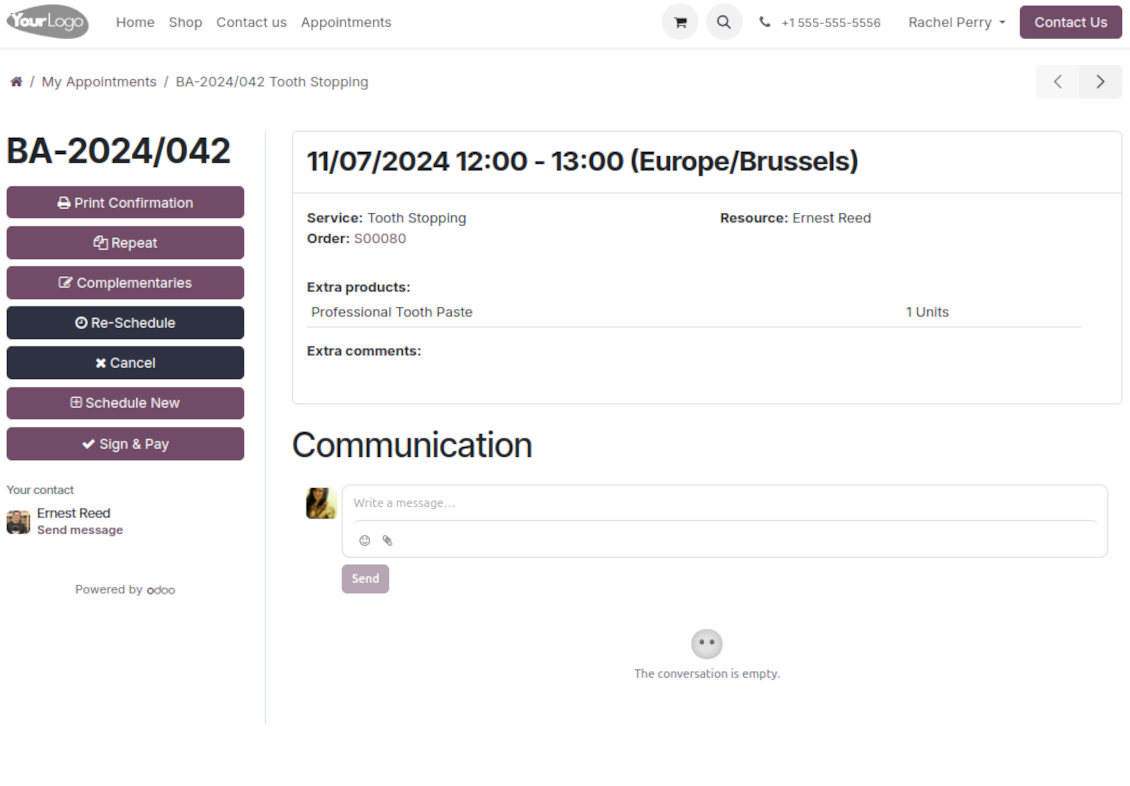
Clients control their appointments right in the Odoo portal
-
Portal users observe the list of planned and done appointments and may check any of those
-
The Odoo portal lets schedule new or repeat existing reservations, cancel or re-schedule planned appointments
-
Each appointment portal page has a chatterbox that allows direct communication with the resource manager and other followers
-
From the reservation page, users can also print a voucher, so appointment confirmation.
Ofte stillede spørgsmål om Universal Appointments: Portal and Website Odoo v.18
Hvad er opdateringspolitikken for jeres vaerktojer?
Ifolge de gaeldende regler for Odoo Apps Store:
- Hvert modul kobt til version 12.0 eller tidligere giver adgang til alle versioner op til 12.0.
- Fra version 13.0 skal hver modulversion kobes separat.
- Uanset version giver kobet ret til alle opdateringer og fejlrettelser inden for en hovedversion.
faOtools-teamet styrer ikke disse regler. Ved sporgsmaal, kontakt Odoo Apps Store-representanterne direkte.
Hvordan installerer jeg jeres app pa Odoo.sh?
Den mest direkte tilgang er Odoo-butikkens indbyggede arbejdsgang:
1. Abn modulets side, og klik pa Deploy on odoo.sh
2. Du bliver omdirigeret til GitHub. Log ind, og klik pa Create a new repo, eller brug et eksisterende. Repot skal vaere privat. Apps under OPL-1 ma ikke offentliggores. Opret om nodvendigt et nyt repo til Odoo.sh-projektet
3. Ga derefter til odoo.sh, klik pa Deploy, bekraeft, og klik pa Continue. Installationen starter.
Disse trin installerer appen pa production-grenen. Til andre grene eller opdatering:
1. Download kildekoden fra Odoo-butikken
2. Commit modulet til GitHub-repot. Ingen app-mapper/filer ma sta i .gitignore. Repoer oprettet af odoo.sh kan ignorere vigtige stier (f.eks. /lib). Upload alle modulmapper og -filer
3. Deploy malgrenen i odoo.sh-projektet, eller vent pa det automatiske build, hvis indstillingerne angiver det.
Hvordan installerer jeg jeres app pa min egen server?
2. Genstart Odoo-serveren;
3. Sla udviklertilstand til (tekniske indstillinger);
4. Opdater applisten (Apps-menuen);
5. Find appen, og klik pa Activate/Install;
6. Folg retningslinjerne pa appsiden, hvis de findes.
Jeres app har ekstra tilfojelser. Kan jeg kobe dem senere?
Ja. Odoo laegger automatisk alle afhaengigheder i indkobskurven: udelad allerede kobte vaerktojer, sa du ikke betaler to gange.
Jeg deployede jeres app pa Odoo.sh og ser advarsel/fejl i testene
En rod/orange advarsel pavirker ikke appens funktioner. Nogle gange består vores moduler ikke de standard automatiske tests, fordi de forventer en adfaerd, der er i konflikt med appens mal. Vi aendrer f.eks. prisberegningen, mens Odoo-testene sammenligner slutprisen med standardalgoritmen.
Tjek forst funktionerne i den deployede database. Virker alt?
Hvis du stadig mener, at advarslen pavirker reelle funktioner, kontakt os, og send de fulde installationslogfiler og den fulde liste over deployede moduler (kerne og tredjepart).
Kan jeg kobe jeres app direkte hos jer?
Nej, vi distribuerer kun vaerktojerne via den officielle Odoo-appbutik.
Jeg vil gerne have rabat
Desvaerre har vi ikke tekniske midler til individuelle priser.
Kan jeg installere appen pa min Odoo Online (SaaS)-database?
Nej, tredjepartsapps kan ikke bruges pa Odoo Online. Odoo SaaS blokerer den mulighed.
Jeres vaerktoj afhaenger af andre apps. Skal jeg kobe dem?
Ja, vaerktojet kraver alle moduler markeret som afhaengigheder. Prisen pa appsiden inkluderer allerede disse afhaengigheder.
Hvad koster modulet i amerikanske dollar? Hvorfor aendrede den sig?
Prisen pa vores moduler er sat i euro. Odoo-butikken omregner til andre valutaer efter den interne valutakurs. Derfor kan prisen i amerikanske dollar aendre sig, nar kursen opdateres.
App- og webstedstekster på andre sprog end engelsk er AI-assisterede og afstemt med officielle Odoo-oversættelser. Hvis du opdager en fejl, send en sag om oversættelseskorrekthed så retter vi det.
Odoo-demodatabaser (livedemoer)
Til denne app kan vi tilbyde en gratis personlig demodatabase.
Du behøver hverken telefonnummer eller kreditkort for at kontakte os. Det er nok med en kort e-mailtilmelding, der tager under 30 sekunder.
På din anmodning forbereder vi en individuel live-forhåndsvisningsdatabase, hvor du i ca. to uger kan teste og tjekke antagelser.
Fejlrapportering
Hvis du støder på fejl eller inkonsistent adfærd, så kontakt os. Vi garanterer rettelser inden 60 dage efter køb og forbedrer værktøjerne også bagefter.
Du behøver hverken telefonnummer eller kreditkort for at kontakte os. Det er nok med en kort e-mailtilmelding, der tager under 30 sekunder.
Medtag så mange detaljer som muligt: skærmbilleder, Odoo-serverlogs og en fuld beskrivelse af, hvordan problemet genskabes. Det tager som regel nogle hverdage at lave en arbejdsplan (hvis fejlen bekræftes) eller retningslinjer (ellers).
Offentlige funktionsønsker og modulidéer (gratis udvikling)
Vi er stærkt motiverede til at forbedre vores værktøjer og taknemmelige for al feedback. Hvis kravene er til offentlig nytte og kan implementeres effektivt, tager teamet dem med på opgavelisten.
En sådan opgaveliste behandles regelmæssigt og indebærer ingen ekstra gebyrer. Selvom vi ikke kan love frister og endeligt design, kan det være en god måde at få ønskede funktioner uden investeringer og risici.
Du behøver hverken telefonnummer eller kreditkort for at kontakte os. Det er nok med en kort e-mailtilmelding, der tager under 30 sekunder.
18.0.1.1.21
- The issue with the missing attribute on the configuration pages has been fixed.
18.0.1.1.20
- Problemet med duplikerede advarsler er rettet.
18.0.1.1.19
- Problemet med uoversatte advarsler er rettet.
18.0.1.1.18
- Appen er udgivet til version 18.
17.0.1.1.18
- Søgningen efter ressourcetyper, ressourcer og ydelser er rettet.
17.0.1.1.17
- Problemet med import af slug-metoden er rettet.
17.0.1.1.16
- Algoritmen, der afslutter aftaler, er optimeret for at undgå samtidige opdateringer.
17.0.1.1.15
- Adgangen til brugerdefinerede filtre for offentlige og portalbrugere er rettet.
17.0.1.1.13
- Problemet med forkert billedvisning i portal-chatter er rettet.

Værktøjet til at strukturere Odoo-vedhæftninger i mapper og synkronisere kataloger med skyklienter: Google Drive, OneDrive/SharePoint, Nextcloud/ownCloud, Dropbox, Amazon S3, Box og NAS. DMS. Filhåndtering. Dokumenthåndteringssystem
398€
The tool to automatically synchronize Odoo attachments with OneDrive files in both ways
487€
The tool to automatically synchronize Odoo attachments with Google Drive files in both ways
487€

The tool to build a deep and structured knowledge base for internal and external use. Knowledge System. KMS. Wiki-like revisions.
398€
The tool to set up KPI targets and control their fulfillment by periods. KPI dashboards. Dashboard designer. KPI charts

The tool for time-based service management from booking appointments to sales and reviews
398€
The tool to manage your Odoo from your favorite AI chats through MCP. Claude. Any MCP-supporting AI.

The tool to combine different Odoo events in a few configurable super calendars