KnowSystem: Knowledge Base System v.14
The tool to build deep and structured knowledge base for internal and external use. Knowledge System. KMS
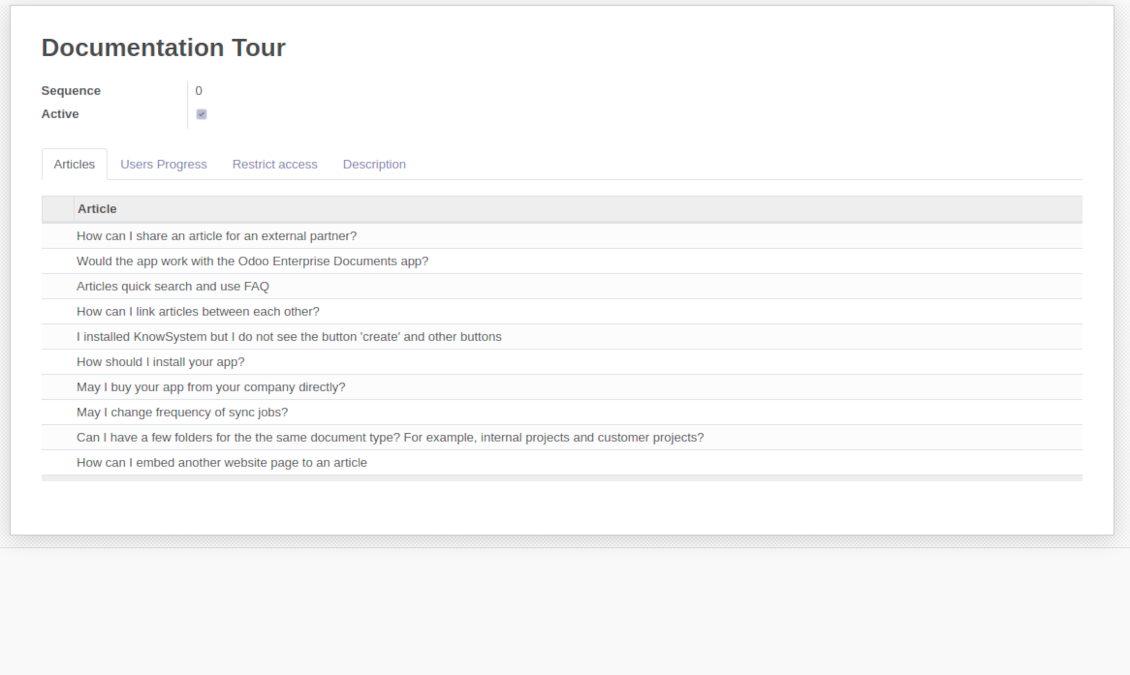
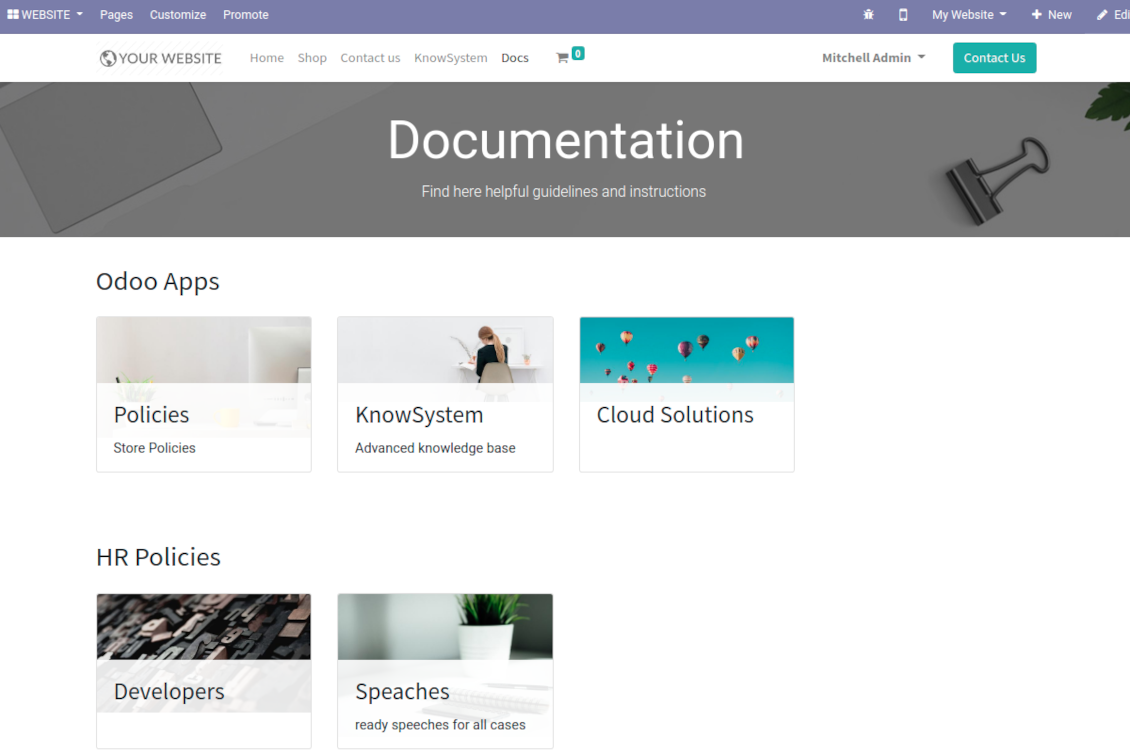
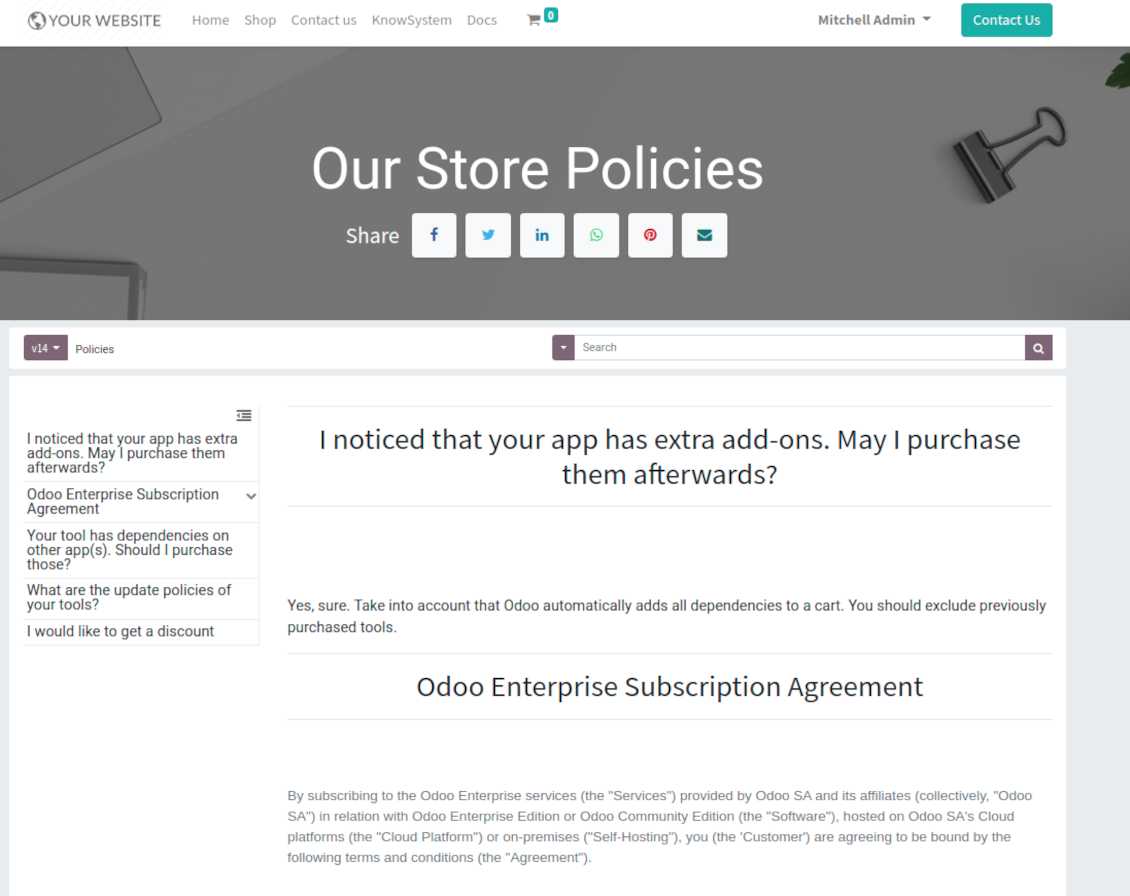
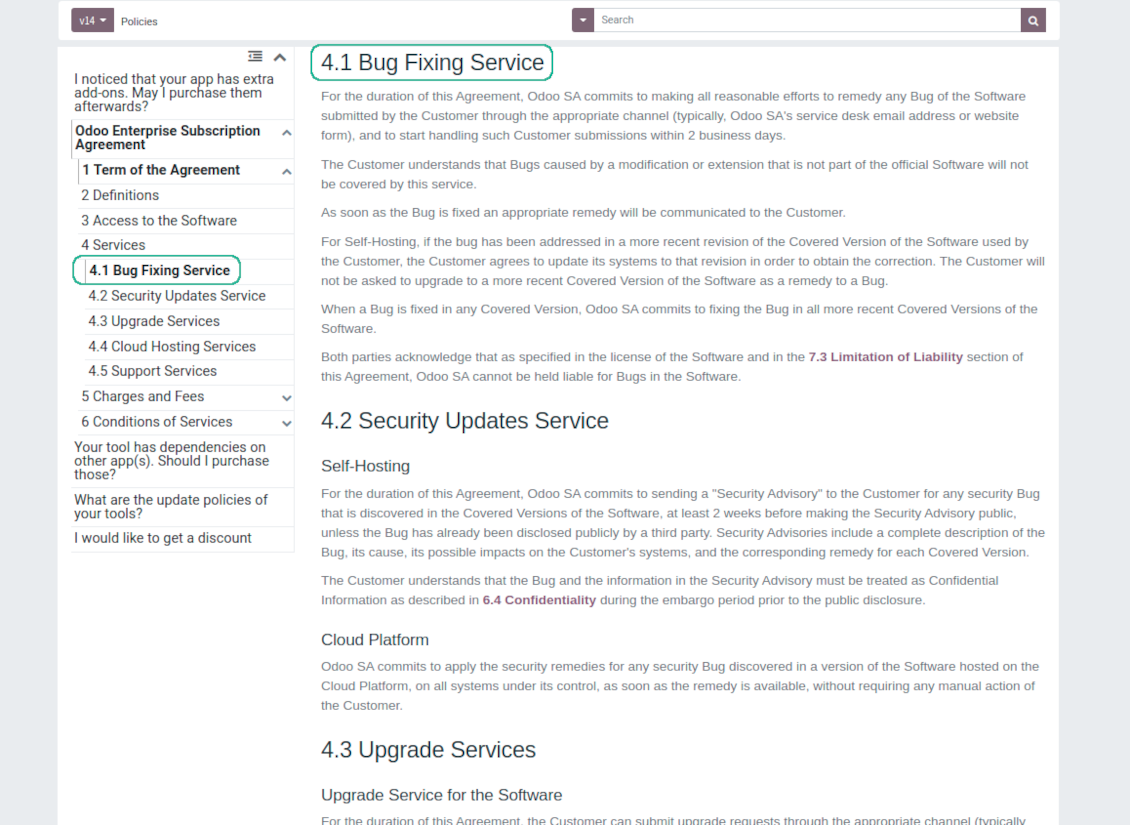
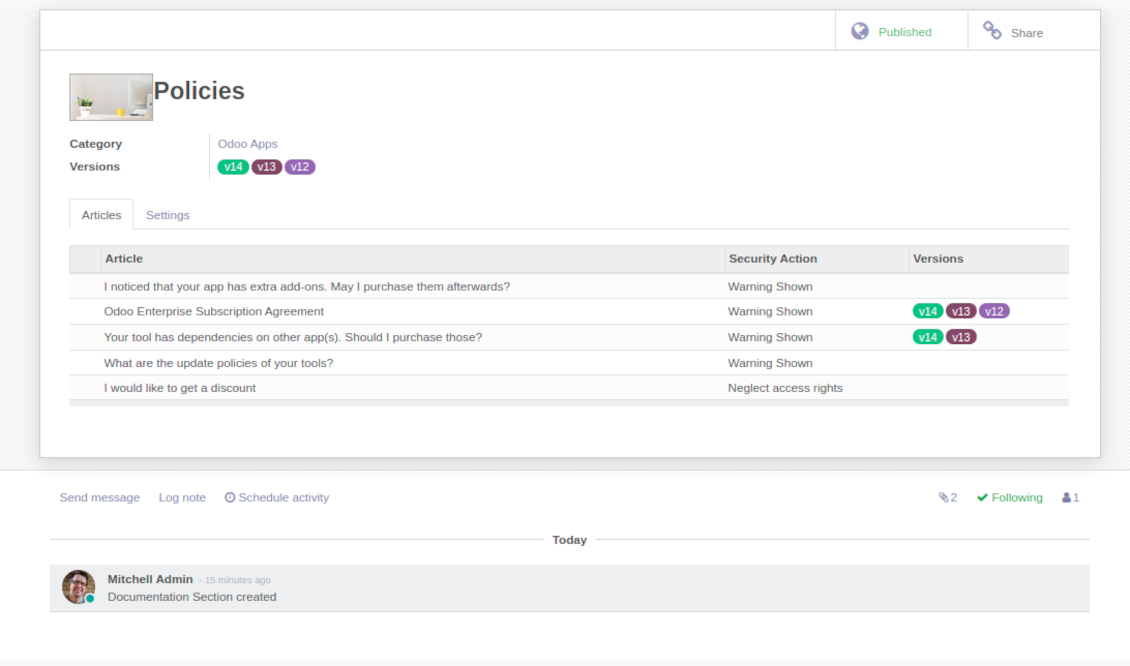
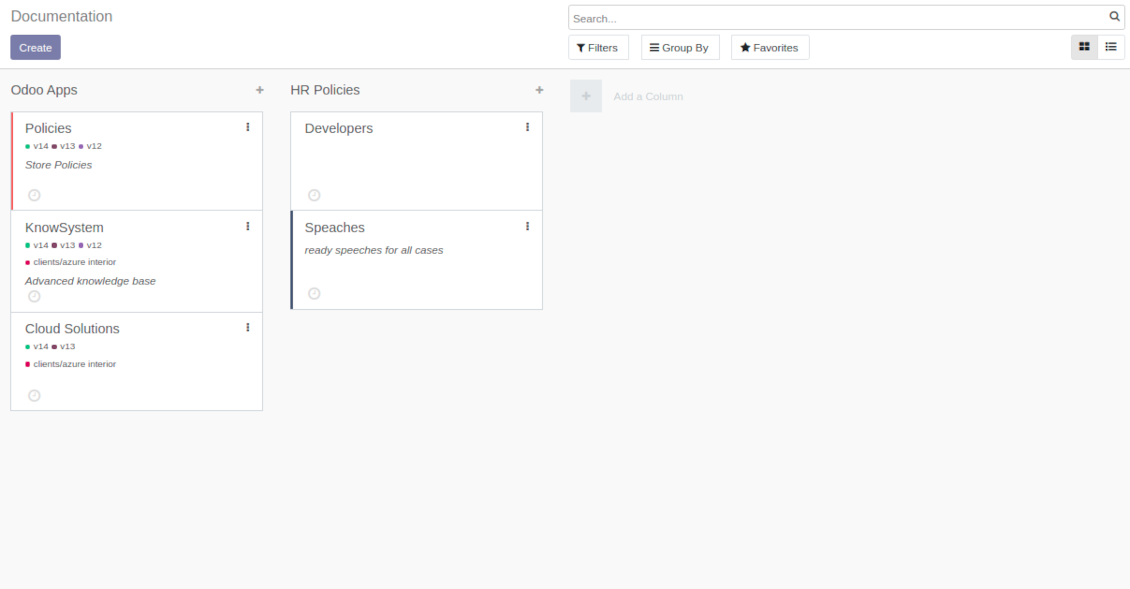
This is a full-featured Odoo knowledge management tool to be used in any industry and by any firm. The app serves to accumulate, to curate, to utilize, and to share organizational knowledge within your company and outside it.
- a core of knowledge management. It might be used stand-alone as a complete internal knowledge base system. سعره هو 398€.
- an optional module, which let you publish articles to website, share them with portal users, and use website builder to update articles. The features assumed by this add-on are marked by the icon . سعره هو 40€.
- an optional extension to KnowSystem: Website and Portal to design website documentation pages based on knowledge base articles. The features assumed by this add-on are marked by the icon . Read the full description on the related page. سعره هو 60€.
- an optional module, which let you add and show custom fields for articles (backend). The features assumed by this add-on are marked by the icon . سعره هو 48€.
- an optional free module, which shows custom fields on website and portal pages (frontend). The features assumed by this add-on are also marked by the icon .
- an optional module, which let you translate articles, sections and tags for installed in Odoo languages. The features assumed by this add-on are marked by the icon . سعره هو 10€.
Fast and comfortable knowledge recording
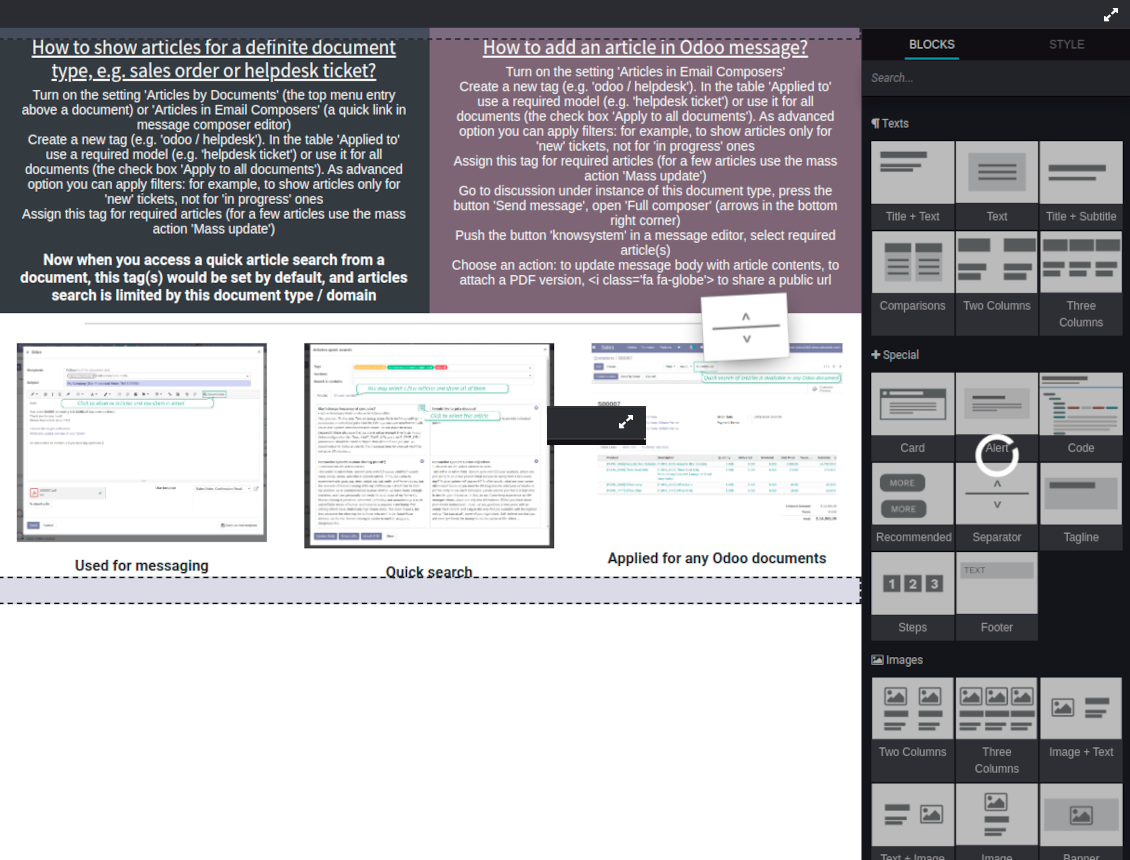
Drag and drop building blocks of the backend or website editors to construct professional looking articles. Create and use knowledge templates. Switch to raw code editor if needed
Single view KMS navigation
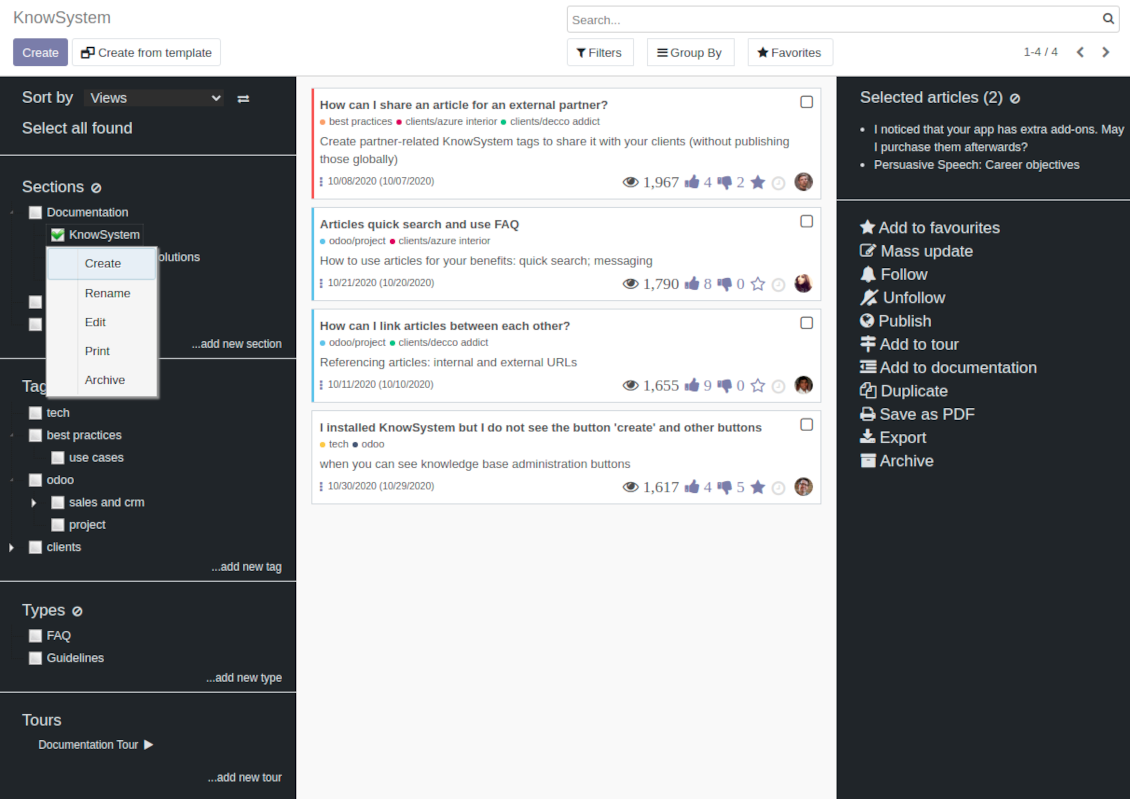
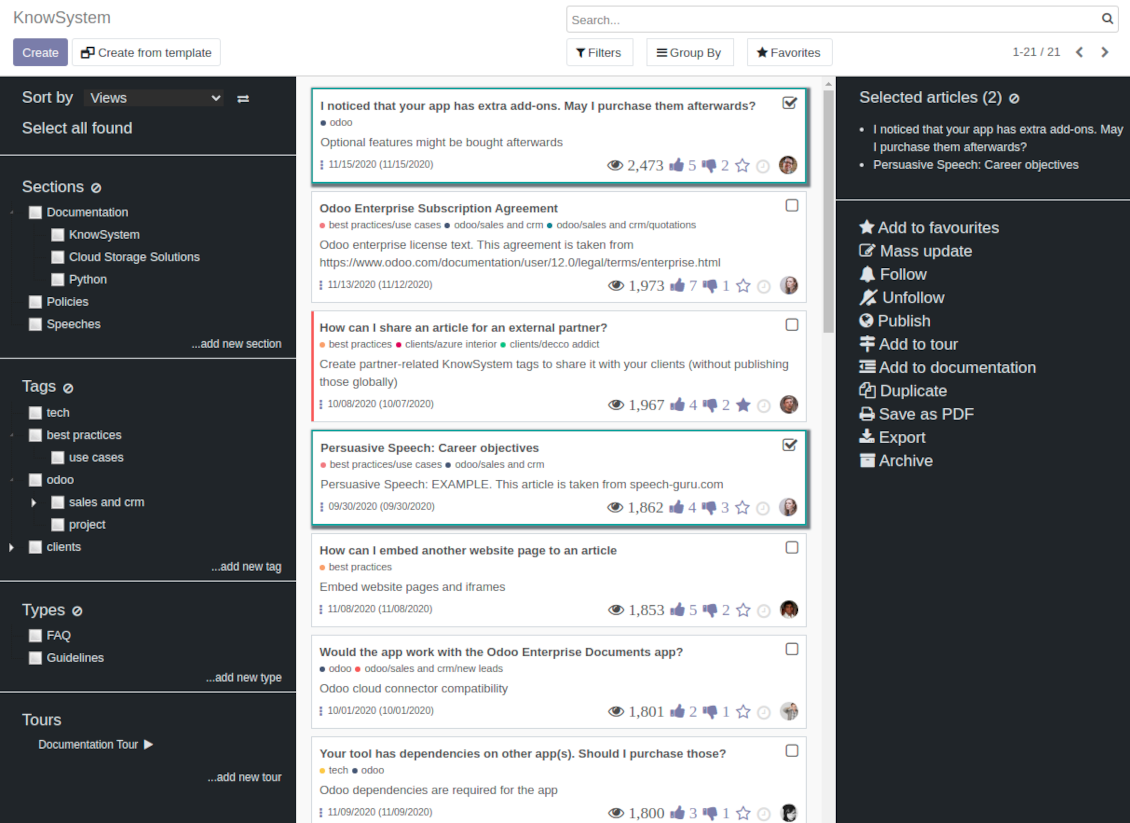
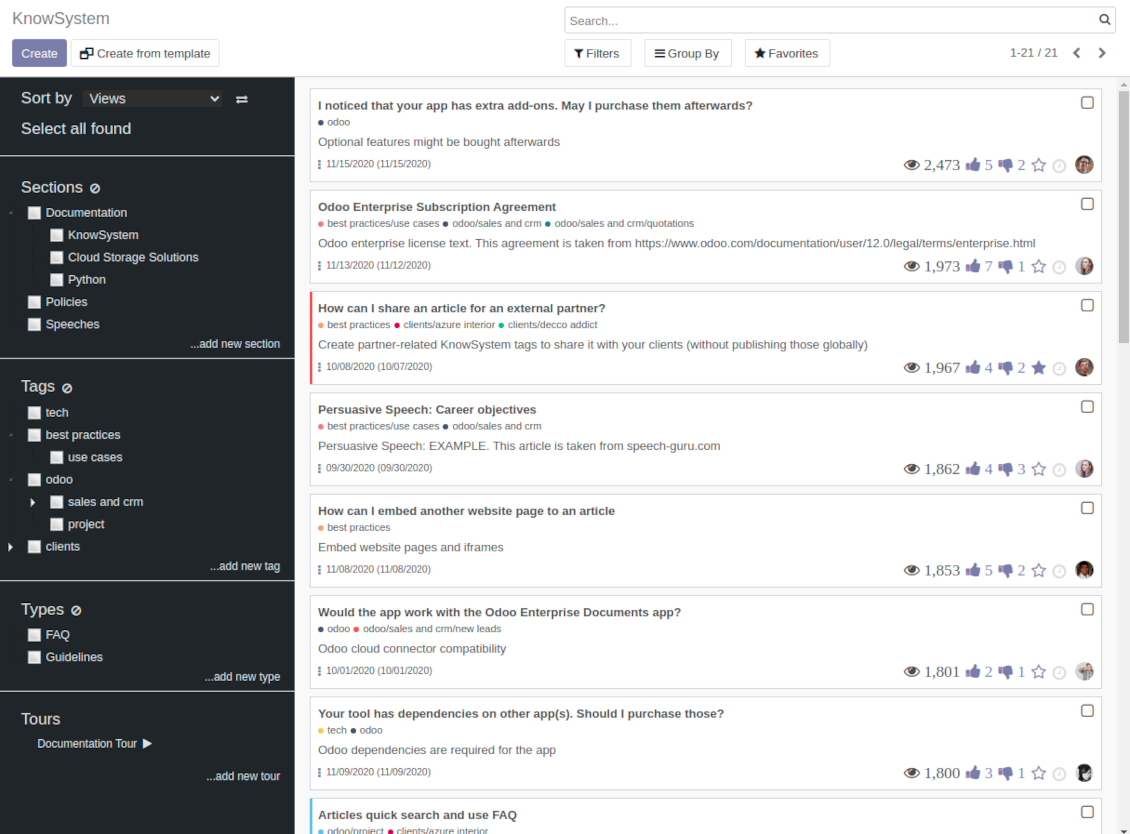
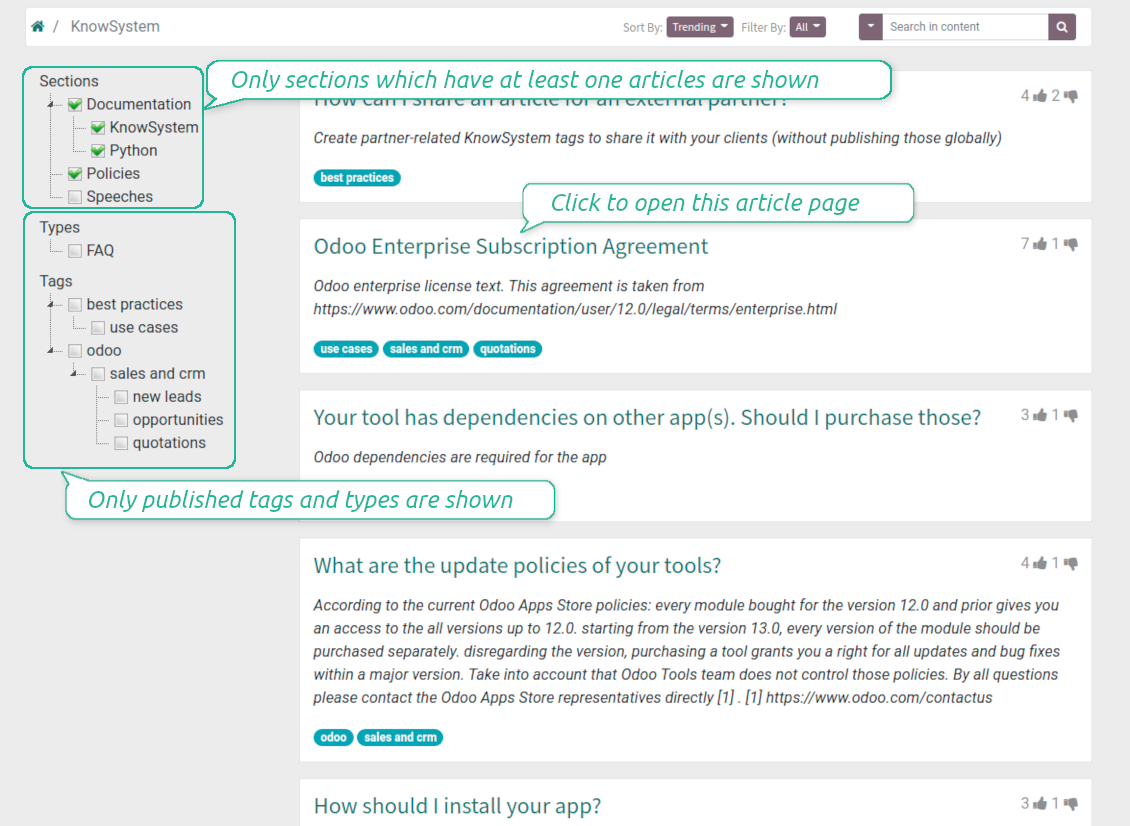
Filter articles by hierarchy of sections, by tree of tags, or by knowledge types. Select articles step by step and proceed mass actions. Sort and search in seconds
Get benefit of knowledge
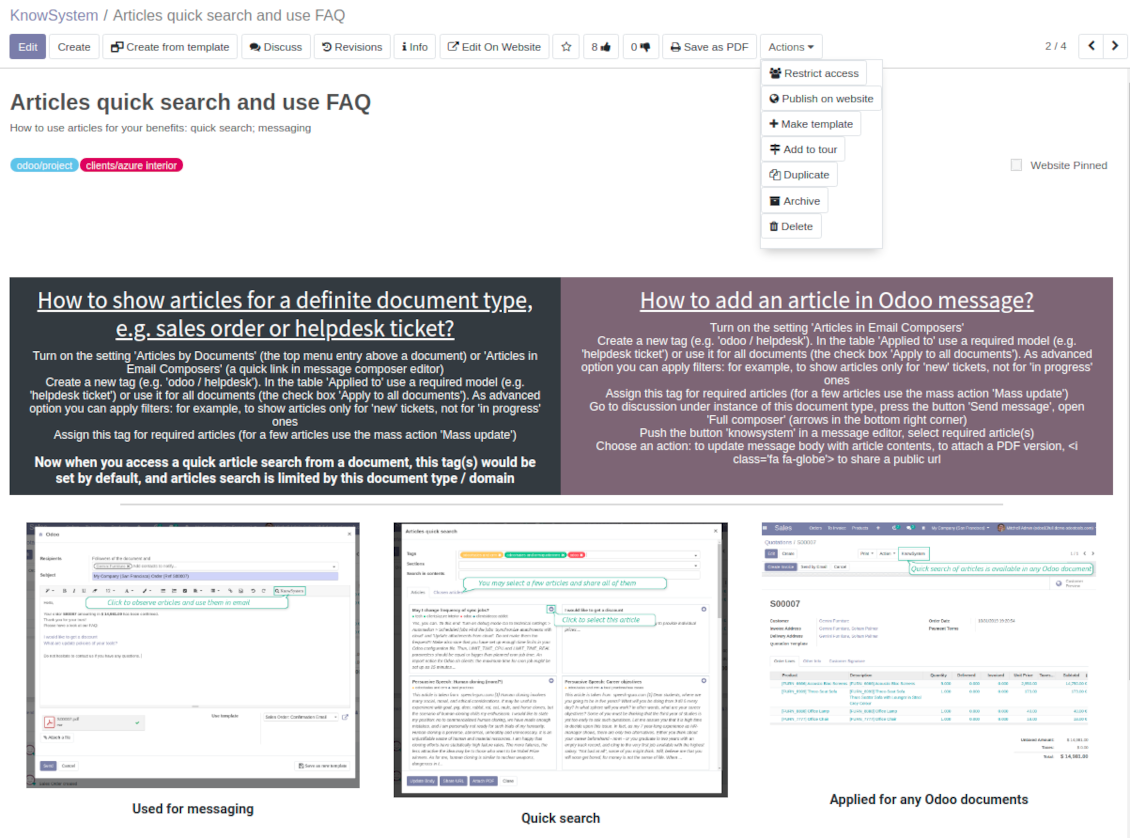
Instantly access knowledge base from any Odoo documents. Reference articles in messages. Organize learning tours. Print or share knowledge. Prepare instructions, guidelines, FAQs
Wiki-like revisions
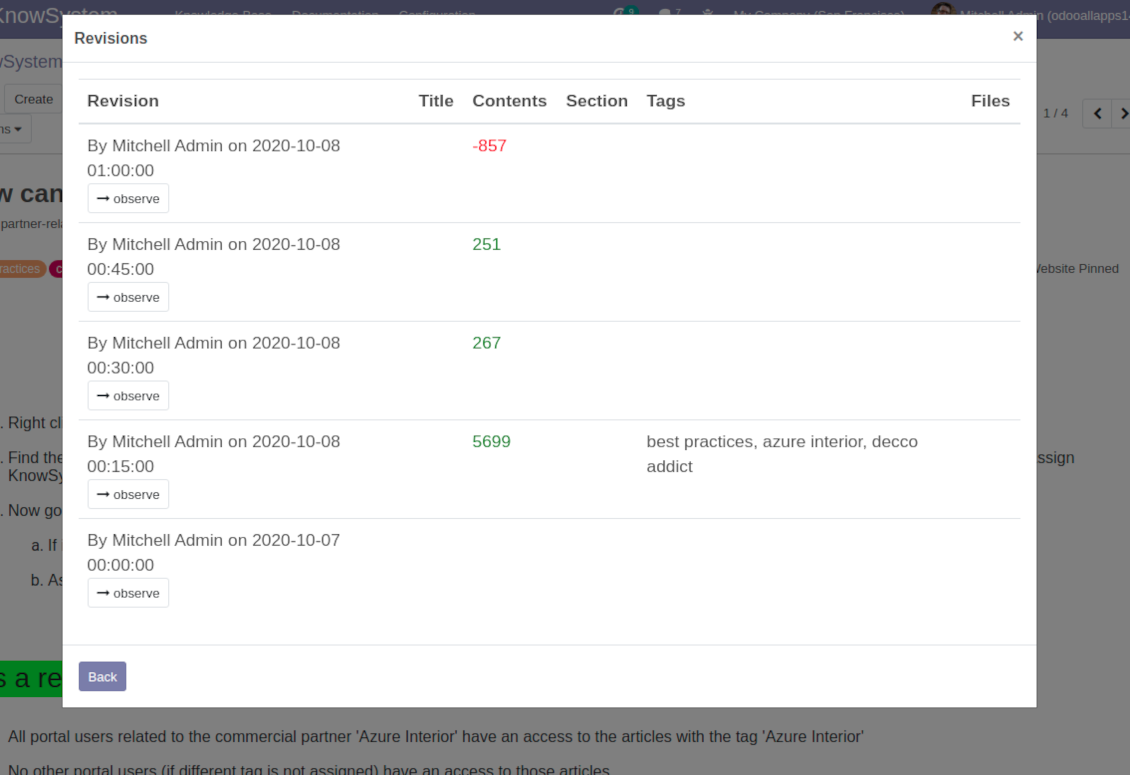
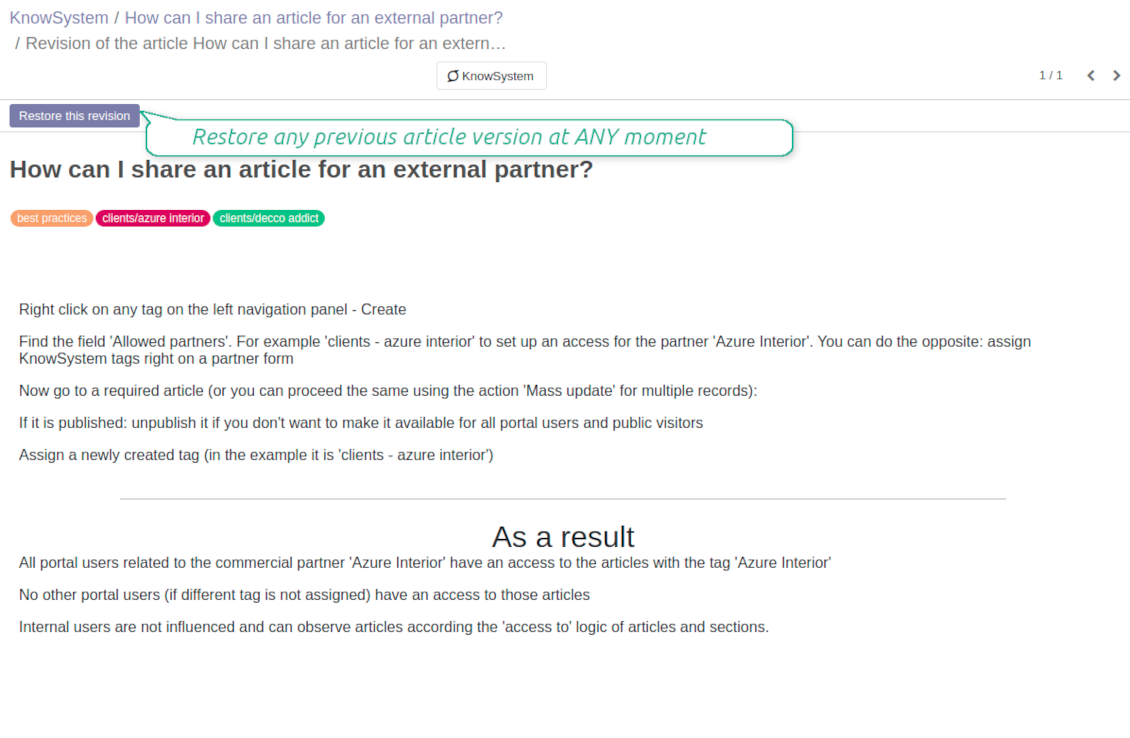
Restore any article version at any moment: the app keeps history of knowledge updates. Breaking becomes harder than restoring
Portal or public knowledge base
Share articles with your partners or publish knowledge for any website visitor
Website documentation builder
Combine organizational knowledge into advanced documentation with comfortable navigation and search
Knowledge system statistics
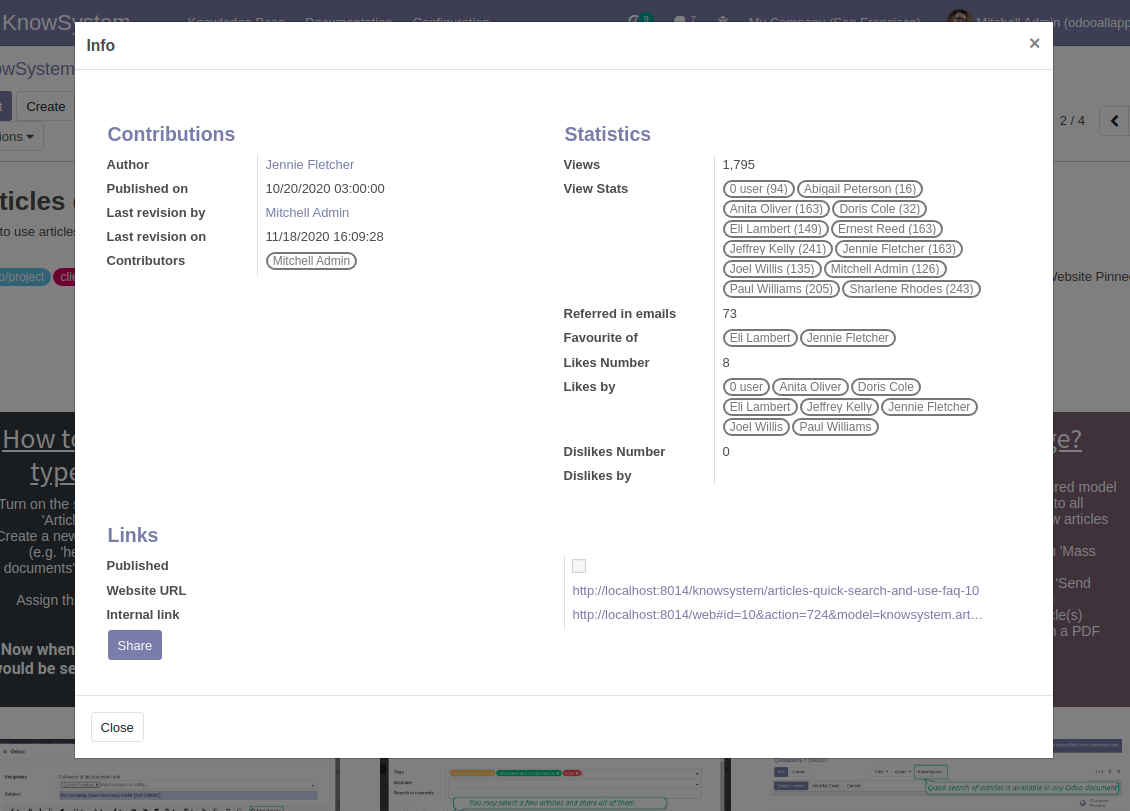
Control views of articles, likes and dislikes, contributions. Motivate discussions
Applied in any functional area
Use the app for any knowledge management business goal and for any set of Odoo apps.
Best knowledge base system for Odoo!
Excellent app and exceptional after-sales support.
Really well thought-out product and one of the best features is the contextual help by means of the tags. Really a game changer for us.
Keep up the great work FaOtools!
Outstanding app! Tremendous value for money, an absolute must have!
One of the features sorely lacking from Odoo has been a robust Wiki/documentation system. Using third party platforms is a massive headache: yet another system to maintain, users get distracted switching back-and-forth, and errors get made. Then you have to worry about training, additional logins, etc.
KnowSystem feels like a native/core app, is very well-polished, and extremely fast. It's accessible from any screen, and the search results are instant (none of the latency inherent with most apps).The interface is elegant yet powerful, with robust access control, rich editing features, and version control. It's simple to revert to previous entries, view audit trails, etc. It's very intuitive for anyone familiar with Odoo; onboarding takes just a few minutes. The user guides are excellent.
This is invaluable for any organisation with a lot of documented information, SOPs, ISO compliance, or similar. If you're using eLearning, it's great for creating a help system / reminders. For example, noting key takeaways or specific instructions. The user can be in MRP, Sales, or any other function, and instantly lookup a guide. Since it overlays whichever screen you're in, it doesn't interrupt the workflow.
This dramatically increases efficiency, minimises questions, and helps keep everyone on the same page.
Oh, and customer service is excellent, faOtools stands behind their product. Thank you!
KnowSystem is excellent - OdooTools offer great support, are very helpful and responsive
Our company needed the ability to add a Knowledge Base to our Odoo portal website for our customers to access article content on a membership-only basis. KnowSystem provided this and much more, along with ability to add search by section, set permissions to allow only certain partners access to articles by tag etc. OdooTools have been very helpful and implemented several features we suggested including automatic redirect upon login, customisable filters and a social sharing capability on articles. Overall a great app by a great company, something that massively adds to Odoo's capabilities and is something that everyone could benefit from using.
Very functional application and responsive support
Our company produces medical laser equipment and we use KnowSystem to streamline the knowledge base of our company. Convenient search system and classification of content, as well as access rules for groups and even for individual users.
Great app and professional team
The app is great the the team is very professional in both response timing and problem solving.
Highly recommended.
Marco from ALO.zone.
Excellent system
Excellent system.
A great tool from some very nice developers!
KnowSystem is a great tool and a game changer for us. Finally a place to put all our company know-how. I highly recommend it. And also important to us: We got great support from FaOtools too. A rare thing in this busy world. thx!
Excellent app and support.
Great app and a very helpfull support. Openess to improve their products is outstanding.
Single-view knowledge navigation
-
Prepare hierarchy of knowledge sections to instantly switch between knowledge areas
-
Define tree of tags for quick navigation and deeper knowledge structuring
-
Introduce knowledge base typology to distinguish kinds of articles in a single click
-
Create, update, and reorder tags, sections, or types right from the KnowSystem interface. Print all articles related to a certain tag or a section
-
Manage and launch learning tours
-
Sort knowledge articles by views, score of likes, title, author, section, create and write dates
-
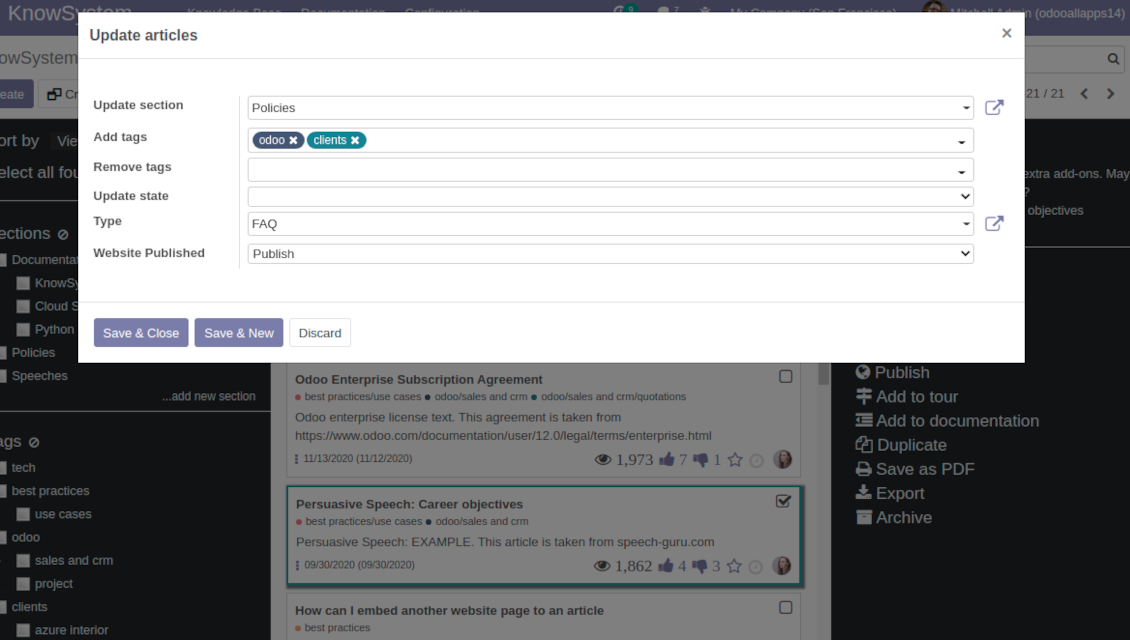
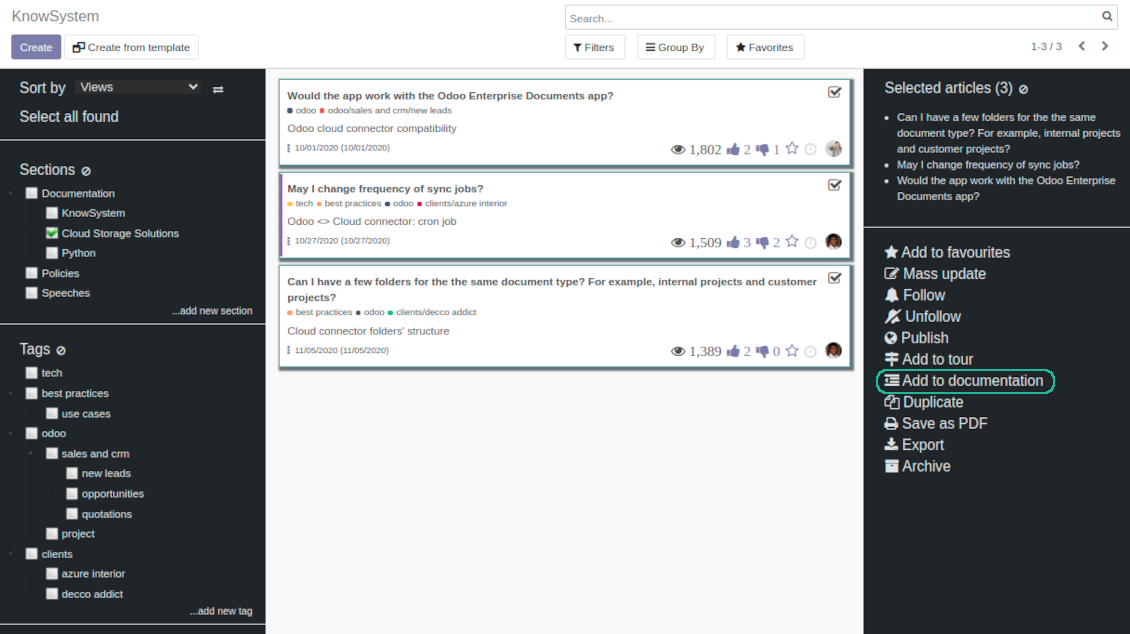
Pick articles up step by step: the selection is not cleared with a new search or when you opened a record. Proceed mass action(s) for all chosen items
-
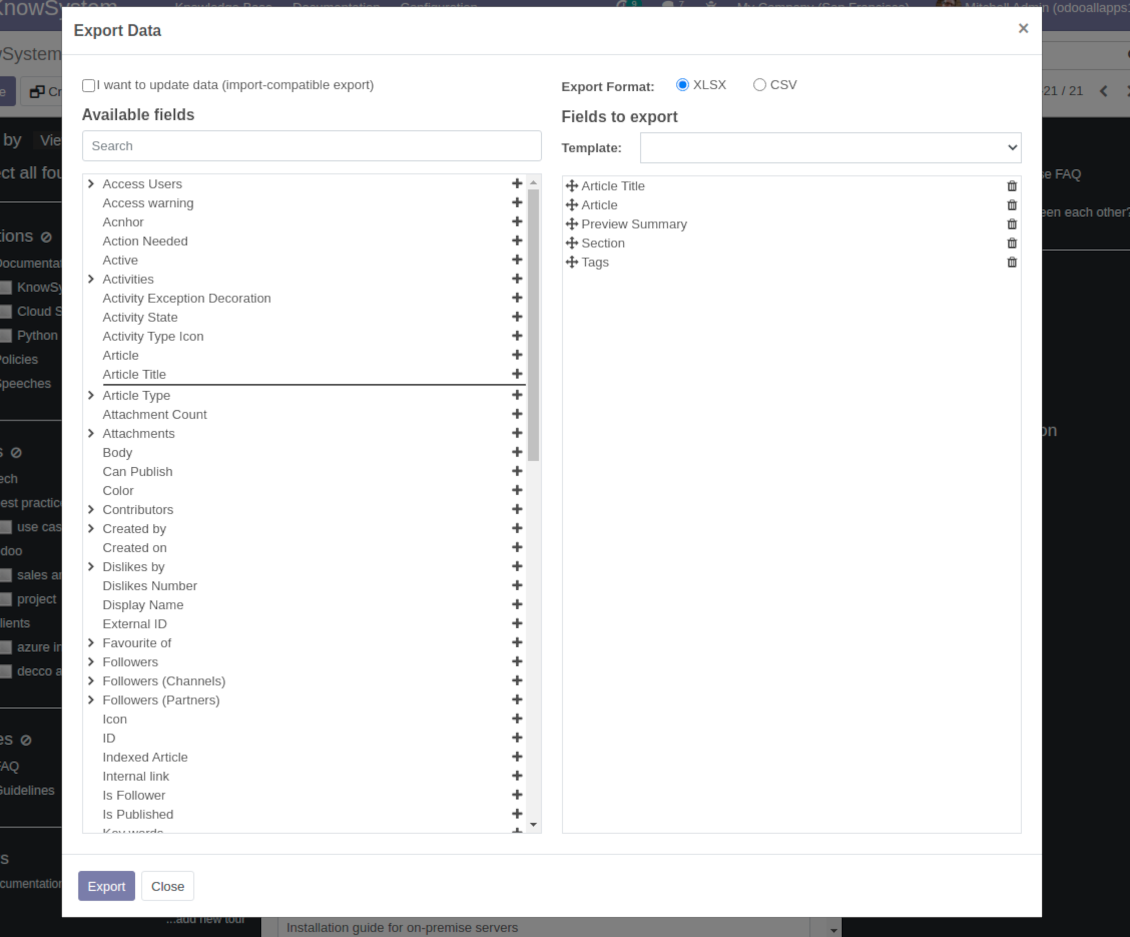
Update knowledge in batch: assign new section, change or remove tags, print multiple articles as a single PDF, follow / unfollow discussions, publish / unpublish articles, export articles to an Excel table, archive or restore items, add articles to learning tours and documentations, mark knowledge records as favorite, duplicate articles
Fast, comfortable, and professional knowledge recording
Safe backend editor
-
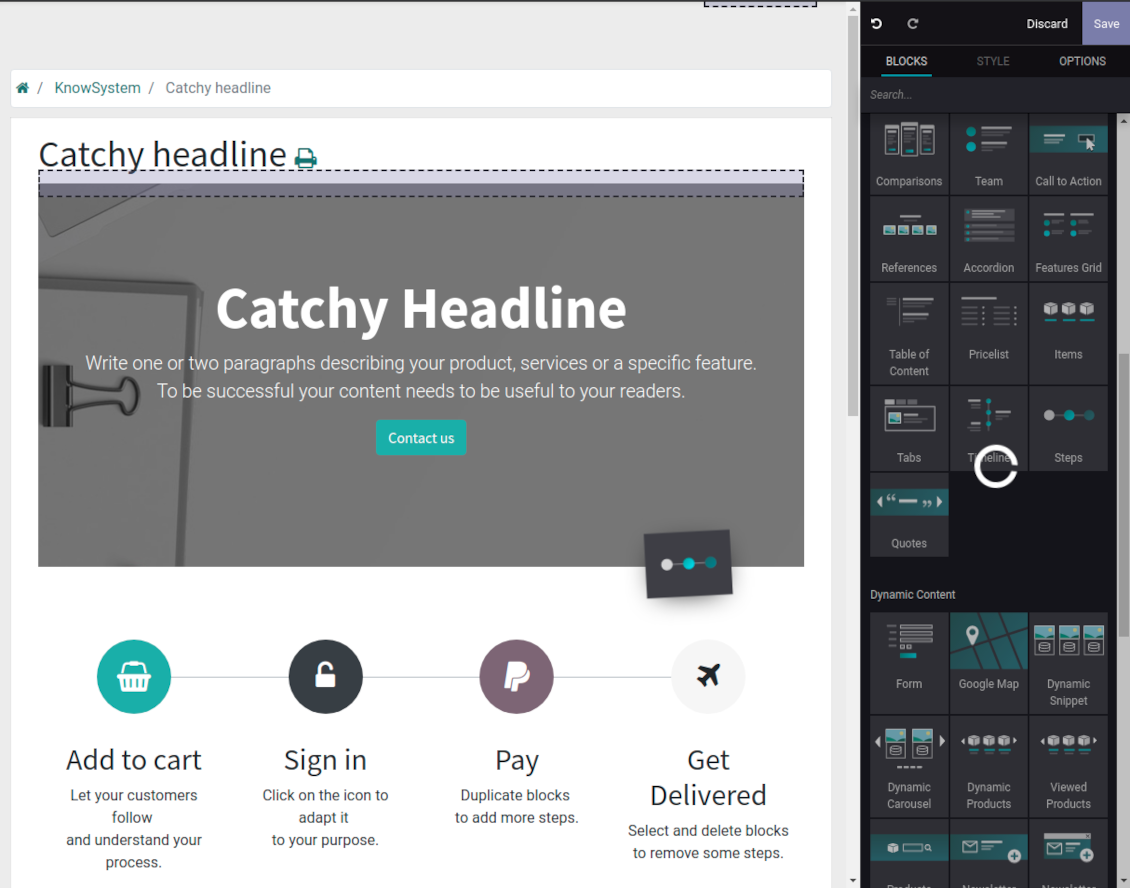
Drag and drop building blocks to write a new article right in the Odoo backend interface. The process is simple while the result is professional looking
-
Edit blocks styles, re-order Knowledge elements, change width and height of items
-
KnowSystem editor relies upon strict HTML structures which are in the most cases compatible with printing and messaging layouts
Advanced website builder
-
Apply advanced styles and complex widgets by using Odoo built-in website editor
-
Exploit Odoo website know-hows: numerous snippets and animations, style templates and options
-
Rely upon website editor to prepare nice-looking portal knowledge pages. Avoid using that for internal or printing purposes: advanced styles often contradict printing and composer layouts
Raw HTML interface
-
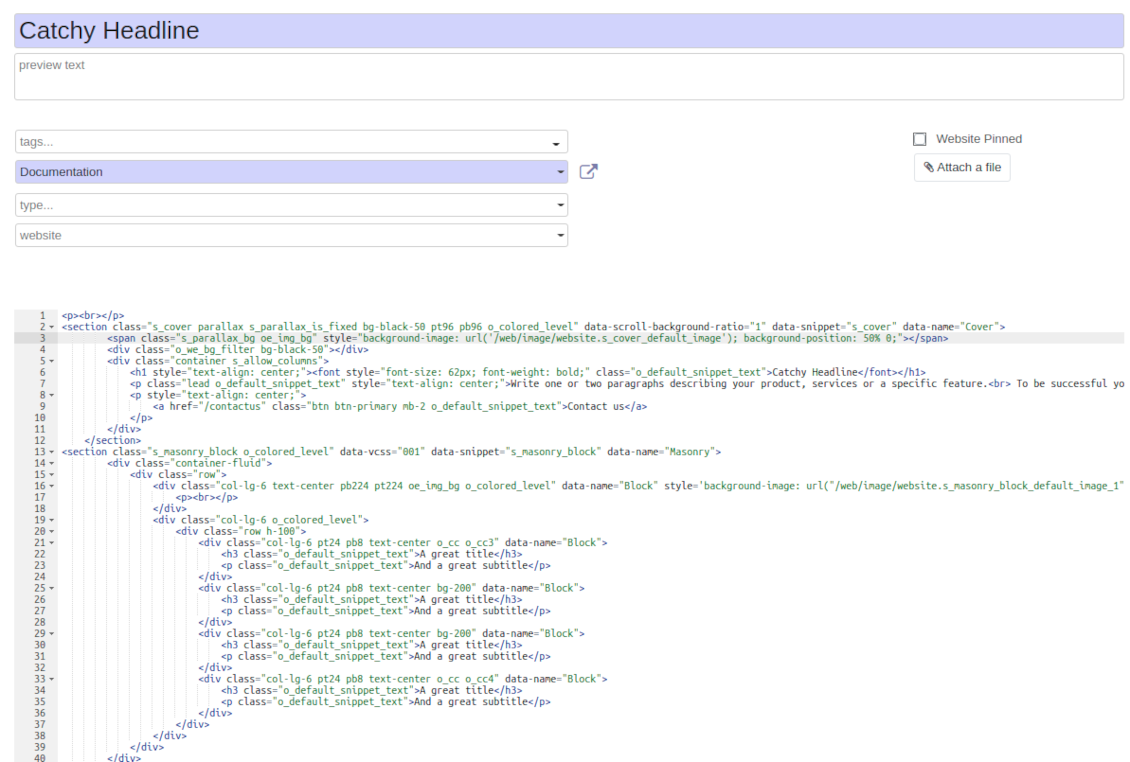
At any moment switch to raw code view to update articles HTML
-
Optionally replace the backend editor with XML editor to rely fully on the website builder and edit only raw code in the backed
-
Introduce any HTML tags and styles, including bootstrap ready elements and iframes
Knowledge templates
-
Prepare new knowledge templates or save any existing article as a template
-
Use templates to create new articles to save time or keep uniform styles
Get benefit from your knowledge
Knowledge system for any Odoo document
-
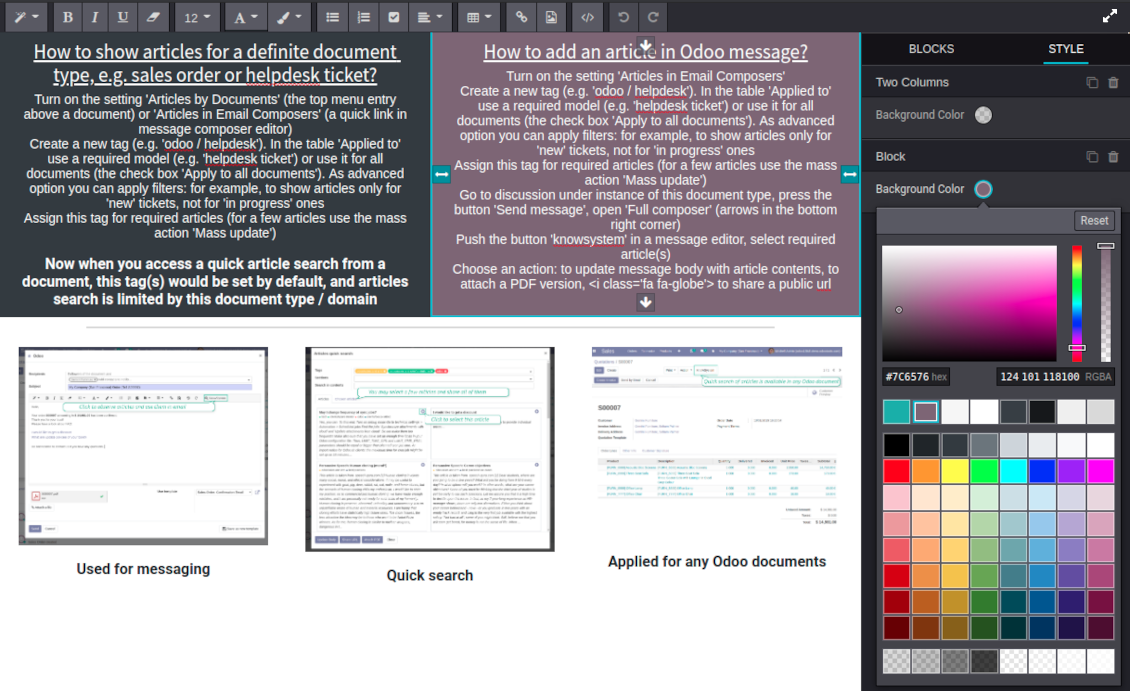
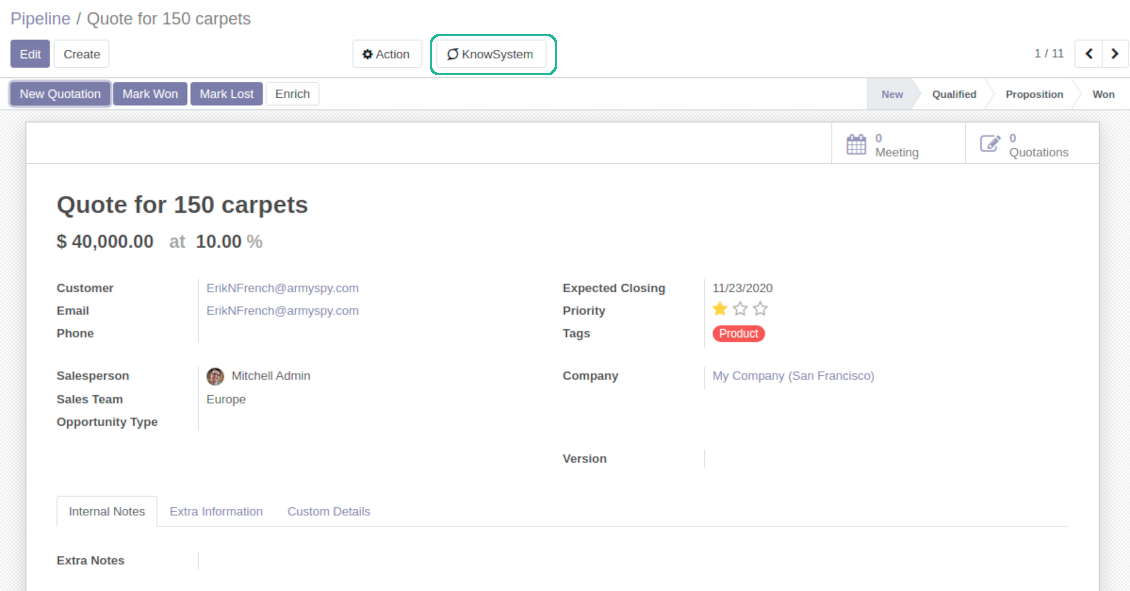
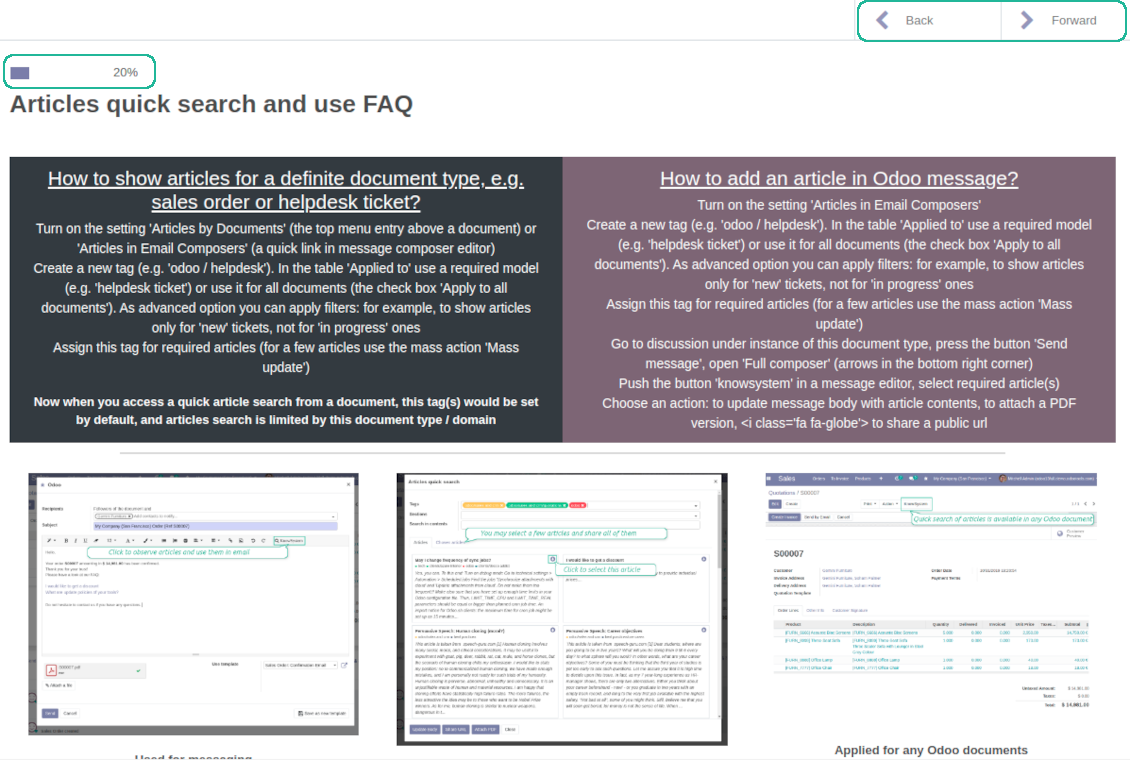
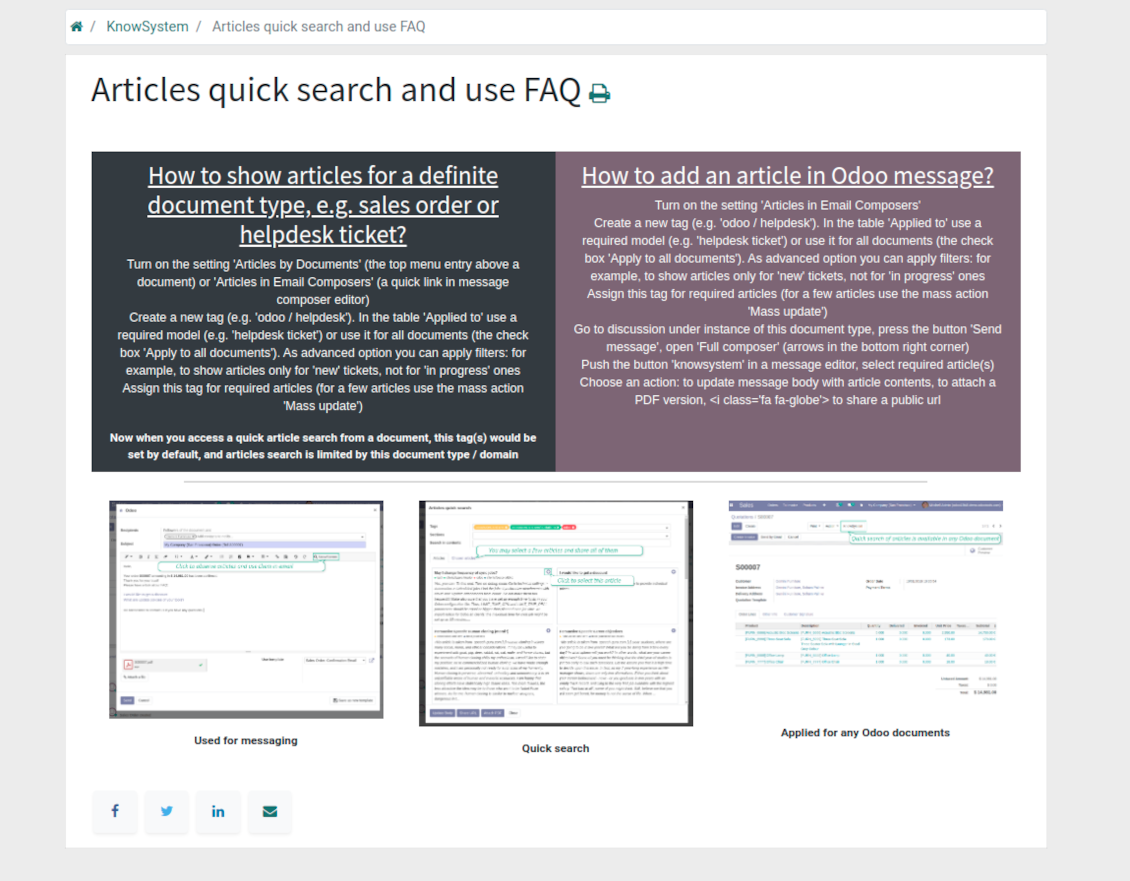
Turn on the setting 'Articles by Documents' to add the quick entry for Knowledge base from any Odoo form view
-
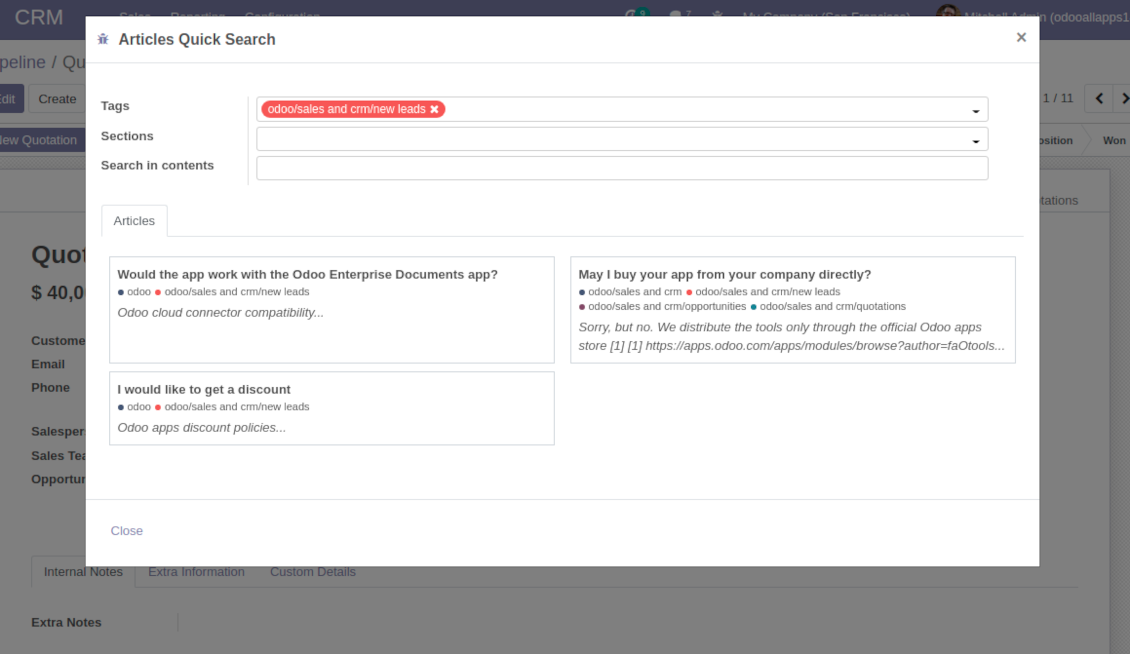
Search articles by tags, section, or content in a few clicks for a quick overview
-
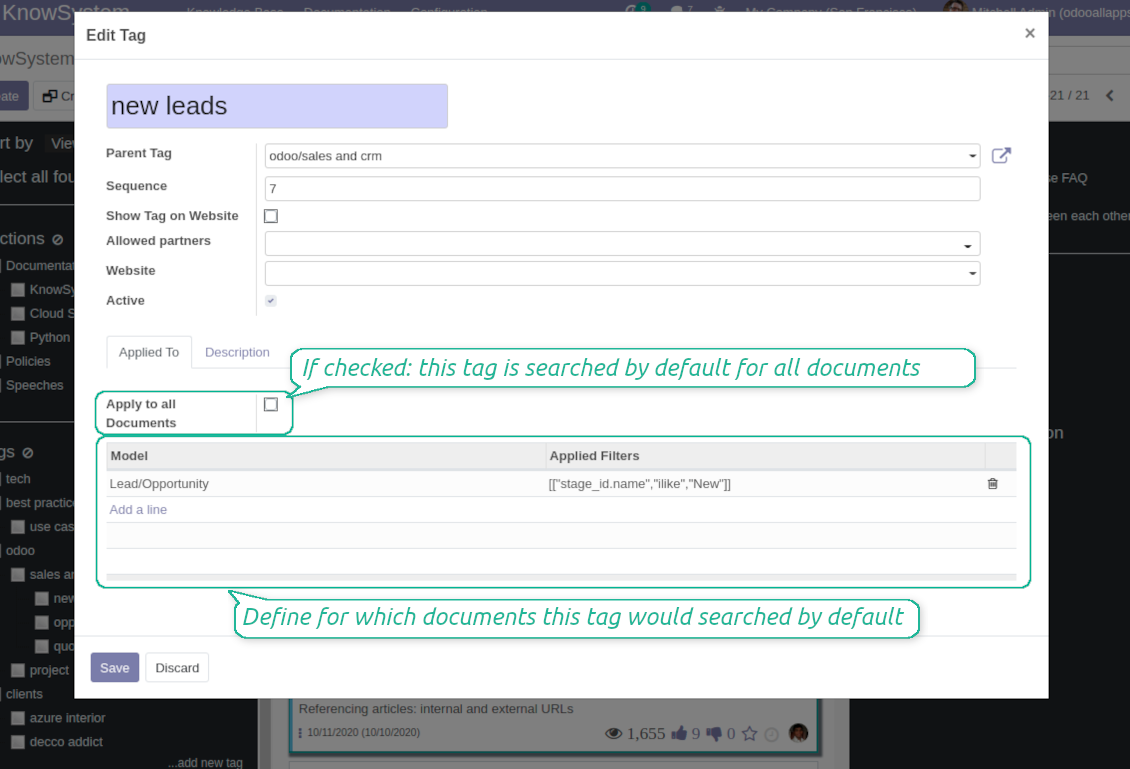
Link knowledge tags with Odoo document types to simplify search of articles. For example, assign helpdesk tickets to the tag 'odoo / helpdesk': the latter would be entered by default for support requests objects
-
Observe article content right from any Odoo object: there is no need to always switch to the KnowSystem advanced interface
Apply to knowledge in communication
-
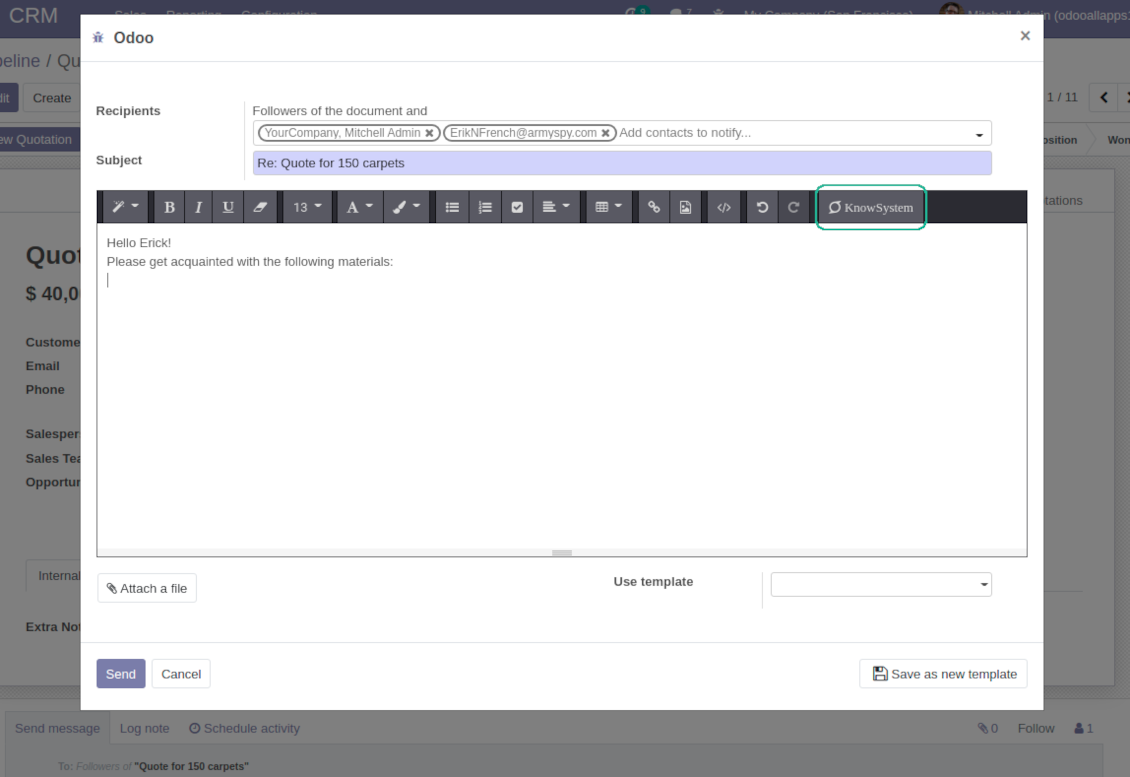
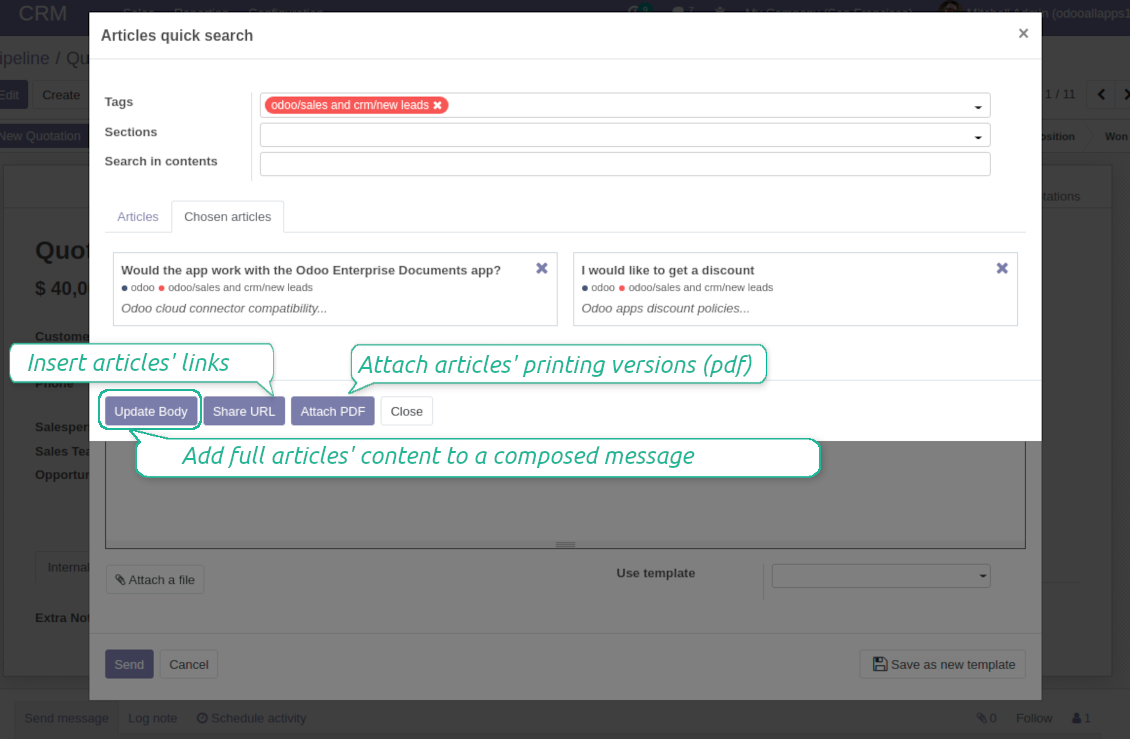
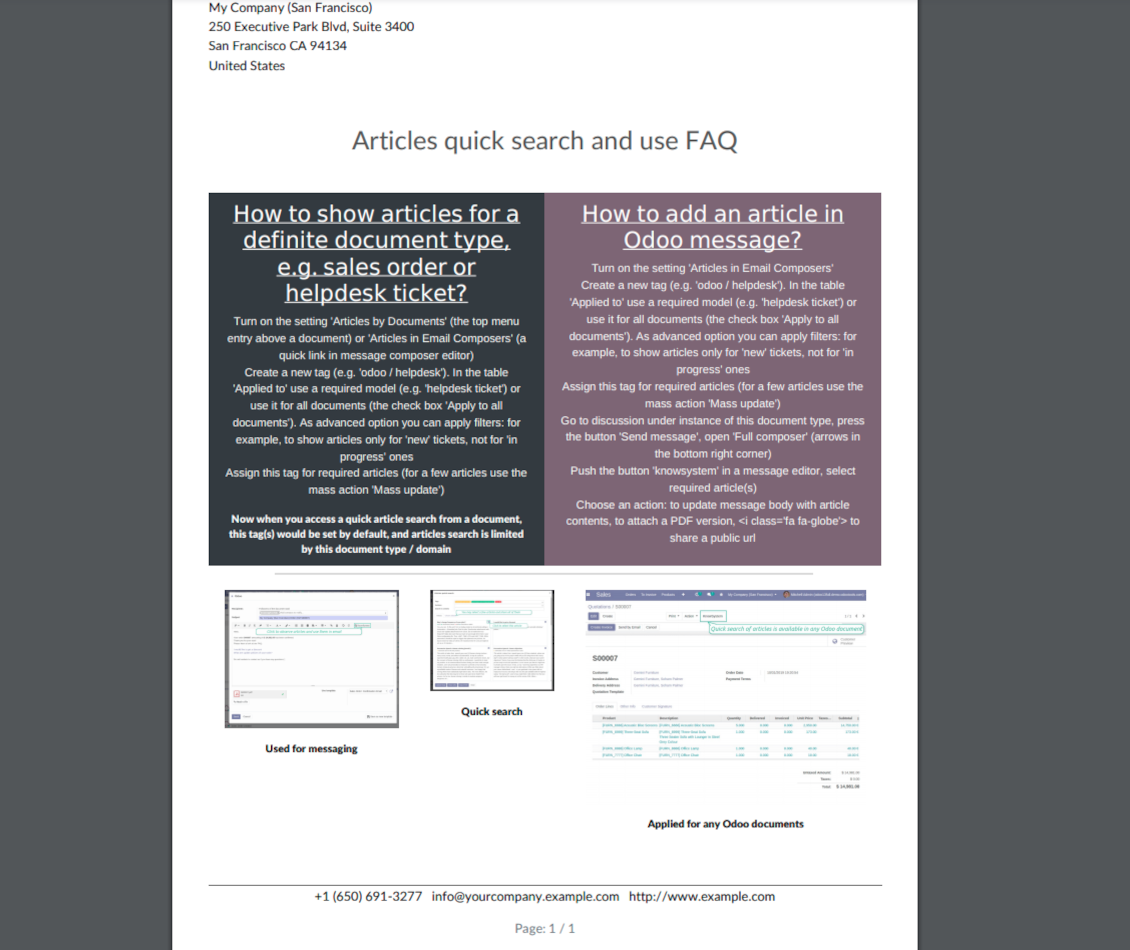
Turn on the option 'Articles in Email Composers' to let users reference or cite Knowledge records in Odoo messages
-
Quickly observe articles related to a current document discussion. Instantly reference one or a few ones
-
Update message body with knowledge content (it would be added to the end of a current message)
-
Attach a PDF version of referenced article or articles
-
Share a public knowledge link with your colleagues or partners
Organize learning tours
-
Turn on the option 'Tours' to be able to combine articles in a sequence of learning steps
-
Add any knowledge to a tour in any order
-
Launch a tour to follow certain steps of study one by one in the special interface
-
Share learning tours with everybody or specific user groups. Control employees' progress in getting familiar with instructions and guidelines
Share and publish knowledge
-
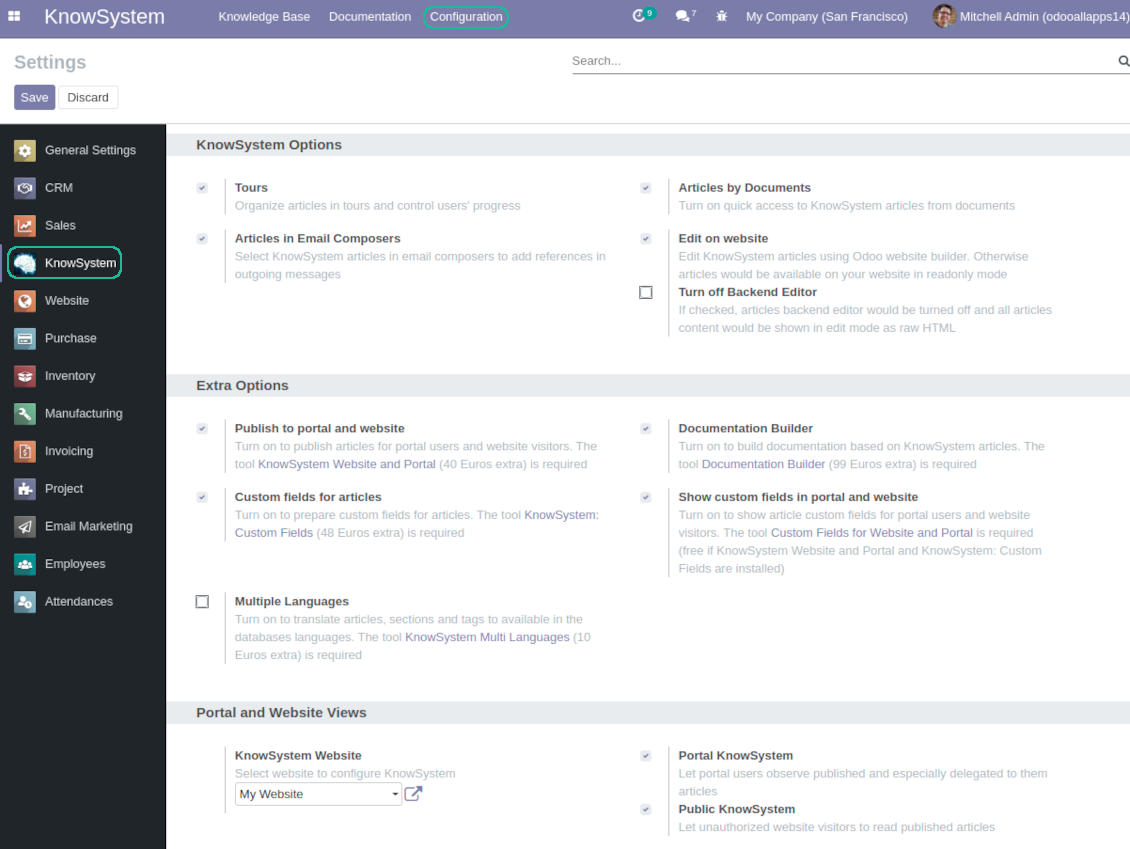
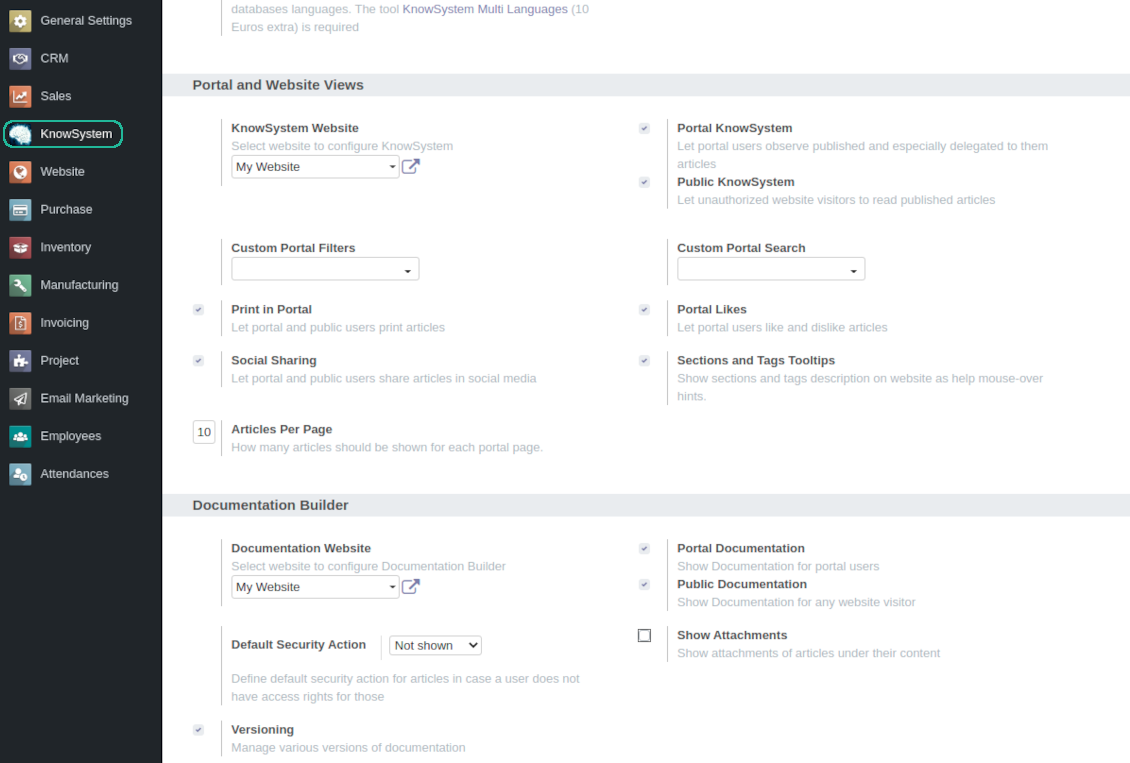
Turn on the setting 'Portal KnowSystem' to give KnowSystem access for external partners, 'Public KnowSystem' - for website visitors
-
Configure KnowSystem tags or publish articles to share knowledge content
-
Combine articles in advanced documentation to cover certain aspect of organizational or functional knowledge
-
Turn on the option 'Portal Documentation' and 'Public Documentation' to make that documentation available for portal and public users respectively.
Website documentation builder
-
Combine articles into advanced documentation sections to cover a certain business, organizational, or functional aspect
-
To create a new documentation section just select and order KnowSystem articles. The app would generate a website page automatically
-
Each KMS article might be used several times for different documentations
-
The tool allows preparing an unlimited number of documentation pages structured by categories
-
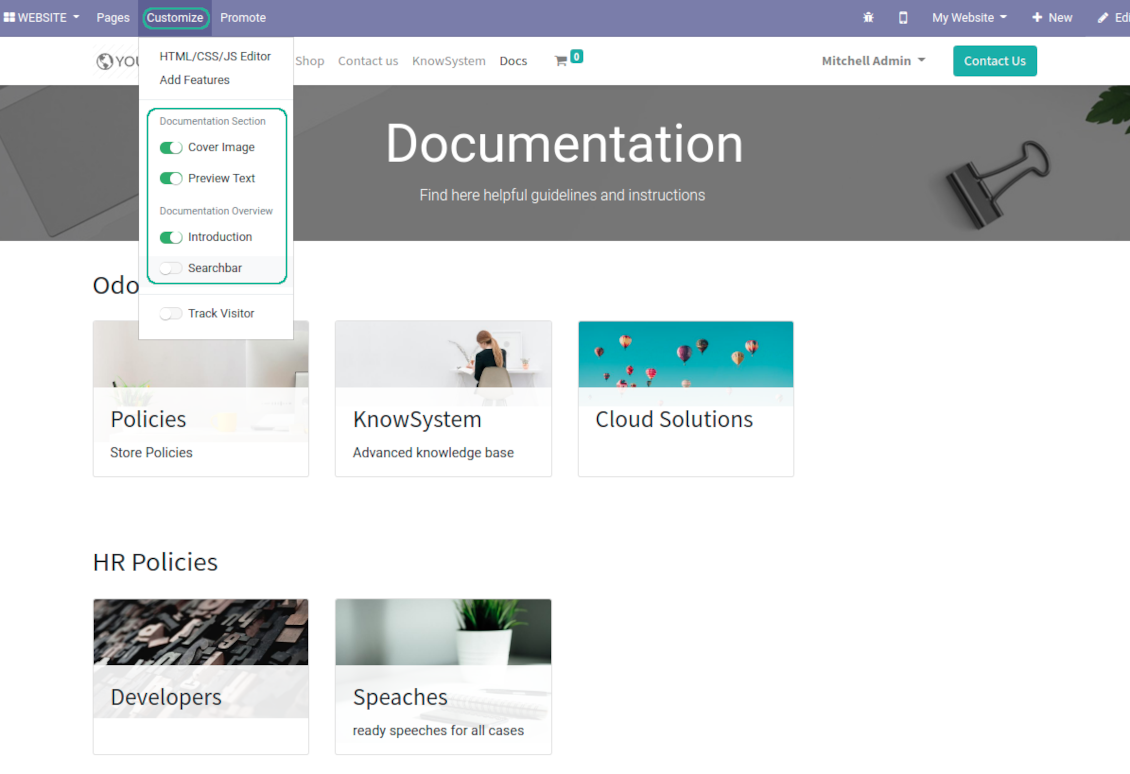
Flexibly customize documentation pages: show or hide introductions and footers, turn on/off search bar and table of contents, add or remove preview images and texts
-
The app let flexibly share documentation categories and sections. Publish required documents to make them available for everybody, assign KnowSystem tags - to grant an access for chosen Odoo partners
-
Depending on user rights documentation might look different. Define what to do if a documentation user does not have access for included articles: to neglect restrictions, not to show that knowledge pieces, or to show a security warning
-
Optionally show table of contents for comfortable and quick navigation. Table of contents is constructed automatically according to headers of included articles
-
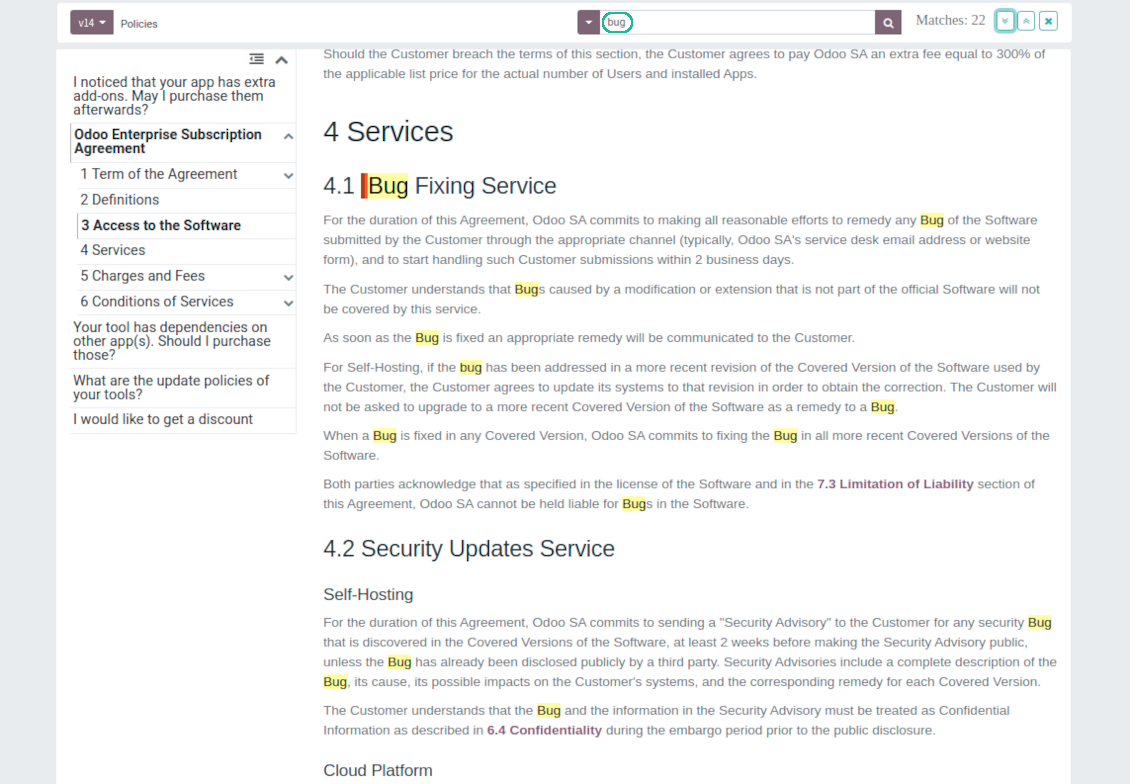
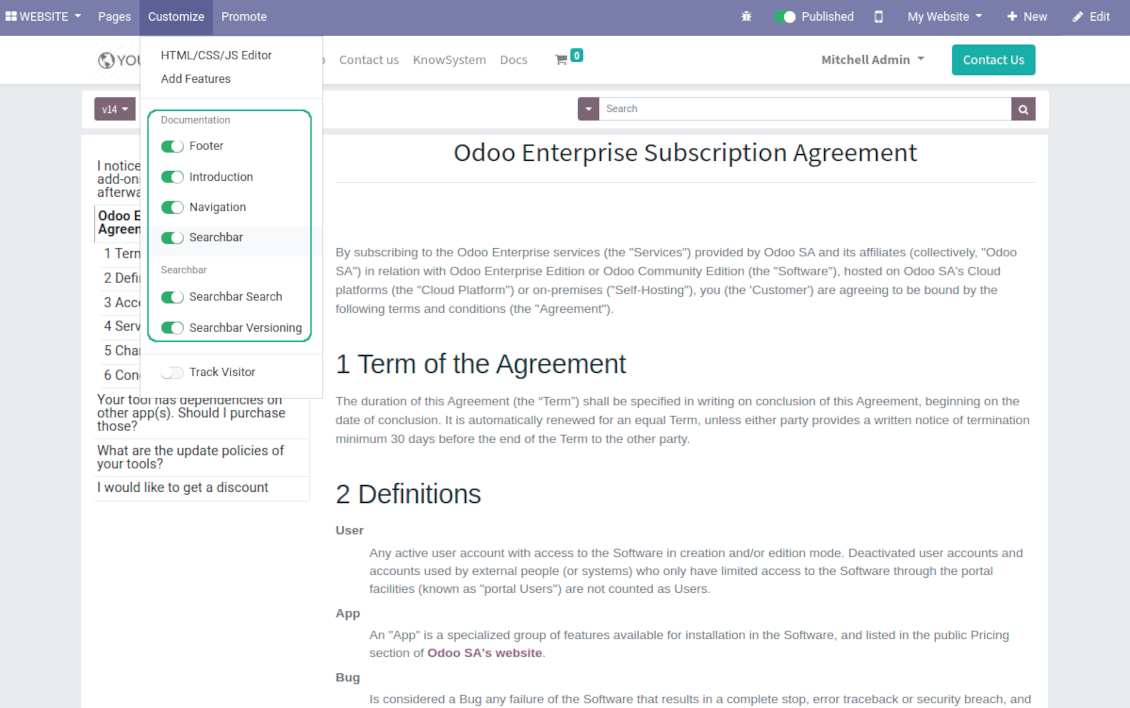
Turn on the search bar for documentation. It is possible to find matches in a whole text or only in headers, to make key words case sensitive or insensitive.
-
Apply versioning for documentation to avoid double work in preparing specifications, user manuals or software guidelines.
Partner knowledge base portal and public knowledge system
Knowledge in Odoo portal
-
KnowSystem let organize a web portal personally for each Odoo partner by selecting articles to be shared. To that end turn on the option 'Portal KnowSystem'
-
Design an article especially for a definite company, or use the same knowledge experience among multiple clients
-
Knowledge articles are available for portal users if: (a) the articles are published; (b) the articles have user-related tags
-
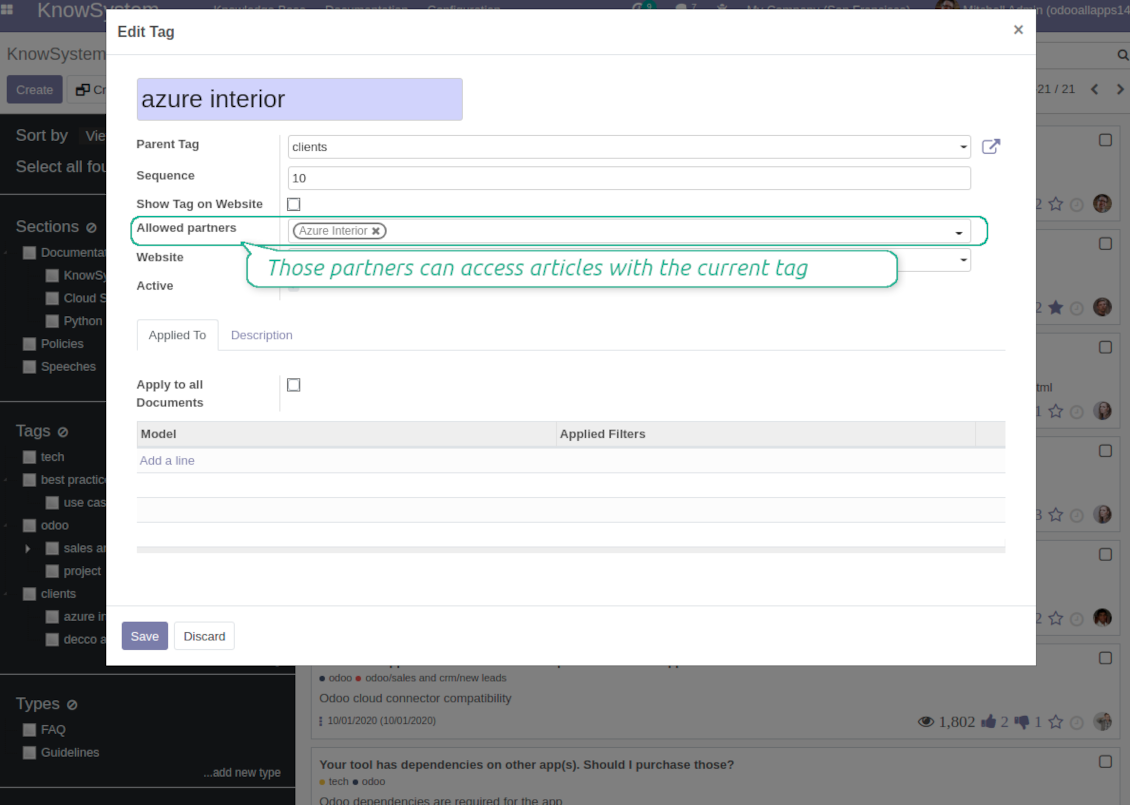
To assign a KnowSystem tag for a partner do one of the following: (a) go to a partner form and enter the field 'KnowSystem tags'; (b) on a tag form define 'Allowed partners'
-
Optionally allow partners to print knowledge pieces, like or share articles
Public KMS
-
To make self service possible: make your knowledge base available also for unauthenticated users. To that end turn on the option 'Public KnowSystem'
-
Only articles which are published would be available for visitors
-
To publish specific knowledge parts: apply the mass action 'Publish' or push the button 'Actions > Publish on website' on an article form
-
To show tags and article types in portal and website do not forget to publish them. Knowledge sections would be shown only if they have articles for observation
-
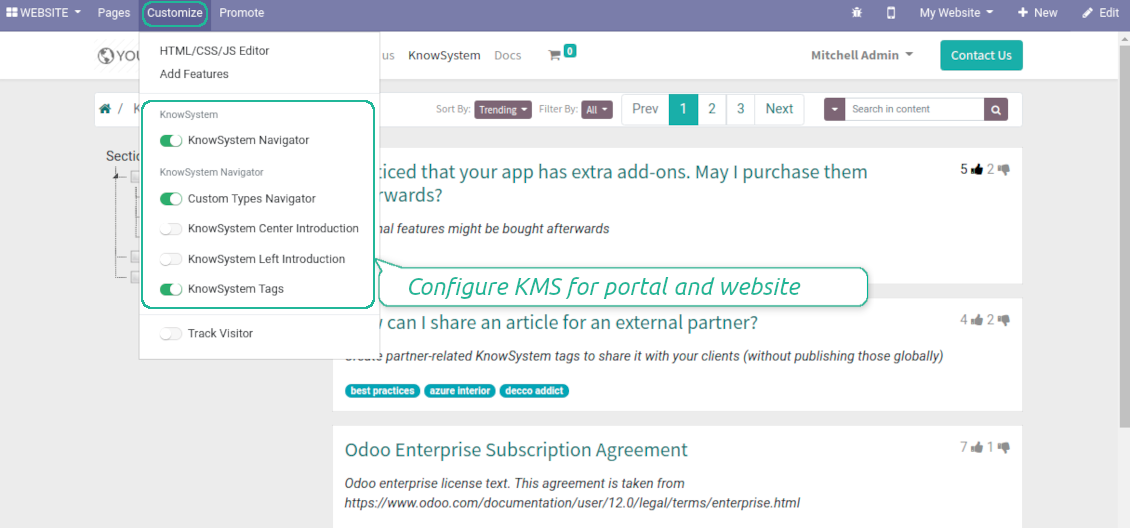
Customize the knowledge portal: hide/show the navigation by tags and types or the whole navigation, prepare introduction or navigation hints, add section tooltips.
Interactive and evolving knowledge base
Team work and use
-
The history of articles revisions is kept in Odoo in a similar way it's done in Wikipedia. If one of user breaks something, it takes 2 clicks to recover a proper knowledge version
-
Users might take part in article discussions and be subscribed for updates
-
Control statistics by articles: contributors, number of views, likes and dislikes, how frequently they are used in messaging, who mark them as favorite
-
Set activities to improve knowledge base
Multi lingual knowledge
-
KnowSystem let you translate articles to installed in Odoo languages. In such a way users might read and edit articles in a language from their preferences
-
To avoid double work, article content might be copied from another language (the button 'Copy from another translation' under the article content). Simultaneously, make sure you actually require multi lingual regime: all articles should be anyway kept updated in all Odoo languages
-
To update knowledge translation you should change your user preferences to a required language. Then, go to an article and introduce changes as usual.
Any business and functional area
KnowSystem is a universal knowledge management tool which might be configured to any business goal and any set of Odoo apps: for helpdesk, marketing, IT, HR, project management, so on and so on. Typical use cases are:
-
Helpdesk - once faced a challenge, its solution might be recorded in KnowSystem for repeated usage by co-workers and for self-service by clients
-
Sales and CRM - salesperson helper to find information about products, offers, frequently asked customer questions
-
Project management - to keep and easily retrieve knowledge of existing solutions, tools, hints, and experiments
-
HR - to prepare instructions, guidelines, learning tours and trainings, and any codified knowledge of routine in your company
-
Marketing - to organize Odoo online library of product use cases, expert knowledge and well structured documentation
-
Legal issues - systematize your policies, contract and approval managements, keep the full classifier of trademarks, licenses
-
Informational technologies - share easy-reached manuals and configuration guidelines.
Custom knowledge system attributes
-
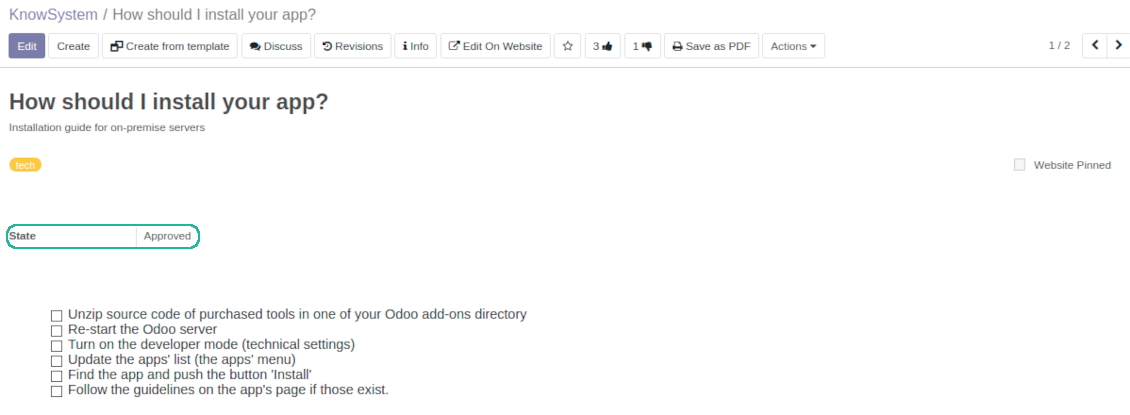
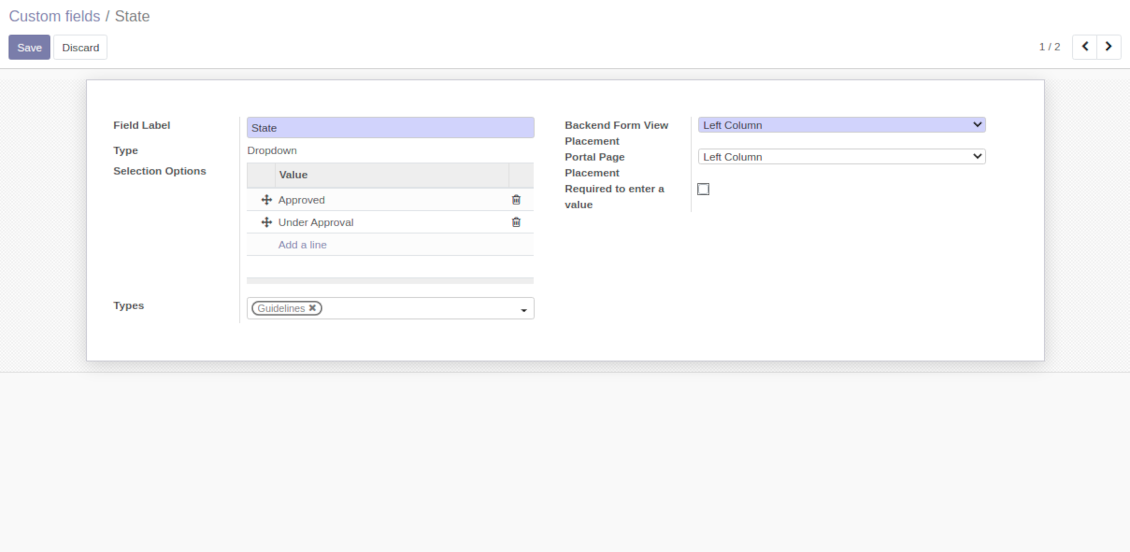
Custom attributes' creation does not require any technical knowledge. In order to show a new property for knowledge base articles, just add a new field and enter details
-
It is possible to add custom fields of the following types: single line text (char), simple text without formatting (text), rich text (HTML-formatted text), integer or float numbers, drop-down choice with your own options (selection), checkbox (boolean), date or date and time, binary (a file to upload), reference to another Odoo document (e.g. for a sale order, contact; many2one)
-
The tool let you comfortably select an interface position of a custom field from a closed list of options
-
Distinguish knowledge articles by types in order to show properties only for suitable ones. Thus set of attributes for 'user guidelines' and 'technical specifications' might be different
-
Mark a custom field required to force users enter values
-
The app might work for both KnowSystem backend and knowledge share portal
-
Custom knowledge system fields might be imported and exported
-
The rights to create custom fields belong only to KnowSystem administrators.
Secured and shared knowledge
-
Security for internal and for portal/public users differs
-
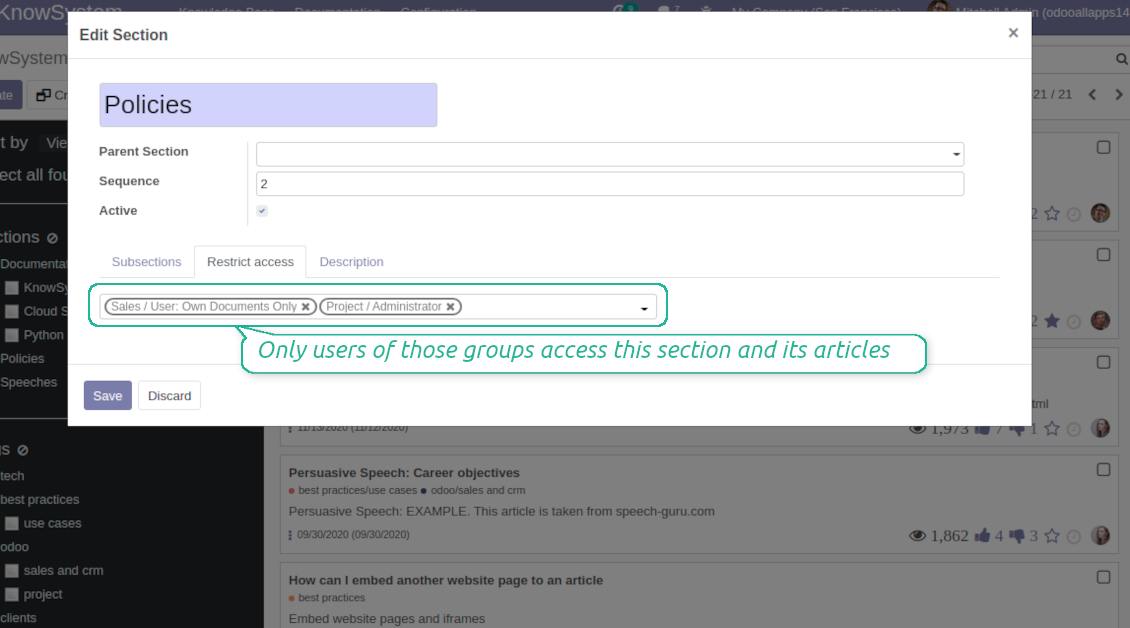
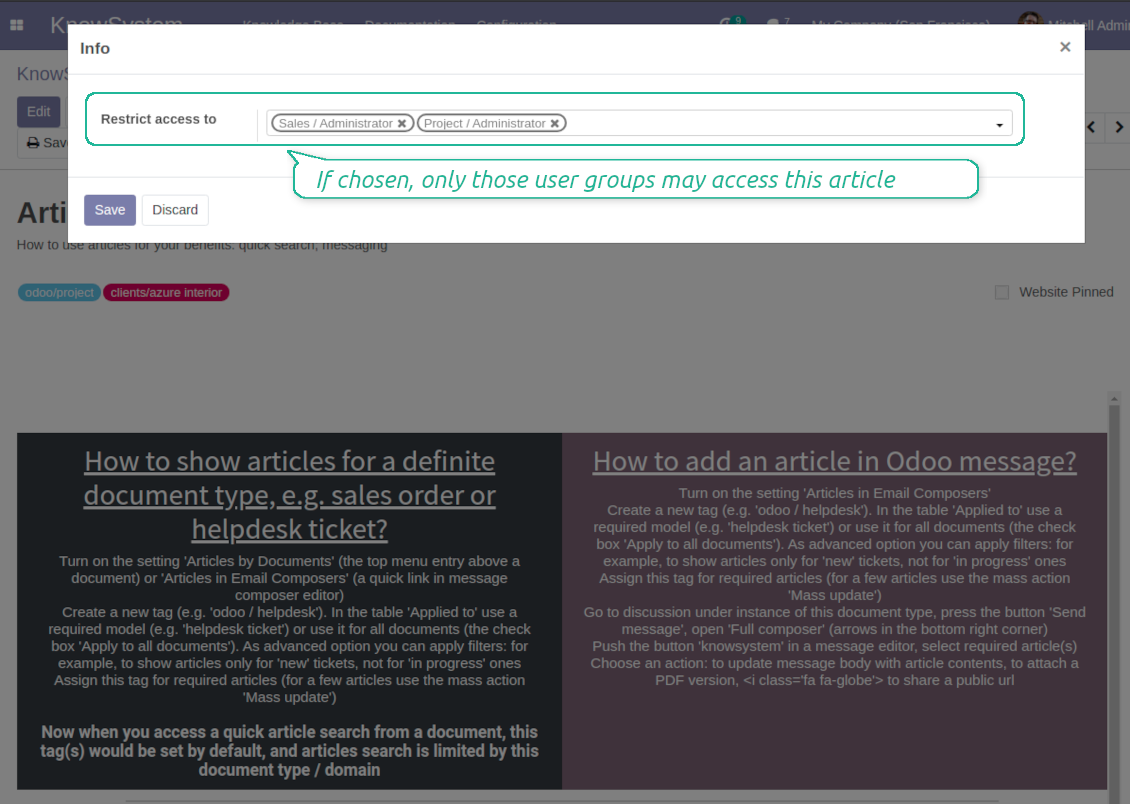
For the company employees: KnowSystem considers user groups which are defined per articles, sections and tours. Look at the tab 'Restrict to' on forms of those objects. If that field is not defined, a document is considered 'global' and each internal user may read it
-
For portal / public users: KnowSystem takes into account tags and whether an article is website published. A knowledge tag has a field 'Allowed partners', which may grant an access to portal users for articles with this tag. Website published pages are available for any external visitor
-
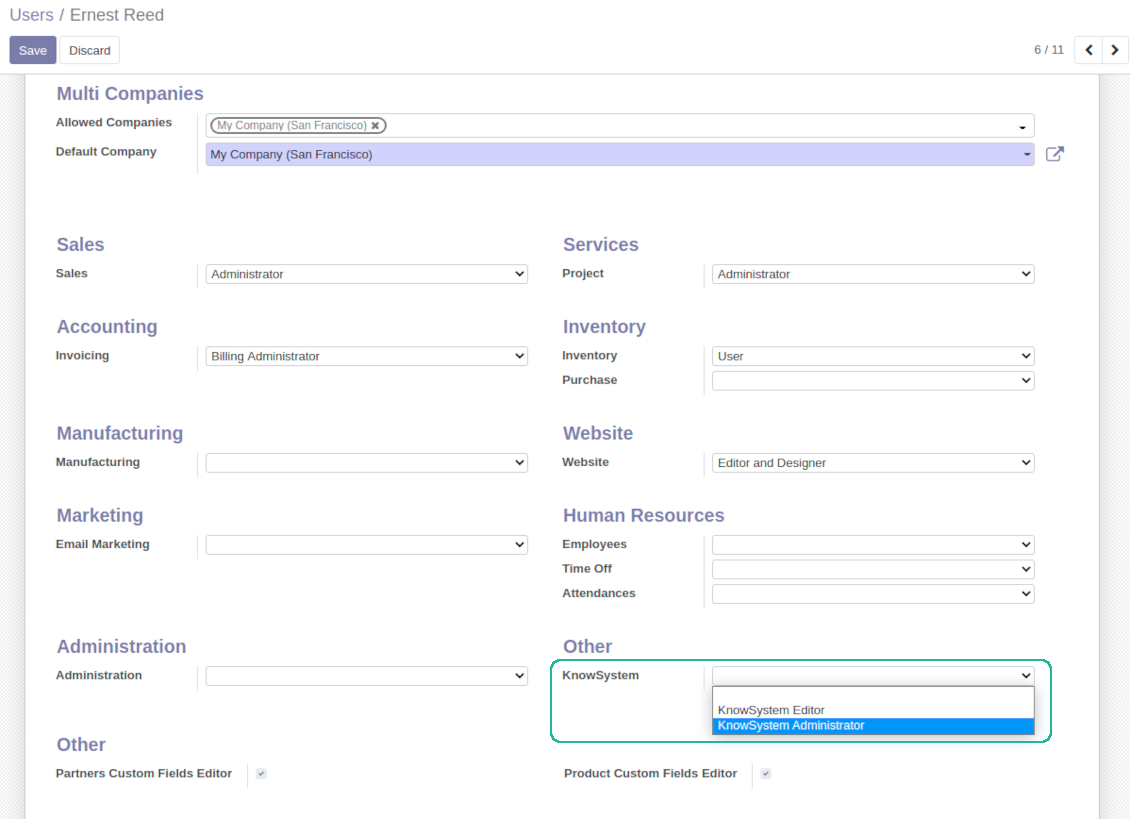
Rights to administrate Odoo knowledge management system belongs to 2 user roles: KnowSystem Editor and KnowSystem Administrator. If you want a user to create and edit articles, a user should belong to one of those groups
-
Odoo user always may access an article if he/she is an author of that article disregarding further restrictions
-
Rights for a knowledge section is defined not only according to this section but also according to all its parents. For example, if a user can't access 'sales', he/she would not be able to access 'sales / crm' disregarding whether 'crm' is available for his/her user group.
|
|
Odoo user |
KnowSystem Editor |
KnowSystem Admin |
Portal user |
Public user |
| Articles | read related to his/her user groups and sections | read, create, edit, archive related to his/her user groups and sections | read, create, edit, delete any | read published articles and articles related to partner-related tags | read published articles |
| Sections | read related to his/her user groups | read, create, edit, archive related to his/her user groups and sections | read, create, edit, delete any | read all sections of available articles | read all sections of published articles |
| Tags | read any | read, create, edit, archive any | read, create, edit, delete any | read published ones | read published ones |
| Article Types | read any | read any | read, create, edit, delete any | read published ones | read published ones |
| Tours | read related to his/her user groups | read, create, edit, delete related to his/her user groups | read, create, edit, delete any | no access | no access |
| Misc | may like / dislike, add to favourites, print, take part in discussions | may configure options | may like / dislike an article |
|
الأسئلة الشائعة حول KnowSystem: Knowledge Base System Odoo v.14
لا أرى أي فرق بين نصوص المراجعات.
تفترض المراجعات تسجيل ليس فقط تغييرات النص بل أيضاً أي تحديثات في الأنماط (تقنياً عند تغيير شيفرة HTML المصدرية للمقال). بعضها قد لا يتضح من النظرة الأولى (مثل تغيير حجم خط كلمة واحدة). وأخرى قد تكون جذرية. مع ذلك فإن أي سلسلة Edit > غيّر أي شيء في المقال > Save تنتج مراجعة جديدة.
هل يمكنني إضافة فيديو YouTube/ Vimeo / Dailymotion / Youku في مقال؟
نعم، يمكن تضمين فيديو من هذه الخدمات في المقالات من backend Odoo ومن منشئ الموقع. لذلك أضف أي كتلة بناء بصورة > اضغط على الصورة > اختر ‘Video’ > أدخل URL الوسيط المطلوب.
لاحظ: تُدرج هذه الفيديوهات كـ iframe، وقد يحظر بعض المتصفحات التشغيل حتى يسمح المستخدم بذلك صراحة.
كيف أجعل قسماً ظاهراً على الموقع الإلكتروني؟
في KnowSystem يظهر القسم على الموقع إذا نُشر واحتوى مقالاً واحداً على الأقل. حتى مع وجود أقسام فرعية لن يظهر إن لم يكن في القسم نفسه أي مقال. ذلك لتفادي الأقسام الفارغة وجعل بوابة KnowSystem واضحة وسهلة التصفح. لإظهار القسم على الموقع أضف مقالاً تمهيدياً أو عاماً يصف أو يسرد باختصار مقالات الأقسام الفرعية.
كيف أشارك مقالاً مع شريك خارجي؟
انقر بزر الفأرة الأيمن على أي وسم في لوحة التنقل اليسرى - Create
ابحث عن الحقل 'Allowed partners'. مثلاً 'clients - azure interior' لمنح الشريك 'Azure Interior' صلاحية الوصول. يمكنك العكس أيضاً: تعيين وسوم KnowSystem مباشرة في نموذج الشريك
ثم انتقل إلى المقال المطلوب (أو نفّذ الأمر نفسه بالإجراء 'Mass update' لعدة سجلات):
إذا كان منشوراً: ألغِ النشر إن لم ترد إتاحته لجميع مستخدمي البوابة والزوار العامّين
عيّن الوسم المنشأ حديثاً (في المثال هو 'clients - azure interior')
الآن:
جميع مستخدمي البوابة المرتبطين بالشريك التجاري 'Azure Interior' يمكنهم الوصول إلى المقالات ذات الوسم 'Azure Interior'
لا يصل مستخدمو البوابة الآخرون (إن لم يُعيَّن وسم مختلف) إلى تلك المقالات
المستخدمون الداخليون غير متأثرين ويرون المقالات وفق منطق 'access to' للمقالات والأقسام.
هل يمكننا إضافة زر اختيار اللغة لنص المقال؟
زر 'translate' لا يُضاف إلى نص المقال عمداً بواسطة الإضافة الاختيارية 'KnowSystem: Multi Languages'. السبب أن شيفرة HTML صعبة الترجمة في النافذة المنبثقة البسيطة التي يفترضها الزر. سيكون النص قليلاً جداً وأجزاء HTML كثيرة (وقد يكسرها المترجم أيضاً).
لذلك لإنشاء مقال بلغة معيّنة سجّل الدخول بمستخدم هذه اللغة. قد يكون مستخدماً آخر، أو غيّر مؤقتاً تفضيلات المستخدم الحالي. بعد ذلك تُجرى أي تحديثات لنص المقال بلغة ذلك المستخدم.
ويمكنك أيضاً استخدام الزر 'Copy from another translation' تحت نص المقال لجلب محتوى المقال من لغة أخرى في أي لحظة (مفيد إن حُدّث المقال بشكل كبير في إحدى اللغات).
كيف أضمّن صفحة موقع أخرى في مقال
لهذا الغرض يمكن استخدام iframe. بدّل المقال إلى محرر شيفرة HTML الخام وأدرج مثلاً <iframe src="https://faotools.com/" style="width:100%;min-height:600px;"> </iframe>.
ثبّتُّ KnowSystem لكن لا أرى الزر 'create' ولا الأزرار الأخرى
على الأرجح لم تمنح مستخدمك صلاحيات KnowSystem. اختر الدور المناسب 'KnowSystem Editor' أو 'KnowSystem Admin' ثم حدّث الصفحة. يفترض أن تظهر أزرار التحكم الآن.
هل يمكنني عرض جولة تعلّم معيّنة لمستخدمين مختارين فقط؟
نعم، بتعيين مجموعة مستخدمين (مثلاً 'Sales Manager') يفترض أن تمر بهذه الجولة. إذا انتمى المستخدم إلى المجموعة فسيراها. وإلا فلن تُعرض. يعمل ذلك كما تعمل صلاحيات مقالات وأقسام KnowSystem.
لاحظ أنه إذا لم تُعيَّن للجولة مجموعات، فهي 'global' وتظهر للجميع.
كيف أغيّر التذييل والترويسة عند طباعة المقالات؟
ترويسة وتذييل PDF المقالات تؤخذ من تخطيطات الشركة. راجع Settings > General Settings > قسم Business Documents. هناك تعرّف قالب الشركة المستخدم لكل أنواع المستندات، بما فيها الفواتير وأوامر البيع وغيرها، وكذلك المقالات. يفترض نهج Odoo هذا أن التذييل والترويسة أسلوب عام للشركة لا صفة لطبعات معيّنة.
كيف أربط المقالات ببعضها؟
لكل مقال عناوين URL داخلية (backend) وللموقع (إذا ثُبّتت الإضافة 'KnowSystem: Website and Portal'). انقر زر 'Info' في نموذج المقال لمعرفة عناوين الويب لهذا السجل. يمكنك إدراج أي منها في نص المقال كارتباط تشعبي.
هل يمكنني تغيير شيفرة HTML المصدرية لمقال؟
نعم: فعّل debug assets (في شاشة نظرة عامة على الإعدادات) ثم عد إلى المقال الحالي. في وضع التحرير سترى الأيقونة '</>'. انقرها لمعاينة HTML والأنماط وتحريرهما.
ما سياسة تحديث ادواتكم؟
وفق سياسات Odoo Apps Store الحالية:
- كل وحدة مشتراة للإصدار 12.0 وما قبله تمنح الوصول إلى كل الإصدارات حتى 12.0.
- بدءا من الإصدار 13.0 تُشترى كل نسخة من الوحدة على حدة.
- بغض النظر عن الإصدار، الشراء يعطي حق كل التحديثات والإصلاحات ضمن الإصدار الرئيسي.
فريق faOtools لا يتحكم بهذه السياسات. للأسئلة تواصلوا مباشرة مع ممثلي Odoo Apps Store.
كيف اثبّت التطبيق على Odoo.sh؟
أبسط طريقة هي مسار متجر Odoo المدمج:
1. افتح صفحة الوحدة واضغط Deploy on odoo.sh
2. ستُنقل إلى GitHub. سجّل الدخول ثم Create a new repo أو استخدم مستودعا قائما. يجب أن يكون المستودع خاصا. لا يُسمح بنشر التطبيقات بترخيص OPL-1. أنشئ مستودعا جديدا لمشروع Odoo.sh عند الحاجة
3. ثم في odoo.sh اضغط Deploy وأكّد ثم Continue. يبدأ التثبيت.
هذه الخطوات تثبّت التطبيق على فرع الإنتاج. لفروع أخرى أو للتحديث:
1. نزّل الشيفرة من متجر Odoo
2. اعمل commit للوحدة في مستودع GitHub. لا تُستثنى مجلدات/ملفات التطبيق في .gitignore. مستودعات odoo.sh قد تتجاهل مسارات مهمة (مثل /lib). ارفع كل مجلدات وملفات الوحدة
3. انشر الفرع المستهدف في مشروع odoo.sh أو انتظر البناء التلقائي إن كانت الإعدادات كذلك.
كيف اثبّت التطبيق على خادمي؟
2. أعد تشغيل خادم Odoo;
3. فعّل وضع المطوّر (الإعدادات التقنية);
4. حدّث قائمة التطبيقات (قائمة التطبيقات);
5. اعثر على التطبيق واضغط Activate/Install;
6. اتبع الإرشادات في صفحة التطبيق إن وُجدت.
للتطبيق إضافات أخرى. هل اشتريها لاحقا؟
نعم. يضيف Odoo التبعيات تلقائيا إلى السلة؛ استبعد الأدوات المشتراة سابقا حتى لا تدفع مرتين.
نشرت التطبيق على Odoo.sh وأرى تحذيرا/خطأ في الاختبارات
التحذير الأحمر/البرتقالي لا يؤثر على وظائف التطبيق. أحيانا لا تتجاوز وحداتنا الاختبارات التلقائية القياسية لأنها تفترض سلوكا يتعارض مع أهداف التطبيق. مثلا نغيّر حساب السعر بينما تقارن اختبارات Odoo السعر النهائي بالخوارزمية القياسية.
تحقق أولا من وظائف قاعدة البيانات المنشورة. هل كل شيء يعمل؟
إن ظننتم أن التحذير يؤثر على وظائف حقيقية، تواصلوا معنا وأرسلوا سجلات التثبيت كاملة وقائمة الوحدات المنشورة كاملة (الأساسية والطرف الثالث).
هل يمكنني شراء التطبيق منكم مباشرة؟
لا، نوزع الأدوات فقط عبر متجر تطبيقات Odoo الرسمي.
اريد خصما
للأسف ليست لدينا وسيلة تقنية لتقديم أسعار فردية.
هل يمكن تثبيت التطبيق على قاعدة Odoo Online (SaaS)؟
لا، لا يمكن استخدام تطبيقات الطرف الثالث على Odoo Online. خدمة Odoo SaaS تمنع ذلك.
للاداة تبعيات على تطبيقات أخرى. هل اشتريها؟
نعم، تحتاج الأداة إلى كل الوحدات المذكورة في التبعيات. السعر في صفحة التطبيق يشمل هذه التبعيات.
ما سعر الوحدة بالدولار الأمريكي؟ لماذا تغيّر؟
أسعار وحداتنا باليورو. يحوّل متجر Odoo الأسعار إلى عملات أخرى حسب سعره الداخلي. لذا قد يتغيّر السعر بالدولار الأمريكي عند تحديث سعر الصرف.
تتم صياغة نصوص التطبيق والموقع الإلكتروني باللغات غير الإنجليزية بمساعدة الذكاء الاصطناعي وبما يتوافق مع ترجمات Odoo الرسمية. إذا لاحظت خطأ، أرسل تذكرة تصحيح الترجمة وسنقوم بتصحيحه.
الإبلاغ عن الأخطاء
إذا واجهت أخطاء أو سلوكًا غير متسق, فلا تتردد في الاتصال بنا. نحن نضمن تقديم الإصلاحات خلال 60 يومًا من الشراء ونهتم بشدة بتحسين أدواتنا حتى بعد هذه الفترة.
لا تحتاج إلى رقم هاتف أو بطاقة ائتمان للاتصال بنا. يجب عليك فقط اجتياز عملية تسجيل قصيرة عبر البريد الإلكتروني, والتي لا تستغرق أكثر من 30 ثانية.
يرجى تضمين أكبر قدر ممكن من التفاصيل في طلبك: لقطات الشاشة وسجلات خادم Odoo ووصف كامل لكيفية إعادة إنتاج المشكلة وما الى ذلك. عادة ما يستغرق إعداد خطة عمل للمشكلة بضعة أيام عمل (اذا تأكد وجود خطا) او تزويدك بارشادات حول ما ينبغي فعله (في الحالات الأخرى).
طلبات الميزات العامة وأفكار الوحدات (تطوير مجاني)
لدينا دوافع قوية لتحسين أدواتنا وسنكون ممتنين لأي تعليقات. إذا كانت متطلباتك ذات استخدام عام ويمكن تنفيذها بكفاءة, فسيقوم الفريق بإدراج تلك المتطلبات في قائمة المهام الخاصة بنا.
تتم معالجة قائمة المهام هذه بانتظام ولا يتم فرض رسوم إضافية. على الرغم من أننا لا نستطيع أن نعد بالمواعيد النهائية والتصميم النهائي, إلا أنها قد تكون طريقة جيدة للحصول على الميزات المطلوبة دون استثمارات ومخاطر.
لا تحتاج إلى رقم هاتف أو بطاقة ائتمان للاتصال بنا. يجب عليك فقط اجتياز عملية تسجيل قصيرة عبر البريد الإلكتروني, والتي لا تستغرق أكثر من 30 ثانية.

اداة لتنظيم مرفقات Odoo في مجلدات ومزامنة الدلائل مع Google Drive وOneDrive/SharePoint وNextcloud/ownCloud وDropbox وAmazon S3 وBox وNAS. مدير الملفات. DMS
398€




اداة لإدارة الخدمات بالمواعيد من الحجز حتى المبيعات والمراجعات
398€
اداة لإدارة Odoo من محادثات الذكاء الاصطناعي عبر MCP. Claude. اي ذكاء يدعم MCP.

