Universal Appointments and Time Reservations v.16
The tool for time-based service management from booking appointments to sales and reviews

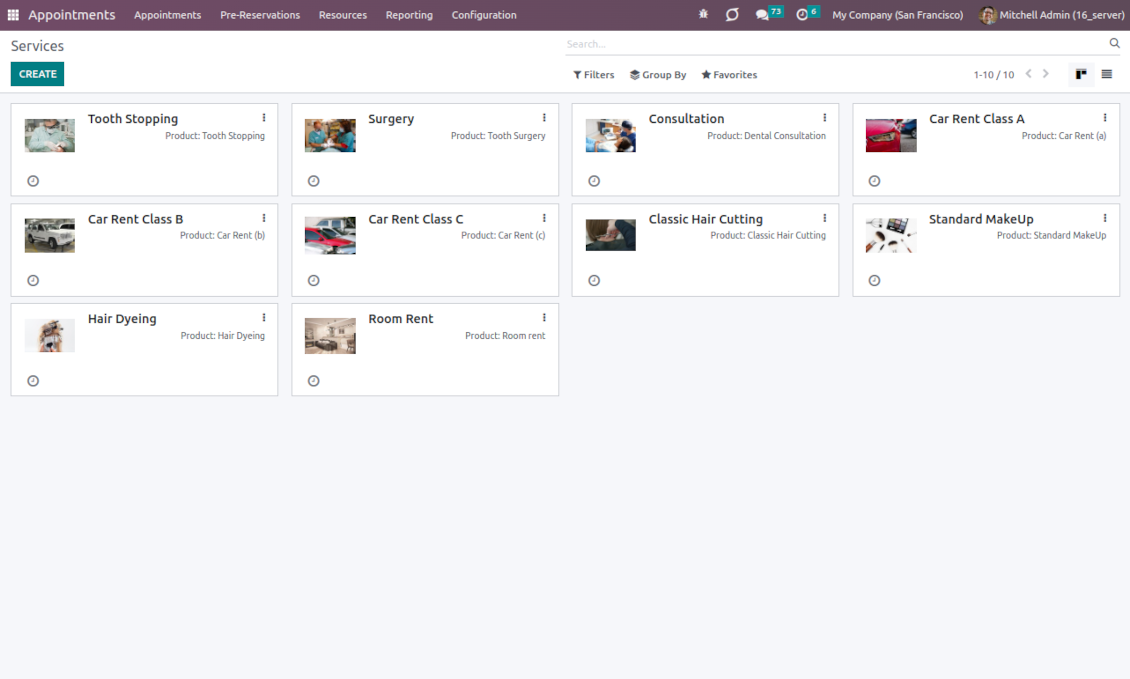
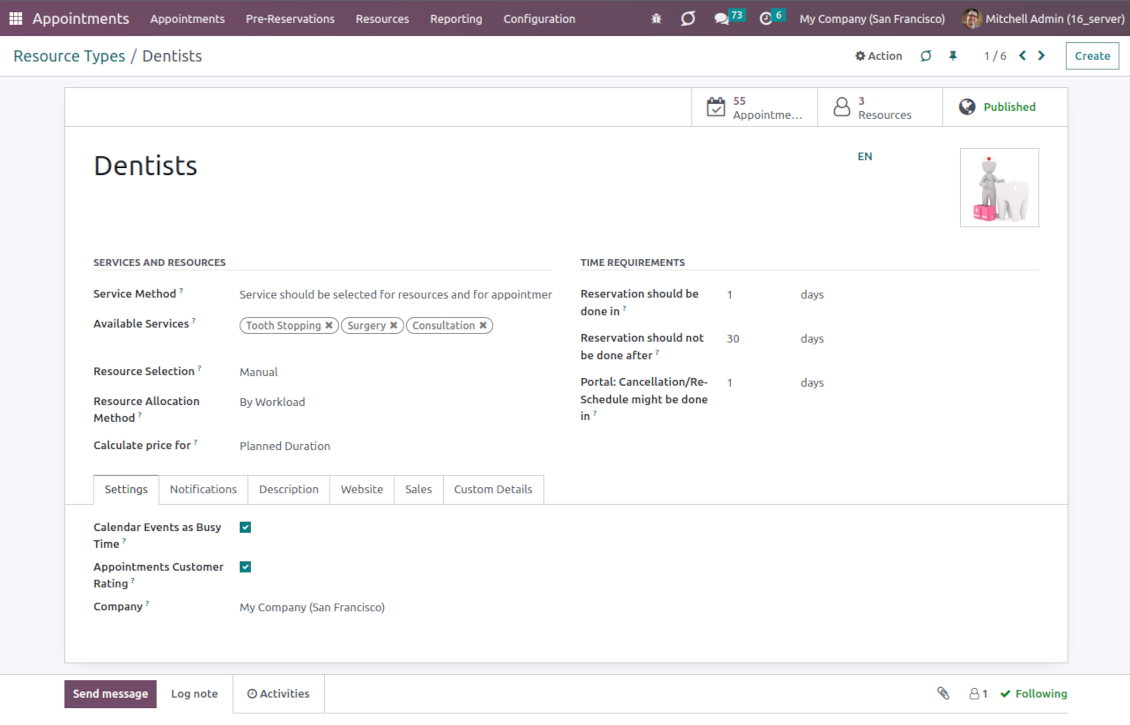
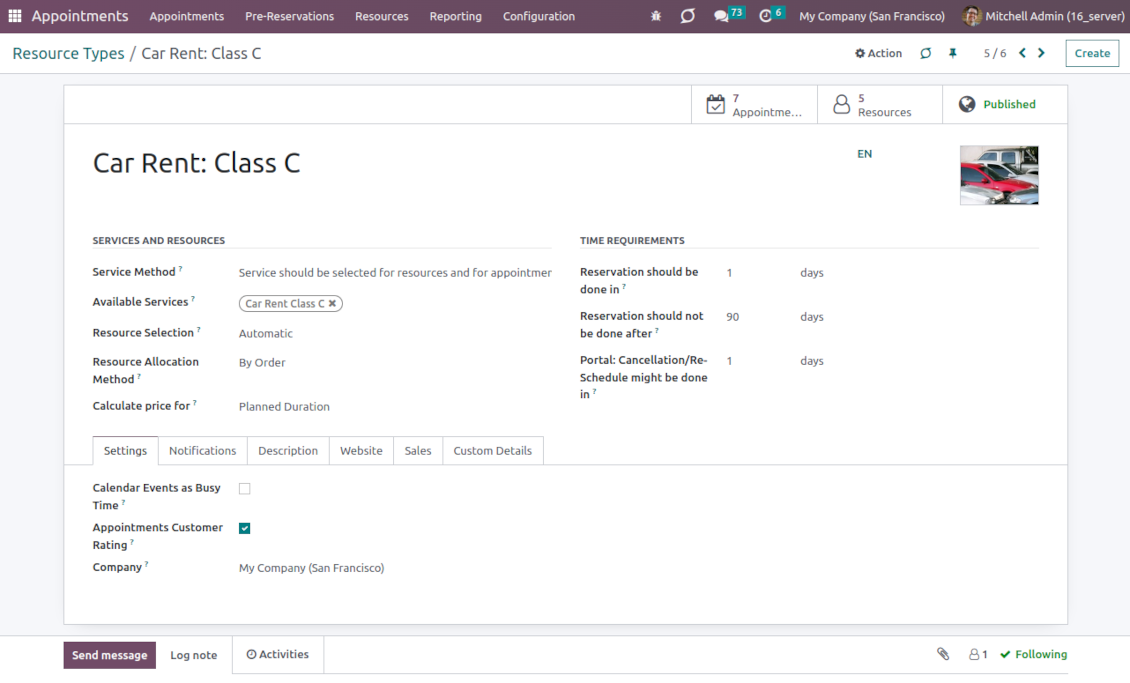
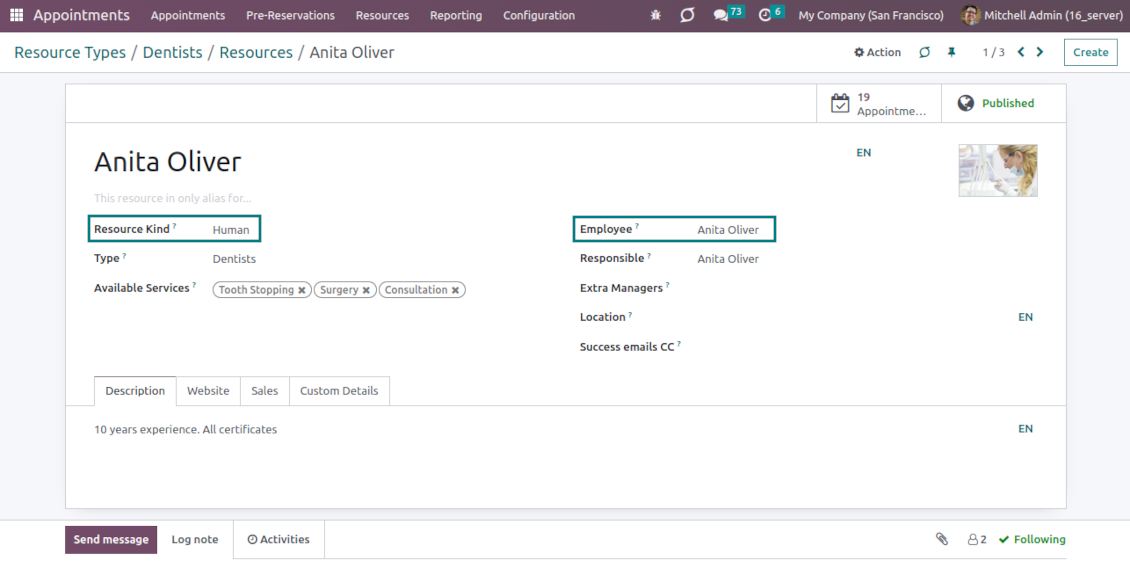
This is an Odoo full-featured app to administrate, control, and improve service management workflow. The tool lets you organize flawless time reservations, control fulfillment, evaluate customer satisfaction, sale and upsell goods in almost any industry. With all options installed, the tool represents a structured e-shop for your services.
Flexible module setup allows you to reflect specifics of your business or even multiple businesses: automate resources distribution or let select those; have predefined appointment duration or let choose it manually; show or hide prices; apply booking restrictions or grant full freedom. Apply your own settings to automate the provision of your services.
- the core app to manage bookings. It might be used stand-alone for internal control of appointments and scheduling by phone, for example. Dess pris är 398€.
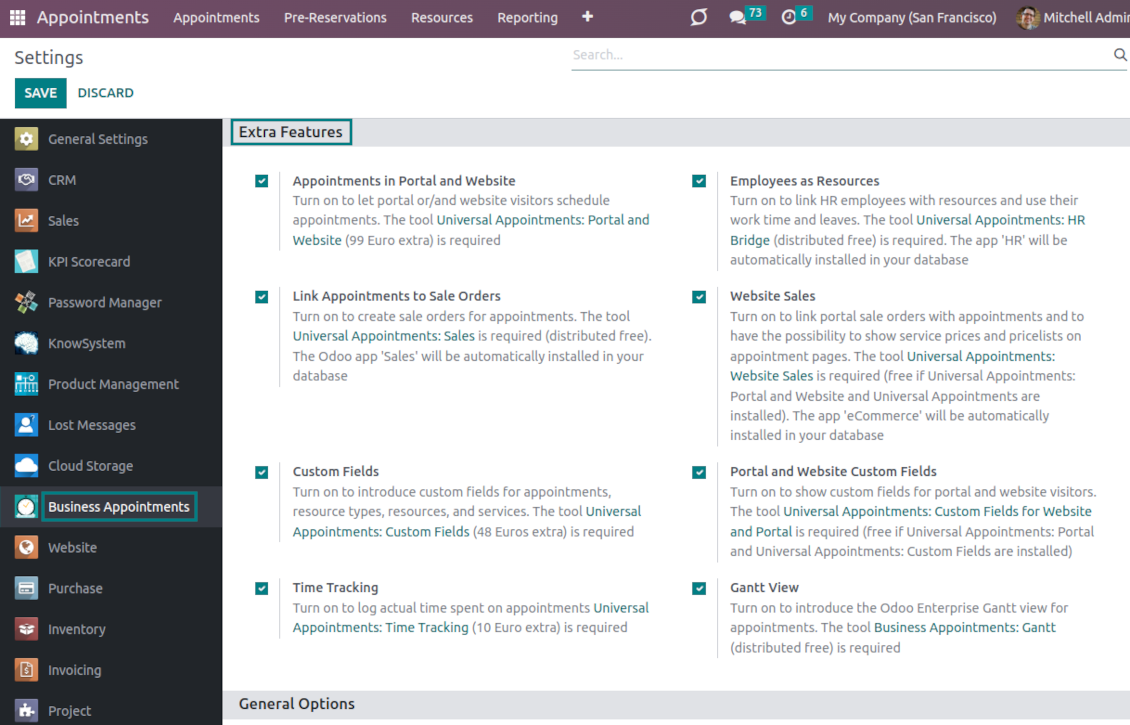
- the optional module that introduces the website booking process and lets external users schedule appointments and control reservations in the portal. The features assumed by this add-on are marked by the icon . Dess pris är 98€.
- the optional free module to introduce service pricing information and to link appointments with sales. The features assumed by this add-on are marked by the icon
- the optional free module to include service price lists and prices in the reservation checkout process. The features assumed by this add-on are marked by 2 icons simultaneously: and
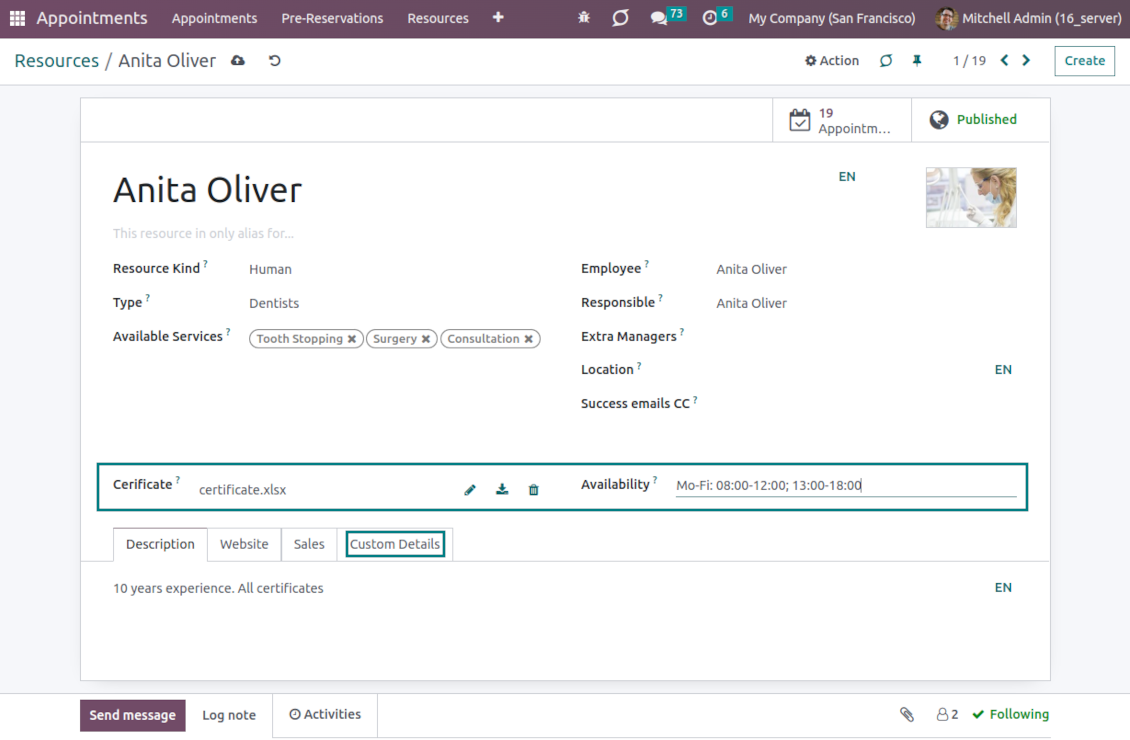
- the optional module that lets you add and show custom fields for appointments and related objects. The features assumed by this add-on are marked by the icon . Dess pris är 48€.
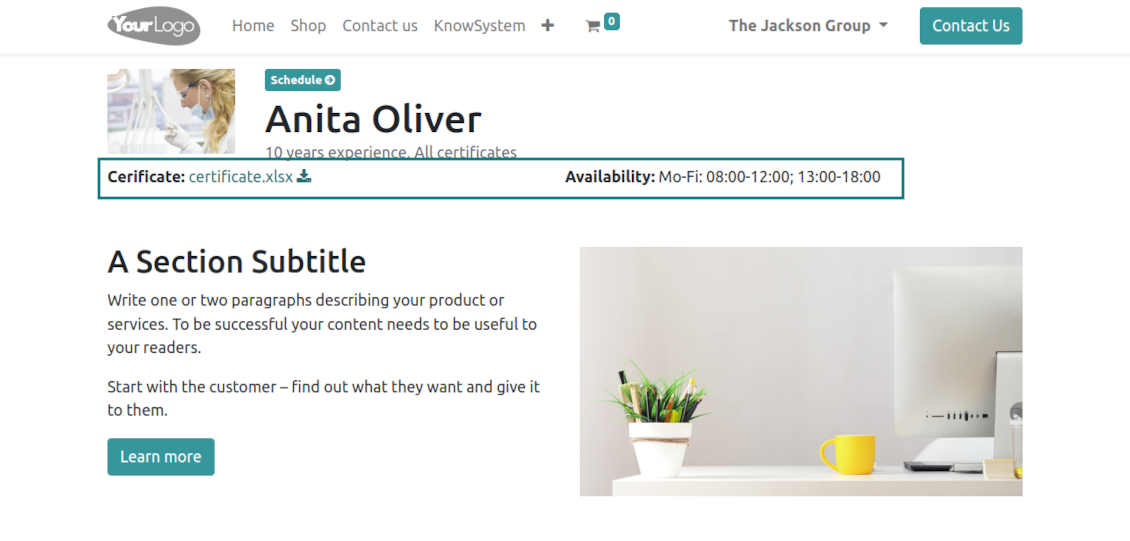
- the optional free module that shows custom fields on website and portal pages (frontend). The features assumed by this add-on are marked by 2 icons simultaneously: and
- the optional module that allows tracking time spent on each appointment. The features assumed by this add-on are marked by the icon . Dess pris är 10€.
- the optional free module that allows considering employees as appointment resources. The features assumed by this add-on are marked by the icon
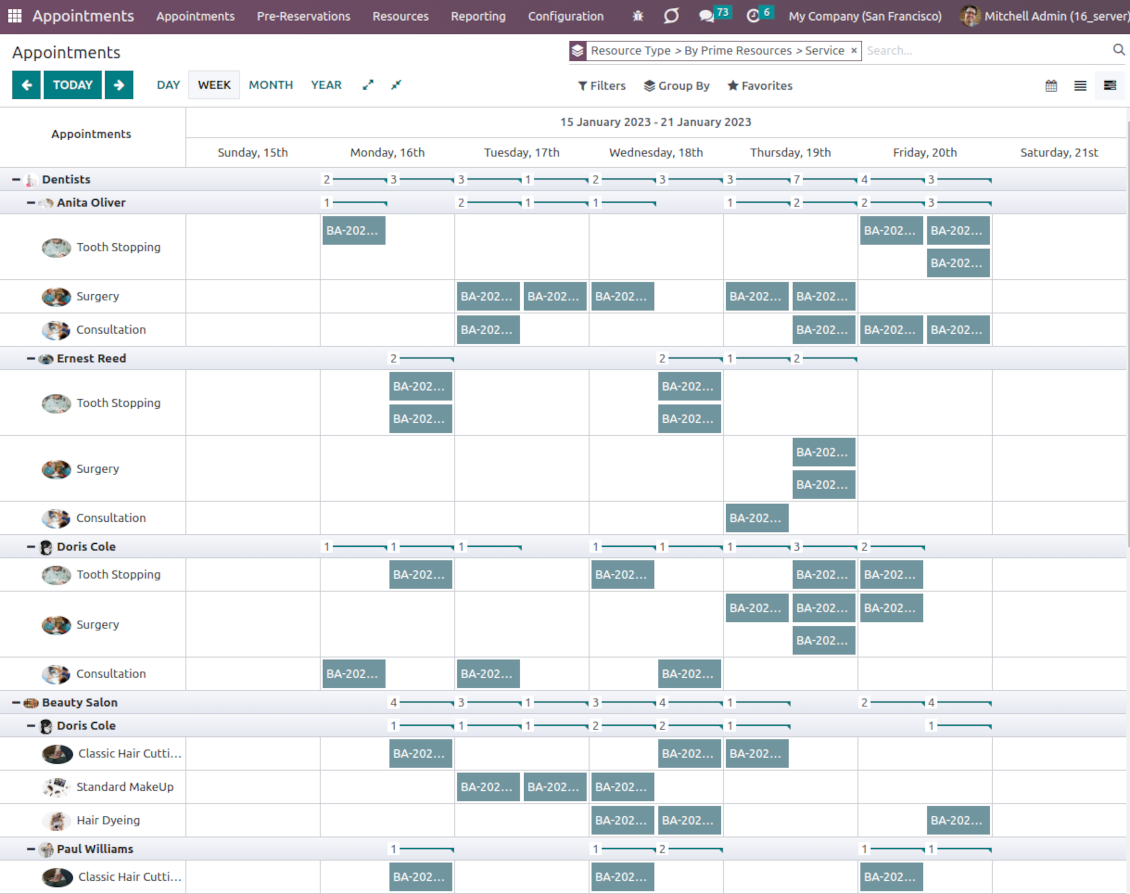
- the optional free extension that introduces the Odoo Enterprise Gantt view for appointments. The features assumed by this add-on are marked by the icon
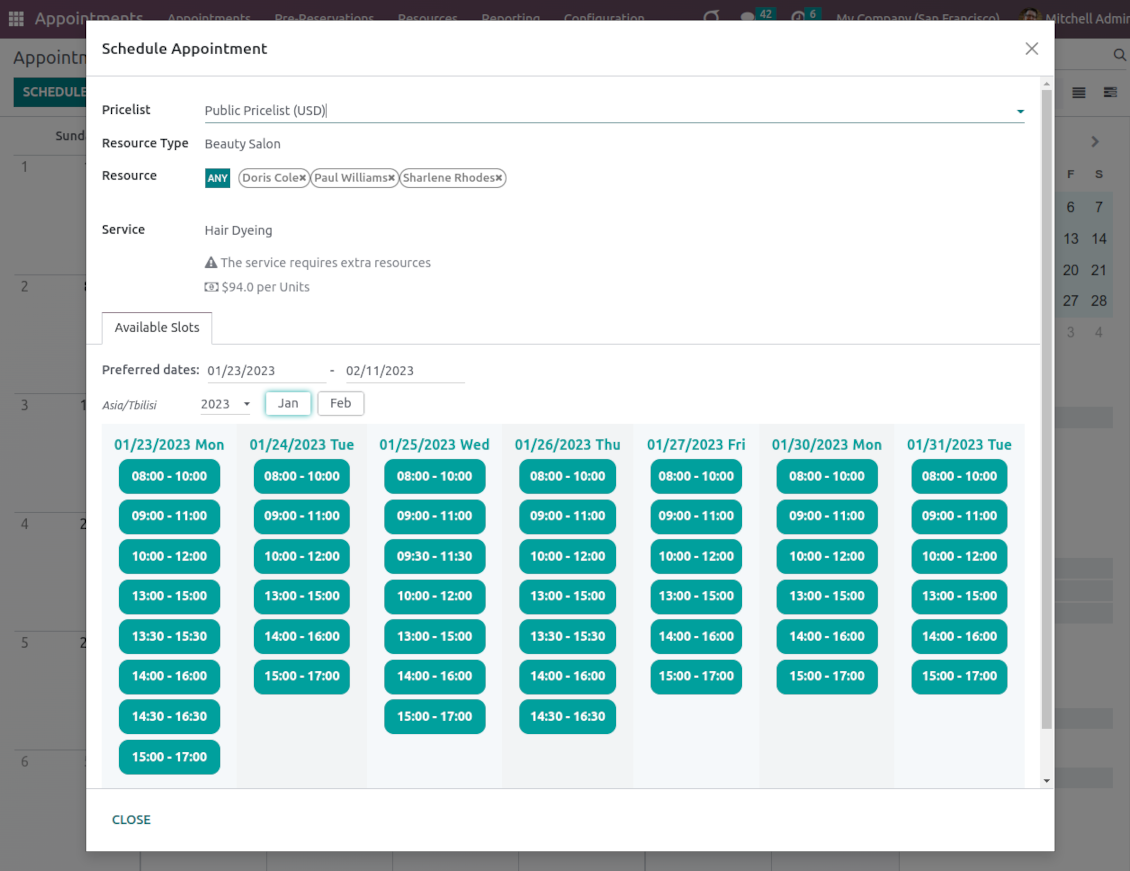
Smart time slots
Vacant slots for appointments are automatically generated based on working calendars, service peculiarities, and specifics of managed businesses
Universal reservations
Set up the structure of resources and services to reflect your company's workflows. Assign specialists and equipment manually or automatically. Flexibly manage appointment duration rules
Comfortable scheduling without conflicts
The appointment scheduler allows making a new reservation in a few clicks. It is quick and simple but with full control over potential intersections
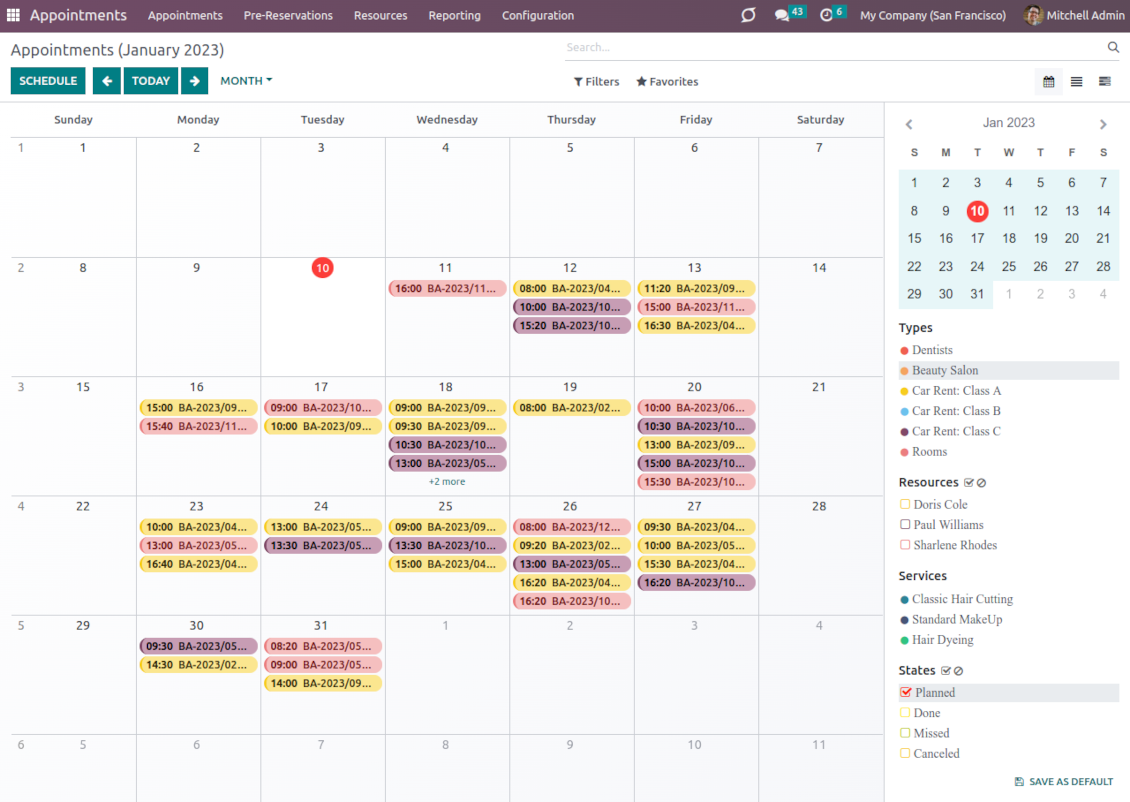
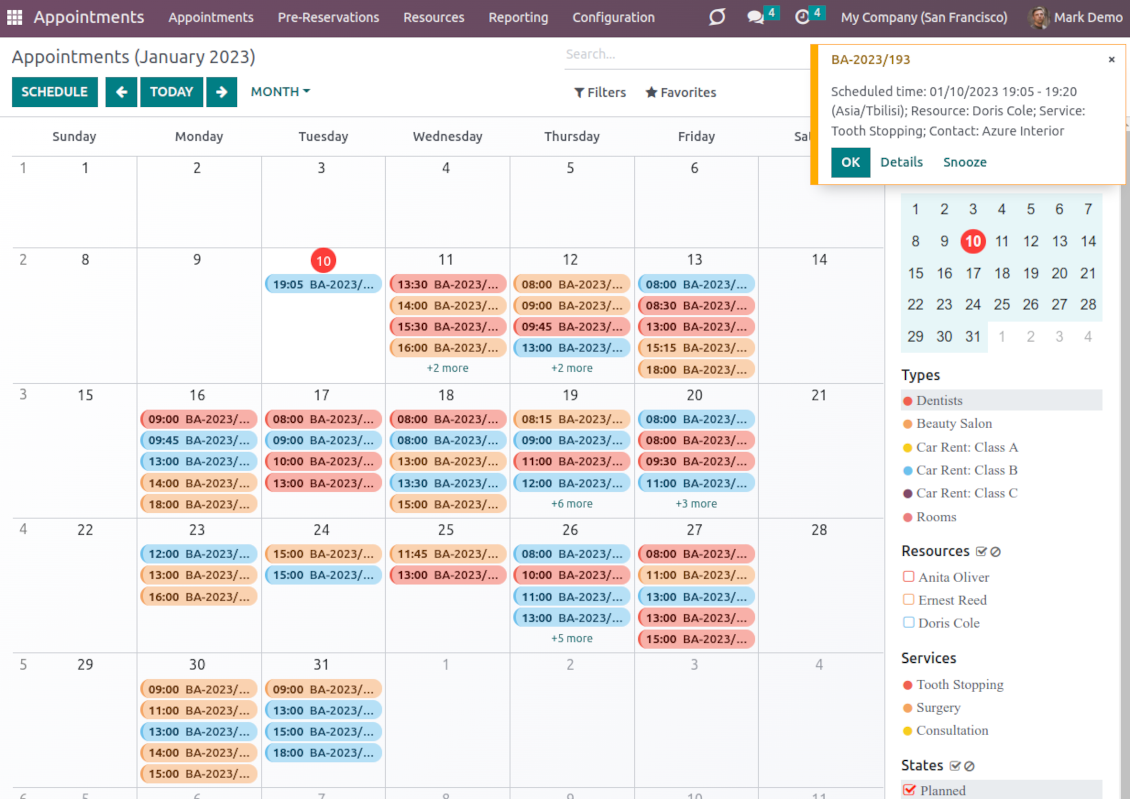
Innovative appointments calendar
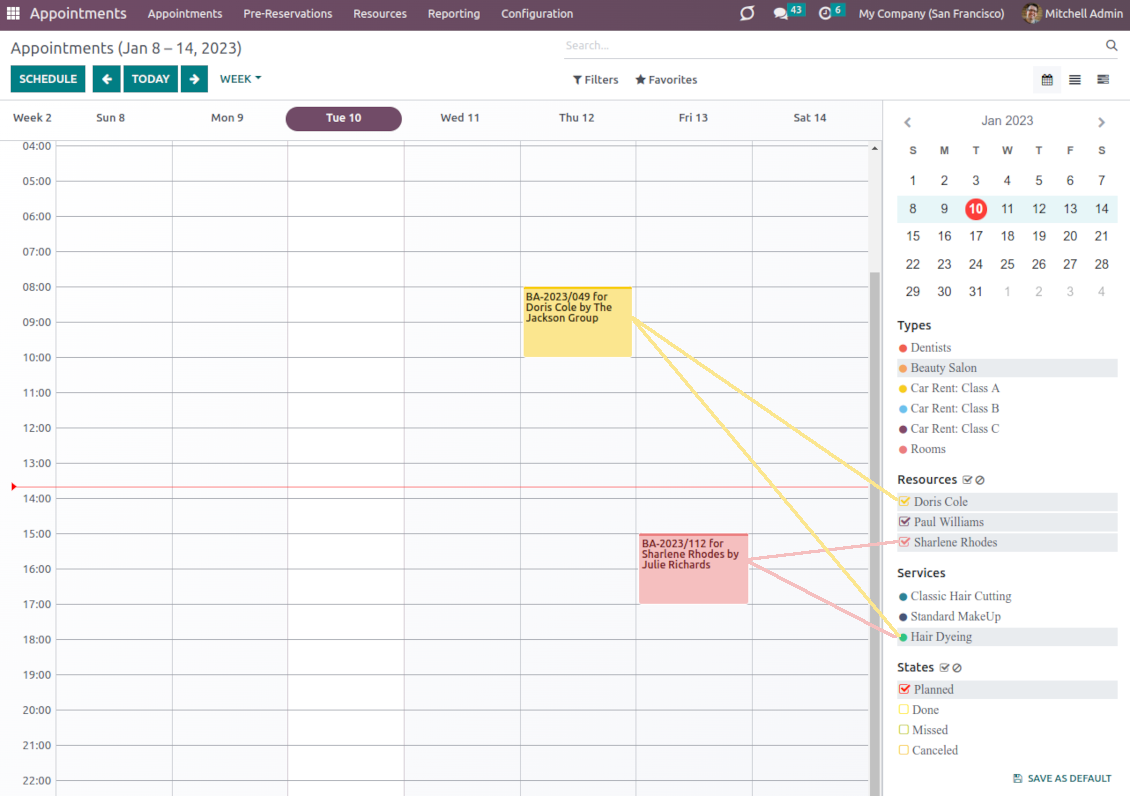
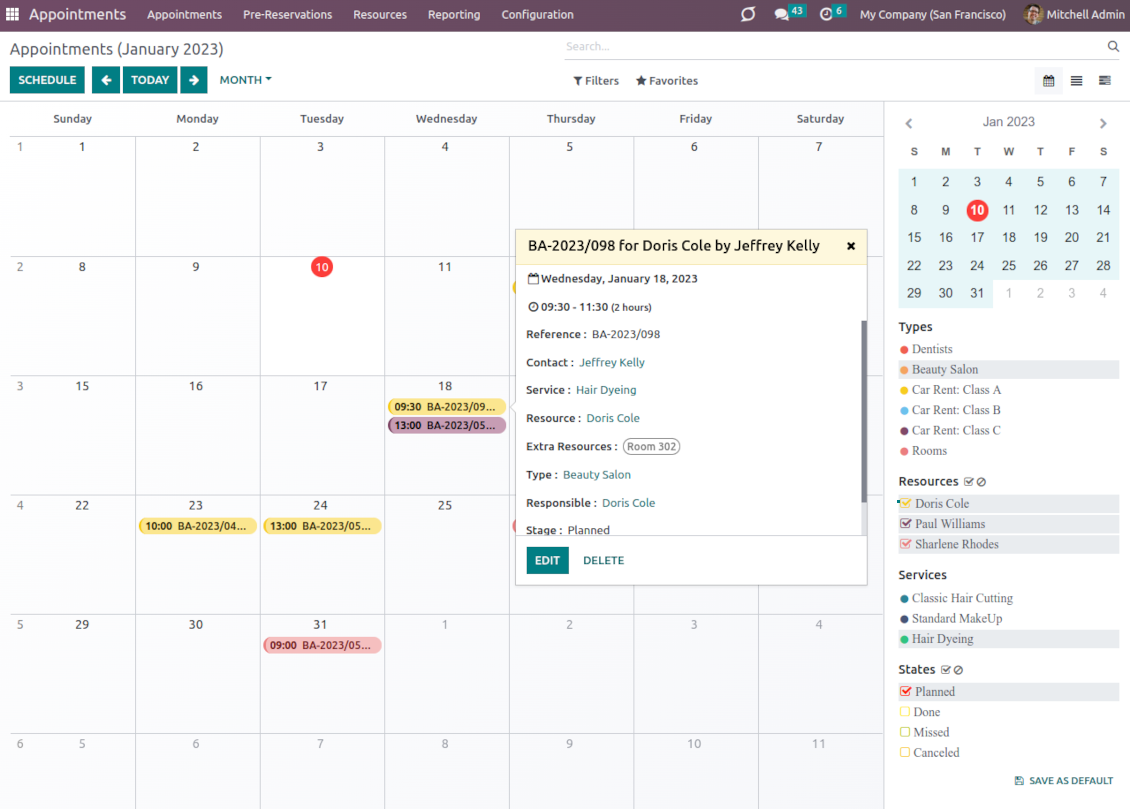
Users administrate reservations from the single calendar view: with quick filtering by appointment details and instant access to required information
Clear website bookings
Let portal partners and website visitors schedule an appointment through the configurable multi-step process of checkout and confirmation
Sell and upsell services
Link bookings with Odoo sale orders and price lists. Boost revenues by upselling accessories
Customer satisfaction and reports
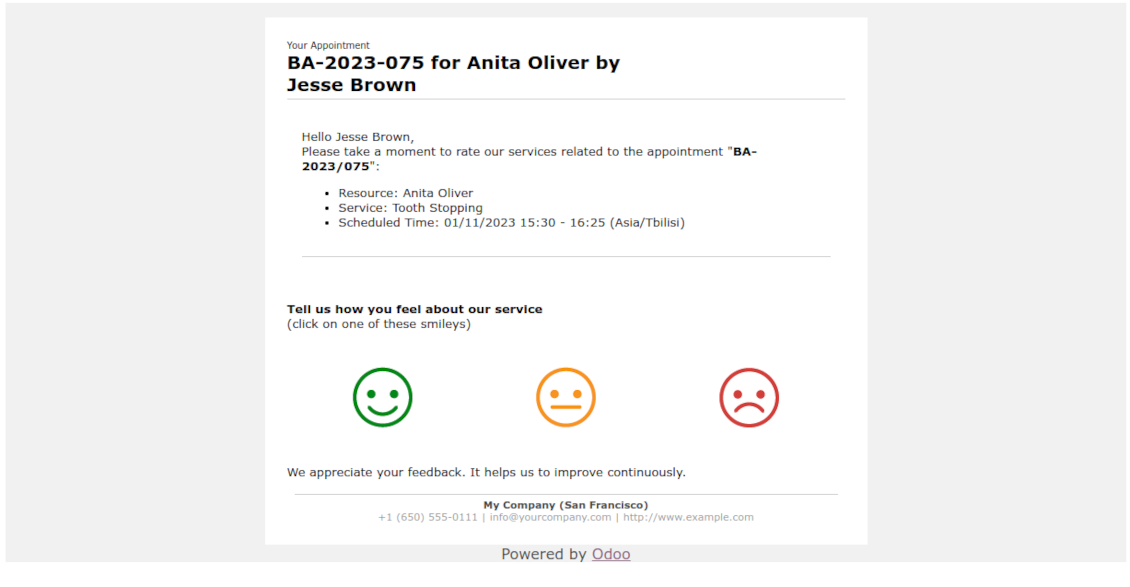
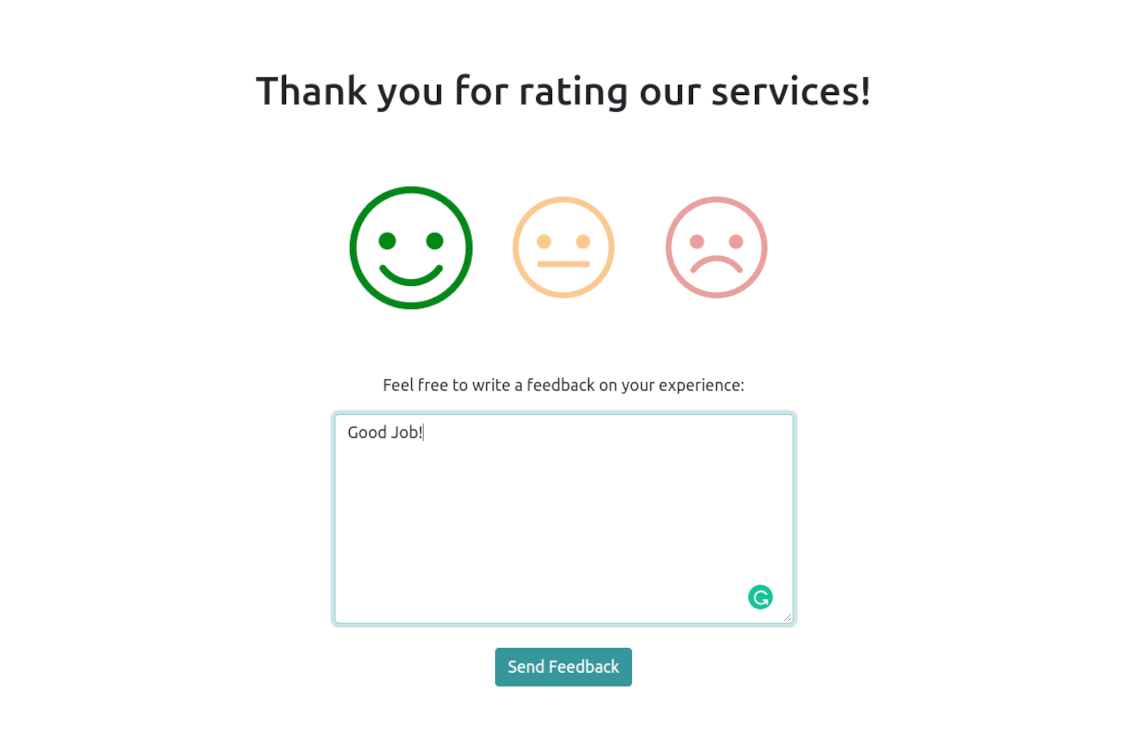
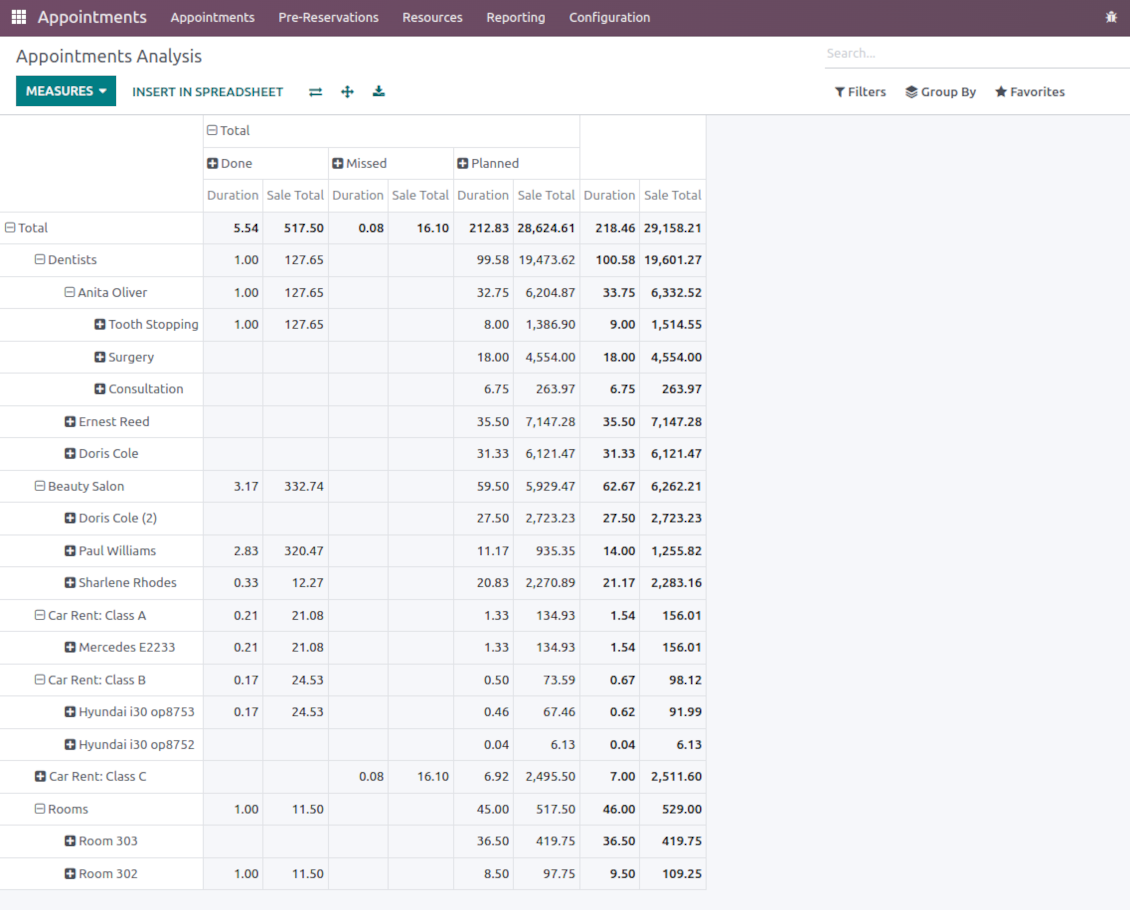
Automatically request client reviews. Analyze appointments by planned and tracked duration, generated revenue
Customizable website and portal pages
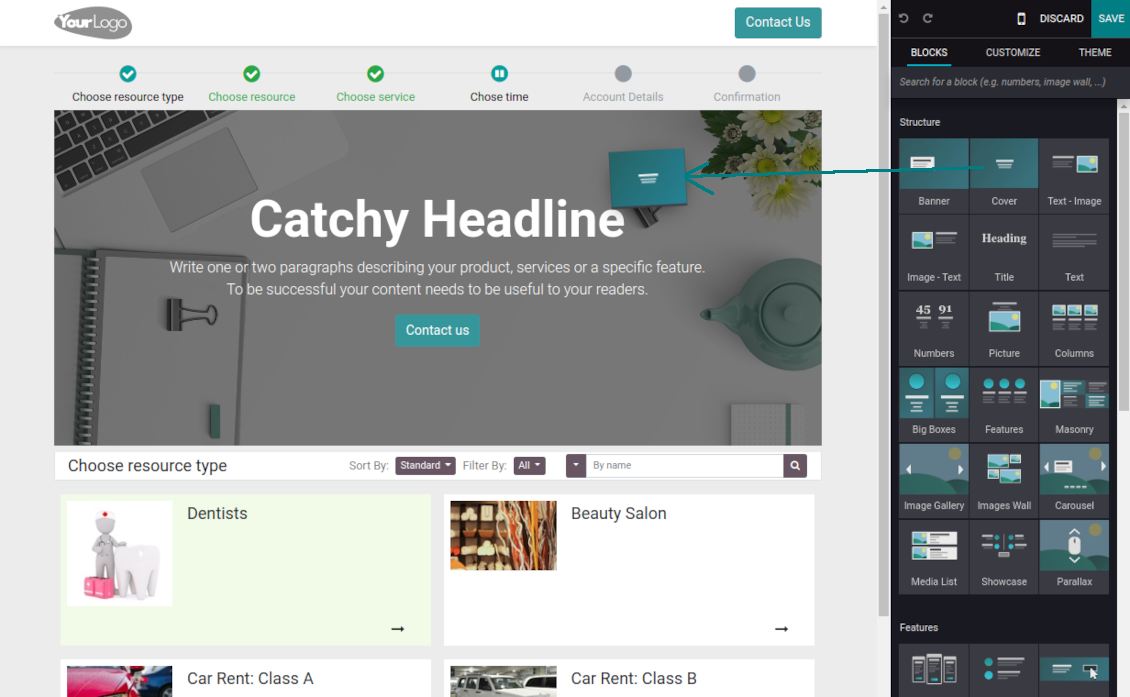
Turn on/off optional layout elements. Introduce your own titles and welcome texts. Exclude booking steps
Compatible with Odoo standard features
The app is configurable for multi companies and for multi-website environments. Appointment resources might be linked with employees, while reservations - with Odoo quotations
Custom details and reminders
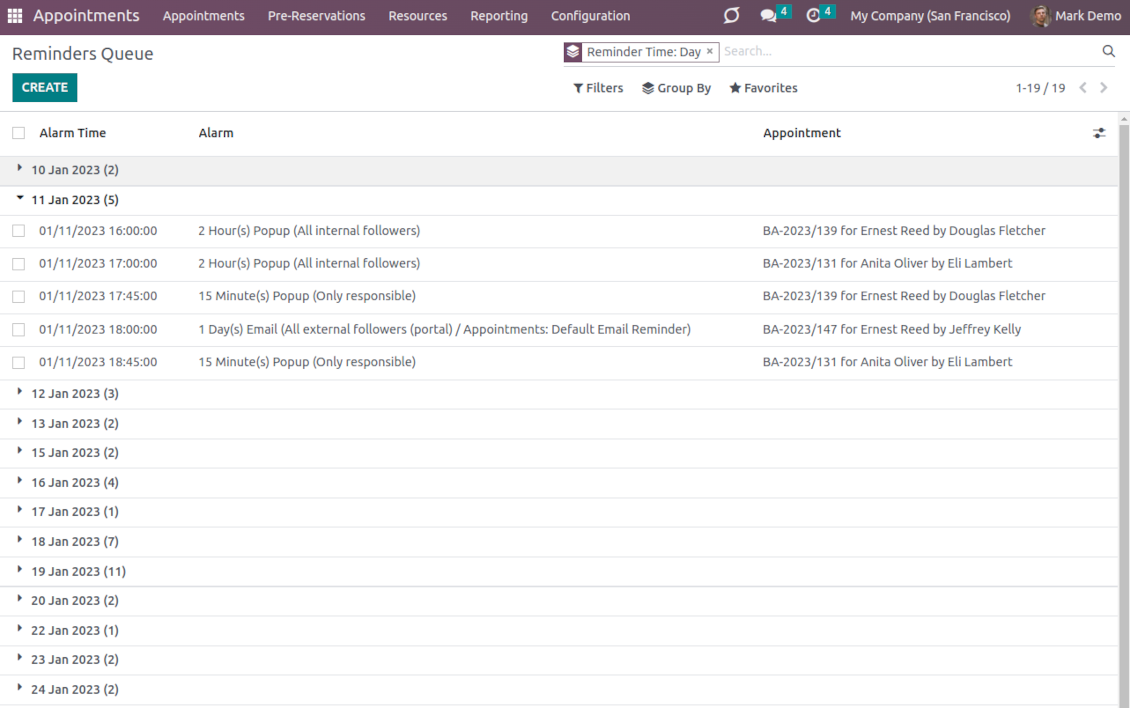
Apply popup alarms, add success emails, and prepare SMS reminders. Introduce custom fields for reservations, resource types, resources, and services.
Comprehensive and well thought booking app
The app allows backend user to do some simple configuration to make the booking app able to fit in our different business models.
Very good support and also there is module enhancement from time to time with great usability improvements of more use cases.
Just great App and the best support you can imagine
Dear Olga and Alex
Thank you so much for this function which makes the tool perfect!
I've already installed it and tested it -- it works exactly the way the customers need it
This really makes your Appointment App the best tool available for Odoo :-)
I would also like to thank you for understanding my wishes and for taking care of them. That's exactly why I will choose and recommend faotools the nex time again.
Innovative backend scheduling
Auto time slots generation
-
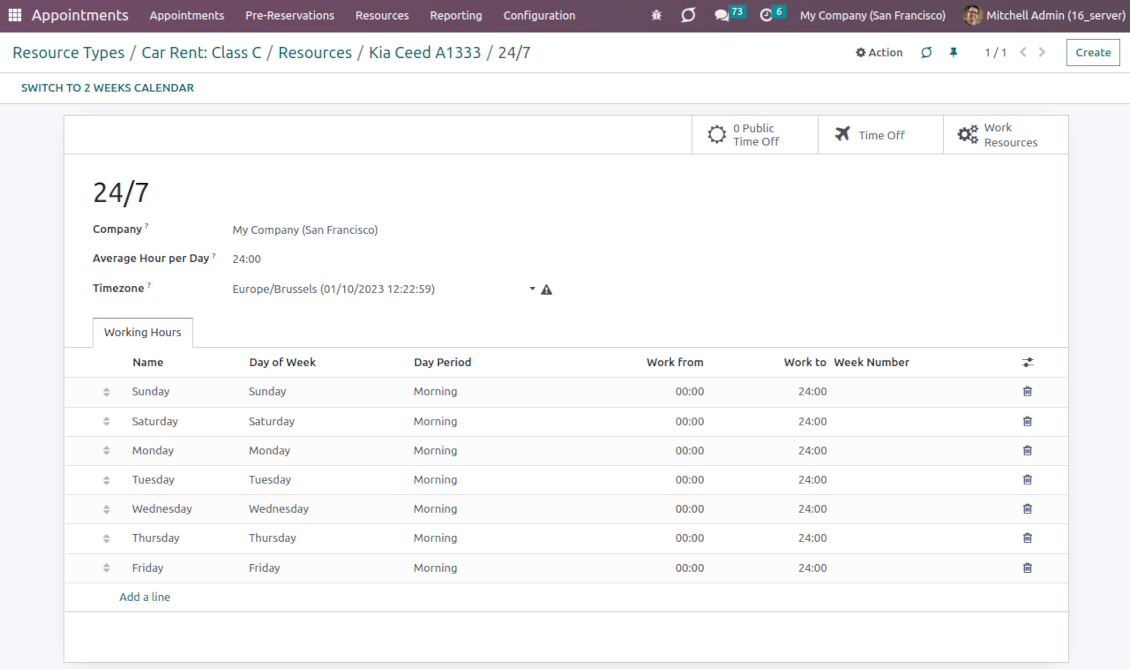
Slots are generated according to resource business calendars. Each resource has its own working time and leaves: it is impossible to schedule an appointment when an employee or equipment is absent
-
The algorithm is based on the service settings: duration, time step, rounding, checkout period, and extra calendar restrictions. You can flexibly configure the appearance and final choice of time slots
-
The app lets plan specific business activities both of predefined duration or of the one entered manually
-
For each service, it is possible to define extra resources required to provide that. The busyness of those resources is also taken into account
-
Per each resource type, define when an appointment might be scheduled. For example, time slots are available not later than 2 days before, and not earlier than 30 days before. Similar rules are applicable for re-scheduling and cancellations
-
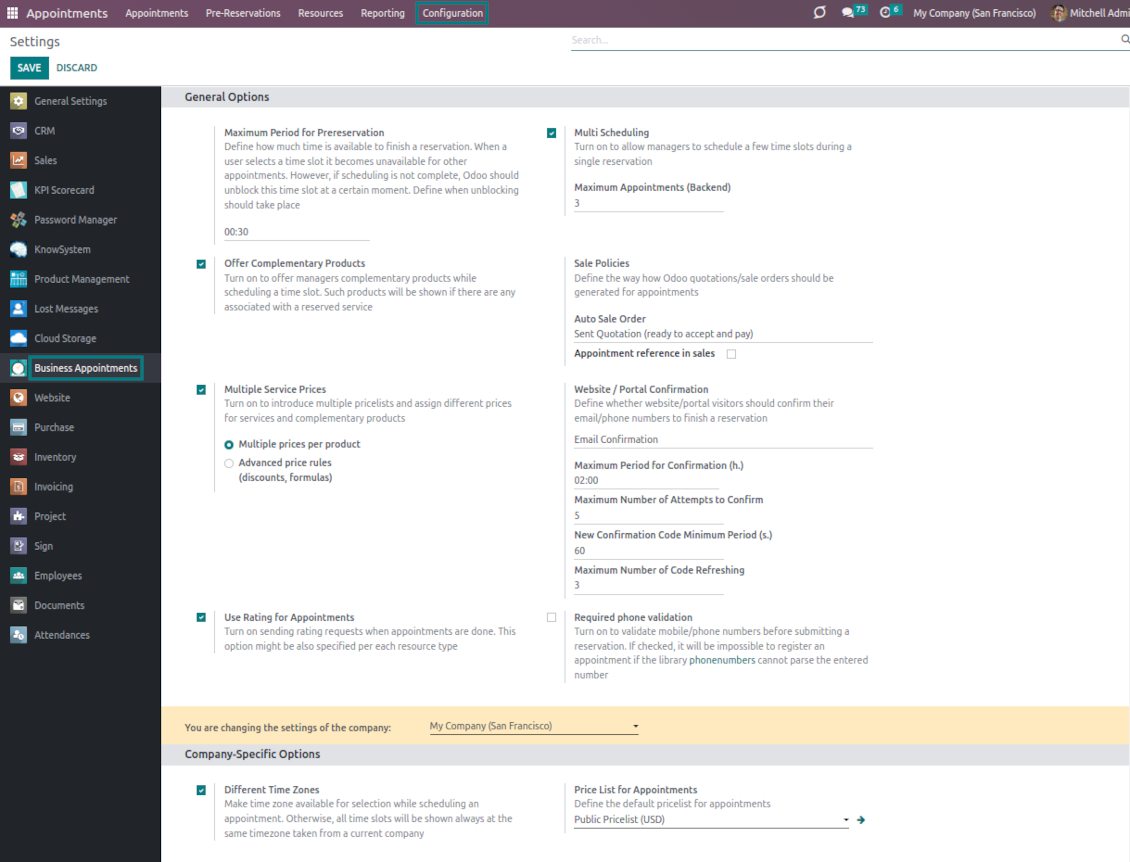
Reserved time slots are not available for other bookings. Even not yet-confirmed appointments (pre-reservations) temporarily block target slots. Pre-reservation will be canceled if not done within a specified period (you may change this limit on the configuration page)
-
If the resource type is configured for that, the app will also consider simple meetings of responsible-for-resources users as busy time slots
-
The tool is also perfect for multi-timezone appointments. Either let users choose the time zone by themselves (default is the OS browser timezone), or set the same timezone for all cases
Smart Odoo reservations
-
No appointment might be entered manually, but it should be selected among available slots and according to the principles you set up
-
To start new scheduling pick up a required time period on the calendar: the wizard will be automatically initiated. Chosen dates are used as the time range for slots
-
In the wizard, you can change which resource type, resource, and service should be scheduled. The tool automatically checks and restricts viable options
-
As soon as wizard details are filled up, the tool will generate and show time slots. A manager should merely select the desired one
-
When a slot is selected, the app automatically adds chosen type and service, allocates a proper resource, and assigns reservation responsible
-
Slot selection also means that the period is pre-reserved and can not be used for other bookings
-
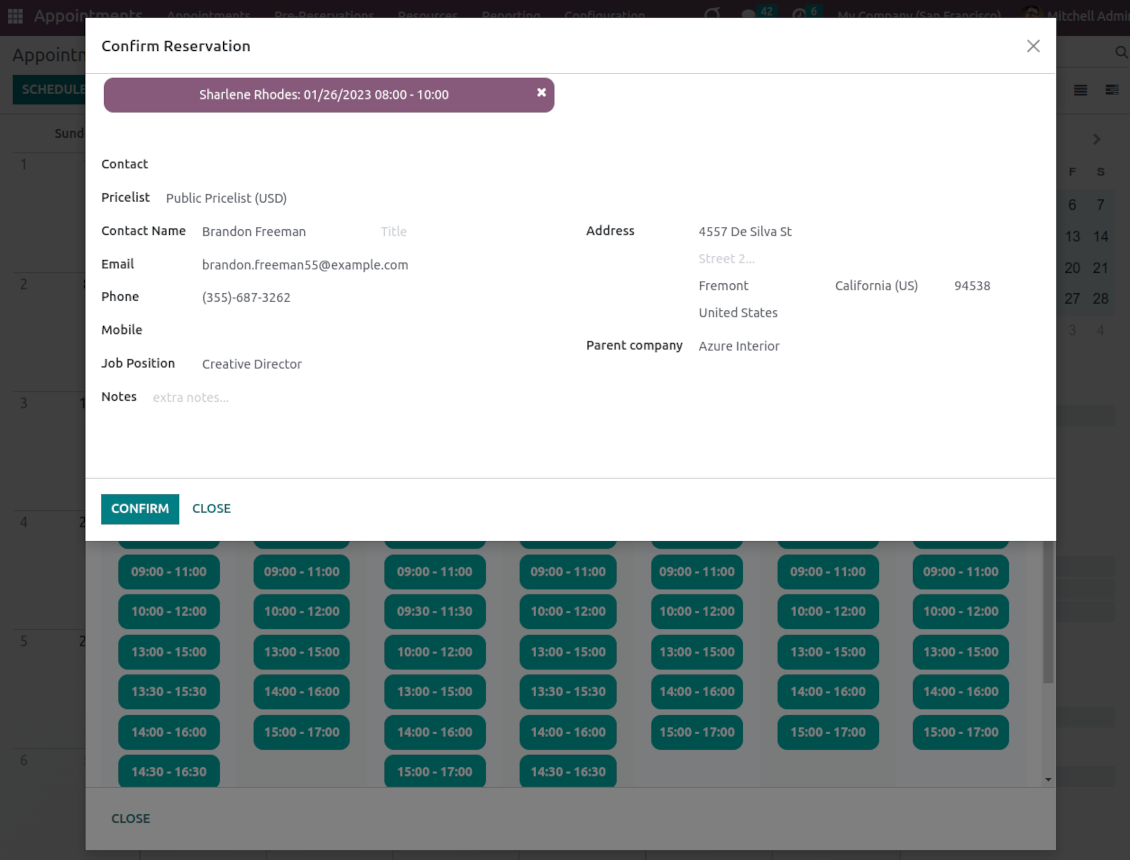
Afterward, the only thing left is to enter client details or choose an existing customer
-
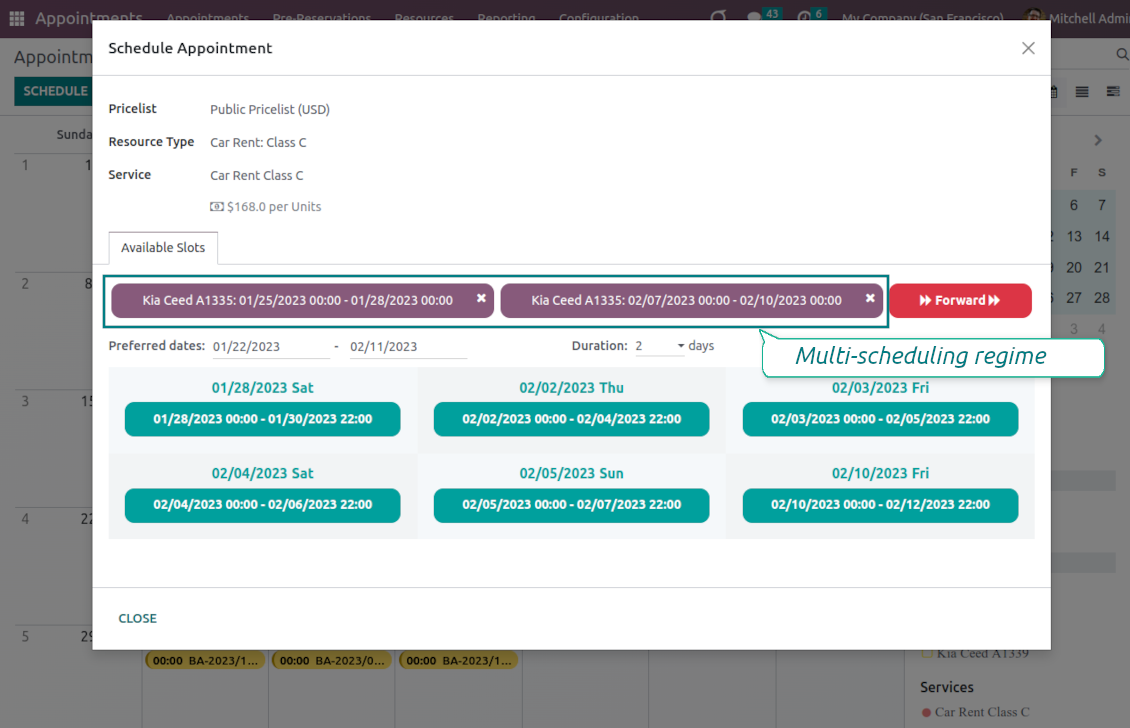
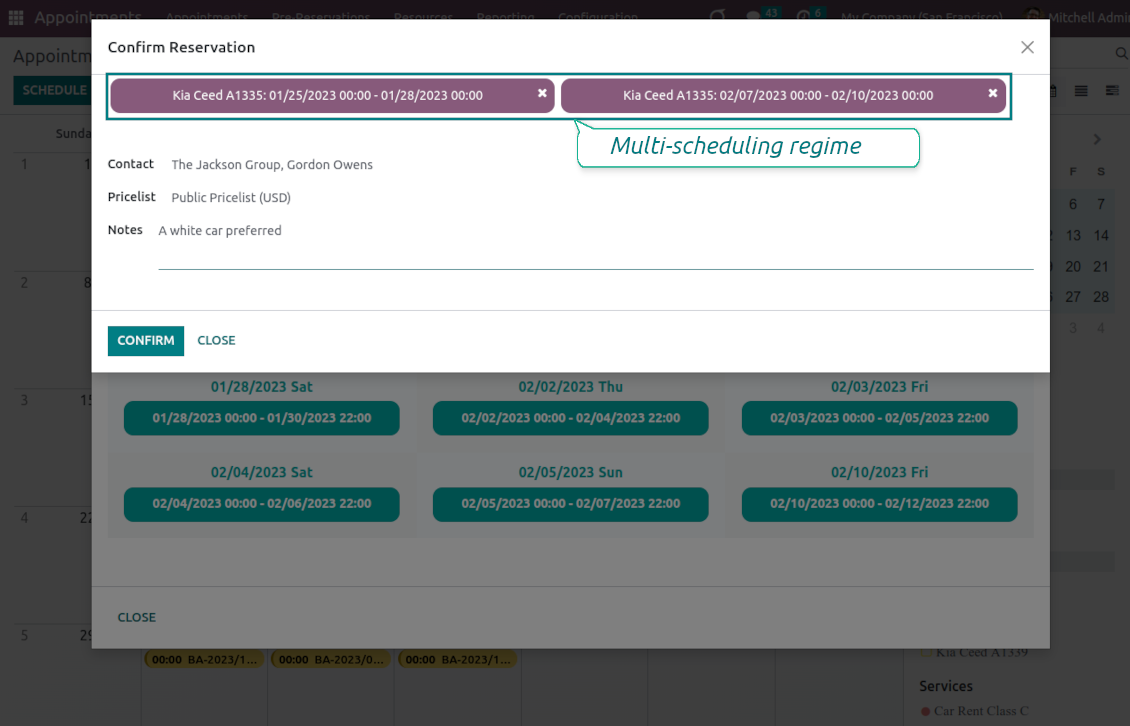
If needed, let managers schedule a few appointments simultaneously (regulated by the special setting on the configuration page). For a single or a few resource types/resources/services
-
From the appointments calendar, you may also re-schedule reservations. To that end just drag and drop an event, and the tool will prepare possible time slots. The principles of calculating availability are the same as for simple scheduling.
Universal website bookings
-
Scheduling an appointment through the Odoo portal and website is organized as the multi-steps checkout process
-
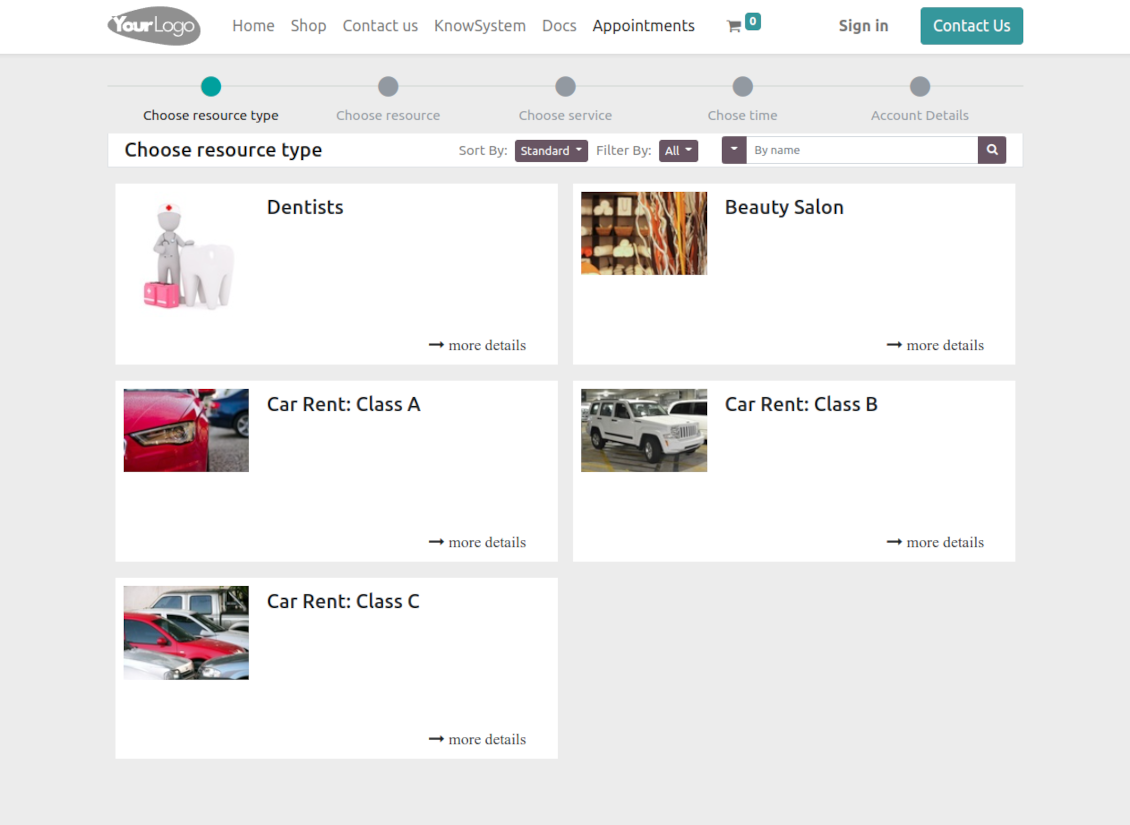
A customer searches among resource types and selects a required one. For example, "Beauty salon" or "Class C Cars". The step will not be shown if there is a single published resource type for this website
-
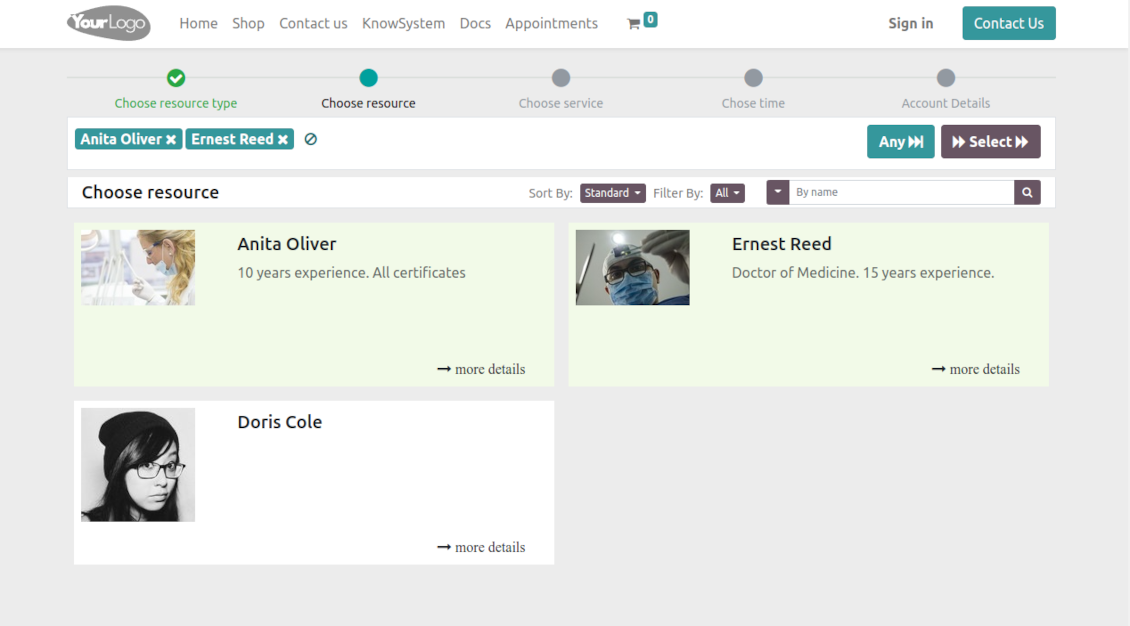
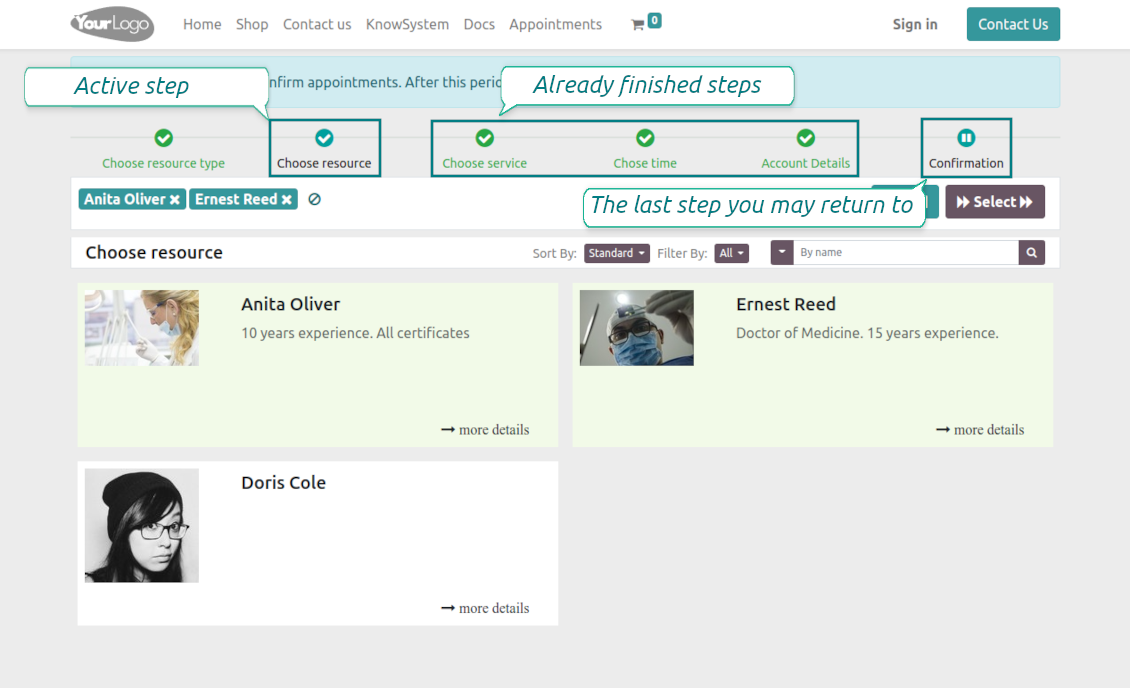
A customer navigates over resources available for this type and chooses one, a few, or applies any (all). For example, "Hair Dresser John Brown" or "Opel Astra 1234". The step is missed in case there is a single published resource, or the chosen resource type assumes automatic allocation
-
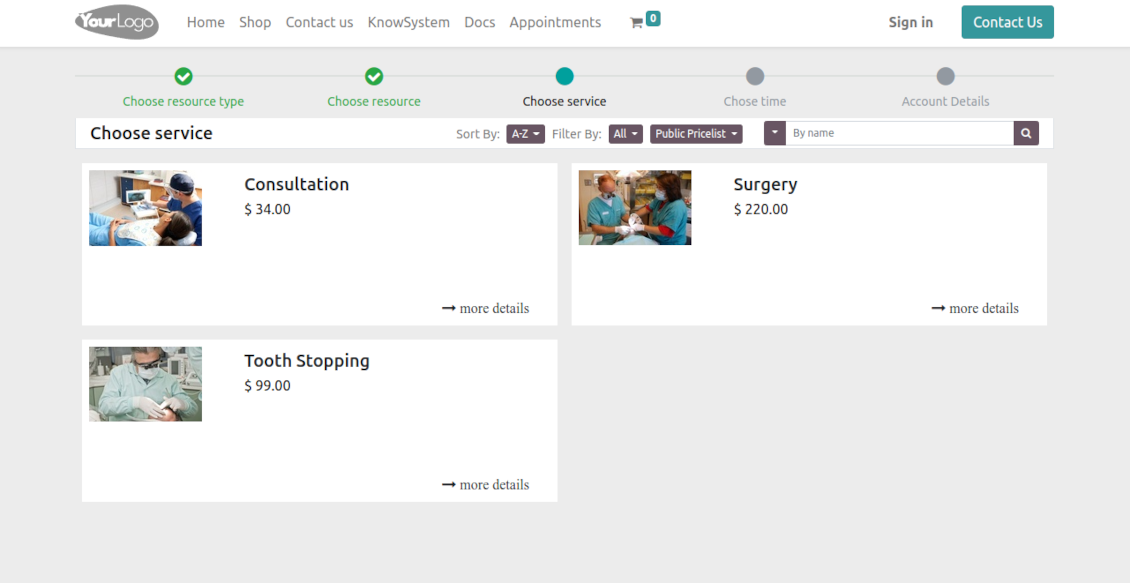
A customer chooses the desired service provided by selected resources. For example, "Classic Hair Cutting" or "Car Rent Class C". Clients would not be asked to choose a service if there is only one published on this website
-
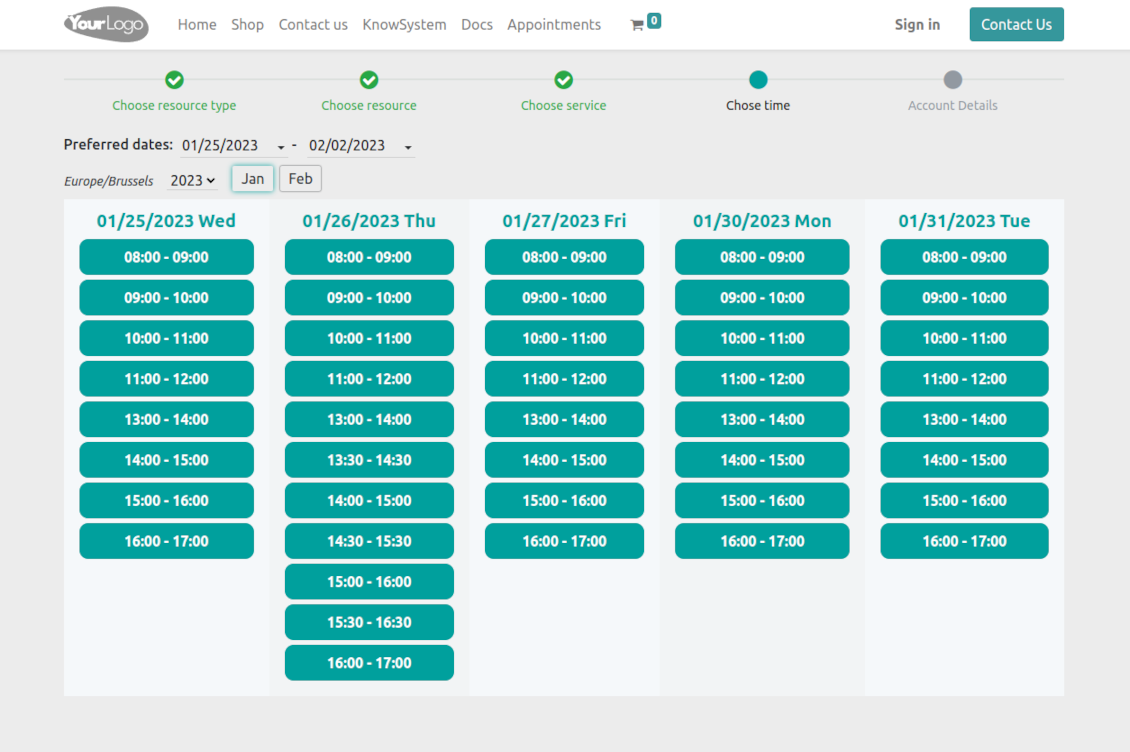
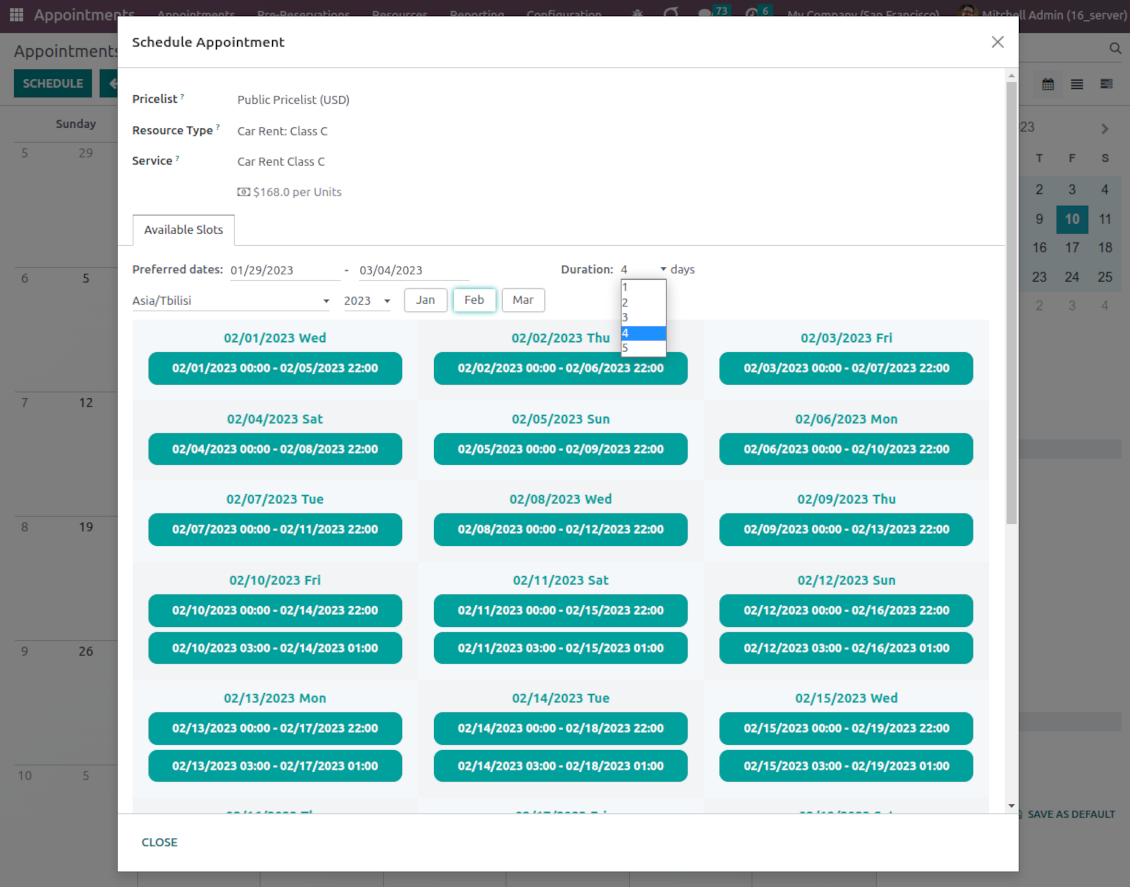
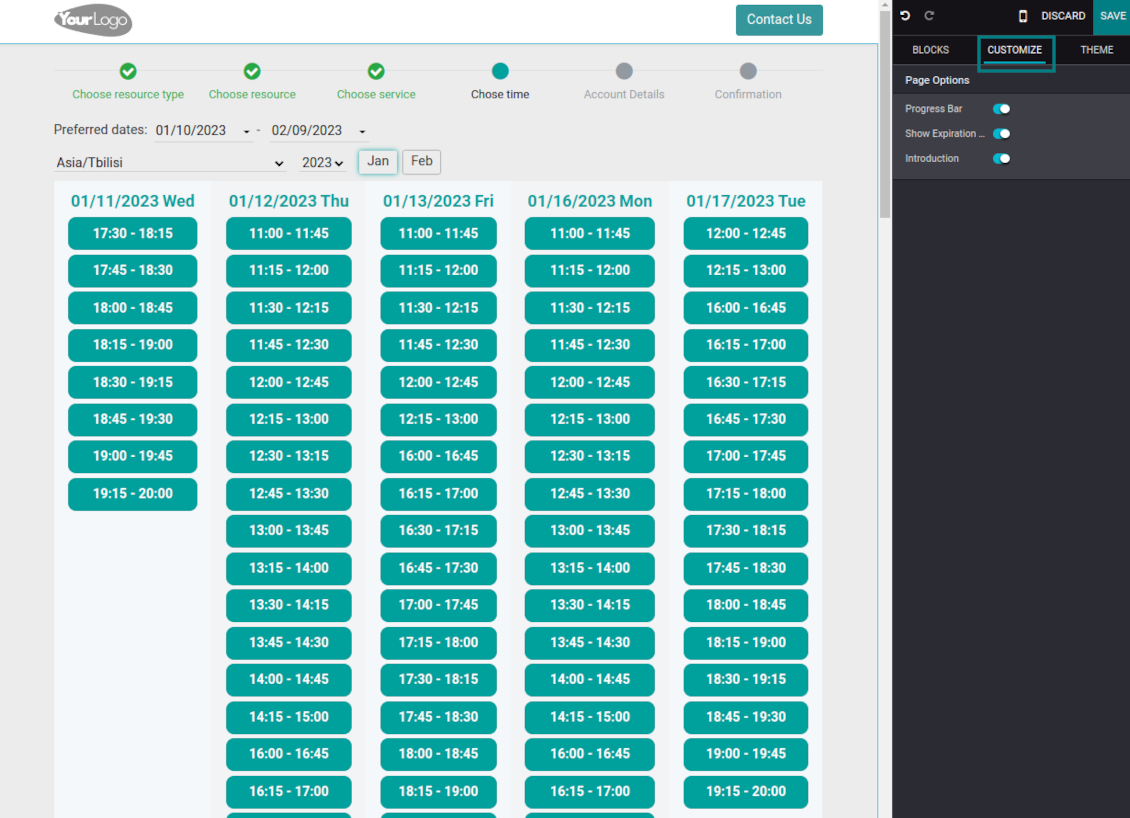
A customer is shown available time slots. The interface lets adopt time frames for search, change the time zone, and insert duration (for services with manual duration). Each action results in slots' recalculation. Website visitors might be optionally allowed to book a few time slots for a chosen service
-
A time slot selection is required and might be not missed. As soon as pre-reservation is done, nobody else can book the same slot. Simultaneously, clients have limited time to make confirmation after which pre-reservation will be canceled (the exact time is up to you)
-
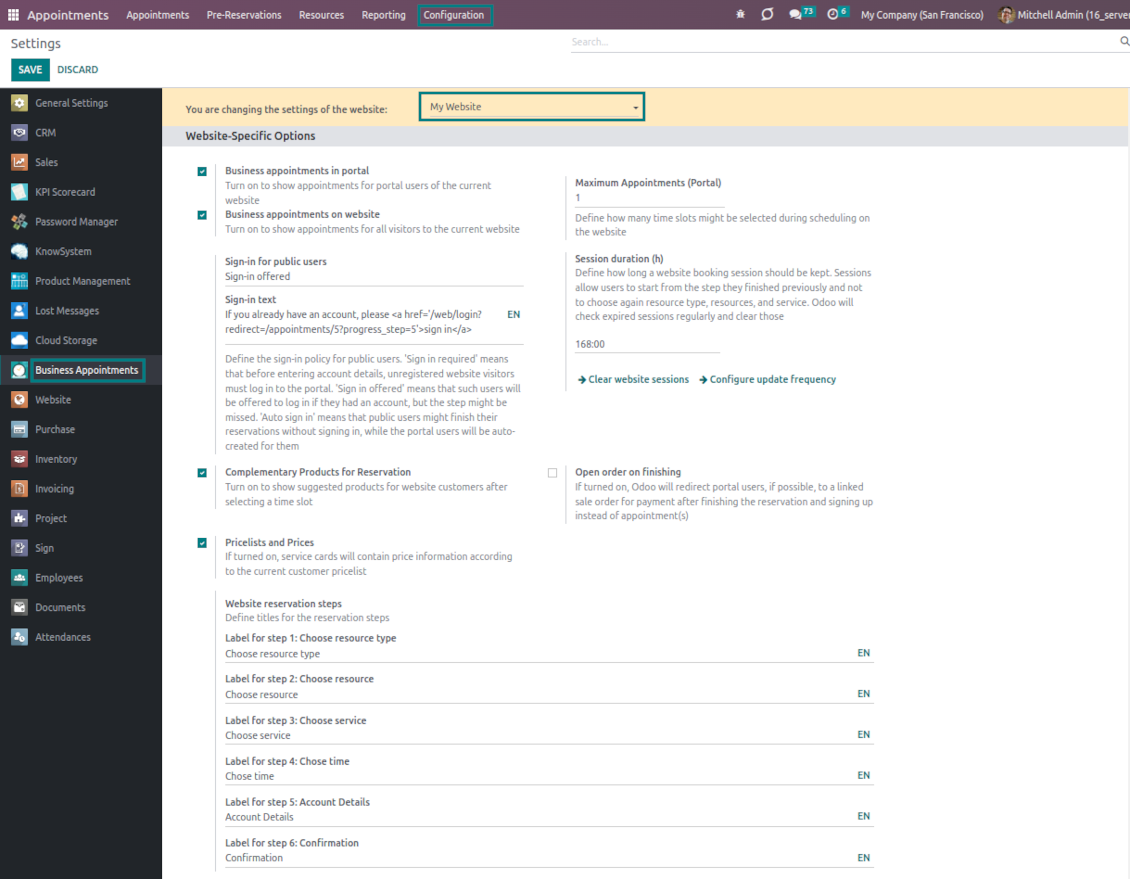
After pre-reservation appears, you may force the public (not logged-in users) to sign in, only offer to do so, or just let them add their details
-
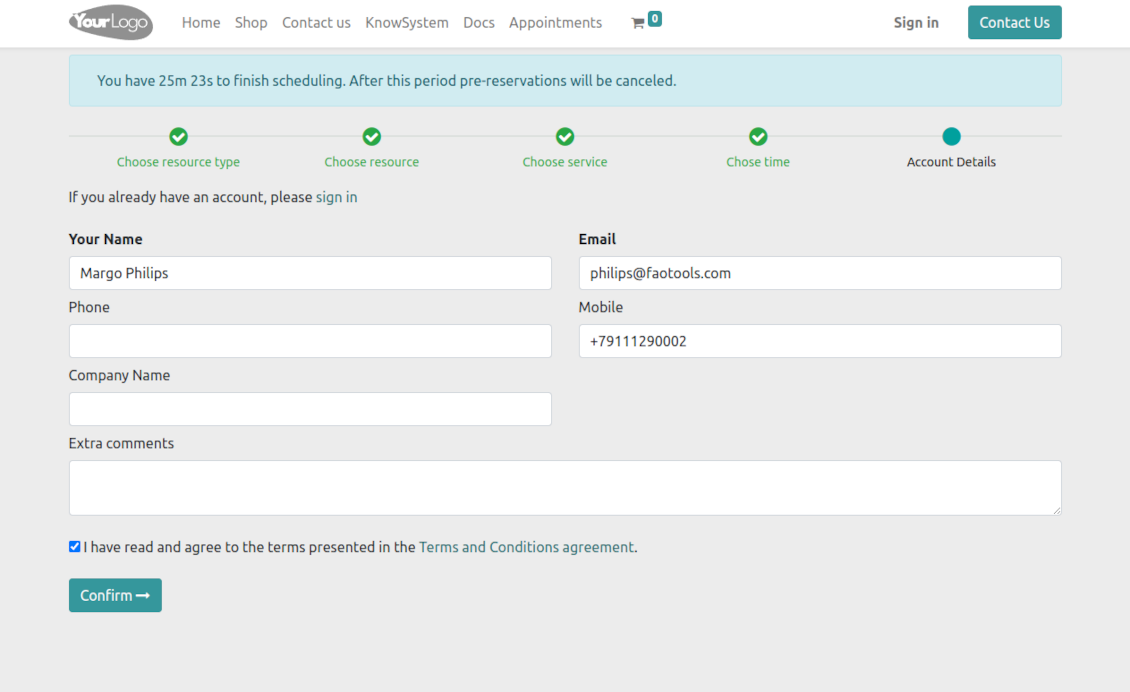
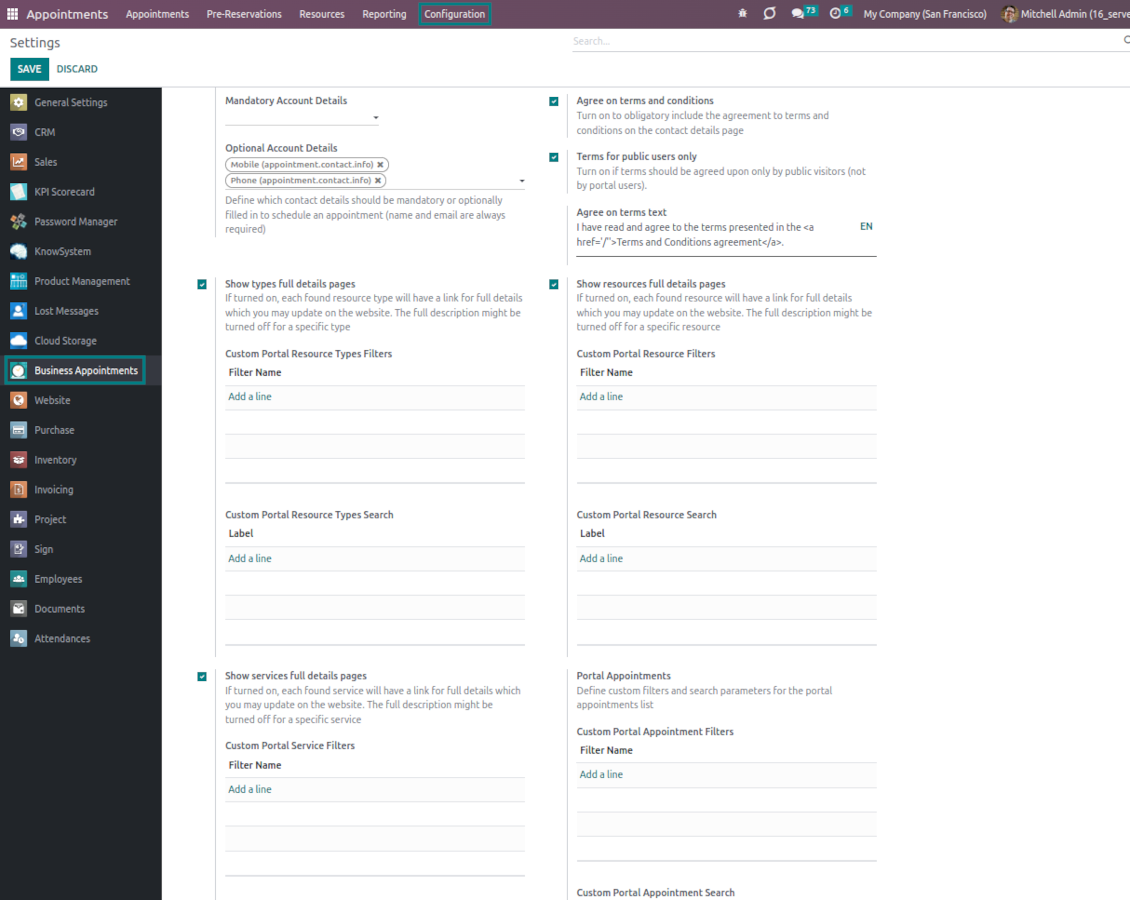
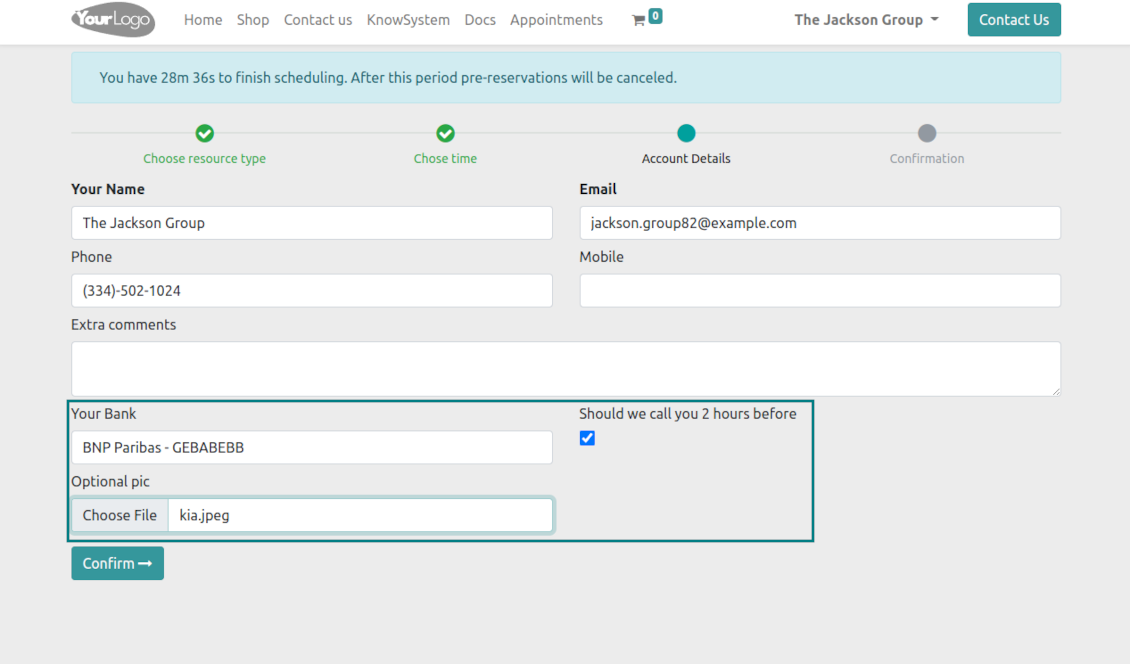
A customer should enter contact details, a set of which might be configured per website. By default required ones are name and email. Previously registered (portal) users would have fields auto-populated. Optionally add here a checkbox to agree with the terms and conditions
-
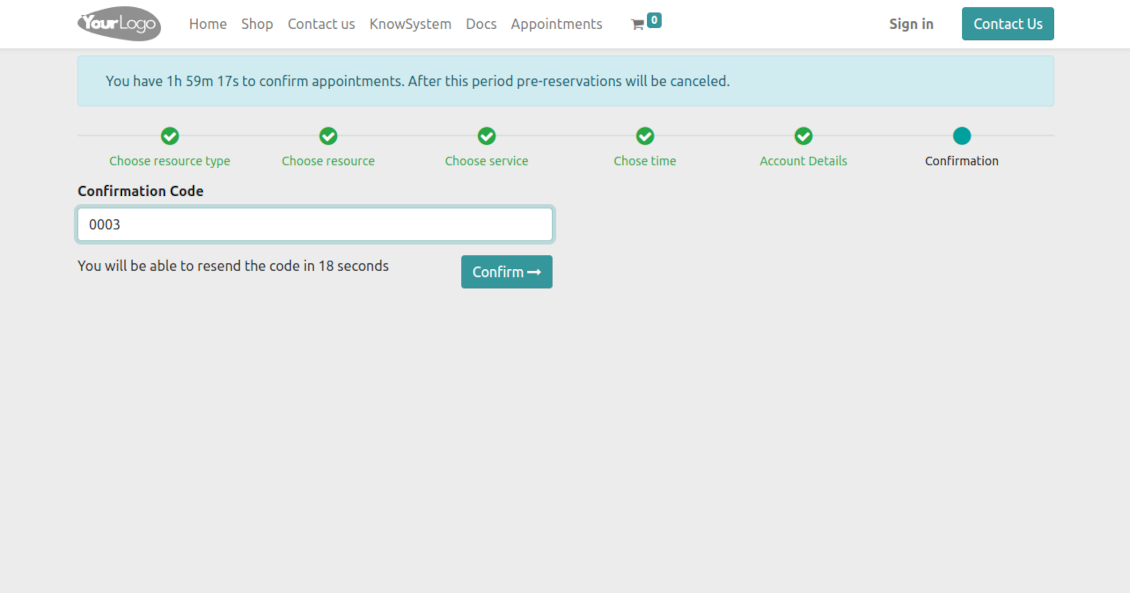
Optionally ask customers to confirm their email or mobile number. If the confirmation option is turned on, website visitors will be obliged to insert received codes. In case a correct code is not introduced in time (set up on the configuration page), appointments will be canceled. If you selected SMS confirmation (the feature depends on Odoo SMS IAP) but your balance is not sufficient, a confirmation code would be forwarded by email
-
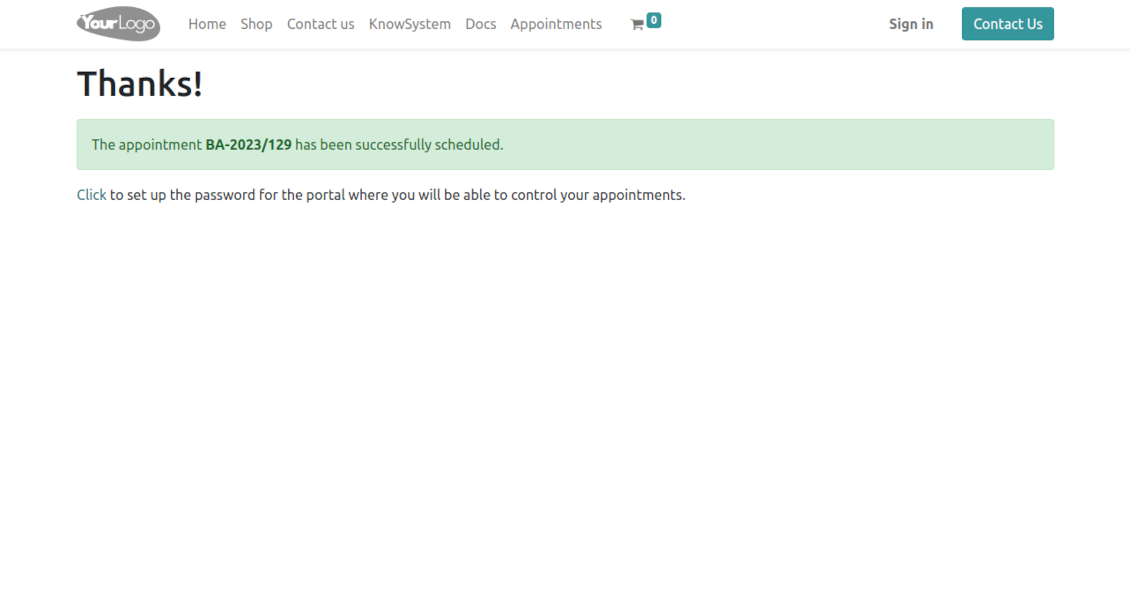
As soon as all steps are done, a customer receives a confirmation email and is redirected to the success page/new appointments(s) page. For not yet registered users, Odoo will offer to enter the password for the Odoo portal
-
Optionally configure success redirection to a created sale order, so a customer may sign/pay that right after finishing the reservation (based on the Odoo standard sales workflow)
-
Optionally set up automatic canceling of website/portal appointments that are not paid within the specified period. To that goal, go to a resource type form, and find the setting 'Possible Canceling' on the tab 'Sales'. The feature works only for auto-sent sale orders. In this way, you may force clients to prepay reservations
-
During the whole process, customers might see the progress bar (if you have not purposefully turned it off). The progress bar lets safely return to any previous step.
Configurable appointment pages
-
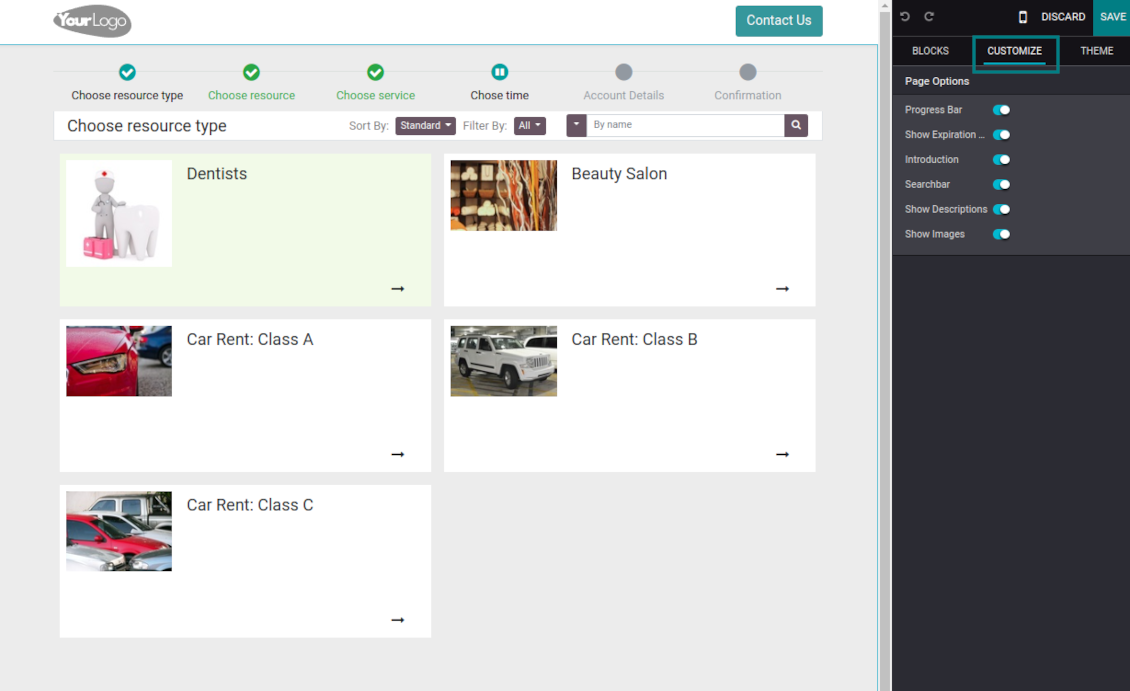
Show/hide the progress bar. Introduce your own names for progress steps
-
Show/hide introduction blocks, images, and short descriptions for resource types, resources, and services
-
Prepare your own full details pages for resource types, resources, and services using Odoo's standard website builder. Show/hide links for those pages
-
Show/hide pre-reservation and confirmation timers
-
Choose the contact details fields required to be entered. Define custom fields that should be entered for appointments
-
Define filters and sorting criteria for resource types, resources, and service pages
-
Show/hide the agreement with terms and conditions for portal/public users. Introduce your own text and link for that agreement
-
Show/hide prices
Portal control of reservations
-
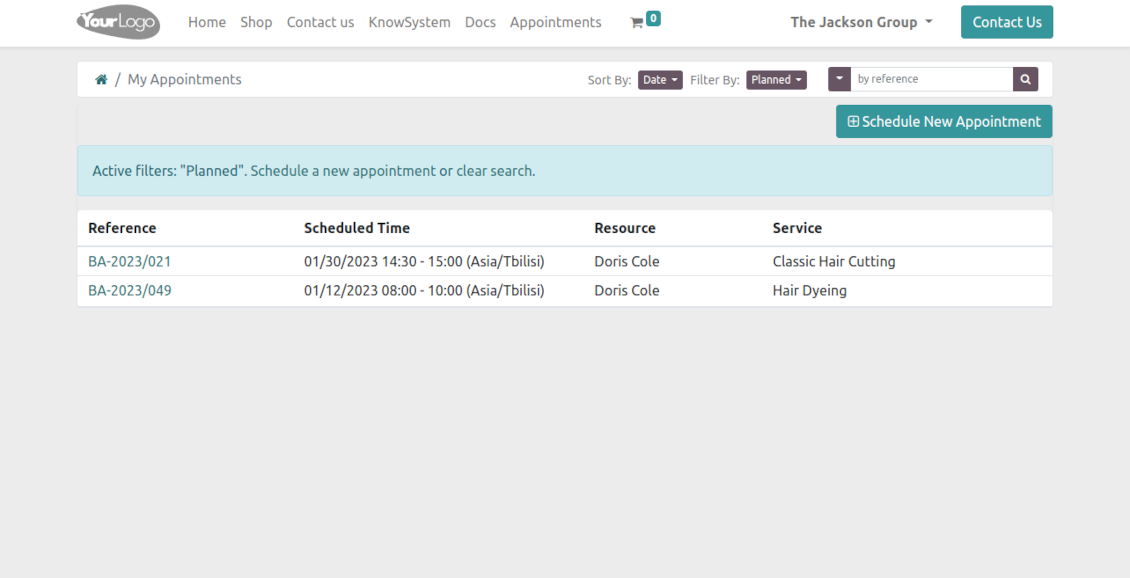
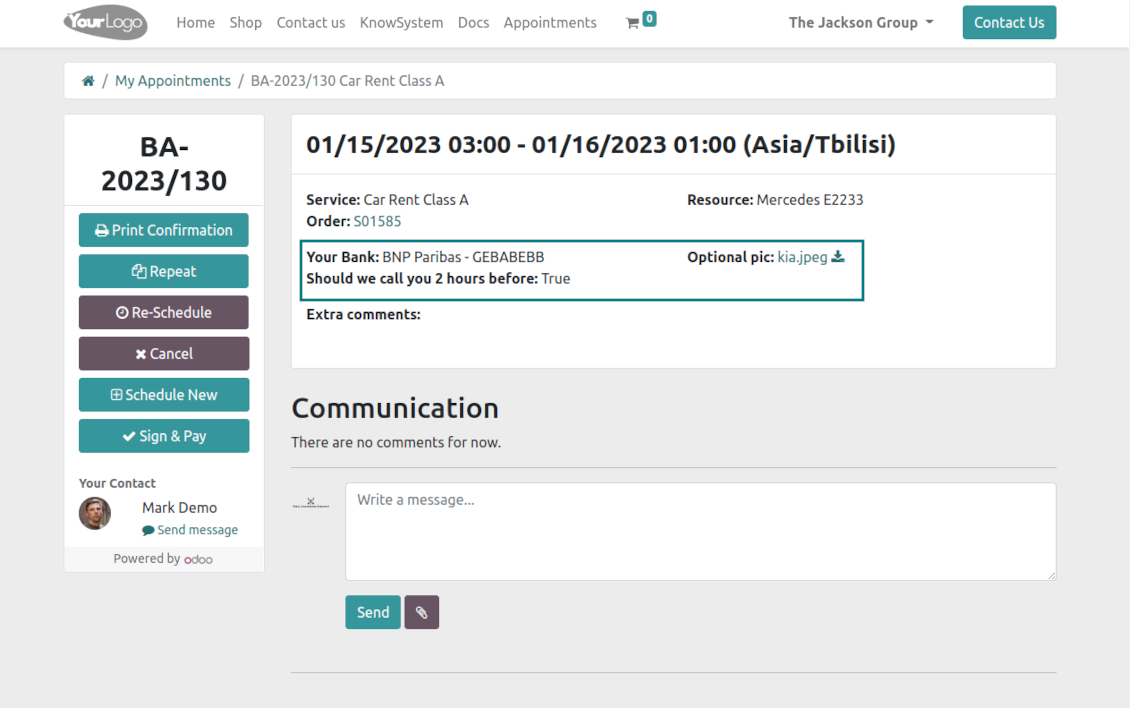
Customers may control their appointments right in the Odoo portal
-
Portal users observe the list of planned and done appointments and may check any of those
-
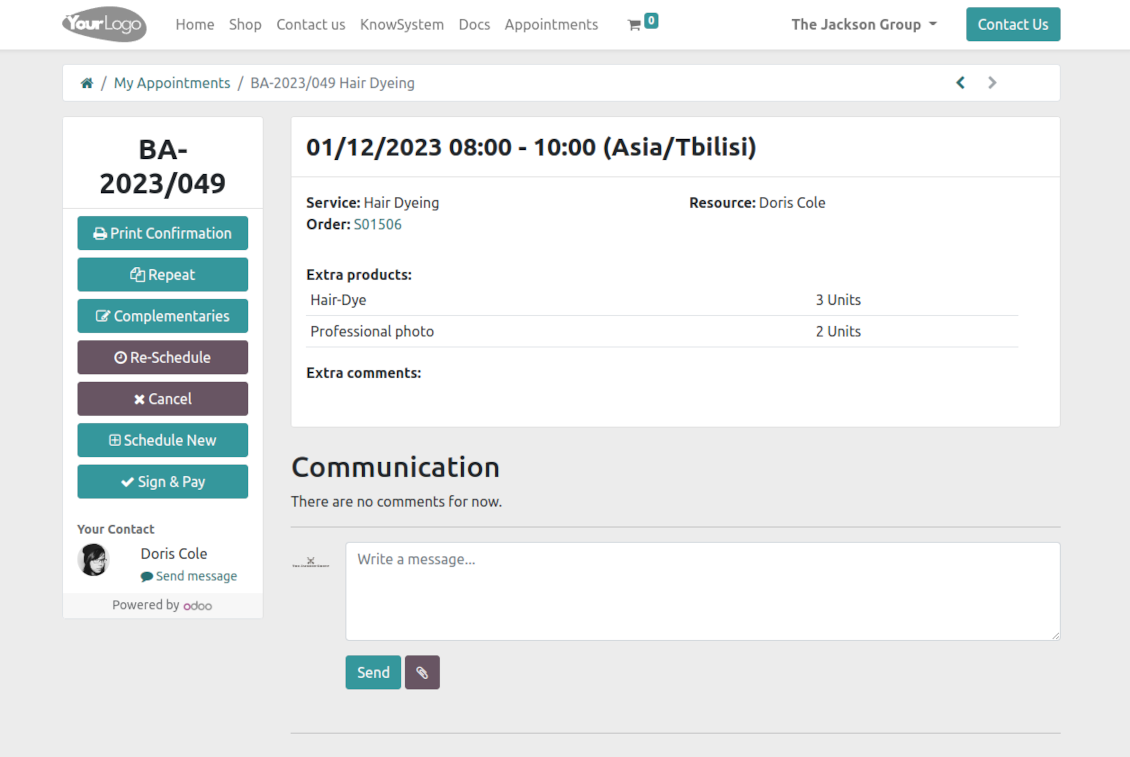
The Odoo portal allows you to schedule new or repeat existing reservations, cancel or re-schedule planned ones
-
Each appointment has a chatterbox that allows direct communication with the resource manager and other followers
-
From the portal appointment page, users can also print a voucher, so reservation confirmation
-
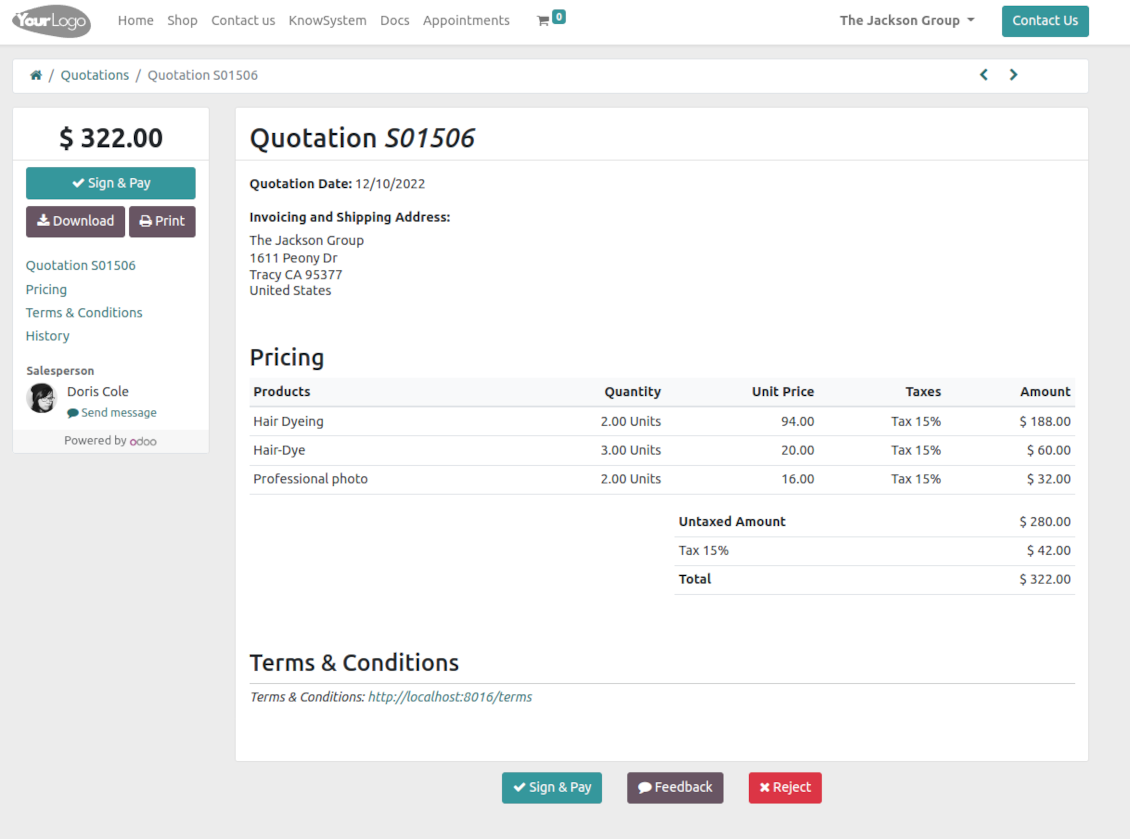
If an appointment has a linked sale order (sent, confirmed, or done) it would be also available through the standard Odoo portal entries 'Quotations' and 'Sale Orders', and right from the reservation page
-
Based on the Odoo standard sales functionality, customers may also sign and pay orders linked to their reservations.
Structured service management
Resource types
-
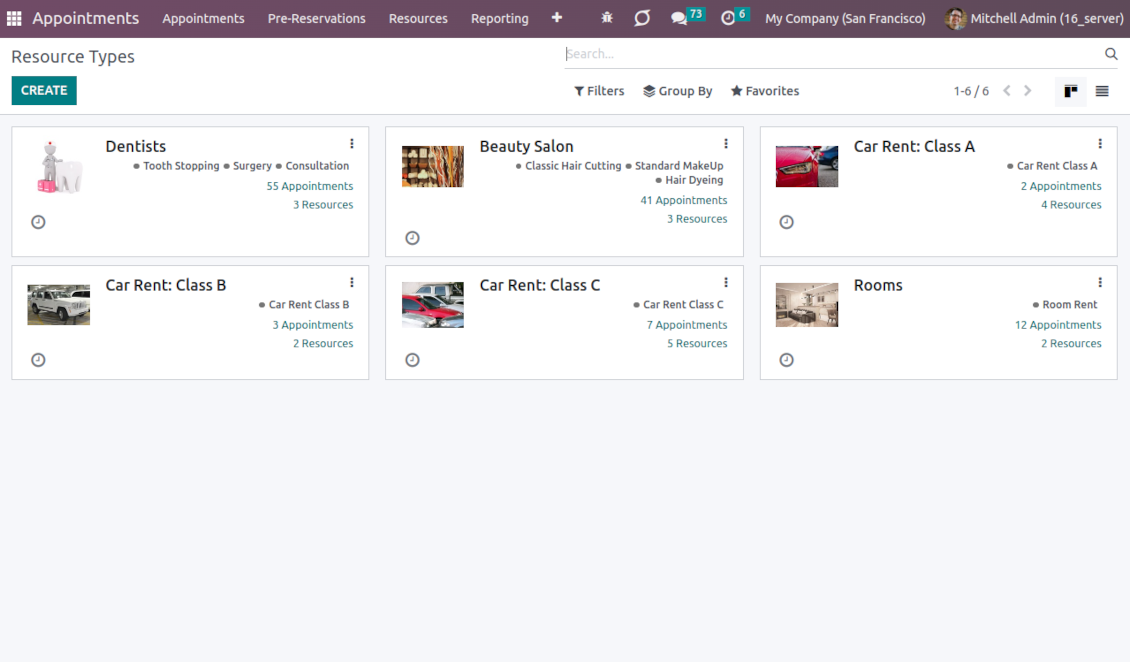
Resource types might be particular businesses you manage. For example, 'beauty salon', 'dentistry', or just 'hairdressers'
-
Another approach is to consider a resource type as a group of particular resources. For instance, 'class B cars' and 'class C cars' for rental business
-
Resource types contain main settings of how to organize service provision: how to allocate resources, how to calculate appointment total price, what are time restrictions, which services are possible, etc.
Resources
-
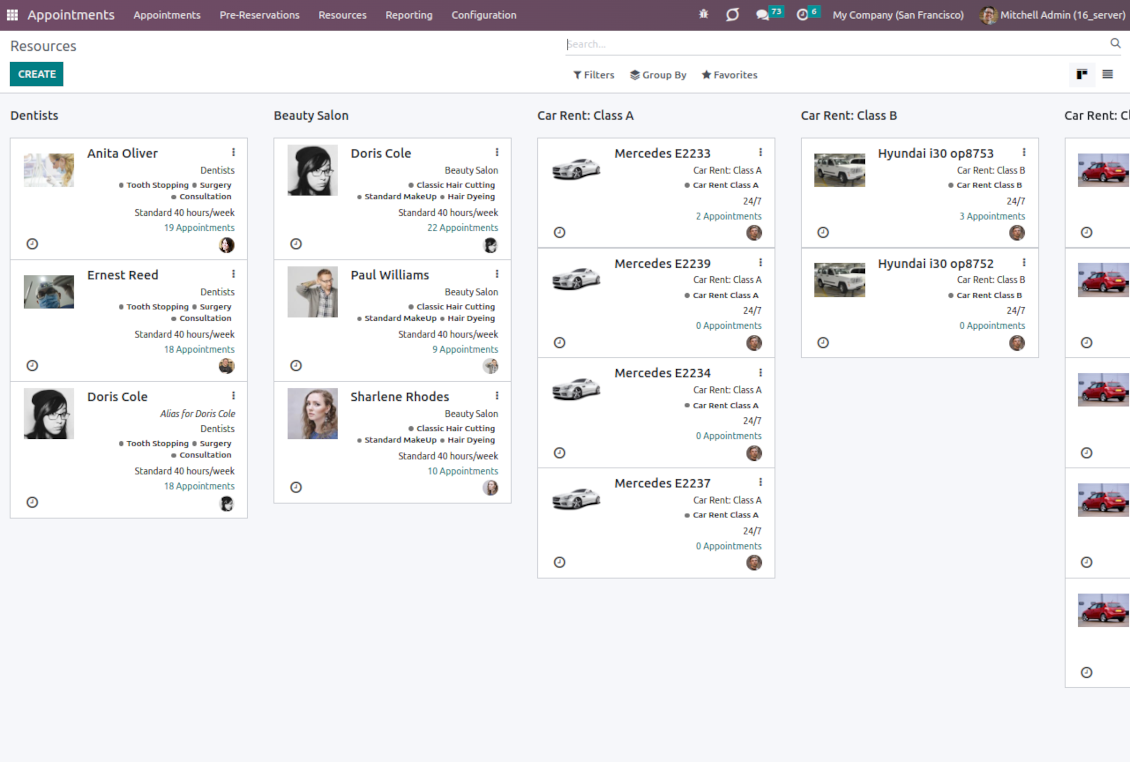
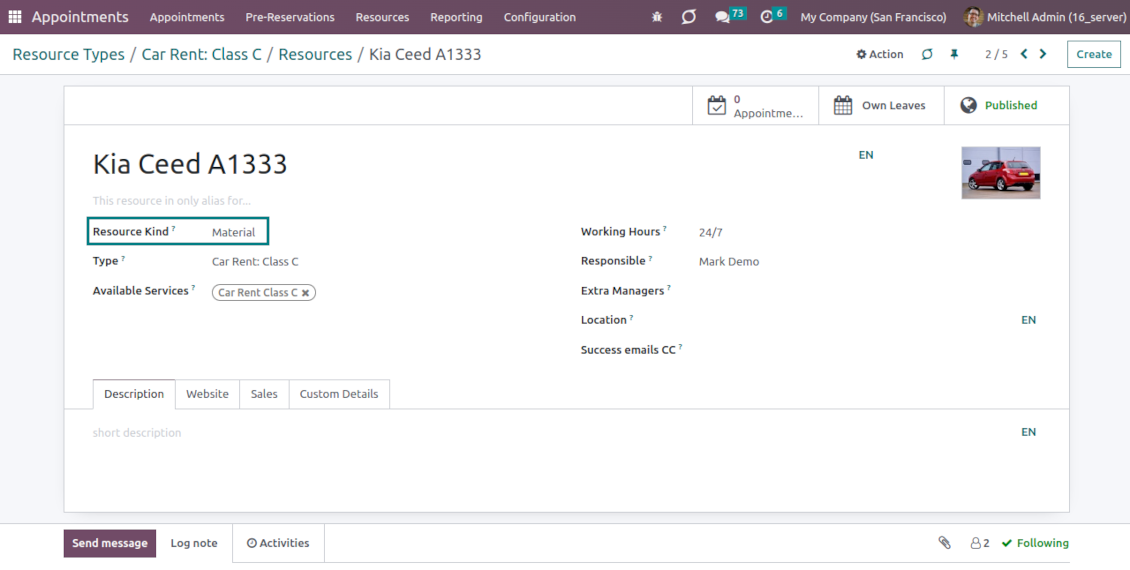
A resource in many service businesses assume certain specialists: For example, 'Dentist John Brown', 'Hairdresser Anna Green'
-
In other companies, it might be particular equipment or facility. For instance, 'Mercedes A1231', 'Room 12'
-
Resources are the Odoo object which working calendar you are planning. Thus, they define available days, timetables and time-offs, responsible users, etc.
Services
-
An appointment service defines what actually should be done. For instance, 'consultation', 'tooth surgery', 'classic hair cutting', 'car class C rent'
-
Services are not equal to Odoo products, but they are linked to each other to manage pricing details
-
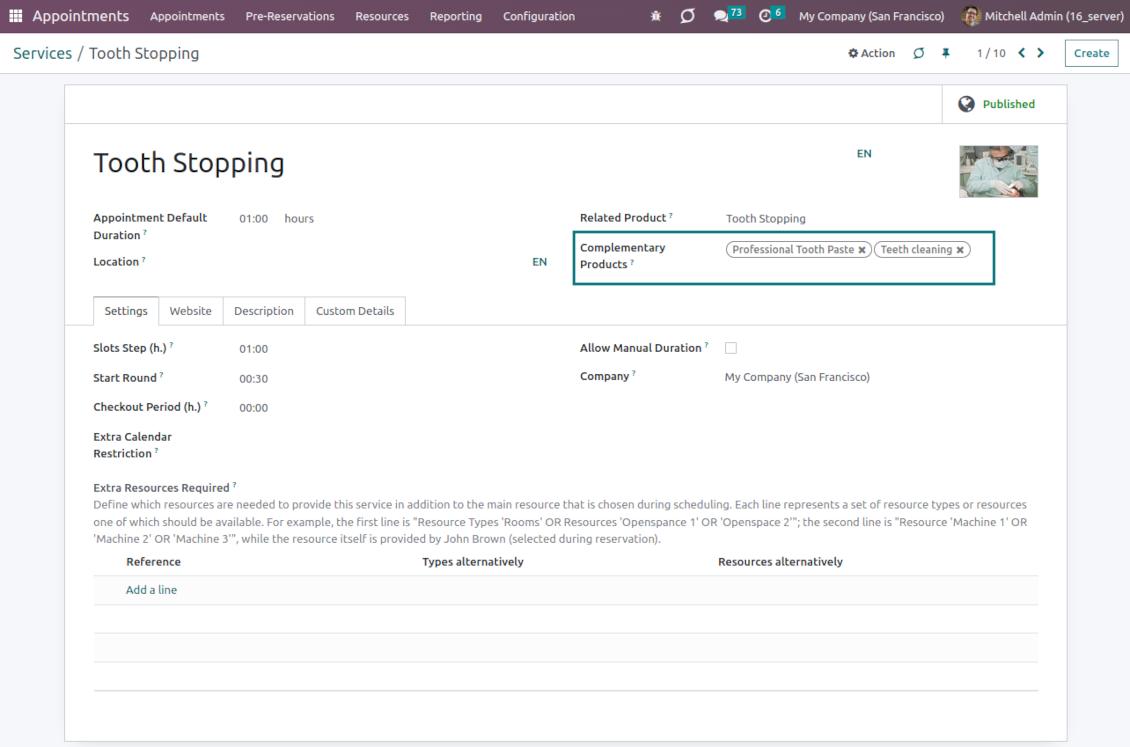
Services regulate time settings of appointments (how long should it take, when it can be started, what is the time step, extra restrictions and extra services needed), which goods might be suggested as complementaries
3 layers to reflect specifics
-
The decision of what to consider resource types, resources, and services is completely up to you. Such an approach lets reflect almost any service business
-
The tool does not force you to have multiple instances for each layer. In simple cases, there might be just a single representative for each step. For example, Lawyers - Attorney Chris Black - Consultation
-
If there is a single option, the app would reflect that by simplifying appointment scheduling. So, steps without actual choice are auto-missed.
Sale and upsell services
Sale orders and appointments
-
The app lets you link appointments and sale orders. You have 4 configuration options
-
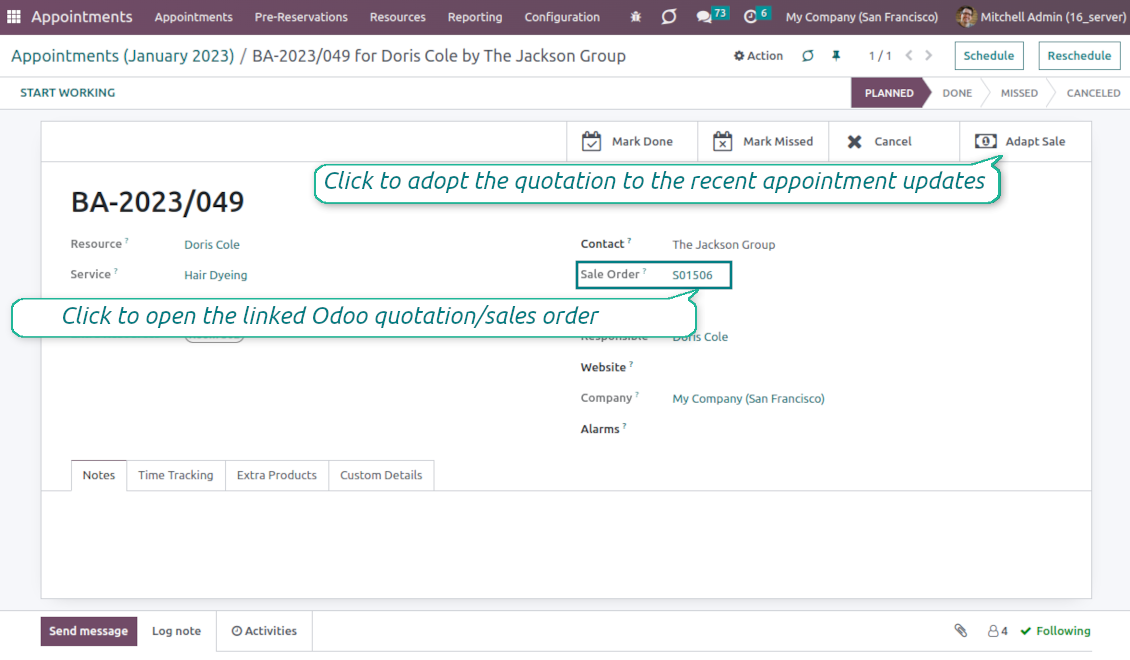
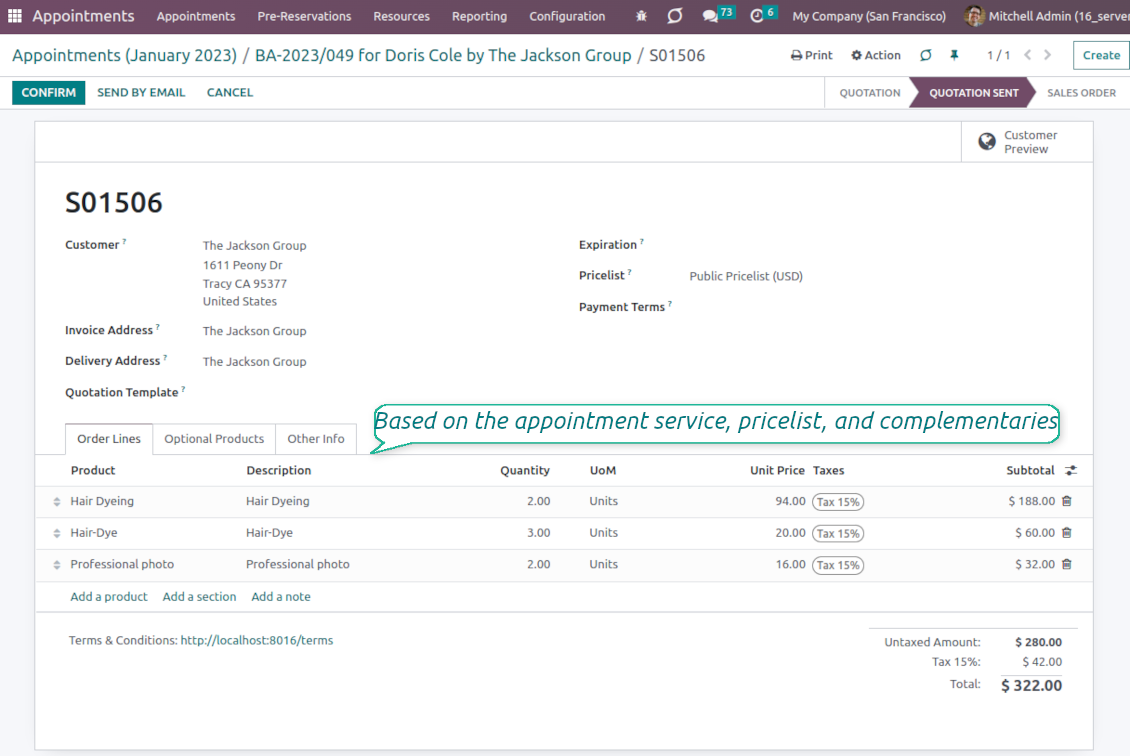
Sent sale orders: if chosen, a sent quotation would be prepared based on the appointment. This way, a portal user will be able to sign and pay such a quotation. The method is suitable in case your service is standard, and you accept customer approval/online payment
-
Automatically confirmed sale orders: if chosen, a sale order would be created as soon as an appointment is scheduled. The method is suitable in case your service is standard, and final sale positions and details would hardly be changed during that appointment. For example, fixed-price hair cutting
-
Draft sale orders: if chosen, only a quotation would be generated. In such a way you would be more flexible in updating an order during service provision or beforehand. For example, if you want to add extra complementaries during a visit or to grant clients individual discounts
-
Manual sale orders: if chosen, managers would have to create quotations while providing service. The method might be applicable when most of the sale lines become clear only during the visit itself. For example, a mobile phone repair business assumes initial diagnostics and only after that offers the price
-
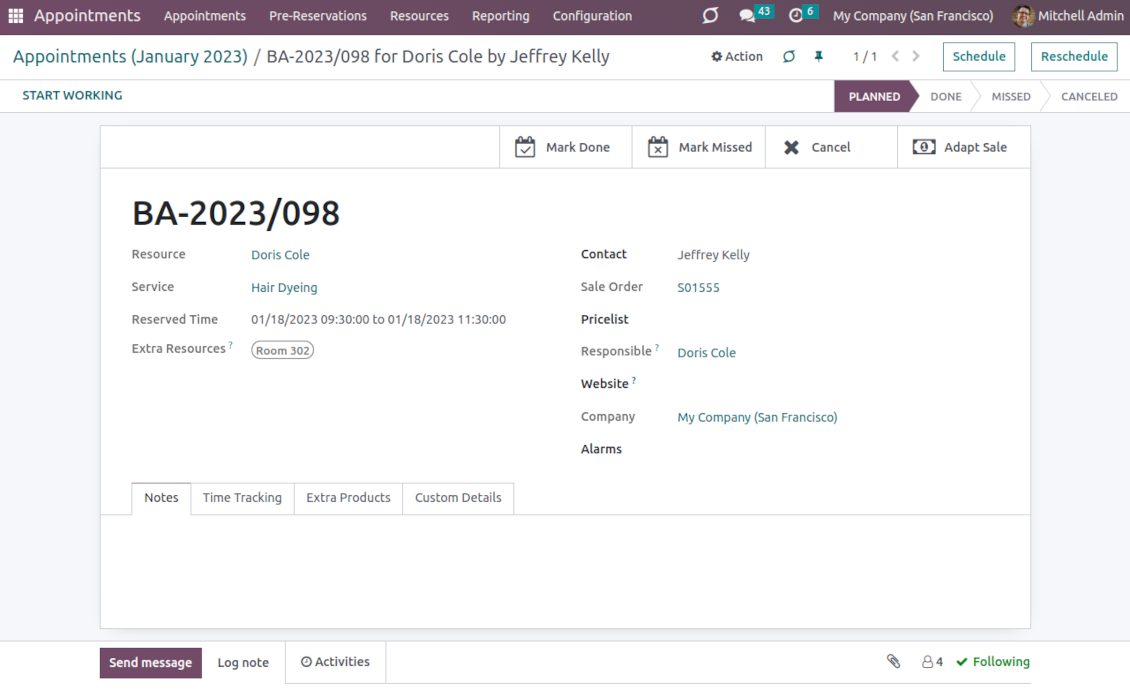
Until an appointment sale order is not confirmed, you would be also able to update that right from a reservation form. Both service, quantity, and complementary products are re-calculated in that case
Service pricing
-
The tool lets you configure pricing method per each resource type
-
Per planned duration: if chosen, Odoo quotations would be created based on initial reservation plans. For example, it might be suitable for car rental or massage
-
Per units: if chosen, sale orders consider appointments for the same price disregarding their duration. For example, standard haircutting or tire mounting is invoiced the same disregarding how much time they take
-
Per tracked (real) duration: when you want to invoice actual time spent on service provision. For example, the approach might be suitable for consultation or legal services
-
Prices are price list dependent. It means, that a manager might select individual conditions during scheduling. In such a way, it is possible to apply various currencies, discounts, promos
-
The latter feature is also applicable to website/portal users. In case there are a few to-select price lists, users would be able to choose the most suitable (e.g. in the correct currency). For the portal users, their partner price list is selected by default
Complementaries and upselling
-
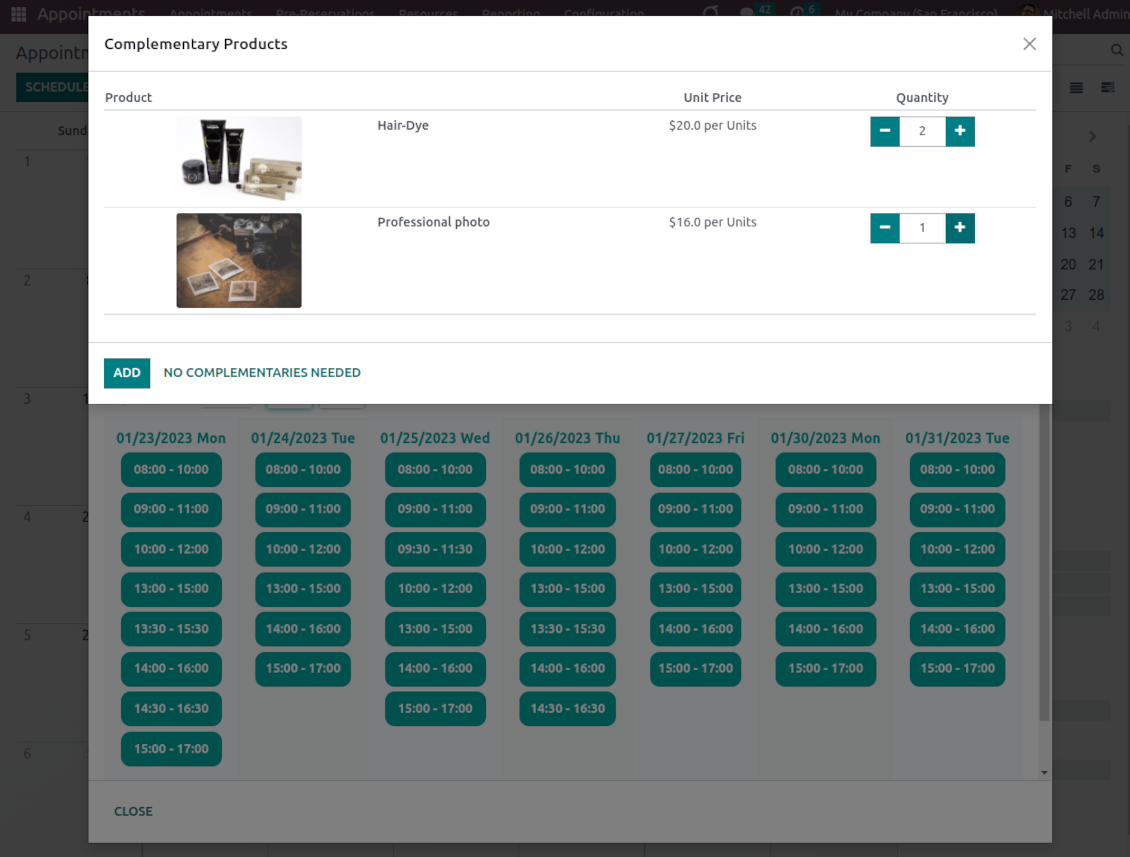
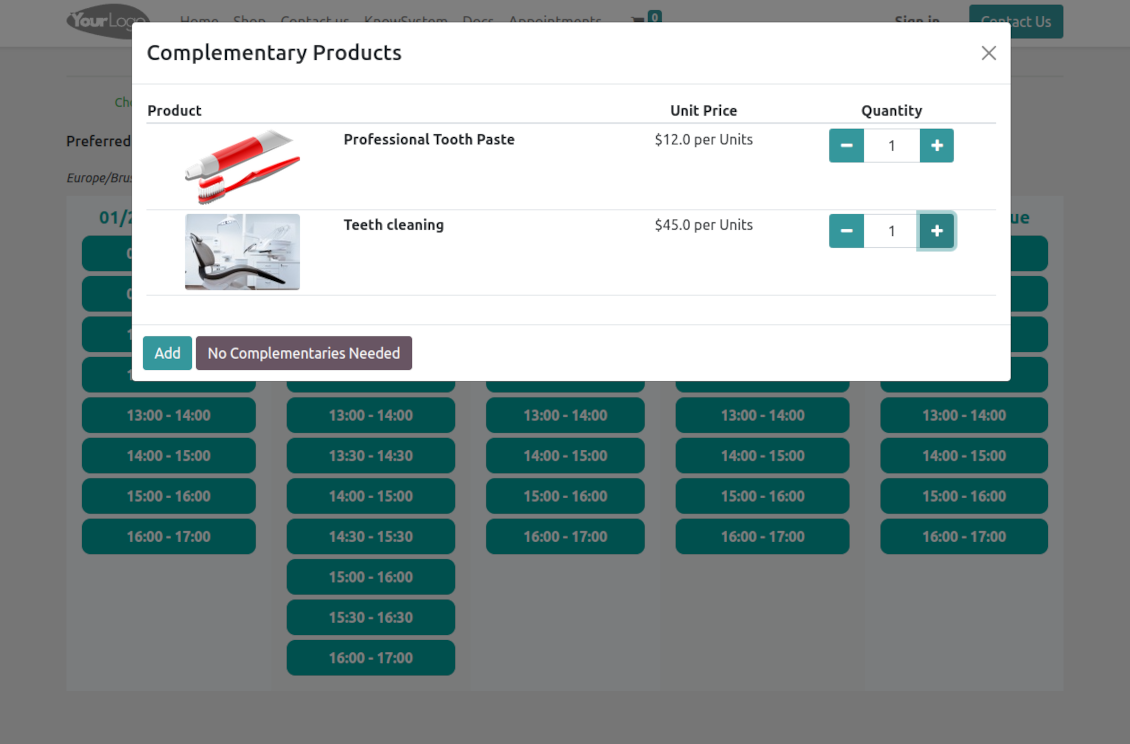
When a client finishes scheduling, it seems a good moment to increase a bill by offering complementary products. The tool aims to help you with that
-
Odoo will show the popup with suggested products for backend managers immediately after reserving a time slot
-
Website visitors/portal customers will see an accessories dialog also when they select the time for reservation
-
The popup allows both adding one or a few complementaries or merely missing the step if suggested products are not required
-
The feature is turned on/off on the configuration page: for the backend in general and for each website. The popup will be shown only in case there are complementaries defined for a booked service.
Flexible configuration and automatization
Service time settings
-
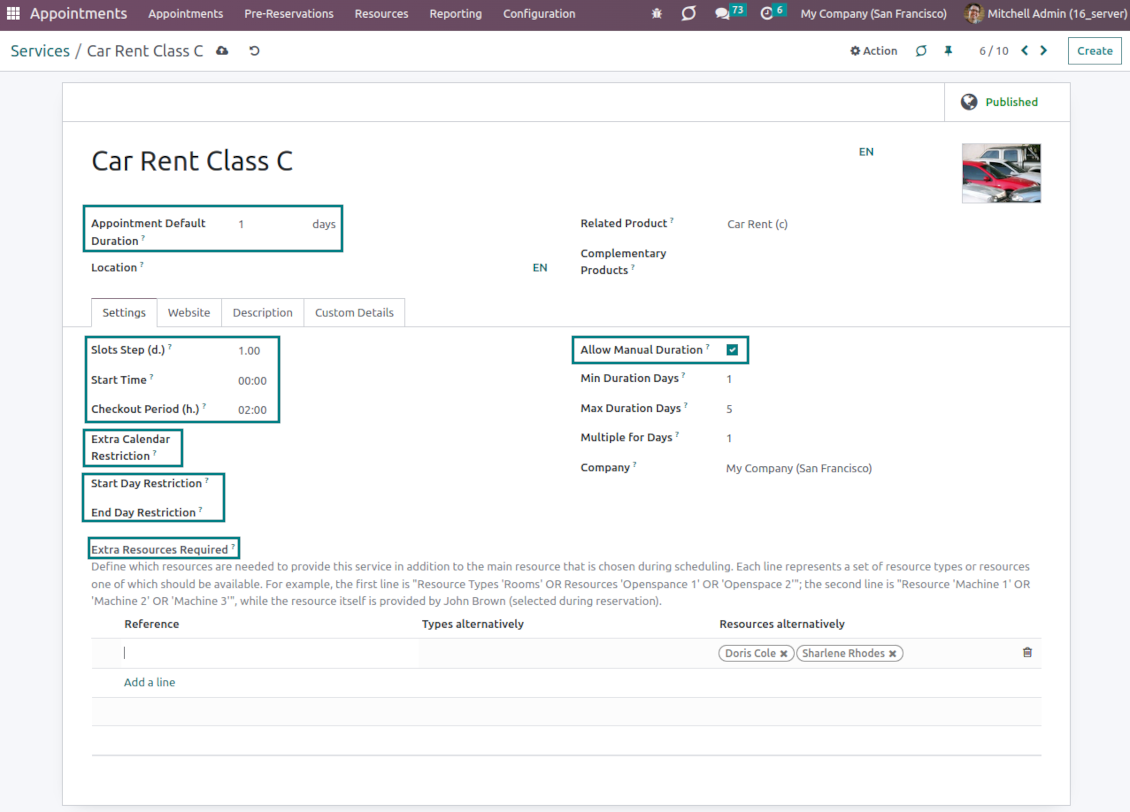
It is possible to configure the service to have a rigid duration (for example, standard hairdressing always lasts an hour) or let clients/managers select that manually (for example car rental might take from a day or 60 days)
-
Duration is defined either in hours (for example, it might be suitable for consulting or repair) or in days (for example, applicable for equipment or room rent, conference translator services)
-
For the manual duration, it is possible to apply restrictions: the maximum/minimum order and the multiplier. For instance, you can simply apply the rule: a service should last not less than an hour, not more than 8 hours, but the duration should be always multiplied by 30 minutes (1:20 is not possible, while 01:00 and 01:30 are fine)
-
The app allows configuring the rule to round time slots start. Sometimes applied restrictions might result in a calculated start you do not like. For example, an hour-long service start at 12:23 is hardly good. To solve the problem you can simply set up rounding for an hour (other available options are 5, 10, 30 minutes; 2 hours; midnight, or midday tomorrow)
-
Together with duration, 'Slots step' defines the frequency of available time periods, including whether it is possible to have overlapping periods. When the chosen duration is equal to the slots step, there would be no intersections: 12:00-13:00; 13:00-14:00 for the duration and the slots step set as an hour. When the duration is bigger than the slots step, periods would be intersected: 12:00-13:00; 12:30-13:30; 13:00-14:00 for the duration of one hour and the slots step 30 minutes. Finally, if the duration is smaller than the slots step, there would be breaks between the periods: 12:00-13:00; 13:30-14:30 for the duration of one hour, and the slots step 90 minutes
-
The checkout period is the setting that might give resources to finish service until the next one is started. For example, to have a cleanup after room rental, assign manual duration in days with the rounding 14:00 and with the checkout period 2 hours. Then, the potential time slot for a customer would be 01/08 14:00 - 03/08 12:00, while the resource would be anyway registered for the whole period 01/08 14:00 - 03/08 14:00
-
If there are certain restrictions on the service in addition to the resource timetable, introduce the 'Extra service calendar'. For example, although your beach is open 24/7, sunbed rental is available only from 08:00 to 17:00. Thus, you can define its own service working time
-
Sometimes it might be necessary to define when the service provision cannot be started or finished. To that goal, the app allows defining restrictions.
For daily services, the settings Start/End Day Restriction may be used. They let configure weekdays or specific dates when start/finish is impossible. For example, accepting/discharging patients is not fine on weekends and holidays but indoor treatment is possible. So, for the service 'Indoor treatment' block Saturdays and Sundays using the named setting.
For hourly services, distinguish the Start/End Working Calendar. This option assumes that this service may be started or finished only within predefined shifts. For example, although products are available for rent 24/7, your shop works from 10 am to 6 pm. With the setting, you may set up 10:00-20:00 and 11:00-21:00 shifts but block 09:00-19:00 and 18:00-23:00
Resource allocation
-
When there are a few resources of the same type, the challenge of how to distribute appointments among those arises. There are 2 general approaches introduced by the app
-
Manual allocation - applied when each resource is unique, and you prefer to give clients a right to select among those. For example, a customer would like to be consulted by a certain doctor or to be serviced by a definite hairdresser. Manual allocation does not force a client to select resources. This is the right, which might be simply missed by explicitly choosing "any" or a few resources
-
Automatic allocation - applied when all resources are considered equally good for clients. For example, a customer would hardly compare Opel Astra 1234 vs. Opel Astra 1235. Automatic allocation is configured per each resource type depending on your business specifics
-
Automatic distribution by resource workload lets assign appointments according to the total planned duration of all open appointments. For example, it might be fair in a beauty salon to equally spread tasks
-
Automatic allocation by appointment number does not take into account real duration, but only absolute quantity. For example, it might be suitable for tire mounting where the price is set up not per duration but per units
-
Automatic distribution by order means that each resource has its own priority, and allocation is done on a queue basis. Thus, the resource with the highest priority will be always chosen until it has available slots for the target moment. After that, the second-important resource is under consideration until it is also occupied, and so on. For example, such an approach might work for facilities booking or car rental
Resource aliases and extra service resources
-
When a service requires multiple resources then it is possible to assign special service rules. The app lets configure as many extra resources involved as it is needed
-
Each service extra resource rule assumes either resource types or resources that alternatively are required for the service. For example, either any resource of the type 'Rooms' OR the resource 'Hall 1' OR the resource 'Openspace'
-
If there are a few rules, to reserve service at least a single resource in each line should be available. Thus, the number of extra appointment resources will equal the number of service rules. If some of the lines cannot result in a real resource, a service cannot be reserved. Please take into account that alias resources cannot be extra resources: their prime resources will be used instead
-
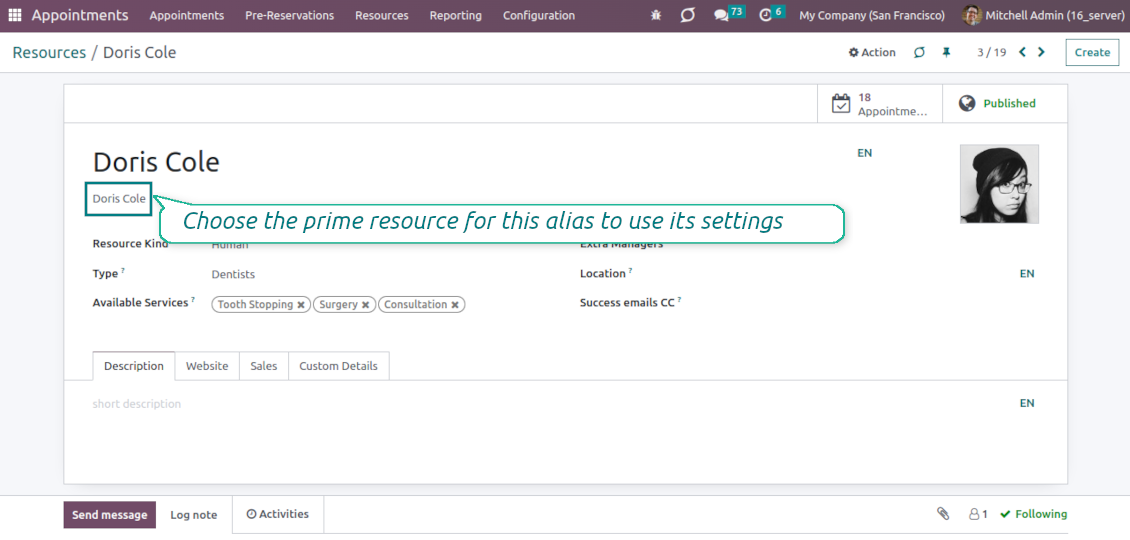
When a resource is involved in a few business activities (so, relates to different resource types and has different services), use resource aliases. A resource alias is a resource that does not have its own working calendar and its own responsible user. Instead of that, it uses the prime resource settings. For example, Anita Oliver can be both a hairdresser and a dental consultant. Then, you should create the prime resource 'Anita Oliver' (the type 'Beauty salon'), and the alias resource 'Anita Oliver' (the type 'Dentistry') with the prime 'Anita Oliver, Beauty Salon'. In this way, she can be reserved both for the 'hair dressing' service and for the 'Dental consultation', but the busyness in one sphere will block availability in the other
-
Alias resources have their own configuration, including description, image, sale settings, etc. So, the only differences from the normal resources are a working calendar and a responsible user, which are taken from their prime resource.
Complementary features
Configurable reminders
-
The app allows preparing of 3 types of appointment alerts: pop-ups, emails, and SMS. You can quickly create those through the special configuration menu entry. SMS reminders are sent using the Odoo SMS server (make sure that you have sufficient balance for Odoo SMS IAP)
-
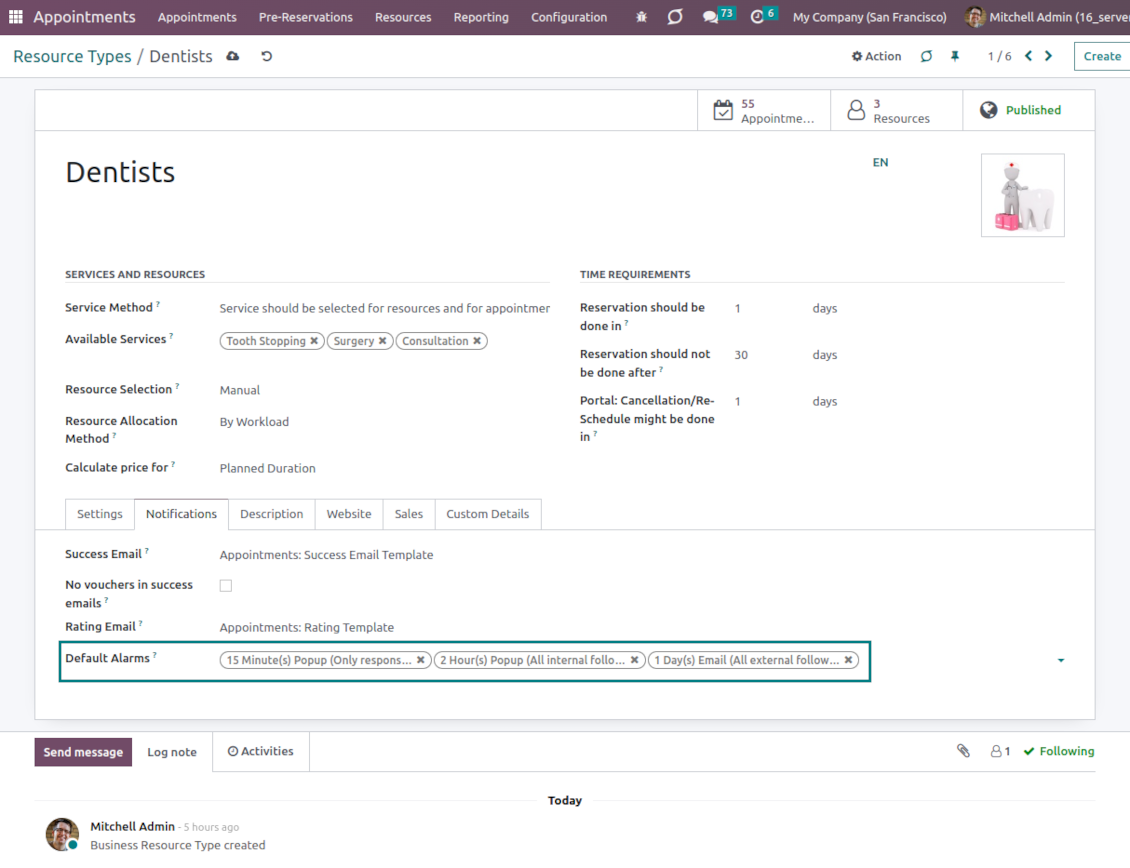
Select default alarms for each resource type. Such alarms will be automatically applied to all new appointments of this type. Otherwise, you may choose those for specific appointments
-
Define who should be notified: a responsible manager, external followers (clients), internal followers, or all followers. Popup alarms are available only for backend users
-
Specify a period for alert: it is possible to apply a time range in days, hours, or minutes. For instance, 2 days before the scheduled date
-
For SMS and email alarms, you should also assign a template that is rendered based on appointment details.
Misc
-
Optionally configure automatic requests for a customer review when an appointment is done. Clients should select among 3 simple "smiles": satisfied, not satisfied, and highly dissatisfied. The final rating is calculated for resource types, resources, and services
-
The tool has its own report view, where you can analyze appointments on pivot and graph views
-
Appointments have automatic numbering. You may change its logic (suffix, prefix, step, etc.) by configuring the related Odoo sequence
-
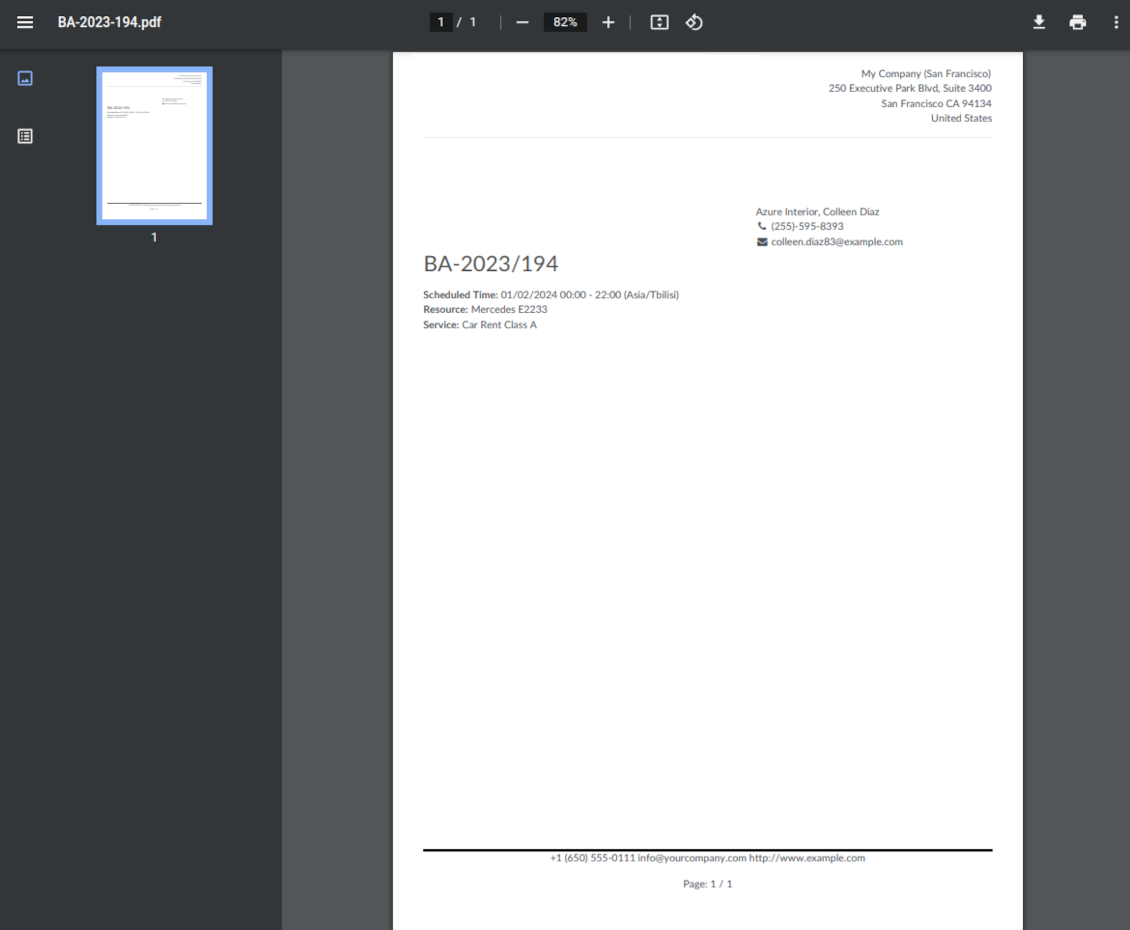
Each appointment has a printing version that might be generated in the backend and optionally in the portal, and which is attached to all appointment confirmation emails. The printing version relies upon standard Odoo layouts and might be also used as a service voucher.
Optional add-ons features
-
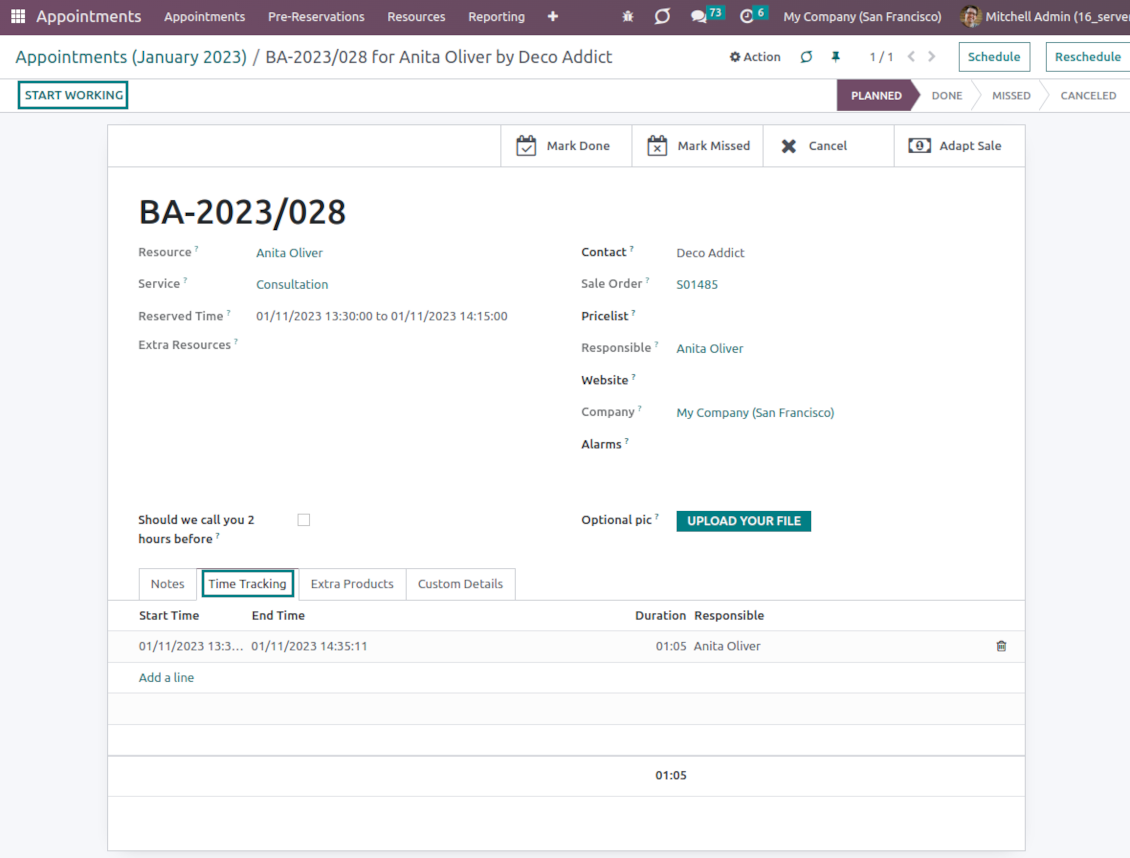
The app allows appointment managers to track time spent on providing service. This "real" time might be used not only for statistics but also to calculate the total appointment price.
-
The tool lets link resources and employees to automatically apply working calendars of the latter for appointments of this resource
-
Appointments might be shown on the special Odoo Enterprise Gantt view for instant resources workload observation.
Secured appointments
-
The tool introduces its own user rights system to make sure business data is secured. For the backend users, there are 2 groups that are allowed to work with appointments: "Appointments: Only Own" and "Appointments: Administrator"
-
Appointments admins are allowed to manage all settings and update any appointment-related objects of their company(s)
-
The 'only own' group has limitations and its users have rights: (a) only to read resource types and services; (b) to observe only resources, in which they are responsible managers or which do not have such managers at all; (c) to create and to update appointments related to resources which they can observe
-
Portal and website security is managed independently
-
Resource types, resources, and services should be website published in order to become available for selection for both public and portal visitors
-
Any website visitor might schedule an appointment and access resources/services without registration if you turned the option "Business appointments on website"
-
Portal users have the same rights even if the latter option is not turned on, but you switched the option "Business appointments in portal".
Custom fields
-
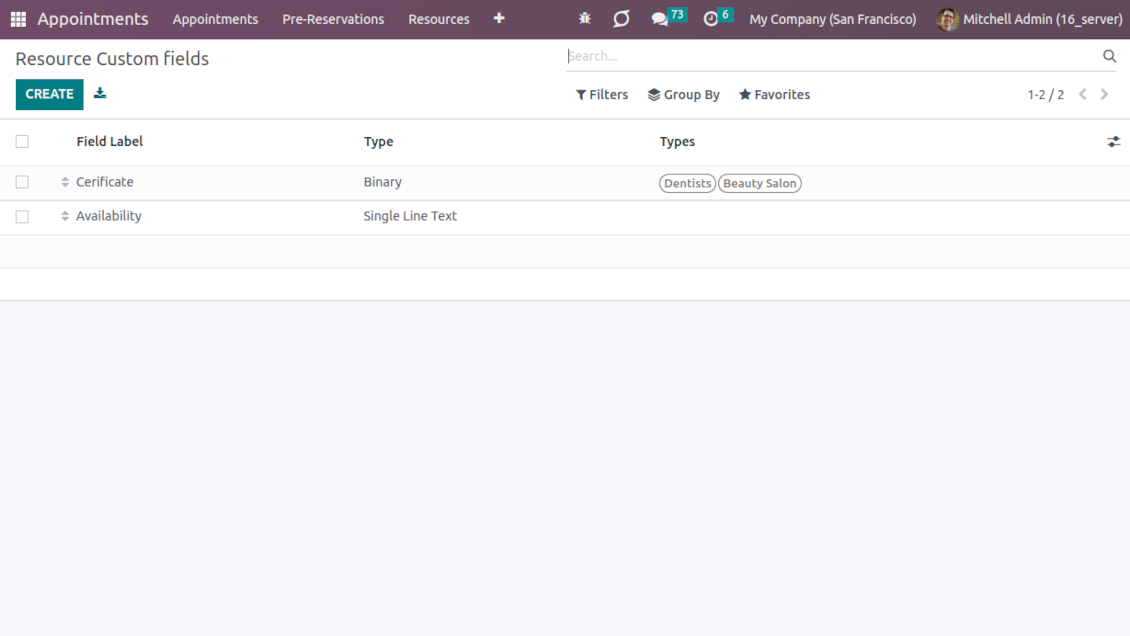
Custom attributes creation does not require any technical knowledge. In order to show a new property, just add a new field and enter the details
-
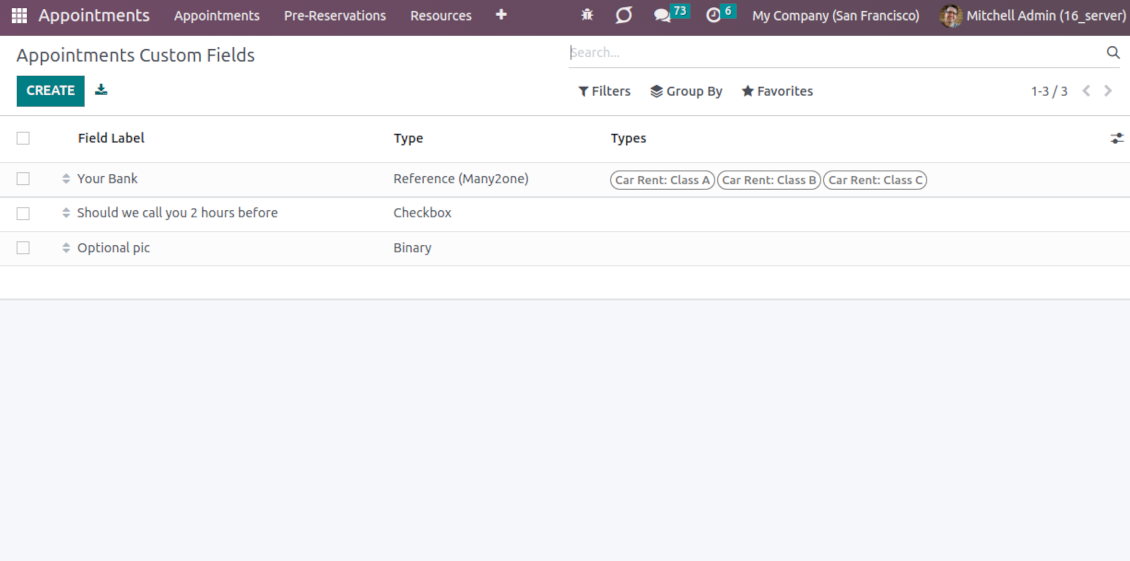
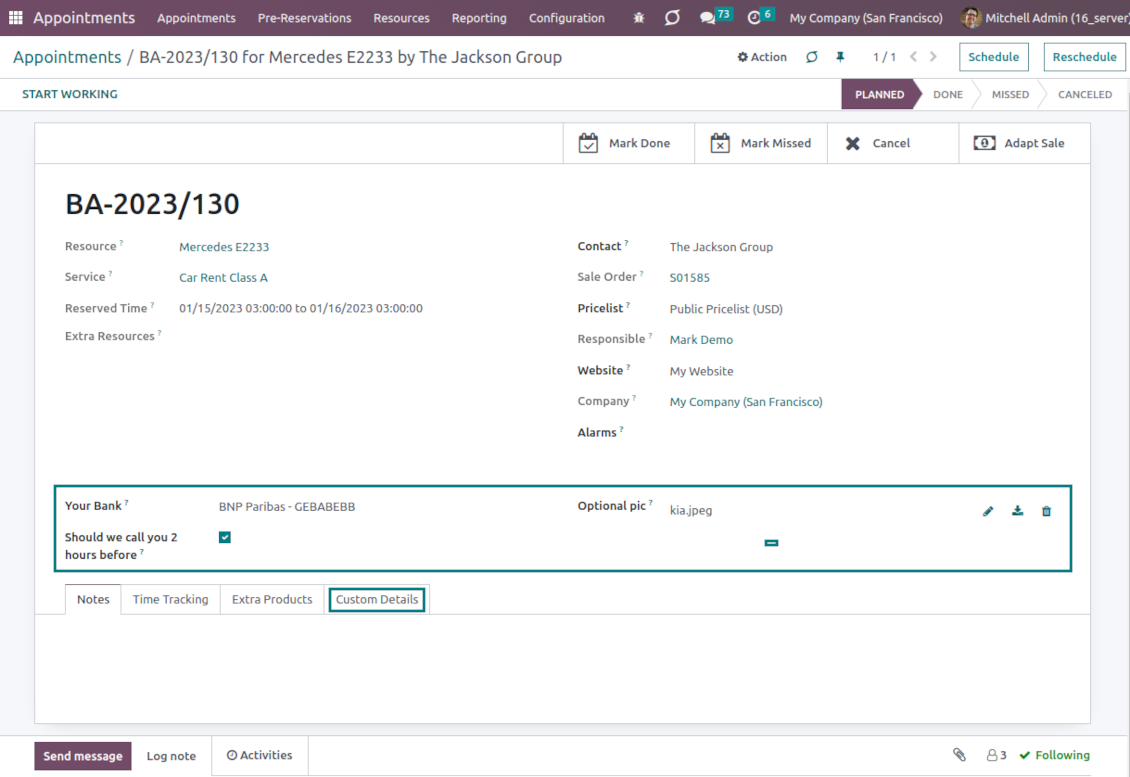
The tool lets prepare new fields for resource types, resources, services, and reservations
-
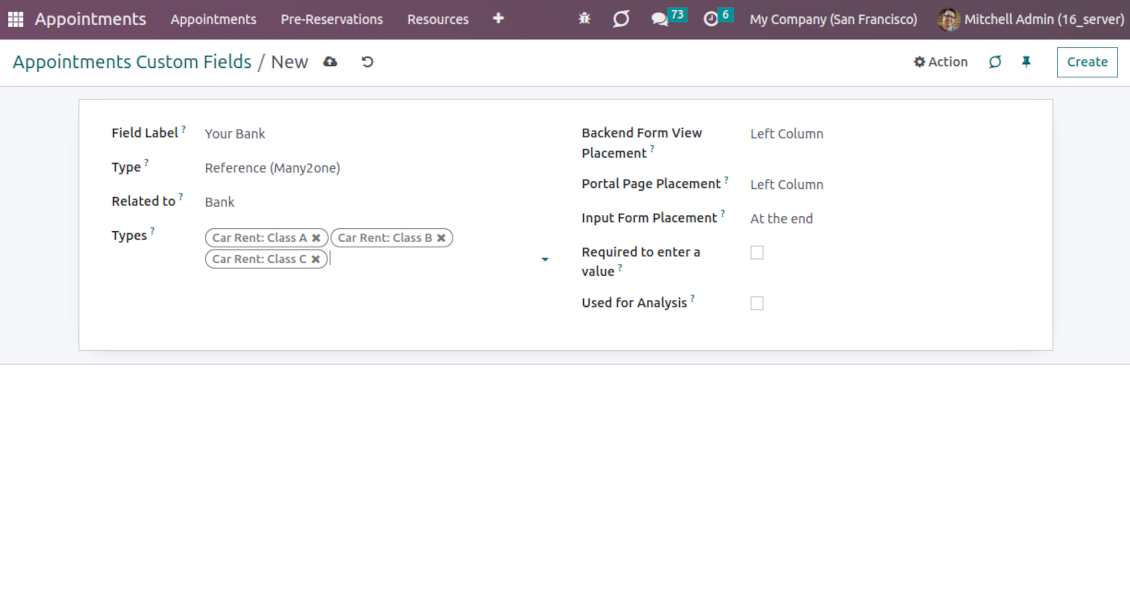
It is possible to add custom fields of the following types: single-line text (char), simple text without formatting (text), rich text (HTML-formatted text), integer or float numbers, drop-down choice with your own options (selection), checkbox (boolean), date or date and time, binary (a file to upload), reference to another Odoo document (e.g. for sale order, contact; many2one)
-
The tool lets you comfortably select an interface position of a custom field from a closed list of options. Optionally you may select also portal/website position to make properties visible to public users
-
For the website booking process, it is possible to force users to select custom appointment details
-
Have different resource fields depending on resource type (for example, dentists' details differ from cars' details).
Konfigurations- och installationstips för Universal Appointments and Time Reservations Odoo v.16
Python dependency
The tool depends on the external Python library 'phonenumbers'. Install this library for your Odoo server through the command:
pip3 install phonenumbersVanliga frågor om Universal Appointments and Time Reservations Odoo v.16
Vad ar en bokningsvoucher? Hur ändrar jag den?
Bokningen har en egen pdf-bilaga (voucher). Bilagan skapas automatiskt utifrån Odoos webbmallar. Med vissa tekniska kunskaper eller med hjälp av valfri Odoo-partner/leverantör gar det att andra den mallen (som görs for offerter, fakturor osv. i Odoo). Som standard används företagets standardlayout som introducerats i appen.
Gar det att reservera flera tjänster/resurser samtidigt i en bokning?
I backend kan du slå på alternativet ‘Multi scheduling’; då kan ansvarig göra flera bokningar för en kund för olika tjänster/resurser och välja flera tidsluckor. I portalen finns alternativet ‘Multi scheduling’. Det låter kunden boka en tjänst/resurs, men för flera tidsluckor. För att boka mer än en tjänst/resurs måste kunden göra flera bokningar.
Vilka slags aviseringar far ansvariga for tidsbokningar?
För ansvariga/specialister kan du konfigurera prenumerationer per resurstyp och resurser. Aviseringar om nya tidsbokningar är till exempel kopplade till e-postundertypen 'New appointments and recovering'. Appen låter dig också ställa in påminnelser för inblandade parter. Se Appointments-appen > Konfiguration > Påminnelser.
Far kunder e-post- och utskriftsbekraftelse for en bokning?
Nar alla steg ar klara far kunden ett bekraftelsemejl och omdirigeras som standard till framgangssidan (ett pdf med en voucher bifogas mejlet). Pa framgangssidan gar det även att skriva ut vouchern.
Vad är en förhandsreservation i steget 'Waiting for confirmation'?
Nar en kund börjar reservera en tjänst och väljer en tidslucka blir den otillgänglig for andra och en forhandsreservation sker. For att göra den tillgänglig igen måste du satta max tid for reservationen. Efter den tiden, om kunden inte slutforde, blir luckan tillgänglig igen.
Sa sätter du tiden for forhandsreservation:
1. Öppna Appointments-appen
2. Ga till Konfiguration>Konfiguration
3. I 'Maximum Period for Pre-Reservation' anger du tiden
Om vi har flera filialer, kan vi dela resurserna efter dem?
Resursuppdelningen kan konfigureras olika. Ett sätt ar Odoo-multibolag. Nar du skapar resurstyper/resurser/tjänster kan du valfritt ange bolaget. Eller göra dem ‘global’, kopplade till alla bolag. Da kan uppsattningen skilja sig per bolag.
Det gar också att satta bokningsprocessen olika pa olika webbplatser/filialer. Välj webbplatsen som visar viss resurstyp/resurser/tjänster. Filialerna kan till och med galla helt olika områden: en sida for engelsklektioner och den andra for tid i gymmet.
Även utan olika bolag eller webbplatser kan du satta upp tidsbokningar for olika delar av verksamheten. Appen ar byggd sa att du själv bestammer vilket steg som hor till vilka verksamheter. En resurstyp kan vara en tandklinik i centrum och den andra kirurgisk tandvard i ett bostadsomrade. Sa, med resurstyper, hanterar du filialer och delar resurser även utan multibolag.
Gar det att först välja tjänst och sedan resurs?
Kan en användare boka utan att skapa ett konto?
Ja, en användare kan skapa en bokning utan konto, men bara första gången. Nar personen bokar reserveras e-posten i basen och kan inte användas igen. For ytterligare registreringar eller befintliga kontakter måste man logga in for att boka.
Användaren kan registrera sig från bekraftelsemejlet eller direkt i Odoo. Inbjudningslanken ar kortlivad: missar man tillfallet måste man sedan återställa ett lösenord eller be er om hjälp.
Hur ändrar jag spraket pa framgångsmejl?
Sa ändrar du spraket pa en e-postmall:
1. Se till att malspraken ar installerade i ert Odoo.
2. Slå sedan pa utvecklarlage och ga till Teknisk > Mallar
3. Hitta mallen 'Appoints: Success Email'
4. Börja redigera mallen och klicka pa sprakikonen uppe till höger i artikelns mall.
5. Du ser artikelns brödtext pa alla systemsprak. Översätt malsprakets e-post manuellt, men ta inte bort koden. Spara resultatet.
Andra därefter också kontaktens sprak (pa kontaktkortet, fältet 'Sprak'). Sådana kontakter far da mejlet pa det spraket.
Om någon bokar första gången pa er webbplats tilldelas som standard spraket pa den öppna sajten. Bekraftelsemejlet skickas pa det spraket.
Vad betyder fältet 'Start Round' på tjänstkortet?
Fältet 'Start round' avrundar tiden till detta värde for att undvika tider som ser daliga ut. Om klockan nu ar 9:48 och jag måste boka en tjänst senast dagen före blir första tiden i morgon 9:48, vilket inte ar bra. Avrundar du till en timme (01:00) blir tillgänglig tid 10:00.
Fler alternativ och exempel pa avrundning ('Hjälp') ser du om du håller över faltrubriken.
Jag gillar inte utseendet pa genererade e-postmeddelanden / SMS
Du får gärna anpassa dem. Mallarna finns under menyerna Konfiguration > Aviseringar > E-postmallar och SMS-mallar.
Du kan också använda olika mallar för olika resurstyper. Titta på valfri resurstyp > Aviseringar.
Jag behöver inte alla steg vid bokning pa webbplatsen. Kan jag utesluta / dolja några?
Verktyget gor redan detta automatiskt:
om det finns en enda publicerad resurstyp visas inte det första steget;
om resurstilldelningen ar automatisk eller det finns en enda publicerad resurs hoppas det andra steget över;
om det finns en enda publicerad tjänst for vald resurstyp / resurser hoppas det tredje steget över.
Det enda steget som ska konfigureras ar bekraftelsesidan: du kan slå pa /av den pa konfigurationssidan.
Hur ändrar jag bokningens referensnummer?
Vilka uppdateringsregler gäller for era verktyg?
Enligt de aktuella reglerna for Odoo Apps Store:
- Varje modul kop for version 12.0 eller tidigare ger tillgang till alla versioner upp till 12.0.
- Från och med version 13.0 måste varje modulversion kopas separat.
- Oavsett version ger kopet rätt till alla uppdateringar och felrättningar inom en huvudversion.
faOtools-teamet styr inte dessa regler. Vid frågor, kontakta representanterna for Odoo Apps Store direkt.
Hur installerar jag er app pa Odoo.sh?
Det mest direkta sättet ar Odoo-butikens inbyggda flöde:
1. Öppna modulens sida och klicka pa Deploy on odoo.sh
2. Du omdirigeras till GitHub. Logga in och klicka pa Create a new repo eller använd ett befintligt. Repot måste vara privat. Appar under OPL-1 far inte publiceras. Skapa vid behov ett nytt repo for Odoo.sh-projektet
3. Ga sedan till odoo.sh, klicka pa Deploy, bekräfta och klicka pa Continue. Installationen startar.
Stegen installerar appen pa production-grenen. For andra grenar eller uppdatering:
1. Ladda ner kallkoden från Odoo-butiken
2. Committa modulen till GitHub-repot. Ingen app-mapp/fil far sta i .gitignore. Repon som odoo.sh skapar kan ignorera viktiga sokvagar (t.ex. /lib). Ladda upp alla modulmappar och filer
3. Deploya malgrenen i odoo.sh-projektet eller vänta pa den automatiska builden om inställningarna anger det.
Hur installerar jag er app pa min egen server?
2. Starta om Odoo-servern;
3. Sla pa utvecklarlaget (tekniska inställningar);
4. Uppdatera applistan (Appar-menyn);
5. Hitta appen och klicka pa Activate/Install;
6. Följ anvisningarna pa appsidan om det finns någon.
Er app har extra tillägg. Kan jag kopa dem senare?
Ja. Odoo lägger automatiskt alla beroenden i varukorgen: uteslut redan kopta verktyg sa att du inte betalar tva gånger.
Jag deployade er app pa Odoo.sh och ser en varning/ett fel i testerna
En rod/orange varning påverkar inte appens funktioner. Ibland klarar vara moduler inte de vanliga automatiska testerna, eftersom de förväntar ett beteende som strider mot appens mal. Vi ändrar till exempel prisberakningen, medan Odoo-testerna jämför slutpriset med standardalgoritmen.
Kontrollera först funktionerna i den deployade databasen. Fungerar allt?
Om du ändå tror att varningen påverkar verkliga funktioner, kontakta oss och skicka de fullständiga installationsloggarna och den fullständiga listan över deployade moduler (karn och tredje part).
Kan jag kopa er app direkt av er?
Nej, vi distribuerar verktygen endast via den officiella Odoo-appbutiken.
Jag vill ha rabatt
Tyvärr har vi inte tekniska möjligheter att erbjuda individuella priser.
Kan jag installera appen pa min Odoo Online (SaaS)-databas?
Nej, tredjepartsappar kan inte användas pa Odoo Online. Odoo SaaS blockerar den möjligheten.
Ert verktyg beror pa andra appar. Behöver jag kopa dem?
Ja, verktyget behöver alla moduler som anges som beroenden. Priset pa appsidan inkluderar redan dessa beroenden.
Vad kostar modulen i amerikanska dollar? Varför andrades det?
Priset for vara moduler anges i euro. Odoo-butiken konverterar till andra valutor enligt sin interna vaxelkurs. Därför kan priset i amerikanska dollar andras nar kursen uppdateras.
App- och webbplatsformuleringar på andra språk än engelska är AI-assisterade och anpassade till officiella Odoo-översättningar. Om du upptäcker ett fel, skicka ett ärende om översättningskorrekthet så åtgärdar vi det.
Odoo-demodatabaser (liveförhandsvisningar)
För den här appen kan vi erbjuda en gratis personlig demodatabas.
Du behöver varken telefonnummer eller kreditkort för att kontakta oss. Det räcker med en kort e-postregistrering som tar högst 30 sekunder.
På din begäran förbereder vi en individuell liveförhandsvisningsdatabas där du kan göra tester och kontrollera antaganden i cirka två veckor.
Felrapportering
Om du stöter på fel eller inkonsekvent beteende, kontakta oss. Vi garanterar rättningar inom 60 dagar efter köpet och vill förbättra verktygen även efter det.
Du behöver varken telefonnummer eller kreditkort för att kontakta oss. Det räcker med en kort e-postregistrering som tar högst 30 sekunder.
Ta med så många detaljer som möjligt: skärmbilder, Odoo-serverloggar och en fullständig beskrivning av hur problemet återskapas. Det tar vanligtvis några arbetsdagar att ta fram en arbetsplan (om felet bekräftas) eller riktlinjer (annars).
Offentliga funktionsönskemål och modulidéer (gratis utveckling)
Vi är starkt motiverade att förbättra våra verktyg och tackar för all feedback. Om kraven är av allmänt intresse och kan implementeras effektivt tar teamet med dem i att-göra-listan.
En sådan att göra-lista behandlas regelbundet och innebär inga extraavgifter. Även om vi inte kan lova tidsfrister och slutlig design kan det vara ett bra sätt att få önskade funktioner utan investeringar och risker.
Du behöver varken telefonnummer eller kreditkort för att kontakta oss. Det räcker med en kort e-postregistrering som tar högst 30 sekunder.
16.0.1.3.22
- The horizontal prop is explicitly added to the datetime picker.
16.0.1.3.21
- The mobile datetimepicker has been optimized.
16.0.1.3.20
- The issue with the untranslated warnings has been fixed.
16.0.1.3.19
- The issue with selected dates in formats other than Latin has been fixed.
16.0.1.3.18
- The issue with duplicated extra resources for appointments is fixed.
16.0.1.3.17
- Intersection conflict checks are restructured and optimized.
16.0.1.3.16
- The feature to add extra working hours for alias resources is added. Such shifts will restrict time slots in addition to the main resource calendar.

The tool to flexibly structure Odoo attachments in folders and synchronize directories with cloud clients: Google Drive, OneDrive/SharePoint, Nextcloud/ownCloud, and Dropbox. DMS. File Manager. Document management system
398€
The tool to automatically synchronize Odoo attachments with OneDrive files in both ways
487€
The tool to automatically synchronize Odoo attachments with Google Drive files in both ways
487€

The tool to build a deep and structured knowledge base for internal and external use. Knowledge System. KMS. Wiki-like revisions.
398€
The tool to set up KPI targets and control their fulfillment by periods. KPI dashboards. Dashboard designer. KPI charts

Verktyget för att styra Odoo från dina AI-chattar via MCP. Claude. Valfri AI med MCP.

The tool to combine different Odoo events in a few configurable super calendars

The tool to translate URL addresses of Odoo website pages
38€