KnowSystem: Knowledge Base System v.14
The tool to build deep and structured knowledge base for internal and external use. Knowledge System. KMS
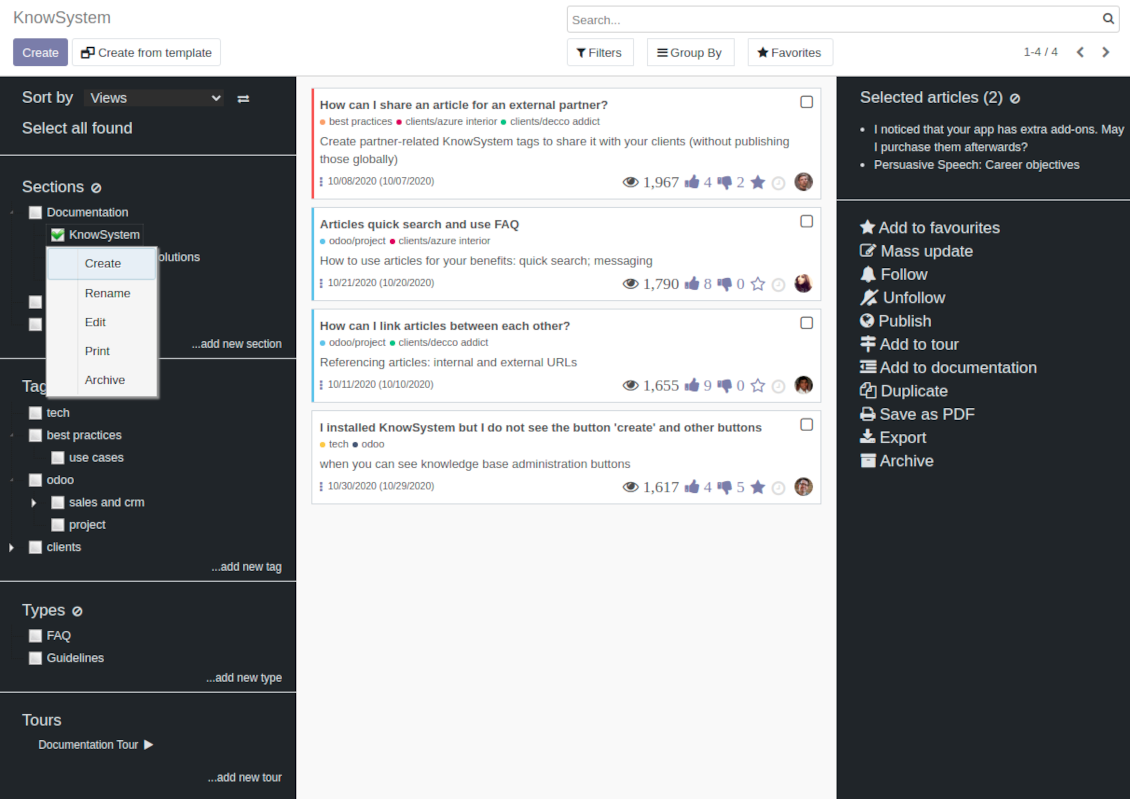
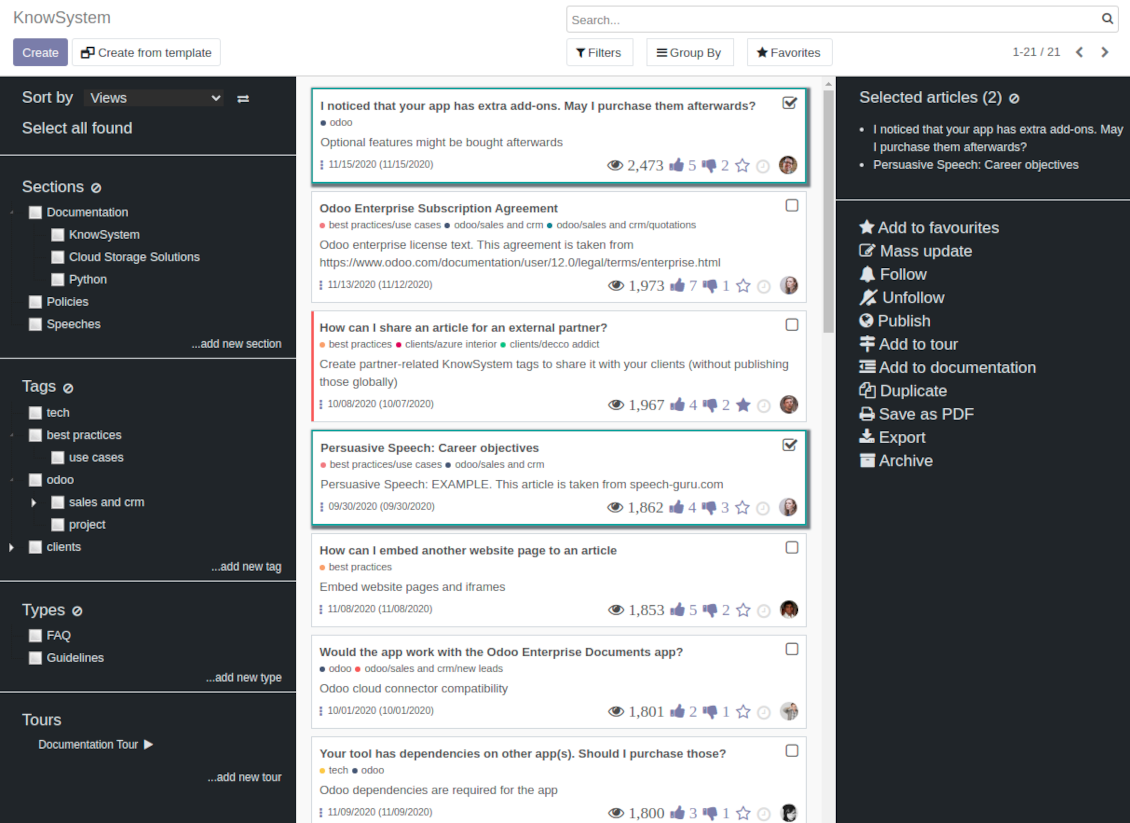
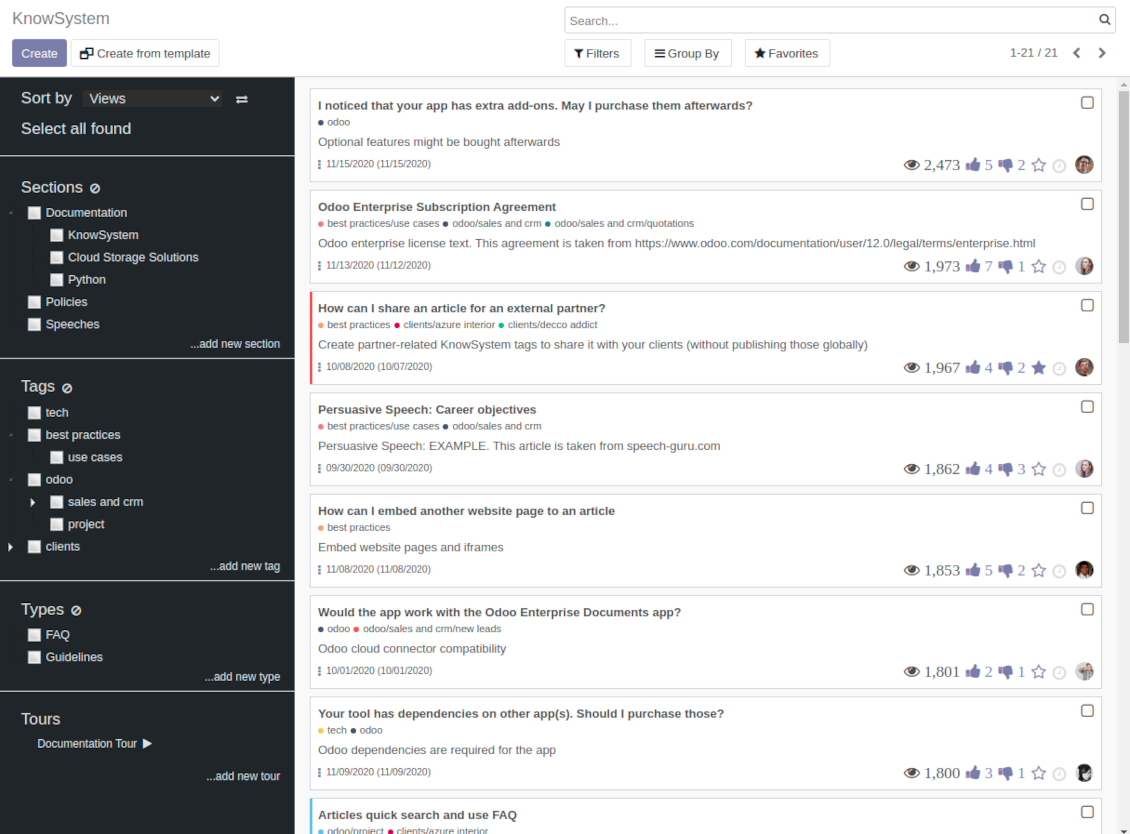
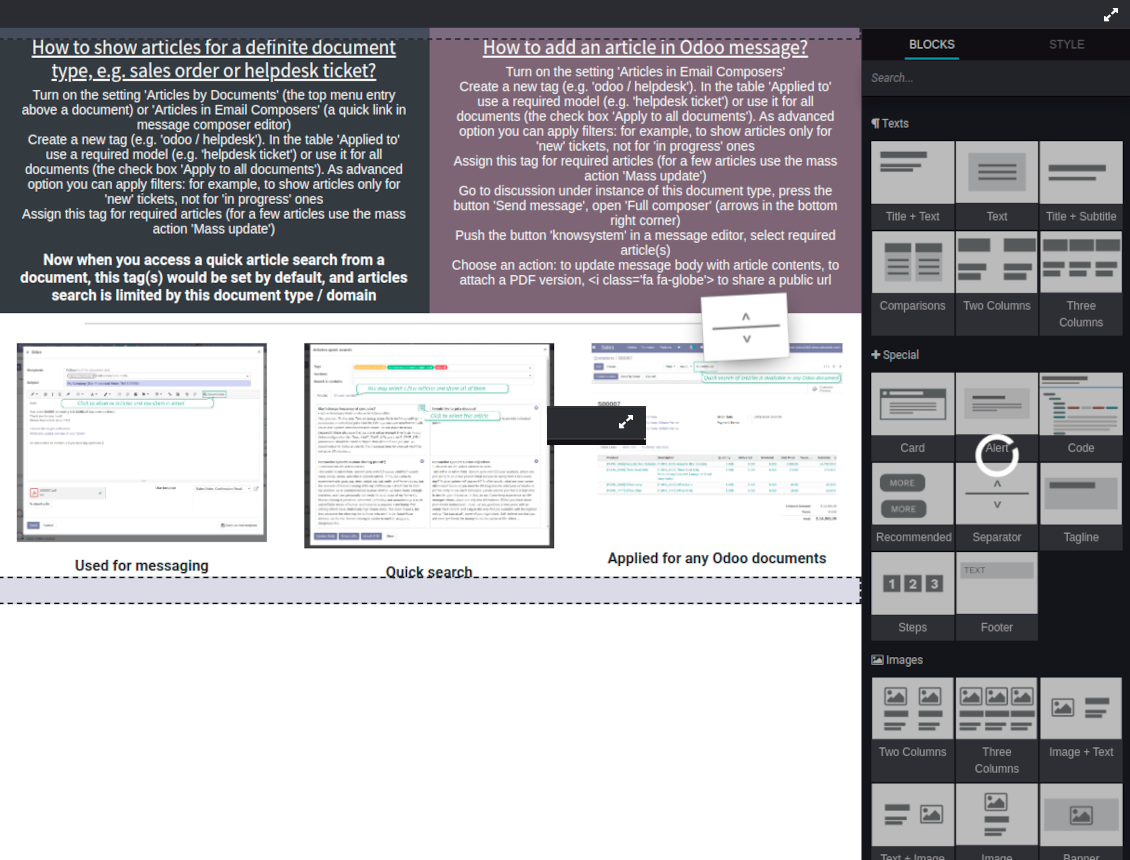
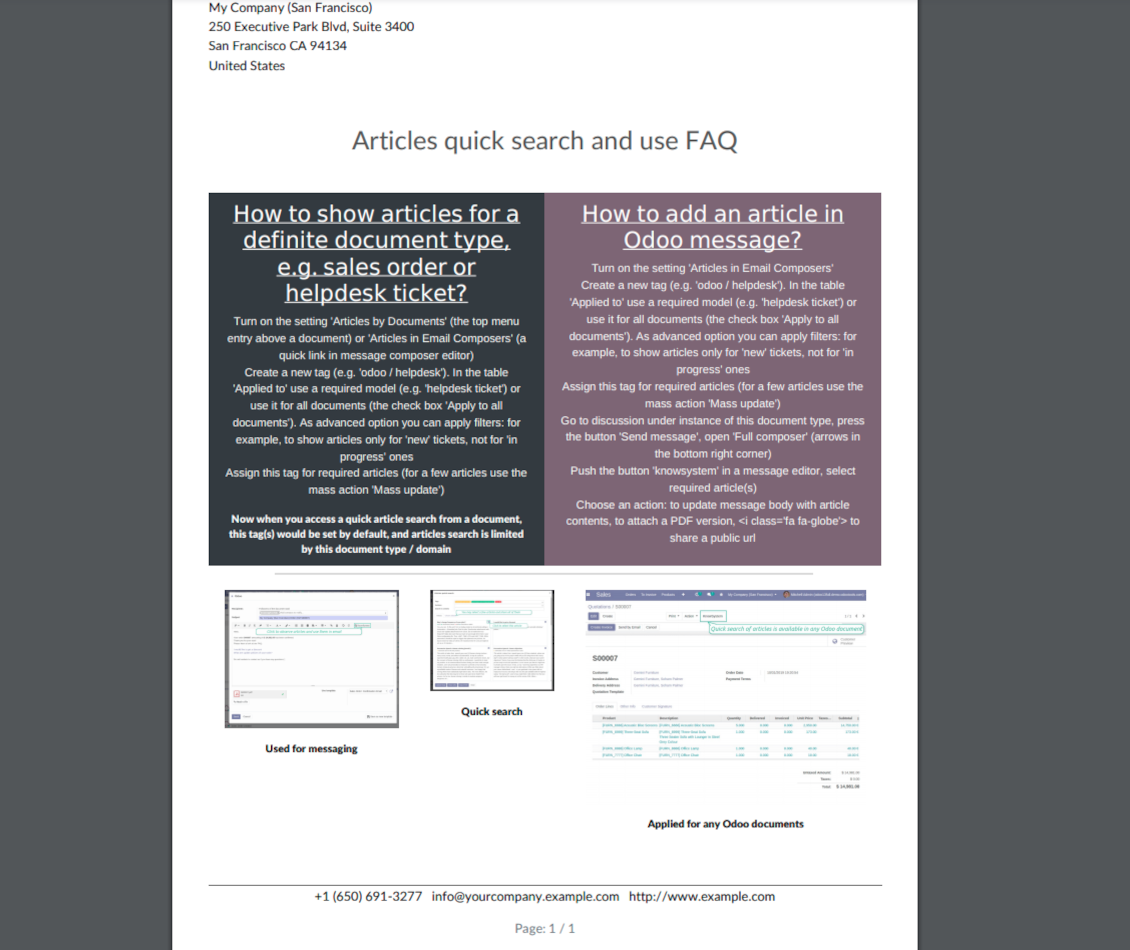
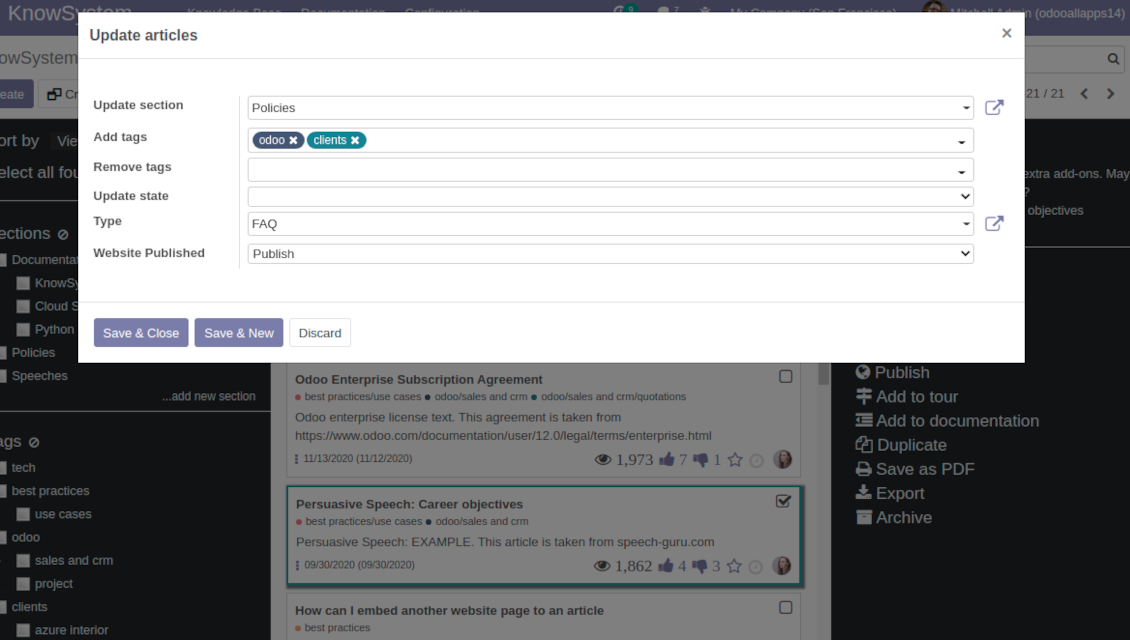
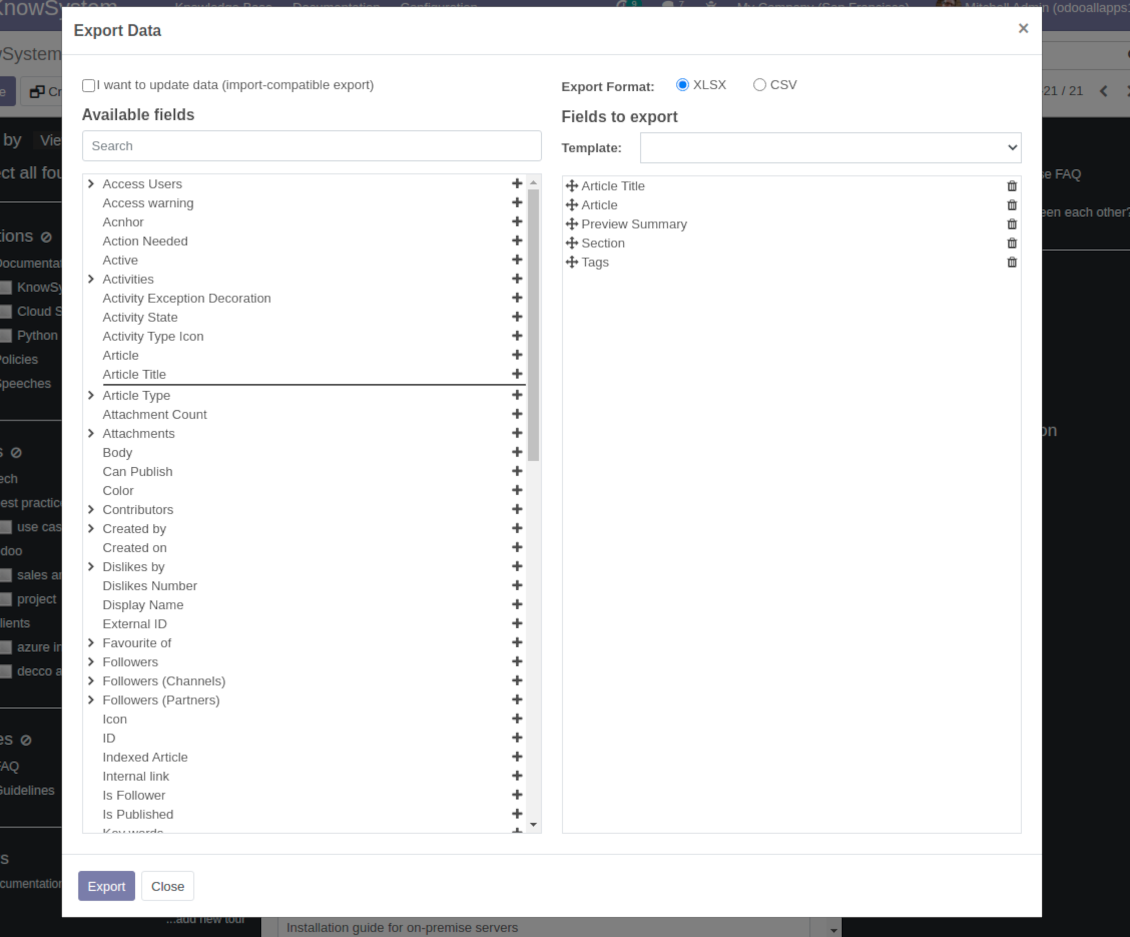
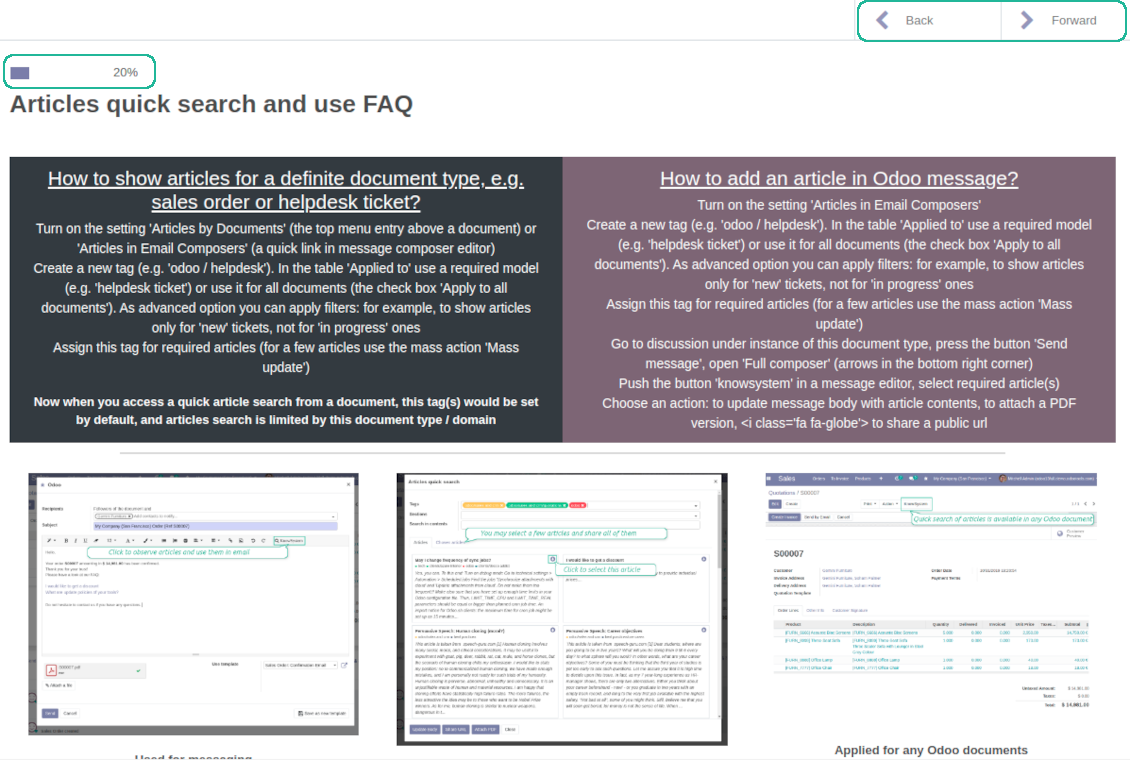
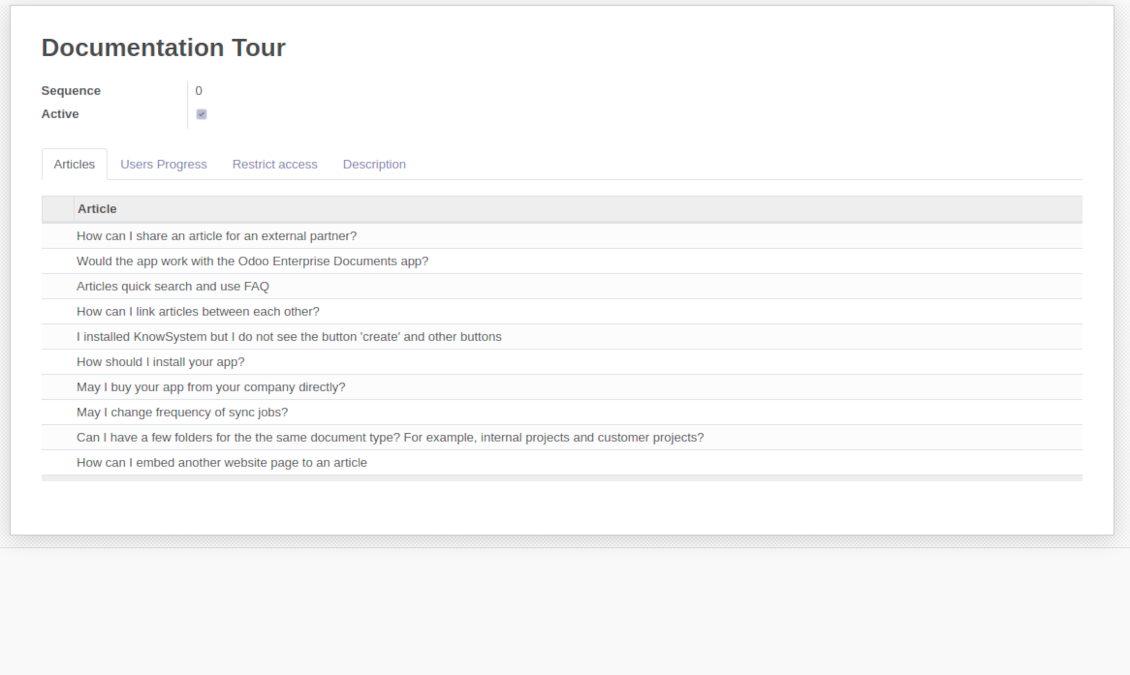
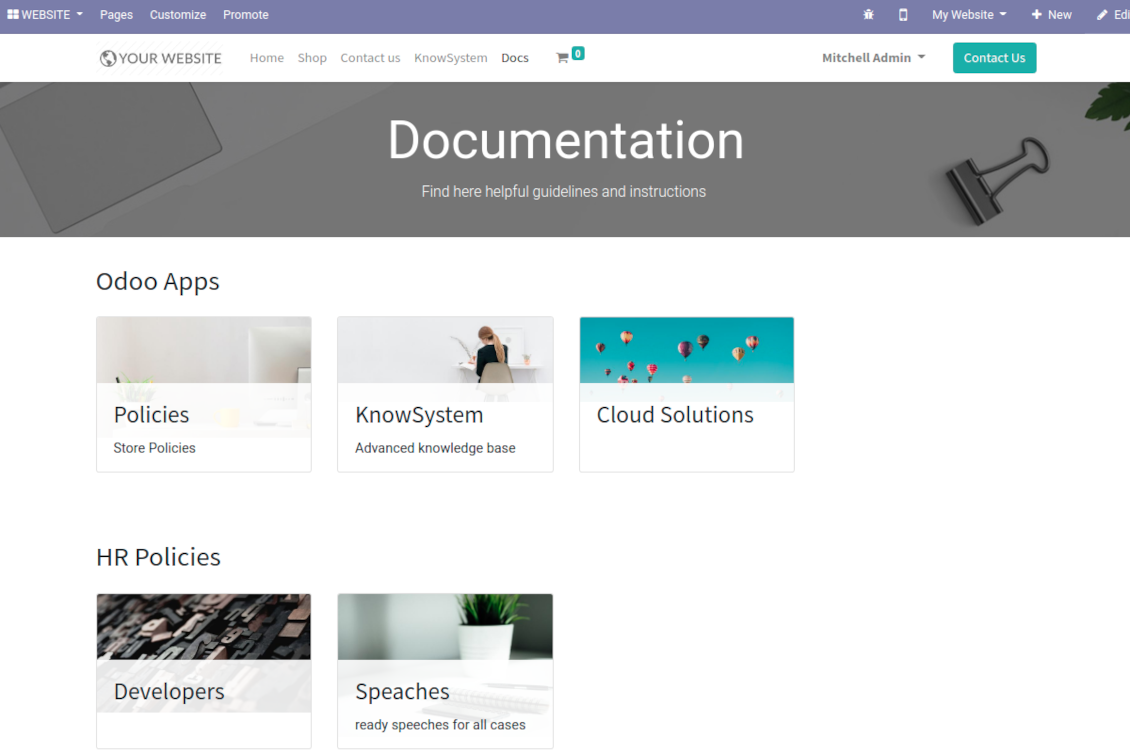
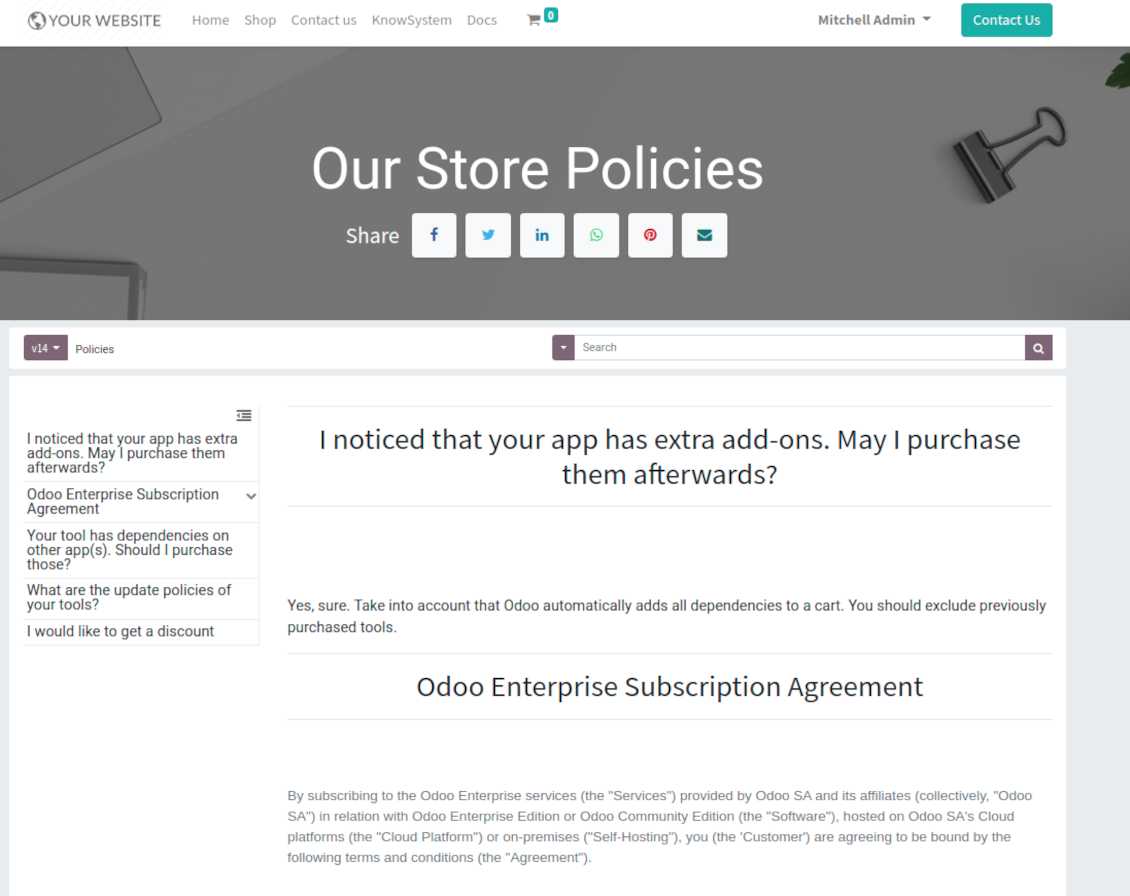
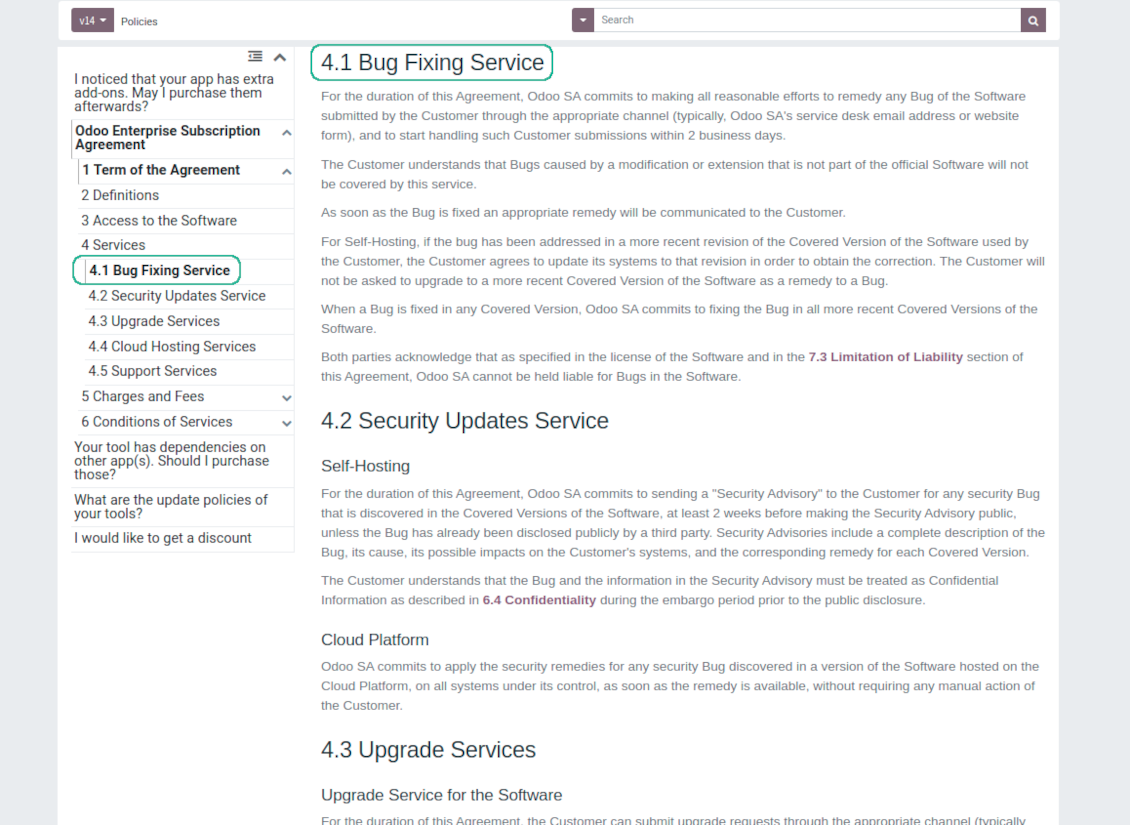
This is a full-featured Odoo knowledge management tool to be used in any industry and by any firm. The app serves to accumulate, to curate, to utilize, and to share organizational knowledge within your company and outside it.
- a core of knowledge management. It might be used stand-alone as a complete internal knowledge base system. Harganya ialah 398€.
- an optional module, which let you publish articles to website, share them with portal users, and use website builder to update articles. The features assumed by this add-on are marked by the icon . Harganya ialah 40€.
- an optional extension to KnowSystem: Website and Portal to design website documentation pages based on knowledge base articles. The features assumed by this add-on are marked by the icon . Read the full description on the related page. Harganya ialah 60€.
- an optional module, which let you add and show custom fields for articles (backend). The features assumed by this add-on are marked by the icon . Harganya ialah 48€.
- an optional free module, which shows custom fields on website and portal pages (frontend). The features assumed by this add-on are also marked by the icon .
- an optional module, which let you translate articles, sections and tags for installed in Odoo languages. The features assumed by this add-on are marked by the icon . Harganya ialah 10€.
Fast and comfortable knowledge recording
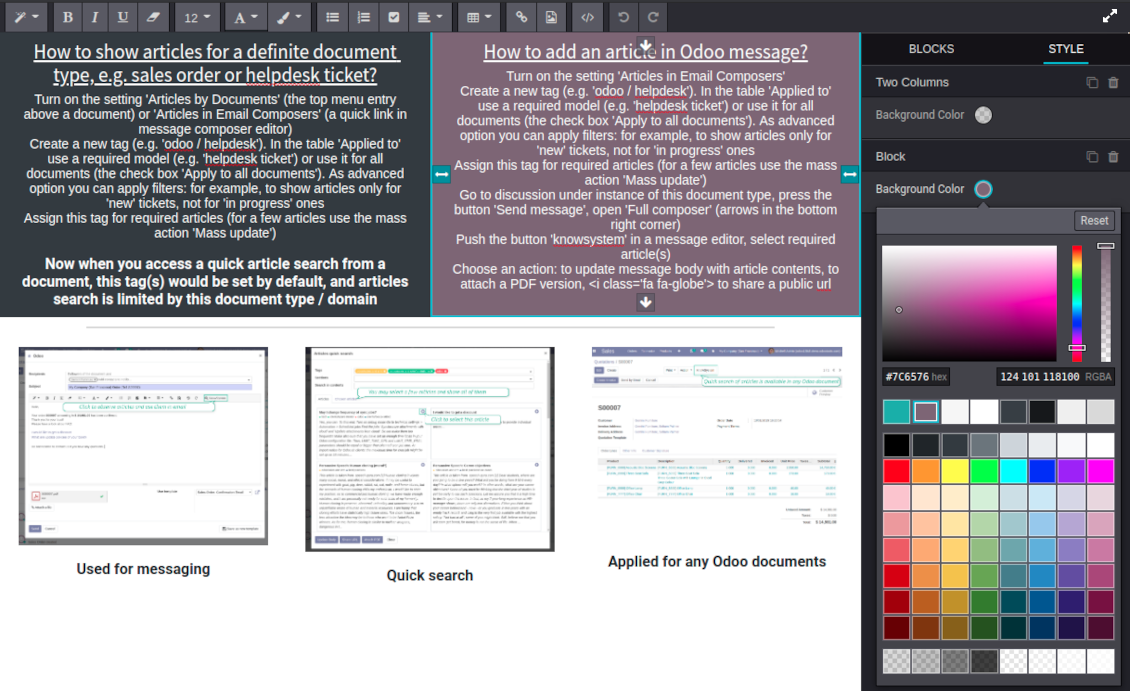
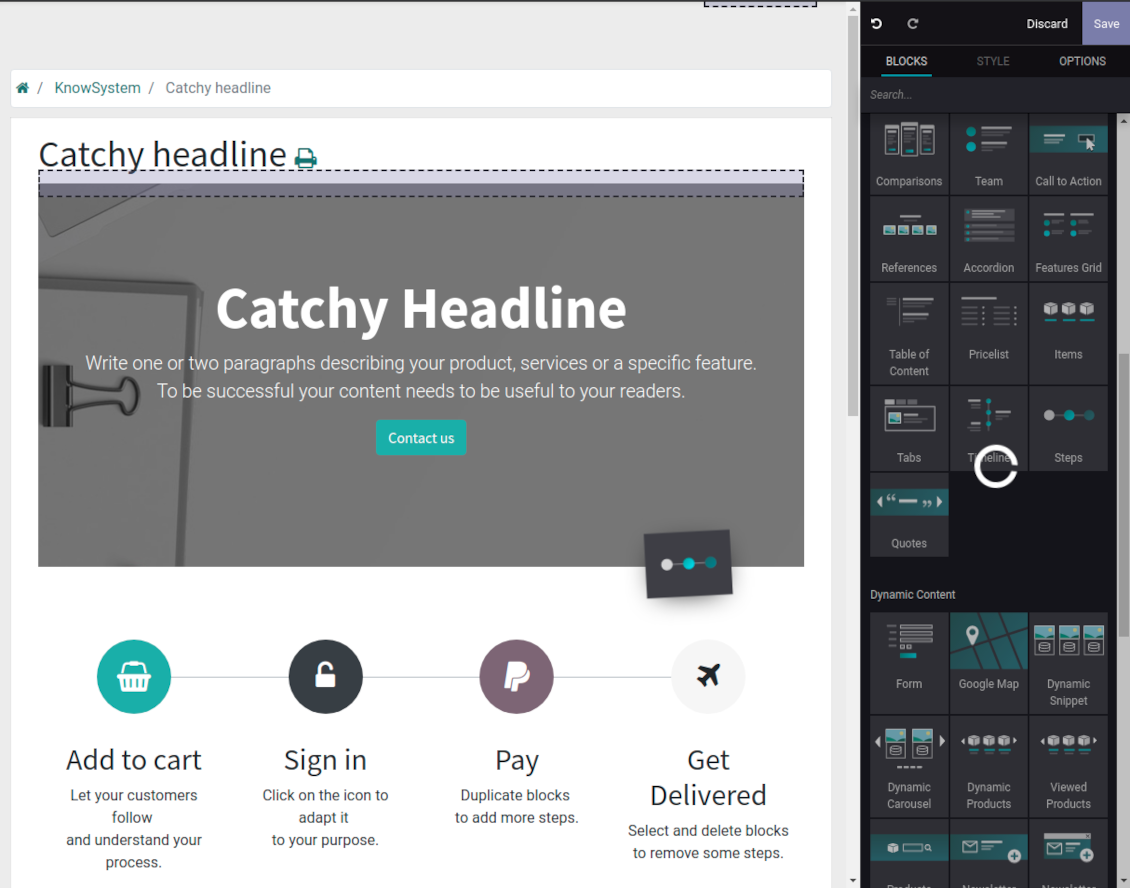
Drag and drop building blocks of the backend or website editors to construct professional looking articles. Create and use knowledge templates. Switch to raw code editor if needed
Single view KMS navigation
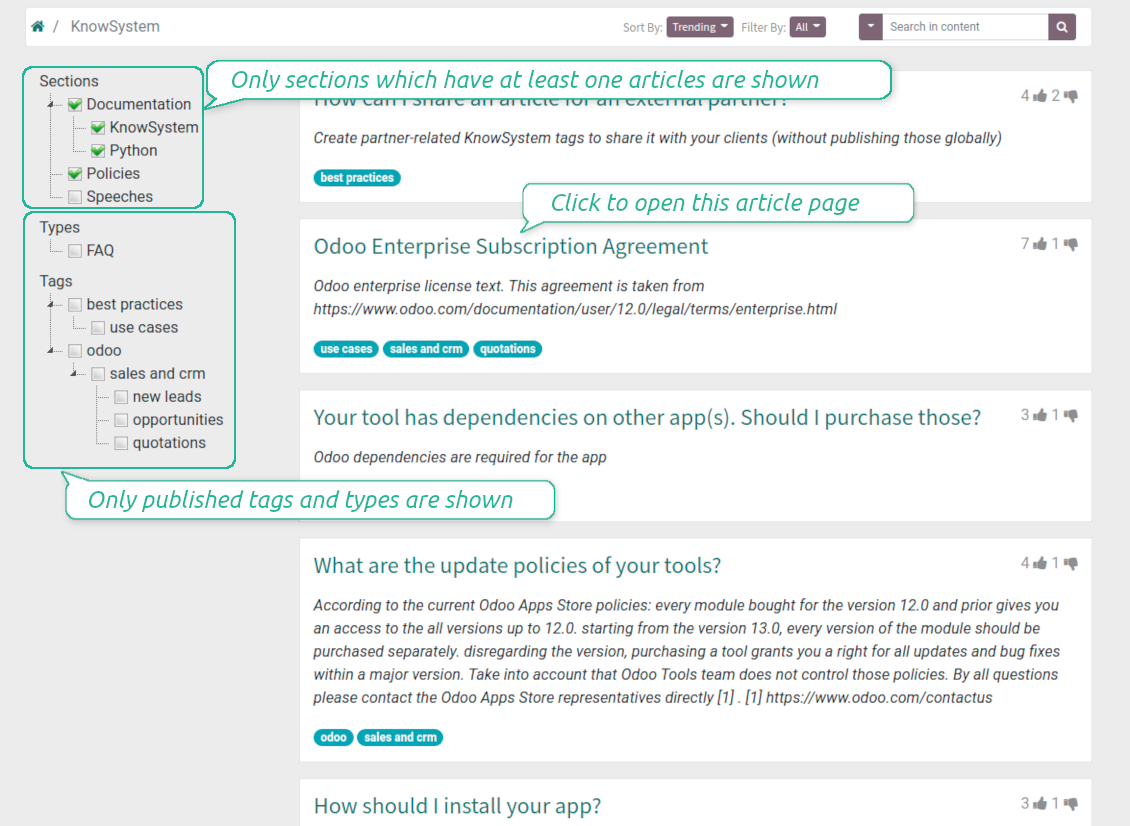
Filter articles by hierarchy of sections, by tree of tags, or by knowledge types. Select articles step by step and proceed mass actions. Sort and search in seconds
Get benefit of knowledge
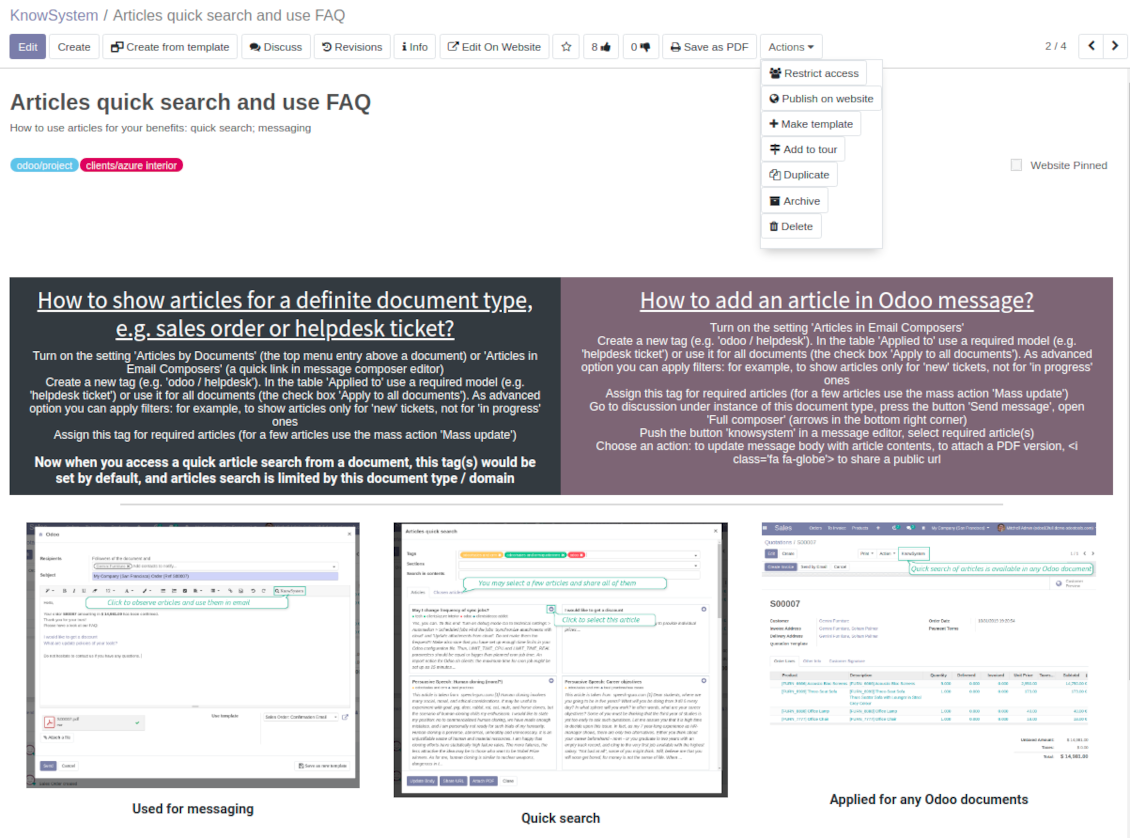
Instantly access knowledge base from any Odoo documents. Reference articles in messages. Organize learning tours. Print or share knowledge. Prepare instructions, guidelines, FAQs
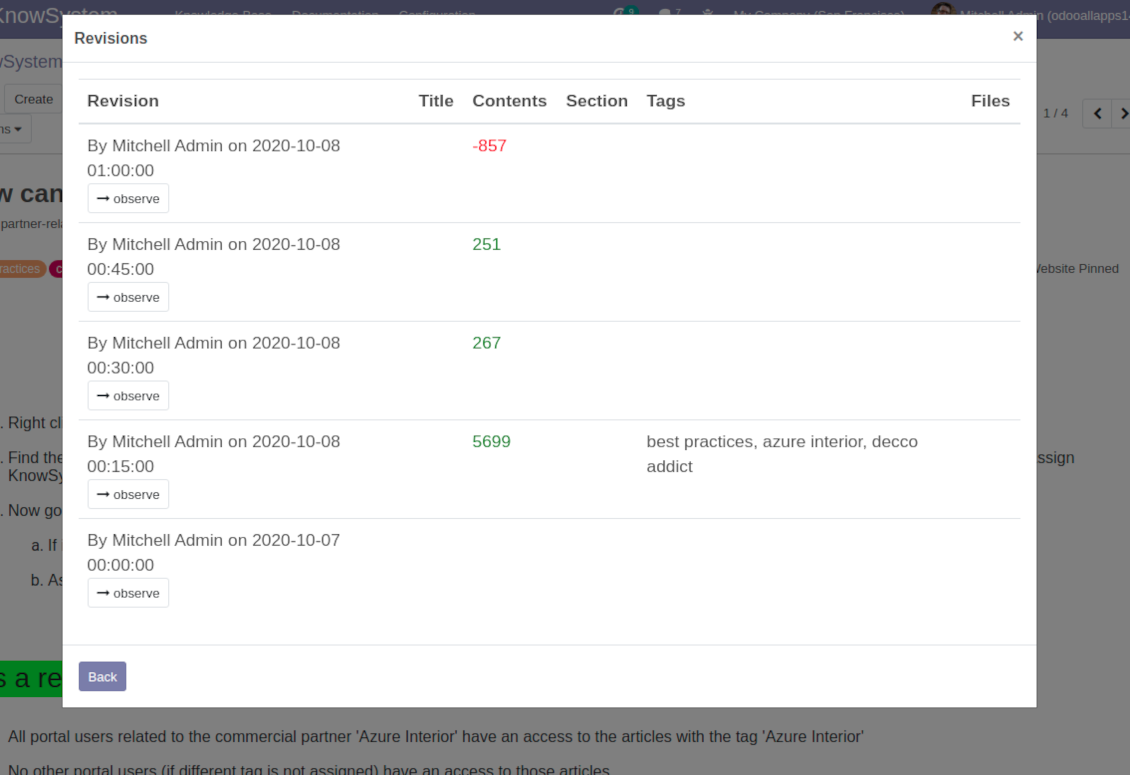
Wiki-like revisions
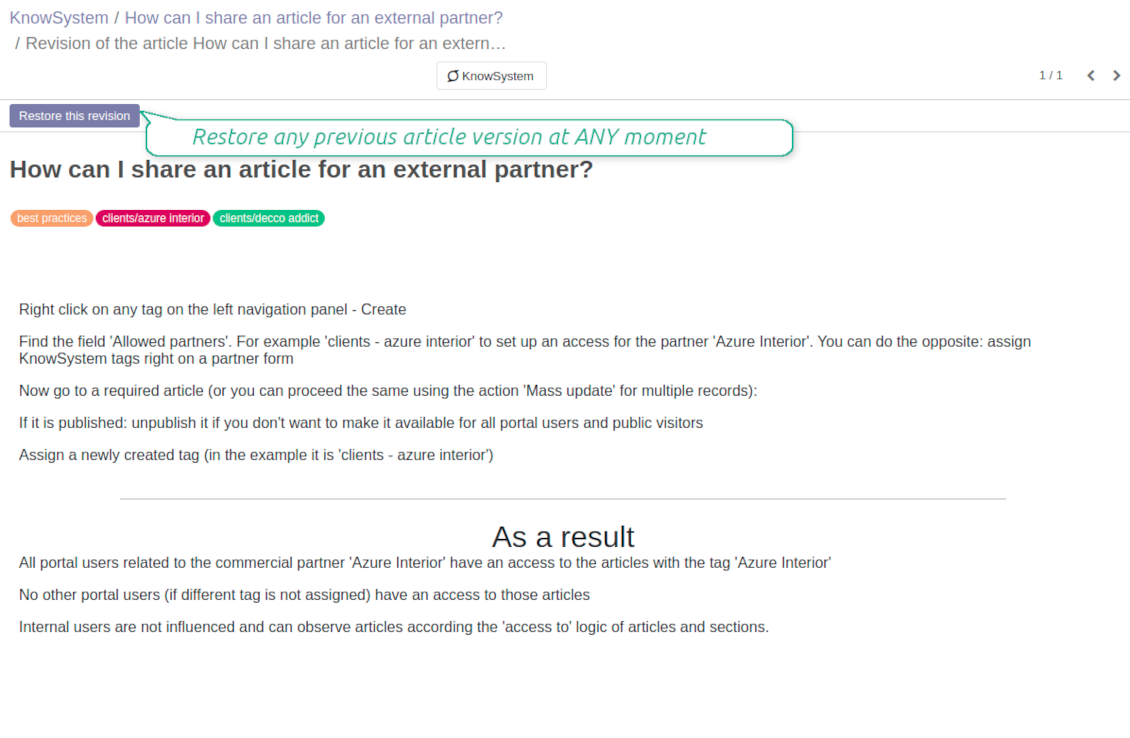
Restore any article version at any moment: the app keeps history of knowledge updates. Breaking becomes harder than restoring
Portal or public knowledge base
Share articles with your partners or publish knowledge for any website visitor
Website documentation builder
Combine organizational knowledge into advanced documentation with comfortable navigation and search
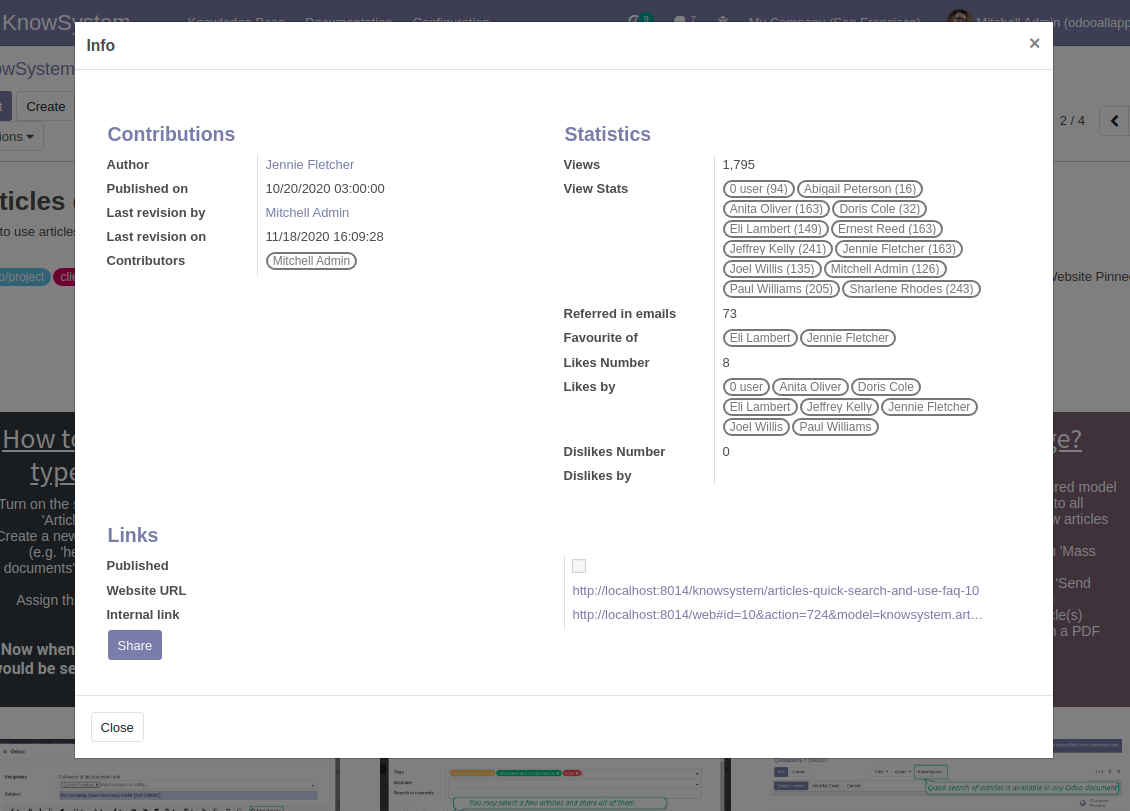
Knowledge system statistics
Control views of articles, likes and dislikes, contributions. Motivate discussions
Applied in any functional area
Use the app for any knowledge management business goal and for any set of Odoo apps.
Best knowledge base system for Odoo!
Excellent app and exceptional after-sales support.
Really well thought-out product and one of the best features is the contextual help by means of the tags. Really a game changer for us.
Keep up the great work FaOtools!
Outstanding app! Tremendous value for money, an absolute must have!
One of the features sorely lacking from Odoo has been a robust Wiki/documentation system. Using third party platforms is a massive headache: yet another system to maintain, users get distracted switching back-and-forth, and errors get made. Then you have to worry about training, additional logins, etc.
KnowSystem feels like a native/core app, is very well-polished, and extremely fast. It's accessible from any screen, and the search results are instant (none of the latency inherent with most apps).The interface is elegant yet powerful, with robust access control, rich editing features, and version control. It's simple to revert to previous entries, view audit trails, etc. It's very intuitive for anyone familiar with Odoo; onboarding takes just a few minutes. The user guides are excellent.
This is invaluable for any organisation with a lot of documented information, SOPs, ISO compliance, or similar. If you're using eLearning, it's great for creating a help system / reminders. For example, noting key takeaways or specific instructions. The user can be in MRP, Sales, or any other function, and instantly lookup a guide. Since it overlays whichever screen you're in, it doesn't interrupt the workflow.
This dramatically increases efficiency, minimises questions, and helps keep everyone on the same page.
Oh, and customer service is excellent, faOtools stands behind their product. Thank you!
KnowSystem is excellent - OdooTools offer great support, are very helpful and responsive
Our company needed the ability to add a Knowledge Base to our Odoo portal website for our customers to access article content on a membership-only basis. KnowSystem provided this and much more, along with ability to add search by section, set permissions to allow only certain partners access to articles by tag etc. OdooTools have been very helpful and implemented several features we suggested including automatic redirect upon login, customisable filters and a social sharing capability on articles. Overall a great app by a great company, something that massively adds to Odoo's capabilities and is something that everyone could benefit from using.
Very functional application and responsive support
Our company produces medical laser equipment and we use KnowSystem to streamline the knowledge base of our company. Convenient search system and classification of content, as well as access rules for groups and even for individual users.
Great app and professional team
The app is great the the team is very professional in both response timing and problem solving.
Highly recommended.
Marco from ALO.zone.
Excellent system
Excellent system.
A great tool from some very nice developers!
KnowSystem is a great tool and a game changer for us. Finally a place to put all our company know-how. I highly recommend it. And also important to us: We got great support from FaOtools too. A rare thing in this busy world. thx!
Excellent app and support.
Great app and a very helpfull support. Openess to improve their products is outstanding.
Single-view knowledge navigation
-
Prepare hierarchy of knowledge sections to instantly switch between knowledge areas
-
Define tree of tags for quick navigation and deeper knowledge structuring
-
Introduce knowledge base typology to distinguish kinds of articles in a single click
-
Create, update, and reorder tags, sections, or types right from the KnowSystem interface. Print all articles related to a certain tag or a section
-
Manage and launch learning tours
-
Sort knowledge articles by views, score of likes, title, author, section, create and write dates
-
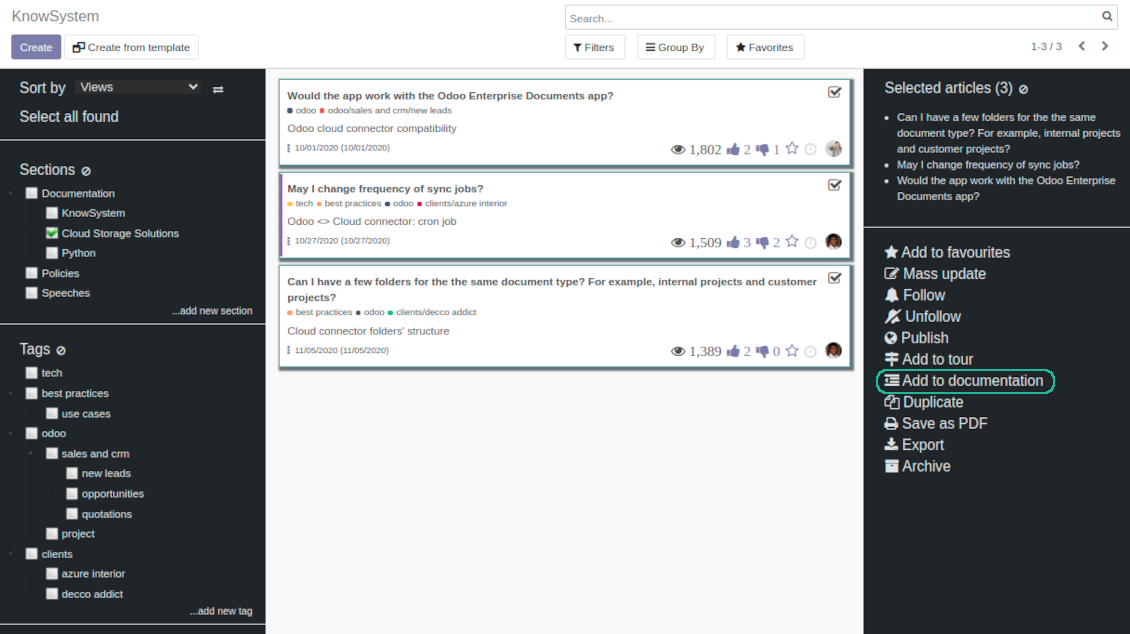
Pick articles up step by step: the selection is not cleared with a new search or when you opened a record. Proceed mass action(s) for all chosen items
-
Update knowledge in batch: assign new section, change or remove tags, print multiple articles as a single PDF, follow / unfollow discussions, publish / unpublish articles, export articles to an Excel table, archive or restore items, add articles to learning tours and documentations, mark knowledge records as favorite, duplicate articles
Fast, comfortable, and professional knowledge recording
Safe backend editor
-
Drag and drop building blocks to write a new article right in the Odoo backend interface. The process is simple while the result is professional looking
-
Edit blocks styles, re-order Knowledge elements, change width and height of items
-
KnowSystem editor relies upon strict HTML structures which are in the most cases compatible with printing and messaging layouts
Advanced website builder
-
Apply advanced styles and complex widgets by using Odoo built-in website editor
-
Exploit Odoo website know-hows: numerous snippets and animations, style templates and options
-
Rely upon website editor to prepare nice-looking portal knowledge pages. Avoid using that for internal or printing purposes: advanced styles often contradict printing and composer layouts
Raw HTML interface
-
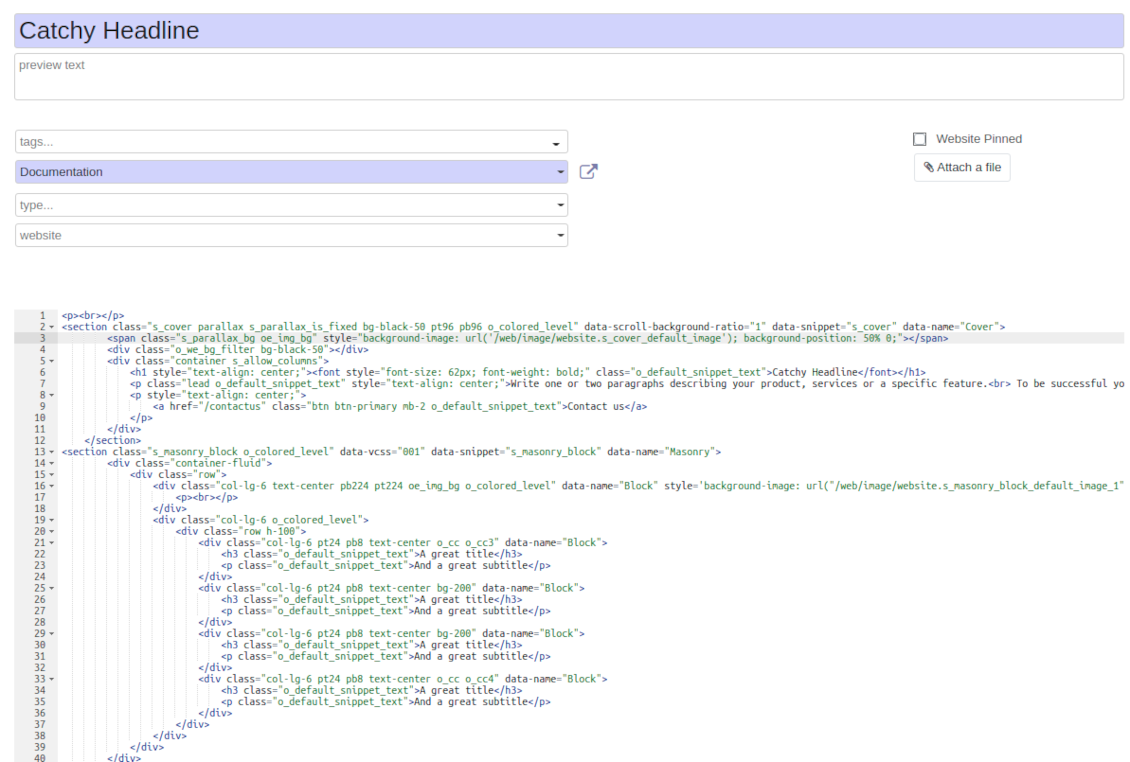
At any moment switch to raw code view to update articles HTML
-
Optionally replace the backend editor with XML editor to rely fully on the website builder and edit only raw code in the backed
-
Introduce any HTML tags and styles, including bootstrap ready elements and iframes
Knowledge templates
-
Prepare new knowledge templates or save any existing article as a template
-
Use templates to create new articles to save time or keep uniform styles
Get benefit from your knowledge
Knowledge system for any Odoo document
-
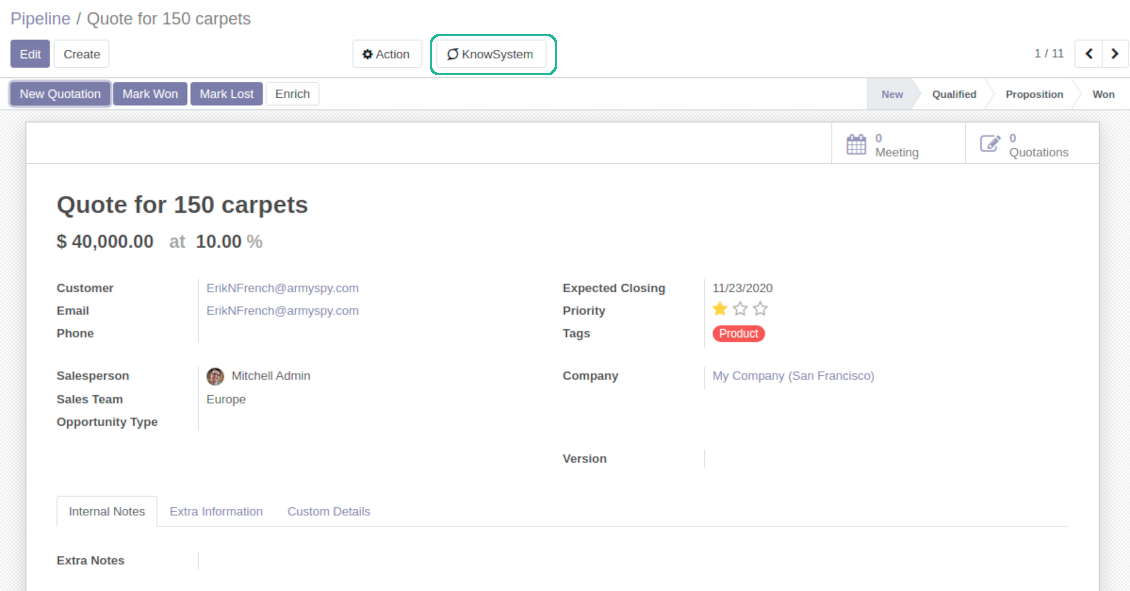
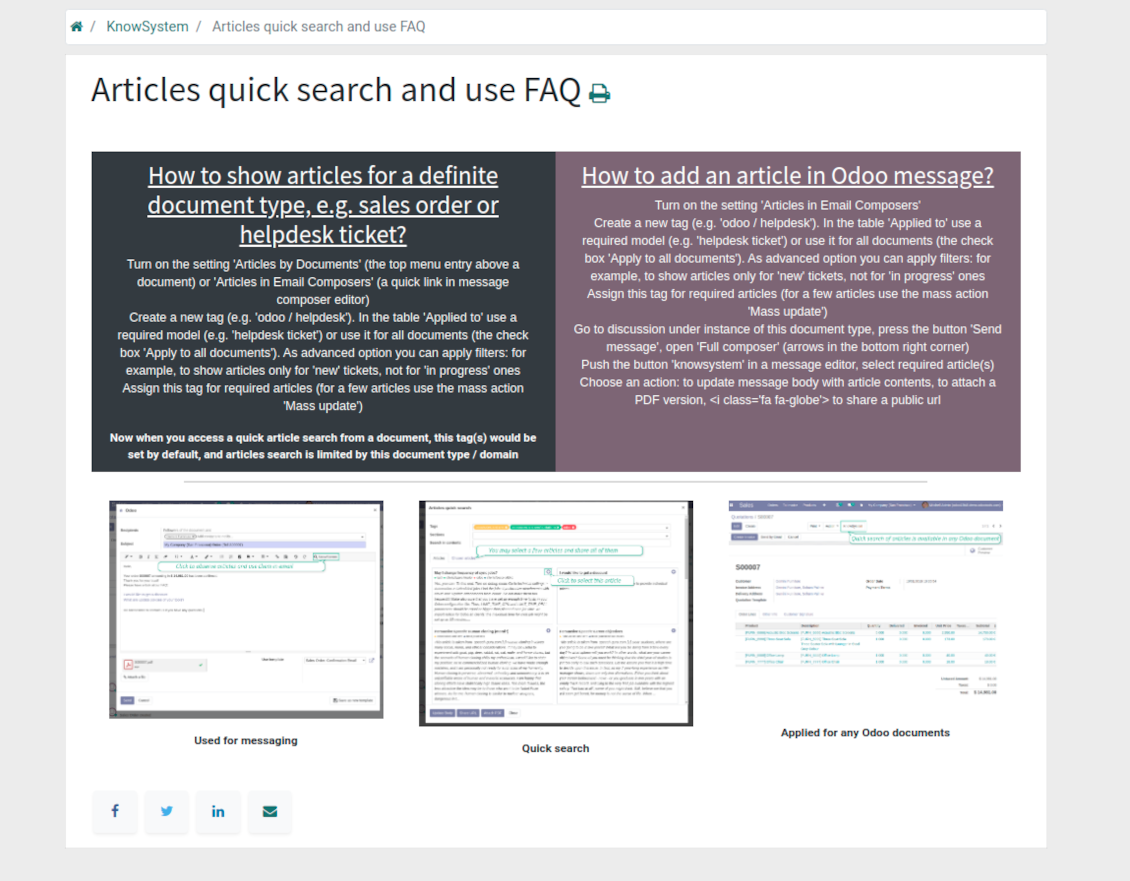
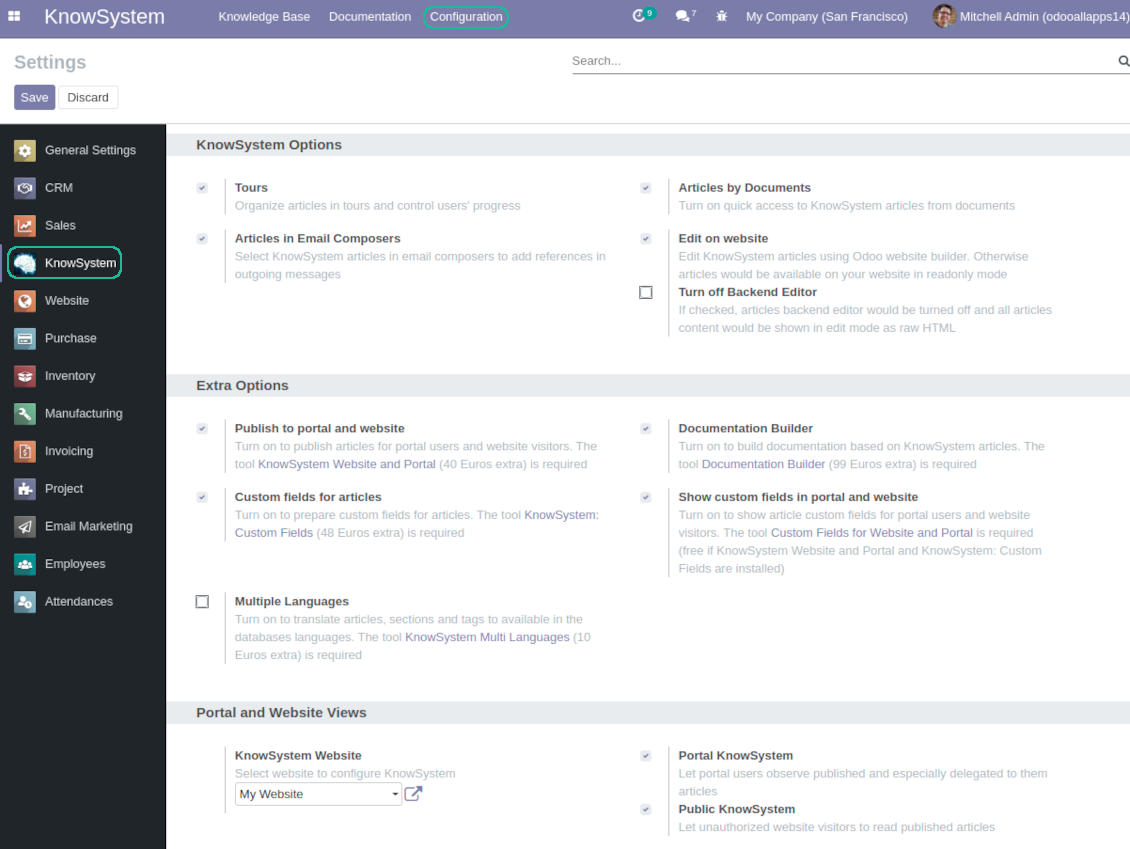
Turn on the setting 'Articles by Documents' to add the quick entry for Knowledge base from any Odoo form view
-
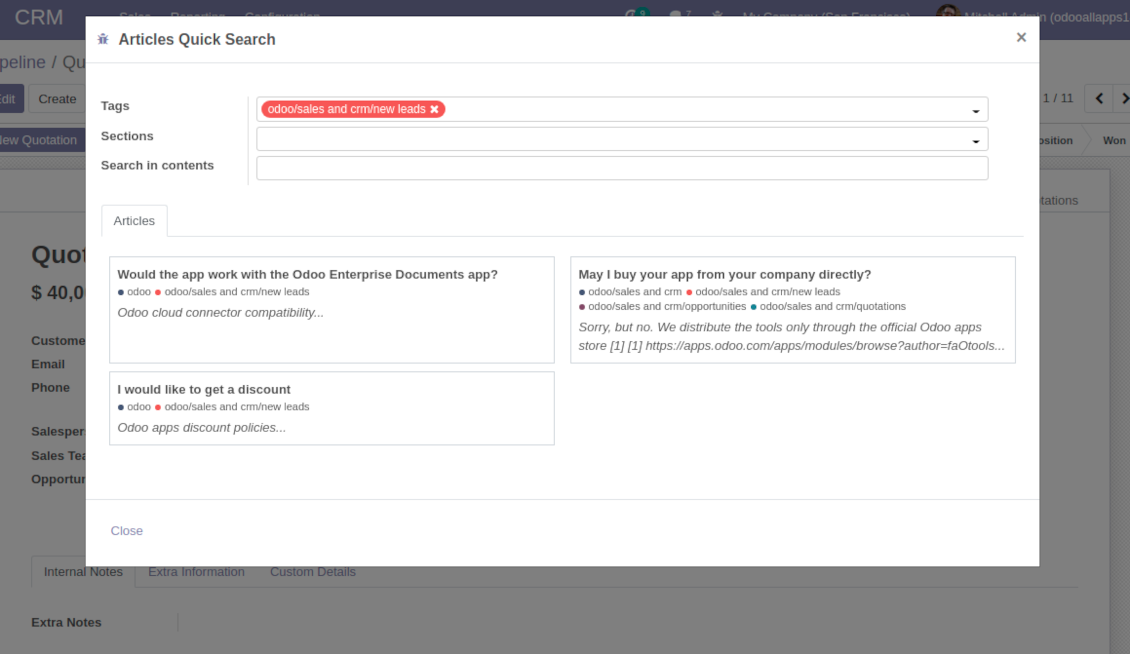
Search articles by tags, section, or content in a few clicks for a quick overview
-
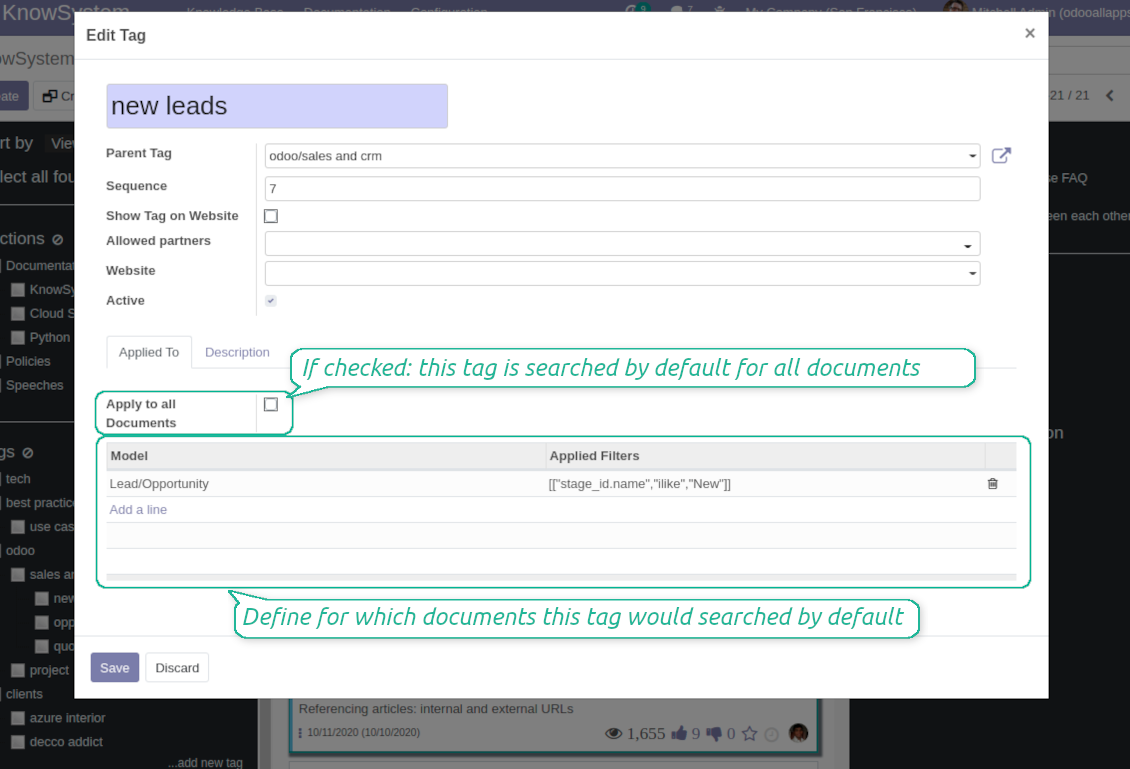
Link knowledge tags with Odoo document types to simplify search of articles. For example, assign helpdesk tickets to the tag 'odoo / helpdesk': the latter would be entered by default for support requests objects
-
Observe article content right from any Odoo object: there is no need to always switch to the KnowSystem advanced interface
Apply to knowledge in communication
-
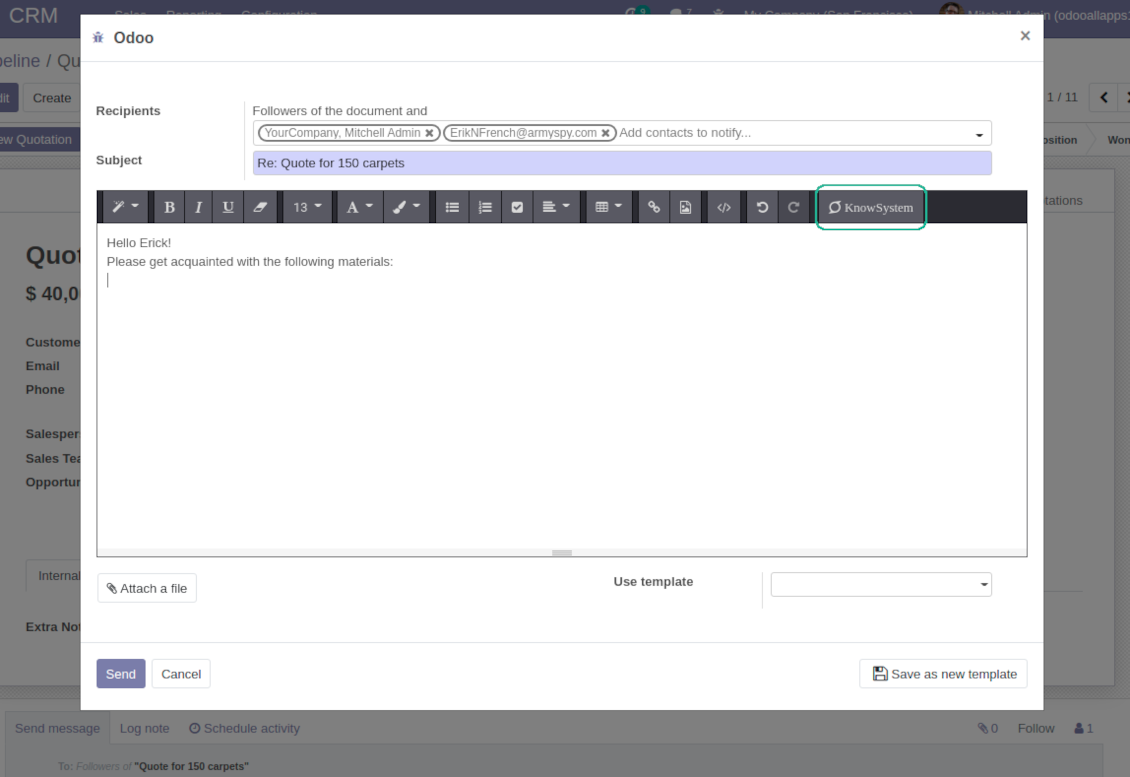
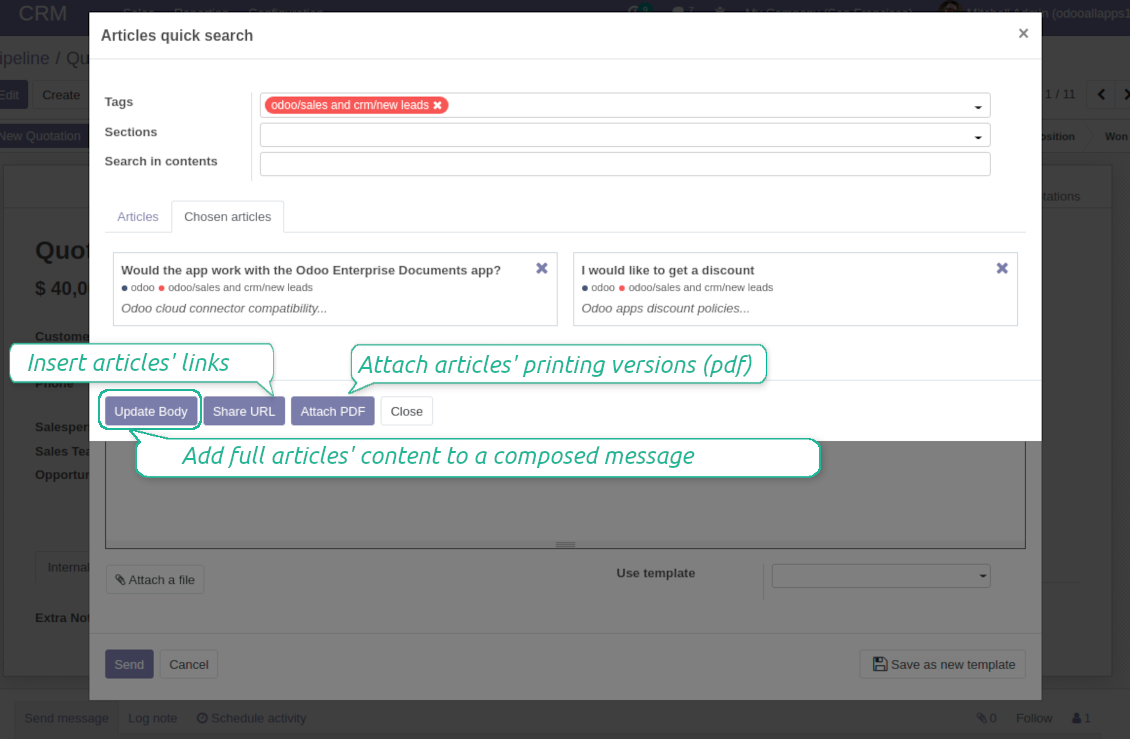
Turn on the option 'Articles in Email Composers' to let users reference or cite Knowledge records in Odoo messages
-
Quickly observe articles related to a current document discussion. Instantly reference one or a few ones
-
Update message body with knowledge content (it would be added to the end of a current message)
-
Attach a PDF version of referenced article or articles
-
Share a public knowledge link with your colleagues or partners
Organize learning tours
-
Turn on the option 'Tours' to be able to combine articles in a sequence of learning steps
-
Add any knowledge to a tour in any order
-
Launch a tour to follow certain steps of study one by one in the special interface
-
Share learning tours with everybody or specific user groups. Control employees' progress in getting familiar with instructions and guidelines
Share and publish knowledge
-
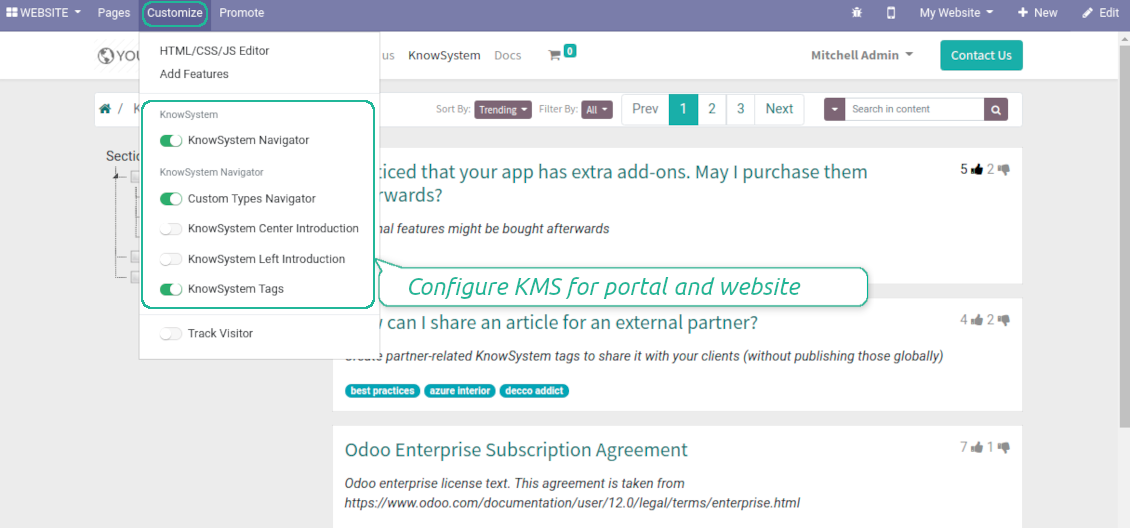
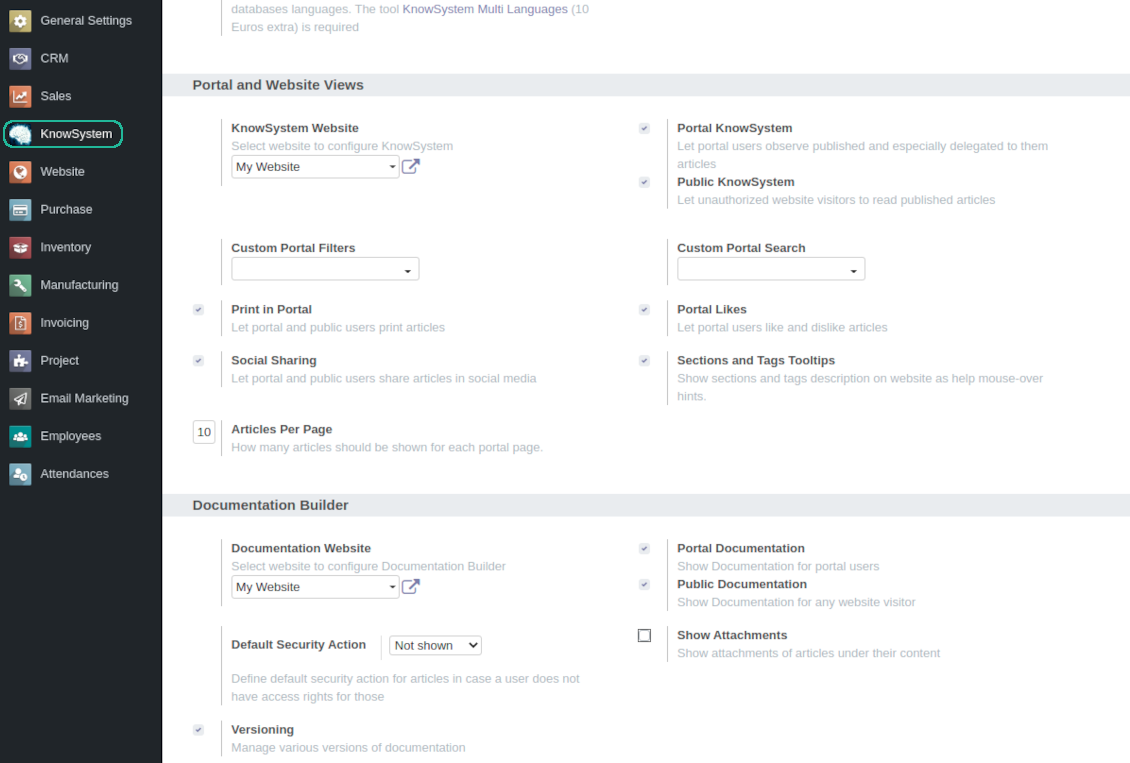
Turn on the setting 'Portal KnowSystem' to give KnowSystem access for external partners, 'Public KnowSystem' - for website visitors
-
Configure KnowSystem tags or publish articles to share knowledge content
-
Combine articles in advanced documentation to cover certain aspect of organizational or functional knowledge
-
Turn on the option 'Portal Documentation' and 'Public Documentation' to make that documentation available for portal and public users respectively.
Website documentation builder
-
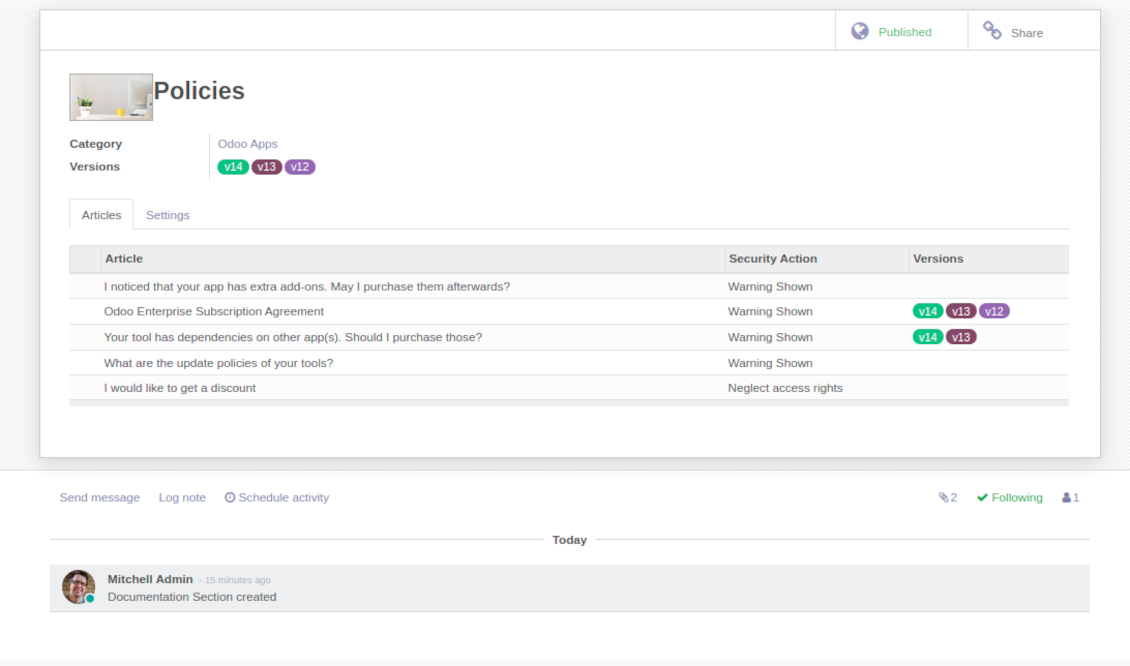
Combine articles into advanced documentation sections to cover a certain business, organizational, or functional aspect
-
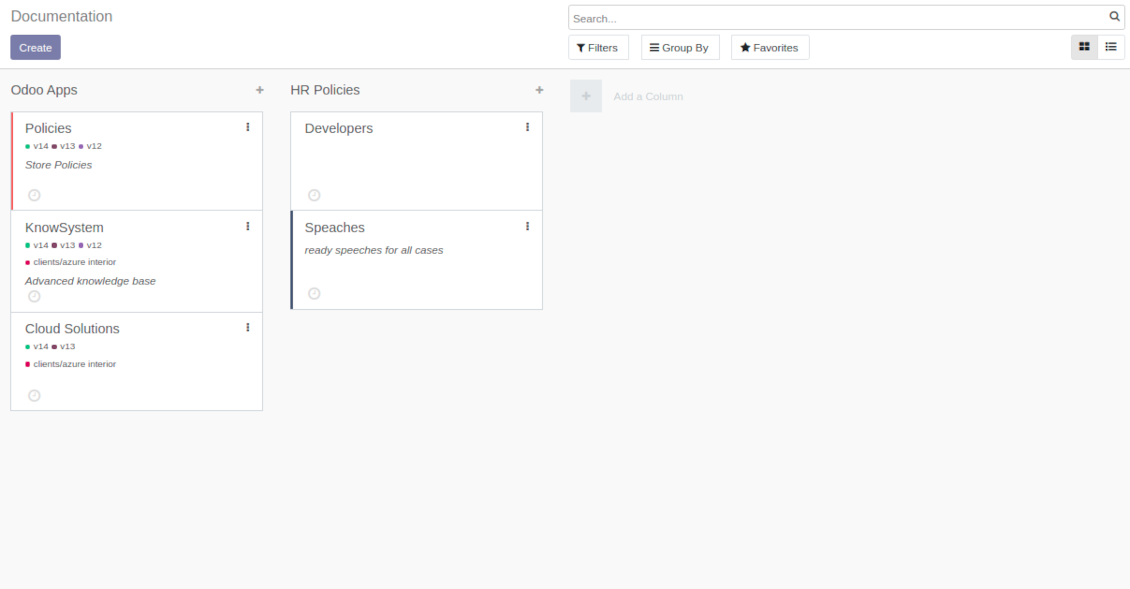
To create a new documentation section just select and order KnowSystem articles. The app would generate a website page automatically
-
Each KMS article might be used several times for different documentations
-
The tool allows preparing an unlimited number of documentation pages structured by categories
-
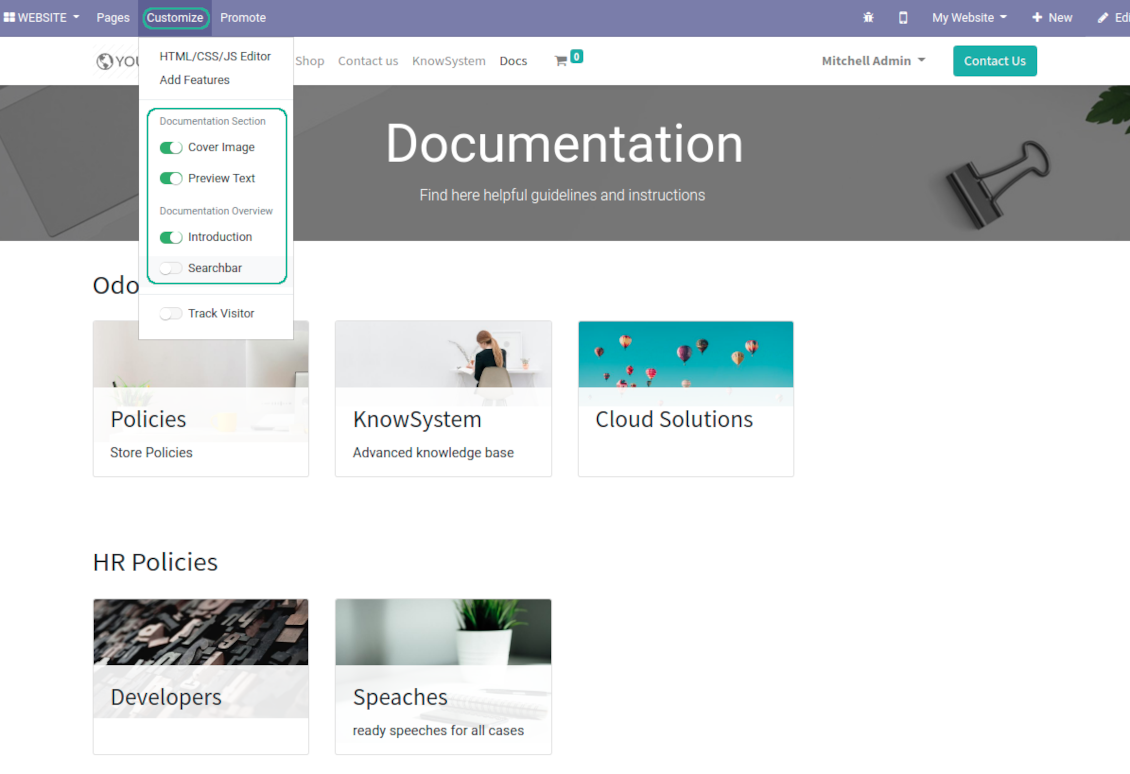
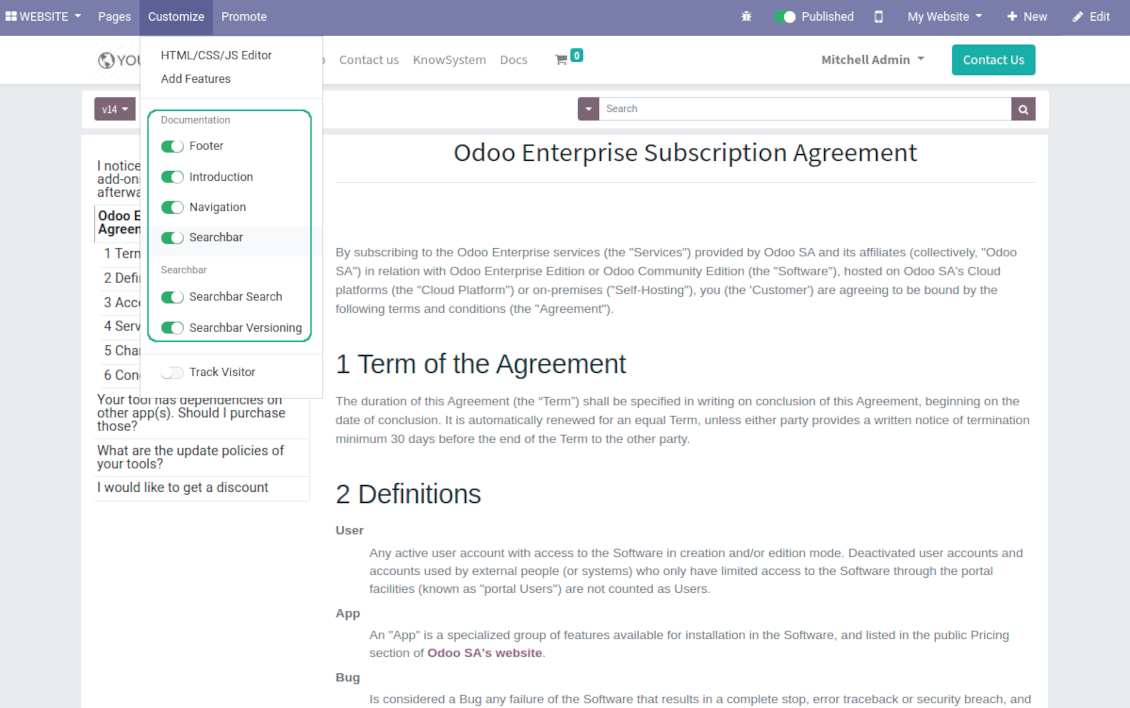
Flexibly customize documentation pages: show or hide introductions and footers, turn on/off search bar and table of contents, add or remove preview images and texts
-
The app let flexibly share documentation categories and sections. Publish required documents to make them available for everybody, assign KnowSystem tags - to grant an access for chosen Odoo partners
-
Depending on user rights documentation might look different. Define what to do if a documentation user does not have access for included articles: to neglect restrictions, not to show that knowledge pieces, or to show a security warning
-
Optionally show table of contents for comfortable and quick navigation. Table of contents is constructed automatically according to headers of included articles
-
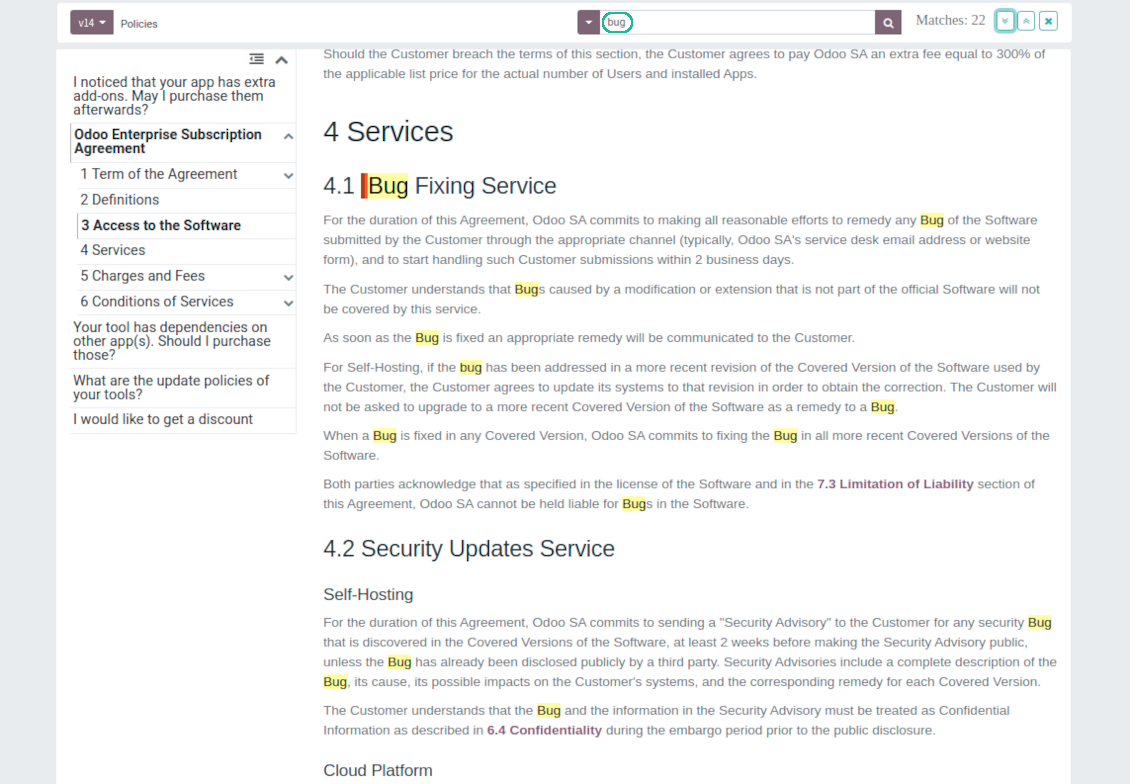
Turn on the search bar for documentation. It is possible to find matches in a whole text or only in headers, to make key words case sensitive or insensitive.
-
Apply versioning for documentation to avoid double work in preparing specifications, user manuals or software guidelines.
Partner knowledge base portal and public knowledge system
Knowledge in Odoo portal
-
KnowSystem let organize a web portal personally for each Odoo partner by selecting articles to be shared. To that end turn on the option 'Portal KnowSystem'
-
Design an article especially for a definite company, or use the same knowledge experience among multiple clients
-
Knowledge articles are available for portal users if: (a) the articles are published; (b) the articles have user-related tags
-
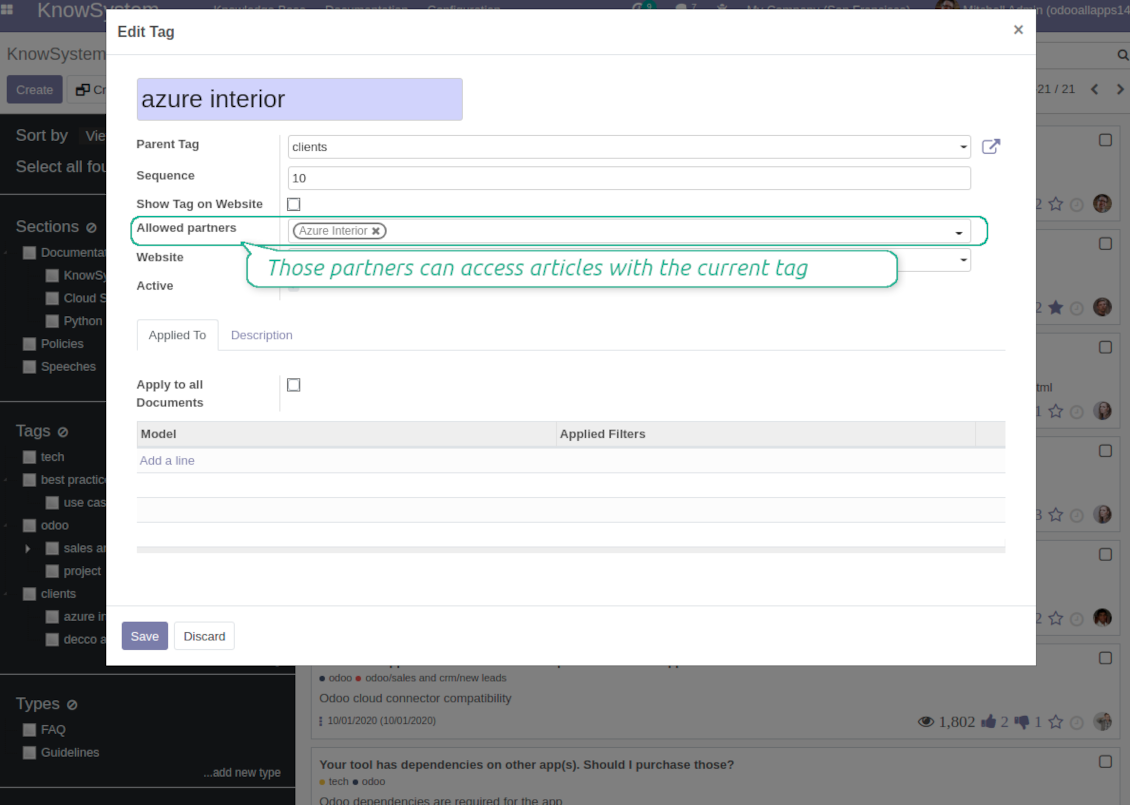
To assign a KnowSystem tag for a partner do one of the following: (a) go to a partner form and enter the field 'KnowSystem tags'; (b) on a tag form define 'Allowed partners'
-
Optionally allow partners to print knowledge pieces, like or share articles
Public KMS
-
To make self service possible: make your knowledge base available also for unauthenticated users. To that end turn on the option 'Public KnowSystem'
-
Only articles which are published would be available for visitors
-
To publish specific knowledge parts: apply the mass action 'Publish' or push the button 'Actions > Publish on website' on an article form
-
To show tags and article types in portal and website do not forget to publish them. Knowledge sections would be shown only if they have articles for observation
-
Customize the knowledge portal: hide/show the navigation by tags and types or the whole navigation, prepare introduction or navigation hints, add section tooltips.
Interactive and evolving knowledge base
Team work and use
-
The history of articles revisions is kept in Odoo in a similar way it's done in Wikipedia. If one of user breaks something, it takes 2 clicks to recover a proper knowledge version
-
Users might take part in article discussions and be subscribed for updates
-
Control statistics by articles: contributors, number of views, likes and dislikes, how frequently they are used in messaging, who mark them as favorite
-
Set activities to improve knowledge base
Multi lingual knowledge
-
KnowSystem let you translate articles to installed in Odoo languages. In such a way users might read and edit articles in a language from their preferences
-
To avoid double work, article content might be copied from another language (the button 'Copy from another translation' under the article content). Simultaneously, make sure you actually require multi lingual regime: all articles should be anyway kept updated in all Odoo languages
-
To update knowledge translation you should change your user preferences to a required language. Then, go to an article and introduce changes as usual.
Any business and functional area
KnowSystem is a universal knowledge management tool which might be configured to any business goal and any set of Odoo apps: for helpdesk, marketing, IT, HR, project management, so on and so on. Typical use cases are:
-
Helpdesk - once faced a challenge, its solution might be recorded in KnowSystem for repeated usage by co-workers and for self-service by clients
-
Sales and CRM - salesperson helper to find information about products, offers, frequently asked customer questions
-
Project management - to keep and easily retrieve knowledge of existing solutions, tools, hints, and experiments
-
HR - to prepare instructions, guidelines, learning tours and trainings, and any codified knowledge of routine in your company
-
Marketing - to organize Odoo online library of product use cases, expert knowledge and well structured documentation
-
Legal issues - systematize your policies, contract and approval managements, keep the full classifier of trademarks, licenses
-
Informational technologies - share easy-reached manuals and configuration guidelines.
Custom knowledge system attributes
-
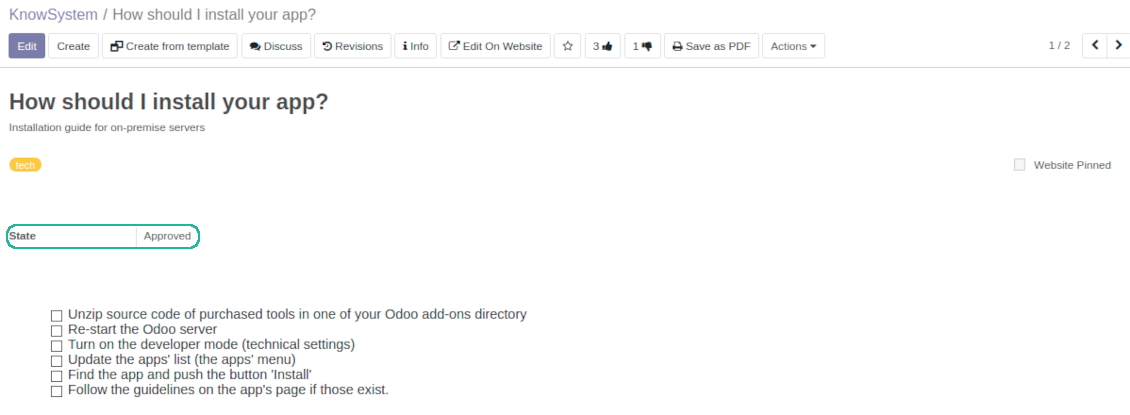
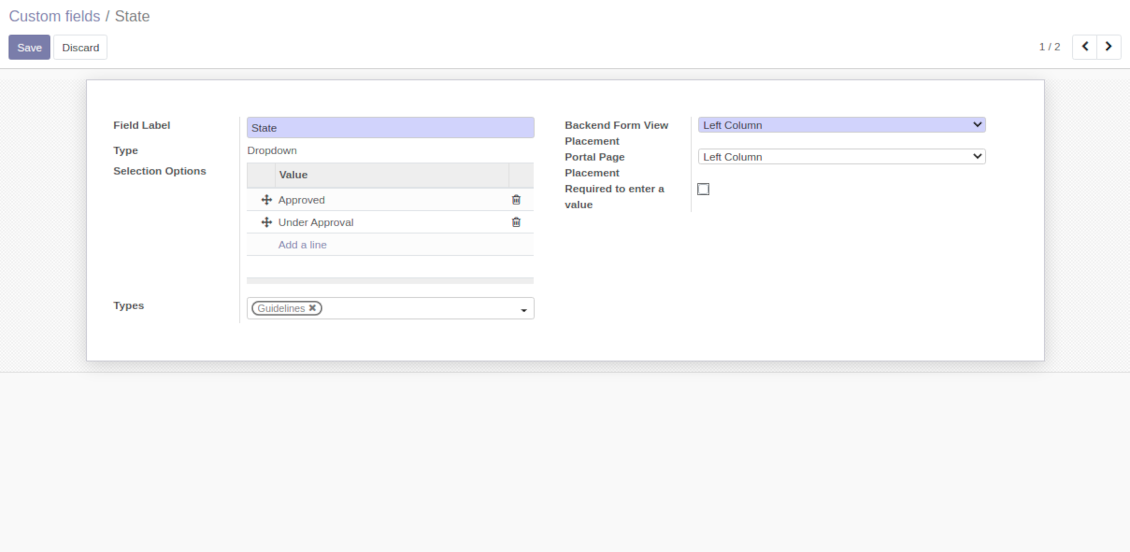
Custom attributes' creation does not require any technical knowledge. In order to show a new property for knowledge base articles, just add a new field and enter details
-
It is possible to add custom fields of the following types: single line text (char), simple text without formatting (text), rich text (HTML-formatted text), integer or float numbers, drop-down choice with your own options (selection), checkbox (boolean), date or date and time, binary (a file to upload), reference to another Odoo document (e.g. for a sale order, contact; many2one)
-
The tool let you comfortably select an interface position of a custom field from a closed list of options
-
Distinguish knowledge articles by types in order to show properties only for suitable ones. Thus set of attributes for 'user guidelines' and 'technical specifications' might be different
-
Mark a custom field required to force users enter values
-
The app might work for both KnowSystem backend and knowledge share portal
-
Custom knowledge system fields might be imported and exported
-
The rights to create custom fields belong only to KnowSystem administrators.
Secured and shared knowledge
-
Security for internal and for portal/public users differs
-
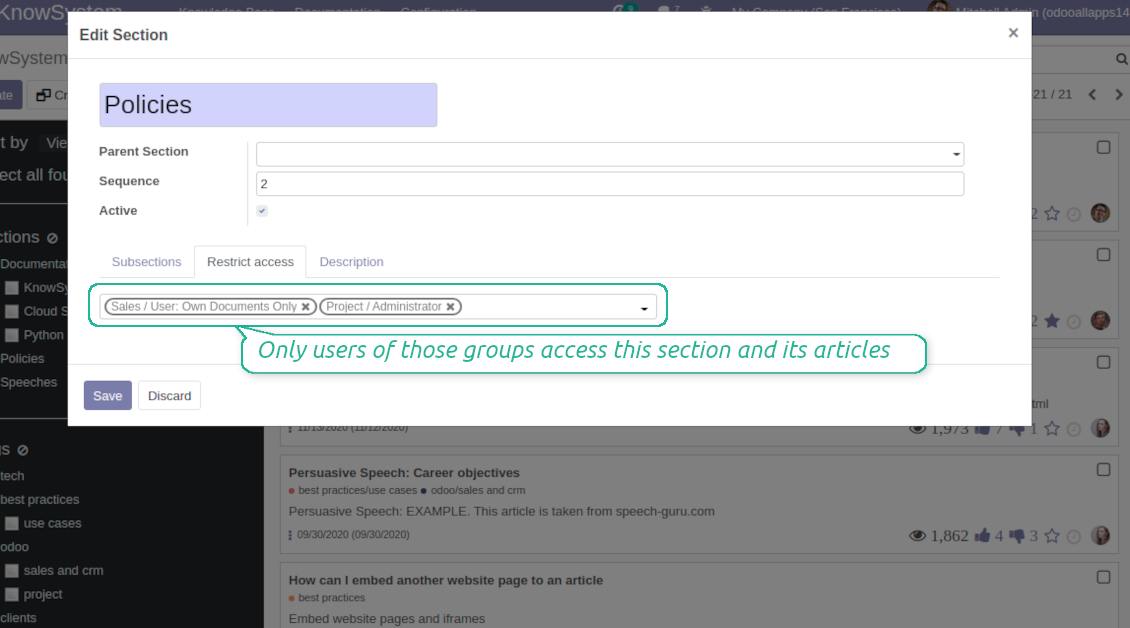
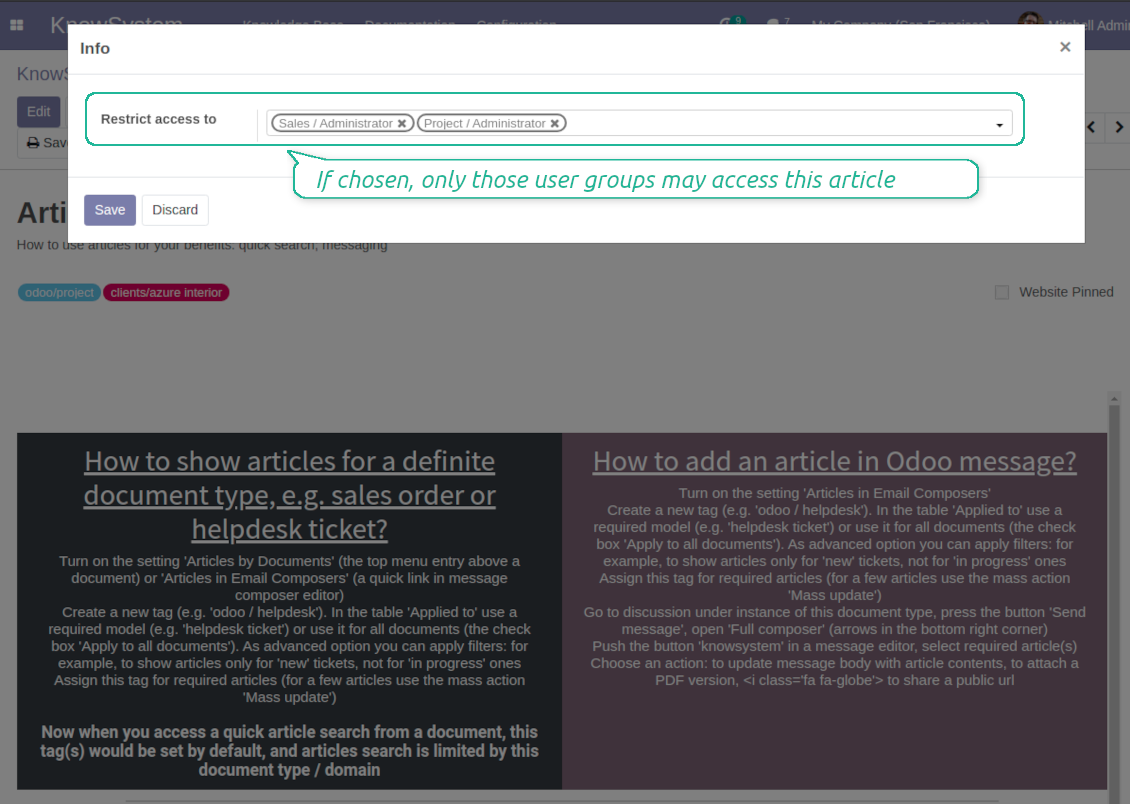
For the company employees: KnowSystem considers user groups which are defined per articles, sections and tours. Look at the tab 'Restrict to' on forms of those objects. If that field is not defined, a document is considered 'global' and each internal user may read it
-
For portal / public users: KnowSystem takes into account tags and whether an article is website published. A knowledge tag has a field 'Allowed partners', which may grant an access to portal users for articles with this tag. Website published pages are available for any external visitor
-
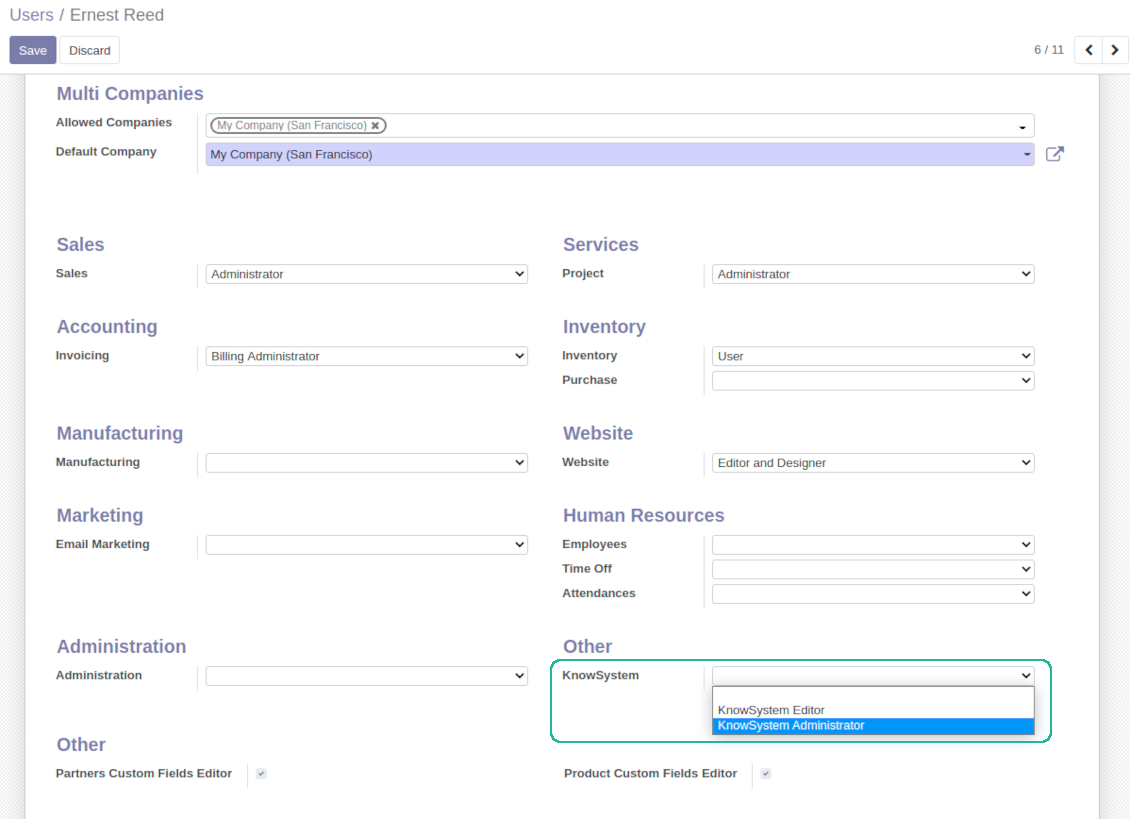
Rights to administrate Odoo knowledge management system belongs to 2 user roles: KnowSystem Editor and KnowSystem Administrator. If you want a user to create and edit articles, a user should belong to one of those groups
-
Odoo user always may access an article if he/she is an author of that article disregarding further restrictions
-
Rights for a knowledge section is defined not only according to this section but also according to all its parents. For example, if a user can't access 'sales', he/she would not be able to access 'sales / crm' disregarding whether 'crm' is available for his/her user group.
|
|
Odoo user |
KnowSystem Editor |
KnowSystem Admin |
Portal user |
Public user |
| Articles | read related to his/her user groups and sections | read, create, edit, archive related to his/her user groups and sections | read, create, edit, delete any | read published articles and articles related to partner-related tags | read published articles |
| Sections | read related to his/her user groups | read, create, edit, archive related to his/her user groups and sections | read, create, edit, delete any | read all sections of available articles | read all sections of published articles |
| Tags | read any | read, create, edit, archive any | read, create, edit, delete any | read published ones | read published ones |
| Article Types | read any | read any | read, create, edit, delete any | read published ones | read published ones |
| Tours | read related to his/her user groups | read, create, edit, delete related to his/her user groups | read, create, edit, delete any | no access | no access |
| Misc | may like / dislike, add to favourites, print, take part in discussions | may configure options | may like / dislike an article |
|
Soalan lazim tentang KnowSystem: Knowledge Base System Odoo v.14
Saya tidak nampak sebarang perbezaan antara teks semakan.
Semakan merekod bukan sahaja perubahan teks, tetapi juga kemas kini gaya (secara teknikal, apabila anda menukar kod sumber HTML artikel). Sesetengahnya mungkin tidak jelas pada pandangan pertama (cth. saiz fon satu perkataan yang ditukar). Yang lain mungkin drastik. Walau bagaimanapun, mana-mana set tindakan Edit > Tukar apa-apa dalam artikel > Simpan akan menghasilkan semakan baharu.
Bolehkah saya menambah video YouTube/ Vimeo / Dailymotion / Youku dalam artikel?
Ya, video dari perkhidmatan itu boleh dibenam ke artikel dari bahagian pentadbiran Odoo dan pembina tapak web. Tambah blok dengan gambar > tekan imej > pilih ‘Video’ > masukkan URL bahan.
Sila ambil perhatian: video sebegitu disertakan sebagai iframe, dan sesetengah pelayar mungkin menyekat main balik sehingga pengguna membenarkannya secara nyata.
Bagaimana menjadikan bahagian kelihatan di laman web?
Dalam KnowSystem, suatu bahagian kelihatan di tapak jika diterbitkan dan mengandungi sekurang-kurangnya satu artikel. Walaupun ada bahagian kecil, ia tidak kelihatan jika dalam bahagian itu sendiri tiada satu artikel pun. Ini mengelak bahagian kosong dan menjadikan portal KnowSystem mudah dilayari. Agar bahagian dipaparkan di tapak, tambah satu artikel pengenalan atau umum yang menerangkan atau menyenaraikan secara ringkas artikel dalam bahagian kecil.
Bagaimana berkongsi artikel untuk rakan luar?
Klik kanan mana-mana tag pada panel navigasi kiri - Cipta
Cari medan 'Allowed partners'. Contohnya 'clients - azure interior' untuk memberi akses rakan 'Azure Interior'. Anda boleh sebaliknya: tetapkan tag KnowSystem terus pada borang rakan
Kemudian pergi ke artikel yang diperlukan (atau lakukan perkara sama dengan tindakan 'Mass update' untuk beberapa rekod):
Jika diterbitkan: nyahterbit jika anda tidak mahu ia tersedia kepada semua pengguna portal dan pelawat awam
Tetapkan tag yang baru dicipta (dalam contoh ia 'clients - azure interior')
Sekarang:
Semua pengguna portal berkaitan rakan komersial 'Azure Interior' mempunyai akses kepada artikel bertag 'Azure Interior'
Tiada pengguna portal lain (jika tag berbeza tidak ditetapkan) mempunyai akses kepada artikel itu
Pengguna dalaman tidak terjejas dan melihat artikel mengikut logik 'access to' artikel dan seksyen.
Bolehkah kami menambah butang pilih bahasa untuk badan artikel?
Butang 'translate' sengaja tidak ditambah ke badan artikel oleh add-on pilihan 'KnowSystem: Multi Languages'. Sebabnya: kod HTML sangat sukar diterjemahkan dalam pop timbul ringkas yang diandaikan butang itu. Teks untuk diterjemah akan sedikit, manakala bahagian HTML banyak (dan penterjemah mungkin merosakkannya).
Oleh itu, untuk membuat artikel dalam bahasa tertentu, log masuk sebagai pengguna bahasa itu. Ia mungkin pengguna lain, atau anda boleh menukar sementara keutamaan pengguna semasa. Selepas itu setiap kemas kini badan artikel akan dalam bahasa tersebut.
Anda juga boleh menggunakan butang 'Copy from another translation' di bawah badan artikel untuk pada bila-bila masa mengambil kandungan dari bahasa lain (berguna jika artikel dikemas kini dengan ketara dalam satu bahasa).
Bagaimana membenamkan halaman laman web lain ke artikel
Untuk itu anda boleh menggunakan iframe. Tukar artikel ke editor kod HTML mentah dan sisipkan, contohnya, <iframe src="https://faotools.com/" style="width:100%;min-height:600px;"> </iframe>.
Saya memasang KnowSystem tetapi tidak nampak butang 'create' dan butang lain
Kemungkinan anda belum memberi hak KnowSystem kepada pengguna. Pilih hak 'KnowSystem Editor' atau 'KnowSystem Admin' lalu muat semula halaman. Butang kawalan kini sepatutnya dipaparkan.
Bolehkah saya tunjukkan lawatan pembelajaran tertentu hanya kepada pengguna terpilih?
Ya, dengan menggunakan kumpulan pengguna (cth. 'Sales Manager') yang patut melihat lawatan ini. Jika pengguna tergolong dalam kumpulan itu, lawatan dipaparkan. Jika tidak, ia tidak ditunjukkan. Ia berfungsi seperti hak keselamatan artikel dan seksyen KnowSystem.
Ambil perhatian bahawa jika lawatan tiada kumpulan yang ditetapkan, ia 'global' dan kelihatan kepada semua orang.
Bagaimana menukar pengaki dan pengepala apabila mencetak artikel?
Pengepala dan pengaki PDF artikel diambil mengikut tataletak syarikat. Lihat Settings > General Settings > bahagian Business Documents. Di situ anda tentukan templat syarikat untuk semua jenis dokumen, termasuk invois, pesanan jualan dan sebagainya, serta artikel. Pendekatan Odoo ini menganggap pengaki dan pengepala sebagai gaya umum syarikat, bukan atribut cetakan tertentu.
Bagaimana memaut artikel antara satu sama lain?
Setiap artikel mempunyai URL dalaman (backend) dan laman web (jika pilihan 'KnowSystem: Website and Portal' dipasang). Klik butang 'Info' pada borang artikel untuk mengetahui alamat laman web rekod ini. Anda boleh sisip mana-mana ke badan artikel sebagai pautan.
Bolehkah saya menukar kod sumber HTML sesuatu artikel?
Ya: hidupkan debug assets (pada skrin ringkasan tetapan) lalu kembali ke artikel semasa. Dalam mod sunting anda akan nampak ikon khas '</>'. Klik untuk melihat dan menyunting HTML serta gaya.
Apakah dasar kemas kini alat anda?
Mengikut dasar Odoo Apps Store semasa:
- Setiap modul yang dibeli untuk versi 12.0 dan sebelumnya memberi akses ke semua versi sehingga 12.0.
- Bermula versi 13.0, setiap versi modul perlu dibeli berasingan.
- Tanpa mengira versi, pembelian memberi hak kepada semua kemas kini dan pembetulan pepijat dalam versi utama.
Sila ambil perhatian bahawa pasukan faOtools tidak mengawal dasar itu. Untuk soalan, hubungi terus wakil Odoo Apps Store.
Bagaimana memasang aplikasi anda di Odoo.sh?
Pendekatan paling terus ialah menggunakan aliran kerja terbina dalam kedai Odoo:
1. Buka halaman modul dan klik butang Deploy on odoo.sh
2. Selepas itu anda akan dihalakan ke halaman GitHub. Log masuk ke akaun, kemudian klik 'Create a new repo' atau guna yang sedia ada. Pastikan repositori bersifat peribadi. Tidak dibenarkan menerbitkan aplikasi di bawah lesen OPL-1. Jika perlu, cipta repo baharu untuk projek Odoo.sh
3. Kemudian pergi ke odoo.sh dan klik butang Deploy. Dalam tetingkap pop timbul, hantar keputusan dan klik 'Continue.' Tindakan ini akan mencetuskan pemasangan.
Langkah ini akan memasang aplikasi pada cabang pengeluaran projek. Jika anda mahu men-deploy aplikasi ke cabang lain atau mengemas kini modul, lakukan tindakan berikut:
1. Muat naik kod sumber aplikasi dari kedai Odoo
2. Commit modul ke repositori GitHub yang diperlukan. Pastikan tiada folder/fail aplikasi diabaikan (iaitu tidak termasuk dalam .gitignore repo). Repositori dicipta secara automatik oleh odoo.sh dan secara lalai mungkin termasuk item penting (cth., /lib). Muat naik semua direktori, subdirektori dan fail modul tanpa pengecualian
3. Deploy cabang sasaran projek odoo.sh atau, jika tetapan anda mengandaikan demikian, tunggu sehingga ia dibina secara automatik.
Bagaimana memasang aplikasi anda pada pelayan saya sendiri?
2. Mulakan semula pelayan Odoo;
3. Hidupkan mod pembangun (tetapan teknikal);
4. Kemas kini senarai aplikasi (menu aplikasi);
5. Cari aplikasi dan tekan 'Activate'/'Install';
6. Ikuti garis panduan pada halaman aplikasi jika ada.
Saya perasan aplikasi anda ada add-on tambahan. Boleh beli kemudian?
Ya, sudah tentu. Pada masa yang sama Odoo secara automatik menambah semua kebergantungan ke troli, jadi anda harus kecualikan alat yang sudah dibeli untuk elak bayaran berganda.
Saya menyebarkan aplikasi anda di Odoo.sh dan nampak amaran/ralat dalam ujian
Amaran merah/oren tidak mempengaruhi ciri aplikasi. Malangnya, modul kami kadang-kadang tidak lulus ujian automatik standard kerana ujian itu mengandaikan tingkah laku yang bercanggah dengan matlamat aplikasi. Contohnya kami mengubah pengiraan harga, manakala ujian modul Odoo standard membandingkan harga akhir dengan algoritma standard.
Pertama sekali, semak ciri pangkalan data yang dilancarkan. Adakah semuanya berfungsi dengan betul?
Jika anda masih menganggap amaran mempengaruhi ciri sebenar, hubungi kami dan hantar log pemasangan penuh serta senarai penuh modul yang dilancarkan (termasuk teras dan pihak ketiga).
Bolehkah saya membeli aplikasi terus daripada syarikat anda?
Tidak, kami hanya mengedarkan alat melalui kedai aplikasi Odoo rasmi.
Saya ingin mendapat diskaun
Malangnya, kami tidak mempunyai cara teknikal untuk memberikan harga individu.
Bolehkah saya memasang aplikasi pada pangkalan data Odoo Online (SaaS) saya?
Tidak, aplikasi pihak ketiga tidak boleh digunakan di Odoo Online. Malangnya Odoo SaaS menyekat kemungkinan itu.
Alat anda bergantung pada aplikasi lain. Patutkah saya membelinya?
Ya, alat memerlukan semua modul yang ditanda dalam kebergantungan untuk berfungsi dengan betul. Harga pada halaman aplikasi sudah merangkumi semua kebergantungan yang diperlukan.
Berapakah harga modul dalam dolar AS? Mengapa ia berubah?
Harga modul kami ditetapkan dalam euro. Kedai Odoo menukar harga ke mata wang lain mengikut kadar pertukaran dalamannya. Jadi harga dalam dolar AS mungkin berubah apabila kadar dikemas kini.
Teks aplikasi dan laman web dalam bahasa selain Inggeris dibantu AI dan diselaraskan dengan terjemahan rasmi Odoo. Jika anda nampak kesilapan, hantar tiket ketepatan terjemahan dan kami akan membetulkannya.
Pelaporan pepijat
Jika anda menemui pepijat atau tingkah laku tidak konsisten, sila hubungi kami. Kami jamin pembetulan dalam 60 hari selepas belian dan masih berminat menambah baik alat selepas tempoh itu.
Anda tidak memerlukan nombor telefon atau kad kredit untuk menghubungi kami. Hanya pendaftaran e-mel ringkas yang tidak mengambil lebih daripada 30 saat.
Sertakan sebanyak mungkin butiran dalam permintaan: tangkapan skrin, log pelayan Odoo, penerangan penuh cara menghasilkan semula masalah, dan sebagainya. Biasanya mengambil beberapa hari bekerja untuk menyediakan pelan kerja (jika pepijat disahkan) atau memberi garis panduan apa yang perlu dilakukan (jika tidak).
Permintaan ciri awam dan idea modul (pembangunan percuma)
Kami sangat bermotivasi untuk menambah baik alat kami dan berterima kasih atas sebarang maklum balas. Jika keperluan anda berguna secara awam dan boleh dilaksanakan dengan cekap, pasukan akan memasukkannya ke senarai tugasan kami.
Senarai tugasan sebegini diproses secara berkala dan tidak melibatkan yuran tambahan. Walaupun kami tidak dapat menjanjikan tarikh akhir dan reka bentuk muktamad, ini mungkin cara baik untuk mendapat ciri yang diingini tanpa pelaburan dan risiko.
Anda tidak memerlukan nombor telefon atau kad kredit untuk menghubungi kami. Hanya pendaftaran e-mel ringkas yang tidak mengambil lebih daripada 30 saat.

Alat untuk menyusun lampiran Odoo secara fleksibel dalam folder dan menyegerakkan direktori dengan klien awan: Google Drive, OneDrive/SharePoint, Nextcloud/ownCloud, Dropbox, Amazon S3, Box dan NAS. DMS. Pengurus Fail. Sistem pengurusan dokumen
398€
Alat untuk menyegerakkan lampiran Odoo secara automatik dengan fail OneDrive secara dua hala
487€
Alat untuk menyegerakkan lampiran Odoo secara automatik dengan fail Google Drive secara dua hala
487€
Alat untuk menyimpan kata laluan dengan selamat dalam Odoo untuk kegunaan bersama. Peti besi dikongsi

Alat untuk menetapkan sasaran KPI dan mengawal pemenuhannya mengikut tempoh. Papan pemuka KPI. Pereka papan pemuka. Carta KPI

Alat pengurusan perkhidmatan berasaskan masa dari tempahan temu janji hingga jualan dan ulasan
398€
Alat untuk mengurus Odoo dari sembang AI kegemaran melalui MCP. Claude. Mana-mana AI yang menyokong MCP.


Alat untuk menggabungkan pelbagai acara Odoo ke beberapa kalendar super yang boleh dikonfigurasi