Product Management Interface v.14
The tool to search, select and mass update product templates
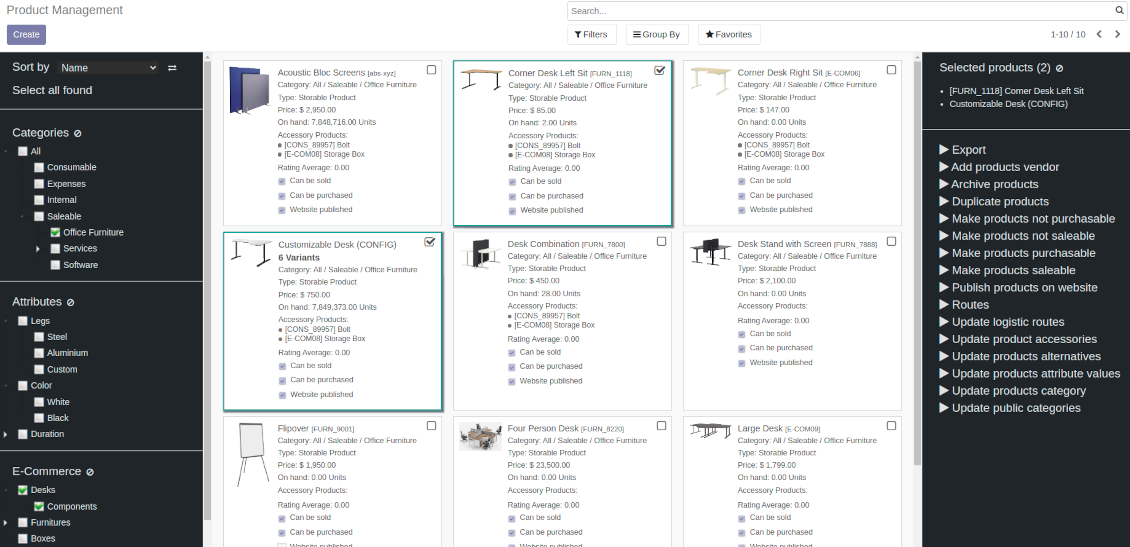

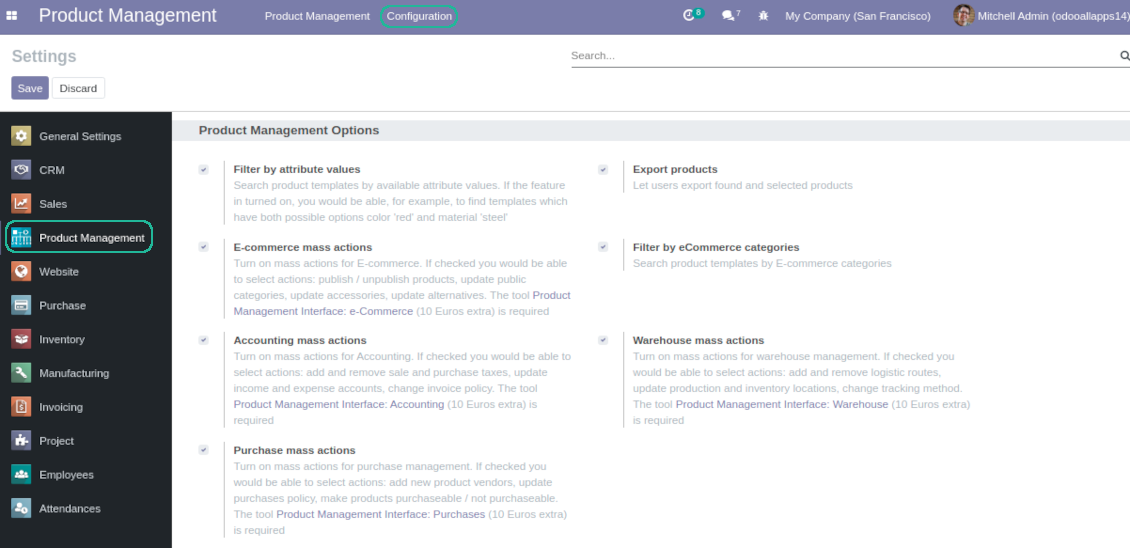


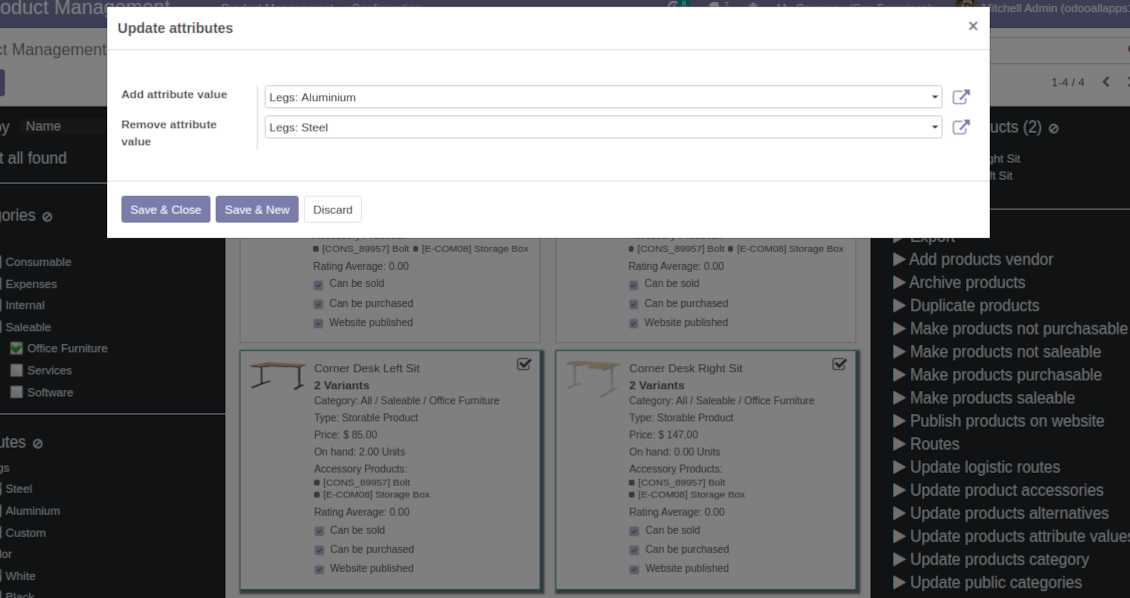
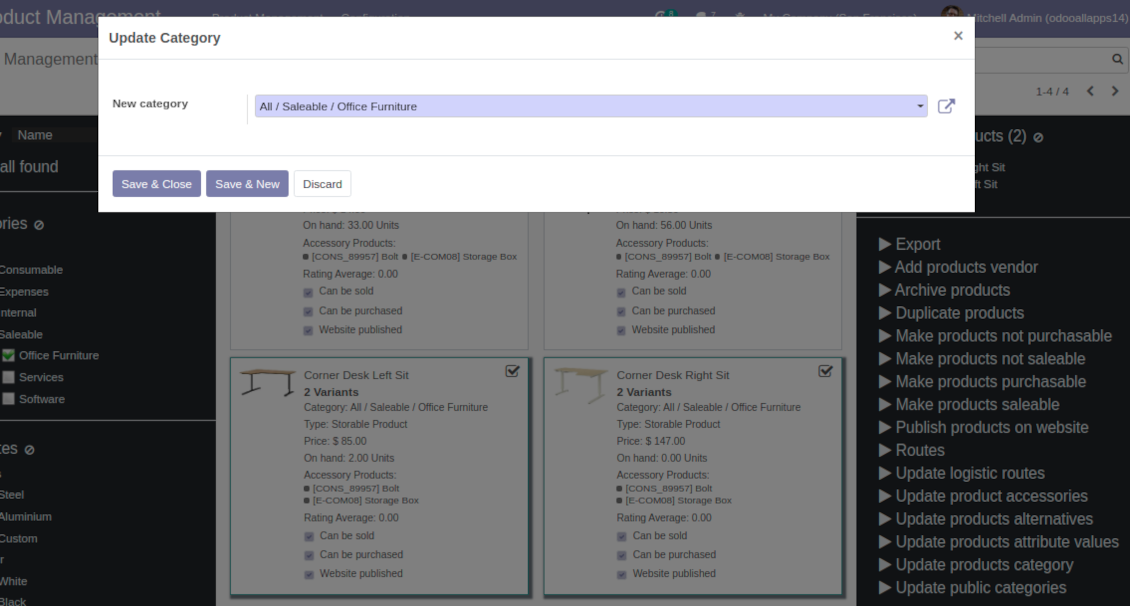
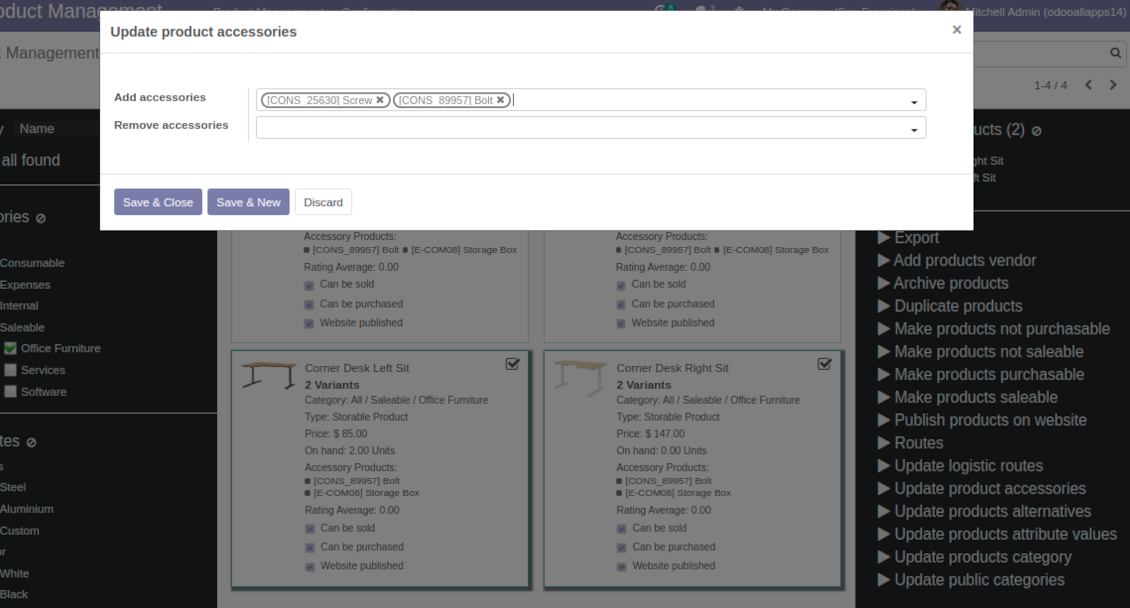
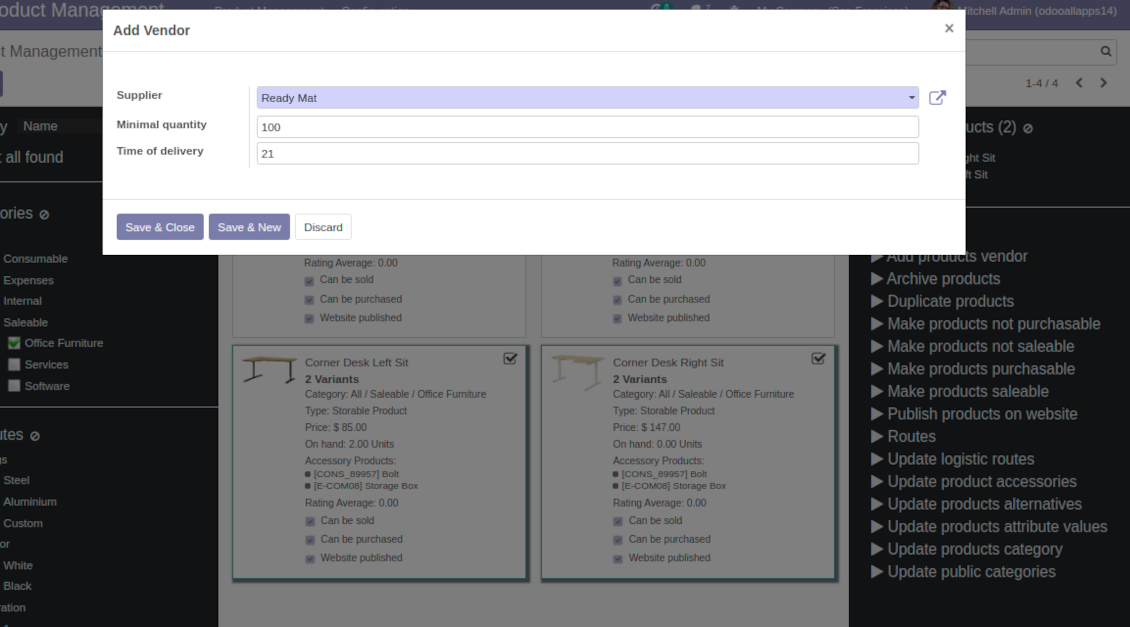
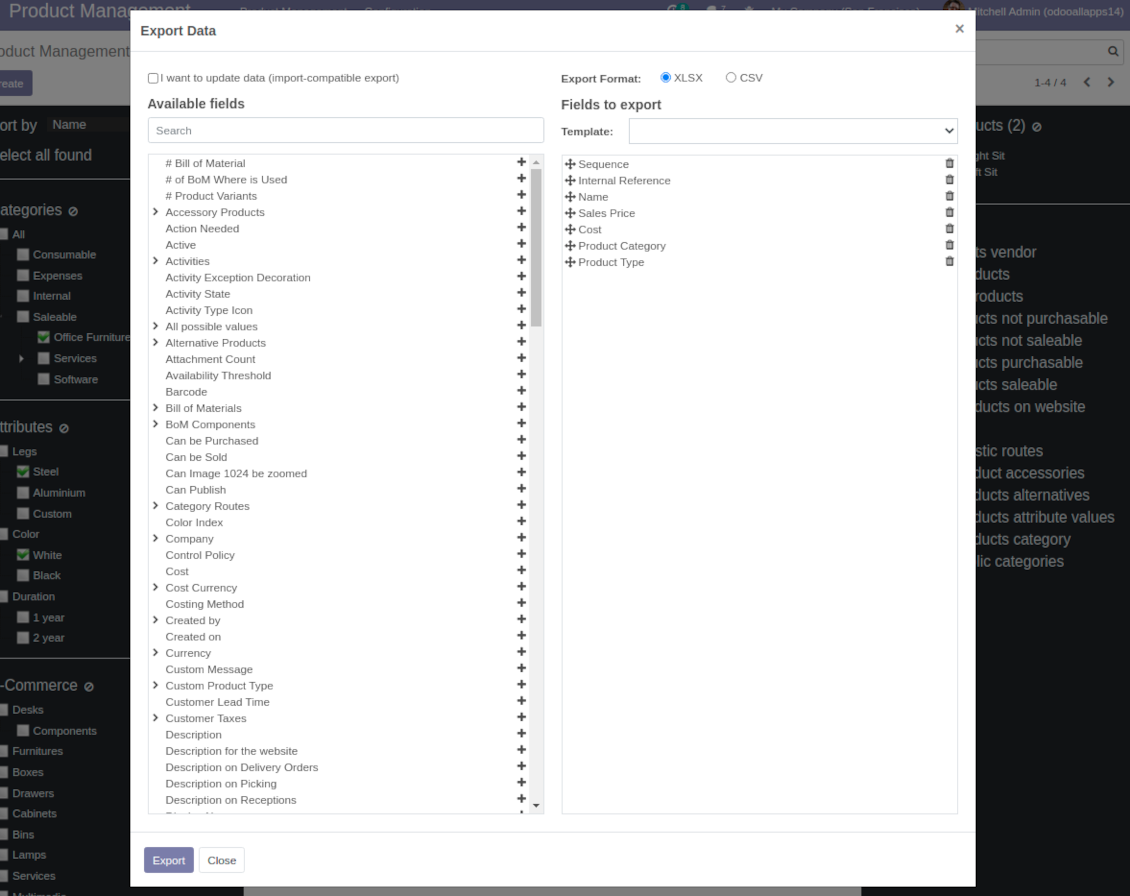
This is an Odoo product management tool aims to improve catalog administration and to simplify implementation of changes. The app introduces the innovative interface to search, to analyze, to select, and to mass edit Odoo product templates.
- the core app. It might be used stand-alone as a system to find, pick up, and update basic product fields.
가격은
198€
178€.
- the optional module, which introduces mass products actions to change E-shop related attributes. The features assumed by this add-on are marked by the icon .
가격은
10€
9€.
- the optional module to update in batch warehouse characteristics of product templates. The features assumed by this add-on are marked by the icon .
가격은
10€
9€.
- the optional module to manage accounting traits of products in bulk. The features assumed by this add-on are marked by the icon .
가격은
10€
9€.
- the optional module offering mass actions on purchase columns of products. The features assumed by this add-on are marked by the icon .
가격은
10€
9€.
Comfortable navigation
Filter products by hierarchy of categories: select one or a few ones.
Systematize products by attributes: e.g. find both white and metal templates.
Navigate by e-commerce categories
Single view interface
Sort product templates by name, reference, category, type, price.
Apply to standard Odoo search.
Click on image to open a product form; on card - to add it for selection
Efficient multi selection and mass update
Pick products up step by step: the selection is not cleared with a new search or when you opened a record. Proceed mass action(s) for all chosen templates
Configurable list of mass actions
Define which mass operations are available from a predefined list or prepare your own server actions. Just a few clicks to update category, to add attributes values, to withdraw from sales, to change price ...
Customizable kanban view
Add any product template fields for kanban cards for an instant overview.
Secured interface and actions
The interface is restricted for the user group Product Management > Product Manager. A user must also have rights for product management (e.g. sales, warehouse or purchase manager).
Fantastic module
This module earned itself back in the first day, a must have when working with lots of products. A minor issue with product attributes was solved within 12h, great service.
A life-changer ... and a massive time saver!
Fantastic app ... Provides a whole new view of your product database, nicely presented in editable kanban view, with the ability to filter and sort in various ways and combinations, I guess depending on the $10 add-ons you buy, and then perform mass updates and product changes, all controlled through a very simple and self-explanatory configuration. I only just installed the app but it immediately highlighted to me that I had some products that had somehow been duplicated - even though I thought I had changed the code to prevent that. But more importantly, from here you can get a nice quick overview of your products, their attributes, pricing, etc. You can easily add and delete fields to the kanban overview. And then you can easily select which records your want to update, amend or export, either individually or using 'select all' and then perform your changes in bulk at the click of a couple of buttons. Possibly you can do all these things in standard Odoo (although I'm not so sure you can) but it would take you ten times as long and involve many more steps - most probably with data export and re-import. This app cuts out all the messing around and makes life quick simple. I feel sure this app is going to make my product management so much quicker and simpler in future ! Highly recommended.
Works nice
I find it quite nice module for product management. After the enhancement of not requiring to click exactly on the checkbox it became convenient and fast to use for standard intended functions. Thanks guys!
Configurable mass actions for product templates
Mass actions are operations which might be proceeded for a number of product templates in batch. The tool offers multiple default actions, among which you can select required ones.
-
Add / remove attribute value to all found templates
-
Change Odoo product category of all selected items
-
Archive products in bulk / Restore selected products which have been previously archived
-
Export chosen items (the setting 'Export products' should be turned on)
-
Mass update sales price of Odoo product templates
-
Mass edit product type (consumable, service, storable)
-
Publish or unpublish products in batch
-
Update products to be salable / not salable
-
Update products to be purchasable / not purchasable
-
Add / remove public E-shop categories of selected templates
-
Add / remove products' alternatives
-
Add / remove products' accessories
-
Assign a new vendor to product templates in bulk and make this supplier the most prioritized
-
Add / remove logistic routes
-
Modify invoice policy ('Ordered quantities', 'Delivered quantities')
-
Duplicate a few product templates simultaneously
-
Add / remove customer taxes
-
Add / remove vendor taxes
-
Subscribe to / unsubscribe from products' discussions
-
Add / remove product templates' followers
-
Update purchase method ('On ordered quantities', 'On received quantities')
-
Update tracking method ('By Unique Serial Number', 'By Lots', 'No Tracking')
-
Change price difference account
-
Change income account of product templates
-
Change expense account of product template
-
Change inventory location
-
Change production location
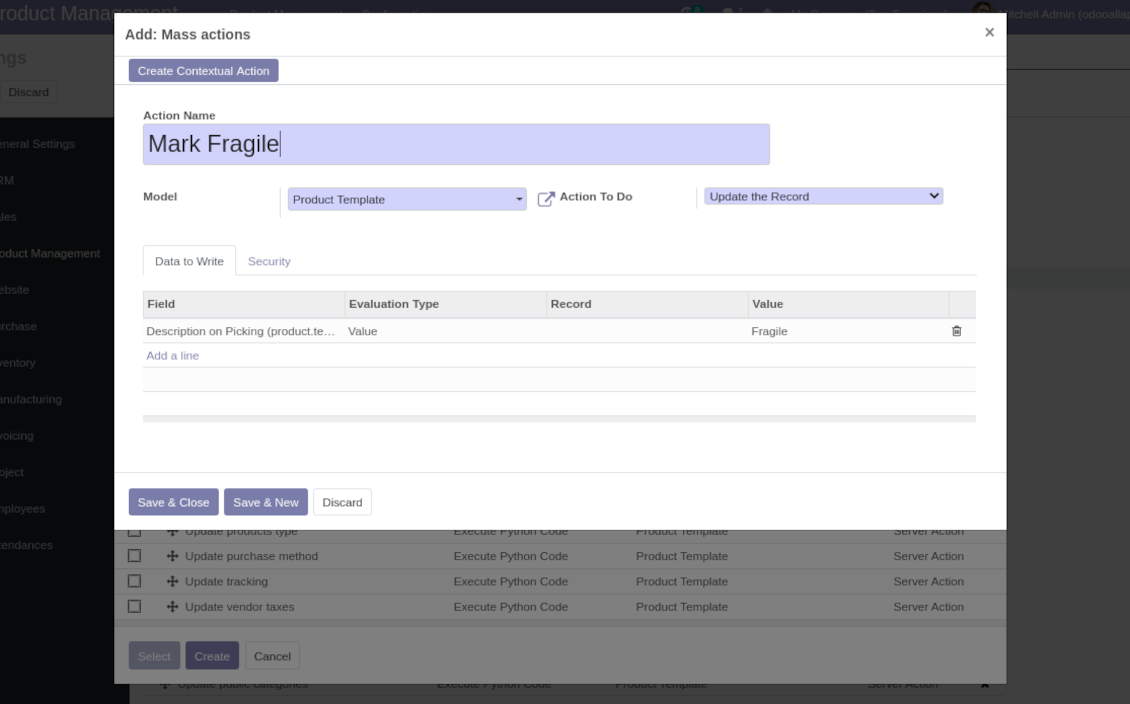
Beside the list above you can also prepare your own mass actions. Look at the configuration tab.
구성 및 설치 팁: Product Management Interface Odoo v.14
Mass actions for product templates
Batch actions for products templates are based on Odoo server actions. It means that you may add custom mass editing operations. Take into account the following peculiarities:
- As the model always use 'Product Template'. Otherwise you action would not be displayed in the list of operations
- In case you want to return a wizard, such a wizard should not have a footer (only standard buttons) and should have an explicitly specified view_id. Look for examples in any module of the Product Management Bundle
Example of custom mass action
관련 자주 묻는 질문 Product Management Interface Odoo v.14
품목을 고른 뒤 페이지를 바꿔도 선택이 유지됩니다. 빨리 초기화하려면?
오른쪽 기능 영역에서 제품 제목을 클릭하면 목록에서 제거됩니다. 'Selected products' 오른쪽의 'Reset' 아이콘으로 모든 제품을 제거하세요.
도구의 업데이트 정책은 무엇입니까?
현재 Odoo Apps Store 정책에 따르면:
- 버전 12.0 이하용으로 구매한 모듈은 12.0까지의 모든 버전에 접근할 수 있습니다.
- 버전 13.0부터는 모듈 버전마다 따로 구매해야 합니다.
- 버전과 관계없이 구매하면 해당 메이저 버전 내의 모든 업데이트와 버그 수정 권한이 있습니다.
faOtools 팀은 해당 정책을 통제하지 않습니다. 문의는 Odoo Apps Store 담당자에게 직접 하세요.
앱을 Odoo.sh에 어떻게 설치하나요?
가장 단순한 방법은 Odoo 스토어의 기본 제공 워크플로를 사용하는 것입니다:
1. 모듈 페이지를 열고 Deploy on odoo.sh 버튼을 클릭합니다.
2. 그러면 GitHub 페이지로 이동합니다. 계정에 로그인한 뒤 'Create a new repo'를 클릭하거나 기존 저장소를 사용하세요. 저장소는 비공개여야 합니다. OPL-1 라이선스 앱을 공개하는 것은 허용되지 않습니다. 필요하면 Odoo.sh 프로젝트용 새 repo를 만드세요.
3. 그런 다음 odoo.sh로 가서 Deploy 버튼을 클릭합니다. 팝업에서 결정을 제출하고 'Continue.'를 클릭합니다. 그러면 설치가 시작됩니다.
이 단계로 프로젝트의 프로덕션 브랜치에 앱이 설치됩니다. 다른 브랜치에 앱을 배포하거나 모듈을 업데이트하려면 다음을 수행하세요:
1. Odoo 스토어에서 앱 소스 코드를 업로드합니다.
2. 모듈을 필요한 GitHub 저장소에 커밋합니다. 앱 폴더/파일이 무시되지 않는지 확인하세요(즉 repo의 .gitignore에 넣지 마세요). 저장소는 odoo.sh가 자동 생성하며 기본적으로 중요한 항목(예: /lib)이 포함될 수 있습니다. 모듈의 모든 디렉터리, 하위 디렉터리, 파일을 예외 없이 업로드하세요.
3. odoo.sh 프로젝트의 대상 브랜치를 Deploy하거나, 설정이 그렇게 되어 있으면 자동 빌드될 때까지 기다립니다.
자체 서버에 앱은 어떻게 설치하나요?
2. Odoo 서버를 다시 시작합니다;
3. 개발자 모드를 켭니다(기술 설정);
4. 앱 목록을 업데이트합니다(앱 메뉴);
5. 앱을 찾아 'Activate'/'Install'을 누릅니다;
6. 앱 페이지에 안내가 있으면 따릅니다.
앱에 추가 기능이 있는 것을 봤습니다. 나중에 구매해도 되나요?
네, 물론입니다. 동시에 Odoo가 모든 의존성을 장바구니에 자동 추가하므로, 이중 결제를 피하려면 이미 구매한 도구를 제외하십시오.
앱을 Odoo.sh에 배포했는데 테스트에서 경고/오류가 보입니다
빨강/주황 경고는 앱 기능에 영향을 주지 않습니다. 안타깝게도 표준 자동 테스트가 앱 목표와 충돌하는 동작을 가정해 모듈이 통과하지 못할 때가 있습니다. 예를 들어 우리는 가격 계산을 바꾸는데, 표준 Odoo 모듈 테스트는 최종 가격을 표준 알고리즘과 비교합니다.
먼저 배포된 데이터베이스 기능이 정상인지 확인하십시오. 모두 올바르게 동작합니까?
그래도 경고가 실제 기능에 영향을 준다고 생각되면 연락해 주시고 전체 설치 로그와 배포된 모듈 전체 목록(코어 및 서드파티 포함)을 보내 주십시오.
앱을 귀사에서 직접 구매할 수 있나요?
아니요, 도구는 오직 공식 Odoo 앱 스토어.
할인을 받고 싶습니다
유감스럽게도 개별 가격을 제공할 기술적 수단이 없습니다.
Odoo Online (SaaS) 데이터베이스에 앱을 설치할 수 있나요?
아니요, 서드파티 앱은 Odoo Online에서 사용할 수 없습니다. 유감스럽게도 Odoo SaaS가 이를 차단합니다.
도구가 다른 앱에 의존합니다. 그것도 구매해야 합니까?
예, 도구가 올바르게 동작하려면 의존성에 표시된 모든 모듈이 필요합니다. 앱 페이지의 가격에는 필요한 의존성이 이미 포함되어 있습니다.
모듈의 미국 달러 가격은 얼마입니까? 왜 바뀌었습니까?
모듈 가격은 유로로 책정됩니다. Odoo 스토어는 내부 환율에 따라 다른 통화로 변환합니다. 따라서 환율이 갱신되면 미국 달러 가격이 바뀔 수 있습니다.
영어 이외 언어의 앱·웹사이트 문구는 AI 지원으로 작성되며 공식 Odoo 번역과 맞춥니다. 오류를 발견하시면 번역 정확성 티켓을 보내 주세요 그러면 수정하겠습니다.
버그 신고
버그나 일관되지 않은 동작을 발견하면 주저 말고 문의하세요. 구매 후 60일 이내 수정을 보장하며, 그 이후에도 도구를 개선하는 데 관심이 큽니다.
문의에 전화번호나 신용카드가 필요 없습니다. 30초가 넘지 않는 짧은 이메일 가입만 하면 됩니다.
요청에 가능한 한 많은 세부정보를 포함하세요: 스크린샷, Odoo 서버 로그, 문제 재현 방법의 전체 설명 등. 일반적으로 이슈에 대한 작업 계획 준비(버그가 확인된 경우) 또는 수행 지침 제공(그 외의 경우)에는 영업일 기준 며칠이 걸립니다.
공개 기능 요청 및 모듈 아이디어(무료 개발)
도구를 개선하려는 동기가 강하며 어떤 피드백이든 감사드립니다. 요구 사항이 공익에 맞고 효율적으로 구현될 수 있다면 팀이 할 일 목록에 넣습니다.
이런 할 일 목록은 정기적으로 처리되며 추가 요금이 없습니다. 기한과 최종 디자인을 약속할 수는 없지만, 투자와 위험 없이 원하는 기능을 얻는 좋은 방법이 될 수 있습니다.
문의에 전화번호나 신용카드가 필요 없습니다. 30초가 넘지 않는 짧은 이메일 가입만 하면 됩니다.

Odoo 첨부 파일을 폴더로 유연하게 구성하고 Google Drive, OneDrive/SharePoint, Nextcloud/ownCloud, Dropbox, Amazon S3, Box, NAS와 디렉터리를 동기화하는 도구. DMS. 파일 관리자. 문서 관리 시스템
398€

내부와 외부 모두를 위한 깊고 구조화된 지식 베이스를 구축하는 도구. Knowledge System. KMS. 위키형 개정.
398€