Universal Appointments: Portal and Website v.16
The extension to the Universal Appointments app to schedule appointments on the Odoo website and in the Odoo portal. Online appointments. Online Bookings
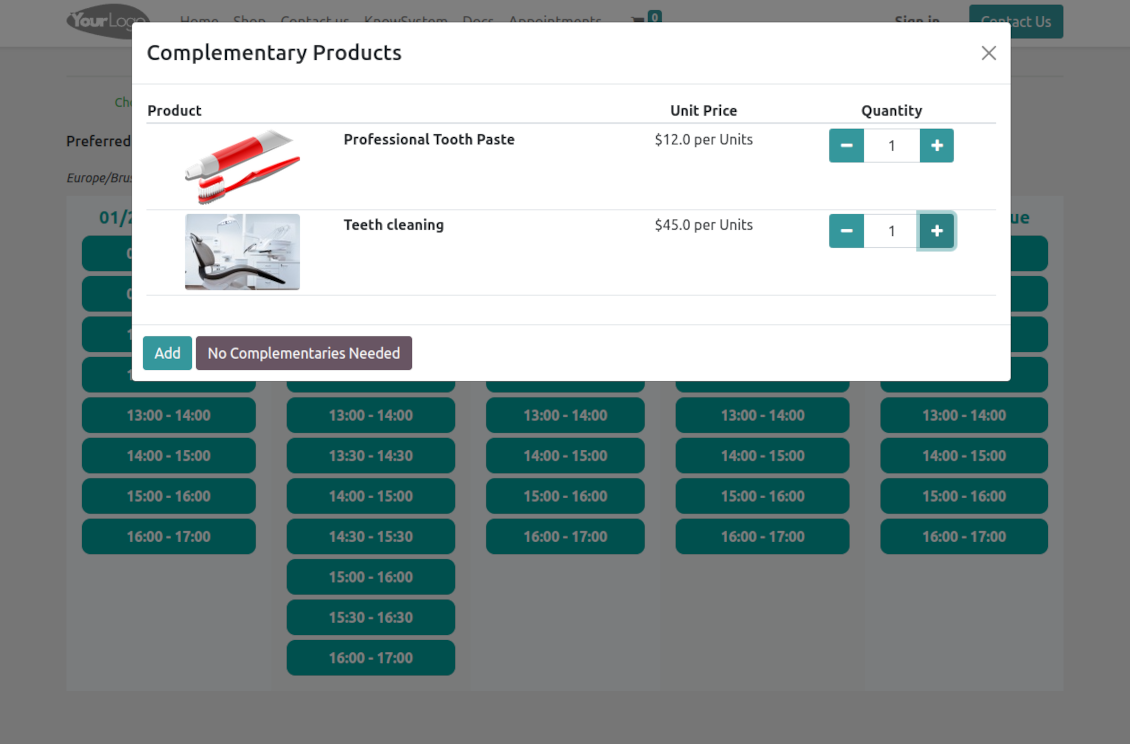
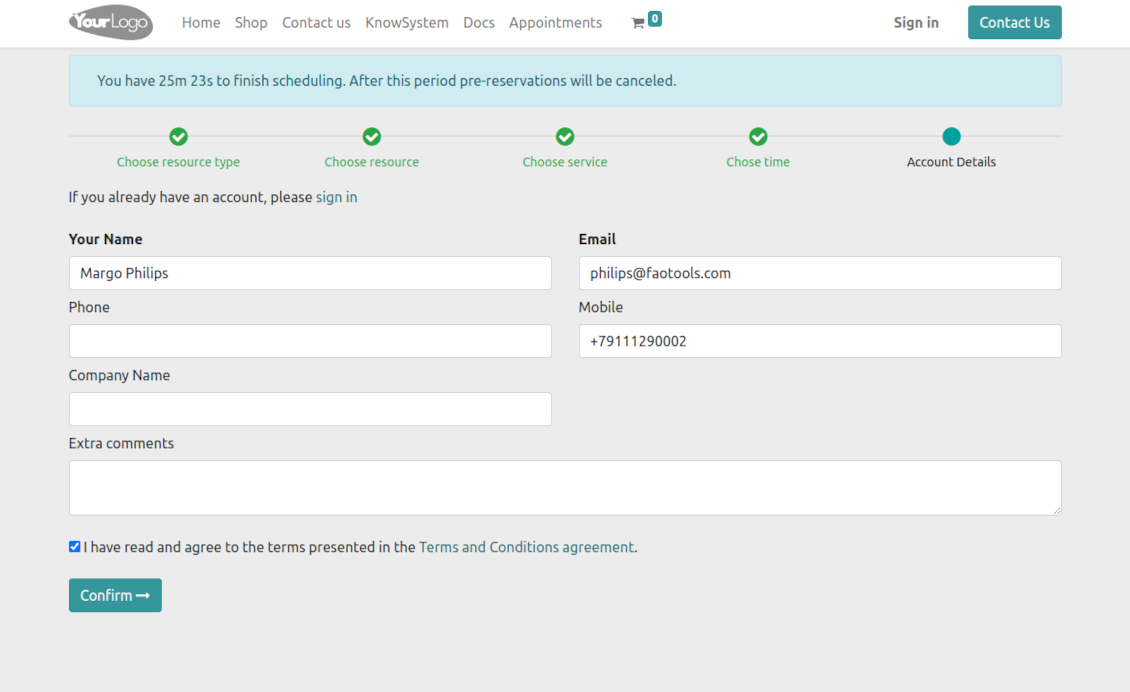
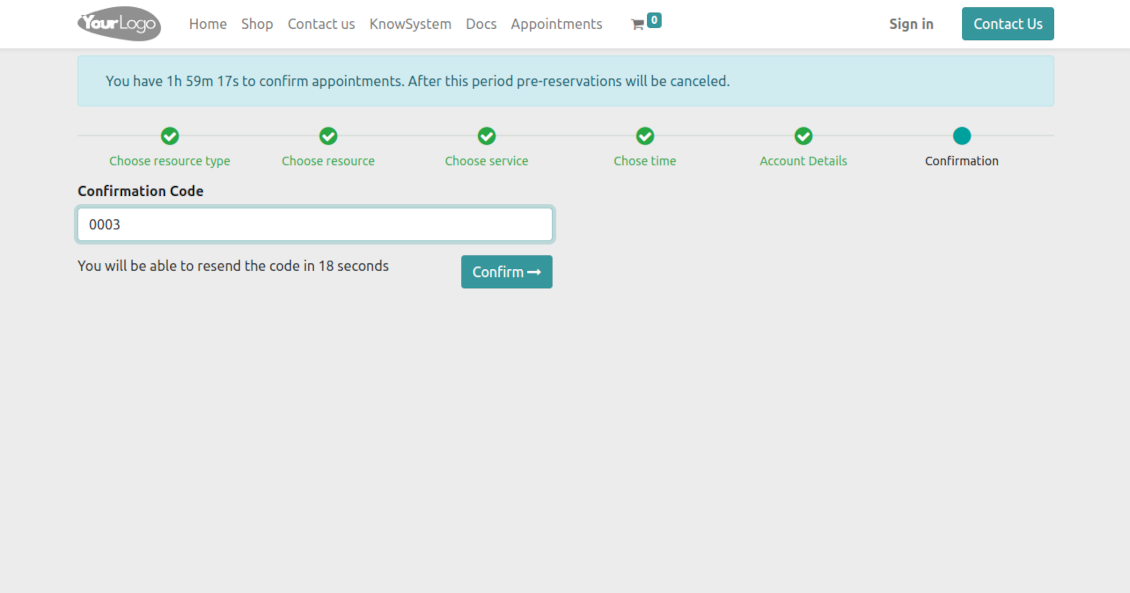
Clear website bookings
Let portal partners and website visitors schedule an appointment through the configurable multi-step process of checkout and confirmation
Full-service management details
Publish resource types, resources, and services details in the portal and website
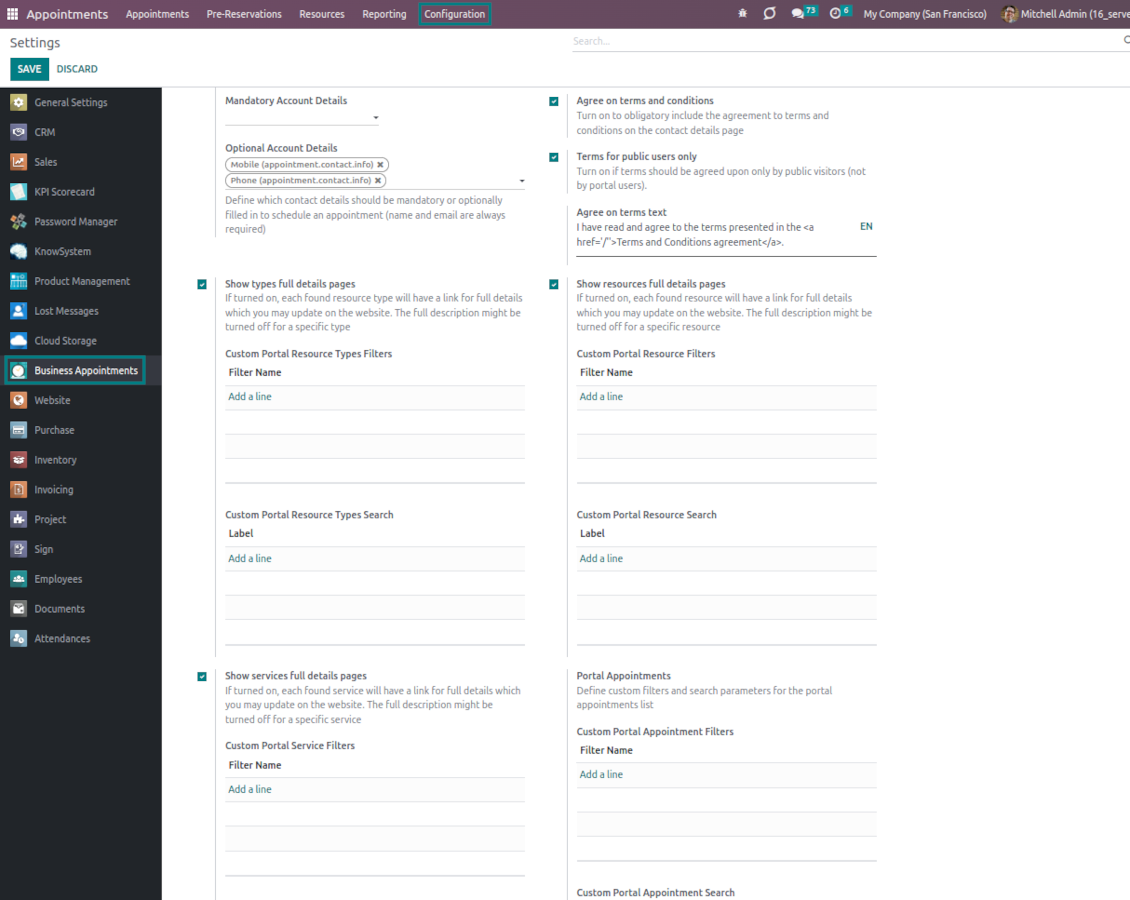
Customizable website and portal pages
Turn on/off optional layout elements. Introduce your own titles and welcome texts. Exclude booking steps
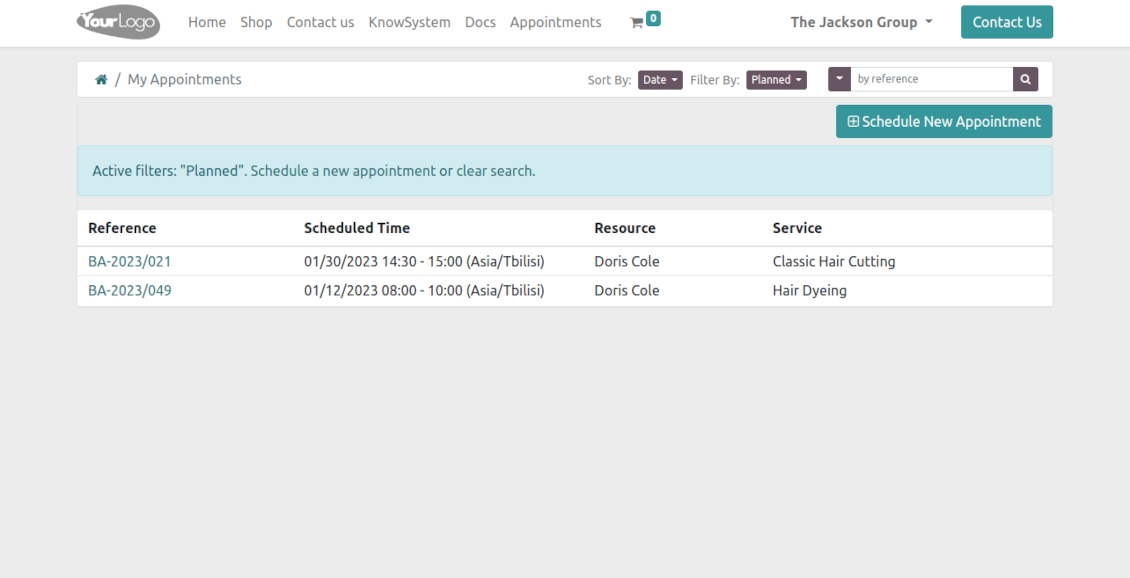
Portal control over reservations
Allow portal users to control planned and made reservations.
Universal website bookings
-
Making a reservation through the Odoo portal/website represents the multi-step checkout process
-
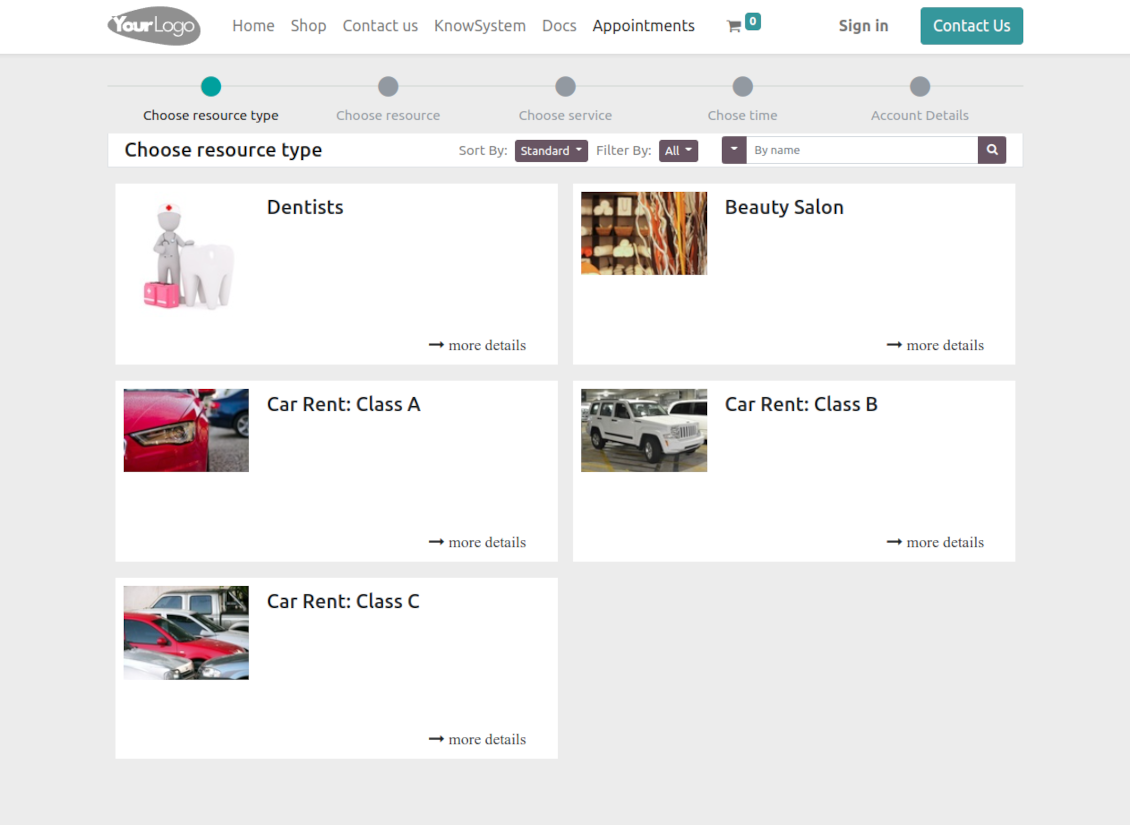
It starts with selecting a resource type. For example, "Beauty salon" or "Class A Cars". The step might be missed if there is a single published resource type for a current website
-
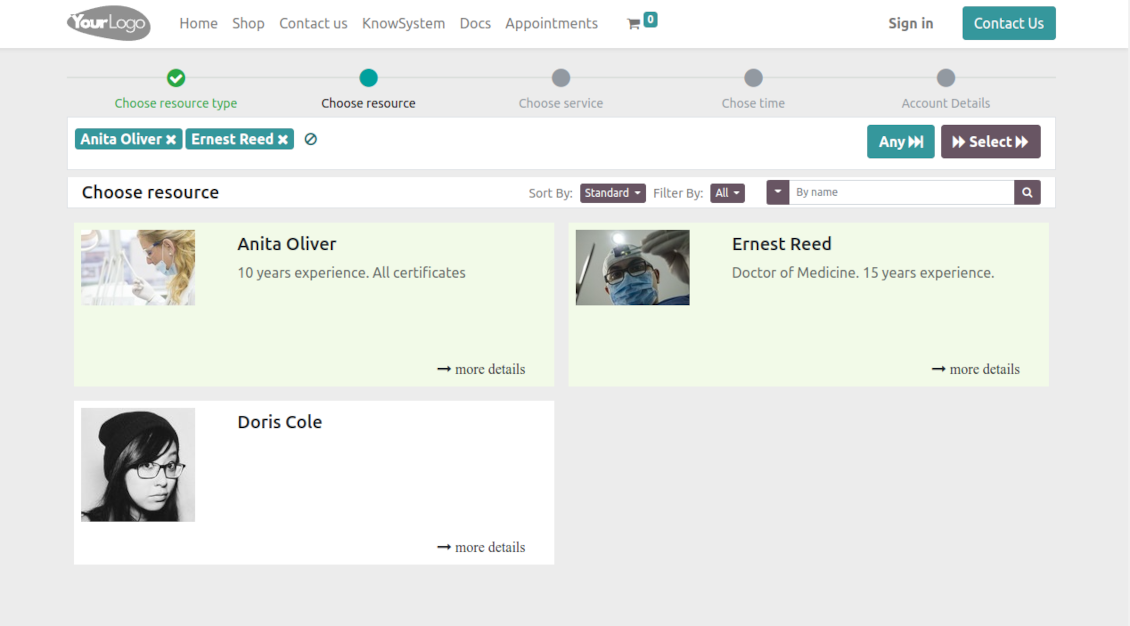
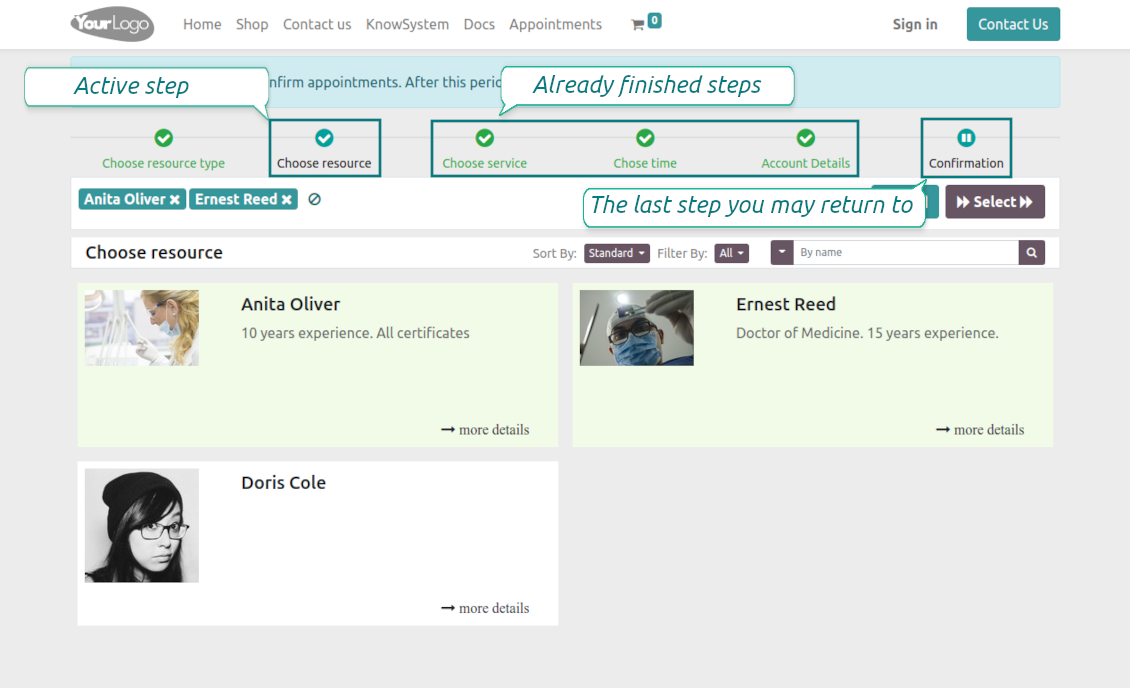
Then, a client navigates over resources of the chosen type to pick one, a few, or applies any (all). For example, "Hair Dresser John Brown" or "Tesla 1234". The step will be missed if there is a single published resource, or when the chosen resource type assumes automatic allocation
-
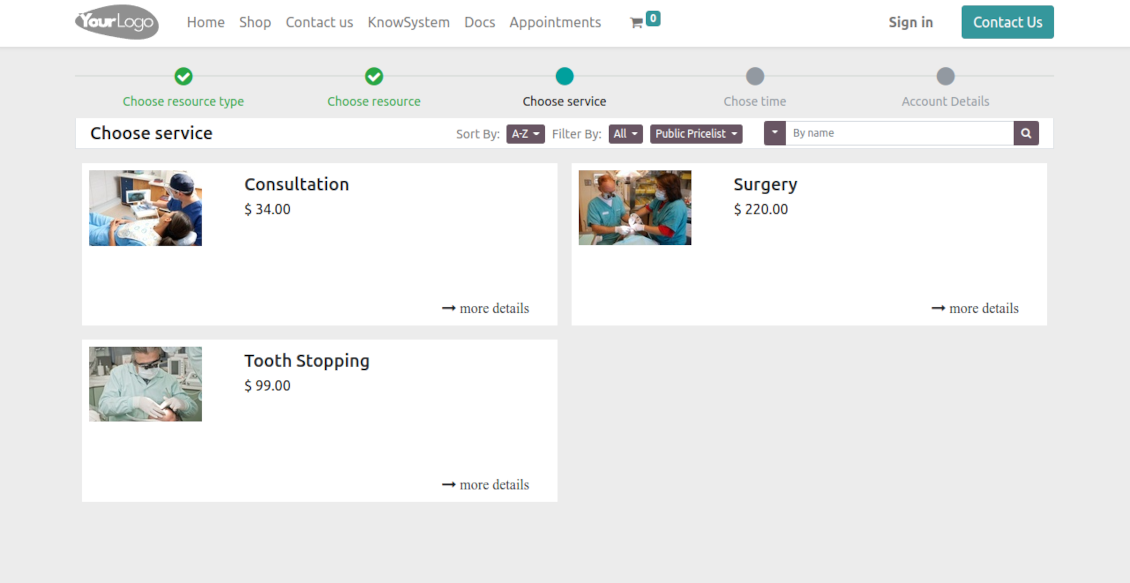
Afterward, a client chooses the desired service related to the selected resources. For example, "Makeup" or "Car Rent Class A". Users will not be forced to choose a service if there is a single published on this website for this resource
-
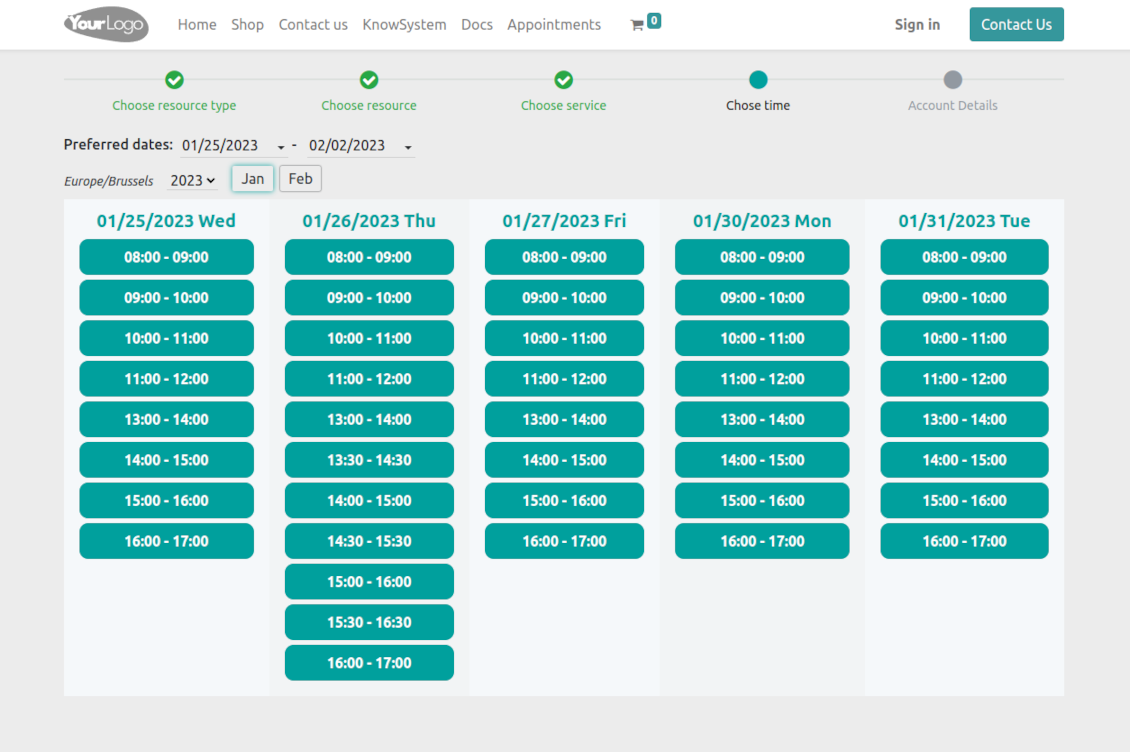
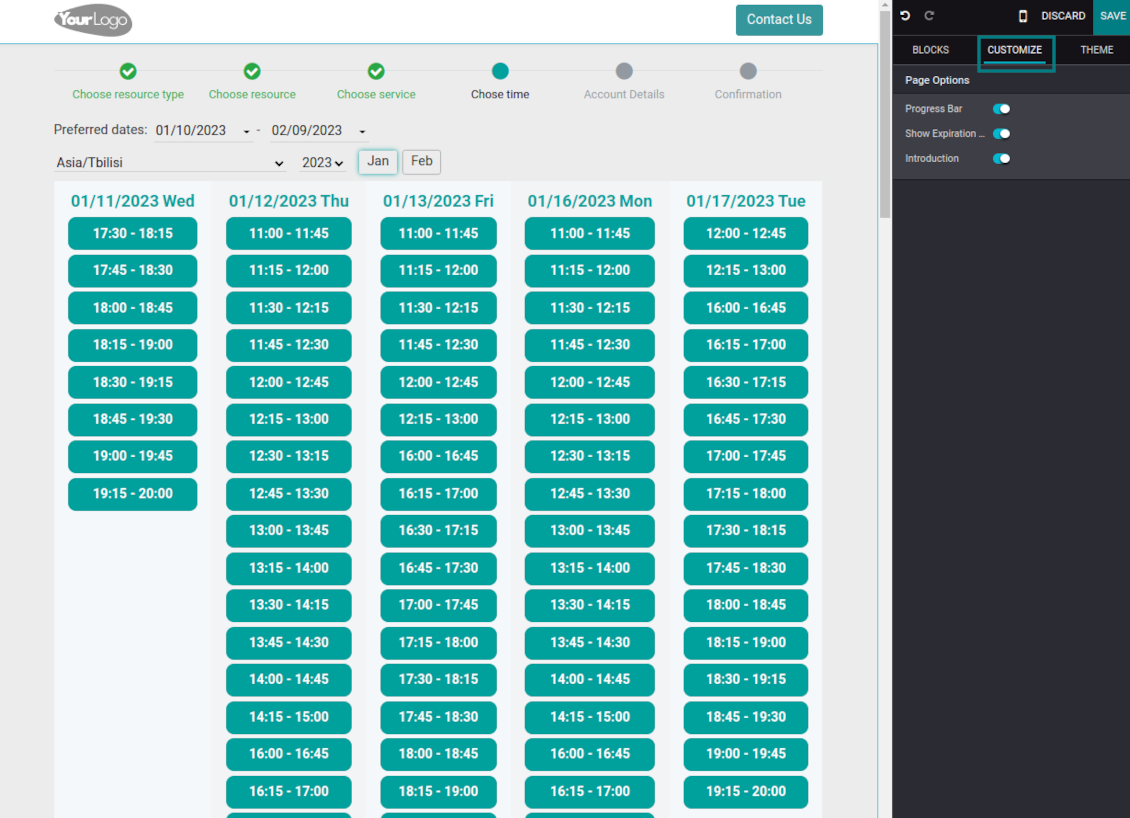
Now a client is shown available time slots. The interface allows adopting time frames of search, changing the time zone, and choosing duration (for the services with manual duration). Each action results in slots' recalculation. Website visitors might be optionally allowed to book a few time slots for a chosen service (the multi-scheduling option)
-
A time slot selection is required and can be not missed. As soon as prereservation is done, nobody else can book the same time period. Users have limited time to make confirmation after which prereservation will be canceled (the exact time is configurable)
-
As the time slot is pre-reserved, optionally force the public (not logged-in users) to sign in, only offer to do so, or just let them enter their details
-
Then, a client should introduce his/her contact details, a set of which might be changed per website. By default, the required ones are name and email. Portal (already registered) users would have those fields auto-populated. Optionally place here a checkbox to agree with the terms and conditions
-
Optionally ask clients to confirm their email or mobile number. If the confirmation option is turned on, users would be obliged to insert received codes. In case a correct code is not introduced in time (the timer is set up on the configuration page), appointments would be canceled. If you selected SMS confirmation (the feature depends on Odoo SMS IAP) but your balance is not sufficient, a confirmation code would be forwarded by email
-
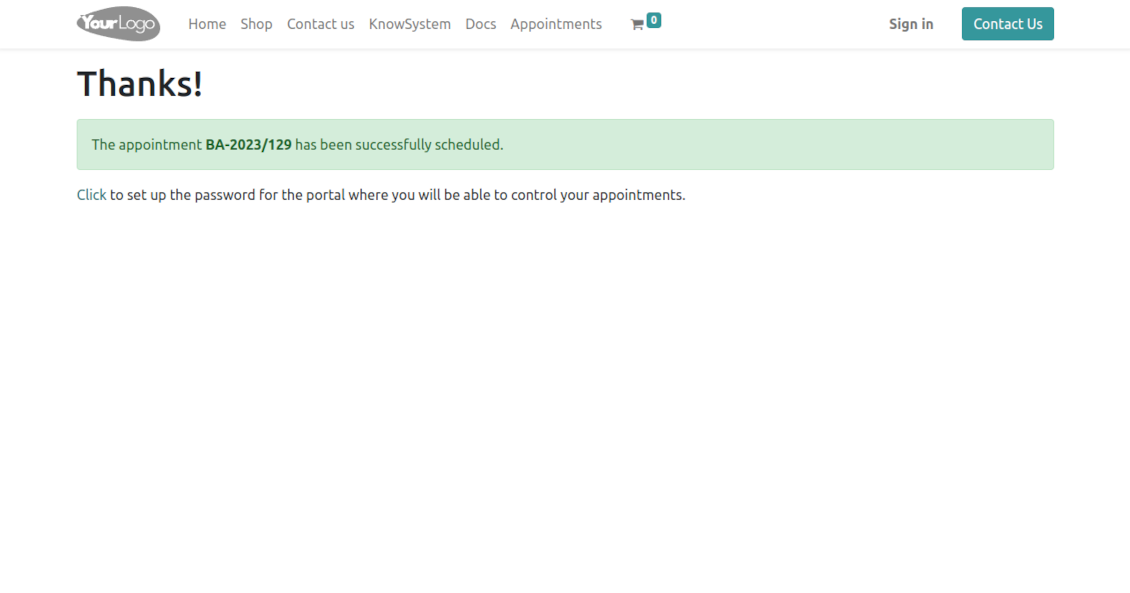
As soon as all steps are done, a client receives a confirmation email and is redirected to the success page/new appointments(s) page. For not yet-registered users, the app offers to enter the password for the Odoo portal
-
During the whole process, a client sees the progress bar (if you have not purposefully turned it off). The progress bar lets safely return to any previous step and back.
Configurable appointment pages
-
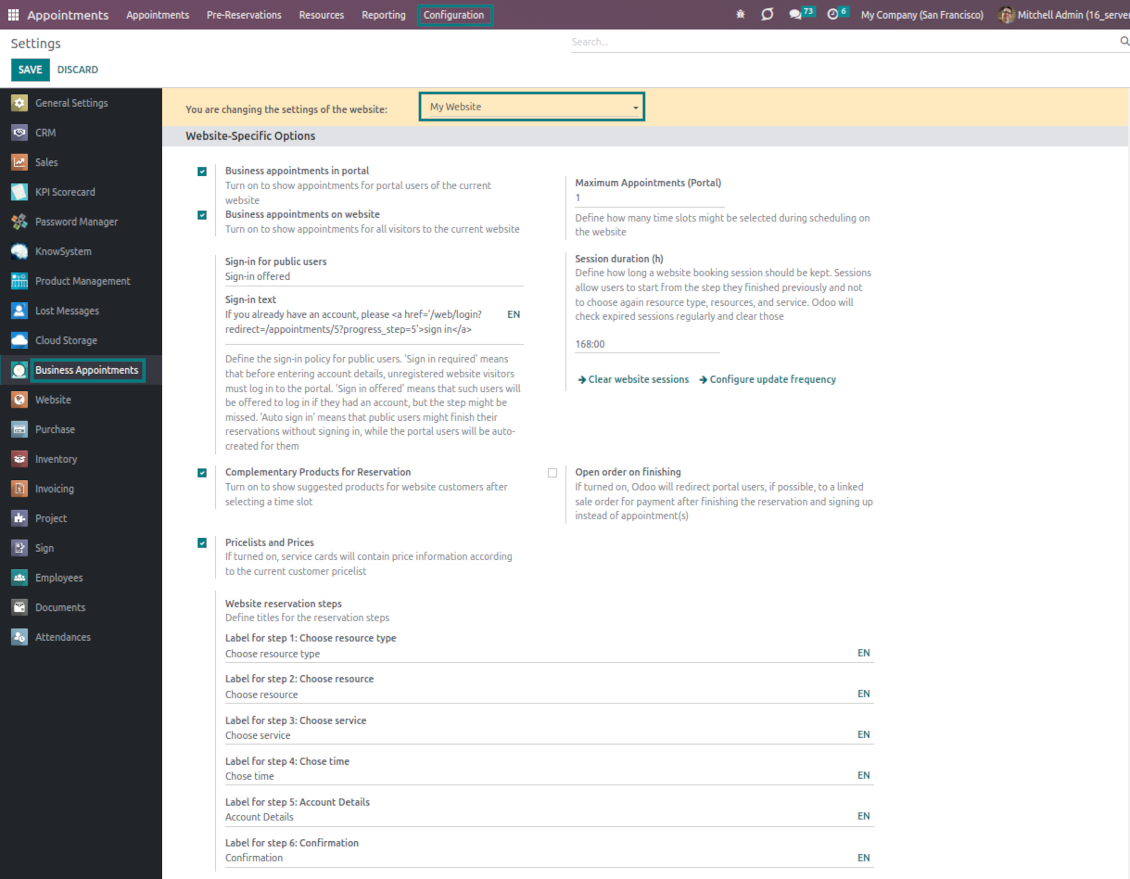
Show/hide the progress bar. Introduce your own titles for progress steps
-
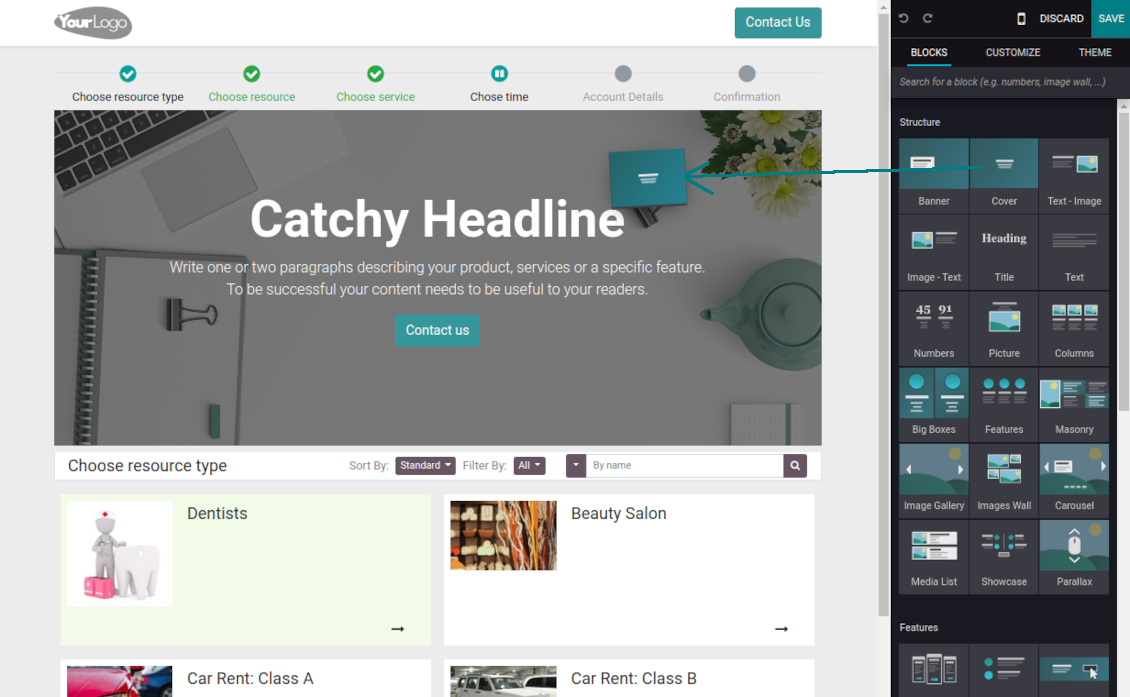
Show/hide introduction blocks, images, and short descriptions for resource types, resources, and services
-
Prepare your own Odoo website full details pages for resource types, resources, and services using Odoo's standard website builder. Show/hide links for those pages
-
Show/hide timers for pre-reservation and confirmation
-
Define filters and sortings for resource types, resources, and service steps
-
Show/hide the terms and conditions link for portal/public users with your own text.
Portal control of reservations
-
Clients control their appointments right in the Odoo portal
-
Portal users observe the list of planned and done appointments and may check any of those
-
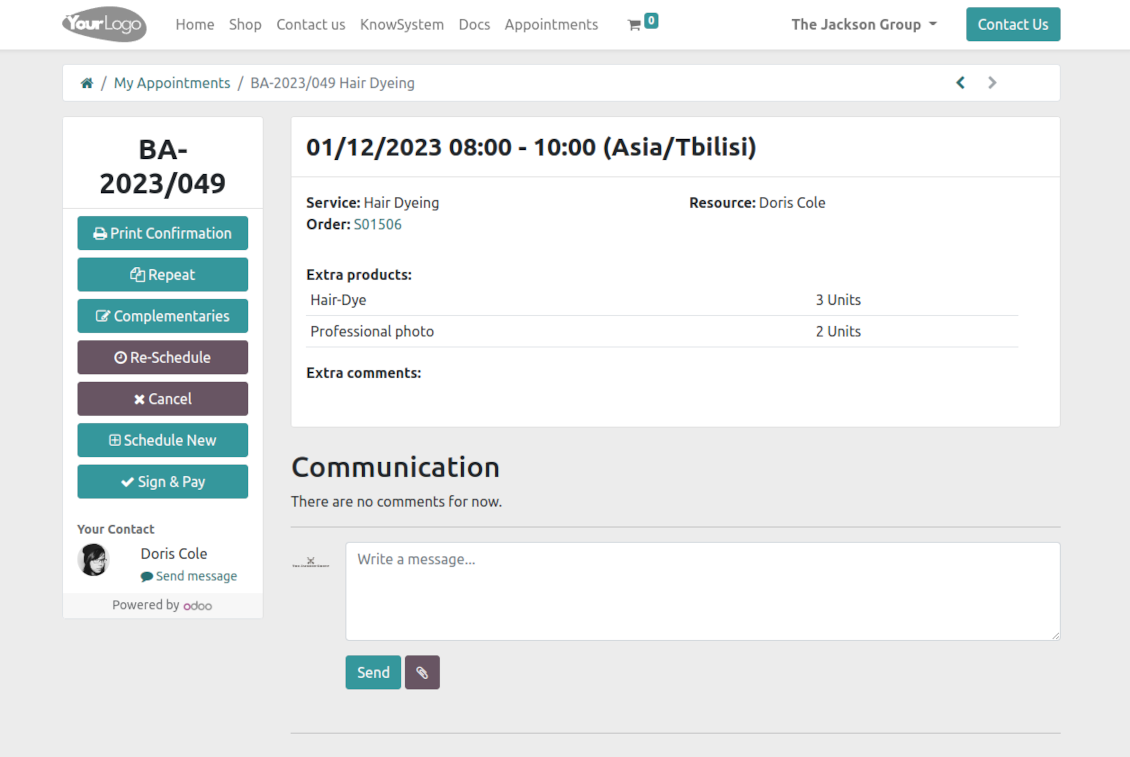
The Odoo portal lets schedule new or repeat existing reservations, cancel or re-schedule planned appointments
-
Each appointment portal page has a chatterbox that allows direct communication with the resource manager and other followers
-
From the reservation page, users can also print a voucher, so appointment confirmation.
Usein kysytyt kysymykset aiheesta Universal Appointments: Portal and Website Odoo v.16
Mitkä ovat tyokalujenne paivityskaytannot?
Odoo Apps Storen nykyisten kaytantojen mukaan:
- Versiolle 12.0 tai aiemmalle ostettu moduuli antaa pääsy kaikkiin versioihin 12.0 asti.
- Versiosta 13.0 alkaen jokainen moduuliversio ostetaan erikseen.
- Versiosta riippumatta osto antaa oikeuden kaikkiin paivityksiin ja korjauksiin paaversiossa.
faOtools-tiimi ei hallitse näitä kaytantoja. Kysymykset osoitetaan suoraan Odoo Apps Storen edustajille.
Miten asennan sovelluksen Odoo.sh-palveluun?
Suorin tapa on Odoo-kaupan sisaanrakennettu työnkulku:
1. Avaa moduulin sivu ja napsauta Deploy on odoo.sh
2. Sinut ohjataan GitHubiin. Kirjaudu sisään ja napsauta Create a new repo tai käytä olemassa olevaa. Repositorion on oltava yksityinen. OPL-1-lisenssin sovelluksia ei saa julkaista. Luo tarvittaessa uusi repo Odoo.sh-projektia varten
3. Siirry sitten odoo.sh:iin, napsauta Deploy, vahvista ja napsauta Continue. Asennus kaynnistyy.
Nämä vaiheet asentavat sovelluksen production-haaraan. Muille haaroille tai paivitykseen:
1. Lataa lahdekoodi Odoo-kaupasta
2. Commitoi moduuli GitHub-repositorioon. Mikään sovelluskansio/-tiedosto ei saa olla .gitignore-tiedostossa. odoo.sh:n luomat repositoriot voivat oletuksena ohittaa tarkeita polkuja (esim. /lib). Lataa kaikki moduulin hakemistot ja tiedostot
3. Deployaa odoo.sh-projektin kohdehaara tai odota automaattista koontia, jos asetukset niin maarittavat.
Miten asennan sovelluksen omalle palvelimelleni?
2. Käynnistä Odoo-palvelin uudelleen;
3. Ota kehittajatila kayttoon (tekniset asetukset);
4. Päivitä sovellusluettelo (Sovellukset-valikko);
5. Etsi sovellus ja paina Activate/Install;
6. Noudata sovellussivun ohjeita, jos niitä on.
Sovelluksella on lisaosia. Voinko ostaa ne myöhemmin?
Kyllä. Odoo lisää kaikki riippuvuudet ostoskoriin automaattisesti: jätä pois jo ostetut työkalut, jottet maksa kahdesti.
Asensin sovelluksen Odoo.sh-palveluun ja näin varoituksen/virheen testeissa
Punainen/oranssi varoitus ei vaikuta sovelluksen ominaisuuksiin. Joskus moduulimme eivät lapaise vakioautomaattitesteja, koska ne olettavat kayttaytymisen, joka on ristiriidassa sovelluksen tavoitteiden kanssa. Muutamme esimerkiksi hinnanlaskentaa, kun Odoo-testit vertaavat loppuhintaa vakioalgoritmiin.
Tarkista ensin kayttoon otetun tietokannan ominaisuudet. Toimiiko kaikki?
Jos oletat silti, että varoitus vaikuttaa todellisiin ominaisuuksiin, ota yhteyttä ja lähetä täydet asennuslokit sekä täydellinen luettelo kayttoon otetuista moduuleista (ydin ja kolmannet osapuolet).
Voinko ostaa sovelluksen suoraan teilta?
Ei, jaamme työkalut vain virallisen Odoo-sovelluskaupan kautta.
Haluan alennuksen
Valitettavasti meillä ei ole teknisia keinoja tarjota yksilöllisiä hintoja.
Voinko asentaa sovelluksen Odoo Online (SaaS) -tietokantaani?
Ei, kolmannen osapuolen sovelluksia ei voi käyttää Odoo Online -palvelussa. Odoo SaaS estää sen.
Tyokalulla on riippuvuuksia. Pitääko ne ostaa?
Kyllä, työkalu tarvitsee kaikki riippuvuuksissa merkittyt moduulit. Sovellussivun hinta sisältää jo nämä riippuvuudet.
Mikä on moduulin hinta Yhdysvaltain dollareina? Miksi se muuttui?
Moduuliemme hinta on euroissa. Odoo-kauppa muuntaa hinnat muihin valuuttoihin sisaisen kurssinsa mukaan. Siksi Yhdysvaltain dollarin hinta voi muuttua, kun kurssi paivittyy.
Sovellus- ja sivustotekstit muilla kielillä kuin englanniksi on tehty tekoälyn tuella ja linjattu virallisiin Odoo-käännöksiin. Jos huomaat virheen, lähetä käännösten oikeellisuutta koskeva tiketti niin korjaamme sen.
Odoo-demotietokannat (live-esikatselut)
Tälle sovellukselle voimme tarjota ilmaisen henkilökohtaisen demotietokannan.
Yhteydenottoon ei tarvita puhelinnumeroa eikä luottokorttia. Riittää lyhyt sähköpostirekisteröinti, joka kestää alle 30 sekuntia.
Pyynnöstäsi valmistelemme yksilöllisen live-esikatselutietokannan, jossa voit testata ja tarkistaa oletuksia noin kahden viikon ajan.
Virheiden ilmoittaminen
Jos kohtaat virheitä tai epäjohdonmukaista toimintaa, ota yhteyttä. Korjaamme 60 päivän kuluessa ostosta ja kehitämme työkaluja sen jälkeenkin.
Yhteydenottoon ei tarvita puhelinnumeroa eikä luottokorttia. Riittää lyhyt sähköpostirekisteröinti, joka kestää alle 30 sekuntia.
Liitä pyyntöön mahdollisimman paljon tietoja: kuvakaappaukset, Odoo-palvelinlokit ja täysi kuvaus ongelman toistamisesta. Työsuunnitelma (jos virhe vahvistetaan) tai ohjeet (muuten) valmistuvat yleensä muutamassa arkipäivässä.
Julkiset ominaisuuspyynnöt ja moduliehdotukset (ilmainen kehitys)
Olemme vahvasti motivoituneita kehittämään työkalujamme ja kiitollisia kaikesta palautteesta. Jos vaatimuksesi palvelevat yleisesti ja ne voidaan toteuttaa tehokkaasti, tiimi lisää ne tehtävälistaan.
Tällainen tehtävälista käsitellään säännöllisesti eikä siihen sisälly lisämaksuja. Emme voi luvata määräaikoja ja lopullista suunnittelua, mutta se voi olla hyvä tapa saada toivottuja ominaisuuksia ilman investointeja ja riskejä.
Yhteydenottoon ei tarvita puhelinnumeroa eikä luottokorttia. Riittää lyhyt sähköpostirekisteröinti, joka kestää alle 30 sekuntia.
16.0.1.1.16
- The issue with duplicated warnings has been fixed.
16.0.1.1.16
- The issue with the untranslated warnings has been fixed.
16.0.1.1.15
- The issue with importing the slug method is fixed.
16.0.1.1.14
- The appointment-finishing algorithm is optimized to avoid concurrent updates.
16.0.1.1.13
- The access to custom filters under public and portal users is fixed.

The tool to flexibly structure Odoo attachments in folders and synchronize directories with cloud clients: Google Drive, OneDrive/SharePoint, Nextcloud/ownCloud, and Dropbox. DMS. File Manager. Document management system
398€
The tool to automatically synchronize Odoo attachments with OneDrive files in both ways
487€
The tool to automatically synchronize Odoo attachments with Google Drive files in both ways
487€

The tool to build a deep and structured knowledge base for internal and external use. Knowledge System. KMS. Wiki-like revisions.
398€
The tool to set up KPI targets and control their fulfillment by periods. KPI dashboards. Dashboard designer. KPI charts

The tool for time-based service management from booking appointments to sales and reviews
398€
Työkalu Odoon hallintaan suosikki-AI-chateista MCP:n kautta. Claude. Mikä tahansa MCP-tekoäly.

The tool to combine different Odoo events in a few configurable super calendars