Vendor Products Portal v.13
The tool to motivate vendors to prepare product catalogue in your Odoo
Vendor products catalog in portal
Any portal user may create, update, and archive products related to their company. Any purchase manager can do the same for all vendor-related objects. Any Odoo internal user with an access to products might rely upon vendor data for informational purposes.
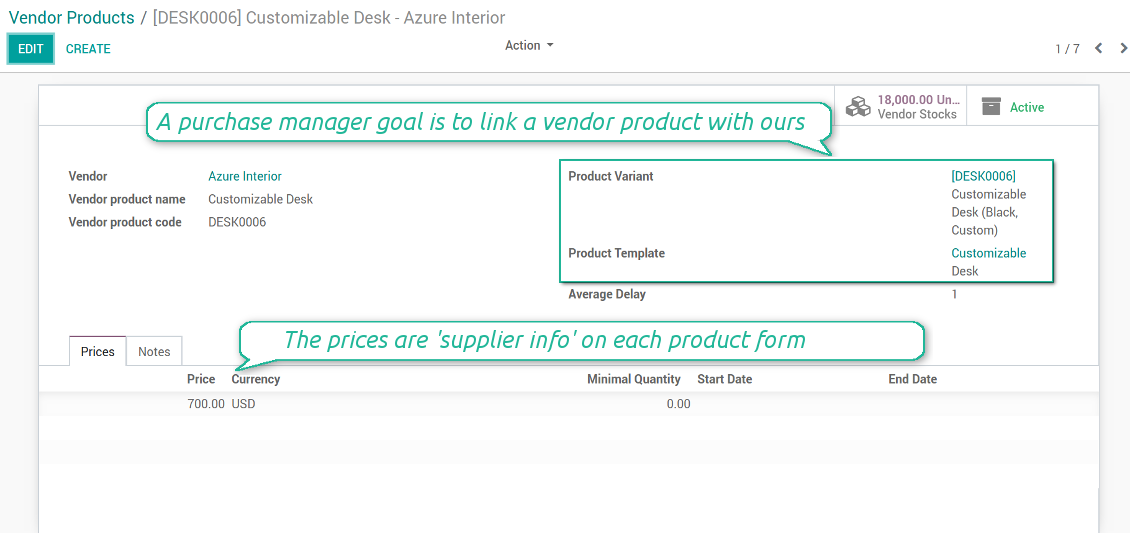
Any vendor product might be linked to your own product. In such a way a purchase manager goal becomes to match 'their' products with 'ours'. Each of our product variants might have a few related vendor products.
As soon as you installed the module, Odoo would automatically create vendor products based on existing products' supplier infos.
Ruutukuvat
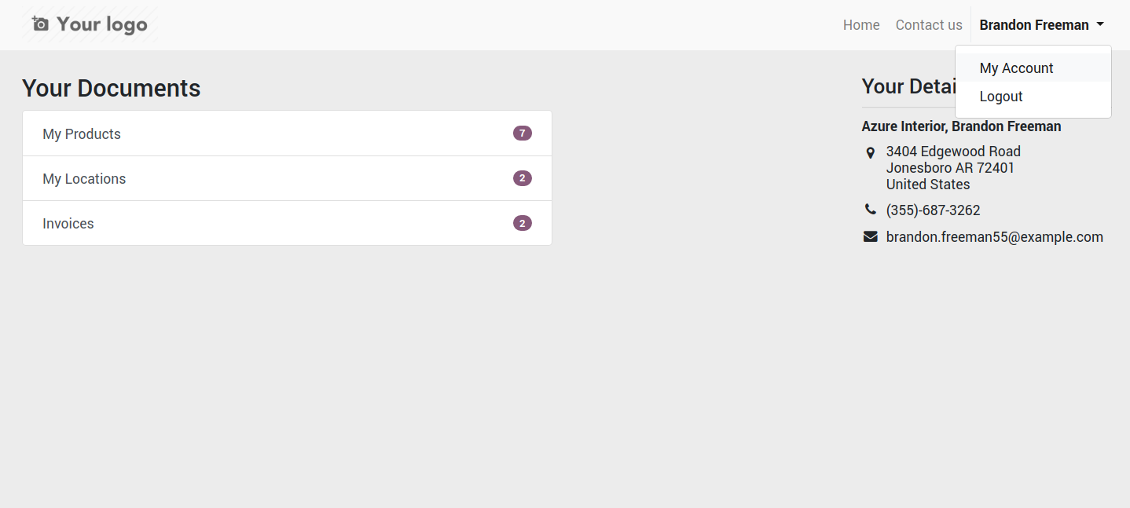
Vendor portal: main page
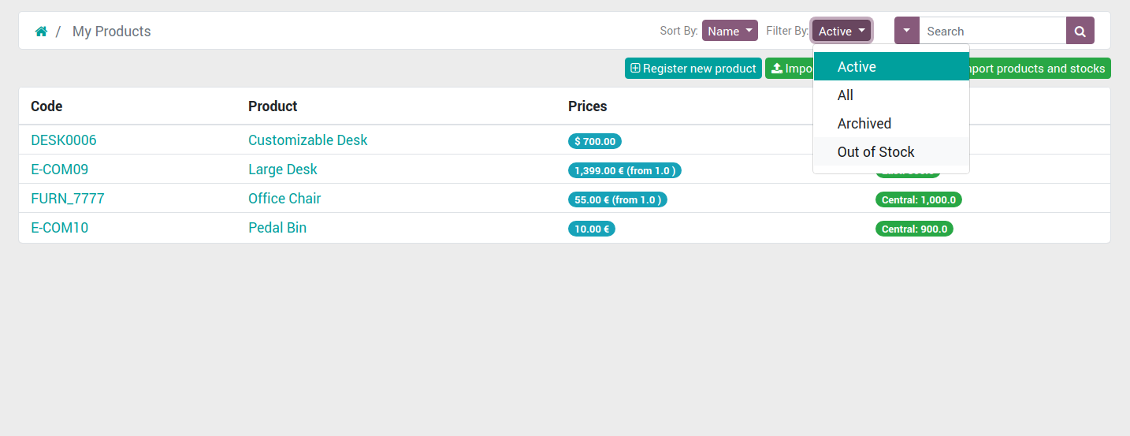
List of vendor products in portal for self-administration
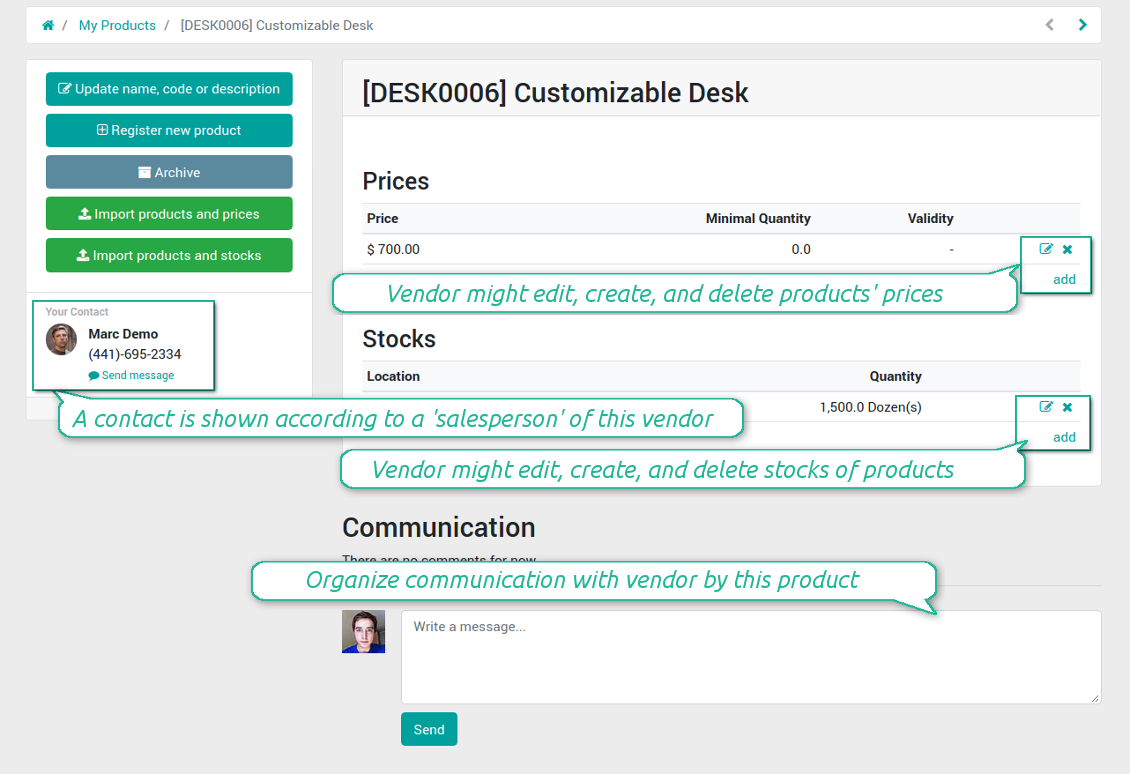
Suppliers edit product info by themselves
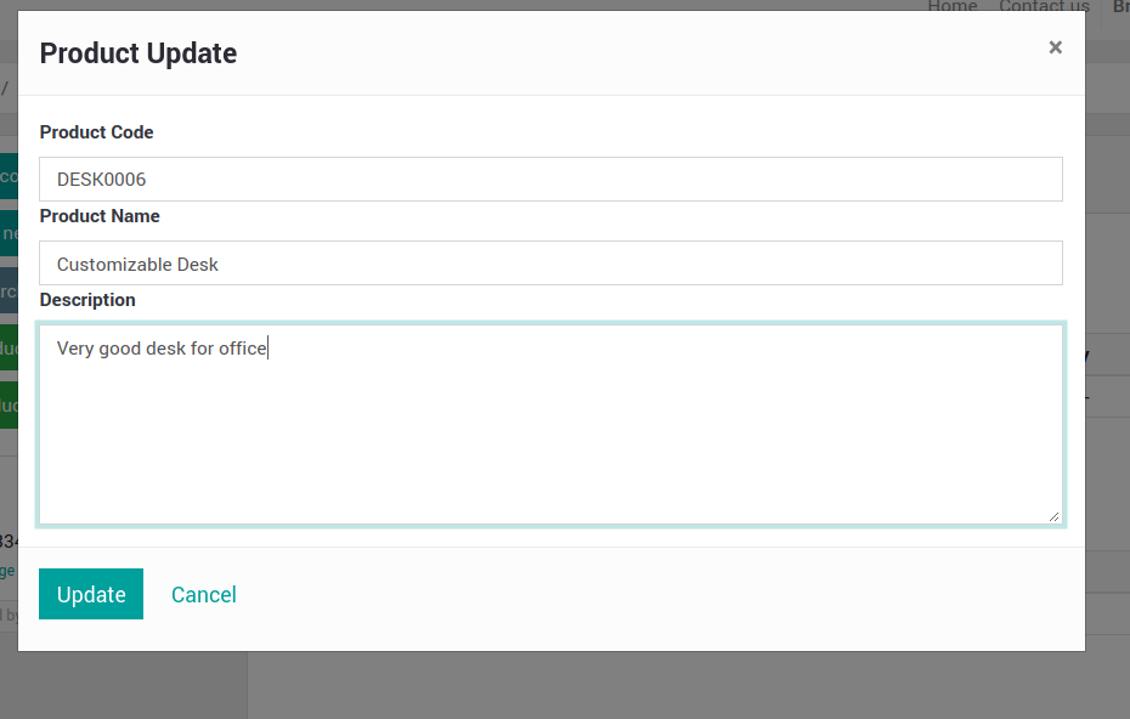
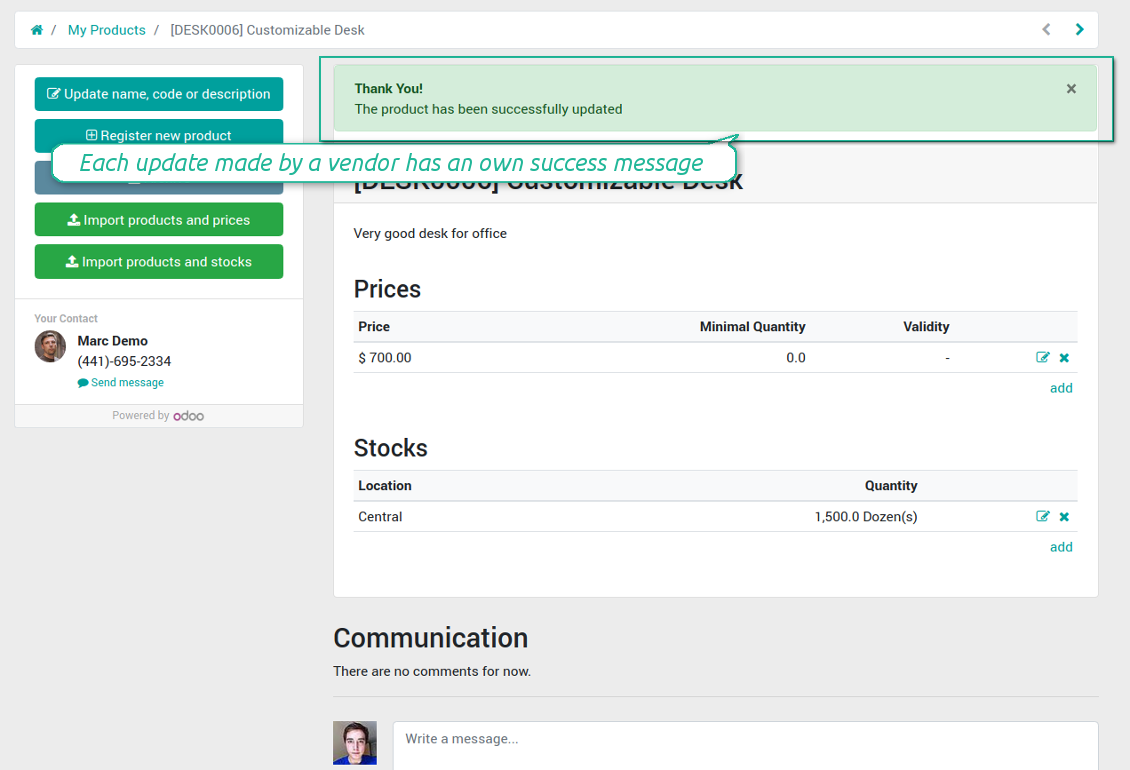
Vendor may easy change important product details
Vendors are notified about results of their actions
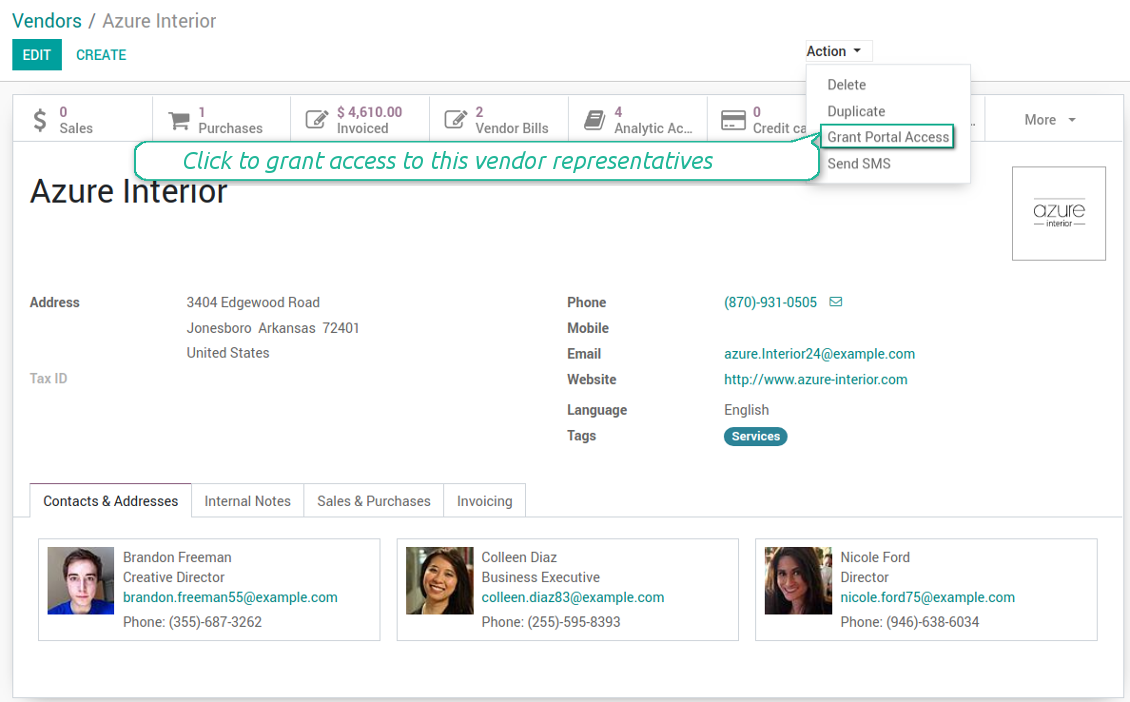
Grant vendor contacts an access to portal
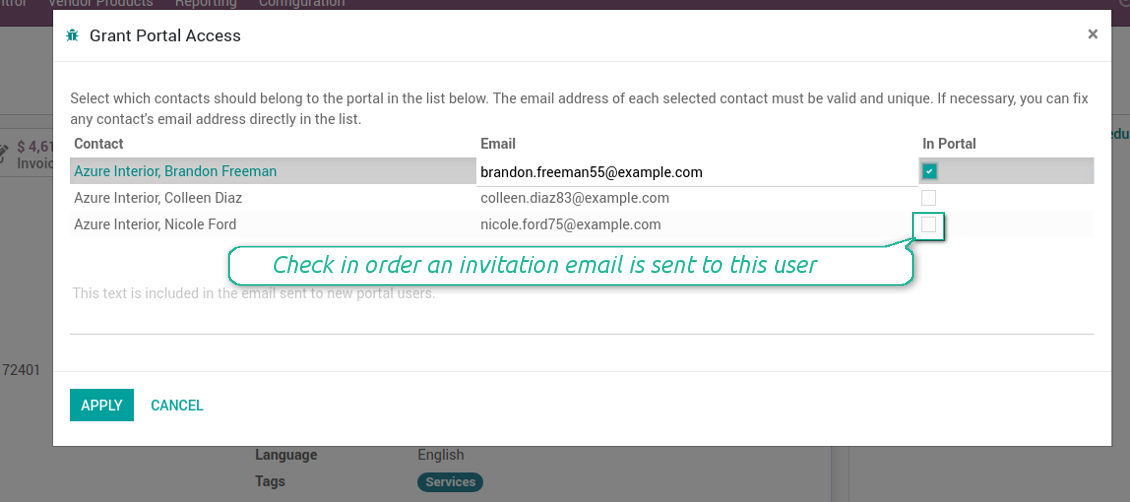
Grant vendor contacts an access to portal (2)
Vendor products interface (backend)
Vendor product form (backend)
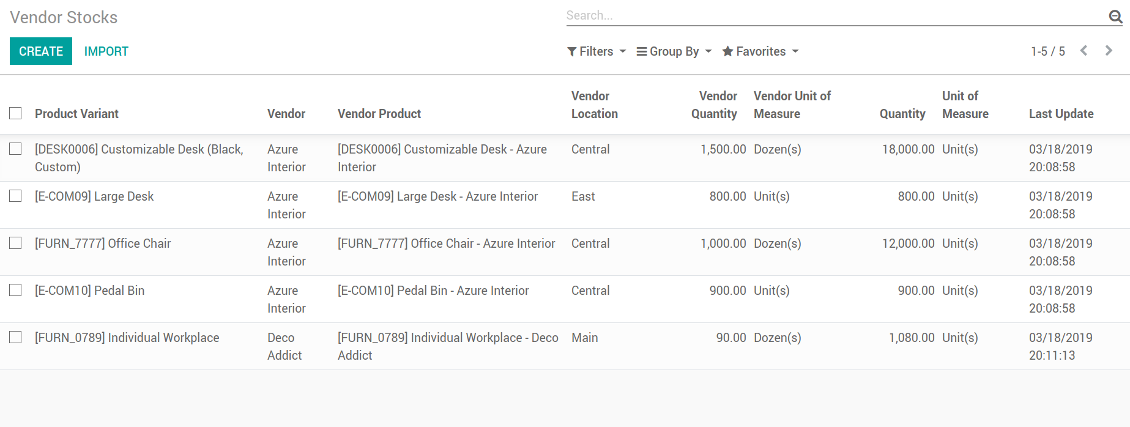
Vendor stocks control without effort
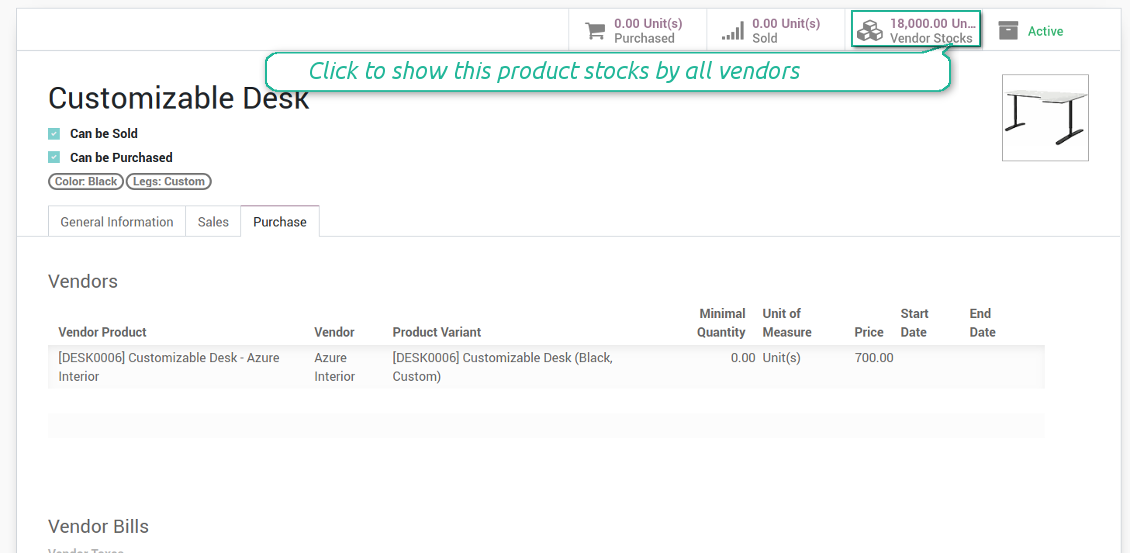
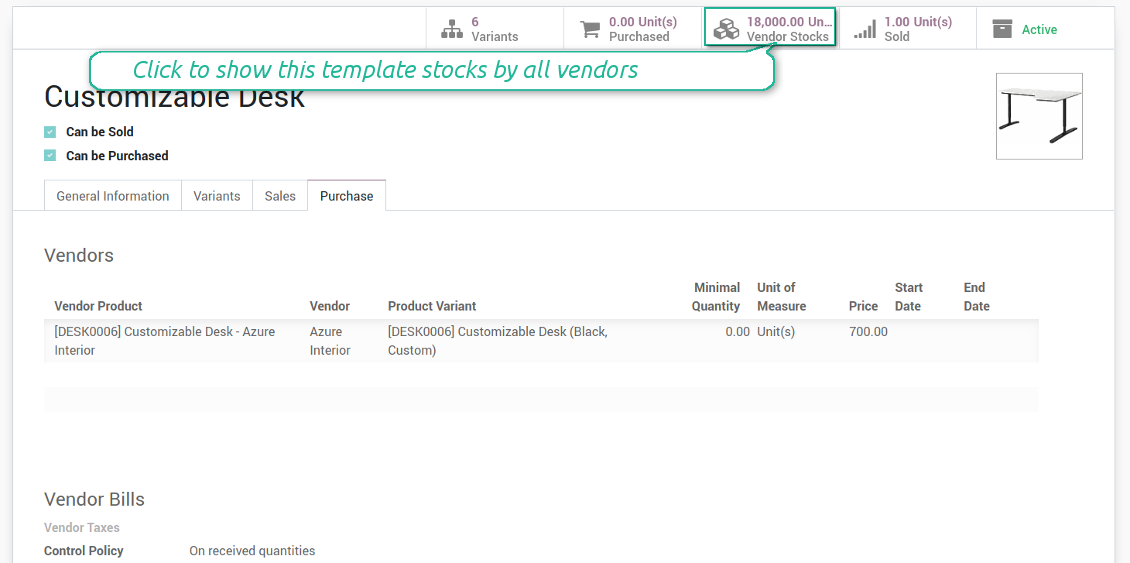
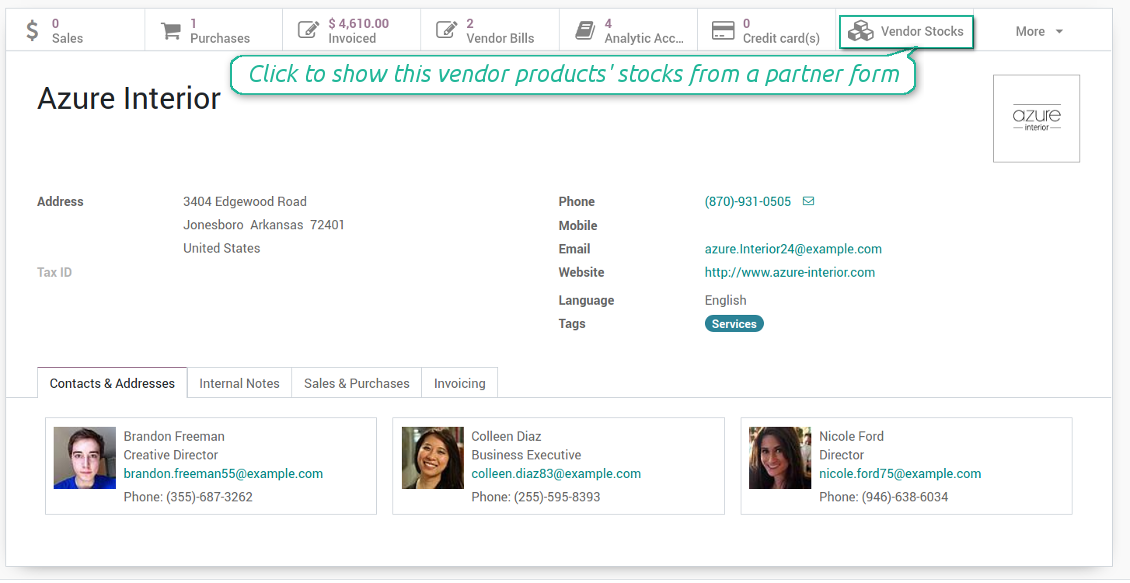
You may access info of vendor products' stocks right from product variant, product template, and supplier form views. You should just click a related button to get an overview.
How vendor stocks work
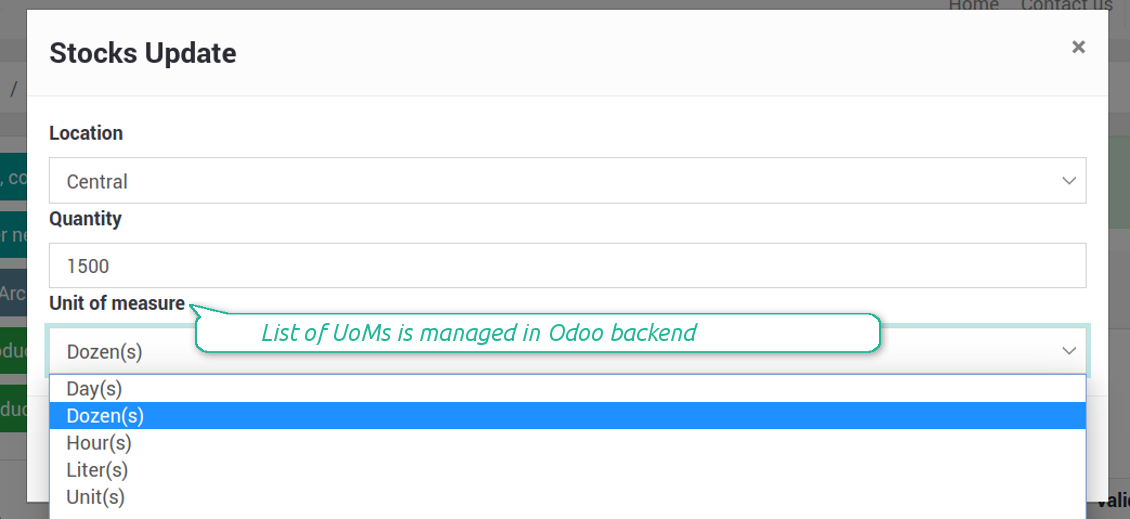
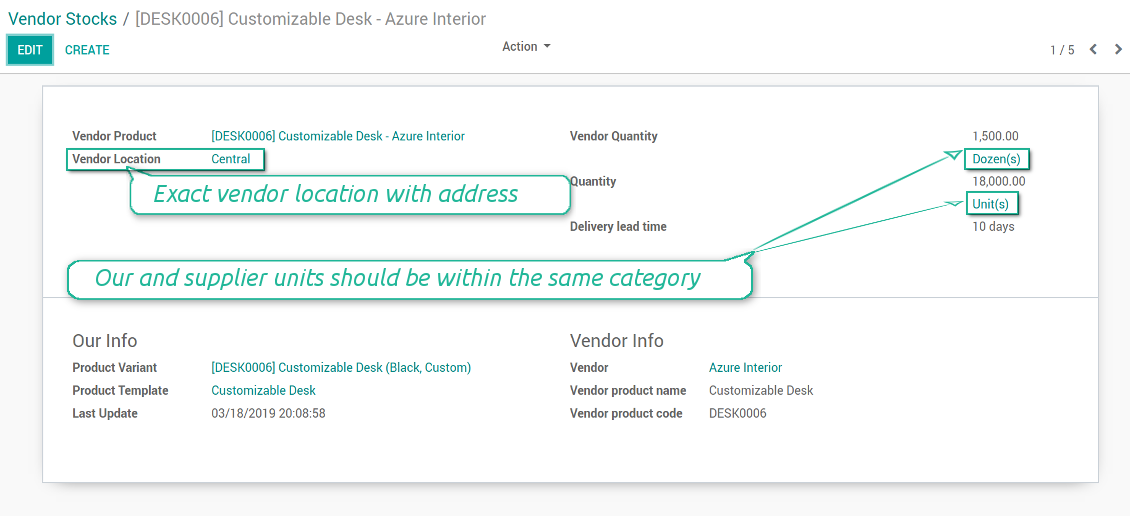
- Each stock level is provided per definite vendor location. Vendors might easily create, edit, and archive own warehouses
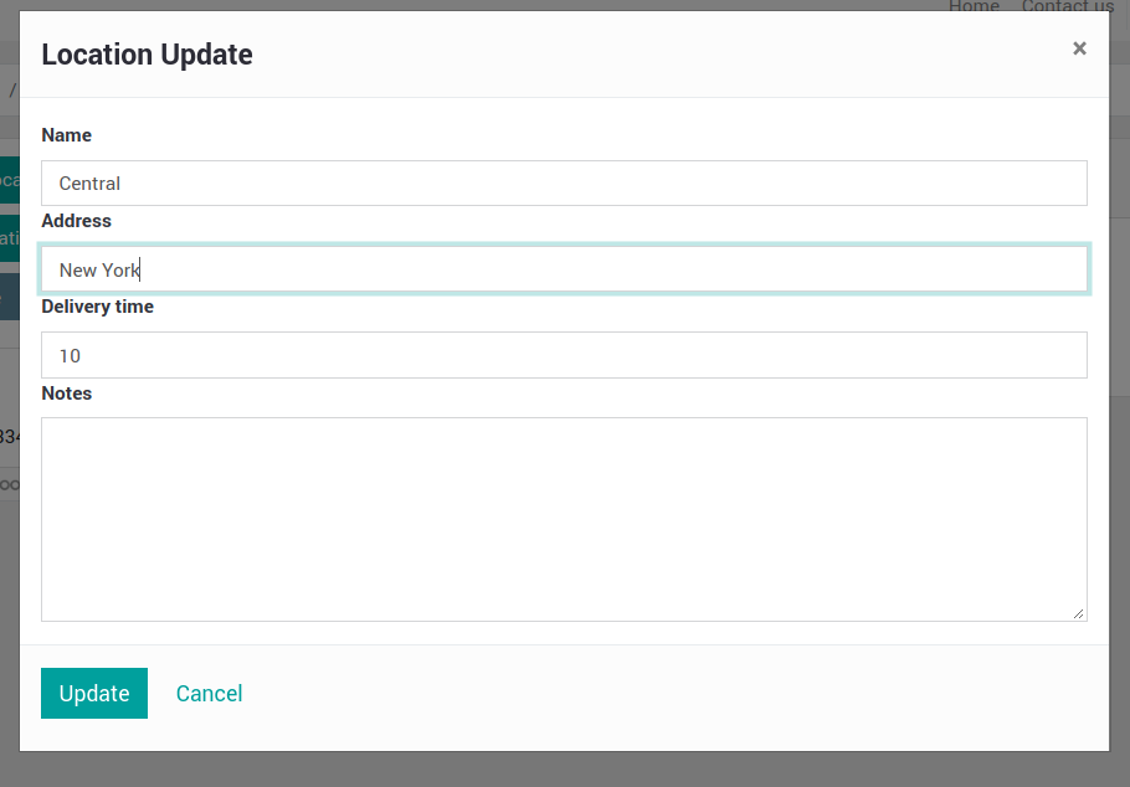
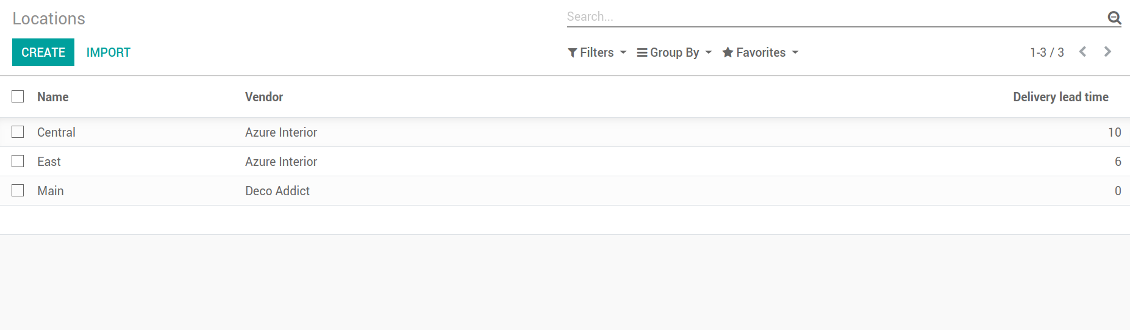
- Each vendor might have an unlimited number of locations. Locations are distinguished by name, address, and average delivery time
- Stock levels are manageed in vendor units of measure, but purchase managers should make sure it has the same category as our linked product. The idea is to support conversion in order internal users work with habitual figures. For example, dozens and units are fine, while dozens and hours might lead to mistakes
- Vendor stocks and locations might be switched off for portal users on the configuration page
- Stock levels are not used in our moves, but they are provided for general information. Stock levels are updated either manually or through the import process. It might be done by both portal and purchase users
Ruutukuvat
Vendors notify you about available stocks
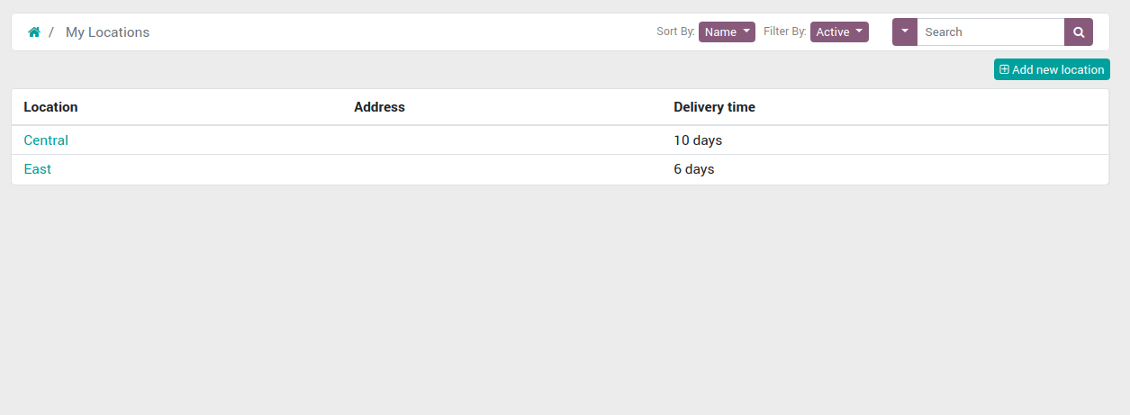
List of locations of a vendor currently logged in
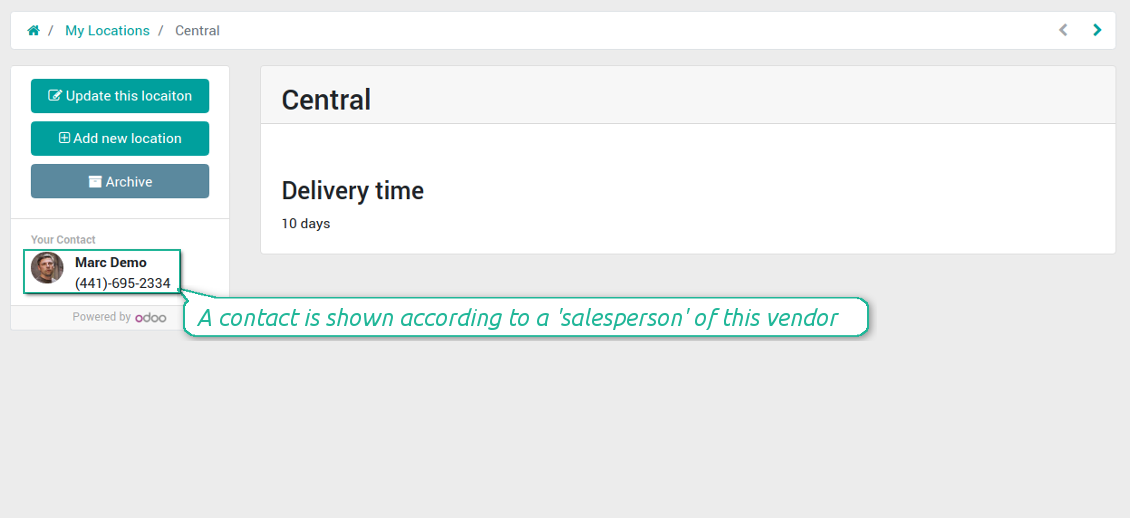
Supplier location (warehouse) in portal
Vendors might create / update their locations
Control vendor inventories per each product (backend)
Vendor stocks on a product form (backend)
Vendor stock level form per each product (backend)
Vendor locations list (not linked to our locations!)
Vendor stocks by product templates (backend)
Access stocks of this supplier from a partner form (backend)
Supplier prices management and self-management
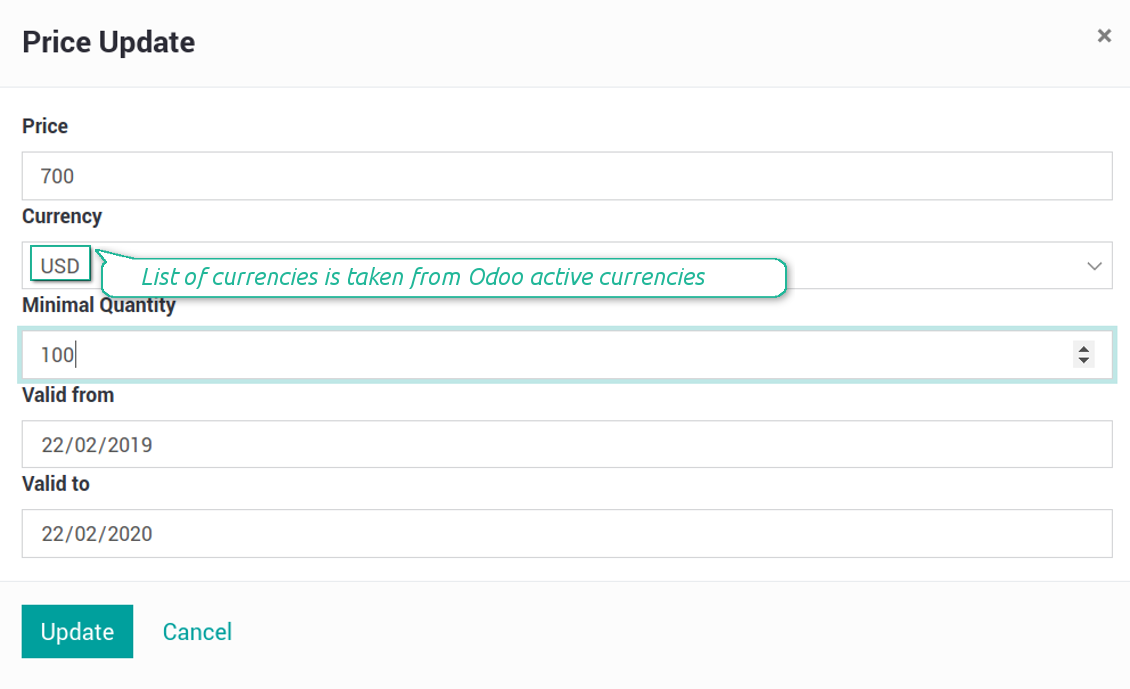
Those prices are considered as standard Odoo 'supplier info' which correspondingly are used in purchase orders.
Ruutukuvat
Suppliers keep up-to-dated prices in portal
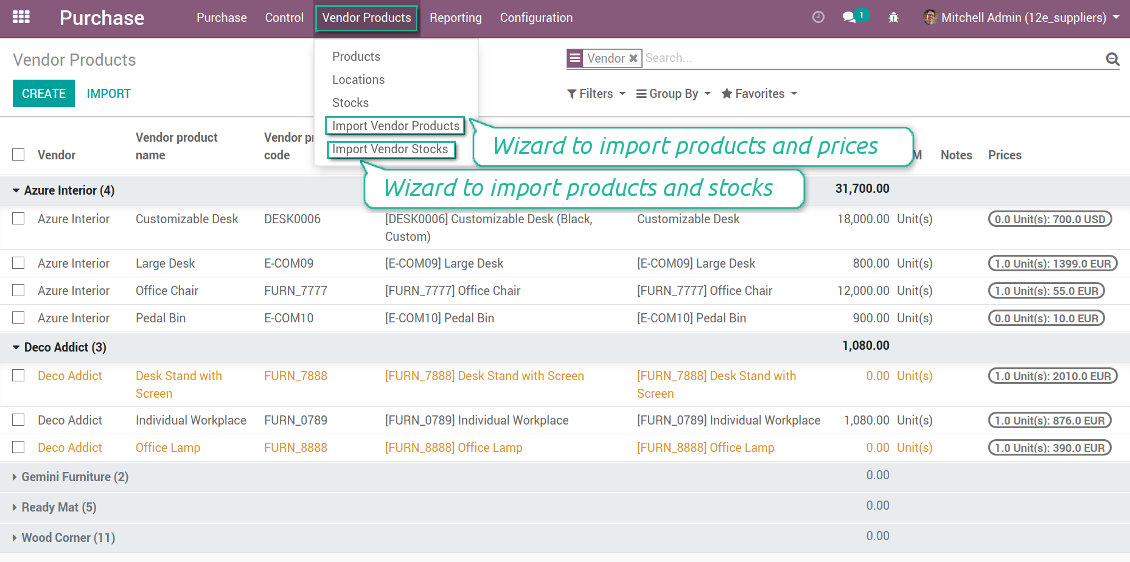
Comfortable importing of vendor product data
In such a way vendor representatives are able to keep their product info updated.
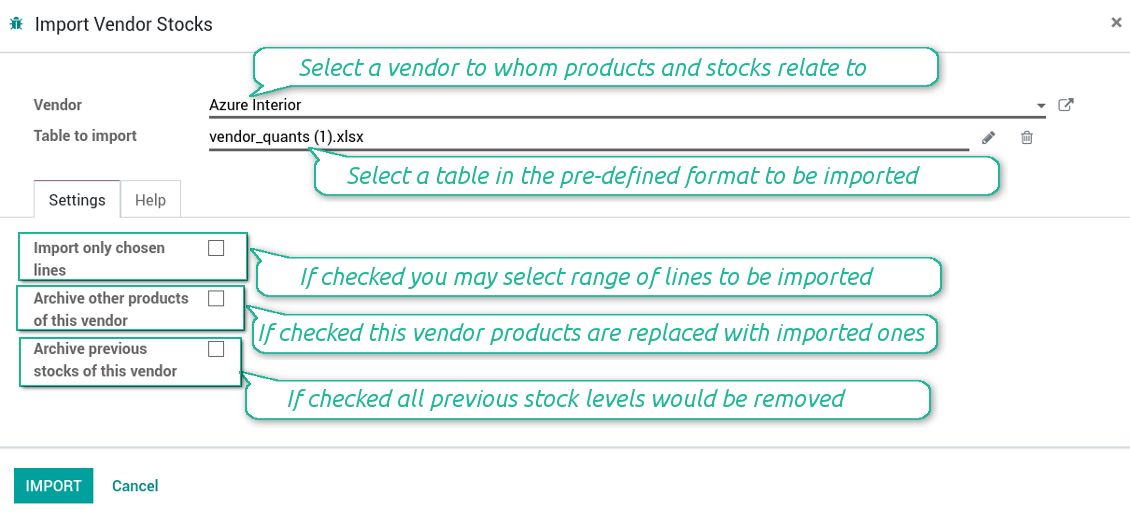
How to import vendor products and stocks
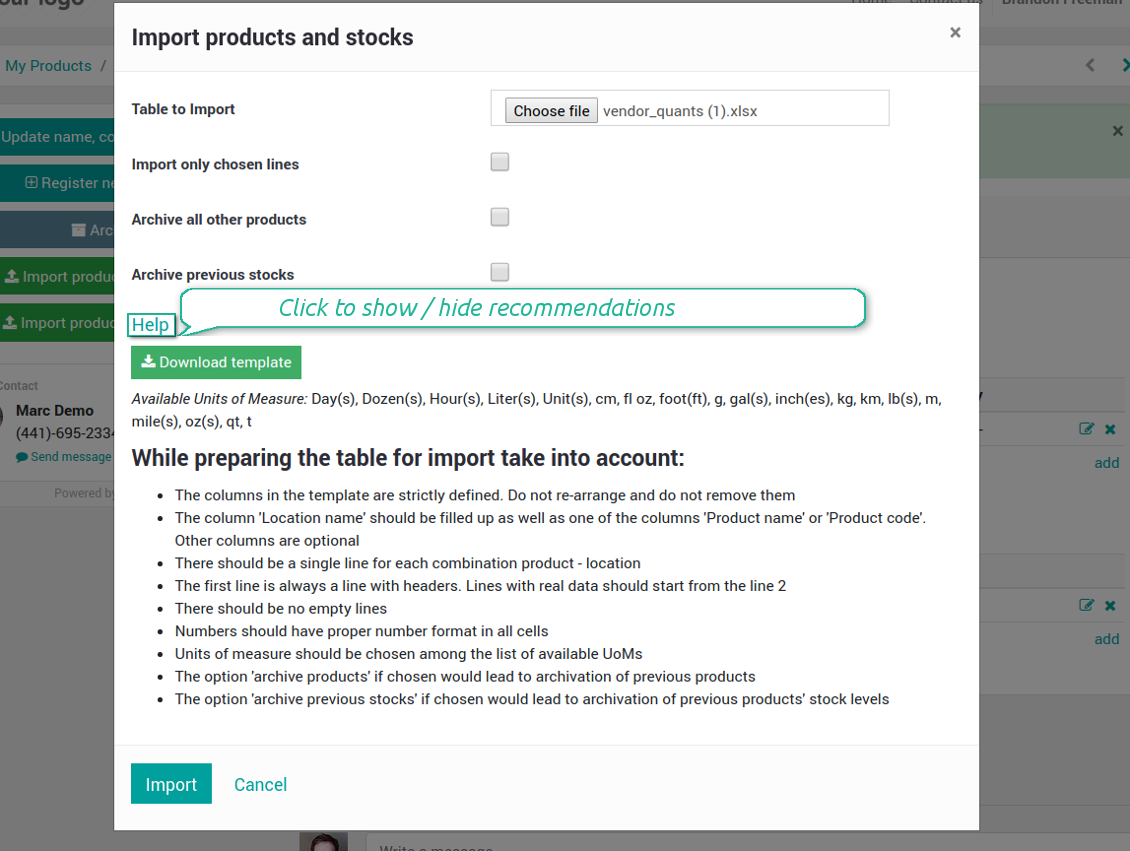
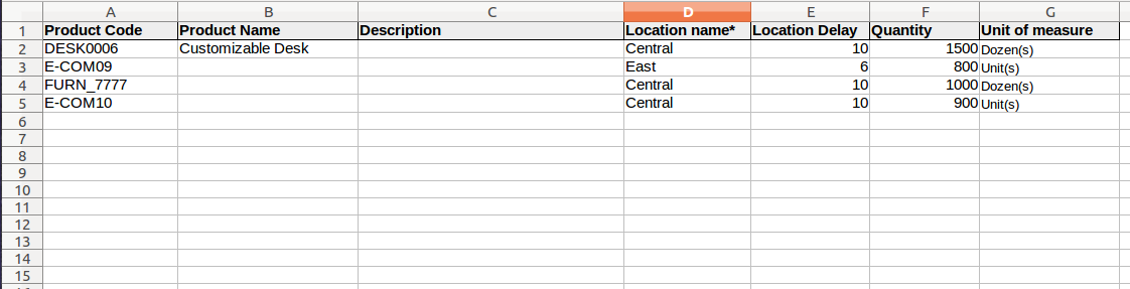
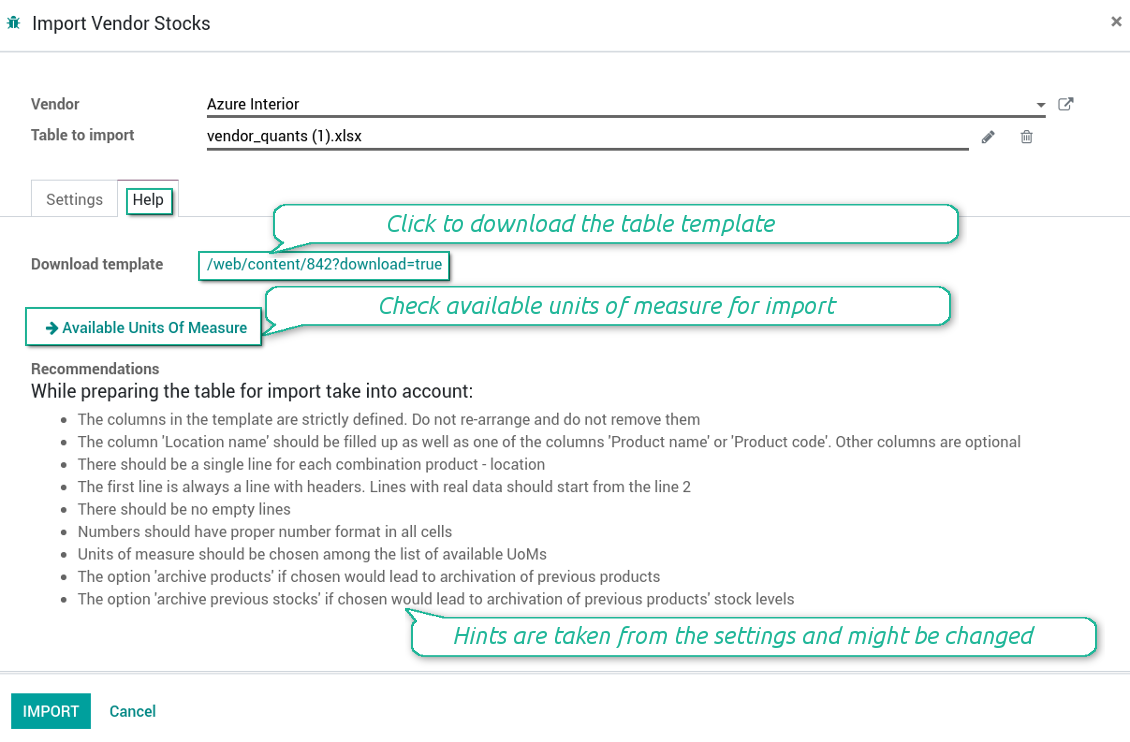
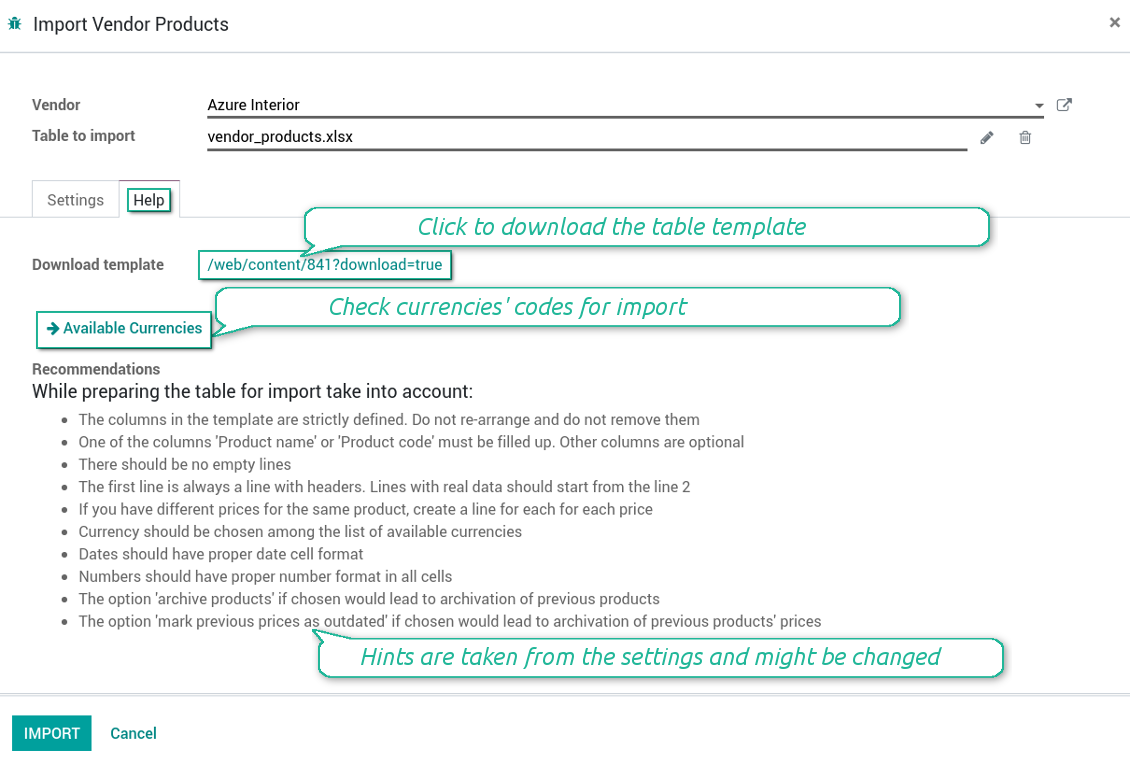
- The table format is supplied with this tool source code and would be available in the portal under the section 'Help'
- You may change the table content to provide users with more specific examples and labels. However do no not change columns' order and do not remove those: it would lead to inevitable mistakes
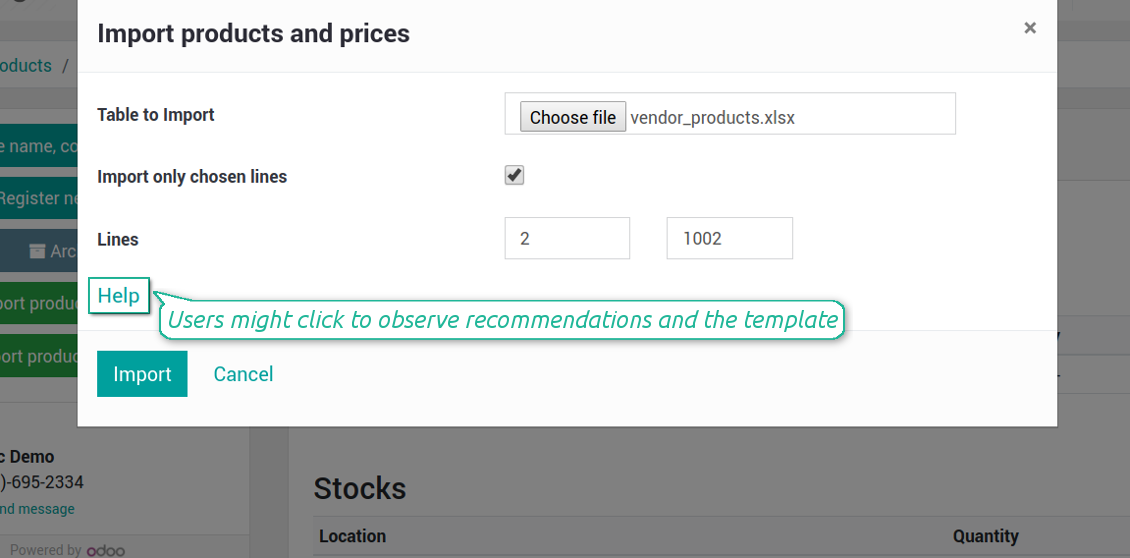
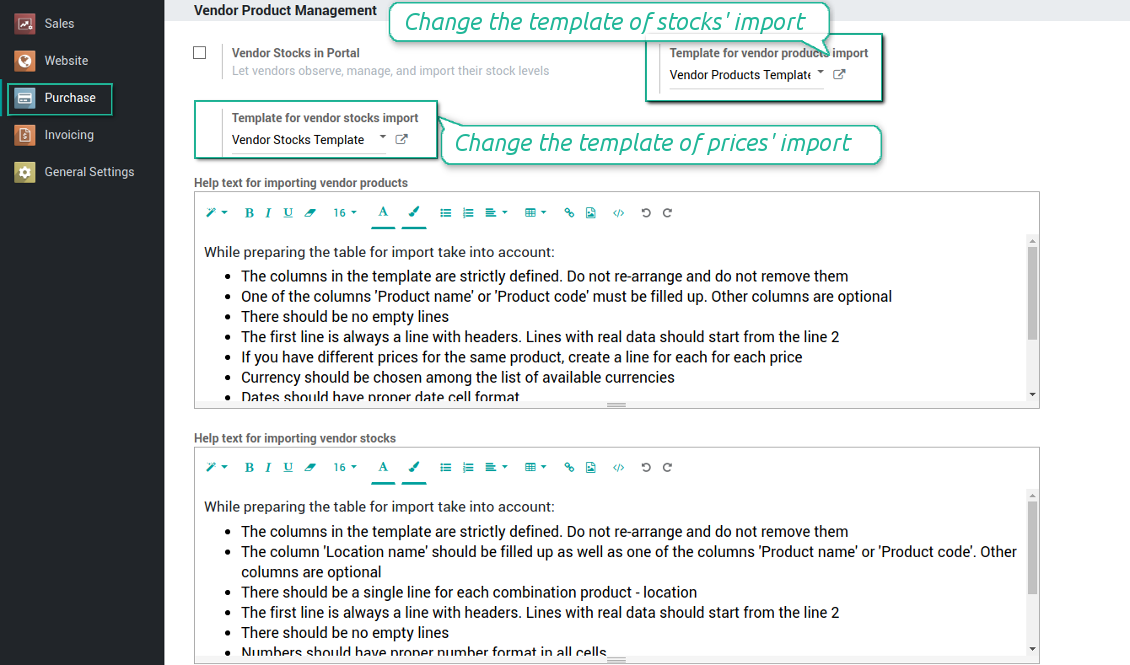
- The wizard offers useful tips to make a correct import. You may edit those recommendations on the configuration page, but make sure you do not remove critical advice
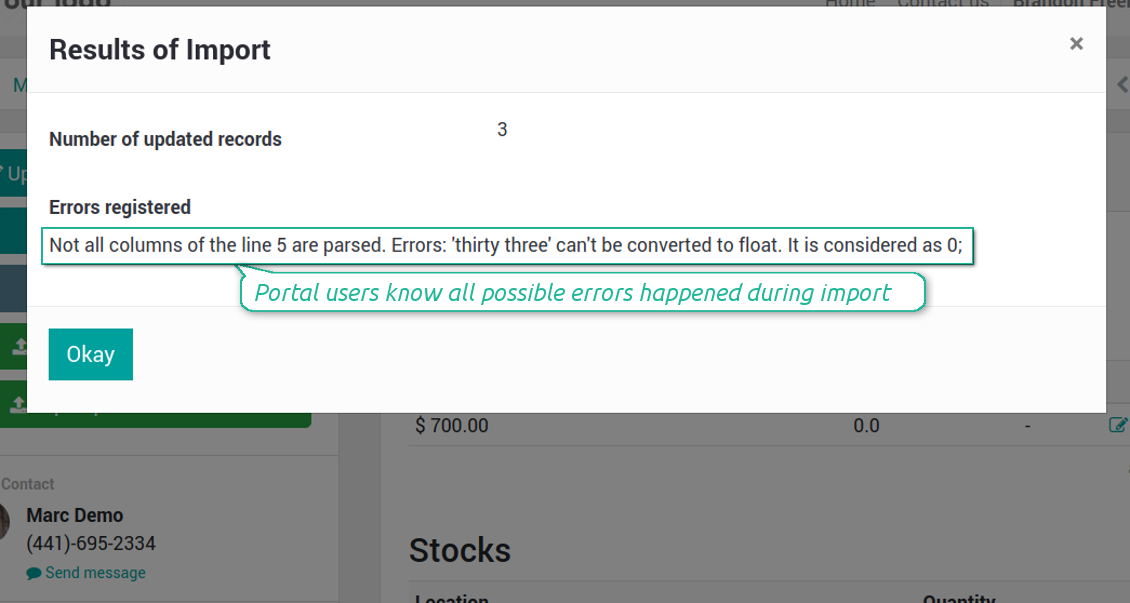
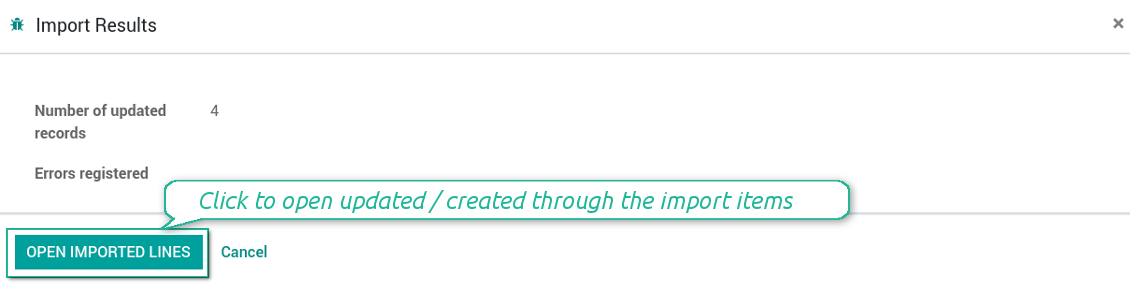
- Each import finishes with the special results' and errors' pop-up. It let users control of what has been actually done
- In the wizard users may select which table lines should be imported. It is useful in case the number of lines is too big to import them all
- In the wizard portal users can select whether their previous products' list should be archived. It let fully replace the product catalogue with a new one
- In the wizard it is possible to make previous prices outdated. It let users remove misleading data
- In case import can't be fully finished until Odoo stops it, contact your system administrator to increase configured time-outs
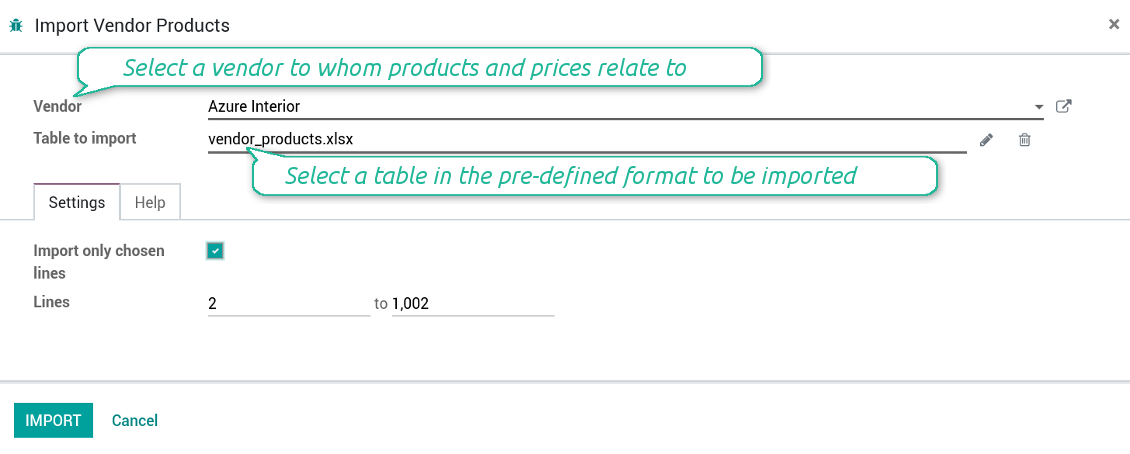
How to import vendor product and prices
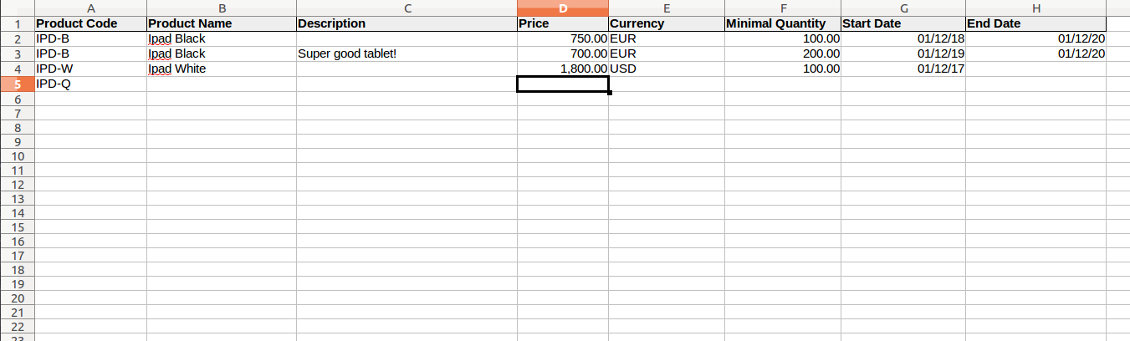
- The table format is supplied with this tool source code and would be available in the portal under the section 'Help'
- You may change the table content to provide users with more specific examples and labels. However do no not change columns' order and do not remove those: it would lead to inevitable mistakes
- The wizard offers useful tips to make a correct import. You may edit those recommendations on the configuration page, but make sure you do not remove critical advice
- Each import finishes with the special results' and errors' pop-up. It let users control of what has been actually done
- In the wizard users might select which table lines should be imported. It is useful in case the number of lines is too big to import them all
- In the wizard portal users can select whether their previous products' list should be archived. It let fully replace the product catalogue with a new one
- In the wizard it is possible to mark previous stocks as not any more topical
- In case import can't be fully finished until Odoo stops it, contact your system administrator to increase configured time-outs
Ruutukuvat
Vendors import products and stocks through portal
The template for vendor stock levels table (backend)
Vendors might import products and update prices
The template for vendor products' table (backend)
Import results' and errors' pop-up in portal
Import of vendor products and stocks (backend)
Stocks import wizard' recommendations (backend)
Import of vendor products and prices (backend)
Prices import wizard goes with detailed recommendations (backend)
Configure your own configurations for import (backend)
Check results and errors of import (backend)
Usein kysytyt kysymykset aiheesta Vendor Products Portal Odoo v.13
Mikä ero on moduleilla Vendor Products Management ja Vendors Product Portal?
Vendor Products Portal on Vendor Products Managementin lisäosa. Jalimmäinen hallitsee toimittajan tuotteita, hintoja ja saldoja vain Odoon taustalla (sisäiset käyttäjät). Ensimmäinen antaa portaalin käyttäjien (toimittajat) syottaa luettelonsa ja päivittää/tuoda hinnat, varastot ja tasot. Vendor Product Management on pakollinen riippuvuus Vendor Products Portalille.
Mitkä ovat tyokalujenne paivityskaytannot?
Odoo Apps Storen nykyisten kaytantojen mukaan:
- Versiolle 12.0 tai aiemmalle ostettu moduuli antaa pääsy kaikkiin versioihin 12.0 asti.
- Versiosta 13.0 alkaen jokainen moduuliversio ostetaan erikseen.
- Versiosta riippumatta osto antaa oikeuden kaikkiin paivityksiin ja korjauksiin paaversiossa.
faOtools-tiimi ei hallitse näitä kaytantoja. Kysymykset osoitetaan suoraan Odoo Apps Storen edustajille.
Miten asennan sovelluksen Odoo.sh-palveluun?
Suorin tapa on Odoo-kaupan sisaanrakennettu työnkulku:
1. Avaa moduulin sivu ja napsauta Deploy on odoo.sh
2. Sinut ohjataan GitHubiin. Kirjaudu sisään ja napsauta Create a new repo tai käytä olemassa olevaa. Repositorion on oltava yksityinen. OPL-1-lisenssin sovelluksia ei saa julkaista. Luo tarvittaessa uusi repo Odoo.sh-projektia varten
3. Siirry sitten odoo.sh:iin, napsauta Deploy, vahvista ja napsauta Continue. Asennus kaynnistyy.
Nämä vaiheet asentavat sovelluksen production-haaraan. Muille haaroille tai paivitykseen:
1. Lataa lahdekoodi Odoo-kaupasta
2. Commitoi moduuli GitHub-repositorioon. Mikään sovelluskansio/-tiedosto ei saa olla .gitignore-tiedostossa. odoo.sh:n luomat repositoriot voivat oletuksena ohittaa tarkeita polkuja (esim. /lib). Lataa kaikki moduulin hakemistot ja tiedostot
3. Deployaa odoo.sh-projektin kohdehaara tai odota automaattista koontia, jos asetukset niin maarittavat.
Miten asennan sovelluksen omalle palvelimelleni?
2. Käynnistä Odoo-palvelin uudelleen;
3. Ota kehittajatila kayttoon (tekniset asetukset);
4. Päivitä sovellusluettelo (Sovellukset-valikko);
5. Etsi sovellus ja paina Activate/Install;
6. Noudata sovellussivun ohjeita, jos niitä on.
Sovelluksella on lisaosia. Voinko ostaa ne myöhemmin?
Kyllä. Odoo lisää kaikki riippuvuudet ostoskoriin automaattisesti: jätä pois jo ostetut työkalut, jottet maksa kahdesti.
Asensin sovelluksen Odoo.sh-palveluun ja näin varoituksen/virheen testeissa
Punainen/oranssi varoitus ei vaikuta sovelluksen ominaisuuksiin. Joskus moduulimme eivät lapaise vakioautomaattitesteja, koska ne olettavat kayttaytymisen, joka on ristiriidassa sovelluksen tavoitteiden kanssa. Muutamme esimerkiksi hinnanlaskentaa, kun Odoo-testit vertaavat loppuhintaa vakioalgoritmiin.
Tarkista ensin kayttoon otetun tietokannan ominaisuudet. Toimiiko kaikki?
Jos oletat silti, että varoitus vaikuttaa todellisiin ominaisuuksiin, ota yhteyttä ja lähetä täydet asennuslokit sekä täydellinen luettelo kayttoon otetuista moduuleista (ydin ja kolmannet osapuolet).
Voinko ostaa sovelluksen suoraan teilta?
Ei, jaamme työkalut vain virallisen Odoo-sovelluskaupan kautta.
Haluan alennuksen
Valitettavasti meillä ei ole teknisia keinoja tarjota yksilöllisiä hintoja.
Voinko asentaa sovelluksen Odoo Online (SaaS) -tietokantaani?
Ei, kolmannen osapuolen sovelluksia ei voi käyttää Odoo Online -palvelussa. Odoo SaaS estää sen.
Tyokalulla on riippuvuuksia. Pitääko ne ostaa?
Kyllä, työkalu tarvitsee kaikki riippuvuuksissa merkittyt moduulit. Sovellussivun hinta sisältää jo nämä riippuvuudet.
Mikä on moduulin hinta Yhdysvaltain dollareina? Miksi se muuttui?
Moduuliemme hinta on euroissa. Odoo-kauppa muuntaa hinnat muihin valuuttoihin sisaisen kurssinsa mukaan. Siksi Yhdysvaltain dollarin hinta voi muuttua, kun kurssi paivittyy.
Sovellus- ja sivustotekstit muilla kielillä kuin englanniksi on tehty tekoälyn tuella ja linjattu virallisiin Odoo-käännöksiin. Jos huomaat virheen, lähetä käännösten oikeellisuutta koskeva tiketti niin korjaamme sen.
Virheiden ilmoittaminen
Jos kohtaat virheitä tai epäjohdonmukaista toimintaa, ota yhteyttä. Korjaamme 60 päivän kuluessa ostosta ja kehitämme työkaluja sen jälkeenkin.
Yhteydenottoon ei tarvita puhelinnumeroa eikä luottokorttia. Riittää lyhyt sähköpostirekisteröinti, joka kestää alle 30 sekuntia.
Liitä pyyntöön mahdollisimman paljon tietoja: kuvakaappaukset, Odoo-palvelinlokit ja täysi kuvaus ongelman toistamisesta. Työsuunnitelma (jos virhe vahvistetaan) tai ohjeet (muuten) valmistuvat yleensä muutamassa arkipäivässä.
Julkiset ominaisuuspyynnöt ja moduliehdotukset (ilmainen kehitys)
Olemme vahvasti motivoituneita kehittämään työkalujamme ja kiitollisia kaikesta palautteesta. Jos vaatimuksesi palvelevat yleisesti ja ne voidaan toteuttaa tehokkaasti, tiimi lisää ne tehtävälistaan.
Tällainen tehtävälista käsitellään säännöllisesti eikä siihen sisälly lisämaksuja. Emme voi luvata määräaikoja ja lopullista suunnittelua, mutta se voi olla hyvä tapa saada toivottuja ominaisuuksia ilman investointeja ja riskejä.
Yhteydenottoon ei tarvita puhelinnumeroa eikä luottokorttia. Riittää lyhyt sähköpostirekisteröinti, joka kestää alle 30 sekuntia.

Työkalu, jolla Odoo-liitteet järjestetään kansioihin ja hakemistot synkronoidaan pilviasiakkaisiin: Google Drive, OneDrive/SharePoint, Nextcloud/ownCloud, Dropbox, Amazon S3, Box ja NAS. DMS. Tiedostonhallinta. Asiakirjahallinta
398€
Työkalu salasanojen turvalliseen säilytykseen Odoossa jaettuun käyttöön. Jaetut holvit

Työkalu syvän ja jäsennellyn tietopankin rakentamiseen sisäiseen ja ulkoiseen käyttöön. Knowledge System. KMS. Wiki-tyyliset versiot.
398€
Työkalu: automaattisesti synkronoi Odoo liitteet kanssa OneDrive tiedostot ssa molemmat ways
487€
Työkalu KPI-tavoitteiden asettamiseen ja täyttymisen seurantaan jaksoittain. KPI-koontinäytöt. Koontinäytön suunnittelija. KPI-kaaviot

Työkalu: automaattisesti synkronoi Odoo liitteet kanssa Google Drive tiedostot ssa molemmat ways
487€
Työkalu aikaperusteiseen palvelunhallintaan varauksista myyntiin ja arvosteluihin
398€
Työkalu varianttihintojen määrittämiseen attribuuttikertoimien ja lisien perusteella
98€