KnowSystem: Knowledge Base System v.14
The tool to build deep and structured knowledge base for internal and external use. Knowledge System. KMS
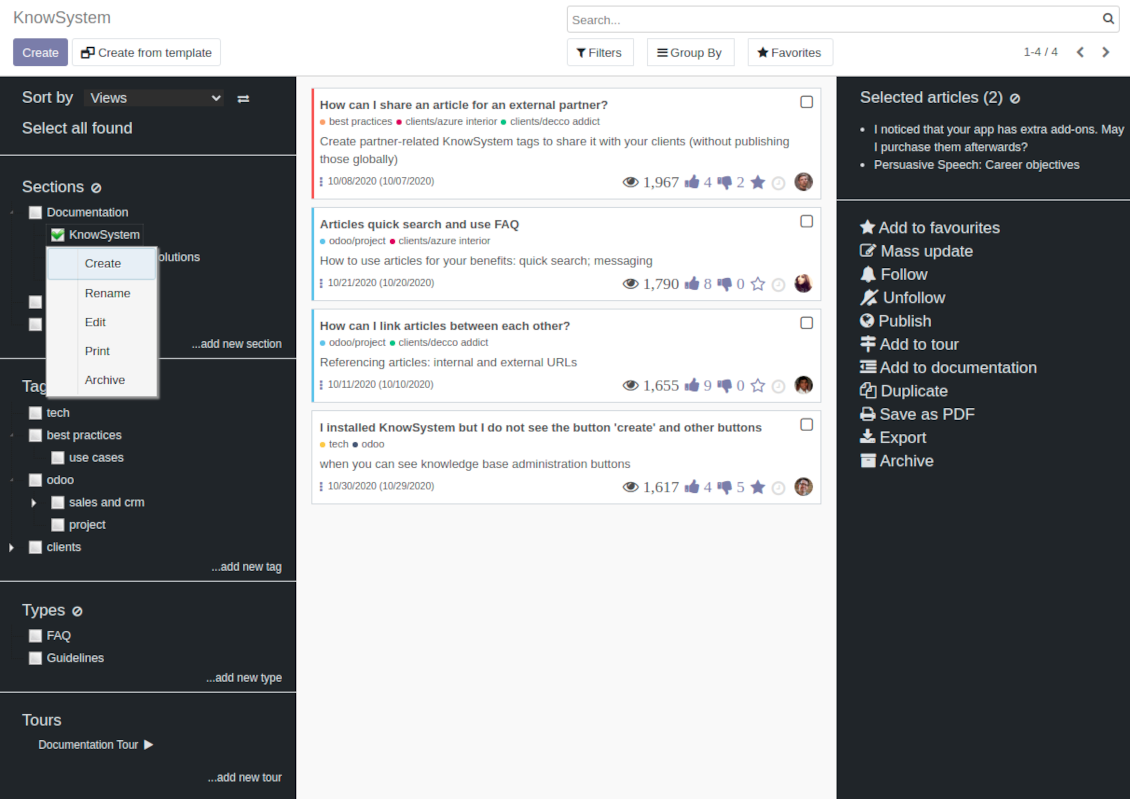
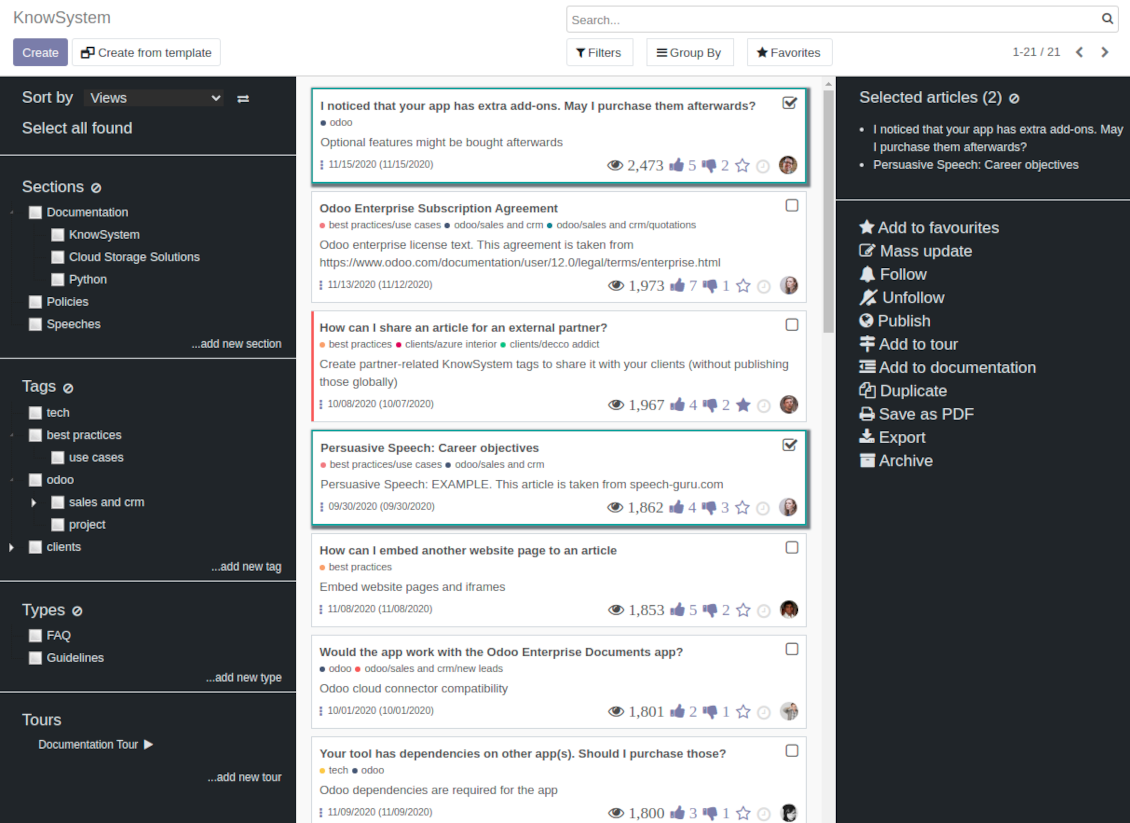
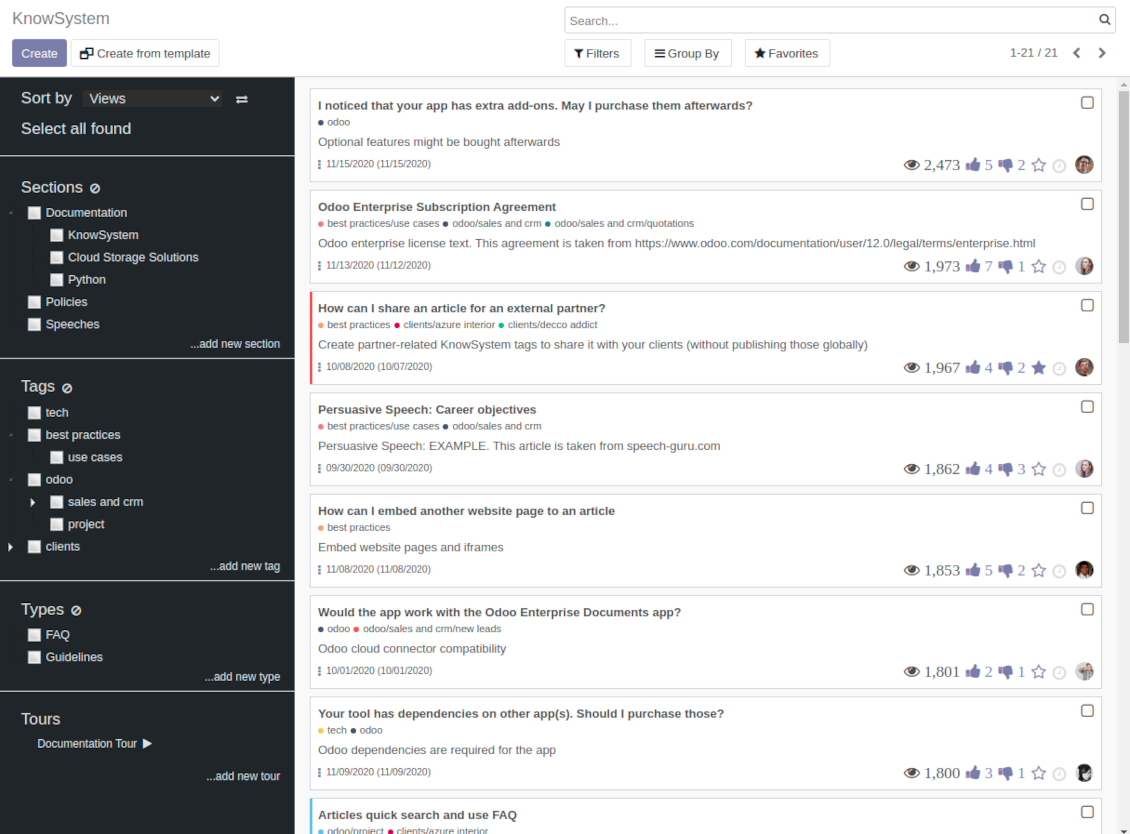
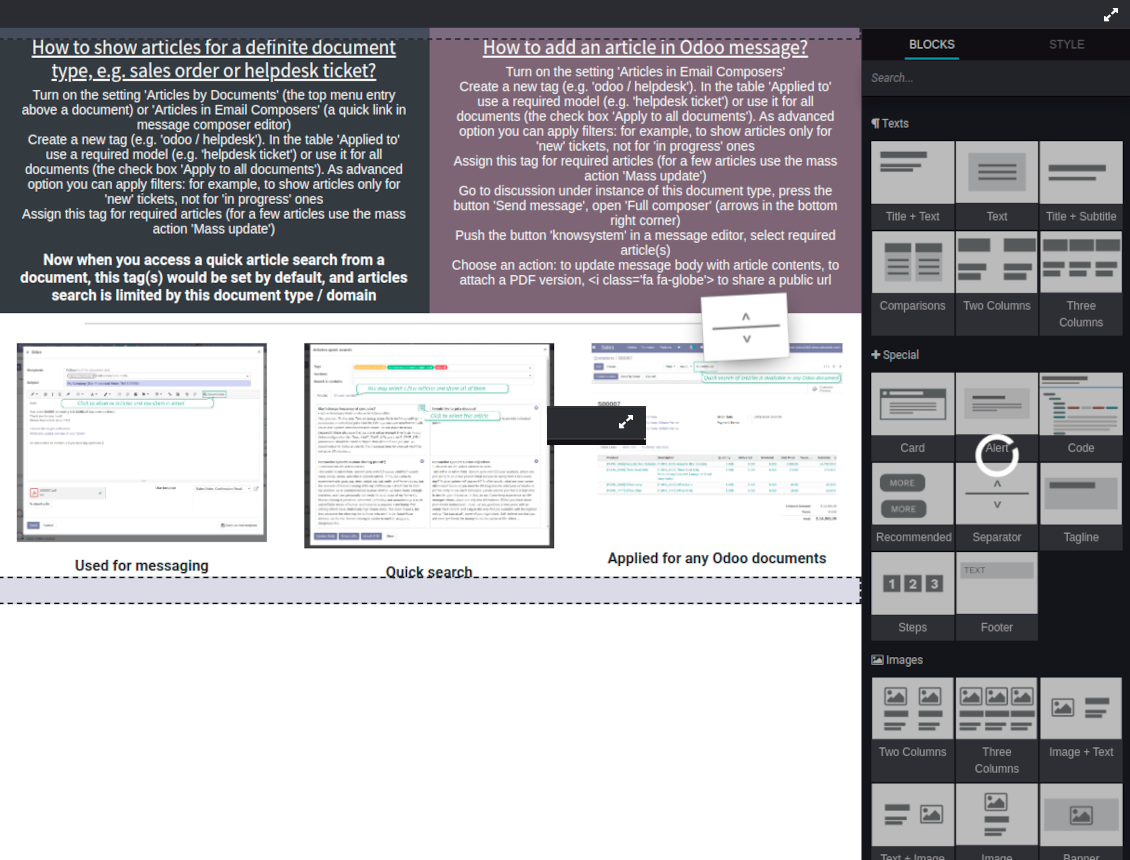
This is a full-featured Odoo knowledge management tool to be used in any industry and by any firm. The app serves to accumulate, to curate, to utilize, and to share organizational knowledge within your company and outside it.
- a core of knowledge management. It might be used stand-alone as a complete internal knowledge base system. Cena je 398€.
- an optional module, which let you publish articles to website, share them with portal users, and use website builder to update articles. The features assumed by this add-on are marked by the icon . Cena je 40€.
- an optional extension to KnowSystem: Website and Portal to design website documentation pages based on knowledge base articles. The features assumed by this add-on are marked by the icon . Read the full description on the related page. Cena je 60€.
- an optional module, which let you add and show custom fields for articles (backend). The features assumed by this add-on are marked by the icon . Cena je 48€.
- an optional free module, which shows custom fields on website and portal pages (frontend). The features assumed by this add-on are also marked by the icon .
- an optional module, which let you translate articles, sections and tags for installed in Odoo languages. The features assumed by this add-on are marked by the icon . Cena je 10€.
Fast and comfortable knowledge recording
Drag and drop building blocks of the backend or website editors to construct professional looking articles. Create and use knowledge templates. Switch to raw code editor if needed
Single view KMS navigation
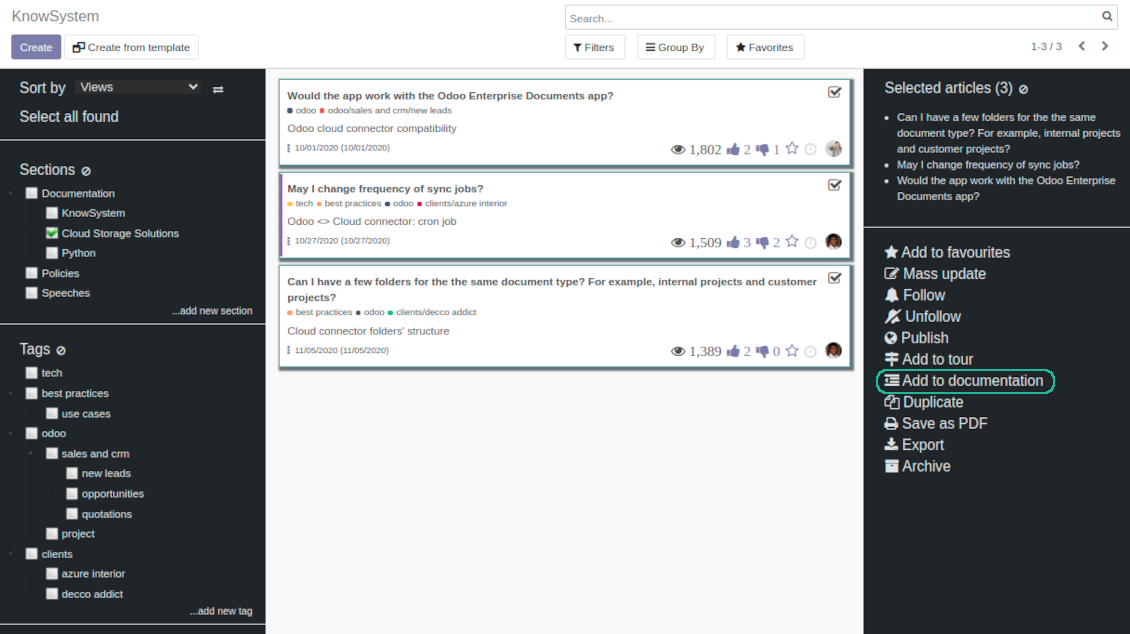
Filter articles by hierarchy of sections, by tree of tags, or by knowledge types. Select articles step by step and proceed mass actions. Sort and search in seconds
Get benefit of knowledge
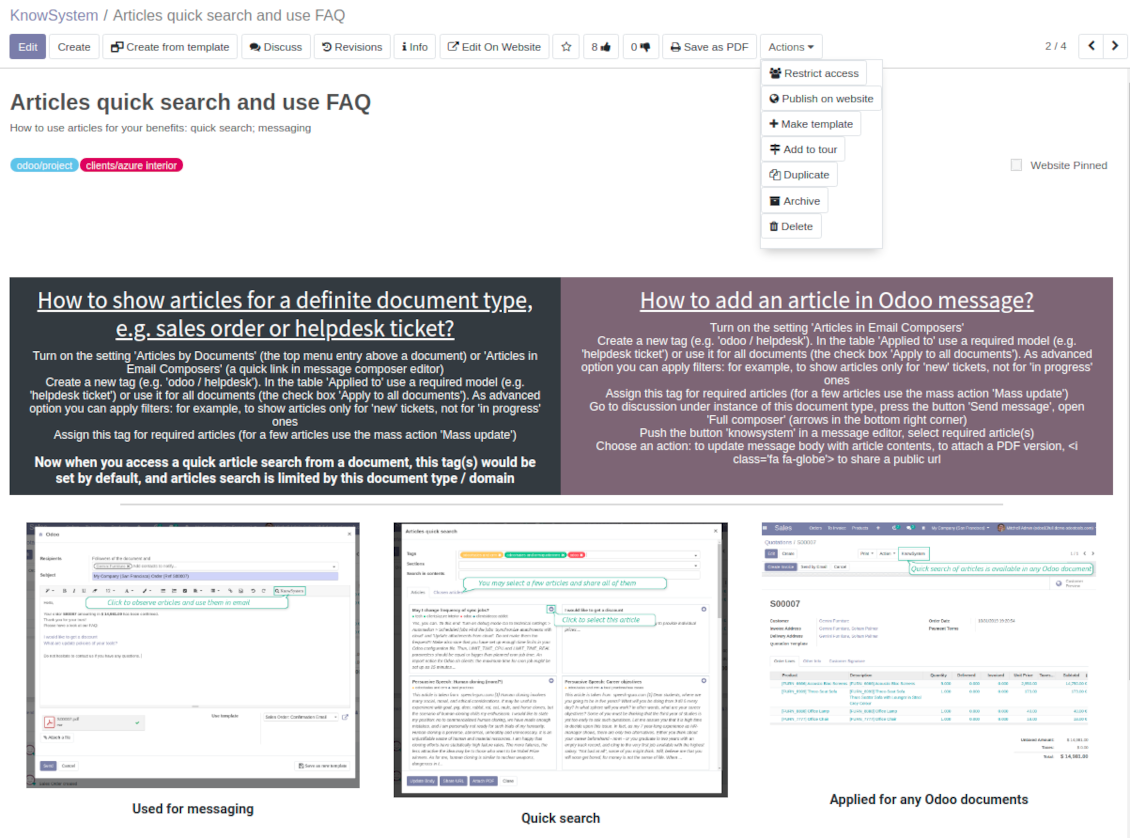
Instantly access knowledge base from any Odoo documents. Reference articles in messages. Organize learning tours. Print or share knowledge. Prepare instructions, guidelines, FAQs
Wiki-like revisions
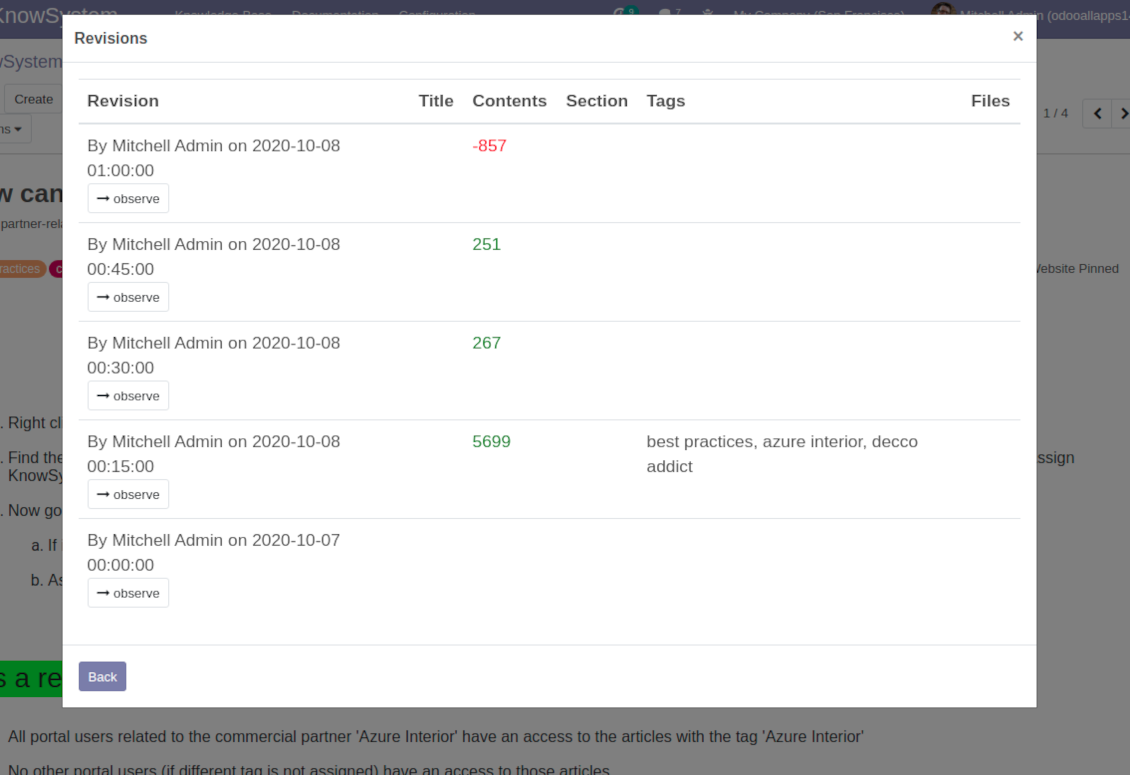
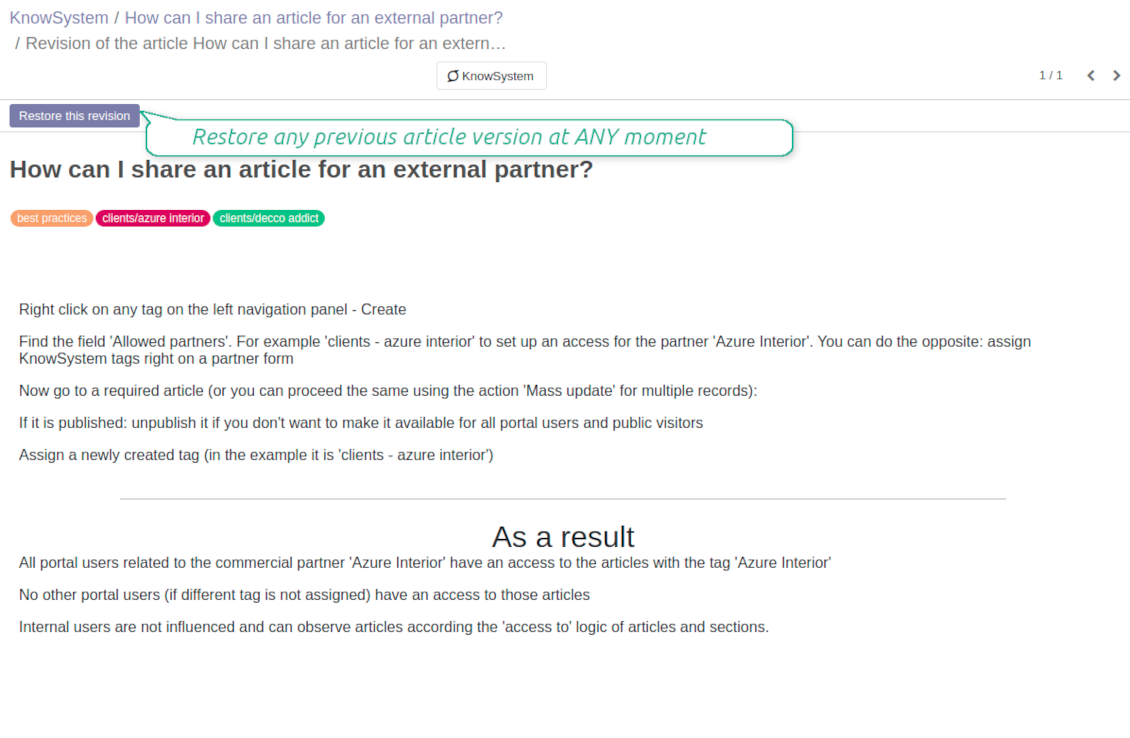
Restore any article version at any moment: the app keeps history of knowledge updates. Breaking becomes harder than restoring
Portal or public knowledge base
Share articles with your partners or publish knowledge for any website visitor
Website documentation builder
Combine organizational knowledge into advanced documentation with comfortable navigation and search
Knowledge system statistics
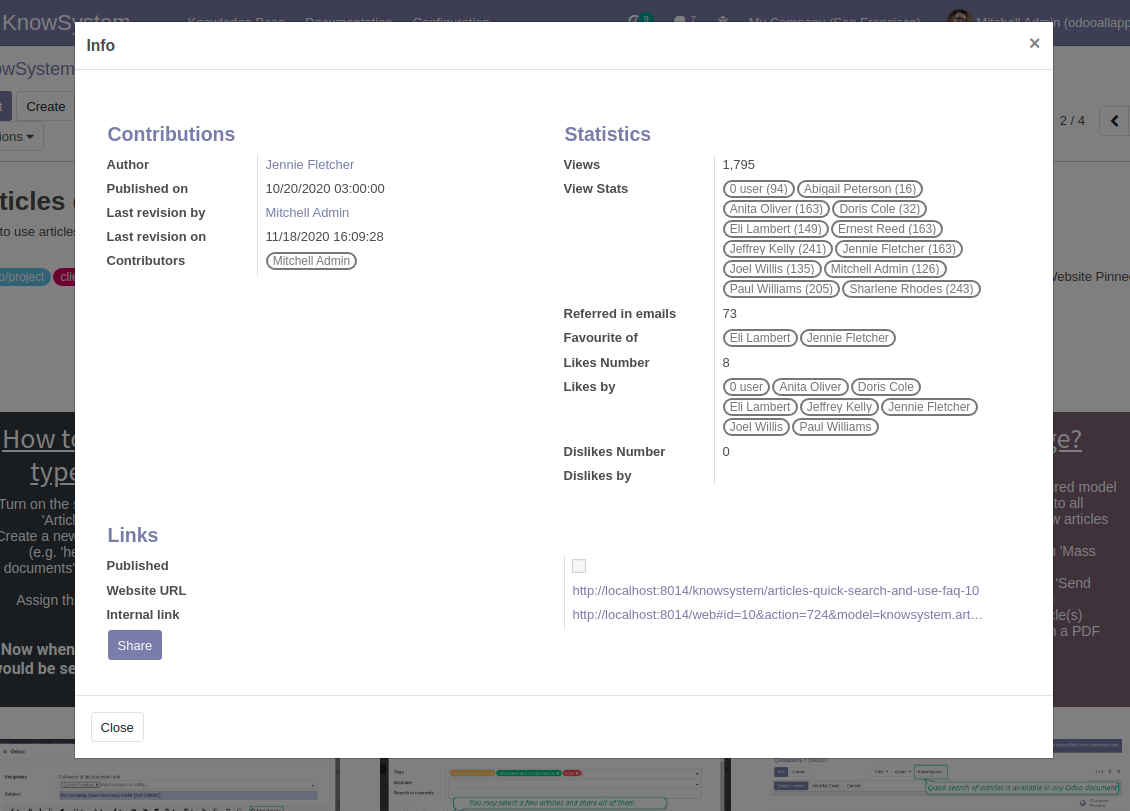
Control views of articles, likes and dislikes, contributions. Motivate discussions
Applied in any functional area
Use the app for any knowledge management business goal and for any set of Odoo apps.
Best knowledge base system for Odoo!
Excellent app and exceptional after-sales support.
Really well thought-out product and one of the best features is the contextual help by means of the tags. Really a game changer for us.
Keep up the great work FaOtools!
Outstanding app! Tremendous value for money, an absolute must have!
One of the features sorely lacking from Odoo has been a robust Wiki/documentation system. Using third party platforms is a massive headache: yet another system to maintain, users get distracted switching back-and-forth, and errors get made. Then you have to worry about training, additional logins, etc.
KnowSystem feels like a native/core app, is very well-polished, and extremely fast. It's accessible from any screen, and the search results are instant (none of the latency inherent with most apps).The interface is elegant yet powerful, with robust access control, rich editing features, and version control. It's simple to revert to previous entries, view audit trails, etc. It's very intuitive for anyone familiar with Odoo; onboarding takes just a few minutes. The user guides are excellent.
This is invaluable for any organisation with a lot of documented information, SOPs, ISO compliance, or similar. If you're using eLearning, it's great for creating a help system / reminders. For example, noting key takeaways or specific instructions. The user can be in MRP, Sales, or any other function, and instantly lookup a guide. Since it overlays whichever screen you're in, it doesn't interrupt the workflow.
This dramatically increases efficiency, minimises questions, and helps keep everyone on the same page.
Oh, and customer service is excellent, faOtools stands behind their product. Thank you!
KnowSystem is excellent - OdooTools offer great support, are very helpful and responsive
Our company needed the ability to add a Knowledge Base to our Odoo portal website for our customers to access article content on a membership-only basis. KnowSystem provided this and much more, along with ability to add search by section, set permissions to allow only certain partners access to articles by tag etc. OdooTools have been very helpful and implemented several features we suggested including automatic redirect upon login, customisable filters and a social sharing capability on articles. Overall a great app by a great company, something that massively adds to Odoo's capabilities and is something that everyone could benefit from using.
Very functional application and responsive support
Our company produces medical laser equipment and we use KnowSystem to streamline the knowledge base of our company. Convenient search system and classification of content, as well as access rules for groups and even for individual users.
Great app and professional team
The app is great the the team is very professional in both response timing and problem solving.
Highly recommended.
Marco from ALO.zone.
Excellent system
Excellent system.
A great tool from some very nice developers!
KnowSystem is a great tool and a game changer for us. Finally a place to put all our company know-how. I highly recommend it. And also important to us: We got great support from FaOtools too. A rare thing in this busy world. thx!
Excellent app and support.
Great app and a very helpfull support. Openess to improve their products is outstanding.
Single-view knowledge navigation
-
Prepare hierarchy of knowledge sections to instantly switch between knowledge areas
-
Define tree of tags for quick navigation and deeper knowledge structuring
-
Introduce knowledge base typology to distinguish kinds of articles in a single click
-
Create, update, and reorder tags, sections, or types right from the KnowSystem interface. Print all articles related to a certain tag or a section
-
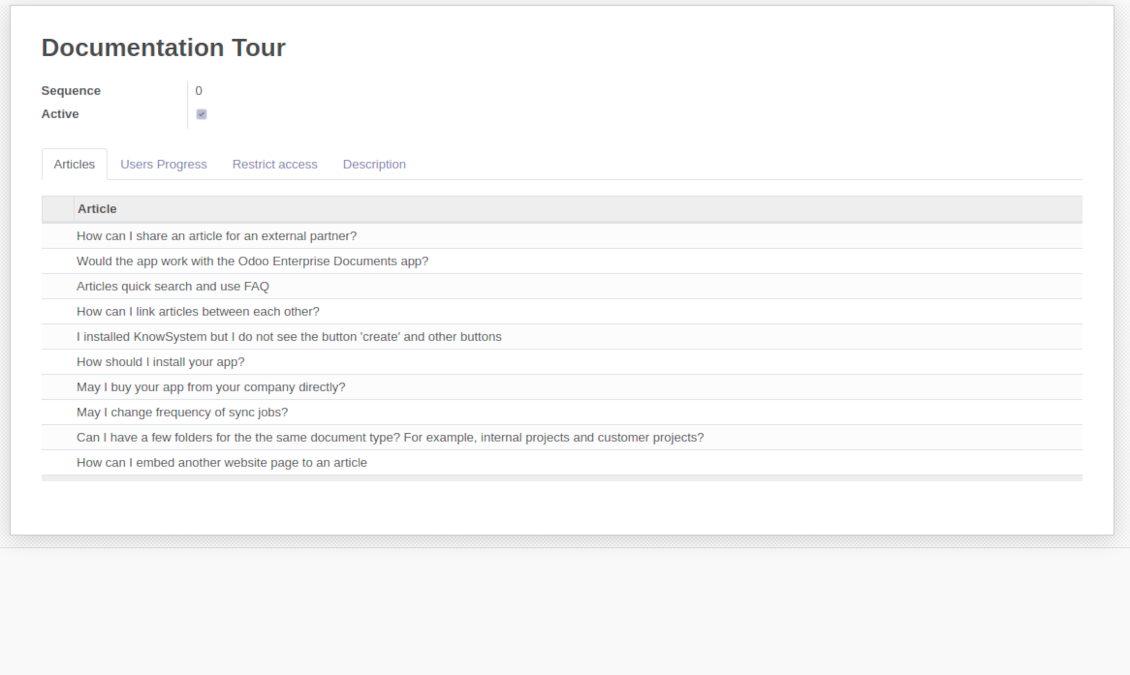
Manage and launch learning tours
-
Sort knowledge articles by views, score of likes, title, author, section, create and write dates
-
Pick articles up step by step: the selection is not cleared with a new search or when you opened a record. Proceed mass action(s) for all chosen items
-
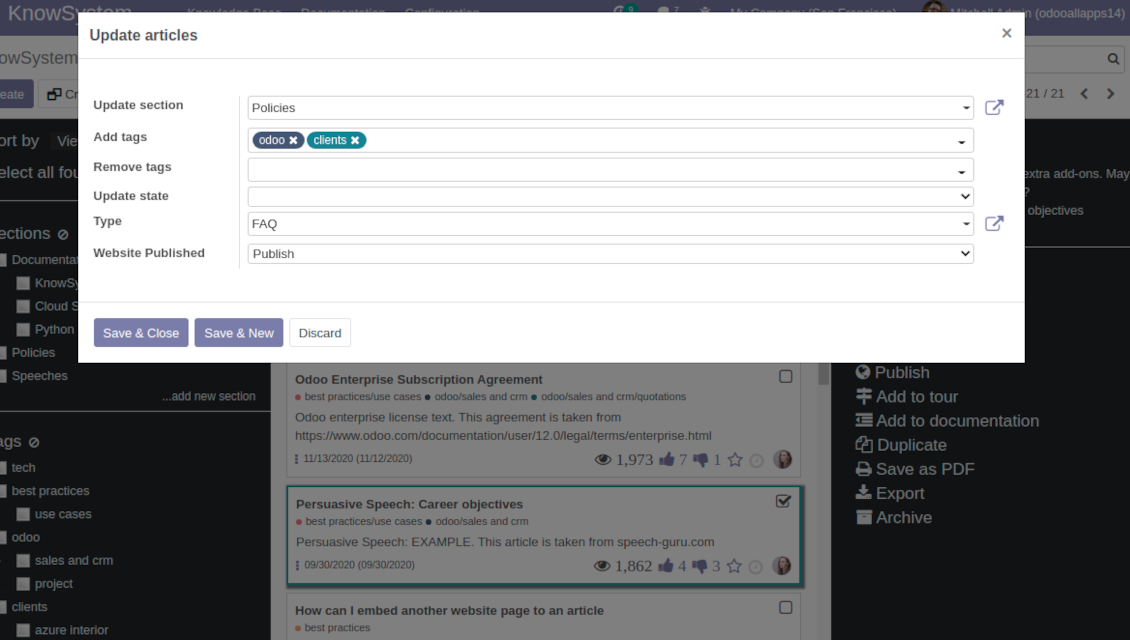
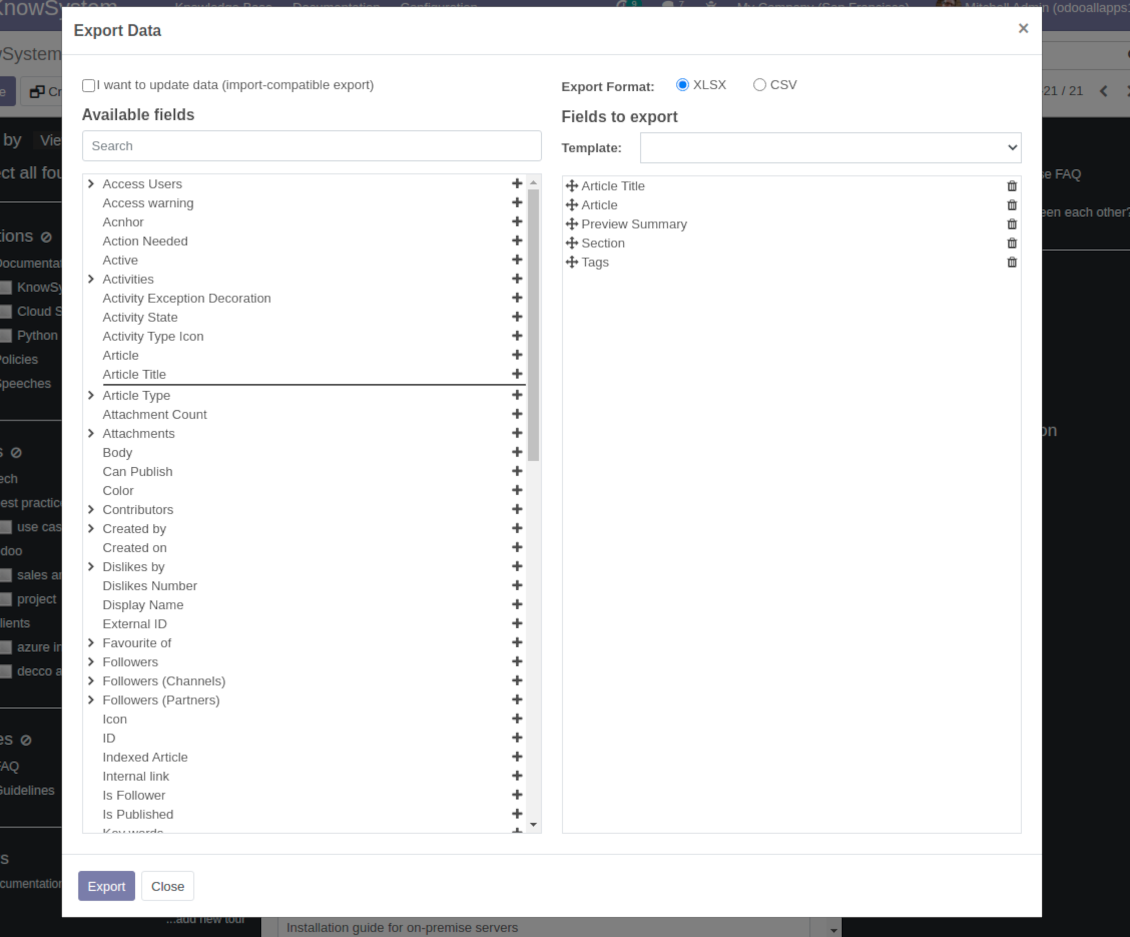
Update knowledge in batch: assign new section, change or remove tags, print multiple articles as a single PDF, follow / unfollow discussions, publish / unpublish articles, export articles to an Excel table, archive or restore items, add articles to learning tours and documentations, mark knowledge records as favorite, duplicate articles
Fast, comfortable, and professional knowledge recording
Safe backend editor
-
Drag and drop building blocks to write a new article right in the Odoo backend interface. The process is simple while the result is professional looking
-
Edit blocks styles, re-order Knowledge elements, change width and height of items
-
KnowSystem editor relies upon strict HTML structures which are in the most cases compatible with printing and messaging layouts
Advanced website builder
-
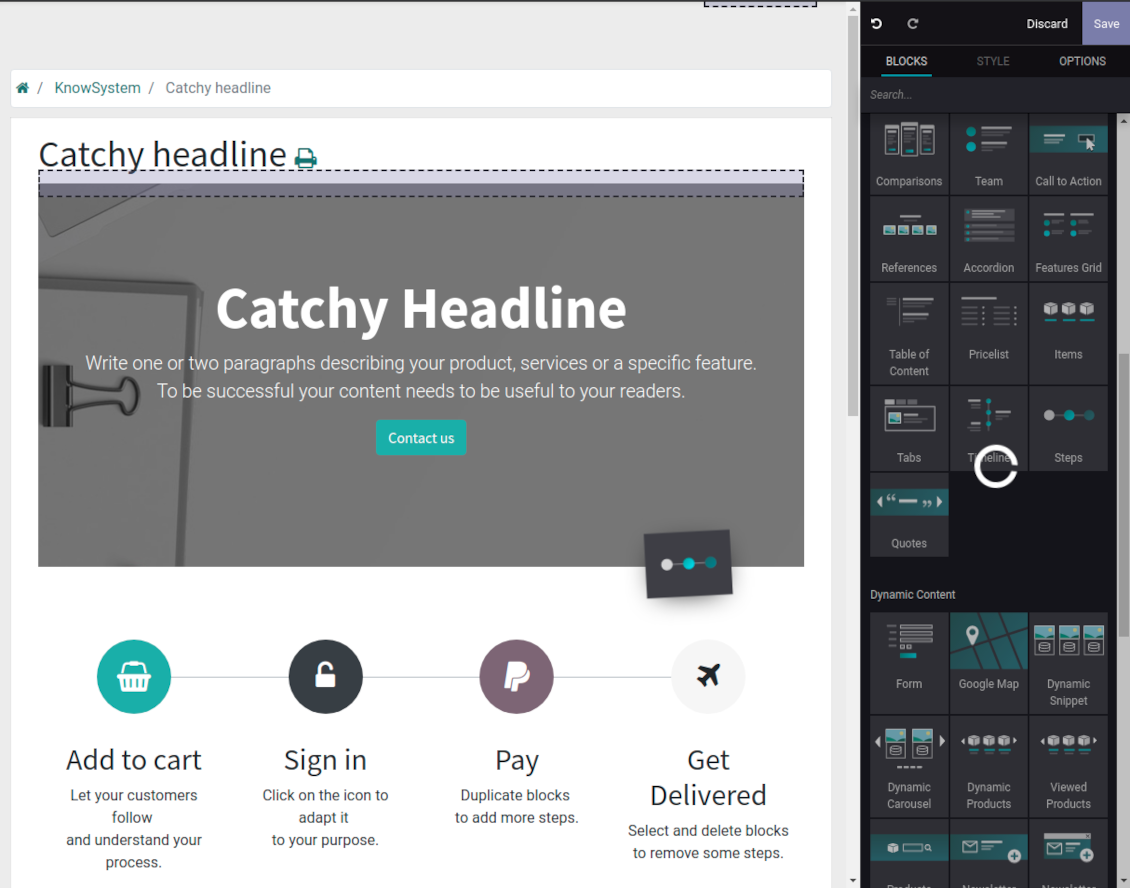
Apply advanced styles and complex widgets by using Odoo built-in website editor
-
Exploit Odoo website know-hows: numerous snippets and animations, style templates and options
-
Rely upon website editor to prepare nice-looking portal knowledge pages. Avoid using that for internal or printing purposes: advanced styles often contradict printing and composer layouts
Raw HTML interface
-
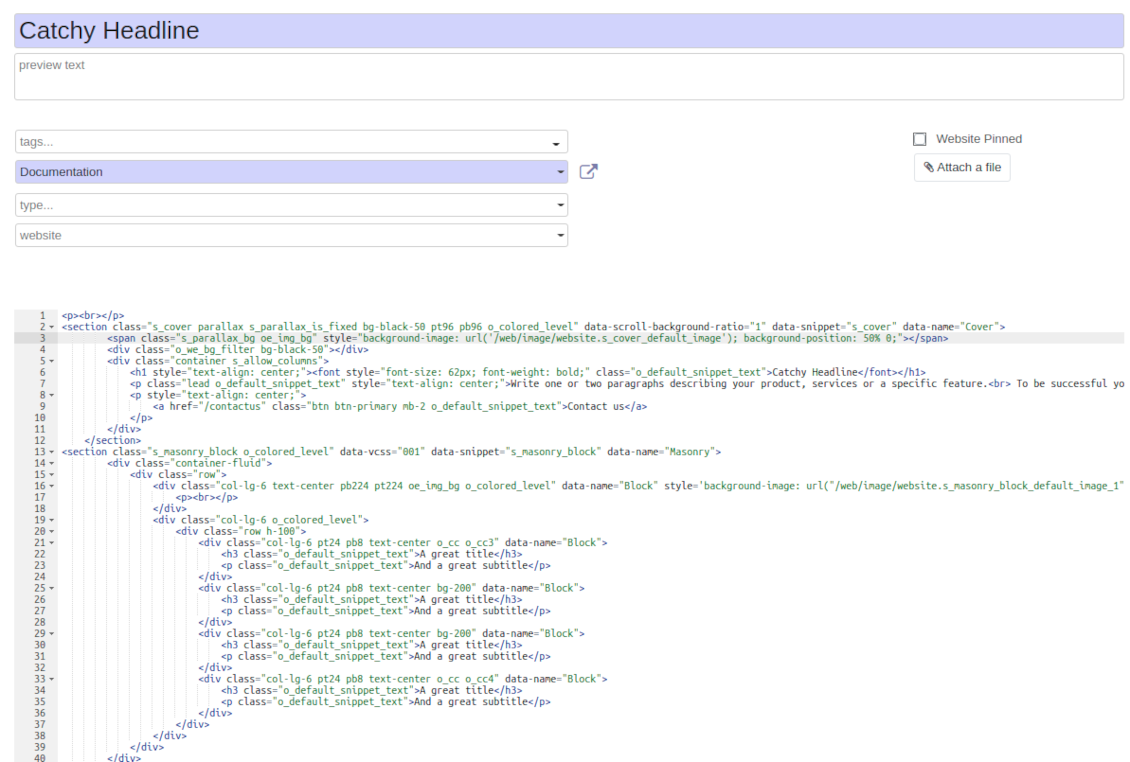
At any moment switch to raw code view to update articles HTML
-
Optionally replace the backend editor with XML editor to rely fully on the website builder and edit only raw code in the backed
-
Introduce any HTML tags and styles, including bootstrap ready elements and iframes
Knowledge templates
-
Prepare new knowledge templates or save any existing article as a template
-
Use templates to create new articles to save time or keep uniform styles
Get benefit from your knowledge
Knowledge system for any Odoo document
-
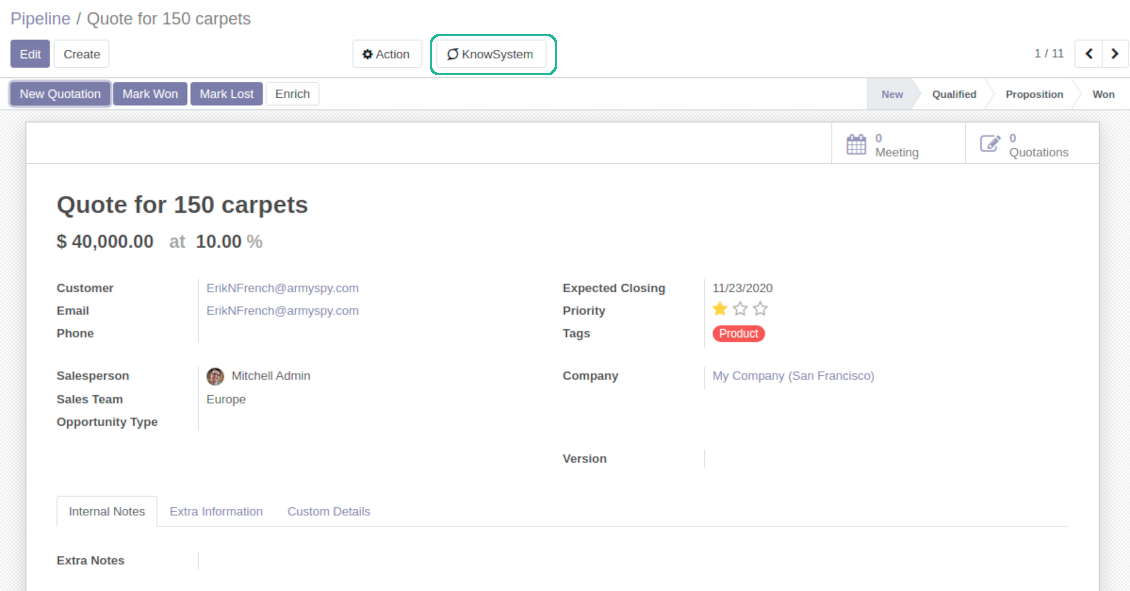
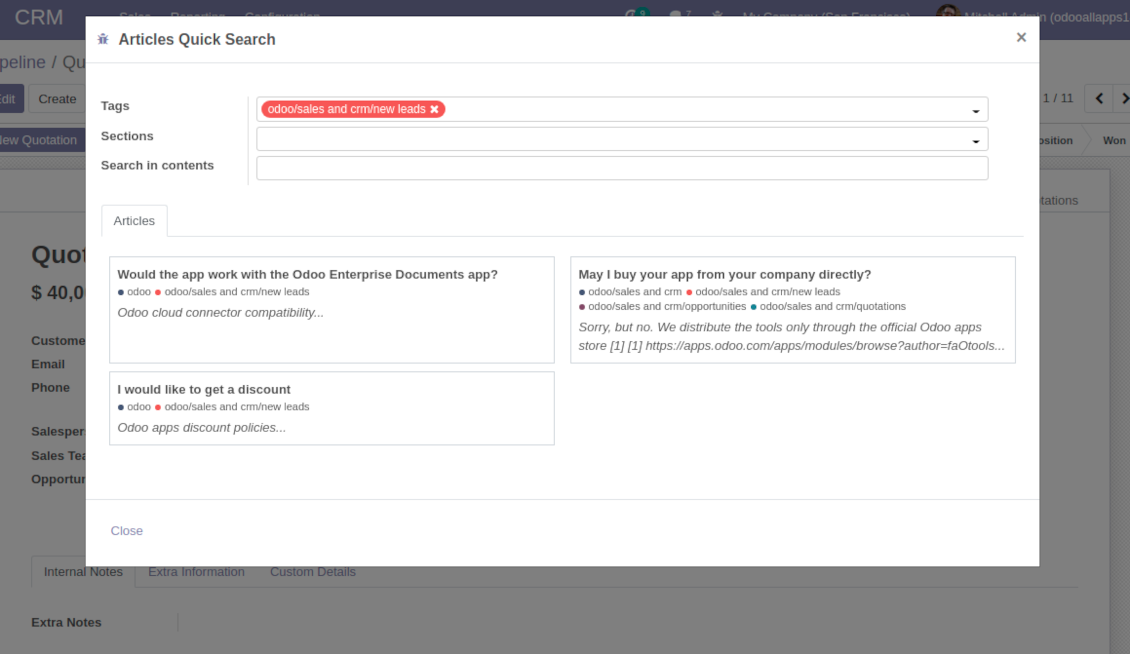
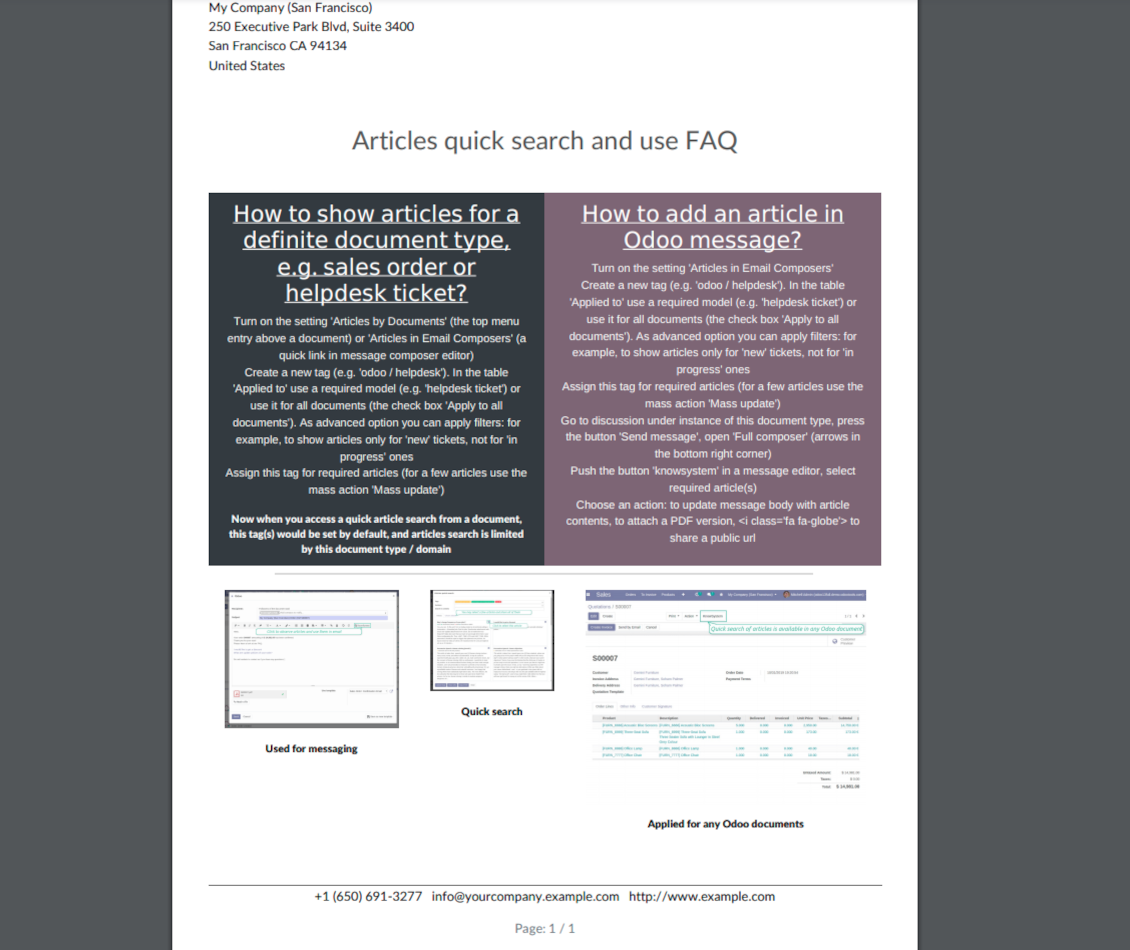
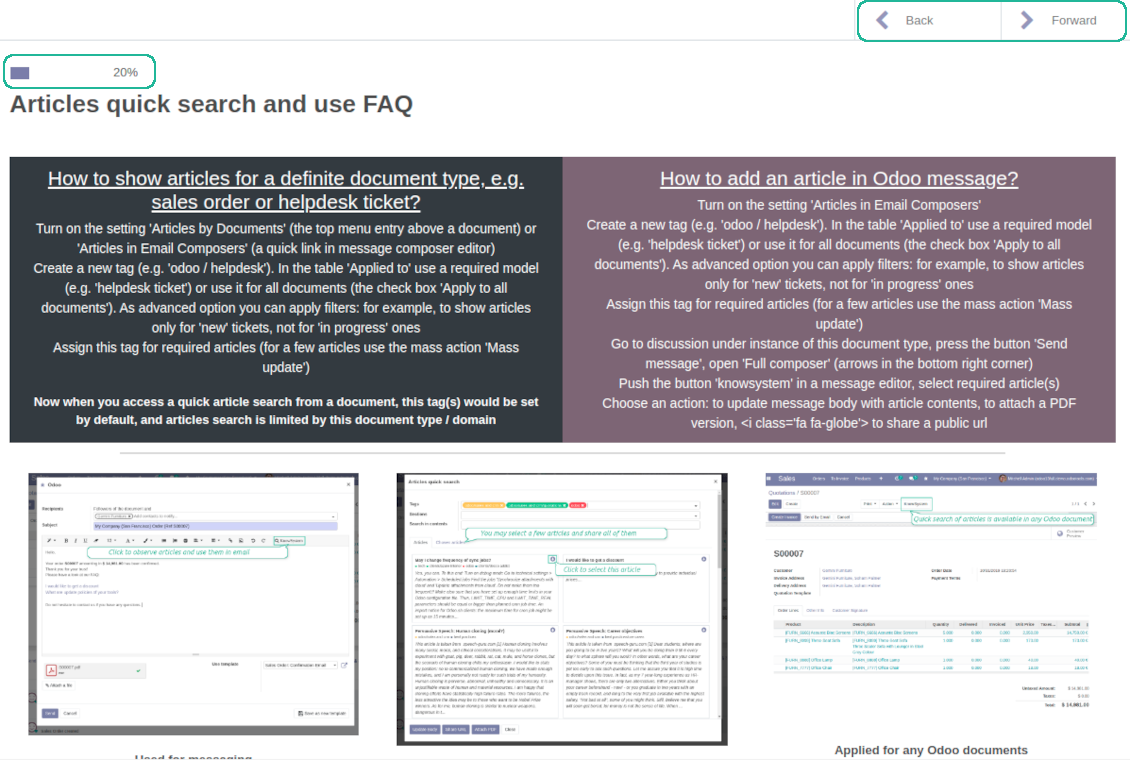
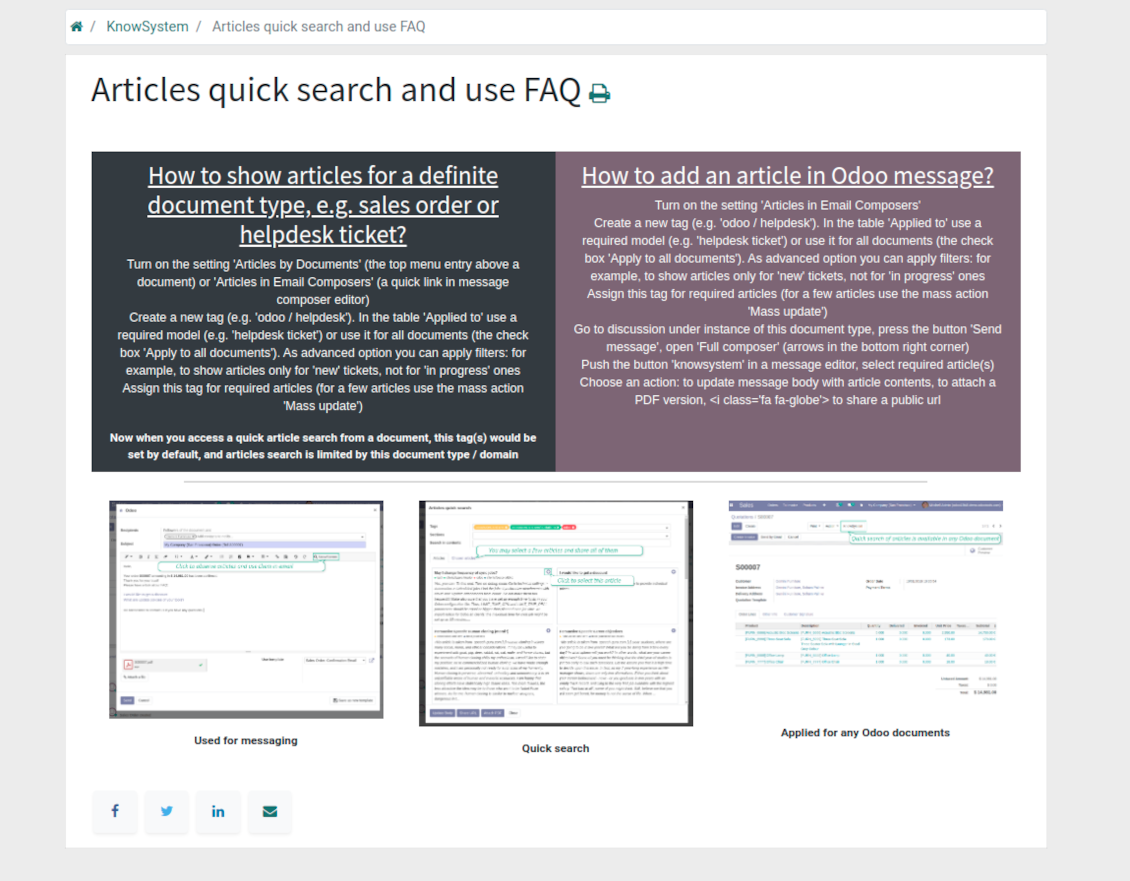
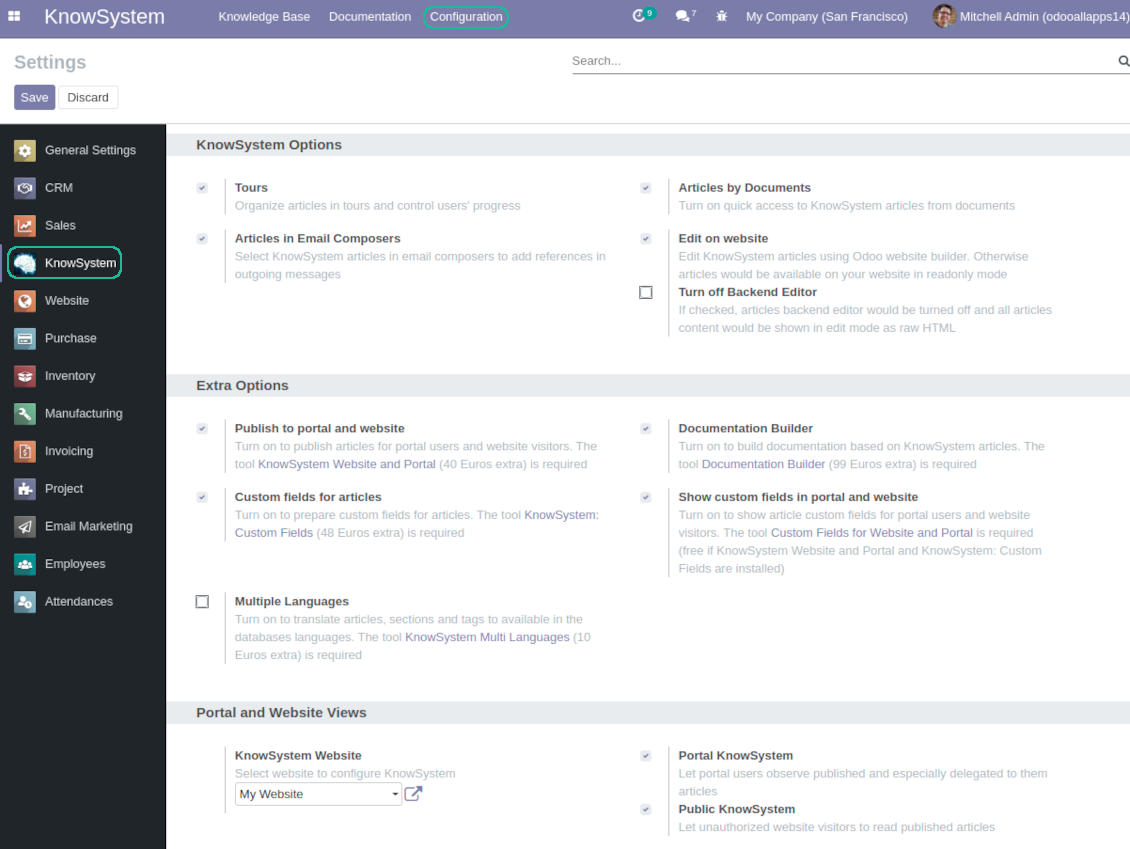
Turn on the setting 'Articles by Documents' to add the quick entry for Knowledge base from any Odoo form view
-
Search articles by tags, section, or content in a few clicks for a quick overview
-
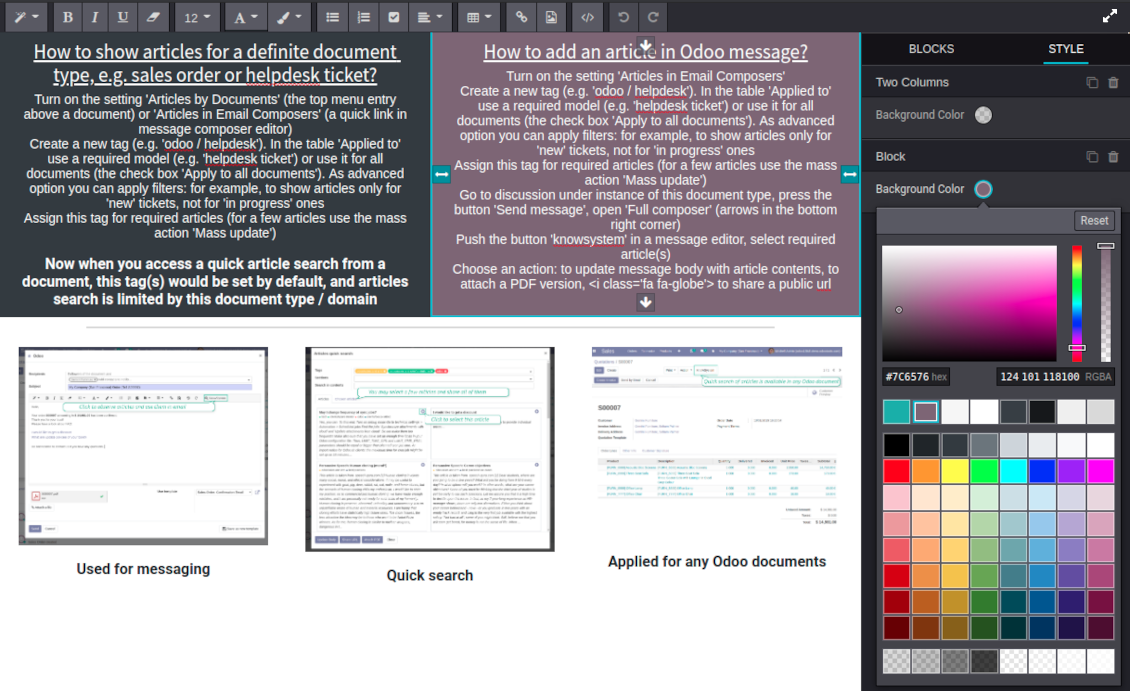
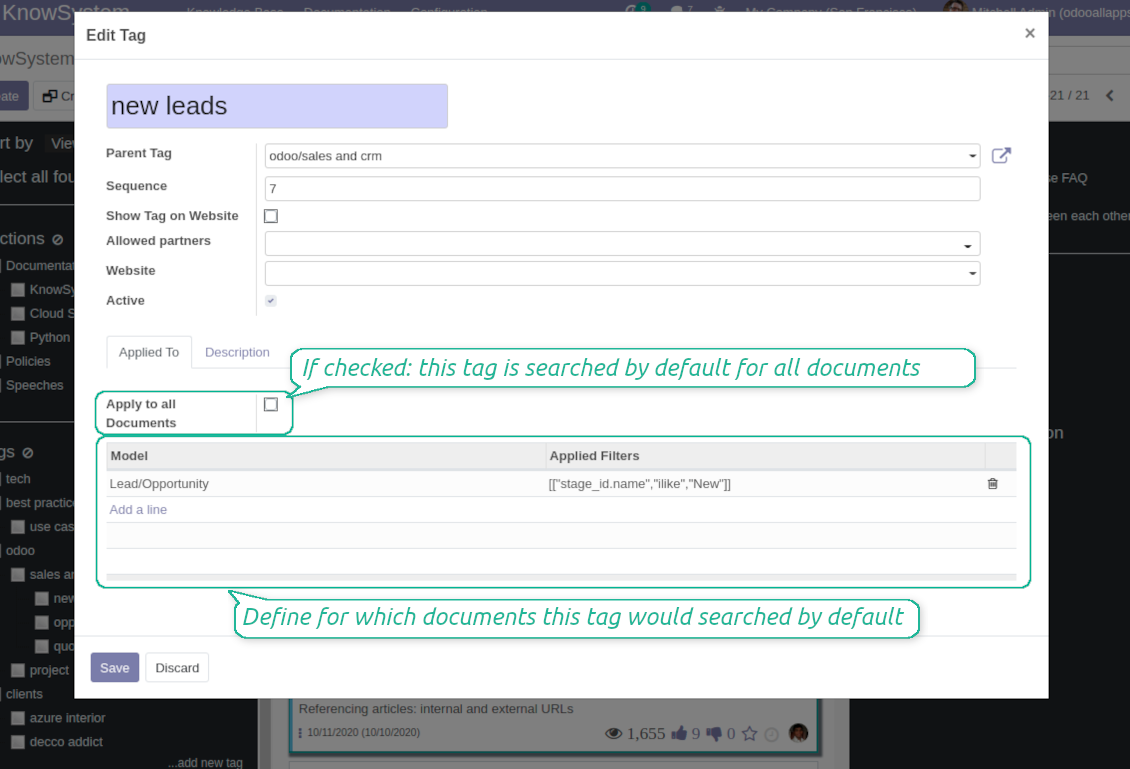
Link knowledge tags with Odoo document types to simplify search of articles. For example, assign helpdesk tickets to the tag 'odoo / helpdesk': the latter would be entered by default for support requests objects
-
Observe article content right from any Odoo object: there is no need to always switch to the KnowSystem advanced interface
Apply to knowledge in communication
-
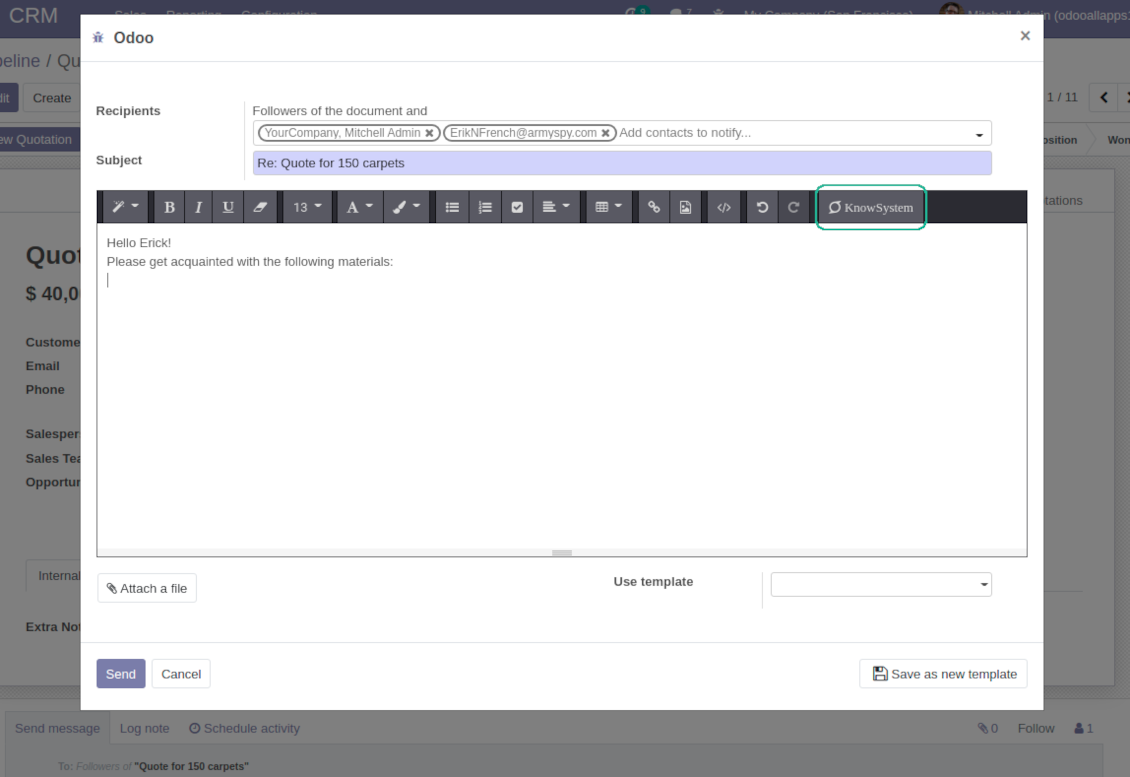
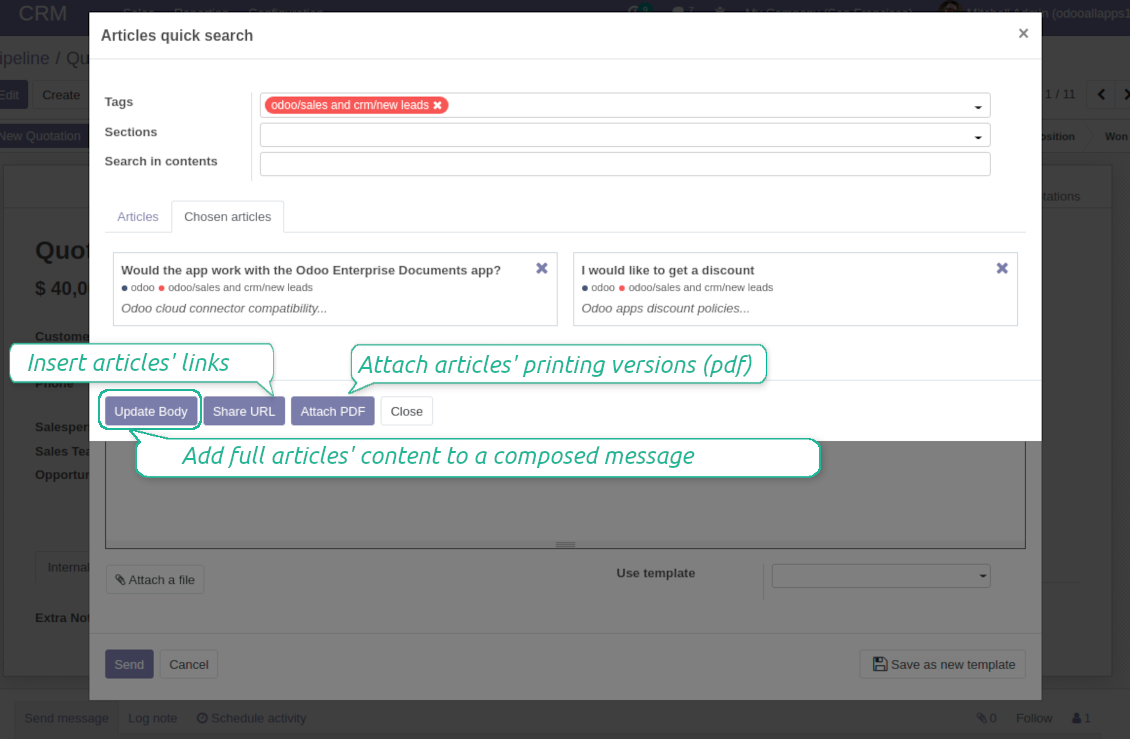
Turn on the option 'Articles in Email Composers' to let users reference or cite Knowledge records in Odoo messages
-
Quickly observe articles related to a current document discussion. Instantly reference one or a few ones
-
Update message body with knowledge content (it would be added to the end of a current message)
-
Attach a PDF version of referenced article or articles
-
Share a public knowledge link with your colleagues or partners
Organize learning tours
-
Turn on the option 'Tours' to be able to combine articles in a sequence of learning steps
-
Add any knowledge to a tour in any order
-
Launch a tour to follow certain steps of study one by one in the special interface
-
Share learning tours with everybody or specific user groups. Control employees' progress in getting familiar with instructions and guidelines
Share and publish knowledge
-
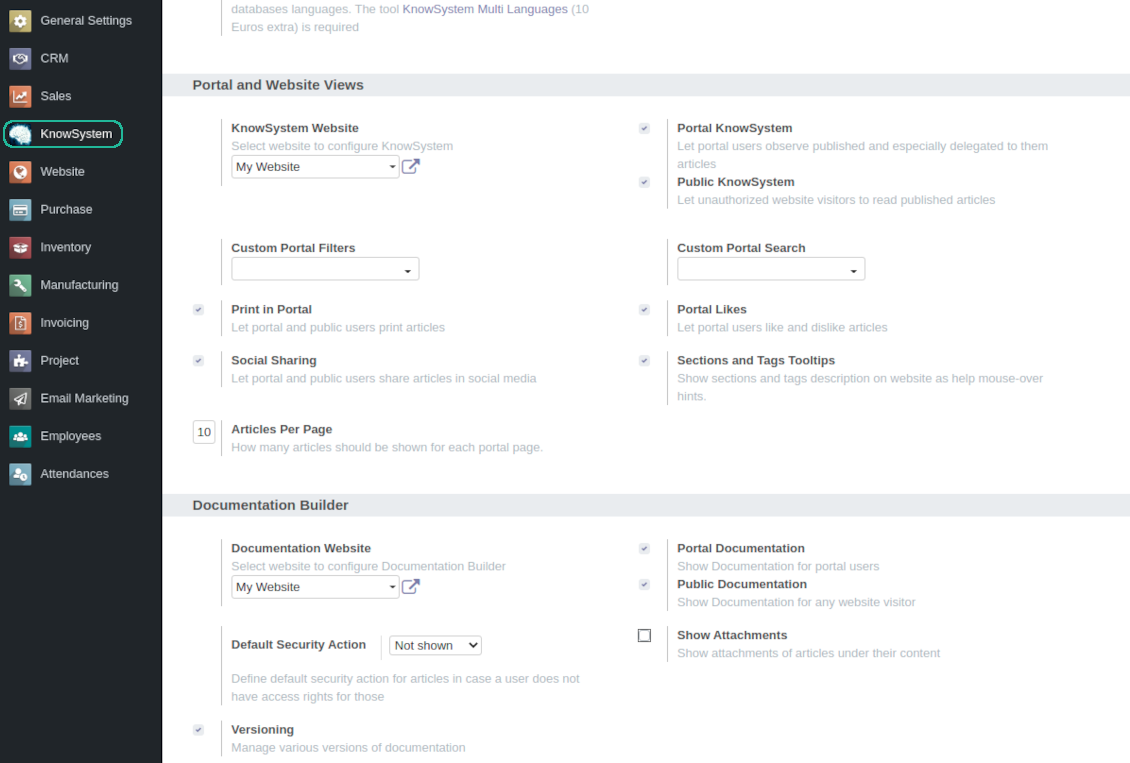
Turn on the setting 'Portal KnowSystem' to give KnowSystem access for external partners, 'Public KnowSystem' - for website visitors
-
Configure KnowSystem tags or publish articles to share knowledge content
-
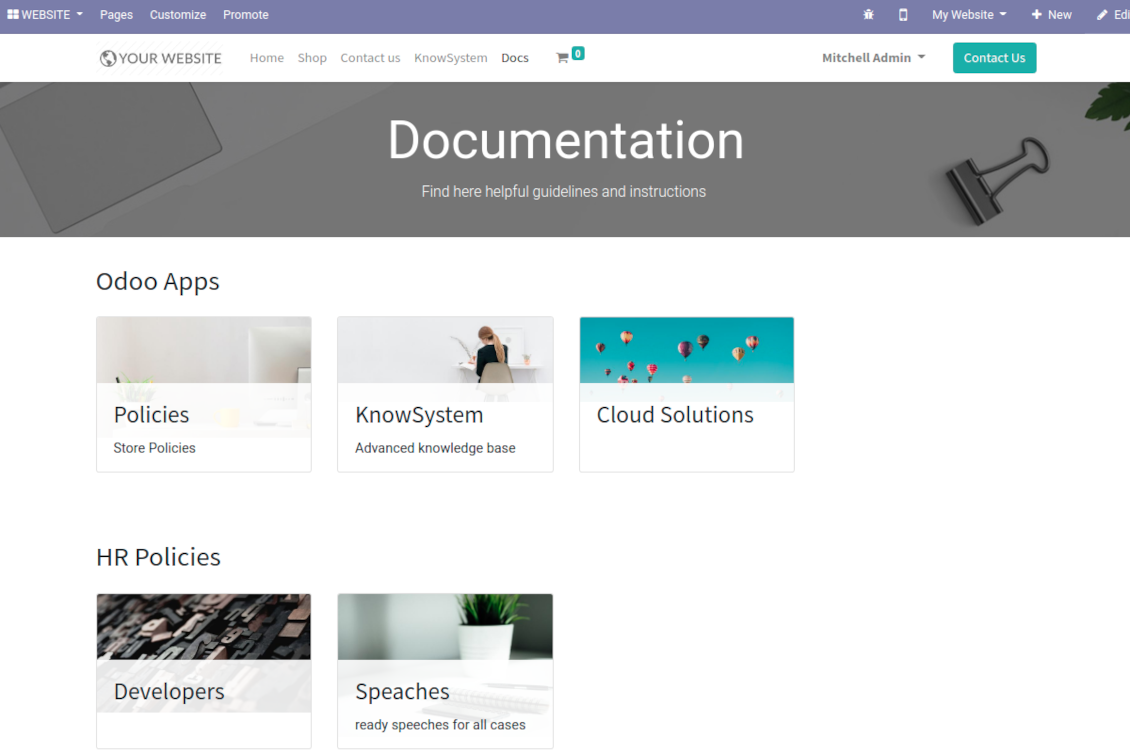
Combine articles in advanced documentation to cover certain aspect of organizational or functional knowledge
-
Turn on the option 'Portal Documentation' and 'Public Documentation' to make that documentation available for portal and public users respectively.
Website documentation builder
-
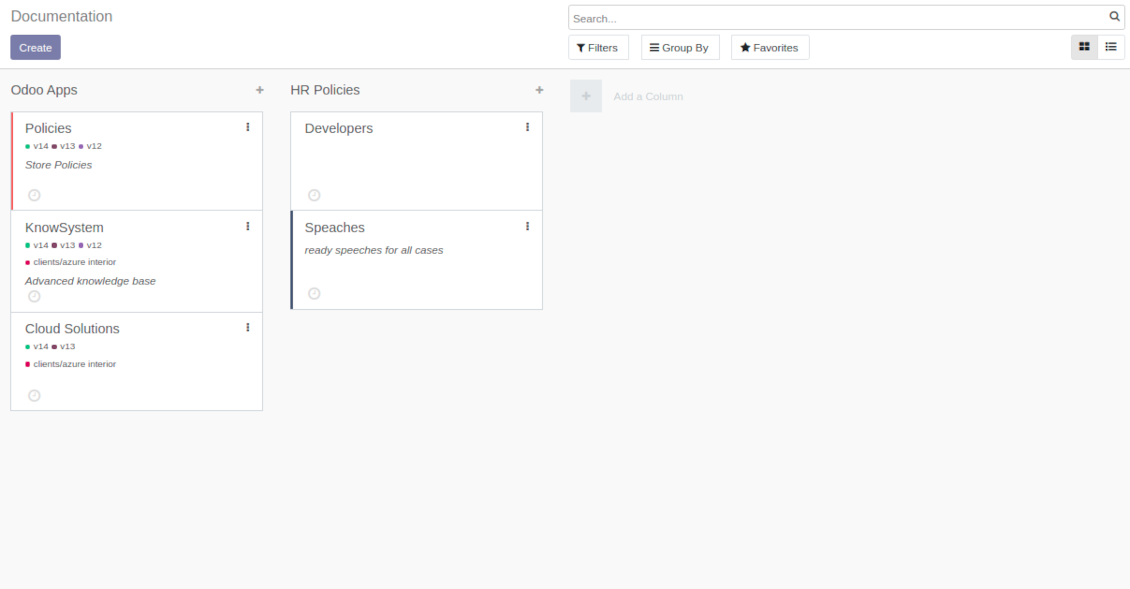
Combine articles into advanced documentation sections to cover a certain business, organizational, or functional aspect
-
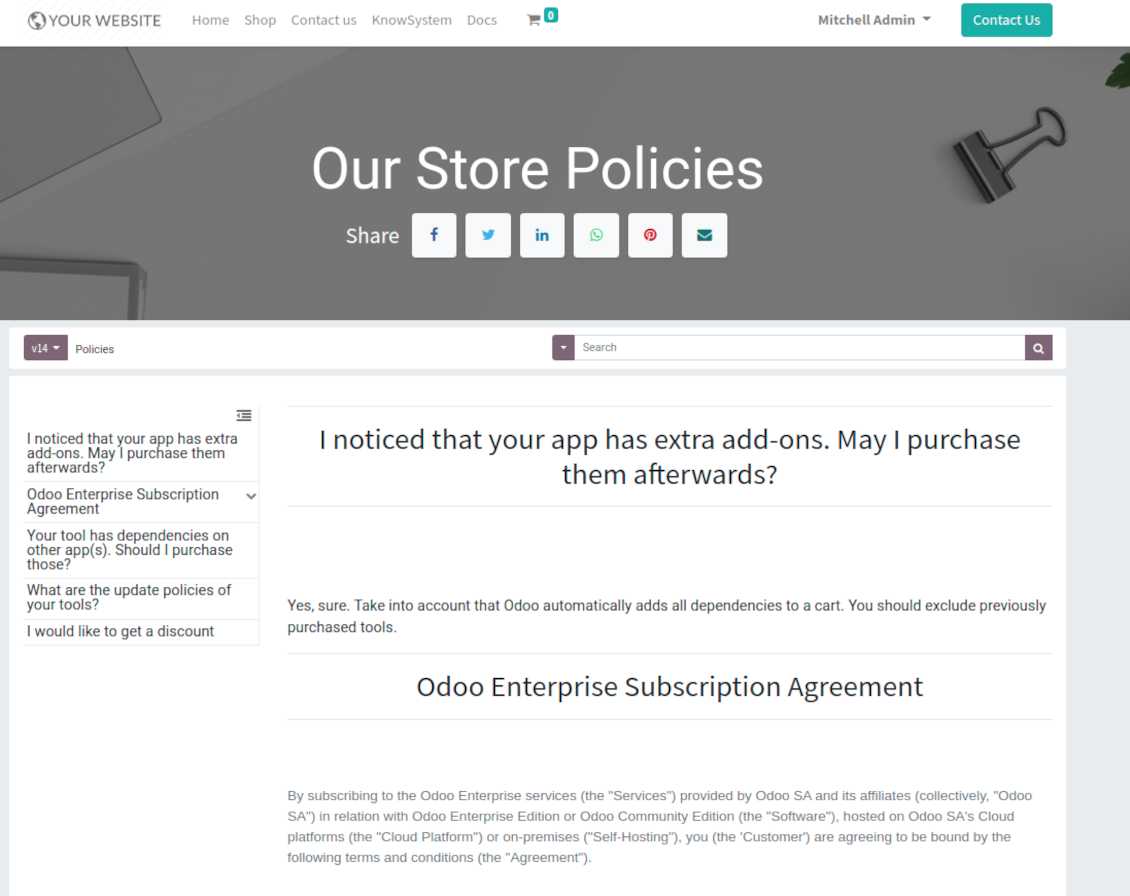
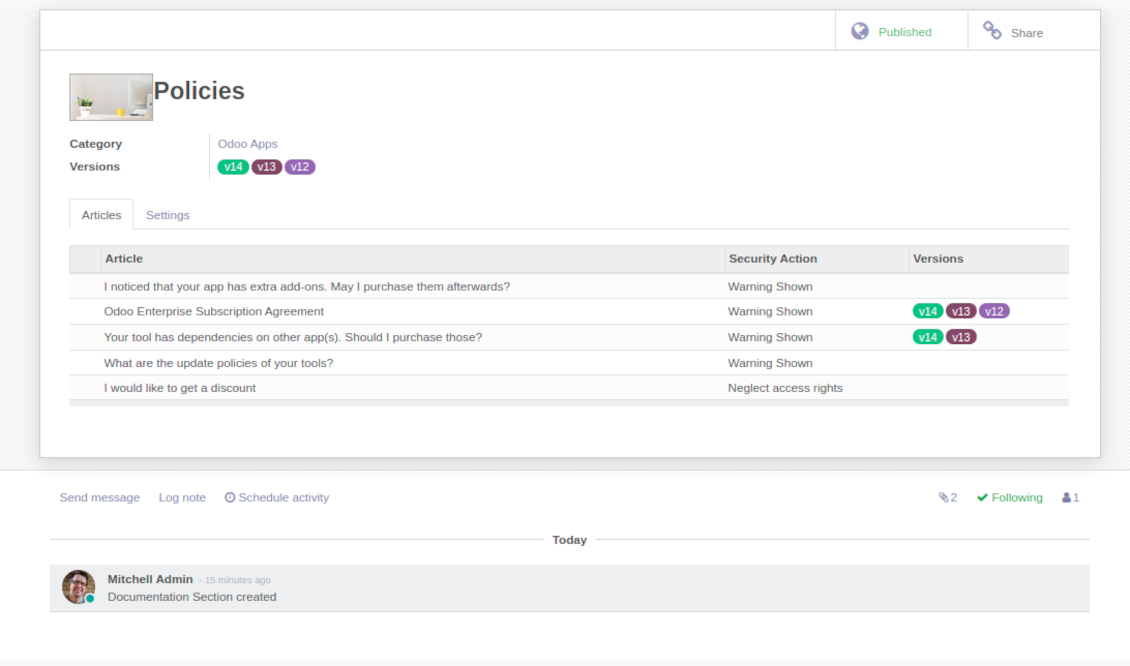
To create a new documentation section just select and order KnowSystem articles. The app would generate a website page automatically
-
Each KMS article might be used several times for different documentations
-
The tool allows preparing an unlimited number of documentation pages structured by categories
-
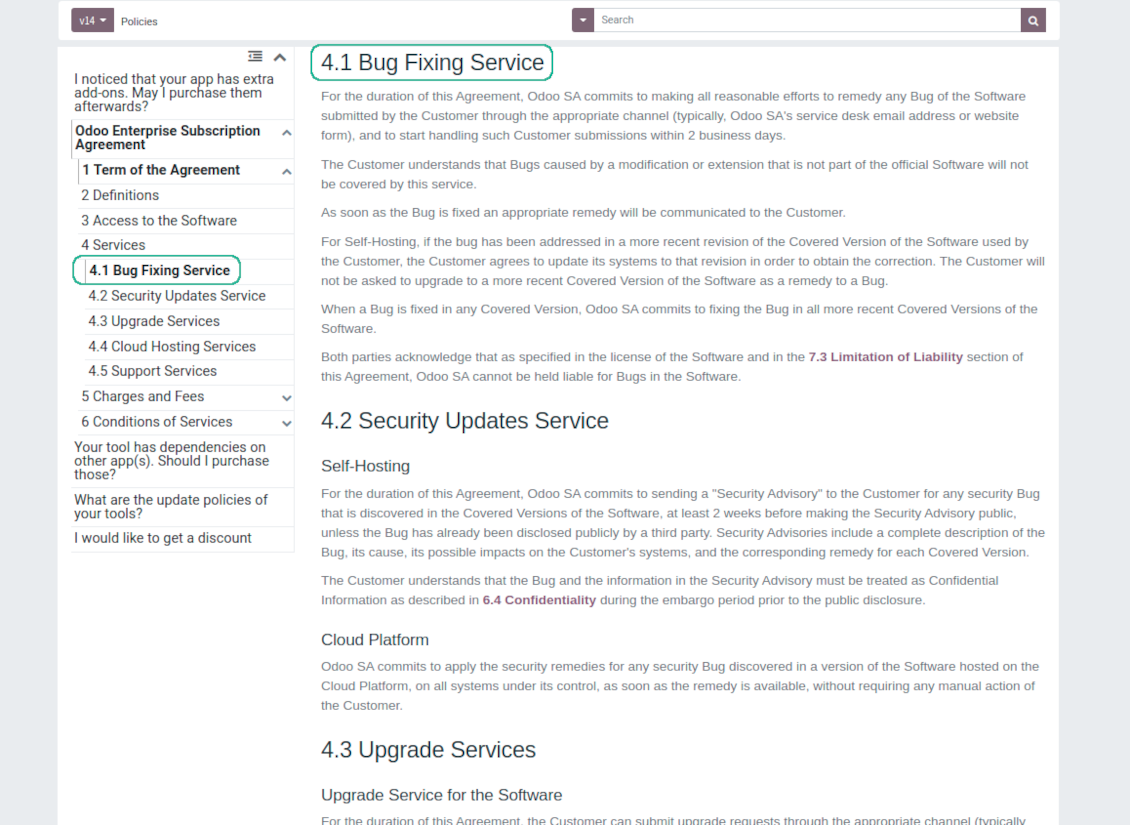
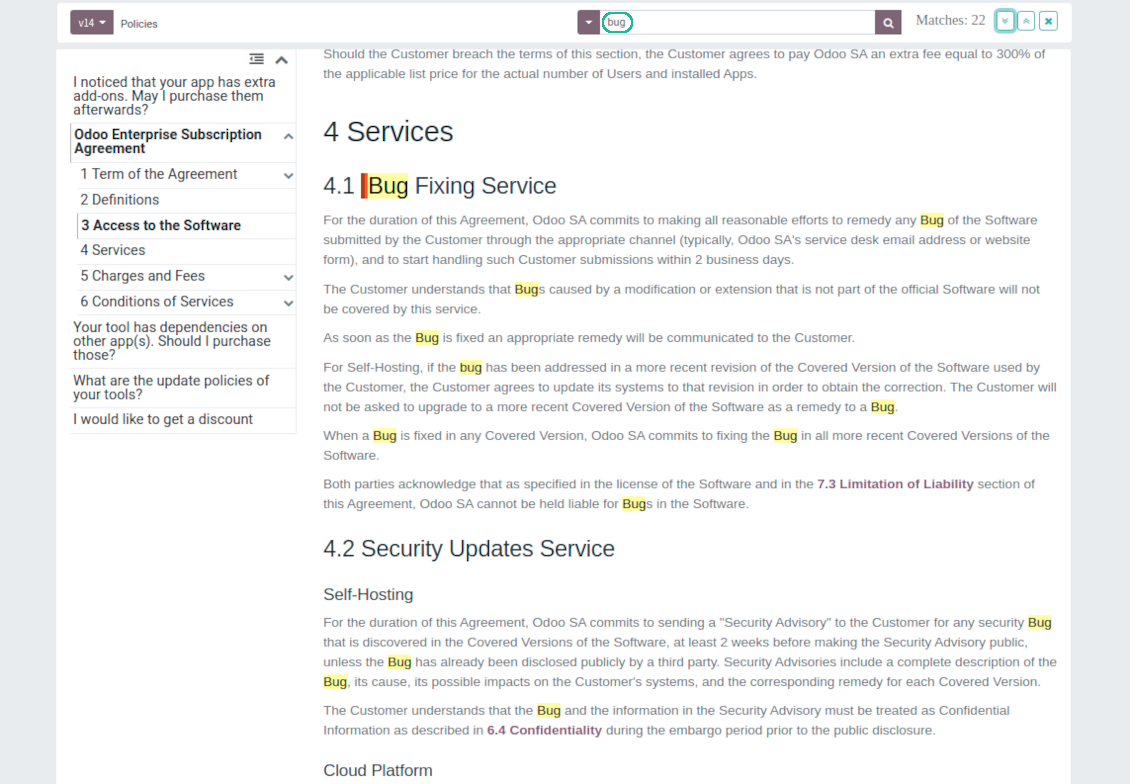
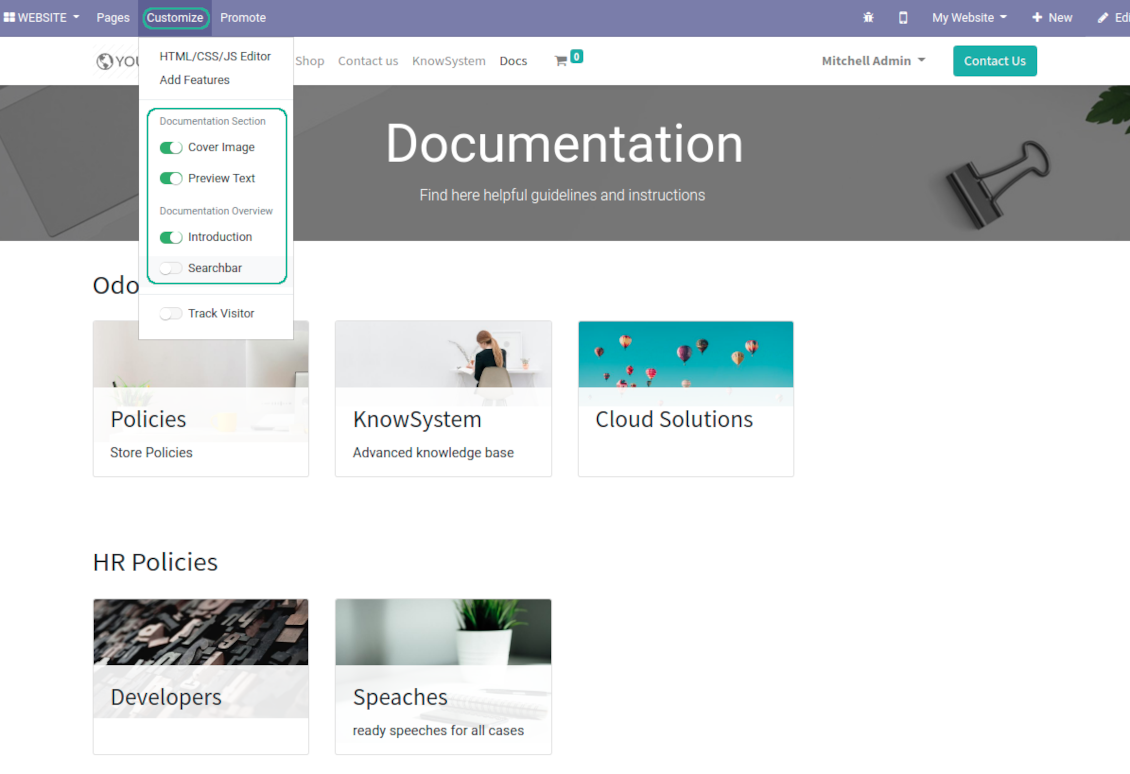
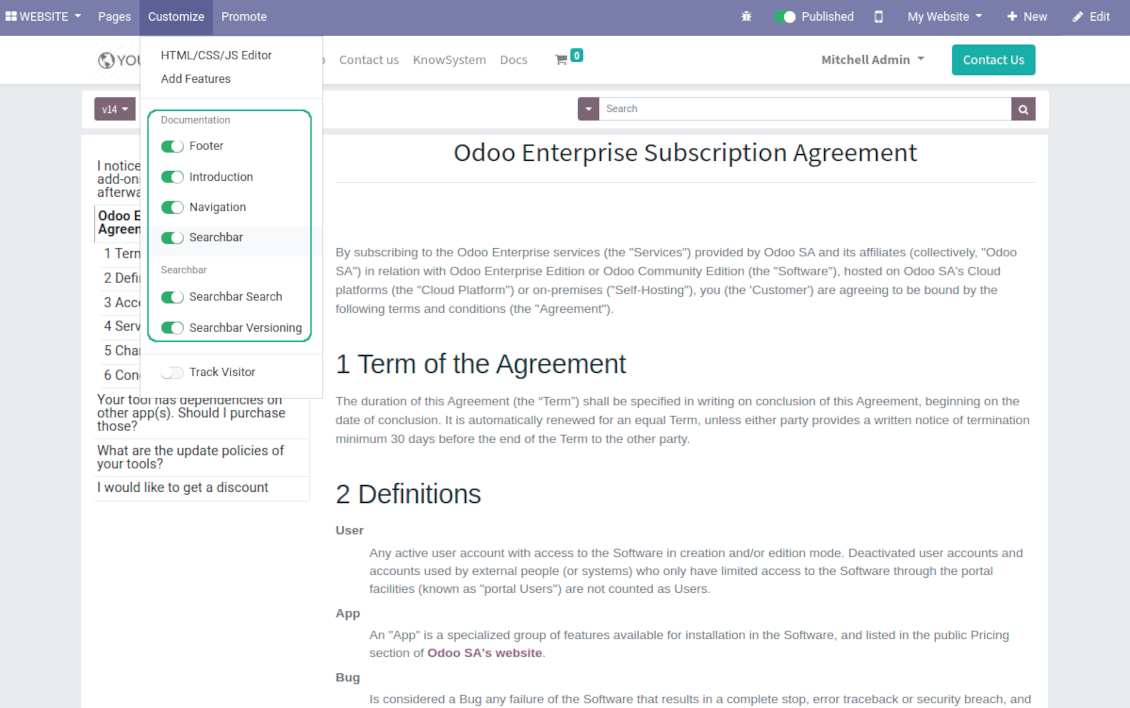
Flexibly customize documentation pages: show or hide introductions and footers, turn on/off search bar and table of contents, add or remove preview images and texts
-
The app let flexibly share documentation categories and sections. Publish required documents to make them available for everybody, assign KnowSystem tags - to grant an access for chosen Odoo partners
-
Depending on user rights documentation might look different. Define what to do if a documentation user does not have access for included articles: to neglect restrictions, not to show that knowledge pieces, or to show a security warning
-
Optionally show table of contents for comfortable and quick navigation. Table of contents is constructed automatically according to headers of included articles
-
Turn on the search bar for documentation. It is possible to find matches in a whole text or only in headers, to make key words case sensitive or insensitive.
-
Apply versioning for documentation to avoid double work in preparing specifications, user manuals or software guidelines.
Partner knowledge base portal and public knowledge system
Knowledge in Odoo portal
-
KnowSystem let organize a web portal personally for each Odoo partner by selecting articles to be shared. To that end turn on the option 'Portal KnowSystem'
-
Design an article especially for a definite company, or use the same knowledge experience among multiple clients
-
Knowledge articles are available for portal users if: (a) the articles are published; (b) the articles have user-related tags
-
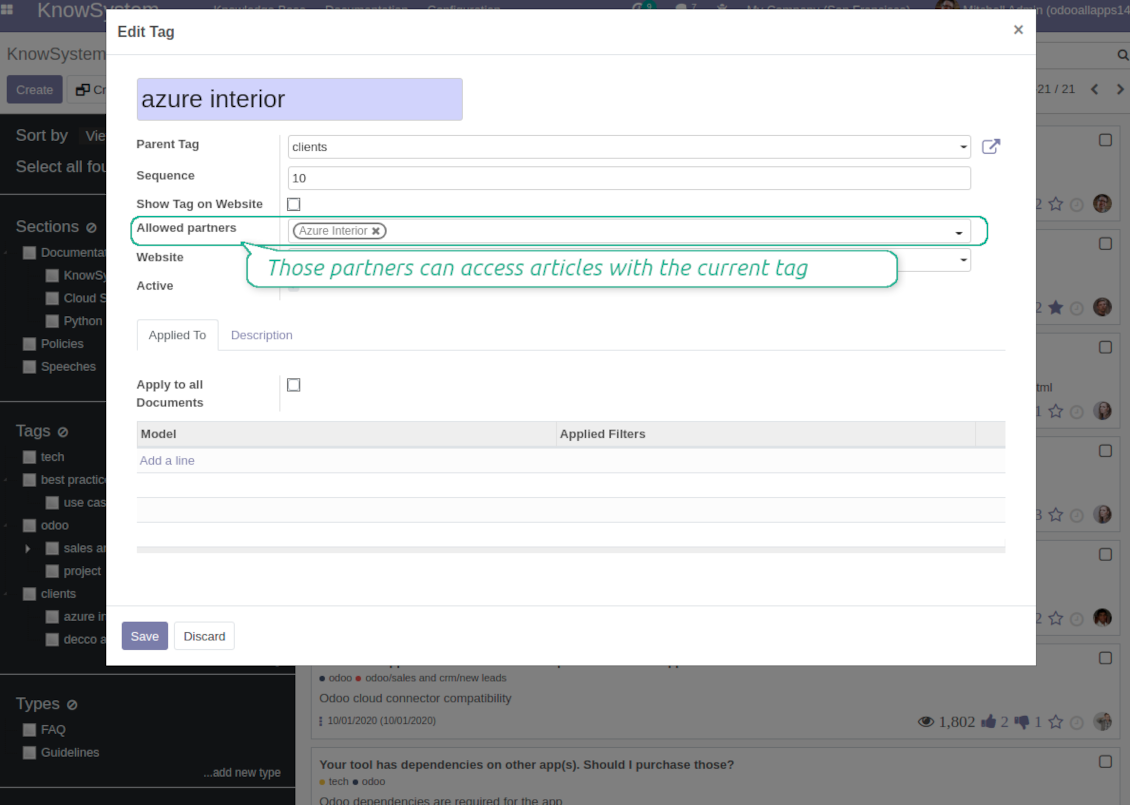
To assign a KnowSystem tag for a partner do one of the following: (a) go to a partner form and enter the field 'KnowSystem tags'; (b) on a tag form define 'Allowed partners'
-
Optionally allow partners to print knowledge pieces, like or share articles
Public KMS
-
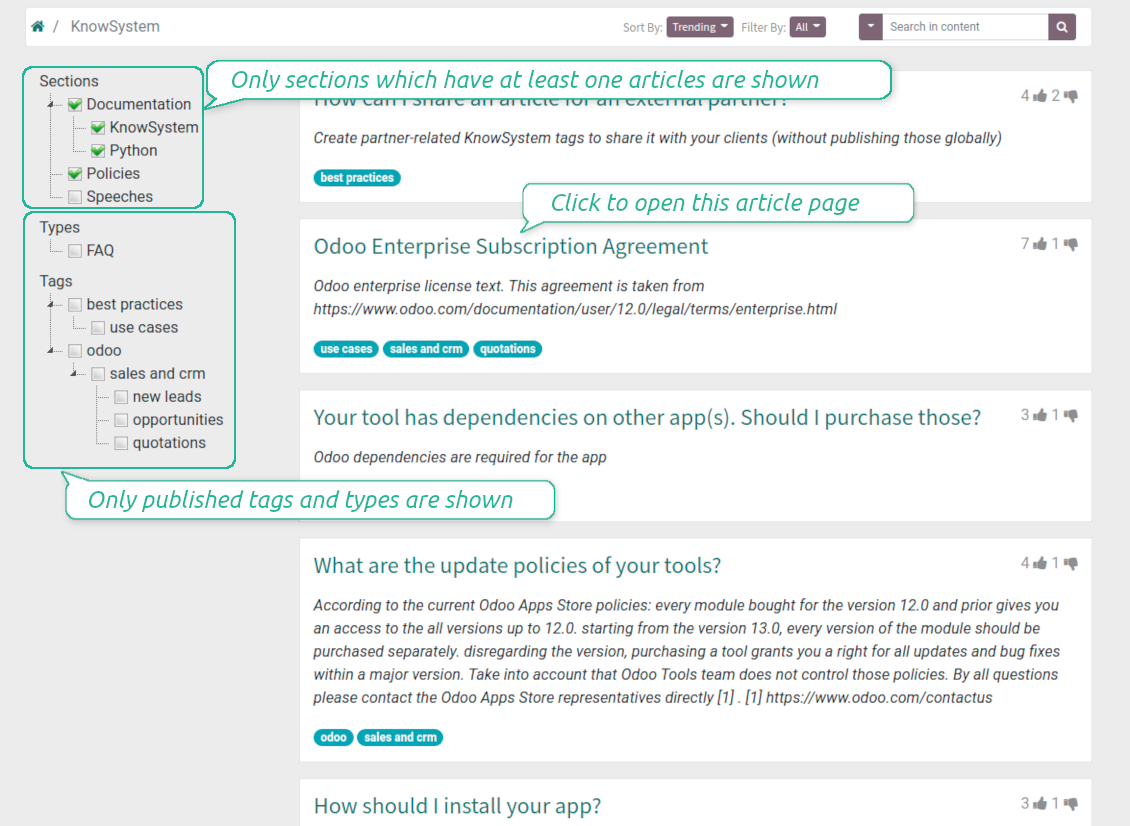
To make self service possible: make your knowledge base available also for unauthenticated users. To that end turn on the option 'Public KnowSystem'
-
Only articles which are published would be available for visitors
-
To publish specific knowledge parts: apply the mass action 'Publish' or push the button 'Actions > Publish on website' on an article form
-
To show tags and article types in portal and website do not forget to publish them. Knowledge sections would be shown only if they have articles for observation
-
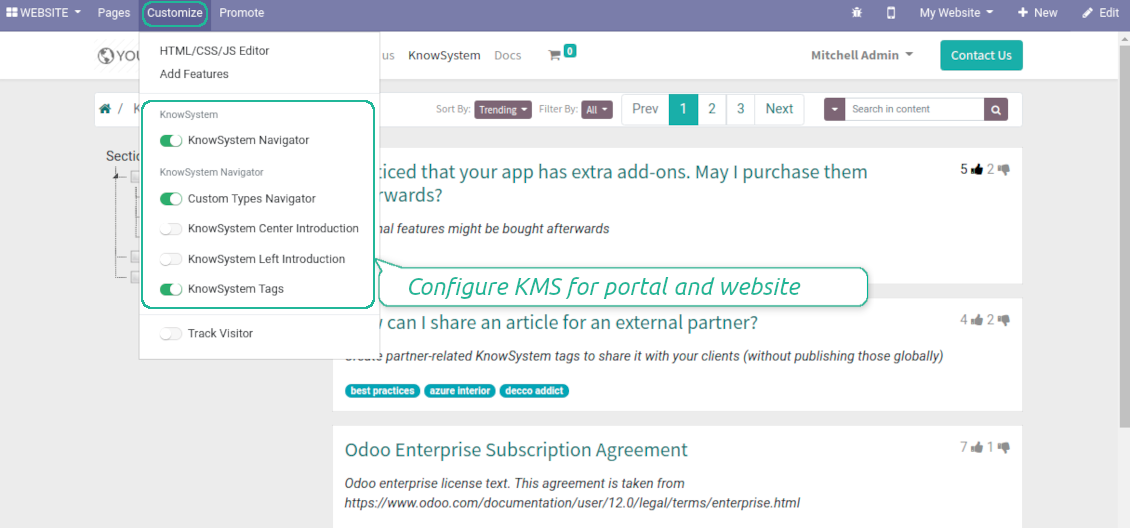
Customize the knowledge portal: hide/show the navigation by tags and types or the whole navigation, prepare introduction or navigation hints, add section tooltips.
Interactive and evolving knowledge base
Team work and use
-
The history of articles revisions is kept in Odoo in a similar way it's done in Wikipedia. If one of user breaks something, it takes 2 clicks to recover a proper knowledge version
-
Users might take part in article discussions and be subscribed for updates
-
Control statistics by articles: contributors, number of views, likes and dislikes, how frequently they are used in messaging, who mark them as favorite
-
Set activities to improve knowledge base
Multi lingual knowledge
-
KnowSystem let you translate articles to installed in Odoo languages. In such a way users might read and edit articles in a language from their preferences
-
To avoid double work, article content might be copied from another language (the button 'Copy from another translation' under the article content). Simultaneously, make sure you actually require multi lingual regime: all articles should be anyway kept updated in all Odoo languages
-
To update knowledge translation you should change your user preferences to a required language. Then, go to an article and introduce changes as usual.
Any business and functional area
KnowSystem is a universal knowledge management tool which might be configured to any business goal and any set of Odoo apps: for helpdesk, marketing, IT, HR, project management, so on and so on. Typical use cases are:
-
Helpdesk - once faced a challenge, its solution might be recorded in KnowSystem for repeated usage by co-workers and for self-service by clients
-
Sales and CRM - salesperson helper to find information about products, offers, frequently asked customer questions
-
Project management - to keep and easily retrieve knowledge of existing solutions, tools, hints, and experiments
-
HR - to prepare instructions, guidelines, learning tours and trainings, and any codified knowledge of routine in your company
-
Marketing - to organize Odoo online library of product use cases, expert knowledge and well structured documentation
-
Legal issues - systematize your policies, contract and approval managements, keep the full classifier of trademarks, licenses
-
Informational technologies - share easy-reached manuals and configuration guidelines.
Custom knowledge system attributes
-
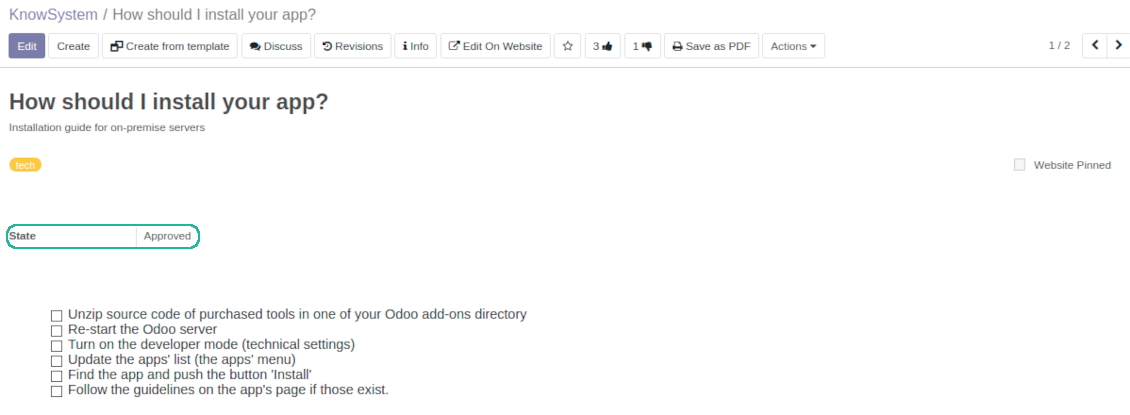
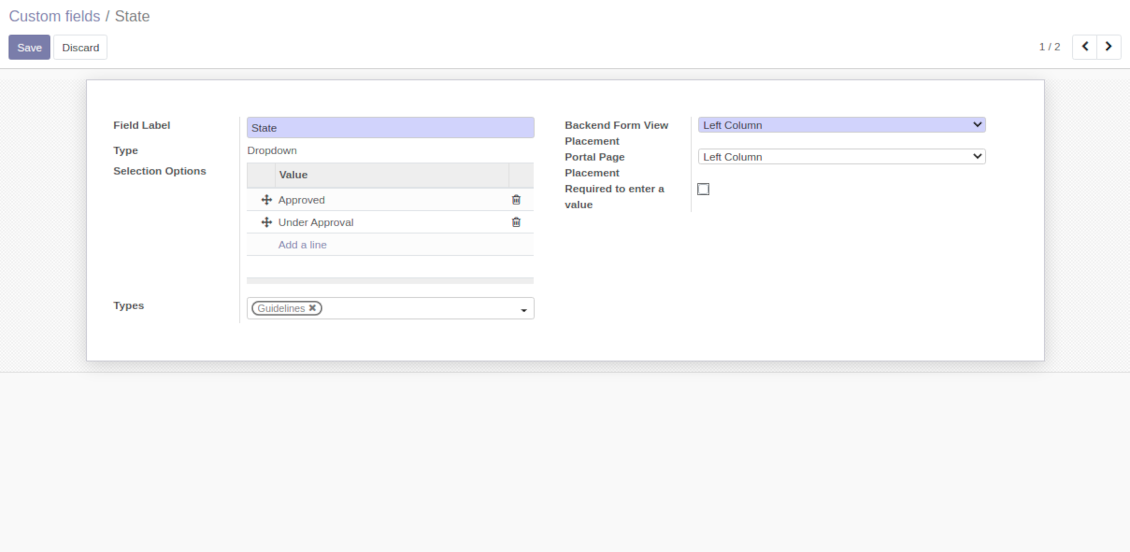
Custom attributes' creation does not require any technical knowledge. In order to show a new property for knowledge base articles, just add a new field and enter details
-
It is possible to add custom fields of the following types: single line text (char), simple text without formatting (text), rich text (HTML-formatted text), integer or float numbers, drop-down choice with your own options (selection), checkbox (boolean), date or date and time, binary (a file to upload), reference to another Odoo document (e.g. for a sale order, contact; many2one)
-
The tool let you comfortably select an interface position of a custom field from a closed list of options
-
Distinguish knowledge articles by types in order to show properties only for suitable ones. Thus set of attributes for 'user guidelines' and 'technical specifications' might be different
-
Mark a custom field required to force users enter values
-
The app might work for both KnowSystem backend and knowledge share portal
-
Custom knowledge system fields might be imported and exported
-
The rights to create custom fields belong only to KnowSystem administrators.
Secured and shared knowledge
-
Security for internal and for portal/public users differs
-
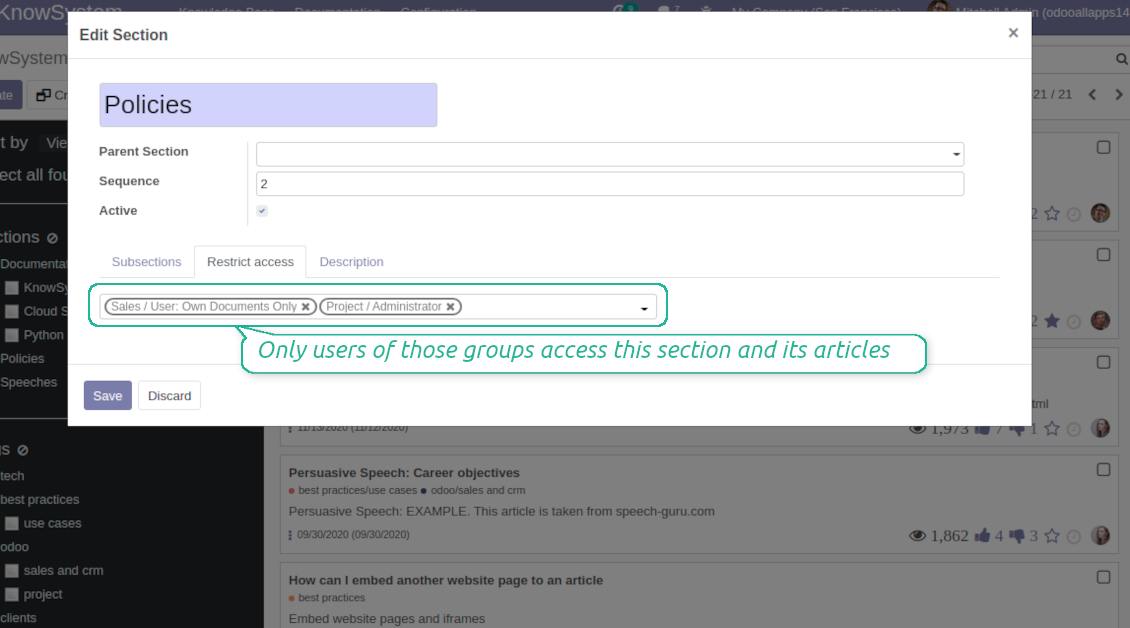
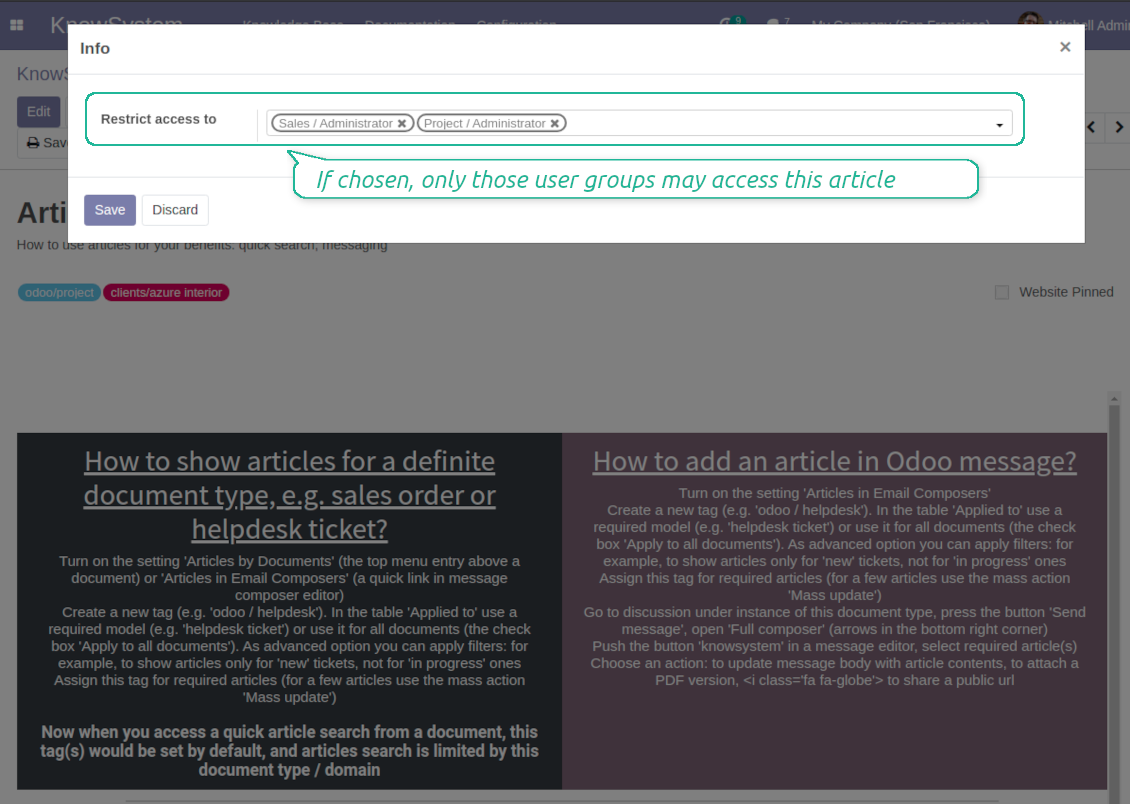
For the company employees: KnowSystem considers user groups which are defined per articles, sections and tours. Look at the tab 'Restrict to' on forms of those objects. If that field is not defined, a document is considered 'global' and each internal user may read it
-
For portal / public users: KnowSystem takes into account tags and whether an article is website published. A knowledge tag has a field 'Allowed partners', which may grant an access to portal users for articles with this tag. Website published pages are available for any external visitor
-
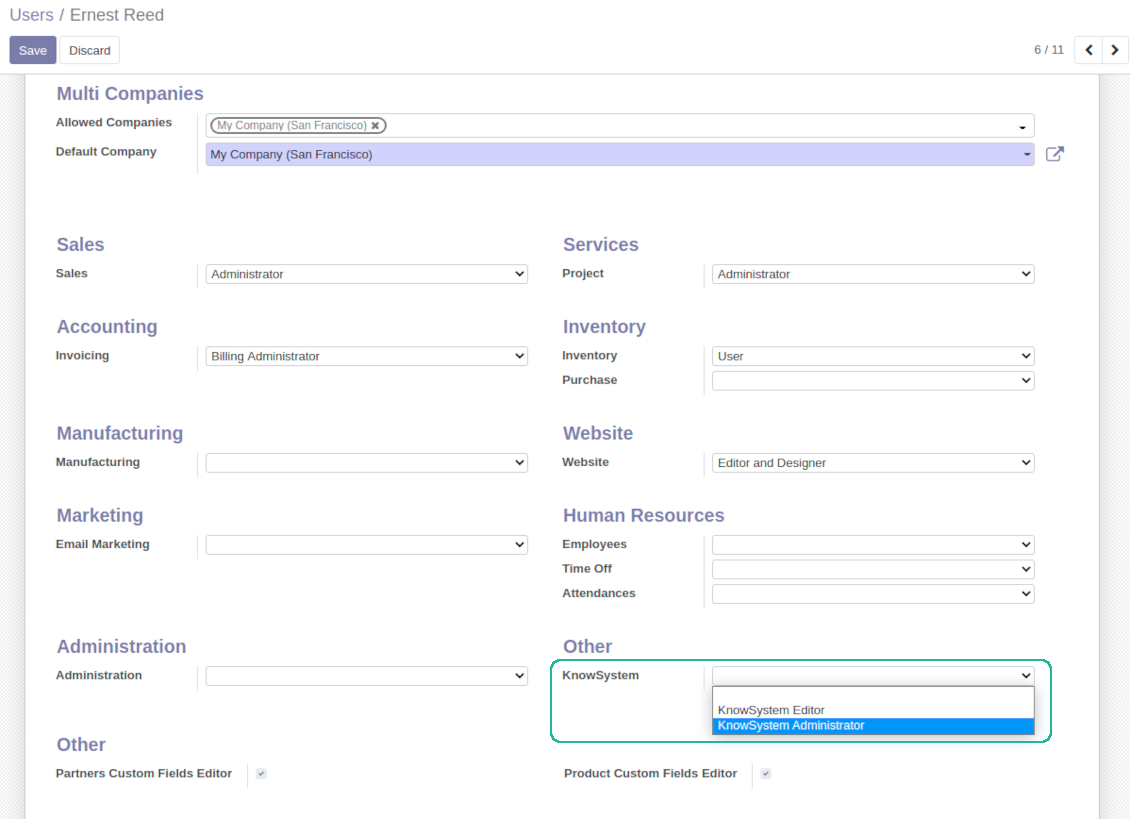
Rights to administrate Odoo knowledge management system belongs to 2 user roles: KnowSystem Editor and KnowSystem Administrator. If you want a user to create and edit articles, a user should belong to one of those groups
-
Odoo user always may access an article if he/she is an author of that article disregarding further restrictions
-
Rights for a knowledge section is defined not only according to this section but also according to all its parents. For example, if a user can't access 'sales', he/she would not be able to access 'sales / crm' disregarding whether 'crm' is available for his/her user group.
|
|
Odoo user |
KnowSystem Editor |
KnowSystem Admin |
Portal user |
Public user |
| Articles | read related to his/her user groups and sections | read, create, edit, archive related to his/her user groups and sections | read, create, edit, delete any | read published articles and articles related to partner-related tags | read published articles |
| Sections | read related to his/her user groups | read, create, edit, archive related to his/her user groups and sections | read, create, edit, delete any | read all sections of available articles | read all sections of published articles |
| Tags | read any | read, create, edit, archive any | read, create, edit, delete any | read published ones | read published ones |
| Article Types | read any | read any | read, create, edit, delete any | read published ones | read published ones |
| Tours | read related to his/her user groups | read, create, edit, delete related to his/her user groups | read, create, edit, delete any | no access | no access |
| Misc | may like / dislike, add to favourites, print, take part in discussions | may configure options | may like / dislike an article |
|
Pogosta vprašanja o KnowSystem: Knowledge Base System Odoo v.14
Med besedili revizij ne vidim nobene razlike.
Revizije beležijo ne le sprememb besedila, temveč tudi posodobitve slogov (tehnično, ko spremenite izvorno kodo HTML članka). Nekatere morda niso jasne na prvi pogled (npr. spremenjena velikost pisave ene besede). Druge so lahko drastične. Vendar vsak niz dejanj Uredi > Spremeni karkoli v članku > Shrani povzroči novo revizijo.
Ali lahko v članek dodam videoposnetek YouTube/ Vimeo / Dailymotion / Youku?
Da, videoposnetke s teh storitev lahko vstavite v članke tako iz zaledja Odoo kot iz graditelja spletnega mesta. Dodajte poljuben blok s sliko > pritisnite sliko > izberite ‘Video’ > vnesite URL medija.
Upoštevajte: taki videoposnetki so vključeni kot iframe in nekateri brskalniki lahko predvajanje blokirajo, dokler uporabnik tega izrecno ne dovoli.
Kako naredim razdelek viden na spletnem mestu?
V KnowSystem je razdelek na spletnem mestu viden, če je objavljen in vsebuje vsaj en članek. Tudi s podrazdelki ne bo viden, če v samem razdelku ni nobenega članka. Tako se izognemo praznim razdelkom in portal KnowSystem ostane pregleden. Da se razdelek prikaže na mestu, dodajte uvodni ali splošni članek, ki na kratko opiše ali našteje članke v podrazdelkih.
Kako delim članek zunanji partner?
Desni klik na katero koli oznako na levem navigacijskem panelu - Ustvari
Poiščite polje „Allowed partners“. Na primer 'clients - azure interior' za dostop partnerja 'Azure Interior'. Lahko tudi obratno: oznake KnowSystem dodelite neposredno na obrazcu partnerja
Nato pojdite na zahtevani članek (ali enako z dejanjem „Mass update“ za več zapisov):
Če je objavljen: prekličite objavo, če nočete, da je na voljo vsem uporabnikom portala in javnim obiskovalcem
Dodeli novo ustvarjeno oznako (v primeru je to 'clients - azure interior')
Zdaj:
Vsi uporabniki portala, povezani s komercialnim partnerjem 'Azure Interior', imajo dostop do člankov z oznako 'Azure Interior'
Noben drug uporabnik portala (če ni dodeljena druga oznaka) nima dostopa do teh člankov
Notranji uporabniki niso prizadeti in članke vidijo po logiki „access to“ člankov in razdelkov.
Ali lahko dodamo gumb za izbiro jezika na telo članka?
Gumba 'translate' dodatni modul 'KnowSystem: Multi Languages' namerno ne doda v telo članka. Razlog: HTML je v preprostem pojavnem oknu gumba zelo težko prevajati. Besedila za prevod bi bilo malo, HTML delov pa veliko (prevajalnik jih lahko tudi pokvari).
Zato se predvideva, da za članek v določenem jeziku vstopite kot uporabnik tega jezika. Lahko je drug uporabnik ali pa začasno spremenite nastavitve trenutnega uporabnika. Nato so vse posodobitve telesa članka v tem jeziku.
Uporabite lahko tudi gumb 'Copy from another translation' pod telesom članka in kadar koli pridobite vsebino iz drugega jezika (uporabno, če je bil članek v enem jeziku bistveno posodobljen).
Kako v členek vdelam drugo spletno stran
V ta namen lahko uporabite iframe. Preklopite članek v urejevalnik surove kode HTML in vstavite na primer <iframe src="https://faotools.com/" style="width:100%;min-height:600px;"> </iframe>.
Namestil sem KnowSystem, vendar ne vidim gumba »create« in drugih gumbov
Najverjetneje uporabniku niste podelili pravic KnowSystem. Izberite pravico „KnowSystem Editor“ ali „KnowSystem Admin“ in osvežite stran. Kontrolni gumbi bi se zdaj morali prikazati.
Ali lahko pokažem določen učni ogled samo izbranim uporabnikom?
Da, z uporabo uporabniške skupine (npr. 'Sales Manager'), ki naj vidi ta vodenogled. Če uporabnik pripada skupini, vodenogled vidi. Če ne, se ne prikaže. Deluje enako kot varnostne pravice za članke in razdelke KnowSystem.
Upoštevajte, da je vodenogled brez dodeljenih skupin „globalen“ in viden vsem.
Kako spremenim nogo in glavo pri tiskanju člankov?
Glava in noga PDF-jev člankov se vzameta iz postavitev podjetja. Oglejte si Settings > General Settings > razdelek Business Documents. Tam določite predlogo podjetja za vse vrste dokumentov, vključno z računi, prodajnimi naročili itd., in za članke. Takšen pristop Odoo obravnava nogo in glavo kot splošen slog podjetja, ne kot lastnost posameznih tiskov.
Kako med seboj povežem članke?
Vsak članek ima notranje (backend) in spletne URLs (če je nameščena možnost 'KnowSystem: Website and Portal'). Na obrazcu članka kliknite gumb 'Info', da izveste spletne naslove tega zapisa. Katerega koli lahko vstavite v telo članka kot hiperpovezavo.
Ali lahko spremenim izvorno kodo HTML članka?
Da: vklopite debug assets (na zaslonu pregleda nastavitev) in se vrnite k trenutnemu članku. V načinu urejanja boste videli posebno ikono '</>'. Kliknite jo za ogled in urejanje HTML in slogov.
Kakšne so politike posodobitev vaših orodij?
Glede na veljavna pravila Odoo Apps Store:
- Vsak modul, kupljen za različico 12.0 in starejše, omogoča dostop do vseh različic do 12.0.
- Od različice 13.0 je treba vsako različico modula kupiti posebej.
- Ne glede na različico nakup daje pravico do vseh posodobitev in popravkov znotraj glavne različice.
Upoštevajte, da ekipa faOtools teh pravil ne nadzoruje. Za vprašanja se obrnite neposredno na predstavnike Odoo Apps Store.
Kako namestim vašo aplikacijo na Odoo.sh?
Najbolj neposreden pristop je uporaba vgrajenega poteka dela trgovine Odoo:
1. Odprite stran modula in kliknite gumb Deploy on odoo.sh
2. Nato boste preusmerjeni na stran GitHub. Prijavite se v račun, nato kliknite 'Create a new repo' ali uporabite obstoječega. Poskrbite, da je skladišče zasebno. Objavljanje aplikacij pod licenco OPL-1 ni dovoljeno. Po potrebi ustvarite nov repo za projekt Odoo.sh
3. Nato pojdite na odoo.sh in kliknite gumb Deploy. V pojavnem oknu potrdite odločitev in kliknite 'Continue.' To sproži namestitev.
Ti koraki namestijo aplikacijo na produkcijsko vejo projekta. Če želite aplikacije namestiti na druge veje ali posodobiti modul, opravite naslednje:
1. Naložite izvorno kodo aplikacije iz trgovine Odoo
2. Naredite commit modula v zahtevano skladišče GitHub. Poskrbite, da ni nobena mapa/datoteka aplikacije prezrta (tj. ni v .gitignore skladišča). Skladišča samodejno ustvari odoo.sh in lahko privzeto vsebujejo ključne elemente (npr. /lib). Naložite vse imenike, podimenike in datoteke modula brez izjem
3. Namestite ciljno vejo projekta odoo.sh ali, če to predvidevajo nastavitve, počakajte, da se samodejno izgradi.
Kako namestim vašo aplikacijo na lastnem strežniku?
2. Znova zaženite strežnik Odoo;
3. Vklopite način za razvijalce (tehnične nastavitve);
4. Posodobite seznam aplikacij (meni aplikacij);
5. Poiščite aplikacijo in pritisnite „Activate“/„Install“;
6. Sledite smernicam na strani aplikacije, če obstajajo.
Opazil sem, da ima vaša aplikacija dodatne dodatke. Jih smem kupiti pozneje?
Da, seveda. Hkrati Odoo samodejno doda vse odvisnosti v košarico, zato morate predhodno kupljena orodja izključiti, da se izognete dvojnemu plačilu.
Namestil sem vašo aplikacijo na Odoo.sh in v testih vidim opozorilo/napako
Rdeče/oranžno opozorilo ne vpliva na funkcije aplikacije. Žal naši moduli včasih ne opravijo standardnih samodejnih testov, ker ti predvidevajo vedenje, ki je v nasprotju s cilji aplikacije. Na primer spreminjamo izračun cene, medtem ko testi standardnega modula Odoo primerjajo končno ceno s standardnim algoritmom.
Najprej preverite funkcije nameščene zbirke. Ali vse deluje pravilno?
Če še vedno menite, da opozorilo vpliva na resnične funkcije, nas kontaktirajte in pošljite popolne dnevnike namestitve ter popoln seznam nameščenih modulov (vključno z jedrom in tretjimi).
Ali lahko kupim aplikacijo neposredno pri vašem podjetju?
Ne, orodja razširjamo samo prek uradne trgovine aplikacij Odoo.
Rad bi dobil popust
Žal nimamo tehničnih sredstev za individualne cene.
Ali lahko namestim aplikacijo v svojo zbirko Odoo Online (SaaS)?
Ne, aplikacij tretjih oseb ni mogoče uporabljati na Odoo Online. Žal Odoo SaaS to preprečuje.
Vaše orodje je odvisno od drugih aplikacij. Ali jih moram kupiti?
Da, orodje potrebuje vse module, označene v odvisnostih, da deluje pravilno. Cena na strani aplikacije že vključuje vse potrebne odvisnosti.
Kakšna je cena modula v ameriških dolarjih? Zakaj se je spremenila?
Cena naših modulov je v evrih. Trgovina Odoo pretvarja cene v druge valute po notranjem tečaju. Zato se lahko cena v ameriških dolarjih spremeni, ko se tečaj posodobi.
Besedila aplikacije in spletnega mesta v jezikih, ki niso angleščina, so pripravljena z UI in usklajena z uradnimi prevodi Odoo. Če opazite napako, pošljite zahtevek o pravilnosti prevodov in jo bomo popravili.
Prijavljanje napak
Če naletite na napake ali nedosledno vedenje, nas ne oklevajte kontaktirati. Zagotavljamo popravke v 60 dneh od nakupa in tudi po tem obdobju želimo izboljševati orodja.
Za stik ne potrebujete telefonske številke niti kreditne kartice. Potrebna je le kratka prijava z e-pošto, ki ne traja več kot 30 sekund.
V zahtevo vključite čim več podrobnosti: posnetke zaslona, dnevnike strežnika Odoo, celoten opis ponovitve težave in podobno. Običajno traja nekaj delovnih dni, da pripravimo delovni načrt (če je napaka potrjena) ali smernice, kaj storiti (sicer).
Javne zahteve za funkcije in ideje modulov (brezplačen razvoj)
Močno nas žene izboljševanje orodij in hvaležni smo za vsako povratno informacijo. Če so vaše zahteve v splošno korist in jih je mogoče učinkovito uresničiti, jih bo ekipa vključila na naš seznam opravil.
Tak seznam opravil obdelujemo redno in ne predvideva dodatnih stroškov. Čeprav ne moremo obljubiti rokov in končne zasnove, je to lahko dober način, da dobite želene funkcije brez naložb in tveganj.
Za stik ne potrebujete telefonske številke niti kreditne kartice. Potrebna je le kratka prijava z e-pošto, ki ne traja več kot 30 sekund.

Orodje za prilagodljivo razvrščanje prilog Odoo v mape in sinhronizacijo imenikov z oblačnimi odjemalci: Google Drive, OneDrive/SharePoint, Nextcloud/ownCloud, Dropbox, Amazon S3, Box in NAS. DMS. Upravitelj datotek. Sistem za upravljanje dokumentov
398€
Orodje za samodejno dvosmerno sinhronizacijo prilog Odoo z datotekami OneDrive
487€
Orodje za samodejno dvosmerno sinhronizacijo prilog Odoo z datotekami Google Drive
487€
Orodje za varno shranjevanje gesel v Odoo za skupno rabo. Deljeni trezorji

Orodje za nastavitev ciljev KPI in nadzor izpolnitve po obdobjih. Nadzorne plošče KPI. Oblikovalec plošč. Grafikoni KPI

Orodje za časovno upravljanje storitev od rezervacije terminov do prodaje in ocen
398€
Orodje za upravljanje Odoo iz priljubljenih AI klepetov prek MCP. Claude. Kateri koli AI s podporo MCP.


Orodje za združevanje različnih dogodkov Odoo v nekaj nastavljivih superkoledarjev