Vendor Scoring and Evaluation v.18
The app to evaluate, score, and rank Odoo vendors
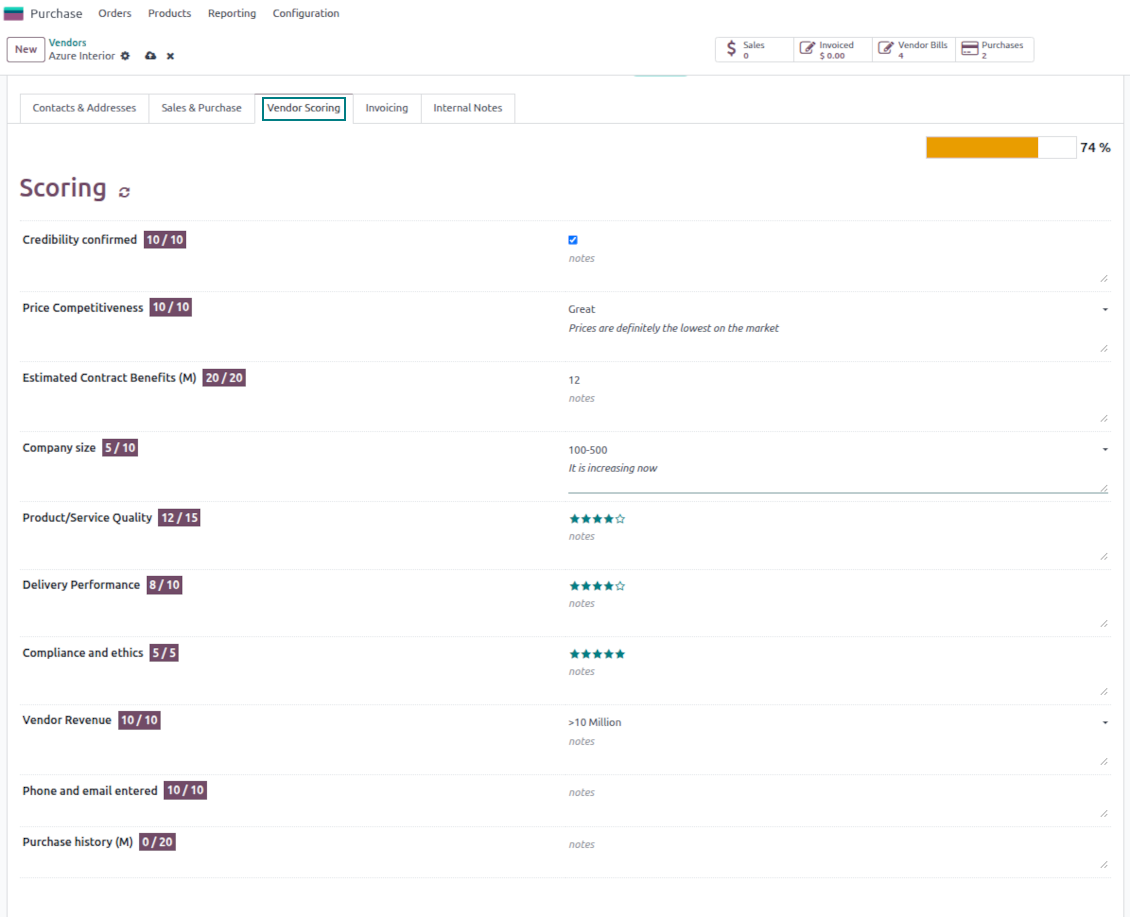
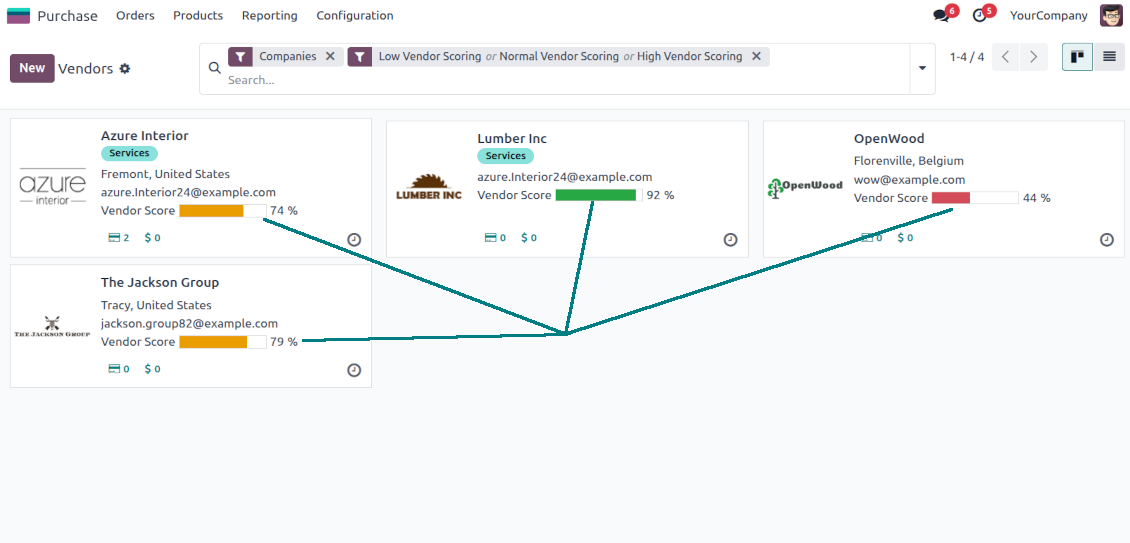
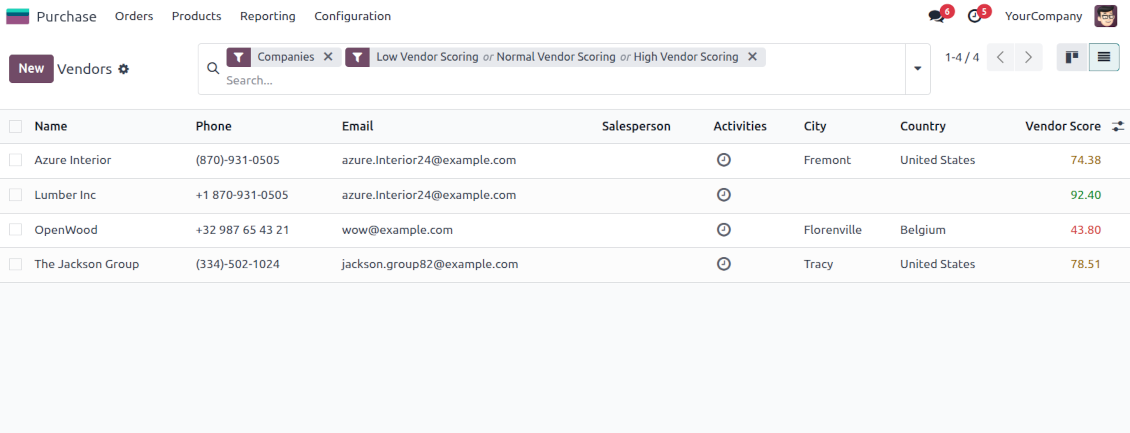
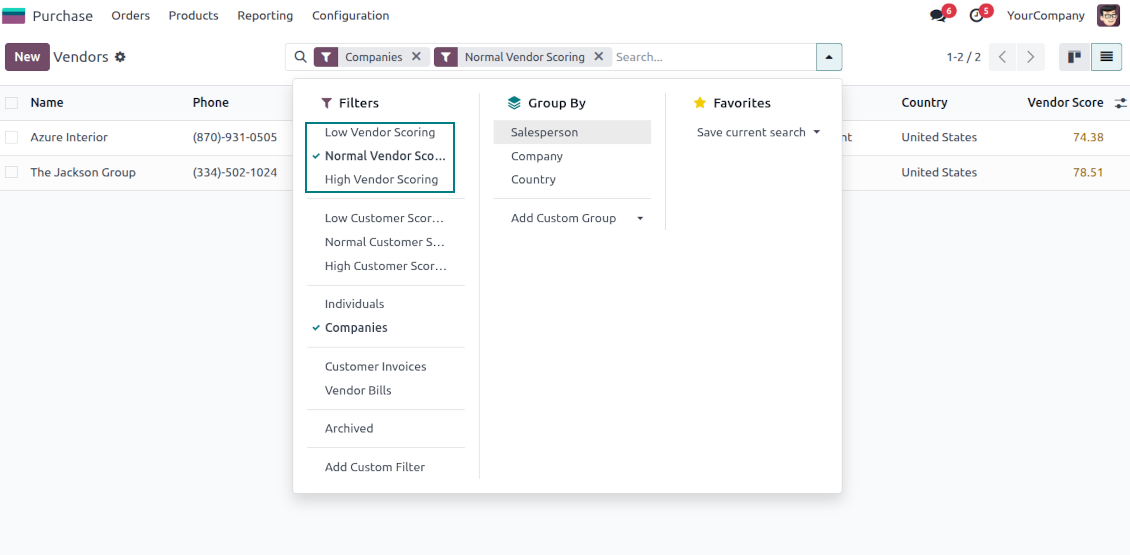
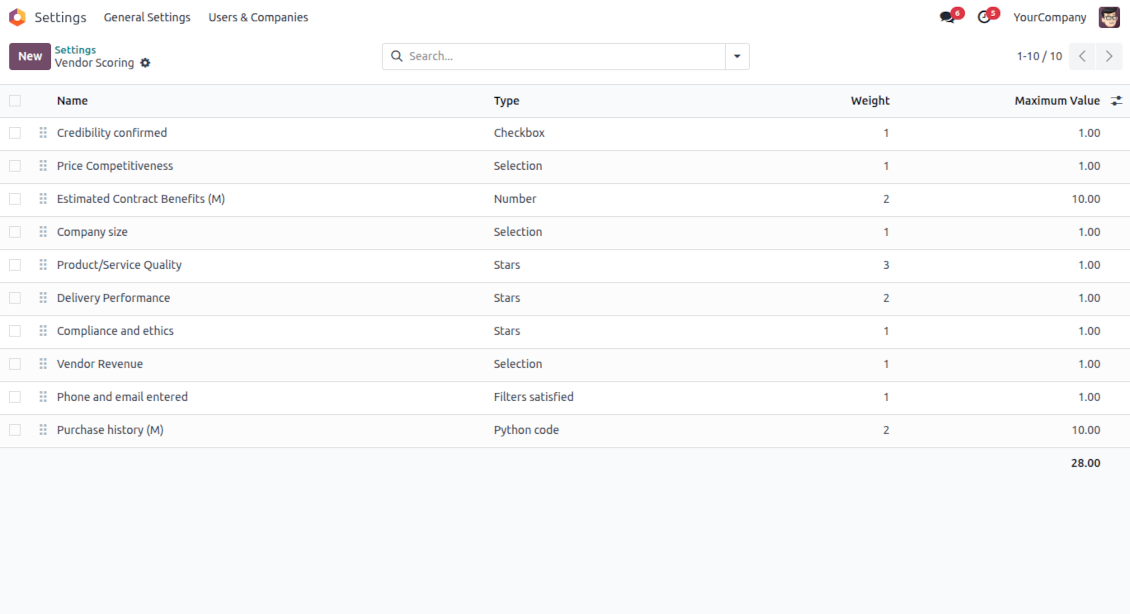
Indicative rankings
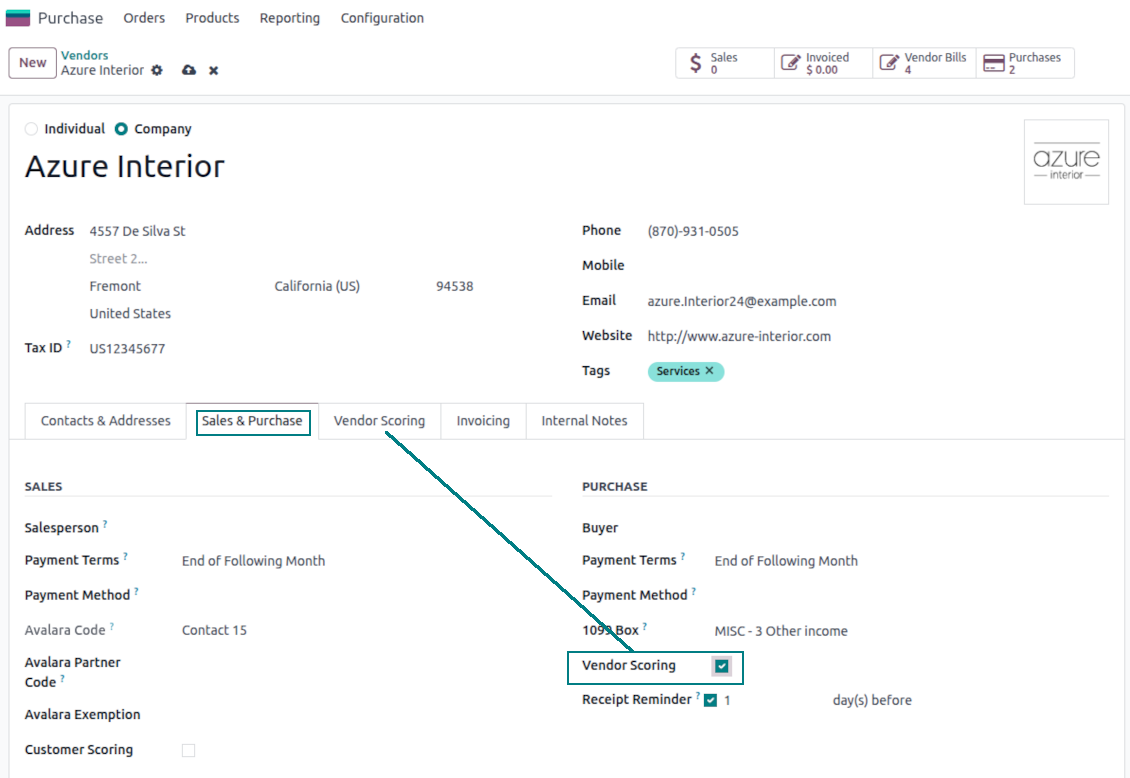
Show or hide rating progress bars on kanban, tree, and form views. Search low, normal, and high-ranked suppliers using standard Odoo filters
Unlimited and specific questions
Introduce any number of evaluation points with various weights, answer bonuses, or answer penalties. Complete or change surveys right from a vendor form
Flexible survey points
Apply suitable question types: checkboxes (e.g., True - plus 5 points, False - minus 2), drop-down selections (e.g., option 1 - plus 10 points, option 2 - plus 5 points, option 3 - minus 5 points), rankings (e.g., one star - 1 point, 3 stars - 5, no stars - minus 5 points), or numbers (e.g., each 5 - plust one point, but no more than 20)
Automatic evaluation types
Configure the rules to assign scores based on auto rules: when a vendor suits specific filters (e.g., when a vendor has a particular tag, add 3 points), when a vendor has specific fields entered/not entered (e.g., no email or phone - minus 5 points), or calculate results based on complex and entirely flexible Python code
Your ranking levels
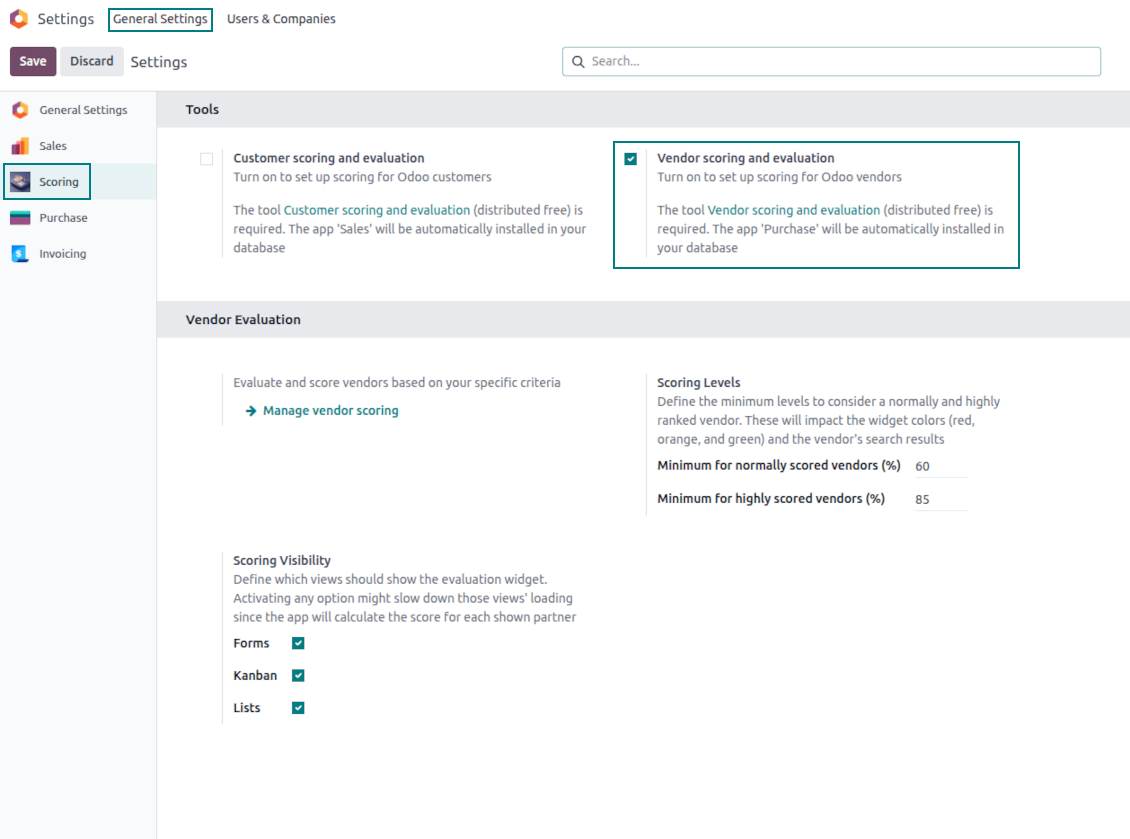
Define when a vendor should be ranked high, normal, or low. For example, from 80% - highly scored; from 60% - normally scored
Topical quantitative analysis
Optionally turn on evaluation for customers and/or vendors. Choose specific vendors to evaluate: others will be excluded from surveys.
Flexibly configurable surveys scoring points
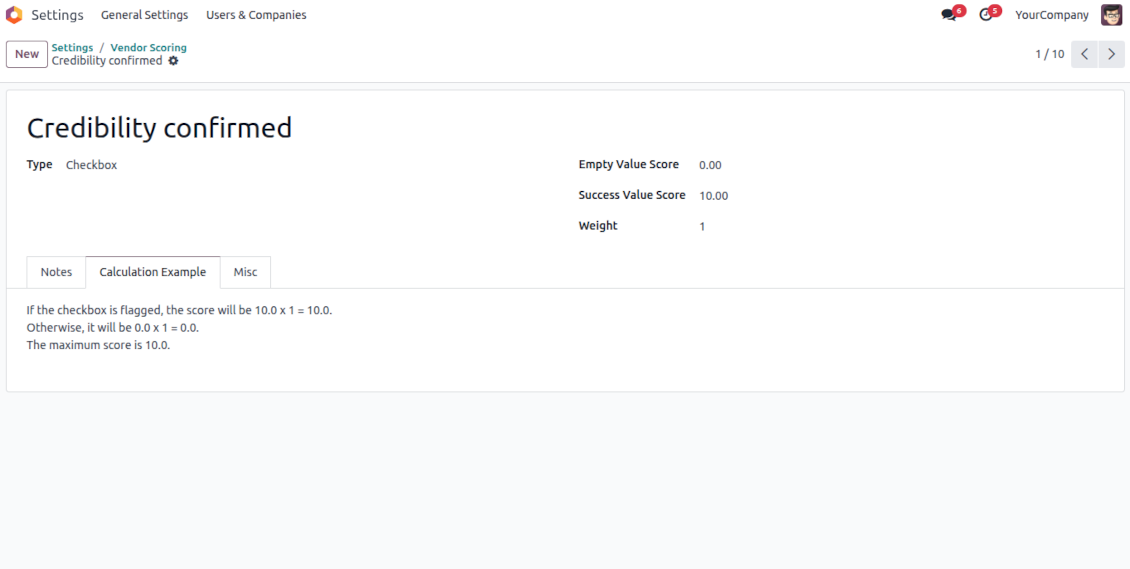
Checkboxes
-
Use this question type when the answer is True or False (default)
-
Assign the score for both options: True - "Success Value Score" (e.g., +10); False - "Empty Value Score" (e.g., -5)
-
Assign the weight for this evaluation point, e.g., 2. For example, the calculated result would be -5 x 2 = -10 for the supplier with the unchecked flag
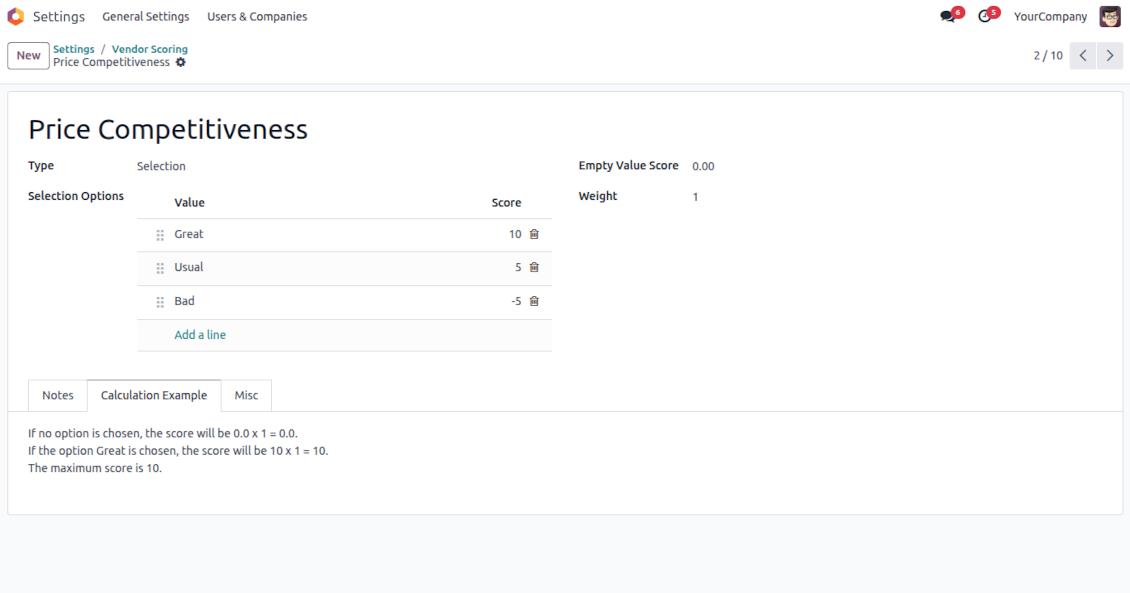
Dropdown selections
-
Use this question type when there are multiple options to select. For instance, the estimated reputation is chosen between three possible values
-
Assign the score for each option: Great (+10), Normal (+5), or Low (-5). The default value is empty (e.g., 0 points)
-
Assign the weight for this evaluation point, e.g., 3. For example, the calculated result would be 10 x 3 = 30 for a vendor with the "Great reputation"
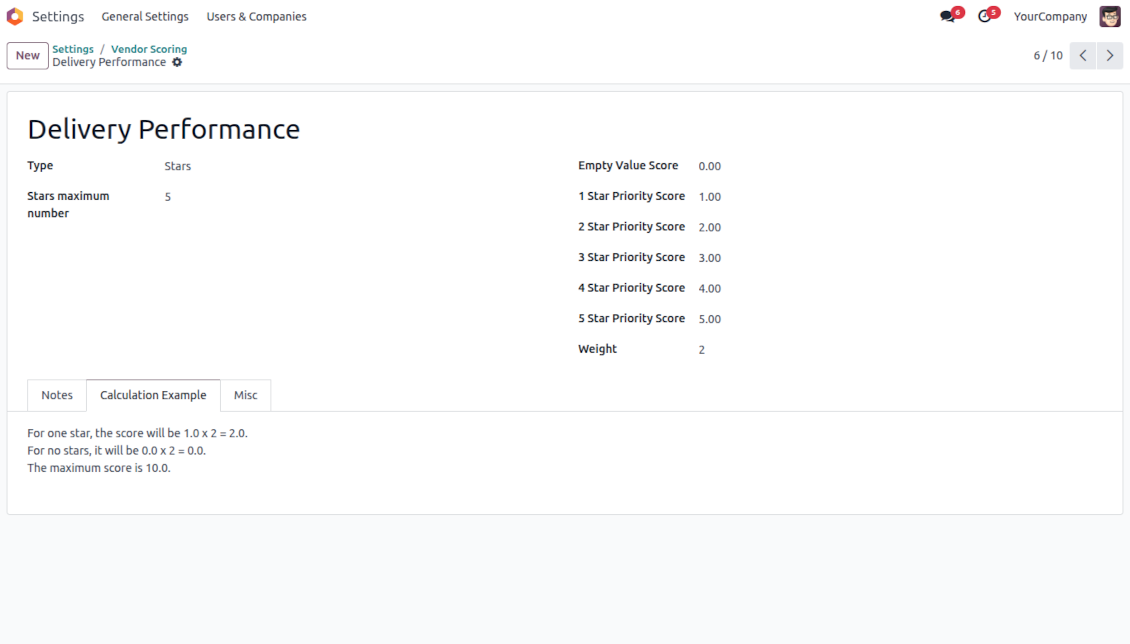
Stars/Ratings
-
Use this question type when evaluating a specific parameter from 0 to a particular number up to 10. For example, "Compliance and ethics" to be scored from zero to three stars
-
Assign the score for each option: 1 star (-1), 2 stars (1), 3 stars (2). The default value is 0 (e.g., 0 points)
-
Assign the weight for this evaluation point, e.g., 2. For example, the calculated result would be 3 x 2 = 6 for a vendor with 3 stars
Numbers
-
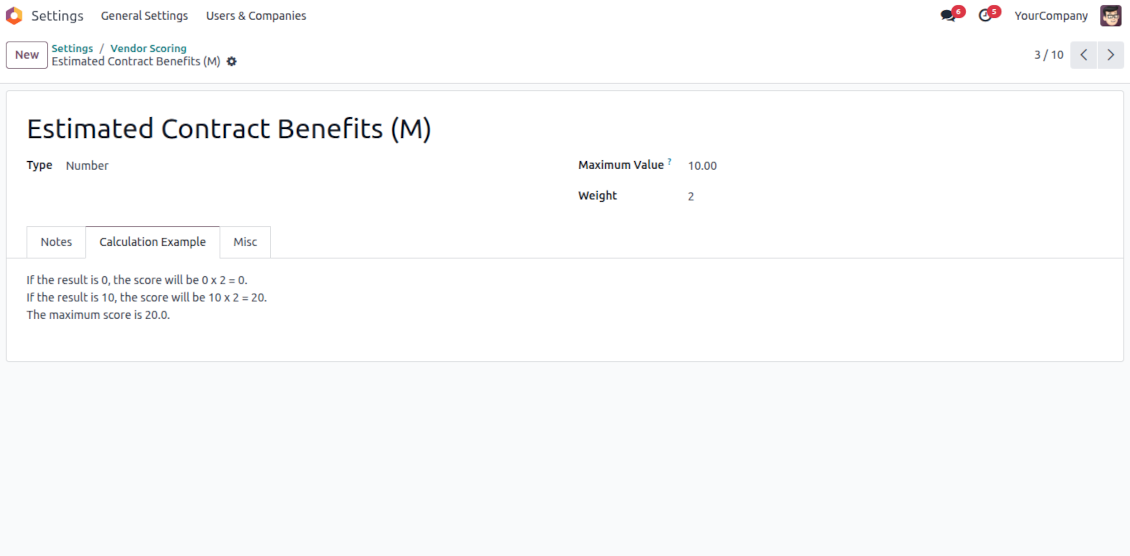
Use this question when users should enter an open-ended float number that is restricted only by a maximum. For example, the company revenue might be stated as any number in Millions, but the value for calculation is up to 10 Million
-
Assign the weight for this evaluation point, e.g., 2. For example, the calculated result would be 3.5 x 2 = 7 for a vendor with 3 million revenue. However, if the revenue is 15, it will be 10 x 2, since 10 is the maximum for calculations
Filters
-
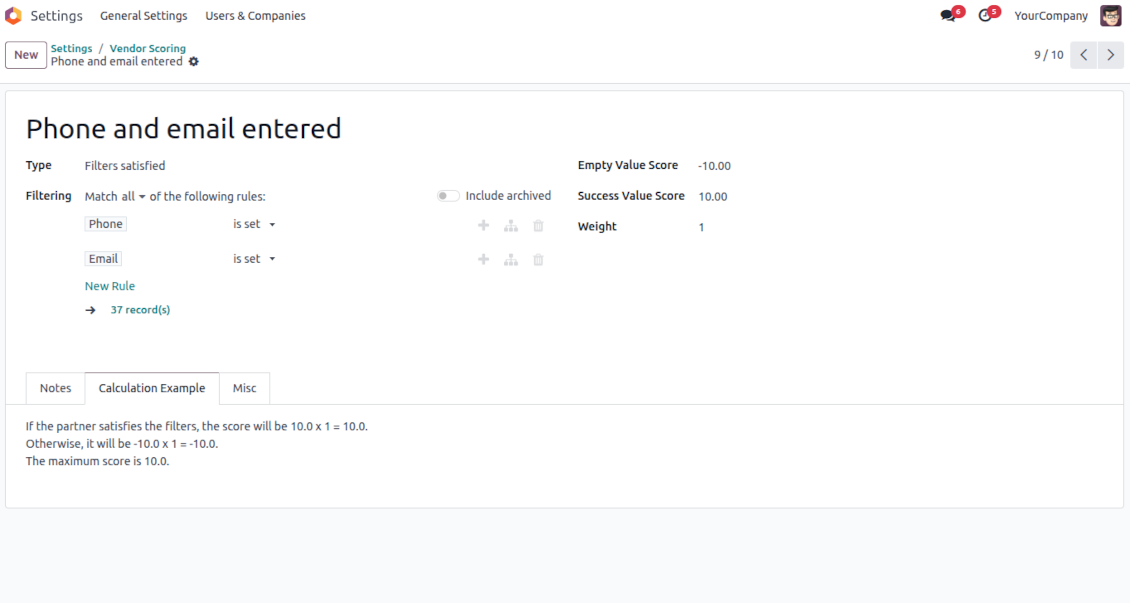
Use this question type to automatically assign a specific score based on whether a vendor suits particular rules. For example, when a supplier has a specific tag and/or fields entered
-
Assign the score for both possibilities: True - "Success Value Score" (e.g., +5); False - "Empty Value Score" (e.g., -5)
-
Assign the weight for this evaluation point, e.g., 1. For example, the calculated result would be -5 x 1 = -5 for the supplier that doesn't satisfy the filters
Fields entered
-
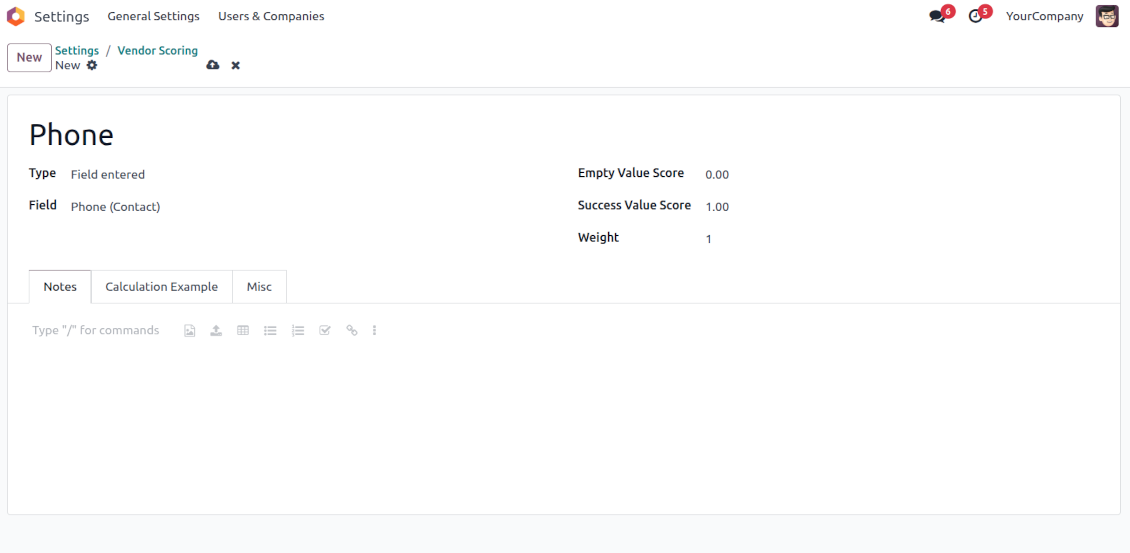
Use this question type to automatically assign a specific score based on whether a vendor has a particular field entered. For example, when a supplier has a phone in Odoo
-
Assign the score for both possibilities: True - "Success Value Score" (e.g., 0); False - "Empty Value Score" (e.g., -10)
-
Assign the weight for this evaluation point, e.g., 2. For example, the calculated result would be -10 x 2 = -20 for the supplier that has an empty phone field
Python code
-
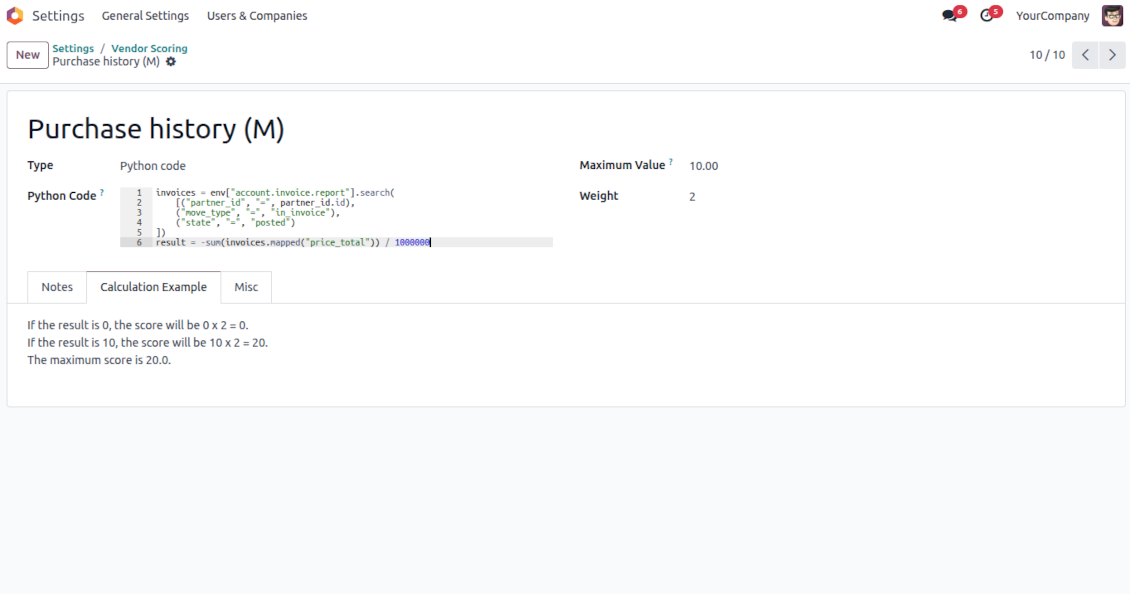
Use this question type to calculate a score point automatically based on any Odoo data. For example, to find all paid invoices of the current vendor and get their untaxed total
-
Assign the weight for this evaluation point, e.g., 2. For example, the calculated result would be 2 x 2 = 4 for a vendor with the calculated result 2
-
Assign the maximum possible result. For example, if it is set as 5, the calculated result "7" will be replaced with 5. So, the score will be 5 x 2 = 10 (instead of 7 x 2 = 14)
-
Feature description and details in short
-
In the code use the variable "partner_id" that contains the currently evaluated Odoo supplier (res.partner instance). Also, Python date, datetime, and timedelta are available
-
Apply Odoo "env" to work with database data. For example, env["purchase.order"] for RFQs or env["account.move"] for bills
-
Save the calculation total in your code to the special "result" variable
Score calculations
-
Each scoring point is summed up for a currently evaluated vendor. For example, five existing questions led to the weighted scores: +10 - 5 + 2 + 7 + 5 = 19
-
All the scoring questions also have their maximum possible values. For instance, 10 + 10 + 10 + 20 + 5 = 55
-
Then, a specific customer score is calculated as total points divided by the maximum points. So, 19/55 = 34.55%
-
Based on the calculated score, the app lets you define the high (marked green, e.g., 75%) and normal (marked yellow, e.g., 30%) levels. Others are low (marked red). Then, in our calculation, a vendor is "normally" evaluated since 34.55% is between 30% and 75%.
Gyakran ismételt kérdések: Vendor Scoring and Evaluation Odoo v.18
Mik az eszkozeik frissítési szabalyai?
Az Odoo Apps Store aktuális szabalyai szerint:
- A 12.0-s vagy korábbi verzióhoz vásárolt modul hozzáférést ad minden 12.0-ig tarto verzióhoz.
- A 13.0-s verzitol minden modulverziot külön kell megvasarolni.
- A verzioszamtol függetlenül a vásárlás jogot ad az adott foverzion belüli összes frissitesre es hibajavitasra.
A faOtools csapat nem irányítja ezeket a szabályokat. Kerdesekkel közvetlenül az Odoo Apps Store kepviseloit keresse.
Hogyan telepitem az alkalmazást Odoo.sh-re?
A legkozvetlenebb megkozelites az Odoo-aruhaz beépített munkafolyamata:
1. Nyissa meg a modul oldalat, es kattintson a Deploy on odoo.sh gombra
2. A GitHub oldalra kerül. Jelentkezzen be, majd kattintson a Create a new repo gombra, vagy használjon egy meglévőt. A tarhaznak privatnak kell lennie. OPL-1 licencu alkalmazások nem tehetok közzé. Szükség esetén hozzon létre uj repot az Odoo.sh-projekthez
3. Ezutan az odoo.sh-en kattintson a Deploy gombra, erősítse meg, majd kattintson a Continue gombra. Elindul a telepítés.
Ezek a lépések a production agra telepitik az alkalmazást. Mas agakhoz vagy frissiteshez:
1. Töltse le a forraskodot az Odoo-aruhazbol
2. Commitolja a modult a GitHub-tarhazba. Egyik alkalmazasmappa/-fájl sem kerulhet a .gitignore-ba. Az odoo.sh által létrehozott tarhazak fontos utvonalakat (pl. /lib) hagyhatnak figyelmen kívül. Töltse fel az összes modulkonyvtarat es fájlt
3. Deployolja az odoo.sh-projekt celagat, vagy várja meg az automatikus buildet, ha a beállítások igy szolnak.
Hogyan telepitem az alkalmazást a saját szerveremre?
2. Indítsa újra az Odoo-kiszolgálót;
3. Kapcsolja be a fejlesztői uzemmodot (technikai beállítások);
4. Frissítse az alkalmazaslistat (Alkalmazások menü);
5. Keresse meg az alkalmazást, es kattintson az Activate/Install gombra;
6. Kövesse az alkalmazasoldal utmutatasait, ha vannak.
Az alkalmazásnak extra kiegeszitoi vannak. Megvehetem őket később?
Igen. Az Odoo automatikusan a kosarba teszi a fuggosegeket: zárja ki a mar megvasarolt eszközöket, hogy ne fizessen kétszer.
Telepitettem az alkalmazást Odoo.sh-re, es figyelmeztetést/hibát latok a tesztekben
A piros/narancs figyelmeztetés nem befolyásolja az alkalmazás funkcióit. Néha a moduljaink nem mennek at a standard automatikus teszteken, mert azok az alkalmazás celjaival ellentetes viselkedést várnak. Például megvaltoztatjuk az arszamitast, miközben az Odoo-tesztek a végső árat a standard algoritmussal hasonlitjak össze.
Először ellenőrizze a telepített adatbázis funkciot. Minden működik?
Ha mégis ugy gondolja, hogy a figyelmeztetés valós funkciókat érint, írjon nekünk, es küldje el a teljes telepítési naplókat es a telepített modulok teljes listajat (mag es harmadik fel).
Megvehetem az alkalmazást közvetlenül onoktol?
Nem, az eszközöket csak a hivatalos Odoo alkalmazasboltban forgalmazzuk.
Kedvezmenyt szeretnék
Sajnos nincs technikai lehetosegunk egyedi árakat adni.
Telepithetem az alkalmazást az Odoo Online (SaaS) adatbazisomra?
Nem, harmadik feles alkalmazások nem használhatók az Odoo Online-on. Az Odoo SaaS ezt blokkolja.
Az eszköz mas alkalmazasoktol függ. Meg kell vennem őket?
Igen, az eszkoznek szüksége van minden függőségként jelölt modulra. Az alkalmazasoldal ara mar tartalmazza ezeket a fuggosegeket.
Mennyi a modul ara amerikai dollarban? Miért változott?
Moduljaink ara euroban van megadva. Az Odoo-aruhaz a belső arfolyama szerint vált mas penznemekre. Ezért az amerikai dollar ar valtozhat, amikor az arfolyam frissül.
Az alkalmazás és a webhely angolon kívüli nyelveken mesterséges intelligenciával készülnek és az hivatalos Odoo-fordításokhoz igazodnak. Ha hibát talál, küldjön fordításhelyességi jegyet és kijavítjuk.
Odoo demo-adatbázisok (élő előnézetek)
Ehhez az alkalmazáshoz ingyenes személyre szabott demo-adatbázist adhatunk.
Nem kell telefonszám vagy bankkártya a kapcsolatfelvételhez. Elég egy rövid e-mailes regisztráció, ami 30 másodpercnél nem tart tovább.
Kérésére egyéni élő előnézeti adatbázist készítünk, ahol kb. két hétig tesztelhet és ellenőrizheti a feltételezéseket.
Hibajelentés
Ha hibát vagy következetlen viselkedést lát, írjon nekünk. A vásárlástól 60 napon belül javítást vállalunk, és utána is fejlesztjük az eszközöket.
Nem kell telefonszám vagy bankkártya a kapcsolatfelvételhez. Elég egy rövid e-mailes regisztráció, ami 30 másodpercnél nem tart tovább.
Adjon meg minél több részletet: képernyőképek, Odoo-kiszolgálónaplók és a hiba reprodukálásának teljes leírása. Általában néhány munkanap kell a munkatervhez (ha a hiba megerősített) vagy az iránymutatáshoz (egyébként).
Nyilvános funkcióigények és modulötletek (ingyenes fejlesztés)
Erősen motiváltak vagyunk az eszközeink fejlesztésére, és hálásak minden visszajelzésért. Ha az igények közhasznúak és hatékonyan megvalósíthatók, a csapat felveszi őket a teendők listájára.
Az ilyen teendőlista rendszeresen feldolgozásra kerül, extra díj nélkül. Bár határidőt és végleges dizájnt nem ígérhetünk, jó módja lehet a kívánt funkciók befektetés és kockázat nélküli megszerzésének.
Nem kell telefonszám vagy bankkártya a kapcsolatfelvételhez. Elég egy rövid e-mailes regisztráció, ami 30 másodpercnél nem tart tovább.

Eszköz Odoo mellékletek mappákba rendezéséhez és könyvtárak szinkronizálásához felhőklientekkel: Google Drive, OneDrive/SharePoint, Nextcloud/ownCloud, Dropbox, Amazon S3, Box és NAS. DMS. Fájlkezelő. Dokumentumkezelő rendszer
398€

The tool to build a deep and structured knowledge base for internal and external use. Knowledge System. KMS. Wiki-like revisions.
398€
The tool to automatically synchronize Odoo attachments with OneDrive files in both ways
487€
The tool to set up KPI targets and control their fulfillment by periods. KPI dashboards. Dashboard designer. KPI charts

The tool for time-based service management from booking appointments to sales and reviews
398€
The tool to automatically synchronize Odoo attachments with Google Drive files in both ways
487€
The tool to plan, share and control employees shifts in a form of weekly timetables. Work schedule. Work shift calendar
98€
The tool combines users in roles and simplifies security group assigning. Access group management. Users mass updating