Messages: Schedule Send Option v.16
The tool to schedule Odoo messages to be delivered at a later time not immediately

Universal scheduling
Plan messages for any Odoo documents that have a chatter: sale orders, opportunities, contacts, RFQs, etc.
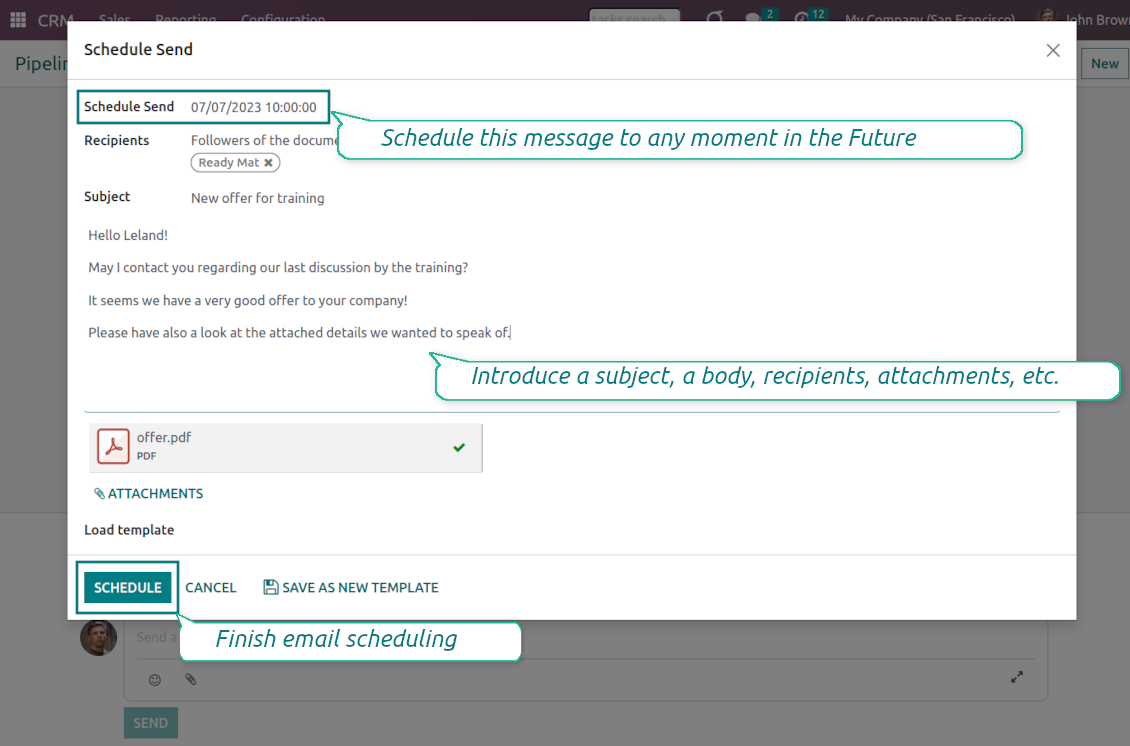
Schedule any message for any recipients for any date and any time in the Future. The feature is pretty much the same as you might be used to in your favorite email clients
Comfortable planning
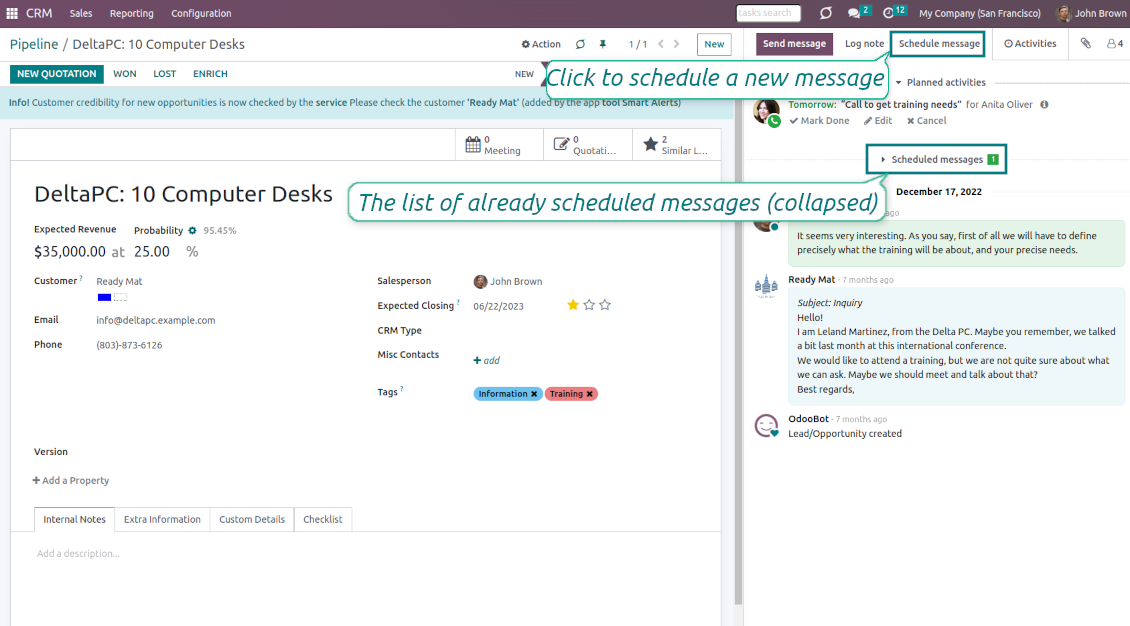
Add postponed messages in a similar way you compose standard Odoo mails. To start planning just push the button 'Schedule messages' and write a new email.
Define also the default delay in hours on the configuration page, so a planned time is pre-filled when a user schedules a new message
Update or undo at any moment
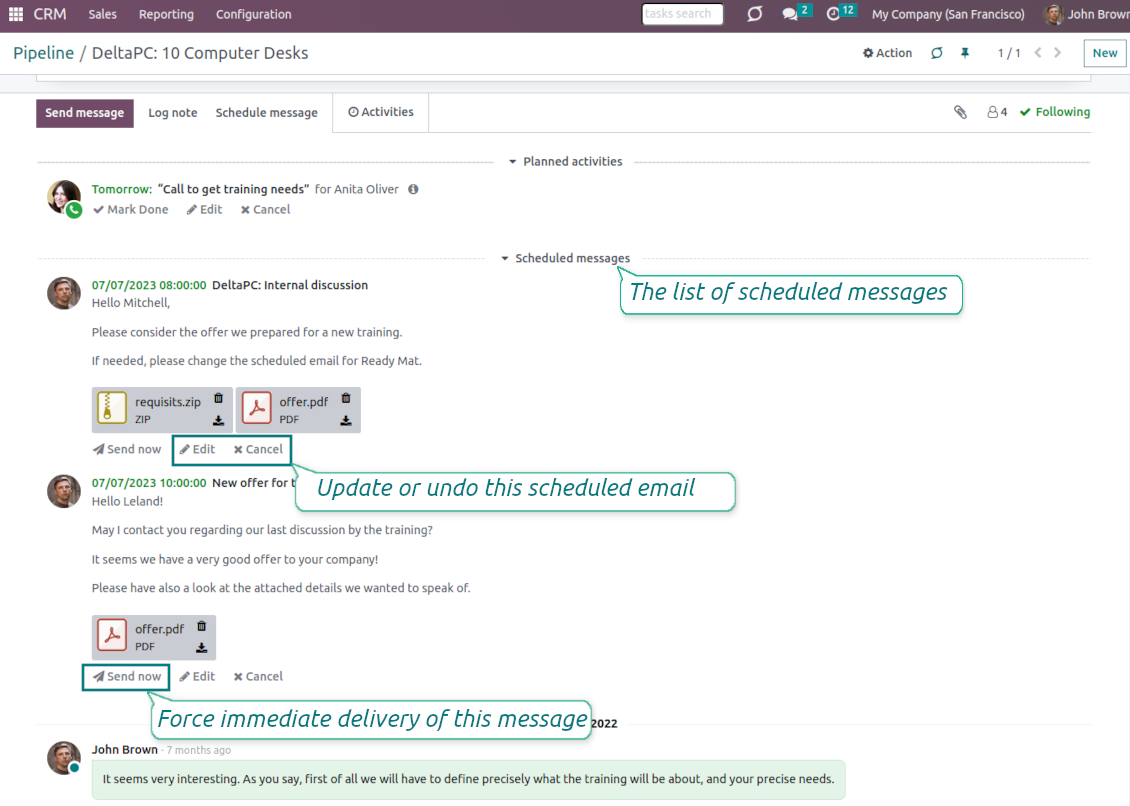
Update scheduled messages any time prior to actual delivery. Edit a subject, a body, attachments, and recipients.
Whenever you want, cancel sending or re-plan delivery to a more appropriate moment.
Force scheduled messages to be sent immediately if you decide so
Full control of delayed mails
Control delayed emails right in Odoo chatters. The list is fully available for managing before a planned time in a linked object thread.
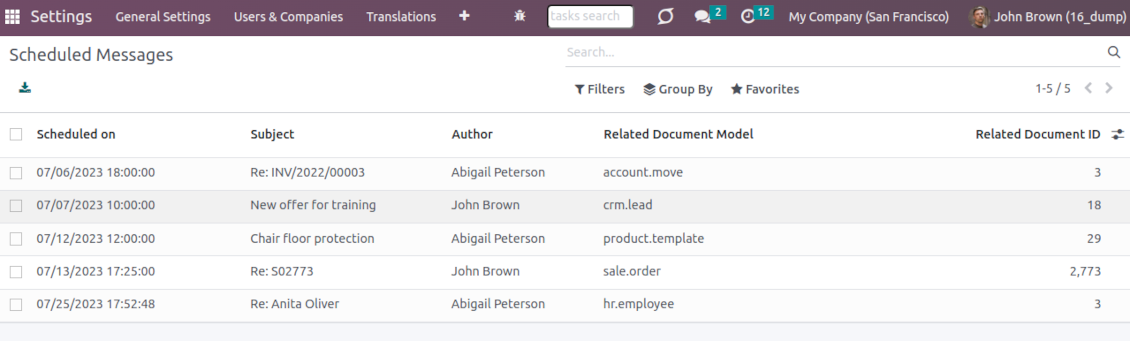
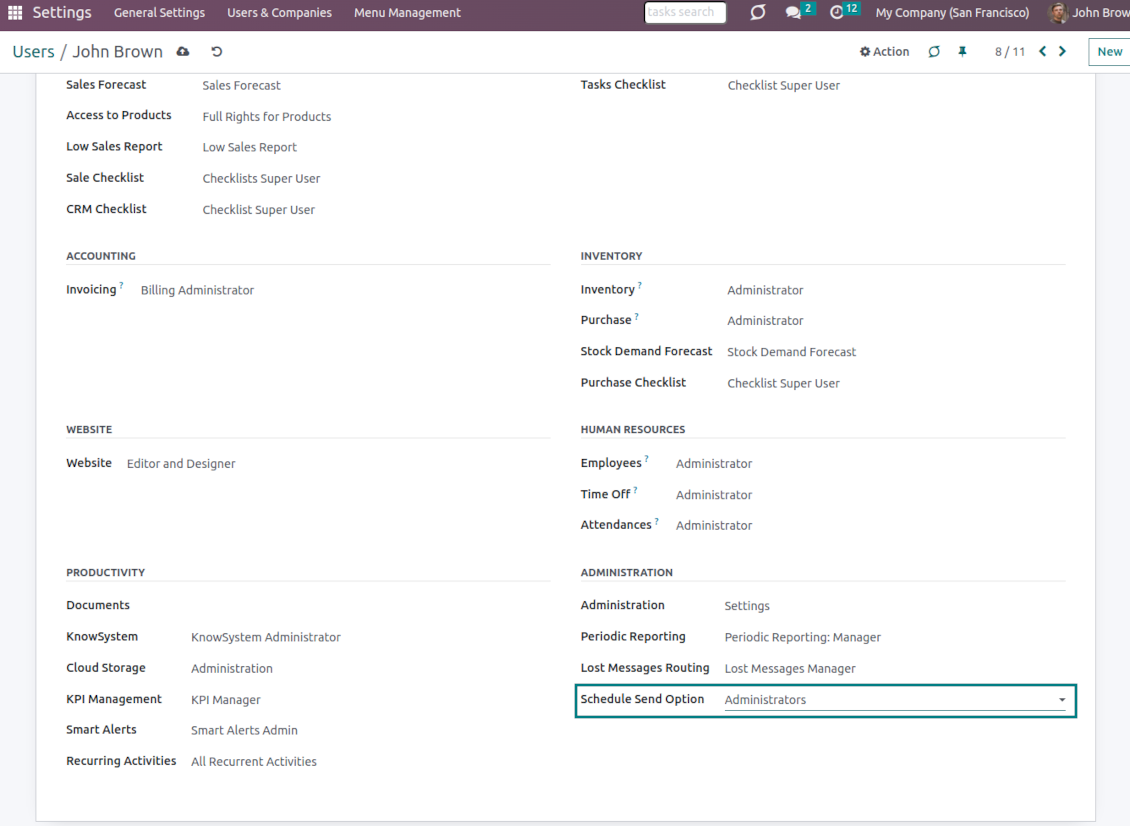
All scheduled messages are also combined under the menu Settings > Technical > Discuss > Schedule Send (the developer mode and the right 'Scheduled Send Option: Administrators' are needed)
Auto sending
Delayed messages are checked regularly and sent automatically based on the Odoo cron job.
Configure delivery time and frequency through the technical settings > Automation > Scheduled Actions > 'Send scheduled messages'
Like standard Odoo messages
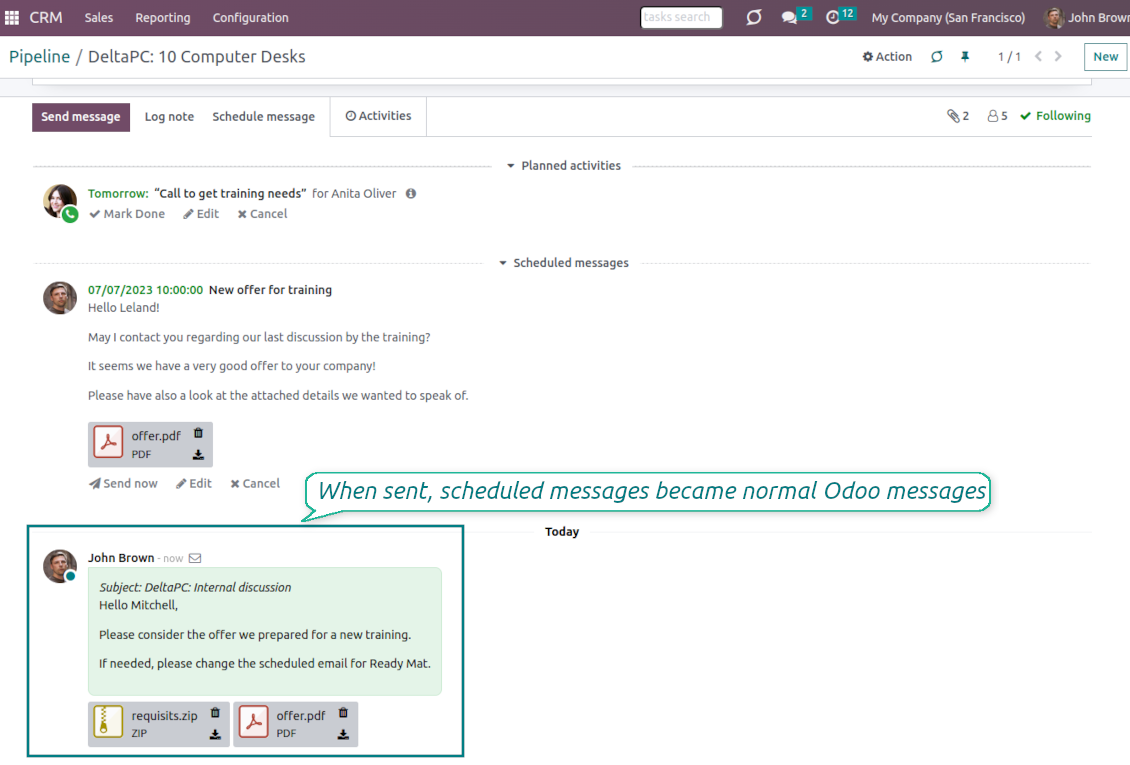
When sent, scheduled emails become normal Odoo messages linked to a target object thread.
Recipients will never know that a message was planned in advance and has not been just sent
Secure schedule
To add, edit, or manage a scheduled message, a user should have the right to edit a linked object.
Users with the right 'Scheduled Send Option: Administrators' might read, edit, or cancel any messages.
To see a list of document planned mails, a user should have read rights to a target Odoo document.
Az alkalmazás és a webhely angolon kívüli nyelveken mesterséges intelligenciával készülnek és az hivatalos Odoo-fordításokhoz igazodnak. Ha hibát talál, küldjön fordításhelyességi jegyet és kijavítjuk.
Odoo demo-adatbázisok (élő előnézetek)
Ehhez az alkalmazáshoz ingyenes személyre szabott demo-adatbázist adhatunk.
Nem kell telefonszám vagy bankkártya a kapcsolatfelvételhez. Elég egy rövid e-mailes regisztráció, ami 30 másodpercnél nem tart tovább.
Kérésére egyéni élő előnézeti adatbázist készítünk, ahol kb. két hétig tesztelhet és ellenőrizheti a feltételezéseket.
Hibajelentés
Ha hibát vagy következetlen viselkedést lát, írjon nekünk. A vásárlástól 60 napon belül javítást vállalunk, és utána is fejlesztjük az eszközöket.
Nem kell telefonszám vagy bankkártya a kapcsolatfelvételhez. Elég egy rövid e-mailes regisztráció, ami 30 másodpercnél nem tart tovább.
Adjon meg minél több részletet: képernyőképek, Odoo-kiszolgálónaplók és a hiba reprodukálásának teljes leírása. Általában néhány munkanap kell a munkatervhez (ha a hiba megerősített) vagy az iránymutatáshoz (egyébként).
Nyilvános funkcióigények és modulötletek (ingyenes fejlesztés)
Erősen motiváltak vagyunk az eszközeink fejlesztésére, és hálásak minden visszajelzésért. Ha az igények közhasznúak és hatékonyan megvalósíthatók, a csapat felveszi őket a teendők listájára.
Az ilyen teendőlista rendszeresen feldolgozásra kerül, extra díj nélkül. Bár határidőt és végleges dizájnt nem ígérhetünk, jó módja lehet a kívánt funkciók befektetés és kockázat nélküli megszerzésének.
Nem kell telefonszám vagy bankkártya a kapcsolatfelvételhez. Elég egy rövid e-mailes regisztráció, ami 30 másodpercnél nem tart tovább.

The tool to flexibly structure Odoo attachments in folders and synchronize directories with cloud clients: Google Drive, OneDrive/SharePoint, Nextcloud/ownCloud, and Dropbox. DMS. File Manager. Document management system
398€

The tool to build a deep and structured knowledge base for internal and external use. Knowledge System. KMS. Wiki-like revisions.
398€
The tool to automatically synchronize Odoo attachments with OneDrive files in both ways
487€
The tool to set up KPI targets and control their fulfillment by periods. KPI dashboards. Dashboard designer. KPI charts

The tool for time-based service management from booking appointments to sales and reviews
398€
The tool to automatically synchronize Odoo attachments with Google Drive files in both ways
487€
