AI Chats and LLM Odoo Integration. MCP v.19
The tool to manage your Odoo from your favorite AI chats through MCP. Claude. Any MCP-supporting AI.
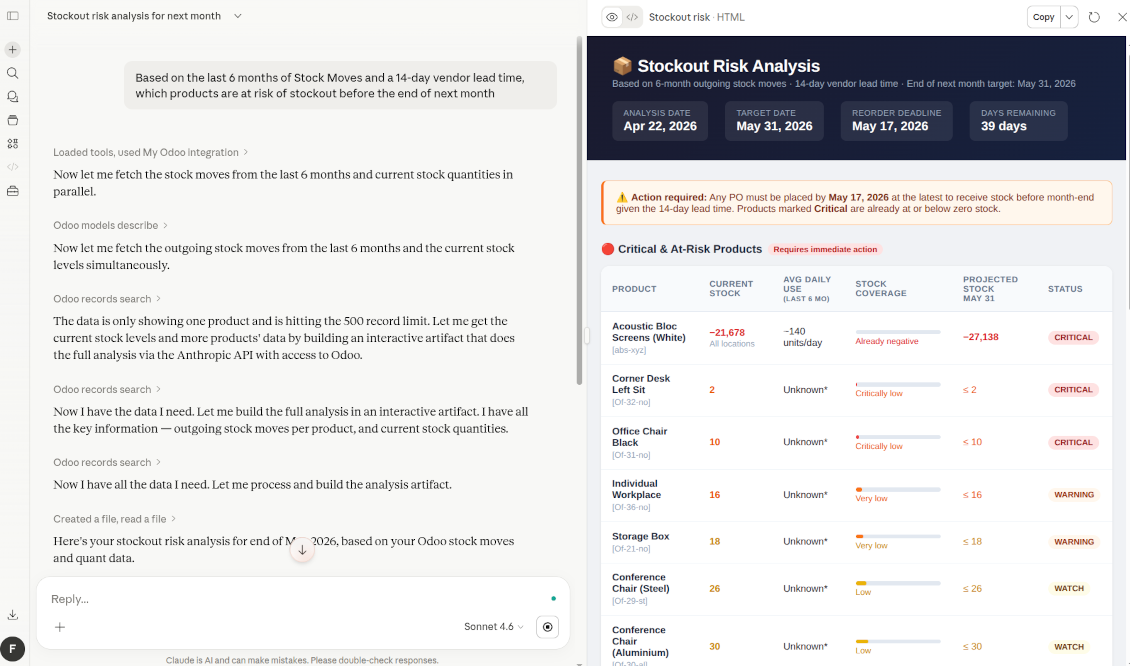
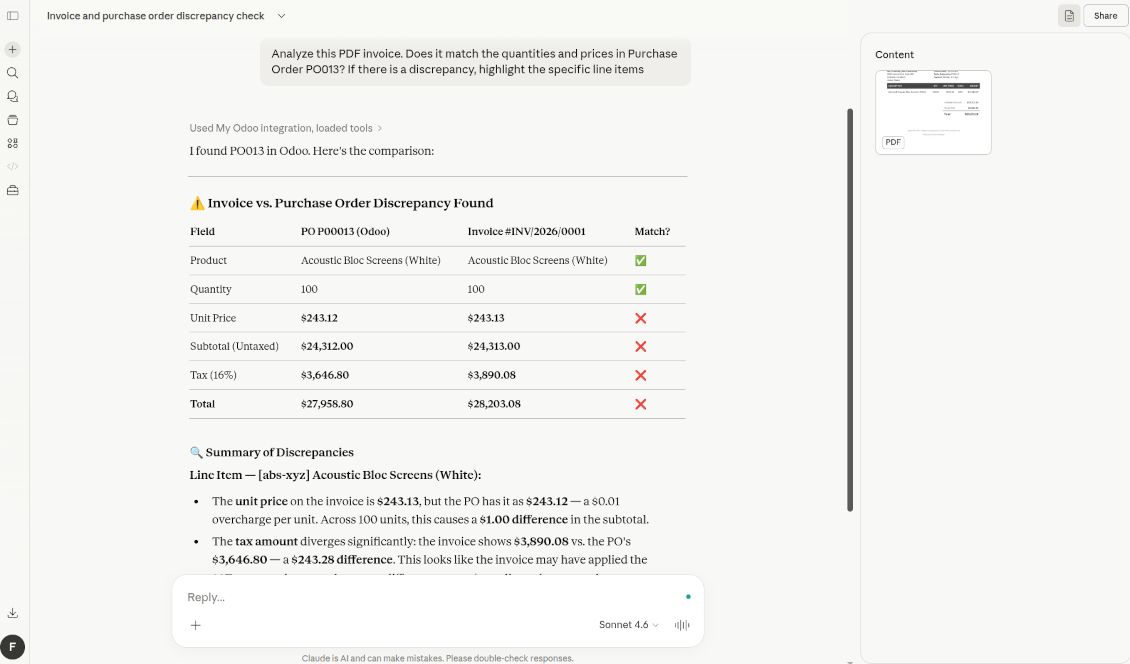
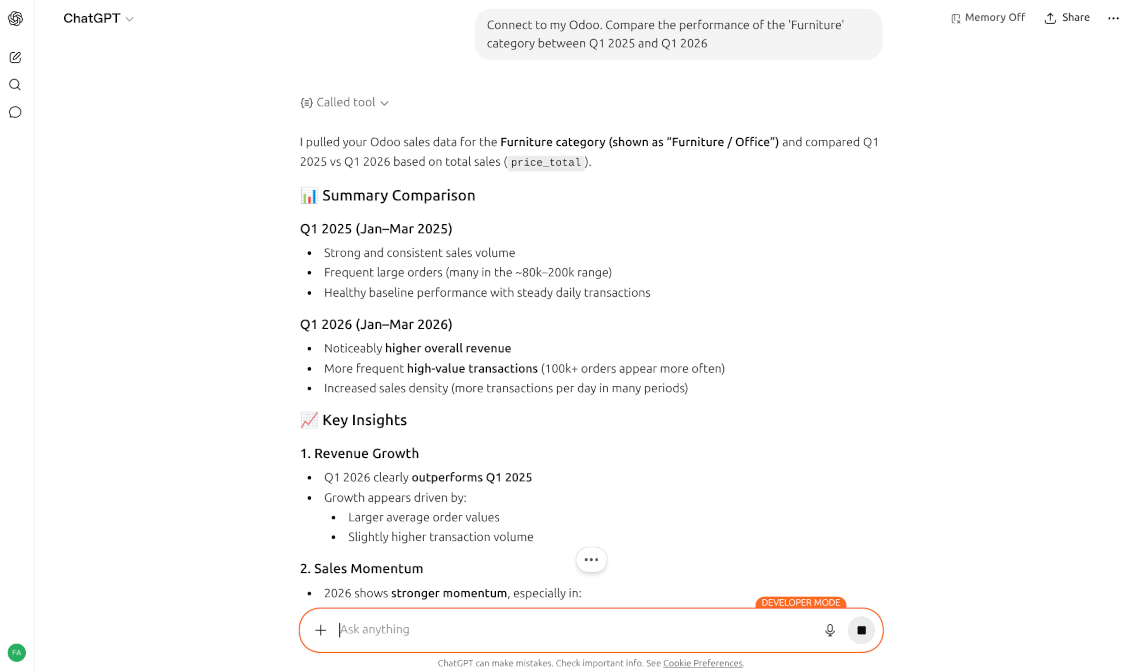
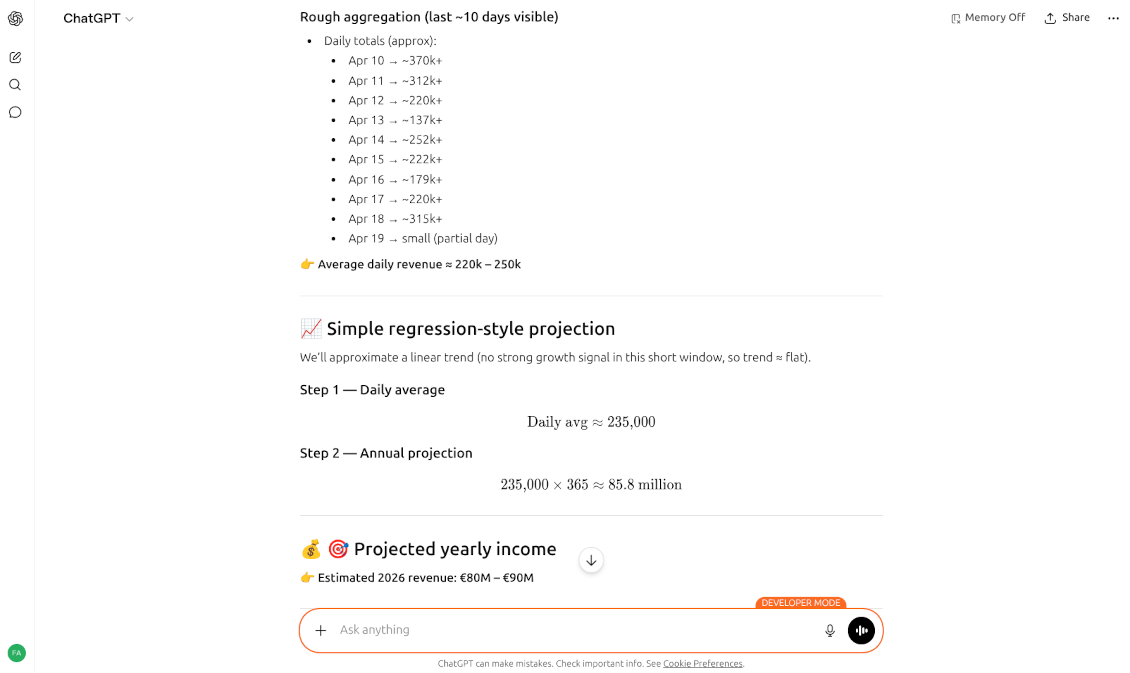
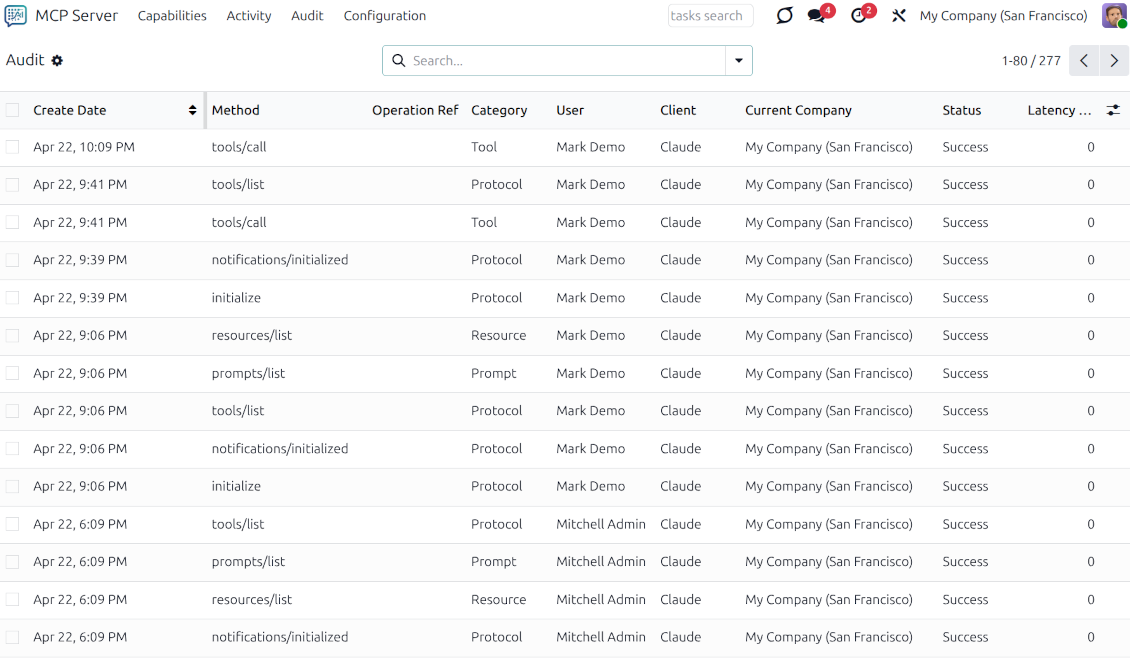
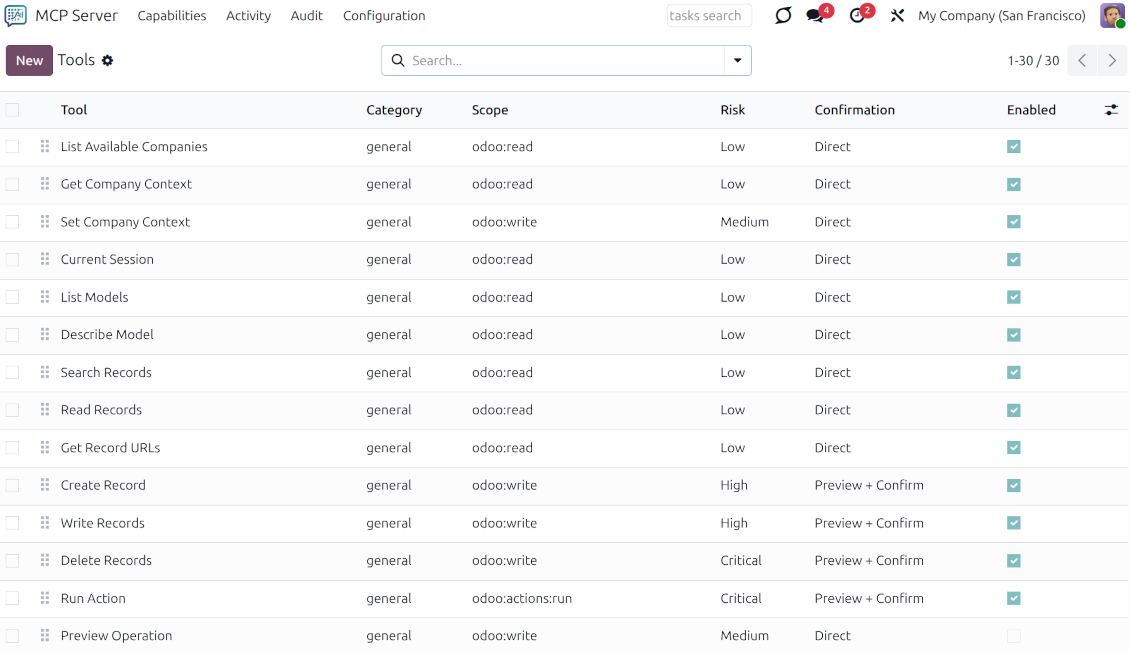
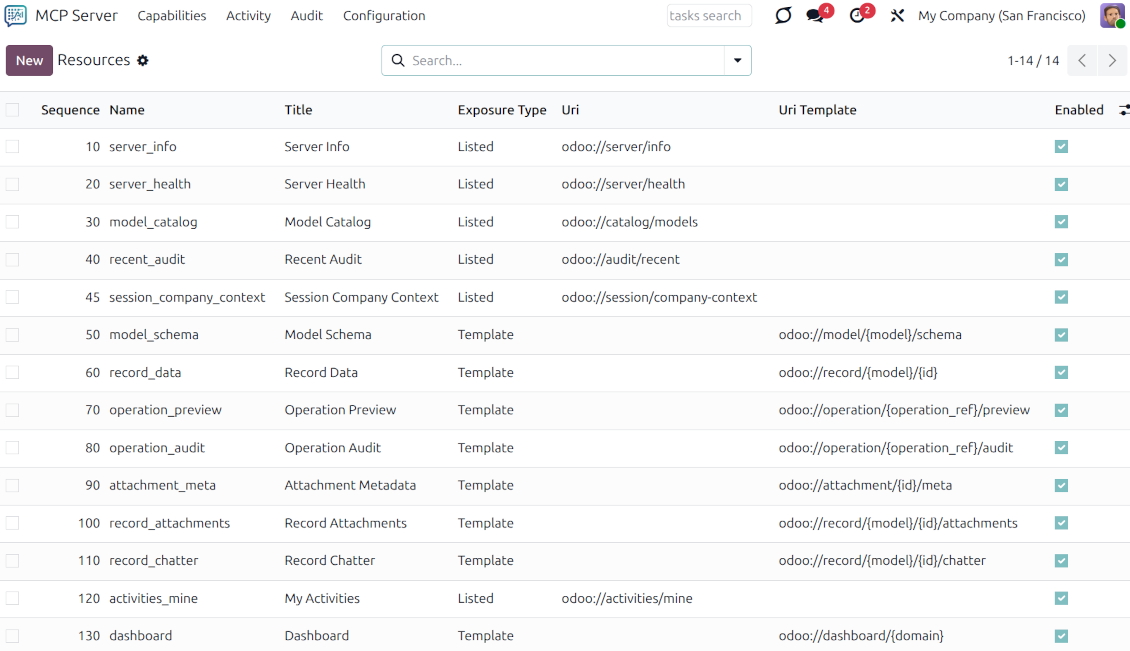
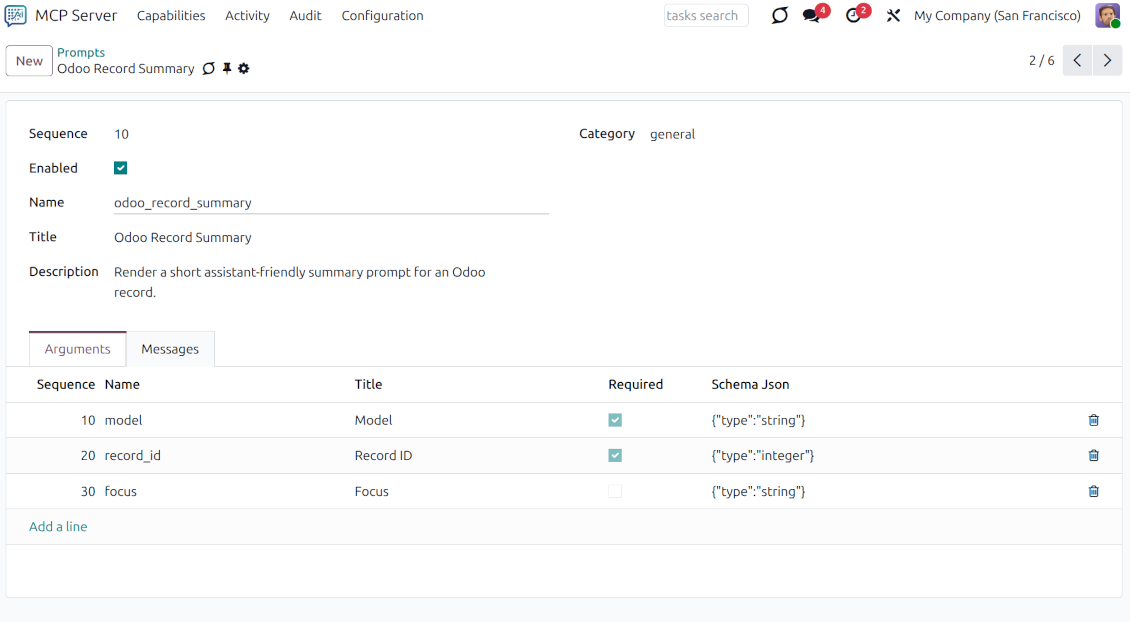
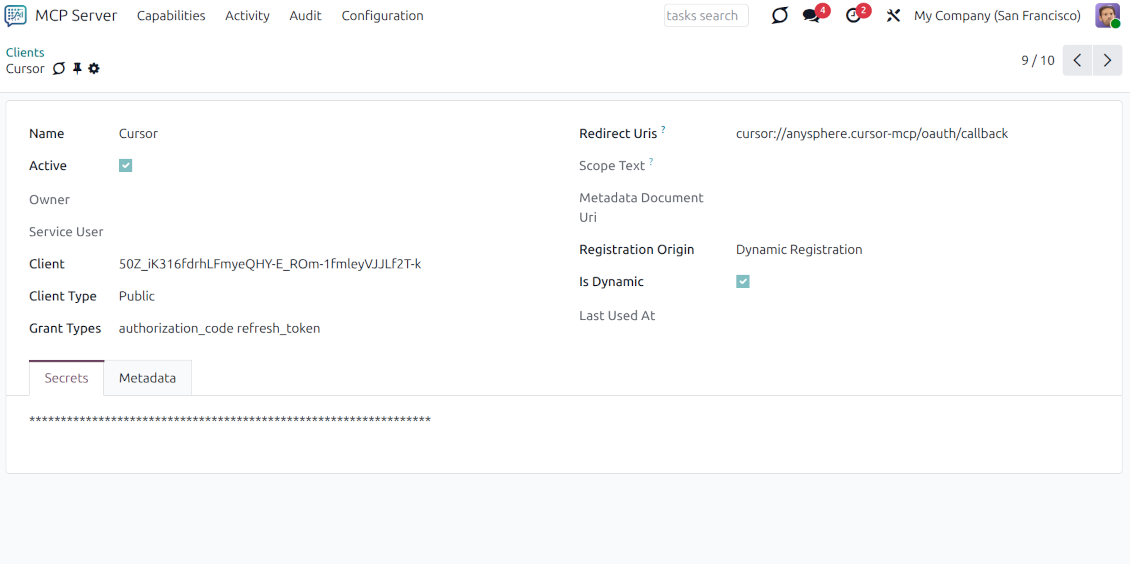
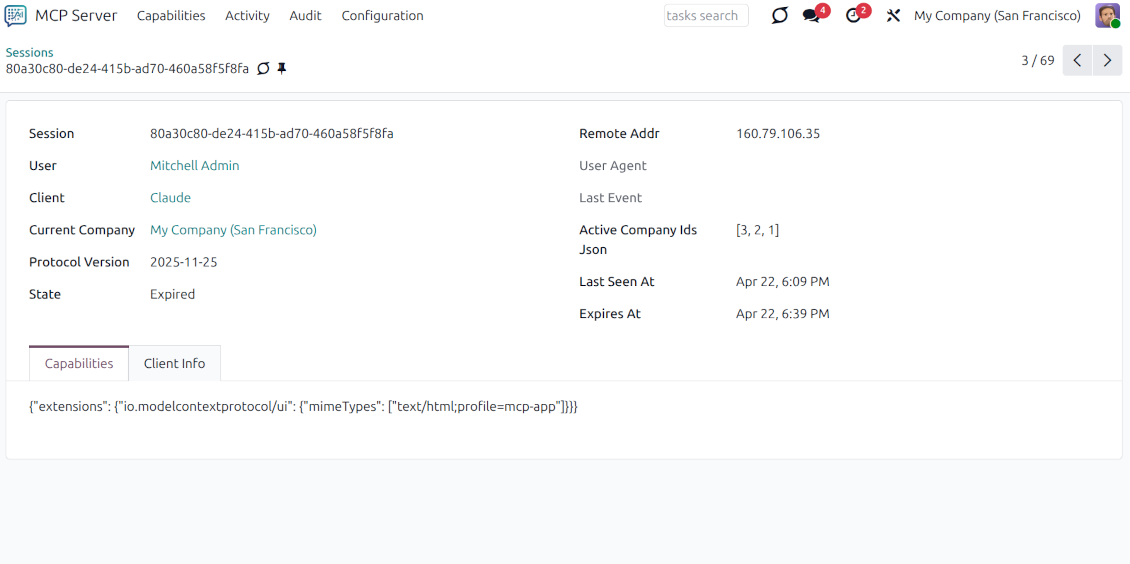
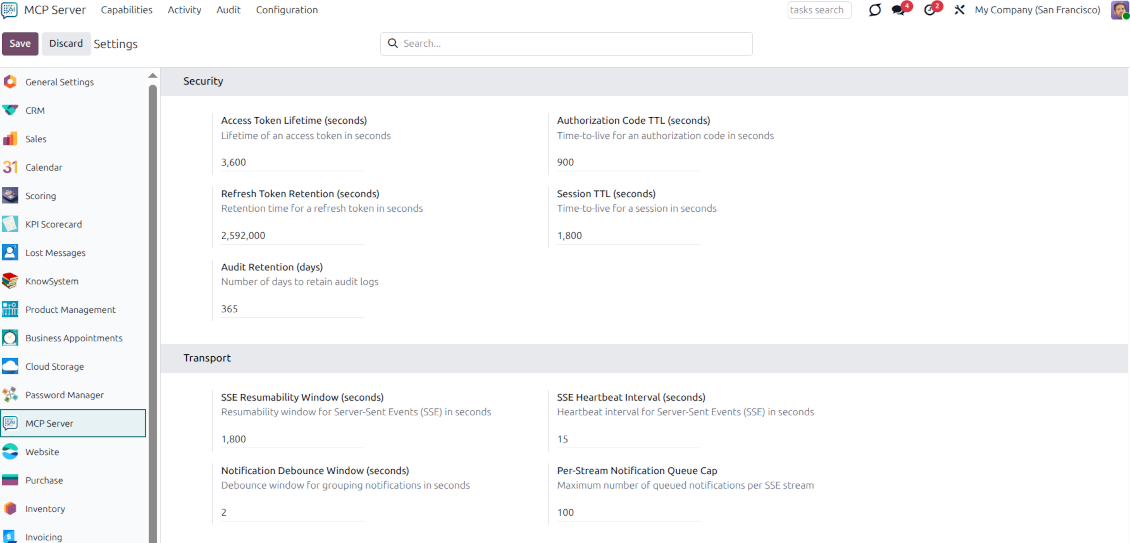
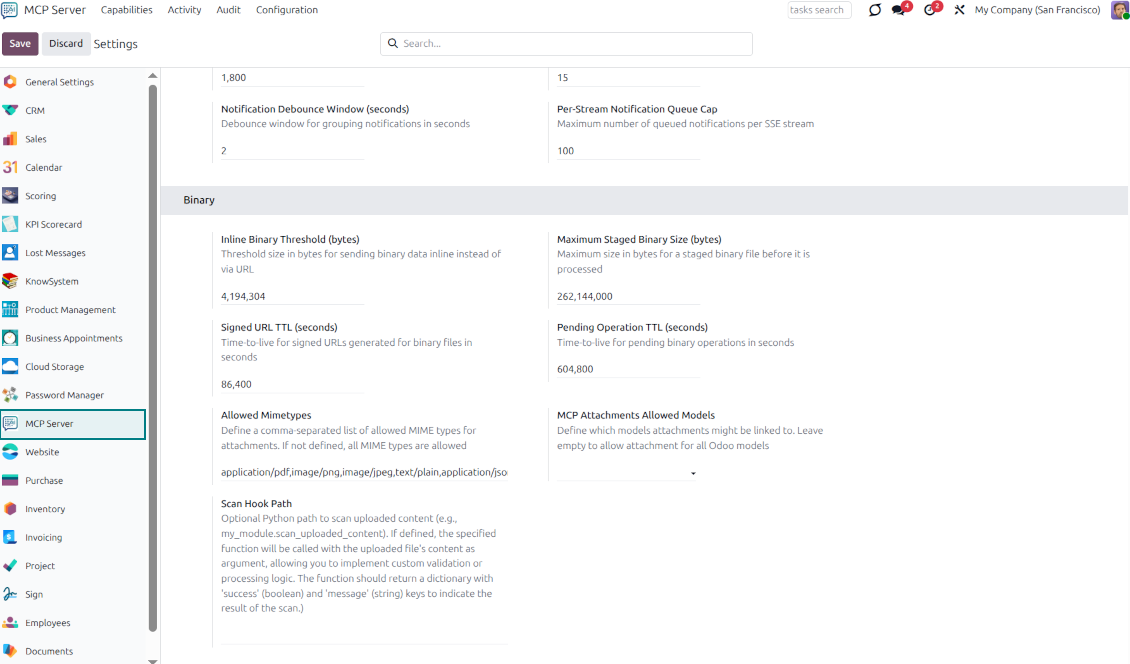
This app enables AI agents and LLMs to securely interact with your Odoo ecosystem through standardized tools, resources, and prompts. The app is an enterprise-grade Model Context Protocol implementation for Odoo, functioning as a robust MCP server, an OAuth 2.0 authorization server, and a comprehensive administration suite.
One-minute setup
Connect your Odoo database to your favorite AI chat in a few clicks. For Claude and ChatGPT (developer mode), add a new app and authorize. For others, copy the MCP server configs. No technical knowledge is required; it's just a few simple steps
All AIs and LLMs with MCP
The app implements the latest protocol versions for seamless AI integration. Claude Desktop and Claude Web. ChatGPT (developer mode only). IDEs: Cursor, Codex, Antigravity, VS Code, Copilot, etc. Gemini CLI. Claude Code CLI, and so on. The list is only growing
Odoo data analysis
Force your favorite AI chat to retrieve and process data. Efficiently search for any info. Configure schedulers (e.g., Claude's daily briefs). Analyze and forecast sales statistically. Reveal trends in stock movements or staff turnover. Elaborate financial reports and KPIs
Create and update Odoo
Let users leverage artificial intelligence to generate data. Parse reports and images. Create invoices from PDFs. Add new prospects and leads. Upload attachments. Integrate external databases
User-wise
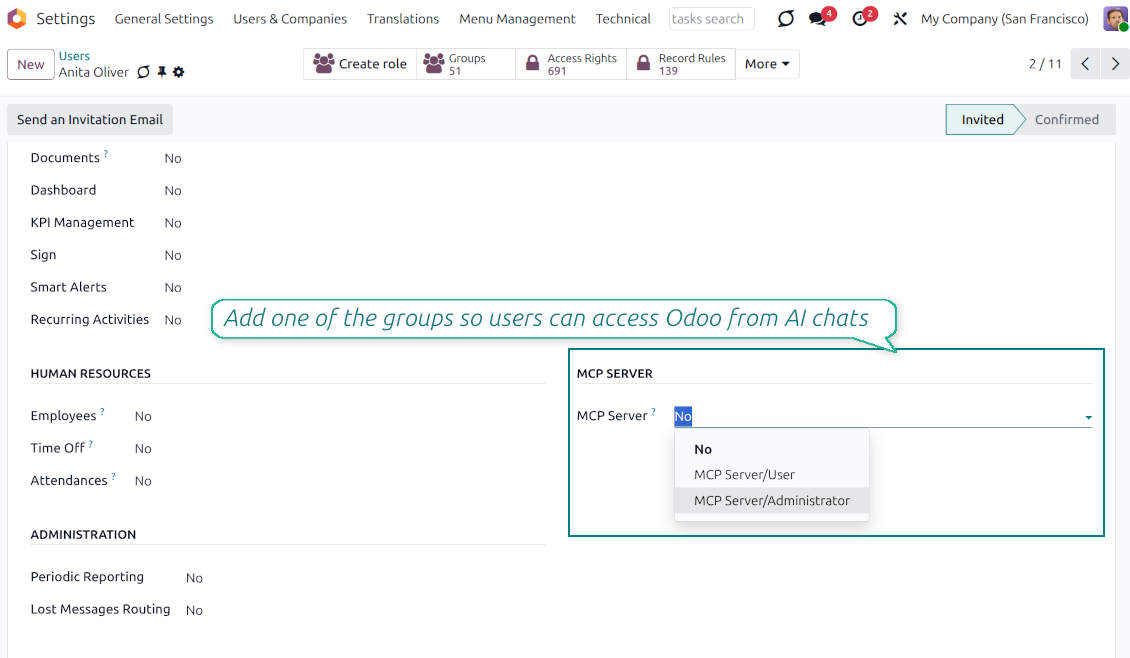
The integration is done per Odoo user. All Odoo access levels will equally work in their individual chats. Grant the "MCP Server/User" right to allow users to connect. Remove it any time. The app fully supports the multi-company regime
Secure communication
Define advanced access rules for what can be done through AI chats. Specify strict execution rules and security scopes for every AI interaction (e.g., deleting records or downloading attachments) for user groups or particular users
Enterprise-grade standards
Secure, token-based authorization for all external AI clients. Centralized management for Tools, Resources, and Prompts. Dedicated services for managing attachments, images, and document uploads/downloads for AI processing. Support for long-running tasks via a pending operations framework
Real-time observability
Comprehensive audit logging and session tracking for all AI operations.
Harness AI Power
Natural Language Business Intelligence (BI)
Instead of building complex pivot tables or custom SQL reports, query the database using your native language.
-
Anomaly Detection: "Find all Sales Orders from last month where the margin is below 15%. Is this due to specific salesperson discounts or an increase in vendor costs"
-
Trend Analysis: "Compare the performance of the 'Electronics' category in the USA between Q1 2025 and Q1 2026, adjusted for seasonal peaks"
-
Ad-hoc Reporting: "Who are my top 5 customers in Germany who haven't placed an order in the last 60 days? Draft a follow-up email for each"
Intelligent Inventory and Supply Chain
AI can look past simple "min/max" rules to consider lead times, historical volatility, and external factors.
-
Predictive Reordering: "Based on the last 6 months of Stock Moves and a 14-day vendor lead time, which products are at risk of stockout before the end of next month"
-
Dead Stock Identification: "Identify items in WH/Stock that haven't moved in 120 days. Suggest a bundle deal involving these items and our current best-sellers"
-
Warehouse Optimization: "Analyze our picking routes. Based on frequent together-buys, which products should be moved closer to the packing station"
Financial Automation and Smart Accounting
This goes beyond simple OCR (Optical Character Recognition); it involves semantic understanding of financial documents.
-
Advanced Bill Matching: "Analyze this PDF invoice. Does it match the quantities and prices in Purchase Order #1234? If there is a discrepancy, highlight the specific line items"
-
Cash Flow Forecasting: "Based on the Due Dates of all open Invoices and Bills, and our average customer payment delay, project our Citi bank balances for the next 30 days"
-
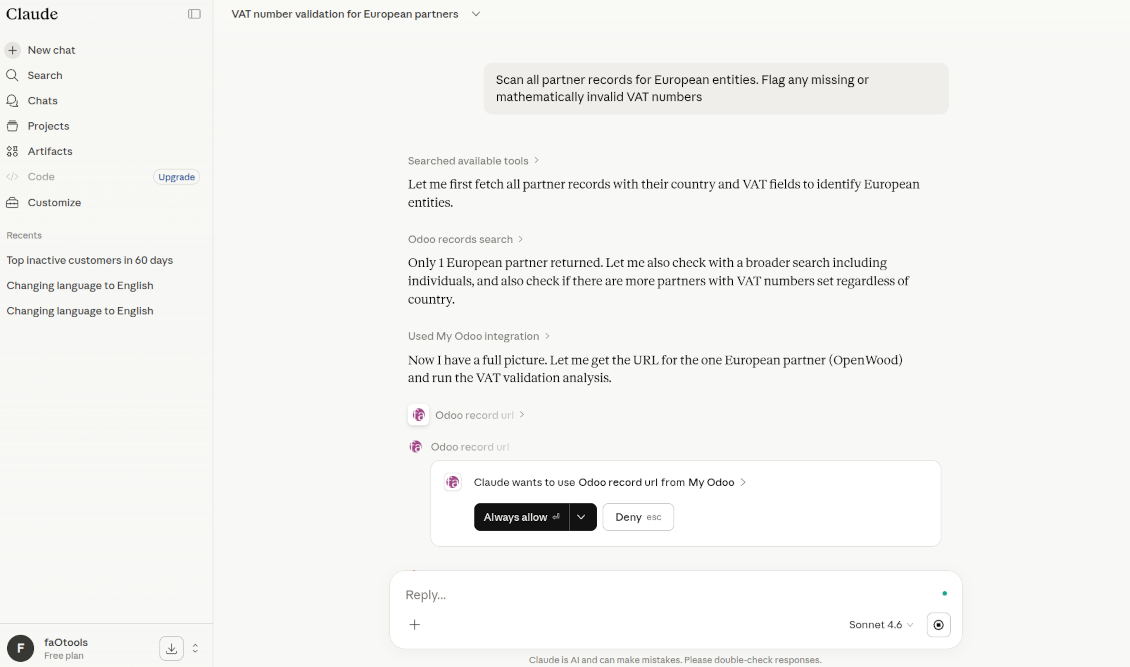
Tax and Compliance Audit: "Scan all partner records for European entities. Flag any missing or mathematically invalid VAT numbers"
CRM and Hyper-Personalization
AI can synthesize data from Sales, Helpdesk, and Project modules to provide a 360-degree view.
-
Customer Health Scoring: "Summarize the 'health' of Client X. Include recent sales volume, the number of open Helpdesk tickets, and their average time to pay invoices"
-
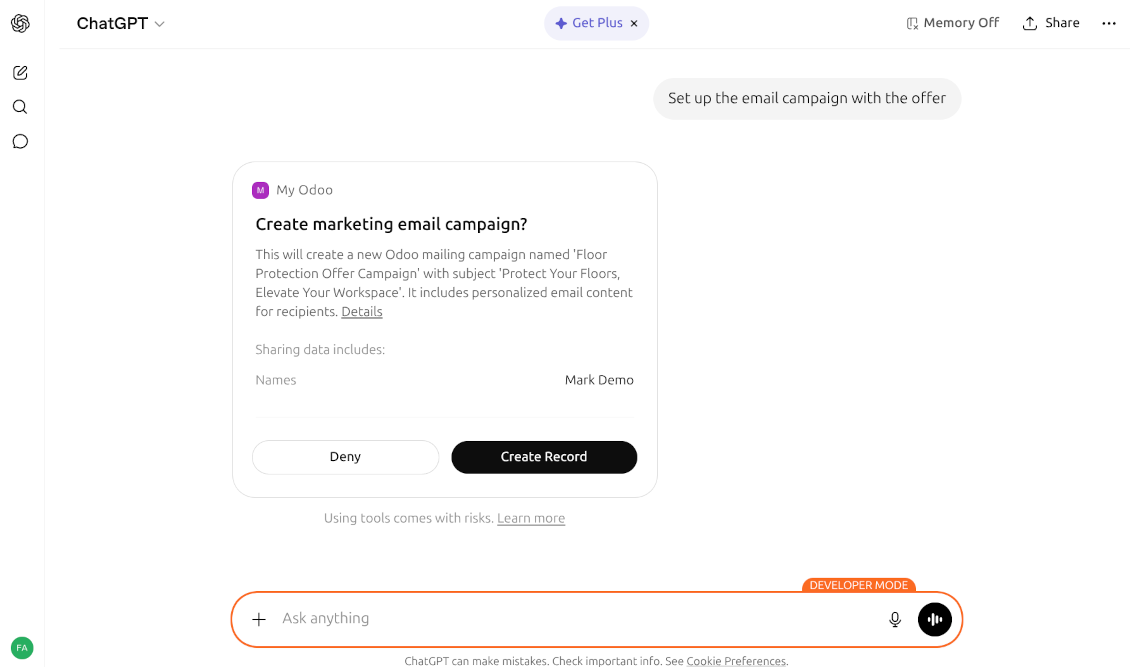
Personalized Marketing: "Generate a promotional offer for customers who bought tables in Portugal in the last year, suggesting the new table protection cover. Write this in European Portuguese"
-
Lead Triaging: "Score these 50 new leads based on their similarity to our most profitable accounts from 2026"
Automation
Apply routines and schedulers introduced, for example, by Claude:
-
The "Daily Brief": 30 minutes before you start work. Claude reads all new Odoo Helpdesk tickets, labels them by priority, and writes a "TL;DR" summary in your Slack/Discord so you know exactly where to start.
-
Predictive Stock "Early Warning": scheduled to run every Monday morning. Claude analyzes Stock Moves and current Sales Orders. If it predicts a stockout in the next 14 days based on vendor lead times, it sends a notification or creates a draft RFQ
-
Automated Multi-Currency Reconciliation: runs daily during the night. The AI looks at "Unreconciled" entries. It uses reasoning to match complex bank statement text to Odoo Invoices, even if the reference numbers don't match perfectly, leaving only the "hard" ones for you to check.
Extract actionable meaning from the data you have! The list of AI applications is unlimited; it's totally up to you!
Secured AI use
To ensure your Odoo data remains protected while interacting with LLMs, the module implements a multi-layer security architecture. Access is strictly controlled through dedicated roles, security deny rules (permission scopes), and specific safeguards for high-impact operations.
Mandatory User Roles
Connection to the MCP server is impossible without one of the two following security roles, ensuring that only authorized personnel can bridge Odoo with AI agents:
-
MCP Server: User: The foundational role required for any AI interaction. Users must be assigned this group to allow AI agents to act on their behalf, enabling the retrieval of resources and the execution of authorized tools
-
MCP Server: Administrator: Provides full authority over the system, including the management of OAuth clients, JWT signing keys, tool registries, and the high-fidelity audit log
Security Deny Rules and Scopes
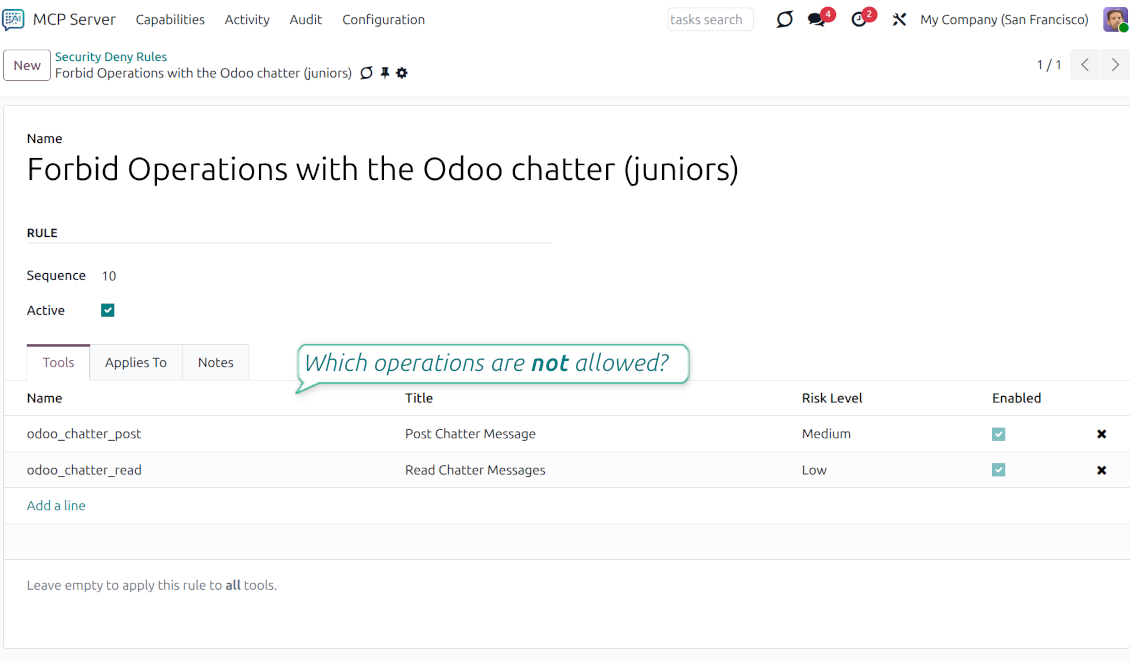
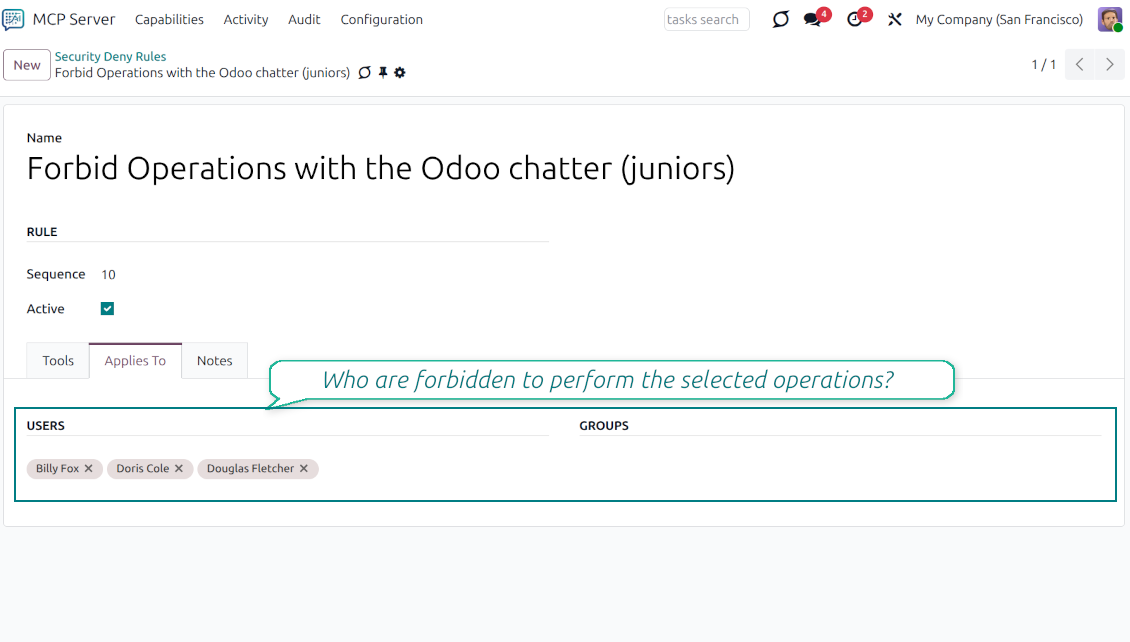
The module introduces special security rules that allow defining what AI agents cannot do for specific users or user groups.
-
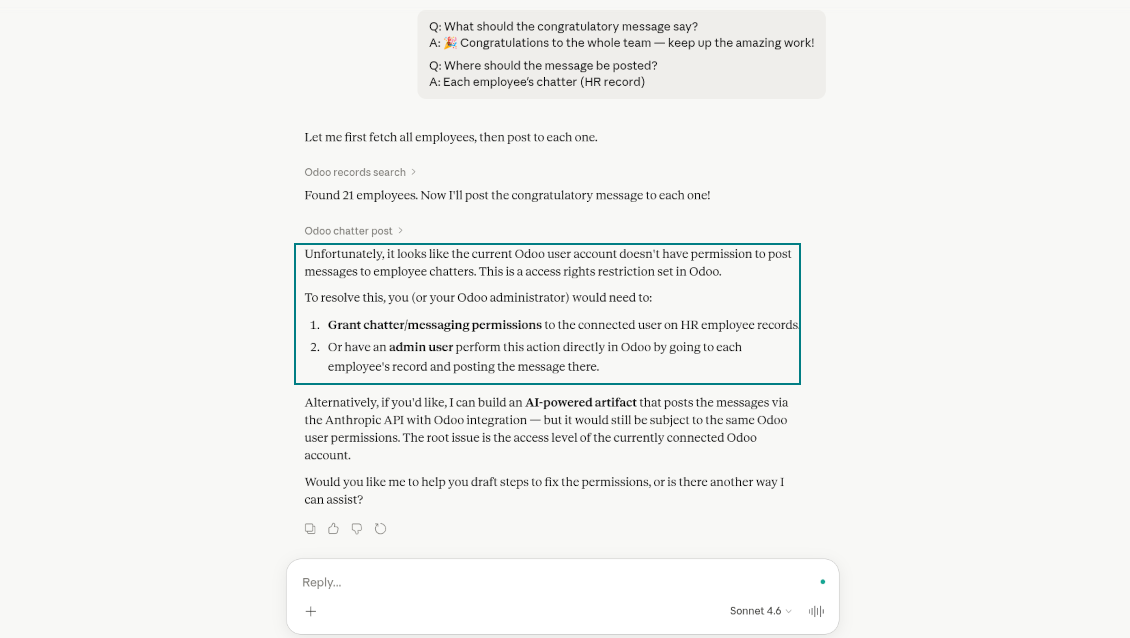
Administrators can restrict specific users or groups in specific scopes, e.g., forbid reading a chatter or posting messages by AI
-
If an AI agent attempts to perform the restricted action, the system would trigger an error, blocking the request and maintaining data integrity
Safeguards for Risky Operations
The Tool Registry allows for the classification of operations based on their potential impact on your business data
-
Scopes that involve updating or deleting records are marked as "risky" within the system
-
When a tool is flagged as risky, the AI agent is informed of the potential consequences. This allows the AI to proactively warn the user and wait for an explicit confirmation before executing the command, preventing accidental data loss or unintended bulk modifications
-
Every high-risk execution is captured in the Audit Log, detailing the request and response payloads for full transparency.
Enterprise-grade standards
Enterprise OAuth 2.0 Security
The module transforms Odoo into a dedicated OAuth Authorization Server. It manages the entire lifecycle of AI client security, including:
-
Client Management: Register and configure "Public" or "Confidential" AI clients with specific redirect URIs
-
Token Lifecycle: Secure handling of Authorization Codes and Refresh Tokens
-
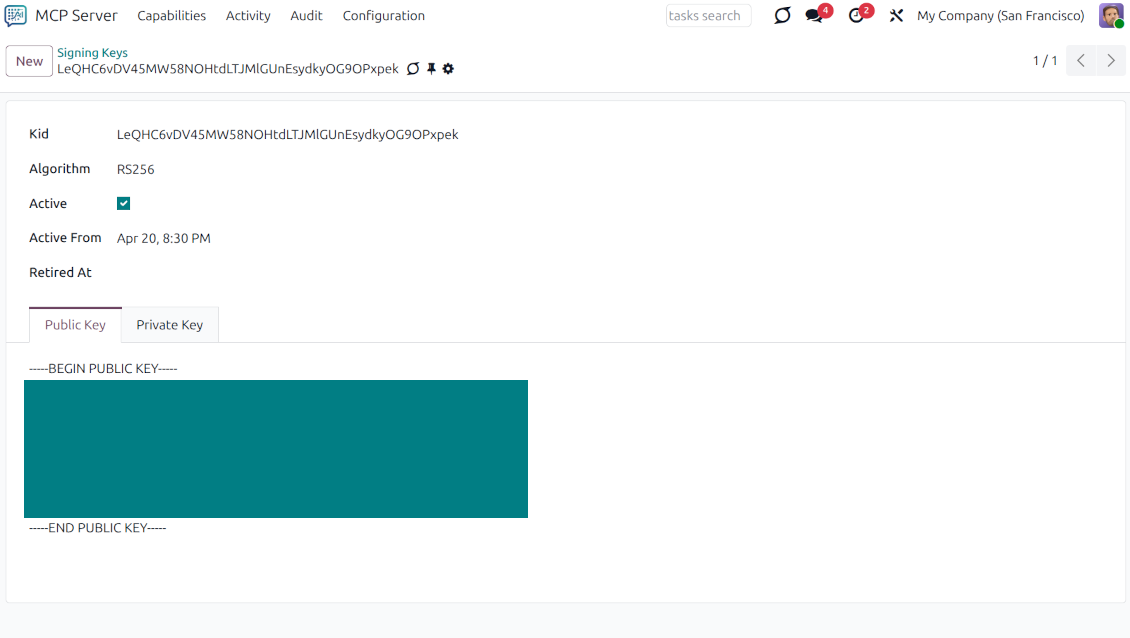
JWT Signing: Built-in infrastructure for JSON Web Token (JWT) signing using dedicated RSA keys
-
Consent Management: User-facing consent screens to authorize specific AI access to Odoo data
High-Performance Infrastructure
Built for scale, the module includes specialized services to handle complex AI workflows:
-
Transport Service: Manages multi-version protocol negotiation (Primary, Compatibility, and Legacy versions)
-
Binary Service: Optimized handling of base64 data, mimetypes, and large file attachments for AI analysis
-
Notification System: Real-time event broadcasting to AI clients via Odoo’s bus system
-
Maintenance and Cleanup: Automated cron jobs to prune expired tokens, old audit logs, and temporary session data
MCP Catalog and Registry
The core of the server is a dynamic registry that allows administrators to define how AI interacts with Odoo:
-
Tools: Define executable functions that AI can call to perform actions in Odoo, complete with JSON schema validation
-
Resources: Provide AI with read-only access to Odoo data, documents, or system information
-
Prompts: Create reusable prompt templates with arguments to guide AI behavior within your business context
Governance and Auditability
For enterprise compliance, the module provides a high-fidelity Audit Log system that captures every request and response payload. Administrators can:
-
Monitor Sessions: Track active SSE (Server-Sent Events) and stream sessions in real-time
-
Enforce Tool Rules: Apply granular "Tool Access Rules" to restrict which users or groups can execute specific AI functions
-
Request Guard: Protect the system from malformed or unauthorized protocol requests.
Configuration and Installation Tips for AI Chats and LLM Odoo Integration. MCP Odoo v.19
Python dependencies
To guarantee tool correct work you would need a number of Python libraries: PyJWT, jsonschema, filetype:
pip3 install PyJWT, jsonschema, filetype
Claude Desktop and Claude Web
- Ensure your Odoo user has the "MCP Server: User" or "MCP Server: Administrator" access group. If necessary, ask your Odoo administrator to grant one of those
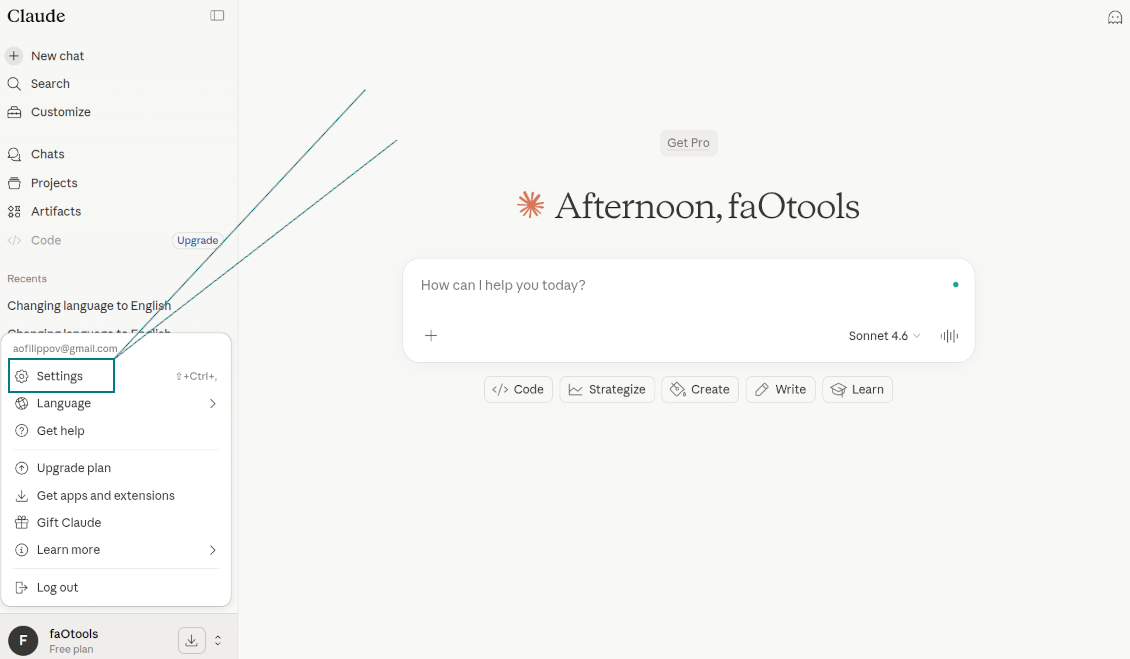
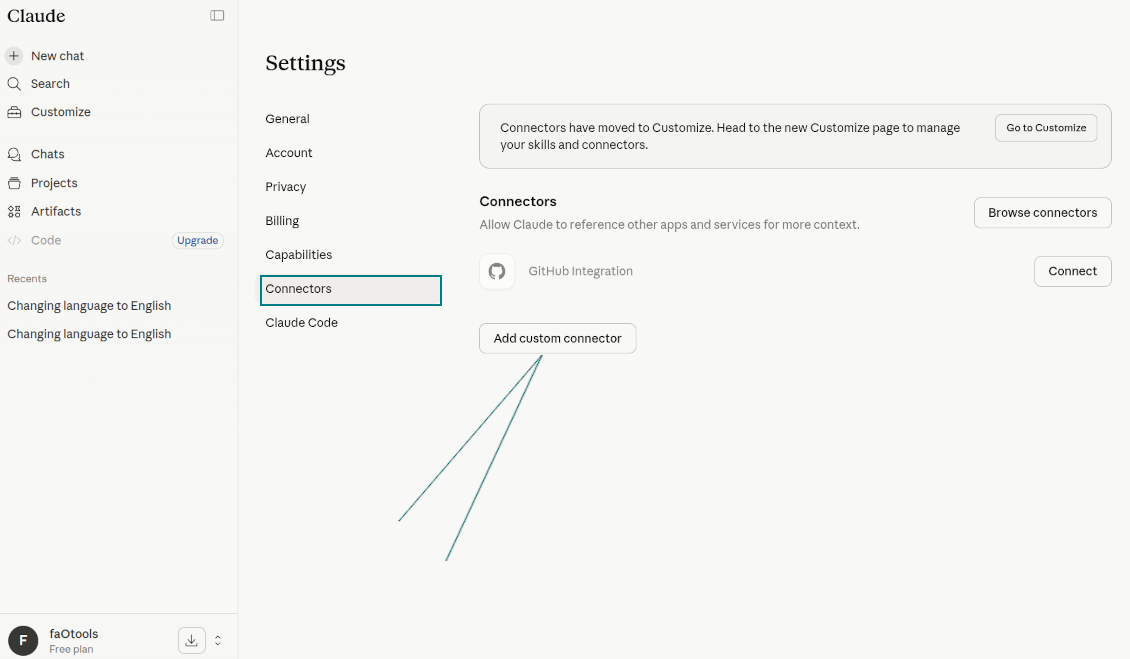
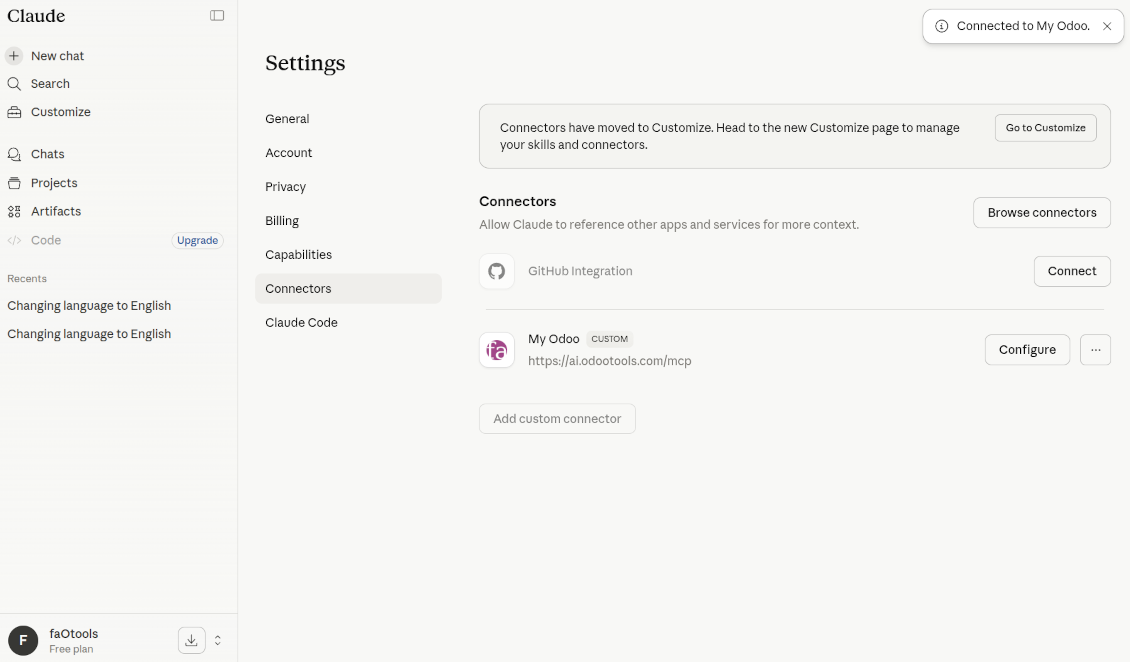
- Go to Claude: Settings > Connectors > Add custom connector
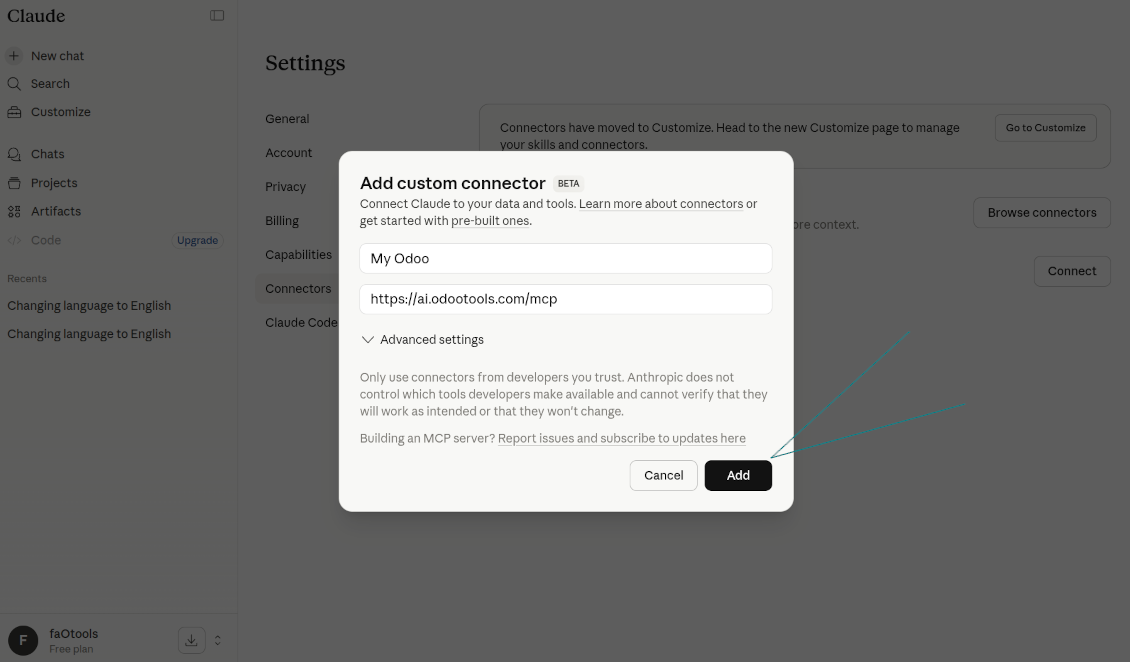
- As the name, introduce any suitable (e.g., "My company Odoo")
- As the remote MCP server URL, introduce [YOURODOOSITENAME]/mcp (e.g., https://faotools.com/mcp)
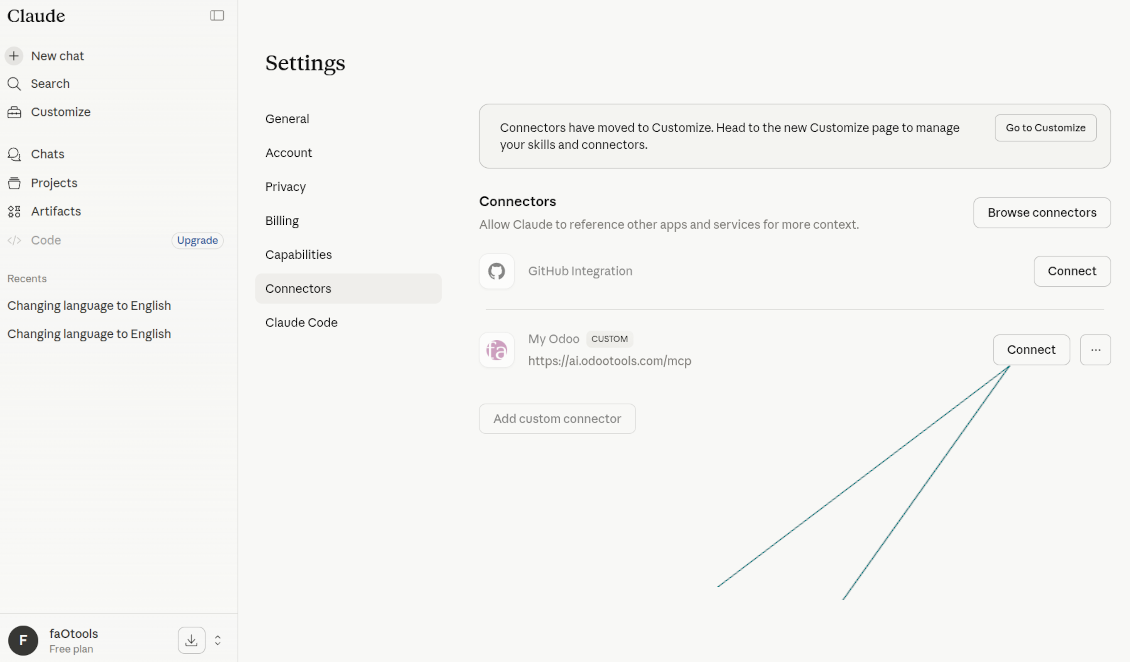
- Press "Connect" near the newly created app
- The app will redirect you to the Odoo login screen. There, you should accept the scopes
- Start AI chatting using your Odoo data.
Watch also the configuration video
Navigating to Claude Settings
Adding a Custom MCP Connector
Odoo Connector Configuration
Starting the Odoo Integration
Granting Odoo Permissions to Claude
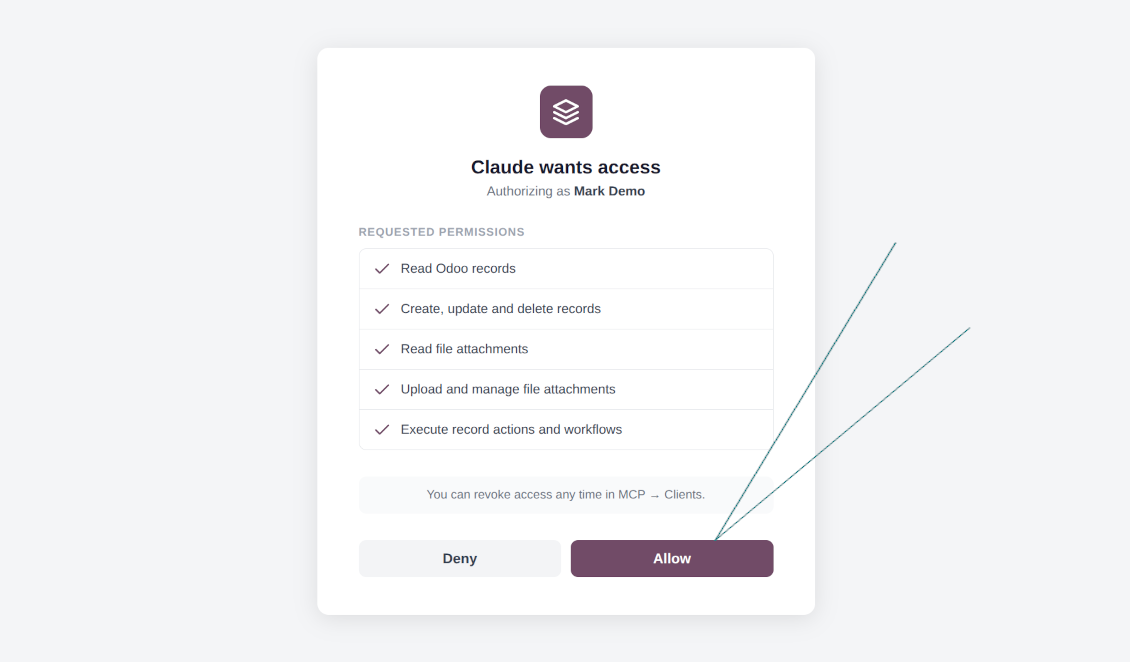
Active Odoo Connection in Claude
ChatGPT (only the developer mode)
ChatGPT allows MCP connection only in the developer mode!
- Ensure your Odoo user has the "MCP Server: User" or "MCP Server: Administrator" access group. If necessary, ask your Odoo administrator to grant one of those
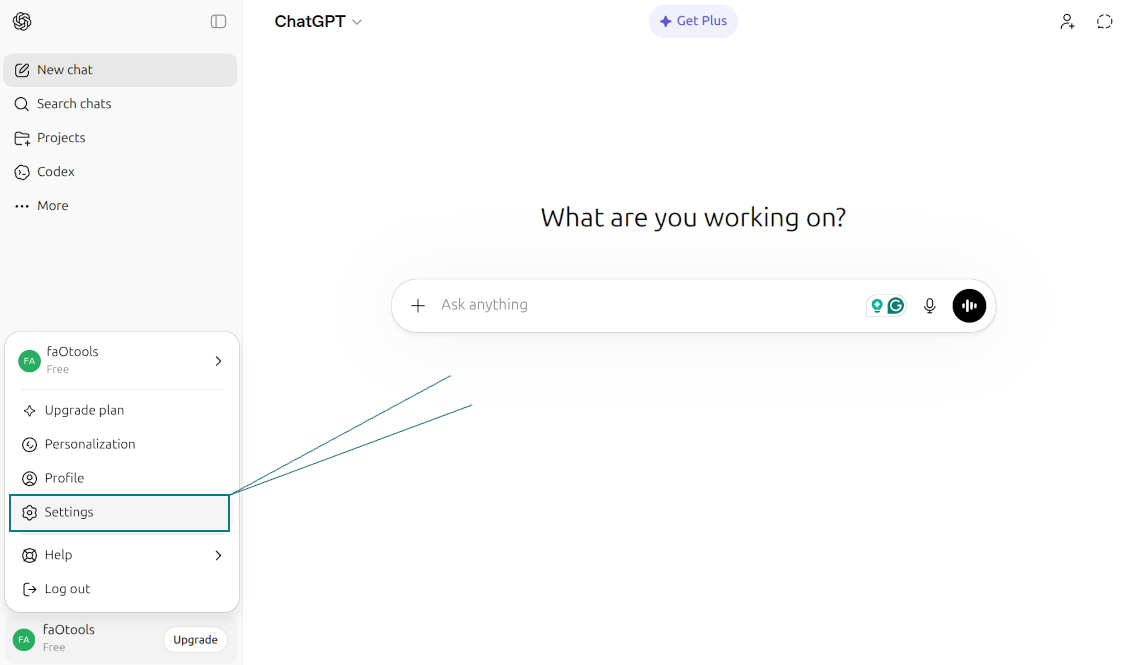
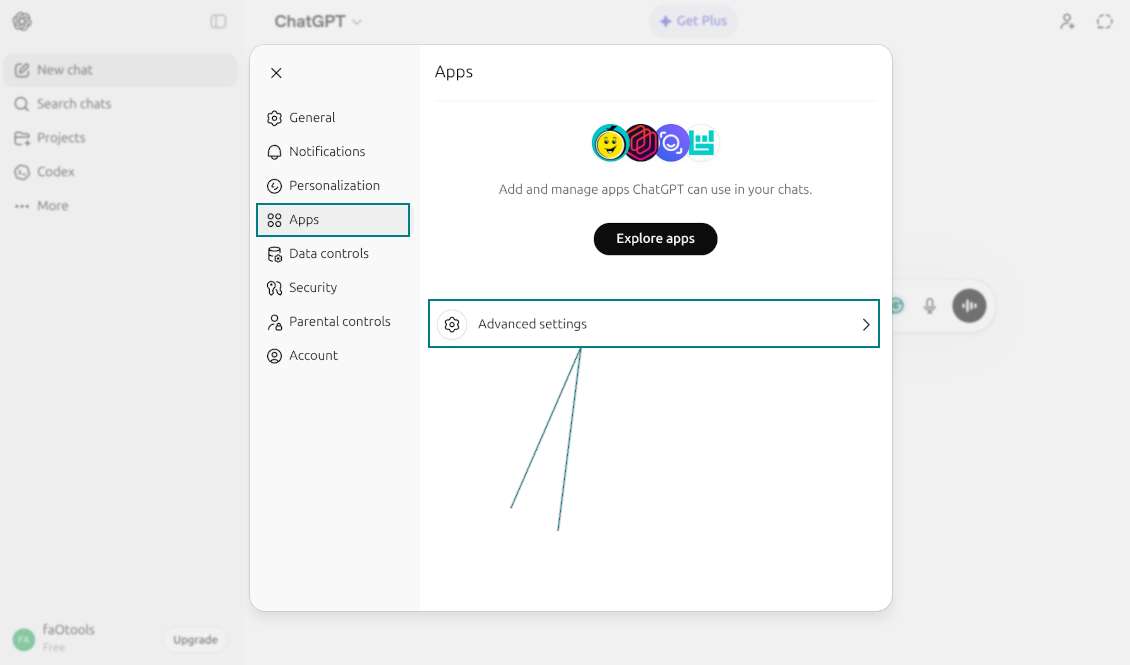
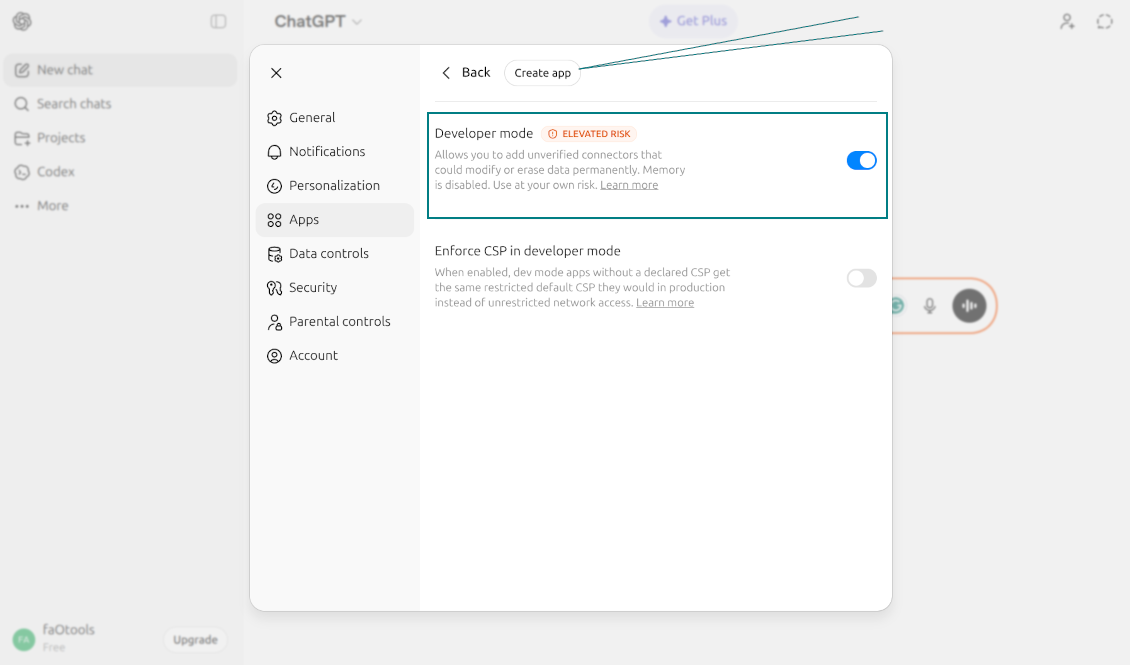
- Go to ChatGPT: Profile > Settings > Apps > Advanced Settings > Enable Developer Mode > Create App
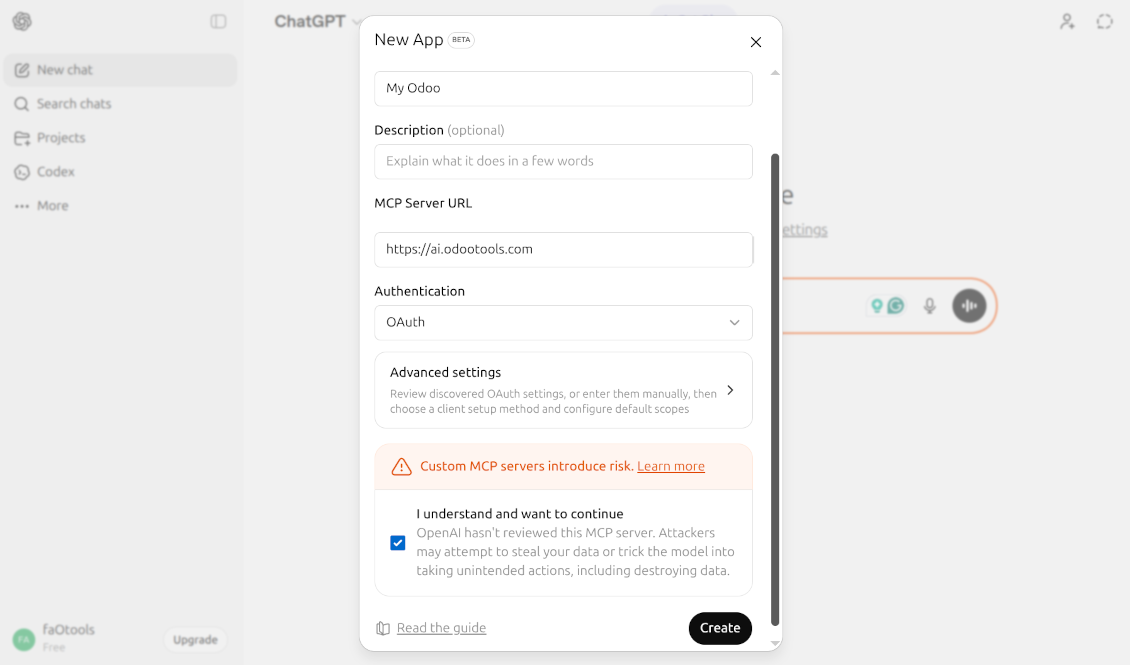
- As the name, introduce any suitable (e.g., "My company Odoo")
- As the MCP server URL, introduce [YOURODOOSITENAME]/mcp (e.g., https://faotools.com/mcp)
- As the authentication, use [YOURODOOSITENAME]/mcp (e.g., https://faotools.com/mcp)
- Agree with MCP risks
- Press "Connect"
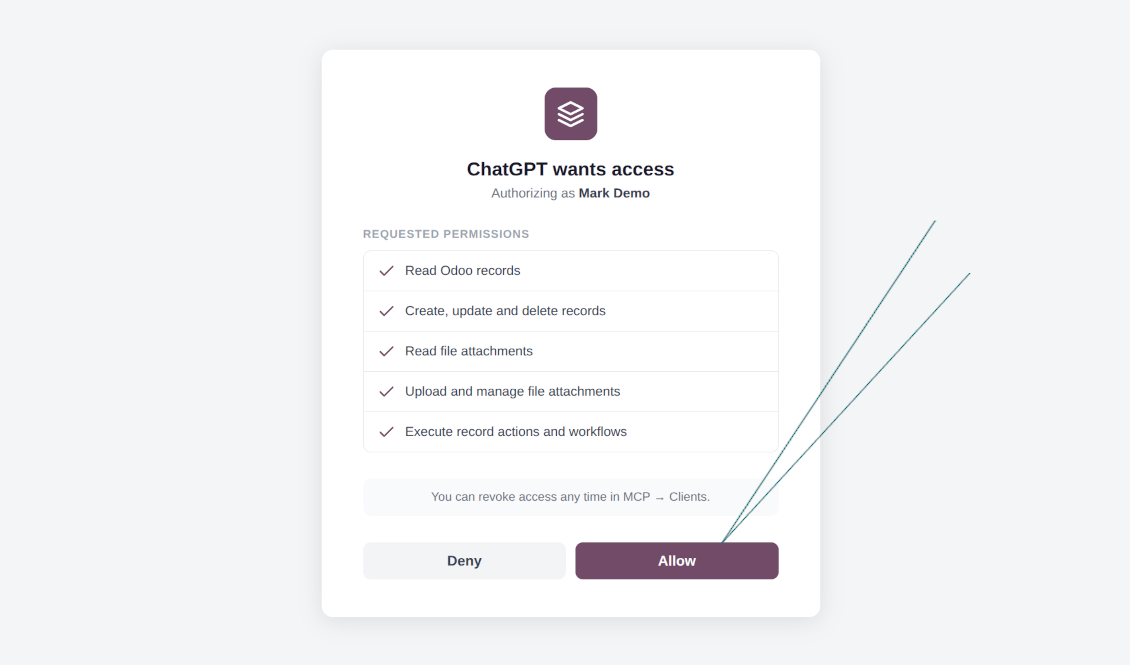
- The app will redirect you to the Odoo login screen. There, you should accept the scopes
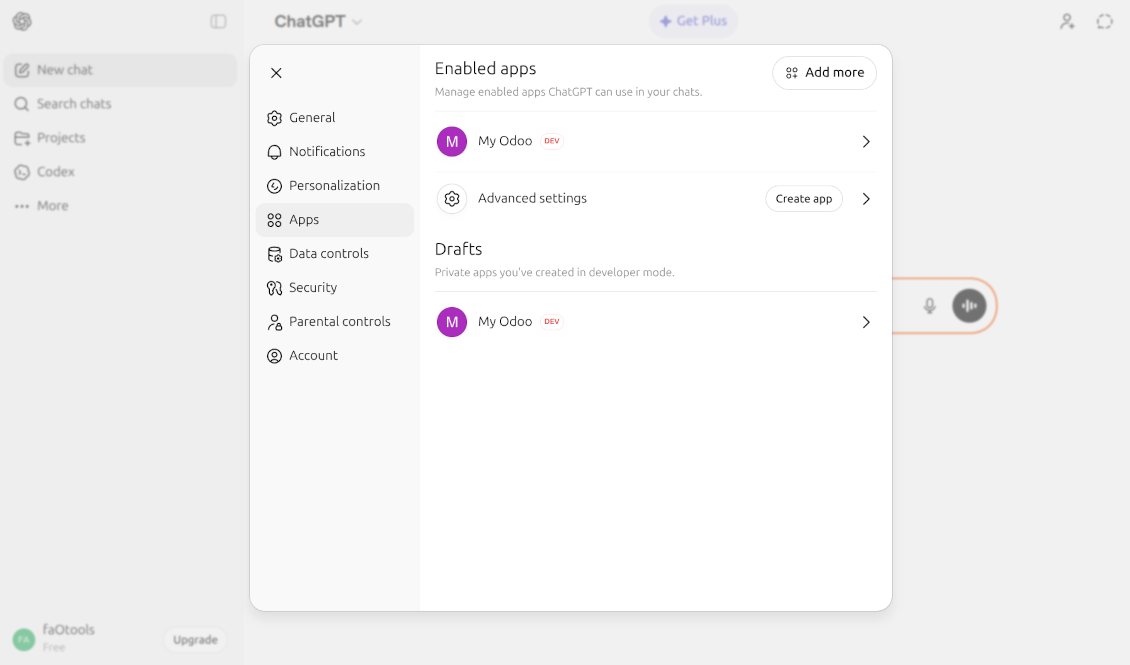
- Start AI chatting using your Odoo data.
Watch also the configuration video
Opening ChatGPT Settings
Accessing Advanced App Settings
Enabling Developer Mode
Configuring the Odoo MCP Server
Granting Odoo Permissions
Active Odoo Integration in ChatGPT
MCP flat settings (including IDEs, VS Code, Cursor, Antigravity, etc. and varios other tools)
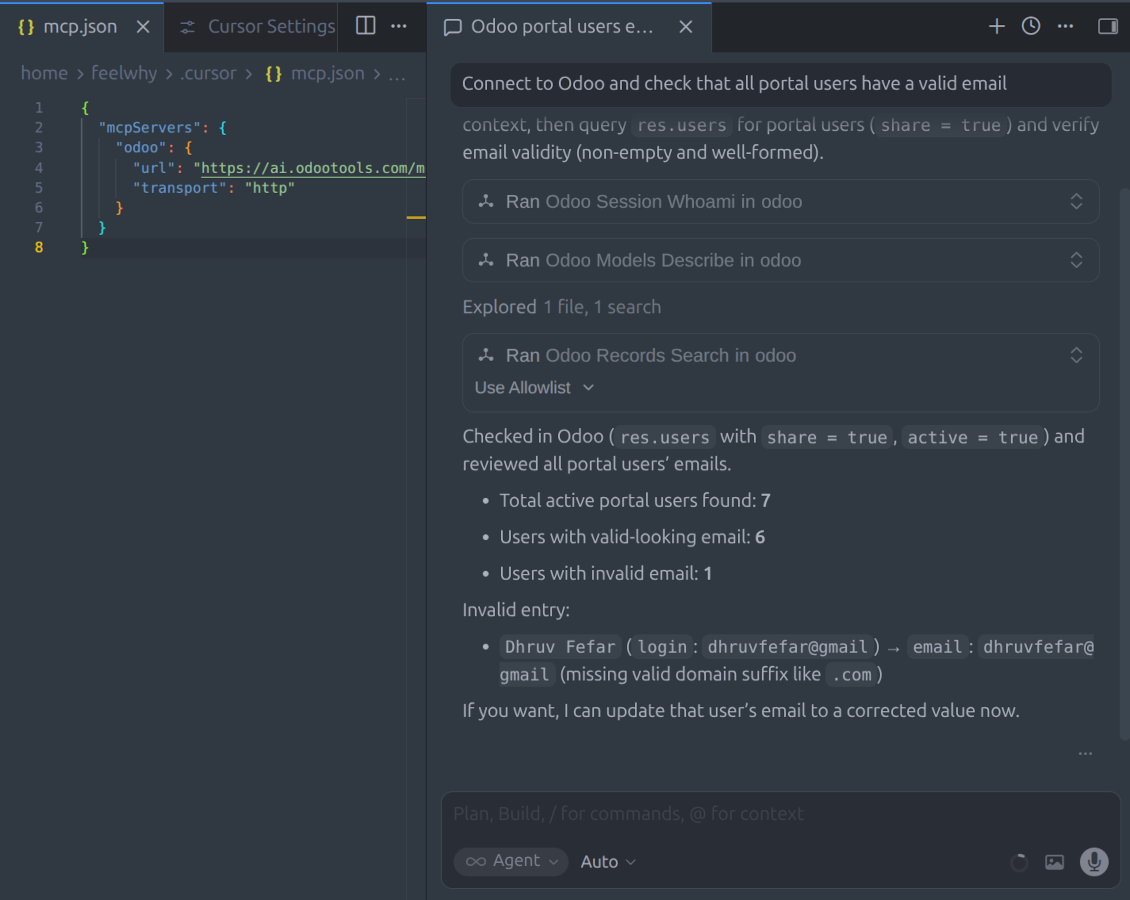
Apply the change to your mcp settings file (mcp.json, mcp_config.json, etc. - depending on the software)
{
  "mcpServers": {
    "odoo": {
      "url": "[YOURDATABASESITE]/mcp",
      "transport": "http"
    }
  }
Manual MCP Server Configuration
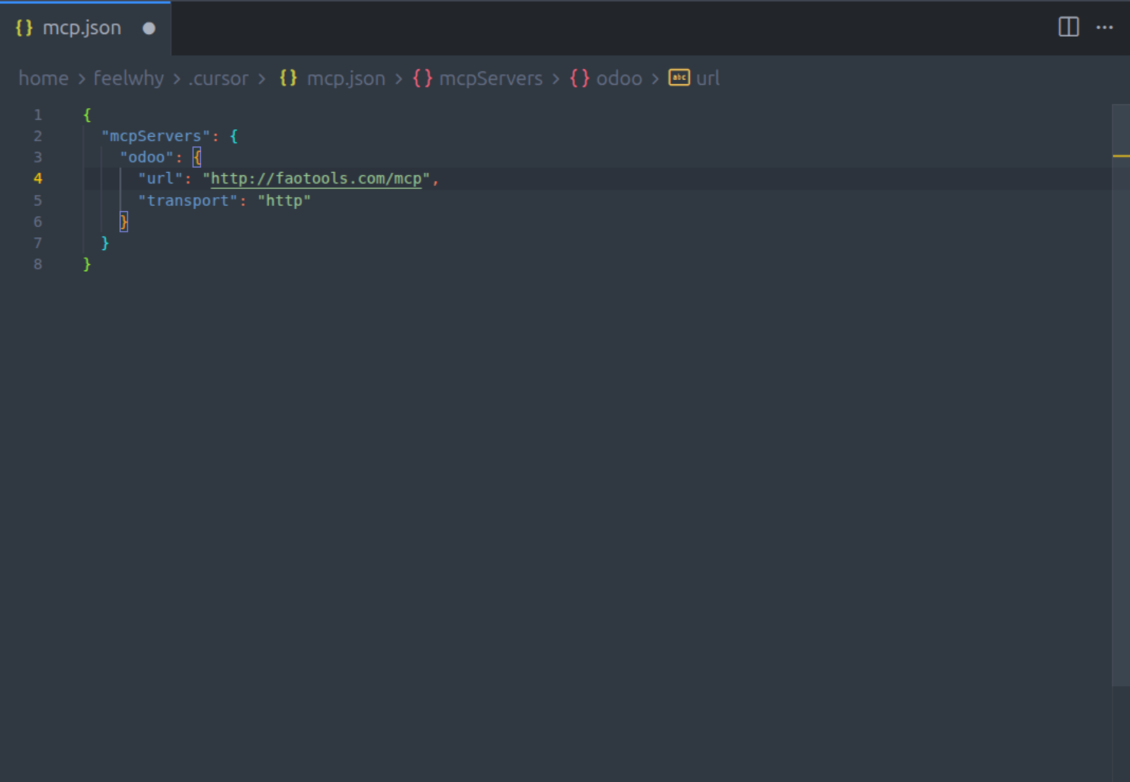
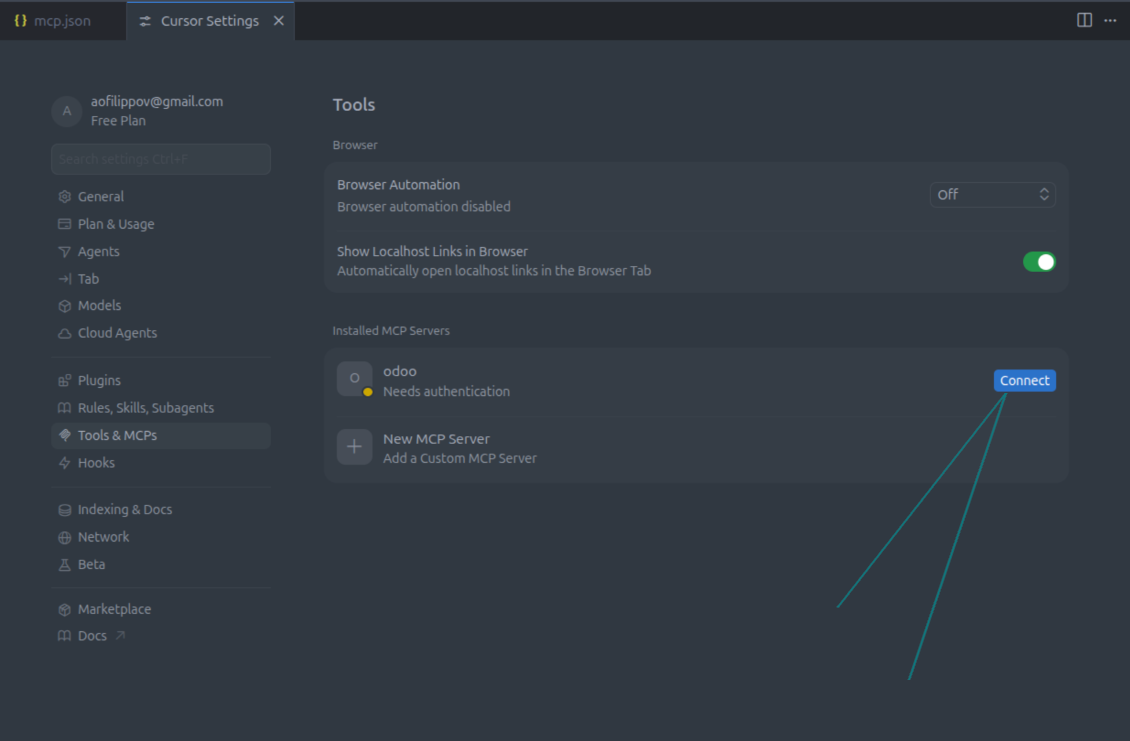
IDE Integration and Activation
Odoo demonstration databases (live previews)
For this app, we might provide a free personalized demo database.
You do not need a phone number or credit card to contact us. You should only pass a short email sign-up, which does not take more than 30 seconds.
By your request, we will prepare an individual live preview database, where you can apply any tests and check assumptions for about two weeks.
Bug reporting
If you encounter bugs or inconsistent behavior, do not hesitate to contact us. We guarantee to provide fixes within 60 days of purchase and are intensely interested in improving our tools even after this period.
You do not need a phone number or credit card to contact us. You should only pass a short email sign-up, which does not take more than 30 seconds.
Please include as many details as possible in your request: screenshots, Odoo server logs, a full description of how to reproduce your problem, and so on. Usually, it takes a few business days to prepare a working plan for an issue (if a bug is confirmed) or provide you with guidelines on what should be done (otherwise).
Public features requests and module ideas (free development)
We are strongly motivated to improve our tools and would be grateful for any feedback. If your requirements are of public use and might be efficiently implemented, the team will include those in our to-do list.
Such a to-do list is processed regularly and does not assume extra fees. Although we cannot promise deadlines and final design, it might be a good way to get desired features without investments and risks.
You do not need a phone number or credit card to contact us. You should only pass a short email sign-up, which does not take more than 30 seconds.

The tool to flexibly structure Odoo attachments in folders and synchronize directories with cloud clients: Google Drive, OneDrive/SharePoint, Nextcloud/ownCloud, and Dropbox. DMS. File Manager. Document management system

The tool to automatically synchronize Odoo attachments with OneDrive files in both ways

The tool to automatically synchronize Odoo attachments with Google Drive files in both ways

The tool to build a deep and structured knowledge base for internal and external use. Knowledge System. KMS. Wiki-like revisions.


The tool to set up KPI targets and control their fulfillment by periods. KPI dashboards. Dashboard designer. KPI charts

The tool for time-based service management from booking appointments to sales and reviews

The tool to combine different Odoo events in a few configurable super calendars
