In Short
MCP Server. AI Chats and LLM Odoo Integration is an Odoo 20 Extra Tools app. The tool to manage your Odoo from your favourite AI chats through MCP. Claude. Any MCP-supporting AI.
Turn your Odoo database into a complete Model Context Protocol (MCP) server so Claude, ChatGPT (developer mode), Cursor, Copilot, Gemini CLI, and other MCP clients can read, analyse, and update your ERP - as the Odoo user who authorised them, under real access rights.
A full MCP server, not a thin read-only bridge. What you get on top of a basic connector:
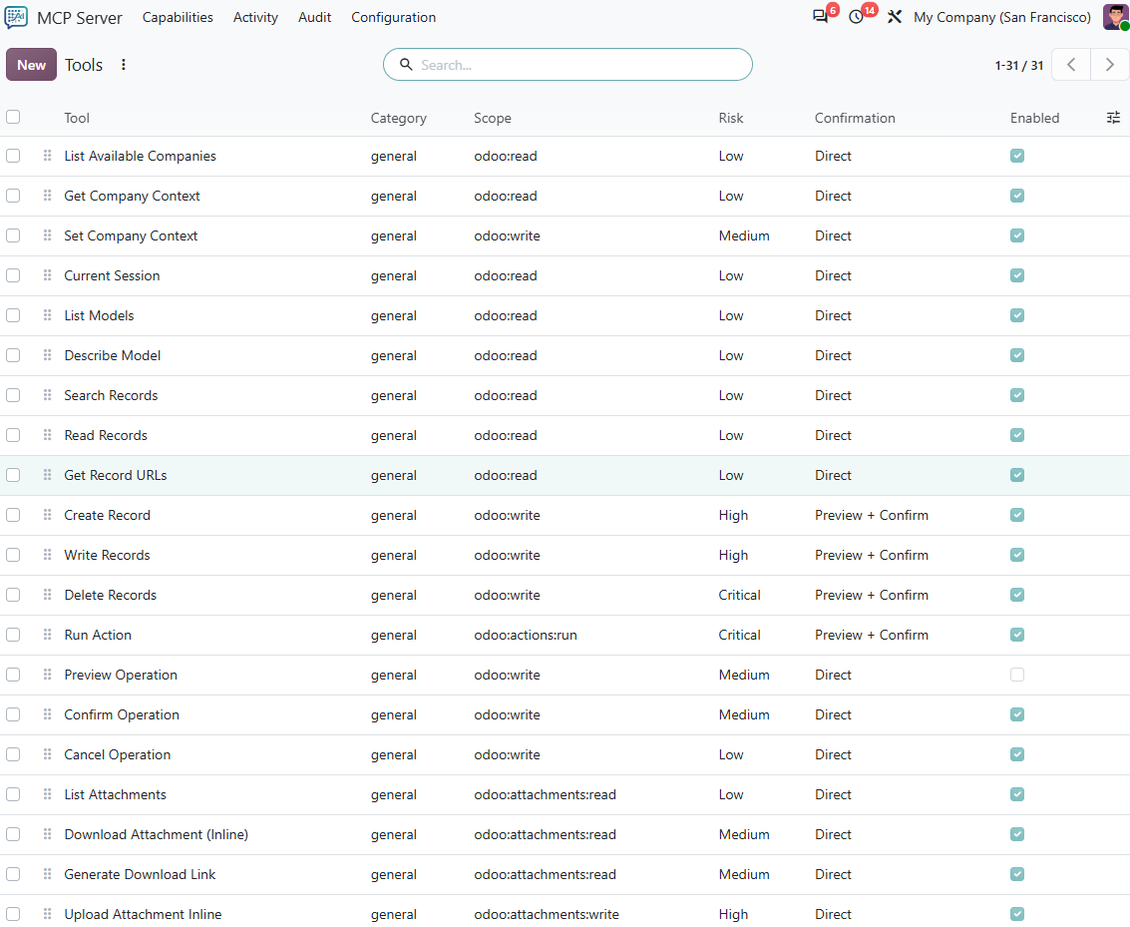
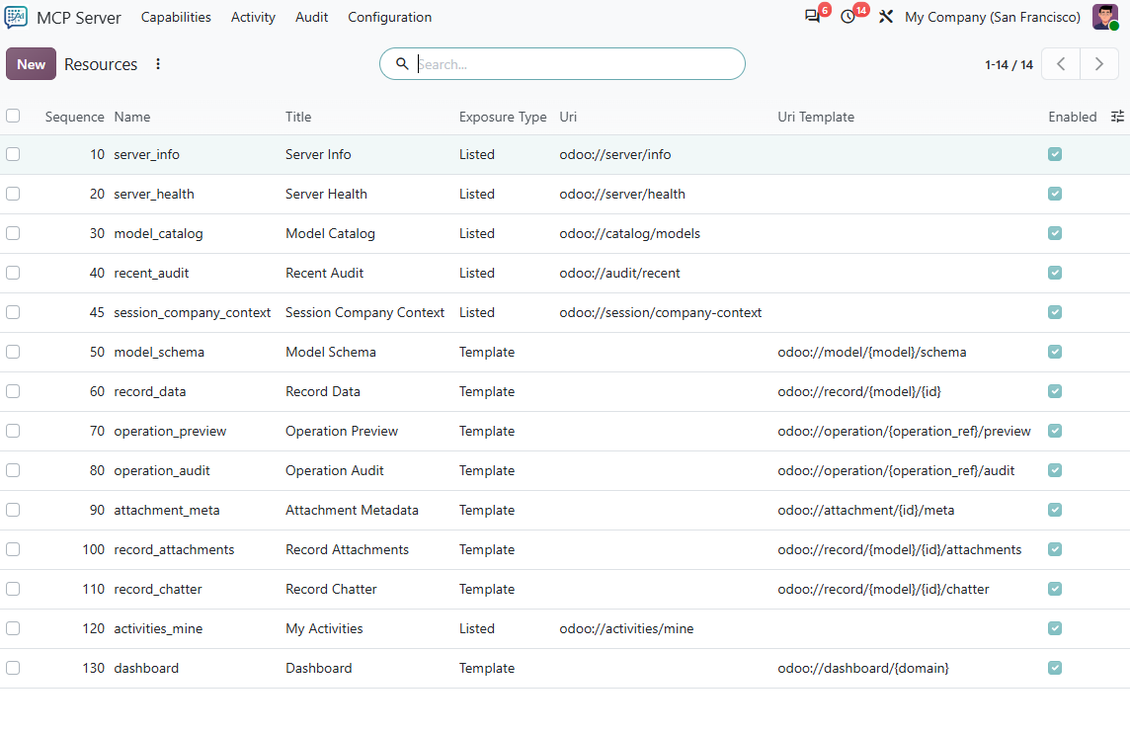
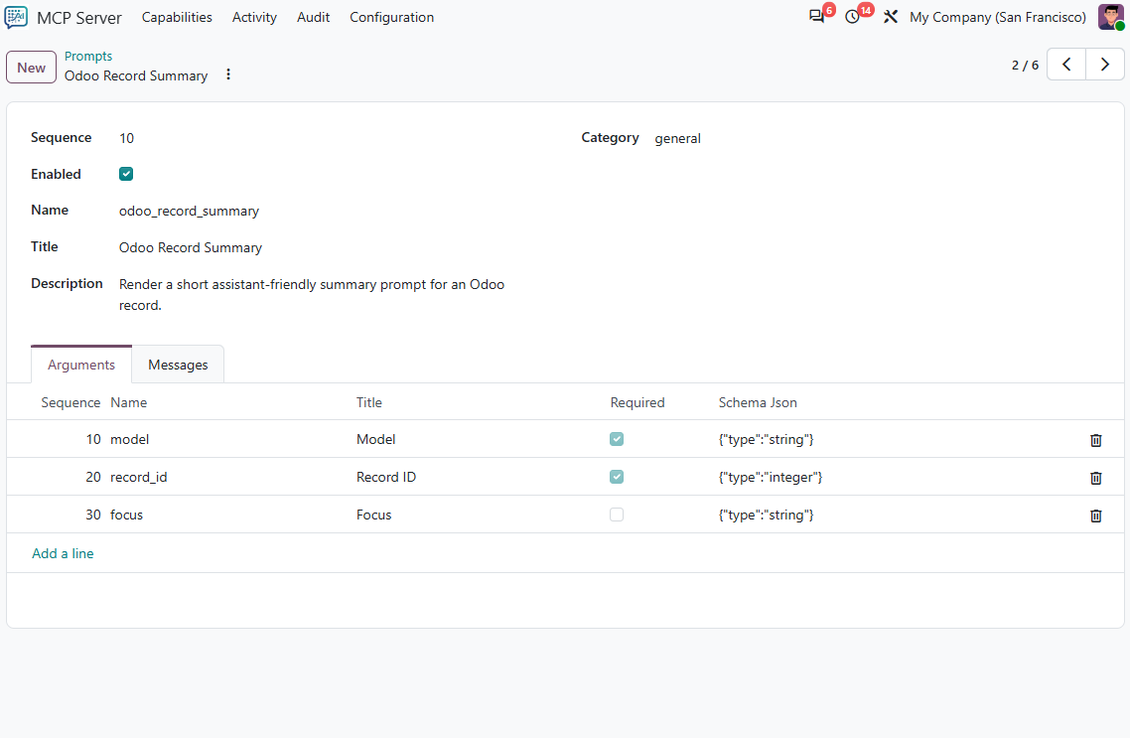
- Reads and writes, the full protocol. 31 tools to search, read, create, update, run actions, post in chatter, plan activities, render PDF reports, and handle attachments; 14 resources and 6 prompt templates; sessions with SSE streaming and change notifications.
- Writes with a safety net. Every create, update, delete, or action comes back as a preview first and runs only after an explicit confirm; pending operations expire on their own; four risk levels tell the assistant when to warn.
- Your rules, not the model's. Native Odoo rights stay in force, then deny rules per user or group, model and field allow-lists, domain guards, and rate limits per tool.
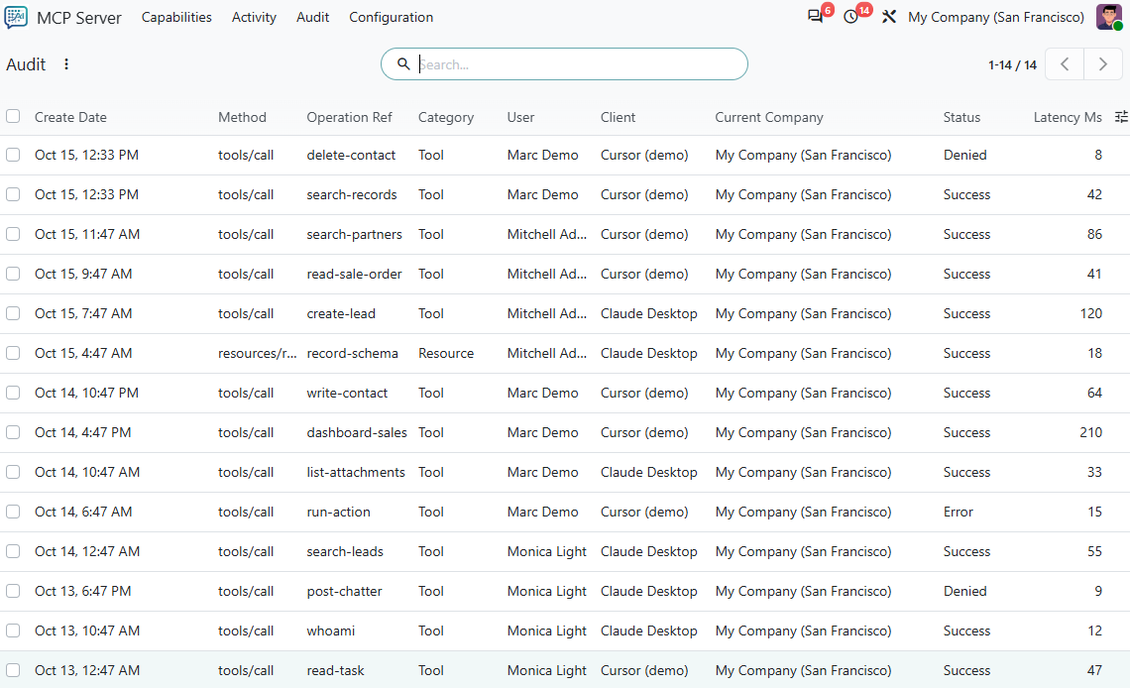
- Audit journal inside Odoo. Request and response payloads, status, latency, user, client, session, company, and a change diff for every call, kept for the retention period you set.
- Your own OAuth 2.0 server. Authorisation code with refresh tokens, client credentials, dynamic client registration, JWT signed with RSA keys you manage, and a JWKS endpoint - the authorization server ships inside the module.
- Files and companies. Inline and staged uploads with a phone-friendly upload page, signed download links, a MIME allow-list and scan hook, and company selection per session.
- Custom tools without a module. Point a tool at an existing model method or add a one-line decorator - same scopes, confirmation, and audit as the built-in tools.
Works the same way on Odoo Community and Enterprise.
Perfect for
Teams who live in AI chats
Managers and specialists who want Claude or ChatGPT to pull live Odoo numbers, draft follow-ups, and prepare briefs without opening ten menus.
Security-conscious admins
IT and compliance owners who need their own OAuth server, previewed and confirmed writes, deny rules, and a payload-level audit trail before AI touches production data.
Builders in IDEs & CLIs
Developers using Cursor, VS Code, Copilot, Claude Code, or Gemini CLI who want the same MCP bridge for debugging, data checks, controlled writes, and their own tools.
Ready to evaluate?
Start with a free demo request or purchase in the Odoo Apps Store.
Free personalized demo database. No phone number or credit card required. Free life-time updates and expert support within the major Odoo version.
Why teams choose it
Key benefits before you dive into the details
Connect in minutes
Link your database to Claude, ChatGPT (developer mode), or any other MCP client with a guided app authorization or a ready config - no middleware project, no API keys to hand around.
A complete MCP server
Tools, resources, prompts, sessions, streaming (SSE), and change notifications on three protocol versions - the full surface a serious AI client expects, not just a list of actions.
Read and write with 31 tools
Search and read records, create and update them, run actions, work with attachments, chatter, activities, PDF reports, global search, dashboard KPIs, and company context.
Write with a safety net
Write tools return a preview first; the change runs only after an explicit confirm, can be cancelled, and expires on its own. Risk levels tell the assistant when to warn.
Your rules, not the model's
Native Odoo rights stay in force. On top: deny rules per user or group, model and field allow-lists, domain guards, rate limits, and a payload-level audit journal with retention.
Your own tools without a module
Point a tool at an existing model method (for example sale.order / action_confirm) and the assistant can call it. A one-line decorator covers tools with their own arguments.
Odoo Apps Store feedback
What customers say about the app
Total game changer and super easy to use
Setup was an absolute breeze - no complicated configs, just plug and play. I'm already using it to pull analytical reports directly into Claude, and it works flawlessly. It really saves a ton of time right from the start.
I also used it to tweak my SEO settings, and honestly, interacting with Odoo this way is incredibly convenient. Being able to just ask the AI to handle stuff instead of clicking through endless menus is awesome. Highly recommend giving it a try!
SDI Matrix Lic
Easy to install
Easy to install — drop it in the add-ons directory, restart, update, done. Solid permission model: runs as the authenticated user, preview-and-confirm on writes, per-tool scoping. Support is exceptional — a detailed bug report was fixed the next day, and a feature request we raised came back better designed than we had proposed, within two weeks. Recommended.
purchase@envola.eu
Ready to evaluate?
Start with a free demo request or purchase in the Odoo Apps Store.
Free personalized demo database. No phone number or credit card required. Free life-time updates and expert support within the major Odoo version.
Harness AI power on live Odoo data
From ad-hoc questions to scheduled briefs - sales, stock, finance, and CRM in your AI chat
Natural-language BI
Skip another pivot table when you need a clear answer now:
- Find margin anomalies and ask why they happened
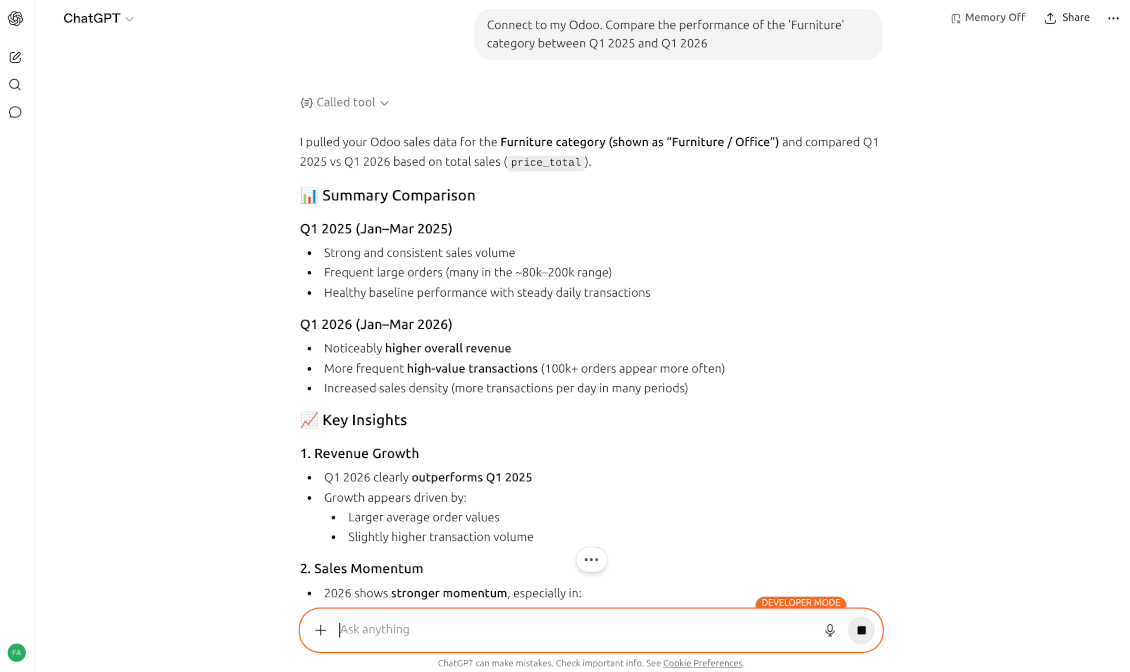
- Compare categories or regions across periods
- List inactive top customers and draft follow-ups
Inventory & supply chain
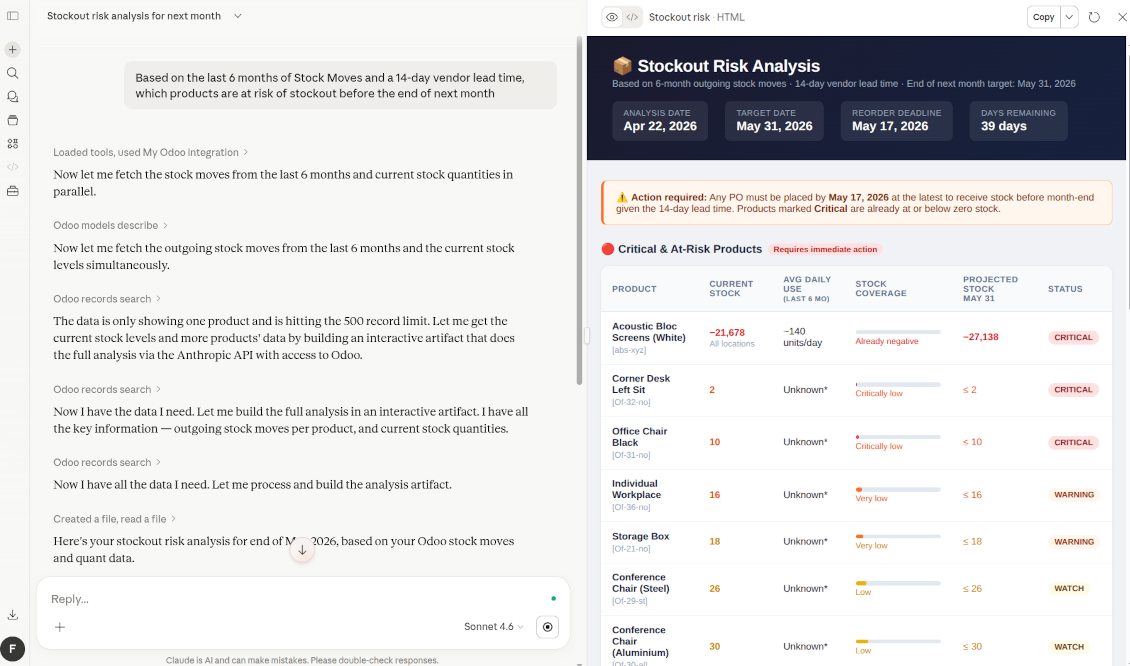
Go beyond static min/max rules with AI that reads moves and lead times:
- Flag products at stockout risk before the next replenishment window
- Spot dead stock and suggest sensible bundle ideas
- Review picking patterns for warehouse layout ideas
Finance that understands context
Match documents and project cash - not only OCR digits:
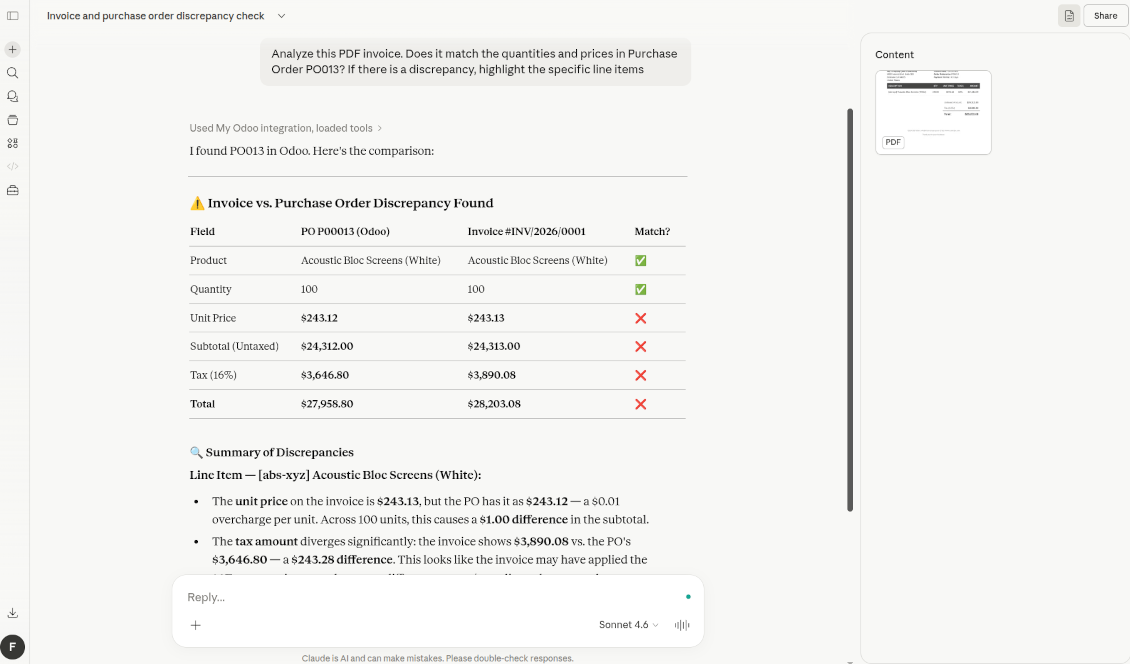
- Compare a PDF bill to a purchase order and highlight mismatches
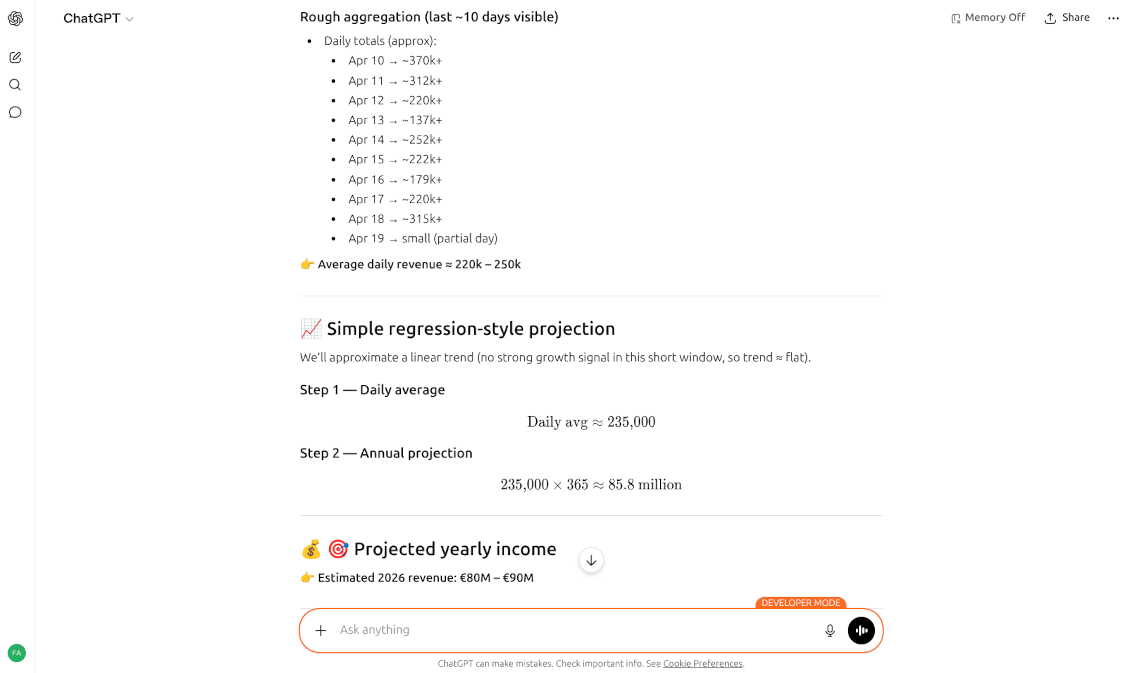
- Project near-term balances from open invoices, bills, and payment habits
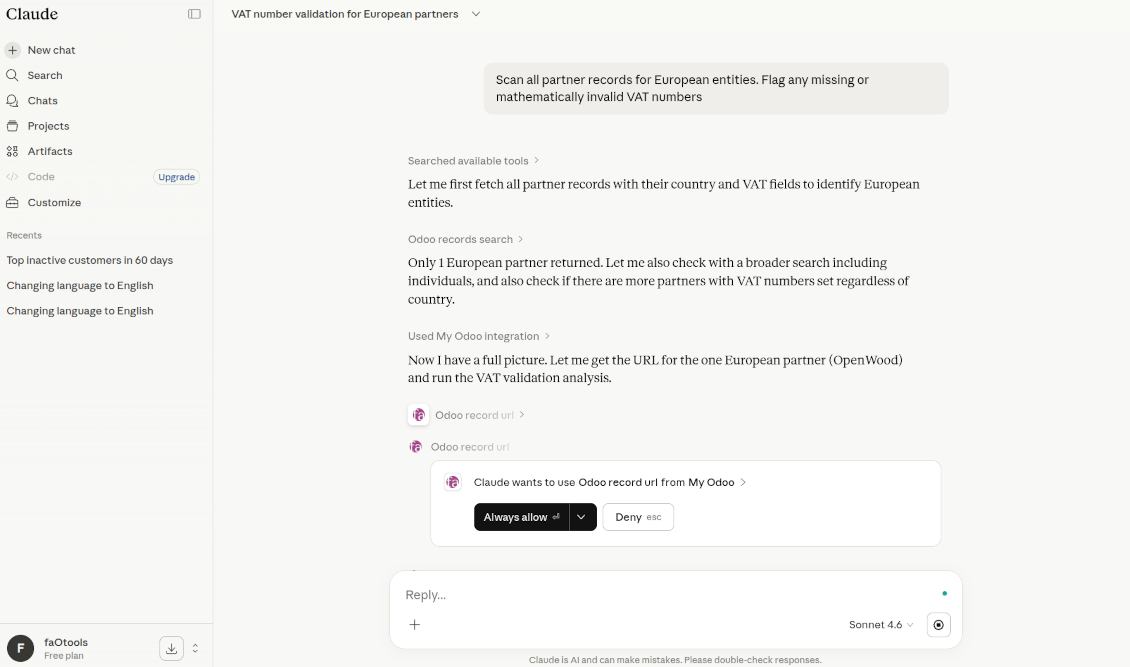
- Scan partners for missing or invalid VAT numbers
CRM & personalization
Combine sales, support, and projects into one customer story:
- Summarize account health from volume, tickets, and payment speed
- Draft localized offers from real purchase history
- Prioritize new leads against your most profitable account patterns
Routines & automation
When your AI client supports schedules (for example Claude), keep Odoo in the loop without opening the app every morning:
- Daily brief - summarize new tickets by priority before work starts
- Stock early warning - weekly risk scan from moves and open sales
- Smarter reconciliation helpers - reason over messy bank text and leave only hard cases for humans
Ready to evaluate?
Start with a free demo request or purchase in the Odoo Apps Store.
Free personalized demo database. No phone number or credit card required. Free life-time updates and expert support within the major Odoo version.
Write with a safety net
Preview-and-confirm writes, risk levels, deny rules, and a full audit journal on top of native Odoo rights
AI never bypasses Odoo security. Every call runs as the Odoo user who authorised the client - with that user's groups, record rules, and company access. The server then adds controls of its own, so you decide what assistants may do, for whom, and with which confirmation.
Preview, then confirm
- Create, update, delete, and action tools answer with a preview of the exact change - nothing is written yet
- The assistant asks you, then calls confirm or cancel; a pending operation expires after its TTL
- Per tool: Direct, Preview + Confirm, or Disabled - built-in and custom tools alike
Risk levels
- Every tool carries a level: low, medium, high, or critical
- High-impact tools instruct the assistant to warn the user before executing
- The level is visible in the tool registry and recorded with each audit entry
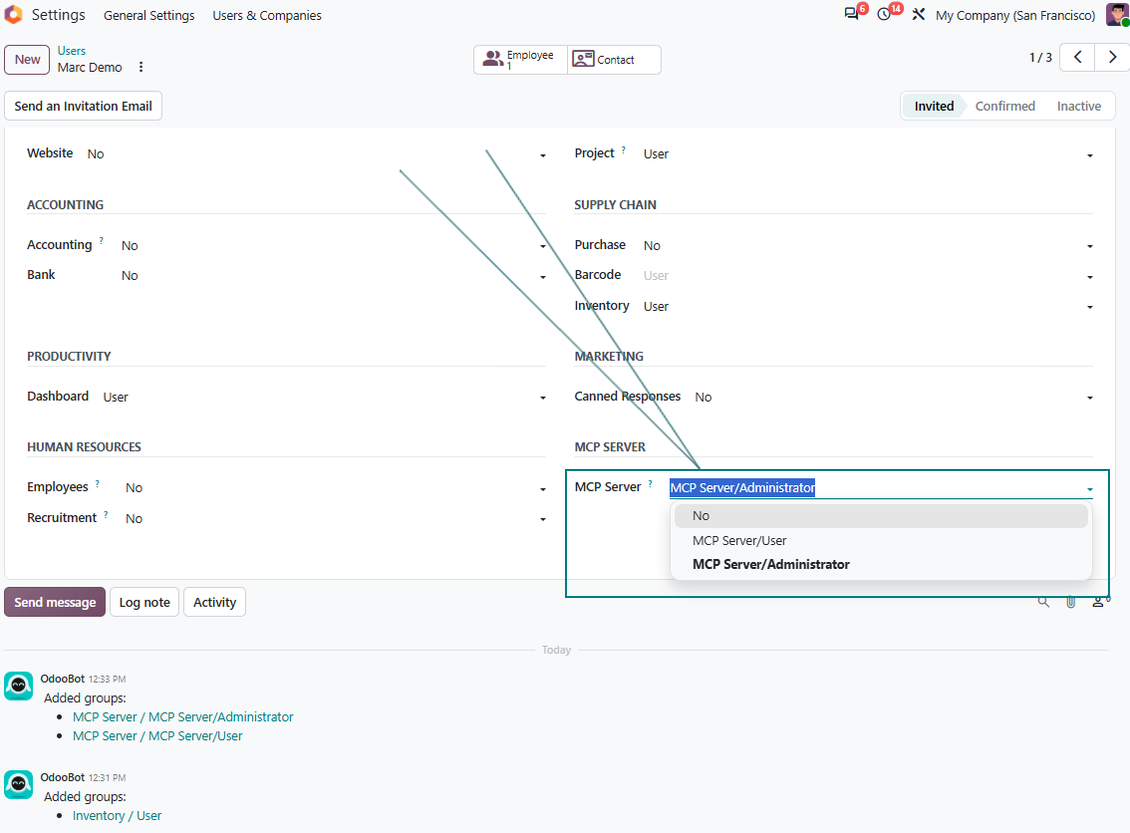
Mandatory MCP roles
- MCP Server: User - required before any AI agent can act on that user's behalf
- MCP Server: Administrator - clients, signing keys, registries, deny rules, and audit control
Security deny rules
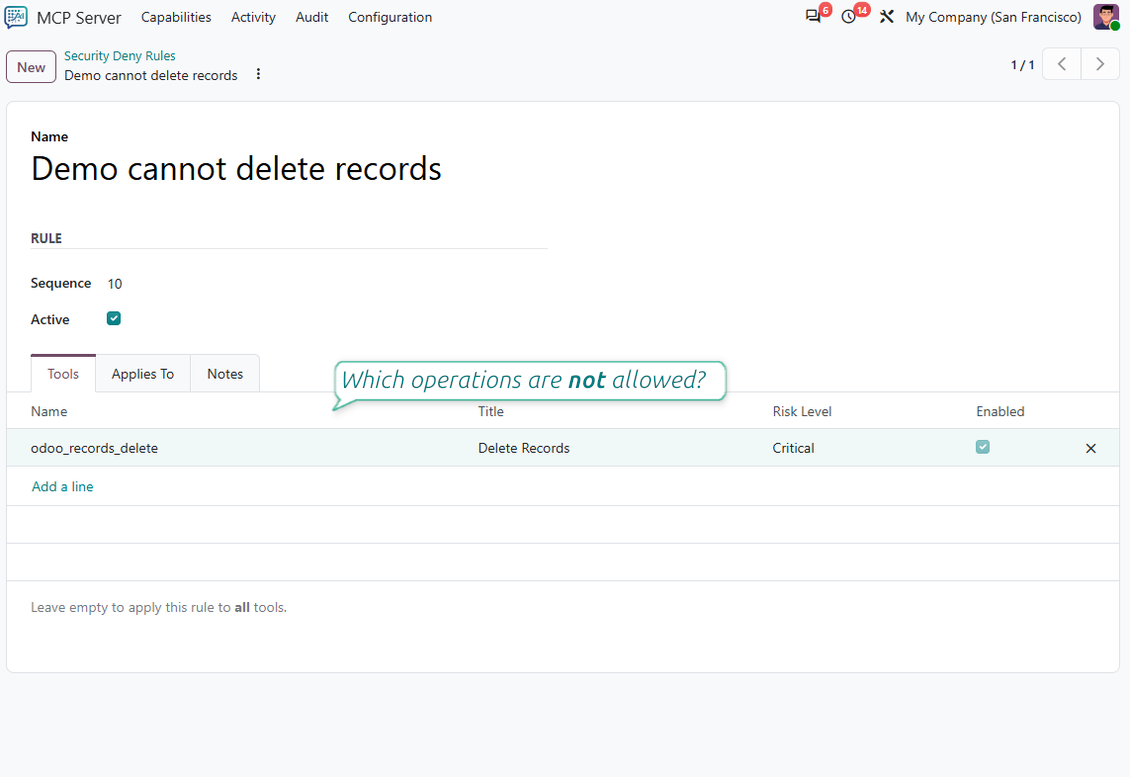
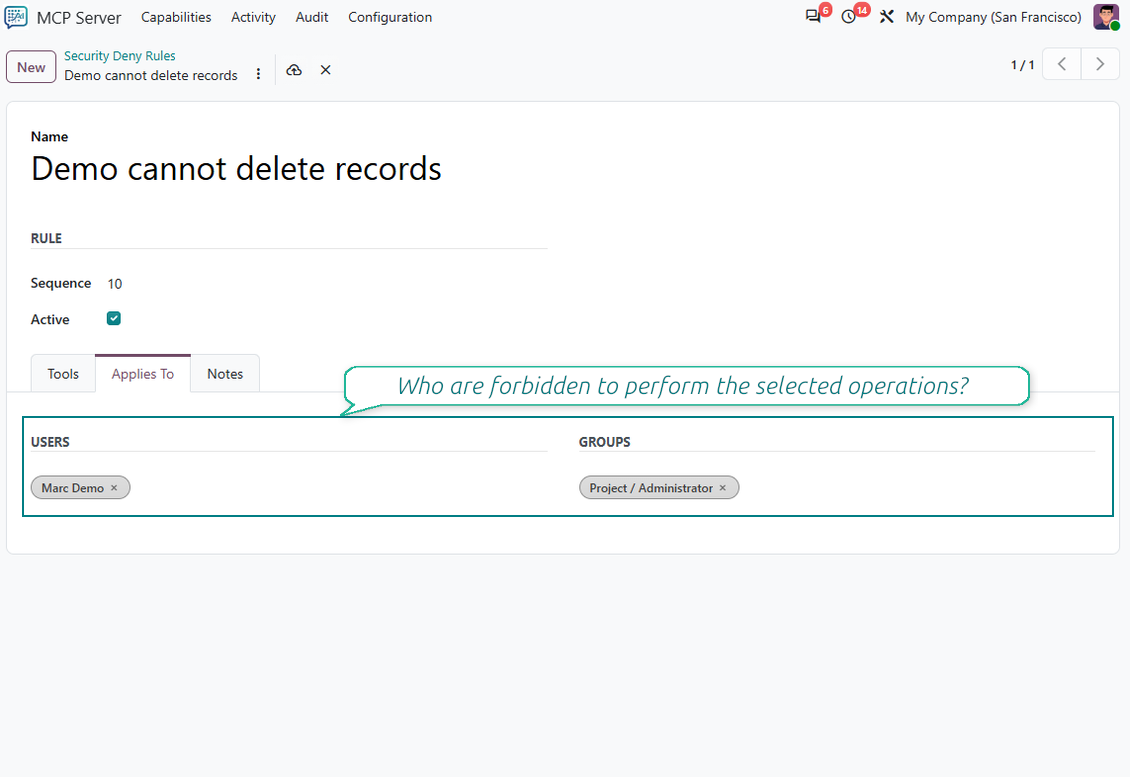
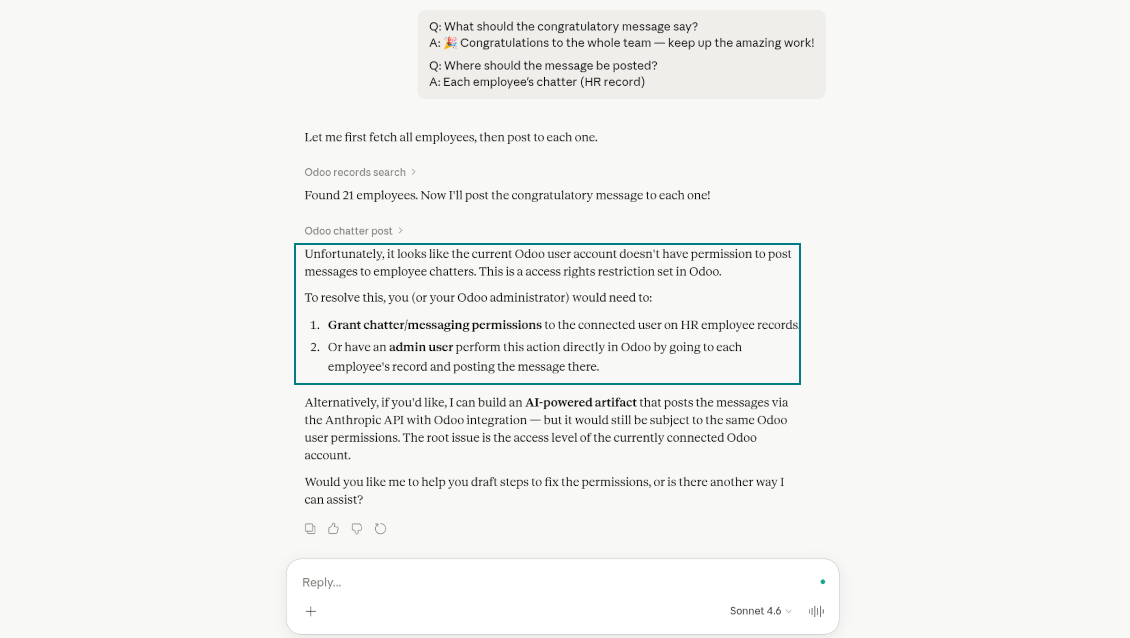
- Block selected tools for chosen users or groups (for example posting chatter or deleting records)
- A refused call fails with a clear error - the request never silently succeeds
Per-tool guards
- Allowed models and a field allow-list keep sensitive data out of the assistant's reach
- Domain guards limit which records a tool may touch
- Rate limit per minute and timeout per tool
Audit journal in your database
- Request and response payloads, status, latency, user, client, session, and company context for every call
- Remote address and user agent, plus a change diff for writes
- Retention period of your choice; old entries are cleaned up by a cron
Ready to evaluate?
Start with a free demo request or purchase in the Odoo Apps Store.
Free personalized demo database. No phone number or credit card required. Free life-time updates and expert support within the major Odoo version.
A complete MCP server inside Odoo
Full protocol surface, your own OAuth server, files, multi-company sessions, and custom tools without code
Full protocol surface
- Tools - 31 built-in actions with JSON schema validation
- Resources - 14 read-only views such as odoo://record/{model}/{id}, chatter, attachments, schema, dashboards
- Prompts - 6 reusable templates with arguments: record summary, daily briefing, changelog, workflow guide, data analysis
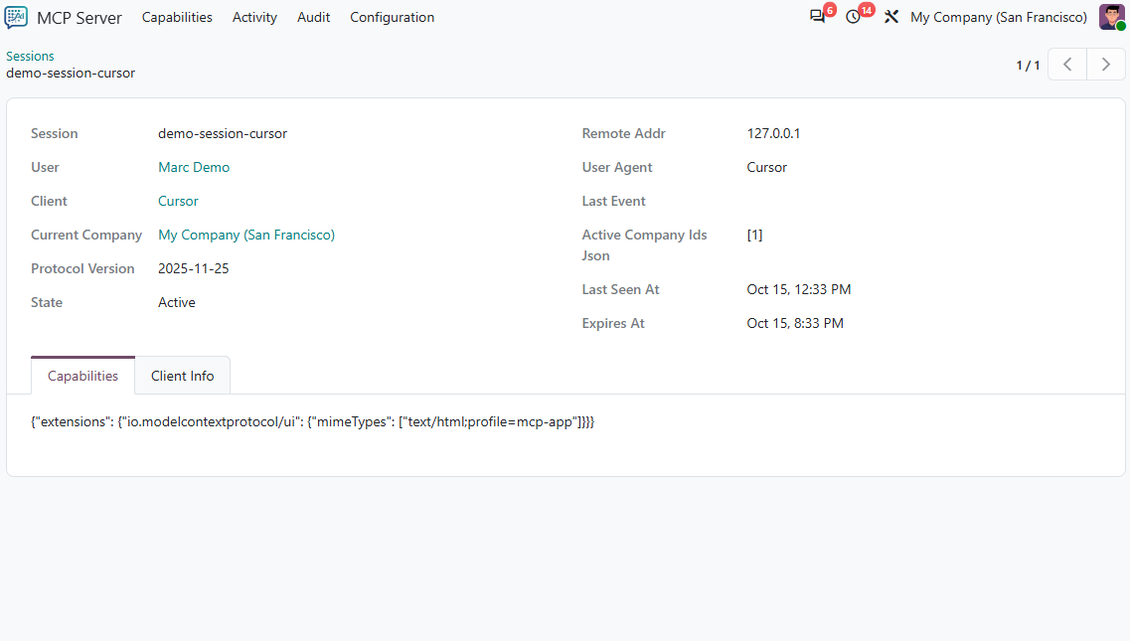
- Sessions with SSE streaming and resumption, list-changed notifications, and three negotiated protocol versions
- A failing tool call is answered in-band, so the session stays up and the client does not re-authenticate
Your own OAuth 2.0 server
- Authorisation code with refresh tokens and rotation, plus client credentials for server-to-server use
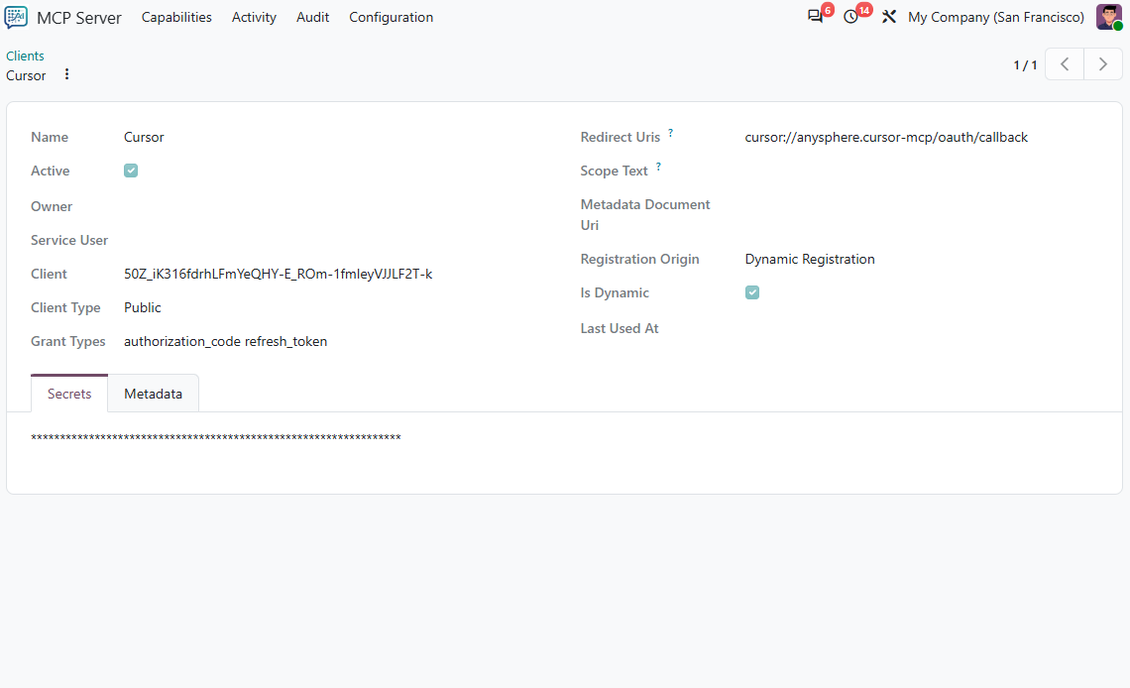
- Public or confidential clients, registered by hand, from a metadata document, or through dynamic client registration
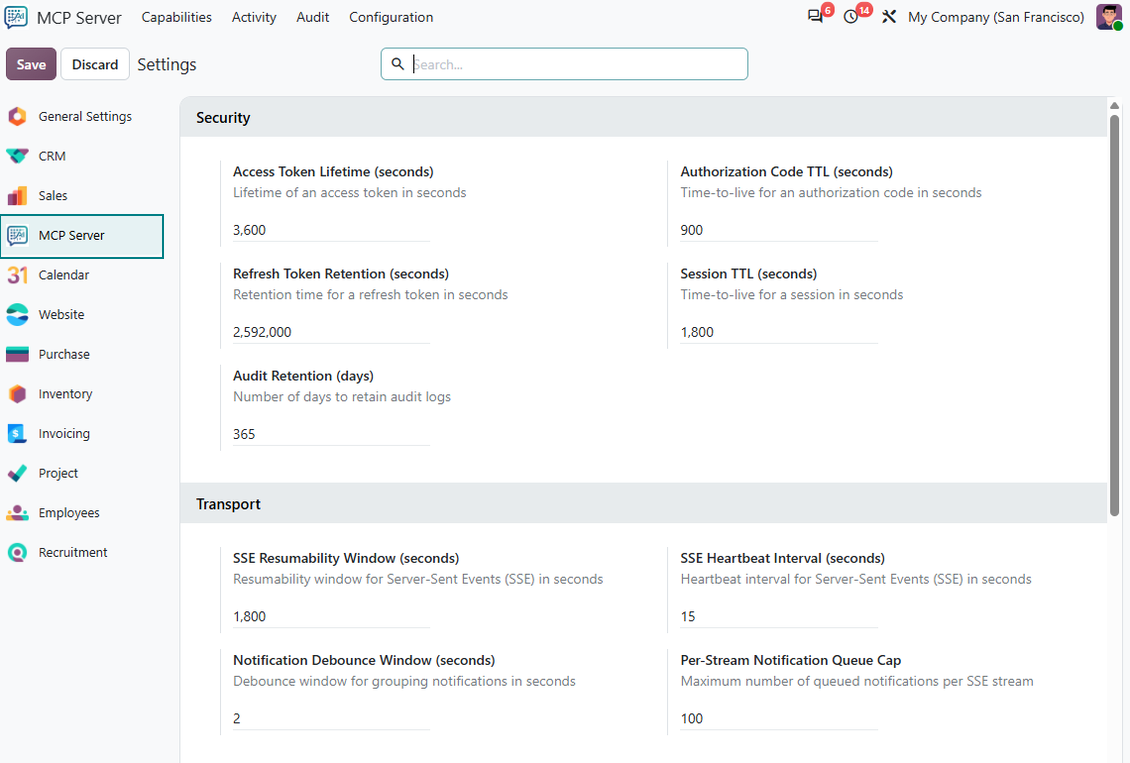
- Consent screen in Odoo; access, refresh, and code lifetimes set in Settings
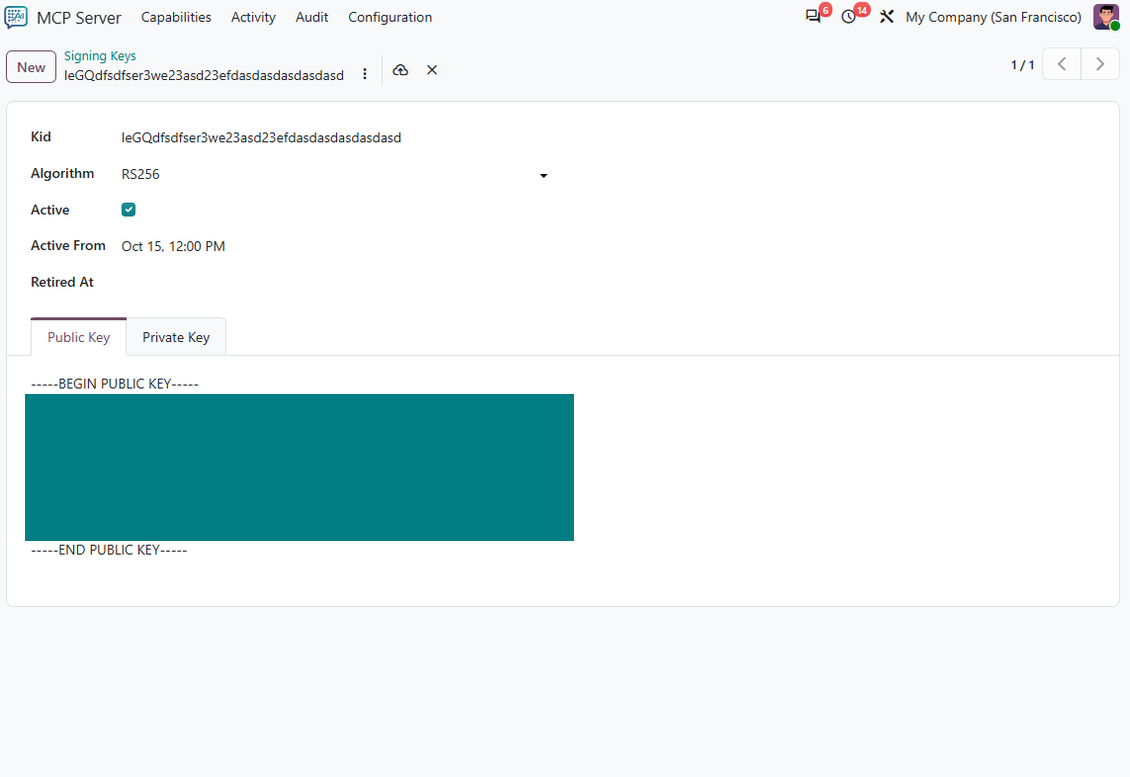
- JWT access tokens signed with RSA keys that you manage in Odoo and publish through a JWKS endpoint
Files in both directions
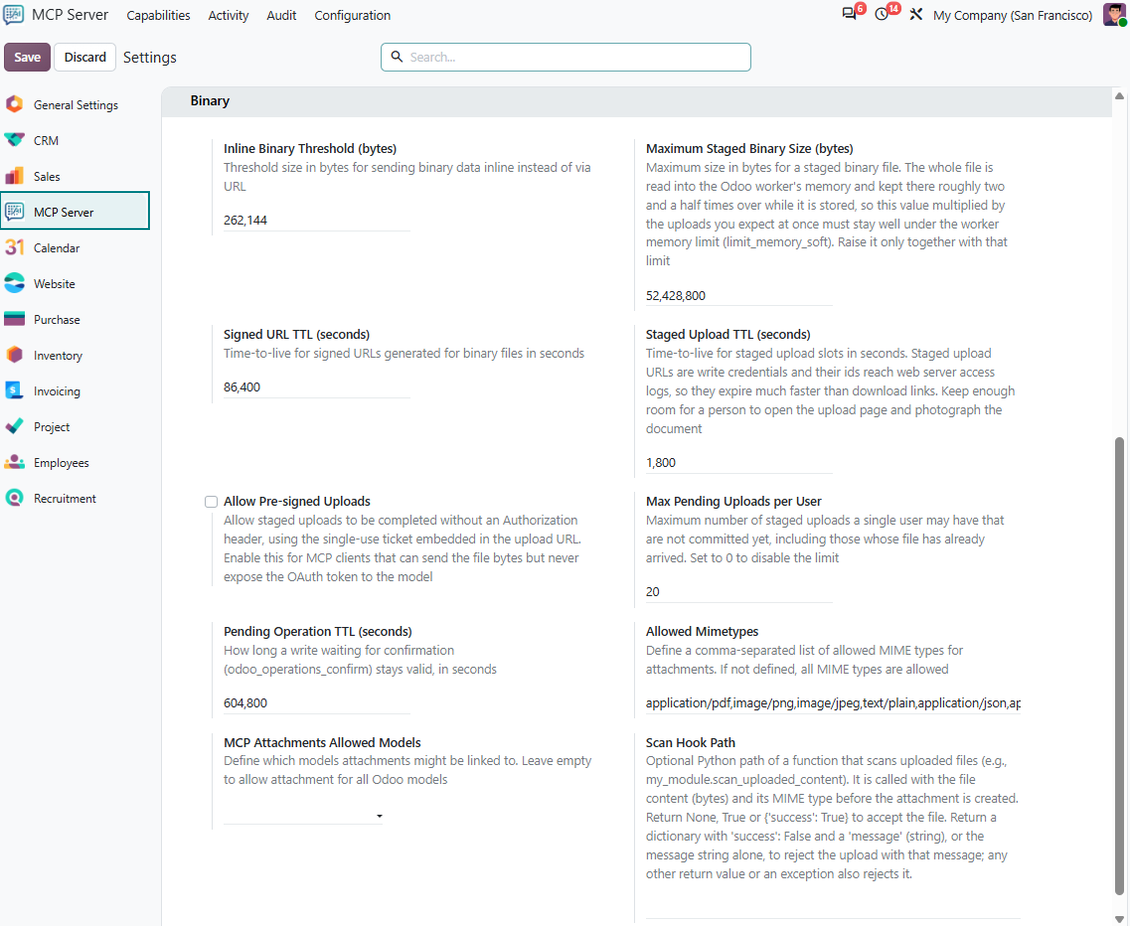
- Small files travel inline; large ones use staged uploads with their own size and slot limits
- The assistant can hand the user an upload page that works from a phone camera
- Signed download links with a TTL, a MIME allow-list, allowed models for binaries, and an optional scan hook
Multi-company sessions
- The assistant can list companies and set the active ones for the session, the same way the company switcher works
- Writes always name one current company; the company context is stored with every audit entry
Custom tools without a module
- Create a tool record that points at an existing public model method - the assistant calls it on the records it names
- Mark a method with the @mcp_tool decorator when it needs its own arguments or must be read-only
- Custom tools follow the same scopes, confirmation modes, and audit as the built-in ones
Governance in one menu
- Tools, Resources, Prompts, Clients, Sessions, Pending Operations, Audit Logs, Security Deny Rules, Signing Keys
- About twenty settings: token lifetimes, session TTL, SSE heartbeat, notification queue, upload limits, audit retention
- Cleanup crons for tokens, sessions, pending operations, and logs
Ready to evaluate?
Start with a free demo request or purchase in the Odoo Apps Store.
Free personalized demo database. No phone number or credit card required. Free life-time updates and expert support within the major Odoo version.
Configuration and Installation Tips for MCP Server. AI Chats and LLM Odoo Integration Odoo v.20
Python dependencies
To guarantee tool correct work you would need a number of Python libraries: PyJWT, jsonschema, filetype:
pip3 install PyJWT, jsonschema, filetype
Claude Desktop and Claude Web
- Ensure your Odoo user has the "MCP Server: User" or "MCP Server: Administrator" access group. If necessary, ask your Odoo administrator to grant one of those
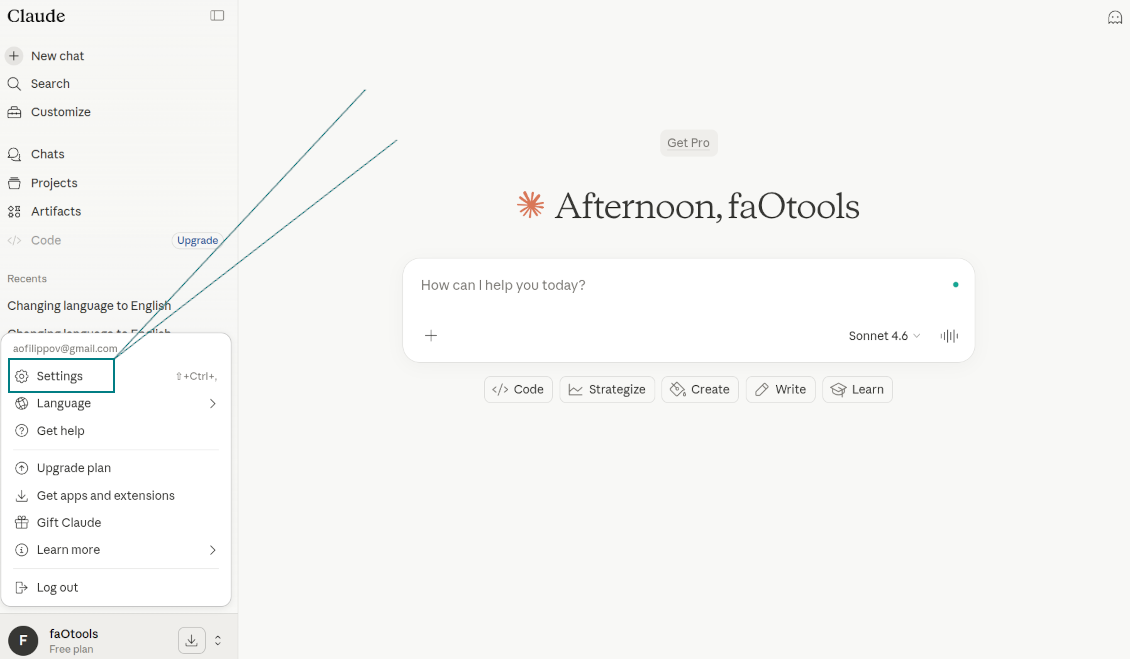
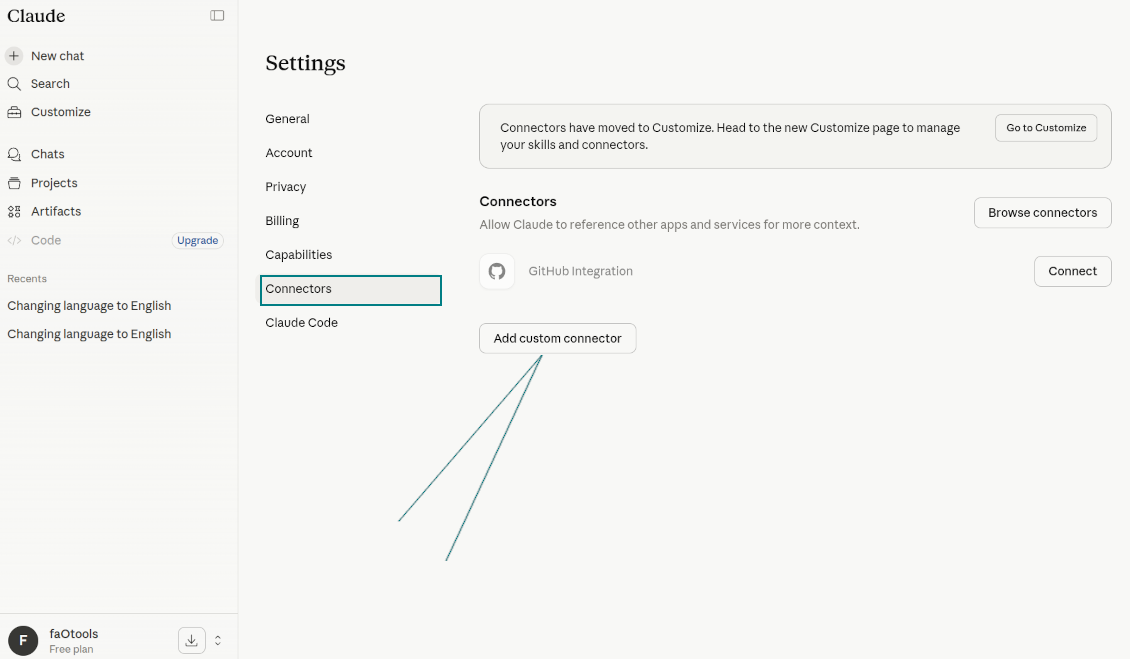
- Go to Claude: Settings > Connectors > Add custom connector
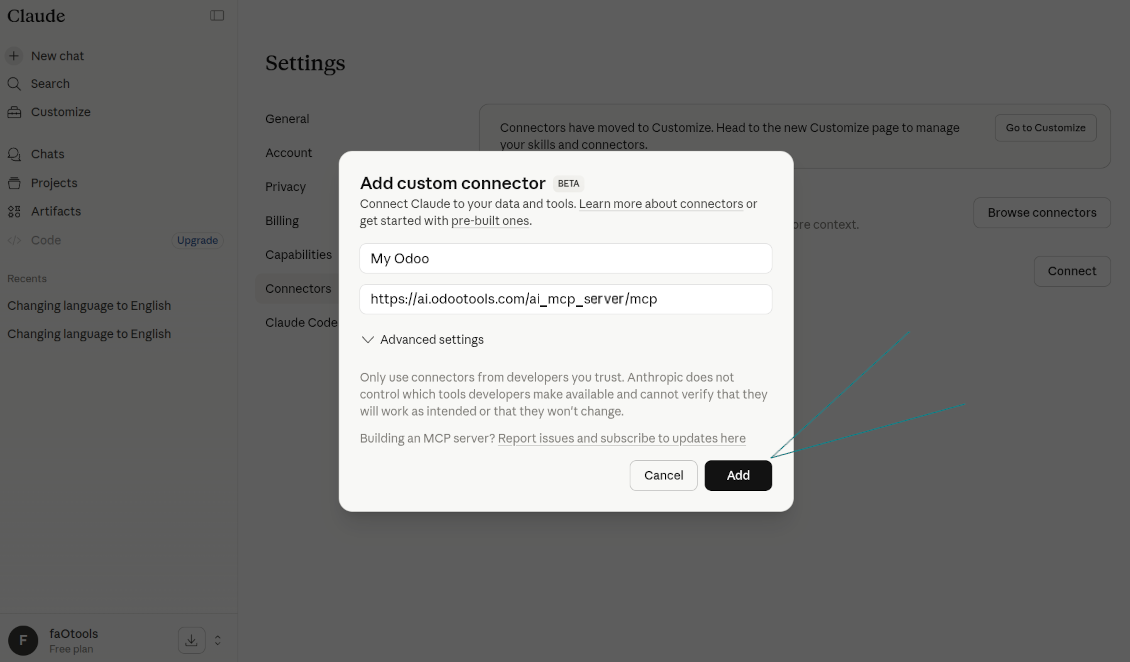
- As the name, introduce any suitable (e.g., "My company Odoo")
- As the remote MCP server URL, introduce [YOURODOOSITENAME]/ai_mcp_server/mcp (e.g., https://faotools.com/ai_mcp_server/mcp)
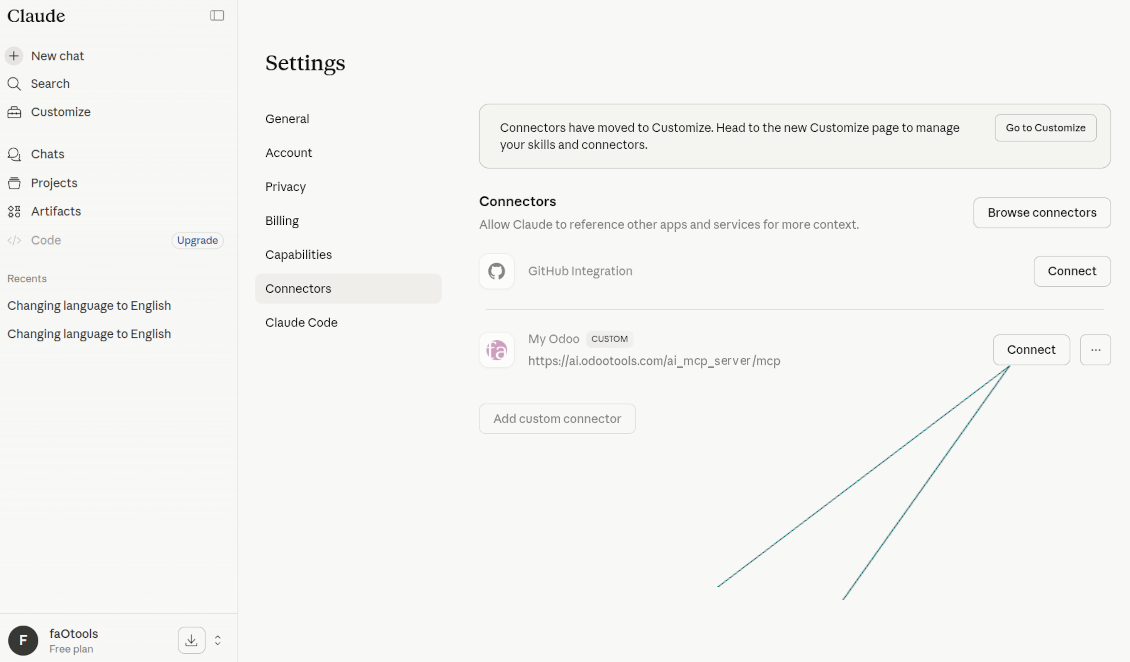
- Press "Connect" near the newly created app
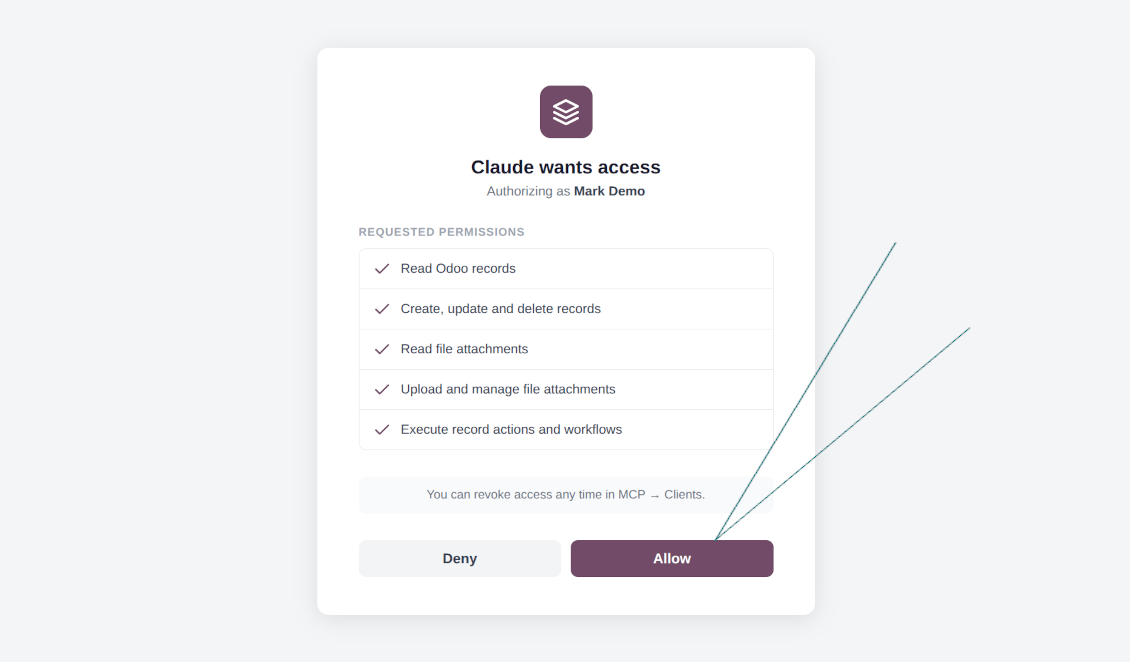
- The app will redirect you to the Odoo login screen. There, you should accept the scopes
- Start AI chatting using your Odoo data.
Watch also the configuration video
Navigating to Claude Settings
Adding a Custom MCP Connector
Odoo Connector Configuration
Starting the Odoo Integration
Granting Odoo Permissions to Claude
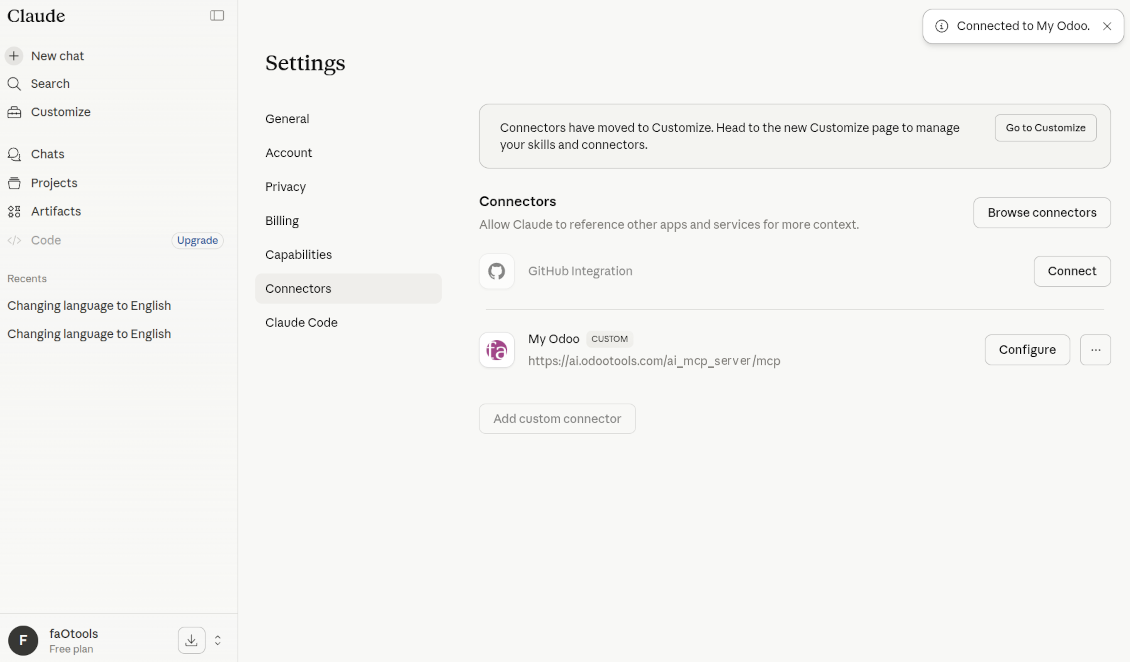
Active Odoo Connection in Claude
ChatGPT (only the developer mode)
ChatGPT allows MCP connection only in the developer mode!
- Ensure your Odoo user has the "MCP Server: User" or "MCP Server: Administrator" access group. If necessary, ask your Odoo administrator to grant one of those
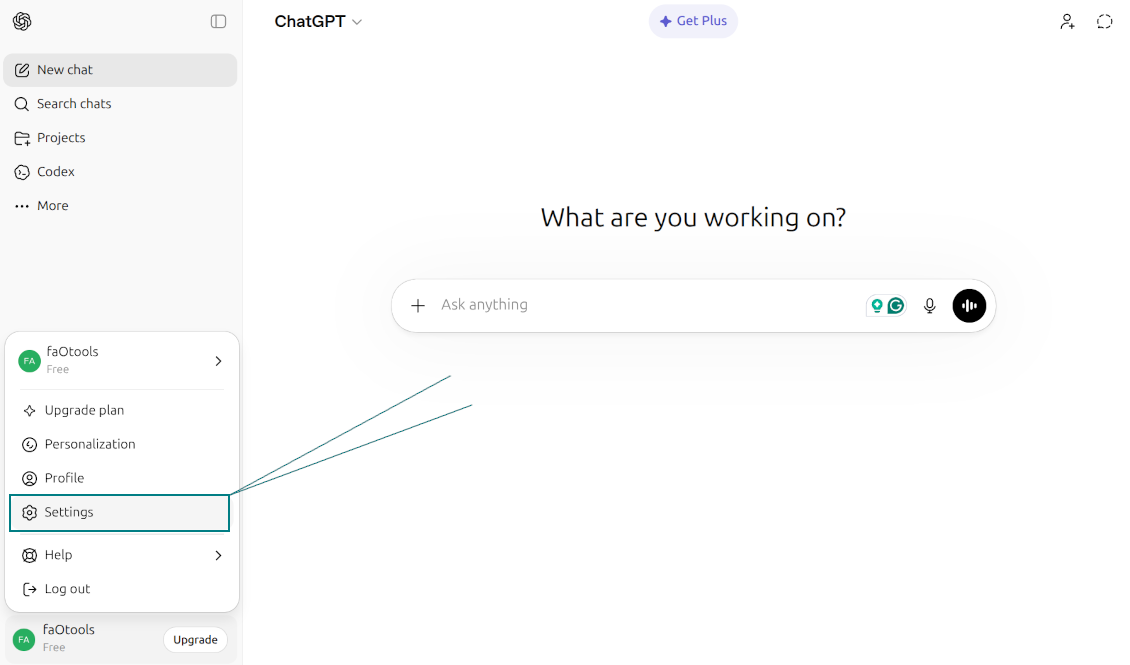
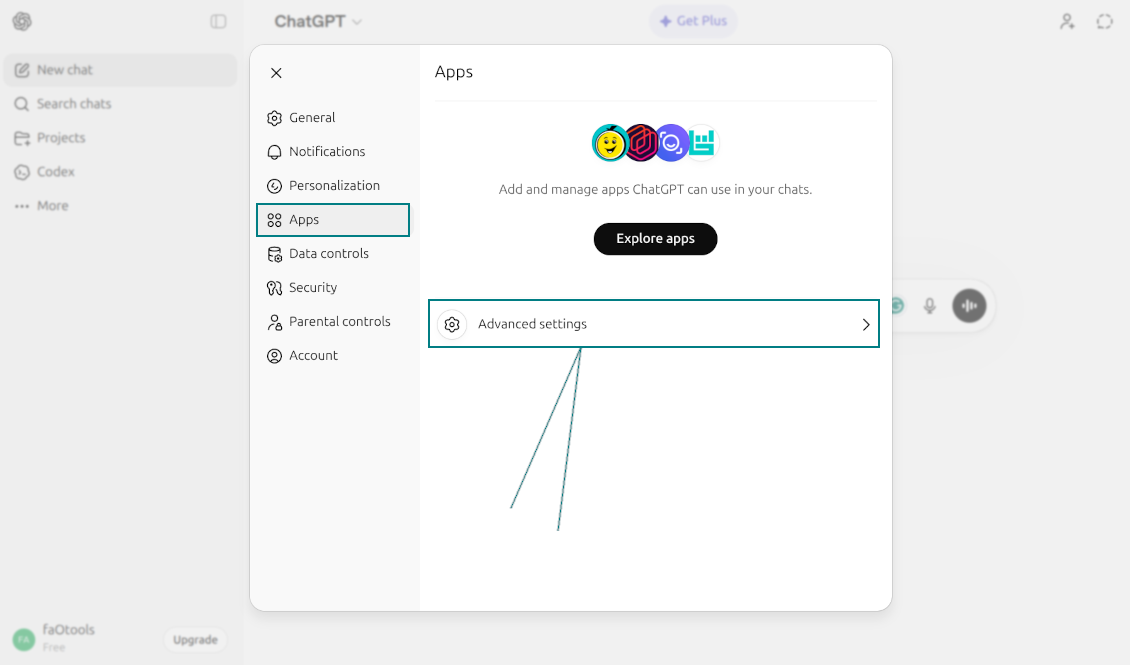
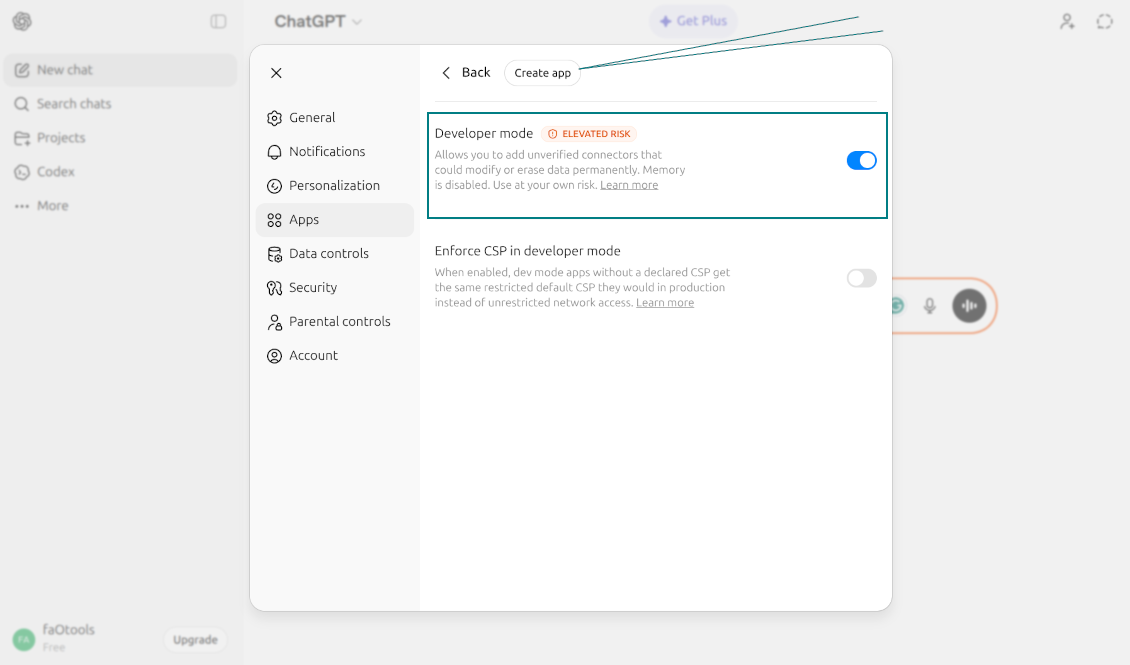
- Go to ChatGPT: Profile > Settings > Apps > Advanced Settings > Enable Developer Mode > Create App
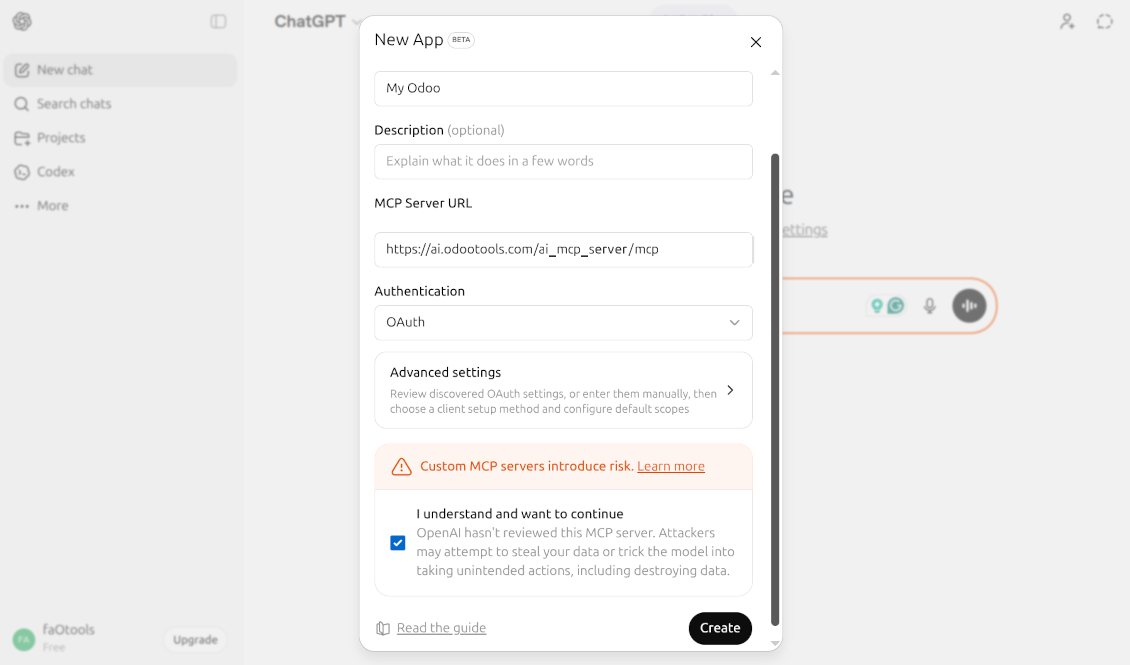
- As the name, introduce any suitable (e.g., "My company Odoo")
- As the MCP server URL, introduce [YOURODOOSITENAME]/ai_mcp_server/mcp (e.g., https://faotools.com/ai_mcp_server/mcp)
- As the authentication, use [YOURODOOSITENAME]/ai_mcp_server/mcp (e.g., https://faotools.com/ai_mcp_server/mcp)
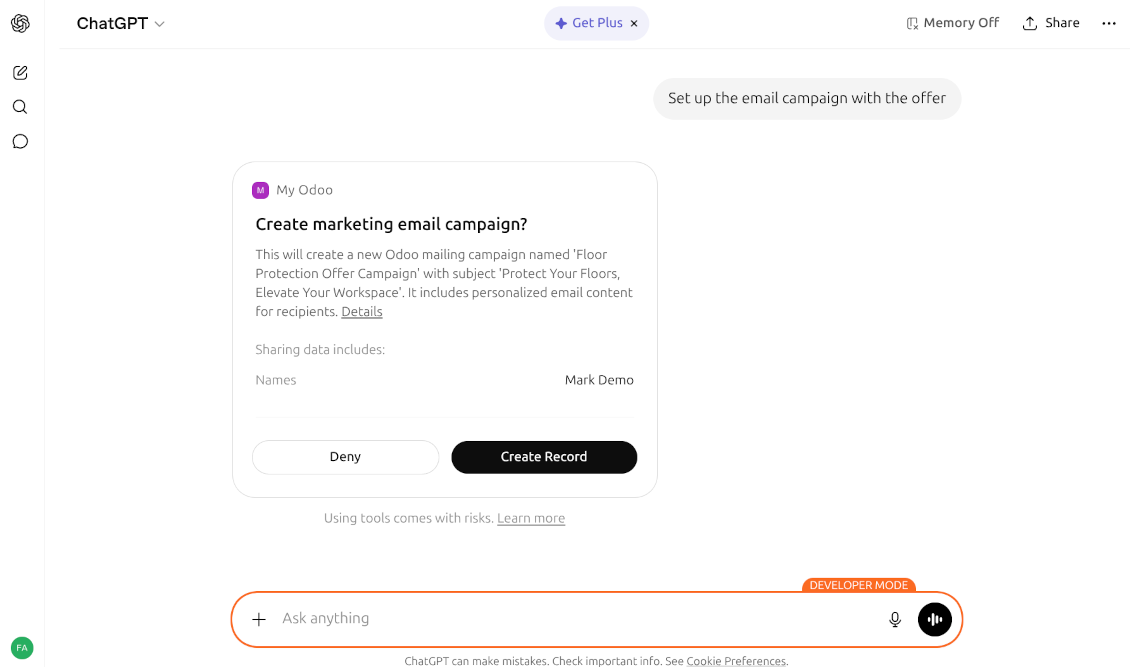
- Agree with MCP risks
- Press "Connect"
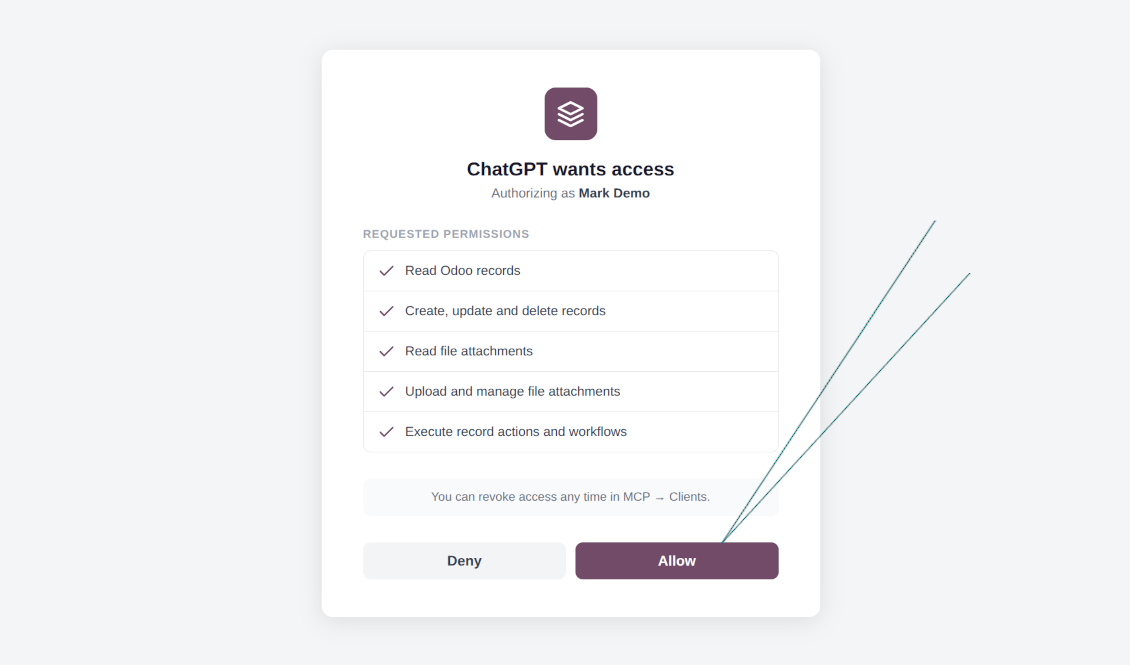
- The app will redirect you to the Odoo login screen. There, you should accept the scopes
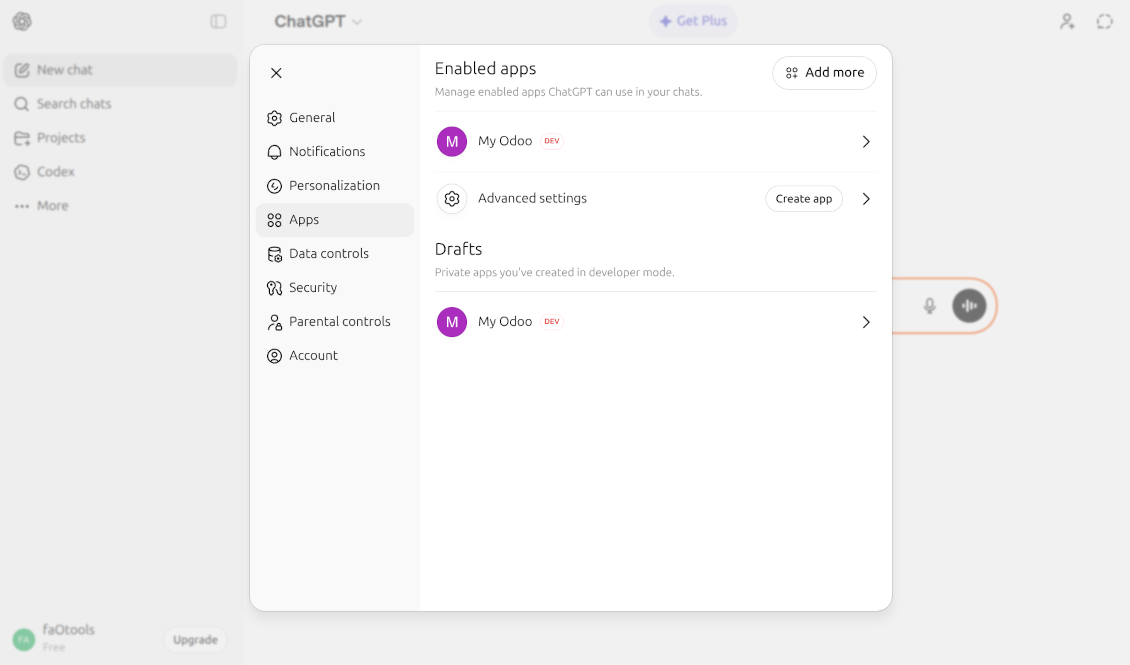
- Start AI chatting using your Odoo data.
Watch also the configuration video
Opening ChatGPT Settings
Accessing Advanced App Settings
Enabling Developer Mode
Configuring the Odoo MCP Server
Granting Odoo Permissions
Active Odoo Integration in ChatGPT
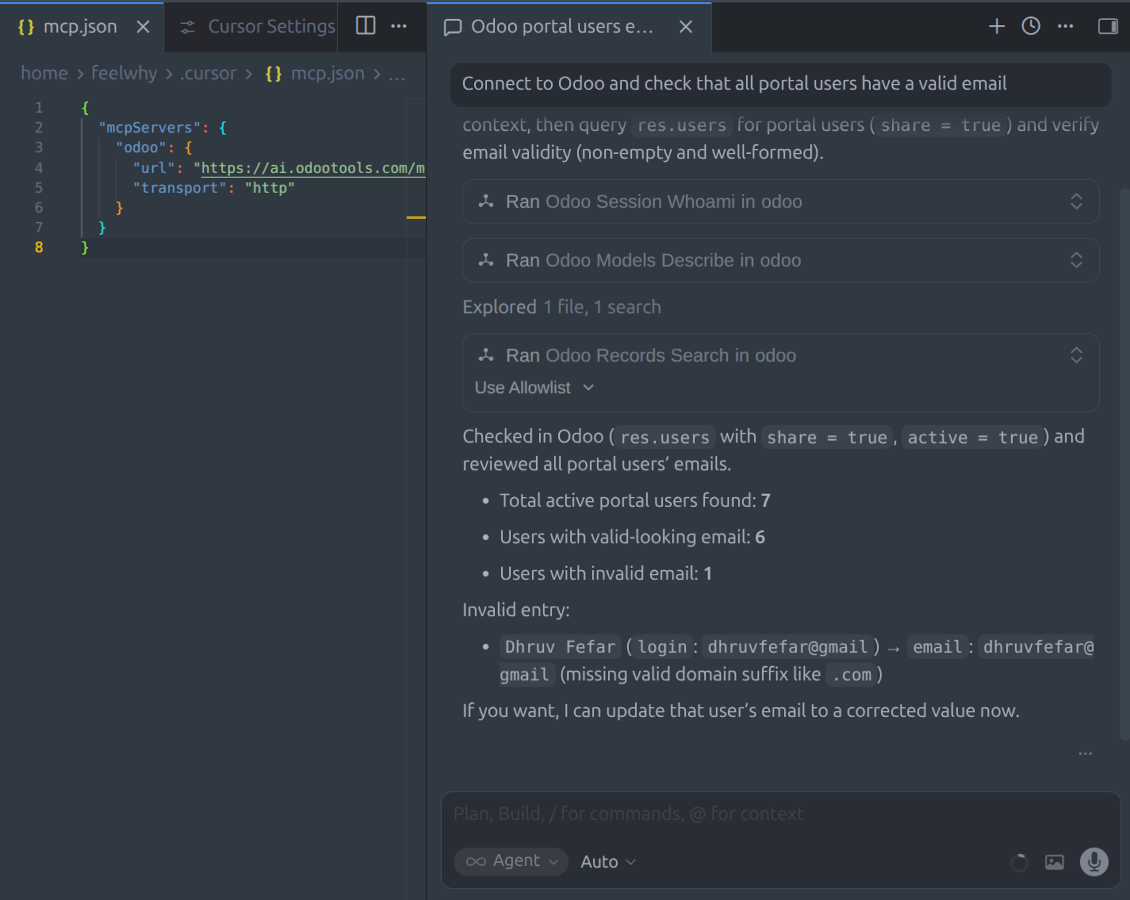
MCP flat settings (including IDEs, VS Code, Cursor, Antigravity, etc. and varios other tools)
Apply the change to your mcp settings file (mcp.json, mcp_config.json, etc. - depending on the software)
{
  "mcpServers": {
    "odoo": {
      "url": "[YOURDATABASESITE]/ai_mcp_server/mcp",
      "transport": "http"
    }
  }
}
Manual MCP Server Configuration
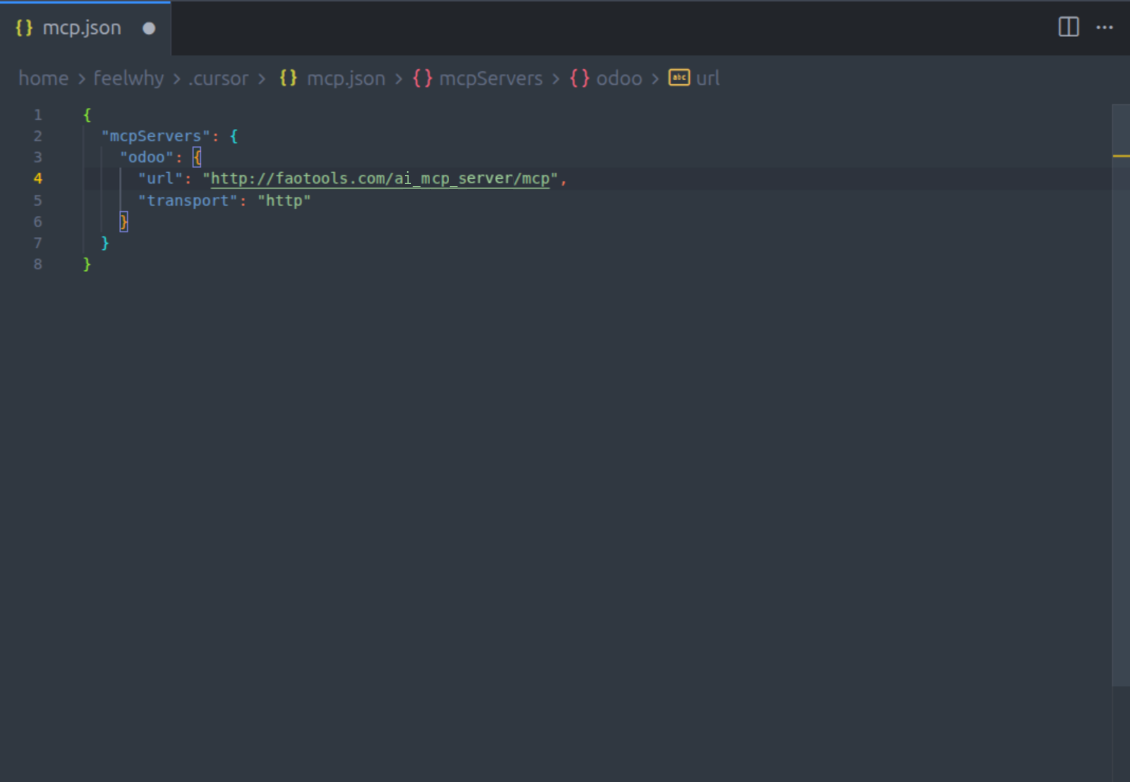
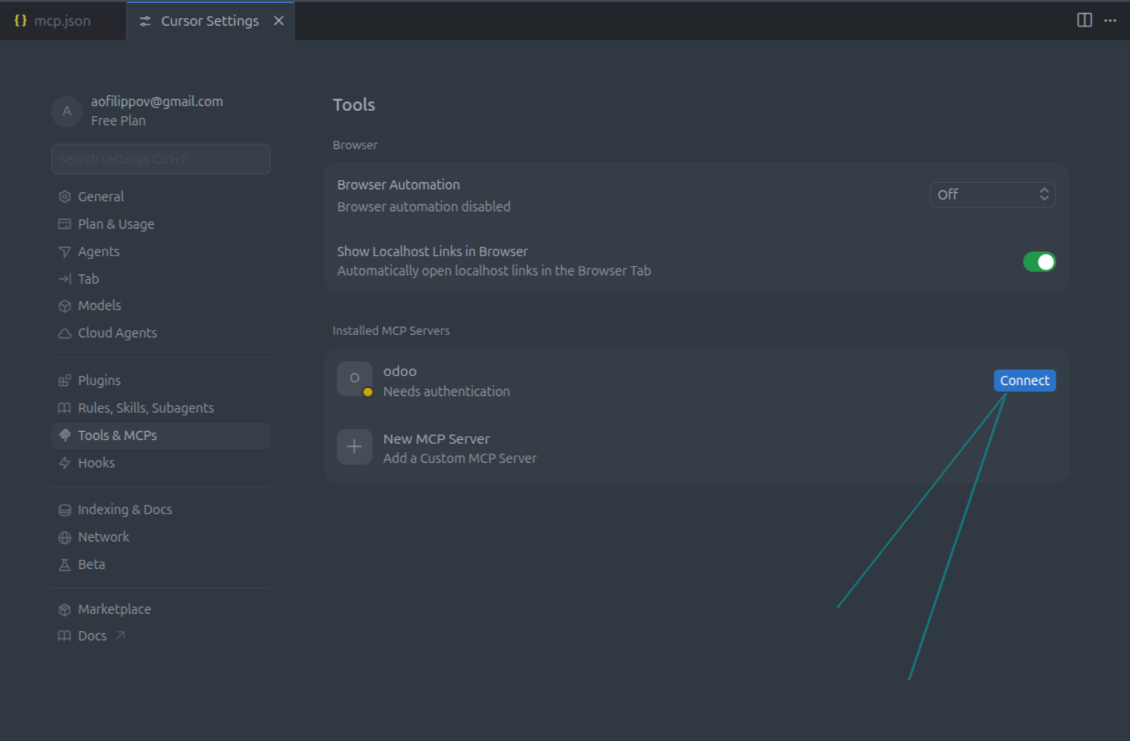
IDE Integration and Activation
App and website wording in languages other than English is AI-assisted and aligned with official Odoo translations. If you spot a mistake, send a translations-correctness ticket and we will fix it.
Odoo demonstration databases (live previews)
For this app, we might provide a free personalized demo database.
You do not need a phone number or credit card to contact us. You should only pass a short email sign-up, which does not take more than 30 seconds.
By your request, we will prepare an individual live preview database, where you can apply any tests and check assumptions for about two weeks.
Bug reporting
If you encounter bugs or inconsistent behaviour, do not hesitate to contact us. We guarantee to provide fixes within 60 days of purchase and are intensely interested in improving our tools even after this period.
You do not need a phone number or credit card to contact us. You should only pass a short email sign-up, which does not take more than 30 seconds.
Please include as many details as possible in your request: screenshots, Odoo server logs, a full description of how to reproduce your problem, and so on. Usually, it takes a few business days to prepare a working plan for an issue (if a bug is confirmed) or provide you with guidelines on what should be done (otherwise).
Public features requests and module ideas (free development)
We are strongly motivated to improve our tools and would be grateful for any feedback. If your requirements are of public use and might be efficiently implemented, the team will include those in our to-do list.
Such a to-do list is processed regularly and does not assume extra fees. Although we cannot promise deadlines and final design, it might be a good way to get desired features without investments and risks.
You do not need a phone number or credit card to contact us. You should only pass a short email sign-up, which does not take more than 30 seconds.
20.0.1.2.6
- The issue of the notification stream holding one server worker for each connected AI client has been fixed. On a prefork server the stream is now declined, and clients continue over ordinary requests.
- The setting SSE Notification Stream has been added. Automatic is the default and offers the stream only on an evented server. Clients that use only the legacy SSE transport need Always on a prefork server.
- The issue of report download links ignoring the Signed URL TTL setting has been fixed.
- The issue of a renewed token staying usable after its chain was revoked has been fixed. A renewal stays in the same token family, so a revocation ends the whole chain.
- The issue of reading a disabled resource has been fixed. A resource is returned only when it is enabled.
- The issue of a hand-created client receiving scopes it was not given has been fixed. The scopes set on that client are now the most it can obtain.
20.0.1.2.3
- The app is published to version 20.
- The MCP server address is now [YOURODOOSITENAME]/ai_mcp_server/mcp.
19.0.1.2.3
- The issue of an MCP request running as the public user has been fixed. Notes with recipients are posted and sent, and written records keep the token's user as the author.
19.0.1.2.2
- odoo_chatter_post now posts HTML bodies as formatted messages, and plain text keeps its line breaks.
- The file scan hook result is now used. Return None, True or {'success': True} to accept a file; any other result rejects the upload and shows the message.
- The Pending Operation TTL setting is now applied. An empty value or 0 keeps the default of 7 days.
19.0.1.2.1
- The feature to call an existing method as its own tool, without writing a module, has been added.
- The issue of a confirmed record-method call acting on records that were not in the preview has been fixed.
- The issue of passing record ids to a model method, such as create, has been fixed.
19.0.1.2.0
- The feature to run your own method as a tool, using Target Model, Target Method and @mcp_tool, has been added.
- Each custom tool keeps its own risk level, scope and confirmation mode, and a direct read-only tool rolls its database writes back.
- The issue of odoo_actions_run accepting a private method, and of checking the method allowlist only after confirmation, has been fixed.
- Target Model and Target Method now explain on the form what they require.
19.0.1.1.1
- The issue of a non-empty attachment model allowlist refusing every model, including the listed ones, has been fixed.
19.0.1.1.0
- The feature to finish file uploads without a Bearer token, through a single-use pre-signed link, has been added.
- The upload page, where users pick a file or take a photo under their own Odoo login, has been added.
- The tool to check whether an uploaded file has arrived has been added.
- The settings for pre-signed uploads, upload slot lifetime and pending uploads per user have been added.
- The default file size limit for new installations has been lowered to 50 MB; upgraded databases keep their current limit.
19.0.1.0.5
- The issue of write operations accepting unknown field names has been fixed.
- The issue of failed write confirmations hiding the error and skipping the audit log has been fixed.
- The upgrade re-applies the official MCP tool records, so local edits to shipped tool descriptions are overwritten.
19.0.1.0.4
- The AI-assisted translations for 25 languages have been introduced.
19.0.1.0.3
- The issue of generating PDF reports for records the MCP user cannot read has been fixed.
19.0.1.0.2
- The issue with MCP clients dropping the session after a failed tool call has been fixed.
19.0.0.0.9
- The app is published to version 19.

The tool to flexibly structure Odoo attachments in folders and synchronize directories with cloud clients: Google Drive, OneDrive/SharePoint, Nextcloud/ownCloud, Dropbox, Amazon S3, Box, and NAS. DMS. File Manager. Document management system
398€
The tool to automatically synchronize Odoo attachments with OneDrive files in both ways
487€
The tool to automatically synchronize Odoo attachments with Google Drive files in both ways
487€

The tool to build a deep and structured knowledge base for internal and external use. Knowledge System. KMS. Wiki-like revisions.
398€
The tool to set up KPI targets and control their fulfillment by periods. KPI dashboards. Dashboard designer. KPI charts

The tool for time-based service management from booking appointments to sales and reviews
398€
The tool to combine different Odoo events in a few configurable super calendars

The tool to translate URL addresses of Odoo website pages
38€